#🏃┃animation
1 messages · Page 65 of 1
 ocean garnet
I made an animation, and this animation is for a character and personality. This is her story. I put two animations for each member. I watched a video of how I merged them, but it did not help me much
You can give me a video that teaches me how to combine them and gives me a script and everything
 pine badge
Is there a way to insert clips, instead of only appending at the end?
 hybrid tinsel
@pine badge I thought they were sorted in order of where they are in the file?
pine badge
What do u mean? This is the fbx import, u define the anim clip range urself
hybrid tinsel
Right, so you aren't appending anything, you're just defining chunks of the timeline in the anim?
pine badge
There's only + and -
Yes this has nothing to do with the clips themselves, the order doesn't really get reflected anywhere else
But it's only for this importer. If i added some more animations that's like, IdleVariation1, i'd want to put it next to Idle, instead of all the way at the end of the order
 twin musk
https://gyazo.com/8fd969cd3db3a53259b32d7d513f6f04 i made these wierd block fps arms to avoid the use of hands, any opinions on this simple equip?

i still can use hands
 crisp igloo
Hmm, looks basically alright. Think it'll do for now at least (assuming you'll be replacing them later on, depending on what sorta characters you're using)
 trim hatch
https://youtu.be/xxFf6Uusrtw?t=463
This guy has two sepereate blend trees.
One for movement, one for idle
Is there a way to only have one blend tree that does both?
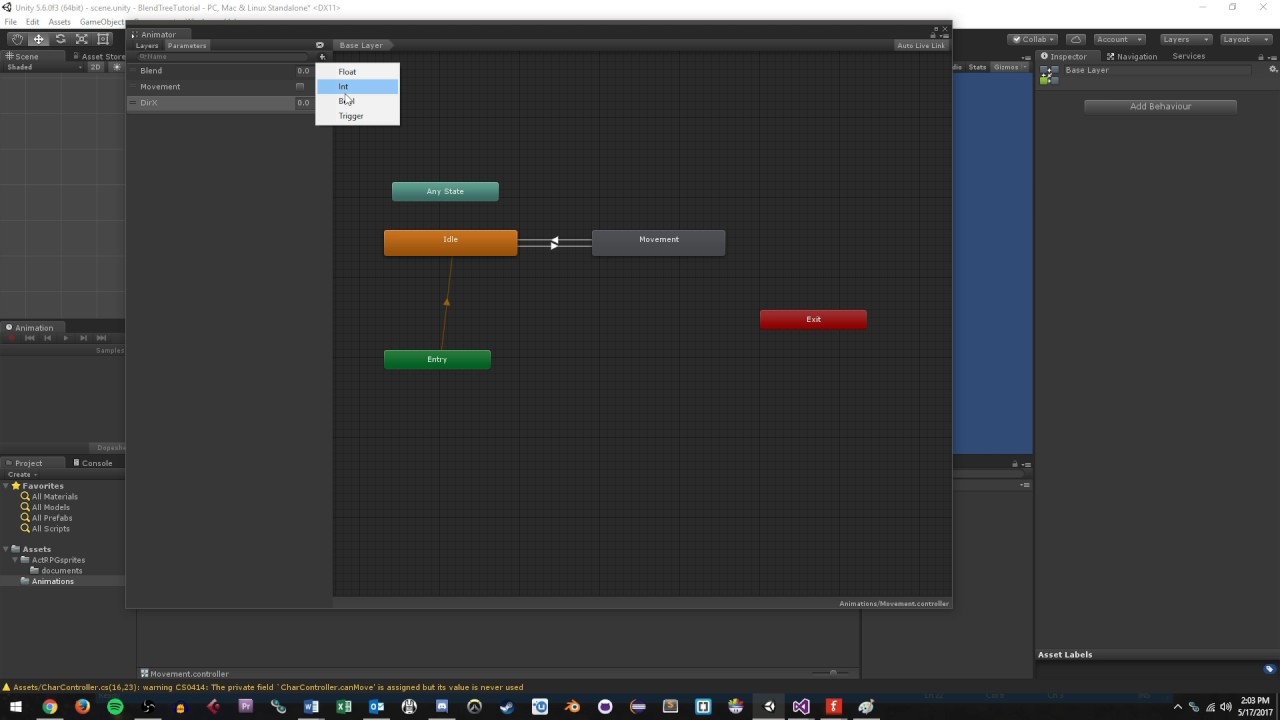
Learn how to create a simple blend tree using the Unity game design platform. You can view the blog article associated with this video at http://www.studica.com/blog/game-design-tutorial-blend-trees-unity
hybrid tinsel
@trim hatch For a reason, or?
hybrid tinsel
I think we have different definitions of of neat.
trim hatch
well when idle and movement both need to transition into attacks then yes
that would be more neat
🙂
 exotic tide
Hello everyone, I am struggling with the implementation of some 3D animations. So I exported some Maya animations into Unity but somehow the animation of one model is not played fully in the inspector. It looks like the keyframes on the y-axis are not working but everything else. Some other animations don't seem to have this problem at all. I've been checking everything but I can't seem to figure it out. Can anyone help me?
 novel flare
Hi there, I was wondering where do I go to change the fps of my sprite animation?
According to my tutorial, it should be here at "sample", but I can't seem to find it.
Mine:
Tutorial:
 charred belfry
there's a dropdown in the top right of the window
use that to enable the sample rate
novel flare
oh, thank you!
twin musk
How do you do this animation stuff
I need to make a finish screen
That fades in
Anyone?
Someone
?
pine badge
Hi all. Need a suggestion for RPG animator
I'm currently doing the trick of float AttackSpeed parameter and have all my attack states use that for speed
In code, i use enum to both trigger and find the corresponding clip name to find the normalized speed (to determine the necessary AttackSpeed to make it be affected by agi stat accordingly)
This is good in code, and i can even build string and enum.Parse to modularize things (left/right hand for dual wield)
But in animator, there's just too many of these same things to handle
I was thinking of jamming all these to a BlendTree, have a Left/Right/Up/Down variant using the 2D blend, but it only accepts floats when what i need is a bool
It could work as well, but.. just wondering how do u guys do it for these things, that can make the animator less painful looking?
Cheers
hybrid tinsel
@exotic tide Is that y motion on t he root bone?
@pine badge I try to separate the game logic from the animation logic. And why can't you just have two floats for direction and set them in your script based on the bools?
Your setup seems really weird for me
 karmic whale
is there a way to split up animations in unity?
or is it better to have separate .fbx files for each animation?
 viral pollen
In the Animator, am I able to smooth two motion, while transitioning between them?
hybrid tinsel
@viral pollen It generally linearly interpolates between them
pine badge
@hybrid tinsel The anims are all unique, and non humanoid so mirroring doesnt work
And hmm idk, maybe i should just get some standard humanoid rig and modify it from there..
hybrid tinsel
@pine badge Not sure what mirroring has to do with it.
And have you looked at animator override layers?
pine badge
The layers that can affect only say the upper body? Yep, i'm using that
My anims are looking ok, game logic also has to compensate having to figure out to call SwingR and SwingL, but otherwise it all works
I'm just asking about organizational thing. I guess using float -1/1 from bools in code is fine, i'll have a try at that
 candid meadow
 strong mica
hover over it for a suprise and click below after seeing it
||get discord rolled haha||
 celest crag
@strong mica Do not post memes
pine badge
So im using BlendTree for the directional swing
The anim of "SwingLeft" (left handed) for example, goes from most right, to most left
But if i blend it with "SwingUp", which is most down to most up, then the pre-swing anim is blended
Is there a way to have a "time weighted" blend? Like, for SwingUpLeft, i want the first half to always start with the beginning of SwingLeft
Actually my game doesnt need 9 directional so forget it. But would still be interesting to know if there's a way to do it (time blend, so it's a 3D blend tree O_o)
A possible way is to blend the SwingVertical param in code, but meh too much effort..
hybrid tinsel
There is not by default, though I believe animancer lets you do that
pine badge
Thats cool
viral pollen
Can I change the duration speed of an animator transition, during runtime?
pine badge
Transition? Not sure. But u can make a state use a float param as the speed modifier
Or in code, set the animator's speed to set the overall speed
If u mean the transition duration where it "blends into" the new state, then there's an option in the inspector "transition duration", which can be fixed seconds or percentage
I often set it to 0 for immediate skill trigger
viral pollen
alright thanks
pine badge
Ok so about animation with a "cast point"/"hit frame" etc. Say 30 frames long, and frame 24 is the point where the grenade is thrown etc
Is using animation event the most correct way to do this?
I used to separate it to 2. Or for melee, to 3: pre-swing, hit frames (could be 3 frames long), and the after-cast swing
Is there any advantage in separating it to 2/3 like how i used to do?
For me, i did it bcoz again i use the AttackSpeed param trick, which in order to do so, i need to cache the anim clips length, normalize it, then divide by the chara's agi (or something like that can't remember), then set the Aspd param
I wouldn't be able to do that if i dont separate them all. I dont wanna include the "after cast" in this anim speed equation, thus i do this
Unless someone else have a way to perfectly do this with a single clip, and entirely with animation event?
 timid ocean
any easy way to tell the animator to play an animation backwards when called from a script (animator.Play)??
trying to save some space on animations
 verbal veldt
When importing animations into Unity, I have noticed that you need to import the model with each single animation. Isn't this a waste of hard-disk space? Is there a way to import only animation with just the armature rather than importing the same model each time you want an animation?
pine badge
U animate all the animation in a single clip, then in the importer u can split them into separate clips
verbal veldt
That sounds like it would become incredibly hard to manage as a character scales
There isn't a way of keeping the animations seperate, and not have the need to reimport a model for each anim?
pine badge
Why is it hard to scale?
In blender/maya, just "frame" the animation timestamp from 1-24, make ur walk cycle, then move to 25-100, make jump, and so on
verbal veldt
I wouldn't want to have a 15,000 frame animation in one graph
Small scale I am sure it works just fine, but doesn't feel like the optimal way of structuring animations
exotic tide
@hybrid tinsel Yes, what does that mean?
verbal veldt
@pine badge thanks for the help, managed to solve the issue I was having previously with the NLA strips. It wasn't recording the frames where bones didn't move, forcing start / end keying fixed it as far as I have tested
pine badge
Alright i'll simplify my question: Is AnimationEvent a reliable way to activate/deactivate hitbox?
I read about events sometimes skipping here n there so i'm not sure what it's like now
timid ocean
i added an animator component to a prefab, and enabling the component causes the prefab not to render when i instantiate it.
disabling the animator component causes the default image in the spriterenderer component to appear just fine.
any ideas what i might be messing up here??
pine badge
It probably entered a state where the sprite (or whatever it's animating) gets set to scale zero, or alpha 0, or position to some random place, etc
timid ocean
it doesn't appear to be entering a state that would mess with any of that, but i have noticed something else that might be odd?? the animator component in the inspector on the prefab indicates that there are 0 clips and that "animator is not visible". however, the animator components on the clones of the prefab that are instantiated in-game show the appropriate number of clips in the inspector, and indicate that the animator is visible, despite the sprites not rendering that i can tell.
i can take a couple screenshots to show what i mean
^ this is the animator component as viewed from the inspector when i select the prefab in the project view
^ this is the animator component as viewed from the inspector when i select one of the clones of the prefab that's actually instantiated in game
the animator controller i created for the prefab has all 9 clips present when i open it in the animator window, so im not sure why the prefab indicates a clip count of 0.
timid ocean
im not even sure if that has anything to do with why the animator component is causing the prefab not to render but im a bit lost on how to fix it lol
hybrid tinsel
@viral pollen you can call Crossfade with a transition duration
viral pollen
could you send me a unity documentaion of it? @hybrid tinsel
hybrid tinsel
just google it
@exotic tide There is a root bone for the character, and unity treats keyframes on that bone differently. https://docs.unity3d.com/Manual/RootMotion.html
 viral pollen
thx
timid ocean
fixed it. im an idiot lmao
ppu was set wrong on the spritesheet. thanks for the patience delgelato.
twin musk
https://gyazo.com/df66931c3407945d6b1c60fd456339b2 made another one

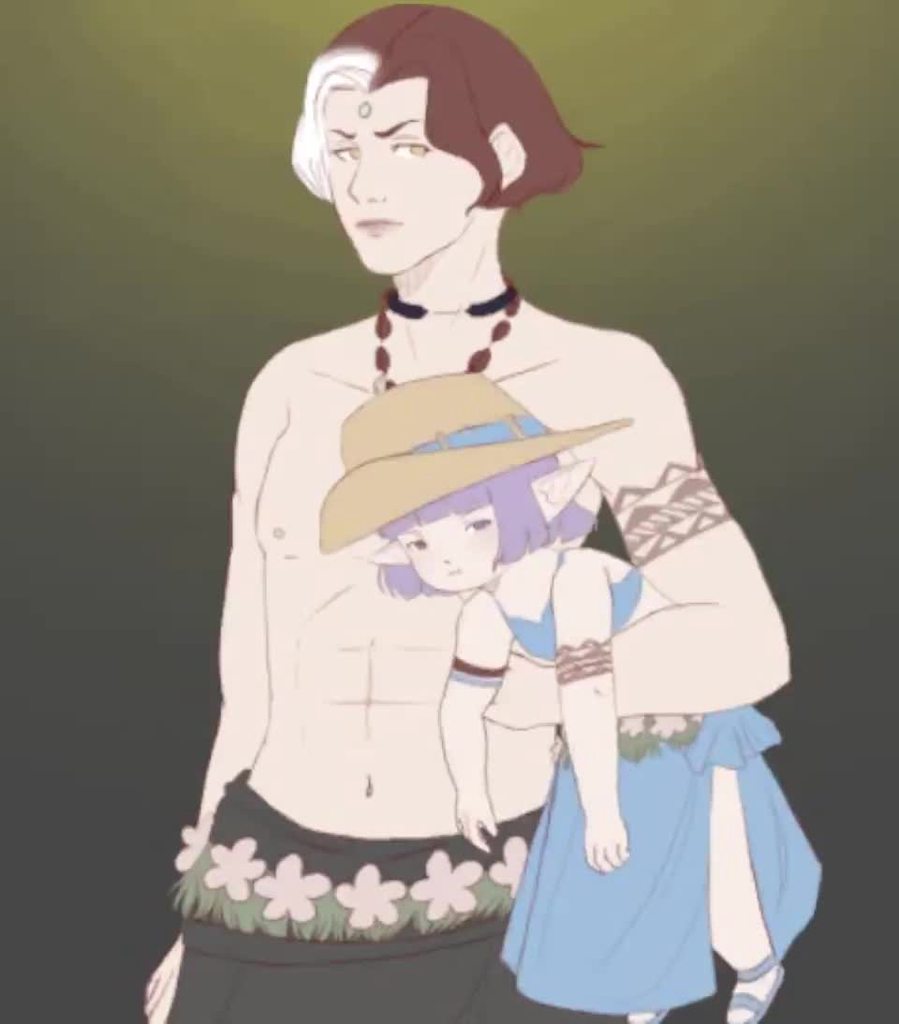
cartoon fps animation
viral pollen
nice
hybrid tinsel
 hybrid tinsel
 verbal veldt
I have a skeletal mesh and animations imported seperately and I am trying to apply the animation to the character, so far failed to get it working.
How do I make this work?
 steady yew
Hello guys, I got strange bug with animator or animation. I tried to do loop with rotation from -5 to 5, but my object does properly rotation from -5 to 0, when it should go do -5 it instantly teleports to -5 and it looks really bad
I'm using Unity 2019.4.7f1 is that problem with version?
verbal veldt
is it normal for an animator to export 1 animation on the same model over and over?
 hybrid tinsel
@steady yew We'd need to see how you set the animation up to really tell what might be going wrong, but that isn't a bug I've heard of.
steady yew
I just recorded rotation Z
first and last values are -5 but it doesn't work, animation ends faster
hybrid tinsel
@opal ravine Does it do that in scene view or only in game? Does it happen at the end of the animation or at some other point? You could step through frame-by-frame with the animator window open to show just where in the animation state it's happening.
@steady yew What do you mean 'ends faster'? Can you show the graph view for that channel?
steady yew
Oh, it's strange. Now it works properly. It seems Unity update worked or just restart worked
 opal ravine
@hybrid tinsel in the editor and game, but I have 2 animations, by number 1, it happend at image 13, bit by animation 2, he flashes 3 times
hybrid tinsel
Did you turn off duration in the transitions? And does the flashing happen when previewing the animination with the animation window?
@steady yew That kinda thing happens sometimes, though I've never seen that exact error.
I kinda wish I'd saved a video from earlier, I for a really silly bugged out animation that made my character's arms windmill wildly
opal ravine
@hybrid tinsel Yes, also in the preview
hybrid tinsel
And there are no blank frames in your animation sprites?
opal ravine
No, you can see that in te picture above
hybrid tinsel
Did you try clearing and the frames in again?
hybrid tinsel
Hm
 limpid shard
anyone here used alembic before (exporting from blender) ?
pine badge
This thing doesnt work (import camera/lights unticked)...
 dull socket
Okay, so
I have a animation that lasts 2 seconds (lets call it animation A)
I would like to trigger animation A1 when animation A is between 0-1 seconds and trigger animation A2 when it is between 1-2 seconds
How would I go about doing that?
Should I use animation events to figure out in which part of animation A is currently playing and then trigger A1/A2 or is there another way?
 ancient echo
Theres something I cant understand... I think iv tried comboing every possible setting of the Animator component - only if I am using these exact settings, then my mouselook script allows my character to look up and down, but the raycasts that are based on the camera orientation remain unaffected... IF I change any setting, and with or wihout "apply root motion", it will only update the raycasts to match the angle, but the character wont rotate up/down, but still spins around looking left/right... And I have no clue why - my only guess is the animation has some keyframes for the "spine" (which is what I use to tilt the camera up/down by code), which is maybe getting overridden by the animator, but it doesnt make sense why I can manipulate it with these settings and no other settings... Is there a way to only allow my code to change the rotation of a specific bone, in my case the "spine"?
 solar warren
Hi everyone, my Animation Riggin is not working but I am following tutorial from unity and brackeys and they do the same.
Any Idea why this is not working?
hybrid tinsel
@dull socket You could use animation events, or you could use a coroutine if you know the times in advance.
@ancient echo Are you doing your script alterations to the pose in LateUpdate, in the IK pass, or in Update?
ancient echo
I believe it's late update, I can confirm in like half an hour @hybrid tinsel - which should it be?
hybrid tinsel
I believe LateUpdate or animatorIK, depending on the setup
ancient echo
Alright, I'll double check soon - should this allow me to override the Animator controller moving that bone, or somehow cause it to ignore only that bone in its animations?
hybrid tinsel
The former.
If it's an imported animation, you should also be able to disable keyframes for that bone in the import settings, I believe?
This is very interesting https://twitter.com/CellarDoorGames/status/1295083983877943296
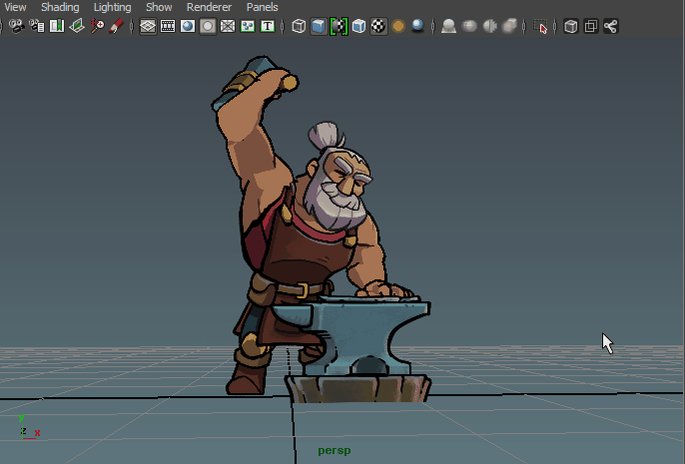

Never skip body day.
2 days until we launch Rogue Legacy 2!
You can wishlist now!
Steam: https://t.co/inS26yVBZm
Epic: https://t.co/tY1cDYL2rN https://t.co/OTUSpthoeh
Retweets
454
Likes
2698
 Twitter
solar warren
Twitter
solar warren
oke I found my Issue, Gameobject Hierachy was incorrect
ancient echo
@hybrid tinsel thanks! My mouselook logic was running from Update instead of LateUpdate, after tweaking some stuff, it works as I want it to now and have the override control I need for gameplay, independent from the animator
 fallow pebble
hey can someone help me with this? for some reason, blender moves my armature bones even when there's no keyframe visible. it happens specifically on frame 18 on every animation/action so I know it's not a problem from my side... been plaguing me for the past couple of days
fallow pebble
nvm solved, nla stack problem
 faint mica
@opal ravine is all the animation doing making the spikes move to the left?
if so
you can just replace it with a simple script
it'd be more storage efficient
faint mica
@signal heath yes?
twin musk
is there a way ppl could suggest to make 8-bit animations
opal ravine
@faint mica yes
dull socket
In the Animator -> Update Mode there is a "Animate Physics" setting, how many frames will it display per second? 30?50?60?
verbal veldt
what are the best practices for doing animation for Unity?
I have a character that will have several animations, but how should I approach this? All the animations in one file/ seperate?
hybrid tinsel
@dull socket It depends on your settings. It will update with FixedUpdate.
@verbal veldt I believe that Unity will convert them internally into separate clips regardless of how they are stored in the original files. Dunno if there's any practical difference.
verbal veldt
yea I have been using NLA in Blender and exporting those out and it gives me seperate clips in 1 file
but I have also seen people export each animation seperately with the model repeated
not sure what the best approach is
hybrid tinsel
I don't know that there is a 'best.' The former is probably more convenient, but the latter lets you use animations from different sources very easily.
 steep kelp
Why can't we animate the ParticleSystem's PlaybackTime property?
hybrid tinsel
@steep kelp I believe you can still animate it via script?
steep kelp
Aye, perhaps. I just wanted more precise control over my slash melee animations. Just take the particle, place/rotate it straight from the animation panel, and play with the properties to match
Now I'm gonna have to make a script, add it to all the animations and particles systems I have and will make
All that because somehow we can animate texture over velocity but not some basic functions like play stop and playback speed.
hybrid tinsel
It might have something to do with how until a couple updates ago resimulating particle systems caused some sort of problem, I remember it was a sorta big deal. Maybe post on the forum as a feature request?
Though with vfx graph being the new thing who knows
steep kelp
Ah, well that would be bad, yes. Yeah, I'm going to try posting there but before that I'm going to try another thing. Replace standard animations with Timelines instead.
 silent merlin
is it possible to have a material's textures change using blendshapes?
or even for the material to swap out for another material
hybrid tinsel
@silent merlin Yes, to both, though you'll need to write a script for it.
silent merlin
crap
I cant edit any of these blendshapes to do it? Or is it a script I have to add onto the blendshape
 fading badger
So, not to open a contentious discussion... But what's a good (animation) controller that I can use as a basis to integrate my own logic?
I like the one by Ootii, but it seems almost too feature rich
PS: I'm a developer, but trying to not rewrite the wheel, and want a basis to modify
I'm actually more interested in controlling NPC's, as well as integrating procedural animations through IK
hybrid tinsel
@silent merlin That data isn't stored inside the blendshape, so you'd need a script to tell unity what to do.
silent merlin
aight thanks
hopefully I can find someone else who's made the script and uploaded it somewhere
hybrid tinsel
@fading badger If you find a good one, please let us know! There are so many and I have had trouble even starting to wade throuyh them.
@silent merlin It's pretty simple, though for the texture blend you'd need to make a new shader for it. For the material swap, a script can handle it alone but there'd be no interpolation.
silent merlin
See the thing is
I've never done anything with scripts before. The most simple things to you probably look extremely complicated to me
hybrid tinsel
Another option might be to just keyframe the texture changes directly in the animation, rather than linking them to the blend shapes.
silent merlin
maybe
hybrid tinsel
Are you using default renderer, or scriptable render pipeline?
Scriptable pipeline(ironically in this case, given the name) would take less scripting since you can use shader graph.
silent merlin
pretty sure it was pipeline
everythinge on the model honestly came after I converted the model type into unity
using some converter package I found
hybrid tinsel
Forgive me if it is hard to be too detailed without knowing all the specifics 😄
silent merlin
Dont worry about it
Im sure I can find some way to make it work
hybrid tinsel
You absolutely can.
fading badger
Is Mecanim still the go-to for blending animations in Unity, or did they make something newer?
Or, maybe I should ask: What's the most performant way to transition and blend animations?
hybrid tinsel
If you're using the animator component, mecanim. Even if you're not using the graph, you can call mecanim transitions via code as well
fading badger
There was a video I saw like 2 years ago talking about mocap remapping from human to other rigs. (like human to dog, or some other things, not just slight bone tweaks for humanoids) Does anyone remember what that was?
Even better... Do you know an API that does that? (even paid)
twin musk
Made this today
 rustic moat
Wow. I absolutely love it. If you are planning to use this as an asset in a video game, then I dont think players would notice, but there seems to be a little too fast movement with the arms (unless of course, thats what you were going for which I get)
The arms seem like them almost teleport in these two frames that are next to each other
Usually in run cycles which are pretty hard to do in 3d, you start to notice this "limping effect" in which the arms don't seem to change but rather just keep repeating the up and down movement which is really hard to unsee, the way I would attempt to fix this is to add (subtle since this is sonic) head and hip rotation to keep the viewer from unseeing this
of course this might be your artistic design which i totally get
awesome work though
twin musk
My, thank you very much! This model was just practice with Blender's modifiers, and some other animation stuff. This animation, as well, was meant for 60fps but I slowed it down to show the smear frames; that's why the arms seem to teleport, to try and hide the in-between and demonstrate poses haha
Actually though, I'm working on a retopo right now! I had thoughts about remaking Sonic R haha
 tawdry lava
Im having this really weird issue where unity's not detecting any animation data from my .blend humanoid model :/ These screenshots clearly show that there is animations, but it shows no such thing in unity. Anyone have any idea on what might be causing this?
 vital blaze
maybe your export ignores the animation
check if you have a setting to activate it, bake the animation or something like that
other option would be to use a different format
and check it that works
you could also install a gltf plugin for unity and use the gltf export format which is pretty popular with blender
a very good format in my opinion as well
hybrid tinsel
@twin musk I think when you get to that sort of speed you kinda need some kind of blur or it just looks like a tangle of limbs?
 drifting granite
a
if need to reach the second animation with if statement
 anim.SetFloat("AttackVar", (int)Random.Range(0f, 2f));

                            if (anim.GetCurrentAnimatorStateInfo(0).IsName("Attacktree"))
                            {
                                Debug.Log("Work1");
                            }

                            if (anim.GetCurrentAnimatorStateInfo(1).IsName("Attacktree"))
                            {
                                Debug.Log("Work2");
                            }
i do this its work on the first animation
rustic moat
I have a small question, I don't know if this belongs here, but does anyone know how to loop a specific part of a video? For example, I have one whole video file (webm with VP8 for alpha) playing and I want the intro part of it to play but the looping part of it to... loop. Is there anyway I can do this without having to split the audio file into intro and loop?
fading badger
@rustic moat You can't get the current playtime?
 crystal wind
I have a question.... I'm animating for the first time in Unity. 2D animations... How in the hell do I time multiple animations together so its timed right? I'm assuming I do this in the Animator Parameters Base Layout.... but it only shows 1 animation.... I appreciate any help/comments/advise for a rookie like me 🙏
drifting granite
guys i think U dont understand me i need to select the Attack02 , i mean in animation if U want to do if statement U can say: if(settrigger......) but in the float how can i do that i Question in every group in the discord everywhere noone help me i try to search in the documentation but nothing help
hybrid tinsel
@crystal wind Unfortunately, that's one of the biggest weaknesses of unity animation, though you can use a Timeline to sync multiple animations up
crystal wind
@hybrid tinsel Thank you for your reply. How would I do that in Unity?
hybrid tinsel
First, you need to have the timeline package installed. Then, you can create a timeline asset, which is basically a NLA style interface that lets you drop in multiple 'tracks' (which can be animations, 'playable' scripts, or object activation/deactivation)
crystal wind
@hybrid tinsel omg that would be fantastic! Thank you for sharing your knowledge!
hybrid tinsel
@tidal cloak Depends on HOW it fucks it up.
 tidal cloak
so what happened is
sometimes the characters just do crazy movements then goes back to normal
like a momentary seizure
it's like 95% correct
but it flicks on some places
this is so annoying
hybrid tinsel
Try turning off animation optimization in the importer?
 knotty sapphire
Good evening, I'm currently working on an isometric semi-cooperative roguelike, my team and I are wondering what the best practices are for animating multiple-hit combos. If the answer is Mecanim, a reference as to how the animations trees should look would be a blessing.
hybrid tinsel
@knotty sapphire Hiya! There are a few ways to do it, though Mecanim is most often involved. A lot depends on just how you want things to work and how your game is handling the input tracking.
One way to do it is to have a branching structure, using 'has exit time' on the individual attack animations and then transitioning either to the next state in the chain if the condition is met.
An alternative would be to handle the combo tracking and animation entirely through code, calling Crossfade() directly.
knotty sapphire
We've been attempting the prior, just running into less than desirable results.
And then there is the beast of trying to make the arms and legs animate independently from each other to allow for moving attacks
hybrid tinsel
Well, that is usually handled by having separate layers.
knotty sapphire
Honestly, most of the issues are probably the result of our conditions. Should we be using triggers? Or have some sort of set and reset bool system?
hybrid tinsel
I don't think there's one right answer really? I have the feeling that with a lot of fast inputs triggers might be a bit harder to manage.
You can set it up pretty much like jumping/falling/landing.
knotty sapphire
Alright, I'll take another look at our animations themselves. Is there an example project anywhere that shows best practices? Online examples seem to be few and far between, with a VERY diverse pool of results
timid ocean
looking through a tutorial on how to use blendtrees with spritesheet animation and was wondering if someone could explain something to me real quick
the tutorial im watching has so far been super helpful in demonstrating how blend trees might be applied to spritesheet animation. for reference, it's here: https://www.youtube.com/watch?v=W0R7VcMXiwI
We will use a Blend Tree to achieve Running and Walking Animation Transitions in a Top Down perspective in Unity. We will modify our existing Blend Tree, and change its type to 2D Freeform Directional. I will give you a brief explanation of how a 2D Freeform Directional Blend ...
however, there's a difference in application between the tutorial case and my desired functionality that im still struggling to wrap my head around.
in the example, the player transitions from a walk animation to a run animation based on input polling from an xbox controller. the parameters for the 2D blend tree are horizontal and vertical input thresholds represented as floats, which makes perfect sense to me.
im trying to do similar sprite transitions, but the transitions are contingent on different parameters that are not related to axis input: whether the player is firing their weapon, and whether they're aiming up or forward. these are less suited to being represented numerically as a parameter on a blend tree.
do i need to come up with ways to represent these parameters numerically in my animator script so the blend tree can use them, or is there a way to integrate boolean/trigger parameters into a blend tree directly without abstracting them to numhers??
i hope that makes sense lol
 icy imp
is it a good idea to use the unity animator for animating ui elements?
i've heard that it is inefficient but a lot of people seem to use it
 lilac bloom
does this exist in unity?https://www.youtube.com/watch?v=3l7XBO9-Gvk

Here we introduce ourselves to using an animation blendspace inside of Unreal Engine 4 and how they can be used to blend between animations based on axis data..
♥ Subscribe for new episodes weekly! http://bit.ly/1RWCVIN
♥ Don't forget you can help support the channel on Patr...
timid ocean
not familiar with unreal but this sounds like blend trees in the unity animator from the description
 weary otter

Why is it waiting for the walk animation to be done before switching to idle
Idle to walk switches right away
Help
 jade dew
@weary otter is "has exit time" checked on the transition
weary otter
No it is unchecked
jade dew
u want it off for immediate moving to transition
twin musk
p
jade dew
both ways ?
weary otter
What file?
weary otter
Like the script?
jade dew
the animator controller
the state machine window
that sure looks like the animation waiting for exit time, thats why
weary otter
Did control s and it still waits
jade dew
like select this
for the walking anim
and show inspector contents
select this and show the inspector contents for the "animation" tab
might be a lil different in 2d anims but itll be there
another thing to try is
remake the states
drag the anims in again and remake the states how u want it
with no exit time
and see if problem persists
 elder yoke
What is the best way to animate a player in a 2d shooter game, with mouse aim?
for now since i'm using WASD to aim, i just have 16 sprite sheets, 8 for aiming in the 8 possible directions, and the other 8 for moving while aiming.
and a complex animator controller
what is the fastest and scalable way to have a character animate itself when aiming with mouse?
what if i want to add more characters? What's the best way to deal with more characters?
 swift temple
skeletal animation + animation override controllers might be worth looking into
it's stiffer than frame animation but it's much more maintainable
e.g. your weapon's bone rotates to point towards cursor etc etc
 slow stag
 swift temple
ask away
ocean garnet
iMake animation okay?
look this
this is my animation
when Ipress a,d Works animation
but if press space The character does not do the animation that I gave her
Note that I gave it the script you want to do that
timid ocean
is space supposed to jump??
ocean garnet
yes
timid ocean
which of those animations is space tied to?
timid ocean
ok. what are your parameters for the transition from "any state" to "jump"??
and what does the script for the jump animation look like??
timid ocean
from what you've shown my guess is that something in your script is not successfully setting the isJumping bool
timid ocean
huh
ocean garnet
 what now/
timid ocean
hm. im not sure
ocean garnet

timid ocean
wait
ocean garnet
okay
timid ocean
do you have "can transition to self" checked, under settings??
ocean garnet
yes
timid ocean
try unchecking it
timid ocean
the two transitions out of jump
ocean garnet
okay
timid ocean
jump -> work and jump -> idle
ocean garnet
Adjust, but when you click a space it restores the movement and does not stop even if you leave the space

timid ocean
sorry, im not sure what you mean.
ocean garnet
 sorry too
ocean garnet
come privite
timid ocean
it might be more helpful to have stuff out here, there are plenty of people in this discord who are smarter about animation than i am lol
swift temple
mk save anystate for death animations that you don't intend on transitioning back from, and copy that animation transition to your idle and walk instead
ocean garnet
 okay Ineed to sleep can help me tomorow?
swift temple
if you're intent on using it, select that animation and set the interruption source to Next State, and add a transition back to idle that's called with a ground check
also, if someones tryna help, please be more polite 😕
timid ocean
if i have a player spritesheet that i want to make slight alterations to depending on one of three character states, is there a way to do that without redoing all my animations for each??
basically my player can take 3 hits before dying. i want them to have slightly different sprites to represent chunks of armor coming off as they're hit: fully armored, half armored, and unarmored
im thinking of a hacky solution with shaders but i wonder if there's a better way im missing
swift temple
what if you exported sprite sheets for all three states, made animation override controllers for each, and swapped between them when you get hit or healed? https://docs.unity3d.com/Manual/AnimatorOverrideController.html
timid ocean
that sounds like EXACTLY what im after, thanks!!
swift temple
good luck!
twin musk
guys i know how to add animations and all that but i dont know how to make animations in unity any tips or things i need to do becuase i dont know a thing
hybrid tinsel
@twin musk It is hard to say without knowing what sort of experience you have, but you can just add an animator component and then add editable animations through the animation window.
hybrid tinsel
 young lintel
Hello everyone! I've got a blender bike model that I've exported to unity, although it seems like it doesn't export the empty object that has the drivers on it, so I guess unity doesn't import those aswell. My question is, am I better off by creating the animations in blender/unity, or should I just make a script in unity to rotate the wheels?
elder yoke
Ho do i use this feature now?
hybrid tinsel
@young lintel I'd say it depends on just what sort of stuff you plan to do with it, and how detailed the animation. Doing it by script is probably easiest.
@elder yoke It is a button. You click it.
elder yoke
does it record every change in the position of bones?
young lintel
It seems like a more reasonable way, since the animation is just 2 wheels rotating lol. Although that means i have to fix some weird exporting problems
hybrid tinsel
@elder yoke Not everything, but almost everything that can be serialized. So that includes transforms, most script variables, and a variety of other things.
But not stuff like scriptable object contents, so you can't animate the parameters of a postprocessing volume(for instance)
elder yoke
sry to be rude
but that doesn't mean flowers to me
i mean, i'm just an idiot, i could just look at the docs and youtube demos
hybrid tinsel
Well, watching an intro video would probably give you the basics
weary otter
I looked this up on Google and got nothing (probably cause I had no idea what to look up)
When I run my walk animation
My player goes slightly above the ground
I zoomed in and saw the hitbox gos below the player but only in the walk animation
What exactly to I do about this?

 sharp gazelle
cant figure out how to make animation play to end and then move on in the animator. the attack animations are not on loop, ive tried using exit time but it skips the animation? i have the proper check to make sure the input is not repeated, etc. google searching is mostly 3d examples, and im doing 2d, any ideas?
sharp gazelle
got it, didnt realize exit time is a percentage 1 being 100% complete, changed exit time to 1 and it worked xD
weary otter
Nvm I figured it out
hybrid tinsel
@weary otter First of all, check to make sure that the sprites for the walk animation have their pivot in the same relative position as he other animations.
weary otter
I already fixed it
So I have an idle and a walk animation
Whenever I press the left or right arrow key it just switches to the walking animation right when I press the key
But when I let go of the key and it should go back to idle
It waits till the walk animation is done to switch
I don't want that
Can someone help
Has Exit Time is false for both transitions
hybrid tinsel
That's odd.
Can you keep the animator open while playing and watch what happens(it should show in real time the 'flow' of active states)
twin musk
when im trying to animate a character, my spriterenderer.size isnt doing anything, what do i do?
swift temple
use transform.localScale and put it on a child gameobject if necessary, size is used for 9-slices @twin musk
 manic glen
hey does anyone know why or how to stop animation being rotated when being played ?
 shrewd forge
 analog void
I am looking for a tutorial on how to animate abilities. I have found MANY on how to do the particle FX and many on how to animate the character in Mecanim... But ive found a grand total of zero that shows me how to sync the animation with the VFX and port that combination from character to character
hybrid tinsel
@analog void Dunno about porting between characters so much, but playable directors work pretty well for syncing stuff up.
analog void
@hybrid tinsel what are playable directors?
hybrid tinsel

Unity Learn
Begins with an overview of the features included in the Timeline Editor window, then describes getting started, working with tracks and animation clips, and using scripts to control Timeline events.
analog void
And Im pretty nooby in this department. Code I understand but now that I am at the VFX phase im a little lost. I dont even know where to begin. For starters, I want to have a person throw a fireball. How do I make make a fireball instantiate in sync with that animation?
Thank you, i will check out this link
hybrid tinsel
For less complicated situations like 'play animation, throw fireball' you can just use animation events; you add them to an animation, and they trigger a function in your script(in this case, the 'throw fireball' function)
@analog void oh, one other thing that took me forever to figure out, with lots of help. If you trigger projectiles from a fairly fast moving animation, use a coroutine to actually instantiate the projectile/vfx so that you can be sure that it doesn't appear in the wrong place.
This is the version I ended up with.
        yield return new WaitForEndOfFrame();
        fire();
}```With fire() being the actual instantiation script
You can see what can happen if you don't do that here; occasionally the timing/positioning will be inexplicably wonky.
elder yoke
How can i combine two skeletal animation clips in a 2D game?
In my shooter game, i want the player to do the reload animation even while moving...
The moving animation involves only the leg bones, while the reloading animation involves only the arm bones.
swift temple
no guarantees but try this?
elder yoke
should i create another layer only for the reload animation? @swift temple
idk much about layers in animator
swift temple
m hesitant to give advice bc ive never used them myself, but i'd put all arm animations on one layer and all leg animations on another
swift temple
good luck!
analog void
@hybrid tinsel Thank you for that. Why exactly are you using a coroutine there? I somewhat follow but not entirely
elder yoke
How does this reload animation seem?
hybrid tinsel
@analog void Well, you can see in the video what can happen if you don't. What the coroutine does is to wait until all movement, ik, animation , etc has been evaluated before it instantiates anything.
analog void
I see that makes sense
hybrid tinsel
This prevents it from, say, spawning where the barrel of the gun was instead of where it is.
analog void
okay i have an extra question then. How do i make the fireball appear at the hands of the character if it will be many many different characters using this same animation?
hybrid tinsel
My game was a bit of an extreme example because the arrow had to match the one in the animation.
Add an empty object to serve as a spawn point .
hybrid tinsel
I don't have Unity open to take a screenshot but I stick empties all over my characters
Also I suggest adding a gizmo, good for debugging if something goes weird. https://i.imgur.com/zTCzB33.mp4
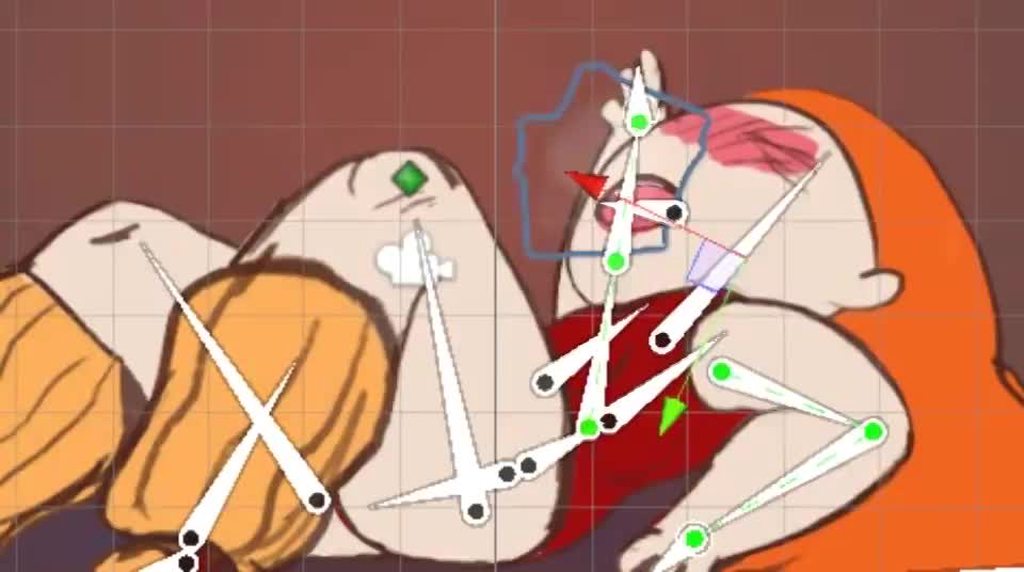
 hard creek
Hi, i'm developing a 3d mbile game. How big does 1 animation should be in terms of file size?
hybrid tinsel
@hard creek That depends a lot on how complex you need it.
shrewd forge
done the weapon animations now
analog void
@hybrid tinsel Thank you very muhc
analog void
Can i transition an animation in the animatION component into another animation without using the animatOR component?
hybrid tinsel
Animation and Animator are completely different systems.
analog void
So if i have two animations in the animation component, cant i transition them into each other with code?
hybrid tinsel
You certainly can.
Though dunno for how much longer
Is there a particular reason you don't want to use Animator?
analog void
Is it being Deprecated?
hybrid tinsel
And specifically you'd use Animation.CrossFade
To actually have a transition from whatever is playing
And yes, it is, though there is absolutely no clear timeline on when that it happening.
But they are only keeping it to maintain compatibility with older projects at this point.
analog void
hmmm. that's troublesome if it were to be removed.
Am I able to call a specific animation using animator in code?
And can i set the transitions in code just like Animation.Crossfade?
The reason i need this is because I am using a combination of tweening, animation component and states to handle the animation.
analog void
And how do i call the specific animation?
analog void
Is it the name I see in the inspector when I click on the gray box in the animator window?
I see. StateName, thank you
hybrid tinsel
You can use either the name or the number of it, but I use the name.
I mostly let the animator itself handle transitions through setting triggers though
 bold yoke
Anyone know why all the buttons are greyed out in the animation editor? I've made an animation object
https://cdn.discordapp.com/attachments/497874004401586176/747300283482243072/unknown.png
 charred belfry
Because you don't have an accompanying animator selected
bold yoke
How do you mean?
charred belfry
you have to select an animated object in the hierarchy as well
bold yoke
ahh ok cant just be a prefab I see thank you
bold yoke
Is there an easy way to plug and play different spritesheets with animations?
I've got one animator setup thats currently using one set of sprites and clips, but can I swap that to another spritesheet with identical positions easily?
limpid shard
Has anyone played around with kinematica? How would you go about adding attack animations for a combat system ?
manic glen
my 3d models got rotated when an animation being played
does anyone know how to fix it ?
hybrid tinsel
@bold yoke You can change the sprite reference in the sprite renderer
elder yoke
Anyone, pls help!
I have two layers for my character skeletal animation, one for the leg movement, and one for reloading ( that involves only arm bones ). When i attach an animation into an empty state of the arms layer, i can't move the arm bones programmatically, they're like stuck.
This is the leg layer
And this is the arm layer that causing problems...i didn't even create a transition, cause when i just add the reload animation to New State 0, the script doesn't control the arms anymore.
My character prefab, has this hierarchy PlayerGameObject with all the scripts and components: EmptyGameObject that has attached the animator: Bones
I just want to move the arms to follow the mouse pointer, and when pressing the reload button, it should play the reload animation. I know how to stop the arms movement in script while the animation plays, but for now, i can't move them neither when it doesn't.
hybrid tinsel
@elder yoke Either handle the scripted motion in LateUpdate() or use OnAnimatorIK() and make sure that IK Pass is enabled in the animator layer
elder yoke
@hybrid tinsel i tried to put the scripted motion into LateUpdate(), now i can see the rotation of the arms changing in the inspector, but they are still rendered in the same position...
elder yoke
i'm going crazy! If i sync the arms layer, i can script the arms movement, but i can't play the reload animation, on the other hand, if i don't use sync, i can play the reload animation fine, but i can't move the arms with script. I really don't know what i'm doing wrong...
It seems LateUpdate works, but it doesn't render the arms in the new position...
 pure moth
Anyone has an idea why the arms of my animation won't move after I added an upper chest bone to the rig?
The animations works perfectly fine in blender and in the import settings preview, just not in play mode
I'm not doing anything with the arms in code
I set the parent of the shoulders to the upper chest bone, it was on the chest bone before
elder yoke
I solved the problem by removing the arms layer, and instead, i'm using an animation component with the animation clip set, and a script that add a mixing transform to that clip```cs
using System.Collections;
using System.Collections.Generic;
using UnityEngine;
public class AnimationOverride : MonoBehaviour
{
public Animation anim;
public Transform Clavicle1;
public Transform Clavicle2;
void Start()
{
    anim["Reload"].AddMixingTransform(Clavicle1, true);

    anim["Reload"].AddMixingTransform(Clavicle2, true);
}
}``` and to play, i simply do Animation.Play() in my reload function
pure moth
I figured it out, I still had an old avatar in the animator
manic glen
should I ask here ? idk ...
how to set up my animation correctly, when an animation being played the whole transform rotate ! still new to 3d animations
what is the technical terminology is this relate to root motion' ?
 dusky light
More of a rigging question than animation, but how can I make the joints to be riggable while still looking good? https://cdn.discordapp.com/attachments/707220295282458654/747126973486202950/unknown.png
 pine badge
My animation event is called twice because i have 2 layers
Googled, and there doesn't seem to be a solution?
jade dew
@pine badge u can try to make ur animationevent send a AnimationEvent object as parameter
it has some info that might help u filter the event
 hybrid flicker
when I play my animation of a character crouching he doesnt stay at the same level with his feet, and pulls the other stuff down as drawn, but just hovers in the air, leaving the head etc at the same position.
I also have an animation for when he's going down to start the crouch, and that one works just fine
jade dew
can u show that as a video?
hybrid flicker
ok then, I'm gonna see if I can find some things in unity itself, google couldnt do much help
I think I got an idea, I perfectly sliced it, but maybe I have to slice to the height of the original sprite
jade dew
just an idea but is the animation drawn correctly? it seems like the frames are based in the center
while u want the frame to be based on the 'bottom' of the rectangle, get what im saying?
hybrid flicker
it's perfectly cut out and sliced
yeah, that's right with the bottom of the rectangle
i think this should work
ok, didn't work
the pivot point and setting that to bottom center also has nothing to do with it, was worth a try I guess
pine badge
@jade dew Cheers got it
weary otter
I have an idle and walk animation
Whenever I press a left or right arrow key it instantly switches to the walk animation
But when I let go
It waits till the walk animation is done
To switch back
How do I make it not wait
Also none of my transitions Has Exit Time
swift temple
screenshot the inspector when you have the transition from walk to idle selected?
also set all transition times to zero
bold yoke
Is there an easy way to plug and play different spritesheets with animations?
I've got one animator setup thats currently using one set of sprites and clips, but can I swap that to another spritesheet with identical positions easily? Or do I have to go through and redo and duplicate all the animations?
You can change the sprite reference in the sprite renderer
@hybrid tinsel That will let me change the static sprite wont it? Not the animated sprites?
hybrid flicker
my animation is still not working right, when I crouch, I have an animation where it goes down, that is placed just fine, but as soon as I'm completely crouched, another animation plays and it is somehow too high, so I hover over the ground
hybrid tinsel
@bold yoke If you are using a spritesheet, then switching sprites will replace all animations on that sheet.
Because the animator is only changing UVs on the image
bold yoke
And where would I switch the spritesheet?
hybrid tinsel
In the sprite renderer. (Unless they broke it, I don't do much sheet animation)
bold yoke
The sprite renderer for the object I'm animating's sprite is only what's displayed before it starts animating (i.e. in editor before playing), and its set to a single sprite out of the spritesheet which as been split
swift temple
@hybrid flicker for all your sprites, is the pivot set to bottom center?
if you're using a spritesheet, you can also set the pivots in the sprite editor
if that doesn't work, this is a stretch but try checking the apply root motion in the animator
hybrid flicker
i tried setting it to bottom center, didnt do anything
swift temple
also, when you have the sprite renderer selected in edit mode, does dragging in a crouched frame also have the player float?
also the fact that theres stray pixels visible in some frames makes me think that something went wrong with slicing, which affects the pivot too
hybrid tinsel
@bold yoke Hm, not sure then. I'll take a look and see if I can figure it out. Is this during runtime you need to do this, or are you just trying to create a variation in editor?
hybrid flicker
its because my window resolution doesnt fit perfectly for the pixel perfect cam @swift temple
swift temple
oh jeez if that introduces bugs they'll be incredibly sinister
hybrid tinsel
If it's in editor, a very easy way to do it is to duplicate the spritesheet and then replace the image in the file browser(outside of unity)
hybrid flicker
I don't know what you mean, lowercase
I will try just replacing the picture with itself
swift temple
if replacing the frame manually works, then we'll know that pivots probably arent the problem
hybrid flicker
I replaced the spritesheet with itself and it didn't change anything
swift temple
wait i meant in the sprite renderer
bold yoke
@hybrid tinsel I've got a bunch of spritesheets that I just want to be able to use without too much difficulty
hybrid flicker
but pinbalkitty didnt mean that
swift temple
like take a crouched frame, then drag and drop it in renderer.sprite
bold yoke
Without having to make everything from scratch
I think theres an easy programmatic way to do it
hybrid flicker
ok @swift temple
hybrid flicker
im trying, just had to write somebody
swift temple
yee take yer time
hybrid flicker
yeah it floats when i take the sprite and drag it in the renderer of the player
swift temple
pheww alright, can you open the regular and crouched spritesheets in the sprite editor and take a look at their pivots?
the pivots need to be at the sprite's feet
hybrid flicker
I tried chaning it to bottom center one time, didnt do anything, and the ones on the normal sprites are also in the middle
this is the normal one
swift temple
oh, all of them need to have the pivot on the bottom center
swift temple
er those pivots are centered
the blue circle should be at the bottom of the sprite
hybrid flicker
im gonna try that again, but I wonder why it works with the normal idle and going down to crouch animations
you won't believe me
swift temple
maybe your sprite center for the normal idle was lower than the others
but thats besides the point
hm?
swift temple
also if this does work, chances are everything's gonna be floatin-
yeah that's good!
hang on
hybrid flicker
so its just wrong for everything else too i guess
swift temple
so when you crouch, your player always drops down to the same height, right?
hybrid flicker
should do so
swift temple
that just means you gotta move all your collider offsets up a lil and youre good to go
hybrid tinsel
my project browser is totally fucked apparently
I can't select sprites properly -_-
hybrid flicker
well, I'm gonna see if changing the pivot of the idle also moves it up that far
yeah, I fly equally high
swift temple
perfectttt
hybrid flicker
so just have to move boxes and ground check etc up
swift temple
just offset your colliders and your bug's done!
yep
it's generally good practice to keep all pivots at bottom center anyways, since it helps a lot with sprite sorting
hybrid flicker
on the topic of ground checkers, I use one because it's in my player controller I downloaded, but it's only in the middle bottom of the player, so I can't even jump on some slopes because it hangs in the air
swift temple
is your ground checker collider based? because if so, that seems easy to fix
hybrid flicker
it's an empty object and I tell the ground check thingy it's transform values
as it seems, that is, i didnt code the player controller
swift temple
:shudder: ive never heard of that one before but it's pretty unusual
hybrid flicker
yeah, I'm gonna leave that problem for tomorrow
gonna fix my hitboxes and play some fall guys with the bois
thanks for your help
swift temple
have funn and np!
fallow pebble
Does anyone know how to update an animators pose at a fixed timestep? As in I still want the animator to be updating every frame, but have the deform pose be updated on a separate timestep
swift temple
i'm guessing you've tried this and it didn't work because animations on a different layer need to be in update instead?
fallow pebble
Sorry wrong channel
Yeah that's it
Also I don't necessarily want it on the physics timestep
swift temple
afaik i dont think that's possible because they need to update on the same timestep to resolve blending
fallow pebble
Usecase is that I have a bunch of animations animated at 24 FPS on twos, but Mecanim interpolates everything so it features destroys my custom constant interpolation
swift temple
praps someone else knows better tho
fallow pebble
Hmm is there another channel? This is more of a technical question after all
swift temple
maaybe #💻┃code-beginner? but keep in mind that the more complicated smth is, the easier it'll be to solve it yourself instead of getting someone else up to speed
fallow pebble
Btw thanks for trying to help
swift temple
np, hope you get it workin!
fallow pebble
Thank you! I'll keep it in mind
hybrid tinsel
@bold yoke sorry, don't think I'll be able to look into it until I can figure out why my editor is so broken
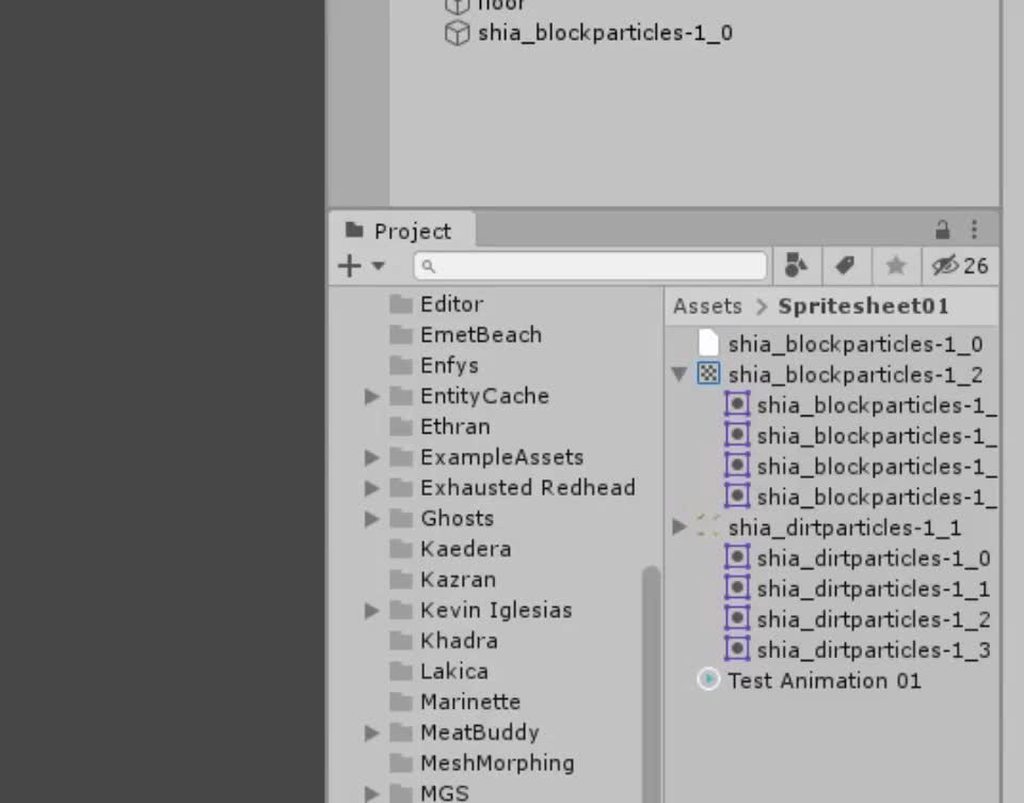
Look at this mess T_T
swift temple
@bold yoke could this be what you were looking for? you could make one override controller per spritesheet
https://docs.unity3d.com/Manual/AnimatorOverrideController.html
a sprite library + sprite swap exists in preview but i've never tried it myself
bold yoke
I'll look into it, thanks for the help y'all!
manic glen
AnimatorClipInfo
when I tried to get the animation being played info ( how many length of the animation being played in seconds - I get null reference error )
where should I put it ? just after the line when the animator playing s specific animation , ? I got error so idk
 solemn idol
Yo im trying to build a killer impact effect, how do i go about doing that?
manic glen
oh just figure it our that I have to use system,collection and generic name spaces
 hybrid spire
Hi guys! I don't know is this is the right channel, but i need some help with an Animation that i want to import with Humanoid type (made in Blender)
hybrid spire
essentialy i made an animation in blender with IK/FK (Rigify, with a bone for the sword, and IK to the hand). This is the preview in blender: https://i.gyazo.com/4f197c5e0ff1b291b45399fb4325ffc9.mp4
and this is when i import and set the animation with humanoid (activated the mask on the sword bone, parented with the root bone): https://i.gyazo.com/b042c29895be8e3db93edaa22e2a3665.mp4
 verbal mica
I downloaded a character model to try using it as a placeholder in my fps game, animations work fine but when I try to rig it to hold the weapon I get this error and the model flies away into some point away from the player, anybody knows how can I fix that?
Im using this asset as the character:
https://assetstore.unity.com/packages/3d/characters/humanoids/rin-anime-style-character-for-games-and-vrchat-159467
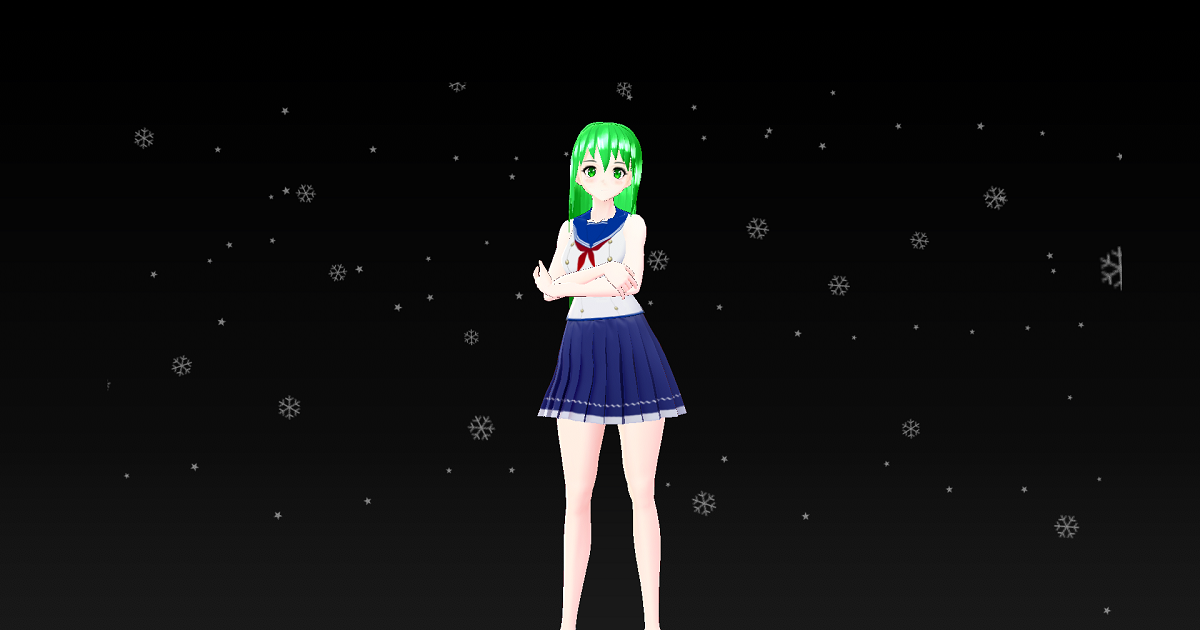
Elevate your workflow with the Rin: Anime-Style Character For Games And VRChat asset from A2 Games. Find this & other Humanoids options on the Unity Asset Store.
 pastel dirge
is there no way to autoslice sprites without having to make the squares exactly the same size?
hybrid tinsel
@verbal mica You'd need to import the animation you are using as a humanoid animation, not a generic one
 primal acorn
hey guys, a question: I'm trying to make a 2D game with very basic characters (mostly just black).
however, I have a high expectation to the "framerate", i want to movement to be as fluent as possible. Would you suggest that I take a 3D model,
or do you think the movement can be done with sprite(sheets) as well, that they look "kinda" like 60 fps
analog void
How do I make Animator.Play("animation") transition from whatever the current animation is to that animation with code?
verbal mica
@hybrid tinsel they are already selected as Humanoid type
and the animations play correctly
its just the bone constrains etc that break stuff
bold yoke
I'm working on some 2D animation. I've got an Animator that uses clips using the complete sprite, but I've dynamically made clips to be used with the Animator featuring other sprites, and instead I get this odd clipped sprite
I create the animations with
    protected virtual void Start()
    {
        anim = GetComponent<Animator>();
        mc = GetComponent<MovementController>();
        animatorOverrideController = new AnimatorOverrideController(anim.runtimeAnimatorController);
        anim.runtimeAnimatorController = animatorOverrideController;
    }

    public static AnimationClip CreateAnim(Sprite[] sprites)
    {
        AnimationClip animClip = new AnimationClip();
        animClip.frameRate = 5;   // FPS

        EditorCurveBinding spriteBinding = new EditorCurveBinding();
        spriteBinding.type = typeof(SpriteRenderer);
        spriteBinding.path = "";
        spriteBinding.propertyName = "m_Sprite";
        ObjectReferenceKeyframe[] spriteKeyFrames = new ObjectReferenceKeyframe[sprites.Length + 1];
        for(int i = 0; i < (sprites.Length); i++) {
            spriteKeyFrames[i] = new ObjectReferenceKeyframe();
            spriteKeyFrames[i].time = i;
            spriteKeyFrames[i].value = sprites[i];
        }

        spriteKeyFrames[sprites.Length] = new ObjectReferenceKeyframe();
        spriteKeyFrames[sprites.Length].time = sprites.Length;
        spriteKeyFrames[sprites.Length].value = sprites[0];

        AnimationClipSettings animClipSett = new AnimationClipSettings();
        animClipSett.loopTime = true;

        AnimationUtility.SetAnimationClipSettings(animClip, animClipSett);
        AnimationUtility.SetObjectReferenceCurve(animClip, spriteBinding, spriteKeyFrames);

        return animClip;
    }

    protected void RegisterAnim(string state, Sprite[] sprites)
    {
        animatorOverrideController[state] = CreateAnim(sprites);
    }
And later in the code I register the animations with
        var allsprites = Resources.LoadAll<Sprite>("player");
        Sprite[] walku = {allsprites[position + 1], allsprites[position + 0], allsprites[position + 2], allsprites[position + 0]};
        RegisterAnim("Walk Up", walku);
Anyone know why this might happen? player is a spritesheet made up of cut sprites, at a slightly lower resolution than the original sheet.
hybrid tinsel
@analog void Use Animator.CrossFade() instead.
analog void
YES! thank you!!!
hybrid tinsel
@verbal mica Well, that error you circled is at least saying that you have a generic animation in there somewhere.
@primal acorn 'Fluid,' not 'fluent.' And the higher the framerate of the animations you want, the more sprites you'd need to do the equivalent of realtime. You can also use rigged sprites.
verbal mica
@verbal mica Well, that error you circled is at least saying that you have a generic animation in there somewhere.
@hybrid tinsel only bone constrains etc cause this, does unity interpret them as generic animations?
how do i change that?>
all my normal animations are set to humanoid
now it works with some models and with others it doesnt
they are all humanoid
hybrid tinsel
Hm, I don't know. This is with the new rigging package?
verbal mica
Hm, I don't know. This is with the new rigging package?
@hybrid tinsel it the 0.2.7 preview version
 fallen sphinx
Is this the channel where I can ask about skeletons? I have a voxel character, but when rigging/animating it it "bends" the mesh. I want it to be a hard rotate because the boxes shouldn't deform.
So basically I want the cobes to be fixed and follow a skeleton without changing shape. This means they end up overlapping but that's fine. One step at a time 😄
verbal mica
@hybrid tinsel I fixed it 0 iq style and just changed everything to generic
whats the difference between generic an humanoid anyway?
twin musk
spear heavy attack
hybrid tinsel
@verbal mica Humanoid animations use a different system, with built in IK and retargeting. If you're using the rigging system you might not need it much; I've not used either much.
verbal mica
@hybrid tinsel ok, so i noticed that if i switch to generic i need to make the movement script be on the parent of the object with the animator component
otherwise character refuses to move and just kinda bounces up and down
also multi aim constraint doesnt work
maybe i downloaded some retarded animations and they break stuff?
honestly stuff thats going on here is beyond my understanding
maybe the project is just broken?
ill try to create a new one
created a new project and the problem persists
so i guess something with animations is wrong
verbal mica
changing model and animations didnt help
what the hell
i literally dont know what to do xdd
entire animation rigging stuff is broken for me
tried using unity 2020 and still doesnt work lol
im out of ideas
verbal mica
OK, FOUND THE SOLUTION
you cant use an object thats not a direct child of the object containing animator component as target for multi-aim constraint
why?
i dont know
but for some reason you cant
weary otter
I have an idle and walk animation
Whenever I press a left or right arrow key it instantly switches to the walk animation
But when I let go
It waits till the walk animation is done
To switch back
How do I make it not wait
Also none of my transitions Has Exit TimeI have an idle and walk animation
Whenever I press a left or right arrow key it instantly switches to the walk animation
But when I let go
It waits till the walk animation is done
To switch back
How do I make it not wait
Also none of my transitions Has Exit Time
This is like my 5th time asking this question but I always ask it and then forget I asked it and never look at the answers
jade dew
@weary otter if u can make a small (reproducible issue) sample scene and package it, i can take a look
 ivory gazelle
Quick Question for y'all animation pros:
What's the convention for the root bone's Bip001 translation/rotation? 0/0/0 and 0/0/0 ? Or can it be anything?
If having the root bone at 0/0/0 with 0/0/0 IS the convention, then I guess the first non-zero transform is for the Pelvis? Or does the root bone typically animate as well?
====
Bonus question. Is it normal to have the Root Bone of a skinned mesh be the Pelvis? or should it be the actual root bone (Bip001)
 rose ledge
question, to make an animation like walking or jumping is necessary to rig the character in blender?
 hazy estuary
Can someone explain why I keyframe an object at y=-115, then y=0 over a second, and instead of rotating 115 degrees backwards, it goes the other way and does essentially a 3/4 turn instead of an 115 degree turn?
twin musk
@rose ledge i'm pretty sure you can rig in unity, not sure how tho
hazy estuary
https://streamable.com/qdtks8 Someone please explain this behaviour, because I'm lost for words

All I want to do is rotate from -115 to -50 or whatever, so why is it spinning in the opposite direction?
Update: I fixed it by setting interpolation to quaternion
 pearl cape
What is the eisiest way to make pixel art for my game?
pearl cape
Program
twin musk
Hmm
pearl cape
Or if there's one built in
twin musk
it costs money tho?
pearl cape
I did download one from the asset store, how do I open it?
pearl cape
I can't find it basically
twin musk
compile?
what does that mean.
oh, that goes beyond me, Spicy
no idea about built-in ones.
novel flare
I'm not too sure, but it does involve going thru a few steps to make it functional on your computer
Google says it's "To transform a program written in a high-level programming language from source code into object code."
twin musk
Ah
twin musk
pearl cape
I might just see if I can use blender lol
novel flare

In this video, we’ll walk through the best options for pixel art software! Below are links to purchase/download each of the programs mentioned in this video:
=== PAID PROGRAMS (0:56) ===
ASEPRITE (0:56)
https://aseprite.org
https://store.steampowered.com/app/431730/Aseprite/...
why would you use blender for pixel art
pearl cape
Idk 😂
twin musk
Piskel is free
novel flare
blender is for 3D
twin musk
so is Pixel Studio.
pearl cape
It's what I have
twin musk
both very simple and light-weight
check them out if you are searching for options.
Piskel, free online sprite editor. A simple web-based tool for Spriting and Pixel art. Create pixel art, game sprites and animated GIFs. Free and open-source.
piskel is both online and it has its own downloadable app
novel flare
But yeah, aseprite is only like 20$. You'll save yourself a lot of headache.
novel flare
or just compile it lol

Buy Aseprite to support its developers:
https://www.aseprite.org/
Download Links:
-
Aseprite official GitHub repository:
https://github.com/aseprite/aseprite -
Visual studio community version:
https://visual...
it's supported by the devs
 wide quest
Is there a way to make and import animations and sprites into unity?
I mean using blender
 twin musk
Does anyone have a nice method to export blender NLA animations to unity without doing the whole FBX export and then connect the animation? I mean.. Does anyone have a nice method to export animations from blender to the current rig that you have in unity?
Having a hard time framing my question
My method just sucks and it would be nice to know if theres a newer method or some good tutorials to follow
hybrid tinsel
You mean you want a way to copy the nla from blender into something like a unity timeline?
You probably could write something to do that, but not sure how it'd work.
 plucky cargo
i need help with this code i wrote, i have 3 animations, run, idle and jump.
how do i make it that when im in the air it will only play the jumping animation, and not the walking animation because i have it that i can move the body in the air, 3d platformer with 2d perspective.
i already fixed it with having 2 functions, one to move the player left and right in the air without playing the running animation and is only called if (inputSensitivity > 0 && player.position.y > someValue)
and the other function moves the player & plays the running animation and is called only if (inputSensitivity > 0 && player.position.y < someValue)
this fixed it but i still have some problem while landing and i stop giving it left or right input (inputSensitivity = 0)
and when i do this it kinda plays the first few frames of the jumping animation again before switching to my idle animation again.
p.s animations are called with the trigger parameter.
i can share screen if u want, and sorry for the long question
 languid peak
Is anyone here using mocap for animation? Kinects in particular
 river jetty
algum brasileiro?
weary otter
This is probably my 8th time asking this but this time, I WILL PAY ATTENTION TO THE ANSWERS
I have an idle and walk animation
Whenever I press a left or right arrow key it instantly switches to the walk animation
But when I let go
It waits till the walk animation is done
To switch back
How do I make it not wait
Also none of my transitions Has Exit Time have
 vernal pond
Can someone give me a tip on how I can make "relative" animations?
Like when I set keyframes I always have fixed values in them, e.g. @ kf1 x = 100, @ kf2 x = 150. But I want an animation I can use over and over, trigger again and again. So I want my animation to go up 40 (in this example) from wherever the value is rn.
swift temple
@weary otter your transition durations are zeroed, right?
weary otter
@weary otter your transition durations are zeroed, right?
@swift temple The offset is 0 but the duration is like 0.25
swift temple
try setting them to zero?
weary otter
I will try
 modest rapids
Is it possible to attach a collider to a hand/foot and then be able to reference the bone/collider in code?
hybrid tinsel
@modest rapids Yes.
twin musk
How can i animate a path dissolving behind me within a certain time to keep my character moving? - it needs to affect collision as well
modest rapids
@hybrid tinsel That's awesome. I asked because I want to do a few things: make particles emit with each character's step taken, shake the camera with each step, inflict damage when a limb is swung and play a sound when their feet come down to the ground.
hybrid tinsel
You can do any of those things.
modest rapids
Thank you for the comfirmation. I'm currently learning to get to grips with programming, given the nature of my game.
 jolly acorn
Hey guys, I wanna rig a character in blender and wondered if I should remove all clothes/other accessories first?
That would make weight painting easier I think
But then how would I go about adding the clothes back? Is it maybe easier to just leave them on and rig it like that?
 hasty loom
Anyone know if it is possible to copy keyframes between animation clips in some way? (that doesn't involve duplicating the clip itself)
pine badge
Just rig and weightpaint the base model, make it smooth n nice, then the clothes afterwards (i assume u'll rig the clothes with the same bone hierarchy as the base rig)
@jolly acorn
jolly acorn
ok, thanks a lot
pine badge
Hi all. I'm trying to do root motion based attacks. The first challenge is that my guy "motions" upwards, typical blender-unity problem
Im gonna just parent it to a "orient fixing" transform first but wondering if there's gonna be further issue with the root motion stuff
jolly acorn
wish i could help ya as well, but no idea sorry, i just got into animating :/
pine badge
Oh, and i'll be working with OnAnimatorMove, but haven't started with it yet (never used that callback before)
If i understand it right, i should pass in the "move vector" that comes out of OnAnimatorMove, and pass it to my parent's "CharacterController.Move", and then re-set zero the "child model" back to 0?
pine badge
https://www.youtube.com/watch?v=ibNZbPW2by4
Is this recommended? (in blender, rotate up, apply rotation, then rotate to forward again. Fbx export setting Apply FBX Unit scale)
I'm just worried some wrong move and i lose all my animation import in unity..

Exporting from Blender to Unity can result in rotation and scale issues that are not intuitive to fix. This video teaches how to fix them for meshes attached to an armature.
Relevant links:
Blog Post - Coming Soon
Penguin Mesh - https://immersivelimit.page.link/penguin ("peng...
hybrid tinsel
@hasty loom You can copypaste keyframes with ctrl c and v.
hasty loom
@hybrid tinsel between clips?
hybrid tinsel
Yes. It is just text data.
hybrid tinsel
Same animator/hierarchy?
hasty loom
Yep, same guy
Ah, ok, so the properties shown in the second animation wasn't exactly same as first ._. so you'd need to add those first and then paste
hybrid tinsel
I just tested it, I was able to paste keyframes right into an empty animation
@hasty loom https://i.imgur.com/mSRWuzh.mp4
 hasty loom
🤔
hybrid tinsel
One thing to note, you DO need to set the vertical line on the timeline
To paste anything
Jeeze it looks so weird to see a full animation with just one keyframed bone
hasty loom
Yeah, I donno. It works fine on me now, but I saw on my artist dudes computer that he did exactly that and didn't work x)
Thanks though @hybrid tinsel
hybrid tinsel
My guess is that they didn't have the timeline selected; if it isn't, it absolutely won't work
You can see how I have to click it(it changes color) before I can paste
 warm ore
If you want to play a sound everytime the player steps on the floor, is it generally done by adding an event on a certain frame of the walk animation that calls the "playfootstep" function?
or completely different?
now that i think about it, when the first person model has no legs, there is no walking animation so it has to be done differently
verbal mica
is there a way to assign those constrains not to actual bones, but to the generic humanoid avatar? the problem is that every time i want to switch avatar to a different one, with different skeleton (still humanoid tho - so all the necessary bones are there) i need to manually reassign every single one of those constrains
hybrid tinsel
@warm ore I believe that bodiless first person games usually base it on distance traveled, but you could also add an invisible animation that only consists of events.
warm ore
ty
hybrid tinsel
You could also track actual impacts of the foot with the floor using raycasts or colliders.
It's one of those 'no one right way' things. 😄
 pastel ruin
I was wondering how do you make an animation not loop
warm ore
Doesn't it do that by default?
weary otter
I'm changing the speed of an animation in a script to Math.Abs(Input.GetAxis("Horizontal"))
Hoping it will slow it down or speed it up depending on how fast you are moving
Also I clamped it from 0.7 to 1
But my problem is
The animation is faster when its on the right compared to the left
Why?
swift temple
if you're calling clamp before abs, switch the two around
moving to the left always returns a negative, so the clamp will always give 0.7
verbal mica
animation plays just fine on mixamo and in windows 3d viewer, but when i import to unity i get this
how can i fix that
im talking about the leg
this twisted leg thing repeats on most animations i import and on different rigs too
hybrid tinsel
@pastel ruin in the project window, select the animation file and you can choose whether it loops there.
Kinda annoying but there's no button for it in the animation window itself
@verbal mica That usually means that the avatar isn't set up correctly.
 warped shore
I'm having a wierd issue, the animator 'pauses' when I start playtesting. I thought it was code but then I disabled all the components, and sadly the issue persists. The animator shows the progrss bar when the object is selected, but there is no progress, and no animation playing.
Edit: I forgot to mention but I am also using Animation Rigging, though it's also disabled in the video
verbal mica
what do the IK ones do?
hybrid tinsel
@verbal mica They handle the ik blending for each limb
 glad jasper
I've been trying to figure this out for a while, but is there a way to remove the transition between keyframes? I want it to basically look like the object being animated moved up all of a sudden
nvm figured it out!
 fickle swift
how do i open the graph thing? I updated Unity and I don't know how to open the state graph thing with the arrows.
nvm closed it and re-opned
 frozen cypress
can't preview 3d animations i'm using unity 2018.
 quaint vault
Is there anyone that can help me implement mixamo animations to unity
 cerulean hornet
My laptop is about to melt trying to render fluid mechanics in blender
languid peak
anyone know of any good, large animation packs? i've already got the mixamo and motion builder ones but still need more
hybrid tinsel
What kind of animations do you want?
@verbal mica That is a REALLY good question.
I'd really like to know that too.
 frank topaz
Hello, how do I set an animation so that it goes from one to another without looping through another one? I have a 2D game, I've Idle, Move Right, Move Left animations, So ideally move left triggers when horizontal is -ve and right when horizontal is +ve, 0 is idle. The problem I'm facing is that, when I directly wanna go from Right to Left, it goes to idle first and then to Left.
How do I fix it?
 blazing gale
How is this sort of animation achieved where the player moves towards the enemy, and the enemy is taken down? Would this consider root motion or is it achieved through programming (such as lerping)?

Check out the gameplay demo of Marvel’s Spider-Man shown at the 2017 Sony PlayStation Media Showcase. Coming 2018 to PS4. ► Subscribe to Marvel: http://bit.ly/WeO3YJ
Follow Marvel on Twitter: https://twitter.com/marvel
Like Marvel on FaceBook: http://www.facebook.com/Marv...
hybrid tinsel
@blazing gale I'm pretty sure the folks who made that game had a few GDC talks about it, might find more info there?
pine badge
Should i or should i not move to Animancer, that is the question...
I just cant stand node based spiderweb mess
(Oh spiderman's up there, no offense buddy)
pine badge
Is Animancer Pro a must instead of Lite?
 scenic comet
Hi there!! 😄 My "game object" which is basically a rotating "ring", is animating correctly, but when I play the scene, it's position locks at 0,0,0 instead of where I placed it and reverts to the position I placed it when I stop the game. What could be the problem?
 rich dune
@scenic comet transform animations use world space, you'd have to attach a parent to that game object
and move that parent around
scenic comet
Wow. Thank you.
rich dune
I'm glad i could help, but i should rephrase: animation sets the local position of a transform, but if your animated object is in the top of the hierarchy, it will look like it's a world space animation
In short: the animation is not relative
 dark swallow
SO i Have THIS monkey, and I wanna make a custom reload animation
I've been told to use blender
but I also have no experience, and could use some help or guidance
banana for scale
 smoky seal
Youtube? On how to make animations?
 wispy delta
I'm trying to export a Blender model and rig to use with a eye pointing script that I've written. I can't get the two to agree on the forward direction.... The eye pointing script works fine with Unity 3D bodies, but I can't get Blender's axes to align correctly. I've tried every permutation of FBX export axis and armature orientation, but can't get it to point correctly.... Does anyone have any pointers, or interest in looking at my .blend file?
hybrid tinsel
Is that a modron?
@wispy delta In unity, can you just look at the imported bone and see which direction unity thinks it is pointing?
 earnest geyser
Anyone here uses Umotion pro?
weary otter
I have an animation called Jump, and it's just not in the Animator
How do I get it there?
 cedar ruin
animator holds states, states have a reference to the animation files.
so you need to create a jump state and assign the jump animation
 coarse grove
I am using 2D IK, and I can't seem to override the positions of my IK targets in LateUpdate, the animator just overrides everything (even if no animation is playing). I tried moving my script later in script execution order too, but that doesn't seem to have any effect.
hybrid tinsel
@weary otter drag the animation into the animation state window
@coarse grove weird; I do everything in lateupdate. Do you have animate physics on(which moves animation to fixedupdate)?
coarse grove
No, I have it on Normal
hybrid tinsel
Try disabling the animator just to make sure that that is what is messing with your script?
Longshot, but...
coarse grove
if I remove all animations that control the IK targets, it works
for example, if there are animations only on the legs, then controlling hands from a script works
but as soon as I add an animation that controls the hand iks, I can no longer control them from a script
no matter what execution order or update the script is in
hybrid tinsel
Weird.
What about parenting the hand IK objects to another object and controlling THAT by script? Does that work?
coarse grove
ill try that when I work on it next, so ill get back to you on that
 deft heart
twin musk
deft heart
twin musk
There are no animations in my animation controller
I've added the avatar that has the animations
totally lost on this one
not sure if I've even provided enough information
Im trying to copy from a rig
rather than reapplying the components to my old one
I just want a collection of animations coming from the new fbx if possible
Does anyone have a good tutorial for exporting shapekey animations from blender to unity?
I tried a tutorial and it did not function.
not for more than one animation anyways
twin musk
Just came here to say I figured it out, false alarm
Not sure if stashing my animations in the nla like this is the best option, but yeah..
hybrid tinsel
@twin musk You are saying that putting shapekey animations in the nla will cause them to be exported correctly to unity?
Just checking because someone else in here was asking how to do it and I'm not a blender user so I couldn't help
twin musk
They're exported now but I feel like this is probably a shitty way of doing things
it'd be nice to know how exactly to copy these animations from one rig to another like having a library of them so I can just add as needed
but I'm going to take a couple of unity courses, they'll probably teach a better method afterwards, clicking until it works is just a headache
hybrid tinsel
I make all my animations in unity so I am interested but haven't gotten much experience with that stuff
twin musk
@hybrid tinsel Check out blender for animating, if you take a few hour course you might really benefit!
warm ore
can anyone help me out here. i want my animation layer only to affect the upper body and all it's children. Do i also need to check the parents of them or something? i tried checking spine 1 and every child of it, but the mask still completely blocks the layer
these are the layer settings
the humanoid things are also not working
these are my avatar settings
even if i leave it all checked, the layer does nothing
BUT if i do not add the mask to the layer, the layer works
so the mask just completely blocks the layer basically
 stark gazelle
oh I have a question about humanoids tooo, someone knows if it's possible to have a humanoid that have funny animations that should not be limited by the muscles & settings configuration? should I use generic instead?
twin musk
Alright this is driving me nuts. I have the animation set to Loop and I have it even hooked in the Animator that's attached to the GameObject, but the animation just refuses to loop in-game!
Someone please help. Something this straightforward shouldn't have to be this frustrating.
stark gazelle
oh I have a question about humanoids tooo, someone knows if it's possible to have a humanoid that have funny animations that should not be limited by the muscles & settings configuration? should I use generic instead?
someone knows about generic models and humanoids?
to ask something :ccccc
please
:c
I did try that
@twin musk maybe you have a transition in your animator that is taking it out of the loop state?
twin musk
@stark gazelle Looks like that worked. I had a transition going out from Idle to another State.
Oh my god Unity is actually frustrating, but thanks.
warm ore
also i set the avatar in my animator (idk if that does anything?)
stark gazelle
omg at least you found it 👏🏻 , culling mode defines when animate or not, "always animate" means it's going to animate always even when the camera is not looking at it, I say u can leave it as it was before, unless u actually need an animation to continue even when the player is not seeing it
**anyone know about generic and humanoid animations to ask something? 😭 😭 //sorry the spam but I really need it **
#please #humanoid #I need help # Im gonna die ahahahaha
hybrid tinsel
@twin musk I think I do okay without. 😛 https://i.imgur.com/9huR7w4.mp4



 twin musk
Looks nice! Didnt realize you meant 2d animation, love how that looks!
hybrid tinsel
@twin musk In the animator, does it transition to a different state after the animation plays? That would prevent looping.
warm ore
Does the transform completely override the humanoid or do they work together somehow?
hybrid tinsel
Thanks 😄
warm ore
this is my setup
and even though it is all marked red, it still completely overrides the other layers
and there is not a single way to debug it
 sage garnet
has anyone seen that Nvidia AI Pose thing?
i'm interested if anyone set it up so you could make game animations with it
 azure hound
what do people use to animate 2d? I currently use photoshop for still drawings, and i'd like to get into animation
 weak jay
Any software that supports a timeline (like photoshop) that makes it easier to preview frame to frame. So if you already have photoshop then you are all set.
There is a different type of 2d animation too that uses rigging, but that is done inside Unity.
 zinc sky
HI
I am having problems getting a spritesheet into unity with animations to line up correctly
hybrid tinsel
@zinc sky What is the problem? Are you slicing by size?
hybrid tinsel
@azure hound I use photoshop for prep and unity to animate
azure hound
ok
 jagged cypress
I'm having an issue when I try to edit a feature in record mode to change some keyframes. When I click the object I want to rotate it resets my character to t-pose and deselects the animation I'm working on. What am I doing wrong?
Swear this is the same way I've always done this...
 twin zinc
is someone experienced in acesprite to unity? im having some major issues with exporting a sprite sheet, (Im a new begginer*)
 tropic saddle
anyone know why this could be happening?>
it looks fine in blender, (bottom pic), but in unity (top pic) it looks like THAT
zinc sky
hi
Can anybody help me set my animator up so the axe animation plays straight away without a pause
tropic saddle
are your idle and walk interruptible?
zinc sky
interruptible ? what does that mean?
Do you mean it can skip half way though
How do i find that out
zinc sky
dosent do anything
tropic saddle
ok on your transitions
or your transition to the axe animation
make sure to uncheck has exit time
zinc sky
tropic saddle
so the line leading from any state to the axe animation
zinc sky
thats the settings on that one
tropic saddle
ok try removing fixed duration,
zinc sky
ok unticked
Its only playing the axe animation for a short time so the whole animation is not played
and it dosent seamn very responsive
zinc sky
I dont have any hasexit trransisions on now
tropic saddle
like the transitions leading out of the axe anim
those should only trigger after the axe anim is complete
tropic saddle
whats the transition into it from any state look like now?