#🏃┃animation
1 messages · Page 64 of 1
 swift temple
soz ive only ever worked with 2d
 upper warren
i hear theres a "anamation preview window"?
swift temple
unless you count a rushed minecraft clone that i made as a dare but thatse neither here nor there
doesnt look like it buddy
 lean bobcat
and then ye just do a
Resources.Load<RuntimeAnimatorController>("Animations/Ferrari");
@swift temple THANK YOU, THANK YOU SOOOO MUCH!!!🥳 😁
swift temple
GLAD IT WORKED HELL YEAH
 timid ocean
is making an animation not loop as simple as bringing it up in the inspector and then unchecking "loop time"??
swift temple
@timid ocean i tested it out, and it should be! is it looping because of transitions in your state graph? (also soz if i end up not being able to answer fully bc im somewhat sleepy rn)
timid ocean
no worries pal rest is always more important
it probably is. the more I mess with this the more im convinced that unity's animation system might not be the best pick for handling retro style spritesheet animation
im gonna create my own playeranimator script and renew my efforts at doing it in code tomorrow
if i can track the current frame of the current animation then those pesky transitions should get a bit easier
swift temple
hm, sounds like a plan, but feel free to dm if you need help!
timid ocean
thanks!! will do.
 hybrid tinsel
 pliant tendon
How can I stop my animation from playing twice even though it is triggered once?
swift temple
@pliant tendon is the transition duration zero?
and if that didn't fix it, in the state graph, does the blue bar scroll twice or once?
pliant tendon
It was at 0.25, I have used the animation stuff before, but that was last november, all fixed now, thanks for the help @swift temple
swift temple
phew
timid ocean
i messed with damn near every setting in that window to no avail
swift temple
jeez it really is that sinister huh
you know what just in case can you send a screenshot of your state tree?
timid ocean
this animator will kill me
swift temple
aldhfjs guess thats inevitable when theyre optimizing it for every animation style in existence
timid ocean
im not gonna have time to sit down with unity until later today but i can keep u posted!!
thanks for ur patience :)
 vale geyser
I have a bool parameter in an animator, in a script when you hold down Fire1, the bool is set to true. There is a problem however, when I click the mouse once, the animation plays a few times when I want to play it once. Any help?
swift temple
could you try Input.GetButtonDown("Fire1") instead of Input.GetButton(... ?
also this sounds like it'd work better with a set trigger instead of set bool
vale geyser
same result, plays a few times
It's a automatic weapon, so I would prefer if it was GetButton.
vale geyser
That did the trick, thanks!
swift temple
happy to help!
 river pine
hey guys i have a real weird issue with animations anybody down to call and help me out?
swift temple
no guarantees but post your question here to see if someone knows
river pine
https://imgur.com/a/wFbYLR3 this is what happens with my animations properly wired in my animation controller and none of my animations are that and nothing changes even though trasition is labeled in controller?
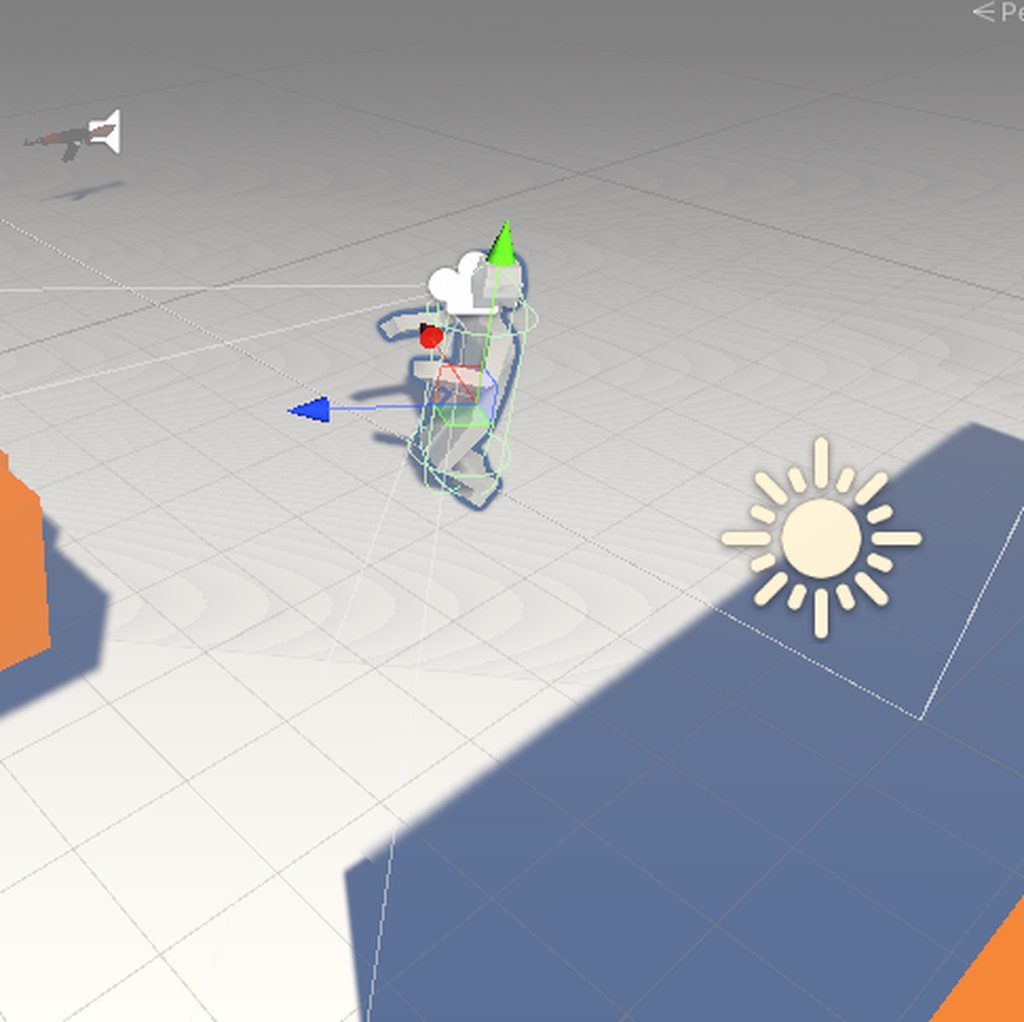
related issue

this is how it looks before i press play
 tired sphinx
HI Guys, seeking advice on the setting up the animator / transitions for a simple 2 animation state scenario.
I have 2 animations, idle and jump. Idle is default state and looping.
Whenever i hit a key i want to play the jump animation. If i hit this key twice in quick succession, the 2nd jump animation should play even if the 1st jump animation hasn't finished. Both jump animations are the exact. same animation.
And if the jump animation runs to the end, it returns automatically to Idle animation which loops.
How do i set this up? Tried with triggers / bools but just can't seem to get it right
EDIT 02 Aug 2020: These 2 links have more or less given me the solution:
https://answers.unity.com/questions/1450594/play-animation-every-click-or-button-press-without.html
https://answers.unity.com/questions/1520366/going-back-to-the-default-state-in-animator.html

Unity is the ultimate game development platform. Use Unity to build high-quality 3D and 2D games, deploy them across mobile, desktop, VR/AR, consoles or the Web, and connect with loyal and enthusiastic players and customers.
Unity is the ultimate game development platform. Use Unity to build high-quality 3D and 2D games, deploy them across mobile, desktop, VR/AR, consoles or the Web, and connect with loyal and enthusiastic players and customers.
swift temple
if you make the idle state the layer default, add a trigger transition from idle to jump and an exit time transition from jump to idle, i think it'd work
on pressing jump, set the trigger to true
that way, pressing it during the jump should queue up the next jump
 solar flicker
can anyone point me towards how i can do a parabola type jump/movement with itween?
 jade dew
with itween, idk, but heres some links on calculating a jump force that can produce a parabolic jump (considering constant gravity)
solar flicker
yeah i got something like that finished though would like something without physics
 solar flicker
ohh okay ill check that out
jade dew
assuming constant gravity, it would look the same
no matter how the gravity is applied (physics engine, or updating transform manually)
the videos have smth to calculate the jump impulse
solar flicker
alright cool, thanks!
jade dew
also
heres a different form of the equation, solving the jump impulse using the jump height. u can control both variables if u want finer control, i just wanted jump height configurable at the moment
var jumpTime = Mathf.Sqrt(2 * _config.JumpHeight / Physics.gravity.magnitude);
_jumpImpulse = transform.up * Physics.gravity.magnitude * jumpTime;
yeah i would too
jade dew
this will calculate a jumpImpulse that would propel u to JumpHeight considering constant gravity
swift temple
is there a way to do so taking rigidbody drag into account?
 inner raft
I dont know if this belongs in animation or not.....I want these rockerarms to move up and down with the tire (wheelcollider)
Any ideas how to accomplish this?
So I want just the one end of the rockerarm to move up and down with the tire
hybrid tinsel
What do you mean 'with the tire'? You want the end of it to point at the wheel? Or you want to rotate it to match the angle of the wheel?
If you don't need a lot of precision the built in constraint scripts would do it
(a rotation constraint or an aim constraint)
Also I really like that 'skull in shell' logo
That is clever
swift temple
i think it's more along the lines of setting the pivot of the struts on the car and have the endpoints rotate to the center of the wheel
i suggested using transform.lookat and a script since i like my racecars boneless (a rig is probs overkill) but thats just my take
hybrid tinsel
You can write a simple script for that, or use the built in ones. They don't require bones at all.
Though they can be imperfect, they are good enough for a lot of things
hybrid tinsel
It works fine in 2d
I make heavy use of it in my last setup, @swift temple
With 2d, just make sure to use the aim constraint instead of the lookat constraint, so you can set which axis to use.
2d bones use x axis instead of z, which is what it defaults to(3d bones use z)
 vital blaze
well i would have it rigged by 2 bones for the holder and the wheel
full weightpaint for the holder from the first bone and second bone full weightpaint on the wheel
if you want it to be rigged like that then you can rotate the wheelbone
this at least would be a method
 sinful sierra
Hello Unity Animation Discord. I have a question. I am trying to make a mario like 2d animation for the first time. For some reason the animator is not reading my horizontal input code. Any guesses on where I should look? Here is a screen shot
swift temple
oh that is so strange
try Debug.Log(Input.GetAxis("Horizontal")); as the first line in update?
just to make sure it's not constantly returning zero
sinful sierra
I think a break will help.
 wintry forge
Hey y'all, good morning! Is it possible for transitions in an animator to "make decisions" based on a parameter that is in a different animator?
wintry forge
Alternatively, if I could give animator A the power to enable/disable animator B that is in another object, that would work as well
sinful sierra
If anybody has any guesses. Any lead you think I should investigate, maybe a tutorial you think I should watch. Anything would be helpful, I am so stuck
timid ocean
im far from knowledgeable here, but are you certain that you're referencing blocky's animator component specifically in your script??
try adding a line in your start script similar to the line above it
animator = GetComponent<Animator>();
see if that works??
sinful sierra
Omg. You may have done it. Let’s see
so yes, that line was missing and I have now added it. but it did not seem to fix the problem
this is one of the tutorials i ahve been following

I explain how to draw, animate and setup transitions for your 2D character in Unity.
SUBSCRIBE: https://bit.ly/2Js78lE
SUPPORT: https://www.patreon.com/pressstartclub
In this video, we cover:
0:35 - How to find spritesheets to reference when drawing
1:30 - Using...
timid ocean
wait hang on
so, to clarify, your problem is that your character is moving, but not playing your BlockyWalkingAnim animation??
sinful sierra
well, it is playing the animation kinda
the poblem is the animator is not reading my horizontal input
if you look up on my screen shot. you can see horizontal input is being printed to the console
but it is not changing in the animator. it always stays zero
timid ocean
i see @_@
sinful sierra
I have updated unity for a while. Do you think that will help? Running out of ideas
swift temple
@sinful sierra i thought about it, and might have an idea
with the inspector and animator windows open, could you select the gameobject you're trying to animate and send a screenshot?
sinful sierra
Yes
swift temple
specifically your script and the animator component
i'm curious if you've assigned the controller you're working on to your character
since in your screenshots, youre editing the controller directly, since it doesn't look like you have anything in your hierarchy selected
sinful sierra
ok, incoming
ill send a few screenshots
the tutorial has me using a few child game objects to hold my animation, though im not sure why
swift temple
oh no
sinful sierra
swift temple
hurg gonna have to think abt it some more
sinful sierra
take your time, I very much appreciate any musing on the matter
swift temple
and with blocky selected, the parameters in the animator window don't update when horizontal changes?
also ive got no clue why there's a second animator on blocky's child gameobject
sinful sierra
ya, that has something to do with the tutorial. but I think its not going to apply to what im doing. But as far as I knwo there should be horizontal input happening in the animator
correct
those zeros stay zero
sinful sierra
do you know of a good basic tutorial? i have watched 4 so far. maybe there is a small step that got overlooked
swift temple
soz i got a p good background going into unity so i learnt everything using the docs
ive heard good things abt pins in #💻┃unity-talk tho
sinful sierra
dude, thank you, you fixed it
swift temple
huh?
sinful sierra
the fix was, it wasnt showing up because blocky wasnt selected. once selected and tested, the input was being picked up
sinful sierra
and with blocky selected, the parameters in the animator window don't update when horizontal changes?
swift temple
so it was working all along haha
sinful sierra
that part
swift temple
huh?
sinful sierra
yes, the problem was I dont know what im looking at
swift temple
oh hah
yeah it's important to select smth from the hierarchy instead of the asset folder when doing animation debugs
glad you got it fixed tho!!
swift temple
i feel like i barely did anything but i'm happy for you!
sinful sierra
all i needed was the slightest nudge. but the pay off is so big
sinful sierra
dont mind if I do
hybrid tinsel
 real kindle
quick question : so I made a walking animation, implemented it in, and when I go to test the animation out in game
the body goes into a a weird ass position and twitches his hand every so often
so I know the animation is there
but for some reason its bugged
 trim hatch
you'll have to go into more detail
jade dew
is the rig avatar properly setup
 supple niche
hi i have a question, how do i play door animation when i have a key in my inv?
i have animation controller with bool set up for door open
swift temple
one way to do it is to add a trigger collider in front of the door, and use on trigger enter and collider.gameObject.GetComponent<Player>() to check if the player's inventory has a key
or on collision enter instead
 warm ore
is there in a way, in the animator, to say that if it enters a certain animation (death in my case), that it can not go to another animation anymore
so if my character dies, i dont want it to go back to walking because the player presses 'W' key
swift temple
don't have any transitions out of death in the animator?
warm ore
but i also dont want an if statement in every SetBool and Set Trigger function
i dont
i have this
oh
it also goes from any state to an idle animation
maybe i should just ad a condition there
swift temple
that'd work!
 ebon meadow
so i have a slight problem
i have the same number set on the third and fourth keys
but for some reason the it changes
any idea why this is?
it changes in between them that is
timid ocean
is there a good resource to get a basic explanation on animation layers, and how they function?? i feel like i might need to utilize them for this project, but im not exactly sure what they do.
swift temple
have you taken a look at the manual? https://docs.unity3d.com/Manual/AnimationLayers.html
hybrid tinsel
@ebon meadow keys are by default interpolated along a curve. To change that and make it not change between frames, you'd need to edit the curve handles between those frames to make them linear.
You can right click on a key to access interpolation options, or switch from the keyframe editor to the curve editor and play with the handles directly.
vital blaze
^ what he says ^
you can also drag a selection rectangle to select multiple key before rightlick and change the tangents to linear
 tidal path
would anybody know how to animate foot movement if the player is moving as they land or would that require a completely separate animation for that?
hybrid tinsel
You could probably blend between the run animation
Guess it depends on how you have it set up?
warm ore
The character collision is always in the idle state. what is the way to make it move with the same animation that the character moves with?
i got the character from mixamo
there is like one part for the head, hands and feet. but it's slightly off correct position
then there is one collision for the legs
etc
am i supposed to use like custom colliders, like boxes or capsules for the seperate body parts?
i actually find it weird that mixamo delivers it like that, where the head, hands and feet all belong to 1 body part
i dont really have a question anymore i'll just use primitive colliders
vital blaze
in the hierarchy you can see the bones of your rig
for best performance i would recommend you to create capsule collider and child them to the specific bones
Usually lightweight hitbox consist of a capsule covering the character from the feet to the neck in Tpose
then you could add another smaller one for the head to detect headshots
if you want to go deeper into hit detection you can add more capsules to the arms
_upperarm
_lowerarm
etc.
so here is a simple 2D representation of what the colliders could look like:
Left - medium collision setup
Right - simple collision setup
 finite plume
hey all... again.
i'm trying to import a humanoid model. in blender i've got some extra non-deform bones to align game objects with. these bones are animated.
once imported and through the create-avatar sequence (successfully), i attach a game object to one of the non-deform bones but the bones don't seem to follow their animations. they just stay still. the bones outside of the avatar's jurisdiction seem to lose their animation data. :/
any ideas? is it because they're not part of the avatar?
vital blaze
most likely
finite plume
do you know if there's some way to keep it? 😛
vital blaze
mhh before making it an avatar you could save the animation yourself
and try to add it back to all of it then
finite plume
sorry, i'm not sure what you mean
warm ore
i did not read your response until now, but i did exactly what you said. i used the medium collision setup 🙂
 hybrid sail
Hi there. Is there a way to make animated tilemaps? I'm working on a game jam and the artist did a very good job of making animated tiles, but I'm not sure how to use them.
 sterile solstice
It is a 2d game? maybe you can put a animation in front with some effects to appear I don't worked with tilemaps
vital blaze
@finite plume you can extract your animation from the imported character, open the arrow/subfiles of it and to a CRTL+D on the animation
then you paste it onto the objects again
sterile solstice
Hello, i have a problem, in my animation tab i can't edit or play, and no matter which animation is, i can't edit, the buttons to add propieties, play or film don't work.
PD: this is translated with the google translator, it may be misspelled
 wispy pewter
Hi, does anyone know how I can make the position "jump" between keys in animations. At the moment its doing a smooth jump from one position to the next and I would like to avoid that.
hybrid sail
Hello, i have a problem, in my animation tab i can't edit or play, and no matter which animation is, i can't edit, the buttons to add propieties, play or film don't work.
PD: this is translated with the google translator, it may be misspelled
@sterile solstice Are you sure you are selecting an object from the hierarchy? I was having the same problem yesterday. Even prefabs seem to need being selected from the hierarchy (opening the prefab and selecting the object).
sterile solstice
Oh, thank you very much
 lyric pier
why does my animation do this when i enter?
this is how its supposed to look like
any way to fix this?
 clever quarry
why is it stabbing itself in the face
 worldly light

 ocean garnet
hi I own a site named pivotanimator and Imake and made a personal movement inside the site, and I want to place it in Unity. How?
clever quarry
You wrote the site pal. What kind of format does it use? @ocean garnet
ocean garnet
this is
hybrid tinsel
@ocean garnet Not really sure what you're asking.
 calm basin
Guys, is it a good idea to animate stickman from line renderer ?
 upbeat jasper
do u have to turn ur sprites into a spritesheet or can u keep it as a gif?
swift temple
importing gifs isnt supported afaik, and animating with line renderer is possible but you won't be able to curve lines easily
@wispy pewter scroll down to the bottom of this article if it's still a problem, broken constant keys will behave like that https://docs.unity3d.com/Manual/EditingCurves.html
upbeat jasper
do u have to create one big spritesheet or can u ahve multiple
 fluid laurel
hi, I recently updated my project to 2020.1 and for some reason all the fbx animation files have become read only?
I lost all of my animation events and I can no longer alter any of the properties of the animation in the inspector such as setting to Loop, etc.
Does anyone know why this happens and how I can add animation events again to them?
I did try googling it and saw something about creating a duplicate of the animation. When I do this, i can set the Loop and other properties of the duplicated animation clip but I cannot add an animation event to it? Does anyone know how to add an animation event to a duplicate of an animation clip?
 lofty cloak
so if i have a motion capture suit, what is the best way to stream the movements? I currently am able to control a character in the editor, but then making it to where networked players can see the animations in a game build
is there a way to stream an animation?
timid ocean
i feel like this is a dumb question, but if i modify a spritesheet to fix some inconsistencies and then reimport it, will i need to re-slice it and set up my animations all over again??
swift temple
i'm not certain, but if the dimensions and name are the same, i think it saves the import settings
timid ocean
what im more concerned about is needing to create all my animations from those frames all over again lol
swift temple
oof yeah makes sense, i'll test it out
i'm a complete clown it does reset your import settings but i made that mistake so you dont have to 😎
timid ocean
oof
swift temple
oh huh nvm it's all good
if you keep the names of each frame the same on export it'll be fine
helps to slice by cell count instead of manually tho
swift temple
🤞
timid ocean
that's super helpful. thanks a bunch
and hey if it hecks it all up, no avoiding it anyway
swift temple
really hope it works out bc if it doesnt i'll feel bad hhh
mmm it be like that sometimes
timid ocean
no need to feel bad lol, this is just how it goes
it WORKED thank god
thanks for testing it out before i blindly messed up all my sprite animations. lifesaver
hybrid tinsel
I broke something https://i.imgur.com/RXLVa3Y.mp4
 swift temple
mood
hybrid tinsel
Also I discovered a very bad bug in the sprite swap
timid ocean
is there a way to run two animations on a given object in tandem and alternate between the two??
hybrid tinsel
@timid ocean You'll need to be specific about what you want to do.
Also what type of animation
timid ocean
spritesheet animation. two animations of the same length and speed—i want to stay on the same frame number when switching from one to the other
so if animation a is on frame 6 when it switches, it goes to frame 6 of animation b, rather than frame 1
if that makes any sense??
hybrid tinsel
Ah, dunno about exact frame number but you can keep to the same timing if you use a blend tree.
timid ocean
would a blend tree play nice with pixel art??
swift temple
oh that sounds much better than breaking all the animations into tiny clips with their own transitions
blend trees don't actually mess with colours or sprites so i think it's fine, it just changes which clip gets selected
swift temple
good luck!!
 golden drift
Do yall know any free animination websites. That have gun animations and stuff like that
hybrid tinsel
@timid ocean The main thing to remember is to make sure that you don't give the animator in-between values because sprites don't blend.
@golden drift mixamo
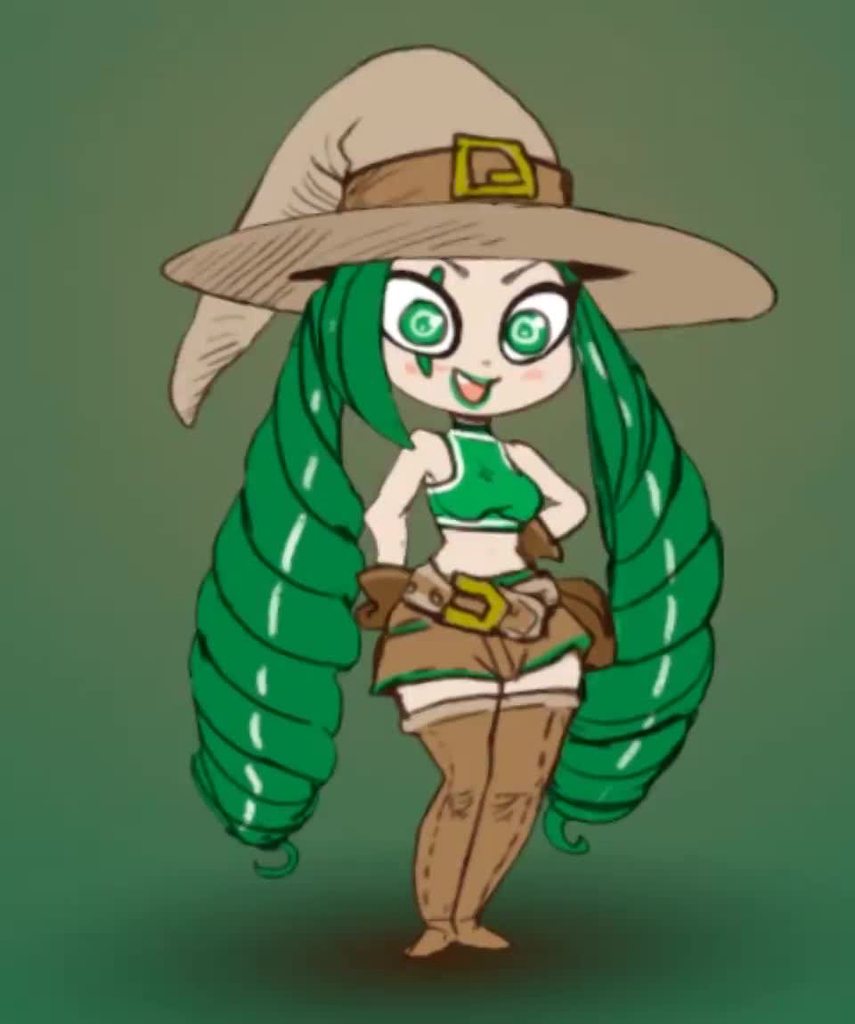
fixed it!
I am inordinately proud of that hat
timid ocean
good stuff!! lookin cute
 sullen sedge
Hi all, I have a bunch of enemies, each with a different set of sprites (ones a blue dude, ones a red girl for example). Their animations are different, but they follow the same pattern of states; appear, attack, idle and take damage. Only one enemy will ever be on screen at once, can I reuse the controller so the states are all there, but replace the motions via script at runtime?
hybrid tinsel
@sullen sedge Each one can use an instance of the same controller, and you can use overrides to replace the animations.
sullen sedge
@hybrid tinsel Beautiful, should save me some time. Thanks!
 honest oasis
Hey guys, I've animated two of my prefabs, the parent object of both prefabs has the animation component on it.
All works fine, but I need to delete the prefabs since I need to create them only for the animation, but once I delete them the animator complaints the objects don't exist, even when instantiated.
What am I doing wrong?
upbeat jasper
!rank Programmer
 dusk valeBOT
@upbeat jasper, you left Programmer.
 atomic talon
Is there any easy way to change where a transition is in Mecanim? For example, all of these transitions going to exit I want to now go to a different node. Do I just need to recreate them one by one?
 pseudo olive
Hey everyone, so I'm doing a top-down game with melee combat and I want the player to stop when they make an attack. I'm using a blend tree for the 4 directions but I'm at a loss as to how to figure out if it's active or not. All the tutorials I've found are from 5+ years ago and don't seem to work anymore. I first thought I could use the attack trigger to turn off the movement but it turns itself back on so fast that there is no interuption in the movement.
 graceful hamlet
Do I need to worry about root motion when frame rate is low? I know if you use other methods and dont use fixedupdate for movement it causes movement speed to be frame-rate dependent. Is this the case with rootmotion animations?
swift temple
@pseudo olive using the attack trigger to turn off movement is a good idea, but it might be a good idea to use this https://docs.unity3d.com/540/Documentation/Manual/animeditor-AnimationEvents.html at the end of the animation to turn it back on
pseudo olive
Ah! I'd forgotten about animation events!
swift temple
good luck!
 shy orbit
hi guys so what i want to do is make a ragdoll and then make it so the limbs are able to be torn off.. how wolud i do that? wolud i have to make each and indivisual body part in blender then some how attach them in unity?
hybrid tinsel
@honest oasis even if it complains, does it work in game when you instantiate them?
If not, can you make dummy objects and animate those, then parent the instantiated objects to them?
 steep compass
I'm having a real hard time figuring out root motion from blender, through rigify, to Unity.
Currently my character does his climbing animation sideways with root motion, or vertically (correctly) when there's nome
None
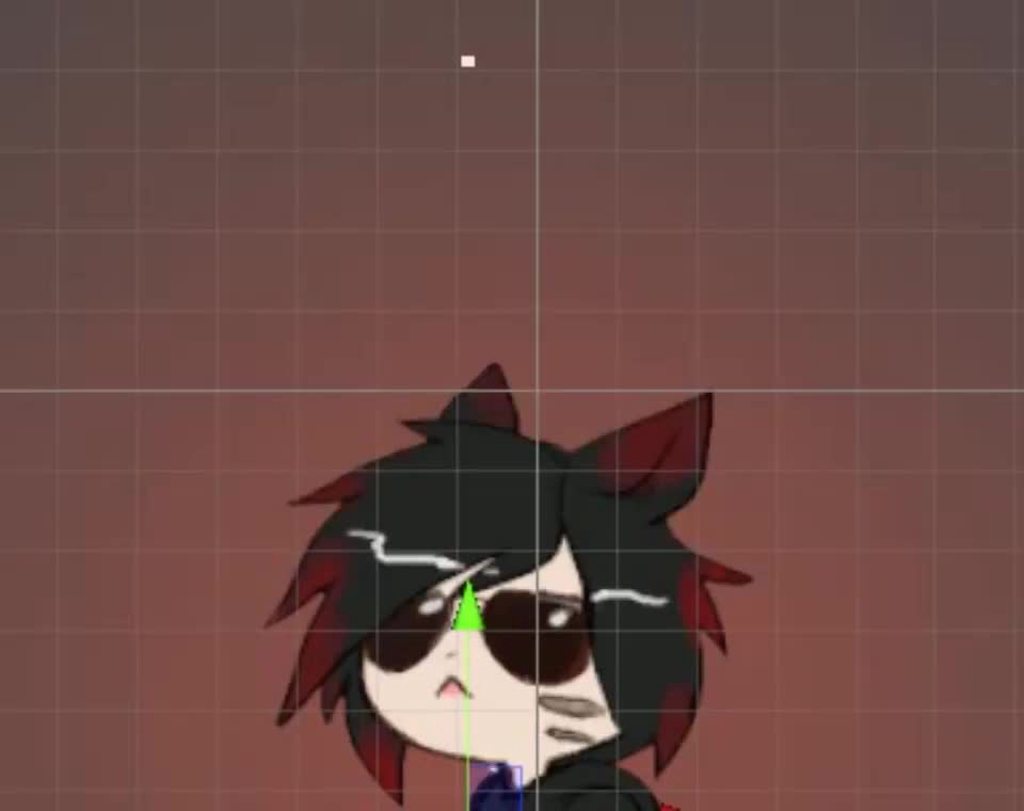
 dusky hedge
@hybrid tinsel make the text move slower and move the sunglasses down when the text moves up. Im also not sure if that springiness is needed for text
or make both come from above and just slide down instead of making them pop out like that?
hybrid tinsel
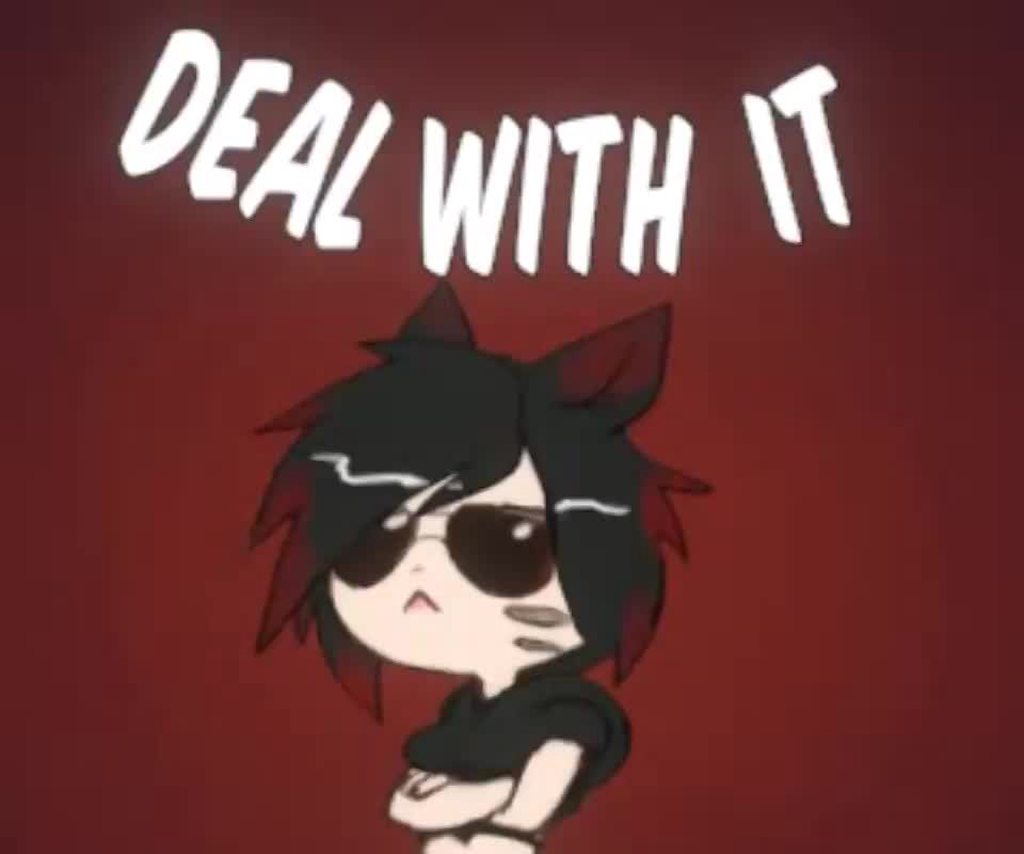
 orchid estuary
nice
 potent imp
was wondering why companies prefers spine
if there are free tools to use which does same thing as spine
 hazy epoch
is there an easier way of animating in unity?
what I mean by this is that if theres any plugin that lets me display the bones in 3D space instead of using the hirearchy
I have quite a lot of tails and finding the right one to animate takes a while

 regal harness
https://youtu.be/Htl7ysv10Qs?t=231 the animation rigging package could help @hazy epoch
Let's create procedural animations using Animation Rigging!
► This video is sponsored by Unity.
● Learn more about Constraints: https://docs.unity3d.com/Packages/com.unity.animation.rigging@0.3/manual/ConstraintComponents.html
●GDC talk on Animation Rigging: https://youtu.be...
hazy epoch
@regal harness is there something like this that supports unity 2018?
regal harness
maybe you can try the package? Otherwise I have no idea :/
@hazy epoch if you can't get the package I can repackage it, who knows, maybe it'll work
hazy epoch
yes please
if its not too much to ask
because I cant get itt trough the package manaager
regal harness
Sorry to disappoint you but the animation rigging package requires the mathematics package, which seems to require the incremental compiler which isn't available on 2018 :/
Maybe you can get it working though, here it is https://drive.google.com/file/d/1NTrDUGXkCsjyL_ELqVGCfCgI-1VUGxek/view?usp=sharing
Google Docs
 main sparrow
Hello, Unity animation gurus, I have the weirdest problem. I have an animation event firing that changes the sprite of my game object to another sprite. Or, at least it's supposed to. I have it on several animations but it only changes the sprite for one. Can anyone help me?
honest oasis
Hello, Unity animation gurus, I have the weirdest problem. I have an animation event firing that changes the sprite of my game object to another sprite. Or, at least it's supposed to. I have it on several animations but it only changes the sprite for one. Can anyone help me?
@main sparrow You'll need to give a lot more detail than that, for anyone to even begin understanding the problem.
@main sparrow you mean the animation is fine but through event it misses to do something? did you check if while the animation triggers all objects animated are present and identified?
main sparrow
@honest oasis yes. I am using the animator, I have the animation event set to fire on the second frame. I have messages printing to the console to make sure the event is actually firing, and all the data is correct (like the sprite I want to change, and what sprite it should change to), and it's all working as it should from a code perspective, so I figured it was an issue with the animator
Also, I'm using the same event with different animations. Out of the 3 animations it's tied to, it's only actually changing the sprite on one. All the timing is the same, and yeah, same chunk of code I'm trying to fire as an event
Also, if I'm not mistaken, @honest oasis you helped me last time as well. Thanks for the quick response this time, too
honest oasis
Also, if I'm not mistaken, @honest oasis you helped me last time as well. Thanks for the quick response this time, too
@main sparrow I'm only here cz i'm looking for answers too, but writing my question now will not get any feedback 🙂
Anyway back on your question, i do not get your sentence about "3 events only changing the sprite". You have 3 animations that should change the sprite and only one works?
main sparrow
Yeah, feel like I've seen you around a few places here
honest oasis
For instance with animation, are you using prefabs?
main sparrow
Yeah, the animation is tied to my character prefab. The event is a simple method changing the character's weapon's sprite to their equipped weapon's sprite.
The weapons are based on a scriptable object I made so I could have a template. I don't know why its working with 1 weapon, and not with the others, when they're all using the exact same code
honest oasis
i dunno man, hard to advise without a much deeper understanding on what's going on. Besides being active everywhere i'm quite new with Unity ;D
main sparrow
Yeah, word, I hear ya. I've been playing around with it for a while, but only at a hobbyist level.
So this has me stumped. Because of...well, like I said, it works with one animation. Everything is firing as it should, when it should, according to my Console. Not only that, but while we were talking, I modified the event that changes the sprite back when the animation is finished, and it's still not working.
I'm starting to believe this is a bug...
honest oasis
So this has me stumped. Because of...well, like I said, it works with one animation. Everything is firing as it should, when it should, according to my Console. Not only that, but while we were talking, I modified the event that changes the sprite back when the animation is finished, and it's still not working.
@main sparrow HOW do you detect that the animation is running? Though some log in console, or you're using states in the animator?
Because for instance what I had, is that because the animation was using objects that were supposed to be instantiated, the animator couldn't find them and continued the animation. The animation did literally nothing, but formally it was still happening and playing.
main sparrow
Well, the animation is running in the animator. As a side note, all three animations have the same transition settings. So thats how I know the animations are actually running
For the events, when the issue started happening, I threw in a few messages the print to console, so I'm checking to make sure the event is picking up my weapon scriptable object, I'm checking to make sure that the scriptable object actually has a sprite to reference, I'm making sure the event can pick up the sprite I want to change and what the sprite is before and after the line of code that actually changes the sprite
Also, another side note: I haven't changed the animations since I made them. The first two were working as intended before I implemented the third animation.
honest oasis
@main sparrow i know it may be obvious, but double/triplecheck that you're using the right objects/names/referencing the correct things etc. Taking a break is a good way to solve unsolvable problems 🙂
main sparrow
Thanks, @honest oasis Yeah, I gotta go to work soon, so I think thats gonna be a good break for me.
graceful hamlet
Any idea what could be causing this chaotic motion in my root motion?
https://i.gyazo.com/a3f202ce30ef556f02c748501839e249.mp4
It also seems that my rigidbody attached to the player has a velocity that keeps going negative but then jumping back to zero. It doesn't affect anything yet besides when falling off of edges it causes the character to get stuck
Im using mixamo animations/model
Probably a better question, is this even a problem that needs to be fixed? this is my first time doing root motion
 celest crag
@elder yoke Don't cross-post. It's a simple rotation setting
hybrid tinsel
@potent imp Lots of reasons. Spine came out before the built-in 2d bone rigging did, so there's an existing user base from then. Spine works with multiple game engines, and has features the built-in solutions don't. The 2d animation system is still in development, and seems to have been largely stalled feature wise, with most of the improvements in the past several versions being under the hood stuff and integration of stuff like lighting.
potent imp
actually it was not the 1st bone rigging tool
among top 3
dragonbones is actually the oldest and 2nd is spriter
3rd new kid is spine
potent imp
i think they spent more money on customer service and ffd n runtimes
hired more developers unlike the other 2
spine i mean
hybrid tinsel
And yes, customer service is probably a good part of it too.
hybrid tinsel
Though given that you practically shill for them sometimes I'm surprised you'd need to ask.
potent imp
their website looks cooler
hybrid tinsel
For 99% of people, the unity one is just fine. https://i.imgur.com/aqbiknt.mp4
 split gust
 charred belfry
split gust
charred belfry
charred belfry
split gust
charred belfry
...yup
and what is in your animator?
something that is not what is being called in your script
charred belfry
your enemy animator's IsMove does not match what you're calling in code
warm ore
Question
i have a "lower body" animator layer mask
and an upperbody
this animation is player in a layer with the lower body mask because i only want the legs
at the same time, this idle aiming animation is played with the upperbody mask
So now i should get a walking guy that is aiming
but the idle aiming animation completely overrides the walking animation
instead of only overriding the top half
 river badger
Does anyone know why my animation jumps from 0:11 to 1:00?
warm ore
Is there something wrong in one of my masks?
@river badger https://answers.unity.com/questions/1177188/why-do-the-numbers-on-the-animation-timeline-jump.html
Unity is the ultimate game development platform. Use Unity to build high-quality 3D and 2D games, deploy them across mobile, desktop, VR/AR, consoles or the Web, and connect with loyal and enthusiastic players and customers.
warm ore
this is my bone setup
 old crypt
a question for the pixelart experts. rotation is always a problematic topic for me. for example animating a "swing" animation never looks right. i want to achieve something like the stardew valley mining or terraria. how did they do it? for example the sword looks so damn straight. it must be animated in the engine instead of doing it in pixelart?

 wintry stream
how can i stop this from happening (hope this is the right place)https://gyazo.com/746767b1dccbce569a0d7957450b95b0

its just abt it clipping
 wanton jacinth
how can i stop this from happening (hope this is the right place)https://gyazo.com/746767b1dccbce569a0d7957450b95b0
@wintry stream not sure how you made it, but make sure the character Z is always higher then the platform and also that it is higher in the sorting layer.
Hey guys!
Would love to get some help.
I am trying to make something and cant seem to be making it work.
What i have as a vision is this: when a button pressed, a Particle system will activate on the object, and also a sprite (with animation made using the animation timeline) will be activated, do the animation then disappear.
So what i did is this:
I made the particle System, and its working as intended, under it i've placed the sprite and on the particleSystem i created the animation.
Now using code i call instantiate on the particle and the position of the button. So far so good!
However, the Sprite wont show and run the animation, only the particle..
Any idea how i can combine the two?
wintry stream
thanks btw!
how do you set it up so my animation only plays when he is doing a certain action btw?
warm ore
U set a bool
Set a boolean of your animator to true; ex isWalking . and then you make a transition to that animation when that boolean is true
@wanton jacinth Can you show your code so far?
wanton jacinth
yha
 //Get position of the attached object, so it will be instantiated on the button
Vector3 particlePos = new Vector3(transform.position.x, transform.position.y, transform.position.z);
//Just storing the particle inside a variable so i could destroy it after few seconds
            GameObject particle = Instantiate(Effect, particlePos, transform.rotation);
            Destroy(particle, 4f);
//Get the object animatior component to play the animation
            Animator effect = Effect.GetComponent<Animator>();
            effect.Play("animationName");
Save me xD
i cant seem to find a way to link the sprite animation to show up with the instantiated particle :\
wanton jacinth
ill try to add comments to clarify what's what
warm ore
i understand the code
Do you want to show a particle system + show a sprite that does an animation?
wanton jacinth
Yes!
hybrid tinsel
 wanton jacinth
I have a particle system that makes an "explosion" , and i want on top of it to also show the sprite doing its animation on the explosion effect
warm ore
And you have a reference to the sprite or.. ?
wanton jacinth
the button has the script, and also a public variable that i matched to the ParticleSystem(parent) [and his child which is the sprite]
warm ore
is the animator attached to the parent?
warm ore
And the sprite is visible when you instantiate the whole thing, or is it first invisible/inactive
oh
wel yeah
you first have to activate the chidl
child
wanton jacinth
Its a prefab that's linked, so they dont exist in the scene itself, but in the prefab the child is active
warm ore
is this not what you want?
wanton jacinth
i can try this in a second, however under the prefab, the child sprite is already active
warm ore
hmm
The warning is saying that the parent is inactive, so i can't really say much without seeing it
wanton jacinth
maybe it counts as inactive because its not in the scene but is being pulled from a prefab?
warm ore
you can btw just do this GameObject particle = Instantiate(Effect, transform.position, transform.rotation); instead of first placing the x, y and z from the transform into a different vector
oo
i see the problem lmao
warm ore
GameObject particle = Instantiate(Effect, transform.position, transform.rotation);
Destroy(particle, 4f);
//Get the object animatior component to play the animation
    Animator effect = particle.GetComponent<Animator>();
    effect.Play("animationName");
try these lines
or i'm stupid
wanton jacinth
Trying
Okay
we are making progress! @warm ore
it now shows the sprite on the "Scene" tab, but not on the "Game" tab (they are side by side)
freaking canvas i bet
wanton jacinth
okay okay
so i removed the Destroy function so i could debug it
and only when i dragged the Sprite that was instantiated with the particle INTO a canvas, only then the sprite was showing
hmm @warm ore
Can i force the object to be instantiated UNDER a canvas that's already exists in the scene?
warm ore
ohh its not parent yet to the canvas yeah
ofc it does not work xd
What is the name of your canvas?
You first need a reference to that canvas
warm ore
So you could use Transform canvas = GameObject.Find("Canvas").GetComponent<Transform>(); and then when you instantiate the whole thing you do GameObject particle = Instantiate(Effect, transform.position, transform.rotation, canvas);
Try that
wanton jacinth
ON IT!
warm ore
The 4th parameter of instantiate is a parent
So it will automatically be parented to the object of the 4th parameter
warm ore
Does anyone know if these are the correct masks to separate upperbody movement from lowerbody(legs) movement
wanton jacinth
Okay so it is being parented to the Canvas now, but still wont show in game tab, only on Scene
warm ore
Check the position again
if you double click on it, it should be focused in the game view i think
or focused in the scene view
wanton jacinth
focused on scene
it shows its in the correct place, but is not actually visible in game
warm ore
Can you provide a screenshot or something
warm ore
Guys i was testing layer masks. I made it entirely red which means do not override all the bones marked in red right?
yet it still overrides every bone lol
 late swift
hey so im new to animation but
i have this here
and this
but the character is always in the idle animation
warm ore
Did you attach the animator to the character model?
You can watch the animator in game, if you select the spawned player model
warm ore
watch the animator live in game?
make sure this is attached to the model that you are animating
select the character model to which the animator is attached
now you can view and debug the animator live
warm ore
oh wel in your case it is the thing that you want to animate
The item that your animator is attached to (or should be attached to if you haven't done that yet)
warm ore
Have you attached the animator to the right object?
late swift
i think its attached
that player thing is the one with the animations
i dragged it onto the player obj
warm ore
Yeah good
warm ore
now, try to view the animator live in your game
so that you can see where it goes wrong
late swift
its repeating idle
and nothing else
tho if i press the buttons
i can see a flash for a split second
IE i move right i can see rightwalk flash weirdly for a split second
warm ore
Is there a condition added to the transitions?
warm ore
but i mean the arrow from idle to rightwalk
or is it just there so the transition is possible
Maybe you have to set your right walk animation to loop?
how long does the animation last?
late swift
a few frames but long enough to see
and its looping
i dont rly get what the arrows do
I know the code says if the button is pressed it switches the animation
but nothing happens
getting this btw
Asset 'Player': Transition 'AnyState -> Base Layer' in state 'AnyState' doesn't have an Exit Time or any condition, transition will be ignored
warm ore
The arrows say: You can go from this animation to this other animation. The arrow from any state to entry is unnecessary, delete that one. Only 1 arrow come out out Entry. That should go to idle. You make a transition from entry to the animation that you want to be default, which is idle. Then you can also add conditions to those arrows; for example: you can only go from this animation to this one under the condition that the boolean walk forward == true. Maybe try that.
Watching a quick tutorial on youtube will make you understand it better and probably fix your problem
late swift
can u give me an example for that bool
please
and ty for all the help
greatly appreciated
warm ore
there you can create foats, ints, bools and triggers
give it a name
then if you click a transition, you can add a condition
for exmple in this screenshot: only go if ForwardSpeed is greater than 0.1 and if sprinting is set to true
Triggers are used for jumping for example, because you only want that to happen once
So you could do: If (Input.GetKeyDown(KeyCode.Space)) anim.SetTrigger("Jump");
or if it is a boolean you need to to anim.setBool
The way i use this for walking is like this: if W pressed --> anim.SetInt("speed", 1)
and then a transition from idle to walking under the condition if speed > 0
ask if you need more help
warm ore
You have a Blend and a Walk parameter
late swift
and anim.settrigger doesnt work
warm ore
wel for example
The parameters can be of type float, int, boolean or a trigger
if you want to give a value to the float, you use SetFloat
if you want to change an int, you use SetInt
etc
warm ore
So you have the boolean walk right
Have you added it to the transition from idle to walk?
warm ore
add it to the transition
late swift
its not connected to the animations
warm ore
click on the arrow from idle to rightwalk
then on the right, there is "conditions"
click the + icon
warm ore
Well now in code you do
anim.SetBool("walk", true); when the key is pressed
remove the anim.Play for a sec
and replace it with the line i just sent you
warm ore
maybe something wrong with your walk animation
uncheck the exit transition checkboxes if they are checked
this one
warm ore
when you click the transition arrow
warm ore
and make it that there only goes 1 arrow out of rightwalk, that has a condition walk = false
also remove any arrows coming out of the "Any State" for now
warm ore
if you watch it live, does it stay in the rightwalk?
warm ore
I haven't experienced that so i dont know what to say
Maybe try the jump animation
with a trigger
warm ore
this is the animator controller but in your previous screenshot you had it set
im going to sleep now
warm ore
Np
late swift
or make it loop
 plain meteor
Hey, hope you guys are all doing well. I'm pretty new to Unity and today I've been struggling with the animator nodes.
Additionally: I am using sharpaccent's scriptable object library and behavior editor to help create a more modular and performant method of scripting. Though that shouldn't be affecting the animator in any ways other than where I may write the animator declaration in my script, etc. etc.
The problem I seem to be having has to do with the parameters. Currently I have horizontal and vertical parameters that determine in the player is moving, but I've just added a new parameter called "run" that determines if the playing is running. I've made separate walking and running animations that work fine, and the player's velocity changes as expected when holding down the run button.
But the animator does not seem to know what to do with the run parameter. The vertical and horizontal parameters work fine, and I don't think I did anything differently when creating the run parameter.
I'm not sure what's wrong, perhaps it has something to do with me not instancing the Run parameter to a variable in my player scripts?
If anyone knows what the issue may be, please @ me.
I need an Overwatch break 
old crypt
Hey guys. Im kinda confused on the modular Animation for pixelart. I dont want to rig any Skeletons. For example i just want to swap out gear parts like a pickaxes to a Hammer on my Player. But how would i Do it modular in unity instead of creating many Sprite sheets for each Equipment?
 mild imp
this is probably basic for someone, i have a model and i put an animation clip in the animator. the clip has nothing in it. but when i attach it to the animator my model just like dies? Anyone know how to solve this? :/
charred belfry
Fairly sure you're using humanoid animation, and as such shouldn't really be authoring inside of Unity like that. You can add bindings to the animator's muscles, and that would fix it I think, but animating nothing - or the hiererchy, isn't what humanoid animator setups are set up to handle.
I'm not 100% certain, but I don't really think authoring humanoid animations inside of Unity apart from modifying them with IK and rigging setups is really a thing
mild imp
@charred belfry yea i just want the dude to go up through the floor then walk forward, but i cant get past this bugged out rigging issue
if i add keyframes to the animation, doesnt solve
mild imp
@old crypt why did you middle finger my post 😅
old crypt
@old crypt why did you middle finger my post 😅
@mild imp oh thats not the thumps up icon
hybrid tinsel
@plain meteor If the bool parameter actually changing during run mode?
 manic glen
hi
I just make sure that I got my animation right
check this article :

Medium
Using native Unity components to animate pixel art characters
I'm trying to do the same , I have set 2D Simple Directional type blend tree with 4 animations
( for movement)
now it's already in a lend tree .. should I create another blend tree (for idle , attacking etc..) within the same controller or make new sperate animation controller with a new lend tree with that new animation controller?
what's the different for simplicity why not creating a blend tree with the same controller and depends on a player state or a whatever parameter playing the blend animations
idk how to trigger blend tree animations or its set automatically( I mean how sperate animations states like idle blend tree cloud know the right position) ?
for example ... I move to the right _playing "moving right animation " through blend tree then didn't move for x amount of seconds ( to trigger idle animation _which's a blend tree) how it would behave since it doesn't know the right directional anim in blend tree? in this case "idle right anim"
anyone have an example or have any idea about it ?
in Btrackey's tutorial it's clearly goes back to the orignal sprite :https://www.youtube.com/watch?v=whzomFgjT50
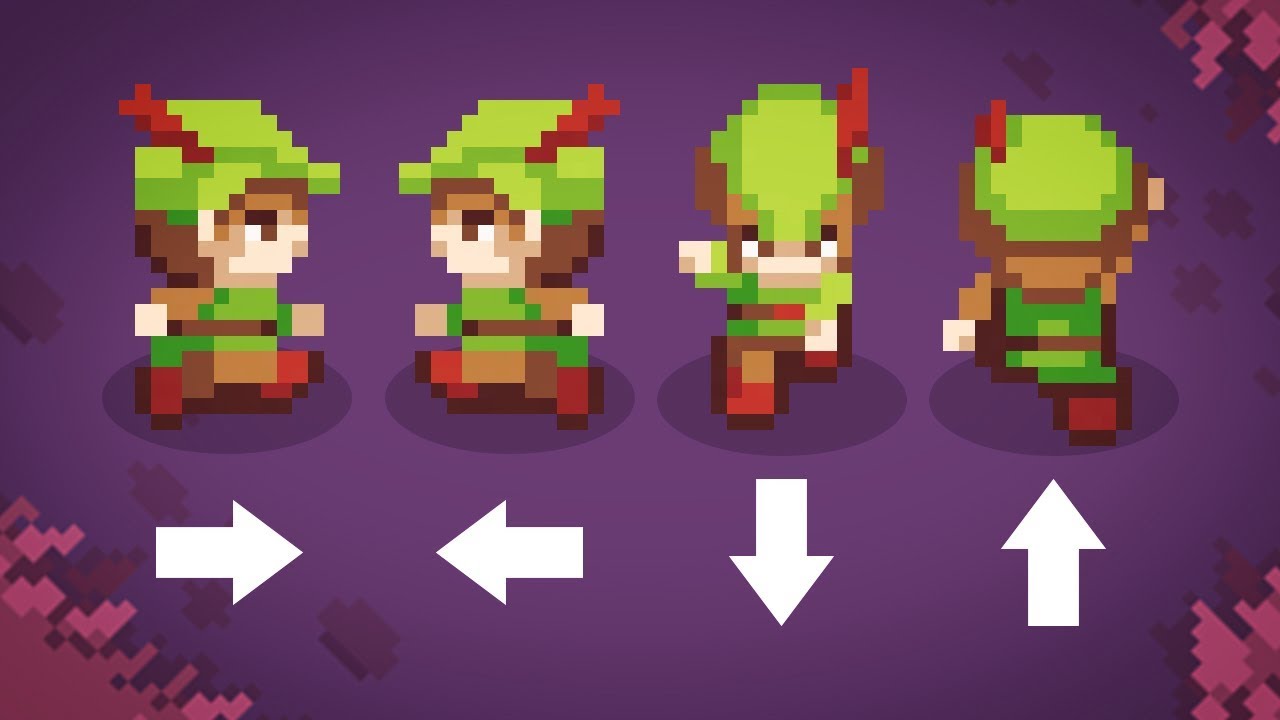
Let's have a look at the easiest and best way to make top-down movement in Unity!
Get costumized art for your game with Outstandly! https://www.outstandly.com/art_for_games/?Brackeys=love
👾 JOIN THE GAME JAM!! https://itch.io/jam/cgj
Thanks to everyone participating in the...
manic glen
???????
what should I do ? attack blend , idle lend , walking blend , runing blend ...
how to play the directional motion then ?
 gentle vapor
can i use VoxEdit animations in Unity?
plain meteor
@hybrid tinsel it should be, yes
 twin musk
hey I have a question for you gurus. I am using ummorpg and trying to put a cape on my character. my character has an animator controller. I made a controller for the cape and set a default state. When I load the cape there is no animation. what is wrong?
the default state is a run state, I was hoping to get that working then set up some parameters to make it work when I run
also I have some animations that work on the ground but when I jump there is a battle between the jump state and animation state which makes them look bad. how could I fix that?
hybrid tinsel
@plain meteor I know it SHOULD be, but is it? That is the first step of debugging, to make sure it is actually firing. That will tell you whether the problem is the script or the animator. 😄
late swift
hey so im working on implementing character animations for my character but
lets say hes running and he stops
the running animation finishes if its only halfway through
how do i make it so that it stops instantly
and another issue is that the running animation loops but with a weird gap in the middle as seen here
this is my code:
hybrid tinsel
@late swift uncheck 'has exit time' in the transition from running to idle
late swift
doesnt work
hybrid tinsel
Not sure what you mean by a gap(it can be hard to tell since I can't see the controls, what is him stopping and what is his animation pausing)
hybrid tinsel
I'd replace the second if statement with an else statement.
late swift
and if quickly tap one and let go
so the character is in place
the animation keeps running till it finishes
hybrid tinsel
Yes, you can uncheck 'has exit time' to fix that.
late swift
i already did
hybrid tinsel
Or it will wait until the exit time(usually the end of the animation) to transition out
hybrid tinsel
Is the transition really long?
late swift
no its faster
its basically fine but
if he's running consistently
the animation is looping and there's a gap where he slides on the ground
hybrid tinsel
For sprite frame animations, you should probably give it a transition duration of zero
late swift
between loops
hybrid tinsel
That might be a problem with the animation
hybrid tinsel
It's in the transition options
hybrid tinsel
Yes. Under settings.
And yes, that is a very long transition; unity doesn't blend sprite frame animations, so there's no point to having the transition take a quarter second.
steep compass
Has ANYONE been able to get a blender rigify rig into blender as Mechanim with Root Motion successfully?
 verbal spoke
So I’m using an animation controller for the first time, and I’m following a tutorial. And I’ve downloaded a model and animations from Mixamo. The tutorial says to set both the model rig and animation rig animation type to “humanoid” but when I do this I get the player animating with only a t-pose. When I set animation rig to generic the animation works.
steep compass
When you set it to humanoid, does the inspector show any errors or warnings? Is the icon next to configure a check?
verbal spoke
No errors
It also seems that when the animation is in humanoid mode the model will move continuously forward and to the left in t-pose but when in generic it will animate correctly and move forward but loops back to its origin
I clicked configure and it looks like all the bones are there
I guess I can use the animations in generic mode and click “loop pose” which holds the model at the origin and just apply motion to the gameobject? That’s not what the tutorial is showing
verbal spoke
Oh it’s because I had not selected an avatar in my animation controller
The avatar is the bones of the model?
steep compass
Sorry for disappearing! Yeah, Unity humanoid (Mechanim) mode has a set of expected bones. Your bones can have any name they want as long as they've been mapped through the avatar to the expected bones. For instance, the rigger I'm using creates a bone called DEF-Spine. This bone gets mapped to Unity's expected "Hips" bone, so Unity now knows how to use DEF-Spine in the same way it would usually use Hips, through the avatar.
If you're familiar with coding, it's like using an interface or adapter pattern.
 blissful condor
I just made an extremely basic, newbie animation for a spear where it stabs forward nice and quick, and then slowly reels back, but when I play the animation in-game, it seems to work fine functionally but it loses all of the small details. It slides forward at a steady rate, then slides back at the same rate. My animation has a lot of force and lots of fine tuned keys, and they seem to mean nothing once I'm in game
Is there a common reason for this? I googled the issue but most people have more complex issues
I can screen share if needed
 quasi laurel
i need help learning how to animate
blissful condor
Not a great place for quick support, I guess.
Ah turns out it was the transition fade-in time, got it.
hybrid tinsel
Sorry, that's what you get on a free discord channel at midnight :3
@blissful condor Turn down the compression on the animation importer, maybe?
@quasi laurel Can you be more specific?
Ah, glad you fixed it.
dusky hedge
wouldnt moving your arms like that also affect the shoulders? @hybrid tinsel
dusky hedge
also fair lol
hybrid tinsel
How would you change the shoulder ?
dusky hedge
@hybrid tinsel I would advize going to a mirror and doing the movement to see 🙂
 steep copper
 dusky sedge
Hi I have a problem with animation tab
This should be a little cog in right corner
of animation window
 deep hazel
when i change an character animation in the inspector, I have to press the apply button, is there a keyboard shortcut to apply the update at all?
getting tired of moving from kb-m-kb-m-kb-m repeatedly
finite plume
hey!
i'm trying to rig a wrist of a humanoid in blender so that it doesn't break when it twists. all the tutorials say to have at least two extra bones in the forearm to take up some of that rotation and distribute it into the forearm verts.
but how would one rig a wrist in blender in a way that's compatible with the humanoid avatar in unity?
 late oracle
How can I make Animation Rigging package constraints respect physics? Procedural animation doesn't really make much sense, if it clips through walls 😄
 pastel ingot
how do I retarget the animation i bought from Unity Asset Store? I am planning to use those animations on Synty Character
 drifting granite
 fast hemlock
does anyone want to help on a game with 14 people we need an animator dm me
hybrid tinsel
@dusky sedge a cog? Not the three little dots?
@deep hazel you might need to write an editor script to do that, not sure. Don't think there's a built in shortcut for that(at least, it isn't listed in the shortcuts list)
@late oracle You post on the unity forums, reminding them to please actually finish their animation rigging package 😄
@finite plume Unity humanoid animation has some built in forearm rotation settings, but if those aren't enough you can still add the extra forearm bone- you'll probably want to have it 'next to' the wrist in the hierarchy instead of having the wrist be the child of it, though. That allows you to use both regular animations and ones that use the twist bones without breaking the avatar
You could also have the extra bones as normal, but handle their rotation by script instead of keying them, so tha would work with retargeted animations
And of course, if you don't need humanoid IK or animation retargeting then you can just use a generic rig.
dusky sedge
@hybrid tinsel Thanks 😄
twin musk
Hello everybody i have been working on this project for quite a while , is there a more elegant way to "create synchronized animations."? i need a way to align my Player with the NPC and save the position for each of my Animation sets... i use 2 GameObjects now to set the the player local.position and the NPC localposition ... both GameObjects are parented to another one so i can work with the locals.... now my question is there a more elegant way on doing that ? https://gyazo.com/61f9080b00593481eb47ab887e7b7e35

 narrow plank
I'm sorry LucidFoxy, i'm not able to help you
just wanna quickly mention my messages over here cos I think they're also relevant to this channel. I don't know if cross posting like this is allowed even if they are relevant
https://discordapp.com/channels/489222168727519232/497873833043296277/742559833617858561
 frank hazel
All im tryna do is apply the animations from the asset i downloaded onto tbe model for vrchat. Do i just use the overrider for that?
quasi laurel
@quasi laurel Can you be more specific?
@hybrid tinsel how to use the animator
i mean i got it but i cant set animation
hybrid tinsel
@twin musk Have you tried using Timeline?
@quasi laurel There is a separate animator window where you can drag in animations to the graph.
 jade gale
hey fellas, quick question. can blender corrective shape keys work in unity?
hybrid tinsel
@jade gale Quick answer, no.
Slightly less quick answer, you would need to write some sort of script yourself to read that data and make use of it.
(So maybe a better answer isn't that they 'can't' but rather they 'don't' because nobody's made a importer for them.)
jade gale
alrighty, well there go a good few days. well thanks for the answer any m8!
frank hazel
How do i fix the angle between the pelvis and thigh bones
finite plume
@finite plume Unity humanoid animation has some built in forearm rotation settings, but if those aren't enough you can still add the extra forearm bone- you'll probably want to have it 'next to' the wrist in the hierarchy instead of having the wrist be the child of it, though. That allows you to use both regular animations and ones that use the twist bones without breaking the avatar
@hybrid tinsel seems insane that the humanoid rig would overlook this feature of many armatures. 😛
warm ore
Which parts of the jump animation do you already have
Guys, is this the correct mask if you only want a layer to affect upperbody, and not legs?
humanoid masks just dont work for me
is there like something wrong with my bone structure for it to be humanoid?
Or can you make something humanoid
warm ore
ok i just found a way to configure it
warm ore
still doesnt work
warm ore
if anyone has any experience with layer masks, please help me i tried it all and nothing works
finite plume
@warm ore
i had trouble where my masks didn't appear to be working for my player object.
i found eventually that for some reason in my tree, i had two animators acting on my player object. one on the player object, and one on the imported model prefab.
the one on the prefab seems to respond to masks, the one on the player object seems to ignore them.
(both animators had the same settings, but the one under the prefab was disabled)
warm ore
My imported avatar has this bonestructure
while i removed the "Armature" in the character that i use in game
because animations dont work if i leave the "armature" thing. it is something that blender added when i was editing something
Would that possibly be a probmem
finite plume
Mine's called "rig" instead of "Armature", but i named it like that. and it doesn't stop animations happening
warm ore
idk why my animations dont work if i leave it there
What is the component you need to attach your animator too?
if i have these options
it's in this really weird position if i attach it to the character_separated
i attached it to the armature and it works
but the mask still doesn't xd
 terse furnace
how do i trigger an animation with another object getting collision (like a button)
warm ore
What do you mean exactly?
If you click a button?
if a sprite collides with a button?
in general if 2 objects collide?
@terse furnace
warm ore
inside the OnCollisionEnter function, call the play animation function on the animator
do you have the animator setup
warm ore
sec
terse furnace
alr
warm ore
well you should first learn how unity works and how scripts work that you attach to objects
and also look at how a unity animator works
then you can detect collision in this function
inside that method you could do this
characterAnimator.Play("Jump")
which would trigger a jump animation
but it's a lot of ground to cover if you're new to all this
so watch videos on collision, animator, ..
quasi laurel
@quasi laurel There is a separate animator window where you can drag in animations to the graph.
@hybrid tinsel yes but no idea how to create the frame movement. its not moving how i want it
 eternal pebble
Hey there, new here -
Is this a good place to ask a question about syncing animations?
If not, where should I go?
twin musk
yeees
@eternal pebble
also, if this matters, i have no idea how to code, and i use blender
 quiet lagoon
I could use some recommendations on tutorials that go into the finer details of how exactly the layers in the Animator work. I've gotten it to work mostly well enough for my purposes, but I have yet to really understand how the system decides what layer to be using. More specifically, how it 'gets to' the Entry node of another layer.
I've been using code that forces a change in layerweight when I want to be using my 2D character's 'aiming his gun' layer, but I feel like that's not the most elegant way to do it. Transitions to the Jumping and Death layers in the official Create With Code character animator seemed to Just Work™ and I have no idea how.
I've looked at several tutorials (including some on learn.unity and Brackeys), but this mystery of apparently automagic layer switching just isn't sinking in for me. If there's anybody out there who had a similar difficulty in understanding and finally found a tutorial that 'clicked' with them, I'd love to have a link to it.
hybrid tinsel
@eternal pebble This is as good a place as any, if you aren't in a rush
eternal pebble
@hybrid tinsel I am not, so thank you 🙂
hybrid tinsel
@quiet lagoon I've not looked at the create with code thing, so dunno how they use it, but what specifically are you trying to do? I have my jumping and death states in the base layer, and only use extra layers for things that need to override or blend with the base animations(like face animations on top of body ones)
quiet lagoon
@hybrid tinsel I have a character whose basic animations are idle, run and jump. I've made a synced animation layer for shooting, where he can be idling, running or jumping but also have his arm extended at the same time, aiming his pistol. Right now, the 'aiming' sprites are just copies of the original sprites with the arm changed. When I want him to be aiming, I force the layerweight of the 'aiming' layer to be 1.
I know that it'd be better for me to actually make his arm a separate piece and animate it by itself while the rest of his body does whatever - and my failure to properly understand animation layers is making it so I don't even really know how to plan this, much less do it, haha.
eternal pebble
My Situation is:
Suppose we have a GameObject master with an attached Animator Component,
When the Game starts, this GameObject is in a state that uses a clip "ColorShift" which shifts the Material Albedo's color in some way.
Now, until a certain boolean (in a script) turns true, the State cycles; afterwards the state is "paused" by using anim.enabled = false;
Every now and then a GameObject slave is spawned which is a copy of master
If master had its Animator Component already disabled, slave gets Instantiated without it (not my choice, unity does it)
else if master still had the animator enabled the scripts synchronizes like so the two animations
slave.animator.Play(0, -1, master.animator.playbacktime)
Which seems to work fine but I am having doubts that it doesn't actually synchronize them up to the master timing, it just makes them start over together for some reason...
My Questions are:
Is there a better way to shift colors? 💩
Is there a way to Instantiate a GameObject from another one adding to the copy the disabled components as well? (I mean directly, already aware of AddComponent() after init)
Is there a way to have two animator playing exactly the same thing, timed?
Or even better, can you have one Animator control multiple gameobjects? (Using the same controller weirdly does not do that).
Edit: I forgot to mention...
If master.anim was already disabled, the Material will have a certain color which is different from the start or not.
if I spawn a slave object while master.anim.enabled = false the slave object will present the original (starting) color.
What I would like to have instead is for it to be spawned at the current time in the animation or for it to be the same current color of the master
Hmu if you have any hints 🙂 and thanks in advance
hybrid tinsel
@quiet lagoon What is the problem with just changing the weight the way you're doing? That seems perfectly reasonable.
@eternal pebble I just shift colors by script, so that would probably make it easier to sync things?
quiet lagoon
@hybrid tinsel Well, the animator that I saw in the CWC thing didn't need the layerweights to be set like that (at least, I couldn't find any indication that there was some pre-packaged script that was doing it), so I figured that what I'm doing might be a ham-handed, 'wrong' approach. I'm also trying to set up for more complex animations that I'm hoping to do, but I feel like I'm not explaining my confusion very well - I was just hoping maybe someone here would be like 'oh, that was totally me a while back, here's the tutorial that helped me' XD
hybrid tinsel
@quiet lagoon It could simply be that the objects being animated by their second layer had no keyframes in the first layer.
That would make the layers fairly independent.
Sadly I've not watched a tutorial that made any sense of things, I kinda blundered through it
eternal pebble
@eternal pebble I just shift colors by script, so that would probably make it easier to sync things?
@hybrid tinsel I would too, but I'll admit I had some troubles with it
how would you change say the r component of the albedo color of a mat
quiet lagoon
Yeah, the animator I tried to study was for a 3D character; I have a feeling that's just making things way more confusing to me because I'm doing a 2D character. Hopefully I can get my hands on an animator to study for 2D somewhere
hybrid tinsel
@eternal pebble ColorHSV()
Is what I use, though you could just set the r g b directly
Like Color.r
quiet lagoon
So it turns out that I was basically trying to do things in the wrong place, lmao. I had no idea just how much stuff you can do/change within animation clips. (Finding out that you can fire script events within individual keyframes blew my mind all over the wall, for example)
I'm pretty sure I've been trying to do things with Animator Layers that should actually be done inside of Animation Clips, and that's what had me so very confused - I've been thinking of Animator Layers in terms of like, layers in Photoshop, and I don't think that's quite how it works
eternal pebble
@hybrid tinsel Color.x and SetColor() turned out to be exactly what I was looking for, tried using them before but couldn't figure out the logic for the colorshift i wanted and I think that was the main problem that led me to try and animate it.
After your Push to go back to scripting and reformulating the needed conditions I was able to achieve my goal so thanks mate 🙂
 wanton rune
hey, does anyone have a guess where i could have messed up? I made a model in blender and then rigged it, however in rest position and default rotation for the left leg is messed up in pose mode. I feel like maybe I accidentally rotated the whole leg at one point, but in edit mode everything looks right, so I'm really confused
oh right
using Blender
 weary agate
Is there any way I can set a seperate animator speed for each individual layer? Or adjust the speed of a particular animation clip from within the code? I need to be able to change the speed of the arms and legs seperately from eachother.
hybrid tinsel
@weary agate I don't know about by layer, but you can set the speed of an individual animation state either in code or in the editor
The easiest way would probably be setting a parameter for the layer's speed and then setting each state on that layer to use that parameter.
Like that
twin musk
Hello, Is anyone know how to fold correctly the ears of an avatar for vrchat, i'm using the force from dynamic bones, but it's not correctly fold it in the back of the hood, is there any way to rotate correctly the ears and adding some dynamics bones on it after it's rotate? Dunno if i correctly explain my problem, thanks !
hybrid tinsel
I don't know how vrchat works but can you describe just what you're trying to do and what seems to be going wrong?
twin musk
I'm trying to have this to rendering, but with the force of the dynamic bones it's give me the wrong way ;u;
I'm looking for a way to have the ears like this <-- but i can't find how to with using the dynamic bones
hybrid tinsel
Hm. I dunno.
twin musk
ok thanks anyways
 woeful wasp
any good mage animation set you guys can recommend for a typical rpg mage character ?
dusky hedge
mixamo probably has some @woeful wasp
woeful wasp
thanks downloading them now
wanton rune
btw about the blender model I asked about yesterday, if anyone's having this issue, make sure you've parented everything correctly
 dreamy carbon
Hello, so i wanted to make a border around my text. I used this answer: https://gamedev.stackexchange.com/questions/153205/draw-a-box-with-transparent-background-outline-in-unity Everything works except when i change the color, nothing happens. Why is that?

Game Development Stack Exchange
I am trying to draw an outline (a transparent box with colored border essentially)
I have the following code adapted from here
void OnGUI(){
GUI.Box (new Rect (10,10,200,30), "Object", InitSt...
i just figured it out. The border has to be white to be able to change color. My sample border was black.
warm ore
If you implement recoil, do you move the arms that are holding the gun?
Because since the gun is attached to the hand, you can't really move the gun itself, as the hands wont move with it
Do you like rotate the arms or something
The reason why i'm asking is: my first approach was just rotating the upper spine, but because the whole body is diagonal when holding a gun, that moves the gun wrong
any insight in this topic would be helpful
 river obsidian
Are you using a viewmodel for gun in the view, or are you using the model that the camera sees?
lotsa games use viewmodels that only the player can see.
warm ore
i'm using the model that the camera sees
What is the use of a viewmodel?
never heard of it
river obsidian
have you ever played any Source engine game
for example, in half life 2
The player in that game doesn't really have a model. They have some 3d objects that are held in front of the camera to make it look like there's a model controlling everything, but there's no physical model interacting with anything. It's just a 3d model imposed on top of the camera
Lots of games don't draw the player character, and instead opt to draw just the viewmodel that pertains to what the player should see.
this video might help explain

While messing around with Garry's Mod 13 beta, I decided to see how things looked when setting the viewmodel FOV to the same as my preferred viewscreen FOV. The results are.... very inconsistent, like the viewmodel FOV to-be-used was changed a few times in development.
Intere...
warm ore
oh yeah i also do that by hiding everything except the hands
i just turned it off for demonstration
river obsidian
sorta that. Except for viewmodels, completely new models and animations are made that only the controlling player sees. And in turn, they see none of their own body.
though i'm not super read on the subject sooo take what i say with a grain of salt lol
 weary otter
I'm trying to make a natural body (head, body, limbs, also sword and shield)
I just can't get it though
twin musk
When you make a multiplayer fps, do make two rigged models one for the arms
And one for the body
And is it some sort of layer rendering that puts the animations of separate what people see than with the animation of what you see
How do I do this
Or how are fps animations really made
Do you use only one model with some sort of camera position
I'm very confused
Sorry for the complicated question
hybrid tinsel
Yes, though there is no built-in way to rig and bind the bones in unity, I don't think
hybrid tinsel
 ashen mesa
Does Unity provide any alternatives to Animator component?
I don't need to utilize state machines, transitions, layers, etc. I only need to trigger from code a bunch of fairly simple animation clips. I know there is built-in Animation component, but it's deprecated. There is another package SimpleAnimation on Unity's GitHub (https://github.com/Unity-Technologies/SimpleAnimation), but it seems to be no longer supported.
Finally, I know there are some excellent tweening solutions, which I in fact use right now, but I see how my code becomes dirty really quickly as I have to keep references to all transforms/sprites that I need to animate, and then I define animation itself in code. It doesn't scale well.
 nocturne obsidian
Is there an inbuilt animator editor?(idk)
ashen mesa
Is there an inbuilt animator editor?(idk)
@nocturne obsidian Yes, there is a convenient window to record all editor-exposed properties changes. I create animation clips using that recorder, but I don't know how to play them without creating animation controller & state machine.
warm ore
If you want animations, go to mixami.com
Mixamo*
When you make a multiplayer fps, do make two rigged models one for the arms
And one for the body
And is it some sort of layer rendering that puts the animations of separate what people see than with the animation of what you seeHow do I do this
Or how are fps animations really made
Do you use only one model with some sort of camera positionI'm very confused
@twin musk so you have a separate model: like only arms, with separate rig and animations for the local player. Then for the other players, you have a full body model with it's own animations. You could just activate one or the other depending on whether it is the local player. But you could also just hide everything for the local player except the arms, and use custom animations if necessary
 graceful torrent
@ashen mesa it's not that simple with the "deprecated" Animation. It's not going anywhere and it performs better than mecanim
so in fact it is the simple alternative to the animator component
potent imp
i was more like looking for some spritesheets
ashen mesa
@ashen mesa it's not that simple with the "deprecated" Animation. It's not going anywhere and it performs better than mecanim
@graceful torrent Sure, it is probably going to stay there for a couple years or more. But the documentation explicitly asking not to use it for new projects and that its being left only for backwards-compatibiltiy reasons is what turned me away.
graceful torrent

Unity Forum
Hi...
I have a house containing (obviously) doors, I want to animate them opening and closing... as you can see, a very simple Rot Y curve can do the...
ashen mesa
@graceful torrent thank you so much! This is convincing, I'll try it.
graceful torrent
👍
jade dew
@ashen mesa u can also look at Animancer third party plugin
ashen mesa
@jade dew that one looks great indeed.
 tribal helm
I've got this tank thing here. And I want to show it filling with "liquid" (just a solid mass is fine).
Obviously the main cylinder would just have a coloured cylinder inside that grows upwards in the animation
But how could I properly show the top part "filling"?
hybrid tinsel
@tribal helm Shaders!
tribal helm

 steady tulip
is there a way to center the screen in the Animator window? idk how it happened but somehow i scrolled away from my states and i can't find them again 🤦♂️
hybrid tinsel
'f' I believe
steady tulip
haha! thank you
 languid peak
has anyone here used kinects for mocap? i'm curious what software you used to capture it...i'm tossing up between brekel body v3 and niMate. I tried ipi mocap studio trial and it worked a treat but that software is about $3,500 AUD 😦
 open ivy
hello i have a problem inporting 2D pixelart to my game
 hardy rivet
hey uhm i cant press record on in the animation tab... why? im pretty new so its probably something Ssuper basic.
 pallid mist
hello! i have a problem with my animation
its constantly looping
i already set the warp mode to once
and theres no loop time thing to untick like some of my friends told me
anyone maybe know what i can do to fix this?
 graceful lantern
it's in the import settings
 tawdry wharf
Hey everyone, I can't for the life of me figure out why this running animation is stuck on frame 1 in game. It runs fine in the inspector. I've tried searching online for hours but can't find a solution. Maybe I'm missing something really basic here.
As you can see, the idle animation is playing just fine. The transition is based on the character's speed being greater or lesser than 0.01.
 jade dew
@tawdry wharf animation set to looping?
tawdry wharf
yeah, it just doesn't run at all in game
jade dew
show the settings
for both the state, transitions, and the animation
looks weird tho, the animator reports the animation is running
but ingame it freezes
tawdry wharf
I tried exporting the animation again from blender - it works with this export
I can't believe I didn't try this earlier


 jade dew
ya cant have it all i guess
 tepid cloak
hey guys, im trying to setup an avatar mask in unity, and i only want 1 bone affected, and its a humanoid
the transform section shows me individual control over the bones, however its not working. any help?
is there a way to make transform masks work with non humanoid avatars?
 muted field
Hey Guys
So i have a question
I'm animating a panel in a 2D game so when i hit the record button for the animation, i changed the y axis for the panel and the animation is playing real good and smooth but..
i have a script for dragging a dropping 2D objects and it works perfectly but after the panel plays it's animation and want to drag it, it only moves on one axis (x axis) and i don't know how to fix it
Does anyone here knows ?
hybrid tinsel
@muted field That seems more like a coding question, but does the animation take control of the y axis?
muted field
Yes it does i set the Y axis at the start of the animation at -750 and at the end it to goes to 0 !
hybrid tinsel
@muted field So you likely have the animator setting the y position each frame after the script runs. Maybe try doing the movement in LateUpdate()
Or disabling the animator
hybrid tinsel
Could use some counter motion, but pretty good!
 nocturne seal
Yeah I know
 fair sail
Question about animation controller: I have a game with different creatures, lets say I have a human that can be in idle or walking and can also draw a weapon, and also have a monster which can also be in idle or walking using different animations, but theres nothing like drawing a weapon. I do not want to rebuild a controller for each additional creature, so i've looked up this animation controller override which solves part of the problem. However, using it it means I have to build a "master" animator controller that has all kind of animation states used by different creatures, which seems weird. For example, the monster minion would virtually have this "draw weapon" state although no override would be provided. Is there any alternative other than doing this or building a different animator controller for each different monster/character?
fair sail
well I guess I'll just override for identical controllers, and build new ones when required. If someone knows a better aprroach i'll be glad to know
hybrid tinsel
@fair sail Not entirely sure the problem. Unused states can just not be used, since they'll never be called, right?
 karmic whale
hi, is there a way to play to play 2 animations from 2 separate rigs at the same time?>
 cedar ruin
@karmic whale unless the animations are retargetable, no. Otherwise you can blend between them in a blend tree or play them on separate animator layers.
karmic whale
damn damn damn. alright, thankyou anyway :)
cedar ruin
I mean how do you expect to play a not retargetable animation from one rig on another? Oo
karmic whale
i’m very very very very very new to unity, and i have no idea what retargetable means. all i know is, it plays in blender, but it doesnt in unity
cedar ruin
if it's a humanoid rig it's animations can be retargeted to other humanoid rigs via unity Avatar system.
hybrid tinsel
If they are on two different objects, there should be no problem.