#🏃┃animation
1 messages · Page 60 of 1
 cold sand
 grim bluff
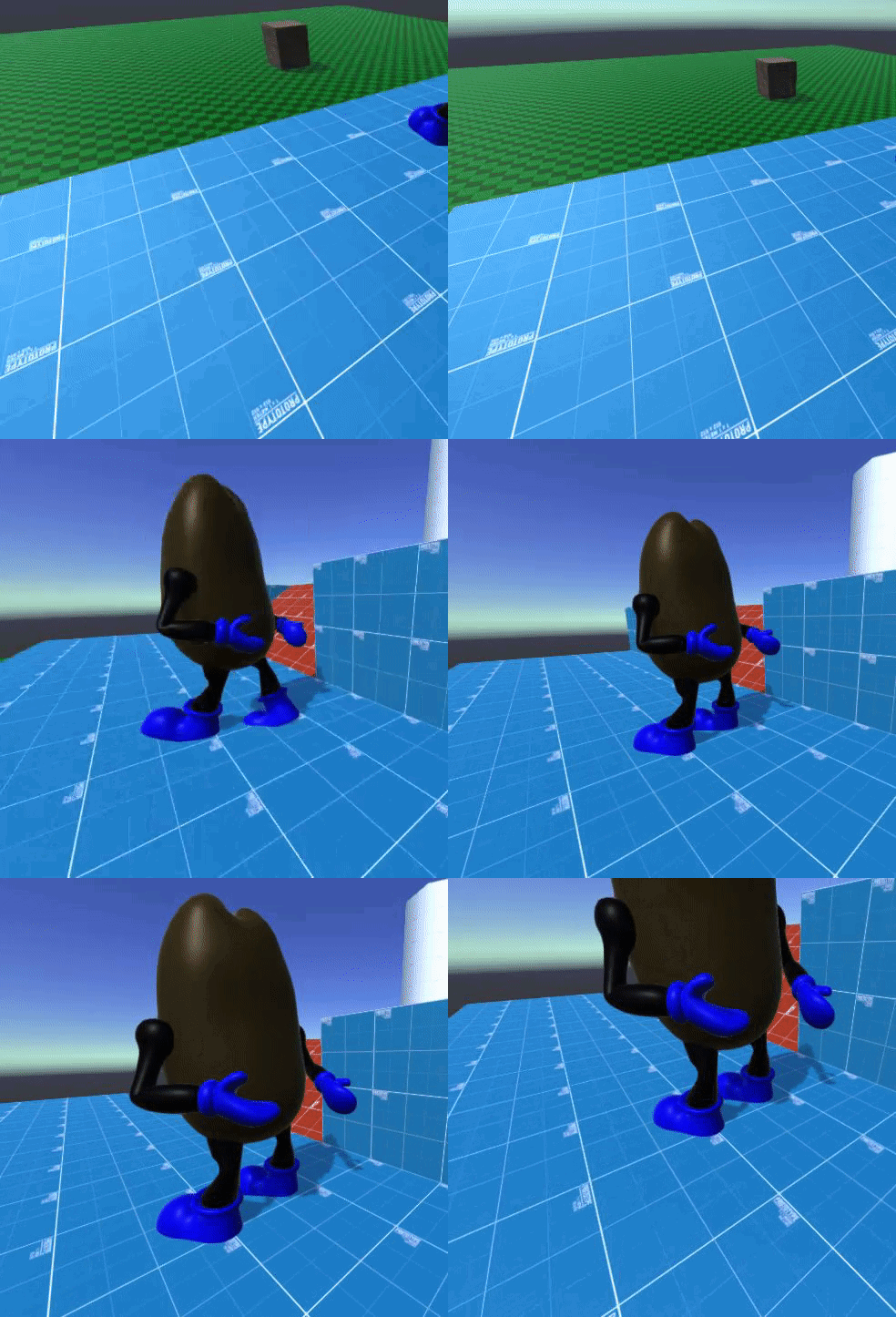
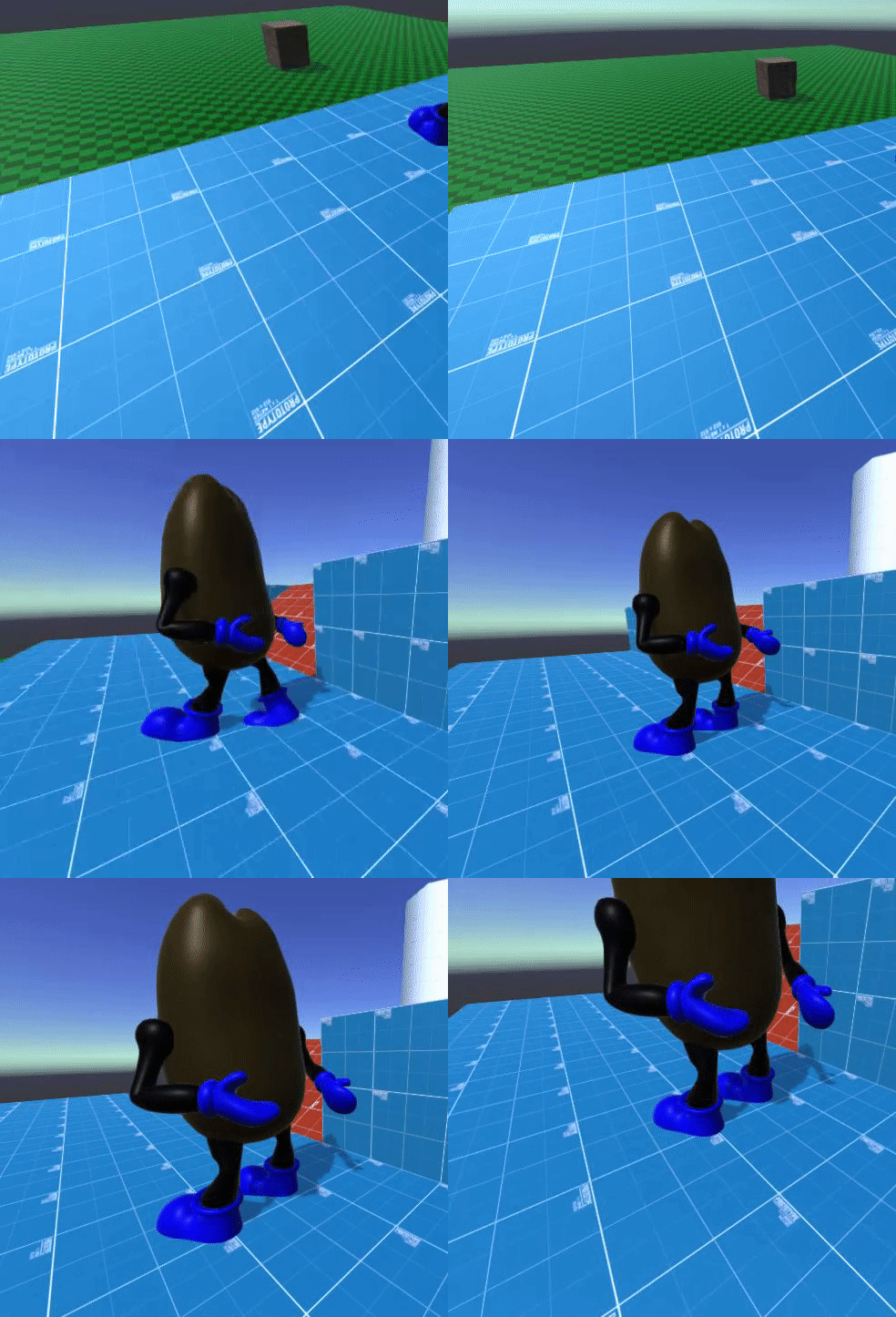
Trying to Animate my player when moving but i cant get a good looking run animation. How should I better animate the model
heres a blown up version of the model
 hybrid tinsel
Moving the legs would probably help.
grim bluff
i mean they are just not well
hybrid tinsel
He looks like he is trying to fit in at the Roxbury
You're using bones, or the legs are rigid?
grim bluff
just keyframes and moving the parts
hybrid tinsel
So those will be some very stiff legs if they can't bend at the knee
Also the knees are backwards in the animation, makes him look twisted around
hybrid tinsel
Not the BEST example but you can kinda see how I did it(though this is a 'drunk walk' so you probably want to make it a bit smoother 😄 )
If you rig them with bones, you can just bend them. Otherwise you'd need to split them up.
grim bluff
why cant i change the bone influence?
 lean bobcat
I can't my jump animation working. Could anyone please help me? This is the reddit for more information:
grim bluff
can i see thee code your using to play the animation
grim bluff
put it in a pastebin
 grim bluff
no
lean bobcat
ok
grim bluff
have your animator window open when testing see if it plays a progress bar on the jump animation when space is pressed
grim bluff
i think you are changing the bool instantly instead of waiting for the animation to play out
lean bobcat
How do i fix that?
lean bobcat
Should I just send a screenshot
grim bluff
yea
lean bobcat
Thank you anyway
 thorny light
@jade dew so i tested it out nce i got things set up. it was 1st person not 3rd like in the video but i thought it wouldnt matter the result was the animations seemed to override the IK and move seperately of the gun and the goal i was going for (being able to move the right hand away from the gun while everything animates) wasnt reached... im new to using unity as well as setting up first person animations in an engine..so im not sure where im going wrong here
 jade dew
personally, i havent used the animation rigging package yet (though im very interested, I will use it sometime)
but the hand
goes where you want it to rn ?
the hand does stay on the gun how you want it to right
so if u wanna play another animation you need to disable the IK
smoothly disable it, if you want a smooth transition
thorny light
yeah that ws my guess but it didnt work out that way. the gun remained static while the left hand played the animations seperately from the gun i'll have to try again at setting it up
 fallow venture
Are you supposed to make 3D model animations in a third party application(like Blender), or can you make them in Unity itself?
 spring wyvern
@fallow venture u can make animations in Blender or Unity whichever u choose
spring wyvern
i dont really have a preference. only problem I encountered with using Blender is that I have to reset animations that I want to loop
fallow venture
ok
jade dew
anyone who's worked in 3d?
i'd like to know how u do your jump animations
i have a state machine running pretty ok, but id like to know how the animations themselves are
hybrid tinsel
@grim bluff not sure why you can't; how did you try doing it?
@lean bobcat is the onlanding being called while you're still on the ground, cancelling the animation?
@jade dew Mine are pretty simple, but I work in 2d
I split it into a 'jumping' a 'fall/hover' and a 'landing'
jade dew
yes that's the basic layout i see true
however in the context of fluid movement in 3d i think there's a general guideline for the animations that need to be there
like the jump animation should look nice easing from the run
so im just wondering abt the look of the animations in general for fluidity? if that makes sense
grim bluff
I revised my running animation but it still doesnt look that good. Any tips?
hybrid tinsel
give him a red army uniform and pretend he's Cossack dancing?
grim bluff
better than thee Roxbury
hybrid tinsel
Unless you made two of him with a lady between them
But yeah, let's see...
What you need is to have discernable foot movements.
When someone walks, they lift one foot with a bent knee while the other foot is extended behind them. Then that foot comes down on the ground as the foot behind is lifted and then the hips move forward to catch up and the trailing leg moves forward.
Then you repeat the movement with the feet reversed.
The hips tend to stay either somewhat centered between the feet or a bit forward of the center.
grim bluff
i added a knee to the leg how should i add the foot? splitting the txtur again or would distorting thee bottom work
hybrid tinsel
Depends. I usually have the foot at part of the leg unless there are visible segments or overlapping bits
Or if I need to swap foot sprites
grim bluff
ill try distortion and see how that looks
hybrid tinsel
@grim bluff
hybrid tinsel
I haven't used dragonbones so I don't know
 potent imp

GitHub
DragonBones C# Runtime. Contribute to DragonBones/DragonBonesCSharp development by creating an account on GitHub.
figured out
if anyone needs it follow same steps
 deft egret
Good afternoon, can someone tell me why an object gets turned off on play with a PlayableDirector/Timeline on it?
I can't seem to find it myself with Google, that'll give me results on 'how to deactivate objects', but for me it 'starts' deactivated/disabled.
hybrid tinsel
Do you have an empty activation track assigned to that object?
deft egret
Nope, just one animation track. With a tiny animation, that only rotates the object.
If I disable the Animator and PlayableDirector, the object these components are on is still disabled in 'play-in-editor'
 broken flare
Can someone help me with an animation problem I'm having in unity 3d? I'm using animations form mixamo, but I'm getting some weird rotations. If anyone can help DM me.
or you can just write here
 cedar ruin
@broken flare you still didn't describe your problem.
broken flare
I am adding a roll animation on to my game in unity 3d. When I add the animation into the controller and activate the bool in my script, the animation plays how I want it to except this happens
I have no idea how to fix this, nobody answering me over on unity answers, so this is my last resort. If anyone can help me out. That would be great
cedar ruin
@broken flare are you modifying the objects rotation in a script or something?
broken flare
nope
just setting my bool Roll to true when I press E and then deactivating it once the animation finishes
cedar ruin
can you post the inspector screenshot of the animation?
cedar ruin
the import settings of the animation
cedar ruin
@broken flare in the import settings(the last screenshot), can you open(drag up) the preview window and see if the same thing happens there?
broken flare
I'm not sure I understand
 delicate dune
Is there any way to record an animation while the game is running?
I want to create a camera animation, without going through the process of creating every single key frame.
cedar ruin
@broken flare you see the preview window on the bottom?
broken flare
is it the one set to none?
cedar ruin
no, in my screenshot it's the grey window below "Spore"
in your case it's probably probably hidden(you can see the tab "Mixamo.com")
cedar ruin
if you play the animation there, is it also weird?
broken flare
It's not letting me drag it up. I see the sursor change and everything but It won't drag up
cedar ruin
@delicate dune there's api for that. Look it up on docs.
delicate dune
Ok thanks
broken flare
do I have to lock some sort of rotation along the y?
lemme se
see
take 001 is just a t pose
it doesn't move
no animation under it
wait a minute
I fixed it
I baked some sort of pose or smth
and it works
broken flare
I clicked loop time and root transform position and applied them and now it works
not sure why
but I'll take it
thanks anyway!
hybrid tinsel
@broken flare My guess is the problem was that you had root motion applied and the root bone was doing something unity didn't expect. So that'd be why baking the root transform would stop that.
It can be pretty unintitive
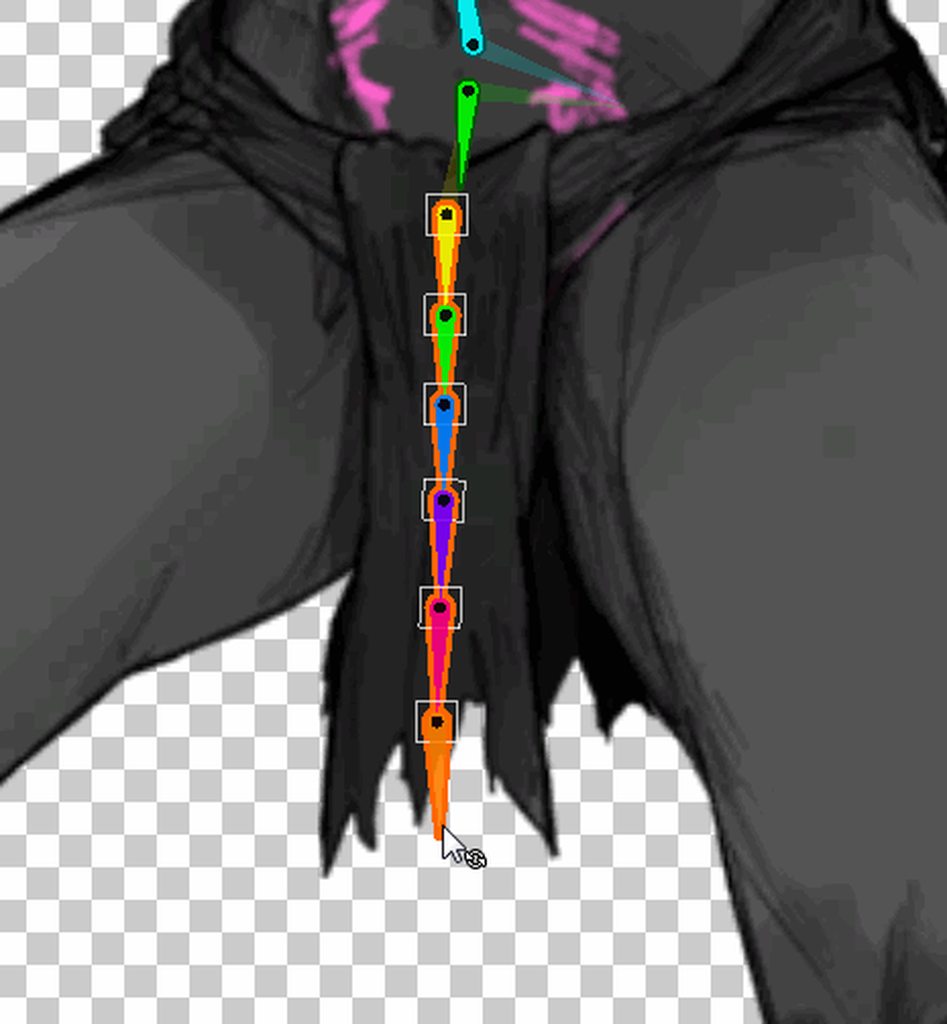 cedar ruin
@hybrid tinsel is that a core feature of the gameplay 😄
broken flare
lmao
 twin musk
Hey, is there a way to convert PSA animations to FBX?
hybrid tinsel
@cedar ruin The most core.
I actually really like making dangly cloth, and I think I'm improving at it.
jade dew
PhD in dangly cloth
hybrid tinsel
...also I'm messing with that while I try to figure out how to rig the wings and legs
hybrid tinsel
@twin musk Each object has an Animator script. You can create an animation controller and assign it to multiple objects, or you can create a different controller for each one.
 echo kindle
Hey folks, I'm having an issue that I'm finding difficult to communicate. It's essentially the animator not lining up with code, and being a frame out. Am I allowed to post a small clip in here to show what I mean?
hybrid tinsel
Sure
echo kindle
As you can see, the first wall hit the animator comes in early for a frame with the animation before I flip player, on second too. On third it does it fine. I'm having this issue on several different animations all with exit time/transition 0.
echo kindle
yes haha to try and help see as it is a very quick frame
I'm having a terrible time trying to explain it. The third jump is exactly how I need it. The character flips in code and animator changes to wall pose at same time. The first jump the character is already in the wall pose before the flip. It's seemingly random and really jarring during gameplay. It happens on multiple different animations.
Just wondered if anyone had experienced anything similar....
hybrid tinsel
I have, actually, if I understand you correctly.
When are you handling it in your code? Late update?
jade dew
@echo kindle using an animator right?
echo kindle
yes
jade dew
smth u can do is slow ur game down
and follow the animator
like look at the transitions occurring
to figure out
and what kind of parameters do u have
echo kindle
I've slowed it down by going frame by frame in premiere pro and matching when bools trigger etc. There's times when they trigger correctly and times when they trigger a frame off
jade dew
hmm, first place to look is the triggering code
it all checks out?
and the other thing I'd check are the transitions
since u want these instant, no exit time, no blending right
all that checks out?
jade dew
ur character moves thru rigidbody?
echo kindle
yes
jade dew
possibly might be it
echo kindle
setbools to fixedupdate?
jade dew
u can try all position related things in physics update
but u can check for input in update
so like store the input in a member field in update, in fixed update read that and apply the parameters in fixed update
btw
not just setting them
the checks for flipping and position whatnot
use rigidbody.position if u are using the position
worth a shot if the movement and animation seem out of sync
echo kindle
I have my movement input in update and any velocity I apply like running or wallsliding I have are currently in fixedupdate. I'll try bringing the setbools to fixed too
jade dew
yes, try it perhaps
echo kindle
hmm same result. worth a shot!
echo kindle
I'm using physics2d.overlapcircle
but im not rotating as such, just flipping the sprite via Flip.x
jade dew
btw u mentioned ur flipping: that's by using the animator mirror parameter functionality yes?
echo kindle
on a child object that holds all the visual stuff
jade dew
ohh this flip
can u try moving it to fixed update as well perhaps
unsure but hey worth a try
the only other thing that comes to mind is the
overlap circle is inconsistent
so maybe it's the collision not triggering at the right time
echo kindle
the wallslide flip is inside a wallslide method which is already in fixed. I did try pulling out into update too, but no dice
jade dew
shiz
echo kindle
what would be a better method than overlap, just regular raycast?
jade dew
i personally might use a box for that kind of character and environment
aligns better right
but im out of ideas as to why the anims don't sync... could be a lot of factors here. sorry bud you're gonna have to dig around yourself
echo kindle
yeah no worries! thankyou for throwing some pointers.
 dusty fable
mmmm I think this is the best place to ask honestly
HELLO!
Currently Im having problems with textures
In blender they look ok but in unity they look like
They look like Im a missing texture prop in half life
let me get some pictures going
How its on unity
how its suppose to look
fixed kinda but not really lol, my need for help still stands
deft egret
So, does anyone know why I can't seem to create a new timeline and have that be enabled once I hit play?
For some reason it turns itself off, even without any tracks in it.
Currently I'm using a scipt to forcefully turn it on, but that's got a 'delay' on start which is super annoying.
And I mean that it turns the gameobject it is a component of off.
Even if Play On Awake is turned on.
I have to use a Coroutine to turn it on forcefully, it won't even enable itself on Awake/Start/OnDisable.
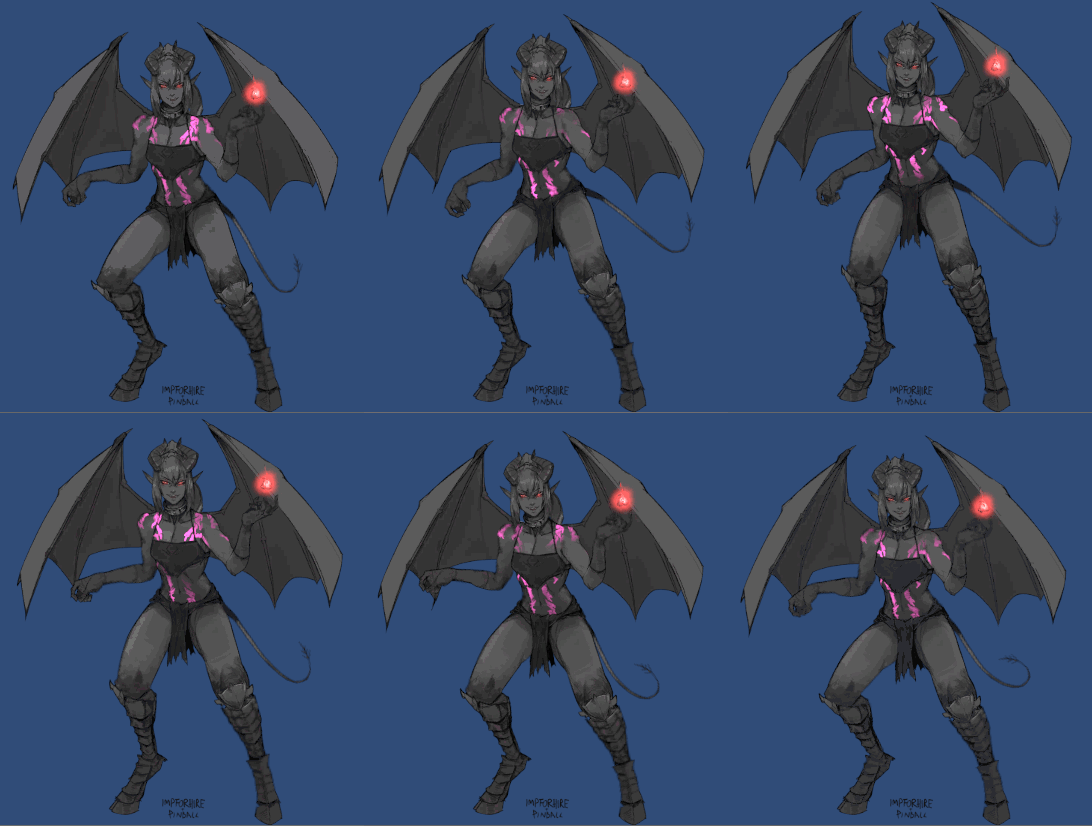 grim bluff
my does my turn animation make my model smaller when all the keyframes are is rotating
hybrid tinsel
Is he moving away from the camera due to root motion, @grim bluff ?
dusty fable
@hybrid tinsel no idea :P
deft egret
Also happens in a new scene 😦
 light glade
Are there any 2D bone animation softwares that'll let me swap limbs like hand poses
hybrid tinsel
@light glade Unity lets you do that
hybrid tinsel
You can just animate the texture of the sprite on the animation timeline. You can also jave the different variants as separate objects and toggle them on and off.
hybrid tinsel
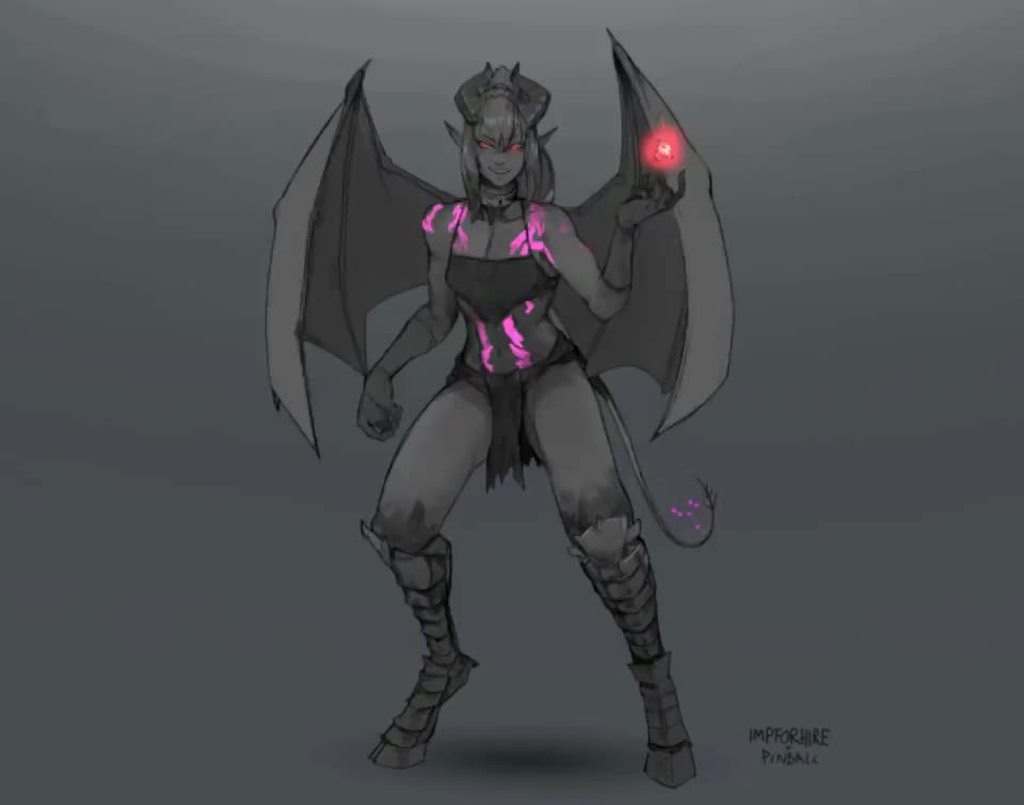 light glade
Shmexy
hybrid tinsel
My first try at shadergraph
twin musk
Hey everyone, I'd use some help on 3d animations: What is the best/easiest way to make animations? Animating directly in unity feels awful since there is nothing like bones or anything, is there some easy way to export my character with their whole hierarchy?
 dense oriole
Hi there
I have an animation question for unity
is this the best part of the channel to ask it?
it's actually a bug question, that I can't figure out.
twin musk
I take back what I said about skeletons, found out about animation rigging video thank you KarinExMachina for mentioning it
twin musk
Hi, im using blender to animate and the body armor just keep "clipping". Ive tried weight painting, but some parts dont really make sense to me.
broken flare
does anyone know how I can swap the idle animation of the standard assets
the arms are literally inside the body
twin musk
Hi, im using blender to animate and the body armor just keep "clipping". Ive tried weight painting, but some parts dont really make sense to me.
@twin musk try increasing distance between character and clothing, make sure your weights are set well. Alternatively you can make the skin under clothing a separate part so you can disable it when not visible
broken flare
How to make seemless rotation animation without the animation slowing down at the end
does anyone know?
grim bluff
is there a neater way of organizing animations that doesnt summon satan
broken flare
lmao
hybrid tinsel
@broken flare set the beginning and end keyframes to 'auto' instead of 'clamped auto'
@grim bluff use sub-trees and stuff
grim bluff
what is the stuff while i google sub trees
are subtrees and blend trees the same thing
hybrid tinsel
yup
grim bluff
both then?
hybrid tinsel
The basic idea is that whenever you have several nodes that mostly have a common in and out point, you can combine them
 torn ingot
Are unused animation Takes and unused meshes from within files containing animation data stripped when Building?
hybrid tinsel
That's a good question; I believe that unity saves the mesh/animation in its own format after import, but not sure exactly what that entails for multiple animation takes.
torn ingot
Thanks, art team sent me files with like 30+ garbage animation Takes in each, want to make sure it doesn't mess things up later lol
I guess I'l find out about the Takes specifically at a later date, I'll drop a note here when I do find out
hybrid tinsel
Would definitely be good to know; I've pretty much only worked with animation files I made myself so far
 glass canyon
Can someone help me?
Constant tangent in animation curves bugs out for me
The moment it has to switch rotation from -31 to -141 it stays at +90 degrees for about a frame
Is it a bug, or am i doing something wrong?
 ancient echo
Anyone worked with Mixamo animations? I downloaded some animations and to my understanding, so long as the character is rigged similarly, I should be able to just apply the animations to a Animator Controller and attach it to said character - it seems to ONLY work for their specific character and not any other character (if I download Bob@Walking, I cant use "Walking" on Sarah - it just doesnt animate or do anything, even though the Animator says it IS actually playing and looping) and im really not entirely sure why their own characters dont even work with the animations... Leads me to believe I have to be doing something wrong, please ping me if you think you may be able to help, its late and my brain hurts :(
twin musk
You need to use Blender 2.45-2.49 or 2.58 and later versions for direct Blender import to work.```im using blender 2.8...
why can it not convert? unity 2019.3.13
i need a channel called #rant because everyday i face issues in unity that are stupid and stop me from getting stuff done
i bet you someone will say its an issue with blender. ill ask blender community, its an issue with unity.
hybrid tinsel
@glass canyon It might be a bug; I've not seen that happen anyway. Does it happen in game view as well, or only when previewing in editor? Is it an imported animation or one made in the editor?
@ancient echo Not just 'similar.' The rig on the animated character has to match the unity skeleton somewhat and be converted into a mecanim 'humanoid.' That is what lets you transfer animations between characters.
You convert both characters to humanoids and then unity can remap the animations.
I've heard that mixamo should work fine with that, dunno if there's an export setting in it you need to choose
ancient echo
Hmm, ill try setting them both to a "humanoid" rig in Unity and see if that makes a difference, it seems like other than a few bone differences, it should work the same, ill double check though
glass canyon
@hybrid tinsel imported from blender and edited in unity, because of wrong interpolation
And it does happen in game
hybrid tinsel
What happens if, say, you add your own keyframes? Same thing?
ancient echo
Wow... Holy crap thats what it was! They werent set to "Humanoid" but "Generic" which for some reason, "Bob@Walking" imported as Generic works, but "Sarah@BobsWalking" imported the same way doesnt, if Sarah is humanoid it does work perfectly fine o.o thanks @hybrid tinsel for that
@twin musk I had this problem earlier, I have no idea why, but I ended up just downgrading to 2019.1 which supports it, while the other versions dont seem to, and everywhere I looked on google avoids the problem altogether "dont use the .blend file, instead export it to a .fbx from Blender"
twin musk
well, cheers. i hope the rest of my project supports 2019.1 🤞. and yes google only has results from 5 years ago... lame
hybrid tinsel
@ancient echo With generic animations, everything is based on names and hierarchy. Any minor difference in either will totally break it.
So two objects with the exact same names and hierarchy can kinda work but you won't get any remapping, just a straight use of the animation curves meant for one model in the other.
Once an animation has been converted to unity format, it can also be edited in a text editor.
twin musk
@ancient echo my project has errors when i try open as 2019.1 any other ideas? as in it wont open at all in 2019.1
ancient echo
Ah ok, that explains a lot actually, thanks for explaining, pinball
@twin musk I think youll either have to try downloading the specific version of Blender its asking for instead of 2.8, then re-open and re-import the file, or you may just have to export it as .fbx, or if you have some programming knowledge, you might be able to code something that auto-exports for you when the file changes, unless the errors you get can be resolved with relative ease
twin musk
the only reason im using 2.8 is because 2.79 and previous is not supported. even though the error message says it is supported, its not
ancient echo
Also, no idea how it works, but something someone else mentioned to me earlier today "gltf2.0" may be able to also let you still work with the blend file in Unity without needing to downgrade from 2.8 - but I have no idea how it works
ancient echo
Yeah, I donno why Unity has so many annoying and weird problems, there has to be some sort of meta file or something it checks to even know "this blender file isnt x version, display import error"
glass canyon
@hybrid tinsel i cant add a keyframe in between, cause there is no actual frame there. Weird thing happens between frames 27 and 28
hybrid tinsel
@glass canyon I meant if you add a similar pair of keyframes manually, does it still do it?
echo kindle
Continuing from my issue mentioned yesterday, could I just get a quick confirmation if anyone might know.....
My animation script pulls from the collision script to detect if the bool is true or not, then sets the parameter in the animator. Except, it's pulled the results from the collision script before the collision script itself has got them....
is this just an inspector quirk?
Image 1: Code Flips, setbools set, animation doesn't change.
Image 2 following frame: Animation kicks in the next frame and everything is correct. Just a frame too late after the code flip.
I know this issue is super hard for someone to debug, but just wondered if its something I should follow up on forums or if that delay is just a quirk of inspector?
hybrid tinsel
I think that might be worth asking in the #💻┃code-beginner channel, it's pretty technical
So someone there might have an idea about whatever quirk of execution order it causing it.
echo kindle
ok cool, will throw it over there 🙌🏼
broken flare
I have another problem😆
Can anyone hepl me with this?
I've been on this for like 3 days
My animation keeps slingshotting backwards for some reason
any help is appreciated
twin musk
@broken flare I think you might want to check out root motion
twin musk
There is a way to apply root motion to the object, the bit of movement from animation should stay applied so the character does not move back
There is an option to "apply root motion"
broken flare
under the animation or the controller?
twin musk
I cannot quite guide you through since I am not an expert, make sure your character model has a root bone selected, that's where the movement should be read from, and then I believe you just need to enable it in the animator, I suggest looking for this online, you will find more accurate answer than mine
broken flare
ok thanks a bunch
twin musk
Hope you figure it out
 frail ether
can't figure out how to use shape keys / blend shapes that I export from Blender. I have 10 of them and they do show up in Unity I just don't know how to actually at least play an animation with them. I tried to add an animator but adding keyframes in there does nothing. do I need to have an armature?
twin musk
I am pretty sure animation can be anything, it could be just a set of changes to script variables. Shape keys should appear under "skinned mesh renderer" of the object.
Yes, animating here works just fine
Just make sure if you use animator component you need an animation controller for it
frail ether
oh yeah I see it
is there no way to just get already done in Blender animation though?
twin musk
Yes, you can export objects with animations, however I have not done that before
twin musk
Are sure you are exporting the oject in the correct format?
frail ether
yes, FBX, I even tried messing with export settings
twin musk
Huh, odd
Well you can modify it in unity and add the shape key animations
Using shape keys as the only animation method for more complex animations is not a great idea...
frail ether
I'm not really sure how to implement this type of anim
every key is played in sequence
Using shape keys as the only animation method for more complex animations is not a great idea...
yeah I know... I'm just working with assets I have, I didn't make this
twin musk
So I found this video, it seems as there are some extra steps if you want to export a shape key animation from blender

Mesh could be animated by both skeleton and shape keys, but I had trouble like many other guys when export animations made through shape keys to unreal editor. So I searched a lot information on the Internet and fortunately find out how to do it properly. I hope this could be ...
He does not just simply animate them, he adds something more to it, later exports as fbx so it should work for unity as well
frail ether
oh thanks I'll take a look
twin musk
Hope that does the job
frail ether
so this video I found was actually more helpful
https://youtu.be/dVDTr1ojznU

I had to add two frames in the action editor
but it seems like the plugin I'm using has some problems
luckily I can easily get in touch with the author so hopefully this gets sorted out
 lavish ledge
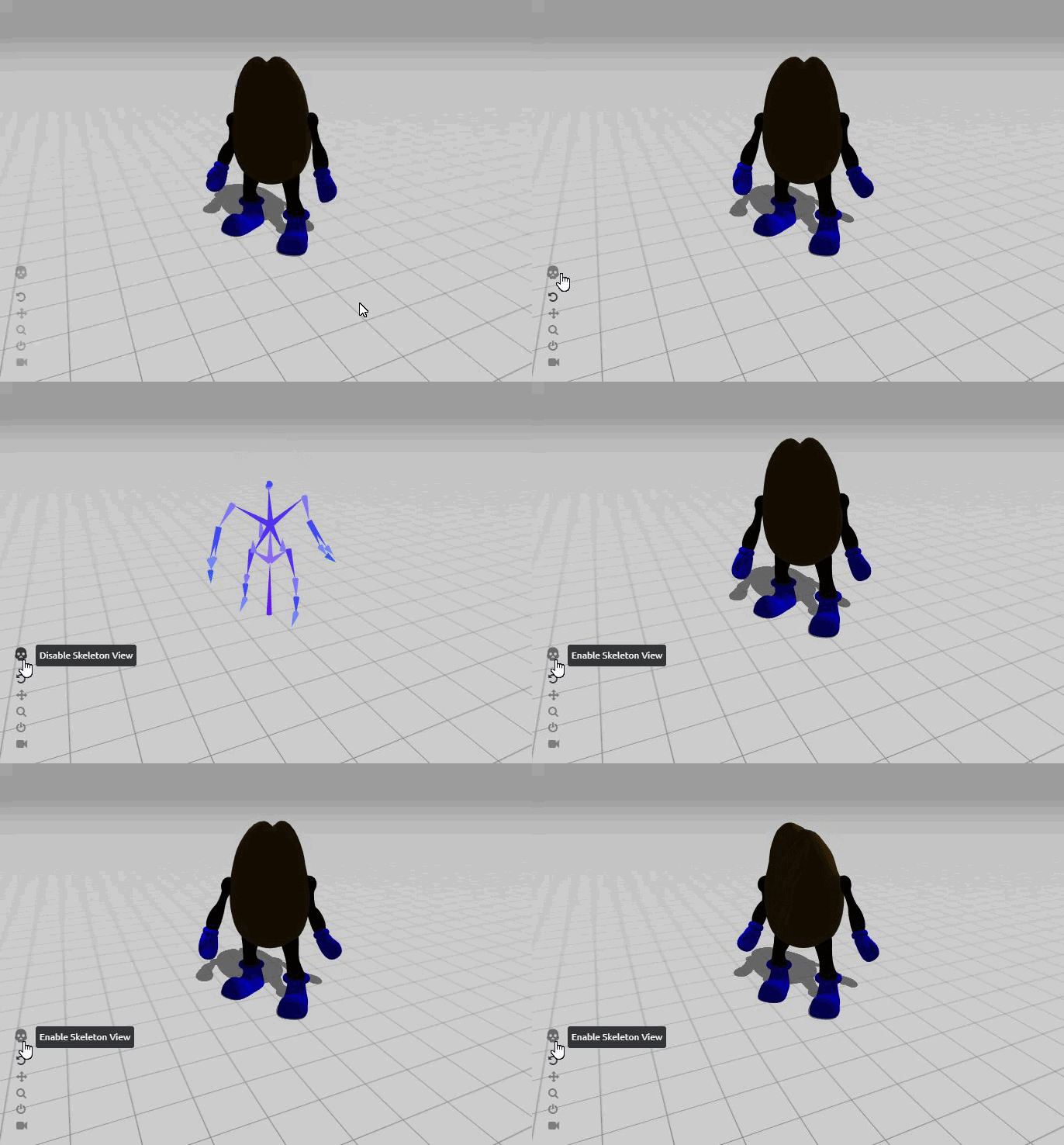
I've gotten Mixamo animations to work in Unity 2019.3.15, but when setting the rig to Humanoid it seems to reverse the feet. This makes it impossible to use foot IK with the animations. Does anyone know why this might happen?
To clarify, the feet are properly oriented in the mixamo animations, but not on the humanoid rig itself
hybrid tinsel
@lavish ledge can you show an example? That can be interpreted a few ways
lavish ledge
it's hard to tell from this picture but the face is supposed to be on the other side of the model
when I rotate the feet to face the right direction, they are reversed in the animation (the character is facing towards the camera in this clip)
https://i.gyazo.com/717c8de183ddc9aa55b9539b7f531624.gif
the feet look fine from the mixamo website
https://i.gyazo.com/73105b8016a5ba7c05902f94d5fecdcf.gif
 twin musk
@idle orchid
hybrid tinsel
Is that The Killer Bean?!
But yeah, that's pretty weird @lavish ledge. I'm guessing that was a custom rig, was there anything that might be confusing Unity?
 fallow dew
Did anybody experiment with Kinematica already? When putting custom animations into the Asset Builder they just seem to have Random lengths which do not match the animation clip
It even changes depending on animation Settings. If I disable animation compression the clip gets longer than the original in the Asset Builder
hybrid tinsel
I still am not entirely sure what kinematica is, how to use it, or anything like that
fallow dew
Bascially given a position, orientation and velocity for certain bones it will find a trajectory (set of animation frames) out of all your animations that brings your character from the current position/orientation/velocity to the desired one
 charred belfry
There's a pretty great rundown from Unite pinned to this channel. Overview of the history, and the tool. It won't answer anything specific, but it's a great landing point for people looking to learn it
fallow dew
Yeah I guess you mean this one: https://youtu.be/TlIWPS2Wzac

In this session, you’ll learn how to get started with Kinematica and implement it within your animation pipeline. Based on Motion Matching, Kinematica uses raw animation clips or motion capture data – not animation graphs – to produce character poses automatically, based on yo...
Watched it at least twice. Doesnt help me in this case though
It seems like a bug to me. But maybe I am just missing sth important about the tool
hybrid tinsel
I've watched the video, when it was published and now.
And each time I understood less.
Too much buzzwords, not enough 'actual example for humans'
jade dew
u can look up more info on motion matching
there are a couple of insightful videos on some of the original thinkers
also heres an article:

One of the more interesting changes that you can add to an animation engine that also has the biggest impact on quality is motion matching. It is an algorithm that is especially useful for locomotion...
might help u understand what kinematica is doing
 steel lake
Anyone have any hints as to which Animation Rigging Constraints I should be using, if I'm trying to create a long, flying worm, where each "spine joint" follows the next in a snake-like fashion?
steel lake
DampedTransform, if anyone else was wondering
twin musk
hey guys Im trying to get procedural animations done in unity and am struggling a lot. can anyone help or point me in the right direction
 red mango
Hey y'all, quick question. I'd like an animation to play, and my trigger to be a 'Trigger sound effect' (Once I select the sound to play, the animation will play at the same time). Anyone have a general idea how to do this? I know a how to make the sound trigger but not syncing the animation with it
potent imp
well if its walk
make if statement
get the audio and play the animation && sound for that if statement
@red mango
red mango
Woah, what's an if statement
 fossil chasm
Hi, how can I play an animation once? I'm trying to do a reload animation when aiming that trigger if I shoot,
But it barely work
Most of the time it doesn't play
Also, If I shoot once something it play the animation 3 times
I fixed it, instead of using the Animator I used an Animation component for this animation only
Sometime it doesn't play
 tepid trout
Nicee
 finite arrow
Hey y'all, absolute beginner here. I'm currently working on a game jam project (2D) for school and I'm really struggling with a seemingly simple animation. I want to animate a character (a button) walking across the scene after a certain amount of time. I am using a coroutine that plays the walk cycle animation after 5 seconds, but I can't make it so the character moves to the right as the walk cycle loops. How do I play the looping walk cycle whilst making the button move across the scene by itself?

Watch this tutorial in context on the official Learn site -
http://unity3d.com/learn/tutorials/modules/beginner/unity-5/root-motion-authoring
Help us caption & translate this video!
I found this video on root motion which would fix my problem but I can't figure out how to do it in the latest version of Unity. The generate root motion curves button doesn't show up.
 ember oar
How do I stop an animation that's playing on my character wihtout disabling the animator?
@finite arrow also new and late but add a number to the x part of the character's position?
potent imp
anyone using modular animation system for the 2D sprites or mesh cut outs?
hybrid tinsel
Can you be more specific, @potent imp?
And has anyone found an Animation Rigging Package tutorial or documentation that isn't garbage?
potent imp
something like this

✅ Get the Project files and Utilities at https://unitycodemonkey.com/video.php?v=11c9rWRotJ8
Learn how to create a Custom Mesh in Unity.
This allows you to create a ton of unique awesome effects like making a Heat Map or a Custom Animation System (like the one I use in my vide...
@hybrid tinsel
i am trying to learn modular code and systems
i do lot of game jams
and kind of want to reuse my code
instead of always making it from scratch
hybrid tinsel
How difficult would it be to assign a different axis for a 2dIK solver, to make it function properly in the ZY plane instead of XY? Is the axis baked into the whole system, or is it a function of the solvers themselves? I noticed that the solver breaks when the root object is rotated off-plane, so that implies that it is using world coordinates rather than local.
potent imp
sorry new to this method
hybrid tinsel
I've been ATTEMPTING to use the modular rigging system Unity says will replace the 2dIK, but it is garbage.
frail ether
I imported a shape key anim from Blender and Unity seems to smooth it out, however when it loops back to the first frame the smooth doesn't happen there and the transition is obvious. I tried messing with curves but to no result, any ideas?
twin musk
Hi! I was wondering why this problem with the thumb parts occur when exporting to unity
This is blender
hybrid tinsel
Shoving is the answer; they must go down the stairs.
Are you exporting with the blend file or as an FBX?
twin musk
FBX
twin musk
Should I export the animations with "Apply Transform?"
jade dew
are u importing it as humanoid rig?
the default humanoid rig might make the fingers look more... well human
u can edit the avatar
i think
twin musk
I make it Humanoid in Unity, @jade dew Is that what causing the problem?
 low gorge
How to add animation events in unity 2018
jade dew
@twin musk possibly, check out the avatar settings to see if u can modify it
hybrid tinsel
 potent imp
hi is it possible to use json data of a 2D character to animate the other one?
like say i got 2 characters same animation and just want to swap the sprites
ur really good at animating pink
 wise gulch
when the attack animation player my legs go through the ground a little bit anyone know why this happens?
 dusky hedge
@hybrid tinsel feels kinda weird having the legs not move at all. nice movement otherwise!
feet*
hybrid tinsel
If you have any ideas on how to make that look better, I'm all ears
@wise gulch Is there root motion in the y axis in the animation?
If so you might need to either remove that or use IK to feet the feet on the ground
wise gulch
@hybrid tinsel how do i check this pleasE?
hybrid tinsel

 lofty remnant
so guys
this is my animation on Maya
and this is how its displayed on Unity
the first few frames, the left arm does that
and stay misplaced like that for the rest of the frames
any idea why?
dusky hedge
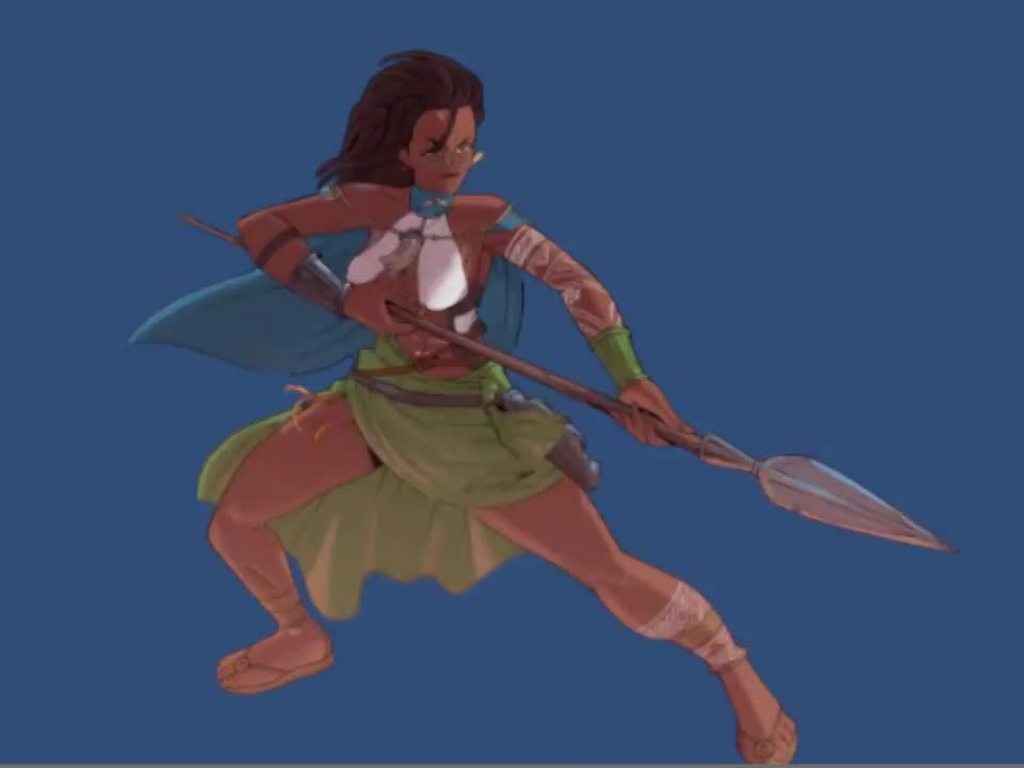
from what I can see,
- the front arm looks a bit wobbly like it has no bones,
- her grip on the spear seems loose as its kinda sliding.
- the front side shin is stretching a little too hard and I think you can fix that by moving the foot back a little along with the animation.
- flat chested means limited animation but I dont see any tbh, which is a little weird, but that might be me
- is that spearhead bending?
- the feet should not be stationary in the animation, even if the movement is minimal
You could maybe look at Nidalee from league of legends for some reference if you get stuck 🙂 @hybrid tinsel
or horizon zero dawn for that matter
nothing wrong with taking reference from AAA studios 🙂
hybrid tinsel
I am still working on secondary motion, so all the jiggle and stuff will be there.
dusky hedge
fair enough, just telling you what I see! good joib tho!
hybrid tinsel
❤️
 true cove
That cloth animation on the waist looks amazing
hybrid tinsel
2d has a lot of limitations on bending stuff out of the xy plane
I've been deliberately picking trickier poses to see how well I can deal with that
dusky hedge
its working out pretty well i'd say. I could talk about animating the hair, but I can only imagine the pain that would be
hybrid tinsel
I really wish unity would just implement some native solution for stretching bones but that seems unlikely
The hair will be animated
I already cut out all the pieces, just haven't rigged them yet
dusky hedge
good luck on that one, thats gonna be a timeconsuming one...
hybrid tinsel
...and I just crashed, losing a ton of work -_-
dusky hedge
you cant stretch bones?
hybrid tinsel
you can stretch mecanim bones, but not 2dIK bones.
And the official response from unity was 'we stopped working on it in favor of the new rigging system'
dusky hedge
oh... I saw you post about that in #💻┃code-beginner didnt I?
hybrid tinsel
YEs
I've been experimenting with all sorts of workarounds
You can see my attempts in the forward leg here, which is a hacky solution that I don't think works amazingly
dusky hedge
you could probably use some other 2d animator then unity that does support 2dik cant you?
or are you dead set on getting it to work in unity? now that you r invested xD
hybrid tinsel
Well, I can do almost everything else in unity so
dusky hedge
fair, just the IK being annoying then
hybrid tinsel
dusky hedge
just looking at it makes me wanna scream in agony
lofty remnant
This is how Unity generated the avatar for my model
This is how it should be positioned
The bone is facing the opposite way for some reason
Can I manually reposition this bone in the avatar? Or is there any way to make it right?
hybrid tinsel
All that 3d software stuff is voodoo to me
lofty remnant
Yea idk why Unity is messing up the animations when this shoulder bone is just a child of the left arm,
 hybrid tinsel
Unity constraints are not very good, so I ended up having to keyframe the spear
And yeah, that's the IK, not quite sure how I'll deal with that yet
The pose is awkward.
2d IK REALLY hates straight limbs
twin musk
how do i select the top of the armature in blender
hybrid tinsel
 twin musk
Elbow's a bit snappy
dusky hedge
the IK is still being really funky huh
wise gulch
Quick question, in unity is there a way to make it so that it will only play the next animation when the first one is finished??
grim bluff
is there a way to make this path instant. Right now when it goes to the empty my character goes to the state it starts in. then onto the next animation
lofty remnant
so you want it to go from turn directly into idle without going through new state?
@grim bluff
 real wing
okay so
I have an old model that im using for my game atm
but I made a new one with better animations
so how would I switch my old model with my new model on my gameobject
without having to copy over everything
in the gameobject
grim bluff
so you want it to go from turn directly into idle without going through new state?
@lofty remnant i want to go through a state that doesn't at all modify the model
right now it resets it
 stone hamlet
Question about legacy animations, i made some standard 2d animations and then i get an error saying "Animation needs to be marked as legacy". So i go click debug on the animation and mark it as legacy. As soon as i do that it simply stops playing and doesnt work anymore. I tried to click ctrl+z until before i applied legacy to it but to no effect. It just doesnt work anymore after that.
hybrid tinsel
Weird.
What happens if you make a duplicate of the animation and add that to the animator?
dusky hedge
@hybrid tinsel PROGRESS GIF PLS 
hybrid tinsel
I've made no progress since the last image, at least not any visible stuff. I've been researching alternative IK solutions for that elbow
dusky hedge
@stone hamlet undo is a bit funky on that, I would advise going to a backup or reimporting the animation if you can.
aw, oh well. Im sure you'll get it!
stone hamlet
I did try reimporting it but it doesnt seem to do anything
hybrid tinsel
If you have any suggestions let me know
dusky hedge
when reimporting doesnt work there is something seriously fucky going on... @stone hamlet
I wondered about it for a while yesterday after seeing it @hybrid tinsel I was thinking the snappy animation could be hacked by intercepting the IK and constraining the animation per frame with an interpolation so its limited in how fast it can move. Simple terms a lerp on the elbow position would probably reduce the snappiness of the animation
while theoretically this would solve it, I am not even sure if this type of approach is possible and how much you can actually do with the IK in terms of feeding in data
hybrid tinsel
Well, I have been working on my own variant IK solver but it... isn't good. 😄
Also, technically that elbow shouldn't be moving like that at all, since it should be foreshortening. But that's a whole other can of worms.
So one option I've considered is hacking the IK to let you blend between scaling and rotation
To handle limbs of different (drawn) orientations
Mechanim includes bone stretch to smooth out stuff like this
 celest crag
Can you cheat and position bone at an angle as a resting position, so it won't snap?
jade dew
i like to think she severely dislocated her elbow as a child
nice work pinmball
2d bone animation was always cool stuff to me
hybrid tinsel
@celest crag that is the usual way to do it, but that isn't a universal solution
@jade dew Thanks!
 weary dome
any tutorial how to make animal movement ?? my animal just walk in 1place and like shuffle
twin musk
Hey guys, i don't know if you'll be able to help me but
have any of you run into problems with the Animation Recorder?
it doesn't seem to save my changes and moves my character around seemingly at random (check video)
 lean bobcat
@lean bobcat is the onlanding being called while you're still on the ground, cancelling the animation?
@hybrid tinsel Hey, I'm really sorry for the late reply. It seems like it yeah. I was thinking maybe my ground check (object sensing the ground) was to low making it sense that it was still on the ground at the beginning of the jump therefore cancelling the animation. But after moving it around several times It was still sensin the ground to early. Not sure how to fix it.
hybrid tinsel
The way I did it is to not check for being grounded until the 'move into jump pose' animation finishes.
That is, only start checking for being on the ground once it gets to there. Then move into either the falling or landing animation from there.
@lean bobcat
@twin musk Does the recorder even work with the animation rigging package?
lean bobcat
Thanks, I'll check now
twin musk
@hybrid tinsel Oh i only downloaded the animation rigging package to make use for their "Align Transform Tool"
I don't actually use the Animation Rigging Package for animation itself
 languid peak
hey guys, does anyone know the basic price to get into motion capture? do i need a suit AND camera?
is it something a solo hobbyist could get into for a few hundred dollars, or would it cost say over a thousand?
 gentle wind
@languid peak https://getrad.co/ they've just released gen3, promising results with only your phone

RADiCAL
RADiCAL detects and reconstructs human body motion in 3D from 2D consumer cameras for media, entertainment and AR/VR applications.
languid peak
ohhh thanks
gentle wind
suits are quite expensive but I hear you can get a lot done within a rental range if you choose to go that route
gentle wind
the period you would rent
languid peak
ahh
gentle wind
yea sure, there are different kinds though of course
still 8$ a month, I'm happy to clean up some animations from the phone
languid peak
i'll check this app out 😄 thanks man
lofty remnant
So when I import my model and generate its humanoid avatar, this thing shows up for some reason
The yellow bone thing
When I click it, it highlights the parent object of all the bones/ meshes
it wont affect my animations, right?
lofty remnant
well my animations play normally, at least they look like they do
gentle wind
to me it looks like your origin bone was stretched out of place or something
lofty remnant
you are probably right
is there anything I can do to fix it inside Unity or do I have to fix it on Maya?
they look normal on Maya
gentle wind
ah ok that explains it, I don't use maya so it's just completely foreign to me sorry
if it's not breaking anything I'd just leave it honestly
maybe ask in the maya forums if there is a fix
lofty remnant
alright thx david :)
languid peak
can mocap animations be imported into lightwave?
 fierce shadow
hello so I'm trying to play a video at the start of a character's ability casting animation how do I go about it
 stuck elm
@languid peak yes
languid peak
thank you
i've downloaded some free mocap animations but can't seem to figure out how to import them :/
 alpine quartz
Can an object have to animations applied to it at once? For instance, it has a sprite animation (using a sprite sheet) and an animation that moves it throughout the scene at the same time. Will that work, or will it simply just break?
 fierce marlin
I am working with animation curve and for some reason if I do not use one of the preset curves, the object wont do a smooth curve but will teleport from max y to min y, any fixes?
hybrid tinsel
@alpine quartz You can indeed.
@fierce marlin Check that the keyframes are set to 'auto' or smooth.
 humble gull
I have some issues with the timeline, why all my objects are recognised as "none" but when I play the timeline it works because they are there but not shown
hybrid tinsel
weird
 fallow bramble
hi i would like to know how to make animations on unity for like walking
hybrid tinsel
@fallow bramble 2d? 3d? Do you have any specific questions, or...?
hybrid tinsel
There are lots of them. A lot of folks in here seem to use blender
fallow bramble
ok thanks
 lunar briar
im a total noob my toal time is 20 hrs (i mean for art unity and blender all combined) so i legit started yesterday
 glad totem
show animations
hello, i am having a problem with my game, i have 8 diffrent animations for my player but only the 3 first ones appear on screen, the other 5 is not showing up,
can any one help?
thanks!
hybrid tinsel
@glad totem What do you mean by 'on screen?'
 agile smelt
Hello, I dont quite know if this is the place to ask but if I want to start getting into making art for games and stuff I probably need a digital drawing tablet right? What would you recommend?
 coral birch
I'd recommend something with a screen. XP Pen Artist 13.3 or 15.6 I've heard are pretty good and they're not very expensive but I haven't owned one. If you want something really good with a screen it's either a Wacom or an iPad. the 2019 iPad is capable of pressure sensitivity with the apple pencil.
We went with the iPad Pro 12.9 inch because of the better and bigger screen and slightly better user experience especially with charging the apple pencil 2 since it just snaps onto the tablet magnetically :)
agile smelt
Im looking for something more budget (Like less than 100 usd) and that basically means no screen what do you think
 thin heath
hey guys i'm having an issue with my blender exports to unity where the animation is breaking and becoming very strange.
that's what it should look like
thin heath
it appears fine in other 3d programs just in unity it is broken 😦
hybrid tinsel
@thin heath How is it rigged? Do you have 'max bones per vertex' set too low?
thin heath
I figured it out someone else had a similar issue and it turns out my bone quality was on one and setting it 2 or more fixed it thanks tho!
 kindred jolt
idk if this belongs here but what software should i use for animating 2d shit?
hybrid tinsel
@kindred jolt That's a broad subject. Can you be more specific? Pixel animation? Spritesheets? Skeletal animation?
kindred jolt
@hybrid tinsel sorry, like just for ui and stuff, not so sure what spritesheets are but probably yhay
that*
hybrid tinsel
For UI animations you can do a lot inside unity itself
 fallen pollen
can anyone help me with animations? i used blender to create and animate certain things like a shitty run cycle but i can't find anything that works with me getting it into unity let alone attacking it to the character movements.
the tutorials are different that what i'm seeing and doesn't work out 😦
fallen pollen
fbx exportg settings, they do things that i can't find or don't have, and importing is a package that has a bunch of WGT_rig witch idk what that is
cedar ruin
@fallen pollen on blender side?
fallen pollen
i tried 3 different videos and all end around the same, i even tried an asset but blender said no to that.
fbx exporting is blender, the WGT thing is in unity
cedar ruin
First of all make sure they use the same version of blender in the tutorial as you. There's a big difference between. 2.8 and anything that comes before.
What's wgt?
fallen pollen
the most current one i found is the asset one. idk what wgt is
cedar ruin
You don't need any extra assets to import animations or rigs from blender.
fallen pollen
there are a bunch more but only wgt

In this tutorial I will go through how I install an addon to Blender 2.82 to export a Rigify character and import it in Unity. I go through installing the addon, preparing the rig for Unity, parenting the character to the rig, exporting to Unity. I also describe the difference...
that's the most recent one i was talking about, but blender didn't like it so i didn't use this method.
cedar ruin
What's WGT???
This tutorial explains it more than enough in just 2 minutes: https://youtu.be/ysl0qYq5p9w

In the next 60 seconds, you'll learn everything you need to know about exporting FBX animations to Unity 3D with Blender 2.8!
If you enjoyed this video, please don't forget to like and subscribe for more content!
You can find my entire Blender 2.8 Speed Tutorial series playli...
@fallen pollen
fallen pollen
i have no idea what WGT files are 🤣
thanks i'll check it out
ok so i figured out because i have an updated version the settings changed and i din't know where to look because im a dumbass.
so that got the wgt files out of the way, but now no animations data where present, ah
cedar ruin
Check the animation tab in the import settings. As well as avatar/rig tab.
fallen pollen
||i was in pose mode||
got it workin
by chance do you know how to hook up these animations to movement?
cedar ruin
set up your animation states in the animator and trigger them from script.
fallen pollen
got any tutorials? 🤣
cedar ruin
fallen pollen
Thanks I'm going to bed but I'll check them out tomorrow
 thorn viper
Guys, how can i change foot position after rotating 90 degree?
I know about foot ik: walking, stay still. But i cant find tutorial about changing foot position after rotating 90 degree.
 vivid cosmos
i'm having trouble doing skeletal animation, i don't have ps so no .psb files, following this tut: https://www.youtube.com/watch?v=hUERvxcKt_I, my ik is just going all over the place
idc about swapping rigs tbh
my hierarchy
character bone, design took 1 min, will be changed later, just learning
if this is the wrong channel, then please redirect me
 crude dawn
Hello! Can I use the same animation controller and the same animations for differente sprites?
I know there is a overrideAnimController but that way ihave to create the animations for each character
The only thing that changes are the sprites
fallow dew
@crude dawn Animation Clips reference (Child-)GameObjects via name. So as long the hierarchy and gameObject names are the same it should work
crude dawn
@fallow dew I'm sorry, I dont understand you
fallow dew
If you have 2 characters for example you can use the same animator and animations as long as all the gameObjects which are part of the character have the same name
At least if your animations are moving transforms. Or are you talking about flipboard animations (swapping throug sprites)?
crude dawn
Amagine different 2d tileset characters
they ahve the same animations, the only thing that changes is their appearence
I dont want to create 18 different idle animations for each character
fallow dew
Ah I see so you want to reuse the same animation with different spritesheets
crude dawn
Yes
fallow dew
There is no easy way to do this as far as I know. One solution for a similar problem that I used was a custom script which has a public sprite array and a public int frame field. This way you can animate the frame filed from the custom script which then replaces the sprite in the sprite renderer
Its a bit of a workaround. But this way the animation does not need to know about the specific spritesheet but only about which "frame" it should present
This requires a bit of scripting however
crude dawn
By the time I write that, I'll make the animations lol
fallow dew
Well its just a few lines of code but sure if thats the easier way. I guess it depends on the number of animations you have 😉
crude dawn
@fallow dew I found a better solutions (if not the same as yours)

Veli-Pekka Kokkonen takes a look at the most common issues people have making 2D games in Unity and some clever ways to overcome them.
Help us caption & translate this video!
fallow dew
great will have a look at it 🙂
 grand wolf
hello guys,
not sure if I may ask here, but can someone do smooth animations for 3d models? I would be interested 😄
hybrid tinsel
@thorn viper Can you give an example?
@crude dawn @fallow dew You can make an animated character, then swap out the art.
There are a few different methods depending on how it is set up; the easiest is to just copy the rig from one character to another, and then it will just be able to use the same animations.
You can also swap the texture of the sprite renderers directly.
Unity doesn't make it as easy as it should, sadly.
 past yacht
Hi
I have a problem, I created a few days ago cut scenes and If I start game from menu I get this errors
UnityEditor.Editor.CreateSerializedObject () (at C:/buildslave/unity/build/Editor/Mono/Inspector/Editor.cs:577)
UnityEditor.Editor.GetSerializedObjectInternal () (at C:/buildslave/unity/build/Editor/Mono/Inspector/Editor.cs:554)
UnityEditor.Editor.get_serializedObject () (at C:/buildslave/unity/build/Editor/Mono/Inspector/Editor.cs:453)
UnityEditor.Timeline.Signals.SignalReceiverInspector.OnEnable () (at C:/Program Files/Unity/Hub/Editor/2019.2.9f1/Editor/Data/Resources/PackageManager/BuiltInPackages/com.unity.timeline/Editor/Signals/SignalReceiverInspector.cs:28)
What should I do?
kindred jolt
i think u should send some screenshots 🙂
 errant lion
hey so I'm having a real tough time with animating a pre-made model in unity, https://youtu.be/oFC0Kyq2Pkg basically trying to record an animation makes the model snap into the ground and other things

Pretty confused here, don't really know how to go about starting to animate a new animation.
fallen pollen
idk if i put this in animation or coding so i'm going to do both. i have animation done from blender, i imported them into unity, but my issue is making the animations activate when i move, jump, and something i haven't done yet is attack. i have movement (except attacking) and the main camera already set up. pls help
kindred jolt
so whas the issue?
errant lion
@fallen pollen https://learn.unity.com/tutorial/lesson-3-3-don-t-just-stand-there?uv=2018.4&projectId=5cf9639bedbc2a2b1fe1e848 this tutorial is pretty good imo for learning the basics of the animator controller

Unity Learn
Overview: The game is looking great so far, but the player character is a bit… lifeless. Instead of the character simply sliding across the ground, we’re going to give it animations for running, jumping, and even death! We will also tweak the speed of these animations, timing...
thats where you drag the animations in and set them to trigger when certain conditions are met (which you control through the c# scripts)
errant lion
No there is, scroll down on that webpage and theres a short video for each section
There was a link there to download the project they used so that you could follow along but I can't find it there for some reason
fallen pollen
all good thanks
languid peak
Is the kinect version 1 (xbox 360) worth getting for mocap?
fallen pollen
@errant lion i'm only on step four but he has already done running and walking witch didn't help. all he did was show his diagram, not how i could make my own or how it is used.
errant lion
I'm new to unity too, but afaik the first thing you want to do to set up a character to have multiple animations is to create an Animator Controller component like how the guy in the video does
Right now I don't really know what the purpose of the Layers tab is, but the Parameters tab is where you make parameters for your scripts to modify (So for example, if the boolean parameter isJumping is set to true in your scripts, the controller goes from one block to another
In order to allow certain animations to flow from one to another you need to right-click your Idle block, for example, and create a transition to another one like Run
Here's how I organized it in my project
There you can see that I clicked on the transition between Idle and Run, and on the right you can see that my parameter Run_bool from the parameters tab shows up there and I was able to add it as a condition for the animation to flow from Idle to Run
Here's what my code for what my animation script looks like (It is a component of my Player GameObject)
I have another script that manages the movement of that object and if it's (running) it accesses this script that I put the picture of and sets isRunning to either true or false
fallen pollen
ok i get it
i think
do you know how i can make the speed different from all animations?
errant lion
You can click on one of the blocks there and set Speed on your inspector to a different number
fallen pollen
oh ok, i thought so
errant lion
Are you making your own animations or are you importing them from an asset pack?
fallen pollen
i made my own
very shitty ones but this is just a test, i only have 20 days left to make a game so if i have time i'll go back and redue them.
would this work?
slash attack is just a basic sword swing
errant lion
As long as your conditions are set up right I think it should be perfectly fine
Also make sure that you can go from both Running to Jumping and from Jumping to Running
fallen pollen
true thanks
@errant lion could you do me a huge favor?
could you put your code here: https://hatebin.com/
so i could yoink that code and modify it to my game? 🤣
errant lion
this is my ThirdPersonMovement.cs script https://hatebin.com/lckzsmioaw
and this is my PlayerAnimations.cs script https://hatebin.com/flqzrsrkib
fallen pollen
i'm good on that, i'm talking about the animations one
coolio
how did you get that graph and settings on the inspector page?
errant lion
You mean this?
fallen pollen
yes
errant lion
It should show up when you click on one of the transitions like this
fallen pollen
oh ok
errant lion
Also make sure you uncheck the little box that says Has Exit Time, so it won't wait for an animation to finish before it plays the next one (for example if you're going from a run animation to a jump animation)
fallen pollen
do i have to put a bool on every transition?
i need at least one constraint or the exit is still valid
errant lion
In that tutorial I linked earlier the guy does some transitions with Integers, Bools, or something called Triggers (which I dont really know what that is)
you can do floats too
afaik you need at least one condition for those transitions to actually work because the Animator Controller wouldn't know when to transition
errant lion
You would make an animation script like the one I linked and drag it into your player
As far as I know
lol
thats what afaik means
fallen pollen
ah ok, so in the code that only works for running, can i put jumping in the same thing or create new script
errant lion
You could put all animations in the same script if you want yea
errant lion
Did you make them in Unity or something like blender?
fallen pollen
i made them in blender
but like all of them in an hour
did i make this code right?
errant lion
Well make sure that your if statements in your code are checking for the right conditions
fallen pollen
yeah i just fixed public static bool
errant lion
your parameters are fine, but I don't think a Runjump_bool is necessary
The reason I had it as static was so that the variable could be accessed from another script, if they're not static they can't be
errant lion
The reason I say I don't think a Runjump_bool is necessary is because you can check for multiple conditions in those transitions, so you can check if Run_bool is true and at the same time check if Jump_bool is true
errant lion
public means that it can be accessed from the inspector
JumpSound and DirtParticle here are public in the script they are from
and if it's public static it can be accessed from any other script
fallen pollen
oh ok
i haven't touched the partical system but i here its god like lol
but the Runjump_bool tho
errant lion
Yeah I'm confused about what you mean by that, I still don't think it needs to be it's own parameter because you can check if Run_bool and Jump_bool are both true
You can still make Runjump_bool work if you really want tho
fallen pollen
so what i have now is fine right?
errant lion
Yeah it probably is
fallen pollen
so i just leave the script on the player? or in the animator component
errant lion
Do you already have a script that deals with the movement of the player? Like when you press Left he moves left or something etc.
fallen pollen
yeah
errant lion
So when you drag the script onto your Player game object it should automatically create a Player Animations component for you
I don't know if you noticed but in my animations script in Start() I have GetComponentInChildren<Animator>(); because I have the script on my Third Person Player object and my hierarchy is set up like this
So it looks for an Animator component in any of the children of Third Person Player and fiddles with it
and I have an animator component on the CharacterModel you see there
fallen pollen
that boi be lookin thicc
errant lion
too bad i've been trying to create a new animation for him all day and I haven't been able to figure it out
fallen pollen
it's pretty easy in blender, recommend it
errant lion
guess I have to learn blender then ughhhh
fallen pollen
not hard, waaaay esaier than unity
languid peak
just ordered 2 kinects, can't wait to test out some mocap anims !
 stray saddle
why does my game lag when i select an object with an animator component on? When i deselect it, the game dont lag. its only when i choose an object with an animator on. Its not like, breaking the game or something, i just think its weird
jade dew
btw my game lags if the
rigidbody info section is
expanded
maybe thats the same on ur object?
animator is fine
@stray saddle
 solemn coyote
im doing a top down rpg, and the animation is lagging
i cant seem to get it to work
solemn coyote
yes
 foggy marsh
Ok
 opaque skiff
https://paste.myst.rs/lts got this controller for a enemy script been trying to get the run animation too work, but it just keeps playing the run animation when idle

A simple website for pasting text, mainly code snippets.
twin musk
What parameters can I send through in animation events? I cant seem to find it anywhere
nvm, just found out
crude dawn
Oh god please some1 help me with this flickering thing...
The parameter is a direction Vector2.x and .y
hybrid tinsel
@crude dawn Looking at the animator won't help, you need to look at what is generating those values in your script.
crude dawn
Vector2 direction = ((Vector2)path.vectorPath[currentWayPoint] - (Vector2)transform.position).normalized;
in fixedUpdate()
crude dawn
@crude dawn Looking at the animator won't help, you need to look at what is generating those values in your script.
@hybrid tinsel Believe it or not, your comment just helped me fix my problem. 🙂 thanks!
hybrid tinsel
Well, it was meant to help fix it, so I'm glad 😄
As a side note, setting animator floats in FixedUpdate can lead to jitter in general
 jade basin
I'm currently trying to use the Multi-Aim constraint to make an NPC look at my player, but it doesn't do anything at all. Any idea why that could be?
https://gyazo.com/09a5d45418691746bdbb1cf141201a52

(i set it to look at a tree instead, for testing purposes)
hybrid tinsel
@jade basin Is this a bone in a 3d character you are aiming?
In which case it should probably be the z axis
What happens when you adjust the offsets?
twin musk
hey guys i have a question
https://hatebin.com/shadqqvtqa
when i jump the animation "jump" is only playing one frame
i think its easy to fix but i dont know how
jade basin
@hybrid tinsel I tried all aim axis(es?) as well as adjusting the offset, but the rotation doesnt change at all. And yes its a bone in a 3d char
jade basin
@twin musk in line 56 you're checking if the player presses space and has no vertical velocity. As soon as you jump, your player will have a vertical velocity. Since you're setting the animations in a FixedUpdate, the next time that update runs, it will run line 53 instead (since rb2d.velocity.y==0 wont be true anymore, no matter if the player presses the spacebar)
twin musk
ok and how i fix that
im a beginner sry xd
can i do somthing like if player isGrounded = false animation.play
jade basin
no worries. I'm also pretty new so I don't know if setting the animation every FixedUpdate will cause issues. I personally would add more bools, that get updated in the fixedupdate and handle the animations in a different function.
private void Animate(){
  if(isRunning) animator.Play("Player_run");
  else if(isJumping) animator.Play("Player_jump");
  else animator.play("Player_idle");
}
Then setting the isJumping to true, after pressing space and to false in line 37, when he's back on the ground
you could also add the new isJumping and isRunning bool and then on line 51, instead of using else, use
else if (!isJumping && !isRunning) or something along those lines
twin musk
ok i try that thanks!
twin musk
ok i got another problem:
When animation Player_run is played, 1 of that 5 frames is like in the background
i upload a clip one sec


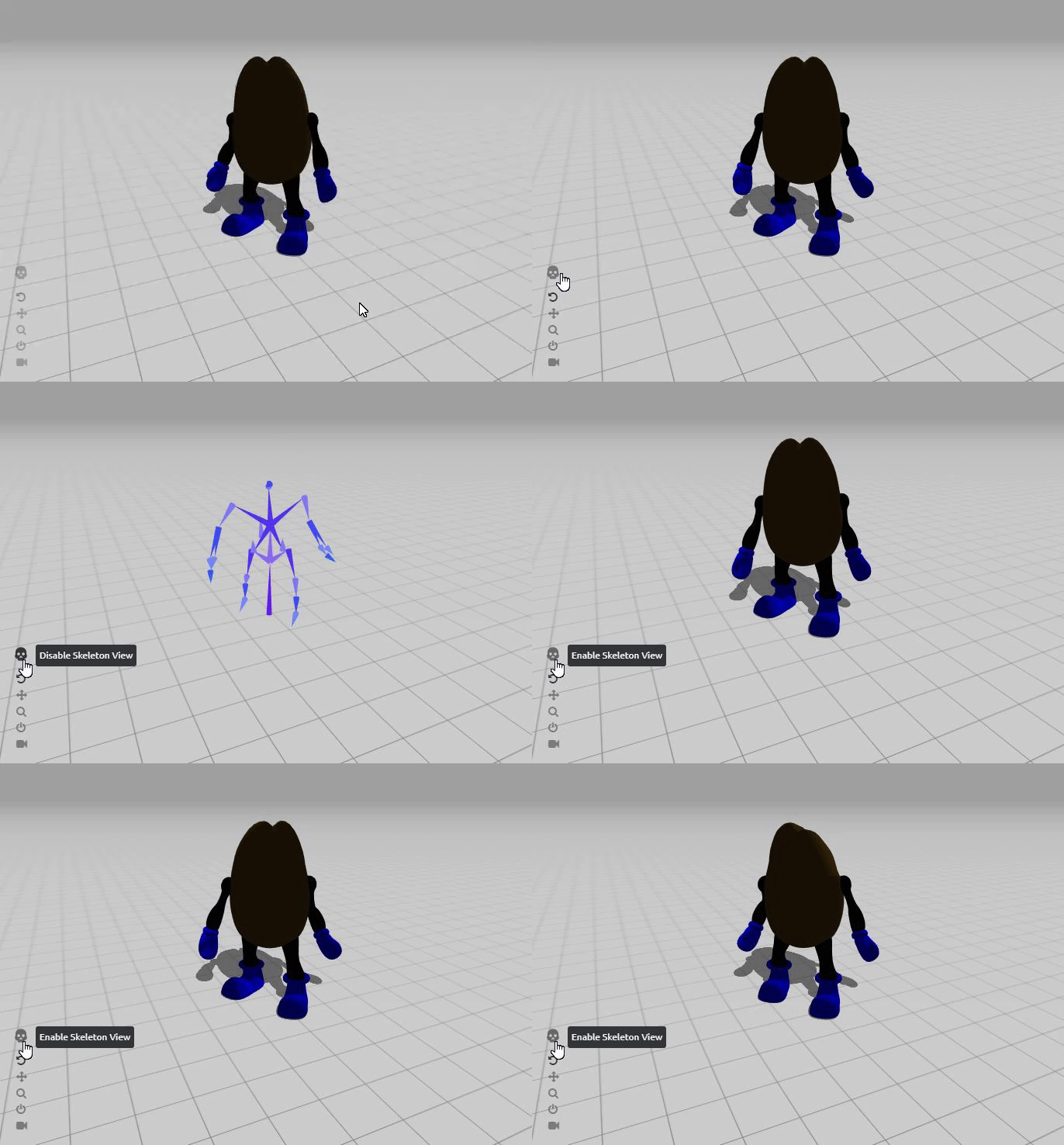 twin musk
i have just imported a mesh from blender that i know for a fact has blend shapes (shape keys)...why dont they show up in unity as sliders in the skinned mesh renderer? can anybody help?
hybrid tinsel
@twin musk did you import using fbx? Did you include blendshapes int he export settings?
 obsidian burrow
Anyone know of tutorials/guides/etc. on Unity animation without using the state machine stuff?
twin musk
@hybrid tinsel yes; i exported as fbx...but in blender there was no setting to actually include blendshapes so i assumed it was just going to by default (that said; in blender they are called shape keys)
hybrid tinsel
I dunno about defaults and I don't use blender, but the unity docs specifically mention to make sure it is exporting them.
So that implies that it doesn't always do it.
 hasty gale
Hi, I'm trying to create and save a Humanoid AnimationClip at runtime through scripting. I can't use AnimationUtility, because I want to build the project later. Is there a way to use AnimationClip.SetCurve() in such a way that it refers to a Humanoid character's muscles?
I don't know what to give it as a propertyName
 cursive inlet
yo so im trying to get this enemy to work and i dont know how animation works at all
he keeps staying in this t-pose, i put the premade animation that came with the zip file into his "entry animator" state
and he just gets stuck suspended in the air when i play the game
anyone got any idea as to what im doing wrong? XD
hasty gale
is that Missing Avatar supposed to be there?
 glossy kernel
I'm having an issue with some animations, where if I uncheck Has Exit Time the animation freezes on it's last frame in-game and won't transition to any other animations. Anyone know what could be the problem?
jade dew
u probably forgot to set a transition condition
so it freezes
a transition needs an exit time or a condition
or both
it'll warn u too iirc
 barren bane
Hi, so basically I want to animate a button to go through a certain animation when i click on it. Essentially, I created about 8 images which will constitute a short animation that is seen when the button is clicked. However, after creating the animation, it automatically plays on my button. Can someone help?
glossy kernel
I added a condition, but it still plays the full animation before going to the next one, the exit time is still disabled.
 fast birch
Hi, my name is Elio and I’m a project manager. I began working about a month ago with a team of 5 people on a really interesting mobile game. However, we need some help in level design and in a few animations. If any Graphic Designer or Animator is interesting in helping, please do let me know. You will get credited and probably paid if the game is successful 😋
 quick flare
any hope for me to be able to do a procedural animation setup for vr, where the wrists try to get to the hand position? i'd need to have limits for the joints, too, so that they can only rotate a certain amount
hybrid tinsel
@quick flare If it is a humanoid rig, you can use the built-in mecanim IK for that. You can also use the animation rigging package, which works for other stuff too.
quick flare
It is a humanoid rig! I’ll try this when I can, thanks!
hybrid tinsel
 keen bolt
stop playing asperite
 frigid pike
Hey all, if I have 2 mob types, and I create a mob prefab that includes an animator with isIdle, isWalking, and isDead states and I create 2 prefab variants and set the animation for one prfab to an animation, both prefabs are getting that newly assigned animation
Should I be able to set a default animator with repeatable states for all monsters?
hybrid tinsel
Should be able to. I've not actually messed with prefab variants
twin musk
Hey guys so i got a little problem:
When my character is jumping, the animation jump is only playing one frame. I think its easy to fix but i dont know how :c this is my script: https://hatebin.com/zraavvmsmz
 wheat kraken
I'm having a weird issue. I've put an animator on a child of an avatar, and while the animation its playing is clearly running because I can hear a beep beep beep and I see the audio source being toggled, for some reason the material changes I've also animated aren't happening. They WERE happening, but then I duplicated the avatar and they stopped happening on the duplicates. And they don't work in VRChat either even if I upload the orignal avatar which the material animation was working on. Also, if I go into play mode, and I uncheck and then recheck the animator on the object, the material animation begins playing. Any idea what could be causing this and why it seems to affect only material changes?
@twin musk I know very little about scripting in Unity, but I do have many years of programming experience, and looking at your code, if I'm not mistaken, you are checking first to see if the player jumped and starting the jump animation, but then immediately after that you check to see if they're moving and if they're not, you play the idle animation. So the idle animation will always take over when you're no longer holding the jump button, and holding the jump button will presumably restart the jump animation over and over so the player will never jump.
I should also mention that programming this manually may not be the best way of going about things. Unity has animation controllers which can change states and blend animations based on different parameters. In other words, it can automatically swtich to a walk. and then to a run, and blend between them based on the player's speed on the X and Z axis for example. It may be worthwhile for you to look into these animation controllers and figure out how they work because it could save you a lot of programming that others have already perfected.
wheat kraken
Well I give up on the material changes. I guess I'm just gonna have to duplicate all my LED meshes and make lit versions that are slightly larger to cover the unlit ones, and redo my animations.
twin musk
hey guys, if I remember correctly there is a specific term for the style of animation where you cut all the limbs up and then animate them as separate objects, what is the word I'm thinking of?
 zealous smelt
@twin musk cut out animation ?
twin musk
that might be it, I was trying to find tutorials and
it wasn't giving me what I was looking for because I didn't know the term
jade dew
hey btw
is there anyway i can do an open/close fingers procedurally
thru mecanim?
something like the Avatar -> Muscle Settings -> Finger Open/Close
can i influence that at runtime?
or is that purely a preview thing
twin musk
if you cannot use GetComponent<> in a StateMachineBehaviour, how are you supposed to use those scripts? and there is very little documentation for them online
 last moth
Hello, is there any code that imidietly stops animation? Rebind is not option
twin musk
well, what animation are you planning on returning to?
the first thing that strikes me is to reverse the condition that started the animation in the first place and have a transition back to the original state
then configure the animation to stop immediately by taking away its 'exit time'
last moth
I found solution. I took current time of the animation and said that its end of animation. That is what i needed
 wary remnant
i swear unity's animation editor is so annoying
its like i spend 30 percent animating and 70 trying to mess around with the curves so that my animation doesn't freak out
 clear pagoda
I have kind of a strange question. My movement and animation is in a blend tree. What I would like is to change the idle animation based on what weapon is drawn (or if no weapon is drawn). I have layers for each weapon to include their attacks, sheathing, etc. and they're additive. However, what would be the best way to JUST change the idle animation for each layer?
Accessing the base blendtree via code seems to be a real pain in the ass. So I'm wondering if there's a better way to do it.
wheat kraken
Why is my animation playing continuously when I don't have it set to loop? I thought even if the animation controller remained in the same state, it would only start the animation associated with that state once, if the animation isn't loop?
Hm, that's weird. This doesn't prevent the animation from looping either:
wheat kraken
I can't use scripting. VRChat doesn't support it.
 gloomy ruin
there may be some support online regarding this since I'm not an animator.
wheat kraken
I have the audio file, which plays a blaster noise, set to loop.
When I pull the trigger, which unhides the object called Fire, which the audio source and line renderer are children of, the audio source, and line renderer, which are hidden, are unhidden by the animation. When the animation completes, after the audio finishes playing, the audio source and line renderer should be disabled again.
But they're not. The line renderer remains visible, and the audio loops continuously.
If I set the audio file to not loop, then the audio file plays only once. This doesn't tell me if the animation is looping or not, but it does tell me that when the animation reaches its end, the audio source isn't being hidden again, however briefly, as it is set to play automatically when it first appears.
I guess I will now try changing the animation to explicitly hide the audio source and line renderer at the end, and set the audio source not to loop. If the animation is playing on repeat, the audio source being hidden at the end should cause it to repeat anyway. Otherwise, it should be hidden along with the line renderer permanently, I hope.
wheat kraken
Well, it seems like changing the last keyframe to hide the objects work. I guess Unity's not resetting the objects to their default state when the animation ends. I assumed that's what Write Defaults would do. VRChat is a bit weird in how it kinda hides a lot of things Unity is doing behind the scenes from you by virtue of how its animator works. You do a gesture and when you stop doing it everything is reset to how it was before the gesture animation began. And in my case, releasing the trigger would reset the audio source and line renderer to off, but the animation itself ending did not. I'm not sure why that is. But it's working now, I guess.
jade dew
@clear pagoda perhaps try https://docs.unity3d.com/Manual/AnimatorOverrideController.html
maybe could help
clear pagoda
@jade dew That's a good idea, but a little overkill for just changing one animation. HOWEVER, this would be amazing for all of my NPCs who all have different animations and such. I didn't even know that existed.
jade dew
u can do uhhh
one blend tree
with all the idle anims
and in code
set the parameter as the one that corresponds to the desired animation
 sharp wyvern
Hi all
I am have a parent object that contains some child objects. I have an animation on the parent object that animates its transform (position and rotation) and affects the child objects through that - in the preview window it seems to look nice. However in game it does not animate. I can see the coordinates changing live but the child objects don't move. My google searching has been exhausted. Would appreciate some advice on this.
Unity 2019.3.7
hybrid tinsel
@clear pagoda animation override layers
clear pagoda
@jade dew You know, having a blend tree inside of a blend tree would be a way to do it.
I hadn't thought of that, but I think I'll give that a shot.
hybrid tinsel
@sharp wyvern does moving those items manually during play mode work?
sharp wyvern
let me check
@hybrid tinsel it does not - they are also marked as static, does this matter?
hybrid tinsel
@sharp wyvern Don't mark anything that moves as static.
sharp wyvern
Unmarking them fixed the issue! thank you :)
hybrid tinsel
😄
 hidden walrus
anyone know how Animator.SetLookAtPosition and SetLookAtWeight works? I have a character that is doing a walk animation and im changing these values in OnAnimatorIK with IK pass enabled but the head isn't moving at all.
hidden walrus
nevermind i got it working
i wasnt updating it every frame since it had a conditional
clear pagoda
@jade dew Thanks for the suggestion. Works like a charm...hell, better than I expected. Thanks again!
 covert dragon
Hello I am new to animation in unity and I am having a go at creating a rigged character. He has a crutch and I have no idea how I go about animating that with the character and mecanim. I created my character in blender and the crutch is the type where you rest it in under your arm. How would I go about animating the character so that it works with the crutch? I tried attaching it to the characters hand in unity but then I can't tell how to animate it properly in blender. Thanks for any advice.
Im using unity 2019.3
 cursive patrol
guys quick question
Must all animations be played with a controller or can it be played on its own?
if so is it possible to dynamically add animations to a controller and make links between them through scripts?
jade dew
it might be possible
there was a plugin
called animancer
that seems in line
with ur case
makes stuff like that simpler
twin musk
guys im having a problem with rigged wings! i try to make a hugging animation with them! in blender i can rotate each bonepart but in unity only 1 part is moving the wings when i try to create an animation! if i rotate the other bones of the wings i cannot see that in playmode / realtime! any ideas why only 1 bone is showing any effects on the wings? if i rotate the other bones of the wing rigg it has 0 effect! thanks alot!
however if im outside of the animation like not animating and playmode i can move the bones like normal¨hmm maybe its just not displaying the bone movement in realtime? can i work withthem outside of the animation recording and then paste the values inside the animation?
yes in playmode i cannot see any other bonemovement than the top root bone in hirachy! but however outside of the playmode the wing bones are moveable and influence the wings 😦
hybrid tinsel
@covert dragon A crutch is a bit tricky since mechanim assumes biped structure; you will probably need to use something like the animation package's IK if you want to get it working perfectly.
@cursive patrol Yes to the first thing. You can use the legacy 'animation' script(as opposed to animator)
@twin musk Weird. Normally I'd suggest checking the bone quality settings but if it works in the inspector I don't know...
 ornate bridge
if i desactivate a gameobject (next / previous page) during my animation, my animation is stuck and can't playing it back and my UI is stuck how to reset or unblock my animation ?
potent imp
idk if worth it
Use the AnyPortrait tool from RainyRizzle on your next project. Find this & more animation tools on the Unity Asset Store.
me be like see anime get attracted
🤣
covert dragon
@hybrid tinsel Thanks for the advice, I will look into it
hybrid tinsel
@potent imp that looks nice
potent imp
@hybrid tinsel worth buying it no
man why devs not make standalone programms like this instead
😅
potent imp
yeah i see anime i go 🤩
idk what way its better than unity build in
looks it has some live2D things
maybe mocap
i bought it lol
i want somethiung like that someday where we can make modular animations
plug and play
standalones which exports
 fleet thicket
Hi...
Can anyone give tips or idea for the animation effect "stack shaking" effect like cube object stacked in irregular POS x... then need stacked obj do shaking animation...if I use default rigidbody without anim it falls so I need it as animation in unity...
Any tips or idea or suggestions will be greatful friends...
hybrid tinsel
do you just buy everything you see Jony? o.O
I mean, you haven't even started with basic animation yet 😛
@fleet thicket You can keyframe the pieces in whatever sort of animation you want
dusky hedge
I dont see anything about it either, the animation tools should function tho. not sure why URP support for sprites would matter.
hybrid tinsel
It doesn't use sprites, it uses meshes.
And it matters because it seems to use custom shaders, and shaders for one rendering path won't work in another
dusky hedge
oh, I looked at one of the videos and that seems like it indeed. Damn, thats a nice tool but idk if URP has support.
Should probably shoot them an email or smt to make sure before you purchase if you were planning to @hybrid tinsel
Considering latest version is from April, I would assume the project is still being worked on and might have support for it (or added at some point)
hybrid tinsel
Unity changes stuff so often
 proper mango
Hi, I'm new to Unity. I have seen a bunch of tutorials so I think I understand the gist of how Unity works. I wanted to ask a question about setting up an IK rig inside Unity similar to one used to animate in Blender/Maya. I don't want to use the animation rigging package since I want to use the control bones I've set up in Blender to drive the rig with animations created in Blender. I'm thinking if I export only the animation for the control bones and then set up the constraints in the OnAnimatorIK() function, it would work as intended. Is it possible or should I not even bother?
Just to clarify, I want Mecanim to drive the IK control bones, which drive the deform bones.
twin musk
Hey there, I'm looking for someone showing me how to animate a (single) Water drop. Preferably per Blender our Unity ❤️
hybrid tinsel
I suppose it depends on what sort of animation you want for it
potent imp
just focusing on code atm
i think game engines shld support things like blender for 3D and spine/others for 2D so we don't need to spend so long in unity and just focus on level building and code
 crimson bear
hi everyone :)
I'm back with a new problem. I try to use Transition Interruption Source but when I put my transition to Current State but when I do that, the character go down :/
Any clue?
 buoyant merlin
Anyone know if there is a way to disable the automatic clamping of values in Unity's Editor Window ?
I have a value that must go from one side of 180° to the other, and the UI is hell bent on not letting me use 180.1° and changing it to -179.9°, which result in the rotation going the wrong way.
hybrid tinsel
@potent imp Sorry, but what? Unity supports both of those things just fine.
@buoyant merlin If you are animating it, use the curve editor.
proper mango
Anyone have an opinion on my earlier query?