#🏃┃animation
1 messages · Page 59 of 1
 twin musk
 storm quartz
ok thanks
 magic robin
Heya, I need some help with the animator in unity for a 2D game, and this may end up being a question for general code, but essentially, I have an antimation that plays with a position transform. It moves my character to the right and up, for a shoryuken style uppcercut.
Only problem is I need to reverse the x movement if the player is facing left
and I'm not sure how to go about telling the animator to do that
one solution I can think of is to make a seperate animation that has the x Values flipped negative on each keyframe, but thats not ideal as it will greatly clutter my animator window, and be a huge pain to manually make for every animation this will be needed on
 dense crest
Anyone playing with the new Kinematica preview package?
Their example runs fine, I'm trying to make it work with my animations but 1) doesn't save the annotation asset 2) crashes in playmode
 drowsy heron
 hidden thicket
why is my texture just a white box now?
nvm i fixed it
but
when i play the game, all my shader glow effects dont show up in the game view, they only show up in the scene view is that normal?
 hybrid tinsel
Does your game camera have post processing enabled?
twin musk
anyone know how to just make the slide slame back into place?
rather than the fluid slow motion?
magic robin
Hey, so I've been having this problem since yesterday, and to understand it a bit, first know that I am not using Rigidbodies for collision detection.
My collision is done with a 2D collider and raycasts that detect horizontal and vertical collisions before doing a transform.translate to move my character.
I.e. if there is a wall to my right, and I hold right, the raycast detects the wall, and overrides my intended velocity so that I do not translate into the wall, put simply.
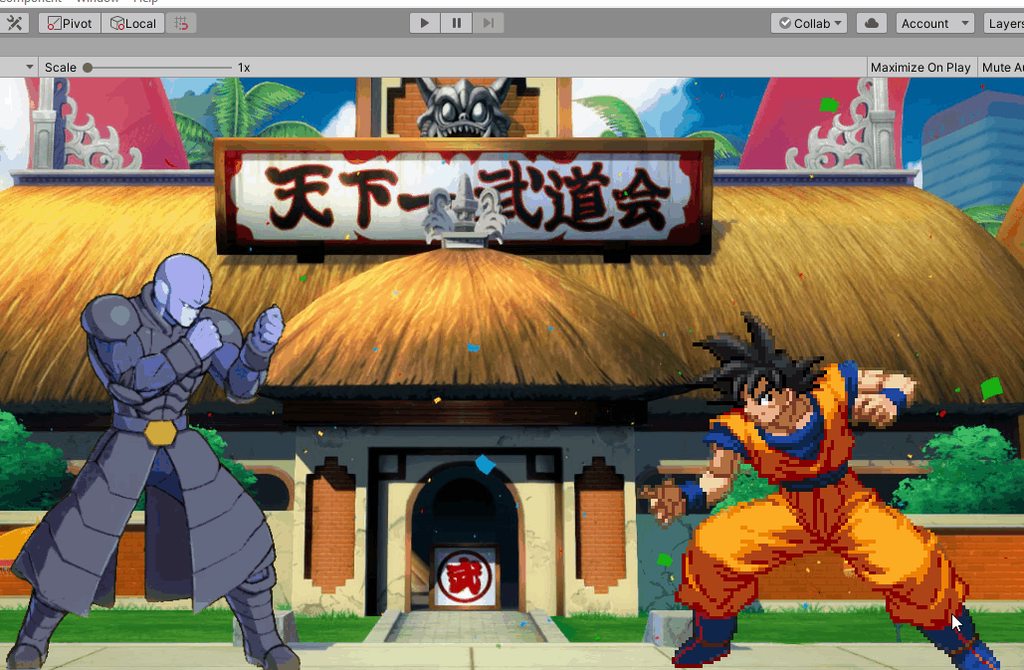
The issue I'm having now though is that I've done some animation in the animator mecanim to achieve a shoryuken style punch as seen in the video, and the movement from it is done with a position animation in the animator.
my problem however, is that this movement does not obey my collision detection, sometimes. I got it to kind of obey vertical collision, but its not ideal, and if the animation starts close enough to a wall, it almost completely ignores horizontal collision.
figured this might be more about animation than code
 proper reef
I don't think this is an animation problem.
 unborn pilot
 white peak
does accessing RuntimeAnimatorController.animationClips allocate a new array ?
 daring oracle
I updated to 2020 b8 and now when I got to sprite editor I don't have a skinning option. Anyone know what could be happening? I see updates in the changelog about the GUI but not sure where this new GUI is
Reverting to 4.2.2 from 4.2.3 made it re-appear for me
 misty mantle
Anyone know how to line up animations? I have a climbing state but it doesn't align with my climb ledge animation
 modest plank
I'm very noob to unity, and especially to animations... but I've got this problem that there's no state in my Animator Controller but my player model plays Idle animation all the same, before this situation, problem was I had Idle in my initial state and then I wanted to switch to the running state but It did switch states in animator but meanwhile only Idle animation was playing ... so I deleted all states in Animator Controller and this guy plays Idle all the same .....
and even if I add any other animation to the animator controller still magical Idle plays
twin musk
What would you say is the best way to add Sprite Animations in Unity?
Just drop multiple frames in a folder and animate that with Animator or a custom script?
Or drop a Spritesheet and slice it up and animate that?
hey everyone ive got a question on the forums i need help with setting up animation type > humanoid. am i allowed to post a link to my forum post here?

Unity Forum
I am using foot IK for animations.
When i try to configure the avatar definition ("create from this model") i cannot use the ankle or feet because...
 neat nimbus
I'm trying to rotate a wheel based on the Horizontal and Vertical velocity, I used the bled tree to mix 4 animations (forward,back,left and right)
It works only in part, to wheel go in the 4 firections + the middle of these ones (45*,135*, etc) but doesnt blend whithing these 2 tipes
what should I do?
twin musk
hey so i made a aiming script that lerps the local position of the gun to the aiming sight and everything was working well until i modified an animation. now it wont lerp at all
im guessing the animations positions are interfering with the guns positions but how can i bypass that?
hybrid tinsel
Make the animation additive, or do the lerping in lateupdate, or use an avatar mast to stop those bones from animating
 hoary crown
Anyone had trouble with animations in 2020.1b8? the project worked before upgrading from 2019.3. The animation controller appears to be working (with livelink + with preview). Just in game the character takes up a weird pose (i don't think it's part of an animation) and the bones don't move
err nvm it just seems to have fixed itself when i clicked on a node in the animation controller
 fallen jolt
I am trying to attach a gun to my player using IK, but when my player starts walking, this is happening. can someone please help? I am new to IK
The gun moves rotates than the torso of the character when I rotate my mouse.
I have asked the question in the Unity Answers as well, so you can answer it there as well https://answers.unity.com/questions/1731073/the-weapon-rotating-slower-than-the-torso-of-chara.html
Unity is the ultimate game development platform. Use Unity to build high-quality 3D and 2D games, deploy them across mobile, desktop, VR/AR, consoles or the Web, and connect with loyal and enthusiastic players and customers.
 split nimbus
Hey, so quick noobish question: When setting a variable for animations in the Animator, where does it read those variables from? Does the script with the variables have to be attached to the object being animated?
hybrid tinsel
@split nimbus They are stored in the instance of the animator; A script which alters those variables doesn't need to be on the object with the animator.
 storm jungle
how can i play a public Animation testAnimation;
instead of using the name of the animation like
animator.Play("Example"); but animator.Play(testAnimation); doesnt seem to work
 blissful gulch
Hey guys, can someone explain how to properly use sprites/animations in 3d? I cant get them to work, and theres not many videos really explaining it in 3d Specifically (unless its the same in 2d, then ill watch a vid on that)
the issue currently is that the sprite renders in scene view but not game view
twin musk
@storm jungle use StringToHash
int exampleState = Animator.StringToHash("Example");
then you can do something like,
myAnimator.Play(exampleState);
Hey everyone, if my character rig has foot ik from the fbx file, how can i use the "rig > animation type > humanoid" ? The IK means that the ankle and foot bones are not connected to the shin bones and so i am unable to get 15 valid bones...
hybrid tinsel
@twin musk You re-rig it with a humanoid skeleton.
twin musk
But i have already made all of the animations with ik
hybrid tinsel
That is, one unity will recognize as humanoid
Well, then you can just use a generic animation right?
Humanoid only works with compatible skeletons.
twin musk
So then by definition a typical human bone rig with feet as IK is not compatible?
Im not sure what a generic animation is :/
hybrid tinsel
It is any non 'mecanim humanoid' rig
Pretty much all you lose is the built in humanoid IK, I believe
twin musk
But my animations i made in blender are using the IK i set up in blender. If i change the rig i will no longer be able to use those animations is that correct?
hybrid tinsel
Blender IK has no effect in unity, it isn't imported.
twin musk
But if i change the rig in blender, the resulting animations that are imported will not work correctly
hybrid tinsel
Ok, let's start over.
Why do you need it to be "rig > animation type > humanoid" ?
Why not 'generic'?
twin musk
Yes sorry, i really appreciate your help but i am struggling to understand
hybrid tinsel
That should just work.
twin musk
Because i want to make an avatar
twin musk
To use the rig for other models without rerigging and then use the same animations ive already made
hybrid tinsel
Then you would need to use a rig that unity can recognize.
There is no magic involved, unless you write some sort of converter.
twin musk
So the 80 hours ive spent making the animations iswasted? Just because i used IK to make it easier to animate?
hybrid tinsel
What does IK have to do with it?
twin musk
Ik makes it incredibly easy to animate
hybrid tinsel
You can use IK on a regular humanoid skeleton just fine.
twin musk
Noone makes animation without ik
hybrid tinsel
No, my point is, why does using IK mean you couldn't use a skeleton unity would recognize?
I mean, I use IK all the time for 2d human animation, but I don't use humanoid avatars or anything of the sort.
twin musk
The problem is that to make an avatar the ankles and feet have to be children of the bone above it. For iK they are not children
hybrid tinsel
For unity IK, that is not the case.
You seem to be mistaking the specific setup of whatever rig you were using for a general limitation of IK, but it isn't.
You can use IK setups just fine on skeletons that unity will accept.
twin musk
Hmm okay thats interesting. So the problem is with the way i set up the ik?
hybrid tinsel
Yes.
twin musk
In other words, using ik rig in blender means it cannot be humanoid type in unity?
I wish that was mentioned somewhere
hybrid tinsel
I don't use blender so I can't tell if, when you say 'IK rig,' you mean a specific feature/rig called that or 'a rig with IK in it'
Because the two are very different things.
twin musk
I mean that i move a bone for the foot, and the whole leg moves, i dont have to move every bone above it
hybrid tinsel
That's the concept of IK, yes. But there are multiple ways to achieve it.
Unity will never actually import the IK rig, only the baked motions created by it. Any IK you add in unity is its own thing.
twin musk
It seems the way i have learnt is the way that every tutorial teaches it for blender rig
hybrid tinsel
I know that 'rigify' rigs are supposed to work with mecanim humanoids
twin musk
I get what you mean, the only problem is that my animations will break if i export the rig and with it the animations setup with ankles as children of shin bone
Do you think it is possible to in blender save as copy, fix the rig, import a copy of the fixed rig into unity, then use the old animations from the first file?
hybrid tinsel
Wait a second
What is the actual error that it is giving you?
What is the actual problem with mapping the bones
I thought you said the foot wasn't connected to the leg
and now you said it was
twin musk
When i set up the humanoid types 15 bones
Its not connected
Its contrained to it
Copy location
But its not a child
hybrid tinsel
Ah, yeah, unity work with a bone hierarchy
And I really don't know what would be possible, but you'd probably be better off trying to fix the animations and skeleton in blender and reimport
I'm not a 3d gal so you might want to find someone who is more knowledgable about that stuff
twin musk
You said that the animations are baked and dont use ik. So i should be able to fix the skele, and then use the animations from the current fbx itteration in unity. Right?
hybrid tinsel
I don't know. I really don't. the animation curves MIGHT work fine, or they may make the feet fly in crazy directions.
twin musk
Is it possible to use an animation from one rig onto another, if all bones are the same, just change the parent of the ankle and feet bone?
hybrid tinsel
They might not load at all
twin musk
Fakr enough. Its worth a shot. I wish i knew this before making animations
It seems crazy to me that people make animations in blender for unity without iK
hybrid tinsel
Like I said, I. Don't. Know. I'm sorry, but you've reached the limit of what I actually am able to confidently tell you.
twin musk
Its okay i appreciate the help, you have given me some insight
hybrid tinsel
But I DO know that you can definitely use IK to make animations in blender and import them into unity.
twin musk
Ive been waiting four days for any response on this topic. I mean it when i say thankyou
hybrid tinsel
People do THAT all the time.
twin musk
Yeah but they surely arent making a humanoid avatar with those animations
hybrid tinsel
You just need to use a rig that is compatible with unity humanoids, OR use a generic import.
What do you mean, they aren't?
Why wouldn't they?
from what I've been told, rigify rigs convert directly into humanoid avatars.
twin musk
I meant if they are using iK in blender
hybrid tinsel
Other than needing some adjustment of the hands
twin musk
Then they will have the same issue as me
twin musk
Alright ik for feet
hybrid tinsel
The specific way you have it set up doesn't work, but others will work.
You're conflating unrelated things.
twin musk
Its weird though because foot ik is fundamental for animation. And in blender you cant have the ankles as a child of the shin for the foot ik to work. How did unity overlook that? Noone makes quality animation without foot ik
twin musk
"The specific way i have i set up" is how any foot ik would be set up in blender
hybrid tinsel
You show up in a little two door sports car and then declare 'There is no way a car could take this thing!' when literally any other vehicle could have.
You're telling me that in blender you can't set up an IK chain between a parent and a child bone.
twin musk
Hmm
hybrid tinsel
Ok, I just watched literally the first blender IK tutorial that came up on google
twin musk
The ik starts at the shin bone
The foot and ankle are separate so that they can always be flat
And parallel to the ground
hybrid tinsel
You can do that with it still being a child of the shin.

this is a quick tutorial to show how you can set up IK (inverse Kinematics)
it is meant for people with a basic understanding of Blender.
twin musk
Yeah but his is bad because the foot doesnt stay parallel to the ground. You have to child the foot bone to the foot control, not the shin
hybrid tinsel
Obviously that is a rather simplistic example, but it definitely shows that it is possible.
twin musk
I guess you are right. Its annoying that there is a comprimise between making animation more efficient and making it compatible. That should never be a comprimise
hybrid tinsel
Well, you looking into 'unity skeleton' 80 hours of animation ago would have been both the most efficient AND the most compatible.
twin musk
Thankyou again for the help
hybrid tinsel
No problem
twin musk
Yeah well i didnt know i needed a humanoid rig type or avatar 80 hours ago
hybrid tinsel
I'm just saying that it isn't really a problem with the unity system; the standardized setup is HOW it is able to do retargeting.
And you can use whatever rig you want if you don't need that.
twin musk
Indeed all i want is to reuse animations for multiple characters
 serene parcel
So, new to Unity and game dev, I'm using the animator component.
Is it a limitation that we have to wait for the entire animation cycle of an animator component before transitioning to the next one?
Like I made a simple runner, but until the idle anim finishes, the char wouldnt' start running, which has a delay.
In that case, is animation better than animator? Because I observed in animation, we can control it manually
twin musk
@serene parcel you can turn off the transition time between animations so they end as soon as another animation is triggered. I think its found on the transition arrow itself in the inspector options
Has exit time
serene parcel
Let me try that. TIA @twin musk
twin musk
to clarify, you want to untick has exit time
it may also be the transition time setting in the animation state itself
those two are the only i am aware of that influence the problem youre experiencing
 shrewd smelt
hey you guys - we are in dire need of (for consulting) someone who has deep knowledge of timeline, and understands how to use IK and Target matching, etc. Please message me if thats you or you know someone
 languid creek
hey its not letting me rename my animation controller in the asset window? anyone know why
 cobalt ledge
hey. im trying to do this little animation (2d, background and text colors toggle). ive managed to setup scripts and all, but when i trigger the animator it doesnt play the animation. id also like to detect end of the animation, and toggle a bool parameter then.
it seems to stop at the first animation and loop forever
(also not playing it)
 brave kettle
hypothetical question: say I've got a weapon swing animation that consists of 8 sprites, but I also want to have a particle system that smoothly follows the weapon's trajectory (think a flaming sword). I figured I'd just try a high sampling rate and then spread the image keyframes out so that it plays at the same rate as, say, the walking animation, but then I'd have the particle system move multiple times in between the image changes
has anyone done this before? if so, how did it look? asking in case this is a terrible idea
I'm just using the builtin mecanim editor because it's nothing particularly intensive
hybrid tinsel
@brave kettle My first game had that issue; I ended up matching the sampling rate to the animation frame rate, but animating the orientation of the particle system instead of just the position
brave kettle
i'll give that a shot with the sampling rate when I get around to it, thanks
 candid bluff
I'm having the following problem: I have a bunch of animations for a camera set up as it moves on rails through a grid style map. At some point if I press the appropriate UI button the camera is supposed to turn 180 degrees to face backwards no matter where it is. And so I record an animation of only the camera rotating, but when I get to that animation in game the camera defaults to some strange position and the rotation sort of loops back and forth (even though I have the animation set to not loop) how can I fix this?
For reference this is what I have in the animator
 stable kayak
Hey guys, i have a little question
I'm recreating some ideas from breath of the wild (just for fun, mostly UI's and modeling, nothing too technical), i have a player model ready to rig but, im kind of confused about the approach i should have, should i rig my character in blender with IK, or should i rig it in unity?
something that i really want to imitate is the way the animation works well with the environment, like when there's a hill and the legs of link conform to the ground, that is procedural animation right?, is that achieve with ik motions as well?
hybrid tinsel
@stable kayak That would be IK inside unity mostly.
 warped flax
hopefully a simple question. I have a sprite and I want to play an animation on top of this, but always have the A showing. But when I setup my animation and controller. A shows up in the first frame and then gets replaced by the other sprites.
I guess I'm looking for a way to have one background sprite that stays there and have a foreground sprite that keeps changing.
I can't really find anything on google probably because I don't know the terminology so I'm not writing a good query!
stable kayak
@hybrid tinsel yes!
I did a little bit of testing and its just playing with unity IK system
thanks for the answer tho
@warped flax probably the layer order, is this "A" an UI or a world 2d sprite?
 little ore
Hi! i would love to know is there an alternative animation software to Spine2D having the same features and workflow
 crude dawn
Can some1 explain to me how am I supposed to use the spire editor?? How I slice the frames from the PNG? If one animation is 24x37 for example, do all others have to be the same size? Cuz when I mix 2 animations they jiggle all over the place
 karmic bear
Hey! Can someone help me with animations? When my player is walking to the left side it's so weird, but the right side is perfect.
https://gyazo.com/10125650f5761e17bb9d3d4329a00f1c
 stable kayak
@karmic bear check your pos Y values, they cant be bigger than the X values to be on sync
karmic bear
its on the player's position?
stable kayak
In the blend tree, in the GIF you send you can see that the Y values are 0.866
karmic bear
yep
stable kayak
that's why your character moves funny, because the limits for the float aren't set up properly
stable kayak
to the mirror in X, 0.5
you just have to calculate if they are negative or not
not even that, i think you have them right
you just have the value wrong
@crude dawn some visual reference would be grate but, you just have to fine tune the slice of your sprite
they don't have to be the same necessarily, but they have to have the same starting point so it doesn't jiggle
when creating sprites that small, you can use more space on your canvas, or use a sprite sheet able program (like Aseprite), use more space in the beginning so you can have the animations like you want them, and you don't run in those issues later
@little ore I haven't use Spine2D tbh, but Unity's integrated 2D skeletal worked fine for me, maybe give it a go if you haven't

Wanna learn how to make your characters come alive? Then Skeletal Animation is for you!
This video is sponsored by Unity.
You need to use Unity 2018.3 or later to use these tools.
Unity is hosting a 2D Challenge - Check it out: https://ole.unity.com/2dchallenge
● Rigging d...
karmic bear
i cant figure it out 😦
the values
on of the y value is bigger than the x
but if i make it lover it will be the same place as an other animation
little ore
@stable kayak much appreciated !
stable kayak

stable kayak

Noo, don't leave it bugged, thats not a good habit
this was an old project
so it doesn't have 8 directional sprites but you get the idea
@karmic bear
also the reason for the fine tune is the 6 sprite directional movement
 brisk cliff
Hiya, I was wondering, is there an option to view dynamicslices files easily? I just want to view the object
magic robin
I'm having trouble with something simple
how do I figure out exactly how many seconds my animation is, knowing the animation length in frames and the FPS of the animation
7 frames at 12fps
twin musk
The fps of the animation is how fast the computer plays the game at. At 1 fps very slow anim, at 100 fps, very fast anim
twin musk
I'm having trouble my character, the walk animations are all working except going left when I try to go left it doesn't animate
2d platform
notice when I go left it doesn't animate
I fixed it nvm
stable kayak
You guys think that root motion was used in breath of the wild?
i think the climbing does, but the normal walking and running feel too smooth to me
that can be achieve with RM?
 lunar stirrup
idk if its the right place for my problem but i added an IK Target to my character but the hand lags behind the target when i move the target its like lerping only i dont want it to.
I used OnAnimatorIk()
 sterile nacelle
In the unity animation editor, if i slightly changed the structure of a gameobject can I somehow fix the animation hierarchy paths?
hybrid tinsel
@sterile nacelle The animations are text files, you can directly edit the paths that way
sterile nacelle
Fantastic, got it working like i wanted.
Made me nervous dealing with these long paths lol
sterile nacelle
lol now I can do this. similar mechanisms in abs/neck for mechanical first person camera
 finite osprey

This is a tutorial on how to create your very own coffin dance meme in Unity using Unity's free assets! There is a man in a suit and several coffins from the Unity Asset store. This meme of african dancers dancing with a coffin has become very popular and I have seen several t...
 compact ledge
Hello there! This is kind of a cry for help since I have been struggling with this for the past two days so here it goes:
I made a character in Blender, I rigged it and made animations for it in Blender.
Now, I wanted to export those animations to a Unity project. So I tried many different things, exporting .blend files and .fbx files etc..
But no matter what I try, in the Clips list from the Animations tab, there is always only the Scene animation.
Could anyone help me please ?
The problem only arises when I work with a file that has more than 1 animation in it
And I use Unity 2019.3.0f6
hybrid tinsel
I didn't know it even imported clips
The docs suggest importing multiple animations as separate files last I looked?
 sly meteor
Everytime I want to copy a state machine it looses the "any state" transitions, is this a bug ?
 charred belfry
@sullen drum Resources is not for questions. Feel free to ask here or #💻┃unity-talk instead
 frank kernel
Hello everyone, today I have finished the animation from Blender and now I am importing the model to unity, however, I do have an issue.
Once I import my model to unity, I can't see the animation created inside the inspector.
twin musk
Hello there, I would like to move an UI item from [whatever position (variable)] to [destination] position. My destination is a constant value but my starting point (First Keyframe) should be current position of the game object (Content.AnchoredPosition.y in my case) which is variable could be anything. Can I do this using only Animator or should I change first keyframe value using script Animator.SetCurve function. Thanks
 half thistle
Hi, I've a question about importing an animation model that consists out of 72 objects and each have there own unique animation. At the moment I only see a possibility to manually assign each animation to the object. Is there a way to do this more efficiently. I've almost no coding experience unfortunately
Hello everyone, today I have finished the animation from Blender and now I am importing the model to unity, however, I do have an issue.
Once I import my model to unity, I can't see the animation created inside the inspector.
@frank kernel How did you export the animation? Did you bake the animation when exporting to FBX or GLTF?
frank kernel
@half thistle wow I don’t have this advance knowledge Ahahah
half thistle
@half thistle wow I don’t have this advance knowledge Ahahah
@frank kernel Check this tutorial. That should get you started: https://www.google.com/search?client=firefox-b-d&q=export+blender+animation+to+unity#kpvalbx=_uePDXtWDOM30kwWMyoHIDw37
frank kernel
@half thistle perfect ! Thank you so much for your time I going to check it now
 visual pebble
Hey can anyone explain the difference between an animation that has the green triangle with 3 lines vs the gray play button with the square around it?
like these two whats the difference i dont get it
 boreal hill
Btw: One project is using the Legacy Animation (Animation... not Animator) system. We're getting massive spikes of animation.rebuildanimationstate at runtime (sometimes up to a second per stutter). Any tactics to toss them onto the loading screen instead of randomly during gameplay?
I'm thinking of things to call, do, or avoid... that sort of advice... but let me know if I'm completely misunderstanding the problem.
Don't be shy to @-respond me btw. I'm always multitasking but I want to make sure that I see replies.
 rapid coral
How do you go about playing audio on specific frames for animations you brought in from Maya? The animations are all read only in Unity so I can’t attach animation events to them. Duplicating the anims and re-attaching them to the model seems silly because anytime I brought in a new version of the model I'd have to redo everything.
visual pebble
@boreal hill Thanks
boreal hill
@visual pebble I wasn't answering your question. Sorry. :x
visual pebble
@boreal hill its okay i figured it out anyway
 devout urchin
I made a prone animation and the only way I can get my model from not rising into space is by upping the mass and drag, will this have a negative effect on my rigidbody controls?
 mild imp
Can anyone point me in the right direction to creating some animations with a rigged 3D character? It's not a playable character, more AI. Thank you
visual pebble
@mild imp youtube or unity learn are good
mild imp
I'm looking on YouTube but the tutorials I'm finding are people with already made assets with the animations and just applying them in code
I'm needing to actually animate a realistic run/attack/walk animation of a humanoid entity
visual pebble
https://learn.unity.com/search?k=["q%3Aanimation"] unity learn is pretty good

Unity Learn
Unity Learn provides award-winning free tutorials, sample projects, and full courses for mastering real-time 3D development skills with Unity Learn to make video games, VR, AR, and more.
 tranquil jackal

“Badly animated Scorpion vs Red Luigi #kirbymemes #mario #smashbros #smashbrosultimate #scorpion #mk11 #videogames #3Danimation #3dart https://t.co/3s6jMM8AlY”
mild imp
Can anyone give me a hand setting up my animations? Ive got them and in the animator window etc but when press play the character just goes into a T pose
twin musk
My avatar is a bit messed up. In the avatar settings, the mapping is all fine. However in the Muscles & Settings tab, it looks like he's riding a unicycle and way below the mapping bones
half thistle
Hi, I've a question about importing an animation model that consists out of 72 objects and each have there own unique animation. At the moment I only see a possibility to manually assign each animation to the object. Is there a way to do this more efficiently. I've almost no coding experience unfortunately
 glass ledge
Would anyone be able to help me? I'm trying to make pixel armor on a pixel body, but the armor's animation is off sync with the body's animations. Both clips are the same length.
 muted harness
Does anyone know how to add any property to make animations? I'm trying to add the vignette effect from postprocessing volume so that it closes in and out, as if it's a sleeping effect. However, when I try to add it to animations it does not display it on there.
 vestal stirrup
how can i obtain this red direction vector in world when playin the clip. i tried rotating the pivot position by root rotation..
 vivid shadow
anyone know how to make it so the enemy only does the running animation when it moves
 cyan current
hello does anyone knows how to make my pixel character look to the direction when you stopped holding the key
i mean when u for example were pressing "a" the character will be locked to the left direction
please help
 leaden cedar
hmm, I just realized this. Since when do seconds have 60 "miliseconds" or "parts" 
 dreamy jewel
@cyan current You're probably looking for the FlipX varaible within the sprite renderer? https://docs.unity3d.com/ScriptReference/SpriteRenderer-flipX.html
That's probably the most simplistic and effective way. It also mentions turning your scale negative, but either way works.
@vivid shadow You'll need a animation boolean called "Running" or something akin to it. Once you have that, set it up in the animation web with a transition that requires Running to be true. You can access it by using the GetComponent<Animator>().SetBool("Running", true) when you start moving. Does that make sense?
vivid shadow
so i just put GetComponent<Animator>().SetBool("Running", true) in the enemy script?
where do i put it though, hold up i will give you the script
dreamy jewel
As far as the code goes, yeah that should be the line you're looking for.
To stop running, you'll need to set it to false when/if the enemy stops moving like GetComponent<Animator>().SetBool("Running", false)
 dreamy jewel
But also make sure you have the parameter in the animator controller. The little plus button at the top left of it will let you make a new boolean parameter and name it
dreamy jewel
anim is just a variable that holds the GetComponent<Animator>(). Both are the same thing in this case
yep
vivid shadow
where should i put the false statement
dreamy jewel
You'll also probably move line 42 to line 36, because then it'll only set "Running" boolean to true when the player is within the lookRadius
vivid shadow
ah ok
dreamy jewel
If you add an Else statement to if (distance <= lookRadius), you'll be able to tell the game what the enmy should do when the player is further away than the lookradius
So that's where you'd want to put stuff like stopping the running animation.
vivid shadow
so go back to the idle animation
dreamy jewel
Yeap
vivid shadow
should i make another parameter?
dreamy jewel
No need. You have the Running bool. If it's running, it should transition to the Running animation.
You can do the opposite check on the transition arrow back to idle
in other words only transition to idle if the Running boolean is false
vivid shadow
this is unrelated but do you think you could help me with an issue please?
it's for another script, i didn't use to get this error and it just popped up for some reason after i imported standard assets
    if (distance <= lookRadius)
    {
        agent.SetDestination(target.position);
            anim.SetBool("Running", true);
            if (distance <= agent.stoppingDistance)
            {
                FaceTarget();
            }

            else {
                anim.SetBool("Running", false);
            }
}```thats from line 32 to 45
thats for the animation btw
dreamy jewel
@vivid shadow Whoops sorry. Got distracted lol
Yeah, the animation should work now, so longas you have the conditions set for the transition arrows in the animator
dreamy jewel
I can try to help with the other issue, but can't promise to know the solution lol
 desert hazel
Hi
Any one want to make a game with me but he should animate
Make char and ...
3d
Dm me pls and thx
cyan current
@cyan current You're probably looking for the FlipX varaible within the sprite renderer? https://docs.unity3d.com/ScriptReference/SpriteRenderer-flipX.html
That's probably the most simplistic and effective way. It also mentions turning your scale negative, but either way works.@vivid shadow You'll need a animation boolean called "Running" or something akin to it. Once you have that, set it up in the animation web with a transition that requires
Runningto be true. You can access it by using theGetComponent<Animator>().SetBool("Running", true)when you start moving. Does that make sense?
@dreamy jewel
yes thanks
ill read the article
hybrid tinsel
@cyan current @dreamy jewel I suggest using the negative scale instead of the flip x in the sprite renderer, because flip x doesn't affect anything you might have attached to the sprite. Also some shaders will not work with it unless you disable backface culling, but they work fine with scaling.
 grim monolith
For some reason my animation has a little "hiccup" in it, in the timeline it looks and previews perfectly normal but when i try to put it into a animator or preview it in the animator it looks like this:
it like pauses where the animation should end but then dosent actaully stop
cyan current
Hello guys do you know how to make clothes system in top down 2d games?
 tired condor
 wheat kraken
I've got a Katamari Damacy avatar which I've made for VRChat. I want to make the volume of the music which plays change volume so it's loud while moving, and quiet while it's standing still. I can't use scripting because VRChat doesn't support it, so I'm trying to achieve the same thing with transitions...
I think the above is correct, but it doesn't seem to work. The volume of the audio never changes from the default quiet audio.
The prince does animate his walking correctly though, so MovementX and MovementZ are the right parameters.
 runic wing
how do I change the frame rate?
half thistle
Hi, I've a question about importing an animation model from Blender that consists out of 72 objects and each have there own unique animation. At the moment I only see a possibility to manually assign each animation to the object. Is there a way to do this more efficiently? Maybe and importtant side node: I've almost no coding experience unfortunately 😉
 severe blaze
@half thistle https://docs.unity3d.com/Manual/Splittinganimations.html shows Importing animations using multiple model files using naming conventions.
 modern wagon
hi. when I press W in my game a character is going from IDLE through WALK and RUN to SPRINT very fast. like I never see the WALK and RUN. how to make blends from from 1 to last smooth?
 graceful lantern
@modern wagon the animator will just play the animation in the blend tree corresponding to the values you feed it. If you want a ramp up you need to handle that in the code that supplies that value to the animator/blend tree
modern wagon
I though so but I'm new to the stuff
graceful lantern
(iow: make the code that handles the key press increase the forward speed gradually)
one way to handle it is this: if W is down, lerp the forward speed towards 1 (based on time.deltaTime), if W is not down, lerp towards 0 (probably a bit faster)
modern wagon
@graceful lantern thanks for clarification! though it's still complicated. can you give me a link to script example for this? so I can use it and examine
graceful lantern
@modern wagon something like this (pseudo-code-ish):
            if (Input.GetKey(KeyCode.W))
            {
                forwardSpeed = Mathf.Lerp(forwardSpeed, 1, Time.deltaTime * something);
            }
            else
            {
                forwardSpeed = Mathf.Lerp(forwardSpeed, 0, Time.deltaTime * something * 0.25)
            }

            _animator.SetFloat("InputMagnitude", forwardSpeed);
the value of something controls how fast the transition happens, experiment with different values
modern wagon
so I need to put something similar in c# into this script or createa new script?
graceful lantern
hard to say, looks like this code is interacting with a lot of other code
graceful lantern
find wherever handles the input
modern wagon
I think is this
magic robin
Hey I need some help with the animator mecanim
I am trying to play an animation on an object on a second layer that makes the object grow in size
the animation plays fine itself, if I play it through the animation window, but I cannot for the life of me get it to play when its trigger goes off

setting the grow animation as its default state, so it would play when the object is instantiated doesnt work either
that animation just wont play
(and before anyone asks, yes the proper animator is assigned in the inspector)
actually it looks like the animation is getting played in the animator mecanim, but its not actually doing the transform in the scene or the game display
I have tried without and without root motion applied
I have a similar set up in animation on my player sprite that is doing a color change via the animator on a second layer, and I set up my fireball in the exact same way
its just not working no matter what I do
severe blaze
Is the gameobject the script is attached to actually being enabled?
modern wagon
@severe blaze are you talking to me?
magic robin
@severe blaze yes
I have even tried putting the object in the scene and manually enabling/disabling
and the mecanim activates the grow
magic robin
omg I got it... knew it was something simple
had to change the weight of the layer to 1
 wispy lodge
i don't really understand the units in the Animator timeline. what is 0:20 exactly and does it relate to Samples?
20 frames?
1/20th of Samples?
hybrid tinsel
@twin musk You can animate all child objects of the object the animator is on
Including the sprite of each of them
@wispy lodge I believe the default is in seconds.
And samples is how many frames per second.
hybrid tinsel
Not entirely sure what the problem is
Did you add an animation clip? do you have the right object selected?
hybrid tinsel
Not sure how what you mean
magic robin
to be fair, the animator mecanim can be a a pain to work with, sometimes its better to give up with it and use an altertive method like animating it yourself in a sprite sheet, or using a program like juice FX to make the effects
 grand minnow
Umm... i created an animation to a prefab object, and when it creates it runs the animation where i animated it not where it creates :?
 twin warren
I created an animation to open up a door (starts off at 0 rotation, ends at 90), but if I have a door that starts of at say a 15 degree rotation the animation sets it to 0 opens it up to 90. Is there another way to do this or do I really need to have 20 different animations for 20 different starting angles?
 dusty forge
Hi my animator is getting stuck on the attack state and not progressing it at all
it only sets the sprite to the first frame of this animation and then stalls
any idea why? I've never seen this before
frank kernel
Hi, I am sorry I don’t really now where is the best place to ask. I have some trouble with my 3D model. I am doing the weight but every bones are messed up and I don’t know how to fix it. When I am trying to move the arm you have the leg mesh moving two and no any issues with the weight colour
 warm flame
Are the conditions for animation exit/entry all required for exit or entry or are they more of an OR statement?
 ashen lily
Hi can someone help me please in the preview when i change from player_idle to player_run my player disappear
anyone?
@deep bloom
ping me if you know the solution
ashen lily
nvm i found the solution
 gray blade
has anyone found a good tool to use with Unity to do motion graphics?
I know about BlendTrees and DoTween but I am looking for something easier to use
 ornate bridge
File 'character' has an invalid Avatar Rig Configuration. Missing or invalid transform:
Required human bone 'Hips' not found
Someone know this error ?
gray blade
I think your avatar does not have Hips in the heirarchy
 torpid vine
Hi guys. I'm new to Unity, and this is a pretty difficult challenge, but I was wondering if it's possible to simulate a 2D liquid? Specifically water. I'm aiming for the character model to be the liquid that the player manuevers.
 crude geyser
hey is anyone good with animation? I have some things that need animated but I'm not very good at animation 😬
 left cradle
I'm fairly new to Unity and I'm trying to figure out the best way to get an object animated with blendshapes working in unity
For example, it's a cannon firing. No skinned mesh
 rapid kiln
@torpid vine most game don't actually simulate liquid, but you could check out what noita is doing: https://www.youtube.com/watch?v=prXuyMCgbTc
it's simple and powerful, so probably a good start
torpid vine
@rapid kiln I'm thinking of a cartoony look instead of simulating each pixel. I've seen people using balls and blending shaders but it doesn't flow like water.
rapid kiln
yeah i'd say your best bet is probably to build out a water blob guy chracter and rig it cleverly rather than simulating anything (maybe some edges for visuals), but that requires significant animation/tech art skill
severe blaze
@torpid vine Also may want to look into Raymarching + metaballs
hybrid tinsel
@wooden ginkgo yes, you can, as long as they are all children of the object with the animator
 wooden ginkgo
I see
hybrid tinsel
@warm flame All required.
wooden ginkgo
So I could have the muzzle flash hidden and only make it appear when shooting ?
hybrid tinsel
If you want to set an or condition, do that in your code and then set the animator from there
Yes, @wooden ginkgo.
wooden ginkgo
Oki, thanks
 tame bison
I bought an asset on the market which contains certain 3D animations. If i click on the FBX files it looks fine, but for the blend Tree i have to use the Take 0001 things. They do not seem to have all necessairy informations about the attachments. Does someone know how to fix this?
FBX correct
Take001
wooden ginkgo
Hi guys
how do i fix jittery movement of camera following system?
i am using SmoothDamp and yet it is still weird

 frigid cedar
have you checked out brackeys tutorial on smooth camera movement?
wooden ginkgo
yes
same effect
https://www.youtube.com/watch?v=MFQhpwc6cKE if you go to the comments you can see why i am using smooth damp

In this video we make a smooth camera movement.
● Pro Camera 2D: http://bit.ly/2spvKnF
● 3D Camera Controller: http://bit.ly/2szBCci
● Project files: http://bit.ly/2rUGMOt
♥ Support my videos on Patreon: http://patreon.com/brackeys/
········································...
and when he uses it you can even see how the cube is "lagging"
twin musk
Anyone has best practice/how to handle generic facial animations to be implemented on several different humanoid characters?
finite osprey
hello
i want to do a voxel animation where the voxels split up into many parts
similar to this https://www.youtube.com/watch?v=3-c4pGSGmC8

Here's first compilation of my Voxel clips which I've made recently. Hope you enjoy! :)
https://twitter.com/ultek85
https://www.instagram.com/ultek85
Support me :) https://www.patreon.com/ultek85
Music by Joakim Karud - Dreams
https://youtu.be/rQO8escJC78
#voxel #voxels #ga...
can i just do the explosion in blender and then import that animation to unity. Or do i need to import all the individual blocks into unity and then split up all the voxels on death?
i would like to bake everything in blender, but then i don't think the voxels will contour to the shape of the world
would i then have to assume my world is flat for the animation to look right?
hybrid tinsel
depends on how you're doing the world shape
if it is a 'curved world' shader then you should just be able to do the animation flat and let it curve with everything else
finite osprey
wow never knew curved world shaders exist. after a lot of research, i think i have to create boxes on animation death using code to calculate volume and color frequencies
ashen lily
Hi , i have error with jump animation when i jump the jump animation plays for like 0.1 sc then the idle animation plays tell i hit the ground can somone help me please
anyone?
warm flame
@ashen lily I think you need to turn on the exit time? I'm really new to animations but I think that might fix it.
 hollow bramble
I have a problem with my player movement animations. When the player moves on X axis, the player sinks into the ground. This is my first time using animations in unity. The 2D blend tree is at the end of the video.
 small vapor
Is there a proper way to parent and unparent objects using TimeLine or animations that will be visible in editor?
For example:
A character walks onto a platform, the platform moves and rotates them to another platform, the character walks onto that next platform and the same thing happens.
 warm basin
so i'm duplicating a character to make a new one(all the animations are the same), but i need to edit the bone positions of the arms to be slightly farther out, but the bone positions get reset by the animations. Is there a way to make it so that the bones are farther out by default?
 heady nymph
I’m having an issue with my model for VRChat that I can’t fix no matter what I do.
In the scene, my avatar is stuck in that Motorcycle pose and it keeps going through the floor. I looked at the avatar and saw that the muscles and settings were the same way. I fixed them manually, but they just went back to being broken. Next, I changed the animator controller and Custom Standing and Sitting Animations in the VRC Descriptor. Nothing. Next, I tried to copy the states in the Animator from another avatar package that had the T-Pose. Nothing. I need help, and I don’t know what to do...
https://i.gyazo.com/26e26eb361374329668081d41f7ecc38.png
This is what it looks like in the scene.

Please @ me if you have a solution...
 old flame
Hi, I am studying Animator using free assets named "Sci Fi Warrior PBR HP Polyart" and I have some question.
I want to rotate Warrior Models upper body horizontally with gun. I tried with animator.GetBoneTransform(HumanBodyBones.Spine) but gun does not contains with Spine.
Is there any way to rotate horizontally with this assets model?
warm flame
How do I know how long an animation lasts? I've checked its length in the inspector but it's entirely inaccurate.
 sweet dust
@warm flame the length normalized or in seconds? In code or in the inspector?
warm flame
In the inspector. I don’t know if it’s normalized or not. It’s 8 frames per second, I’ve set the speed to 0.5, and it displays a length of “0.15”
It doesn’t specify seconds or anything
hybrid tinsel
the animator defaults to seconds
What is it when you open it in the animation
window?
 dire raven
Does anybody hve knowledge of pmx editor?
Dont ban me but i could use some help with a bone issue
If its not allowed here whoever can help can just dm me
 normal arch
was trying to import a fbx file but dont get materials not to show up
fairly new to unity so nooby here
can anyone help me?
graceful lantern
are you sure the FBX contains materials?
normal arch
yeah got form mixamo
hybrid tinsel
did you extract the texturess?
 wise gulch
i have a running animation and an attack animation
is there a way so that i can be running and have the attack animation happen with the arms?
hybrid tinsel
@wise gulch additive layers in the animator
set up avatar masks for the attack to show which bones it affects
wise gulch
@hybrid tinsel aight thanks ill look into this ^^
@hybrid tinsel quick question
i have a counter which goes up when you click and i use it for the combo
 meager herald
why my camera moves with the animation of my player? what can i do ?
wise gulch
but i dont want the animations to play too quickly is there a way to set a small break between them all
hybrid tinsel
You can set some sort of cooldown in the code that only sets a trigger to true on an interval?
magic robin
https://gyazo.com/024e604c9952f55cab7525a0838fab51
hey is there any way to fix this without adjusting the sorting layer on each individual object?
these are just a prefab, so they all have the exact same settings when it comes to sorting layers and rendering layers etc
 hybrid tinsel
You can offset them on the z axis a tiny bit
Their position that is
Unity goes down the list, sorting layer, then order in layer, then position
When it decides how to sort
 long pike
Hello :)
I wanted to know if anyone know how to modifie the speed and remove the loop of animation i converted with aseimporter
 dusky hedge
is this the equivalent of zfighting in 2d?
 wary remnant
Quick question about timeline.
I'm working on a cutscene where a character picks up a gun and points it at my main character.
My questions is simply how exactly i parent the gun to the hand once he picks it up?
 calm cliff
change the transform parent
twin musk
Hello, I'm trying to edit the code of an animation and I want to change this
https://i.imgur.com/VWdjTru.png
so that it effects the right blendshapes that I want. Usually I just press f2 to edit bit it won't let me

I have it ioped up in notepad and I thought it would be easy as just changing "blink" to "blink happy" but apparently not
 nimble barn
Is there a way in code to transition to certain frames in an animation?
I have a robot w/ an arm that moves up and down, and I animated it raising the arm
If I want to have the arm raise to 50% height, can I tell it to go from the current frame to the 50% raised frame, and stop there?
twin musk
im sure there is yet i dont know how
nimble barn
Anyone have a solution?
twin musk
From what I can gather from a couple of searches, there's not way to find out the exact frame you're on, but you can grab how far along the animation is from 0 to 1. So you might be able to find out how far along your animation is at that point and then do animator.speed = 0? You can apparently assign AnimationEvents in the Animation controls and have a function that can do the same once it hits that animation event.
Unity is the ultimate game development platform. Use Unity to build high-quality 3D and 2D games, deploy them across mobile, desktop, VR/AR, consoles or the Web, and connect with loyal and enthusiastic players and customers.
twin musk
When creating a spritesheet for an attack animation that extends a decent way out from the player (so like a spear), is it best to make each frame of animation the same size as the largest frame? Does Unity, behind the scenes, crunch all the sprites into a tightly packed spritesheet when exported? Depending on on how far out the attack goes, there's lots of empty space.
mild imp
I dont suppose anyone could put an armature on a model for me?
mild imp
thats for animations, i just need a rig in the model so i can "position" it, since im using it in a couple places and i dont want it to feel too.. samey if you get me
wary remnant
@calm cliff how would that be accomplished within timeline?
calm cliff
timeline?
not sure i dont use that
if its like a timeline like in flash you can probably set an event at some place in the timeline that run a script
in the script you change the transform parent
crude dawn
Might be a stupid question but how do I transition from running to shoot-run without skeleton body (2d)
 cloud zealot
How can I blend procedural animation and keyframe animation? I've got a simple procedural animation that makes NPCs look at the player when the player is in range.
However, it seems the keyframe idle animation causes the look at animation to not work due to it overwriting the neck bones rotation. I've tried putting my code into late update with no better results.
cloud zealot
(also the code for my procedural animation is inside LateUpdate)
 humble gull
is it possible to have a state that is in a different layer and the possibility to have a smooth transition between the animation on the other layer?
devout urchin
hi guys, i'm using root motion. i have four animations ( idle, walk, dive, get up ). the first time they are played, they all play fine and you end up in back in the idle position ABOVE GROUND. every subsequent time, you end up deeper into the ground. i'm pulling my hair out trying to figure out why. any help would be greatly appreciated.
 clear tartan
OKay so, Context:
With the Programm DevXUnity unpacker ive dug the the game files of "Shellshock live", a steam game apperently made with unity.
Theres an animation ingame that i want to extract out of the files.
After some digging i believe to have found it.
It should be an anmiation ~5 seconds long, but i cant seem to really open the file in any helpful way, which is why i need your guys´ Help!
hybrid tinsel
@clear tartan Pretty sure this isn't the place to ask about stealing assets from a commercial game.
Maybe if you wanted to try replicating it, we might be able to help?
clear tartan
If youre down to help, that would work as well i guess. I´ve never done anything related to animation etc
hybrid tinsel
Can try. It might be more of a programming question, but can't hurt to see.
clear tartan
thats it, i just want a cleaner version with transparent essentially
 celest crag
@clear tartan These effects could be done just with particles and few line renderers. Nothing complicated. If you need ideas for particle effects there is free example pack on the asset store, just search for free particles.
clear tartan
thank you all for your help ❤️
 sudden zinc
can someone help me with a simple animation thingy majingy
 thick solstice
@sudden zinc shoot ur question
 open wind
I'm trying to do a basic animation of my character swinging from vine to vine, the problem is to make the animation look right I pair the character the vine 1 and then do the animation but then I'm not sure what they best way is to handle the transition between vine1 and vine2 as he is still paired to the first one if that makes sense?
 olive patrol


Cyborg Squirrels!
#pixelart #pixelartist #animation #indiedev https://t.co/D2ktiIbeOu
 Twitter
 coral wren
Hey! I've been having some pretty specific problems regarding cloth animation. I have been working with ncloth animation in Maya and baking it on joints for export into Unity. However now I have an animation from Marvelous designer which is applied to my object as geometry cache in maya. I haven't found any way to bake geometry cache in maya onto joints but I am wondering if I can use an .mcc cache directly inside of Unity or if anyone knows how to bake it onto joints.
Any help would be greatly appreciated, been stuck on this for two days now 😦
thick solstice
@olive patrol i love it
olive patrol
thanks 😄 @thick solstice
 full glade
I cant assign this exported animation in my script
HELP:[
sudden zinc
how can i make a backup or a copy of a project? say incase i mess something up and i cant go back i can just use my back up version
thick solstice
you cud use github
twin musk
hello anyone interested in short movies or movies in general ?
 round pumice
Does anyone know why my sprite keeps appearing behind the canvas?
thick solstice
isnt a canvas always at the front of everything
so by default the sprite, and everything goes behind the canvas
round pumice
But i made the sprite a child of the canvas. Its above below my black background so it should appear in front no?
thick solstice
change the render mode
of the canvas i think its called world space
oh wait u want the sprite on the canvas yeah?
round pumice
yeah
thick solstice
actually u can teest it but pre sure changing render mode shud fix it
itll act as a game object that can be layered
thick solstice
really? it works fine for me
round pumice
hmm thanks anyways
round pumice
nope
sudden zinc
which looks better? it's supposed to be like a barrier, something close to flappy bird
 gleaming sage
top one
the contrast works better imo
maybe instead of using the top one, make a darker version of the bottom one?
gleaming sage
ground is nicely done btw, liking the colour scheme :)
 ember oar
Hello!
I have an animations thing problem and the people in general I don't think know how to help would it be better to ask it here?
 thorn wind
@ember oar https://sol.gfxile.net/dontask.html
ember oar
ah
Alright!
So I tried to import a character from blender and everything came in but the animations don't show up in the import settings
I imported the whole thing as an fbx if that matters
Could I have messed up the import settings?
Here's a picture
Are those animator icons the right ones?
I scrolled up a bit and someone's were those rectangles with the play button
 lilac remnant
quick q, does untiy support ncloth that is only animated trough verts?
or is it only joints
 eternal jackal
if I want to use timeline to play 2 different clips, do I need 2 different playable directors?
ember oar
Could this be the problem to my thing above?
I was looking through reddit and some people said that when they tried to import something wiht multiple animations it didn't work did they fix that yet?
I switched to Unity 2018 and it worked there?
Is there something wrong with the 2019 version?
 thorny light
hey guys iv been around before but i was wanting to get a weapon animation working in unity
in the animation the character moves their right hand away from the gun. the hand being the parent of the gun
in unity i want to know how to resolve this
graceful lantern
@ember oar that would be why the animation clips don't get imported, yes
 narrow swallow
It go through floor. Make me sad. Fix?
 twilit grove
Hello 😎
Did anyone worked on soft body simulations? Is it good to animate these in cinema4d & import them in unity?
Or import only models from cinema4d & then animate in unity.
 jade dew
yo. anyone who can weigh in on character pivoting in the animator state machine?
it won't really line up the animation correctly. tried tweaking a lot too
is there anything i should be aware of?
im trying to go from running to a 180 pivot, and then smoothly back into running again
should I be placing the transitions at the points where the feet are planted similarly?
ember oar
@graceful lantern how could I fix it?
 midnight bane
Hey, I am new to Unity and have been working with animations for my school project. I got the running animation to trigger but it only triggers once and only when I press the "d" key (even though "animator.SetBool("isRunning", true);" is under each if(input) statement). If anyone has the answer let me know!
ember oar
How do I fix my walking animation skipping a beat between loops?
@midnight bane as in it only loops once?
ember oar
So you're good?
midnight bane
no
it still for some reason doesnt play the running animation for when I press the "was" keys and only for the D key
ember oar
I'm following a tutorial and I just got to the running part do you want the video?
midnight bane
sure
ember oar

In this episode we import the character into Unity, and start programming a character controller.
Download Unity project:
https://github.com/SebLague/Blender-to-Unity-Character-Creation
Download the character .blend file:
https://github.com/SebLague/Blender-to-Unity-Characte...
midnight bane
oh thank you
blissful gulch
the game is just a platformer with a wall cling
falling, rising, running, idle, wall cling, every one of these animations should be able to go between each other, so I could just use the any state in the animator tab, right?
 quartz mango
Haven't started animating this sucker yet, but this is my first ever monster design. Look good enough to start animating?
I'm just starting to learn pixel art/unity today
So yeah
b-be nice
But critical
TEAR ME APART
 fast parrot
guys what is the program yall use to draw shit?
blissful gulch
nearly everyone recommends aseprite
fast parrot
aight
blissful gulch
theres a free version if you compile it yourself but its basically not worth it, its so finicky
blissful gulch
pixel studio is my phone pixel art thing
fast parrot
i can only draw stick figures XD
blissful gulch
yea same
fast parrot
oh can you draw on phone and then inport into unity?
blissful gulch
yea pretty much
fast parrot
ill give it a try then
blissful gulch
pc is aseprite, aseprite also has 10000x more features
pixel studio is free on the phone and has nearly no features, but works for what it is
quartz mango
Still haven't started animation, but I think this may be the final design for the slime
If y'all have some ideas for additions before I start adding animation frames now is the time
crude geyser
cute! 😂
anyone good at making clothing and hair that animates with the body? I have an animated human but I need clothing 😬 can't really pay for much as I am a college student who doesn't have a job but we might be able to work out some kind of payment if interested!
quartz mango
So now I've tried my hand at animating a monster. How does it look?
I made it really simple, just a floating orb is ghastly fire around it
If I were to add more, I may add some triangles rotating about it maybe
Idk
But just showing off that I CAN DO SIMPLE ANIMATIONS MOM
ember oar
I'm mom and can confirm it do be looking pretty cool
jade dew
hey guys
i can't seem to make an animator transition from running forward to a complete 180 pivot work properly
the animation transitions out before the pivot completes
how can i tweak it so it correctly fades out to the next animation only after the pivot anim completes?
 flat knoll
can someone help me quick
how do i put another object in a animation?
so to add a object to a animtaion clip with 2 objects already
well text
 digital orbit
Hey can someone help me when I try to build my game as a alone standing platform but everytime it converts wrong into this https://cdn.discordapp.com/attachments/497872424281440267/716946592417972333/unknown.png
and this is how it is supposed to be https://cdn.discordapp.com/attachments/497872424281440267/716946709695037450/unknown.png


 gritty gorge
Hiya, hoping somone could please help point me in the right direction as im losing it over here. I have a sprite sheet of sword animations, different directions attacks etc. Animated them all up with animation controller and animations/transitions etc, all works great. Now i want to add new swords, that follow the exact same transisions, exact same frames per animation etc etc. Is there anyway to just swap the spritesheet being used ? without having to create new animations/controller overrides?
 quick mirage
may you not create a clip - loop out of a single frame? (Bow_Drawn)
twin musk
is the only way to create dynamic boss attack animations that actively change transform and rotation based on player location a procedural approach?
what i guess to be a 'lock on' concept
 swift cosmos
@twin musk Use StateMachineBehaviour?
Keep track of the player's position and act accordingly
swift cosmos
It's basically just a behaviour script for FSM
twin musk
what is fsm?
 hollow blade
@twin musk finite state machine
swift cosmos
@twin musk Nah, StateMachineBehaviour scripts are really fun to code and they're quite simple, learning how to use them is important.
If you have any questions, ping me or DM me and I'll help you :)
twin musk
@swift cosmos legend thankyou. I will start on it tomorrow.
sudden zinc
guys how can i make a scene show first for 4 seconds then go to the next scene
quick mirage
when only using an upper body mask, should you still be able to override the animation body rotation offset of an animation within a clip?
quick mirage
@swift cosmos sorry for tagging, but you seem to be active in here
swift cosmos
Fine by me, but I'm pretty sure that's against the rules, so try not to do that.
swift cosmos
Honestly, I don't know the answer to your question.
I'm pretty sure you could, but I don't know how. :/
quick mirage
alrighty :)
thanks for your time then 👍
when only using an upper body mask, should you still be able to override the animation body rotation offset of an animation within a clip?
adding to the offset isnt changing the rotation
 tardy jay
hey guys , there is someone that can help-me with a weird stuff on Blender
?
Im trying to make a animation, but something weird happens on Shift+Ctrl+V my IKs to mirror-paste!
The link for my problem -> https://youtu.be/Ymq6xCdqMQU

When I Ctrl+C the keyframes, then I Shift+Ctrl+V to reverse/mirror paste the keyframes, my IK bones are not pasted...
 sullen drum
does anyone know why my animation triggers a function?
dusty forge
If i have my animator set up like this, can I make the jump animation play completely before transitioning to another state? Or do I need to move everything off of the "Any state" thing
@sullen drum see if you have any events in any of your clips timelines
sullen drum
I cant find the timeline
dusty forge
Open window -> animation -> animation, then click the object you're trying to work on
then in the animation window you should see the clips attached to that animator
 amber tendon
Hey guys I have a question about animation! Whenever I instantiate a prefab with animations, the animations do not play. Could anyone tell me the reason why this is happening?
twin musk
Yo, how should I go about handling multiple animation scripts affecting the same transforms? Atm I'm just making sure they are not overriding each other but there might be some cases where they'd need to both to edit the same property
 lethal swift
dang those slimes look pretty smooth
 mental sluice
Hey guys I have a question about animation! Whenever I instantiate a prefab with animations, the animations do not play. Could anyone tell me the reason why this is happening?
@amber tendon
Are the animations set to play by default?
Do you have the correct components on your prefab?
What do the animation states look like?
twin musk
How can I rotate a whole animation clip by 180°?
I have a "take cover" and a "cover idle" animation. For some reason "cover idle" is rotated by 180° compared to "take cover" which causes the character to rotate to the wrong direction after taking cover.
Any idea?
Feel free to @ping me when replying. Thanks! 🙂
 versed scaffold
For some reason when I generate the geometry it only gives geometry for the torso
sullen drum
how do i reset an animation trigger after i used it?
crude dawn
In a blend tree, how do I avoid 2 animations playing at once when they meet the conditions?How do I make it so one take over the other
fast parrot
what you guys think of my game logo?
jade dew
@crude dawn
you need to set an interruption source for the transition
here's an article on that

Unity Technologies Blog
I recently investigated a tricky bug reported by a user involving the combination of empty states, override layers, and transition interruptions. As I was ...
crude dawn
@jade dew Thank you!
jade dew
or do you mean within a blend tree?
@twin musk maybe play around with the rotation offset value when editing the animation settings?
unsure if that'll fix tho
best would be to probably re-export the animation with the correct forward direction
sullen drum
How does an animation trigger work?
Somehow when i start my script it activates the trigger immediately and I can't toggle the trigger
jade dew
how are you triggering it
a trigger is basically a bool that is set true when triggered, false the next frame
if you want a continuous condition i'd use a bool
twin musk
best would be to probably re-export the animation with the correct forward direction
@jade dew Thanks! How can I re-export an animation with a different direction?
wait, thanks, I think I can do that with blender!
jade dew
yes
when you export fbx iirc you can choose the forward direction
unity's forward is z forward
y up
jade dew
np
sullen drum
@jade dew yes but idk why the trigger isn't changing
jade dew
how are you setting the trigger
sullen drum
    {
        if (Input.GetButtonDown("Fire1"))
        {
            anim.SetTrigger("Shoot");

        }
}```arrow from idle to shoot has a shoot condition
arrow from shoot to idle doesnt have a condition but has exit time
jade dew
idle->shoot has no exit time yes?
sullen drum
yes
jade dew
while youre at it can you send me a screenshot of your transitions
checking input in Update should keep you from missing any input
maybe its a transition issue here
sullen drum
no it seems like a click detection issue
because i did this
    {
        if (Input.GetButtonDown("Fire1"))
        {
            anim.SetTrigger("Shoot");
            Debug.Log("click");
        }
}```and still nothing in the console
jade dew
you've got the input set up correctly?
sullen drum
yes
jade dew
well seems like an input related issue if the log isn't triggering
double check the input manager just in case
jade dew
discuss this there
sullen drum
yeah kind of got off topic lol
 nocturne canopy
i created spikes that pop up and down from the ground. i'd like them to alternate/offset their timing. what would be the best way to do that? not sure this is the correct channel. i will need multiples of these, so idk if that will affect how i implement an offset timing.
finite osprey
anybody know why this happens when importing from blender?
i cant see the front of the mesh
twin musk
im about to animate my character. i want to use blend trees but i cant find a list of all the necessary animations needed for basic locomotion. i havent animated for blend trees before. this is new to me. is this something i have to figure out on my own?
amber tendon
Hey guys I have a question! So currently I am working on trying to figure out why my animation is not working! So currently the original works just fine but whenever it is duplicated, the duplicated animations do not work and they are stuck on the default layer. Instead of transitioning to other animations. I initiate the spawning of these duplicates by this code here. GameObject obj = Instantiate(skeleton, wallPosition + up, Quaternion.identity) as GameObject;
jade dew
run forward, and another animation which is running leaned to the right
i dont even need the lean really
but if you wanna go more complex
have a look at this series:

We start the tutorial series by comparing a demo of the final tutorial code and our inspiration, the 3D Mario and Legend of Zelda series - two popular titles that defined the standard for third person camera control when they were introduced on the Nintendo 64.
Code can be fo...
a bit more complex animator setup
and i recall i was able to find out some other general locomotion setups, i unfortunately cant remember right now though
@twin musk
twin musk
thanks a lot im watching it now
jade dew
there's good resources on blend trees, look into some of those (lotsa yt vids too) to figure out what you might need
@amber tendon you could try selecting the new duplicate in the editor hierarchy, and looking into the animator window
to see why its stuck perhaps
@twin musk the main mecanim videos in that series iirc are the 'mecanim nodes' and 'mecanim pivoting'
twin musk
hmm im not exactly sure how that video is relevant. nothing in that video requires blend trees specificly
ive set up something almost identical without blend trees
isnt blend trees more for a perpetual state of motion inbetween two animations? rather than using blend tree to transition to another animatino
for example a walk animation and a sprint animation blended together to make a jog animation
jade dew
yes
apologies if thats not the content; been a while since i watched
but the basic principle is the same
linear blending between motions
in those videos im pretty sure he blends a run forward and run to the side animation
its the same blending walk and run
 marsh pond
Guys, when I play animations, the model "floats" or have an offset or something, anyone knows how to fix this?(animations from Maya)
jade dew
are you using root motion?
try enabling foot ik on the animation
and in the animation
in the clip settings
root transform position y -> based upon feet
marsh pond
I did that last thing but it still doesnt fix it
I can fix it if I move the model down and then when I click Play it moves up and make it look normal standing in the ground
marsh pond
yeah it is humanoid
In the preview it "floats" too
also it doesnt fix it when I add an offset
 wild bison
anyone uses blender?
marsh pond
I think most people here use blender
jade dew
ive even got one in my house
marsh pond
good one lol
wild bison
lol
quick mirage
    IEnumerator AnimationUnSheathe()
    {
        if (isAnimationCoroutineRunning)
            yield break;

        isAnimationCoroutineRunning = true;

        animator.SetTrigger(animator_swordUnSheathe);

        print("starting animation");

        while (this.animator.GetCurrentAnimatorStateInfo(animator_layerBodyUpper).length >= 1000 )
        {
            print(this.animator.GetCurrentAnimatorStateInfo(animator_layerBodyUpper).length);


            swordSheathedObject.SetActive(false);
            swordHandObject.SetActive(true);
        }

        print("Done animation");
        isAnimationCoroutineRunning = false;
    }
I am trying to switch 2 gameobjects at a certain index
How do i access the current clip length ?
 fathom spruce
I am not sure where to ask this, but I am trying to have a 3D object rendered using blender to a 2D sprite for use with the 2D renderer in LWRP. I have that part working(albeit, not very efficient). I am using a camera aligned with the 3D objects to render a 2D image which I then slice in Unity to separate the objects. To create a normalmap I simply bake the objects onto a quad which I have aligned with the camera's arch such that is has the same ratio. This works, as shown in the attached image, even though it is a bit tedious to iterate on, as the baking normal map is quite a manual process.
I went and animated the drill to rotate, but blender produces a separate image for each animation frame which lead me to splitting up the rendering into two images, one for each object. While the animation work this just complicates it further and I don't see a way of attaching the normalmap for all frames, besides doing it manually. Ideally, I'd want some sort of sprite atlas, one for the animation and one for the normal map such that I can just use the two.
The question is if anyone know of a smarter way to do this?
 cold sand
I'm having trouble exporting anims from blender to unity; when I export as .fbx the animations export correctly, but the model has no Animator component nor is any part of it classified as an avatar. Am I doing something wrong structure wise in blender?
edit: animations are saved as actions in the dope sheet
In unity the structure is as follows:
character model with Armature and DefaultAvatar inside it
twin musk
the animtor doesnt come with it
theere should be animation files
but no animator
this needs to be created and assigned in the inspector
cold sand
Ah I see why nothing was marked as avatar, thanks
I managed to get an avatar and set it up but I'm getting this
Even though the rig has a LeftFoot bone
Which prevents any animations from being imported
 torpid breach
Hello! I've been trying to use the Dolly track with cart in combination with Timelines and I can't seem to make it work correctly (seems like a bug).
I have a Gameplay Plane gameObject that has a script Cinemachine Dolly Cart attached to it (inside there is my camera, player model, etc...). I added the GameplayPlane to my MainTimeline and moved it using the Position attribute on the Dolly Cart script. In my first two images you can see it's indeed moving correctly. When I play the game however, it doesn't move at all even though the timeline is scrobbing and when the timeline ends, my plane teleports to the ending location. Anyone dealt with this?
Thank you :)
https://imgur.com/a/zwCEnDe
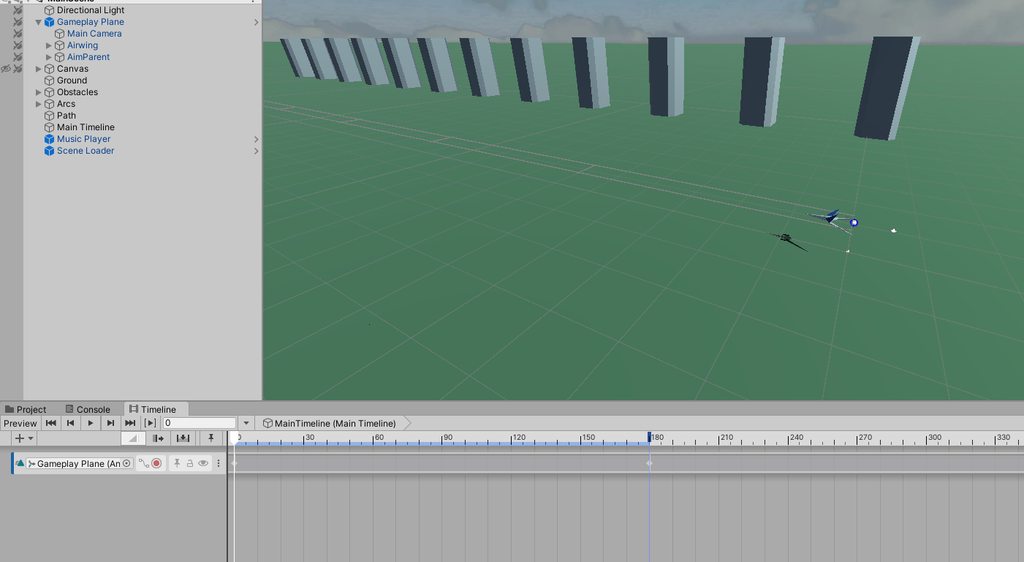 quartz mango
Realised I didn't post this updated idle animation for my slime
Also did another monster while I was at it
hybrid tinsel
@fathom spruce In the sprite editor, you can assign multiple images to a sprite(for instance, diffuce, normal, emissive, etc)
You'd want to make a spritesheet out of your animation frames, and a matching one for each secondary map
@quartz mango Very cool!
fathom spruce
@hybrid tinsel That makes sense. Do you have any recommendations for generating the spritesheets? Right now I'd render each object separately, which require setting up a camera in blender for each object and making sure that only one object appear on each render.
hybrid tinsel
I don't use blender, so I can't advise on that, but there are lots of tools for making spritesheets out of image sequences. I know there are ones that run inside unity, and also external ones like the shoebox tools.
I've used after effects to generate spritesheets as well, which isn't too hard
fathom spruce
Is the shoebox tools free?
hybrid tinsel
It was a bunch of years ago when I used it' not sure if it's still around
fathom spruce
Alright Ill look at it when I get the time 😛
 vernal pond
Heyo, first time asking here in Animation, hope my question fits here.
I want to animate my menu. It's a 2D game. Basically i want the canvases to transition from Out of Screen on the Right, to the middle, and then to the left. And ofc the stuff backwards.
I already made an Animator with animations, but I'm unsure on how to control it, if the structure i chose for the States makes sense and what kind of parameters i should use.
 reef barn
Importing FBX that is rigged and has animation in blender. Importing it to Unity. Dog on bottom is where its located, and its orientation before I hit play in Unity...once I hit play, you can see it goes up in the air for some reason, and is facing the wrong way. How do i fix this?
 golden brook
Realised I didn't post this updated idle animation for my slime
@quartz mango love that
cold sand
Anyone knows why the animations don't import when I save my character blender file in the assets folder
They do when I import manually as .fbx but I need to be able to edit them easily in blender
finite osprey
whats the proper way to animate a minigun? so the longer you press the fire button, the faster the barrel spins and then it winds down
would i even be using an animation? or would it be just doing it through code?
 eager parcel
this is online now: https://github.com/Unity-Technologies/Kinematica_Demo

GitHub
Kinematica Demo Project. Contribute to Unity-Technologies/Kinematica_Demo development by creating an account on GitHub.
twin musk
Can anyone please have a look to my project, I got a problem with animation(Blend Tree). I am in 2D between. I got no idea what's the problem. The value on the animator is changing, on the animator the animation is playing. But when I get to the scene the gameobject dont play the animation So WEIRD.
nocturne canopy
I have a spike hazard in my 2D platformer. They are copies of each other and have an animation to them. I'd like to have them offset so they don't all poke up at the same time. How can I offset their times?
 indigo vigil
someone helped me with the basics, but I still need help with models, texturing and animation.
Anyone got a good tutorial?
I do make models in Blender
I want to import those to unity, add texture, and animate them
I've been trying to do that for a while, and While I had fun and learnt a lot trying, I never succeeded with this yet.
 limpid shard
Anyone here using the default playables for Timeline? I cant get the ScreenFade track to actually fade the image. It just snaps.
 formal hemlock
levgon, are you having issues importing animations and textures into unity?
crude dawn
Hey bros, I have a quick question. I have an enemy that goes from "Any state" to "TakeDamage", but I want the transition to happen only if the enemy is NOT attacking. How do I do that?
 cursive plover
hello! I'm trying to do some UI animation for my main menu (I'm very new to unity and game development/animation btw), but I can't get it to transition correctly, I made two objects move to reveal the background, then it should transition to others objects moving in the camera, however, when my first animation finished it just goes back to the original positions and hides everything, I don't know what to do, sorry if it's hard to understand I don't really know how to say it.
cursive plover
Nevermind, I kinda fixed it!
cold sand
make gun animations in blender or unity?
 stone spade
Has anyone run into an issue where a blend tree is not viewable in the inspector? It's just blank for me now, possibly after upgrading to 2019.3.15f1. I've tried rebooting and resetting my layout, but nothing seems to get it to display.
It looks like I need to re-create it, although I have no idea why.. 😫
 red mango
Hey there! 1st time poster, I'm currently trying to edit a few animations in Unity, but I've run into a snag. Whenever I watch a youtube video on animations, they double click the .anim file, and then a BUNCH of new stuff pops up on the right, including the option to change the 'Model', 'Rig', 'Animation', and 'Material'. Yet when I double click it, all it shows me is loop time, loop pose, and cycle offset. What am I doing wrong??
jade dew
^those anims in yt vids are imported animations from other 3d software
did u by chance create these animations urself in unity?
in which case theyd show those three options only i think
red mango
Hmmm, yeah I created them myself. Here's my issue;
I'm currently trying to make an animation where 8 smaller cubes slowly come out of the 8 corners of a larger/central cube, all the same distance, all the same angle relative to the cube itself. So basically making a larger imaginary cube outside of the original, normal cube.
I've made the animation on 1 of the 8 corners, but I'm just trying to copy and paste the animation to the other 7, then mirror them along each axis. However, I can't find out how to do that
when I click and drag the animation to another small cube (One of the other eight), it just goes yellow and says 'missing!'
jade dew
youre using an animator?
there should be a mirror option
otherwise; i dont think i know enough to help you
red mango
Thank you for the attempt, regardless lol
And there is a mirror option, though it doesn't give me options to choose the mirrored axis
So I can't replicate it reliably
jade dew
yes it just flips it left/right
mostly used for humanoid animation
in cases as yours might not be that useful i suppose
 mellow sun
Hi! I made 3 models in blender for this dino: idle, run1, and run2. I just wanted it to constantly switch between run1 and run2 while running, and I can't seem to figure out how to do that. How can I achieve this?
^ they just look like this but 3d
please ping me if you can help me in any way :)
jade dew
@mellow sun you can set up an animator controller, and set up the correct states, parameters and transitions
perhaps you can find some tutorials on the topic
the unity manual would help too
mellow sun
could you direct me to a tutorial? i tried searching but most of what i can find is animating bodies and stuff
and I can't seem to find a way to add a key frame for this mesh
jade dew
are you trying to animate it in unity?
mellow sun
:O
mellow sun
interesting
does that mean i need to make 3 separate game objects with different models, and show hide them in a script?
jade dew
that is a easy way yes
jade dew
yes, exactly!
jade dew
and your script can have references to the idle, run1 and 2
and then u can toggle on the fly
mellow sun
cool cool
jade dew
easy animation, if you manage to time the speeds right
mellow sun
thank you :)
 light glade
Hello, I'm currently using Unity's built in 2D skeletal animation system. But, the depth feature is really confusing me because nothing seems to change. I'm feeling pretty stupid right now
 torpid nymph
can someone help me a bit with animation layers?
 peak bison
Is there a way to play animation backwards?
hybrid tinsel
Yes; set the speed to negative in the animator
peak bison
thx
 stoic musk
Is there any way to controllably interrupt an animation with an exit state?
 gritty forum
Is anyone here decent with animating
Like 2d animations
hybrid tinsel
 gritty forum
o.o
hybrid tinsel
 stoic musk
Sorry Pinball 😅 What I wanted to say is, imagine I have 2 states with a transition back and forth. If I want to interrupt it with a transition back to idle, how would I go about that if all transitions have exit times?
jade dew
youd need to add a condition
or perhaps youd be interested in interruption source
which can be used to interrupt transitions in multiple ways
Unity Technologies Blog
I recently investigated a tricky bug reported by a user involving the combination of empty states, override layers, and transition interruptions. As I was ...
perhaps this can help
hybrid tinsel
You can also have a transition from any state to idle.
That can supercede the normal flow.
thorny light
hey guys still wondring how you set up IK switching or solvers in unity that will move hands to a specific location on a gun
thorny light
i think i found a video that helps now

In this tutorial, I show you how to attach a weapon to your character, using Unitys Animation Rigging package and the two bone IK constraint.
Follow this video first if you haven't already got a character controller setup:
► https://www.youtube.com/watch?v=CS7MudfyDzM
Asse...
jade dew
animation rigging package is also a way
thorny light
code isnt my thing my brain isnt sharp enough to handle such power
well thats interesting
jade dew
did u install the animation rigging package
thorny light
yus
cold sand
I'm unsure how should I make fps gun animations
Should I make them in blender on the character model with the guns included
or should I do gun separately, hands separately
No clue how to approach this, if anyone has some experience with fps gun anims in blender please give me some advice/a general idea on how to approach this
wary remnant
@cold sand Make the fps gun animations in blender. Have a arm mesh with a gun in every .blend file and animate
it
cold sand
Ah so a viewmodel
How would I make it local though, so others in multiplayer don't see it
nvm ik how
@wary remnant How would I control the anims? I wouldn't be able to use the Animator component since it requires a humanoid avatar
wary remnant
that i don't know.
 dark pier

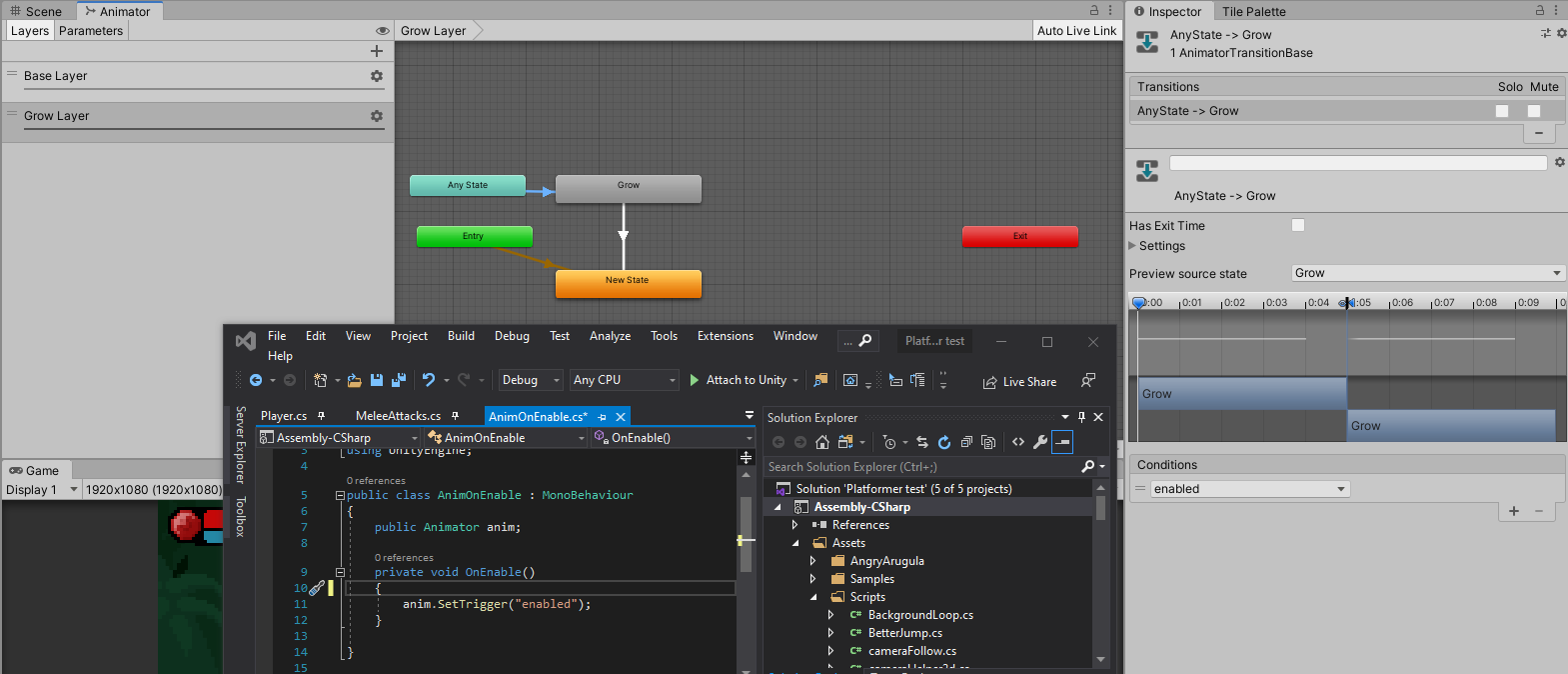


 cold sand
@hybrid tinsel Good idea, I'll do that