#🏃┃animation
1 messages · Page 58 of 1
 hybrid tinsel
hybrid tinsel
hybrid tinsel

 true cove
wiggly
Looks hella drunk/stoned and about to show his bros how he can snipe a can from 50 yrds
hybrid tinsel
Yeah, she's meant to be tipsy
true cove
Well done in that case 😄
 twin musk
xd
 lofty remnant
nice
 slate hemlock
sexcopter go brrr
 clear pagoda
Any way to turn that kind of thing off?
Anyway, does anyone know why animation events won't fire when being blended? Is it because the event gets lost in the blending?
Or is there there some other reason why it just won't fire after the state is called?
hybrid tinsel
@clear pagoda turn what kind of thing off?
And animation events don't fire once the animation they are on is transitioned out of
clear pagoda
I did some reading on this and it seems like a known issue where animation events don't fire like they're supposed to.
@hybrid tinsel I couldn't figure out why the events wouldn't fire when blended, but they don't. Unless there's something I don't know. Which is why I decided to ask here. Maybe someone knew something I didn't.
hybrid tinsel
Uncheck root motion in the animation import
 warped epoch
ok
 vital raft
How do I use bones in an animation ? 
I made bones and all on my sprite
And I'm using this for making animations
With children game objects that are using the sprites with bones. But I don't see any option for animating bones themselves
Oh, I need to attach a animation controller to the child ?
ok found
 mental hazel
Can anyone give some feedback on this animation?
It's one of our NPC when it wakes up in the morning (or if it hears some noise), what do you think?
https://cdn.discordapp.com/attachments/625004105164652635/699921563754954813/Bear_from_sleep_v2.gif

 unkempt ice
hi guys
how do i make the shooting animation run when i shoot
i created an bool called
isShooting
and i want the shooting animation to run when i shoot
mental hazel
make a similar parameter in your animation controller and set its values as you need @unkempt ice
mental hazel
reference the animator and use SetBool("isShooting")
or look up a tutorial on unity animator
 raw raven
Is there any way to set the animation conditions to greater, equals, not only to once of them
@mental hazel It is looking great
mental hazel
@raw raven Thanks! :)
And what do you mean by your question? I am not sure I understand it!
unkempt ice
guys
my animation doesnt play
i want it to play when i shoot
but still it doesnt
mental hazel
Check some like this: https://www.youtube.com/watch?v=NjA_TGH_Mzc @unkempt ice

In this classroom-style YouTube series, Darren teaches you all of the important features of Unity3D's animation toolset, Mecanim. He walks through real game development examples of when developers use Mecanim for animation, and occasionally runs into problems and shows you how...
unkempt ice
thanks
clear pagoda
Does anyone know the best way to get the length of an animation from the animator...?
raw raven
And what do you mean by your question? I am not sure I understand it!
@mental hazel
I have a 3D Menu (Mario Like) in my Game, and because a changed in my Code im not able to to Include my Levellock system, so I tried to include it in the Animations, there in the conditionts I need the Option (Equals, Greater) but there are only the singel once
 ruby sand
Why i can t add a transition through states with right click, I use unity 2020
they changed anything?
i can t even move them
i literally can t start my project without using animations
i can t even delete the
them*
hybrid tinsel
I am still on 2019
ruby sand
it doesen t work on 2019.3
idk why
i fucking hate this
i wanted to start my project yesterday but i can t beucase of that problem
i ll go to 2019.2
clear pagoda
I have a question...I'm trying to get the clip length from the animator, but when I get the information and try to just find out what clip is playing, it keeps giving me an "index out of range" error from the array. I checked to see if the array was null (which it isn't), so why would it give that error if I'm looking for information from layer 0?
 dark token
So uh, I'm trying to import an animated character from Blender to Unity and I need help with that. Like uh...
I'm aware that I can just drag and drop the .blend file directly, but doing so gives me a lot of junk I don't need in Unity, but still need in my Blender file
So I'm trying to do an FBX export/import
But like, I have stuff that are using an armature constraint to move around with the character. (Like weapons and stuff)
And well, constraints aren't carried over it seems, because they don't move with the character's animation
So I'm baking them with visual keying, which does get imported... but
It doesn't get imported as one single clip, but as several separate clips
Applied on each of them
So for instance, my character has a mask and a sword and an accessory that are using constraints
If I import the animation with these constraints baked, I can either play the character's animation while the mask stays in place or the mask's animation while the character stays in place
Or the sword with the mask's baked animation, or the character with the sword's baked animation, or... you get the idea
And I just want that to be like, one single clip, so that I can split it up correctly from within Unity
I've already looked around Blender help places to no avail, so like, I'm trying to figure out here
clear pagoda
Any reason why GetCurrentAnimatorClip() would return 0 when the animation is currently playing? Do I need to check a different method in the animator to find out what animation is playing?
raw raven
Anyone intrested to spend 10 Years of his/her life to fix our animation
clear pagoda
Heh, I have enough trouble trying to fix my own. Especially since Unity handles animation all strange.
I just want to get my combat animations to play right and it's been a struggle to do that.
dark token
So uh... anyone who could give me some pointers about that?
raw raven
We are stuck with an 3D Menu our player dont want to move the way we want to
@dark token No sorry I just started Unity a week ago and never worked with Unity and Blender together
dark token
Eh, no biggie then
clear pagoda
@dark token I'd help, but I don't know anything about Blender.
Or importing .fbx files.
I'm sure there are some tutorials out there that give tips on importing from Blender, though.
twin musk
Animations are actually busted
two seperate objects can't be merged together
What if I want the prefab to have two control two avatars
Nope
not allowed
two controllers
not allowed
clear pagoda
I'm just mad that animation events don't fire reliably.
It's totally screwed my whole combat system up.
I'm trying to find another way to do it, but just getting the animation clip length and working with that is a pain in the ass.
twin musk
I have everything
twin musk
Problem is that everyone here
needs help
that's why they came here
so the higher ups are thinned out due to helping
clear pagoda
Yeah. Getting help has been rough today.
twin musk
My problem that I have is quite basic
raw raven
Wat is it
twin musk
"Animations are actually busted
two seperate objects can't be merged together
What if I want the prefab to have two control two avatars
Nope
not allowed
two controllers
not allowed"
there
twin musk
I believe it is
problem is I have two seperate models
I need to combine them together
using a Game object fails miserably
clear pagoda
So you want to take Model A and Model B and combine them into Model AB?
clear pagoda
Can't you just sync the animations so that they happen at the same time?
clear pagoda
That's what I mean. Have two game objects and fire the animations together.
twin musk
Shame you can't just merge them seems impossible in this software
twin musk
Na it's fine
I would have to technically merge the meshes
I now know that's the only way
raw raven
Hello again
clear pagoda
Cool. 🙂
Gonna ask my question again...maybe someone knows...
Any reason why GetCurrentAnimatorClip() would return 0 when the animation is currently playing?
dark token
So I kinda gave up and imported the .blend file anyway after deleting the extra stuff from the scene
I made copies of the file, so it's not a big loss
raw raven
Hello, I have a two world structure, when I join the second from the first one I trigger the trigger and load the other scene, now my Problem: then in my second world the animations are not playing anymore
 stone trellis
Does anyone here use Spine 2D with Unity? If so, thoughts?
hybrid tinsel
I know a few people do.
hybrid tinsel
@stone trellis It seems pretty impressive but might be overkill depending on what you needed.
 smoky solstice
how to animate particle system transitions?
twin musk
if you want for example fireball
you need to check collision
and make send collision message
you can use generic animation
to do that
So on for example f1 your character will trigger animation
and you can add animator even to it
event*
You need to add 2 events
FireballStart
FireballStop
then you need to add animator receiver
to your character
You make the events size 2
Next step i will tell when youre done with this
smoky solstice
Well I have an animator and animation setup (appreicate your help monatti)
twin musk
;-;
smoky solstice
With events and transitions for the animation part
twin musk
bruh
smoky solstice
But I had my particle systems like seperate
twin musk
can i show ya smth
twin musk
in private messages
smoky solstice
Ok
 pastel saffron
hi, can anyone help? want to write animation in my code, but dont'know how... read about animator.Set method, but my charachter is move by rb.velocity, so it's give error if i try to do this method... i need help) code in file... i'm new user i unity, so sometime stupid - sorry)
pastel saffron
idle, run
 safe quest
idle to run?
pastel saffron
yes
safe quest
so can you already move the character, just the animation isnt playing, or or do you need helping moving it as well?
pastel saffron
if character not move = idle, if move = run... i try to make a loops, but...
my charachter can move
use button
safe quest
you could just do when the arrow keys (or whatever buttons you use to move) is pressed , animation.play ("Run")
so for example
pastel saffron
@safe quest - i write you in lp)
 cloud zealot
anyone know how to stop the avatar editor from killing itself constantly? Trying to retarget animations to another but there's some problems and I can't enter the avatar editor to fix it because it causes unity to completely lock up and crash.
hybrid tinsel
@cloud zealot that sounds like a bug you should be reporting
Since it definitely isn't supposed to happen 😄
hybrid tinsel
You report your version, steps to repeat it, and maybe make a test scene you can send to unity to see if they can reproduce it
 desert plaza
Do Animation Clip names need to be unique within an Animation Controller? I have two clips which are two Idol states (Happy and _Angry), they're in the controller but the animation clip editor only has one entry for Idol.
Answer: Yes, as soon as I changed the name of one of the Idols they both started displaying. 😦
 hexed vine
Where do I find or add the "Bake Into Pose" option for animation?
 bitter patio
Hey I have a question, does unity "smooth" the transition between animations if the end of one isn't equal to the start of the next? Thanks!!
 gleaming flare
@bitter patio yes, depending on how you set it up. If you're using the animator, it will by default transition your animations.
 stoic musk
Is there any way to alter an animation without causing an effect on the animation? I notice that when I alter the rotation in either x or z axis of the torso, the animation (Which is a baseball swing) gets shortened by the delta rotation
Haven't found a way to avoid this, even with finalIK
Preferably I'd want to alter it any way possible and still keep the animation to the upper body unaffected
stone trellis
@hybrid tinsel thank you! I was just hitting walls with Unity's animator and wanted some other opinions 🙂
 frank sonnet
Should not there be an option to make the animation position fixed?
Loop Pose did the trick
hybrid tinsel
@stone trellis Any particular issues?
vital raft
Is it a good idea to use one animation controller for a gameobject to animate the children, then one controller per child to animate the children bones ?
Or can I already animate the children bones on the parent's controller ?
stone trellis
@hybrid tinsel i wasn't sure the workflow for updating images in my rig. I couldn't find much documentation on how to do it. I kept running into some weird bugs where sprites would be WAY off of their bones when i imported my .psb. Also, i couldn't figure out how to re-align images back to their bones. Several issues beyond that.
I actually bought Spine a ways back and started working with it again and am in love lol. I upgraded to Pro this morning for IK and Meshes. Just trying to get it to work with Mecanim and am realizing I should just write scripts for it and not be lazy heh
But yeah, I think the biggest deterrence for not using Unity animator is the lack of documentation
just a simple walk animation in spine. I'm no animator heh
 tepid aspen
is there a way to get the current sprite from an animation?
besides adding keyframes exporting the sprite to a script
I want to get the currently active sprite frame
 frigid rain
Hello, I'm kind of new to rigging and animating. I was looking to create an animation within unity, and whenever I go to create a new animation this character goes from the T-pose to this weird position?
I was just looking to add a closed fist lol. Any advice?
twin musk
Can anyone help me with Animation Bools? I dunno how to use them. I just want to make it to where I can open a door, and then close the door by clicking it again.
So far the only way I was able to do this was a cheap method, making 2 colliders, 1 enabled when the door is open, another enabled when its closed, that toggle and activate each other
I want to be able to click the same door when its open, and have it play the closing animation when it knows that the door is open
without having to add 2 different colliders to the door handle, the player should be able to click the same door and have it open/close without it
hybrid tinsel
@frigid rain That is the default pose for humanoid rigs I think
frigid rain
Oh, i thought it was the T-pose.
twin musk
help
I got it to work!
I made a Parameter with an Opened Bool, set it so that the doors only open/close based on Conditions in the Animator's flowgraph Animation that they only open when "opened" is true, and close when it's false.
hybrid tinsel
seems reasonable
twin musk
Unless you got any other way? I'm fresh out of ideas past this. ¯_(ツ)_/¯
twin musk
Is this healthy Unity behavior? TL;DR; Got a double door open/closing animation set up in Animator here. The closed/opened anims are set to 5 frames, because if I set it to just 1 frame, it defaults to 60 frames which makes it 1 second long.
pastel saffron
hi, can anyone help? want to write animation in my code, but dont'know how... read about animator.Set method, but my charachter is move by rb.velocity, so it's give error if i try to do this method... i need help) code in file... i'm new user i unity, so sometime stupid - sorry)
 solid sierra
Is there a damn way to receive all states with their names and assigned clip from a animator at runtime ?
I already reversed engineered their animator source code and could not find a way to acess their "GetStates" methods...
So i hope someone here has a genius idea
twin musk
genar, are you good with animators/animation in Unity?
@solid sierra okay, should sub/child objects to an object with an animation also have the same animator/animation controller as the master object that's animated?
I'm thinking that's why the door handles aren't animating when activated, because they don't have an animation controller telling them what to do, despite literally being under the same object
 abstract otter
Meh looking run cycle but I'll still use it for testing
All I need to do now is a jump and falling sprite then I can get to learning how to code part
 dusky hedge
@abstract otter looking good! what kind of game are you gonna make?
abstract otter
2D platformer
dusky hedge
any more in depth planning done for it? 2D platformers still have a wide range of stuff 🙂
i dont know why but im thinking kirby xD
abstract otter
Gonna try not to go too much into depth with it but I want to go for something like megaman / kirby where you can take on worlds in any order and you get a new power at the end
dusky hedge
so, a castlevania platformer?
 idle ridge
hey, i'm not so experienced with animation. but i'm looking into UMotion Pro and Final IK.
i'm wondering, if i'm doing animation in Blender, is there a real value for using either of these tools^ as opposed to Unity's built in animation tools?
abstract otter
not quite think picking a boss from a megaman game but it leads to a world with a few levels in it before the boss
abstract otter
I plan on sprinkling more into it obviously, I wanna have some suprises
dusky hedge
ofc ofc, early days! 🙂
idle ridge
anyone has experience with UMotion Pro?
 kindred hare
^ Was about to ask about this, gonna be picking that or FinalIK up. But wasn't too sure on how much they're different or can work together
hybrid tinsel
@twin musk if there is a separate controller then that might mess things up if the main door animations control the handles too, I'm not sure how that stacks
@abstract otter the arm in front seems to attach kinda weirdly at the shoulder
twin musk
@hybrid tinsel thank you
@kindred hare if it's for VRchat dont bother as FinalIK doesn't work anymore for VRC 
 cerulean dove
Hi guys!
I'e been struggling with import of one of my animations into Unity.
When it stands alone (red girl) it's working fine, but when I add the animation into my character controller, bones go missing.
My jump/ IDLE animations are correct and using the same bone system, but for some reason when I add a walking animation into the controller, it's broken.
I tried setting up the character the second time and this time the walking was okey, but jump + Idle had the same set of bones missing again
It's always the skirt bones
Anybody had such an issue before?
twin musk
Can you please help me with a simple door opening/closing animations in Unity?
 shadow holly
Anyone know why I cant control my player animation frame using animator.Play(animationName, 0, time); but can't use it for another model I got?
I tried replacing the other model with another player and it worked again
the animation is the same one and is correct, also the animation controller is the same
shadow holly
Ok so:
- When I put
Animatorcomponent and aControllerin side, and play as is, the animation is working fine. - When I Instantiate the object (which already has the
AnimatorandController) it will play, but as soon as I do:
animator.Play(animationName, 0, time);
it freeze's at a certain (unknown) frame, and wont update.
Looking at the Animator graph, I can see that the animation indeed plays and goes from 0 to 1, (meaning thetimeI provided is ok)
I tried using Update function from Animator to maybe force an update, but still the club wont move
Could this be a bug related to the way I export FBX? because the same method with the same variables works for my player object
 crimson geyser
twin musk
crimson geyser
twin musk
turn up inertia and damping maybe
 indigo ibex
hey
i ticked off Write Defaults from all my animations in the Animator
but I still can not modify the rotation of my bones in the inspector when it runs
did i misunderstand how Write Defaults work?
indigo ibex
so
it looks like it is known that Write Defaults does not work

Unity Forum
This behavior caused me to waste almost an entire day. In our case, we had a group of animations in a single controller that set active/inactive on...
 strong plover
https://gyazo.com/7e20b12e47ae5ddbaf60cdaaf4bbeda1
What can I change about this, it seems a little lacking near the end?
 hollow blade
the end seems kind of hard stop, a little overshoot would look more dynamic
strong plover
It's a hard stop because I left the frames to play a little longer, in game it would just go back to being idle but I'll slow the stopiingdown a bit
abstract otter
Just curious is there a way to import png sequences?
dusky hedge
you wanna import them all?
@abstract otter
best thing to do would be to make a spritesheet tbh
abstract otter
I take it you can import sprite sheets?
dusky hedge
well, you can place them all in one file, and slice images to separate
you could also drag them all into a folder in your assets, and that ll import them all
so yes, you can import them all @abstract otter

In this tutorial I'll show you how to make sprite sheets in PS and then how to import those into Unity to make 2D game ready animations !
SUPPORT ME : https://www.patreo...
dusky hedge
you can
but it has to do with drawcalls (every sprite needs a drawcall)
if you open your asset folder in windows, you can drop the sprites in the assets folder or assets/sprites or smt whatever you like.
you set them all to sprite and then you gotta animate it, by looping over the frames
but that video explains it rather well
 abstract otter
I ended up just putting it in as a image sequence how do I put all these frames into a single animation?
hybrid tinsel
@tranquil violet if all the special grinds have the same timing, you could put them in a single blendtree?
 tranquil violet
they do not
 spring wyvern
Not sure if this question belongs here but does anyone know how to fix this weird glitch whenever the player rotates around 0, 90, 180, 270
 signal dragon
Hey I'm trying to add water with liquid physics to my game. Normally it wouldn't be a problem if i were using 2d or 3d animation, but i wanna make it a pixel art game. Any ideas on how i can do this?
hybrid tinsel
You'd probably want to do it as normal, but at a suitably low resolution?
 slim trail
So... I've got a frustrating bug I've been trying to hammer out for entirely too long at this point.
I'm trying to use the prefab 3rd person character controller. And I think I might have broken something somewhere, because it's no longer applying the animation to the character model.
The issue seems to be that model isn't getting the animator data from the third person controller's "third person character" script.
(pardon if this is the wrong place to put this)
I can make it pass the data to the animator of the model itself. This causes it to animate properly and call the animator data, but it also makes basically everything fall apart as soon as I move anything at all other than directly forward
Like, it's acting like I don't have the right Avatar selected for the animator, but that's... definitely not the case.
slim trail
Gonna try... starting a new project... again... mess around with it until I break it again I guess...
slim trail
Whew. That's a 'relief'... It doesn't work in a new project either.
This time.
It did last time...
So, what I did
-Drag/drop the 3rd person controller prefab into the scene.
-Import asset of my character, change to humanoid model, configure avatar
-Delete ethan, then drag drop my character into the scene, and make them a child of the 3rd person controller
-Set the Animator of the Thirdpersoncontroller so that its Avatar was that of my newly imported/configured character
Character remains in T pose, but thirdperson controller animates appropriately (but isn't linking up to the avatar). Character moves/translates appropriately.
I can make the character be in the idle stance instead, by going to the model/child and making their animator call the ThirdPersonAnimatorController. But since they're not getting any animation data/floats etc. they just stay in the idle animation.
It's just like if I hadn't selected the correct Avatar (In Third Person Controller's "Animator" component) at all.
dusky hedge
@slim trail you got a tl;dr for that xD
slim trail
Sorry >_>
TLDR: 3rd person character controller animator is not linked to the avatar it should be.
It says it is, but it is not.
Anything I might be overlooking?
dusky hedge
this a custom system or the unity provided package?
slim trail
unity provided, I think
Standard assets->Characters->ThirdPersonCharacter->Prefabs->ThirdPersonController.prefab
downloaded from the Standard assets thing in the asset store.
dusky hedge
yeah i dont use those for a reason lol
slim trail
Ummm... great, I guess? But that still doesn't address the basic problem of "an Animator isn't targeting/manipulating a designated Avatar" that I'm facing here.
I guess I could... not use an Animator? But then i don't know how I would Animate things? That sounds impossible?
I'm still very new to this.
Annnnd now it's working if I force it to target the model instead. Whereas before it was causing all sorts of incomperehensible problems when I did that
Fine, whatever. I'll take it.
... ah. Yeah, no it's not working... but at least this is a new sort of problem to try and smash my head against for another 10 hours... ;-;
Ok, is it possible for one script to feed into two different animators? That would solve this problem.
I guess I could try copying the script and applying one to each...
slim trail
Applying another compoennt of the script and having it point to the other animator doesn't work, and I can't figure out how to make a copy of the script to try doing that, so... I'm back to being stuck.
So as a TLDR again, I'm here:
It says it is, but it is not.```https://gyazo.com/2ef1913f4f92d93198c0c304ddee7aabSo
this is my blender animation but it in unity it doest show the Slide moving and the hands are little iffy, I assume its due to compression of some sorts?

Right so it shows the slide but it may be too fasT?
 valid wharf
Dont know if you are using any sort of constraints in your blender file to make the animation (like the gun copying position of the hand or something) but Unity pretty much yeets those out the window on import . This may not be your issue but its an issue I had that I had to fix in unity. As far as the animation I think its fine, you have to consider that people will be spam shooting a lot of times so you need the animation to be fast. The only thing I would say is I agree that the hands are a bit weird at the end how they sort of jiggle up and down. @strong plover
 past yacht
Hi, its here somebody who knows reason why, why if I setTrigger in Animator to same animation, animation cannot fire? On end animation I have a event to reset trigger
here is video https://ctrlv.tv/EyjW

Fastest screen record online
Fastest screen record online in browser only without addons.
 quasi wigeon
Am i able to get some help pleaSE?
past yacht
I can solve it with an intermediate step (new state) and during the action where this happens, I set the trigger to an intermediate step, which "resets" it and sets the state again, but I ask if there is a more convenient solution?
quasi wigeon
I have been trying to do this for like 2 hours now, I am animating a parking gate however i want to be triggered by a key, I have tried everything and looked up alot of things but it doesn't seem to be working
strong plover
@valid wharf Yeah Im using Child of Constraints eesh, I yeah I do need to make it faster issue is its fast rn that you cant see the slide go back
valid wharf
I think the speed right now is fine tbh
@quasi wigeon You are wanting it to work in game?
Like in unity you use a key to activate the animation?
quasi wigeon
yes I have tried trigger with a 'pressure plate' i dont really mind how it works i just need it to work
it would be easier if i could share screens i have about 30 mins to complete it
valid wharf
Uh
 solemn coyote
so
i animated my sprite sheet
but it is stopping on one idle animation every time facing the camera
the tutorial im following doesnt show how to use idle animations on other directions
can anyone help me figure out how to do this
 lavish sorrel
twin musk
lavish sorrel
twin musk
guys, is there a library of (preferably cinema-quality) mocap stuff somewhere? like substance is a subscription service and lets me handle materials easily, is there a mocap equivalent?
hmmm, is https://www.motionlibrary.com/ any good anyone know?

The world’s largest marketplace of motion assets - Motion Library - is now available to all creators! Download it now and get 150 motion capture assets for free: https://rokoko.io/motion-library
solemn coyote
anyone know how to make the animator switch a bool true or false
hybrid tinsel
Add a script to a state or an animation event to the animation
 unique coral
What's the best way to handle a full animation system for a fighting game where the player will constantly be moving around? I have punch animations each of which has two versions, one root motion and one not. I want my NPC to be able to throw punches towards the players head if he is within a certain range, but if I use the root motion animations they can only go the set distance which is either too close or too far. Is there any way to edit animations in real time to adjust the range of the punches?
 warm basin
you could use inverse kinematics
unique coral
Can that work with animations?
warm basin
I'm not sure
i'm very new to unity, so I don't have much knowledge on the subject
what I would think of is having an animation for winding up a punch/getting it to the position right before the arm is about to extend, then animating the extension of the arm through inverse kinematics, and then run a final animation to bring the arm back
unfortunately i have no idea how you'd go about doing this
I have a character that I modeled and animated in blender, and got into unity with no problem(non-humanoid) and I set up a movement script, animation controller and all that jazz, but I want to create a new character based on the old one, with identical animations, but I need to change some meshes and move some bones around. i tried doing this by copying the blender file then making changes, but in unity there was always an error of "root position or rotation are controlled by curves" after i imported it. I assume there is a different way to copy characters and make these changes?
valid wharf
@unique coral Yes inverse kinematics would work, you would have to use rays to cast to a position you want the fist to end up at and then use inverse kinematics to move the fist to where it needs to be. I cant help you very much besides saying that I know it can work for what you are needing to be done. Just know that inverse kinematics is kinda complicated, I would search up some videos on it if you want to see
 shadow ridge
@unique coral There's a few ways to handle that situation. IK is a possibility, but it's not going to move your root bone if the fully extended arm is still too short. Simply applying root motion isn't enough, as you noted. The way most games do this is to not just apply root motion, but rather use the root motion data along with logic to scale the distance up/down to meet a target position. In Unity, if you implement a void OnAnimatorMove() function in any script attached to an object that also has an Animator component, you'll see the Apply Root Motion checkbox changes to Handled By Script or whatever, and when that function gets called, animator.deltaPosition and animator.deltaRotation will contain the root motion position/rotation change in that animator frame.
So you can modify them as appropriate to scale to your target
It's a mathy sort of problem to solve. There is a helper though, https://docs.unity3d.com/Manual/TargetMatching.html
It takes an AvatarTarget, which is an enum that does contain Root, so it's possible to use it to adjust root motion.
 native apex
I am hoping someone might be able to shed a little light on an animation that is looping despite the Loop checkbox not being checked? I have no code for this animation and thus I am wondering if there is another place to set the animation to loop other than in this screenshot.
 dense island
Hi, I have a question. Is there anyone here who imported animations from GTA San Andreas to Unity ?
native apex
I fixed the above. I had the animation connected to the exit and to my surprise this makes it loop. What is the exit for then?
shadow ridge
Exit does what the name says, exits the state machine. However, that's mostly useful in the case of sub-state machines, to exit back to the parent. In the case of a top-level machine, the most reasonable behavior is to restart the machine -- go back to entry. The docs are unfortunately not very clear on that fact, but that's how it works
The alternative is poorly defined, if you think about it. What would it mean to have an exited top-level state machine? The component is active but dead? What about states from the Any State node? Do those transitions still happen? etc
hybrid tinsel
If you want it to not loop, have it transition to an empty state.
shadow ridge
Should also work to just have no transition taken automatically. It'll play, finish, and idle in the state until a transition occurs.
 unkempt basin
Hey, im working on a cutscene with timeline. i have a main timeline where i block out characters position in the scene. Can i have a sub-timeline for editing its details like rotating the character?
native apex
Thank you @shadow ridge @hybrid tinsel
strong plover
https://gyazo.com/c085ed88ce57b0dfb0ca039f4f771447
Anyone know what I could do to make this less "stiff" in terms of when it goes back into the first keyframe from the last?

It seems jumpy
hybrid tinsel
@strong plover I know nothing about the program you're using but you should be able to adjust the curves in some way to make them match on the first and last frame?
strong plover
It's blender, and yeah I dont really use curves but I guess I could try them, I know how they work
twin musk
What you probably want to do is not only have the object return to it's original position but also move at the proper speed so that it doesn't suddenly accelerate or slow down
hybrid tinsel
Unity allows you to do this mostly automatically, but dunno about blender
 candid raven
Hello, I have no experience in game development yet, but I would really like to change that now, so I'm just trying to make some first steps.
My little goal: I want to create a gummi bear figure in Blender which should be controllable in Unity (left, right, jump) and should be able to keep a ball in the air.
I have already created one character with meta-balls in Blender so far and now I want to animate the jumping. Should I do that better in Blender or Unity? Do I generally do something like that better myself or can I use physical processes? What should I pay attention to here?
Thank you, I'm happy about any tips and suggestions 🙂
hybrid tinsel
@Lisi there is no right answer, and I suggest breaking this down into a bunch of smaller questions and looking into each in turn. Figure out exactly how you want it to work, learn the basics of setting up a character controller in unity and you probably will want to mostly animate in blender unless you want to focus on simulation.
shadow holly
Hey! I have this weird problem with the animation where in 3DS Max, the animation is perfect, and when importing to Unity (both Generic and Humanoid act the same, including ticking IK), and playing the animation, you can clearly see that somehow the pelvis is moving the feet, which result in a weird "drifting" of the feet
I tried multiple solutions I found on the internet but none worked
hybrid tinsel
Do you have root motion enabled?
 quasi gull
Might be the wrong room for this but I’ve been trying to see if theirs anyway to fix this issue?
Turing on ik pass creates sphere-casts but it’s messing with my ground check script. Is there a way to make these spheres not lag behind the armature?
Edit: well for now I’m just going to expand out the sphere collider
candid raven
@Lisi there is no right answer, and I suggest breaking this down into a bunch of smaller questions and looking into each in turn. Figure out exactly how you want it to work, learn the basics of setting up a character controller in unity and you probably will want to mostly animate in blender unless you want to focus on simulation.
@hybrid tinsel thank you, i'll try
hybrid tinsel
@quasi gull Put the spherecasts in LateUpdate, so they happen after animation and movement has completed for that frame?
Or in FixedUpdate maybe
Not sure where you're getting out of sync
quasi gull
I’ll try it out!!
 sonic star
Any simple work around to having an animation controller be able to effect a game object higher up in the tree without any scripts? any syntax i can use to point like
" cd ../../on"
kind of thing
 grand robin
Is anyone experienced with the animator? I need some help making a blend tree take 2 values at the same time with the same input.
I'm making a move script that works with WASD controls to move the character in those respective directions but also have them always facing the cursor in the same fashion of games like Gungeon, Synthetik, Ruiner. The only problem I'm facing is that I can't get the animator to represent those movements.
void Move()
    {
        Vector3 rightMovement = right * moveSpeed * Time.deltaTime * Input.GetAxis("HorizontalMovement");
        Vector3 upMovement = forward * moveSpeed * Time.deltaTime * Input.GetAxis("VerticalMovement");

        Vector3 difference = this.transform.position - cursorPosition;

        Vector3 direction = difference.normalized;

        anim.SetFloat("MoveZ", direction.z * Input.GetAxis("VerticalMovement"));
        anim.SetFloat("MoveX", direction.x * Input.GetAxis("HorizontalMovement"));

        transform.position += rightMovement;
        transform.position += upMovement;
    }
If anybody with animator experience that can help me I would really appreciate it!
 balmy escarp
Alternate running animation for 20 degree slopes.
 frozen horizon
can anyone answer whether or not missing Chest and Upper Chest bones in an Avatar could be the cause to my model's arms not animating?
he just runs like a zombie with his arms outstretched
hybrid tinsel
I know there are certain required bones to make IK work correctly
dunno specifically
 dense crest
Hi all, I made some cool procedural animations in unity, and I would like to export them to blender. The FBX exporter package export results are completely broken, is there another option? I have .anim files in unity that work fine on a generic rig characther.
 magic quest
Hello, I'm getting this error: Copied Avatar Rig Configuration mis-match. Transform hierarchy does not match: Transform 'mixamorig:Hips' for human bone 'Hips' not found. Can you guys help me how to solve this error? I am using the RPG Mecanim Animation Free pack and a Mixamo model.
hybrid tinsel
@dense crest I have no idea, but if you find a solution that works please let me know!
@magic quest You need to manually match the bones up between the rig and the avatar, since it either has a different bone arrangement or different naming scheme.
 viral ginkgo
Hi everyone, I am trying to get my animation playing for my gun firing. I can see in the Animator that it is hitting and the gun is firing however it states that it cannot be played as the idle doesn't have an animation?
How would I fix this?
twin musk
Does anyone know why I can't animate the shadow caster from URP? I'm modifying it and it doesn't change when i play
 deft ocean
What software I should use for creating animations
 elfin sail
Hey there, I am having an issue whereby I have an animation on the player, however when the player jumps high enough, the landing will force the animation to sink into the ground a little bit. The collider remains where it is, but the animation (the model) sinks into the ground. I have the Root Transform Position Y baked into the pose
So I am stuck as to how I can fix this
viral ginkgo
There seem to be more problems than answers in this section
 heavy oracle
Anyone know how to fix/explain this, on another scene this works perfectly, but when I copy and paste the player into new scene the animations freak out like this: https://gyazo.com/acde1393fb379f2ce5a201aab4deb16d Thanks
 twin musk
Does anyone know if it's possible to make an animation that will just continue to rotate forever? Say I want to make an analogue clock that will rotate each hand to its respected hour/minute, but I want that to just continue on by itself, like an actual clock counting time. Is it possible to get this type of animation behavior in Unity? (DM or @ me if you can answer)
hybrid tinsel
@twin musk ```using System.Collections;
using System.Collections.Generic;
using UnityEngine;
public class rotateConstant : MonoBehaviour
{
public Vector3 speed = Vector3.zero;


void Update()
{
    transform.Rotate (speed.x*Time.deltaTime,speed.y*Time.deltaTime,speed.z*Time.deltaTime);


}
}
You can also just make an animation that turns it and play that clip.
But that might be overkill
twin musk
Holy moly
 gilded coyote
When it comes to animating for a game with both 1st and 3rd person camera, is it preferred to animate 1st person hands along with the 3rd person model, or...?
 young marsh
With Portal and Fallout they modeled the full character. The biggest issue you might run into is your camera running into the character's head and showing that when it shouldn't, which is why I've seen sometimes when the camera goes into 1st person the model is replaced by one that is JUST hands but the player doesn't know (unless they cheat to see things they normally wouldn't)
gilded coyote
Biggest problem is that the current animations don't leave too much room for a camera. Suppose I could try to fiddle around with the camera settings to fix that though
 gray pebble
Bleh
I cant seem to get the wings to animate properly(Following a flappy bird game tutorial from their website, yet some of the steps they did don't seem to work with what I did.)
hybrid tinsel
@gilded coyote lots of games put the camera in the chest area when going to first person
gilded coyote
I think I'll roll with a world model combined with a first person one, just for more freedom with animation
twin musk
@heavy oracle Use a prefab instead of copy pasting
Does anyone know why I can't animate the shadow caster from URP? I'm modifying it and it doesn't change when i play
hybrid tinsel
@heavy oracle I'm guessing that since you copypasted, some references in scripts still point to the old scene
 unborn idol
Is there any way to fix this?
 untold raft
loof the velocity of the camara rotating?
twin musk
Try to slow it down (Extend the keys) so you can have a better view of whats happening
unborn idol
Lowering the speed won't do anything. Any object I try to animate glitches out and goes crazy as soon as the animation plays.
This is what happens when I set the rotation to Quaternion. I'm working on Unity 2018.3.3f1 btw.
twin musk
Correct me if i'm wrong but, this:
Should make my character do my Run Animation:
Perhaps it's interfering with and that's why it won't run?
 silk crest
hello guys who has a sec? I have "too much" text on my game so I though I'd swap some of that text for a flyby camera movement that would suggest the player what to do without having it in words... What do you think it's the best way to go about it? Cinemachine? Something easier? Something else?
twin musk
Hello guys. I am new in unity. Anybody can help to solve this problem: why does my character stops the action when he starts walking?
silk crest
that ought to have to deal with how you programmed it? logic wise? Check the animations? Events?
 raw frigate
Hi guys is there a way to have an animation run once when a method runs then automatically transition without having any conditions?
let me provide a little context: I have a method for take damage. I want to run the take damage animation once then transition to idle or running depending on player speed. My question is can I change parameter value based on animation playback? e.g. if animation finished then transition.
silk crest
@twin musk Assuming you're creating a reference for the animator and then getting the component <Animator>(); that should be working... Try simplifying the conditions inside of your if statement and go from there. Try and debug that too xd
@raw frigate Events are things that can be triggered inside of animations and thus your " animation finished then transition " can be achieved that way
 distant carbon
Lowering the speed won't do anything. Any object I try to animate glitches out and goes crazy as soon as the animation plays.
@unborn idol the timeline is like any other, you must moove the last keyframe further away, meaning more frame or seconds must pass.
you can press alt and scroll to it zooms out then you make the timeline longer. just select the last keyframes and move it further away. then everything gets slower
 quick wing
Why cant I make an animation? Send help ;-;
@rotund wagon Could you elaborate on what you mean by just dragging them onto the player
 rotund wagon
like instead of creating animation and dragging the sprites to it
drag the sprites to the player instead
rotund wagon
let me check 1 sec
quick wing
and it wont let me like add a sprite to an existing animation either for example
quick wing
rotund wagon
i mean the animator window
1 sec
let me try it
in a example project
did u download the assest from assest store or u made them?
quick wing
these I downloaded from itch
But I had no issues using them and creating two animations earlier
was completly fine. now it wont let me create a new animation or add any sprites to the old animations or anything
quick wing
I sliced it using auto , but again - using the exact same sprites it let me create two animations earlier without a hitch
;-;
quick wing
if I use any other assets I have the same issue
I have the exact same issue using literally any other asset pack ( I downloaded multiple )
quick wing
yeah
any the weirdest thing is that I had no issue using them earlier lmao
so unity just broke somewhere along the lines for whatever reason
restarting doesnt help
quick wing
the biggest clue I can give you was that earlier unity was saying I need to mark my animation as legacy ( and when I did that then gave me another error obviously ) - but now it doesnt even say that nor any other error
rotund wagon
does this not work
f
let me convert it
1 sec
bruh
it didnt convert
fully
jut download that file up there
its a video
3mb
its only converting 3sec of it
so rip
1sec
this should work
converted it online lol but ok
oh wait
it didnt show
the folder
that opened
im dumb
sorry
i recorder unity only but there was a animation folder that opened
quick wing
I followed a tutorial to make the animation earlier and now following the same tutorial it doesn't work smh
rotund wagon
whats the texture?
quick wing
It doesn't even give me those options lol
rotund wagon
what does it give
quick wing
Option saying that it's a Sprite and like that's it lmao
quick wing
Yeah but just stepped away from computer. Gonna go for a bit , gonna try and see if it lets me create an animation if I make a new project. I presume I just messed something up in the project settings or something haha
dense crest
@hybrid tinsel It works with manual work. The bones are ok, but the geometry is completely screwed up. Had to retarget each bone in maya.
unborn idol
@dalulinvega#9000 I know how slowing down works. Been animating for years but this bug recently happened and slowing down the animation doesn‘t do anything. The object I‘m animated does still go crazy as soon as I rotate it no matter how slow the animation plays.
twin musk
Guys, when I do 3d games I love using mixamo animations but my problem with them is that they are both too real and too fluid. Do you guys know any hacks to make them less uncanny valle-y?
 timber zodiac
how do I start an animation on mouse click
unborn idol
Use Animation.Play();
 night junco
any good guides on character movement animation making? I'm losing my interest coz I don't have a character and am frightened about making the animation...

 little path
I'm using the animator to hide and show a UI panel. I've got it shrinking down to a button and I wired the button to an animator parameter to go between the states. Now, I want to have an event fire when the animation is done, but the only way I can do that in a behavior is the onStateExit hook. Only problem is, I've been just holding on the "closed" state so the animation never continues or loops, and if I put a new empty state as a "landing" between the opening and closing animation, it holds on it's normal (expanded) state. Is there a way I can make an empty state that holds on the last animation frame?
Here's what the animator graph looks like. The InfoPanelHide and InfoPanelShow states are the same animation, but Show is reversed Hide. The selected transitions are set to fire whenever the isOpen parameter changes. The others are set to transition with exit time.
I would also accept a way to fire a method when an animation clip ends, but the state hasn't if that's possible
hybrid tinsel
@little path You can do the latter with an animation event
little path
Oh! I didn't know this feature existed. That seems like exactly what I need
 jovial owl
Hello! I'm using Unity 5.6 for my current project and I wondered what the best way to create 2D skeleton animations for 5.6?
hybrid tinsel
@jovial owl 5.6 is so long ago that I doubt any current methods for it would be applicable.
5.6 did have sprite renderers, but you might be better off using 3d meshes if you want skinned skeletal animation. If you just want rigid animation, you can just animate the hierarchy.
jovial owl
ok, I guess I found a soulution. There is an asset called Puppet2D which looks like it totally suitable. Will give it a try
hybrid tinsel
Ah, cool
 void crane
Hi does anyone have experience exporting complex NLA tracks from Blender into Unity? Im wondering how the FBX export is handled, if the NLA tracks are merged vertically into one cohesive animation or if they are all exported as individual animations. Thanks
 south sierra
hybrid tinsel
south sierra
hybrid tinsel
@south sierra What's the problem?
 lethal oak
@hybrid tinsel are you busy?
 mint pilot
a common problem with no modern solution it seems:
the animation for walking goes until the last frame, even if the player stops moving. I want to cut it short and go back to the idle animation- anyone know how to do this?
using this makes it so the animation returns to idle once you release the key, but it also makes the walking animation not start unless the player holds down the key for a significant amount of time
if (_speed.magnitude <= 0)
            anim.CrossFade("Idle", 0f);
solution:
if (_speed.magnitude <= 0 && !anim.GetCurrentAnimatorStateInfo(0).IsName("Idle"))
            anim.CrossFade("Idle", 0f);
except now it doesn't play all the frames
dusky hedge
@mint pilot sounds like a has exit time issue
hybrid tinsel
@lethal oak what's up?
lethal oak
@hybrid tinsel im trying to learn how to use unity but cant seem to follow any youtube videos do you have any suggestions?
hybrid tinsel
@mint pilot Protagonist has it right; if you disable the exit time from the transition out of walking it will not wait for a cycle to complete before exiting.
mint pilot
changing the exit time on all walking -> idle does nothing
somehow I think I got it working
by changing the two transitions between moving to has exit time
and changing the delay for transition. I swear I've tried all of these things before, but as always it's a matter of having exactly the right combination
hybrid tinsel
@lethal oak Um... that's a really big question. What do you mean by you 'can't seem to follow' them?
And what sort of stuff are you trying to learn in Unity?
lethal oak
like i be watching it but there editor looks diffrent then mine
hybrid tinsel
Like, Unity is huge, I've been using it for over a year and I still have barely touched 3d for instance, which is most of the program
lethal oak
wow
hybrid tinsel
And GOOD tutorials should tell you what version they are for
I mostly focus on 2d and animation
Which is a tiny corner of the program
Another possibility is that you accidentally changed around your editor windows
I suggest learning what each window and panel does, at least to the point where you can recognize that window you're looking at
So that way even if the tutorial has a different window layout you aren't lost
hybrid tinsel
No problem; if yuo have specific questions, never be afraid to ask
lethal oak
your a real one
@hybrid tinsel when i go to slice my sprites in sprite editor i click on automatic how do i get it to auto select my sprites?
hybrid tinsel
Are the sprites separated in the alpha channel?
lethal oak
@hybrid tinsel i messaged them to you

Part 1 of a 4 part tutorial looking at importing sprite sheets into unity, then using the sprite editor to prepare them for animation.
hybrid tinsel
Looks like a regular grid, so I'd slice it by the grid
lethal oak
okay
hybrid tinsel
So the sprites are the same size and have a matching pivot point
lethal oak
@hybrid tinsel how did this guy get a broken down picture like the one at the beggining of the video?
Here are the fundamentals for making a 2D platformer in Unity! Thank you Erik Coburn for coding the final version at the end of the video!
Patreon: https://www.patreon.com/thomasbrush
Pinstripe: http://store.steampowered.com/app/331480/Pinstripe/
Wishlist my next game! https:/...
the guy said he just used photoshop but didn't specify how
hybrid tinsel
I presume he made it that way, layer by layer
timber zodiac
I created an animation for my main menu and setted a button which is in another scene but when I click the button animation is not working how do I fix it
distant carbon
I have very exotic Question, i have a camera setup very common and i animate it.
But now i want the viewport camera to make the exact same thin as the render camera in order to render the playblast of the editor :)
is that possible any ideas?
 lucid gulch
twin musk
lucid gulch
twin musk
im looking for ppl to help animate my game 3d
 fading heath
Can anyone give me tips on pixel art please? I made this inclined sword and I don't know how can I make it look like it's rotating to vertical.

 stuck elm
@fading heath redraw it in a vertical pose, then do an in between
 upbeat lake
how do i animate tiles individually?
hybrid tinsel
Can you be more specific, @upbeat lake ?
hybrid tinsel
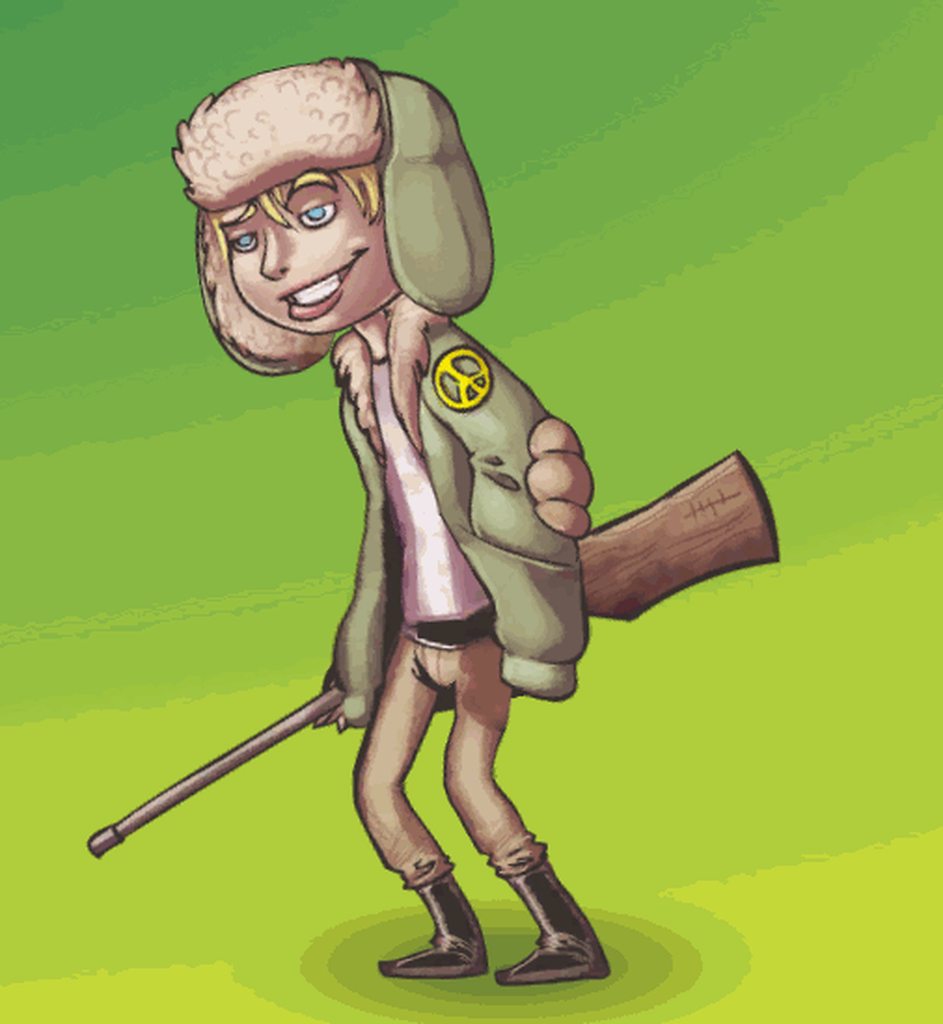
How do I make sprites turn visible or invisible on an additive animation layer?
Neither sprite renderer nor game object being turned off are respected
 upbeat lake
I wanted to make an animation on a tilemap
 faint hollow
Has anyone worked with the animation rigging system i need help troubleshooting something
upbeat lake
🐣
hybrid tinsel
@upbeat lake @faint hollow those questions are too vague to be answered.
@inner dust Does your animation override the position of the root object?
 inner dust
Sorry, I dont know what you are asking me cuz im new in unity
can you simplify @hybrid tinsel
hybrid tinsel
The object that you are moving in your script, is that object also moved by the animation?
 storm estuary
Hey, how do you loop/stop animation conditionally?
i tried this but no luck
if (eth.data.gpuBoost1 != 0) fan1.Play("GPUSpin");
            else
                fan1.StopPlayback();
nvm got it
 river lily
if i create bone n use ik to help in animation in blender. the clip i recorded will work in unity right?
 leaden cedar
Hi I'm using this tool https://github.com/newyellow/Unity-Runtime-Animation-Recorder to record character with FinalIK setup driven by VR Headset and Vive Trackers. ( I tried using the Baker provided with FinalIK with similar results )
It creates keyframes for everything every frame and the file gets big and messy pretty quick.
Is there a tool or something to reduce the count of keyframes?
I know you can do it on import from FBX or some other formats, but is it possible to apply it on Animation Clip ?
GitHub
Record animations in Unity runtime. Can save to .anim, maya, or FBX ASCII format. - newyellow/Unity-Runtime-Animation-Recorder
 steel lake
@leaden cedar Hold on, let me dig something up.
I think I have a VERY naïve implementation of something like that
Sorry, I cant find it. But you can write one pretty easily yourself. You can load a clip, go through keyframes, compare last to current and see if the difference is small, then discard it. I've had success with it before. Its a pretty rough approach, and might ruin the clip if you process it too many times, but for removing insignificant frames, its pretty quick and easy.
 crisp arch
Hi guys, i'm a begginer, can anyone help me with animations, my animations doesn't loop even with loop time check in the inspector. I don't understand why.
crisp arch
Solved my problem thx!
 north cypress
Hey guys, if I have a root motion animation for a humanoid rig can i use this animation for another rig to also create a root motion animation ? (if both are humanoid)
hybrid tinsel
should be able to
north cypress
And i just have to use the animation in the animator controller ? The animation plays fine, but somehow no root motion is applied 🙈
leaden cedar
@steel lake Guess I'll have to do that. Just wanted to know if there is some built in or proper way to do it. Thanks for reply. :-)
 late onyx
Does anyone have any suggestions on how to blend in IK constraints with the Animation Rigging package? If I create an IK constraint Rig and then animate its weigth from 0 to 1, I get unnatural poses in the middle of the animation:
The root finger bone starts rotating UP before rotating down to the final rotation.
Also the finger tip bends back initially
I thought the weight of a Rig would blend between the resolved poses (i.e. rotations of the bones), but it looks more like the weight interpolates the position of the IK target instead
 raven chasm

Why do blender animations never get imported properly when directly saving to a .blend file
late onyx
@raven chasm what's the issue? looks like it worked
raven chasm
I create an 'open' animation, save, refresh assets, and the animation data shows 'Scene' animation, not cut down to how it's supposed to be
And then i create a 'closed' animation, save, refresh assets, and the animation data does not change
late onyx
the animation you have in blender is 250 frames, that's what's imported in unity, isn't it?
raven chasm
shouldn't be
should be cut down to 60 frames, like FBX export does
even so, thats fixable inside blender
but it doesnt show all my animations, and doesnt apply the right naming
late onyx
no idea sorry, I prefer raw data import, i.e. fbx/obj, the high level stuff is unreliable
raven chasm
I don't actually understand how this is possible haha, unity uses a python script to export .blend to .fbx, which has been outdated since 2018
While exporting .blender -> .fbx via blender works perfectly fine
if they can control what blender does, why not use that system
 nocturne canopy
how would i animate an environmental object
i have a chandelier i created an animation for the flames to flicker. i created the animation in unity. but from there, i'm not sure where to go.
 empty coyote
Hey guys, my team and I are looking for a casual pixel art animator, there's some work to do but nothing too heavy, whoever wishes more info please contact on private chat. I can also show off what our project is about
hybrid tinsel
@nocturne canopy If you created the animation in unity, that means you probably have an animator on the object with the single animation in it selected as default, so you should just be able to play and have it animate
nocturne canopy
@hybrid tinsel I was able to get it to work. Thanks tho!
hybrid tinsel
cool
magic quest
Hello, can someone help me why is my model floating on the ground?
hybrid tinsel
Is the collider in the wrong place?
 tawny glacier
Not sure if this is the right place to post this, but I was wondering if anyone had a good tutorial on doing inverse kinematics for legs, specifically a four legged animal.
strong plover
What's the best approach for animating weapons? At the moment I'm just exporting animated hands with the gun however is it possible to just have one set of hands and animate them with IK ? So have different spots on the guns for holding and have the hands have different animations for when you're holding the gun say holding a pistol is different to holding and M4 since your hand will be cupped differently etc.
What's the best approach for this and how should I structure the player base model with weapons?
late onyx
@strong plover https://www.youtube.com/watch?v=9IBhQMYYYWs

Animators, rigging technical artists and developers can all benefit from the Animation Rigging package. The package provides a library of rig constraints that can be used to procedurally control skeletal animation at runtime. Unity 2019.3 lets you keyframe the rig constraints ...
strong plover
Thank you, will take a good look :)
So the ideal solution is to use IK ( Unitys Animation rig with I didn't know existed which is awesome ) and animate inside of Unity?
Animating the target, which was the idea, my main question is how would I go about doing this with multiple different weapons?
For example reloading with 2 different weapons but having 1 arm model.
Using this solution I can keyframe in unity ofc, but how could I incorpate the gun into this animation such as the magazine, would I need to have seperate animations for each gun such as reload on the gun and arms ( gun moves mag, arms just follow ), I don't know the best approach to animating weapons whilst having 1 model for arms ya see :)
I assume I would have multiple arm models for each gun, but idk if you can avoid that but even if I do there wouldn't be much difference except size due the arms in each gun but idk
 edgy brook
Hi i imported this generic animation. When the animation completes, he's away from his center red arrow thing (what's that called btw?) When I transition it to say an Idle animation, he gets translated back to the red arrow, abruptly. how do i fix this, so that when I land from the first animation my Idle begins from where he landed?


I'll reward anyone with some Rift Crystals if you can help me out here 🙂 lol
also posted here if anyone wants some clout for helping out : https://answers.unity.com/questions/1725581/generic-animation-moves-from-red-arrow-makes-trani.html
Unity is the ultimate game development platform. Use Unity to build high-quality 3D and 2D games, deploy them across mobile, desktop, VR/AR, consoles or the Web, and connect with loyal and enthusiastic players and customers.
edgy brook
not using humanoid animations, all animations are set to generic
 solemn flower
I heard this option does that but I'm not sure sorry if it doesn't work
It's under animator settings
edgy brook
Thanks for the reply, but I don't have that option because I'm using generic animations
 twin musk
"Apply root motion" should be in Animation Controller's options, not in the import settings
solemn flower
When both my horizontal and vertical inputs are at 1 and my right run animation should be played it for some reason starts blending all animations in blend tree making it look like character running to the front. Do you know what can cause that? I recorded video of it happening. https://streamable.com/jisj30
 solemn flower
Okay the problem was that I still needed to put blending point for back animation even if I dont use it. After that it started to work correctly.
strong plover
So using a hand model and Unitys new IK System, good results but due to the rigging being dodne in blender prior the wrists have some mesh issues when rotating since it's rotating the mesh not the armature sicne thats what blender does but unity cant since it is an export
How would I go about fixing this? Would i need to animate in blender different holding poses?
https://gyazo.com/c0f4a59bdbed15d00b432384f243a6ae
I assume so because my shoulder I need to move forward but I can't, might be able to with IK but haven't tried but ye

Ik I can use poles
Actually I'm stupid, yeah poles work but idk if this break his entire elbow or not
nvm ignore me, fixed it, just had to move the poles
lmao
twin musk
Can you do this on iPad?
silk crest
Hello guys... I have a script on an object holding the animator component. When I created a method to then add an event on the animation I got an error.. Why is this ?
    public void StopTime()
    {
        float x = Time.timeScale;

        if (x == 0)
            Time.timeScale = 1f;
        else
            Time.timeScale = 0;
    }```
Simple piece of code that checks if the game world is or not stopped. Why am I getting : " 'New Menu' AnimationEvent 'StopTime' on animation 'SwipeInGame' has no receiver! Are you missing a component? "Does the animation have StopTime as an event?
You have to create an event in the Animation timeline, or if it's an imported animation, you need to create an Event on the Animation Import tab of the inspector.
@silk crest
silk crest
fixed it , thank you though!
gleaming flare
Hey, I was wondering if anyone could help me out with something I'm trying to figure out. Is there a good way to make two animations match up in Unity when animating?
What I mean is, I'm working on an animation for an attack where one character grabs another, and I need to therefore make sure the animations stay in sync and move together properly, meaning I'd like to work on both of them basically simultaneously. My issue is that afaik, you can only be working on one animation at a time. Selecting the other model I'm using causes the first model to lose its animation preview. Is there something I'm missing, or is this a limitation of Unity's in-editor animation system that I'll have to work around?
tl;dr I want to work on two animations at once, but as separate animations on separate models and I'm trying to figure out if there's an efficient way to do that in-editor.
 rapid kiln
@gleaming flare I don't have a ton of experience with it, but look into the playables api. I think it's intended to help streamline that kind of workflow
gleaming flare
@rapid kiln You are a lifesaver man, I looked that up and it pointed me to Timeline which is exactly what I was looking for.
mental hazel
Hello!
I am trying to achieve the following:
I have a 2D animation and I need to apply a specific movement to it (say move transform.right by 3).
From the top of my head I know that there are a bunch of options and I'd like to know if there are better ways and which one is the best.
I could just go straight to coding it: trigger the animation, smoothly move the animation by code and trying to match the speed with a variable. Being a coder that's my very first thought but that's clunky and this little animation becomes a "special" animation.
I could apply the motion through the animation itself: this won't work though as the animator is at the root of the object and I need to be able to play it anywhere in the world (changing the position key is only absolute and not relative, as far as I know).
Are there other/better ways for animating a 2D animation with some relative movement?
 brave solar
Hi, I have a problem with my character animated and imported from Blender:
I had to apply scaling to be able to spawn a GameObject as a Child to a bone, adjusted the scale in the prefab settings and all was well, except the armature in the prefab is set to 100, causing the entire character to be scaled up on runtime https://i.imgur.com/HwZN1hz.png

the armature scale is set to 1 in Unity https://i.imgur.com/iNQjIEj.png

in Blender I applied the scale to both the mesh and the armature
I also tried the !EXPERIMENTAL! Apply Transform settings for .fbx exports in Blender
brave solar
apparently this is because when I applied the scale to the armature, it didnt apply it for the keyframes? I'm not sure honestly, but I deleted all scaling related keyframes from the animation and it still persists
brave solar
reapplying weight painting didnt help
 winged slate
I need some help with an IK problem: I am trying to animate an industrial robot arm through an IK chain using the Animation Rigging package
the problem is: I want some joints to be fixed on a certain axis, and right now for this purpose I am using multi-parents constraints in order to lock some angles
is there a better way to do this? Also, the arm is not behaving as it should, more pics to folloe
follow*
Here's the arm in question, I've labeled each joint and its axis
A specific issue I'm having in this scenario is that no matter what, the joint that turns only around the Z axis won't budge, as if the chain solver prefers to move the entire arm backwards rather than rotating that specific bone
silk crest
My beautiful people... If I want to have different game objects have similar animations can I do it with one animator?
 tame bison
i use sprite editor to rig and animate my Character. However when i use the IK Manager 2D i can beautiful control my Limbs (arms, legs, head) but i cant get a Limb Controller for my Hips. Does someone know how to solve it ?
hybrid tinsel
@mental hazel You probably want root motion on that animation.
@tame bison Can you explain what you are trying to do, and what isn't working?
mental hazel
@hybrid tinsel How can I do that with sprites? I thought it was only for 3D with baked movement 🤔
I have never done it, so I am open to get guided 😄
hybrid tinsel
@mental hazel You need to generate a root motion curve from the animation file by selecting it in the inspector and clicking the button for that. Then you need to enable root motion in the animator
mental hazel
Great! I was just looking a video about it.
But the animations are all setup as being on a "threadmill"
that's a problem, right?
hybrid tinsel
Well, the animation you want to have root motion, you will need to animate the root object
mental hazel
I cannot see the Generate Curves
hybrid tinsel
The button is only present if the root object has animation
It is hidden if there is none.
mental hazel
Mmmm
My current setup is the following:
- Root object with Animator
- Child object with the sprites
hybrid tinsel
Right.
mental hazel
I want to coordinate the sprites with the movement of the whole object with a delta
hybrid tinsel
Right.
mental hazel
can I set it up manually somehow?
hybrid tinsel
-
Add keyframes for the transform of the root object, moving it where you want it to move.
-
Create root motion curves.
-
Enable root motion on the animator.
That is the general process.
mental hazel
Ohh I see! Let me try 🙂
Added position change of the root object. I get this now:
How can I create the root motion curves? @hybrid tinsel
hybrid tinsel
hm. You actually might not need to anymore, it's been a few versions since I did it.
Does activating root motion work?
I don't have unity open right now
mental hazel
I will try running the game but previewing the animation doesn't seem to make it work. The AI gets moved to a weird location and it still loops
mental hazel
the AI goes a bit crazy and doesn't move, I guess it's the navagent 🤔
Ok, I tested it (even without navagent activated) and the AI just stays in place
Oh wait, he moves very little 😱
mental hazel
but in the animation he moves properly 🤔
hybrid tinsel
I didn't even know that navagent worked in 2d
mental hazel
I try making the movements more extreme, let's see
I'm doing 2.5D 😉
characters are 2D but environment is 3D
hybrid tinsel
Another thing you might be able to do is make a script to move it and call the move function with an animation event?
mental hazel
I thought of that but it seems a bit clunky as I would need to time it for several start and stop
Ok, it works but I think the problem might be the scale of the object. So, I just need to exaggerate the movements and it works. Thanks a lot @hybrid tinsel 🥇
hybrid tinsel
Glad it works!
 strange slate
What are some good practices about how to link animations to code? I mean, I've got my code Components who have their states (attackcontroller with an isAttacking boolean, etc) and on the other hand I've got my animators with their states.
My problem is that both are quite dissociated. I mean, at all time I need to make sure my elements are properly synced up, for example through using Animation Events (to make sure my isAttacking boolean properly goes to false when the attack animation is over, this kind of stuff). It's fine but as my animators grow more complex, with more complex behaviours (attack combos, cancels, etc), it all goes to shit/doesn't feel robust at all, some components are no longer in sync in specific corner cases, transition times are messing stuff up...
Am I doing this wrong? Or is that just how it is?
 jagged ruin
I have a specific blender to unity mecanim question...
If i link to a character rig /armature in a new blender file for animation and export that to unity, it appears to add in an extra 'bone' into the heirarchy.. So when i come to re-target those animations it obviously doesn't match... If i'm using the 'original' as the avatar creation template.
- I think it might work if i export using the proxy, renamed - but i'm not 100% certain this is the fix, can anyone confirm this and/or point me in the direction of what i'm doing wrong... or what i shouldnt be doing?
jagged ruin
@everyone If there's anyone out there who uses blender-file-linking for armatures and also unity-humanoid-mecanim animation retargeting... I'm handing out blowjobs for the person that has the answers i seek. (because i have no money)
 odd kelp
hi all, quick question regarding best practice. I'm using a CM free cam which follows the player in third person. I'm wondering what the best way of creating a cutscene camera transition is, similar to the Shenmue sequence when Ryo drinks from a can
at the moment, I'm looking at creating two cameras, is this an approach you'd take or would you create a path for it to follow/transition to? https://youtu.be/fL_dcBVgMPQ?t=30

In a recent new pickups video I mentioned how different the soda scene was in the Japanese version of Shenmue. I felt that Ryo seamed disturbed or in pain in the English scene and more refreshed in the Japanese one. Here is a comparison of the two scene and also a bonus scene ...
hollow blade
@odd kelp You can create a second Cinemachie camera and have it be fully animatd by for axample a animation playd in a timline
then you can cut / transition to the camera when the cutcene starts and back in the end
odd kelp
@hollow blade thanks for that, I'm doing this for a few interactions and I'm intending for my equivalent of the vending machine to be a prefab, I've created a virtual camera with animations etc and this sits inside it. I'm activating the animation based on anim variables, is this what you'd do for the same effect?
just want to make sure I'm not missing anything
hollow blade
@odd kelp that what you are planning souns fine to me 🙂 Timline is just one option for having multible animated objects play nice together in a linear way
odd kelp
cool, still figuring out 'best practice' - tnx again
odd kelp
heh, another question - when transitioning between cameras, I can change the priority via script or I can do this as part of the animation when it starts, is there a reason to choose one over the other?
I guess scripting it would keep things scalable for future use if I decide on different priority values?
hollow blade
@odd kelp you could use animation events to trigger different stuff via code
 humble gull
How can I mix timeline's animations and a blend tree together, what I want is to have the top part managed by the timeline and the bottom by the blend tree
 celest crag
!mute 555172718195245076 1500
 dusk valeBOT
 EliteX_beast#1011 was muted
 vagrant spindle
I recently saw this in a video, and I'm wondering how I could make such animation, don't even know what this would be called so any help would be very appreciated
 reef vale
@vagrant spindle you could do that with a shader, i.e. https://github.com/keijiro/NoiseBall

GitHub
Mesh deforming shader example (Unity). Contribute to keijiro/NoiseBall development by creating an account on GitHub.
or by animating a skinned mesh renderer
last time i wanted to do something like that i used a skinned mesh renderer and a bit of code to randomly move the joints
vagrant spindle
ok thank you so much
 ember burrow
Hello! I seem to be running into an issue where the weights on an FBX that I export from blender are different from the actual blend file, resulting in the model being distorted, particularly in the shoulder blades. Does anyone know anything about a fix?
hollow blade
@ember burrow one thing you could check is how many bone weights per vertex you are using in the areas that are destorted. Unity by default uses a maximum of 4 Bone skind weights per vertex. In current version you can go into the Quality settings and increese the limit to "Unlimmited" may be that this will help.
 tidal sedge
Is it possible to animate individual vertexes in unity, as something like Spine or Rive would do? I can jury-rig something like it by using a series of bones all arranged outward, but it's not ideal
hybrid tinsel
Blendshapes or vertex cache @tidal sedge
tidal sedge
Does this work for 2D animation?
hybrid tinsel
If you are doing it with imported or generated meshes. There's no reason it COULDN'T work with 2d sprite meshes, but I don't know how you'd do it. Probably would need some scripting for it.
tidal sedge
I should probably just save up for Spine, but part of me is still hoping that what i need is somewhere hidden in Unity
hybrid tinsel
I mean, how many vertices are we talking?
I'd just use bones personally unless you needed absurdly complex stuff.
You can do some pretty nice stuff with them.
 rapid kiln
@tidal sedge Did you look into https://blogs.unity3d.com/2018/11/09/getting-started-with-unitys-2d-animation-package/ ?
tidal sedge
That allows for bone deformation, which is very useful, but if I want to change only the edge of something- a dent in a wall, let's say- it's very hard to work with. The psudo-3d appearance Spine can give you, where the very edges of a mesh can be scaled down to seem like they've moved out of perspective, also can't be done as far as I know
twin musk
I'm having a problem where my rig breaks when I input it from Blender to Unity. The rig looks and functions correctly in Blender, but in Unity it centers a few of the bones. Anyone know how to fix said problem?
hybrid tinsel
@tidal sedge you can definitely do perspective sorts of effects with scaling and moving bones. Not the most detailed example but you can see here https://i.imgur.com/LuLy0nm.mp4

You will probably want some sort of scripted rigging to replace the automation that spine can do
But that's what you get for free:D
I've been doing some other experiments, nothing convenient to show though
twin musk
Hey
I have a mainmenu and i want when i press the play button to play an animation and after that to load the next scene
how i can do it?
i made the transition and i have a script that loads the next scene
But i need to manage it somehow to first play the animation and then to run the script at the same button press
now if i press the button it runs the script aand no animation shows
i tried to and in the script a sleep function but it freezeez everithing and than loads the next scene
 pliant shuttle
hey, how would I go by making an animation only trigger if its true from a script
do I need to put a boolean in the animation controller?
hybrid tinsel
@twin musk You can add an animation event to the end of the animation to trigger the scene changing function, or attach code to the animator
@pliant shuttle That's the usual way
pliant shuttle
but how is the boolean binded to that specific animation that I want to trigger?
hybrid tinsel
You can set conditions on any transition in the animator
 high granite
I have create animation of my cannon to recoil. I added it to animator window, make empy state as idle (do nothing, cannon should stay without motion) and add "shot" trigger parameter to change from motionless state to recoil and then go back (trigger makes it aucomaticlly, right?). Then added animator component to cannon. What I get is - I can't move my cannon anymore. I could rotate it 90 degrees to right and left due to Input.GetKey, but now I can't move it. And also there is no reocil during shot. What should I do to make it right? It's my very first project and my ver first time in animator window
I have found that in code there is "Shot" not "shot", make the change and now I still can not rotate cannon altough after shot animator transits to "cannon_recoil" state and be there forever, no way back to idle
mostly important - why in idle state I can not controll my cannon? and how to make transistion from recoil state to idle state when recoil animation end
yay, I just made transition from cannon_recoil to idle
and make "transistion durtaion" to 0
and whenever I shoot now there is only one animation of recoil and then it switches bakc to idle
so it seems I don't understand why in idle aniatmion I can not move my cannon
 rose pagoda
hi is there a proper way of replaying an animation from the animator controller? using scripts?
 lean pivot
I've got a rigged character made in blender with a root bone that never moves. The first child is the lower spine bone, which is upright in my idle and walk animation and slightly tilted forward in my run animation, however this tilt does not translate to unity. The animation plays with the spine bone upright. Any ideas? Thx
lean pivot
I tried the root motion setting, setting a root node on the Rig tab as well as on the Animation tab under Motion, without success. Opening the FBX file with Autodesk FBX review shows the run animation seems to be exported without the tilt
lean pivot
Figured it out. Blender's fbx export has a simplify-setting that obviously believes removing the tilt because it never changes throughout all keyframes is a good idea. Disabling it by setting it to 0.0 instead of 1.0 solves the issue. Everything is exported as it's supposed to be. Great feature..
hybrid tinsel
@high granite you can't control it because that parameter is being controlled by the animation. The way to handle this would depend on your circumstances, but would usually be one of:
a) Use a hierarchy, where the animated object is a child of the script-controlled one, because all absolute animation is relative to the parent transform.
b) store the transform each frame and re-apply it in the LateUpdate function.
c) use root motion curves for the animation.
d) apply the motion on an additive layer in the animator.
 eager parcel

In this session, you’ll learn how to get started with Kinematica and implement it within your animation pipeline. Based on Motion Matching, Kinematica uses raw animation clips or motion capture data – not animation graphs – to produce character poses automatically, based on yo...
high granite
@hybrid tinselWell, it seems I will use a) option. But can you tell me if it's regulary used solution to motion-animation problem? Or ppl use other solutions?
hybrid tinsel
Like I said, it depends on the circumstances. Using additional hierarchy is pretty standard procedure for anything of this sort(even in physical machines with limited axes of motion)
high granite
Thanks a lot, now I know what to do
 tacit ingot
Anyone have a proper tutorial how to manage animations (actions) in blender? How to export them to unity and so on.
I have a problem that I have no clue why I cant find all of my animations(actions) in Blender Collections tree. How can i Export them if I cant select them.
 dusty forge

Hi, I have just added rotations to my character as he walks
but it seems to be happening at the same time/ a little bit after he actually moves
whats the best way to insure it fully animates before he moves?
Is using an event script in the animation the best way?
disregard that^ I actually found it, there was a default of a .25 transition delay that had to be removed
If I wanted to use the same exact rotation animations with different sprites (ie - my enemies get the same funciton call to trigger this, but have their own sprite sheets) do I have to manually create animators for all of them or is there some sort of copy paste / automation I can do for this?
 bleak wasp
If I was to create a running animation in blender... Do I need to make the character move forward in animation or will unity do it?
rapid kiln
@bleak wasp you can do it either way. Look into 'root motion'
bleak wasp
@rapid kiln Ok I will... 👍
 subtle grove
Hey animators out there 🙂 I would like to dive deeper into animation of characters. The goal is to have multiple characters sharing the same rigg. (Propably bought from the asset store) I want to create the animatios in Maya. Can you recomend a specific asset set or give me an advice on best practacies reguarding my goal?
 thin ginkgo
since i posted that in unity animation forum and got no answer i post it here. i hope someone can help me. i think the function i need is in most of tps controller based games. https://forum.unity.com/threads/avatar-mask-upper-body-facing-not-forward-while-attacking.883810/

Unity Forum
hello.
i use avatar mask. base for walk animation and top layer with bleding = override for attackanimation.
walking works fine. also attack when in...
 wintry gorge
Guys, im struggling with animating a door in unity.. can someone identify the issue please?
cant figure out why it isnt working?
the door doesnt even move one bit?
😥
 glad umbra
I'm having some odd issue animating in Unity out of the blue. While I can't animate any bones in the rig of the character/animator that has the animation, any new gameobjects or rigged objects can be animated in them. Difficult to explain.
Appears I can't animate any bones that have been set in the avatar. Odd.
wintry gorge
Revolver.. are you any good with basics mate?
im still stuck on something any experienced user will probably get right away
wintry gorge
im trying to get a door to animate two ways
but im a beginner.. so you can imagine how im approaching this...
for context.. i have double glass doors
i want it so that, if i hit it one side, they open one way, and if i them another side, they open another way, so it always opens "away" from the player
my first thought, was to have 2 empty objects, with box colliders attached
inside and outside
and i tried to rig the inside collider up to animations that would play the door opening in its opposite
but nothing happened
a collision wasnt even detected
if you wouldn't mind, take a look athe first 3 images i shared above a moment ago, and let me know if you need to look at anything else, cause i've hit a brick wall mate and its really frustrating 😦
wintry gorge
and i also got a message that said "Controller 'GlassDoorLeftAnchor': Transition '' in state 'New State' uses parameter '' which does not exist in controller.
"
but.. i checked.. and both of those animations are clearly in the controller...
glad umbra
No idea.
 uncut granite
how do I get IK to work in unity?
I have it set up in blender
but it does nothing in unity
do I need to create the animations in blender?
hybrid tinsel
@uncut granite blender IK is for blender. You need to set up IK in unity for it to work in unity
uncut granite
how?
hybrid tinsel
The rigging package under preview packages in the package manager
uncut granite
there is a "Import constraints" checkbox in the animation import settings
that seems to do nothing tho
oh it doesnt support importing IK
 frigid karma
I need help for the transition from idle to walking, it's my first time
I set a bool "Speed" and told unity to begin transition from idle to walking animation when speed is < -0.1 and >+0.1
doesn't seem to work
This is my setup so far
twin musk
@frigid karma
I'm not sure if these conditions that you've set up in animatior tree are correct
I think that Unity puts "and" instead of "or" for these conditions so your condition would be
do thing if value is less than -0.1 and the value is bigger than 0.1
Also, I'm not sure but I think that you can have two transitions from one state to another
If that's the case then create additional transition
And in each of them have different conditions
frigid karma
mmmm i think i already tried that but i'll try again, thanks in the meantime
uncut granite
so, I set up the animation rigging package with my rig, and created the IK constraint, but that doesnt seem to be working
nvm, I need another bone
is perfomance something I should worry about when using inverse kinematics for several rigs in a scene?
why when I move the main bone, the thing doesnt solve the IK correctly?
so, im moving a bone that is parent to the bones affected by the two bone IK constraint
and that makes the ik target to be "shifted"
what I need is for the leg to stay on the ground when I move the parent bone
ok this is even weirder
I started an animation
and then it began to work
when I stop the animation
it still works
why?
 hardy phoenix
I'm trying to make a "floppy" stick using a Chain IK Constraint from the Rigging package (2.6). But the stick is very rigid in the way it bends. Is what I'm trying to do possible (the dark blue line is what I wanted to happen) with the Chain IK Constraints? Or no?
hybrid tinsel
@frigid karma I'd suggest using an absolute value for velocity instead of separately checking for positive or negative
@uncut granite is the target a child of the animated bones?
uncut granite
no
the target is just a child of a Rig gameobject
well, child of a leg IK game object, that is child of a Rig gameObject with the Rig component
frigid karma
@frigid karma I'd suggest using an absolute value for velocity instead of separately checking for positive or negative
@hybrid tinsel i really don't understand how to do that
hybrid tinsel
when you set the float, set it to the absolute value of the actual velocity

Returns the absolute value of a specified number.
That will always return a positive value
So the abs of 1 and -1 will both return 1.
frigid karma
Thanks for the patience, i'll get back to it and see if it works
twin musk
when i press A the left walking animation works but if i press A and then W while pressing A it will stay on A pressed Key animation
how can i make it not ignore the changing pressed key?
like mix animations smoothly?
hybrid tinsel
@twin musk We don't know how your code works, so it is hard to debug.
 graceful jackal
Can someone suggest me a software to animate my characters for my game.
twin musk
@graceful jackal blender is good, but it takes time to learn and can be quite frustrating at the same time
graceful jackal
Ok, I heard about iclone7 is that any good?
twin musk
nver heard of them
i would still reccomend belnder over anything else
from what i hear there are far more tutorials than any other software
it is also very user friendly
and compatible with ofther engines aswell
but in the end its up to your preferance
graceful jackal
Ok, thx I appreciate it
graceful jackal
Hey, So I am making a game and I got the enemy to follow the player, I was wondering if anyone could tell me or give me a link to how I can make it do a run animation, I have a animation pack.
graceful jackal
can anyone help?
wintry gorge
Fletcher, look at mixamo
youtube Maximo animations to Unity
I also need help.. has anyone tried to add extra animations onto Invectors Third-Person controller?
twin musk
Greetings, I'm not sure if I'm asking this question in the right place, but could somebody please breakdown how animating for games is done with 2 NPCs interacting or the player interacting with an NPC?
I cannot find any visual explanation/tutorial.
Let say here is the scenario. We are animating with Blender a takedown from behind animation which you can perform on any enemy NPC in the game. This is not a cutscene it's a realtime action.
So you load both the character and enemy models into Blender and do the animation with both models and IK rigs inside.
Now when exporting, this is what bothers me. Do you split the animation now? Like do you make a copy of the same document in which you first delete the enemy and only export the player model and animation and in the other file you export only the enemy model and the animation? How do you sync them up? Where do you zero out the animations before exporting?
Sorry I have too much questions xD
hybrid tinsel
@twin musk I'd say that the easiest way to do it would be to export the animations separately and use a timeline to sync them up.
twin musk
@hybrid tinsel Care to explain what exactly you had in mind? Any resources you can point me to? 🙂
hybrid tinsel
I kinda had in mind you googling unity timeline 😄
There was a unite talk about the exact sort of thing you're talking about(small multiple-object animations in gameplay) some time ago
 sterile nacelle
Question, can you run multiple animations on a game object made of other objects instead of mesh bones?
Simple example would be I have an object made of two cubes. Animation A would be both cubes spinning clockwise while B is both spinning counter clockwise. If i wanted to play both at the same time but keep the bottom one dominated by A and the top by B could i do that?
In my case, i want to play a walking animation while playing an attack animation on the upper body. Its just that the body parts are objects not bones of a mesh
hybrid tinsel
You can animate almost anything in the hierarchy
sterile nacelle
I guess what it boils down to, can i specify avatar mask without an actual rig?
hybrid tinsel
And you can set up avatar masks and layers, yes
You can have layers be either additive or overrides
sterile nacelle
Thats good to hear
hybrid tinsel
In my game I have a base body layer, an upper body layer for attacks, and a face layer for... the face.
sterile nacelle
lol
Mines a little bit more complex, its basically full a FK puppet. As silly as it seems there are some design/style reasons for it
 gentle flax
I have a root motion animation and a character controller component. I want to use the root motion to jump in the y-axis. The character-mesh is moving with all of its bones successfully. But the collider-gizmo of the character controller is staying behind. What can i do?
 fleet thicket
Hi,
Animation event in last frame not working in looping animation only once it works then it is not working any suggestion or tips will be helpful friends....
 simple breach
Hi guys,
I'm starting from Unity's DOTS Sample and trying to recreate a new character (different model&Animations)
I've gotten quite far, The character spawns and is able to move around, but I'm having difficulty with the custom animations playing. and I was wondering if someone else has tried succesfully something similair?
If so , @ me and I'd truly appreciate it!
 pure abyss
guys is timeline handling correctly clips on targets with animators where root motion is controlled via script?
 marble rapids
Looking for some assistance, trying to have my NPC to animate from a run and slide then start running backwards after sliding, but currently the animations works where after the run-slide animation finishes, it shoots the NPC the left and then starts running backwards. I want it to start running backwards when it's finished running backwards. Any idea or solutions you can help me with?
*I want it to start running backwards when it's finished sliding
hybrid tinsel
@pure abyss If I understand what you're asking, then yes.
My game transitions quite nicely between script control to timeline and back for the player character
Though I do disable the character controller during the timelines
 sleek tinsel
@gentle flax i dont know if this helps you but maybe first try to figure out how to get the character controller jumping (Brackeys has a toturial for the character controller on youtube "FIRST PERSON MOVEMENT in Unity - FPS Controller") where he explains how to do basic jumpping. Then you could try and figure out how to change the size of the character controller via script. You should be to acces the controller like this:```
CharacterController yourController;
void Start()
{
yourController = GameObject.GetComponent<CharacterController>();
}
 bitter silo
yo could anyone help me out
 spare kayak
can someone help me with some UI issues?
frigid karma
Hi there. I’m trying to implement a jump animation to my character, so I set up in the animator tab the velocityY float and the jump bool. I don’t know how to let the editor know the velocity of the player in y, as to use the correct phase of the complete animation of the jump, I tried with the Rigidbody.velocity.y but doesn’t seem to work.
 magic surge
@bitter silo You need to add a parameter to the player controller called Punch 4.
bitter silo
I figured it out
 tidal wing
How i make a animation loop?
 severe blaze
In unty? Select your "animation".anim in project folder or double click state in the animator window then in the inspector:
check "Loop Time"
 storm quartz
hi, i want the bones to parent while keeping the offset but they always connect at the wrong point and when i flip the bone and extrude to make the lower half of the leg it doesnt stay connected. This is all in blender
pure abyss
howdy, is it possible to loop last clip (i.e. idle) in timeline indefinitely without the need of looping entire timeline? I would like to loop some idle animations until cutscene is ended by the user
 wheat trellis
hi guys , can i trouble someone to help me import my animations from blender to unity?
i tried doing it and it didnt work :-(\
 neat nimbus
How can I make a simple rotation animation?
If I keep adding 90* I will end at a rotation of 360* and not 0
 wintry vessel
my animation is not working in game
in the base layer it appears to be playing
but in game it dosen't
but HOWEVER
if I put the animation play script on the parent instead of the child
it moves the child and the parent
which I don't want
and my other animation stops
from the parent
twin musk
hey everyone. i want to add a cloak to a character however they will have animations and i want to give the cloak a cloth component. does anyone know whether it will work okay?
its a permanent cloak that i will include in the animations when i animate the character in blender
i want to check before i waste my time adding it into the animations and character model
twin musk
Is there any way to have Easing algorithms applied to Unity's Animation Curves?
I don't want to use Timeline, I just want it to affect the Animation's frames/time
Every time I want to add like a bouncy effect I have to recreate the thing over and over, and it's not 100% as smooth as it'd be with an algorithm
twin musk
How can I make an animation start/play a particle effect? Or is that impossible in Unity?
twin musk
All I've found is that you change the gameobject (that contains the ParticleSystem) "Is Active" property in an Animation
just make sure you have the Play On Awake option turned on in that Particle System though
storm quartz
Hi , How can i parent the armature to the body. each body part is separate. When i try to join them into one object and use automatic weights nothing happens. I might be doing it wrobut im not sire
 hidden thicket
i made my animation not loop, but the sprite just lands on the last frame and stays there forever, how do i get rid of the animation after its run its course
severe blaze
@storm quartz In the image you provided it shows the seperated body objects, First select all the body mesh objects and Join then with control+J , You want to do this because you want to use the one rig to control the behavor of all those body parts right? After you joined all the body part mesh objects then select both the newly joined body and the bone rig and press control+P to parent and as you've done before select automatic weights. Then if you would like to further define what bone effects what body part you can do so by selecting the Body then tab into edit mode and select "Object Data" properties panel to the bottom right("Looks like a triangle") There you will "Vertex groups" for each bone you can assign and remove vertice groups as you wish to get the rig working to your specific needs, aslo a few videos online for weight painting would also be good to get knowledge on when learning how to rig a model.
 wary mirage
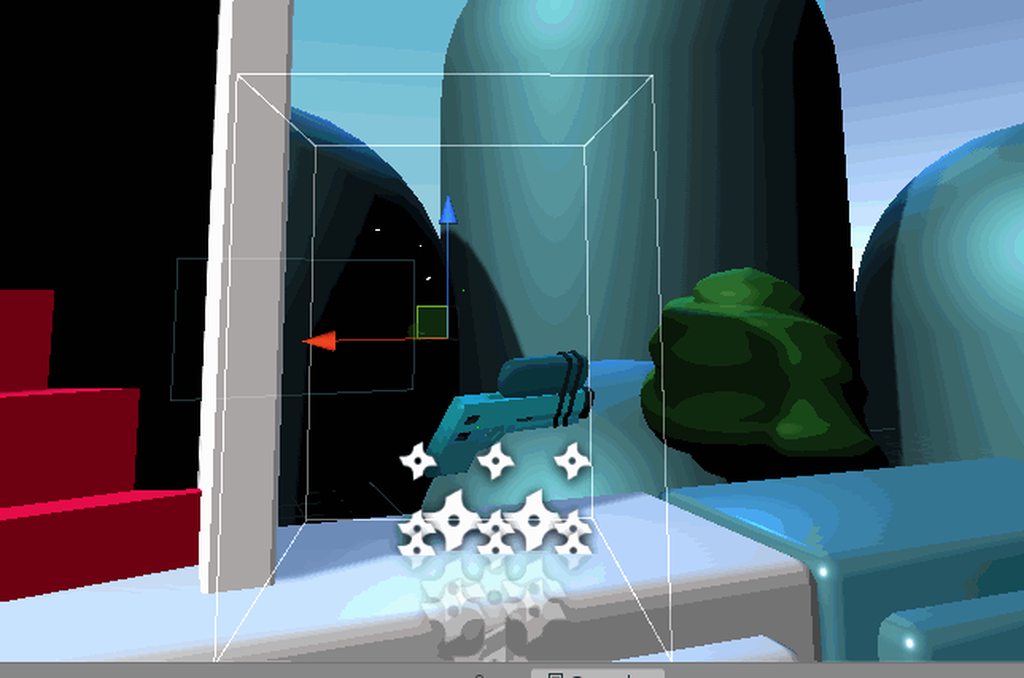


guys see the dots leading the IK? Was this rigged using the new rigging package or what?
storm quartz
@storm quartz In the image you provided it shows the seperated body objects, First select all the body mesh objects and Join then with control+J , You want to do this because you want to use the one rig to control the behavor of all those body parts right? After you joined all the body part mesh objects then select both the newly joined body and the bone rig and press control+P to parent and as you've done before select automatic weights. Then if you would like to further define what bone effects what body part you can do so by selecting the Body then tab into edit mode and select "Object Data" properties panel to the bottom right("Looks like a triangle") There you will "Vertex groups" for each bone you can assign and remove vertice groups as you wish to get the rig working to your specific needs, aslo a few videos online for weight painting would also be good to get knowledge on when learning how to rig a model.
@severe blaze thanks
 storm jungle
hey guys. im searching desperately for a "Play automatically on startup" checkbox to uncheck it. pls help me 🙂 goolge says there used to be on a few versions ago
 blissful pendant
Hello everyone
My character glitches on top left and down left movement. Anyone have any ideas?
hybrid tinsel
@Creest#8410 You need to give more information about your setup. Is it happening within the animator, or only when your movement script is used?
@storm jungle that is the animation script, not the animator. For the animator, open the animator and set an empty state as the default.
storm jungle
@storm jungle that is the animation script, not the animator. For the animator, open the animator and set an empty state as the default.
@hybrid tinsel thanks for the reply! i figured that out by now 🙂
hybrid tinsel
Cool!
When you solve a problem, don't forget to update in here so others can learn from it
 sour badge
Hey I am just having a problem with animations in Unity. I cannot figure out how to edit an animations frame rate. It won't let me edit the animation, only open it. Any help?
This is all I get