#🏃┃animation
1 messages · Page 57 of 1
 twin musk
 shadow ridge
If you look in the inspector for the character, under animation, it will probably have a t-pose clip, with 1 frame in it :P
shadow ridge
Just leave most of that on defaults for now, they're all sane for 99% of cases
Don't overcomplicate up front
twin musk
okay sorry.
shadow ridge
No need to be sorry just saying :D
shadow ridge
Did you A) change all the animations to Humanoid and copy from the t-pose avatar?
You didn't, it says "some generic clips"
Change them all to humanoid and copy from
You can select and change multiples
twin musk
ccopy what from the t-pose avatar?
changing all of the animations seemed to fix something, but for some reason, the idle pose is really ugly now
shadow ridge
On the rig tab for any animation, when you change to Humanoid, the avatar dropdown has two options. Create or Copy
Pick Copy, and it'll give you a box to choose an avatar.
Choose the t pose avatar
Apply
@torpid vine Hey, not ignoring you btw. I saw your update. I think maybe this approach is too fragile for what you're trying to accomplish. I think the better way is just add a script component to the state you want to wait on. Jump1 in your case.
twin musk
wow
amazing!
that kind of fixed it, but it is slightly turned lol. isn't a big issue but i was just wondering what cause that
it all makes sense to me now
shadow ridge
Nice!
twin musk
i am pretty sure it is just because i moved my camera lol
 astral relic
@astral relic Unity can blend them. There's a variety of ways, but the two most common are crossfading and blend trees
@shadow ridge thanks!
shadow ridge
np!
twin musk
apsu thank you so much for all your help
i find it so helpful when someone has the patience to sit down and explain to a noob how something works, and how to fix their silly mistakes. i have great respect for people like you!
 clear pagoda
@shadow ridge trigger.
shadow ridge
@torpid vine Click add component on it in the Animator, new script, name it "PlayAndWait" or whatever, open the script, change the parent class to StateMachineBehavior, add override public void OnStateEnter(Animator animator, AnimatorStateInfo stateInfo, int layerIndex) and same for OnStateExit. In the state enter, animator.SetBool("canTransition", false); and in state exit try animator.SetBool("canTransition", true);. Then put your isJumping bool on the transition to jump2. In your monobehaviour script, check for GetBool("canTransition"); before triggering your jump, and SetBool("isJumping", true); after your jump.
And of course add the canTransition bool to the animator parameters.
In theory then, you can add PlayAndWait to any state that needs to wait after playing, so other code can query it
The docs say OnStateExit triggers after playing the last frame of the state
Question is whether or not it triggers if a non-looping animation finishes and hasn't transitioned yet :P
@twin musk I'm still a noob too, just know a couple more things. And no worries, glad to help
twin musk
👌
sorry for more (possibly) nooby questions, but why are the public float variables smoothX & smoothY not showing up in my inspector tab?
shadow ridge
Scroll down? Your screenshot ends at the variables right above those, so maybe they're scrolled off the inspector currently?
shadow ridge
Weird.
shadow ridge
Check your script again. That says line 23 is an issue, so maybe check line 22
The finalInputZ may have a space in it
shadow ridge
Any other errors in the console? Maybe link a paste of the whole script
twin musk
 shadow ridge
finalInputZ = inputZ + mouseY; line 46
twin musk
what is the problem with it?
shadow ridge
You didn't define an inputZ, you have inputX and inputY
shadow ridge
Your IDE should be highlighting it for you
But that's why your fields aren't showing up most likely
It failed to compile :P
shadow ridge
np
 untold thicket
these are two animations that are blended together in a blend tree (me adjusting the threshold)
https://gyazo.com/7023fea307149443dc75a5eb0aa6f0a7
but this is what shows up when I play the scene
https://gyazo.com/7d3235e8fe0a6f46be1c7e038ade5c75


(this is just a concept model and animation so I can get used to the modeling/animating workflow)
 vivid sand
 torpid vine
@shadow ridge I implemented the script for Jumping_1 and I changed my PlayerMovement script like you said. Here are some screenshots.
shadow ridge
Move your canTransition check outside of the jump button down
torpid vine
should I make a different method or call it in fixed update
shadow ridge
Update should still be fine, just need it outside of the button check, because this all happens on the same frame right now
And that check will always fail, because there's no time for the animation to run
torpid vine
So you're saying call the canTransition from FixedUpdate?
I understand why it shouldn't be in the button check
shadow ridge
Update is fine, just saying move it out
shadow ridge
Yep
torpid vine
I did a debug log and it keeps reporting false as to the canTransition
shadow ridge
Might be the StateMachineBehaviour OnStateExit not triggering afterall
Not sure
Maybe put a debug log in that function
torpid vine
In the OnStateExit function? For what object
shadow ridge
The script you attached to the state
torpid vine
On the PlayAndWait script? Sorry, I'm a little confused
shadow ridge
Yes
torpid vine
Alright, let me know, I'll be experimenting
shadow ridge
@torpid vine Try calling the base function
base.OnStateExit(animator, stateInfo, layerIndex); inside your overriden OnStateExit
Actually no, try calling the base enter state.
Your overridden exit isn't firing, maybe there's some internal state that's setup in the Enter
I see lots of stuff on the googles about Exit not being called
I swear the stuff about doing anything moderately complex in Unity is so hard to find.
Most of it's from 2014/2015 too lol
Basic tutorials are everywhere, but slightly complex stuff is nowhere
shadow ridge
No, I meant to put the call to base.OnStateEnter in the OnStateEnter override
So it calls it at the start of the state.
In case it's setting up something to allow OnStateExit to get called
shadow ridge
Search it first, few on there already :P
torpid vine
@shadow ridge So I found that very easy solution that we were looking for
shadow ridge
Oo, do tell
torpid vine
I added an animation event to the last frame of the launching animation, which calls a method in our monobehavior script. I made that method set jump to true and IsJumping to true.
shadow ridge
Yeah, I was thinking that would be a viable strategy as well, when we first talked about this
Given the other options, guess it is the simplest, lol
torpid vine
so now it does play the animation but it looks like it keeps transitioning back and forth, let me show you

the animation event calls the animationDone method
shadow ridge
Need to swap back to a trigger for launched. Remember, you're transitioning from Any State
Which means it can interrupt itself
Your bool isn't being set to false quickly
torpid vine
it works!
had to add another condition to the third jumping animation making sure its not jumping anymore
thanks so much man, I would've been stuck here
torpid vine
I hope so
One more thing, is there anything I could do about the distortion of quality of the char model when I'm in the game? it seems fuzzy and lower quality
shadow ridge
I don't do much 2D, but I think that's from how the texture is configured?
See if your "Filter mode" on the texture is set to bilinear, and if it is, try point
 celest crag
It feels like it could be zoomed in. Check the slider on top.
torpid vine
Yup, both of you are correct
looks much better now
thank you
I'm starting to work on crouching animation, and there's this one peculiar thing going on. My crouch down animation plays much much slower than it was originally made to be for some reason
Here:

I sped up the animation speed in the animator and it had no effect
And I think the animation issue is also affecting my animation events
shadow ridge
Strange
 magic robin
Hey, can someone link me to a decent tutorial for turning a sprite sheet into an animation for 2D unity?
I'm searching around, but not getting great results
shadow ridge
@magic robin https://www.youtube.com/watch?v=AMluGldLb0M
Unity 2018 Video Course 25% Off ►► http://bit.ly/Unity2018Course
◢◤◣◥◢◤◣◥◢◤◣◥◢◤◣◥
Scripts / Sample Scene: https://gumroad.com/l/FIREBALL
Create animation for a projectile from a spritesheet inside of Unity 2018.
Part 2: https://youtu.be/oDtAOpBlTAo
Download my scripts, game...
magic robin
hm, I guess I should also say more specifically for a character sprite sheet
with multiple animation states like run, jump, idle, etc
shadow ridge
Well, the method in this video covers slicing the sprite sheet into frames, creating an animator, creating animations from the frames, and making states in the animator from the animation clips
So, should cover your use-cae
magic robin
hmm
in the animation window in all the guides im watching, there is a 'sample' box where people type in a value to slowdown or speed up the animation.... that is just.... entirely missing in my unity
shadow ridge
What version?
Oh, I see it
Top right of the window, there's a lock and three dots. Just below that is another three dots
Click the lower three, select "Show sample rate"
^ @magic robin
magic robin
aah cool thanks
 fallow pebble
is anyone familiar with the multi-object animation workflow from Blender to Unity?
like how do I actually animate multiple objects at once in Blender?
how do I export that?
how do I play those animations in Unity with all the object positions (relative to each other) and stuff correct?
it's confused me for a while
 hybrid tinsel
I suggest not using your jump animation to determine whether it is jumping; you'll rapidly run into cases(like hitting the ceiling) where that will mess you up
@torpid vine
 teal storm
Hey guys, I am trying to Skeletally animate in 2D using the built in Unity rigging and animating system. I imported my character from a PSB which I managed to rig and animate fine, but when I try to add it to a sprite renderer, It wont work because the sprite mode is multiple. Do any of you know this workflow/where I am going wrong? Cheers
 graceful lantern
@fallow pebble animations are per-object both in Unity and Blender
(the NLA editor in Blender is a sort of orchestration tool for multi-object animations, but no one knows how that works, so... ¯(ツ)/¯ )
twin musk
@shadow ridge
I have finished modifying cameras and stuff for my prototype.
I was wondering why, when I play this sub-idle animation, the character turns on his feet instead of looking behind him?
hybrid tinsel
@teal storm what do you mean 'add it to a sprite renderer'?
fallow pebble
makes sense @graceful lantern
but how do I know where to place the objects relative to each other?
if I have a character juggling a ball, where do I place the ball when I play the animation in Unity? I guess as an offset to an arbitrary bone, but that info isn't stored in the animation
 thorny star
hi all
when i do a walking animation, do i animate the space he walks or is he just stationary? if both are ok, what are the differences?
fallow pebble
@thorny star Is your game 3D? Assuming it is -
If you mean actually animating them moving while walking, then it really depends on the type of game you're making
If you're controlling player movement directly through code, then no animate them stationary. Otherwise when you play the walking animation it'll look weird as your character moves in front of the camera then snaps back every time it loops. It also won't accurately represent the player's actual position in the game since the mesh and the player transform are out of sync.
The alternative is called root motion, because it involves animating the root bone. The idea is that you animate your player's root bone, sync that with the player transform, then let the animation control the player's movement. The advantage is that you get more control over when your character moves physically. e.g., in real life, when we're walking, we don't actually move our feet the whole time. We plant a foot, push our torso forward, then plant the other foot before moving the last foot forward. In most games your foot is always moving forward because this motion is controlled directly through code disconnected from the animator. This isn't really an issue but if you wanna go for hyper-realistic movement, root motion is the way to go. Dark Souls does this. The disadvantage is that animation and movement are now coupled together. While it looks cool, it's harder to fine tune since you need to change the animation every time you wanna adjust the player's speed. Also, it's harder to get feeling responsive since what's realistic isn't necessarily responsive.
Sorry if this was a little confusing
thorny star
@fallow pebble no, thank you! that was a perfect explanation. im a beginner so i think i stick to animating him stationary. thank you very much!
shadow ridge
Also worth mentioning that you can use root motion information and blend spaces to do more complex stuff like adjusting animation play rate based on a code-based model of how you want the character to move. If you attach a script to the object with your Animator component, you can listen to the OnAnimatorMove callback, and access the animator.deltaPosition/deltaRotation properties, which show how much root motion was applied this animation frame.
The easy way to hook this is up is add a Character Controller, and call transform.rotation *= animator.deltaRotation; controller.Move(deltaPosition);
But you can also like I said make decisions based on the delta values, and adjust the animator behavior accordingly
That way you still get the accuracy of the original animation with less foot-sliding and running in place stuff, but can scale the speed up/down
Can also just make a curve reference on your script and use it to control the playrate when starting/stopping motion, or try to setup blend trees that look good
The blend tree approach is viable but can be very tricky.
But as @fallow pebble said, if you do the simple approach, you're at the mercy of the source animations. If they're perfect for your needs, great! Life is easy
If not, you'll immediately have a bad time
fallow pebble
excellent points @shadow ridge
thorny star
@shadow ridge thanks for the input! but im just getting started, and need to wrap my head around alot of concepts. but that root motion things seems interesting. ill definetly read into it
shadow ridge
No problem. I wouldn't worry about that stuff for now, mostly. Focus on in-place (non-root-motion) animations for now, and make your characters move with code.
There's endless tutorials on exactly that, should be easy to find lots of resources
 fervent canopy
Can anyone help with animating a pixel 2D character?
We need an idle, run, jump, fall, please. If you are interested in helping, please PM me
 digital tapir
🤣
 hasty briar
Is there a way to animate attributes; for example animate a hitboxes location?
twin musk
🤔
 fathom oak
hey does anyone know how to fade out an object given a direction?
is there a way to animate that
hybrid tinsel
@hasty briar yes, you can animate almost anything that is serialized.
Though animation +physics can be tricky
 little slate
Is there a Discord channel where people offer paid services for modeling and animation?
 obsidian burrow
is it ever worth animating without using the Animator component?
I'm learning it atm but wondering if it's the best way to learn
most other things I've done seem to almost completely be handled by scripts
but now I have to use two new components for this behaviour alone
shadow ridge
Depends on what you're animating. The Animator and Playables API (that it uses behind the scenes) is the main and only suggested and supported animation system now.
There's some legacy components still, like Animation, that holds a single clip
But everything's been collected into the Playables system, which the Animator sits on
obsidian burrow
Hadn't even heard of playables before
will look into it now
it's not just me though right? There seems to be a lot of unity systems to research for this and it's hard to tell which things are important
animator, animator controller, animation clips, playables api, state machines, animation state machines
shadow ridge
I agree to a point, but the manual does a good job of highlighting what you should be using and how they relate.
Particularly the 2nd heading there, Workflow
obsidian burrow
ah this looks like a good page
shadow ridge
If you're googling random bits, the info out there is all over the place
Read through all of this, it's cohesive
obsidian burrow
yeah googling and searching on youtube
I usually just try to stick to searching documentation for scripting features but this seems fairly dependant on components
shadow ridge
Yep. Animation is a major thing to implement, so it has a lot of parts
But the basic approach is relatively easy. Get clips, make a controller asset, add animator component, tell it to use asset, open controller in its editor window, add a state (it will be the default state automatically), set it to use your clip, hit play
If you need multiple clips, that's where you setup multiple states, and rules for when to transition
It's a reasonable way to solve the problems
complex stuff is possible too, but basic approach isn't that hard
obsidian burrow
can you do this stuff without state machines/visual coding?
shadow ridge
You can with Playables
And https://docs.unity3d.com/Manual/Playables-Graph.html the first subsection
The images there are not an editor, just a visualizer
It's code only
magic robin
using unity's animator, is it possible to have two different animations playing at the same time?
shadow ridge
On the same object or different ones?
magic robin
I have one animation that affects the sprite, and another animation that only affects the color
same object
the color animation is a 'damage invulnerabilty' that just has my chracters alpha alternating between 25% and 100%, but I want that animation to be able to play over other animations
shadow ridge
You could add the color animation to a separate layer in the animator, setup for Override, with a full weight, and if it's only effecting color, will probably work fine
twin musk
any ideas why this happens when i add my animator to my player?
shadow ridge
@twin musk Looks like what happens when you use a skeletal mesh animation that has the Y or XZ transform positions set to the wrong "Based upon" choice
Like Center of Mass/Original/Feet
Assuming you didn't just put the player in the wrong spot in the world, or have a collision capsule not lined up with the player
twin musk
i got the animator from mixamo if i remeber corectly
maybe auto rigger messed something up?
shadow ridge
I'm talking about this, in the animation clip inspector, under animation tab
Try changing the Y position to be based upon one of the other options from what it is currently
shadow ridge
Oh you didn't add any extra animation clips yet, that's just the t-pose on the character, ok
So it's another issue. Did you use a collision shape on the character, like from CharacterController?
magic robin
How do I make an animation state transition to any other state, without manually making transitions to each one?
shadow ridge
@twin musk What's your plane's position?
twin musk
0 0 0
shadow ridge
Also... you added a non-kinematic rigidbody, but no collision shape
Definitely need a collider
shadow ridge
I mean, so long as it contains your character inside of it sure
shadow ridge
Doesn't fall through my plane. Char and plane are both set at y=0
Are you sure your plane has a collider on it? Did you adjust it or change it any?
thorny star
Hello everbody, im starting to try to animate my character with weapons. for that i have third person mesh and wanna use its mesh also for the first person view. now, when i parent the weapon to the hand bone to start animate poses, all the pivot points are around the child (weapon). what am i doing wrong?
thats the hand bone without a weapon as child
thats the hand bone with a weapon as a child
shadow ridge
Did you change your scene coordinate/pivot mode up on the toolbar?
thorny star
no
when i unparent it, its working like normal
also its not just the hand bone, its every bone
*every bone of the right arm
other bones have there pivots where they should be
shadow ridge
Not seeing the same behavior, not sure. Just added a socket to my model, added a sword model, both prefab and model itself
Hand transform didn't change
shadow ridge
It's in yours too. It means it isn't applied to the prefab yet
Which is what happens when you drag in a model and make changes. The model objects are mostly read-only, but are treated in many ways like prefabs
thorny star
i dont get how that weapon would take over the whole arm pivots
shadow ridge
Me either, not sure what's up there
thorny star
is it maybe some rig setting? and now that there is a new part in that rig, it gets confused?
shadow ridge
Possible I suppose. You can check your avatar config to see if it got confused about where the hands are now
thorny star
how do i check that?
shadow ridge
In the inspector for the character, rig tab, click Configure under the avatar.
Assuming this is a humanoid avatar
If it's not, perhaps that's the problem
thorny star
its generic
shadow ridge
Yeah mixamo characters are humanoid rigged. You should absolutely be using humanoid mode
twin musk
how do i make a png as a sprite?
shadow ridge
Change its mode in the inspector to sprite
twin musk
got it
thorny star
if i change it to humanoid do i need to do my animation again?
shadow ridge
Did you make an animation manually or download it from mixamo?
shadow ridge
Well, when you change the character to humanoid, and select create avatar from the character, if you change your animation to humanoid, you can tell it to copy from other character for its avatar, and pick the one you made from the mixamo character, it will probably just work.
https://docs.unity3d.com/Manual/ConfiguringtheAvatar.html the relevant docs section
thorny star
thank you @shadow ridge
 hot hawk
How do I shift my character bone origin after I animated him... ?
hybrid tinsel
This is why I always add a second root bone
You'll need to edit any animations that set the root position but otherwise you should be OK just moving it to the new position
 nova pivot
I have an issue where after using timeline the bone positions of my character will be set to the last animation rather than resetting to T pose, is it possible to fix this easily? As resetting the prefab is complicated due to scene references
fervent canopy
Any 2D pixel art animator wanna join making a game?
hybrid tinsel
@nova pivot add a one frame animation in the t pose?
 fathom thunder
Could someone take a look at my frame animations/animation cycle and tell me if it looks realistic? Would be awesome 😄
twin musk
Correct me if I'm wrong - but is there absolutely no way to call Animation.PlayQueued from the Animator class?
hot hawk
Hmmmm.. I tried putting empty Root object in hierarchy and moved it. That technically solved the flipping of the sprite, but my animations were messed up since they couldn't find the children animated with anymore...
twin musk
should my Animator component have an avatar? I've never added it and it works fine without it but does adding it give some kind of benefit?
hot hawk
Avatar? As in Sprite renderer?
shadow ridge
@twin musk Avatars are how the animator maps bones to a humanoid hierarchy and allows for retargeting between them, as well as adjusting muscle and joint ranges
twin musk
oh ok ty
nova pivot
@hybrid tinsel i could try that, but also the issue is kinda iffy on if it happens or not. i guess i'll try
 gleaming sage
Hi, currently struggling with the Animator, I've made a few animations, but I can't remember how to trigger them and link them etc. I remember watching a video that outlined pretty much exactly what I wanted it to do, but I've forgotten what it was called ;-;
In the picture, the default animation is my standing idle animation, which plays perfectly and loops as expected. I want the Crouch animation to be played when getting input (crouching in this case is done with CTRL), but when I make a transition link in the animator between the idle_standing, and crouch, it first plays the idle animation, then the crouch, then repeats both forever.
I want the crouch to play once, if at all possible, when using Input.GetButtonDown(Keycode.LeftControl) Any ideas? :)
gleaming sage
I managed to get the crouching to work, and standing back up again, only problem now is that when I let go of the crouch button immediately after pressing, it's kinda jarring when it plays the stand animation, think it might just be a code thing tho idk
shadow ridge
Did you setup your animation as Humanoid in Unity, and check the Avatar config is correctly mapped and T-posed?
 sand dome
@shadow ridge Thank you for responding, yes, It is set as humanoid, tho it was not t posed
could that be the problem and if so, how do I fix it
shadow ridge
In the Avatar config, scroll down on the mapping panel, there's a Pose button dropdown, which has enforce t-pose
sand dome
@shadow ridge so what should I do then? Sorry I'm fairly new to unity
shadow ridge
@sand dome Select your character, in the inspector go to the Rig tab. Should be Humanoid, Create Avatar. If not, set that, hit apply. Under the Create box is a button, Configure.
Click it, scroll down the mapping panel that's replaced the inspector, click the Pose button, pick Enforce T-Pose
Click Apply, click Done
Make sure your animation (if it's separate from the character) is also Humanoid, but set it to Copy from other Avatar, and pick the character avatar
If the animation is contained in the character, that's fine
shadow ridge
@sand dome I'm not certain. Try baking the root transformations into the pose in the inspector there
sand dome
@shadow ridge i fixed it! All I did was go into Blender, and select the hip bone which I tought had to do something with the animation since it's the bone that got broken when I imported it to unity, I adjusted the rotations of X and Y to 0.000 and It worked!
@shadow ridge Thank you for your help!
shadow ridge
Ah nice! np
 hazy notch
Hi, I am creating a cutscene with unity cinemachine. I have created the cutscene but the problem i am facing is that i can play the timeline manually bu dragging the mouse. but when i click play button of timeline then it doesnt play. Do I have to record the timeline or is there a finalize button that i am missing?
 true cove
Is that character from Code Lyoko?
sand dome
@true cove Yeah xD
 mighty garnet
 wary mirage
hey guys say I found some cool animations on mixamo
and they have these extra parameters you can drive before export
stuff like direction or wakefulness in a zombie waking up animation
is there a way we can drive these values in Unity?
 lavish ledge
bouncy boi
shadow ridge
@wary mirage Does not appear to be the case. Grabbed one to dig through in Blender, don't see any custom properties or motion paths or whatnot baked in
wary mirage
ok I think I have to use a blend tree
just download the animation with the parameters at the lowest value
and then again with the highest value
and blend between the two animations
¯_(ツ)_/¯
 cursive scarab
How to edit a sprige
Sprite
I have a png picture but it doesn't appear png
So I gotta edit it
But no idea how to
 novel badger
hey there guys, i have an anim file, but previewing it is almost impossible, it seems after even condensing it, I can't preview it.
hybrid tinsel
What do you mean by 'almost' impossible
novel badger
well when scrubbing through the time line it's like 2 fps. exceptionally slow, however i see people working with just as dense timelines as me
here's a scren cap https://gyazo.com/322ed3589a061053491d7e55e23c3c9c

it's mainly for blendshapes but on an ryzen 3900X, RTX 2070 super and 64 gigs of ram, i can''t seem to scroll or edit much
novel badger
I should also mention it plays perfectly in play mode.
 spring stratus
When making an animation with root motion intended: is it easier/better to make the animation as it would appear with the root motion applied, or to make the animation static and apply the motion after?
I find it easier to make the animation (example, a walking anim), on the spot. But I tried to do it this way and found it difficult to match the walking to the intended distance
novel badger
well in this case there really shouldn't be root animation as these are for blendshapes only, any one know if i can up anything like cache or something to give it more power?
spring stratus
Apologies, I was asking my own question 😛
novel badger
oh lol, i read it as if you were making a statement
 static wing
hey i have 2 spritesheets one with character animations and other with weapon animations. The character and weapon sprites are designed to be aligned
how can i create an animator with animations from same positions from a different spritesheet
 tepid totem
Hi guys the animations won't work in Unity. Please what are the best animation settings to fix that
novel badger
@tepid totem that's a super open ended question, we all need tooons more details please
hybrid tinsel
Just the basic facts. Can you show us where it hurts?
twin musk
Found possible bug in unity animations, can someone look at it with me?
twin musk
More info about bug here: https://discordapp.com/channels/489222168727519232/497872424281440267/695246006270427218
 bitter patio
Hello! I imported into unity an fbx with animation but when I try to play another animation is not working, How should I do it ? thanks!
novel badger
i'm not sure what you mean, you can't play another different animation?
twin musk
I successfully imported a Mixamo character with some animations into unity with all of the textures and animations working, but how would I properly import a blender character I made into mixamo so that he keeps his textures so that i can then give him animations and export him into Unity?
tepid totem
@novel badger I added two animations i don't know the difference between the type of rigs ,i tried them all but it still not working
novel badger
this is kinda base level stuff you should google, but generic animations can only be applied to models with the exact same hierarchy, humanoid can be applied to any humanoid model.
tepid totem
@novel badger I don't know if there is a specific settings to fix that
novel badger
there are some apps on the store to convert the two, but i've never had great success with it.
twin musk
isn't there an option in the inspector to set a model as humanoid?
novel badger
yes you can set a model as humanoid, and it will try to map a human skelton to the model, but if your animations are generic that won't help
right now i have no clue if his animations are generic or humanoid

Unity is the ultimate game development platform. Use Unity to build high-quality 3D and 2D games, deploy them across mobile, desktop, VR/AR, consoles or the Web, and connect with loyal and enthusiastic players and customers.
 distant carbon
question about the procedural animation package
when i use the procedural animation Package and make for example some pick an object animations with it for a PC title, can i use the procedural animation also on Android?
gleaming sage
anyone know how to loop an animation in Unity 2019.3? I have the animation working, but it only plays once, I can't seem to find the "Loop Time" option anywhere, even though it is mentioned on the docs and in tutorials
 sterile crater
is it not in the animation file itself?
it should pop up in the inspector when you view the animation file
gleaming sage
ahh ok, I
*i'll check
ah yeah it is, thanks, I was thinking it might be in the animator inspector panel or smth like that but nope lol
 valid trout
hey
good evening
im making an animation of cutting a tree in blender to use to my objects in unity
when certain actions are done
i just realized i dont know how to actually use said animations inside unity
hybrid tinsel
Have you read through the animation overview pages in the manual?
hot hawk
Can someone please help me with Blend Trees
in 2D
I don't want the enemy to have diagonal animation (i only made 4 directional animations)
 lime maple
Hey guys, I'm looking to fix that issue, I've an animation that works fine with the original model but when I use it on my UMA character, he slides backwards during the animation :

I'm not sure what to search to fix that, any idea what can cause the issue ?
 dusky hedge
root motion? @lime maple
lime maple
the character controller says that root motion is handled by script, so I guess it doesn't impact here
from what I can see on the animation curve, the axes do not have any movement
dusky hedge
yeah, but you still need to make sure the import setting is correct
lime maple
I dont see any option for root motion on the animation details in Model / Rig / Animation / Materials, is it somewhere else ?
dusky hedge
weird, not sure actually
 cloud zealot
is there a way to change the references/whatever in the Unity animator? I don't want this to reference "Plr" and instead reference another object with a component WITHOUT having to redo adding the sprite animation
(this is mostly because I have about 20 animations and I do not want to have to redo them all just so I can change Plr to something else)
 chrome burrow
Hello,
I want to animate an gameObject using a music file. like an equalizer. Any ideas how to proceed?
 tender pier
Does anyone know how to loop an animation?
twin musk
check the loop option
 narrow ferry
xD
hybrid tinsel
@cloud zealot the animation is a text file, so if all else fails you could probably directly edit it.
Animations are based on hierarchy though, so you could probably directly replace the 'Plr' object with a different one and have it still work. I've not specifically tested the best way to do it but I know that, for instance, you can use the same animation on two objects with the same hierarchy and naming scheme and have it work
magic robin
Hey so I'm reading up the documentation on triggers in the animator because I didnt quite understand how they worked, but help understand if I'm understanding this correctly:
"If this option is entered during run-time the character will jump. At the end of the Jump the previous motion (perhaps a walk or run state) will be returned to."
does this mean I dont have to make transitions from an animation that was 'triggerred' to go back to other animations?
 red yacht
@noble fractal when you import animation from a file, you can have multiple clips in that file. As such, you need to choose if an animation loops individually. Check that checkbox (Import Animation) and hit Apply. You will see an interface in the Animation tab which shows the individual clips, allows to cut them in different lengths (and more) and also, to set the looping on each clip.
(did you delete your post?) 😄
red yacht
I would have been surprised, it was just below 🙂 Alright, no problem.
Hey so I'm reading up the documentation on triggers in the animator
@magic robin can you link the docs, so we can see the text?
magic robin
also, do triggers stay set until another trigger is turned on?
or do they immedietly deactivate after activation?
red yacht
As far as I know they get "consumed" when a transition evaluates them.
the docs say it:
Unlike bools which have the same true/false option, Triggers have a true option which automatically returns back to false.
So basically you set a Trigger to true with that function. As soon as a transition can happen, it sets it back to false, ready to be used again.
I think it helps to think of Triggers as a special type of Bool that can be consumed. You don't have the option to set it to false, the system does.
 noble fractal
Animator is showing that animations are playing, but the Character is not animating
NullReferenceException: Object reference not set to an instance of an object
UnityEditor.ModelImporterClipEditor.FindNextAvailableName (System.String baseName) (at <9a184ab867bb42c296d20ace04f48df3>:0)
UnityEditor.ModelImporterClipEditor.MakeUniqueClipName (System.String name) (at <9a184ab867bb42c296d20ace04f48df3>:0)
UnityEditor.ModelImporterClipEditor.AddClip (UnityEditor.TakeInfo takeInfo) (at <9a184ab867bb42c296d20ace04f48df3>:0)
UnityEditor.ModelImporterClipEditor.SetupDefaultClips () (at <9a184ab867bb42c296d20ace04f48df3>:0)
UnityEditor.ModelImporterClipEditor.OnEnable () (at <9a184ab867bb42c296d20ace04f48df3>:0)
UnityEditor.AssetImporterTabbedEditor.OnEnable () (at <9a184ab867bb42c296d20ace04f48df3>:0)
UnityEditor.ModelImporterEditor.OnEnable () (at <9a184ab867bb42c296d20ace04f48df3>:0)
unity 2019.3.3f1
red yacht
That might be for a variety of reasons. For instance if the animation clips are not animating the right nodes. Are these clips coming from another 3d model?
noble fractal
nope. its from the same model
red yacht
Does the clip you want to transition to work on its own?
If you set it as the Default state of the state machine, for instance
noble fractal
there are three animations. In animator i created three layers and each animation is default.
I might have messed up importing.
red yacht
Check if the clips look fine in the Import Settings of the file > Animation tab
If they play fine there, then you can keep setting up the Animator state machine
noble fractal
okay
 humble gull
can we change multiple keys animation values ?
red yacht
can we change multiple keys animation values ?
@humble gull in what sense? You can select and drag multiple keyframes in the Animation panel. Since forever 😅
humble gull
I want to add like +0.4 to this
so they keep the ancient values and i add some values to them
red yacht
You're looking at the Dope Sheet. Change to the Curves panel, and then you can drag all of those keys upwards.
There's one problem though: that's an animation clip that has been imported as Humanoid. When you do this, you can't tweak animaiton values because they are converted into another format.
As you can see, rotation is not x/y/z but "left/right". That's done so that this animation is now generalised, and can be applied to different humanoid characters even if they don't have the same size.
humble gull
okay thank you
red yacht
No problem.
Some more details: in general, these adjustments need to happen in your 3D modeling software if you plan to use Humanoid clips in Unity.
Otherwise, you can use the Generic rig in Unity, and then you can totally modify these keys yourself as I suggested.
Or… you can use some tool to convert the animations back and forth within Unity. I did it once and it works, but not super recommended because it may lead to loss of keyframes.
humble gull
I tried with modifing in the panel Curves and it works perfectly like i wanted
red yacht
Not sure if the changes are saved. If it works… well, better! But I would double check before making a lot of changes this way.
 river lily
I have a blend tree where:
horizontal 1 Forward
horizontal -1 Backward
Vertical 1 Right
Verticle -1 Left.
but when user press 2 input together
like horizontal 1 and vertical 1. the animation look award because it move right+forward
any way to prevent this?
hybrid tinsel
You'll want to have a case for both pressed together that prevents the individual motions
valid trout
fuck animating with blender
 fallow oriole
Hello, why when i play animation it changes my weapon location and after while returns to default position?
graceful lantern
@river lily add motions in the tree for forward right/forward left etc
hybrid tinsel
@fallow oriole that is normal
 bleak wasp
I want to make a third person shooter.. it a robot with a gun attached to its arm.. the model is made and animated in blender... now if I want to make just the arm rotate according to the direction I'm pointing at but also don't want to mess up the animation... how do I set that up?
 vital raft
hi
I'm currently trying things on unity for making customizable 2D characters in a game  And I made a game object for a player and all, which has a head, body, arms and legs, each part having its own sprite so I can change every part independently. But now I have got no idea ho to animate that. I'm guessing i'll have to use hinge joints or something, and write code to animate it manually...Any advice on how to do it ?
If I want to, say, move an arm up and down for a sword hit for instance. How should I proceed ?
Something like that for now.
vital raft
Or maybe there is a better way to animate objects with multiple parts ?
hot hawk
Hey buds,
so I have this gate that is opened when a button is triggered.
If i trigger the button in the middle of an animation, the next animation plays from the beginning. I want to play it from where it left off (the animations are mirrored (open-close))
hybrid tinsel
@bleak wasp You can either set 'IK pass' on your animation layer and use inverse kinematics, or you can control the bones directly via code.
@vital raft you can animate the entire set of objects by putting the animator at the root of the hierarchy
An animator covers all child objects of the object with the animator script applied.
vital raft
Yes, meanwhile I browsed on internet. I was browsing wrong, that's why I didn't find anything Just found out you can record animations, too
hybrid tinsel
@hot hawk you'll probably want to set up different states in your animator, and move between those based on whether the gate should be opening or closing.
And use 'exit time' on the transitions to prevent the animations being interrupted.
twin musk
anyone knows how to access animator state form code?
twin musk
thanks but that doesnt have what i want
vital raft
10/10
hybrid tinsel
@twin musk can you be more specific about what you DO want?
twin musk
i have an animator controller and i want to change the speed from a specific state
hybrid tinsel
Neat, @vital raft. Looks kinda weird with the super pixelly siera adventure style but that kinda animation, but I like it.
What's wrong with AnimatorState.speed, @twin musk?
hot hawk
@hybrid tinsel I already have states for opening and closing. If i check has Exit time then for sure I won't be able to get desired effect
I want to be able to decide while opening animation to close the door instead, and that the closing animation continues from where opening animation left off
hybrid tinsel
Ah... hrm, you might be able to set the sync time so that you move to the corresponding time when you shift states, not sure exactly the best way
hot hawk
Hm is it possible to manually force animation position.. and if i could take the normalized value, i would just 1 - currentPosition
fallow oriole
@hybrid tinsel but how to switch this off?
 random swift
@hot hawk you mean time scrubbing the animation?
hot hawk
idk.. i have two different animations each being the opposite of the other (openin and closing the gate)
so if i could somehow take the animation timeline normalized (0 -> 1)
then i could set the trigger to be (1-currentTime)
random swift
Well you can normalize it yourself with the current time and length of the clip
This would just give you the percentage to take away from the other clip to get the right position in time
hot hawk
Alright I'm gonna give it a shot
random swift
Besides did yiu check this? https://docs.unity3d.com/ScriptReference/AnimationState-normalizedTime.html
@hot hawk
hot hawk
That's exactly what I needed. Thank you Zoff
 humble vault
So i just discovered blend trees.
This.
Was probably NOT a good idea.
I understood it, but...
no thanks
So I made it do this:
A lot better
random swift
Jesus, illuminati incoming 😄
humble vault
Hell yes
 vagrant acorn
https://gyazo.com/ca3a64f7d982ddbd2f8c44833a81301a could someone tell me why this is happening

 tepid aspen
Please ping me if you have a response to this: I have a 2d blend tree, but all of the animations trigger at once which I don't want because of the animation events being triggered
how can I adjust the weights for this? or how do I make sure that only one is triggered at any given time
 coarse grove
@vagrant acorn Are all your frames equal size in the sprite editor?
 proper geyser
Hi! I'm facing something similar:

the sprite sheet is a 2720 x 96, 16 frames
sliced into unity as 16 strips of 170 x 96, pivot centered
 junior basalt
do any youtube channel teach about animation interaction? just confirm again cus I dont really find any so...ya
 worn parrot
what animation interaction do you mean? @junior basalt
there are plenty of videos and blogs when it comes to for example IK / FK
and the principles apply pretty much to all of the game engines
hybrid tinsel
@proper geyser what is the glitch?
junior basalt
@worn parrot so the relative word to search would be just ik and fk right?
worn parrot
It really depends on what you are looking for.
What kind of interaction do you mean?
Interaction of the animated object with the world?
junior basalt
like open door it will lock the player position and do animation
tht hand would snap to the door handle and do animation
hybrid tinsel
That would be IK, aka Inverse Kinematics
junior basalt
let me ask a dumb question haha, when doing the animation also have to write a line for reposition player for the animation right?
it wont be root motion to move the player?
vagrant acorn
@coarse grove sorry for late reply but they are infact and it still is bugging
coarse grove
So you cut them with grid slicing and not auto slicing?
vagrant acorn
I did it with auto at first then changed it to all be the same cuz I had the same thought before showing that gif here
probably should have mentioned that
sorry
coarse grove
Can you send a screenshot of the slices in the sprite editor?
vagrant acorn
sure
coarse grove
You can also turn on that black and white mode in the top right of the sprite editor
to see better
vagrant acorn
coarse grove
Okay, well you can see there that he physically moves around inside the grid space a decent amount
It looks like the original animation was exported at weird offsets
unless that looks fine normally...
coarse grove
I mean like
vagrant acorn
the animation was just exported from aseprite normally
vagrant acorn
okay thank you!
coarse grove
I don't think you have to manually do it to each box
it looks like your box size is just wrong
The box size needs to be a size that would work for all sprites without having to move a box manually after
Like how these are all offset from each other for some reason
@vagrant acorn
It should be a perfect grid
vagrant acorn
well his arm goes infront of his original sprite
coarse grove
I know I mean the right side looks like its clipping out
maybe that's just the pixel count though
But I guess what I meant was that, because you put his arm in front like that
You need to add extra space on the left for EVERY box
vagrant acorn
oh
coarse grove
Moving the box to the left (like how you did) will make him teleport to the right essentially
Because his "center point" is now different from all the other sprites
vagrant acorn
so they all need the same amount of empty space around them/
coarse grove
Yes
vagrant acorn
like a square around them?
coarse grove
vagrant acorn
or do I need to just move the right empty space to the left
coarse grove
Every sprite should have that extra space
vagrant acorn
thanks
hybrid tinsel
You could also just move the pivot point
coarse grove
That seems kind of hackish, but I guess it would also work
 gilded coyote
When it comes to animating melee weapons, is it generally a good idea to use hand bones to parent the weapon to?
worn parrot
I'd create an empty gameobject that's a child of the rigged hand object, and then move the weapon there
 eager parcel
apparently there's a Kinematica preview package in the wilds already
posted some info at #archived-pricing-updates-talk
(not really the right place for it but that's where the discussion started)
 supple nimbus
hey guys, I'm using a humanoid animation for my humanoid character, but the footIK is not tracked by the foot in the right way (The rays are representing the footIK positions by default, I'm not settings anything) if I'm using my own animation, the rays are their place, but with other humanoid animations not. Any ways to fix this? https://gyazo.com/077ad48fd0a134b9a2279e29ae54c43f
 twin musk
So all the animations work separately but when i try to play them off of the idle animation they get stuck in idle
eager parcel
tried to answer on the other channel where you asked the same thing, @hybrid tinsel
hybrid tinsel
Ah, thanks, I realized after asking that that channel might've been the wrong place to ask
Yeah, I saw the links but I meant more practically- like, say, it is similar to training an air to move in general, but for deciding what pose to use out of a big wad of poses?
But I still have a poor understanding of how it is used, or in what situation.
 vast zenith
Hello everyone,
I am a bit new to Unity and I would really appreciate any help or tips on how to make an animation that look similar to this. Thank you for your time.
 hasty shadow
i have a character model that is rigged and ready to put animations on. i tried taking animations from another character asset to this model but so far it is not applying those animations on it. do i need to replace the model's rig skeleton in order to apply those animations to it?
hybrid tinsel
@vast zenith How detailed do you need the animation to be? Frame by frame animation imported as a sprite sheet might be easiest, though you definitely could do it with bone animation.
vast zenith
It doesn't need to be too detailed. Would it be possible to play this animation at more than one part of the cell at the same time? For example, if there are 2 viruses?
celest crag
You can also break it up to separate pieces and animate them directly. If you make them in a similar style using vector program like Inkscape, they will be cleanly resizable and could accommodate any transformations.
vast zenith
Thanks, I will try that as well.
celest crag
Here's some tutorials for this type of animation. https://www.youtube.com/watch?v=-riYh2qWEx8&list=PLhEJHekCRdE3tsjxBrN85nY8JlsxYk2ik
vast zenith
Great, thanks.
 dusky light
Any first person animation tips?
 forest root
so im kinda new to animation but it there a fast way to make a sprite movement sprites for a humanoid
 fringe rampart
How do I change what state my entry transition is connected to?
Nvm figured it out
 elfin seal
Can anyone help me achieve playing two animations at once in unity?
I wanna have one animation for player doing stuff with his hands, and second one where he can walk
I want those two animations to play at the same time if needed
hybrid tinsel
@elfin seal You want to put the hands in a separate layer with a layer mask.
elfin seal
@hybrid tinsel The second layer doesn't play :/
In the animator it shows that the animation is playing and the conditions seem to work there
Animations also exists
But they doesn't play in game
I can only force them playing in the animation window
hybrid tinsel
Did you set the layers in the right order? Did you set the avatar masks?
elfin seal
@hybrid tinsel I have no clue
This is my first touch with animations
 spark ledge
hello
I'm trying to create an animation for my robot
how would I go about doing that?
 dreamy raven
Hi everyone i'm trying to animate a character with a bottle in his back. the problem is that the bottle follows its body and has a sort of a blobby effect.. Anyone knows how to do that ?
 austere marten
GUYS IF ANYONE HAS USED THE SKINNING EDITOR FOR 2D ANIMATION PLEASE HELP ME I HAVE SOME ISSUES
hybrid tinsel
@austere marten is one of those issues a broken caps lock key?
@elfin seal what do you mean 'empty'?
austere marten
no i want to add bones but the probelm is that i can generate geometry only on sleection and i cant draw bones if i dont slect anything
elfin seal
I mean I didn't touch it
hybrid tinsel
And if the weight is zero, then the layer won't do anything.
hybrid tinsel
@austere marten Not sure why that's a problem?
austere marten
i want to create bones for animating a stickman
the problm is i can draw any bones unless i select one specific sprite the moment i do that once i finish the bones and want to generate the geometry its only generated on that specific element (head for example)
???
guys i have this issue i need to create a stickman i imported a pnj file wich have all the body parts then i want to create bones for it the problem is that i can;t select all the part so when im drawing bones i can only draw them in 1 specific part and that makes the geometry bounded to that specific par
part
supple nimbus
hey guys, I'm using a humanoid animation for my humanoid character, but the footIK is not tracked by the foot in the right way (The rays are representing the footIK positions by default, I'm not settings anything) if I'm using my own animation, the rays are their place, but with other humanoid animations not. Any ways to fix this? https://gyazo.com/077ad48fd0a134b9a2279e29ae54c43f
any clue anyone?
austere marten
Guys is the 2D IK package not available anymore or what ?
 lofty swift
Anyone got some clues as to why animations might become really big in file size?
Got 2 pretty similar skeleton animations but one is 300 kb while the other turned out 18 MB.. 🧐
hybrid tinsel
@austere marten It should be available, though they have decided not to support it any more.
@lofty swift how similar? same number of keyframes, same number of objects? Is one humanoid and one generic?
lofty swift
Pretty much the same amount. We noticed that not even removing then helped. Seems to be a lot of underlying data in the curves
hybrid tinsel
@austere marten it is kind of hard to entirely understand your issue; If you are not using the PSD importer, you do need to have a sprite selected to draw bones, yes. But you can still bind any piece of geometry to any bone you want to.
austere marten
i managed to make it happen now i m seaching for how to animate a stick man (especialy a kick) and have that kick actually hitting a box it seems like not working
hybrid tinsel
'not working' is pretty vague. If you want to post pictures or video or something to show what isn't working we can try to troubleshoot?
austere marten
just the collision doesnt seem to get detected
the box near my player isnt kicked at all
i have box colldiers on all my character from teh head tot he legs
hybrid tinsel
Ok, this is getting into #⚛️┃physics stuff, but I can give a couple idea to look into
austere marten
its near him
hybrid tinsel
make sure that there's a rigidbody on one of the items in the collision. Make sure that collision is set to continuous, and that the layer masks for collision are set to collide
austere marten
here what i have i have all the body part on a layermask called ragdol
and i disable colision betwen ragdol layer mask
i have a rigid bady on the empty object parent to all fo them and i have collider on every single part of the stickman body
hybrid tinsel
And when you say collision 'doesn't happen' what do you mean? That the box doesn't move, or that there is no collision event?
austere marten
the box dosnt move
hybrid tinsel
but it blocks movement?
austere marten
yes
 pseudo sinew
So i have made a character and used mixamo to get a basic walk animation. I have exported it as fbx for unity and I am now looking at the guy in engine. After a tutorial, I ended up with the character and an animation controller which contains the walk animation. Now when I press play it plays the animation only once even though i have set it to loop as far as I understand this. I also tried to enable Loop Pose but that didnt help
hybrid tinsel
@austere marten does the box have a rigidbody?
It might simply be too heavy/have too high friction for your wimpy character's mass to move, too
@pseudo sinew you need to set looping in the animation file as well(in the inspector).
and make sure to apply it
 languid jasper
Hello
At first, it was stuck in jump animation
even after landing
but now, it's stuck in land animation
even when jumping
no jump animation
only land animation
lofty swift
Follow-up on my issue from yesterday.
I've changed all keyframes to use 'Constant' curves, but the file is still 12MB large. :/
 fresh sparrow
Can someone just help me animate an UI image? I have a sprite sheet, dont know how I make it work
dusky hedge
@fresh sparrow replace the ui image in an update loop?
fresh sparrow
Cant I just somehow make the unity animations to work? @dusky hedge
dusky hedge
I guess you can, but as a programmer I cant help you with that way
fresh sparrow
I know how to make the code, I thought it would be easier to just use unity's built in animation system. I have to learn it at some point.
dusky hedge
I refuse to use it, i ve had issues with version compatibilty when I did my animations in untiy
fresh sparrow
This is so ridiculous, it takes longer to figure out how to make the animation work in unity, than to make the actual animation
OK I got it to work, no idea why I have to manually put in the frames in the animation though
how do I change the speed?
I figured it out
dusky hedge
it only takes longer because you havent figured out how to do it
hybrid tinsel
@pseudo sinew ah, I've not used mixamo animations, so not sure if there's anything else you need to do
Have you checked in the import settings?
@languid jasper hrm, let me look
languid jasper
Sure thing! Thanks.
So, yesterday, I did my transitions and all for a 2D project. There is how looks my animator :
At first, after setting everything up and my script too, when pressing space, the take off animation was playing, the jump animation was playing when in the air, BUT, when reaching the ground, instead of playing the land animation, it was stuck with the jumping animation. So I asked here and someone "fixed" my script. With the new script, I now don't have anything but the takeoff animation when I press space...
It's just stuck in the takeoff animation.
no jumping or landing animation at all.
hybrid tinsel
Can you still move? Is the character grounded? Are the variables in the animator changing?
languid jasper
I can still move, but it's still stuck with takeoff animation. Yep, the character is grounded. Wdym by variable in animator ?
My animator after jumping :
It won't do the transition from takeoff to jump
even tho isJumping is true.
So, hm, did you find something ? :) @hybrid tinsel
hybrid tinsel
I found my computer crashing.
And no, it isn't true according to that screenshot
My guess is that since you are checking for grounded every fixed update and setting jumping to false, it will never go into jumping because it is still on the ground when the transition should happen
hybrid tinsel
Don't start checking for being grounded until actually leaving the ground.
languid jasper
So I need to place a timer ?
or how can I set the update to be when leaving the ground ?
hybrid tinsel
I use two variables. 'was grounded' and 'grounded'
So it only turns off jump when it becomes grounded after not being grounded
languid jasper
Oh, I'm quite newbie into this (started 2 days ago) could you just explain me what do I need to change in my script after creating these two variables ?
@hybrid tinsel
hybrid tinsel
I don't have unity open right now and I'm not really confident enough in my early morning code writing
I'm mostly an animator myself, and my character controller is a total hodgepodge >.>
hybrid tinsel
The basic logic is, every frame, at the very end of the script's loop you set whether the character ends up as grounded- if so set was grounded to true
that way when you check whether you're grounded you can see whether you were grounded last frame
pseudo sinew
@hybrid tinsel i found it.
in the animation controller i had to click the arrow and tick that arrow
to make the animation then loop "correctly" i had to go into the settings and turn exit time up to one as it was already perfectly looping
hybrid tinsel
yay
twin musk
hi all, when it comes to animation, and I have a character with a lot of thick armor on, should the base naked character be animated or should the whole thing be animated with all layers activated? i'm guessing you animate the base character and the armor will move accordingly as long as it's a child of the appropriate part of the body?
hybrid tinsel
It really depends. A lot of the time they just model the armor into the body unless it either moves independently or has to be removable.
twin musk
@hybrid tinsel well they do have to be changeable, so probably best to animate the base character so I can add customization for armor
 elder vault
Is there a way to disable Unity creating an animator controller for every single animation I make by default
I know I can just delete them but I'm making a lot and that will get tedious
fervent canopy
If you want to help me make a game and know 2D pixel art and or animation go to #archived-art-asset-showcase to see what I said
hybrid tinsel
@elder vault If you create the animation with an animator selected, it shouldn't keep making more animators.
elder vault
@hybrid tinsel thank you
 grizzled laurel
when i open the animation window i cannot change the speed and it goes super fast, how do i fix this
@hybrid tinsel
hybrid tinsel
You can select all keyframes and stretch them out by dragging on the far right one on the dopesheet, to whatever actual length you want.
You can also change the sample rate, or you can change the actual speed of playback inside the animator
grizzled laurel
@hybrid tinsel thanks
hybrid tinsel
@brave talon what is the problem?
 brave talon
I wanted to create a animation clip
can you see my screen in screenshare ? @hybrid tinsel
hybrid tinsel
no
 dreamy escarp
jeez
twin musk
how do you handle the transitions
 balmy escarp
Based on a few variables provided by the character controller
@twin musk
it's for 2D
It's not excessive if it works kek
twin musk
👍
 shadow siren
How do you guys draw ??
hybrid tinsel
Badly
twin musk
poopy stinky
 tribal cobalt
hey I made animation using blender exported it as fbx and imported to unity but there is like bunch of animations inside the package now
and how do I use the animation? I watched like 3 tutorials and I still cant do it
 spiral lily
humble vault
spiral lily
humble vault
My model in-game is stuck in t-pose position and these things are true:
- Everything and every clip used is set to humanoid
- Everything has loop time on
- The state machine IS working and transitioning, but nothing is moving.
What's wrong?
balmy escarp
@shadow siren
I stand over blender with a whip and force my computer to draw it for me.
 zealous vine
Guys I'm trying to initialize a jump animation with a boolean "isGrounded" from "Any state". But while enabling, it's not playing animation, it's just stays on the first frame of animation and just freezes there. This problem is only with Any State
hybrid tinsel
@zealous vine show us the transition
zealous vine
@hybrid tinsel ,from any state -> blend tree?
hybrid tinsel
Yes
zealous vine
@hybrid tinsel
hybrid tinsel
turn off 'can transition to self'
zealous vine
Okay
hybrid tinsel
you have no exit time and it can transition to self, so it it will constantly reset to the first frame of the transition
zealous vine
@hybrid tinsel , that worked !!!! thank you so much
hybrid tinsel
@humble vault is the animator on the correct object?
tribal cobalt
Hey I want to ask how do you go about animating weapon related stuff with view model? do you animate the viewmodel with the gun or you animate the viewmodel and gun separately?
humble vault
@hybrid tinsel yes. This problem was solved by just recreating the object again
shadow ridge
@balmy escarp Have you seen the Firewatch devs presentation on their animators?

Using real-world examples from Firewatch and Recore, this talk goes through what it takes to make shipping quality animation controllers in Mecanim. It explains how to set up a First-Person character with full body awareness and how the team at Armature set up their AI to work...
balmy escarp
@shadow ridge
Thanks, this will be super helpful.
shadow ridge
Yeah those guys are crazy. They actually helped work on Half Life: Alyx. GabeN was super impressed with their work on Firewatch and asked them to help out
fringe rampart
How do I make an animation happen when a different one ends
Like I have a transition connecting my sleep and asleep animation states but I want it to switch from sleep to asleep when the sleep animation ends
hybrid tinsel
@fringe rampart just add the transition with 'has exit time' enabled and set to the end of the first animation
fringe rampart
Ok, thanks
twin musk
I want the head and the spline to move individually but somehow it's not working , everything looks fine in blender.
there should be another rig for the head
obsidian burrow
argh. I made a whole project just to test animations and learn how to use unity's animation systems
got it working, was pleased with the results
as soon as I started working in my main project again, I try to do the same stuff to animate the main character and nothing is working
I got the model asset from a website and then created new anims with mixamo. would anyone mind testing the assets and seeing if I'm getting things wrong or if there's something wrong/tricky about the assets I'm using?
 weary agate


The top one is my animation in blender, the bottom is when I import the animation into unity
the top and bottom tentacles in unity are messed up, the bottom part of it becomes disconnected from the other parts
how do I make it so they connect like they do in the blender version?
 vernal grotto
is there any way to completely bypass the muscle system in unity, and animate transforms of bones directly?
the reason is, i have existing data of bone transformations i would like to use in unity. converting it to .anim files is relatively easy, though only for transforms, since i dont know of any way to convert transforms of bones to muscle movements.
vernal grotto
i asked someone else and the solution is: click on the avatars FBX, switch to the "rig" tab and change from "humanoid" to "generic"
 fallow plaza
With this setup, when I am walking and jump at the same time, the run state is not interrupted by any state. I read the unity documentation and it says that any state has first priority when it comes to the queue. I don't understand why the run state is not being interrupted when i walk and jump.
Here's a video of what happens
transition from any state -> run
twin musk
maybe it has something to do with the order of your code?
fallow plaza
im not sure but i use the corgi engine so thats probably not it. walking becomes false when im airborne but jumping remains true, so it should be interrupted at that point. but thats not happening
hybrid tinsel
Wouldn't it be the transition OUT of run you'd need to look at?
It is going into run fine, it just isn't leaving correctly
or in this case, the any state to jump transition
I don't see why you even HAVE an anystate>run transition.
Instead of an idle>run transition.
Since you don't want him starting to run from jumping anyway
 abstract otter
 vast junco
hey guys, i just moved 3 animations into a blend tree, and now the character model disappears when I hit play, any ideas?

gif of what happens
nvm got it
 night kelp
hey guys, does anyone know how to work out a reasonable number for pixels per inch/pixels per centimetre?
tribal cobalt
is there any way in unity to rig my crappy hand?
 little lodge
I'm using EnsureQuaternionContinuity (through scripting though), but it breaks my generated loop. If I'm not using EnsureQuaternionContinuity, the loop looks fine (I'm manually setting the tangents of the first and last frame to get good looping). Is there a trick to get both quaternion continuity and keep my loop? I cannot "re-set" the animation curves after applying them to the AnimationClip, so I cannot manually "re-fix" the loop. Any ideas?
 pseudo yacht
Hello peeps
I'm doing my semester project which is a 2D bullet hell game. I'm a complete newbie at unity and very inexperienced at c#.
I need some help with my sprite animation
using UnityEngine;
using System.Collections;


//Unity does not allow two things to be called the same thing


public class ReimuStrifeRightA : MonoBehaviour
{
    Animator anim;
    private void Start()
    {
        anim = GetComponent<Animator>();
    }

    void Update()
    {
        Movement();
        {
            float move = Input.GetAxis("Horizontal");
            anim.SetFloat("Speed", move);
        }

    }

    void Movement()
    {
        if (Input.GetKey(KeyCode.RightArrow) || Input.GetKey(KeyCode.LeftArrow))
        {
            anim.SetBool("isMoving", true);
        } else
        {
            anim.SetBool("isMoving", false);
        }

        if (Input.GetKey(KeyCode.RightArrow))
        {
            transform.Translate(Vector2.right * 3f * Time.deltaTime);
            transform.eulerAngles = new Vector2(0, 0);
        }

        if (Input.GetKey(KeyCode.LeftArrow))
        {
            transform.Translate(Vector2.right * 3f * Time.deltaTime);
            transform.eulerAngles = new Vector2(0, -180);
        }
    }
}
my current problem is that:
both Left and Right arrow only trigger reimu_strifeLeftA
Furthermore
for some reason the animation is mirrored 180degrees
e.g. when hitting the leftarrow key it does reimu_strifeLeftA but mirrored 180
and when hitting the rightarrow key it does the normal reimu_strifeLeftA
twin musk
@pseudo yacht You might want to have a transition between strifeLeft and strifeRight
The way it works now is that if you want to transition from left to right you would have to activate idle first
pseudo yacht
like this ?
twin musk
Yeah
pseudo yacht
and then what?
I tried that with the same transition settings, and my sprite just... wiggles
twin musk
First things first, you want to have a code that handles the movement and changing the right/left animation based on user input (eq. right/left arrow), yes?
pseudo yacht
yes
twin musk
Then all you have to do is :
- have a boolean for the right/left/idle animation
- when player presses right/left key change the according boolean to true
- in the animation's menu have all animations have transitions to all other animations with conditions such as while in left animation and right boolean is true then activate the right animation
- check which boolean is true and change animation's booleans accordingly
Although it might not be the best way to do it if you are planning on having many more animations
But for something with just 3 animation states it's enough
pseudo yacht
I actually have 5 animations in total


the first one being whenever a key is hit/tapped
and the second is while that key is held down
I don't know if I'm making this more problematic by splitting the animation into 2 for each directions
@twin musk like this ?
twin musk
Well, if the animation is the same then you can scale the object by -1 on the X(?) axis
Instead of using two different ones
pseudo yacht
i get don't get what you're saying
twin musk
You have an animation of walking (or rather of movement), right?
pseudo yacht
yes
twin musk
Play that animation, change scaling of X axis of the object to -1
And see what happens
pseudo yacht
where do I that?
twin musk
If you select the object then top right corner of the screen
twin musk
Yes
pseudo yacht
on the transform?
Update: ok so changing the scale on the transform did some magic
it sort of fixed the weird mirroring I was talking about earlier.
"sort of" because it is still playing reimu_strifeLeftA whether the left or right arrow key is pressed
and it just keeps playing the first gif I sent over and over
pseudo yacht
@twin musk
Update2:
Like you mentioned I made bools for 3 of the animations
and I also ditched the yanky
        if (Input.GetKey(KeyCode.LeftArrow))
        {
            transform.Translate(Vector2.right * 3f * Time.deltaTime);
            transform.eulerAngles = new Vector2(0, -180);
        }
and just created a rigidbody2D in the object
used this instead:
    void FixedUpdate()
    {
        float moveHorizontal = Input.GetAxis("Horizontal");
        float moveVertical = Input.GetAxis("Vertical");

        var movement = new Vector2(moveHorizontal, moveVertical);
        var rigidbody2d = GetComponent<Rigidbody2D>();
        rigidbody2d.velocity = movement * speed;
    }
However during movement it still cycles the entire length of the sprite animation (8 sprites/frames)
How do I limit it to just the last 3 or 4 frames while a key is held down?
tribal cobalt
Hi I know this isnt unity related but its animation for unity. Its blender problem so if anyone who knows blender a bit could help me Id appreciate it.
I rigged a weapon and I have my view model rigged as well. Both have its own armature and I need to move the gun with the hand
 balmy escarp
the hand has its own bone, right? @tribal cobalt
Like, the hand is fully rigged
Parent the entire skeleton of the gun to the bone of the hand.
In object mode select the gun's skeleton. Then shift+ select the armature of your character.
Go into pose mode
select the hand bone you wanna parent the gun to
ctrl+p
Bone
 honest oasis
what if its supposed to be reusable? for instance you have different guns and some using two hands.
@balmy escarp
balmy escarp
No clue on that one.
twin musk
do you guys know of a good tutorial on handling clothing? as in equipping different kinds of items?
(and the clothes will follow the rig)
honest oasis
anyone knows why animation in unity may keep rotating? in blender my character animation is fine, but in unity, he turns clockwise with every animation clip run cycle
twin musk
can you show a gif
honest oasis
trying to make one
tribal cobalt
@balmy escarp by skeleton you mean armature? all the bones?
honest oasis
the gif is too big =/ making a new one
@balmy escarp by skeleton you mean armature? all the bones?
@tribal cobalt the gun handle bone to the hand bone
honest oasis
you can in object mode while holding shift
tribal cobalt
ooh got it but its a mess
does it really have to be two armatures? I think when Ill animate it it will create animation for each armature but I want to have just one animation for the whole viewmodel with the gun
honest oasis
Im not sure, in two days asking everyone, nobody gave a single proper answer, so far my approach with a separate armature fails at every single possible step
but for your case with a gun, you could just bind the hands IK to the gun handles, and that would do the job for you
honest oasis

READ THE DESCRIPTION !!! :)
Little blender tutorial on how to rig a character with 2 weapons in order to make the hands follow correctly the weapon with a total control on the elbow rotation. Then I show how to animate the character in the Action Editor to make some walkcycle...
 wary scarab
Guys, what are you thinking about my animations?
https://cdn.discordapp.com/attachments/360285192193179659/698809672689516585/2020-04-12_10-16-30_2.mp4
I need opinions about feeling of shooting, animations and sounds
(Sorry for drone in background. I forgot to turn it off)
honest oasis
looks great, but the sounds of ammo falling is a bit too much, each bullet makes a sound of many falling
can you show a gif
@twin musk Sorry it took ages. There are two issues, for some reason besides turning, the player dimms light every cycle as well.
wary scarab
Oke, thx. I gonna change this
twin musk
@honest oasis i think that for the light part you should unpack the prefab and delete the light source, and for the turning go back into blender, copy your first frames and paste them to the last frames so that he doesn't turn at all
honest oasis
thing is, there is no rotation, and this is a 50/50 thing when i export my fbx.
even idle animation turns over time
twin musk
that's really odd then...
honest oasis
So created GIF to make a better visualization on my problem. The weapon has its own bone(and separate armature). Constraints of child during animation fail to work and only one of the two positions are used.
Any ideas anyone?
pseudo yacht
can anyone help me with this?
I have made a sprite animation that plays whenever a key is held down
The entire animation is 8 sprites/frames long but I only want it to cycle between the last 3 or 4 sprites/frames when the key is held down

 pseudo yacht
Ok I solved it:
by making an if statement (with booleans inside) inside my if statement (which handled controls and animation)
I got it to work
 honest linden
I want to animate a character behind a greenscreen background within both Unity and Blender, but I can't find any good videos that help me achieve this, anyone have a good video that explains this clearly?
I know it's best to use Cinema 4D or Element 3D, but I really don't need to go that far for the style of footage I want to edit, any help would be greatly appreciated 😃
 humble ibex
this's probably simple but i can't find it online
how do you make an animation that occurs in a specific direction
IE moving a sword sprite in a swing animation, but it's based around the location of the mouse
humble ibex
anyone know?
night kelp
i need someones help with making a 2D player animation.
i need arms but im really bad at arms and hands.
 autumn ridge
How do we know which foot is grounded in walk/run animations
 fading temple
When I disable an object during an animaition. The next time I activate that object, the animation like goes back to the same point where I disabled my object. Can anyone help me reset the animator
How it is suppose to look
how it looks after disabling and reactivating the object.
bitter patio
Hello!, when importing the rig with the mesh new bones appears, what could it be ? thanks!
 hazy sparrow
I have successfully got my humanoid animating using keyboard input. The problem is when I stop the forward animation and it transitions to idle the model is moved up in the Y axis. So every time I move the avatar it moves up on the y axis again. Is there a problem with my rigging or is this an animation issue?
hazy sparrow
Okay looks like I had to set "Bake Into Pose" for the Y position
 pallid rampart
Hello Guys 🙂
Is there by chance anyone here that could help me with a rigging animation problem I am having ^^
hazy sparrow
Once I set an "Animator Controller" I can no longer manipulate the muscles via script
How can I manipulate the muscles to create scripted movement and allow animation via the "Animator Controller"?
twin musk
Guys does any of ya know some animset similiar to dark souls?
night kelp
started on the eyes
hybrid tinsel
@wary scarab Looks(and sounds) really good!
weary agate
https://gyazo.com/381be26fe88010cb1ef0af046cf85e3a
https://gyazo.com/52a4f794407526c272385376578aeb49

How do I make the animation look the same between blender and unity? Right now the unity version's tail looks to be stretching away from the body
hybrid tinsel
Seems like a weight problem
do you have more than four bones affecting those vertices?
 hazy garnet
Mecanim won't get abandoned after the release of Kinematica, right ?
wary scarab
Thx @hybrid tinsel
twin musk
Random question:
How should I go about character turning on spot based on camera? Currently the legs don't react and just kinda awkwardly rotate on the floor, I was thinking about adding spine rotation to compensate and make legs switch only at certain point but not sure if I'll pull that off... Any suggestions?
 pastel saffron
hi guys, can you help a begginer (me) with animation in Unity? (2d platformer for Android) or I wrote to the wrong channel?
 coral remnant
@pastel saffron If your question is related to animation you can post it here
pastel saffron
ok) so, i'm a begginer, and now i want to do animation to my hero) i have a movement code for my hero, i m doing animations in animators, but how can i include it in my code (C#)? i tried to do how examples google/youtube, but it doesnt work - can anyone help me? code in the file
i m fully beginner, so i m sorry, if i would ask stopid question
coral remnant
@pastel saffron your variable animator should be of type animator instead animation I think
Also did you setup variables inside of the animator?
If so you can set them in code using SetBool,SetInteger or SetFloat
https://docs.unity3d.com/ScriptReference/Animator.html
 muted crane
@pastel saffron
i have a tutorail for u
do you want to do idle run jump and that shit?
look up a btp tutorail
pastel saffron
@muted crane - yes, just like that)
hybrid tinsel
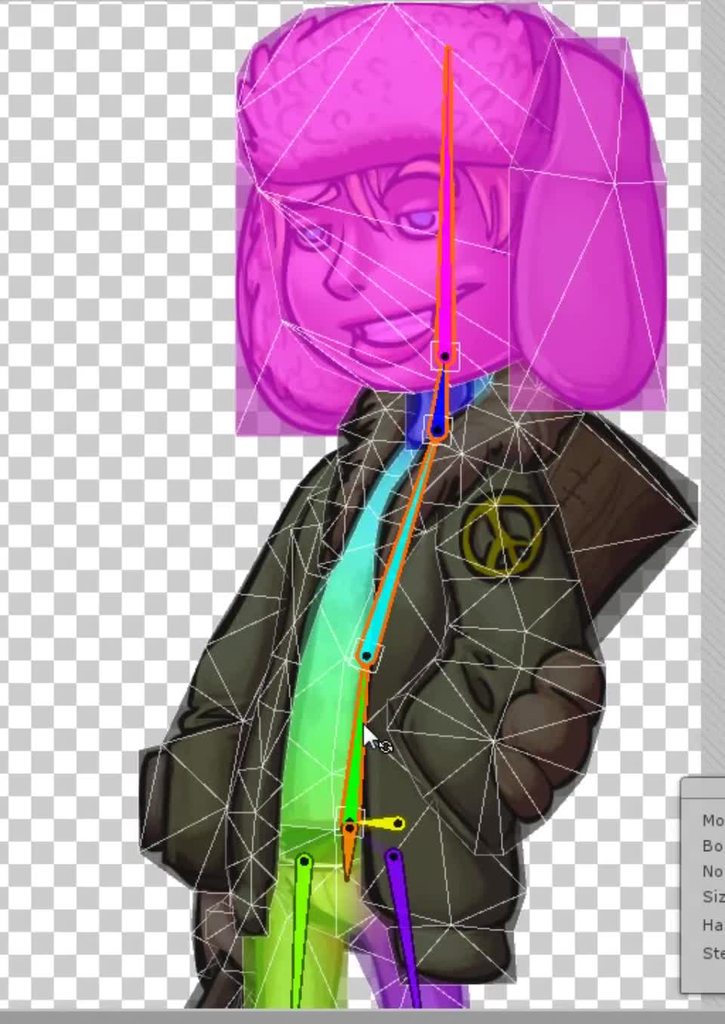 twin musk
Unity Forum
[IMG]
im using newest recommended version
this happens when i go through AnyState animations and change their settings..
animations are of Humanoid...
hybrid tinsel
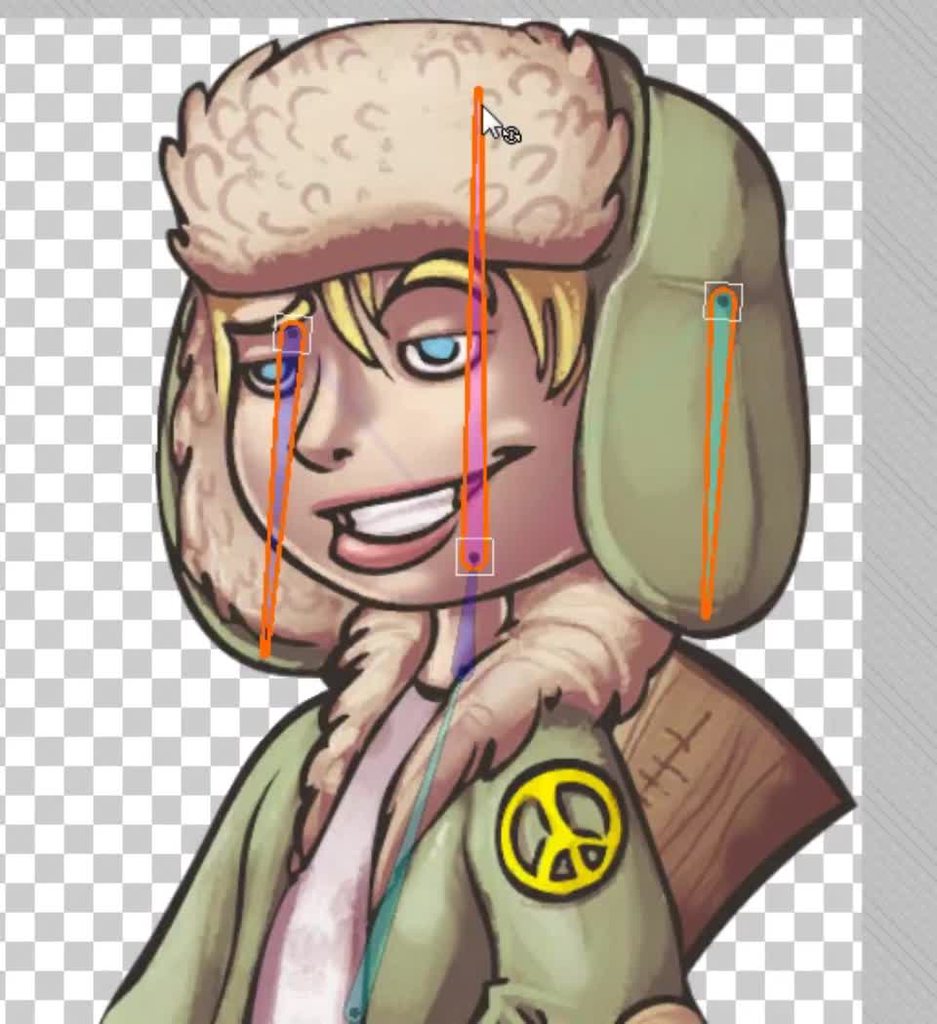
 dry tinsel
What animation tool is that?