#🏃┃animation
1 messages · Page 55 of 1
 tawdry lava
 ivory badger
Dang
tawdry lava
dont do third person + first person animations and you wont have my problem :/
tawdry lava
What is wrong with this line of code thats causing my player to twitch? It's solely this line. This is called in LateUpdate() on a character bone that is being animated, but the bone is just spazzing out
I also ensured that the bodyPivot Transform(bone) had none of the animations controlling that specific bone
 pulsar mango
How do I mirror an AnimationClip in code?
 dry hare
Actually, an animation that has an "Exit Time" should play its animation to the end - or am I wrong? However, if I permanently use thisAnimator.SetBool(); in Update(), the animation will not play until the end. Can it be that the use of SetBool() breaks/interrupts an animation? I still have the problem that I want to be able to attack when jumping. In the Update() method I set the animation "isFalling" based on the Y-velocity. If the player is now falling and I'm attacking, the attack animation is only played for a millisecond - irrelevant whether the animation has an "Exit Time".
 hybrid tinsel
@dry hare Exit Time is not always the end of the animation- you have to set when it exits, and the transition duration.
dry hare
@hybrid tinsel I've set it to 1. But it doesn't matter... all I set get's ignored because SetBool() gets called every frame (because it is in Update()).
And transition should be 0 because it's a 2D pixel game.
tawdry lava
@dry hare I never have issues like that when transitions exist between each animation. Normally if I want the whole thing played out, I just check “has exit time” and edit the transition period to be at the end of the animation. If you line the two animations inside the window I show you to be end lined up with the start of the first animation, it should work fine :/https://media.discordapp.net/attachments/502171313201479681/681629449678225481/unknown.png

Oh wait I just realized, is that 2 animations for kinghuman_at or is it cut down the center?
dry hare
It feels like the animation gets played, but way faster then it should!
tawdry lava
What’s ur animation speed on the animation itself?
dry hare
I found the issue.
I had 2 conditions which have been true.
This is working like expected!
Thanks for taking your time. 🙂
 steel granite
All new short animation, check it out 😂😁

At the end of the day we’re all human.
Animated in Adobe Flash CS3.
By Antoniomabs
#MabsShorts
 woeful hearth
what is going on on animation hehe 😄
 ornate cloak
I seem to have an animation problem with 2D sprites
I selected all of my character's idle sprites (which I've checked all contain an image), and dragged them onto the scene
when I press play, they will just flicker, like they'll repeatedly appear and disappear
 dark epoch
So like are your images together in one animation like in frames?
It sounds like you have an image for one frame then a one or more frames with out an image
So as the animation plays over and over it shows your image then a couple of frames without it then goes back to the first frame shows the image etc.
Oops I forgot @ornate cloak
 thorny light
also id love to know how to get sniper rifles working correctly in unity and any type of animation where the right hand moves away from what its holding
like.. the gun is parented to the right hand but i want it to move away from the gun.. would i need to turn off the parenting and swap it around or something im not quite sure
its either that or i merge the weapon rig into the arm rig but then id end up with alot of rigs just for this purpose
 thorn scroll
A bunch animation I did for a twitch plays game


An attack animation for the Gobbo Island TwitchPlays game I've been working on w/ @bruinsee #gamedev #indiegame
#IndieGameDev #pixelart #gameart https://t.co/PuYg3vUxKi
 Twitter
 deft mantle
Anybody having problems with Root Motion in an Additive layer?
When I set the layer to Override, the Root Motion works normally, but I need an additive behavior here. When I change the layer to Additive, the animator completely ignores the Root Motion in animations on this layer. They don't affect root and they stop looping (they revert to the original state after each cycle).
Changing animations in this layer to something completely different doesn't fix it, so it's not an issue with my animations.
I've done some googling and from what I saw, root motion in Additive layers should work fine.
 warm verge
Hi everyone, I have some clips on my timeline, I am triggering the timeline with an event. Everything works great, until something happened and few of my clips doesnt obey the timeline anymore. They start right after I go to play mode. Any idea what did I messed up? 😄
 twin musk
I'm curious about something perhaps someone can shed some light on...
Is it bones or verts per bone that kill performance? While I'm sure a lot of bones regardless can kill performance. (no i'm not facing performance issues). But I'd like to know what the causes of performance loss (primarily) is. The reason I ask is because I'd like to add a bit more interesting things with my animations such as have gills on my fish open up and close... But wasn't sure if having 80 bones is as bad as 20 bones if you break things down to a per-vetex, per bone basis... What I mean is is 1 bone controlling 1000 verts as bad at 10 bones controlling 100 verts each. (thus being the same exact vert totals, only this time more bones but controlling 100 verts each).
Or is it simply just - more bones = worse performance and that there's nothing else to it.
I suppose what I'm asking is - where are the causes of performance degradation at. Because certainly there's right ways to animate and there's wrong way to animate, two people can animate the same exact thing but one get better efficiency and the other not so great.
hybrid tinsel
@thorn scroll Very nice, great interaction 😄
@twin musk I am not a technical type, but from what I understand it it is more the number of bones and also the number of bones affecting each vertex.
warm verge
Why is the that when I uncheck Play On Awake function on my Playeble Director component, some objects waiting for timeline to start, but other objects start playing independently of the timeline? Any ideas, please? I am stuck.
hybrid tinsel
Because timeline is janky as heck
 loud cobalt
using System.Collections;
using System.Collections.Generic;
using UnityEngine;

public class kaka : MonoBehaviour
{
    // Start is called before the first frame update

    private Animation anim;

    void Start()
    {
        anim = gameObject.GetComponent<Animation>();
        anim.Play("idle");
    }

    // Update is called once per frame
    void Update()
    {

    }
}
What am i doing wrong? The animation state idle could not be played because it couldn't be found!
Ahh I musy attach every one, thats lame
 vapid portal
Is it possible to use ease in/out an animationclips?
vapid portal
More specifically, I have one fbx with animation, which i want to give a ease in on. Not a transition.
hybrid tinsel
@loud cobalt you are using the pre-mecanim animation system, so it is pretty limited in ways like that.
@vapid portal Can you be more specific about what you want to happen?
loud cobalt
@hybrid tinsel so what would u suggest? I want to manually code my animation states and blends
hybrid tinsel
I don't have a specific suggestion, really; I mean, the feature's been depreciated for 8 years so you'd probably be best off looking up older resources since all the new stuff is for mecanim.
loud cobalt
@hybrid tinsel what do u mean with mecanim?
hybrid tinsel
@vapid portal If what you want is to non-linearly blend between two clips you can do that with a blend where you use animator.SetFloat ("float", curve.Evaluate(curve)); to set the amount of blending
Where you would set the curve in your script
@loud cobalt That is the animation system unity's been using recently, using the animator component instead of the animation component
Uses a state machine for animations, but you can add whatever override states you want in code.
loud cobalt
@hybrid tinsel here is my problem > https://forum.unity.com/threads/need-help-with-blend-tree-animations.834103/
hybrid tinsel
@loud cobalt You are using a blend tree instead of different states, so the idle is always 'running' even if you can't see it.
loud cobalt
@hybrid tinsel so im not attached to the blendTree idea, just tell me how to get the results I want :)))
hybrid tinsel
kybernetik's reply to yours is pretty much right on
Just have the idle be in a different state.
Transition to and from it as needed.
loud cobalt
@hybrid tinsel what does it mean having idle in different state?
I also dont want to lose the blend thing, as such aimations look floppy
hybrid tinsel
You're using undefined terms :\
loud cobalt
@hybrid tinsel hmmm
hybrid tinsel
The more clearly you can define what you're trying to do, the easier it will be for people to help figure out how to do it.
loud cobalt
@hybrid tinsel . I actually want what the blendTree offers, except the thing that you said, that idle is being played at bakcground
Blending runleft, runright, front, back animations.. depending on input
Transitions look promissing, but I dont know how to control them.. like it has some condition and then transits, but I want to control the transition state.. like from 0.. 1
hybrid tinsel
The problem is that the two things are kind of conceptually opposite; a blend tree has the two things in a single state, operating concurrently.
The traditional way to handle the sort of thing you're doing is to make transition animations and play those in between
Either that or code your own system, I suppose 😄
loud cobalt
@hybrid tinsel but can I control via code, the transition position? Like from 0 - 1 (where 1 transition completed)
hybrid tinsel
If you can, I have no idea how to do it.
vapid portal
@hybrid tinsel Well, I've imported an FBX of a Dummy from Max, which has an animation. The animation is then used in the animator tab as the first state which is triggered when starting the game. I want to make a ease in, and ease out in the ends of the animation. Thought the Curve on the imported FBX File would be a solution, but it has no effect.
loud cobalt
@hybrid tinsel pitty 🙂
hybrid tinsel
@vapid portal I've not used max, but with most imported animations any curve modifiers need to be baked into the animation to have an effect in unity
@loud cobalt Something like that, I'd ask in the programming channels; it is going a bit beyond a typical 'artist' level of code
loud cobalt
OK
vapid portal
@hybrid tinsel I see, well I'm referring to the "Curves", which are adjustable within Unity in the inspector tab of the FBX.
hybrid tinsel
@vapid portal Those are meant to be accessed/evaluated from scripts, they don't do anything on their own.
vapid portal
@hybrid tinsel Ahh, wasn't aware, thanks for the info. Are there other ways of manipulating imported animations in Unity?
Perhaps scripting a ease in and out?
hybrid tinsel
@vapid portal It is funny, you and trsh both trying to do similar stuff all at once
vapid portal
Heh, well we are in the animation chat 😄 His problem seems more advanced though.
twin musk
Can the Animation Rigging package be used for non-humanoid animations?
hybrid tinsel
Doesn't need to be used with animations at all, @twin musk, or even with bones.
@loud cobalt @vapid portal clips in Timeline do allow for nonlinear easing in and out, so you might be able to learn something from digging into that.
twin musk
What does that mean? What's the point of a animation rigging package if not to be used with animations? So I'm not sure if what you mentioned answers my question or not. I want to try rigging a non-humanoid aquatic animal with it, so is that possible>
hybrid tinsel
@twin musk I mean that you can use the rigging package separately from the animation system; you can use it with procedural or player controlled motion, and can use it on any hierarchy, whether it had a bone rig or not.
You CAN use it with animations too.
I've only used it with 2d characters so far, so I haven't used it with humanoids at all
twin musk
Ohh okay thanks.
twin musk
Hey, what's the "Any State" in Animator ? And how can we disable the auto play of an animation please ?
hybrid tinsel
@twin musk The any state is for adding transitions that don't need a specific state- for instance, say you have a full movement setup, but you want to add a 'death' animation that can trigger no matter what state the character is in. So you put that transition on 'any state.'
@twin musk and to disable autoplay of an animation, it depends on the specific setup. Most typically, you'd set it in the animator, or add an empty state as default.
twin musk
Okay, thanks c:
twin musk
Heyo mates
I got a problem, did model with animation, i imported it into project with no problems but when Im playing animation gameobject is scaling up :(
hybrid tinsel
@twin musk are there scale keyframes?
 tawny valley
hi, i want to set up "the best" animator controller for my characters, i got bored of stucking animations
is there any good tutorial?
characters are 3D rpg characters so there are moving, dance, sit down, dash, tumble, attacks animations etc.
hybrid tinsel
@tawny valley It is hard to say what is strictly 'best.' There are hundreds of good tutorials at this point, so you really need to figure out what sort of controls you want, what type of movement, etc, and then try to narrow things down that way.
It's like asking 'what is the best pasta?' when you haven't decided what kind of sauce yet 😄
 lean yoke
Hi, folks. I need a little help here. I have not any idea, why it's happens.
hybrid tinsel
@lean yoke Did you use IK in blender that you didn't bake the curves for before exporting?
twin musk
does anyone know how the banjo kazooie egg shooting animation works?
hybrid tinsel
I don't even know what that is
 hybrid tinsel
Huh. Not really sure what part of it needs explanation? He takes his pose, spawn the projectile, it's pretty much just any 'spawn grenade and throw it' animation but with a different pose.
 peak tree
Yeah idk what type of answer he is looking for
3D walking animations are so hard to make ):
twin musk
oh no im talking about the breegull blaster billboard egg https://www.youtube.com/watch?v=IaSa1Jt0xgE

Watch out for those pesky Moggies.
Shout outs to SlowKingsPants: http://www.twitch.tv/slowkingspants
peak tree
did he even use it in that video
twin musk
this was the best i got sorry
peak tree
o wait yeah 32 seconds in
twin musk
the others are long walkthroughs
peak tree
it doesnt even look like an animation to me
twin musk
is it a particle?
peak tree
pretty sure it spawns the egg projectile as a separate object
twin musk
but what about the billboarding how is that done?
sorry im pretty stupid in this stuff
peak tree
not sure how it was done back then but it could be replicated by using a sprite attached to the projectile object that faces the camera/player
peak tree
no problem 😄
twin musk
peak tree
Is it possible to mirror a keyframe when making an animation?
I'm making a walking animation and I want to flip it for the other half
hybrid tinsel
@peak tree In actual animation packages you can. In unity, you can copy and offset them but you'll need to do a bit of manual editing.
peak tree
yikes thats gonna be quite a bit of manual editing, guess ill have to make a 2 keyframes long animation if im gonna get this done
 river lily
How do I improvise this? The idle animation still playing when transition to walk. It also happen when I stopped walking.
river lily
someone teach me. uncheck has exit time LOl
 fathom thunder
I have a problem. I want to 2D animate my Character and watched a vid bout .psd auto picking all parts of the character (all layers) but it doesnt work for me (I installed all the packages) Could someone help me?
Im not exporting the .psd with Photoshop. I use Affinity Designer, but shouldnt tht work too?
hybrid tinsel
@fathom thunder First of all, even though it is called 'PSD importer' it is actually meant for .PSB files. While, theoretically, any program that properly exports one of those should work, I don't know any programs other than photoshop that actually includes all the metadata that the importer needs.
No program I've tested other than photoshop has worked, anyway.
Very few programs even support PSB, and they seem to all support it badly if at all.
You can still use psds from other software, but not with the added features.
fathom thunder
so if I dont have photoshop I cant do it? @hybrid tinsel
hybrid tinsel
Not unless you can find another software that will spit out a PSB file it will process.
fathom thunder
so wht do I do now if I want a 2D animation?
hybrid tinsel
You can still rig up characters just fine, you just won't be able to use layers automatically put in place and sorted.
fathom thunder
how do I rig then? I want things to move without being bound to each other
so I need dif objects for it then? sounds dumb, meh ._.
I want to move things like eyes
hybrid tinsel
Two options. Separate images, or spread things out on one layer like
hybrid tinsel
You rig the pieces, then you move the pieces together
fathom thunder
if I want to move eyes only sometimes
but the body is moving permanently
then I have to make many many empty spaces in eyes animation
hybrid tinsel
And for the character I just showed, she had separate images for different facial expressions that I swap to as needed.
fathom thunder
lol
hybrid tinsel
fathom thunder
can I change sprites, colors and hide/show parts in animation?
hybrid tinsel
Yes.
fathom thunder
so he summons a wand or something
hybrid tinsel
You can do all those things.
fathom thunder
and eye color changes
how
I thought just moving works OCO
how does that work 😄
hybrid tinsel
You can keyframe almost any serializable property.
hybrid tinsel
Yes.
fathom thunder
do I disable sprite part or the object?
hybrid tinsel
Well, I suggest disabling the sprite renderer.
fathom thunder
and for changing sprite I just change the sprite? in inspector? 😂
hybrid tinsel
I suggest reading the animation docs for all the basics and then coming back with any questions.
And experimenting a bit
fathom thunder
hybrid tinsel
There is a LOT to explain that you could more easily be figured out by poking at it in unity a bit and reading the docs.
fathom thunder
so I do this
and then I export as png and do multiple sprite editor thingi aight?
hybrid tinsel
Rigged sprite.
Rig everything, and then in the scene view, with the animation recorder turned off, arrange the pieces the way you want them.
fathom thunder
so I do sprite mode multiple and slice still aight?
hybrid tinsel
yes
fathom thunder
and then I put all in scene and move right
hybrid tinsel
Yes.
hybrid tinsel
That one was drawn by my friend Scarfgirl, and colored by Shia.
My usual collaborators 😄
fathom thunder
😄
hybrid tinsel
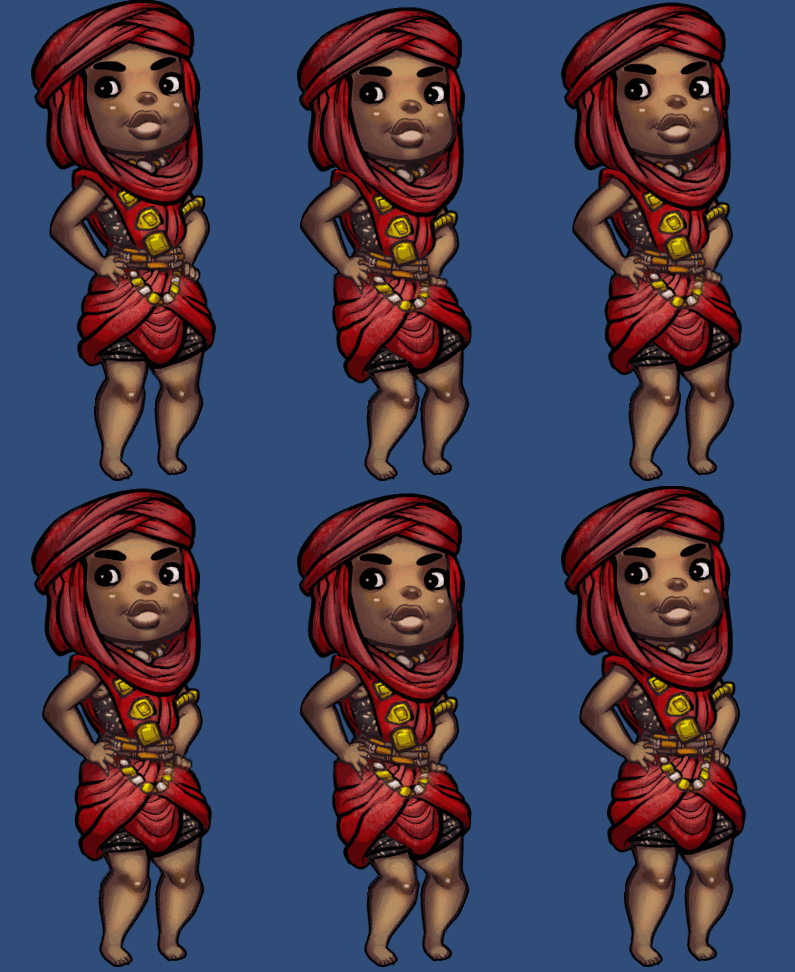
I handle the animation https://i.imgur.com/I1tmKSr.gif
 fathom thunder
lol, I like it
thts him by now
so I rig now
but I cant rig the eyes?
just body
am I right
hybrid tinsel
Why can't you rig the eyes?
fathom thunder
cuz they dont have to deform, just move? @hybrid tinsel
hybrid tinsel
So don't deform them
fathom thunder
why do they need a bone then?
hybrid tinsel
Ok, if feels like you're completely ignoring my advice, so that limits how much I can really help you.
fathom thunder
no, I just dont know where to look
hybrid tinsel
Bones affect vertices of the mesh you create. If only one bone affects all the vertices of a piece, that piece won't deform but will only be moved/scaled/rotated by the one bone.
fathom thunder
the docs r an enormity
Ik, but all objects r already multiple objects
so they wont move etc together
hybrid tinsel
See, like, this is what I'm talking about. You don't even know enough of the terminology to let me understand what you're talking about.
fathom thunder
-_-
hybrid tinsel
And since I can't pop open unity right now, I can't give very good examples and am only going off of memory
fathom thunder
ok
fathom thunder
got it working 😄
hybrid tinsel
this is how I set up eyes 😄
Normally I'd just use a rectangle, but here I needed those extra vertices to allow for some squish to stop the eyeballs from escaping the head

 lean apex
 celest crag
hybrid tinsel
celest crag
hybrid tinsel
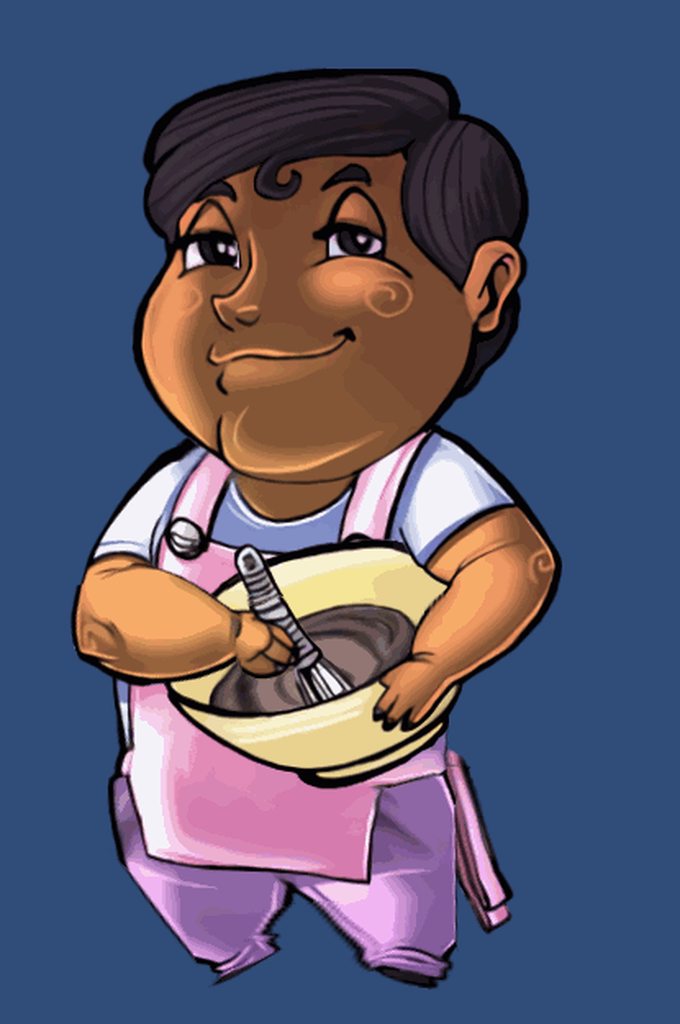
https://i.imgur.com/dY5uFCy.mp4 And he's coming along nicely
 hybrid tinsel
 twin musk
lolol nice
For those familiar with rigging and anims.
Is this the correct way to rig Hands?
Or is this better?
 sick basin
how do i fix this issue?
hybrid tinsel
@sick basin Animate the curve of the axis you want it to rotate on directly.
 feral salmon
If I created a 3D animation that is ment to emulate frame by frame animation (no interpolation) will it import correctly to unity?
 dreamy jewel
@feral salmon I'm pretty sure it will. I think I did something like that a while back, and it would just import a keyframe onto every animation frame.
hybrid tinsel
@feral salmon just make sure that you set each keyframe to non-interpolated I suppose.
 reef mantle
I have made an animation for a door and i want it to open as soon as my raycast looks at the door. But it opens when I press Play even if im not looking at the door. why?
dreamy jewel
@reef mantle Make sure it's not set as default state in the Animator. This is a screenshot from my door, and I had created an empty state that leads into the Open animation through a bool
dreamy jewel
@reef mantle That's really odd. If it's set up like mine, and it's playing automatically, that makes me think the transition is set wrong. Check your transition arrow from the default to Open state.
Make sure that it'll only transition when DoorOpen is true(the default condition is false when you add it, so maybe you just overlooked it?)
reef mantle
no I even tried to set the boolean from animation to true and fale and also switched in the script and still nothing
I will send you a pic of my animator when I am working on my projet
dreamy jewel
@reef mantle Alright, man. Sounds good. Ping me if you send it through here, otherwise, feel free to send me a direct message
reef mantle
Okay! Thanks for helping!
twin musk
Hey
I'm not sure if this is for here, but whatever
If you can help me with this it'd be nice
I'm making a third person 3D game and I'm stuck with the jump animation
There are 3 jump animations
Jump_Start -> Jump_Fall -> Jump_Land
I'm casting a Ray with 1f distance to check when the player will hit the ground and everything seems to be working ok for early-development, but the problem comes when I jump onto higher places
I think that I know where the problem is
dreamy jewel
@twin musk What's the problem exactly?
twin musk
One second and I'll send a video
I'm sorry for the lag, but I'm on my laptop and it isn't very powerful
So, the first jump is on the same ground and the second one is where the problem comes from
I think that the problem might be that I cast the Raycast only when I am in the Jump_Fall stage
Should I make it so Jump_Start has the Raycast too?
But this might cause more problems
dreamy jewel
@twin musk Huh... that's a little odd isn't it. Putting a raycast in the Jump_Start anim would probably fix it, but you may want to start the raycasting with a small delay(maybe you could get away with adding an animation event to trigger the raycasting). I'm just thinking if you start raycasting immediately when you jump, he'll land the frame after he jumps. But I would definitely play around with like a delayed raycast on Jump_Start, because he's stuck in his starting animation(I think)
twin musk
I also think that there needs to be a delay
Otherwise it'd just be the Land or Idle animation in air
dreamy jewel
@reef mantle Hmm.. alright, try this. Before you hit play, (make sure to toggle off maximize screen in the Game window), select the door, and keep the Animator window open just like that. Once you hit play, you should be able to see if the bool is toggled automatically, or if there something else we're not seeing. If you see the bool staying false, then there's something wrong with the Animator, and not the code, and vise versa.
@twin musk Yeah. Working with the jumping animations is definitely odd.
Something else to look into would be the transition duration between Jump_Start and Jump_Fall
twin musk
I was thinking about perhaps speeding up the Jump_Start animation
That way it should make the transition faster
I don't think it's the best practice, but it could work
reef mantle
Where do I see the bool? In the Animator?
dreamy jewel
I'm not sure how the transition is triggered from the Start to Fall, but he's definitely got a downward velocity right before he lands
Yeah, you should see it to the left of the Animator window(in your screenshot, I think you have the Layers tab toggled. Right above the cog and Plus sign, you should see Parameters, click that)
reef mantle
its still marked as true
dreamy jewel
(Mine are Triggers as opposed to bool, but they work effectively the same way for our case)
reef mantle
there is a check
dreamy jewel
Outside of play mode?
reef mantle
yes
dreamy jewel
Uncheck it, run it again
twin musk
I'm not sure how the transition is triggered from the Start to Fall, but he's definitely got a downward velocity right before he lands
@dreamy jewel When the Start animation reaches it's end, I make the boolean isJumpFalling true through an event and then this fulfills the conditions for the transition
I'll look into this more
I'll try different stuff until it works as it should
dreamy jewel
@twin musk Hm. I'm don't know if there's a surefire way to fix it, honestly. I would personally try a delayed raycast, but you might get better results fiddling around with it
Hope ya can figure it though, man.
@reef mantle Did you happen to make note if the boolean checked itself when you entered play mode?
twin musk
Thanks, dude
reef mantle
what you mean by checked itself?
its my first time doing something with animations
omg, im stupid
its working now
i just set the boolean in the wrong State
dreamy jewel
@reef mantle Ah hah, alright, awesome. I thought it all looked perfectly fine, it was starting to confuse me haha
for clarification, by "checked itself", I mean, the Animator updates the parameters when you change them through code if you have the window open. It's a good way to debug animation trees once you start getting a little more complex and several parameters to keep track of.
reef mantle
Thanks! You helped me alot! 🙂
dreamy jewel
@reef mantle Anytime pal. happy to hear ya solved it.
 glad umbra
Early Spider walking animation for my game. Thoughts?
dreamy jewel
@glad umbra Look's pretty cool, though you might want to tweak the leg synchronization. I had to animate a spider a few months back, and realized that before the Xth pair of legs reach the peak, and start coming down to the ground, the next pair of legs start to move prematurely.
glad umbra
Thanks for the feedback
dreamy jewel
This animation sorta makes him look more threatening, but in the slower sorta way, I think? Of course depends the context of the game, but I'm speaking in regards to general spider movement
glad umbra
The game is a remake of an early version of Shadow of the Colossus; the animation's gonna be much slower in the game lol
Yeah, I getcha lol
Aim is to make this guy threatening and scary.
dreamy jewel
Dudes are creepy little things, so the next pair of legs moving prematurely gives us even more of a reason to be scared of them lol
glad umbra
^
dreamy jewel
Sounds awesome though, I hope to see some progress in the works in progress channel here man. Love games like SotC
glad umbra
Same here. I've made a fair bit of progress thus far, thankfully there's a lot of people who want to see the unused original eight colossi restored so I've already gotten a sizeable team together 😅
 tardy hemlock
Is there a way I could make the object stay facing in the direction the walk animation was facing? (with blend trees)
reef mantle
Okay so i had the door animation yesterday and today I lost everything so i want to create it new but when I rotate the door it just moves forward and rotates
when i set the y rotation to 90
also it has 4 children
or parents
idk
reef mantle
nvm i got it fixed
 oak drum
Hey, how do you go about Animating seperate objects that interract with eachother? ive got this character who lifts a portcullis, but i have to try to sync the animation of the portcullis with the character.
dreamy jewel
@oak drum Okay well first off that looks really freakin' solid. Good work on that lol.
The first thing that comes to mind is to just make a separate animation for the gate with the same duration as the characters lifting animation(and same transition duration), and play them both at the same time.
Unfortunately, this may act wonky if you have any way that the player can prematurely end the animation(like, say if the player got hit while opening; you'd need some way to slam the gate downwards).
It's probably a bit time consuming though in all honesty, and if you want to change the animation of the player at all, you'll need to change the door animation to match it.
If you want to be a bit more adventurous, there is always the IK system; I haven't used it myself, but I'd imagine it would be applicable here(animate the door, then put IK on the arms, or something similar to that)
oak drum
@dreamy jewel Thanks!
yeah, currently i did the gate animation in unity and tried to sync that with the character animation. but it was really hard to get it to sync since i could not play the animation and animate at the same time.
I'm probably gonna end up synking the Y wiht the hand and then Using physics to drop it down.
dreamy jewel
Yeah... I do wish there was a way to play a separate animation while animating something else in Unity. That would have in handy several times in the past for me hah
hybrid tinsel
@tardy hemlock That is up to however you have the rotation happening; you can set it to whatever you want in your code.
@oak drum setting up a timeline sequence makes syncing the animations a lot easier.
And agreed, that animation is really cool!
 solemn kernel
Anyone familiar with unity multipurpose avatar 2?
Or uma 2
?
This keeps happening on my phone, but not my computer.
The shirt should not have those holes.
hybrid tinsel
hm, you'd probably have more luck asking in a programming channel, it looks like a technical issue so getting someone who understands that stuff would probably help
 pine badge
I'm using Animation instead of Mecanim, to animate SpriteRenderer.
It works fine when using Mecanim, but now i need to use Animation for something light and modular. Problem is it just doesn't animate the sprite.
But weird thing is, an AnimationEvent that's at the end of the clip, gets called
ornate cloak
hey, quick question, is there a way to slow down the idle animation of my 2D character? so I don't need to make 15ish images for a simple idle, but without reducing the game's fps
hybrid tinsel
@pine badge that seems really weird, what are you trying to animate on the renderer?
@ornate cloak You can set the framerate of the animation itself
ornate cloak
oh damn thanks
hybrid tinsel
You can also slow the playback of a given state from the animator window
ornate cloak
right click on the animation in the game preview?
hybrid tinsel
Open the animation in the animation window, on the right is a dropdown for the options.
ornate cloak
got it
my idle animation has 16 frames but it looks like in one of them part of the character disappears
like it's behind the game's background
hybrid tinsel
Weird. Did you accidentally set a keyframe for the sorting layer?
pine badge
@hybrid tinsel
Apparently sprite animation doesnt work on legacy animation...
Found it on google somewhere
hybrid tinsel
Oh. You mean frame by frame animation, @pine badge?
pine badge
Yea
hybrid tinsel
You should still be able to animate the sprite source in the renderer component, though that is somewhat clumsy. But they didn't even add sprite support until long after they depreciated the animation component, so...
pine badge
I can make the animation clip and record n stuff yea. But when played, it just does nothing
hybrid tinsel
Well, the animation component uses the same animation files as the animator
But it doesn't support all the new features
 slow rampart
Guys, how i can fix that animation? The left seems ok but the right it's totally broken..
https://streamable.com/nsu3x
 pine badge
But it doesn't support all the new features
It seems frame per frame is not supported in legacy.
Legacy can only deal with value changes, not assigning of reference, ... maybe
 unreal dragon
I have a big issue and I can't figure it out. I need the default state not to execute, but instead have the state chosen from a parameter. An empty first state also doesn't cut it, since it makes the animation glitch for one frame. Is there anyway to prevent this one frame glitch?
pine badge
What are u animating? 3d character, or sprite?
Either way, maybe a transition setting is making the 1 frame glitch
And will the chosen state be chosen after a while, or supposed to be instantly?
unreal dragon
@pine badge I'm animating a camera. OnClick of the play button, scene fades to black then fades to stage scene. The camera will then do a slow zoom of 1 second.
It will be instantly
Since the animation is a slow zoom, this 1 frame jerk is very bad...
pine badge
Hmm
Click
Scene fadeout black
Scene fadein
Camera zoom <-- this happens WHILE scene fadein, or after fadein completes?
What's the jerk like? Whats ur empty state like? Just without a animClip?
What if you have a transition duration
unreal dragon
Happens after fade in completes. I'm using dotween so the animation trigger runs on tween (fadein) completion
pine badge
I mean, my experience with jerking state is sometimes because that state has 0 rotation/pos, and the intended state starts with some rotation values. And these have no transition duration
But yeah, what exactly is jerking? The camera's position? Rotation? Zoom(however u're zooming it. Ortographic size? focal length?)
unreal dragon
It jerks forward in the zoom. Like a one frame glitch. It's an empty state with no animation clips
If you want, I can record it but give me some time
pine badge
Ok so, lets say u're animating ortographic size for your zoom.
It jerks like:
10
5 (very zoomed in)
10
9
8
.. (properly zooming in animation)
Like that?
Try play it, then pause, then step forward frame per frame
Then you can pinpoint which frame is the jerk at, and check what value is being weird
pine badge
Try the play, pause, step forward 1 frame at a time
unreal dragon
@pine badge here's the vid
what do you mean by play, pause, step forward 1 frame at a time?
the 3 animation clips on its own have no jerks
pine badge
Why does ur console say that the transition have no exit time AND no condition? In the inspector i see that you have a condition (RunIntroSequence) ?
Well anyways, it's just a warning
In the vid, it's only in the, uhh, around 0.5 seconds right?
Or, right at 1 second actually
What are you animating for the zoom? Camera's position?
It seems 01 Camera Zoom In 's first frame's value is on a certain position, whereas the camera prior to entering that state, has a slightly different position
unreal dragon
Yea, the screenshot above shows the settings of the empty state. It has no exit time. Hang on
cam zoom in first key frame
last keyframe
pine badge
And what's the camera's Transform like before any of these animation?
pine badge
Ye
unreal dragon
but why does this happen? shouldn't the animator update the position in the first step?
pine badge
The animation clip doesnt modify the transform if the clip doesn't contain any key that corresponds to those elements being modified
So while ur state is in that New State, no values are being changed
It only "snaps" to those value when those fields are relevant, which is right when u enter the 01 Camera Zoom In state
unreal dragon
Ahh ok that makes sense!
pine badge
It's also indicated by, if the field in the inspector has the blue color
(While you're viewing that animation clip in the animation window)
pine badge
Cool2.
Oh btw
unreal dragon
Yea?
pine badge
Try this first
Instead of Play
Press Pause, THEN Play
This will make it start the editor in a paused state
And then, you press that 3rd button (greyed out in my pic)
That's what i meant by "step 1 frame at a time"
Shortcut is Ctrl + Alt + P, you can hold it
Very helpful for weird frame animation debugging, especially some "1 frame" weirdness
unreal dragon
I didn't know you could step through the game like this
Thanks man! I will try it
In fact, I never knew what those buttons were for except for the play lol
slow rampart
i'm using mixamo animations... how i can make this movements more fluid?

 coral wave
I'm having an annoying issue that loops back on itself
the animation clip must be marked as legacy (Solution: Make the clip legacy)
But then...
legacy animation clips are not allowed in animator controllers (Solution: Un-make the clip legacy)
Is there anything that I can do to make the animation Actually play?
hybrid tinsel
@coral wave Why do you need to mark it legacy?
I thought that was only if you were using it with the legacy animation script instead of the animator
coral wave
I don't know. It looks fine but it says that every time the object is on screen.
My attempt to fix it according to the error log broke it, so I'm just rebuilding it and just dealing with the flood of errors at the moment. 🤷♂️
 mental hazel
Heya!
I have an animation controller and a bunch of override controller.
I would like to be able to "skip" a state given a specific animation.
Here is a part of the state machine:
I want to use this animator for all enemies of type X but not everyone has an "Init Run" animation yet.
So, I would like to just skip that state and move to Run.
How can I do that?
 dusky hedge
Does anyone know why my animation in 3DsMax has keyframes that are not visible on the timeline? I've cleared the keyframes to restart my animation but for some reason there are still keyframes I cant even see in the timeline...
mental hazel
Updated the polar bear animation: https://cdn.discordapp.com/attachments/625004105164652635/685070014688002080/Bear_walking_v4.2.gif
Any more feedback? How is this version?
Pinging: @dark epoch @hybrid tinsel since you were so helpful last time 🙂
 dusky hedge
@mental hazel whats going on with his ears around the end of the loop? looks weird to me
its like he starts rotating his head to the foreground, the ear comes out and dissappears even before he goes back to neutral
dark epoch
I've been waiting for the new one! It looks really good; I do agree the ears look off. In particular the right ear looks like its being flattened rather than changing perspective as his head tilts
I think it's similar to like what Protagonist-kun said about the left, but the right ear also seems to move before the head finishes. Aside from maybe timing the ears it looks awesome!
Also what are you using to animate?
twin musk
@mental hazel This bear is really beautiful and wonderful !!!!!
@mental hazel is this your draw ?!
mental hazel
@dusky hedge @dark epoch Thanks for the feedback! We'll look into it! 😀
@twin musk Thanks! It's from a teammate and I'm asking around to help us improve it 😁
I refer all the comments and compliments😀
hybrid tinsel
@mental hazel You can add a variable to the enemy that says whether to skip, and in your script add an extra condition to the transitions?
And that is looking great, @mental hazel! I agree that the ears might need a tiny bit of tweaking to the timing, but it is not major.
mental hazel
@hybrid tinsel cannot do that because the transition is done through the controller.
And will fix the ear 😄
hybrid tinsel
What do you mean? Your controller uses conditions to control which transition happens. Have your script set different conditions per enemy, based on whether you want it to skip or not.
You can probably even automate it, but that would be more complex than I'd be willing to try and spitball without access to unity for testing right now 😄
But yeah, you just have your script set a bool in the animator, and then when doing the transitions stick that in as a condition
mental hazel
@hybrid tinsel I want to skip a blending state which is not controlled directly by me
[Idle] -> run -> [InitWalk] -> [Walk] -> [InitRun] -> [Walk]
I want to skip any state which has an empty animation
but I fixed it by adding 2 empty frames or setting 0.01 to the exit time
perhaps you are assuming the state machine is simpler than it is 😄
hybrid tinsel
I was going off the state machine you showed me in the screenshot
 glacial dagger
Hey there, I'm working on rigging a 2D character model and I have a question.
Right now, I have it such that my stickman character has 6 elements, a head, a torso, 2 arms and 2 legs. From what I can tell, this means that if I want to add clothing to my character, I'll have to make 3 sprites for a shirt, one for the torso and 1 for each arm. Will it be OK if I combine my stickman's arms and torso into one sprite and re-rig it so that I'll only need to make one sprite for each shirt?
By extension, can I combine my stickman's legs with their body so that I won't have to make individual pant legs (thus lowering the number of required sprites on my stickman to 2)?
 fluid drift
how do i make another animation play before the first one has finished
dreamy jewel
@fluid drift When you select a transition from the first state to the second, you can uncheck "Has Exit Time"; Then you'll need some condition to tell it when to transition
@glacial dagger I'm sure it's fine to do so. Just make sure to think about what you'll need to change if you go through with it(ie. the rig/ animation of the stickman, like you said). There's never one specific way to do clothing(or any feature in a game), it just kinda comes down to what you're comfortable with. I've personally never messed with that kinda thing, so I can't really offer any more insight on that
glacial dagger
Thanks, Zaffre! If you've ever added clothing to a character before, do you know how to do it if I'm only using one sprite and rigging that sprite in particular? I know that with multiple sprites, I could make the left sleeve a child of my stickman's left arm, pants as a child of my stickman's legs and then enable/disable the clothing that my stickman's wearing/not wearing, but I'm not sure how to set it up if I'm only using one sprite.
hybrid tinsel
@glacial dagger there are up and downsides to either approach.
glacial dagger
What would the downsides be of using 1 sprite (with the arms/legs connected to the body), @hybrid tinsel ? I'm leaning towards that method right now, since pants will look really odd if I'm using 2 sprites.
hybrid tinsel
Downsides of using one sprite would be stuff like if you need to reorder their sorting during an animation(for instance, have the legs cross or the like)
Or if you might want to turn one on or off without affecting the other.
For instance, having different hand/foot shapes for different actions(fist, holding something, foot facing towards/away from camera)
Basically, the more you can plan out before you rig anything, the better off you will be.
glacial dagger
Ah, my character's a stickman.
hybrid tinsel
On the other hand, having everything on a single sprite can be very useful as well, if you are going to be swapping that single sprite a lot.
glacial dagger
So there won't be any hands, just one bone on each arm/leg and three bones for their torso.
I won't be swapping the sprite out, but I can imagine that my character's going to be using a lot of different types of clothing. Customization's a key element of my game and I have some cutscenes in mind, too.
hybrid tinsel
Well, I mean, in that case you could just as easily use a line renderer and have nothing but a torso
If the shirt doesn't need to actually deform, just having it be its own sprite that you swap out for different shirts is probably easiest.
glacial dagger
It might need to, say, if my stickman bends their arm. My pants will definitely need to deform at the knee when my character walks, too. The reason I'm concerned about using multiple sprites for my stickman is that, say, if I make 3 sprites for a shirt, one for their torso and one for each of their arms, if their arm bends, I can imagine that there will be a gap between their shoulder/their torso because their clothing will follow their arm without 'stretching' with respect to their torso.
hybrid tinsel
Well, I dunno, you usually have some decent play there depending on the style. Stick figures are pretty forgiving.
https://i.imgur.com/WORsE0j.mp4 There are seams all over here, it is something like fifteen sprites
thirteen actually, now that I count
Have you drawn the character? We can take a look and see
Also, here's an example of matching deformation up between pieces I did for someone else https://i.imgur.com/DlD2N56.mp4
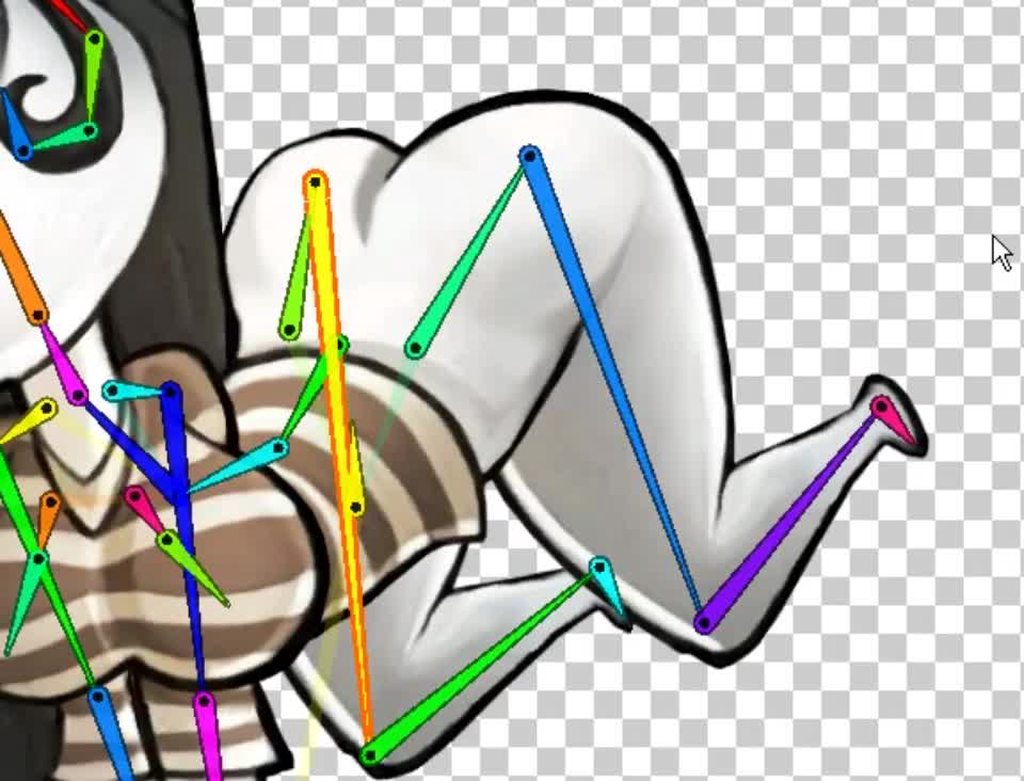
should still apply for a shirt/sleeve situation
 true cove
So uh, why does the ghost not have pants?
hybrid tinsel
She died without pants on, so any pants she tries putting on just fall through.
Also, to serve as a rigging example.
 hidden raft
Hey guys, I need some help with something and I don't know if this is the right channel to ask for it.
It has to do with the IK System of Unity.
hidden raft
Basically
I'm doing a plataformer, and need to animate the hands of the player getting into the ledges of the plataforms
So I learned that there's this thing called Inverse Kinematics, which is essentially a system to animate the skeleton of an avatar
The thing is that through code, the system wasn't working, so I found out about the rigs tab and all that, and discovered that the problem may be the setting being in "generic" instead of "humanoid"
But when I changed it to humanoid, everything went to hell
The animation clips that I did for the movement no longer worked, and the avatar for my player was buried half way through the floor
I would share a video, but it's 30 seconds long and Discord doesn't like that
TLDR; What's the difference between Humanoid and Generic and why it sends to hell my animation clips when I change one or the other ?
hybrid tinsel
You can upload the video to imgur and then link it here
@hidden raft Anyway, humanoid rigs have IK built in, but they need to be set up first and your animations need to be properly targeted to a unity humanoid. It's a very long and complicated thing to explain and there are lots of videos and documentations that explain better than I can.
If your animations were imported, you'll need to set them to humanoids as well in the import settings.
One of the main points of the humanoid setup is that it can retarget animations of differently sized/proportioned characters, but that means that things can go wonky when the avatar isn't set up correctly.
If you prefer to stick to the generic rig, you can use the IK in the experimental animation package in the package manager instead of the humanoid IK.
And honestly even if you do use a humanoid you might want to use that package.
But yeah, there are three unity IK systems; the 2D animation package, the experimental Rigging/Animation package, and the humanoid IK.
So make sure that any documentation you look at is for the right one.
Because none of them work with each other.
hidden raft
Wow ! Thanks a lot, it clarified a lot, I complemented the videos I'm watching and it helped me a lot !
I don't understand what do you mean when you say Experimental animation package in the package manager... is that some option that I'm not seeing ?
feral salmon
Does anybody know of a way to import blender's bendy bones into unity?
 rocky geyser
@hidden raft If you want to use that experimental animation package: under Window > Package Manager in Unity, click 'Advanced' and then enable 'Show preview packages'. Then do a search for 'Animation' and you'll find a preview package. That's only IF you wanted to use that package though!
hybrid tinsel
@feral salmon only if you program your own bendy bone system.
 remote cloud
Hello, I have trouble with mixamo and custom player model, the t-pose is a bit rotated
any ideas to make it right?
fathom thunder
Im trying to do a Card Game, but could need some help. If someone got some time? 😄 (I dont really know where to start 😂 )
thorn scroll

So had an Idea for a roguelite mobile game and did this battle screen mockup on stream #pixelart #gamedev #indiegamedev https://t.co/2eSbYica40
Twitter
hybrid tinsel
@thorn scroll the HP bar's bobbinb bugs me for some reason. I really like the overall style 😄
Maybe if if bobbed less, or maybe in the opposite direction from the monster's head?
Not sure.
thorn scroll
Tbh id probably make it smoother in engine. this is all frames and was just a mockup idea
 vast summit
Hey when I imported my model from Blender, the list of animations isn't there for some reason. The animations are imported in and have no problems. Anyone know what the problem may be?
All my other models have loaded up just fine until this one
glacial dagger
I just implemented a 2D skeleton into my project (that was made using sprites in Unity), but the x/y axes are switched, such that if I move it to the left, its' y value in the editor increases.
Is there a way to fix this?
hybrid tinsel
@glacial dagger make sure the camera is facing the correct direction?
hybrid tinsel
(and that the object isn't rotated 180 degrees on any axis)
Does it still happen if you parent it to an empty object?
 jovial yoke
@vast summit Is it a model with multiple animations? Do you get an error thrown in the log? Might be this bug then https://issuetracker.unity3d.com/issues/nullreferenceexception-is-thrown-when-inspecting-a-fbx-file-with-multiple-clips-and-opening-animation-tab
How to reproduce: 1. Open the attached 'project-1215431.zip' project 2. In the Project window select 'MultiClipSingleFile' 3. Observ...
deft mantle
Hello,
how would you guys approach handling additive animations (like holding a torch up) for both independent hands?
The obvious answer is to use 2 additive layers, but a problem arises. There's gonna be a lot of animations and I'll have to always make sure that every change I make to any state or transition is done on both layers.
 lost goblet
is there a way to prevent the spine twist from affecting the lower body? When i use an animation for multiple humanoid avatars, the animator likes to use "spine twist" for left to right rotation. Unfortunately this causes the animation to look very broken.
deft mantle
So there is a huge risk that if I create a discrepancy by mistake that's not huge enough to be easily spotted, the little bug will stay and negatively affect gameplay.
Are there any tricks I could use for this in Mecanim or through code?
The only difference between animations in each of these 2 layers is of course that one is mirrored.
river lily
In this 2016 GDC talk, Ubisoft's Alexander Bereznyak breaks down the basics of IK Rig technology for animators, and explains how it can be used for everything from video games to feature films.
Register for GDC: http://ubm.io/2gk5KTU
Join the GDC mailing list: http://www.gd...
deft mantle
Are there any tricks I could use for this in Mecanim or through code?
Ok, I think Syncing the layers of the other hand will do the trick (unless there's a problem I don't see yet).
Uh, nevermind.. I won't be able to make those layers run independently because transition conditions are synced.. State Machine Behaviours are not synced, so they might be the solution. Anybody got any ideas? 🥺
glacial dagger
@hybrid tinsel Ah, is it normal for bones that are children of other bones to have messed up X/Y axes?
My base bone works, but the bones connected to it have reversed axes, that could be it.
glacial dagger
I created my stick figure character by rigging the sprites, connecting them and then putting them into a prefab and moving the parts around so that they'd line up.
However, when I made a polygon collider, the polygon collider uses the sprites' old locations. I don't plan on using this collider, but did moving around my sprites in the prefab create any problems?
hybrid tinsel
@deft mantle you could use synced layers, but dunno if that would allow enough independence between the arms.
@glacial dagger yes, that is normal, because transforms are relative to the parent.
glacial dagger
Great, thanks.
Is the polygon collider issue OK (again, I don't have plans to use it, but I'll adding to my clothing to my character).
hybrid tinsel
And the transform of a rigged sprite isn't synced to the visual of the sprite itself; parent stuff to the bone transforms.
glacial dagger
Sorry, I'm a little confused.
Will that affect my visuals/collision in-game or will I be OK?
hybrid tinsel
Um. Basically, I mean, stuff you want to attach, attach it to the bone because the bone is where the visual will be in game
ornate cloak
I'm very confused about how to get started with unity 2d animation..
I've created a sprite sheet for my character in idle, and running
I got how to get my character to idle by drag and dropping the idle animations onto the game and setting them as the default animation for the character
but now I want the character to use the run animation I created, and the tutorials I'm finding use unity's integrated animation rather than sprite sheets
does anyone have a tutorial on how to animate sprite sheets?
 umbral anchor
@ornate cloak I think you have to splice the sprite sheet out to use a sheet
I just use individual images and select all then drop em onto the game object
 sterile marten
Can someone help me? I want my character to have an animation and also that when I look down his head look down to so its more realistic, I want him to move because I want to make the game into a lan/online parkour game in which you can have fun with your friends
glacial dagger
Is there a way for me to make shirts, pants, etc. follow my rigged/jointed 2D character (hopefully in such a way that I'll only have to rig the bones for each article of clothing once)? I made a test shirt to see if I could just use a Sprite Renderer, but this happened as I made the right sleeve a child of my lower right arm.
hybrid tinsel
@ornate cloak sprite animation and keyframe animation use the same basic setup, though you tend to want to change a few details. If you make multiple animations, you need to add those different animations to the animator(in the animator window) as states, and set up conditions for when to switch which animation is playing. You them trigger those conditions via script.
@sterile marten If your character is a mecanim humanoid, you can use 'IK pass' on your animation layer and then use IK to set where the head is looking.
@glacial dagger there are a few possibilities; you could replace the sprite on the arm renderer, or you could rig the shirt with a matching skeleton and then use a script to parent each bone of the shirt to the matching bone of the sprite
glacial dagger
@hybrid tinsel If I take the second option, will I have to rig every single shirt or is there a method where I'll only have to rig it once and then simply overlay shirts on the bones?
 honest barn
hybrid tinsel
honest barn
hybrid tinsel
@glacial dagger If all the shirt images match up I believe you can copypaste the rig onto each. Alternatively, you can probably swap just the image being used via script.
hybrid tinsel
@honest barn Is the model rigged? Does it have shape keys?
vast summit
@jovial yoke thank you for ur help. I fixed it with the link you gave
glacial dagger
The latter idea seems better, so I'll focus on just switching the images using a script (especially since the bone rigging method has some limitations). Before I head off to bed, though, how can I switch the images being used for each arm/body part? There aren't any Images/Sprite Renderers in my rigged prefab.
river lily
anyone have beginner procedural animation tutorial for me to get start with?
In this 2016 GDC talk, Ubisoft's Alexander Bereznyak breaks down the basics of IK Rig technology for animators, and explains how it can be used for everything from video games to feature films.
Register for GDC: http://ubm.io/2gk5KTU
Join the GDC mailing list: http://www.gd...
I would like to achive something like this
 sharp grail
Are pixel art animations made frame by frame?
 proud pine
yes
glacial dagger
Judging by all of the guides I've seen on the Internet, yes.
proud pine
at least i make them like that
glacial dagger
You can make faux-pixel animation, in which you use bones to manipulate pixel art, but it won't be true pixel art animation.
glacial dagger
@hybrid tinsel I set up a series of copmonents like so on an empty GameObject that's a child of my UpperLeftArm that I can change out the sprite being used for my upper left arm:
But despite this, the sprite isn't 'bending' to the lower left arm as I'd like it to, it only properly bends alongside the UpperLeft Arm due to being a child of that.
I also can't attach this component to the UpperLeftArm itself, that seems cause issues of its' own as the left sleeve/arm are separate components and I can't adjust individually that way.
This is what I get when I attach it to the player's lower right arm.
Will I have to make 2 sprites for my player's arm (one for the upper arm and one for the lower arm) for it to work?
hybrid tinsel
@glacial dagger You'll need to have boned in the sleeve to make it bend. You parent the bones of the sleeve to the matching bones of the arm.
I need to experiment more with procedural animation; I did a few tests that were neat
glacial dagger
Gotcha, thanks!
Just to confirm, though, I will need to create new bones for each sleeve sprite that I make, right?
hybrid tinsel
My suggestion would be to copy the rig/mesh/weight from the arm directly onto the sleeve, and delete any unused bones.
hybrid tinsel
For this method, yes.
Ideally, you want the exact same mesh as well, but that might not be possible
glacial dagger
I may need to ask you a question about that in a bit.
hybrid tinsel
Sure
glacial dagger
Thank you!
I copied the bones from my stickman to my left arm sprite like so; how can I move the left arm bones over to my sprite while maintaining its' shape?
I can drag them over, but I don't feel like that's right.
I also can't seem to copy/paste the 2 bones in the left arm on their own.
I manually inserted bones, though, so I'll try rigging those ones up.
No, still no luck.
Do you know what I'm doing wrong here?
The LeftLowerSleeve bone doesn't seem to be connected, one moment...
Yeah, that might be it.
Yeah, I got it!
Still, I do have a question.
How can I directly copy the rig from my player's arm directly to their sleeve? I wasn't able to do that; I could only copy the entire stickman.
Nonetheless, thank you so much.
You just saved me a lot of hard work, I probably would've given up and stuck with the extra sprite method. Thank you.
hybrid tinsel
You can copy the whole thing and then delete the ones you don't want
Are the images the same size, with the sleeve in the same place as the arm? If they are, the skeletons should match.
glacial dagger
Ah, they aren't.
@hybrid tinsel They're individual sprites, so the sleeve is its' own sprite.
I make the sprites on top of a screenshot of the stickman so that the proportions will match up when I import the sprites and attach them to the stickman, but I import the sprites on their own.
 desert plaza
Is it possible to rig a 3D character with bones in Unity or do I have to resort to something external?
(I mean to add bones, is rigging the correct term for that?)
glacial dagger
@hybrid tinsel I have another question, I have the torso/arms working, but I'm wondering if I can optimize this further.
Would there be any bad side effects from combining the sleeves/shirt into one asset and then rigging that to each bone, as long as I get rid of the torso's influence on the arms?
It could save me another 2 assets (2 sleeves + torso) down to just the torso and I don't have any plans to mix and match clothing parts, either.
hybrid tinsel
That can definitely be optimized, you use like a million pertices 😄
glacial dagger
Ah, that was Unity-created! I'll see if I can lower the amount.
Oh, I see how to lower it! Yeah, that's quite a few vertices.
But are there are any side effects of combining the three meshes into one?
hybrid tinsel
I almost never use the automatic vertices anymore
and I don't see any reason not to unless you need to change the sleeve independently from the shirt
glacial dagger
Great, then in that case, I'll set it up like so.
 small pier
One quick kinda dumb question but how do i open the animator tab 
hybrid tinsel
small pier
I dont see it
hybrid tinsel
@glacial dagger You can see, all these verts are the exact same weights
So they won't really deform
Which means in most cases, they can be removed
glacial dagger
Yeah, I used a lower subdivide number, which will create less vertices.
hybrid tinsel
@small pier you already have. That is the animator tab in your screenshot
glacial dagger
But I'll cut out those vertices, too.
hybrid tinsel
I'm guessing you're looking for the 'animation' tab
from the menu
@sacred nymph make sure to have plenty of vertices around joints.
 sacred nymph
Wrong alan lol
hybrid tinsel
...whups, sorry!
glacial dagger
Gotcha, thanks!
Let me send you an image of my current vertices setup, just to see if I have enough.
hybrid tinsel
 hybrid tinsel
Pay attention to HOW you want things to bend, and almost always have at least one vertice right on the joint.
And actually move the bones to see how it deforms
glacial dagger
Gotcha, I got rid of the arms' effect on the torso, added some vertices and checked the bones. I think everything's good!
The top of the shirt still bends a little whenever I turn either upper arm by a significant amount, but I don't think I can do much about that, since it's all green.
hybrid tinsel
glacial dagger
Ah!
hybrid tinsel
A bit more of a practical example
glacial dagger
Is that an example that you made?
hybrid tinsel
Yes
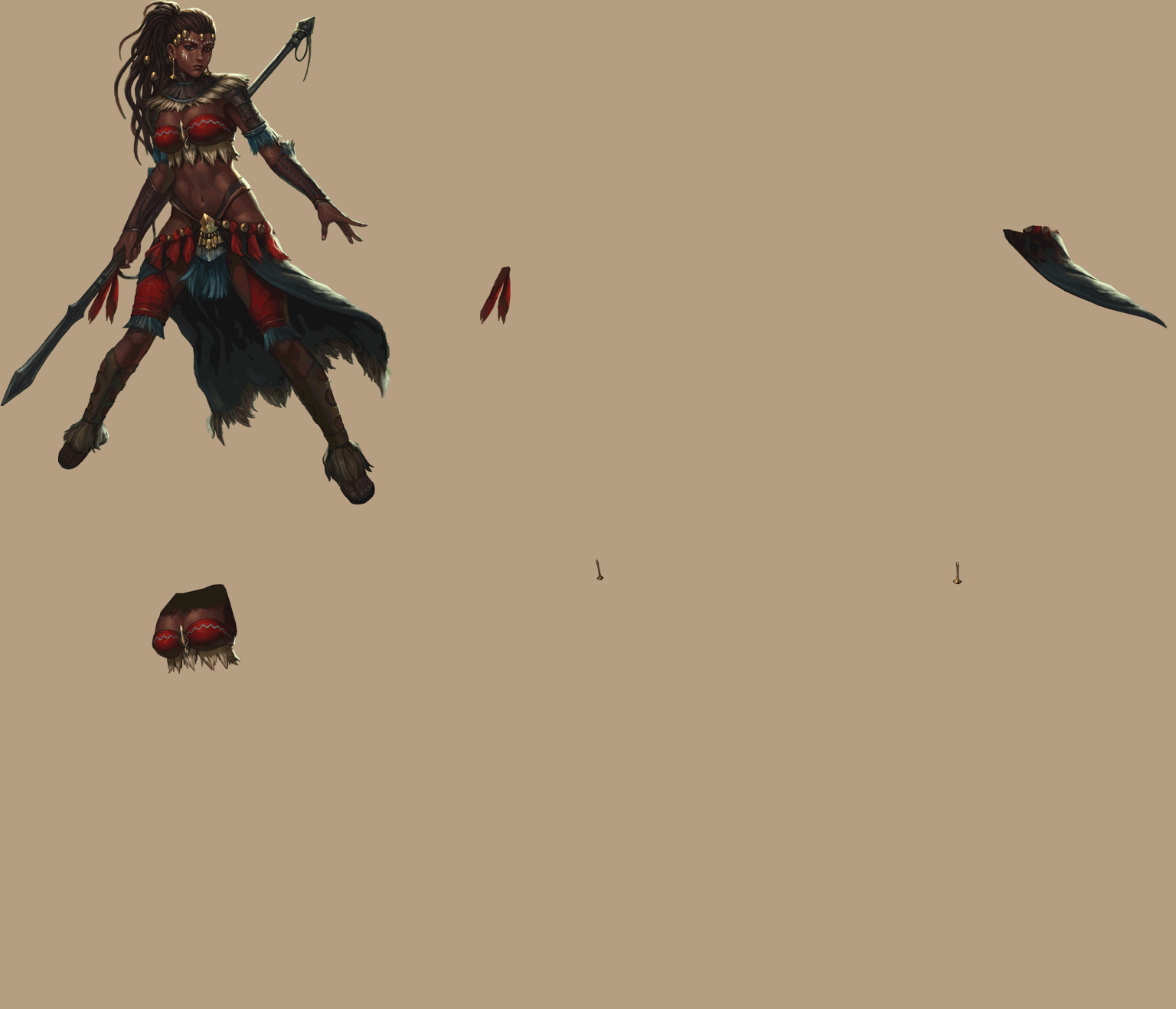
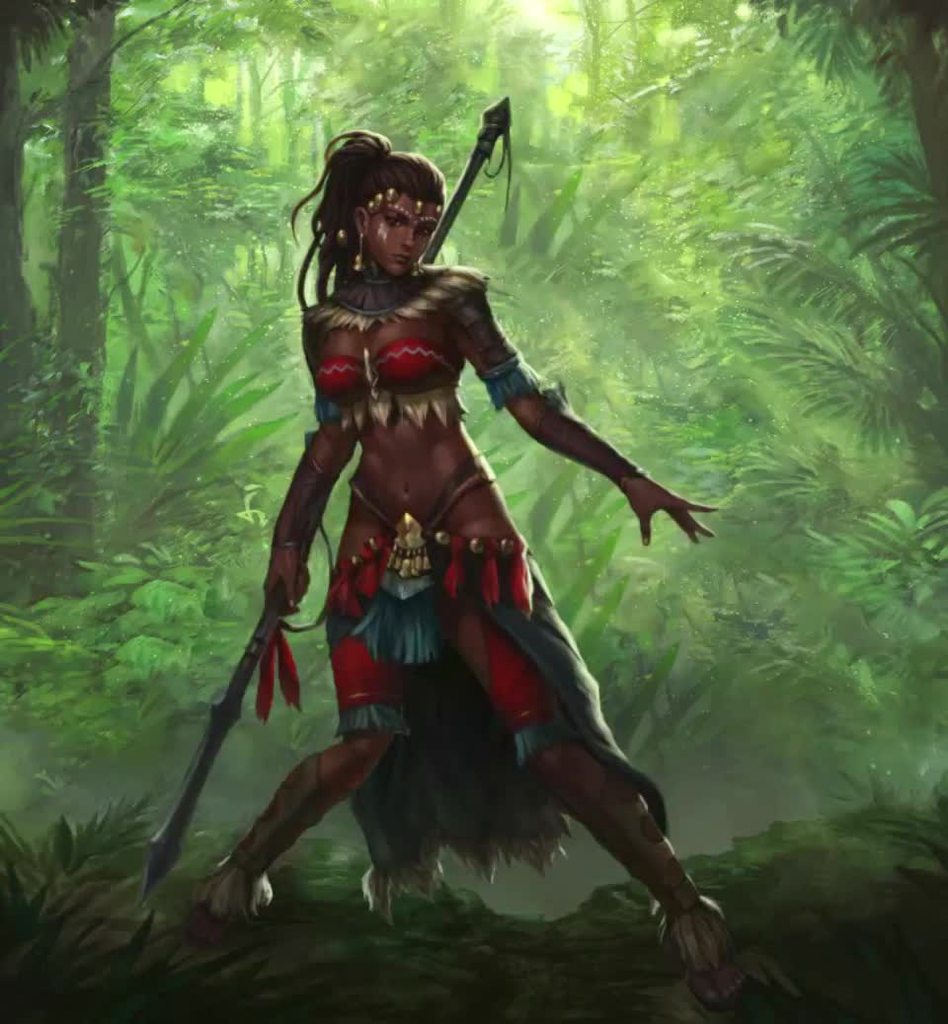
Not quite a tutorial, but you can at least kinda see how I broke things up
You really don't need a lot of vertices, generally. As you can see, her face had as many as her entire torso(for the blinking and mouth mosement)
glacial dagger
Yeah, there wasn't any difference between ~80 and 100.
hybrid tinsel
If the torso wasn't separated into the thee pieces to let the fur bits overlap, there woulda been even fewer
glacial dagger
Plus, my game's simple enough such that I won't really need a lot of vertices.
Animations are still important, though.
I have plans to add quite a few of them in-game using Unity's Animation system.
hybrid tinsel
One thing to keep in mind is to try to keep the deformations of the clothes similar to that of the stick figure.
glacial dagger
Ah, will the stick figure end up poking out if it's too off?
hybrid tinsel
You wouldn't want an elbow sticking through the shirt every time the arm bends because the arm is stiff and the shirt is curvy.
That is why I suggested using the same bones/mesh/weights if possible
glacial dagger
Gotcha, I'll keep the shirt's elbows as is, then. I added a Smoothing effect to both.
glacial dagger
Because of how the shirts are setup, I'm taking your advice and rebuilding my stick figure sprite so that the meshes will be as similar as possible.
twin musk
does anyone know how to activate different blend trees for animations? my character can only use the one thats connected to the "entry" block
if i make connections between them it just plays each animation once and cycles through them
hybrid tinsel
You need to set up conditions to activate the connections.
twin musk
@hybrid tinsel is that where i need to untick the 'has exit time' and then use the blendtree parameters?
hybrid tinsel
Don't have to untick it; that checkbox just changes whether it will wait for the animation to finish)or reach whatever other time you want) before transitioning. You need either an end time or a trigger condition(or can have both) for it to work.
twin musk
oh ok cheers
 dreamy carbon
hello. I hope this is proper channel for this question. If i want my particle effect to follow a path ( for example around parent object) - whats the best way to do it?
I found an asset iTween path that does it, but i cant make the path being "rectangle". How would you guys do it (the optimal way)?
hybrid tinsel
@dreamy carbon I've not used that but can you change the type of path to linear interpolation?
Alternatively, here's a very simple script from my game that should do it.
https://pastebin.com/FZpSuuLV
 dreamy carbon
thanks, i will try your script. I couldnt find the option for the path to be linear
 shadow ridge
Having some trouble trying to use a Trigger to transition between a blend-tree and a sub-state. The transition to the sub is on the trigger, and I've tried multiple ways to transition back (none with conditions), and all of them trigger the sub-state a second time after it completes for the first time. I've confirmed that the Trigger is not being set twice
shadow ridge
Hm, seems that it takes a frame or two for the trigger value to be updated after triggering, so perhaps I am triggering twice, since it's guarded with checking the trigger value in the update loop.
Might need to make a latch that gets set when the trigger is set, waits for it to go positive, then negative again, before being unset
hybrid tinsel
Might be, @shadow ridge, though I'd make sure that you don't have an exit time on the transition(or that it is set corectly if you do)
shadow ridge
Hm, why's that? Seems that exit time is the reasonable setup, since I want the sub-state to execute fully then transition back without a condition
hybrid tinsel
I mean, make sure that if you use exit time, make sure it is set correctly. The 'plays a second time before transitioning' thing is a very common problem when the exit time is set to the wrong time.
shadow ridge
How can any exit time be the wrong time? Maybe I have a fundamental misunderstanding about what exit time means, but does it not simply set a time to wait before completing the transition?
I.e., OnStateExit
hybrid tinsel
Right. If it is set too early, it cuts off part of the animation. If set too late, it starts playing the animation over again before exiting.
shadow ridge
Aha. Well, in the editor it indicates that it goes back into the blend-tree, so the transition has completed, then almost immediately jumps back into the sub-state
Like, watching the Animator window I mean
The trigger stays active when it first goes out of the sub-state. It's weird. I'll snag a short capture
@hybrid tinsel https://www.youtube.com/watch?v=gUBmTjcUUW4

For completeness, I'm not doing any ResetTrigger() calls or otherwise restarting the state machine or controller.
It's just store input, check in an Update() loop, SetTrigger(), and the transition condition from the Base blend state to Jump sub-state is the jump Trigger.
You can see it trigger, transition, play, return, the trigger appears to reset, but it transitions back in once more
Hm. If I manually trigger from the editor, it transitions but the trigger resets almost immediately. That's awful strange
Wonder what happens if I manually reset it once it shows as active
Yep, ResetTrigger once it reads as active (with ReadBool) from code works, looks like when clicking it in the editor does now
shadow ridge
I didn't yet, but it certainly feels like execution order sequencing. Perhaps Update() is a poor place to poke at triggers, especially when it takes a frame or two before ReadBool shows it active after SetTrigger
I could move this into my OnAnimatorMove or switch into StateMachineBehavior scripts
Ah, interesting. Without doing a reset, but only allowing the input to be active for one frame, it resets itself just fine
Wonder if setting the same trigger multiple times adds to a stack and keeps it active until that many loops have completed
Doesn't seem to. Just some weird difference between clicking in the editor vs setting from code. Must be doing something wrong somewhere
hybrid tinsel
I'm guessing the code is setting the trigger again after it was cleared
keeping it active
Maybe add a condition to stop it from setting it until a cooldown has completed
shadow ridge
Yeah, so, instead of guarding on the trigger state, and worrying about timing of a reset, I just guarded with a simple bool to test, that I don't reset.
Fires once, triggers once, transitions, immediately resets, doesn't retrigger or retransition
Apparently it is confusing the Trigger code if it gets two quick Set calls prior to it actually changing state.
Probably some internal state getting goofy, maybe a bug, but that's fine. Now that I know it has a delay before changing state, I can wrap all my triggers in latches that wait for them to change state.
river lily
how do we apply interpolation between two frame

In this 2014 GDC session, indie developer David Rosen explains how to use simple procedural techniques to achieve interactive and fluid animations using very few key frames, with examples from indie games like Overgrowth, Receiver and Black Shades.
GDC talks cover a range of ...
would like to achieve something like thus
this*
hybrid tinsel
@river lily That is pretty complicated, and would require a lot of custom stuff... you'll probably be best getting a good foundation in the programming behind the animation system since you'll have to rebuild a bunch of stuff from scratch.
 quiet raptor
@river lily Try just doing one piece at a time. Break it down into smaller milestones.
Example: Get the Character Controls down, then get the Levels/Colliders down, then get the Interaction Controls you want, then look into creating Multiplayer Networking.
Just Google how to do each step and GG
I would google "Top Down Unity"
then "Rigging and Animation how to make arms reach and touch object Unity"
or "How to grab and move stuff Unity"
*But if you are looking for the Networking Code... it can get complicated.
Switching Clients to and from controlling other clients positions & rotations... that's tough. I am working on trying to figure that out right now.
Im dumb, nevermind. I thought you were on the Gangbeasts part of the video.
You are interested in the 3rd person controls.
Sebastian League has some good Animation Tutorials for Unity. Includes Blend Trees, Inverse Kinematics, etc.
@river lily https://www.youtube.com/watch?v=ZwD1UHNCzOc&list=PLFt_AvWsXl0djuNM22htmz3BUtHHtOh7v&index=7

In this episode we import the character into Unity, and start programming a character controller.
Download Unity project:
https://github.com/SebLague/Blender-to-Unity-Character-Creation
Download the character .blend file:
https://github.com/SebLague/Blender-to-Unity-Characte...
Sebastian League has some good Animation Tutorials for Unity. Includes Blend Trees, Inverse Kinematics, etc.
river lily
@quiet raptor yea im interested to control my character through code
my final goal is achive something like this
In this 2016 GDC talk, Ubisoft's Alexander Bereznyak breaks down the basics of IK Rig technology for animators, and explains how it can be used for everything from video games to feature films.
Register for GDC: http://ubm.io/2gk5KTU
Join the GDC mailing list: http://www.gd...
quiet raptor
That's pretty cool, especially around 40 minutes
It involves IK Rigs, so step 1 is understanding IK Rigging with whatever 3D program you use (Blender, Maya, etc)
Step 2 is learning about Unity Colliders
& Physics
Step 3, I am not sure, but may or may involve programming colliders or physics settings to allow rigging manipulation
Step 1: Rig it correctly with IK Bones
Step 2: Just YouTube or Google "Unity IK tutorials"
Step 3: When you figure it out, let me know or make a simpler YouTube Tutorial than all the other ones! Lol 🙂
https://www.youtube.com/watch?v=rGB1ipH6DrM
Here's a pretty awesome tutorial for it. After learning the feet, you can probably figure the rest out...

JOIN THE DISCORD SERVER!
ABOUT THE VIDEO
It's another Quick Bits video! In this one we're going over how to achieve a more natural, realistic looking foot placeme...
You got me interested in it now.
hybrid tinsel
I've done some experiments with procedural IK animation https://i.imgur.com/e5vnvCJ.mp4
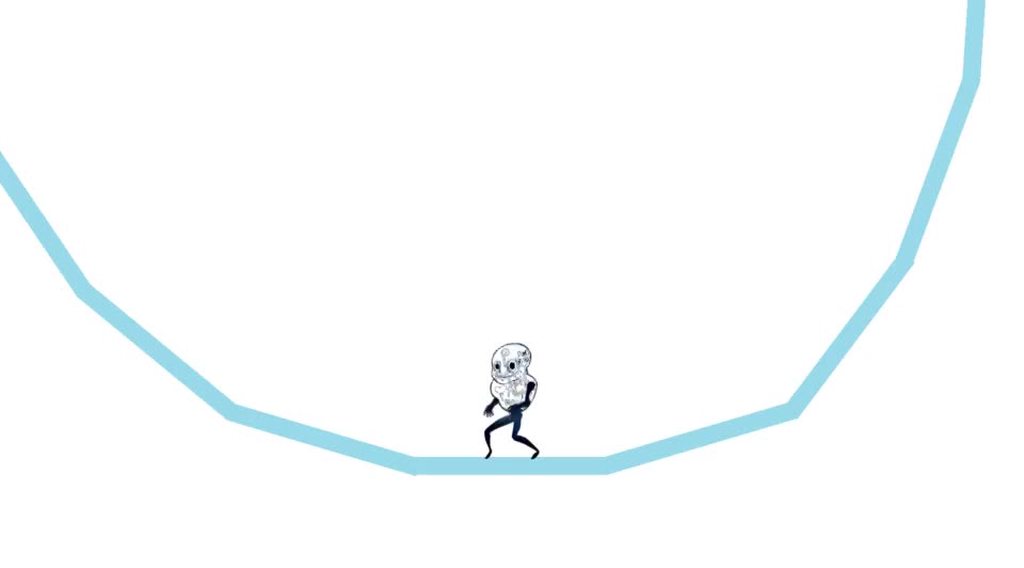
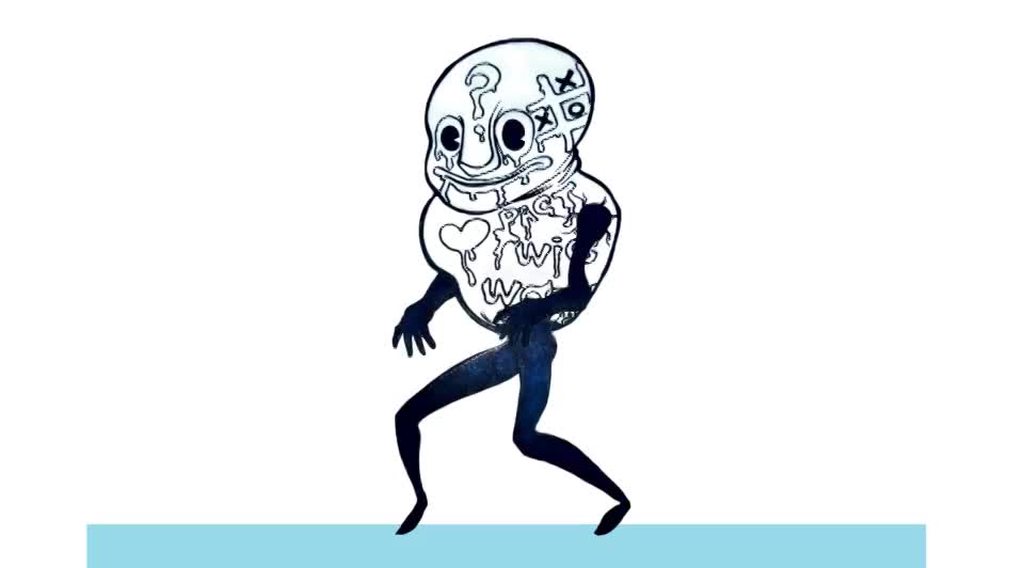
2d, obviously
river lily
@quiet raptor i think these two video implement different type of procedural animation
first one implement it by using interpolation between keyframe
2nd one more on IK rig
i actually setup ik rig for head
now i move my headtarget my head will auto looking at it
if i rotate it my head will rotate too
your video going to help me to implemnt it
i did it by setting the head bone track to headtarget
hybrid tinsel
Just remember that IK set up in blender won't be dynamic once it is exported to unity.
river lily

Sometimes, you just need to get your head under control! And, in the next 30 seconds, you'll know exactly how! Hope it helps :)
Female Body Model Link:
https://www.youtube.com/watch?v=wHksZGUrPDo
If you enjoyed this video, please don't forget to like and subscribe!
You can f...
@hybrid tinsel damn lol,how to make it work in unity?
hybrid tinsel
Unity has three separate IK systems; the Mecanim humanoid IK, the 2D animation system, and the Experimental Rigging system
quiet raptor
Elaborate on that please. Or link documentation on Unity IK Systems
I've been trying to connect the dots myself...
shadow ridge
If you're trying to make the head look at a target, that part's pretty easy. I can help
hybrid tinsel
If you are using a humanoid rig with mecanim, then the built in humanoid IK will let you set targets fro the hands, the feet, and the head.
That is the most common one I guess.
quiet raptor
Head rig I can get...
Rigging Weapons, Blend Trees, Feet IK, or even Weapons on Walls IK like in PUBG, the weapon moves based on your distance & angle on against a wall
hybrid tinsel
The 2d rigging is by far the most intuitive and best designed from a UI perspective, but only works in a 2d plane.
the experimental system is... well... experimental. It is incredibly powerful and flexible, but they change it every update, the UI is garbage, and the scripting for it is a mess.
But it works on literally, anything with transforms and a hierarchy.
river lily
@shadow ridge can you share oh the head look
the information will be helpful for me and @quiet raptor
ops. for me only. he knew how to do that haha


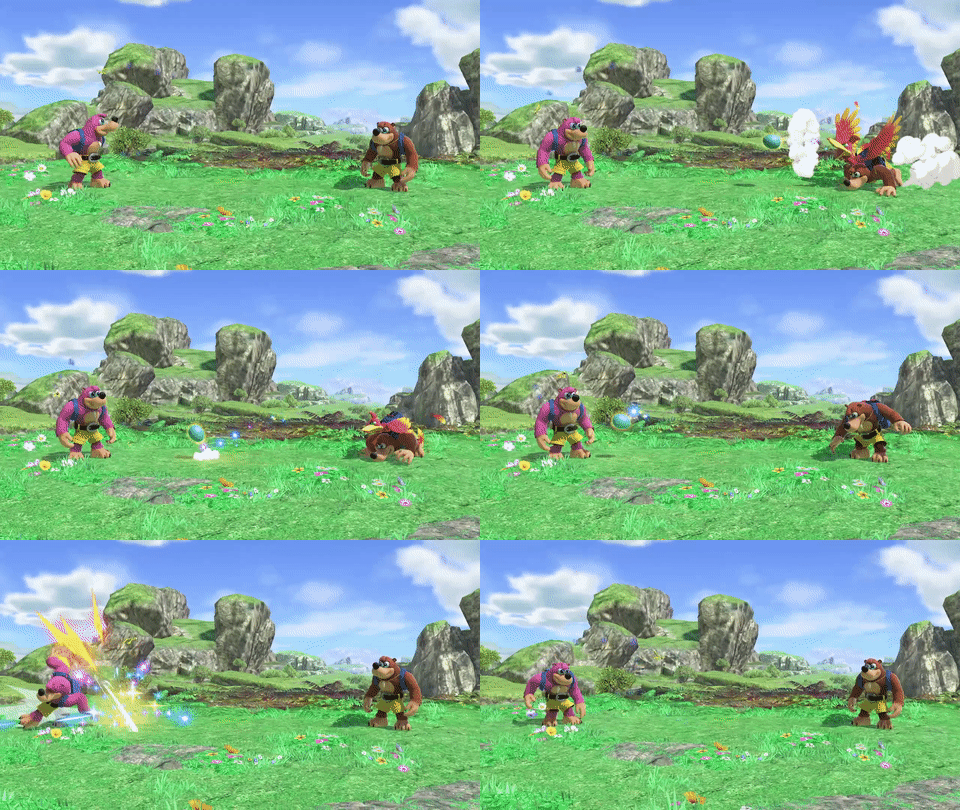


 quiet raptor
head look would be something like
public Transform lookAtThisBone;
public Transform headBone:
Update(){
headBone.rotation = Quaternion.LookAt(lookAtThisBone);
}
shadow ridge
Just drop that onto the object that has your Animator
quiet raptor
My API could be off, but something like that where you drag the bones into the appropriate fields should work.
shadow ridge
It looks 10m ahead of your Camera's direction right now
And exposes a slider for the weight
river lily
@quiet raptor seem like my implementation more close to yours as i have the ik setup for the head
shadow ridge
Well, that's not exactly accurate, it's just scaled by 10 to narrow the corridor. But if you're not using an orbit cam, less useful perhaps
river lily
one thing i wonder
in the ubisoft ik video
he managed to add weight to one arm to make it look more heavy
how he did that
i think the implementation work like this : bone constraints plus weight
then the ik auto adjust based on the weight
am i right ?
quiet raptor
Possibly by dividing or multiplying the rotations in the code.
public float boneWeight = 2;
headBone.rotation = Quaternion.LookAt(lookAtThisBone * 0.5f)
public float boneWeight = 0.5f; (for half, I meant)
headBone.rotation = Quaternion.LookAt(lookAtThisBone * boneWeight);
So if it's the Arm... create a float for rightArmWieght;
^That's just off the top of my head, I didn't get the API correct ~ just the logic
*I could be wrong though.
shadow ridge
Applying rotations to bones in a chain, based on weights and rotation limits, is essentially a description of an IK solver
You might be looking for something like Final IK, or their other product that does full body IK with collisions
Puppet Master, that's it.
quiet raptor
^ You are probably correct, but understanding how it actually works in code helps understand how to use it as well.
shadow ridge
https://www.youtube.com/watch?v=0xICBEQoFvs for example
This video demonstrates the Puppet Behaviour that blends character animation with physics. Puppet Behaviour is one of the physics behaviours featured in PuppetMaster, an upcoming Unity Asset Store advanced character physics toolset.
Well, what's happening is a combination of Mecanim animation and custom IK solvers
quiet raptor
That's the problem I have with Asset Store stuff...
... sure, it works, but I dont know how to use it unless I dissect it.
HAHAHA Puppet Master looks fun!
shadow ridge
The Mecanim solver doesn't have much beyond head/neck/torso and hand/foot
But you can write something on top of it that uses the rig muscle setup
And do your own solving
Basically be rebuilding an asset like this :P
quiet raptor
But instead of rolling over objects, you might wanna make your dude parkour.
That's where understanding the code helps.
Just takes time. Time is a bitch, once you figure out what you are doing, BOOM ~ you are 60 years old.
shadow ridge
https://medium.com/unity3danimation/create-your-own-ik-in-unity3d-989debd86770 this is somewhat of an overview of FABRIK solvers
 quiet raptor
lol
river lily
@quiet raptor yup thats why i want create my own system
plus i dont have budget to buy hhahahah
shadow ridge
Doesn't cover rig joint/muscle integration
But basically just doing iterative adjustments
quiet raptor

Woha! We are going deeper. With the last episode of mine, I demonstrated how to use inverse kinematics if the script is already set up for you. But many of you want to look under the hood and want to have a deeper understanding of it.
I will use the FABRIK IK Algorithm that is...
That's the video that teaches it.
river lily
<3
quiet raptor
He does some really nice explanations of how the math involved works too
river lily
i wonder my ik rig in blender will get preserve with umotion pro

Official tutorial for the UMotion Professional - Animation Editor for Unity®. Updated for UMotion V1.02.
Get UMotion Professional from the Asset Store: http://bit.ly/2IEqpS0
Socials:
Facebook: http://bit.ly/SoxwareFacebook
Twitter: http://bit.ly/SoxwareTwitter
Homepage: http...
i did have this from humble bundle purchase
quiet raptor
I can't listen to that guy talk without wanting to blow my brains out.
river lily
@quiet raptor which one
quiet raptor
(Pro 2)
river lily
i haven watch
working now haha

This discussion introduces the concept of procedural animations, and how they can be used in your game. This post is part of a series on Inverse Kinematics.
river lily
@quiet raptor seem like umotion one just like blender. u cant use the ik or constraints in runtime
how good if we can use blender constraints in unity
hybrid tinsel
Technically, blender being open source you probably could yank big chunks of their IK code out and port it to unity if you wanted to undertake that...
but there are already lots of IK options so
 opaque pilot
Blender's code is GPL-licensed. That would require you to not only open source your code with GPL, but Unity's as well.
Which I imagine wouldn't go over well with them.
You could probably write an custom asset postprocessor though
river lily
@hybrid tinsel you mean like final ik?
desert plaza
How do I access the Path Position property for a virtual camera on a dolly (CinemachinePath)?
I've spend ages looking through the objects and can't find how to move the camera back and forth through its path at run time. I thought I'd found it with a mysterious m_PathPosition property, but changing it hasn't made anything useful happen.
shadow ridge
@desert plaza Is that body piece on a CinemachineVirtualCamera type?
I was having trouble finding properties on the pieces attached to plain vcams too, but last night I found they have a GetCinemachineComponent, and you can probably do a CinemachineTrackedDolly dollyBody = vcam.GetCinemachineComponent<CinemachineTrackedDolly>(); to snag it, and I see that type has m_PathPosition on it, a float.
river lily

How to create a Runtime Rig setup in Unity using the Animation Rigging package
where do i find the effectors?
shadow ridge
It's just a cube prefab, look at the inspector.
river lily
thanks
lmao i press play my character fly away
weird shit lmao
anyone have locomotion in mecanim tutorial?
or in dept tutorial how they create Ellen for 3d game kit?
shadow ridge
Anything that covers basic blend trees
shadow ridge
You add a blend tree, set the type, add animations to it, setup what parameters control the blend position, and it will interpolate between the frames by mixing the animations.
A common approach is setting up a 2D tree, using forward/back as one param, left/right as the other, and adding in animations like walk forward/strafe left/walk back/strafe right
https://docs.unity3d.com/Manual/BlendTree-2DBlending.html look at the example pics
 river lily
interesting
shadow ridge
If you're working with normalized movement input, like WASD keys, you can use graph positions from 0-1 in each axis to represent min-max inputs. That's what I'm doing right now
shadow ridge
From the tree I'm testing
My backwards walk is half-scale for A) slower backing up and B) matching foot motion when blending the strafes + backing up animations
river lily
i can easily setup ik in blender but not in unity XD
you did the animation all yourself or using mixamo?
i would like to know how good mixamo is
shadow ridge
Mixamo for now. I'm not great at art, but been programming for decades. Mixamo is surprisingly good.
Some of the animations take a little work and adjustment
And some of the basic locomotions don't match each other, even though they're named similarly, gotta find the right ones
shadow ridge
Not sure about your question.
Are you asking what's the best way to combine object movement with movement animations so they match up?
desert plaza
@shadow ridge That did the trick. 🥳
Thank you so much, I was going insane with that.
Why on Earth isn't GetCinemachineComponent<T>() plastered all over all the documentation?
shadow ridge
No idea, I've been digging through docs and codes and forum posts for a few days, learning about Cinemachine
There's some very useful pieces that are uh, less documented than I'd like
hybrid tinsel
Because Unity doesn't do good documentation.
They'd rather add a new feature than document an existing one
shadow ridge
Best docs for Cinemachine are the github repo :P
https://github.com/Unity-Technologies/upm-package-cinemachine search through here if you need to understand something lol

GitHub
Smart camera tools for passionate creators. Contribute to Unity-Technologies/upm-package-cinemachine development by creating an account on GitHub.
desert plaza
Good find, thanks @shadow ridge. I didn't realise it was open source.
The fact that the public fields are prefixed with m_ tells me that somebody told the developer it was going to production tomorrow and they just had to do a find/replace all the private to public. 😦
shadow ridge
lol
It was originally a third-party asset
So you may not be far off the mark
https://documentation.help/Cinemachine/7983260e-3bca-4588-9de5-c62c1b804f18.htm here's some old docs
Complete with ads!
desert plaza
That might also explain it.
Manager: We're selling this tomorrow.
Dev: It's not finished yet.
Manager: Sounds like your problem.
shadow ridge
^
hybrid tinsel
And yeah, a lot of the docs from it are from when it was part of the game it was made for
shadow ridge
I'm currently working on a smart way to rotate towards cam direction when starting to move.
hybrid tinsel
Or scattered across completely unrelated githubs of individual programmers
shadow ridge
I setup a state driven camera mapped to animation states, and figured out how to hook the camera activation event
hybrid tinsel
I learned a lot from https://github.com/UnityTechnologies/ATerribleKingdom

GitHub
Scripting the Timeline for games in creative ways. Includes a small RTS game build on the 'A Mighty Kingdom' assets - UnityTechnologies/ATerribleKingdom
shadow ridge
The FreeLook cams are really really good, which is the only reason I'm not rolling my own entirely
desert plaza
Cloned!
Wow, it's a big repo. I keep forgetting that Unity repos contain big ol' assets.
river lily
@shadow ridge sorry i mean to combine animation clip and blend together with locomotion
i think the answer is yes as i saw the ellen character from 3d game kit has mixed this 2 together
btw is cinemachine good to use as 3rd person camera?
shadow ridge
It can be
river lily
i will look into the documentaion that you share
 cunning spindle
anyone have an idea why my character animation wont work? I downloaded my rigged character off of mixamo and wanted to use the anims
😦
I got the anims to work, but for some reason theres this large white circle
 calm cliff
its a light
click in the character on hierarchy you probably got a light attached there which come from the model scene
along with some camera probably
gotta delete that
cunning spindle
oh before export fuck
if I didnt remove it before do I have to reimport? it wanst letting me delete the light
calm cliff
you should be able to remove it directly in the hierarchy
in your scene
if you expand the character there should be a gameobject called light or sun or something
hybrid tinsel
They are inside out because of backwards normals
cunning spindle
how do you fix that?
 charred belfry
You flip them in your modelling package
 prisma shale
what program are you using? blender?
if it's blender, just go into edit mode, shift+n, recalculate normals
cunning spindle
yes blender but I imported him to mixamo, didnt know if that messed something up
shift+n isnt workingg here for some reason
hybrid tinsel
It might have, but making sure that it is correct in blender is a good first step
cunning spindle
its odd because it happened on the left side
prisma shale
my bad, select all and Ctrl+shift+N
hybrid tinsel
Make sure there are no bones scaled -1 on any axis
cunning spindle
which i did copy over from the other side
prisma shale
that might have been the cause
cunning spindle
I removed the bones
hybrid tinsel
See, that's where it happened probably.
Normals in blender are based on point order
cunning spindle
hmm ctrl+shift+n nothing popping up
hybrid tinsel
When you mirror an object without flipping the normals, you get backwards polygons because the point order is mirrored.
prisma shale
try the menu then
cunning spindle
do you know where the setting is?
prisma shale
tab doesn't work?
cunning spindle
im so new to this im sorry lol
yeah im trying to tab
but only object mode is up
wait is there a way to select all
prisma shale
a
cunning spindle
so it has a check next to "inside"
prisma shale
w?
cunning spindle
prisma shale
yeah nothing is going to pop up when you recalculate
cunning spindle
oh
prisma shale
it just does it
prisma shale
try exporting again
prisma shale
yes
cunning spindle
and then throw it on mixamo?
prisma shale
yes
cunning spindle
excellent think mr blocky is on his way
prisma shale
good luck!!
cunning spindle
think it worked!
so now from mixamo, I just dl animations? I saw a tutorial that said to install some texture files but pretty sure I wouldnt have any of that?
cunning spindle
ahh
looks like hes inside out now
so confusing
does that mean I need to recalcuate again?
he looked fine in the mixamo view im confused
prisma shale
seems so
prisma shale
try it
cunning spindle
he is perfect now!
prisma shale
did you not make a bone called hips?
cunning spindle
thank you
river lily
is model from mixamo free to use too ?
river lily
inclduing comercial ?
shadow ridge
You can use both characters and animations royalty free for personal, commercial, and non-profit projects including:

Incorporating characters into illustrations and graphic art
3D printing characters
Creating films
Creating video games```
from their FAQ here https://helpx.adobe.com/creative-cloud/faq/mixamo-faq.htmlFind answers to common questions about Mixamo features and services.
river lily
how do I improve this? my character does not look like he is walking on the floor
shadow ridge
Welcome to the exciting world of "should I use root motion?". That won't help the walking on air part, you need foot IK for that, but the moonwalk foot sliding is from your animation speed not matching your movement speed.
You can try to tweak their speeds until they match well enough to not notice, or you can go the root motion route
river lily
how do i tune the speed?
it would fix if i implement foot IK?
currently i m planning to do that
shadow ridge
No, it would not, you still would have to match each clip to the movement speed if you're not using root motion.
Which means just manually adjusting either each clip's speed or the movement code.
I went the root motion route
river lily
but the root motion look weird too
shadow ridge
I assume you're using a CharacterController?
shadow ridge
Did you just click the Root Motion checkbox on the Animation Controller to try?
shadow ridge
Nope, but also checking that box doesn't do what you want either