 arctic dirge
#🏃┃animation
1 messages · Page 54 of 1
 hybrid tinsel
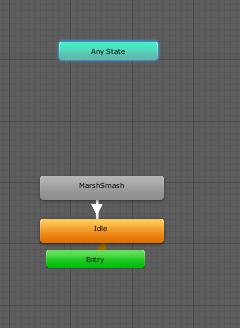
Move the states apart a bit so we can see the transitions properly
And check if the idle animation has a 'can transition to self' set
I might be misunderstanding since you never showed how the animation is SUPPOSED to look
 onyx rock
Is it possible to animate sprites using legacy?
hybrid tinsel
You mean, without mecanim?
I mean, you can animate them entirely in shader if you really want to, or by controlling the UV map.
The big questions you need to answer are 'why' and 'what exactly do you want to do.'
onyx rock
I just want to play a two frame animation when i mouse over a ui element. Mecanim seems unnecessary for something so simple
 twin musk
Hi all, I'm having a bit of trouble with 2D IK Manager for animating my limbs on my character. Supposedly there should be a "yellow dot" that appears when I set a target for the limb. However, nothing is showing up for me 😅 All the bones show up fine but the icon for the target does not... For reference, I'm following Brackey's video on Youtube for animating a 2d character. https://youtu.be/eXIuizGzY2A?t=776
hybrid tinsel
@twin musk show what you have?
 obtuse topaz
im having a really irritating problem where my animations are still playing even though all conditions are false
im trying to have the color of the player's sprite fade in and out whenever a certain condition is true
but if I do that with one layer, it overrides my other animations such as walking etc
I just want it to change color
I tried using another layer, but for some reason it's playing the fade animation even though the condition is set to false

new state has no motion property set

the 2nd layer (first pic) has a weight of 1 and is set to additive
what am I doing wrong?
hybrid tinsel
@obtuse topaz in the 'any state->abilityready' transition is can transition to self enabled?
does that animation loop?
I notice that there is no exit from the abilityready state
obtuse topaz
can transition to self is enabled
and yes the animation does loop
should I have the animation exit to the empty New State?
hybrid tinsel
Transition to self with will keep transitioning back to that state as long as the conditions(or lack of them) are met. Not having an exit state will stop it from leaving that state when the conditions end, and since it loops it will keep playing.
obtuse topaz
so should I turn off transition to self and have a exit state?
hybrid tinsel
Yes.
twin musk
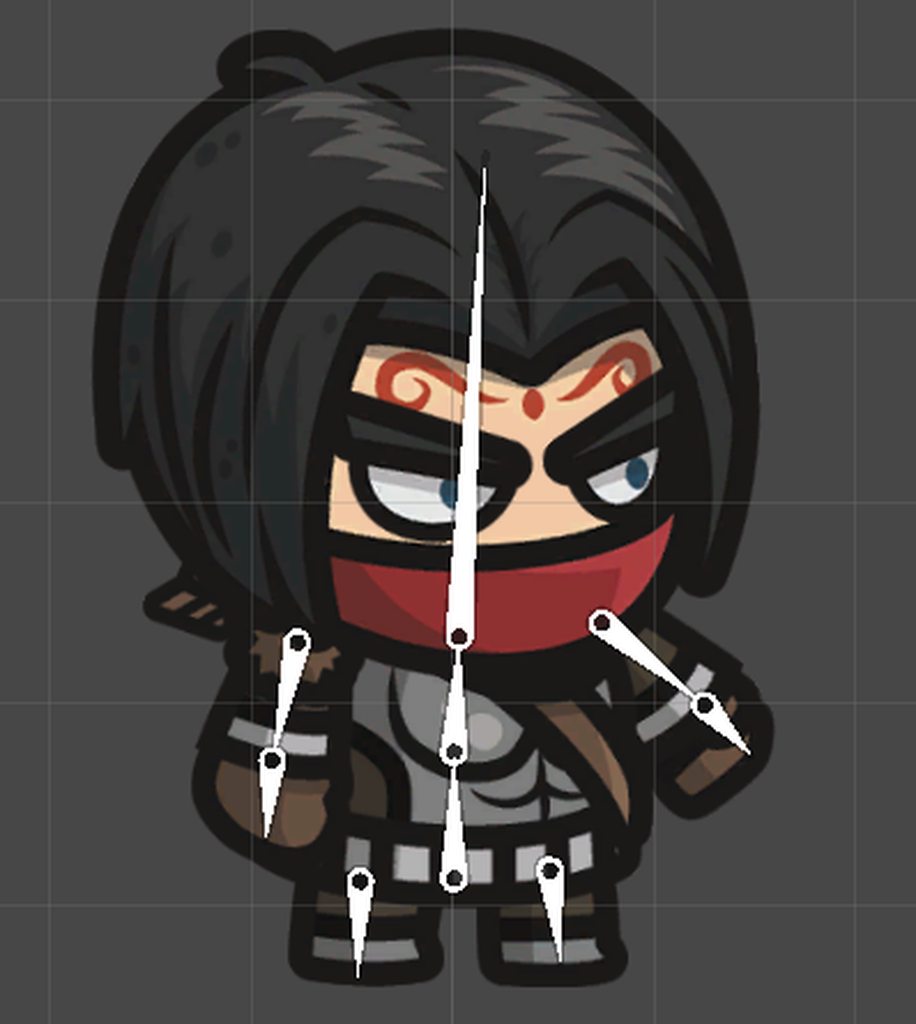
@hybrid tinsel Sorry I didn't get back I was away from my computer at the time. Here's some screenshots of what I have: https://imgur.com/a/4iWuLAm
 hybrid tinsel
@twin musk ignore brackeys, you need to put the end object of the chain in the 'effector' slot and then use the script to add a target.
I suggest, for the object you have, adding a null at the end of the arm to use as an effector, at the 'hand' location
twin musk
Thanks, I'll have to take another look after I'm done work today but I'll definitely give that a go. I'll likely have some questions later about it though 😅
hybrid tinsel
Okie!
 violet jay
Does anyone @here know how to make a reload animation, say for a pistol?
Actually more importantly, I want the game to be multiplayer so I'll need a full model as the player. Should I bother making any reload animations yet since I don't have a player model? (hence no hands)
 analog torrent
I have two animations for my model, how can I play them both at the same time?
violet jay
I can’t find a clear answer to this anywhere. I want multiple guns in my game but if I have different guns (like pistol, sniper) then the position and movement of the hands/arms will be different when running
Surely people don’t make a new running animation for every single gun so how do I fix this I’m beyond lost
 outer willow
hey, i have another ask today
So, i was trying to learn about tilesets, did last week a fresh tileset and now wanted to test it out at unity to creat a little something. the big problem for me now, i did a quick 10 seonds tiles, like a metalblock, a light what turns on and off. i watched a video, searched in the internet, but i dont know where i can set a animation tile set. https://youtu.be/ryISV_nH8qw?t=586
i cant find it. i was going at the register "animation" but there wasnt nothing for tilesets. What i think was funny is, my options are smaller than the one out from the video. maybe i must install something? I use Unity on Linux.

Learn how to use the Tilemap tools in Unity to easily create cool 2D levels.
Watch TILESET in Photoshop: https://youtu.be/aaEEujLtsr8
● Download Tileset: http://downloads.brackeys.com/tutorials/TilesetExample.psd
● Extra Features: https://github.com/Unity-Technologies/...
twin musk
@hybrid tinsel So I took another look at it and did a bit of a google, turns out that the way the Limb Solver is laid out, the Effector and Target are switched compared to how it's shown in Brackey's video. So in order for it to work you need to make the empty game object, put it into the Effector then create the target. Got it working now ^^
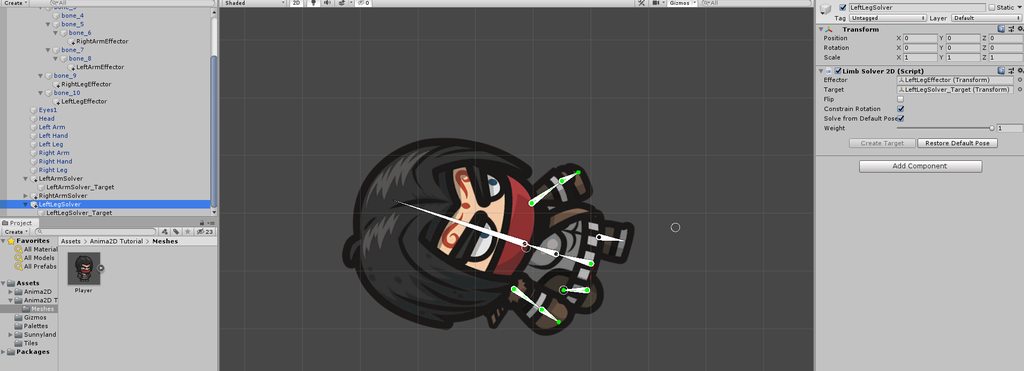
I have however, ran into a new issue as the same thing doesn't work for the legs. When I set the effector and create the target I get this: https://imgur.com/a/iFrszqA
 violet jay
Okay so the way I’m seeing most people animate guns in an FPS (where you need to see the body) is by splitting up the gun, the arms/hands and the body/legs/head/etc. Then you can use the same running animation for all guns but have the hands in different positions
hybrid tinsel
@twin musk That's what I said 😄 His video isn't accurate.
And your legs only have one bone
the limb solver is meant for standard limbs(upper arm, lower arm, hand)
(Or upper leg, lower leg, foot)
You'd have to use another IK type for single bone(with a null for the foot)
twin musk
I'll give that a try ^^ Ty for your help 😄
Maybe it would be better to just add two bones into the legs, I'll need to test out the other types but we shall see
 jaunty sable
Even if I put an animation in the slot, it still does nothing and does not add it to the motion... any way of fixing this?
wait
figured it out
oof
 surreal elk
Hi not sure what the issue is with right now but I created 3 animations in blender for my model. An idle stance, a walking animation and a running animation. I saved them in blender and imported the .fbx file into unity. I added a animation blend tool into my character 3 3 entries, one for each of the animations and set up an animation script. Now in my game I allow the ability to switch between first and third person with the use of 2 different camera that switch between which is active when.
my first problem - Unity is showing I only have 1 animation made
my second problem - The animation wont play when the character moves
My biggest issue - The cameras are offset quite alot when I place the player animator controller into the controller variable in the animator component. I'm not sure why this is since I dont call for any type of camera work in anything to do with the animation. Following are the scripts mentioned above and screenshots of the engine
https://pastebin.com/vx2v82Dc - animation script
https://pastebin.com/gCLKe8Pi - Player Movement

Pastebin
Pastebin
 cedar ruin
@surreal elk back to what I said before. Import settings screenshot please.
surreal elk
Settings from where? sorry
surreal elk
I just saved the file from blender lmfao
didnt know it was diffrent
thank you so much thats one issue down
now to see if it solves the rest
surreal elk
No like I saved the file from blender into my unitys asset folder
figured it would save time
surreal elk
A lot more option and all 3 of my aniamtions
twin musk
Guys, do you know Flash or animate?? <adobe animate of flash CC>
cedar ruin
@surreal elk that inspector is called import settings
surreal elk
So the cameras are still jacked up when i place the animator in but the first animation plays, i.e. the idle pose, but when i move the character moves forward physical but it does not switch between animations
I fixed the camera by applying a root motion so now my only issue is the animations wont switch between the 3
cedar ruin
You need to make states for you animations in the animator.
surreal elk
Like this right? I have it set up but still nothing
cedar ruin
Assuming your animations are set up properly in these states, you need to change that speedPercent parameter to blend between animations.
surreal elk
thats what the animation script is for but im not sure whats wrong with it switching between the percentages
its funny i just actually came to that conclusion looking over it right before you typed that
I think its because the variable set to speedPercent is not between 0 and 1
cedar ruin
Run your game and do the stuff you do to walk/run. At the same time have the animator window up and see if the parameter changes.
surreal elk
how would i do it without the easing?
if state ments?
also you've been a tremendous help man
thank you so much
cedar ruin
When you set the float, only input 2 parameters: parameter name and value.
surreal elk
float speedPercent = 1; like this?
cedar ruin
No
Animator. Setfloat.
Errr
You're not using the navmesh agent to move your character.
cedar ruin
Because you set your speed parameter from navmeshagents speed and velocity.
Which is gonna stay at 0
surreal elk
whoops i actually changed that a bit ago
hold in
hold on
Pastebin
Kept an old copy on my clipboard i guess
but thats whats currently moving the character
and
Pastebin
thats the animation
wierd they posted the old ones
cedar ruin
So what is that supposed to be:
float speedPercent = agent / Time.deltaTime;
?
You need a value between 0 and 1,where 0 is idle and 1 is running.
surreal elk
so I would have to figure out an equation to get my speeds of 12 and 25 to get to between 0 and 1
right?
cedar ruin
Yes
cedar ruin
Maybe. It won't be smooth though.
cedar ruin
That's a pretty simple math.
You need to get used to it if you want to gamedev.
Think of how to make it so that your max speed maps to 1.
surreal elk
float maxSpeed = 25;
float speedPercent = agent / maxSpeed;
animator.SetFloat("speedPercent", speedPercent, locamotionSmoothTime, Time.deltaTime);
this is what im doing so far since the speed never goes over 25 and anything divided by a number smaller then itself is a decimal between 0 and 1
BUT
it still not updating in the animator tab
cedar ruin
Debug your code
surreal elk
Pastebin
I've only edited the animator script so far
I found the issue
I call for a float agent and a var agent and var agent is where the info from my characters sped is being saved
cedar ruin
Seems so.
surreal elk
https://pastebin.com/35GipNzd this is what I have so far but it still seems like something isnt sending to the animator and my debug log still isnt giving me info
cedar ruin
Debug your speedPercent before you send it to the animator.
surreal elk
the debug is working, now it says speedPercent does not exist so now I need to figure out why it says that even though it exsits
surreal elk
I DID IT!!!!
THE SCRIPT WAS FINE LOOKS LIKE I RENAMED THE LAYER SPEEDPERCENT BUT NOT THE PARAMETER
DUDE DILCH THANK YOU SO MUCH YOU ARE AMAZING BRO!!!!
I could not hav done this without you
 ivory mulch
Hi all.
https://www.youtube.com/watch?v=LNidsMesxSE [Animation Bootcamp: An Indie Approach to Procedural Animation]
How to use single keyframe based animations imported into Unity for a humanoid character and interpolate between them to create poses/transitions at run time?
In the above GDC talk the developer was able to do all the animations for the game with just 13 keyframe animation poses. I was wondering how to approach the same in Unity for a game I am developing. Code/articles/any help is much appreciated.

In this 2014 GDC session, indie developer David Rosen explains how to use simple procedural techniques to achieve interactive and fluid animations using very few key frames, with examples from indie games like Overgrowth, Receiver and Black Shades.
GDC talks cover a range of...
cedar ruin
I was kinda interested in this too, but unity's animator doesn't work very good with 1 frame animations from my experience.
ivory mulch
I have been searching solution to this for some time. I hope some developers might have tried & implemented it in Unity.
cedar ruin
I guess it's not impossible. Just needs some trial and error.
 balmy crow
Hey guys wanna ask about mixamo. It was mentioned a lot in my community, reading the FAQ from Adobe all the things provided from maximo.com are free including auto rig?
The animations look pretty good and would save tons of work building a (3d) game using that. I seek for any commercial service provided by it, but only found a subscription plan, but that was on a 3D animation news and posted 5 years ago. So I'm kind of baffled, what's the actual catch?
Specially for huge companies like Adobe, I don't think they'll give something like this for free without any price. Well one is your information obviously, since you need to be registered using Adobe id. But really, nothing?
Also have anyone actually using them on their commercial projects?
thank you in advance
 flat drift
So here's the thing about Mixamo @balmy crow it only works for games based in a realistic setting, because all the animations are mocap, but not only that, Mixamo animations are very recognizable, anyone that's done game animation is aware of Mixamo, and when people see Mixamo animations in a commercial project, it instantly lowers the quality of it
Mixamo animations are a little limiting in that if you want to have an animation that isn't in Mixamo, you have to create the animation yourself, and matching mocap when doing hand animation is quite difficult and time consuming
Saying that, Mixamo is great if you want to add a little life to your prototype, so when your showing investors you have more than a white cube running around
It also doesn't really matter if you're just doing a small hobby game and animation quality is not a big deal for you
 shy mountain
i think mixamo is basically in limbo until adobe figures out what to do with their acquisition. you arent forced to use mixamo animations with a character rigged by its autorigger either, as its compatible with unity's humanoid rig. make use of it while it lasts imo.
hybrid tinsel
@ivory mulch You can do it, but that is really more of a programming question since it would involve either replacing or extending mecanim quite a bit.
Though you can approximate it to some degree
twin musk
does anyone know a good tutorial on directional sprite in 3d environment?
twin musk
I'm having issues with understanding how you control animations of a character and having the animation active when the player runs for example and ends when they release the button, I get the general idea but not how to put it into practice, does anyone have a good source on how to do this? 😅 Much appreciated.
balmy crow
@flat drift @shy mountain Thanks for the response. What I'm asking is are the animations are really free, like really no-string attached free, do whatever the frikin you want free with it? Nothing in return? Nada?
I'm sorry I just need to make sure.
On the autorigger, it's actually mind-blown on how easy and good it is (for basic rig that is).
But I wouldn't rig my commercial work/studio there, since it need to be uploaded to Adobe's cloud server.
shy mountain
i believe it is but have long forgotten where I read so, you can always email them to clarify usage commercially
cedar ruin
@balmy crowhttps://helpx.adobe.com/creative-cloud/faq/mixamo-faq.html
Find answers to common questions about Mixamo features and services.
The first Google search for "mixamo license" gets that link.
balmy crow
@cedar ruin I've read that. Along with some other resources. I just need to clarify this.
I know about mixamo couple of years ago but back then it was subscribtion based.
And now with giant corporation like Adobe behind it, it's really hard to believe that there's no strings attached.
I mean even open source softwares should have revenue stream from somewhere, though not from the software itself.
Blender have blender cloud. Probably Mixamo can live because Adobe has tons of money but giant corporation just burning money like that, highly unlikely.
 balmy crow
Like I said, I've read that thing thoroughly
cedar ruin
I'll quote again:
You can use both characters and animations royalty free for personal, commercial, and non-profit projects including:...
I know it's hard to believe, but all you really need is to see the license. There's no better confirmation than that.
 quiet acorn
@ivory mulch idk if this is helpful but if you want to interpolate between two frames of poses, you could do it manually with a shader
it would probably be a lot of coding but unity's animator seems to just be super opaque so im not sure how else one would do it
If you want to go that route I know a book that explains it somewhat intuitively, albeit in C++ not c#
hybrid tinsel
@balmy crow there are strings attached; it forces you to install adobe's installers and stuff, make an adobe account, basically be tied into them to some degree
Also, having mixamo be an essential part of the indy game pipeline will make it easier for them to monetize than if they started out demanding money.
They already know that it is easier to get money out of people wanting to keep using something than out of people who haven't used it yet.
 coral pecan
i wrote code for a player which attacks in 4 directions depending on where mouse is pointing from player so in a game even if u are running right and click behind you, attack left animation would fire, now my question is - is it good idea to use blend tree for attack animations? because with blend tree when i move mouse from left to up, left attack animation blends into up attack animation which looks ugly.
twin musk
would it look better just letting the player look/ rotate to the attack direction and then play Just the attack / try to look how blend into attack look once he changed the rotation ?
coral pecan
well that's how stardew valley does it and idk for me it felt stupid somehow.
sometimes i want to dig behind me but because i'm facing right, i accidentally destroy crop infront of me because it attacks where player is facing and that is decided via WASD.
so basically imagine stardew valley movement (u face to the direction u are walking to via WASD) but when u click, u stop and attack in that direction (one time attack animation fire) then u go back to WASD control.
twin musk
ohh mmm yeah i get what you try make ...
coral pecan
and as i said my problem is that when i use blend tree for attack state and move mouse during attack state, attack of one direction blends into another direction.
should i just drop blend tree alltogether?
twin musk
thats a hard one you could disable it for those transitions that go from your movement into attack
and see if you like the result without the bled animations
else i would let the character" instantly" rotate and target where you want to attack and then play the normal animation from the blend tree ...
coral pecan
came up with this solution
so even if mouse moves top left or down left it will stay in leftattack animation.
i just don't wanna do 8 dir attack because it's extra double work or that would solve my problem perfectly.
twin musk
ohhh mmm that makes more easy, nice ,, yea keep it simple ;D
coral pecan
yeah that's how most top-down stardew valley-sh games do it. 8 dir attack is kinda fancy for fancy ppl with fancy art skills.
twin musk
you will get there when your feeling somewhat crazy and have spare time to put into ;D
 whole charm
Hey, I'm trying to make a fancy jump forward animation for a cube, possibly jelly like, where should I start or what method do you recommend?
 solid trout
Hey, I have an animation with 2 properties, scale and position of an object. It runs well when in prefab, but not in-game, where only the scale changes and not the position.
The animator is on a child of an object that also has an animator, could it be that the animator of the parent overrides the child's animation? If so how do I go around this?
balmy crow
@hybrid tinsel using the animation only requires you to have Adobe ID. Fuse isn't required as the download format is FBX and you can easily retarget or reapply them. I've tested them on motion builder using control rig, and it works mighty fine.
As @flat drift mentioned, they are probably recognizable. But how else do you do want a generic walk cycle look like anyway? They won't be helpful for specific/specialized animation, but for those needs it would help tons.
Now that we settle on the legal use of the animations (which is any way you like, commercial or non commercial), just out of curiosity, I still don't get where mixamo get their revenue stream. Since mega corporation like Adobe keeping them alive without gaining any profit is highly unlikely. One of the possibility they will shut mixamo down (like Autodesk with XSI).
hybrid tinsel
They are building a user base.
And getting people who otherwise would stick to blender and gimp to get adobe IDs.
balmy crow
make sense
and now they venture into 3D world with substance and fuse
probably next step buying something that can compete head to head with autodesk duo (maya and max)
I just hope these mega corporations don't target zbrush and leave it alone
 inland rose
anyone familiar With this IK solution? and have good examples of use? https://assetstore.unity.com/packages/tools/animation/final-ik-14290

The final Inverse Kinematics solution for Unity.
Update (1.9):
Version 1.9 brings many fixes and improvements to Final IK:
-
Added the Baker , a powerful new tool for baking IK to Humanoid, Generic and Legacy animation clips.
-
Added LOD levels to VRIK.
-
VR...
twin musk
Does it make the difference if the transitions used in a Blend Tree are made through conditions or do them manually in a script and then use parameters?
If you understand what I mean
 graceful lantern
@inland rose should be a bunch of youtube videos from the creator. could help you to decide whether to buy or not
inland rose
@graceful lantern I’m looking for someone who’s familiar with the system to hire on for a project
graceful lantern
oh
 pearl flower
I'm trying to fix this foot problem when i walk on stairs or on uneaven terrain, i whant the foot to "snaps" to the nearest surface. Anyone have an idea to fix this ?
 lone kestrel
@pearl flower You have to use Inverse kinematics.
twin musk
what settings i have to change in blender so my animations get imported correctly with Loop checked and the Start and End frame also correct ... currently it always set the start frame to -1 and end frame 59 .. in blender its Startframe 0 and Endframe 60 ..
 pine badge
Hi all. How to trigger animator's state in Timeline?
So an object can continue in their crouch state for however long, but not determined by the length of the clip in Timeline
hybrid tinsel
Call a script that sets an animator trigger
or in the clip set the out to not rest
I don't recall the exact terminology but there are only like three options on the inspector so
twin musk
If I have player sprites, which have 4 sides and enemy sprites that have 2 sides, is it better to have a separate script for each or use one and make enemies have same animation for 2 increments?
What I mean is that I have this int Facing = Mathf.RoundToInt(Vector2.SignedAngle(mainCamera.transform.up, Sprite.lookDir)); if (Facing <= 45 && Facing > -45) _facing = Billboard.Facing.Back; else if (Facing <= -45 && Facing > -135) _facing = Billboard.Facing.Right; else if (Facing <= -135 || Facing > 135) _facing = Billboard.Facing.Front; else if (Facing <= 135 && Facing > 45) _facing = Billboard.Facing.Left;
So I was wondering if I should make a new component for enemies with only 2 ifs, or use the same one and in Animator use the same animation for both facing Front and Left for example
ivory mulch
@TomZz This will be useful for you as reference. https://youtu.be/9MiZiaJorws?list=PLVxSIA1OaTOu8Nos3CalXbJ2DrKnntMv6&t=50

This video demonstrates how to set up the GrounderFBBIK component for automatic foot placement correction.
 valid bone
Any good idea on how to create a 2d animation clip from scratch? I got a sprite array and a speed value
I want to do this to allow modding support
Or is it not possible to inject animation clips to the animator at runtime
hybrid tinsel
@valid bone https://answers.unity.com/questions/911169/procudurally-generate-animationclip-at-runtime.html

Unity is the ultimate game development platform. Use Unity to build high-quality 3D and 2D games, deploy them across mobile, desktop, VR/AR, consoles or the Web, and connect with loyal and enthusiastic players and customers.
Just make sure you look at ALL the thread, because some of the answers are no longer valid(for the old system)
 daring flower
So I recently have started using 2D Character Rigging and playing around with animating with it. I made a basic run animation and attached a 2D Character Controller script that moves the characters rigidbody using Velocity in the desired x direction.
The character/player doesnt move from its spot at all. It works when my Animator has "Apply Root Motion" ticked but obviously things like the bounce up and down in a run animation doesnt translate with root motion active and it looks silly. How do I fix this? Any help is appreciated!
Root Motion Disabled (As you can see from the video below, it doesnt move or interact with physics)
https://gyazo.com/70511c2a13196cf90bd75c1c15039b66
Root Motion Enabled (but it looks silly and doesnt allow me to use animation motions such as air when running)
https://gyazo.com/4c8c07fae598347f3b2333fdfa082dc1

 outer willow
hey guys..i really need help for my project x.x
So, i was trying to learn about tilesets, did last week a fresh tileset and now wanted to test it out at unity to creat a little something. the big problem for me now, i did a quick 10 seonds tiles, like a metalblock, a light what turns on and off. i watched a video, searched in the internet, but i dont know where i can set a animation tile set. https://youtu.be/ryISV_nH8qw?t=586
i cant find it. i was going at the register "animation" but there wasnt nothing for tilesets. What i think was funny is, my options are smaller than the one out from the video. maybe i must install something? I use Unity on Linux.
Learn how to use the Tilemap tools in Unity to easily create cool 2D levels.
Watch TILESET in Photoshop: https://youtu.be/aaEEujLtsr8
● Download Tileset: http://downloads.brackeys.com/tutorials/TilesetExample.psd
● Extra Features: https://github.com/Unity-Technologies/...
 novel meadow
@daring flower I think the issue lies either in your script or your physics setup. It should work without root motion enabled. Post the script in #💻┃code-beginner and also attach info about how you setup your character
hybrid tinsel
@daring flower I always add an additional 'root' bone/null that I use for root animation, so I can add hip motion that isn't counted as part of root motion.
daring flower
@novel meadow It should simulate physics with just a rigidbody though right? Even disabling my scripts, I still get that result
@hybrid tinsel Hey, thanks for letting me know. Do you just create a new empty game object child on the main rig?
hybrid tinsel
Depends. Usually I just use an empty(no weights) bone.
@daring flower
Bones with no weights are hidden in the scene view unless you select them, like nulls.
I used two root bones instead of root>hip because for this model I wanted to be able to move the hips separately from the spine(for wiggly dance moves).
novel meadow
Yeah, physics should work, but for some reason working with the default physics material and just forces has no effect (at least for me). I either create a new physics material with the friction values set to 0 or do an own character controller based on transform.position changes
But again, this is stuff for #💻┃code-beginner
daring flower
Ah okay, thanks! Ill take my issue over to there. Also thank you @hybrid tinsel, ill take a look into it
 pale girder
I have a chest which has an opening animation. Can I/should I set it to static?
coral pecan
how can i set function for animation event from script that's on parent object?! (animator is on child object and function i want to run with this animation event is on parent object)
 celest crag
If it scans only scripts on the same object for functions, you may have to create a script for it to redirect to the parent
coral pecan
yeah it scans scripts only on same objects. as for creating script for it, it sounds too advanced, is it?! like change editor core scripts level advanced.
hope someone knows workaround, i don't want to rewrite how events scan for functions since this one is single case.
celest crag
No, you just create an empty script with one public method and a reference for the parent script to redirect to (to put on the object with animation)
coral pecan
well this child object is created in runtime and childed to parent, then animator also added in runtime so i was kinda avoiding to create script which contains only single function and adding it at runtime aswell for performance reasons. i was hoping there was some way to find event in child like GetComponentInChildren.<Animator>().Event??? and assign function to it from parent script. was digging trough references but couldn't find how to call events in animator.
celest crag
empty script without Update callbacks has a negligent impact. You can add it as part of the prefab or add dynamically.
coral pecan
huh, i didn't knew that. (empty script without Update callbacks)
thnx
hm, i think it doesn't work that way
since i have to assign function to the event by hand
and object itself doesn't even exists before runtime starts
it gives event has no receiver error prevents me from even entering the runtime.
coral pecan
ok way i solved it is that i created field in parent objects scriptable object data for gameobject called animation and i've put gameobject (with animation and event script on it ) into that field, this way each time i create new gameobject in runtime from parent object, it creates from already setup prefab (instead of building it on the runtime) which contains animation and all the necessary scripts and event data.
solid trout
Hey, is there some way to handle animation curves? By default it does it automatically "smooth", I want the curves to be "hard" (linear), or maybe a little bit less smooth. Also, I'm looking at the dopecurves but can't scale it properly : my transform changes from 0 to 0.2, the animation is 4 sec long and I can't change the scale to zoom it along the y axis while not scaling the x
Main problem is, my animation doesn't loop as clean as I want it too despite every value being the same at the end and beginning since their derivates are not continue (sry for being heavy on the maths here)
 rotund abyss
Hi... I'm using a lot of Timelines and switching between them. The main issue I'm having is a lot of the bindings are the same. Is there anything that lets me have a global pool of bound objects that can be automatically rebound when a PlayerDirector is activated. Maybe based on the name of the binding?
e.g. any binding called "enemy" in the active bindings list would get bound to the same target object?...
Or am I going to have to code this? ... and if I am ... are there any examples of similar things to look at?
 hollow wing
Hey guys, you know any good gun animation packs?:)
outer willow
😭
 queen jacinth
hey all, ive been trying my best to get an animation of sprites to play when a bullet hits a asteroid and im ben working on this for 10 hours just for the animation but i cant seem to figure it out, i have posted on the forum but didnt know there was a discord
thats the code so far and i know i need to add it before Destory(gameObject);
queen jacinth
after hours of working on this i got it figured out
 cursive python
How can I play an animation in the animator using a boolean without the animation spamming
 gentle wind
I would make it so once we have called for the animation to play we set the Boolean to false
@cursive python
just a dirty fix I mean there are ways of calling a function once beyond using bools
cursive python
Well, the idea is that I want to keep playing the animation until the boolean is set to false
gentle wind
You want to loop it?
cursive python
Yes, if I make exit time true. It fixes the problem but then the animation won't play until the previous animation finishes
gentle wind
Ok so by spamming you don't mean looping, it's just spamming the entry frames right
cursive python
Yes
gentle wind
because if you were to loop the animation itself, enable the bool to play and then turn the bool off the animation would continue to play until when you make it false, which could then fade to a different animation like idle for example.. sorry I can't be of much help just my two cents, lots of ways to do it I'm sure as you know..
 stuck anchor
Hey everyone. Is there a way to point to new object in animation window if I have moved the object into parent?
violet jay
Can I run 2 animations at the same time on a single object? I have a gun that I want to be able to shoot whilst walking. The walking animation will sway the gun and the shooting will obviously shoot, but can I do them both in parallel?
 pulsar mango
I'm looking to do a bicubic interpolation between two animation poses. Currently, I'm only able to linearly interpolate between two poses in Mechanim. How would I go about doing this?
 stark kelp
@stuck anchor double click it it will show the path like gameobject/toOtherobject. You need to fix it
 blissful flint
Hi there im new here and was just wondering if any one knows about how to get point cache animation data to work within unity or realy any engine for that matter. or any processes of getting it converted it to pure keyframe animation? any and all information will be very much appreciated cheers 🤗
 hollow kestrel
hi can i have some help please
if i drag my prefab on to this animation it goes all weird?
ivory mulch
@hollow kestrel Try changing the Root Transform Position(Y) of the animation in the inspector window. This might fix this.
 woven crypt
is anyone familiar with blender animation here?
Im getting this weird glitch where the frames blender has filled in don't smoothly transition to the next keyframe
it rotates in the wrong direction for exactly half the frames then starts going in the correct direction
that's frames 4 5 and 6 for reference, theres a big jump on the 6th frame
Ive figured out it depends which way you rotate it, so it must be some rigging problem?
 charred belfry
I don't use blender, but surely you should be looking at the curves
woven crypt
Thanks that should fix it
 fast kelp
Question, if I wanted to animate a moving slime, would it be best to do it with physics or an animation
 hoary idol
Could someone tell me which is better to work with and why? I'm currently using the top one, but learning that actual animation outside of simple walking is very hard
 hollow loom
does anybody know of a good tutorial for getting into animation for blender or maya on udemy or some other site like it. doesn't have to be free
hybrid tinsel
@hoary idol Not sure what you're trying to do
@fast kelp depends on what you need it to do
hoary idol
@hybrid tinsel just do general animations ranging from walking to swinging a sword- potentially dashes and dodges. I'd like to use the built in unity bone system, but the IK seems broken and unusable, and going through every single bone is hard
hybrid tinsel
I can't even tell what the character is supposed to look like, @hoary idol. Which IK system are you using? The 2d animation package, or the rigging preview package?
stuck anchor
It looks like top-down view of chatacter.
hoary idol
Not sure, I got the IK package and the animation package from the preview packages, I'm attempting to use the IK script after getting the bones implemented, but it does almost nothing. I can get the chain version to work occasionally, but not how it should be.
I'm trying to ask if it's better to do a separate bone bone for each individual section and ignore weights for this type of character or try and link the individual pieces together and have less control over them
hybrid tinsel
Which IK script? They all work differently.
And I'm still not sure how it's supposed to look but if you aren't doing pieces that bend or anything, you don't even really need bones much
Could just split the sprite up?
 elder marsh
So quick question. I've been struggling with this for the past 3 or so hours now and have not been able to find anything on it. when importing animations into unity from blender. from some reason if the limbs get a certain distance away from the root they suddenly contort in wierd ways (or at least that's what it seems like) ... i've remade this entire model twice. this specific walk cycle like 6 times now. and any other animations i made worked fine untill the legs extend slightly too far. https://gyazo.com/451d949a26265bddd84bdebef4db0374
 fast kelp
@hybrid tinsel I was thinking there were times when the slime could ragdoll when hit, and other times just play a hit or death animation. Would I have to animation every blob etc. or is there a physics material of some sort to make an object look like slime and react to the work like it
hybrid tinsel
There are a few ways to do it I guess; you'd probably want some sort of spring based simulation
can look up games like Gish
elder marsh
So 6 hours later and i found out at some point during my building process i accidently moved the head of the upper leg bone and it ended up 0.01 infront of the knees... and Unity just had a field day with that... i feel so stupid for not checking this sooner...
 sharp tangle
i need some help with my blender files.
 quaint timber
Is there a known issue with the Timeline? its basically unusable once you do anything complicated with it
NullReferenceException: Object reference not set to an instance of an object
UnityEditor.EditorWindow.RefreshStylesAfterExternalEvent () (at <6f28216fea9f453abf2e05b770ed3ee4>:0)
UnityEditor.AnimationMode.StartAnimationRecording () (at <6f28216fea9f453abf2e05b770ed3ee4>:0)
UnityEditor.Timeline.WindowState.set_recording (System.Boolean value) (at Library/PackageCache/com.unity.timeline@1.2.10/Editor/State/WindowState.cs:215)
 true swan
Can you do simple animations inside unity, like rotating an object without custom scripts or doing the animation in an art program?
 floral pebble
@true swan There is literally a Rotate function on your transform...
true swan
I figured it out, but that really isn't an answer to my question at all
the answer is that you can create an animation object which can modify properties on components on your gameobjects
More specifically, adding an Animator copmonent and then also creating an Animation and an Animation Controller to conduct all these actions which can be done mostly through the Animation tab
floral pebble
Sounds like a lot of work to just rotate an object, especially as a programmer.
true swan
as a programmer, using existing systems is always the better choice than writing custom code to do something that already has a standard
and it really wasn't any work
Add Animation Tab, click on GameObject I want to animate, click on Create in the animation tab, modify property with keyframes
 swift cosmos
How do I make it so I only change the property of the Y position instead of X, Y and Z?
floral pebble
@swift cosmos transform.position.y?
swift cosmos
In an animation clip?
floral pebble
Ah, you need to create a dummy parent for the animated object and move that transform.
 proper iris
if they are simple animations i prefer them to do them in code but if they are more complex or something that benefits like using the keyframes etc. then i'd use the animator.
depends on your preference i guess
i dont think there is a wrong and right way here anyway
both work
true swan
I don't get this, when you use code to do something simple like a rotation, unless you're doing something that isn't easily represented in the animation clip, you're going to loose time having to write custom code
proper iris
it depends
true swan
if for no other reason than that adjustments means compilation, unless you expose things, and then if you ever want to make it more than a completely linear animation, now you have to move to a clip anyway
proper iris
it would take more time to launch visual studio than to write the code for a rotation 😛
true swan
you get no tooling with custom code, migrating becomes costly
thats like supporting what I just said?
proper iris
in most cases you're coding ide will be open already
true swan
took me literally all of 20 seconds to build the clip once I knew what to do
sure, I have like 3 instances open right now for this project myself
proper iris
there are benefits to either approach
true swan
what benefits are there to writing it in code?
You have no tooling, you don't have keyframes, you have to do atleast some amount of math to get the results you want
if you're doing something with a complex mathematically based animation, sure the code will workout better
proper iris
more control, easy to change parameters such as speed or axis, easy to call from other scripts etc. easy to reuse for all objects
i would say for complex animations its better to do them in the animator
true swan
all that is true with an animation clip without having to add in those features?
floral pebble
For me it's just a personal preference as a coder. I prefer looking at code than on some UI that may change in the future without me knowing. At least if the code behind it changes I will know it instantly.
floral pebble
Nah, not breaking, just changing.
true swan
I've been writing software for over 10 years now, I think ya'll a crazy
but. to each their own
oh crap, more like 15 years...
ever heard of the phrase, don't reinvent the wheel?
floral pebble
Time spent doing something does not equal quality.
And I'm not reinventing something, instead of adding a lot of fancy GUI elements to my editor, it's all contained in a script using the same methods the GUI is still using. It's a personal preference in the way to use a function.
Some people prefer pressing buttons with a mouse while others prefer mainly using the keyboard to navigate windows.
true swan
Are you using animation clips and animators?
or are you writing code that says
transform.rotation.y += Speed * Time.deltaTime; in your update
whatever, its not my issue, you do you
If you want to avoid having good tooling, thats your prerogative
floral pebble
You should use movement in FixedUpdate first of all.
But I for sure prefer doing things in code since I find it easier to understand.
 wary mirage
fixedupdate nah g
 pure abyss
hi guys. Are we able to interrupt animations playing by Timeline (via Playable Director)? I've got an impact animation clip that I am trying to override with death animation if some conditions are met. But the timeline makes something that impact animation will have to finish before it can transition to death state
pure abyss
also - is it me or AnimationEvents are triggered multiple times when are clip is controlled by a timeline?
hybrid tinsel
@true swan using an animation clip requires an animator and an animation file for each individual instance, while a very simple code can be reused very trivially. One of the first scripts I ever made was an incredibly simple 'rotate at x speed' script that I have used unchanged on hundreds of objects since- it has some other advantages, too, like working WITH animations- I am able to keyframe 'x' on that script so you actually are setting keys for how fast the thing rotates, rather than the actual direction it is pointing.
One thing about animations in unity that is somewhat annoying is that they rely on naming AND hierarchy, so if you change either you break the keys.
And of course, if you actually need a specific rotation speed, using code can be much more precise because the animation system tends to drop frames and precision dynamically based on framerate. So, for instance, a clock dial based on keyframes will be much less accurate than one based on code over time.
And I say all this as someone who is primarily an animator rather than a coder.
 unreal helm
Hey, small issue. The framerate for animations field used to be here in the animation tab. Where do I set it now? Am I remembering wrong?
Ah i found it. It was hidden in some small menu off to the right
hybrid tinsel
Yeah, Spoonfish, that has messed up a lot of people
 blissful hedge
Hello Everyone!! I am Having Little Issue in my pen table. Tablet pen going in inverse direction. What Should i Do?
 young seal
@pure abyss any blending on your animations?
hollow kestrel
im not using root motion
but when i import an animation from mixamo the animation looks really weird
how can i fix this ?
if i enable root motion on the animator it looks fine, but obviously all my movements would be broken because im controlling that in scripts
pure abyss
@pure abyss any blending on your animations?
@young seal - nope. there are two tracks and this with duplicated events contains only one clip
pure abyss
also I am wondering what is the correct way of overriding timeline clips? I mean situation when I've got a timeline with attack sequence. There is attacker and his target. I would like to play take a hit animation unless target health points drops to 0 - in that case I would like to override currenlty playing take a hit clip to death animation. When using animator controller it is pretty easy, but it seems that timeline "holds" animation despite of changes in animator
twin musk
does anybidy may have a cube exploding into a lot of pieces effect? myb? pls?
 sterile heart
Hello everyone I am new to animation, Pleased to meet your acquaintance
I am curious, what is the proper procedure for creating a animation of a scene with many Humanoids, Would each Humanoid have an animator, and how would I be able to see what they look like in the current frame of the scene if I do it that way?
hybrid tinsel
@sterile heart that is one way to do it, though if you have TOO many humanoids you might want to look into more optimized methods.
If you do use animators, the most common way to view the animation of multiple objects at once is using the timeline/cinemachine tools, but you could also write your own, or use one animator for multiple objects.
sterile heart
Problem I am having has to do with editing on the scene level when Humanoids have animators in them
each time I click on an avatar to move or reposition it it takes me off the animation i am working on for the scene
furthermore the position after starting the scene seems to be different from in my viewpoint
Also changing clothes from the scene level doesn't function
sterile heart
Simply put I do not know what is proper procedure
hybrid tinsel
I'm not entirely sure what you're trying to accomplish, so it is hard to give a step by step.
 pulsar snow
okay i need some help, how do i play a shooting animation just once and once its finished playing, it reverts back to idle state?
sterile heart
I have an empty called "animation scenes" it contains all the props and characters. This has a animator on it. Then my character has an animator on it as well.
Using "animation scenes" I move objects other then avatar, I also set position/rotation of avatars
The animator on the avatar has the animation to perform on the scene. However this seems to cause a lot of problems and doesn't seem to be how this was intended.
Problems include the position of avatar in play mode being different then editor mode, being unable to adjust avatar position without manually changing keyframes, being unable to turn on or off any objects on avatar through the "Animation scene" animator
Most tutorials and YouTube bids show how to animate, but at the level of just a character, it doesn't show how to properly make videos
pine badge
Hi all.
Why is Timeline's animation curve, when viewed in Animation window, is not in the same position?
 hollow vapor
I'm having a bit of an issue with an animation controller and I'm not sure what to do
I have a mesh of a book. It's animated to open up and theres a single page that can be turned
In 3ds Max, the spine is controlled with a 3 bone rig and the pages are controlled with morph targets
The animation of the book opening occurs from frames 0-100 and the page flip is frames 101-200
In Unity, I turned that into two takes. The idea is that you can use one gesture to open the book and another to flip the page
Something has gone wrong though because the book can open just fine, but as soon as I flip the page, the morph targets reset and the book effectively breaks
Thats how my controller looks. The reverse animations are the same animations but at speed -1
Ah, the problem might be inside the take itself rather than the animation controller
Thats how the book is supposed to look on frame 100, which works fine in the import settings
But if I check the take in my in my asset list, this is how it begins:
 worldly shore
I'm trying to animate multiple independent parts of a sprite with animation layers, but I can't for the life of me get it working properly. More details here (including mockups). https://forum.unity.com/threads/how-to-animate-two-or-more-unrelated-properties-on-a-sprite-gameobject-using-animation-layers.821631/ Any tips?

Unity Forum
I have a sprite. It is animated like so (with provided mockups):
Its base animation is just one frame; i.e. it has the same sprite whether idle or...
 unique coral
I am trying to animate my characters fingers to close into a fist when I press a button. How do I go about doing this? Should i place an animator on each hand? If so, what do I do for the avatar? Any tips would be very helpful! Thanks
hoary idol
Any good resources for true top down rpg animating? A straight overhead camera
I'm working on adding a few quick action animations, and just thinking they're all awful, it's hard to get it to look right
hybrid tinsel
@pulsar snow add a transition from the shooting state to the idle state with a transition time and no conditions.
@uncut token Those are super cool!
@unique coral create an avatar mask for the hands, and create a layer in the animator for the hands with that avatar mask, where you control your hand animations independently from the body.
Also, there are two people with that name on this server so you might want to add something so people don't @ the wrong person.
@hoary idol All I can really suggest is to look at a lot of existing top down games and see how they do it
@worldly shore do you have your layers in the right order? Can you show your state machine setup?
worldly shore
@hybrid tinsel Sure, here are screenshots of my three layers
And my animation parameters
And one of my states (they're all about the same except for the Motion)
hybrid tinsel
@sterile heart that is a long term problem with timeline. You can use the timeline to specifically position your objects into the right place for their animations, and that would probably work better
@worldly shore what is not working, specifically? And why is you r base layer set to additive?
worldly shore
@hybrid tinsel The shield sprite appears when the player collects a shield, but the player does not blink when invincible (which is separate from being shielded). I don't remember why I set the base layer to additive, I think I was trying things out of desperation
When I mark the base layer as Override-blended, the player is entirely invisible (but the shield sprite still appears)
hybrid tinsel
So why can't you put the invisibility flashing on the base layer?
worldly shore
Let me try that, hold on
But bear in mind that there may be other independent animations I want to add as well. In fact, there's one I plan on but haven't yet implemented
@hybrid tinsel It works! The problem is, I have no idea why. I tried what you suggested, and that's great, but I'm not certain I won't run into this problem again in the near future
hybrid tinsel
I've noticed that animations that mess with the sprite renderer can be a bit tricky to layer together.
worldly shore
All the same, thank you.
 feral marten
did the mecanim animation system changed since 2019.3+ ?? because I was trying to import mixamo animations but there's no animation clips in the model, plus when I work in blender and make an animation clip and export the model as FBX format it never shows up in the project window since Unity version 2019.3+
 wise gulch
anyone here familiar with leantween?
how do i stop the animation deleting the gameobjects after its finished?
pine badge
I really dont get why Unity Recorder breaks my Timeline
pine badge
Disabling Framerate.Cap solved it..
 dusky hedge
@uncut token those are some sick animations my man xD
pulsar mango
I'm trying to implement the procedural animation techniques from the Overgrowth GDC talk. I'm unable to to smoothly blend between my running poses using an AnimationCurve. Could someone point me in the right direction/help me out?
pulsar mango
This is what I have as of now. The blending is not completely smooth -
floral pebble
@uncut token Those animations would be really cute in some point&click adventure I am sure 😄
 uncut token
@hybrid tinsel @dusky hedge @floral pebble you guys are too kind. 🤍 🤍 🤍 🤍
dusky hedge
do you do commision on that stuff xD
would love to use some of that stuff on my portfolio, of course I would pay in EXPOSURE @uncut token
in case you had your doubts, that was a joke 
uncut token
@dusky hedge hahaha for sure! non-joke commissions are accepted any time! 😛
dusky hedge
do you have a link to some portfolio I can take a look at 😄
uncut token
Haha nah unfortunately not 😄 I'm not really a freelancer most of my work has been full time so have no need for portfolios.
but I'm posting all my animations for the game here https://www.instagram.com/gogogothegame/
Welcome back to Instagram. Sign in to check out what your friends, family & interests have been capturing & sharing around the world.
dusky hedge
Im a BIG fan of the wobbly lines in the character. so dope @uncut token
you could post here maybe to get others looking at your stuff as well https://www.artstation.com/

ArtStation
ArtStation is the leading showcase platform for games, film, media & entertainment artists.
i dont know if insta is going to get a lot of views 😄 or maybe twitter could work too
uncut token
I'm mainly thinking about advertising my game right now and keeping up with all those social channels, rather than advertising myself 😄
Thanks tho!
dusky hedge
fair enough, good luck!
twin musk

Please like and subscribe this video I would really appreciate it
If you like talking to people join my discord
 waxen eagle
Anyone have an idea for how I could animate a character for a top down 2D game using Unity’s animations/keyframes? I don’t understand how I can transition through front, side and back views using the Animator.
hybrid tinsel
@waxen eagle If it is top down, can't you just rotate the entire character?
waxen eagle
Okay here's my problem. I have my empty "PLAYER" game object, attached to it are 3 different player sprite models the side, front, and back view (the 3 characters in the inspector, they're usually on top of each other) . These players look like just one sprite each, but if you look in the hierarchy all character views's limbs are split into individual sprites (so I can animate them using Unity's animation window). I thought if just included a keyframe that deselects all the other player views it would be a seamless transition between animations. It doesn't work. Any idea how I could do these multiple views while still using Unity's animations?
hybrid tinsel
enable and disable them by script.
enable/disable keyframes and any keyframes which are binary often fuck up when using transitions.
You can get around it by making sure that the keyframes happen outside of transition windows
But it'll always be at least a potential problem
Unity's actual animations are keyframe based rather than state based, so if the animation is transitioning, that keyframe might not fire
And then it is treated as not existing at all
Kinda stupid/annoying, but...
waxen eagle
Do you think theres a more effective way to achieve the effect I want?
hybrid tinsel
remove transition time entirely is probably the easiest way for most cases.
waxen eagle
Is having this many sprites on one game object normal?
hybrid tinsel
Most games doing a setup like that use the same game object for the different directions and just swap sprites, which also avoids that problem
It's normal enough.
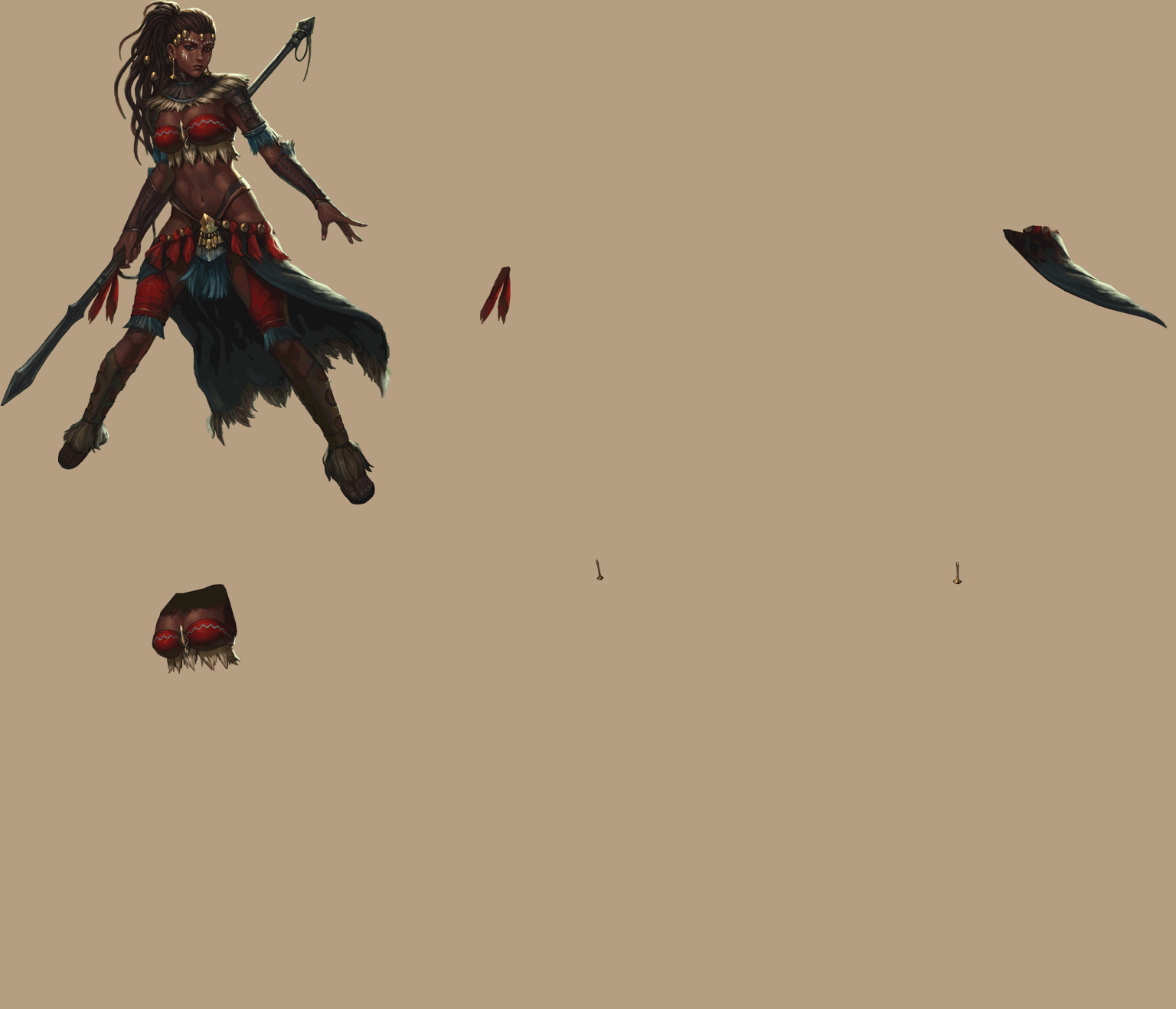
You don't wanna know how many sprites I use sometimes for one character
waxen eagle
Okay good! Ill try disabling them through scripts. Thanks!
Hopefully it wont look like this
hybrid tinsel
 waxen eagle
Thats mighty impressive...
hybrid tinsel
Of course that's for just one direction 😄 https://i.imgur.com/2Fv3CCI.mp4
 wary mirage
😮
 bold bolt
so is setting animation speed based on velocity how to prevent sliding feet?
Some multiplier would be calculated for each animation because different animations will have different base speeds. That seems do-able, but I'm using blend trees so blending between Idle and walk would slow down the walk and mess with the multiplier.
Or is this not needed if the blend tree is set to play animations at the right velocity?
 red mesa
Got a question, should I use one animator controller for all animations or seperate ones for seperate animations?
🤔
 peak tree
Anyone know if its possible to remove the black from a gif like this to make it transparent in unity?
wary mirage

peak tree
(without editing every frame separetely in photoshop)
wary mirage
shader alpha clip 😛
violet jay
it's beautiful.
peak tree
thanks 😩 💦
 real thicket
Does anyone know why my Animation with the buttons is having a pause?
I'm using the Unity Animation
It happens sometimes, but I want it to not have it at all

 subtle lichen
Hello all! I am making animated buttons. However, the "Selected" state is never triggered even though everything else works
works with highlight, pressed, but when clicking it is not triggering the selected state and come back to idle
(and yes the arrow towards the state has the condition "Selected"
stark kelp
@real thicket because the animation did not end. I think you need to change in the transition the interruption. So the animation can restart without to finish
 subtle lichen
I really can't get why my button never goes to the 'selected' state trigger
subtle lichen
I tried a lot of things and I had to put Navigation to 'Automatic' on the button, quite surprised
 midnight ridge
made a walking animation
hybrid tinsel
looks good
 woeful hearth
@midnight ridge you missing animations for spine and hips
Its very important for natural movement
midnight ridge
oh yeah
woeful hearth
Without that its feel like robot walking =D
midnight ridge
I did rotate the spine and hips but not enough
 hard jasper
Hi people! I need to know If it's good animate low poly inside unity or with a external tool, then import the animation files?
midnight ridge
does anyone know how to solve the problem that my arms deforms that weirdly?
woeful hearth
👌
midnight ridge
woeful hearth
Wow you have Red color on whole bone
midnight ridge
I removed weight but that helped just a little
woeful hearth
Try paint Green color or yellow
midnight ridge
on the entire arm?
woeful hearth
Or use Weight smooth or Weight transfer
wary mirage
much better
you can add edgeloops on the elbows
usually helps
edgeloop all the joints
midnight ridge
weight painting is so annoying
ok looks a lot better now, underneath the clothes you wont see anything so it doesnt matter that much
wary mirage
imagine not knowing how to weight paint I mean sure its a pain but look at the results could you imagine what it was like before
bro totally worth it
midnight ridge
I still dont really get how to make the ellbow area be more tick
wary mirage
@midnight ridge like I said you could add an edgeloop/ring on the elbow
a pair of them would be enough to help a lot with the bend
midnight ridge
ok I just realized that it happened because the bone was placed a little weirdly
if u look at it from the front view the bone connection was a little off
 frozen grotto
Newbie here. Anyone knows why even it's already at Walking state, the progress stuck at this and never move. Animation stuck at the first frame also. The condition is bool and it true and transit to the "Walking" but frame and progress stuck at this. When condition is false, animation then start along normally and transit to Idle??
 night frigate
please help... I am unable to animate my camera in a 2d game
the values just jump back after i change them in the window while recording
and also while not recording
i am using cinemachine... could that be blocking it?
subtle lichen
Is there a way in the timeline for doing an animation regardless of the previous parameter. For instance, I do Play() for a button to go to Idle, but I don’t know if the button was pressed or just highlighted.
 neat nimbus
is it possible to set the animation to relative?
I have some platform that need to go up, can I make an universal animation for every of them?
bold bolt
@neat nimbus relative to what? If you are moving a platform it may be easier to make a script that could work for any object.
 hidden hare
If I have a model in game, and I have an AnimationClip (the model don't have an animator or any other related component), how can I play that AnimationClip on that model?
I also have a Animator in the asset window that contain the AnimationClip
I tried using Playables but I cant use TimeLine for this (I have more than 100 animation clips)
I saw there is a way using AnimatorOverrideController but I don't have an AnimationController component attached, and if I create one it will be null(no runtime controller),
 terse veldt
i've made a cube rotate 360 degrees on the Y axis over 60 frames (1 second) but it seems to pause before rotating again
how do i stop it pausing?
does this curve be causing it?
charred belfry
If you want to make it rotate linearly you don't want a curve that flattens like that
dusky hedge
good point, you would want your animation curve to be a straight line
so from 0-360 in whatever time period you want it to be
terse veldt
when i make it a straight line the animation stops
terse veldt
this was the issue, on the left its curved but it needs to be straight like on the right
i need to figure out the maths to make it perfectly straight tomorrow
dusky hedge
@terse veldt pretty sure there is a way to remove the bezier points, but im not sure how
 quaint vault
My First Animation what do you think? Feedback would be appreciated.
hybrid tinsel
@hidden hare Why not add an animator? Is there some actual reason to use an animation but no animator?
There is the legacy animation script, but that may break since it isn't supported anymore.
@quaint vault took a few playthroughs for me to tell what was happening0 I think it needs some followthrough.
@terse veldt right click on selected keyframe and set the tangents to linear
 lilac dove
terse veldt
lilac dove
terse veldt
@hybrid tinsel you're a life saver
hybrid tinsel
❤️
dusky hedge
should I be using the animation timeline in unity for all my character animation keyframing? or stick with my current approach of doing it in my modelling software?
is there an argument to be made for efficiency, and can I be safe thinking they will work in other versions of unity? or can I export them into a movable format?
 languid ridge
Yeah, I still need to make a hand
languid ridge
The hands exist!
dusky hedge
nice, but the arm feels very rigid to me tbh. might be just me being difficult
languid ridge
The right arm?
dusky hedge
the left actually, the right is moving so fast it doesnt matter too much
but is the right hand not going a little too low?
you d get your fingers stuck in there if you tried doing that xD
languid ridge
The right hand is basically just palming the shells in
It's a common trop for characters in fiction to do this shit
I believe John Wick did it once
Hold on
dusky hedge
i may be overthinking the realism of this
languid ridge
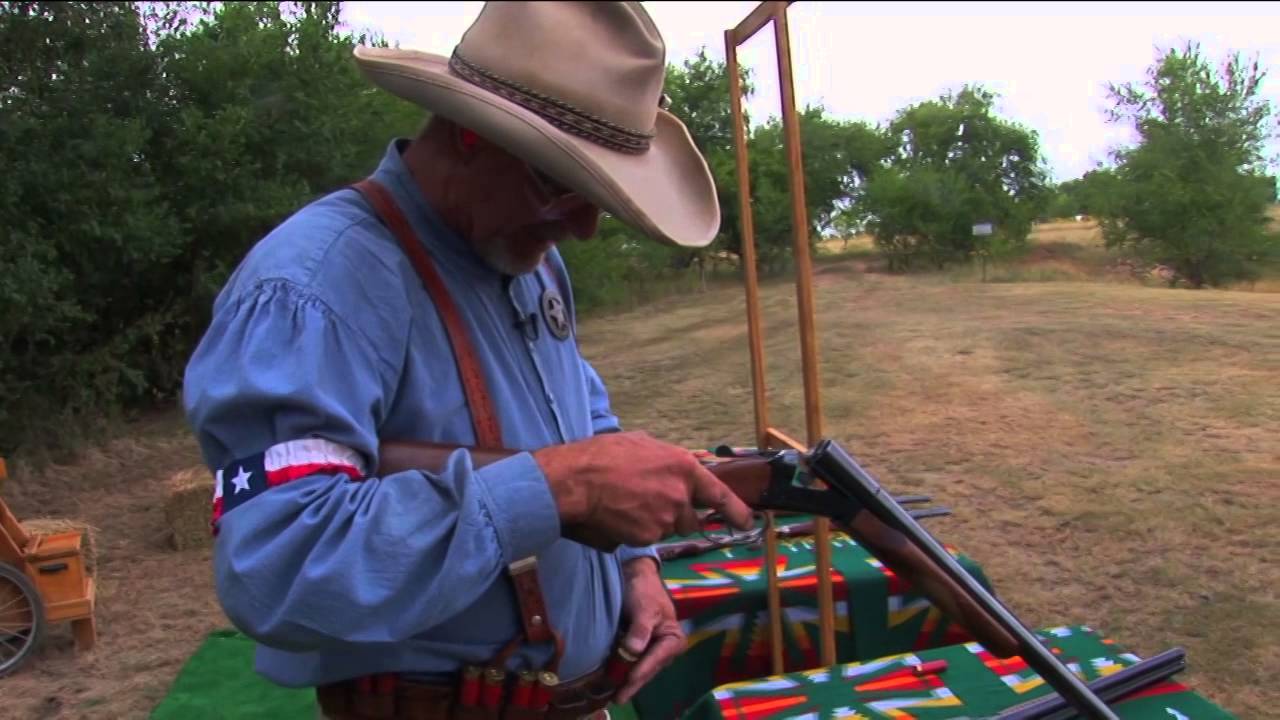
Learn from World Champion Cowboy Action Shooter Jim "Long Hunter" Finch how to load and unload a double barrel side-by-side shotgun.
Excerpt from, "One on One with Long Hunter." Order the DVD http://www.longhunt.com/dvd.htm
Subscribe to TheNSSF: http://nssf.it/17sP4lx
Follo...
dusky hedge
hmm, judging from what he does in that vid, you may want to let the hand linger after putting in the bullets imo
languid ridge
Any Better?
dusky hedge
yeah i think you have less clipping through the gun right now. are you actually animating this like im seeing it or this there some shaders at work here?
languid ridge
dusky hedge
that is rly interesting
languid ridge
xD Yeah
It makes things extremely easy, since I know how to model.
And I love pixel art
dusky hedge
how are you turning that into pixel art tho. im rly curious about that. is that a blender shader?
languid ridge
Nah, just a couple nodes that allow me to smash down the scale and what not
dusky hedge
oh
terse veldt
do you have to increase the length of time to slow down an animation or is there a setting i could change?
terse veldt
when you move an object are you moving the pivot location?
dusky hedge
@terse veldt saw your post in general, whats up
terse veldt
@dusky hedge does an asset animate using its pivot point?
terse veldt
i've made a gun spin around in a circle but it spins from the back instead of the middle
dusky hedge
where is your pivot?
terse veldt
it spins around this red line
dusky hedge
yeah, where is the pivot? the thingie with the 3 axis when you click on that
terse veldt
arh i see
dusky hedge
yeah that makes sense than. it rotates around that point
if you want it to spin around its center you need that point to be in the middle
terse veldt
alright thanks i'll figure that out next hehe
twin musk
Hey, how to make an animation (lmao) for the hair without touching his sprite, like with bones and that sort of things. pls :3
dusky hedge
could someone tell me if there is a difference between doing animation in the editor or importing it from fbx to do the animation?
Im curious about the implications of either while I am still setting up my project
also @terse veldt gj 😄
terse veldt
@dusky hedge thanks it look so long to make because i kept making mistakes lol
dusky hedge
but its from mistakes that yo u learn the most 😄
terse veldt
yeah haha
is it possible to make a few different animations and then trigger them on an asset? 🤔
like the first time an asset spawns play animation 1
if asset despawns play animation 4
if asset is idle play animation 2
dusky hedge
possible probably, do i know how no xD
probably make 4 animations and have an animation controller controlled by a script but im not sure @terse veldt
terse veldt
yeah i need to learn this soon
twin musk
Hey, how to make an animation (lmao) for the hair without touching his sprite, like with bones and that sort of things. pls :3
@twin musk
hybrid tinsel
@dusky hedge Unity might always break things, but they've kept the keyframe system intact since before mecanim so it seems pretty safe
dusky hedge
good to know
 next wolf
anyone here know how i start recording for my animation in unity?
the tutorial i'm following is saying my play button should turn red
but it doesn't :/
wot do i have 2 do
 frosty slate
hey everyone. Is there a way to prevent hands from clipping through the body in an animation without it being corrected for in animation?
is there something that can be done as animation is happening that the hands clamp on the surface so they are not allowed to rotate/move further towards a bone?
Maybe set some hidden collission objects linked to a characters bone
ikinema (now bought by apple) had a self penetration correction but this is not available anymore. so im looking
dusky hedge
you are aware you are asking this in the unity forum? while your scene looks like unreal?
frosty slate
no the example is
im aware
since i didnt have good pictures i just grabbed it from the ikinema video showcasing it
dusky hedge
oh alright. just making sure u were in the right place
frosty slate
i was wondering if there is a way to do this within unity..
dusky hedge
a way to do it, probably
is it in there by default, most likely not
if there is I dont know about it
frosty slate
yeah im grabbing straws.. there has to be a way.. i hope
ikinema did it through a custom solver.. it was the only custom solver which are already rare on its own
twin musk
Hello Guys!
Someone can please help me? i'm trying to export a 3D Object from unity to .fbx but i cant export the animation in the right way
PLease help me it's driving me crazy XD
 sharp grail
Hey guys! In my game I've got my character who needs to sprint, jump, climb over stuff etc. What's the best way to get these animations?
 slow rampart
sharp grail
slow rampart
sharp grail
let me take a look. also thanks in advance
twin musk
Someone of you used .fbx exporter?
terse veldt
anyone awake? 😦
if i import an asset from the store and the rotation is -30 and my animation rotates it -30 degrees it'll rotate by -60 right? so is there a way that the first animation keys will set the rotate to 0 and then rotate it by -30 degrees so i can use the same animation file for multiple assets
hybrid tinsel
@frosty slate you might be able to do it with the new constraint tools that are currently available in preview
@terse veldt depends on how the animation is set up, whether it has root motion/rotation enabled or not
terse veldt
oh is that what that is
hybrid tinsel
Yeah. Root motion / rotation enabled causes the animation to add to the current position / rotation, rather than using absolute values.
terse veldt
i'll make sure its disabled in future projects thanks
terse veldt
can two separate assets share the same animation file?
twin musk
Can anyone help me export and import animations in unity from blender?
The animations come broken or wrong
frosty slate
@hybrid tinsel i found some solutions
but im asking before i buy the assets
there are some interesting things thjat does ragdol calcs on top
hybrid tinsel
@terse veldt if the assets have the same naming and hierarchy.
Because unity animations are entirely based on those things.
terse veldt
are there are assets free or paid in the store which are designed for animating?
 astral echo
for some reason my imported animations aren't showing up and there are no options
terse veldt
i didn't know we can import/export animations 😮
 vapid chasm
Any idea how to make this type of animation in Unity?
https://youtu.be/LNidsMesxSE
In this 2014 GDC session, indie developer David Rosen explains how to use simple procedural techniques to achieve interactive and fluid animations using very few key frames, with examples from indie games like Overgrowth, Receiver and Black Shades.
GDC talks cover a range of ...
In a way that is nice to work with in editor
I looked into playables but I have no idea how to make it editor friendly
 fresh raft
I have a character rigging question. Rig is Advanced Skeleton (not that it matters here) We're parenting objects (gear) on the joints, but as expected there are many 90, -90 rotations needed to correct the expected angle with the joint angle. In Unreal I'd have a socket and put the corrections in there and objects on the socket. Is there anything like that in Unity?
hybrid tinsel
@fresh raft Can you not just use a null, rotated however you need? Alternatively, you could make a script that holds the corrective rotations for each bone attachment.
 acoustic yoke
hey i noticed that we're able to create skill animations using 2d sprites
does that work for 3d games as well? or we have to create particle systems
 bright pulsar
Hi 👋
I’m very new to animations so I have a little problem. I want to play the animation when the bool “AnimationPlay” is active. The boil gets active but I can’t get it to work through the Animator panel :(:( Can anyone help me with a way to do it?
 granite pulsar
How come in the new Unity editor 2019.3.1f1 Mechanim, you can't transition when aparameter is equal to some value? I only see "Greater" or "Less"
hybrid tinsel
@acoustic yoke you can use sprites in 3d, absolutely. Though I believe that particles have some advantages with automatic sorting and soft edges and stuff, and also have better performance if you have thousands of them.
acoustic yoke
thanks buddy @hybrid tinsel
graceful lantern
@granite pulsar floats are rarely equal, so it's not very useful
@granite pulsar you do have equal for int parameters
also your terminology use is a little off - the Animator window is not Mecanim
 ornate bridge
Anyone have menu example / tutorial for menu animation and transition. Ping me.
 slow rivet
hi, can anyone help me out? I am using a cinemachine timeline and i want to record mp4 clip with unity recorder. However, it says "invalid frame rate" when i put in timeline a recorder clip
I have set timeline framerate to 30, also tried 24
 clear heath
Anyone have any ideas why this isn't animating properly?

Bought the assets from a pack, but they are not animated
It looks like it keeps getting locked to the root animation pose for some reason
any ideas?
I should note the error is the same when the record keyframe option is not on
so I'm very confused 😄
(also new to using the Animator, so possible I just setup something incorrectly)
 wicked fox
Hi, I'm learning basic animation and have a question that's weirdly hard to google - when I have a keyframe animation that changes the position of a sprite (for example, floating up and down), when I instantiate that prefab its position instantly transports to 0, 0 because of the animator starting the animation at 0, 0 instead of where I tell it to instantiate.
Is the only way to prevent that to have the sprite in a "container" parent prefab that you instantiate instead? Or am I overlooking something simple?
hybrid tinsel
@wicked fox either that or enabling root motion(if the movement is on the root of the animated hierarchy)
wicked fox
Thank you
 white tangle
hi here, does anybody know if there is an asset from the asset store that allows you to get a better visual structure for the Animator Window for the Animator Controllers in order to tweak them in a way much more organized way than the current display from Unity?
I am kind of new with animating a character and I feel like there is a bunch of spaghettis everywhere (like I guess many people when they started working with this state machine) and if I were italian, I would ask for a spoon to grab them better and digest them :D
I have already started to structure mine with substate machines but it feels so confused when wanting to debug and bring more animations with all the transitions and various layers.
In other words, is there an equivalent of Bolt that brings visual scripting like the blueprints systems in Unreal 4 for scripting for the State Machine of the Animator window of Unity?
Would help greatly !!! Otherwise, I guess, I will have to just go through practising till getting good reflexes to structure my states as well
Thanks!
 mental hazel
Can anyone give me feedback on this polar bear animation?
Mainly the paws and general body, the head is not yet finished.
It's supposed to be realistic and the weight/size of the creature be readable: https://cdn.discordapp.com/attachments/625004105164652635/678593492087210024/Bear_walking_v4.gif

 wooden tusk
does anyone have an Idea how to reduce the shake ? the camera is attached to the head
 dark epoch
@mental hazel it looks really really good the only thing I would say is that the bears butt moves really far to the right
I feel like it seems unnaturally exaggerated
But it doesnt necessarily take away from animation. Also i just notice in the front right paw the bottom where it curves up a little is very square unlike the others
mental hazel
@dark epoch you mean left front paw? The one touching the ground?
And thanks for the butt feedback, will fix!
dark epoch
Yes left sorry. And no problem im happy to help, when I opened the channel I notice the bear and was 🤯 but I thought the butt looked funny.
mental hazel
Cool, will fix and post the update 😀
 lucid igloo
Hey guys I have a problem where my 2d sprite animation has an empty frame after my last one? I tried moving the animation events, and the samples but it always seems to have it.
 carmine lava
hybrid tinsel
carmine lava
hybrid tinsel
@white tangle I haven't see one, but if you find one let us know!
@carmine lava sprites have a full frame duration.
@wooden tusk don't attach the camera to the head via parenting, but use a follow script?
@mental hazel Maybe raise the toes slightly on the frame where the front paws hit the ground?
 heady nymph
I’m having an issue with one animation. I have a model that can summon blades, but I don’t know if the animation is actually attached to the model.
I can send a link to where I downloaded the model, if anybody wants to help.
hybrid tinsel

Get Merch designed with ❤ from https://kgs.link/shop
Join the Patreon Bird Army 🐧 https://kgs.link/patreon
▼▼ More infos and links are just a click away ▼▼
Ask us stuff on reddit: https://www.reddit.com/r/kurzgesagt/comments/f4qmuz/ask_us_questions_get_answers_today_or_in...
heady nymph
Is that directed to me or?..
mental hazel
@hybrid tinsel Thanks, will look into it! 😀
hybrid tinsel
@heady nymph no, someone linked it to me and I liked it so I shared it
heady nymph
Okay.
heady nymph
Helpful as always.
hybrid tinsel
...seriously?
I mean, you wouldn't be able to answer the question, so shitting on other people for not being able to is obnoxious.
Your question is completely nondescriptive, so if you really want to have someone look in here and recognize the problem and have an answer for you, figuring out a way to phrase it/show the asset would probably get you farther.
 stiff cradle
Um I'm not to sure what channel this question should be in but this place seemed the most appropriate. I am making a FPS game and am having trouble making a muzzle flash so does anyone any good muzzle flash I can get for free
twin musk
Let’s animate our character!
● Check out Skillshare: https://skl.sh/brackeys8
● Watch Player Movement: https://youtu.be/dwcT-Dch0bA
● Download the Project: https://bit.ly/2KK5AG8
● Character Controller: https://bit.ly/2MQAkmu
● Get the 2D Sprites: https://bit.ly/2KOkwjt
♥ ...
dusky hedge
Why do my animator states sometimes not animate while they are running?
I can see it running in the editor, but the realtime editor doesnt update (realtime update is on)
hybrid tinsel
Are you looking at the right instance of the animator? (that is, is the animator you are looking at attached to the in game object you're looking at?)
dusky hedge
that sounds like something I may have overlooked
I ll do some more testing and debugging, see what I come up with
 white orbit
A quick question. I understand the (very) basics of 3d animation and rigging. I don't have much skill in it mind. I'm wondering about animations for carrying a weapon. Right now i have the standard anims for movement, and I've got an empty parented to the hands so i can attach my weapon (axe). But obviously the hand remains open and the axe floats on the palm. Now how is this usually handled? Do i need to make a full set of new animations for moving while holding weapons, or is there a simpler way this is done?
dusky hedge
IIRC that can be done with animation blending. you have an animation that closes the hand on its own and blend it with the others
white orbit
Ah, that sounds easier, i'll look into animation blending. Thanks @dusky hedge
 mortal ivy
Hi guys, is there a way to control the visibility or active state of a child object within a rig (e.g. a gun on a character) through animation from blender without having to say play this anim and then turn this object on or off. I'm assuming there probably is some form of trick I'm missing
dusky hedge
you just toggle visibility in blender and that should export like that
mortal ivy
just the visibility? does that mean the gun would have to be keyframed or anything within other anims for them to know?
dusky hedge
im pretty sure the mesh would still animate, you just wouldnt see it
mortal ivy
so if I play an idle and dont want the gun i turn off visibility and then turn it on for idle with gun etc?
dusky hedge
probably? im not sure but that sounds like a thing
mortal ivy
does the object being turned on and off have to be part of the skinned mesh?
using a humanoid rig
dusky hedge
it should probably be part of the animation yes
mortal ivy
okay I'll give it a go and see what happens
white orbit
Just an update @dusky hedge, You advise lead me to another answer which worked perfectly. I created a single frame animation with the hand closed, I then created a new animation layer with override and a mask just for the hands and added that animation to the layer. So now all the animations play with the hand closed, and i can just toggle it by adjusting the override weight
twin musk
Protagonist-kun with the A* service yet again
dusky hedge
@twin musk I am a smart cookie, hire me for official unity support moderator 
quaint vault
Hey
 sharp hatch
How do i animate my character, like walking and jumping animations, in unity 3D?
i created a model in blender
 naive bloom
i have a problem i cant change the size of the colliders during the animation
 lost goblet
I imported an MMD model with an animation on it (FBX of course) but once i converted to humanoid for VRChat use, it decided to discard a very important rotation in the hips. Is there something I'm missing?
 novel robin
Anyone have any idea why a transition may be happening in the Animator even though the first of three conditions isn't met?
hybrid tinsel
@lost goblet that the skeleton wasn't designed for this?
@novel robin is a script calling that state directly?
Are you sure the conditions aren't met?
 junior quest
hello guys...
i have 2 animation clip which i want only either 1 of the clip to be played (as default state) based on a condition... is there a way to change the default state in script since i need to change it at runtime...if cannot then i guess i'll try other way to achieve something like that
 digital crown
Having an issue where this animation transition is playing past the end of the clip, its playing through the entire red area when its expected to end where the red area begins. it just started doing it and I have no idea why.
 jagged canyon
i have a problem, when i left click the "attack" trigger gets activated and it starts the sword swing animation.
when the character moves the animations works fine, but when i'm idle the sword swing only starts when the idle animation is over
 hollow bone
Hey guys,
Does someone have a tutorial for animating a model that i took from mixamo or other platform with Unity ? I have my own character move script and i want to use models with animations (currently using sphere or cubes to represent a character... that starts to be borring lol)
 loud cobalt
Hello! Im trying to import an animated FBX model in newest Unity and no animations are showing up. Instead im spamed by this error:
NullReferenceException: Object reference not set to an instance of an object
UnityEditor.ModelImporterClipEditor.AnimationClipGUI () (at <c10752821eec4acbb89ccd53fbbc5e27>:0)
UnityEditor.ModelImporterClipEditor.OnInspectorGUI () (at <c10752821eec4acbb89ccd53fbbc5e27>:0)
UnityEditor.AssetImporterTabbedEditor.OnInspectorGUI () (at <c10752821eec4acbb89ccd53fbbc5e27>:0)
UnityEditor.ModelImporterEditor.OnInspectorGUI () (at <c10752821eec4acbb89ccd53fbbc5e27>:0)
UnityEditor.UIElements.InspectorElement+<>c__DisplayClass55_0.<CreateIMGUIInspectorFromEditor>b__0 () (at <c10752821eec4acbb89ccd53fbbc5e27>:0)
UnityEngine.GUIUtility:ProcessEvent(Int32, IntPtr)
Anybody else getting this
?
novel robin
@hybrid tinsel Thanks for responding. The issue was that the animation is driven by Physics and one animation was driven by a trigger. I was watching for that trigger to flip with the animation LiveLink and it wasn't. The issue there is that the trigger was hit, but was reset before the UI was rendered (because the Animator automatically flips the trigger back after use).
lost goblet
@hybrid tinsel it is. When it's in generic it works fine. But as soon as it is humanoid it deletes the key frames. Its originally an MMD model with a .vmd animation and in order to bring the animation to unity I combine them in blender and export to an FBX and take the animation from the prefab. But when it deletes an important rotation then the whole thing is messed up
 civic yoke
guys, I created an animation for an enemy character (idle and walking). I just opened the project and the animations are no longer working.. I went to one of the animations, I cannot preview the animation. I deleted all the sprites in the animation... Now dragging the sprites back to this animation is not allowed. What could be the problem?
hybrid tinsel
@junior quest use an empty state as the default and add a conditional transition out of that to the two states you want.
@novel robin That was one of the possibilities I'd considered; anything triggering in FixedUpdate might not show up in the UI, which has caused me some grief 😄
hybrid tinsel
@lost goblet The skeleton wasn't designed for a humanoid rig- it probably uses additional bones for independent hip motion or something. Either that, or you did not set the humanoid avatar up correctly, and it is using the wrong bones in the skeleton.
 severe cargo
So i downloaded the ybot character to just use as a default character for some tests, and i imported him perfectly with rig set to humanoid and a working avatar. then i downloaded some animations from mixamo using their default character, also xbot, but i got some rig import errors when i set it to humanoid using ybot. it is some position errors that now make the animations really wonky. does anyone know any fixes?
ohoho nevermind problem solved. i had to upload my character to mixamo (even though it was the same character) to fix it
 lost abyss
hey everyone, newbie here in animation. I'm having a little animation problem and would appreciate some help
hybrid tinsel
@lost abyss ...Would you want to tell us what it is?
junior quest
@hybrid tinsel Thank you for helping me...but by doing that, the animation will going back to empty state after finish right? and when the animation start again, it will have a bit of delay since it move from empty state to animation A state..
the object that i want to play the animation will keep being disable and enable...everytime enable it will play the animation...so if it got the delay from empty state and to animation A/B state(based on variable on active) it will show delay that is quite obvious
 lucid wave
Really dumb question, why can't I select the states and delete them? How can I select them?
hybrid tinsel
@junior quest It will only leave the state it is in if you have a transition out or use an 'any state' transition. No noticeable delay if you have it on an empty state with exit time disabled.
I use this in my game,
using System.Collections.Generic;
using UnityEngine;

public class randomAnim : MonoBehaviour
{

    public string IntParameterName = null;
    public int StateCount = 0;
    public int animIndex = 0;
    public bool randomAnimation = true;

    // Start is called before the first frame update
    void Start()
    {
        Animator anim = GetComponent<Animator>();
        if(randomAnimation){
            anim.SetInteger(IntParameterName, Random.Range(0, StateCount));
        }else{
            anim.SetInteger(IntParameterName, animIndex);
        }
    }

    // Update is called once per frame
    void Update()
    {

    }
}
i see...i guess the way i set it up before might be wrong to make it delay....thank you very much ...
lost abyss
Nvm, figured it out. sorry
 true cove
In the future @lost abyss, just ask the question. You don't need to ask permission to ask and you're more likely to get a quick answer that way.
(Plus it annoys people who would otherwise want to help you)
lost abyss
alright. Thanks, my bad
 dense wyvern
Hello, someone would know why my object which has a simple opening animation teleports to play?
valid bone
how do I control an animations speed in 2018.3.0f?
http://prntscr.com/r4qnui
i usually used the value where it says "0" here. But now it seems to display the current frame. If I press play the animation freezes
or do i control the speed in the animator now?
hybrid tinsel
You can control it in the animator or from the dropdown menu to the right
I have no idea why they hid it away like that
 spark vale
Is there a way to get the animation of a sprite to be in sync with the physics engine? As in having the sprite change after every FixedUpdate() method in the same way as collision detection?
I've read that setting the Update Mode to "Animate Physics" should help, but I see no successful change when I use that.
I have a debug log set to a Fixed Update() method, and it displays a message on each time it runs. The animation of my sprite, however, has occasionally remained still one the few times FixedUpdate() has run.
Does my current version of Unity 2018.2.20f1 just not support this feature because of a bug?
charred belfry
@brisk gull
 brisk gull
Thank you, @charred belfry
hybrid tinsel
@twin musk Do you really need it to be that large and that long?
And if you really do, it might be worth looking into using a video file
It isn't a question of 'is it possible' because it is; the question is whether the tradeoffs are worth it.
(Past a certain size, unity will limit the size of images imported, in any case, so single-image flipbooks will be limited in that sense)
severe cargo
Trying to do Filmstudios third person animation vid but for some reason all of my animations are play once and then staying that way forever? how do you make them reset because all of the code is the same?
 hollow sentinel
I am trying to do some animations
every time I click uncheck loop
I can record my animations
why is that?
 stuck shadow
could someone teach me how to make not garbo animations?
 void crane
Hi, does anyone know why my animations in my blend tree dont match my imported animations?
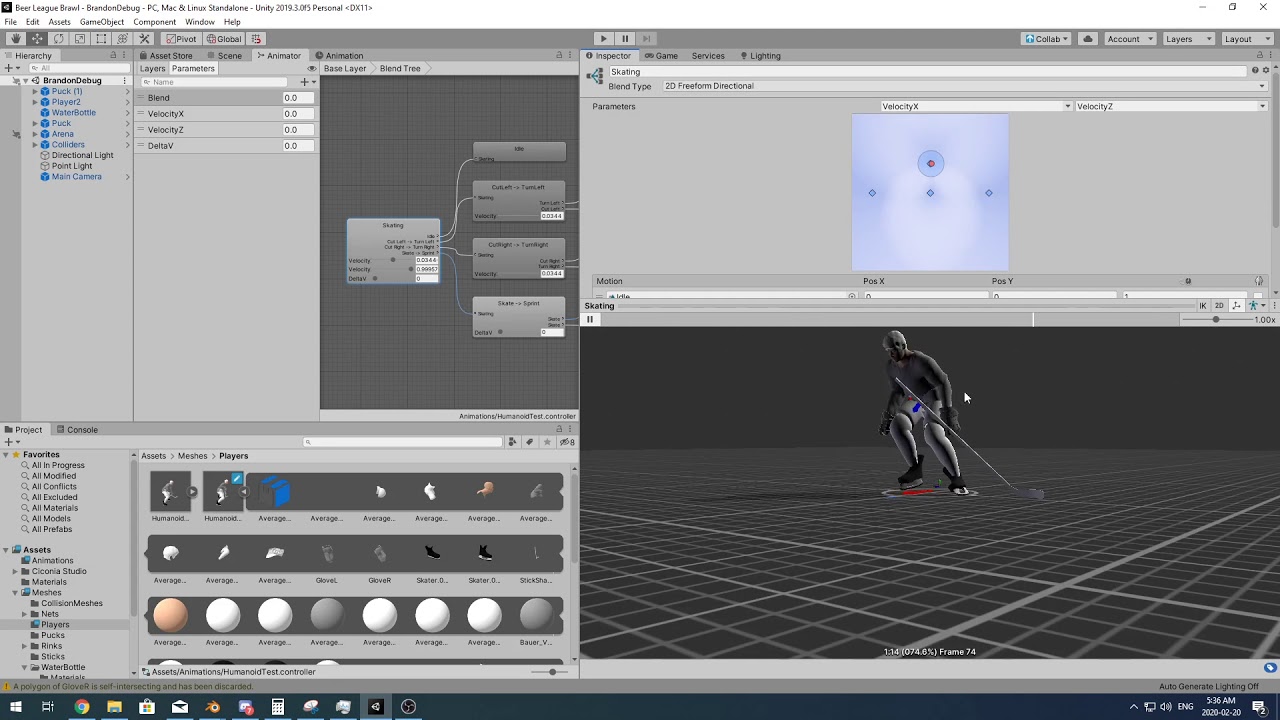
animation settings: https://imgur.com/g9u2gF6
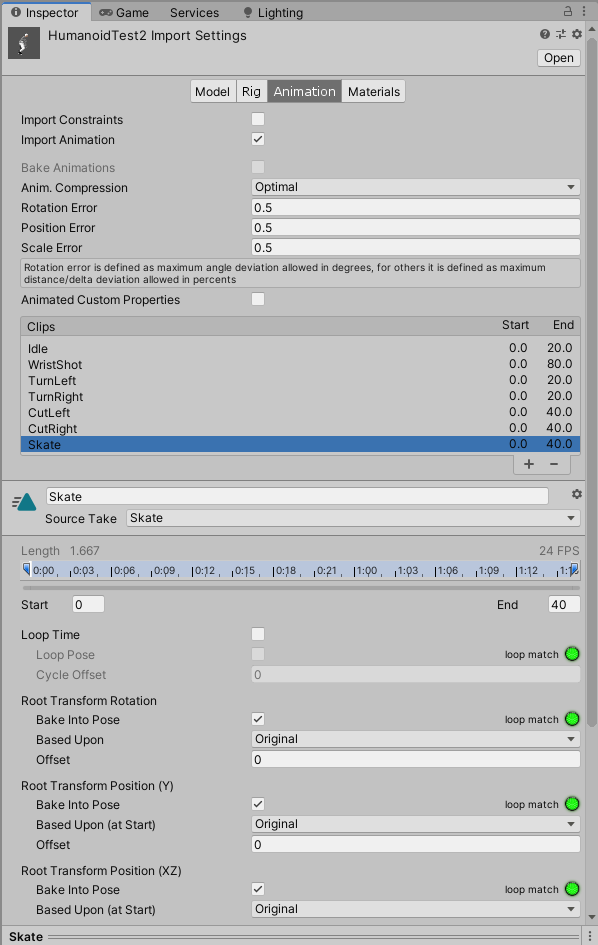


 sick pond
i created a parameter but it's not showing up in the blend tree parameter options... any thoughts on why that is?
void crane
which blend type?
hybrid tinsel
@void crane how does it look in game?
void crane
In the YouTube video I linked, the first animation the stick is attached at the players hands, this is the desired animation. In the second animation is on the blend tree and the stick is not animating and is detached.
twin musk
the ragdoll works when everything is disabled(animator, movement scripts, etc) once I enable them tho it becomes like this
is it supposed to be like this
btw it moves around constantly with arms and stuff flying around in the air
how it looks when disabled
 harsh pewter
so I want to animate a character for my multiplayer fps game. how should i go about spliting the body into two parts. lower body and upper body
so that i can move the lower body(running walking) and also look around with all gun animations. im new
 pastel venture
Is there anyway to have the animator do multiple transitions per frame if applicable?
It's a total mess having to consider every single possible scenario just to prevent a single frame from playing before it goes to where it's supposed to
void crane
@harsh pewter you can use animation layers and masks for controlling upper and lower body. Also look into Final IK library for Unity in the asset store
void crane
@pastel venture have you looked into blend trees? Might be what you're looking for
void crane
Oh I see. Yeah a blend tree will work better with armatures in 3d space because they blend location and rotation data between frames. For sprites I dont think I have enough experience to help you with it...
twin musk
Hey have bone in my character but how to make it work with physics pls ?
void crane
Do you have a 2D rigidbody on the gameobject?
void crane
@twin musk
 thorny light
Hi guys i was looking for help on animations in Unity i imported an fbx of a character however the hands are out of sync so when i add weapons the character simply isnt really holding it. any idea as to what causes this?
violet jay
@twin musk run the game, go into the scene view and look at what all the bones are doing during the animation. Chances are, they're not in the correct place or something'
twin musk
Man animation in unity is hard
void crane
@twin musk Yup
 jovial wave
This is a basic issue, but I can't seem to figure it out
I cannot get certain meshes that are seperate from the main one to change position
Which I need for animation
wary mirage
got screenshots or code or anything?
jovial wave
It's quite simple
Also the thing mentioned in shaders worked
Thank you so much
But well
I can mess with the coords all I want
The actual meshes inside don't change position
And I just want a few of them to swap position so I can make his eyes look hypnotised
It just... doesn't do anything. I could make some custom bones but... erm
Please no
Screw it, gonna do that
 shadow ridge
Is there a Best™️ way to approach Character Controller -> Locomotion Blend Tree with WASD input for smooth transitions between blend states? It's digital inputs into a CC's .Move method, and setting the resulting XZ values in the Blend Tree results in instant transitions.
I imagine there's some lerp or smoothdamp I could be doing on the digital inputs but feels like I'm missing some way to just damp the blend rates or something
sharp grail
Hey guys, what's a good way to get character animation for my cutscenes for cheap or even free
twin musk
Yes @void crane
twin musk
@violet jay has never been the issue
graceful lantern
@sharp grail try Mixamo
sharp grail
A guy recommended it but I didnt find an option to make your own custom animation.
@graceful lantern
graceful lantern
if you want custom you have to do it yourself or pay someone to do it
sharp grail
So for custom
Should I rig it in Blender and key frame the motion?
And then just pop it into Unity and done?
graceful lantern
that will work
well, that is the standard workflow, so "will work" might be a weak statement
sharp grail
I just guess key framing will take a lot of time to make look natural
hybrid tinsel
But it is very free 😄
sharp grail
True
graceful lantern
make use of curves
sharp grail
That's very smort
graceful lantern
unfortunately they'll get baked down when exporting to FBX, but still
sharp grail
What does this mean
graceful lantern
the exporter will create keyframes for every point on the curves
so in Unity it'll show up with keyframes for every single frame on every single bone
sharp grail
I mean. Whatever
graceful lantern
I've been thinking of whether I can write something to de-bake the curves in Unity
 warm verge
Ahoj everyone 🙂 What is the best way to sequence different particle systems, please? I am trying to make something like primitive version of room starting to burn from socket electric discharge. I have different particle systems ready and now I need to somehow sequence them.
warm verge
Thank you very much! That is propably what I need 🙂
void crane
@twin musk Oh, I was just responding to your last question. I forgot to tag you
@twin musk If you scroll up you will see I responded to you
void crane
Oh ok! My bad. Do you still have the issue today?
wise gulch
i have this in my movement script to get the animator
    void start()
    {
        animator = this.GetComponent<Animator>();
    }
but the player isnt animating and im not sure why
in the animator it looks fine but when i actually press w to get the movement nothing happens
in game that is
hybrid tinsel
@warm verge You can trigger particles from an animation as well.
twin musk
hey guys my ragdoll model is a bit jittery even after I enabled isprojection does anyone have any suggestions?
mainly the head/neck area goes side to side when walking
also my ragdoll seems to randomly disappear when I get close to it even when I tried enabling updatewhenoffscreen in the mesh renderer
white tangle
@hybrid tinsel thanks for your feedback regarding the question I asked for the mechanim as if there was some asset on the asset store that was displaying it in a more friendly way. Didn't find any neither that satisfied me so as you wished to let you know, I did create a small tool firing all my animations in my UI while in playmode.
You basically got a timeline bar with a color code for each animation played, the time in sec they have been played and below, the logs of each played animation with their name, the elapsed time and the time each one has been played with again a color code.
Got busy with other stuff but I did use it a bit and it seems doing the job for debugging and tweaking.
Maybe it would help others who wish to have this kind of systems
On the screen, you got two screenshots of it
Thanks for the reply and hope sharing this might help
 feral salmon
Making a 2D game where you turn into a statue. I want it to freeze on the frame they were on when they change then change
hybrid tinsel
@white tangle That does look handy- especially if you had the ability to copy out of there and paste into unity timeline(to make a cutscene out of recorded gameplay for instance)
@feral salmon You could set the playback speed to zero in the animator
animator.speed = 0f```something like that I believe
Though I'm not sure how that will affect transitions so you might need additional stuff
You could also transition to an empty animator state instantly
white tangle
@hybrid tinsel yeah, this would be great indeed
@feral salmon yeah, animator speed at 0 would get your animation frozen at the time you want as Pinballkitty suggested and already tried this stuff and it works ok
then to turn it back you put it to 1 again and it would play the animation it was blocked at back or you can use animation.crossfade to switch to something else smoothly I believe
twin musk
Hi everyone, i have an animation that works on editor mode, but when i build to my phone, the animation barely works in fact 99.9% of time it doesn't work. I tried everything from changing the quality to setting the bone settings to 4 bones so changing the name of the animation
 tawdry lava
is there a way on OnStateExit() to check what kind of transition got it to play? I have two transition types, one where it normally lets the animation plays out, and one where a trigger will force close an animation. Basically I want to check whether not the transition was the Trigger, or if it normally went through.
Or any of these states
 dry hare
I want to be able to attack while the player is falling, jumping, moving and so on. Since I set isFalling and isJumping in the Update() method of Player.cs I'd need to check if the player isAttacking - but I'm not using such a variable. While I'm running the attack animation plays like expected (till the end). When I'm jumping or falling and attacking at the same time, the attack animation gets played for something like a millisecond. Is there a way to play the animation till the end, without any interruption?
tawdry lava
check "has exit time" on the transition between the attack and whatevers after it
dry hare
It is checked.
dry hare
tawdry lava
could i see the inspector
dry hare
It jumps immediately from Attacking to Jumping/Falling.
While "Idle" and "Run" seems to be okay.
(Jumping and Falling has just a single sprite, but this doesn't matter, I guess.)
tawdry lava
ur transition time is 0 in that
notice how those two blue arrows are directly together?
dry hare
It's supposed to be at 0, yeah.
While on "Run" and "Idle" anything works like expected.
Must have something to do with Update and thisAnimator.SetBool();.
The expected animation should be like
Falling -> Attack (play till the end) -> Falling
but since I'm setting the isFalling value in Update() it's like interrupting the current animation.
There must be an "easier" way of doing jump attacks. 😄
Okay. Got it working. I've set "Has Exit Time" from the "Any State" node to "Falling" and to "Jumping" with an exit time of 0.5. 🙂
hybrid tinsel
@tawdry lava can you just call that when you set the trigger bool?
tawdry lava
Yeah I guess I could, but it turns out that the trigger Carried on through multiple animations, meaning I could just create 1 new animation state and call it good
I took the lazy approach, but whatever
twin musk
So
How can I set up a rig correctly in blender? By that I mean IK
Oh
You know what I hate about making a game? You have to animate everything your characters do
That's too much work
But that's too much work tho
Like
Bendy and the ink machine is a two hour game
tawdry lava
The trick is to write over 40 animations for one player model then regret it shortly after
 ivory badger
It be like that sometimes.
Though in the end, having good animations always help certain aspects of a game stand out.
tawdry lava
So I'm having this weird issue where suddenly, after creating some new animations for my model, my LateUpdate() changes to the bone rotations no longer work. It's now replaced with a buggy twitch while its normally suppost to rotate
thats entirely true XD, just unluckily for me, I am absolute garbage at animating
ivory badger
Oof
I’m sure you’ll get the hang of it soon. Animation is not an easy thing. I’ve tried once, and that was the moment that I knew it wasn’t for me.
lol
tawdry lava
lmao this project is going to be a doozy