#🏃┃animation
1 messages · Page 53 of 1
 sweet brook
is there a way to make the animations themselves have states outside using the animator?
 hybrid tinsel
You can set state explicitly from code if you want to
sweet brook
What i was trying to do, in order to be able to make idle animations happen. is to detect some value that is created while the player is moving, like velocity, or speed, and if its =0 apply the idle animation for the previously used animation
but my momvement script doesnt have velocity
and i don't know how to add it without upsetting the current movement system
hybrid tinsel
The problem is that instead of tracking the state of things, you're setting and clearing triggers.
sweet brook
so i should use while loops?
im fairly new to unity. but im in school for software eng
hybrid tinsel
I'd add a variable for direction and one for whether the player is moving.
And then every frame clear 'is moving'
Then in the animator choose state based on direction and whether it's moving
sweet brook
yeah the issue is i duno how to track movement or direction haha
is there a "get last x value" if so i can compare it with the new x value and determine a location based on that
 twin musk
anyone have an idea why this is happening? in game view the animation plays very differently from the preview window / in blender
i tried ticking and unticking all the options now and nothing works. is this related to the rig?
both use the same rig but its a custom biped one, not the standard unity
i slowed the animation down in the game view btw so its easier to see the issue
hybrid tinsel
Did you make a humanoid definition for that skeleton? You might need to fiddle with it
twin musk
yeah i did, also copied the avatar from the character im using. also tried creating a new avatar from the animation itself, neither worked.
and turned the rootmotion options on and off, tried all 3 different compression options (none, keyframe reduction and optimal), tried with and without "Generate Retargeting" options
 limber drum
So basically I need to trigger a sequence of animation. The animation is motion capture animation on 3d rigs. I'm not very family with unity and would like to find a tutorial about the animation system in unity. ?
 lean dove
Hello everyone!
I have a unity animation design question:
I have a human character, and a skateboard that needs to be animated, animations will play at the same time,
so I wonder what a good system for it is, I think I want to keep the mecanim animations,
so what I would do is:
Animate humanoid and skateboard separately, maybe based on the same origin transform,
but check during the animation that the frames of the board and humanoid match,
and then simply have a script to play both at the same time? and make sure they end at the same time?
would it be weird to add a bone for the skateboard?
Actually the approach to do a regular humanoid animation and also animate the skateboard as part of the hierarchy might be the way to go? but I want to make sure that the humanoid animation is transferable between characters
 cedar gyro
does someone know, how to import mixamo animations in humanoid, without screwing things up? :/
twin musk
Guys .. Adam, how to animate like in your animation?
Is there a tutorial video?
twin musk
how to fix animation shaking after export fbx from blender? i tried to change simplify in blender to 0 and turn off animation compression in unity but it still shakes
 merry wharf
Hi guys, how do i make this gun moving back and forth function like this guy did when he shoots https://youtu.be/mE8sZleaq-w?t=280 is this done with animations or is it done with code? please help me, thx

Hey there everyone! Welcome to the first episode of my indie game dev log! :) 🎮Wishlist Below The Stone! - https://bit.ly/2KjpFlk 🎧Their Discord - http://dis...
lean dove
you could do that in code if you like, by moving back the local (either x or y) axis of the gun,
the visual object of the gun should be inside a child transform, and for the regular platform movement, you control the parent transform
so you have a transform hierarchy , the first/top transform is used for regular movement (jump, left, right), the child transform is used for the gun local animation. You could either do the animation in code or make a regular animation with an animation component or animator controller on the gun child object that animates just a short 1 time forth and back movement on the local x axis of the gun visual transform
@merry wharf
lean dove
whew, I don't know about a tutorial, those are the logical steps I made out in my mind,
just create an empty gameObject for the weapon, put it in the hierarchy below your current weapon gameObject, so it is a child of it, put the sprite renderer on that child object instead, then open the animation window with that child object selected, make a new animation and animation controller, make the animation so that the current object moves forth and back on the local x axis,
then check if the animation controller is setup correctly, having that animation, but not make it the default state, default animation state should be the gun not moving,
then everytime to fire, you just play the animation on the animator like
GetComponent<Animator>().Play("FireAnimationName");
if you have that, just put the main gun collider on the parent (the original gun transform you had) and control this transform with physics/code instead of the child transform that has the sprite renderer for the gun and the animator,
you might need to check "root animation" on the animator component in the inspector so that the animation really moves the current transform's position
 shy dagger
What is this supposed to mean?
KeyNotFoundException: The given key was not present in the dictionary.
System.Collections.Generic.Dictionary`2[System.String,UnityEditor.Graphs.AnimationStateMachine.EdgeInfo].get_Item (System.String key) (at /Users/builduser/buildslave/mono/build/mcs/class/corlib/System.Collections.Generic/Dictionary.cs:150)
UnityEditor.Graphs.AnimationStateMachine.Graph.GetEdgeInfo (UnityEditor.Graphs.Edge edge) (at C:/buildslave/unity/build/Editor/Graphs/UnityEditor.Graphs/AnimationStateMachine/Graph.cs:282)
UnityEditor.Graphs.AnimationStateMachine.GraphGUI.SyncGraphToUnitySelection (Boolean force) (at C:/buildslave/unity/build/Editor/Graphs/UnityEditor.Graphs/AnimationStateMachine/GraphGUI.cs:286)
UnityEditor.Graphs.AnimatorControllerTool.DetectAnimatorControllerFromSelection () (at C:/buildslave/unity/build/Editor/Graphs/UnityEditor.Graphs/Animation/AnimatorControllerTool.cs:397)
UnityEditor.Graphs.AnimatorControllerTool.OnEnable () (at C:/buildslave/unity/build/Editor/Graphs/UnityEditor.Graphs/Animation/AnimatorControllerTool.cs:407)
 cloud zealot
What's the best way to deal with a jumping animation?
I'm using mixamo since I literally cannot animate for shit (and this is mostly a programming 'showcase') and I'm trying to figure out jumping
all the jumping animations have a 'wind up' so it looks weird because they only do the jumping bit after the player is off the ground
and I don't want to have a delay for the wind up since that'll ruin the flow of my character controller
 fair girder
Does anyone know how to use one animation for multiple game objects?
I've looked it up online but I'm struggling to understand the solutions I find
 zealous thistle
How would you guys recommend rigging this hand so it works with Unity's built in humanoid animation type? I want it to work normally when I import animation from mixamo.
 zinc mason
Hi guys. I'm doing some 2D anims and I'm trying to do a landing sequence from a jump. I am using two sprites off of a spritesheet. These are her Idle sprite and a slightly squashed version of that same image. Unfortunately, when I run the sequence, instead of squashing down, her feet lift up. If I move her transform to get the feet to stay on the ground, then anytime she lands the animation happens at the spot where I animated her. I'm sure this is basic and often asked, but I can't seem to find a solution that works. Any help would be great.
 cinder gorge
can u tell me the best easy way to animate this 2d sprite
 winged wyvern
@cinder gorge way too small. but sure. a rig might be hard to add on something this size.
but. you could draw frames.
 limpid hornet
zinc mason
limpid hornet
zinc mason
Took me a while, @limpid hornet , to figure out that you were talking to me, and then a few more seconds to follow your advice. I suffer from Old Man Brain, so it takes me a while sometimes. Thanks for the idea. Couldn't take out the x transform from the list ... that deleted the whole transform property. Had to take it out at the keyframes. But it works now.
 rare hatch
Hey! Im using the built in animator and having an issue (I am not using Photoshop). To create bones I have to double click on the limbs, but that means i cant join the characters limbs together?
hybrid tinsel
@zinc mason change the position of the pivots on the jumping frames so that they are in the same relative position as on the standing frames?
@rare hatch you have to move the limbs together in the scene view after boning them in the sprite editor
rare hatch
@hybrid tinsel Will that allow me to animating all limbs at the same time? If i gotta have different animations per limb thats gonna be bad.
hybrid tinsel
You set the rest state before adding any animation, @rare hatch
 primal wing
anyone here can help me with animation?
For example. when I press the button, the other camera preview with red circle will show in display 1 or the camera preview will show under the button
 empty violet
not sure which one you wanted but :
- Camera -> render texture -> ui in world canvas in front of tv
- Change camera's visibility (disable / enable gameobject) or play around with camera's depth (higher = more front)
primal wing
2, I already display the one encircle with red but now stuck with that cam
 peak storm
Hi, does anyone know how to export animation data as bitmap as in this presentation?
https://www.youtube.com/watch?v=1ZPcXcCBFIs
any existing plugin of Maya that can do that?
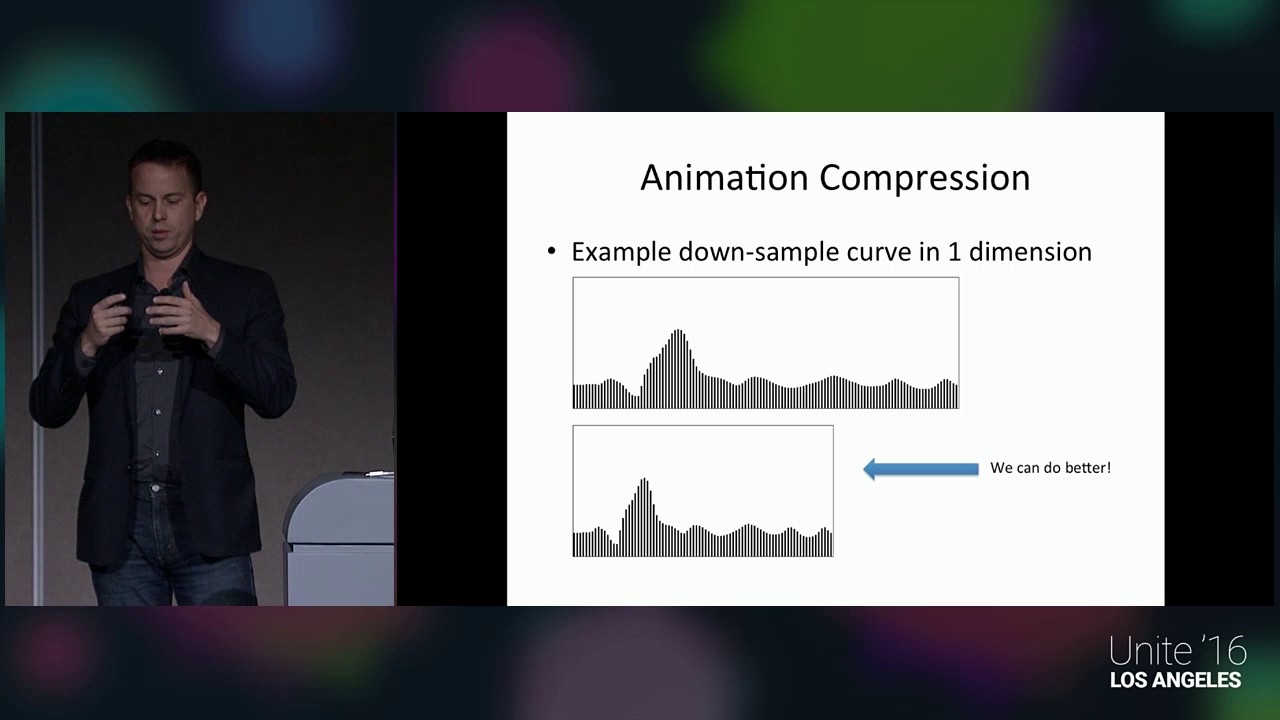
Jonah Norberg introduces you to a novel way of rendering a large number of animated characters in Unity. His method goes over putting animation-data in textu...
 crude hollow
anyone knows why setting the animator IK won't work when there is an animation controller running ?
crude hollow
nvm i figured it out - wasn't running the code from the right method, used OnAnimatorIK now it works !
twin musk
Is there a way to get my Eyes to move with my head? Trying to use Anima2D for making my character's bone structure and the eyes don't move when the head does even though the eyes are a child of the head in my hierarchy. My reasoning for keeping the eyes separate is so I can animate them individually from the head and swap them out easier for things like being hit/blinking etc.
peak storm
Well, turns out there's many solutions in Asset store for GPU skinning + 2Dtexture animation data.
here's one that free and might be useful if anyone want to build on top of it.
https://github.com/chengkehan/GPUSkinning

GitHub
Contribute to chengkehan/GPUSkinning development by creating an account on GitHub.
zinc mason
Hey, working on a 2d animated spritesheet. What's the best workflow for this? For example, I just got done with a 15 sprite animation session in GIMP, rotating, exporting, pulling them all in and arranging them on a single sheet. When I make my animation clip in Unity, the first sprite hops about .3 units lower on the y, and the scale of all of the sprites are apparently 5 times the size of the original character. Mongo!
So, what are the standard numbers I should be using, should I crop to content or not, is there a specific x and y in gimp I should be drawing at, pixel sizes, etc. I know the powers of 2 rule. Any suggestions would be great.
zinc mason
Okay, so I've worked out most of the issues, I've put a pivot point on her heel in every slice, and I'm actually using the Spritesheet images now (before I was accidentally using the individual exports instead). She looks great in the Animation window. But when I run her, she gains a +.75 to her y position. Why is she suddenly hovering above the ground like this?
Nevermind ... it was her box collider.
 hearty forum
I'm trying to give my animations choppy framerate, like a stop motion animation, And I'm animating via Blender. Is there an option where I can disable interpolation for my animations when I import them into Unity?
 brazen charm
Follow up noob question: Are there any links/tutorials on how to get a simple animation into Unity from Maya that isn't a character? I'd like to do a test of a noisy/warping torus from Maya into Unity but I'm having no luck.
Specifically need to do it through FBX
brazen charm
Scratch that, it looks like my issue is deeper than a simple Unity import one
twin musk
@hearty forum in action editor key > interpolation mode > constant 🤔
hearty forum
Well yeah, but I'm talking in Unity... Unless I actually can't.
 fast edge
i downloaded an asset from the store and it comes with 10 animations...how do i make the creature use the animations? it doesnt seem to have came with the script
fast edge
@quasi wharf
 quasi wharf
Okay, so under "Conditions", click the plus and add that "walking" has to be true.
fast edge
by the way i created that walking just now when you said to create a bool
quasi wharf
That's fine.
quasi wharf
Then in your script, when you want to call the walking animation, do what I said in the other channel. That will trigger that bool and cause the walking animation to fire.
quasi wharf
All of that is nonsense.
fast edge
haha. ill erase all of it
quasi wharf
That whole script is nonsense. Kill it. You don't need an entire class dedicated to a sprite walking.
fast edge
deleted. its what happened when i hit add behavior on walking then new script
so just a blank script and copy paste that code?
quasi wharf
So add a script to that game object. Either make the animator variable public or serializable so you can drag the animator into it and get a handle.
Serialized? Whatever.
fast edge
i understood the first part
quasi wharf
Then just set the Animator.SetBool("walking", true); and it should call that animation.
fast edge
trying but i think visual studio crashed. one sec
it deleted everything...
ugh heck this. ima just use a asset that already has everything working
sorry for wasting your time :/
quasi wharf
I think you're going to run into more problems there, but that's a subjective outlook.
DM me if you can't get it working. I'm going to crawl my way to bed.
fast edge
i've already used it and it works but the file size is too big...my project has to be under 200 mb
yes sir/ma'am. thank you! @quasi wharf
 ember moss
[2D] Hey i added a Shake animation to my camera, it plays every time when the Player gets damage. But now is my Camera not following the Player anymore (Y-axe)
twin musk
i guess you can say ||it got shook||
 wispy lark
Does anyone know if there's a way of adjusting the start time of an animation using the editor?
twin musk
@ember moss might be that animation forces location on that position where you animated it but you can create base object what follows player then add camera as child where is shake animation
 trail scarab
how can i make a navmesh agent stop a certain distance from its target, like "stop 2 units away and play attack anim"
wait wrong channel
 tawdry lava
anyone have experience working with 3rd and 1st person animations? What are some tips, what are some tricks? The animations are split into two parts: upper and lower. I'd love to hear how you guys have done this in the past 🙂
winged wyvern
@quasi wharf ok so i know this might be against the rules. But we need ankmators
And you seem to know what your on about. Dm me when ever if your active and do 3d animations
@trail scarab u too xD
Sorry but we pay a good amount of money. Like can get to the hundreds if you're that good. And we have a deadline till march and really need those anims going
 white orbit
So i've just gotten into using animation statemachines, and i've got a quick question. Say i have multiple states (Chase, Wander, Patrol etc) that all want to use the same blendtree for locomotion animations. Whats the best way to go about that?
hybrid tinsel
What sort of anims, Sharku?
hybrid tinsel
@white orbit depends on how you are doing it- can have each animation that uses the same conditions be in a blend, or could have discrete setups for each state and switch between them based on the state you're in
I don't think there's a single right way once you get into such complex setups
 thin oasis
How do I make a "stretched billboard" rendering in unity's particle system upright?
Snow should be like this, but with perspective to it
With the "stretched billboard" setting it looks like this. Perspective is there, but the snowflakes are not rotated in the right direction.
What do I do? :<
thin oasis
Never mind. I found out. It was settings for Min and Max Size of the particles, and their start size as well.
winged wyvern
@hybrid tinsel 3d. So mostly fighting anims but also basics like moving,jumping,dying,etc...
 south raft
So... What does it mean when your animation state is playing in the animator window, but not in game on the screen? Yes I'm looking at the same object.
hybrid tinsel
@south raft Usually that means that you don't have the animator assigned to that object
south raft
I do, it's changing states and everything as I hover over the button, just not playing the animation in the game or scene views. it's odd.
Even using myAnim.Play("myAnimation"); in the script changes the state but doesn't play the animation in the game or scene views
hybrid tinsel
Are you sure it is directed at the right object?
Are you sure the script has the right animator assigned?
What happens if you put it on a new copy of the object?
 eager obsidian
Anyone have any idea what might be causing this bug?
The animation looks fine in Maya and Autodesk FBX Review. However, when imported into Unity (with masking box checked for custom bone), the tummy bone seems out of place, and strethces out the tummy.
 lilac dove
Is anyone free to help, i am trying to animate a walk animation and an idle one. i have not made any scripts yet for it just want to sort the animations out 1st
hybrid tinsel
@lilac dove what do you need help with though?
lilac dove
To get my Ai to move and follow me
This is not working for some reason, and im just sorting out my NavMesh
 analog torrent
you added a ; after : MonoBehavior. @lilac dove
and the gameobject should be inside the class
lilac dove
So its public class GameObject player; ?
analog torrent
public class EnemyAI : MonoBehavior
{
    public GameObject player;

    void Start()
    {
//...```you need to complete your code
do some C# or unity tutorials
you have an if without action and you have variables outside of methods
lilac dove
i have been doing them but this is everything on the video, ill check again:)
Sorted it, just need the Mesh to face me when it is moving as he seems to walk backwards
white orbit
@hybrid tinsel Thanks for the reply. I'd gone to bed just before you wrote it unfortunately. However I took the easy way out and just used a duplicate of the blendtree for each movement state instead
 eager sequoia
Probably a really basic question but I've never known if there's another way:
Do I need to have idle animations, say for a lever, to have it held down after the animation plays to lower it, or is there another way to, say, pause the animation on the last frame so that it stays down?
Not too sure if I'm explaining this well but
hybrid tinsel
@white orbit Nothing wrong with that.
 boreal hollow
Okay I may have a stupid question bare with me please. I trying to design animations for my character and all the tuts i find is about how to set everything up once you have your model and your animations. I am trying to make the animations
how do I do this
twin musk
@boreal hollow https://www.youtube.com/watch?v=DuUWxUitJos pose your model and add keyframes in animation? 🤔

Welcome to the fifth character creation episode. Today we're animating a little walk cycle for our character.
Download start file: https://www.dropbox.com/sh/uwg4zixf9lb993q/AAC8qysxY0ZQMrI1bFX72hSja?dl=1
Support the creation of more tutorials:
https://www.patreon.com/Sebas...
boreal hollow
Ha thank you
boreal hollow
So i just got a chance to look at the video. Guess I will be learning blender now too lol
 red acorn
can you make an animation ping-pong on unity?
red acorn
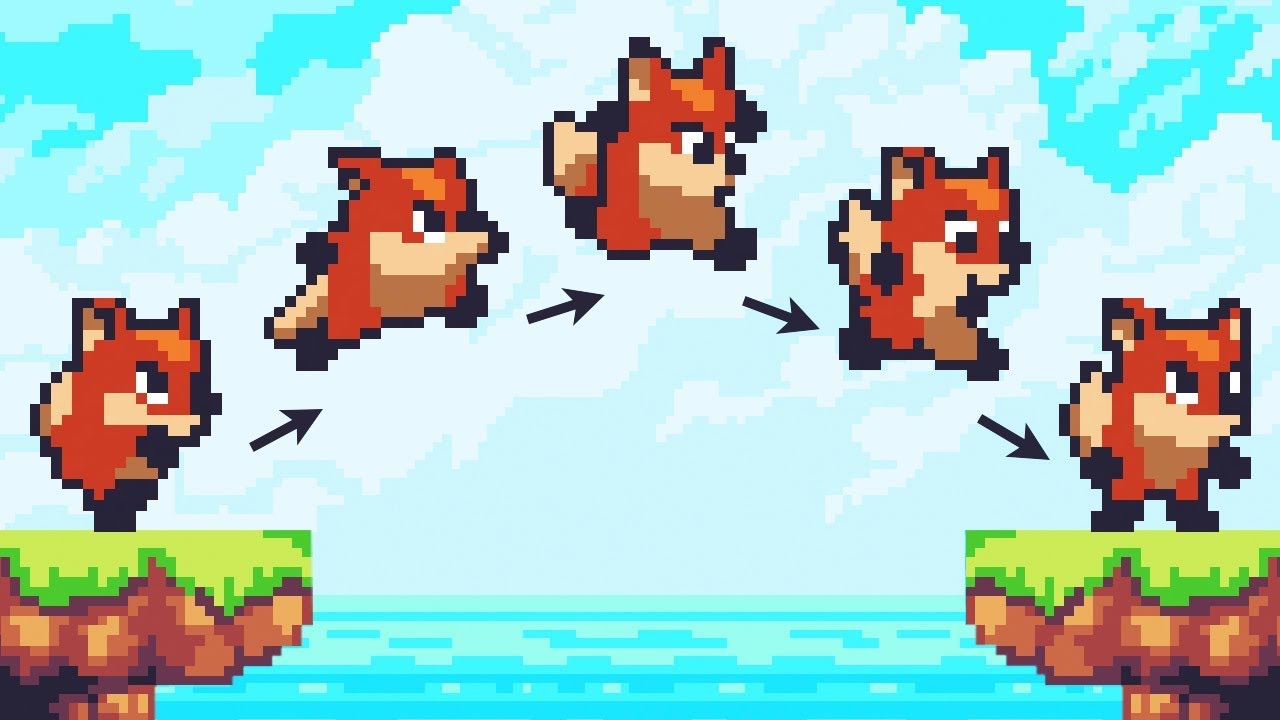
Let’s animate our character!
● Check out Skillshare: https://skl.sh/brackeys8
● Watch Player Movement: https://youtu.be/dwcT-Dch0bA
● Download the Project: https://bit.ly/2KK5AG8
● Character Controller: https://bit.ly/2MQAkmu
● Get the 2D Sprites: https://bit.l...
Does anyone understand how Brackey's got the character to flip automatically when he changes direction
He doesn't explain and he didn't import flipped animation clips - if it's not done using the controller how did he do this?
Or did I do something wrong
 novel meadow
@red acorn it's done in the controller. There is a Flip() function in there with which he multiplies the localscale.x field of the transform by -1 whenever the player moves into the opposite direction he currently faces (which he saves with a facingRight boolean)
He linked the controller in the description, might be useful to look at its code
red acorn
In the character controller?
Not in the animator controller
Right?
Did I just miss something
@novel meadow
novel meadow
Yup, the character controller
red acorn
I'm not using his character controller script if it's in there, I already set my player movement up my own way
I think I can figure out how to flip it using my code I just wanted to be sure there was no way to do it in the animator that I missed somehow
His corresponding 2D movement tutorial is not great
Thanks
 ruby wedge
Yo, has anyone here managed to find a way to successfully import animations from Adobe Animate/Flash into Unity?
I make all my art assets in Adobe Animate, though you can just export a sprite sheet of pngs, its not really that great, especially with more complex animations.
The only thing ive found is an a tool on the Asset Store called GAF, which imports SWF files into Unity, and it works pretty well, but its seemingly no longer supported by its creators and only functions with Unity 2017. im kinda worried that it will just die one day as the converter runs on a server so id rather avoid it if i can.
But yeah, if anyone has found another way of importing animations from Adobe Flash/Animate into Unity id worship the ground you walk on to know about it.
 real cobalt
If I start doing stuff with Animation Rigging, would this be the place to ask?
 floral pebble
Yep, the channel description tells you so. @real cobalt
real cobalt
Half of servers don't describe their channels so I forget to look 😅 thanks!
 quasi sail
Hey so i've imported my model with animations to unity
and in unity the animations seem to be perfect, exept for one of the legs

(I've slowed it down here)
this is on all animations
also, another side note
this is from blender
to unity
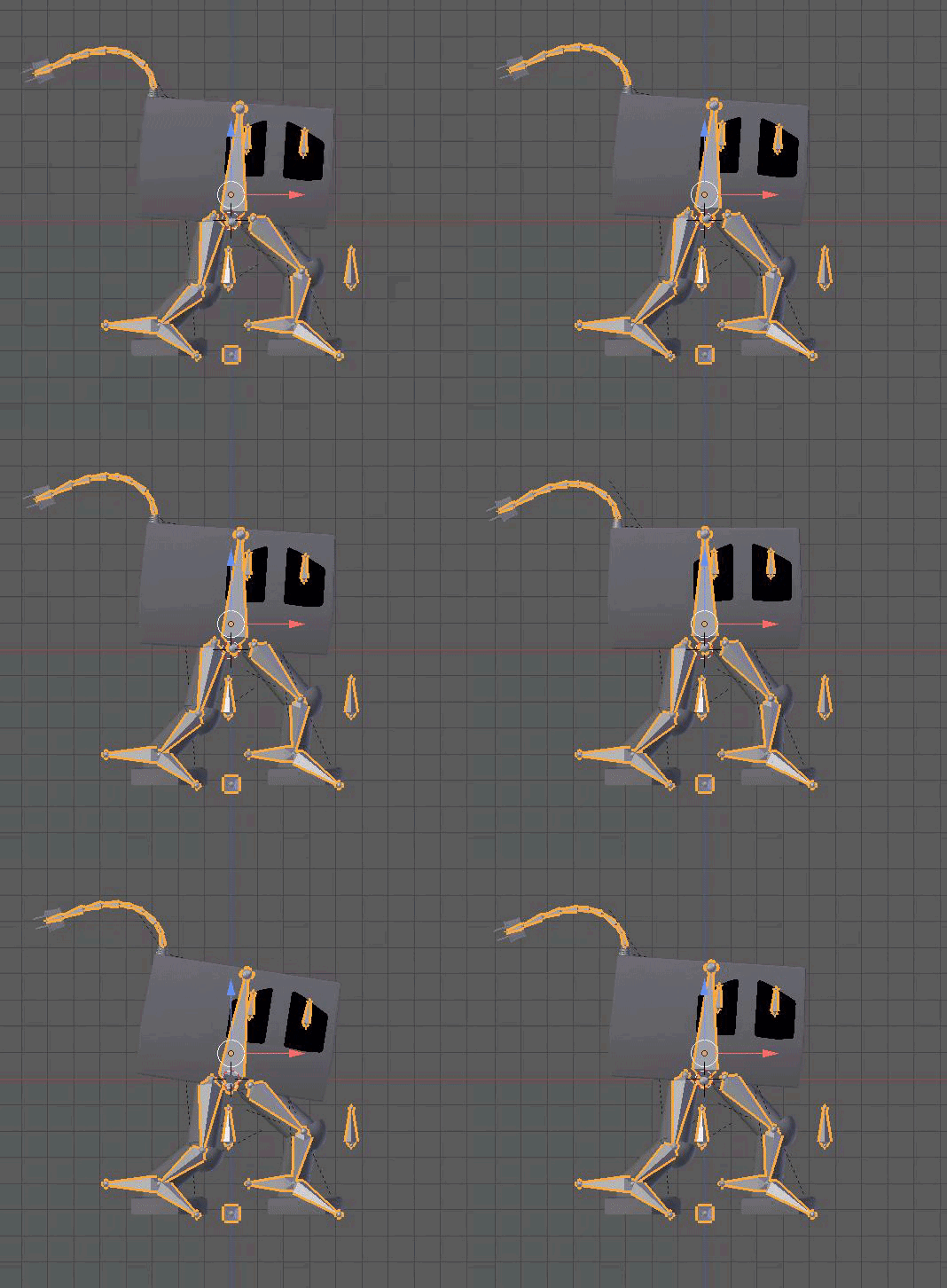
here's what it should look like

here's my blender import settings
 minor crater
[looking for an animator] Not sure if this is the right channel but I am an indie game developer willing to pay an animator to make a few judo throw animations, similar to batman arkam city, for my game. I have a model rigged and ready for mecanim. I just need some blender actions created. DM me
 opaque pilot
There's not really a hiring/LFW channel on here, the mods generally recommend using Unity Connect
 drifting hound

My imported blend file's animations all show the same anim? 2019.3.0f3
Same happens in-game, animation transitions don't work, it just plays the same anim for everything
was working fine last time i checked, but that was a few weeks ago and before an engine update
if anyone knows what's going on, please @ me
 jolly idol
Hi all,
I am trying to make my enemy with a navmeshagent to strafe
but when I use "navmeshagent.velocity.x" half of the time the animation walk is backwards.
 bright pawn
Call me stupid, but I'm having trouble animating a 2d sprite to change into a different sprite, I can't drag and drop it into the timeline, any idea what I'm doin wrong?
 trail pilot
help i can't slice this sprite
boreal hollow
So question if I want to use say holding animation(which is just the arms in a holding position) with say the walking animation, do i mask the arms in the holding animation or do I mask everything else in that animation
hybrid tinsel
@trail pilot in the image import settings is the sprite set to 'single' or 'multiple'?
boreal hollow
okay so I can get the masking to work if I give my model a humanoid rig but when I hit test play it causes my model to do a 180
Can anyone please help me on this I am at the end of my rope with this
I have watched to many videos and read so many guide and followed each to the letter and still nothing
 lavish oriole
Hi, I woud like the light to go BEHIND the tree. I guess it's a layer matter, i tried to sort them by "distance" like, front is bottom, back is top. But it seems it's not working
I'm using 2D lights
Any idea?
 last moth
Hello, when i load same scene again my animator doesnt work well. I mean, animations are doing good but booleans are not changing. What should i do?
last moth
everything works great, im just not very smart
boreal hollow
Okay so this is everything setup in the editor
And this is after you hit play
Can someone tell me why
twin musk
Is there a way to conditionally apply Avatar Mask only on certain animations and not on entire layers?
 glad umbra
anyone know why my door close anim just snaps shut instead of closing correctly
https://gyazo.com/77524d4a1be07b4a2d3051c07fac7226
 hybrid tinsel
@glad umbra how are the transitions set up? Also are the animations set to loop?
hybrid tinsel
It looks quite weird because the door is opening but it doesn't show the transition triggering
Or the state changing
glad umbra
Not sure what you mean there
Seems to related to default layer state
Yup
On revised version when I change layer state
it flips the action?

idk how to fix it
hybrid tinsel
It seems that you are not actually changing states but just replaying the motion
 brisk raven
Im trying to get my sprite to stay in a direction (New Sprite) after the variable for direction is changed. I.E Horizontal = 1 therefore the position.x = 1 /right. I'd like it to stay right as right now it immediately sets back to the original sprite i set it as. Would anyone know how to program it to do this or how to use the blend space to achieve this?
hybrid tinsel
@brisk raven Don't change the variable you base the direction on until you want it to change direction?
twin musk
simple question, if I need to make multiple overlapping animation sheets (for 2D) for clothing would it be best to use the unity animator or animate it in the script
 digital spruce
I need to make the attack animations but I'm making this instead
 shell nymph
Crosspost from the 3D channel, hope its not considered spam, if so I can delete
Is there any way to animate the material of a quad other than swapping out the entire material? I am working on a 2.5D games, obviously it needs to be a quad or I will not get shadows, but animating quads means making a material for every frame?
I really hope there is a very simple solution to this I am missing
Thats how the game looks, 2D images but with shadows, there is no way to do this except quads I think, and the only way to animate them is to make a material for every frame?
 gentle wind
Sprites are best for.. Sprite animation but its possible for material swap sure, not very efficient i would imagine.
Maybe a custom shader?
A quad with only shadows rendering, on the sprites location?
I would store the sprite frames in a custom material, that can be accessed via script if you need it to be precise, havint done this though.
shell nymph
A custom shader is the one thing I have neither worked with or tried, no idea even where to start but it looks like my only shot. Honestly surprised its such an annoying problem to get a "2D" sprite to have a shadow...it seems like this should be built in, in some way
hybrid tinsel
@shell nymph you can animate the UVs of the quad
 rugged tapir
Does anyone know of a tool that can be used to perform keyframe reduction on single animation clips already inside the Unity editor?
We have a source FBX that we didn't change the keyframe reduction values on its importer when we initially started using it, and most of its animations have ended up being duplicated to be worked on inside Unity since you can't edit animations that are part of an FBX. So now even if we do change the import settings for the FBX, it wouldn't affect the animations we're actually using in the game.
Any ideas?
hybrid tinsel
 lean dove
Hi,
I was curious about an animation issue I had for a while now:
I have set up a humanoid character with animator, and tried to make a custom (generic animation I assume) for it.
The issue is that some properties don't seem like they want to be or are able to be animated.
For example, I tried to record/keyframe the jaw rotation in a new animation clips, but it doesn't work. Not with the current model and not with the previous one. Seems like the attributes are somehow locked.
https://cdn.discordapp.com/attachments/401076282869415946/658557801983115264/unknown.png

(so even if I change the properties during recording, and it has a keyframe for it, when I stop recording and change the frame in the animation to anything, it resets)
lean dove
And another question: does anyone know a tool that can apply the keyframe properties of a certain animation directly to the transform hierarchy of he character (outside of the preview mode in the animator). I could imagine there is an integrated way to do this.
and the other way around maybe? (despite less important right now) to just automatically keyframe all transform properties of the hierarchy below a certain transform and put it into an animation clip?
hybrid tinsel
 rugged tapir
@lean dove Don't believe there's a built-in tool, but if I get what you're asking, building a custom editor tool for it shouldn't be too complicated using the AnimationUtility API https://docs.unity3d.com/ScriptReference/AnimationUtility.html
In regards to the second thing, it sounds like you're looking for the UnityRecorder package (https://assetstore.unity.com/packages/essentials/unity-recorder-94079, you can find the most recent version in the Package Manager).
 lean dove
Thank you!
 stoic sluice
how do i make it so animations only play for certain bones for a generic character?
 worn parrot
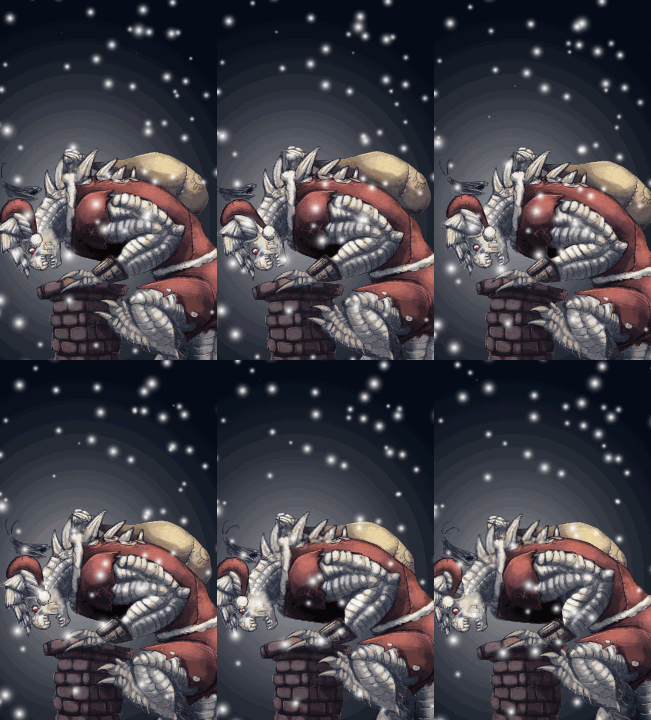
@hybrid tinsel Looks cool, but I think you should add more movement to the Merry Christmas text - like scale / rotation or something
hybrid tinsel
I could, but more stuff moving around makes looping it more annoying 😄
And thanks!
@stoic sluice is this an imported animation or a unity one? If it is an imported one I believe you can choose which bones to load keys for in the importer, but I've not tried it. Worst comes to worst, you can make a copy of the animation and delete the keys off of any bones you don't want them on
shell nymph
@hybrid tinsel can you explain a little further on animating the UV? How would that achieve sprite based animation on a quad, I'm very new :) if not you can always link me to a tutorial or resource that might elaborate a bit. Thanks :)
hybrid tinsel
@shell nymph first of all, are you using the old renderer or the new hdrp/lwrp/etc?
Because they kinda broke the old way
But the basic idea is that you change the UVs of the quad to show different parts of the texture- different frames
You can find all sorts of scripts for it, jsut make sure you're using one for the render pipeline you're using
You can also change the UVs of the mesh directly by script
shell nymph
Thank you very much 🙂
This is embarassing, but I have not touched any render pipelines
So it looks like if I want to progress with this project at all I will need to learn quite a lot more
 scenic comet
Is there a way you can export Unity's Bone mapping system for a more legitimate reference? My Avatar Definition and bone configuration always has to be manually altered and I'm often left with a few unused bones.
hybrid tinsel
I know there are 'unity skeletons' available for a bunch of programs
 glossy spear
Hi, quite new with Unity, someone have a minute to share?, i have an animation path missing issue, i'm sure it's a trivial issue. Please PM me i'll give you all the info needed. Thanks
hybrid tinsel
@glossy spear why not just tell us what is wrong?
 grim surge
Hi everyone! why I see this instead of bones motion in animation?
grim surge
I got it! It's because of Humanoid rig and retargeting. 😋 And I suppose that there is no way to tune animations because of this. 😥
lean dove
Not sure if there is an accessible option with the regular animator window. You can change those values but it might not always be apparent what those do? changing the transform position or rotation of an object driven by an animator bone will only change the transform property, not the animator bone related to it I think?
There is a tool called uMotion which lets you animate humanoid clips in unity though
 shy moth
I have a kinda complex question about rigging
Whats the best way to animate a player with an object that has its own rig?
For example, I want a rigged player with a gun, and the gun has an armature for the clip, trigger, hammer etc.
However I also want to animate the player without the gun or with other animated weapons, so I can't have the gun rig and the player rig combined.
shy moth
If you have a response @ me
twin musk
Is there a way to export vertex animations in blender to run in unity? Can't seem to find anything online and the way I'm animating my character I need vertex anims.
 frosty vector
@twin musk do you use a rig to animate vertices?
lean dove
@shy moth haven't really done this but a few ideas:
1st approach: animate the model and the gun separately, then play matching animations together, place the gun into the transform socket intended for it on the hand
2nd approach: have the gun transform hierarchy in your character avatar mask too, so you animate everything together. But when there is no gun, you could simply deactivate the gun root transform below the hand transform (or set the renderers and colliders of it to disabled etc)
oh okay, you said you basically can't have the second approach then
hybrid tinsel
Can you use blendshapes?
shy moth
Hmm interesting
I'm currently importing my models and anims from Blender, and I know that support for control of multiple armatures at once is pretty new
twin musk
At the time I was using pure vertex animations, nothing else. I have to have this project done by tomorrow, so I bit the bullet earlier and fully rigged and animated my first player model. Came out pretty well, surprisingly.
twin musk
I want to animate 2d character's facing direction based on his last movement but I don't know how. I just need some general idea of how to approach this problem
What I'm trying to achieve is https://gyazo.com/ee3c673a69e2d3d2488f88ebfc1ee920

what I have is https://gyazo.com/dbd37043c90f8633bd495d534dd1f93f
 hybrid tinsel
@inner spear That is pretty cool! Have you tried stepping through frame by frame to see what parts of the mesh are specifically being affected? Are you getting error messages about non-normalized weights? is this a single animation or multiple blended with a animator?
 astral sand
Hello, I would just like to ask, I made a model from blender and I was hoping to know what tool should I use to make animator such as idle, walk and run?
 past yacht
Hi, is there any way to jump to the end of the animation? or jump in animation?
hybrid tinsel
@astral sand You can animate in blender, or in unity
You can also set the 'in' point in an animator transition
past yacht
@hybrid tinsel Thanks
hybrid tinsel
😄
astral sand
Thank you @hybrid tinsel
shy moth
@astral sand I've had success rigging and animating in blender
It's just a matter of setting up your ik bones properly
 lavish totem
I want to do in my game a script that do like this:https://media.discordapp.net/attachments/658440836568317982/659815149493813307/baqudajdapsada.gif
I have a sprite sheet of the character and I want my player's sprite to change according to the mouse position.
Please show me a script example if you know how to do that.
 hybrid tinsel
@lavish totem You can do most of the work in a blend tree, passing a float into the animator and switching sprites based on that. Then you just need to set the float based on the angle between the mouse and the character
shy moth
math
lavish totem
hummm @hybrid tinsel and how I find the float between the mouse and the character?
hybrid tinsel
@lavish totem If you have two Vector2, p1 and p2, Math.atan2(p2.y - p1.y, p2.x - p1.x) * 180 / Math.PI;
lavish totem
only this?
hybrid tinsel
That will give you the angle in degrees.
lavish totem
oj
hybrid tinsel
use that as a float and assign the different directions to the appropriate angles.
hybrid tinsel
Good luck! You can do it!
hybrid tinsel
How did you do it? Share so the next person will know how 😄
lavish totem
Ok
@hybrid tinsel and I will put in Unity forum too because I think a lot of people have the same problem as me
 summer sonnet
Is this the right room to ask specific questions about the Animation window in Unity2D?
I have different animations for different directions of my player and each time i introduce a new animation I need 3 variants, so the complexity of my state diagrams is going to grow very exponentially if I have to have a state for each variant. Is there a way to have an animation clip make a sprite substitute based on a parameter? I.e. when direction is 2, use the sprites for moving south, etc.
summer sonnet
@lavish totem no clues on the animation question?
hybrid tinsel
So you'd create an override for each set of sprites that will be using the same logic
lavish totem
no clues on the animation question?// I don't know :C @summer sonnet
summer sonnet
So one gameobject would swap between the override controllers? This is all for the player object.
@hybrid tinsel ^
hybrid tinsel
Yes. You'd set which override you want to use at any time.
lavish totem
@hybrid tinsel I DID IT
I DID IT !
omg
I only need to know how I stop the animation in c#
only this
like stop the current animation
hybrid tinsel
You can transition to an empty/idle state.
lavish totem
no
hybrid tinsel
Or do you need the animation to actually pause?
lavish totem
pause
hybrid tinsel
You can set state.speed to zero
lavish totem
how I do that
hybrid tinsel
or animation.enabled = false
lavish totem
but how I get this "animation"
hybrid tinsel
So that is two different ways to pause the animation, either disabling the animator from playing or setting the speed to zero
lavish totem
I don't want to disable the animator
because when I do that I have some bug
bugs*
hybrid tinsel
Then do the other thing
lavish totem
I want like
stop playing the current animation
wait
disabling playeranimator works
the bug is in the movement script
Do you know how i calculate the distance between player and mouse cursor? @hybrid tinsel
hybrid tinsel
Pythagorean theorem.
lavish totem
👍
lavish totem
@hybrid tinsel I did it in another way And now REALLY WORKED
I only wanna say thank you so much
hybrid tinsel
❤️
lavish totem
@hybrid tinsel this is the code that I made it
{


    //animação
    public GameObject playerg;

    private Vector2 mouse;

    public Animator playerAnimator;
    private int idAnimation;
    public float distance;
    // Start is called before the first frame update
    void Start()
    {


    }

    // Update is called once per frame
    void Update()
    {

         mouse = (Input.mousePosition);


        Vector3 v3Pos = new Vector3(Input.mousePosition.x, Input.mousePosition.y, distance);
        v3Pos = Camera.main.ScreenToWorldPoint(v3Pos);
        v3Pos = v3Pos - playerg.transform.position;


        if (v3Pos.x > 0.5 )//direita
        {

           if(v3Pos.y >0.5)//direita cima
            {
                idAnimation = 3;
            }

            else if (v3Pos.y <0)//direita baixo
            {
                idAnimation = 4;
            }
            else
            {
                idAnimation = 1;
            }


        }
        else if(v3Pos.x <0.5) // esquerda
        {
            if (v3Pos.y >0.5)//esquerda cima
            {
                idAnimation = 5;
            }

            else if (v3Pos.y < 0)//esquerda baixo
            {
                idAnimation = 6;
            }
            else
            {
                idAnimation = 2;
            }

        }
        if (v3Pos.x<0.5 && v3Pos.x >0 && v3Pos .y<0)
        {
            idAnimation = 0;
        }
        if (v3Pos.x < 0.5 && v3Pos.x > 0 && v3Pos.y > 0)
        {
            idAnimation = 7;
        }

        playerAnimator.SetInteger("idAnimation", idAnimation);
    }
}
direita is right and esquerda is left/ direita cima is right up and direita baixo is right down~/ esquerda cima is left up and esquerda baixo is left down
twin musk
Evening everyone, I would just like to ask, do you guys have any preference for an asset when it comes to Animation ? 🤔
lavish totem
I don't have
twin musk
Hi guys,
Im making a First-Person Shooter game, as a solo dev this time around, and 3D animation/Rigging is not at all my field of expertise.
I rigged and animated stuff before, but to do some actual anims for a game, that's going to be new for me.
So, Im trying to wrap my head around this right now.
How will this actually work?
For First Person Arms, shooting guns, then using abilities
is the recoil of the gun animated on FP Arms?
Not sure how I'll bring the guns into FP hands and all
Setting up the cam
Etc
 alpine basin
Just asking, so I have a game object where 1 animation is it when getting boosted and 1 is it shooting, can I play both animation at the same time ?
zinc mason
I also have a question. 2D Animation, I have the keyboard set where spacebar = Jump. Animations work perfectly. Since I want to go mobile, I made a Jump Button on the UI. I hooked up the button, when I click on it the physics works, but the anim.SetTrigger("Jump"); doesn't get triggered anymore. Still works perfectly with the spacebar. Any ideas?
So she flies into the air, but she doesn't play her jump anim, nor her landing anim, nor the camera shake upon landing, nor the landing sounds. All of this is bypassed.
@twin musk : So, in theory, the animations for a FPS are not too tough, as you really are only animating the player's hands.
For example. bringing the gun into his hands is just animate the hands down until offscreen, instantiate or SetActive() the gun into the hand with an Animation Event, then reverse the animation back up into the ready position.
lavish totem
@zinc mason but
anim.SetTrigger("Jump") you need to set this in a variable like anim.SetTrigger("Jump",jump)
hybrid tinsel
@lavish totem that isn't true, settrigger always defaults to setting to true.
and ResetTrigger to false.
 terse rover
first time trying to do anything 2d related.
 unkempt creek
Question about blender to Unity with shape keys. I have played with the curves inside blender for shape key interpolation but that won't import into unity, only a 0-1 slider does
any ideas?
 violet ledge
Hey all... probably a noob question but I'm not sure what to look up to do this.
How do I set up a rigged mesh in Unity to have IK?
I want to be able to move to root bone and have it bendy and responsive.
Tried adding joints+rigid bodies to all the bones and it went crazy
 royal crescent
Silly question but would it be better or ok to seperate the task of drawing out characters and scenes then passing it to another person to animate them or just have one person do both drawing and animating?
 cedar ruin
@violet ledge yeah, ik is basically when you calculate parent bone's rotation from child bone's rotation and/or position, so it wouldn't work just with joints. You need write your own implementation. There's only built-in implementation of ik for humanoid rig.
hybrid tinsel
@violet ledge there is a unity IK system that is in the experimental packages in the package manager
@royal crescent dunno if it is better but it is certainly okay.
I do a lot of animating of other people's drawings.
 fresh pilot
for some reason when my 2d pixelated character walks, he flickers up and down
the pivots are the same on all frames and they are lined up properly
hybrid tinsel
Is it in the scene view or only in the game view?
fresh pilot
both
only during animations
it actually makes walking left look better, but when I go right it is really weird looking
I can try offsetting the pivots on the frames but that shouldn't be needed
changing the pivots doesn't fix it
fresh pilot
ok I fixed it. All pivots are the same but for some reason me messing with them fixed it
 misty raven
Do we have any people around that are familiar with animation controller overrides? I'm in the process of comming up with a generic animation component for a "block" think Tetris, or some variation there of. I've got like 3 states "Spawned" "Idle" "Destroyed" which I want an animation to play. And as the block is just variations on a particular sprite (changing color mostly) .. I thought I could get away with using the Animation Controller Override to do the job. However I started getting a bit worried when I was thinking about future changes that might come which would have a mech anim state machine that might not match up exactly with the previous one... I.E ignoring all 3 states Idle, Spawned, Destroyed and dealing with a "Damaged" state... which is less of a replaceable swap. At the moment my only 2 alternatives to using the controller overrides are legacy animations, or the playables API. I was looking for feedback on which approach seemed the best.
 vagrant pagoda
Hi, new to animation... any one knows why most of the mixamo animations don't work for loop match?
and what on earth loop match means?
😄
 neat nimbus
excuse me how can I check if an animation is ended?
if (this.animator.GetCurrentAnimatorStateInfo(0).IsName("YourAnimationName")) doesnt seems working
hybrid tinsel
I usually put an animation event at the end of the animation I want to detect
neat nimbus
so when the animation reach that poit it automatically execute the function linked
?
should the function be public?
 green swift
hi guys
how i can play jump animation but stretch it so it be perfect from the start of the jumping to landing
zinc mason
@vagrant pagoda : Loop Matching means that the last frame in the loop will match the first frame closely enough that the animation flows smoothly and doesn't look like it suddenly jumped to that frame.
@neat nimbus : AFAIK, the following is true:
AnimationEvent requires :
😃 The Component from which you want to use a method is attached to the same GameObject as the Animator component
🙂 The method you want to call has accessibility and return type public void (so yes, public)
😇 The method you want to call has no, or at most, one parameter
😆 The supported types for the parameter are int, float, string, bool or UnityEngine.Object
neat nimbus
the problem with AnimationEvent is that I need to call a method which isn't in the same gameobject of the animator
anyway jokes aside how can I solve this?
zinc mason
Yikes. Okay, if the method has to be in the same GO as the Animator, then write a script on your object that calls to the method that isn't on your object. Clear as mud?
So I have an AudioManager script that creates an instance of itself whenever I need it. I can access this through an Animation Event by writing a quick script that just says:
.
neat nimbus
yes I know that but creating a script just for this seems a waste of order
zinc mason
AudioManager.Instance.Play(whatever);
neat nimbus
so I'm trying directly via code to see if I can check the animation end
zinc mason
Ok, well, if it's just for a test, I put the event on the last frame and write a quick debug void that says "print("Last Frame Reached"):
You'll just take it out after the test anyway.
Or if you need to see it visually, have it play a quick Particle System, though that takes a couple of more lines of code.
Either way, if your method isn't on the same object as the animator already, you're going to have to write test code just for this.
twin musk
hello guys i'm trying to put animation jumping my problem its stuck only in one anim of jump
i'm sorry if my english really bad
 honest halo

Do someone know how to change the pivot point of a 3D character?
He is running forward, but his pivot point is in another direction, how can i change that?
violet ledge
Belated thanks for the responses @cedar ruin @hybrid tinsel ! Will check out the experimental IK system
honest halo
How to interrupt an animation before it end when another want to be played
I have my Idle animation that continue to play while runing and then when it's end the run animation begin
 modest raptor
Does anybody have a moment to help me with an issue I have with animation controller layers? Despite not changing any settings that I know of, my animation has suddenly broken.
I have a Lower body layer, and an Upper body layer.
The lower body layer contains lower body animations,
and the upper body layer contains upper body animations only.
Yet somehow my animation is broken only when the upper body layer is enabled (which shouldn't really affect the lower body animations at all)

This is how it used to look
Now it looks like this

I have double checked my avatar mask
modest raptor
The answer, if anyone ever experiences the same, was just the order of the two layers in the inspector
 vast crane
Hi I'm a beginner and I downloaded the free Cyborg character but his animation are not working.
when I play the game the character moves but without any animation
At first the console said that the "walk" animation wasn't on legacy, I couldn't modify it even in debug mode. So I looked in to google and copy paste it, to put the copied walk animation on legacy mode
After that, the console did not say anything but still there are no animation
Here is the screen of unity : https://ibb.co/8xc3gCS
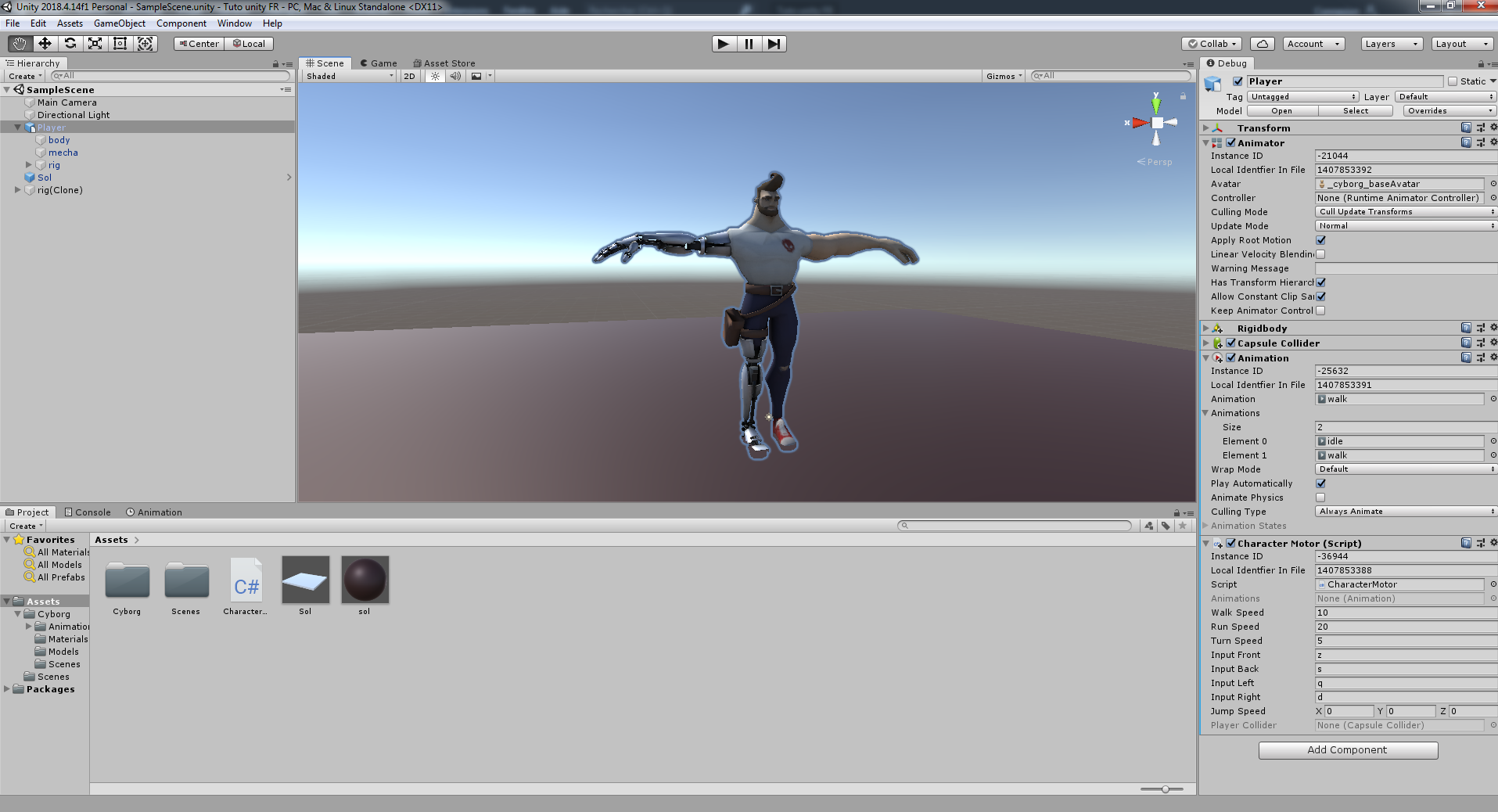
Here is the script charactermotor https://www.sendspace.com/file/nzyvpc

Send, Receive, Track & Share Your Big Files with SendSpace file sharing!
worn parrot
@hybrid tinsel Hi, Do you know if it is possible to bake 2D Sprite Skin Animations?
I have around 30 objects that run the same animation and it's slowing down the performance significantly.
Do you have any tips on 2D Skeletal Optimization?
hybrid tinsel
That is a good question, and I've been looking into options for that very reason. It is looking like making a sprite sheet animation of it might work but there's no real way to automate it yet. I'm thinking that saving vertex animations might be viable too, but until the 2d animation is fully mature they haven't really published how to access the mesh.
@worn parrot
As for optimization, hard to say, for the same reason; they don't really give very much access to the data yet
@honest halo you can either set the animator state explicitly via code, or you can use a 'from any state' condition.
Or can just set a 'no exit time' transition from the animation you want to interrupt.
honest halo
Thanks
hearty forum
I'm trying to get ps1 esque animation, and that means having every animation as "constant," but when I change everything from linear to constant by copying and pasting animations from blender(tell me about it... You would think Unity would pick that up😒) and, well, set it to constant, my animations start glitching out, anyone know the solution?
worn parrot
@hybrid tinsel Thanks for the answer!
Making a sprite sheet sounds like the most viable option, but not in my case.
I have a skeletal animation which I copy to different skins of the same shape.
(Basically I have an enemy with the same shape but different graphics)
I hope disabling the Sprite Skin & Animator Component when the object is out of screen works, but I haven't tried it yet.
hybrid tinsel
@worn parrot I believe that anima2d used actual skinned mesh renderers, so you might be able to do something with those to optimize things
worn parrot
@hybrid tinsel Okay, thanks.
By the way, have you ever used some kind of external 2D Animation Software like Spine 2D?
twin musk
hey, can someone here help me with 3d animation?
 cold badger
ask your actual question please
hybrid tinsel
@twin musk That is such a gigantic question that google is probably a better place to type it. My suggestion is to narrow things down dramatically- figure out what sort of animation you WANT to do, look into what sort of software you like/can afford, etc.
If you are using someone else's rigged models, then you should probably look into software that is compatible with those. If you are rigging your own, then... you need to look into rigging before you do anything 😄
But as it stands, your question is almost as vague as 'how do I do art?'
cold badger
Here's a starter https://www.youtube.com/watch?v=sgHicuJAu3g
here's one for a humanoid rig https://www.youtube.com/watch?v=U0dlWhB_e0E
twin musk
im literally the biggest idiot humanity has ever seen.
when i wrote that i was sleep deprived as fuck, so apologizes. what i mean is like, how to animate and rig a model using unity.
twin musk
its for 3d.
im making a game, and need walking, running, and standing still poses/animations.
iirc, theres a pack on unity filled with those aanimations?
hybrid tinsel
Yeah. You can't really do the rigging inside unity yet for 3d models, but you can use something like mixamo or blender.
You can create animations inside unity very well though, using the animation editor
twin musk
how could i use bbnder? like i should use the 3d animation tool?
vast crane
Can someone help me with the animator ?
I watched video on youtube but I still can't do what I want
I try to associate the animation for walking with the letter Z for instance
I don't know what to write on the script to do it
I want to press Z to make the character walk but I don't know how to do it
hybrid tinsel
have you looked at any of the animator and input tutorials on the unity site?
What have you already done, and what is giving you trouble?
worn parrot
@hybrid tinsel
Regarding the optimization:
I found a solution - I disabled the Sprite Skin & Animator components when they're out of camera and the framerate instantly increased from 30 to 60 FPS.
Thanks for your previous tips anyways 👍
hybrid tinsel
Cool!
 dark grove
hey folks, random question about the Animation Preview window
all my anims are coming in 180 from how I want, and therefore the Light in the Animation Preview is on his back. Is there ANY way to move that light ?
frosty vector
it sounds like you need to make ur anims come in at the right rotation
are u importing from blender?
 opaque skiff
has anyone got any tips for 2d run animation?
hybrid tinsel
@opaque skiff What sort of tips?
hybrid tinsel
Maybe post what you have and we can attempt critique?
opaque skiff
thats each frame
my problem is that, the player is to complicated to work with limes?
shell nymph
It's not too complicated, the process of animating is a very slow one, I would suggest just looking up what run cycles are made of in terms of typical frames and using that as a basis
hybrid tinsel
limes?
And I'd suggest not focusing on the complex art but just on the movement until that looks good
Also, try to keep the foot on the ground more flat until it pushes off
opaque skiff
limbs
im doing this fo my art course work so it has to look good
''Also, try to keep the foot on the ground more flat until it pushes off''
that i just dont get?
hybrid tinsel
If you break down a running movement, first the foot hits the ground, then it remains in contact until it pushes off
Humans don't land on their toes and stay on them while running
 tawny dust
I have a question about getting poseable animation drivers and shapekey drivers into Unity from Blender 8.1:
I have a driver for rotating the eyelids and a driver for modulating the mouth's shapekeys. I have created a couple of animations of "just blinking" and "just grimacing", but what would be most useful is to be able to pose the driver bones on-demand in Unity instead of exporting individual animations from Blender. This way I can fine-tune his expression over-and-over without having to go back to Blender.
What do I need to do in order to pose these bones in Unity and have them drive the shape keys/rotation of the eyelids, as they do right now blender?
vast crane
@hybrid tinsel I have this script and the animator
script
So the character does the animation, But he don't walk actually..
he just does the animation on the same location but I want him to move and doe the walk animation at the same time
hybrid tinsel
@tawny dust Unity can import shape keys and animations, but not drivers. You'd have to link the bone motion to the shapekey in unity with a script.
@vast crane Okay, a few things: First of all, you need to make sure that the animation actually has forward root motion in it- meaning that the animation actually moves the root of the character. Not all animations do, they can also be animated 'in place' with the expectation that you will move the character by code.
Then you need to set unity to use root motion in the settings for that animation.
If the animation doesn't have root motion, you'll need to either make an animation that does or directly move the character by script.
 clear heath
stupid question
I bought a character pack so I could start learning unity without being stuck at the whole 3d modelling and rigging part, but it says it's setup to use mecanim for animations, what is mecanim?
worn parrot
Does this animation look alright? Is there anything you would change? I'm open to any kind of feedback 🙏
hybrid tinsel
@worn parrot Looking good!
dark grove
i believe 'mecanim' has been depreciated, right?
worn parrot
Thank you! I'm not sure if the colors are too bright though
I'll just leave it as is
hybrid tinsel
@clear heath mecanim is unity's animation system, though usually when people say 'set up for mecanim' they mean that the model has a humanoid avatar.
worn parrot
@clear heath Does the character pack that you've bought come with animations?
clear heath
No it does not, it had 30 rigged and textured characters, and 27~ props, but they are not animated
thanks @hybrid tinsel
tawny dust
@hybrid tinsel ok, so you are saying I need to make separate animations for the eyes and the grimace that are independent of the bones, export the character, and then write a script that makes normalized time for those animations dependent on bone rotation? Is there any nuance I need to consider for this process? Is there something I should remember about playing two animations at the same time for the same character?
If I export as-is (with the bones as drivers in Blender), will that have the same result after Unity import, or do I need to redo the animations to prevent problems?
@dark grove "mecanim" is the name still used in the most current documentation, although the term "state machine" is used more now to refer to the system (even though that is a term for a more abstract concept). It is useful as a framework for seamless animation blending and queueing animations (as I have done) because you can visualize where the animation flags are used
dark grove
@tawny dust thanks for clarification
@hybrid tinsel I just finished doing an eyeball / blink setup; you can do layered facial pretty easily (new layer in state machine) or you can 'bake' them into your fullbody motions. If you need the eyes to dynamically follow stuff at runtime, use an orient constraint.
tawny dust
I already have a script for the eyeballs themselves (which, I remember now, I need to prevent his eyeballs from rotating back into his "skull"). I will look up using Layers in the state machine and get back to you if there is a complication, because in my experience there is only ever a single active transition between animation states (although this might just be by my own design)
dark grove
not sure if this helps, but this is the vid that got my facial working v

warning : first 5 minutes dude is playing with shaders....lol
hybrid tinsel
@dark grove was that meant for Thedisorganization?
And all I was saying was that the link between bone and blendshape doesn't get brought into unity
If you bake the blendshape animation that should work fine
tawny dust
@hybrid tinsel real quick: I use the names of animation states in my Update() and FixedUpdate() methods to do checks in IF statements. that check looks like (for one example):
if (animator.GetCurrentAnimatorStateInfo(0).IsName("Run_Back_Home"))
{
    //Do stuff
}
Now, a lot of these animation states are inside of other state machines. Take the Battle_JumpAttack state machine:
It would be most simple for me (I think) to access animations based primarily on whether I am inside this machine.
How do I check for that?
More info: Some animations can happen immediately after another ends; others need to be triggered manually (in the Update() loop) only after a Lerp() has completed. But I only want to test for these conditions while I am inside this state machine
tawny dust
Just a friendly reminder to all you Unity JRPG makers out there to TURN OFF ROOT MOTION so your characters don't lurch into the ceiling or through the floor if left idle long enough. Be safe out there!
👉 😘 👍
tawny dust
I figured it out. This guy got me most of the way but there was a nasty typo that had me going to bed confused and mad.
https://answers.unity.com/questions/937287/mecanim-substate-animation-complete.html?childToView=1688684#answer-1688684
Anyway. The solution is to create a new behaviour script for the submachine (do this in the Inspector). Put this code inside it:
using System.Collections;
using System.Collections.Generic;
using UnityEngine;

public class SubStateMonitor : StateMachineBehaviour
{
    [SerializeField] string myBool;
    override public void OnStateMachineEnter(Animator animator, int stateMachinePathHash)
    {
        animator.SetBool(myBool, true);
    }

    override public void OnStateMachineExit(Animator animator, int stateMachinePathHash)
    {
        animator.SetBool(myBool, false);
    }
}
What this will do is overwrite what happens when we enter and exit the sub-state machine the script is attached to. Specifically, it will turn a boolean animation parameter on when we enter the sub-state machine and off when we leave it.
You will have to define a new boolean animation parameter (like always) and put its name in the serialized field in the script's section of the Inspector. Then, in the script that handles your animation sequences, you want to do something like this in the Update() loop:
if (animator.GetBool("stateMachineAnimationParameter"))
{
    //Do stuff
}
On each frame, you will be inside as long as you are in an animation state or transition inside that state machine. This will require you to make fewer animation parameters overall and organize your code better. You can also check that you are in specific animation states at the same time you are in the sub-state machine.
Unity is the ultimate game development platform. Use Unity to build high-quality 3D and 2D games, deploy them across mobile, desktop, VR/AR, consoles or the Web, and connect with loyal and enthusiastic players and customers.
hybrid tinsel
Not gonna lie, @tawny dust , you are living up to your name a little there 😛
tawny dust
@hybrid tinsel Don't make me send Thwomp to your house!
 brave sparrow
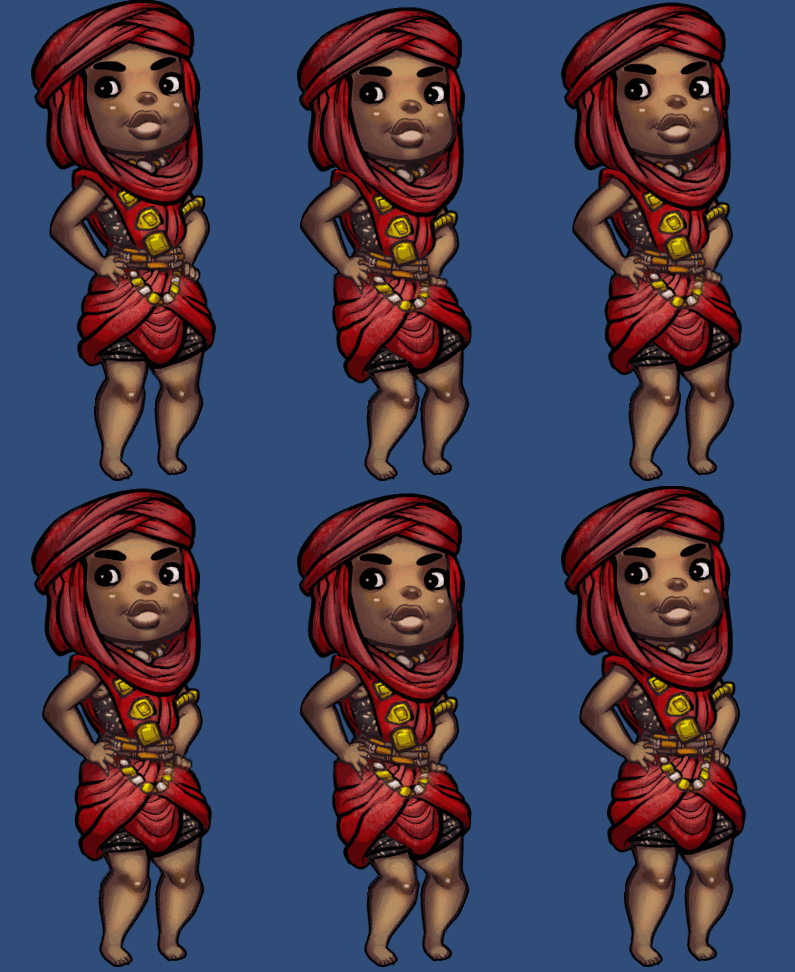
Hello! Would you please help me understanding why is this happening as soon as I press preview in the animation tab? I'm trying to start animating this character but I can't due to this.
 twin musk
so, i have this little rig setup, and i have this circle ("hand") influenced by that bone (purple???)
but when moving the bone, the circle stays
(admitedly shouldn't've made it a seperate sprite but oh well
twin musk
Any idea where i can get MineCraft charater animation?
tawdry lava
Hey guys, I have a question on how I could rig this bone So that when i move it around, the entire arm follows. I saw some tutorials on IK, but i cant seem to get it to do what i want it to. I've been manually doing animations for swinging swords etc, and I feel like if i have a IK bone that represents where the sword will be, it will be easier to animate.
tawdry lava
yeah
winged wyvern
if it is. then after you weight painted them. you should just be able to make a IK
tawdry lava
weight paint? ill look into that rn
winged wyvern
yea how else will you move any bone
tawdry lava
I have no idea how to do any of this blender stuff XD i usually just get a model from my friend and manually rotate the bones for my animations
winged wyvern
xD. its fine. its really simple trust me
look up some riging videos in blender .its litulary two clicks to add auto weights
tawdry lava
oh so with automatic weight is paints everything for you? i think I did that already
winged wyvern
yea.
then bones should move fine
and to move the hand like you said. thats called a IK
look into it
winged wyvern
its been a while since i animated xD. not sure any more. i know why. i dont remember how
tawdry lava
man this is probably so simple but i just cant figure it out XD
winged wyvern
it is. i just forgot though. im a 3d env artist
tawdry lava
I’ll give it another hour to see if someone answers, if not I’ll animate by hand
 tranquil escarp
hey this is a massive question but how would I go about creating a procedurally animated dog? assuming I had the mesh all prepared and rigged
 mild imp
is there anyone that has done a 2D pixel animation of a character running and idle? My attempt is just aweful aahah and wouldnt mind gifting for my game? (will reference you in the credits)
https://thomas09.itch.io/box-avalanche this is the game, currently in developement for google play store

 vivid star
I need help making an animation
The video I am watching says that there is an animation tab right beside the Console tab
cold badger
window > animation > animation that will open it then you can drag in next to the console
any window you need that isn't already there you can always find by going to Window at the top left
 upper galleon
Is it possible to make cutscenes and then start the game?
If so, how?
 jovial owl
Hey there. I'm new with animations and I've stuck with this kinda problem where character's direction is changed by animation. He should be simply running looking straight forward but instead he's looking all around the place which also makes him go off track at all.
How do I make him pass a walk and turn alco test? I'm guessing there is something with the weights? Really this whole world of animation is a new shiny thing to me.
p.s. it's like he's tryna escape from me
neat nimbus
Can somebody explain me how the heck the animation event works?
I just added a public function in the script but on aniamto editor it only shows me around 20 default functions
hybrid tinsel
@neat nimbus Is the function's script on the same object as the animator?
twin musk
Any1 can help with mixamo animations?
Am putting Kenny 3d character there and its not working for some reason
any thoughts?
Oh worked
neat nimbus
@hybrid tinsel yes but the selection in the editor just showed me some default functions. For now I "Fixed" by putting an empty animation state after the Animation and then use that for check if the previous is ended
shy dagger
I tried to import a mesh to Unity that is animated with shape keys
But Unity won't include the animation
hybrid tinsel
@shy dagger Did the shape keys import properly? Did you make sure that both export of shapekeys AND export of shapekey animation was enabled in your exporter?
shy dagger
I exported to dae, and that had include shape keys. I had it checked
Guess I'll have to give the mesh armature
red acorn
best practice for animations that play with a trigger - should the OnTriggerStay message be in the code attached to the triggered object itself or the player object/other collider
?
worn parrot
Depends on the use
red acorn
Can anyone please provide some insight in this strange issue i'm having with OnTriggerStay
twin musk
Any know how i can do animation by typing it in script?
bruh
@twin musk ?
I already got the animations set but i need to call them in script without doing it in animator
can any1 give a hand on how to do it?
ohh sorry
i thought you were speaking in general terms
 feral sage
hi all, does anyone have any idea how game characters are modelled and rigged such that they can accommodate multiple costume swaps. I am currently developing a Mobile game and have to work within limitations of poly count
does it make sense for each costume swap to have a separate rig and animation controller to drive it?
 shrewd forge
ive added the bones to my 2d sprite but when i drag it into the scene its not showing any bones. any help?
 merry elm

Stack Overflow
I've been using Unity with the 2D Animation package for rigging my multi layered sprite. It worked like a charm, rigged the thing, created my animations but.. all the sudden the gizmo showing the b...
Haven't worked myself with those, hope its of any help
shrewd forge
@merry elm sadly that didn't work but thanks you
 misty forum
Hi I'm having a problem
When I import a .fbx model with an animation, and drag it in the scene, it doesn't come with the Animator component as usual
What's the problem? Thanks in advance
cold badger
maybe try adding some words to that, like, I dunno, saying what the problem is and what you're trying to achieve
 remote rivet
watch again
how to fix it
He comes back to his first place
i don't want this
okay?
cold badger
watching it doesn't tell me that because I don't know what your desired effect it. Now that you've told me I can see if i know how to fix it
is this the raw animation or are you doing any coding stuff to affect this?
remote rivet
animation is raw
cold badger
I'm not super good with this type of animation but are you resetting the pivot back to centre or something?
mild imp
after an animation is concluded, it starts again, which is from its starting point
cold badger
This is exactly why animations are generally made to start and finish in the same place, because fixing stuff like this is a pain
mild imp
like walruswares say. every game you see like this, its a stationary animation, and a force is applied to the object to propel it forward, not the animation itself
remote rivet
explain more
mild imp
Niceties would go a long way
cold badger
^
literally what we said, the start position x, y, z should be the same as the end position x, y, z
because otherwise you get issues like you are seeing now. It's the code that makes the character move forward as it's jumping or whatever. Same reason why running animations are always actually running on the spot, because the code is what moves it forward, the animation keeps the character in the same place
mild imp
there is an easy fix that wont take too much time
on each keyframe, just delete the X,Y,Z movement part. and make each keyframe stationary.
tawny dust
@misty forum as long as the animations were created when you imported the FBX (check same project folder), you can add the component with the "Add Component" button in the inspector for your FBX prefab.
misty forum
@tawny dust I know.
That doesn't help that there's a missing avatar that comes with the .fbx.
But I already fixed that.
 harsh topaz
Would anyone be able to help me add some animations to a model? I've never used animations for enemies or animation states so any help would be much appreciated.
I've got my model, some animations and I've left the inspector in frame here as well. I just need to know how to make the enemy walk towards me and swing attack me. I've got those ready as they came with the model, I just don't know how to apply them. I also need to know how to add and idle animation for when the enemy hasn't seen me yet.
 exotic prawn
Happy with how this turned out :3
https://twitter.com/jeremyjackson89/status/1214340589396856832


The player death animation turned out ok in game :)
#gamedev https://t.co/4YOhwjCdkf
 Twitter
 topaz herald
@harsh topaz Just add an animator controller to the robot and then add your animation clips into the controller
And if you want a sequence: —-> walk then attack — You should use timeline and actually blend the clips
Heya everyone. First time posting in animation channel so introductions :
I teach Animation + Game design classes in public high school. And I’m working on a personal game called “DinoTech”
And I have to say I LOVE ❤️ the Dynamic Bone 🦴 asset ! So good

Just a quick test of using the DynamicBone asset on a SEPARATELY rigged dreadlock that was added to a FUSE character afterwards.
So the workflow was.
- Student created initial character without dreadlock/tentacle things in FUSE.
- Student sculpted the dreadlocks in 3D coat....
 crude prism
@topaz herald does it works with 2d bones too?
does everybody knows how the GRIS animation has been made? i'm not an expert animator i just started
but i was wondering if something like that is achievable with bones animation or it must be done frame by frame
topaz herald
@crude prism not sure, try it out
twin musk
@remote rivet The end scene where he teleports back can be deleted, it will fix your problem and the cringe level will reduce for 95%
remote rivet
Explain more
twin musk
My opinion
If it was my animation I would've deleted that scene where he puts the sword in the air and then to the ground
just before he teleports
I would cut it there untill the end
and delete it
But that's my opinion
remote rivet
so why
wait
Of course, this is not just an animation.
Any animation that moves the character sideways.
Another animation fixed
Returns to the first point.
mild imp
me and @cold badger have already told you how to fix it
remote rivet
It wasn't enough
cold badger
you need to start and finish in the same place, that's the only way to fix it
harsh topaz
Hey guys, please can someone show me how to use an animation controller to make my enemy attack and walk? At the moment it's just sliding around doing an idle animation
@cold badger or @mild imp ?
Anyone really, I'm just going off recent names 😛
mild imp
Theres plenty of resources on youtube for that sort of stuff
harsh topaz
I know but every scenario is different and I just want to get this sorted as soon as possible
cold badger
every specific game scenario is different but how to use the tools is always the same
harsh topaz
Okay then, right. I'll have a look through some resources and do what I can from there
cold badger
what do you actually need help doing?
harsh topaz
My enemy player model is just doing the idle animation I've set in the controller constantly when it needs to do a different animation for walking and attacking
I know this needs to be in the animator controller but I've never used it
So far I have this
and these
cold badger
Here's an intro on how to use the animator controller https://www.youtube.com/watch?v=UfC2UBWikz0

Setup and Best Practices for Unity Animation: Using the Unity Animation System - A step by step tutorial on using the Animation State Machine System in Unity3D.
Artwork from AtomJack's "Project Wayward"
Concept Art and Lead: David Ryan Paul | http://davidryanpaul.tumblr.co...
harsh topaz
Thanks, I'll give it a go!
cold badger
best of luck
harsh topaz
Right so the first thing I've noticed that all of his animations are linked to the model
So they all start with Robot@
is that something I'd need to do or is that just good future practice?
harsh topaz
Alright @cold badger, if you're still there I've got a question about this tutorial
So the guy in the video has the walk toggled when the player holds space, however I'm having this assigned to an enemy NPC
This is his code
Now because I'm having my animation in a pre-defined script for the EnemyController, I'm doing it like this:
    {
        float distance = Vector3.Distance(target.position, transform.position);
        bool isWalkingPressed;

        if (distance <= lookRadius)
        {
            m_animator.SetBool("isWalking", isWalkingPressed = true);
            agent.SetDestination(target.position);
            if (distance <= agent.stoppingDistance)
            {
                //Attack Target
                FaceTarget();
            }
        }
}```Would this still work, or have I set the boolean wrong?
cold badger
if it's an automatic thing then I would transition into the walking when your speed isn't 0 or however you're doing it
the details on how to connect animations and stuff are going to be useful for any game you do, making the rest of it fit your own needs is the fun bit
harsh topaz
I've managed to do it weirdly enough
    {
        bool isWalkingPressed = Input.GetKey("q");
        float distance = Vector3.Distance(target.position, transform.position);

        if (distance <= lookRadius)
        {
            m_animator.SetBool("isWalking", isWalkingPressed = true);
            agent.SetDestination(target.position);
            if (distance <= agent.stoppingDistance)
            {
                //Attack Target
                FaceTarget();
            }
        }
        else
        {
            m_animator.SetBool("isWalking", isWalkingPressed = false);
}```I just assigned it to a random key and then the distance thing works
harsh topaz
Okay so @cold badger I need a little more help
    {
        bool isWalkingPressed = Input.GetKey("q");
        bool hasPunchedPlayer = Input.GetKey("p");
        float distance = Vector3.Distance(target.position, transform.position);
        distance = distance - 0.4f;

        if (distance <= lookRadius)
        {
            m_animator.SetBool("hasPunched", hasPunchedPlayer = false);
            m_animator.SetBool("isWalking", isWalkingPressed = true);
            agent.SetDestination(target.position);
            if (distance <= agent.stoppingDistance)
            {
                //Attack Target
                m_animator.SetBool("isWalking", isWalkingPressed = false);
                Debug.Log("Robot has stopped walking");
                m_animator.SetBool("hasPunched", hasPunchedPlayer = true);
                Debug.Log("Robot has punched");
                FaceTarget();

            }
        }
        else
        {
            m_animator.SetBool("isWalking", isWalkingPressed = false);
        }
}```I've put this in place so that a punch animation should be played by the robot when it gets within stopping distance.
Debug.Log("Robot has punched"); is displaying in the console but there's no animation
wait no sorry
my mistake
the punch animation just has a really long delay
my fault
fresh pilot
despite having "exit time" set to false, one frame plays when an animation stops and because it has each direction it flickers to the direction it is by default
 azure lantern
is there a way to randomize an animation starting point thats on a loop
for a prefab
that uses the same animation
 dreamy jewel
@azure lantern I believe Animator.Play allows you to do that. Look at the normalizedTime parameter and read through the small paragraph here: https://docs.unity3d.com/ScriptReference/Animator.Play.html
Not sure about specifically "on a loop" animation, but if you set each animation to a Random.value (ie. set random from 0.0 - 1.0), each prefab should start off at different times in the animation, I think.
azure lantern
@dreamy jewel is this in a script connected to the animation?
dreamy jewel
As like a behavior script? The example is not, no; I was assuming you had a script on each prefab, then in the start method of the script, you can get the Animator component on them, and Play them with a random time
azure lantern
no each pre fab has an animation where i just animated the rotation and blend shape keys
dreamy jewel
hmm. I'm not sure off the top of my head about it being connected directly to the animation itself.
azure lantern
no sweat this is my first solo game so keeping it simple
dreamy jewel
I'm also not the most experienced in regards to animations, I'm sure it's possible though.
azure lantern
its totally fine if they all rotate at the same time
dreamy jewel
If I wanted to do it though, I'd definitely create a new script to attach to them and play the animation at the random times through the Start method.
Hope ya figure out a way that works for ya though
 kindred carbon
Does anyone know why it when I build my game the animations don't play on the character but the character
 maiden prairie
Has anyone here tried alembic with mobile? Last time I checked it was very much not supported, has that changed at all? Cheers 🙂
 steel granite
Just finished this promo for my Comic’s patreon page. Hope you enjoy it. 💚 Braaains

 lime forge
Any one can help me to with root motion ? I have imported animation from Mixamo ,I'm trying to make character move using root motion curve, but i'm unable to get curves in the animation.
I know I'm supposed to use animator.GetFloat() but what to pass as argument?
Curves are empty in the import settings.
But animator is able to move the character with Root motion.
 deft fable
If Unity's solution to fix Timeline's problems is to introduce a new solution, I'm going to lose it.
So far it seems to follow UGUI's path pretty closely.
 woeful hearth
Something happened to timeline?
deft fable
No, I'm just frustrated by it.
 steel plover
We're working with blendshapes in unity, and our models come from both Maya and Blender. On the Maya characters, all the blendshapes get a prefix from the blendshape component. Does anyone know if it's possible to avoid this somehow? I read you can use FBX 2011, which I'll try, but I'm nervous it will break other things
twin musk
hi everyone i have a problem. So i defined a public animation variable in my script but i can not drag the animation to the slot
 austere arrow
Hi Guys I have a question about Setting up a texture sheet animation. I have a caustic water light effect that's 32 frames animated on a texture sheet. 6x6 with 4 blank frames at the end. I've put it into a particle and using the texture sheet animation module in the particle effect. How can i exclude the lats 4 frames. I have to running through the 32 frame but is there anyway to skip the blank frame at the end? Or is there an easier way to get this to work? thanks
twin musk
If I have player skins, each of their sprite sheets are the same in terms of format, do I have to animate each of them separately anyways? Or can it be automated somehow in case I wanted to add more
 worldly shore
Can I animate multiple properties on a sprite at the same time, but with different state machines? E.g. one state machine to make the sprite face the correct direction, and one state machine to make the sprite glow occasionally?
hybrid tinsel
Yes.
Use state machine layers, set to additive, @worldly shore
Just bear in mind that sprite animation can sometimes go a bit weird when you add layers to it if the animations conflict. I prefer to have a given curve only animate in a single layer, which helps a lot.
 wet fox
any idea what could be causing this with Anima2D bones? the best I can guess is it started happening after I wrapped all the anima related objects under an extra object to make the parent a bit cleaner (but only noticed it now much later when we were about to create some new animations), it's as if Unity is now applying some weird offset when I try to grab and move the bones
I'd rather fix it some other way than digging an age old version of the prefab from git and then try to re-add everything that was added to it since that 😦
all existing animations etc work just fine
worldly shore
@hybrid tinsel Thank you, I appreciate it
 solid trout
Hey, my PSD file is not saved with layers, any idea why? I got the layers box ticked when saving though. I think the problem is in Photoshop more than Unity so I don't know if it's the right place to ask, sry about that.
solid trout
Nvm, saved as PSD instead of PSB
wet fox
found the problem: at some point while rearranging the objects, the z scale of one object had gone to 0 and that caused the bones to act weird as hell when moving them around in editor with no other visual impact.. just setting it back to 1 fixed everything
twin musk
lol whats the point of transitioning blend tree to self?
hybrid tinsel
@twin musk To restart the animation at a specific time, usually.
twin musk
Oh
 ripe rock
Can someone clear some of my doubts in the Animator regarding Layers?
- In the documentation it says "When the weight of the layer is zero, Unity skips the layer update."
- I tested this and the layers still execute the animation and their StateMachineBehaviours, why is that?
- Is there a way to disable animator layers? Am I not understanding the Animator Layer system?
Thanks!
 sullen fable
how do you change properties for only one key in the dopesheet?
 formal flint
on the left in the editor you can change the keys
 coral pecan
need help with the animator, once i activate trigger, it stays on, how can i make it one time trigger?
 valid bone
how do I create a humanoid animation for unity? (using Blender) do I need to match bone names or smth?
 granite pulsar
I have some fire explosion GFX sprite sheet. How do I play an animation of this once without haveing to create a whole mechanim state, put the animator in prefab, and add it to the scene? Seems like a lot of work to just play one animation once at certain position in the game.
hybrid tinsel
@ripe rock I believe the documentation is incorrect, as you said. I noticed that same behavior.
@valid bone it is hierarchy based, though using the same bone names as Unity will let it automatically find the correct bones.
 novel socket
hey can i ask a question about blender here, i would go to the blender server but no one is responding to me
hybrid tinsel
I mean, you can ask, if someone knows they can answer
novel socket
sweath
sweat*
so im trying to have my inset face to change scale in my animation but every time i try it just keeps it at the same scale
ive tried to look online for answers but i cant find anything
 celest crag
In the curve editor in Blender check if animation records scale changes.
hybrid tinsel
@novel socket you might need to animate that as a blend shape
@swift cosmos they are good for different situations. For instance, if you used a trigger instead of a boolean for 'is the character touching the ground' then the first time your animator checks whether the character is grounded the character will stop being grounded
Which would be bad 😄
So you use booleans for ongoing conditions and triggers for 'happens once' things.
novel socket
but i need to have materials that are attached to inset faces to come out then go in on an animation
what if i create a new object then am i able to copy the material from my UV sphere to another one
hybrid tinsel
I don't know if that information is stored in an animation; I believe it is just a mesh animation.
novel socket
but can i copy materials from one object to another
hybrid tinsel
I have no idea how, but probably
novel socket
lol ok
hybrid tinsel
Though if you're planning to export it to unity, remember to keep in mind what data is actually exported.
novel socket
ive got another question
hours later 😋
hey im trying to make my planes rotation level with my earth. im using them as particle properties and just have them as the object. how do i change there rotation
hybrid tinsel
Probably the wrong channel, because I can't even understand what you're asking.
novel socket
lmao i was asking a blender question but i did it out of context 😆
ripe rock
@hybrid tinsel thanks for the feedback.
I ran into page from the Unity website that says exactly that.
"When an Animator is running, it will evaluate all of the Layers in its Animator Controller every frame. This includes Layers whose Layer Weight is set to zero, meaning it makes no visible contribution to the final animation results." /how-to/unity-best-practices-for-engine-performance
 quaint turtle
So I'm having some issues getting animations to work. From what I understand they were animated using the same rig. When I add them to the animation controller (which has worked for animations in the past) the animation doesn't play.
hybrid tinsel
Gonna need more information.
Is this a humanoid rig, or a generic one? 2d or 3d? Is it imported from another program or programmed in unity? Does the animator blend tree show the animation playing? Do you have the animator applied to the object in the scene?
@quaint turtle
quaint turtle
I believe it's a generic one. 3d. Imported from maya. The animaton controller shows the animation is playing. It is applied to the object. When I drag and drop the imported asset itself in and give it its own animation controller it works fine, but when I try to add it to a preexisting rig that contains other animations, it doesn't animate (the controller says it's animating).
hybrid tinsel
When you say 'it says it's animating' you mean that the blue bar moves on the animation state inside the animator?
When you open up the animation, are there any hierarchy errors?
Did you set the avatar definition for the imported animation to match that of the model?
If you are using fbx for the import, are you using the correct naming scheme for importing animations?
quaint turtle
Yes that's what I mean. No errors though I'm not able to preview it. I don't think I'm using that naming scheme but I don't think it's mattered in the past?
When I do assign it to the same avatar as the animation that hasn't worked.
quaint turtle
Is there a way to change the reference to these roots directly without having to reinput all the keyframes?
quaint turtle
Or at the very least is there anything I can do on the unity end of things, or can this only be fixed in maya?
hybrid tinsel
@quaint turtle If there is a yellow name, that is a missing reference error. You can try making a copy of the animation(so you can edit it in unity) and use https://github.com/s-m-k/Unity-Animation-Hierarchy-Editor
GitHub
Contribute to s-m-k/Unity-Animation-Hierarchy-Editor development by creating an account on GitHub.
Or name the objects in the hierarchy correctly
It looks like all the objects you have are named incorrectly, which is why the animation can't find them.
The animation required objects to have the right name and to be in the right part of the hierarchy
opaque skiff
Just wondering if im of in the right direction, new the animations you see so just need advise.
minor crater
Wanting to hire an animator to do batman arkham city combat animations DM your rates if interested.
 valid wharf
Anyone know the solution to feet disconnecting from the leg during the animator transition from one animation to another?
 arctic dirge
So I have a button when pressed starts an animation. The controller included of an empty state and the state with the actual animation. When pressed the button it is supposed to switch to the actual animation. Before this occurs, my player just goes crazy and shaky. How could I fix this?
arctic dirge
kind of like a seizure I can send a video
lowering speed doesnt fix it
@hybrid tinsel
hybrid tinsel
Ah. Because you have an 'any state' transition with no conditions
So it keeps transitioning every time the transition finishes
resetting the animation
hybrid tinsel
@arctic dirge
If you want to have it happen once, when the animator is initialized, you can have a trigger that defaults to being on.
valid wharf
@hybrid tinsel I solved it 🙂
valid wharf
Used Unity position constraints on the bones that were disconnecting
Because Blender constraints dont stay with the armature, so I essentially just made them in Unity
opaque skiff
Just wondering if im of in the right direction, new the animations you see so just need advise.
twin musk
does anyone have an idea of how I could animate this?
https://gyazo.com/ee3c673a69e2d3d2488f88ebfc1ee920
hybrid tinsel
@opaque skiff I like the way you separated the limbs, not sure what that animation is supposed to be though
@twin musk looks like you already have?
twin musk
No, it's a flash game
hybrid tinsel
You can probably do better
twin musk
That's the idea though, that the player have 4 sides and depending on from where camera is looking it displays correct side
hybrid tinsel
made an animation that blends based on a direction float, and then set that float via script. Alternatively, make a 2d blend and then feed it x and y amounts.
twin musk
Which directions do I need? Animator doesn't have vectors so should I do it with angle's somehow instead? I've got the general idea that it should work more or less like this
opaque skiff
@hybrid tinsel its a run, my brain isn't good with animation, but iv got to try
hybrid tinsel
@twin musk you have the rotation of the ground, just remap that to 0-1 and set it as a float. Add to it in increments of 90(or 45 if you want 8 direction movement) to rotate the character relative to the ground.
(or if you are rotating the camera, use the inverse of the camera rotation)
@opaque skiff poke me in a few hours when I'm awake and I'll see if I can help
twin musk
Do I do that through animator or play in a script
Uh I'm a bit dumb, I'm not exactly sure of what I'm supposed to do now
My current animation is based of (last)horizontal/vertical but that's not going to work when I add in this element of camera rotation
opaque skiff
@hybrid tinsel yeah im away from my pc, ill text you in abit
hybrid tinsel
@twin musk how many directions does your character have?
twin musk
8
hybrid tinsel
so 360/8=45; take the camera angle, add the character facing direction, and blend at increments of 45
twin musk
So rather than play animations based on inputs it should play based on that
hybrid tinsel
Well, each animation will have a blend for direction.
so your walk, your idle, etc
twin musk
Actually no, it has 4 directions if that's how I'm going to do it. Without camera rotation I had to add 4 more due to inconsistencies in diagonal movement animation
Which blend type am I going to need then
twin musk
right now I have this, do I delete it all to implement this other way you've described?
 violet jay
Anyone here that can help me with Unity/Blender gun animations? Please @ me, thanks! 😄
celest crag
@violet jay Please don't spam multiple channels. You can ask the question here.
 gritty frost
@violet jay Generally you solve that issue with IK
Weapon would have points that the hand would grab on to
violet jay
And I can do all that in blender?
gritty frost
You would do it in engine
violet jay
What’s engine?
Btw if all this is actually explained then feel free to just send me a link, I don’t wanna waste your time going through easy stuff with someone
gritty frost
As in the game engine
violet jay
I don’t think I’ve ever used that😂
I just use Blender for the models and animations and then import into unity
gritty frost
Popular game engines would be Unity, Unreal, Godot ... 😄
violet jay
Yeah I’m using unity and everything
Just not really looked into how the animations work holding different guns
gritty frost
Unity comes with decent IK solution for this. All you really have to do is set the IK target with animator.SetIKPosition and enable the IK pass in animator
violet jay
I’m very tempted though I was hoping to do it all in blender
But if that’s not possible I’ll save that link now in case
gritty frost
It's possible, but a lot of work if you need a lot of weapons
Work will scale exponentially with character animation changes etc.
gritty frost
Well not necessarily, but it's just simpler to have the hands follow the weapon instead of the other way around, if possible
violet jay
Yeah I agree
Though for a workflow it would be easier for me doing EVERYTHING in blender instead of splitting it up between the two
 native rapids
Good morning Friends. I have a quick question. If I'm animating something via the Timeline... Is there a way to make that same animation do the same thing, but from a different start position? Like, Player is at 5x/5y and I animate him to 10x/5y. If I then decide I want the player to start at 6x/6y and go to 11x/6y... Can I do that wihtout recording it again? If I just move the player before hitting play, the player snaps back to the original start of the animation. I want the animation to be location-independent. I'm guessing this might have to do with 'root motion', but I don't know. Anyone explain it to me? Thank you.
gritty frost
I think you can do this by moving it under empty gameobject and then animating it
Animation should be relative to the parent position
hybrid tinsel
@twin musk I mean, you can use that, you'd just need to translate your direction to horizontal and vertical. Kind of awkward but it'd work.
There's no ONE way to do it.
 wary remnant

Google Drive
Its not anything special. I didn't make it as a super special thing
this is just a test of unity's timeline. I did some color correction and grading in resolve
despite the lowered quality of the visuals, i'm quite happy with this
still have more to learn, but i'm getting the of it.
twin musk
hey guys! Just wondering if anyone could give me a link to an animation tutorial video?
(one you used or reccomend)
 hot vector
In this introduction to Unity's Animation tools, all we'll do is make a ball bounce. It's wickedly simple but hey, we have to start somewhere! I'll also introduce the principles of animation, which should influence all your future animations!
Get the Assets used with this Vi...
@twin musk
violet jay
Guys I need help
I've had this problem before and fixed it but it took hours and I've no idea how, I just remember it was something small
So I make and animate my models in Blender, then export them to unity
But when I export it, the animation doesn't work, the model is all there, the armature etc but the animation just doesn't play
cold badger
have you linked up the bones in unity so they know what bones are which?
violet jay
How do I do that @cold badger ?
I've gone into Rig, set the animation type as generic, then create from this model (on the gun), the root node i set as the handle but idk
All the other bones are children of the handle
And then when I imported the animation, I set it up using the model of the gun automatically but it doesn't animate correctly
cold badger
when you exported the animation did you check 'key all bones' and 'force start and ed keying'
because not checking those can cause the animation to distort
cold badger
I've gone into Rig, set the animation type as generic, then create from this model (on the gun), the root node i set as the handle but idk
When you made the animation was the handle the root? Because if it wasn't that could give you issues
violet jay
It was I even went back and remade the whole thing to make sure
cold badger
Ok well if you've set your rig up in unity properly and exported it properly then without seeing specifics I'm not sure I can help sorry
violet jay
it's alright thanks for trying though
bright pawn
Hey, I've never really messed with rigging in 3D..
I'm using Blender, and I don't know if i need the IK Constraints for animating the character in unity
Anybody know if I can go on without the Inversed Kimatics Bone Constraints? (Sorry if this is too specific, I've never messed with this)
violet jay
think you do for that one yeah but usually there is another bone being the heel of the foot so idk about yours
bright pawn
yeah, this tutorial is really confusin' me, cuz for his 3d model he has more bones and idk what to target
violet jay
Idk man I'm still having trouble importing to unity
bright pawn
i think i know a video i saw earlier that shows you how
one sec ill send the link

In this tutorial series I will show you, how to model a bear in blender including rigging & animation and import everything in Unity. After that I will show you how to use all that in unity. You will see how to use techniques like inverse kinematic, fbx-export, the animator, ...
I think its the part 4 video
violet jay
I don't get it I've done the exact same thing he did yet his bear walks and my gun justs stares me in the face what the shit?!
violet jay
Anyone have a good video on how to make unity animations with blender models? I can't find a decent one
violet jay
@cold badger so I got it working I think
Every single tutorial and everything, they export the model and the animation separately but for some reason I had to export it all as one, then drag in the gun to the scene to make an object. Thennn create an animator controller and drag in the animation that came with the gun and assign it. Basically means that I can't have any animation prefabs by themselves which sucks
violet jay
anyone @herethat can help me with something?
Well I'll post the question and if you can help please @ me
So basically I have a gun and there's a state transition so when I shoot (mouse click) a trigger is called and it changes to the animation and then back to an idle state
BUT!
I wanna shoot faster than the animation, it there a way to do this? Like in most games I've played it seems like you can but maybe the animation is just very fast but if you click faster, it plays a sound and you don't notice?
 dusk ether
Hello, could someone help me I got a little problem with animations
violet jay
I can try but I'm very new to them
dusk ether
Im not animating, I just imported few animation and one of them is moving my character
but after this animation finishes, it just returns on the start of another animation to where it was standing
I tried root motion, but it didn't worked out
violet jay
Well what is it supposed to do when it finishes?
dusk ether
go back to idle anim
or just stop it
and then run back
i havent done any script yet
just trying to make the anims work well
violet jay
if you haven't made a script how would it know to go back to idle?
dusk ether
because of animator
i guess
all works well
but after the player_jump_attack there is just skip to the starting position and replaying idle
maybe im just too retarded now
if so sorry, i got pretty high few minutes ago
violet jay
after the jump attack there's what?
violet jay
there is just a skip to the starting position and replaying idle? Which one is it? Start pos or idle?
dusk ether
after the jump it goes to start position and plays idle
 plucky magnet
hey guys, what you guys think?


 violet jay
when making the animation, did you move it forward?
you're meant to keep it in place
I think anyway
but you can just add code so whenever that animation plays, move the character forward to by a certain amount or something idk
dusk ether
yeah I guess I'm going to just script it...
twin musk
oof the chat is dead
hybrid tinsel
@dusk ether You need to enable root motion
And @twin musk 'oof' random people are complaining that other random people aren't fast enough at solving their problems? >.>
@plucky magnet Looks pretty good, probably needs some IK or keyframe cleanup to keep the feet from sliding on the floor. The hair is subtle but very nice.
arctic dirge
Sorry I'm kind of a beginner and after looking around I still can't understand, how could I fix it? @hybrid tinsel
hybrid tinsel
You remove the transition from any state
@arctic dirge
IfI remember the problem you were having correctly
arctic dirge
The any state doesnt have a transition but I could be wrong