#🏃┃animation
1 messages · Page 52 of 1
 cedar ruin
if you don't have exit time, the transition will happen whenever the condition is true
 marsh tundra
Oh ok :c but when i check "has exit time" it's like so long for the character to switch between the animations ;-;
(The screenshot if it interests u anyway ^^')
https://cdn.discordapp.com/attachments/447107878357041172/635428002745810975/image0.png
 cedar ruin
that would have to do with the exit time settings
transition settings I mean
if you want it to transition exactly when the first animation is done and the condition is true, then set the exit time to 1
transition duration and offset to 0
although, the last 2 are not really related, but if you have a long transition time it will look like it's still in the first animation
marsh tundra
Ok offset is already to 0 (i have these settings now)
Where's the exit time settings ?
Nvm found it
 carmine spoke
Hey guys, Im just getting into 3D animation and I have a question. If I want to make armour to lay over mt character model and I want the armour pieces to move along with the characters animation, how should I go about this?
Ive been messing around in the editor a bit but I cant get a shirt to easily move along with the body or even attach to it properly
Kinda hoping theres an easy way to do it, as Id like to add multiple armour sets
cedar ruin
@carmine spoke In your 3d software attach the armor mesh to the character rig, assign vertex weights, export the mesh together with the skeleton to unity. Then via script, set instantiate the mesh on the character as skinned mesh renderer
I'd suggest you having a look at UMA for unity, as it does most of the stuff for you
marsh tundra
Ok now the transition is like very long but i don't have this bug anymore thx
 radiant elk
Helllo folks. I am having a problem with my animations. I have this in PlayButton. The PlayPopUp anim means it will slide to the left of the screen and stay there. When I hover my mouse over it should highlight(selected anim) but nothing happens. I have my triggers everything. Thanks
It makes the PlayPopUp animation but then nothing. If you have any idea or solution @ me
radiant elk
Yes
cedar ruin
why would you need an animation for ui?
cedar ruin
if it's a button it has selected, hovered and pressed states on it's own
radiant elk
But can I add my own custom animations to it?
radiant elk
And position?
 brisk flower
Hey guys what's up? Looks like people are alive in here. Thing says it's okay to ask questions, and I've got one, when y'all have a moment
cedar ruin
@radiant elk position is even more simple. just use the buttons transform
radiant elk
In script?
cedar ruin
in script
radiant elk
Is there some tutorial for it? I just started yesterday I am sorry
cedar ruin
https://www.youtube.com/watch?v=LBoPP9mKjKc something like that
Learn how to move any UI element from any start position to any destination position without using Animator. If you want, check my puzzle game Twin Suns Avai...
radiant elk
Thanks a lot
cedar ruin
I'd suggest you read unity documentation in the field before trying to do anything
cedar ruin
nope
in your case it's UI
but if you don't know about transform, you should start from there
radiant elk
I know something about transform
I just had problem with those animations
thank you very much
cedar ruin
you can do it via the animations too of course, but imho it will make more problems than solve
there's a reason why we have the UI api after all
radiant elk
kk
brisk flower
Hey so I have a challenge I don't know how to overcome. Maybe one of you knows a solution though?
I'm trying to make a game involving tracked vehicles and I don't know how to animate the suspension
Or the tracks
I have a .blend file available but I don't know what modifications I need to make to make it compatible with Unity
Do any of you know what I need to do to learn how to do this?
brisk flower
I do not understand your question
cedar ruin
you want a suspension animation on a vehicle, right?
basically for any animation, you can use unity's default mecanim animator.
brisk flower
Yes, I'm not sure how to make it properly interact with terrain
cedar ruin
that would be more complex, as just an animation is not enough.
For what you need, I'd do it with IK
and a custom rig
with IK bone for every wheel. Then you'd adjust the IK position of every wheel to match the terrain underneath it
google how to set up IK in unity
 unreal helm
Hi! I have a strange issue in the animator. I'm using a bool to determine when a character is attacking and not. However, setting it to True just puts the animation at frame 1, then when disabling it, it plays the rest of the animation. Why does it not play fully when setting it to True?
 ebon meadow
I've dragged the controller onto the AK animator, and when I click on the ak object it shows the animator controller in the animator window, but in the animation window it shows nothing, and when i click on the animation transition in the animator window it says it can not show it even though it has no movement, it does
 worn parrot
@radiant elk I really recommend DOTween Package from the Asset Store if you want to do UI Animations. It's fast and easy.
ebon meadow
do I just need to remake the animations?
all the transitions except for one say can not preview: lacking root movement
all the animations have movement
I don't know what to do
someone please help
this is the first chance I have to work on this for more than 20 minutes in months
and I can't move forward until I figure out what's wrong
i tried remaking the animator and same problem
cedar ruin
It'd be easier if you explain visually what you're trying to say
ebon meadow
give me a moment
It does that for all but one
and all of these animations have movement
cedar ruin
show me the AKDraw state
ebon meadow
ebon meadow
I've made it, it has movement
i can't drag it to the spot it says none
wel i do and it still says none
hmm let me try remaking the animation
found the problem, they were all marked as legacy for some reason
unreal helm
Hi! I have a seemingly simple issue. I'm using a Trigger to determine when a walking animation should play. When it's no longer triggering, the animator should go back to the idle node immediately. But it doesn't. It finishes playing the current walk cycle, and THEN goes back to idle. I have Exit Time and Transition time both at 0.
carmine spoke
@cedar ruin Thanks for telling me about UMA, I've been watching some tutorials over the past days and it looks really quite amazing.
 atomic talon
@unreal helm What is your transition criteria? Is it possible you aren’t setting the criteria in the animator at the right time?
unreal helm
@atomic talon I just have on condition going to the walking animation, which works. A trigger. Going back to the idle pose, I have this:
 desert terrace
Why do my animations look different when I look at them in the game window and when I actual build them


It's supposed to look like in the second one
atomic talon
@unreal helm Just spitballing as I haven’t run into it before.
Does your animation have loop time/pose checked in the animation import?
One work around is setting it super low but above 0, like 0.01.
Another would be unchecking Has Exit Time and supplying a different transition condition.
unreal helm
@atomic talon Thanks for taking the time! Loop time/pose and Has Exit Time, with or without, seem to make no difference. I've seen the unchecking of Exit Time suggested on boards, but no success for me.
I've tried setting the exit time super low, and even having an exit condition that is always true, but it results in a visibly jittery animation, as it initiates the first frame of the idle state.
May be worth noting that I'm actually utilizing this "feature" for my attack animations, which play out fully, and then transition, as you would want. But it's not something I want for the walk..
desert terrace
I don't understand the problem there
atomic talon
@unreal helm That makes sense for attacks, granted I know nothing of the game, does the walk need to be triggered? Could it just be a transition from idle to walk, and vice verse, based on a bool IsWalking?
desert terrace
Like how would it make a difference whether in game window or when I actually launch the game
unreal helm
@atomic talon I used a bool before this, but wanted something simpler to keep track of, so I tried the trigger. Theoretically perfect for the walk.
atomic talon
@unreal helm Thinkjng about it some more, how is the animator supposed to know you’re done walking? You start it with a trigger, but don’t want the full animation cycle?
unreal helm
Yeah, my script calls a function that triggers the walk trigger, and as soon as you let go, the function is no longer called. I see the WalkingTrigger "checkbox" unchecking when I want it to, but the animation state lingers until the end
atomic talon
So the function constantly calls the trigger while the input is set?
unreal helm
Correct
I see a lot of posts about this, but every single one just says to uncheck Has Exit Time. It seems to have worked pre-2019
atomic talon
Yeah that part I’m not understanding why it’s not working
From a design perspective it sounds like you’re using the trigger as a bool, but with potential hang ups of a mecanim bool
Hang ups of a trigger
unreal helm
I'm not sure what a mecanim bool is, but the benefit I see with the trigger is having to not set isWalking to false in so many contexts
Maybe this is not what people use it for
atomic talon
One way you can do it is like this:
bool isWalking = Input.GetKey(key)
anim.SetBool(“IsWalking”, IsWalking)
Then as long as input is help down it’s true, and if not it’s default and all set in those 2 lines instead of a few if/Else
Then, as long as your mecanim animations are transitioned correctly, even if I’m holding the input and it’s set to true, if there is no transition from say sword swing to walk, then I won’t play the walk animation until we hit the idle and can transition
But again I don’t know the specifics of your set up, so just throwing out ideas 🙂
unreal helm
These are good ideas, I'll see if I can set up the bool directly to a button! Thanks
desert terrace
Anyone?
carmine spoke
No idea, got any error logs?
desert terrace
@carmine spoke nope but it seems like I can't even open logs anymore cuz there's not a button when I open up the game
Even tho its a development build
 twin musk
For some reason when i start the game
And my animation Idle start the character is higher than he was b4 like way higher
Any1 had this problem?
 hybrid tinsel
Disable root motion on the animation clip?
@unreal helm the animation will continue indefinitely unless you set it to not loop or give an exit condition to another state.
That is, even if you only trigger it once, unless it has another state to move to it won't leave
twin musk
I just put my run animation
And when the animation starts he go away from the camera
He run away away from camera and the character colldier
any1 had this problem?
Disable root motion
twin musk
i read about animation layers
but i find some difficulty to understand it
Should i put every animation on a layer?
every single one on a single layer thats how it works?
 celest crag
@twin musk Please don't multipost.
hybrid tinsel
 twin musk
@cedar ruin
All ways going to Attack animation
3 dways
3 ways*
Am ganna type my code in Code place as well if y ou wanna take a look
cedar ruin
So what's the problem?
hybrid tinsel
hybrid tinsel
 hybrid tinsel
It is my first time using lwrp
twin musk
Good morning all, never animated before. I've got this mesh that I'd like to use as a part of a turret. My question is this: should I split this into 2 meshes and handle the pitch and rotation through script, or should I rig it? Only concern is performance. Hope to get like 30 on screen.. thanks!
twin musk
I would recommend splitting it into two meshes and rotate just one of them
worn parrot
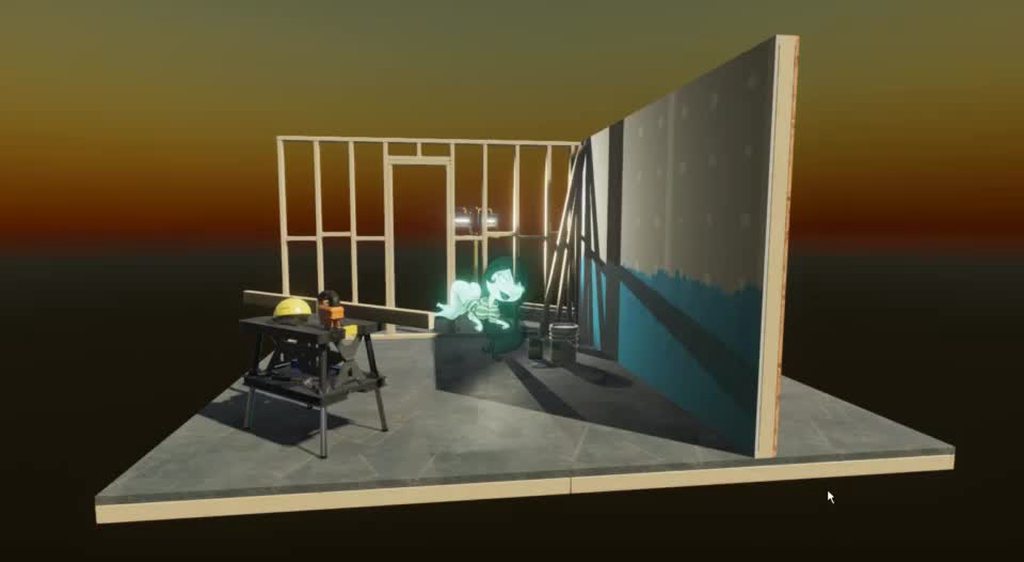
@hybrid tinsel Hey, I'd like to ask - what does that "image" object consist of? Is that just a picture on a plane with emission?
hybrid tinsel
It is a full rigged character, which is then rendered into a render texture and put onto a plane with emission
You can see the difference
This way the parts don't 'overlap' when you make them transparent
@worn parrot
@twin musk you will probably get much better performance from having them be separated meshes rather than a skinnedmesh
worn parrot
@hybrid tinsel hmm so you have a Sprite that creates the render texture?
Do you need to create another camera for that?
twin musk
Thank you for the advice
hybrid tinsel
@worn parrot a second camera, yeah.
There might be better ways to do it with fancy shaders but this worked well enough for this project
 fervent heron
how does one render a cinematic made in unity? i tried using the unity recorder and its output is twice as fast as the editor version.
fervent heron
the problem is i have a 2k monitor and i want to render in 3440 1440
so just building it and playing it changes the rez
hybrid tinsel
when you say it is twice as fast, are you sure that that isn't the program you are playing it back in?
Can you just change the frame rate?
fervent heron
its also playing audio 2x
i could change the play back and try it
but even when i brough it into a video editor it was 2x
at least 2x
worn parrot
@hybrid tinsel Thank's for the info!
hybrid tinsel
@fervent heron I can't even get that window to show up when I install it
 pseudo olive
OMG how do I find the.... animation boxes in the animator window if they've appeared outside the viewing window?!
fervent heron
if i know what your talking about you have to just mnake the window bigger
or there is a dropdown
@pseudo olive
i got it working and rendered my project, its in #502171626805133312
hybrid tinsel
@fervent heron I watched it, very nice work!
fervent heron
Thank you!! I really enjoyed making it
hybrid tinsel
So how did you get it to work?
 crisp wave
Has anyone here used Animancer? As opposed to Mecanim?
hybrid tinsel
Can you describe exactly what you're trying to do, and what the problem is?
twin musk
Pinballkitty
Am trying to using Animation Event
To do 3 attack Combo using left mouse click
and i keep getting this error
If you have a couple mins i will walk you throw what i did
No1 could solve it sin ce the morning its killing me heh
hybrid tinsel
Do you actually have a public combocheck function defined in a script on the object?
hybrid tinsel
And it is applied to the right object?
twin musk
Yes it is in the right script
Look
@hybrid tinsel
That script in PlayerController
hybrid tinsel
Huh. I've never actually used events like that from an animatorstate; I only have set them in the animation window
twin musk
@hybrid tinsel
Is there an easier way to do it
Been trying since morning
i will just go for 2 attack combo
hybrid tinsel
I'm not sure. I'd look to make sure you have the right object reference set(that it is the script in your scene, rather than the prefab, etc)
twin musk
@hybrid tinsel Would you mind doing share Screen?
I can show you what ever you need
to help me throw it 😄
Or i can t ake more screen shoots
hybrid tinsel
You are in fairly weird territory for me, so I can try to help but no promises!
twin musk
@hybrid tinsel i found a video
That is solving the problem
But i cant understand him 😄
You have time to take a look?
its 3 min video
twin musk
@hybrid tinsel

My Latest 5 Vlogs on Mr.RK Subscribe Now for more updates: ISKCON Delhi Shree Krishna Janmashatmi 2019 https://www.youtube.com/watch?v=lPmwHp40x6Y SPEND A DA...
He is indian i cant hear what he is saying 😄
but he solved it
am trying to get it
twin musk
@hybrid tinsel am ganna kill my self heh
I think i will just change my whole code
Its pissing me off big time thats its not working
hybrid tinsel
Hm. Maybe try posting in #💻┃code-beginner ?
Someone there might have an idea, the programmer-y types often don't look in here
 charred belfry
I already answered this before
Just remove the object you're passing
your function does not take an object
twin musk
@charred belfry
charred belfry
@twin musk
charred belfry
And do you have your script with the target function on it attached to the same object with the Animator?
twin musk
I have Player and inside of it is the character
Player have the script
Character have the animator
I will show you sec
charred belfry
Your component needs to be on the same GameObject as the Animator
hybrid tinsel
Yeah, it won't call functions on it's parent object
twin musk
@charred belfry You were right
Meh am so stupied
But the problem is you know that you need character for animation and facing movment
and you need the Main Player for Scripts
AnyWay thank you both for the help ❤
twin musk
I got this efftect that happens
when i hit the ground
Instantiate(GroundSlamEffect, transform.position, Quaternion.identity);
but when i do this
it comes in the middle of my body
any idea how i can lower it down>
Instantiate(GroundSlamEffect, transform.position - Vector3.up, Quaternion.identity);
@twin musk if this worked am ganna hug you
@twin musk
i am hugging yo
🤙
 gentle wind
This might sound dumb but hear me out, I've got a standard 5 finger humanoid rig, and then i've got a 3 finger avatar.. i don't seem to be able to copy the 3 finger avatar to my 5 finger, so i'm curious if there is any dark magic out there to make the "extra" fingers simply follow the 3 without keyframing both fingers into all my 3 finger animations?
I didint think it would be an issue being fingers but it's actually causing my entire mesh like arms etc to bug out
 dry salmon
 full flicker
Does anyone know a "good" tutorial / asset to have top down 3D (could be third person too) character animations, with IK for gun holding?
i need just that, no other code or scripts, only the animations and how to set them up, or in addition, code that work with the IK to hold the hand to a gameobject at a gun
Pls ping me so i can see it
gentle wind
@dry salmon Youtube.
@full flicker I would recommend simply going one step at a time and when you get to the point of needing IK for gun holding you learn it separately as most features are done incrementally on any tutorials ive seen in the past for that subject, and usually don't branch past the basics eg, movement / basic animation & enemies
full flicker
Alright thank you @gentle wind
 faint furnace
what is it?
 grim ferry
Is there a bug in Animation layers where you can't move nodes around? 2019.3.0b7
Was trying to keep it organized but they wont move, notice hows theres 2 nodes under under that one box. The non layers nodes all work fine, and I can move them around willy nilly
faint furnace
Someome?
grim ferry
Can you take a higer res image? Cant read it
grim ferry
oh. Itrs just sayiung it cant show you a preview from State A to State B b\c State A doesnt have any animation. Both have to have actual animations to show a transistion. So dump an idle animation in Nada so you can see it show a preview for Correndo
faint furnace
Yes, because the character would be stopped this state. It's not right?
grim ferry
If you had a idle animation it would show, but youv got a null in there. reason: B\c it cant transition from nothing to something. It has to have a starting place
faint furnace
How do I make an inactive animation? I did not understand
grim ferry
Just put something there. Even if the character isnt doing anything, it just needs something assigned. It can be a 1 frame do nothing animation. But you have to have something there
grim ferry
Try removing that Condition you have and see it if works
Since ur entry point has a defined requirment to play.
faint furnace
Shouldn't it work?
grim ferry
In general you don't want a conditional if it's your first point
faint furnace
?
faint furnace
Look, I had the animation I did in the blender "'Running" after I created an animation "Stopped" I didn't do anything about it, I just created it. I put that if int equals 1 it walks and if equals 2 it stops. But it does not work
grim ferry
The Spanish was confusing me. Give me a second to review all your screenshots.
faint furnace
Right. It's Portuguese kk sorry
grim ferry
It's ok. Iv translated it now.
Just took me a second
Is your parameter a bool or a float?
Looks like a float from here
grim ferry
Is that for speed or just movement?
faint furnace
@grim ferry I did not understand
grim ferry
ok, what a allot of ppl will do it they for example will have a Float set there. If movement rate is .5 its a walk, and 1.0 will run. Others will have a bool that just acts as a toggle. Where if bool is 1 then run state
trying to understand how you intend it to work is all
that will affect how you have that set up
But b\c you have it as an int. you cannot have a .5, so Im a little confused by your set up is all
Im thinking that if 0 is stopped and 1 is play animation then you want a bool instead
faint furnace
Well, I don't understand animation. I put in my script for the character to walk, and now I wanted this animation as he walks. So I put the animation I did on his running blender, and I created another cdom with the name stopped (in that stopped I just pressed to create, there's nothing in it) so in the animator tab I put it going from stopped to running if it was equal to 1 and would come back from running to a halt if it were equal to 2. But nothing happens
I think the problem is here:
I don't know how to create an animation of him standing in unity
stopped*
grim ferry
Do you have an idle animation of any kind?
faint furnace
No
faint furnace
Do you know if you can use them commercially for free?
grim ferry
You can
faint furnace
oh, thanks
grim ferry
There is no liscencing issues with using those commercially
I'll draw a picture and give you a diagram of how i think you want that to work
grim ferry
We've taken the conversation to a private chat
 grand heron
Hey everyone! I have sort of a technical question regarding blendshapes, is there any crucial limit for how many can exist for a face model? We are thinking about 50, to 60 for a human face
hybrid tinsel
I'd love to know the answer to that if you find out
grim ferry
Is there a Max to the amount of blend trees in a layer? I cant move nodes around except for the base layer. Using 2019.3.07b
 tepid aspen
is there a better way to do this?

cause I'll have to connect all of those to any attack/extra-movements I have
 fathom frigate
@tepid aspen You can use blend trees to blend between normal/injured. You can also use an AnimatorOverrideController to swap the animations out with their injured versions
tepid aspen
I tried using blend trees but it didn't seem to work our while I was making it
fathom frigate
Well blend trees should work. https://youtu.be/whzomFgjT50?t=861 isn't doing exactly what you want but it's a very good explanation of how to use blend trees. In his case he has 4 states for each direction. You can do yours with only 2 states - hurt/normal.
Enjoy the videos and music you love, upload original content, and share it all with friends, family, and the world on YouTube.
 pine badge
Can i switch Animator.Bool/Trigger stuff from Timeline?
hybrid tinsel
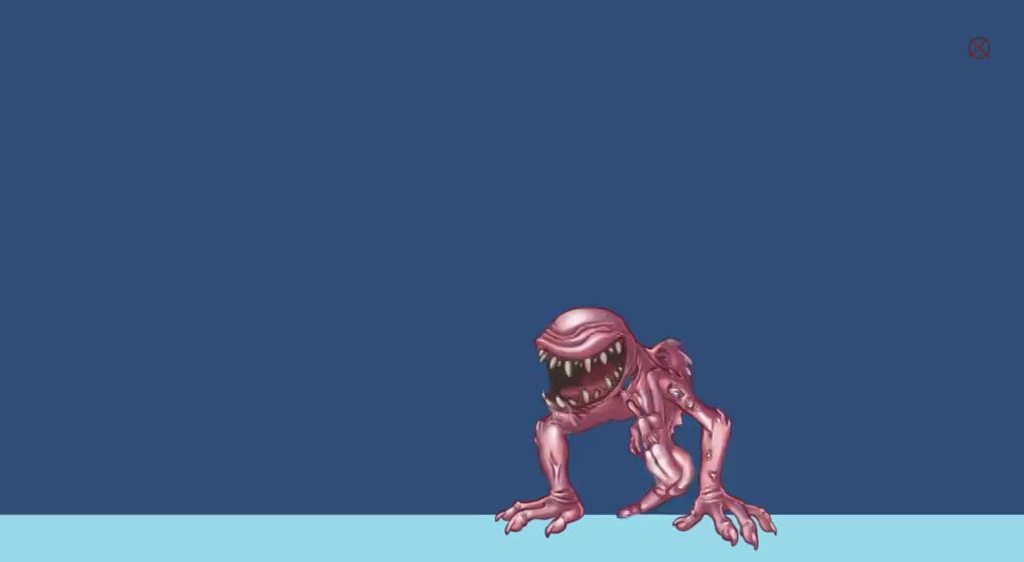
Anyone know how to make a particle emitter interpolate position smoothly? I have an emitter parented to a moving object and the jerkiness between frames when it emits is super noticeable.
You can see the 'continuous' stream is obviously separated into 'chunks' of particles
Also, suggestions for making particles not look like shit welcome
hybrid tinsel
I've gotten it a little better, but it still bugs me. https://i.imgur.com/ywcQFzE.mp4
 livid sleet
@hybrid tinsel What did you change? Also, awesome artwork!
livid sleet
I was going to ask if you tried adjusting Fixed Timestep under Project Settings. I didn't want to suggest that because I don't know if that would be a good idea either in your case or in general.
hybrid tinsel
I fear that that would have affects on the rest of the game
livid sleet
Yeah, I figured.
hybrid tinsel
Question- does the sprite change between the two heads look too jarring?
worn parrot
@hybrid tinsel I think it would look smoother if you added some kind of really fast fade or transition between the two heads. People won't notice the hard sprite change when it happens not so often, but I'm just looking at the animation loop for like 2 minutes so you know 😅
hybrid tinsel
Interesting idea, I'll try it
 cerulean dove
Hi, I'm new to both unity and coding animation,I used to do everything by hand- frame by frame. I made a transition between walking and idle animation and it's working, as well as it's resizing my sprite when it starts to walk. How can I resize only idle?
hybrid tinsel
Turn off root transforms on the idle animation maybe?
hybrid tinsel

 coarse grove
I feel like you should make the spit green too if the effect will be poison-like
Though, not that it particularly matters
The transition in the facial animation is very good now
hybrid tinsel
Haven't decided on colors yet, will probably depend on the background
 stiff tinsel
Question
Is it possible to return the exact frame of the current playing animation?
 lost epoch
how can I add an animation to a UI object? I tried adding the animation component, and even creating an animation object and putting it on the animation component property, but the animation window is empty and the "add property" button is disabled.
nvm - I added it to the "Animations" property instead, and it seems to work. Really weird..
hybrid tinsel
@stiff tinsel I don't think so, if you are using the animator component
hybrid tinsel
What exactly are you attempting to do?
There might be a workaround or another way.
@stiff tinsel
 tawny crystal
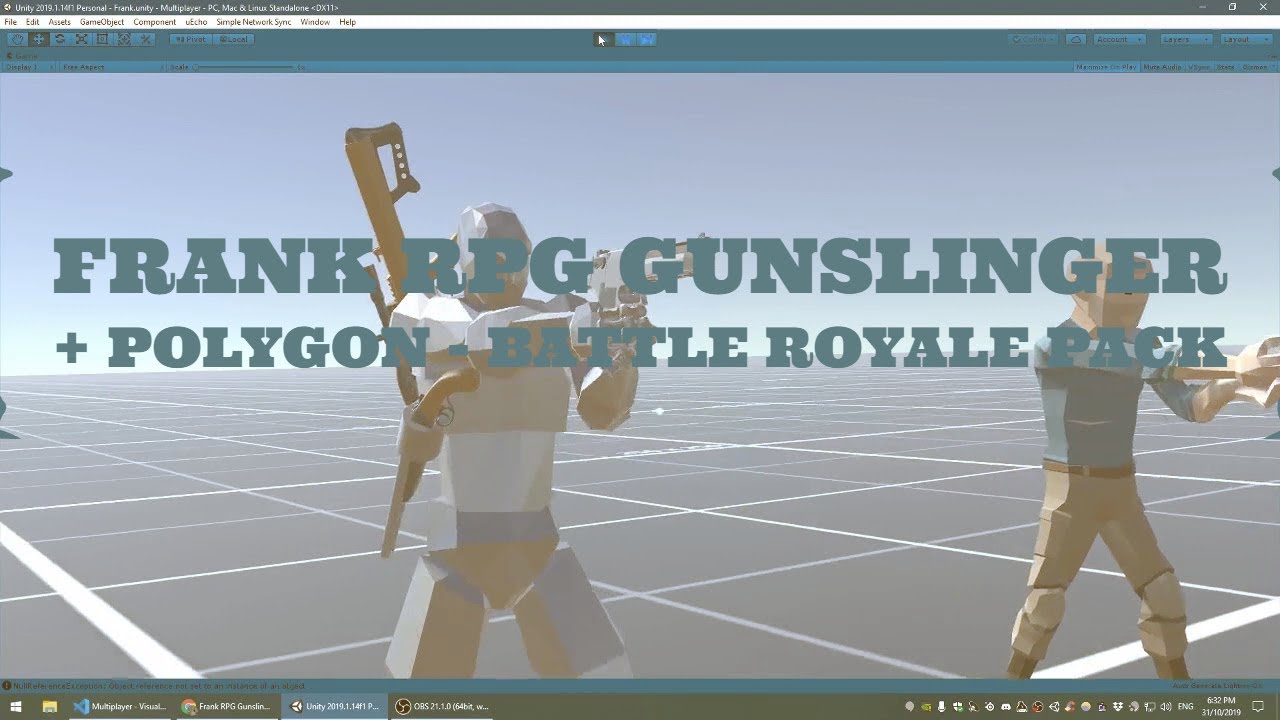
would love to pick the brain of any animation experts re attaching/parenting weapons from one avatar to another. my guess is i have to look at the animations and make sure i have bones of the same name, and also copy over any meshes/attachments and make sure they're parented to the right spots... here's what i have so far, and i'm wanting to attach weapons to the second character: https://www.youtube.com/watch?v=PORdWW_B-a8
 hybrid tinsel
Depends on whether there is any animation on the prop, I suppose
twin musk
whoah that looks so friccin cool
 river haven
agreed
faint furnace
Can anyone help me again? haha. I put the controller in first person from standart assets, but it seems to conflict with my animating character. In this case, it seems that my "running" animation is being faster than the controller, doing what they are seeing in the image. Have you got the animation to stop but without the character walking? And yes just make the moves
 golden carbon
Is there a proper code to play the death animation of a gameobject on collision? I cant seem to make it work
 raw wyvern
Is there a way to change the value of a public field in a script from the timeline?
Seeing lots of stuff about using script to affect timeline but not other way around. Just want to increase rate of rotation of a game object over time using keyframes
Looks like signals is the way to go 🙂
charred belfry
Is an Animation Track not what you want?
raw wyvern
I wasnt able to figure out how to do it without signals.. but would love a pointer if theres a simpler wat
im also running into issue where when i animate the position of object using animation track it overrides my rotation im doing from script. Anyone else run into that or know a fix?
im wanting a sword to rise up based on my keyframes but start rotating around y axis with increasing speed and control that from script since thats way easier and smoother than keyframing that
charred belfry
You could animate a parent and rotate the child via script
you can't reasonably do both (on one transform)
raw wyvern
ok- thats good to know- and solution is easy, thnx!
it also seems like the timing of things is slightly different between editor timeline preview and play mode. I'm needing really accurate timing because I'm trying to sync up this sword rotation/dropping effect right as a drop happens in a song, so even slightly different timing is making it tough. And also seems like timing is slightly different each time I play it.
charred belfry
You can also implement ITimeControl and use a control track to drive that. The info you get can sometimes be a little lacking depending on what you need, but often it's a helpful way of controlling something via script
raw wyvern
oh awesome- thnx @charred belfry - super appreciate all the info
raw wyvern
oh also looks like theres an option to sync timeline to DSP clock. Super dope
hybrid tinsel
@golden carbon isn't is just like playing any other animation? You set a trigger in the animator from whatever script 'kills' your character, usually
 delicate saddle
Hello
when a character moves or stands walking. This error appears, how to cure? animation pack I bought at assetstore
tawny crystal
worked it out! https://www.youtube.com/watch?v=UTrlSgjrjgM
 tawny crystal
lookup Frank Climax on the asset store for those and others
worn parrot
Wow, looks great
 visual belfry
does anyone use blender for animating in their games? I have some questions
livid sleet
@tawny crystal Monty Oum, is that you?
tawny crystal
@livid sleet the animation is by Frank Climax (real last name Choi I think)
https://assetstore.unity.com/publishers/35604

Motion Designer
 static haven
all credit for the sound used goes to Toby Fox, creator of Undertale. this was just a funny exercise I did for my own amusement, over about 3 hours. it was q...
😄
twin musk
I need help
I'm trying to make a drill that rotates. Sounds simple enough, but I can't get it to rotate properly. It either rotates on the tip where it detaches the base from the machine, or on the base in which the tip is less drilling and more drawing imaginary circles
Is there any way to have a "drill" type of motion? Like the way a top spins, for instance?
hybrid tinsel
I'm having trouble visualizing your problem, @twin musk . You might have the pivot point in the wrong place
twin musk
I've tried moving it to the tip, or in the middle, but the issue is still there
Let me try explaining it better
You know how when you spin a top, it stays upright and spinning? It's rotating, but everything is rotating and the other axis doesn't change (Like it doesn't rotate around a point on the table, nor does the top of the spinning top start moving with the point of it and making it lopsided
I'm trying to get that kind of motion. But I don't know how exactly to do it. Because when I spin the object around, the whole object "moves". Instead of spinning like a top, it's just being physically rotated along a point
So basically I am trying to find out how something can spin like a top in unity @hybrid tinsel
hybrid tinsel
@wanton tide You mean https://en.wikipedia.org/wiki/Precession
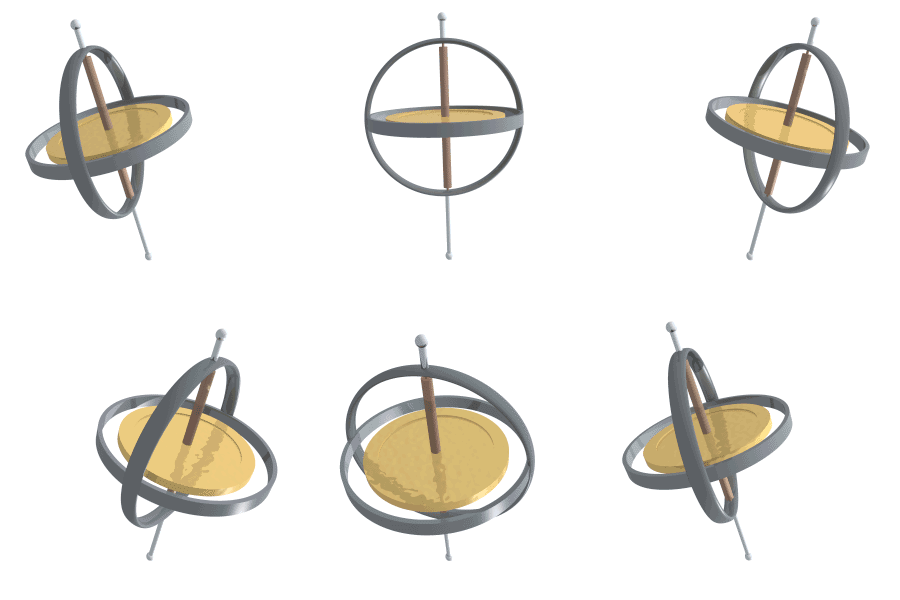
Precession is a change in the orientation of the rotational axis of a rotating body. In an appropriate reference frame it can be defined as a change in the first Euler angle, whereas the third Euler angle defines the rotation itself. In other words, if the axis of rotation of...
twin musk
Yes
 wary scarab
I guess they move too much and too fast in X axis
 hearty forum
.... Yeah.... @wary scarab?
Oh, wait. That's a critique.
My mistake.
And yeah, I do see that, for sure.
hearty forum
And BANG! Your thoughts, @wary scarab?
hearty forum
Definitely thinking the same thing.
While making it look like she WOULDN'T bash her head on a door frame, but yet look wobbly.
twin musk
Does anyone here know how to loop only part of an animation in Unity? So there can be a beginning animation, and then it loops without repeating the beginning one?
 winged wyvern
you need 2 seperate animations
the one you want to start with. and the one you want to loop. a script to active the loop.
hearty forum
Well... There's always using an animator for the object, and yes, you'll need a script to change parameters to switch animations.
hybrid tinsel
You can use the transition parameters in the animator to have a state start at the halfway(or whatever) point
But it's somewhat awkward
Much easier to just have two animations
 wheat lance
Anyone ever made root motion based movements and got deal breaking problems ?
I like the idea but i cant find much disavantages besides précision and gravity
hybrid tinsel
root motion on an idle state can cause drifting if the loop is imperfect
 hidden laurel
How do I add Weight™ to the hits? I thought I added enough follow-thru
 sharp herald
That’s way beyond my abilities but It looks super amazing @hidden laurel I hope you find what you are looking for ^^
 west bone
The attacks happen way too fast for that big of a sword..
hidden laurel
Cloud attacks as fast in FFVII remake yet it works there
something else is missing
also thanks Pew Pew!
sharp herald
Can anyone also let me know if there is anything I can do to make my gun shots look better? The arms and gun are the only thing animated because With spine it will be played over the Idle/run/jump animations
hidden laurel
sure!
worn parrot
It might look even better with some particles later
hybrid tinsel
@hidden laurel some ideas- have the motion end with the character extended somewhat, having to actually pull back into the idle? Maybe a bit of foot slide at the end to look like the momentum is pulling her along.
maybe look at something like this https://youtu.be/EtA6qPBbAmQ?t=14m
Enjoy the videos and music you love, upload original content, and share it all with friends, family, and the world on YouTube.
hidden laurel
mm I can try that
 pallid rock
searching someone who is good to animating for a project
2d platform
if the game will get money i'll give half of them to who helps me
 proud idol
@pallid rock please don't cross-post in different channels
pallid rock
sry
 floral pebble
@hidden laurel I think the main reason the swings doesn't seem to have any weight in them is because of the constant speed in the animation, have you tried having like a fast acceleration or something of the sort in it? Not a slow curve, but more like only 10% of the animation is speeding up and the rest of the animation is at full speed?
it kinda looks like the player is swinging around a piece of paper if it's instant and fast.
If you take a look at the FF7 remake animations in this clip, you will notice that the animation starts slowly since the character wants to get into the swing, and then he puts the speed into the swing, it's a very minor tweak, but it makes a big difference.
https://www.youtube.com/watch?v=cmBKGQrUFaM
And of course, there is the fact that Cloud also uses two hands with his sword sometimes makes the blow look way more powerful, the movement of the body is very important to get the swing to feel right. Don't get me wrong, I like the gamestyle and animations, but it looks like your character is wielding an oversized dagger in the way the attacks are performed and not a two-handed weapon. Which is probably why it doesn't have "weight" as you put it.
Enjoy the videos and music you love, upload original content, and share it all with friends, family, and the world on YouTube.
hidden laurel
that could also help yep
I'm pretty terrible with curves
especially when there are so many (hands, torso123, hips, legs etc)
floral pebble
I personally find it very difficult to animate humans though, I'm a 2d pixel artist at best ^^;
but the concept of how to make something look heavy is roughly the same.
hidden laurel
someone else said to add some anticipation if even like 5 frames
hidden laurel
I was following Smash Bros style where there is no anticipation due to how fast the gameplayis
floral pebble
it's like we who watches it can get a feel of suspence in the punch/swing, you know?
A lot of animators also like to use a pause when someone is clenching the fist and then the hit comes to make it look like he's like "powering it up" but we all know that is not how it works irl, but it looks pretty cool :p
hidden laurel
yeah
but anticipation can be a double-edged sword as it can get easily make the gameplay feel slower and sluggish
unless you're making a game like Monhun or Souls where pretty much all of it is anticipation and recovery
floral pebble
yeah, you have to be careful with it, too much animation and the people will get annoyed. Which is why I kinda like your animations, you could focus on letting the enemies do the job of making it look heavy too.
An alternative method is making the enemies fly around or hit objects in a heavy manner for example. but you keep the hack and slash quick and fluid.
hidden laurel
yeah that's what we're planning, literally send them flying or get severely staggered
floral pebble
yeah, then there might not be a need for the slow start, but I personally think it could be worth testing at least.
just add animation curve to the animation itself
shit, got to protect my wife from the hobos at the bus stop now, laters.
(literally just stand at the stop waiting for her so they don't talk to her when she steps out <.<;)
 thorn scroll


Mixed the Bone 2D animation system with pixels and whipped out an animation for a boss monster I'm working on. Surprised it works well with pixels! #madewithunity #gamedev #pixelart #gameart https://t.co/AXUwJUvEYj
 Twitter
hybrid tinsel
Twitter
hybrid tinsel
@thorn scroll none of the animations in your twitter posts seem to load for me, in chrome.
thorn scroll
That's odd? I use chrome aswell and have no issues. Have you updated?
hybrid tinsel
My chrome is fully updated, and I tested on firefox as well. I am using windows 7, though.
@thorn scroll
Looking it up, it seems that it is a known problem with twitter
but I'm not gonna turn off hardware acceleration just to view twitter >.>
thorn scroll
@hybrid tinsel here you go ❤
hybrid tinsel
Cute! I like him a lot better than the bear
thorn scroll
Poor bear
hybrid tinsel
@main lantern there's a channel for advertising crap in.
And just dumping a link without any explanatory text is kind of annoying, since it doesn't even state that it is an addon for maya, not unity.
(in fact, it doesn't even say that on the gumroad page, you need to go to that and then go to the second video in the playlist and watch that to see what the product actually is)
 languid dagger
Do you know a good and free editor for pixel art/animations?
hybrid tinsel
Learn how to easily make pixel art for games. These 10 FREE pixel art editors will reduce the development time of your next game!
@languid dagger
hybrid tinsel
My friend swears by grafx2, but I still use photoshop for nearly everything 2d
 somber coral
What's the easiest way to animate cutscenes without a mocap suit. Is there any workaround or I'll have to do keyframe animations, which will turn into a very lengthy process?
floral pebble
Live action!
 drowsy owl
Is it possible to set loop points for a UI element animation clip? Or would I need to set the animation controller to transition from the non-looping section to a looping section?
I have a button that does a RectTransform scale adjustment on mouseover, and has a continuous sine wave glow effect over it. I would want the scaling part to only happen once.
gentle wind
gen3 was supposed to appear in q3 but anyway, it's great considering the costs, and the fact it can be done through a smartphone instead of an expensive suit.. gen2 is a little messy, some cleanup required but i would say it's faster overall than doing each keyframe yourself @somber coral

RADiCAL
RADiCAL detects and reconstructs human body motion in 3D from 2D consumer cameras for media, entertainment and AR/VR applications.
somber coral
I've heard mixed reviews about this software and that's why I asked here to see if there is any other way. Thanks anyways!
hybrid tinsel
When I click the 'pricing' link on their site it asks me to make an account, that feels like a bad sign
somber coral
You have a free version for mobile but when you upload your video you need to have a subscription to make it private, that's terrible. Like, I don't want to publish a video of me fooling around trying out your product. And free version allows 10min of video length per month.
hybrid tinsel
If you can't save it to use the data, then it isn't free.
somber coral
I didn’t even try to save it when I saw that I need to publish a video of me doing weird movements
thorn scroll

Something lurks in the dark.... 2D lights in 2019.3 are spoopy #madewithunity #gamedev #indiegamedev #pixelart https://t.co/AeGOvO3OiL
Twitter
wormy worm
gentle wind
tru yeah i wouldint use the free version either, i don't use paid subscriptions like ps/netflix etc so it's worth it in my case, can't be mad at the 40% off lol each their own
 thorny onyx
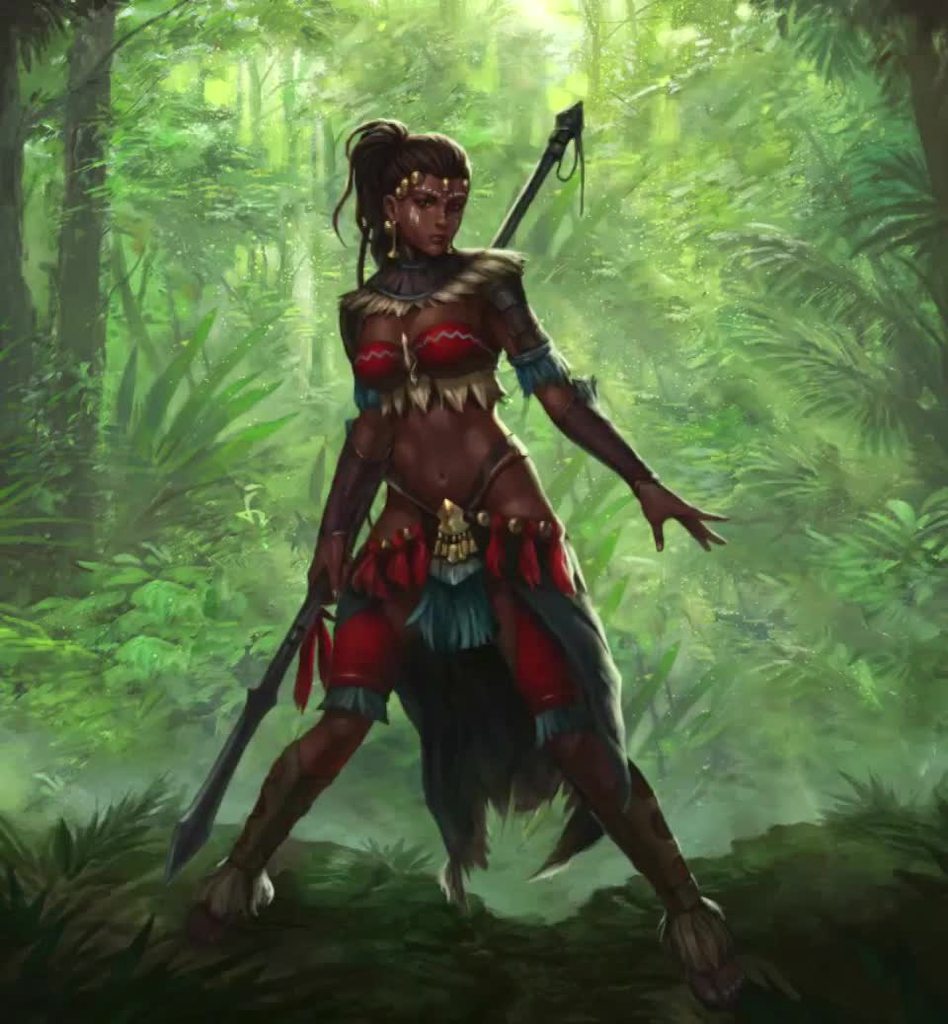
the animation of the legs looks weired (as if she urgently needed toilet)
 robust bramble
Hey guys, i'm pretty new to Unity so struggling to find the a solution to a problem i'm having. I have an effect that i'm using the Animation time line in order to set keyframes and time it out etc. Is there a way to take the effect i have created in the Animation timeline window and import into into the Timeline Editor so i can then line up said effect with an animated character?
hybrid tinsel
https://i.imgur.com/2Fv3CCI.mp4 somewhat improved
@robust bramble You should be able to import any animation into the timeline, as long as you make a track for the object with the animator on it.
twin musk
Hello ya'll! Anyone here use Umotion? I can't seem to find out how to apply modifications that have been made to a clip...
gentle wind
They have videos documenting different use cases in detail, i would suggest starting with those @twin musk
worn parrot
Hey @hybrid tinsel, it looks interesting but I can see some kind of "lag" or non-smooth movement when the loop starts (focus on the left leg). Couldn't this be overcomed with curves?
hybrid tinsel
@worn parrot that's a problem with adjusting it to loop in a video
In game there are multiple loops of different speeds, plus physics objects, so it doesn't really 'loop' well for a video
worn parrot
oh so it was just to show the character and how the animation works?
hybrid tinsel
Yeah. It actually took me several tries to make a video that looped at all without a big jump
 lean heron
Did you do everything in Unity ?
hybrid tinsel
All the animation, yeah
lean heron
Was the character a single sprite ? It’s so fluid ⭐‿⭐
I don’t know much about Unity, especially for animations, I always used several sprites and articulated them
But I guess there is some kind of skeletal joint thing that you used
hybrid tinsel
It is still broken up somewhat, gimme a sec and I can show you
lean heron
Yeah sure :D
hybrid tinsel
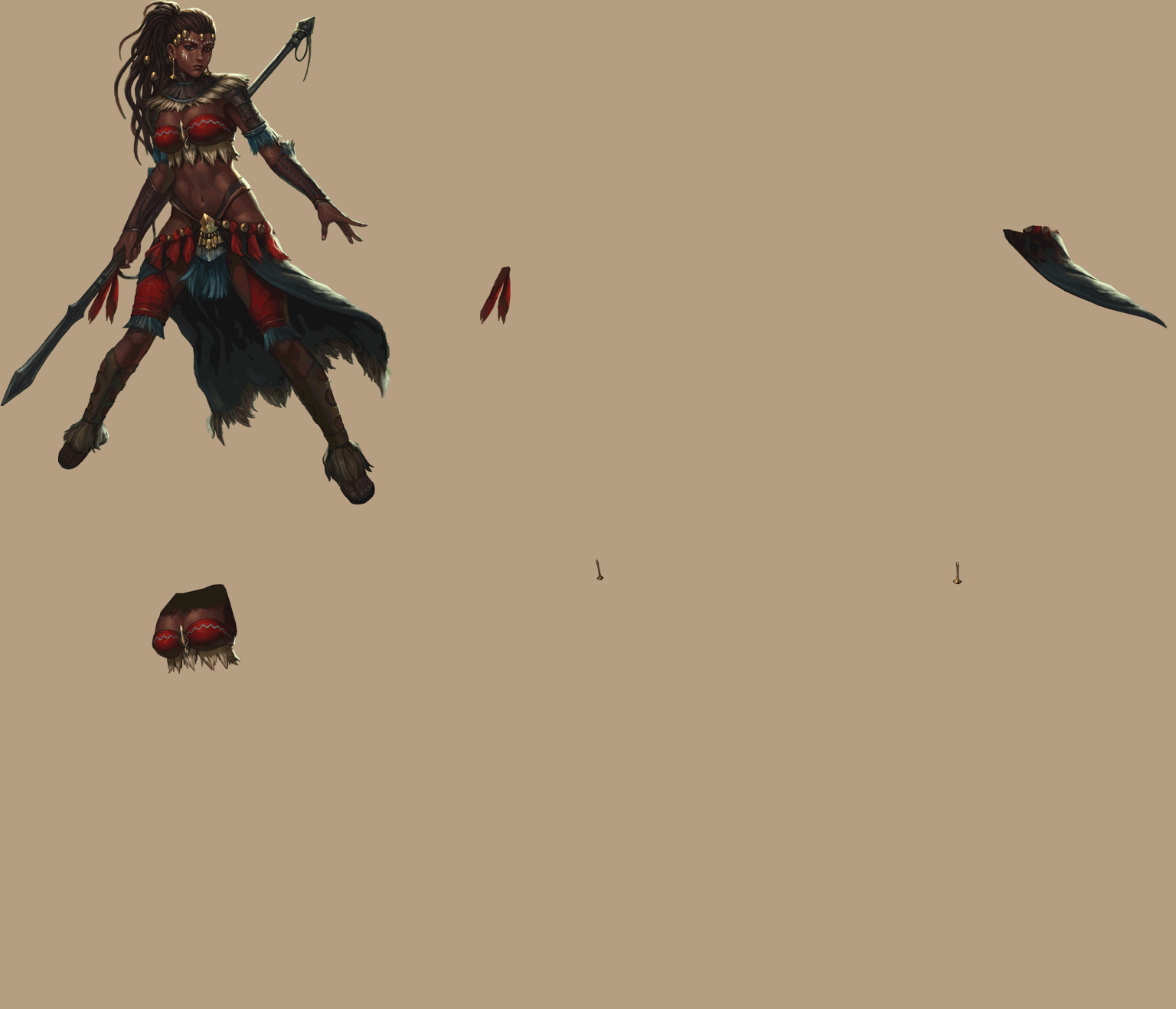 lean heron
Oooooh ok I didn’t expect that
hybrid tinsel
And of course cutting it out of the background
that was a huge pain
Basically every part that needed to overlap another part needed a layer
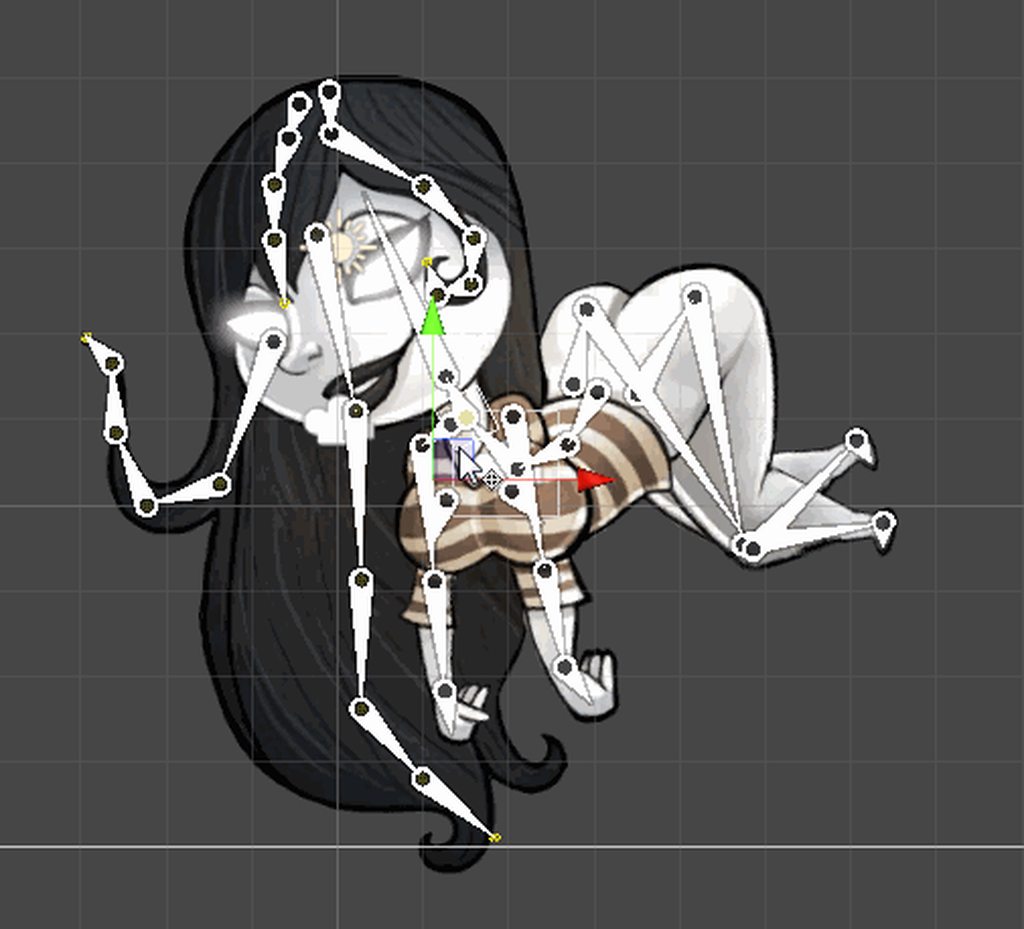
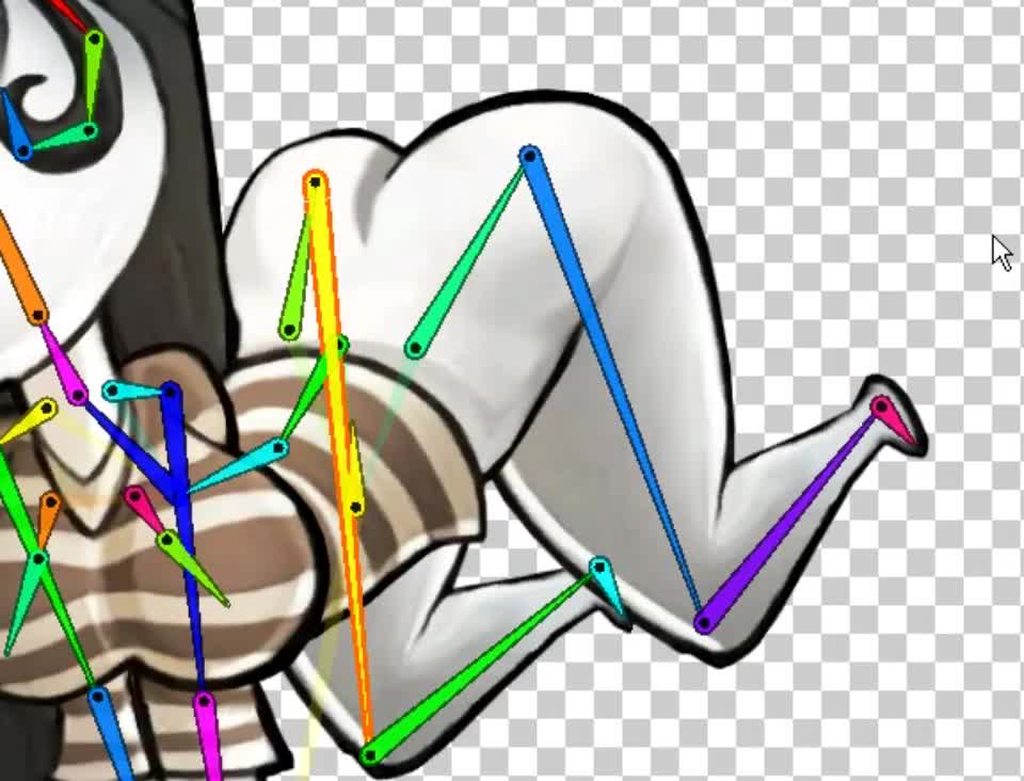
I can't open up unity right now to show you the joints but I used the PSB importer to keep the layers intact
Most of the bones are for dangly bits, as you can see
this is the rigged sprite in the unity editor
 mental hazel
@hybrid tinsel what is she supposed to be doing? And what is her background story? Like is she a snake lady or water-related character?
hybrid tinsel
@mental hazel I know she actually has a pretty elaborate story and setting, since she is from a comic book my friend is producing, but all I really know is her name and that she's from a fantastical version of age of sail earth
mental hazel
Cool! I was asking because she seemed like a snake or water, so I wondered what meaning was 🙂
hybrid tinsel
I know she has some connection to various deities, not sure the extent of it.
Book of Zhu
twin musk
nevermind
hybrid tinsel
@twin musk thank you!
twin musk
No problem!👍
lean heron
Sorry @hybrid tinsel I left to work, that’s soooo interesting thank you soooo muuuch this is insanely cool :D
hybrid tinsel
@lean heron I hope it helps! Feel free to @ me if you have any questions.
lean heron
Sure, I’m not an animator but now that I know Unity can do such stylish things, I’ll surely spend some time on it if I have time in the future :)
hybrid tinsel
There are still some important features I'd like to see added, but they have come a long way
mental hazel
We just finalized the idle animation for our Arctic fox, what do you guys think?
worn parrot
Hey @hybrid tinsel, it seems like you're working with 2D Skeletal Animations a lot and so I'd like to ask if possible - What is your actual way of importing the sprites into Unity & Sprite Editor? Some people use PSB in order to have layers, some people export all the parts into individual files and some create a sprite sheet. What technique did you find the most convenient / effective? Do you have any tips when importing sprites for animation?
hybrid tinsel
@mental hazel it looks good, though might be nice to see a bit of tail movement. I notice that the line weight seems to thicken noticeably for one single frame, which isn't so bad on its own but for such a short animation it really stands out as kind of pointing out 'here's where it loops'
@worn parrot I've done all three. Now that I've gotten it working, I mostly prefer the PSB import method, but there are some things it isn't as good at.
For instance, if you wanted to use photoshop adjustment layers to make variations non-destructively to all the laters of a sprite, a sprite sheet is good for that. Also, it seems like a sprite sheet might be easier if you are working with normal maps and other additional maps(emission, etc) per sprite.
mental hazel
@hybrid tinsel thanks for the feedback! It's hand-drawn frame by frame animation, so I guess the thickness can change here and there 😅
hybrid tinsel
Yeah, there's nothing wrong with a bit of variation between frames, but I think that with such a short animation it kind of draws attention
floral pebble
yeah, also reacted on that thick outline frame, but most of all I was confused about the round edge of the tail ^^;
hybrid tinsel
That's actually pretty accurate for arctic foxes, @floral pebble
floral pebble
oh, I'm used to seeing em like this:
https://animals.net/wp-content/uploads/2019/01/Arctic-Fox-2-650x425.jpg
but I do see a lot of them with round edges...looks so weird. Maybe it's because it's less cold in the north of Sweden I've never seen a full blown winter coat on the young ones.
 hybrid tinsel
@worn parrot This is an example of what I did before I got the PSB importer working
@mental hazel maybe something like this?
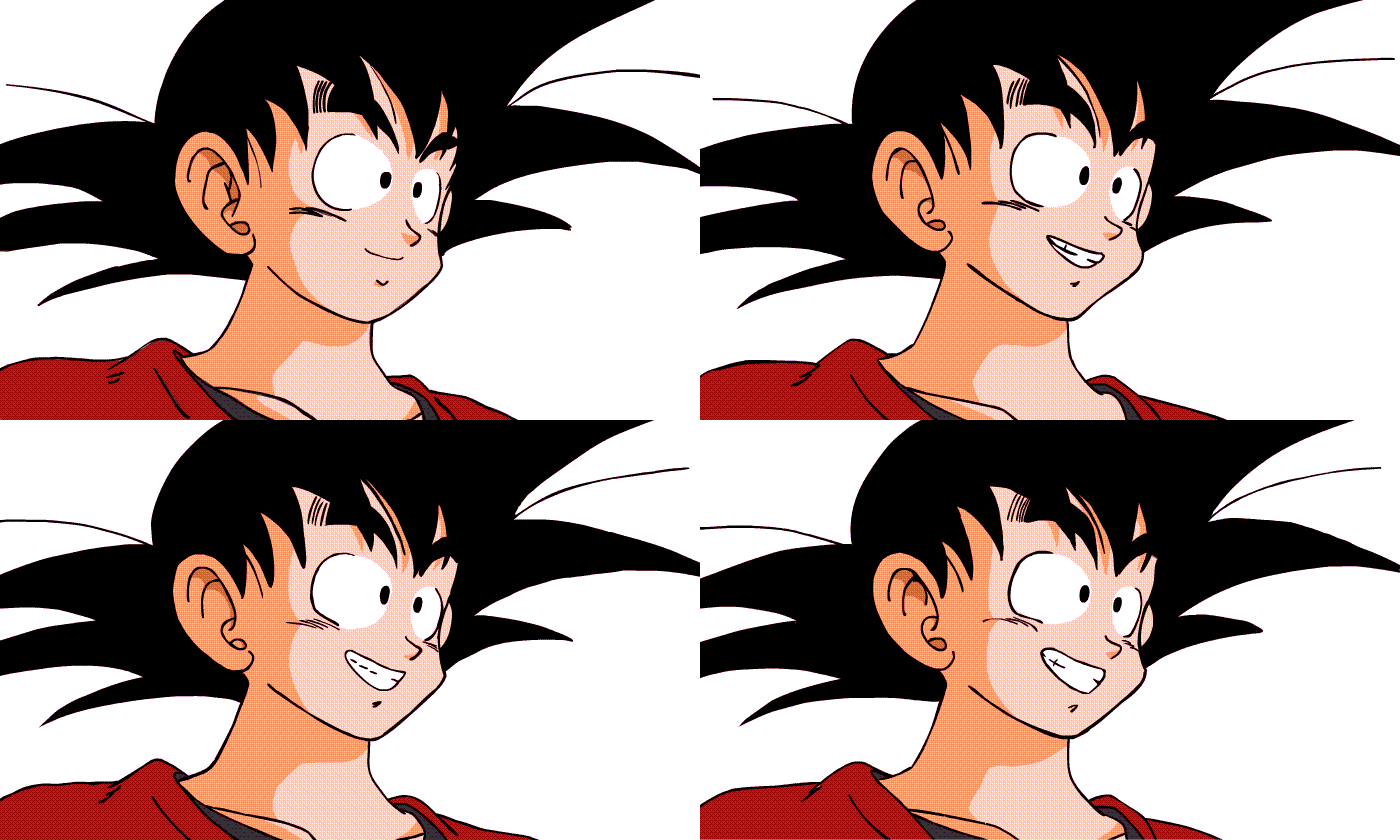
Also, don't know if it is your software or what, but instead of setting frame durations there were just a bunch of duplicated frames. A six frame animation was saved as 24 frames
Which isn't always bad, but can get annoying once you import it into unity and have 22 identical frames 😛
mental hazel
@hybrid tinsel Don't worry about that, duplicate frames are already merged automatically
hybrid tinsel
Ah, ok! It can be hard to tell looking at a gif since gifs can be pretty fucky
mental hazel
And I'm not sure I prefer your version 😅
worn parrot
@hybrid tinsel Would you tell me what happens to adjustment layers / alpha masks when importing them into Unity as PSB files?
hybrid tinsel
Adjustment layers are ignored, as are layer effects, etc.
per-layer alpha masks are also ignored, I believe
Though not certain
(Whereas with importing a psd as a regular image, all layer effects and adjustment layers are preserved, but layers are not)
worn parrot
Oh okay, thanks for explaining, now it makes sense!
 vast stream
Pfff it took me longer than i wanted, but my spritesheet is filling up at this moment. Almost ready to make the magicchicken walk in his envirement 
And procreate being a b*tch, cause it auto saves everytime when I switch to another app 😫
twin musk
I'm using a blend tree to handle my player's animations. However, when the player is walking diagonally, then the walking animation speeds up.
Each node uses 1D.
hybrid tinsel
Looking super cute, @vast stream ! A bit weird that you're including the particles inside the sprite instead of making them separate inside unity.
@twin musk is the actual movement handled with the animation or a script?
hybrid tinsel
@twin musk Right, so are you normalizing the movement vector after taking the horizontal and vertical speeds?
twin musk
No.. I just get them straight from the inputs. No idea how to normalize variables.
hybrid tinsel
Well, that would explain it. https://docs.unity3d.com/ScriptReference/Vector2.Normalize.html

If you do not normalize the inputs, you get a problem because the vector magnitude of (1,1) is larger than (0,1) for example.
So you multiply movement speed by your direction and diagonals are a larger multiplier than non diagonals.
Normalizing takes a vector and makes the magnitude equal one, but still pointing in the same direction. Because direction is all you want from, well, your direction vector. You want to set the speed to whatever speed you set for the character.
(square root of 2 working out to be around 1.4, so just under one half faster than moving straight)
twin musk
That's.. some really helpful information. Thanks!
hybrid tinsel
No problem!
twin musk
Hey @hybrid tinsel, hate to bother you but it didn't seem to have helped.
hybrid tinsel
post your code over in #💻┃code-beginner and I'll take a look(and maybe so will the actual programmers in there)
twin musk
Ah, crap. I realized.
I gave it another X and Y variable.
Oops.. My fault.
@hybrid tinsel This is after normalizing, it didn't seem to help.
And here's the new code for it.
        Vector2 movement = new Vector2(x, y);
        movement.Normalize();
        if (movement != Vector2.zero)
        {
            _animator.SetFloat(X, movement.x);
            _animator.SetFloat(Y, movement.y);
            _animator.SetFloat(Speed,1f);
        }
        else
        {
            _animator.SetFloat(Speed,0f);
        }

        _body.velocity = movement * speed;
Ok, what exactly IS the problem?
also, you probably want to send the un-normalized inputs to the animator
twin musk
The problem is that when the player walks diagonally, the walking animation speeds up for unknown reasons.
hybrid tinsel
OH. I thought it was the movement speed that was off
twin musk
I use an Animation Blend Tree to handle the animations, but I'm not sure what's causing the problem to occur.
hybrid tinsel
Change the blend to '2D simple directional' instead of '2D freeform'
twin musk
It was always set to Simple Directional.
hybrid tinsel
Not in the screenshot you showed above
twin musk
Ah, I tried experimenting with that after.
All other options of 2D didn't really fix anything.
hybrid tinsel
Have you tried adding diagonal states and setting the speed for them explicitly?
twin musk
Like having animations for the diagonal movement with the speed the same as the others?
hybrid tinsel
Well, don't need to be separate animations, just more states in the 2d blend
twin musk
Hey, Pinball! Thank you so much for that! It fixed it!
hybrid tinsel
 Hurray!
 trim atlas
Hello everyone.
Does anyone have time to help me?
I want to do a screenshare and show someone my animation issue.
@hybrid tinsel Would you mind helping me?
hybrid tinsel
I don't do screenshare. I can try helping but no promises.
trim atlas
It is hard to show you my issue..
Thanks anyways.
Does anyone want to look and see what my animation is doing?
Tag me or send me a DM if you can help.
hybrid tinsel
Well, you could record it somehow
Or just describe it.
Like, even vaguely describe it.
I mean, asking 'can anyone help me' with no details at all is REALLY HARD to get a response from.
trim atlas
Ok
I am trying to have a character that walks and shoots
I am new to unity and the whole animation idea.
hybrid tinsel
Ok/
trim atlas
I have not learned about layers
When I start the game, I can shoot. If I let it stop and then walk. It walks.
When I run and try to shoot, the character quits walking.
He just moves with no animation.
Not sure why.
hybrid tinsel
Because you need to use the thing you have not learned about.
Add a shooting layer above the movement layer
make it additive and set the weight to 1
and put the shooting animations on that
hybrid tinsel
vast stream
@hybrid tinsel ah wich particals do you mean? And i only have unity now for 3 weeks, the program is like an alien for me.
hybrid tinsel
The green swirl, @vast stream
I'd normally add something like that separate from the sprite 😄
vast stream
Hmmm never thought about that the particals can be seperated. Seems like i need to investigate more about animation and unity 😬
hybrid tinsel
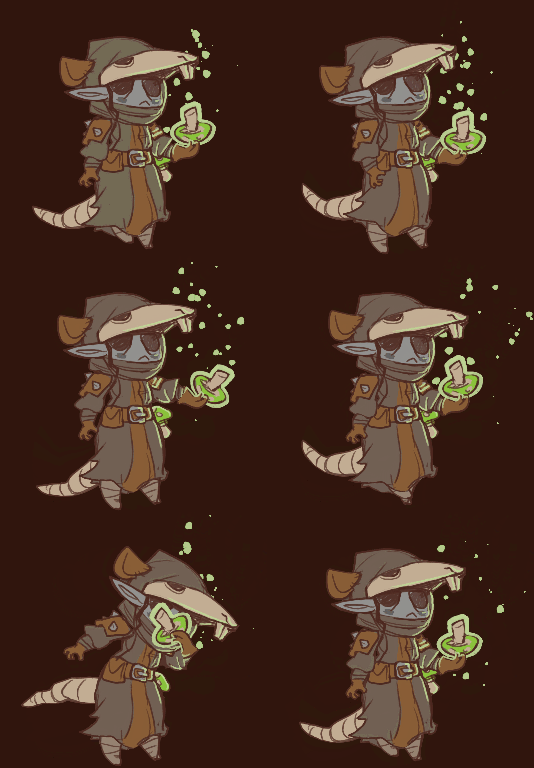
@vast stream like https://i.imgur.com/6Qd1y5R.gif
 twin musk
@hybrid tinsel Are you making a game with all these sprites?
hybrid tinsel
I am!
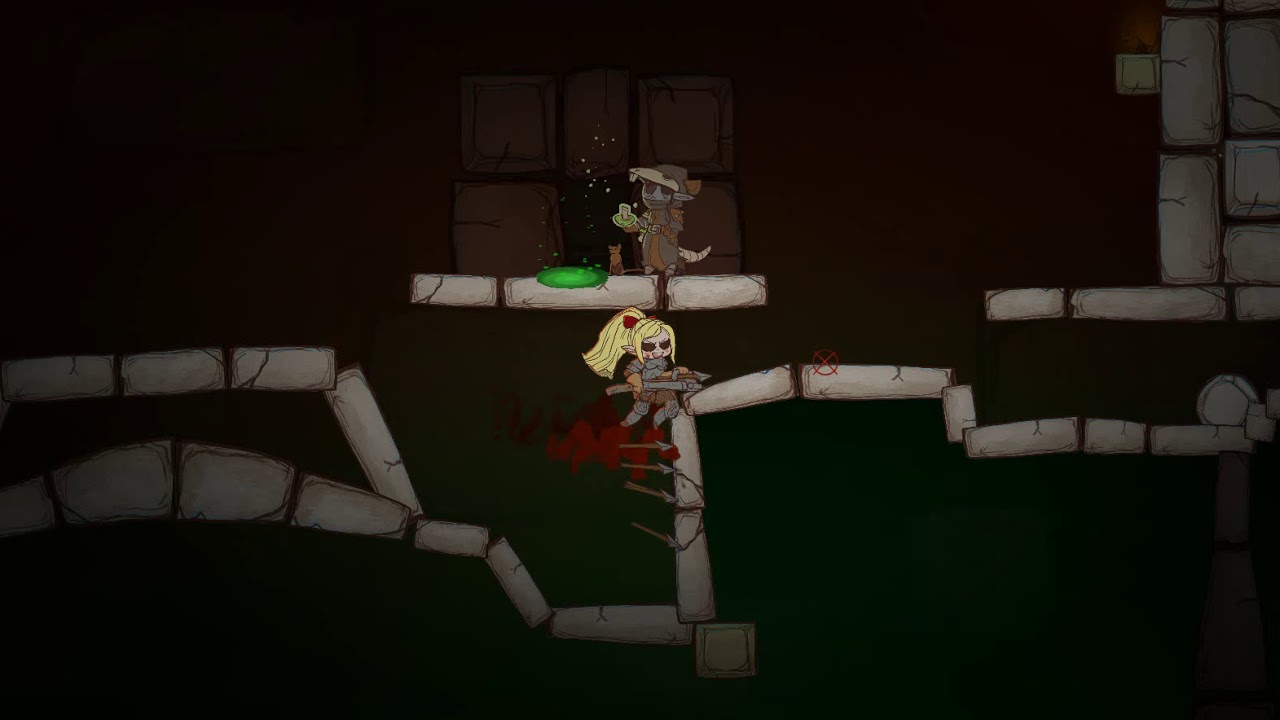
This is from back in september but it gives a basic idea https://www.youtube.com/watch?v=HGHLaU1Cy7c
 vast stream
@hybrid tinsel aaahh thats such a nice sprite! Love the mushroom!
hybrid tinsel
@vast stream thanks!
 tardy lantern
so i am making a game where i need to have a cinematic which looks like a motion comic. But i don't know how to achieve that since i haven't done 2d animation before.
hybrid tinsel
Have a good example of the style you're going for, @tardy lantern ?
 oak root
Hi everyone o/
Is there a better way to animate grapple moves on 2D games? Basically, how 2D Fighting/Beat 'em Up games handles with move animations that envolve two characters at the same time?
I am thinking of some approaches but I'm not sure whether I'm going through the "right path"
hybrid tinsel
Are you using spritesheets, or rigged characters?
oak root
spritesheets
tardy lantern
@hybrid tinsel i am going for something like this https://youtu.be/mLdqKIj3-A0

Because watchmen is amazing and I didn't see this yet on Youtube, I'm gonna upload all 12 chapters now! Enjoy!
hybrid tinsel
@tardy lantern Well, Unity can definitely DO that sort of stuff; I suggest starting with the recent tutorials for the new 2d animation package. Was there a specific part of the workflow you were unsure of? You already have the art set up for it?
tardy lantern
@hybrid tinsel The art is in the making, am just unsure of the steps which are involved and whether or not it can be done in unity. But now that is know that it can be done i'll be watching the tutorial on the official page. Thanx.
hybrid tinsel
Biggest thing to make sure of is that the art is well broken up, or you'll lose a lot of time on that
And ideally, plan your animation before making the art- storyboard, etc.
You can see how hard I have it animating art that wasn't designed for animation at all 😄
For some of those 'camera move' shots, you'd probably be best off building the scenes in 3d
But yeah, @tardy lantern , it's a pretty large topic so feel free to poke with more specific questions after poking around with it more.
tardy lantern
@hybrid tinsel Thanx a lot for the help i'll keep in mind all the elements before animating. And yes i'll be posting more queries once i start the work on it.
vast stream
@hybrid tinsel wow that looks so much work 😄 but its awesome. You are going to be my muse to make better animation art XD
My magichick is finally alive! It worked with working in procreate and then implementing into unity ^.^
Btway, my very first " game " haha
hybrid tinsel
@vast stream Thank you! And I love the chick! Maybe make the mushroom squish when you jump on it a bit? I actually thing some squash/stretch for the jumping animation on the chick might be really nice too, with how round and floofy he is.
Great to see such fast progress!
Enjoy the videos and music you love, upload original content, and share it all with friends, family, and the world on YouTube.
I've been experimenting with simulating jiggle bones https://i.imgur.com/S62HRe6.mp4
Not as good as the other way I tried, but it is a lot less resource intensive and has some potential
vast stream
Wooooohhh that looks nice, how the hair floats. Yeah the chick does not have jumping animation yet. But its on my to do list for next week, as well for attack sprites 👏 👏
hybrid tinsel
this was the hand animated version https://i.imgur.com/pMMiqCp.mp4
And I've used some other scripts for dynamics but they all have drawbacks because none were really meant for unity's 2d bones at all
So there's always some level of 'hackyness'
worn parrot
@hybrid tinsel hey, that dynamic hair animation is cool! If I may ask, is it done by using joints?
hybrid tinsel
It is using a badly modified version of the spring joints from Anima2D
 visual skiff
hello, any idea why i can't change the sample speed? like... its just empty i can't do anything there
vast stream
Hi @visual skiff go to the right side, under the x there is a clogwheel. Press there and click on sample.
worn parrot
@hybrid tinsel Oh, but why Anima2D? Isn't it now deprecated?
hybrid tinsel
@worn parrot it is, yes. But it had fake physics jiggle bones that the new 2d animation package doesn't have
worn parrot
oh okay
hybrid tinsel
but the script doesn't work with 2d package bones, and all the comments are in japanese
so it is tricky =p
worn parrot
all the comments are in japanese
😄
hybrid tinsel
Well, it seems that they took the script from the japanese unity team and modified it, but left all the comments in the code in japanese
vast stream
added jump, attack and slide animation 🙂
twin musk
nice
twin musk
i have this problem when the enemy is running at the player
when he get inside the radius run animation activate but when the plater is out of radius it stop animation and thats right but
i want it that the enemy go to last place i been at which he dose but with running animation
if any1 can take a look
 native kettle
Hello, I have a critical question about the way unity creates its animation clips, regarding materials.
It seems that by trying to animate a material property, a new material is created for that renderer. Is that true? If it is, is there any way to easily bypass it, or do I have to rely on the Playables and Timeline APIs in order to solve my issue? I really don't want a new material being created when up to this point I've squeezed everything I want to a single material.
hybrid tinsel
@native kettle from what I understand, animators affect instances of materials, rather than the base material. So any animation will create a new instance of the material.
Depending on what you want to animate, you might be able to use, say, a mesh property(UVs, vertex color) to animate instead of the material.
I believe you can use material blocks to use a single material with different properties per object as well, but not sure if that can be abimated.
native kettle
@hybrid tinsel That's what I thought, though I still find it really weird that the animation system would keep making a new instance of the material. I've found a workaround in using the Timeline and a custom PlayableAssset where I will be using MaterialPropertyBlocks etc. to emulate what the animation clip would do. Seems sufficient enough and I won't have to make a new Playable from the beginning.
hybrid tinsel
They haven't really updated the animator much since adding stuff like gpu instancing and material blocks, I believe
native kettle
They did add the Timeline which allows you to add a lot of custom functionality [though it's more of a scene rather than a clip] and there is always the Playables API to make whatever you want. Tutorials are lacking though and the documentation is sparse, so it makes it a bit more difficult to implement.
hybrid tinsel
Well yes, but that isn't using the animator
Which is kind of annoying that we have so many separate systems that aren't really working the same 'under the hood'
native kettle
@hybrid tinsel Well, for all that matters, the Timeline can utilize animation clips and the animator, so you can say it's a super set of the animator. And they do provide you with an API to build your own such systems, so I can't complain that much 🙂
winged wyvern
@native kettle you good with animations?
native kettle
@winged wyvern Not really, I know how the system works, but I haven't used it that much to be experienced.
 teal musk
if I have a blend tree (set up for 4 way movement), can I add a blend tree before it in the chain? similarly to how I would add one after
I want to blend between that tree and a 'turning' tree, depending on if my character is walking or orienting
 sinful token
Hey guys
I have made a rigged character in Maya and is working fine but when I import into Unity the joints rotations reset to centre pivot of the objects instead of being where the joint is in the Maya scene.
The goal of the character is really simple and for placeholder prototypes. Just cubes and parenting binding skin isnt needed at least in Maya.
NVM figured it out
 unreal gazelle
Hey, is it possible to transition from a non looped animation to a looped one?
hybrid tinsel
@unreal gazelle Yes
unreal gazelle
@hybrid tinsel How would I accomplish that?
hybrid tinsel
Just a regular transition in the animator will work, whether the animations loop or not.
unreal gazelle
@hybrid tinsel I tried that. In the animation I wanted to have a transition in after the non looped one finished, I added the second part as a transition and got rid of the exit/transition time so it was instant, but nothing happened when testing.
hybrid tinsel
What do you mean, precisely, by 'nothing' happened? The transition didn't fire? The transition fired but didn't start the looping animation?
unreal gazelle
The first animation played perfectly, but the second part didn't start at all. I'm pretty sure it's set up correctly.
hybrid tinsel
Show me your transition settings?
...waaaaait.
When you day you got rid of the transition time.
did you mean you set the time to zero, or that you unchecked 'has exit time'
Because that is not 'how long it takes,' it is 'when does it transition if there are no conditions.'
So if there is no exit time and no conditions, it will never exit.
unreal gazelle
I unchecked has exit time.
hybrid tinsel
Yeah, don't do that. You need either an exit time or an exit condition
@unreal gazelle
You want to set the actual duration to zero in the settings.
unreal gazelle
So what do I set it to to make sure the next part of the animation works?
Oh okay
This is for a 2D sprite. Are the settings you showed me alright for that?
hybrid tinsel
Mine are all 2d sprites
though if you mean spritesheet animation, you'll want to set fixed duration duration to zero
unreal gazelle
I'll see what I can do.
Do I do that within the player animator, or in the animation's controller?
west bone
Has anyone used the Playables to replace Mecanim animators in their projects ?
They are supposed to more performant than animators since they don't cause GC alloc
hybrid tinsel
In the animator. Select the transition, same place where you set exit time
@west bone you can do a search for 'playables' to see some of the discussions on them we've had, I don't think anyone has done a LOT with them though for that- still no real documentation, etc.
unreal gazelle
I mean, do I set the transition in the player controller, or the animation controller?
hybrid tinsel
In the animator.
unreal gazelle
Which animator. My player animator, or my animation controller's animator? That's what I'm asking.
unreal gazelle
Okay, thank you.
 near kestrel
Can anyone recommend a good tutorial on how to connect animation with coding?
Like how to play animations in a row on a character for a cutscene etc.
hybrid tinsel
@near kestrel Do you WANT to do it via code, or would you be able to use Timeline?
That's what I've been doing for my cutscenes, it is a lot easier than triggering animations on a timer
near kestrel
@hybrid tinsel Timeline would be better ofc, but I would still need to learn how to code stuff to start timeline clips etc. 😅
hybrid tinsel
@near kestrel I trigger mine with unityevents. Super simple.
Like my trigger script just has public UnityEvent onEntered; and then I call that with onEntered.Invoke(); when the player enters it.
And then in the inspector you just stick the timeline's gameobject into the event and choose play from the list of functions.
 vernal solstice
I want to create a cutscene where 2 characters are speaking. In effect, cutting between 2 cameras as the proof of concept. When the audio clip is done, it advances to the next part of the cutscene. But this audio clip maybe different length due to localization. Is this something that I can use the Timeline editor for? Or is it a scripted state machine?
hybrid tinsel
You CAN, but you'll need to do some work to set that up
I THINK this is the right link https://github.com/vertxxyz/NTimeline/tree/master/Editor
GitHub
Timeline additions. Contribute to vertxxyz/NTimeline development by creating an account on GitHub.
...maybe not. hm
aha, HERE it is https://github.com/UnityTechnologies/ATerribleKingdom @vernal solstice

GitHub
Scripting the Timeline for games in creative ways. Includes a small RTS game build on the 'A Mighty Kingdom' assets - UnityTechnologies/ATerribleKingdom
vernal solstice
Thanks
unreal gazelle
I need help. I have SetBools set up correctly in my animator and inspector, but my character is stuck looking up.l It works fine if I don't have that animation and it's SetBool there. I know it's a quick fix, but I have no idea how to do it. Can someone please help me? I've been asking around literally all day and not a single person is willing to help.
hybrid tinsel
@unreal gazelle How do you know you have it set up correctly? Can you share the code and show a picture of the animator state machine?
And are you sure the looking up state has an exit with the conditions set correctly?
 true lance
hello all! anybody have any idea why my animations are not importing in unity?
i clearly have animations in maya
but when i import it in unity
theres nothing happening on the character preview
no animations
true lance
nvm i fixed it
 woeful hearth
Marion xd
 solid trout
Hello, I would like some advice concerning 2d animation, especially concerning the 2d kinematics package and all that
I've got this pretty ugly boar that I'd like to animate, but I can't get his leg to behave as I want to. I would that the ass part of his leg sticks to the body but still have his thigh move like it does, ie in front of the body
I can't get the bone of this body influence his legs
hybrid tinsel
@solid trout Show your mesh/bones setup?
 fathom thunder
So I had the idea to animate my things not just by rotating or moving also by changing the shape of the body a bit like the legs etc is this possible in Unity?
Idk how to say that :/
Like a cube has a point in the middle where it can move too and then it’s a bit round when you move this
hybrid tinsel
Yes
fathom thunder
Yes?
hybrid tinsel
@solid trout https://i.imgur.com/6WBIy14.mp4
 hybrid tinsel
Well, you are still using a mesh with weighted points, right?
fathom thunder
My question is: wud I be able to do this with standart unity cubes ?
With a body shape
hybrid tinsel
Why use unity cubes? You'd need to add weights and stuff to them anyway and that would be easier in blender or something.
fathom thunder
I don’t use unity but I use a program which is just using cubes
I wanted to know if u can add the weight points in unity?
hybrid tinsel
There are tools to add weights to meshes but I've not used them so I can't give any more details other than 'they exist'
My video was actually to answer limmunite's question 😄
fathom thunder
So it is possible to animate unity cubes IN unity?:)
hybrid tinsel
Yes, it is.
fathom thunder
Ik
hybrid tinsel
Yes, you can use IK too
hybrid tinsel
oh. Thought you were asking about inverse kinematics (IK)
hybrid tinsel
I'm the wrong person to ask about that sort of thing :3

Unity
Learn about the many features of Polybrush, which lets you blend textures and colors, sculpt meshes, and scatter objects in the Unity Editor. It’s now part of Unity, with ProBuilder and ProGrids.
solid trout
@hybrid tinsel Sry didn't see your messages, this looks awesome I'll try to work it out from this it's pretty explicit
twin musk
anyone got a simpel code for playing an animation when presing a key
twin musk
is there a way to make 1 arm in a different layer so it goes over the gun?
like in the engine itself
floral pebble
You have to make it another layer of sprites I imagine.
twin musk
also how come my animation cycles have slight delays
 charred abyss
Anyone here willing to help me with some animation blending?
 tropic scroll
https://giphy.com/gifs/RKHFx8EMJqXvonkSUo I want to import this animated folding cube into Unity but I would like it to be one animation, each side of the cube is it's own object in Blender

It comes as multiple animations in Unity - which is not what I want.
Does anyone know how to export this as one animation?
 stuck elm
@tropic scroll Are the objects in a hierarchy?
worn parrot
Yeah maybe if they were parented to a null object in Blender, and then animated within that null object, it might be exported as one animation.. but I'm not sure
tropic scroll
Yes they are part of a hierarchy. The "top" side is a child of another side so it moves alongside it @stuck elm
@worn parrot the problem with this is - how to animate the parented object? I need to make use of pivot points for each edge of the cube
how would you suggest animating each side of the cube differently if it were one object or all in one object?
(dont worry too much about these answers, although I would like to know for future reference - I have decided just to make these kinds of basic animations inside Unity and avoid messing with Blender)
stuck elm
I've not used Blender, but when importing FBXes it has covered the full hierarchy in one animation
When exporting from other software that is
Might be an option you'd need to set
worn parrot
@tropic scroll My bad, I haven't exported an animation from Blender yet, but I was just trying to find a possible solution.
Have you watched some videos about Blender To Unity workflow on YouTube?
Or did you seek answers on the internet too?
tropic scroll
@worn parrot Yes, I am rather well acquainted with Unity and Blender actually, I'm a game developer and those are my main tools, it's funny that I've ended up having such trouble with something so seemingly simple 🙂
I appreciate the attempted solution, I am still yet to find out if it can be done easily in Blender without rigging armature etc
I feel like opening a box shouldn't be such a tedious or complicated process. It has caught me somewhat offguard
worn parrot
If you ever find a solution, please share it because I would like to know too 😄 @tropic scroll
Maybe you'll end up having to rig it but yeah it seems redundant for a box
stuck elm
For instance, when importing an fbx from lightwave it all come sin as one animation per hierarchy https://www.youtube.com/watch?v=gg6VeumZvKA
Scrapped weights and bones, thanks to a suggestion from MentalFish- this works great for Unity, though not so great for WoW(which was a secondary goal entire...
Wow. I can't believe that was eight years ago >.>
hybrid tinsel
That's pretty trippy, the time reversing
 limpid hornet
Hmm
near kestrel
Is there a way to show animations/states on characters outside of playmode?
It's a bit tricky always going into playmode, aligning them on chairs etc. remembering the values and then editing them outside of playmode.
There must be a better way.
hybrid tinsel
You can do it in timeline I guess?
 lime venture
hey guys. im animating a player shoot8ng a gun
should i animate the gun on the same file as the player?or should i have two separate animations for player shoot and gun being shot then put them together?
hybrid tinsel
There are benefits to either option.
 vivid coral
Hey yall, I'm extremely new to unity and I'm having an issue with animation. I resized my idle animation and just added a run animation but when my character runs, they get tiny
is there something like codepen for unity? I could post screenshots if needed
hybrid tinsel
@vivid coral Not sure what codepen is, but screenshots probably would help. How did you resize your animation? Adding a scale keyframe to the root node, or? Do you have root motion enabled?
vivid coral
I initially just resized by using the dragging the box thing on the original player model
im not too familiar with root motion
hybrid tinsel
Why did you resize in the animation in the first place?
I'd suggest removing the scale keyframes from all the animations, and then set the scale you actually want outside of the animator.
vivid coral
Ok thank you! I switched to an official unity tutorial and following it to the T and it's going alot better. I was following a brackeys tutorial but he didn't say to resize it, i just did that lol.
native kettle
Hello, does anyone know if it's possible to create custom infinite clips for the Timeline? Or, to put it more correctly, a track that will process frames without the need for a clip (which is the same result as an infinite clip).
twin musk
Hello everybody! am a bit stuck. Have been searching around and not getting it. Was trying to export a animation "anim file" that i created on Unity to Maya. Am using 2019.1.14f1 installed the FBX EXPORTER using the PACKAGE MANAGER, it work with meshes to export. But not getting out my animation. What am missing? thanks! 😃 🙏
twin musk
Is it the recording scripts methods only the option? 🤔
twin musk
i found this documentation https://docs.unity3d.com/Packages/com.unity.formats.fbx@2.0/manual/integration.html seems it has to be possible to export animation. I haven't succeeded to do so. With a animation built in Unity from scratch
twin musk
for future people. The solution is:
Install the FBX EXPORTER
Drag the mesh to the scene
Create a new ANIMATOR CONTROLLER on the project window
Then click the mesh on the scene and drag the ANIMATOR CONTROLLER to the inspector/animator/controller
Go to the ANIMATOR WINDOW (were the scene tab/assetstore tabs are, there is one called animator)
Drag the anim file in there and make sure its conected to Entry
Then go again to the scene. Right click on your mesh and CONVERT TO FBX LINKED PREFAB
Uncheck COMPATIBLE NAMING and GO!
Import the FBX file on Maya and it will be playing the anim
 keen oriole
please help me
Unity is the ultimate game development platform. Use Unity to build high-quality 3D and 2D games, deploy them across mobile, desktop, VR/AR, consoles or the Web, and connect with loyal and enthusiastic players and customers.
I`m not sure why my animation doesnt work
but it working in the preview but didnt after configuring the animator controller
It says the animation is running in the controller but not in the main view.
hybrid tinsel
Do you have the correct animation running, and is it running on the right object?
hybrid tinsel
Do you have IK set up?
twin musk
@hybrid tinsel yes it required IK set up
twin musk
hey, newbie question
(how) is it possible to blend/mix two animations together? e.g. i have a running and a standing melee combat swing animations, can i make the character do a swing while running in Blender?
hybrid tinsel
Um, you can do it in unity, so probably you can in blender too
twin musk
my bad, i meant blender
hybrid tinsel
Yeah, you said. I don't know blender though.
 tame coral
What's the point to use skeletal animation on hard surfase objects? For me just splitting objects into subobjects is much more faster. But I am curious if there is any advantage to do skeletal on hard surface.
 glad sierra
@tame coral - Skeletons give you the ability to use inverse kinematics.
 upper rivet
Does anyone know if using the humanoid rig / avatar, whether multiple skinned mesh renderers can be controlled by the same animation controller, but have different bones[] arrays per skinned mesh renderer (though obviously using names compatible with the avatar's skeleton)? I haven't quite managed to unlock mentally how these relate to one another.
E.g. if I have pants as an equippable clothing piece, that skinned mesh renderer will just have bones that is relevant to the pants (it doesn't contain bones with bone weights set to zero)
Or must every skinned mesh renderer have the same bones[] array?
to be controlled by the same animation controller / avatar, that is
 dark token
Hello! I'm having issues with importing rigged animations from Blender into Unity. For some reason, my animation ends up stretching in Unity when it doesn't in Blender.
I'm really not sure what I did wrong. I made sure that object transforms are applied on everything
dark token
I... I wanna give more information, but I do not know where to start
Hm, I may have found something
I'm using Rigify for my animation, and it seems one of the controller stretches because of the position of one of the limbs
Although it doesn't affect the mesh in Blender, maybe it does in Unity...
I'll grab some videos
Here's the animation in Blender
And here it is in Unity
They've been slowed down to show the thing going on
That arrow controller is the one stretching. From what I understand, this is supposed to kinda do some squash and stretch stuffs to your limbs and automatically acts when you pull the limb further away than its length
Which, if it does, that's great, but I don't get why it modifies the mesh in that way only in Unity
I'm... sorry if it's actually something really simple
hybrid tinsel
My guess is that the mesh is skinned to a bone that is being scaled when baked for export
dark token
Hmm, wouldn't that make it respond to that skinning in Blender however?
hybrid tinsel
I dunno, I don't use blender.
Could be that unity doesn't support whatever stretchy constraints are applied in blender which counter the scale of the parent bone in the child bones.
 valid sonnet
Hi, i have an texutre animation ive made in maya and tried to export it with the model in an FBX file, but the animation doesn't show in unity
 bitter dragon
@valid sonnet check out documentation here: https://docs.unity3d.com/Manual/HOWTO-exportFBX.html#Maya
valid sonnet
thanks 🙂
hybrid tinsel
Texture animation doesn't export, you need to animate it in unity
using a script or shader
dark token
Okay so I've explored some stuff
Decided to redo the rig
In the end, I followed a thing in the Unity docs about getting a Blender Rigify rig into Unity
And it was
Looking good
But
Now none of the skinning works
Like, some of the skinning worked before, and I thought removing the unused bones would make it work in the end but
Now literally none of it works
https://docs.unity3d.com/2017.4/Documentation/Manual/BlenderAndRigify.html Here's the page in question
Yes it's using a previous version of Unity and Blender and Rigify
But that is the most up to date version of that page I can find
And it is the only concrete clue I have as to how to do this
I had to adapt some stuff, for instance
There's no DEF-Chest and DEF-Hips bones, just spine bones. I determined the ones I needed were DEF-spine.003 and DEF-spine
The neck is now two bones, so I had to do that step about using less limb bones in the neck
And parenting to anything other than the bones that Mecanim uses makes it not work when trying to set shoulder and leg bones
dark token
Okay so
I somehow managed to make the root bone work
But only the root bone
And it somehow moves along items in the object that are not meant to be skinned to it but more like attached to specific bones
And now it's t-posing when the rig wasn't t-posing in Blender and it wasn't t-posing automatically every time I tried using Mecanim to make a humanoid avatar
 faint quartz
I asked this initially in the general-code programming chat but they suggested I ask over here. I'm having an issue coming up with a good way to play the correct animations in each direction of motion. I'm thinking that the best way to do this is to look at the velocity vector3. Again, I feel this is more of a programming question than an animation question but any help would be appreciated. Code snipped for the motion is below.
hybrid tinsel
@faint quartz I use the vector of player input, usually
Because sometimes the player will be facing a direction even when being pushed by a force(for instance)
faint quartz
Thank you for the response but I ended up getting the help I needed.
Turns out I just needed to use the local transform direction from the targetVelocity variable before switching it to world
 weary kestrel
Anyone had issues with Cinemachine and trying to blend 2 animations?
My gameobject spazzes out when it gets to the blend point :/
 radiant galleon
Is this a bug? I'm sure It's not behaving like this on the other versions. What's happening here was that the animation/animator can't detect my renderer with blendshapes, or any other components.
using 2018.4.12f1
dark token
Well I.... managed to do it in the end
As it turns out, just importing the .blend file directly works perfectly
I feel... really dumb
charred belfry
@radiant galleon click through to see the actual path of the property
It's likely that the path is wrong, but the property name is fine
radiant galleon
I have an update regarding this.
The model's animator is actually on its parent just like this
/Parent (animator component)
//Terra (no animator component)
///Blendshape Objects (face, body, etc)
This works fine with imported animations and i actually worked like this for a very long time because it's easier to manage and i don't need to worry with the unity properties when i update the model on my 3D software.
You are correct about the incorrect path, but it's because unity maps the path directly from the hierarchy instead from the animator's avatar when adding keys from the inspector.
So if i animate the blendshape from the inspector like how we normally animate things in unity, it will create a path that literally leads to the object based on the hierarchy window like:
Parent/Model/Blendshape
This will not match to the animator's avatar asset that has been moved to the new parent, because the original path was mapped like:
Parent/Blendshape
So to fix this, we will need to edit the animator property's path to match it to the avatar path.
In my case, the animation created from the inspector creates a path like:
Parent/Terra/.Face.Final
Edit the path like this instead:
Parent/.Face.Final
And the blendshape animation will be recognized.
I have experienced a similar problem like this before, when trying to animate humanoid rig directly from the inspector/animation window, I gave up on that...
If only unity can update this to detect avatar and create a property path automatically based on the avatar, it'll avoid the cumbersome work of renaming paths...
Or maybe I'm wrong about my thoughts on the avatar asset. but that's how i understand it, and i managed to fix my problem because of it so... heh 🤷♂️
mental hazel
Can anyone give me some feedback on this animation: https://cdn.discordapp.com/attachments/625004105164652635/652113282995322881/Hunting_roughh_v1.5.gif ?
It's still rough and the in-betweens have not been drawn yet, just some feedback on the look of the motion and what you think about it!
Thanks! 🙂
 floral pebble
@mental hazel I kind of miss another frame of the dive forward. How to explain this...
When the fox jumps into the air you have the curl there, but while it curls it starts to tilt more into a spear more aimed towards the ground. In this animation it kind of looks like the flow will have the fox land on it's back feet first, there ain't a lot of forward motion in the tilt. Otherwise it looks very cute. One good thing to think about is that when they jump they usually jump quite a bit forward since they don't want to scare the critters, so the force might bend their backs a bit when they hit the snow. But we could also say that this fox is tanky 😄
drowsy owl
Is there a good way to freeze an object at a certain point in its animation in editor? I'm trying to take a glamour screenshot of a few objects midanimation to make a thumbnail.
It doesn't seem possible to scrub through the animation timeline of multiple objects, even if you lock the animation panel.
radiant galleon
It should be possible to scrub through the timeline, but it depends to your set up, like for example if you're using physics/rigidbodies.
and if you're only going to make a thumbnail from it, why not just use the pause button, then use a screenshot tool? or better a screenshot plugin like this https://assetstore.unity.com/packages/tools/instant-screenshot-24122

This editor extension allows you to take a high-resolution screenshot of your game right from the game view as well as the scene view!
You can now get super high-resolution renders of your game with a click of the button (with/without transparent backgrounds)
Video Demo ...
drowsy owl
mainly it's because it's multiple animations on multiple characters that are hard to sync up otherwise.
I actually ended up writing a script that uses an odin dropdown to select an animation, and a button to set the normalized time and freeze it. It's working pretty well?
hybrid tinsel
@drowsy owl Timeline is pretty good for that sort of thing
 oak tusk
Can someone assist me with using the animator? I'm having a specific issue
 limber drum
Could anyone help me with finding specific tutorials for triggering animation sequences in unity?
twin musk
Hello, I'm looking for a system to animate a 5x5 2d grid (for example) composed by rect images which is moving all rects depend of the one we touch (to make like a wave animation for each rects around with a decreasing power), I don't find the correct word to named it (I'm sorry) but if someone understand what I mean and know the correct name or a way to manage it, it'll make my day 🙂 Thx.
hybrid tinsel
@oak tusk not unless you tell us what the issue is.
@twin musk look up 'pinboard' animation maybe?
 sweet brook
Anyone got any tips on how to get idle animations to work for this? I have triggers setup but i don't know where to put them in my script https://www.youtube.com/watch?v=3TrvGwTf8hE

script for movement where anim triggers fire


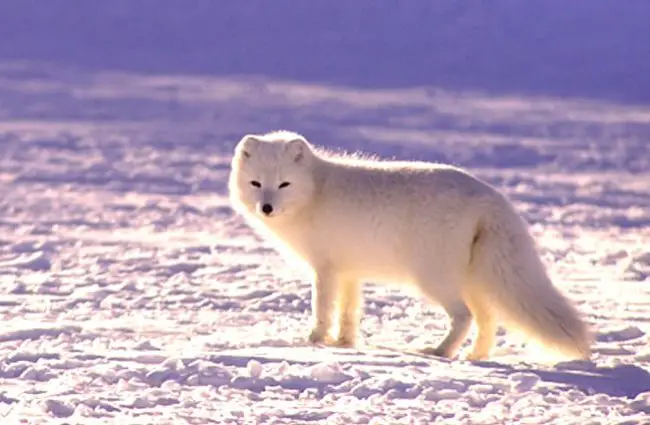

 hybrid tinsel
Why are you using triggers, @sweet brook? If you use bools you can just go idle as soon as the movement bool is false.
sweet brook
where would i write in teh code to turn them false tho
hybrid tinsel
Your entire movement setup is kinda wacky to me; why not get the x and y axis of player input? That gives you both direction and whether the player is walking.
If you took x and y floats, you could have the entire movement set up as a 2d blend in one state.
sweet brook
i tried a few otther movement setups, but hte issue i kept getting was diagnal movement
this is the only one i found that did what i wanted
i agree its not ideal,
i onyl want left up right down movement
like in pokemon red/blue
hybrid tinsel
I've not played pokemon at all