#🏃┃animation
1 messages · Page 50 of 1
 tired flame
 unique folio
@tired flame me awake for you question
 lean dove
Does anyone know about a good/decent workflow for mocap with the kinect v2 and importing the files in unity + maybe cleaning up the animations?
unique folio
guys can i make blending between 2 blend trees
lean dove
couldn't you add one more control value to your blend tree?
other than that, you should be able to transition between 2 trees like with any normal states
unique folio
there is no 3d blend trees
i would need 3 of them
i got angle y and speed to control character
now im adding angle x to control arms direction
transition between states not smooth enogh
lean dove
wouldn't that match to be on a separate animation layer?
unique folio
i think my masks dont work properly and i got excessive turning
i will try to fix masks first
will take some time
lean dove
can't you do blend trees inside a blend tree?
lean dove
unique folio
well i know how to make blend tree in a blend tree, i just think how do i implement ti all now
i think i dont even need a new layer i just change my old ones
tbh i can do most of my animations in one animation state lol
so many possibilities opened for me now
looks i was way ahead of myself
lean dove
actually, I haven't done that firsthand before, I just checked if it was possible because I thought I have seen that previously
and it was
unique folio
so i need to make blend tree in blend tree in blend tree
nice
damn big tree i grow up here
 granite pulsar
I have an animation that moves forward. I want to root it. I tried this but didn't work. How should I root this animation?
granite pulsar
animator component means Animator Controller component?
 graceful lantern
animator controller is not a component
"animator component" means brex... uh, "animator component"
granite pulsar
I do have the Root Motion applied
this is a running forward animation
and character is not exactly at the root
animation itself runs forward and even if I root it, it has some offset
graceful lantern
odd that you have a loop match if there's root motion
granite pulsar
I am not sure what that means... kinda new to game dev
graceful lantern
don't worry, everything about root motion is confusing
but there seems to be a lot missing from your first SS
granite pulsar
i'm currently streaming
if someone wants to rather see my screen
that could work
granite pulsar
I got this animation from Asset Store
I purchased this one
and out of the box those things are missing
graceful lantern
are the individual animations FBXes?
are they imported as Humanoid?
game looks cool, btw
granite pulsar
ah thanks
well they are individual FBX
and imported as Humanoid
not sure what loop match YELLOW means
graceful lantern
loop match is an indicator of how different the begin and end frames of the clip are
my screenshot was a Mixamo animation as well
Malukah in the background there?
granite pulsar
oh I managed to get what you showed me
if I set this to None
I get all the options you were looking for
 twin musk
Hi,How can I change a character position using an animation,and,at the end of it,maintaining it?
 carmine wedge
heya guys. Hows everyone?
so, i just started toying with animations, and i have a situation where i have a bow, sword, and a staff. all considerably different attacks , but all driven through same method. Only the animations should vary.
So am i correct in assumption, that i need to look into an animation state machine? This little guy here...
i suppose i could also just set a bunch of bools/triggers and make a mess of the first layer 😛
ahh well , i'll get er sorted.
unique folio
@carmine wedge need help here?
carmine wedge
nah , i figured er out, cheers mate.
carmine wedge
any obvious reason i should look for that an animation event isnt firing on a second layer?
carmine wedge
well, i didnt mean that obvious... debug msg was in place as soon as i set it up . But alas, the animation on layer two plays, but never fires the animation event.
carmine wedge
Sorry, had to step away, but nah, not the issue. i just had some directions out of order. All good. Cheers.
 feral salmon
Hey. I am going through a transition nightmare and want to know if there is a better way. The concept I am working on revolves around a customizeable combo system, where you can take any attack and put them in any order. is there a way to do this without ripping out my eyes
 desert pelican
@feral salmon https://assetstore.unity.com/pack ages/tools/animation/mecanim-control-15156 replace transitions with this way
@feral salmon or use blend trees with sub trees and layers masks in animator
feral salmon
@desert pelican is this usable with 2d characters?
desert pelican
@feral salmon http://www.ufe3d.com/doku.php/mecanimcontrol
it's works with animator directly and can be used with any types - 2d and 3d
feral salmon
k
 worldly shoal
i'm making a 2D VN. If the scene has 2 characters, one will be on the left, and one will be on the right. I want to sometimes show them talking to each other (and not you). It's a first person view, so to show that, I was going to have the two characters move to an edge of the screen. Is there any way to use one animation for them to both move? I don't think so, because when the person on the left moves to the left edge, they'll move less than the person on the right. But, still thought I would ask, otherwise I'll need a "private_conversation_if_on_left" and a "private_conversation_if_on_right" animation
 undone birch
Hello ! I couldn't find the proper way to use the "Normalized Time" state parameter. The animation controller's parameter is correctly set, but my states always start from 0. I tried setting it onstateexit, onstateupdate, onstateupdate except the first frame... no change at all. I can't do it using animator.Play from onstateexit because it always load the first frame... If anyone has an idea... I'm about to use a float instead of a bool to put everything in a blendtree which doesn't seem really nice...
lean dove
animator.Play(stateName -1, normalizedTime);
always worked for me I think
maybe there is some other logic interfering?
oh, as for directly using the time state parameter in transitions, not sure, but in the transition itself you should be able to adjust normalized offset and transition time
to the other state
using normalized time as parameter itself, haven't seen that yet,
maybe you can make a separate animator variable, check the CurrentAnimatorClip in your update code and set the animator variable to the value of the normalizedTime of the clip you get back
undone birch
that's what I did. I'm trying to use this
using animator.Play didn't work from OnStateExit but it would work from the place I switch the bool
Thank you @lean dove btw
lean dove
ah so you can do that, wasn't aware. anyways good luck, haven't done this one before ^^
undone birch
hehe well atm I cannot do that ^^
lean dove
or you can make a trigger and make a transition from any state to the animation, with the transition parameter being that trigger,
depends on what you mean with calling it once
Play works too of course
and if the animation hasn't loop selected, it will stop after being played once again ofc
undone birch
Ok, so I solved my problem turning the bool into a float to be able to use it in the blend tree. It was a less dirty hack than calling animator.Play from a monobehaviour.
I wonder why we can't use bool in blendtrees
 sharp pulsar
Is it possible to import animations from Blender?
desert pelican
with .fbx u can use any 3d software for animation importing
sharp pulsar
okay just save the animation as .fbx got it
lean dove
you could directly use blender files in unity too
as long as you have blender installed locally iirc
 tepid aspen
I have an issue with displaying the correct animation in game. this is a top down 2d game
When I press up and then down (or down, then up) it will display the right animation for a brief second before going to the correct animation.
when I press left to right or right to left it works just fine
 forest surge
hey guys, i am having trouble with weight painting a humanoid, the arms aren't going down properly and i do't know what to do
 mental star
Hi when i jump and then hold the left or right arrow key it gets stuck in the animation It is in
I am using this animator
Here
 fervent pollen
@mental star What condition are you using to set the jump
mental star
Pardon
unique folio
@mental star condition
 wise ruin
can i assign multiple animators to a single GameObject (player) like Animator 1 is for generic animations (walking, running, etc), Animator 2 is for battle animations
or is it only 1 animator per GameObject?
unique folio
@wise ruin use animator layers
unique folio
 wise ruin
thanks
forest surge
hey guys, i am trying to do new animations with ethan, but everytime i press the red button to record the animation he curls up, how do i fix this?
 red egret
Can anyone recommend a good place to get royalty free humanoid animations for use in repackaging with custom humanoid characters in the unity asset store? thx
Mixamo for example has a ton of great animations royalty free for games but they don't allow redistribution in an asset format.
 valid ember
@tepid aspen what are you using for getting the keys?
 vagrant acorn
how do I access and increase an animation float through code animator.SetFloat("die"); like in this case
 lavish needle
Hi guys,
I've created an animation in Cinema 4D, this contains transformation data (moving, scaling, ..) but also material changes.
For ex: a cube moves from left to right, but also changes from red to blue.
I know I can get the transformation into Unity, but wondering about the material change
forest surge
hey guys i really need help. so i made an animation on ethan. and i want to be able to use that animation on another character. but it references ethans bones... i know theres away to change them to reference the animator bones but i have no idea how to. please help
lavish needle
@forest surge https://docs.unity3d.com/Manual/Retargeting.html
forest surge
ill have a look'
forest surge
@lavish needle it isn't working
lavish needle
They have the same bone structure?
forest surge
yes
i'll post a couple pics
imported animation
the package it was imported with
before i change the animation type
 charred belfry
If you want to retarget you use Humanoid animation
forest surge
changed the rig
the new reference of the animation, the actual bones in unity
so when i make my animation on ethan, within unity. i can't change that and make it all reference the bones, atleast i can figure out how too
charred belfry
So now if you have an animator on a character with the avatar on it, does it work?
forest surge
this is the one i made, references ethans bones
yes
which is how i want it to
but the one i made, i can't seem to figure out how to reconfigure it
i've been through the retargeting watched 40+ min yt videos
i can't figure this out
charred belfry
I'm not actually sure if you can retarget hand-made animations... Not sure if there's tools to do that but I may be wrong
I've only done that sort of things with my own recorder and custom code that I can't share 😦
forest surge
well, i try to import ethan into blender but the bones get deformed, and i can't make animations made in akaytzu top work in unity
i wouldn't want you to share any of your personal stuff, i've just been at a standstill with this, it just seems so tedious
charred belfry
You may be able to use the FBX exporter to go out and back in to get use of the importer with your animation
forest surge
i can try that, i should probably just look up some stuff to do with blender, i can rig and animate but i'm not great at modeling so i never really went into it
thanks for the help 😃
 fluid ember
How do I just get an animation to play once and then move onto the next animation (sorry I'm new to this stuff)
forest surge
@upper wind does the wing have it's own animator?
forest surge
@upper wind so you fixed it?
 upper wind
Ye
 verbal herald
should i have one animator for two different characters, or two?
upper wind
I just set them to booleans I hope that works
forest surge
@verbal herald not sure what you mean but different objects should have their own animators for themselves/children. The animator avatar and controller can be the same though
 eager parcel

GitHub
Repository for SIGGRAPH 2019 Animation Rigging workshop - Unity-Technologies/animation-rigging-workshop-siggraph2019
 reef abyss
@eager parcel I'm newa to unity, how do I install/use this?
I apologise for the ping, just saw the PDF
I can't find it in the package manager :l
eager parcel
it's a preview package, they are not shown by default
you need to enabled preview packages from Package Managers top bar, it's under advanced dropdown, @reef abyss
reef abyss
oh ok
 stable slate
I need help please
Im a complete begginer in unity
Im trying to import animations
I NEED my model to switch beetwen difrent animations with a button that a player can click does anyone know how to do that i also have playmaker
 sudden hare
Hello. Any suggestions how to deal with fps animations? For now I have hands and pistol as a child of right hand bone and planning to do interaction animations like open door or button click. It seems like I'll have to do object interactions for each weapon or can I reuse them somehow?
 mystic nacelle
Hi all wondering if anyone can help me out, i've just started work on blend trees to control some animations that are rigged to a character, my problem i'm having is that when i am switching between these animations they arent starting from the beginning rather they are starting from the last position before they were changed to a new one? any help would be appreciated!
stable slate
@unique folio i just need to learn how to do a button and switchea bettwen 2 animations
worldly shoal
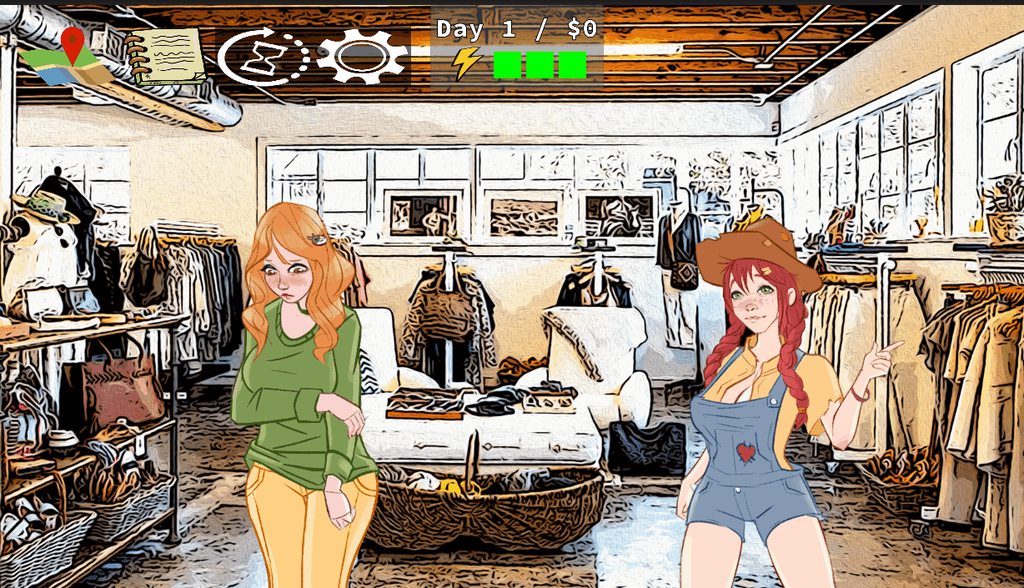
I'm making a 2d VN like so: https://imgur.com/a/kClKB60 I want these characters to have many different actions, like move off the screen to the left/right, both go to the left until they hit the edge and don't overlap, have one go to the center while the other stays where they are, etc. Is there a good way to do this without having to come up with every permutation of what I want? e.g., can I say, "move one unit to the left" somehow, and call that 3 times if I want the person to go to the left side of the screen? If this is possible, can someone explain how?
 worldly shoal
I've only figured out how to have an animation that says, "Start your x, y, and z position at (0,0,0) and change it to (-1, 0, 0)." Instead, is there a way to say, "Subtract -1 from your x"? I don't want to have to specify the starting position, and I don't want to effect the y or z in any way, nor modify it.
forest surge
Hey guys, i have a character with an animator and its set up as humanoid, when i create an empty gamobject that i can manipulate whilst not messing with the animations, any bones that are children of it stop functioning. how can i make this work? the animation bones still come up as the correct ones...
 pallid eagle
so i try to make a prefab with animation that i can instantiate in my code but the problem is that the keyframes keep going "missing"
as seen here
pallid eagle
nvm
twin musk
@pallid eagle please share you fix for everyone else 😃
 dawn kiln
Trying to export an animation from Blender into Unity via FBX. The blend shapes are present in Unity, but the animations for those blend shapes are not. Does it just not export the animations, or do you have to do something inside Blender for it to export them properly?
pallid eagle
so uh for the missing prefab keyframes what i did was attaching the image on the prefab itself bc i noticed there's actually no sprite attached to it and when i did, the sprite no longer goes missing. that's all
 inland oasis
Blendshape animation is not supported in the blender to unity fbx pipeline. Not sure where they are lost but they are. A workaround is to animate control bones and hook them to blenshapes in code
twin musk
Hi,what's the best way to play 2 animations from the same armature at the same time(for example reporting a gun while running)?
inland oasis
Animation layers and masking
Add an animation layer to mechanim with a mask on arms and head, then put the gun animation on that layer
twin musk
Thank you
 limpid relic
Hello everyone,
I have problem about character movement. My character doing all the animations but not moving. Staying right where he spawned. Can someone help me with teamviewer or smth?
dawn kiln
I got blendshapes working again by switching from FBX Ascii to FBX Binary
of course the fbx binary exporter mangles the animation clips so I have to edit them and set proper key start/end and names for them all which is annoying
might see if I can improve the binary fbx blender plugin in that regard
 hot wharf
 eager trellis
I have a bit of an issue. When I view a humanoid animation in unity there are vertices that don't follow the leg. However in blender these animations look fine
@ me if ur willing to help
 lavish slate
Someone willing to help understand how to get animation transition happen in the right way?
Using it already, but I'm having weird behaviors
twin musk
Hi,It's possibile to play an animation when an object velocity on z is major of a value,withouth writing any script?
twin musk
worldly shoal
man dotween is a godsend
 dreamy raven
Hi everyone ! Old Unreal user, i just switched to Unity and i love it.. I'm having issues with exporting a rigged and animated bird.. The animation just doesn't show up, not even in the preview window on the right.. What am i doing wrong? I've seen a bunch of tutorials but i still can't exactly figure it out.. Do you have like a proper tutorial from rigging and anim from Maya to Unity? Maybe its the IK handle i used? Thanks a lot again !!
dreamy raven
I made it !! It was the fbx option export !
 stiff sapphire
Hey guys, do you have tips to properly organize an animation state machine ? As you can see, mine is already starting to look like a spaghetti plate, even with only 8 animation states...
stiff sapphire
I just tried grouping related states into sub-state machines, it's a first step but maybe there's more that can be done ?
 gentle wind
keeping them tightly knit is a start
they're pretty spread out in the pic, obviously i get you're trying to make it easier to know whats what but, if you bring them all closer and divide them into groups like a pie chart it's easier to read visually at least for me
idle - - [walking, running, crouching] first group, attacking in different forms second group so on
 viscid grove
I don't know if this is the place to ask, but there are some things I'd like to know about.
I'm trying to figure out how to make use of Unity's Animator Controller for 2D animation -
I'm trying to get a square to rotate 90 degrees and continue playing an animation, (now rotated 90 degrees as well), but I'm unsure as to how to accomplish that
The material provided to me says I can try to use something known as a "Root Motion" but I'm still quite inexperienced with Unity's workings, so I'm not sure how to actually apply that to the program.
Right now I've managed to get it to rotate, but when it transitions back to the default animation, it simply loops one half of the animation repeatedly, and doesn't take inputs any more
unique folio
is there a way to change blend thresholds via scripts?
 leaden grove
Animations for the enemies in the post jam version of my game
sharp pulsar
I am doing a 3d platformer tutorial and I have a bit of an issue. I got a part where it showed me how to copy and paste animation time lines to a character yet when I do so the model just suddenly disappears
nvm I figured it out
oh wait that was a jump animation
to be more specific the model seems to dissapear when I hit play
any advice
I didn't have this problem with the jump animation whats wrong with the idle?
hello?
for some reason it looks different when I paste it in

Welcome back to this series where we're learning the basics of creating a 3D platformer in Unity! In this episode we're going to add the full player model & ...
14:10 is where I start to run into problems
sharp pulsar
I attempted to fix it by adding in the armatures now this happens
I am also not seeing all the other animations with the character in the heirarchy either. Just so you know I imported the model as an FBX file since the .blend file wasn't importting correctly
 tough heath
i imported a model from a video game and i tried to set it up and give it an animation from mixamo but all he does is bend and curve his arms instead of doing the rolling animation?
basically im trying to make a model do a roll
pls help
sharp pulsar
I might have to look at my model scale which might be why my model looks so distorted when the animation runs
sharp pulsar
do you think I need to adjust the scale here thats what someone over on reddit suggested
here is the current transform scale of the model
this is what its supposed to look like normally
 shy dove
never animate the scale of a model you get problems like this
sharp pulsar
I should probably get rid of the scale then
gentle wind
In blender i know there is a setting that's been there forever marked !EXPERIMENTAL!, but it just applies the scale so it dosint go all goofy importing on you, you've probably fixed scale by now though
sharp pulsar
Not sure since there is still heavy distortion during the animation
like why is the file scale for the character model 0.01 while everything else is 1
gentle wind
yeah that's unity importing setting, as well as the export in blender
"convert units" is like 0.0001 or something crazy
sharp pulsar
I didn't see that checkbox though
 restive falcon
Little crouch and walk to the side animation.

Quick and dirty, not the best I could do but it serves it's purpose.
sharp pulsar
okay so I decided to delete and reimport everything and its a bit better now I got this going on
restive falcon
I see.
Yeah never animate scale for characters, I don't see my own arms suddenly changing in size
sharp pulsar
it doesnt seem to be scale this time as it it is more position from the looks of it
the scale was included when I pasted the animation in
this is the animation I was copying from
Take_001
restive falcon
I wouldn't mess with position either, unless the characters arms and legs pivots reset into the center.
Maybe the animation was from a different version of unity
Oof so disorganized.
Okay, better
sharp pulsar
where is this from?
I have decided it would probably be just easier if I do the idle animation manually
sharp pulsar
I have been trying to open up my animations inb blender but I keep getting this error
is something screwed up?
 mystic marlin
Hey guys, I made this animation of what will be a weird carpet like monster. Idea being that its pulling itself along to move and ends up in the same position as it started (only all the rows have now shifted 1) But as you can see though it keeps resetting when it finishes. How can i make this seamless? So it carries on? (Ideally id like to make each row different colours, so resetting will become even more apparent)
restive falcon
Make sure the very beginning of the animation has every space with a keyframe.
Then just copy it and put it at the end.
You can double click on the timeline if you need a new keyframe without messing up values @mystic marlin
mystic marlin
That will just make it reset back to its old position. This will move by the top blocks sliding over and dropping infront while the back ones raise up and go behind to form the same shape but slightly infront.
HMm
restive falcon
Should make a seamless loop, you can always undo if it doesn't work.
gentle wind
anyone working with RADiCAL mocap stoked for v3?
honestly havint really done much in v2 but damn im excited to see what comes with v3
twin musk
@restive falcon shoot how are you so good
i cant even make a simple jump animation in blender
mystic marlin
@restive falcon Sorry i went to sleep. Im not sure what you mean by 'make a seamless loop'. Do you just mean tick on loop? Making it seamless is the goal 😛
sharp pulsar
so turns out deleting all the positions and scales fixed the model but it seems to be floating off the ground a bit
is there a reason for this
what you see here is the capsule object that is serving as a collider
restive falcon
@twin musk I actually got my animation experience from animating minecraft for about 3.5 years.
sharp pulsar
does anyone know why the root transform options are not showing up for me
twin musk
@restive falcon whottt shoot :(
sharp pulsar
anyone know how to fix floating models
restive falcon
I'm honestly clueless it should be working fine.
 opaque pilot
You may have to import it from DAE -> Blend in blender, or maybe DAE support is an add-on? Not as familiar with blender these days
then again collada support is on the wane these days I think
sharp pulsar
as a matter of fact I was able to import the DAE file into blender than saved it as a .blend
what I am now trying to figure out is how to add it to my character model
I think you append it or something
sharp pulsar
why cant I find the scale options for the animations in blender
so I assume the cube is set at 0,0,0 here
sharp pulsar
also their are a bunch of animations that are not showing up in my model heirarchy in Unity
I cannot find them in the import settngs either when I click the plus button it just makes a copy of the highlighted animation
sharp pulsar
tried exporting animation as.FBX now this happens
why is it that animations just refuse to import correctly for me
 safe solstice
Has the clip specific properties been removed from the animation tab? I can't find the 'bake into pose' options.
 amber eagle
whats the best software for animating avatars and such?
this is for VRchat but im also looking for general use animation if i ever get into 3D games
with this fact in mind, i have plenty 2D animation experience, but little 3D
gentle wind
blender is free, i would start with that honestly especially since 2.8 is moving to be the standard- i mean when AAA studios move to blender i would definitely consider it an option.. imo
@amber eagle
sharp pulsar
okay so I decided to import the. FBX version of my character model and I think I may see the problem
what the heck happened to the skeleton
sharp pulsar
So I realized I hadnt updated to the newest version of Unity and the animation actually works now
sharp pulsar
I am curious as to why only two of my animations are importing into Unity with the model
sharp pulsar
just curious but when exporting a model how do I ensure all my animations will go with it
 wary remnant
@sharp pulsar make sure "import animations" is checked
oh nvm
you alrady have it checked
wary remnant
but yeah i also have a problem
I've been wanting to figure out is how to manipulate animations with other movements. This is a little weird to explain, but I'll to anyways.
Let's say I wanna make a short movie where a guy is talking to his friend while walking. His head would be turned to side while he is talking to said friend normally. The walk cycle that I have animated doesn't have any head turning action.
How exactly would I go about manipulating the walk cycle to have the head turning? Would I have to have a completely different anim with head turning? Would I have to permanently change the original anim to have the head turning?
sharp pulsar
@wary remnant I know the import animations box is checked. The problem is a bunch of animations are not importing with the model when they clearly should
When I import the model currently there are only two animations with it
sharp pulsar
In the blender screen cap I posted you can see all the animations that should come with the model in the action pop up menu down near the timeline
 mystic willow
Does anyone know if you can import After Effects path animations (so no images) into Unity ?
twin musk
nu
 cloud zealot
For some reason I have an animation that keeps looping despite looping set to false?
I've checked my code and there's no place where I specifically call that animation (my player has a state machine of sorts and animations change based on the state he's in. I would know if he was repeatedly going from one animation to the other very quickly which makes it look like it's looping)
the animation is one frame long (it's main purpose is to just change the sprite of the character but I doubt that's the issue since I have another 1 frame animation that doesn't repeatedly loop (this also has loop set to false)
sharp pulsar
I was looking at the export settings and I was wondering if this may have something to do with my recent problems
sharp pulsar
okay now I noticed something odd
in my Idle 2 animation all the nodes are connected
but for the run animation only bone.010 seems to be linked
is there an explanation for this?
 glad hinge
Hello i have a problem with animations on a player
the player have 4 child
a have also 4 animations
on the player, i added an animator
where i dragged my four animations
but its not working, can you help me please ?
 celest crag
@glad hinge You need to actually setup the animations https://learn.unity.com/tutorial/controlling-animation#
glad hinge
please can u help me
 dry ocean
@sharp pulsar hi i'm having a similar problem of exporting my 2 animations from Maya to Unity. the animations won't play and when it did the eyes were the only thing that moved. i skinned the eyes with the body and now the entire model won't animate in Unity
 calm lodge
why does it get stuck on the jump animation when i turn off has exit time?
https://gyazo.com/880444e734b80ed6faea2ef02d8ac595

 hybrid tinsel
I seem to be having trouble syncing animation events to the actual animation; when the animation speed is changed, the position of animated objects seems to randomly register incorrectly in the called script.
You can see here the exact frame where the arrow object was instantiated, and the red dot is the animated object it is supposed to be spawning from(the pivot being at the tip).
(or would this be a question for another channel? Not actually sure if this is a code thing or an animation thing, though it seems to be tied to animation speed)
celest crag
Could it be that it skips some frames at faster speed and you may want to do an additional check where to spawn it from?
hybrid tinsel
That does seem to be what is happening, but not sure what sort of other checks to use.
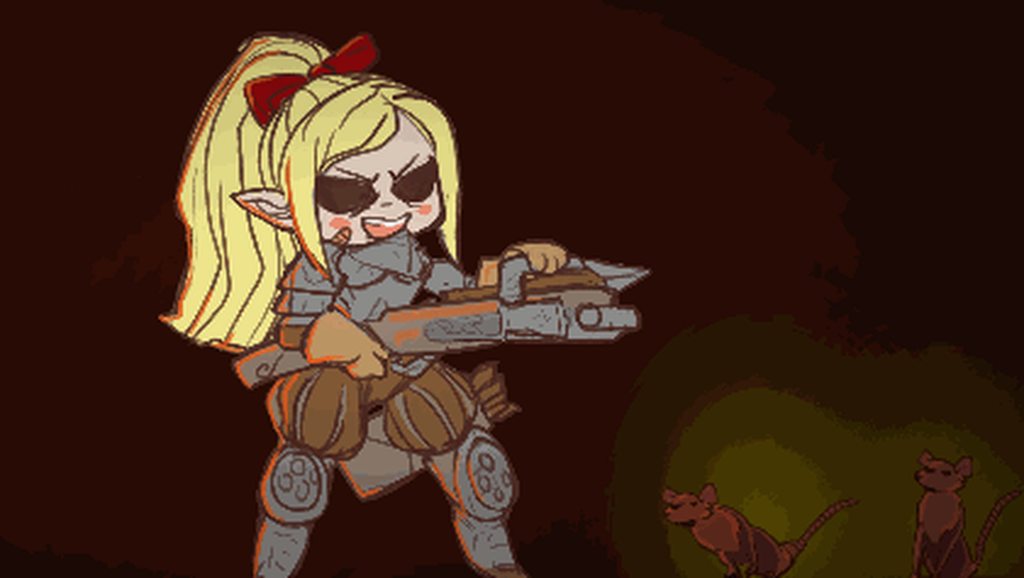
Here you can see the difference between normal speed and 4x speed
It seems almost as if the event is firing on the wrong frame, or on an interpolated one
I have checked that the reported position of the emitter matches that of the spawned object, so it is coming into the right place as far as the script can tell
celest crag
Could be due to animation trying to interpolate. You can fix this by not relying on animation.
or just use actual position for the spawn point manually when it does fire
hybrid tinsel
What do you mean by the actual position?
Right now I am using Rigidbody2D arrow = Instantiate(ammo, emitter.position, Quaternion.identity) as Rigidbody2D;
Is there a more correct way to do it?
And yes, it definitely seems to be the animation reporting the incorrect position due to interpolation
celest crag
it could also be timing of the frame. You may have the right position if you spawn it later in the cycle
hybrid tinsel
hm, that isn't a bad idea, though right now it is synced to where the arrow in the animation is hidden
So if I moved it, there'd be a gap
worth a try for testing at least though
celest crag
Testing actual transform position on the screen and using that at this point should work the best though
hybrid tinsel
I'm not sure how one would do that. Is there a way other than transform.position of the object?
celest crag
Yea, sorry I'm speculating at this point. If it's not the correct position at the time so it maybe being updated later.
So waiting a frame to fire might work as well
celest crag
Run a Couroutine with one frame skip
You can also use it to wait for the end of frame https://docs.unity3d.com/ScriptReference/WaitForEndOfFrame.html
or fire on the next
hybrid tinsel
ahhh, worth a try
moving the event in the animation DID seem to work, but with the side effect of completely breaking the effect since there's a long visible gap between the bow firing and the arrow appearing
celest crag
IEnumerator MyRoutine() {
        yield return new WaitForEndOfFrame();
        //fire
}```I'll give that a try
celest crag
WaitForFixedUpdate will work too if you need it to run earlier, it goes after animation as well https://docs.unity3d.com/Manual/ExecutionOrder.html
hybrid tinsel
It works! Fantastic!
Thank you SO much.
I actually have another question, if you don't mind. Is there a way to scale a timeline track, the way you can a keyframe track?
That is, the entire track, not just individual clips
celest crag
Changing time scale possibly?
You'll want your UI animation to use Time.unscaledDeltaTime to not be affected though.
hybrid tinsel
No, I mean, not affecting the overall time of the game or the timeline, just the one track. It is a bunch of subtitles, and they are a bit too fast. And that's a lot of manual editing/retiming...
Ideally, I'd also like to have a way to let the player skip through text too, but I have NO idea how to start on that.
Like, if I multiselect and move them, they all move. But if you scale, they only scale one(unlike in the animation window, which will scale all the keyframes)
celest crag
I'm not familiar with timeline, if its properties can be accessed to change the scale you can change them through script in the editor, not even an editor script just with regular script with [ExecuteInEditMode] attribute.
But I'm sure it is possible to skip or set timeline playback position.
hybrid tinsel
It might be very easy, but I have no idea what to search for. (or rather, I know a few dozen searches that will NOT yield an answer 😛 )
celest crag
https://docs.unity3d.com/Manual/script-EditorClip.html This could be it. You'll have to save skip positions for every dialogue and make them jump there when skipping
hybrid tinsel
I'm not sure how I'd save them; signal events?
Or how to get the times of them from a script. Though I can see we're getting pretty far away from animation here 😄 Thank you so much
celest crag
@hybrid tinsel I think this is what you want https://forum.unity.com/threads/how-to-programmatically-set-timeline-position.533949/ Sorry, I don't usually use timeline and animations, mostly doing procedural stuff 🙂
hybrid tinsel
I will try it!
And procedural stuff is interesting to me, but I am mostly an animator and timeline/animator is closer to what I've worked with in other software
I'm pretty new to unity and programming
hybrid tinsel

Various small improvements Much slower subtitles Rudimentary upgrade system
celest crag
Nice, I love the arrow trails!
celest crag
Wow, that's impressive!
hybrid tinsel
 celest crag
Very cool, reminds me Butterscotch Shenanigans studio animations. You can post in #archived-works-in-progress your updates. Will be interesting to see how it progresses 😄
hybrid tinsel
I'm not sure how far I'll take it, but I will!
It's gone a lot farther than my one previous project
So I think I might end up actually making a complete tiny game
celest crag
You really should. Limiting a scope for the first project is very important. You can always build upon it later as a next Chapter etc.
And I love the artwork.
hybrid tinsel
So any idea how to fix this error? The AnimationClip 'rat01_idle' used by the Animation component 'rat01 (1)' must be marked as Legacy.
...nevermind. Apparently somehow some different animation script ended up on there
And the artist is mostly by my friend Shia: https://www.patreon.com/cutecomics

Patreon
Become a patron of Shia today:
Read 1067 posts by Shia and get access to exclusive
content and experiences on the world’s largest membership
platform for artists and creators.
 brave panther
hey Hi i am new in this Discord, and I have question, can I sell my 3D characters (this are custom made by me) with Mixamo animations?
hybrid tinsel
Might be against the TOS
"NO, you cannot create... Blueprints or asset packages for video game engines which redistribute character or animation raw files"
twin musk
I'm wondering on what animations I would need for a bipedal robot
I would like it to not be able to turn in place so that it has to move a bit forward turning a bit every second and also be able to move backwards without rotating the whole body
Do I just need forward / backward walking animations for it or do I also need some kind of rotation animation?
Or can the rotation part be done entirely with scripts?
 faint coral
hybrid tinsel
faint coral
hybrid tinsel
@twin musk sounds like it is time to hunt down reference footage:D
twin musk
It's hard to get reference footage of this
hybrid tinsel
@faint coral you need to put the collider on one of the objects that is animated, or parent it to one of them
Look up footage of birds
twin musk
I'm probably going to download some games that have it to see how they do it
hybrid tinsel
Or, like, look in the mirror and try to act it out 😄
twin musk
Tbh I've tried
hybrid tinsel
That leg design is kinda awkward
Maybe cheat by rotating the feet at the ankles
Like, lift one foot and rotate a little, then the repeat with the other foot
twin musk
I think the way it works is before moving the leg the back/lower part of it goes upwards and then the whole leg rotates
And when the whole legs gets to the destination then in kinda settles in for a sec while the other leg moves
hybrid tinsel
The whole center of mass for that thing looks unbalanced
twin musk
It's supposed to be very stable and be able to climb hills easily
🤷
I've never, ever imagined that I would have to figure out how sci-fi robot legs move
hybrid tinsel
Supposed to be according to who?
The writer or the guy who actually designed it
Because it looks like it was designed to only stand up when its feet were glued to a base
twin musk
The Sentinel is most favoured when Imperial Guard patrols must move across rough terrain that would completely immobilise heavier vehicles. Sentinels achieve a perfect balance of robustness and mobility, able to negotiate terrain that would immobilise heavier battle tanks and armoured vehicles whilst still able to face down fire that would shred ranks of infantry.
It's from wiki
hybrid tinsel
Yeah, but it isn't a real vehicle. They can write whatever lore they want.
twin musk
Well, yes
hybrid tinsel
They could say it can transform into a magical unicorn if they wanted to but that dosn't make it realistic 😛
twin musk
If it was supposed to be realistic then it would topple forward at the very beggining because poor center of mass
twin musk
@hybrid tinsel
This is what I came up with, I'm not the best animatior 🐱
hybrid tinsel
Needs some hip wiggle
 solemn summit
so i downloaded a jump animation from mixamo and the jump causes the player to move forward (its kind of a jumping across animation) is there anyway to get it to stay in the original place aside from where i want it to jump to, like a normal up and down jump
hybrid tinsel
use 'bake into pose(XY)' in the animation clip
twin musk
Does have two conditions in the animation which look like this
Means that the animation will play if velocity is between -0.1 and 0.1?
Or will it play for all values bigger than -0.1 and for all values smaller than 0.1?
hybrid tinsel
the former
 pulsar heron
@twin musk i think you should only use one, set it to play when velocity is "not equal" to 0
hybrid tinsel
@pulsar heron - what if they are using physics or lerping to move and want to ignore tiny velocities?
You might not get exactly zero velocity all the time.
sharp pulsar
I really wish someone could help me figure out why all my animations in blender are not importing into Unity
I have tried selecting everything and set it to only selected objects in the export menu still doesnt work
sharp pulsar
I just really want some answers here cause I have been knocking my brain out for ages on this
hybrid tinsel
I've never even used blender
sharp pulsar
okay so I think I found something that may be the cause of my problem notice how the pose bones are underlined in red
I have often heard thats a bad thing
hoily shit I deleted all the red stuff and it actually imports now
sharp pulsar
who knew it was that simple
 worldly thunder
hey guys my friend made a animation of a guy holding a gun in blender i imported it in unity the character has tons of animations instead of one can i somehow merge them together into one animation?
sry for posting this in two channels
didn't know in which one i should post
 sharp gulch
Hey ! I've a gameobject with a sprite renderer component and an animator component,
I've a run animation and idle animation with a face to right and to left script determined by Input.GetAxisRaw("Horizontal").
My issue is that if I run and then I flip then my gameobject goes to idle position for a short time and run again but I want to avoid this idle short time. I tried a lots of things
but I can't find something very optimized nor looking good. What should I make to avoid my issue? All my transition haven't exit time nor offset etc...
celest crag
@worldly thunder Make sure you are exporting only selected objects.
worldly thunder
can you explain it?
celest crag
When exporting FBX you can select what you are exporting. It looks like you have animated light sources in this. If that won't help might need to clean up animation itself to leave only relevant parts.
worldly thunder
thanks, going to try it
hybrid tinsel
@sharp gulch do the transitions themselves have time?
That is separate from exit time and they default to having some
sharp gulch
Yes they do
hybrid tinsel
is it bone animation, or frame by frame
If it is frame by frame you don't really need a transition time and can set it to zero to avoid the delay
sharp gulch
what do you mean by bone animation ?
hybrid tinsel
You can animate sprites using bones, or by actually swapping the sprites frame by frame
sharp gulch
It's frame by frame, and my transition time is already set to 0
hybrid tinsel
okie
how are you controlling the animation?
I'm guessing you're setting a speed float or a 'is walking' bool, are you setting it on fixedupdate, or some other time?
sharp gulch
I'm using a setbool for sprinting in update
hybrid tinsel
when you open up the animator during game time, is there a delay in setting the bool after you turn?
Or is the delay after the bool is set
sharp gulch
there is no delay but that's weird because my "sprint" bool isn't checked in the panel but the sprinting animation is working
nvm i've not clicked on my gameobject, the sprint bool is checked well
hybrid tinsel
what code are you using for flipping?
sharp gulch
            moveBefore = controle.MoveAxisHorizontal;
            animationJoueur.SetTrigger("flip");
            transform.eulerAngles = new Vector3 (0,0,0);
        } else if(controle.MoveAxisHorizontal < 0 && moveBefore >= 0){
            moveBefore = controle.MoveAxisHorizontal;
            animationJoueur.SetTrigger("flip");
            transform.eulerAngles = new Vector3 (0,180,0);
}```I just made this, it's almost working but sometimes the idle animation is still triggered before my "running again" transition.
animationJoueur is my animator variable, moveAxisHorizontal is Input.GetAxisRaw("Horizontal")
hybrid tinsel
/...oh, the flipping is an animation?
sharp gulch
nope, I do "setTrigger("flip")" for making a transition to the current animation (so the sprinting one) for avoiding to get back to the idle animation. There is still only 2 animations.
hybrid tinsel
Hm. What does your animator graph look like?
sharp gulch
I managed to made something working by using coroutines (idk if it's the best way), anyway thanks !
 viscid rose
Hello everyone
https://drive.google.com/file/d/10oqKMfRiCxL0hA5fXpMLTW9Z7CS4pRk2/view?usp=drivesdk can anyone tell me how can I achieve this type of animation

Google Drive
faint coral
@viscid rose I like this game !!!
viscid rose
@faint coral I also do, whenever I'm free I just play it, kinda refreshes me but only when I'm winning lol
 split nimbus
Super beginner level problem I think, the "Add Property" button is greyed out. All my efforts to figure this out from the internet have been fruitless. Anyone know a fix?
hybrid tinsel
Hrm
split nimbus
(for reference, i'm at "can do a Brackeys tutorial with relative ease" level)
hybrid tinsel
What about if you add a new animation?
split nimbus
Yeah about that, shouldn't there be a button right about here that lets me do that? I've made a new animation but that isn't working any better
split nimbus
oh
hybrid tinsel
hybrid tinsel
no problem 😄
Basically, you were stuck on the animation clip object in the assets
Instead of applied to the game object
faint coral
Hi everybody, When I press arrows my character walk, there is an acceleration made automaticaly by Unity. Is it possible to cancel it and directly going from 0 to 1 directly in input axis ?
 coarse grove
@faint coral Yes, Input.GetAxisRaw instead of Input.GetAxis
faint coral
@coarse grove Oh nice, thank you 🙂
 runic lantern
Hi all, I have a shooting animation when I click. When I click once it should play the animation once but it plays it twice. I have been searching everywhere for a solution to this.
Can anyone help me out?
celest crag
rule out the code first using Debug.Log, then troubleshoot animation
runic lantern
@celest crag this is what is happening
You can see I click once, hear the shot SFX once but for some reason the animation plays through twice
celest crag
is sound connected to the animation?
hybrid tinsel
Check your transition from firing states to default state, @runic lantern
It looks like the exit time might be set too late
so it is looping the clip before exiting
If the exit time/transition length is too long it will start playing the state you are exiting again
runic lantern
Yep that was my problem, thanks
 keen grove
hiya
keen grove
had a question but gave up
ITimeControl and IPropertyPreview weren't found by some asset which made no sense so i rage quit
hybrid tinsel
Um, can you give more details?
hybrid tinsel
So I guess you're missing some dependency?
keen grove
yeah but only dependancies in the script files are general unity things - like Timeline. So i figure its just some unrecoverable problem
 stuck shadow
Okay I have a big favor I need. So any chance someone could possibly make some sprites and animations for me cause I'm not very good at that. I would REALLY appreciate it. DM me. 2D game
@everyone reeee
dry ocean
hi, i'm trying to rig my model from maya to Blender and i've got interesting results. whenever i tried to skin it in blender. the model grows 50ft and off position. i built the model in Maya using Meters instead of Centimetres, does that have anything to do with those issues?
hybrid tinsel
I haven't used blender or maya, but in other software you might need to reset the pivot point and scale of the mesh itself before exporting, because it is transformed by default in the first program
So it might be something like that
dry ocean
@hybrid tinsel ok any tutorials to do that?
hybrid tinsel
I dunno, like I said I never used those specific programs you're using
dry ocean
ok anyone who used blender or maya help me out?
 brazen oar
@dry ocean have you frozen the model's transforms in Maya? (Modify > Freeze Transformations) it's also generally a good idea to delete your construction history (Edit > Delete by Type > History) before rigging or importing to another program
also agree with @hybrid tinsel, you can center an object's pivot with (Modify > Center Pivot)
dry ocean
go on
brazen oar
or move it manually by hitting the D or Insert key
i often like to make sure the pivot's at 0,0,0
dry ocean
i haven't frozen the model transforms but i did delete it's history
i didn't want to freeze it cause it would've unskinned the rig i at on it.
brazen oar
i think blender uses Meters as the standard for Metric units so that shouldn't be causing issues
there might be an object that has been scaled (i.e. its scale isn't at 1, 1, 1) that might be throwing things off
i'm not as familiar with Blender unfortunately
dry ocean
i'm away from my PC right now but i'll try both of those solutions when i get back. thanks
brazen oar
best of luck to you 👍
 fallow vale
@hybrid tinsel it's this asset: https://assetstore.unity.com/packages/templates/systems/third-person-controller-basic-locomotion-free-82048
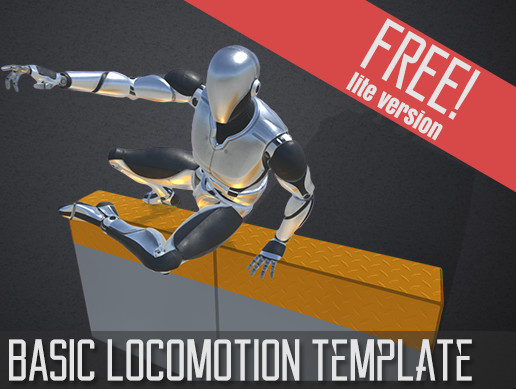
AAA Quality 3rd Person Controller
Basic Locomotion Template
- This is a LITE FREE version of the [Basic Locomotion Template]
Developing a 3rd Person Controller is really hard and takes too much time, so we developed this awesome template so you can set up a ...
hybrid tinsel
I haven't used it
fallow vale
basically here's the animation i want to change but idk how to
hybrid tinsel
that isn't an animation, it is a blend tree
four animations and it blends between them based on speed
fallow vale
is it possible to duplicate the "UnarmedIdle" and swap it with the new one so i can change it a little bit?
hybrid tinsel
Yes. You'd need to find the actual idleunarmed animation and duplicate/edit that
Then in the blend tree 'locomotion' you swap in the new one
fallow vale
should i delete the old one and put the duplicate in?
hybrid tinsel
no
just swap it in in the animation list
If you delete it you'll lose the associated values
hybrid tinsel
^_^
twin musk
I have a slide animation in which the first 2 frames are him starting to lay down, the rest of them are the ones i want to loop if the player keeps on slidding. Howevever I'm not understanding how to do this transition. I tried to check some tutorials regarding animations but didn'thelp me in this regard
twin musk
@hybrid tinsel i already had this setup, my problem was that it was transitioning from the anystate node, thank you very much 🙂
 balmy zinc
Hi I’m quite new to unity, I have created animations from sprites for a 2D platform game. I am a little confused on the “Transitions” between each of my animations. Is someone able to show me what the transition ’tree’ should look like for the following animations?
Right now my character idles all the time
celest crag
balmy zinc
Thanks, I tried to follow the video, does this look correct?
hybrid tinsel
You have no exit from the attack
But it looks reasonable to me; I used a separate layer for attack so it could play without interfering with the rest
Mine is pretty similar,
@balmy zinc
You probably should have transitions between idle and walking for falling, unless the character will never get dropped or slide/walk off a platform
balmy zinc
@hybrid tinsel Thanks! your right i forgot to add the transition in case the character falls off a platform without jumping.
This is what it looks like now, wow they get pretty messy don't they!
hybrid tinsel
Yeah.
balmy zinc
and you mentioned that if you have the attack on a seperate layer you can play that animation whilst the other are continuing in the background? that way it doesn't mess up the movement at all?
balmy zinc
Thanks heaps for your help! 🙂
hybrid tinsel
You might need to set the attack to additive to make it not interfere, not sure how that works with sprites specifically; I'm using skinned sprites, so most of the animation is on the bones
balmy zinc
Done thanks!
hybrid tinsel
fixed
hybrid tinsel
so @coarse grove how did you do walk cycles with your physics legs
coarse grove
So much trial and error you don't even want to know. There has to be a better way, but I sloppily used Sin(Time.time) multiplied by angles for each of his joints, so it's essentially just automatic QWOP. It doesn't work well at all for going up or down slopes, but on flat ground it's okay. When I'm not feeling lazy I'm probably going to create some kind of IK-esk system to actually determine a point that the leg should be at, and then the I would need to program the other joints to know where to go in relation to the IK's predicted foot placement
I definitely don't recommend my way if you want anything good
I was more focused on the lighting when I made that so I just didn't feel that invested into it since I could already get around with my jetpack, but if the whole enemy is going to be based around charging at the player, then you would obviously need a more intelligent system
hybrid tinsel
My current naive idea is parenting the IK targets to a circle, and using collision to stop them from going through the floor
like, rotating them around a center but the lower one drags along the ground
kinda cartoony, but this guy is a freaky cartoon
hybrid tinsel
It works, but the IK is all jittery
 white wren
My menu has two states that I'd like to animate between, open and closed. I have it working fine, except that the closing animation plays when I start the scene. I would like the menu to already be closed when the scene starts, to be opened later. How can I do this?
hybrid tinsel
hard to capture the jitter, since it is happening at a higher framerate than the capture
white wren
(gimme a ping pong if you reply, computer has no speakers and I'm not always tabbed in to discord)
hybrid tinsel
@white wren make a state for it being fully closed and start on that?
white wren
🤔 200IQ, brb
coarse grove
I see what you mean
hybrid tinsel
The actual motion looks very nice, aside fro mthe jitter. I'm kinda shocked
coarse grove
@hybrid tinsel I have no clue how to fix that, lerp the moveposition?
coarse grove
hmmm
hybrid tinsel
The actual rigidbody movement is totally smooth as far as I can tell
hybrid tinsel
it actually looks much worse in game
I'm trying to capture the actual jitter in a video so you can see
I slowed the walk way down
@coarse grove https://i.imgur.com/l0c73nr.mp4
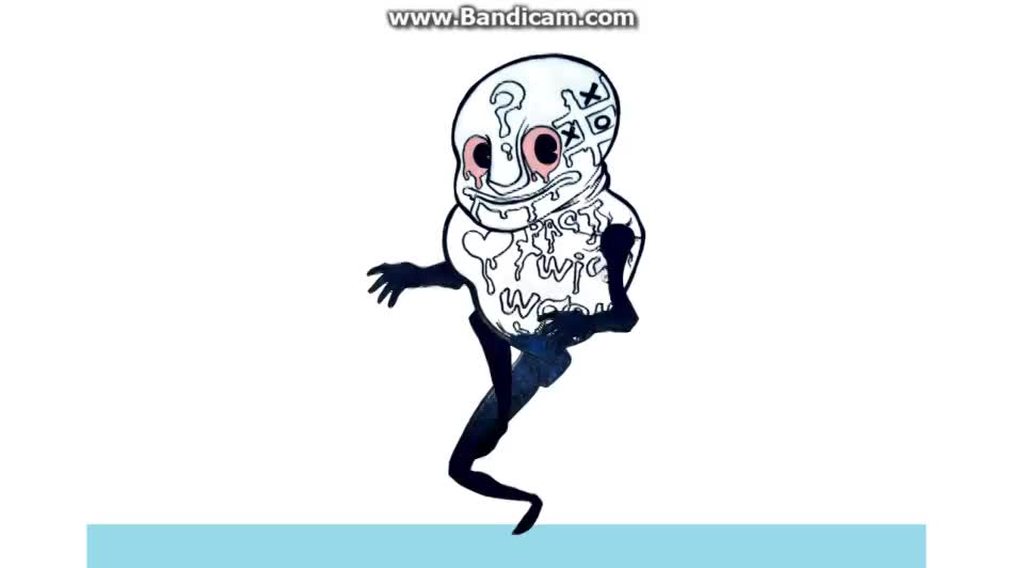 hybrid tinsel
LimbSolver2D
I solved it; the IK didn't like the targets overshooting
I ended up just removing all lerping and stuff entirely
coarse grove
Nice 👍
I completely forgot about the experimental 2D IK
I'll have to check that out for my 2D game
hybrid tinsel
Though in trying to troubleshoot it I learned that they are probably going to drop it in favor of the full 3d rigging thing
So dunno how that will go
For now though, I am super happy
now let's see if I can upload it...
@coarse grove I did it 😄 https://i.imgur.com/gWouCwl.mp4
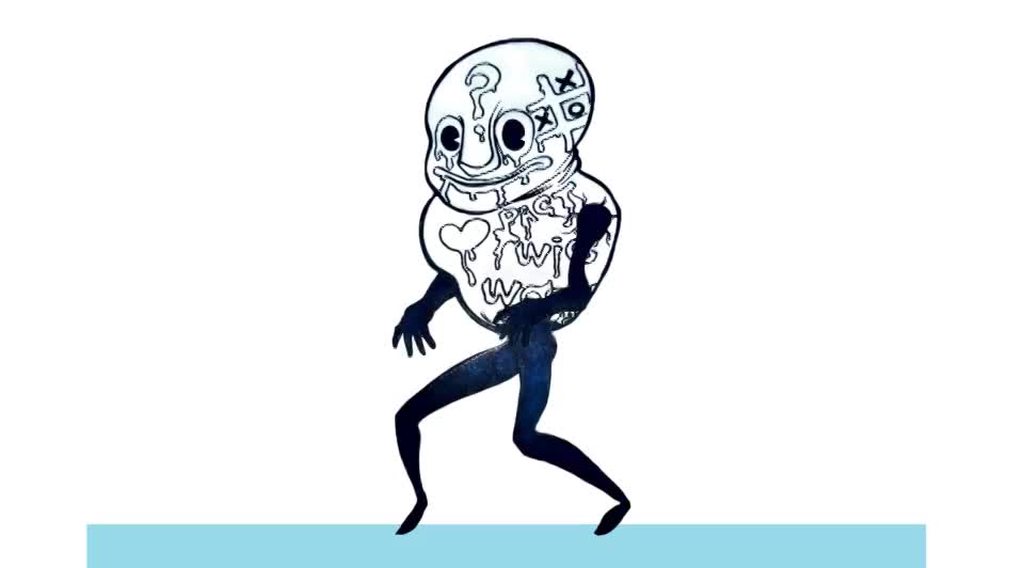 coarse grove
Wow, that's so good, jesus
hybrid tinsel
Now I think I need to totally redo the walk on my actual player >.>
coarse grove
I'll literally never not use that if I do 2D stuff from now on
hybrid tinsel
Thank you so much for the help, I couldn't have done it without you 😄
coarse grove
don't give me too much credit lol
hybrid tinsel
Now I have to figure out how to make his upper body physics controlled
coarse grove
Time for me to completely redo my player using Unity's 2D bones. At 4:00 AM
hybrid tinsel
It is funny, because the character he is inspired by is the clumsiest dude, constantly falling over, and here I have him being all agile
coarse grove
You think if I did some extra art just for his back arm, I could use one of my old pixel drawings in an IK to be really cool? Or is the angle too weird
I feel like it's too front facing
Eh, it'd be a stretch.
Curse you, past self
hybrid tinsel
That is really cool looking
and you probably could, it would probably work better than my first few animations
Look what a mess this is, with those feet pointing the wrong way
coarse grove
Lol, well I'll give it a shot on a blank project
hybrid tinsel
Maybe just, like, edit his face to be pointed the right way
coarse grove
I've never used the 2D IK or 2d bones befoe
coarse grove
Hmmm, since it has a background and stuff, how could I resize this in such a way that the pixel size is accurate to that of the picture's?
Like, in photoshop, how could I make this a really small image (so small that a pixel in the picture is equal to a pixel in photoshop) but not distort it
coarse grove
argggggg I lose so much image quality downsizing it
figured it out
Photoshop's resample mode "nearest neighbor" works nicely for pixel art I guess
charred belfry
I went to do it for you 🙂
hybrid tinsel
If you're gonna be rotating stuff, you might not want it to be actual pixel size
charred belfry
But yes, figure out the size of the pixels, make the canvas size a multiple of that, divide by that number and use nearest neighbor
hybrid tinsel
Not sure how nice it'll look when you rotate pieces
coarse grove
Yeah, got it
look at this quality!
But yes, I suppose I'll see what it looks like
It will probably bend the pixels right?
hybrid tinsel
I've not done any pixel art stuff, but probably
I heard there was a pixel camera, but dunnoe if thatworks with rotation
coarse grove
if it ends up being a problem, i'll try sorting it out
There is a pixel camera in the experimental packages
I don't know why I didn't go for this kind of helmet originally, but I just had to change it
I'll probably add some more detail too but
and make it look to the right
hybrid tinsel
What I did was put the eyes on a separate object so I could animate them
What I'm actually thinking I might try to use physics for the eyes to make googly eyes that wobble around with his movement
Like a murderous cookie monster
coarse grove
gotta change the stance a bit
charred belfry
This is probably a #archived-works-in-progress or #archived-art-asset-showcase discussion at this point
coarse grove
👍
 leaden prism
I have two animation events in this animation clip, and the first one does not fire for some reason, even when I change the function of it to just post a debug.log or when I remove the other one
the only difference between the events is that the event that is not working is from a child object, so does that factor into that?
hybrid tinsel
If an animation has been transitioned out of, events won't fire @leaden prism
Wait, you mean the first on the timeline?
Hrm.
Ok, that's weird. So the second one IS firing no problem, then?
And how did you add an event from a child object to it, anyway?
leaden prism
so, I have a main canvas here
and I fire an event from ChosenSpells
it shows up on the list of functions I can use
From what it originally does I changed it to a single debug log to see if it can even fire
and it just doesn't
@hybrid tinsel
celest crag
@leaden prism It looks like it shows wrong/older name, make sure there are no errors and it recompiles to update it.
leaden prism
ooh, nice catch, will see what the heck is going on
oh that's a dumb mistake, I made a void with a very similar name, but it was just empty as I forgot to add the function to it that was supposed to fire off
thank you
hybrid tinsel
Is there a way to make a channel in an animation relative?
Like, a wheel for example. Could I make an animation where it turns a certain amount, and have that applied on top of existing rotation rather than jumping to the start rotation when the animation starts?
celest crag
Blend trees are closest thing to that
 hollow shadow
Little question: Most tutorials I see rig with a bone structure. I did mine with pivot points only, is this bad? Whats the advantage of using a skeleton?
hybrid tinsel
Nothing wrong with that, @hollow shadow . Main difference is that bones allow for deformation.
If everything is rigid, then you don't need the extra work and the extra resources of bones
hollow shadow
ah good, so I do not have to recreate my animation, 😉
hybrid tinsel
also, I discovered that the new 2D IK works without bones too
 glad umbra
What's the best way to animate human running animations?
cloud zealot
why is my imported rig doing this? It doesn't do it in Blender
(Image shows me rotating the left leg. It for some reason also effects the right foot)
I have no other information because I just exported it from Blender as an FBX with default settings.
celest crag
make sure rotation and scale was applied in the Blender before exporting
cloud zealot
On armature or the model? Or both?
celest crag
if armature has one probably has to as well
cloud zealot
Nope. Applied rotation and scale (Ctrl+A > Rotation & Scale) on both armature and model. Still happens.
(obv. reimported as-well)
celest crag
maybe there's an animation frame got imported as well with this coordinates
recheck export settings not to include anything else
cloud zealot
Well I did multiple different things, turning off baked animation in import settings, reapplying the rig completely (unparenting it, removing all weight groups and then reparenting with automatic weights) and one of them seemed to fix it
Thanks @celest crag
hybrid tinsel
I'm guessing the foot had a 'leak' of weight from the other foot
cloud zealot
I think an old weight group for that part still existed or something
I saw a warning in editor complaining about 'RightFoot' missing which was what the RightFoot was called before I removed the right side and symmetrized the left side after doing IK and giving it a proper naming scheme (Foot.L, Arm.L etc)
 stoic musk
Anybody knows if there's a way to not have the guy sink into the floor once you disable root motion on the mask avatar?
Trying to use 2 different sets of animations on my guy, but my locomotion causes too much of a jiggle
Disable the floor on the avatar, and the guy sinks into the ground
Still animating, just sunken
stoic musk
 dry ocean
Hi i was rigging my 3d model from Maya with Blender's rig and every time i try to skin it the model. it misses the rig and screws up the model
i froze the transformations, deleted the history and centre the pivot. but i still get the same result. if anyone has the solution to this please let me know
dry ocean
I fixed this i just needed to edit the mesh to it's proper place
hollow shadow
Is it possible for a rigged 2D object to change or even add sprites without destroying the rig and recreate the animations?
hybrid tinsel
Change in what way?
And animations are based on hierarchies, so you can add objects as long as you don't change the structure or rename stuff.
hollow shadow
like when i have a fully animated humanoid and i want to later add customization options
hybrid tinsel
For that, I believe that you'd need to make your character with that in mind from the start, so that each swappable part is a separate object
Not sure though
hollow shadow
thats how i did it. each part is seperate and movable
question is, i could just change the sprites, but what do i do when i want to add hair, or a hat or maybe boots that are thicker than the foot is here in the picture
hybrid tinsel
Just parent those things to the objects in the hierarchy
hollow shadow
I will try that
 old slate
I'm trying to animate a UI image and have a mirrored (flipped) version, but the Image.Sprite component doesn't have a FlipX property like a SpriteRenderer does.
Does anyone know hot to do this?
I'd rather not mess with the scale.
Do I need to create a flipped version of the sprite sheet?
old slate
Really?
I thought it was bad practice, mixing logic with graphics.
hybrid tinsel
What do you think flipping a sprite does?
old slate
Flips its image without touching the physical aspects of the game object.
E.g. if you have a child object to the right, it stays to the right (not that I do).
I've encountered a problem with it before when I added a "Look X/Y" parameters to a character's animator and used a blend tree if I set the parameter according to the normalized direction from the character to the player.
It made the character shrink and expand based on the location of the player.
I fixed that by limiting the values of the parameter to 1/-1, but since I'm new to Unity I kinda figured I was doing things wrong. =\
 rotund bane
Does anyone have experience working with Live2d sprites? I'd like to have the face emotion and body animation separate layers (setting a swinging side to side pose with different expressions, for example) but I can only get 1 to work at a time.
I'm very new to animation in Unity in general so I may just be overlooking something. Any help is appreciated!
hybrid tinsel
Um, I haven't used live2d at all but does it just export unity animations and an animator?
Or is it its own separate system
If it uses an animator, you can put the face on a second layer and set that layer to additive
if it doesn't use an animator, then I guess you'd need to see if whatever it uses has something similar?
 sacred maple
anyone here have experience with spine? My animations are playing on editor but not when built do device
not sure how to trouble shot
shoot
 verbal storm
Okay, this is driving me nuts...
There's gotta be a simple way to set an animation state to start on a random frame
So far the closest I've gotten is setting all transitions to my idle to go through this intermediate state first
Which runs this behaviour
override public void OnStateEnter(Animator animator, AnimatorStateInfo stateInfo, int layerIndex)
{
        AnimatorStateInfo nextState = animator.GetNextAnimatorStateInfo(-1);
        animator.SetFloat("IdleStartTime", Random.Range(0, stateInfo.length));
        animator.CrossFade(nextState.fullPathHash, 0.2f, -1, Random.Range(0,1));
}```But obviously this messes with the transition
As far as I know I can't set the transition in point via script
Part of me is almost ready to go "screw it" and try and migrate my whole animation state to a blend tree of parallel animations and using that to manually handle transitions, forgoing the state machine altogether just so I can have a semblance of blending between animations playing at random times.
Does anyone have any ideas what to do here?
 clear pagoda
I'm looking for a good cut-scene asset for Unity 5.6. Anyone have any good suggestions? I was using Cutscene Creator, but it looks like that one isn't supported anymore and is now broken in my project.
verbal storm
Right now I'm just setting the IdleStartTime float to a random value once, at the animator entry, but it would be nice if it could randomize every time the Idle state is entered
hybrid tinsel
@verbal storm if you find out, I'd like to know! I've been settling for randomizing the idle the first time and then using randomly chosen states after.
@clear pagoda I'm not sure how far back cinemachine supports, but it is pretty good
verbal storm
@hybrid tinsel The only other thing I could think of to try is to link the idle animation time itself to a parameter which I would increment by deltaTime/animationLength every frame (then wrap to 0 once we reach the end) manually, just so I could then at any point set the time to whatever random value I wanted
Which seems... just... excessive
But I understand there are some benefits and things happening with the transition system as it is, too, that I'm not seeing because I just want the basic stuff rn
old slate
@verbal storm I'd like to join @hybrid tinsel on the bandwagon and ask that you tell me as well if you figure out a good way to do this.
I haven't had the need for it yet but I know I will be needing that soon.
So if either one of you figures it out, please let me know. =)
clear pagoda
@hybrid tinsel Thanks for the suggestion. I'll look into it.
 pine badge
Hi guys. I'm doing a back to basics project. I wanna utilize every Unity features that that i didnt get to use much.
So im making a simple cutscene with moving/scaled/rotated sprites.
like "Long ago in Middle Earth fade in silhouette of forest
"Dark lord Sauron threatens the land fade in evil looking figure
"White knight comes and stabs you know what goes here
I haven't actually used Timeline but i guess i should use this?
I would use Animator and i know it can be done, but Animator is a StateMachine.
So my question is, for something as simple as this, Timeline is STILL what i should use, right? Especially because with Animator, all the elements of the animation will have to be under 1 parent GO. And if i want another cutscene with the knight stabbing another target, using Animator, i'd have to create the whole clip with him + the target and so on
charred belfry
Timeline is perfect for this
Especially as you can re-bind the target of the animation track to animate another object as a target
If they had the same hierarchy of course
pine badge
Rebind hierarchy is an animation thing tho, right. But yeah, definitely useful to lay out multiple parts in Timeline than having hard-set objects for the next unique cutscene
 peak flume
Anyone here have experience with Root-motion's puppet master? Fantastic asset, just looking for some guidance on a behavior now that I have the hierarchy implemented
 solemn stump
Hi, I'm currently using Unity's IK system. For some reason whenever I try to reset the "LookAt" by lerping the weight to 0, the model's head always starts from looking to the right back to the middle, and not from the current head rotation. Anyone ever had this problem?
My code currently:
            if (Vector3.Angle(transform.forward, playerPos.position - transform.position) < lookAtAngleThreshold)
            {
                anim.SetLookAtPosition(playerPos.position + Vector3.up);
                currentLookAtWeight = Mathf.Lerp(currentLookAtWeight, lookAtWeight, Time.deltaTime);
                anim.SetLookAtWeight(currentLookAtWeight);
            }
            else
            {
                currentLookAtWeight = Mathf.Lerp(currentLookAtWeight, 0f, Time.deltaTime);
                anim.SetLookAtWeight(currentLookAtWeight);
            }
 sage silo
Hello all, I am trying to use the Animation Rigging package 0.2.3 in Unity 2019.2.01f and I am finding that the Model disappears at runtime. Has anyone experienced that?
 cinder kettle
I'm trying to do this walk animation but when I play it, the right leg flips out, though when I scrub through it, there is no visible errors
 exotic vigil
hybrid tinsel
exotic vigil
hybrid tinsel
Looks like the rotation is getting interpolated so that it flips around 'the long way'
Look at the curves for that leg bone and watch for places where you see a crazy interpolation
sage silo
Is there anyone here from the Animation Rigger team?
 fleet isle
hey guys who here has experience in 2d animation? is there a way to import image sequence into unity 2d?
charred belfry
@fleet isle You can use the VFX Toolbox's Image Sequencer https://github.com/Unity-Technologies/VFXToolbox
fleet isle
Thank you dude!!
charred belfry
There's a blog post about it here if you get stuck https://blogs.unity3d.com/2016/11/09/experimental-feature-vfx-toolbox-image-sequencer/ but basically you'd just use it to create texture sheets from the image sequences
hybrid tinsel
I wish they'd include some of those processors to the image importer
(Instead of actually removing processors, like taking away the PSD de-matter)
sage silo
I am trying to move the head of a humanoid character with the RMB and leave the transform as it is when the button is released. I am using the IK override for an idle animation and code in the OnAnimatorIK event.
I have the head movment working fine, but when I release the head returns to the Idle position.
Does anyon know how to keep the head in the position where it was at the last frame befor the button is released??
I have tried to record the new postion and rotation in a clip and swap the clips out when the mouse button is released, but this did not work as expected.
twin musk
Stupid question: is there a way to have a particular piece of state play even if it's currently mid playing? With a very basic gunshot animation I'd like to be able to trigger the animation even if it's midway through already playing by just resetting it, but I don't know where to begin.
hybrid tinsel
You can just use a transition from the 'any state' node
And keep 'transition to self' checked
 boreal patio


This frontflipping took forever to make
hope it looks good
#Blender3d #stormtroopers #animation #animations #StarWars https://t.co/HIzWNrUuz6
 Twitter
hybrid tinsel
Twitter
hybrid tinsel
That looks really great
boreal patio
thanks! 😄
https://www.youtube.com/watch?v=GfnHXbsAnoQ subbing is appreciated! 😄

Stormtroopers rise up and take the spotlight, and destabilize the entire plot of Star Wars. Animated in Blender 3d
 pseudo olive
Hey people, I just wanted to know how to make an animation that goes for longer than 1 second.
hybrid tinsel
What do you mean?
I'm not sure that there's an actual hard limit on animation length
If there is it is definitely not that short
pseudo olive
There doesn't seem to be any way to intuitively set the length of an animation
Like, the default length of an animation is 1 second and I can't right click on the time ruler and set it to 45 seconds.
twin musk
Excuse me
Could anyone help me with Unity particle system. I set it to where if i shoot something, it will create explosion but it loops.
i been trying to stop the loop
hybrid tinsel
@twin musk
If you want to destroy it afterwards, you can add a Destroy() to the code after you instantiate it
to clear out the object once the particles are done
hybrid tinsel
 primal timber
Can someone make anims walk not only walk animation?
hybrid tinsel
I can't even figure out what you just said
 trail wren
So I am making an AI monster and when I get him animated and he runs, he wont rotate. he just faces one way. please help.
 hybrid tinsel
I think that actually looks creepier that way
but are you using root motion/rotation for the movement?
trail wren
no
  private void Update()
        {
            if (target != null)
                agent.SetDestination(target.position);


            if (agent.remainingDistance > agent.stoppingDistance)
                character.Move(agent.desiredVelocity, false, false);
            else
                character.Move(Vector3.zero, false, false);
        }
I don't see any rotation code there at all
you're using a navmesh agent, is rotation disabled?
https://docs.unity3d.com/ScriptReference/AI.NavMeshAgent-updateRotation.html there is a setting for it
 somber sinew
Hey. quick newbie question.
How would you make an animation start after another animation ends?
I'm new to Unity lol
hybrid tinsel
In the animator, add a transition from one to the next
somber sinew
Thanks!
somber sinew
And yet... Another question
How would I have a certain part of an animation on a loop?
hybrid tinsel
You create a state that doesn't exit
And it'll loop as long as it is a looping animation
somber sinew
???
somber sinew
OK
 kindred carbon
I imported a character from mixamo and I can't get it to stop being in Tpose
Does anyone know how to fix this.
hybrid tinsel
 hybrid tinsel
 robust bramble
Hey guys, relatively new to the animation systems of Unity so sorry if they question comes off a little basic. Was just wondering ig there is means of adding numerous animations of the same character into the Animation Timeline. Currently I am only able to add one.
I essentially want to add a sequence off animations of a character starting from an idle then moving into a following stance such as a kick or a punch
But the two animation files i have are two separate fbx files
I've managed to to sequence them together with the use of an animation controller but want to be able scrub back and forth between the two seqeunces for the purpose of adding additional VFX
twin musk
In what program did you make these animations?
robust bramble
The animations were grabbed from Mixamo for the sake of ease
twin musk
But you can just move them with scripts, there's no need for walking animation to "move" the character
Also, that animation you sent is pretty much useless because it doesn't loop properly
primal timber
I will need script to move with other type of anim
 clear heath
Does anyone know how to animate relatively?
For example, if I create an animation, I want the animation to play as an offset, and not send the player to the position it was in while making the animation
I'm new, so if there's an easy fix I'm not surprised, but I can't seem to find anything recent online about the topic
I tried copying the position of the player, and changing the rotation and position to the one it was at when the frame began, but that is really buggy and clunky
hybrid tinsel
@clear heath if it is a humanoid animation, you can remove root motion/rotation in the animation properties
clear heath
Thank you, but I've figured it out. I've created a parent object and achieved relative animation that way
 granite kernel
does animation layers need humanoid rig? do generic rigs not work with animation layers?
hybrid tinsel
Animation layers work fine without a humanoid rig
granite kernel
even with a generic rig?
my programmer said this 'We have control over the layers and root transform only in humanoid'
hybrid tinsel
root transform might be
But I'm using animation layers with 2d sprite animations made entirely in unity
And they work just fine
hybrid tinsel
Well, I've not done it with 3d models but the animation layers don't seem to care what the animation is; it blends keyframes for stuff like color and script values too
I'm not sure exactly what will bland and what won't, but my current project I am hoping to use an additive animation layer for mouth sprites
granite kernel
hmm, well I can't possibly grill my programmer before I know it's possible, if anyone has succesfully used animation layers on any 3d models that's not humanoid please let me know
hybrid tinsel
Ok, @granite kernel , I just tested it.
granite kernel
any model can use?
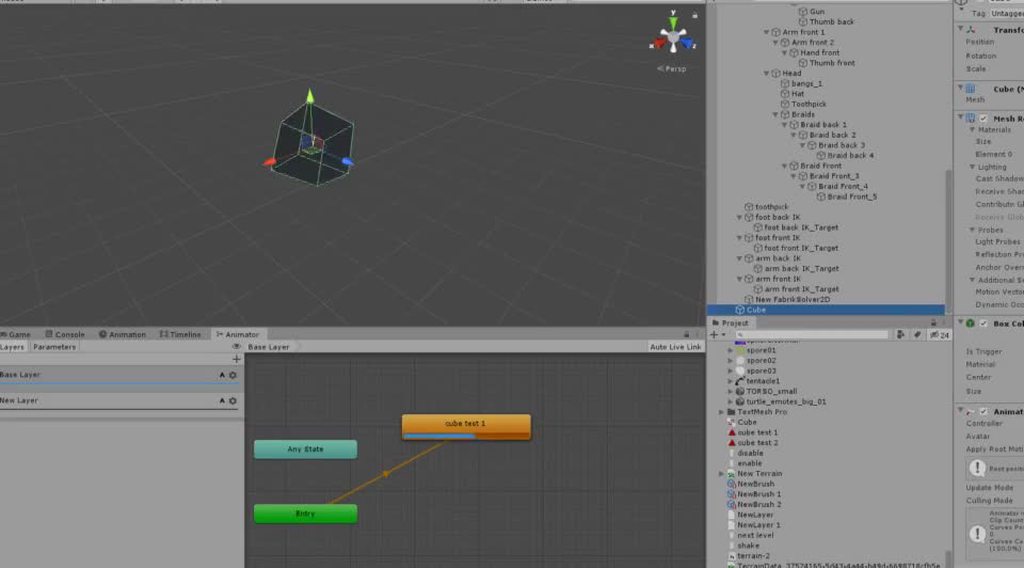 granite kernel
wow thanks, im about to roast my dev
hybrid tinsel
 twin musk
how can i change the finger rotations of my fp arms, cause when i change them first and then run in playmode the return to the rotation of the current animation back.
hybrid tinsel
make a new animation for the fingers and put it on a second layer set to additive
twin musk
Can i change it in editor, cause i didnt made them on my own
hybrid tinsel
I have no idea
 fading ocean
Question how do you add root code on my porn sex animation
The girl is only facing one way
?

 fathom oak
R u controlling the character with a joystick?
hybrid tinsel
 tall vine
Hey everyone. I want to use my asset store character motion capture animations in other software so tried importing assets' fbx files in Blender. Everything worked perfectly as long as the assets were from one or other developer. However I could not transfer animations between different dev assets like you can do easily most of the time in Unity without any other extra steps.
For example if I imported animations from developer "a" I was able to transfer and swap character animations. If I I imported animations from developer "b" I was able to transfer and swap character animations. But if I tried to transfer any animation from developer "a" to "b" or vice versa it didn't work. I though that there are some rig standards in a fbx level that are adhered for Unity to be able to use animation from any dev on your humanoid character?
hybrid tinsel
I heard that Unity's humanoid retargeting is pretty fancy
And that it can read a whole bunch of variations
tall vine
ooooh 😮 you mean automatically by just loading the character?
tall vine
@hybrid tinsel Yes probably. BTW is this the correct channel for this kind of question?
granite kernel
when i'm doing my animation, i'm having an issue where for some reason the character is aiming the wrong direction during blending, can someone let me know what could be a reason? tried rotating the animation too but no improvements
if someone was willing to go a bit further to help, I can share with you the animation files so you can see what's wrong
hybrid tinsel
in the animation import I believe you can rotate the entire animation
granite kernel
oh could it be an import problem? because we also rotated the entire animation, but when it was back in unity, the direction was the same again
I will check that
hybrid tinsel


 sacred maple
Im imporint a 2 bone riggged model from Maya to Unity, in maya all my bones have a 0 0 0 rotation, in unity it comes in with 0 0 -5.33 rotation, anyone know how to avoid having this issue
hybrid tinsel
importing directly or by fbx?
sacred maple
fbx
there ended up being a rotation on the joint orientation, fixed that and now we are good
 teal musk
Hey friends, new to the server - is this a good place to ask for help with FinalIK? I've been having some issues with my character set up
 mystic flicker
@teal musk Don't ask to ask, just ask 🙂
teal musk
Haha thanks @mystic flicker , ok
Been playing around with FinalIK and Grounder, having some issues. When I attach the LimbIK script to a leg, it functions in that it always draws that limb to the target. When I use Grounder Quadreped, it flips my model by 90 degrees while still maintaining that IK target.
I've tried using CCDIK to the same effect, as well as playing with the Grounder settings. The only two things I can get Grounder to do are flip the model, or have no impact.
The eventual goal is to have a quadreped walk cycle that places its feet on the ground over uneven terrain. I'm hoping to have all 4 limbs animated, and modified by IK that grounds them and prevents them from sliding.
Thanks for any insight
mystic flicker
Scary
This is for a 2D character with no blending
So each direction has a specific sprite
I tried to mirror the left/right with one state, but I failed miserably... there were timings bugs
hybrid tinsel
That is a thing of beauty, @mystic flicker
mystic flicker
Thank you sir
That's just "idle"
I just couldn't figure out a way to do the X-axis mirroring
mystic flicker
Well, I had it 100% but corner case bugs were creeping up (press up then left then right immediately, and the player would be running the opposite direction)
hybrid tinsel
It keeps all the animations, even the IK targets intact
hybrid tinsel
That sounds like it might be better to fix in the input system rather than the animation