#📲┃ui-ux
1 messages · Page 45 of 1
 faint torrent
 dark geode
@topaz mountain fwiw I think I saw a recent release note about fixing UI builder colour discrepancy (maybe in 2020.1a24 release notes) - beware there are still lots of nasty issues with UI Builder - times you think you're changing properties but they're actually not being applied and you have to either reselect the element in the hierarchy or re-open the .uxml
 topaz mountain
@dark geode Thanks, yeah, I think I've noticed a few of those x)
topaz mountain
for some reason my postUxmlReload Bind function isn't called anymore ._.
aaand it's because it's all based on who calls awake first, **brilliant 😄
 arctic pike
Do you know any website for free sounds and UI?
 hushed ether
anybody knows why TMPro would not display certain UGUI fonts under Linux? doesn't even affect all Linux users, but I have one user who misses certain texts on my buttons
@arctic pike i use freesound.org when searching for sounds in any form
 proud orchid
Having some trouble with a Scroll View object. I placed enough items inside the Content as children and they are appearing as I expect; however, when I enter play mode and attempt to scroll, the scroll bar is missing and scrolling moves the window a bit but always snaps back to the top. If I click and drag, I can get to the last child but the window snaps back to the top when I release. Did I miss a step?
proud orchid
Nevermind. Needed to bring in Content Size Filter on Content and set Vertical Fit to Preferred Size.
arctic pike
do you know why my content isn't hide when out of the scroller content ?
 sonic garnet
Do you have a masking graphic in that hiearchy?
 digital panther
I'm running into an issue with elements moving out of place.
I have text that I need to overlay on a graphic, and any scale changes make it misaligned,
can anyone point me in the right direction to fix this?
 rapid ferry
I have two buttons. If you click on the left one, you run to the left, if you click on the right one, you run to the right. It all runs on Android. But if I hold down the right button and swipe my finger to the left button, how can I automatically trigger the left button? Currently there are only two pictures with a button component. Does anyone have an idea how I can realize this? Thanks a lot in advance.
rapid ferry
What's the current accepted workflow for theming a UI? Something that tries to mimic CSS (or the new approach which only works for Editor)?
rapid ferry
So i need a bit of help
it seems that unity is absolutely frustrating to work with pixel perfect things
is there a way to make a pixel perfect ui, or is unity just not capable of doing so
 frosty pewter
Are you using the pixel perfect package? https://docs.unity3d.com/Packages/com.unity.2d.pixel-perfect@latest
rapid ferry
Yes
And it just results in a buggy mess
it would seem canvas isnt capable of scaling properly according to the pixel perfect package
frosty pewter
I can imagine it being a bit finicky. I'm not familiar with actually using it so I can't be of much help
rapid ferry
If i dont align stuff like PERFECTLY (which is almost impossible to do) i get issues like this
Cause unity also seems to be incapable at snapping properly
frosty pewter
Odd
rapid ferry
Hrm
it seems it was cause the sprite was an odd resolution
that's jank af
nvm
it happens reguardless
Mind
this isnt using the canvas anymore
cause the canvas is janky as it is when it comes to pixelart
 mystic umbra
any serious problems using UIElementsRuntime (please, make a better name UT) for real games?
arctic pike
hello who knows how to make beautiful UI easily?
 timber flint
is there any way to have a mask component that is just masking objects above/below and not also to the right/left?
 quartz jolt
hi whenever i build my text gets like pushed upwards, but in unity it looks fine
unity ^
after build ^
this has never happened before
its like it got scaled
but i didnt change anything
now its black
wtf
it turned black after i built it
quartz jolt
ok i figured out the problem
the
reference resolution is 800 by 800
and i have 1920 by 1080 monitor
but how can i make it auto scale with my monitor?
the scale with screen size is already set up
 tiny rune
Set reference resolution to your montior?
quartz jolt
yes but then it makes everything else small
which doesnt help the problem lmao
800x800 has always worked
its just its now being gay for some reaosn
@tiny rune
 tacit lance
hello there, I came from unreal engine. UE4 has widget blueprint. I want use same concept in unity but I couldnt find. Is there any way to create ui class ? I want use it with different levels.
 spark willow
Like a prefab?
tacit lance
yes I guess 🙂
 blissful hull
UI prefabs in Unity are the same as any other prefab 🙂
You probably want to make sure they're nested under a Canvas (if they don't include a canvas object themselves) but that should be it
dark geode
Imo it's very useful but not production ready. As a small example, if you change a property, then ctrl+s to save, subsequent changes won't be applied to anything until you reselect the element.
 merry ridge
I am still new to Unity. I have seen in an example in the package manager where the UI had like its own Camera 🤔 Why is that?
 cyan sentinel
You need a camera to raycast on it if you are using worldspace for example
 fluid marlin
Is UI Builder production ready yet? I can use it to build, but elements created from it are still not interactable inside the editor preview or the compiled binary. It MAY be that I still have a preview version enabled or something, as I haven't checked into it in a bit, but I am on 2019.3.3f1, which if I remember the original roadmap, mentioned it would be ready for use.
Yea, it looks like I'm still on Preview 0.9.0. I'll see if I can update it
Looks like the latest preview verison is 0.10.1 on 2/6/20, was it released under another package name with an official release?
Just talking it out because I remember Damian mentioning there would be another package added for runtime support
Think I'm getting closer to my answer:
The UI Builder is only for creating the layout and styles of your UI. It outputs USS and UXML text assets that you can then preload when running your UI in C#. Iteractions, like button presses are handled in C#. Here's an example EditorWindow that goes through the basics of how you can work with UIElements in C#, and how to load the USS and UXML assets that you created in the UI Builder:
https://github.com/Unity-Technologies/UIElementsExamples/blob/master/Assets/QuickIntro/Editor/BasicsDemoWindow.csPlease note that if you want to run your UI in your game, this is not yet fully supported. There's a preview version of the runtime support part of the Unite CPH 2019 demo project. More about this here:
https://forum.unity.com/threads/uielements-roadmap-update.784388/
Seems like implementation has become significantly more involved that originally demonstrated. Oh well.
Per Ben:
We were very excited at the idea of sharing our early progress with UIElements for runtime with you all, working very hard at releasing a preview package around the 2019.3 timeframe, but we decided to delay it until 2020.1 instead. Let me walk you through the thinking that lead to this decision.

cyan sentinel
It is production ready when it says 'Deprecated' 😉
 jolly talon
hi whenever i build my text gets like pushed upwards, but in unity it looks fine
@quartz jolt Sorry for a late reply, but are you anchoring the panel containing the text to the upper left corner?
 mint hemlock
Is there a good resource for how the regular Unity UI should be used with the new InputSystem? I see the UI InputSystem module, and how EventSystem objects can convert to it, and wiring up UI/Click or whatnot isn't too hard, but figuring out how to wire in UI pieces like buttons isn't as straightforward. Telling a Button to send a message on OnClick isn't obviously in the same context as InputSystem, or InputAction.CallbackContext types
Likewise, the PlayerInput -> Unity Events -> OnClick wiring is relatively straightforward, but again not sure how to connect the two pieces.
 supple sentinel
how do i make this UI not get weirdly spaced in any aspect ratio other than 16:9
cyan sentinel
Well, you can set it to different settings. Like fit on height or width or scale or total pixelsize. Depends on how you build it
 shell trout
anyone ever have a problem with UI Builder not opening?
 warm shale
Is there a way, to put a 3d object, animated, inside a overlay canvas, without pay the resources cost of a render texture?
cyan sentinel
Nope, cause it will always be overlayed I think
 wet hollow
hello, can someone enlighten me about buttons? I have a button which i change color upon pressing. I want it to turn bright green when active and dark green when inactive. works fine so far but for that i have to change the highlighted color as well, which means i loose the "highlight color on mouse hover" thing, which i would like to keep:
    {
        if (active) //button active
        {
            active = false;
            ColorBlock cb = thisButton.colors;
            cb.normalColor = offColor;
            cb.highlightedColor = offColor;
            thisButton.colors = cb;
        }
        else //button not active
        {
            active = true;

            //Changes the button's Highlighted color to the new color.
            ColorBlock cb = thisButton.colors;
            cb.normalColor = onColor;
            cb.highlightedColor = onColor;
            thisButton.colors = cb;
        }
if i exclude changing the highlighted color, my button stays bright no matter active or not until i press another one.
when are what colors of the colorblock displayed on a button? i thought normal is always and highlight on mouse hover.
well that all sounds more complicated than it is. i just want the button to be bright when i tell it to. which color of the colorblock do i have to change for that?
 thorn wharf
I have an image, and text in a button, how do I make them both change colors when highlighted
 floral hatch
So UIElements is a system that's completely separate from either of the runtime object systems?
 sick fox
Hey! I have run into some bug, I think. I have text objects in my scene (TextMeshPro) which work, but I have some systems that instantiate these text objects around the scene. This only works in orthographic view, so if the game camera is perspective, it looks like this
The top is the original, the bottom is the instance
Does anyone recognize this?
sick fox
I got it. I had the RectTransform set to 0 in Z scale, since it's text anyway. The orthographic camera was fine without Z, but the perspective camera didn't know what to do with it
supple sentinel
just opened my project and my UI is invisible
all the pieces of it are still there, they all still have their image elements and everything
idk what the issue is
digital panther
Is it better practice to have multiple canvas's for things like different menus, or just groups within the same canvas?
 real arch
Unless you have constantly updating elements you can just use one canvas. If you update / move some elements / groups of elements put them in a different canvas , this will seperate the updates.
digital panther
Is there a way I can get context with an On Click () from a button?
I'd like to grab the device who selects Play Game
and set them up as player 1.
Or should i just add / remove listeners
warm shale
@cyan sentinel I see why, ty
 onyx prairie
Hello, I'm using the EventTrigger PointerEnter and PointerExit events to show some tooltip on hovering, but the hovering stays active if my mouse is on the tooltip. It's surely the normal behaviour as every website works like that but I wondered if it's possible to trigger PointerExit if the pointer is outside the objects EventTrigger zone (so even if the mouse is on the tooltip).
blue square zone where it should trigger pointer enter and exit, and red square is the tooltip where the PointerExit does not trigger unless the mouse get's outside the two zones (both squares)
cyan sentinel
Does the tooltip blocking raycasts, if not, it might not know that you want to exit?
 cinder inlet
How could I change the opacity of several nested GameObjects? I know this is possible when it concerns an Image component but what about texts and so on? Is there a way of fading a GameObject and its children from 100 to 0 opacity?
 tender mountain
I'm struggling to understand something here and was hoping someone more experienced could help. I've never made a GUI in unity, and I'm trying to make a Pixelart one that's scale matches up. Currently I have a 32Pixels to units ratio, and the UI is bumped up to double size so 16pixels per unit on the UI. How to I plan out and draw my UI art so that it sticks in the pixel-scale? I have the reference resolution set to 1920x1080 by the way, and am rocking a 1680x1050 monitor, Which cannot be helping my confusion.
onyx prairie
@cyan sentinel oh yeah right I'll check that. Didn't know what it was fore actually
cyan sentinel
Yeah block raycasts is for the UI to check user input. If you want images but have buttons behind you desable it
 midnight ledge
i cant set textures to my buttons
onyx prairie
@cyan sentinel it works as I wanted, awesome, thanks a lot 🙂
cyan sentinel
you are welcome 🙂 @onyx prairie
onyx prairie
@cinder inlet mdr kestufélà
cinder inlet
Désolé, on se connaît d’où ? 😂
onyx prairie
I4D 😂
 river bolt
Hm, has anyone managed to actually change the input value of TextField in UI Elements? I'm able to draw the TextField, and select the input, but not change it.
For UI Runtime that is
river bolt
Ah, thanks Jaws. Event Generation had to be set to IMGUI Events
 fading sinew
honestly not sure what to google for as im not really good with the names for these things.
id like to reverse y growth direction on the canvas, so that increasing y would put an element LOWER on the canvas if it's anchored top left
as for why id like to do that, for some reason i find it perfectly soothing that 0,0 is the top left and to work top to bottom, left to right
cyan sentinel
Oh the whole new UI system?
 cyan sentinel
Still not sure if I already should switch to it, as its that early in development.
river bolt
Nah, best wait a little longer I think
 raven obsidian
I'm writing a script for a healthbar (following the Brackeys tutorial) and for some reason the slider won't Serialize in the inspector for the script
Even with a [SerializeField] annotation
tender mountain
Hey guys, how do I create a pixel art UI element while maintaining an appropriate scale such that the items in my project are on the same pixel-unit ratio as the inventory?
 elder sleet
Quick question...I'm trying to use EditorGUILayout.ObjectField and it displays fine, however when I drag the script into the field nothing happens and nothing gets saved. Is there something that needs to happen in order to save that data?
frosty pewter
More of a #↕️┃editor-extensions question, but it returns the object that is assigned, and if you're not using SerializedObjects/Properties and ApplyModifiedProperties, you need to dirty the object with an Undo.RecordObject before the change
elder sleet
Hmmm...I don't really understand, but I'll ask there so that I don't clutter this channel up.
rapid ferry
Hello,
I have multiples UIs in my game and I need to be able to switch from one to another like instantly. Some of those UIs are kind of heavy, like multiple nested scroll rect with hundreds of childs. My first attemps was do enable/disable the "root" game object of each UIs when switching from one to another. As expected it's not really performant. Then I tried something more "naive" and just move the "root" game object off-screen and things are now running smoothly.
How bad is it to just "hide" off-screen an UI ? Would it be better to have a separate camera to render each UIs and enable/disable the camera instead ?
Nevermind, I just needed one more cup of coffee. It's way better do enable/disable a canvas on the UI root game object.
 kindred echo
 bitter wolf
I seen it mentioned somewhere a few times that you can just use the scripts from the Unite Copenhagen example with the preview of UIElements but has anyone actually done that with the current version? Those scripts reference protected types not accessible to external code
do you have to use the 2019.3.0 beta to use those scripts? I'm assuming the UIElements package protected those types later in the official release intentionally
Oh! D'uh! lol
This package enables UIElements to be used at runtime. It provides a few Components that can be added to GameObjects in order to display a UIElements panel in the game view and to send in-game events to the panel.

Requires Unity 2019.3.

A preview package is available on Unity internal artifactory. To use it, add


"registry": "https://artifactory.prd.cds.internal.unity3d.com/artifactory/api/npm/upm-candidates"


to your project's `manifest.json`. Also, add


"com.unity.ui.runtime": "0.0.3-preview",


to the dependency list.
I think I may have gotten it to load the preview package along side the official release by defining the upm-candidates registry as a scoped registry! 😄
sweet! also a side note. There is now a com.unity.ui.runtime 0.0.4-preview package up there
 sharp dagger
Help my TMP looks like this in game
Even though it looks like this in scene view
cyan sentinel
It is not pixel perfect @sharp dagger
sharp dagger
Ohh
cyan sentinel
There is an option or package i think
sharp dagger
Thank you!
sharp dagger
I installed the package but the same thing is happening
blur city
I saw this fix:
"
Now back to small text. As mentioned earlier, regardless of whether an SDF Font Asset or Bitmap Font Asset is used, you are still trying to represent the shape of a character with a finite number of pixels which is hard. For best results (with small text), a Bitmap Font Asset should be created using the Font Asset Creator using Hinting for the specific size and rendered at 1:1. No scaling should be used anywhere. As long as this 14 point font is displayed at 14 point (pixel per pixel) then it will look as good as possible (also requires pixel perfect mode which added performance overhead with the canvas). As soon as scaling occurs then the benefits are mostly lost. Given that target devices are likely to have different resolutions, avoiding scaling can be hard / impossible."
I'm not sure how to do that with TMP though?
wait that's not the fix
let me read further
My text is very small
since it's on cards it needs to be
sharp dagger
I fixed it I think
 azure flame
@sharp dagger To make slim font more visible with TMP you can dialate it more and/or use underlay as well.
@sharp dagger Also, just noticed, pixilation on your first screen ^^ is due to 5x scale for the tab display.
sharp dagger
Oh thank you!
How do I dialate it though?
I don't see it in the settings
wait I see it now
 rancid ginkgo
how do i make a button execute a line of code for an object. i would use the built in “On click” box in the inspector, but the problem is that the object changes depending on what you have selected
and i dont know if i can assign the selected object to the button
during playmode
 lucid lotus
What you mean exactly?
Give us the concrete example
Like "I want to make RTS game and I need button for selected enemies to attack" or "I'm doing clicker and I need button to upgrade selected auto clicking... thingy"
@rancid ginkgo
I have to go, I will answer assuming it's the latter, @ me if I'm wrong
You have to somehow determine what object is selected, but you probably have it somewhere already.
Then you create script with something like:
public void OnUpgradeClicked()
{
  SelectionManager.Selected.Upgrade();
}
And that's... all, I think
rancid ginkgo
Someone helped me in the programming chat, i apologize for not getting back to you sooner.
It would be for an RTS game, and I’d need it to call a function but only for the selected unit. I got it working though
thank you for your help
 swift grove
I've been able to render world space canvas UI onto a render texture in my VR project until I accidentally switch the canvas to screen space. I reverted the change, but now the render texture is not showing the world space UI even though the target camera shows the UI in the preview. is this a bug?
it appears the canvas became "corrupted"... adding a new canvas and now it works
is this something i should report as a bug?
cyan sentinel
Thats not static as you describe it. Do you want to make it responsive or always the same size or fit to width or height?
 narrow junco
Hey. I'm not sure if this is the right place, but how do I find the new UI builder ? I can't see it in the package manager. I'm on 2019.3.5. Thanks in advance !
 jagged monolith
@narrow junco
narrow junco
Ah. thanks a lot !
 acoustic verge
Does anyone know how to make a background-image display pixel perfect with the new UI Elements?
 south zinc
Hello, how do you, like make a certain UI element (like the menu) slide to the screen from right/left/up/down
 umbral bolt
Hi, I need some help with a Sprite Mask in my UI.
What I'm trying to do is have a heartmonitor effect and only show the line that is inside the sprite mask. This is the tutorial I'm following:
https://www.youtube.com/watch?v=4pl8DcsCQ_k
Seems very simple and straight forward, right? I'm following it step by step, however it's not working at all. Below is my set up in Unity:

Welcome back to BlackthornProd !
In this quick and easy Unity tutorial I will show you how to use an awesome feature called the SPRITE MASK ! This tool lets you dynamically hide and show parts of a sprite !
link to PLAY MY GAMES : https://blackthornprod.itch.io/
link to PL...
This is an example from the video showing the Sprite mask working, but in mine, it's behaving as it it's not even there. This is with the settings matching those in the video.
I don't know if it's an error on my end, if there's a bug or a difference in the builds (the video is from 2017 but even when following other tutorial, there's the same issue)
 modest viper
Hey everyone,
is there a way to prevent EventSystem from having no selection?
We have a menu with buttons and the first one starts selected, However if you click somewhere else, it deselects all buttons and there's no way to select anything via keyboard again, only with the mouse. This sounds like it should be easy to fix, but isn't.
tender mountain
Hey all. Does anyone know why the UI decided to mess with my image here?
Max Size: 2048
Resize Algorithm: Bilinear
Compression: None```
And yet, it displays pixels out of place and distorted compared to the original image.(The orangish things by the way are placeholder items to verify that every item is centered in the slot, which it isn't despite being the EXACT numbers I used to create the asset.)
 verbal quest
Hey i seem to have a small problem, i move a button via tween but can still interact with it from its original position, anybody know whats going on ?? 🙂
jagged monolith
How does the button look in the inspector when you do this @verbal quest?
 pastel violet
I have a vertical layout group. I want each elements max and min height in that group be scaled proportionally with the width. Any idea how I achieve this?
The child elements width is btw scaled by the vertical layout group
pastel violet
this is what I get rn http://prntscr.com/rh3h2m
 verbal quest
@jagged monolith It looks normal, the recttransform is updated to the new position.
@jagged monolith Found the solution, my text child was covering the castle thing, i have scaled it down so it have the same size as the button 🙂
jagged monolith
Nice nice
pastel violet
I have a vertical layout group. I want each elements max and min height in that group be scaled proportionally with the width. Any idea how I achieve this?
Anyone?
jagged monolith
Is Preserve Aspect Ratio ticked @pastel violet?
tender mountain
Hey, I can't seem to get a sprite mask to work on my UI image component. Anyone have any suggestions?
pastel violet
I solved it. I had to use the aspect ratio component thx
 polar sequoia
Anyone DoozyUI users?
cyan sentinel
@tender mountain you need to use Mask Component, not sprite mask I guess
 stuck grove
Hey guys!
I'm trying to make a list here,
the button you see in the top right of the canvas adds the template, the template is outside of the canvas on the top right. The template gets copied into the list everytime the button gets pressed.
I'm having issues with scaling tho.
When I press the button I see this (2nd pic :D)
cyan sentinel
I guess this is a script question. How are you copying it? @stuck grove
tender mountain
@cyan sentinel Thanks! I initially ignored the "Mask" component because based off It's appearance alone I was unsure how to use it. I was so determined that I HAD to use a sprite mask that I was even considering trying to write a new "Image" script that would allow the sprite mask to be applied to the IU. Glad I noticed your post, because I figured I'd google how the mask component works, and now it works somewhat as intended. I do have one question though: Is there a way to instantiate the base prefab, and then instantiate and destroy the prefab's child as needed?
cyan sentinel
Not sure what you mean @tender mountain
tender mountain
So the "Mask" component will mask a child UI image by the image contained by said UI image's parent. Is there a way that I could not instantiate an entire prefab and just instantiate the parent in the prefab until the mask (And thusly the child) Is needed?
cyan sentinel
The Mask is Masking with the image that is on the same gameobject
tender mountain
Yes.
cyan sentinel
So what is the problem? You want your image with mask be already there and then load another gameobject in that object as a child?
tender mountain
I'm explaining poorly. Here's what I have:
But some items will not require masks. So in those edge cases, how do I remove the child, and then re-instantiate only the child when a mask is required again?
cyan sentinel
I would use that script to tell the component if its enabled or not instead of instantiating, deleting and reinstantiating.
I think you are making it more complex than it actually is
tender mountain
Okay.
cyan sentinel
I would just check if a mask is needed, make it a value in your items or something and then check for that in your mask prefab, if it needs, enable mnask, if not, disable
stuck grove
@cyan sentinel
var copy = Instantiate(itemTemplate);
copy.transform.parent = content.transform;``` young forum
Hello, how can I make a blur with greyscale with my ui thanks 🙂
 versed lantern
Resume button doesn't close the PauseMenu, any ideas?
cyan sentinel
@quartz tulip as it is a 3d world camera UI, its part of the geometry in 3d world space. You could make a shader that is always on top or have a 2nd camera that is just rendering the UI and another just rendering the 3d world
 quartz tulip
@cyan sentinel, thank you so much
quartz tulip
I have a button and some scenes
how can I make a change scene system
I want to disable the current scene which is called MainMenu
and enable the scene called GameSettings
jagged monolith
Here @quartz tulip https://answers.unity.com/questions/836635/can-ui-buttons-load-scenes.html
quartz tulip
thank you so much
 cobalt skiff
I need some help.
i'm trying
to figure out how to use the post processing stack for the UI in my game
nothing seems to be working
main camea
*camera
post process volume
cyan sentinel
I am not sure the UI is actually taking effect of post processing
As those graphics dont use z-Depth or anything, but not sure 100%
jagged monolith
You can, I think Vertex had an explanation for that earlier in the week
Could try searching the log
 upbeat carbon
Can I make a UI panel which has a constant pixel size, and its children to resize based on the panel?
cyan sentinel
@upbeat carbon sure if you use the recttransform anchores to be dynamic on all sides
upbeat carbon
no idea what that means
cyan sentinel
@jagged monolith oh really? Hm, let me know if you find it, might be of interest in the future 🙂
@upbeat carbon google is your friend then.
upbeat carbon
what is a dynamic anchor? Google gives me a ton of unrelated results, so if someone tells me here I wont have to dive deeper into it
cyan sentinel
If you are on a recttransform, you got that icon on the top left, right? those are the anchor settings. and if you want to make it always fill 100% of height and width of your parent, it should look like this
upbeat carbon
oh is that just the stretch option? @cyan sentinel
cyan sentinel
if its called that way 😄
upbeat carbon
it literally says stretch so that is what I call it in my head
cyan sentinel
Never read it 😄
upbeat carbon
Is line spacing 1 = to 100% of font size?
cyan sentinel
good question, check the docs, the might tell you
stuck grove
Hey guys!
I'm trying to make a list here,
the button you see in the top right of the canvas adds the template, the template is outside of the canvas on the top right. The template gets copied into the list everytime the button gets pressed.
I'm having issues with scaling tho.
When I press the button I see this (2nd pic :D)
var copy = Instantiate(itemTemplate);
copy.transform.parent = content.transform;```You should use the instantiate command with all parameters.
So Instantiate(itemTemplate, content.transform, false)
cyan sentinel
Did you remove your parent code?
stuck grove
public void AddButton_Click()
{
Instantiate(itemTemplate, content.transform, false);
}
This is it
public GameObject itemTemplate;
public GameObject content;
and that ofcourse
cyan sentinel
What does your inspector of the instantiated object look like and what does it look like of the prefab?
cyan sentinel
Set your prefab position to 0 😉
stuck grove
But I want the prefab offscreen
cyan sentinel
Why? You dont need the prefab in the scene at all
cyan sentinel
Did you set it to 0
cyan sentinel
Nope. Is your parent scale flipped?
stuck grove
How do I check
cyan sentinel
Selwct and watch inspector?
cyan sentinel
Try playing around with it, it could
 nocturne cedar
I've been building a parser and dialog system, but something stumped me. Anyone have some general theory on how to make single words in some UI text animate? Like in an RPG if a character says "lets have some fun" and the letters in "fun" do the wave or change colors?
faint torrent
anyone remember what is the wording for this place (blue rectangle) in editor UI?
wanting to script editor UI buttons there but failing to find right docs atm
I found this https://github.com/marijnz/unity-toolbar-extender but I'm pretty sure there was more official way to do it
frosty pewter
More of an #↕️┃editor-extensions question.
The function is DoToolButtons I don't thiiiink there is an official way to do it
faint torrent
oh right we have that channel 😄 mb
 hallow sun
How do I make it so that when you get more coins it resizes the UI to fit the new numbers?
cyan sentinel
Contentsizefitter might help or layout group
 keen sigil
How do you get CJK (Chinese, Japanese, Korean) characters to work with Text Mesh Pro?
cyan sentinel
Ehm get a font thst support it? @keen sigil
keen sigil
@cyan sentinel Have you tried yourself? It simply doesn't work. If you tried to put all the unicode ranges into your font asset it would be huge
cyan sentinel
I tried and it works
Do you think you are the first one to use tmpro and chinese characters? 😉
cyan sentinel
I use the textfont generator, put my font in. Add all my chinese characters from my content source and generate it.
So again, does your font support it at all? And how are you generating the font for tmpro
keen sigil
@cyan sentinel I'm just trying to get it to work with LiberationSans 😅
keen sigil
@cyan sentinel The font supports it fine.
I'm just trying to figure out how to get the Unicode ranges in
keen sigil
@cyan sentinel Got it working! Thanks for the help. I suppose I just need to add kanji to the font asset as needed
cyan sentinel
Great you fixed it 🙂
acoustic verge
Writing XML atm and can't access engine:template with xmlns:engine="UnityEngine.UIElements". Can access most other elements. Is this normal behaviour?
spark willow
how do I make it so that the name appears over the red lines?
I am using a world canvas for the names and a line render for the lines
azure flame
@spark willow Switch to 3d view. If you want it to be rendered in front, put the text in front of the camera.
 whole pecan
Does anybody know of a pixeled font suitable for a RPG, about 8-12 pixels in size, that have largest character set?
So it would have latin set, cyrrilic set, etc - everything needed for the majority of localizations.
Ideally, something that's really similar to Comicoro:
upbeat carbon
I've been trying to fix this problem for days... I want my pixel UI to fit my camera, be pixel perfect and not be distorted. I hope someone is willing to help. If you need more info, which I expect, just ping/dm me.
 median iris
Hi, I have a kind of dumb question but I just have to ask..
If I'm having multiple Canvas objects in my scene, am I supposed to also have multiple events systems?
Pretty sure the answer is no 😀
cyan sentinel
It is no
As far as I know 😄 you always have one interacting canvas, even if you interact with two, one will handle its stuff afte rthe other in a frame or so
 random cipher
so i have a row of buttons, i ended up realizing i may end up needing enough buttons that it may scroll out of the game's screen :(
what i want to do is mask them then make sure they can visually loop back to the beginning. i've been googling around and i haven't seen anyone do what i was hoping to do
pretty much im just trying to get my buttons to loop like this
how the 1st and last button are looped next to eachother
would anyone know a way to approach this?
i mean, the buttons there and i know to have them masked so they don't reach out the screen, but i can't think of a decent way to approach getting the buttons to loop
should i make another button that mimics the last and 1st buttons?
acoustic verge
@random cipher So you basically have the middle element selected and you navigate through the looping elements with left and right keys?
random cipher
yes
acoustic verge
I'd use the "Horizontal Layout Group" component for the layout. This will layout the children by their hierarchical order horizontally. Once this is done, you listen to left/right key and move the first button to the last position or the last button to the first position accordingly
transform.SetAsFirstSibling and transform.SetAsLastSibling can be used for that
This fakes looping, but as long as you have enough elements this won't be noticeable
random cipher
ah i see
to be honest, i didn't know that component was a thing (horizontal layout group)
thank you very much!
random cipher
ok yeah, it's definitely going in the direction i want. i just need to adjust it a bit more, thank you again ^^
rapid ferry
is this ok? i highlighted 1080p because that's what most peope will probably want edit: i fixed the double button
verbal quest
@rapid ferry I would prob make a dropdown or something like that, thats a lot of space used just for resolutions 🙂
rapid ferry
idk how to do that
verbal quest
There is a dropdown UI Component 🙂
https://www.youtube.com/watch?v=5onggHOiZaw And a small tut on it 🙂

How to create a dropdown in Unity! In this tutorial we build a simple dropdown menu and get the selected value.
····················································································
♥ Subscribe to Oxmond Tutorials. New tutorials every day! Stay tuned!
https:/...
 inland timber
How do I create a text box in my actual game level?
Im trying but its not showing up
does it NEED to be in a canvas?
Also, its extremely blurry
 hollow merlin
noob question, why is it when i make a canvas it's so much larger than the main camera's viewport?
 fossil niche
I'm getting this weird issue with text in my game (menu colors are a work in progress) where dark spots appear near some text, I'm using a textmeshpro element and one of it's built in fonts
 pearl moss
am i just stupid or why cant i change the transformation
jagged monolith
The scale is decided by the canvas scaler. Set it to scale with screen size and you can set the size
Currently it's just getting the dimensions from the game view
pearl moss
wooooow is that a better solution??
seems pretty damn complicated to me
just wanna resize the canves
😩
jagged monolith
I already told you how to do that
pearl moss
yeah i got that
 exotic iris
I cant change camera render mode
I want to have an overlay camera, how do i fix that issue
please help
nevermind, just had to update urp
 tidal hill
Should I use text or text - textmeshpro? What are the differences, besides text needing a canvas?
azure flame
@tidal hill The answer to that pretty much always TextMesh Pro. And there's no difference in actual usage, TMP just has more features and more optimized.
tidal hill
Ok thanks
cyan sentinel
And it looks way better as it is kind of doing some 'vector' magic to make the text look crisp on every size/scale
 graceful minnow
trying to use a render texture to display a character model within my UI, for some reason the render texture is mirrored and the raw image does not respect the anchoring at all, its always slightly off. Does anybody know why this is?
 bright cradle
ok, so I have a method that I'm working on, but for the life of me, I can seem to get to work... any suggestions here would be great...
public void ClickButton()
{
isActivated = true;
GameObject myNewAtom = Instantiate(myAtom, new Vector3(0, 0, 0), Quaternion.identity);
myNewAtom.transform.parent = myMolecule;
isActivated = false;
}
The issue is that once the prefab is instantiated, it's not parenting properly
or at all, as the case may be
the bool, simply is telling the Update function something cool is happening
The main bit is... GameObject myNewAtom = Instantiate(myAtom, new Vector3(0, 0, 0), Quaternion.identity);
myNewAtom.transform.parent = myMolecule;
tidal hill
You can assign parent in the Instantiate method
Like this Instantiate(myAtom, new Vector3(0,0,0), Quaternion.identity, Transform parent);
Replace parent with actual parent
 pulsar ether
I am having a lot of trouble generating a working TMP font asset for Japanese. Has anyone here done this successfully or have any outlined steps? I have been following some steps i have found but my fronts never show in game
pulsar ether
I am seeeing completely separate hex codes for hiragana, katakana and kanji . And i assume that the kanji is missing characters too. i am setting up a dialogue system so i have no idea of what persons will be writing so i am concerned about missing characters.
rapid ferry
I want to make it so that when my button is pressed it explodes and makes explosion effects all around.
My first thought is animating the explosion and placing that animation to be run on press but then again i've never used the unity particle system and maybe that makes it 100 times easier.
Any suggestions?
 full pumice
hey can you guys give me some suggestions on how to improve my ui
I will change the background of course, but otherwise what can i do to make the ui look better?
any suggestions would be greatly appreciated
azure flame
Looking at other UI references is a good start to get ideas. You can imitate the style you like.
 night orbit
my first hud
 regal relic
@night orbit saw you asked for help in the other chat https://www.youtube.com/watch?v=NgftVg3idB4
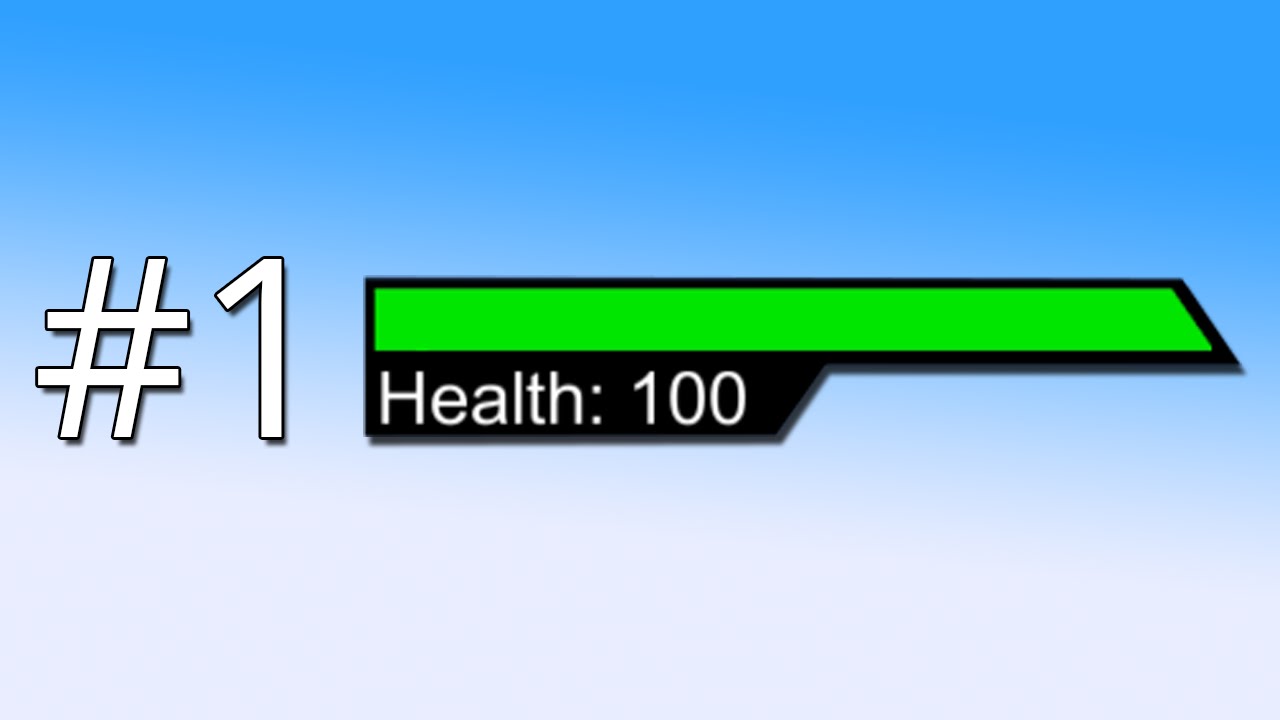
This tutorial teaches you how to create a dynamic health bar by using the new UI system from UNITY 4.6
Click the link below to download the project files, and try out the project in the web player:
http://inscopestudios.com/shop
Need help merging my tutorial with your own p...
night orbit
thanks
topaz mountain
I'm gonna make a GUI to try different settings in game wit UI Elements, I have quite a few variables I want in this menu. Is there a way to fetch those/create automagically a panel from a struct? Or do I have to do create and manually map them?
 turbid ferry
I would put the menu button below the minimap, but that's just me
 earnest spindle
Is anyone using UI Builder in 2019.3? I think it is still in preview but I'm wondering if anyone is using it in a production environment and what their experience has been like?
night orbit
https://cdn.discordapp.com/attachments/651843337963307038/694498931484262410/project_hale_hud.png
this is what im going to try and get my hud to look like for a fps game

 woven hare
is anyone here familiar with scene changes created from minor ui random auto changes ?
rapid ferry
I need my UI panel to slide down until it gets to 200px above the bottom line
but the iphone and ipad reso is messing it up
any advice?
full pumice
Is there any way to position a gameobject onto a scroll rect
or at least make it seem as though it is scrolling with the rest of the UI?
@ me please
 uncut charm
why is text mesh pro doing this to me with centered text?
https://cdn.discordapp.com/attachments/445441122731556864/694630556142534716/unknown.png

it doesn't make any sense
it also won't wrap text
i've never had this problem anywhere else
rapid ferry
I made two child invisible gameobjects and move the panel until those objects are no longer in screenspace
jagged monolith
Best way to do this would be to change the pivot Y to 0, change the anchor to botton of screen, then you can just move it to 0 on Y @rapid ferry
uncut charm
Ok so apparently there was accidentally some kind of hidden character that broke it
If you paste from googles docs a "new line" character might come along with it, this character is invisible and will break TMP
jagged monolith
Oh yes. Usually I paste things into Notepad first to check things like that @uncut charm
I recognise it in your second error but I haven’t seen that first one
tiny rune
@turbid ferry good idea. I think I'll put that as a setting.
 polar thistle
feedback solicited
just a menu/styling prototype.. not sure if we want to go "flat realistic" or lean more towards some sort of pixel aesthetic
 golden cave
@polar thistle could the tearing be from the scale in the game view?
change it to 1.0 and see if that fixes it...
polar thistle
Ha. That was exactly it. Thanks RAOG.
 true temple
Hi, I totally forgot I was in the Unity Discord. I'm wondering for UI design with games, is it common to just reuse tools that are used for webdev like Figma/ Adobe XD? Or what is a recommendation people have here?
 valid jasper
guys I'm having some problems with my mana bar getting all pixelated when I try to use a mask...
this is my mana bar when it's fully depleted
it's made of two parts, the dark blue background and the brighter one on top of it
the top one is supposed to act as a mask for the fill, but when I try to fill it, the fill will just pixelate the shit out of it:
I don't get it, when I do the exact same thing on photoshop it's not pixelated at all
jagged monolith
Nice graphic :) Have you tried changing the filtering of your texture?
valid jasper
on unity?
jagged monolith
Yes on the import settings
valid jasper
yeah
doesn't make a difference
I have actually found a quick fix for this by making a fourth layer with only the blue outline, the "frame", and placing it on top of the rest
but yeah idk why unity is pixelating so hard when masking
the difference seems to be that photoshop always smooths out the edge pixels so it looks seamless, whereas Unity just hard fills everything with the same color
earnest spindle
Does anyone know if the way that positioning in screenspace camera has changed in 2019.3? in 2019.1 I was able to switch from screenspace overlay to screenspace camera and all my elements would stay in the same position until I tried to move them but now as soon as i switch space, they get moved..
 little hazel
@earnest spindle moved on the screen, or moved in world space?
Anyone know why this SVGImage appears to overflow its bounds?
ah, nvm. Seems messed up. I just replace the object.
earnest spindle
Its all good, I worked out what was going on
It was actually because I'm displaying it with a render feature and it had been removed when I upgraded
 timid forge
So im developing a little UI-Heavy game in Unity... Most UI elements should be able to get chained after another, for example dialogues etc... Are there any UI-Frameworks or librarys for unity to make such development steps simpler ? Things that unity is missing are typicall Screen-Behaviour and flows ( Screen stack ), passing params or results from UI-Elements to another etc...
polar thistle
I probably wouldn't use addressables for local storage.. it seems like an additional layer of complexity .. unless you're eventually planning to relocate those components to the cloud
I think the overhead on the application is probably less of a concern than the maintainability/readability of the codebase.. but I don't know the scope/scale of your application
maybe it would make more sense if your UI components were really large (cutscene movies or something)
night orbit
 haughty umbra
Is it possible to do two-way data binding with the new UIElements? So I could link class properties directly to the UI at runtime (just like the editor interface), without needing to code getters/setters
 sonic kernel
Hello all.
I just started experimenting URP and first thing I notice is that built-in UI material doesn't render anymore.
What's the correct way to deal with UI material/shader in URP?
You can also reply the question under this post: https://forum.unity.com/threads/urp-and-ui.859165/
sonic kernel
WOW. It was a "pixel per unit" problem. I never set PPU to other than 100 (which is good for built-in sprites) but for some reason, its value was changed to 5 by mistake without me noticing so everything got rendered extremely small, I thought there weren't rendered. LOL.
 cosmic torrent
Looking for some help aligning some UI elements in my game. Using a pixel perfect cavas. The parent object of these circles is 20 pixels tall and the circles are 20 pixels tall. The first circle's local position is 0,0 but for some reason it looks to be above the canvas? Any ideas?
cyan sentinel
@cosmic torrent did you tear it down to the root canvas all elements are on pixel size and not on some percentage? Are you viewing it at 100%?
cosmic torrent
Yeah I have @cyan sentinel. I might not be viewing at 100%. Is there any way to do that beyond checking game view? I've been wondering if there's a way to zoom to 100% while editing in scene view but can't find anywhere to control the zoom level outside of game view.
 median badge
Having some problems with my quiz Design
here Holz is the only false answer so 1st and 2nd should be checked
this is completly coreect answered
this is completly false answered
Well, now I received different Feedback
Some say it is good as it is, some say its weird
What do you think and what would you change?
rapid ferry
ooh oldstyle i like it
median badge
it needs to be simple as it is an Learn App to prepare for an exam kinda thing
 mighty ingot
        Vector2 localMousePosition = joyPadZoneRectT.InverseTransformPoint(Input.mousePosition);
        if (!joyPadZoneRectT.rect.Contains(localMousePosition))
            ReturnToPosition();
I'm using this code to detect if the clicked mouse is still within the recttransform. Is there anyway to give some "padding" to the recttransfrom in this code? Meaning something like: if mouse is within rectangle bounds + 100px padding
cyan sentinel
Make a new rect from copying your rect in code and ask for that containing @mighty ingot
mighty ingot
@cyan sentinel But rect is a gameobject. So I make a new game object?
cyan sentinel
No, rect is a rect. The gameobject just holds the component rect. You just write a new rect for the code to check against, nothing to be added to your scene
cyan sentinel
Void OnDrag you mean?
mighty ingot

Unity Forum
I'm using the new Input System package preview.3. If this is the wrong subforum to post this please forgive me.
I'm trying to create an onscreen...
Void on drag of another object
cyan sentinel
Can you debug log those 3 events if they are get called or grt all right values?
mighty ingot
Erm... So I saw this execute event codes from a Tut.. I don't know how to debug them
cyan sentinel
Oh okay. You dont get any errors?
mighty ingot
Nope, no errors
cyan sentinel
Hm weird. Sorry cant really help with that as I dont know the new system yet. I would try to find the source of that script and just debug log a bit to see if i get the desired values in
mighty ingot
Ok no problem. I'll keep trying 👌🏾thanks!
 brazen kite
has anyone had this issue with fonts appearing as solid boxes in the editor?
the text objects on the left and the right are both TMP, same font... for some reason some of them got "scrambled" like this when i switched computers
i can clone the "good" text objects to fix it but that will be annoying
each box is a character, short boxes are lower-case
the text appears fine when playing or built game
upbeat carbon
How do I scale UI based on camera size, and not screen size?
Is constant pixel size the way to go? And then code the scale factor to change
 neon wind
@brazen kite I have that as well. But as you said, it was only in the editor so it was working in the build. I think it's kind of an updating error maybe. I realized that this error appears and disappears when I'm working on the canvas like scaling things or even if I'm just resizing the scene view. I mostly just deactivate and activate the text object and it's normal again
Speaking of TMP. I need also help on that using world space canvas. Is there a way to render TMP after post processing? I'm working with Unity 2019.3.5f and HDRP 7.1.8
Or better render it after everything. So it's a 3D overlay UI
For VR btw
cyan sentinel
Hey everyone. Does someone have a solution for a circular mask / shader for ui? I am using one which seems to be broken since 2019.x
rapid ferry
ehrm, if I (after objects with image objects on them with sprites already assigned are created and placed in scene) make texture atlasses containing some of these sprites. Would it save any drawcalls? (if I e.g. made one with all images used while in the ingame view). Project setting for sprite packing is always on. But do these atlases need..activating or something like that? Or reside somewhere in particular? Get inited or similar? Because I cannot seem to get reduced batches even though a guy in a tutorial online gets effect immediately... I am using 2019.1.6
brazen kite
@neon wind thanks! deactivating didn't work but interesting that you fixed it. no idea bout 3d..
cyan sentinel
Noone with an idea about masking shaders or some way to animate the scale of an masked image but not its parents?
 pseudo apex
Anyone know of any good unity extensions regarding menu input navigation?
Is it best to just go make my own?
 river jacinth
hey all, i have a standard UI canvas inside a prefab, and i can edit things just fine in my main scene, but if i 'open' the prefab, it doesn't show any of the contents. Any ideas on why this might be? (2019.3)
median badge
maybe just send a screen
 lucid quartz
I saw Unity's youtube video for the new UI system. Is the system out yet?
dark geode
For runtime? Very experimental and limited (no world space canvas etc etc) - in preview and not recommended for production. For in editor, pretty good - still a little feature poor but reasonably robust.
lucid quartz
I see. Well the normal UI still does it for me but i guess the new one makes it a little easier with the subcomponents split up (style, markup and logic).
dark geode
New one is very nice - mostly a single draw call too 👍.. but I guess (waving finger in air) it’s still at least a couple of years away from being a serious consideration for a replacement of existing UI stuff.
 feral sinew
does anyone have any tips on where I should put all the ui elements on my screen. I have so much stuff it could get confusing for the player. This is the first time I've made a game that is somewhat complex so I'm not used to using so many ui components.
The yellow text is the current score
(nothing is finished) as you can see
turbid ferry
You can compact a lot of it by setting all of the weapons on the right side where the name and ammo count of the selected weapon pops up as you cycle through. It would look something like this:
And in most cases, unless the player needs to know the numerical value of their health, the health indicator can just be a bar that drops as they get hit. I've noticed a lot of shooters with visible health bars put it centered at the top or bottom of the screen. Otherwise it's worked into other UI elements.
Kills or KD can be displayed on a separate menu unless the number of kills is pertinent to the gameplay itself (Like needing to kill X enemies before advancing). Otherwise, a tab menu as they use in most modern shooters to display stats would take that off of your player's screen.
The time there, which is a stopwatch or countdown I assume, can be set off to the side or in a corner until it becomes necessary. Like it flashes up where it is currently if you have 1 minute left or something. Otherwise I would put it somewhere near your health since players will be checking their health semi frequently.
That's just my two cents 🙂
 peak sorrel
Quick question
Anyone know how to add elements to a list view in UI Builder?
I tried dragging and dropping an element into the container but I can't add to it or modify it at all.
feral sinew
thx for the answer
rapid ferry
looks good to me
 sharp sleet
Thanks
 twin geyser
hey all. Im making a prototype of a merge-3, just playing around with smooth animations. Does anyone know of any ui/icon packs that are good for this? A lot of my icon packs go for variety over clear hierarchy of items (which is preferable to me in 99% of other situations haha)
topaz mountain
@sharp sleet bottom things look like buttons when they are meant as tabs, consider making them take upp full/more area to not make them look like buttons.
@sharp sleet You're using asterisk without the explanation, I assume you mean this as required fields?
"please introduce your credentials" sounds weird to my head., and is same for both login and register?
Other than that I like the layout, would maybe change the background in the input fields to more red tinted maybe, the dark grey + regular text makes it a bit boring.
pseudo apex
So, I'm basically considering inventing the wheel all over again, but before I get too deep into this problem I wish to see if anyone has found anything similar for Unity.
I have a problem in which I find the gamepad navigation in menus for unity to be rather garbage, so I'm creating a 2D node system for each game object that my pointer can target and it is flexible enough to actually prefer any game object and not rely on buttons to navigate between.
Anyone seen anything similar to what I am building?
Basically the problem is that if I were to use a full size UI keyboard layout I want the gamepad movement to be smart enough to grab the right key, even though it is not straight next to the button I am currently on.
 wide sorrel
So this is a bit of a weird question, but I figured this is the correct channel for it. Is there any way to make a 3D room a menu somehow? Let's say for example, a kitchen. The refrigerator has the Play, Online, etc. Options, and if you press Play, it opens the fridge and shows some gameplay options. If you press Options a nearby drawer opens and in there the menu is found, and so on
pseudo apex
@wide sorrel You can place ui elements in world space or use normal 3D objects as a menu, it's all about what you choose to make happen when you press them and how you press them. the current UI system is basically the same as any other GameObject anyways.
wide sorrel
Ah thanks, I'm new to this stuff
pseudo apex
The UI system they are working on ATM is more similar to like CSS and HTML, but the one that is actually in the official release are pretty much just GameObjects as said.
 lyric thunder
it may be a little cluttered
 tired crest
Hey @sharp sleet just a few recommendations/comments that hopefully you can find useful (mostly talking about the last screenshot)
-
Increase the spacing between letters a bit, particularly when it’s all caps. It’s most obvious on SETTINGS and PROFILE but where it feels like a few of the letters are almost touching
-
At least for me, there isn’t enough contrast between the light pink side bars and the text color and icons. Maybe the icons could have a dark red outline or even an outline that matches their own color to make them stand out?
-
There’s quite a few icons and text all over the place, so at first glance it’s not clear where I should be looking. I would recommend removing the swords by search components, and even the icons on the side bars
lyric thunder
There's like 20 things fighting for my attention
you may wanna put some things under menus
and you should put the stats in the middle under their own menu cause they're not that important
they should definitely not be front and center
I'd put the search opponent button in the middle vertically
oh wait
I can see now that the right side has a menu that's activated
so that's alright
here's something I noticde
there's two hamburger menus on opposite sides of the screen
you can condense that into a single hamburger menu on the left that contains all of those
sharp sleet
Thanks for all suggestions, will take some of them that i liked
lyric thunder
Also I'm not sure how I feel about the UI elements growing when you hover over them because that makes me think that they're interactable and will do something upon being pressed
But I do like the layout of the stats and the colors
sharp sleet
How can i make that canvas sale match width and height, both at the same time instead of choosing one
pseudo apex
@sharp sleet There are plenty of good articles regarding "Game UX best practices" you can look into btw online, they usually explain why they suggest you to do certain flows in design and such.
 wanton valley
hi, I know it is not so cool like real ui/ux problems discussed here but I made a simple guides tool with gizmos to help me when integrating ui to our games: https://twitter.com/arielsan/status/1248623976282087427

Just created a simple guides tool for #unity to help when integrating UI assets and creating UI in games, hope it could be useful to other #indiegame developers out there, so I am sharing it here: https://t.co/or931biE3S #gamedev #unity3d #unitytips
 Twitter
little hazel
Twitter
little hazel
Does anyone know how to set a listener with constant arguments for a UnityEvent? Specifically I have a menu that should create buttons 0..n, each targeting the Menu component but invoking with a unique integer ID.
void Start() {
  for (int i = 0; i < _buttonCount; i++) {
    var button = Instantiate(_buttonPrefab, parent: transform);
    button.onClick.<what goes here?>
  }
}

public void OnButtonClicked(int index) {
  Debug.Log("You clicked button " + index);
}
Not sure if this is quite the room for this one, but it's Unity UI stuff.
wanton valley
can't you create a delegate in the middle (n handlers) calling your own method with more parameters?
  for (int i = 0; i < _buttonCount; i++) {
    var button = Instantiate(_buttonPrefab, parent: transform);
    button.onClick.AddListener(delegate(int i) {
        MyCustomMethod(i, parameterDependingOnCurrentButton)
    }
  }
}

public void MyCustomMethod(int index, object customParameter) {
  Debug.Log("You clicked button " + index);
}```in that way you can capture specific information in the delegate
is that what you needed @little hazel or I misunderstood the problem?
little hazel
@wanton valley hey, I got it like this:
for (int i = 0; i < _buttonCount; i++) {
  var button = Instantiate(_buttonPrefab, parent: _buttonParent);
  var index = i;
  button.onClick.AddListener(() => OnButtonClicked(index));
}
I was hoping to bind it like is possible in the inspector.
But this works fine
Thanks though. :-)
 tawdry jolt
my UI disappears when the screen is maximized in play mode, i did scale with screen. I have done similar things before and had no problems
 pale lark
anybody free for some UI help with my sounds
 modern sandal
Just finished totaly overhalling the main menu for my comic themed game, would love to get some feedback, im very new to UI work and im the only visuals guy working on my game so im kind of working in a feedbackless vacume =/ (If you want to try it live i can also pass you a beta key via PM, I also despratly need beta testers if anyone is interested)
median badge
looks nice
rapid ferry
@modern sandal I really like the design, imho I think it looks super cool! If I wasn't like super busy with my own project for college + working I'd totally offer to help out with beta testing but alas 😦
modern sandal
thank you so much! and no problem i fully understand 🙂
rapid ferry
My project is definitely going to be a lot less fancy when it comes to the UI 😅 Have a rough time with it tbh.
 slate kite
hello artists, do you guys use canvas or the ugui for games?
rapid ferry
I need some help, I imported a custom font from the asset store and now the size won’t increase! No matter what I type in the size box, it stays tiny. I’m adding this as a finishing touch to a game jam game, and I don’t wanna have to use default text assets.
Ahh I figured it out
I had to use scale for this specific asset
 boreal moat
UI layout objects aren't consistently arranging themselves the way they should (mainly using horizontal layout groups and content size fitters). When I change the child order or set the anchor position in the inspector everything readjusts into position. Anyone know what's causing this or how I can fix it?
boreal moat
Okay the solution was to use Canvas.ForceUpdateCanvases(); after Instantiating and Setting the Parent, but before setting the sibling index. I'm not sure why.
boreal moat
Nevermind, solution was actually to remove the content size fitter from the child object. Somewhat less confused now.
lyric thunder
@modern sandal I very much like the UI. It fits the style of a comic book almost perfectly.
pale lark
that was not mine @lyric thunder
modern sandal
thank you ^^
 quick willow
I have UI buttons coming into the scene with Animations in my Main Menu when starting the game. Then i press play get to my Game Scene and when dying i have a button to go back to the main Scene. but the problem is my UI Buttons dont Animate then, So at opening the game they animate going back to main menu later they dont. Anyone know what could be the problem?
peak sorrel
Is there a way to get an animation preview to run inside a custom editor window? I'm trying to make it so I can have animation previews when an RuntimeAnimatorController is selected from a list.
sharp sleet
slate kite
Hey artists, do you guys use the canvas or the ugi for game design?
 covert sorrel
Hey all, there is a massive icon pack on Humble Bundle that may be of interest:

Humble Bundle
Pay what you want for awesome icons and support charity!
peak sorrel
Too bad I don't have any extra money right now.
 hard mango


 dreamy plank
you're not missing anything - unless you long for fluffy mobile icons bullshit that is
 trail spruce
Need help with a scrollview. I'm adding each button in the view from code, but they aren't scaling properly to the content GO
The grey button is what it should look like
The button under it is the one added from code
Should be noted, I have to manually edit the button's width to get that, but if I try to apply the same changes via code, it doesn't really work.
I'd like to not have to make any edits, from code or manually, I want to be able to just instantiate it, pop it under the content parent, and it just looks correct
trail spruce
Alright, got the formatting figured out
Now if I can figure out why the date is incorrect.
Nvm, I'm just a doink
 tawny pike
need a hand with some main menu stuff
and I can find any tutorials on how to do it this sort of why
tawny pike
    [SerializeField] Transform MoveScenes;

    // Update is called once per frame
    private void Update()
    {
        if (botton.  .CompareTag("mouse"))
            botton. = MoveScenes;
what to hit a bottom and move scenes in start menu?
not really using ui because I'm using custom text
azure flame
@tawny pike Please don't cross-post. Pick one channel.
true temple
I have a question concerning best strategy for handling UI on a mobile game. I have read that Unity animator causes bunch of overhead. So would tweening UI be a better solution for mobile games?
 slow solstice
hello, i got a problem with my ui. i already used anchors on my header/footer and with my buttons as well but why does it look like this? do i have to use a lower resolution background for this one?
jagged monolith
Is your canvas scaler set to scale with screen size @slow solstice?
jagged monolith
On the canvas
slow solstice
ah crap
got another problem
ever since i updated my canvas size
and tried to adjust to it
everything's pivoted, i mean i can only move objects via anchors
neon wind
I've got a quick question about TM Pro. I have to copy the text that I've written into the component before. But somehow it doesn't go into the clipboard when I press ctrl+c or through RMB->Copy text. Sometimes it does, but sometimes not.
Is that a bug and how do I fix it? Unity version is 2019.1.14f.
 smoky cypress
The canvas scaler is set to Scale With Screen Size. But my buttons change its position. Any clue why?
rapid ferry
are they anchored?
smoky cypress
They are. But I guess I've found the mistake.
I designed a background with buttons drawn in it. The only thing I need to do, is to put a transparent button over the background. So the problem is, when I change the screen size of the device, the background changes its position and so do the button position. But as they have a different size they do not change its position equally. That is why the real buttons' position is not the same as the fake buttons in the background when I change the size of the screen.
It was kind of hard to explain and I suck at english, so maybe I wasn't that clear. Thanks anyways
 zealous ether
Hey guys. Question about aspect ratios. I'm making a landscape oriented game and I'm in doubt about how to properly do my UI for different devices. Is there a way to lock into one or a couple different aspect ratios instead of the device just croppin' out the top + bottom of my ui on the newer crazy devices that are more 1:2 in terms of width and height
Basically i just want to l just want to know if I'm gonna be fucking myself over if I don't make ALL of my UI to fit 19:9 aspect ratio for the S10 for example. It looks great on all other devices but the newest ones it doesn't.
Is there a way to make sure that any device that has those crazy aspect ratios will just try to fit the closest one or something?
pseudo apex
@zealous ether This depends on how your GUI looks I think. anchoring UI to the edges is the way to go for mobile usually and scaling them based of aspect ratio.
What I usually do is to calculate the aspect ratio before spawning them in and then I have a set amount of standard sizes for each aspect ratio...it's kind of a pain, but it makes it much prettier.
 broken thunder
Hi guys! I making a game for mobile and I wonder how to I achieve good quality for my ICON assets on those lots of devices and there resolutions, Retinas etc. Right now when icon is to low resolution it's up-scaled and looks blurry. When its larger resolution then sprite size it's jagged / pixelated.
 hard cliff
using UI Builder, is there any way to center these ListView items automatically?
 eager atlas
Does anyone know how to fix UI scrollview bouncing back to origin?
tawny pike
really don't want to build my uis like this
I want to build them like this, with button like animations.
anyone done anything like this?
 granite valve
Believe I read this in this discord before, but wanna make sure - are UI draw calls made to static elements, including those hidden by canvas groups? 
rapid ferry
From what I understood if you have constantly changing UI you should have one canvas for static UI and the other for the changing one, so that when something changes it doesn't update all of the static elements as well.
granite valve
Ya that's it
Just wanted to confirm, it makes sense
Need to re-organise my elements into 3 canvases
 rich valve
Hey guys, got a fun challenge for you:
Trying to load an external font at runtime and creating a TMP_FontAsset with it.
So far, this is my code:
var font = Font.CreateDynamicFontFromOSFont("8BIT Wonder", 14);
fontAsset = TMP_FontAsset.CreateFontAsset(font, 90, 0, UnityEngine.TextCore.LowLevel.GlyphRenderMode.SDFAA, 1024, 1024, AtlasPopulationMode.Dynamic);
fontAsset.name = "8BIT Wonder";
print(fontAsset.material); //for debugging, comes back as: TestMeshPro/Mobile/Distance Field (UnityEngine.Material)

GetComponent<TMP_Text>().font = fontAsset;
However, on-screen nothing changes font-wise, which makes me think the font creation didn't work and it's 'falling back' to the 'fallback' font.
Also another thing that might be wrong is the material. Usually TMP_FontAssets have their own 'generated' material but this one doesn't. Any way to generate it?
real arch
@rich valve I cant get it to work either. The atlas for that font is just NULL
rich valve
Well okay, that's bad, but is there any way to generate that in runtime?
Tomorrow I'll do so more debugging. For instance would be nice knowing if the UnityEngine.Font font worked and would it show with a Unity default text object.
real arch
i would hope it its prossible , maybe asking the TMPRO Creatori in the unity forum if there is somting we are missingto get it working.
rich valve
Aye, I'll do that
rich valve
Unity Forum
Hey guys, got a fun challenge for you: Trying to load an external font at runtime and creating a TMP_FontAsset with it. So far, this is my testing...
rich valve
Found the solution thanks to 'Stephan_B'. Solution is to use new Font(...) and providing the path to the font rather than using Font.CreateDynamicFontFromOSFont. Pretty simple 🙂
 vestal yoke
Hey im pretty new at unity and i need help
when i try to add a button on the unity main camera screen it generates a canvas and the button created is too huge and dosent fit in the camera view can anyone please help me
jagged monolith
Look in the game view to see how the UI looks, not scene view @vestal yoke
 verbal blade
is anyone familiar w/ using bitmap font atlases in text mesh pro?
i've got one custom atlas working fine, but I want to create more custom atlas variations for the same font
going thru the debug texture swap option on the font atlas material seems to override the referenced atlas anytime that font asset gets used
here's a screen of the basic setup, but i can't generate a new TMP font asset for the same font, and switching out the atlas ref swaps it out for any game objects using the font asset
so is there maybe a way to generate different materials that contain the unique atlas info?
Okay. I think I figured it out for anyone who is curious.
you can context menu the material to create a new preset, which u can then modify the atlas reference from, and drag+drop that new material on the TMP game object to update the material and atlas it uses
well idk if that worked actually. The refs are constantly getting broken
vestal yoke
@jagged monolith Yeah tysm it works
vestal yoke
is it possible to resize canvas to camera view
 uncut hinge
@vestal yoke If you make your canvas "screen space camera" and assign it a camera, it will automatically
vestal yoke
so do i add the main camera or the target group camera??
uncut hinge
🙂
check this

Watch on the official Unity learn pages here -
The Canvas is the root component for rendering all UI objects in Unity.
 vestal palm
hey guys, is anyone there that can help me with a (probably) simple ui question?
sonic garnet
Best to just ask rather than asking to ask
 patent kayak
Im trying to figure out why my UI buttons arent working
I have a canvas with an EventSystem in it
it works in unity but not vrchat
 strong bridge
I have the eventsystem outside of canvas not sure if that makes a difference
lyric thunder
@patent kayak is there a graphicraycaster component on the canvas?
If you dont have one then you can't use the mouse
But you can still use a keyboard/controller if you have something selected by default.
patent kayak
I fixed it
 brave island
Can more than one EventSystem exist at once? https://docs.unity3d.com/Packages/com.unity.ugui@1.0/api/UnityEngine.EventSystems.EventSystem.html
pseudo apex
@brave island You can just build your own, in that case, yes 😄
brave island
@pseudo apex Thank you
rapid ferry
as a note for anyone using UIBuilder, (UIElements) - multitargeting USS rules like you would in CSS is parsed as expected
.class, .class .nested-class {} works.
But you have to do it by hand. UIBuilder will load it, but saving will cause this type of styling to become split into two seperate USS styles
Basically this:
.class, .class .nested-class {}
Becomes this
.class{}

.class .nested-class {}
Which is super annoying when you want a specified rule to apply to multiple targets in a single style.
 inland mortar
I want to create a dropdown menu. I have defined it in my uxml file like this:
<ToolbarMenu text="Popup" variant="ToolbarMenu.Variant.Popup"/>
and I have included the different namespaces like this:
<UXML xmlns="UnityEngine.UIElements" xmlns:ue="UnityEditor.UIElements">
However, when I try to create the window, it errors with this message:
Element 'UnityEngine.UIElements.ToolbarMenu' has no registered factory method.
UnityEngine.UIElements.VisualTreeAsset:CloneTree(VisualElement)
How do I properly use this element?
keen sigil
Hey, I'm having really weird stuff going on with TextMeshPro. I'm using the pixel art font Oleaguid, and when I create a new TextMeshPro - Text (UI) object it automatically uses the TextMeshPro/Bitmap shader. Unfortunately, that shader does not have support for underlay. So, I switched to the TextMeshPro/Distance Field shader. It works, but when I try and enable Underlay and increase the Offset X and Offset Y I get this horrible distortion. Any thoughts on fixing this? It doesn't happen with the default Liberation Sans font. 😕
Also, ignoring the distortion, it doesn't even go out as far as I want it too even on maximum Offset X and Offset Y.
Until now I've just been using a clone of the text as a child with changed position and color to achieve the effect, but it is really messy and inelegant.
Any help would be greatly appreciated!
keen sigil
Fixed the issue, but I'm still having problems with the offset x and y
Any help would be greatly appreciated
vestal yoke
I need help
Can anyone help me how do i destroy an object when i touch it
rapid ferry
@inland mortar some templates might not be up to date. What version of unity are you using, it's template might still be defining ui:UXML instead of just <UXML> (outdated), which can break it. (im not sure, as it works fine for me).
if you are loading the UXML by code, then you would need to assign a factory method for generating menu items by code before ShowMenu() is called, however, toolbarmenu or it's popups does not expose it's factory methods publicly so I have no idea how you would do this.
dark geode
Have you created a font asset using a font with the supported characters and included them?
 hoary niche
Can someone tell me why's this happening?
It's a slider. With an image.
And the image keeps, well, going off bounds ot the right
 night sand
what kind of functionality does the UI have?
oops, chat updated after i sent message, i was responding to a way old message 😄
So, I'd like to get some general opinions. How easy is UI to work with in Unity? what are the biggest limitations?
rapid ferry
biggest limitations: not using UI and possibly getting used to making every type language's characters to work with textmeshpro
rapid ferry
and this:
I'm trying to highlight a TextMeshPro button by changing its text color. The Debugs work fine, they properly tell me whether I'm hovering over the button or not, however the color isn't updating, it just stays white. What am I doing wrong?
vestal yoke
@rapid ferry on touch screen actually
keen sigil
@rapid ferry That's pretty easy. All you have to do is got to Window > TextMeshPro > Font Asset Creator, and switch Character Set from ASCII to a custom range and include the all the ranges of the characters you want to be included. Keep in mind though that since there are nearly 100,000 Chinese characters in Unicode and TextMeshPro creates a font atlas up to a resolution of 8192x8192, it would be impossible to include all of them. To get around this you need to only put in the Unicode values/ranges of the characters you know you are using in your game's text. Remember, the fewer characters that are packed into the atlas the greater the quality will be! Hope this helps.
mighty ingot
How to change the colour of guilayout buttons without tinting
                    EditorGUILayout.BeginHorizontal();

                    var colorPreset01 = new Color32(240, 240, 240, 255);
                    GUI.backgroundColor = colorPreset01;
                    if (GUILayout.Button(GUIContent.none, GUILayout.Height(20), GUILayout.Width(20)))
                        ColorizeColor = EditorGUILayout.ColorField(colorPreset01);

                    var colorPreset02 = new Color32(255, 83, 74, 255);
                    GUI.contentColor = colorPreset02;
                    if (GUILayout.Button(GUIContent.none, GUILayout.Height(20), GUILayout.Width(20)))
                        ColorizeColor = EditorGUILayout.ColorField(colorPreset02);

                    GUI.backgroundColor = Style.ResetColor;
                    EditorGUILayout.EndHorizontal();
I have no idea @vestal yoke sorry :/
rapid ferry
@keen sigil thanks for the feedback! I'll try it soon!
 silver summit
Hey, I have two input fields and a world space keyboard (VR), when I select the input field I want to set my keyboard to write to the selected input field. How do I do that, there is no onClick method for input field like button has. How then does it work by default, because when I click the input field using mouse it gets the cursor that it's currently active, so it has to have a on click event for that?
tldr I want something like myInputField.onClick.AddListener(myKeyboard. write to this input field);
keen sigil
@rapid ferry Let me know how it comes out!
rapid ferry
👍
Ah here's a problem, I made a localization file with a few values inside, and tried creating a font asset with the Create from file method, yet it ignores the kanji for whatever reason. Anyone know how to make it include them?
I tried using a font containing only kanji instead of arial, and if I type the kanji into the TextMeshProUGUI text field, only squares pop up, however if I type some ASCII characters kanji pop up. I think it's inconvinient to have to guess which letter corresponds to which kanji tho.
real arch
@rapid ferry For Chinese and Japanese fonts i have given up on pre building the Font asset , just use the "Dynamic" font asset
Use one fonts as the main font and add all fonts for falling back for other langunges as the fallback fonts in the main font
rapid ferry
Do you have a good tutorial on how to do this? I know what fallback fonts are but when I have a font asset with non ASCII characters I can't get it to display those characters when I input exactly them into the text field, it's instead displaying them only if I put in ASCII values.
real arch
@rapid ferry Can you provide some caracters that i can test with?
Normaly i have my default font and add all special fonts for handleing Special carracters as a Dynamic fallback font that way all caracters that can be displayd with the normal font will be and all other will choose a apropiate fallback
You can create a dynamic font asset by importing the font file into unity and Right klick and crete asset TextmeshPro -> Font Asset
real arch
works for me
rapid ferry
Yeah but the font atlas ignores the kanji.
real arch
mmm give me a second
rapid ferry
Thank you for your time.
real arch
Just to make sure .... the caracters you are refering to are missing in my screenshot?
I cant find any that are in your file and are not working in unity if i have the fallback font set to MSGOTHIC
rapid ferry
No no, all the characters in my localization file are present in your screenshot. I'll try using MSGOTHIC.
real arch
make sure you create a dynamic font asset not bake the font
rapid ferry
Oh my bad, I did the latter. However: IT WORKS! Thanks so much!
I guess I was using crappy fonts or something...
real arch
you can add specialsised fallback fonts for all other "non latin" langugages that you like to support
real arch
Happy that it worked
 silk storm
Okay, I have a problem with buttons. It won't let me select or hit the buttons in my Pause Menu, and I have an EventSystem in the scene. IDK why it won't let me do it, and I tried making sure the buttons are up front. Other buttons will work but not the ones for the Pause Menu. Does someone know what I should do?
azure flame
Most likely because they are obscured by other UI object. Select rectangle tool to visualize elements and go through the hierarchy.
real arch
If you are not shure what you are hitting , select the event systhem and expand the "preveiw" section on the bottom , therer you get a lot of usefull debug information about what the event systhem is registering including what you hit with you input
silk storm
as far as I know, nothing is in front of the buttons
real arch
Only becaus you cant see it does not mean its not there , ask the event system
make sure do not have any canvas groups that disable interativity
silk storm
Here is the Canvas Group component of the Canvas
azure flame
And if they are on the subcanvas it has to have raycaster component as well
silk storm
It's not another Canvas, its a Panel
azure flame
you can add subcanvas anywhere
silk storm
can I add the panel to a subcanvas?
azure flame
yep, it's just an image component
silk storm
okay, I made a subcanvas, added the Panel to it, then changed the Pause Menu to the new subcanvas. But the buttons still don't work...
azure flame
I meant if you do have a subcanvas without a raycaster it would disable interaction
You need subcanvas only to separate highly updated UI sections
silk storm
the subcanvas does have Graphic Raycaster
azure flame
Your canvas group setup correctly. Did you check event system what it hits like Malzbier said?
silk storm
okay, how exactly do I check event system? I'm on the one from clicking on Event System in the Hierarchy, and IDK how to check
azure flame
Select EventSystem object at runtime and drag panel in the bottom upwards
silk storm
what?
azure flame
Learn by doing.
silk storm
okay
night sand
any idea why my mouse doesn't show when I'm working with UI elements? the screen seems to freeze and mouse disappears.
 stuck crescent
How do I make a world space overlay canvas render in front of a screen space overlay canvas?
real arch
@stuck crescent render it into a rendertexture and use that rendertexture on top of the screen space canvas
stuck crescent
ok ill look into that, thx
night sand
I have 2 scenes: MainMenu and Scene1.
MainMenu has a Main Camera.
Scene1 has a Player prefab with a FPSController script.
Problem is, the MainMenu scene takes input from the FPSController, rather than being still. Thoughts on how to fix this?
silk storm
I've been having this problem and I can't find a solution. My entire MainScene won't have any buttons in it work. I tried rearranging my main Canvas UI, I tried everything I could with EventSystem, Buttons work on other scenes, but not the main one. And if I load a scene from the MainScene, it won't have the buttons work while in game.
The MainScene won't accept any ui buttons and IDK what to do
 stark badge
How do you guys work on partials? My current system works with a single canvas, and sub-prefabs that spawn other prefabs.
When I work with anchored stuff it's really hard to see how deep components fit...
vestal yoke
I see a problem that whenever my character dies the camera zooms in the position which i dont want to that to happen so how do i fix that.
my character is a part of target group camera
@silk storm On the canvas inspector select the render mode to "Screen space - Camera" and drag the main camera to the "render Camera"
silk storm
@vestal yoke, I did what you said, and none of the UI was appearing for the player
 alpine cave
have your image in your button gameobject enable raycast on it, and make sure there is no other UI on top of the buttons, perhaps there is an invisible piece of UI covering whole screen that prevents you to be able to click on buttons
vestal yoke
@silk storm In my project the canvas is in world size and not in camera size it is huge and does not touch the camera however if we place the buttons on the canvas and then play the buttons will automatically come on top of the screen when in game view or while playing the game
I had the similar issue when i started
but it dosent matter if the canvas is on top of the camera
the canvas usually comes on the game
u should try that
 waxen arrow
I'm not sure if this is the correct place to ask, but I'm having quite a bit of difficulty getting Content Size Fitter to work.
 stark cloak
what is the process for using an entire font family with textmesh pro? creating an asset file for each font file one by one? how do i combine them?
 sour solar
@sharp sleet can you show me how to do that?
vestal yoke
@sharp sleet me too please
 grizzled prism
Could I get some feedback on this UI theme?
Im hopeless when it comes to UI but I feel like this looks ok, anything I can do to improve it?
 south zephyr
What! that s***t looks very nice @grizzled prism
grizzled prism
@south zephyr thank you!
south zephyr
Your welcome
sour solar
that makes sense
sharp sleet
Then when user selects blue, the image from the main panel changes to the blue image
sour solar
I can do this for a 2d game?
sharp sleet
Also when user selects blue, i loop over a texts array, and set thrir color to blue also
sour solar
thats smart
sharp sleet
I can do this for a 2d game?
@sour solar yes
All you see in my ui
Is panels with transparency
Thats why when i change the background of the main panel
Everything sees with that color
vestal yoke
@sharp sleet tyty
stark cloak
What is the best way to open a pause menu with doozy ui?
vestal yoke
Enable ui when u press escape button while changing the timeScale to 0
That's what I use
May help @stark cloak
 woeful remnant
Without moving to TextMeshPro, how can I solve this?
Failed to update dynamic font (Dosis-Bold) texture; all the needed characters do not fit onto a single texture (max size 4096). Try using less text or a smaller font size. (Filename: Line: 465)
 acoustic bison
is there a good tutorial for the ui builder
is it even ready to be used yet?
cause I absolutely hate the old system
alpine cave
its definitely not in an usable state
i was using UIElements Runtime but i encountered some issues and couldnt fix it so i convert to old system
why do you have old system ?
 sly wind
is it possible to have a vertical layout group modify its height?
to fit the children inside
also, the vertical layout group is alredy inside a layout group
so I cant really use content size fitter
real arch
you can stack vertical layoutgrops in each other and use content size fitter it just depends on what you like to have in the end. You can even do your own layouting component that does exactly how you like it
 limpid wasp
hello i am building a basic code to change an inventory ui slot to a sprite in my inventorydatabase. However, when i assign new sprite at runtime it turns source image to None.
slots[itemNum].gameObject.GetComponent<Image>().sprite = Resources.Load<Sprite>("Items/" + other.gameObject.name);
any ideas?
pseudo apex
@limpid wasp made sure that other.gameObject.name is actually the correct value?
 gritty seal
What would be a good approach to empty equipment slot icons? Like if there's no gun, I want there to be a gun silhouette, but when a gun is put into that slot, I want the silhouette to disappear.
A lot of games do it just by having each item have a full square background which covers the empty slot completely, but I'd like my items to have no background.
I was thinking of adding a child for the slot and giving it the gun silhouette sprite, but that'd really mess up my inventory system.
rapid ferry
can you illustrate what you want?
rapid ferry
how can i make a media player when the person playing clickes on it it asks to let access to their music library and it plays their music
shuffles
or is their a asset from the store?
i would like to integrate that
rapid ferry
@rapid ferry watch Brackeys' Audio video and use his AudioManager script
 sharp siren
Has anyone gotten the new Input System to function with IPointerClickHandler? I've checked the following things:
- Added EventSystem game object to scene (Create -> UI -> Event System)
- Camera has a Physics Raycaster (Select Main Camera, Add Component -> Event -> Physics Raycaster)
- Selectable object is a MonoBehavior-derived class that implements IPointerClickHandler, IPointerDownHandler, and IPointerUpHandler (see accepted answer).
- Selectable game object includes selectable object MonoBehavior script.
- Selectable game object includes a collider (box, mesh, or any other collider type).
- Check Raycaster Event Mask vs. game object's Layer mask
- Verify no collider (possibly without a mesh) is obscuring the selectable game object.
- If collider is a trigger, verify that Queries Hit Triggers is enabled in Physics settings.
Whenever I click I see it successfully accesses and runs my OnLeftClick method that's in a component on the same gameobject as my PlayerInput Component (checked with a test Debug.Log); but I can't get the OnPointerDown method to trigger on a Canvas UI object.
Just found a bread crumb to follow this this forum thread: https://forum.unity.com/threads/buttons-dont-react-with-input-system-ui-input-module-in-scene.748757/
It seems to work for me with the default Actions Asset 🤔
Unity Forum
So I don't know if I'm just missing something obvious, but when I replace the Standard Input Module with the Input System UI Input Module, the UI...
 weak ruin
Is there no way to make UGUI + TextMeshProUGUI receive shadows?!
quartz tulip
why does this happen?
https://demirk2.is-inside.me/31etx6xh.png


there is something like a border
(you can see it if you maximize the image)
real arch
Seems you ui is not covering all of the screen. what you can see in the "border" is the default camera sky background
quartz tulip
but the panel is all black
oh wait it is not
my panel does not have the same scale as my canvas
inland mortar
I'm struggling to get a UI button to respond to touch input with the new input system
I have created a Click and Submit action in the UI section of the action maps, with Interactions set to Tap, but but buttons do not activate when pressed
what are some places to look to fix this?
inland mortar
yeah we have one, and it works for mouse events
alpine cave
are you using UIElements ?
inland mortar
We’re using the canvas system, not uielements
alpine cave
well, check if button is raycastable, other than that i dont know
sharp siren
@inland mortar See if it works with a default Actions Asset that's set in the InputSystemUIInputModule Component... That weirdly solved my problem. UI stops responding when I try to set it to my own Actions Asset
supple sentinel
I can never get my game UIs to scale properly
i've spent upwards of 10 hours trying to get this UI to scale now and it just won't work
and this happens with every game
are there any assetstore better UI systems?
alpine cave
what seemed to be the problem ?
can you post what you are expecting and what you are getting ?
supple sentinel
this is the best I can get after 10 hours
and this isn't even everything I need in the UI
alpine cave
is your canvas Scaler mode is "Scale With Screen Size" ?
supple sentinel
those 8 blocks on the side need to stay all the way at the bottom
yes, it is
also doesn't do anything
this UI literally only works in 16:9
it's even worse on ultrawide aspect ratios
this one doesn't even have all the stuff on screen
alpine cave
are you sure all of your UI elements have it scretched ? can you double check it
supple sentinel
everything is set to stretch
alpine cave
okay, i am trying to replicate your UI, give me a few
supple sentinel
here's the hierarchy if it helps
alpine cave
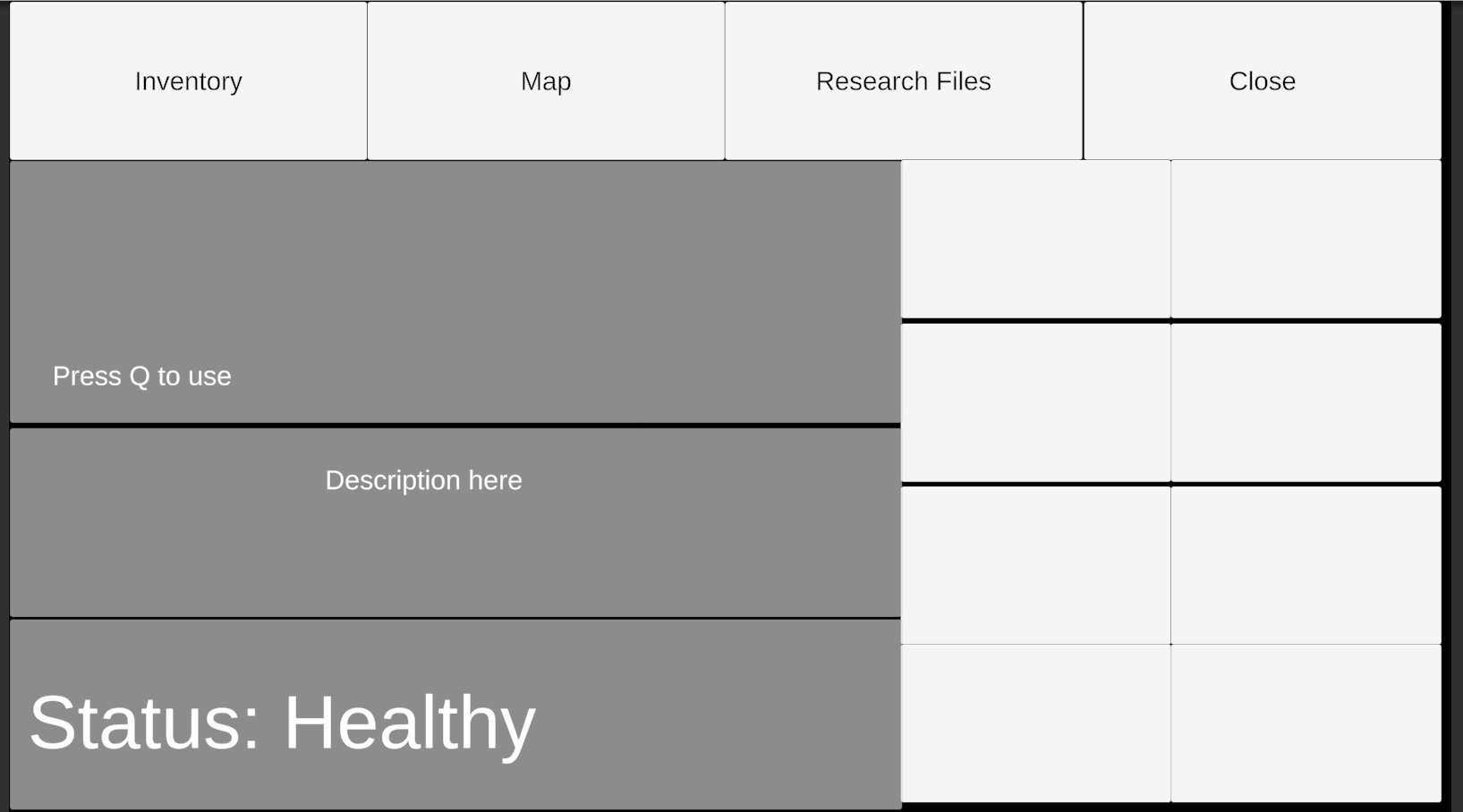
16:9
16:10
3:2
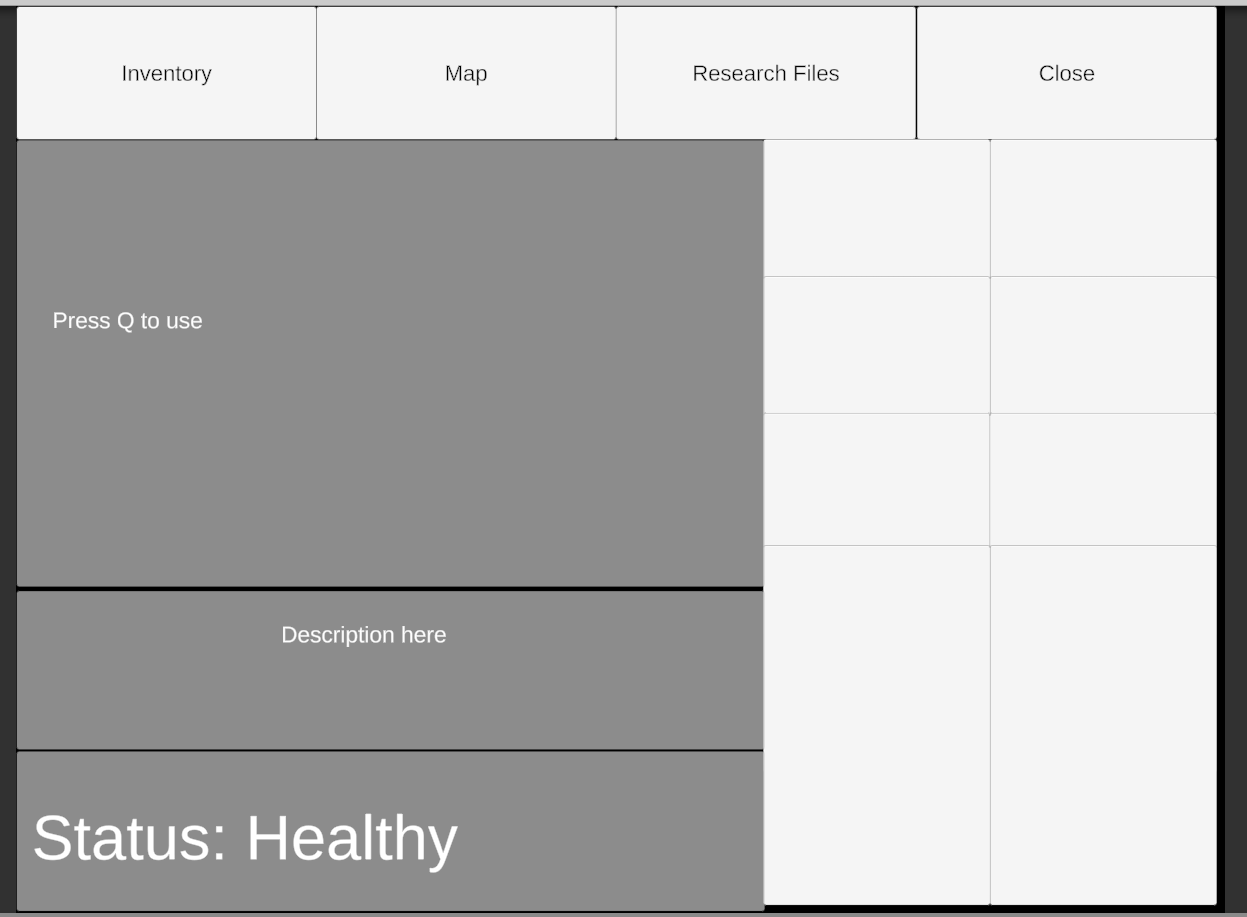
4:3
5:4
does this look good to you ? if so i can explain
@supple sentinel
anyways, maybe you will check out later,
top 4 button is scretched to top
http://prntscr.com/sazlay
buttons on the right scretched to right
http://prntscr.com/sazlg5

"Press Q to use" panel is scretched all

Description here and Status Healthy is scretched to bottom

all panels and buttons are individual gameobjects, so you have to handle the screcthing according to your hiearchy
supple sentinel
@alpine cave only issue I see is the bottom two inventory slots getting super stretched
alpine cave
how do you mean ?
i didnt make perfect geometry thats why they seem to 'merge' but should be fine otherwise i think
supple sentinel
see how the bottom slot is 2 or 3 times as long as the others?
can you get those to all scale evenly?
alpine cave
oh they are not long, they just seemed to merge 😄
black line between the buttons dissapeared because of the scaling thats why it look like that
if you make a perfect geometry you will see they scale properly
 craggy jungle
Hey a UI object of mine keeps randomly changing from the image its supposed to be to a red X in editor, and showing nothing in game
any idea why this could be?
or how to fix it? when it happened the first time I remade the object from a prefab, but this time the prefab is just a red X as well
sonic garnet
@craggy jungle you probably already solved this, but red X in editor on a rect means it's not facing the UI. you need to rotate it, or check that the scale isn't negative
craggy jungle
@sonic garnet cheers thank you, yeah that was a new one to me but I got it now
thank you ❤️
jagged monolith
Set your canvas to world space
south zephyr
Ole, would i have to do it like a normal ui? and then just change it to world space?
jagged monolith
It works exactly the same as normal UI, only you can position it in the scene
south zephyr
Is there any chances I can position it to follor the players position?
jagged monolith
Yes, you could parent it under the player for example. Or just follow it through a script
south zephyr
Have you heard of any good ui or anything that I can see to guide my self through?
I have done a little bit of ui's and I might have to get pretty well into it so It can work correctly
I would appreciate if you can tag me to a good tutorial on uis you know about
jagged monolith
I don't know unfortunately :/ But if you search it up on youtube there are plenty to choose from
south zephyr
Alright, thank you!
stark cloak
i am actually not working on the UI for my project until UI builder releases with runtime support, i hope the wait is going to be worth it
south zephyr
Is there any way I can tell my ui not follow the camera movement but to stay infront of the player?
Im attempting to make a ui in which you can select multiple buttons but the ui seems to follow the camera movement, I suppose this can be modified by just making the ui be in a different child but I want it to appear only infront of the player
 lunar spoke
Hi, can i create a folder to group objects together?
for example, i want to create a folder that contains both 'ground' and 'grass'
alpine cave
You can just make an empty gameobject
lunar spoke
oh got it, thank you
south zephyr
Hey guys, I got it but I cant get this one working...
The image is already alpha'd
south zephyr
I made it better, just ran into another issue
For some reason when I hover over the sprite it does not change
here is a small clip
It acts like if the canvas is not even there
My event system is with it as well
Could my problem be caused because I have 3 canvas's?
 onyx merlin
I may be porting my game over to Unity. Not sure what parts of it should use the UI system. It feels like it all could but not sure if that's wrong.
rapid ferry
the more I watch the more I'm confused
 acoustic nimbus
Does anyone know how I can scale the parent size from the child size? I'm trying to make the text fix in the background by extending it... Preferably w/o any code.
jagged monolith
You want the text box to scale to fit the text? That’s a content size fitter
acoustic nimbus
@jagged monolith content size fitter on the background doesn't seem to work because all the parent are a part of a vertical layout group - the content gameobject
jagged monolith
Hum I see
south zephyr
Hey guys, I ran into an issue just right now
My UI detects clicks if my mouse lock is None, but if there is a mouse lock enabled, it wont detect it no more
sonic garnet
Are you talking about Cursor.lockState?
south zephyr
Found an old fix
Unity really did ruin the world canvas ui's after not allowing a mouse to do input when locked
 native plank
Hello guys, do you know how to do this effect on an UI Image ?
 tropic oyster
animate vertex positions. Maybe bake some information into spare UV channels to control how much an individual vertex moves
or have just have a regular mesh that has a looping animation and render it through the UI path
 obsidian willow
can be done with vertex animations or a spritesheet
 sharp oracle
I'm trying to make a UI object that encapsulates a GameObject in the world. The object is a Sprite and has a standard transform, the UI object is on the canvas and has a RectTransform. I've gotten them to line up in the center by using camera.WorldToScreenPoint, but I need to get the width and height. How can I get the size of a rect transform based off of the bounds of a sprite in real-space?
night sand
i'm trying to program simple dialogue functionality, but can't seem to get the mouse cursor visible to interact with the UI. what's the go-to solution for UI interactability in this kind of situation? should i be unlocking the cursor state and setting mouse to visible, or something else?
sonic garnet
@sharp oracle I'd look into this documentation, combined with WorldToScreenPoint it should get you what you're looking for https://docs.unity3d.com/ScriptReference/Renderer-bounds.html