#⛰️┃terrain-3d
1 messages · Page 15 of 1
 warm radish
 craggy granite
ah that would be cool indeed, especially if it could be combined with some density map (just single color/alpha) for defining how much it would spawn random things if you need to tweak the amount manually etc
warm radish
@real coyote it's pretty much the same as doing 2D. main difference from 2D, where you are calculating the gradient for a 2D square, is that you are calculating the gradient function for a cube. That means you are going from 4 points for the square to 8 points for the cube.
if you have the terrains tools package downloaded, i have code there for different types of 3d noise. i'll also post some of it here but in the terrain tools package, the files you'd want to look at are in
YourProjectsLibraryFolder/PackageCache/com.unity.terrain-tools/Shaders/NoiseLib/Implementation
here's the 2d perlin function
/*=========================================================================

    2D Noise
=========================================================================*/

float get_noise_Perlin( float2 p )
{
    float2 i = floor( p );
    float2 f = frac( p );

    float2 u = quintic( f );

    /*=====================================================================

        c(0,1)      d(1,1)
            _____________
           |            |
           |            |
           |            |
           |            |
           |____________|

        a(0,0)      b(1,0)
    =====================================================================*/

    float2 a = hash( i + float2( 0.0, 0.0 ) );
    float2 b = hash( i + float2( 1.0, 0.0 ) );
    float2 c = hash( i + float2( 0.0, 1.0 ) );
    float2 d = hash( i + float2( 1.0, 1.0 ) );

    float ga = dot( a, f - float2( 0.0, 0.0 ) );
    float gb = dot( b, f - float2( 1.0, 0.0 ) );
    float gc = dot( c, f - float2( 0.0, 1.0 ) );
    float gd = dot( d, f - float2( 1.0, 1.0 ) );

    return remap( lerp( lerp( ga, gb, u.x ),    // lerp along bottom edge of cell
                  lerp( gc, gd, u.x ),          // lerp along top edge of cell
                  u.y ).xxxx,                   // lerp between top and bottom edges
                  -1, 1, 0, 1 ).x;
}
a, b, c, d are the calculated points of the 2D grid cell ( the square ) that position p can be found in
you can think of a,b,c,d as vectors now
ga, gb, gc, gd are the gradients for vectors a,b,c,d and the offset vectors from inside the cell
to take a step back, here would be the 1d perlin noise:
/*=========================================================================
    1D Noise

=========================================================================*/

float get_noise_Perlin( float p )
{
    float i = floor( p );
    float f = frac( p );

    float u = quintic( f );

    /*=====================================================================

        a(0)         b(1)
          _____________

             x-axis
    =====================================================================*/

    float a = hash( i + 0.0 );
    float b = hash( i + 1.0 );

    float ga = a * ( f - 0.0 );
    float gb = b * ( f - 1.0 );

    return remap( lerp( ga, gb, u ).xxxx, -1, 1, 0, 1).x;
}
reason i am providing the 1d and 2d approaches is to try to show how that might extrapolate to higher dimensions. sorry if this is all redundant information
this is all in hlsl btw. im not sure if you needed gpu or cpu-based noise. should be pretty much the same
and here is the hash function that i use to get pseudo-random values from each 2D cell
float2 hash( float2 p )
{
    float x = dot( p, float2( 165.244, 492.128 ) );
    float y = dot( p, float2( 382.763, 234.567 ) );

    return -1 + 2 * frac( sin( float2( x, y ) ) * 98102.5453123 );
}
In 2D you have one set of 4 points that define your grid cell. In 3D you now have 8 points to define it, giving you a cube. Here's the cube:
    /*=====================================================================

                c2(0,1,1)         d2(1,1,1)
                    ______________
                   /|            /|
       c1(0,1,0) /  |d1(1,1,0) /  |
               /____|________/    |
               |    |       |     |
               |    |_ _ _ _|_ _ _|
               |   / a2(0,0,1)   /  b2(1,0,1)
               | /          |  /
               |____________|/
       a1(0,0,0)           b1(1,0,0)
    =====================================================================*/
you can do the same 2D calcs twice, because what you really have is two sets of 4 points that make up two 2d grid cells which are then offset from each other along the vector perpendicular to their plane
you do the the 2D calcs for the 2d cell that is made up of points a1, b1, c1, d1 and then do the calcs for the 2d cell that is made up of points a2, b2, c2, d2
then interpolate between those values based on the third component (z) of the quintic interpolated offset for the point within the cell, u
@real coyote try working with that. let me know if i need to clarify anything. im not giving the answer outright in case you wanted to try solving it for yourself but if you want me to just provide the rest of the 3d implementation, let me know and i will be happy to do that
also, for anyone else, if i have messed up my explanation and understanding of the implementation, feel free to chime in as well
craggy granite
I don't really have anything to say on the topic but omg these graphics
warm radish
ascii art ftw. made a few typos in the explanation so i am fixing those
 desert sun
nice art skills haha
 worn oriole
Is it possible to downgrade a 2019 terrain to 2017 easily?
desert sun
@worn oriole why?
worn oriole
Been working on a project for someone that uses a terrain built in World Creator 2, and its main export function can only import into 2019.2+
Need to downgrade so it functions with VRChat, cause the devs of that are terrible at ever updating their Unity version
desert sun
oh VRChat...
probably you can export Heightmap from 2019 by using Terrain Tools from package manager
 upper pasture
@warm radish not to get to semantic, but that’s gradient noise not perlin. Gradient noise is not as nice as perlin, but faster to compute, so it tends to be used in shaders more.
 cerulean prairie
No matter what I do I can’t paint grass
That’s what my setup is like
When I take off billboard it looks like this
 peak magnet
2019.3 terrain filters ... is there any complete guides for it
 autumn rover
Anyone know if there's a way to use Tilemap 2D in Unity to place 3D objects instead? Or at least something equivalent? I tried using MAST but it's pretty buggy.
 glass mortar
did you check 2dextras?
peak magnet
Because curves is really bad for filters they should have used values like world creator does
glass mortar
@autumn rover Im pretty sure they have a prefab brush

GitHub
Fun 2D Stuff that we'd like to share! Contribute to Unity-Technologies/2d-extras development by creating an account on GitHub.
which could be used for 2d OR 3D
autumn rover
Aha! Thank you @glass mortar
peak magnet
Who started to work with terrain system 2019.3
autumn rover
@glass mortar I looked into it yesterday but it seems like the prefab brush are only made to randomly add in prefabs, have you worked with it in the past?
peak magnet
hi does anyone know the lastest unity 2019.3 terrain ?
craggy granite
instead of asking random questions, better to just ask the thing you are wondering about @peak magnet
like, the actual question
peak magnet
@craggy granite when i ask
a real question ... people ignore me
when i try to turn around to see if there is active people i got a random awnser ty next time read my first question lol
kiugetskiHier à 14:52
2019.3 terrain filters ... is there any complete guides for it
so avoid sending random awners if you do not take the time to read 7 lines higher
if i could find a complete guide i would not have asked anything
the question cant be more serious then that
the only guide from unity is totally incomplete about the terrain system 2019.3 no explanation about the filter curve system or nothing so instead im trying every combinasons until i find what curve does what and im getting there
craggy granite
you'll not find "complete" guides for everything
have you checked the official docs? (check the pinned messages on this channel)
I always go to them as my first step, instead of finding some random online tutorial - which will be outdated anyway
peak magnet
all i want to know is how the curves work on the filters because on unity docs they do not talk about terrain filters
 formal zephyr
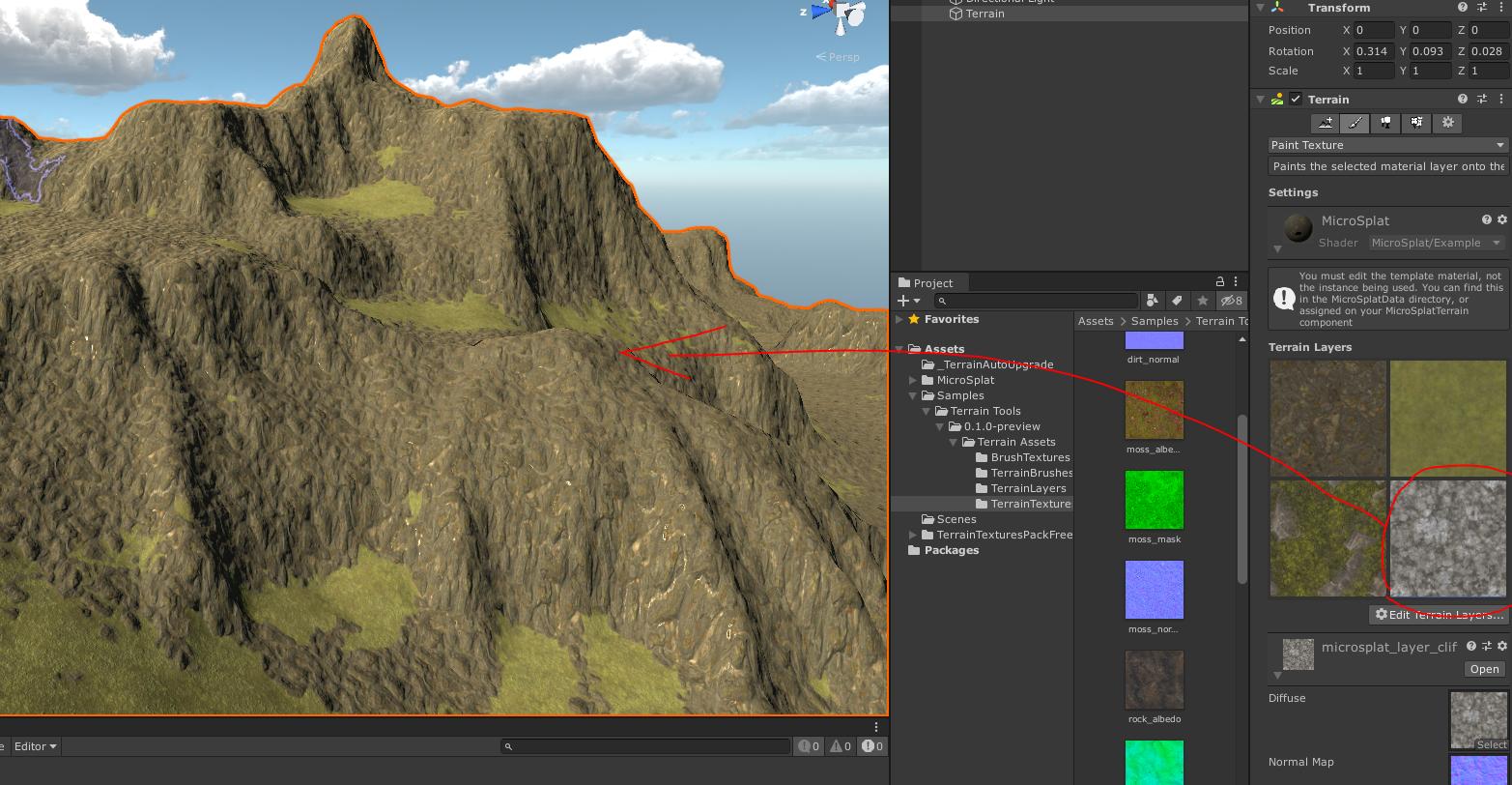
In my game, I have multiple square sectors of terrain next to each other. When the player clicks on one (I already have click detection set up), I want the game to highlight the piece of terrain in some way.
In the picture above, inside the Unity Editor it outlines the piece of terrain you have selected; I want an effect similar to this in game. I am fine with an outline, or the entire piece of terrain highlighted/colorized; What is the simplest way to get a highlight effect on a terrain GameObject? (It won't let me place materials on it)
(I already have references to the selected piece of terrain, I just need to apply the visual effect!)
formal zephyr
Does anyone have any ideas on how to easily colorize / Add a material to an entire piece of terrain?
 rose sentinel
Can some one tell me why my terrain is doing this
peak magnet
@rose sentinel never had this issue
rose sentinel
its was occusion culling
peak magnet
ok
formal zephyr
Is anyone familiar with my issue of coloring/highlighting terrains?
warm radish
@peak magnet there might be documentation for the package. ill see if i can find it
actually that is for last release
and then the list of brush mask filters is here https://docs.unity3d.com/Packages/com.unity.terrain-tools@3.0/manual/brush-mask-filters-list.html
latest documentation for terrain tools is pinned to this channel
peak magnet
@warm radish ty for the awnser this is the most precise awnser i wanted
rose sentinel
Is there any word on Terrain HDRP Grass? Debating whether to start making my own grass system or not.. I just don't see a point if there's a hint of grass coming out soon. Yeah I know I can use SpeedTree grass - which i've been doing. It's just extremely inefficient and slower to work with as I gotta start handling LOD adjustments just for the scene camera only.
 knotty root
could someone please tell my what terain is good for? Mention me tnx.
knotty root
?
 static field
why not just fuck around with terrain and see what you get?
knotty root
i already did that
but what kind of games can u make with that
i learned some stuff from thomas brush
static field
its just a tool. you can do with it whatever you want
knotty root
like open world?
static field
anything
static field
7 years
static field
I work in software. I just started working on my game
static field
still working on the general concept but it ll be a choice based story game
 odd carbon
hi, how can i convert my mesh (obj) in to a walking surface (terrain) ?
 summer latch
Hey there :) I am using Unity 2019.3 HDRP and Terrain Tools 3.0.1. In this scene I use a terrain and a large cube for my water. The edge looks like some resolution is too low so it looks like snapping to a grid. I tried to change some numbers but nothing worked out, probably some1 here knows a solution.
 arctic elm
I was looking at a unity demo and was wondering, does anyone know how this terrain was made? it just doesn't look like anything I could model in unity
the mountains, the plains, the river, it looks like one big piece modeled together, and all is textured properly. I want to know how I can make such terrain myself
rose sentinel
@arctic elm Have you looked at the new Terrain Tools in the package manager? There's erosion brushes and such in it that could get this look you are looking for... However - the cliff area looks like it's probably Tri-Planar mapping.
formal zephyr
Does anyone know a way I can easily color an entire piece of terrain? I want to allow players to select different pieces of terrain, how can I apply a color/material/highlight effect fairly easily?
knotty root
@rose sentinel what is tri-planar mapping?
@formal zephyr 1 my name is michael 2 thomas brush on yt look at his vid about terain
rose sentinel
@knotty root Tri-Planar mapping projects textures onto a mesh from the X,Y and Z axis. This allows you to avoid texture stretching, etc. Shader Graph has some little bit of info you can read up on it. https://docs.unity3d.com/Packages/com.unity.shadergraph@6.9/manual/Triplanar-Node.html
It can be costly though
knotty root
my brain is 2 small for that
odd carbon
@peak magnet thanks
 violet lintel
I need some help with my terrain I have uninstalled and installed Unity 2 times and I still cant see my objects or terrain. Im really frustrated I cant find no solution online
 drifting crown
You are not providing any information to what you are doing that results in this. Consult manual how to work with the terrain and there are a lot of tutorials for it as well. https://docs.unity3d.com/Manual/terrain-UsingTerrains.html
violet lintel
i downloaded the free Unity terrain tools
then I though i had the perfect terrain to start then when i comeback next day my terrain was not visible
or my trees
no textures could paint
warm radish
@violet lintel are you using any renderpipeline that isn't the built-in one / did you upgrade to a different renderpipeline from the built-in pipeline?
knotty root
sad
violet lintel
no rendering nothing special
i have not even set out the camera
just terrain and objects
i also just downloaded the latest 2019.3.2
my problem percist
and i feel like trhwing my computer out in the frozen tundra
😿
 outer olive
how could i use the new terrain system without making my slow computer got to 2 fps?
 onyx bane
Who do I need to speak to about Speedtree7/8 shaders in URP? Completely unusable in the current release!
https://youtu.be/DCeS1nEcP-w

Demonstration of the issues with Speedtree7/Speedtree8 shaders in URP against the default lit shader that comes with URP
craggy granite
@onyx bane Unity has had speedtree stuff in some sort of limbo for few years now. someone quickly did the speedtree shaders for LWRP initially and when they started to HDRP version they threw the whole thing back to drawing board in attempt to implement speedtree support in shader graphs instead (which IMO is the right approach)
somehow it's just been going on and on and no actual release
once they get the SG approach merged, you can do whatever graphs with URP and HDRP's lit SG's
at least how I've understood it, they'll just expose additional nodes to process the speedtree data (which is similar to what UE4 does with speedtrees)
onyx bane
@craggy granite I am chasing it up with the developers, reported at (Case 1221827) [URP][Terrain][Speedtree]Terrain LightProbes for Speedtree7/8 shaders bake black
It does seem there are regular changes to the Speedtree source on the SRP Github repository, although in a release version of URP containing them, you would at least expect the behaviour of the tree assets to be more consistent between the Speedtree modeler, the built-in Unity renderer and UniversalRP.
Hopefully they look into it
craggy granite
I really hope they get the SG nodes done because then it really boils down on the regular SG shaders behaving well
there isn't really any major things in speedtrees that should even warrant their own shaders, basically there's color variation and baked wind to feed to vertex offset
onyx bane
You're right, I'm going to probably make my own SG that has some translucency effect and the rest is alpha clipping, normal map and color variation as you say.
It's more for convenience as I am making many different trees, they automatically load up with the new URP/Nature/Speedtree7 shader when imported and materials are generated. So converting all the LOD of the tree's materials to my own is a ball-ache.
That or I can look into writing a custom asset processor with an Editor script to do that when they import... but it is all tied to a 'regenerate materials' button on import of the Speedtree :/
It's unlikely I could get around that bit of the process
Omg there is a Speedtree importer example here! https://docs.unity3d.com/ScriptReference/AssetPostprocessor.html

 urban geode
anyone aware of terrain instanced rendering not working on iOS with Metal? Unity 2018.4.16 , iOS13 , iPhone X
violet lintel
Please somebody I need help
again i unistalled unity even from the reg.files
installed again
and still no map visible
or cube
nothing have work
i even try a few new cameras
nothing is helping me
violet lintel
yes
i been using the editor for 2 months and its been working fine
then i dont know
i updated the other day
and it was working fine
i came back next day
all my assets dont show and my terrain was invisible
 jaunty gate
hum try to reset the interface to default in Window->Layout->Default
sometime unity interface bug
always install the release version not the alpha or somehing
jaunty gate
should be fine
reboot your computer
some people let their computer always on
somethime it's good to reset it too
jaunty gate
select your terrain in hearchi window and go to the scene window and type F
for what I see your scale is 1,1,1
so it's small
you could also create a material and apply it to the terrain to be able to see it better in scene
 ivory rose
Hi, my character jumps while I don't press the jump button. It jumps automatically. Someone know why that happened ?
ivory rose
I put 1000 for the mass @jaunty gate
jaunty gate
there's something wrong then if you put 1000 for the mass you shoudn't be able to move
ivory rose
currently I am able to move
arctic elm
I have this 16km square terrain with has about 1 million tris total. it seems like my terrain is fully rendered at all times . is there a way to make the parts of terrain that is far from the camera to render in lower quality?
desert sun
@arctic elm tweak pixel error settings on terrain for generate LOD mesh of terrain by distance
 grizzled kayak
im flattening out the terrain for my game, is there a way that i can use the set height feature while having all tiles below a certain height to stay at that height?
 ivory cairn
Does anyone know where I can get a blender-to .raw exporter? I have this model in blender that I'd like to transfer to a unity terrain so that I can utilize the grass/tree/paint brushes within. I used a unity terrain-to-.obj export script in order to allow me to edit it in blender, but the obj-to-terrain doesn't seem to work...
This is the model I want to transfer to a terrain in unity
ivory cairn
Ok so i got the terrain to read it, but for some reason the terrain smooths out the rough edges. Is there a way to get the terrain looking like the model to the right
 sage stag
ivory cairn
sage stag
ivory cairn
Once implemented in unity it looks pretty average 😦
cant use grass or nothing cause its a model
warm radish
@violet lintel if you make a new terrain through create menu, does it show up or can you still not see the terrain?
violet lintel
no luck
 potent star
 autumn sail
Hey, is there some way to change to flat shading in unity on a terrain or do i have to create my own mesh for that?
 light glacier
Is there an easy way to do the add new terrain with matching heightmaps available in 2019 unity using 2018 LTS?
Smooth the terrain back to flat along the connections and start over works, figured it out.
 junior grotto
I've been looking for guidance on how to implement terrain features beyond simple perlin noise height maps, found this excellent exploration of various techniques, thought it might be useful: https://hal.archives-ouvertes.fr/hal-02097510/file/A Review of Digital Terrain Modeling.pdf
 delicate needle
@ivory cairn may be a bit late, but couldn't you just create a height map from your model and use that for the terrain?
That should also fix the smoothing I think
ivory cairn
@delicate needle yeah... I tried to do that already but for some reason unities terrain smooths edges no matter what... I’m now dropping the whole terrain idea and Am moving to models
The grass was really the only benefit I noticed with it
Might as well just use poly brush instead :/
warm radish
@ivory cairn there is a mesh stamp tool in our terrain tools package that you might be able to use
ivory cairn
whats the damage
(to my wallet)
oh i just realized you're an admin, I ended up using poly brush which was perfect for the mesh terrain
Once I add post processing, It'll probably look pretty good
warm radish
No damage haha. But glad to know poly brush worked for you
 thorny swift
As it is the terrain thing aswell I'll ask here too, is there a way to overwrite the tree light probe anchor?
ivory cairn
Anyone know why polybrush breaks when applying to large meshes?
It completely destroys the mesh collider on the mesh and the mesh as well sometimes
Might have to develop my own tool :/
warm radish
in what way does it break?
ivory cairn
First
once i hover over it and the zoom override gets applied
normal
hover with mouse
ivory cairn
is there a limit on how many vertices the mesh can contain? cause I'm really confused
rose sentinel
what is the best site to download high quality texture
 quick thicket
@ivory cairn I know this is probably really late and might not be useful at all, but if you have a terrain in blender and all you want is to be able to texture it, paint the parts in which you want stuff like mountains and grass which the corresponding color, then go into paint.net and select everything in a certain color, such as gray for mountain, then import a tile-able rock texture in a new layer covering where the gray would be. This is certainly not the best way but it works for me when I do simple terrain
warm radish
@rose sentinel quixel megascans is good
 queen tundra
If I use terrain to make water, can I still have the player swim in it?
I'm not really sure how that effects rivers or just lakes and whatnot
 hollow dawn
queen tundra
hollow dawn
queen tundra
I'd think the point of it being terrain is so it can have variable height
Are there better ways to do water?
Seriously appreciate the response btw
 devout panther
If I want to create a terrain similar to the one in Marble Madness™ should I use the Unity terrain or would it be better to create just use a load of altered cubes?
craggy granite
definitely not terrain
devout panther
@craggy granite Why not terrain?
craggy granite
you can't make geometry shapes like in that image using terrain
if you only need smooth slopes, then sure use terrain but you can't make a scene like in your example image with it
devout panther
@craggy granite Probuilder might be the way forward then.
queen tundra
anyone know of a way to add grass to terrain? Last i checked it didn't work in HDRP, but maybe its good now?
 vocal pollen
@craggy granite definitely pro builder
@queen tundra no it’s still not working on the detail painter. I believe they are working toward terrain entity conversion and will likely wait for that before getting grass going again. Just speculation, but what I surmised from reading the forums.
queen tundra
is there a decent substitute? It would really kill me to leave a flat grass texture on everything
vocal pollen
I plan in using dots so what I did was create my own detail painter similar to polybrush (but more performant) and creates sub scenes automatically placing the objects inside. The performance with grass and trees as entities is fantastic.
queen tundra
got this thing where my terrain is invisible in editor
i feel like its some little thing but idk how to fix
aha new layers are hidden by default
devout panther
@queen tundra Brackley has an awesome tutorial on creating grass with a shader. URP & HDRP.
 hybrid ginkgo
So does anyone find the built in shader for unity terrain to be waaay under par?
has anyone come up with a solution for this?
We need two things that it just does not provide
High blending and a texture driven roughness
was able to build my own just fine
but it only overrides the entire map no way to paint with the unity tools
devout panther
How do I create a Terrain Data asset? i deleted one and need to create a new one but I can't see it on the Create menu.
craggy granite
@hybrid ginkgo you are using the old renderer, right?
I know HDRP and I also think URP has terrain shader that does support height-blending
I'd say... don't expect much improvements for the old renderer as advancements tend to come only for systems they are actively working on
 rocky marten
I was curious so I played around with something related in URP.
Sadly, it seems like AO (Green) and Height (Blue) channels on mask map are not doing anything.
https://docs.unity3d.com/Manual/class-TerrainLayer.html
"...
G Ambient Occlusion
B Height
..."
craggy granite
huh
I could swear I saw the PR for making the terrain stuff work similar way to HDRP ages ago
but it's possible it never got merged too
rocky marten
Or maybe it's bugged? The documentation makes it look like it should work the same for URP and HDRP.
 young drift
Can't get navmesh to work on my terrain in Unity2020, Any ideas?
warm radish
@young drift what are the steps you're taking to bake the navmesh?
young drift
Adding a terrain with material and trees, adding an animal prefab with animations and rigidbody @warm radish
young drift
@warm radish hello, I'm doin this tutorial with the assets given exactly how it's showed https://youtu.be/G1KRvSqkXEc in Unity2020.1.0a25.3171 but when i click on Navigation and Bake it does the process but i can't visibly see anything and i have Show Navmesh selected. So any help would be appreciated.
In this three part tutorial I will show you how to setup a player controller for a third person character, turn on a navmesh for a terrain and make Nav Mesh agents that follow the player and Nav Mesh obstacles for the agents to avoid.
Starter Files Available from files.holist...
found the solution! 👍
 hushed stream
Was trying for that "hostile alien planet postcard" aesthetic I guess lol
 vestal haven
If I want one vertex to have multiple uv values is this possible? Or do I need multiple vertices in one location
warm radish
you could use separate texcoords per vertex. uv0, uv1, uv2 etc
you can also have multiple vertices map to the same uvs
young drift
Painting Grass mesh HDRP in Terrain Settings is possible or not? having some problems. I can add the mesh Singular but not paint the mesh it changes back to default billboards. ~if this is the wrong channel i apologize in advance.
craggy granite
HDRP doesn't support grass billboards on terrain @young drift
basically only way to get the grass there atm using terrain tools is to use grass as "trees"
or just use some 3rd party grass instancing solution that supports HDRP
desert sun
@warm radish hello, is there a way to split terrain by 3x3 tiles?
ofc with loosing quality of terrain
 blissful yoke
Is grass still not a thing in hdrp?
craggy granite
I doubt the old billboard grass ever being a hdrp thing
rose sentinel
How can I make it not appear like that?
make it more like one textute all over?
Nvm thanks!
 sacred parrot
im making a open area but im struggling to make a good looking yet functional game level
rose sentinel
SAME
sacred parrot
yeah i cant get boundries and stuff to look nice
rose sentinel
I used an app to create the terrain but it's not high res when i put it on the map
it's bothersome
when playing they're close to the ground/terrain and its blurry asf
 torpid ocean
@sacred parrot Whatcha struggling with my dude?
I was setting up a semi-large scene recently and found that a "well textured" border is way more effective than just having flat barriers. Having different kinds of barriers, a jagged border, and differences in height all make the border feel natural. So for my scene, I used a horizontal storage tank for a chunk of the barrier, and then a dip in the terrain with a rail around it and pipes at the bottom. On the next side of the scene I used a collection of ladders and stored materials to make an insurmountable obstruction.
I don't know if that helps you, but it's just something I experienced recently 🙂
rose sentinel
hey is it possible to make terrain grass use the fade mode instead of cutout?
rose sentinel
or actually i dont need that anymore id rather know how i can remove the shading effects from terrain grass? cause its way too dark and i dont need the effect
 jagged geode
Anyone know if a base texture can be applied to the terrain tool? I have a height map and satellite map from Google. i want to use the satellite map as a base and work on top of that.
warm radish
@jagged geode sorta. the terrain shader uses splatmaps for the materials. you could add the satellite map and set the tiling of the terrain layer to be the size of the terrain
 wooden canopy
I am using terrain tools to make my terrain. But when I go to sculpt there is no brush size slider. Any help?
warm radish
@wooden canopy if you increase the width of the inspector tab, does one show up for you?
warm radish
there is one there. it's under the header for "stroke"
and after brush strength if you're reading from read top to bottom
 trim summit
I'm new to unity and I'm exploring and learning every day but now I'm stuck on how to remove certain grass I painted
I only know how to remove an entire detail
Is there any sort of eraser tool?
warm radish
you can hold shift to erase details in the brush area
trim summit
Oh thanks!
Also with VR when looking around the grass rotates in the direction you look
Is there any way to stop that
wooden canopy
@warm radish My terrain has two mountains but I can't change the detail distance past 250. But its a sniper game and I was wanting to be able to look at the detail from across the mountains?
desert sun
@wooden canopy place grass via terrain then
rose sentinel
does anyone know what causes the lines? they're only when im editing the terrain and they're kinda annoying, i've tried to see what's causing this but i've had no success so far
rose sentinel
the blue ones
 paper sapphire
@rose sentinel
paper sapphire
np
rose sentinel
I'm trying to use the terrain tool, when I import a heightmap I get the error "resolution is not power of two". However the size file is 1024x1024... What do I do?
rose sentinel
i dont know whats wrong but my all objects coming like this
 wispy token
Hi i dont know if this is the right channel. I got a problem with LOD group. When i adjust tje LOD 0 and go to 100% the camera is around 50m from object away. How can i set that that 100% is infront of the object?
 hushed knot
If I wanted to make a map out of cubic voxels (Probably 100x100 or 200x200, at most), would the built-in cube models be efficient enough to use, or would drawing them separately be better?
 vestal oasis
How do I add texture to a material object?
 cloud onyx
anyone know why terrain detail mesh seems to have a hardcoded green, I already changed the grass tint to white and the healthy/dry color to white. the texture's original color is yellow, which is what I expect to see, but I see some colored green
 sinful lark
try this out
google.com
No serious now. Search for Sebastian League => quite some good tutorials
 rancid kelp
bad support
 wooden trout
Try Brackeys terrain generation
warm radish
@rancid kelp terrain docs: https://docs.unity3d.com/Manual/terrain-UsingTerrains.html
terrain tools package docs: https://docs.unity3d.com/Packages/com.unity.terrain-tools@3.0/manual/index.html
warm radish
to create a new tile, you can use the GameObject menu. GameObject > 3D Object > Terrain
warm radish
@rose sentinel do you have a normal map on that terrain layer?
warm radish
ok cool
 lavish grove
I've been browsing for a few hours, looking for a voxel based procedural terrain generator.
I found a couple; Ultimate Terrains, Voxeland and Voxel Play.
Any recommendations? And preferably, free?
rose sentinel
how to fix this , i can`t use any tool on terrain
rose sentinel
can anyone help meeeee
 fresh valve
@rose sentinel ehm what exactly doesnt work
you have to click here to access the terrain brushes
rose sentinel
@fresh valve I did
But
Whenever I try use that brush on on terrain it doesn't make anything no
No slope or hill or anything
@fresh valve I don't understand why it's not painting on terrain
fresh valve
Hm I can't really help you when I'm not exactly seeing what you're doing and how the program looks when you are doing it. I don't have enough information.
Did you try making a new terrain?
rose sentinel
@fresh valve
vestal oasis
How do I add on a Texture to a material, I only know how to change the color of it
fresh valve
@rose sentinel sorry, i don't know whats the problem, can't help you. 😦
@vestal oasis Every Material has a Shader. A shader is basically the code that determines how the material is rendered and shown on the screen. Your selected shader is most likely one for color only. You have to select a shader that supports textures.
The default shader supports textures though.
vestal oasis
okay, ty
fresh valve
You have to click here.
On the box or the little circle.
here in the dropdown you can select different shaders
rose sentinel
Ok
 prisma bramble
hello!
im trying to cut this terrain into parts, so i can make a grid for a part of it for a game
what tool should i be using
 minor vessel
Hi, why am I getting weird black spots when I get close to my terrain ? EDIT: I changed the shadows bias and it fixed my problem
rose sentinel
Top neighbor of the terrain has a different heightmap resolution. Stop neighboring.
UnityEngine.GUIUtility:ProcessEvent(Int32, IntPtr)
how to fix this , i can`t make any terrain
light glacier
I cant fix your problem, but have you tried hitting print screen and pasting your picture into paint or whatever and cropping it from there?
 prime echo
Snipping Tool in Windows is your friend
torpid ocean
I use lightshot for screencapping. Super handy and easy to use. You can even add annotations on the fly before saving or posting the screencaps.
https://app.prntscr.com/en/index.html
And it's freeeeeee
warm radish
@rose sentinel for terrain tiles to be actual "neighbors" as far as the API goes, they have to be the same heightmap (and control map) resolutions
rose sentinel
@warm radish how to do that
warm radish
how do you set them as the same resolution, you mean?
warm radish
@rose sentinel you will have to select each terrain neighbor and set their respective texture resolutions via the Settings tab in the Terrains Inspector
 jagged violet
Is there any way of using a shape as a sort of cookie cutter? Like I have a cube and I want there to be a recess in the middle of a cube I'm using as a ground layer to make a lake using the shape of the lake I've already made
Like in DOOM in E1M1 where the courtyard is recessed below the ground plane
I have this so far but I want it so that the green recesses into the cube
and of course if I move the cube up or the green but down, the shapes just clip and there's no recess
 upper charm
@jagged violet are you looking to put a hole in the box the shape of that green thing?
jagged violet
Exactly @upper charm
jagged violet
I'll probably do in in blender, it'd be basically same way you'd emboss text wouldn't it?
only thing i'm wondering is how I'd then texture it
I've never done blender texturing before
jagged violet
Yeah I have no idea what I'm doing here @upper charm
 lapis sierra
Anyone know of a triplanar terrain shader that auto-updates the splatmap based on slope and/or height. See this at 12.10 for example https://www.youtube.com/watch?v=ZW8gWgpptI8

In this 2020 GDC Virtual Talk, Adam Robinson-Yu talks about how he decided to put a major project on the back burner in favour of a new prototype, which ultimately became A Short Hike
Join the GDC mailing list: http://www.gdconf.com/subscribe
Follow GDC on Twitter: https://t...
rose sentinel
Having some issue, can't add textures to my terrain, someone dm me and help 🙂
 golden terrace
Anybody know where I can get some good parralax code?
upper pasture
@lapis sierra That can be done with MicroSplat's procedural texturing module and triplanar module.
lapis sierra
@upper pasture Awesome, already using the base Microsplat so that's perfect. Thanks!
 rose saffron
All I'm having some trouble with my first school project
anyone available to help me?
 tame crypt
https://youtu.be/MWQv2Bagwgk?t=599
(timecode included)
could anyone please tell me where this feature is now?

Let's have a look at the new Terrain System in Unity!
● Learn more: https://ole.unity.com/TerrainTools
● Terrain Samples: https://bit.ly/2Y25AEX
····················································································
♥ Subscribe: http://bit.ly/1kMekJV
👕 Check...
rose sentinel
Hey everyone,
So I am relatively new to Unity, the last time I used it was back in 2017 where I mostly handled 3D art for a project. I am recently getting back into Unity and learning all there is to learn. I created a custom shader yesterday, and I was wondering if it's possible to apply that custom material/shader to Unity's terrain - or perhaps paint with that custom material.
The shader is beyond a simple albedo + normal map
Also if there's alternative tools that let me paint materials on to terrain meshes I would also like to know about that
any help is appreciated >_<
rose sentinel
Got a pointer saying I should be looking into Custom Terrain Shaders
and mimicing the parameters i have on the shader I made
rose sentinel
🦗
 willow idol
I don't have speedtree and have a budget of €0, are trees made in blender (with LODs etc) viable performance-wise for a first-person game with maps within 1km^2? I'm using URP. Also what shaders are best for trunk and leaves in this case? Thanks
willow idol
actually more importantly, what's the "proper" way to do trees since unity does an arse of a job at handling them as it always did? I used Critias Tree System beforehand but that seems to be well out of date by now. Is it possible to have a forested area without tanking the performance, using URP?
rose sentinel
Is there anyone here that can tell me how I can increase the terrain resolution where when I paint a texture the textures are not seen so blocky
when it paints, it comes out very geometric. Is there anyway I can increase something for it to seem more loose and faded around the edges?
rose sentinel
Anyone?
static field
doesnt that depend on the geometry of the plane you are painting on? aka make the ground you are painting on more subdivided?
upper pasture
You can fix that in how your shader does the blending..
The included unity shader is crap, it just does linear blending. Height blending looks a lot better.
warm radish
@tame crypt which feature are you talking about?
tame crypt
nice
 urban fjord
When Terrain painting a tree of type Tree should that not automaticly randomize any tree settings it has?
 hushed jasper
is terrain texture always looks block when we edited?
 brazen sage
why i can't paint trees?
thorny swift
@brazen sage does your trees use LODs? if no add atleast one
brazen sage
Yep, but didn't work
 solar onyx
i have this terrain mesh (not terrain data) that looks fine and well, but when i start sculpting with polybrush, i get these weird gradients
how do i get rid of these gradients so that the surfaces are just flat?
 desert mason
how do i make terrain overall? pls help me anyone thats know how ;-;
solar onyx
welp i fixed it with this shader https://i.imgur.com/dfLNWrd.png
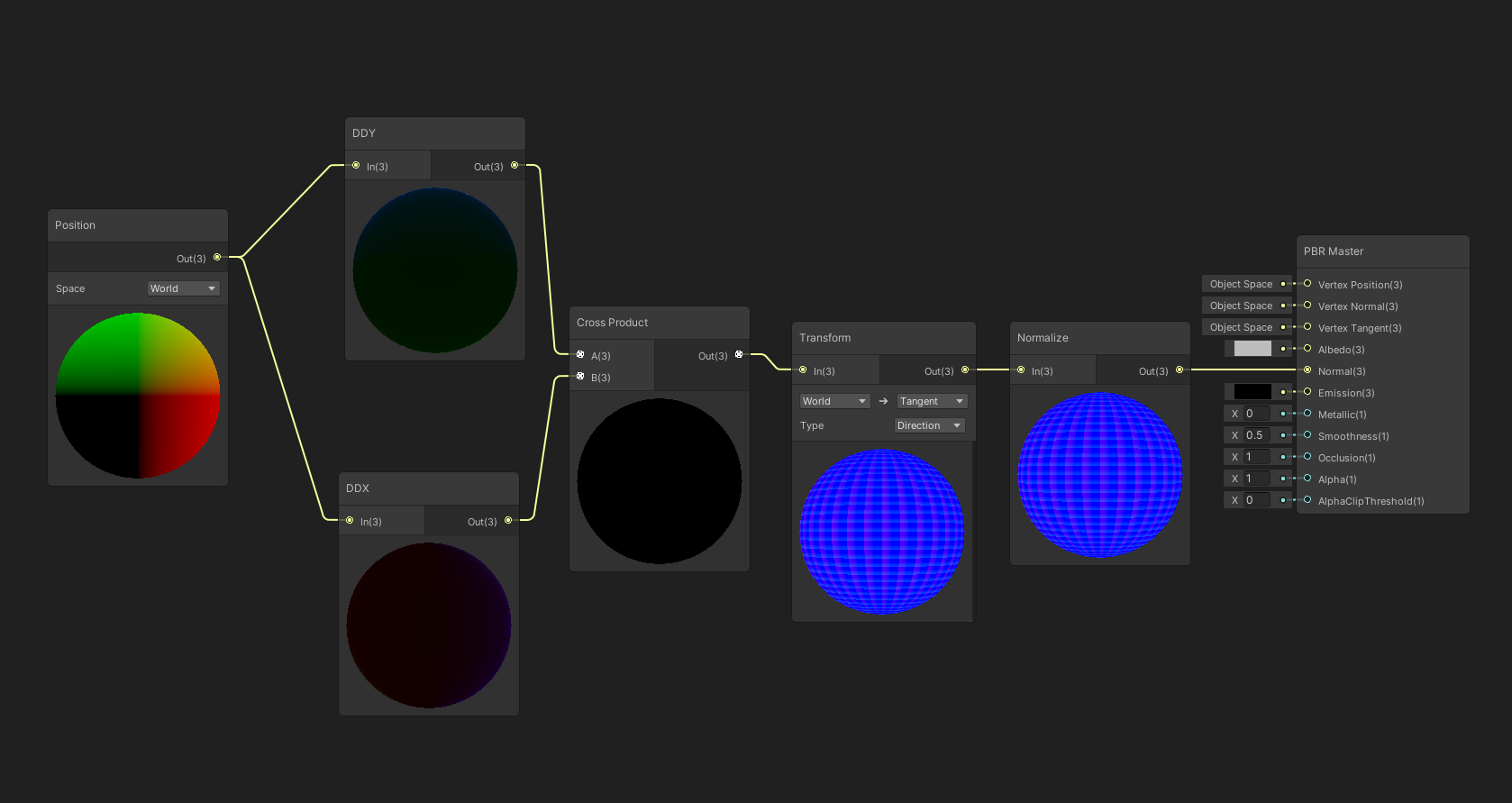 brazen sage
for some reason i can't paint any trees i have made in blender
but i can paint trees i have made in unity
brazen sage
and in unity tree editor i don't have free hand editing??
 final wadi
I really wish Unity's terrain wasn't a black box
They started breaking out the terrain tools into C# libraries, what are the chances that'll ever happen with the terrain itself? Slim to zero I imagine
 grave basalt
@desert mason the unity documentation has a good overview over how to create a simple terreain
https://docs.unity3d.com/Manual/terrain-UsingTerrains.html
 sour sparrow
so i made a terrain script that generates a mesh, which works perfectly fine
but I can't seem to give it a meshCollider
you can sorta see my attempts there with MeshCollider meshc etc etc but it doesn't seem to work
 terse linden
Hi guys! anyone uses Polybrush to edit .fbx?
 tired sigil
Are there any Terrain Height Blend Shaders that support 8 textures? Everything I see is just 4.
 regal ginkgo
No you would likely have to roll your own
Need to be careful when going over 4 textures for terrain with performance as well
tired sigil
I'm sitting at 12 and perf is good, but willing to go down for height blending.
MicroSplat does it, but it's a whole setup - I got it working, but just want the Shader.
regal ginkgo
Yeah you can do it, but I believe you need to adjust your workflow, because the normal limitation is there due to the data for heighblending being stored in the control RGBA, one channel for each texture
Depends what you need, you may be able to create a triplanar heightblended shader alternatively if that gives you enough
tired sigil
I think I found one from Laxer that can handle all of the layers, but it's pulling Height data from the Alpha of each. Might try modifying it to reference a separate map for height..
regal ginkgo
Yeah that's the main issue you need to adjust your workflow, and if you have to change something down the track it could cause a problem and require rework if you don't plan it from the start
The built-in can pull height from a mask in a similar way to alpha, but still limits you to 4 textures to enable height blending
tired sigil
My main problem is I'm working in Bundles, and they can't hold C#. So doing a big thing like MicroSplat won't really work if it has script dependencies.
😦
regal ginkgo
Have you tried just re-attaching the script after you import the asset bundle?
tired sigil
The client doesn't have the Monobehaviours for MicroSplat, so they won't carry over as a bundle.
Which is why I'm looking for a strictly Shader solution
regal ginkgo
Can't you add them to the client?
Haven't used MicroSplat specifically before so not sure what's required
I am setting my levels up as prefabs instead of bundles because of the MonoBehaviours, however I don't need to stream load asset bundles or anything
 true sail
Hi!!! I have an application called terrasculptor 2.0 where it can generate very massive and natural forms of terrain. I was wondering what files Unity supports so I can see if this can export a compatible file. Apparently it can support Unreal engine's old 3rd generation too so it makes me wonder about unity.
 violet stirrup
tame crypt
violet stirrup
tame crypt
yea
got the same issue
I applied a custom material to the terrain
well
I just want to apply a different color to my terrain
tame crypt
I don't have the Edit Textures button
formal zephyr
So, I have a sector of Terrain that I want to change the height on it, but I do NOT want it to physically change. Normally, when I change the height, it scales everything: I was to make the height Higher, but I don't want it to scale. How do I do this, either through code or the inspector?
warm radish
@formal zephyr you'd have to do it through code. we dont have anything like that built into the editor nor do i think we have that in the terrain tools package.
@true sail we use .raw for height (.png, .jpeg, and maybe .tga if you have the terrain tools package installed). for alphamaps we use "terrain layers" which are a custom asset for terrain that contains info like albedo texture, normal map, etc along with tiling and offset for sampling the textures in our shaders. we then map those terrain layers to splatmap channels when blending materials for the terrain
formal zephyr
@warm radish Okay thanks, I think I have a good idea how to do the scale, I'm planning on doing a 7-fold height increase, so I can use use the exact 7X multiplier to my advantage!
However, one issue: I also want the terrain to be just as detailed as before, but when I increase TerrainHeight to 4200, I can't smooth it nicely, it still has bumbs and courser terrain than it did before even when I smooth; How do I compensate so that I can still have features be nice and smooth? Do I mess with Heightmap Resolution? If so, how? (I tried changing that but didn't have any luck)
Top one is at 600, bottom two are at 4200
They are much rougher and coarse after the increase
warm radish
ya you might also have to alter the height resolution. your precision per texel decreases as you increase the height range. but that will make use of texture filtering when blitting the texture into the new destination texture so that will only get you so far in terms of maintaining your heightmap fidelity
you're still going to lose some data
formal zephyr
I'm okay with making new terrain;
I just want to be able to make terrain with the same quality;
How do I do that?
warm radish
ah ok. then ya, definitely try bumping up the heightmap resolution
you still might see rougher surfaces though since you are still dealing with a 16 bit floating point heightmap
but they shouldnt be as bad
formal zephyr
What do you mean about the 16 bit floating point?
warm radish
it's the format for the heightmap
each pixel in the heightmap is a 16-bit float
normalized float that is
values are always going to be 0-1 and the height range on the terrain settings is used to multiply the values in the heightmap texture to generate the actual height of the terrain
basically just trying to say that you still might see some features that arent as smooth as the terrain with a smaller TerrainHeight
formal zephyr
Okay, I think I understand!
Is there any way to change to a higher bit float for heightmaps? Or is that impossible?
Or, any other workarounds you would suggest?
warm radish
it's not possible atm unfortunately
formal zephyr
Okay, good to know; This has been very helpful, thank you!
true sail
@warm radish So since the terrain has multiple files it exports as, what is the main file name it exports as? I can export all of these, but not as a singular file.
And BTW, what kind of jpeg? old codec or naw?
tame crypt
how do I make the faded trees be drawn over the ocean object?
 maiden lichen
@tame crypt ? a bit more specific please
 last wave
Im making this house is there someone that want to help me with making a simple terrain around it just some trees and a road or something
 winter shoal
some trees and objects are transparent when putting shadows
anyone know how to fix it?
 lusty pumice
Hey everyone! I have a Terrain centric programming asset on the store and am having trouble with the SetNeighbors function (it is not working even though using auto connect on the terrains does work). I've tested on 2018.4, 2019.1, and 2019.3. Not sure if this is an appropriate channel for this question, but just wondering if anyone has had this issue?
rose sentinel
how to make a box
 teal night
how does one make a box? 
 past sequoia
Does anyone know if we can put down trees in our scene without using terrain but the tree still be effected by wind zones?
 cunning raven
@past sequoia you need to apply a shader that can move the vertexes.
you can do it yourself in shadergraph; https://www.youtube.com/watch?v=L_Bzcw9tqTc
or aplify
or use this fantastic shaders: https://boxophobic.com/
i use the THE VEGETATION ENGINE, it does simulate collision, subsurfacing, cutting, falling leaves and seasons.
it easy to use super price for what it does. Work on almost every RP and old Renderer of Unity.
And here is also a article what actually goes on with moving foliage and trees if you are interested ;)
https://developer.nvidia.com/gpugems/gpugems3/part-iii-rendering/chapter-16-vegetation-procedural-animation-and-shading-crysis

Let's learn how to make realistic grass with Unity Shader Graph!
This video is sponsored by Unity
● Download grass assets: https://ole.unity.com/grasssway
● Art That Moves: https://bit.ly/2VW85He
● More realistic vegetation: https://bit.ly/2EAxC5d
● Mesh Generation: https...

BOXOPHOBIC
NVIDIA Developer
Chapter 16. Vegetation Procedural Animation and Shading in Crysis Tiago Sousa Crytek At Crytek, one of our primary goals for Crysis was to define a new standard for computer game graphics. For our latest game, we have developed several new technologies that together compris...
past sequoia
@cunning raven thank you so much!
cunning raven
pleasure
 delicate bobcat
hiiiiiiiiiiiiii
warm radish
yoooooo
lusty pumice
Hey everyone! I have a Terrain centric programming asset on the store and am having trouble with the SetNeighbors function (it is not working even though using auto connect on the terrains does work). I've tested on 2018.4, 2019.1, and 2019.3. Not sure if this is an appropriate channel for this question, but just wondering if anyone has had this issue?
I can give a download link to a Unity Package that reproduces the issue.
warm radish
@lusty pumice could you submit a bug report for the issue
lusty pumice
@warm radish I have done so, the case number is 1241302
warm radish
great. thank you!
do the terrains all have the same heightmap and control map resolutions?
 arctic island
I'm attempting to develop a random terrain generator for a tabletop games, would anyone know any place to start looking for better resources or a way to institute it thru a top-down view?
maiden lichen
@arctic island yes. But there are many ways to achieve that.
Random height maps. Noise generators, as in perlin noise
arctic island
Ok
solar onyx
@cunning raven do you know the difference(s) between The Vegetation Engine and Stylized Grass Shader? https://assetstore.unity.com/packages/vfx/shaders/stylized-grass-shader-143830
Add depth to your next project with Stylized Grass Shader from Staggart Creations. Find this & more VFX Shaders on the Unity Asset Store.
cunning raven
@solar onyx what i know is that the vegetation engine is a complete system layer based that has converter system that lets you any type of object as prefab convert to the system and back. it has seasoning color, wind, Cutt foilage, foilage collision. falling leaves etc all in one system.
the other system i do not know, sry. but i see that stylized grass shader seems only work on SRPs that is am major difference.
what i know is that Vegetation engine has a very decent support on his discord server and its all so easy to use.
sry i could not say more about the difference, maybe im also very biased by the Vegetation engine since i shipped products with it and i love it so much 😇
this is URP i only used it with urp and android
and of coarse pc
 wise hazel
Good morning everyone, hope everyone is keeping safe. I just joined and am impressed by the quality of work and depth of knowledge here.
My first question ( I had a look on the forums, but was overwhelmed by conflicting answers ) is what is the unit size in Unity? Is it meters, ft, km, etc? Additionally, does the size affect cell size and is there a max (or recommended don't make it bigger than) size for terrains?
Apologies for the multipart question. Thanks for your time!
desert sun
i was use 1 unit = 1 meter alwyas, and seems its ok
rose sentinel
is there anyone , can anyone help
i create a PBR material i want to use on terrain as a base layer so how to do that
cunning raven
Good morning everyone, hope everyone is keeping safe. I just joined and am impressed by the quality of work and depth of knowledge here.
My first question ( I had a look on the forums, but was overwhelmed by conflicting answers ) is what is the unit size in Unity? Is it meters, ft, km, etc? Additionally, does the size affect cell size and is there a max (or recommended don't make it bigger than) size for terrains?
Apologies for the multipart question. Thanks for your time!
@wise hazel 1 is equal to meter. 1 1,1 cube is 1x1x1meter . if its about environmental design or even physics i would recommend you stay in realworld sizes meter
if you activate probuilder and turn on sziing you get metric display it can help
solar onyx
Ah thank you. It seems that TVE has much more features including a grass shader whereas the stylized grass shader only has a grass shader
 kind flare
@cunning raven Hey. I also have the issue that i dont know how big what should be and how the sizes work in unity.
So what you said means, that if i create a normal cube its 1x1x1 meters ? So a 2meter tall player character at scale 1 in unity should be twice as tall as the cube ?
I had many tries starting to create my own terrain / world with trees, rocks, caves and more, but i always failed to handle sizes of stuff i model in blender
Which makes it a lot harder
cunning raven
@cunning raven Hey. I also have the issue that i dont know how big what should be and how the sizes work in unity.
So what you said means, that if i create a normal cube its 1x1x1 meters ? So a 2meter tall player character at scale 1 in unity should be twice as tall as the cube ?
@kind flare yes, if you download a mixamo humanoid character or download the unity mocap essentials you will have also real scale
there is an iussue with many DCC programs such as cinema or Maya, if you not specify the export right it might be to large or to small
kind flare
so they have Scales: X-1 Y- 1 Z-1 but they are they right size ?
cunning raven
yes 1 unity equals 1m
kind flare
But how do i know what size objects should be if they should have the same size in unity
For example if mine character is 2 blender cubes tall. Will it be the same in unity ?
cunning raven
use mesurement palette in your programs
i work with modo and i can display mesurements
in cinema is also only unity and maya to
but if you export OBJ or FBS you can mostly specifiy the unit
or you can specify in global setting of your DCC software
kind flare
Okay
kind flare
I will create a stone for testing that should be the size of a unity cube to see how that works
cunning raven
yes
kind flare
Im really new to all this 3d stuff and got my troubles with it
cunning raven
have fun 🙂
scale is very important
i put moslty a humanoid figure in my scene to not loose size feel
the unity figurine in the standard assets is fine fo this purpose
kind flare
This really doesnt look good. haha
the unity figurine in the standard assets is fine fo this purpose
@cunning raven
Thats what i will do. I already have one. I just need to fix blender export settings i think.
cunning raven
jup
good test is export a unity cube with fbx exporter
import to blend and export again
kind flare
They body is 4x size of the cube -.-
solar onyx
@kind flare
solar onyx
Keep in mind blender cube may not be the same as unity cube
kind flare
yes
My figur is laying on his nose in the prefab somehow xD
But it seems to work now 😄
cunning raven
Keep in mind blender cube may not be the same as unity cube
@solar onyx he should make a unity cube export it to fbx - import it to blender and re export it
kind flare
How does this export unity cube even work ?
One blender cube 2mtrs in unity now for me. Meaning my player model needs to be as tall as 1 blender cube
That worked for me
solar onyx
I guess you can export fbx from unity by using the FBX Exporter package
kind flare
kk
Im doing my UV unwrapping and clothing for the character now. Then i will continue making terrain. Anyways thank you for all the help
 spiral plover
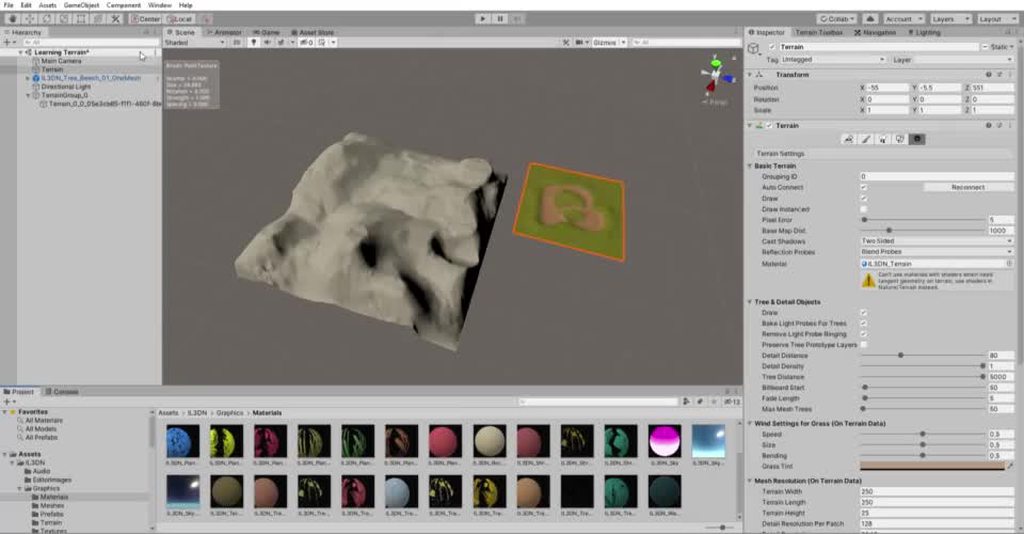
I'm really not sure what i'm doing wrong here
for some reason assigning the material to my terrain makes it glitch out for the one on the left, but not the one on the right (which has it assigned to it already as u can see in the vid).
warm radish
@spiral plover try disabling "draw instanced" on the terrain that is dancing all over the place. Likely the shader on that material doesn't support instancing
 left drift
 robust surge
Anyone know why terrain texture are so shiny? Smoothness is zero.
warm radish
feel free to @ me. just not excessively haha 😅
warm radish
@robust surge are you using a render pipeline? We pull smoothness from one of the terrain layer texture channels. Can't remember which
robust surge
@warm radish I use the HDRP. It looks weird because when the sun is going down and is on an angle, my terrain starts to get more shiny, hard to explain. How would I go about that, any ideas?
warm radish
which channels do your textures have on the terrain layers in use?
robust surge
@warm radish Sorrry - not sure what you mean by that, where do I see that?
warm radish
if you select the terrain layer asset, you should have some textures assigned on it right?
robust surge
@warm radish Yes I do
warm radish
If you hover over the label for albedo texture it should say which texture channel is used for smoothness
 empty kestrel
Hello! Im new to blender and Unity terrain tool. I made this grass model and exported it as fbx, making sure to recalculate the normals, applying transform, and placing the object in world origin.
When Imported to unity, I can place the model manually perfectly fine. But if I use the paint details/trees tools in terrain the grass appears below the floor
Im not sure if Im making some silly mistake, but any help would be appreciated!
 vagrant maple
@empty kestrel im cant use unity rn to check but try to make an empty gameobject parent of your grass,then make your grass a bit higher,make a prefab of the parent and assign that as a detail mesh
hope it worked
empty kestrel
Thank you! that gave me some insight in what the problem was, the object origin in blender was too high, so I adjusted the height, it worked
empty kestrel
Any tips on terrain painting for low poly style? Should I just use flat colors for textures?
sinful lark
Got a small problem... This is with Vector2.zero as Offset
This is with this Offset
ChunkIndex.x * Chunksize, ChunkIndex.y * Chunksize
One Chunk is a Map 100 x 100
so the Middle Terrain is 0:0 => Offset = 0,0
Left of it it is -1:0 => Offset = -100,0
Which works
but somehow the result looks kinda dope
any Ideas?
public static float[,] GenerateNoiseMap(int MapWidth, int MapHeight, int seed, float scale, int octaves, float Persistance, float Lacunarity, Vector2 Offset)
    {
        float[,] noiseMap = new float[MapWidth, MapHeight];

        System.Random prng = new System.Random(seed);
        Vector2[] octaveOffset = new Vector2[octaves];

        float maxpossibleHeight = 0f;
        float amplitude = 1;
        float frequency = 1;

        for (int i = 0; i < octaves; i++)
        {
            float offsetX = prng.Next(-100000, 100000) + Offset.x;//+
            float offsetY = prng.Next(-100000, 100000) - Offset.y;//-
            octaveOffset[i] = new Vector2(offsetX, offsetY);

            maxpossibleHeight += amplitude;
            amplitude *= Persistance;
        }

        if (scale <= 0)
        {
            scale = 0.0001f;
}```float localmaxNoise = float.MinValue;
float localminNoise = float.MaxValue;
float HalfWidth = MapWidth / 2;
float Halfheight = MapHeight / 2;
for (int y = 0; y < MapHeight; y++)
{
for (int x = 0; x < MapWidth; x++)
{
amplitude = 1;
frequency = 1;
float noiseheight = 0;
for (int i = 0; i < octaves; i++)
{
float sampleX = (x - HalfWidth + octaveOffset[i].x) / scale * frequency;
float sampleY = (y - Halfheight + octaveOffset[i].y) / scale * frequency;
float PerlinValue = Mathf.PerlinNoise(sampleX, sampleY) * 2 - 1;
noiseheight += PerlinValue * amplitude;
amplitude *= Persistance;
frequency *= Lacunarity;
}
if (noiseheight > localmaxNoise)
{
localmaxNoise = noiseheight;
}
else if (noiseheight < localminNoise)
{
localminNoise = noiseheight;
}
noiseMap[x, y] = noiseheight;
}
}
// Normalize Noise Height
for (int y = 0; y < MapHeight; y++)
{
for (int x = 0; x < MapWidth; x++)
{
noiseMap[x, y] = Mathf.InverseLerp(localminNoise, localmaxNoise, noiseMap[x, y]);
//float normalizedHeight = (noiseMap[x, y] + 1) / (maxpossibleHeight / 0.9f);
//noiseMap[x, y] = Mathf.Clamp(normalizedHeight, 0, int.MaxValue);
}
}
return noiseMap;
}```this is ne noise Gen
 lone flint
Why My terrain gets automatically painted when I create a layer? And I can paint other layers on it.. Somebody help
 full abyss
@lone flint i think a screenshot or video would be helpful
lone flint
I m not on really on pc right now pc... Its about midnight here
full abyss
ok
also, i have some prior experiences with terrains
i think when you add your first layer, it just automatically paints everything for you
lone flint
@full abyss but then why I can't add more layers to it and paint it
full abyss
you cannot add more layers?
lone flint
I can.. But cant paint that layer on the terrain
like... I can only have only layer.. Which is automatically painted
full abyss
um
i think you should try selecting the layers
i dunno
according to what i've seen, there are checkboxes next to the layers you've added
lone flint
I do.. But then I apply the brush on the terrain.. Nothing happens
full abyss
that's a bit weird
lone flint
I know.. I tried everything..
full abyss
try going to edit > project settings > quality
then set texture quality to full res
@lone flint
lone flint
Nope
lone flint
Hey... I gotta go for now.. Something came up... Thanks for trying to help.. I will talk to u later..
full abyss
ok
desert sun
@warm radish terrain tools able to split terrain, but what about combine 4 terrain to one?
• 1 = i'm split one H(Huge) terrain to 4x4 tiles M(Medium)
• 2 = then i split 4 M ( Medium)tiles in middle two times to get S(Small) tiles
• 3 = after that i want to select S(Small) tiles and combine that in one M(Medium) tile .
H = 1024x1024 pixels height map
M = 256x256 pixels height map
S = 128x128 pixels height map
sinful lark
does this look good for an Biome Based Area? Size is 310 x 310 Meters (for that it is to crunched) but general
so with a bit of Scaling?
warm radish
@desert sun I don't think we have that in terrain tools
spiral plover
i'm struggling with finding the best way to create terrain for my game
it's a 3d endless runner
that's a sort of sketch for how i want to render the scene
what's the best way for me to create the "terrain" marked in blue ?
any ideas?
Is just sculpting it by hand the best option for the time being?
 spiral onyx
I'm using a script to turn a mesh into terrain but I'm having some problems
the height of the terrain is clamped to the highest point on the mesh so I end up not being able to go higher than the extrusion on the left
I can't just change the height setting of the terrain because then it's too tall and I have objects that will not fit the terrain anymore
(and I can't just scale them on the y axis as-well either)
Is there a way to fix this?
 nimble sable
@spiral onyx A current limitation of Terrain is that it only supports height values between 0-600 locally. You might be running into the height cap
spiral onyx
yes I am running into the 600 height cap
at 4
the height of the terrain was set to 4 by the script
I can't change it without it doing this
which is not what I want because it messes up everything else
the stairs no longer fit correctly
nimble sable
If I'm understanding your problem right you could do this
- Have Terrain Tools package installed
- Select the Terrain Tile on the left
- Select Paint Terrain
- Select Set Height
- Set height variable to match the top of the stairs in the world and hit flatten
That should adjust the Tile on the left to realign with the stairs
nimble sable
In Terrain Settings try changing the Terrain Height there, I'd be curious to know if that lets you go higher
Set it to like 1000 and see if you can then set the terrain higher
spiral onyx
yeah as I said, changing that causes the entire terrain height to change
which isn't what I want since it causes everything to be no longer scaled correctly (stairs wont fit correctly etc)
nimble sable
I mean first change the Terrain Height to like 1000 or 1500, then after that reapply the set height so it aligns with the stairs.
The first step will set a new max value Terrain can go to, but it'll scale up your current Terrain as you're seeing. If you reapply the Set Height data after you change the ceiling I think you should be good to go, assuming I'm understanding correctly.
In this Gif I start off at the cap so I can't paint any higher, then by the end It's realigned with the cube but I can now paint higher
nimble sable
It should also go down to 0, I just didn't do that in this gif
sinful lark
Working on an BiomeGeneration...
This is how it looks like. The bright one is Water, the rest is from Desert to rainforrest everything. But looks a bit weird.
Currently I'm using a Noise for Moisture and one for Temperature and an OceanMap. To get those different maps, I take my integer Seed and add 10 or subtract 10. Any Ideas how to get a smoother result? or does this look good?
for me it looks like there is too much orange/pink
this is my Map how I create thoose Biomes from the values
 languid yarrow
Hello, guys I have a question. Is the Navmesh bake additive? I mean, if I bake a navmesh, when I bake again, the previous baked data will be added? Or overwritten?
vagrant maple
@languid yarrow it will clear the previous data and set the new one
kind flare
Hey, is it possible to create a smaller terrain by default? When i create a Terrain object it is like 1000x the die of a cube and i really dont need such a big terrain. If needed i would rather add additional neighbor-terrains afterwards. I hope you unterstand what i mean and can help me
nimble sable
@kind flare There isn't a way to create them smaller by default (upon initialization), but if you use the Terrain Tools package from the package manager it has the capability to split existing Terrain objects into smaller Terrain objects. Hope that helps
kind flare
Yes. i just dont know. My player is double the size of a unity cube and the terrain is gigantic
solar onyx
you can use presets
 nocturne hearth
I have a question, if its not a good practice to use more than one mesh collider, how will I make my rigidbody + mesh to not fall through the terrain?
Should I use the hitboxes instead (not very precise..) ?
drifting crown
@nocturne hearth Don't cross-post the question. Pick a topic.
Did you set your mesh to be convex?
nocturne hearth
I did and it works but from what I understand its not a good practice to use mesh collider (performance wise), also I will be needing more than one..
MP game
drifting crown
It depends how complex it is. You can also use simplified mesh of the same object as a collider if you need some features on it.
nocturne hearth
Ok could u get me started on that? tutorial or what should I read about? how may I achieve that simplified mesh as a collider?
and tnx upfront dude
drifting crown
If you have a complex mesh and it can't be reasonably covered by basic collider shapes you can create a basic frame of it in a 3D editor resembling its shape and use in a mesh collider.
tired sigil
Hey quick Q - How viable is it to have a second Terrain directly intersecting the primary? The goal is to use the second Terrain as a kind of 'Mountain Cover', that lifts up/disappears when you walk under it. Trying to figure out if I should just create a model out of the mountain terrain instead, or if it's okay to just have an intersecting terrain.
 ashen pasture
Hey, is there any way you can cut off unwanted areas of a terrain, since i need only a specific area of it?
or any way to make it transparent?
warm radish
@ashen pasture you can use the terrain holes tool if you are on versions 2019.3 or higher
warm radish
@tired sigil should be fine to have overlapping terrains. Painting on them might be a little weird sure to intersections though
ashen pasture
was it a recent feature?
warm radish
Ya came out towards the end of last year I think
ashen pasture
ah okay ty
 velvet stone
I deleted the rock texture from the unity terrain and obviously all rock textures disappeared from the terrain. I added the texture back in, how do I automatically regenerate the terrain texture, something like what Gaia does
https://i.imgur.com/fnc2eN1.jpg
 warm radish
@velvet stone could you help me understand that a bit more? you want to regenerate the painted data you had before deleting the terrain layer?
velvet stone
@warm radish I need basically what "MicroSplat - Runtime Procedural Texturing" does - texture your terrain based on height, slope, and noise functions.
I guess Unity terrain does not have that feature, so I'd need Gaia or Microsplat :S
 wooden rampart
Hey, anyone knows whats causing that in the bottom?, I have 2 times the exact same settings
vagrant maple
@wooden rampart lighting off in scene view?
wooden rampart
@vagrant maple what do you mean? I have a Directional Light
These both images are from scene View
vagrant maple
oh @wooden rampart i didnt know that
is baked lighting off?
if it is on disable it and click bake lighting
if not,just click baked lighting
wooden rampart
hm doesn't change anythin, it must be a graphic setting but I checked already everyrhing
@vagrant maple
warm radish
@velvet stone we don't have runtime tools for that but we have editor tools for it if you download the terrain tools package
velvet stone
@warm radish I did, how can I automatically paint the terrain like Gaia does with default Unity tools?
warm radish
You'll still have to paint on the terrain though. You could probably set something up to do it automatically without too much coding
 dire flower
Why is my grass taking on this red tint? The green one in the foreground is how it looks normally, while the red ones were painted on as detail meshes:
As you can see the dry and healthy colors are white, and the grass tint is also white, so I have no idea where this reddish hue is coming from.
 solemn harness
OK I added layers but I cannot paint with them what am I doing wrong
do the mats need a mask to paint?
warm radish
@dire flower is there a tint on the grass detail? there also might be a setting for detail tint / coloration on the terrains settings
@solemn harness can you provide some screenshots and more info on what isn't working?
solemn harness
Yes once I get back home but it loads at the unity logo on task bar but does not paint the terrain at all@warm radish
dire flower
@warm radish As far as I know I included all the tinting options in the screenshot, and you can see they're all white. If there's some other tint option somewhere, I'm not aware of it.
warm radish
ah that you did. totally spaced when it came to the existence of the screenshot haha
no renderpipeline installed correct?
dire flower
What's a renderpipeline?
I'm gonna assume no, since I didn't install one and I'm pretty sure none of the stuff I installed would have included that.
dire flower
It seems like the issue I'm having with my grass and flowers turning red may be due to the meshes having vertex color:
As for why these meshes have vertex color, I think the vertex color is used by the shader provided with the asset bundle I purchased to control the effect of wind on the foliage? Though if that's the case, I'm not sure why I'm not seeing a gradient from bottom to top on them.
I just double checked and the wind seems to affect all the flowers equally, so my theory about the vertex colors being used for wind is probably incorrect.
dire flower
Okay so I did a little more research... So in regards to the vertex colors being used for wind, this asset does include a shader with a wind parameter which can be set to use vertex colors, UV, or vertex position to control wind strength. So presumably they included the vertex colors to work with that. But I have found that this shader does not appear to be applied to detail meshes applied to a terrain. Changing the settings for the material only affects individual clumps of grass I drop into the scene view. And the wind settings for grass in the terrain options do affect the grass I add that way.
Why the author of this asset chose to use vertex colors in that way and assume people would be placing thousands of grass clumps in their hierarchy rather than painting them onto the terrain as detail objects, I have no idea. At the very least, he should have provided assets with and without the vertex colors because now I have to load every mesh into blender to strip them out and hope it doesn't screw up any of the LOD stuff that I don't know the implementation of. Also his trees don't seem to suffer this same issue. Perhaps Speedtree uses a similar setup for trees, and Unity knows how to deal with that when trees are involved? Or maybe if I look at all the trees I'll find some with the same issue.
 covert shale
@dire flower. You’re using the Nature Renderer asset. Have you tried hitting Play? Or reading the instructions? From what I recall that’s what your grass look alike when you’re not in play mode. Saves bandwidth.
 delicate pivot
hey guys, is it a bad practice in terms of occlusion to build a labyrinth in probuilder from just one probuilder object?(cube) I'm asking it because after baking occlusion, the whole labyrinth is rendered, probably because it identifies as just one object. Am I missing something? Thank you.
 rose hare
HI, I have HDRP based world, and the terrain in center where are flow from, is pink, how would I resolve that, and also for neighboring terrains which is new to unity, how does one REMOVE a neighboring terrain once created ? TY!!
 buoyant tiger
hey so i tried to make my own snow texture but after i imported its seen as a normal map and cant be painted onto my terrain i did one but asphalt and also same problem
is there something specific i need to do a specific format or something
 real bluff
Hey, all!
So
Say I were to want to make a grid map.
What would be the best way to do it digitally?
I'm talking a basic-bitch graph paper sort of thing
Is this the place to ask?
warm radish
@buoyant tiger what is the texture format and what is it being imported as in the texture's import settings?
@delicate pivot you might want to break the mesh into smaller pieces. there is culling of triangles that are rendered to screen but that's still work that has to get done that you might be able to reduce the impact of by thoughtfully separating your geometry into smaller chunks. you should profile it if possible though and see which is better in your case
with smaller pieces, you will probably be able to make use of other graphics features to improve rendering performance, especially if you end up reusing some of the smaller pieces throughout the scene
delicate pivot
@warm radish, thank you, that's what I thought.
buoyant tiger
@warm radish its png and i matched its settings with rest of the textures
warm radish
can you show me a screenshot of the texture settings and the terrain layer?
buoyant tiger
sure
i figured out thanks i had to add a layer and change the diffuse to my texture
warm radish
cool
 urban jetty
hey guys im trying to use the terrain paint texture brush, but its not working... what can i don?
 gleaming scaffold
Someone has good grass texture for big platform?
 wild gyro
So I've been vaguely coming up with ideas for areas in my game, are there any nifty tools online that are good for quickly brainstorming maps? I'm okay with pen/paper for now but I was curious if there were any tools for slapping down some hills/structures onto a sky view map
 stiff flame
Hello i have a problem with terrain, anyone know why ?
urban jetty
@wild gyro to make cities or building i prefer to use ProTile map editor
@stiff flame your prefabs are sideways... thats the only explenation
stiff flame
terrain doesn't accept prefab, it takes mesh only
 south beacon
i need help making terrain
i have been trying to follow tutorials but nothing is working
i also cannot texture my terrain
south beacon
<@&502880774467354641> do any of you guys think you could help me make terrain
rose sentinel
Afraid not - we don't really encourage pings here on Discord as stated in the rules. Brackeys has a dope video on how to get started that may be of help to get you running at least: https://www.youtube.com/watch?v=MWQv2Bagwgk
Let's have a look at the new Terrain System in Unity!
● Learn more: https://ole.unity.com/TerrainTools
● Terrain Samples: https://bit.ly/2Y25AEX
····················································································
♥ Subscribe: http://bit.ly/1kMekJV
👕 Check...
Please be more mindful of pinging in the future ;3
south beacon
thank you and sorry about the ping
warm radish
@stiff flame prefabs should work with painting trees
 keen latch
@south beacon ... What specifically are you trying to do, terrain wise?
Can we send invites to other Discords herein?
@stiff flame ... I think what the others are saying is that your tree models are on were created on the WRONG UP AXIS
Z + Up vs. Y = UP
If those trees were painted or hand placed then that is the most likely problem.
nimble sable
@solemn harness When you're painting on Terrain you're hitting the cap of detail meshes that can be placed on the Terrain. There's a known issue with the Target Strength setting where it defaults to being way too strong. Try removing all the detail meshes you currently have then turn Target Strength way down (something like .05) then try painting again. It looks like there might be another issue with it not using the proper Material though, I'm looking into that now.
buoyant tiger
can i make a cube but edit it as if its a terrain and use terrain tools on it
 static marsh
For trees, can you add any child object with colliders to them and expect them to function?
Was trying to make trees that light on fire using a seperat trigger collider and script under a child gameobject, since the parent already has a solid collider
stiff flame
@keen latch yes, I have Y-up in 3ds max in FBX export, and I have turn my pivot again of my object for have Y-up
 pastel nexus
How is terrain collision calculated on a headless server?
Is the collision dynmic client side, similar to how the distance to the player defines the terrain resolution?
pastel nexus
@wraith sandal I´ve seen you talk about server side collision in #archived-networking and was hoping you´d have an idea about this maybe? 😄
keen latch
@stiff flame ... So you are saying that in Max you create say a post 1x1x20 (w, l h) that stands vertically, export to FBX. load into Unity, and it is now laying on it's side?
stiff flame
@keen latch I made it to the pivot of my object and in its export I put Y-up.
and it's worked
keen latch
SO it was a Z-Up issue ... Cool 😉
pastel nexus
How is terrain collision calculated on a headless server?
Is the collision dynmic client side, similar to how the distance to the player defines the terrain resolution?
rose sentinel
@stiff flame its rotation issue
can anyone help me making a masks map , i download some map from texture heaven all pbr maps
now idk how to make mask map i
warm radish
@rose sentinel do you mean the mask map on the terrain layer?
 spice magnet
why my char keep falling?
final wadi
gravity
spice magnet
i uncheck that but my char doesnt respect the ground
warm radish
are you using any colliders on your character?
spice magnet
yes
warm radish
and your terrain has a terrain collider on it? can you share a gif or video of what's happening?
rose sentinel
@warm radish yes sir
 woeful drift
is there any documention to how big the Terrain Object size can be or how many terrain objects can be in one scene?
warm radish
@rose sentinel which render pipeline are you using? i think we have different mask formats for each
@woeful drift no documentation that i know of. and i havent necessarily tested any upper bound regarding the size of the terrain. you can probably make them as large as you want. the main limitation we enforce is the size of the terrain textures like the heightmap and control map.
as for the number of terrain objects, that would be as many as your machine and the other machines you run your game or application on can handle
woeful drift
@warm radish if I would build a 10x10 terrain map then setactive(false) all but one, would resources be used?
I guess that’s really kind of a general question too about game objects using render resources when setactive(false)
My plan was to build the map out of 1024x1024 terrain objects than just have the neighboring terrain activate and deactivate as the player moves through the map.
I’m trying to keep it simple using what unity already has built in instead of code. The end result would be a Skyrim like map but split up by multiple terrain objects, maybe as many as 1000 total objects (highly unlikely but I’d like that ability).
Is it RAM, VRAM, or a combo that decides the amount? I’m using the i7 9700 with 6gb video and 32gb ram.
 pallid garnet
"TerrainToolbox: Imported heightmap resolution is not power of two. " what does this means?
keen latch
@pallid garnet ... Terrain heightmaps must be the same length & width
and these values need to be a power of 2 exponentially ...
2, 4, 8, 16, 32, 64, 128, 256, 512, 1024, 2048, 4096, etc., etc., etc.
You actually need to add 1 to these values ... that is 1024 polys actually required 1025 data points so a terrain 1024x 1024 the height map needs to be 1025px x 1025px
https://docs.unity3d.com/Manual/terrain-Heightmaps.html
rose sentinel
Can anyone help how to make mask map for a terrain
Its been a week and I can't find solution of it
 glad pine
Hey @rose sentinel! Mask Maps are created by packing texture data within individual channels which are commonly done in software like Photoshop or Substance painter. What you'll want to do is take the textures you got from TextureHaven and pack them into the correct channel.
R — Metallic G — Ambient Occlusion B — Height A — Smoothness (Diffuse Alpha becomes Density)
Here is the page listing what textures go in the individual channels.
https://docs.unity3d.com/2018.4/Documentation/Manual/class-TerrainLayer.html
rose sentinel
i have seen this post
the problem is i don`t know how to put it in photoshop @glad pine
i tried and one of the m texture map doesn`t show me the channels
i download a texture from texture heaven its snow 02
@glad pine
glad pine
After some searching I was able to find this video https://youtu.be/0L2n-y7JEFk?t=147. It helps walking through packing channels. Let me know if that works for you

Quick demo of the channel packing process using Photoshop.
@rose sentinel
rose sentinel
@glad pine smoothness means roughness map or spec map
warm radish
smoothness is the opposite of roughness. they are each the complement of the other ie smoothness = 1 - roughness and roughness = 1 - smoothness
 elfin barn
Has anyone else seen this error?
RenderTexture.Create failed: format unsupported for random writes - R16 SFloat (45)
it will not allow me to use terain at all. As soon as I try to mouse over the scene window with a brush, the display goes black and it throws this at me
Googling it just finds other people with the same problem but no solutions
and of course Unity's manural has absolutely nothing of use.
elfin barn
OK, to anyone else having this problem: it seems it's a bug in the Terrain Tools package - if you install that package you won't be able to use terrain brushes if yu're on Mac - looks like Unity devs didn't notice Mac's don't support that type of rendertexture mode....and hard coded it into terrain tools.
warm radish
@elfin barn thanks for the report. can you share the callstack for the exception, if there is one? and which version of Terrain Tools are you using? you can either post those here or pm me
elfin barn
I don’t have the call stack cos I fixed it and moved on. Most current version (3.0?), running on Mac OS X.13
(But same bug will likely appears on numerous other Mac systems)
Terrain editing works just fine if you uninstall the terrain tools -
elfin barn
If I can I’ll reinstall the terrain brushes later then replicate it and send you everything I have.
warm radish
@elfin barn that would be great. thanks. i'll set up a project myself as well. should be able to reproduce the error so if i do that before you are able to, i will let you know
 hard shard
warm radish
hard shard
warm radish
you can make a texture the size of your terrain control map and set the tiling to 1 on the terrain layer
 modest comet
Is it normal that a skybox from an asset store loads for more than 10 minutes?
desert sun
@modest comet what a resolution of skybox?
what a level of compression for that skybox?
modest comet
I dont know. See FPS hangar. There is this skybox. Skybox swill the evening sky
grave basalt
4k / 8k HDRI panorama mith compressin can take a long time import but for one file not more then 10-15 minutes (depending on your hardware)
modest comet
Thank you
 runic sand
I have trees and grass in Terrain->Paint Trees, i wanna make option "Density Grass", how can i only reduce grass?
 hoary barn
Hdrp - folliage. NatureRenderer vs VSPro? What would you guys recommend?
 silent ermine
Anyone know why polybrush put all my object floating above the mesh I was working on ?
 vital peak
Hdrp - folliage. NatureRenderer vs VSPro? What would you guys recommend?
@hoary barn What's VSPro? Do you have a link? I was looking for terrain details for HDRP so thank you for mentioning these 😄
hoary barn
@vital peak here you go: https://assetstore.unity.com/packages/tools/terrain/vegetation-studio-pro-131835
Get the Vegetation Studio Pro package from Awesome Technologies and speed up your game development process. Find this & other Terrain options on the Unity Asset Store.
vital peak
So far, I could not see that VSPro is compatible with HDRP yet in their description and reviews. Though, some people on their discord server have used it in HDRP already so I guess it's working there. Yeah discord server is a big plus for VSPro for quick support. But appearently it's not performant in HDRP and I actually need it for VR as well :/ I'm going to try the NatureRenderer since they have a free trial version.
 tight pike
for some reason my textures are applying seamlessly? Some of them do but some dont and im not sure why
Nevermind I fixed it, my control texture resolution was lowered by default and had to put it to 512x512
runic sand
@quartz hornet https://www.youtube.com/watch?v=64NblGkAabk

Generate a landscape through code!
Check out Skillshare! http://skl.sh/brackeys11
This video is based on this greatwritten tutorial by Catlike Coding:
https://bit.ly/2Qd1o1d
● Perlin Noise: https://youtu.be/bG0uEXV6aHQ
● More on generating terrain: https://youtu.be/wbpMi...
 quartz hornet
Thanks
warm radish
@elfin barn i wasnt able to reproduce the error and could paint fine in the sceneview. which paint tool did you have selected?
and which Unity version. I was testing on 2019.3.14f1
i am on an older Mac OS version however
elfin barn
@warm radish i just re-installed the tools; some of the texture brushes such as Erosion "work" but they don't function properly - they simply set the vertexes painted on to 0...
the Raise or Lower terrain brush however (the one I was talking ahout before) does the same thing it was doing last time I had the Terrain Tools installed; it errors out and blacks out the Scene view
I've takena . screenshot of it here
here's the portion of the stacktrace (I'm not gonna send you my whole Editor.Log, it's huge!)

it does NOT happen if Terrain tools are uninstalled - the raise/lower terrain tool works perfectly once the Terrain Tools package is removed
my guess is something in Terrrain Tools sets the renderTexture type to "R16 SFloat" overruling the system defaults etc
System Info:
Mac OS X 10.13.6, 3.1GHz Core i5, 12GB RAM, AMD Radeon HD 6970M 1024MB VRAM
(so yeah, older chipset but it doesn't have any issues running the terrain system without the terrain tools package!)
Unity System: 2019.3.13f1
(i need to update, I know!)
and that's interesting...just noticed, the reason teh Erosion tool didn't work is it throws a different error...stacttrace for that is here: https://pastebin.com/qPqV5rPC
 mild patio
I used unity terrain feature for first time today and I love it (i am new to unity as well)
but i referred a video from YT and he had many modes of brushes like bridges and all
But could not find any such in my version
I am trying to design some sort of underground destructed city (ruins now)
can you guys give me tips for that and how to enable that bridge mode
Let's have a look at the new Terrain System in Unity!
● Learn more: https://ole.unity.com/TerrainTools
● Terrain Samples: https://bit.ly/2Y25AEX
····················································································
♥ Subscribe: http://bit.ly/1kMekJV
👕 Check...
I was referring to this video
 swift oyster
I am hoping this is the place to ask. I am working on a landscape build, and it seems like edit/undo or CTRL Z when using Terrain Raise or Lower will undo mass amounts of Terrain. Example: I can add 5 different hills and hit CTRL Z and it undo's them all in one shot. I can do texture and it works properly. Any ideas??
glad pine
Hey @mild patio the video you were watching utilizes the Terrain Tools package. You can get it from Windows > Packagemanager
Then make sure you are showing all packages and in the advance tab toggle on "Show Preview Packages"
@simple patio Looking good! I always recommend trying the Erosion brushes in the Terrain Tools Package if you haven't. You can do some cool things like simulate hydro and wind erosion. Here's a blog showcasing some of the tools (https://blogs.unity3d.com/2019/08/15/accelerate-your-terrain-material-painting-with-the-2019-2-terrain-tools-update/)

Unity Technologies Blog
After receiving your feedback, we are excited to share some new improvements to Terrain Material painting. Our 2019.2 Terrain Tools package lets you paint ...
@swift oyster I haven't been able to repoduce the issue you're having.
- What version of Unity are you using?
- What device (Mac/Windows/Etc...)?
- Are you using the Terrain Tools Package?
 simple patio
thanks will do
mild patio
@glad pine Thanks!
@glad pine Also, as I am trying to make an underground city how am I supposed to cover the top?
I tried rotating terrain to make stalactite but I learnt thats not possible
swift oyster
@glad pine Unity Version 2019.3.10f1, Terrain Tools and Gaia, though I am using Terrain tools for most everything. Windows 10.
I can record a video if needed to post. Its very strange. I can lay down for example 5 mountains and hit CTRL Z. Upon doing so they all disappear at once as if it Hit CTRL Z 5 times.
Example -
CTRL Z once -
simple patio
my material isnt showing up when i try to find it in the terrain painter
glad pine
@mild patio Terrain currently doesn't support flipping/sculpting downward. You might have to use a 3rd party tool to create the Stalactite or possibly look into Polybrush! (https://www.youtube.com/watch?v=QHslFO0vlGg).

Polybrush is a fantastic tool for Unity, which you can use for level design, scattering prefabs, painting and sculpting meshes! In Unity 2019.2, Polybrush was added to the Package Manager, and introduced the Prefab Scatter mode!
Learn more about Polybrush here: https://ole.u...
@swift oyster That is very strange. I'll try and look into it, but I haven't been able to repro this issue.
@simple patio The terrain material or painting layer?
swift oyster
thanks Barrington. It has to do with this project too. I can open a different project and it works fine, but this one it only happens on Raise/Lower Terrain. I can edit undo multiple options with just textures just fine.
tight pike
How do i apply my texture to fill in my terrain similar to a grid?
simple patio
how do you make material into texture
drifting crown
@simple patio Please don't ping people out of conversation. You can find beginner tutorials explaining how materials work in the pinned messages in #💻┃unity-talk . There are still free premium courses as well.
simple patio
ok sorry
 brittle ocean
For tiles, where shoudl I pivot it (e.g. a square floor), shoudl I pivot bottom -centre, what is best from people's experiences?
or maybe bottom left?
I've been thinking bottom left is the best, cause it's least likely you need to change the pivot from then on... But i lack experience
Okay will stick to bottom left 🙂 hope it wont bite me in future
warm radish
@elfin barn thanks for the additional info. so it does look like the RenderTexture for the Brush Mask filters does get hardcoded to R16_SFloat.
regarding the second error, not sure why the compute kernel wouldn't be found for the hydraulic erosion tool. is there another compute resource in your project that is titled "Hydraulic" perhaps?
warm radish
@compact adder a few questions for ya:
- which renderpipeline are you using?
- what is the "pixel error" value set to on the terrain settings?
- does enabling "draw instanced" in terrain settings help at all?
rose sentinel
How to make clouds in URP
woeful drift
I have 10x5 terrain grid with each grid at 4096 pixels. I'm new to working with terrain and about to get into thinking about how level of detail will work with it.
Does anyone have any suggestions for items i need to research or troubles I may run into?
grave basalt
@woeful drift do you mean the terrain or the stuff on the terrain.
The unity terrain hase some build in feature to deal with stuff like trees or other terrain elements to make them to Bilbords / cull them if they are to far away.
And the terrain des subdevide it self depending on how far away you are so that should not generate to much geometry.
If you are tinking Memory bceause all the 150 4K texture can be a bit of a memory hog.
You could put each terrain into a seperate scene and load them additily wehn you are actualy close engoth to see it.
woeful drift
@grave basalt i want the trees and other objects to be 3D models. I know it’s impossible to populate the entire map with objects.
The scene loading is a good idea. I haven’t tried that to test if the NavMesh would work without code.
Could I just use SetActive() on the terrain and objects when they are “in range” of the player or will the inactive terrain and objects still take up resources? I plan on splitting the terrains up into smaller “chunks” in code than have the objects instantiate base on “range” of the player than just hiding them with SetActive() when out of range.
Is that even possible?
grave basalt
@woeful drift objects that are disabled do not take CPU time but the memroy used by the objects is still loaded
Another good ting to use are LOD groups
doing chunks sounds good
woeful drift
@grave basalt so would instantiating the objects when in "range" of the player by chunks be the correct way or just keeping them inactive in memory? Obviosuly amount of objects being loaded would have to be considered but I'm sure ite probably better not to take up that memory right?
With splitting the Terrain into chunks I could use the LOD groups based on "range" of player than.
grave basalt
@woeful drift its allways a balance on loading stuff in the background and keeping the resouce usage under controll, how it needs to be balangsed depens on your specific assets and how you handle the loading
lod groups help on the rendering side
woeful drift
@grave basalt do you think I'm thinking correctly?
split into chunks and manage like how you said with code of loading and what not?
grave basalt
thats sounds like a good way to go
woeful drift
@grave basalt Thank you! I really appreciate this!
grave basalt
good luck with your project
 remote prism
Hi!
woeful drift
Would this quality of detain be possible with terrain?
mild patio
Hello Folks!
How can I make such arch on top?
I've made some thing like this and would like to make couple of arch on top... Need some advice :p
elfin barn
@elfin barnanother compute resource in your project that is titled "Hydraulic" perhaps?
@warm radish nope - it might just be that I've installed and removed the terrain tools a few times from that project...(sorry for late reply. It's really hot weather here in Scotland so been spending it in our lovely real-world terrain instead (mainly the bit where the shore mesh reaches the sea mesh!)
glad pine
@woeful drift Yes you can create high quality realistic landscapes using terrain. You'll most likely want to combine terrain with photogrammetry textures/assets for a realistic environment.
warm radish
@elfin barn ha! no worries. glad to hear you are enjoying the weather.
i think i have enough info for this now. thanks for the help. i'll file a bug report
mild patio
Is that possible? My query above 
glad pine
@mild patio Currently Terrain doesn't support sculpting arch's like stated above. For that you'd have to create an arch asset/mesh that you'd use in conjunction with terrain.
tight pike
Is there a way to make certain textures not seamless? Like a tileset that repeats in older RPG games?
runic sand
How can i share trees list on terrain neighbors?
 tulip fox
Hello Everyone, I am new to Unity and may just be missing something but I can't seem to use my 3d grass object with the terrain paint option.
Terrain only uses 2d assets for the grass paint but if I use the tree paint then my grass is really small.
Any ideas?
grave basalt
You can add the 3D grass as a detail assset
tulip fox
When I do that the healthy and dry color seem to take over the material I put on it.
Or maybe its because it has no shadows
 meager hornet
how to add material to the terrain ,i can't add that by dragging
 nova narwhal
Hello everyone, I am building a forest survival game and I have really bad performance issues when i am adding trees to the scene, I have searched over the internet but I didn t found any 100% sollution, if anyone has any idea how to help me pls dm me, I have a lot of questions about possible sollutions
I know this issue is very old and known but some of the sollutions were to make static trees and bake the light, but i need wind and also i have a day night cycle system
 tight osprey


 tough hawk
Hello everybody, does somebody know why my Navmesh would render on other height and not directly on my surface?
glad pine
@meager hornet Do you currently have the Terrain Tools package within your project?
Hey @nova narwhal the first solution that comes to mind is, have you tried enabling GPU Instancing on the Tree material. This way trees we'll be batched and rendered together minimizing draw calls.
nova narwhal
@glad pine hi, thank you for responding, yup did that
My trees are from conifers pack and standard assets, the conifers have LOD
 crisp hemlock
I'm working with the Unity Trees today.
Got a nice test texture with Albedo, Normal, and Spec
The [Nature/Tree Creator Bark] Material, likes to swap itself out.
The "Optimized" texture that it swaps in uses unconventional channels to try and do Normals and Gloss.
I can't wrap my head around how to convert my normal to just (GA) and then drop the spec in the R channel
I'd really just like it to stop swapping, Anytime I bake lighting or click on a diffferet node it "updates".
crisp hemlock
Progress! I'm working to bring together several disciplines to create a terrain/world that can be explored; in time there'll be a couple minigames as well.
Everything here is subject to change.

For the past couple months I've been getting myself up to speed with how to bring my models and textures into Unity. This is just a simple scene wherein I've made all the assets mself (tree leaves and bark are mine, but Unity Trees).
Soon I'll redo all my modular textures.
I ...
For the past couple months I've been getting myself up to speed with how to bring my models and textures into Unity. This is just a simple scene wherein I've made all the assets mself (tree leaves and bark are mine, but Unity Trees).
Soon I'll redo all my modular textures.
I ...
nova narwhal
Ok so I have updated the question in a more professional manner, any help is welcomed https://forum.unity.com/threads/optimising-dense-forest-scene.905081/#post-5938820
Unity Forum
I want to make a survival game in a forest, so like any other game like this I need an open world forest. I made the terrain and painted the textures,...
 night parrot
hello i have struggle with colorint the terrain
crisp hemlock
@night parrot
I wish we could reorder the parameter drop downs, but you need to add/build a layer first. Be sure ALSO click the ADD button in the dialog that comes up. I've built the layers/grass/trees before and moved away from it without hitting it; means you get to redo it. 🙂
 polar merlin
Does unity 2020 allow digging. Want to know if it's useless to upgrade or not
crisp hemlock
This goes on.

I reworked the Terrain today. Importing the USGS data of one of my favorite places on earth.
I also added another Grass and lowered the height of the others. I'll be adding a larger bush soon.
While you can hardly see it in work, I also have a Bedrock texture I authored as t...
 rocky lion
I need some help with the tilesets in 2d, would this be the correct place to ask?
rose sentinel
Nah