#🥽┃virtual-reality
1 messages · Page 45 of 1
 hard carbon
 storm ether
in my case it extends beyond vr development
storm ether
bruh...
i just tried on a brand new vive pro eye headset, uninstalled all vr software and reinstalled the components i need and i still have the same issues..
 hearty iron
any know why XRStats.TryGetGPUTimeLastFrame is not working in the editor ? Docs dont say much
 opaque timber
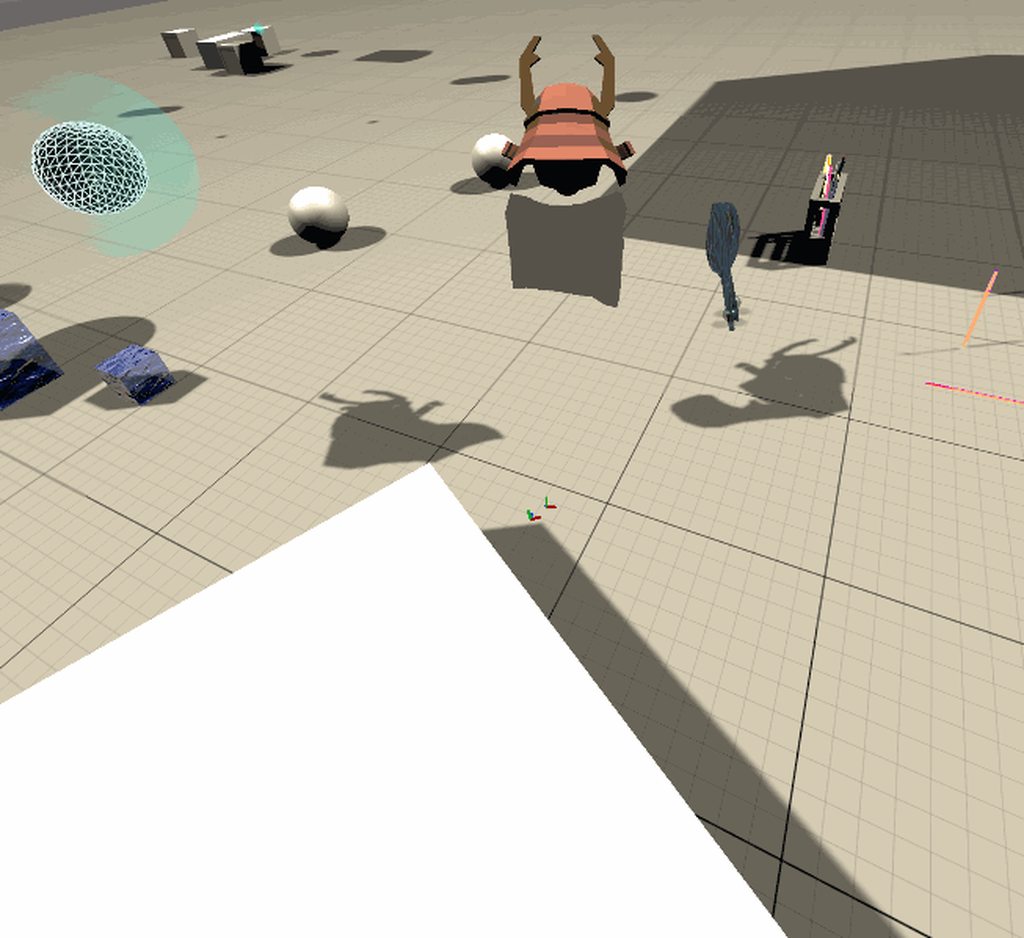
I used the shader graph and a tutorial to make this material. In the editor it looks great (see first image), but in game it looks horrible (see second image).
Does anyone know how I can fix this? I am using the Universal Render Pipeline.
 formal jetty
When building my game and testing it , my Ik arms and hands are reversed? how do i fix this?
 tiny niche
@opaque timber not all shader operations are going to work as intended in vr
opaque timber
It was working before I moved it to another project.
This is what it looks like in the original project. The top image is the editor and the bottom image is in game.
I forgot to check depth texture in the render pipeline settings
 torpid ginkgo
@opaque timber Please don't post memes/reaction gifs.
 shy cipher
Hi all, Can you suggest me some VR devices that can develop app and upload to play like build .apk and using Sidequest to play like Oculus Quest?
Many thanks!
 heady grotto
what?
 sand elbow
anyone know where I can find a really good VR Tutorial for Oculus
tiny niche
@shy cipher you cant jumble several questions in a sentence and expect us to understand you. what are you after? a vr device? or software to build an apk? unity handles the latter
if you want a vr device that you can build apk's on, they don't exist
 versed storm
Does anyone know how to do vr physics because I've been trying to find out for ages and I can't find anything
heady grotto
"VR physics" ?
 zenith junco
Looking for VR developer in order to create something similar to this I will be providing the characters with shader and reflections + other plugins your might need. 350$ DM me if interested
https://streamable.com/153jew

 solemn plover
Anyone published to oculus store using the XR plugin?
"Oculus XR Plugin is failing some publishing validation tests" I am scared of this lol
 leaden flame
@solemn plover what validation test and for which Oculus platform?
solemn plover
Oculus Rift, and idk it says that on official thread
The Oculus XR Plugin is failing some publishing validation tests:
VRC validator test
TestSubmitFramesWhenNotVisible
TestResponseToRecenterRequest (fails on Integrated XR as well)
TestAppShouldQuit
@leaden flame

Stack Overflow
I am trying to pass the virtual reallity checks in order to publish an App on the Oculus Store, but unfortunatelly I get the test "TestSubmitFramesWhenInDash" failed.
Starting
It seams oculus is publishing anyway
leaden flame
Interesting, not sure about all the test validations in that VRC package. That forum post is from 2019, most if not all of those issues have been fixed in the latest packages and there's been several games and apps built using the latest XR SDK oculus package and available on the store.
leaden flame
I meant the "Known issues" in the forum post. I'll follow up about the VRC test.
@solemn plover actually could you point me to the VRC test you're running? I found a list with the recenter one but it's also a dated post and don't see that as a VRC test in the list here. https://developer.oculus.com/distribute/publish-rift-app-submission/
Provides links to all of the Oculus store requirements for a Rift or Rift S app.
solemn plover
C:\Program Files\Oculus\Support\oculus-diagnostics
OculusVRCValidator --path "C:\Users\JHSoftware\Downloads\vrif_1_4\VR Interaction Framework.exe"
pause
Describes the Oculus Store requirement for Rift apps when focus aware.
leaden flame
I see, thanks.
leaden flame
Interesting, so it failed a test then retried and passed?
solemn plover
yah
leaden flame
🚢 it
solemn plover
like that stalkoverflow thread say
"It will get approved"
leaden flame
interesting, I'll still try and follow up and see how we handle that validator.
hearty iron
guys I'm trying to get gpu frame timings with OpenVR. So far nothing seems to work. Neither XrStats or the OpenVR.Compositor.GetFrameTiming. Both return all 0's in the editor and in build. Anyone know anythign about this ?
storm ether
Hello,
i hope i am right in this subforum.
Welcome for the first time ;)
I'm just creating my first Android App. The cell phone will be put into VR glasses afterwards.
I have a button which I use to control the app. The plan was to make a raycast to be able to select objects by button.
My problem:
I have created the following code for the raycast:
        {
            if(gyroEnabled)
            {
                transform.localRotation = gyro.attitude * rot;
            }

            ray = new Ray(Camera.main.transform.position, Camera.main.transform.forward);


        }
To lock the "cursor" in the middle i tried this:
Cursor.visible = false;
To select an object i did this:
    public class SelectionManager : MonoBehaviour
    {
        [SerializeField] private string selectableTag = "Selectable";
        [SerializeField] private Material highlightMaterial;
        [SerializeField] private Material defaultMaterial;

        private Transform _selection;

        public GameObject test;

        private void Update()
        {
            if (_selection != null)
            {
                var selectionRenderer = _selection.GetComponent<Renderer>();
                selectionRenderer.material = defaultMaterial;
                _selection = null;
            }

            var ray = Camera.main.ScreenPointToRay(Input.mousePosition);
            RaycastHit hit;
            if (Physics.Raycast(ray, out hit))
            {
                var selection = hit.transform;
                if (selection.CompareTag(selectableTag))
                {
                    var selectionRenderer = selection.GetComponent<Renderer>();
                    if (selectionRenderer != null)
                    {
                        selectionRenderer.material = highlightMaterial;
                        test = selectionRenderer.GetComponent<GameObject>();
                    }

                    _selection = selection;
                }
            }
        }

        public void moveObject()
        {

        }
    }
My problem is:
I used canvas to make a dot in the middle of the screen. This is where the raycast should be.
But the raycast is in this direction, where I last touched on my cell phone. Not in the middle. How can I change that?
Ask for help. Just don´t find anything in web.
 pine bison
var ray = Camera.main.ScreenPointToRay(Input.mousePosition);
There you go
the mouse position doesn't make much sense to use on mobile
if you always want it from the middle of the screen then you should replace Input.mousePosition with new Vector2(0.5f, 0.5f)
storm ether
okay...i try it...and this line i should delete ?
ray = new Ray(Camera.main.transform.position, Camera.main.transform.forward);
pine bison
I don't know what script that's in or where you're using that variable
storm ether
The script is put on the Camera.
    {
        if(gyroEnabled)
        {
            transform.localRotation = gyro.attitude * rot;
        }

        //ray = new Ray(Camera.main.transform.position, Camera.main.transform.forward);
        var ray = Camera.main.ScreenPointToRay(new Vector2(0.5f, 0.5f));

    }```

but this is the same as before...I don´t find a good example for a raycast...do i have something more?
▶ WATCH the PART 2 : https://youtu.be/Wk2_MtYSPaM
▶ Get the full Project on Patreon : https://www.patreon.com/ValemVR
▶ Join the discord channel : https://discord.gg/5uhRegs
Hey guys
Download Robot Kyle : https://assetstore.unity.com/packages/3d/characters/robots/space-rob...
I was following this tutorial and I got to around the five minute mark. At that point they tested the rigs bones by moving them while the scene was running. When I attempted to do the same thing, I realized that the rig had it's arm moved as soon as the scene began. Upon trying to move the bones or pose the rig I found that I was unable to move it at all.
In the comments, a user who seems to have had a similar problem to me found a solution to the issue but I don't think I fully understand what they did differently.
Here was my process:
1.) Go to the asset store and import the model used in the tutorial
2.) Locate the model prefab and drag it into the scene
3.) Unpack the prefab in the hierarchy and follow the tutorial
.
I think these are the most important part of the comment:
I followed Unity's recommended process for importing a model and aligning the rig for use in Unity 5.
He simply imported from the asset store and immediately dragged it into the scene and began creating objects.
Running the the rig defining process will miss-align your rig in unity, do not do that for this tutorial.
(Sorry for burying the previous question)
pine bison
@storm ether you're just making that raycast without using it. What I told you to replace was the raycast stuff in the last snippet
storm ether
@pine bison does´nt work:
Script: SelectionManager
public class SelectionManager : MonoBehaviour
{
    [SerializeField] private string selectableTag = "Selectable";
    [SerializeField] private Material highlightMaterial;
    [SerializeField] private Material defaultMaterial;

    private Transform _selection;

    public GameObject test;

    private void Update()
    {
        if (_selection != null)
        {
            var selectionRenderer = _selection.GetComponent<Renderer>();
            selectionRenderer.material = defaultMaterial;
            _selection = null;
        }

        var ray = Camera.main.ScreenPointToRay(new Vector2(0.5f, 0.5f));
        RaycastHit hit;
        if (Physics.Raycast(ray, out hit))
        {
            var selection = hit.transform;
            if (selection.CompareTag(selectableTag))
            {
                var selectionRenderer = selection.GetComponent<Renderer>();
                if (selectionRenderer != null)
                {
                    selectionRenderer.material = highlightMaterial;
                    test = selectionRenderer.GetComponent<GameObject>();
                }

                _selection = selection;
            }
        }
    }

    public void moveObject()
    {

    }
}```Script CameraMovement:
using System.Collections.Generic;
using UnityEngine;

public class Camera_Movement : MonoBehaviour
{
    private bool gyroEnabled;
    private Gyroscope gyro;

    private GameObject cameraContainer;
    private Quaternion rot;

    public Ray ray;

    public Transform test;
    public GameObject SelManager;
    public SelectionManager selScript;
    public GameObject FlicObject;
    public FlicToUnity flicScript;


    private void Start()
    {
        Cursor.lockState = CursorLockMode.Locked;
        Cursor.visible = false;

        cameraContainer = new GameObject("Camera Container");
        cameraContainer.transform.position = transform.position;
        transform.SetParent(cameraContainer.transform);

        gyroEnabled = EnableGyro();

        selScript = SelManager.GetComponent<SelectionManager>();
        flicScript = FlicObject.GetComponent<FlicToUnity>();
    }

    private bool EnableGyro()
    {
        if(SystemInfo.supportsGyroscope)
        {
            gyro = Input.gyro;
            gyro.enabled = true;

            cameraContainer.transform.rotation = Quaternion.Euler(90f, 90f, 0f);
            rot = new Quaternion(0, 0, 1, 0);

            return true;
        }

        return false;
    }

    private void Update()
    {
        if(gyroEnabled)
        {
            transform.localRotation = gyro.attitude * rot;
        }

        ray = new Ray(Camera.main.transform.position, Camera.main.transform.forward);

        if (flicScript.isButtonDown == true)
        {
            test.transform.localRotation = gyro.attitude * rot;
        }

    }
}```Do you have any idea? 😦
pine bison
I don't know. If you're unsure about raycasts you should look up some tutorials on them
 dusk sky
im using a tutorial to make a vr game with XR and it says i need XR Rig but that is not a file so what is it named now?
opaque timber
@dusk sky I would recommend following this tutorial series: https://youtu.be/gGYtahQjmWQ

If you want to get started with VR development. This video is for you.
▶ Get access to exclusive content: https://www.patreon.com/ValemVR
▶ Join the Discord channel: https://discord.gg/5uhRegs
Want more details ? Check arvrtips articles :
▶How to Install Unity Hub and Setup a...
opaque timber
I'm pretty sure XR Rig was one of the packages that you add in the Unity Package Manager.
Give me a second to check.
What part are you on in the tutorial series?
dusk sky
quest
opaque timber
Using a link cable I assume?
dusk sky
no. ima pray it works and just export through sidequest
dusk sky
ok
opaque timber
Go ahead and open up the Unity Package Manager by going to Window > Package Manager
dusk sky
ok
opaque timber
Then go to the advanced tab and check Show preview packages
You are looking for the package called XR Interaction Toolkit
if the button in the bottom right doesn't say install then that's great, it means you should already have the package installed in your project
After you have made sure that you have acquired the package then got to Edit > Project settings
opaque timber
Yeah
You are looking to install the Oculus SDKs
If you go to the eight minute mark in the tutorial then you should be in the same place as we are.
dusk sky
in the section with the android symbol right?
opaque timber
I don't follow
dusk sky
ill just enable both
opaque timber
I forgot that you are developing for the quest which uses mobile as a base, so your stuff is probably a bit different, yeah.
If there are two check boxes for both Oculus and Android then it wouldn't hurt to install both.
opaque timber
Sorry, I was afk
I'm not sure what those are, I don't think they are needed though.
dusk sky
ok
dusk sky
its not letting me enable vr support or export my game what do i do?
it says that XR is incompatible with XR SDK packages
 vagrant wyvern
I know this has probably been asked many many times before, but does anyone have advice on learning VR development, hopefully (but not exclusively) with the addition of learning how to incorporate the Valve Index Knuckles?
storm ether
Uhm i been trying to download unity for VRchat and I downloaded the right version for VRchat but the thing is that unity will not want to open. I use a Windows 10 computer and I have been trying to download the unity and it has been downloaded but it also just wants to uninstall. Am I installing it wrong or something?
 ebon gust
can anyone by chance help me get the basics setup for a vr game?
dusk sky
I need some help getting my game on quest
 cursive lance
Can someone guide or help me?
@storm ether Hmm try using https://unity3d.com/get-unity/download to install Unity for you instead

Unity
Unity is the ultimate game development platform. Use Unity to build high-quality 3D and 2D games, deploy them across mobile, desktop, VR/AR, consoles or the Web, and connect with loyal and enthusiastic players and customers.
@ebon gust @dusk sky Try following a tutorial on YouTube University: https://www.youtube.com/results?search_query=xr+interaction+toolkit+oculus+quest
They're a good first step
storm ether
I will try thank you
 sullen ridge
hey
how can i check if an item is in my hand or not ?
i tryed with OnSelectExit , but it is working only if i grab it before and it is not cheking every frame
@storm ether do u start ur project with an androïd build ?
tiny niche
@vagrant wyvern i'd recommend using unreal or unity with steamvr. unity lacks proper openxr support, so if you absolutely need to support the index, unreal is the better option
 vernal anchor
We are developing for Oculus Quest on Unity 2019 and recently updated to Unity 2020. Previously we were able to do this in code: ovrp_SetTrackingOriginType(TrackingOrigin.Stage); To center the virtual room with the boundaries of the guardian system/physical room. However, this no longer works and the headset is now at floor level at Y-height 0 and the user is always centered on the virtual room which leads to room being off alignment with the physical room. Has anyone else had a similar issue? How do we fix this?
storm ether
@sullen ridge can’t start up steam in general imma see if it’s my anti virus
vernal anchor
@sullen ridge If you're referring to my message, the issue is present in the headset as well.
sullen ridge
nope i was talking about buil a game for a extern head set
pine bison
You can not
At least it used to be that way. Proper streaming through the OS was only available for Store apps
I haven't looked at it for a while though
pine bison
Hahah no. It's a chokehold ♥️
pine bison
There are other ways to screenshare, but not as elegant as casting or through the app
Do be aware though, that they are making changes in 2021 for making some things better for unofficial developers l
They've said they will be support some more streamlined ways of distributing non-store content, for example
But we don't know how, when, or what it means for for example streaming
pine bison
Yeah, the walled garden isn't going to change. But Sidequest has a pretty big reach
 livid bridge
has anybody been able to debug code to oculus quest 2 yet?
 worthy steppe
Hey, does anyone know if oculus and WebGL are compatible? im seeing errors about microphones and such in the oculus scripts
storm ether
So I have found a way to download unity but the thing is there is now two ways to open it. One of them is to double click it and then it opens a black screen that does nothing until you exit out of it. Then it says error and then a continue and then when I continue it opens up unity. Another way is when I put it as a administrator it then takes me to a login screen and I log into unity and then it takes me to unity but the thing is that it looks different? It’s unity but a different one? Save version but looks very different- imma just buy a different computer
livid bridge
i'm having a heck of a time getting my game to run on oculus quest 2, does anybody i'm currently running 2019.4.12f1 unity trying to debug via oculus link, does anybody have links to documentation on the correct setup steps required to connect to unity using the XR oculus plugin?
 slender vine
Hi all, to enable controller tracking I assumed it would be similar to hand tracking - bring the controllerprefabs under the left & right hand anchors but I'm not getting any physical controllers in the scene, am I missing something obvious?
Also having some weird scale issues when using the "Use Per Eye Camera", suddenly the tracking feels very off and everything feels scaled down and funky depth, but I need to have per eye cameras to render stereo 360 content on background spheres
slender vine
I have started a thread here:
Oculus
Join the Official Oculus Discussion Forums and talk about Oculus Rift, Oculus Touch, Samsung Gear VR, and virtual reality.
livid bridge
yeah i've been up and down the forums and documentation i cannot get unity to connect to the oculus quest via the XR plugin
 vale mountain
Any idea why an existing project would suddenly have the right side camera blank?
but not others
 shell kayak
@vale mountain Do you have any post processing effects on the camera?
slender vine
I feel like it's just facebook's thing - instead of providing actual support to developers with issues, just setup a forum, step back and let them help each other.
Good for some of your issues but when it comes to bugs / technical issues / bits of broken functionality in their plugin completely useless.
SparkAR similarly has terrible terrible suport
shell kayak
@slender vine Same for Unity, no? I think this is the case for any huge company with a huge product. Technical support means you need a lot of technical people who's job it is to help developers with issues. But that's a bit of a waste, because if they are technical enough to fix the problem, their time is better spent on development.
When you get a bigger product, it's in Unity's/Facebook's interest to make sure you can make your product so you'll get some access to engineers who can help you with issues.
But there's too many developers and not enough engineers to help
slender vine
Unity suffers the same issue but not to such an extent, they have a bunch of community support who seem to be active on the forums to pass problems / feedback on to engineers / devs behind the scenes.
eg. I asked about a shader graph feature request recently in the forums and had a response saying it'd be passed on to the team.
Facebook may do the same behind the scenes but without responding to anyone which makes it seem like there is nobody out there, and gives no feedback on whether they know your issue even exists.
Their main point of contact for SparkAR support (before setting up the forum) was messaging the sparkARCreators facebook page, I've asked for support via that a couple of times, and both times had around 19 days of waiting for an unhelpful one sentence response.
shell kayak
I think the amount of people having issues with SparkAR is a little bit bigger than in Shader Graph
slender vine
I understand that it's impossible to placate everyone, but even just having the visibility of "we have seen your issue" is mega helpful, rather than the feeling that you're firing a forum post into the void.
shell kayak
I don't doubt that is what is happening, I don't think Facebook is assigning people to crawl the forums and quietly mark these issues internally.
As for your issue, I would recommend using a custom shader instead of using per eye cameras
You can have a custom shader that draws different things for each eye
So you can have one cubemap sphere with two cubemaps assigned in the shader and the shader samples each for each eye
What shader are you using now?
I'm not surprised that per eye cameras would not get high priority to fix if broken. Most developers aren't using it.
and rightly so
slender vine
There are plenty of use cases for per eye cameras, I think a lot of devs (like myself) don't have in depth knowledge of shader code for one thing, do you know if this functionality is possible via shader graph?
Mine is quite a simple case, unlit spheres with a texture, and the culling masks functionality probably exists partly to remove the need to create a bunch of new shaders every time you want to render layers differently through different cameras.
Camera culling masks are a core function of unity's camera setup, it seems crazy to me that it has been overlooked.
I understand that there may be performance costs to this but if there is, there is no explanation of that in the documentation online (There is a page that goes through every setting of the OVRCameraRig).
shell kayak
I think you should be able to do it in Shader Graph. Is this for desktop VR or mobile?
shell kayak
I'd definitely recommend using single pass on mobile
If you're using single pass, then you should be able to get the global float variable called unity_StereoEyeIndex
That will be set to 0 for left eye and 1 for the right eye
So in the shader, you could sample the left and right cubemap and lerp between them using this variable.
To access it, I think you can create a property that has a matching reference name. Or with a custom function.
@slender vine
slender vine
I'll see if I can figure that out later today, not much experience with shader code, cheers 🙂 Will update here if I can get anything working.
shell kayak
If you want, I can make a quick unlit shader that does this
I think you can probably find one online pretty easily too
Are you using URP?
slender vine
That would be super helpful actually 🙂 It's standard 3d (not urp or hdrp)
shell kayak
@slender vine What specific shader are you using now? Is it a built-in one?
slender vine
Currently built in Skybox/Panoramic shader
shell kayak
@slender vine Take a look at the source here
https://github.com/TwoTailsGames/Unity-Built-in-Shaders/blob/master/DefaultResourcesExtra/Skybox-Panoramic.shader

GitHub
Unity Built in Shaders. Contribute to TwoTailsGames/Unity-Built-in-Shaders development by creating an account on GitHub.
It's already using unity_StereoEyeIndex in some cases
It appears this shader already supports stereo
Both Side-By-Side and Over-Under
But then you need to combine the textures of course.
slender vine
That's interesting
From here there's a skybox panoramic beta that does the same and exposes the enums in the inspector

Unity is the ultimate game development platform. Use Unity to build high-quality 3D and 2D games, deploy them across mobile, desktop, VR/AR, consoles or the Web, and connect with loyal and enthusiastic players and customers.
shell kayak
Hmm interesting
@slender vine You can look at the editor script for the shader here
https://github.com/Unity-Technologies/UnityCsReference/blob/9034442437e6b5efe28c51d02e978a96a3ce5439/Editor/Mono/Inspector/SkyboxPanoramicShaderGUI.cs

GitHub
Unity C# reference source code. Contribute to Unity-Technologies/UnityCsReference development by creating an account on GitHub.
slender vine
Yeah the beta version of the shader references "SkyboxPanoramicBetaShaderGUI"
This is promising though, I don't have time right now but I'll look into it a bit more again later
Again thanks for all the help I wouldn't know where to start by myself 🙂
 proven stream
For everyone interested in Interaction Design & boosting their portfolio: The Hand Interaction Master Class by Dennys Kuhnert and Roger Kung (the guys who built the Hand Physics Lab) is starting next week but the doors are still open. Do you also haven't figured out yet if you'll join or not? I just got the code "MU500" which gives a discount by 500 USD, might make the last-minute decision a little easier. 😄 You can register here: https://xrbootcamp.com/deep-dive-immersive-interaction-design/ ...so maybe see you in the class next week!

They're also going to teach Unity on an advanced level (Physics, Programming, VR).
 olive ingot
Wow... 500 off of what price? That’s gotta be an expensive course to teach hand tracking, which is only useful for creating viral twitter demo videos 😭
sullen ridge
how can i detect if my tactiltracker is pressed or not with primary2DAxisClick ?
i tryed that ```
InputDevice devicePressed = InputDevices.GetDeviceAtXRNode(inputSource);
devicePressed.TryGetFeatureValue(CommonUsages.primary2DAxisClick, out bool inputAxispress);
 proven moat
Greetings to all.
I don't know if this is the right place to ask this, but any help would be greatly appreciated.
I have problem with My project, I worked with the Cardboard VR plugin, then I built and exported the xcode folder, first, Xcode did not generate the workspace folder, and then I got the following problems:
"_gvr_set_default_viewer_profile" , "_gvr_get_time_point_now" , "_gvr_reset_tracking" , linker command failed with exit code 1
slender vine
@shell kayak Problem solved! Thanks for all the help, using that shader with combined l/r over under worked for me.
For anyone else searching the issue of broken depth and tracking when using the "Use Per Eye Cameras" with OVRCameraRig - if you're doing simple stereo360 content this shader works, I think it just exposes the over under option because the target editor script doesnt actually exist so it defaults to show all params.
If you need anything more complex than that god help you
livid bridge
well its been 2 days and i have yet to even get a single response here, I've been unable to connect unity to the oculus quest 2, i've followed every guide out there for getting the oculus 2 to work with the XR management i've got two separate projects that i'm working on that i guess i'm just gonna have to migrate to unreal since nothing works
pine bison
What exact issue are you having?
livid bridge
i'm unable to debug my code on my device via unity
when i press start in unity it doesn't connect to the device, doesn't run the code
pine bison
What happens instead? Camera stuck in ground?
livid bridge
no output to headset, game scene window shows default view
game doesn't launch on device, etc
pine bison
Does Link work normally outside of unity?
livid bridge
yes
pine bison
Show your XR management setup
pine bison
What version of XR Management are you on?
pine bison
Do you have oculus enabled under the windows XR settings as well?
livid bridge
?
livid bridge
you mean the pc, mac and linux stand alone tab?
pine bison
Yes
livid bridge
there is no option to enable oculus under the "desktop" tab
secondly every bit of documenation i've read requires that the android platform be the target in order for it to work
pine bison
Is that for running Link or developing for quest in general?
Cause Link basically makes your computer read your headset as a Rift. Therefore it would make sense to set up for PCVR
livid bridge
developing quest in general
pine bison
I would look up how to set up a Rift
livid bridge
that is entirely not how this works....
i've had this working before, but on updating to the latest version of unity the ovrcamera's suddenly don't work and the oculus integration packages got depereciated and replaced with the xr management plugins
only the documentation for he XR management plugins doesn't work, i cannot connect to my device and debug my code
pine bison
The oculus integration isn’t deprecated, if you were relying on it you can still use it
2019.4 also still has the legacy XR settings so you’re not forced to use XR Management
livid bridge
yeah, except neither of them work now
the xr legacy stopped working, which is why i tried using the xr management plugin
 novel slate
Hey guys, I'm having a problem when I build my game out. I'm losing my left stick (movement) only after I build. Works perfect in unity but when I build, left stick does not work anymore. I'm using the steamvr sdk and oculus rift. Any ideas?
 vestal flicker
@frigid void figure out the VRAM issue? I think i'm running into it also.
vernal anchor
secondly every bit of documenation i've read requires that the android platform be the target in order for it to work
@livid bridge I had an issue running on Quest recently where I had XR stuff enabled on the desktop side. So I disabled all XR things on desktop and only enabled Oculus on Android.
i've had this working before, but on updating to the latest version of unity the ovrcamera's suddenly don't work and the oculus integration packages got depereciated and replaced with the xr management plugins
@livid bridge I got my camera up and running by following this guide: https://docs.unity3d.com/2020.1/Documentation/Manual/configuring-project-for-xr.html
proven stream
i've had this working before, but on updating to the latest version of unity the ovrcamera's suddenly don't work and the oculus integration packages got depereciated and replaced with the xr management plugins
@livid bridge I'd buy a Link/USB cable and try out the new Oculus Developer Hub in combination with the Oculus Integration. Good luck 🤞
slender vine
@livid bridge Always worth starting a new blank project and bringing in just the necessities to test it, everything fresh, if you haven't tried that yet.
vestal flicker
You can debug directly onto quest with link and windows build settings.
I do my main dev this way
pine bison
That's what they're trying to do
livid bridge
i got it working late last night, i rolled back to using the built in Virtual reality suppored oculus sdk and then added the oculus desktop package that needed to be installed to get debugging working
the xr plugin code i could not get to work correctly at all with 2019.4.12f1
vestal flicker
Quest 2 with link is butter compared to quest 1 (sell your soul to facebook =/)
livid bridge
it works, but i'm having issues now getting bluetooth keyboard input via link
i've verified that i can connect the device to a bluetooth keyboard and get input locally but when i connect to unity with link the keyboard input is not being sent
tiny niche
@livid bridge i wouldn't be surprised if the headset doesn't send keyboard inputs through that
but you could connect the keyboard to your pc instead
livid bridge
lol, my pc doesn't have bluetooth, but i've had the keyboard inputs being sent in previous versions of unity as i was developing code, i've found two things that may help, i'm taking a look at the new input system in unity to see if i can access the device's input data directly, and the bluetooth device has a unity plugin that works in android that i may be able to leverage to also get input from the quest
 torpid aspen
anybody know why when building to quest 2 it just shows black screen even after playing sound?
livid bridge
are you running your apk from the device or connecting to the unity debugger?
slender vine
@torpid aspen Triple check you have oculus checked in Xr plugin settings (And initialize on startup)? Silly checkbox caused issues for me haha
torpid aspen
@slender vine sorry i wasw busy for while it still doesnt work
torpid aspen
does anybody know why even though the oculus xr package is installed, on the latest unity version, it still wont show up in my oculus link when i run in the editor
 lunar laurel
Does anyone know why I have this weird graphical bug ?
tiny niche
@torpid aspen did you follow the steps in the oculus documentation?
if you think you did, then either the link connection is not working at all, or you're wrong 😉
 odd tusk
anyone know about an issue where unity game/physics stops working when using steamvr xr plugin if you open the steamvr menu a few times while in the game ?
odd tusk
nevermind i think new version of unity 2020.1 fixed it
 steady scroll
Hello Guys , i have a very awkward question to ask . I'm right now building my first VR game using Steam VR , code is running as should and from my "Normal Field" Side everything is fine , but unity does not have my custom Input set as active (as shown in the Steam VR Input Live View ). So there must be something very very very basic missing in my settings and i just cant see it . Pls send help
 cursive quail
so i need some terminology help
obviously when there is information in a game in the top left or right telling you the fps and stuff that is considered part of the HUD.
In vr if there is like a health bar "attached" to your head infront of you is that still considerd HUD?
and if there's information in the game that's not attached to your head what would the term for that be?
shell kayak
Yes, I'd say if you have some UI attached to your head, that would be a HUD, head-up display
Any UI not attached to your head would just be UI
 storm pier
@cursive quail I've seen that kind of stuff referenced as diegetic v. non-diegetic v. spacial v. meta, if that's what you mean?
storm pier
@cursive quail https://gameuxmasterguide.com/2019-04-24-UI_Representation/ - but there's a lot of articles that discuss it
Haven't read that one, just came up from a Google
cursive quail
wow that looks really intresting
thanks
almost exactly the answer i was looking for
storm pier
👍
dusk sky
ok so im installing sdks
i want quest sdks
what check boxes do i click
sry phone hit keyboard
dusk sky
how do i fix this
dusk sky
how do i use legacy XR
 lone knoll
use older version of unity
lone knoll
a version of unity 12 month old should be fine ( i guess )
dusk sky
2019.3?
lone knoll
idk lol
dusk sky
i dont know witch on is 12 moths old
dusk sky
ok
lone knoll
why do u need the legacy xr ?
dusk sky
so VR support is enabled
lone knoll
what for ?
lone knoll
yea lol those get outdated quickly nowdays
lookup vr with andrew
i think he covers the new xr management system
u should find it in the package manager anyway
once installed lookup in the project setting and u will see a new tab for the xr manager
dusk sky
ok how do i uninstall old XR?
lone knoll
hmmm good question
i think u just just upgrade to the xr management system and it does it automatically
( don't remember last time that i seen the old xr system lol )
lone knoll
g'luck
dusk sky
if i use new XR i dont have to downgrade unity version?
lone knoll
yep that's it
dusk sky
ok then ima not go download more stuff. thanks
dusk sky
i just looked it up and ima watch some vids now
lone knoll
glhf
dusk sky
alright thx bro. ima go do stuff now
dusk sky
Ok so he installed some thing called xr management but I can’t find it. All I found was xr plug-in management
lone knoll
this is it
 lofty pivot
I wanna learn how to make vr games, is there any tutorial u guys recommend
lone knoll
VR with Andrew ? - if u plan using unity-XR
steamVR has a few tuts on YT as well but its a bit outdated
oculus has a good sami-sdk which includes most of your needs as well
so it kind of depends where do u want to aim at
dusk sky
Of oculus quest development what tutorial?
storm ether
@dusk sky you can use the one from Andrew too
otherwise there is one course pretty good in udemy that includes also how to implement a multiplayer with photon, I don't remember the name but is from Tevfik
 icy kindle
How would I make my game seated vr? As in, in steamvr I could do “resented seated position”?
tiny niche
@icy kindle you set the tracking origin to eye level
icy kindle
right, thanks
 hot summit
Hello! I'm using Unity XR on Unity 2019.2. I'm trying to map an input to the "A" button on the Oculus to the same action as the Vive for clicking while touching the upper part of the touch pad.
The existing code uses CommonUsages.primaryButton which maps to A and X as well as the sandwich button on the Vive.
While continuing to use the Unity XR system, is there a way to differentiate between A vs X on the Oculus and the sandwich button on the Vive?
I'm thinking if I'm not finding anything more elegant. I can filter on InputDevice.name to check for the specific devices and fall back to default behavior otherwise.
icy kindle
okay, so when using the 2.6.0b4 beta of steamvr i keep getting 109 uninitialized, and i cannot find the setting: "Virtual Reality Supported"
any idea where i would find that?
i'm just dumb, nevermind
solved, was in xr plug-ins management
icy kindle
okay, so i've been looking, and i don't see anything anywhere about tracking origins
where are you talking about? i'm using unity 2020.1.9f1, and steamvr plugin 2.6.0b4.
How would I make my game seated vr? As in, in steamvr I could do “resented seated position”?
@icy kindle talking about this question
tiny niche
@icy kindle should be somewhere on the tracking rig. you should have an option between eye level tracking and roomscale somewhere
dusk sky
so the andrew in vr thig says to use 2019.3 but i cant install it and 2019.4 does not want to work
wait nvm i was using outdated toutial
 quartz slate
 slate prism
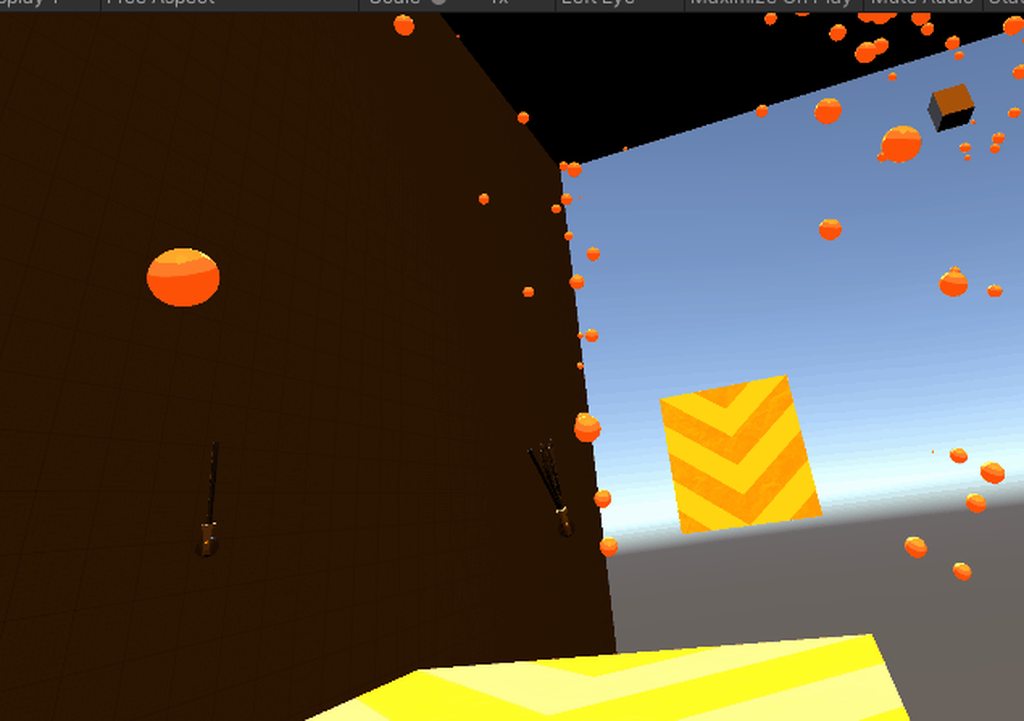
I need some help,every time i try to load my game in the editor,it just freeze frames with that smug oculus hourglass spinning,its never done this before,and it stopped a whole day of development because of this (i use an oculus link cable with my quest)
also,my builds arent even working,they only show sln files?
not even the game itself
 twin agate
https://i.imgur.com/YBHJsSv.mp4
@quartz slate this is great
 olive delta
Hey guys! Quick question. I am developing a mobile vr platform. I want 6dof so I am using ARFoundation combined with a stereoscopic rendering(SBS screen). The problem i am facing is, since google cardboard sdk is not supporting metal (required by arkit) and has so many problems drawing the eye textures on notched phones... I am in need of a better approach to avoid having two cameras and multipass rendering... I need perhaps a shader that would run on both metal and opengl 3.0 and use only a single camera to provide the stereoscopic view. I tried using it Unity mock hmd but it wont split the screen and i heard i cant change its fov... Is there anything that can be done when facing such dilemma? Thank you
 quaint moss
@olive delta you can try this method:
https://pastebin.com/Zkg6ixdH
https://pastebin.com/SnbQdpbe
Make a material from this shader, attach the Effect.cs to your camera and select the stereo material (note: this may not work with URP)
Pastebin
Pastebin.com is the number one paste tool since 2002. Pastebin is a website where you can store text online for a set period of time.
Pastebin
Pastebin.com is the number one paste tool since 2002. Pastebin is a website where you can store text online for a set period of time.
olive delta
@quaint moss > @olive delta you can try this method:
https://pastebin.com/Zkg6ixdH
https://pastebin.com/SnbQdpbe
Make a material from this shader, attach the Effect.cs to your camera and select the stereo material (note: this may not work with URP)
@quaint moss thank you so much. I am indeed using urp to target mobile devices. BUT i think all the performance gains from the urp were being lost by multipass rendering... It is gonna end up perform better in singlepass with srp
Pastebin
Pastebin.com is the number one paste tool since 2002. Pastebin is a website where you can store text online for a set period of time.
Pastebin
Pastebin.com is the number one paste tool since 2002. Pastebin is a website where you can store text online for a set period of time.
 stoic locust
So you want to make an AR/VR experience for mobile webgl, but you're having trouble using the webcam? The gyro doesn't even work? Well now you can make mobile webgl AR/VR experiences. Work with your device camera and gyroscope on webgl without issues: https://assetstore.unity.com/publishers/49512
quartz slate
@twin agate thanks! soon ill have lots more to show, and a demo on the near horizon!
twin agate
@twin agate thanks! soon ill have lots more to show, and a demo on the near horizon!
@quartz slate Let us know for sure. Text me after you release the game. And dont make sure to give us a discount. 😆
twin agate
gotchya, no discounts!
@quartz slate haha lmao
torpid ginkgo
@twin agate @quartz slate No reaction gifs/memes.
quartz slate
understood
slate prism
can anyone help me with a unity editor problem? every time i press play in vr i get a freeze frame and an infinite hour glass in the bottom right corner (i use oculus link)
olive delta
@quaint moss Is it possible to change the FOV in that shader?
slate prism
do you have error on pause enabled @slate prism
@quartz slate helped lots,thanks
quartz slate
welcome!
dusk sky
ok so i need some help
i made vr game
i hope it works
i need to port it to my quest
how do i get it onto my quest
quaint moss
@olive delta FOV should be changed in camera I believe. You can change IPD and zoom though
 fresh crane
Hi all..looking for some pointers/answers, as a newbie to the VR development scene, specifically the Quest 2.
Should I be using URP? Legacy? I'm guessing HDRP is a no-no on an Android device.
Vulkan or GLES3?
Should I be ignoring VFX Graph until it's finished?!
I'm mostly unsure about this because I've been messing around a little with the VFX Graph & noticed it behaves differently with each of these options.. URP + Vulkan sort of works... Legacy + GLES3 sort of works... But URP + GLES3 (which seems to be the most common combo I see in tutorials) doesn't seem to play nice with the VFX Graph at all..
Thanks for any insights.. I'm compiling notes on all of this to help any other new wannabe VR Unity Quest 2 devs, so any input is helpful.
pine bison
@fresh crane URP vs Standard: You can use either. URP has a lot of improvements, but it's also not got feature parity with standard pipeline, for example in lighting and post processing. It might be worthwhile to set up the same test scene in both pipelines and see the difference for yourself, depending on what you need in your project.
Vulkan is still in development for Unity, Oculus said at OC6 that it's almost ready. I still use GLES3 which works fine.
VFX Graph is still experimental, isn't it? You might be able to use it but it would be at your own risk, and I'm not sure about the performance implications
fresh crane
Thanks @pine bison, I will definitely be using Standard a little more for testing - I didn't know about the lack of feature parity!
GLES3 does work fine when I'm not trying to get VFX Graph to work, but as you say - it is still experimental! I guess I was hoping for it to be a little more on the nearly-done side of experimental 🙂 Back to normal particles for me, for now, I think.
lofty pivot
do i need a vr headset to make a vr game in unity
like ive ordered theheadset, but its gonna comein 4 days, so i thought i would get a headset
pine bison
If you know what you're doing then you can still do a lot of stuff. But if you're new, that time is better spent learing other things about unity
dusk sky
ok so i need some help
i made vr game
i hope it works
i need to port it to my quest
how do i get it onto my quest
fresh crane
you need to build an APK, then sideload it using the Oculus Developer Hub, or Sidequest.
tiny niche
@dusk sky did you read the oculus documentation on how to make quest games?
twin agate
@twin agate @quartz slate No reaction gifs/memes.
@torpid ginkgo sorry, I understand
storm ether
why is it saying i have two of the same packages when i dont
can someone help please, it wont let me build because of this
leaden flame
Looks like you have the Oculus Android, Oculus Desktop and Oculus XR Plugin. The previous two are depreciated / older. You'll want just the Oculus XR Plugin package.
storm ether
oh. thank you!
storm ether
how do i enable VR when its telling me this
why does the XR package not allow me to enable VR unless im using its 'legacy version'
and how do i enable this legacy version
leaden flame
VR is now enabled through the XR Plugin management system when you've added a package that is built with the XR SDK (like the oculus XR plugin). In your settings window there will be an XR Plugin Managment settings at the bottom.
tiny niche
you either use the legacy system or the xr stuff, never both @storm ether
storm ether
How do i use XR specifically? Does XR not have VR support?
tiny niche
xr replaces the vr api
storm ether
Oh
tiny niche
the old system is also deprecated. it's removed in the 2020 version and gets the final nail in the coffin 2022 when the 2019 version goes away
storm ether
Im confused though, because after i set this up properly, the way you said, then built to an APK and installed to my Oculus Quest, it wasn’t VR. It was 2D
tiny niche
its not that simple, you gotta follow all the steps in the oculus documentation for quest
storm ether
Can you link it? When i search for that all i find is outdated videos and websites trying to show you how
tiny niche
oculus site, click support and you'll find the developer manual
leaden flame
Configure Unity settings to get started with Oculus app development.
 trim nimbus
quick question how do i attach my camera to my player so i can properly move around
hard carbon
Hey all, I'm trying to do a build with all VR disabled. Im calling XRSettings.enabled = false on start, but in my readout im getting [XR] error determining if we should quit: not initialized
Anyone know a fix?
 deft hawk
Progress update on my VR game.
https://youtu.be/bsQJgOP4Few

Progress on my Superpower VR Action Game: Project META. New powers, AI, physics, pretty much everything has had an overhaul in the last few months. This is just me playing around with a few of the new power sets and some testing my physics-based enemies.
 odd hare
@hard carbon You might have a VR script in your project that automatically enables VR in the settings, or it might be calling some function that's causing that error when VR is disabled. I'm using VRTK, and it automatically enables various VR settings each time I open the project.
hard carbon
Thanks for the thought Silvarilon, I havent been able to find one such yet though. I am using Oculus, with the package and the Oculus integration. I did a fairly thorough search through the integration and couldnt find a script that had that effect.
So far I have solved the problem by dividing into 2 separate projects (server and client). Not ideal, but its working so far
 marble latch
hi all, when importing steamVR I get following error mg: Failed to import package with error: Couldn't decompress package
UnityEngine.GUIUtility:ProcessEvent(Int32, IntPtr, Boolean&). Any ideas how to solve this error?
 vestal widget
Hello,
is there any OVR API that I can use to distinguish Quest from Quest2?
dusk sky
im getting an error while trying to build the game so i can get it on quest. the error is something to do with the java development kit. how do i fix?
oh wait
hold on one sec
hehe i was using the wrong version i did not have the sdk build took on that version so i swapped the version.
pine bison
@vestal widget OVRManager.systemHeadsetType()
pine bison
I dunno, maybe you get get the name of the headset somehow
dusk sky
ok so i built to game into files on my desktop. do i just install the obb or is there another file somewhere else i need also?
im trying to get it onto quest
vestal widget
@dusk sky you can install *.apk onto quest via adb or via SideQuest
pine bison
You can not install obb files on quest
If you use build and run instead of just build, it will install the app for you
dusk sky
I installed the apk and opens it on the headset but nothing happened except a picture of the universal pipeline render starting scenes opened
dusk sky
nvm i think i found the problem
dusk sky
I’m still having the same problem
Can I have some help as quick as possible
Nvm I found problem
Now it won’t let me build the apk
lunar laurel
Is there any way to turn the XR Rig from the scripting ? When I use the Snap Turn Provider I can't control it from script
tiny niche
@lunar laurel you can control it, but the interaction toolkit has a complex system where interactors yield control over the rig
pine bison
Update on unity’s work with openXR: https://forum.unity.com/threads/unitys-plans-for-openxr.993225/
Unity Forum
We have been closely monitoring the development of the OpenXR standard. We’re at an inflection point now, where OpenXR 1.0 has been ratified and OpenXR...
cursive lance
I guess now the question becomes "XR Interaction Toolkit update when?" x.x
tiny niche
@cursive lance they just said they're implementing openxr as a plugin to unity xr. which means the xr interaction toolkit won't need to be updated to stay compatible
strangely it sounds like they're putting the burden of implementation on their partners though. which seems to indicate that we'll still see partner plugins for devices where they may or may not choose to base it on openxr
 ancient shell
So, I am working on a VR title that is meant for Steam as well as the Oculus Store. I am basically having trouble figuring out which device is connected to the users PC in order to load the correct SDK loader. Right now, the Oculus XR Plugin is the first in the list and OpenVR is second. With an Oculus device connected, it loads correctly. With a Vive connected, it throws an error complaining that the Oculus XR plugin couldn't be loaded and doesn't continue to load the OpenVR plugin. So, essentially I am asking, is there a way to determine what kind of headset is connected in order to load the correct SDK? Thanks in advance for any advice.
 astral mica
@ancient shell you can use InputDevices.GetDevices and get list of connected XR devices. (Controllers, hmd and base stations)
Iterate through the list and see if your hmd name is there among the name of devices connected !!
Reference : https://docs.unity3d.com/ScriptReference/XR.InputDevices.GetDevices.html
For possible list of hmd names that return by function, you can connect the both headsets and check it !
As far as I remember the names should be something like this "VIVE MV", "VIVE_PRO", "OCULUS", "INDEX"
Hi, how to add SteamVR Controller Bindings for Windows MixedReality(WMR) Motion Controllers ?
From developer point of view, from Unity through SteamVR 2.0 plugin, I was only able to add bindings for Vive, Oculus and Index controllers for my game. I didn't find any option to add bindings for WMR controller. The game users have been asking for it. Can you guide me in this aspect ?
vestal flicker
Do you have WMR installed, and installed in steam ?
storm ether
Is there an easy way to change the scale of my xr rig? i have a vive and i basically want to be able to scale up my roomscale to walk around an entire piece of Unity terrain
like stand in the center of a large piece of terrain
ok i sorted it. i just moved it and scaled it a bunch. and then i had an issue where the terrain wasn't showing up but I just needed to bump up the far clipping plane. the terrain was too far away to show up at first
 potent palm
imagine being able to afford a vr headset to test your game
 grim arch
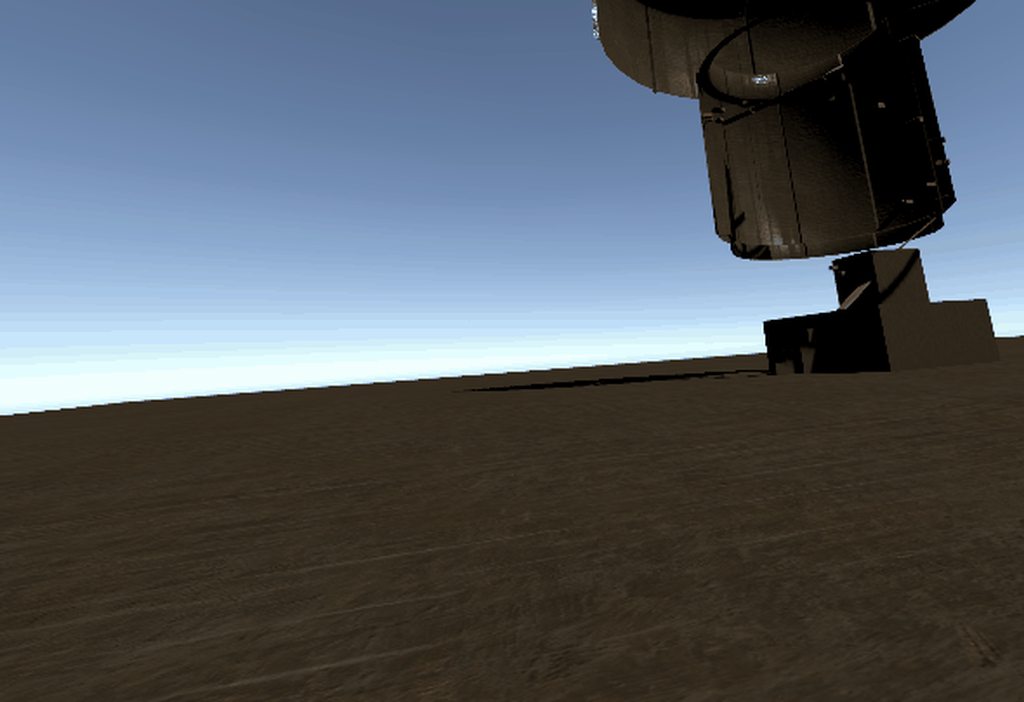
hey guys, I need to export .apk to an Android mobile device and the app doesn't show up. Google and it said Oculus plugin hides the app and edited the AndroidManifest file, but haven't found the fix. Anyone know how to bypass Oculus app so my app show in Android (of course not VR mode)
dusk sky
Ok so I want to make car for vr. I know I need to use 2 atan2s but I don’t know how to rotate the matrix for the atan2s
tiny niche
@grim arch do a conditional include of the oculus package. you don't want to bring a ton of junk over into a mobile app
@dusk sky that makes no sense, atan2 is for calculating angles. There should be no reason for you to need that, especially not 2 of them
 grim arch
@grim arch do a conditional include of the oculus package. you don't want to bring a ton of junk over into a mobile app
@tiny niche I do need them. I believe such matter can be fixed by disabling some scripts from oculus that change the Android Manifest
just not sure which script
slender vine
@potent palm If you're planning to release something substantial it's quite important to be able to test it on the target device - and worth the cash investment if you're investing a lot of your time developing it anyway
Does anyone know the format of oculus usernames with the new facebook login setup?
Need to add a friend to our developer org but do you create a username when signing up now or is it based on the facebook username somehow?
slender vine
Seems like it's username based on quest setup.
 rose monolith
I HATE THE QUEST
WHAT IS SO WRONG WITH PLAYING AND VIEWING ON THE HMD AND IN UNITY LIKE ON THE RIFT? NO, BUILD AND RUN IS BETTER??? I CANT DEBUG SHIT
shell kayak
Oculus Link not working for you?
cursive lance
You could also use ALVR to debug games wirelessly to your Quest
hearty iron
Anyone know how to get GPU frame stats with OpenVR ? Nothing seems to work
 shrewd oasis
@merry pewter what help do you need?
 merry pewter
Well im Just looking for people to help me develup the game like 3d artist Etc.
@shrewd oasis
shrewd oasis
@merry pewter experienced people?
merry pewter
yea
 empty cedar
hey, is this the right place to asking a question?
merry pewter
yea
shrewd oasis
@merry pewter meant: how much experience?
empty cedar
https://www.youtube.com/watch?v=VdT0zMcggTQ&ab_channel=Valem
i'm using valem's guide to add the controllers to my game, however in his times Quest 2 wasn't out yet
now, i tried to look up on the quest 2 controllers name in the XR interaction debugger, however, the name of the touch controllers is identical to those of Quest 1

▶ Get access to exclusive content: https://www.patreon.com/ValemVR
▶ Join the Discord channel: https://discord.gg/5uhRegs
-LINKS-
XR Input Manager : https://docs.unity3d.com/Manual/xr_input.html
VR Controller Unity Package : https://www.dropbox.com/s/9ajsxoa6u3ps1y8/vr con...
they're both 'Oculus Quest Controller - Left/Right', in quest1 and in quest 2
how am i suppose to support both quest 1 and quest 2 controllers?
merry pewter
not alot of expirence @shrewd oasis
empty cedar
i tried to look up for some info online but found nothing about it so far
tiny niche
@empty cedar try looking at the headset info instead of the controllers
 lean barn
i tried to look up for some info online but found nothing about it so far
@empty cedar Correct me if I'm wrong, but aren't the interaction systems for both Q1 and Q2 the same? The controllers haven't changed as far as I'm aware....
I think if you want to support those two, you just need to have "Quest" support
I'm also looking for some help.
Working on a side project and I'm using SteamVR to handle interactions. I seem to recall that in the past there was a function called "OnGrab" that whenever I grabbed an object, I could run a separate script. I'm not finding any documentation on this....so unsure it's the same or not.
tiny niche
the q2 controllers are like the rift cv1 ones
 hardy kayak
hello guys
i have a problem here with XR teleportation system. when i try and teleport to a teleportation area it teleports me off the area a bit far away(it teleports me off the area that I'm supposed to be teleported on)
how can I fix this?
 whole panther
Any way to get vive to work with xr input I checked tutorial s and they are not working
hardy kayak
@whole panther i saw that you also work with vive and XR, can you please help me on a bug i've been trying to fix for hours?
hardy kayak
whenever I teleport to any location, it just teleports me off the map/teleportation area
a bit far away than the TP area
i made a demo scene and made a TP area with the XR rig and there it works perfectly
but in this one it doesn't, and it's in the same project
just different scene
whole panther
Using arc tp?
hardy kayak
arc?
what is arc
I use the XR system
so like this
so even on a simple plane it doesn't work
I just don't get it...
ancient shell
@astral mica Hey there. I just wanted to get back to you regarding your solution to my question posted a few days ago. I tried using the InputDevices class to find my connected devices but nothing was returned without first initializing the correct loader, or at least seemed to be the case for me. After further research, I stumbled upon this page (https://docs.unity3d.com/Packages/com.unity.xr.management@3.2/manual/index.html). After reading through and configuring the code therein to my needs, I had a successful means of loading the correct SDK for the two platforms I am supporting (OpenVR and Oculus). Hopefully this helps anyone else running into similar issues and thanks again @astral mica for your suggestion.
ebon gust
Does anyone wanna help me make a Physics based fighting game? dm me if so
so even on a simple plane it doesn't work
@hardy kayak im assuming it must think your trying to teleport through the floor?
hard carbon
Anyone had a bug where quest works in editor but not when built?
.... aaand now im getting manifest errors. Lovely 😛
grim arch
I've been using the legacy XR in Unity (Open VR 2.3<) to have VD work with Unity Editor 2019, is there a way to make Virtual Desktop work with XR Management in Unity 2020 Editor mode ?
tiny niche
@grim arch what does virtual desktop have to do with anything?
grim arch
eh... wireless VR, I suppose
tiny niche
yea, but doesn't it just work with any vr game? i thought it hooked up to the runtime rather than devs adapting their games to it
grim arch
well VR game is just another word for exported Unity/Unreal project. I'm interested in development with VD + Unity so I've been using 2019 with Legacy and it works great, but VD can't hook Oculus runtime, but instead SteamVR runtime, and Unity OpenVR was the old way to do it. And old OpenVR work with Legacy and not with XR Management. So I'm asking this question in hope that someone was able to make VD works with Unity Editor 2020, specifically.
hardy kayak
@hardy kayak im assuming it must think your trying to teleport through the floor?
@ebon gust I think the vr was higher than it should be, so it wasn't fully on the ground. but now i fixed it, so thanks for trying to help 🙂
tiny niche
@grim arch there's a limited openvr implementation for unityxr, but it doesn't support controllers out of the box
and it has 0 support
 whole wharf
@hard carbon That's a pretty vague error description. But make sure you built your store manifest and have setup your account settings in the Oculus package.
lone knoll
there is a hacky method when using steamVR to make it read controllers inputs in the new unity 2020.1+ https://github.com/ValveSoftware/steamvr_unity_plugin/issues/853
 icy dagger
So, I feel kind of dumb but I can't seem to find a straight answer, should I be using the InputDevice.TryGetFeatureUsages() or the new InputSystem with action maps in VR? Or does it matter/is is a pick your poison situation?
tiny niche
@icy dagger depends, but i would go with the former. action maps don't really translate well to vr, since you need to take controller shapes and tracking offsets into account when designing your systems
icy dagger
@tiny niche Thanks! That's what I was thinking, but found a few forum posts that had some Unity peeps talking about how the "new input system that was coming" was a better abstraction (the post was like, from early 2019 I think)
tiny niche
its kinda like trying to get an action map to handle a lightgun, racing wheel and 360 controller all at once
things just dont translate in a generic way between the devices
 stoic stone
 tiny niche
action maps provide a great abstraction for most pancake games
icy dagger
lol, is pancake game the term for non-vr?
tiny niche
hehe, yea
icy dagger
Nice. Thanks, it's good to have most of my suspicions confirmed. I've somewhat struggled to come to terms with whats the "most recent" way to do VR with Unity
tiny niche
unity xr along with xr interaction toolkit is the name of the game these days
icy dagger
I grabbed the XR Plugin Management + Oculus option. I'm avoiding the interaction toolkit personally, as long as I can. I'm a masochist, but I want full control and to build up my VR capabilities as I need them rather than try and start with a big pre-done solution if it makes sense
tiny niche
the interaction toolkit is fairly modular, so personally i use it as placeholders as i implement my own stuff
i'm not a fan of the design though, they've made it needlessly hard to extend it by trying to hook up too much to the inspector
icy dagger
I'll probably grab it at some point if I hit a real roadblock (it's nice that its their and since its a package I assume its all visible c# code)
tiny niche
yea, it's written like a java library or something though, so you've got wrapper-hell in it
icy dagger
Oh, yay
hard carbon
@whole wharf Thanks for the suggestion 🙂 I think I found the final error, a stupid change to my Manifest, which then collided with a new IAP version.
whole wharf
@hard carbon Hey, no worries. Glad you got it figured out. Manifest issues have tripped me up many times before.
 foggy matrix
I am following a udemy course on Google Cardboard Vr with Unity, but the tools have changed a lot. GvrViewerMain is gone, and I am not sure how to resume this course.
 merry pewter
anyone wanna help me make a mmorpg vr game
quartz slate
the networking requirements for a VR mmo are really hard to overcome
start with a regular mmorpg
 dire tapir
tiny niche
dire tapir
tiny niche
vr rpg is quite doable, it's just the mmo part that makes it an unrealistic undertaking
hard carbon
I might add some technical specs here to help understanding.
I've recently been working on a networked VR experience, max 6 to a class, communicating to a central server, not peer-to-peer.
Each headset needs to, at minimum, send its location and rotation, as well as the location and rotation of its controllers. This is what I call 'live' data, its not really stored, it just gets distributed out there so everyone has it.
Stored data for a player includes the players id/name, their appearance modifiers, any statistics such as level, power, etc.
So, you end up with around 50 stored stats, some strings, some ints, some floats, and at minimum 7 live stats.
However, players need to interact. To do so, they need to claim server authority, and transmit the results of their action. Sometimes, this is easy. Player pushed a button, transmit buttonpush|button0|mystate through to all clients, we're all synced.
However, now I grab an item. Im not only transmitting my ownership, and the fact that I grabbed, but I now also have to regularly update the items position/rotation as well.
9 live stats.
Add physics. I drop a ball. I transmit loss of ownership, and the fact I dropped it. On drop, i set kinematic to false, its now dropping on its own.
Does the ball continue updating its position on the server? If so, im staying at 9 live stats (for this client), with the possiblity to raise it significantly if i keep picking up and dropping balls. Or, do I transmit just the drop? Then, physics can happen client side. But the 30ms that it takes for the other party to receive the drop command means that the final result can be significantly different. So maybe I sync the drops. Wait 50ms then drop. A bit clunky, but its EVEN MORE DATA.
Now, this is only for a 2-6 person game. 6x7 pieces of live data, 42 pieces of live data. I transmit them as 128 bit strings. 42x128=5376 bits per refresh (30ms goal). x3/8, = 2016 bytes, 2mb going through the server per second
make it a 1000 person server, 328MB through the server a second. That must be transmitted toevery single player.
Doesnt work.
So, sort by proximity, only transmit relevant data. Apply more smoothing, decrease refresh to 50ms. All of this takes more processing power, more time. Not to mention the consideration of stored data. 50 pieces of data per player isnt that much, but if i was to average my strings and ints to 16 bits per piece, i have 97MB of data in hot storage. Monthly fees for storage and transmission if you're using azure or AWS.
Now make an auth API, and an API for user details etc.
Shit takes so long, you'll get mid way through the first step and be like, nah, fuck it
vestal flicker
Anyone else have the Quest 2? Are your strap connectors bend or straight. I got some DAS clips off etsy and I think they warped my connectors, can't remember if they were straight or a bit bent already new.
storm ether
How come when I build an XR project for the oculus Quest, install its APK, then try to play, it runs as a 2D game? Like, its not in VR
storm ether
also why does the XR rig not come with hands like most videos im watching say it does?
hard carbon
I found I was getting no tracking if I also had the PC oculus package in XRSettings
Dont know if thats your problem, but presents the same
storm ether
I’ll look into it, thanks!
 final basin
You have to add the hands yourself. I've only watched one XR video series, but in Valems intro to VR series he adds the hands in the first episode https://youtu.be/gGYtahQjmWQ
 long plover
hi i am looking for a the vr template for unity, i found the VR Lightweight RP in the manual but it is missing in my install.What happened, how to get it?
 sterile storm
REEEE. I need some help, so I am using a hingejoint from my head object to a goggles object, I followed a drawers and levers tutorial (https://www.youtube.com/watch?v=bYS35_hC6B0&t=275s) but it just doesn't work... when I grab it, it just stops in place. Note: It is a child of the VR-camera object. I am using the XR system for VR. Pls help!
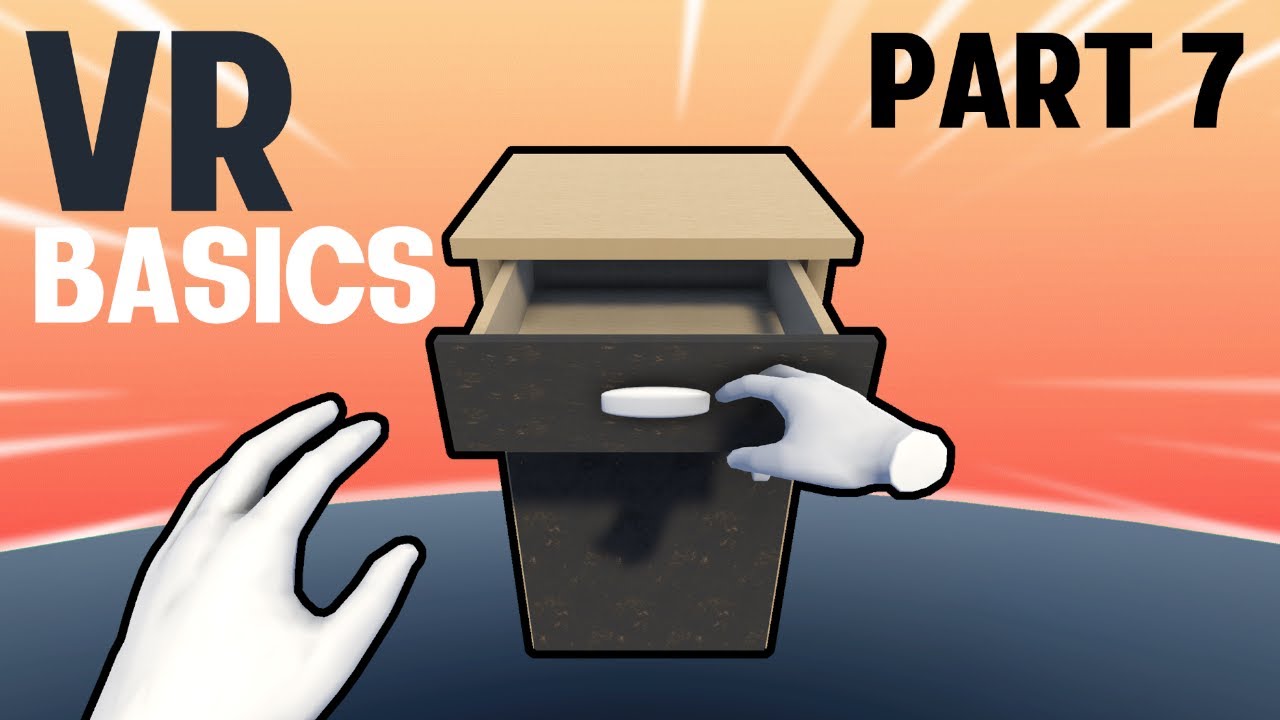
▶ Get access to the source code: https://www.patreon.com/ValemVR
▶ Join the Discord channel: https://discord.gg/5uhRegs
In this video, I will show you how to easily interact with lever, door, drawer using the Unity XR Toolkit and all of this without coding a single line of co...
Been stuck on it for 3 days
pls
quaint moss
@long plover LWRP is now called URP
tiny niche
@sterile storm start over and follow the tutorial exactly instead of approximately
sterile storm
@tiny niche I did
sterile storm
So, When I grab a child object (XR system, VR) and move the parent object the child doesn't follow it until I release it. How can I fix this?
tiny niche
@sterile storm you don't, you'd have to grab the root when you try to grab the child
sterile storm
hmmm... well crap... Then I am f***ed... I am trying to make googles that you can pull down (night vision). And they are a child of the camera.
quaint moss
@sterile storm you can just unparent it when you grab
odd hare
Do you even need the goggles?
I'm thinking if it's above your head you can't see it. If it's over your eyes you can't see it.
So perhaps instead of a physical object you use a gesture. Put your hand above your eyeline and press grip, then that triggers a fadeout and fadein with night vision.
Otherwise if I'm trying to interact with goggles I'm going to be hitting my controller into my headset @sterile storm
 opaque glacier
Is 32,000 polys too much for 1 scene
lofty pivot
Hi so was the xr toolkit moved in unity 2020,
Like in old one it was at player settings
I'm following tutorials for making a game in google cardboard
sterile storm
Do you even need the goggles?
I'm thinking if it's above your head you can't see it. If it's over your eyes you can't see it.
So perhaps instead of a physical object you use a gesture. Put your hand above your eyeline and press grip, then that triggers a fadeout and fadein with night vision.
Otherwise if I'm trying to interact with goggles I'm going to be hitting my controller into my headset @sterile storm
@odd hare Smart 🙂
odd hare
:)
You could even have an animation of the goggles coming down, so if the player holds grip and moves their hand downward they can pull the goggles on and off at their own speed. But if they just grip and drop their hand it does the animation at full speed.
I wouldn't worry about that level of polish during a prototype unless the gesture is causing problems (like if it's triggering when they're trying to grip objects)
storm ether
I'm thinking of making a game but need a bit of help with a lot of this...
its really ambitious but here is my pitch
a survival game in VR but with full body rendering and full body physics and optional multiplayer up to 3 players. no enemies but wildlife and nature in a large environment/map (landscape) on a desert island with the wildlife characteristics of north America. I'm thinking ultrarealistic but easy to get the hang of so there is thirst and hunger but their easy to manage like looking at a watch or audio cues, aswell as a warmth mechanic so if your cold you need to put on a coat or something or go into a shelter coldness could be like shivering or audio cues or something. Also a building mechanic you cut down trees then you use the logs for a cabin or loose sticks for a small improv shelter.
Im sorry this is really sudden but i thought this would be a really awesome game to make
lemme know if anyone is interested and what you might bring to the table 👍
odd hare
@storm ether how do you show things like thirst and hunger? Remember you can't put a UI in front of the player. So things like the watch could show your hunger.
What do you need to do to survive, how does the wildlife create obstacles and what does the player do to overcome them?
storm ether
You put food near mouth and then eat yum yum
You need to kill animals for food but there could be something like a bull or something that would ram at you and you need to attack it with makeshift tools
odd hare
Ok. So you cut trees, presumably craft, make a bow and arrows I assume, for hunting the wildlife?
storm ether
More or less
odd hare
How do I move in the world? Wouldn't I just teleport behind the bull and shoot it point blank and eat well?
storm ether
As well it could get cold at night and there could be seasons so you can make building and use body heat but for bigger things there would need to be leaves in the wall for heat stuff
Also the movement would be walking/running
odd hare
Sorry if it seems like I'm ripping your ideas apart. I can stop if you want. I'm trying to ask about questions or problems I see to help spot any gaps that might cause you problems.
storm ether
No I like this it's just fueling me
odd hare
Walking and running can cause some people nausea. At least with current technology.
Most games are either set in the playspace or let you teleport. Even Half-Life: Alyx which had a movement joystick control made that optional and allowed teleporting.
Basically, we need to be able to have the player control their own head movements. And if we do move it, it should be large fast movements.
storm ether
I thought about that but then I thought comfert mode (the screen creates a border around your eyes making what you can see... Less
You say we? Are you interested on getting in on the project?
odd hare
Sure, if you think you can make it work that's great. Just flagging it as an issue that you'll need to solve. :)
storm ether
I'm really just a creative director I can't do much making
odd hare
I'm kinda booked up at the moment. And working on my VR XCOM game. I'd love to do a collaboration if I had more free time.
storm ether
This is a really ambitious project and I don't see it going anywhere ware for a bit so dm me when your ready to join the team so far it population:1 person
odd hare
I'm a programmer but not an artist or marketer. So shrug we all have strengths and weaknesses. That's why collaborations can work so well if you find the right team.
storm ether
When you have to time do you think you can help with the physics? I want hyper realistic physics in this
odd hare
Right now I only have time for paid work. Probably will be the case for at least six months. Then I plan to sleep!
After that... hopefully I'll have time for hobbies again, and who knows!
storm ether
Ok thanks and maybe who knows this project will take off
odd hare
What do you mean by "realistic physics" - in a game where nothing has weight and you can't kick a rock or move your legs, realistic physics might be worse than simple physics.
storm ether
That's the point on paper this sounds like crappy minecraft but when you get physics and never been done/experimental mechanics it's unique and ground breaking I want to advance the way we see vr ya'know
odd hare
I can climb a tree in real life. In VR it can't track me lifting my leg. Even if it could, I can't balance my leg on a virtual tree branch to push my body up. Even if I could, I can go climb a real tree.
The experience I want from be is leaping up, grabbing the branch and pulling myself up. Not something I can do easily in real life, but that's the fantasy. And I need to do it fast and reliably without hurting my bad back, because I might be climbing to get away from that charging bull and it'd suck to die because there's no feedback letting me know if I'm standing on a branch or on the air.
storm ether
In game jump button and upper body is used for climbing and such
odd hare
Crappy Minecraft, in VR, can still be great.
But the best game ever will be crappy if I feel like I'm failing because of things beyond my control.
Sometimes less is more, especially in these early days when the equipment is still evolving.
I'm not saying you shouldn't be ambitious. But be ambitious while playing to the technology's strength, not weaknesses.
storm ether
But that's it we need to se what we can do we can't wait for oculus. Hp reverb (decagear of that doesn't flop) we need to advance with what we have it will never be good enough if we only think of what can be it's a matter of what will be and need to work with what is
But the weekness When manipulated can be a strength tho only thing stopping us is Noone has tried and that's what I'm doing
odd hare
A survival game where you craft a house sounds excellent.
I'm imagining creatures stalking you, and you have a gun. So the more you wall yourself in the less you can see. Use the limited point of view as part of the challenge.
storm ether
That's the forest
odd hare
And shooting is a strength, the aiming and trigger feels natural in a way that building a wall doesn't. And gives a reason to stay in the play area.
Creatures shooting at you or smashing your house let's you interact without touching them.
storm ether
Bare with me here but imagine you find yourself in a forest surrounded by trees you hear birds chirping you go to greet a friendly goose resting near a pond and you see a few sticks on the ground you pick one up and find a rock and a few vines hanging from a tree
odd hare
All these are just examples, you don't have to do every point.
You can make a great VR sword fighting game. It'll be harder to do than a great gun fight game, but your game will stand out more.
So... By all means reach for the stars. But pick the battles that are important to your game, and play to the strengths or use solutions that have already been tested for the things that don't matter as much.
storm ether
You go to pull the vines and put all the things togather and make a axe to cut a tree you use the trunk as a roof as you lean sticks against it and fell you body heat your shelter but then there it is a wild boar you grab a stick and a small rock and you make a spear you kill the boar and cook it using its hide ad a blanket
That's what I imagine
odd hare
That sounds fun. I totally agree.
And maybe relaxing, like a camping trip without the bugs.
storm ether
That is what we can do with the current tech we have all we need is to just make it
odd hare
Ok. But I'm a programmer. What you just described, if you told me I'd say "that sounds fun" and then wait for the game designer to tell me what's needed.
storm ether
I'm just a creative director looking for a team to help me with this
odd hare
Because we can build that. I could build it. But there's a hundred design questions I'd have to answer. Unless I'm also the designer, I'm going to have different answers to those questions and we're going to fight and I'll have to rewrite my code.
storm ether
Are you in? Because I'm ready to give this my full commitment I just need a team
odd hare
No, sorry. I don't have the time.
Right now I'd be doing freelance work except I'm resting my back. Once the pain goes down enough I'll keep working if I'm not too tired. And this is a Sunday night.
I wish I had time for fun projects :(
If you can pay me, I'm in. It does sound fun.
storm ether
There is no way I can pay you I'm sorry but if you have the time let me know we can try to work something out
odd hare
I'm really hoping to get back to a life where I can spend about three or four hours a week doing things just because they're fun.
Yeah, I wasn't seriously asking for money, just saying that my choices are limited and I'm not saying no because I don't want to work with you.
storm ether
Ok if you do get back to being able to do that I'm always here I have nothing better to do
odd hare
Well, to recruit people you'd also need to show what you're bringing to the table. Otherwise as a creative director you're essentially asking people to make your game for free.
So you might want to also take on another role. Not designer. Artist, marketer, etc.
Because you need to convince them that working with you will let them make something cooler than what they could make without you.
storm ether
yea youre right ive got something for that
ive got a close friend who is always down to help for a bit
odd hare
Your ideas are great - but the ideas aren't the real work. Making the game is. You'll need to show what you'll be contributing so they know that with you they can get twice as much done than they can do alone. Or get something done that they could never do themselves.
torpid ginkgo
Not a place for recruitment. Keep the channel on topic, please.
odd hare
Fair. Sorry.
storm ether
ok
odd hare
Consider more about how you'll show the player when they're doing things right.
If I can make a shelter against a tree how do I know that I need to use it when I can't feel the cold wind? Why do I need a shelter instead of just standing behind the tree? How do I know if the shelter is angled right to block the wind?
odd hare
Consider other options, to see what works better or worse and why. Even if you don't like those other options they will still guide you about your current question.
For example if you were surviving on an alien planet you could have glowing flakes falling. That's something visual I can see to know I should take shelter. I can see them hit my shelter and slide off and understand how it works to block the threat.
And then later maybe you have wind. The wind itself doesn't have to be a hazard, but the player immediately understands why the shelter they built won't protect them when they see the flakes blowing in from the side.
storm ether
ive tried my hand at things like that i want to try something realistic that can really take off and i can say this can be fun and people will genuinely enjoy this
odd hare
Then if you want your original idea you might decide to have snow instead of cold wind as the hazard.
storm ether
maybe i think im going to sleep on it
odd hare
Again, that's just an example. I'm not telling you what to put in your game. Just trying to offer suggestions on what you should refine more, and a way to go about it.
storm ether
all i really know is i want to make a game with infinite possibilities but also survival
odd hare
Good luck. That's a rather large scope ;)
stoic stone
thought? https://streamable.com/jy1mc3

 drowsy basin
can i see the game play???
 small nova
Anyone know if Gaia 2 from the asset store works with Oculus Quest?
stoic stone
@drowsy basin dont have any update game play as of now, week maybe i will.
tiny niche
@storm ether the way we engineer solutions is by defining boundaries for a problem and combining previous work to make a new solution for that specific problem. infinite possibilities makes those 2 tasks impossible
slender vine
@storm ether As others have said I feel like you might need to give more info on what you can bring to the table.
A lot of people in the industry will tell you that a good idea is just a good idea and not really worth anything, especially with phrases like "hyper-realistic" "ground breaking", it doesn't just happen from putting time into it, you'll likely need deep research and experimentation, not just using a plugin from the asset store.
I think if you do intend to go forward with any developers who will commit to the project will definitely need to see what value you can bring, otherwise you'd be basically commissioning people to build a free game for you if you get what I mean.
I don't want to be too disparaging but the fact that you're trying to pitch after only having the idea in your head for 2 weeks wouldn't give me a lot of confidence in the commitment, you may lose interest 2 weeks from now.
storm ether
Actually I have been able to make movement and models for trees and bushes
 left glen
steam vr won't open
with link
it says headset is inactive
anyone now how to fix this
storm ether
Hey so I need help getting my vr player to move. Anyone know how?
 azure cairn
I'm sure this is the most common question asked on this but any courses anyone can suggest for xr-kit? reading or video is fine looking for soemthing to really sink my teeth into. I've found some youtube that are pretty great. Wondering if there were any other suggestions?
I started looking at https://learn.unity.com/tutorial/how-to-install-zoe?uv=2019.4&courseId=5ed79922edbc2a065d3ac33b&projectId=5f32cfe9edbc2a00214a46ba#5f4cf85cedbc2a7759c36758 but apparently it's only for teachers ? or something

Unity Learn
Guide to install Zoe's package and test the example scene.
Until then I'm going to continue https://www.youtube.com/watch?v=gGYtahQjmWQ&list=PLrk7hDwk64-a_gf7mBBduQb3PEBYnG4fU
If you want to get started with VR development. This video is for you.
▶ Get access to exclusive content: https://www.patreon.com/ValemVR
▶ Join the Discord channel: https://discord.gg/5uhRegs
Want more details ? Check arvrtips articles :
▶How to Install Unity Hub and Setup a...
Ahh maybe I just support his patreon Seems ot really be keeping up to date
odd hare
Hey so I need help getting my vr player to move. Anyone know how?
@storm ether
Check out VRTK. They're pre built libraries for the common VR tasks like movement, controller mapping, grabbing items etc.
odd hare
It's an asset. You can find it in the asset store or Google for their website. They've also made YouTube tutorials @storm ether
storm ether
Thank you
tiny niche
no, but if you ask a question someone might answer
hardy kayak
I need help in unity xr. currently the floor is a teleportation area, you can teleport around it. the problem is that there are objects on that TP area which don't stop you from teleporting in/through them. they have colliders but the controller ray can go through the objects on the TP area
hardy kayak
nevermind fixed it
slender vine
Has anyone had any issues developing for quest where hand tracking works seamlessly but controller tracking doesn't work at all?
When trying to change my build to support controller tracking instead the hands don't track (Expected) but the controllers don't appear either, from what I've read I've set it all up properly, hard to debug with the need to build after every settings change
Hmmm is it necessary to use the localavatar in order to use controller tracking?
Its definitely not required for hand tracking so not sure why it'd be required for controller tracking
hmm Im getting controller button input but not seeing controllers
hmm gets weirder, the controllers are actually rhere, if I add an object to them the object appears and tracks, just the quest controller model doesnt show up
 hollow dawn
Hi. How do I display my hands using mirror multiplayer on the other clients
slender vine
Solved my problem, I had to specify L & R touch in my controller prefab settings.
 winged frost
Hi there
How is everyone
I was wondering how XR, the replacement of specific VR APi's for specific headsets is doing now? Earlier it was still a bit buggy and steamVR wasn't included.
I Mainly ask because it would be benificial for my game to switch to XR so I don't have a depency on SteamVR anymore
 golden rose
Anyone know an active discord server with VR dev in focus?
dusk sky
how can i track on button enter for the XR controllers?
 wintry delta
Hi! I'm trying to get Index thumbsticks working in my game, and have opened the SteamVR plugin for the first time (using Oculus for everthing). Is it really correct that I cant set up bindings for an Index controller (SteamVR Binding UI) without physically having one?
dusk sky
probably
slender vine
Do you guys know if quest voice commands are available for developers to use in apps yet?
The documentation seems to suggest this but I assume it's pre-emptively mentioning it as it seems it's not available to generic developers yet?
leaden flame
@slender vine they're available in the sense of you can use them while in any app but they are not accessible or customizable from a developer standpoint.
azure cairn
Yo what do you do when your game crashes after hitting play?
You'll see that it plays and then derezes
no erros
and nothing works after that
leaden flame
@azure cairn That doesn't look like a crash. Are you saying the editor crashes? in that case you can check the crash log. https://docs.unity3d.com/Manual/LogFiles.html
azure cairn
Ok if I come across the bug again I'll look at log?
@leaden flame Any idea why it suddenly derez's
leaden flame
You need to provide a lot more context, is this a VR game? what platform are you building for? what was happening before and is happening now.
azure cairn
yeah it has happened making XR game and I use Oculus Quest 2 - Android build
This isn't with a build this is just running the game locally via a OculusLink
leaden flame
Did you configure XR management settings?
azure cairn
Yeah XR was working at first
and then suddenly it goes into this state
where I cannot come back
leaden flame
I'd try making a full build and see if it happens in builds. Does your computer still recognize your quest with the Link cable? when the Quest goes to sleep or reconnects sometimes you need to re-enable link.
After you've added the platform package and configured the XR management I'd go to the create menu (right click in scene hierarchy) and select XR -> Convert Main Camera to XR Rig. That will setup the proper components and transform hierarchy for a VR app.
azure cairn
I just delete main camera and use Stationary XR Rig
leaden flame
You need a tracked pose driver component on your camera
tiny niche
@azure cairn use source control, you shouldn't have to guess at what changed
 gentle cliff
anyone familiar with vuforia?
tiny niche
@gentle cliff no, but the first impressions i got from it was that it's targeted at enterprise companies and marketed at sales and upper management
slender vine
I've used it a while ago but not recently
Also it's better if you want to ask a question about something to just ask it, someone posted a good link about that the other day
And yeah if you want to license it for an app I think it was like £400 min per app when we used it
And to get a price quote you had to contact them.
 wet vector
Using 2019.4.13, AR Froundation with ARCore 4.0.9, and Google Cardboard 1.3.0 ... cannot for the life of me find out how to get VR enabled. Want to be able to toggle it on/off at run time.. but can't even get it on. cam.stereoEnabled is always false.
azure cairn
I'm using Unity 2020.1.9f. I built a silly experience that I was able to build into an APK (pretty annoy step wiring up the proper version on android sdk). Now the next question is how do I run this APK on my oculus quest 2? Just a aside, I know I can run it directly from y questlink cable but I'm trying to understand more of the publishing side of making games
I hear you can run an api from dragging it into the PC oculus app but that isn't seemingly working for me?
wet vector
If it's the same as the Quest 1.. enable dev mode in the Quest settings... connect your Quest to your PC, then ...hmm... I forget, you may be able to drag it into the download folder on there, then go in and install it from unknown sources
But I feel like you may need to do abd install via cmd prompt
 ripe grove
How would I go about recording my Vr game for like a trailer where people can look around and such?
tiny niche
@ripe grove what do you mean? a trailer of someone walking around?
ripe grove
So I have a scene of like a nice house and I want to be able to put it on youtube but they can look around and such. No movement
just 360 degree
tiny niche
that's called 360 videos
its possible to record them in unity, probably unreal too
otherwise you could implement it in your game
ripe grove
Thank you!!
Unity's 360 video seems as if it is importing a video into unity. I was actually wondering how to do the opposite. Or maybe I don't understand. @tiny niche
wet vector
I don't think Unity have any asset for you to record 360, but the API is there for you to write your own class to record in 360
probably already done by loads of people too - though only 2 on the asset store. 1 hasn't been updated in 5 yrs, and the other is very expensive
Oh, actually... there's this one too, at "only" 45eu https://assetstore.unity.com/packages/tools/video/video-capture-pro-155663?aid=1101lGt5
Get the Video Capture Pro package from Evereal and speed up your game development process. Find this & other Video options on the Unity Asset Store.
ripe grove
Hmm ok. Thank you anyway tho!
 red sierra
Anyone using the Quest 2 got it working with Oculus Link?
golden rose
Works for me
hard carbon
Me too
If you're trying in the editor, make sure you have both the PC and Android versions of the Oculus package installed in the XR Settings
red sierra
@hard carbon Thanks for the tip! It worked!
I had it only checked in the android version
red sierra
@hard carbon Okay. I tried it on a blank scene with just a camera and it worked. I put an object in the scene with an animation set to always loop and the Oculus won't load it. It gets frozen and glitches out.
red sierra
Plays fine in the PC viewport though
hard carbon
is the object using custom shaders, or is it high poly?
red sierra
How high poly would be too high poly?
30,000 tris I think the model is.
@hard carbon
No custom shaders
just the standard shader
It's using PBR textures with the albedo, normal and metallic smoothness maps being used.
Would that be too high poly for a character model?
hard carbon
30k is pretty high. Especially for quest
Its not horrible, but for one model its high
What res are the shaders?
red sierra
@hard carbon What do you mean by the res for the shaders? I'm using the Standard render pipeline (whichever option gets selected when you choose the 3D template)
hard carbon
sorry, bad wording. what res are the textures
hard carbon
hmm. Well, both 30k poly and 2k textures are a bit high for quest. I cant guarantee it will work, but maybe try lowering them and see how you go
OH. Also, you need to turn off the PC oculus XR setting when you build for android
Dont know why, but you do
red sierra
I just find it a bit weird because I ran the very same model on the VR mode for Quest 2 on Sketchfab

The faceless terror itself. Model done in Blender and Substance Painter; heavily inspired by the design used in ‘Slender: The Arrival’ - Slender Man - 3D model by takuser (@takuser) [0e1ab49]
@hard carbon
Runs at 60fps with 4K textures there.
Or seems to
Not to mention it's the only item in the Unity scene too
Lighting is one point too
*directional lighting as is the default
hard carbon
yep, im just saying its a consideration. It may be fine, its just quite high for quest
red sierra
But if it's neither, how would you recommend handling the glitching that occurs with the scene?
It's kind of like a weird Windows XP window duplication thing, but with the Oculus Link default map.
And nothing shows up on the Oculus from Windows, but the scene seems to run fine in the editor preview window on the PC.
I've tried waiting 30s to 1 minute and it doesn't seem to get out of that odd state.
hard carbon
Wait, are you trying to run the app on windows outside of unity?
red sierra
No, I'm trying to run it from the Unity Editor, but have the play preview to show up on the Oculus Quest 2 headset via the Link.
The default scene with just the camera and the directional light displays and runs fine with the setup.
It's only when an animated object is added that the error seems to occur.
red sierra
@hard carbon Skinned Mesh Renderer
Using an armature on the mesh weighted to vertex groups
hard carbon
Theres a setting in Player Settings around that from memory, it might be worth toggling it
GPU Skinning
red sierra
Don't know what solved it, and I guess I never will but it got fixed after booting up Unity and the Quest 2 again
@hard carbon Do you know what this means?
BuildFailedException: Android Minimum API Level must be set to 23 or higher for the Oculus XR Plugin. UnityEditor.XR.Oculus.OculusPrebuildSettings.OnPreprocessBuild (UnityEditor.Build.Reporting.BuildReport report) (at Library/PackageCache/com.unity.xr.oculus@1.4.3/Editor/OculusBuildProcessor.cs:103) UnityEditor.Build.BuildPipelineInterfaces+<>c__DisplayClass15_0.<OnBuildPreProcess>b__1 (UnityEditor.Build.IPreprocessBuildWithReport bpp) (at <67055f1be3654e2a987254d5437ee5b8>:0) UnityEditor.Build.BuildPipelineInterfaces.InvokeCallbackInterfacesPair[T1,T2] (System.Collections.Generic.List1[T] oneInterfaces, System.Action1[T] invocationOne, System.Collections.Generic.List1[T] twoInterfaces, System.Action`1[T] invocationTwo, System.Boolean exitOnFailure) (at <67055f1be3654e2a987254d5437ee5b8>:0)
UnityEngine.GUIUtility:ProcessEvent(Int32, IntPtr, Boolean&)
`
hard carbon
yeh, in Player Settings, set target API to 23
or, use the Oculus Lint tool to see recommended settings and set them
red sierra
Getting an invalid JDK warning
hard carbon
Did you install the android modules when you installed Unity? If not, you may be able to add them through the Hub
red sierra
They're installed
hard carbon
whats the specific warning?
red sierra
Java Development Kit (JDK) not set or Invalid. Please fix it in Preferences --> External Tools
Should I navigate to the bin folder of the JDK?
hard carbon
Theres probably an error text in External Tools, underneath the input field. What does that say?
red sierra
UnityEditor.BuildPlayerWindow+BuildMethodException: 2 errors at UnityEditor.BuildPlayerWindow+DefaultBuildMethods.BuildPlayer (UnityEditor.BuildPlayerOptions options) [0x0027c] in <67055f1be3654e2a987254d5437ee5b8>:0 at UnityEditor.BuildPlayerWindow.CallBuildMethods (System.Boolean askForBuildLocation, UnityEditor.BuildOptions defaultBuildOptions) [0x00080] in <67055f1be3654e2a987254d5437ee5b8>:0 UnityEngine.GUIUtility:ProcessEvent(Int32, IntPtr, Boolean&)
Build completed with a result of 'Failed' UnityEngine.GUIUtility:ProcessEvent(Int32, IntPtr, Boolean&)
UnityException: JDK not found Java Development Kit (JDK) directory is not set or invalid. Please, fix it in Preferences -> External Tools UnityEngine.GUIUtility:ProcessEvent(Int32, IntPtr, Boolean&)
hard carbon
In External Tools, not the console
hard carbon
Go to Preferences -> External Tools
hard carbon
Right. I would look in unity hub, see if you can update it
red sierra
hard carbon
Having android is not the same as having the android tools
red sierra
Ah
hard carbon
When you install, the dialog has a dropdown under android, you can select SDK, NDK and JDK from there
you may be able to adjust your modules by clicking on those 3 dots there
hard carbon
all g 🙂
azure cairn
https://twitter.com/Matty0187/status/1324564942066864129 12th day of coding in unity and VR!


Day - 12 | Impossible Bowling
#VR #OculusQuest2 #100DaysOfCode https://t.co/APN8OlfthZ
 Twitter
·
Twitter
·
Forgot to put ridgebody on the bowling pin lol
grim arch
Beat Saber used Unity?
then what network solution they used?
Photon, Mirror, DarkRift, ... or in-house solution would be example answer
I know you are a human but lol even if you are a bot I cannot tell
what is the correct answer then, Mr.Bot
👍
it's general Kenobi lmao,
torpid ginkgo
@grim arch Don't post memes or other off-topic content, please.
slender vine
Hey guys, is there an ideal setup for viewing 360s with the OVRCameraRig? If I disable positional tracking the headset stays perfectly still which is great, but the controller positions track away from the headset as if they are still tracked in the full roomscale space
tiny niche
@slender vine why would you turn off positional tracking?
slender vine
@tiny niche For viewing stereo 360s with navigation hotspots
tiny niche
normally you'd teleport to hotspots, but still allow for roomscale movement
slender vine
The hotspots are made up of static stereo 360 renders, not modelled spaces
slender vine
Does anyone else have any ideas?
 robust epoch
Anyone here could help me with this? https://discordapp.com/channels/489222168727519232/763495187787677697/774581961226321940
 ionic sandal
Anyone that has released to Steam. Do they have a strict review process when it comes to bindings? How can you create bindings for controllers that you don't own like vive pro, etc.
storm ether
I'm having trouble with setting up my Vive input controls. I'm using SteamVR and then I found a HTC Vive input but it's still not working
vestal flicker
You have to create your actions first, then open the binding UI from the same window and bind your Vive controller buttons to your actions.
storm ether
@vestal flicker do I need to write a script for this?
I already set that up but it's not working the way I need it to work
Like I need help
I've tried watching tutorials on this but the code isn't working. I'm using the Unity 2019.4.5f1
vestal flicker
To get your bindings setup there is no scripting involved.
Once your actions and bindings are setup, you can use the auto generated code in your scripts
Creating the actions generates code for you that you use
storm ether
It was helpful for awhile but I'm still not able to move around. I tried to use the touchpad to move forward just to touch but it's not doing that. I looked up a tutorial on XR but that's only working for the Oculus and Mixed Reality.
would someone be willing to get in a call to help me?
storm ether
I found the problem
I just can't fix it. The video skipped over some important details about connecting the Skeletonhands to the pose part of the hands
I can't seem to get the skeleton to work tho
storm ether
got it to work but the script part isn't working
unity is giving me problems with the script
storm ether
I'm about to have a melt down over here. I've tried using the SteamVR Input and watched so many tutorials but nothing is working. I've tried making a script but the scripts from the tutorials aren't working. I've been at this for hours now and it's frustrating. Idk if I made the scripts correctly because Idk C#. If someone please has the time to help me and just get in a call with me. This is absolute madness on VR input and configuration.
I love game design but my god this is too hard for me to handle
storm ether
Okay so now I've got this script but I need help. I'm getting a CS0120 but according to this guy in a tutorial video I did exactly what he did
slender vine
If anyone has experience with the Oculus OVR stuff, I'm still trying to solve my issue, I tried to get the center camera position offset from start then subtract that from the tracking space start position but no dice, unity seems to freak out as the parent moves.
 restive fox
the discord for this project is dead so i wanted to ask here at least😅
i’m using HPTK for hand tracking with physics on quest. issue is i can’t figure out for the life of me what to change in the physics configuration files (and i’ve toyed around with each value). is anyone familiar with HPTK or is at least intrigued enough by the below clip to jump in and see if we can figure it out? thanks!
 cunning turtle
looking for a few devs who want to get on board designing a vr application ?
 proven sphinx
I'm trying to build and run an APK for the Oculus Quest but it won't build and keeps putting an error in the console
I don't know which channel I should put this in
proven sphinx
Where should I fix that
slender vine
There's literally a min android api level setting in project settings
slender vine
You won't get too much help if you rely on everyone to be your google pal, window > project settings
proven sphinx
I knew it was in project settings, I tried searching it, it was just under something closed
slender vine
Ah no worries, didn't mean to be rude, but a lot of people ask questions here without even trying to solve for themselves.
opaque timber
Hey, I am using Unity's XR system for my VR project but the VR player's camera is jittery and causes players to get dizzy. How can I smooth out the movement on the camera to keep it from jittering?
restive fox
@opaque timber is it possible your headset is running at low fps causing jitteryness? i've had similar issues running unity without switching my computer to it's performance mode.
opaque timber
It's highly probable.
I have tried everything I can think of to smooth out the movement out but it's still bad.
How do I set the quality for testing the game in the engine?
pine bison
You can use OVR Metrics for the big picture but you’d need to run through link to use the unity debugger. There is also RenderDoc which is recommended by oculus @fiery night
 ocean venture
hey, im having an issue with my player controller we wrote up for steamvr
we want the camera to rotate n the hmd but its rotating based on the center of the playspace
final basin
Oculus has a specific guide for optimising using Renderdoc which may also be helpful https://developer.oculus.com/blog/how-to-optimize-your-oculus-quest-app-w-renderdoc-getting-started-frame-capture/
 wanton steeple
Hi, just a quick question - I am starting development of a VR game for the QUEST 2. Ideally I would like to use the steamvr 6.1.0 build (the OpenXR one)
Is this possible, because currently I am having issues with the Android side of things but no problems on the Desktop side.
vestal flicker
You can't use SteamVR for Quest store.
Is anyone getting the new HP headset? Curious how the button mappings will work since they removed the track pad and added a/b buttons instead....
pine bison
Definitely interested, we'll try and get one at work
vestal flicker
Although, I guess the button mappings would work fine, but detecting which model headset it is. I'm not sure how to do that since the XR device controller name returns Windows mixed reality for my Odyssey
Or hopefully SteamVR will able to differentiate in their bindings window
Probably need to change controller logic by querying for track pad availability instead of blindly checking if it's wmr
storm ether
Anyone know good tutorial for zombie AI or NPC?
restive fox
anyone experience with HPTK? pls @ if so:)
 exotic patrol
Has anybody used nvidia flex in VR? If so how is the performance?
quaint moss
@storm ether this is more suited for #🤖┃ai-navigation but https://youtu.be/V75hgcsCGOM

Build bots for your Unity game with a powerful but simple to manage state machine built completely in c#. Learn how to use the state pattern in unity, building an AI to control harvesting bots that could be used for an RTS, building game, shooter, or anything else. We'll dive ...
storm ether
thank you!
slender vine
Very vague but also more of a #⚛️┃physics / #💻┃code-beginner question?
 reef beacon
sullen ridge
reef beacon
sullen ridge
ty @reef beacon
 rich osprey
if someone ever experienced this problem in VR?
XR Early Update take up to 20ms usage
sullen ridge
probleme of ur pc i gess
slender vine
Quick google: is it related to this?
Unity Forum
For the past couple months I've been having a very weird issue with the XR Plugin Management (3.2.10) when using the Oculus XR Plugin (1.3.4) in...
Thread updated 2nd nov
rich osprey
@slender vine well im already filled bug report and you can see me in this forum theard
and seems like its related to SRP too. due if i use URP i got this stats
 silk verge
Has anyone got any information regarding cross-play between VR and Non-VR players?
tiny niche
@silk verge vrchat does it
 wheat imp
Do you guys can recommend me a good asset to make terrains for VR? Do you use Unity Terrain?
tiny niche
@wheat imp i do, but there are some things to watch out for. you want to make sure you have flat surfaces be perfectly flat and you want to avoid long inclines
long view distances can also be an issue due to the headset resolutions
and plain terrain tends to not look amazing at close range, due to lacking geometry
...so there's a pretty narrow usecase where heightmaps actually make sense in vr
wheat imp
does this terrain are break into pieces so that the occlusion can hide them?
wheat imp
Scene changer: Like in an art gallery, you change scene when you get your head inside the canvas, from the outside you can see the scenario you are getting into. Some one knows how to do it? Or what is the name of it? Perhaps there is a tutorial...
livid bridge
i'm having an issue getting audio to play in unity for my vr game. basically i've followed every tutorial i can but something is very wrong, i've added an audio source to the object and in the Start method i've done audioSource = this.GetComponent<AudioSource(); on update when the logic is triggered i've an audiosource.play() but i get no audio when running the game on my machine
 fallow quail
does anyone have problem with new input system and action-based controllers?
pine bison
What are you trying to do @crystal swan?
The momentum of a mobile device is given by the accelerometer
You want 6DOF mobile VR?
That's not really possible
Have you ever seen something like this?
It's a hardware limitation. A phone can't give you the information you need for movement
I mean if you can get it to work then I would be truly impressed but it would be a lot of work
fallow quail
with acceleration sensor you can "accumulate" (like a discrete integration) its values into some velocity, but it's a lot of work and some physics background is needed
😄
yeah I think so it'll get popular
uh, I don't know much unity and mobile, so it gives only acceleration in 3d space but is there a way to have device orientation without gyroscope?
tiny niche
@fallow quail the visual tracking has enough fidelity to determine orientations
but on phones an electronic compass is also common
tiny niche
@crystal swan the first devkit version of the rift actually tracked position using an accelerometer. but it was much higher quality than what phones have and you still had to re-center it every 30sec or so and after any sudden major movements due to positional drift
standard vr controllers also track their positions using an accelerometer in addition to the visual tracking to reduce latency. It also keeps tracking solo whenever the trackers are occluded
basically you subtract gravity from the accelerometer and multiply the resulting vector with time to get the velocity
you have to make an educated guess for how strong gravity is at that particular position though
no an accelerometer gives you the acceleration vector of an object, which when stationary is inverted gravity
the software might translate it into rotation, but the hardware measures acceleration
you'll notice the "rotation" changes if you start shaking the device
just means its normalized
you have to move the phone to differentiate between acceleration and orientation
no
gravity
 wise wagon
Thats what I said 😂
tiny niche
in a free-fall before terminal velocity the acceleration would be 0
wise wagon
Sounds like it's some normalized vector maybe
tiny niche
but it's probably normalized because most people don't use it for measuring acceleration
wise wagon
Not normalized then
I mean, might be some minute amount of accelerationn if your table/whatever isn't pointing straight down in relation to gravity?
small amount
If your table/house/floor is a bit skewed
sure
I see
How do you even run something on Android in the editor
Interesting, will have to try what my phone says for acceleration