#🥽┃virtual-reality
1 messages · Page 44 of 1
 dusky dirge
 hard carbon
you want to change the position of the base "Player" object (probably the root of the OVRCameraRig). You can do that with Rigidbody.MovePosition, addressing a rigidbody added to said root object
you do run into issues with the rb's on the hands but thats solvable with a bit of tinkeringt
dusky dirge
Like for example, this: https://youtu.be/uvgXECVpvSI
@heady grotto This guy modded the game so he could move wherever in the game. Originaly you can’t move like that.
Taking another look at accounting plus levels with a camera mod to find something ANYTHING that might help find the secret zoo level.
But I’d want to do the same thing he did, but for Quest
hard carbon
Forgot your goals.
I can only give advice for VR development within Unity, the goal of this channel. You will have difficulty finding resources for modding other programs within this channel
dusky dirge
Which in that case, Quest uses il2cpp code which I wouldn’t know how to change the code for that.
@hard carbon the Unity channel?
hard carbon
This server probably isn't a good place, maybe an unofficial unity or side quest channel
 uneven bridge
Whenever I try and grab something with my right hand it says this. If i try grabbing the same thing with my left hand its fine. I looked at it and the camera just greys its self out if i try and grab something with my right hand. The inspector views are also the same other than the nodes
hard carbon
It looks like you are turning off your camera when you grab
Look at what functions you are running onGrab for the right hand
 arctic kernel
@tiny niche thx
dusky dirge
Like for example, this: https://youtu.be/uvgXECVpvSI
This guy modded the game so he could move wherever in the game. Originaly you can’t move like that.
Taking another look at accounting plus levels with a camera mod to find something ANYTHING that might help find the secret zoo level.
Which in that case, Quest uses il2cpp code which I wouldn’t know how to change the code for that.
Also, How do I play with unity in VR on the Quest?
arctic kernel
thats what im trying to do right now but i saw some videos on youtube
 pine bison
@dusky dirge modding a quest game is nothing like modding a steam game. What you're asking is not possible without access to the source material or modding support within the game
dusky dirge
@pine bison How would I get access to either?
pine bison
Both are up to the developer
dusky dirge
@pine bison Wouldn’t the source material be in the game files?
pine bison
No, it's compiled down, you can't easily pack it back up
dusky dirge
Is there any way at all to find it?
pine bison
Yes if the developer gives it to you
pine bison
Cool
dusky dirge
This other person coded a “freecam” for the game.
This person had used steam with that script.
https://github.com/SumOfAllN00bs/AP_DebugAndFreecam/blob/master/WIP_NVRHead.cs

GitHub
Accounting+ Modified Files. Contribute to SumOfAllN00bs/AP_DebugAndFreecam development by creating an account on GitHub.
pine bison
Indeed, for the steam version
modding a quest game is nothing like modding a steam game.
dusky dirge
Yes. I would like to have the ability to use of a freecam but for quest.
Would you know how to code one?
 honest lodge
Hey could I get some help adding custom hands with Unity XR Toolkit? I can add them find but they seem not mapped correctly and dont correspond to grabbing/button pressing
 vestal flicker
does oculus quest Link work on native Oculus, or is the XR plugin required?
pine bison
It works like a Rift while using Link
vestal flicker
Understand that, my question is does it work with the old native oculus plugin, or does it require the xr plugin
pine bison
The oculus plugin is made for rift just as much as quest, it works perfectly fine
vestal flicker
Cool, just got a cheap quest for testing my stuff, having troubles getting it to play in the editor, i'm using the native oculus sdk so just want to rule that out.
pine bison
What's the issue exactly?
vestal flicker
Not sure, just getting started so probably missing something.
got developer mode on, beta on, link setup, oculus as the first item in player. Press play and unity doesn't show up in the headset yet
 shell kayak
The view inside the headset just shows the Oculus Home environment and no change when you hit play in Unity?
Any errors in the Unity console?
vestal flicker
yes, oculus home environment. Do I need oculus desktop package for oculus native ?
vestal flicker
Build Settings remains as PC correct?
I also only have a XR rig based setup with tracked pose drivers, that should work? Or do I need the OVRRig setup
shell kayak
Yes, it remains as PC
Those XR components are just for the new XR Plugin I think
Try the OVR Camera Rig
vestal flicker
the tracked pose drivers should work I think, might need to restart my computer.
I Did have a warning that was disabled - Virtual reality sdk oculus failied to initialize.
 heady grotto
You need the Oculus Home package (beware, it's large) and you need to setup your device to use Link on that, with the same account
Get Link working first with Oculus Home, then fire up Unity. It should just work then (assuming you've setup a correct VR project in Project Settings)
heady grotto
Oculus Windows app
heady grotto
And you've tested a thing runs correctly from Oculus PC via Link?
vestal flicker
The normal oculus home showed up in the headset atleast,
well briefly, is there a way to kick it in there
heady grotto
When you're connected from Link, in VR you'll see the PC dashboard, not the Quest home dashboard
vestal flicker
To kickstart PC dashboard, have to unplug and replug?
heady grotto
You have to go into the headset and enable Link
You should see it on the Devices list on PC, all green
vestal flicker
I can get there when i unplugged, replugged and hit accept.
heady grotto
Yup, sometimes I need to do that. Most times can just open up the settings, but not always
vestal flicker
Toggling the settings from within the headset you mean
heady grotto
Yes
vestal flicker
gotcha
heady grotto
Then you should get dumped into the PC dashboard, THEN you can press Play in Unity
vestal flicker
You're using the official or a usb3 cable? I'm just testing out with the cable that came with it right now. Saw that it should work.
heady grotto
I'm using an official Oculus Link cable. I had some high quality USB3 cables, which worked but they were short
heady grotto
I'm actually using a 1M ThunderBolt3 cable, then the Oculus Link cable, to clean up my routing
vestal flicker
was trying not to because I have to freaking restart my computer every time i do to get it to work again
 tiny niche
@vestal flicker i would recommend doing it in the unity 2020 version, the legacy vr stuff got removed there. so less chance of you screwing it up by mixing old and new stuff
heady grotto
No, I have both WMR and Link on my machine. Just make sure WMR home is closed out
vestal flicker
Yea its closed, but it starts up steam and my WMR headset is controlling the camera without WMR home opening
strange lol
heady grotto
Then you have WMR as the default. Set Oculus first
vestal flicker
Virtual Reality SDK Oculus failed to initialize.
Will attempt to enable Oculus instead.
something to do with this, not completely setup right yet i guess
When you run, pc is set as the build type or android ? I'm running 2019.4, saw some tutorial suggest having to use android for native, and pc works with the xr plugin?
dusky dirge
Like for example, this: https://youtu.be/uvgXECVpvSI
This guy modded the game so he could move wherever in the game. Originaly you can’t move like that. Would anyone know how to code a freecam for quest?
Taking another look at accounting plus levels with a camera mod to find something ANYTHING that might help find the secret zoo level.
heady grotto
@dusky dirge You keep asking about modding a game... We make new games here, not open up and reverse engineer the bytecode
You need to be working with another community that is about reverse engineering games, not here
Good luck with whatever you're doing, but this is not the place
dusky dirge
Ok. Any suggestions where would be the place for that?
heady grotto
No, you're on your own for that
dusky dirge
Alright
vestal flicker
I'll give a try restarting my pc later, I think it may need one once according to what other's have said. Thanks for the help
heady grotto
Oh yah, you definitely need to restart after installing Oculus PC
vestal flicker
sweet, yep just needed a restart
not having this damn wmr + steam vr delay is a god send
heady grotto
I just recently hooked my WMR headset back up, now that I found that registry key that doesn't eff up my multi-display system
heady grotto
Had to reorganize all the cables on my desk, but you know... I really missed the light weight headset and flip up visor. It's so comfy for extended periods
vestal flicker
explorer ?
heady grotto
Yah, with some mods
vestal flicker
Is the grip button supposed to feel tight / snappy, or a bit loose?
Didn't realize the grips are analog, glad i got one lol
So used to the clicky WMR grip
heady grotto
It's a really light actuation on the Oculus Touch controllers
vestal flicker
Finally see what you mean about the hand offsets, my gun and sword angles are off with this controller vs the WMR>
That's just how the controller fits in the hand ?
nothing to do with the reported device properties
?
heady grotto
AFAIK, it's not a bug. It's just platform's reporting different positions and angles
Like I said, go with real general platform offset first, game-wide. It's pretty trivial to implement if you just have different GameObjects that are a child of each tracked motion controller, with different offsets/angles
 crisp moth
am I crazy in thinking the SteamVR SDK for Unity is bloated?
vestal flicker
nope
so I have all of my framework code in a asmdef, but I want to have compilation symbols to determine if oculus / steamvr is being used, but those libraries would need to be referenced.. What's the best way of handling this without keeping everything in the main assembly?
Normal c# has conditional reference includes, but I don't see how that can be done in Unity.
shell kayak
@vestal flicker Make a second library/asmdef that defines the interface to a VR SDK in an abstract way, have your main assembly reference that. Then create separate libraries/asmdef that implement that interface.
vestal flicker
Yea starting with that, but now in circular reference hell ha
now i see why some assets dont' even bother with asmef
shell kayak
@vestal flicker Where does the circular reference occur?
vestal flicker
Just moving stuff around out of my one assembly into 3, i meant I just have to deal with the hell I was unprepared for 🙂
Didnt' realize unity's compilation system wasn't as flexible as standard csproj files
vestal flicker
Guess I got a dud off ebay, link is disconnecting quite frequently with the slightest of wire movements.
heady grotto
Check the cable first
 worthy ember
Anyone been able to move around a moving platform using the xr rig?
vestal flicker
Sounds like you should add the moving platforms velocity to your character controllers move, assuming you're using a character controller.
hard carbon
Hey all, anyone had an issue with com.unity.xr.openvr.standalone reimporting after you remove it? I modified the manifest and the package lock to remove it, came back anyway
worthy ember
Sounds like you should add the moving platforms velocity to your character controllers move, assuming you're using a character controller.
@vestal flicker how would you do that?
vestal flicker
I imagine you have to detect if you're on a moving platform or not with a raycast, then get the position change of the moving platform and also apply it to your player controller
never done it before, but that's how I would start approaching it, this is a common problem in normal games too, probably plenty of ideas online for it.
 quartz slate
does anyone know the correct place to call for head position data from devices?
should i do it with a very late execution order in Update? Or should i be nesting it in a rendering call somewhere?
shell kayak
@quartz slate There's a Application.onBeforeRender event that was made for polling tracking data before rendering
quartz slate
@shell kayak thank you!
tiny niche
@quartz slate it depends on what you want to use the position for
quartz slate
i need live updates to the head position within the tracking space to move the hmd accordingly
doing it in Update() works but it's not perfectly reliable, due to to execution order stuff, or so i have gathered
since the tracking space transform is following a sometimes fast moving transform, it's a bit tricky
tiny niche
wait, you want to move the headset based on the headset position?
quartz slate
well, i set the headset rotation and position according to the tracking data
im not using actual .Move() methods
tiny niche
so you're basically doing what the device plugin does?
shell kayak
Unity can handle head tracking for you. Did you disable it to do it manually?
quartz slate
yea i wanted control over the process in a way that was minimalistic and clean
i built my own XR bridge to deal with device stuff
tiny niche
wouldn't call that minimalistic, but what you wan to hook into is late update or before render
quartz slate
it's not optimized or anything yet, but it works
Pastebin
Pastebin.com is the number one paste tool since 2002. Pastebin is a website where you can store text online for a set period of time.
i also have tons of public shit in there for learning and debugging reasons
(but i guess the cached button and tracker vars ought to be public for the shit that accesses them...)
aside from the fact that tons of work is already done for you, I am curious to know what the benefits of using built in rigs/device bridge scripts is
shell kayak
Hmm, but you're already relying on Unity XR. Isn't the head tracking from Unity completely behind-the-scenes or does the new XR Plugin require a component on the camera?
quartz slate
you can just access the XR class from anywhere, and use the tracker info you get to set the transform of the camera-having object
it's a bit tricky due to the many formats and exceptions with various VR brands, and the fact that you need to cache an unreliable reference to devices that constantly connect and disconnect (hence a "bridge" script to handle that stuff)
shell kayak
Are you using this to disable the auto tracking?
https://docs.unity3d.com/ScriptReference/XR.XRDevice.DisableAutoXRCameraTracking.html
 quartz slate
no. I didn't know there was some kind of automatic system to accomplish that to begin with
the camera component that i created is extended (by the XR stuff?) so that it it automatically sends to the HMD at runtime
but it only sends the video information. If i want the tracking to apply, i need to grab the HMd position data myself from the device info
and use that on the transform of the camera
shell kayak
I really can't imagine Unity expecting every VR developer to create their own script to handle head tracking
It's supposed to just automatically track any camera that has the stereo eye target set to anything but None
And if you change the target eye to left or right, it will move the camera to those positions
But you should be using Both
quartz slate
yes they are set to both
(so i guess that means center)
it's convienient that the one camera can handle both eyes
but it seems less convenient that automatic transform changes would be happening to my player perspective
i know that's what VR is meant for, but depending on how the player controller is set up, there are different approaches
shell kayak
I disagree. Why would you ever want to move the camera independently from the player's head?
You might want to move the player's play space, but not their head
Then you move the camera's parent instead of the camera itself
quartz slate
depending on the hierarchy that your camera is situated in, and how the player locomotes around, and whether or not you are using fancy scaling, you might actually want to allow the head to behave in different ways at different times. I know that can usually be accomplished with manipulating the parent space, but I have run into exceptions
I have been making fairly unique player controllers though...
shell kayak
If you're finding you need more control than just moving the playspace, you're doing something wrong
quartz slate
what makes you say that?
not everything that is quality is also easy and simple lol
shell kayak
What does quality have to do with it?
It's a question of whether you make your player sick or not
Which you definitely will if you start moving the camera separately from their own head
quartz slate
for example, I like to make physics based controllers that use inverse kinematics to resolve for things like player hand position and head position. If my player HMD is attached to a rigidbody head and a joint based neck, i pretty much cant have it exist in the tracking space at all
I do understand the nausea issue
shell kayak
I understand, but you're going to make people puke
Look at Boneworks, they never restrict your head movement
And even then, people still get sick
People can handle disconnect of their hands, but not their head
Like if the physics based controller was jumping from a big height and landing and the head whips forward due to the momentum, you don't think that would feel really awful in VR?
Or were you thinking of just simulating position but restricting rotation?
quartz slate
I'm exploring all the options in search of more physics immersive controllers that don't cause nausea. Right now my favorite version uses an unrestricted camera, fast turning via joytick, and inverse kinematics that resolve the player body according to the look direction of the tracking space
so you can move rotate your head freely in the tracking space, but it follows the player controller (position only)
and where the overall y axis look direction is turnable

this sort of thing
shell kayak
I saw that, is that a third person controller?
quartz slate
yep. the ball is translucent so its hard to see in the gif
shell kayak
But you see a third person view in VR?
quartz slate
yes. it also works in first person
in third person it's a lot easier to do targeted jumps and such, so i prefer it
but what i like about it is that it is completely unconstrained w/o any kinematic rigidbodies
shell kayak
I think we have a different definition of immersive VR
quartz slate
believe it or not, this is more immersive than a game where your locomotion and movement feel claustrophobic and constrained
shell kayak
I would not consider third person views as immersive, because I wouldn't feel my own body immersed in the experience because I've been pulled out of my virtual body as a ghost trailing behind it
quartz slate
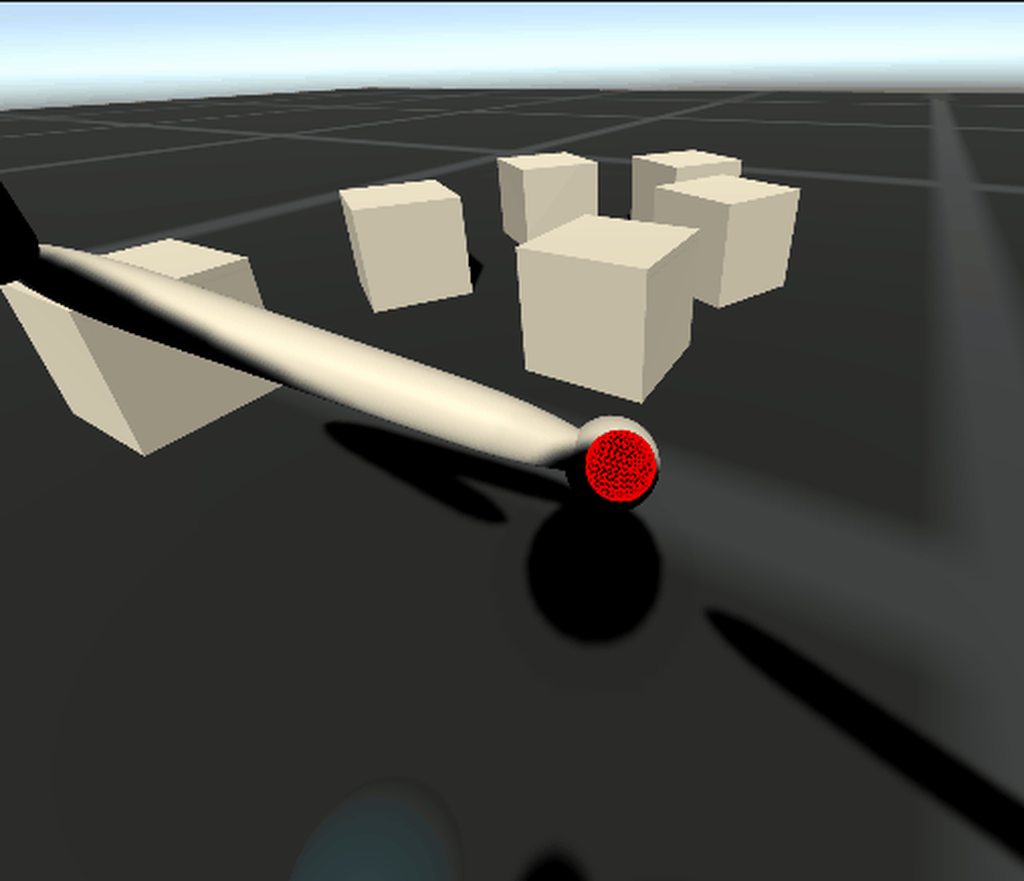
it works fine in first person too
this one has actual physics-joint based arms
(the other one does too, but they use invisible springs)
shell kayak
I see these experiments as a bit like you making a biosuit or an artificial body which you can design to work exactly how you like it, but it would take another person a while to learn how to use it, just like a baby takes a while to learn how to balance and walk.
I don't doubt that this movement works really well for you, but it's not going to be very approachable to new people
But maybe that's not what you're trying to do anyway
quartz slate
to be honest, i have found the controllers of most VR games to be needlessly over complicated and downright frustrating. The above gif has a grand total of three buttons used for control. the two grip buttons on either controller, and the joystick for turning. Everything else is juts generic tracking
it is my intention to address immersivity
shell kayak
You mean the goal of this movement system is to improve immersion in VR?
And reducing abstract button mapping helps with that?
quartz slate
well kind of, because our hands aren't operated by a bunch of buttons in real life, but this is just the primitive gist of a more dynamic body. I don't know how you define immersion, but I define it as lacking things that break the fluidity of the experience.
things that pull you out of the game break the immersion experience
hence, simplicity in controls (universality and dynamics in what it does have) is a good things in my opinion
the freedom that these controllers give is also important toward that end. If i decide that i want to do a big jump across the room and grab onto a rope, the fact that i can do that in the first-place, and that i can easily hit my target (my body does what i want it to do) enhances immersion
shell kayak
I'm all for new and interesting locomotion types. One of my favorites are Climbey and Jet Island. But I wouldn't put my 60 year old mother into those experiences.
And I think she would feel a lot more immersed in a mostly roomscale experience with a few teleports in between than having to learn a brand new movement type
quartz slate
Would you be interested in playtesting the controllers in the near future? i can guarantee (within reason) no nausea
i value the criticism
(would be a super tiny PCVR compile i suppose)
shell kayak
Sure, I'd be interested in trying it out
quartz slate
one of the major reasons why i do need to mak it work is for the purpose of actually interacting with my enemy characters
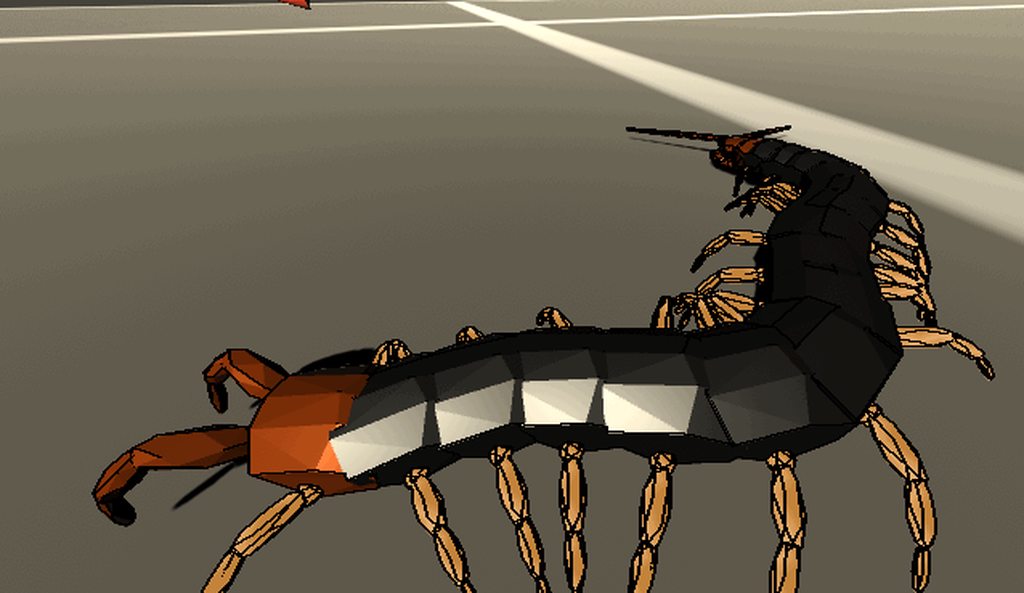
full blown physics ML-agents
this is the mainfront upon which i am battling immersivity
shell kayak
But you can agree that your locomotion system doesn't replace roomscale + teleport, right? There are pros and cons to any system.
Your system wouldn't work very well in a game like Job Simulator and it would make something like Superhot a much different experience
Onward would just be a bunch of spheres hopping around shooting people. It would probably be fun, but it wouldn't be a military simulator
quartz slate
once i have the best practices nailed down, i should be able to make room scale versions of this as well (where you can walk around and locomote). I dont see why teleportation could not be added
depending on how the agent gets constrained to the ground...
the whole purpose of this is unconstrained locomotion though
(eg:= if you get hit, you may be sent flying)
shell kayak
But there are constraints in real life too. I can't jump higher than a couple of centimeters in real life.
Games are all about constraints, that doesn't make it any less immersive in my opinion
quartz slate
that is a matter of the joint strength that drives the hands, and the buoyancy forces that keep the player body upright
super-hero level strength is simply more fun lol
plus i turn the forces up also as a kind of stress test on the physics
one of the reasons people avoid this kindof thing is general physics instability
it's really hard to work with physics joints
may i add you as a friend so i can contact you for playtesting?
shell kayak
Sure
quartz slate
sweet
shell kayak
Reducing sim sickness in VR is all about not doing unanticipated movement. If the user can anticipate how they are going to move, they're not going to feel sick. Often times, it takes time to learn a new movement system to be able to anticipate exactly how fast you're going to move, how you will accelerate. That's what people call getting your VR legs.
Your system is based on physics, so in theory, it should be predictable
quartz slate
i can confirm that
shell kayak
But if you're moving the head independently, I think it would be very difficult to anticipate the exact movement it's going to do
quartz slate
i know what you mean, but as long as the movement is non rotational, the nausea is really not an issue for some reason
i think that the physics nature oit it also helps with realistic accelerations and decellerations
the uncanniness of smooth turns affects me
even in this situation, i didnt feel really any nausea at all
it was quite exciting
shell kayak
It might not be an issue for you, but some people never even learn to handle basic smooth locomotion
quartz slate
I agree. the quick smooth turn is the only place that im using smooth anything
and it's the low point of the controller
i might try and make some kind of reasonable acceleration for it rather than deadzone + linear float of the joystick
the camera will always turn when you turn it, and then the player tries to resolve or that direction, and the IK follows the tracking space as well
i have several promising versions
including sitting and standing versions
(i really like sitting lol)
the above gif is a early and primitive version. the IK was a distaster and not working right, but i was able to instantly catch on
shell kayak
What's the hand-eye coordination like?
Won't it take a while to build the muscle memory for that?
In third person, I mean
quartz slate
in first person it's really good (the joints track perfectly, with a reasonable delay when you try to do unrealistically fast movements while holding something too heavy)
even in cases where the reach sale of the controller is way bigger than the player, it's still good
third person takes getting used to depending on the third person perspective difference and the reach scale
but it's all just a displacement and rescaling of normal spatial movement
so it works well
having a big reach scale is in and of itself a good thing in my opinion, mostly because it gets your hands a good distance from your body (in game) and allows you to reach and manipulate things with less locomotory fuss
 copper lantern
yo this is neat stuff mate
vestal flicker
What is the best approach for handling positioning / recentering. IE if i'm offset from my device setup state, doing nothing else. I'll move from my initial rig position when the game starts, also I would like to implement a position / rotation re center feature similar to walking dead.
I guess my initial approach would be to snapshot the difference after the first frame gives me the camera position offset and then yank it back, and recentering could just be offseting the camera rig position / rotation?
heady grotto
I think you're framing the problem incorrectly
The play space is fixed. It is an unchanging anchor. The player moves in relation to the play space, (hopefully) somewhere inside it
There's the center of the play space, again that's a fixed anchor, and where you want to encourage the player to be
There's the player's angle and position within the play space, which is relative to the game world
The play space's position moves relative to the world, but is always fixed locally
So, when someone presses the "recenter" button, their intention is to recenter the angle of the play space in relation to the game world, to the current camera forward
It's your job as a developer to keep guiding them to the physical center of the play space (see how SuperHot does it at the end of each level for an elegant example)
I'm not sure I explained that so well :/
vestal flicker
So when your game starts you determine if the player is offset from their "anchor" position and reposition the character controller there on the first frame so make sure they aren't stuck inside of any walls.
I guess another question is, the v3.zero anchor local position is always set to what ? Where wmr boundary / guardian was setup at ?
heady grotto
Better just to make a safe spot and park the whole playspace in it. You need to design levels differently in VR
vestal flicker
Atleast for my odyssey if i have room scale setup, seems like it's centered where i set the "center your hmd" thing in the setup window.
heady grotto
Honestly, I'd get the bounds, and use that center point rather than trusting the API
vestal flicker
That's one thing I couldn't stand about super hot, but i guess I was being a bad player, you have to stand in the perfect spot
heady grotto
Super Hot makes you walk back to the center of the playspace at the end of each level, what I was referring to
vestal flicker
I'm pretty sure walking dead resets the position along with the rotation
so if you move whever you want in your room you can set your default position too
I really like that flexibility
heady grotto
That sounds like a bad idea, but I haven't tried it
vestal flicker
sometimes i'm impatient when WMR resets my bounds everyday, i just hit the stationary thing and go
Walk over to where i want to play at, press reorient button then g2g
tiny niche
@vestal flicker a fairly common practice is to have a character controller chase the head of the player and all the collision resolutions are applied to the tracking space
heady grotto
WMR is better than Oculus 😆
Here's what helps: Go get some poster board and draw abstract markings on it with a big chunky marker. Hang that right above the center of your desk
I have vellum with marker designs on it ringing my office with white walls
vestal flicker
@tiny niche i'm doing that already, my main issue is if the player set up his default position 10 feet over, and start the game 10 feet from there, now they start in the wall
I'm trying to find out what is consistent about camera starting offset, is it when the game starts, is it based on the HMD boundary setups etc.
tiny niche
if you have a fixed starting point, then it shouldn't matter where the player is, during the transition
i would just offset the tracking space so the head spawns in the correct location
the player is then free to walk around and re-center themselves while compensating with the thumbstick
 cyan flax
I am in need of a few people that are interested in testing my alpha builds of my game. platform is oculus store on the rift or rift s, so you will need one of those headsets and access to the store. once your in the alpha you will see the game in your library. you will need to sign an NDA and I would like for you to also fill out a short questionnaire after each game session to give feedback and such. If your interested send me a private message on discord.
vestal flicker
So scene loaded - some transition (blacked out) determine if there is an offset and apply it - let them see
crisp moth
I'm at my wits' end with SteamVR input. Has anybody tried to implement full SteamVR input tracking or has encountered a minimalist plugin and bypassed the SteamVR SDK entirely?
I started to implement the OpenVR input manually but I realized it's just a monumental task to get it to work properly
my biggest issue is I can't just use Unity's new input system because it doesn't do finger tracking at all
and you can't just use OpenVR for finger tracking in a hybrid approach because initializing it overwrites the input manager
arctic kernel
Does anyone know some soft of a free anime model without all the details just the body. I'm trying to make a character customization for my game and i need bodies to work with for blender
heady grotto
Definitely in the wrong channel
 storm ether
Are there any tutorials out there on how to code support for VR devices?
heady grotto
@storm ether what do you mean, specifically?
storm ether
for instance, how can you add support for the Oculus Quest 2, input and all that.
vestal flicker
start with XRInput
i've probably spent 20 hours this week working on the same thing
so have fun!
OVRInput with oculus integration is the more specific thing, but doesn't handle WMR or index controls
so if you want oculus only go with OVRInput
storm ether
I see, thanks, so with XRInput you can support the HTC Vive and Valve index?
sorry if I am pedantic, there's so much fragmentation in regards to handling different VR hardware
quartz slate
basically you need to build conditional logic that can check for the existing device brands and deal with device connections disconnections manually
vestal flicker
valve index, from what I near, a pita to support since you need SteamVR for 2020+, but XRInput will handle the rest
Dang man, virtual desktop isn't too bad for unity testeing
screw the link cable
 cursive lance
I see, thanks, so with XRInput you can support the HTC Vive and Valve index?
@storm ether Might wanna keep https://github.com/ValveSoftware/unity-xr-plugin/issues/16 in mind as far as XRInput + SteamVR goes

GitHub
While I do get hand positions and controllers all the buttons are false or 0. I am using Unity 2020.1 16b and beta 7. I am testing with an htc vive with wand controllers, and STEAMVR 1.13.10.
vestal flicker
What grip threshold do you guys use for the oculus touch controls?
storm ether
@cursive lance yeah, I have been using SteamVR so far, its really nice once you get it working, I am just worried Valve might not keep it updated and then I'd have to find a different solution
cursive lance
Ah well I guess it depends on what platforms you want to support. I'm not certain if SteamVR inputs will work for Oculus (Quest / Rift)
storm ether
I have an oculus quest, input seems to be working
vestal flicker
Can't ship to oculus store with steam vr
so if you plan to do taht you need the other solutions
storm ether
I am shooting for Steam only, I guess I could eventually later make a copy of the Unity project and use the Oculus SDK, which probably is a lot of work, making games for VR at the moment is quite messy and uncertain 😕
heady grotto
No, that's the way it's always been, and what we had hoped Unity XR and hopefully sometime, OpenXR addressed. To eliminate juggling builds, plugins, different APIs and forced upon us abstractions.
The biggest issue now, in my mind, is that Valve isn't living up to their promise to port OpenVR to Unity XR. If they did that, then we'd have an interim solution until OpenXR is complete
vestal flicker
@heady grotto The controller offsets you were described, I wasn't clear on what you do with them. Do they affect visual hand model only? Or should it apply to the actual grabber / joints offset etc.
heady grotto
It seems like the controllers are correct, but the things I attach as children are a bit wonky. The easiest way I think, is to just have different child game objects that have different offsets per platform, then map and use those
quartz slate
i have found my quest headset to give unpredictable default offsets in its internal tracking space
@heady grotto create an hmd-origin offset by grabbing the hmd position on load, and add an hmd origin reset button combination like menu + trigger (oculus left menu button)
just subtract the offset from the live reported HMD position, and use that as your zero
vestal flicker
Just added something like that to yank my character controller on load. Seems like it takes several frames after the hmd is "present" before the camera reports position.
Do you recalculate everytime the hmd is taken on / off?
 lone knoll
in theory it should be possible to have a project per sdk and a syslink for the project specific assets combined with platform dependent compilation ( never tried that personally ) @storm ether
tiny niche
@vestal flicker you have to consider that the person playing might swap mid-game and the tracking space could also potentially change in the case of inside out tracking
vestal flicker
So the general approach sounds like what Chriscrass mentioned, could have their HMD initial position is the "zero" or if they press a recenter button, that current position becomes their new "zero"
I'm curious how some games handle the height so well, if I set my WMR hmd up pretty low, then put my headset on then i'll be like 10 feet tall
tiny niche
@vestal flicker most games don't re-scale the world to their user
so tall and short ppl inherently get a different experience
but it also makes the floor distance look correct
storm ether
in theory it should be possible to have a project per sdk and a syslink for the project specific assets combined with platform dependent compilation ( never tried that personally ) @storm ether
@lone knoll interesting, what terms should I look up on the unity docs to find more about sharing assets between projects for each VR SDK? I looked up syslink, guess you meant symlink maybe?
lone knoll
ah yes that one
got a context menu script for it i can drop u a link for it if u need
tiny niche
@storm ether you really don't need separate projects for each sdk though, just make sure wmr and oculus has priority over openvr/steamvr and you're set
storm ether
ah, thanks definitely needed to know that
tiny niche
i would not recommend symlinks for asset sharing either, they become a huge headache when doing source control
you could share a subdir of the asset folder using git submodules, but those come with their own set of headaches
not as bad as using symlinks though
vestal flicker
@tiny niche I meant if I don't set my "center" height when I setup my WMR boundary to my normal standing head level, then that becomes the standard head level. But it seems like some games automatically adjust this without any input from the user
Or I could be wrong, does sensor based tracking report a different initial camera position than inside out ?
tiny niche
@vestal flicker normally we get the head position relative to the center of the floor. I'm guessing you've set the tracking origin to eye level instead of floor/roomscale
both steam and oculus tracks the floor level for you, i assume wmr does the same
vestal flicker
I guess it depends if you do room scale or sitting standing in WMR
tiny niche
@vestal flicker its more about if you're doing a cockpit sim or not. unless you're trying to align the head inside something, roomscale is the appropriate choice
vestal flicker
I'm focused on full player controller movement. I'm just trying to determine if there is a standard across devices. If the user doesn't set their height correctly in the HMD settings, it reflects in game by making you too tall or short.'
Are you saying if you force room scale in unity api, it should fix that ? Doesn't seem to.
tiny niche
elite dangerous or dirt rally would be candidates for eye-level tracking, while something like star trek bridge crew would be better served by room scale tracking
if you pick room scale/floor tracking, then you deal with the floor position instead of the head in your game
vestal flicker
The camera should report its offset from the what is thinks is the "floor" at that point yes ?
vestal flicker
And if I have stationary mode setup in the HMD, but force room scale in the api, I think it stays at the device set level.
tiny niche
can you even force that in the hmd?
i suspect the game will just ignore it if you can
vestal flicker
If I chose sit / standing, and put my headset on the floor and snap it. That's my "head" position
tiny niche
yea that's not going to affect games, it's just telling you to stay put and in exchange it wont set up the wall boundary for you
vestal flicker
i'll do a quick test and see how it behaves
pine bison
https://twitter.com/VR_Toolkit/status/1309162370669871105
https://github.com/ExtendRealityLtd/Tilia.SDK.SteamVR.Unity

SteamVR 2 plugin for Unity wrappers now available for Tilia (#VRTK4)

 Twitter
vestal flicker
Twitter
vestal flicker
if I put my hmd on the floor and snap it, it reports 1.8m up on game start
if i put my HMD as high as i reach, it reports 1.8 on game start
doesn't matter
It seems like it's choosing this 1.7ish value as a standard height
Using the tracked pose driver
tiny niche
by game start i assume you mean once the game starts tracking? normally it takes a moment for the headset to start reporting positions to unity
vestal flicker
yes, once the game starts tracking the hmd, transform with the tracked pose driver reports around 1.7
tiny niche
and it was set up something like this?
i'm surprised the wmr software behaves so differently from the rest
vestal flicker
I think the difference is, guardian has a floor level when you do staitionary
WMR doesnt' have that
It has you "center" your camera, which really means, hold the headset where you will be at if you are sitting or standing.
I just set guardian to stationary with the floor at my chest level, and it behaves like you would expect
about .5 up off the ground
tiny niche
yea, both oculus and steam makes you calibrate the floor position when doing inside-out tracking
vestal flicker
by steam you mean index / htc vive
tiny niche
anything using steamvr, if i use my oculus device then i also have to do it
or had to at least, haven't checked in a while
vestal flicker
I've never been prompted to setup floor position with WMR on steamvr
but I think you can adjust the floor level in the settings
i've had to do that alot with my WMR headset
tiny niche
yea most games take advantage of that by using the floor as the origin. that way the floor calibration is system-wide instead of having to be done for each app
vestal flicker
this dumb thing
so i centered with the headset on the ground, and it reports about .05 up on start
which is expected
so it works fine as long as you set your boundary, but WMR forgets your boundaries easily.
tiny niche
the rift and quest also has that issue in some rooms
vestal flicker
But the stationary option giving a default of 1.7 is very strange
assume average person is 5.5 ft tall
tiny niche
1.7m is right around the average adult human
vestal flicker
The prolblem it's not consistent across devices due to this
WMR has low market share so I Guess you could ignore it
they can setup the boundary or adjust it in steam vr
tiny niche
wmr would only behave weirdly if not set up for room scale
but they are indeed a pretty small section of the market
vestal flicker
I've been struggling with these thing for months while devloping, finally got a cheap quest off ebay. It's so much better to dev on
tiny niche
i dev on a rift cv1. i imagine it would be really nice to be able to use passthrough to find the keyboard when wearing the headset
vestal flicker
UNITY works well with the quest virtual desktop.
no wires is nice, problem is it flickers my monitor black once the HMD sleeps.
Might just be my monitor thought
tiny niche
that's a gpu driver interacting with windows thing
vestal flicker
i have 3 monitors, 2 are the same model, the 3rd one doesn't do it
tiny niche
happens whenever a "display" is connected or disconnected
vestal flicker
v277u
tiny niche
some monitors handle it better than others
control+shift+windows+b can sometimes wake them up
vestal flicker
Looks like guardian adjustment mid game work on the fly, so just WMR stationary tracking is an issue
heady grotto
I actually prefer my WMR to dev on. It recognizes the room better, so I (don't) have to redraw the boundaries 5-8 times a day
Also, that flip up
But, I'm just using it for Play and rapid iteration. The Quest gets actual builds
The Quest controllers are obviously superior, in ergo and tracking, but I figure if I can make the game behave well on WMR, it'll behave great elsewhere 😆
vestal flicker
If you have some free time, can you determine the behaviour I mentioned above on your WMR in seated mode, if you place it on the floor, WMR center it, start up unity and see if you get around 1.7 height on the tracked camera.
no hurry just curious if its a samsung thing, wmr thing, old wmr version thing.
But I suppose it has to do something, since it doesn't give you the option to set the floor like Oculus Guardian does in sit mode
heady grotto
I won't have much free time in the coming days, sorry
 clear dune
Hi, does anybody know a possible starting point of simply integrating the oculus hand tracking pinch to select for UI with XR interaction toolkits UI selector?
arctic kernel
Hello, I am looking for people to volunteer to work on a vr project, the project isn't gonna be easy and will take a long time so if anyone is interested DM me and ill respond back. Thanks!
 hardy hare
 cobalt rover
I've noticed that WMR will not lose the boundaries between sessions as much if the lighting is consistent between sessions.
tiny niche
@cobalt rover avoiding close proximity to big furniture, like a desk is also important
 slim coral
Hey everyone! I am making a puzzle prototype where you have to place the green cable in the green outlet, red in red and so on. I am using an XRSocket Interactor on the outlet and I am trying to check if the correct colored gameobject is in the socket but I can't figure out what function do I need to call to get other gameobject's tag. Any ideas?
heady grotto
@tiny niche Yah, Oclus doesn't have great room detection algos, and my office is the worst. A big display with changing content, natural light sources that change throughout the day, and a standing desk that I use often
WMR though does better detection with marked shapes and filling in the gaps
pine bison
My solution is 1. Press play 2. Face the wall 😎
tiny niche
i don't have inside out tracking to deal with, but i still turn away from the desk when putting on my rift cv1 to test something
no reason to risk bumping into the keyboard/monitor when you have no reason to face the monitor
heady grotto
I have a huge design right above the desk, Oculus just doesn't get the memo that's static
 lost abyss
Hey folks! I recently ran into quite a weird issue... can anyone help me out?https://answers.unity.com/questions/1775117/vr-input-does-not-work-on-geographically-different.html
Unity is the ultimate game development platform. Use Unity to build high-quality 3D and 2D games, deploy them across mobile, desktop, VR/AR, consoles or the Web, and connect with loyal and enthusiastic players and customers.
heady grotto
Did you validate they set it up correctly by having them load in a free experience on the platform?
lost abyss
SteamVR Home works apparently.
The Oculus menu scene (not sure how that is called) works as well.
tiny niche
@lost abyss are they using a different windows account?
lost abyss
@tiny niche No, the same one as I did when I tested it.
tiny niche
@lost abyss then i'd give teamviewer a go, they must be doing something wrong
lost abyss
@tiny niche Yes, that's what I believe as well. And I think you're right. I need try teamviewer. Thanks for taking the time to answer my question!
 low creek
Im running SteamVR, it works in the build however after building it doesn't enable SteamVR. In the player log it says VR is disabled in the player settings even though I have it checked.
vestal flicker
Is drawing gizmos broken in VR ? Any easy solutions anyone is using to drawing physics colliders in the HMD?
shell kayak
@vestal flicker There's this
https://github.com/SixWays/VrGizmos

GitHub
VR-friendly immediate-mode gizmos for Unity. Contribute to SixWays/VrGizmos development by creating an account on GitHub.
vestal flicker
Sweet, i'll give it a try, thanks!
 ionic flint
anyone know how to export from unity into a .avatar or .vrm file?
 quaint moss

A detailed tutorial on how to solve the problem of input not working for SteamVR headsets in Unity when you use the XR Interaction Toolkit
 marble cargo
What's the best way to perform some logic while an Oculus Quest (and Windows, etc.) application quits?
OnDestroy isn't called when the user does the Oculus Button > Quit App call.
More context about my use case: I'm looking to signal a quick hang-up to Forge Networking when a user quits the app. Currently the other user needs to wait ~10 seconds of timeout when someone closes the app.
That can be on the order of like 50% of an entire 1v1 match time for this style of game lol.
(Yeah 50% is an exaggerated estimate, but matches can easily be less than a minute, so we want to get them rematched very quickly... and that doesn't work if we're unsure whether the opponent closed the app, or just had a connection burp.)
shell kayak
@marble cargo Is OnApplicationQuit called?
marble cargo
@shell kayak Nope.
I can see in the log that Unity is doing some cleanup work (RequestDestroyTexture, etc.) so they are getting a signal from Android/Oculus... I just can't see where (or if) they're passing one to me.
shell kayak
I know Oculus gives you some events, like on focus and such
Was one of them on quit?
marble cargo
That's basically my question.
I've been googling for a bit and as far as I can tell, no... and some sources say that they don't respond to questions about this on their forum. https://stackoverflow.com/a/57929320/2121765
But I'd like to hear if anyone knows anything more about this.
storm ether
How Can I check if player is using VR
 balmy elbow
I am using the SteamVR plugin thing, and my hands in VR are holding on the ctonrollers. How do i make it so that they behave like they do in HL:A? whenever I turn the tracking to "with controller", it lags super bad.
 odd hare
Hey guys, is there is totally noob guide to setting up a VR project?
I've just been going for one evening - set up with SteamVR, because I have a HTC vive, and saw the thing about Unity XR not having full steam VR support. But I'm going to try another project with XR instead.
Everything seems to be working great for me, with the exception of graphics issues. I'm getting this weird "sparkling" effect, which I assume is caused by anti-aliasing. But not sure if that's "just normal" or something I've done wrong. It's disconcerting, especially around the edges. And some other issues like this weird paper-cutout-looking glitch when I was using a depth texture. I can deal with each issue if I can find the right keywords to describe it - but is there some sort of setup or graphics guide that can just walk me through what settings to use, what changes (shadowmap, different AA, etc.) tend to help/hurt, and the like?
 amber river
How do we include Mixed Reality Scene Understanding SDK into unity.
I have downloaded the SDK through nuget package manager but how do I include it in my csharp script
odd hare
I'm not sure what you mean, I'm new too. But if you're asking how to get Mixed Reality working, there's a youtube tutorial that talks you through it here: https://www.youtube.com/watch?v=PV8ycLfXFyM

Finally got my hands on a Microsoft Windows VR Headset. Definitely still an early platform but I am excited for its potential In this video, we go over why you might consider developing for the Windows VR platform and how to use their API within Unity. There are still a few b...
But it might be easier than that. I think you can load the Unity XR package, and that comes with Mixed Reality support. I'm not sure.
(I looked at VR with Unity for the first time just last night)
 quartz iris
idk lalith sorry
does anybody have anything or any tips about getting really performant stylised water on devices like oculus quest? I found a good looking one that works on the asset store but unfortunately I can only get like 50fps which is really bad for VR
connecting the quest to the profiler im getting like 20fps but that's understandable
80% of that is semaphore.waitforsignal
this is the readout
PostLateUpdate.PlayerSendFrameStarted is what was encompassing semaphore.waitforsignal
which I think is just the profiler
this is the water shader im using
reviews say it's perfect for quest, which i really dont understand, since its making the game lag greatly, which makes me think im doing something wrong
i can give more info if needed
any help is greatly appreciated, pls @ me tho since this channel doesnt get a lot of activity
XR Interaction Toolkit btw if thats relevant
oh the rendering path was set to deferred, imma be honest idk what the difference between forward and deferred, ill look it up
odd hare
@quartz iris You mention stylised water. Does the water have to be genuinely transparent? If you can make it a solid object to remove overdraw that should help performance (and then maybe use tricks like parallax to fake the depth or transparency)
Forward rendering path means it calculates the scene all together. geometry, lighting, etc. - deferred means it calculates some parts separately, such as handling all the lights separately to the geometry. It then adds those parts in later (it "defers" dealing with them until the end) Deferred gives some big advantages, such as letting you have more light sources - but has some disadvantages like more troubles with transparency.
Apparently forward is usually preferred for VR, because of MSAA anti-aliasing, which can't be done with deferred, and we need fast AA for the high frame rate. But I'm new to this, so grain of salt!
This is just what I figured out last night trying to get stuff working for myself. It might not be accurate, or might be outdated. I dunno!
quartz iris
oh I see
thank you
I'm using the package's shader rn, and due to numerous problems with URP i switched to the Standard RP, so there isn't some shader graph I can just edit
I would absolutely turn off reflections and transparency all together, I'm only really looking for a zelda windwaker type deal
all i really need is a moving foam pattern
I was using this, but it's kinda unnecessarily detailed
 static sandal
Hello, im trying to use single pass instanced but my text mesh pro only visible in one eye. How can i fix that? thank you
 floral gorge
how should i make player move and do stuff with physics in unity when using steamvr?
i am new to vr development.
also i have issue with hands offset. (using behaviour pose for the objects to move em )
tiny niche
@floral gorge i believe steamvr comes with a character controller sample
floral gorge
I couldn’t find it when I searched trough the files. I only found steamvr ik sample which is broken.
vestal flicker
Copied my project to test WMR XR plugin vs OpenVR legacy, and there are some crazy graphics glitches, anyone have this issue in the new plugin ?
vestal flicker
Must be due to WMR only supporting Single pass i guess
odd hare
@floral gorge remove your camera from the scene, and put the SteamVR and SteamVRRig prefabs into your scene root.
@vestal flicker it could also be because of depth textures. I've had that cause me problems.
vestal flicker
Not sure what you mean? My scene is pretty basic. Do I enable shared depth buffer, or increase the bit ?
The issue is at the left most and right most of the eye, lots of black tearing.
storm ether
So im trying to network a vr game. i know that i can get the Finger Curl value from SteamVr behaviour skeleton and action skeleton
however how do i apply this to the "ghost" or "copycat" hands for the second client
 formal jetty
Why can i not check oculus even though i installed it? i already tried restarting unity and reinstalling the package but i just cant checkmark oculus
heady grotto
No errors @formal jetty ?
heady grotto
Also check the Unity editor error file, Sometimes it's easier to restart Unity, check it, then open the text file
 idle meadow
I'm having a weird bug with the xr system
using index controllers, a ton of the buttons are being registered as the same input
like grip and the b button are seen as both the grip input
touchpad and thumbstick are both Primary2DAxis
thumstick press and touchpad touch are both Primary2DAxisTouch
also the finger tracking isn't registering any info
vestal flicker
Benjamin, you're using 2020 with WMR plugin right ?
vestal flicker
Inputdevices events dont' fire in build ?
heady grotto
They're picking up for me. I'm listening for new devices and sorting by their intent
vestal flicker
Which event do you subscribe in, awake, start or OnEnable ?
They fire in the editor, just not in the build
vestal flicker
The HMD connected event was firing before any unity event was up, but didn't behave like that in the editor, strange
Just force checked for the status of the HMD until it showed up =/
heady grotto
@vestal flicker Here's the gist of what I'm doing, seems to be working fine for WMR and Oculus on XR. It's pretty much what Unity recommended
Pastebin
Pastebin.com is the number one paste tool since 2002. Pastebin is a website where you can store text online for a set period of time.
vestal flicker
You're using a different event. I was using inputdevicr.deviceconnected
Why is there so many damn ways to do the same thing lol
Essentially in editor I get the hmd device connected event. In build I don't. I just pulled for xrnode head mount on start and I'm good now.
 woeful dagger
I can't find a way to make games for the quest can someone please help me.
cursive lance
I can't find a way to make games for the quest can someone please help me.
@woeful dagger This should be a good start: https://developer.oculus.com/documentation/unity/unity-gs-overview/
Overview topic that summarizes the process to get started with Oculus app development in Unity
 junior heart
In OVRGrabber you can override GrabBegin, but not GrabEnd. Is there a similar function that can be overridden when the Grabber releases a Grabbable. I already override GrabBegin and GrabEnd of the OVRGrabbale, but this doesn't have a reference to the grabber, which I need. As I want to change the appearance of the grabber when it grabs something, and back again when the grab even ends. (Sorry for such an Oculus specific question. I hope this is the right place for it)
 sullen shard
Hello there ! I hope I am posting in the correct section : I own (at work) 2 oculus quest (v1), and an official Oculus Link. On Unity 2020.1 & XRSDK pipeline, I am NOT getting both of my quest to work inside the editor. If anyone got any hint, that would be cool ! They are bot freshly up-to-date as Ive reset them both yesterday.
I am on w10, everything Unity related is up-to-èdate, same go for the quest / oculus software :/
[EDIT] WOOPSY ! It is working ! Ocuslus integration wasn't in my project, and Oculus wasn't checked inside XR plugin management, for Windows 😄 Also, un-pined game window from Peek was messing with the loading. Thx for your help, duckies 😄 🦆
storm ether
Hi, I have an Oculus Quest, in order to quickly(no need to put the headset on and off everytime) dev/test things I have setup a non-VR camera, the catch is the controllers input is only active once the headset is worn, so as workaround I just put black tape on the light sensor so the headset is always on.
Now I am just a little concerned about burning/ghosting the screen if its left for too long on a static image.
Does anyone with an Oculus Quest know if it can be left for hours on a static image, does it get screen burns/ghosting? or even just any headset in general, just curious if that can happen, would be good to know what could be done to mitigate it.
junior heart
@storm ether In theory yes. The original Quest has an Amoled display and as I understand it they can suffer from screen burn in issues. It's quite hard to leave the Quest on a static image though, unless you do it intentionally, as the displays are turned off when the headset is removed. You'd have to put something over the sensor to trick it into believing the headset was being worn.
@storm ether Ah, I just read the bit about the black tape. In that case, be careful 🙂
storm ether
Yeah, the only "problem" when I am not in Play mode, it displays the SteamVR environment (pruple sky, mountains and stars) and the floor with the lines and circles, that might get brunt on the screen I guess
Edit: so you can make the SteamVR environment black (custom background image in: C:\Program Files (x86)\Steam\steamapps\common\SteamVR\resources\backgrounds) and make the chaperone black too, can't get rid of the white lines on the floor though, so I'll just tilt up the headset and its all black, no screen burn
tiny niche
@storm ether i doubt its possible, since unlike your average monitor, the quest flashes the backlight to essentially clear the screen each vsync
so it generates a lot less heat and as a consequence consumes a lot less power that way
that said, you can usually design most interactions with an abstraction layer over ovr grabbers and the like. That way you can debug mock interactions by using the timeline
the only time you need to actually use the headset is when testing level design, calibrating controller/hand positions and doing things like tweaking the values of a throw mechanic
heady grotto
@tiny niche I don't think that's how AMOLED displays work. They don't have a backlight, and they do burn in
I have an older AMOLED phone that has the keyboard burned in the bottom
vestal flicker
@storm ether the oculus developer hub has a toggle to enable or disable the proximity sensor, you can use this to quickly turn it on or off
Sometimes it doesn't work but usually does
I haven't had it keep the headset on when I didn't want it to, but sometimes the headset doesn't come on when i disable it every so often
storm ether
@vestal flicker oh that's exactly what I need, thanks
thanks a bunch for all the help and info @tiny niche @heady grotto
heady grotto
@storm ether I try to keep an eye on my Quest. It seems when it's connected to the PC, it stays on or turns itself on more than I'd like. Often times the performance overlay is up, and I could imagine that getting burned in
vestal flicker
@heady grotto You're using XR plugins right? When I test my WMR with the xr plugin I get crazy artifacts near the edges of both left and right eyes, have you experienced this? Doesn't happen in native openvr
Oculus works like normal
heady grotto
Hm, not that I recall, but I haven't spent a lot of time with the WMR yet. They just recently put out a fix so it doesn't flat out break my multi-display system
I've been so busy with work work, I haven't had much time to tackle my pet projects in VR
Does it show up in screen captures?
storm ether
Often times the performance overlay is up, and I could imagine that getting burned in
@heady grotto
oof yeah, so many random things that can pop up, go unoticed and burn the screen, would be nice to have an option or some tool that keeps the screen off or at least filled with black pixels
tiny niche
@heady grotto yea i was thinking of the quest 2
but the quest still has active cooling i believe, which might prevent it
@storm ether normally the screen is off when the sensor doesn't detect a head. the problem occurs when people cover it
storm ether
if the headset is off, there is no controller input
tiny niche
i expect there's an off switch though
well if you run your app, you could just turn the display off manually by disabling the main camera
or turn it black i mean
idle meadow
can someone explain to me why the xr interaction toolkit doesn't properly map half of the index controller buttons
idle meadow
is there a way to customize the bindings
not being able to use the A button is a deal breaker
idle meadow
oh, great
on top of everything, joystick click doesn't even work
it just registers that when the joystick is all the way at 1
doesn't matter if you actually click it
junior heart
In OVRGrabber you can override GrabBegin, but not GrabEnd. Is there a similar function that can be overridden when the Grabber releases a Grabbable. I already override GrabBegin and GrabEnd of the OVRGrabbale, but this doesn't have a reference to the grabber, which I need. As I want to change the appearance of the grabber when it grabs something, and back again when the grab even ends. (Sorry for such an Oculus specific question. I hope this is the right place for it)
@junior heart I couldn't find a way to do this, so I just stored a reference to the child object on GrabBegin, in my grabbable code. Maybe not ideal, but working.
storm ether
why wont the XR Interaction Toolkit show up in my package manager?
junior heart
@storm ether Do you have preview packages enabled? The XR interaction toolkit is still in preview.
junior heart
np
 granite nymph
@formal jetty Did you get your Oculus check problem fixed?
formal jetty
Ill see today and if it is ill tell you
 tiny rose
How to get Oculus Quest gyroscope data?
shell kayak
@tiny rose Have you tried the Gyroscope class?
tiny rose
@shell kayak I've tried to get it through Input.gyro (which is Gyroscope class), but got only zeros
 leaden stirrup
With EditorXR on 2020.2, why can't i see the editorxr window in the windows list
 frank lion
Hi,
I'm using Unity 2020.1 with HDRP, VR and SinglePassStereo
I was about to make some UI but I noticed that no UI elemets not even in worldspace show up in the right eye.
They all only show up in the left eye. Im guessing there is some problem with the UI shader that it's missing some stereo single pass transformations. Could anyone help?
EDIT: Found this and it works perfectly.
https://www.gamasutra.com/blogs/TravisHawks/20200224/358618/Fixing_WorldSpace_UI_with_Unitys_HDRP.php

Unity's HDRP can create some beautiful projects, but in cases where you need to incorporate world-space UI elements, things don't look how you would expect. It was a challenge to find information about this online, but the fixes are actually pretty easy!
uneven bridge
Guys I know that this is probably really simple but does anyone know how to make my hands not go through the ground/table when I slam them?
formal jetty
@granite nymph nope still doesnt work
NVM Fixed it... needed to update xr toolkit...
@uneven bridge also same thats weird, i tried adding collider and rigidbody and everything to no avail
vestal flicker
@uneven bridge dont hit your table so hard ? 😄
 frigid void
So I'm trying to make Oculus Quest stuff but I can't get the SDK/NDK with Unity because Unity Hub won't install them and they don't come with the installers from the Unity website. Is there another way to get them?
vestal flicker
Has anyone ordered index controllers from steam recently? If so how long did they take to arrive?
quaint moss
@frigid void you can install them with Android studio
 odd tusk
has anyone seen the issue where like opening the steamvr menu somehow freezes your game ?
 final basin
I ordered my index controllers a few months ago. It said to expect 8 weeks but they actually arrived in about 3
vestal flicker
Cool, just ordered and it says 2 weeks, hopefully sooner.
 quiet sun
I am trying to get the XR interaction toolkit, I have the preview packages enabled but I still cant see the XR interaction toolkit anywhere? any suggestions please?
tiny niche
@quiet sun you're likely on an old unity version
quiet sun
is 2020.1.4 considered an old version?
tiny niche
@quiet sun no, you should be seeing the package then, provided you're looking in the correct feed
quiet sun
@tiny niche I click the Window dropdown and select the package manager, I click the gear icon and select Advanced project settings, I then put a tick in Enable Preview Packages, and nothing happens. I kind of expected a few options to open up but nothing seems to happen at this point.
tiny niche
@quiet sun are you even browsing the "unity registry" feed though?
you wont see any packages pop up unless you do that
quiet sun
@tiny niche Thar she blows, No in fact I wasnt, Thank you for this you have solved my problem. The system must have defaulted me to "in project".
 spare sail
Hello, I am noticing anytime I download and even before I instantiate I see a spike in FPS. is that normal for unity? its causing FPS drop and it can cause nausea to my users when swapping items
I understand it can spike FPS when I instantiate and I can group that together but the download being async calls as webrequest, I cannot control. Any suggestions?
tiny niche
@spare sail nothing you can do about it, the spikes comes from a garbage collect and i don't think unity has the allocation-free version of web requests
even then, you're still generating garbage when loading assets like models and sounds
 small nova
Anyone using URP, Universal Render Pipeline, with Quest? I was on SRP, just updated everything to URP, and my game freezes on load. All I see is the first frame of the game.
Would anyone recommend URP, or SRP for Quest? Are there performance benefits to updating to URP or is the stability of SRP worth it?
heady grotto
URP can be much faster, but the only way to know is to try it out with your specific project
copy your project into a new folder, and then try it out
vestal flicker
Ordered index controllers on 1st and will be delivered on 7th already
Not looking forward to the mess that steamvr is though :/
 dark leaf
anyone know how i would go about shooting something out of one of my hands (like fire)
hard carbon
@dark leaf Get controller position, and direction. Instantiate object at position, move it in direction. You now can shoot out of your hands 🙂
I would probs do fire as a particle stream, with random velocity in the controller direction. Add colliders to particles and they can actually hit stuff
dark leaf
That's what I was thinking. I just have no idea how to do it.
tiny niche
@dark leaf there's plenty of tutorials on the particle system on youtube
dark leaf
not particle system
the get the controller pos & direction, instantiate object at pos and move it in the direction
not too sure how to do that
tiny niche
you've got an xr rig or equivalent, it has game objects with the controller positions
 novel slate
Hello all, can anyone please help me either set up a gun that shoots with raycast with either XR or steamVR controller? Or.. I have a working gun in XR with Instantiate, but cant get it to give damage to a target. Any help would be appreciated, watched every tutorial I could find.... Ive got my first game mostly made but I need a working gun. Please help.
hard carbon
@novel slate
Ray myRay = new Ray (controllerPos, controllerDirection);
RaycastHit hit;
if (Physics.Raycast(ray, out hit, gunRange) {
  if (hit.transform.TryGetComponent(out Enemy hitEnemy) {
    hitEnemy.ApplyDamage();
  }
}
To implement this, you obviously need an Enemy class, a Gun/Player class with access to the controller transform, and a Method to wrap this code in.
novel slate
@hard carbon Thanks but I'm not good at coding, I have a working FPS controller and enemy's. I'm trying to learn but beginning to think I wasted my time doing this game. I really wanted to learn how to make a FPS game in VR, but its looking like I cant without help.
A demo scene with a gun and a cube that will take damage would teach me what I have to do. Or a good tutorial, but all the tutorials I do, things just dont work.
hard carbon
Hmm VR probably isnt the best place to learn gamedev from scratch. I highly advise that if you want to get into gamedev, do some really basic tutorials and build upwards. VR can come later, it'll still be here. If you need a good tutorial base, I recommend Brackeys on youtube
novel slate
Thanks I've watched just about all his vids. This is my first time doing this and I have all my other parts worked out. I really just need help how to add damage and I should be good.
hard carbon
Well, to breaks it down a bit more:
You have your FPS controller which should have access to your controllers Transforms and inputs, because they are a key part of your players functionality.
So, in that script, you want something like
public Transform controller;
public float gunRange;
void Update () {
  if (MyInputMethod.GetDown(Trigger)) {
    Fire();
  }
}

void Fire () {
  Ray myRay = new Ray (controller.position, controller.forward);
  RaycastHit hit;
  if (Physics.Raycast(ray, out hit, gunRange) {
    if (hit.transform.TryGetComponent(out Enemy hitEnemy) {
      hitEnemy.ApplyDamage();
    }
  }
}
Then, on the object you're firing at, you have your Enemy script. You want to make sure your enemy gameobject has its collider on the same object as the enemy script or this wont work.
So:
public class Enemy:MonoBehaviour
{
  public float health;

  void Start () {
    health = 100;
  }
  void ApplyDamage () {
    health -= 10;
  }
}
And ... thats pretty much it. You add things on top, like UI and maybe you want a weaponDamage system, but this is the skeleton it will all rest on
novel slate
Thanks man Ill give it a shot but I dont know anything about raycasting. Ill try. Is that similar if I go with the Instantiate method?
I appreciate the help!
I don't know anything but aren't the rays supposed to be coming from the gun and not the player? My player doesn't have a gun, I pick 1 up... So do I just put that script on my gun?
tiny niche
@novel slate its the gun that you want to do things with, so put it on the gun
you should also go through these tutorials, they'll give you a decent c# foundation https://docs.microsoft.com/en-us/dotnet/csharp/tutorials/intro-to-csharp/ you really can't get by without it

Learn C# in your browser, and get started with your own development environment
novel slate
Thank you ill check it out
 lunar laurel
Has anyone noticed when a Camera is rendering to an outputTexture, it will actually only render from the right eye to the RenderTexture...
Is there any way to render from the center eye ?
tiny niche
@lunar laurel there are ways to do it correctly, but the whole approach is different from when you render from a regular camera. i would recommend looking up a vr tutorial on it
i know oculus has one at least
lunar laurel
@tiny niche I'm sorry to ask but would happen to have a link for this ? I spent my whole afternoon searching for recent tutorials on unity vr camera with no luck
tiny niche
@lunar laurel sadly i don't i just remember stumbling over it years ago. i think it had something to do with the compositor that merges the left/right eye and being able to grab a copy of the output
lunar laurel
Alright thanks
 novel ingot
Hey, I'm trying to set up a shooting system in VR and I'm trying to use collision for when it hits the enemies. On the enemies there's a rigidbody and a box collider (with is trigger unchecked) and on the bullet theres a box collider as well and a rigidbody but when I try to detect it with this script no collision is detected:
{
void OnCollisionEnter(Collision collision)
{
Destroy(this);
}
}```
The script is attached to the enemy and the enemies are also spawned when the game starts. Is collision or shooting in VR different than a normal 3D game? river sandal
What is the most common button used for Vive teleporting and Holding objects?
 sturdy crest
I'm doing a cardboard app for myself, and am trying to hook into the GVRReticule and GVR controller objects. I'm just trying to figure out how to take a button press (figured this out already) and activate the selection action for the reticule. Is there just a function I need to call, I can't seem to figure this out.
 wanton steeple
Anyone know how to use cmd.DrawRenderer with singlePassInstanced?
the renderer is only drawn in the left eye
tiny niche
@wanton steeple what's cmd? are you trying to draw an individual frame in vr? i doubt that's supported and even if it was, you'd end up introducing a lot of latency and end up with much worse performance
wanton steeple
sorry i meant CommandBuffer
I made an outline effect in URP, i wanted to make it VR compatible
part of the effect is drawing tagged objects as a solid colour so it can be blurred
i loop over them and draw them with DrawRenderer in the render pass
tiny niche
oh, not going with an inverted hull?
wanton steeple
nah not a fan
and i am bluring it
so it needs to be a fullscreen
here is an image of my issue
this is the left eye only
the shader draw left eye green and right eye red
as you can see the left eye can see both left and right
using DrawRenderer
tiny niche
i think you need to read up on how the single pass stuff works. if i remember correctly, your render loop needs to be doing the drawing for both eyes
wanton steeple
oh really?
i have made my shader Single Pass Instanced compatible
and it is drawing it twice
tiny niche
it's called single pass instanced for a reason. so you'd have 1 vertex buffer and do instanced rendering to get the model to output on each eye with a separate view matrix
yea, but is it passing the right parameters to the shader? never done this myself, but i suspect that might be the issue
wanton steeple
well i think it is, because my blit operations are recieving texture2d arrays
tiny niche
aka you're getting 2 renders, but its the same view matrix used twice
wanton steeple
ok so because im using draw renderer i need to do it for both eyes?
i would be inclined to agree with you, but my current single draw renderer is producing two objects, one using the left index and one using the right index
its just on the wrong eye
tiny niche
i suspect thats the case, or it simply needs some trickery to get the view matrix for each eye into the shader when you use it
afaik. its just the 1 frame buffer everything is using, so getting the 2 objects on the same eye should mean you haven't managed to get both view matrices passed to the shader
i dunno the correct procedure for making that happen though
maybe there's a special vr version of the command buffer or DrawRenderer method?
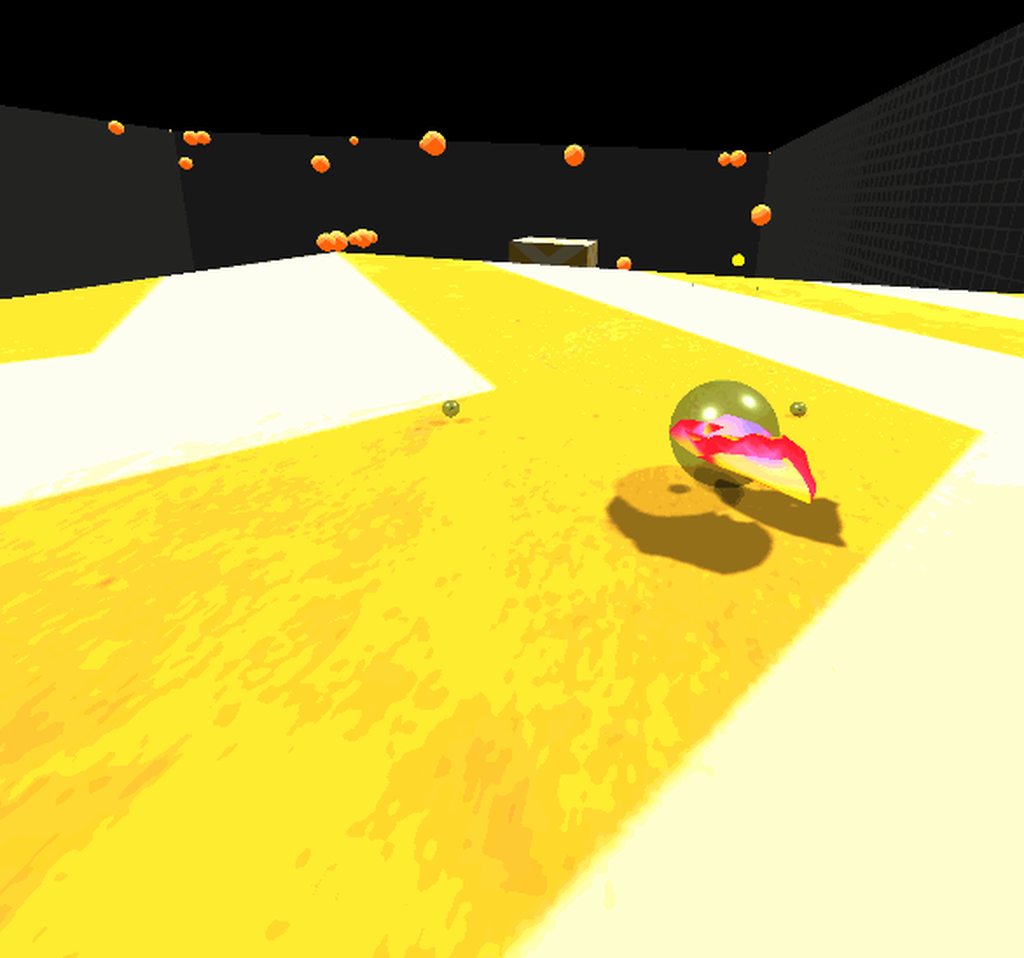
 wanton steeple
@tiny niche made some progress last night. Turns out it is my blitting operations that are messing up the eye placement. I tried the shader as an applied material to the object and it worked fine, I then tried using DrawRenderer straight to the current target without any blitting back and forth. It also worked fine, so the shader checks out and the DrawRenderer function works fine with single pass instanced (no additional draws required)
I will take a fresh look at how to do blitting with VR later and I am sure I will crack it.
tiny niche
@quartz slate looks cool, but what about motion sickness?
it seems like it'd be pure hell in that regard
quartz slate
good question. I designed it with motion sickness as a main consideration after an incident that nauseated me (strapped myself to a spinning frictionless disk by accident) (LOL what a typo!!!!)
even though the gif looks a bit stuffy and jittery, it's actually really smooth
especially in third person, there is no claustrophobia or sudden turning movements
since you can see the body, and since it reacts how you expect and want it to (especially the hands), it's really easy to get addicted to
i also made a third person sitting control space
these gifs were made while i was sitting down
tiny niche
i'd recommend widening the field of view on your screen captures, might give people a better idea of what its like
quartz slate
yea... im recording directly from the unity editor so the FOV that gets shown is always strange
i should look into that
in order to make sure i capture the top and bottom of the HMD screen, i make it skinny like that
 shy cipher
Hi there, I start learn VR today, but it has a lot of plugin to develop (VRTK, Unity XR toolkit, Oculus, steam VR,...). I am so confusing and overwhelmed now.
Which plugin should I learn.
I have Oculus Quest. Thanks all!
pine bison
The Unity XR Toolkit is a good place to start, even if it's still changing. You should look up Valem's tutorials on youtube @shy cipher
shy cipher
Thanks @pine bison
pine bison
The Oculus documentation is pretty good for getting started as well in my opinion, but that will lock your program to oculus of course :)
shy cipher
Can we use both Oculus integration and VRTK in a project? @pine bison
pine bison
Yes, VRTK is just a wrapper for any kind of input device
shy cipher
💯 Thanks!
pine bison
The problem with VRTK right now is that the one in the asset store is deprecated, and the new V4 is still under development (as well as being quite a bit more complex)
shy cipher
May I ask last question. Any good book to start with VR but not too outdated?
pine bison
Hehe. No
It's moving too fast, at least in Unity
There are books about VR more generally that might be useful, but not for specific questions
 olive ingot
has anyone had any luck getting TextMeshPro to render in both eyes w/ Single Pass Instancing?
spare sail
hey guys,
in terms of downloading data in VR. how do you guys handle that? I am trying to swap assets on demand inside the VR but the instantiation or asset loading ends up freezing frames
I cannot download them before hand because that would be too many combinations that I would have to download to anticipate the users action in-game
olive ingot
I've been trying to figure it out past week with no luck
@frank lion 😦 going by the forum posts i've found, it's been an issue forever. pretty lame.
 slender vine
Hey all - just found out about not being able to target quest as a platform without pitching to oculus first.
But I've read that there are ways to have an internal non public test build by going through submission a different way, is this possible?
eg. target rift platform, upload as apk, access on quest?
olive ingot
@frank lion imported my project into 2020.2b4 and switched to the preview of HDRP 10.0.0 and it works in both eyes
 simple tartan
@slender vine you can run the game straight on the quest via a cable
from the editor
and deploy to it like a normal APK to run it standalone if u want
well at least you could 6 months ago
olive ingot
yea there is nothing to stop you from making quest native builds
the restriction is on distributing via the oculus store
simple tartan
quest is basically just a specialized android phone
slender vine
Yeah that's still possible @simple tartan but it's more for remote testing, easier to go through official channel than using ADB and sending APKs
frank lion
@olive ingot wow, no way!
olive ingot
yea i spotted a thread from august where a unity employee said there was a fix in 2020.2 and would eventually make its way into 2019.4 🤷♂️
but now that i'm in this cutting edge beta version, its not letting me change values in the transform inspector 🤔
tiny niche
@slender vine you can most likely use this for it https://appcenter.ms/ it has an app that you download and install the apk's from and it supports automatic updates
Continuously build, test, release and monitor apps for every platform.
i've used it to manage test releases of mobile android games, but i assume the quest also uses regular or apk's to install vr apps
slender vine
Yeah quest runs via APKs but the issue is there's no access to an external store, does appcenter supply an APK for its own app?
I'm not sure if the quest will allow it file management privileges enough to install other apps.
Sidequest is the most used sideloader app for quest and it just runs from desktop direct to your device but handles the adb stuff for you
vestal flicker
Is there a good solution for recording your VR gameplay? If you just record the Unity output window everything is a bit zoomed in.
 mellow iron
heyo! Anybody here working on hand tracking projects for Quest/Quest 2 or other hardware? There's great panel with the Ultraleap devs coming up for VR hand tracking devs & interaction design folks that could be really interesting 🔥 Total transparency, I work with XR Bootcamp so please lemme know of any thoughts or questions ☺️
https://www.eventbrite.com/e/behind-the-scenes-with-ultraleap-lessons-learned-development-interactio-tickets-123323210041?aff=erelpanelorg

Eventbrite
Behind the Scenes: Ultraleap team leads sharing insights and best practices around development, interaction design, and UX/UI approaches
novel ingot
Does post processing work with VR?
tiny niche
yes*
novel ingot
Why won't it show up then? I created a volume with a post processing volume on it and put the post processing layer on the camera
olive ingot
so i'm using HDRP 10.0.0 and i just did a build and the game window no longer mirrors the VR perspective. anyone know if i need to change something so that it goes back to how it was before?
olive ingot
actually seems like its more of a 2020 thing... did a build with 8.2.0 and its also not showing anything in the game window
vestal flicker
SteamVR with Oculus just snaps the Grip analog value to 1 halfway through. Is that a bug ?
doesn't report increments in between 0 and 1
pine bison
@slender vine Oculus said at Connect that they are working on a new pipeline for distributing builds, which should include non-store options. It's coming in 2021
slender vine
Ah yeah I remember that, guess I'll have to stick to apk sharing for now then! cheers @pine bison
Another question - I'm getting the black screen in quest builds error that a lot of people seem to have, I've followed a few solutions but I'm not able to solve the problem.
I followed the official oculus quest unity guide so I'm using the new xr plugin management which means I can't use half of the solutions.
Has anyone figured out what might cause this? My test scene is basically just an empty scene with some boxes, directional light and the OVRCameraRig
I have audio in the scene triggered through an animation track for testing which does play in the background so the app is definitely running (not crashed)
(Part of the reason I've been trying to find a better way to test builds is that I'm having a friend test the builds on his quest as I'm waiting on the quest 2 shipping before I can test locally which makes the troubleshooting a lot slower.)
slender vine
tl;dr: Black screen in quest build pls help
vestal flicker
Could use some vive testers for feedback on my HA: Alyx physics interaction framework I'm working on, pm me if you're interested.
slender vine
Just curious - Is it vive exclusive or is it multi-device but you're working on vive compatability?
vestal flicker
Targeting every device, I just need feedback on Vive controls since I'm used to Oculus style controls. The trackpad makes it difficult to get movement / turning right I guess.
My original version had teleporting on the downstick, and Vive users were teleporting when they didn't want to 🤮
slender vine
yeah movement has always been a bit weird with the vive sticks
frank lion
I could help you with Index 😄
vestal flicker
I'll be updating my demo soon with Index steam vr support
within the next few hours, just got in my index controllers 🙂
slender vine
Man I wish you could edit a bunch of unity project settings at once
I have to wait for probably an hour because I have to convert texture compression, color space, graphics apis and a few other things and I cant change them all at once
for every changed setting have to sit through this
😶
At least in newer versions they're working in this issue
vestal flicker
Could you just open the text file backing the settings and modify, then open unity
IF you knew what needed to be toggled
pine bison
I was thinking that as well, the issue would be the values yeah
 tawdry thicket
Got a question about VR Toolkits I should be looking to for new project, would love to get some opinions on, for a new VR project should I be focused on Unity XR, oculus integration toolkit, or VRTK, I used VRTK years ago but haven't done much in unity since. Got a demo with both XR and oculus working last few days
quaint moss
@slender vine yeah, you could work around the problem by making a blank project, copying over your current settings, save the player settings file backup and then make the required changes and compare
And then apply the diff to the big project
Agree that it could be improved in UX
novel slate
Does anybody use playmaker in here? I'm having a issue where I cant get my oculus controller trigger to shoot a raycast. Raycast is working, but I cant get it to fire from a trigger press. I'm using the steamVR integration. Any help would be appreciated. Thanks.
frank lion
@novel slate not sure about Playmaker but in normal code you would want to have a SteamVR_Action_Boolean which would be your trigger action and there is a method GetStateDown which takes a source (Any, RightHand, ... ) as a parameter.
 dry tendon
Is anyone else having problems with the VRTK 3 teleports? Whenever I teleport there is a chance my character will fly off (It looks like it is colliding with either the hands or something because it just launches me somewhere else.
olive ingot
So i'm still dealing with this issue: in Unity 2020.X, seems like the VR view does not mirror to the game window anymore. Anyone else experiencing this? Is there a way to fix this? I can't seem to find any info on this, but it seems like a big deal.
 dusk sky
pls i need help with this
heady grotto
@dusk sky have you done any tutorials?
dusk sky
no should i do that?
vestal flicker
How else are you going to learn?
vestal flicker
If you want to learn from a beginner level. Look up vr with Andrew on youtube. He copy and pastes code and goes over it.
dusk sky
ok thanks
 gilded lynx
Is anyone here an Occlusion guru? I have occlusion working well enough but objects far away and behind many layers of solid (no holes) static objects seem to be rendering and I cannot for the life of me figure out why. Everything you see in my scene is static less the NPCs moving about, yet the Asian style buildings in the top right corner of the scene view render. Why? You can clearly see in the game view, and from the birds eye view in the scene that they are totally occluded and should absolutely not be rendering. I have more than tripled checked everything and even made static walls very thick and tall to no avail. Why is that top right area rendering? The larger of the 2 Asian buildings is even more surprising as it is so far away yet is flickers on and off. It is because of the distance from the camera and thus outside of the cameras yellow volume occlusion box? I see no way to make that yellow box bigger and yes I have played extensively with Smallest Occluder, Smallest Hole and the Backface Threshold values and no matter what those buildings render to a more or less degree but always render. I understand that Umbra is conservative, but this seems broken not conservative. Any tips would be greatly appreciated.
Short Video of the Issue:
https://drive.google.com/file/d/1k7xfUSJlubju2A16aA66gzZDSOOXzRyC/view?usp=sharing

 tawny kiln
How to test in app purchases in oculus ?
formal jetty
Weird thing, so when i build my game and test it out, it cant be played in vr for some reason the camera just stays on the ground. And i cant enable Legacy XR since im working with XR plugins. how can i build my game correctly?
vestal flicker
Quick fix: don't use XR plugins 😄
formal jetty
Well then my entire game is broken
slender vine
What headset are you building for or is it just generic
I've read that oculus devices work well with the new XR plugin stuff but not specifically supported like vive can have issues
vestal flicker
I've only had success with Oculus Plugin so far. WMR has graphic glitches.
slender vine
Also it might be worth quadruple checking your settings in every possible settings menu, I had one stupid blocker for hours that just ended up being the initialise on startup checkbox had unchecked itself when changing build target.
 nova ridge
Hi everyone, I need to create a project that works for Oculus Quest and HTC vive in Unity 2020.1, but OpenVR was removed in this version, is there a way to fix this?
vestal flicker
You have to use OpenVR XR Plugin and SteamVR, I've yet to try myself yet because there is alot of issues with it.
pine bison
vestal flicker
For Oculus you can use the Oculus XR Plugin
pine bison
You can see the options here
novel slate
Hey guys I'm trying to set up a working VR FPS controller using OVR plugin. I'm having 2 problems that I cant figure out. First is the camera is wont stay constrained to the collider of the player. I have tried adding the camera constrain to the parent with no luck. Second issue is whatever I hold in my hand moves around when I'm walking around. Haven't found a way to lock it in my hand and still have it function right when I let it go. Any help would be appreciated.
nova ridge
🤔 is there a way to use just the XR like in 2019.3?
Btw, thanks for the answers Ole and Cloud 🧙♀️
vestal flicker
2019.4 is stable for vr.
 opaque timber

▶ Support my work and get the project on patreon : https://www.patreon.com/ValemVR
▶ Join the Valem discord channel : https://discord.gg/5uhRegs
This is the first episode of a serie that will cover all the basis of developping a Virtual Reality application which I hope should...
I was following this tutorial, I got to about four minutes in and I can't find the Dynamic height button in the Character Camera Constraint script.
Any help would be greatly appreciated.
tiny niche
@nova ridge in 2019.3 you also had to reference the manufacturer plugins in addition to the xr package
quartz slate
is it standard practice to use the tracked pose driver?
tiny niche
@quartz slate well its always going to be there, the only difference is you might be using the oculus sdk which wraps it with their rig
 trim shore
How much numbers in Unity is equivalent to 1 inch? I’m making a house in vr and want the dimensions to be right.
 reef beacon
1 unit is 1 meter
trim shore
Thanks
 clever crater
Who wants to play among us in vr? XD
 modest fern
@clever crater That's cool
clever crater
@modest fern thanks
 haughty sage
Who wants to play among us in vr? XD
hey das my idea 😔
frigid void
Who wants to play among us in vr? XD
@clever crater
me
frigid void
how do I test my quest games in the unity editor? I already have Oculus Link enabled. These are my build settings. lmk if anything else is needed
pine bison
If you have your VR settings set up you just need to press play
You also need the oculus software running as well of course
frigid void
is there a tutorial you'd recommend? The ones I've tried (clearly) didn't work
or maybe I'm just a big dumb-dumb
frigid void
the XR plug-in management at the bottom of project settings
I found this so imma go through it and then come back
https://developer.oculus.com/documentation/unity/unity-conf-settings/
Configure Unity settings to get started with Oculus app development.
pine bison
VR with Andrew and Valem are some good VR resources on YouTube
frigid void
aight I'll check them out, thank you
frigid void
ok building the .apk and running it on the quest works
pine bison
Works but is pretty slow, if you’re able to run link it’s gonna speed up iteration times a lot
frigid void
yes exactly that's why I want to run it in-editor
but at least the game does work lol
vestal flicker
To do link just leave it on windows, don't enable the Android build.
And make sure Link is running on the Quest before you press play, some times the editor takes a $hit and goes crazy if you don't
frigid void
Oh ok. I'll try that tomorrow, I gave up for today just turned off my pc. Thanks
frigid void
But wait of it's in windows mode how does it know to run it on my quest instead of on my pc? Is it because of the xr settings?
pine bison
You can still run link while targeting android
frigid void
That to me makes a bit more sense
quartz slate
among us only works because the game is so simple
it would not 1:1 translate into VR
that said, deception and murder/secret games have always been fun; there's definitely VR potential
if you want to make Among Usin VR, look into the role playing game called "Mafia", and a computer game called "Space Station 13" @haughty sage @clever crater
pretty sure ss13 is the inspiration for among us
haughty sage
alright i just wanted to try make it for fun cause im gonna buy a quest 2 :D
quartz slate
aye
You could do a "Mafia" pretty easily
having the "game" phase be live actions is difficult
vestal flicker
Is ovr required for quest builds or does tracked pose driver work fine? - finally got my build working. XR works fine.
clever crater
@quartz slate its not a 1 to 1 copie. I will make it more Horror like
quartz slate
you should watch a popular video of a space station 13 round @clever crater
it is a game with infinite complexity, so it wont all be useful, but it will give you tons of ideas
it's basically the ultimate deception game
clever crater
Okey. Thanks 👍
quartz slate
anyone know a good way of recording while developing in unity (with play button)?
seems like no resolution will capture the wideness or height of what im seeing VR properly
tiny niche
@vestal flicker the oculus api uses the tracked pose driver under the hood
@quartz slate that's because its an fov issue, not a resolution one
quartz slate
how can i correct the FOV on one display while not affecting the camera that gets sent to my HMD?
tiny niche
you can use a separate camera for the mirror view
the mirror being the one you see on pc
quartz slate
it seems like whichever display the 'game' tab is showing will be sent to the HMD
multiple game tabs might work 🤔
tiny niche
i think you'll be able to see the effects in the game tab, but if you're going to record, then i'd use a stand-alone build
quartz slate
i really just want a quick way of getting some footage
footage that is better than a cheap insta-gif
i think it should be fine to run 2 tabs, my computer isnt stressed by VR alone so it should be good
tiny niche
well then you gotta do it properly
a tab for each eye is gonna be a nightmare to watch
quartz slate
i'll drop in a follower camera that rotates with my HMD
it's third person perspective mostly so that works great
ill modify the FOV of the follower cam as well
turns out Unity will only render one game tab at a time... lol
I should have clarified that im not looking for 3d capture, just flat video
frigid void
I finally got my quest to work in the editor. I just created a new project and followed all the steps again lol. thanks @pine bison
vestal flicker
@quartz slate set the depth of the hmd camera to one. Add another camera and set it to not send to the eyes ( not at my pc) something like this and the hmd ends up unaffected
Once I get to pc I'll send the exact config
heady grotto
For Oculus, the HMD camera needs to be zero or it draws black
Usually I set the secondary camera to the higher index
vestal flicker
My linked quest draws fine. (Found this setup on unity forums). So just doing 0 on hmd and 1 or higher on the mirror camera works also?
heady grotto
Yup
 frosty stirrup
Anybody knows how do I create default Steam VR bindings for controllers I don't have? Thanks
 faint stream
Anybody knows how do I create default Steam VR bindings for controllers I don't have? Thanks
@frosty stirrup yes
sorry for late response but
let me send screen shot
i did it for my testers
works fine
frosty stirrup
Thanks!
frosty stirrup
Yes
frosty stirrup
Right, when I click on it only controllers I have ever connected appear
faint stream
what other controllers are you looking for?
frosty stirrup
But I need to add for other type of controllers
faint stream
mixxed reality?
frosty stirrup
No, let me show you how knuckes appear
faint stream
and wmr i would usually say fuck em but i believe there is a wmr software that you need to install for steam vr to show those bindings
let me see
frosty stirrup
oh you are right, knucles is index
but as you can see since I have connected these devices I get this options
faint stream
vive pro?
frosty stirrup
right
frosty stirrup
so you notice you can only add default bindings for devices you connect
faint stream
but for wmr you have to install the wmr software and do the setup and get it set up for steam vr to show those controllers
eh maybe? dont know i have never owned a vive and it shows vive for me
frosty stirrup
I have some testers that showed me WMR devices in there for which I cannot add default bindings
faint stream
i have no wmr testers but i might have to consider the way to do bindings for wmr
its a bit annoying though having to set up the software for steam vr and such
frosty stirrup
so far my only possible solution is to ask them to configure a binding correctly
faint stream
but for wmr you have to install the wmr software and do the setup and get it set up for steam vr to show those controllers
@faint stream
frosty stirrup
then ask them for the json file and bundle it to my project
frosty stirrup
can you point me to where I can learn more about it?
faint stream
either google or this one guy tundra
he develops a game called tundra fight school and he knows about it
frosty stirrup
oh I know him
he managed to add bindings for many controller tho he only has one headset
I will ask him, thanks a lot
frosty stirrup
@faint stream Someone in his server was able to answer that very quick
now it shows WMR devices
frosty stirrup
it only takes 5 seeconds
frosty stirrup
you need to install this

Imagine the thrill of VR combined with a phenomenal sense of presence. That’s the magic of Windows Mixed Reality, where you can escape to the most immersive experiences – touring top travel destinations, getting inside the most exciting games, attending the most popular event...
and then they will show up
faint stream
yeah thats what i was saying lol
frosty stirrup
yeah
quartz slate
any ideas for a good UI approach?
im torn between using 3d objects (kinda like superhot) vs using the XR canvas vs building something entirely different
part of me suspects that controller button/joystick based menu navigation would be best as i plan to not use it for in-game actions
faint stream
any ideas for a good UI approach?
@quartz slate
3d objects
maybe a tablet you pull up
quartz slate
was thinking that would be better as an in-game mechanic
im doing pretty full blown physics stuff so it makes sense
frigid void
wtf I'm constantly running out of resources on my pc when developing vr games wtf
quartz slate
lol, condolences
frigid void
It's just making it harder to troubleshoot stuff because sometimes the problem is just that I'm out of vram
😭
quartz slate
normal advice is to worry about optimization onyl in late stage development
in some VR cases, like developing for quest, you should use placeholder cheap stuff and then find out how much detail you can add at the end
or just look for cheap approaches to begin with
frigid void
makes sense
but I though a gtx1070 would be enough to at least run my test scene ;_;
I'll figure something out
frigid void
yea prob
quartz slate
unless you're using overblown textures or multiple camera
1070 is good enough
try the profile debugger and see what is costing you
frigid void
I'm using URP I'm not sure if that's a good idea
quartz slate
if you know how to trim it down to the minimum
frigid void
I'll try that
quartz slate
im not great with rendering so thats all i can say lol
quartz slate
a quick google about turning off unused URP stuff should go a long way
frigid void
I'll check it out, thanks
quartz slate
good luck!
 rugged wagon
am i able to put SteamVR code here?
frigid void
does anyone have a good way of keeping their quest on their head while not covering your eyes? I wanna go in and out of VR without having to take it off every time, but it's incredibly annoying and heavy
 floral hemlock
Where does one find the best toolset for vive dev?
tiny niche
@frigid void you want to get in the habit of finishing the implementations and then testing it out in vr. If you're going to keep testing everything the way you normally would, you'll have 20% of your time spent putting the headset on and taking it off
pine bison
I'm on a 1060 running Link fine @frigid void
frigid void
It seems like I'm losing vram every time I test. If I unplug my quest and restart unity out frees up a bunch