#🥽┃virtual-reality
1 messages · Page 43 of 1
 heady grotto
Just change the collision flags when the hand is in a fist
 keen valve
Hey Guys! I am getting this unexpected Haptics output using the XR Plugin-Management>Oculus.
When I play "SendHapticsImpulse" on both hands at the same time for continuously it does not play it well and lags a lot. [Oculus Rift]
But if I just play it for only one hand then it works fine. I need this to create a smooth haptics flow from one hand to the other.
Has somebody faced this. I have added an example code for reference of what I mean.
heady grotto
Last time I tried haptics in XR, it crashed my game
I think Unity has a fair bit of work to go there
keen valve
I was able to solve the above, by just removing the time pram from the "SendhapticImpulse" and used force stop to stop the haptics.
@heady grotto I agree they have to do quite some improvements in the XR library. It still crashes unity if you give 1 as channel in the above function. Also no audio clip support for haptics.
But Unity's approach is good to make it a wrapper over all XR SDKs.
 hearty iron
Anyone know how the get the button name mapped to a SteamVR Action ?
 royal willow
Hey guys, I just added a small explosion particle effect into my game, but when the explosion takes place the right eye of the Oculus Quest freezes. The left eye is completely unaffected. Just wondering if anyone has run into a similar issue or knows of a fix?
 shell kayak
@hearty iron It's the GetLocalizedOriginPart method.
hearty iron
yep
GetLocalizedOriginPart(SteamVR_Input_Sources.Any,EVRInputStringBits.VRInputString_InputSource)
returns just what I want
 pine bison
Sounds like a shader that is not set up to work with Single view instanced @royal willow
royal willow
would that be related to single pass/multi-pass rendering modes?
@pine bison Thanks for that, I changed over to multi-pass rendering and its all working perfectly now
pine bison
The correct solution would be to fix the shader, since single pass instanced is more performant
Yu can see how here https://docs.unity3d.com/Manual/SinglePassInstancing.html
 lime trellis
Anyone know how to set up windows mixed reality to r vr game
heady grotto
With Steam? Install "Windows Mixed Reality for Steam", then it should just work
 solid trail
How could I easily add VR capabilities to my already made PC game.
heady grotto
@solid trail "easily" ? hehe
Like, imagine if you had a 2D Starcraft like game, and you said "How could I easily add FPS capabilities?"
solid trail
As in what's the easiest out of all the ways.
heady grotto
That really depends on your game, you really need to think long and hard about the mechanics and how they'd translate into VR
solid trail
Alright.
heady grotto
Most VR games that layer in a cheap quick VR layer are crap, and get shot down in reviews
Keep that in mind
solid trail
Probably gonna try to pay someone on Fiverr to port then I can work off it from there.
heady grotto
Good luck with that
solid trail
Thanks.
heady grotto
I think you're severely misunderstanding what VR does and what people's expectations are, and if you can't get around to integrating even a basic VR kit to experiment with your existing mechanics, I'm not sure you'll be able to pull off a good VR layer
 royal pebble
its not only the gameplay to worry about but performance might require you to remake almost everything depending of your game and target platforms
hope you are not aiming for quest with some heavy desktop game
solid trail
Well, let's see how this goes.
royal pebble
and even with pcvr you might have to use time on optimization
heady grotto
Not even optimization.... That's apparent. Mechanics, not so much
@solid trail Just make a copy of your project, go install Unity XR and experiment. Watch some recent tutorials how to do it, and learn what works and what doesn't for your game
Also, go play more VR games
solid trail
Alright, working on it for Quest.
heady grotto
Made for VR games. And then google "bad vr port" to understand
You know what you're getting into, with Quest, correct?
heady grotto
😆
Look, it's not impossible, but anyone who told you it would be simple or easy is not your friend
solid trail
No one did say it would be easy, I understand it will be hard.
heady grotto
Good games aren't easy to make. Good games on mobile are more difficult due to technical limitations. VR games are even more difficult than a regular game. A quality VR game on a mobile processor (Quest) is insanely difficult
What's your existing game? Have a link?
solid trail
No, still making a tutorial as a Demo level, mechanics are done, just don't have the maps yet, and no Dialouge.
heady grotto
Go learn some VR basics. Make some new projects, play around with VR in Unity. Play made for VR games. Then, it'll become apparent if and how you can layer in VR
 rose monolith
Just change the collision flags when the hand is in a fist
@heady grotto What? What should I change? I´m a bit lost O_O
rose monolith
Thank you!
 silver umbra
Hello, does anyone know how to make an avatar move with a headset and controllers?
 frosty parcel
attach the hand bones to the controllers and the head bone to the headset
heady grotto
There's also a thing called VRIK from FinalIK, which does some advanced prediction
silver umbra
Yeah, I saw the VRIK, but it cost about $90.
I wanted to see if there was a simple way to connect the controllers and headset to the avatar.
Is there a proper way to connect the controllers to the bones? I tried doing it and it causes the avatar's arm to stretch out pretty far.
heady grotto
Restrict the rig to not scale
But, there's a reason it's $90. Something to keep in mind
silver umbra
Thank you and true, it takes a lot of time to make the VRIK.
 cedar solstice
Did anybody figure out how to completely disable head tracking (position and rotation). Any possible method I found is either deprecated or just doesnt work 🙁
rose monolith
@pine bison https://docs.unity3d.com/Manual/LayerBasedCollision.html
@heady grotto Sadly that´s not working... I need the hands to always collide and setting layers up changes nothing sadly :C

Does anyone know how to make the Ocolus Default Hands collide with everything not just "some stuff"? I want to spawn a crater when the player hits the ground so I think it might be necessary to add a collision ^^
rose monolith
Nobody knows?
royal pebble
do you mean something like boneworks or hl alyx has?
rose monolith
I don´t own these games, I mean that the hand collides with a cube I placed. I made a reddit threat with images here: https://www.reddit.com/r/oculus/comments/ikj7st/unity_hands_how_to_add_working_collision/
reddit
0 votes and 0 comments so far on Reddit
royal pebble
so you mean your visible hand stops while your real hand continues to move?
cause its not something you do by clicking a checkbox and it takes more work to make it look and feel good
rose monolith
no, the hand should completely stop. in real life you can´t move your hand through a wall, I want to do that with a cube.
royal pebble
yes but thats what i asked

Join the Discord ► https://discord.gg/PPX5qcq
Patreon ► https://www.patreon.com/nimsony
Twitter ► https://twitter.com/nimSony
Itch.io ► https://nimsony.itch.io/
HL:Alyx's Hands seem like they are just Physics based, but there is always so much more going on than what you see....
rose monolith
thanks, i´ll try that video out
royal pebble
you only need to watch the basic concept part to see how it works, its not a tutorial
cedar solstice
@storm ether which VRController do you mean? I dont have any script on the camera it is just used by the VR system by default. I tried adding TrackedPoseDriver and disabling it but that does not change anything
 storm ether
Oh
heady grotto
@cedar solstice are you trying to turn a 6DoF tracked headset into 3DoF?
Why?
cedar solstice
no I am trying to have a completely untracked headset without rotation and position
I am trying to built a benchmark so I can profile my shaders
I need a consistant replayable setup for this
heady grotto
That's just a camera. Just drop it in the scene
cedar solstice
So I am trying to have a consistently rendered view in VR. maybe even an animated camera track
if I use just a camera it will automatically be tracked
I can set it to eyes:none
heady grotto
With Unity XR?
cedar solstice
currently using OpenVR
I know I can disable VR but it will change the rendering requirements completely. I basically need VR rendering minus tracking
heady grotto
Just use Unity XR. Not the toolkit, not any legacy
cedar solstice
you mean the new XR Sdk?
heady grotto
XR Package
cedar solstice
the problem is Valves plugin for the new sytem is not done yet so it wont work with openVR
at least if you mean the XR Plugin Management
heady grotto
Did you try the beta on GitHub?
If you're developing tools, you'll want to use Unity XR. Past 2019.4 it's very difficult to use Legacy
cedar solstice
didnt try it yet
but we are currently nearing the end of this project and are on 2019.3
is it possible to disable tracking with the new XR Plugins?
heady grotto
Yes, just don't put on a tracked pose driver on the camera
cedar solstice
I see. Would love to use it but porting to a beta version of the new Plugin system near the end of development seems a bit risky
heady grotto
Agreed. Another option. And I know this sounds strange... you buy a coat rack. Affix the tracked headset (physically) on the coat rack in the center of your play space, and use some tape on the floor to mark it's position
Then, just move the whole rig through space like normal
I've done stuff like that before. Honestly, it's more common in VR dev than you'd imagine
You could probably also use a tripod, or table or... Anything for the coat rack
cedar solstice
Well thx for the tip 😅 I find it unbelievable that there is no way to just tell the system that I dont want that tracking data 🙄
heady grotto
Not with some legacy ones. You won't believe all the shit that Oculus SDK hijacks in Unity
cedar solstice
At least its good to know that it will work in the future with the new SDKs
heady grotto
I've happily moved to XR, but ... I agree it's a risk and a table topn test is zero risk
Like I said, people do it all the time. Check out videos of VR studios... A lot have a head model from a mannequin
I just use the side of my desk and masking tape (pro tip: fully opaque tape like electrical/duct doesn't play well with some prescene sensors)
cedar solstice
I still think there must be a way to overwrite the position after it has been set by the tracking system. I know the VR system is trying to write it as late as possible so even OnPreCull didnt work for me...
heady grotto
The legacy system, a lot of those set the camera position in the DLL
XR tracks on Update and LateUpdate
cedar solstice
funny though that Tracked Pose Driver even pretends that to be settable
I set it to update and tried to overwrite it in precull
heady grotto
It likely is, in XR
cedar solstice
but that didnt work either
well I guess I have to live with it for now and use the new system for the next project
heady grotto
Yah, definitely don't migrate for production. I've found there's definitely rendering differences too
Especially some shader's stereo rendering breaking
cedar solstice
oh well that would be problematic especially as I am using raymarching and having a hard time proting it to urp already
thx for the insight. definitely looking forward to using the new XR system
royal pebble
OnPreCull does not work with urp and it has its own events
did you try to override in RenderPipeline.BeginCameraRendering
cedar solstice
@royal pebble oh thanks for the tip. That explains why it wont work 😬
rose monolith
no, the hand should completely stop. in real life you can´t move your hand through a wall, I want to do that with a cube. I´m just now realizing how stupid I was... yes
@royal pebble yes, real hands don´t stop of course, but the virtual ones shouldn´t move
heady grotto
Why though? It doesn't make sense to the player, and is highly dismorphic
It's fine virtual objects they're interacting with don't track (through walls and other things), but tracked input should represent the player's location in space at all times
I have a challenge for you @rose monolith
Make a bullet point list how stopping the hand model on things helps the player (as in, something positive the player gets from it), and I'll contest every one with how it's bad or lazy design. If I'm wrong, I'll admit
 quiet talon
I have been using Steam VR plugin for my project and I just updated to unity 2020, but I keep getting this error in my project
do I have to move to the XR plugin stuff? I tried to enable it but it just broke my stuff lol is it possible to disable this?
heady grotto
No, you need to use the XR plugin for 2020 and beyond
quiet talon
oof
heady grotto
So, yah... decision time. Is there something in 2020 you will need before launch? Then you'll have to pay the upgrade penalty now
If there's nothing you absolutely need, then consider locking in to your older version until launch. It's normal, that's what LTS is for
quiet talon
I would love to continue working with only steam VR plugin in 2019 but I want to use URP which has issues rendering to both eyes in any version pre 2020. funny how the URP VR bug is fixed only in a version where I need to completely change my VR stuff
shader graph shaders are too tempting
heady grotto
I still have issues with some shaders in 2020 URP. I'd say, try importing the materials and shaders and try it out in XR before
It's strange, for one particular effect, on Quest single pass.... Both eyes render fine. Oculus PC single pass, only one eye renders. Have issues with shadows too so need to use multi-pass on PC
So, don't expect 2020 URP to be a panacea where everything is fine and roses and smells like Unicorn Farts. You're still in "beta" on 2020, even if it doesn't say "beta"
quiet talon
thanks seems like my best option is to just not use shader graph and stay on 2019. hopefully there never comes a day where I am forced to update it lol
heady grotto
I'm on 2020 and can't even use Shader Graph for URP, because someone forgot to add one of the base material types (simple lit) as a master node (Looking at you, Unity)
quiet talon
wait so shader graph is currently not working in general for 2020 with URP? if that is true my decision is even easier
heady grotto
No, it works fine for the two base material types it supports
Kind of fine. There's still a lot of gaps and you're still better off with Amplify or something in a lot of cases if you want to go the non-script route
quiet talon
when you say "If there's nothing you absolutely need, then consider locking in to your older version until launch. It's normal, that's what LTS is for"
do you mean at launch I will be forced to upgrade potentially or?
heady grotto
No, when you launch you keep that version of Unity around forever. The project is locked into it for production, unless you decide to pay the technical debt to upgrade it post-launch
quiet talon
Oh! ty!
heady grotto
It's very very normal. I don't doubt many older published popular games still have Unity 5 sitting around to patch a bug here and there
quiet talon
makes sense
heady grotto
So, decide your version, and plan to lock in. I went with 2020.1, because I very likely need a thing later.... and paid the technical debt to upgrade my in-house VR toolkit to XR, and also to update to URP
heady grotto
No problem. Best of luck. It's a good idea to try before you buy 😄
quiet talon
Well I am trying to set it up and I have had this endlessly looping for about 30 minutes now, do I need to remove steam VR first?
its an endless loop of importing assets and resolving packages and then closing and reappearing
this might have broken my project lol unity package manager will not give me back control no matter what I do...
quiet talon
hmm after downgrading the project to 2019 and re upgrading it to 2020 again I got this error and then trying to launch again caused the endless loop again. sorry not sure if I should move this to general help section or stay here since the XR plugin is the culprit.
heady grotto
Remove all the VR DLLs
Also, you didn't make a copy before upgrading? You mad lad
quiet talon
I fixed it by downgrading and removing XR from the downgraded project. I am going to make a copy of the project now lol ty again. also RIP original project file learned the hard way how necessary the backups are lol
 tardy loom
Hi. Need some help with XR UI interactions. Is there a way to know which UI elements are being hovered by my Xrinteractor?
Or is there a way to simulate trigger input from a controller using code
 bleak steeple
Hello everyone, I am getting higher stale frames in Oculus Quest. How can i overcome these frames ?
bleak steeple
@tardy loom yes you can through the code https://developer.oculus.com/documentation/unity/unity-ovrinput/
Using OVRInput to add user input and mappings to your Unity app.
tardy loom
Are you using different textures for different materials?
Or already did the texture atlasing part
bleak steeple
Yes I am using Texture and different materials
tardy loom
Multiple textures will definitely cause issue
bleak steeple
Stale frames on the peak while rendering few elements otherwise its shows 0
So if I make it single material object would it help ?
tardy loom
Ya, if you do in your project
And try to use a texture Atlas instaed of multiple textures.
bleak steeple
Okay I get it.
tardy loom

Texture atlas creator for Unity
I used this for generating mine
And check your lighting too.
bleak steeple
Thanks for the help. Really appreciate 🙂
tardy loom
If you are using multiple lights, they may be costly
bleak steeple
Yeah I am using baked lighting an a single directional light
tardy loom
I would suggest using Renderdoc. Oculus has resources on how to use it with quest
It can give you more insight as to what may be the source of those stale frames
bleak steeple
That's informative. Thanks 🙂
 grizzled summit
i keep getting these errors on various versions of unity and with just basic setups from different tutorials. think somethings wrong with unity itself. all my settings check out
unknown sources, im on the oculus now so its open and connected.
grizzled summit
nvm had to restart pc im an idiot
bleak steeple
its okay happens
 celest jetty
Anyone know how to adjust the FOV on the screen render (monitor not headset)?
heady grotto
You might be able to render scale a larger image... But kind of the point of the POV on the main display is you see what the player sees
Another option is simply just a second cam
celest jetty
You dont though, it's generally just one eye and even then you don't get the full field of view one might get in VR, because it's just a cropped square.
I believe I'd need a separate normal camera with a larger field of view and then somehow override the mirror desktop render to that camera.
Just don't know what hooks into it
heady grotto
Put the camera as a child of the tracked head. Set it's Priority or index higher than the VR camera. Make sure it's not a main cameera
celest jetty
Hmm.. might try sometime later. Appreciate it
heady grotto
Every time I click Play, Unity changes my Oculus XR settings from Single Pass Instance/Multiview to Multi Pass, on both PC and Android. 2020.1 with URP 8.2
What gives?
heady grotto
I would say... That kind of "offer" isn't allowed here. I think a moderator might agree
frosty parcel
yea thats hella sketchy
where you could make money depending on how many people buy your game
isn't that how, you know, buying a game works
the dev makes money
storm ether
@heady grotto my b. I looked over the rules and didnt see anything regarding this but i mightve missed something.
and @frosty parcel, the details that i wouldve shared in the dm that i didnt feel nessecary here is im developing a vr platform, and wanted to have some games on the store before launch
but thats out in the air now huh lol
and while that is how buying a game works, the difference here being the platform which it is hosted on. I wanted to be clear I wouldnt be paying you to make a game, more like if you had a good idea you could make a game and that whether or not people buy it would be your compensation. Its risky in that if nobody liked your game you wouldnt get any money, but if they did youd have a passive income scenario. Seemed worth a shot before I decided to hire some freelancers. See whos up to it, you know?
heady grotto
@storm ether "Advertise outside of the appropriate channels. (#502171717544968212, #502171626805133312)"
heady grotto
Do you guys get frequent issues where URP randomly picks a material and only renders to left eye? Before was the shadows on a Simple Lit material, then changed that to Lit. Then the sky changed to be just one eye
heady grotto
Also, having to go to XR Plugin Management, and change the rendering mode every time I click Play, back to the setting I want is getting old
tardy loom
Has anyone used Vive trackers with UnityXR? In my case, unityxr mistakes my tracker as a left or right hand controller
heady grotto
I think you need to fiddle with it's type in XR Tracked Pose Driver. I don't have one to try, though
 hallow mulch
okay so i am trying to build a Google Cardboard game in unity and i cant find the XR setting for virtual reality support. What do i do?
@here sorry for the ping :3
heady grotto
That keyword doesn't work, and please never use it for a professional help network
pine bison
Casually tagging everyone in a 27 000 user channel
If you're on newer versions of unity you need to use the new XR system. The old VR support in player settings was retired after 2019
hallow mulch
alright first of all im very sorry for pinging everyone, im quite new to discord and i had a different understanding of what '@.here' does but i looked it up and i have understood what it does. Sorry once again for the ping.
and thank you @pine bison for the information ❤️
pine bison
Don't worry it's turned off in this server
heady grotto
Even on Slack, or IRC or... Anything but your own or work, don't do that
 hardy sand
I'm using the native XR Interaction plugin, v0.9.4, and it seems that the "Hover to Select" feature in the XR Ray Interactor is borked
I wanted to use it for a nice and clean way to do Gaze Input
I just want to check with you and make sure that it is actually a broken feature and that I'm not doing it wrong
hardy sand
Nvm, in the end I wrote my own custom interactor/interactable pair
storm ether
It is 5:10 am
heady grotto
@hardy sand Yah, I don't think the XR Interaction Toolkit is ready for prime time. It was pretty basic and had issues when I looked just a few months ago
storm ether
Where the fuck you live? The north pole? Im in alaska
heady grotto
@strange patrol In URP 10.x, the changelog has this item: "Fixed an issue where Renderscale setting has no effect when using XRSDK."
 vestal flicker
Anyway to stop WMR from yanking my default communication device to its speakers ? Already have it turned off in WMR Settings but does it anyway.
Trying to chat on discord while testing my game with someone and keeps yanking.
heady grotto
That might be a Windows thing. My Quest with Link always takes the audio too
 quartz iris
god the XR toolkit is really annoying
can anybody explain why I get this error when I try to use SphereCast as the method of picking things up
Assertion failed on expression: 'IsNormalized(direction)'
the default line-based method is really bad and it's pretty integral that you have the ability to pick things up without pointing at them
please ping me with any response, I know this channel is fairly inactive though so i dont expect much but if anyone is able to help this is a bit of a time-sensitive question
Reproduction steps: 1. Open attached project ("SpherecastBugTest.zip") 2. Open "SampleScene" scene 3. Enter Play mode Expected resul...
has this seriously never been fixed, or did it work in a previous preview package, im confused
quartz iris
found the problemn
i was meant to use XRDirectInteractor, not XRRayInteractor if I wanted to be able to pick things up without pointing at it
 tiny niche
@quartz iris when you get that failure, it's because the direction vector was not normalized
quartz iris
?
oh
its aight tho I fixed that
i've got another problem though and it has to do with manually deselecting objects
my janky solution was working with the ray interactable
but the direct interactable complains whenever an object is destroyed
 muted mural
Anybody knows how XR Toolkit and SteamVR work together? What handles what?
Asking because in SteamVR Unity Plugin release notes it's written "Added support for Unity XR", but I can't figure out what exactly this means
 acoustic valve
Hello there. In a sensor application I downloaded to my phone, the accelerometer tab is not the angle like Unity. I noticed you were measuring position speed. Is there any way to use this in unity. bowing in vr games. You can really do pretty cool things like controlling by walking left and right.
 lone knoll
anyone else getting constant crashes from 2020.1.4 when exiting VR mode ?
lone knoll
So i update the spatializer audio plugin from oculus because of this line in the crash error log , hopefully it will stop crashing now 🤞
D:\UnityOrders\VoxelGo\Assets\Plugins\Oculus\Spatializer\Plugins\x86_64\AudioPluginOculusSpatializer.dll:AudioPluginOculusSpatializer.dll (00007FFFB10C0000), size: 8986624 (result: 0), SymType: '-deferred-', PDB: ''
also there are those 2 suspicious once 🤔
D:\UnityOrders\VoxelGo\Assets\Plugins\Oculus\VR\Plugins\1.46.0\Win64\OVRPlugin.dll:OVRPlugin.dll (00007FFFD03D0000), size: 4288512 (result: 0), SymType: '-deferred-', PDB: '', fileVersion: 1.46.0.0

D:\UnityOrders\VoxelGo\Library\PackageCache\com.unity.xr.oculus@1.3.4\Runtime\x64\OculusXRPlugin.dll:OculusXRPlugin.dll (00007FF811290000), size: 438272 (result: 0), SymType: '-deferred-', PDB: ''
no dice
updating from com.unity.xr.oculus@1.3.4 to 1.4.3 still didn't solve it ...
upgrading oculus integration from 14 -> 20 - i tried downgrading , upgrading , using old repo , nothing helps , at this point i think its the oculus windows app that which was upgraded which is causing this problem
 faint stream
in game my hand has a rigid body (i use velocity so it doesnt go down by gravity) and when i grab something ( i use joints to grab stuff fixed joints specifically) my hand just starts spinning and i can lock rotation to fix it but it simulates weight alot better without locking the rotation and i was wondering how i can fix this or if there is a way to
im on unity
i can provide footage if needed
ping me if you can respond
heady grotto
Possibly it's trying to get itself out of an internal collision state. Check your collision flags, or you may need to override the collision event
faint stream
ill check
 clear mantle
Someone want to help me make a game like tenet i need a team
 severe wharf
Hey folks, anybody here played around with Ray Interactors in the Unity XR toolkit?
 dusky dirge
Has anyone used the Unity Editor VR for Oculus Quest and would know how to set it up?
 hard carbon
Doctah, it changes depending on your version of Unity. 2020, simple steps are:
- Project Settings -> XR Plugin Management -> Check Oculus
- Asset Store -> "Oculus Integration Package" - > download and import
- Project Tab -> Oculus -> VR -> Prefabs -> OVRCameraRig -> Drag into scene, replacing MainCamera
- Build
dusky dirge
Is it the same for version 2019.4?
Also, how would I get it to show up in the oculus quest? Do I need to use the link or no and a computer with good graphics?
hard carbon
2019.4 should be pretty much the same workflow. I did forget to mention that you need to set your platform to Android in Build Settings
Look up adb for pushing builds to quest. You essentially need to set it up as a developer headset (pretty easy, and googleable), then use adb from command line to push build to it
Or, do it through Unity with Build and Run
You can absolutely use link, you just need to connect the headset, open link, then run the scene in the editor. Has to be in link before you run it
dusky dirge
Is it necessary to use the link?
hard carbon
if you design the app for quest, definitely not
if you make it really graphically heavy, then you may need it
just depends on your goal
I use link at work because the app is big, and takes 4 hours to build (so its good for quick previews), but on my home projects, build time is <3min so I dont use it at all
dusky dirge
Ok. Because my computer isn’t a gaming computer so it wouldn’t be good enough for pcvr usage.
hard carbon
nah you'll be fine. Your build times will be slightly longer than 3min (id say expect 5-10min for non-pcvr computers), but still bearable
Big advantage of the Quest 🙂
dusky dirge
Sounds promising!
hard carbon
I look forward to seeing what you come up with 🙂
dusky dirge
Well... I’m still learning how to use unity in 2D so, I’m only using it to upload premade stuff for the time being.
hard carbon
I've been using unity for almost 7 years, Im still learning 😛 Good luck in your journey
dusky dirge
Thanks much!
So what would I do after I’ve built it? How would I get it started within the headset?
hard carbon
If you did build and run, it will be on the headset. If you only built, you need to upload the .apk file that has been generated to the headset using adb
To find it on the quest (once its on there), with the Quest v19+ UI, you would go to the normal place to launch stuff, and on the top right of that window there is a dropdown. Go to "Unknown Sources", and your thing will be in there.
dusky dirge
So it be necessary to upload the apk if I were to still build and run it?
I appreciate the help! You seem like you know what your talking about when it comes to this kind of stuff.
hard carbon
Sorry, went afk for a sec haha. Uploading the apk to the headset is a part of "Build and Run", so you dont need to do it manually. Im good at some stuff, bad at others 🙂 I've been working with the Quest for a few years now, so i've got the basics down 🙂
dusky dirge
I guess I could message you if I run into any problems for troubleshooting.
hard carbon
Go for it 🙂 Im at work this time of day, but I will usually get back to you pretty quick
hard carbon
GMT+8 (Perth)
3:30pm here rn
pm me with anything so we dont clog the channel, and if I dont answer or dont know, you can always ask again here :0
*:)
 grizzled summit
hey guys I noticed a drop in quality on my graphics when using oculus packages / XR toolkit etc. i did some research and added this line
XRSettings.eyeTextureResolutionScale = 2.0f;
it sort of helped a bit but the quality is still very low was hoping someone might have some advice on what to do
lone knoll
what is the current state of steam xr plugin ?
seems like they out of beta but the latest commit was a month ago
heady grotto
@grizzled summit did you accidentally turn off MSAA?
grizzled summit
Its possible it was turned off when I added it in. As sceeenshot shows after and before
shell kayak
@grizzled summit Are you using post processing?
shell kayak
Any chance your raymarching shader is rendering to a texture smaller than the XR eye texture?
grizzled summit
Ahh could be @shell kayak where can I find out what the eye textures resolutions are
shell kayak
@grizzled summit That would be in the XRSettings.eyeTextureDesc
And you can use that directly to create a render texture
grizzled summit
Ok
dusky dirge
❔Has Anyone else used the Unity Editor VR before? ❔
 abstract seal
would anyone happen to know which option i should select to use htc vive under xr plugin management? I am running unity 2020.1.3f1
grizzled summit
@shell kayak I was somewhat asleep when you wrote that so I just tried it now its saying the width and height are 256x256
htc vive isnt on the new plugin management
you will have to use the older one so that means using 2019
theres a version before the option in player settings was removed for legacy XR etc
abstract seal
ohhhh gotcha....will i need this steamvr plugin off the asset store as well? the tutorials i am watching are conflicting
grizzled summit
if you use the correct version as a tutorial you should be good
the older tools unity provided will cover htc vive
or you can wait are you watching Valems tutorials btw?
he explaisn how to get it to work
abstract seal
yes
should i be watching the new one or the old one?
oh i see one here specifically for the vive from December 2018
grizzled summit
yes id watch the newer ones
abstract seal
thank you
grizzled summit
valem has a discord btw
 cloud nexus
anyone have any tutorials or tips on how to make an interactable joystick in steamvr + unity?
cloud nexus
or really just any pointers to get me started 😅
 stone condor
:3
tiny niche
@dusky dirge i've tried on multiple occasions, but it seems to need an absolute beast of a machine to run at acceptable fps
i've also had issues with the hover rumble getting stuck while navigating menus, so i avoid it now
grizzled summit
think my issue is solved.
the window on the left is a bit more squished than the right which i imagine is due to the target dimensions of oculus
however technically thats more accurate since its supposed to be a perfect square. the window on the right I was basing the quality off of might actually be more stretched due to the render texture being 1920*1080
also is the quality dropped if you render a single "eye" and then made clearer when both eyes sort of render on each other? i noticed when I render only one eye in unity the quality is quite bad
dusky dirge
@stone condor do you need a good gaming computer or use of the link to use Unity Editor VR?
grizzled summit
you need atleast a gtx 1060 ti for anything vr related I've heard
grizzled summit
I have a oculus rift and a gtx 2060 cant help much lol
However on my old pc the oculus wouldn't run with a gtx 1050
The hardware wouldn't allow me to even attempt it
dusky dirge
Ok
tiny niche
the 2060 super would be the absolute minimum, but you also need a decent cpu if you want to use editor vr
ryzen v3 and the latest intel cpu's is the lowest i'd go
grizzled summit
you need a GPU that good to make VR games?
tiny niche
then its going to be more or less a slideshow
dusky dirge
I’m not trying to make games
tiny niche
@grizzled summit editor vr is very demanding, much more so than most vr games
grizzled summit
in my earlier days I was able to work with GoogleCardboard figured id eventually upgrade for oculus dev didnt think it needed that much power
it doesnt feel very demanding lol I could be wrong though I guess. since it sends images to the VR device I imagine
dusky dirge
I’m trying to get it to work with the Oculus Quest
tiny niche
@grizzled summit https://github.com/Unity-Technologies/EditorXR the thing that makes it demanding is its trying to render through unity's standard ui pipeline

GitHub
Author XR in XR. Contribute to Unity-Technologies/EditorXR development by creating an account on GitHub.
which is not designed for high framerates
dusky dirge
I’ve downloaded that already. But thanks. 👍🏻
tiny niche
i was just mentioning the link because there's info in the docs on why its so slow
but why would you want to use it if you aren't doing vr games? google blocks performs really well and has similar functionality
dusky dirge
Anything, just like starting a new project in unity and importing free assets from the asset store.
tiny niche
well i mean you must have some goal, but since you aren't making vr games, then i'm guessing you're doing 3d art? in which case google blocks, adobe medium and tilt brush would be good alternatives
dusky dirge
Actually just for editing premade 3D environments/models
grizzled summit
you can do that on any type of pc how fast it will be I wouldnt know lol
I used to work on a i5 with no video card and it worked well for procedural gen and low poly
grizzled summit
just try your hand at simple stuff and try to upgrade eventually. we all had humble beginnings
 stoic locust
anyone makes mobile webgl projects here?
dusky dirge
upgrade to what exactly? @grizzled summit
grizzled summit
that was my pc 10 years ago lol the monitor was on a bucket lol the pc on top is my new pc
and upgrade to anything you can afford
my sister got a laptop with GTX 1660 and a ryzen 3 i believe for about 600 or so online
however my old pc was 250$ online was i5 and 16 gb ram some 5 years ago
dusky dirge
nice!
tardy loom
Is it possible to simulate XR inputs like trigger from code in Unity?
tiny niche
@dusky dirge without a dedicated gpu, you won't have great performance. But Google blocks runs on most things and is available on the quest too
So you can take the pc out of the equation
Adobe medium is going to be essentially unusable though
dusky dirge
Oh ok. So much for that
tiny niche
You can get a 1660s pretty cheap though
storm ether
Anyone know how to make it so that vr is only enabled in one scene?
Or when I want it to.
I’m making a desktop tool
And when user presses a button it activates the headset
And the desktop view is the same
But buttons break on desktop when I added the vr stuff
tiny niche
@storm ether you turn off init on startup and call the xrmanagerthingy and tell it to init xr followed by the subsystems
@dusky dirge no, but laptops are not suitable vr machines anyways. They can't handle the heat and have crappy versions of the components
dusky dirge
Ok
heady grotto
I disagree
Run what you can afford @dusky dirge . Even if it's a laptop that's a few years old and you bought it used. Just make sure whatever you buy has the video ports you need, the best GPU you can afford, the most memory you can afford, and the fastest SSD you can afford
Not everyone is developing a game that chews up Ti cards on Ultra @tiny niche , especially not as they're getting into VR. People will develop the experience around the limitations of their system - and sometimes better off for it
tiny niche
@heady grotto no but we where talking 3d content creation, so adobe medium is the benchmark, since the others run on the quest
heady grotto
"run on Quest" is... lets say misleading. Sure, Gravity Sketch runs on Quest, but run it with the frame debugger on. It often drops below 50fps. Sometimes down into the teens
tiny niche
And while you don't need a ti card, you need a really good laptop to match a few generations old desktop
heady grotto
Agreed, desktops are cheaper. But sometimes laptops make sense too (say, you need one for school anyways, but only have $x)
My point is: Don't dissuade someone (claiming that) that they need a super expensive setup. That's not true. Talk about the limitations, sure. But present a realistic scenario
If you want to sculpt 3mm face meshes in VR, sure... You're not going to do that on the Quest or a $600 laptop. Do you want to make a Beat Saber clone? You can get into that machine (as a laptop and possibly a headset too) for around $1000 USD if you're smart about buying the equipment
@dusky dirge What is your exact budget, and what are you trying to make?
Also... Does your current machine have a Thunderbolt3 port?
dusky dirge
Yes only one port
 crisp moth
hey all is it possible to get Valve Index finger input without using any of the third party SDKs? I've been looking and found some stuff related to CommonUsage and some things in the new input system but they all report nothing as if no input is being fired off
 desert fiber
Is it possible to add a collider and perhaps a rigidbody to the feet of a model, so its stable on the gound even when moving up and down? Without the use of an IK System?
heady grotto
@desert fiber What you're looking for is a "character controller", and usually people don't do it so directly
desert fiber
I have a character controller, but I´d like my character to look right when he crouch
so his legs doesnt go through the terrain
heady grotto
The player?
desert fiber
Yea
heady grotto
How do you handle someone who is 1.5m vs 1.9m tall?
Also, player arms and legs are usually omitted in VR for very good reasons
desert fiber
Well theres a few titles doing arms and legs very well
heady grotto
Which?
desert fiber
Boneworks
I guess all I´d actually need would be a physical presence for my limbs, I stupidly assumed a rigid body and a collider would be enough, I´ll have to figure something else out
heady grotto
Focus on making hands and locomotion work super tight. Then, if you have the budget go into researching a realistic IK solution for arms first that doesn't give the player dismorphism. Then see if you need legs or feet, which is a whole other ball of wax that nobody does for very good reasons
desert fiber
I got everything else, arms are fine, loco is as it should. Just need the legs
 quaint moss
@desert fiber well you could just switch the animation to crouching when the hmd Y is low enough
desert fiber
Thats a potential fix, thanks Serge. I´ll look into that
pine bison
You could also manually do a raycast down and position/rotate the bones according to the height. That would fall under procedural animation rather than IK
desert fiber
Another good one @pine bison Thanks, guess I´ll try a few different things and see what works best
crisp moth
I've been poking at the C# openvr_api from Valve's github for finger input but it looks like that's possibly not exposed? I'm pretty lost if someone can help me out
 median lotus
hmmm
stoic locust
anyone makes mobile webgl projects?
abstract seal
Hello, I was hoping to make jet hands basically for my current project and was hoping someone could point me in the right direction as far as the programming as i dont have too much knowledge. Basically i want to be able to pick up 2 objects, 1 in each hand and when i pull the trigger i would like it to apply velocity to my player. I have tried messing around with rigidbody.velocity and attaching that to the object but i have had no luck
 grim arch
hmm, what exact script should I use for swapping material of the VR hand when touching a particular object, like, changing green color hand to red for example
 gritty jacinth
Hello. I'm with a problem that i don't seem to find the solution anywhere: I'm working on one aplication where the oculus VR display an UI that i DON'T want to show on the monitor.
Is that possible?
heady grotto
@gritty jacinth Add another camera for the main display. Make it's draw index higher than the headset. Have that second camera NOT draw the UI layer
Note that does increase the draw calls, it's not free
Best way honestly is just not to draw to the main display when someone is using a sensitive UI
gritty jacinth
When i do that, i can no longer look around in vr for some reason.
heady grotto
You need to set the render order higher than the VR camera
dusky dirge
Anyone familiar with using Pro Builder in VR?
gritty jacinth
Not working, guess because i'm on URP. Tried, but it does not seem to work.
heady grotto
Sorry, I haven't tried in URP yet :/
dusky dirge
Anyone familiar with using Pro Builder in VR?
heady grotto
Anyone know why the splash screen background color on Quest is always black? I've set a color, but it seems to be conveniently ignored
2020.1 with URP on XR SDK
quaint moss
@abstract seal check out VRTK - they have a pretty good sample level
storm ether
Can anyone help me with getting a full player model to work with VR, i have been trying for the past week and still have not gotten this to work
 versed storm
This is probably stupid but I've watched all the tutorials and I can't get it on my headset
Can someone help
tiny niche
@gritty jacinth you can use a separate camera for the monitor and have a render feature filter the ui there
one of the advantages of using a scriptable render pipeline
 dawn blaze
Certain elements are not getting rendered for the right eye and even the custom hand there seems to be too much of stutter too
Any idea anyone?
 reef beacon
Only rendering in one eye is an issue with your shader
dawn blaze
I am using HDRP lit
it seems to render in 1 scene
But the other scene , it doesn't render the canvas in the right eye as well as custom hands
reef beacon
Idk but if it's only rendered in one eye then it's not supported in the shader
dawn blaze
It's only not rendering canvas in right eye
heady grotto
Yah, that's usually an issue with the shader not being ported to VR
Try changing to multi-pass. If that's the case, then you'll have to explore how to convert the shader or use a different UI that's compatible with HDRP and VR
dawn blaze
@heady grotto so I'll have to make a shader graph for the UI's?
heady grotto
I can't say. I have no idea what you're using or what it looks like
Go through the shaders that don't draw correctly
heady grotto
You'd think. We keep telling you what to look at, while it should be simple the answer might open up a can of shader changes
dawn blaze
dawn blaze
how do I show text in HDRP + Vr ?
gritty jacinth
@heady grotto @tiny niche i kinda worked around the problem, not ideal, but yeah. The UI show on both, but i added a bt to toggle it :/
Can't afford to waste time on that any longer. It's about a small new featrue i was developing for a client, even. Not requested before.
gritty jacinth
I'm now facing a problem with the XR Plugin, on HDRP (2019.4.1f1) where i can't toggle Oculus. Already uninstalled and reinstalled the package.
 odd tusk
Is single pass non-instanced gone in 2020? It used to be in the project xr settings in 2019 but those don't exist anymore and the xr plugin settings only has instanced.
pine bison
It's supposed to support it now, but it's not what it was made for
 odd tusk
looks cool
yea last time i tested hdrp for vr it was pretty garbage unless you used deferred but deferred in itself isnt very good for vr because of the aliasing or blurriness if you decide to go with deferred anti aliasing like taa
dusky dirge
Anyone been able to get Pro Builder VR to work on Quest without Oculus Link?
pine bison
What do you mean work?
dusky dirge
To use it
pine bison
I think we've used it but only for blockouts so I'm not sure it's been built to the quest. But it just returns a mesh doesn't it?
pine bison
How's it not working for you?
dusky dirge
I’m trying to use my quest with Unity VR. Either XR or Editor VR or Pro Builder VR.
pine bison
The last update to the repo was 3 years ago
Which is 2 years before the quest came out
So I wouldn't expect it to support it
dusky dirge
I’m running 2020.1.4
pine bison
dusky dirge
Is that the latest?
pine bison
Yes
pine bison
I don't know. I doubt it
Are you trying to run the unity editor on an oculus quest without oculus link?

 pine bison
Well neither is your quest
Apparently there is a discussion on the forums https://forum.unity.com/threads/is-it-possible-to-add-oculus-quest-support.718466/
Unity Forum
As the title says,
is that even possible?
Would be amazing!
Cheers
vestal flicker
Is XRInputSubSystem only for the new plugin architecture? Trying to set Floor tracking using legacy XR
heady grotto
Yah, XR is the new plugin system. But... whatever lib you are using in legacy have should have a way to set the tracking to floor
vestal flicker
Do these API actually override device settings. Ie if I have roomscale setup in wmr but set stationary or device tracking in unity does it change.
heady grotto
Don't know. Easy enough to test though
 tiny portal
Can anybody test what EVRControllerAxisType is returned for Valve Index Knuckles controllers?
Is it k_eControllerAxis_TrackPad or k_eControllerAxis_Joystick ?
vestal flicker
Mainly concerned on how this behaves across all the various types without owning one of each type =/
heady grotto
@vestal flicker That's part of what the XR Plugin system was trying to solve. Trying to
heady grotto
But, with VR... If you're targeting a release to a wide number of devices you'll want to at least have multiple testers with different devices lined up, and a specific check list. The more popular ones you sell to, you'll want to have on hand
You won't be able to get around that unless everyone adopts one standard and commit to following it to the letter. You can see how well that works for web browsers and mobile phones, so... don't hold your breath. Unity is trying to take some of that chore out with XR Plugins, but it's still new and likely has some gaps
vestal flicker
Yeah, waiting for FB event next week to see if they discuss any new quest before buying an oculus.
heady grotto
Yah, smart move. But keep your expectations low. My intuition says that the Quest rev2 will just have some minor improvements. 90hz display, maybe the same price or a little cheaper.... White, because everyone loves cleaning white plastic 🙄
Fun fact: The Quest is capable of 90hz but someone made a boo boo when they did the FCC filing, so it's locked into 72hz
tiny niche
@vestal flicker you can usually make a pretty good guess, but if you want to advertise support on a headset then there's no way around testing it on actual hardware
heady grotto
Does anyone know if there is a way to watch ~~Oculus ~~Facebook Connect without Venues? Are they going to stream to YouTube too?
storm ether
URP or built-in render pipeline for VR?
heady grotto
Depends, where are you at with your project and do you have an existing library/assets for built in?
storm ether
starting, testing render pipelines, I want to have some post processing
I just read a few people saying URP is not really production ready, but the performance gain from URP compared to the built in render pipeline is considerable
just on the fence if URP would become a buggy nightmare
 gilded lynx
@storm ether I am using URP for an Oculus Quest title and have not found any issues until today. It seems to work well and the performance was much better than the built in renderer.
Speaking of my URP issue, I suddenly have a number of object that are pure black suddenly when viewing with the lights on (look fine with lights off). They should all have baked fine and were baking fine until late yesterday and I cannot figure out why for the life of me. Especially odd as I have not played with these objects in a long time. They are of course static and have their include in lightmaps etc checked off. All the usual suspects when an item does not bake at all seem ok. I am stumped. I was on 2020.1.4f1 and must tried 2020.1.5f1 and same thing. It is just 2 items out of many that have this issue. Anyone have any suggestions on what might be causing this?
storm ether
thanks, gonna keep trying with URP, sorry to hear you got that bug, that's the kind of thing I fear, it seems almost impossible to change to new unity versions, as dependencies (packages) may break when switching to higher versions, like SteamVR won't work on the latest versions
gilded lynx
There is a SteamVR Beta...hold on i will find the link

GitHub
This is a RELEASE CANDIDATE. Please report any bugs immediately so we can fix them. We recommend you do not release applications with this version of the plugin.
This beta will auto-install the bet...
storm ether
oh I didn't know, thanks a bunch 🙂
heady grotto
@storm ether If you're starting a project today, I would start off with XR Plugins and URP then
Yes, URP will have some pain points, and you may need to pay a technical debt... But the performance gains are real
storm ether
is unity's XR Plugins preferable over Valve's SteamVR?
heady grotto
Unity also stated their late 2020 and into 2021 roadmap is "stability", and I'm hoping they keep their word
storm ether
I am aiming for oculus and htc vive / valve index
heady grotto
Yes, use XR plugins. You may have some fiddly restrictions (like, finger position on the knuckles), but they'll be temporary and eventually fixed.
The meat of it works, and seamlessly so
Juggling DLL's and writing different rigs is no fun, trust me
storm ether
seems like XR doesn't support Valve's VR devices?
heady grotto
2020.1 is getting more stable now too. Might be worthwhile to jump on that. It seems to get updates a bit faster. 2019.4LTS if you're going to realistically ship before Jan 1
See the link above for SteamVR
https://github.com/ValveSoftware/unity-xr-plugin - er, I mean see THIS link 😆
GitHub
OpenVR plugin for Unity's XR API. Contribute to ValveSoftware/unity-xr-plugin development by creating an account on GitHub.
storm ether
so you recommend using XR for general support and then SteamVR for Valve's VR headsets?
sorry if I am mixing and confusing things
heady grotto
For platform specific things, like say... Connecting to Oculus friends, or IAP, you'll need say, the Oculus library anyways. But... It's a world easier to manage that platform specific stuff than try to juggle a bunch of rigs/headsets/controllers/input mapping/etc
storm ether
I see, thanks, I totally forgot about oculus interfaces, dang all these SDKs and headsets/controllers, hard to wrap my head around, guess I'll just test and find whatever works best, either way seems like a bumpy road
heady grotto
Yah, expect a bumpy road. But really, if you have a project that's going to take 6 months, look to the future and try to land there
storm ether
yeah I have a pretty clear idea of the game
there's a feature I wish was in URP, https://docs.unity3d.com/Packages/com.unity.render-pipelines.high-definition@7.1/manual/Camera-Relative-Rendering.html
I am making an "on rails / roller coaster" shooter
and with float precision loss models get distorted the further you move away from the origin
the HDRP's Camera-relative rendering solves that issue
tiny niche
@storm ether since its an on-rails shooter, you shouldn't have any issues making the world move around the origin instead
storm ether
that's the idea, just not sure how i'll handle things like placing particles effects
tiny niche
that said, i don't see why you couldn't implement the link above for URP. doesn't sound like it depends on anything URP can't handle
dawn blaze
HDRP too nasty for VR
tiny niche
if you want the particles to follow the world, just parent them to it
dawn blaze
apart from that HDRP pretty sick , but for VR it's awful
storm ether
thanks for all the help and info, learning a lot
dawn blaze
most of my friends suggested unreal for VR for high graphics , anyone here who is had success with unreal + high fidelity VR?
tiny niche
unreal doesn't do anything special, it just has more post-processing turned on by default
apart from the terrain engine, apparently it's able to handle high-fidelity grass much better than unity
dawn blaze
UI and text ars a huge pain in VR with HDRP specifically
gilded lynx
@storm ether No recommendations here as I do not understand your situation beyond that you could not get SteamVR working with the latest versions of Unity.
@storm ether I am using Open XR but was using SteamVR only for Animating my NPCs. My title is for the Oculus Quest and is an Immersive Dark Ride called Into the Metaverse. Think Epcot's SpaceShip Earth but way modernized.
 storm ether
@gilded lynx sounds pretty original/cool, andyeah I am trying the SteamVR Github version now, my 'situation' is pretty much researching/testing and trying to not pick a path or tool I could not come back from later on if I hit a brick wall(i.e. stuff becomes incompatible to new unity versions)
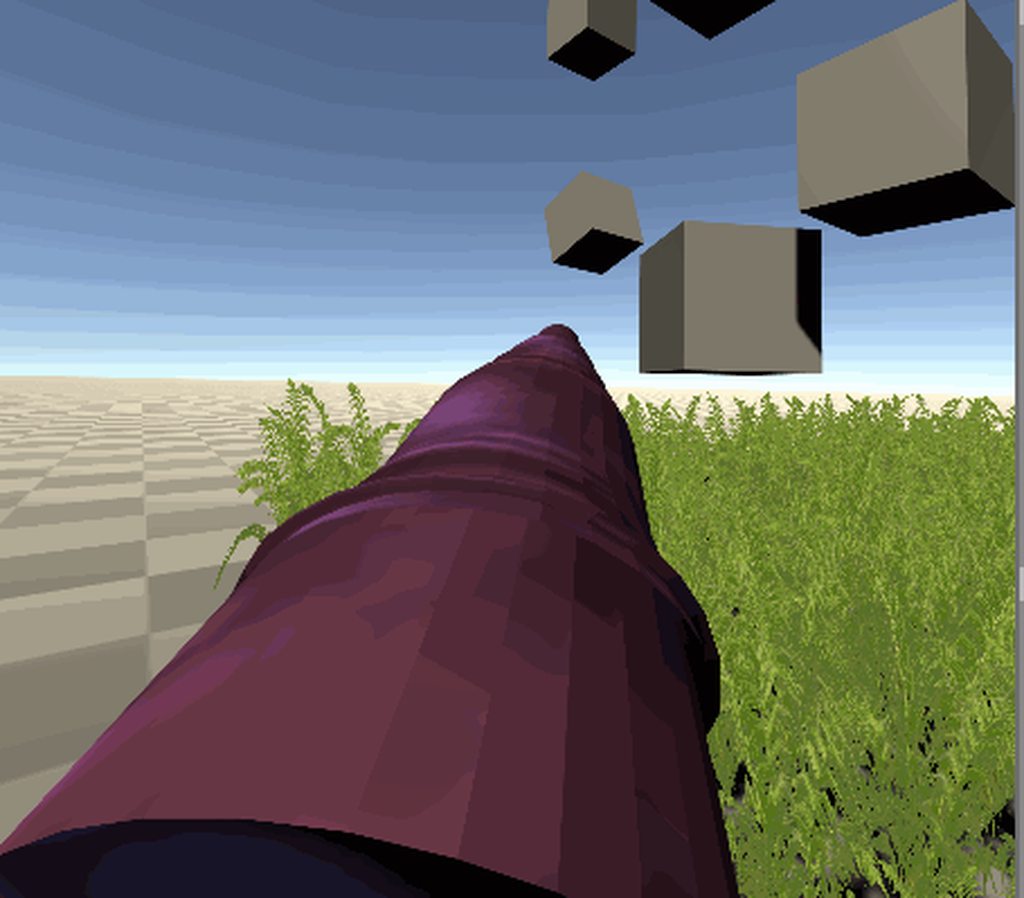
@quartz slate damn. great work, that tentacle looks fun, and the grass reacts so well
 quartz slate
thanks 🙂
faint stream
wait
on the steam vr sdk
i cant press the save button
when making bindings
can anyone help?
gilded lynx
@storm ether I believe the future is Open XR although currently not all is implemented. Another developer I am working with recently got Open XR to identify and track Vive Trackers which was something we could not before without the SteamVR Plug in. I think Unity XR and Open XR are the future and company specific SDKs like Steam and Oculus are only no longer worth locking in for.
storm ether
that's good to know, having worked with Valve's engines and tools for the last 10 years, Valve has a bad record of poorly documented tools (or not at all) and their tools to be left to die with no updates, same will probably happen to SteamVR
right now I am going with which ever SDK supports most headsets/controllers, that seems to be SteamVR, and I don't need Valve's input methods and buttons, just the device support, as long as I can keep the SteamVR package working
vestal flicker
Can OpenVR XR plugin be used for device support and then XR input for input ?
 river gull
is anyone else having an issue where half of the screen has shadows while the other half has absolutely no lighting at all?
heady grotto
@river gull In URP, make sure you're using single pass instanced
river gull
@heady grotto thank you!!!
storm ether
does anyone know if the Single Pass Instanced rendering mode is supported by the HTC Vive and the Valve Index? also what about other oculus headsets not listed in that article?
storm ether
or is it expected for SteamVR to be the only SDKto support HTC vive and the Valve Index?
 amber trench
Hi! Would anyone have suggestions for me, I switched to URP, Oculus Quest project with MRTK, also using Bakery for lightmapping.
Everything is fine in editor, all is pink in-game.
Tried reimporting all, re-converting all materials to URP etc. Nothing fix it.
heady grotto
Are you sure the shaders are being compiled in?
amber trench
Fixed ! What I did is...Force recompile through folling around with all of the settings I guess.
pretty much same as this guy
Unity Forum
I have a 2019.3.0 URP project targeting Oculus Quest working without any issues. After updating to 2019.4.9 (also tried with 2019.4.8) and touching no...
 surreal gorge
I'm trying to figure out the new XR system to determine if I want to switch my project over from steamVR. In a clean 2020.1.3f1 project, I can get VR working and the VR interaction debugger detects my devices correctly but it does not appear to be updating the position of my Vive Trackers. Are the Vive trackers supported in Unity XR?
river gull
If anyone has experience with multiplayer using steamvr in unity, let me know as I am working on a project and I am not sure how to do it
tiny niche
@river gull there's nothing steamvr specific about multiplayer. you sync poses the same way you would on a rift or quest
storm ether
let's hope it lasts for a bit at least, it'd be a shame not to see other generations of their headsets release, Oculus is a good contender to Valve's VR hardware
tiny niche
@storm ether has nothing to do with that, they're just moving oculus under the facebook banner
storm ether
ah, thanks for the correction
heady grotto
HTC needs to come out with a self-contained headset that people will want to buy, first. They could be in a really good position to take on Oculus, but I worry they're going to blow it, because lately they've been kind of out of touch with reality
 heady arch
How do I make my build show a different display port than my Oculus?
I have the spectator cam on display 2 and my personal view on display 1, but the build only shows display 1 on the window?
heady grotto
Set the camera index to render higher
 stable oar
HTC is supposedly working on a new version of the Vive Focus Plus with an XR2 chip
i think they recently changed CEOs again so who knows if they'll come to their senses and market it for consumers
heady grotto
@stable oar And, what do you think that'll cost? I think that'll make it a $1000 headset
No small part of the trick with the Quest was it's relatively low MSRP
That's part of what I mean by HTC has been "out of touch with reality"
stable oar
yeah, realistically that's what'll end up happening
heady grotto
Sadly, I think Facebook will control the consumer VR market until (and if) Apple enters the fray. HTC had a chance, but they blew it with an overpriced device and crappy tracking. (and likely to repeat that mistake) Microsoft had a chance, but they blew it by not following through with the software.
cloud nexus
where do you guys put your headset/controllers when you switch from testing to programming and back? I usually just set it in front of me but that means I have to reach around to get to the keyboard
vestal flicker
I put my headset on a chair next to me and test mostly by putting the controller in front of the headset
heady grotto
@cloud nexus I have a small shelf that's next to me for it. For a quick edit I just flip it up
I miss my WMR headset that had a full flip up visor. It made going back and forth much easier. But WMR broke their shit, so I'm stuck with the Quest + Link
cloud nexus
what happened to WMR @heady grotto ?
heady grotto
It doesn't work correctly on multiple display setups, in part because it makes three hidden displays and that messes up with a lot of windows things
So, lets say you have three displays like I do. Mouse off the center display and on to the right. But when WMR is active it goes off the right side of the center display and then on to the left side of the left display
It also breaks most video capture software, and is buggier now than it was even just a year ago
heady grotto
How many displays do you have?
heady grotto
And when you mouse between 1 and 2, they move correctly? Or when you use Win+Shift+Arrow it moves to the correct display?
@wary junco Was referring to the Cosmos and Focus
cloud nexus
I haven't noticed anything super horrible, no.
heady grotto
@cloud nexus For me, WMR is totally messed up.
cloud nexus
I don't know if it makes a difference, but I have a samsung odyssey and you have a lenovo explorer or something.
heady grotto
Also, sometimes windows just disappear onto the three hidden displays. Also, it crashes Unity (and itself) often, which many times requires a system restart. Every time it crashes, or I need to start WMR, all three screens flicker black for 5 seconds, then come back trashed and messed up. All my windows moved display indexes. Imagine having 10 applications open and then... Poof. All black. They're randomly placed along your three displays now. When it crashes, same thing. All black, windows get randomly places
cloud nexus
wow, yeah, nothing that bad. sorry your experience is that crappy
heady grotto
It's super crappy. I've owned a WMR headset since they came out, and they did this to themselves. Even with a dual display setup for me, it's messed up
I like developing on the Explorer. It flips up, I've modded it to be super comfy and have extra length cables. It packs in nicely with the laptop, and is super lightweight. Only downside is the dorky controllers (but nobody sees that anyways) and the displays, but they're fine for dev work
Ehh, I don't know. I don't have enough hands on experience with enough of them
But, a HoloLens2 is likely the apex predator in MR right now
I own a Vuzix Blade, and they are neat. But, I have trouble using them day to day, so haven't come up with many significant ideas
They're coming out with a new version of their smart glasses, which are nice looking
Possibly, but that's a difficult challenge anyways, unless the room is quiet
Just try your favorite voice to speech in a cafe, even with all the power in the world round-tripping to a Google/Apple server, it's still a crap shoot
There is an app for the Vuzix Blade that tries this. Haven't tried it though
cloud nexus
i was following Valem's Unity XR tutorial
and i've reached 4 or 5 minutes in part 2.
the goal of this script so far is to read the input devices UnityXR recognizes and output them
his does that just fine, but mine does not.
UnityXR does recognize my controllers, and I can grab stuff and shake my hands.
the XR Interaction Debugger showed my controls but of course i turned them off before taking the screenshot, so it does detect them there.
but the list inputDevices still remains empty.
does anyone know what I'm doing wrong or how to fix this?
vestal flicker
I have three monitor and use odyssey+. No issues like what you mentioned.
Main gripe is losing boundaries all the time.
heady grotto
Weird. I should try out an Odyssey, but though I like the panel on it, sadly it doesn't have flip up
@vestal flicker When the WMR home is active, do you see the three additional (hidden) displays? Note, you have to open up Display Settings after it's fully booted and active
vestal flicker
Would show up with my other 3 displays ?
heady grotto
Yes, it usually appears above the "Main" display
vestal flicker
I have Unity running my game, nothing extra there
heady grotto
But, you have to have the Mixed Reality Portal open too, yes?
heady grotto
And you have the latest build of Windows? You're not like, using a build from last October?
 vestal flicker
Crazy, yea i have windows update super disabled. Hasn't bothered me for a while.
heady grotto
Vote for my issue. MS seems to just have ignored it. Everyone I know with a WMR headset and a recent update can reproduce it
Actually..... You know, I didn't bother to ask if I could somehow revert the Mixed Reality version and run it on a new OS version 🤔
Don't think that's an option
vestal flicker
Time to bust out an old ISO
heady grotto
For my time, better off to just buy another headset... A fresh install is a full day affair (not to mention an update will wipe all my hard work)
heady grotto
I'm loathe to give Facebook more money for a Rift S, even though I could 3D print a hinge
tiny niche
@heady grotto since its detecting a new display config, its no wonder the layout is messed up. have you tried re-configuring it to match what you had at the start?
heady grotto
@tiny niche I don't know what you mean? It adds those other displays and that's when things go to shit
tiny niche
well the screen going black and layout going wonky is standard behavior when you connect a new monitor
clearly starting the app has the same effect
but you might be able to disable the new displays, or just match the original layout
rebooting the gpu might also do the trick
control+shift+windows+b
tiny niche
yea, that's the ones im talking about
heady grotto
They're not always there. They're added when you start VR. And as you can see, when WMR opens it just totally throws your indexes and arrangement out the window
tiny niche
that's because windows saves a separate layout for each display config
heady grotto
Yes, and WMR throws that out completely. If you have a concrete suggestion for how to address it, I'm all ears
tiny niche
start wmr, fix the layout to match the original
assuming it always generates the virtual screens in the same order, it should retain the layout between sessions
heady grotto
Then when I close WMR, it goes back to being wrong
So, when WMR now crashes 2-5 times a day, that means when I plug it in, all three screens go black, I have to open my display settings, reorganize them.... and then when I'm done for the day organize them back to correct?
tiny niche
normally you shouldn't have to do that, sounds like something is wonky with your machine
heady grotto
No, like I said... everyone I know with a WMR, on multiple displays, and a recent build, can reproduce this
That's not like hundreds of people, but it's 100% of everyone I know with WMR. They've relegated it to just their laptop when there's no screens connected for "screwing around"
tiny niche
i swap displays all the time on my work laptop and it has a separate layout for each combination that's connected, so i dunno whats going on there
heady grotto
WMR's drivers just mess it up, and I'm not dealing with it
If covid is going to eat my life for 2021 too, I'll probably end up buying a full Index kit around the new years. I'd love to have a Reverb G2 instead but, that's WMR
stable oar
I've never experienced the virtual displays messing with my already open windows
tiny niche
@wary junco long story short: you don't
storm ether
so I decided to drop SteamVR for XR
though XR doesn't come with the controller 3d models, does anyone know if there's somewhere we can download all the controller models?
or gotta fish them manually from each hardware vendor?
storm ether
well, seems the controller models in SteamVR are loaded in some abstract manner with the script "SteamVR_RenderModel.cs"
tiny niche
@storm ether valem or someone has a youtube tutorial with a link to a controller set
they need some tweaking to be useful though
here they are https://th-cam.com/video/VdT0zMcggTQ/introduction-to-vr-in-unity-part-2-input-and-hand-presence.html

TH-cam
▶ Get access to exclusive content: www.patreon.com/ValemVR ▶ Join the Discord channel: discord.gg/5uhRegs -LINKS- XR Input Manager : docs.unity3d.com/Manual/xr_input.html VR Controller Unity Package : www.dropbox.com/s/9ajsxoa6u3ps1y8/vr controllers model-fixed.unitypackag...
storm ether
@tiny niche that's fantastic, thank you so much
ah yeah, it does need tweaks, but that's alright, this sort of stuff needs to be streamlined
 civic prism
hey I did a thing https://www.youtube.com/watch?v=NvkBSgbwR74&feature=youtu.be
 vestal flicker
devicePosition is relative to the HMD setup point? Seems like it, doesn't seem like its relative to the HMD
looks like deviceRotation is also affected. bummer
 keen cipher
hi
 wintry delta
Does anyone know if Unity no longer accepts vrdevice in command line params? My game wont start SteamVR if you're on an Oculus headset and use "-vrmode openvr" parameters. Its built with 2019.4 and has both Oculus and OpenVR SDKs with Oculus being 1st priority. (openVR works fine when users have a SteamVR or WMR headset)
heady grotto
Someone else had that problem recently, especially with XR. I don't know what they did to resolve it
My suggestion idea: Turn XR off on build. parse the command line yourself, switch the platform and then turn it on
vestal flicker

The Verge
Promising an almost 4K display, and double the max storage.
heady grotto
For you guys with WMR headsets and multiple displays, I found the fix

Get ready for the new Microsoft Edge in Windows Mixed Reality. Includes changes to expect, updates to look out for, and known issues.
Tried out today and it seems to work good
Requires Windows v2004, possibly reinstalling the Mixed Reality Portal, and a quick registry setting for the user account
heady grotto
Is anyone using a WMR headset with Unity XR Plugins? Does the WMR or OpenVR work better for using the headset to Play and preview?
heady grotto
Uff, there's no input unless you install the plugin? Valve, com'on 🤦♂️
vestal flicker
Still using legacy OpenVR, haven't touched the new stuff yet
One thing to note, WMR plugin uses secondary axis for joystick .....
very odd choice lol
Given that Oculus and WMR via OpenVR joystick is primary2daxis, why would they choose secondary2dAxis for the joystick, another edge case to program in
heady grotto
Can't even install WMR... "Instance of UnityEngine.XR.WindowsMR.WindowsMRLoader couldn't be created. The the script class needs to derive from ScriptableObject."
or, upgrading to a newer version.... "Library\PackageCache\com.unity.xr.arsubsystems@3.1.3\Editor\XRReferenceImageLibraryEditor.cs(3,35): error CS0234: The type or namespace name 'InternalBridge' does not exist in the namespace 'UnityEditor.XR.ARSubsystems'"
Le sigh
Don't know what I expected. For it to just work? haha
The SteamVR package (for input) on the GitHub also comes with a ton of utter trash in it, again... Not the point of Unity XR
Uff, I have made a mistake
https://github.com/ValveSoftware/unity-xr-plugin/releases/tag/installer - "f you would like input in your application please install the SteamVR Unity Plugin instead"
So, does this mean no XR input will work, OR does it mean that SteamVR's specific custom "InteractionSystem" won't work? Because that SteamVR plugin just littered my project with trash and I hate everything about that
vestal flicker
Yea I was wondering the same thing, the way it reads it sounds like it will only get it rendering.
Guess it shouldn't take long to find out if you can get some device values out.
heady grotto
It's difficult to tell what I can remove and what I can't... I think I'm going to have to do a full revert
vestal flicker
Is there any reason to go into 2020 beyond render pipeline type things?
heady grotto
Depends, if you want pure stability, I'd say 2019.4LTS is going to be the best bet right now
Geeze, even the XR OpenVR isn't the actual package. It's some auto importer crap rather than a folder that has a package definition
And... Yah. Just importing the OpenVR package into 2020.1, pressed Play and Unity hard failed without an error even in the logfile
Now, Unity won't start correctly and says it needs to redo the window layout each time. OpenVR isn't on the list to select, even though it's on the list of installed
heady grotto
Oh it's definitely beta. It barely works
The headset tracks, but glitches, same for controllers
Every time I open the editor it resets my layout because of some issue
Input definitely doesn't work (something as basic as a grip or trigger button)
Valve. This is not how this works. This is not how any of this works.
vestal flicker
Vive and index can't work beyond 2020 without this right.
heady grotto
Yup, legacy VR is not supported in 2020 and beyond
heady grotto
Likely so. Valve has been good about updating SteamVR
I can't believe how far off the mark this is, I really thought they would have been further along after nearly a year. A year!
Fucking Magic Leap is likely on it's death throes and it can still put out a XR Plugin in the registry that mostly works
 granite nymph
If you're going to do anything with SteamVR or XR with OpenVR support, you have to stay in 2019 until Valve gets off their butts and produces something usable for Unity. Really disappointing it's taking this long.
heady grotto
I have a feeling Valve is trying to cram and old style into the system, and it's causing a lot of friction. Unity would definitely accommodate Valve to update the SDK. I can't imagine they haven't for Magic Leap or HoloLens and the specific sensors/input types
granite nymph
I don't know if it's political or what, but it's sure frustrating. 2020.x is still fairly new, so there's time. But I'd rather stay more current, if I can.
heady grotto
It is frustrating for sure. At this rate, we'll hear before the holiday season that some games just can't be on Steam because Valve dropped the ball
I'm honestly not sure how I'm going to be able to send builds to my circle to test next month
heady grotto
https://github.com/ValveSoftware/unity-xr-plugin/issues/16#issuecomment-662708512- The wait is going to go into next year, for sure
GitHub
While I do get hand positions and controllers all the buttons are false or 0. I am using Unity 2020.1 16b and beta 7. I am testing with an htc vive with wand controllers, and STEAMVR 1.13.10.
Does anyone know if the Unity XR "provider" SDK is open source? Like, lets say I'm working on a VR headset, where's the code base I go to, to start making an XR Plugin?
stable oar
you have to sign up for access to it it seems https://docs.unity3d.com/Manual/xr-sdk.html
tiny niche
@heady grotto from what the comment mentions, they're not planning on supporting unity xr input at all. so the wait is probably closer to when hell freezes over than next year
heady grotto
Yah, that's what I'm gathering too, and pointing to my intuition is correct: Valve disagrees with the way Unity is making a uniform system, and is going to make every developer rewrite the fucking wheel to get the trigger value or the xyz position of the left controller
Or, we're back to having to abstract it each and every time, each and every framework, and do DLL juggling just like before
tiny niche
the important thing to remember is unity xr has nothing to do with openxr, despite the similarity of names
heady grotto
Yah, I'm clear on that
heady grotto
I don't buy it, anything Valve says on their GitHub
(Someone at) Valve is trying to force an issue, and I don't know what and why... But we're the ones paying the price having to re-implement the wheel for different platforms
vestal flicker
What would be the best way to get controller Z Rotation delta? The controller rotation and positions appear to be relative to the boundary origin and not relative to the HMD.
I Want to detect if someone is rotating their wrists around the forward vector
heady grotto
It's relative to the forward, and that doesn't change
Make a fist, point out your index finger and thumb 90. The index finger is forward, thumb is... whatever. But, it's all relative to the index finger on "forward"
vestal flicker
What is it relative to though, device starting position ?
heady grotto
No, look at it at the source. The controller's forward is always relative to the physical controller when it's initialized
That's how we do raycasts for things like laser pointers, or hold a sword in a direction relative to the controller, correct?
That forward does change, but that's your point of reference
vestal flicker
You mean relative to the transform that has the tracked pose driver on it?
heady grotto
Yes
vestal flicker
I was trying to use TryGetFeature value of the inputdvice, for position and rotation
I'll try using those transforms instead
heady grotto
I always have an axis line that's relative to the vendor specific device, by two points. Those two points are parented to the controller, and you can always calculate the forward from them. There's likely a smarter way to do it but I'm kind of dumb
I try to line it up by where the controller line is at a neutral angle when I hold it in my hand (for the vendor)
I have vendor offsets as SO's
tiny niche
well you just need the 1 transform and you can grab the forward vector from it
vestal flicker
Is there some link you have with all of these offsets. Since i'm still stuck on WMR only, can't wait until have to get into these other devices testing =/
heady grotto
No, it's going to be specific to your game. Just make it easily tweakable
Right now, it's actually Model > Platform, because I wanted to be able to tune it per "holdable" thing. I'm not sure that was the smartest move, but it is the most precise
So, if I have guns, I can tweak their position and angle per vendor
Sometimes it's about where the controller grip is in your hand, sometimes it's about the trigger. That's my logic for this madness anyways
tiny niche
the offsets are unlikely to be game specific, unless for some reason you're trying to find the position of the lower part of the controller
heady grotto
I don't recommend it, I'd say make vendor offsets Vector3 for position and angle (for each vendor), and call it a day. I'm just massively anal about feel
vestal flicker
Walking Dead had a offset for guns in their settings which lets you modify it up to 10 degrees in each direction.
heady grotto
Yah, that's another way to do it. Put the work on the player
: eddy murphy thinking face gif:
vestal flicker
what may be comfortable to some might not be to others, esp people with some disability or injury
tiny niche
the relative positioning of the model is game specific and some controllers might need separate poses. but for the general case, a device specific offset to find the top of the hand is going to do the trick
heady grotto
Yah, who can't hold their controllers "normal". Good point 🤔
Yah, device specific offsets to start. You can collect that data from players. You can have a secret button combination that draws lines and then captures a few frames, from there you should be able to deduce better angles and get feedback if you don't have that device
I really am thinking about player settings now though. I feel VR should accommodate those with disabilities as well, but that's easy enough to do and you have your vendor specific tuning in place before you ship
tiny niche
or you could get the correct data right from their sdk, most of them provide rigged controller models
heady grotto
MountPoint + VendorOffset + PlayerSettingsOffset (boom. Done)
vestal flicker
Thanks for the idea to use the transforms that have the tracked pose drivers instead. Combination lock dial usable now 😉
heady grotto
@tiny niche I find I the feel is important. Like I said, sometimes I want to position it based on the trigger button, sometimes the handle, or sometimes (say for a shield) something totally weird but just... feels right
I don't have a ton of VR headsets to play with, but I've held a lot of controllers and they're all very different. That's why I went with the Model + Vendor approach, but I think the Vendor only approach will work for 95% of cases
You really want to just line up where the axis is for the controller, against where the average is between the grip and trigger buttons, and call it a day. The axis angle is the biggest thing that changes, the minor difference between grip is almost neglible @vestal flicker
tiny niche
feel and accurate controller tracking are 2 completely separate issues though
heady grotto
I think the difference (in the axis line) between my WMR controllers and my Oculus controllers is like 18 degrees. It's nuts
tiny niche
as long as you have an accurately tracked controller model, you have everything you need to get the feel correct
heady grotto
For me it's more. For example a sword, I want the handle of the sword to always feel "in line" with the controller grip angle
vestal flicker
you mean the axis line from your tracked transform is off by 18 vs WMR ?
heady grotto
Actually, it's more.
WMR is 0,0,0 because that was my reference. My Quest + Link is all 0 except -40 on the X axis
vestal flicker
Have you played walking dead s&s ? Curious if you held the katana in both WMR and oculus, with the same real life hand position, would they be the same or different.
tiny niche
you grip the wmr controllers differently from the oculus ones, so its no surprise that the transform needs to be adapted
heady grotto
That's for a sword that I feel is "correct"
Yah, I need to get an Index in sometime. Index. G2. Index. G2. Index.... G2.... 🤔
vestal flicker
I feel like when I try to slice a zombie I end up hitting them with the side of the blade..
not sure if that's the angle or i'm just bad hah
heady grotto
Start off with vendor offsets for holding a stick, THEN if you need it go to to Vendor + Model like my insanity. Don't do my way first, it's bad
vestal flicker
Climbing is now working too, thanks again.
heady grotto
Make a thing that's seriously just a stick.
Make that stick consistent across vendors and you're 95%-99% the way there
vestal flicker
Both things I Was trying to use the device position / fale
heady grotto
Make StickTheGame.exe and ship that off to all your buddies with different headsets, and with that little draw lines (and make screenshots) trick we talked about. You'd still be doing better than most indies for just collecting data holding a virtual stick
Valve Index "New orders ship in 8 or more weeks." :*(
vestal flicker
Vive + knuckles

eBay
I’m looking to get rid of my full Roomscale VR setup, this is about as good as it gets. Full VR Gaming set up.
heady grotto
I really have a thing for inside-out systems, but I really do want an Index+Knuckles
wintry delta
My Index users are complaining that thumbsticks dont work. I'm using the Oculus SDK for everything, seems it doesnt report thumbstick axis properly for Knuckles (all other controllers work fine). Anyone been in similar waters?
muted mural
Is there any developer here who published to Viveport?
Is it worth it? We are thinking of doing it as addition to Steam.
 slim coral
Hi! Is there any professional who could help me out? I have a uni project and I am looking for a QA. I'll be very grateful 😄
tiny niche
@wintry delta you need the openvr api to read the thumbsticks
and it doesnt work in unity xr
wintry delta
@tiny niche so using Input.GetAxis("AxisMappedToLeftJoyStickHorizontal") wont work either?
tiny niche
afaik. no
wintry delta
So I do actually need to import SteamVR SDK and set that whole thing up?
tiny niche
its the same reason no games supported the thumbsticks when the index first got released
yea
wintry delta
damn. Well thank you for the info.
tiny niche
sadly unity is not a great choice when trying to add index support. and likely won't be until they decide to get openxr properly implemented (not on their roadmap afaik)
wintry delta
Nah, you're right
storm ether
@tiny niche do the index thumbsticks work if using SteamVR as SDK? (I haven't received my index yet)
tiny niche
@storm ether according to what everyone says, yes. i don't have an index to try it out with myself
storm ether
cool, thanks
heady grotto
So... went through the XR SDK and OpenVR API a bit last night, and I don't see any reason why Valve can't make input work
I have a really busy month this month, but I'm half tempted to take one for the team when it comes to integrating OpenVR and make an XR integration using the SDK. Because at some point (like everyone else here), I have do the work that the XR API is supposed to solve, of rewriting the wheel again and again for managing devices/input, so....
May as well let the community benefit too
vestal flicker
Glad I waited to buy a quest, all of the used ones are slowly tending to 300 or just below now use after the leak yesterday.
Someone posted a 128gb one with link and vr cover for 250, too bad its 2 hours from where i live.
Hopefully the quest 2 price point isn't to much higher than the original.
 final basin
I have an index + knuckles, and using SteamVR plugin it all works by default, including thumb sticks
vestal flicker
using the UnityXR OpenVR plugin?
Think the main problem is that it requires you to use the SteamVR plugin, can't get the inputs with just the OpenVR plugin
final basin
Nah, just the SteamVR plugin
vestal flicker
the SteamVR plugin installs the UnityXR OpenVR plugin
final basin
It installs the OpenVR Desktop package, which isn't the same one as the new UnityXR plugin system iirc
vestal flicker
Are you talking about 2019, or 2020
OpenVR Desktop is legacy 2019, they were discussing 2020 Unity XR OpenVR
final basin
Yep, 2019.4. Neodos asked if thumbsticks work when using SteamVR as SDK and the answer is yes. It wasn't specific to 2020 or Unity XR
vestal flicker
ah mb, didn't see his question, thought you were responding to Benjamin
final basin
Ah, i didnt scroll that far up lol.
Valve Index "New orders ship in 8 or more weeks." :*(
@heady grotto I saw several people on reddit say that their order shipped after around 3 weeks even though it said 8 when ordering, and when i ordered the knuckles the same was true. This was a couple of months ago though
Seems the estimate isn't very accurate
storm ether
I am on the wait list too, 8 weeks as well
I have been testing all the unity VR SDKs, I think I am going to stick with SteamVR and hope for the best
heady grotto
@final basin Yah, but that's the thing...
If I am using features in 2020, I'm stuck either way. I can't use XR because Valve isn't fully supporting it, so I have to go write my own input abstraction around their abstraction, juggle DLL's and per-platform build scripts, and we're back to the "good old days" of legacy
I spent about a week retooling my (previously aging) VR toolkit to use XR in 2020. That eliminated dozens of classes, hundreds of lines of code, dozens of extra files.... All into a nice neat little cross-platform unit using XR
Now I have to go back and add that in again, all that junk and build maintenance, if I want to even share a beta build
vestal flicker
So many quests showing up on ebay today lol.
 honest lodge
Had nothing but issues with Oculus VR and would love some help. Trying to do a simple grabbable cube but as soon as I grab it it disappears completely. This is for Quest if it helps at all.
tiny niche
i'd say look at the results. you might even want to turn it off completely in some cases
the artifacts can be pretty severe
grim arch
it's hard to tell, like, minor differences to me. Hope to find someone can point out to me what are they really about
tiny niche
@grim arch its notable on things like a mountain range with a bright sky behind, you get a really saturated blue outline
heady grotto
"disappears". As in the game object? It doesn't draw? The game object exists but it's now in a different position?
On dark scenes, I didn't notice any difference in banding with dithering enabled
storm ether
dose any1 no if unity 2020.1.f1 have vr cardboard seeting?
lone knoll
@storm ether
https://github.com/googlevr/cardboard-xr-plugin
https://assetstore.unity.com/packages/tools/camera/cardboard-net-168945

GitHub
Google Cardboard XR Plugin for Unity. Contribute to googlevr/cardboard-xr-plugin development by creating an account on GitHub.

Get the Cardboard.NET package from TiltShift and speed up your game development process. Find this & other Camera options on the Unity Asset Store.
storm ether
@lone knoll thank you so much!
lone knoll
🙂
vestal flicker
Anyone got a map of all the InputDevice names and manufacturer strings ?
lone knoll
@vestal flicker XR devices ? there is one on the unity docs for the controllers
vestal flicker
Searched all over, don't see anything.
But seems like it might be as simple as checking string for "oculus" or "vive", "windowsmr"
and "openvr"
lone knoll
@vestal flicker something like that ?
UnityEngine.XR.InputDevices.deviceConnected += device => {
    if( device.characteristics == UnityEngine.XR.InputDeviceCharacteristics.HeadMounted )
        Debug.Log( "IsRiftS: " + device.name.Contains("Oculus Rift S") );
}
yea the name, I only have WMR right now, got an oculus on the way
but need to be able to know which device is connecting
Odd that they don't have a map listed somewhere for all the devices.
or I cant find it
lone knoll
well
in theory u can have a HMD form Vive and controllers from Valve
( from what i heard , don't have one )
lone knoll
i think xr is more like the gamepad market
heaps of Chinese knockoffs each with its own name
but all trying to follow some what similar protocol
would be great to have something like you described
maybe creating a web-based thing be optimal for that
vestal flicker
Just doesn't make sense why unity hasn't provided once, surely they have one of each HMD / controller type for their own testing, would take a few minutes to post the list...
 distant zealot
Anyone know where I can watch this talk from Facebook Connect for their XR improvements?
https://www.facebookconnect.com/en/schedule/027399b5-9c8f-46b4-9d30-73e2c795a095

Join our biggest AR/VR conversation of the year brought to you by Facebook Reality Labs. Stream it on Facebook Live on September 16.
vestal flicker
these generic devices fall under OpenVR (full) ?
wondering what that column is for
lone knoll
This link above is the result of people who visited their website to test thier controllers , webXR is a thing , if a similar thing would exist , then we could have a database of those devices
yes i think so
quaint moss
Hey guys, do you know why XR controllers are missing all the buttons for OpenVR?
this is emulated input if that matters (via riftcat + Driver4VR)
so controllers are tracking but their button events aren't
gilded lynx
@quaint moss I am working with a developer and he noticed this as well. Has made developing a tool very hard without the buttons working in Open XR. Weird how Oculus/Facebook said Open XR was good to go yesterday along with Vulkan in Unity. Such a disconnect.
gilded lynx
@quaint moss This issue is pinned on the OpenVR XR Plugin github page. Lets hope a solution comes soon.
quaint moss
Oh, good to know, thanks!
tiny niche
@gilded lynx sure it was open xr? unity xr is a completely different thing
 rare scroll
The gif was too strong so I can't put it on discord.... but here's a link to some VR Inverse Kinematics code I plan on releasing (for free) should enough interest arise- please check it out if you're interested!
https://youtu.be/HnmtJpNN3os
The VR gaming industry really needs arms. And legs. WITHOUT the need to buy an extra hundred dollar tracker or a special camera.
This footage is of my upcoming VR Multiplayer combat game, Shuuji. In a nutshell, the game is all about using your own martial art to best others ...
quaint moss
@rare scroll that looks awesome!
rare scroll
Thank you @quaint moss, really appreciate the feedback!
gilded lynx
GitHub
While I do get hand positions and controllers all the buttons are false or 0. I am using Unity 2020.1 16b and beta 7. I am testing with an htc vive with wand controllers, and STEAMVR 1.13.10.
tiny niche
I am working with a developer and he noticed this as well. Has made developing a tool very hard without the buttons working in Open XR. Weird how Oculus/Facebook said Open XR was good to go yesterday along with Vulkan in Unity. Such a disconnect.
@gilded lynx when did oculus/unity ever say open xr was ready to go?
as far as unity is concerned, they just pretend it doesn't exist
gilded lynx
@tiny niche why? What is going on? We need more devs in this space as the growing Quest user base in particular is getting frustrated with the lack of new releases. I too want to use my Quest more, but there is only maybe 1 release I am interested in every 2-3 months. I get the sense Facebook does not really understand this huge gap. I am using an Index with 8 Vive trackers to animate my Quest Immersive Dark Ride called “Into the Metaverse”. I need the Index buttons to work as A) it will be easier to snap to the T pose and B) I can animate fingers. You can get full body tracking with an Oculus product yet so it is even in their vest interest to get all this stuff working...even Valve bits. I wonder if Zuck is aware of these gaps. His development community people seem oblivious.
tiny niche
@gilded lynx its not oculus that's the culprit here, they have open xr support. The problem is that open xr and unity xr are 2 different solutions to the same problem (although the latter is tied to the game engine). So unity has no plans to integrate open xr nor make an open xr plugin for unity xr. When asked about it on the forums they respond with the roadmap for unity xr, which unsurprisingly does not include open xr
or it was named roadmap, but it was really an architecture diagram
gilded lynx
Oh. Why would oculus say they want devs to adopt open xr if it is not in the most popular VR dev engine?
tiny niche
well open xr is good for them and everyone else except unity
so if all other engines adopt open xr, its still a huge win for them
the dev efforts oculus put in to support open xr wasn't engine specific. Now that they've implemented the spec, that implementation is going to work for all engines supporting open xr
heady grotto
What I don't like about OpenXR/SteamVR is it's input system is action based, and afaik you can't directly read from button states
So, unlike every other input device, you can't just poll it's state, you have to wait for an async action event
If I'm incorrect, I would love someone to correct me
tiny niche
@heady grotto it supports polling, you cant do analog inputs with just events
heady grotto
I need to look at the API again, then
Recall any hint where to look?
tiny niche
no, but analog inputs are strictly incompatible with an event-driven process, so it must be there somewhere
heady grotto
Note: SteamVR 1.0 is distinctly different
Any documentation I see of SteamVR 2.0 or OpenXR looks like this:
AddOnStateDownListener(TriggerPressed, SteamVR_Input_Sources.Any);
https://www.khronos.org/registry/OpenXR/specs/0.90/refguide/OpenXR-0.90-web.pdf
"OpenXR separates the application actions such as Move, Jump, and Teleport from the input device: Trigger, Thumbstick, and Button. This simplifies support for different or future input devices and maximizes user accessibility"
Again, I would absolutely love to be wrong and just an oversight in my research. Someone out there please prove me wrong
Maybe, they simply just abstracted so much, that GetState("some mapped action") is just a functional equivalent of Button.GetState(buttonID) ?
But I'm still looking for any example of anyone actually doing that
GitHub
Summary Adding components from the SteamVR Unity Plugin to a scene seems to cause Unity's built-in XR input system to break. It would be nice if one could use the built-in XR module togethe...
 random cradle
only an hour since I installed unity and I got this far, so I think I did alright
stable oar
who do i yell at for this
reef beacon
Probably microsoft
stable oar
you'd think you wouldn't mix up your line endings in your Windows™️ XR plugin for Windows™️ Mixed Reality support
 round lion
realy basic question
anyone have a chart that shows this list of inputs on a oculous go controler
wait nvm self explaitory just
what hand is primery
the one set in settings or left?
im just going to pray secondy works for my right hand
quaint moss
https://github.com/ValveSoftware/unity-xr-plugin/issues/16#issuecomment-690392505 - this actually helps to get input from steamvr while using Unity XR for tracking
GitHub
While I do get hand positions and controllers all the buttons are false or 0. I am using Unity 2020.1 16b and beta 7. I am testing with an htc vive with wand controllers, and STEAMVR 1.13.10.
quaint moss
*that was an answer for earlier conversation
round lion
oh
tiny niche
@round lion it all depends on which enum you use, there's virtualized codes where the handedness matters and there's other codes for when you want to specify left/right
and if you specify the controller, it doesn't matter if you pick the primary or secondary thumbstick
its a bit unfortunate that specifying the controller isn't mandatory. the api would've been much cleaner if it was
round lion
it diddnt work anyway
it says my headset needs un update
but im sure the go no longer has surport
heady grotto
https://www.youtube.com/watch?v=Emec5MRuzE0 - Good forward looking info here, and I think new devs to the Quest should check it out

 glacial yew
how do you make controller tracking, and show the controllers in the game?
random cradle
Well depends, if using steam vr just download the plugin and search player or camera rig I forgot which and slap that bad boi in and boom
glacial yew
im just using unity
 arctic kernel
just wondering because i started unity and i think this is a basic question i need a way were you can switch from controllers and hand tracking
tiny niche
@arctic kernel check the oculus manual
glacial yew
nvm, i just had to add the ovrcontrollerprefab to the controller anchors in the ovrcamerarig
the Tracked Pose Driver breaks it
 quartz slate
 cloud nexus
looks like the pokemon reuniclus
and is that played with a headset or just controllers on a flat screen?
vestal flicker
Looks like a camera is following his vr guy. How many times did you puke making this lol
heady grotto
I'd get sick too, I think. There's a game called Lucid Trips where you swim around like that, but it's slower.... but still a bit difficult on my inner ear
Don't stop experimenting @quartz slate, but keep in mind people who get simulation sickness easily
I do wish Discord had a way to collapse or pause animated gifs like Slack
cloud nexus
using odyssey plus, is it supposed to say "spatial controller" ? sounds very generic
cloud nexus
eh whatever it works
quartz slate
@heady grotto I get motion sickness easily myself. Because this doesnt rotate the player HMD, it doesnt really lead to nausea or motion sickness
https://i.imgur.com/0FFHZR1.mp4 even this was pretty comfortable
 heady grotto
Are you controlling from a third person view?
quartz slate
third person Vr yea
i did give myself severe motion sickness a couple times during development
i once strapped myself to a frictionless spinning puck, which almost destroyed me lol
but thanks to those experiences, i figured out how to make it as tolerable as possible
heady grotto
Bleh, the WMR XR plugin doesn't render Linear color space correctly right now. One step forward, one step back
tiny niche
@quartz slate unfortunately you're also making yourself immune to the effects, so you end up needing to find new people to really test it out
quartz slate
I disagree @tiny niche I found out very quickly what was causing excessive nausea (it gave me a cold sweat and i had to remove my headset immediately). If anything, i think im even more sensitive to motion-sickness now that i dread it.
I have had a few other people test out the VR controllers as well, they seem to like it /w no nausea
tiny niche
repeated exposure is going to make you tolerant no matter what. what differs is how quickly that happens
quartz slate
im definitely not immune to motion sickness
lone knoll
^ Just for reference - me and a buddy of mine went to an vr arcade together about two years ago , either of us didn't know what's the fuss was about , he was ok for the first 15 ~ ish minutes but then had to stop and remove the headset since it was making him increasingly motion sick - idk if he is claustrophobic or not , but he didn't seem very eager to keep on using it. He then tried multiple times during the session after getting some fresh air in the ~_~ "realm of the real" but was getting the headaches with reduces intervals on each repeated attempt.
dusky dirge
Would anyone know the Unity physics code to move freely in a game for Oculus Quest?
heady grotto
That could mean so many things... You're going to have to spell it out