#🥽┃virtual-reality
1 messages · Page 41 of 1
 shell kayak
 weary hamlet
so i can like look all around my room?
shell kayak
It's perfectly capable of playing Half Life Alyx through Link (basically any USB 2.0 or 3.0 cable)
Yes, it's a roomscale headset with controllers
The exact same controller as the Rift S, in fact
And the same tracking system, minus one extra camera on the Rift S
weary hamlet
yeah and it costs a lot less
but on the oculus site they say that it isn't a pc headset
shell kayak
If you scroll down a little bit more, you'll see they mention "Oculus Link"
https://www.oculus.com/quest/

Oculus Quest is our first all-in-one gaming system for virtual reality. No wires. No PC. Just a headset and controllers that transport you into another world.
shell kayak
That's just for their fancy cable
Most USB cables will work, even the one that comes in the box for charging
weary hamlet
hmm
is it possible to earn those 400$ from a google play store. Because in russia it's like month salary.
 reef beacon
There are people that earn millions
shell kayak
Is it possible? Sure. But a lot of people try and a lot of people fail
reef beacon
Doesn't mean you will though
weary hamlet
but i somehow have to get 25$.
shell kayak
The mobile market is saturated, thousands of new apps come out every day
weary hamlet
yeah...
but like when you pay a registration fee you don't need to pay anymore at all so it will absolutely pay off. There is no way that all they games that you can post wouldn't get those money back.
or do you need to pay more?
shell kayak
To get money, you need someone to give it to you. Are you planning on getting that money from advertisers?
Advertisers will usually pay for clicks, so that means you need people using your app and clicking on ads
If no one is using your app, you don't get any money
With millions of apps available, how are you going to convince people to use your app?
weary hamlet
i'm in progress of making like the stupidest game possible with all of those things like lvls, exp, A D S, probably cosmetic items, and a buyable currency because i really need money not only for a vr.
i mean this is the main problem for me now
how to get people
and also is it true that you can't withdraw money if it's less then 120$
shell kayak
I would say that making a new mobile game with no community base is not a great plan to make money quickly
weary hamlet
i think that youtube is the way but i can't talk really i just keep forgeting words.
and i have no idea about how to make a good video.
shell kayak
What about a regular job? Are you old enough to work at a store or something similar?
weary hamlet
and there is too much dev log videos
N O
i'm 15
and it's summer
i have literally nothing to do
if i would been an adult then i wouldn't bother myself with making games for money, only for fun.
reef beacon
Report a bug to Unity I'd say
 wraith shale
@strange patrol you got the steamvr beta from valve repo?
it has few issues
see the top two commits here: https://github.com/0lento/steamvr_unity_plugin/commits/UnityXRPlugin

GitHub
SteamVR Unity Plugin - Documentation at: https://valvesoftware.github.io/steamvr_unity_plugin/ - 0lento/steamvr_unity_plugin
you need both for it to work properly
other is for IL2CPP, other is for getting proper settings
you could just grab it from my fork too
it should work as is
both of these solutions are from valve repo's issues where people found the fixes
I have no idea why Valve doesn't just push a new release with these changes as they really are super minor changes and fix these issues
there are countless user reports for these two changes fixing their issues
I've had both of your issues prior doing these
 tropic garden
Does anyone know where I can find documentation for the SteamVR Unity Plugin v1.2.3? Updating to a new version is not an option for me.
wraith shale
@strange patrol no idea on that, I wonder if it would help to wipe library
I think the other issue was related to the flaky setup thing
tropic garden
I'm trying to get the world position of a Vive controller. I am using rightHandDevice.TryGetFeatureValue(UnityEngine.XR.CommonUsages.devicePosition, out rightHandPosition);
From what I have found, this returns a local position. How can I convert it to a world position? What is it local to?
 storm ether

reddit
5 votes and 4 comments so far on Reddit

- Coming soon to the Unity Asset Store
Demonstration of automatic hand script made in unity
Music: The Lounge from Bensound.com
Dev said it's coming to the Asset Store soon
 quartz slate
so im just trying to get the quest working with unity editor
(got the link cable set up, tried out some rift games)
I'm confused about what state the headset needs to be in when i hit play in unity though
do you just have it turned on and in the basic VR lobby and hitting play will automatically take it over?
 midnight knot
Yes I think so. I have a Rift S and that works
quartz slate
so for the quest, i just sit in the rift lobby via the link cable?
quartz slate
sweet, thanks!
midnight knot
No problem! 🙂
midnight knot
Is there any way to fix the jitter on the hands? I use SteamVR.
quartz slate
@midnight knot better lighting
So I have continued to try and get the play button working but i just cant get it to work
one of the issues is there are only a few crappy guides and all the ones i have found are out of date
can anyone link me to an up-to-date guide on getting the unity play button working for the oculus quest?
To be clear, im looking to target windows and not android
reef beacon
I don't think so

GitHub
Gems of Unity Labs for our user-base. Contribute to Unity-Technologies/SuperScience development by creating an account on GitHub.
midnight knot
@quartz slate Does better lighting help with SteamVR jittering?
reef beacon
It can it depends on the cause
 faint mantle
Hi all I'm using SteamVR 2.5.0 - I'm struggling with the right Action Set setup.
I have an object which I can pick up. When I pick it up I press a button to have a Canvas menu appear above the object. - This works.
However: When I pick the object up and press the button, the default action (teleport) is called, as well as the action to open the canvas menu, and I don't want teleport to be called when I have the item held.
I know I can enable an action set and disable other ones, but I don't want to disable everything else in the default action set, just the teleport button (or whichever button supersedes this in the custom input binding)
What could be the best solution here?
 wide parrot
What packages am I supposed to install exactly to get VR working ?
I used to have something that worked, but now I can't find a combination that doesn't result in the compiler not finding something, or the package manager constantly rebooting.
I have an Oculus and need SteamVR compatibility.
I can get "something" to work with installing only OpenVR, but the headset stay black (it still recognize something VR is launched) and the game view is weirdly scaled.
Trying to install SteamVR on top of it add a "The name 'XRSettings' does not exist in the current context" error spam - and installing XR Plugin management does fix those, but add a cascade of other "The type or namespace name 'SubsystemDescriptor' could not be found" ... and I can't find which plugin is needed for this one, even after installing every goddamn package in XR in the name.
wide parrot
I got SteamVR & OpenVR to compile by rebooting the editor itself (not sure why that worked).
Now the headset display SteamVR's default background with a window saying that it's waiting on Unity.
wide parrot
After hours of randomly trying thing, I have found something that work. So for everyone who get into the same situation :
Install OpenVR.
Install SteamVR.
Restart the Editor.
Manually add "com.unity.modules.vr": "1.0.0" & "com.unity.modules.xr": "1.0.0" to your Manifest.json
 tiny niche
@faint mantle sounds like you need an event router. the way i'd do it is hook up the inputs to the router and have it query the player state to determine the available action of highest priority, or simply filter the actions until only one remains and throw an error if it ends up with multiple alternatives
 torpid aspen
can someone show me how to program something like this - https://www.youtube.com/watch?v=_QuEQ5bwWE4&t
i already have the movement down
just the drifting part is hard
how you can drift off and push yourself off of walls and such
because for me when you stop the player stops, it doesnt keep floating forward
like it would in space
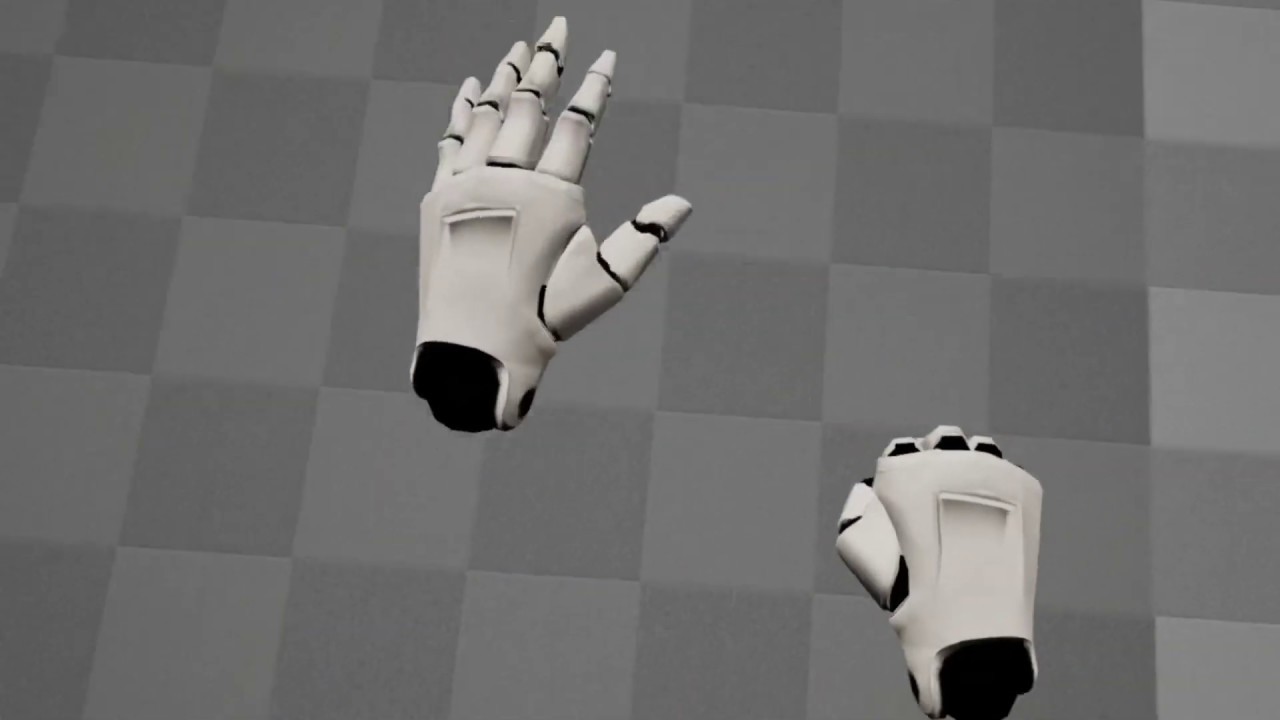
Just a quick video demonstrating my attempt to clone the movement system from Echo Arena, in UE4.
You can find a download for this UE4 project here:
https://forums.unrealengine.com/development-discussion/vr-ar-development/1354452-zero-g-hand-based-movement-locomotion-mechanics...
faint mantle
@faint mantle sounds like you need an event router...
Cheers @tiny niche, I follow you, but that's a pretty large undertaking I hadnt banked time on. Searching around I've found ActionSetLayers
https://partner.steamgames.com/doc/features/steam_controller/action_set_layers
Which looks like the perfect solution but it's seemingly not applicable to SteamVR?
Thinking more on your suggestion, I'd have to intercept actions and prevent them from firing and then manually fire them myself based on defined priorities, priorities which should then change based on how each user has configured the bindings of their controller. Seems like a nightmare..
All for something as simple as "X button" teleports, unless you're holding 'grenade', in which case "X button" 'pulls pin on grenade'. All other buttons unaffected.
tiny niche
the priorities would be static and implemented as a layer on top of the input handling
faint mantle
Cheers, @tiny niche I think with the interactions I'm trying to cater for, and the different controller bindings, my priorities would need to be dynamic, but I can tackle that later on.. could you point me in the right direction to achieve "a layer on top of the input handling"
Would I need to recode the existing actions such as pick up/teleport etc to be surrounded by an if(CurrentlyAllowedByPriorities). Or is it intercepting those actions from firing, and handle it in one place elsewhere?
tiny niche
@faint mantle you'd abstract the action away from the input on the action set end of things, so it wouldn't be pickup/teleport, it'd be more like a trigger/grip input that gets fed into a sorted set of possible actions that you go through until something terminates the iteration
basically a more sophisticated input->action mapper than what unity provides by default
but it wouldn't be dynamically sorted, you'd have to define ahead of time if the trigger is going to teleport or grab as the priority
faint mantle
Cheers @tiny niche, I follow you. Hopefully easy enough to implement with the default SteamVR action implementations (teleport etc). Need to stop them activating themselves and call them through this new system.
but it wouldn't be dynamically sorted, you'd have to define ahead of time if the trigger is going to teleport or grab as the priority
@tiny niche
That's an issue.. we plan for a variety of different controllers to be used in future, re-coding input based on each one rather than mapping using the Steam Controller Binding probably isn't going to work for what we have in mind.
tiny niche
@faint mantle doesn't matter if the controller changes, as long as the interaction method stays the same. if you've prioritized grab over teleport and a new controller comes along that has them on a different button, then you'd still want to check grab before checking if you can teleport with the given input
if you extend this to feed everything all inputs, then you'd want to have the actions consume inputs, like the grab marks trigger as consumed, while the teleport might mark the trigger and thumbstick as consumed
this way you get more flexibility, but the action set remains constant
faint mantle
Ok I follow again, so my objects would likely subscribe to events rather than the actions, this system would then read the actions, prioritise them and trigger the events based on my defined priorities.
And each object would only react if it knew it was "held"
 empty cedar
hey everyone! i have a question
how can i recreate the VR hands physics in unity in the same manners as this one?
https://www.youtube.com/watch?v=aavZbRjSE8w

In this Tutorial we will be making VR physics based hand in UnrealEngine4.
With this VR Physics Based Hand you can properly interact with static and physics objects.
Support my Work : https://www.patreon.com/UE4tuts
Like my Facebook page for more content and Information :https...
 late zinc
Hi guys, does anyone know how I could display a pdf in a cube from a url? I already dealt with this code, what could you suggest me?
public class AD WEEB: MonoBehaviour
{
public string url;
public Renderer applied;
 // Start is called before the first frame update
 void Start ()
 {

     StartCoroutine (LoadFromLikeCoroutine ());

 }
 // Update is called once per frame
 private IEnumerator LoadFromLikeCoroutine ()
 {
     WWW wwwLoader = new WWW (url);
     yield return wwwLoader;
     applied.material.color = Color.white;
     applied.material.mainTexture = wwwLoader.texture;
 }
 viral blaze
PDF is not a texture, and I guess your question is less related to VR
tiny niche
@late zinc you're missing a pdf renderer
wide parrot
Most VR game have two executable : one VR, one non-VR. How do you do that with Unity ?
The closest I could get was reading the command line and setting XRSettings.enabled to false as soon as possible, but that still boot in VR mode.
There is an internal command line "-vrmode" but setting it to "none/null" doesn't seem to work.
And just recompiling the game with "Virtual Reality Supported" double the game size, which isn't practical for distribution.
Any idea ?
 shell pumice
Hi, im trying to create VR player avatar using UMA dynamic character, but im not able to connect XR Rig and controllers with head and hands, because i cant find base body. I tried to aply my scripts to human male base model, but the player is obviously builded from something else. Does someone some experience with UMA in VR, please?
 olive ingot
@wide parrot never heard of a game shipping two executables tbh. you could just instead check for the presence of a VR headset and either automatically load a VR scene or give the user the option via GUI or somethign
tiny niche
@wide parrot usually its just the 1 .exe and the -vrmode flag lets you be explicit about the sdk to be loaded
if the flag isn't passed in, you should launch with them disabled
just make sure you let the engine handle as much as possible for you, since the defaults will ensure that you launch with the correct sdk depending on the launcher used (oculus needs priority, since steam passes -vrmode openvr to all vr games, even if they attempt to launch with -vrmode oculus)
windlands 2 got that part wrong, but sadly the developer doesn't understand why it happens
wide parrot
"if the flag isn't passed in, you should launch with them disabled"
That's kinda what I'm doing for now, but since my code only start executing after the Unity boot-sequence-thing it still start the headset for nothing.
Unless there is a -vrmode "nothing" ?
 pearl finch
If I wanted to setup online multiplayer on oculus quest how would I do that? I’ve seen rift multiplayer and I know how to do multiplayer for PC in UE4. I don’t know if there’s anything special I have to do for quest or how to do multiplayer in unity in general. Can anybody help?
 sharp spruce
I have an interesting idea but can't seem to find much info on how to go about doing it.. I'm trying to do a truly async loading of a scene, meaning objects would pop in as they load instead of asynchronously loading the entire scene and then displaying it. The 'pop in' would of course be really ugly, so each object would have a shader that 'materializes' them as they as soon as each one is loaded. This could be such a cool effect, especially if it's set up in a way that objects are loading closest to the player radiating outwards. Could be really functional for VR. Does anyone know of a good starting place for me to look into?
storm ether
What's the best way to support Vive, Oculus, and the index these days? XR seems to be missing index support so I'm at a loss.
 lone knoll
@storm ether isn't the new OpenVR XR Sdk supports the index ? its made by valve after all
also why Unity-XR doesn't supports the index ? I figured it did
tiny niche
@wide parrot enable it based on the flag, don't disable it based on the lack of a flag
but unity should handle it out of the box, if you did the project settings right
@sharp spruce a shader couldn't handle it, you'd need to use a proxy object that gets replaced when the asset is finished loading
but you also have to remember that there's a lot of work going on when loading assets. Lots of memory allocations generating garbage collects
storm ether
Weird I'm not about to find docs on how to enable it like I can for Oculus.
I'm certain I'm just doing this wrong. There's just so much old info to sort through
sharp spruce
@tiny niche The idea for the shader was simply to handle the 'materialize' visual effect so the objects don't look ugly popping in one by one. By proxy, you mean the scene would essentially be a bunch of blank gameobject placeholders that would be replaced in which ever order I specify, correct? I kind of considered this.. I could create a utility that would process the scene to be ready for this functionality once I'm done editing it. I briefly looked into the addressable system, I wonder if this would solve the garbage collection issue that you've brought into view?
tiny niche
no unfortunately there's no solving the gc issue, its always going to be there
sharp spruce
I'm just thinking out loud here, feel free to ignore this.. I'm just trying to understand how GC won't function properly. Here's an example: We have a VR Tabletop gaming sim. The player is their 'Home Room' and decides to play a game of Texas Hold Em'. Their home room fades to black , a new scene is loaded (just empty gameobject placeholders) then the homeroom scene is unloaded. Immediately the poker table materializes in front of them, then the ground as it radiates outwards, objects around the room then materialize, we are now in some kind of illegal cyberpunk underground gambling room. The player then decides they want to play some Catan, this process repeats, with ultimately the previous scene unloading. Where in there is garbage building and failing to release?
storm ether
GC typically fails when bindings to an API are in a lower language. Not sure about this situation, but in Go Lang for example if you have C bindings, you don't get GC on those C allocations.
Would assume shaders in unity are bound to some lower level language
@sharp spruce
Also things like hash tables need manual handling.
sharp spruce
Thanks for the reply. I guess this is a bit past my current scope.. Am I crazy to think this would be a necessary advancement to make for VR? The less time the user is in darkness staring at a loading screen the better, especially if something like the poker table was immediately interactable.
storm ether
Hardware has it's limitations too. If you just want to reuse stuff that's already loaded it would be faster but you run the risk of memory leaks if you don't carefully manage your addressing.
You might benefit from APM tooling to get there. It'll help identify leaks
quartz slate
anyone able to get hand tracking working in the unity editor with the most recent quest updates?
shell pumice
Hi, has someone experience with using uma character as VR avatar?
tiny niche
@sharp spruce the gc triggers when you do memory allocations and in this case you're likely to allocate enough to trigger multiple collects, which is going to cause screen freezing in vr
sharp spruce
@tiny niche Hopefully that's where incremental GC could help?
tiny niche
well the one we have is generational, but its still slow enough that you'll drop frames if you get multiple collects between vsyncs
not to mention all the work that goes into processing an asset
sharp spruce
I see. Im still going to experiment with this because I'm stubborn. Would you mind if I pm you the results?
lone knoll
@empty cedar did u had any luck with them hands physics ?
empty cedar
@lone knoll hey, never received an answe so no :/
lone knoll
@empty cedar here are some links , this might help if u have the time to dive into the code :
https://github.com/oxters168/VRPhysicsHands
https://github.com/dilmerv/OculusQuestHandTrackingPhysics

GitHub
Fully physics based VR hands for the Oculus Quest hand tracking - oxters168/VRPhysicsHands
GitHub
A variety of examples showing how to use Physics with Hand Tracking. - dilmerv/OculusQuestHandTrackingPhysics
empty cedar
👀 ohhh! Thank you very much!!
 worn thicket
Hey guys, i recently upgraded to 2019.4 but the performance dropped massively. More specifically earlyupdate.xrupdate went from 0.4-0.5 ms to 4-16 ms. Has anyone else been having this problem? It also happens in a new project
worn thicket
2019.4.1f1 vs 2019.3.15f1
deep profiler shows nothing aditional besides earlyupdate.xrupdate its not expandable
reef beacon
Weird
We're planning on upgrading from a similar version soon
We did a quick test in a smaller project but I haven't heard of any problems
What HMD by the way?
worn thicket
It happens on a new project aswel thats why i'm really confused.
oculus rv1's i was gonna test on the vive in a bit
worn thicket
cv 1 yeah woops
reef beacon
Weird
reef beacon
We don't seem to have the same issue
 unreal crystal
In my VR game, the player manipulates a scene "top-down" as a God-Like figure. This means everything in the game is miniature size compared to the player and VR Rig.
The issue with this is that physics can get weird and unrealistic because everything is scaled down, such that agents and objects are more like 5cm tall than 2meters tall.
Is there a way to scale the VR Rig (player) up massively so that I can scale the rest of the scene up to about the correct "2meter" size? Hope my question makes sense.
I am also running into the NavMesh agent radius size limitation of 0.05.
reef beacon
Can't you just change the scale?
unreal crystal
@reef beacon 🤦♂️ I didn't think it could be that simple. Thanks!
 civic prism
hey, anyone using the unity steamvr plugin has had this happen?
with accompanying error spam
resetting the component and changing the pose scriptableobject on it hasn't solved it
UI works fine when there is no SO set
 tiny compass
am I wrong, or is animating custom hands (using a different mesh/skin than the CustomHands example) really quite challenging?
supporting poses like point, thumbs up, grip and all the combinations therein
olive ingot
does your mesh have a skeleton with all the same joint names?
 brave topaz
Hi, I found a very usefull variable array, where sotred all finger curles, called fingerCurls[]. I want to know, is there any ability to gesture using it? I found some usage of it in UpdateAdditiveAnimation ( SteamVR_Skeleton_Poser.cs ), but haven't found any direct usage of it.
lone knoll
@brave topaz hey dude, what do u mean gestures ? the controller position movement ? the change of the finger curls over time ?
storm ether
Hey, I've got a probably quite simple problem but I just can't find a way to solve it :/ I actually just want to know in this script which hand (left/right) is holding the object (Interactable.Primary_Grab.Secondary_Swap in a DirectionalJointDrive) this script is attached to. Is there any quick statement that works here (line with "interactor")? Or is that fundamentally the wrong approach to check it in code? I'm still a beginner with VR, thank you in advance! ^^ https://gyazo.com/c29ce46835f566aa9d36c4226b68cc5f

 idle meadow
using the steam vr plugin, I can't seem to find a good way to move the player gameobject when the player moves in their playspace IRL
like when the player takes an IRL step forward, I want to move the player gameobject that amount forward as well so the player is always synced up with their collider
but I can't seem to find a good way to do that since the camera has to be parented to the player gameobject
lone knoll
have anyone tried this before ? https://github.com/sigtrapgames/VrTunnellingPro-Unity

GitHub
Plug-and-play VR comfort for Unity. Contribute to sigtrapgames/VrTunnellingPro-Unity development by creating an account on GitHub.
brave topaz
@brave topaz hey dude, what do u mean gestures ? the controller position movement ? the change of the finger curls over time ?
@lone knoll just to recreate gestures, using this curls, for example in multiplayer
 bold tiger
Hey guys. Seeing if someone can point me in the right direction. I made a player using XR Rig and everything works fine, but when I bend over a desk to pick up an object, the collision detection pushes me away from the desk. Same thing with walls if I try to put my head through it. How would I go about having the screen turn black if I put my head through the wall instead of pushing me away from it?
shell kayak
@lone knoll Not recently, but I know the developer. The asset seems well made, and it's free so it can't hurt to try it.
 hard carbon
Hey, has anyone else done any work trying to offset the player offset applied when tracking resets on rift or quest? We are referencing some irl world-space points, and whenever the customer is taking off the headset its losing the correct position of them.
Currently, I am referencing OVRBoundary.GetGeometry to calculate a center/direction of the guardian and offset the player by the difference when they remove the headset, but im struggling a fair bit with the math etc, wanted to see if theres any existing solutions.
hard carbon
TIL about stage space tracking...
 opaque narwhal
Hello I am thinking about making a unity vr game but have not used unity before and don’t know how anything works but all I’ve heard is good things about it!
 leaden flame
@opaque narwhal Unity is a great platform for VR games and app development. A lot of the popular VR games from Job Simulator to Beat Saber are made with Unity. If you're just getting started I'd encourage you to head over to the learn portal and jump into some basic tutorials there https://learn.unity.com/
VR has some additional complexities, especially around design but having a solid Unity foundation will be a great first start.

Unity Learn
Unity Learn provides award-winning free tutorials, sample projects, and full courses for mastering real-time 3D development skills with Unity Learn to make video games, VR, AR, and more.
 elder ermine
im currently making a vr game. im planning to make it a sandboxey kind of game, where there isnt really a point, you can just mess around. however, im not too far in to the development process to change the main style/theme, so im asking all of you,
- should I add a different kind of mode
- should it replace the sandbox or go along with it
- what should the new mode be? (arena, story, etc.)
and the main part, - whats a cool twist that could make the new mode different from all the other vr games
ping me if u want
elder ermine
hey, anyone using the unity steamvr plugin has had this happen?
PaperMartin#8635
that did happen to me, i have no idea why
it fixed itself tho
storm ether
am I just blind or is the OpenVr api documentation extremely messy?
I am trying to get a certain position and rotation offset from OpenVR... but I can't find any info on pchComponentName required for GetComponentState
shell kayak
@storm ether It depends what components are available on that given controller/device. You can loop through and print all the component names using GetComponentCount and GetComponentName
But you're also using deprecated input functions
storm ether
oh
shell kayak
It'll still work as long as you don't use the new input system at all
And can often be simpler than using the new input system
storm ether
steamVR input 2.0?
well i need to get the pointer pose already.
which is called "tip"
and i want to get the pose for grabbing things.
i believe there is one like that...
shell kayak
And you're using Unity? Why not use the SteamVR plugin?
storm ether
I am using the steamVR plugin. can i just get them as input pose?
shell kayak
Yes, create a new Pose action in the SteamVR Input editor window
Then bind it to the "tip" pose
There's usually no reason to need to use the OpenVR API directly if you're using the SteamVR plugin
storm ether
i see, thanks for that.
Now i just need to figure out how to read that pose xD
but that should be easier
storm ether
ah i messed up with the vive cosmos binding file (don't have a cosmos, so can't make bindings in the interface.....)
storm ether
but that should be easier
@storm ether
He said while struggling with it still.... :/
unreal crystal
How do I go about getting the VR controller distance from the floor (not in game, but in IRL where the person playing is standing)?
I am using Unity XR Framework, XR Interaction system (the one with inputDevice.TryGetFeaturesValue())
CommonUsages.devicePosition ?
 tiny portal
Does OpenVR package works in Unity 2020.1 or 2020.2?
unreal crystal
How do I go about getting the VR controller distance from the floor (not in game, but in IRL where the person playing is standing)?
@unreal crystal
For future citizens; the answer is indeed CommonUsages.devicePosition
 potent edge
Any idea why model prefab is a transform rather than a gameobject. It forces you to assign an empty game object to it with the model nested inside of it. Not sure if this is a mistake or intentional. It doesn't seem intuitive. It's from the XR toolkit.
 pastel forum
Hey guys
Anyone have any experience setting up Normcore, Photon, or any other networking asset for use with VR?
Can't find any relevant documentation or tutorials :/
faint mantle
Hello, I have a working Unity SteamVR project which breaks when I build. (I suddenly have no hands or input)
Following the build, I run the game again and I receive all the following errors...
Any ideas why or how to fix it?
Many thanks!
@pastel forum Have you looked at Mirror? It integrates pretty much the same way as Unitys UNet, if you have familiarity with that.
Because it's so similar there may be more tutorials. I've used it for a project recently (Non-VR) and it's been relatively pain free.
https://assetstore.unity.com/packages/tools/network/mirror-129321
The same principles to making a multiplayer game in Unity should carry across.

Get the Mirror package from vis2k and speed up your game development process. Find this & other Network options on the Unity Asset Store.
faint mantle
To fix my own issue above.
https://discordapp.com/channels/489222168727519232/497874524549808128/731091076013752391
Window > SteamVR Input > Open binding UI > Edit > Replace Default Binding
But that is a one time fix for the editor only.
Building the game breaks it again and the built application will have the same errors and no hands.
Issue not solved...
pastel forum
@faint mantle Yep, I understand the premise of all the high level unity networking assets, I’m just confused as to where the VR Prefabs fit into it
faint mantle
Ahh I see, I guess you're looking to modify the existing single player VR Prefabs to make them multiplayer?
Sorry I've got a meeting, but I'd take a look at synchronising the transforms once the networking side is up and running..
 lime shoal
did someone know how can I get rid of it?
 faint stream
hey so im having a problem with the xr interaction plugin, the controllers are being tracked alot farther away than my actual controllers irl, any fix?
 indigo dust
is there a better way to play and test a game on quest, or do I have to build and run the game everytime I want to test it?
leaden flame
@faint stream is that just how they are visualized or is it the actual tracking themselves? How are you visualizing them.
leaden flame
@indigo dust for testing on the actual device, build and run is the only option. If you're on PC you can use a usb-c cable as an Oculus link. That basically tricks your computer into thinking it's an oculus Rift S which enables just hitting play in Unity and seeing it in the headset. https://support.oculus.com/444256562873335/?locale=en_US
what platform @faint stream
faint stream
xr interaction
leaden flame
sorry, what VR platform / HMD
leaden flame
and it's fine in the steam VR home? I feel like I've had that issue before. I think maybe a quick restart of steam VR and or Unity fixed it but I can't remember off the top of my head. 
leaden flame
@lime shoal try upgrading the XR plugin management package to 3.2.13
faint stream
@leaden flame
yo
uh
still not working
my controller is just super far away
im using the unity xr interaction tool kit
has this happened to you?
because if i used the tracked pose thing
it tracks perfectly
but when i apply the model
it just breaks
leaden flame
how are you 'applying the model' setting it as the controller prefab?
faint stream
yea
thats what im doing
well
im ripping the hand model from boneworks so its not a controller
@leaden flame
leaden flame
can you try using a scaled down primative instead of a custom model and see if the issue is still there.
leaden flame
yes
faint stream
does anyone here know if you can get index controller input/finger tracking in unity with the xr interaction kit?
lone knoll
Its not yet supported, isn't it ?
tiny niche
@faint stream dont think its supported, but you might be able to use the index sdk and expose the finger tracking through the input api
faint stream
@faint stream dont think its supported, but you might be able to use the index sdk and expose the finger tracking through the input api
@tiny niche thx
idle meadow
hey, can someone help me out
I'm using the steam VR plugin from the asset store
and I'm trying to get the player's body and collider to be synced up with the headset location
so if the player takes a step forward in their IRL playspace, the player gameobject in unity also moves forward the correct amount
 tiny kiln
Hey VR friends! Has anyone witnessed issues with thrustmaster hardware conflicting with VR controllers input ? I can’t find any easy way to have unity read user input from controllers without receiving garbage coming from thrustmaster joysticks at the same time...
I am using the unity legacy input system, reading axis data for the sticks and triggers
 vestal flicker
Whenever I life recompile, my controller dissapears. Using oddysey+ and old openVr
live recompile **
storm ether
hey question
I dont have a vr headset, but can headsets like the quest move the headset in 6dof or just the remotes
@ me if you can help me
storm ether
what headset do you have?
faint stream
index
storm ether
cost?
storm ether
got it. This is a longshot, but do you know how much using a rolling shutter camera like the one on your phone would affect visual inertial navigation? im trying to make my own vr system
faint stream
nop
storm ether
rats. Ok, well youve been a help. Thanks! 🙂
faint stream
np
faint stream
does anyone here know if the new steam vr plugin works with the 2020 pre releases?
 mild gulch
Having issues fading to white in vr but key mouse works fine. is there something about vr thats different were putting a pannel infront of camera dosent work?
storm ether
@mild gulch if you're using steam VR. It fades to grey/white when tracking is lost in blind spots. Also default settings are to throw you into the void when things are frozen/loading and it can't render the scene as you move.
tiny niche
@tiny kiln unity aggregates inputs by default. You need to filter it to the intended controller to make it work well
tiny kiln
And there’s apparently no way to do that 😄 I hate to have to support all the PCVR sdks out there for just a couple of users...
tiny niche
Switch to the new input system then. But I also suspect you're wrong, since plenty of unity games limit their inputs to just a single controller
Which is just as bad imo.
But then I'm one of those who have 4-5 controllers connected
tiny niche
@faint stream you'd have to elaborate, what do you want the assigned weight to do?
tiny niche
have them stand on a digital scale and display their weight in numbers above their head then
faint stream
no as in like give them weight so when you go on top of something in the middle of the air it drops down because you are heavy
that sort of thing
tiny niche
so gravity?
tiny niche
same way you always do, track position and detect collisions with the ground
tiny niche
the position tracking part is the interesting bit though, since you have no tracking of the feet
tiny niche
there are multiple solutions to that problem, which largely depend on what type of game you're making and what kind of mechanics you need to implement
faint stream
can you put them in a tldr for me?
tiny niche
well you could track the tracking space origin, track the headset, deal with collisions, not deal with collisions and anything in between
tiny niche
its kinda like asking which directions you can push a thumbstick in 😉
faint stream
oh
lol
ill ask a few friends of mine
i have a friend working on a really nice physics vr game
he probably has an answer
thanks anyways
tiny niche
if you have a headset, i'd recommend checking out some games
tiny niche
windlands 2 has one type of position tracking where the body follows the headset, but it also lags behind a bit to allow for looking over ledges
faint stream
ooooh thats smart
tiny niche
there's also games that detect railings and stuff to handle that in a more robust manner
faint stream
any examples?
tiny niche
i forget what its called, but its one of the locomotion techdemos on steam
faint stream
yea i forget those demos to haha
tiny niche
basically you have to deal with everything relating to locomotion in order to handle gravity
tiny niche
@faint stream not specifically, but i've worked with the xr system and the oculus plugin. They all share the same architecture
tiny niche
no, i've looked at it and come to the conclusing that i'm better off sticking to upper body visuals
tiny niche
out of all the games i've played, i dont think any of them got better when i enabled the body
faint stream
im just doing upperbody/arms but thanks
tiny niche
there's still some issues with the elbow position when doing arms, so i'd recommend skipping them if you can get away with it
faint stream
yea im just going to do a kinematic model for the upper body
im rigging it right now and its a pain
 novel cape
Are there any good frameworks available for OpenVR, which provide a good starting point for making a first person game? I've been making content for VRChat and I'm thinking about making a standalone VR game, but if someone has already done the legwork of creating a framework which allows for moving and turning with the sticks, optional teleport movement and support for controllers like the Vive wands, and picking up and throwing objects, where I could just drop these scripts into my Probuilder world and run the game and be able to hop right into VR and move about just like I would in VRChat and start interacting with stuff immediately, that would save me a ton of time and go a long way towards encouraging me to start building and experimenting with actual content. I have no real interest in re-inventing the wheel, and VRChat and Alyx's movement felt pretty good. Actually VRChat was better. Alyx walked at a snail's pace, and when I played it they didn't yet have smooth turning working. But I did like the ability to grab stuff at a distance!
novel cape
I'll look into that, but I hope it's not the same thing I tried before. It was a demo Valve made for Steam VR which only had teleport movement and really awful teleport movement at that. Like what they have in SteamVR home. VRChat has a "holo-port" system that works so much better. No fixed points to teleport to, and you see your avatar run in third person to wherever you're aiming.
faint stream
hey uh
steam vr plugin has that teleport system with the home one but you can just write a script for smooth locomotion
steam vr is a really nice starter tho
but what you can do
is make your entire area telepot
teleport
novel cape
So what you're telling me are that the tools you're suggesting don't provide the functionality I want? I don't want to re-invent the wheel. I've done that before. "Just write a script" is easier said than done. I haven't coded in C# before, and there's any number of ways you could accelerate or not accelerate the player when moving them around which may or may not make them sick... I'm looking for a ready made solution that I know will work well and people like the feel of.
faint stream
you shouldnt be going into vr development if you dont know basic c#
but
steam vr has really nice teleport
just make your entire plane a teleport componet
novel cape
I have 25 years of game development experience. I've coded in C before. I just don't want to have to start out spending weeks getting a movement system others have already perfected working well. I'd rather just pay for a plugin that does it well already.
faint stream
i dont know of any plugin that does smooth locomotion without any programming.
apart from oculus integration but open vr isnt on oculus integration
novel cape
As for teleport movement, I mean, it's nice I guess there's a way to make it you can teleport anywhere but I don't like Steam's teleport movement, and I vastly prefer smooth locomotion.
faint stream
i do to but without coding c# just make your entire plane the teleport area
i can make a gif of it if you want
novel cape
I just find it hard to believe nobody's made a package which implements basic smooth locomotion and object interaction that works better than the clunky SteamVR demo. It seems like easy money having that in the Unity store.
faint stream
i do to
i wish i could use smooth locomotion on it but
i believe xr interaction toolkit makes it easier? i dont know but the xr interaction toolkit is a must have for beginners
@novel cape
novel cape
I did find this tool which handles some of the interaction bits, but not movement. I don't know if OpenXR replicates this functionality or what, but I just thought I'd share it. I'll look into OpenXR more later. https://assetstore.unity.com/packages/templates/systems/vr-interaction-framework-161066

Use VR Interaction Framework from Bearded Ninja Games to elevate your next project. Find this & more Systems and templates on the Unity Asset Store.
faint stream
oh yeah i forgot about that one
 marble latch
hi guys, not really VR related but I'm facing issues with the unity recorder to record multiple game views by camera tag. anyone has experience with the asset?
tiny niche
@novel cape openxr is just an api surface, you might be thinking of unity xr though. which has nothing to do with openxr itself
novel cape
I meant "XR interaction toolkit" when I said OpenXR. My mistake. https://docs.unity3d.com/Packages/com.unity.xr.interaction.toolkit@0.9/manual/index.html
tiny niche
you could use the oculus sdk on top of that if you'd like. nearly all features in it is compatible with openvr devices too
and it means you're prepped for a potential oculus store release
storm ether
Hello im new here i would like to ask
Is there anyway to stream a youtube 360 video in unity and use the cardboard SDK to make it into a VR experience?
tiny niche
@storm ether could just play it back on YouTube in vr
storm ether
but i would like to make it a stand alone app is that possible?
tiny niche
Sure, but where's the added value in doing that?
potent edge
Should rendering break in the Oculus headset if the game view tab isn't visible? It totally hoses if I select a different tab to show in the editor and the game view tab is no longer visible.
storm ether
With SteamVR, I want to ControllerButtonHints.ShowTextHint and ControllerButtonHints.ShowButtonHint, but I can't for the life of me figure out what to pass as ISteamVR_Action_In_Source and ISteamVR_Action_In_Source[].
Anyone ever use these methods before?
tiny niche
@storm ether i'm guessing those are really delegates in interface-form. so you'd inherit them and implement a method that either shows text or returns the text that should be displayed
storm ether
Hello,
did anyone manage to make the OpenVR XR SDK Package for Unity work with the new input system, or is it still something that is being worked on and it is not supposed to work?
elder ermine
that happened to me but in the SteamVR plugin
storm ether
may have fixed
 gaunt crown
With SteamVR. How does one grab and move an object that's anchored to something else.
I've got a bell like this
And the rope and the metal ball thing inside have joints to stay together but allow movement inside the bell (the ball collides with the bell inside fine). But how can I grab the rope and shake it without the rope just attaching to my hand and breaking it?
reef beacon
Move it towards the hand using physics
gaunt crown
So attach it, but don't parent it to the hand. And then every frame it's attached get the movement of the hand and move the rope that amount?
 scarlet void
I think I have a similar question, using the XR Interaction Toolkit... Is there a setting when working with the XR Grab Interactable script that doesn't temporarily parent the grabbed object to the Direct Interactor? In my use case I need to be able to move an object without taking it out of its hierarchy.
 steady spear
Help please (blender/unity/animation rigging)
I modelled a human in blender, uv'd, textured, rigged, exported him as an fbx, and I want to use him in an inverse kinematic rig using the animation rigging package from unity. My problem starts when I put a multi parent constraint on his head, this shoots his head up 2 meters above were it should be.
I thought it could be my model so I used robot kyle from the unity store and guess what, it works perfectly.
I thought it could be my software so I imported robot_kyle.fbx into blender and exported him as an fbx but in blender and not whatever they used(not saying the m word).
But guess what, kyle still worked perfectly. has anyone here used unity? should I switch to unreal? I'm basically asking what I should do to export my model besides making an armature skeleton, auto binding it to my mesh and shipping it as is.
tldr: if I want to use unity's animation rigging package how should I export my rig?
scarlet void
Have you followed the Unity tutorial? I was able to use this to successfully set up my own character.
https://learn.unity.com/tutorial/working-with-animation-rigging#

Unity Learn
Animation and rigging is a specialized craft in the development process. Creating animation rigs is a time consuming process and sometimes it takes several people to create a rig that meets all of the needs of a project. With Unity’s Animation Rigging tools, the amount of time...
steady spear
I was following valem's vr body tutorial, but thanks this may help\
 vale mountain
How do you detect the position of the headset?
The camera linked to VR does not match the player's in-game view.
steady spear
https://youtu.be/tBYl-aSxUe0
in the video he uses a vector 3 or transform to make a one time check showing where the floor is and you also have a head offset
he uses a multi parent constraint to make the camera move a game object(head constraint) which moves the armature via the animation rig that head constraint is also parented to but since it has a multi parent constraint it acts as a parent to its parent
also please @ me if you have questions, my game is at steak!
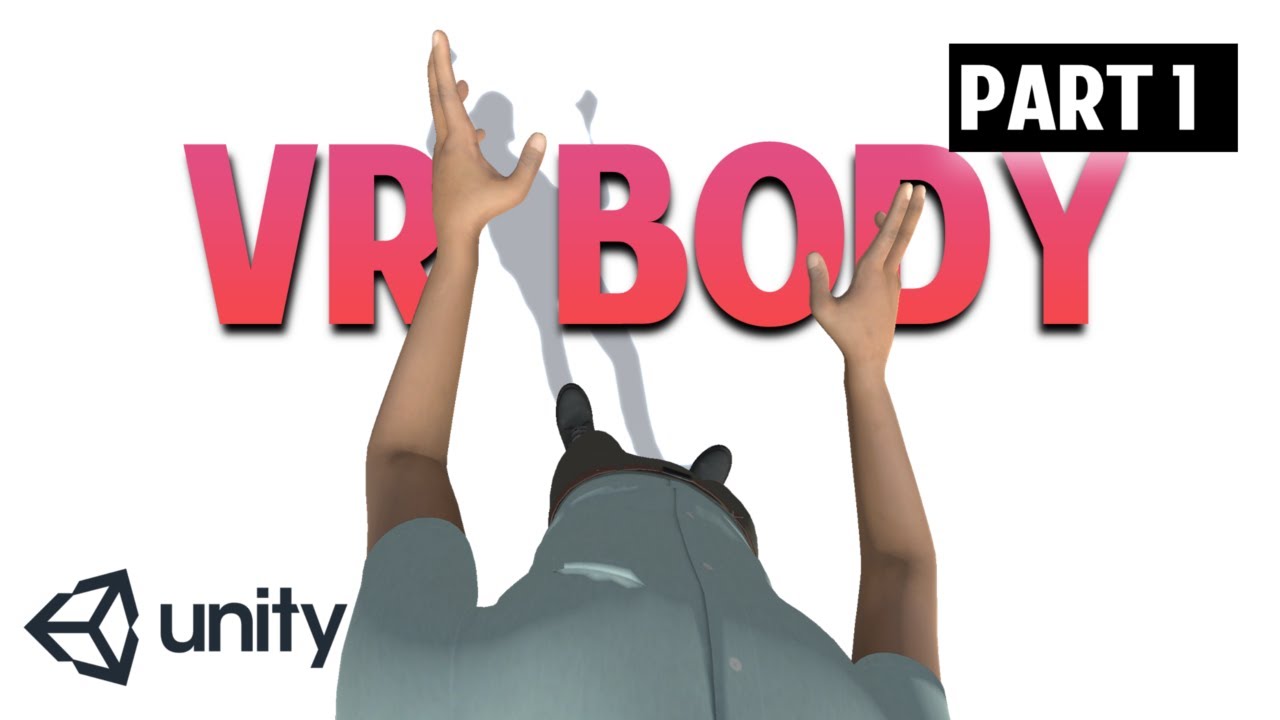
▶ WATCH the PART 2 : https://youtu.be/Wk2_MtYSPaM
▶ Get the full Project on Patreon : https://www.patreon.com/ValemVR
▶ Join the discord channel : https://discord.gg/5uhRegs
Hey guys
Download Robot Kyle : https://assetstore.unity.com/packages/3d/characters/robots/space-rob...
using System.Collections;
using System.Collections.Generic;
using UnityEngine;
[System.Serializable]
public class VRMap
{
public Transform vrTarget;
public Transform rigTarget;
public Vector3 trackingPositionOffset;
public Vector3 trackingRotationOffset;
public void Map()
{
    rigTarget.position = vrTarget.TransformPoint(trackingPositionOffset);
    rigTarget.rotation = vrTarget.rotation * Quaternion.Euler(trackingRotationOffset);
}
}
public class VrRig : MonoBehaviour
{
public VRMap head;
public VRMap leftHand;
public VRMap rightHand;
public float turnSmoothness = 5;

public Transform headConstraint;
public Vector3 headBodyOffset;
// Start is called before the first frame update
void Start()
{
    headBodyOffset = transform.position - headConstraint.position;
}

// Update is called once per frame
void LateUpdate()
{
    transform.position = headConstraint.position + headBodyOffset;
    transform.forward = Vector3.Lerp(transform.forward,
    Vector3.ProjectOnPlane(headConstraint.up,Vector3.up).normalized,Time.deltaTime * turnSmoothness);

    head.Map();
    leftHand.Map();
    rightHand.Map();
}
}
@vale mountain
vale mountain
Thanks, I'll take a look.
vale mountain
It works, but are there no clipping controls for that camera?
In the XR method for the camera it links to a normal camera that has clipping settings.
@steady spear
unreal crystal
For some reason, there is no option to enable dynamic batching in my Unity player settings. Does anybody know what's up here?
Unity documentation doesn't say anything abou ti
about it
reef beacon
Dynamic batching is always enabled afaik
unreal crystal
I hope so. It's just weird that it isn't in there and Unity documentation refers to it. I'm gonna assume it's on and just see if I meet the other criteria
 soft glacier
How do I easily get input from unity xr like is there something similar to Input.GetKeyDown
 final basin
I'm using the XR Plugin Management system with valve's beta OpenVR plugin. In the XR Interaction Debugger my Vive controllers position, rotation and velocities are tracking fine, but im not getting any input from buttons or the Primary 2D Axis. Is there somewhere i need to configure that?
also, i followed the steps under SteamVR Input System from this page: https://github.com/ValveSoftware/steamvr_unity_plugin/tree/UnityXRPlugin
Same problem with unity's new Input System, no button presses in the Input Debug window :/
reef beacon
Afaik you need to use the XR api
final basin
The XRController component should handle that automatically though. When building for quest using the Oculus XR plugin the controller buttons work without any extra configuration or code.
tiny compass
just to check something: If I'm debugging my app on a Quest over Link, and I call a Debug.DrawRay(), that should show up in both the headset and in the Game view, right? Or would it show up in only the latter or neither?
tiny niche
@final basin that's because oculus implemented a plugin for unity xr and then did their sdk on top of unity xr. so its compatible by default
 quick girder
so i recently moved my VR project over to URP, wanted to try out some post processing, but anytime I setup a volume i get double screens in each eye, does anyone know how to correct this?
vale mountain
I'm currently programming the ability to click and drag the view, and also rotate it. Both work by themselves, but combined the rotation goes nuts because of something about the way VR controllers are moved. Has anybody ever got rotating + moving the view to work in VR?
if I try to use both at the same time, this happens.
final basin
Valve just released a new version of the OpenVR XR Plugin https://github.com/ValveSoftware/unity-xr-plugin
And also released SteamVR Unity Plugin 2.6.0b3 https://github.com/ValveSoftware/steamvr_unity_plugin/releases/tag/2.6.0b3
 next atlas
it's been secretly around for a bit hidden as a branch on their main steamvr repo
it doesn't seem to play nice with the input system anymore, though 😦
 final basin
Yeah, this is just an update. I was previously testing their beta one on that other branch, but it hadnt been updated since it was released a few months ago
soft glacier
whats the easiest way to get input from the controllers in unity xr
 summer jasper
Im using the OVRplayerplayercontrol how do I add body presence?
tiny niche
the avatar has some code for placing a shadow correctly, you can use that to position a body
 cyan flax
is anyone familiar with adding oculus achievements with code? im trying everything i have read in the oculus documents about achievements with no results. any help appreciated! thanks
faint stream
does anyone know how to use config joints to replace the camera rig controllers with hands?
vale mountain
Does anybody run into the problem where the camera is always messed up by default and you have to reset it with oculus > home button > reset view?
soft glacier
hello i am trying to make a vr game where the main way to move is using your gun so like you shoot the gun and you get shot the other way, the thing is i dont know how to implement it because it is a gun attached to your hand so i can move freely and i cant find a working way to do it could someone suggest a way to do so?
 quick finch
Quick question: Use the Player prefab or CameraRig prefab in SteamVR?
vestal flicker
What's the best way to get crisp Text for Vr
Using TMP Pro and its still a bit blurry
tiny niche
@soft glacier you should read up on how the physics system works, but you basically apply an impulse at the position and opposite direction of the gun to the rigid body controlling your camera rig
@quick finch the player prefab has a character controller and locomotion built in afaik. So it'd be the way to go if you don't need anything special in that department
quick finch
@tiny niche But the Player prefab controllers just float in front of me.
I tried adding them in the slot in the inspector
And then I also tried adding the prefab as a child o the left and right controllers in the hierarchy
 deft atlas
Hey, So I'm making a parkour shooter thing and after making a indoor level in probuilder and testing it, my character doesn't jump anymore when on the floor, only on slopes, do Ontriggerenter methods not do well with rooms were the faces are flipped inward?
deft atlas
here's a screen shot of the room if you need it
vale mountain
How do you get rid of the red line on the controller?
tiny niche
@deft atlas is it a mesh collider thats the trigger?
i'd avoid that and use a simple geometric shape instead
 wild marsh
hey, just released this open source:
https://twitter.com/LucaMefisto/status/1285220993510899712


Finally!! Version 0.1 for #handtracking posing is out, free and open!
Go Grab it and please share around :-)
Check the documentation for the road map.
Stars in the repo are very welcome to know how many are checking it ;-)
#VR @unity3d @oculus h...
 Twitter
so you can easily create poses for your objects using Quest+Link
quick finch
Should I use the same method for vr shooting as I did for 2d shooters?
Create the bullet prefab and have a spawn location where I instantiate it with velocity?
marble latch
has anyone used the leap motion for finger tracking?
lone knoll
@merry mortar how ? did u use the old cardboard sdk or the new one ?
im curious since there is an existing bug for the new Cardbaord XR sdk ( it crashes when leaving and entering VR in a single session )
deft atlas
@tiny niche I have a trigger at the player's feet and it was working perfectly fine before when i didn't flip the faces inward. Could it be that I separated the floor and wall?
tiny niche
@deft atlas but why do you need a trigger there? the character controller has an isGrounded property and if you're not using that, then you could do a raycast instead or respond to the collision events to track the status
deft atlas
I'm using a rigidbody for my player, but i never thought of doing a ray cast, thanks!
 merry mortar
@lone knoll i used the gyroscope on my phone and made a script
 edgy schooner
Guys, I reckon this is asked a lot here, but which SDK would be the most recent and works well for multiplatform developement - VRTK (which version), OpenVR (do I need steamvr to run my Oculus apps then?), Unity XR Input? Any other?
I'm doing a very simple 3DOF 360 player with a menu to select videos, so no walking, grabbing, etc. But my client wants the app to be universal and to work with most headsets. (Oculus, Microsoft, HTC)
 urban mason
it's been 4 hrs struggling with the set up of rift on unity, is someone able to help me ?
reef beacon
The api you're using is not supported in that Unity version
tiny niche
@edgy schooner right now you can use the oculus sdk on top of unity xr, this gives you compatibility with everything except the valve index
 solid echo
It has been three days of struggling to try and figure out why when I try to build my Oculus Quest app, I get the following error:
DllNotFoundException: OVRPlugin``````DllNotFoundException: OVRPlugin OVRPlugin.get_initialized () (at Assets/Oculus/VR/Scripts/OVRPlugin.cs:1214) OVRManager.SetCurrentXRDevice () (at Assets/Oculus/VR/Scripts/OVRManager.cs:1361) OVRManager.Initialize () (at Assets/Oculus/VR/Scripts/OVRManager.cs:1423) OVRManager.InitOVRManager () (at Assets/Oculus/VR/Scripts/OVRManager.cs:1297) OVRManager.Awake () (at Assets/Oculus/VR/Scripts/OVRManager.cs:1338)
It used to work fine, but after adding a few more objects (TextMeshPro, and hand tracking) I kept getting this error. Can somebody help me? Thank you.
tiny niche
@solid echo are you using unity xr or the legacy system?
solid echo
Legacy system, because the XR system always just gave me a black screen when exporting to my Quest.
tiny niche
in that case its probably the result of updating the oculus integration or corrupting the installation of it. if you remove it and add it back in, the project should fix itself
solid echo
Thanks @tiny niche, I'll try that out.
tiny niche
i would recommend trying to get a fresh project working with xr on the quest though. The new plugin system is far nicer to work with and as a result, you're going to have trouble finding relevant information on the legacy system in the near future
converting the project between one and the other is relatively painless, once you get it running
quick finch
Does anyone know how I can check if they ray is casting from the controller?
I have Logged the script that checks the RayCastHit structure, and it's not hitting.
So I put a box collider on the floor, and that still didn't work.
So I want to see if the controller is even raycasting.
Okay I have put a Log on the Ray that I am supposed to be using on the controller, and the origin of that ray is 0.0,0.0,0.0 even when I move the controller.
Does this mean it's not attached?
quick finch
Got it fixed.
storm ether
anybody know how to handle keyboard UI input properly? and I don't mean Input.GetButton() or anything, but rather via EventSystem, BaseInputModule and KeyboardEvents.
I have a VRInputModule, deriving from BaseInputModule and it handles controller pointers (clicking, dragging, scrolling)... but I have now isolated the UI into a different projet to see when the problem occurs and its as soon as I switch to my input Module, that keyboard input stops working.
if I use the StandaloneInputModule it works.
I see no code in the StandaloneInputModule though, that would say anything about keyboard input...
 solid aurora
How do you do gesture recognition with a VR controller's accelerometer?
I want to have simple recognition whether the player is simulating a lasso
solid aurora
Does anyone here have experience on creating gestures with motion controls, specifically with a VR controller? I wish to create gestures in the illustrations below. My limited knowledge tells me this is similar to those Just Dance games on the Nintendo Wii and Switch.
 honest lodge
This may be an absolute noob and stoopid question but what version of unity do you guys recommend for XR development? Should I upgrade to 2020.1 or revert back to a 2018 ver since I've seen some people saying that's better for xr
tiny niche
@honest lodge i'd use 2019.4, since it lets you do xr and has access to the new packages, while also having access to the legacy system if you need that
2020.1 is also a solid option, but you are cutting ties with the legacy system there
honest lodge
Thank you so much @tiny niche !!
 mental sentinel
Im thinking of starting on VRTK v4 and looking at the tolutorials on Unity Learn. I'm wondering if anyone knows where I can find good documentation like a reference manual for it, since I heard VRTK is so undocumented it has to do ICE raid drills daily.
 merry nexus
hello everyone
I have a quick question, I just imported an avatar into Unity and some of the materials are greyed out and uneditable any fix for this?
 royal pebble
what's the name of the material?
or what material import settings are you using on model
 winter aurora
I'm getting these issues
Can anyone help?
I got sent here from #💻┃code-beginner
The code takes in a velocity from my arduino code through the serial port using the ArduinoInputScript then PlayerController converts that into movement in one direction on a single axis down an infinitely long hallway
I can send the code for both scripts if it would help
Please ping me if you can help
btw, the scripts both compile just fine in visual studio
Please help me, I need to fix this and then make videos on it before tomorrow for school 
royal pebble
i cant see any compile errors in the screenshot.. is that the full log?
winter aurora
full log
here are the scripts:
wait lemme make a gist for both
ArduinoInputScript:

PlayerController:
@royal pebble
royal pebble
what did you do to get those errors appear? upgraded unity?
you are using a vr rig but not have enabled any vr module?
winter aurora
I had been working on a project where I was remaking some software for my university based off of a prior student's prior work
i used UnityXR
his old version used the Oculus SDK and was using an Oculus DK2 rather than an Oculus Rift
however, at the phase of the project where I needed to interface with arduino and translate the data, I got in contact with the graduated student and he gave me his old scripts
I'm trying to get them to work with the new SDK
royal pebble
does the project have some custom dll files? those might be hardcoded for a specific unity/vr plugin version and make the whole project compile fail or something
winter aurora
no dll files
faint stream
what plugin do yall use?
royal pebble
try restarting unity and see if the log is any different
winter aurora
royal pebble
if you click the arduino script on the right it selects it in the project tab?
royal pebble
then drag the script from the project view to that slot
royal pebble
well edit the file by adding one space and save it and see if there are any new lines in the log
royal pebble
what does the xr folder contain
royal pebble
what happens when you create a new empty project and use those scripts there on a gameobject
winter aurora
wait no i can fix those
i have to swap to .NET 4.x for System.IO.Ports to work
here
same errors
royal pebble
open them in visual studio and hit build solution and then check unity
double click in unity
winter aurora
builds both succeeded
royal pebble
i think io.ports is stripped out or not part of unity so you would have to include the dll in the project
winter aurora
how do i do that
royal pebble
just copy it from somewhere to plugins folder in your project
winter aurora
what am i copying
royal pebble
system.io.dll
winter aurora
how do i get to the plugins folder
royal pebble
you create it
winter aurora
where should the folder be?
royal pebble
under your assets folder
winter aurora
kk
winter aurora
where can i find those
royal pebble
C:\Program Files\Reference Assemblies\Microsoft\Framework
royal pebble
how about C:\Windows\Microsoft.NET\Framework\
winter aurora
royal pebble
try the v4.0
winter aurora
this?
royal pebble
yep
winter aurora
okay so what now
royal pebble
if the original project was very old it used mono 2.x and not v4 net and there is a big difference
royal pebble
did importing the dll change anything?
winter aurora
no
royal pebble
it might require the v4.5 dll
winter aurora
where can i find that
royal pebble
need to install it i guess
did unity add a reference to that dll in the vs project
or did you set the correct settings to the dll when it was selected
royal pebble
it might still reference the one included with unity
royal pebble
that its still using the version that has ports removed
winter aurora
royal pebble
the one above it is the one you copied?
winter aurora
yes
royal pebble
remove the one referencing unity folder
winter aurora
how do I do that
royal pebble
right click
royal pebble
then it needs to be some other way
but the error reason is that reference to io.ports
i bet both compile fine if you comment it out and the other port code
winter aurora
how else can I transfer data from Arduino to my project?
winter aurora
who can I get to walk me through doing that?
royal pebble
for that to happen there are several things that might be required to be done
winter aurora
I don't have to time to learn how to do it myself cause this needs to be done tonight so i can film my presentation tomorrow
so I'd need someone to help me through it
royal pebble
it might require a dll version compatible to unity .net version, manually text editing dll references in the project files, etc.
winter aurora
jesus
that doesnt sound good
what can I do about this?
what resources can I look for that will help me do this today or early tomorrow
royal pebble
dont know but the issue is not related to VR so someone in #💻┃unity-talk might know how to get that reference work in the editor
winter aurora
I see
thank you
You've been a massive help
I appreciate you taking the time to help me try and figure this out
royal pebble
now its known the issue is that dll and people have had similar issues with some other dlls
google found this https://github.com/dwilches/Ardity/issues/16

GitHub
It seems that the System.IO.Ports is not available in Unity 2018. (2018.3.0f2) I have Player settings->Scripting Runtime Version set to ".NET 4.x or equivalent" and Api Com...
royal pebble
things might changed since that was posted, like different visual studio or unity version that generated projects with other settings
winter aurora
alright
im gonna sleep
and hopefully fix all this tomorrow
and pray that i dont lose this $4200 scholarship
honest lodge
Just curious if it is possible to use NetwonVR on the Quest or if support doesn't exist for that yet and thus I'm better off using VRTK?
vale mountain
Is there a way to reset the user's position in VR? The equivalent to pressing reset position with the home button.
quick finch
@vale mountain I would assume you just change the CameraRig transform back to its default location.
vale mountain
@quick finch Thanks I'll try that.
@dusty pumice I think it depends on the type of game and the type of door.
Pulling a door may cause it to collide with the player, while pushing a door would be fairly intuitive, but most doors have doorknobs, and the player would probably want to interact with it if the game is fully interactable. In a sci-fi game, pressing a panel or using a keycard might be more satisfying, however auto doors would also feel natural in sci fi.
 dusty pumice
i just ment like if people had a preference to the direction a door goes, or if they preferred no real interaction like click door or automatic opening doors. i know like in some instance a door being pulled toward you in vr can feel as though it gets in the way. i didnt mean like interaction with doorknobs, keypads, buttons, etc. I know i didnt explain that well and have taken it down where i posted it, i just forgot i had it here cause i didnt explain what i was talking about well enough
vale mountain
@quick finch which part of it? If I move the camera offset, it seems to mess with controllers.
quick finch
Have you done teleporting?
If you've implemented teleportation, I assume returning to the default position is the same idea.

Greetings! Today, we are starting a short series on creating an updated teleport mechanic for Vive using Unity and SteamVR 2.0.
If you would like to support me or have access to the project files, feel free to checkout my Patreon.
https://www.patreon.com/VRwithAndrew
Big App...
I used this tutorial the other day.
storm ether
@everyone @here Make a 360° 1080s video on YouTube
 warped bone
any idea why i cant load my VR project up anymore? gets stuck and then the diagnostic tool gives me this error
https://gyazo.com/696fb83d6f30de761a146dcaf38929c5
 winter aurora
Is there an easy way I can make the player camera bob back and forth in a sinusoidal pattern?
hard carbon
in VR?
 sly stratus
whenever I try running my program for my Rift S, it loads up, but in the Rift S it shows it's still loading, idk if here's the right place to ask, but anyone know what to do?
tiny niche
@winter aurora run a script modifying the transform of the rig in late update
winter aurora
Ty
quick finch
Does anyone know why my Interactable object is being picked up in a weird location?
Like, I set a box collider on the object I want to be picked up, in the place I want it to be grabbed.
But when it's picked up, it's definitely not correct.
 long wind
are "XR Controller" and "XR Rig" a part of the XR plugin? I only have "Camera offset" and "Tracked pose driver" in the add component menu
long wind
i mean i've installed all of the XR packages
interaction subsystems, input helpers and Plugin management
long wind
yup
long wind
i just realised, "An error ocurred while resolving packages"
vale mountain
Has anyone had the problem where fog doesn't work with VR?
 lilac mica
I am using the oculus quest and followed the guide given by unity closely. I can get my game to launch on my quest. However the screen is entirely black. But when i turn off and on the screen on the quest. I see a brief flash of my game then back to complete blackness. Anyone have a fix? I’m using unity version 2019. Aswell as the modern vr integration asset.
hard carbon
You probs wanna change your stereo rendering mode @lilac mica it can need changing depending on some shader use, or post processing
mental sentinel
I'm new to Unity (I've used it before way back in v4 or something) and have 2019.4.4f1 but the VRTK v4 project file is 2018.3.14f1 . What should I do?
Do I download that version of the editor and then use the legacy XR stuff?
Or can I tell it to use 2019.4.4f1?
lilac mica
Configure Unity settings to get started with Oculus app development.
I used these settings under render and I get the same effect. Is this information incorrect or is there some fault i made.
 pine bison
You can use 2019.4 with VRTK4 just fine @mental sentinel
storm ether
I was wondering.. since 2020.1 is out now, can i switch to it using steamVR?
The beta2 of the XR plugin was pretty terrible.. so uhh... is beta3 now more stable? beta2 would cause two errors on windows (which could be fixed, though it throws exceptions like crazy still) and wouldn't even build on linux for some reason...
mental sentinel
I was asking the same thing about VRTK
storm ether
(with XR plugin I mean the steamVR plugin v2.6.0b3 and its accompanying XR plugin)
 mighty sinew
hi is the XR SDK M package usable in unity 2018 versions if not what package can i use instead can i use instead i have a valve index to work with
and no i cant use 2019 or above versions
royal pebble
you use the steamvr sdk from the asset store
 modern wadi
hi does anyone knows how to change the mass of an grabbable object (oculus asset) changing mass from rigidbody doesn't affect the velocity of falling
modern wadi
no i mean without the grabbable component it falls slower when mass is lower
or wait did my brain burn let me check :D
wOw why i thought that .d then do you know how to slow down the object's falling speed
modern wadi
thx it worked
lilac mica
any idea of what compression method should be used for oculus quest?
pine bison
ASTC is recommended
 torpid star
anybody interested in collaborating on educational vr apps targeting cardboard? dm me please :)
lilac mica
i’m so slow, been trying to figure out why quest screen is black when i load up my build. Relized even though i got the integration and everything together. I forgot to convert main camera to rig
 tacit canyon

Meetup
Wed, Jul 29, 2020, 4:00 PM: Join Ph.D. Researcher Y. Andy Jeon of University of South Florida for a VR Time Travel Experiment and earn a $10 Amazon Gift Card!Please complete this pre-experiment survey
A researcher is giving out $10 gift cards to VR users participating in a VR experiment if anyone is interested. The event is 4pm PST tomorrow.
 hushed matrix
wish i had vr headset
lilac mica
so is xr intergration package outdated, cause I keep getting errors with it's ovr manager
it gives reccomended fixes, but when i implement them. It just creates more errors
 crisp kelp
 sonic herald
So I'm wanting to learn to start making games, and I'm most interested in VR. Where do I begin?
reef beacon
It doesn't remove them visually or they actually don't get removed?
And is this editor code?
The docs does say it only removes one added through code
Seems pretty weird that you can only remove those though
AddListener
But you need a reference to your RightHand
How are you trying to set it?
Should just be able to do event.AddListener(targetObj.Func);
Remove (1)
Don't you pass the parameter when you call Invoke?
If you don't want to change the param you can do () => targetObj.Func(1)
You just don't understand how C# works
What's the definition of your UnityEvent?
tiny niche
@sonic herald i'd recommend you learn the basics of c#, then learn the basics in unity and then learn vr. you'll also need to have a decent grasp of linear algebra
reef beacon
Well the guy that I just helped removed all his messages
storm ether
Rip
storm ether
Hello, did anybody manage to make the MSAA work on the Oculus Quest? I dont mean in the editor, that works just fine, but when you build it to the device, all of the antialiasing is gone and I have no idea how to fix it. I just crawled through all the internet to find different workarounds and anything and nothing worked ... if anybody has some ideas on how to make it work, it would be greatly appreciated, thanks!
it would be on URP and GLES 3
storm ether
any good tutorials to get me started on vr development
sonic herald
@tiny niche I have some c# experience from working on VEX robots and MATLAB in my engineering classes, and I... kinda know the basics of unity? Not sure what linear algebra is though lol
leaden flame
@storm ether I recommend https://learn.unity.com/project/vr-beginner-the-escape-room and https://learn.unity.com/course/oculus-vr

Unity Learn
In this project, you will: Review basic navigation with your VR controller Explore a basic VR prototyping environment Add teleporters, interactable objects and sound effects to the prototyping environment using the XR Interaction Toolkit Review how to set up Unity to add UI el...

Unity Learn
In this comprehensive course from Oculus and Unity, you’ll learn how to build an immersive VR game step by step. Designed for people who have an intermediate knowledge of Unity, the goal of this course is to teach you how to design, develop, and deploy a VR application. You’ll...
 glacial yew
How could I create like a progress bar that moves with a video player's time? I thought of using a slider, but I think making a custom object would be better
tiny niche
@sonic herald as an engineering student, there's no way you haven't learned the linear algebra needed (math involving vectors/matrices/quaternions)
so in that case, you should be ready to just jump in and learn the editor
 cursive quail
@storm ether hey this might be a little late but dont do the unity tutorial
theres problems with it
its outdated and requires assets that you dont have
i recomend this

If you want to get started with VR development. This video is for you.
▶ Get access to exclusive content: https://www.patreon.com/ValemVR
▶ Join the Discord channel: https://discord.gg/5uhRegs
Want more details ? Check arvrtips articles :
▶How to Install Unity Hub and Setup a...
I'm breezing through this tutorial with no problems :D
you should do the unity tutorial for the design process and planning but you shouldnt do anything else
tiny niche
which unity tutorial? escape room still works
cursive quail
nah not for me
it requires Two conflicting libarys
Zinnia.unity and VRTK
they don't like to work together
tiny niche
escape room doesn't use vrtk
cursive quail

Unity Learn
Joy Horvath of Unity will teach you how to use the Unity platform to develop VR experiences. You'll learn how to enable VR in the Unity Editor using Oculus Integration tools, VRTK, and other resources. You'll also dive into the sample project, and use the Unity editor to enabl...
that
i used that tutorial
tiny niche
i have no idea what zinnia is, but i just loaded up the escape room project with no issues
tiny niche
yea ok, i was talking about https://learn.unity.com/project/vr-beginner-the-escape-room
Unity Learn
In this project, you will: Review basic navigation with your VR controller Explore a basic VR prototyping environment Add teleporters, interactable objects and sound effects to the prototyping environment using the XR Interaction Toolkit Review how to set up Unity to add UI el...
cursive quail
oh
thats diffrent
ok what about this
GetDevicesAtXRNode
it doesnt want to work
tiny niche
you've got a typo in there
cursive quail
great
tiny niche
you're looking for 1 device, not several
tiny niche
InputDevices.GetDeviceAtXRNode
storm ether
k
 spark berry
I'm currently thinking about the feasibility of my game idea, how would yall make it so that if I hit a stick with a rock it would make a dent in it so that you could sculpt and carve wood Thanks In Advanced!!
 timid sundial
@storm ether which URP + which Unity version?

 cyan pawn
Hello, did anybody manage to make the MSAA work on the Oculus Quest? I dont mean in the editor, that works just fine, but when you build it to the device, all of the antialiasing is gone and I have no idea how to fix it. I just crawled through all the internet to find different workarounds and anything and nothing worked ... if anybody has some ideas on how to make it work, it would be greatly appreciated, thanks!
@storm ether
Works for me? Change it in your URP asset file
Also, anyone have issues with DOTS specifically ECS not working on Oculus Quest? Trying to figure that out currently.
ECS runs in Unity when you hit the play button - as soon as you build for Quest, the ECS systems don't appear to do anything. But monobehaviours work.
@storm ether also make sure your pipeline is set in your player settings --> graphics.
If it's still broken perhaps it's a shader, something to do with camera stacking, or a post processing effect, etc.
 sour hollow
Can somebody help me with the GetValidTargets function from the XRDirectInteractor in my code?
cursive quail
I need someone to run my build to test networking
 velvet rivet
when I grab this drumstick it snaps into a weird place and position how do I make the drumstick snap to inside my palm and position it paralel to my hand
velvet rivet
Nvm I figured it with trial and error
 rotund thistle
If I am planning on making a VR game, should I use the new Unity 2020.1 release or should I stick with the 2019.4 LTS version?
I am hoping to make it for both PCVR and Oculus Quest, but that shouldn't be a problem once OpenXR support is added.
royal pebble
probably depends on your skills as 2020 dropped support for the old vr system which many tutorials, plugins etc rely on
 surreal field
I'm having a problem with Oculus Rift S, using the XR plugin. When I grab a hinge joint the rotation of the controller is taken into account. I can rotate on the local z axis of the controller and the hinge joint's angle will increase/decrease. Any advice?
I only want the position of the controller to affect the hinge joint's angle.
mighty sinew
uhm im not sure if this is a vr problem and if not ill remove it but
im having trouble going from scene to scene rn it just duplicates the player rig im new too VR in unity so any help would be appreciated 😄
its resulting in some awkward encounters with myself and unwinnable rock-paper-scissor matches :P
jokes aside I'm using the steamVR plugin and the button prefab that was included in said plugin to switch scenes

 cyan pawn
Anyone know how to grab an Oculus Quest touch controllers using Unity's new InputSystem? Been fiddling with it for a while and can't seem to figure out how to get their bindings.
Trying to whip up a quick controller so I can use keyboard/mouse for development and check it on the Quest easily.
sour hollow
How do I call a function from a Unity (XR Interaction Toolkit) script that's appended to a Ray Interactor? Precisely what I have is a GameObject made as an XR Ray Interactor and appended the XR Direct Interactor script. I want to call the function GetValidTargets from that script to see with what GameObject it targets. How do I call this function in another script? I already have the GameObject specified and tried different methods to implement it, for example GetComponent<>().
cursive quail
got hand pressence with gun detection working :D https://drive.google.com/file/d/12lBmE1admbxYHw7TZ30WDrhvAt0k2SkZ/view?usp=sharing
cyan pawn
@cursive quail Looks great! Awesome work.
cursive quail
storm ether
how to i test vr with desktop
cursive quail
@cyan pawn are you using XR?
 digital oar
Is there a native solution in XR to find out if a boolean feature value changed this frame? It's a pretty standard need so I guess there must be a way. I've seen the time parameter but I'm not sure if it can be used for that.
 ashen lagoon
hey dose anyone know why the xr settings dosent show up
royal pebble
which unity version?
royal pebble
the old xr system has been removed in 2020.1
you need to install and use the new xr plugin management package
royal pebble
if you want use the old xr system then you have to use older unity version
royal pebble
no, you can ask here so everyone can help when they can
 rare knoll
hmm does anyone know how to create an xr rig in 2020.1? all of the tutorails show this option
but all i have is this
ive installed the xr plugin management package
surreal field
@rare knoll I believe you need the XR Interaction Toolkit. It's a preview package.
reef beacon
The whole XR system changed in 2019.3
Older tutorials probably aren't compatible even with the interaction toolkit
rare knoll
how do i show preview packages in the package manager? all i have is this
reef beacon
You have to enable preview pacakges in preferences iirc
digital oar
rare knoll
ok now i have the options
digital oar
folks, in unity 2020 I can't see any button feature in my controller. Is that normal? I can access the tracking features but no button like grip of trigger...
Is this supposed to be broken in 2020?
royal pebble
have you installed valve's xr plugin?
digital oar
@royal pebble I have only installer the new OpenVR XR plugin, not the steamVR unity integration
exactly, I had it and I removed it
royal pebble

GitHub
OpenVR plugin for Unity's XR API. Contribute to ValveSoftware/unity-xr-plugin development by creating an account on GitHub.
"For now, to get access to controllers and other forms of input you will need to install the beta version of the SteamVR Unity Plugin. This can be found at (https://github.com/ValveSoftware/steamvr_unity_plugin/releases/tag/2.6.0b4)."
digital oar
ok I see that now
it is quite sad...
I was working with SteamVR intergation before Unity 2020 but with the new version, I haven't be able to make it work
GitHub
Running Unity 2020.1.0, HDRP on Windows 10, with SteamVR Unity plugin 2.6.0 and the OpenVR XR plugin v1 preview 12 Running the Interactions_Examples scene, I can see that the player's steam...
royal pebble
2020.1 removed the old xr system
digital oar
@royal pebble have you achieved to make OpenVR + steamVR intergation work in 2020.1?
royal pebble
i dont use steamvr
digital oar
ok thank you for you answers !
anybody else uses Unity 2020.1 + the new OpenVR XR plugin?
cyan pawn
@digital oar I think there may be a legacy XR option you may need to check off to get it working?
digital oar
@cyan pawn Thanks for the advice, I've already tried to uncheck and recheck both the "Initialize XR on startup" and "OpenVR loader" in the project settings without success. I don't know about any other option I could check off or reset.
cyan pawn
@cyan pawn are you using XR?
@cursive quail Yeah, using XR. I managed to get it to work with a simple hack on the new input system. Not pretty, but working for my needs. Would still be great to know how to bind the XR controllers properly, though.
Also, I have a weird issue on Oculus Quest with Vulkan where the GPU slowly increases and maxes out (even on scenes with only a couple cubes in them), eventually causing a crash. Anyone experienced that? Pretty weird.
reef beacon
Sounds like you need to attach a profiler
cyan pawn
@reef beacon any idea what the best profiler solution would be? I have the OVR overlay that is pretty vague, just showing the overall GPU usage percentage slowly increasing, and ADB logcat. Any software that would be more insightful to figure out this particular issue?
reef beacon
Unity profiler?
cyan pawn
Ah, cool, didn't realize that could be run with Oculus Quest but I guess that makes sense if it's connected via USB or something.
Looking into it.
reef beacon
Should work as long as it's on the same network
rare knoll
ok so i followed this tutorial and got trigger input working but i need to get the position of the xr input device (aka the controller):
https://www.youtube.com/watch?v=TLNVWojcbEE
how would i do this?
Today I released a new video where I show you how to capture Unity XR Input with my Oculus Quest and Rift. This includes the source code via GitHub to the demo project which you can download below:
XR Input Examples
https://github.com/dilmerv/XRInputExamples
Today's Recommen...
im making a vr drawing app and i need to get the position of the controller to draw at
i mean i could just set the position as a inspector-serialzed field and then manually set it
which is what im going to do for now but i'd still like to know if theres a way to get it from an xrnode or inputdevice
cyan pawn
@reef beacon I actually had no idea you could just connect the profiler like that, haha, that's super handy to know!
Unfortunately, if I enable "deep profiling support" it CPU binds the VR game like crazy - but interestingly, in that condition with the GPU only rendering around 30 frames per second, it doesn't seem to have the issue at all.
reef beacon
It might just take longer for it to increase frametime due to having less FPS
cyan pawn
Hmm, that's true. This is the profile without deep profiling enabled. I should try one with the deep profiling and just leave it running for a while.
reef beacon
It's also worth trying to reproduce it in the editor
cyan pawn
Good point, will do.
The VR Game is using Vulkan and DOTS, so it's a potential cocktail of problems and instability, haha.
cyan pawn
@royal pebble yep, URP. But I don't necessarily have to (unless I actually DO have to, haha, not sure if I can use standard?).
I just have one custom shader that uses vertex colors. No lighting or anything.
I was thinking of building my own SRP but it seems like a bit of a rabbit hole.
Also I could switch from Vulkan to OpenGLES or whatever as well, whatever... works, haha.
royal pebble
depending of which unity and package version you are using it will add even more issues to the mix
not sure if there even is a stable combination yet
cyan pawn
Strange, I turned of 4XMSAA which reduced the load on the graphics processor. The CPU creeps up to 100% usage over the course of a minute and crashes now, haha.
Yeah, I wouldn't be surprised if there isn't a really stable solution yet. All pretty new stuff.
Hmm, unsure what that is. There's a few of them though.
tiny niche
sounds like you have a concurrency issue of some kind on the cpu end
rare knoll
hmm so is there a way to get the trigger pressure?
i found an example that uses the old oculus sdk and not the new xr system and it gets the pressure (axis) of the trigger button
and it seems like the new system only has true/false?
i mean i could probably just use true false\
 thick frigate
i'm getting consistent crashes when trying to test the oculus rift in unity 2020.1.0f1. every time i press the play button, unity crashes. if i build and run, it works okay, so the problem seems specific to the unity editor. older versions of unity seem to play fine using the old oculus integration plugin. i'm trying to use the new XR system, following the instructions here: https://www.rgbschemes.com/blog/setting-up-unity-xr-in-2020/

Setting up an augmented or virtual reality project in Unity has gotten much easier over the past few years. It used to be that you would need many special plugins from various companies to even …
error.log shows this at the top: OculusXRPlugin.dll caused an Integer Divide by Zero (0xc0000094) in module OculusXRPlugin.dll at 0033:28f156cd.
hm. apparently the fix is to have my oculus running off the same GPU as my primary display.
tiny niche
@rare knoll the oculus sdk is implemented on top of unity xr, so you could do it the same way you always have
ashen lagoon
can any one help me
i cant grab in vr
when its all setup
i dont understand whats wrong
i have the hands setup
they have the grab script
and my cube has a grabble script
it just dosent work
i am in a older version of unity
so i have xr settings
tiny niche
@ashen lagoon i'd recommend swapping to the 2020 version, less ways to screw up the settings there
tiny niche
the oculus sdk works just fine in the 2020 version
ashen lagoon
ok i switched
 stone stream
hey today ive started trying to learn vr game design
what would people say the best resources for learning are (Paid courses are fine too)
any help would be awesome
storm ether
@timid sundial @cyan pawn Sorry for the late answer! I did find out that the MSAA did indeed work the entire time, I just had a really detailed PBR model inside Quest and it seems like the device can't handle such scenarios. I assume the resolution in the headset is fairly lower than the one on the pc, that's why it didn't look correct inside the headset ... without AA at all, the app did look noticeably worse so everything is fine. I just increased the resolution and it did help to mitigate the issue a bit! But thanks for answering!
timid sundial
Oh, maybe you had adaptive resolution on? The Quest has a higher res than Rift actually, the OVRRig might have adaptive on and thus reduces res at lower performance (e.g. complex model) leading to shitty graphics
storm ether
@timid sundial I didnt even use the Oculus Utilities, only Unity XR implementation ... I havent been able to find any adaptive option, all that I was able to set up was the resolution multiplier on the URP pipeline asset.
The game by itself does look normal if I put any other semi-low detail object inside, its just the highly detailed PBR model that caused issues ... It was a long train with repetitive patterns so it seems like that was causing mainly the issues
velvet rivet
is it just me or is OvrInput.GetDown really unreliable compared to Get
pine bison
Are you calling it in Update?
GetDown is only called for one frame, which means that if you check for it in FixedUpdate for example, there's a chance it will be missed
 kindred quest
Hey guys. I'm using SteamVR and noticed it's not behaving as I'm expecting with the Grip Action. Specifically, it doesn't seem to respond when both grips are engaged. Can anyone confirm that SteamVR only detects one Controller at a time per Action (or tell me if it sounds like I'm doing something wrong)?
To be clear, by default Grip is bound to both left and right controllers. Both register if I test them independently. But both at the same time is where it doesn't seem to work as I'm expecting.
ashen lagoon
same with me but on unity
for oculous
cant spell
yeah dose anyone know how to fix grip
kindred quest
So I just got done "fixing" it, @ashen lagoon .
I created two new Grip actions (left/right) and two new Squeeze actions (same)
Instead of one grip/squeeze assigned to both remotes.
And that worked for my purposes.
But it's still odd I had to do that. Can't imagine they shipped it where an action assigned to multiple buttons is mutually exclusive.
 pliant vortex
I want to open an external process (e.g. Calculator) within Unity, have that calculator be interactable to the user (not just a constant screenshot capture). I should be able to add 1+1 and get 2 within this. Any idea how I can do that?
royal pebble
do you something like oculus dash desktop or virtual desktop do but clipped to running app region?
pliant vortex
yeah but that is for a window, I will need something application specific
process/application*
I will need to interface with the application later as well to pass on data into Unity
but a calculator prototype would suffice for me for now. I am currently running a command line window successfully. I am going to switch that over to a calculator app, and then planning to screen cap that calculator into a UI Panel onto unity. Then also raycast to allow the user to interact with the calculator, but from there I would have to pass into the application mouse clicks and whatnot
that is what I currently am thinking, not sure if there is an easier way to do it. I looked around for a couple of hours and this is the solution I have come up with that works in my mind
royal pebble
if the app has no api to retrieve data then the only way to do it use win32 api to retreive control specific data or inject code to the running app but this requires you to know the app app hierarchy beforehand
and for example the calculator in win8+ is made with uwp which does not support win32 api calls
antivirus apps sometimes detect this kind of behavior and will flag your app
pliant vortex
ah yes I was reading about something similar to that, you know your stuff!
Any resources where I can get win32 api started
and what do you mean by app app hierachy
royal pebble
win32 api works with handles so to retrieve text for example you would need to know the label or textfield handle but the problem is that it could have a deep hierarchy and the control might have several parent controls

Stack Overflow
Is there a way for a Windows application to access another applications data, more specifically a text input field in GUI, and grab the text there for processing in our own application?
If it is
pliant vortex
that makes a lot of sense
So the process I am working with serializes a UI with XML code, I have been just mentally trying to figure out which is better overall. To do what you proposed, or do create a UI within Unity that recreates the process with the XML code
this is all so interesting to me
rare knoll
Hmm, so I tried to pickup something with the following tutorial and when I pick it up it just pulls me into the air along with the cube, and if I let go it stops and I fall down again. It seems to be a collider issue but I don't know how to fix it.
https://www.youtube.com/watch?v=PnnHx-DVDLE&list=PLmc6GPFDyfw90Xo_T69Va6kw07qJ8nLz7&index=2

Welcome back! Today we're going to be taking a look at putting together some simple interactions. This project was tested on both the HTC Vive and Oculus Quest. Also, remember to use Unity version 2019.3 or above!
Blog Post:
https://blogs.unity3d.com/2019/12/17/xr-interaction...
its like its making me fly upwards
and yes, the controller colliders are set to be triggers
 amber drift
Has anyone run into the EarlyUpdate.XRUpdate slowdown (using 8+ms per frame?)
 spare hazel
Hi everyone, does OnMouseDown not work with Unity's XR Interaction Toolkit?
velvet rivet
Can anyone here make post processing work with OVR?
Nvm I placed the layer in the wrong place
 wintry delta
Hey, if I made my game with Oculus Utilities, using the OVRPlayerPrefab, is there any way I can still use that as my player prefab when integrating Steamvr? I'd like to keep using 1 playerprefab if possible for both the Oculus Store version and the Steam version. And then just use the SteamVR input for inputs
Or do I have to use 2 different playerprefabs if I want my game out on Oculus and Steam?
ashen lagoon
hi
can anyone help mme
with my game
the grabintg isnt working
if so message me if oyou wanna help and vc
ok
cursive quail
hey im using the XR dev tool kit and have a question
i have a working grabing system but i cant seem to find a way to force a player to drop what they have
is there XRDIRECTINTERACTOR.LetGo()?
or something simmilar
mental sentinel
Anyone alive reading this room at all?
I'm sorry, I'm about to pitch my quest at the wall because Unity / Quest development and testing is fucking frustrating. One day it works. next day it stops
Can someone go over with me what reasons you would hit Play in Unity and it won't show on your Quest?
I had this working the other day... then I just tried an extension USB and it won't work anymore, then I went back to my old setup with my tiny ass I can't move cord and it still won't work again