#🥽┃virtual-reality
1 messages · Page 40 of 1
 lofty patio
 hardy sand
also FYI, avoid using the PlayerInput/Input Scheme in the New Input System and resort strictly to binding actions and callbacks through code
they've made a mess of something that's actually trivial
lofty patio
@hardy sand got it working with OVRPlugin.GetLocalTrackingSpaceRecenterCount() (new in V17, 1.49.0). Thanks for your help 😉
 wraith shale
To earlier discussion: hdrp does support vr
Not sure if I'd use it for it though, at least if it is VR only app
 simple girder
Hi Guys I have built a vr app using steamVR SDK, the built for windows runa fine on my htc vive cosmos
But when it's run on quest using the pculus link, it only plays the audio, but display is black only
Any idea what can be the issue and how to fix it?
 storm ether

Reloadable Uzi tutorial for VR in unity. You can use any interaction toolkit like Oculus integration or Unity XR it does not matter! If you have questions or issues don't hesitate to ask!
 hidden thistle
So we're trying to do guns in VR, and we intuitively were like "okay fire boolet transform forward" but noticed pretty quickly that the controller transforms aren't consistent. Forward in oculus is like 38 some odd off from the trigger angle, and so on. Does anyone know those precise angle offsets?
 olive ingot
i'd parent an empty transform to your gun and place it exactly where you want the bullet to spawn and orient it properly.
and use a reference to that transforms forward instead
 minor pilot
I know I'm missing something here, Many VR games have a separate view for the VR player and the Desktop screen. I'm trying to make a view just from the desktop screen with buttons, I've created the canvas and set it to a camera, the camera is set to output to display 2, I have Display.displays[1].Activate() in a start method. My buttons are enabled and interactable, however, I can't seem to click on the buttons. Am I doing something wrong, did I set up the Desktop screen incorrectly?
 hard carbon
Hey all,
Im working in editor, 2019.2, with a Quest over link using Hand Tracking. For some reason, my hands keep disappearing between tests (so, they will work for a few full tests, but ill stop the scene and the next time I start they arent there). Im seeing the oculus icons, and some tracking stuff so I know they are tracking, just not showing.
My current fix is to restart, which is working, but restarting my headset between tests is REAL annoying. Anyone had a similar problem?
 low cipher
Hey all, I’m not sure if I should post this here or in the shaders tab, but here it goes, so I recently got my hands on an oculus quest and decided to try my hand at some prototypes.
I am trying to render a water shader a made some time back, but I am having some strange artifacting happening with the foam/shorelines of the water (the white outlines around intersecting objects)
It looks perfectly fine in the left eye, but in the right eye it drags/lags while moving the headset around.
Everything looks perfect in both eyes while holding the headset still. I am not really sure what is causing this issue so if anyone has any experience with this, please advise.
Info that might be useful:
- oculus quest / android
- using URP
- Shader was built using shader graph
- The effect that is misbehaving is using the depth buffer
- XR setting are using multi pass
 tiny niche
@low cipher sounds like you're either implementing a temporal effect incorrectly, or you're unintentionally polluting the back buffer between frames
the shorelines alpha could be doing multiple renders before it stabilizes the rgb output, creating a noticeable lag or smudge effect. but that would only happen if the depth buffer wasnt properly cleared between frames
low cipher
@tiny niche yeah that sounds right to me, but it is strange that it would only happen in one eye. I’ve resolved to issue by switching from multi-pass to single-pass/multi-view, effectively sharing the depth buffer. I know that this is the preferred rendering method for the quest anyways, but I had some trouble with it in an earlier test were the left eye would be all distorted and twisted and had to change to multi-pass to fix that. Anyway, all seem to be working great now, thanks!
tiny niche
@low cipher yea i'm guessing you where rendering 1 eye and causing a depth buffer write that caused the right eye render to be culled, causing you to view an image thats mostly the left eye's data in the right eye
 earnest spruce
Ok, my newest problem is that when I make the build I can no longer teleport. Everything works as in editor except for 3 things. I can no longer teleport, the reticle at the end of the line of the controller has disappeared and the feedback sound that should be played when you press the trigger of the controller does not play. I am using Unity 2019.3.14 with the HDRP, I am using an Oculus Rift S and these are my build settings:
earnest spruce
ok, I fixed it. Initially I had created my teleportation area by right clicking on the hierarchy area > XR > Teleporation area. I replaced the mesh by a custom mesh I had made. I guess the error was that this custom mesh had not been extracted from the fbx I imported and since the fbx was not in the scene unity did not add it in the build and it was missing. I solved it by adding the the fbx that contains my custom teleportation mesh in the scene and adding the components needed referencing the ones from the default teleportation area that comes with XR toolkit
 vital cypress
Check out the epic battle soundtrack made by our awesome audio engineer! https://youtu.be/1rSUljWH6fY

Thank you Kabir Birdi for making the epic sound track for my upcoming virtual reality shooter, Starfire. Check out his channel here: https://www.youtube.com/channel/UC0Xh....
Join the Starfire Discord server here: https://discord.gg/F9xykMJ
#VR #VirtualReality #Oculus #Oculu...
 tepid vapor
Having an issue on Quest (with hand tracking) thinks hands should be using controller's hand models rather than full on hand & finger tracking
I don't know how else to explain but I could give it a go if need be, does anyone have any idea on how to fix this?
FYI: I'm a newbie at game development, I've only been using Unity for my Tiltbrush/Gravity Sketch drawings to make shorts
Oh and thanks in advance
tiny niche
@tepid vapor there's 2 sets of hands in the oculus integration, 1 is for controller tracked hands and the other is for the quest handtracking
the ones intended for handtracking are the newer more slender hand models
tepid vapor
Ah thanks for the heads up but it turns out I was just being an imbacile and was running the wrong scene
 tepid vapor
Do you guys think it'd be possible to get unity to register a snap of the fingers w/ hand tracking?
tiny niche
@tepid vapor its been done in Waltz of the wizard
i think they use hand tracking in combination with the microphone to do it
tepid vapor
That's kind of what I had in mind, using a combination of the two
Now I've just got to figure out... how to do it
tepid vapor
So my idea is to basically have a big virtual workshop of sorts
It’ll be fully customisable with (maybe) a click of the finger holograms will pop up around me that I can screw around with
I’ve even got ideas of having stuff like Alexa integration so I can ask her something like “image search for a dog” and a hologram would show up with a google image search for a dog on a hologram
So basically just Tony Stark’s workshop in VR
 cloud leaf
hello, I am just wondering, do I need a vr to make a vr game in unity? I just want to recreate something in vr and send it to my friend, but I don't know if it will work or not.
tepid vapor
@cloud leaf you don’t necessarily need a headset but you’ll have a much harder time making sure everything works
 pine bison
Sounds awesome @tepid vapor :)
storm ether
Hey, guys, hope you are doing great
I am a psychologist aiming to start to work as VR therapist
So I want to get into unity to be able to create some realities for exp. therapy
Would you please give me advice regarding video courses? where I can start?
 astral ravine
@storm ether I'd suggest this one if you haven't done it already: https://developer.oculus.com/blog/free-oculus-unity-vr-development-course/?locale=en_US
Is that "explosion therapy" you're referring to? That's always good in VR 🙂
storm ether
@astral ravine Yes, I am referring to exposure therapy. Thank you very much.
@astral ravine this course seems a good one. Are there other courses, materials I need to check?
Especially, in this course it is mentioned "we are not going to cover lightmaping and navbash supposing you already know that". I don't know what exactly he is talking about 😄 but I would like a course from scratch.
tiny niche
@storm ether you're not gonna find a vr course from scratch. You'd have to look for generic unity tutorials to learn the basics, the vr-specifics are just the last 10% of what you need to know
storm ether
@tiny niche could you please suggest generic unity tutorials? Also, do I need to learn 3D design skills generally?
@tiny niche sorry for noob questions, I am really a newbie 😦
tiny niche
probably, unless you're satisfied with the assets you find in the asset store

Unity Learn
Completely new to Unity and looking to create your own 2D and 3D video games? Start here.
storm ether
Oh, thank you very much
tiny niche
the quick path to 3d asset creation would be to learn google blocks, fairly simple to use in vr and the models can be imported straight into unity
once you feel the need to make animated assets though, you'll want to learn blender
storm ether
ok, thank you very much
 hollow ridge
Hi Guys, i was wondering if someone would know a platform like VRChat. But more business oriented. VRChat allow you to chat in VR with around 40 users per map fluently. It also offer the ability to create and publish your own maps and your own avatar. I am searching exactly this but more oriented for business clients, to organize events during covid crisis. I would need on top of VRChat services, Dedicated servers in Europe, Private Map access, and secured connection throw password. Thanks for help ! Cheers E
tiny niche
@hollow ridge pretty sure vrchat has you covered there, although you'd have to handle the server hosting on your own
hollow ridge
@tiny niche thanks for your answer ! you confirm my first impression, VRChat looks to be the strongest / most customizable platform to create VR event with many users. I didn't know that you could do your own hosting with VRChat ? I 've already contact VRchat team, and the document that sum up their term of use , doesn't mention any self host options ? How is it possible to do hosting on my own ? Cheers E
I have also attach their official event doc
tiny niche
Afaik. All hosting in vrchat is done by people using it
hollow ridge
That's interesting i need to dig in that direction
tiny niche
I dunno if they provide any software for headless servers though
hollow ridge
in this one it looks that it is not possible
i suck at backend stuff ... but from what i get , all the hosting part is a blackbox, hosted in the US.
the purpose of this i guess is to get a certain level of control over abuse , attack on the platform ?
this tend to confirm that there are NO VRChat servers in EU
 vestal widget
Hello,
Does anyone in Oculus Quest have problem with ghosting ? When I move the head fast the ghost of the objects appear behind it. I didn't see this issue with other apps. I am using legacy pipeline and ForwardRenderer with MSAA. I am not using any PP and any other AA.
tepid vapor
@vestal widget Happens to me in basically every app
If I'm not mistaken it's just a thing with OLED screens
I even see it with my iPhone X (OLED Screen)
vestal widget
Thanks. In my game its more noticable. Probably because lot of things are white.
 late zinc
Hello,
Estoy desarrollando un juego multijugador en VR, pero tengo problemas al hacerlo, saben de algun complemento que me ayude, ya intente con photon pero no me funciona :c
vital cypress
@late zinc English please
late zinc
I am developing a multiplayer game in VR, but I have problems doing it, they know of any plugin that will help me, I already tried photon but it doesn't work for me
 shell kayak
@late zinc What about Photon doesn't work for you?
late zinc
At the moment I log in, users are assigned the same camera and oculuss controls
shell kayak
Just sounds to me like you didn't set it up correctly. Like you're spawning a camera rig for network players too.
I've heard some people recommending https://normcore.io, which is similar to Photon but was made specifically with VR in mind.
That might be easier to setup
late zinc
I have a prefab where the player controller and a cube are to identify it, but when two or more users enter, it goes crazy
ok, thanks
shell kayak
Plenty of VR games use Photon, so it's some issue with your project setup
late zinc
I am a beginner, where can I find a guide?
shell kayak
For Photon?
late zinc
yeh
shell kayak
Have you tried looking for one?
late zinc
Yes but none with specifications for vr development
tiny niche
there's nothing vr specific about photon
late zinc
then i will try normcore, thanks
yes, i have a problem with it, do you have any guide?
olive ingot
@late zinc i have a perfectly working vr game with Photon. Clearly you don't know how vr and photon works.
@vital cypress dude... come on
@late zinc take a look at normcore... they have a guide that runs you through setting up a scene that connects VR avatars and they have a really straightforward way of setting up VR avatars
even if you end up using Photon, the way that normcore sets up a VR avatar could be instructive for how you would want to set it up in Photon as well
i'm kind of surprised that Photon doesn't have any guidance around this tbh
late zinc
Thank you very much, right now I am testing with normcore, bring a test project and I am configuring it for Oculus, I will see that it proceeds, thank you very much, I hope I can with this
@vital cypress Maybe you misunderstood, but if it works, my basic knowledge won't let me move forward, so I asked for help.
 orchid arrow
https://www.youtube.com/watch?v=_Q3YGZFRv6s
Oculus Quest Liquids!
Download here: https://github.com/aniruddhahar/URP-LiquidShadergraph
Also, you don't need VR to run it, it can be used in any URP project.
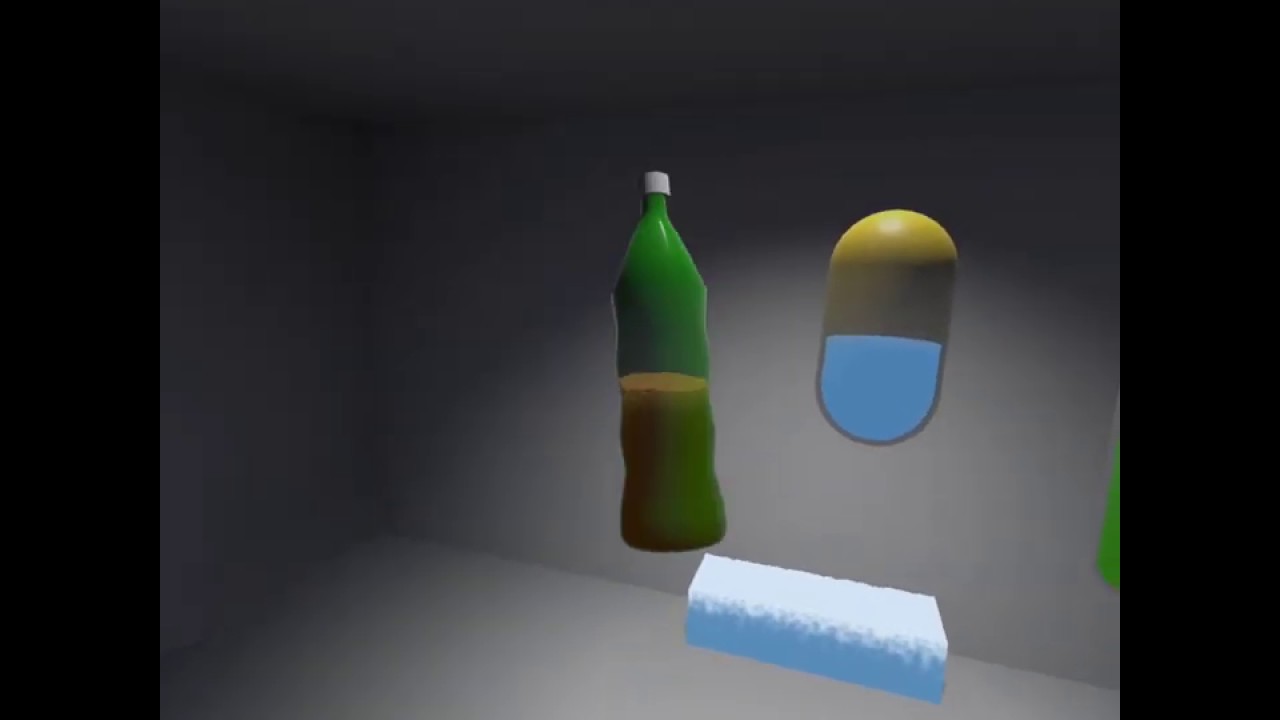
Procedural Shader graph for interactive liquids in Unity URP
This is a shadergraph to 'fake' interactive liquid simulation in Unity's Universal Render Pipeline, made with the goal to bring really cheap, and adjustable interactive liquid behaviour to lightweight rendering appli...
GitHub
Simple Procedural Shader graph for interactive liquids in Unity URP - aniruddhahar/URP-LiquidShadergraph
 winged frost
Hi there
anyone using a rift s and unity? And dit anyone notice slowdowns since laterst drivers etc? My in game view in the headset is still good fps wise but my gameview suddenly has a very low framerate which it did not have before.
 turbid flame
why are my hands pink when using Unity Oculus with LWRP?
shell kayak
@turbid flame Probably because the shader the hands are using are not made for LWRP
turbid flame
How do I fix that :l
 unreal crystal
@turbid flame Based on your question, you probably need to read about shaders in unity docs to get familiar with the basics
turbid flame
I know what's goign on
but I can't find where the material is saved
hands only appear when you press play and when you click select material it does this
as in it doesn't do anything
that tab on the left with the README stays the same, it doesn't take me to the material
bare in mind that hands only appear when I press play
When I press play the hands appear and I can edit this material here and it works
but then when I stop playing it stops working
unreal crystal
I'd just make a new material then for the hands and add any relevant textures if I were you. If there are materials/textures included with the oculus hands, they should be somewhere in your project folder.
turbid flame
but the hands are only created when you press play
unreal crystal
I'm not sure why that would be the case. Try to locate the gameobject that represent those hands, or the script that instantiates them.
unreal crystal
You have to find the game object that contains the renderer component that contains the material thats not working, and then replace it with your own material
for example
unreal crystal
no, in editor mode.
turbid flame
but there are no hands in edit mode :/
those anchors you see don't have nay components attached
unreal crystal
Im not familiar with the OVR framework. But essentially, SOMETHING in your project is responsible for instantiating your hands (which is probably a prefab). and that prefab has data that tells it what material to use
unreal crystal
You can try searching for the prefab in your project window by the name of whatever you see being created at play mode
probably
turbid flame
so
on play LovalAvatar gets unpacked
under hand_left is this
The material does say Instance which might mean something
unreal crystal
Yes, that's it. Then you replace/change shader of that material in that prefab
turbid flame
but if it's in paly mode it won't save
unreal crystal
you have to do it in edit mode
unreal crystal
search for LocalAvatar in your project folder
unreal crystal
double click on LocalAvatar during edit mode
that'll open the prefab
and you can edit it
unreal crystal
😕 I don't know then man, try to google the issue or read Oculus docs. I found this link
https://forum.unity.com/threads/hands-not-visible-locomotion-buttons-work-grabbing-does-not-work.717305/

Unity Forum
Hi i installed Unity today, so i am a total beginner. I followed a tutorial how to set up a first VR scene but i cannot manage to make hands visible...
Essentially those hands aren't coming out of thin air. Something is instantiating them, they come from somewhere
you just need to edit the material whereever it is
turbid flame
I think that the material is a script
because it said next to the material that it was instantiated
which I think means that the material doesn't exist anywhere
it's being created in the code
unreal crystal
Maybe
turbid flame
I fixed it by using custom hands
unreal crystal
👏
pine bison
On the local avatar there is a list of shaders @turbid flame
You need to use a LWRP compatible one for the hands and that should be it
In the newer versions of the plugin there should be one included I think
winged frost
anyone else have bad performance on the screen, not in the headset recently with unity?
my screen shows a horrid framerate on my builds while ingame in the headset things are smooth
late zinc
hello, anyone have any recommendations to implement a whiteboard in Oculus VR?
late zinc
someone?
tiny niche
@late zinc are you sure that a whiteboard is the appropriate solution to your problem?
the control method presents some significant usability issues
 reef beacon
Are you even running on your GPU?
turbid flame
This is my scene
shell kayak
Looks like it's the CPU bottlenecking
turbid flame
Well the plan is to have it run only on the quest
so if i'm getting 23 FPS on my pc
the quest will get 1 fps
ah yes
blender is using up a tonne
I'll wait for it to finish
reef beacon
🤦
turbid flame
good spot, thank you!
reef beacon
Otherwise attach the profiler and check
shell kayak
The stats window doesn't tell you GPU time, but it does show you CPU time and the whole app time, so if the CPU time and the whole app time (next to the FPS) are similar, then it's likely the CPU that's causing it.
turbid flame
I see
shell kayak
In this case, the render thread on the CPU is taking 40.4 ms, which matches exactly the app frame time, so the GPU time must be less than or equal to that, more likely less than
Whichever component takes longer to finish the frame will be the final app frame time. If the CPU finishes first, it still has to wait for the GPU to finish and vice versa.
late zinc
@tiny niche ok, which one do you recommend, what I want is to draw on a plane
tiny niche
@late zinc what i meant is, is drawing on a plane what you really need?
i assume you're thinking about it because you need some sort of visualization tool
late zinc
@tiny niche yes, when you press a key on the controller you start drawing on the plane
shell kayak
@late zinc And what is this for? Are you making a plane drawing simulator?
late zinc
@shell kayak I plan to do it like a white board
shell kayak
Is this for like a social app like Rec Room?
Is the drawing just recreational or meant to serve some purpose?
I think that's what @tiny niche was trying to get at. Maybe there's a simpler and better solution for what you need than a white board.
tiny niche
yea, the whiteboard is a means to an end and depending on what that is, there might be a more suitable solution for vr
late zinc
Ok, how do you have any idea how to solve or do something similar? @tiny niche @shell kayak
shell kayak
Ok, I'm going to assume that you are making something for a client and they asked for a whiteboard and won't be happy with anything else
The most performant option would be to do it on the GPU. Make a RenderTexture that contains the contents of the whiteboard and paint on it with shaders.
If you're not familiar with any of that, you're better off looking for an asset that does that for you
tiny niche
@late zinc unless you tell us what the goal of having a whiteboard is, we cant suggest alternatives
but yea, if the goal is to fulfill a contract, drop an asset store asset in there and be done with it
late zinc
yes, the purpose of the white board is to be able to make freehand notes, something similar to a classroom @tiny niche @shell kayak
tiny niche
the advantage of vr is everyone is wearing a mic, so you could use speech-text as an alternative
if the text form is important. could take it further and record sound or even video
depending on whats discussed, it might be better to design and interact with 3d models collaboratively
you're in a place where you can bend physics to your will, reverse time, converse with robots and shout across the universe. surely you can think of something better to do than draw on a less than perfect whiteboard 😉
pine bison
We use this plugin https://assetstore.unity.com/packages/tools/painting/paint-in-3d-26286
They have VR demo scenes
 keen lotus
Hey all. I've been reading up on the XR Toolkit, and learning how to do some basic things. However does anyone know what the recommended method is of supporting both XR and KB/M?
In this example case for First Person style character controller
tiny niche
@keen lotus you'll have to figure out where you want to create the abstraction
the character controller is an easy example, you can simply swap out the control mechanism behind it
but what are you going to do about the gun handling? item pickups? weapon swaps? opening doors?
assuming its a shooter
 foggy pelican
@tiny niche / @keen lotus That's an interesting thought. I've wondered myself how I would handle that. Just imagining how breaking it would be to play in VR with others who are moving expressively and then look over at
a pancake player just floating around like a robot. I guess I would build at least part of my abstraction around having some life-like character animations by default that could just be overridden/disabled for VR players since they would effectively animate a large part of the character themselves.
FWIW, I'm not saying that is a "right" approach. Quite possible I'd play a nice few rounds of "hello head, meet desk" in the process, but it was just my first thought 🙂
 craggy thicket
I am working on Oculus Quest project, Using Unity 2019.3.5f1, I am facing issue of distorted right eye in multi view mode. Please help me with solving this issue. adding image of used packages.
craggy thicket
Got solution updated XR Plugin mgmt, and fixed it, Thanks BTW
turbid flame
When using OVR without my headset plugged in, this screen pops up with the FPS and other info
How can I make this pop up on button press?
I wanna see my FPS
This is for a project due in 1.5 hours so please @ me if you have any clue how!
vital cypress
@turbid flame it does pop up on button press, the space key. What you can do is remove the OVRDebug script on the OVRCameraRig to remove the FPS completely, or change the button press in the script
turbid flame
I want it to pop up when I press the controller button though
vital cypress
so change it to the controller button
don't tell me you don't know how to use controller input for vr when you have a project due
@turbid flame
turbid flame
I do but I'm not sure which script to edit
vital cypress
the script called something like OVRDebugInfo or something
turbid flame
I found it, so I edit this script?
vital cypress
yes, you should see somewhere where it looks for the space button press
turbid flame
vital cypress
just edit it to
OVRInput.Get(OVRInput.Button.[Whatever])
I'll give it a shot
vital cypress
let me know if it works
vital cypress
@turbid flame glad to help!
turbid flame
My game's currently running at 45-50 FPS. How can I check what's taking up the most resource?
I looked at the profiler but it's confusing as hell
Is there a way to which elements specifically are causing issues
late zinc
HELLO, someone knows how to make a browser viewer, I already have one, but it has errors
 vast mesa
Hey when I'm build and run my app I only see a window, and I'm not really in my VR world, what is causing this?
storm ether
i currently have two problems in my VR project..
one of them is, that I cannot build for linux because of this error:
even though Unity.XR is definetely there and works for windows...
and the other one is, that my built project doesn't connect to steamVR and shows a black image...
I seem to have stumbled over this problem here for the second thing: https://github.com/ValveSoftware/steamvr_unity_plugin/issues/738

GitHub
Hi, I am getting a black screen in the game view when playing. https://github.com/ValveSoftware/steamvr_unity_plugin/tree/UnityXRPlugin reporting per instructions here. I am using unity 2019.3.14F1...
I am using the newest version of the steamVR plugin and am running it via the XR plugin management
 oblique laurel
why is my gameobject only rendering in one eye
vital cypress
HELLO, someone knows how to make a browser viewer, I already have one, but it has errors
@late zinc dude, no one is gonna help you if you ask them to do it for you. Describe your issue, or use google. You can't rely on people for your whole project.
wraith shale
this makes me bit sad:
like, Unity keeps acting like SteamVR/OpenVR doesn't exist anymore
like, do they hope people will not notice it's gone?
at the same time, Valves own OpenVR plugin is still totally broken and no updates for a month
 hollow pond
Hi, I was wondering if anyone could help me with this issue. Im pretty new to Unity, so im sorry If I missed anything obvious. In a clean HDRP Project, im trying to set up everything to use with my Oculus Quest (used as Rift with Link). I always get this problem in the XR Settings. If I deinstall the Oculus Pack, it works again. But obviously, I need the pack to use Oculus with Unity. Any Idea what is causing this?
Everything was working fine in the normal 3D setup.
pine bison
You can not use HDRP with the Quest @hollow pond. You're gonna have to go with URP if you 're not gonna run it through a PC
Well I should have read that more carefully
It's under XR plugin management at the bottom
hollow pond
@pine bison Thanks for your answer! I checked the Box in the XR Settings for Oculus. Still the same problem. Am I missing something?
hollow pond
@pine bison Ill give that a try. Even though it seems obvious now, I didnt actually think of that. I didnt think It could be that much different. Thanks!
So.. I followed a Tutorial for the basic setup and got the same error. Any other Ideas?
 leaden flame
@hollow pond what is the error? That warning there is saying you have a package that is using the latest XR SDK which is the package integration of the supported XR platforms.
Try clicking on the XR plug-in management on the left hand side and see what is listed there. That is how you add and list platforms using the XR SDK integration.
hollow pond
In the XR-Plugin Manager I have only ticked the box for oculus. Ive also set the rendering mode to single pass.
The problem is that this issue is keeping me from activating VR
This is what my console is saying, I dont know if this has anything to do with it.
leaden flame
can you show me a screenshot for the XR plugin manager setting? There is no "enabling VR" in the player settings. By having the packages and configuring the management you should have VR support.
Here is a short video showing how to enable VR with the XR SDK. https://twitter.com/DanMillerDev/status/1255213465901256704?s=20


The #XR team at Unity has heard your feedback and improved project configuration for XR in @unity3d
Get started building awesome games and apps for #VR right away!
#UnityTips https://t.co/7AFNOu5JPP
Likes
161
 Twitter
@wraith shale where are you seeing that list, I couldn't find it in the docs. Here you can see we list the supported VR platforms by rendering API (DX11 and PS4) not specific platforms. That list also has Gear VR which has been deprecated / EOL'd awhile back. https://docs.unity3d.com/Packages/com.unity.render-pipelines.high-definition@7.1/manual/VR-in-HDRP.html
The latest XRSDK OpenVR package was updated 24 days ago and HDRP is supported on it since it's running DX11
hollow pond
@leaden flame Thank you so much! I was following so many tutorials, so I thought I had to use the Oculus integration Package with the Camera in the Prefabs. The Camera was the clue here. Thank you 🙂
wraith shale
@leaden flame ah it's from Graphics repo on github (from HDRP docs), but that updated doc isn't necessarily merged to master yet
and yes, Valve has the package on github: https://github.com/ValveSoftware/steamvr_unity_plugin/commits/UnityXRPlugin
GitHub
SteamVR Unity Plugin - Documentation at: https://valvesoftware.github.io/steamvr_unity_plugin/ - ValveSoftware/steamvr_unity_plugin
if we don't count "testing github packages" commit, previous, actual release was on May 7 with minor fix
they have bunch of actually serious issues that prevent people from using that and there's supposed to be a fix on crashes on "next" update but we've waited for that next update now for one month
as for HDRP support, on some projects it just straight up crashes the editor when entering play mode but does render on some. But I've yet to be able to make any kind of HDRP project that would work on built player with that Valve plugin
32bit builds just ignore the VR and 64 bit builds straight up crash it
leaden flame
Interesting, I'll do a quick test on my end and see what sort of results I get.
wraith shale
https://github.com/ValveSoftware/steamvr_unity_plugin/issues/704
https://github.com/ValveSoftware/steamvr_unity_plugin/issues/724
GitHub
Hi Valve developers, I've downloaded the package mentioned here https://steamcommunity.com/app/250820/discussions/7/2268069450205612646/ I've also added the package in the Package M...
GitHub
Hi, My project was initially using just the Oculus Loader, and it was working correctly in my system. I' ve now removed the oculus loader and added the beta OpenVR loader. When I press play...
I've put repro instructions as first reply on that 704 issue
leaden flame
Looks like it was fixed and addressed by the developer, and will be available in the next release.
wraith shale
yes, but that was one month ago
still waiting for that "next version" to land 😄
as a dev, this suggests there has to be some issues with the fix or they would have just released it
leaden flame
Yeah, just takes time unfortunately. I was thinking it was still May so I thought the comments were only a few days ago. Oops...🙃
wraith shale
I just hope the fix is not landing in Valve time 🤔
hollow pond
Ok, so I managed to set my camera correctly and build for PC. Now when I open the finished build on my PC and put my Oculus on, I have a black screen on my Oculus bus can see that the app is working on my PC screen. I can see the view moving when moving the headset but my screen in the Oculus is completely blank. Its very hard to find answers like this online, sorry for asking that many questions.
leaden flame
what is in your scene?
leaden flame
SampleScene = empty scene with skybox
hollow pond
*The HDRP Sample scene
leaden flame
ahhh, so black screen in HDRP. I'd probably start small and then build up complexity. So maybe create a brand new scene and build that out.
From past experience I usually see a black screen when there's an issue with post processing. So you could also try disabling that.
If you hit play in the editor and put your headset on do you see anything? without making a full build
hollow pond
Yes, I can see everything there
Its very laggy, which Is why I wanted to try a build.
Im using the sample scene from HDRP as practice, As I want to build an App with a whole forest inside.
leaden flame
Makes sense, I'd still try starting small. See if you can build out a scene with just a cube or two, not the entire workshop setup.
hollow pond
Ok, ill give it a try. But even if it works then, I still wont know what the problem ist. Is there any way to find out?
leaden flame
you can try making a dev build and showing the console, there could be errors listed there
hollow pond
So I tried a basic build, with a sphere and a cube. After a few attempts I managed to start the App on my PC and could actually see both, until the screen on the oculus just froze after about 15 seconds.
And again, the game kept working on my PC.
leaden flame
hmmmm not really sure. Have you done a lot of stuff with the oculus and link cable? Do other applications run fine?
@wraith shale I got an editor crash as well with HDRP in the workshop scene and the openVR XR sdk
loading an empty scene I was able to have it run fine in the editor but a build didn't have VR enabled 🙃
hollow pond
The Link cable still seems pretty buggy to me in general. Using link by itsself without any programm open is laggy already, like If I move to fast in the Link Environment-Menu I tend to see black edges around my View. So it may just be a Link problem.
leaden flame
Yeah, I've had that experience too. Sometimes it's great sometimes it can be a bit finicky.
do you have a high end PC? it might be that you're taxing your machine a bit too much, Oculus + Link + HDRP build
hollow pond
Although Its a high end Laptop, im aware that this isnt the same as a high end stationary setting. I didnt originally want to use HDRP, but the forestpack I bough is set for HDRP and I cant manage to use Post Processing in the "normal" Unity setup. Im still surprised as of how its possible for the Quest + Link to struggle with such a basic Setup as a Cube and a Sphere, as Even the whole Forest on its own in HDRP seams fine in the preview. Its only as soon as my Oculus comes in to play that there seem to be problems.
And I am using the Forest by NatureManufacture, which is very detailed.
 sand rune
so i have it all set up as documented in this tutorial https://docs.unity3d.com/Packages/com.unity.xr.interaction.toolkit@0.9/manual/locomotion.html
but when i point at one teleport area, hold the trigger, and then turn the ray to a different teleport area, it turns red and i can't release to teleport there. The moment i hold down the trigger the thing it's pointing at is the only place it will allow me to release to teleport until i let go. How can i fix this so i can hold the trigger and move to another object then release to teleport properly?
wraith shale
@leaden flame yeah it works in editor for some projects for me. For some it just crashes, I've not found a reliable repro on the editor crash (it doesnt crash in editor on the hd template scene for me) but what crashes 100% of the time on all projects is to use windows x86-64 option on player build
Like mentioned earlier default x86 / 32bit build doesnt crash but it doesnt init vr either
Basically this makes it impossible for me to do any kind of perf testing with this plugin as it simply does not work at all in actual builds
Well also impossible to use it anyway as being able to use it on editor on 50% of projects dont do any good for end users
Unless someone steps up their game, I'm afraid windows VR will be broken once 2020.1 launches in few weeks as the old actually functional OpenVR plugin support got wiped already from it
This is something I dont really get with Unity. Why remove old functional stuff when the new replacement isnt fully functional
leaden flame
@wraith shale I have some good news and some bad news. Good news is I've chatted with one of the developers working on the steamVR XR plugin and verified that the latest version is working. I was able to test in editor and make several builds with legacy and tested with HDRP. One semi-related issue I discovered is that the latest release of steamVR does NOT work with that package. Updating to the steamVR beta fixed those issues so you may want to do that if you aren't already on the beta. The developer is investigating what might be causing that issue. I also don't have an ETA on when that fix will be out / the latest version of the plugin released.
I understand your frustration and know that it's not intentional and unfortunately just how that platform integrations have evolved for XR.
@sand rune I think that's just how the teleport works, it locks to the place where the action was trigged. Check out this project, they completely re-do the teleport functionality by extending the current system. https://assetstore.unity.com/packages/essentials/tutorial-projects/vr-beginner-the-escape-room-163264?_ga=2.223443931.1353443139.1591723732-1599169546.1478505480

Get the VR Beginner: The Escape Room package from Unity Technologies and speed up your game development process. Find this & other Tutorial Projects options on the Unity Asset Store.
winged frost
Hi, anyone else have bad fps in the window on screen when running a map in Unity, RiftS in steamVR.
I noticed that recently my in headset image is smooth and high fps but onscreen it dipps into lower fps
wraith shale
ah, I'll try the steamvr beta 🙂
I take that I still need the fix for the unity plugin though
wraith shale
@leaden flame there's additionally this issue on IL2CPP builds: ```[Subsystems] Loading plugin XRSDKOpenVR for subsystem OpenVR Input...
NotSupportedException: IL2CPP does not support marshaling delegates that point to instance methods to native code. The method we're attempting to marshal is: Unity.XR.OpenVR.OpenVRLoader::TickCallback
at Unity.XR.OpenVR.OpenVRLoader.Initialize () [0x00000] in <00000000000000000000000000000000>:0
at UnityEngine.XR.Management.XRManagerSettings.InitializeLoaderSync () [0x00000] in <00000000000000000000000000000000>:0
at UnityEngine.XR.Management.XRGeneralSettings.InitXRSDK () [0x00000] in <00000000000000000000000000000000>:0
With steamvr beta I get the black screen on build now. Log is spammed with some errors about things not being in frustrum
There are bunch of issue reports and solutions for that. I'll keep testing once I get back at work
wraith shale
ok so, I confirm that after doing these fixes:
https://github.com/ValveSoftware/steamvr_unity_plugin/issues/724#issuecomment-634317850
https://github.com/ValveSoftware/steamvr_unity_plugin/issues/713#issuecomment-634241004
it does work in windows x64 + HDRP build while using steamvr beta
wraith shale
other of these comment fixes fix IL2CPP and other fixes the black screen issue
for what it's worth, I put both these fixes on my fork here: https://github.com/0lento/steamvr_unity_plugin/tree/UnityXRPlugin
leaden flame
Are you on a mac or a PC?
HUB -> Installs -> click on the vertical ... on the version of Unity you want to add it to. Click add modules
Check iOS Build support
to switch build settings hit cmd+shift+b or go to file build settings
there three dots
that depends on a variety of things. Cardboard being a more dated plugin / platform maybe 2018.4 if you have that installed.
I'd start with whatever you have installed now.
should be automatically picked up but there is a version selector in the build settings window I'm pretty sure
what version of Unity are you on? It's at the very bottom but has been removed / depreciated.
okay, it should still be there at the bottom of Player settings, other settings
can you post a screenshot?
it might not be available on 2019.3 for iOS 
can you scroll to the very bottom?
XR settings, sorry
open that tab
I recommend following some documentation, I know google has some resources for this. The VR enabled setting should be listed there.
yes
 amber drift
Im running into a shadow display problem in 2019.3 and URP 7.21. Using XR inputs. Only renders in one eye. Cant seem to find anything about it. Windows platform.
amber drift
Yeah, that's been done. That was my first check :/
olive ingot
which plugin are you using?
amber drift
oh. Nevermind. it was reset to multipass. Let me give it a try 😛
storm ether
I'm pretty new to XR development and have a question to UI input. I have found some finished assets for controller laser pointers to unity UI, but i didn't want to import those giant things, so i just skimmed over the openVR SDK and found a laser pointer, but that one seems to be only visual and not actually functional...
Is there some easy way to do UI input from VR?
Could/Should I just make my own script for that?
How would i go about moving the UI cursor from a controller raycast?
this is the one i found in the SDK:
I am using the very broken openVR SDK v2.6.0b1 with XR management.
I might switch back to 2.5.0 if the issues don't get fixed soon... can't build for linux rn :/ https://github.com/ValveSoftware/steamvr_unity_plugin/issues/756
GitHub
I seem to not be able to build the linux version of my project while using the XR plugin framework... this might be a limitation of said framework, however it is bothersome and needs to be fixed, w...
it doesn't seem like i can use this thing while using steamVR input...
Though i am unsure about that...
tiny niche
@storm ether you could just do raycasts from one of the controllers, no need to do it from the headset
and its not about moving a ui cursor, you're detecting the intersection point with the ui elements
in other words, there's nothing vr-specific about it at all
winged frost

Valve released a developer preview for OpenXR in SteamVR, representing a big step toward industry-wide support for an open standard in VR and AR.
Thats interesting. Means it will work soon in 2020?
storm ether
yea, its still very uncomplete. And the unity XR plugin (wich btw has nothing to do with openXR afaik) is still veeery buggy.
don't switch to it right now if you want to build your application in the following weeks (until they fix it)
ok, thats good to know, can i just tell the Canvas, that i want to make a click at (x, y) or how would i make the interaction work?
tiny niche
unity xr may be relatively incomplete, but its not buggy
 radiant stone
anyone can help me with my project ? i got a problem.. Vr project. do ws me - +60195855813 . i will pay for the help
radiant stone
Why my app cant open ? It automatically crash
 honest lodge
Hey all! Just need some opinions if I should go with VRTK 3 or 4?
storm ether
unity xr may be relatively incomplete, but its not buggy
@tiny niche
Valves XR framework plugin is buggy. The general framework might not be, but valves steamVR plugin is. It is still in a pre-release state after all.
tiny niche
@storm ether calling unity xr buggy because of that is like calling opengl buggy whenever amd/nvidia release a bad gfx driver
tiny niche
"And the unity XR plugin (wich btw has nothing to do with openXR afaik) is still veeery buggy."
storm ether
yeah, the plugin.
the steamVR plugin.
i never said the entirety oif the XR framework was buggy
I responded to them:
tiny niche
the xr framework is effectively a plugin to unity, so you can understand my confusion
storm ether
ahhhh
ok, yea i get that.
it is kind of, yea
well imma try to make my pointers work now, lets see if i understood it correcty from the docs... https://docs.unity3d.com/2018.3/Documentation/ScriptReference/UI.GraphicRaycaster.Raycast.html
 tiny niche
@storm ether that one has a lot of complexity added to it by taking the mouse cursor and view frustum into account
storm ether
well but i have to use the EventSystem and a Graphics Raycaster, don't i?
tiny niche
in vr you can just take the forward vector of the controller to directly get the ray direction
storm ether
yeah i know i have to do the ray differently
but i have to do this, right? ```cs
//Set up the new Pointer Event
m_PointerEventData = new PointerEventData(m_EventSystem);
//Set the Pointer Event Position to that of the mouse position
m_PointerEventData.position =
wait no
that doesn't make sense..
how do i do it ree xD
tiny niche
but yea, the gfx raycaster is an abstraction used to let you get the ui element on a canvas instead of just the position on the canvas
storm ether
ahh
tiny niche
i'm guessing it has an overload that takes a ray or direction instead of a pointer position
storm ether
I'd just wanna know how to tell the UI where the cursor is...
I have to do something like
Update() {
  Raycast() // along laser pointer direction
  // send raycast.hit position to the canvas
}
on the controller object
tiny niche
a regular physics raycast could do that
or since your canvas is a plane, you can probably do it directly on that
@storm ether this is what you want https://docs.unity3d.com/ScriptReference/Plane.Raycast.html
storm ether
Plane.Raycast aha
tiny niche
far more performant than the other alternatives, since it doesn't have to scan the scene to see if anything is in the way
storm ether
yee
storm ether
hmmm
logic seems to work?
but i still can't figure out how to convey the input for gods sake...
 storm vigil
@storm ether is that code inside the a eventsystem?
storm ether
no
radiant stone
Why my app cant open ? It automatically crash
@radiant stone any one ?
leaden flame
@radiant stone can you provide a bit more information, crashes can be caused by many different things. What is wisdom engine? what platform are you building to (it looks like android). What SDK are you using ect.
radiant stone
@leaden flame i dont know the problem, at console there is not error . i can ply at unity .. but when i transfer to apk and install to my phone it crash when i open the apps. im using android studio sdk . wht is wisdom engine ?
leaden flame
Your screenshot says Wisdom engine - now. I see you've named your app with VR at the end. what VR platform are you trying to build for?
As a start I'd recommend hooking up adb and using logcat, that will give you back information on what is causing your crash and log files from android. You can use the command line to do it or use the Unity package https://docs.unity3d.com/Packages/com.unity.mobile.android-logcat@1.2/manual/index.html
radiant stone
@leaden flame sir check ur dm in discord
leaden flame
I did see that but as per the community policy I ask that you keep the discussion here:
We ask that you do not:
- Direct message any Discord Admin or Moderator asking for help with any technical matters. Private messages should only be for moderation issues.
radiant stone
ok sir
i already open that logcat but it say no connection
i already plug in my phone
and i already search it say press build number in about phone in phone setting , but i dont see it
leaden flame
Yeah you probably need your phone to be developer mode, what phone model are you using?
radiant stone
vivo y11
leaden flame
radiant stone
i try at my lecture phone the apps work but so lagging. but i try at most of my friend phone it the apps crash
i check already, my phone dont have build number
ok sir i already in developer mode
in my phone it not build number but software version
leaden flame
and you enabled developer mode?
leaden flame
this is what you see when you launch / build the app and it crashes?
leaden flame
https://discordapp.com/channels/489222168727519232/497874524549808128/722502956259475608 you can see it listed here that it thinks there's an issue with a native library used by your application. What native libraries or SDK's are included in your project?
radiant stone
native library ? im just use android studio for the sdk ..
the jdk i use this https://www.oracle.com/java/technologies/javase/javase-jdk8-downloads.html
 feral frigate
anyone seen this bug on the quest?
leaden flame
so there's no VR SDK's? @radiant stone
radiant stone
i just follow this tutorial at min 26:00
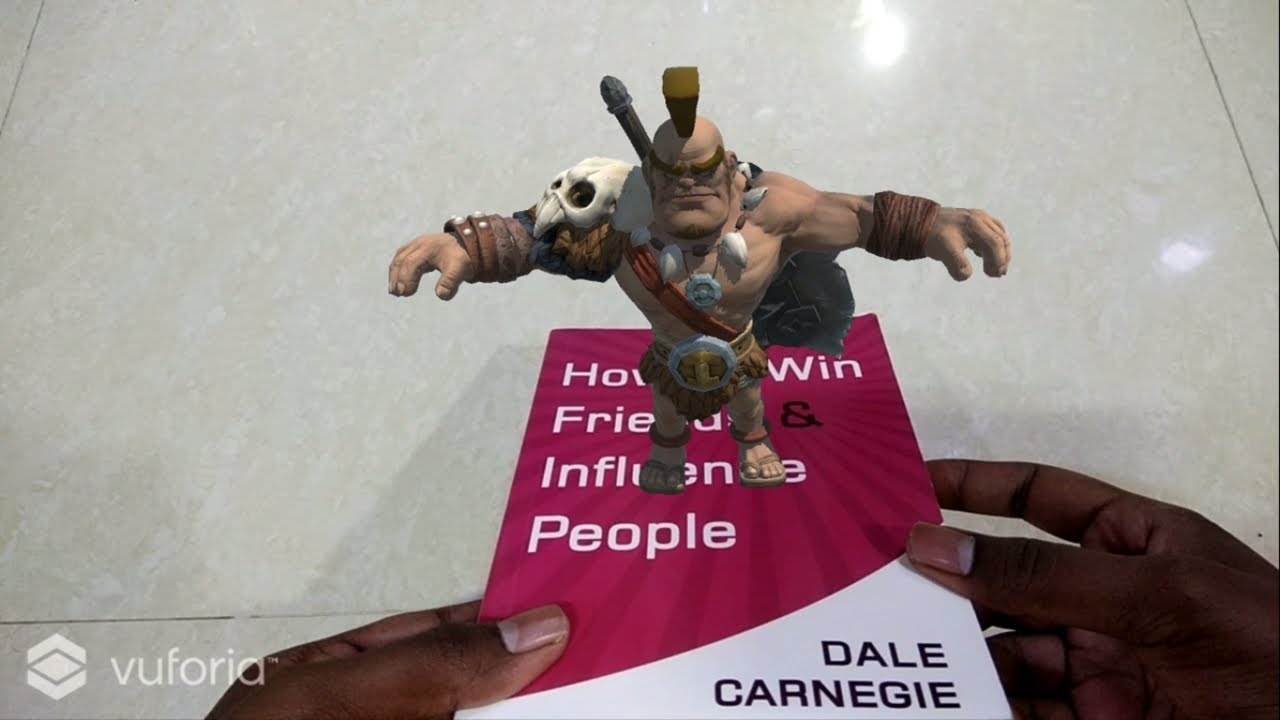
Build Augmented Reality (AR) apps with Unity & Vuforia
Course Coupon Link
https://www.udemy.com/develop-augmented-reality-book-ar-business-card-with-unity/?couponCode=YOUTUBE1000
leaden flame
I have seen that before @feral frigate I want to stay it's something with a post process filter or maybe related to the headset getting hot / too much processing. Digging it up now. Can you share some more details related to your project, what rendering path, ect.
feral frigate
yeah I am using Post Processing but have most things turned off. It does only seems to come up if I am trying to capture video via the headset.. using XR Interaction and Bing Maps SDK
@leaden flame thanks for looking
radiant stone
u means vr sdk is GoogleVR ?
leaden flame
@radiant stone yes, are you using vuforia or just followng that tutorial in order to build for android?
kind of bad news @feral frigate we're aware of the issue but don't have a solid repo right now 
radiant stone
just follow to build the the app for android . im using already google vr for move
feral frigate
@leaden flame Ill keep diggin and poking. Thank you!
leaden flame
Okay @radiant stone so then the issues are probably related to that. To start I'd make sure to fully read the documentation and potentially move to an older version of Unity since cardboard is no longer official supported.
@feral frigate we suspect it's a race condition in the compositor so that might be why you're seeing it while recording.
leaden flame
hmmmm, the open source docs recommend 2019.3.12+ Are you using this? https://developers.google.com/cardboard/develop/unity/quickstart

Google Developers
radiant stone
ya im using 2019.4.0
leaden flame
And you're using this new open sourced plugin and followed all the steps in the quickstart guide?
radiant stone
no i dont know that quickstart guide
leaden flame
I'd start there.
There is older implementations and the cardboard SDK used to be more closely integrated into Unity. Google has since open sourced it and we've evolved our platform integrations for XR platforms. This is the new path forward!
radiant stone
ouh , so i should follow all the step in this guide ?
hmmmm, the open source docs recommend 2019.3.12+ Are you using this? https://developers.google.com/cardboard/develop/unity/quickstart
@leaden flame
Google Developers
 gaunt crown
Is there an easy way to temporarily disable the pickup of an object with SteamVR? Like, temporarily disable the interactable/throwable script?
leaden flame
@gaunt crown I know some of those objects have like a grabble flag you could switch. Other than that maybe disabling the script that enables it being a grabble object
gaunt crown
Disabling the scripts unfortunately doesn't seem to do anything because of the way they watch for hand hovering/inputs, and I can't find a grabbable flag.
Maybe I'll make a class inheriting the Interactable and Throwable, and just add a grabbable variable. So when it sees a hand is hovering it, it'll check whether grabbable is true before highlighting it or something.
storm ether
can someone try this for me please? If you open a empty project in unity, with nothing in it, import the steamVR plugin (v2.5.0) and then pull the [CameraRig] in the scene...
then remove the main camera and click play it is in VR.
then you pull in a empty canvas and place it in front of your playspace.
You click on the controller objects in the camera rig and add the components Steam VR_Laser Pointer
then you go into Play mode and see the lasers o nthe controllers...
you add a button to the canvas and add the Input Module (Valve.VR.InteractionsSystem.InputModule) to the EventSystem object
now in theory the pointers should be able to click the UI, right?
in my case though... nothing works...
I have tried the same setup with unity XR using the steamVR XR plugin for unity, and that didn't work either
gaunt crown
I just implemented laser pointer UI last week. I forget why, but I opted to use a different method than the built in laser pointers. I honestly forget why, but there was something about how they are setup that I couldn't use.
Oh, um. Try putting a collider on the button
I think that's why I didn't like it, the buttons needed colliders.
storm ether
I have even made my own scripts i nthe mean time and they still don't work, i am at a loss, i really don't understand what i'm doing wrong anymore....
collider?
but its a UI element and graphics raycasts... they shouldn't need colliders?
gaunt crown
I don't remember the reason, I had watched a video on it. I'm newish to this too. But the way the built in scripts do it, they don't "collide" with the buttons
Throw a collider on the button and give it a shot
storm ether
i have just tried and it doesn't work... can i see your EventSystem maybe? Or... what scripts are you using now?
have you made your own scripts?
gaunt crown

It's about time! Today, we are starting on creating our very own Canvas Pointer using Unity's Input Module.
If you would like to support me or have access to the project files, feel free to checkout my Patreon.
https://www.patreon.com/VRwithAndrew
Big Apple Buddy - "AndrewVR...
I followed this
storm ether
I have watched this tutorial earlier and tried the pointers from there, but they ... hahaha

yep, i did that tutorial xD
gaunt crown
I did that and it worked perfectly.
storm ether
hmmm
gaunt crown
Well, with one hand. I had to tweak it slightly to work on both hands, but that's besides the point.
storm ether
oh yeah, i have noticed it only works with one hand in his video..
gaunt crown
I can say with certainty that that tutorial works, because I'm using it.
Because there's only one laser pointer object, all I did was attach a script to the player. It watches for the trigger press, and if it comes from the controller that doesn't have the laser pointer attached to it, it attaches it to that hand.
(I also tweaked the pointer script such that if it's not pointing at UI, it disables the laser)
 pine cape
Hi, ive been struggling to create a vr camera pass through like the one in steamvr home with the intention of rendering stuff on top of it. I cant figure out how to each camera feed take up the entirety of each eye. I tried using steamvr's trackedcamera but no matter how I transform the plane texture I cant get to look good and have each eye taken up only by its respective camera feed
any idea how i can make a camera passthrough?
storm ether
gaunt crown
What method is that using? The tutorial, or the built in scripts?
gaunt crown
Why is there a laser on both hands?
gaunt crown
I imagine that's part of the issue.
gaunt crown
Then why are both of them changing as one the one changes?
it's setting the length of both of them
gaunt crown
Do it the way the tutorial wants first. THEN tweak it for both hands.
storm ether
i have disabled one and it still happens... xD
gaunt crown
Ok, go back through that tutorial and follow it to the letter
storm ether
I have though :(
gaunt crown
I'm not really sure how to help you then 
That tutorial works 100%
There shouldn't ever be an instance where you've got the laser pointer object on both hands.
There should be one laser object.
storm ether
well I kinda do, but thats besides the point... not even one works for me 
ok, i am litterally loading the sample project now.. if this doesn't work imma hit something
gaunt crown
You definitely don't have the same code.
Your Input module script for the event system is missing public variables.
gaunt crown
Again, you've got differing code.

 storm ether
yes
storm ether
so this thing is incomplete? hmmmm https://github.com/C-Through/VR-CanvasPointer

GitHub
Template project for Canvas Pointer series. Contribute to C-Through/VR-CanvasPointer development by creating an account on GitHub.
because this is what he linked in the last video.
oh

he commented basically the entire script out.
ok, now it works...
gaunt crown
The other difference is that this is after the fourth part of the tutorial where he tweaks it to work with Oculus instead of SteamVR
storm ether
well yea, in theory if i read the video titles correct it should work with dragging too, right?
aka sliders
gaunt crown
No idea, haven't tried it
If I may bestow some programming knowledge upon you. Never just copy and paste code and expect it to work. You need to understand what it's doing, otherwise you'll never learn anything, nor will you know how to fix it if it doesn't work.
gaunt crown
You don't have to understand it fully, either. I don't even pretend to know raycasting actually works, and I don't need to.
But if you had read through it when you copy and pasted it, you would've seen it was all green
storm ether
well i didn't
gaunt crown
That's all I'm saying :P Any code you take from online, just read through it before you use it.
storm ether
i did the tutorial until episode 3 and then thought like "There must be a source code somewhere" and looked the playlist up... then i went to the last video and saw the github link....
and after having done most of the tutorial manually I thought... ok, theese are the scripts for that... this steamVR thing is a wrapper for the general input thing... makes all sense..
what i still don't get is why neither the steamVr laser pointer nor the Unity XR one worked...
oh the thing with the collider that you talked about... thats for touch like interaction.
and thats also why theres that "Add Rigidbody" checkbox
i litterally closed 40 tabs just now, no joke xD
 marble cargo
... so I don't understand this:
Finally, discarding a fragment in the middle of a fragment shader (via discard, alpha test or clip()) causes the GPU to re-render the entire tile, and should be avoided in all shaders.
https://developer.oculus.com/blog/down-the-rabbit-hole-w-oculus-quest-developer-best-practices-the-store/
Specifically "in the middle of a fragment shader". What situations would this hurt you, and how would you avoid it while still having a clear pixel? (Note: I'm using URP.)
 torn hatch
If I create an entire FPS game for standard non-VR gameplay. How difficult would it be to convert to VR after the fact?
Does the map and assets have to be coded from the ground up to be fully compatible or is it a simpler process than it sounds ? ? ?
marble cargo
That all depends on your game logic.
Think of it like this -- it's super easy to make a desktop webpage run on a mobile phone... but if you go to any random desktop-focused site, how well will it work on a phone?
It's highly unlikely that you will make a non-VR FPS that will feel comfortable and fun in VR.
 marble garden
Hello, I am having an issue that I hope someone in here can help me resolve. I am exporting stereo cubemaps from unity for a VR film. I can get the stereo pair out just fine, but the moment i introduce fog in the hdrp postprocess volume the stitching in the cubemap goes nuts. does anyone know a workaround?
winged frost
@marble garden what is your rendering mode set at?
marble garden
@winged frost I just found the fix! It´s done by disabling reprojection in the Custom Frame Settings for the render camera
winged frost
ah cool! and good!
torn hatch
@marble cargo Well okay Ill better describe my predicament.... I want to create a first person mystery game and think it would be kool to have it work in VR but all of the tutorials I've watched emphasis the importance of having a VR headset available for the SDK to work, whether its Oculus, Windows Mixed Reality or Open VR from Steam.
At this current moment I don't have a headset. So I'm wondering if I create a standard First-Person game what potential pit traps will I need to be wary of if I want to convert it over to VR at a later date ?
storm ether
@gaunt crown just a little feedback on my pointers, I have got pointer hand switching working now, thank you again for trying to help me yesterday, I am so glad i finally managed to solve the issue...
in Pointer.cs: ```cs
public void ToggleLaser(bool state) {
dot.SetActive(state);
lineRenderer.enabled = state;
}
and using Arrays for SteamVR Input sources and Pointer objects,
VRInputModule.cs:SteamInputModule:
gaunt crown
But why go through the hassle of turning off one laser and turning on the other, and then switching all the stuff to the new one? Why not just physically move it to the other hand? :P
storm ether
hmm... that would be possible i guess... hmm
I'd have to add an array of parent objects instead of the array of pointers and then just spawn the pointer prefab in the right spot..
I could do that.
is that more performant?
probably...
hmm
well it works for now, I might revisit that code later and do what you said.
winged frost
Hi there
I am wondering what is the best channel to ask about rendering modes on camera's?
I mostly am wondering if people worked with defered rendering and VR
as I get some artifacts when using the ambient occlusion post processing when using forward rendering
tiny niche
@winged frost deferred rendering is possible, but you still get artifacts and the performance is terrible
the fillrate is the main issue even in a forward rendered vr game. by going deferred, you're increasing the fillrate issues in exchange for optimizing for less drawcalls and less vertices being pushed through the gpu
none of which are going to be the issue in a vr title
you're also able to have more dynamic lights per pass with deferred rendering, but you're still out of fillrate before you hit the light limit in a forward rendered game
winged frost
@tiny niche thx! is there any documentation on how fillrate effects vr? and is there an alternative where you can do ambient occlusion with forward rendering without artifacts? my particles seem to render wrong when I use forward rendering.
tiny niche
@winged frost fillrate is nothing special, its just a different word for memory bandwidth usage. the reason its such a big deal in vr is because your back buffer has a lot more pixels than usual, due to rendering both eyes
if you where designing a game to be played on 8k monitors, you'd have the same issue
winged frost
i see
i notice the docs saying something about a minz value
perhaps I can solve the issue with that as well
tiny niche
thats the near-clip range
winged frost
ah ok
tiny niche
its intended to make sure objects cant get too close to your eyes
winged frost
no i meant the z value on th epost processing not the cam
tiny niche
its just one of those personal space comfort issues
post processing is done in 2d space, dunno what you'd use a z-value for there
if i where you, i'd just bake all the ambient occlusion into the lightmap
and use cheap approximations for any dynamic effects you need, like blob shadows under your characters/items
winged frost
that is a way to do it. wil look into that tomorrow! thx!
tiny niche
if you can get away without any post processing, that'd be ideal
winged frost
yeah I do like the effects though somI am making them optional settings
tiny niche
you don't want it to look bad without them though, so you gotta tailor your designs and systems to avoid them
since it doesn't matter how good your game looks, if only a tiny portion of your playerbase gets to see it. the majority of player (aka. the ppl writing your reviews) are not going to be using a top of the line system with current generation gpu's
late zinc
I do not understand what happens, when I execute the action it positions me in a coordinate that has nothing to do with it, does anyone know?
tiny niche
check the debug values, you probably think they are something they're not
late zinc
how?
radiant stone
anyone know any tutorial how to combine start menu with vr scene ?
 pastel nacelle
I deleted my previous message as it didn't fit here.
 chilly scarab
Hey does anyone have any ideas for a vr rhythm game?
pastel nacelle
like for making one?
chilly scarab
yes
pastel nacelle
hm
chilly scarab
hmmmm
chilly scarab
ok
pastel nacelle
maybe something in which you can only move on every odd beat
chilly scarab
what about vr osu?
chilly scarab
ill ping when i have have something playable
pastel nacelle
k
radiant stone
want to ask i try to change from 2D to VR Scene (cardboard) using this code but it fail. it can run but not work at all. Anyone know how to change from 2D to VR Scene ?
tiny niche
@radiant stone read unity's vr documentation. its not as simple as just running a piece of code
radiant stone
i already follow all the tutorial of this person https://www.youtube.com/watch?v=Z54WGVAX9hw but seen it 2017 i dont know im wrong or it not work nowdays

Good morning!
I've been trying to get this tutorial finished for a week now! Every time I sit down, I keep getting pulled away. I finally powered through it yesterday, and rendered this video out around 2am. I just didn't have enough energy to post it then. In other words, I...
 amber trench
hi! Is it possible to constraint rotation easily when grabbing an object with OVR ? Trying to grab an object that my door is set to LookAt on so I can open that door.
constraint rotation on the door doesnt work as when you grab it overrides parent it seems
 icy kindle
how would get a steamvr hand to update animation but not move or rotate the hand? i'd like to handle that myself but i still want the animations of the hand
 distant zealot
🐛 Pretty bad load time regression for Oculus Quest builds with Unity 2020.1.0a15
https://www.youtube.com/watch?v=1bELUAreWvI

loading comparison 2020.1.0b12 and 2020.2.0a15 on Oculus Quest
storm ether
i don't understand this...
I'm using steamVR input and a Vector2 for UI scrolling
but every time i scroll it does this.
it goes through my scroll method four times with those values..
shouldn't it just be 1 and stay 1 until i let go of my stick, then go to 0 and do -1 if i go in the other direction?
late zinc
Does anyone know how to configure elements in real time in normcore?
vital cypress
Does anyone know how to configure elements in real time in normcore?
@late zinc don't ask for spoonfeeding. Describe your problem, list what didn't work, and list what your goal is. People are 100x more likely to care about your question then.
late zinc
I have a unity mounted web browser, I would like it to show as a real time object, but I don't want to move any browser script, how can I do it?
all this with normcore
olive ingot
normcore has their own discord
this channel is about virtual reality
i think you'll have better luck on the normcore discord
late zinc
ok nobody answers me haha
olive ingot
yea dude its a normcore-specific question that has nothing to do with Virtual Reality. i told you you should check the Normcore discord
vital cypress
ok nobody answers me haha
@late zinc with that attitude, no one will want to
late zinc
sorry if I bother you friend, regards and it was not my intention
@vital cypress
maybe it was misunderstood due to my low level of english
vital cypress
sorry if I bother you friend, regards and it was not my intention
@late zinc i wasn't bothered. i was pointing out that other people might be. I would be glad to help you, i just don't understand what you mean when you have vague questions. Perhaps ask "How can i synchronize a unity web browser across Normcore? I have tried using several built-in synchronization scripts, yet it doesn't work." (example). this way people can see if you tried something that worked for them which didn't for you, and they can help you with that.
Another thing, as freqout pointed out, this is best suited for the Normal discord server, which you can find on the normcore website.
 wheat lark
is there a way to emulate VR on a laptop or do you need a VR headset in order to code in VR?
winged frost
has anyone else had VR in unity feel slower then before?
@wheat lark well there's a bunch of particularities that make it hard to test VR stuff without a headset.
 sharp briar
Can anyone confirm this is possible? Running an Oculus Quest with Quest Link to test a Windows platform build using HDRP? I was reading HDRP 7.2.0 made it possible. Would love to hear if anyone experimented or tried this. Thanks in advance
tiny niche
@sharp briar yes, the pc cant really tell the difference between a quest and rift s when you're using quest link
icy kindle
any idea how i would get steamvr to pose a hand, but not move or rotate it? i'd like to handle moving and rotating it myself.
tiny niche
Filter the root bone
You're effectively doing animation blending where you mask off a bone
olive ingot
Can anyone confirm this is possible? Running an Oculus Quest with Quest Link to test a Windows platform build using HDRP? I was reading HDRP 7.2.0 made it possible. Would love to hear if anyone experimented or tried this. Thanks in advance
@sharp briar yes, I’ve been using quest w/ link as my main development device. Make sure single pass instanced is on in project settings or it’ll only render out of one eye
gaunt crown
With SteamVR, is there anyway to use a Skeleton Poser on an object with a Circular Drive? It's an oven dial, but I can't get the hand to snap/pose onto the dial.
tiny niche
well you need to define custom poses and re-parent the hand mesh to the dial
gaunt crown
I've already defined the poses. But when you grab the dial, it doesn't snap the hand.
It works with regular throwable objects, just not the circular drive
tiny niche
thats because you're not reparenting it
with a throwable object you're snapping the object to the hand, here you need to do the opposite
gaunt crown
When I interact with the dial, the hand pose doesn't even change, it's not just that the hand wont snap to it. But the skeleton poser is having no effect because it doesn't seem to see interacting with a circular drive as grabbing it
tiny niche
did you implement the grab logic? its fundamentally different from the pickup logic
gaunt crown
I'm just using the built in Circular Drive script and the built in Interactable script (because CD depends on it)
storm ether
is it possible to run SLAM in unity?
sharp briar
@tiny niche and @olive ingot thanks for the confirmation! Looking forward to trying this out!
Im going to assume just follow the guides/tutorials on setting this up for Rift
 coarse beacon
Oculus Quest question: I'm using XR interaction toolkit, and running my app on PC works perfectly. But when I run apk on Quest, the screen goes black and then crashes with the message "The app has stopped". Previous builds had worked before. Logcat mentioned "Could not allocate memory: System out of memory". Any help would be really appreciated.
leaden flame
@coarse beacon are you using any post processing? That usually causes a black screen when it's not supported on a platform. What rendering pipeline?
coarse beacon
@leaden flame No post processing. I'm using URP
leaden flame
Not sure what would be causing that. I've built XRI apps to the quest. Maybe start with a simpler scene and build it back up to what you have? Are you getting errors in the console on PC?
coarse beacon
@leaden flame Previous builds of the app did work, so I wonder if changing lighting settings could have caused this? Please see the logcat output here:
sharp briar
Oculus Quest:: - Got it working properly with HDRP, tracking and showing up in Headset - added a Custom Package that had custom post-processing effects - screen is now black in the Oculus Quest. Assuming there are no dependencies with Custom Post-Processing, how do I revert HDRP back to default so that I can still use the Package, with out its post processing effects
I should add that game view looks as should, and the headset is tracking
 grand dust
Hello!
I got a problem.. Everytime when I build my project it looks like this.. I am usin the LWRP and Unity 2019.1.5f1
I hope someone can help me
 nocturne ferry
hi guys, im looking for a software like EON Virtual reality education. I need just a simple visualizer of 3D models with some extra features like show exploded view, add photo/video of the part
Do you know something about? thanks
 tiny compass
anyone else having trouble with either oculus/unity (probably the former) not respecting the hand tracking settings for an app? e.g. if you set an app to "controller only", it still pops up hands in the app when you set the controller down
pine bison
Haha hey @nocturne ferry have you done the EON course? Not a lot of people know about Creator.
My go-to platform for model inspection is Sketchfab, which has a nice toolset. Unfortunately I’m not aware of anywhere that explodes models like that
honest lodge
Sorry to be an absolute pain but after a few months I've revisited Unity Oculus Integrations for Quest and I've noticed a lot has changed and I can't seem to disable joystick movement or make objects grabbable as I could before. Is it worth sticking with it or just switching over to Unity VR SDK? Also is there any documentation on the new methods to make objects grabbable and such
distant zealot
Why are people still trying to use HDRP and Post processing together with the Quest 🙃
keen lotus
The new XR Toolkit has a project setting to Initialize XR on startup. If I were to disable this, how would I Initialize manually? I've not found any documentation this step
reef beacon
IIRC use XRManagementSettings and find the loader you want
Then call Initialize on it
@keen lotus
keen lotus
XRManagerSettings ? This is an ScriptableObject right?
reef beacon
I don't remember tbh
Lemme see if I can quickly find it
XRGeneralSettings.Instance.Manager
You also need to create a trackedposedriver on your camera
keen lotus
The XRRig will be in the scene, so that should be fine
I just want to delay the initialization of the XR stuff a little
Its a little annoying that the settings do not differentiate between "editor" and "standalone" in terms of settings
reef beacon
Tbh, I wouldn't suggest using Initialize on startup
Since WMR shows a popup if there is no headset attached
And it just goes down the list in order rather than checking which ones are available
keen lotus
Do I also need to start the subsystems manually?
keen lotus
Hmm because using this sadly doesn't work
The Oculus Link will get stuck on Unity starting or Unity quitting
Got it working, I had to ensure that I load first, and then start subsystems
but ALSO I need to ensure to stop and deinitialize
 paper barn
Would you be able to use Unity if you made your own VR headset using a Raspberry Pi or something similar? Obviously this would be like all custom tracking scripts and stuff so it wouldn't be like using the Oculus Integration, but do you think it would be possible?
Because I think that could be really cool some day.
shell kayak
@paper barn Sure, you could render to some display where it's split for each eye and attach some lenses to that.
You'd have to account for the lens distortion and whatnot yourself, though
paper barn
That could be interesting.
shell kayak
Or potentially even write an OpenVR or OpenXR driver and let something like SteamVR handle it
paper barn
Can Linux run SteamVR?
paper barn
I guess mac is the only OS that can't then, unless you use boot camp or a vm.
shell kayak
Yeah and support for MacOS was only recently dropped. Valve had support for it for a while.
shell kayak
But in theory in the future, you'll be able to just support OpenXR and it should work for everything, including SteamVR and Oculus. That's still in the works.
paper barn
That would be nice.
 long yew
has anyone tried using camera mounted on a raspberry pi3 as the main camera in unity?
tiny compass
so for controller input in Oculus, is the only real way to handle clicks and such polling in the Update() event with OVRInput.Get()? Or is there some event-driven process that's not jumping out at me? Just curious, coming from the Unreal Engine world where you can have event-driven controller input.
shell kayak
@tiny compass Yeah, it's just polling based
tiny compass
@shell kayak Huh. Always interesting to find the differences. Thanks.
storm ether

Please help vote the Reddit threads!
https://www.reddit.com/r/sidequest/comments/hehxno/mrpineapple_is_creating_the_reddit_open_source/
Join the discord:
https://discord....
 midnight knot
Hi,
I recently started with game development and I have run into some sort of problem. It doesn't do anything It's just kind of annoying. Does anyone know a fix?
After that it just comes up an error that says "Package Metadata store error. Check if there are any other errors in the console and make sure they are corrected before trying again" (I don't have any other errors)
sharp briar
@distant zealot whats the big deal with HDRP and PP? not the first time i have seen a comment like this. Just curious as I am new to VR development. Anyways, I got HDRP and PP to function in Quest properly.
distant zealot
@sharp briar It is advised (in the SRP docs I believe) to not use HDRP on Quest or post processing also, there is a document from Oculus also stating this. The quest isn't performant enough for those high end SRP features in HDRP and you will see some real bad issues with post processing! But don't let me talk you out of it but as you are starting out with VR Development I wouldn't want you to waste your time getting HDRP running on Quest only to find PP on + HDRP and more than a Unity cube in your scene produces below 72fps! Do let me know if you have good experiences using HDRP + PP on quest though!
sharp briar
@distant zealot Thanks for info!! Really appreciate it! I def will be looking further into this!
🙂
storm ether
hi so i was following this tutorial https://www.youtube.com/watch?v=w5y8iukw6yY and i was doing fine unitl 8:32 and my hands are stuck in the ground, please help

Just the basics of how to set up an oculus VR project in unity. If there is any game design concept you would like to see explored on the channel, go ahead and leave a comment! We'll be doing lots of weird junk in future videos but since this video is basically a re-hash of Va...
i use the rift, if that helps
dm if you know what i am doing wrong or what i need to do
watch 7:20 to 8:32
 royal zephyr
hey i've been trying to make a oculus quest game but for some reason it says the android sdk in not found or invalid, i've already checked all the boxes on the installation page any suggestions
 royal willow
hey guys, Just wondering if anyone has seen a good tutorial for lighting with Oculus Quest? Thanks
shell kayak
@royal willow Why do you need a tutorial for specifically the Oculus Quest? Lighting doesn't work any differently on the Quest.
reef beacon
He probably wnats a performance oriented tutorial rather than a quality oriented tutorial
 surreal osprey
experiencing the same @midnight knot and it's really annoying. pops up almost every time after saving any script in the project
midnight knot
Ya ikr
surreal osprey
are you on 2019.3.0f6 as well?
midnight knot
No I am on 2019.3.13f1
Dowloading the latest version know see if it will be fixed.
shell kayak
Have you guys considered deleting the manifest.json in the Packages folder?
surreal osprey
@midnight knot mind giving me a quick DM if you manage to fix it somehow? I'll do the same
midnight knot
Yes sure
surreal osprey
I'll try @shell kayak thanks
shell kayak
Back it up if you don't want to lose the list of packages you have installed
surreal osprey
is there supposed to be a packages-lock.json as well?
shell kayak
There can be, yeah. Delete that one as well
surreal osprey
I have to install the packages again now right?
shell kayak
Yeah
surreal osprey
that might have helped. let's see if it comes back or stays away. thank you for the help @shell kayak
leaden flame
I suggest dropping down to XR management 3.2.10, that should fix the hang and timeout.
midnight knot
How do I do that?
leaden flame
I think you'll have to open the Packages/manifest.json file that's located next to your Assets folder and manually change the numbers. Doesn't look like XR management is in the package manager anymore.
midnight knot
Ok thanks gonna try it know
It kinda worked but I got som other errors
@surreal osprey Did it come back?
midnight knot
I can't seem to fix it
anyway I have another small issue
I am using the snap turn provider and it doesn't work. Any idea on how to fix it?
leaden flame
Did you assign the controllers in the controller array? I assume you're talking about XR interaction toolkit
leaden flame
try assigning the Locomotion system in the System property
honest lodge
Hey! Such a noob question here but can anyone explain how to make objects grabbable in the new update for Oculus integrations since nothing appears to be working at current time
 glacial basin
did you put the grab interaction script thing on it? i had the same issue with xr because i forgot to
surreal osprey
does anyone know how I get a reference to the controller that is holding an item? for example I got a weapon with the xrGrabInteraction script. the OnActivate Event in this script calls the shooting function. but now I wanna make the hand that is holding the gun vibrate and I have no idea how
I guess I'm able to get a reference to the interactor but I still dont know how to actually make it vibrate
midnight knot
So I am watching Valem's tutorials and he uses hands that only have the pinch and grip animation but I want to have point and thumbs up to but I don't know how I'm going to ad it. Any ideas?
 hardy kayak
hey guys can I get some help
pine bison
Have you looked at this @midnight knot? https://www.youtube.com/watch?v=a9EBILq2ep8

I've developed a fully functional hand posing system for VR in Unity. This system allows more complex hand behaviour on a smaller time budget, and lets you author poses quickly and easily right in the editor. It is now integrated right into the SteamVR Unity plugin, but can al...
midnight knot
No but I'm not using steam VR I'm using unity XR
pine bison
Ah you didn't specify which SDK
midnight knot
ahh sorry
hardy kayak
The type or namespace name 'SteamVR_PlayArea' could not be found (are you missing a using directive or an assembly reference?
it was working fine before I put some VRTK components in an object
but then removed the components
now it's not working at all
im going to suicide
shell kayak
@hardy kayak You're probably using an old VRTK version with a newer SteamVR version than it's expecting
the SteamVR plugin probably removed the SteamVR_PlayArea script at some point
hardy kayak
oldest version of VRTK is 3.3 but it says it's obsolete
do they have a github with latest version????????
hardy kayak
how to get the old steamvr then
 opal valve
guys i need someone to help me with a google cardboard game im making anyone can help me i just got unity 1 day ago
icy kindle
you'll need to use unity first
hardy kayak
will this break my project
icy kindle
no
probably not
if you dont have actions then most things regarding player input wont work
opal valve
guys so im following a tutor for gvr and my stuff keeps going away every time i even try to run it it happens everytime i make a game or something
midnight knot
Anyone know where I can get some rigged vr hands?
icy kindle
steamvr comes with multiple pairs
midnight knot
It's fine I found some
glacial basin
Apparently, oculus integration isnt so good. :/ i used it to set up a vr thing for a game, and it crashed the whole project, deleted my save and removed all my assets on play. Its safe to say im now using xr, but thats terrible
late zinc
hi, a question i am calling a function with this command line
NameObject.transform.localPosition = new Vector3 (-1.8f, 1, -3);
but in vr it places me another position that is not the one that I indicate, does anyone know what could be happening?
midnight knot
Have you tried using “transform.position” instead of “transform.localPosition” @late zinc
glacial basin
im having a weird issue with my VR game. When i pick up an object and put it below me, i fly up very rapidly. Ive tried putting my player on a different layer to the grabbables and removing collisision on them, but nothing happens
@midnight knot could you help? you seem smart
midnight knot
Are you shore you have chosen the right layers where you deselect collision
@glacial basin
glacial basin
yeah, ive made sure about 3 times now
glacial basin
ok, im trtying some stuff with disabling collision through script now
midnight knot
Do you have any other objects under you vr rig that has collision on it?
@glacial basin
midnight knot
Ok
glacial basin
my hands have sphere colliders set to istrigger for pivking stuff up
other than that
no
glacial basin
yup, my character is on PLAYER and my grabbable object is on GRAB
hands are on HANDS
there should be no collision between any of them
midnight knot
Ok try and remove the hands layer, probably won’t do anything but that’s the last thing I can think of
midnight knot
Default
glacial basin
ok, ill try now
midnight knot
If it doesn’t work message Ole. He is smarter than me haha.
glacial basin
yeah im still flying haha
midnight knot
If you scroll up in the chat you can find Ole’s profile
pine bison
Haha I appreciate it
midnight knot
Haha
pine bison
I agree with your solution. Sounds like whatever is colliding has the wrong layer
midnight knot
Gotta go hopefully you guys solve the solution
glacial basin
ive triple checked this, im sure everything is on the right layer
pine bison
Your player will have a bunch of different collliders, like the hands, head and body
glacial basin
im using an XR rig, where one charatercontroller acts as the whole body pretty much
pine bison
Your hands will need to collide to be able to pick up
Another solution would be to set the picked up object's colliders to trigger while they are picked up
glacial basin
my hands can pick up the objects, when i put them under me, i fly, but i have collisions turned off for the player and grabbables
pine bison
Can you show your charactercontoller and your collision matrix
glacial basin
yeah hang on
i removed the hands layer as suggested by Sr3w
i can also show the grabbables interactable if neccesary
pine bison
Are all the child objects of the player in the right layer?
glacial basin
all objects that are children of the VR player are also in the Player layer
pine bison
Hm, then it's not immediately clear to me
glacial basin
im super confused as well
shoul i send the grabbable items inspector menu?
i might have messed something up there
pine bison
Sure
glacial basin
pine bison
I haven't worked enough with the xr toolkit to be able to tell you much
pine bison
But when I've tried it briefly before I didn't have this issue. So look at some tutorials and follow their steps
glacial basin
ok, will do
pine bison
I haven't had any issues with the oculus package
glacial basin
huh
when i used it, it crahsed my project and corrupted the save completely
happened 3 times before i stopped using it
pine bison
not something I've seen
glacial basin
i could try it again, but m a bit sceptical to, and im on version 2019.4
midnight knot
Have you tried just restarting unity or you’re computer? @glacial basin
midnight knot
Ok what version is your xr interaction package on
glacial basin
uhhh
midnight knot
Ok do that
You can see if you go to Window, Package Manager, and search for XR interaction
midnight knot
Ya
glacial basin
@pine bison its working, i switched to the latest integration, switched some things up and it works great!
pine bison
Awesome 👌
midnight knot
Good!! 🙂
glacial basin
now im struggling with the networking in Vr haah
midnight knot
Haha sorry can’t help you on this one 🙂 (haven’t worked with it)
glacial basin
im just gonna make it single player haha, its way too difficult
midnight knot
Ya that’s one reason why I haven’t touched it haha
 naive jewel
Hey all, here is a series of 1 day sketches I did for Inktober 2019. All of theses are done in VR in Unity. Had a blast

Behance
Work I've been doing this Inktober with Real-time Interactive media. Every project here is done in one day between other projects I'm working on and run on my computer like a game would. Most of the time Inktober is done with Ink but I try to keep the spi…
 torpid star
Has anyone tried new cardboard sdk?
 onyx ibex
does anyone work with a leap motion?
 lone knoll
@torpid star just did, it is very minimal as expected
 viral blaze
there's new cardboard sdk?
lone knoll
sort of

Google Developers
im adding in editor support ( when i try and play it on PC it spits errors , i made a wrapper so it will work on both mobile and editor via mouse )
storm ether
We are having the vote for the Reddit open source VR-game, Help us by voting!
https://www.reddit.com/r/sidequest/comments/hhfd8g/reddit_open_source_sidequest_game_poll_what_do/

reddit
0 votes and 0 comments so far on Reddit
midnight knot
So, I want to be able to show animations based on my controller input. And I have all the animations but I can't seem to figure out on how to use them in a blend tree or such. I am using the Unity XR sdk
lone knoll
is there a way to switch between stereoscopic camera rendering and normal fullscreen render during runtime ?
i was thinking to add an additional camera that will be inside a black cube so nothing will be rendered at the field of view and the result would be a black screen - increase its depth and have it set enabled when i want to "Exit VR" mode
setting the canvas to render on this 2nd camera that has TargetEye = None ( Main Display )
not sure if it will do the trick but about to test with the new Gardboard XR SDK ( 2019.4 LTS )
reef beacon
Often you can change some settings to stop rendering in VR
Or you can just disable the VR camera all together
So it doesn't even render anything
 foggy matrix
Would I need a vr headset like a quest for this course? https://www.udemy.com/course/mastering-vr-game-development-and-3d-asset-modelling

Udemy
Build VR Games and Learn to make Original assets for your projects!
lone knoll
@reef beacon nothing seems to cancel VR mode in the cardboard ( Besides disabling XR before compilation )
is there a way to to render stereoscopic view without XR altogether ?
their SDK seems utterly useless - its literally an accelerometer with a locked split screen render
torpid star
@lone knoll Does it have more features then the previous package at least?
(new googlevr sdk)
lone knoll
QR Code scanning ?
( its part of the native anroid thing - so can't rly be accessed in unity )
.
@reef beacon
XRGeneralSettings.Instance.Manager.StopSubsystems(); XRGeneralSettings.Instance.Manager.DeinitializeLoader();
cam.ResetAspect();
Found how to stop it , should also work to switch on , but sadly currently there is a bug that crashes everything down
// https://github.com/googlevr/cardboard/issues/59
XRGeneralSettings.Instance.Manager.InitializeLoader() async
XRGeneralSettings.Instance.Manager.StartSubsystems()
Stop pinging staff
olive ingot
over half of the people asking questions in this room are students with an assignment due in less than an hour 🤦♂️
royal willow
Hey guys, just wondering if anyone knows how to fade the screen to black on the Oculus Quest, it seems to run fine on the editor but on the headset it does not fade? Thanks
olive ingot
what pipeline? what XR plugin?
royal willow
Im just using the Oculus Integration asset from the store with the SRP
royal willow
its the standard render pipeline so id say Legacy
olive ingot
yeah.
SRP actually stands for "scriptable render pipeline" in the Unity vernacular, so its def not the same as legacy
but anyways... can't really help... i know the oculus plugin has its own fade to black, but i haven't really used
i've been using URP and XR Management plugin for quest and i made my own fade to black by tweening the weight of a post processing volume with this on it
pine bison
How are you doing the fade in editor @royal willow?
royal willow
Im just using an animation that fades to black, but just got it working, I had the plane distance of the canvas set to 0, so it was not showing, I upped it to 1 and works perfectly now, Thanks 
royal willow
do you have developer options turned on? is USB Debugging turned on?
royal willow
@storm ether It should be in the about section of the phone, then click on the build number and Developer mode should be there?
If not, tap on the build number 7 times and it will enable developer mode 🍻
🔥🔥
leaden flame
@storm ether You can follow the documentation listed here under 'Enable USB debugging on your device'. https://docs.unity3d.com/Manual/android-sdksetup.html Please be respectful of people and also consider that these questions are outside of virtual reality specific questions. I suggest asking in #📱┃mobile.
Once you've successfully built to device and have questions around the google VR sdk or other VR related topics this is the appropriate channel.
 weary hamlet
what do you think is it a good idea to try get money for a VR headset from a unity game on a google play. The one i chosen for now is oculus rift S which is approximately 700$ in where i live.
shell kayak
@weary hamlet Do you have a gaming PC that can run VR?
weary hamlet
yes
shell kayak
A Oculus Quest is cheaper and can act as both a PC and mobile headset
So you'll be able to target both markets if you want to
weary hamlet
but it isn't 6 sided. And i want half life alex really badly because out of my friends i'm only one who hasn't played it yet.