#🥽┃virtual-reality
1 messages · Page 38 of 1
 shell kayak
shell kayak
shell kayak
You should be able to set which eye you preview in the game view, the default being left eye
 stuck isle
Okay I see that, nice
Are there supposed to be differences between left/right?
In multi-pass the opaque texture seems to not be generated for right eye
Does work in single pass instanced
shell kayak
I don't think you'll get many people complaining about something not working in multi-pass. No one should be using that.
If it works in Single Pass and Single Pass Instanced, then you're good
stuck isle
Neat, that's very useful information. Thanks!
 reef beacon
Wait what version is that?
 olive ingot
so how do you specify Single Pass rendering with this new XR Plugin Management system?
olive ingot
never mind, i see now that the stupid WMR plugin doesn't have an option exposed for it while the Oculus one does. good grief.
 flat rampart
could anyone here offer some help? First time making a VR game and I have a characterController issue
 icy kindle
Quick question, when using steamvr, one unity unit is equal to one metre, Right?
reef beacon
Yeah
icy kindle
thanks
 dim ravine
Does a plugin exist to use OpenVR on unity's new XR Management system?
 pine bison
Not yet. Apparently it's almost ready @dim ravine
dim ravine
oof. is there a placeholder way of operating it e.g. with kb/mouse?
and also, is there any sort of news channel so i know when it is released?
pine bison
It's pretty here and there to be honest, there's probably gonna be an announcement from Unity when it happens. And @wraith shale is usually the first to hear of these things so maybe they know where to look
 wraith shale
no official package yet for the com.valve.openvr
but there is WIP branch here: https://github.com/zite/TestPackage/tree/TestBranch
it "kinda" works but apparently there are some calibration issues here and there
dim ravine
is there a dummy mouse-based driver perhaps? my project only needs head tracking for now
wraith shale
if you want to test that, clone that git branch to your projects packages folder as subfolder
that package uses some legacy tracking scripts
I've only tested it on head tracking and that worked
apparently there may be some issues with hand tracking atm
@pine bison I don't usually hear from these though (I wish), I'm just actively snooping around 😄
dim ravine
thanks, i'll try it out. my project is actually for oculus but due to the corona situation i can't go to the office get it, so i have to make do with my vive xD
pine bison
Haha that's what I meant @wraith shale 😄
If you play the Oculus character controller without a headset connected you get keyboard controls, but I guess that's not what you want
 tropic hollow
Hi, I am having issues installing xr mock hmd package. I have many missing namespaces after install, anybody had similar issues? Metadata, IXRPackage, IXRPPackageMetadata, IXRLoaderMetadata
nvm
 odd tusk
why do i always see people developing for oculus, is it because of the quest ?
dim ravine
hey @wraith shale thanks for the tip, i actually had to fiddle a bunch with the plugin code, but got it working in the end!
controller tracking is fine, the problems i had was with it not showing up in the platform selection for the plugin manager, and unity crashing upon second playtest.
- the first one i fixed by adding a
IXRPackagetype to the assembly, i copied the one from unity's MockHMD and adjusted the type names. - as for the crash, it was just double initialization of the openvr library, i fixed it by properly shutting it down in the deinitialize method of the loader.
i might contribute these changes back to that github on the weekend, i need to clean it up a bit first
wraith shale
I dunno if that's a good idea at this point @dim ravine, considering that's not even supposed to be out yet 😄
 vast mesa
Hello! I have a Pano2VR Tour, it's a HTML file with javascript and the different panorama Photos. And now I want to launch this file in Unity without a Browser, just like the Application VrTourViewer. But I don't understand how it is possible? In my APP I would just like to have a UI menu where I can chose my Virtual Tour, if anyone could help me, I'm very lost, I researched for the past few days but didn't find anything.
reef beacon
Does PostProcessing stack v2 not support SPI?
 storm ether
so i'm trying to draw a crosshair over an object
works perfectly with a normal camera but the steamvr one is a special case:
- doesnt work properly in game view on free aspect
- works almost properly in game view on remote disregarding a small offset caused by the left eye right eye disparity
- doesnt work properly in a build
i need it to work in a build
any ideas?
reef beacon
Don't use GUI.DrawTexture
Just ut a canvas in front of the center eye
Or in front of your object
storm ether
@reef beacon canvas is really shaky with steamvr camera for some reason
 hardy sand
coming back after a while on VR in Unity I was wondering whether the Oculus Integration package is still needed or if I can sidestep everything in favour of the newest Input System / XR package stuff
 stark wolf
anyone get 360 spherical captures to work with HDRP?
 midnight saffron
hey everyone! i just released my indie game that i made with unity onto steamVR! super excited to share with you all, hope you enjoy ^_^
https://twitter.com/WuchiOnline/status/1248385466593718277?s=20


After two years of late nights and long weekends, I'm proud to say Hooplord is now available on Steam #VR !🥳
Hooplord combines boss battles and basketball into a hybrid #virtualreality experience that's unlike anything you've ever seen or played before: https://t.co/hv5pMLE1...
 Twitter
 livid thicket
I have distance grabbable working in Unity, but for some reason I am unable to target a specific object. The same object will be pulled from any distance, any help?
 cobalt ledge
I'm a beginner to unity, how do I make my character controller follow my headset position rather than the center of my playspace so that it can collide with the world accurately based on my actual position
Up to this point I've been able to just follow tutorials but now I need to start learning to code my own functions, but I need some help with that
Figured out kinda what to do, but how to I get the headset's/player's position for the Vector3 on X and Y axis
cobalt ledge
Got it to track my head now, but it doesn't play nicely with my joystick movement script, the character controller quickly goes out of sync with my player when it's moving both based on my head location and my joystick inputs
 rain belfry
I'm working with SteamVR and I've noticed that my hands are moving and jittering when I walk about using joystick movement. I've disabled Player:Player collision in the Physics tab but someone on YouTube said to disable interaction between the player and the PostProcessing layer however I can't see one in my menu. Could anyone help me make my hands less jittery? ❤️
 violet belfry
Do you use hand physics?
Jittiring usually comes from different update cycles. For example you might move your character in update but your hands are moved with physics in the fixed update loop
cobalt ledge
@rain belfry Check if the hands are on the post processing layer
rain belfry
I can't see any PostProcessing layer @cobalt ledge
cobalt ledge
I had it on player
rain belfry
I also have it on player
cobalt ledge
So it shouldn't be related to the post processing thing then
@rain belfry Are you following the tutorial from that french guy?
rain belfry
Aye
cobalt ledge
@rain belfry He posted this in the comments
Helped me, especially since I was struggling to make the character controller move my actual headset
rain belfry
at least put it in a plaintext box @cobalt ledge
using System.Collections.Generic;
using UnityEngine;

[RequireComponent(typeof(CharacterController))]
public class ColliderFollowHeadset : MonoBehaviour {

    private CharacterController charController;
    public Transform centerEye;

    private void Start()
    {
        charController = GetComponent<CharacterController>();
    }

    private void LateUpdate()
    {
        Vector3 newCenter = transform.InverseTransformVector(centerEye.position - transform.position);
        charController.center = new Vector3(newCenter.x, charController.center.y, newCenter.z);
    }
}


2) IF THE HANDS ARE JITTERING its because the character movement needs to be in FixedUpdate and not Update like I did so you can do it this way instead :

    private Vector3 direction;

    void Update()
    {
        direction = Player.instance.hmdTransform.TransformDirection(new Vector3(input.axis.x, 0, input.axis.y));
    }

    void FixedUpdate()
    {
        characterController.Move(speed * Time.deltaTime * Vector3.ProjectOnPlane(direction, Vector3.up) - new Vector3(0, 9.81f, 0) * Time.deltaTime);
}```The one for making the character controller follow the camera?
Or to fix the jitter
cobalt ledge
It's far down, but I'm trying to figure out the jitter atm as well
The camera follow thing is a separate script
rain belfry
Found it, don't get why he didn't pin the comment
cobalt ledge
Yeah same here
If you figure out how to remove the jitter let me know, in the process of trying to implement it into my code as well
rain belfry
I'm just working on some level design right now, making a museum for games i like for a uni assignment, gonna implement buttons that play music and have items to pick up as well
cobalt ledge
@rain belfry Found a fix to the jitter, find the HandColliderLeft and HandColliderRight prefabs and add interpolation to their rigidbodies
Much smoother
rain belfry
I'll give that a go later on 🙂
cobalt ledge
Now I just need to figure out how to sync the rest of the player colliders with the character controller/camera
Since the body collider and snap turn still stay in the middle of the play area
rain belfry
What's the advantage to having the character controller follow the player?
cobalt ledge
If you move in the actual physical space instead of using teleport/joystick, the controller won't move with you so when you step out of the controller's collider you can't go up slopes/stairs based on your position
Idk if that made sense
The script he provided made the controller sync with the camera which fixed the movement issue, but not having player and snap turn sync with that and follow behind may cause some other issues
rain belfry
Ah right, I'm only using variable terrain in some of my levels
cobalt ledge
It also affects colliding with walls, so it's good to keep it synced to the headset location constantly
 brazen tundra
@livid thicket Can you explain with more details, please?
livid thicket
Fixed it, the grab manager was not in the correct layer
brazen tundra
Ah, sweet
 steady compass
Using Unity's XRTK, how do I keep the colliders on when I pick up an object? I'm specifically looking at the Escape Room example.
 silver lynx
https://dl.vive.com/Tracker/Guideline/HTC_Vive_Tracker(2018)_Developer+Guidelines_v1.0.pdf
Any idea how to do what is described on page 41, paragraph 2?
Recently OpenVR has been updated to support up to 64 devices,but this has not been updated yet in the Unity plugins (but developers can add support with their own code).
How do you modify SteamVR with your own code to make it recognize all 64 devices?
shell kayak
@silver lynx Since this is from 2018, maybe it's already been added to the SteamVR Unity plugin?
silver lynx
It says here only 16 devices. Would you just manually add more in?

GitHub
SteamVR Unity Plugin - Documentation at: https://valvesoftware.github.io/steamvr_unity_plugin/ - ValveSoftware/steamvr_unity_plugin
@shell kayak https://forum.unity.com/threads/more-than-16-trackeddevices-for-steamvr-plugin-i-was-told-its-possible.862192/
It looks like this person tried to add more under //Add more Devices, but it didn't work.

Unity Forum
In my unity game I am using SteamVR 2.0 plugin and am limited to 16 tracked devices. But I require a few more trackers for my project and have read...
 cerulean dawn
Hey, I'm trying to start playing around with unity and my wmr headset. I'm having trouble finding the prefabs for the controllers. I feel like I have read through many different sets of documentation and it says that it should be located simply within the mrtk but after adding all the packages there are no prefabs for controllers. Am I looking in the wrong place?
 thick vine
I dont know where to go and download what can anyone help me?: unity Package missing for Virtual Reality SDK Oculus. Please add the Oculus (Desktop) package using the Package Manager Window. Will attempt to enable None instead.
cerulean dawn
Have you looked in Edit -> Project Settings -> XR Plug-in Management ? @thick vine
and package manager is located in Window -> Package Manager
thick vine
@cerulean dawn Do i install XR plugin mangement?
cerulean dawn
I believe so - everything I've looked att so far says that the XR is handled thru plug-ins now and that is the tool to do it
thick vine
Thank you it every thing works now! 😄
cerulean dawn
Awesome - was surprised when you said it worked - I honestly have no idea what im doing.
Repost question from before if some knows what to do with wmr
Hey, I'm trying to start playing around with unity and my wmr headset. I'm having trouble finding the prefabs for the controllers. I feel like I have read through many different sets of documentation and it says that it should be located simply within the mrtk but after adding all the packages there are no prefabs for controllers. Am I looking in the wrong place?
Does anyone have any good resources for windows immersive headsets and unity? Everything I have found seems to be out of date - including microsofts documentation pages.
 crystal whale
I need a simple example project that has an avatar you can move using VR controllers. Any links?
steady compass
Using XRI, is there a way to force an interactor to interact with an interactable? Specifically, I'd like to force the controller to pickup an item when selecting another object -- think of it like a holster.
@crystal whale What type of locomotion?
crystal whale
smooth
I don't need teleportation
Just need to be able to move the avatar (humanoid)
I'm guessing I can just use a rigged fbx?
I also need to be able to animate the legs programatically
So the arms will be controlled by Oculus Touch and the legs via script
I don't need facial animation
 lethal orchid
does anyone use an htc vive? i can't find much recent documentation on how to actually use it in-editor.
Is the steam vr import what id have to use?
cobalt ledge
How do VR games generally handle leaning over objects without pushing the player back?
I'm trying to figure out the logic
I made a script that makes my character controller follow my VR camera so that I'm not locked into one position in my physical space for my hitbox to work with objects
This let's me walk around without it desyncing my character controller, but it also means that when I move my head over objects it makes the controller collide with them and push me back
Would be so much easier if I could make it follow my torso's position rather than my head, but would require me to get a extra tracker 😄
cerulean dawn
@cobalt ledge Some games make it so that there are two stages. such that the when the player space hits the collider it bounces but if the player walks within that space it doesn't bounce and just warns the player they are walking out of bounds.
Assuming this is room scale
cobalt ledge
Hmm, so in theory I could just make the controller follow my headset position only while moving with my joystick?
Just wondering how I could handle situations where I've walked into a wall irl, then use my joystick and the controller suddenly teleports into that wall
cerulean dawn
you could make the controller try to regroup on the headset such that it lerps towards the headset but if it's behind a wall it will just run into the wall. So the controller will always be chasing the headset but will be unnoticeable when in-bounds
cobalt ledge
Or maybe if I made another collider that only detects when I'm inside/over any object, so when I use the joystick I can have a additional if statement saying if I was over/inside something, it will teleport me back to the last location of the character controller
I just want to prevent being able to walk through a wall and then just teleport the controller through the wall to the player
cobalt ledge
I need to know which component is the actual player in the steam vr player prefab, as in if I want to teleport myself to somewhere, which component do I teleport for everything to follow behind?
I can't teleport the entire prefab since it's causing some issue with the way I handle my character controller's position atm
I'm trying to make a system that detects me trying to go on the other side of the wall physically and teleport me back to where my character controller was left/other side of the wall when I try to move there with the joystick
Using linecast to detect the wall, it's detecting it properly and everything else is working as it should except for where it's teleporting me back to
 compact cove
@odd tusk Hi, Is there a tutorial somewhere on how I can do this?
odd tusk
honestly not sure but i found this guy has 2 20 minute videos on steamvr https://www.youtube.com/watch?v=5C6zr4Q5AlA
he seems to have items in there so he might go over the velocity but not sure
but it should just be a flag you put on the "Throwable" items called something velocity and remove the kinetic flag
im not 100% certain the mass stuff affects it though i was just thinking it did
it affected a door i made before, when i increased the mass it would open slower
but im not certain if stuff inside your hands are affected
compact cove
@odd tusk Right now I have the instant positioning thing and I have fake hands that lerp to the true position based on the weight of the object it has, but if I applied a force in the direction it needs to go, would that be better?
Since Lerping moves anything out of the way regardless of weight
odd tusk
so if you are doing translate to position, you aren't doing anything at all with physics or rigidbody right now
so if you want it to interact with physical stuff automatically you'd need to use rigidbody force or velocity
or program some kind of interaction script but im not sure how to do that
crystal whale
I've written a scene that allows me to manipulate the muscles in a rigged humanoid fbx. How do I manipulate the arms and fingers using a VR controller such as Oculus Rift? Do people use Oculus SDK or SteamVR SDK or are people using VR libraries such as VRTK? Doing research brings up so much old information. I just need to know what I should do with the latest Unity to control an avatar in VR. Any advice would be greatly appreciated.
odd tusk
i havn't done that but what i would guess is that there are people using any of those methods. There isn't really a standard, although going forward Unity is pushing their new xr plugin system that released this year as the new standard. However, plugins for openvr/steamvr havn't been made yet for it, so I would say its not yet at the state to be able to replace the other systems.
as for finger tracking, iwould guess whatever system you use should have a way to retrieve finger data, and you can use that to manipulate the muscles. I can tell you the steamvr asset has out of the box support for its included hand prefabs, but those are just hands, so if you go that route you'd have to figure out how to move it over to a full humanoid.
 mild drift
Hi there. Is there a solution available on how to get MSAA running with URP on the Oculus Quest?
 gloomy frigate
Has anybody here played SCP: blackout or VR:chat
reef beacon
This channel is vr development not gaming discussion
rain belfry
@cobalt ledge did you have any luck with fixing the controller?
rain belfry
Also does anyone know how the "Switch to Scene" works for SteamVR Teleport Points?
crystal whale
is there an example of using VR controllers to move the arms of an avatar?
 crimson kettle
That would require some kind of IK to do right, not sure if the toolkits offer any kind of IK?
crystal whale
I'm looking for is something as simple as this
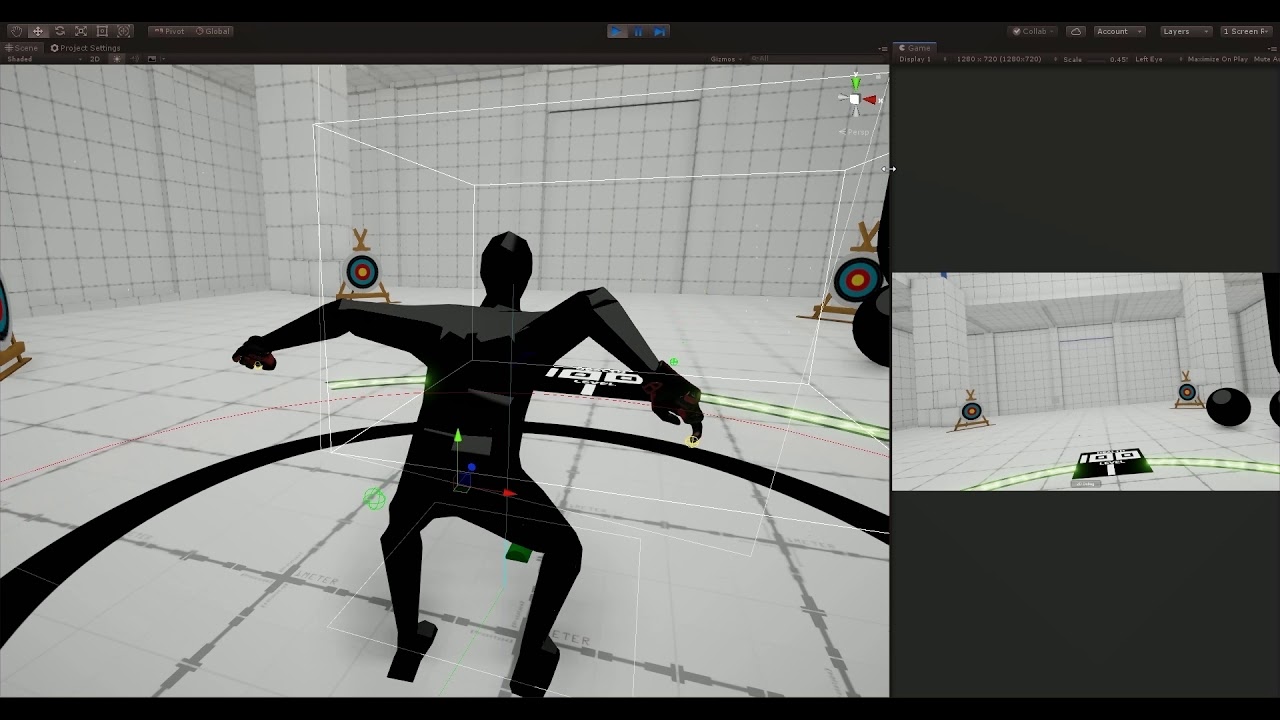
#vr #virtualreality #gamedev In order to demonstrate the Ninja Run Locomotion system, I realized I needed to add a Player Avatar with running animation. Here, I'm testing two different methods to do so. On the left leg I'm using a simple up and down tween, while the right leg ...
crimson kettle
That looks like just some really cheap IK
If the position of the joints don't need to be in agreement between the owner and clients, just rerun the IK on all clients. If it needs to agree you will want to sync all of the joint rotation states.
cobalt ledge
@rain belfry Fixing the controller in what way?
Because I fixed couple things and then got twice as many issues 😄
 steel rain
So i just imported the Oculus Integration assets from the store and while i was setting up my OVRPlayerController it seems there is an issue with my hands. they show up when i tested the game but it would seem there are also a set of hands on the ground (following my player as if they are a child object) And even if if i add the "OVRGrabbable" script to the objects I cannot interact or pick them up (and yes they all have rigidbodies) Has anyone encountered this problem before?
storm ether
Correct me if I'm wrong but WebRTC is not supporting Android right now? (I need it for Android VR)
Is there anyone that might have found a solution to creating peer to peer connections from a Unity Android VR project to any other app or website? This peer to peer connection has to stream the screen of the VR app to other native applications or websites.
 dusty pumice
my first game ive made 🙂 hopefully will release soon just waiting on steam to review https://store.steampowered.com/app/1277300/Cryptic_Rooms/

A series of 3 VR escape rooms, Eye Eaters Basement, Dungeon of Demise, and Inescapable Hypercube. You must navigate through and solve puzzles, each room with its own unique theme and hidden relics that can be found and collected.
Release Date
Apr 2020
pine bison
@void canyon look up a tutorial on how to build to a phone from Unity
 void canyon
I know how to build it but when i try it out, it doesn't work at all
Like it runs and all
but no vr
pine bison
Are you building with stereo rendering?
void canyon
I have no clue what that is
I just build and run
I am very new to mobile and vr development
I've tried to follow a tutorial
Wait imma hop into my project
pine bison
This one? Seems to cover the basics https://www.youtube.com/watch?v=3gQym6mF2Jw

Read the full post: http://andauth.co/TptoFw | Join Adam as he shows you how to create a fully functioning VR app for Android (Cardboard or Daydream) in less than 7 minutes using Unity.
An intro to Unity3D: http://andauth.co/MOamXk
How to create a 3D shooter in Unity: http:...
pine bison
What do you mean cardboard thing
void canyon
Cardboard headset
pine bison
No but you have a different mobile VR headset. Same thing
It's just the setup for stereo rendering on mobile
void canyon
My stereo rendering mode if that is what u mean is on multipass
Am i supposed to be using deprecated settings?
pine bison
If you're on 2019.3 then probably
pine bison
You need to add cardboard like he did in the tutorial
void canyon
Do i need the cardboard app?
pine bison
No
void canyon
So, everything else should be set?
pine bison
There are many more settings so I would recommend to keep following the video
void canyon
Ok, so i got it working now. But when i look around it does not move?
pine bison
Yes that's because you don't have any controls on the camera
But knowing that you can work with the cardboard plugin, look for tutorials on that
void canyon
but on the video he gets it working fine though? I used the standard assets aswell? Should i make my own character controller?
pine bison
Did you add the FPS controller from the standard assets?
dim ravine
With the XR framework, how do i check if a controller is present?
pine bison
It's only a year old so I would assume so, I haven't done this though. Did you delete the main camera?
void canyon
yes, i did
Like i can load in everything else works except i cannot look around
Soo what should i do?
pine bison
Have a look around. I think there is a cardboard package on the asset store, or there will be some other simple camera controllers for mobile VR
void canyon
I found a Trinus PC VR
Not sure if it's like somewhat essential
I didnt seem to find the cardboard package?
Nvm just realized something
I dont think my gyroscope is working correctly
pine bison
That would be one explanation
pine bison
You can also just print the values of the gyroscope to some gui text
void canyon
Wait nvm
I dont think my phone even has a gyroscope
Imma test a different phone real quick
yeah nope, my phone doesnt have a gyroscope
pine bison
Not much you can do about that
pine bison
Gyroscope measures the current attitude of the devices, accelerometer measures sudden changes in movement
void canyon
Oh ok just didnt know the differences between them
nvm my phone has gyroscope
its a problem with project
trying a diff app and it works
What could the problem be
olive ingot
i'm gonna be working on a little bit of proof of concept Oculus Quest work... haven't worked with it since last year. is it gonna be feasible to use URP at this point? Does vulkan help with performance?
steel rain
are there any up to date tutorials for Unity and the Quest? The newest ones i can find are from two months ago and Unity decided to fuck literally everything about what they have and the Oculus Integration Package
 buoyant jolt
No, it usually takes oculus / unity 4 to 5 months to make tutorials.
But I don't recommend ever using the latest unity and try hard not to use their package manager
pine bison
It possible @olive ingot, but still not stable at all. Latest versions should work but there are still a lot of features missing on URP
 formal solstice
Just so I understand it correctly, if we are using XR Plug-in framework we can still use OpenVR - If so, why can't I find OpenVR as a XR plugin?
pine bison
That's not right @formal solstice. OpenVR is still in development
It should be ready soon though
formal solstice
Don't you think of Open XR?
Correct me if I am wrong:
Open VR: Older API developed by Valve. Have been out for quiet some time
Open XR: The new common API to be used by most VR/AR hardware developers
Oh perhaps not
formal solstice
What plugin are you refering to?
reef beacon
The OpenVR plugin for the XR management system

GitHub
Contribute to zite/TestPackage development by creating an account on GitHub.
formal solstice
Alright, but just to be certain, Open VR is an old plugin while the bridge between Open VR and XR Management System is a new thing?
reef beacon
Yes
pine bison
This is just a new implementation of OpenVR to work with the new Unity XR management system
formal solstice
Gotcha, also - Anyone with experience with the Unity XR management system? I just upgraded our project to use that instead and yet, when I run an empty scene it seams like OpenVR is still being executed. In the Player settings I do still see a remnant from OpenVR - Do I have to purge OpenVR from assets?
pine bison
Probably need to purge yeah
formal solstice
Yikes
reef beacon
Yeah not sure how it works with the legacy openvr things
It should still work from what I heard
Anyways, it apparently tries to run all plugins in order to try to initialize them
And potentially give popups or errors if it fails
Like WMR opens a popup that it failed to initialize
formal solstice
My hunch tells me that I can disable OpenVR if I remove the plugin from player-settings but the entire thing is greyed out
Do you know how I could remove this in another way?
reef beacon
Uninstall the XR Management system iirc
formal solstice
No idea how, remove it from the package manager?
reef beacon
Yeah
formal solstice
Oh well, a restart of the project is all it took.
I guess some dlls were not unloaded unless you rebooted the project
My next pickle: It won't register OculusXRPlugin
Unity is trying to load a dll named OculusXRPlugin - But I don't see that dll present in the project. I imagined that Unity XR Plugin Frameworld would the necessary DLLs for each hardware provider but am I wrong?
pine bison
You might still need to import the Oculus integration from the Asset Store, I don't recall
formal solstice
Yep - I correct my previous statement - There is a folder in the package manager named "Oculus XR Plugin" but without a dll named OculuxXRPlugin. I am now uninstalling the package and trying to see if I can get Unity to reinstall it.
Funky it will not load:
formal solstice
I just tried reinstalling the package and then reimport it again. It just seems so odd... The dll is right there. Aren't dlls suppose to be in plugins folder or do they have different requirements if they are packages?
reef beacon
Shouldn't matter anymore afaik
reef beacon
No clue tbh
 stoic sun
Does everybody have an ascii heart emoji when they go to uninstall oculus in windows control panel...?
stoic sun
So cheeky
compact cove
Currently I'm just lerping my fake hand model to their true position with regard to weight of what they have, would it be better to have either a constant .AddForce or adjusting the velocity?
 sterile hatch
seems more appropriate for #💻┃unity-talk or #💻┃code-beginner
stoic sun
Ever just strap into a vr game and think "Wow, my hands are fuckin' rad"
 gaunt crown
Alright. Here's a weird one. After detaching an object from my hand. My hand continues to not collide with anything in the scene (as it does while holding the object, which is fine), until I move my hand away from it. Then I can move it back and it'll collide again.
steel rain
I'm trying to play test my VR game with my oculus quest but when i try to start up the game it immediately crashes, but when i disconnect the headset it dosent (but it wont play either bc its looking for the headset obviously) Anyone else have this problem?
 hardy kayak
hello
how can I move my character in the way i am looking?
i use wasd to move with the headset on
and currently when i look in the default direction and go forward the direction is correct, but when i look left and walk forward, it goes in the wrong direction
pine bison
You wanna base the movement on the forward direction of your camera
hardy kayak
can you please show me how to do that? @pine bison
I know I need a script
but how can I save the view position
pine bison
Well you already have a movement script. Just edit that
hardy kayak
I have no idea how
never worked with VR before
this is my script, what do I need to edit?
using System.Collections;
using System.Collections.Generic;
using UnityEngine;

public class move : MonoBehaviour
{
    public CharacterController controller;

    public float speed = 12f;
    public float gravity = -15.81f;
    public float jumpHeight = 5f;

    public Transform groundCheck;
    public float groundDistance = 0.4f;
    public LayerMask groundMask;

    Vector3 velocity;
    bool isGrounded;

    void Update()
    {
        isGrounded = Physics.CheckSphere(groundCheck.position, groundDistance, groundMask);


        if (isGrounded && velocity.y < 0.01f)
        {
            velocity.y = -2f;
        }

        if (!Input.GetKey(KeyCode.LeftShift))
        {
            speed = 12f;
        }
        else
        {
            speed = 24f;
        }

        if (Input.GetButton("Jump") && isGrounded)
        {
            velocity.y = Mathf.Sqrt(jumpHeight * -2f * gravity);
        }

        float x = Input.GetAxis("Horizontal");
        float z = Input.GetAxis("Vertical");

        Vector3 move = transform.right * x + transform.forward * z;
        controller.Move(move * speed * Time.deltaTime);
        velocity.y += gravity * Time.deltaTime;
        controller.Move(velocity * Time.deltaTime);
    }
}
Why are you using WASD controls for VR? Last I checked, it's no longer 2013.
hardy kayak
I don't have a VR
my collegue does
and we work from home
so he cannot give it to me
so i use phone and vr for this
and wasd to move
shell kayak
So this is a temporary script just so you can move around in VR because you don't have controllers?
hardy kayak
yes it's a temporary script
shell kayak
You don't have to do anything different in VR, you just have to remember you can't change the position of the camera directly, just its parents
If you know how to do this in non-VR, you'll know how to do it in VR
hardy kayak
I have no idea
shell kayak
You mean you don't know how to make a character controller for non-VR?
hardy kayak
I know how
I did it for the moveement in vr
can I show you in a video?
I can record a video for you
shell kayak
I understand the issue, I'm just telling you this isn't a VR issue, so this isn't the right channel to ask in
hardy kayak
but it works in non vr
shell kayak
Well probably because you have a script that uses the mouse to rotate the character controller
hardy kayak
yes
I need the code that detect which direction the vr camera is looking at
that's it
 gaunt peak
camera.main.forward
hardy kayak
I have this error now
shell kayak
Because it's not valid
Camera doesn't define any forward property
They probably meant to do Camera.main.transform.forward
gaunt peak
e
shell kayak
I wouldn't recommend using Camera.main, though
hardy kayak
I have a "NullReferenceException: Object reference not set to an instance of an object
move.Update () (at Assets/Scenes/scripts/move.cs:47)" error
47th line is Vector3 move = Camera.main.transform.right * x + Camera.main.transform.forward * y;
Why is this component disabling when I press play?
shell kayak
@hardy kayak Probably because you don't have an active camera tagged as "MainCamera" in the scene
This isn't a VR issue
storm ether
Hi there. In the new XR Management (using Oculus for Quest Development) I can choose between Multipass and Multiview (which is as I understood a new label for single pass). As I need good performance I want to use multiview, but only get a white screen on my quest.
I tried with urp and legacy pipeline and only use standard shaders
shell kayak
@storm ether Any post processing?
shell kayak
You should use MSAA for VR and 4x MSAA is practically free on Quest.
storm ether
i switched back to the legacy pipeline because for some reason i could not get msaa to wotk in the urp (at least with almost no effect)
pine bison
Oh I completely missed that single pass changed into multiview, I was pretty confused. Thanks for mentioning it
storm ether
yeah could have just been called multiview (formerly single pass)
UX is not unitys strength
shell kayak
I think it technically always was "multiview" when you used single pass on Quest, because that's what OpenGL calls their implementation
storm ether
so besides my rendering issue, does anyone here have good tips for crisp graphics with the quest? i only use a very few primitive objects, very basic materials and only baked light. So performance should not be a prob. Anything besides AA I can do to get a simple, but very clean look=
shell kayak
Supersampling is a common method to get "crisper" pixels, but it's essentially a AA technique.
Not sure if developers can change that setting in Quest. Maybe XRSettings.eyeTextureResolutionScale works on Quest too.
It'll be a lot more expensive than MSAA, though
storm ether
is that the resolution scaling fixed dpi factor setting in quality settings?
shell kayak
It's not the same setting but it might do something similar
I doubt it'll work on Quest, though
storm ether
msaa 4x works pretty good. should have dropped urp sooner (cost me 2 days... plus recreating my materials now)
thanks!
any other tips for crisp graphics besides msaa and supersampling?
shell kayak
That's all I got
shell kayak
Our last game was on the legacy pipeline, but that was only because we were porting a full PCVR game that was made before URP/LWRP existed.
But we're experimenting with URP for PCVR and might eventually look into URP on Quest.
For PCVR, it seems to work fine and we get things like Shader Graph and VFX Graph
compact cove
Has anyone here made VR hands with proper collisions
storm ether
you mean handtracking or controller tracking?
compact cove
Controllers that interact with stuff in vr
Like pushing a box or not going through the wall type stuff
compact cove
steamvr
storm ether
did you try the steam sdk?
works pretty good out of the box
they have seperate hand models you could attack colliders to
compact cove
The steamvr thing I have now automatically puts the hands at their true position every frame
storm ether
did that for a menu and keyboard you can pus buttons (capsule colliders on finger parts that only interact with the layers you want them to)
oh, so you mean the hand gets blocked while pushing independently from where the "real" hand is at?
compact cove
Yeah that's what I'm going for
I made a fake pair of hands that go to the true position but have colliders
I'm setting the velocity currently to try move them, it works alright but is quite buggy and the hands sort of bounce when hitting a surface
Some people have said to use .AddForce instead but I can't set that up to work correctly
storm ether
if you can afford it I can recommend this:

Use VR Interaction Framework for Oculus from Bearded Ninja Games to elevate your next project. Find this & more Systems and templates on the Unity Asset Store.
one of the best starting frameworks i have seen so far
and working for steam vr as well as far as i know
(only using it for oculus)
it has all the physics stuuf implemented very well, also what you are looking for
compact cove
also love it when the steamvr examples they provide have errors when i start them
storm ether
the steam sdk is way better than the oculus sdk IMHO
migrated a large project from oculus to steam a while ago and think it was worth it
anyway. you could try adding the colliders to finger(tips) and the hand body and only make them collide with what you wanna push
compact cove
I already have colliders all over my hands
storm ether
worked in my case and also should prevent the hand from going into the obkect you are pushing
compact cove
It's just that if I put my hand into a wall or something, it sort of starts bouncing slightly against the wall
storm ether
so do they ineract at all?
compact cove
Yeah
storm ether
detach it from the player as son as it hits the wall (trigger) and attach it when the hand leaves the wall trigger?
(maybe a little dirty and hardcoded)
but might work
compact cove
But what if I want to move the hand across the wall
I'm not sure if the problem is cuz I set the velocity instead of doing .AddForce
storm ether
adjust the trigger so that it is inside the wall a little.
so you can move the hand across the wall, but not inside it. or maybe better, make the hand dissappear when it is "inside" the wall
similar to the black screen in half life when sticking the hand inside a wall
compact cove
I kinda want that blade and sorcery / boneworks type hand interaction
hardy kayak
how can I get the VR camera to follow the cinemachine camera?
compact cove
What is a framework
storm ether
the dev is really responsive so maybe you cann ask some prebey questions
it gives you the basis for a specific usecase so you dont have to handle all the setup. vrif is very clean and easy to use/set up and lately they added steam vr integration
compact cove
ok I'll take a look at the demo then
storm ether
just check out the video and forum
compact cove
Since I'm not rich
storm ether
i think its for quest only
compact cove
I have a rift
pine bison
@storm ether I keep looking at URP for VR at home but we still stick to standard pipeline at work. It's just not stable enough at all to take the leap, and also still has some missing features
storm ether
ok, thanks. whats the real advantage performance wise (thats why I actually tried it)? Legacy is running smoother for me on quest right now...
 potent escarp
guys please help, i am not able to show logos before my vr game launches. it is either a vr logo instead of Unity logo or just Unity logo, ignoring additional logos
shell kayak
@storm ether The main performance difference is in realtime lighting of additional lights (any pixel lights that is not the main directional light). The standard pipeline does it pretty naively and causes a lot of overdraw and set passes
You can use the same technique as URP does in the standard pipeline, but then you have to use custom shaders for everything and usually extra scripts on every light.
An example of this would be the Lab Renderer from Valve.
Which was made in 2016, before any concept of SRPs
storm ether
ok, so if i dont use real lightning anyway this should not have much of an impact, right?
shell kayak
@storm ether I think that's the biggest performance difference you'll find
pine bison
There is also the shader graph, which is nice to have access to. And some batching tools that batches more effiently
storm ether
It seems there is an issue with hdr and msaa. I want hdr activated for a blur effect asset I want to use. But whenever I build with activated hdr msaa automatically gets disabled. msaa works fine with hdr deactivated (standard pipeline)
any workaround here?
 bright bone
Anyone know how to modify controller input using the Oculus Integration? I specifically need to modify the controls to work better with a Vive and change the grabing from held to toggle
dusty pumice
just released my first game on steam if anyone wants to check it out 🙂 https://store.steampowered.com/app/1277300/Cryptic_Rooms/

A series of 3 VR escape rooms, Eye Eaters Basement, Dungeon of Demise, and Inescapable Hypercube. You must navigate through and solve puzzles, each room with its own unique theme and hidden relics that can be found and collected.
Price
$7.99
 agile idol
Does anyone know info about the OpenVR Plugin for unity XR Manager?
pine bison
'Coming soon' still. There is a WIP branch here https://github.com/zite/TestPackage/tree/TestBranch
agile idol
ohh nice! thanks
formal solstice
if(t.TryGetFeatureValue(CommonUsages.primary2DAxis, out Vector2 axis))
{
      Debug.Log("Axis: " + axis);
}
Anyone with an idea as to why axis is 0,0 even though TryGetFeatureValue reports true?
I am sitting on an Oculus Rift S
 gloomy bloom
Which controller are you using @formal solstice ?
formal solstice
The Original Oculus Rift controllers - However, I think the problem resolved itself. Even though the controller are being positionally tracked it does not seem like it register button inputs unless you actually put on the headset.
gloomy bloom
I meant left/right, because iirc primary axes are always left controller. And yes, it will only work if headset is mounted.
I recently opened an older project I did with an older Oculus integration version and I'm now facing a warning at this particular line, where I'm getting the current headset rotation:
currentRot = InputTracking.GetLocalRotation(XRNode.Head).eulerAngles;
with the obsolete warning: This API is obsolete, and should no longer be used. Please use InputDevice.TryGetFeatureValue with the CommonUsages.deviceRotation usage instead
I looked it up on google but couldn't find a working solution, does anyone know how I have to change it?
 hearty iron
Anyone here ever used the SteamWorks.Net to invite a friend to your game? I'm having a bit of trouble.
 long plover
hi i am looking for a unity vr tutorial with smooth movement for oculus rift s, nothing i found works, can someone suggest where to download a template project or a tutorial?
 magic jay
@long plover Valem has good tutorials on youtube, i got smooth movement with the steamvr plugin on my quest/link
storm ether
So, this is a long shot, and I doubt anyone here will know this program because in order to do what I want to do I have to use programs back from the time of the wii, essentially deprecated programs, but in the rare chance you do know the program GlovePIE, which is an emulator, I'm trying to make a budget vr game for the app store which uses wii-remotes, and currently im using Wiimote.Yaw for the y-axis, Wiimote.SmoothRoll for the z-axis, and Wiimote.SmoothPitch for the x-axis. which I use these to rotate the wiimote. They work generally, yet there are some few outliers in the mix which appear for like one nanosecond and make the wii remote on my screen all shakey. If you know how to filter these outliers out from the rest of the longer, gradual, and more consitent values, please let me know by @'ing me and your help is very much aappreciated because I cant look anywhere else lol. 🙂
 hard carbon
You could have a running average of the last 10-100 values. If the value is more than a certain % different than the average, then discard it?
@storm ether
storm ether
So, would I have to intentionally slow the program down to be able to collect the averages?
Or just not apply the process in the beginning and apply it continuously after the first 100 are collected?
hard carbon
not so much slow it down. You would collect the value as always to use it, and during that process you would perform validation.
Give me a sec to write some example code
storm ether
Got it. I’m just wondering, if the wii remote is always rotating, how do we know if a value is an outlier or is a movement made by the user
If they’re all averaged out, wouldn’t any rotation seem like an outlier?
hard carbon
Depends on the scale of the outliers. If they are just shaking in place, then I would suggest a smoothing algorithm. I was thinking your outliers were fairly large, but i might have misinterpreted.
storm ether
It’s a mix of both. During small rotations, it’s more just jittery, but during large and complex ones, it can end up reallly moving around the place.
I would provably apply smoothing then do whatever you just said
hard carbon
//smoothing algorithm
//yaw, roll, pitch
Vector3 input = new Vector3();
float smoothingDelta = 4;
void GetInput () {
  var yaw = Wiimote.Yaw;
  input.x = Mathf.MoveTowards(input.x, yaw, smoothingDelta * Time.deltaTime);
}
I use that for jittery VR controllers (or something like it)
you'll end up fiddling with the smoothingDelta, it needs to be fast enough to be reactive, and slow enough to smooth it
storm ether
I’m confused, I’ve never used MoveTowards(), but it seems like it spans a movement over time, yet the values in getting for the wiimote are real time, not speed. The angle the yaw from the wiimote is is the angle the controller in unity should be at that given time
Or did I misinterpret it.
If it helps, I can export the yaw pitch and roll values over an instance of the game and send them to you so you could have a better understanding of what I’m talking about
hard carbon
MoveTowards will move from value a to value b, in units. So, if a = 0, b = 1, and units p/frame = 0.5, the output will be 0.5.
What this does is say, this is my current value, and this is the current value received from the Wiimote. I dont want to just snap to that, instead I want to move towards it.
If you enter a high units p/frame, it will be pretty much the same result. If the units is higher than the actual distance (say, if units was 2 in the last example), it will just move to the target and stop.
And just because you are getting the rotation in realtime doesnt mean you have to apply it in realtime. A 0.05 second delay is fine
it might even feel better, it can give some weight to what you're holding
storm ether
Well, that concept seems like it would work, but I don’t know how to implement you example into the code I have. I’ll send you the snippet that modifies rotation so you can see what I mean
private void FixedUpdate()
    {
        Debug.Log("Yaw: " + ((int)yaw).ToString() + " Pitch: " + ((int)-pitch).ToString() + " Roll: " + ((int)-roll).ToString());
        transform.eulerAngles = new Vector3((int)-pitch, (int)yaw, (int)-roll);
    }
some background, the pitch and roll values come out reversed, and im using a cast to int because unity dosent have Mathf.Truncate()
hard carbon
why do you need ints again? why not
{
    transform.rotation = Quaternion.Euler(-pitch, yaw,-roll);
}
I want to round to zero, but since unity dosnt have the Truncate() function, casting to int rounds the number towards zero.
and does editing the rotation transform make a difference from editing the eulerAngles transform? Im curious since that is what you used in your example.
That’s an example of what my project looks like
hard carbon
Mathf Floor function is what you want there i belive
and yeh, give me a couple secs ill refactor your code to include the smothing
*smoothing
storm ether
Well, if it was a negative value Math.Floor would increase the negativity, I just want equilibrium.
hard carbon
You floor the initial value, then negate it. Still not sure why you're moving to zero, but that you. Here:```cs
//Create a persistent value for your rotation.
Vector3 rotationValues = new Vector3();
//Smoothing value. In units p/second. Because this is rotation, its in degrees/second
public float smoothingDelta = 135;
private void FixedUpdate()
{
Debug.Log("Yaw: " + ((int)yaw).ToString() + " Pitch: " + ((int)-pitch).ToString() + " Roll: " + ((int)-roll).ToString());
Vector3 newInput = new Vector3(-Mathf.Floor(pitch), Mathf.Floor(yaw), -Mathf.Floor(roll));
rotationValues = Vector3.MoveTowards(rotationValues, newInput, smoothingDelta * Time.fixedDeltaTime);
transform.eulerAngles = rotationValues;
}
also, why are you doing this in FixedUpdate?
Theres no physics here
storm ether
I thought that modifying the rotation was physics, I mig be wrong though.
hard carbon
nope
unless theres a rigidbody on it, and you are using Rigidbody.MoveRotation, you should chuck that in Update
storm ether
I wanted to move the values closer to zero to reduce shaking, because lower values produce lower shaking, and relatively speaking -300 is a high value, and floor would increase it. Ciel would lower negatives, yet increase positives, floor would lower positives, yet increase negatives, and casting reduces everything.
My bad
hard carbon
ah right. hmm, you could also use MoveTowards in that too. 2 secs
actually.... different technique. Just set every incoming input to a percentage of its value.
private void FixedUpdate()
{
    Debug.Log("Yaw: " + ((int)yaw).ToString() + " Pitch: " + ((int)-pitch).ToString() + " Roll: " + ((int)-roll).ToString());

    Vector3 newInput = new Vector3(-pitch, yaw, -roll);
    newInput *= 0.7f;
    rotationValues = Vector3.MoveTowards(rotationValues, newInput, smoothingDelta * Time.fixedDeltaTime);
    transform.eulerAngles = rotationValues;
}
you do that, and every incoming value is 70% of its original
storm ether
Should I use first or second?
hard carbon
Second is more efficient, and easier to mess with
If you want to reduce values further, just decrease the number
storm ether
Second it is! Lol
hard carbon
good luck!
hard carbon
...
storm ether
Lol jk. Don’t know why it did that
hard carbon
that wasnt my code 😛
storm ether
xD
hard carbon
youve got a kernel error there
storm ether
here’s the results with two- YOUR PC-
hard carbon
95% didnt come from unity
storm ether
Yeah I had some weird background processes going on.
hard carbon
thatd do it haha
storm ether
In the meantime, can I just thank you for how nice and responsive you’ve been? Awesome man, mad props.
Okay, results with two, and looking back on it now it actually looks better.
hard carbon
Its all good 🙂 I like figuring out these kinds of problems because I know that someday, some random client is gonna be like "I want you to implement wii motes in a vr game", and I can now just turn to him and be like "therell be some stability issues, but I should be able to do that for you"
storm ether
storm ether
Got it
hard carbon
the lower that delta is, the more smooth, but the longer it will take for them to rotate
storm ether
Ah, I see.
Ok, so looking back at both of them, second is better, and here are results with 100.
Much better than what it originally was.
Now it’s not spaziming out to different places!
hard carbon
haha useful if nothing else
its kind of weird that its jerkiness is more away from zero
because this isnt a magnitude, this is a rotation
so by reducing to zero, we are effectively actually changing the rotation
storm ether
You know, you’re right. I never saw that.
hard carbon
You might have actually been experiencing gimbal lock
which would be weird, but possible
storm ether
Oh, gimbal lock, I’ve heard of that. I think you can get rid of it with quaternions but I don’t know if the wiimote can output that.
hard carbon
yeh, exactly. Its pretty much why quaternions exist, you cant do proper rotation with only 3 axis
might want to do some googling, like 'unity wiimote gimbal lock'
storm ether
Makes sense, but quaternions scare me lol
Yet sadly i think both quaternions and normal rotations suffer yaw drift unless you have like a magnetometer
hard carbon
haha 6 years in, i have very little idea how they work, but all you really need to know is how to use the unity quaternion class
storm ether
Okay that’s a relief lol. I’m glad someone told me.
hard carbon
yeh yaw drift was definitely a wii mote problem back in the day
storm ether
Oh yeah I’d get so mad because I had to constantly recalibrate it
hard carbon
if i can ask, why use the wii motes?
storm ether
I think most be headsets now a days use computer vision.
Oh, because I had them lying around the house, and it’s also kinda funny. But mostly just because everyone has them lying around and they could totally be vr remotes.
hard carbon
nowdays its a mix between accellerometer, gyrometer and IR tracking
storm ether
Ah, a nice everything bagel of positional tracking.
But imagine if you could convince steam you had a oculus so you could play beat saber when all you actually have is two wiimotes and a google cardboard.
That’s the dream
hard carbon
pretty much haha. You will have trouble convincing steam you're an oculus headset, but if you can integrate your wiimotes with the OpenXR package then you've got the next best thing
storm ether
Pretty much. Facebook owns oculus and there driving costs up the walls and I just wanna be in vr chat.
Sad things is, there are a ton of actually good wiimote ports for unity but the download links are all down because of how old the wiimote is and how these links were put up back then as well.
Almost ironic
Hey, you said after ‘6 years’ if I can remember, what field do you work in?
hard carbon
game dev 🙂 Did my degree back in 2013-2015, been working indie till about 2018
got a job doing training games for a health org
good fun
storm ether
Hey, that’s pretty nice. A health org, you say? Got anything on coronavirus hahaha
hard carbon
Haha we do first aid and ambulance, so there've been some changes. Digital first aid training for one
storm ether
Dang thats actually pretty interesting. So do medical staff have to view the trainings you make?
hard carbon
oh yeah. Its been in dev over that whole 2 years actually. VR, mobile and web. We use the information from our existing first aid, made the content. Then, it was like a year of sending it to the education department, they would look it over, ask for changes. We'd make them, send it back, rinse repeat
storm ether
How many times would it have to go to education department before they caved hahaha
hard carbon
haha nah they're tough, they dont cave. Theres national guidelines etc that we definitely have to meet, then internal ones that we have to meet to maintain that standard of professional training. They defs dont want to let that slip
Recently diabetes guidelines changes, so we had to remove it from the app until we can remake it according to the new guidelines
storm ether
Oh dang that sucks. Well it’s good to know that they’re strict on what they educate doctors with. I know someone who’s a doctor and apperantly something happened to him with like new icd10 codes that forced him to re learn a ton of stuff.
hard carbon
oh yeah. In the whole health profession, the rules change literally weekly. New research on something will bring to light how something was being done slightly wrong, and maybe causing harm, or even is just inefficient. Country/orgs change their regs, then train and implement the information in all docs. Its a huge amount of continuous work
storm ether
That must be hard to have to rewrite everything weekly. Hopefully you can retain some of your old work though so you don’t have to start from scratch.
But I hear some of the changes can also be ‘extra’. That same guy sent me this to show me how ridiculous the new codes are, and keep in mind this is a real code: “V97.33XD is a billable code used to specify a medical diagnosis of sucked into jet engine, subsequent encounter. The code is valid for the year 2020 for the submission of HIPAA-covered transactions. The ICD-10-CM code V97.33XD might also be used to specify conditions or terms like sucked into aircraft jet, sucked into aircraft jet, without accident to aircraft, sucked into aircraft jet, without accident to aircraft, member of crew of commercial aircraft in surface to surface transport injured, sucked into aircraft jet, without accident to aircraft, member of ground crew or airline employee injured, sucked into aircraft jet, without accident to aircraft, occupant of commercial aircraft in surface to air transport injured, sucked into aircraft jet, without accident to aircraft, occupant of military aircraft injured, etc The code is exempt from present on admission (POA) reporting for inpatient admissions to general acute care hospitals.”
hard carbon
for us, we only redo it if its a big reg change. It takes around 4-6 weeks to redo just the basic work of a skill, so we only do the big ones. Definitely not those ones haha
storm ether
It seems like satire hahaha
hard carbon
Nah, people need to know what to do. It seems far fetched, but one day it will happen, and then the nurse will be like "no f-ing way, I never though that would happen", but then follow procedure for treatment. Or ... sweeping, i suppos
storm ether
4-6 weeks perfecting something you already did to end up inevitably re writing it again? That must hurt when you’re done with the work because you know it’ll be right back at you in a few weeks
I guess you’re right, it just makes me wonder if the lengths we go through to make sure that won’t happen is more work than dealing with it as one goes.
hard carbon
Nah, its actually kinda good. Because you make it better every time. Especially because at the same time we are working on UI, interaction mechanics, new platforms, etc. So with every new iteration, you just make the entire thing better
I feel like the goal of 'minimal people sucked into jet engines' is the base to move towards 😛
Better to take the time to read, than to live without an arm, or as a paraplegic
storm ether
xD that’s too much. But I do suppose when you put it that way it sounds more like perfecting a machine than a Kafka-esque plot.
hard carbon
yeh, less so on the endless repetition, more like a roguelike with progression mechanics haha
storm ether
Yeah. But truly, much thanks to all the medical workers rn, they are having a rouuuuuugh time.
hard carbon
oh yeah. Very thankful i can wfh at the moment.
storm ether
Man. And to think it was only late February when this whole thing really started.
hard carbon
I've been following development of the most promising vaccine. Looking like this will all extend for another 8 months: if governments are smart
storm ether
It went from “buy stocks in purell” to “kill someone who sneezes” real fast.
I’ve never really found a solid estimate myself, I bet you could find an article somewhere online saying this will go through to 2023, but I’ll take your word for it.
You said, “if they’re smart”, what in your opinion do you think would be the worst move they could make?
hard carbon
stopping isolation measures. Literally just the worst move. Millions will die, and the economy will still crash. It could definitely go further than 8 months, thats more of a minimum tbh. And we will be feeling afteraffects of this for decades
storm ether
Oh yeah no you’re right. I have a hunch this could mutate and be a seasonal thing like the flu.
That would be really bad
hard carbon
oh no, it definitely will. It is actually a very similar thing to the flu, of a type of virus named SARS. We have been combating other sequences of this virus for ages, this is just different enough that we dont have a vaccine for it. Once a vaccine is developed, we can begin to develop herd immunity. If you are surrounded by people who dont have it, you cant get it, etc. We will begin to develop that even before the vaccine, but in a much more harsh, survival of the fittest kind of way
storm ether
Asking someone in the medical field about surviving a virus and them responding ‘natural selection’ isn’t the best sign hahaha
I remember this one guy responded to someone talking about how a 7% mortality rate is so little and he said “if I gave you 100 skittles and told you 7 were poisoned, you wouldn’t eat the skittles.” Cracks me up.
hard carbon
Yeh, theres been some weird immortality complex from a lot of people
Just found a diagram for what I was saying before
nCoV is what we have now, but common ancestor with basic SARS related virus'
storm ether
Oh, so it’ll probably act like it too.
My question is, if they’re so closely related, why didn’t SARS or MERS do this much damage?
Did they just not have as good a start?
hard carbon
very similarly. Actually very similar to pneumonia tbh.
2 part answer: Globalisation, and ... they did
With travel between countries at ridiculous levels, and cities being so crowded, we were ripe for an outbreak. Previous strains of the virus DID do this much damage, but in small, isolated communities where they werent able to spread as easily. Also, covid has a ridiculously high reproduction factor. If you got the flu, and came into contact with 100 unimmunised people, who came into contact with 100 unimmunised people, etc, you are responsible for around 45,000 infections. With same situation for covid, its something like 190,000
storm ether
Wow, that’s insane. So what you’re saying is we dodged the bullet, but it boomeranged back.
hard carbon
more like we dodged a bunch of crossbow bolts, and then someone pulled out an auto rifle
storm ether
The reproduction rate though is insane. If it mainly travels through coughing, and you can infect that many people, you’re crazy to not wear a face mask.
Nice analogy by the way hahaha
Bit of a gut punch, but still funny.
hard carbon
haha thanks. Its a chest thing, so its transmitted by even breathing, but obvs coughing has a much higher travel rate. But then, you touch your face, which you breathed on, then you touch a hand rail, or an elevator button. I think its something like 1-2 hours that it'll stay there
cant remember where i read that tho
storm ether
Yeah I remember hearing that it’s not really about washing your hands, it’s about not touching your face, the reason why we wash our hands is to get the virus off, so that we can’t put it on other surfaces or let it into our body from our face, because really a virus can’t hurt you if it’s not near an orphus.
hard carbon
*orifice, but yeh. Eyes, mouth, nose, are big receptors. You wash your hands to get the virus off, but what a lot of people forget, is that if you hold you phone, then wash your hands, then hold your phone, you just put the same shit right back onto your hands
storm ether
Ohhhhhhhh shit you’re right how am I not sick yet
hard carbon
haha thats where isolation comes in
doesnt matter if you touch your house, if noone sick has been in your house
its why alcohol wipes are being distributed to stores etc
storm ether
Okay that makes a lot of sense actually. And I hear the worst part about coronavirus is that even if you think nobody sick has been in your house people can be asymptomatic and still give you the virus if you touched a surface
hard carbon
pretty much. Up to 5 days asymptomatic i think. And if you think about that, and all the rest, you can see why isolation is so important
storm ether
Yeah you really can’t trust anyone right now. I mean I code so it’s safe to say I have nobody who wants to come over to my house either way but I’ll be damned if I can’t have chic-fil-a
hard carbon
hahaha I ordered meat boxes the other day which are a gamble on my stomach anyway 😛
storm ether
Lol good news about ordering Taco Bell during coronavirus is you already feel sick bad news about ordering Taco Bell is you still feel sick
hard carbon
haha XD Anyway, I have to head off. Hope your wiimote goes well!
storm ether
Thanks, hope that your training material gets through the board!
storm ether
Hi. For a basic scene I am using msaa4 (legacy pipeline). All runs smooth and looks crisp, except when moving a little faster (e.g. when falling) anything around me is stuttering/not passing by smoothly. It's on quest with oculus SDK. The hands don't stutter, only stuff outside the player object. When deactivating msaa everything is smooth.
Any idea how to get a smooth movement with msaa? Performance should actually not be a prob, it's only a few primitives and baked light. And I defo wanna use anti aliasing because otherwise it really looks horrible...
shell kayak
On Quest 4x MSAA is hardware accelerated to the point where it's supposed to be effectively free.
odd tusk
can someone tell me if this is a bug? do lod groups not work properly in VR? I changed the % where they are supposed to change the other day and in the non-vr camera when vr is not active they transition at the right % but in the VR camera when vr is active they transition at the original percentages they started with.
hm maybe due to FOV
https://forum.unity.com/threads/lodgroup-in-vr.455394/
gloomy bloom
Hey, I have a question:
I recently opened an older project I did with an older Oculus integration version and I'm now facing a warning at this particular line, where I'm getting the current headset rotation:
currentRot = InputTracking.GetLocalRotation(XRNode.Head).eulerAngles;
with the obsolete warning:
This API is obsolete, and should no longer be used. Please use InputDevice.TryGetFeatureValue with the CommonUsages.deviceRotation usage instead
I looked it up on google but couldn't find a working solution, does anyone know how I have to change it?
long plover
@magic jay thank you, his tutorial is very good
storm ether
So, I've got two sets of values for rotations, speed and angle. I have YawSpeed, RollSpeed, and PitchSpeed measurments which measure rotational change over time. they're smooth, but never end up in the right place and always overshoot so ill have my remotes flat on the table after a complex rotation and the remotes on screen will be floating mid-air. I also have angle measurments which tell me the current angle, and they are more accurate in positioning yet they can have outliers which cause them to quickly teleport from rotation to rotation and become jittery. Since I dont want to recalibrate everytime i move with the speed calculations, and I need to be able to move quickly and smoothly to play intricate games, I was wondering if somehow i could implement the smoothness of the speed measurments with the accuracy of the angle measurments, maybe use the angle measurments as a guide for the speed measurments along the way. So far for my rotations im using this peice of code right here which only includes the angle measures not angle speeds so it is not a clean transition but its better than raw values.```
//Debug.Log("Yaw: " + ((int)yaw).ToString() + " Pitch: " + ((int)-pitch).ToString() + " Roll: " + ((int)-roll).ToString());
Vector3 newInput = new Vector3(-pitch, yaw, -roll);
newInput *= 0.7f;
rotationValues = Vector3.MoveTowards(rotationValues, newInput, smoothingDelta * Time.fixedDeltaTime);
transform.eulerAngles = rotationValues;

GitHub
The original creator stopped maintaining it and the original site went down. I have uploaded my copy so people can continue using it. - Ravbug/GlovePIE
storm ether
@wraith shale what do you mean? I didnt change anything in the time settings except matching the quest framerate
@shell kayak but its definitely what impacts on my problem, also besides my prob everything runs smooth. Do it seems it's not free.
wraith shale
just meant that it might be too heavy still
MSAA is quite taxing in general and Quest hardware isn't that great
storm ether
fixed timestep is at 0.01388889
wraith shale
Shows the results of different MSAA levels on a Quest app
storm ether
other settings in time are default
wraith shale
well, that's the default refresh rate for quest
what I meant, was to actually check if it dips while you play and figure out why
obviously it does since you see the stutter
I'd just attach some profiler to it to see what's truly happening there, instead of assuming it should be fine 🙂
olive ingot
anyone know if it is possible to use Quest hand tracking with the new XR Management system?
storm ether
well according to this and my (really simple) scene it should not have much of an impact
olive ingot
or any info on when it might be available if its not (as i suspect)
storm ether
here you can see that its smooth most of the time. some jittering (as you can see on the wall) when walking and a very heavy jittering on the lift and when falling.
 shell kayak
@olive ingot No it definitely doesn't support that. I expect it will take a while for them to implement some abstract skeletal input. Maybe they will whenever they support OpenXR.
olive ingot
@shell kayak you mean for Unity to include it in the XR APIs?
shell kayak
Yes
olive ingot
yea... i imagine we're going to see it become available on more and more XR platforms
wouldn't be surprised to see it turn up in the next ARKit release
storm ether
ok switching back to open gles3 from vulcan makes it a lot little better
 modest perch
noice
 earnest forge
hey guys. does anyone have any experience working with the bone IDs for Oculus Hand Tracking?
 compact helm
dose anyone want to make a light saber vr gamei dont have vr and dont know how to code but i know how to design pretty well
i want it to work with psvr controllers
bright bone
@compact helm I would just look up a generic Unity PSVR starter tutorial, and then maybe look into the Ezy-Slice VR Asset
Depending on what you're trying to do.. You can probably modify resources to get you're desired result.
If you have the option, I would invest in a 'cheap' VR headset (Rift S, Quest, etc..) as Unity has great support for VR porting between headsets, so if you make something for one of them, it will either just 'work' with another or would be rather simple to port afterwards.
Not sure if this specifically applies to PSVR
If anyone can fact-check me I would appreciate it :x
rain belfry
Would anyone be able to help me with how the "Switch To Scene" works for SteamVR Teleport Points? I've had a look on Google but I'm stuggling to find anything that lets me load in a new scene when you actually teleport to a point.
this is what I've done so far but it's not working, I doubt it would be as simple as just setting these parameters up anyway.
compact helm
thanks
odd tusk
I noticed the urp docs for 9 have Post Processing for OpenVr as unsupported ( checked 7.3 and openvr isn't even listed there ). What does this mean? That the effects like Bloom and tonemapping and whatnot won't work on OpenVR? I feel like I would have noticed that.
wraith shale
@odd tusk means that Unity is distancing themselves from OpenVR
it's up to Valve to advance OpenVR support now
Unity deprecated their own OpenVR plugin already
it's a weird move, considering how big of a deal OpenVR is for desktop vr
would love to hear the background of the mess that lead into this situation
odd tusk
yea a bit odd since openvr is the easiest way to develop for the most hardware at once. but anyway Unity's OpenVR plugin was alot worse than the steamvr plugin anyway, so not sure it matters that they've deprecated theirs.
However, with their new xr system, oculus and microsoft etc are supposed to implement their support as well
the only difference is suppose to be that OpenVR doesn't have that officialness so unity won't give them official support like they would to oculus, etc., like they wont change anything in their engine for them.
My guess is that oculus and microsoft, etc pay unity to officially support them while valve isn't.
but in any case so if its listed as unsupported you are saying it means more that its not officially supported rather than it doesn't work
because as i mentioned the post processing on urp seems to work fine on openvr
unless maybe theres a specific effect that doesnt work
steel rain
So i am using the XR toolkit to make my VR game but I applied the XR Grabbable script to a sword i made it works but is very jittery and shakey when i move it around? I'm not quite sure why this is happening or how to fix it
 modern rose
hello I have a little hard thing to do for my VR project.
I have a table were i can draw (like in the school). And now the challenge is to add a picture like letter and paint over it, if it's done make a variable true or false (to add some point to my Vr player), some of you knows how to make it ? the table texture refresh once per frame (juste de pixel is change)
 exotic portal
So, I'm new to making VR stuff and I know that this error has to do something with the listed script. The problem is that I'm not a good programmer. So could anyone help me, please?
never mind, found a solution
 real goblet
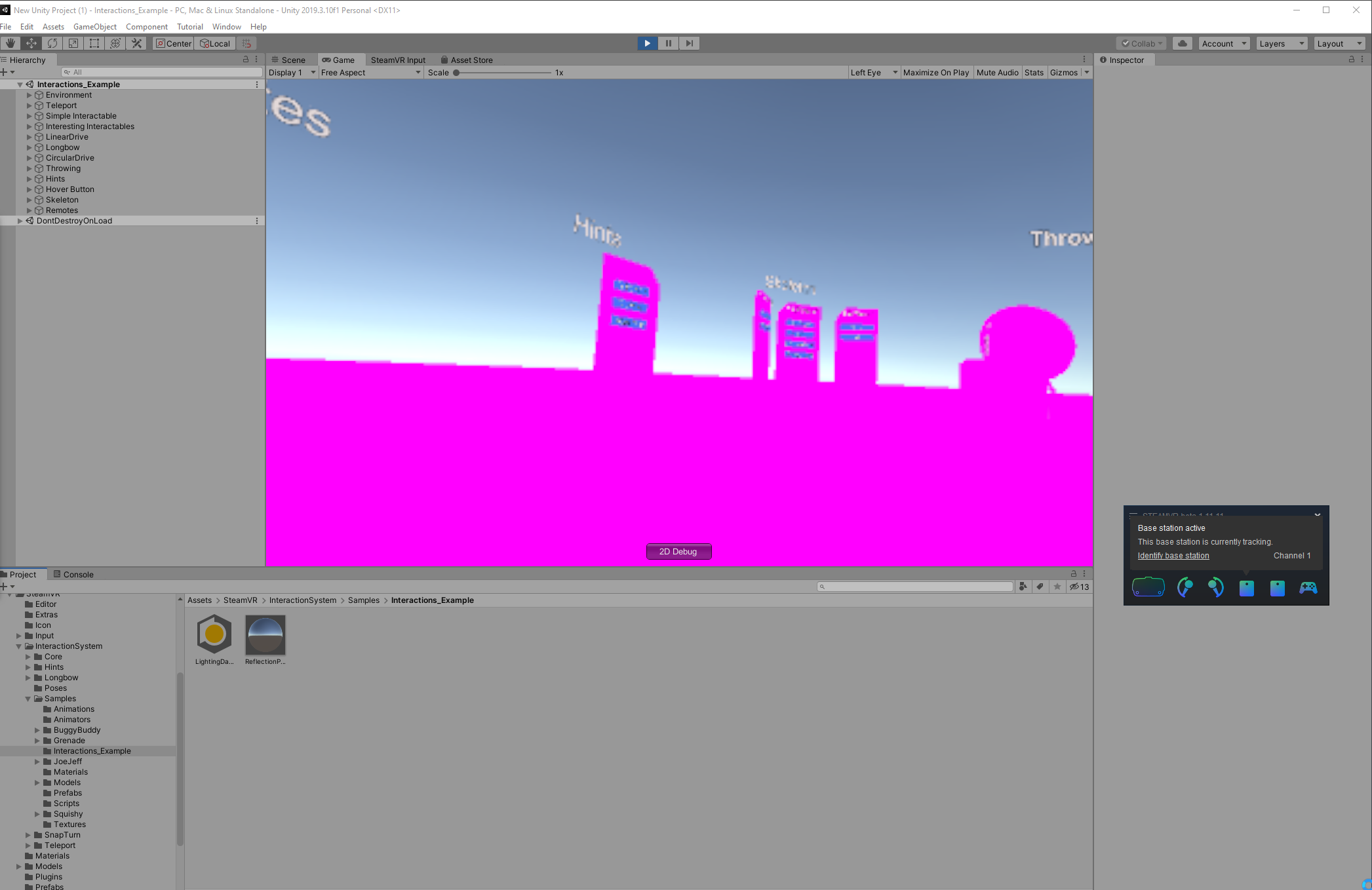
did I fuck up with the example scene?
why is everything pink
yeah there's a lot of stuff I have to change
oh god
real goblet
It works with legacy rendering but is it a simple process to get the plugin to work with universal rendering pipeline or is that just not recommended?
odd tusk
@real goblet
in one of the menus at the top somewhere theres a button that converts all materials to URP materials. it can fail for some materials though, but if it succeeds everything won't be pink anymore
steel rain
For some reason my oculus quest game stopped working just now, when i try to build to apk the app dosent launch, it keeps closing when i try to open it up in my quest and im not sure why since it was working just a few moments ago
agile idol
here you can see that its smooth most of the time. some jittering (as you can see on the wall) when walking and a very heavy jittering on the lift and when falling.
@storm ether Dig you get to fix it? im having that isue too, im creating a physics hands and they follow by forces the real hand, also the player moves by forces and it stils jittering
storm ether
Switching from Vulcan back to gles3 had the most impact. Still not perfect though.
rain belfry
Would anyone be able to help me with how the "Switch To Scene" works for SteamVR Teleport Points? I've had a look on Google but I'm stuggling to find anything that lets me load in a new scene when you actually teleport to a point.
Would anyone be able to help me with this please? I've been waiting 2 days for a response.
real goblet
@odd tusk some materials are still pink yeah
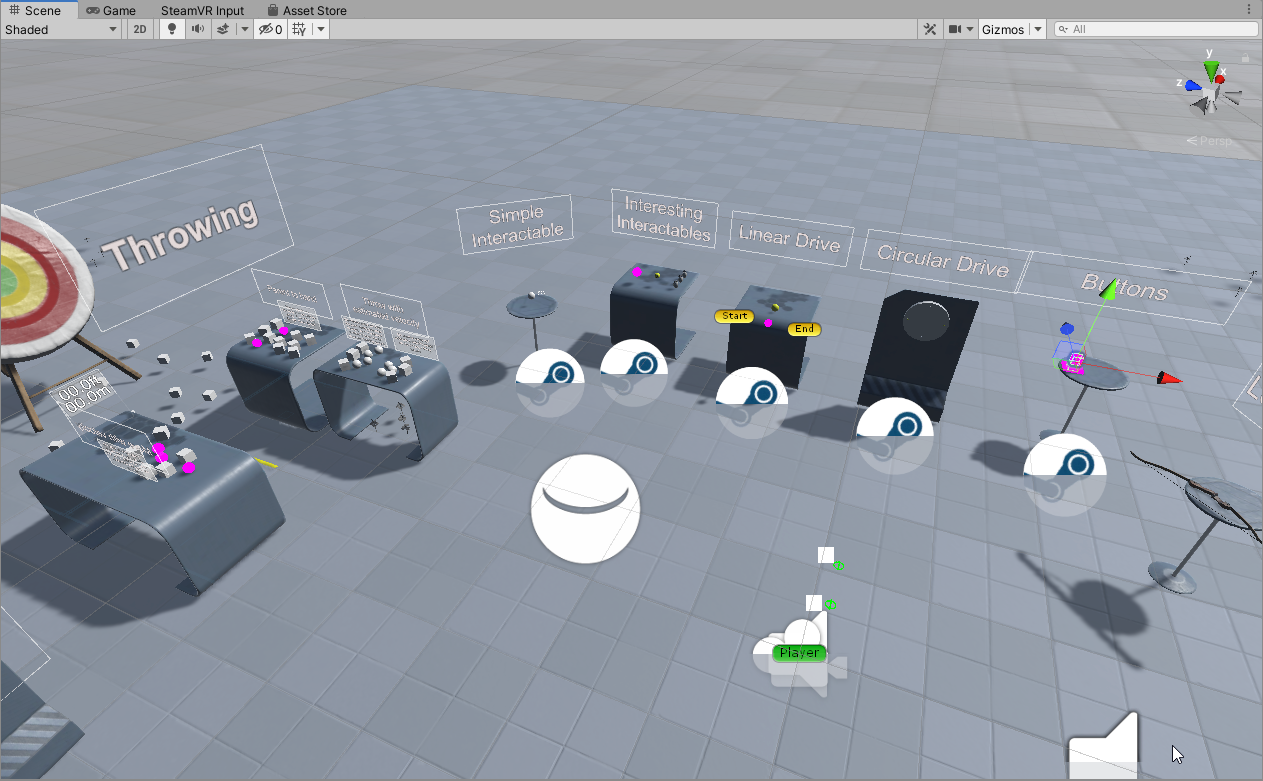
when I click onto the shader these are using I get "Default-Material"
which I can't change the shader for
GitHub
The HTC Vive controllers appear pink with a fresh project created with the LWRP, version 2019.1.1f1 and SteamVR. I have not installed the Oculus VR runtime. All project materials were converted wit...
that doesn't fix it either
storm ether
Youre using urp?
real goblet
ye
storm ether
Did you recreate all shader via the menu?
storm ether
If it's just the few create a material with urp shader and drop it on those objects.
odd tusk
you cant change the sahder for the default material, you need to make a new material and drag it on there
you can either drag the material onto the object in the scene or near where it says Add Component
you cant drag it on top of the other material just so you know, its a little annoying
real goblet
ok I dragged shiny white onto them
now I get a bunch of null errors when I try run it
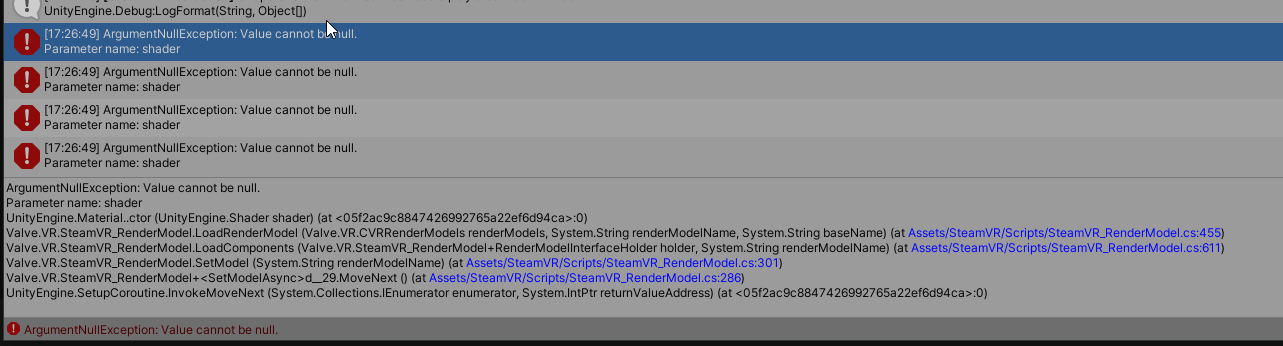
reverting the material line fixed the null errors but there's just a load of pink runtime textures
atleast it runs
thank you
storm ether
👋
hello
I have a question for anyone experienced with VR Dev. I just found out a simple yet neat trick to show 3D meshes/effects on to the skybox using a secondary camera, I am wondering if that has any issues in VR though.
It's the exact same technique used here:

See this thread for more info: https://www.reddit.com/r/Unity3D/comments/39vvup/3d_skybox_simple_but_very_effective_way_to_give_a/
3D skyboxes are something I've always wanted an excuse to write. They're a wonderfully simple concept that give you the illusion of being in a mu...
olive ingot
anyone developing for Quest w/ URP have any thoughts about Vulkan vs. OpenGL ES?
working on a prototype and trying to squeeze as much performance as possible, so i tried switching to OpenGL ES for a build and my VFX Graph stuff comes out looking totally messed up!
wondering if its worth fiddling with... like if i could expect improved performance over Vulkan
shell kayak
@olive ingot Do you mean the other way around? Vulkan is new and a little unstable, OpenGL ES is what has always been used.
olive ingot
@olive ingot Do you mean the other way around? Vulkan is new and a little unstable, OpenGL ES is what has always been used.
@shell kayak
no... vulkan happened to be the default setting when i started the project. ¯_(ツ)_/¯
shell kayak
Vulkan is supposed to have better performance, specifically CPU
But I've heard many having trouble getting it working with Quest
olive ingot
yea that's what i had read so i was surprised that it ended up being OpenGL ES that caused problems for me...
 dense thorn
Hello,
I've been working on a game with Hand Tracking (Oculus Quest) since 2 months now, everything worked great until today.
My hand are not rendering anymore, i can even see the game object of the hands moving in the play time editor of Unity, but they are not visible.
It just happenned like that, and on every other projects i worked on with Hand Tracking.
I tried the solution of the App ID and the manifest.json authorisation, none of them worked.
Currently using Unity 2019.2 with latest Oculus Integration assets.
Thanks a lot if anyone can help me, i'm at a dead end here
 distant zealot
Vulkan for Android in Unity isn't ready yet
still bugs being fixed on it, hopefully will have more info soon
shell kayak
@dense thorn Hand tracking with Oculus Link stopped working after v16. Right now the only way to use it is by using an older firmware version on the headset. I happened to have another Quest that wasn't updated yet, which was lucky because I don't think you can downgrade the Quest firmware.
cobalt ledge
How do I draw a texture or whatever directly on the screen that the player sees in the glasses? Trying to make a system that darkens the view when the head is inside an object
crystal whale
I need to be able to use the HMD to control the neck of my avatar. I'm using this script as a basis https://gist.github.com/Kemononiki/d0bafe6ac5ba198e235c7c6e098b6c2c. It uses the camera for neck rotation. I need to use the hmd (as a SteamVR_Tracked Object). I have the hmd rotation value but when I apply it directly to the neck's rotation it's in an odd orientation.
dense thorn
@shell kayak yep, think i doomed for the moment until the next patch...
formal solstice
So I have been implementing VR using Unity XR and the Unity XR Plugin Framework. Everything works fine and nicely on my Oculus Rift S and testing in the editor, but when I build for my Oculus Quest my hands are placed at a wrong height offset. Anyone with an idea?
formal solstice
I am using the following to get the position:
if (t.TryGetFeatureValue(CommonUsages.devicePosition, out Vector3 position))
      hand.transform.localPosition= position

------------------------------------------------------------------------------

if (t.TryGetFeatureValue(CommonUsages.devicePosition, out Vector3 position))
      head.transform.localPosition= position
On my Quest the head is positioned just fine, but the hands are on the ground. However, the orientation of them is correct.
formal solstice
I resolved my issue. I just modified my XR Rig structure a bit following this advice: https://forum.unity.com/threads/any-example-of-the-new-2019-1-xr-input-system.629824/page-2#post-5052896
Unity Forum
The fixes for the quest manifest issue are on their way to all Unity releases (2017.x, 2018.x, 2019.x).
What is it today? With 1.40, Oculus removed...
 red halo
So I had a working Oculus DistanceGrabber system working, but since the updates came out the hands wont even track me now? Can anyone help pleas? I have been going around in circles for hours 😭
shell kayak
The last Quest firmware version v16 broke hand tracking in the editor through Link
There's no fix except just not updating the firmware
red halo
?
So I have to downgrade?
How can I fix this? My project is due in 7 days
wait only in the editor? will it work if i build it? @shell kayak
Wait you said hand tracking
Im tryint to track with a remote
crystal whale
I'm trying to read Touch Controller joystick input and I followed this "You put those ID's into the Edit => Project Settings => Input, which is the input manager. Increment the size by 1. Then open the last Axes. Set it to use a Joystick Axis and set the Axis # to match the unity documentation. After that the axis can be accessed in code with Input.GetAxis(AxisName)". But it doesn't appear to work
According to that the Oculus documentation (https://docs.unity3d.com/2018.4/Documentation/Manual/OculusControllers.html) says Unity Axis ID is 5 and 6 for the DPad. I add them in calling them "Horizontal" and "Vertical". But getting nothing
Okay you have to put on the HMD before it can read values
crystal whale
What about the DPad on the right controller?
 gilded lynx
The build in 3D audio in 2019.3.10f1 is not very spatial at all even with the spatial slider all the way to 3D. Sounds so flat and I can detect no directionality. What spatial audio tools are you all using here?
gilded lynx
Or is the standard Audio spatial for you when the slider is on 3D? All my sounds are 3D and despite the volume rolloff being correct, the volume in both ears is the same no matter which way I am facing.
shell kayak
@gilded lynx Are you inside the audio source volume?
But a spatial audio plugin is a must anyway, at least basic HRTF
 brittle lake
Yo
For the Unity XR Rig how do you make the controllers just the base controllers (like VIVE wands, or Knuckles, etc)
red halo
Visually?
brittle lake
Yeah
gilded lynx
@shell kayak Thank you. What spatial plug in do you use?
shell kayak
I'd say either use Oculus' spatializer or Google's Resonance. Resonance is made for mobile so it's simpler, runs faster but still very good, but it's no longer actively supported.
There's also Steam Audio, which I would say is the most accurate simulation but also the heaviest.
But all of these can be configured to just simple HRTF, which should run pretty fast and still be a lot better than the "3D" audio in Unity.
cobalt ledge
Should I switch to using Unity's XR system? I started learning vr game making with steam vr from the asset store since I use the index and it functions perfectly with the knuckle controllers right away, but I want to be able to support all controller types. Does XR already have good support for the knuckles without having to crate a system for it from scratch?
As in can it already support the individual finger movements etc. right away
shell kayak
No, that requires the SteamVR plugin
magic jay
can i get VR inputs in Bolt visual scripting?
real goblet
If i understand correctly, if I make something in Unity 2020 with XR and test with WMR I will have to do no porting over to SteamVR whenever valve releases their XR plugin?
wraith shale
in ideal case, yes
but you should be prepared to tweak it still separately for OpenVR
real goblet
that's fine
but it's just frustrating rn only having an index but wanting to use DOTS and having to chose between using OpenVR in unity 2019 and all my code becoming obsolete in a few months and waiting
is there a way to run rift or wmr stuff on steamVR?
olive ingot
oh... no
real goblet
F
real goblet

steel rain
Whenever I teleport to a non-straight area for teleporting my character gets turned sideways, how can i fix this using the XR Toolkit? Grass = uneven ground, deck = even ground
 lone knoll
im trying to add Vignette effect on top of the VR camera but doesn't seem to work
tried Kino/Vignette shader
tried post processing
both result in a grey texture that overrides
was trying to replicate what VRTP did , since their plugin seems to be obsolete now
 storm vigil
@lone knoll what renderpipline are you using?
lone knoll
URP ?
real goblet
has anyone been able to come up with solutions to hinting the player to things that are outside their FOV in a decent way?
that's like not so intrusive as arrows at the center of their view
lone knoll
@real goblet something similar to a health damage but with different color would work imo
im trying to figure out how to get something like that working as well
real goblet
see
that's good for like
a single object that you need a vague direction for
I was thinking more a couple of objects you need precise directions for
to make up for the small FOV HMDs have rn
lone knoll
created a new 3D project - and imported post processing package - the effects work and all as expected , but once i hit play - the camera will show only grey color
lone knoll
using 2019.3.5f1
any one had faced this one before ?
ahhh nvm
i had it at single pass isntanced
now its working
shell kayak
@lone knoll Single Pass Instanced is the preferred mode because it has much better performance
lone knoll
yep but sadly it doesn't work with post processing
shell kayak
It can, I don't know post processing you're using
lone knoll
Using post processing from unity's repo *
github.com/Unity-Technologies/PostProcessing
@shell kayak have you seen this -> https://assetstore.unity.com/packages/tools/camera/vr-tunnelling-pro-106782
similar story - single pass instanced won't work for this
cool plugin tho , worth the look
shell kayak
@lone knoll Aren't you using URP? Why not use the post processing built into URP?
I know that works with Single Pass Instanced because that's what I'm using for my own game
lone knoll
huh
real goblet
What's the correct way to get the transform of a controller in steam vr 2.0 and assign it to the transform of a game object?
 red breach
Is URP and and VR even worth it?
there are a lot of added benefits to URP
but it seems half baked for a ton of standard stuff
has anyone had any success running vr with it?
unity 2019.3.7f1
 tiny rose
Hello! I'm trying to port my Vive game to Oculus Quest. Is there an easy way to do it? The most important part (at least at the moment), to leave the hands from Vive, including skeleton and poses
 sour tinsel
Is URP and and VR even worth it?
@red breach we use urp since 2019.3 up and have no issues that are not solvable. not sure why the new urp should not be worth. what is half baked in your opinion?
 vestal widget
Hello,
does anybody know what XR.DeviceSDK is in profiling of Oculus Quest?
It takes like 8 to 9ms each frame on RenderThread and the MainThread is waiting for that. Every help is appreciated.
sour tinsel
@vestal widget Use Renderdoc.org it is much more deep and directly on device debugging. it has a unity integration
maybe this helps to https://medium.com/parkerhillvr/five-tips-for-vr-ar-device-independent-unity-projects-dcf7398dcbb1
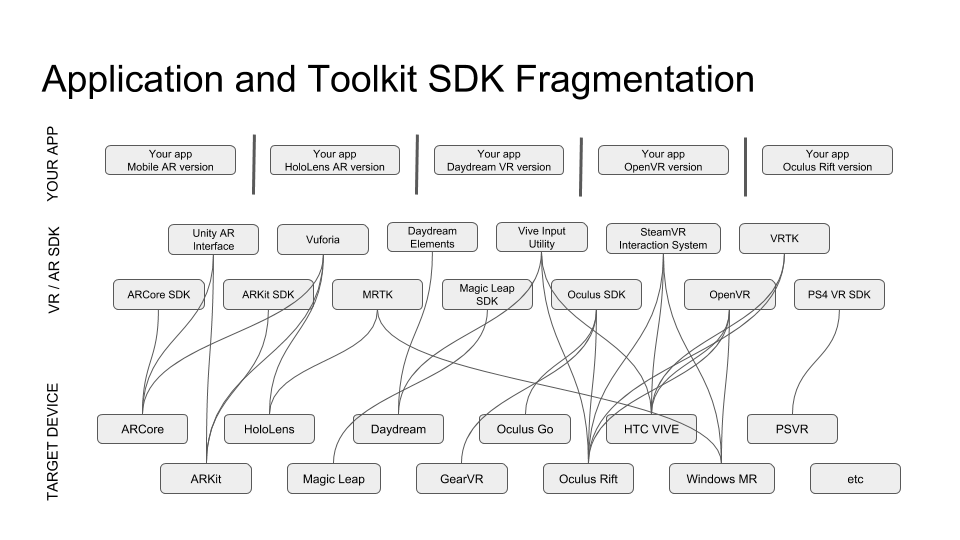
Medium
It’s wonderful to see the variety of new virtual reality (VR) and augmented reality (AR) technologies, devices, toolkits, and platforms…
vestal widget
@sour tinsel I use render doc but I am not sure what is XR.DeviceSDK can not find anything about it. :/ and Render Doc currently supports Directx11 or OpenGl core. This is Oculus Quest
sour tinsel
@sour tinsel I use render doc but I am not sure what is XR.DeviceSDK can not find anything about it. :/ and Render Doc currently supports Directx11 or OpenGl core. This is Oculus Quest
@vestal widget as far as i tested it works well with android, shold work with quest as well... I hope :D. Im not 100% sure but i think the XR SDK thing is the unity support module or something like that.
can't you find the API anywhere in your unity project or player settings?
shell kayak
RenderDoc works with Oculus Quest
sour tinsel
@vestal widget by the way i just performed a search inside this discord channel and there is talks about it and wqhy it could pop up. use ctrl-f and then paste in XR.DeviceSDK you will find a post from user : AleMC date: 07/03/2019
search function in discord is amazing
compact cove
If I wanted to do like a knife going into a surface, is the best way to use configurable joints for it?
vestal widget
RenderDoc works with Oculus Quest
@shell kayak thanks I found it. Is the timing from RenderDoc correct? OVR Metrics shows gpu 20ms but Render Doc show 50000 microSec.
red breach
@sour tinsel thank you for the info! and sorry half baked meaning lights don't cast shadows and things of that nature.
it primarily looks like open VR is no longer supported. we are building for all major platforms, is there a plugin you suggest?
shell kayak
@vestal widget I haven't confirmed that it's correct, but I haven't had any reason to believe it's incorrect. Where are you getting GPU frame time in OVR Metrics? As far as I know, there's only the App Frame Time metric.
Or do you know you're GPU bound so you know that App Frame Time is GPU frame time?
 icy nest
Anyone here use tracking pucks? I have been using tracking pucks for 3 years now and I have stayed on SteamVR 1.1.4 because their stupid input system broke all puck functionality for me. With the new version by default, all my tracked devices with tracking pucks flip upside down. if I change it to anything else, including "disabled", the input from the pogo pins no longer works. I have tried disabling the input system in the steamvr config file with no luck. Any ideas?
vestal widget
@vestal widget I haven't confirmed that it's correct, but I haven't had any reason to believe it's incorrect. Where are you getting GPU frame time in OVR Metrics? As far as I know, there's only the App Frame Time metric.
@shell kayak I am gpu bound . I got about 22 to 25 ms AppT but in RenderDoc I got like 50ms.
storm ether
Hey I made a custom vr controller with arduino and im sending quaternion values to unity on its rotation but when i set transform.rotation to equal the quaternion of the rotation it ends up going to the right places but being very choppy. Do any of you know a good way to smooth out a quaternion transform? I tried things like Slerp and Lerp and RotateTowards but they all seem to still be choppy. I added smoothing variables and maybe I just didnt play around with them enough but they dont seem to generate good results. Is this a problem with my approach or a problem with the speed the quaternion is updating at?
If you can find the time to reply that would be much appreciated, just @ me so that way I can get notified about your message. Thanks! 🙂
formal solstice
Hi all VR Users - What is the standard approach today when it comes to keyboards in VR? Is there an Unity must-have asset store package somewhere or an alternative?
 final basin
Can anyone clarify the current state of VR APIs? It seems like the most modern option is unity's new XR Plugin system which has Oculus and WMR implementations, but its now >3 months old and Valve still haven't made or commented on a Steam XR Plugin..
I've tried the SteamVR Unity Plugin and it works with the Index and Vive controllers i currently have in my office, but the documentation very unhelpfully says "With SteamVR developers can target one API that all the popular PC VR headsets can connect to.". What counts as a popular headset? I have WMR and Oculus headsets on the way, will they work with the Steam VR unity plugin?
Just trying to work out if i should carry on with SteamVR Unity Plugin or switch to unity's XR system for this prototype
final basin
hmm actually ive just seen some threads about using the steamVR plugin with samsung odyssey and such, so i assume it supports WMR in general. I'm going to carry on with SteamVR for this prototype.
formal solstice
@final basin we just had that discussion internally in our company. We decided to go with the XR Plugin because SteamVR does not support Oculus Quest.
pine bison
We just added a keyboard to our program and we decided to go with the xylophone sticks approach, like this
formal solstice
@pine bison oh that is cool. Something you have made yourself? How does it compare to laser pointer keyboards?
pine bison
We used this one https://github.com/rjth/Punchkeyboard
I vastly prefer physical keys haha, it feels so much more efficient
reef beacon
It's usually handled like a phone keyboard
pine bison
I think, I can't remember right now
final basin
thanks @formal solstice ! If this prototype goes well, i'd likely have to support quest so thats good to know
pine bison
There is SteamVR support coming soon, I don't think it's too far away
final basin
Yeah, i couldnt find anything concrete though. Theres a 3 month old thread with the only proper response being "beta soon" almost 2 months ago. It might work out as good timing for me 🤷♂️ https://github.com/ValveSoftware/steamvr_unity_plugin/issues/639
GitHub
After the latest Unity blog post it appears Open/SteamVR is henceforth not officially supported by Unity. Please inform us on the subject and provide an estimated timeline for the new plugin delive...
pine bison
There is a WIP branch for it https://github.com/zite/TestPackage/tree/TestBranch
There was also some communication from Valve like a month ago that they were coming close to completion
final basin
oh nice, thanks! I hadnt came across that
 verbal berry
is this the right place to ask? I really need help for a presumably actually small project, coding help to be exact. I need to program something for a school project together with a few others, I'm the one to program, even tho I told them I don't do C#, they were like "BuT nOnE oF Us Can dO iT"
now i really need help for probably simple code, I can pay too
the assets are all done and stuff
for context:
basicaly all that needs to happen is a spawner throws objects at you and ou are supposed to slice them with a weapon -
for a more detailed description pls text me, i'd really appreciate it^^
pine bison
You're not gonna find anyone here who's gonna do your school work for you
verbal berry
I can pay of course
pine bison
That's what I mean. That's not how it works
verbal berry
why not?
pine bison
There should be tutorials on youtube to imitate beat saber, that will send you in the right direction
verbal berry
well yeah i tried those but i'm just not good at unity
I'm pretty sure paying people for work is exactly how it works 😛
pine bison
Not when you're in school
verbal berry
oks thanks for that input, not gonna mention it in the future
I need help for... private?
 drifting owl
@pine bison, I've thought about a similar design/approach to enable a more fluid adaption for coding whilst in unity. Using both hands in separate spaces for an expanded keyboard in small spheres.
pine bison
Sounds interesting
pine bison
New version of the Oculus Utilities is out so hand tracking in editor might work now. I can't test atm
 slender vine
Does anyone know if there's a way to see the OVRoverlay on a vive headset?
shell kayak
You'd probably need ReVive for that
 dim quarry
Hi all - I have a question about load/boot times in VR. What do you think is an acceptable boot time to start up a VR game on a PC and load into the menu or first level?
slender vine
That's annoying ah
 simple girder
Did anyone else faced the 4 hands bug in SteamVR in unity?
I have the VR Camera rig in 2 scenes. when I am on first scene the remote hands(both) are fine. When i transition to second scene, they are fine again, but when I come back to the 1st scene, I have duplicate of hand remotes making it all 4 hands instead of 2.
I don't understand how do I solve it
slender vine
My guess is that there's some kind of don't destroy on load attached to those hands in the first scene?
*second scene rather
pine bison
I have been told the oculus update indeed fixes hand tracking in editor
olive ingot
i'm using the Oculus XR Management plugin (so not using hand tracking), but i'm looking for decent hand assets to use... is it relatively easy to pull the ones in the Oculus Integration package out to use?
 cyan nest
any have videogames to daydream?
 warped bone
im using a few values to check device properties, do you think running this every update frame could have a bad effect on my VR devices?
float f = OpenVR.System.GetFloatTrackedDeviceProperty((uint)index, ETrackedDeviceProperty.Prop_DeviceBatteryPercentage_Float, ref err);
bool b = OpenVR.System.GetControllerState((uint)index, ref st, 1);
string s = GetStringProperty(OpenVR.System, (uint)index, ETrackedDeviceProperty.Prop_ControllerType_String);``` frosty haven
Did anyone else faced the 4 hands bug in SteamVR in unity?
I have the VR Camera rig in 2 scenes. when I am on first scene the remote hands(both) are fine. When i transition to second scene, they are fine again, but when I come back to the 1st scene, I have duplicate of hand remotes making it all 4 hands instead of 2.
I don't understand how do I solve it
@simple girder I think I ran into this issue before. IIRC, the issue was that SteamVR's scene transition script keeps the current Player instance alive through the scene transition. And so if you have a Player object placed in the new scene, you'll end up with 2 in total
 tardy loom
I am using unityXR api with steamVR plugin. The InputDevices events show weird behaviour with controllers. The deviceDisconnected event gets immediately fired even though my controllers are connected.
And querying the triggerButton feature usuage always returns false.
Any idea why this might be happening ?
 cloud moss
I'm unable to find the Oculus audio spatializer plugin in Audio Settings after moving to the new XR Management system from the old Oculus Integration package. Does anyone else know how to solve this?
compact cove
Has anyone here worked on proper vr hand physics?
reef beacon
Define proper VR Hand physics
compact cove
Like hands that can grab items, collide with colliders and stuff
Like Blade and Sorcery type hand physics
tropic hollow
Has anybody had problems with UnityXR Toolkit and Canvases in prefabs? In my case second canvas that I instantiate does not react to ray interactor (
reef beacon
Idk what blade and sorcery hands are
compact cove
like boneworks
compact cove
I'm trying to do it so when the hand grabs an object, the grabbed object can also collide with any wall colliders as needed
I tried fixed joints but it's really broken for me
tropic hollow
looks like DoProcess in XRUIInputModule fails to remove RegisteredInteractables properly in case of using PhotonNetwork.Destroy
olive ingot
I tried fixed joints but it's really broken for me
@compact cove a fixed joint can’t move at all from it’s connected body. It’s basics;lay the same as parenting the transform except using the physics engine. You’ll probably want to look into using a configurable joint
compact cove
But it moves when I collide the object into another collide
I have the hand that has the fixed joint, and the grabbed object is the connected body, but it still moves around when pushed into something
I'm trying to weld it into the hand so that it always stays in place, but still collides with stuff to push the hand back if it goes into a wall type stuff
olive ingot
sounds like there is more to the setup. if a rigid body is connected to another rigid body by a fixed joint, the joint retains the position and orientation relationship
that's why its called a fixed joint
pine bison
OpenVR for the new XR system is out in beta! What we’ve all been waiting for https://steamcommunity.com/app/250820/discussions/7/2268069450205612646/
It does seem to be 2020.1 only though, for now at least

This new OpenVR Plugin package for Unity XR handles the display, tracking, and input for OpenVR devices. Input goes through SteamVR’s legacy input system on a simulated per controller basis. This will give developers more access to some controllers than has previously been ava...
olive ingot
Is it possible to use some of the Oculus Avatar stuff with the Unity XR Management plugin? Specifically the stuff that gives you the hands holding the controllers and accurately animating?
dense thorn
^ also interested to know
wraith shale
seems like Valve both came up with new XR OpenVR package but also updated SteamVR for Unity for new XR system
I'm testing latter atm on 2020.2 but it's actually stuck on import right now...
counter says it's been sitting busy for 12 minutes now, which is definitely too long
(on importing SteamVR_Settings.asset)
olive ingot
^ also interested to know
@dense thorn i posted a question about it on the Unity forum and the Oculus dev forum... somehow i doubt there will be a definitive answer until Oculus separates out more of their platform-level stuff from their (now-deprecated) plugin.
seems like OvrAvatar needs OvrManager to work and I didn't really feel like having an OvrManager in the same scene with my XRIT rig. Would have to write a script to manually disable camera stuff on the Ovr rig and it just seemed messy and not worth it right now for what i'm doing
warped bone
i made a desktop application using openVR to check the charge of my controllers, any idea why it closes if i open another VR application such as VRchat?
https://gyazo.com/e039ec855e295f3d1f902fe09d691539


 dense thorn
@olive ingot seems messy as you say, i hope it get updated in the future because i would like to use unity xr managment
 marsh fox
@warped bone maybe try setting a different app type?
https://github.com/ValveSoftware/openvr/wiki/API-Documentation#initialization-and-cleanup
warped bone
thanks, il take a look
gaunt crown
Anyone know what causes SteamVR hands to stop colliding with things when they pick something up (and the picked up thing also stopped colliding)
brazen tundra
Hi there. I just installed the Unity version 2020.1.0b5, and now this msg appears. I can't find the OpenVR package anymore and I tried reinstalling SteamVR, and I even installed the new version 2.6 from Github. I can't find other people having the same issue on the internet. Anyone one knows what that means?
wraith shale
@brazen tundra old style XR plugin support has been deprecated on 2019.3 and completely removed on 2020.1
you need to use new XR management system
additionally, you need Valve's OpenVR plugin for the new XR setup as Unity doesn't provide OpenVR implementation anymore
tl;dr: link this git branch to your package manager or place it manually in a subfolder on your packages folder:
https://github.com/ValveSoftware/steamvr_unity_plugin/tree/UnityXRPlugin
or if you want the full steamvr version, use this release: https://github.com/ValveSoftware/steamvr_unity_plugin/releases/tag/2.6.0b1
 drowsy tusk
brazen tundra
drowsy tusk
brazen tundra
Hi @wraith shale, thanks for the reply
Would I have to change my codes? Because 2 weeks ago I launched my VR game on Steam, and I need the fastest way to start developing again
Can I still keep the CameraRig and everything?
wraith shale
@brazen tundra if you refer to old steamvr plugin then see the upgrade instructions at https://github.com/ValveSoftware/steamvr_unity_plugin/releases/tag/2.6.0b1
brazen tundra
I tried following that
I deleted SteamVR folder, but Unity kept saying I had to install OpenVR manually
Also installed this
wraith shale
that being said, thisi s the first public release for the new XR management and it's giving some people crashes when initializing it
brazen tundra
GitHub
SteamVR Unity Plugin - Documentation at: https://valvesoftware.github.io/steamvr_unity_plugin/ - ValveSoftware/steamvr_unity_plugin
Am I screwed? ;D
wraith shale
for just released game, just don't move to 2020.1 and stay at 2019.3
brazen tundra
Because I'm trying to downgrade to 2019.3 but nothing is happening, it just appears the Unity image
wraith shale
old OpenVR plugin still works on 2019.3
wraith shale
you've released a game and you don't have version control? 🤔
well, I guess you learn the hard way then :/
brazen tundra
Don't know what version control is
wraith shale
basically a thing that would let you undo recent changes in this case
brazen tundra
I do have a cloud back up
Gonna try to start a brand new project and transfer things I guess
And if I start developing a new game, should I move to XR?
wraith shale
it's the only supported option in the future,so yes
it's just current state of OpenVR isn't great on it yet
it's not ideal situation (that they removed the old setup before the new XR thing is fully functional) but it's not like Unity hasn't screwed us like that in past 😄
wraith shale
this really boils down to two separate things: Unity removing support for old style XR plugins on 2020.1 and Unity dropping native support for OpenVR, throwing the ball at Valve who then had to get this done in hurry
brazen tundra
The younger me would start panicking
Not gonna lie, I was getting a bit worried
I see
wraith shale
in the end, it's a super weird move from Unity as OpenVR support is a huge thing on desktop VR
brazen tundra
It is huge
I agree
However, would I still be able to use the same SteamVR cameraRig?
What will developers that already have released games do if they wanna use the new Unity versions?
wraith shale
I don't really have hands on experience on using the SteamVR version myself, I've only tested with OpenVR plugin alone
@brazen tundra usually devs that have already released on stable Unity version wouldn't move to a one that's still experimental, at least not before they've tested it works on their case..
brazen tundra
I just wanted to try the new Unity version, didn't know it would screw me 😂
wraith shale
often when you release, you just stick to the unity version you used there unless there's some real advantages on upgrading
wraith shale
tbh
backporting isn't usually all that impossible
but you may need to work around with some things
all art and scripts work just fine on all unity versions so that type of work isn't lost
even if the upgraded scenes don't load on older version, you may be able to work around that with prefabs etc, move things through unitypackages etc