#🥽┃virtual-reality
1 messages · Page 36 of 1
 pine bison
 oblique gyro
I'm on rift
The Vive has a refresh rate of 90. Rift S has 80 and Quest has 82. The Valve Index and Pimax headsets have higher refresh rates
@pine bison
So considering your sentence it's not actually true, but i have all the VR headset
i'll try VIVE to sse if it change
pine bison
The Rift DK1&2 had 90Hz displays
pine bison
But the Rift S is 80
pine bison
It's a compromise. Not really much difference in the experience
The Rift S has a better resolution instead
 amber trench
Hello 🙂
Is it a long process to add smooth locomotion to the XR plugin?
How about reverse IK body? 🙂
Thanks
 hearty iron
a reverse inverse kinematic body ?
 celest widget
mind Blown
what about an Inversed Reverse IK body 😄
Has anyone had good results yet using URP with the quest? With/Without vulkan? performance wise? FFR?
hearty iron
I did manage a 8-9ms time with OpenGLes3 unity 2019.3 , URP 7.1.6 MultiView with FFR set to medium
celest widget
U actually got FFR to work?
hearty iron
yes at least the OVR metrics tool reported a change when the app ran
celest widget
Do you notice a huge impact on performance?
still waiting on my quest so I havnt really tested it myself
celest widget
Are u using dynamic rendering? When ever I tried it, id get fish eye sickness 😮
hearty iron
High and High Top FFR also shaved like 2ms but the quality was just too bad
celest widget
Does FFR require a dynamic render scale?
How low did you allow your rendering to go?
hearty iron
do you mean dynamic resolution ?
hearty iron
well rendering is a much broader term than just resolution
and no I had that turned off. I think oculus recommend it to be off
celest widget
ah my bad, what do you mean by render scale then?
hearty iron
I mean this UnityEngine.XR.XRSettings.eyeTextureResolutionScale = 0.5f; for example
 quaint moss
Can FFR work on cardboard or daydream?
 shell kayak
FFR is something that Oculus has implemented into their mobile headsets. It's not a Unity feature.
quaint moss
OK, thanks, so no
shell kayak
Not unless the Cardboard/Daydream SDKs have that functionality
celest widget
Ah I see I didnt try much of the new XR api so thanks for the tip
hearty iron
FFR is not a solution to your performance problems. Optimize your scene and shaders. Thats the real performance boost.
celest widget
does XR render scale work with FFR?
Optimize them more than the standard lit/unlit for URP?
quaint moss
Yeah, what are the tips you have on URP besides noise nodes conversion to textures?
celest widget
Feel like we shouldnt have to optimize URP this much lol
quaint moss
Urp is pretty good without post-processing
celest widget
on android/quest?
quaint moss
Android
shell kayak
Shouldn't be using post processing on Quest anyway
celest widget
but my bloom :"(
anyone know any decent performance articles regarding physics on the quest? preferably on URP
mostly looking for stress testing of the sort
quaint moss
How is urp related to physics?
celest widget
its really not, but urp is supposed to help with scalable performance, so that = more physics?
quaint moss
Also on DOTS then?
celest widget
never really gave DOTS much thought tbh have u tried it?
quaint moss
Nope
celest widget
I figured DOTS was its own engine.... or soem experimental thing like Burst or Havoc
¯_(ツ)_/¯
quaint moss
I think it's a separate paradigm of code structure, aimed at high performance, no allocations, structured memory, etc
celest widget
Sounds like ecs
 wraith shale
don't mix rendering to rest of the systems 🙂
altho there will be hybrid support for DOTS renderer with URP but that's not really what this is about now
scalable means it should work from very low end devices to higher end, and it has support for all Unitys target platforms
as for perf, it does try to keep your drawcalls and batches lower, improving the perf in comparison to old renderer
celest widget
I thought scalable means to have similar impact on prof the bigger your project gets
quaint moss
Hopefully my game will be completed by the time we have all this great stuff 😂 also probably will have both FFR and pp working on the mobile hardware lol
 ashen valley
Is anyone else here playing with the XR toolkit? I'm trying to figure out how to make a new Locomotion model for thumbstick movement.
wraith shale
Unity is changing HDRP VR docs to reflect dropped OpenVR support: https://github.com/Unity-Technologies/ScriptableRenderPipeline/blob/a951aca0da6f4bf9505cf50d36f163dad79f1f57/com.unity.render-pipelines.high-definition/Documentation~/VR-Overview.md
 keen rain
@wraith shale 404?
 hardy sand
I'm coming back after months and since then Unity got to 2019.3; I am wondering:
-Does URP work right on Oculus Go/Questt
-Has post-processing finally been fixed?
-Is singlepass finally available for Go/Quest?
wraith shale
@keen rain they delete the wip branches after they merge the change
wraith shale
oh wait, it's not merged yet + it does open for me so no idea on the 404 then
 versed needle
SteamVR seems to support all HMD out there, is there any draw back?
versed needle
I see
Do developers usually use a VR emulator to speed up the process?
At least when dealing with non-VR part?
 reef beacon
I do often enough, some people prefer to stay in vr a lot
versed needle
what are you using?
versed needle
Thanks
 deft sage
Little help: I'm using the Oculus package to put a player on a moving boat. I want them to be able to move about the boat, however the player controller just slides off as the boat moves. Any suggestions?
 lone knoll
Valve is working on developing its own XR plugin for Unity, which is scheduled for release before Unity 2020.1 releases.
~ https://www.windowscentral.com/unity-drops-official-support-openvr-valve-working-replacement
^ anyone knows how accurate is this statement ?
 celest jetty
@prisma swift Man, you've got to provide some code for anyone to reasonably help you.
@deft sage Easiest thing to do might be to make your player a child of the boat. That or add every delta of position and rotation change to the player.
pine bison
Agree with the above, but also, if the player is always gonna be in the boat you probably don't need all the features of the player controller. You could simplify it by just using the OVRController with a snap turn script
ashen valley
XR is a mess right now anyway.
And @versed needle SteamVR doesn't support the Quest without Link. Just something to consider.
 high wagon
im using OVR for the quest
but not sure what cases these messages.
causes *
i can run the application just fine
but concerning
shell kayak
@high wagon This doesn't tell us what the warnings are. You need to expand the console window or click on one of them to read the full message.
shell kayak
You can safely ignore those warnings. It's normal for projects to have useless warnings
high wagon
got it, thank you again 🙂
 limber axle
How common is it that importing SteamVR takes a long time? (Using Unity 2019.3) Been 20 minutes now and it's still stuck on importing SteamVR_Settings.asset
Memory usage is still going up though.
Didn't take this long on another project
keen rain
@high wagon I'm coming in late, but the "never assigned to" warning is because scripts shouldn't technically have public variables if they're not actually supposed to be accessible/changable by other scripts so you set those variables to private. However, if you want to be able to access and change your variables in the inspector, you can Serialize them using [SerializeField] before you declare the variables. That being said, if you declare an empty private variable and you serialize it, you get the above warnings because Unity doesn't detect that you've assigned the values via the editor; it just sees empty private variables and says "huh, that's not supposed to happen" and warns you on it
So if your script goes CS [SerializeField] private GameObject thisObject; [SerializeField] private int thisNumber; then you'll get two warnings saying you're not assigning anything to thisObject and thisNumber even though you probably set those through the inspector
imo I wish I could tell unity to just not prompt me on that type of warning specifically so I can see the more important warnings, especially if your script has 10+ private serialized variables, but I'm not sure what Unity's take is on that problem.
It means that in order to do things the "right" way and keep your variables private but still have the easy ability to directly set those variables' values in the inspector, you have to expose yourself to warning spam D:
 obsidian knoll
I do [SerializeField] private GameObject thisObject = default to make this warning go away.
keen rain
It wasn't too thought out 🤔 everything I want to say about programming becomes an essay
The fact that I talk a lot has finally manifested in my online persona as well
ashen valley
Great feedback, @keen rain. I love it when people take the time to explain something.
The problem that happens over time is that you get so many warnings, it's just noise. And then when there is one that does matter, it's harder to track down. So, I try to avoid them if I can.
keen rain
Yeah exactly how I feel
 lyric fox
Created a script that allows you to build for Daydream and Oculus in one project with both sdk's installed. Kind of basic but still wanted to share seeing i didn't find anything else like this on the internet.
https://paste.myst.rs/dkj
If anyone has any thoughts or improvements please let me know lol. I wrote this while suffering from lack of sleep.
 hard carbon
make sure the player is a child of the boat when its moving?
 wintry delta
Anyone have any experiences with upgrading to Unity 2019.3 yet? Last I tried it, the new XR plugins package broke as soon as I hit play
Currently using the OVR utilities for all my player rig and controllers stuff
 lean shale
Just got the Oculus Rift S a day or so ago. Is the developing of VR games similar to 3d games with fancy camera movement?
shell kayak
@lean shale It's more than just fancy camera movement. The camera movement is probably the simplest part.
The hardest part is the motion controllers and designing gameplay around them.
lean shale
Is there no library for that to be automatic? Isnt it an input device just like a keyboard and mouse would be
shell kayak
@lean shale Well, say if you wanted to port a desktop game to VR. Let's use Call of Duty as an example. How would the gun work? Would it be glued to your head like it is on desktop and you press a button to shoot and another button to reload?
lean shale
I was more talking about basic VR Games like Beat Saber. The hand controller is the input and its a touch test from the blocks with a little fancy vector math
versus hitting up or down arrows on keyboard
Are you referring to more complex games with realistic gun loading for example?
shell kayak
I was just using that as an example. It sounded like you just wanted to port a desktop game where you could just easily swap out keyboard and mouse input with input from motion controllers and it'd all be done automatically somehow.
lean shale
I was just relating input controls from the desktop and vr version
shell kayak
It's easy to get tracked controllers working in Unity and to get input from them.
lean shale
Then once you do that its the same logic afterwards right?
Take an input, do some math, respond accordingly
shell kayak
It's still GameObjects and MonoBehaviours and C#
lean shale
So a majority of it is still just a 3d game with the ways for getting input changed to motion controls instead of pressing a key
shell kayak
Not all VR games would work on desktop and vice versa. Beat Saber wouldn't be any fun on desktop and Rocket League in first person would make you sick.
So a lot of design decisions are different
lean shale
But from a technical standpoint it would be the same games with different input. Even if the game suffers because of it
shell kayak
Is there any specific difference that you're wondering about? Are you expecting VR to use a different programming language?
lean shale
I just want to know mainly getting the input from the controllers. Id assume the camera is just attached directly to where the players head would be
shell kayak
Getting input from the controllers isn't very different from getting input from keyboard/mouse, just a different class.
lean shale
Would the movement of the hands be updated every frame then?
shell kayak
Unity doesn't handle that automatically like it does for the camera/head. You can use scripts from SDKs, like the Oculus OVRCameraRig or SteamVR_PoseBehavior scripts or if you just want to use Unity's native VR support, you can get the tracking data from Unity and set the transform of your objects representing the controllers every frame.
lean shale
Im assuming the output for that will give you velocity of the hands, acceleration as well?
shell kayak
This is what Unity will provide
https://docs.unity3d.com/ScriptReference/XR.XRNodeState.html
 lean shale
Well thats super useful
So in the case I wanted to say change the position of the players view would I teleport the player object or just assign a different camera to it. Say for example the security cameras in R6 except you have vr control over them
Would it be more efficient to move the player around or change the headsets camera view... thing
shell kayak
In what reality does a security camera teleport your head into them when you look at the feed?
lean shale
R6 does the same thing but with keyboard. Its not like you are looking at a screen in game. Your monitor is the screen
If that makes sense
shell kayak
Okay, then let the player pick up a monitor showing a 2D feed from the camera
lean shale
Oh you are saying give the player an object to view the screen instead of just setting their view?
Thats a lot cooler honestly
shell kayak
Yeah... Because that's how it works in real life.
It's best to think of VR as a virtual reality that the player is in.
Ask yourself "how would I expect this to work in real life"
lean shale
Ah ok
That makes more sense
So just forget the game design skips and do everything how you would irl
shell kayak
Yeah. There are unfortunately some limitations that you will have to design around, like the player won't have a big space, so you'll probably have to implement some locomotion.
lean shale
So instead of having a different UI for a tank gun for example, literally put the player in the tank
Ya common thing is either a manual movement with the sticks or a teleport movement
Honestly I am not a fan of the teleport. Very hard to follow. But it does make it easier on the eyes
shell kayak
Stick movement can give some people motion sickness
shell kayak
Yeah, with teleport being the default option.
lean shale
Like click the stick down for teleport, move it around for walk
shell kayak
That's what Half Life Alyx is doing.
No, it should be a setting. Either teleport or stick movement.
You don't want VR beginners to accidentally activate stick movement and get sick
shell kayak
Yeah, that will make the game playable to a bigger majority of the VR audience.
Some games will only do stick movement for game play reasons, though.
Because a shooter is very different if you can just teleport between cover.
lean shale
Is the motion sickness from the walking that big of a problem? I didnt have issues with it myself
Ya that makes sense though
shell kayak
Some people can "grow VR legs", meaning they get sick at first but get used to it. Some people don't have any issues ever and some people can't handle any movement except for teleport.
lean shale
Interesting
I have not been playing VR very long and right from the start I preferred the walking
shell kayak
I'm sure most people would want to be able to use stick movement, but just can't because they'll get sick if they do.
lean shale
Oh this may be an issue with my settings but my headset along with the various games always seems to be blurry at times. Maybe its my eyes? I dont know
I used a friends headset as well and it was the same issue
shell kayak
It could be an IPD issue, where the lenses aren't at a distance matching your eyes, so you aren't looking right through the center of the lenses
It could also be the fit of the headset, like the lenses are too high or too low
Or it could be you're just talking about the resolution of the screen.
lean shale
That sounds right. When I move the headset around the blurry sometimes goes away
shell kayak
Most headsets allow you to adjust the IPD
lean shale
Like the blur makes it impossible to read anything
How would I know what to change the IPD to? Just test it and hope for the best?
shell kayak
You can measure your IPD in millimeters and use that number
Or just eyeball it and adjust it until it looks clearer.
lean shale
I will have to test that out over the weekend and get it adjusted
Is jumping typically a button input? I have not seen any games with IRL jumping in it
shell kayak
Most games won't have jumping, but if they do it's usually a button.
lean shale
Is it from the headset moving around when jumping?
shell kayak
Well, usually in real life, people don't press a button to jump
lean shale
Thats true
shell kayak
Maybe if they were on an electrical powered pogo stick, they might.
lean shale
Then why does VR commonly leave jumping out?
Or at least doesnt do it from a physical jump and opts for buttons instead
shell kayak
Well, there's nothing stopping a player from physically jumping.
But what should it do when the player physically jumps? Make them jump higher than they actually did?
That would be weird.
And jumping isn't trivial to detect.
lean shale
I wasnt thinking lol. The players height is already measured out because you know the floor height when configuring
So the headset increasing in height would be the player going up and the distance from the defined floor increasing
So it would just be a jump. Not like we even wanted it to be. It just naturally is
lean shale
Its all measured from the headset relative to the floor id assume?
shell kayak
How do you know if the player is sitting and not just a short person?
lean shale
But if I crouch and put my head at the same height as if I was to go prone how does it know the difference
I have no answer to your question. I dont know
shell kayak
You can calibrate height at the beginning, like tell the user to stand straight and press a button and then you can sample the current height and save it.
Otherwise, you can never know for sure if their current height is from them sitting, standing, stretching up.
lean shale
How do you tell the difference between crouching and sitting?
if the headset is at the same height
shell kayak
You can't detect that 100%
You can maybe make some guesses about where the hands would be relative to the head. Maybe there is some difference to where your hands are when crouching versus sitting.
But it would never be 100%
keen rain
No there’s not much commercially available, easy to set up, full body tracking around beyond steam’s vive pucks
Which can go on feet & waist
But developers don’t want to lock out the general player base by making games that require you have the extra pucks
lean shale
Thats a shame. Maybe wait a few years or so and maybe it will get there
keen rain
That's what everyone's been saying for a few years :) We're going to have to wait for the main HMD developers to say "okay, we're happy with our visual experience. Let's work on extending the tracking functionality without greatly affecting the price"
And that's not the sort of thing I see any large companies saying for a long while, sadly
oblique gyro
Any experimented PPl with SteamVR 2.0 and Native Hitns system With Vive controllers ?
facing an issue concerning the placement of Controller starting point when afecting an action to the Dpad
The Hints always come from the center of it
Event if it's A North button press Dpad
this is kinda annoying
when you have 4 button on each south, north, west and east
side
anyone manage to solve this ?
or any other Hints system working generic way with all the controllers ?
 tired ivy
Hi all. Does anyone know how to get rid of these blue line that overlay everything, when using the Steam SDK Teleport Area script and functionality. Sometimes they appear, then I can restart the game within Unity and then they're no-where to be seen. Any ideas or assistance much appreciated. Thanks in advance. 🙂 PS. these blue lines sit on the Game Object plane that has the Teleport Area script attached to it.
 fluid ocean
try to disable mesh render on that teleport area @tired ivy
tired ivy
@fluid ocean You are a star!!!! Thank you so much, that worked! I have been scratching my head on this for ages. I am still learning and shaders are one of the areas that I still need to learn much more on. Thanks again and have a great weekend. 🙂
fluid ocean
You welcome, glad to help. 
 tired dock
Hey everyone, My avatar hands for Oculus are not exactly where they should be
they need to be like 3 inches more to the right
yet, my line renderer which is attached to my hands is in the right location
 whole wharf
Does anyone know if you can write multi-threaded code on the Oculus Quest? Might be a dumb question though lol.
whole wharf
Gotcha, and thank you! I've got some non-unity stuff I was looking to put on a background thread. I'll have to play around with it and see what I can do.
whole wharf
@old widget What for? You mean to output to a RenderTexture, or are you looking to record a video?
 old widget
Looking to experiment slightly with AR on a quest
pine bison
I don't think this is exposed to developers yet @old widget
old widget
So the camera feeds are completely unobtainable?
pine bison
I believe so
Keep in mind that they are also black and white. So that would limit the AR potential
There might be some android hacks you can use to get it though, I'm not sure
whole wharf
Yeah I'm pretty sure that's not exposed. ^^ (Sorry for late reply on this, glad Ole was able to help)
oblique gyro
Hello guys
Anyone have started to work with the New Unity XR interaction system with 2019.3 ?
I don't find why my headset is not working with it
i downloaded all the packages
placed the Xr rig
But on Runtime
it seems it doesn't connect with my headgear
i can't get it working i don't know why
here are some screenshot if someone knows
wraith shale
you have WMR headset?
do note that there's no OpenVR / OpenXR support for the new system (so no SteamVR)
@oblique gyro
wraith shale
no, you can't use it with Vive
Unity threw the ball at Valve when they deprecated their old OpenVR plugin and didn't dev the OpenVR support for the new XR setup in-house
so now we have to wait for Valve to come up with something
anyway, it does suck because 2020.1 doesn't even support the old style VR plugins anymore, you have to use the new XR management there
but ultimately, OpenVR from now on is a second class citizen on Unity ecosystem
even once we get OpenVR plugin from Valve, every future breaking change on XR management API will mean we'll go through the waiting game again
support has ALWAYS been horrible once Unity has dropped some built-in support and let 3rd parties deal with it
so if this plays like it looks like it's going to play, UE4 is going to get way more popular platform for anything that uses VR
oblique gyro
O hope they'll offer better support for it
Did anyone used Steam VR Hints system for controllers
I've been using it for the past 2 month
And fuck sake this is terrible
Anyone know a good alternative to it ?
Or the best solution is to make my own Visual Hint system
 storm ether
Hey ho
I really need help
Lots of it
So ive installed the oculus intergration from the asset store
but i cant seem to get the controllers to work
pine bison
Are the controllers invisible so you can still grab things? Or can you not interact with anything
storm ether
Nope
Ive got the actual animated controllers
But
They arent tracked to my actual hands, how can i change that?
They are stuck like this
They move and interact with my hand placement on the controller but arent tracked
pine bison
Look at the sample scenes from Oculus and look at how the hierarchy is set up
I think you need to parent the hands under the OVRCameraRig for example
storm ether
Sorry ole, im completely brand new to unity, sorry if im a bit slow
Oh okay
Where can i find this samplescene?
pine bison
/Assets/Oculus/VR/Scenes
Also /Assets/Oculus/Avatar/Samples
that one might be more relevant
storm ether
None actually have controllers lol
@pine bison None of them have controllers, and tutorials have things that i dont have.
pine bison
Have you tried moving the hand prefabs under the camerarig/left and right hand?
storm ether
Hand prefabs?
Where are they under?
These?
Okay i see the hands but they arent tracked
pine bison
Search for the scene called customHands
storm ether
Ive got the initial staging
Ill transfer it to mine
Ive copied the two hands from the other scene
but they once again arent tracked
pine bison
Have you seen this https://youtu.be/rnOR1OANIAU

▶ Support my work and get the source code on patreon : https://www.patreon.com/ValemVR
▶ Join the Valem discord channel : https://discord.gg/5uhRegs
This is the second episode of a serie that will cover all the basis of developping a Virtual Reality application which I h...
storm ether
yep, ive tried it
Im missing some parts from it
ill try it again why not
Omfg
I did exactly what he said
And they are still not tracked to me
Ive stripped everything from the scene
Just to get that to work
I did exactly as told
and yet its not working
bruh
pine bison
try and run exactly that scene. Don't take stuff out of it. Just run the sample scene
pine bison
Then you need to make sure your scene has the same setup as that
storm ether
Should i just copy OVRCameraRig?
And add the movement?
im starting a new project rn
storm ether
@pine bison Ive redone my entire project, and did as he said and the controllers still dont attach to mine...
 main delta
does anyone know how to get SteamVR controller input to work without being logged into Steam?
 grizzled tangle
To build for all VR devices , do I have to include plugins and write separate code for each VR device or is there one plugin that does it all ?
hard carbon
OpenVR is fairly ... open. You can run most if not all devices from it
but it mostly just depends on the project.
I use multiple plugins for this one because I dont want to go through OVR for oculus things
Now for why im here: Anyone know how to detect if the player in quest is currently using hand tracking?
grizzled tangle
Thanks Rarceth
hard carbon
👍 🙂
pine bison
Good question Rarceth, I don't know yet. But interested in the answer
 proven swan
I added VR support to our project for testing (Oculus SDK + OpenVR, Unity 2018.4.3f1). It works fine on my machine in Standalone and Editor but we can't get it to work on another PC. The main project starts loading up until 20% and then just stops - no hints in the logfiles. Another test project runs and he claims he can see something but no head tracking or movement possible. Other VR games seem to work fine.
The only issue is that his logfile is filled with "XR: Error setting active audio output driver. Falling back to default."
I'm running out of ideas and I have no physical access to the troublemaker. Any ideas where to start my search?
wraith shale
you sure it really stops and that it's not just slowly loading up?
is your cpu at idle when it stops loading at that 20%?
proven swan
The guy told me he had the game sitting there for 10mins at 20% and nothing happened. I know, the scene loading can be slow but this was on an SSD 😉
Will check the task manager when we manage to have a Teamviewer session.
wraith shale
it's not just SSD that affects this
if you have plenty of code and shaders, processing it all can take a long time even on fast systems
pine bison
With my experience opening large Unreal projects, I would definitely let it run for a while longer before writing it off haha
proven swan
It's just strange, he has a way better PC than me and we have the same Rift S headset. I hate it, when the "Works fine for me" bug strikes 😭
oblique gyro
Sup guys
Anyone know how to set-up Vulkan With Oculus Quest with Android in target build ?
 pure drift
anyone uses VRTK from the asset store? I've noticed it hasn't been updated in a while, is it still good to use or would you recommend another tool? (or maybe vanilla oculus quest support)
pine bison
@oblique gyro I don't know if vulkan is functional on quest through unity yet.
@pure drift There is a VRTK slack you might wanna join
I still use 3.3 from github but 4 should be fine as well
pure drift
thanks Ole, what has been your experience with it? do you recommend it?
pine bison
I think it's great, definitely worth getting into if you don't wanna start from scratch. Both because of the preexisting library of interactions, and the cross-platform functionality
pure drift
good to know, thanks!
oblique gyro
It should be @pine bison
Anyone have done things with Vulkan yet ?
any idea why on Inspector it's not connecting to my Oculus ?
shell kayak
@oblique gyro I've only heard developers not being able to get Vulkan working on Quest.
pine bison
Yes I've only seen it in Unreal
oblique gyro
guys
 distant zealot
For anyone wondering how to activate FFR on Oculus Quest using Vulkan, the APIs are here
https://forum.unity.com/threads/2019-3-release-xr-updates.821637/#post-5441730
Unity Forum
Hi everyone, last week we released Unity 2019.3 which included several XR features. We've seen questions come up, and I wanted to address the common...
oblique gyro
i m facing this
but Unity Hub
i don't see anything els than unity version in it
any advice ?
oblique gyro
Hey guys i'm migrating my project to 2019.3 to make it run with Vulkan
and when i'm trying to build i'm having this kinds of error
anyone has an idea ?
 autumn cloud
Are you using the Android SDK & NDK Tools that come with the Android Build Support module?
wraith shale
@distant zealot btw have you tried old OpenVR package on 2020.1 again on recent alphas? I think you wrote on the forums that you managed to make it run on older alpha but I think I just got tons of errors with it on recent ones
I haven't checked if one could just port it to be compatible or if Unity actually removed some things
distant zealot
Nope it works fine if you just remove all XR Management and copy paste the com.VR.OpenVR (Whatever its called) folder from the package cache of another project into your 2020.1 project
wraith shale
I think I tried exactly that in past
I guess I gotta try again
well, I moved the package from 2019.3 projects package cache into 2020.1 projects packages folder
as that how you get it there as local package
but yeah, I was curious about this since that forum post you just linked said they are not going to remove the old packages functionality until the new thing works 😄
distant zealot
Then make sure XR Management isn't there, although maybe don't update to latest 2020.1 versions
wraith shale
I need to be on bleeding edge for HDRP, but yeah, I'll test this... I'll try to make sure the xr management package isn't there either, thanks 🙂
shell kayak
@wary junco Don't update Unity past 2019.3 until Valve releases their XR management plugin.
 olive ingot
Anyone using the XR Interaction Toolkit? How do you simply poll a controller's triggers/buttons/xy pad?
and are there like singleton/static properties you can access for left and right controller like a lot of frameworks have?
k i see that XRController has an inputDevice property... i know how to use TryGetFeatureValue with that so I guess that works, but is there a way to access them easily or do i need to roll my own?
 feral frigate
I think we are still waiting on a package from Unity
grizzled tangle
Does SteamVR plugin support Oculus or do I have to use Oculus plugin and write separate code for Oculus to handle input ?
hearty iron
it does support oculus as far as I know. I'm actually using the reverse. I'm using the oculus plugin to run on the Vive
pine bison
Yes, it goes both ways
grizzled tangle
Alright. I have another question. What exactly is Unity XR plugin ? Can I continue using Steam VR or move to Unity XR ?
pine bison
grizzled tangle
Thank you Ole and Uri 🙂
 sand moat
I have downloaded the SteamVR plugin for my Vive and using it on a Universal Render Pipeline Unity 2019.3.0f5 project. I am using the CameraRig prefab for my scene, and for some reason it is only rendering out the left eye on the Vive.
Any idea why that might be?
amber trench
Hi ! Anyone has been working on vr projects (or else in fact whatever any project) with any visual scripting addon? how about the official one?
celest widget
Hi guys! im having trouble accessing https://docs.unity3d.com/ScriptReference/XR.XRInputSubsystem-trackingOriginUpdated.html
so I cant basically mimic what
OVRManager.display.RecenteredPose -= ResetRotation;
did
ALSO!
anyone know if the new XRapi has something like this? or if I even need it? didnt find anything in the docs so ima just pretend like I dont need it and see how it goes 😄
Actually I found that I need to use it like this, but does anyone know how im supposed to assign it?
 hollow linden
Hello, everybody! I'm in a bit of a pickle here and I would appreciate if anybody could offer any help and/or insight. I started development on a VR app for the Oculus Quest, and I was looking for a good and relatively lightweight solution for rendering water in my scene, and I stumbled upon this shader: https://github.com/nvjob/nvjob-water-shader-simple-and-fast

GitHub
#NVJOB Water Shader - simple and fast. Unity Asset. - nvjob/nvjob-water-shader-simple-and-fast
I have, however, not been able to make it work correctly on the device using Forward rendering. The author's documentation includes a blurb on how to make it work on mobile platforms using forward rendering, but that doesn't seem to work on the Oculus Quest at least (Or rather, I was unable to make it work properly)
 severe saffron
so my quick googling lead me to another oculus dev trying to do another water shader
hollow linden
I was able to make it render properly using Deferred rendering, but I would rather use Forward if possible. Has anybody who's used this shader been able to make it work on mobile VR devices with Forward rendering? If not, does anybody know a good water shader for mobile VR that works with Forward?
Yeah, I stumbled upon another guy who was having loads of issues as well
severe saffron
depthtexturemode.depth may not work on the quest?
just from initial googling anyway
someone else complaining about it working on one eye.... oof
hollow linden
Yeah, that does seem to be the case. I tried fiddling with it to see if there was anything that I could modify to make it work on the Quest, but I was unable to find a good answer.
I believe the last I found from that aforementioned dev was that they found this one guy who created this one water shader on shader graph that works under the URP, so they moved onto that... But apparently the URP broke foveated rendering on the device, so he's currently stumped.
Which is why I decided against going down the same road, for the time being.
severe saffron
Im saving up for a quest myself but wont actually have the money for another 3 months
$100 a month ya know
hopefully the URP bugs are settled by then
got big shadergraph plans
hollow linden
Yeah, I know. The Quest is quite a neat device, but this is actually my first time doing stuff for it. I've already done a few other simpler apps for the Go, but this is my first time actually requiring to render a large body of water in a scene in VR, so I'm kind of venturing new waters right now (pun intended)
I really wish I could wait for the URP to get a good, stable release before moving onto the Quest, but unfortunately this one project's already got a deadline, so it can't really wait.
severe saffron
deadlines? Who actually does that?
hollow linden
People who like to suffer.
Or people who are working for a client. Which is kind of the same thing, really.
severe saffron
😂
sand moat
If I wanted to develop a VR game for a wide variety of devices, would it be best to wait for openvr support?
shell kayak
@sand moat Are you planning on using Unity 2020 or the XR Management stuff right away?
OpenVR will still function in 2019.3 using the standard Unity VR support. It's only the new XR Management plugin that doesn't have OpenVR support yet.
 zealous gate
Hey guys, is anyone familiar with how to get the input to work? ive scoured youtube for what seems like an eternity and still havent figured the input out
sand moat
@shell kayak I see, so my choices are to use OpenVR as it stands now with Unity 2019.3 or wait until it's supported within the XR management.
I have a vive for developing, so I guess Ill have to either use the SteamVR Plugin or old OpenVR then?
shell kayak
Using the SteamVR Unity Plugin is optional, but recommended. You can get away with using just the Unity VR support, which I believe Beat Saber does.
If you don't need to use the new SteamVR Input or any OpenVR specific features like overlays, then you don't need the plugin.
sand moat
I see! that makes sense. Thanks for the heads up
 coral frost
@zealous gate Which Unity version are you using?
zealous gate
@coral frost 2019.2.9f.1 appearently a lot has changed and most of these videos are outdated
coral frost
I would recommend looking at this.
https://docs.unity3d.com/ScriptReference/XR.InputDevice.html
https://docs.unity3d.com/ScriptReference/XR.InputDevices.html
Unless you're using some kind of package, then I'm also not sure.
zealous gate
im using the Oculus Integration package @coral frost but theyve changed the package and no update to the videos ive looked at
 violet aspen
anyone having an issue where pairing a controller while running a Unity application results in OpenVR shutdown? I'm using Vive Pro, Unity 2018.3.6, SteamVR 1.9.16
 potent escarp
Hi guys, anyone using xr interaction toolkit already? I need some help with a couple of questions...
wraith shale
I added OpenVR package manually to 2019.3.0f6 and it doesn't even list the VR settings at the end of player settings like it used to
hmmm, it does show them on a new project, just not on my 2 older projects
I can't get the old style XR settings to show up on 2020.1.0a22 anymore tho
I tried making 2 new project with different templates and adding the old vr package, nothing shows up there
high wagon
does anyone know of existing toolkits which include ability to trigger something (lets say animation) when you click on it with a button on the controller (in this case the button is the trigger on the oculus controllers)
ashen valley
You can't do old style in 2020, I don't think.
It's frustrating because the new XR really isn't even ready
wraith shale
not anymore you can't 😄
technically you still could around a15
but now they've wiped the whole menu entry from settings
celest widget
Anyone using the XRinteractiontoolkit figure out 2 handed interactables yet?
I feel like im overthinking this and am about to write a giant script to accomplish this 😦
celest widget
Annnyone?
 odd silo
hi, I made a door that worked when it was first created, now every time i try to grab it, it just bursts open and all grabbable struf just GTFO when i try to grab them. (I am using oculus with custom hands.)
Edit: NVM I have found the problem, I had a watch mesh that was too big and everytime i tried to grab something with would colid with the mesh and launch to who knows where.
odd silo
Well, that fix dident do anything. everything is still launching every where
celest widget
try putting your colliders on seperate physic layers
distant zealot
@hollow linden I am the guy who made that water shader, it renders fine on a specific version of URP but since then they broke some things in URP so it is now also broken! I am happy to share the working files if you need them anyway
celest widget
plse, I want URP shaders mr magical shadergrapher
distant zealot
Foveated rendering should also be fixed soon for URP on Quest using Vulkan and Multiview in 2020 alpha/2019.3 but not yet apparently
hollow linden
@distant zealot I would very much appreciate if you could share them, yes! I might not be able to use them on this specific project if it only renders correctly with the URP (As I mentioned, I don't think I can wait for a stable release of the pipeline to be released, so we're using the standard pipeline for this one), but I'd very much appreciate having access to it for upcoming projects!
distant zealot
@hollow linden I couldn't find a single water material that renders fine on Built-in renderer on Quest/in single pass VR! If you find any way of doing it please let me know?
The only exception was non see-through water materials which was kinda sucky
hollow linden
Will do, I'm still experimenting to see if I can find a solution, I'll report back if I manage to find anything
 pastel panther
anyone else getting this error in console when there are particles in the scene? (2019.3.0f5)
Assertion failed on expression: 'task.rasterData.vertexBuffer == NULL'
UnityEngine.GUIUtility:ProcessEvent(Int32, IntPtr)
something similar to this used to be in 2018.3 and i remember checking the issue page a few times a day lol
i'm also getting Assertion failed on expression: 'task.rasterData.indexBuffer == NULL'
storm ether
I need help with my oculus grabbing
What ive done is
Put the customhandprefab tothe left and right hand anchors
and it worked, i made a ovr grabber element to it but the grabbing is extremely wonky and holds the cube/itesm miles away
Ive solved that issue
Now how do i make the grab at a specific point
not just random
celest widget
@storm ether using XRi? If so set a attachTransform on the grabinteractable
storm ether
Oculus intergration man
 livid zodiac
Stupid question, but what videos would all suggest watching for a beginner to making VR projects?
 frosty haven
@livid zodiac Valem and VR with Andrew have good videos for getting started
high wagon
hello, im looking at tutorials for making an animation play on a button press (from clicking at an object or UI). Im struggling to find information how to translate that mouse button click to a oculus touch controller trigger / or button.
the idea is i want to point at an object, and click / pull trigger/ or just click some UI (whatever is easiest).
and some animation will play.
keen rain
Do you know the methods that are called when you pull the trigger?
pine bison
Well you would use the button trigger function. If you have a UI raycast on your controller it will work like normal UI
high wagon
@keen rain i dont 😦
@pine bison i think i understand, im trying out putting it together as if it was normal UI and just tossing on the OVR raycaster from the oculus plugin.
pine bison
Yes quite so. Look at the example scene in the oculus plugin
celest widget
https://i.imgur.com/0i669LV.gifv
OVR is old news mang, its all about the XRi now 😄
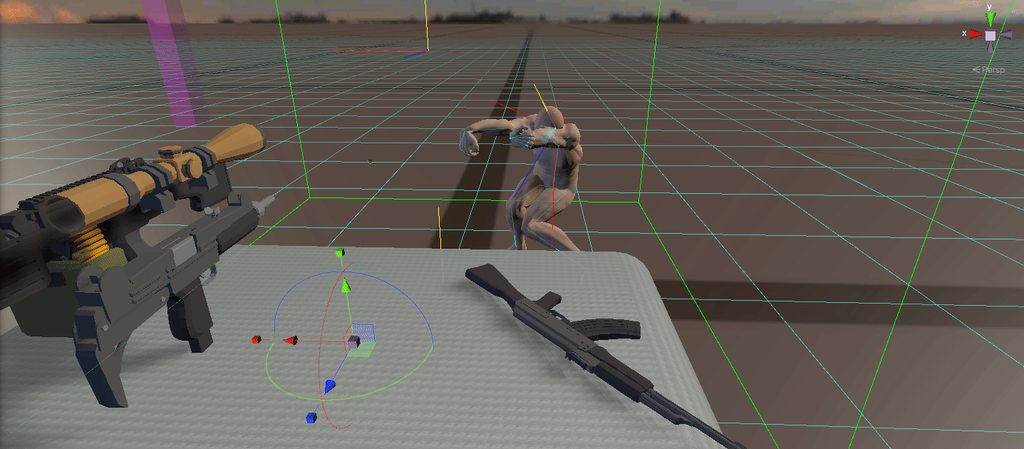 high wagon
i dont know if i can handle creating this project with XRi 😄
 full remnant
Hi everyone! I want to find a method or a Unity VR dev who knows what's the best practice to make a game object, a sword or an axe, to be front heavy, or parenting or join up some rigid bodies with different masses to behave like in titles like Blade and Sorcery, Hellsplit Arena, Saints & Sinners or Boneworks. I can pay for the help or for a skype lession... I tried different joints, tried to modify the center of mass. Joints make everything too heavy even with 0.1 mass, it looks and feels as u want to lift up a 30KG heavy axe with one hand. Center of mass works good, until I pick up the axe with the controller, than the console starts to slapping me, sayin' that the rigid body of the object was destroyed but the avatar hand still tries to hold it, and the game stops in the same second...
celest widget
Yea XRi deff takes some work, but so far seems like a nice foundation to build on, minus the minor bugs I come across xD, best part is after fixing said bugs, after a unity restart the packagemanager just reverts whatever script I edited to or og buggyness 😦
high wagon
anyone know why im missing "hands only" option for my ovr manager?
 pure gorge
Update the asset
potent escarp
If anyone's using oculus hand tracking in your project, unity crashes if you start the game while not having your oculus quest focused. If you put on your headset only then press play, no crash. So just a heads up
severe saffron
😬
storm ether
VR Tank: How to create a Vr tank game for complete beginners, no experience needed. Optimized for the Oculus Quest but should work on pretty much any headset.
https://youtu.be/F_Be_I8KEIk
In this Vr Tank Game Tutorial I'm creating a Optimized VR Tank for the Oculus quest, Oculus Rift, Rift S AND HTC Vive, Valve index and so on!
The Oculus intergration is cross platform.
This is the first part of my Vr tank game series, where we will be creating a game like the se...
wintry delta
@potent escarp How do you get handtracking to work in the editor? I saw the patch notes, but I cant find any guidance on how its supposed to work?
hard carbon
I am going to attempt later today, but from what I understand, make sure your headset is updated to v13, then connect and enable link. From there, just play in editor as normal. Probs want to heed Thomastums warning of making sure the headset is tracking when you do so. Either set it to stay on when off your head, or block the head sensor somehow
 earnest forge
 wet heron
i cant seem to get a vrc mod working in unity. something about "unable to parse asset files"
 fast mauve
I need some help with a unity project im working on if anyones still on
shell kayak
@strange patrol Search for the SteamVR Settings scriptable object. There will be an "Auto Enable VR" setting there that you can uncheck.
 rapid haven
Does anyone have issues with the new oculus 13.0? I cant make my unity project work after the update. I get this error:
Virtual Reality SDK Oculus failed to initialize.
Will attempt to enable None instead.
potent escarp
With version 13 of quest, it's all built in. I followed the train example
check out what i managed to do

Instagram
39 Likes, 0 Comments - Thomukas1 (@thomukas1) on Instagram: “"Stickyyyy fingaaaaars" - Bruno Bucciarati. #virtualreality #virtualrealityart #hand #tracking…”
storm ether

Arm Swinging movement Vr tutorial in unity, I'm using the Oculus Quest but you can follow along on Oculus rift, rift s, vive, index and so on. The Oculus integration is cross platform!
Source Code is available at: https://www.patreon.com/MrPineappleStudio
Arm Swinging movement ...
high wagon
anyone know how to access hands only in unity for the quest? in the videos im watching, everyone has a "hands only" option. i dont have this.
also.. whats the difference between oculus integration and the oculus for android package?
shell kayak
@high wagon You need to switch to Android build platform to see that option
high wagon
@shell kayak i am on android build 😦
shell kayak
Have you recently imported the Oculus Integration asset?
high wagon
do you know if "oculus for android" is the same as the "oculus integration" asset?
im pretty sure i am using "oculus for android"
shell kayak
Are they both on the asset store?
high wagon
and not the oculus integeration
shell kayak
You need Oculus Integration from the asset store.
high wagon
the oculus for android is from the package manager
i have the prefabs like local avatar already.
so confused why they are different 😄
im afraid to import the oculus integration since im already using the oculus for android package from the package manager
i guess ill try it after i make a back up
shell kayak
Well, you're not going to get hand tracking without the Integration asset
high wagon
sounds good. theres no clarification online what the difference are.
any idea why i may be seeing the pointer flickering after i added local avatar to my player?
rapid haven
@potent escarp Thank you so much! That explains a lot!
 hollow sigil
i'm trying to raycast every time i call a function while im holding the trigger on my vive controller. however, the raycast only gets created when i pull the trigger for the first time. is there a solution?
nevermind problem solved
 cerulean viper
hey whats the best version for steamvr
severe saffron
why is it hosted on mega?
 dusty pumice
cause its a nightmare to upload on unity asset store
dusty pumice
cause i dont know what that is
wraith shale
it's place where people usually put their free assets they've made
dusty pumice
mega was first thing that came up when i searched
wraith shale
git = version control, github = free cloud service to host git repositories
dusty pumice
does it cost money?
wraith shale
it has free tier that most use
dusty pumice
should i just delete other one then? i didnt realize it would seem suspicious, i was just trying to put it out there for people to use
🤷♀️ ill delete it, was just trying to put something out that others could use
dusty pumice
that git thing seem more complicated than unity asset store uploading
dusty pumice
🤷♀️ only drag and drop thing i found said my file was too big
its whatever, i stopped bothering with it
celest widget
Hey devs! anyone know the easiest way to recenter the XRi rig? the recenter functionality im looking for is when during runtime you change the XRRig.cameraYOffset in the inspector.
celest widget
did anyone just get a oculus driver update?
Currently in a infinite update loop x_X
I got the recenter down incase anyone was wondering
Looks like update 14 broke my sensors 😦
celest widget
fixed it.. that was a nightmare
hard carbon
hey all, ive seen some demo's for quest hand tracking where the hands dont disappear on occlusion, rather they turn red etc. Does anyone know where abouts the occlusion based functionality is located in the integration sdk? Im looking to do something similar 🙂
hearty iron
What do you mean on occlusion ? Like when the hands enter some geometry in the level ?
shell kayak
@hard carbon The OVRHand has a IsTracked property and tracking confidence level
hearty iron
oooh occluded IRL hahha
 long plover
Hi know somebody how to decide where of the following places die Starting Point of a VR-Game will be in Unity? Two Possibilities: 1. The Starting point and rotation is set to the VR-Headset position. 2. The starting point and rotation is set to the center of the Guardian. So how to decide which one Unity sets?
storm ether
    private void FixedUpdate()
    {
        if (!this.paddleController.IsGrabbed(null) || !this.IsPaddleInWater)
        {
            return;
        }
        Vector3 vector = this.boat.transform.InverseTransformDirection(base.GetComponent<Rigidbody>().velocity);
        vector.y = 0f;
        vector.z = 0f;
        float x = vector.x;
        Vector3 a = this.boat.transform.TransformDirection(vector);
        this.boat.Velocity -= a * this.ForwardMultiplier;
        this.boat.RotationVelocity += x * this.Direction * this.RotationMultiplier;
}```Ok, i want to modify this method, soo the boat is a rigidbody, i want to move it instead of using the two paddles in the boat, i want to use the axis in one of my controllers, the Oculus controllers , making it follow any direction i give to the rigidbody
shell kayak
@storm ether Did you write this method or did you get it from somewhere else?
storm ether
i got it
but this is the method responsible that moves the boat
using two gameobjects (paddles)
@shell kayak
shell kayak
Since you didn't write this, I'm assuming you don't have a good understanding of it. I would just be writing code for you if I tried to help you with this.
storm ether
@shell kayak I do understand the code
is just my first time messing with the oculus bindings
i tried with this
this.boat.Velocity = OVRInput.Get(OVRInput.Axis2D.PrimaryThumbstick, OVRInput.Controller.Active);ù
it doesn't move an inch
wintry delta
2nd param : OvrInput.Controller.RTouch
Dont know what Active means in this context. Theyre both active
storm ether
it selfs adds during compilation
wintry delta
And that line of code is really what you should have posted. Not all the boat rigidbody stuff. Your problem is just getting an input vector and feed into the code you got from somewhere 🙂
storm ether
the code i got is from a game that i want to enjoy, but the issue is the goddamn boat that requires rowing for moving
wintry delta
Also, print out what the OVRInput.Get() function returns to ensure that some valid vector is coming back
storm ether
soo im modding the boat movements
if someone owns Catch & Release , that's the game im modding
@wintry delta OVRinput seems not sending anything in that part
or im missing something, or dunno
wintry delta
Dunno. I dont know how well modding works
storm ether
modding works with dnspy and modifying the game src
all i want is to enjoy some fishing time
but not rowing a boat
wintry delta
Well, if OvrInput.Get(); doesnt return a valid vector, I would say it doesnt work 🙂
storm ether
im going to try again
ill add a file log
and print what the OvrInput.Get() Returns
it returns (0,0, 0,0)
wintry delta
This is how it works when youre not modding :Vector2 thumb = OVRInput.Get(OVRInput.Axis2D.PrimaryThumbstick, OVRInput.Controller.RTouch);
That returns valid values
shell kayak
@storm ether Is the game running on Oculus? If it's running through SteamVR, even if it's being displayed on an Oculus device, this method won't work.
shell kayak
Then this method won't work
storm ether
What i should do then?
shell kayak
Well, it depends what version of the SteamVR plugin this game is using.
The input is done completely differently in the new version
storm ether
It got updated recently, soo i think is the latest
shell kayak
Then it would be using the SteamVR Input system, which is based on actions.
There's no way to get input specifically from the joystick or whatever
shell kayak
As a developer, you'd create an action for the input you want, like boat movement, then map that action to the joystick or whatever.
Then the user can remap the action to another button
storm ether
There's no boat movement mapping btw
you need to grab the two paddles
and then paddle it.
shell kayak
Is there any action that uses the joystick or whatever you want to do the movement with?
shell kayak
So the joystick does nothing in this game?
shell kayak
Then you'll have to modify the actions.json file in the game files to add an action that can be mapped to the joystick
And get this action from the SteamVR plugin
storm ether
The action for the touch axis is there's already
shell kayak
What is it called in the actions file?
storm ether
{
"name": "/actions/vrtk/in/TouchpadTwoPosition",
"type": "vector2"
},
shell kayak
Alright, then you can get this action through the SteamVR plugin
I don't remember the specific method to get an action by name
I'll look for it
storm ether
But first i need to make the boat move with the controller
wintry delta
Theres something else in the code you posted that you probably need to take care of, if you are disabling paddling in the game
shell kayak
Well, actually, since this already exists in the project, it should have it in SteamVR_Actions.vrtk.TouchpadTwoPosition
Check if dnSpy sees that as valid
shell kayak
Yes, that's valid as well.
Then you can just do SteamVR_Actions.vrtk_TouchpadTwoPosition.GetAxis(SteamVR_Input_Sources.RightHand) or whatever controller you want to get the input from.
SteamVR_Input_Sources.Any is also valid.
storm ether
in boat.velocity?
shell kayak
That will give you a Vector2 which will be 0,0 when centered, 0,1 when up and 0, -1 when down.
How you use that input vector is up to you
shell kayak
If you try to set it directly to the boat's velocity, then pushing the joystick forward will increase the Y velocity, which means the boat would move up in the air
You probably don't want that.
There's not just one correct way to use the input vector to move the boat
storm ether
 that would be cool lol
well
idk then
@shell kayak
private void FixedUpdate()
{
this.Writelogs(SteamVR_Actions.vrtk_TouchpadTwoPosition.GetAxis(SteamVR_Input_Sources.RightHand).ToString());
Vector3 vector = this.boat.transform.InverseTransformDirection(SteamVR_Actions.vrtk_TouchpadTwoPosition.GetAxis(SteamVR_Input_Sources.RightHand));
vector.y = 0f;
vector.z = 0f;
float x = vector.x;
Vector3 a = this.boat.transform.TransformDirection(vector);
this.boat.Velocity -= a * this.ForwardMultiplier;
this.boat.RotationVelocity += x * this.Direction * this.RotationMultiplier;
}
This way should work?
No, still doesn't work
shell kayak
@storm ether The original code is using the paddle's velocity, which is a world based Vector3
Swapping that out with a Vector2 that is not similar in anyway is obviously not going to result in something.
storm ether
How it could be solved?
wintry delta
Thats the "development" part of "Game Development"
shell kayak
Again, you don't have enough understanding of the underlying systems that I can't possible explain to you how to fix it, so I would just be writing the code for you
Which I've already done to help you get the input.
Modding is more fun when you figure it out yourself
storm ether
Cmon, i we been trying for 3 days, this is what im trying to figure out.
shell kayak
@storm ether Do you understand velocities and how they are represented using a Vector3?
storm ether
Yes
shell kayak
It looks to me like the X axis is significant somehow, since y and z are zeroed out. So I think the boat's local forward axis is X, instead of the standard Z.
There might be some trial and error getting the direction right. It might be offset the first time you try something.
storm ether
i noticed the y and z were zeroed
shell kayak
But you can try doing something like:
Vector2 inputVector = SteamVR_Actions.vrtk_TouchpadTwoPosition.GetAxis(SteamVR_Input_Sources.RightHand);
Vector3 addVelocity = (Vector3.right * inputVector.y + Vector3.forward * inputVector.x).normalized;
boat.Velocity += boat.transform.TransformDirection(addVelocity);
I'm not changing the boat's rotation velocity, so that means it will move sideways as if its strafing
I assume you can live with that
storm ether
the rotation velocity is 1f
since there's no multiplier
public float ForwardMultiplier = 1f;
// Token: 0x040005B9 RID: 1465
public float RotationMultiplier = 1f;

// Token: 0x040005BA RID: 1466
public float Direction = 1f;

// Token: 0x040005BB RID: 1467
public float HapticFeedbackMultiplier = 0.025f;

// Token: 0x040005BC RID: 1468
private VRTK_InteractableObject paddleController;

// Token: 0x040005BD RID: 1469
private Boat boat;
Multiplier*
shell kayak
Those numbers aren't necessarily the actual values
Those are public, so Unity is serializing them.
The values in the code are just the default values, which can be overwritten in the editor.
storm ether
Still doesn't move T_T
Should i replace the FixedUpdate with Update()?
@shell kayak
Or just edit the Boat class directly?
shell kayak
I don't know
storm ether
private void FixedUpdate()
    {
        this.Velocity *= 1f - Time.deltaTime * this.Drag;
        this.RotationVelocity *= 1f - Time.deltaTime * this.RotationDrag;
        if (this.UseRigidbody)
        {
            this.rigidbody.MovePosition(base.transform.position + this.Velocity * Time.deltaTime);
            Vector3 eulerAngles = base.transform.rotation.eulerAngles;
            eulerAngles.y += this.RotationVelocity * Time.deltaTime;
            this.rigidbody.MoveRotation(Quaternion.Euler(eulerAngles));
        }
        this.hitCount = Physics.OverlapSphereNonAlloc(base.transform.position, this.CollisionRadius.Max, this.colliders, this.LayerMask);
        for (int i = 0; i < this.hitCount; i++)
        {
            this.hitPoint = this.colliders[i].ClosestPoint(base.transform.position);
            this.direction = this.hitPoint - base.transform.position;
            float d = Mathf.Clamp01(Vector3.Dot(this.direction.normalized, this.Velocity.normalized));
            float d2 = Mathf.InverseLerp(this.CollisionRadius.Max, this.CollisionRadius.Min, this.direction.magnitude);
            this.Velocity -= this.direction.normalized * d2 * d * this.DepenetrationForce * Time.deltaTime;
        }
    }

    // Token: 0x06000193 RID: 403 RVA: 0x00035E98 File Offset: 0x00034098
    private void Update()
    {
        Vector3 position = base.transform.position;
        this.Velocity.y = 0f;
        if (!this.UseRigidbody)
        {
            base.transform.position += this.Velocity * Time.deltaTime;
            base.transform.Rotate(Vector3.up, this.RotationVelocity * Time.deltaTime);
        }
        this.moveDistance += (base.transform.position - position).magnitude;
        if (this.moveDistance >= 1f)
        {
            Services.Get<IEventService>().Trigger(new BoatRowDistanceEvent(this.moveDistance));
            this.moveDistance = 0f;
        }
}```@shell kayak These are from the boat's code.
shell kayak
Ok?
storm ether
Sigh, nvm
shell kayak
You're just asking me to fix it for you.
storm ether
because i dont know what the issue is in the mod
It doesn't move a single inch
Wait...
@shell kayak I found the hands have a class on it's own
let me pastebin it.
shell kayak
I'm not going to debug this for you, sorry
 shell kayak
I just said I'm not going to help you debug the issue
storm ether

shell kayak
And it's because it's not trivial and it can take literally hours to find a small issue
This is especially the case when modding
Because you don't have access to information that the developer would have
 candid trellis
Hey all! Has anyone used the SteamVR Bow and Arrow? I want to add score when you shoot the balloons, any advice to accomplish this? Thanks
amber trench
I tried yesterday but I couldnt shoot anything, bow is broken for me 😦
I can pick it up, an arrow spawns in my hand, I can snap that arrow onto the rope/string, but then can't pull and shoot.
high wagon
any idea what would cause laser pointer to flicker when pointing at the UI in one scene, but not the rest?
i cant seem to find whats happening. the only changes here from other scene is that the touch controllers have OVR Grabber script attached. maybe somewhere in the script its using a laser pointer...
cerulean viper
hey i got a problem where my right eye in unity is just black
it looks like this
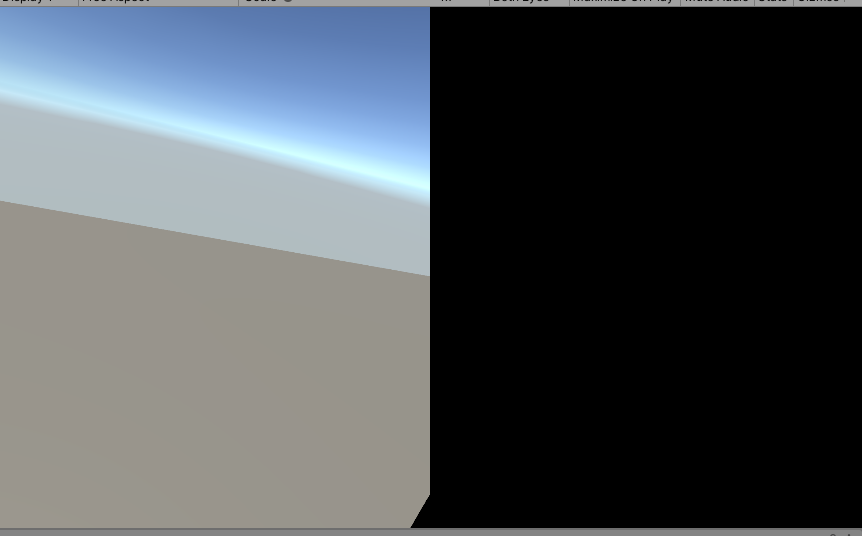 amber trench
make a pirate game
hard carbon
And try changing your view to single pass or multiview (whatever it isnt what it is right now)
high wagon
in regards to my problem, somehow gravity was turned on for my rigidbody on the controllers. so i fixed it.
new question: anyone know a up to date tutorial to setting up haptic feedback for OVR?
i just watched one that is outdated.
olive ingot
just installed a WMR headset. I'd been using a Vive before, but need to use WMR for this project. Was doing everything with Unity native XR stuff and now when I hit play on the scene, the headset is tracking and moving the camera in my XR rig, but the headset is not showing my scene :/
i've installed the Windows XR plugin via package manager and added it to the plugin providers section of the XR Plugin Management part of project settings
have I missed anything I still need to do?
hollow sigil
Does anyone know of a good force/distance grab script or tutorial for htc vive? all of the ones i have found are for oculus and use the oculus scripts. also i'm using a steamvr camerarig. Please ping/dm me if you can help! : )
 elfin shuttle
yes. unfortunately, unless you have Unity Plus/Pro, it's not going to go away, since it wants you to disable the splash screen (Plus/Pro feature).
olive ingot
having an issue where my VR headset is not respecting the clipping plane settings of the Camera object... near clipping plane is too big and it doesn't matter what I change on the Camera component
any ideas what could be causing this?
high wagon
running into a problem with the player controller on OVR.. its using my head direction as movement. so if i look right, the player starts moving in opposite direction. no idea how this happened 😄
im just trying to get teleporting to work.
amber trench
@cerulean viper did you fix your black eye issue? I just heard from Unity copehagen VR talk if you use the post process package it can cause this issue
little before this point

High-Definition Render Pipeline (HDRP) is now supported for tethered virtual reality (VR) headsets. Learn about the types of applications this unlocks, the supported features and constraints to be aware of, and what it looks like to build an HDRP project to VR.
Speaker:
Fabie...
high wagon
should i be using single pass for the oculus quest?
pine bison
The answer to that is: try it and see if it works. If it does then go for it
amber trench
from what I understand it is highly recomended
Single Pass stereo rendering is a rendering feature for Oculus Go Oculus Quest available in Unity 5.6. If your application is CPU-bound or draw call bound, we strongly recommend using Single Pass rendering to improve performance.
An overview about using single pass stereo rendering.
pine bison
It's just not as simple as it should be, with the different unity versions and render pipelines. Hence my reply :)
amber trench
Oh okay
I wish you luck then :p
What render pipeline do you refer too ? Like between HDRP and regular ? or are there many other ?
fairly new to vr in unity 😒 and unity too I guess even tho I used it but looong ago
Is the Lab Renderer something you would recommend ? I know I am not mentionning any project so it's blurry but.. Lets say you're making games right.
The 3d artist guy in me wants to go with HDRP now I want something smooth to play as well and not handicap my <production> with this..
pine bison
I was excited for LWRP and it's application for VR, but it was such a mess to manage and every new update would break something. So I work almost exclusively on the standard pipeline in VR now, until there is a stable link between URP and VR
There was a recent version of URP where single pass took longer to render than multi pass 😄 so there's still a way to go
amber trench
Oh crap
high wagon
i tried it, but didnt notice a difference, thats mainly why i asked
i cant tell if its doing anything 😄
cerulean viper
@amber trench yeah i fixed it you have to change a setting in project settings
amber trench
🙂 what was it if you remember ?
hard carbon
hey all! I could have sworn that Oculus had 2 packages in the package manager, one for desktop and one for mobile. Did they get removed/concated into something else?
hard carbon
^for content, im trying to get hand tracking working through the computer, as I heard with v13 and the latest integration asset that it was possible
 river sigil
Hi to all,
after the famous blog post: https://blogs.unity3d.com/2020/01/24/unity-xr-platform-updates/ no one know when a new OpenVR for new XR Interaction Toolkit will be released.
Can you tell us when it will be available? Can you give us info about it?

Unity Technologies Blog
Amidst a period of innovation for XR, we want to ensure Unity remains the best development platform for creators and our ecosystem partners. We’re excited ...

Hi to all, after the famous blog post: https://blogs.unity3d.com/2020/01/24/unity-xr-platform-updates/ no one know when a new OpenVR for new XR Interaction Toolkit will be released. Can you tell us when it will be available? Can you give us info about it? Thanks. Let us know.
amber trench
hi! @river sigil what is it supposed to add btw ?
river sigil
XR plugin for Unity 2019.3 and future release. Please see: https://docs.unity3d.com/Manual/XRPluginArchitecture.html
Developers with existing OpenVR projects should develop their VR apps using Unity 2018.4 LTS.
Unity 2019.3 and 2019.4 LTS still offer built-in support for Open VR, but bugs and issues might not be prioritized and the package will be removed in future releases.
More information regarding an OpenVR XR Plugin for Unity will be added at a later date.
 amber trench
oh.
I found the SteamVR samples to have more to use than XR Interaction altough none of them has free locomotion 😦 trying to plug that back in one of them
 modest oyster
Hi all, I'm new to unity but enjoying what I'm learning so far. How would i go about getting a knife to stick into the object its thrown at? if knife enters the objects box collision turn on kinematic? also how about getting the pointy bit to always be at the end of the throw if you get me. Dont want it too realistic where the handle hits it falls.
keen rain
Why not just go for OpenXR? I believe that’s different than an XR plugin for OpenVR?
Ah wait a bit of googling kind of helped me out. People explain these differences too complicated for people new to the industry or programming in general 😅
 pliant fulcrum
Hi, I’m new to unity, and game development as a whole, and an wondering how to make a lightsaber turn on. I have the model, but I’m not sure how to make it where it turns on
wraith shale
meanwhile, Unreal now supports both SteamVR and OpenXR 😄
gotta wonder what went sideways with Unity and Valve for this to happen
pine bison
@modest oyster like you say, when it collides set it to kinematic. Then you can set it's rotation based on the rotation between the player and the hit object, for example
hearty iron
Anyone here using OVR with the vive ?
 keen shale
So I am converting an app from the oculus go to the oculus quest and it build fine on unity, but when I upload it to the oculus quest it won't start and when I try to start it manually it says that it keeps stopping, do anyone have an idea why? (https://drive.google.com/open?id=1JsVmqVZJiBuAiTX9eEmYlUiF2eqwfAhK project)
Google Docs
keen shale
Its something to do with the main scene because when I built it to another scene it was fien
 rigid yew
does anyone have any fundamental setup for VR in unity?
merging several plugins from asset store seem like a nightmare to work with
(i didnt buy it, but the person im work with bought many of them)
there are many times that interaction doesnt work.
also, if lets say you have 2 developer, one with htc vive and another oculus rift
how do you make sure both developer can work with same project in general?
working with world canvas also seem like not easy as well (some plugin allow for you to interact with world canvas, but it didnt when you import several other VR plugin into same project).
i know unity on purpose separate the interaction for specific reason.
 next atlas
@rigid yew for cross device compatibility, you have:
- SteamVR plugin
- Unity's legacy XR library (removed in 2020)
- Unity's new XRManagement tool, which currently does not support OVR yet (so it's not a viable option...yet)
hearty iron
@rigid yew in our project we are using the Oculus integration and it supports both the rift and the vive.
rigid yew
i will check on it later
testing one by one plugin is easy
the moment we import several stuffs, then it break
locomotion from one plugin
grab from another plugin
pointer from another plugin etc
pine bison
We use VRTK at work, which gives you one interface for locomotion and interactions. You still have to manage the different plugins but it's pretty nice
hearty iron
We are using the XR Interaction toolkit for the XR_rig and tracking since it plays nice with multiple HMD's and then we use OVR for the input
rigid yew
but any of the stuff you do allow for interaction with world canvas?
hearty iron
yes the XR Interaction Toolkit covers that. You should check out the demo scene from github. Since we are using CurvedUI our interactions come from that.
pine bison
There are UI pointers in VRTK as well. However we will also be looking at the XR Management System
distant zealot
Using standard Unity Legacy Input Helpers/XR Interaction Toolkit and Room scale tracking, what's the best way to detect a 'recenter' of the player or to force them to be facing a direction (like facing a menu) when they start regardless of which way they have turned when starting an app?
next atlas
@distant zealot Not sure if the XR interaction toolkit has a way to do it, but if your HMD camera is parented to an object, you can move/rotate that object to move the player
distant zealot
Just wondered if there was a tidier way by detecting a recenter
 rotund stream
Has anyone had any success and/or issues with building for Oculus Quest with 2019.3?
I am having horrible gradle build issues 😦
pine bison
I just tried and it worked fine for me @rotund stream. On 2019.3.1f1 with scripting backend set to IL2CPP and api compatability to 4.x. I also have my own downloads of the JDK, SDK and NDK
distant zealot
What kind of issues
livid zodiac
That moment when there's a pretty good course on Unity Learn for Oculus headsets, but not for SteamVR headsets.. feelsbadman

Unity Learn
In this comprehensive course from Oculus and Unity, you’ll learn how to build an immersive VR game step by step. Designed for people who have an intermediate knowledge of Unity, the goal of this course is to teach you how to design, develop, and deploy a VR application. You’ll...
 pearl bluff
@livid zodiac Except despite being released in like December 2019, the course uses 2018.4, uses VRTK, doesn't use LWRP (now URP) and with all of the new XR stuff, is now outdated. So ultimately, you aren't missing much.
livid zodiac
Ah. Okay
 jagged basin
Just bought an Oculus Rift S and I was hoping to use it with Unity. I decided to try a few free VR games to see what they are like and use of the headset keeps tripping my breaker. Any idea why? My PSU is rated for 500W and my "monitor" is 120W.
livid zodiac
@pearl bluff Is there any SteamVR courses you suggest watching for someone wanting to learn how to work in VR?
pearl bluff
Unfortunately, no. Since the quest came out, oculus has been my focus, and quite frankly with the disarray unity has been in lately, I’m shifting to unreal now.
jagged basin
@pearl bluff out of curiosity, what disarray are you talking about? Is it something that relates specifically to VR development in Unity?
pearl bluff
Their XR Toolkit and how openVR isn’t even in there yet. All of the buggy/half baked issues we have experienced throughout 2019... look at the forums and you will see frustrations from developers
It’s like unity starts something and doesn’t finish it up before either changing it or moving on to the next new shiny to get a press release to industry
Meanwhile, devs are stuck spending their time trying to make sense of it all
livid zodiac
That and them dropping support for OpenVR come next update put a bad taste in a lot of people's mouth.
pearl bluff
Right, with no communication or clear path forward
livid zodiac
So, now if you have a problem with OpenVR you have to contact Valve..
Which we all know all about their customer support..
jagged basin
Oh, okay. I can see the frustrations in that.
pearl bluff
And also, why should valve support unity?
It would be great if they released the source 2 engine and it had all of those sweet half life alyx interactions built in
livid zodiac
To be honest.. Idk
livid zodiac
Honestly, I might just wait until Source 2 comes out to start learning VR projects
pearl bluff
Or try unreal, man. It’s not so bad
rotund stream
@distant zealot Gradle linking resources error.
@pine bison interesting. Could you share your specific ndk,jdk, and sdk setup?
And also which Gradle are you using
 dusty jetty
What do you guys think of my scene running on quest ?
https://youtu.be/4DsVElD01fI
 shell kayak
@dusty jetty Looks good! What's the performance like?
dusty jetty
2 draw calls
shell kayak
You mean the whole scene is drawn with 2 draw calls?
dusty jetty
Well its 4 when I added butterflies and bees 👍
shell kayak
What is the GPU usage? Looks like a lot of transparent objects.
dusty jetty
It's using google seurat
shell kayak
I see. So the shadows are all baked into the mesh texture as well?
dusty jetty
Yup. I just created my environment. Imported seurat, set the size of the area I wanna walk about in. Clicked capture which gets all the images. Ran one command line and it creates obj and png material
shell kayak
Are the leaves and grass all opaque then? No transparent materials?
dusty jetty
Yep, no transparent materials. I have a link to a tut if your interested
shell kayak
I have looked into it before, but never actually used it. I have no doubt that it's simple to use.
pearl bluff
@dusty jetty please share that link if you don’t mind. That looks amazing in the quest
dusty jetty

Join the conversation on Unity Connect : https://connect.unity.com/p/google-s-seurat-rendering-hdrp
In this video, I'll show you how to render an HDRP scene with google's seurat. Links below
Original Tutorial Video:
https://www.youtube.com/watch?v=FTI_79f02Lg
Compiled Seur...
rigid yew
finally managed to play around with VR in unity
why do i feel steamVR default control confusing as heck.
but i really need to learn VR plugin one by one rather than trying to combine them....
also, if my steamVR hand in ok in vive, but feel off in oculus, any reason why?
pearl bluff
thanks for the link, @dusty jetty
dusty jetty
@pearl bluff welcome
rotund stream
@distant zealot @pine bison Found it.... maxAspectRatio manifest attribute was breaking Android 25 (required for Quest deploy) gradle merging... simply deleting from auto-generated manifest solved.
So now lol...how do I make it NEVER add that prop again for builds with 25.... i thought the api-versions.xml was supposed to dealw ith that?
it says "since=26" in there...
I still can't build for Quest straight from Unity 2019.3.1
have to export project and unfubar manifest
 thorn dock
I been playing with quest hand tracking working and seem like the current oculus intergation doesnt match their documentation, there is now a hand manager that oculus documentation doesnt mention
pine bison
is that on v13? I haven't looked at that yet
thorn dock
yeah
also hiting play in editor with any of the hand stuff crashes the editor
i havent really used much of the OVR or SteamVR stuff since 2017 because i been so head down in the LB space
pine bison
Have you got it working without hand tracking in editor?
pine bison
Sure. Well check out the forums. But it's the first release so I'd expect it to be buggy
high wagon
any idea why i cant run my rift s in unity editor? ive been building for the quest, but want to try it for the rift s now.
not sure if its because i need to switch to windows as its running as android platform at the moment.
pine bison
You shouldn't need to, I've been doing that without issue. Is the Rift S working properly outside of Unity @high wagon?
livid zodiac
So, maybe I'm just stupid, but is this tutorial really made by Valve? https://valvesoftware.github.io/steamvr_unity_plugin/tutorials/SteamVR-Input.html
shell kayak
@livid zodiac Probably made by the person who made the Unity plugin for Valve.
hearty iron
quick question. Do I need to integrate steamworks in order to publish on steam? Anyone know this ?
 velvet cave
Anybody know of a way to trigger the Select action in the XR interaction toolkit via script? I'm trying to make a simulator to test simple interactions in the editor. I can trigger the Activate action via the XRDirectInteractor, but only if an object is selected. But the XRDirectInteractor Select triggering mechanism relies on the XRController's selectInteractionState which is a getter only.
velvet cave
Seems like the only way is to extend XRBaseInteractor and XRBaseInteractable and make my own classes that expose their respective select mechanisms.
potent escarp
hi, guys, can anybody help me out? i am not able to uninstall Oculus android package and change it with Oculus XR plugin, becuse oculus android doesnt uninstall correctly
it uninstalled from package manager, but i can still see oculus android package in my assets
shell kayak
@hearty iron To publish on Steam? No.
Without it, the game will effectively be DRM free, but even with it, it's not a very effective DRM anyway.
 tiny kiln
Hey VR friends, has anyone ever had problems with oculus go controller support using UnityEngine.XR ? I have this really really weird issue where my app works fine on my Oculus go, but when installed on another Go, it detects contrôler position but NOT rotation... (Unity2019.2.17 with Oculus Android 1.38.6)
rigid yew
i know this one i might need to ask on oculus forum
but anyone is using CV1 + unity + steamVR?
it keep crashing randomly and steamVR have restart every couple of minute
i know it could be my connection issue
but i dont remember steamvr crashing this much before
high wagon
@pine bison its working fine outside of unity
i just disabled my regular player
and imported the ovrplayer controller
i think that works? but my rift is like showing a loading screen
but in the scene i see the camera moving at least now.
i really need to use the same player prefab i have put together.
so not sure what i need to do here exactly
high wagon
i think i need to restart my pc. will try it after lunch
hollow sigil
how do i acess the colliders on the steam vr player hands (PLEASE PING/DM)
wraith shale

GitHub
Purpose of this PR
Builtin VR code is being removed from Unity Engine with 2020.x and replaced by xr sdk plugins.
This PR removes the now unreachable code path within HDRP.
Also cleanup of the API ...
 verbal dome
Has anyone used Unity to view Solidworks projects via VR?
rigid yew
my gosh, this vr plugin that my colleague buy is having so many issue
is there something like #if UNITY_ANDROID
but to check if current unity is using steamvr / ovr?
i saw the line in other plugin
but they always have this #if stuff
it seem like it was designed for old steamvr
shell kayak
@rigid yew No, there's no define symbol for the current XR platform. If there was, your app would only be able to support one XR platform.
Unless you made another build for each XR platform
rigid yew
i guess that plugin maker is horrible then :(
seem like no properly update / documented
my friend bought the asset for the 3d stuff
so i stripped all script from the project and use other plugin instead
oblique gyro
anyone strong with math ?
shell kayak
@oblique gyro Depends what kinda math
oblique gyro
i can post my whole problem here
i'm developing an AR APP
to place furnitures
everything works fine
except one thing
The line represent the raycast from the phone to the object
this is the code that allow me to move an object onto a plane
The fact is
It's working
for the 2nd scheme it's working great
but when it comes to the 1st one
it's not working as intended
because as i can moove in the room, the X and Z direction of the object should change with me
as my phone is turning around
but i don't manage to find a way to do it
i've done many test already but i just don't make it
so if you have any idea or solution
would be awesome
the place too look and help is in the Else if
shell kayak
Trying to understand what the functionality is here
Do you want to "glue" the phone and the object so that you can move the phone around to move the object with it?
shell kayak
Okay, so you're moving the object on a plan(e)
oblique gyro
yes
shell kayak
What would you expect to happen in the second drawing?
oblique gyro
and i'm not trying to do it, it's done
i'm trying now to fix the orientation of the X-Z axis of my object
acording to my phone
shell kayak
So it's not the fact that the raycast is parallel to the plane that is the issue, but rather the rotation of the phone?
You can use transform.TransformDirection to rotate a direction, like the touch.deltaPosition, so it rotates with the transform, which would be the transform of the phone.
You can also rotate a direction by doing:
Vector2 rotatedTouch = phoneTransform.rotation * touch.deltaPosition;
I don't know if that answers your question because I didn't quite understand the problem.
oblique gyro
how do u multiply here a quaternion with a vector 2 xD
shell kayak
It's a matrix multiplication, where the Quaternion is the matrix.
And it only works in that order: Matrix * somethingElse
shell kayak
Not at all
Here you're multiplying arCamera.transform.rotation.y * touch.deltaPosition.y
That's not Quaternion * Vector
That's float * float
oblique gyro
actually
i just want that the forward of the object i touch
is the same of my camera
shell kayak
So you don't want to just move the object, but also rotate it?
Also, you're in the wrong channel
shell kayak
Let's move to #🤯┃augmented-reality. I can see you posted there first and didn't get an answer
high wagon
anyone know the easiest way to implement teleporting for OVR?
i cant seem to get it to work, all tutorials are outdated.
 crystal pond
how do i fix a model to my player
hollow sigil
why do my left hand glitch out when i switch scenes?
hard carbon
Hey, does anyone know if you can use hands in a oculus windows64 build, if the headset is a quest connected via link?
dusty jetty
So could someone explain a couple of things: when I'm using the overlay on quest what should I be setting for my stats and why? Obviously fps is a gimme ?
high wagon
@hard carbon yes you can now.
they just updated the oculus integration
to support this.
shell kayak
@dusty jetty I assume you mean the OVR Metrics tool?
GPU usage and CPU usage is good to have, as well as an FPS graph
high wagon
does anyone know what this means?
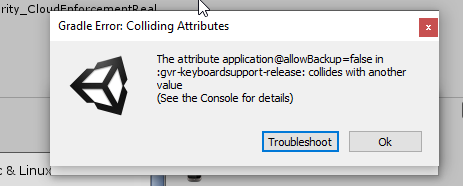

im trying to create a google cardboard build, after having been building using ovr.
dusty jetty
@shell kayak so what is difference between cpu and gpu?
shell kayak
@dusty jetty GPU handles turning draw calls from the CPU into pixels on the screen. Draw calls being like "draw this mesh with this material with this transform"
dusty jetty
@shell kayak thx, do you do any development on quest?
shell kayak
@dusty jetty Yeah, I've worked on a published Quest game.
dusty jetty
Can I pick your brain for a few mins on profiling for quest?
shell kayak
Sure
dusty jetty
Here or private?
shell kayak
We can move to DM
hard carbon
@high wagon Do you know what version integration that is? I know that v13 integration allows for Unity Remote Rendering, but from what I understand that only allows for hand visualisation within the editor, where as I want to build for windows but use my quest with hand tracking
high wagon
im honestly not sure sorry 😦
hard carbon
all good 🙂 Its for a client to present, and my current avenue is to just stream output in a mirror format.
 magic shale
Anyone using Wwise for a Quest project?
high wagon
in case anyone runs into my issue, i had to delete the oculus sdk entirely in order to use the google vr sdk.
rigid yew
just curious, is there any drawing app like tiltbrush to draw stuff in unity?
i think tiltbrush is a plugin to import tiltbrush drawing into unity right?
i meant during gameplay,
- draw something
- process that drawing
- use it as gameplay element
something like that
like super old game crayon physic
lone knoll
@rigid yew I'm interested in this as well, have you found anything like that yet ?
 sonic oasis
Trying to interact with objects in my environment (given box/mesh colliders set to convex) but I'm only picking up the mesh and not the object itself - I'm doing the same thing for each of my objects and it works for only 1, but does this weird activity for the rest. Anyone have any idea why? Using VRTK to test btw
Edit: Fixed, just had everything set to Static (think I used it for some rendering options earlier and forgot about it) so I unchecked it