#🥽┃virtual-reality
1 messages · Page 35 of 1
 wintry delta
 compact cove
How would I implement object grabbing so you can only grab the edges of any object
 coral frost
That brings up the question "what is an edge".
Because we as humans easily see an edge, but doing that in a program is probably a bit harder to define.
What is it you want as a final result if I may ask? 😄
compact cove
Being able to grab props and stuff such as a monitor or a chair
So I would only want it to grab when on an edge, and not like when touching the center of it
 meager totem
I am trying to build and run from unity to quest. it seems to build, but it is not running. and I don't see it under unknown resources
meager totem
i'm using this guide:

Medium
I recently received my new Oculus Quest, the new all in one headset from Oculus. The Quest is a bit of a breakthrough. It is stand alone…
 hearty iron
are you producing an .apk at all ?
meager totem
yup, it's making them. I have 2 rigs and I am in the process of transferring to thenew workstation. the old workstation can push the build and run just fine, but the new one can't
meager totem
OMFG I figured it out. this explanation helped:
Changing the Package Name worked for me. In Unity: File > Build Settings > Player Settings > (Android icon) > Other Settings > Package Name.
I think this happens because many examples of AR apps are based on the same base app / examples provided by Google. So they all start with that same app, and only rename the display name, but not the package name. Then when you want to install, it finds that the package name is already taken, so it doesn't install. Or you have an older version installed of the same app, so then uninstalling helped some people.
com.google.ar.core.examples.unity.helloar is what was set as Package Name in my project, and now you can see that anyone who built an example app based off this will have this very same package name unless they changed it, which they often forget I'd wager.
 dawn blaze
could someone tell me where is the hand tracking train demo scene in the oculus package?
 pine bison
Just search for it @dawn blaze
dawn blaze
to no avail
 lone knoll
im trying to sync vr player head position and controllers online
due to the lack of a second machine and a another vr headset i can't check if its working
if anyone got a minute to test it please do, ill keep my local running, hopefully will see each other online
Link : https://clck.ai/8E67
( dm me if you join , cheers 🙂 )
 fierce river
I'm a bit confused with my VR performance, in the editor I get over 200 frames per second but in vr it seems like its capped at 40 for whatever reason. Does anyone know why this could be happening?
coral frost
What are you using to run the build? (SteamVR, Oculus?)
Because I know Steam can limit your fps, so maybe it messed up somewhere 🙂
fierce river
steam vr, but i'm using an oculus headset
coral frost
Maybe that this helps? https://stackoverflow.com/questions/44421759/unity-build-runs-slow-while-editor-runs-fine

Stack Overflow
In the Unity editor my game runs fine at a near constant 60fps. However, when I build my game and run it as a standalone it runs incredibly slow at around 5-10fps. I have looked up this issue and s...
fierce river
it runs the same when I build it. The scene editor gets over 200fps but the "game" tab when i run the game in vr maxes out at 40fps. It also seems capped in non vr mode at 60 even with vsync off
coral frost
You can try running a script and print this value. https://docs.unity3d.com/ScriptReference/Application-targetFrameRate.html

Along with this one https://docs.unity3d.com/ScriptReference/QualitySettings-vSyncCount.html
coral frost
What did it print?
fierce river
300
coral frost
And what did vSyncCount print?
coral frost
SteamVR is in general weird, I keep on having issues with it xD
fierce river
yeah its really annoying
 safe fern
Anyone got issues/a fix for:
Differentiate between Thumbstick and Trackpad of Index Controllers.
I have an event that fires on Thumbstick Button press (unity button id based on the official documentation)
But it also fires when i move the thumbstick up/down/left/right, same with the trackpad.
any info would be appreciated 
 old widget
Does anybody know if it is possible to make an Augmented Reality game in virtual reality headsets
old widget
I am meaning just in general, and if so what headsets cant do this
 next atlas
anyone using the new InputSystem with OpenVR found a workaround for this? Been nearly 3 months or so it's gone unfixed
wintry delta
I stopped using anything "new" with Unity a while back. Its all half-assed garbage that goes unfixed for months at a time.
next atlas
for anyone else that runs into this issue, turns out it was a one line fix: https://github.com/Unity-Technologies/InputSystem/pull/988

GitHub
- What has changed?
Oculus touch controller did not correctly work with OpenVR (the device was being registered as an XRController, which does not have any inputs). Removed the WithManufacturer ca...
 mellow zinc
For single-pass VR rendering in UniversalRP, would anyone know how to grab the correct inverse view projection matrix for a given eye? (The equivalent of UNITY_MATRIX_I_VP)
compact cove
How could I rotate the VR player such as for snapturning without ruining the pose velocity and angularvelocity components
Because when I do it when the player is snapturned it throws off the directions
 proper tinsel
Hello , might be a stupid question but as a rookie ^^ , How do you attach an object or simply be able to grab an npc hand and drag to you. and that it work with the ik movement , for now all i manage to do it's to strech the hand of it .
 visual egret
Hello, Should i stick with oculusSDK or migrate to openVR nowadays?
 hard carbon
@old widget This is hell late, but to do AR in a VR headset, you need colour cameras of a fairly high fidelity feeding in. The only headset doing this currently is the Varjo AR headset, called the XR-1. It is also ridiculously expensive
@proper tinsel grabbing objects is quite different to grabbing a hand and animating the arm toward you. It can be achieved though, by using inverse kinematics. Look up IK in the unity documentation, it should get you started
@visual egret It really depends on what you are trying to achieve. oculus SDK has some useful tools, such as quest hand tracking and facebook avatar systems, however if these arent of interest and you want the premade interaction tools made by openVR / Steam, you could definitely transfer over
 vast thorn
Hey, I'm looking for a headset for my client
And I'm thinking of Rift S or HP Reverb
both are cheap, have inside out tracking
Reverb has better resolution, but only 2 cameras and I've heard they lose track of controllers
Aaand it's WMR so it sucks developement wise probably because I would have to ship as Windows Platform? Or can I develop and deploy as PC Standalone?
Rift S has 4 cameras, so should have better tracking, builds and deployment is easier (is it? because no UWP), but has lower resolution
any ideas here?
 reef beacon
Wmr sucks from my experience
And the valve vr thing allows your game to be played with pretty much every headset
next atlas
@vast thorn you can build for SteamVR with a WMR headset, as this is a thing: https://store.steampowered.com/app/719950/Windows_Mixed_Reality_for_SteamVR/

Imagine the thrill of VR combined with a phenomenal sense of presence. That’s the magic of Windows Mixed Reality, where you can escape to the most immersive experiences – touring top travel destinations, getting inside the most exciting games, attending the most popular ...
as well, Oculus headsets are also supported in SteamVR
vast thorn
so it's standard PC Standalone build?
next atlas
correct
vast thorn
awesome, thanks !
 whole wharf
Hi all!
Would anyone know of an on-board solution to do speech recognition with the Oculus Quest? The Quest does run on Android however, it appears that many android speech recognition solutions aren't supported, or use a web-based API. Anyone know of a solution that's on-board? I'm willing to pay for it, if it saves me time. Thanks for anyones help. Feel free to @ me.
hard carbon
Im looking into it also, and I think Nuance's Dragon software might work, but havent confirmed yet
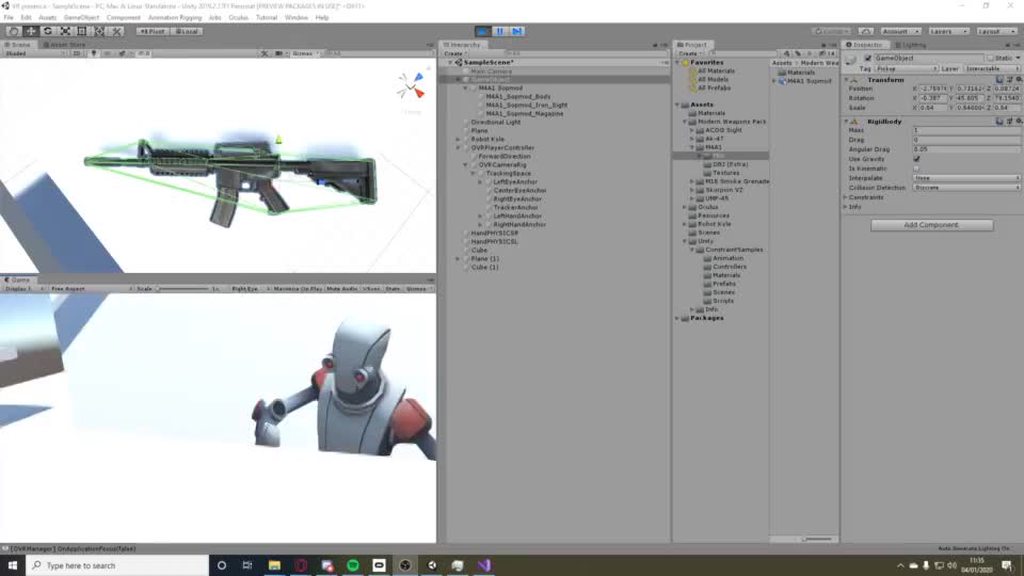
 toxic grail
watch out boneworks
 wraith minnow
Heya! Just opened up a new project and installed the XR plugin, Oculus XR Plugin Provider and the Legacy Input. Also added the XR Interaction Subsystems. But the XR sub menu doesn't show up for me in the Hierarchy menu. Anyone had this problem? I'm using Unity 2019.3.0f3
Oh, never mind. Forgot to add the toolkit
 novel pike
@toxic grail 🤣
toxic grail
hm?
 distant zealot
Unreal Engine has Vulkan Fixed-Foveated Rendering for Oculus Quest, come on Unity catch up! https://docs.unrealengine.com/en-US/Support/Builds/ReleaseNotes/4_24/index.html
Release notes for Unreal Engine 4.24
 native siren
So... I've searched Google hard and am running out of options so I'll ask here: is there any way to take full control of the camera in Unity in the Oculus systems? In essence, I want the camera to stay completely stationary and the head movement to rotate a different object.
And before anyone says nausea, I'm confident that what I'm doing will work, as I've tested it in a different system.
 cyan oyster
i need help in #💻┃unity-talk pls
lone knoll
@native siren I would inverse the player head position in its parent object and use local rotation of the head to rotate your desired object
novel pike
Is anyone else having trouble with the oculus intergration plugin ?
native siren
@lone knoll I'm guessing I would have to make a custom script for that instead of using the default OVR prefabs?
and what kind of trouble @novel pike ?
novel pike
Nvm its fixed now
lone knoll
@native siren yep
lone knoll
@native siren you don't rly have to gain direct hardware input for this particular task, just read the game object local transform rotation *
and set its parent game object container rotation to the inverse of this value
feel free to ping me if you have * any questions
 ashen valley
Does anyone have any good multiplayer tutorial resources for Oculus? Most of the stuff I can find is ancient (2015-2018). I don't care if it's UNet, Photon, whatever. I'm mostly looking for how to do it in VR and the gotchas there.
ashen valley
As I understand it, and please...if I'm wrong, let me know. The Oculus SDK and Unity are working towards more seamless XR support and cross-platform. So if I develop using Oculus Integration, the underlying XR support will let the app run on OpenXR platforms. Assuming all of that is true, I'll not be able to do that if I use Oculus social tools. That'll tie me back to Oculus-only deployments.
 modest falcon
Yes the oculus platform sdk will only work with oculus hardware
 zenith ocean
Hey... has anyone had problems with SteamVR 2.0 Teleporting Prefab not working... Checked multiple tutorials followed all the steps (they're pretty basic) I can't even get the teleport arc to appear... it should be as simple as dropping the Player and Teleporting prefabs into my scene... (i.e. I shouldn't even need a floor for the basic functionality to show) but nothing happening 😦
 quiet dune
Hey, is there anyone I can talk to about Unity and making custom Beat Saber Notes? Im using this tutorial: https://bs.assistant.moe/Bloqs/, but I am a Unity beginner and am not very good at navigating it
 river ledge
I got this really crazy Idea I looking to use Nintendo switch controllers as oculus controllers any ideas??
 remote plume
Would anyone with an Index be up for a really short test ? We just need to check the controls. https://youtu.be/1_608DU1lIM

Tentacular is a VR game about a gigantic but good hearted tentacled beast trying to figure out its place in the world. Raised amongst humans you try to unravel your mysterious origin while working as the world’s strongest handyman, helping to research a strange and an incre...
remote plume
What's the key to identify the Valve Index in Unity2019?
 torn niche
I wanna make an Asymmetrical VR game, can I do that with the Oculus Quest + Oculus Link?
 shell kayak
@torn niche If it's a game running on the PC with the VR view being displaying through Oculus Link, then yes. It shouldn't be any different from making asymmetrical VR games for desktop.
torn niche
ok thanks
hearty iron
I just update to 2019.3.0f3 and now my Qust build no longer works anyone else got this issue. It seems to be some sort of manifest issue.
 obsidian knoll
Prob not helpful, but I updated to f3 and everything builds fine! What's the error you're getting?
obsidian knoll
I saw this fix in the Oculus Andriod changelog.
Fixed an issue with manifest generation when combined with the 1.44 Oculus Integration assets```So perhaps updating the package would fix it for you.
lone knoll
@torn niche what is an asymmetrical game ?
torn niche
sort of like Split-Screen, while one person is in VR another person can hop on that same computer and play as a Keyboard/Controller Player (Example: Diner Duo) @lone knoll
lone knoll
woah
torn niche
ikr
lone knoll
what an excellent idea
torn niche
im making a Tower Battles Asymmetrical game but i need to get VR
lone knoll
sounds interesting
 dusk lynx
For VR work does development in Unreal have any advantages over Unity?
shell kayak
@dusk lynx No, I'd rather say it's the other way around
Unreal often gets VR SDK support later
Good example of that right now is hand tracking on the Oculus Quest. They've only made the SDK for Unity and Unreal comes later this year.
dusk lynx
Ok thanks for the tip
 jagged yarrow
using System.Collections;
using System.Collections.Generic;
using UnityEngine;
using UnityEngine.Events;
using UnityEngine.XR;
using System.Threading.Tasks;
using Valve.VR;

public class ActiveObjectActivatorV3 : MonoBehaviour
{
    public bool activeCam;

    void Start()
    {

    }

    void Update()
    {
        if (SteamVR_Actions.default_SwapPlayerButtonB.GetStateDown(SteamVR_Input_Sources.Any))
        {
            activeCam = !activeCam;

            if (activeCam)
            {
                Debug.Log("Swap! Player1 -> Player2");
                this.gameObject.transform.Find("Player1").gameObject.SetActive(true);
                this.gameObject.transform.Find("Player2").gameObject.SetActive(false);
            }
            else if (!activeCam)
            {
                Debug.Log("Swap! Player2 -> Player1");
                this.gameObject.transform.Find("Player2").gameObject.SetActive(false);
                this.gameObject.transform.Find("Player1").gameObject.SetActive(true);
            }
        }
    }
}```
Hey there, I'm basically trying to access a childobject in DontDestroyOnLoad and Disable or enable it.
But it doesnt work.. If it is not in DontDestroyOnLoad, it does what it suppose to do. But since DontDestroyOnLoad is necessary for SteamVR (CameraRig) I need to use it. Any Solutions for that?nvm
just a Typo
XD
 icy dagger
I'm trying to create terrain using the URP, but it doesn't appear to be rendering correctly. It renders both eyes in the left eye, and the right eye is blank. Switching between single pass and mutli pass doesn't work, as multi pass just doesnt render the right eye anyway. I've only been able to find this (https://forum.unity.com/threads/single-pass-stereo-rendering-is-not-supported-by-lwrp-terrain-shader.674242/) referencing the issue, but it doesn't seem to have an official conclusion. I'd really rather not manually update shaders a whole lot. Am I just missing something?
pine bison
@zealous gate There's not as big of a difference as you might think. If you make something for vive, you use steam, and steam also works with oculus rift. Unity's XR system is cross-platform. And the plugin I use, VRTK, is also cross-platform so you make a game once and it runs on multiple headsets
 zealous gate
Oh wow, hadnt seen this channel, youre a saviour!
pine bison
If you work with the Oculus plugin then you're locked in. But there's not much point in doing so, unless you wanna get published on Quest
zealous gate
Ok, sounds really interesting. there are so many interesting Oculus tutorials so i just wanted to ensure id be able to use those for educational purposes.
pine bison
It is possible to run Oculus apps on vive via ReVive, but it's more of a hassle I think
VRTK has a good documentation and tutorials for v3, but the newest version v4 is still so new that there aren't too many tutorials. It comes with examples though
zealous gate
thank you a lot!
 versed needle
anyone got an unity vr guide that they would recommend?
 subtle badger
Oculus and unity tuturial was the best so far
 wraith shale
has there been any word about OpenVR/SteamVR support for the new XR setup?
2020.1 doesn't support old OpenVR package anymore and new setup doesn't implement the support for the devices :/
2020.1 is still in alpha so it's not super alarming yet, just annoying that they removed thing that worked and didn't put replacement yet 🙂
next atlas
https://forum.unity.com/threads/xr-plugins-and-subsystems.693463/page-3 this is the thread I follow for the latest @wraith shale
Unity Forum
Yes -- key bit from my mega-post: "That means that currently, you cannot mix Cardboard (which uses the legacy path) and the new Hololens package (which...
wraith shale
lol what
Unity 2019.3 and 2019.4 LTS still offer built-in support for Open VR, but bugs and issues might not be prioritized and the package will be removed in future releases.

More information regarding an OpenVR XR Plugin for Unity will be added at a later date.```if you want support, use 2018 LTS?
with assumption that you are ok with built-in renderer
 rigid cape
HI, I need some help with vr development in unity, I'm trying to get down the basics, but when I use the Character camera constraint script on my ovr controller, it does not make the controller follow my camera
if anyone has any fixes, please @ me :) it would be much appreciated
 fringe shadow
Hi! Does anybody use the OVR system with distance grab? I set eveything up, the only issue is that when I grab one thing, I cannot ever chose anything else. It's always selected and will always fly back to my hands.
 zealous cove
My Oculus Go app keeps crashing as soon as I open. Help!
Using Unity 2019.2
Latest Oculus Integration Plugin
jagged yarrow
Is someone familiar with SteamVR and switching between two Camera perspectives? (like first person and top-down?)
next atlas
@jagged yarrow you can scale the root of your "VR world" to modify how large/small the VR person is (i.e., to switch between first person, where it's 1:1, and top down, where it could be 20:1)
rigid cape
Does anyone know how to fix the Character camera constraint script for oculus integration? it's not working for me at all
fringe shadow
@rigid cape how is it not working? Where did u put it?
 tall fox
im trying to make a quest game but AvatarGrabberLeft and AvatarGrabberRight dont work
*dont show up
rigid cape
I figured it out, the newest version of oculus integration seems to be broken, moving to an earlier version fixed it
visual egret
How to capture video from game in unity?
 ruby kernel
When I pick up objects in game they can move the player. How do I fix this?
visual egret
you can try to ignore collision between object and player
tall fox
How do i move to an earlier version? Almost none of the tutorials work and I think it may be the latest version
ruby kernel
how do i get the hands to stay on/near the grabbed object? they often drift away with movement.
how do i get the hands to stay on/near the grabbed object? they often drift away with movement.
 hollow elk
Hi! Any idea how to change the rotation and position of gameobject for it to become in front of main camera(VR camera)? I tried some examples online but it changes the position wrong.
zealous cove
@hollow elk Try transform.LookAt()
pine bison
How is it wrong from the examples? Best thing would be to have a reference to the camera, then you could set the position as camera.transform.forward*distance
hollow elk
@pine bison It sets the transform somewhere no where near camera.
@zealous cove ```cs
gameObject.transform.LookAt(playerCamera);```
Still sets the object somewhere offset.
I tried to reset transform on the object that did not help either.
zealous cove
LookAt() does not move the gameobject. It makes the gameobject face the camera.
To move the gameobject, you need the forward of the VR camera and add some offset to that vector and set this result as the new position of the gameobject
zealous cove
Then check the pivot of your gameobject
zealous cove
Make sure you are in "Pivot" mode and not "Center"
You can find it on top of the scenes tab or beside the Play button
hollow elk
When I press the pivot one I don't see the anchor anymore.
zealous cove
Ya, that means the pivot of the gameobject is somewhere else.
zealous cove
You can make it a child of some empty gameobject
 tiny kiln
Hey VR friends, Oculus talked about making the Quest passthrough mode accessible via the SDK. Does anyone know if that's coming to the unity integration any time soon ?
rigid cape
I'd say just look for it in a module update on the asset store @tiny kiln
shell kayak
@tiny kiln Where did you read that?
tiny kiln
Ok I looked at the oculus integration notes and there is no mention of it. Maybe I misunderstood what they announced at OC6 with passthrough+. I figured this would enable us to switch between VR rendering and passthrough rendering any time we want/need.
pine bison
I don't believe so
tiny kiln
@shell kayak I read it here: https://www.oculus.com/blog/oculus-quest-at-oc6-introducing-hand-tracking-oculus-link-passthrough-on-quest-and-more/ . It's actually called "passthrough on demand"

When we released Oculus Quest last May, it delivered a groundbreaking VR experience, all within a wireless and portable form factor. Since then, we’ve updated the headset through a series of monthly software updates, steadily improving the overall experience to deliver addi...
I guess they built that in as a user feature, but maybe they don't have plans to expose it to developers
shell kayak
@tiny kiln Sounds like something that the user can control and not the developer
tiny kiln
right
rigid cape
yea, I think this is more just for the convenience of the user
kind of like passthrough+ on the rift s
tiny kiln
Ok thanks guys.
rigid cape
Hi, I am looking to make a custom pair of hands for my game, how would I go about doing so? I have read through all of the scripts and I don't see a way for me to change the model of the hands. I am using oculus integration and not steamVr
 edgy dew
I made a map, how far am I from being able to walk around in this? Any recommendations for the quickest way of being able to see these buildings in VR and walk around the map?
I started yesterday.
it would be cool to make a game maybe with the map, but what I really want to do is see all these model exports in lifescale and inspect them, maybe make a virtual tour if I get ambitious
shell kayak
Getting it to work in VR is pretty easy. Just enable VR in the Player Settings and put a camera in the scene. If you want locomotion based on controller input, that's a little bit more work.
 wild marsh
just add a playerController for now, and done
edgy dew
right on, yeah I enabled
wild marsh
or if using Oculus, get the playerController that is in their package
wild marsh

The Oculus Integration brings advanced rendering, social, platform, audio, and Avatars development support for Oculus VR devices and some Open VR supported devices. The Oculus Integration contains the following:
- Audio Manager - Contains scripts to manage all the audio and...
"OVRPlayerController
The OVRPlayerController is the easiest way to start navigating a virtual environment. It is basically an OVRCameraRig prefab attached to a simple character controller. It includes a physics capsule, a movement system, a simple menu system with stereo rendering of text fields, and a cross-hair component."
edgy dew
sweeeeet
that's all I want, I want to get a real up-close view of all those
any interest, they're all at sketchup.centralgoiania.com.br
rigid cape
@edgy dew one issue you might have is that the OVRPlayerController prefab hitbox and controller won't follow your headset if you move aorund in roomscale, the way to fix this is attaching character camera constraint, but that script is broken in the latest Oculus integration, I recommend you use version 1.41.0 here: https://developer.oculus.com/downloads/package/unity-integration-archive/1.41.0/
edgy dew
good shout, that sounds pretty janky
rigid cape
yea
I ran into that issue and it took me a while to figure out, so I thought I'd give you a heads up
edgy dew
there's no way I could have figured that out
rigid cape
it took me 5 hours of asking in various discords
edgy dew
there's a VR game I would make off this....tower defense. And I've already loaded in the Unity Tower Defense tutorial template.
so if I get ambitious that might be something fun to try
edgy dew
Last Day Defense is one of my favorite games in VR
sweet
Any obvious reason for these compile errors? Or is this the first step in my journey of getting this to work?
wild marsh
check your console
youprobably have errors there that prevent further compiling all this
edgy dew
huh
looks complicated
looks like there are critical errors in the scripts in the package and it will never work as designed
is that right? Do they all require surgery like this?
looks like I've screwed it up well past the point of fixing it now
tall fox
anyone know how i would mkae it so that when i grab an object it can only be moved up or down? (oculus quest)
 timber spoke
Using Oculus integration, can I use the default hands (with holding controllers enabled) but change the model of the controller? Or will I need to make a custom hand model all together
pine bison
@rigid cape there is a scene in the oculus integration called custom hands. Look at that
rigid cape
Do those allow me to change the models though? I already know how to use the prefabs.
pine bison
Well yeah, it shows how you can insert your own hands in the hierachy
edgy dew
Dude if you got the Oculus Integration to actually move your player around, which versions of Unity / Oculus Integration did you use? I need to find a working pair of versions in order to move forward.
pine bison
I'm on 2019.2 and latest integration. Standard pipeline
edgy dew
roger
rigid cape
When I used the latest integration none of the Oculus prefabs worked, so I ended up using an earlier version
edgy dew
well I'm grinding it right now
and I just installed the latest version of the engine and imported the latest integration and let it update, got a critical error in the same place
rigid cape
Oof
Idk what would be causing that
Oh wait
@edgy dew go to edit, project settings, player, and make sure VR is enabled under XR
edgy dew
oh I've got that done....finally on the second try of updating, the script updated itself from Unknown to a version.
rigid cape
@pine bison would I just make my own skeletal model and replace it where r_hand_skeletal_lowres is?
edgy dew
this
pine bison
I upgraded today and it worked but it's kind of a gamble
Have you looked for tutorials on it Bolt? It's a common topic https://www.youtube.com/watch?v=rnOR1OANIAU
edgy dew
it doesn't seem to be working well for people
rigid cape
yea I have, the only thing I have seen is changing the colour of the hand, the grip animation, and grabbing
notihng about replacing the actual model
pine bison
I have only done this for VRTK, not for the oculus plugin. But in essence I believe you just need to make sure your hand follows the exact same setup as the provided custom hands, especially with the animator. Then it should just work
 high wagon
anyone know about a plugin similiar to VRTK for oculus? i remember reading not long ago that they will be releasing something.. dont remember what its called.
obsidian knoll
Perhaps you're just thinking of the Oculus Integration? It contains a sample framework for locomotion, hand interaction, etc. https://assetstore.unity.com/packages/tools/integration/oculus-integration-82022
The Oculus Integration brings advanced rendering, social, platform, audio, and Avatars development support for Oculus VR devices and some Open VR supported devices. The Oculus Integration contains the following:
- Audio Manager - Contains scripts to manage all the audio and...
high wagon
@obsidian knoll i thought i saw something newer mentioned somewhere
for some reason this package you linked doesnt come up on my asset store 😄
i guess the main goal i am trying to achieve is setting up an "on hover" trigger, but no idea how to achieve that.
pine bison
@high wagon VRTK works with oculus. I use it both on rift and quest. It might be what you’ve heard of is VRTK V4, which is completely different from v3
proper tinsel
Hello , I try to proto a vrbody , all seem to work fine exept the forearm twist which isn't following the wrist . i'm still a newbie into it ^^
is there any tool or script to fix this?
 fathom lichen
@pine bison What is your opinion on the Oculus Integration? I've never used VRTK for Quest.
pine bison
It’s ok, I prefer VRTK because it comes with a lot of interactions already made. Like levers and sliders and buttons. And it’s cross platform
pine bison
It works with both
 storm ether
Hello
 fickle terrace
Should the 2019.3 XR Plugin system (with the Oculus XR plugin) work on MacOS? I keep getting a DllNotFoundException trying to enter play mode
fickle terrace
edgy dew
https://www.youtube.com/watch?v=BsuuW0roQzc I managed to get this far. I got the OVR Player to import and got all of my objects in, made a plane for the floor (bet there's something I need to do there as well to walk around on it)
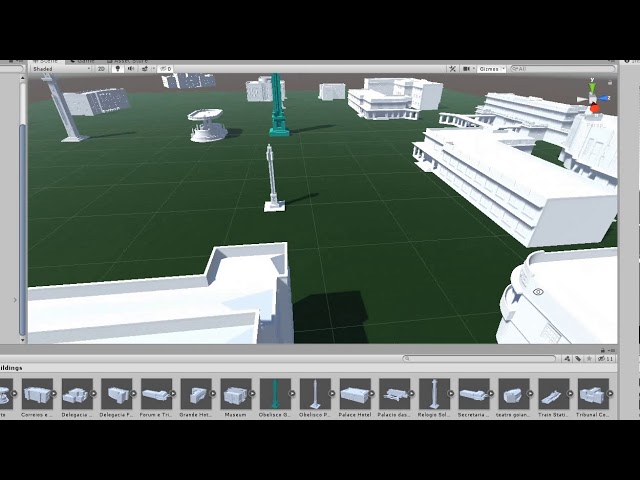
Goiania Praca Civica has a new layout.
this looks like something I should be able to walk around in, right?
 storm vigil
Look in the ovr package there should be a prefab for walking or teleporting.
edgy dew
it seems like the player controller has sliding locomotion with snap turning, which I can live with
I just put on the helmet and hit play and it rendered directly to the helmet and enabled my controllers
so that's 90% of what I wanted to do, that took like six months.
edgy dew
also thanks for jumping in, my dude...I had no idea it would install on its own.
(because it never has before lmao)
storm vigil
^^ hope you get it working like you indend it to
edgy dew
well it sort of does at this point, now I'm looking to see how to use it. Maybe a vrchat world?
edgy dew
Any tips on how to make a good VR map?
zealous cove
In my Unity project, Oculus Go controller is not detected and is not taking any input. Help!
tall fox
In the latest update you need to go to the oculus menu at the top then avatar(?) then settings and put in any number or - into the go/quest field
zealous cove
I have done that
tall fox
No clue then, sorry
 grand herald
Hey guys, in my company we are encountering a critical issue: we are on the 2019.3.0f5 and we are using Unity XR. When we run the scene with Oculus Rift S, the FPS are locked to max 50 fps, even if we delete EVERYTHING on the scene. Any suggestions? Thanks!
next atlas
@grand herald have you tried it in a build? Unity Editor sometimes caps my fps to 45 with the Rift due to Vsync
grand herald
@next atlas Vsync was disabled
 thick frigate
i'm having a hell of a time keeping my FPS up in a Rift application i'm making. i'm getting a lot of screen tearing when turning my head, and the stats say i'm getting around 50 FPS.
i can't make sense out of what the profiler is giving me though. this is not a particularly complex scene as far as i can tell, but i must be missing something. i have 322K verts, running on a quadro RTX.
almost all of the GPU usage in the profile is in "other", which is not all that helpful
 round crystal
thick frigate
round crystal
thick frigate
it's just in a particular scene. the worst of it appears around some objects that i have constrained to the camera... they're just opaque quads with some text on them, but the edges judder like hell when i move my head
now that i look at it, even in the 2D scene view on my monitor, when i move the headset around, the constrained objects seem like they're jittering like hell... they're not smoothly moving with the head transform. there's no physics or anything like that at play, so i'm not sure why that update should be so jittery.
next atlas
@thick frigate are you running it with the Oculus SDK? Oculus has an interpolation technique that can make stuff look jittery at low framerates. Also, make sure you try a build to see if the behaviour persists there
thick frigate
yeah, I'm using Oculus. it happened in the build as well as in the dev environment
zealous cove
Hey, Im having to load video clips from the Resource folder (one clip at a time), play it and after completion, load another file and so on.
Im doing this on the Oculus Quest.
Using Resources.Load<>() to load files.
But I want to know if all the files in the Resource folder be loaded into the memory as soon as the app starts? or is it only when I call Resource.Load<>() ?
Basically, I want to know how Unity handles the loading of Resouce folder
 main delta
im using SteamVR package in Unity. I'm using velocity movement to hold objects. They achieve this with Vector3.MoveTowards, however the objects "lag behind" the hand while the player is holding it AND moving at the same time. Is this because PlayerController Move() is done under Update and the held object velocity is operating under FixedUpdate? is there something I can do to fix this without just parenting the object?
zealous cove
@main delta you can increase the maxDistanceDelta value in the Vector3.MoveTowards()
Which will increase the speed of the object, per frame
Having some in Update and some in FixedUpdate also affets, if Update() is called 90 times a second and FixedUpdate() only 30 times a sec
 rapid haven
Hey. Im trying to get MSAA to work on a quest build, but it seems broken. Does anyone know a fix or a workaround?
distant zealot
@rapid haven see a post about it on the forum here https://forum.unity.com/threads/quest-lwrp-urp-msaa-not-working.786026/#post-5374716
Unity Forum
Pretty much as the title says, I'm using Unity 2019.2.14f1, Oculus Integration 1.43, LWRP 6.9.1.
Setting MSAA in the LWRP settings to any value (2x,...
rapid haven
@distant zealot Thanks i will have a look!
distant zealot
There is a workaround but it doesn't work for all projects/scenarios as it is a hack
rapid haven
yeah im testing right now, its not looking very promising:/
distant zealot
I'm escalating the issues with Fixed Foveated Rendering and MSAA not working with UniversalRP, I would avoid using URP for now if you can honestly
rapid haven
yeah maybe we should back out of URP. Have you had any of the fixes work yet?
distant zealot
Nope, things are broken in various states and the fixes break other things, this is a comprehensive list
-UniversalRP on Oculus Quest/Go won't render depth pass/UI/transparent shaders with MSAA on (this includes UI and Shader Graph materials that use Depth) - case 1184810 with a detailed explanation from DeniDeRyke here but no PR to fix it since
https://github.com/Unity-Technologies/ScriptableRenderPipeline/pull/5060#pullrequestreview-321337559
-Fixed-Foveated Rendering currently doesn't work with UniversalRP unless we edit the Forwardrenderer.cs to remove a blit that prevents FFR from working, we have to use this branch to get around it or an alternative solution in a forum post below: https://github.com/prefrontalcortex/ScriptableRenderPipeline/tree/ffr-hack
Forum post: https://forum.unity.com/threads/fix...-quest-not-working.686662/page-2#post-5374089
The FFR issue is mentioned by Oculus here https://developer.oculus.com/downloads/package/unity-integration/
"Using the Unity Universal Render Pipeline may break Fixed Foveated Rendering on Oculus Quest and Oculus Go when using the linear color space or modifying the eye texture resolution scale."
rapid haven
Thanks you!
rapid haven
I Finally made the fix with rescaling the resolution work, I wasnt in the newest URP, I had some postprocessing enabled and I needed to disable depth textures!
Thanks again for helping out @distant zealot
 placid needle
What's the most important steps to take when it comes to optimizing a VR game?
shell kayak
@placid needle PC VR?
placid needle
Yes.
shell kayak
Okay. You have 2 things you have to optimize: CPU time and GPU time. Both the CPU and the GPU have to finish each frame in less than 1/FPS seconds.
If you're targeting 90FPS, you have 1/90, 0.011 seconds or 11 milliseconds to finish each frame
If even 1 frame takes longer than that, you've got a dropped frame and one step closer to making the person sick.
So the absolute first step is to check whether CPU or GPU is taking longer to finish each frame
Say if the CPU is quick to finish the frame, like 4 ms, but the GPU is taking too long, like 14 ms, then no matter how much to optimize the CPU time, it won't improve performance at all, because the CPU is waiting for the GPU to finish.
This is known as CPU or GPU bottleneck
The Profiler and Stats window can tell you how many milliseconds the CPU and GPU are taking respectively.
placid needle
Ohh, didn't think about that. I see. Well it's good to know where to look for what now. Although do you have some more specific tasks that can be done in order optimize it? Like for example the Occlusion culling etc.
shell kayak
Occlusion culling can improve both CPU time and GPU time, but it's mostly CPU time that is affected
placid needle
We've got a long room with a rollercoaster which the player rides. The player will be using a object to collect points during the ride
shell kayak
If you have a CPU bottleneck, or just want to reduce CPU time, then occlusion culling is a good way to do that
zealous cove
Atlasing and grouping object to achieve Batching.
Enable Static and Dynamic Batching
shell kayak
Occlusion culling and batching both reduce draw calls, which is something that the CPU does to tell the GPU to draw a mesh.
zealous cove
@placid needle Not advised for VR
shell kayak
Draw calls is often where most of the CPU time goes into and so it's a good thing to reduce.
The Stats window will show Batches and SetPass calls, you want both of those to be as small as possible.
zealous cove
Also, avoid transparent/ translucent materials
shell kayak
Transparent objects can be very expensive on mobile hardware, but not so bad on high end desktop hardware.
placid needle
I see. When having windows for example, but a dark room behind it, can I do something clever to avoid using transparent glass then?
shell kayak
I don't think you need to worry about it.
It would reduce GPU time a tiny bit, but that might not even be something you need to reduce
placid needle
Okay, will prioritize something else then.
shell kayak
@placid needle Is this for SteamVR?
If so, you can use the SteamVR Frame Timing window, which will tell you exactly how many milliseconds the CPU and GPU are taking for each frame and shows it in a nice graph
placid needle
Alright. Thanks for the tips!
Are there some general numbers to keep batch calls or SetPass calls under?
zealous cove
Depends on the config of your machine
But try to keep the draw calls below 500 for PC,
Under 100 for the Quest
Use RenderDoc to profile your game. Its much better than Unity Profiler
placid needle
Oh, is it available in the asset store or?
@shell kayak The game isn't planned to be published on a platform like SteamVR, no.
zealous cove
I dont know if its available in the asset store.
You can download Render Doc, its open-source
placid needle
Yes, found it 🙂 Thx
lone knoll
@placid needle take a look at something low poly like job simulator, it more of an aesthetic really and a design choice but it looks nearly identical on both the quest and the PC
 chrome helm
do they support OpenVR/SteamVR in the new XR framework yet? last time I checked some time back they didn't.
chrome helm
Hmmm I dunno. I really want to use it but apart from being a lot more complex to set up, it fails (or I fail to understand how) in that respect too. I do not want it to detect my device and implement that in the solution, I want it to support all solutions (like SteamVR does) and run on any client setup like Open/SteamVR does.
i.e. right now, it detects i have a WMR device and loads that. But I want it to load and work on all platforms. WMR; Oculus, and Steam. if I build using this project setup (WMR only since it doesn't detect any other device) it is not going to support VR in standalone exe... and it does not contain any setup for Steam or Oculus. Also, WMR somehow messes up with my lighting and materials in the scene.
 cosmic saffron
Hey, are there any tutorial that shows controller instruction (ingame) as to which button does what on the controller for the new VR users?
wraith shale
@chrome helm it's not supported
been waiting them to add that myself
mainly because old OpenVR package doesn't even work in 2020 anymore
distant zealot
Fixes for both these VR issues coming in the next dev sprint
-UniversalRP on Oculus Quest/Go won't render depth pass/UI/transparent shaders with MSAA on (this includes UI and Shader Graph materials that use Depth) - case 1184810 with a detailed explanation from DeniDeRyke here but no PR to fix it since
https://github.com/Unity-Technologies/ScriptableRenderPipeline/pull/5060#pullrequestreview-321337559
-Fixed-Foveated Rendering currently doesn't work with UniversalRP unless we edit the Forwardrenderer.cs to remove a blit that prevents FFR from working, we have to use this branch to get around it or an alternative solution in a forum post below: https://github.com/prefrontalcortex/ScriptableRenderPipeline/tree/ffr-hack
Forum post: https://forum.unity.com/threads/fix...-quest-not-working.686662/page-2#post-5374089
https://forum.unity.com/threads/urp-not-rendering-right-eye-in-vr-2019-3-0b7.762032/#post-5376954
hearty iron
Hey guys what is a good way to capture gameplay footage from the Oculus Quest? What if I want to capture video from a third perspective? How would one go about this.
shell kayak
@hearty iron The best way to capture gameplay footage is to not do it on Quest :P
Instead record the same game in desktop VR.
Even just Oculus Link would work
hearty iron
Yes I was thinking of actually using the editor to run the game and then maybe use cinemachine to control other cameras and have that be recorded. I was asking if maybe someone has done it and knows a "standard" way of doing it.
shell kayak
That sounds fine, as long as you can get it running on Oculus Link or any desktop VR headset to play in the editor.
zealous cove
@hearty iron Use LIV Plugin to record Mixed Reality Videos from a third person view
Or you can also use a Vive tracker to get the third person view and compose the video yourself
There is also a Mixed Reality Capture functionality provided by Oculus
https://developer.oculus.com/documentation/quest/latest/concepts/mr-intro/
hearty iron
@zealous cove thanks for the info I will check this out.
 proven blade
Hey so, I'm having this problem with the latest unity version + intigration, where I can't see (or use I think) my hands when I'm in vr
I've looked it up
and either I'm doing something incredibally backwards
or they don't work
should mention I'm using the quest
probably an important point
zealous cove
@proven blade Enable hand tracking option in OVR Camera Rig
pine bison
Does the hand tracking example scene work?
proven blade
@zealous cove didn't work
zealous cove
Enabled Hand Tracking on Quest?
proven blade
yeah
wait what
do you mean I have to turn something on on my quest?
or is there a setting in unity that I glossed over
zealous cove
There is a setting in OVR Camera Rig, as well as on the Quest
But, I have not yet tried Hand tracking myself
shell kayak
@proven blade Are you talking about just controller tracking or the new hand tracking that is currently in beta on Quest?
proven blade
I don't really know to be honest
I think hand tracking is what I'm looking for
my hands don't appear in the game
shell kayak
I assume you know that Oculus Quest has 2 controllers
Are you trying to get those 2 controllers to work and show up in your game?
Or are you trying to use just your physical hands which are tracked by the cameras on the Quest and which is an experimental feature that has to be enabled in the Quest settings?
proven blade
oooooh
no I'm just trying to use the controllers
that is a neat feature that I'll have to try out if it leaves beta though
shell kayak
All the replies you've got so far are about the experimental hand/finger tracking
shell kayak
Are you using the OVRCameraRig prefab from the Oculus Integration asset?
proven blade
yes
shell kayak
And do you have anything to represents the controllers/hands? Like a model?
Do you want to see virtual hands or virtual controllers?
proven blade
Virtual hands
and I see that option tab thingy
but no matter what option I choose
they don't appear
pine bison
You need to enable the hand tracking on the quest itself @proven blade, have you done so?
proven blade
How would I go about doing that
pine bison
Oh lol sorry that's not what you wanted
proven blade
Oh wait lol
pine bison
To get the hands working you need to have an app ID set up, do you?
It needs to be entered under both Avatar and Platform
Then lastly you need to add the LocalAvatar prefab under the TrackingSpace of the OVRController, and make sure "Show first person" is on
Have you done all this @proven blade?
proven blade
I got my app ID and put it in for both avatar and platform
And the localavatae is there
Not sure about show first person
I’ll check that
It's on @pine bison
pine bison
Can you screenshot your OVRCamera and LocalAvatar
 glossy bane
hey I'm using the steamVR player object, and it says it has a rigidbody
proven blade
glossy bane
but my player keeps falling right through the ground
proven blade
glossy bane
(yes the ground has collision too)
also when the player collides with the ground and goes through, these green things are left behind
pine bison
Are you on LWRP or legacy pipeline @proven blade?
proven blade
I would find the answer to that in the package manager right
pine bison
Project Settings > Graphics
pine bison
No that means you're on standard
Hm
I'm not sure in that case. Are you experiencing the issue both in editor and in the build?
glossy bane
can someone help with my rigidbody issues?
pine bison
If your player collider is not set to trigger then double check under project settings > physics that the layers are set up to collide @glossy bane
glossy bane
it isn't set to trigger
 random rain
can you send a screenshot of the player object's inspector?
glossy bane
 velvet cave
Do you have a collider on the player?
velvet cave
😄
glossy bane
whats the best way to make a collider that will always stay upright for VR?
velvet cave
Add the collider to the gameobject that contains the head & hands?
and lock rotation XZ on that
 solemn plover
Anyone got Oculus Rift S?
i don't get the minimum system requirements
i got an AMD FX 4ghz and Nvidia 1060 3gb
and it kind keanls with VRTK interactable scene LOL
any idea?
 median stream
The GPU RAM is pretty low for the Rift S. I think their recommended is 8GB? Edit: Their site doesnt' specify...hmm. And I don't know what 'keanls' means.
solemn plover
i meant kneel
lone knoll
@solemn plover got a gtx1050Ti laptop with the rift s
 tired ivy
Hi all. I'm playing around wit lots of different teleporting locomotion assets, though have yet to find one that works without issue for the Oculus Rift S. Any recommendations? I tried the Steam VR asset, this would definitely do the trick, though when implementing the 'Teleporting' asset, all the image assets associated with it are pink. I'm using the Unity Standard Render pipeline as I've found this to be the most reliable, though am guessing that the Steam asset may be designed to run against the LWRP. Any suggestions or advice, much appreciated. Thanks in advance
@solemn plover I run my Rift S, off the 1060 (mobile) in my Alienmware M17 R1 just fine.
lone knoll
@tired ivy r u aking locomotion or brocken (?) assets
tired ivy
Any alternative locomotion assets (other than Steam VR), as this is broken for me. I've also bought [ITK] VR Character Controller from the asset store, but unfortunately this sends out some error messages and unfortunately the dev doesn't respond. Any suggestions for decent locomotion assets (that work with .2019) much appreciated.
lone knoll
also if u r using a none steamVR teleports it would break, they got internal variables that will mess up any custom teleport script or 3rd party plugin * ( afaik )
tired ivy
Good point, though I am running a basic sandbox environment for each
lone knoll
y do u say its broken for the rift s ? did u test it with other hmd ?
tired ivy
Do you know if the Steam VR asset requires the LWRP? I've had a good look on Google, though this isn't spelt out anywhere and all the YouTube videos seem to skip over this and don't mention any thing about LWRP vs Standard shader requirements.
I only have access to my Rift S at the moment, my Quest and Vive are at work. Will try tomorrow, though part of the reason I wanted to go with the Steam VR asset and locomotion was the cross platform compatibility.
solemn plover
no
the stream vr is just an api ontop of original api
nothibg more
id go for vrtk
xd
lone knoll
id go for unityXR
solemn plover
or that
tired ivy
Thanks, that's good to know. I tried out UnityXR, though the teleporting at the moment is quite abrupt and doesn't have any of the vinette or soft transition effects to counter motion sickness.
solemn plover
i ammking my game exclusic
ve for rift xd
tired ivy
At the moment that is, I'd imagine they're working on it though.
tired ivy
I need my VR demo to run on both Oculus and HTC unfortunately.
solemn plover
just put them on mid eye
tired ivy
Would this get around the pink assets issue found in the Steam teleporting functionality/asset?
lone knoll
teleports , locomotion , smooth transition all can be done easily on top something like xr - xr is not * ment to be a collection of prefabs but an api for cross platform vr
solemn plover
is not ti xd and has only 3gb
tired ivy
Thanks, I may take a look at UnityXR again.
solemn plover
i got a rtx 2070 S
i think that would be enough for my aaa title
is mostly optimisation and level design
lone knoll
@tired ivy
just remembered thry got a tool kit now

Unity Forum
We are excited to share the initial preview release (0.9 preview) of the XR Interaction Toolkit, available as a package for Unity 2019.3. The XR...
i did a jet pack controller via xr a few month back, not too hard
tired ivy
Thanks Wad1m. I gave that a try, though unfortunately the teleporting was a little abrupt, though I am going to try it out again.
lone knoll
good luck
tired ivy
Thanks friend 🙂
tired ivy
I tried it out a while back, though it seemed to break more things than it did work, also I was reading that people were reporting that it was slower (in some instances) than standard, so I reverted back to the standard render pipeline. That said, I would really like to use the LWRP.
solemn plover
@lone knoll did you publish any game for pc vr so far?
xd idk i am using defered instead of forward
i have many lights so i have standard
lone knoll
no, doing freelancing in vr
lone knoll
good / bad ?
solemn plover
and you dont like it?
lone knoll
showed it to one artist recently- he was looking for Morpheus the second he seen the white grid
cant compare rly. but good so far i guess
cant wait to get some free time and try the hand pose / see through sdk
 rose crane
My game
lone knoll
this is #🥽┃virtual-reality
solemn plover
^
solemn plover
👍
lone knoll
rose crane
Okey
lone knoll
did u say u have a 2070 ?
solemn plover
i still dont get if the 9900ks is same as k
yea
i dont have it yet
i ordered it
i am trashing my amd
i have a 16 gb fx 8370
with msi 990fxa
old lol
lone knoll
sweating in 1050
solemn plover
u have ti?
lone knoll
ye, boneworks only works on lowest AA
solemn plover
oh
lone knoll
didnt know
solemn plover
what cpu u have?
lone knoll
was aiming for rift s min req
solemn plover
well even recommanded are low
lone knoll
dont rmmbr ( on phone now )
solemn plover
i play in 40 fps lol
lone knoll
in vr ?
solemn plover
yah
solemn plover
xd
lone knoll
90fps min
solemn plover
i dont lol
solemn plover
this is the reason why i buy new pc
lone knoll
i get dizzy af
solemn plover
i mean i need power
solemn plover
nu xd
lone knoll
none avalible ?
solemn plover
i want to make exclusive titles

Game Jolt
🎮 Hello all, I'm creating a new genre a hybrid Battle Royale with RPG aspects. As a fan of mmorpg I have felt the need to create something unique, something I would love to play so here is what I...
i made this but is for pc
i am planing to use sone assets from that and make a single player game lol
lone knoll
magic + cyberpunk ? lovely
solemn plover
xd
the market for indie and normal games is to big xd
so i had to step out or more like step in xs
lone knoll
yep...
anything unoriginal would require quadriple A founding to make a return
( if you r EA )
lemme know once u get good hw 👍 gtg
solemn plover
👍
 subtle imp
How would I be able to pause/play audio by touching a block?
distant zealot
The only VR Headset we need https://virtuality.com/
 chrome helm
Anyone else having problems with SteamVR and 19.3.0f5? The project gets stuck at importing the Settings.
Deleting the files makes no difference.
 broken garden
Hello guys! I have a question on how to inject inputs from keyboard with the SteamVR plugin(https://assetstore.unity.com/packages/tools/integration/steamvr-plugin-32647). This would be really useful for us because we don't have enough VR kits for the whole team. To still be able to test general gameplay mechanics in levels.
lone knoll
@chrome helm seen this one before , try adding SteamVR on a new project and migrate your assets
@broken garden you could grab all the VR inputs in a custom class and inject classic keyboard input there
broken garden
You mean add another function which will return true when a SteamVR key is down OR a keyboard key is down?
lone knoll
yea
broken garden
Yeah I was thinking of that aswell, just would have been nice if I didn't have to change all the gameplay code 😛
lone knoll
to speed things up u could search and replace the solution with your code if u using something like VS
Not sure how up to date this is but i would start with SteamVR.instance.hmd.GetControllerState and replace with your own ClassVR.GetControllerState ... *
@distant zealot lol the Virtuality Visette-Pro got a 640x480 res, where did you find this modern website with a retro twist ?
distant zealot
@lone knoll felt nostalgic and did a Google search, that appears to be the original website somehow haha
lone knoll
woah
distant zealot
Heads up if you try to use the new Input system with VR - https://forum.unity.com/threads/bug-getting-spammed-from-input-system-errors.809070/
Lots of issues at the moment, if you do try it, please use the bug-reporter to report them
Unity Forum
Hello,
I'm getting spammed by a bunch of errors using URP / New input system / New XR package.
It's been a while, but it's starting to get very...
Important update on Fixed-Foveated Rendering (FFR), Vulkan and Multiview rendering for Oculus/Android platforms in Unity https://forum.unity.com/threads/fixed-foveated-rendering-on-oculus-quest-not-working.686662/page-2#post-5382723
Unity Forum
So for us FFR + MSAA works on Quest (on device) with the following conditions (not saying others don't work, this is just what we're using in the app):...
chrome helm
@lone knoll by migrate you mean? copy past the asset folder or set my levels up from scratch?
lone knoll
yep, u could also export unitypackage which will allow u to restore the level with all its references
chrome helm
Hmm risky but I will try it 😄
distant zealot
Announcement on Unity OpenVR support through the new XR Management coming on the 23rd in a Unity Blog Post
 simple girder
Hi guys, I'm working on 360 videos right now and am new to unity but,
Is it possible to show a menu after a particular time passes by in the video? I don't want the menu to appear from start
reef beacon
Just enable it when you detect it has been x time since the start
distant zealot
Very simple to do in script, something that a very simple Google search would show you
https://www.google.com/search?q=unity+show+something+after+x+seconds&rlz=1C1CHBF_enGB841GB843&oq=unity+show+something+after+&aqs=chrome.1.69i57j33l4.8598j0j7&sourceid=chrome&ie=UTF-8
placid needle
Hi. Trying to build a VR game, although we've got this. Tried some solutions from googling, but with no luck.
Any ideas?
placid needle
Also: Should VR have Vsync?
hearty iron
I dont know about other devices but Oculus recommend to turn it off on the Quest
placid needle
I've taken use of Occlusion culling, at it works. Although when inspecting CPU and GPU ms in the profiler, they are bigger than before occlusion culling. Shouldn't it go down?
lone knoll
@placid needle while you reduce the gpu load with* your culling script of choice sounds like it is heavy on the cpu - but that's just a guess
wraith shale
We have a blog post scheduled this Thursday (January 23, 2020) that will cover all of our XR platform support updates, which will also include an update on OpenVR. ```so.. blog post in 2 days
placid needle
@lone knoll Hmm, okay. I've just tagged all wanted objects as static to include them in the bake. Not so experienced so not sure how to make it profitable in terms of cpu and gpu speed.
@wraith shale I see, thanks.
lone knoll
@wraith shale any hopes for oculus hand tracking ?
wraith shale
I have zero clue, I'm just trying to find out what's going with OpenVR
lone knoll
same, would love to see more accessibility to the XR system
shell kayak
@lone knoll Probably not in a long time. Hand tracking on Quest is still experimental.
lone knoll
i wonder if the cameras would be usable
we could use something like barracuda to run a custom hand pose agent *
lone knoll
tbh i would like to completely remove* the oculus app - with the latest updated they added additional processes that are always alive in the system background even if you close the oculus app >~<
hearty iron
so today it was decided that we will not be targeting the Oculus Quest. Instead we are going to publish on steam and try to support both Rift and Vive. My question is how to I go about changing the project? Does OpenVR support the Rift or what? Anyone with experience with targeting both Rift and Vive would be very appreciated.
 gentle yarrow
why has unity removed support for doublewide buffers with single pass stereo in 2019? Now postprocessing takes double the drawcalls...
shell kayak
@hearty iron SteamVR supports Oculus Rift through OpenVR, though it isn't native support. Many Oculus users don't like playing through SteamVR because it affects performance or something.
The Oculus Integration package will also support OpenVR headsets
hearty iron
so at the current point Oculus Integration does not support OpenVR/SteamVR but OpenVR does supprot Oculus ? So I should go with OpenVR
shell kayak
I just said that the Oculus Integration package supports OpenVR
hearty iron
you said will and I understood that it currently does not 🙂
hearty iron
So I can continue using the Oculus plugin from the new XRManagement package and build for windows and hope that it runs with steamVR XD
shell kayak
Oculus Integration and XRManagement package are not the same thing
As I understand it, XR Management doesn't support OpenVR
 pearl bluff
@hearty iron If I may ask, and if you can share, is there a reason you decided not to support the Quest?
hearty iron
We got rejected from the quest store 😄
pearl bluff
That's a bummer! What was the reason for the rejection? (Not trying to be nosey, just wondering what to look out for). Was it performance?
hearty iron
no. For the quest store you need to submit a pitch document about your game so that they approve you on the concept stage
vast thorn
Hey, does the latest Oculus Integration have hand tracking included?
shell kayak
@vast thorn Yeah
hearty iron
@pearl bluff if you targeting the quest store dont get your hopes up. I think that maybe close to 90% of apps get rejected and if you submit too many times you could get a perma ban.
pearl bluff
Thanks, @hearty iron ! I understand their desire to keep apps as performant and good looking as possible as they grow their ecosystem. Kind of a bummer that you were rejected just off your pitch though
shell kayak
There's always SideQuest. Apparently they are going to announce their first paid game today.
hearty iron
Honesltly I'm convinced they reject games simply based on how much money THEY think the games will make. The main factor is being a established dev with a proven record of good sales. I mean a perfectly good app with 40k users got rejected because it was free. Yet they seem ok to mainly fill the store with ports of successful Vr games.
pine bison
I think even 90% rejection rate is too low haha
I do at least think they make the best of it. They judge your concept before you can work too much on it. At least that’s the intention
wraith shale
we should get more info about the OpenVR situation tomorrow, if Unity is still getting the blog post out in time
fickle terrace
Anyone have advice for visualizing XR haptics in-editor for development? I was thinking camera shake proportional to haptic intensity might be a good preview method for quick development (instead of having to grab a controller over and over).
shell kayak
@fickle terrace Waveforms would be the most accurate representation of haptics
fickle terrace
True. I was thinking visual vibration of something would give a better idea of "feel", but a waveform is probably a good option, too, for accuracy's sake when that's important.
Thanks! 🙂
pine bison
I have a way better option

Have this gif always present. But adjust the speed based on vibration value
hard carbon
does anyone know if we can use Oculus Link to just speed up a quest game, rather than having to play rift/steamVR content?
hearty iron
yes oculus link works from the editor if you have the oculus app installed. In my case I had to add the oculus desktop package in unity too. If you dont mind me asking, since you are developing a quest game did you get approved ?
hard carbon
nah, my client is just sideloading
The info you said is useful, but not quite what I was going for btw. I meant more, "can I run a game from the quest interface, while plugged into a pc, and leverage the computation power of the pc to speed up the quest game".
but my plan now is to just export my game for rift 😛
gonna have to implement controllers tho
hearty iron
oh to answer that question: No. The link does not work like that. It basically emulates a rift on the pc and send a video stream to the quest via the link.(as far as I understand it)
vast thorn
Hey, I have a problem with Quest HandTest sample scene - when I built the scene, the hands are not rendered. They are tracked and exist in the scene, because when I move my hands I can hit the guardian grid. I've also placed two spheres as child of the hand prefabs but they are not moving with my hands, like they were somehow detached
shell kayak
@vast thorn You're supposed to put the hand prefabs on the controller anchors in the Oculus Camera Rig. Or enable Update Root Pose in OVRSkeleton if you're not using a camera rig.
shell kayak
@vast thorn It's either or, not both
vast thorn
well it didn't work with unchecked as well
shell kayak
Either disable Update Root Pose and put the prefab in the anchors or don't put them in the anchors and enable Update Root Pose
vast thorn
I'll uncheck and rebuild again to make sure
Also, prefab should be in the HAND anchor or the CONTROLLER anchor? (by default scene has it in HAND)
shell kayak
Hand anchor
vast thorn
not working then 😦
reef beacon
No blog post?
hearty iron
it's unity what do you expect ? XD
pine bison
Are you on URP @vast thorn?
wraith shale
lol, yeah, no blog post
I have RSS feed to Unity's blog posts so I don't even need to poll this
wraith shale
well, there is a blog post now, just not on this topic 😄
"Unity Reflect makes it easy to bring Building Information Modeling (BIM) data into virtual reality (VR)."
vast thorn
@pine bison LWRP
pine bison
That might be your issue then. The default material is set up for the legacy pipeline. See if there's a shader slot for the hands under local avatar
vast thorn
I'm not using local avatar, every setting in the scene (HandTest) is default after importing oculus integration, only material fixes to LWRP.
I havent tried it on standard renderer yet so I'll check this out
vast thorn
but wouldn't it render with pink materials at least? There is no mesh at all
maybe I'm too skinny lol 😄
pine bison
No, this is also the case with the controllers on the localavatar. They just disappear
Maybe!!!
vast thorn
Ok, thanks for the tips, I'll try standard pipeline tomorrow and maybe with local avatar, and msg if it works
pine bison
Just tag me and I'll see when I have time 👍
hard carbon
anyone else getting a problem on the quest where you run the game, take it off, leave for a little while (so it goes to standby), then when you put it on and do guardian, its just black?
Seems like the game cant load back up correctly
wraith shale
Hey everyone, we had to push our platform support blog post to tomorrow (January 24, 2020). It's coming soon, I promise.
hearty iron
Day 343: Still no blog post
vast thorn
@pine bison I've tried the HandTest on standard renderer and still nothing, can't see hands at all, but they exist in the scene and can pinch to return to the home or hit the guardian lines with them.
pine bison
Do they show up on the main menu?
vast thorn
yep
could it be the unity version? 2019.1.11
if I change the hand tracking support to controllers or both, the controllers models are working properly
pearl bluff
@vast thorn Have you used Valem's video on hand tracking? Maybe step through that to make sure there was not some tiny option that needs to be checked. I followed his video and got it working ok.
vast thorn
yeah, I've watched it 10 times already thinking I've missed something
I've also found this topic : https://forum.unity.com/threads/oculus-local-avatar-hands-not-visible.730457/
Unity Forum
Hello,
I have a project (Unity 2019.2.0.f1, LWRP, Oculus 1.39, Rift-S) in which I cannot get the Oculus hands to show.
Please note that this is not...
which is exactly my problem (though not I'm trying on standard pipeline not LWRP)
I've added the app ID's - nothing, I've built x64 as someone suggested too - and nothing too
distant zealot
Keep an eye out for the XR Device support blog post which is supposed to go up today (it got delayed yesterday) https://blogs.unity3d.com/

Unity Technologies Blog
Unity is the ultimate game development platform. Use Unity to build high-quality 3D and 2D games, deploy them across mobile, desktop, VR/AR, consoles or the Web, and connect with loyal and enthusiastic players and customers.
fickle terrace
What's the current "best practice" for cross-platform haptics within Unity's new XR Manager system? It looks like Oculus has deprecated SendHapticBuffer, and Unity's XR Input Toolkit XRController doesn't support it (though, it seems like you can still use InputDevice.SendHapticBuffer if you extend the XRController class and add a method to do so). Are we mostly stuck with SendHapticImpulse now?
wraith shale

Unity Technologies Blog
Amidst a period of innovation for XR, we want to ensure Unity remains the best development platform for creators and our ecosystem partners. We’re excited ...
@distant zealot
tbh, blog post only said: OpenVR is up to Valve
from forums: Valve is using our XR plugin framework to develop their OpenVR Unity XR plugin. We are working closely with Valve on the development of their plugin, but ultimately Valve will determine when it’s ready to be released.
distant zealot
Thankyou, see the thing with OpenVR is that its binding system messes with unitys own XR APIs especially the getdevicefeature which is like a native check for the device features such as triggers etc. Most people reported that SteamVR will disable Unity input systems by default. I assume that is what is taking up that time
 pliant meadow
So unity 2020.1 and beyond won't support Vive and Index? What. the. Fuck.
fickle terrace
That's not how I read it. 2020.1+ will rely on the OpenVR plugin that Valve is working on for the new XR Management system
Is what it sounds like to me
hearty iron
I'm only worried there is no solid time on the openvr plugin. Looks like I;ll be using the legacy XR for the current project.
fickle terrace
Yeah, it's worrying, but I imagine Valve has a not-insignificant interest in getting it done and out ASAP
chrome helm
Ouch!
that blog post was a stab on the back.
Steam is the most popular VR platform and OpenVR the best standalone cross platform toolkit... that sucks.
pliant meadow
@fickle terrace I hope you're right but they specifically said "plugin for 2019.3" which seems worrying to me. Another question is why Unity developed their own plugins for all other platforms except OpenVR?
chrome helm
The last minute and underplayed "exception".
wraith shale
@pliant meadow 2020.1+ only supports the new XR plugin framework where there's no OpenVR support today, but they openly said Valve is working on it
so it really sounds like the ball is at Valve
if they don't get it done by the time 2020.1 officially launches, then there's no Vive or Index support on 2020.1 launch
and at the same time, once they get OpenVR plugin done, it should work on 2019.3 as well through the new system
also, what they referred to with OpenVR plugin for 2019.3 is the old OpenVR package that still functions on 2019.3
it's just not using the new XR setup
it's basically the API they deprecated already on 2019.3 and that API is not even fully functional anymore on 2020.1
coral frost
I’m rather confused about the post, are they completely removing the built in VR support in the engine it self and are instead moving it to different plugins?
distant zealot
I would like to see a Valve update on the situation from Valve's side of things if anyone has a clue what's happening on their end?
wraith shale
what's worst, they didn't give ANY estimate for the openvr plugin
I get that they moved the ball to Valve here
but it's their engine
and their VR support
(Unity's that is)
all in all, feels quite strange, considering OpenVR is open source SDK, nothing would prevent Unity from implementing it
chrome helm
"the ball is at Valve" is not good enough if you had planned to invest some hundreds of thousands on a project with Unity at its core. This is enthusiast speaking.
Completely BS and unprofessional.
It is like Unity is declaring itself an engine for hobbyists with ADHD.
Not serious at all.
wraith shale
yeah, I don't disagree, this is what I meant that it's Unity's engine still
so they should take the responsibility if others don't
at very least they should get the info from Valve on when this is going to happen
that being said, there is a solution for currently released engine versions
I'd worry more if the situation is same once 2020.1 is out
chrome helm
I hope I am wrong, but this smells like Oculus preferential treatment. Even WMR is left to Microsoft to update its MRTK.
"Built-in support for Windows MR (Windows Mixed Reality) has been deprecated in 2019.3.* "
wraith shale
the new setup supports WMR tho
chrome helm
Tons of architectural and engineering firms, along with location based VR chains use WMR.
Only AR.
wraith shale
ah, I only saw it on the plugin list
didn't know it wasn't fully functional
wait, it isn't?
chrome helm
Also not many use MRTK. There is no reason to since it only supports Windows Store Apps.
its SteamVR on WMR devices that is being used in many if not most cases.
because it can run on standalone enterprise apps.
 severe salmon
hearty iron
severe salmon
hearty iron
I want to feel that it's maybe somehow valve's fault on this one. No way would unity drop support for OpenVr like that.
chrome helm
Sorry but no. This, at best, is bad planning. Also you will notice in the comments of the blog that there is an attempt to give the false impression that they didn't drop support. The word "official", which is missing, is the key here.
Valve, for whatever reason, is treated just like any other appstore developer.
Valve, especially after investing so much on VR has absolutely no reason not to be natively supported by a game engine, especially Unity, UNLESS they plan to promote their own engine for VR on Steam.
wraith shale
I feel they just want to offload the work and not take responsibility themselves
remember what happened to substance support in-engine? after removing the integration, they forced Allegorithmic to redo the thing from scratch using their public APIs
after few years, the thing is still not stable enough to be used in production
(where Unity's own integration just worked from version to another)
chrome helm
Exactly, except it is not about offloading work.
When you are trying to "massage" the communication of the situation, chances are you have done something wrong, else if everything was fine, there would be a joint announcement and planning in advance to remedy the situation. Both tools would have been simultaneously out. To support the developers properly.
In many cases, there has been lack of transparency. Problematic support of Substance, SpeedTree, now OpenVR, Vuforia, key players in game development that gave a benefit to Unity, while you maintain "Magic Leap" in the official list of support, sorry, but someone has got their priorities wrong.
I see a lot of anger in the comments and some already stated they are abandoning Unity. No matter how you spin it, this does not sound good.
hearty iron
you could call this a clusterfuck. But they are not dropping support for OpenVR. I have no idea why only Valve have to develop a plugin for the new system themselves. I wonder where we can go to ask valve haha 😄
chrome helm
Of course they are. It is not in the official list they have not provided native functionality. They are not working on it. Therefore, they do not support it.
The support now is in the hands of Valve that may or may not want to support Unity.
Unless by "support it" they mean we have not blocked it 😄
Someone has already asked them on their official support "forum" on github.
hearty iron
you got a link dude I cant find it sorry
chrome helm
It's the support url on their asset.
visual egret
Can someone explain me why world space canvas is rendered twice? ;/
pine bison
Twice for each eye?
visual egret
One of them works normally but the other moves with the headset
 placid anchor
Anyone used 2019.2 with the new input system and get the oculus touch controller joysticks to work?
 covert moon
XRToolKitVR is building in 2019.3 with the new XR way, running on oculus ...
some one mail me a Vive and i'll test that 😄
XRToolKitVR had an issue last night tho, had to use a previous commit to run it
tired ivy
Hi all. Semi-newbie here. Can anyone recommend a Unity asset that lets you visually (I'm a visual kinda person) layout the interactions between different game objects, including how variables are changed during these interactions, etc.? I find that it is easy to lose track of how everything interacts and the associated variables on larger environments/projects. Thanks in advance. 🙂
covert moon
yes, Bolt

Bolt brings complete visual scripting to Unity, empowering artists, designers and programmers to create gameplay mechanics and interactive systems without writing a single line of code.
⚡ Comparison : Compare with alternatives.
⚡ Learn : Tutorials, examples and ...
tired ivy
I use Playmaker currently, though am after a high-level extracted type of view of how all gameobjects interact.
tired ivy
What I mean, is a high level view of how everything hangs together and any associated coded interactions, including variables referenced.
lol, although I love log files I was after something a little more visual
covert moon
ah, yes, that would be cool... im not familiar with something like that.. other than color coded logs
tired ivy
An asset that would produce a data dictionary after the initial prototyping phase, from which you'd use as a framework for the entire project.
distant zealot
Any response from Valve on the OpenVR plugin deprecation in Unity and their WIP XR plugin
hearty iron
no but everything still works fine on 2019.3 and will continue to work fine. I reckon that by the 2020 official release the openVr plugin will be ready.
 winged frost
Hi there!
Are most of you SteamVR 2.0 users?
I've been very hesitant to update from 1 to 2.0
reef beacon
We've used it for a bit
It was a hassle to configure defaults for the controllers/trackers
Other than that it worked okay
chrome helm
@distant zealot nope. There are questions on their Github and on the developer section of SteamVR community page on Steam. afaik, no response.
If they divorced in dubious terms expect "hostilities" such as , I am letting your community brood, provide half baked solutions etc. etc. Using pressure from the community as leverage can be very effective.
We do not know who is at fault here, but either way, we are going to suffer the divorce. If there was any professionalism there, we would have known already with a smooth transition.
https://github.com/ValveSoftware/steamvr_unity_plugin/issues/639
https://steamcommunity.com/app/250820/discussions/7/1742265730177417009/

GitHub
After the latest Unity blog post it appears Open/SteamVR is henceforth not officially supported by Unity. Please inform us on the subject and provide an estimated timeline for the new plugin delive...

I am not going to explain the situation, Valve is aware of it. Please provide a specific roadmap for the new SteamVR Unity plugin and its features. An explanation on why going forward the SteamVR/OpenVR API will not be officially supported by the newer versions of the most po...
distant zealot
@chrome helm Thanks for this, I doubt they will get a response on the Github issue area but we shall see..
They aren't usually very responsive as Devs in either of those areas posted anyway, please do tag me back if there is any update
winged frost
so new unity versions will stop supporting?
wraith shale
they deprecated all old VR plugins on 2019.3 and support is removed from 2020.1
issue is that the new replacement XR setup doesn't have OpenVR supported
and Unity is not doing it, it's now up to Valve to get it done
@winged frost
chrome helm
The word "supporting" is too vague, and some (erroneously at best) use it to claim nothing changed. The key words here are "official" and "integrated" and from 2020.1 OpenVR is neither with regard to Unity.
whole wharf
I'm guess maybe I just don't understand, but I don't see why people should be that upset about this. Unity clearly states that they are just waiting on Valve to finish up production on the OpenVR stuff. Most people who have or are planning to make large scale projects shouldn't be using 2020 or even 2019 versions of Unity imo.
reef beacon
Because it's all vague talk that they're trying to use to please people
There's plenty of projects that need new features
next atlas
so putting aside how silly overall Unity's process has been on this, it sounds like 2019 LTS should be reasonably stable (ideally with URP if it gets some fixes for VR) for longer term projects
our project is on 2019.1 and aside from some wacky stuff, we're able to run it on basically every headset
reef beacon
It also contains contradictory information and there is also a lack of information around timelines and when things will be integrated with existing features
next atlas
yea even with a timeline I just tend to assume the first few releases won't be production ready
reef beacon
There's no 2019LTS yet; 2019.3 is still a RC after a long time
Often LTS is only released a while after 2019.3 to include more fixes
next atlas
yeah we'd be moving to 2019.3 and then LTS when it comes out
 forest halo

Windows Central
Unity has updated its documentation for the latest version of the popular cross-platform game engine, and official support for Valve's OpenVR platform has been deprecated. While it sounds scary, there are some reasonable explanations for the move.
next atlas
@forest halo just a heads up if you haven't been following it, but 2019 still has OVR (albeit deprecated)
distant zealot
@forest halo I think it's good having more news sites report about it as it will prompt Valve to tell us what's up
pearl bluff
Will they though? I mean, how much do they really care about the "little guy" when all of their indexes are sold out world-wide, and they are about to release Alyx? I would imagine a good portion of their VR developers have shifted to their Source-2 engine. I seriously doubt they would focus on Unity at this time
Most (not all, I'm saying most) AAA games that would sell headsets seem to be done in Unreal
I'm wondering what financial reason they would have that would make it a priority for them
reef beacon
Beatsaber is probably the best selling game that's in Unity
pearl bluff
Right... I'm not saying all games, and I am not trying to start an Unreal vs. Unity debate. I'm only saying that given limited personnel resources, if you were Valve, where would you put your dev efforts right now?
versed needle
what do people call developing a 3d game but can be used with vr
pine bison
Considering 90% of VR games are made in Unity, and most of those again are distributed through steam, I can not imagine why this would not be a priority for valve
pearl bluff
90% may be made with Unity, but do those 90% bring in more revenue than the other 10%? and is that number changing, with the current state of things in Unity? (of course, I don't know these answers, just throwing out my thoughts).
pine bison
Actually no https://uploadvr.com/vr-developers-unity-unreal/

Unity Technologies and Epic Games are in a grudge match for the hearts and minds of VR developers and are each winning different battles.
These numbers are from 2017 though. I don't know how 2019 was. I was told 90% in a presentation but I'd need a source for that
pearl bluff
I remember that presentation. I would bet it's not 90% anymore
I remember being surprised it was that high
pine bison
At this point I choose to have faith in Valve though. They're putting some serious money on VR now and it's in their own interest to grow the audience
pearl bluff
We also don't know if anything (politically) went down between the two companies. What would be awesome would be if they released their Source-2 engine for use.
Oh, wow, think of that.. The epic game store has unreal as an engine, though they allow others on there. Imagine if Valve started licensing the Source-2 engine, and Steam started giving license discounts for games released there...
distant zealot
Is anyone able to tell me how to activate FFR on Oculus Quest/Go using Multiview Vulkan rendering in 2019.3?

Unity
Unity 2019.3 includes a new UI, a new Input System, production-ready HDRP, physics updates, faster in-Editor iteration, the debut of ray tracing in Unity, and many production-ready 2D features.
storm ether
Hey! I just saw your reply on our thread - the team responsible aren't awake yet. I'll be sure to reply to the response once I have something 🙂
distant zealot
@storm ether Thankyou, please do look into my reply to your reply there, we have been testing out new features of Unity together such as UniversalRP, Input System, XR Management Plugins and XR Interaction Toolkit and they don't all work together on the 2019.3 released versions. https://forum.unity.com/threads/unity-2019-3-is-now-available.817029/#post-5416197
Unity Forum
[ATTACH]
Download & Release Notes | Blog Post | Docs
Unity 2019.3 is now available on the download page and in the Unity Hub.
Read the blog post for...
storm ether
None of the features work at all?
distant zealot
@storm ether From our post here: https://forum.unity.com/threads/follow-up-on-xr-platform-blog-post-how-are-the-various-systems-supposed-to-work-together.817086/
Currently, neither latest released 7.1.8 URP nor latest URP master (as of today) work on Vulkan on Oculus Quest at all in VR.
On OpenGLES3 it looks slightly better - left eye renders properly. Right eye is still black.
Only URP version I know of that supports FFR, does not break ShaderGraph and works on Quest is my own fork, which is pretty old by now and still does not have GPU Instancing. Newer official versions always break one or another feature.
XR Interaction Toolkit does not support Input System.
I would be happy to put together a very simple repro project, I have a few already in fact that I often send bug reports using
storm ether
I appreciate the posts, thank you 🙂 I've put something in the teams channel to update me on your questions so I'll reply to the one in the 2019.3 announcement thread once I have an update.
distant zealot
Many thanks, the linked post is very detailed and has references to QA Cases, even just having the team have a project using the latest features we mentioned there together, and testing it on the Oculus Quest/Go and PC VR would prevent some of these incompatibilities 🙂
versed needle
is there a known method for developing 3d game for both PC and VR?
pearl bluff
@versed needle Do you mean to be played by either PC or on VR or do you mean to be played simultaneously?
versed needle
either
pearl bluff
Like, SuperHot is available on flat screens as well as in VR
versed needle
ye something like that
im doing thesis to graduate from college, thought i would make a vr game
there is an oculus rift s at the lab but i cant bring it home
so maybe i can develop both on PC and VR
i just dont know where to start
pearl bluff
Depending on the game, the experiences can be vastly different. I think one strength of VR games are using both hands independently, which is hard to do with just a controller
So I would say the design of the game is where to start
and figure out if you can deliver on both
or if you have the time to do so
I'm pretty sure SteamVR (maybe Oculus SDK) allow you to emulate the headset in the editor at least, if that is your concern
shell kayak
Some would argue that if the game is just as playable on desktop as it is in VR, then the VR mode isn't adding much value and it should just be a desktop game.
versed needle
I get your point
 hearty fiber
Hi! I am a middle school tech teacher who loves Unity. I have some 7/8 grade students who want to develop some basic games for the Oculus Rift S. We just purchased one for my classroom, but finding a good tutorial for them to follow is difficult. I purchased the Packt VR book and that was not super helpful for their age group. The Valem YouTube tutorials are not up to date causing some confusion. Can anyone point me in the direction of some simple VR game tutorials? Sorry if this is a constant question
 keen rain
Anybody here have experience overriding the mouse input so you can interact with Unity's built-in UI elements with VR pointers as if they were the mouse?
reef beacon
You should make a custom raycaster
wintry delta
@Cait the Oculus Utilities come with an OVRRaycaster for that purpose
@keen rain
Not too sure about SteamVR
keen rain
@reef beacon @wintry delta so tbh I'm asking this for somebody else, but I'm pretty sure they've blocked me because they don't reply to my messages
Can you do me a favor and @oblique gyro for me
reef beacon
No?
keen rain
I'm doing my best to help them despite that
Because they're the one trying to set this up e.e
reef beacon
I wouldn't know
 oblique folio
Hello, I tried to find answers but sadly all I can find is the opposite of my problem, which is that as soon as I set Multi Pass as Stereo Rendering Mode Unity 2018.1.9f1 crashes when going into test mode.
 celest widget
I thought SinglePass were all the age these days, is it not supported in 2018?
oblique folio
It is and it works but I need Multi Pass so that nVIDIA SLI is working
high wagon
hello, does anyone have advice on most basic approach to triggering an animation either from hovering laser pointer or clicking a button in VR?
I am mainly artist, but have a task to do this and im kind of lost.
- the object is a canvas with a video clip attached (imagine a tour guide)
- when you click or hover, it should switch from the "idle" video clip, to the narrated video clip. that or it can just trigger an animation which i can setup so that it switches between the clips.
hearty fiber
So I’m guessing that no one knows about any viable tutorials?
pine bison
Well there aren't too many tutorials specifically for the rift S. But both steam tutorials and Quest tutorials will work nicely for that purpose. Like this playlist https://www.youtube.com/playlist?list=PLrk7hDwk64-aj63hyoh0IfzBz_C2ebNVy
keen rain
I bet there's a VR programming discord somehwere because it doesn't appear to be a super popular topic here 🤔
oblique folio
Unity is horrible for VR programming 😦
wraith shale
@versed needle one of the "simplest" things is if you have a sim, like driving or flying where you always sit in same place in the cockpit/in-car, there you mainly need to design the VR experience to work with the interior dimensions and do UI / UX work but you don't necessarily have to deal with hand controllers at all. such games can swap relatively easy between desktop and VR experiences
I can't really think any other example where the gap between desktop and VR use would be as tiny design wise
usually there are ton of things that need to work totally differently
I guess also some games where you just watch the same space in 3rd person could work too... like Tetris Effect
hearty fiber
Thank you @keen rain @pine bison ! I will look around! @oblique folio what would@you suggest to be a better platform for beginners?
oblique folio
Source2 Engine
wraith shale
lol
@hearty fiber if you want to teach it, I guess UE4 will work the best out of the box nowadays for VR
Unity isn't that bad if you pick some older version without the confusion what all actually works together anymore
coral frost
2018.4 works fine if you ask me.
wraith shale
yeah. that's what I mean by older version 🙂
that's also still the latest LTS release from Unity
hearty fiber
My class is project based, so students come to me with project ideas. I do have all my 6 graders use Unity to make a simple game, so that’s my comfort zone. However, it can get whatever works best for the 4 kids who are wanting to develop their own games.
pine bison
Unreal is nice out of the box in that you don’t have to do any programming. Unity is nice is that there are plugins to pull some of the load for you. We use VRTK at work which is nice cause it has a lot of interactions ready made. Just all the tutorials are for v3 not v4 cause it’s new
I would absolutely stick to ue4 or unity for teaching this. If you wanna do actual programming not nodes, then unity 100%
coral frost
Does Unity support visual scripting for VR?
pine bison
Yes the plugins for visual scripting; like bolt, should work I think
wraith shale
you can do c++ in ue4 if you really want to, but I don't think it really means that much if you are only beginning game programming
ue4's bluprints is essentially a programming language, it has almost all common things in programming language implemented
also I really don't get the vs approach, like c# being better than ue4 blueprints or ue4 c++, they are just tools in making the game do what you want
most programming still works the same way, similar logic etc
(unless we go to ECS or functional programming but that's another topic)
coral frost
Well, the thing is you still have to know how to work with those 'tools'. If you can't work with them you're getting no where, and you also have to know on top of that how they work along with a game engine. That's for me an issue in UE4 as an example, the documentation is pretty 'weird'. It's not up to date, and is spread along multiple websites. Which made it for me as a beginner rather difficult to get it all to work.
wraith shale
current state of Unity is even weirder IMO with all these packages around
most Unity package docs have really subpar API docs
UE4's BP API docs are still usable
but their c++ api docs, just like unity's c# package api docs are mostly useless autogenerated stuff that only points the obvious
I honestly don't get why they even bother with those
but if you refer to 2018.4 LTS, things were still simpler to deal with there
and you could mostly refer to regular unity scripting docs which are still quite good
having used both engines quite a lot in past, I'd say the initial barrier to use ue4 is bigger, but to get going with scripting is still faster on UE4 with blueprints, it's such a nice thing for onboarding
if you haven't used Unity in past, you are initially quite clueless where to start as you start from scratch on new project, there's no frameworks to help you like on UE4
all in all, if you just teach things, UE4 is more cohesive environment, everything is integrated to play ball together
do note that doesn't reflect how I feel about the engine in general, there's a reason why my main project is in Unity atm 🙂
coral frost
I'm curious, are you using 2018 for that or a lower / higher version?
wraith shale
I'm personally on bleeding edge
which is why current OpenVR mess pains me 😄
but my main project isn't about VR, it's just extra
distant zealot
@keen rain Have you looked at the XR Interaction package in Unity? That uses pointers from.VR controllers as if they were a mouse, and much more https://blogs.unity3d.com/2019/12/17/xr-interaction-toolkit-preview-package-is-here/

Unity Technologies Blog
The XR Interaction Toolkit enables you to add interactivity to your AR & VR experiences, across our supported platforms, without having to code the int...
You can even have a pointer reticle displayed over the UI when the rays hit it
keen rain
@oblique gyro late af attempt at solving your problem ^
Though most of these are just "use this way instead of what you're doing"
distant zealot
@storm ether Still hoping for a response from someone at Unity on how to activate the announced FFR for Oculus Quest on Vulkan Multiview Rendering using the new XR Plugin Management System. Even just Unity Manual page for it would be great but I can't find anything.
 thorn dock
UE4 doesnt follow the stl either
 oblique gyro
@keen rain yeah none of this responses are solving the issue. so i'm gonna try on Unity forums
keen rain
Good luck!
Also go to sleep? Or did you sleep between the questions...it’s midnight here. Don’t hurt yourself!
distant zealot
@oblique gyro if my suggestion of XR Interaction Package isn't what you need, there is a hacky workaround here in this thread https://forum.unity.com/threads/unitys-ui-and-xr-input.671893/#post-4942070

Unity Forum
Hi,
simple question: Is there any native Unity support for using a world-space canvas UI with controllers based on Unity's XR namespace? If not, what...
versed needle
do you guiz use any controller emulator?
winged frost
Hmm I am concidering going to Unity XR, dependend now on SteamVR
I want to support Oculus and other sets easier and this seems the best way
any tips?
oblique folio
If you want to release on Oculus store, go Oculus but non-Oculus people will hate you for that. Basically everybody is on SteamVR
oblique gyro
@distant zealot i don't think you get what's the problem, i'm not looking into begineers tutorial
my game is alrdy all set
i'm implementing a last thing that is Intuitive tutorial For controllers
but the fact is
distant zealot
Maybe you should explain the problem more clearly, I am trying to help
oblique gyro
Raycast on my VrInputManager (that is inherited by BasicInputModule) doesn't work on an object that is rotating
the problem was explained clearly yersteday in #💻┃unity-talk
oblique gyro
And the question is
winged frost
@oblique folio Well, i kind of am wondering if UNity XR isn't the best option because it's platform independend.
oblique gyro
why a script that only does Transform.lookAt() Suddently doesn't get raycasted if it is doing this
even if other way of rotations
Fuck sake
i found the solution
I'm so stupid
Feel like this night of sleeping helped me
oblique folio
@winged frost AFAIK you still need various "plugins" for each plattform. It's just that XR already comes with "everything" but SteamVR
winged frost
@oblique folio What types of plugins?
Things like this: https://assetstore.unity.com/packages/tools/input-management/xr-control-105359#description you mean?
XR Control is crafted to help to easily manage multiple XR controllers in your app/project.
It allows you to detect inputs in an hardware-agnostic way and/or by device type.
Simply drag XrControls in your scene and set them up in one click according to your needs.
This ...
I think I am going to do a small test scene as soon as my Rift S arrives.
then I can test on my vive and an oculus system to see how combersome or not XR can be
I really don't like being dependend on something other then Unity for the base VR functionality
storm ether
Hey guys, does anyone have experience with oculus quest?
i have 2 guns but whenever i press either of the triggers on my controllers(left or right) only 1 gun seems to be moving
distant zealot
Really great that Oculus Quest Vulkan Multiview rendering.. bug reports here we come
pine bison
Haha yeah I'm staying away from vulkan until I see working examples of it
oblique gyro
Guys really stupid question here, but i don't manage to find the answer, cause people are talking about V Sync but this is not, Why my Vr game is 90 frames max ? /s
can't go upper
so i'm always stuck to 90
pine bison
What headset do you have
 topaz hill
yeah that sounds like a hardware constraint tbh