#🥽┃virtual-reality
1 messages · Page 32 of 1
 tepid nest
 hardy sand
I have the same feeling too, but that's the way it is
last thing I might suggest is that if anything fails, I can either provide you a template Oculus project guaranteed to work, or you can switch to VRTK
I am working on the Go, and soon on the Quest, so I know the pain
tepid nest
VRTK isn't maintained anymore
hardy sand
I know, but still provides boilerplates for some interactions
I have hardly used it though
tepid nest
I can't even delete the oculus files
they keep coming back
now I have ```
Microsoft (R) Visual C# Compiler version 2.9.1.65535 (9d34608e)
Copyright (C) Microsoft Corporation. All rights reserved.
the oculus shit keeps re-importing itself
 minor mesa
anyone had luck setting up the OVRDebugConsole prefabs?
just looking for advice / up to date doc / example
eh nvm it's as easy as it looks
 proud raft
Does anyone else have the problem that the Oculus Quest is ignoring the Unity Anti-Aliasing options? Or does someone know how to solve this? I have only worked with OpenVR before and already noticed that OVR just overrides some Unity settings.
hardy sand
The OVRManager component correctly states that it overrides any unity setting
AA must be set from there, not from the project settings
proud raft
ah found it, thank you 👍
 urban cloak
Anyone with leap motion expertise here? I'm struggling a bit with hover states of interactive objects. For some reason it's detecting the hover from the palm of the hand instead of the fingertip ... just wondering if that's an expected behaviour or if there's a way to configure it?
 oblique agate
@tepid nest and @hardy sand Not that I'm necessarily saying to use it (I personally tend to prefer vanilla Oculus SDK instead of VRTK's abstraction layer) but... it is still being developed, with support from Microsoft (of all people!) In fact v4 beta went live last month. Here's the lowdown on the ups and downs of its development: https://vrtoolkit.blogspot.com/2018/10/vrtk-from-then-to-now-to-future.html
Virtual Reality Toolkit VRTK is a productive toolkit for rapidly building virtual reality experiences by providing easy to use solutions t...
 trim citrus
Do someone's using the AVProVideo plugin here ?
 hoary tendon

Unity’s Japanese office has announced that the engine now supports projects developed with Nintendo’s Switch-powered Labo VR goggles in mind.
 slender quarry
using oculus integraion, the floor level is 0.69 units too low with tracking set to floor level. any fixes for incorrect floor level?
 vast thorn
Hey, is there a way to sideload app to Oculus GO so that it's visible in library, with a logo, instead of in "unverified apps" ?
 faint bison
alright stupid question, what is the difference between oculus quest and normal highend mobile device?
in term of performance, and heat management
 crisp moth
Anyone here have any issues getting OVRManager.tiledMultiResLevel working on Quest? When I run my app, I set that to OVRManager.tiledMultiResLevel = OVRManager.TiledMultiResLevel.LMSHigh; and it just looks like it's not doing anything
I used to get the "Tiled-based Multi-resolution feature is not supported" error but now I get nothing
 chrome helm
How is the Quest in development? I hear many people having issues.
crisp moth
It's not bad, a few gotchas here and there
 tiny kiln
Been wondering why mono rendering optimization is not getting more attention for VR projects. I mocked it up in my game and my quick and dirty implementation shows something like 10-20% framerate improvement. Any thoughts on that ?
 dusty jetty
Any oculus quest devs in?
 storm ether
Any links regarding that? Hybrid monoscopic? Sound really interesting
How does it compare to single pass?
tiny kiln
I looked and the hybrid rendering as described on the oculus website. However I tried something much simpler. I set the main cam far clip to 10 and place a quad on the far plane on which I render to texture with a near clip of 10. It's pretty naive but it seems promising. Visually you can't tell the difference.
I need to run more tests and see what optimizations could be used
My current test context is not super solid either, but on outdoor scenes, if you are pixel bound, it seems reasonable to think that rendering most of the scene only once would be a win, even if you end up with an extra render
storm ether
sounds great I might give it a try at implementing it this weekend
tiny kiln
In fact, I'm surprised that there doesn't seem to be any significant hardware acceleration for that. If you can tell à drawcall is far out, why pay the pixel shading cost twice ?
Ideally I'd want to issue all my "far out" drawcalls once for the left eye, copy left eye buffers to right eye, and then issue stereo drawcalls for nearby objects
I couldn't find any research of that online. There must be a reason why this is not a serious research area, but I can't think of what it is
Maybe I'm missing something
storm ether
I don't have that much knowledge on the rendering side of things but it doesn't seem to differ that much to single pass, doesn't it?
tiny kiln
Well it does
In single pass, you issue a single drawcall, but as far as I know, the GPU still renders it separately for both eyes
So pixel shading code is run twice. With advanced shaders, that's kind of expensive
For objects 10 meters away, that's a serious waste of resource
Think of a flying game. You could probably get away with rendering the whole scene in mono and only composite the cockpit in stereo over it
storm ether
well, thank you for the weekend project 😉 good excuse to try to learn more rendering stuff
tiny kiln
I hope you don't become obsessed as I am about rendering performance 😉
It keeps you up at night
Anyway, with the level of access we have in unity right now, what I'm describing is only a win for certain types of scenes, and can actually be pretty bad for others
The game I'm working on is a racing game, and it's pretty easy to predict what can come close to you or not, so in that context it made sense to try that approach. Need to sleep on it and investigate a bit more to find out if it's actually worth it or not
slender quarry
why is OVRInput.GetDown(OVRInput.Button.Two, OVRInput.Controller.Touch) always false even when im pressing all the buttons on both touch controllers?
both One and Two
for some reason it works in one scene but not another
 misty mulch
Your likely not calling OVRInput.Update() in the other scene.
 blazing ferry
@dusty jetty Yo. Quest owner/dev here.
@vast thorn I don't believe you can via sideloading, no. If you have the app registered in your dev acct, you should be able to create an Alpha channel that you push it through which will allow it to show up alongside store-acquired apps
vast thorn
Yeah, but the app is going to be a training app containing like 20-30 360 videos, do you think oculus would let me push around 10gig (or more) bundle even to alpha?;d
Or wait, we could sideload only the videos to the device and put the apk to the store with hardcoded paths
and have it as alpha/beta
dusty jetty
@blazing ferry hey how's it going?
blazing ferry
How you making out with the Quest? I've only done a bit of Go stuff within the last couple months, but I'm finding the Oculus integration to be a bit of a mess.
dusty jetty
Has anyone got the grabber working for both hands on quest using Oc integration. I can only get it to work for one hand ?
 brazen gull
Anyone seeing a large slowdown using 4X MSAA on the quest?
 west blaze
Does anyone know why the "Target Eye" field for cameras in the HDRP is broken?
I'm trying to get a stereo VR effect in the HDRP, but only the right-eye camera renders, and it renders to both eyes.
This worked prior to adding the HDRP to the project
west blaze
Turns out the above is a Unity bug. I've filed a report
tiny kiln
How are the new SRP performing in VR. I hear that LWRP is often actually slower than legacy forward mode, is that right ? Considering porting our PCVR game to quest but I'm kind of worried that we might not be able to apply any decent lighting to it and maintain 72FPS (it's a futuristic racing game, with scenes of about 300k polygons)
brazen gull
MisterF, in theory it should be faster, it really matters on the shaders your using and how many draw calls. I think the main problem is that the default shaders are more expensive than the mobile shaders with the standard pipeline (tho, I have not done extensive testing on this -- more my gut feeling), so if you can use simplified shaders in SRP, it would be better.
Just FYI, they showed an example of a game running with about 70k polys and 33 draw calls running well at 72fps ... ymmv, but you might be have issues.
 pastel forum
Hey guys, does anyone know how I can connect my oculus quest to unity so that when I hit the play button in the top it launches using the quest. At the moment I have to build and run to test
brazen gull
@pastel forum , I'd like to know that too. Same issue here
 hushed marsh
I don’t think is possible.
slender quarry
@misty mulch how to i make sure OVRInput.Update() is being called? I didn't do anything special for the first scene.
misty mulch
@slender quarry ovrmanager calls it automatically if you were using one of the samples. You just need to call ovrinput.update in any monobehavior or use ovrmanager
slender quarry
hmmm
im not using a sample
so just put that call in the game manager or something like that?
i wonder why its ok to not put it in the first scene but the second scene needs it
slender quarry
ooooh i know why
slender quarry
=========
so new problem. pressing a on the rift touch controller is detected but the same code doesnt detect an a from the quest controller
if(OVRInput.GetDown(OVRInput.Button.One, OVRInput.Controller.Touch))
hushed marsh
Did you switch the camera rig to Quest? There is an option dropdown on the OVRCameraRig
slender quarry
Oh
Interesting
yeah it was set to quest
@hushed marsh
are you sure you dont mean the ovrmanager?
hushed marsh
Yeah that one
Is hard for me to think of the name when I don't have the scene up on my computer
slender quarry
its fine
any other ideas for why input from the quest controller doesnt seem to be registering?
hushed marsh
Not sure. I would either try debugging to see if the function gets called at all. Or try to test the Avatar sample scene called controller.
Are your controllers animating when the button is pressed?
If they are not animating I am assuming is a OVR set up problem
If they are moving but the event is not happening is something in between.
slender quarry
god damnit im a glorious idiot
the freaking menu is for loading into a multiplayer world and the freaking headset doesnt have wifi
im so sorry you went through all that effort for nothing
hushed marsh
wasn't much. Don't worry, it happens all the time when doing dev work.
storm ether
Hi
I've a question about oculus quest
I've already made something quickly that works on the quest
but now i wanted to implement this tutorial

Finally! In this video we are going to be working on the raycaster for our pointer. If you would like to support me or have access to the project files, feel...
But they used it for Gear
I was looking what i needed to change to have it working on the quest
This is what i've tried but it didn't worked
storm ether
Rtouch works, but i think there is a bug in the code
that it doesn't recognizes after 10sec if your right touch controller is connected
 molten swift
Is there a way to get a Vive button to trigger an Input button?
Like one you would define in Axes
slender quarry
Probably but seems unnecessary
 hard carbon
I could understand why he would want it though. The new action system can be difficult to work around for just a quick button press
I think if you look in the docs Cantcrit, you should be able to access the controllers within the Input Manager Joystick assignations. Like Joystick 7 or something like that
molten swift
@slender quarry @hard carbon look at the pic I linked in general code. For some reason my phone won’t let me copy it over to here. But basically I have those two actions. But I tried following that joystick 16 kinda thing in input but can’t get the event to fire.
I’ve turned every link on google purple
Like I don’t know if using the SteamVR package overwrites OpenVR inputs or something but I can’t seem to get it to work.
molten swift
Is there a way to center a HMD back to the center of its virtual circle, you know, the one you see on the ground through the headset
If I get on a mount depending where I am in the room I can be way off the side of it, on its head, etc. Is there a way to center the camera in a certain spot so it gives the effect of sitting on the mount
slender quarry
Teleport the oculus player prefab (parent of the tracking space) so that the centereyecamers is at your center location
vast thorn
Hey anyone tried google cardboard on iOS? I'm having trouble with upside down view
and can't find a fix besides going back to Unity 2018 ;x
(I'm on 2019.1)
vast thorn
Oh, turns out it's a known bug and pretty bad.
"At this moment it is verified that the issue is fixed in the latest ALPHA version of Unity 2019.3.0a3."
"We are aware that the issue only occurs with Metal and Vulcan."
Well and I'm fucked, I'm using ARkit in my project besides Cardboard. And ARkit requires Metal ...
 coral oracle
Does any one know how to fix visual graph to work in both eyes for vr? Only getting them to show In left eye cant find documents on how to fix ; ;?
 wraith shale
@coral oracle you use single pass instancing for VR?
https://github.com/Unity-Technologies/ScriptableRenderPipeline/pull/3724
https://github.com/Unity-Technologies/ScriptableRenderPipeline/pull/3723

GitHub
Purpose of this PR
Fix single-pass instancing with VFX indirect draws.
Linked to the following C++ change: https://ono.unity3d.com/unity/unity/pull-request/87989/_/xr/graphics/spi-vfx-indirect-draw...
GitHub
Purpose of this PR
Add single-pass instancing shader macros to all VisualEffectGraph templates.
Testing status
Katana Tests: running
Manual Tests: What did you do?
Opened test project + Run grap...
these are not merged but apparently there is something to fix
coral oracle
Awesome thank you
dusty jetty
anyone using oculus integration, i'm trying to figure if i can reference the ovrgrabber script from my scripts?
dusty jetty
I'm trying to figure out when I have grabbed something and when I let
go of it?
slender quarry
Use the grabbregin and grabend callbacks by inheriting from ovrgrabbable
@dusty jetty
Or ovrgrabber
 timber spoke
Hey, is anyone here developing for the Oculus Quest? I need some help/
hoary tendon
My mate's just arrived today. I'm so hype. I dunno what to do I should get one!
 elfin shuttle
im developing for the Quest (kinda. i dev for it but i don't have a real project for it yet). what's your question?
timber spoke
ok so two questions @elfin shuttle
-sometimes when i grab like a cube i get blasted very far from the og position i was in... i have no clue why
-how can i get my guardian floor synced to the floor ingame
slender quarry
i am
if you can figure out the second one ping me lol
are you calling base.GrabEnd() or something like that?
elfin shuttle
- not sure since i haven't dealt with grabbing stuff yet. maybe something is up with colliders?
- this one i might be able to help with. im interpreting this second one as "i want my in-game floor to look like the guardian". am i correct?
timber spoke
@elfin shuttle yeah i want it so if i touch the floor irl ill be touching it in the game
and @slender quarry i added the script from oculus integration "OVR Grabbable"
elfin shuttle
give me just a sec to pull up the right project so i can try and help a little better
slender quarry
@timber spoke i have an idea. get the floor height from the OVRManager and try using that to manually fix the height
timber spoke
i have no idea what that means
ive done basically nothing with the oculus integration
except setting it up and making some grabbable objects
im doing it mostly as a favor for a 3d modeller friend
he wants to be able to walk around his model with some grabbable stuff
elfin shuttle
Techn0mancer is correct about the floor height thing. if you want the floor to be the same shape as the guardian, you can use this
OVRManager.boundary.GetGeometry(OVRBoundary.BoundaryType.OuterBoundary);
to get a list of points for the guardian. then, you can triangulate the points and make a mesh from it. i recommend using this script for the triangulation
http://wiki.unity3d.com/index.php/Triangulator
timber spoke
So, where do i put that line of code?
elfin shuttle
only when you're going to create the floor mesh
Vector3[] guardianPoints = OVRManager.boundary.GetGeometry(OVRBoundary.BoundaryType.OuterBoundary);
then feed it into the Triangulator
elfin shuttle
oh! i totally didn't realize that. sorry! if you want, i can write up a script for you really quickly
elfin shuttle
for sure. give me maybe 10-15 minutes (or less, hopefully)
elfin shuttle
here we go. had to manually adjust the rotation in the scene, but it creates a mesh in the shape of the guardian. you'll also need to drop the script in the site i linked earlier for it to work
and you're welcome!
slender quarry
so i figured out why my vr player was floating too high
turns out that the floor was just too low lol
as in 0, 0, 0 was above the floor
timber spoke
so @elfin shuttle i download triangulator, and then how do i put the script into it?
elfin shuttle
just drag and drop the script the uploaded into the project. once it's in the project, drag and drop it onto a new gameobject with both a Mesh Filter and a Mesh Renderer component
the upload it to your device and it should* work
timber spoke
where do i create a "triangulator object"?
do i make a new script and put the code into it?
elfin shuttle
you don't. the triangulator script is standalone. it doesn't need an object
though you will have to create a script for it
elfin shuttle
no? it's just a script that you create inside of your project. then copy and paste the code from the site that i linked
slender quarry
some scripts can run without a gameobject i think
elfin shuttle
that's correct
timber spoke
ah
so i put this code into a new script (this is from the triangulator site)
oh
it got deleted
elfin shuttle
🤔 odd. not sure what that's about
elfin shuttle
oh
timber spoke
its the second block of code on that link you sent right? that goes into a new script in my project folder right?
elfin shuttle
yep
elfin shuttle
exactly! you might have to rotate it 90 degrees on the X axis though
elfin shuttle
it should* (im 87% sure)
elfin shuttle
👍 im off to bed. @ me if you have any questions and i'll try to help tomorrow 😃
timber spoke
okay
So I tried it... And it didn't work
But I will try to configure it different
 oblique slate
Trying to attach VRTK/Oculus to a character model.. any tips? Cant seem to find much current knowledge out there on the googles
elfin shuttle
has anyone managed to get the new Input System working with the Oculus Quest? the only control i can seem to get working is the generic XR grip
slender quarry
@elfin shuttle are you using oculus integration? I use OVRInput.Get(OVRInput.Button button)
elfin shuttle
im not. i would normally use it, but i want to be able to do something more generic for this project. i guess if i really need to, i'll use the "official"(not sure if that's the right word?) integration
slender quarry
@elfin shuttle you have to use it to put your game on the oculus store, which the quest uses
elfin shuttle
it's not meant for the Oculus store. the "project" is an attempt to make VR UI easier to handle. it's going on GitHub
but thank you, i didn't know that. it'll be useful for when i do actually want to publish something
oblique slate
Care to share the git @elfin shuttle ?
elfin shuttle
unfortuantely i've only got buttons "working" (keyboard only) and window focus working right now. i started working on it like only a few hours ago and haven't made much progress due to being busy. if you still want it in its current state, i'd be happy to make it public, @oblique slate
oblique slate
If you want to tinker for a while longer by all means. I'm likely getting a quest sometime in the next month or so and wanted to bookmark it and check in when I start working on some of the stuff I'm porting. Plan is for a multi-user teslasuit + quest training sim.
elfin shuttle
not sure what that last bit means but here you go
https://github.com/ryanslikesocool/Unity-VR-UI
it's got 2 of my other repos as submodules if/when you ever want to download it

GitHub
Aiming to simplify VR UI. Contribute to ryanslikesocool/Unity-VR-UI development by creating an account on GitHub.
oblique slate
Teslasuit haptic fullbody suit, oculus quest for HMD, 2-5 people connected over local wifi training in a xr simulation
elfin shuttle
oh wow! that sounds really cool! really makes it more immersive
timber spoke
VR ui is gonna be a pain in the butt
Idk how I am gonna do it
That git link may help tho
vast thorn
Is there a way to send e-mail from Oculus GO through my unity app?
 steady hornet
@vast thorn if you app connects to a server you can do that in the server side
vast thorn
can't connect to a server, I need to send it from the device 😛
 quaint moss
@vast thorn there were some pop/imap libs in the past, maybe they still work?
 dense token
uh.. if you have internet to send an email, then you have internet to connect to a server, right...?
vast thorn
@dense token yeah, but my client is oversensitive and doesn't want to send data through third party so I need a direct way
dense token
hmm... sounds more like a client problem then a tech problem
vast thorn
I actually got it to work with System.Net.Mail, although I still need a server with smtp server ;d
dense token
yep. if your client has one, or a gmail address, you can use that - otherwise trying to include one in your app sounds like a super bad idea (https://stackoverflow.com/questions/20776987/sending-email-with-c-sharp-without-smtp-server)

Stack Overflow
I am making a simple website. It is hosted on my VPS to which I run IIS 7 and have full access to. DNS is setup and configured but no mail servers or anything are configured.
I want users to be ab...
I'd push for client-controlled gmail or an AWS SES setup in your shoes
vast thorn
Thing is, I need to send like 10 txt reports via mail (this is a training app, 10 users at a time), do you think gmail would allow sending so many emails through one account or I'd need 10 different accounts so it's not "suspicious"
 cursive schooner
hey guys! I'm looking to find or help produce a virtual desktop keyboard that is more intuitive than the windows touch board. If anyone has ideas or information, please let me know!
I've begun working on integrating Punchkeyboard into it, but finding many snags with my lack of experience with Unity.
storm ether
Hey everybody! I'm looking to hire a unity user who is willing to tutor me for a couple of hours. Now I want to develop a VR game, so experience using that tech in unity is a requirement. DM me for further info!
 dreamy flame
Hi guys, I'm searching for a way to fasten the development/playing cycle with the Oculus Quest. I've got "only" the Quest. I found an answer that using a rift it's possible to run the game in the Unity editor. Any other way of "running" the game without building it to the Quest every time? I somewhere saw a comment using GearVR, but there was no further instructions.
Maybe someone can point me in the correct direction?
Meanwhile watching the VRTK V4 tutorial https://www.youtube.com/watch?v=uZ1VBWSlOnc

Video Contents 00:00:12 - Introduction of series 00:01:04 - Installing VRTK v4 Beta 00:07:58 - Cloning with Git Bash 00:11:09 - Running the example scene 00:...
elfin shuttle
it's not possible at the time. i saw the answer somewhere on the Oculus forums, but i can't remember where. if i find the link ill share it
dreamy flame
I also saw that it's not possible with the Quest. But there should be some workarounds? Maybe like moving with mouse and keyboard?
On the other hand I saw comments to use a Rift for development (in editor), then build it to Quest from time to time. But I don't have a Rift. I guess if I really want to go into VR dev I need to buy a Rift (S).
hoary tendon
Don't oculus have some sort of virtual HMD you can use? Windows Mixed Reality does. I wonder if SteamVR does 🤔
elfin shuttle
unless your project is huge, it shouldnt take too long to build and deploy 🤔
maybe 1-2 minutes
dreamy flame
Just getting started with VRTK (v4). But there is a "simulator" so that "play in editor" is possible. Not all key (bindings) seem to work. But it's a good starting point!
dreamy flame
SimulatedCameraRig in VRTK: https://youtu.be/uZ1VBWSlOnc?t=1716
Here in the video it's described how to add the simulated camera rig. Maybe you need to start a bit earlier in the video to understand the whole setup.
(I hope it's ok if I document this here a little bit)
Oculus Quest, Play in Editor, Simulate, Camera
Video Contents 00:00:12 - Introduction of series 00:01:04 - Installing VRTK v4 Beta 00:07:58 - Cloning with Git Bash 00:11:09 - Running the example scene 00:...
 peak aurora
I’ve been doing a bit of Quest dev on the weekend. You need to run on the Quest headset a lot. Performance is so crucial on the Quest and performance in the Unity Editor (even when using an attached Rift) is very different from performance on the Quest. You need to frequently check that the art and code you’re adding hasn’t wrecked the frame rate on the headset. I’ve gotten LWRP build times for the Quest down to about two minutes using Shader Stripper. https://github.com/SixWays/UnityShaderStripper

GitHub
Modular utilities for shader stripping to drastically improve Unity build times - SixWays/UnityShaderStripper
slender quarry
Just disable all lighting for dev builds
timber spoke
When in my Oculus quest game, I go close to an object, it disappears.
 smoky wedge
i'm not in front of my pc at the moment, but i was wondering if anyone would happen to know the c# code for the inputs for the oculus touch controllers?
just trying to map buttons to them
storm ether
Hey everyone
I found out about EditorXR and wanted to ask if its what im imagining. Do you wear the headset and use the controllers to design the scene like if you are inside?
If yes is it easy to use?
 timid sundial
@timber spoke have you reported a bug to Unity? I saw the same issue before, please also post on the Unity forums with that in the LWRP feedback thread
@dreamy flame you could try https://github.com/polygraphene/ALVR

GitHub
ALVR is an open source remote VR display for Gear VR and Oculus Go. With it, you can play SteamVR games in your standalone headset. - polygraphene/ALVR
it won't help with performance judgements but should allow you to iterate the same as with a Rift
smoky wedge
thank you very much @timber spoke
dusty jetty
anyone know if I can use the oculus hands for the interact example avatar in VRTK?
hushed marsh
Pretty sure you can. Have you tried it already and it wasn’t working? Vrtk has a slack channel if you need help with it
dreamy flame
@timid sundial Hi. Not sure if I got you wrong or you got me wrong. From what I see at the ALVR github it's only for streaming SteamVR games: "ALVR is an open source remote VR display for Gear VR and Oculus Go/Quest. With it, you can play SteamVR games in your standalone headset."
I want to press play in the editor mode and interact with the scene.
VRTK has the simulated camera rig which should be what I was looking for. Need more testing over the weekend. But it looks promising. And it's the right time to check VRTK out, because they release new videos these days. Here's tutorial 0003 with Oculus Integration in VRTK: https://www.youtube.com/watch?v=b6wDNOQy3rg

Video Contents 00:01:21 - Working with Oculus Integration 00:02:04 - Downloading Oculus Integration from the Unity Asset Store 00:02:31 - ** Oculus Integrati...
 pine bison
Should work out of the box @dusty jetty
dusty jetty
yeah it works fine, but the interactors are just cubes, am wanting the hands
pine bison
Oh are you on the farm demo? In that case I don't know
dusty jetty
yeah its awesome :)]
 sly crane
yeah you can use the oculus avatar hands. I'll try cover it in a brain dump video in more detail in the future. basically you need interactors that follow the avatar hands and then trigger colliders that match the shape (or similar enough) to the avatar hands.
 fresh turret
Hey guys new to vr. Kinda want to make my own game. Where is a good place to get started on learning the ropes0
elfin shuttle
the packages for Oculus and OpenVR are a good place to start. normally they'll have samples and prefabs that you can work off of
fresh turret
do you need a vr headset to make vr games?
 tight reef
@fresh turret im gonna say yes, but it's a subjective answer. you can use some sort of vr camera rig simulation to get around it and dev without a headset, but I personally think you wont end up making an intuitive interesting vr game. majority of what makes a VR game good is the interaction and the presence in the environment, both things you can only truly debug and iterate on if you have a headset and controllers to work with
fresh turret
ah i see makes sense
tight reef
@fresh turret i'd also start out by trying games, figuring out what you think makes a VR game good. try the vrtk 4.0 farm sample scene to see what kinda interactions are available at the moment; see if you want to focus on making a core interaction mechanic for your idea and build off of that. VR games are still very experimental. I personally think that if the core mechanic and interaction for your idea feels good, that that can be the driving factor for replay-ability based on the context you give it.
This is all starting more from a game design standpoint though. agree with @elfin shuttle that those packages are the way to go if you want to get right into understanding the dev portion of it, and knowing the limitations of vr design
quick question regarding unity's physics tick:
what do yall set your physics timestep to? all these headsets have different base framerates now. do you adjust the physics timestep based on platform? can unity do that automagically?
storm ether
@tight reef Timestep is 0.01111111 works best for me for 90 FPS
slender quarry
@tight reef why not do it based on what your game needs? I wouldn't tie it to the framerate in particular.
 flat cloud
Hey anyone here experienced with daydream? I am trying to create a simple button that teleports the camera but the button does not seem to be responding to clicks?
Also is it normal to have to build and run it all the time to test it on my phone because instantpreview isnt working
storm ether
Try this video for teleporting. You probably have a error in script to prevent unity play preview to work
peak aurora
@flat cloud Google created a sample app that has a bunch of really useful stuff for getting started with Daydream VR. It doesn't look like it's actively maintained anymore, but it has examples of clickable VR UIs. https://github.com/googlevr/daydream-elements

GitHub
Daydream Elements is a collection of tech demos that showcase principles and best practices for developing high-quality VR experiences. - googlevr/daydream-elements
 rustic lark
where and how, in code, are the positions and rotations of your controllers set? I looked into SteamVR_TrackedObject, but the positions aren't being set there, it never reaches it. so they have to be set somewhere else? How do I find this?
rustic lark
anyone? I have no idea how in OpenVR the position is being set every frame of your controller
storm ether
is there a way to detect if an Oculus Rift or an Oculus Rift S is being used?
i want to swap out the controller models depending on which one is being used
for the touch controllers
storm ether
I'm confused what to use. Oculus sample framework or Oculus integration to make VR Social media in Unity?
Like if I use oculus sample framework in unity. The right controller is messed up by moving my avatar really fast sideways/backwards with OVRplayercontrol using custom hands
 magic shale
anyone tried setting up auto-upload to Oculus via Unity Cloud builds?
slender quarry
@storm ether oculus integration. The sampleframework folder is just examples for how to use the assets. You can use the localavatarwithgrab prefab like I do.
 livid pier
@peak aurora what are your settings for UnityShaderStripper?
livid pier
Conversely, if I wanted to throttle the editor to perform more like the Quest, what does one think the process would be? I figure It' have to do something to eat up both CPU and GPU cycles, right?
peak aurora
@livid pier Unity just did a blog post about throttling framerates. https://blogs.unity3d.com/2019/06/03/precise-framerates-in-unity/ You possibly use those techniques to throttle the Editor and make sure they get destroyed for device builds. But I still don't think it will be quite like what it's like running on the Quest. A PC will happily chew through millions of polygons and thousands of materials and hum along at 72 FPS. I have a nearly empty scene running around 66 FPS on the quest and I'm still trying to figure out what I'm doing wrong.

Unity Technologies Blog
Ever wonder if it's possible to make Unity follow a precise frame rate and potentially even follow an external clock source (commonly known as genlock)? Th...
@livid pier here are my shader stripping settings. The first two categories, Platform stripping and Tier stripping are doing most of the work. I'm not even sure that the pass types and blacklisted keywords are doing anything.
Another step you should use for stripping more shaders from Oculus Quest builds is change which shaders are used by the LocalAvatar and RemoteAvatar prefabs. And move all the Oculus/Avatar/Resources/Material .shader files out of that Resources directory. Otherwise they get compiled whether you reference them or not. I just moved them up to Oculus/Avatar/Materials/.
livid pier
Just running the sample LWRP scene on Quest was getting mediocre frame rates; when I stripped out all the textures, it got notably better. 😩
peak aurora
(And according to John Carmack's rambling keynote at last years Oculus Connect, use ASTC texture compression for Quest app, and you won't get into the Quest Store unless you have at least 2x MSAA enabled.)
Try turning off or tweaking shadows for LWRP on Quest.
Useful lecture for Quest dev: https://www.youtube.com/watch?v=JvMQUz0g_Tk

The introduction of standalone means the arrival of more approachable devices and, for developers, a broader range of consumers to target. The good news is y...
 cosmic night
Anybody know if developing a LAN multiplayer is possible currently on the quest?
 final blade
I'm working on a prototype to experiment with some movement ideas I've had in VR, but I'm struggling to figure out some of the code. Can anyone maybe point me in the general direction of how to detect that the HMD is in motion?
dense token
another confirmation for LAN multiplayer on quest, did it for a jam this weekend, also with Photon
slender quarry
@dense token did your game use collocation? If so, how did you sync the players together? Other people's answers appreciated.
dense token
yep - everyone's got their own avatar, whose head & hands are PhotonView-tracked objects
slender quarry
@dense token how did you sync them? did they have to stand in the same place in the room and press a button one by one beforehand?
dense token
nope - just used OnPhotonSerializeView
oh! wait, I think I misspoke - misinterpreted collocation
was over a LAN and did have shared location, but not corresponding to the physical room they were in
standing-in-same-place seems like the easiest quick and dirty method, yeah
slender quarry
aww i was hoping you had a more clever solution than i do
dense token
sorry!
peak aurora
It took half the frickin' day, but I finally got the Unity LWRP sample scene running at stable 72 FPS on the Quest with Oculus Avatar hands and controllers. Lighting is baked. Textures are using ASTC (1024 max, 6x6, fast). The avatar is using Avatar_Mobile_SingleComponent, including replacing some Shader.Find calls in the Oculus SDK with "OvrAvatar/Avatar_Mobile_SingleComponent". I turned off shadow casting completely. MSAA is 4x. Now to try flipping some switches to see if I can wreck the framerate again.
livid pier
I found that when I moved my head side to side while looking at the 2x4 wall, there was a lot of stuttering.
slender quarry
If anyone knows a solution for local multiplayer collocation with the quest, let me know. There's got to be some sort of sync to place the player correctly, but how do I know where the headset is in the room?
peak aurora
Oculus did this with their Dead and Buried 2 demo at Oculus Connect. I'd guess they have some way of sharing a guardian area across multiple devices. But they're Oculus, so they can cheat.
I'm not getting stutter looking side to side, but I've now permanently lost 2ms and I can't get them back. Reverted all the changes I made back to what was running at 72fps and now it runs 66fps. It's driving me crazy.
livid pier
doh
dense token
it's still insane to me that Unity isn't devoting the resources to make their demos actually work out of the box
livid pier
From the 2019.1 demo reel, looks like they are devoting most their resources to video production.
slender quarry
@peak aurora yeah we're making a project for an arcade similar to that demo. Unfortunately we don't know how they synced like that.
peak aurora
@slender quarry weird thought on synchronization: What if you had people bump fists? You could detect the time, position and velocity vector of the bump. From that you might have enough information to figure out those two user’s positions relative to each other. If every player bumped at least one other person’s fist you could get everyone’s positions.
slender quarry
currently looking for a solution that doesnt involve banging hardware together hard enough to detect a collision
but thanks though lol 😢
storm ether
w/o access to the camera feed or the guardian system you cannot do what Oculus did in the Dead and buried demo
Currently the only solution is to have a calibration phase before starting the game
pine bison
@peak aurora nice!! Thanks for sharing about the shader lookup, maybe I can get it to work now too :D
timid sundial
@peak aurora note that one of the biggest issue with LWRP + Quest right now is that FFR is just downright not working at all. (have a bugreport open about that)
That would 2x your framerate immediately in all but simple scenes.
pine bison
Right, I thought I just couldn't see it but it's visible when building from unreal. Do you have a link I can upvote the bug on?
timid sundial
No, seems they haven't even started on it I think - it's only in the internal Fogbugz for now. But there's a thread at least: https://forum.unity.com/threads/fixed-foveated-rendering-on-oculus-quest-not-working.686662/#post-4641985

Unity Forum
I have not had any luck getting OVRManager.tiledMultiResLevel working on Quest. With an older Oculus SDK I got the error "Tiled-based Multi-resolution...
 tardy cypress
fixed foveated rendering? what is the point in that?
it is required or else the quest would not be able to do 72 fps isnt it?
timid sundial
Well you can reach 72fps without it, but it's way harder - FFR basically saves your poor fragment shaders about 50% of work, depending on the FFR level (there's 0-4), by rendering at lower resolution in not-center areas.
https://developer.oculus.com/documentation/quest/latest/concepts/mobile-ffr/
peak aurora
@timid sundial I was searching the oculus developer forums and I didn’t find any mention of FFR being broken for LWRP. Someone should put this on Oculus’ radar, because I think it’s up to them to fix it (or Unity and Oculus to collab on a solution).
I can’t tell if Oculus is aware (or cares) that LWRP is out of preview and they should have avatar shaders for it and feature support. (I guess technically VR LWRP is still in preview 🤫)
timid sundial
Hm, since it works in built-in pipeline I'm pretty sure it's up to Unity. If I understand the technicalities correctly, you basically have to make sure that your render targets are properly set up (in the GL ES code) so they go through the proper FFR hardware path. I might be wrong but I think Unity just forgot to mark the LWRP render targets correctly... But I agree that Oculus also needs to start to think about LWRP! (I rebuilt the mobile Avatar shaders partially in ShaderGraph by now)
Would be great if someone from Unity could clarify though
tiny kiln
Hey guys, has anyone successfully been able to monitor quest controller buttons through native UnityEngine.XR instead of OVRInput ? Gave it a quick shot today but it didn't seem to work, at least on Unity 2018.4. (Controllers positioning does work, though)
slender quarry
i just use ovrinput
tiny kiln
Ok i just got a reply on the forums stating 2019.1 supports button mapping. I tend to stick with older versions and wait for "this year" versions to stabilize. Should I be worried switching my project from 2018.4 to 2019.1 ? (Switching from 2017 to 2018.3 has been painful until they fixed the nested prefab stuff)
slender quarry
2019 has a lot of cool stuff
shader graph, for example
if you're going to work with the cutting edge hardware, you might have to use beta software
tiny kiln
Yeah, it's a hard decision. Trying to maintain our game on Rift/ViVe/WMR and looking at porting to Quest
Switching versions during development is necessary but I try to push it back as much as possible 😉
We are good enough at introducing bugs in the game ourselves without having to rely on new versions of Unity to help on that 😄
elfin shuttle
2019.1 is pretty stable. i doubt you'll have problems
storm ether
when it comes to future proofing for projects in XR or ray tracing, what would a minimum suitable built list look like for smooth workflow?
timid sundial
@MisterF Just read a bit through this thread right here before going all in with Quest + LWRP - you'll hardly be able to ship a title with that right now (no FFR, many Shader/Variant Stripping issues, ...).
elfin shuttle
i have had some unexpected z fighting issues on the Quest that normally aren't a problem due to different render queues. any known solutions?
slender quarry
put the textures on different planes?
Z-Fighting in Unity can have a lot of reasons, this guide explains the different causes and explains the fixes you can try! Z-Fighting examples also shown!
elfin shuttle
saw that earlier today lol. there isn't any z fighting on desktop, editor, or mobile, only the Quest
 frail shore
are there any good tutorials on how to impliment vr into a game?
slender quarry
do you mean that you already have a game made and you want to make it into a vr game?
@frail shore
slender quarry
download the oculus integration asset, use the "localavatarwithgrab" prefab in there as your character controller, add avatar pieces to the anchors for visuals
check "virtual reality supported" in the project settings
slender quarry
yeah the normal vr movement
frail shore
ok, ty
slender quarry
you can implement your own joystick movement or use VRTK for a bundle of everyday vr goodies
slender quarry
im having trouble with ovrinput
OVRInput.Get(OVRInput.Button.Two, OVRInput.Controller.LTouch) ✅
OVRInput.GetDown(OVRInput.Button.Two, OVRInput.Controller.LTouch) 🚫
but i only want it to trigger once
slender quarry
also all three quests i have are signed in with my account and are in developer mode, but only one has the developer menu in the headset to disable the guardian
???
tiny kiln
@timid sundial yeah for now I'm@staying away from LWRP. Just looking at running our game (VRacer Hoverbike, on Steam) as fast as possible with extremely simple mobile shaders and no real time lighting at all. Will worry about the looks later
Had it run pretty smoothly on GearVR although it's mostly unplayable due to lack of positional tracking but that was just a performance test anyway. Should be similar on Quest I guess
 barren hound
I'm using the steamvr plugin and I can't find the actual models of the controllers. I want to delete them and replace them with simple static hands, but every tutorial I have found is old and doesn't work with my Unity. Can someone help?
pine bison
The models are loaded from steam itself. It's happening in some script somewhere
barren hound
oooh thanks
storm ether
Anybody have experience developing for the Omni Virtuix?
we need to build something over this weekend quickly for some important visitors to use on Monday. The dean in my course is convinced it will appeal to some VIP in rehabilitation and medical research, but the more I try to build things with this, the less confident I am about its potential.
barren hound
a follow-up to my first question, whenever I try to add a new model to the hand tracking section, the model always floats over where my controllers are, instead of being exactly where my controllers are. how should i fix this?
peak aurora
Had to look up what a Virtuix Omni was. Yipes. Good luck.
storm ether
yeah. we're struggling to get it to behave in an intuitive way.
peak aurora
If I had a weekend to fake a VR demo with this thing, I would lay down a spline in Unity and have motion on the Omni just slide you forward and backward along that spline. As little correlation between Omni motion and VR motion as I could get away with.
 main delta
Has anyone here found a good method for handling objects using physics (velocity & movetowards)? The code im using now results in the held object trying to "catch up" with the hand. It relies on the fixedDeltaTime for this.
private void PositionTrack(Vector3 pos, Quaternion rot)
    {
        if (!grabbedObject)
            return;

        Vector3 grabbablePosition = ((pos + rot * m_grabbedObjectPosOff) - grabbedObject.transform.position) / Time.fixedDeltaTime;
        grabbedObject.rb.velocity = Vector3.MoveTowards(grabbedObject.rb.velocity, grabbablePosition, Time.deltaTime * 10000f);
    }
Changing the fixedDeltaTime in Time settings reduces the held objects "lag" behind its target position, however lowering it too much results in other undesirable physics behaviors.
main delta
holding objects using physics instead of parenting
slender quarry
cool idea but i dont think anyone does it that way except this guy
https://www.reddit.com/r/oculus/comments/c1knts/disassembly_vr_ultra_realistic_hands_with_dynamic/

reddit
1,120 votes and 97 comments so far on Reddit
 marsh fox
Is anyone using the New Input System for VR? How stable is it?
tardy cypress
i did not even know it could do vr input. no. i am still using the "old" input 🤔
storm ether
Anyone know anything about Oculus user ID? I created Oculus ID from dashboard.oculus.com and imported Oculus ID to local avatar in inspector of OVRplayercontrol TrackingSpace. The login works for platform and input ID to Avatar. Also personalize my avatar oculus headset VR dashboard. Am I supposed to see my custom oculus avatar or just the basic grey avatar?
timid sundial
@storm ether if everything is set up correctly you see the right Avatar. To get there, upload one build of your app to the dashboard (alpha channel) and download it from the store again. For us this was necessary so the Entitlement check works which in turn was necessary to get the actual Avatar instead of a placeholder.
These steps basically make sure you are "entitled" to use your own app and to have Oculus trust your app enough to send it potentially sensitive details (e.g. Avatar, but with it comes access to other user details)
peak aurora
I think there's one extra call you need to make to start the avatar parts downloading. This was sample code from an old SDK, they might have fixed this, but I call this function from Awake in a PlayerManager class:
void GetLoggedInUser() { Oculus.Platform.Core.Initialize(); Oculus.Platform.Users.GetLoggedInUser().OnComplete(GetLoggedInUserCallback); Oculus.Platform.Request.RunCallbacks(); //avoids race condition with OvrAvatar.cs Start(). }
This should get your correct avatar showing up in the Editor and in PC builds. I've never used the "correct" avatar on a Quest/Go build, so I'd follow @timid sundial 's steps for that.
storm ether
I completed steps 1 through 9 with 0 errors and still don't see my avatar I choosed. I have my avatar personalized from Oculus home screen. ID is input for avatar in unity menu, ID is set in LocalAvatar and logged in for platform. Slid the LocalAvatar to MyAvatar section.
I'm using my oculus rift
peak aurora
You also need to add your app id to these two assets, should be autocreated in your Resources folder.
It's definitely working in editor for me.
storm ether
Hold on taking a break, spent hours at this lol
peak aurora
I'm heading out to see Toy Story 4. Good luck.
storm ether
That looks cool
I have the ID in both sections, hmmmm
I got it working. I had to uncheck Use Standalone Platform. Thanks for your help.
 sage briar
wait what
how big is your screen?
i mean look at this
i've never seen this placement of windows before
storm ether
The camera video? I dragged it out of place to make a separate window and full screen size
Grabbable gun that shoots bullets. LOL
storm ether
@peak aurora we ended up having to use an older version of unity because the example scripts that they provided to us had too many issues in 2019.
we couldn't get it to behave nicely with the direction you're running in, so we just made it follow the direction the headset is facing.
the foot trackers are essentially just wiimotes strapped to your feet and the base doesn't do anything. Don't use this lol
peak aurora
@storm ether I'm sorry that your dean was really stoned when they rented Ready Player One and impulse bought this thing, but I'm glad you got something running. Hope the demo goes well.
storm ether
Haha, thanks. Yeah we'll see. :)
tiny kiln
Heu VR friends! I'm having an odd issue with Quest. I built a test scene in unity 2017.4 with a simple cube and it installed successfully on Quest. I could see it in unknown sources. I upgraded the project to Unity 2019.1, rebuilt. Unity says app installed to device. But now it doesn't show up in unknown sources anymore ???
Has anyone had similar issue with an app properly building and installing on Quest but not running and not showing on unknown sources ?
final blade
Does anyone have any recommendations for good tutorials or places to start with regards to handling VR inputs?
peak aurora
I have had issue with “build and run” building but not installing or running on the quest using 2019.1. I occasionally use the command line adb tool to uninstall the version on device “adb uninstall com.yada.questtest” and use the -r switch when install to guarantee it overwrites existing “adb install -r questtest.apk”
Other useful command: “adb shell pm list packages -3” lists all third party installed packages so you can find the name to use when using adb uninstall.
timid sundial
@tiny kiln are you doing a signed build or unsigned? If it is unsigned and you're building from another machine you'll have to do as darktable said and uninstall the old version first (as signatures won't match)
tiny kiln
I'm building unsigned from a local machine, with direct install on Quest via USB
slender quarry
When it fails to install just use adb uninstall packageName
tiny kiln
Will try that. The odd thing is that unity doesn't report any kind of failure
elfin shuttle
SideQuest is also a good way to uninstall if using a GUI is favored over the command line
 mental hollow
quest vs rift s: what is more ideal for development currently?
storm ether
I love the everliving crap out of my Rift S.
It works just as well as the vive in terms of synergy with unity.
The quest requires android workflow, I haven't had a chance to play with the one at the school yet to comment, but rest assured the Rift S is worth the pricetag.
hoary tendon
Rift S is definitely easier to dev for atm
storm ether
i love how openvr and these headsets have a very "it just works" plug and play workflow. i've had very little issues with our pc powered headsets
hoary tendon
yeah it's really great and empowering for new devs too.
storm ether
Totally. It's amazing being able to plug it in and immediately start fiddling around in unity. Empowering is the perfect word. It's definitely something that a brand new gimick-based technology needs to get it off the ground.
slender quarry
is there a way to have a game start when the oculus quest turns on? trying to do something for an arcade and i dont want the players to have to open it. also, is there a way to disable the oculus home button so that they don't close it?
 final basin
I'm not familiar with oculus home, but for starting arcade games you can look into overriding the windows shell. You can make windows load up your program instead of the default explorer.exe and such.
I have a separate shell application that launches the game and does a bunch of other system stuff, but if it's a once off arcade product you might not need to make something like that.
slender quarry
@final basin have you ever heard of the oculus quest? i dont think it has an explorer.exe
final basin
I've got one here, but haven't tried it out yet. I'm talking about windows explorer.exe. The default file browser on windows. Is your arcade game windows based?
slender quarry
no, it's oculus quest based...
storm ether
-facepalm-
final basin
😊 whoops
pine bison
There are tools to set android phones to kiosk mode @slender quarry, I haven't tried but perhaps it could work on a quest as well
slender quarry
@pine bison https://forums.oculusvr.com/developer/discussion/66953/solution-for-kiosk-mode-on-oculus-go
kiosk mode is what im looking for. thanks!
 gentle yarrow
Do you need to do anything other than setting vrUsage to render a camera into a rendertexture?
This is using RenderTexture.GetTemporary btw
The moment I assign it to the camera, it starts rendering to screen instead of the headset
 tame nacelle
Hello there, I am new here, I wanted to know some things about SteamVR in Unity, If someone could help that would be great. I am trying a point where I can throw any object I want, in vr, and it to do somewhat of a boomarang effect and come back if it is in the air too long, or just hits something. My goal is to have it return in the same direction, but not go straight into my hand, you would have to manually grab it. Any suggestions?
gentle yarrow
Re the problem I had, unity actually does not allow stereo rendering to a rendertexture... :/ I was trying to render to a scaled buffer before blitting into the full size one and then rendering the UI at higher res
 modern glen
Hi! I’ve been struggling to figure out a way to trigger a haptic pulse in steamVR 2.0. I’ve been able to get access to my left and right SteamVR_Input_Sources and am able to use the GetAxus function from Squeeze, but don’t see a way to trigger a haptic pulse. Most tutorials are not for 2.0 so they offer solutions that don’t work in this version. Any support would be really appreciated! Thanks
modern glen
figured it out, here’s the answer: use a SteamVR_action_vibration and execute it
 gray estuary
Hi eveyone !
Anyone know what is the accuracy of actual VR headset and what are the best condition of use ?
 storm vigil
the lighthouse tracking systhem usd by the HTC Vive (pro) does accurate tracking round about 0.3mm
peak aurora
This is like asking are DVD players good? PC VR? Mobile VR? Quest? All different usage conditions and accuracy.
 sacred lark
So he's looking for rough accuracy of all of them
 drifting birch
Best conditions would be no direct daylight or other infrared light sources and no reflective surfaces. ^^
gray estuary
Yes i'm looking for the best one in this context cause i've a project that need a really high accuracy.
Thanks for answer, I actually have a Vive for dev, and I would like to know what is the best choice for this kind of thing.
proud raft
Did anyone try using Unity's XR input device features on the new Index Controllers? It returns tracking features for the individual fingers as available (e.g., middleFinger, ringFinter, ...), but the corresponding values are always 0.
timid sundial
For the brave using Quest with LWRP: I got FFR working https://forum.unity.com/threads/fixed-foveated-rendering-on-oculus-quest-not-working.686662/#post-4694618
Unity Forum
I have not had any luck getting OVRManager.tiledMultiResLevel working on Quest. With an older Oculus SDK I got the error "Tiled-based Multi-resolution...
peak aurora
🎇 BOOOON! 🎆
blazing ferry
Anyone using the Oculus integration with their teleport locomotion? Trying to iron out one last issue with it and could really use a second set of eyes.
 plush ermine
Hoi, maybe someone selles and asset or have an idea,
i want to create a VR app, with stereo Panoramas as Skybox and the User click on things in the skybox, which should be highlighted.
i want to ask, what is the best way, to make the clickable Objects in the 3d space, and how i can exacltly mark something in the skybox?
thx for help
vast thorn
@plush ermine The hard way I guess would be a custom shader with somehow mapped POI areas that can change colour of that area. And then simple collider in 3d space aligned with that POI
You could also make a new panorama (with highlighted area) for each POI and switch between them when you target your POI
That's the fastest way probably, but it depends on how many items you need to highlight
plush ermine
@vast thorn thank you, i will try to make / get a custom shader. i need a rewritten Skybox Panorama shader with transparent for it.
i thought the same first but, i would need around 64 different 8k Skyboxes for all combination possibilitys and this is a bit overkill :/
vast thorn
Yeah, that's way too much 😄
I have the github link for the shader, but it was last updated 2 years ago, so you might wanna try getting it from the builtin shaders package for your Unity release
GitHub
Skybox shader for support of 360/180/cubemap video and static content - Unity-Technologies/SkyboxPanoramicShader
plush ermine
i have written in the wrong language 😮
jeah thanks, this is what i currently try to rewirte, i got it allready "transparent" but the whole shader not only the alpha selection of the texture :/
plush ermine
@vast thorn i got my shader working! thx for your help
 still wigeon
Does
anyone know why ENABLE_VR is defined by default in unity and is there a way to disable it? I'm asking because Input system depends on this define
for now i'll use #undef ENABLE_VR but that seems like a bug in 2019.1
vast thorn
@plush ermine Awesome! 😃
blazing ferry
What are most people using for their VR dev? The Oculus forums are a graveyard... And any Oculus-related post on the Unity forums seem to go unanswered as well. 😩
plush ermine
i have a lot vr headsets, i would say the most prefer the HTC because for the "support" of custom parts. if you look for mobile VR headsets, Oculus is still the thing. for 3dof movement(without Positional) is the oculus GOpretty nice in price and quality and for Movement in a smal area, the Quest.
storm ether
Galaxy VR Social Media. I'm making with Oculus integration SDK!
peak aurora
According to Steam's hardware survey, Oculus Rift is the leading PC VR platform. But it is still less the half a percent of Steam users.
https://store.steampowered.com/hwsurvey/Steam-Hardware-Software-Survey-Welcome-to-Steam (Steam's stats are going to be skewed towards Vive, because almost all Vive users get their content from Steam, but that's not necessarily the case for Oculus users. I only buy VR experiences from the Steam store if they're not available in the Rift store, or have a steep discount over Rift store.)
For VR dev I'm using the standard Oculus integration. You get well-registered hands for almost free, and that's more important to me than cross platform support at the moment. (Plus, if you're careful you can build something that runs on Rift and Quest from one codebase.)
For development resources I mainly scour blogs. On rare occasions Oculus will share useful learnings:
https://developer.oculus.com/blog/teleport-curves-with-the-gear-vr-controller/ (this article is written for GearVR, but the lessons can be applied anywhere. I use a variation of the tall ray cast for arc teleportation on Rift.)
Google has open sourced a bunch of stuff. Of course it's all based around Daydream, but again, it can be repurposed.
https://github.com/googlevr/daydream-elements
https://github.com/resonance-audio/audio_factory
BTW, whoever wrote the OVRInput system for the Oculus Integration is a hero. It's so good. That's basically exactly what I want out of a new Unity input system. (Except I want Events instead of polling for state change.)
storm ether
"...if you're careful you can build something that runs on rift and quest from one codebase."
I can't stress how cool this is that we live in an age where, in some cases, it's as simple as going to the build menu and selecting a different platform. Sure the industry has some problems, but the technology and R&D just passed the moon and keeps going.
The biggest key point about developing for a console is knowing your entire userbase has the same power/specs. If it runs on yours, it runs the same on everyone else's. It really helps that Oculus's controllers are all very similar/identical, making this even nicer. I really hope this catches on, and I'm really glad the index controllers ditched the vive layout and are going with an Oculus-like system.
I love this : )
 dark frigate
Hey, so I'm pretty new to Unity, but I am working on a project in VR. I was provided with some models and need to place them in a scene and light them realistically. I am having a lot of frame rate issues currently, my project is running at about 12fps. Does anyone have any optimization tips or can help me figure out where I went wrong? I'm using a university desktop, so the computer is pretty beefy, running a GTX 980, 32gb ram, a decent i7 so I don't think that's the problem. If you have any tips or can help in any way, please either reply here, or feel free to DM me! Thanks! 😄 ❤
hardy sand
@dark frigate by the description of your rig I suppose you're developing for Rift/Vive; could you post a screen of your stats screen within Unity?
hard carbon
@dark frigate Theres quite a bit of optimisation that need to happen for VR to get really nice FPS. If these models arent going to be moving, i suggest turning them and the lights to static, and then baking the scene, that will help immensely. If you have lots of transparent materials, try to turn as many to opaque as possible. If using Post Processing, choose carefully what effects you want. I never really go above 2 for VR, and thats pushing it.
It helps if you just think of it as rendering 2 cameras, so twice as much rendering needed
storm ether
I'm trying to change scenes using a canvas button. I tried two videos and both don't work, they just redirect my scene automatically without clicking button. I'm using oculus integration and using laser pointer (line render and sphere at tip). The button changes to a grey when I click button. How do I make a canvas button to change scenes?
tight reef
@storm ether use SceneManager.LoadScene https://docs.unity3d.com/ScriptReference/SceneManagement.SceneManager.LoadScene.html
in the on click method for your button
tips for making a door that can be opened by a handle and rotates on a hinge with the limits to how much it can move?
storm ether
@tight reef thank you. Sent you a DM
dark frigate
Sorry for the delay in the replies. @hardy sand here is the screenshot of my Stats page. https://gyazo.com/b8dfb00398cbb7612d95c239f546f4c9
I do realise that I have A LOT of Tris/Verts, but I did not model the objects myself and was just provided high quality models
@hard carbon I am using an asset from the store for post processing. At the moment I have Antialiasing, Ambient Occlusion, Eye Adaption, Colour Grading, and a Vignette running through it. If i take it off the camera, the FPS remains unchanged though, so I assumed that wasn't my problem
 tardy cypress
one hundred and fourty eight million triangles??
timid sundial
Haha, I know these kinds of projects :) tell the people you got the models from that you either need optimized/reduced versions or you're in for a couple of weeks of model optimization.
If this is from CAD/Arch data, they can sometimes just export lower tesselation
If money is not an issue, try https://unity3d.com/pixyz - that's a full pipeline of CAD to realtime right there

Unity
Learn how you can unlock your CAD data to develop real-time interactive applications and create compelling experiences with PiXYZ Software products and Unity, the world’s leading 3D real-time development platform.
tardy cypress
oh nice! it only costs $1500!
dark frigate
I did find a way to import the model into 3ds max and export them with less verts/tris, but the quality suffered greatly. So I am trying to use LOD with those models with also using Occlusion Culling to help optimize it
gentle yarrow
I got a weird thing going on
Half of the time, XR.DeviceSDK pops in and starts stalling all the processes
more than 10ms
doing absolutely nothing
this is with Unity2018.3.11f1
has anyone had the same thing happening?
It creates "phantom" tasks like Canvas.BuildBatch or Particles.GeometryWork, whatever it decides to stall on
gentle yarrow
Oh, and it happens only if the device is "tracking actively" (oculus rift)
 white vigil
@dark frigate in addition to polygon reduction, you need to massively reduce batches
the number of batches you have there is 35,000
for comparison, Oculus recommends 100 batches for the Quest, and 1,000 for the Rift
35,000 is a really, really, really big number
dark frigate
How would I do that?
white vigil
but a lot of those might be realtime lights! make sure all of your lights are baked if they don't need to change real time
there's lots of exceptions and caveats to this, but in general, 1 submesh being rendered with 1 material = 1 batch
static objects with the same material are automatically combined into the same batch
and when dynamic batching is on, small dynamic objects (less than 300 verts) with the same material are batched
I bet a lot of your models have several submeshes with separate materials. See if those can be atlased and their materials combines
it's very important that it's the same material for batching, btw. Identical or equivalent materials won't batch together, Instances of the same material won't batch together. It has to be the literal same material asset without changes
any realtime shadowcasting light is essentially a camera that writes only depth to create a shadowmask, so every realtime light is going to draw your whole scene again to create its shadows. 1 shadowcasting light means you'll have 2 x your regular number of batches total; 2 shadowcasting lights means you'll have 3x your regular number of batches total, etc.
oh i should be clearer about terminology -
a draw call is a command fromt he CPU to tell the GPU to draw X geometry with X material
a set pass call is the expensive part of that which sets the material for the next draw call, loading textures and floats and colors into gpu memory
a batch is 1 or more objects being draw called together. Static batching is automatic and refers to objects marked static in their inspector, and Dynamic batching is the trickier process of combining moving objects into fewer draw calls
i think batch and draw call get used interchangably even though they're not exactly the same, and even though set pass is the more expensive part, but in general the best thing to do is try to lower batches as setpasscalls will always be lower than batches, so if batches is good setpass is good too.
here's unity's bit about batching
storm ether
What's the number are vertices for Oculus Rift limit? 50,000 (mobile), 100,000, or 1,000,000? I know it goes by number of objects in view also. I seen projects at 3 million vertices and still works fine with Rift.
white vigil
rift is supposed to be 2m, quest is 100,000
but it's not exact because there's 80 different factors that determine how long it takes to render a frame
with few objects you could go over the 2M limit
storm ether
@white vigil thanks for the info
peak aurora
@dark frigate You haven't really described what the apps purpose is. If it's just to look at the models from a fixed position, or limited a number of fixed positions, you could render 360 panorama spheres of the environment (beautifully lit images rendered in a 3d modelling package) and display those in Unity. Sort of like this: https://matterport.com/3d-space/planetarium-hamburg/ (these are technically 360 panorama photographs, but same concept)

The impressive Planetarium is the centrepiece of Hamburg’s Stadtpark. Built between 1912 and 1915, the 70 metres tall Planetarium was originally a water tower, designed to be a highly visible, representative landmark. After a 12-month transformation, the Planetarium opened ...
dark frigate
It's models that have animations and interact with each other, so i'm not sure of that would work @peak aurora Thanks for the suggestion though! It's a good idea!
@white vigil I will absolutely look into your suggestions! Thank you so much! 😄 ❤
peak aurora
150 million polygon animated models! <sarcasm>This is the perfect starter project for Unity VR development.</sarcasm> Still, panoramic video could be a better option than finding someone to reduce the polycount to a reasonable level. https://docs.unity3d.com/Manual/VideoPanoramic.html
white vigil
that is a very good point
timber spoke
I'm working on a quest game and whenever I teleport it falls through the floor
hardy sand
@dark frigate One of the silliest things you can try is lowering the camera far plane distance, try setting the far plane from the default 1000 to 100 and see if it helps a bit
For static objects I'd recommend using Impostors, they work great for objects that won't ever come in contact with the player
@timber spoke Usually that means that there's a collider issue, is your player a rigidbody?
timber spoke
I'm pretty sure...
hardy sand
Is it a rigid body or not?
In VR you should never treat players as physics objects
Unless you're planning for a dual-stick movement
I'm guessing wildly, but your falling through issues come from the player getting teleported halfway through the floor and so the collider fails to register a contanct with the floor
for example, if your player has a basic capsule shape but its pivot is right in the center of it, on teleport it will be placed with the center touching the ground, virtually cut sideways by the floor plane
storm ether
Hi guys, I'm developing for Quest and I'm trying to get image effects to work using single pass stereo rendering. Using either Graphics.Blit or CommandBuffer.Blit to draw from a rendertexture back to the screen causes my left eye to render grey (right eye still works though image effect is not applied). Using command buffers I tried to blit the CameraTarget to a render texture and blit that render texture to the CameraTarget again. I'd expect the result to be the same but it isn't. Interestingly, doing the following: CommandBuffer.Blit(BuiltinRenderTextureType.CameraTarget, BuiltinRenderTextureType.CameraTarget, imageEffectMat) works flawlessly. Sadly for my image effects to work I need to render to intermediate rendertextures and use those rendertextures for later passes so I cannot get away with simply using this line. Am I missing some setting or intermediate step or is this not yet supported for use on the Oculus Quest?
hardy sand
It's not just the Quest, LWRP and PPStack v2 behave badly together
storm ether
I'm not using the PPStack v2 though, this is about custom written image effects. Seems like the Quest does not support blitting of any kind and I'm left wondering if there is a workaround for this or an incoming fix
slender quarry
pretty sure that quest and lwrp dont behave
Unity Forum
I have not had any luck getting OVRManager.tiledMultiResLevel working on Quest. With an older Oculus SDK I got the error "Tiled-based Multi-resolution...
storm ether
oh poo this is bad news for us
 pale vapor
how do I setup my unity for vr for all the quest and vive headsets
slender quarry
well for quest make sure in install the android module and have adb and jdk installed
also in project settings click vr supported or whatever at the bottom
pale vapor
ok
thanks
@slender quarry I don't have any pc vr headsets so how do i tewst my games on those?
I only own the quest
slender quarry
You have your quest plugged into the computer, go to build settings, make sure android is checked, then click build and run. It will install itself onto the headset and start up. @pale vapor
pale vapor
ok thanks
slender quarry
Make sure your quest is in dev mode
pale vapor
also I don't see vr supported in my settings\
slender quarry
Project settings, XR Settings
Make sure to get the Oculus Integration asset from the store
In XR Settings, add Oculus to the list of supported platforms
pale vapor
xcr settings are not there either I think its because I have the personal not the paid version of unity. ALso anything i need for vive support
elfin shuttle
the only things that are limited in the free version are splash screen and dark theme. you should see XR settings
it's under Player settings
slender quarry
And there's definitely not a hex edit that doesn't exist to enable dark theme nope never
vast thorn
Hello, anyone familiar with google seurat?
hardy sand
@vast thorn I have used it once, can't say it doesn't work but certainly didn't work for my scene setup
What do you need to know about it?
vast thorn
Yeah, I'm having some issues to 😄
My texture is not generating properly and I don't know how to fix this, it looks... well, you can see the different blocks from which it was created
I'm using 64 pictures per side with 4K res
there is an 8K option but the tool that later generates the mesh and textures didn't move a single bit in progress after 10h, so I don't think my PC is capable of doing it from 8K pictures
and I have i9 & 32GB ram
and it also has a problem with generating mesh on the ground right below the camera
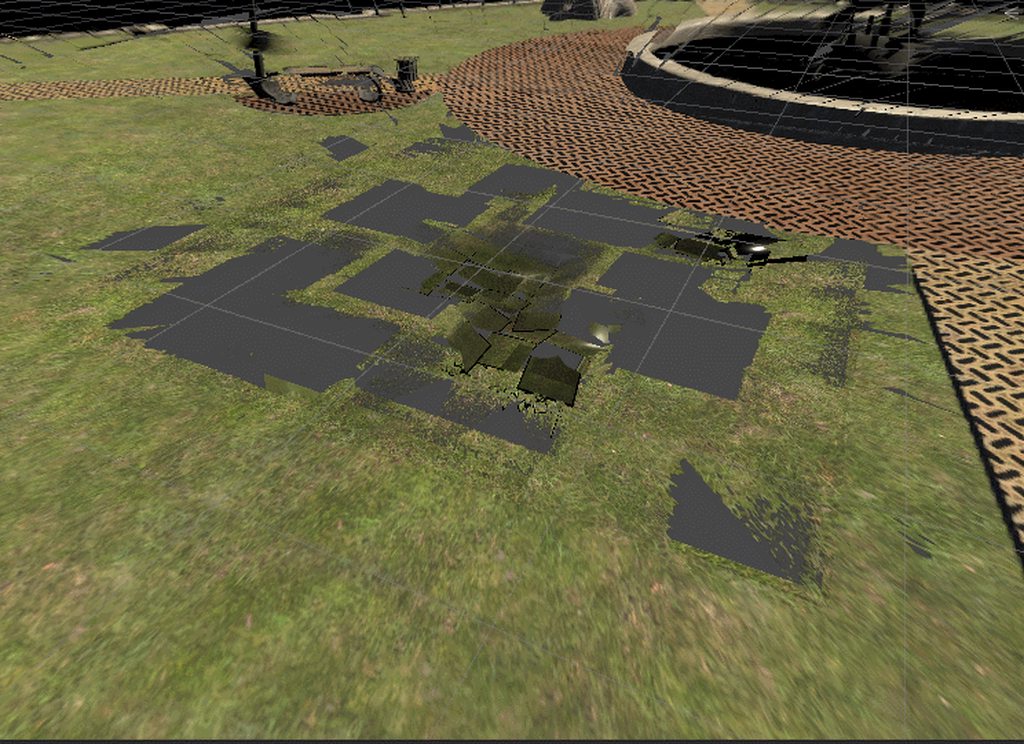
It has holes on the 0 ground level, and like 10m beneath it is the ground it generated
hardy sand
Seurat should give you a headbox thing that you have to resiz
resize*
ensure that the headbox is free from any mesh when capturing the scene, and also consider that it is kinda supposed to be all holed up, since it will look good only from within the headbox
timid sundial
Regarding the black seams: make sure to have high quality on for the texture (and a rather high resolution) and also no mipmaps, as per Google's recommendation. Since the headbox is limited the texture already has the resolution it needs for each area, mipmaps just make it worse
 bronze plaza
Quick question, I am upgrading my SteamVR plugin from 1.x to 2.x and while the first one was easy to use, where do I learn about the second one? There are two samples in the SteamVR plugin, one is just a Camera rig and the second one is pretty much whole experience joined in such a way that taking single elements from it is... Hard at least. Internet seems to be empty due to young age of the plugin.
Anyone has experience with using the skeleton system programatically?
 signal mason
yo @bronze plaza , you may look for VRTK (free asset store), which contain all your need about VR (api/sdk), and (we love it for this) a lot of exemple/script. For now this is the 3.x version, but you can look the beta 4.0 (i didn't tcheck it for now)
bronze plaza
To be fair, I'll agree that VRTK has a great documentation, but we have a big interaction system already, so porting it to it makes little sense. I want to use SteamVR due to great skeleton system and input from all the controllers. To be fair I managed to track down a bug in SteamVR that made some strange behaviour, which I thought made my code wrong. Thanks for help.
storm ether
do i need to make controller bindings for all vr controller types? or does steamvr automatically do it?
like if i only set for oculus will there be controls for htc vive etc
 mellow pine
I have no direct experience with this, but from what I have heard from other devs is that is a yes. While it may detect that "Hey, you are using Touch Controllers" you still have to set bindings.
cosmic night
Has anybody done motion capture with a Vive or Oculus in Unity?
storm ether
@cosmic night as a very rudimentary proof of concept, i built a script that captures the position and orientation of trackers and stores them in a serialized array of points to be saved to a file.
It worked but it was aggressively hostile on performance....
But it did work!
I think it would be fun to explore if you want to work together on something briefly.
cosmic night
Hm... yeah @storm ether . Actually I work for a tv show and I wanna do mocap for a vfx scene
storm ether
Oh! That's pretty unique. I'd imagine you'd want something high-end then.
cosmic night
Mm... not as long as it gets the job done
I’d be interested in doing it even if I don’t use it for this impending project
 thick frigate
I'm pretty new to Unity in general... trying to mess around with basic Oculus Rift interactions. I've installed the Oculus Integration and I can get the scenes to load up... in the Controllers example I can see that the controller models are parented to my hands, but none of the animations seem to work. The the ControllerModels example, I also can't get any locomotion at all. There's a Character Controller on the OVRPlayerController, but it doesn't seem to do anything at all.
using Unity 2019.1. The animations and Animator Controller components are there... they're just not doing anything.
Also as a general question, if there's actually a good course, free or paid, on how to handle typical interactions in VR with the Rift (move around, grab things, etc) I'd love to know about it. There's a lot of training material out there but most of it seems pretty shallow.
 floral portal
@thick frigate check out VRTK on the asset store, easy way to get started with VR interactions
there's also a new version on github, but it's not documented very thoroughly yet
thick frigate
@floral portal thanks, I'm looking into VRTK 4 now. is it compatible with unity 2019?
well, answered my own question... it doesn't appear to be.
floral portal
It definitely should be
Both 3.3 and v4 are, 3.3 isn't compatible with the SteamVR v2 plug-in tho, there IS a community branch that added support for it though, using it atm
thick frigate
i'm getting a lot of compiler errors after following the install instructions
virtual reality supported is on, scripting runtime is .NET 4.x, XR Legacy Input Helpers are installed, cloned the repo and submodules into the /assets folder
floral portal
hmm what sort of compile errors @thick frigate ?
thick frigate
nevermind, i must have run the setup out of order. a bunch of stuff was failing, so i just rebuilt a new project from scratch, and now i'm at least able to load the farm example.
floral portal
like i said there's not tons of docs for V4 yet since it's in beta, i honestly am having a hard time understanding it
thick frigate
it's a bit janky but it's a start, thanks for your help. i have plenty of 3D experience but little with realtime so this is all a lot at once.
floral portal
i hear ya
if V4 ends up frustrating you, give the asset store version a try
there's a zillion example scenes that come with it that demonstrate every nuance
thick frigate
that one isn't compatible with modern builds of unity, though, is it?
floral portal
it is, it just doesn't work with the steamVR V2 input system
it does technically, but you have to download a community fork that bolted on support for it
thick frigate
and pardon the stupid questions, but is VRTK a big enough advantage over the Oculus tools to make it worthwhile?
floral portal
oh absolutely
pretty much all the major VR interaction stuff is implemented in it
teleport, touchpad walking, UI interaction
grabbing, using objects
two handed grabbing
body collisions
and it also works with any SDK, so you can publish to the oculus store or steamVR without changing anything
i started 2 years ago with the OVR plugin, and gave up until i found VRTK

GitHub
A collection of useful scripts and prefabs for building SteamVR titles in Unity 5 - WildStyle69/SteamVR_Unity_Toolkit
thick frigate
okay, good to know. thanks!
floral portal
this 3.3 fork adds steamvr v2 support
 potent garnet
I need some help
This is my occlusion mesh debug view.
For some reason id does not get cleared between graphic blit operations
any ideas how I can do this.
 silver spoke
Heya! Can anyone tell me what happened to the VR edition of the Unity Editor????
mellow pine
I believe you just have to import the VR assets for Steam and/or Oculus now.
When I go to make a new project, there is a VR option.
storm ether
My unity VR Star Ship was shown off to Microsoft. Towards the end of video. My mic was robotic due to Oculus Rift S over heat. I sounded like a alien from Area 51! Lol

Hear about latest SDK developments, show off your creations.
 inner coyote
I just want to get this right regarding VR UI. If all my UI (all Unity UI standard pieces) works off mouse presses and movements, it is fairly simple to upgrade support to UI in VR since you can use a class which treats a pointer as a virtual mouse?
vast thorn
Hey! I'm having a lots of problems with google cardboard on iOS
Library/PackageCache/com.unity.xr.googlevr.ios@1.18.5/Editor/BuildPostProcessGVRPods.cs(315,18): error CS1061: 'PBXProject' does not contain a definition for 'SetBaseReferenceForConfig' and no accessible extension method 'SetBaseReferenceForConfig' accepting a first argument of type 'PBXProject' could be found (are you missing a using directive or an assembly reference?)
This is on 2018.3.3
It has no errors on 2019.1 - 2019.3 BUT then my app won't upload to the app store because it throws some error about
ERROR ITMS-90206 "Invalid Bundle. The bundle at "bundle.app/Frameworks/UnityFramework.framework" contains disallowed file "Frameworks"
So I wanted to try it on earlier versions (2018) which has problems too :/
This is the method from BuildPostProcessGBRPods.cs
private static void AddCocoapodsConfigs(PBXProject proj, string target)
        {
            // Add CocoaPods base configs
            string releaseConfigGuid = proj.BuildConfigByName(target, "Release");
            string debugConfigGuid = proj.BuildConfigByName(target, "Debug");

            string file;
            file = proj.AddFile("Pods/Target Support Files/Pods-Unity-iPhone/Pods-Unity-iPhone.release.xcconfig",
                         "Pods/Pods-Unity-iPhone.release.xcconfig", PBXSourceTree.Source);
            proj.SetBaseReferenceForConfig(releaseConfigGuid, file);

            file = proj.AddFile("Pods/Target Support Files/Pods-Unity-iPhone/Pods-Unity-iPhone.debug.xcconfig",
                         "Pods/Pods-Unity-iPhone.debug.xcconfig", PBXSourceTree.Source);
            proj.SetBaseReferenceForConfig(debugConfigGuid, file);
        }
Ok, so the above is because the project was downgraded from 2019.1 to 2018.3 and it doesn't have the SetBaseReferenceForConfig method in 2018.3, so I'm gonna try copying the assets folder to new 2018 project instead of opening from hub in older version
silver spoke
Hi 👋 so I got Unity EditorXR working with the latest beta 2019.2.0 beta9 Using the 0.2.1 release package here : https://github.com/Unity-Technologies/EditorXR - my question is how I can install the 3rd party tools they showed off in this video about 7min. In -> https://youtu.be/gV9rpwWWobc
GitHub
Author XR in XR. Contribute to Unity-Technologies/EditorXR development by creating an account on GitHub.

Watch the latest version of Unity's virtual reality editor (Editor VR) as demonstrated at the Unite 2016 conference. On stage is Timoni West (Principal Desig...
Mainly the tVori tool
But the sculpting one and google poly would be cool too
silver spoke
I contacted tvori creators about it- lets see if they respond
silver spoke
Oh!!!!!!
Tvori wrote back again
"We will be meeting Unity shortly and will check if they are interested in integration"
vast thorn
Top is from iOS
Bottom is from Android
this is google cardboard
this is some unrealistic disparity between the eyes on iOS, did this happen to anyone?
tepid nest
How do I make sure my player spawns at 0,0,0?
I'm using steamVR (maybe, not sure) and my player always spawns where the headset currently is instead of at 0,0,0 when the program starts
 keen shale
What does build failure message "Failed to create a raw.ap_package See the Console for details." mean? I am trying to create an app for the oculus go, it is just like making an app for android
hard carbon
@keen shale failed to create normally has another message above it in the console, which is what caused the failure. Otherwise, i would guess its an android SDK version issue. have you googled the error?
keen shale
Yes, and I was having a hard time finding anything
 unique solar
any help with getting UI to work with in game UI?
keen shale
I am trying to import a 360 video into unity from a insta360 one x but it isn't working and when I click on the video the preview is purple
How can I fix this?
 shadow locust
I'm having trouble setting up a playercontroller for Oculus Quest. Would anyone be able to help me setup a player controller with grabbable hands that have collision?
 lone knoll
@shadow locust did you try those tutorial series ?
https://www.youtube.com/watch?v=sKQOlqNe_WY

This is the first episode of a serie that will cover all the basis of developping a Virtual Reality application which I hope should get you started with any ...
lone knoll

I’ve been working on a VR project (VR Music Sequencer) the last few months as part of the Metanaut team (which I am Co-Founder of), some updates to come in the next 1-2 weeks. With one of my …
is there is a framework or a library that does that ?
 devout zephyr
Does anyone know how to get the skeletal positions of fingers by input device? I can only seem to get them for "any" controller. float leftHandThumb = SteamVR_Actions.default_skeleton.GetFingerCurl(SteamVR_Skeleton_FingerIndexEnum.thumb);
And if you look inside GetFingerCurl it just pulls from "Any" input.
but I want to specifically pull the left and right hand fingers
devout zephyr
nm, I see you need the beahviour skeletons on the hands
and then I can pull from those
thanks!
 wet vector
Is the streamingassets path on Oculus Quest the same as the path on Android ?
shadow locust
@lone knoll Yes I did! For some reason it was hard to do with Oculus assets, I used VRTK instead! 😄
lone knoll
@shadow locust im looking through all the oculus prefab dependencies and its surly looks like it can be simplified a bunch
isn't VRTK outdated ?
 covert moon
^ it's possible to use the unity input system to map oculus control input as an alternative to at least basic control input
vs like VRTK or the Oculus controls that come with the plugin
lone knoll
if you would use unity input system, would it still be necessary to use the oculus desktop app ?
I'm not looking here to reinvent the wheel, just need something that will be VR cross platform compatible for my development purposes
lone knoll
No i did not
covert moon
their goal here seems to be to make the XR input generic enough to work across different VR input devices using the Unity input system... this is what I'm using for the Quest now and it's working great
this to me sounds like what you're looking for
covert moon
here's the mapping, save you some typing lol
keep in mind that will overwrite your current settings so... try in a fresh project 😃
lone knoll
is that for the oculus quest ?
covert moon
I'm using it for the Quest and the Rift now
but according to that article it should work on other devices ... i've not tested that
using that generic mapping you end up with stuff that looks like.. GetButtonDown("RPrimaryButton") etc...
lone knoll
I'm amazed, zero config, new project, tick enable VR in XR settings, click play, and I can look around the empty scene in my headset without any SKD's or additional API's
lone knoll
also the camera tracking will work in editor without the oculus app, but it will not render on the headset
lone knoll
What controls the VR camera ?
I tried settings the Main.camera position but it effects only the editor camera
While the VR camera is relative to the starting point of the main camera before hitting play
lone knoll
- scene view will display the camera in the position i have set manually, while game view will display the camera sort of 1 meter behind the target location i set.
I update on every frame 3 simple objects that corresponds to the headset position , left & right controller position, but no meter where i set the starting location, the actual rendered result in the headset will be hovering slightly behind & above the headset object.
covert moon
@lone knoll - AFAIK, Unity will 'take over' the transform control of the main camera when it detects a VR headset. From there, it handles the transform of the camera relative to where your head is at. If you want some control over the camera, it's possible to put the camera inside of an empty game object, then move the game object around.
on the hands, I'm using the 'Tracked pose Driver' on a game object nested inside an empty 'player' object (the same object that contains the main camera).
just one approach
ex:
I move all the objects in the _player hierarchy of objects (including the _player object) to a transform of 0,0,0
the player object can be moved where ever, but it seems the hands at 0,0,0 relative to the player object container help sort out their location in space when the game starts
one more thing, i've got a 'head' object that has Tracked Pose driver on it as well.
hope that helps
lone knoll
parenting the main camera to an empty gameObject did the trick, cheers
lone knoll
I'm having trouble reading controllers inputs
The position and rotation are read very well
but the controller inputs values are always false and 0:
Vector2 vector = Vector2.zero;
if( device_left_hand.TryGetFeatureValue( CommonUsages.primary2DAxis, out vector ))
    GUILayout.Label( "Axis: " + vector.x.ToString("0.00") + ", " + vector.y.ToString("0.00") );
bool b = false;
if( device_left_hand.TryGetFeatureValue( CommonUsages.triggerButton, out b ) )
    GUILayout.Label( "Trigger: " + ( b ? "True" : "False" ) );
Using Oculus Rift S if it helps
lone knoll
Also I tried @covert moon 's present with no luck
lone knoll
nvm, i just restarted everything and it finally works.
 wanton steeple
I am seeing a strange ghosting effect in my simple OVR unity scene - it is most visible with the text in a world space canvas. This is not an issue with my headset as other unity games 'hotdogs hand grenades' for example do not have an issue.
Any advice would be greatly appreciated!
quaint moss
Does anyone has a recipe to make GVR unity plugin to show mono camera but also keep head tracking?
Can't seem to find a way to do this in current plugin version
Gyro controller (magic window) kinda works but has an awful drift and jumps
peak aurora
Is "magic window" what you're trying to implement? https://developers.google.com/vr/develop/unity/guides/magic-window
I haven't tried it in a while, but there should be other similar guides if this doesn't work anymore. Try searching for "ARCore Magic Window" and "Cardboard Magic Window" as well.

Google Developers
@quaint moss 👆
quaint moss
Thanks @peak aurora I mean it works, but the tracking quality /precision is much worse than regular vr mode
It's using gyro only, which is not ideal
peak aurora
You might have more luck implementing a Magic Window using ARCore. You could detect a ground plane, as soon as you have that you could spawn your scene around the camera. That way ARCore's slam should keep your scene from drifting. It's one more step for the user though (scan around for plane).
quaint moss
I'd rather avoid this performance overhead...
peak aurora
Yeah. Phones do heat up using ARCore.
quaint moss
With older GVR it used to work BTW, mono camera mode
I'm not sure why they did break it
May need to try and downgrade
peak aurora
I remember it working best if you pretended to be using Cardboard, but turned off stereo vision. Is Cardboard abandoned? Daydream doesn't seem far behind. 😬
quaint moss
Yeah, yeah, exactly
quaint moss
OK, I did it :)
public class VRModeSwitcher : MonoBehaviour
{
    public Transform MainCameraTransform;
    void OnEnable ()
    {
        StartCoroutine (SwitchToTracked2D ());
    }

    IEnumerator SwitchToTracked2D ()
    {
        XRSettings.enabled = false;
        XRSettings.LoadDeviceByName ("cardboard");
        yield return null;
    }

    void Update ()
    {
        MainCameraTransform.localRotation = GvrVRHelpers.GetHeadRotation ();
    }
}
Is anyone else's build for Oculus Quest crashing and "keeps stopping"
covert moon
reddit
95 votes and 83 comments so far on Reddit
^ the fix is an update to the android manifest file
lone knoll
Is it safe to use unity 2019.2 (beta) for production yet ? I'm trying out new features in XR like InputDevices.deviceConnected which is seem to work great on my machine.
 zealous cove
@shadow locust
Im facing the same issue. Quest app is behaving like an Oculus GO app
Tracking only one controller
elfin shuttle
it's likely due to the 7.0 update. i had the same issue earlier today. following the instructions on the 3rd to last post here worked for me
https://forums.oculusvr.com/developer/discussion/comment/698755#Comment_698755
in case links are spooky
Oculus > Tools > Remove AndroidManifest.xml
Oculus > Tools > Create store-compatible AndroidManifest.xml
covert moon
I’m about to get into the device connected stuff. My Old input method for quest is not work right with new stuff .
storm ether
Goodday, I have no clue where to start since this is the first time I use Discord, but is this the place to ask questions about development for VR (especially the Quest)?
 thin forum
yes
storm ether
great, thanks, I did some development with Unity half a year ago with a simple non VR tetris game, now I have a Quest I want to play around, but I cannot get moving around AND grabbing working together, I watched dozens of YouTube tutorials and Google'd the Unity forums and Oculus forums. At least I discovered there might be a bug with the latest versions regarding controllers. But is there anywhere a working simple example of being able to move around with the thumbstick AND being able to grab something? I looked also into the separate examples from the Oculus SDK with the LocalAvatar and LocalAvatarWithGrab. I hoped just using a OVRPlayerController for moving and dropping in the AvatarGrabberRight (or left) would at least let me move around and see the left/right hand. I am able to move around with the OVRPlayerController and I also in a separate project could grab objects using the LocalAvatarWithGrab. But how to combine them? 😃
tepid nest
How do I get input from my rift S controllers?
I added an input action for them and I try calling the function the same way brackeys does in his input video but nothing happens
Also, in the input debug the touch controllers are shown as Rift S input and they are not supported, yet there are actions for the touch controllers in the input system
and I get this error when I start the game NullReferenceException: Object reference not set to an instance of an object Testinput.Awake () (at Assets/_Content/Scripts/Testinput.cs:11)
And the listener does not show any of my touch inputs
I have trying to get any kind of VR input outside of the steamVR demo scene in unity for several months now and I just cannot do it
covert moon
I found this video where ' XR.Input.CommonUsages' is implemented (instead of using the Legacy input system) published 7.17.19 ->

There are two ways to handle input in your VR games built with Unity. Right now we have used Unity's Input system to allow us to create Axis and Buttons wh...
I'm going to give it a try for the Quest today 🤞
covert moon
^ Yep... the approach above is working for me on the Quest and the Rift (unity 2019.1.12f w/ the recent Quest update) .. I'm liking this so far as it seems to get away from managing a bunch of input settings.
storm ether
@covert moon how are you developing? What is your testing environment? Just thinking off the bat, it would be really cool if i could use my pc oculus to develop, and hitting the build button for quest will "just work", because essentially the input/controls are all the same, right?
covert moon
@storm ether - that pretty well describes what I'm doing.
storm ether
that's awesome :3c
i'm interested in porting an existing project to quest, but i can't justify purchasing the thing right now.
covert moon
i do have one bit of custom editor code that handling building to the quest.. it triggers a few command line things that push the build to the Quest to make testing quicker
storm ether
understood.
yeah, if there's one thing i've learned, you can never build too many tools for yourself.
covert moon
indeed lol
got this little widget in unity that takes a set of scene files
builds them for the quest, then kicks off a command line script
storm ether
that's wonderful.
with how unsure the market is on the quest right now, the best idea for any developer is making sure it's easy to update/build to it. looks like you've got it sorted, bravo.
covert moon
well.. i got murdered when learning to develop for the gear vr XD biproduct was tooling
storm ether
oh nooooo xD yeah this must feel like cake in comparison
covert moon
i am enjoying the Quest, i feel like oculus is making strides with their stuff.
storm ether
that's reassuring to hear. otherwise, i'm hearing lots of criticism about it. i can't disagree with the stuff about the specs, but everything else is just general 'console traction' issues.
covert moon
ya i think 'console traction' is a fair assessment .. Quest is like an uber android phone from what i understand of it. takes a while to learn all the junk that goes along with it.. but unity has been making life easier too, for example they wrapped up android SDKs, gradle, etc into the unity installer... less dependencies to track down. Then they streamlined the APK signing process.. ya every year imo it's getting easier.
storm ether
yessss, that's the key for any system. something that's easy to develop for, and that point goes especially for VR.
lone knoll
Just discovered a neat online tool 'githistory'. I found it handy to scan a file since its creation with ease, here is an example of the XR package:
https://github.githistory.xyz/Unity-Technologies/UnityCsReference/blob/master/Modules/XR/ScriptBindings/XRInput.bindings.cs
Quickly browse the history of a file from GitHub, GitLab, Bitbucket or any git repository
lone knoll
Ok... is there a way to use this in Unity ? ???? ???
https://www.youtube.com/watch?v=HIyAbZFxB3o

Will the Oculus Rift S, be better than Oculus Rift CV1 with a Leap Motion attached? It SHOULD be. Or else, what are they doing? Will Oculus "pass through plu...
covert moon
Leap Motion Developer
"Leap Motion controller is a USB device that works based on infrared technology. It has 2 IR cameras and 3 IR LEDs that sense the movement of your hands above the sensor."
i wonder what the difference is between the leap motion tech and the cams in the Quest and S.... it would be cool if this was a software problem that could be solved with the oculus cams. no idea if that's realistic or not lol
lone knoll
I just found when using the beta unity with the rift s, you get 4 additional devices all of the same TrackingReference role. Gonna dig in and look for gold 👌
lone knoll
No dice... each supports only 4 features [ TrackingState, IsTracked, DevicePosition, DeviceRotation ] and it was always reading the position and rotation as zero. There seems to be no haptics response. The low level stuff is located in Modules/XR/Subsystems/Input/Public/XRInputDevices.h don't know anything about why InputDevices got a a native header attribute above the class
 reef beacon
I think we had 4 extra trackers popup in SteamVR when using the rift s
Think they fixed that now ;P
lone knoll
@reef beacon In my case im only using openVR and oculus
lone knoll
Is there anyone here who owns a vive ?
Could anyone share how the vive reacts to controller connected / disconnected events ( UnityXR ) ? Seems like the rift s is a bit buggy with this atm, needs multiple reconnects until i get the buttons to toggle
storm ether
How does one make a Oculus Rift Virtual Reality game? There's no sources besides the basics on YouTube. Grab and walk. I want to know more like making a clickable menu. Hitpoints to enemies, inventory system, multiplayer networking, matchmaking, weapons that shoot bullets, signing in and out of account, having different avatars in scene, change scenes, clickable cursor, clickable menu, score, leaderboards? I want to make a full game. I'm doing Oculus Rift 3D game. Where can I find those goodies? Majority of the sources don't tell you step-by-step what to do in Google results for oculus rift SDK
reef beacon
That's not how making a game works
You can't just follow a tutorial and get a finished game
You learn how to do programming and how to read documentation
Then you apply those skills to make what you want
reef beacon
That doesn't really teach you how to program
lone knoll
yea my bad, should have included my reasoning, I added this link since its an example for a general approach book, that will be beneficial on any platform / tool you will use in the future for developing game. iirc there are such books for learning code basics and game mechanic.
storm ether
I'm looking more for oculus rift gaming. I'm trying to research photon vr unity for multiplayer. See what it has to offer
 buoyant jolt
We are using photon with the quest and rift, no issues to report if that is what you mean
As for how to build one - learn unity well. The Oculus docs are sparse. We ended up creating our own framework for our multiplayer quest titles. Anything that works on the rift though is supposed to work on the quest.
Keep in mind though, we have a full studio of devs working multiplayer quest games. It isnt something that can be easily taught from the ground up over discord. It isn't impossible but ...
You should learn modeling.
You need to learn Unity.
You need to learn Photon or a multiplayer framework.
You need to learn a VR framework.
You should learn playfab or some kind of baas if not your own react or .net backend to save the data.
Each of those steps you should be building things and mastering them. Jumping to the end is likely setting yourself up for failure.
And ideally you should know many of each. VRTK, SteamVR, Oculus OVR is a good set for getting started in VR. Playfab, gamesparks for a baas. Photon, Mirror (unet clone) or one of the new frameworks for multiplayer.
Ideally you should learn them all and work with them fluently. That way you can use the best framework for that project or client. Finally, learn graphic pipelines well and understand unity well with it. You need to optimize like crazy and understand how Unity and Android interact if you are going after the Go or Quest.
That's just my opinion on how to get started from step 0.
shadow locust
Would anyone be able to help as to why my app is not building and running in my Quest? It says it is found in build settings but when I build, the console says it can't find an android device
shadow locust
Let me check!
I'm not sure how to use adb in cmd..
I can't find my directory to where adb is
cause when I type adb devices in cmd it doesn't recognize ti
Okay when I say adb devices
it says
"List of devices attached
1PASH9AV2K9136 device"
@buoyant jolt
storm ether
Bought myself a e-book! Everything to know about Unity VR developing Lol Thanks for the idea. This has some good stuff in it.
I've been playing with Oculus OVR.
lone knoll
3 days battling with inputs of the Oculus Rift S and finally i found the cause of the problem
GitHub
I can track the position and rotation of the HMD & the controllers, but i can't get any sort of input from the controllers. Using TryGetFeatureValue for both scenarios. The funny pa...
covert moon
^ wow, that's ridiculous, good job figuring out a work around.
lone knoll
thanks, If I would never used OnGUI() { ... } to draw values on the editor screen, I would never knew that
 trail hill
im trying to make a simple game for my oculus quest and i tried to use the latest version of oculus integration, but i couldn't see my hands and i found out that version was very buggy. so i tried to use an earlier version but then my game just didn't start. how can i fix this?
i used 1.37 and 1.38 to be exact
1.39 was the buggy one
storm ether
I'm using the Alpha version of Unity for my Rift S and works fine.
lone knoll
I'm starting to dislike facebook developers ( captured on my phone )
( that is static noise in the picture background instead of the IR see through feature )
covert moon
@trail hill you may want to look into unity’s xr.input.commonusages for controls to get further away from oculus software dependency
trail hill
ok will try when my brother is done useing the questt
 nova charm
Hi, I'm wondering if anyone knows how to track the headset relative to the rectangular play area boundaries, or centre of the play area boundaries (not the user-defined "centre"). I'm trying to fit the game precisely to the available space.
So far I've had some minor success by getting the dimensions using Boundary.TryGetDimensions() and estimate the offset of the centre from the play area origin using Boundary.TryGetGeometry() and finding the min and max in each dimension. However, this is inaccurate for several reasons.
Hoping there's an easier way to do this. I'm using Unity 2018.4, Oculus integration (with Rift and Quest), and VRTK4.
shadow locust
Hi would anyone be able to help me in creating a teleport pad system? I'm having a little trouble with it. This is currently the script I have. I attached the script to my OVRCameraRig but it doesn't activate when moving into the collider area for the pads.
https://pastebin.com/w65v6c89
 wanton steeple
I am seeing a strange ghosting effect in my simple OVR unity scene - it is most visible with the text in a world space canvas. This is not an issue with my headset as other unity games 'hotdogs hand grenades' for example do not have an issue.
Any advice would be greatly appreciated!
I am also not seeing it in the steam vr demo scenes in another project, which makes me think its to do with how i am setting up my world canvas?
lone knoll
@shadow locust iirc by default there is no collider on the OVRCameraRig it might not trigger at all if you attach the script directly to the prefab root
@wanton steeple Sounds to me like you project might be corrupt. Try create an empty scene and drop OVRCameraRig into it alongside with a simple woldspace 2d-text in a new project. I just tried that with Unity2019.2 & OVR version 1.38 - can't see any ghosting
buoyant jolt
Hey @shadow locust just circling back to say I couldn't replicate it at the office. But saw someone post a similar issue in the Unity Slack group and had found a bug report to Unity on it. Just wanted to share.
shadow locust
Ah that makes sense @lone knoll, I guess I'll add a collider or something?
And thanks @buoyant jolt! I guess I'll wait on a fix or something
lone knoll
Is anyone else having trouble reaching 90fps on an empty scene ?
My headset (riftS) has a 90hz screen, in editor play mode im getting 150fps easy, but once the headset is mounted it drops to 80 and stays there [ 79.9 ~ 80.1 ]
I tried setting the Application.targetFrameRate manually, but no luck
Looking at my task manager while the HMD is rendering at 80fps, both the CPU and GPU usage levels won't go above 50%
nova charm
@lone knoll From what I've read, the Rift S actually displays at 80hz
https://venturebeat.com/2019/03/20/oculus-rift-s-versus-oculus-rift-the-spec-comparison-chart/

Oculus hasn't released a chart directly comparing its new Oculus Rift S and Oculus Rift headsets, so here's an easy way to see what's better -- and not.
lone knoll
@nova charm huh... didn't even imagined it would have less Hz then the quest, thanks for the info
lone knoll
@nova charm you mentioned Boundary TryGetDimensions & TryGetGeometry. Can you show me an code example, i'd like to try it as well
nova charm
@lone knoll Here's what I've got. Super rough code. Couldn't find Boundary documented at all, even in Experimental, but the Oculus Integration is using it.
        get {
            Vector3 boundaryDimensions;
            if (Boundary.TryGetDimensions(out boundaryDimensions)) {
                return Mathf.Min(boundaryDimensions.x, boundaryDimensions.z);
            }

            Debug.LogError("Couldn't get boundary dimensions");
            return 1.3f;
        }
    }

    Vector3 GetPlayAreaToCenterRealWorld() {
        // Super hacky way to estimate the centre of the play space

        _reusableListVector3.Clear();
        if (Boundary.TryGetGeometry(_reusableListVector3)) {
            var minX = 1000f;
            var maxX = -1000f;
            var minZ = 1000f;
            var maxZ = -1000f;

            for (int i = 0; i < _reusableListVector3.Count; i++)
            {
                var boundaryPoint = _reusableListVector3[i];
                minX = Mathf.Min(minX, boundaryPoint.x);
                maxX = Mathf.Max(maxX, boundaryPoint.x);
                minZ = Mathf.Min(minZ, boundaryPoint.z);
                maxZ = Mathf.Max(maxZ, boundaryPoint.z);
            }

            return new Vector3((minX + maxX) * 0.5f, 0f, (minZ + maxZ) * 0.5f);
        }

        Debug.LogError("Couldn't get boundary points");
        return Vector3.zero;
    }

    Vector3 GetPlayAreaToCentreWorldSpace()
    {
        return _playAreaAlias.TransformVector(GetPlayAreaToCenterRealWorld());
}```Is _playAreaAlias is a plane ?
lone knoll
Just tried those two methods, here are some numbers
Without guardian setup
TryGetDimensions       =>      (495647600000000000000.0, 0.0, 0.0)
TryGetGeometry         =>      zero length list ... duh
With guardian setup
TryGetDimensions       =>      (3, 0, 2.77)
TryGetGeometry         =>      (-1.5, -1.5,  1.4)
                               ( 1.5, -1.5,  1.4)
                               ( 1.5, -1.5, -1.4)
                               (-1.5, -1.5, -1.4)
So TryGetGeometry always returns a 4-corner rectangle? And not the actual boundary?
lone knoll
It seems to match the dimensions right now ( besides the 0 - y - position ) but i imagine it might change in the future, or it might be depended on the hardware
iirc i seen the guardian line in one of the example scenes provided from oculus SDK
@nova charm in what way do you need to track the headset relative to the play area ? I just dynamically added 4 objects based on TryGetGeometry output, and it matched nearly perfectly the walls in the room ( while taking the headset off while looking at one object, i could see the corner of the room matching the object position quite accurately )
- assuming you keep everything at the origin - the player root object and the boundary points
lone knoll
@timid sundial the actual boundary can be found in the GuardianBoundarySystem scene in the oculus assets, in particular look at:
Oculus\SampleFramework\Core\GuardianBoundarySystem\GuardianBoundaryDisplay.cs
Oculus\VR\Scripts\OVRBoundary.cs :: GetGeometry( ... )
i went deeper, there is one big turtle at the bottom 🐢 :
[DllImport(pluginName, CallingConvention = CallingConvention.Cdecl)]
public static extern Bool ovrp_GetBoundaryGeometry2(BoundaryType boundaryType, IntPtr points, ref int pointsCount);
@wanton steeple Just noticed a similar issue, try .Net 4.x for Api Compatibility Level, made a difference for me
nova charm
@lone knoll that's amazing, thanks for digging. Actually the four corners of the rectangle IS what I want, but good to know how to get the other info.
lone knoll
@nova charm i would use TryGetDimensions to extract the four corners and use only one of the points from TryGetGeometry for the ground level in case if TryGetDimensions will return more points ( complete guardian path ) in the future. Happy to see u found what u where looking for
shadow locust
Hi I'm having some issues with my teleport pad script. I have the teleport pad on disable but when it gets enabled it teleports my player to where the pad is. This is also the case if I start my scene with the teleport pad on.
https://pastebin.com/DSd97pUk
lone knoll
@shadow locust use the collider to check if its the player. Right now you will teleport the player to the TeleportTarget regarding of what the teleport is touching. So it could collide a wall or a bullet and still teleport the player .
shadow locust
Oh yea that makes sense! Thanks @lone knoll
 lean barn
Anyone know if SteamVR's SDK can be used for the Oculus Quest?
(I'd like to use its locomotion)
Oculus' Integration is really poorly done, and I'm trying to port my Oculus Rift project to the Quest
lone knoll
I'm considering selling my RiftS to get the Quest due to the Hz and Resolution difference.
How long does it takes to prototype for the quest ?
Right now i can hit play and instantly see the results on the Rift, is this going to be a similar experience on the Quest ? I'd rather keep the lower spec device if that means quicker prototyping.
reef beacon
@lean barn No
and IIRC Oculus doesn't allow you to ship SDKs for other VR hardware in your software
lean barn
Even if it was sideloaded? @reef beacon
reef beacon
The SteamVR sdk still won't work as it needs the SteamVR app
reef beacon
@lone knoll I think the only way is to build an APK and push that to the device
I haven't done anything with the quest though
lean barn
@lone knoll it's a lot faster to prototype on the rift. However it all depends on the market you're trying to pursue. If you're looking to end up on the Quest, It'd probably just be easier to stay on the quest.
pine bison
The fastest way to develop for the quest is by far to work on a rift @lone knoll. It's great because the controllers are exactly the same, but you can test directly in Unity. APK packaging takes a while, especially when your project grows. It's not a huge pain but iteration times are much fatser if you have both
lean barn
@pine bison Do you know if there's a way to easily port from one SDK to another (when switching from Rift --> Quest), or is just simpler to keep both to the same SDK?
 atomic brook
@lean barn bad mention 😃
lean barn
WHOOPS, my bad
atomic brook
no problem
pine bison
It depends on the SDK you use, I used the Oculus integration on one project which means you just need to switch to Android and make sure target hardware is quest. If you worked with SteamVR then yeah it would be more work @lean barn
Using VRTK has made this easier though, we have one app that has been built for both PC and Quest, and VRTK handles that fine
lean barn
Wasn't VRTK dropped due to lack of funding? @pine bison
pine bison
I don't believe so, they are hard at work at V4 which has loads of features
nova charm
@lone knoll Seconding what @pine bison said, I'm developing for Quest using Rift and I couldn't imagine going without it. (Maybe if I could stomach streaming through Virtual Desktop to play from the editor, though I haven't tried that yet.) Also just fyi, the Quest refresh rate is 72Hz (feels fine IMO).
covert moon
Rift + quest + xr.input.commonusages is a nice dev setup imo
nova charm
Also, check out my progress with boundaries! The game now basically ignores recentering and instantly adjusts if you setup a new boundary.
covert moon
@lone knoll I suggest having a desktop vr device like the rift for quest dev, otherwise testing will be painful . The rift in play mode acts very much like the quest without having to build a quest apk to test.
@nova charm thanks for sharing your research
nova charm
No worries, I think this "motion scaling" technique feels surprisingly natural. Planning to build out a demo around it.
pine bison
So do you move slightly faster if you have a smaller play area?
nova charm
Yep
pine bison
Very interesting
If you do make a demo I'd be happy to test it, I think techniques like these are very interesting
Have you seen Tea for god?
nova charm
I haven't! Does it use a similar technique?
pine bison
No, it uses.... non-eucledian spaces... or what the name is
Basically it generates a map that twists and turns in such a way that it feels like you always walk forward

A demonstration of how the use of non-euclidean geometry, procedural generation, and redirected walking coupled with a large roomscale footprint can effectiv...
nova charm
Looks amazing, that's exactly the kind of thing I'm trying to make
Trying it out asap
pine bison
😃
lone knoll
rapid prototyping is my #1 priority, thanks everyone for the info
@pine bison finally some practical use for non euclidean geometry, downloading this now
@nova charm i like how the movement speed scales together with the boundary size, this basically lets you create much bigger levels then the example in tea for god 👍
wanton steeple
@lone knoll So changing the API compatibility level fixed the world canvas ghosting for you?
@lone knoll I will try it when I get home!
lone knoll
@wanton steeple not sure anymore, there are so many strange anomalies when messing around with too much settings , shaders and overlaying canvas cameras. Funny how 3D canvas doesn't do that tho. I might just stick with 3D UI for now as it doesn't produce the tearing / ghosting effect in my project
wanton steeple
for me its only really bad for text
but thats only on my rift at home
but at work with the rift s, there is no issue
lone knoll
i noticed when adding a background image to canvas 2d text its not so noticeable, maybe that will help
wanton steeple
ye true, most text never sits on a solid colour
vast thorn
Hey, my Quest input suddenly started working all wrong, (mixed keycodes), so I've ran a test on an empty project and left controller buttons:
thumbstick button
X button
Start button
all return the same keycode
There was an update to Quest controller tracking recently, wondering if this might be the cause, or my controller just broke ...
vast thorn
I have just verified on my second quest and it works the same can anyone else confirm this as well?
I'm using this to check:
        if (OVRInput.GetUp(OVRInput.RawButton.Start))
        {
            Debug.Log("----------------BUTTON START");
        }

        if (OVRInput.GetUp(OVRInput.RawButton.LThumbstickUp))
        {
            Debug.Log("----------------BUTTON THUMBSTICK");
        }

        if (OVRInput.GetUp(OVRInput.RawButton.Y))
        {
            Debug.Log("----------------BUTTON Y");
        }

        if (OVRInput.GetUp(OVRInput.RawButton.X))
        {
            Debug.Log("----------------BUTTON X");
        }
Unity 2018.3
Latest Oculus Integration from Asset Store
peak aurora
@vast thorn Have you created the "store-compatible AndroidManifest.xml" yet (Oculus->Tools->Create store-compatible...)? The latest Oculus integration + Quest Firmware has caused a bunch of issue where the Quest emulates an Oculus Go unless your app's AndroidManifest.xml contains a particular key.
Oculus
Join the Official Oculus Discussion Forums and talk about Oculus Rift, Oculus Touch, Samsung Gear VR, and virtual reality.
vast thorn
@peak aurora I have not since the app will be sideloaded but I will try this tomorrow and see if that helps, thanks!
covert moon
@vast thorn my Quest inputs went haywire as well. I ended up revising them to use the xr.input.commusgeages approach
pine bison
@vast thorn What I did was do a normal build like before, this generates an AndroidManifest.xml fileunder your project\Temp\StagingArea. Then I added the headtracking line like the link above, and also updated android:glEsVersion to "0x00030001"
dusty jetty
morning guys, i'm going thru some tutorials on optimising for VR. I've looked into combining meshes and also creating texture atlases. Is there a way to combine both of these in one go?
vast thorn
@peak aurora @pine bison Thanks guys, it works! The head tracking line in manifest did the trick.
timid sundial
@dusty jetty look at things like MeshBaker that take away some of the work
If you wanna do even better, you can combine multiple texture atlasses into a texture array, bake texture array index into uv coords or so and run every single mesh through the same shader for minimum context switches.
dusty jetty
yeah just watching the tutorial on mesh baker, looks awesome, have you used it?
thx btw
timid sundial
Yep, using it a lot, some issues with Nested Prefab workflow but I think these got fixed in the latest update
vast thorn
@dusty jetty check google seurat as well, this is mostly for seating experiences or apps where you don't move too much. I've used it recently to drop my scene from 600k poly to 30k to run it on quest 😃
 icy kindle
hey, is there any way to show ui on the htc vive, as in a health bar at the top left of the screen.
tardy cypress
put some ui into some glasses, then put the glasses onto your virtual face
icy kindle
ok, think i get it. thank you!
dusty jetty
@vast thorn thx. I've had a quick look at seurat. It looks amazing. Are there any good tutorials? Also from what I understand can you only move in a small area ?
vast thorn
I haven't found "good" tutorials, but capturing the scene in unity is fairly simple, there is only one script. Yeah, you can move only in the headbox area. In my case even though I made my headbox like 2x2x2 you can notice some artifacts i.e if you crouch.
What you need is a tutorial for the seurat pipeline commands afterwards, because that's what is producing the mesh and textures, and it's a lenghty process
There are lots of parameters and you have to see for yourself what combination works best for your scene
I spend like a week before I got good results 😛
I havent found any good tutorials for the seurat pipeline, everything I did was trial and error
Also, you won't be able to animate/move any of the objects that are converted to seurat mesh, so be sure that you remove them from your scene
dusty jetty
Ok thx for your help. Will try Meshbaker first as I need to be able to move around but I'll defo wanna give Seuret a try. Quick question, Do you use VRTK ?
vast thorn
Nope
storm ether
hey guys, can someone tell me if having several trigger-colliders in close proximity in a scene greatly impacts performance? i have several video screens and want the video to stop playing when the player moves away from the screen. my current idea would be to put a trigger collider around each screen and check if the player is in it or not.
covert moon
@storm ether should be fine
buoyant jolt
Yeah it would need to be many to be impactful. It slows down instantiation the most (as it needs to check collisions on creation) and is most notable with mesh colliders. But for a small rectangle or something it's negligible different
Er difference.
 strange stone
Unity, my oculus avatar hands are not where they are suppouse to be. Any tips?
storm ether
How do I fix local avatar to position correctly? It's set at 0.0.0. I dragged local avatar to tracking space of ovr player controller. It never use to do this. Is it wrong unity version? If so what's the correct version to build using oculus integration?
peak aurora
@strange stone I believe with the latest Oculus integration update your app needs to have an app id before avatar parts will appear. So you need to go to dashboard.oculus.com and create an app and get an app id. Then fill in the app id in OvrAvatarSettings in Unity.
peak aurora
@storm ether I think those are the third person avatar parts. They're in the "correct" location as in that's where other users in a multiplayer app would see your head. To get rid of them you can turn off third person avatar parts, or put them on a layer that your first person camera can't see.
strange stone
@storm ether , I use 2019.1.1.12f1, most of oculus works
storm ether
I'll try that version. I have my app ids in and logged into oculus platform settings. I tried first person view, only shows my hands of local avatar, not head or base and they are checked
peak aurora
@storm ether This change happened when they added expressive avatars in (I think) Oculus Integration 1.38. It's a pain in the butt. I wrote a script that puts the head parts on a layer that the camera can't see. The avatar SDK needs way more control of what parts of the avatar render or not.
Here's what I did. It's kind of complicated. I added the layers for various avatar parts. Then once the avatar is loaded I set the layer of various parts based on their gameobject name.
Then on the cameras that are under the OVRCameraRig I exclude the VR_Head layer. But this isn't a perfect solution because on Quest/Go several avatar parts get merged together, so stuff I wanted visible gets hidden. I'm still working on a perfect solution to be honest.
storm ether
I did that and still see head parts
peak aurora
Then your head parts aren't on the head layer.
storm ether
Oh wait for third person layer, I clicked VR_Head to make disappear
This happened because of a update?
peak aurora
I'm not using the default OvrAvatar layers stuff. I wrote a script that waits until the avatar is loaded and then through that script I change the layer of only some parts of the avatar. This is so I can keep clothes visible, but hide the head visor and hair. It's a complicated script that requires patching part of OvrAvatar.cs and still isn't perfect. I don't recommend going too deep down this rabbit hole.
When Oculus added expressive avatars (their mouths move, and they blink and stuff) it changed the way avatars render enough that the eyeballs, visor, teeth, etc. are visible from the first person camera. With the old avatar I think only certain visors had parts that clipped into the first person camera.
storm ether
Thanks for your help on this
peak aurora
You might want to submit a bug on this (https://developer.oculus.com/bugs/). Oculus seems to want developers to the use the avatar, but the controls they expose are so bad.
storm ether
What is this API update in unity? I update and my unity doesn't load in VR anymore. I have VR supported checked.
peak aurora
I'm running okay in VR with the latest. Here's my oculus startup info:
Unity v2019.2.0f1, Oculus Utilities v1.39.0, OVRPlugin v1.39.0, SDK v1.39.0.
In the package manager I'm running 1.38.1 for both Desktop and Android.
storm ether
Let me try and match yours. I really liked the Alpha version before till my audio and ovrplayercontroller movement stopped working.
I'm trying to make a multiplayer battle arena. I had a nice arena with scoreboard with video screen using a grabable sphere with camera attached that projects to a plane.
I also spent $100 in oculus sdk gaming for unity books from Google books.
I should probably have the Arena built in blender than unity, so the prefab is saved to import to unity, if unity bugs out again.
strange stone
Is there like an un official release of the oculus integration asset? Current one is really bad.'
peak aurora
@storm ether There's an FBX exporter package in the Unity Package Manager. You can select meshes in the Unity scene and export them as FBX. Might be able to export your work to blender that way. I think the ProBuilder package has something like that too.
storm ether
Thanks for that info I'll try it out. Lot of work I put into it
storm ether
Galaxy Arena is fully restored, after 4 hours of rebuild. ShoOoOoOo lol
storm ether
 keen nexus
Use OBS to record your screen instead of your phone...
@storm ether
OBS (Open Broadcaster Software) is free and open source software for video recording and live streaming. Stream to Twitch, YouTube and many other providers or record your own videos with high quality H264 / AAC encoding.
storm ether
Thanks for the info.
 stray cradle
Is there no voice chat
