#🤯┃augmented-reality
1 messages · Page 10 of 1
 severe spear
latest docs are for 4.0.0-preview.3
and 4.0.2 is used in the arfoundation-samples: https://github.com/Unity-Technologies/arfoundation-samples/commit/e3217bccc2ef7f2c3797c2104256f2dd22d70cb8
 jagged patio
yes, docs take a bit of time to become public. Did you look at this script in the samples https://github.com/Unity-Technologies/arfoundation-samples/blob/4.0/Assets/Scripts/CpuImageSample.cs and this scene https://github.com/Unity-Technologies/arfoundation-samples/blob/4.0/Assets/Scenes/CpuImages.unity ?

GitHub
Example content for Unity projects based on AR Foundation - Unity-Technologies/arfoundation-samples
GitHub
Example content for Unity projects based on AR Foundation - Unity-Technologies/arfoundation-samples
severe spear
I need a migration guide for subsystems, those samples aren't very helpful with that unfortunately.
This is not a preview package anymore which means we'll need to support it in our tooling and there's no docs 😦
jagged patio
then you'll have to be patient. The team is aware the docs are not public and they should be live soon. A quick glance at the scripts / API seems like there hasn't been much of an update outside of naming.
severe spear
There's entire categories of methods missing!
OK, as a workaround the Documentation inside the Documentation~ folder is the correct one
Still missing changes there in the migration guide.
E.g. 4.0.0 had "GetAsyncRequestStatus" and that's gone in 4.0.2, no mention of it in the migration guide
jagged patio
checking now but I believe that was moved from a deprecated class to XRCpuImage and is now just XRCpuImage.AsyncConversion
severe spear
Missing from the migration guide:
AsyncCameraImageConversionStatusis nowXRCpuImage.AsyncConversionStatusCameraImagePlaneCinfois nowXRCpuImage.Plane.CinfoXRCameraImageConversionParamsis nowXRCpuImage.ConversionParamsOnImageRequestCompleteDelegateis nowXRCpuImage.Api.OnImageRequestCompleteDelegate
jagged patio
Noted and passed along, thanks.
severe spear
I'll update the above as I go through. You're making this really hard 😄 guess that's what people get that try to actually support latest versions haha
wow and the entire workflow around async requests has changed, also not documented at all
there's a new class ARCoreCpuImageApi : XRCpuImage.Api that now contains GetAsyncRequestStatus et al which were previously overrides in the CameraSubsystem
(if I understand that correctly)
 jade turret
Guys
AR Foundation and ARCore XR Plugin is causing Infinite Loop Import attempts on my side. Is this the problem with the plugin on their end, or on my end?
 formal quest
Hello, is there a migration guide for upgrading subsystem implementations in 2020.2 ? A lot of the previously available api is now ifdefed and I dont see a mention in the changelog https://docs.unity3d.com/Packages/com.unity.xr.arsubsystems@4.0/changelog/CHANGELOG.html
 midnight mortar
Hi everyone
Hi guys, I have a question. Does anybody have experience with ARKit 1.5 in unity 2018.2? I have a project that we are currently developing for iOS with react-native and Unity view. But, while doing some testing I discovered that the quality of the AR tracking is poor. I haven't been able to find the cause of this and also some classes such as UnityARCamera or ARCamera are difficult to reach from monobehaviour and using unityarsessionnativeinterface.getarsessionnativeinterface() is very limited. Any thoughts about this?
 crystal flame
Quick question: for image targeting with AR Foundation, has anyone been successful in using timeline to play AR content on specific areas of an image target? I can do it in vuforia across 100+ pages in a project, but I cannot replicate the same thing in AR Foundation. Curious if anyone else has this problem. I work on AR books for mobile devices
jagged patio
@crystal flame what is the challenge you're having? there shouldn't be any restrictions with timeline.
For managing image tracking / image life cycle you can reference this script https://github.com/Unity-Technologies/arfoundation-demos/blob/master/Assets/ImageTracking/Scripts/ImageTrackingObjectManager.cs#L103-L163
GitHub
AR Foundation demo projects. Contribute to Unity-Technologies/arfoundation-demos development by creating an account on GitHub.
crystal flame
@jagged patio thanks I will try that. I am have a comic book that I have animation and motion graphic occuring on specific areas of the image target. Pretty much the panels of the comic. With Vuforia, I can place the the assets on the image target reference in the editor, but AR Foundation seems to only a stock library image in the editor that references images in the database. Is the use of MARS the work around for seeing referenced image targets from the database in the editor?
jagged patio
Yeah, that makes sense and you are correct. Out of the box AR foundation does not provide visual indicators of image targets or have the same setup / workflow as vuforia. MARS however does, so yes that would be a work around that would give you similar workflow results to Vuforia out of the box. You could setup your tracked images in the editor and reference based on those but there would be some trail and error involved to get it perfectly aligned.
 eager orbit
For AR Foundation's Remoting feature that is in alpha, the blog says that it will require Unity 2020.2 or later to use its features. I know you can download Unity 2020.2 alpha but is there a way to download the remoting package feature as well?
crystal flame
Thanks @jagged patio .
@eager orbit by remoting do you mean using assetbundles or Addressables with AR Foundation?
 drowsy solar
Corona kind of buried this, but the new LiDAR meshing on iPad Pro is awesome.
https://www.youtube.com/watch?v=YMBnWLqxrKk

Apple’s latest iPad leaps beyond standard computing features with an epic depth-sensing LiDAR scanner. And Shapr3D is taking the jump with it. Check out our CEO Istvan Csanady taking a futuristic spin on 3D modeling in augmented reality (AR) in Apple’s promo video.
Can your C...
 vale lily
@vale lily the marker should be part of an reference image library. For scoring it you'll need to open the build project in XCode and inspect the image library there. For Android you can use the standalone ARCore SDK that scores images in the editor
@jagged patio maybe stupid question, but how do I find that in Xcode? I am super new to this!
vale lily
Hello everybody! we are using NavMesh on our Project, which is a Map of Germany shown on a surface of aprox. 1x1 m. So this means we have to scale the 3D Objects a lot (instead of 1, we have 0.0155). This cause problems for generating the NavMesh (also on runtime). So my colleague founds out that scaling (or moving far away) the Camera should help. Do somebody knows what I am talking about? Does someone have a script for this?
jagged patio
@vale lily there are no stupid questions! When Unity compiles to XCode a lot of the content can get a bit jumbled or buried in the project. In the XCode project I clicked the small folder icon on the far left, then navigate to the very bottom Under the Unity-iPhone folder which contains a folder named ARReferenceImages.xcassets. Clicking that gives you a list of all the reference image libraries in your project. Notice that some have a warning ⚠️ by them and give reasons for why they might not tracking well.
For the NavMesh issue I would highly recommend looking into render scaling. Basically it enables you to keep your content at 1,1,1 scale (so lighting, physics, nav mesh work well) but render the content at a small scale so it can be more table-top size. This is accomplished by scaling the parent object of the AR camera up, which inversely scales the rendering of the content down. There's a small sample that does this in the arfoundation-samples repo https://github.com/Unity-Technologies/arfoundation-samples/blob/4.0/Assets/Scenes/Scale.unity
GitHub
Example content for Unity projects based on AR Foundation - Unity-Technologies/arfoundation-samples
eager orbit
@crystal flame Remoting as in playing in the editor with your connected AR compatible device instead of building each time.
drowsy solar
Hey @jagged patio that example is great. Obviously without this physics sim explodes at different scales.
One question regarding AR physics. Does the AR Session ever "rotate" from identity? Like, would the force of gravity ever not pull straight down relative to your scene.
If you were to parent content to an AR plane I believe you may see this "non-straight-down" gravity force
(relative to the scene contents)
I'm seeing inconsistent physics sim with a wall mounted physics sim. I believe I need to do a similar trick to the scaling to keep the scene stable.
jagged patio
from a pure physics perspective I don't think you'll ever get the downward (gravity) force to not be -9.8, the world origin from Unity (0,0,0) is established / set once the session starts tracking. If you were to calculate your own physics relative to plane orientation I would also recommend doing this at normal 1 unit = 1 meter scale and use render scaling to make the content appear smaller.
I'm not sure if that answers the question? I don't believe the AR Session would ever rotate away from identity.
drowsy solar
That's perfect. Obviously a ar plane rotates over time and causes some of my "rotational" challenges. My hack has been to ensure the plane is always upright relative to the ar session (and only allow rotation about the Y axis).
But I was thinking of maybe rendering the content in a static position and then using a trick similar to the scaling to make it appear rotated and parented to an arbitrary plane
That way I can anchor to non-upright planes without visual artifacts.
jagged patio
sounds like an interesting approach 👍
 hybrid perch
The recommended approach to micro AR is to scale the camera up instead of scaling the 3D down @vale lily. You should try it out
 shrewd rivet
How to find a scale of tracked image?
I am trying to play video when u track a image, I am playing video using a quad, which appears when i.age is tracked
But the scale of quad is very high, I want to scale the quad as per scale of the inage
Is der a way to find scale of image?
shrewd rivet
any one?
jagged patio
You can set the physical size of the image in meters on the reference library and then use the conversation of 1 Unity unit = 1 meter to scale appropriately.
shrewd rivet
Ok thanks Leme try tomorrow
 hoary sparrow
Hi Everyone
I am Naresh, I am new here
is anybody here can help me to start learning AR with Unity
I want to learn from 0 level
jagged patio
Hello, I recommend starting by learning Unity. A strong foundation with Unity will make it easier to pick up different AR Platforms. From there check out AR Foundation and the documentation.
shrewd rivet
You can set the physical size of the image in meters on the reference library and then use the conversation of 1 Unity unit = 1 meter to scale appropriately.
@jagged patio yoo that worked.. haha..
thanks
hoary sparrow
@jagged patio thank you for your response, I have knowledge about unity but want to learn AR with Unity Now
Can you please drop any link I can follow to learn the AR with unity from, if you have that
 unreal slate
Is ther a dedicated Unity MARS section on this forum?
jagged patio
@unreal slate not in discord but on the forums yes https://forum.unity.com/forums/unity-mars.494/

Unity Forum
@hoary sparrow You can check out the basic setup in the latest package documentation here https://docs.unity3d.com/Packages/com.unity.xr.arfoundation@4.0/manual/index.html#basic-setup
From there I recommend taking a look at the samples repo https://github.com/Unity-Technologies/arfoundation-samples
GitHub
Example content for Unity projects based on AR Foundation - Unity-Technologies/arfoundation-samples
 main kayak
Anyone here developed for the Nreal AR glasses yet?
hoary sparrow
@jagged patio Thank you, I'll take a look
shrewd rivet
hi, i am trying to spawn rigid body on a plane, how is it possible to hold it on plane? i had applied mesh collider to my plane visualizer, but doesnt seem to be working
jagged patio
By default the mesh collider will not refresh / update as the plane mesh grows. There are a few options, link into the plane changed event and refresh the mesh collider. Add a larger box collider to the plane, this works great for having collision on the floor for example.
eager orbit
In regard to AR Foundation's AR Remoting feature that is alpha and based on this blog post that says that it will require Unity 2020.2 and later, https://forum.unity.com/threads/ar-remoting-alpha-user-studies.888136/. I know you can download Unity 2020.2 (alpha) but is there a way to be able to use AR Remoting at its current state for testing purposes?
Unity Forum
AR Remoting (Alpha)
We've received great interest in early access of Unity’s AR Remoting feature, and we're excited to share that we’re now conducting...
shrewd rivet
By default the mesh collider will not refresh / update as the plane mesh grows. There are a few options, link into the plane changed event and refresh the mesh collider. Add a larger box collider to the plane, this works great for having collision on the floor for example.
@jagged patio
Lemme try this tomorrow and get back
 lament hemlock
@jagged patio so Apple quietly announced ARKit 4 + spatial audio for Airpod Pros - I would be curious to know Unity's roadmap on these features:
https://developer.apple.com/augmented-reality/arkit/

Apple Developer
Take advantage of the latest advances in ARKit to create incredible augmented reality experiences for Apple platforms.
ahaha perfect emoji game @jagged patio 😉
 tight plinth
 main kayak
Just out of curiosity, what kind of devices do you guys develop AR apps for mostly?
 cinder fiber
Hello! Does anyone can help me? Phone Camera Zoom and Unity AR Foundation Camera zoom ( fov ) are different. How I can achieve the same fov?
hybrid perch
AR Foundation should set the FOV based on the camera as fa as I know
shrewd rivet
By default the mesh collider will not refresh / update as the plane mesh grows. There are a few options, link into the plane changed event and refresh the mesh collider. Add a larger box collider to the plane, this works great for having collision on the floor for example.
@jagged patio this worked... first i had kept box collider size as 50/1/50, it didnt work, but later fixed it to match AR scale.. lol
Arigato Senpai!
 cursive fractal
has anyone tried using camera mounted on a raspberry pi3 as the main camera in unity?
 raw parrot
In ARKit, when I move my device, my whole scene moves like its in the world.
I just want to use ARKit for the face tracking, not for the spatial aspect.
How do I turn off the spatial tracking?
main kayak
I think under AR Session there is a tracking mode option
raw parrot
Not on my AR Session.
crystal flame
Has anyone been successful using AR foundation and MARS with Addressables? I am trying to see if I can use firebase for my AR book project that allows me to update the AR content (audio, 3d models, video, image targets, etc) of my books in the app without having to republish the app on the app store. Pretty much trying to do a dlc feature for new chapters of my book as they come out. I am not adding new scripts to it just content. From my understanding, DLC with image targets has had very little success
 mental jay
Hi there @crystal flame! I have, indeed used MARS with addressables, though only as a proof of concept... nothing too involved. The good thing is that MARS/AR Foundation and Addressables have very little overlap. You can essentially just do addressable content as you normally would, which mostly means that you are working with scripts to load/instantiate addressable content. I have used a basic script attached to a child of a MARS proxy to work with an addressable asset and still see it appear in the scene/simulation view. Feel free to copy this and build on top of it https://gist.github.com/mtschoen-unity/43aaf6963c2228884891b04fcbf3b7db
As for putting actual image markers into an addressable asset, that gets a bit more tricky. I'm not exactly sure about whether an entire image library can be loaded as an addressable asset, given that AR Foundation does some processing at build time. However, you should be able to load the images as addressables and then follow the normal path for adding images to the library at runtime described here https://docs.unity3d.com/Packages/com.unity.xr.arfoundation@3.1/manual/tracked-image-manager.html
MARS still needs an update to leverage this feature out of the box, but you should be able to hack things together so that your MARS proxy can match against one of those new image guids. It's not trivial, though. We hope to eventually support adding images at runtime officially in MARS, which should make this a little easier. In fact, it may be a good idea for us to create a sample along these lines to validate this use case. No promises, but we'll keep this in mind! 🙂
crystal flame
@mental jay you are awesome! Thanks. I will be on the look out for updates.
raw parrot
@jagged patio I don't have the Facing Direction on my AR Camera Manager.
cinder fiber
Hello guys! Does any one worked before with new ARKit ( LiDAR ) and unity? I have a question regarding how we can detect when ( for example hand is going inside the AR object )??? Like to stroke the dog ( pet the dog ).
hybrid perch
I don't think anyone else than Dan has, so far
cinder fiber
Any help with people occlusion and detection?
jagged patio
@raw parrot sounds like you might be on an older version of AR Foundation. For those version the 'world tracking' vs 'face tracking' is determined by what subsystems / managers you have in your scene.
@cinder fiber for that type of effect there are probably two approaches. 1) sample the depth map / depth API returned by the LiDAR sensor and check that against the AR object in your scene. 2) do custom computer vision processing to detect hands using the CPU image api and use that hand pose / results from that to trigger the effect.
The Depth API can 'prefer' humans vs the environment so you'd want to configure that properly.
cinder fiber
@jagged patio Regarding 1 ( sample depth map / api ) is there any kind of samples scripts or scene? unity examples?
I didnt have enterprice account to view that
jagged patio
Depth images should help get started a bit but no examples doing what you described (interacting with AR objects using the depth map). Also small thing to note is just using the depth map and preferring humans detects full bodies, hands and feet. So you'd also 'pet' the dog with your foot if you weren't classifying it properly with additional logic.
wrong link! 😳 1 sec
GitHub
Example content for Unity projects based on AR Foundation - Unity-Technologies/arfoundation-samples
cinder fiber
Thanks I will try it.
Whats my goals is : when I put hand inside my 3d dog, I want to raise same event.
jagged patio
I haven't done a ton of custom stuff with it yet but the general idea is you should be able to 'sample' the depth map and each pixel has a relative depth distance. You can check the distances of those pixels relative to your AR object https://developer.apple.com/documentation/arkit/ardepthdata/3566296-depthmap?language=objc
 modern chasm
Hi, I want to ask to scale in AR is best to scale ARSessionOrigin game object. How about if I want to scale the object on image tracking? Is it also scaling the ARSessionOrigin?
 finite rose
@jagged patio any word on when Unity will support the new hand tracking features in ARKit 4? https://developer.apple.com/videos/play/wwdc2020/10653/
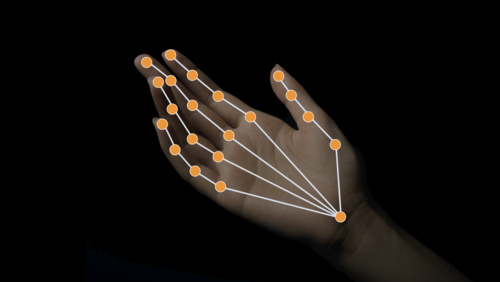
Apple Developer
Explore how the Vision framework can help your app detect body and hand poses in photos and video. With pose detection, your app can...
Oh I guess that is actually part of the Vision framework
question remains 😉
jagged patio
yeah, as you pointed out since that's enabled through the vision framework it will likely not end up in a package like AR Foundation. We do have the ability to grab the camera image so you could feed that to a the vision framework (with a native plugin) but not something we are working on or plan to at this time.
There's also barracuda from some additional machine learning capabilities but I haven't done enough research or have knowledge to know if this might work for something like vision framework https://docs.unity3d.com/Packages/com.unity.barracuda@0.3/manual/index.html
finite rose
cool
seems strange that they'd put the hand pose detection in Vision
seems like it makes more sense in the context of the skeletal stuff already in ARKit
jagged patio
Yeah they also have body pose estimation in the vision framework as well (and in ARKit)
finite rose
looking at the Vision framework capabilities, most of it looks like stuff you'd likely be running on photographs
jagged patio
Yeah, it also has the ability to do offline processing with videos and things I belive. ie: not realtime on device via the camera feed.
finite rose
what about ARFoundation on Mac? i'm seeing that ARKit will be supported via Mac Catalyst
jagged patio
where did you see ARKit support for that?
yeah, looks like they do NOT support ARKit calls on Mac Catalyst,
The AR frameworks on mobile devices use more than just the camera feed, gyro and accelerometer provide important data that gets combined to properly track the devices.
jagged patio

Unity Technologies Blog
Unity’s AR Foundation 4.1 supports Google’s new ARCore Depth API. With the addition of this capability, AR Foundation developers can now deliver experience...
main kayak
sweet thx!
finite rose
@jagged patio sorry I missed that note on the documentation page there. funny that they put Mac Catalyst 14.0+ under the availability when uh.... it won't do anything?
my assumption was that the ARM-based macs in the future will have the same hardware as iOS devices that enable the ARKit functionality
would be cool if that became true!
raw parrot
@jagged patio I've updated my AR Foundation and I now do indeed have the Facing Direction option.
However, moving my device still moves the in-game camera. I want it to remain fixed.
I merely wish to use the Face Manager.
jagged patio
You're saying you don't want to display the camera feed? can you explain a bit more what the goal of the app is?
raw parrot
The user holds the device about head level and moves their head left and right to control the character.
I'm using AR to track the head movement.
It works fine on Android, I'm only having issues with iPhone on this.
jagged patio
You could try removing the AR Pose driver on the camera, that's what's driving the position and rotation of the camera.
raw parrot
Thank you. I'll try that.
raw parrot
It seems I need the pose driver to detect the location of my face? Hmm.
modern chasm
Hi @jagged patio, I want to ask to scale in AR is best to scale ARSessionOrigin game object. How about if I want to scale the object on image tracking? Is it also scaling the ARSessionOrigin?
hybrid perch
You can do both
Scaling the ARSessionOrigin is recommended when you have small-scale AR. This just means the entire world space is scaled up, essentially. But you can still scale all individual gameobject as you like
 tall marten
It seems I need the pose driver to detect the location of my face? Hmm.
@raw parrot You can use the Pose Driver for a GameObject which is not the camera...
modern chasm
@hybrid perch Thank you for the answer, because the sample project is using image tracked scaling so I was confused. I will try both and see which is better
 bronze silo
Anyone recommend a good converter from obj/fbx to usdz&glb ?
jagged patio
Not sure about glb but reality converter works well for usdz
 merry fossil
is it possible to estimate distance using ARFoundation ?
like the distance of a table, the height of a building or a distance to the ground from the rooftop ?
i know apple has a 3d ruler like application , not sure if Android also has a native app for that but def remember seeing something like that on the store few years back
 dull flame
I think you'd have to build the ruler but afaik the tracked planes/geometry in AR foundation have been super accurate to real life.
If you were to raycast to an AR tracked plane I'd expect the distance to be accurate.
jagged patio
^ you can do an AR Raycast from the device (ar camera) to any trackable type such as a feature point, plane, ect https://docs.unity3d.com/Packages/com.unity.xr.arsubsystems@4.0/api/UnityEngine.XR.ARSubsystems.TrackableType.html and check the distance between the RaycastHit.pose.position or the RaycastHit.distance https://docs.unity3d.com/Packages/com.unity.xr.arsubsystems@4.0/api/UnityEngine.XR.ARSubsystems.XRRaycastHit.html
 turbid arch
anyone work with the leap motion?
raw parrot
How do I determine if the user's face is on the left or right side for Unity ARKit.
raw parrot
When I print out the coordinate of the face on ARKIt, its ever changing, I just want it in relation with the screen.
If my face is in the center of the camera, something that makes sense. 0.5, or 0 or screen.width/2.
finite rose
@raw parrot take the coordinate of the face and use the camera's transform to call InverseTransformPoint()... that'll give you the face's position in the camera's local coordinate space and now you can use the x component to decide which side its on
 raw pumice
what's the most marketable technology to learn for unity AR development?
 merry aurora
@raw pumice Tilt5 - cheap ~$300 tabletop AR glasses, high quality image 3D effect at the cost of constrained play volume 1m x 1 m x .5m
not your typical AR platform, but I tried a very early version of the kit and it's really elegant implementation of mixed reality
 latent peak
Good morning everyone . Does nayone know if there exist an analytic solution that can record players screen while rendering in AR ?
We are usuing a tool called Smartlook to which records user sessions well but of course it has some trouble rendering the AR camera AND recording the users screen input with the Unity SDK, it crashes when I try to use both packages at the moment.
Does anyone know of a tool where we can review players playback nd the AR experience at the same time ?
hybrid perch
Tabletop AR and multiuser AR are pretty high on my list @raw pumice
raw pumice
Ah I guess I meant "most marketable" in the sense of like... which tools should I learn to help me find employment?
@hybrid perch @merry aurora
 frosty plume
unity + arcore
hybrid perch
That's what I was talking about too
merry aurora
@raw pumice what are your career goals? creativity, money, independence, work in large companies?
raw pumice
i do creative technology (http://bradyinstead.com)
frosty plume
like I said
raw pumice
i'm working freelance right now but finding it hard to find work because my skillset is so diverse, and i angled hard on music industry stuff right when covid hit
frosty plume
Do something cute with unity. Place into real world on a table or something
to start off with
raw pumice
gotcha yeah, i just need more portfolio pieces to prove i can do it
frosty plume

GitHub
ARCore Depth Lab is a set of Depth API samples that provides assets using depth for advanced geometry-aware features in AR interaction and rendering. (UIST 2020) - googlesamples/arcore-depth-lab
hack on these
raw pumice
i already have the years of dev experience, but not like dozens of projects with a single framework/API that can get me hired in a very specific role
frosty plume
yeah I remember you from another server maybe
raw pumice
yup graphics programming
frosty plume
of course!
raw pumice
i just dont wanna go on unemployment man 😦
frosty plume
I would srsly hack on that repo
something volumetric that interacts with my room
Or remap a table top with fractal madness
raw pumice
i have an entire warehouse to fuck with
frosty plume
walls
frosty plume
you need to be close to the plane
merry aurora
I'd say unity/c# would serve u well, perhaps some of the rapid prototyping plugind like playmaker
frosty plume
for that specific project i linked
raw pumice
yeah i already use unity and i've programmed multiple engines in C#
but need more unity portfolio pieces
frosty plume
but it does rain indoors reasonably well for faking depth from rgb
(One of their toy examples)
merry aurora
sweet, well if u have a vision for AR application, maybe something using GPS like pokemon go, u can look at matching co-ordinates ot world space canvas objects connected to a backend database
I personally see a lot of games potential in confined tabletop games as i mentioned
raw pumice
i'd prefer something really simple
one idea i had is that my friends are all street artists/muralists
might add some sort of image recognition so you can identify murals using your phone, and it'll tell you who made the mural and maybe have some sort of particle effect/animation using plane detection?
seems simple enough?
merry aurora
you'll need openCV + a populated, up to date database of the citys street art
maybe a vfx graph or particle effect for your plane
finite rose
@raw pumice tbh, if you are trying to make something to gain some exposure to get some AR gigs, just fake that stuff
the image recognition that is
most of the AR videos you see on twitter that do big numbers are super canned demos
Proof of Concept™️
raw pumice
yeah but i also wanna learn, isnt too hard
finite rose
hehe i don't mean fake everything
jade turret
I may need some help guys. I am creating an AR game in AR Foundation, and all of the components work properly without the AR Components, in which the entire game starts if I enable the Master Script.
However, when I implemented the AR components for this game, I ended up with errors that pertain to the NavMesh Script, saying that the NavMesh Agent is not close enough to the NavMesh itself, even though that wasn't the case beforehand. This resulted to the objects in the scene moving in all sorts of places based on the movement of the camera, as shown here.
Here is the script that I have implemented for when the image is recognised, where I activated the script when the image is activated upon ImageChange, though I'm not quite sure how to implement this properly. I may need help in this regard in addition to finding out what caused this to happen.
Thanks in advance!
TL;DR: Positions out of wack after using script from prefab in AR, even though it works without it. Need help on how do I activate scripts in prefabs properly when image is scanned, while finding out what caused this.
Here's the script, as well as the debug logs:
https://hastebin.com/mitejinuro.cs
https://hastebin.com/wozuyemepo.sql
Also, here's the script responsible for spawning the defensive AI.
https://hastebin.com/jehogaroga.cpp
 jagged patio
Sounds a bit complex but to try and understand your problem more. You are saying everything works fine in the editor / not in AR but when you try and activate the content by recognizing an image things break?
raw parrot
What are some ways to do face tracking that doesn't involve ARCore or ARKit.
jade turret
@jagged patio Yep. Currently, all of the scripts work properly with the sole exception of the gameobjects that we're in the board, which for some reason have positions that are way too weird.
This is what it looked liked at build:
I'm currently acquiring info from the builds and of all the object's positions and comparing it with the non-AR version so that I can get a better picture of what's wrong.
jagged patio
@jade turret it's hard to understand what's happening from those pictures but my suggestion was going to be "enable and have your content working when the scene started but just position it at a far away point (something like 500,500,500) and then when the image is recognized you can move the object and it's children to the image position.
jade turret
Well, I got a video if you wanna check it out.
shrewd rivet
i updated my ar foundation from 2.1 to latest 4.x ..
now when i open app it shows just black screen
ui canvas is fine, but camera doesnt seem to be detecting
shrewd rivet
ok i think it is because i am not getting allow camera on my anrdoid with 4.x version
jade turret
@jagged patio So, this is what I got after examining results from both Non-AR and AR versions, and this is what I saw in the positions at one state at the start:
jagged patio
@shrewd rivet make sure you've properly setup the XR management with ARCore.
 vital summit
NavMesh w/ AR is tough - even with the latest changes NavMeshAgents aren't really designed with the concept that the environment is going to be changing dramatically (which can happen when a camera origin changes, for example)
jagged patio
^ Agreed. Unity MARS does have some built in functionality for this type of behavior but yeah things get especially wonky or messed up when scaling things down. Hard to say exactly what your issue is.
vital summit
W/ MARS we have a MARSNavMeshAgent that is specifically meant to deal with the weird position issues we've mentioned.
Lately though I've found the best solution is to query the navmesh directly for a path and don't rely on the agent, which seems to be the point of breakage most often
 half basin
Has anyone had any trouble with using line renders in AR because I don't see mine? is it a material thing ?
tall marten
Hey, does anyone here have Hololens 2 and can help me check something?
I'm working on WebXR exporter, and want to check how and if it works on the device (I don't have one).
tall marten
Can be tested here https://de-panther.github.io/unity-webxr-export
jade turret
What might be going on? @jagged patio
 vapid lynx
I put Shrek in AR
 edgy saddle
Hi guys, I want to build an AR Ring project in Unity. I have added a YouTube link below

SMARTrii allows user to virtually try on jewelry pieces using augmented reality
The project should be similar to this, it doesn't matter if the person differs.
Any idea where could I start?
And I want it to be marker less
 keen forum
This is a fake video. It's a recorded video and the user mimics the movements.
Maybe start here: https://www.youtube.com/watch?v=tSU9wG1huhU
keen forum
Well, Unity doesn't do it by default, so you have to get an asset for that.
I can't tell which one is the best, you have to make your research about that
 stark wagon
Hello, I have a project (Unity 2019.4 with AR Foundation 4) that is ARKit+ARCore that builds to both a standalone app for internal testing and library for embedding into another production app framework. The library version also loads scenes via AssetBundles. Everything works except I am getting the black screen and these subsystem warnings only in the Android-Library build.
Is it possible the Initialize XR at startup setting isn't working for Android Library builds? I also tried putting a LoadUtility.Initialize() during the Awake phase but it didn't make a difference.
jagged patio
@stark wagon Did you configure the XR management for android with ARCore? There's some slight differences on how ARKit and ARCore work on the initialization side after the packages are included in the project. It will be more uniform / the same in future AR Foundation updates.
stark wagon
Hi @jagged patio! Thanks for the reply. It turns out I just needed to re-add my jars to the hosting app's project... everything seems to be working. 🤞
jade turret
@jagged patio I have a question:
Do NavMeshes come together with the prefab when spawned?
jagged patio
NavMesh settings out of the box are scene wide settings, so probably not but if you use the runtime nav mesh components https://github.com/Unity-Technologies/NavMeshComponents that should allow that.
GitHub
High Level API Components for Runtime NavMesh Building - Unity-Technologies/NavMeshComponents
jade turret
I was mainly planning to do that mainly due to the fact that I wanted the Navmeshes to spawn in alongside the Prefab in AR.
jagged patio
yeah I think nav mesh components should work for that.
jade turret
Well, I'm using NavMesh Components in my project, and when I checked the NavMesh within the Prefab, it looked like there was no NavMesh at all. Would it just load the NavMesh on the same position as the GameObject is, or would it just stay static to the position I set before the instantiation of the prefab? @jagged patio
jagged patio
The documentation say
Q: Can I put a NavMesh in a prefab?
A: Yes - with some limitations.
I don't know offhand the exact setup but maybe check out the examples and try spawning one of those as a prefab before doing it with your own prefab
stark wagon
I've done the runtime NavMesh bake in a couple AR projects where the terrain is being gesture moved/scaled. It worked but the agents slightly hover above the actual geometry. Wasn't a showstopper for my projects but it was a consistent issue.
 visual shoal
Does anyone know how to update the version of android that Unity uses for Android builds?
I had a gradle issue when I tried to build.
 final gale
anyone here down to take a experimental AR gig to be ultimately exported in USDZ format for AR? I need animation and cool sound effect, if you want to give it a shot, DM me please. If I am misusing this channel, sorry admins..
vale lily
Hello everybody, do somebody knows if there's a reason why sound would not work on AR? I tested it directly on Unity and I can hear the sounds, but as soon as I export it to Xcode to install it on my iPhone 7, then there with the App I don't hear any sounds at all
 wet quarry
https://www.youtube.com/watch?v=0mpsiO2lCx0&list=PL6VJLOFcTt7awvyIGIbLLPOBrW6-Y1R-J&index=1
I'm trying to follow this tutorial series, but I keep getting a black screen.
I've seen a lot of others get this issue too, but there isn't a solution anywhere ???

How to create Augmented Reality Apps using AR Foundation and Unity?
In this Beginner friendly Unity AR tutorial series you'll learn how to create amazing AR Apps for your iOS and Android phones. (ARKit + ARCore)
This video will cover all the first steps for getting started ...
 junior vector
https://www.youtube.com/watch?v=0mpsiO2lCx0&list=PL6VJLOFcTt7awvyIGIbLLPOBrW6-Y1R-J&index=1
I'm trying to follow this tutorial series, but I keep getting a black screen.
I've seen a lot of others get this issue too, but there isn't a solution anywhere ???
@wet quarry you get a black screen on your phone?
How to create Augmented Reality Apps using AR Foundation and Unity?
In this Beginner friendly Unity AR tutorial series you'll learn how to create amazing AR Apps for your iOS and Android phones. (ARKit + ARCore)
This video will cover all the first steps for getting started ...
wet quarry
Yeap
junior vector
did you try removing the ar session origin and adding it back?
also give camera permission to the app
junior vector
what version is your android?
junior vector
everything looks alright
wet quarry
I've literally wasted an entire day on this - I'd be very surprised if I missed something after rewatching these tutorials multiple times
junior vector
re-add your session origin and then re-build your app and then run it on your phone
wet quarry
done that, no luck
wet quarry
- right click session origin -> delete
- right click hierarchy -> XR -> AR Session Origin
- set AR camera to main camera
yeah, main camera is deleted
Earlier versions refuse to build
giving these errors:
junior vector
send your script here
wet quarry
I dont have any scripts, this is an empty project
junior vector
okay
stark wagon
Try looking at the logs when you run it?
junior vector
do you have these installed?
wet quarry
How do you do that? (I'm new)
do you have these installed?
@junior vector Yes
the console shows nothing when I run the app on my phone
should I use the logcat on android studio or something?
logcat isnt showing anything particularly interesting
junior vector
yes
wet quarry
Earlier versions refuse to build
@wet quarry
junior vector
what version of unity are you using
junior vector
if you don't have anything in your project I recommend you to try and make a new project with the android support module installed from scratch, and first switch to android, then install the packages
if you click on download archive you can download more versions
from the unity website
wet quarry
if you don't have anything in your project I recommend you to try and make a new project with the android support module installed from scratch, and first switch to android, then install the packages
@junior vector Done that (I think)
junior vector
try switching to 2019.3.x
wet quarry
Okay, installing now
I'll be afk while this installs. This is very stressful, thank you for the help
junior vector
Okay
wet quarry
@junior vector
2019.3.f1
Does AR foundations actually work at all or am I just chasing my own tail with this?
shrewd rivet
is it possible to set anchor points using point clouds?
junior vector
@wet quarry That's very weird
I'll think of something, meanwhile you can search the errors on google, see if something pops up
wet quarry
Lol I've been doing that all day. Thanks
junior vector
I now have the black screen issue too
changed to latest version of ar packages to 4 and now I can't seem to enable the ar camera
wet quarry
Oof
junior vector
can someone please help me with this error?
Assets\Scripts\ImageTracking.cs(12,26): warning CS0649: Field 'ImageTracking.arObjectsToPlace' is never assigned to, and will always have its default value null
and the script: https://paste.mod.gg/ufuyuxulew.cs
and I don't know why I get this error since the arObjectsToPlace array is used elsewhere in the code, or its contents
and I am having trouble switching between two images in AR. The prefab that spawns on 1 image doesnt go away when I move the image out of the camera view and the new image doesn't trigger the different prefab. Is there a solution for this?
tall marten
Try replacing
private GameObject[] arObjectsToPlace;
with
private GameObject[] arObjectsToPlace = new GameObject[0];
The compiler doesn't know that you set the values in the inspector.
But this is why it's only a warning and not an error.
 modern vortex
Hello, I didn’t realise this was a channel. I was wondering if there was a way that I could use a joystick on the screen to move the position of the character, and the tracked pose driver would still work, to allow for large scale ar games to be created.
jagged patio
@modern vortex shouldn't be anything preventing that type of content. The virtual joystick would just look for touch input unrelated to what the Tracked Pose driver would be doing with the device itself. If you are using the camera position or something related to the camera to move your character or calculate something that would need to be taking into account.
modern vortex
Ok sorry for late response but I thought I’d just change a parent objects position to change the position of the character so that I can have the tracked pose driver position separate to the joystick position.
jagged patio
That should work
modern vortex
Ok, thank you!
junior vector
hello, I am still having problems with this
and this code doesn't fix it:
void OnTrackedImagesChanged(ARTrackedImagesChangedEventArgs eventArgs)
    {
        foreach (ARTrackedImage trackedImage in eventArgs.added)
        {
            UpdateARImage(trackedImage);
        }
        foreach (ARTrackedImage trackedImage in eventArgs.updated)
        {
            if (trackedImage.trackingState == UnityEngine.XR.ARSubsystems.TrackingState.None)
            {
                arObjects[trackedImage.name].SetActive(false);
            }
            else if(trackedImage.trackingState == UnityEngine.XR.ARSubsystems.TrackingState.Tracking)
            {
                arObjects[trackedImage.name].SetActive(true);
            }

            UpdateARImage(trackedImage);
        }

        foreach (ARTrackedImage trackedImage in eventArgs.removed)
        {
            arObjects[trackedImage.name].SetActive(false);
        }
}
@junior vector sent you a DM, hope that helps
 astral geyser
how do I get ARMESHManager to work wtih ARCORE it seems to not work on my Pixel 4 phone and I'm trying to use teh arfoundation for Depth mapping to make the Real World Collidable should I use the ARCORE functions or does ARFoundation work?
nevermind
I looked it up
jagged patio
@junior vector you'll want to check if the tracking state == TrackingState.Tracking and then an else for when it's not tracking, not checking the None state.
Here's some code for properly managing the life cycle of a tracked object and a unique prefab https://github.com/Unity-Technologies/arfoundation-demos/blob/master/Assets/ImageTracking/Scripts/ImageTrackingObjectManager.cs#L121-L149
GitHub
AR Foundation demo projects. Contribute to Unity-Technologies/arfoundation-demos development by creating an account on GitHub.
@astral geyser ARMeshManager is a unique feature to ARKit with the latest LiDAR iPad Pro only. There is no meshing support on ARCore. There is a Depth API that was recently released though.
tall marten
Checking again if there's someone with Hololens 2 that can help me check WebXR Exporter on Firefox Reality.
https://de-panther.github.io/unity-webxr-export
Thanks
 tame drift
Do you need to have the Hololens 2 to use the MRTK2 in Unity ? Currently I'm using the Holotoolkit(MRTK) and the Hololens 1
And I wonder if I must upgrade it.
hybrid perch
No you can still just work with MRTK2 in the editor, and I think it will work on the Hololens 1 as well, but we haven’t bothered trying haha. The Hololens 1 is so limited input wise that were not worried about backwards comparability yet
tame drift
I see
one more question, with what I mentioned how can I control the Camera/View in the Unity Editor ? I can move the hands via shift(left hand)-space(right hand) while moving the mouse and click
but can't move the camera view
is an xbox controller necessary or something ?
Always while using MRTK1
The instructions here don't work for some reason
Wasd also doesn't work 😟
tame drift
Something more. Can I test voice commands in Editor without having to build the project for the emulator ?
 nocturne ivy
What are some of the best, most used AR features would you guys say?
Plane detection? Facial recognition? Environment probes? ect?
tame drift
Wasd also doesn't work 😟
@tame drift Fixed everything by using the Hololens Camera prefab instead of my custom created camera !
half basin
trying to set up HL2 with holographic remoting; works nicely with the deprecated framework but I'm not getting the articulated hands on remote. And when I switch to the new XR SDK I'm getting hands but remote window disconnects every time I stop playmode and I'm getting some strange exceptions (null reference on something called _unity_self and memory leak on native collections).
I'd love to work with the new SDK obviously but if it's not stable enough yet for HL2, anyone managed to get articulated hands from the deprecated holographic emulation?
Forgot to mention; using Unity 2019.4.3f1 (LTS) with the MRTK 2.4.0 installed
nocturne ivy
@half basin
- Are you using Unity's bone system or MRTK's?
- Is your XR SDK up to date?
The disconnecting is currently by-design on stopping play mode
half basin
argh, answered and lost it.. lol
ok, bit long but here goes
For the new XR SDK I've got the following:
XR Plugin Management: 3.2.13
XR Interaction Subsystems: 1.0.1
Windows XR Plugin: 2.2.0
I think those are the latest.
As I said, I've got the hands working nice in the new SDK (minus a couple of weird exceptions)
The anchoring isn't working with the new plugin remoting (which sucks 'cause it was quite stable with the deprecated version)
There's also some very heavy jittering which wasn't quite like that with the previous holographic emulation.
My biggest issue is that I'm not getting hands at all from the deprecated holographic emulation; and trying to follow the whole MSBuild path on the documentations didn't work for me. Couldn't get it going... which again, sucks, because currently the deprecated version is in a much better place with everything but the hands..
I don't mind so much about the automatic disconnect on stop. But if possible, can I request an opt-in flag for automatic connection on play?
With the deprecated version (where I'm not getting hands): I'm not using any bone system? should I? I've just got an empty scene with a box and I'm using the "DefaultHololens2ConfigurationProfile" to run.
sorry for the wall of text... :(
yesterday was good, today unity kicked my butt 😛
nocturne ivy
One moment, let me invite someone to the chat that is more focused in MRTK 
I'm focused in ARFoundation/ARKit/ARCore, so I've invited a teammate that will hopefully be able to answer your questions more fully, he is currently stuck in the servers '10 minute time out' before being able to type, as soon as he can get through I will tag him 😃 !
half basin
awesome; I've gotta head out to be honest (it's 19.30 here and the end of the day). Can I ping him privately?
nocturne ivy
Preferably we would like to assist people the best we can publicly and try to keep issues within the confines of the Unity server, but he will tag you and you can absolutely read it when you're available :)!
nocturne ivy
It is morning here on the West coast, I'm doing well personally, thank you so much for asking! Yourself? I'm excited to see what you're working on using the MRTK articulation! I was so excited to see that feature, are you working on a game?
half basin
working on a game which melds physical/virtual world and my company's specialized technology.. can't really talk about it tbh. But yeah, it's pretty awesome stuff 😄
nocturne ivy
That sounds exciting, I definitely won't pry, but I'm definitely looking forward to seeing a game that melds physical/virtual world!
Reminds me of the SOA Movie!
half basin
alright, catch you later
nocturne ivy
Have a great evening!
@craggy orchid Hello Json! At your earliest convenience please take a moment above 🙏, thanks so much!
 craggy orchid
Hey @half basin
Catching up on your question. Looks like we have a couple things to cover
- Legacy XR hand tracking is not working
- Hands are working on XR SDK
- Remoting disconnecting on ending play mode
- memory leak on native collections
- Anchoring not working in XR SDK
All of this on 2019.4. Am I tracking everything?
I see you're heading out for the evening so we'll be in touch but I can try to leave some notes and see if that gets you anywhere, we can trade notes later
craggy orchid
Various notes and questions following as I need to understand what you're using or building:
- Verify the Holographic Remoting Player on the HoloLens is up to date. Uninstall and reinstall to get the newest version. Only the newest version will display a version number in the app. I specifically requested that because I was tired of not knowing and they realized "Yes, this would be a good idea!" :D
- the memory leak on native collections I think is a known issue but I'm struggling to find the bug for it, I'll update you on this again if we need a new bug filed but for now, reimport all assets and/or restart your editor and it should go away. 🤞
- When you say the anchoring isn't working. Are we talking about the component you've added to a game object? If things are jittering, what is your depth buffer sharing settings set to and how far are you away from the object that jitters?
- What is
MSBuild path on the documentations? Can you share a link to that or something as I'm not sure what you're referring to - If you're using the
DefaultHololens2ConfigurationProfilethat is MRTK's implementation of the hand mesh and their default configuration. We build and maintain https://docs.unity3d.com/ScriptReference/XR.Bone.html, which they may be utilizing for their meshing but our engineers and QA are not necessarily up to speed on anything they're doing or using unless they report issues to us. There is a full list of XR Bones under CommonUsages but unfortunately if the problem derives fromDefaultHololens2ConfigurationProfilewe will have to send you to Microsoft's Github and ask there as to why their hands are not showing up. - The disconnect on play mode is an unfortunate result of some problems we encountered with the remoting system. That said, we have a new remoting solution on the roadmap but I don't have information on when that is scheduled to land. For now unfortunately we have to reconnect each time we want to enter play mode. I dislike it too.
half basin
Wall of text again.. sorry.. (if the anchoring/tracking was more stable in the XR SDK remoting it would be perfect).
-
I'm using the v2.2.2.0 of the holographic remoting app (updated yesterday).
-
Yea; I don't mind so much (the _unity_self null reference seems to be emitted from an unclosed thread by the MRTK's camera settings class). There is another exception regarding disconnection of an input device: "[XRInputSubsystem] A device disconnection with the id 2000004477 has been reported but no device with that id was connected." which I'm not sure what it means but it seems harmless at the moment.
3a. I'm not sure whether it is the MRTK or not; even if a WorldAnchor component is attached no matter what I do, when I remote in the editor with the new XR SDK the objects drift as I move (so while the hands are working for me, I can't actually interact in any meaningful way with my world during playmode).
3b. The world anchor store doesn't work in the editor with the new XR SDK (it does with the deprecated version).
3c. The world anchor store is marked as deprecated anyway but there's no mention of a replacement for it; maybe I'm using the anchoring wrong. Is there a way to point me to the correct documentation on it if a replacement exists?
-
https://microsoft.github.io/MixedRealityToolkit-Unity/Documentation/Tools/HolographicRemoting.html <-- in particular note the "debugging hololens 2" section. I've tried to follow the instructions on MSBuild for unity but couldn't get it working (and I definitely don't have the DotNetWinRT.dll file in my assets).
-
For the new XR SDK I'm using the XRSDKConfigurationProfile from the MRTK. There's a weird bug there too that it recognizes the remoting playmode as VR
and displays an opaque camera (ie. with skybox).
If there is something I can use that's built into unity without needing to go to the MRTK for HL2 development by all means, I wouldn't mind at all. Can you point me to a starting place?
I'm going to make a fresh project with the deprecated SDK and a fresh project with the new SDK and see if I can get things working better in a more breadbox manner.
 woven grotto
Hello,
I'm trying to get GRPC to work on Unity on HoloLens2.
Current status:
- Manually compiled a windows arm64 version of grpc_csharp_ext.dll (it came out in version 1.29.1). The reason for manually compiling: the grpc binaries do not include a windows arm64 version of grpc_csharp_ext.dll.
- Used this version of unity grpc package: https://packages.grpc.io/archive/2019/10/8853754e8caa0b2ffb3ab0e25514f3f7612ebf7a-d6090f79-7b70-429d-a477-9df736e4941a/index.xml
- this is listed as 2.25.0, which I'm assuming refers to grpc 1.25.0
- Build works in unity, and in the il2cpp project. The current exception on the HoloLens2 is:
Trying to resolve this, I have two possible directions:
- Try to make the code find the dll (which is in the same dir as the .exe file),
- Fix the version mismatch between grpc_csharp_ext.dll and the grpc package.
- note: tried using the a more advanced unity package (2.29.0), and it seems to be not working in unity (even before trying to add HoloLens2 into the mix). I did manage to get 1.25.0 working in unity (as well as in HoloLens1)
Any help would be much appreciated.
 rain quiver
Can someone help me convert https://developers.google.com/ar/reference/java/arcore/reference/com/google/ar/core/LightEstimate#getEnvironmentalHdrMainLightIntensity() the light intensity from ARCore to lumens?
half basin
@craggy orchid
Alright; spent the morning breadboxing this stuff and found that it was indeed the msbuild issue. The MRTK 2.4.0/2.3.0 will not correctly create the DotNetWinRT.dll in Unity 2019.4 (it does on Unity 2018.4) and requires a manual installation via a NuGet client. Once that dependency is added the deprecated holographic emulation extracts hand information correctly from the HL2 device.
In general, the deprecated holographic emulation is currently more stable (anchoring, tracking, etc) so I'm going to be using it in the current project. Keep up the great work on your side and can't wait to see the next XR SDK version 🙂
craggy orchid
Hey @half basin just waking up today. So it sounds like your hands are working again, that's good! The tracking instability is concerning. Can you file a new bug with a project that's showing that behavior for us? I'll likely be the one receiving it, but you can send me the bug number and I'll make sure to grab it when I can. I'm going to look into the other errors because I think they're logged but I haven't had a chance to confirm. I've seen both of them before but I was never able to forcibly reproduce them so it's hard to bug a thing "I saw this once, a while back, somehow." doesn't usually fly lol
half basin
opposite sides of the earth, I'm just signing off for today 😆
I'll create a project to repo it and file a bug in the morning, no prob. Thanks for everything!
craggy orchid
excellent, thank you. Thanks for bearing with our giant planet getting in the way
im certainly curious to see if i can repro that anchor instability, i haven't seen any instability recently but maybe we're doing something differently
nocturne ivy
Can someone help me convert https://developers.google.com/ar/reference/java/arcore/reference/com/google/ar/core/LightEstimate#getEnvironmentalHdrMainLightIntensity() the light intensity from ARCore to lumens?
@rain quiver I'm looking into this now 🙂
@rain quiver
I reached out to see if this might be possible and it sounds like there isn't quiet a way to convert "since its more like relative brightness, not a physical measurement", and thankfully they are amazing at helping with the numbers, so this is their suggestion
In general, though, lumens will range from 0-2000, so a rough estimate would be to multiply the brightness (ranging from 0..1) by 2000.
jade turret
Ok, what happened? I just wanted the enemy gameobjects to spawn in the specific lines I defined. But for some reason, AR Foundation just wanted to mess it up and this is what happens:
This is what it should look like: (Without the additional light blue player game objects)
And then sometimes, for some bizzare reason, it just decided to spawn at origin instead:
Enemy Pos #0: (0.0, 0.0, 0.0)
Posem Pos #1: (0.0, 0.0, 0.0)
Enemy Pos #1: (0.0, 0.0, 0.0)
Posem Pos #2: (0.0, 0.0, 0.0)
Enemy Pos #2: (0.0, 0.0, 0.0)
Posem Pos #3: (0.0, 0.0, 0.1)
Enemy Pos #3: (0.0, 0.0, 0.1)
Posem Pos #4: (0.0, 0.0, 0.0)
Enemy Pos #4: (0.0, 0.0, 0.0)
Like, COME ON!
Anyone got an idea as to what's with AR Foundation's wonky positioning?
@nocturne ivy
nocturne ivy
@jade turret - Is there a reason you have a NullReference on screen? Perhaps i'm not fully understanding what you're trying to do 😰 ..
What is your ARF/Core/Subsystem/Kit packages set to?
What Editor?
Are these pre-defined lines or are these lines found on a plane?
rain quiver
@nocturne ivy Thanks, that was actually me asking on SO as well. Seems like a good enough solution
jade turret
@nocturne ivy The nullreference was just the canvas I just disabled. Even without the error, positioning is still weird.
@nocturne ivy Also, I'm using Unity 2019.3.1f1 with AR Foundation 4.0.2, ARCore 4.0.3.
nocturne ivy
It looks like four of them are on the lines you wanted right? The ones facing to the left? And the middle guy is not reacting correctly?
jade turret
nope
That's what's supposed to happen
The middle guy is in the correct position
However, weird stuff is happening.
Positions are all over the place, even though I just declared where the gameobjects should spawn. It works fine when done outside AR, but with AR, stuff like this happen:
@nocturne ivy
That is what AR Foundation spawns in. Origin.
This is the debug output:
Where:
Posem = the line where the enemy gameobject is supposed to spawn
Enemy = enemy gameobject
Posem Pos #0: (0.0, 0.0, 0.0)
Enemy Pos #0: (0.0, 0.0, 0.0)
Posem Pos #1: (0.0, 0.0, 0.0)
Enemy Pos #1: (0.0, 0.0, 0.0)
Posem Pos #2: (0.0, 0.0, 0.0)
Enemy Pos #2: (0.0, 0.0, 0.0)
Posem Pos #3: (0.0, 0.0, 0.1)
Enemy Pos #3: (0.0, 0.0, 0.1)
Posem Pos #4: (0.0, 0.0, 0.0)
Enemy Pos #4: (0.0, 0.0, 0.0)```Is it possible to share your project so I can see the code?
jade turret
Sure, I would have to upload the project first though. And since it's a 3 game compilation I'm making, it's going to be big. like 500mb big
nocturne ivy
Ah I see, Can I just see the script attached to positioning your assets?
jade turret
Alrighty.
This is the code for the positioning:
https://hastebin.com/odoqivuwoc.cpp
This is the code declaring the objects:
https://hastebin.com/edunonamez.cpp
This is the full script:
https://hastebin.com/wojuvuteza.cpp
@nocturne ivy
Also note that the entire thing is being spawned as a prefab by AR Foundation once it detects a certain image. So I made the code to be self-containing
The prefab included everything that the game needs, including menu screens, walls and board, scripts, navmeshes made at runtime, and player and enemy gameobjects, as shown here:
nocturne ivy
Unfortunately I reached out and because this does not appear to be an exclusive ARFoundation issue (package side) I am unable to help 🙏 .
I do see the GameAssets are in the line like you want, just happening to be a more diagonal line, so it is almost there 🙌 !
Hopefully a fellow Unity user can come and assist you further, I also highly recommend posting this question in the AR Forums and/or perhaps StackOverflow for more fellow coders to be able to take a look!
jade turret
@nocturne ivy Then why did some of the game objects just decided to spawn at origin for some bizzare reason?
nocturne ivy
It appears the first Asset is where he should be (and if this is all one solid prefab) then the positioning is just a bit off and can be fixed in the code, but if you strongly feel this is an ARFoundation issue and not a code side issue, please never hesitate to file a bug in our issue trackers 🙏
https://issuetracker.unity3d.com/
Unity is the ultimate game development platform. Use Unity to build high-quality 3D and 2D games, deploy them across mobile, desktop, VR/AR, consoles or the Web, and connect with loyal and enthusiastic players and customers.
 hexed condor
Hello everyone. Does anyone used NatCorder fir video recording. My app crashes on some devices at line 333 Mp4Recorder.java
I have this information from firebase logs.
And really cant understand what is the problem. Any ideas?
woven grotto
I'm trying to get GRPC to work on Unity on HoloLens2.
GRPC has a c++ dll (grpc_csharp_ext.dll) which I compiled to arm64 via vcpkg (vcpkg install grpc --triplet arm64-uwp).
The code works from the Unity IDE (with the x64 grpc_csharp_ext.dll), but running in HoloLens2 (via IL2CPP compilation) causes a DllNotFoundException.
So to isolate the problem I tried creating a small c++ dll with a single function. It has the same effect as with the grpc_csharp_ext.dll - DllNotFoundException.
Logging the directory tree on HoloLens2 shows that the dll is in the same directory with the application's exe file.
Attached are screens of the small c++ dll settings in Unity.
Any ideas would be much appreciated.
severe spear
Disclaimer: the following is **very relevant **to AR development in Unity but certainly also advertising our Editor extension. I hope it's ok to post it here, otherwise please let me know.
For everyone working on ARFoundation applications, I'm happy to announce that we finally released our once-inhouse tools for develoing AR apps and testing and simulating them right in the Editor: http://get.needle.tools/ar-simulation --- available on the AssetStore now.
For us, this greatly speeds up workflows and allows for superfast iteration, avoiding slow steps and being able to test most aspects of your app at blazing speeds ⚡ 🧙
You're welcome to try it out, contact me if you would like to access a trial version!

Use the AR Simulation from needle on your next project. Find this utility tool & more on the Unity Asset Store.
modern chasm
Hi, I have a bug with ARFoundation. Previously when I use mono everything works fine, then I change to IL2CPP to publish to Google play then it become black screen when I open it. I am using Unity 2019.4.2 and ARFoundation 4.0.2.
I try to google the solution then I found they say to change the link.xml, but I can't find this link.xml in the project
nocturne ivy
@modern chasm that sounds bad!
So we can get a better look into it and direct it to the correct people, can you please take a moment to file a bug here : https://issuetracker.unity3d.com/
Please ensure your logcat is included and all other information that can help us reproduce this locally!
Unity is the ultimate game development platform. Use Unity to build high-quality 3D and 2D games, deploy them across mobile, desktop, VR/AR, consoles or the Web, and connect with loyal and enthusiastic players and customers.
modern chasm
@nocturne ivy Thank you for your suggestion, how do I find the logcat?
nocturne ivy
https://developer.android.com/studio/command-line/logcat for CMD logcat commands, or if you go to Package Manager you should be able to install Logcat package that will give you a Unity integrated logcat tool with a search function you can type Unity into and copy paste the console :)
@modern chasm so sorry, forgot to tag!
modern chasm
@nocturne ivy Thank you, I will do that
nocturne ivy
Thanks so much!
 sonic zephyr
\
 shell python
anyone got opencv for unity?
does the image tracking work well for webgl on mobile?
I'm thinking about buying opencv for Unity https://assetstore.unity.com/packages/tools/integration/opencv-for-unity-21088
Use the OpenCV for Unity from Enox Software on your next project. Find this integration tool & more on the Unity Asset Store.
because it claims to have webgl support
but I don't know, I can't contact the authors
tall marten
@shell python there's webgl demo there, but it crashed on my Galaxy S10e
https://enoxsoftware.github.io/OpenCVForUnity/webgl_example/index.html
I don't know this asset, but if you need OpenCV on web with Unity, I think that you can look for OpenCV ports that are specific for the web, and on runtime get the data you need from them, and send it to the Unity WebGL Instance on the page
jade turret
@nocturne ivy So, I managed to get the game working, but I'm still perplexed by the fact that the positions in the enemy gameobjects are still disappearing, even after anchoring it to the board when the game is idle.
 jade turret
How do I get the position and rotation of the scanned image in AR Foundation? It's so that I can set the origin rotation and position to the image.
half basin
wow, amount of project files with the MRTK is killing performance. Anyone else encountered this? Anyone got a good fix?
 teal hollow
guys how perfect graphics are made
jade turret
what in the hey is that question?
half basin
needle in the hey?
 primal arrow
question in the needle 
shell python
@shell python there's webgl demo there, but it crashed on my Galaxy S10e
https://enoxsoftware.github.io/OpenCVForUnity/webgl_example/index.html
@tall marten Just tested here. Too bad, their webgl version share the same code...so for example I can't access the camera on my phone on the webgl version, probably because they don't request permission, but it works on the desktop browser
 stuck path
Anyone here familiar with the MRTK particleheatmap?
I can't seem to figure out how to get it setup.
 fickle pecan
Hey Guys, i am trying to create an opc ua client with my hololens, i get it to work with the unity editor, but after building to the hololens, it stops working
someone got an idea how to fix this?
teal hollow
@shell python NIBBA YOUR THAT GAME LINK RUINED MY PC SORRY I DONT HAVE GTX 2080 TO RUN THIS GAME SORRY, MY PC BURNING IT HAS FIRE
 safe barn
Hey mates
I'm facing this error, when I import XR library in Unity,
Unity 2019.3, AR core 2.1.8
 raw star
I have a Hololens 1 and Unity 2018.4.17f1 so far I have been using the version of HoloToolKit(MRTK 1) that is the 2017.2.1.4 . It appears that it's missing some useful things that have been added later such as ToolTips. What's the latest versio of the MRTK 1 or 2 that I can use that won't break everything when using the Hololens 1 ?
nocturne ivy
@safe barn This is a pretty old version of ARCore, do you need to be on this version? What do you have for ARFoundation and ARKit?
shell python
Anybody using WebGL, how do I make a javascript file reference another? How do I make javascript file B import javascript file A, and then use javascript file B in index.html?
It's the exact same problem described here: https://stackoverflow.com/questions/48211891/import-functions-from-another-js-file-javascript . Except the solutions proposed don't work

Stack Overflow
I have a question about including a file in javascript.
I have a very simple example:
--> index.html
--> models
--> course.js
--> student.js
course.js:
function Course(...
 next elm
Hey everyone :] what can cause this error please?
https://puu.sh/GaTDF/d04d476df0.png
https://puu.sh/GaTEo/1c5d976eea.png
Am I using wrong version of AR Foundation?

 jagged patio
You'll need to use using UnityEngine.XR.ARFoundation;
 oblique palm
Hi all.! I am a 3D Artist and I am trying to learn AR through the Unity Learn. I am follwing "AR Development: Create Marketing Apps" Course but things are quite different from what I am seeing in my Unity and AR Foundation package.
For example- theres no "place on Plane" or "leanTouch" script in my package.
Any kind of help or suggestion would be really helpful.
half basin
Hi all.! I am a 3D Artist and I am trying to learn AR through the Unity Learn. I am follwing "AR Development: Create Marketing Apps" Course but things are quite different from what I am seeing in my Unity and AR Foundation package.
For example- theres no "place on Plane" or "leanTouch" script in my package.
Any kind of help or suggestion would be really helpful.
@oblique palm Say that in #🤝┃introductions
 grim pecan
I'm looking to make an AR game that would let you play content with others but also act as a video app. I've been seeing stuff online that mentions you can't have both front and back camera running at the same time. Most of the information I've seen so far revolves around trying to do face tracking and room scale AR at the same time. I'm just looking to achieve a vanilla video call while seeing the AR content from your back facing camera. Has anyone achieved this or recommend an approach to doing this?
nocturne ivy
@oblique palm if you search those old terms in our Unity documentation (if they are old Unity terms) you can find how they've migrated into other terms :)
@grim pecan the closest thing I could recommend would be to take a look at the Rear Camera World Tracking scene from our public example project :)!
https://github.com/Unity-Technologies/arfoundation-samples
GitHub
Example content for Unity projects based on AR Foundation - Unity-Technologies/arfoundation-samples
grim pecan
@nocturne ivy Thanks for the direction I'll dive into that and check it out! I appreciate your help.
nocturne ivy
Of course happy to help!
oblique palm
@nocturne ivy Thanks! will definitely look into into it..
nocturne ivy
Perhaps this forum can hopefully answer any other questions about Lean Touch 🙌
https://forum.unity.com/threads/lean-touch-by-carlos-wilkes.309734/

Unity Forum
I found this free asset in the store and it is pretty awesome! Anybody else using it? Let's you use mouse in Unity editor to simulate touch (and then...
 wintry quarry
I have 2 scenes in unity combined. When I hit play it plays all 2 together at the same time but when I try to start it in the HoloLens Emulator I'll get only one scene working. Do I need a trigger for that?
oblique palm
@nocturne ivy Thanks..this will be really helpful.!
 clear cosmos
Quick question - is the Google ARCore SDK for Unity (https://developers.google.com/ar/develop/unity/quickstart-ios) still supported at all? When I try to set it up in 2019, ARCore is disabled in the project settings, and I can only enable it by adding the ARCore package, which then conflicts with the Google SDK
clear cosmos
Or, alternatively, whether it is possible to use ARCore's face tracking on iOS with the ARCore package?
hybrid perch
You'll need to manually load the scene in a script @wintry quarry. Play mode just plays whatever is open
tall marten
Which coordinate space does the Hololens IMixedRealityHand.TryGetJoint use? Is it relative to world space? local space? if local space, which local space?
Couldn't find it on the docs.
https://microsoft.github.io/MixedRealityToolkit-Unity/Documentation/Input/HandTracking.html
https://microsoft.github.io/MixedRealityToolkit-Unity/api/Microsoft.MixedReality.Toolkit.Input.IMixedRealityHand.html
And the same goes for Oculus hands.
 steel lark
how to add vuforia after installing unity 2019.4.5...i have tried buildsetting>player setting>xr...but vuforia is not available to add
 obtuse star
The vuforia package info is pinned to this channel
fickle pecan
Hey, does someone know if its possible to open the webbrowser within an unity app on hololens 2?
tall marten
@fickle pecan you can try this https://blog.mozvr.com/a-browser-plugin-for-unity/
Buy I guess that you'll have to do some of the development by yourself

Mozilla Mixed Reality Blog
Unity's development tools and engine are far and away the most common way to build applications for VR and AR today. Previously, we've made it possible to export web-based experiences from Unity. Today, we're excited to show some early work addressing the other way that Unity ...
fickle pecan
Thank you very much! But for me the idea was more like scan a qr code and immediatly open the webpage inside of the built in edge browser^^
tall marten
Oh, so I guess Application.OpenURL should work. You'll have to implement QR Code reader...
fickle pecan
thank you, and i guess i cant do a mixed reality application
tall marten
Why not?
fickle pecan
I thought when in an MR App i couldnt open another one, but can i?
tall marten
I don't know, you'll have to test it
grim pecan
I'm a bit lost as to how to work with the XR interaction Toolkit.
I watched the tutorial series https://www.youtube.com/playlist?list=PLQMQNmwN3Fvx2d7uNxMkVOs1aUV-vxrlf
I get how to apply these to objects and get functionality with the base system. What I'm not really understanding is how these are really communicating with each other to get that functionality.
For example, the XRGrabInteractable has an override void ProcessInteractable, but how is this actually getting called to action?
What I'm looking to do is use the XRGrabInteractable for AR and grab objects like you would with a standard VR setup. From what I understand, this class is really meant to be used for XR with controllers so I'm looking to convert it for touch interactions.
This question kind of stems from two areas,
One, how are these classes interacting with one another? (ARGestureInteractor communicating out a selection being made to the object from these abstractions)
Two, are there any Unity tutorials or tutorials in general people recommend that would help me in understanding this area of programming as I find myself getting a bit lost in understanding of how to work with the majority of the XR interaction Toolkit.

YouTube
XR Interaction Toolkit tutorial videos where I show you how to use all the components available in this plugin either for AR or VR.
next elm
Ahoj everyone 🙂 how are you doing? I am wondering if is it possible to have a object stays at scene, on the image target, after the camera lost sight of target. I am using AR Foundation. Vuforia has the exact function and it is called "Extend Tracking". Any idea, please?
nocturne ivy
Hi @next elm ! I suggest taking a look at our ARFoundation samples in the public GitHub :)!
We have a Image Tracking scene in this project you can look at and get ideas from :
https://github.com/Unity-Technologies/arfoundation-samples
I hope it helps!
GitHub
Example content for Unity projects based on AR Foundation - Unity-Technologies/arfoundation-samples
fickle pecan
Hey, when scanning an qr code for the first time after builing an application on the hololens, a window with "Open link" open. When i scan another code, or the same after closing and opneing the app this window wont open. Does someone know how i can manage to open this window every time when scanning a qr code?
severe spear
Also @next elm you can grab https://get.needle.tools/ar-simulation from the AssetStore for local testing of Image Tracking and the resulting behaviour 🙂 (let me know if you'd like a trial)
next elm
Thank you @nocturne ivy I already checked it out. Unfortunately I didnt find a solution to my problem in these sample scenes. I will try to dig deeper 😉
Thank you @severe spear it seems very helpfull, I will definitely check it out 🙂
Is AR Foundation still so bad in multi target image tracking? Does anyone have luck with spawning a prefab per image? AR Foundation 2.1.8? Are there any improvements in this regard in newer versions, please?
severe spear
Yep, should work. Reference Image Libraries can have multiple entries and spawning prefabs works fine. (also, that is fully supported in AR Simulation to test in editor)
Example with 3 tracked images. ARSim supports ARFoundation 3.x + 4.x, so not sure about 2.x
hybrid perch
Oh wow is this new @severe spear?
I see it's published in the beggining of july, this is very useful
severe spear
We released that a couple of weeks ago after using it in production internally for, like, half a year
Started it as soon as it was clear that MARS serves a very different usecase
hybrid perch
Yes, we'll be looking at MARS as well, but this is obviously wayyyy cheaper but also way more straight to the point of what is needed most of the time
severe spear
It's intended to be minimally invasive (drop in and works) instead of a Framework that requires heavy rework, yes...
hybrid perch
Will definitely get this and let you guys know what we think :)
severe spear
Awesome! There's a discord as well, feel free to join if you have any questions 🙂 and obviously would be great if you leave a review at some point!
hybrid perch
For sure!
next elm
Example with 3 tracked images. ARSim supports ARFoundation 3.x + 4.x, so not sure about 2.x
@severe spear Wow, very nice! 🙂 Thank you. I will probably have to migrate the project to 3.x, unfortunately. I just cant get it to work in 2.x. Any chance you can share the project, please? I would love to check it out. I will understand if you cant, so dont worry ;)
Btw, I checked out your AR Sim and I will buy it very soon. It looks like the real time saver. Awesome tool! 👍
@hybrid perch what are your thoughts on MARS, please? 👀 🙂
hybrid perch
I still haven’t gotten around to using it properly, gonna try it when I have some time
It seems powerful but also a lot to get into, like a whole new paradigm
severe spear
@next elm that scene is included in the ARSim samples (just there with one image tracking target, I just added more images to the reference library – let me know if you need help setting 3 up, or join the Discord!)
next elm
@hybrid perch thank you for your interesting insights as always 🙂
@severe spear Great, thank you! 🙂 I will check it out when I buy it. Can you send me an invite to your Discord, please?
severe spear
(sent you a DM - not allowed to post discord invites here)
hybrid perch
I’ll gladly take an invite as well!
next elm
Thank you @severe spear 🙂
nocturne ivy
Hello @grim pecan !
I reached out to our Toolkit expert and he requests you make a thread on the forums so he can link it to devs, when you can spare a moment can you post your question in the AR forums?
https://forum.unity.com/forums/ar-vr-xr-discussion.80/
And please post them link here so I can directly link the dev to your question :)
Unity Forum
All things XR.
Daydream | Windows Mixed Reality | Vuforia | ARCore | ARKit | Unity MARS
grim pecan
@nocturne ivy Thanks for reaching out to the Toolkit team! I created the thread on the link you sent over.
https://forum.unity.com/threads/xr-interaction-toolkit.941261/
I appreciate the support!
Unity Forum
I'm a bit lost as to how to work with the XR interaction Toolkit.
I watched the tutorial series...
nocturne ivy
Thanks so much, forwarding to the team now :)!
nocturne ivy
@unique gale Hello!
Could I ask a couple follow up questions? Is this ARCore or ARKit specific?
What versions of the packages (ARKit, ARCore, ARFoundation) do you have installed?
What version Editor?
 unique gale
AR core
i think my problem is with this, but i can't tick it:
ar founadtion 4.02
ar core 4.0.4
2019.3.12f
editor
@nocturne ivy have any idea why i can't tick it?
or you think it is another thing
nocturne ivy
Does the console throw an error when you attempt to click it?
unique gale
nothing.
nocturne ivy
Hmm, I can't say I have seen this issue before, could you tell me what version your XR Management is please?
unique gale
3.2.13
nocturne ivy
Can you try rolling it back to 3.2.10 and see if you are able to tick ARCore? I will also see if I can reproduce this locally 🙂
unique gale
when i try to tick this is what i get
nocturne ivy
You should hopefully get something like this as well, right?
unique gale
yes i have
i even try to debug with this adb logcat -s Unity ActivityManager PackageManager dalvikvm DEBUG
and what i got was:
i searched for it and it was mostly answered with the thing that can't be ticked
nocturne ivy
Ah I see this is an issue we were unable to reproduce locally, though our expert was able to assit someone with the same errors out of the issue, do you mind taking a look at this issue and seeing if it is similar enough to yours to fix the problem 🤞 ?
https://github.com/Unity-Technologies/arfoundation-samples/issues/551#issuecomment-660400609
GitHub
Bug Case 1264043 When I try to build my ARKit project on iOS I get this error in Xcode: "No active UnityEngine.XR.XRInputSubsystem is available. Please ensure that a valid loader configura...
 pale sorrel
I am using Mapbox & Photon (if that matters, dont think so.) When I change build to WebGL, it breaks with the following error. Is there a possibility there are different AR SDKs for different platforms and I've just got a wrong one?
pale sorrel
Fixed it: the solution is to remove all MapBox's AR stuff (I dont need it so it's fine). The reason for that bug is that MapBox is using old versions of AR in Unity.
unique gale
someone has an experience with arraycast?
unique gale
I am developing an app with AR and i can recognize an object in the world by raycast, but i can't drag even when trying couple of tutorials
 restive oracle
Can someone help with LipSyncPro in AR. I need it to activate when the target is detected
jade turret
Well, I just found out that this line of code conflicts with the Canvases that I have already setup. Any idea as to how do I bypass this?
        canvases = trackedImage.GetComponentsInChildren<Canvas>();
        foreach (Canvas canvasobj in canvases) {
            canvasobj.worldCamera = m_WorldSpaceCanvasCamera;
        }
Below is the image of the canvases that I'm using for the AR game:
https://media.discordapp.net/attachments/85593628650504192/739084673149435974/unknown.png
 half basin
anyone managed to get the articulated hand mesh visualization with the MRTK working in the Editor? What am I missing? [Unity 2019.4 LTS - MRTK 2.4.0.0]
visual shoal
Anyone have ARCore Experience for Unity usage (Android)?
nocturne ivy
@visual shoal May I ask what the exact question is so hopefully we might be able to better assist you ;u;?
visual shoal
@nocturne ivy Sorry, had to step away from my computer for a moment. I'm trying to set up the base HelloAR app (to get everything working so I can build an AR app). I Have followed the Quickstart guide, and have the build going to my personal device. Google says they support my phone (Samsung S8+) for use with Depth API, but when I try to run the HelloAR app on my phone, it says that "This device does not support Depth" (I also know this is false, because I had a working build, 3 hours ago. The only difference between then and now, is that I upgraded to Unity 2019.4.6f1 instead of Unity 2019.2.12f1
nocturne ivy
@visual shoal - Thank you for the information!
That does sound like an issue we might need to look at locally, could you file a bug through the in editor bug logger with your project attached and post the bug link here so I can forward that to the team and we can try running it locally?
- Also do you by chance have a secondary device to test this issue against?
- Could you by chance also tell us your Google Play Services version? Sometimes mix-matched/out-dated versions just cant play nice together
visual shoal
@nocturne ivy I'll send that your way shortly. I don't have a secondary device (my whole family uses the same phone). Where can I locate the GPS version?
nocturne ivy
Easiest way is to just search "Google Play Services" in the settings finder and I was incorrect it's Google Play Services For AR
Then in advanced options it should hopefully show your version 🙌
visual shoal
Should I send that here, or in the bug report (or both)
nocturne ivy
Please include the version in the bug report 😄
visual shoal
@nocturne ivy Thanks for the help! I just sent in the report 🙂
nocturne ivy
Great! Hopefully you should receive an email soon with a link to the bug, once you have that link could you send it here please?
visual shoal
Will do!
visual shoal
Also curious if anyone knows about Unity's meta files
I keep getting this error, when trying to "Build and run" a new android project
This is along with Google CoreAR
 thick magnet
Im learning about machine learning and image processing is interesting. Would AR be considered a good segue into Machine Intelligence Image Processing?
fickle pecan
Hey guys, so i am scanning QR Codes with a Unity Application ijn the Hololens. It works fine, but sometimes i get an popup from to hololens to open a scanned url, how can i deny the hololens to intrepret my qrcodes? I just want to this in the unity application?
Does someone has an idea?
jagged patio
Bit of a self promotion but wanted to share this session with everyone here. It covers a lot of the updates with AR Foundation and goes over some getting started guides too. https://resources.unity.com/unitenow/onlinesessions/whats-new-in-unitys-ar-foundation

Join us to dive into the latest updates in AR Foundation, Unity’s multiplatform AR development framework for creating AR experiences that blend seamlessly into the real world.
 hard plank
Hey Guys,
So AR foundation image tracking seems to work sometimes, and not at other times. Environment is the same, I'm just pointing it at the image on the computer monitor. I'm using unity example.
I am using AR Foundation Editor Remote asset. Do you think that could be an issue? It weird because if it works on play mode, it works for the whole session. But 90% of the time, non of the images are recognized
formal quest
Hello everyone, I just wanted to share that we're currently working on support for ARCameraManager.frameReceived event using ARSimulation 🙂 https://twitter.com/marcel_wiessler/status/1292537408760811521


Another test: I replaced the plane shader with the camera background shader - first video is again in Unity and the second part on device
#ARSimulation #ARFoundation #ARCore @unity3d @builtwithARCore @NeedleTools https://t.co/Rzx2oJM36V
 Twitter
 proven wing
What tutorial should i follow for projection in ground frame
I am jus starting out
with unity and vuforia
#🤯┃augmented-reality guys
 turbid temple
half basin
turbid temple
half basin
Hello
jagged patio
If you need help, please specific the question, what platform you're building for and what you've tried already. Don't @ everyone.
@proven wing can you elaborate more on what you mean by "projection in a ground frame"?
proven wing
@jagged patio i am using vuforia with unity for basic 3d object projection in a markerless environment in a UWS(windows10)
jagged patio
What's UWS?
proven wing
Universal Windows systems
jagged patio
is that different than Universal windows platform? UWP?
proven wing
no sorry its the same thing
jagged patio
cool, I recommend checking out the vuforia dev portal unity section. There's some getting started guides there https://library.vuforia.com/articles/Training/getting-started-with-vuforia-in-unity.html
As of 2017.2, Unity is integrated with the Vuforia Engine, making it even easier to create cutting edge augmented reality experiences for both handheld and headworn devices.
I think you'll want to look into ground plane https://library.vuforia.com/content/vuforia-library/en/features/environments/ground-plane-guide.html
 bronze void
Hello everyone, I got a question about using Unity profiler on MS HoloLens. Would this be relevant post to this channel?
proven wing
@jagged patio I went through those links and it helped me, I just have one more question, how do i import the file and convert it to an application so that i can run using vscode
bronze void
Hello everyone and @south isle , I got a question about tweaking Unity (2018.4) profiler to measure framerates and memory consumption with the minimum overhead on MS HoloLens and hope I am posting to the right channel. I am trying to measure those while the HoloLens is rendering the volumetric data with single-pass ray casting.
Although the profiler showed the most of time consumed by XR.WaitForGPU (I guess it is due to heavy ray casting), I would like to have the results that are almost identical to those without the profiling. Followings are what I did for Unity profiler:
- Only enabled CPU, GPU, memory and rendering profilers.
- Set profiler to save the profiling data to a file.
- Measured 100 frames.
Is there anything I can do more? Thank you in advance.
jagged patio
@proven wing import what file?
 south isle
XR.WaitForGPU means that the CPU is waiting for the GPU to finish its work. I'd suspect the volumetric rendering is using up a lot of time. It would be good to test this theory somehow. Can you reduce the volumetric rendering work load somehow? Then check the WaitForGPU tming again.
If you want to find out more details about GPU perf you can use the Visual Studio GPU profiling tool: https://docs.microsoft.com/en-us/visualstudio/profiling/gpu-usage?view=vs-2019
There where bugs with this tool when I tried this on the HL2 months ago, but hopefully they've been fixed by now.
Unity's GPU profiler really just shows stats, rather then explicit timing information. But it may be worth attaching the Unity Frame Debugger to your program running on the HL to make sure there isn't anything unexpected (extra passes, rendering things twice, etc). https://docs.unity3d.com/Manual/FrameDebugger.html
cc @bronze void ^
Is the raycasting on the GPU?
This may be a better getting started guide for Visual Studio GPU profiling: https://docs.microsoft.com/en-us/visualstudio/debugger/graphics/getting-started-with-visual-studio-graphics-diagnostics?view=vs-2017
Another thought. Volumetric rendering is expensive. Have you considered using Holographic Remoting to render on the PC and display on the HL?
bronze void
@south isle Thanks for lots of tips. For your questions, 1) I reduced the rendering work load by reducing sampling rate and WaitForGPU. When the sampling rate reduced to 1/2, the WaitForGPU reduced to almost 1/2; 2) The raycasting is on the GPU implemented in vertext/fragment shader without lighting; 3) I have considered using remoting but I would like to do it on local to do it as standalone.
I will try with VS GPU profiling. I got another question about whether the calculating FPS with Time.unscaledDeltaTime as in "http://wiki.unity3d.com/index.php/FramesPerSecond" would be accruate?
south isle
Great. So the focus should be on improving the efficiency of the raycasting. Can it be cached? Done less often? Done in batches over a number of frames? etc. The profiling may give you clues for improving the algo/maths or show unexpected hot spots.
@bronze void yes unscaledDeltaTime is accurate. The MRTK has a handy visual profiler you can use as well. https://microsoft.github.io/MixedRealityToolkit-Unity/Documentation/Diagnostics/UsingVisualProfiler.html
south isle
Another idea is to do the sampling/raycasting in a compute shader. Then you don't tie it to rendering frame rate and can use the results when they're ready.
bronze void
@south isle The only rendering optimization I have done was implementing "single-pass instanced rendering". Since only one volume was rendered at the time, I didn't considered caching or optimizing the rendering batch. I appriciate for the tips for optimizing rendering but currently, I aim to measure the local rendering performance on HoloLens to use the result of measurment for future research. To do that, the measurement should be accurate and have integrity.
I have a look on MRTK's profiler and seems like it uses FrameTimingManager. Would this be more accurate than using deltaTime?
@south isle If I use compute shader and use the results when it is ready, wouldn't this causing hologram drifts or delayed rendering when users moves?
south isle
I don't know if the MRTK profiler is more or less accurate.
Yes it would cause drift, and so would the other techniques that split the load over time. This may be acceptable for small a small number of frames. You may also be able to reproject until it's updated. But I agree, measure first and then see what solutions are available to you. There may be an easier path!
bronze void
@south isle Thanks a lot. I got the last question related to the profiler. Apart from disabling profiler modules (audito etc.), is there anything more I can do with profiler to avoid overheads may cause by the profiler during the measurement?
south isle
Not really. If you're running on device and profling in the editor, then it's not really an issue besides the overhead for taking and sending the prolfing samples. Considering you're GPU bound, then Unity's profiler is not going to be telling you much anyway.
bronze void
@south isle Would it be different, if I save as binary file?
south isle
I don't know, then you have file IO overhead. My guess is not much different.
half basin
quick question
anyone here knows how this app is being developed?

Introducing TRYON — the augmented reality software for buying and selling jewelry online.
At TRYON, we create augmented reality for the jewelry, so that customers can try on rings, bracelets and watches anytime and anywhere with their smartphones.
We are destroying a barrie...
south isle
Maybe TensorFlow? Reminds me of https://www.youtube.com/watch?v=uPPo4QNOZZo

@half basin
bronze void
@south isle Thank you very much for your tips and information. 👍
south isle
All the best with the project @bronze void!
half basin
@south isle will pm u for more info
would it be better to use Spark AR instead and bring it into social media?
south isle
I don't know SparkAR. Does it does object recognition?
half basin
it does not have object reco at the moment but it does have a hand tracker built in
south isle
Then it wont be able to do all that you need.
half basin
if i approach the spark ar way then it would be on facebook and insta and users will be able to choose the desired object instead of selecting it on the magazine/booklet
proven wing
@proven wing import what file?
@jagged patio the unity project in my desktop, it throws errors
proven wing
i have built a projct and when im trying to build it the exe file is made but it isnt working its on and nothing is on
when i build with UWP it says exe excited with 0x000000007
 glacial raft
Hi, I've been having a problem with my AR project. I'm doing a simple "instantiate an object at raycast hit". My problem is that whenever I instantiate a large object (e.g. water plane), the object follows the camera's height (y-axis). I tried using an anchor but I still get the same result.
unique gale
how to save data on an object?
if i raycast on an object how do i get it's information?
 tawdry inlet
Are you asking for AR Raycast or Normal Raycast ?
jagged patio
@proven wing Make sure to check on platform support. As far as I know Vuforia is not compatible with Windows and only works on UWP (HoloLens), Android and iOS. But I haven't personally used it in some time so am not 100% sure.
I know a handful of people have been asking about a URP shader for rendering shadows on transparent surfaces. I worked with a couple coworkers and released a hard shadow and blurred shadow version. They're now available on the demos repo. 😄 https://github.com/Unity-Technologies/arfoundation-demos https://twitter.com/DanMillerDev/status/1294377908555800576?s=20
GitHub
AR Foundation demo projects. Contribute to Unity-Technologies/arfoundation-demos development by creating an account on GitHub.


Happy Friday, time for #AR shaders for @unity3d they all use URP and shader graph, compatible with AR Foundation and Unity MARS!
available here https://t.co/VtzGL7uxqC
@arturonereu and Landon Townsend did all the complex shader work, I just put them in AR 😀
#madewithunity ...
Twitter
 dark snow
How to add button to change the scene, i tried but not working, any help would be appreciated
😔
I'm using arcore
 astral cloak
@dark snow there are so many good tutorials explaining that, why are you asking? 🤔
dark snow
Yes i tried, add function to button onclick event, then change the scene using scenemanager
But it's not working so I asked here
😞
 grave lance
You really need to post some code if you want help
 marble flame
I agree. or you can PM me @dark snow . I have solved this problem.
hexed condor
Hello everybody.
I need some help.
Vuforia's AR camera rendering pink color on OPPO phones.
Is there any solution for it?
does anyone have OPPO phones? if so please contact me. I would like to send to app versions for test.
keen forum
anyone here knows how this app is being developed?
@half basin Look carefully at the video, it seems to me that it's a fake. The hand on the phone move slightly before the filmed hand, which is impossible.
grave lance
@hexed condor a pink color usually means a texture or material isn't found
I would get a phone, and run RenderDoc on it to see what it's missing
hexed condor
@grave lance no its not texture, or material. 100%
its something with connected with ARCameraBackground. All "OPPO" phones has same problem.
Same build of app works perfectly on other phones.
grave lance
Still, same process. Unless you stumble on someone here who encountered the exact same issue....
You won't know until you step through the draw calls
half basin
@half basin Look carefully at the video, it seems to me that it's a fake. The hand on the phone move slightly before the filmed hand, which is impossible.
@keen forum i see now that u point it out i also saw
thank you for your reply
hexed condor
@grave lance i dont need to check draw calls. again, it is phone specific issue, it cant rend it correctly, so its either shader problem or graphic API.
grave lance
Exactly. And then, you could possibly fix it, if the camera texture was in the GPU, but not drawing
If the camera texture wasn't in GPU memory then it would lead you down a path to see if there's a specific permissions work around for OPPO
If there's not that, then you would have to file a bug with Vuforia
 snow geode
hi, I'd like to add postprocessing to the camera image only, not the 3d objects, is there any way?
grave lance
@snow geode on mobile?
snow geode
yes sorry, on android/ios
perhaps by using a custom material on AR Camera Background?
grave lance
You'd likely need to make your own shader that draws on the camera texture.
But, you need to consider latency... The trick with good AR is that the camera capture to screen draw is low
Yes, and I'd start off by copying that shader, also so you can diff it in the future
snow geode
ar camera background only applies to the camera image so? (not the 3d scene?)
grave lance
Or you could add a shader that extends it
Yes, it's been awhile since I looked, but that material is usually the target to hand off the camera capture and draw it on an ortho plane
snow geode
ok hmm, I just found the fog demo in arfoundation-demos, I should probably start with that
grave lance
Definitely prototype with what's easiest :)
snow geode
well, thanks for your help
snow geode
too bad, green screen 😦
grave lance
Something is looking for a specific shader to set the camera data then
It seems likely someone has figured this out, I'd check out their prototype
unique gale
how do i import 3d models? it is like they have no color
snow geode
@grave lance I found the default arkit/arcore background shader and modified them
It worked like a charm! 😄
still needs to manage one shader for android and one for ios, but postprocessing on only the camera image is easy now
hexed condor
HI all. is there anyway to turn on flash light(tourch) when using Vuforia's or Arfoundation camera?
keen forum
I don't get why you can't
but you'll have to use native code (my guess)
You can't because it is linked to the camera?
hexed condor
@keen forum no, i did research. i have arcore sdk in project.
when device is ARcore supported, Vuforia Fusion use it for device tracking.
And ARcore not supporting flash light for now 😢
crystal flame
@jagged patio not sure if anyone asked this, but is the AR Foundation Image tracking demo able to support 10+ pages for an AR book app?
jagged patio
Yes, ARKit and ARCore support much more than 10 images in a library. There are smaller limits for consecutive tracking. ARCore is 1000 limit, ARKit doesn't list one.
crystal flame
@jagged patio ok so the limit for expanding the library is dependent on ARCore and ARKit and not AR Foundation. Would adding more "pages" to the library in the demo be as simple as modifying the reference library script and adding more images to the library database?
jagged patio
At runtime or at compile time? Either way the answer is yes. The only stipulation is if you’re adding image targets at runtime use a mutiable reference library not a normal one. And yeah in general AR Foundation doesn’t limit things so you can always look up the features on the ARKit /ARCore side to understand how it works. There are a few features not yet implemented in AR Foundation though.
crystal flame
@jagged patio yeah definitely at runtime. Thanks. I am curious for the image demo script. is it better to build an array add more page reference or replicate the solution in the demo multiple times?
 crystal wren
Hello guys, I have a few questions about AR.
First of all, I don't have any device that supports AR (ARCORE, ARKIT). How can I test the apps while developing on pc ?
And second question is which AR APİ should ı use for the games like PROS , CONS .
Last question what is the Unity AR Foundation is that a global AR APİ thats support multiple AR API (ARKIT,ARCORE) ?
I'm going to start developing AR and frankly I'm a little confused 😅
crystal flame
check out MARS or Device Simulator @crystal wren
AR Simulation in Asset Store by Needle
crystal wren
@crystal flame i will be check these thanks
raw star
Let's say I create a floating text using the Hololens virtual keyboard. Can I edit said text using the virtual keyboard ?
Is it possible to load the existing text for editing in the virtual keyboard ?
keen forum
I think keyboard is working just as an input, so you can do whatever you want with it
you get access to keyboard.text
raw star
so I can do something like keyboard.text = "Test" and see it in the virtual keyboard ?
raw star
I mean for it to be seen in this text box
fickle pecan
Hey guys, how can i create an app package to install on multiple hololenses
next elm
Hi everyone 🙂 I have a project with image tracking and I showing transparent video above the targets. But few first frames of videos are black when a target is registered and video starts to play. Any idea how can I solve this? I will probably try to scale the video plane to 0 for the first few frames, but I would love to know why is this happenenig and if is there any other solution.
keen forum
@fickle pecan a package is by default build for ALL hololenses, so what's the problem? Just follow the documentation
@next elm it might be due to the latency to start a video. Every time you play a video (your pc, streaming, youtube, etc) the video never start instantly.
I don't know if there is a way to know if a video is ready to play, maybe you should dig from there
@raw star It's a string, it's up to you to do whatever you want with it.
raw star
I tried it but it doesn't show there
I can enter any text I want
but I can't see the prexisting text
in the input field
next elm
@keen forum thank you, will look into it 🙂
keen forum
is that an inputfield?
you should have two type of text
the preexisting and the one you type
It's not really AR related
raw star
it might have to do that I'm not using an input field in Unity, I have a TextMesh object that when I click on it I open the virtual input screen you see above and assing the input I get to the textMesh.text
keen forum
ok, with one text, you want a preexisting text and the typed text?
you could duplicate the textMesh
if the second is empty then you show the first
raw star
I want to be able to edit the prexisting Test text to Tost for example
just edit the e
while using the virtual keyboard
A better example might be what we are doing when we made a typo somewhere
we don't renter the whole word, we just edit the part that is the typo
in phones, text editor's etc
keen forum
ah ok
well this is more advanced
I can't help, this is not AR related
and i've never used the holo keyboard
raw star
Τhank you nonetheless !
crystal wren
Hello guys again I will ask same thing , I don't have any device that supports AR (ARCORE, ARKIT). How can I test the apps while developing on pc . I dont tried MARS because its not free . I tried Android Studio Emulators its normally supports AR Core while developing on with Android Studio(virtual camera scene) but when I lauch my unity build its directly crashing . And last one Unity's device simulator I think its only for desing and thats kind of stuff its not for an AR . Tried Things : Unity Mars ,Unity Device Simulator , Android Studio Emulator is there any another way which is "Completely Free" ? Thanks.
next elm
@crystal wren this is not free, but it supports AR Foundation and maybe it could be helpful for you https://assetstore.unity.com/packages/tools/utilities/ar-simulation-173443
Use the AR Simulation from needle on your next project. Find this utility tool & more on the Unity Asset Store.
I am having trouble what is the easiest way for doing something like this: I am tracking an image and when the image is tracked I want to trigger some function to show UI element. How would you tackle this, guys and gals? Any idea please? 🙂 Thank you.
 steep cosmos
Hello. I will learn AR and XR (for hololens) which SDK do you use for it.
I could not decide of choosing Vuforia, Unity Mars, ARfoundation.
Is there any chart to show it up how many programmers use sdks'?
hybrid perch
There is not. What features will you be using? The HoloLens comes with its own SDK in MRTK
steep cosmos
exclusively I want to learn for the future. I am on the learning progress.
What do the companies use most of?
hybrid perch
Do you have a HoloLens?
hybrid perch
Most people developing for it use MRTK. It comes with a lot of tools and examples. So I would recommend looking at that first
AR Foundation is only for mobile so it does not apply to hololens
steep cosmos
what about vuforia.
It is very simple to implement. I tried.
Most people developing for it use MRTK. It comes with a lot of tools and examples. So I would recommend looking at that first
@hybrid perch Thank you. I will do it.
hybrid perch
Vuforia works on hololens
steep cosmos
What about Unity mars. Do you think they will take the market?
hybrid perch
MARS is pretty expensive. I haven't seen many people pick it up yet
It's a lot to get into, but if you get familiar with it I'm sure it's useful
steep cosmos
Thank you Ole for your valuable time! Ill keep them mind.
severe spear
@steep cosmos MARS builds on top of ARFoundation, so it's definitely worth looking at that as well. You might want to get an understanding of the entire XR ecosystem first:

Unity Technologies Blog
Amidst a period of innovation for XR, we want to ensure Unity remains the best development platform for creators and our ecosystem partners. We’re excited to announce our new XR plugin framework designed to empower the ecosystem and provide guidance on how this impacts develop...
GitHub
AR Simulation for Unity • Right in the Editor • Minimally Invasive - needle-tools/ar-simulation
crystal wren
@next elm thank you 🙂
hexed condor
Vuforia's camera not working on OPPO phones. is there any one with OPPO phone, who can help me to test my app?
half basin
hello i need some help with my AR application
im trying to get my car moving on a plane but
this happens instead
half basin
please help 😦
hexed condor
@half basin may you try on other image?
this one is so shiny, and not flat
[SOLVED] Vuforia camera tracking system was Device, Instead of First Target
half basin
@hexed condor Thank you for helping me ur the best
hexed condor
Is there anyone with OPPO phone?
grave lance
@hexed condor I really suggest you buy one locally. Get a used one that is a model that has the error, test, fix, resell
It's going to save you a lot of time and headache to have the device on hand. Then you can do things like look at RenderDoc, or in the Unity debugger
 dark juniper
Hi everyone
nocturne ivy
 Hello!
dark juniper
I'm trying to make AR App for chemistry students, is there a way to do this in Unity

I have a script to detect per image in a camera, but i couldn't find one for multiple images Ps. I'm new to unity and AR Technology
formal quest
You can do this pretty easily with ARfoundation and the ImageTracking Manager. There is a sample project with a demo scene on github
jagged patio
https://github.com/Unity-Technologies/arfoundation-demos#image-tracking--also-available-on-the-asset-store-here
https://user-images.githubusercontent.com/2120584/86506046-52276b00-bd80-11ea-83de-77ceb634ac8c.gif
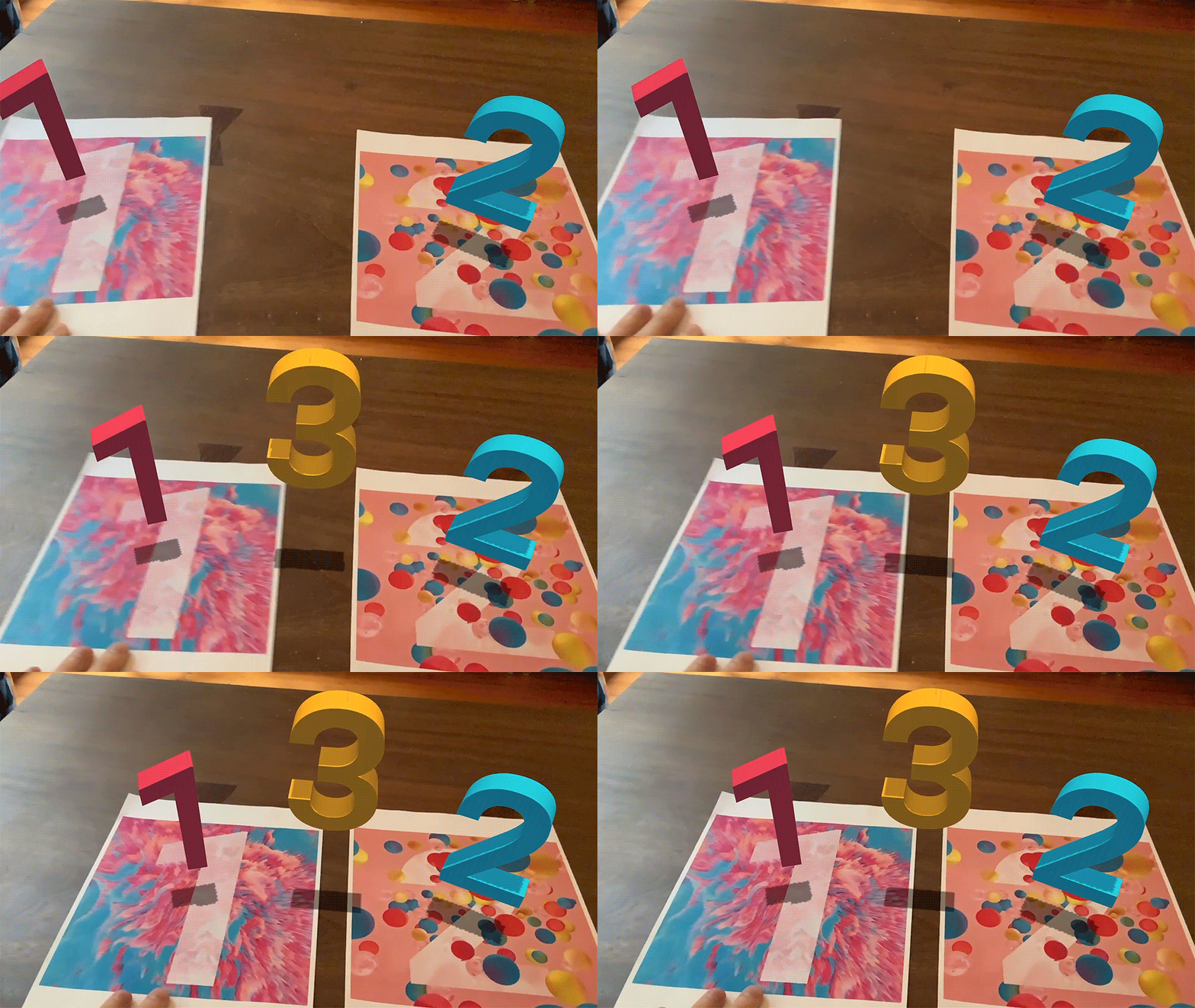
GitHub
AR Foundation demo projects. Contribute to Unity-Technologies/arfoundation-demos development by creating an account on GitHub.
dark juniper
Thank you guys very much!
I'm just facing problem when building
BuildFailedException: Failed to generate image database. Output from arcoreimg:
stdout:
====
stderr:
Assets/ARFoundationDemos/ImageTracking/TrackedImages/OCard.png: Failed to get enough keypoints from target image.Assets/ARFoundationDemos/ImageTracking/TrackedImages/CCard.png: Failed to get enough keypoints from target image.Assets/ARFoundationDemos/ImageTracking/TrackedImages/O2Card.png: Failed to get enough keypoints from target image.Assets/ARFoundationDemos/ImageTracking/TrackedImages/NaCard.png: Failed to get enough keypoints from target image.Assets/ARFoundationDemos/ImageTracking/TrackedImages/CLCard.png: Failed to get enough keypoints from target image.Assets/ARFoundationDemos/ImageTracking/TrackedImages/HCard.png: Failed to get enough keypoints from target image.Assets/ARFoundationDemos/ImageTracking/TrackedImages/H2OCard.png: Failed to get enough keypoints from target image.Failed to add some of the images to database.
UnityEditor.XR.ARCore.ARCorePreprocessBuild.BuildImageTrackingAssets () (at Library/PackageCache/com.unity.xr.arcore@3.1.0-preview.8/Editor/ARCoreBuildProcessor.cs:312)
UnityEditor.XR.ARCore.ARCorePreprocessBuild.OnPreprocessBuild (UnityEditor.Build.Reporting.BuildReport report) (at Library/PackageCache/com.unity.xr.arcore@3.1.0-preview.8/Editor/ARCoreBuildProcessor.cs:34)
UnityEditor.Build.BuildPipelineInterfaces+<>c__DisplayClass15_0.<OnBuildPreProcess>b__1 (UnityEditor.Build.IPreprocessBuildWithReport bpp) (at <6f28216fea9f453abf2e05b770ed3ee4>:0)
UnityEditor.Build.BuildPipelineInterfaces.InvokeCallbackInterfacesPair[T1,T2] (System.Collections.Generic.List1[T] oneInterfaces, System.Action1[T] invocationOne, System.Collections.Generic.List1[T] twoInterfaces, System.Action1[T] invocationTwo, System.Boolean exitOnFailure) (at <6f28216fea9f453abf2e05b770ed3ee4>:0)
UnityEngine.GUIUtility:ProcessEvent(Int32, IntPtr)
Really stuck from yesterday, Tried my best
hybrid perch
The image trackers you have provided do not have enough feature points
dark juniper
How's that possible!
 smoky lynx
Is anyone looking to buy a barely used Magic Leap One device for cheap?
nocturne ivy
Unfortunately this is an issue also known within ARCore/Google themselves as well https://github.com/google-ar/arcore-android-sdk/issues/580
This is an issue from 2018, that is still being bumped this year, the only workaround currently is to replace the image with one that has more feature points  .
.

GitHub
When building the Augmented Images database, whether programmatically or using the arcoreimg tool, most reference images that are comprised of single color text on top of a solid background color f...
 spare wasp
Hey! I was looking to see, if this is possible. I was thinking of making an AR headset, like Project NorthStar (a hybrid of their design) but using Manomotion, and Unity ARFoundation.. Is it possible to create a system like that?
raw star
Just curious. If I have a Virtual Keyboard Input Field and click it does the virtual keyboard appear when testing in the emulator too? I'm using the HoloTookit. Generally is there anything that doesn't work in the hololens emulator ?
raw parrot
How to detect when the trackedimage is not in the camera's view anymore.
I attached a renderer and tried to detect renderer.isVisible but that didn't do anything, it counted as visible even when it wasn't there.
hybrid perch
Why don't you just try it @raw star? As far as I'm aware the emulator should run fully featured, minus hand tracking and eye tracking for the hololens 2
snow geode
hi, I'm trying to get the camera feed texture (without bliting it to the cpu), is there any way?
I tried ARCameraBackground.material.GetTexture("Texture") without luck
keen forum
I'm currently working on an Hololens 2 project. I've got an issue with 2019.4 and Palm Up Constraint Menu. As I use QRCode tracking, I need to use Unity 2019.3+ and XR plugin management, but with this version and plugin, Palm Up Constraint doesn't work anymore. I tried to build for ARM/ARM64, Debug/Release/master without success. Does anyone has any clue or info about that?
Thanks
raw star
@hybrid perch I was trying to making sure it wasn't only me that I face a particular crash. Thanks for the response and sorry for my late response. ❤️
 subtle verge
Hi, I'm not sure whether here or #archived-shaders would be more appropriate for this question so I'll ask here.
I'm attempting to create an AR application compatible with the Google Cardboard lens configuration, but am running into issues primarily concerning the stereo view.
The issues I'm trying to avoid are:
messing with plane detection, as it is a key part of the application
Using multiple cameras, as an SDK we are using (ManoMotion) needs a single camera to render things from for the purposes of hand recognition
Using a paid application, as it is intended to be used for 400-600 users within the next month and figuring out licensing would not be viable
Do you have any suggestions? I tried using a shader, but am not very adept at using shaders so it somewhat worked but didn't have the desired Google Cardboard view. Ideally it would be some sort of workaround to implement the Cardboard SDK alongside this but I'm open to try anything
crystal flame
@subtle verge check out https://www.cinema2go.biz/ the headset is about $30-60 and you avoid the stereo problem with manomotion
cinema2go
Cinema2Go is developing and marketing near eye displays and low vision solutions based on AR, VR and MOGO-oculars.
subtle verge
@crystal flame thank you for replying! We're currently stuck to Cardboard headsets so I don't think this solution would work.
crystal flame
@subtle verge they have a cardboard one that is $7 called mogorigami
subtle verge
We'll try to look into it but sadly I think we're stuck to fixing this in code rather than through the headset
dark juniper
Hi,
I'm using ARCore & ARFoundation for my game, if i set AR as optional can non-supported devices run the game ?
snow geode
Hi, is there any way to switch camera with AR foundation?
I'm not using face tracking, only plane manager, and would like to have a "selfie" mode for tracking
 cinder harbor
do i ask ques here ??
 fossil flower
Almost all channels are help channels except for showcase ones
cinder harbor
wow , so i want to ask that i am absolutely new to unity and c#,,,,,,where do i start
??
@fossil flower can you guide a bit ??
fossil flower
@cinder harbor Tutorials are in the #💻┃unity-talk pinned on top.
cinder harbor
wow thanks ,@fossil flower
snow geode
hey, I updated AR Foundation from 3.2 to 4.0 and I can't record my screen on Android anymore... Anyone facing the same issue?
 left beacon
Hi everyone, I'm wondering what is "Pass-through video" feature on AR Foundation?
nocturne ivy
Hi @left beacon ! On our Docs, we provide this explanation
Pass-through video: optimized rendering of mobile camera image onto touch screen as the background for AR content
Is there anything specific besides that, that you're looking to know?
 opal portal
@ Unity Staff. Any idea about when openXR will be supported by the engine?
left beacon
Hi @nocturne ivy thank you very much for answering. I was curious and I didn't found the information ahah
 dire jungle
On running a build on android while using URP, I get the error "Assertion failed: OPENGL NATIVE PLUG-IN ERROR: GL_STACK_UNDERFLOW_KHR: OpenGL stack underflow" any ideas what it is?
raw parrot
[VUFORIA]
I spawned an object on top of an augmented image.
How do I have my object look at the camera and remain ontop of the augmented image?
dire jungle
I am using GLES3
nocturne ivy
Just for some troubleshooting fun, do you mind toggling Multi-threaded rendering and tell me if it changes any error messages?
@dire jungle
keen forum
@raw parrot The imageTarget gives you position and rotation from hierarchy, the transform is free to affect. It's not AR related, just use LookAt function. Therefore the pivot of your object needs to be well placed, or you can add a empty parent to your object and make him Look At the camera
raw parrot
I do use LookAt, but when I rotate my camera from portrait to landscape, my object rotates with my phone.
nocturne ivy
Glad it worked  !
!
keen forum
Then it's totally another problem... can you send a screenshot of the problem please? it's hard to picture @raw parrot
Maybe it's related to the up vector of the lookAt
if you want it to be local (camera) or not (world)
 ornate rapids
hi, I have imported a 3D asset but it doesnt look the same as what I have downloaded when I drg it into the scene... why?
hybrid perch
Ask in #🔀┃art-asset-workflow. And add screenshots
ornate rapids
Thanks!
Hi all, I am working to create a persistent content app, would love to chat with others that do the same...
THinking about anchoring McDonalds hamburgers in Burger KIng branches, to help them fight trolling
so you'd be able to go in Burger King's branches and see through my app, McDonalds burgers all over
some things I have been thinking about: is this may be a problem from Burger King's side? (legally)
And also could I spray coupons?
#beingcreative
half basin
anyone worked on AR app using the WebXR exporter? Is the passthrough working?
steep cosmos
Hello. How do you test your AR-foundation base game? I builded many many times to figure the problem out, It takes immense time for everytime?
Wha t is the best practise ?
hybrid perch
You can only build, unfortunately. You might wanna consider getting this https://github.com/needle-tools/ar-simulation/
GitHub
AR Simulation for Unity • Right in the Editor • Minimally Invasive - needle-tools/ar-simulation
cinder fiber
Hello guys! I have a question regarding ARFoundation & PointCloud, where I can have a look instantiation of point cloud ( points )?
raw star
Is it possible to debug/open in emulator a Hololens build without opening Visual Studio ? Something like a command line command that I will give the x86 parameter and the HololensEmulator parameter
hybrid perch
Is there a reason you need the emulator instead of using the in-editor simulation? I don't have a good answer to your question unfortunately
It takes so long to build to test on our HoloLens that I'm very happy that the in-editor tools are decent enough
raw star
I dont have the device always on hand
and some times the app works in editor but crashes in the emulator
steep cosmos
How do I scale my game scene (game platform, networked players) without breaking the physics in Vuforia?
In ARFoundation we had been using ARSessionOrigin to do that.
hybrid perch
I think you can just scaleup the camera
steep cosmos
did not work.
hybrid perch
That's how it's done in ARFoundation but I'm not sure about Vuforia. I'm sure they have something about this on their forums
cinder fiber
Any one familliar with ARFoundation PointsCloud? I need some help with that.
dire jungle
@cinder fiber if you right click in the hierachy, you can go XR>Create Default Point Cloud, then make a prefab with that and use it as the prefab for the AR Point Cloud Manager on your AR Session Origin
you can check out the scripts associated with it at that point as well
shell python
anyone makes mobile webgl projects here?
bronze silo
@jagged patio is the source avail for this? https://www.youtube.com/watch?v=5UbiaGuc2iI&feature=youtu.be
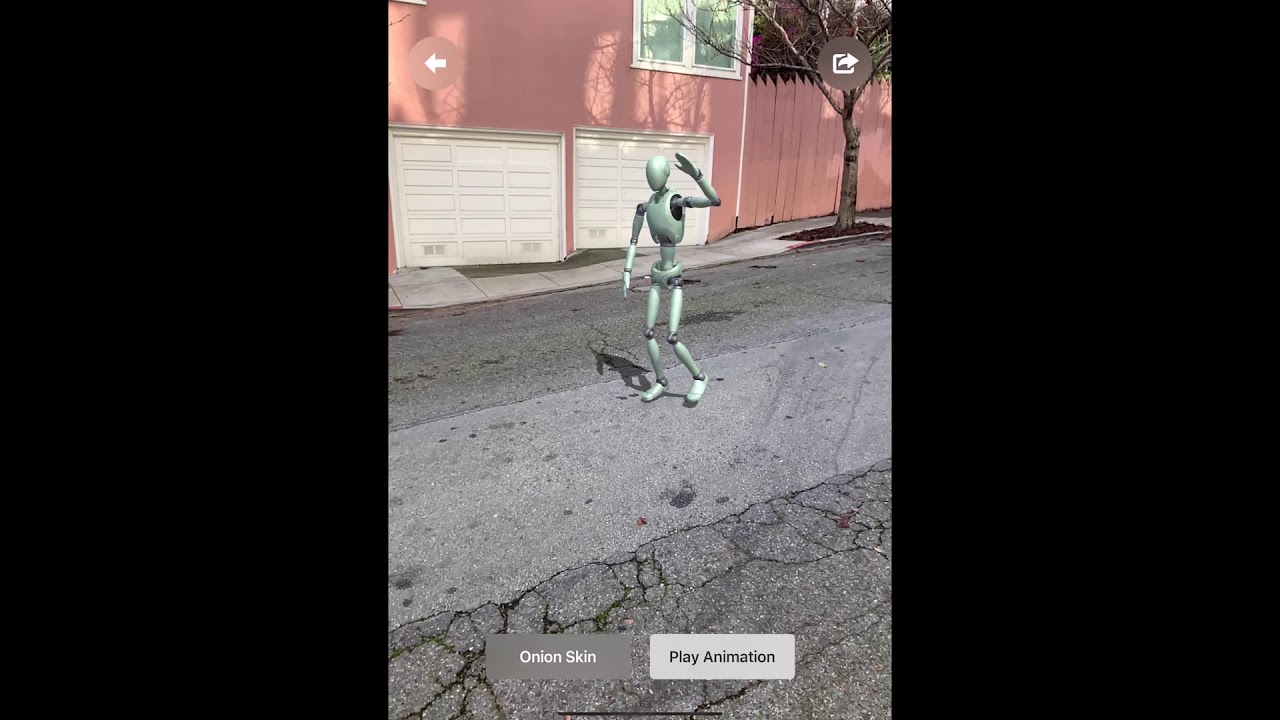 jagged patio
Yes but it’s undocumented and a bit dated. https://github.com/Unity-Technologies/arfoundation-demos/tree/BodyRecording
GitHub
AR Foundation demo projects. Contribute to Unity-Technologies/arfoundation-demos development by creating an account on GitHub.
bronze silo
perfect, thx!
ornate rapids
I like it very much. I am building a protoype for a similar feature that will help education
bronze silo
@ornate rapids did you network it at all? thinking about how to share the animation across the network
ornate rapids
good thought
still on my personal computers 🙂
didnt even think about it
just haveing fun with the cocncept
ornate rapids
@bronze silo just sharing the demo or a full app?
bronze silo
@ornate rapids does the bodycaptureprocessing work on the phone too or only editor?
the one that plays the saved animation
i got it working, runs amazing. Saves amazing. I can easily stream this data or save it wherever, so networking will be easy. Just unsure about playing the saved animation on the device in this example scene "BodyCaptureProcessing" not "BodyRecording." Other than that, this repo is ridic amazing
After looking through it more, I can just customize BodyFileReader.cs to pull from wherever i want. Praisebe
@jagged patio thx for this, it's the greatest thing ever
ornate rapids
@bronze silo WOW i am so much behind you 🙂
 past prism
Any word on how to run Object Detection on Android using ARFoundation? I don't mind if I need to import another plugin over the top as long as it fits with ARFoundation
bronze silo
@ornate rapids for uploading the data to a webserver, so all clients can use a recorded anim https://stackoverflow.com/questions/56825659/unity-uploading-player-data-text-file-to-server-need-some-guide-format
Stack Overflow
I need some guide in data format/syntax with php.
I have a simple form in my app, so user should fill the form and submit, Am successfully uploading my text file to my server, but need some good f...
ornate rapids
@bronze silo Yes! Thanks
dire jungle
Currently having an issue where meshes generated by meshing appear really far away, instead of located where the actual surfaces are. Any ideas what could cause this?
The issue was the mesh filter prefab had a nonzero position
 bronze sierra
Hello guys,
First sry for my bad english 😅
I've been working on this remote assistant ar app, there's a client and support, I connected both of them with webrtc, client's camera feed shown into support screen, and client can spawn cubes with ARRaycastManager also support can also spawn cubes but they will actually get instantiated on client's device, so I'm passing touch position through json, now the problem is the touch position I'm getting from support's end is not quite accurate, if I touch on bottom-right on the screen then cube will get spawn at different position. How do I prevent this from happening?
tl;dr how can I get exact touch position on all devices regardless of screen size? basically I'm passing position from one device to another through json
Do ping me
 wide steeple
@bronze sierra try sending ratio of the width and height instead of the absolute coordinates
You'll also need to be sure that devices are in the same orientation
You could also use some kind of minimal common rectangle in case aspect ratios differ
bronze sierra
Thanks for reply @wide steeple
Are you talking about the device's aspect ratio right?? and sry but I didn't quite understand that rectangle part 😅
wide steeple
Yeah
So basically if devices are different - let's say iPhone vs Samsung if you lay one on another you can get a minimum common rectangle where their screens intersect (to have a rough idea)
bronze sierra
Okay so, if I get Camera.aspect, still how will I know that where user touched the screen, coz I'm passing just a ratio and not where the user touched?
wide steeple
You get the ratio on another end and just convert it to the absolute coordinate by multiplying to width (or height)
bronze sierra
So I'll send the ratio of support device with the coordinates? so on other end it'll know that yes user touched here
wide steeple
Yep
bronze sierra
Ahh gotcha, sorry but I'm still having trouble understanding this rectangle thing
wide steeple
No problem, maybe you'll get it working good enough without that concept
bronze sierra
Okay, thanks for the help 😃
grave lance
@bronze sierra I would take a step back and try to figure out how to make the interaction in the world, not the screen
The screen isn't shared, and it's relative to each device. The world is shared, and concrete
bronze sierra
I don't get it, by screen sharing I meant the texture rendering the camera feed. What I'm trying to do is touch on one device and that position get passed to another device and then fire a raycast from there and spawn @grave lance
grave lance
But, why? You're ultimately just spawning something in the relative view of the device that touched
Is one of the devices a non-AR device?
If that's the case, then you need the non-AR device to draw the view of the AR device full, without cropping. Then, I'd pass a value that's 0-1 for the x,y, which is offset on the non-AR device by the camera feed position
So, if someone touches in the top left corner (of the video), that's 0,0, and on the bottom right corner, that's 1,1
Then you just take the target device's displayPixelsWidth/displayPixelsHeight and factor the float value. So, for example (0.5, 0.5) is the middle of the screen
hybrid perch
I don't think there's any way you could do this without projecting the camera feed from the source at its own aspect ratio. So if it's wider than the remote screen, you're gonna need some black bars at the top and bottom
drowsy solar
@hybrid perch that looks great! Thanks for posting that project.
bronze sierra
@grave lance that's what I did, I'm using ScreenToViewportPoint, so regardless of screen size the numbers will be between (0,0) and (1,1), when I debug the value it is the exact same position (client device touch position) I'm getting on support's side
grave lance
But, on the device that's touching, are you getting the value relative to the video or the touch device screen?
raw star
I'm using the HoloToolkit and Unity. Any idea on why the button tooltips I've in my app show distorted ? It was something to do with the billboarding and tag along but can't put my finger on it
basically I have this menu that chases you using tagalong and billboard script. It has a button as child and said button has a tool tip spawner attached. The tooltip shows distorted when gazing on the button
I wanted to look clean and all without these weird scaling change.
I would appreciate any theories on what might be wrong
grave lance
@raw star There's a HoloDevelopers Slack group that official MS. I'd recommend joining that, the MRTK devs hang out there
raw star
oh didn't know that, do you happen to have the link ?
Thanks for mentioning it
nvm I found it
 hasty bay
If I'm developing an application that should be usable by multiple ar glasses

Unity
AR Foundation combines the full power of the Unity platform with essential core features from ARKit, ARCore, Magic Leap, and HoloLens for rich immersive experiences that work across AR devices.
is this my best option?
A lot of glasses are coming out with their own SDK, is it feasible to for example develop the app using the nreal sdk then again using the realmax ar sdk and so forth....
feels like that would take a lot of development time, but at the same time I don't know the compatibility of nreal with Unity AR foundation
hybrid perch
Yeah AR Foundation is made for mobile @hasty bay. You're probably gonna have to work with the SDKs and either make bridges to AR Foundation or create your own framework
bronze silo
@ornate rapids did you ever change the robot to a diff model?
ornate rapids
mmmmm... I wish I knew what you re talking about 🙂
 lofty vapor
me too^
 steel vortex
When will AR Foundation support Huawei's AR engine?
nocturne ivy
Unfortunately ARFoundation will not be supporting Huawei's AR engine from what information I've received.
steel vortex
@nocturne ivy I'm asking because Huawei talked about it at their dev conference
I was wondering if that's possible in spite of the trade war and Huawei ban
nocturne ivy
If they use ARCore then they will be able to run ARFoundation, however we currently dont support any non-ARCore Huawei engines
steel vortex
okay, thanks
bronze silo
unity arkit body tracking motion capture playback. Record animations, upload to web server, replay by anyone in the animation list
@ornate rapids @jagged patio
steep cosmos
Hello. Should I learn ARCore or ARFoundation
ARFoundation includes ARCore features, so then why do people use ARCore?
hybrid perch
AR Foundation bridges a lot of the functionality between AR Core and AR Kit, but both of those still offer some features that are not included in AR Foundation. For AR Core an example would be cloud based image tracking I think. There's a feature comparison table in the docs somewhere
 wispy bluff
Can someone please suggest good ARCore courses or tutorials
I've seen few but they are outdated
steep cosmos
for AR foundation, you can have a look Ufuk Demirbas's course on udemy.
If you find for ARCore please let me know too.
I have a question. I am currently making a BOMBERMAN game in AR with Vuforia. Should I instantiate all the objects (players, game platform and bombs) with in their own groundPlane or just platfom is enough?
And I can not scale platform without breaking pyhsics. How to scale down?
 upper mural
Hello. any ideas on how to use a laptop's camera for augmented reality (AR Foundation) so that I can check what's going on in the scene during runtime.
hybrid perch
You can not do that, AR Foundation needs to run on a mobile device
An alternative would be a simulator like MARS or https://github.com/needle-tools/ar-simulation/
steep cosmos
Hello! ARFoundation 4.1 is not on the package manager? How can I get it?
 winter blade
@upper mural I am using Vuforia as AR Engine currently and that offers the possibilty to use the webcam as source
steep cosmos
@winter blade Malwurf, how do you prevent breaking physics when you scale up your platform?
For instance, I have a platform as child of groundplane and the players initializing top of it. If I scale all the gameobjects with their scale property, then the physics been affecting.
How to do that? In ARFoundation it is really simple. You scale ARSessionOrigin. But in vuforia?
I could not find that
steep cosmos
hm. ok
steep cosmos
Im making multiplayer game
platform should be placed and other players been initializing. So I have to scale up and down entire scene not only platform.
winter blade
Well I don't know anything about the game you're doing so it's hard to give "advices"
winter blade
I'll try my best then 🙂
ornate rapids
@wispy bluff I am using this one for arfoundation which is also good for android https://www.youtube.com/watch?v=Ml2UakwRxjk&t=402s

This tutorial will teach you the important basics you need to know to start building augmented reality experiences which will run on both iOS and Android.
NOTE TO ANDROID USERS: I've discovered the steps shown in the video don't fully support Android, but never fear! @Convile...
wispy bluff
@ornate rapids Thank you for the reference but I've already done this.
ornate rapids
more than other quirky tutorials
it is so hard to find good tutorials that answer exactly what you need
wispy bluff
I am try my hands on map API, it's like you're given a map and buildings are projected on your AR device
Like when you point your camera to the map it will start augmenting buildings
 obsidian coral
Hey guys did ever see any other plugin like this.
Not big fan of EasyAR, what is opnion about it?
https://assetstore.unity.com/packages/templates/tutorials/ar-coloring-3d-159310#description

Use AR Coloring 3D from EasyAR to elevate your next project. Find this & more Tutorials and templates on the Unity Asset Store.
upper mural
@winter blade unfortunately i'm not using vuforia but good to know it supports that .. thanks!
winter blade
Welcome 🙂
 heady lava
Any tips why ArSession.Reset() crash app without any log and this is frustrating. I have realod button of my app to reload scnee and ar session and its just crash before scene start reloading? im using ar foundation 4.0.8 ?
formal quest
Hello guys, just wanted to let you know that we'll be adding support for ARMeshManager in one of the next updates for ARSimulation. 🌟
As always there is an issue for tracking progress and if you have any suggestions or requests please let us know 🙂 https://github.com/needle-tools/ar-simulation/issues/37.
Here is a video of a current early version. Note that the meshes in the video are not directly instantiated by ARSimulation but managed by the ARMeshManager completely with all the events just like on device: https://twitter.com/marcel_wiessler/status/1306639465495097345

 dire jungle
Is there a way of dedicating more processing power to the image tracking? I'm finding that the results from tracking are a little sub-optimal, and would be happy with trading some performance for higher quality results.
formal quest
Just a quick update: we released version 1.0.4-preview with meshing for windows. Let me know if anyone wants to alpha-test 🙂 osx support should be coming soon as well https://get.needle.tools/ar-simulation. https://twitter.com/marcel_wiessler/status/1306962699046268930
wide steeple
@dire jungle maybe switching to a higher resolution of camera feed could help?
dire jungle
I'll try the higher resolution later, thanks
Unrelated question, with ARKit, is it possible to alter/add to Object Reference Libraries at runtime?
bronze silo
@heady lava you prolly have some code hooking off of arsession
so when you reset, it is crashing whatever is connected to it
crystal flame
I am having trouble with the same situation in the most recent AR foundation Image target samples where the prefab for an image target will not go away when I switch to another prefab. I noticed that the PrefabImagePairManager.cs doesn't have anything referencing the .removed and .updated for the trackedimage. Is that the reason the prefabs won't go away? I know the Image target sample from the AR demos doesn't have that problem, but I like how the Samples Image Target lets you add new images-prefab combos to the library seamlessly. Any help would be great...
 simple nimbus
What's this reality
crystal flame
What's this reality
@simple nimbus is that directed towards my question?
simple nimbus
No the #🤯┃augmented-reality
snow geode
hi, is there any way to get the 2D points when using face tracking? the 2D points on the camera image (so I can postprocess in 2D like background removal)
 thorn lava


 nocturne ivy
Do you mind providing a bit more information?
The AR Package versions, editor versions, phone, URP version?