@unborn swallow Hey VPS stands for Visual positioning system. Meaning instead of relying on the GPS to find the corresponding location in the world you would use phone camera to capture image of your location. Then that image gets sent to the point cloud which holds the information of pre-captured environment map in our case all city which looks like this:
#🤯┃augmented-reality
1 messages · Page 8 of 1
 dawn moat

Once the image data sets have been compared it gets returned to user all this happens usually 2-3 seconds over 4g network and gives you localisation currently at 0.5 - 1 meter distance.
On average GPS accuracy at best will be around 5 meters in any direction (radius), at worst 20 meters which is not precise and reliable at all especially if you trying to place augmented reality content. And signal can bounce off as well. VPS give you that precision and whats more now your augmented reality content can actually be experienced by multiple people as it is anchored in exact position.
@unborn swallow Let me know if that makes sense 😉
I guess another question is that you might have so what is difference from ARKit or ArCore? ARKit or ARCore allow you to track the position of a device relative to a random starting position where is VPS that Scape provide gives that location an absolute position on a global reference frame
Hope this answears all
 unborn swallow
Looks like incredible technology. Best of luck to you guys! @dawn moat
dawn moat
@unborn swallow Thanks!
 copper socket
@proud hatch Yeah ... ti's always that pop that breaks it.
In the future, hopefully devices are just so good that it's perfect. 🤷
 latent thunder

Apple has scrapped its plans for augmented reality (AR) and virtual reality (VR) headsets, according to Taiwanese news site DigiTimes.
 hybrid perch
They've also recently put out several positions in VR and AR, including a product manager @latent thunder. Personally I think Apple has already committed enough to AR that they will keep pushing. But who knows
latent thunder
Fingers crossed. If for no other reason than it will be a much needed boost to the AR market.
 proud hatch
maybe they are having trouble coming up with a plan to force users to use their proprietary iReality ™ products
defeated by cardboard 🎊
 bright holly
this sounds more like they're dumping the AR glasses idea, which were supposed to be a bit like google glass, IIRC? hopefully they'll keep going aside from that project
 raw thunder
I wouldn't necessarily trust that blog article.
 gritty sleet
Is it possible to do WebAR with ARFoundation?
 azure knoll
no @gritty sleet
 cosmic stump
Let’s catch an Apple 🍎 Yes this time i build an Augmented Reality Headset ⭐️ Read the amazing story of catching an apple here :https://www.delhitechnologyclub.com/catch-an-apple
Delhi Technology Club| Latest Technologies | Future Is Here
Find ideas, innovations with new technologies. Get information and reviews about them. Demos, experiments using latest tech products. Delhi Technology Club
 half basin
Speaking of dumped AR glasses, did anyone here ever get a chance to play with a Hololens rig? I was rather looking forward to those, but they announced them as so expensive that AFAIK no-one actually bought it. >.<
copper socket
Nope. Just the original lol.
 sonic ivy
We need a drinking game for every time someone posts a news article declaring that the largest consumer manufacturer in the world has cancelled all of its many, many simultaneous forays into developing the very obvious next consumer product, especially while it maintains nearly a half trillion dollars in pure cash and declining sales of its flagship product.
cosmic stump
@half basin North Star is not that expensive 🤠
hybrid perch
We got the first generatio at work @half basin, waiting for the new one though
copper socket
Has anyone found that the ARKit feed (via ARFoundation) is super blown out on the white balance?
half basin
@Ole Any good / fun?
hybrid perch
@half basin suuupse fun. Though it feels very limited with it narrow field of view and limited input system. It does feel like the first of its kind, which makes sense.
Regarding your previous question it might not seem like it has been widely adopted, but remember it’s not for consumers. With a $5000 price tag it’s for businesses so a lot of that will not be public
half basin
Yeah. Kinda a shame, though.
half basin
We have hololense and leapmotion at the school. I found myself comparing the hololense's refreshrate a lot. I'm unsure if this is common but the hololense we used had some serious performance issues. However the hand/finger gesture input system, while limited, worked well.
The leap motion felt more reasonable and the fov is improved, but i was more interested in vr headsets so i didn't play with it much.
 low notch
So does anyone have any luck with the current version of lwrp and arfoindation?
I can't get the two to wanna work togehtet
 patent hazel
Hi, there.
How is your weekend?
I would like to know if I can use Vuforia Web Service apis with vuforia free license.
How can I set dynamic targets with free vuforia license?
Thanks.
hybrid perch
@low notch no it doesn’t work. You need to downgrade to LWRP 5.2.6 or something. There is a github link I’ll try and find for you, cause you need a special version of AR foundation
Here, and check out the sample project
https://forum.unity.com/threads/arfoundation-now-supports-lightweight-renderpipeline.564526/

Unity Forum
We have recently added support for using LWRP with ARFoundation Preview 18. This means that you can now create shaders in the new shader graph and...
copper socket
We've been suffering through massive jittering with our app, using ARFoundation (iOS) and image tracking. We have a bunch of panels that popup around a skeleton with information on it, and reading those panels are impossible as the skeleton constantly shifts around. We assume it's because it's auto focusing (and turning it to fixed focusing doesn't actually do anything, which is a known bug apparently).
So, we've did a bit of a hack. The TrackedPoseDriver on the ARCamera is responsible for repostioning the camera, but it does so every frame and assigns the transformation directly. So, adding a lerp to this actually helps quite a bit. Of course it's still jittery in the sense it's repositioning every frame, but at least it's smooth. One thing, is that because the TrackedPoseDriver is in the packages, we had to make a custom TrackedPoseDriverCustom script and use that instead as a component on the ARCamera. It looks like this (very simple):
[DefaultExecutionOrder(-30000)]
[Serializable]
public class TrackedPoseDriverCustom : TrackedPoseDriver
{
    protected override void SetLocalTransform(Vector3 newPosition, Quaternion newRotation)
    {
         if (trackingType == TrackingType.RotationAndPosition ||  trackingType == TrackingType.RotationOnly)
            transform.localRotation = Quaternion.Lerp(transform.localRotation, newRotation, Time.deltaTime * 20);

        if (trackingType == TrackingType.RotationAndPosition || trackingType == TrackingType.PositionOnly)
                transform.localPosition = Vector3.Lerp(transform.localPosition, newPosition, Time.deltaTime * 20);
    }
}
Hopefully that's helpful to anyone here.
Note that the 20 is just a hardcoded value for speed that felt good for our experience.
 bronze silo
@crystal dawn when does the new arfoundation come out? We waiting on ios13?
looking to try the URP
 crystal dawn
Hey @bronze silo - we were hoping to get it out last week but identified some last minute issues with the update. Should be coming soon!
gritty sleet
Is it possible to do WebAR with Unity at the moment? ARFoundation doesn't have it at the moment, but wondering if people have found ways to do it another way
 wind acorn
hey guys.
i develop an AR tower defense game then i build it on my phone.
on the first run it work well but when i restart the game using SceneManagement, the level loaded but the screen is black with white ARCore logo in the middle.
the weird thing is i can still play the game but the screen black no camera feed.
i tried to fix this by creating 1 new fresh scene.
i delete the Main Camera then add the ARCore Device.
i create a button to restart the scene using SceneManagement then build it to my device.
the restart method works perfectly. i can restart the scene without any problem.
im sorry if this too long but please i need your helps
bronze silo

Unity Forum
With AR Foundation 3.0.0-preview, we are supporting Lightweight Render Pipeline (LWRP) or Universal Render Pipeline (URP).
AR Foundation supports the...
 edgy saddle
Can Someone tell me the best place to learn AR?
 sick yarrow
Hey, anyone knows how to force landscape only mode in Vuforia?
Will this do the trick? (Unfortunately I do not have the device to test it at the moment)
 sudden geyser
hi everyone,
I am using Vuforia for AR based gameplay with unity. The problem is with devices with no gyroscope. How do I handle AR for those devices?
hybrid perch
@sick yarrow
@sudden geyser yo umight wanna look at this page. https://library.vuforia.com/articles/Solution/vuforia-fusion-supported-devices.html
I think image tracking will work even without a gyroscope
sudden geyser
Not really. It's written at the bottom of the page that they need to have gyroscope
And the following are the only devices supported
sick yarrow
@hybrid perch I tried exactly that yesterday when I finally got my hands on the device, I turned default orientation to landscape left and it stopped working
vuforia just froze after launch no camer no tracking
hybrid perch
Yes @sudden geyser but that's for ground planes and model targets
Are you sure the orientation is the issue though @sick yarrow ?
sick yarrow
it was the only thing I changed so by simple elimination - yes
I think it should be changed in vuforia config but I didnt manage to find how
hybrid perch
We are designing an AR application using vuforia which uses the ios landscape orientation. We have disabled both the Portrait and Upside Down interface orientations because the application uses only the Landscape orientations. When we start the camera, it loads as if in portr...
sick yarrow
@hybrid perch thanks for the link, but ithe question asks about a solution in non-unity dev
altho it says that there are other threads about the same for unity but I havent foud any that gives a valid solution
edgy saddle
Has anyone applied mapbox for AR games in Unity?
 calm tulip
Howdy, y'all! I've got a quick question that may or may not have an easy solution. I'm trying to get the WebCamTexture from the AR Camera in Vuforia. Since you can only have one thing accessing the camera at a time, I can't just make a new webcamtexture and be done with it. So, I used the script on the vuforia website to access the webcam data--however, this is only available in greyscale in the editor. I am trying to get the color information at a certain position from the AR camera feed (I know how to do this already using a regular camera feed) but am having trouble figuring out how to accomplish this. Any ideas?
 fierce nova
hello
I'm a beginner in Unity
I'm having some trouble in Exporting my Unity + Vuforia project into my smartphone
While I do it this error is pop up
I did like this
I'm using 2018.4.8f1
Guys
Please
It's urgent
I don't have much time that's why
 wide steeple
@fierce nova what's in logcat?
fierce nova
I'm new to unity so I really didn't understood what u said. Is this what u mean@wide steeple
wide steeple
Did you disable Android TV checkbox in player settings?
Logcat is a tool allowing to see unity logs from device so you could see why the app crashes
wide steeple
TV checkbox should be in player settings somewhere around the bottom
fierce nova
Yeah I got it
I did it
I was asking about the logcat
So that I can share u the log file
wide steeple
Try to use Google search for logcat
But first check if that setting change helps
fierce nova
Yeah I will
Thank u @wide steeple
That didn't fixed it. Is there any change required here?
@wide steeple
wide steeple
@fierce nova could you screenshot your player settings?
wide steeple
You can try turning off multithreading rendering, set minimum API level to 25, uncheck x86 target architecture, set internet connection to required and write permission to sdcard
Not sure if will help though - you will need to investigate logcat logs if not
fierce nova
Okay,Thank u
wide steeple
That's Editor log, and the clue should be in logcat log @fierce nova
wide steeple
https://answers.unity.com/questions/492681/how-to-use-adb-logcat.html
https://docs.unity3d.com/Packages/com.unity.mobile.android-logcat@0.1/manual/index.html
try these
Unity is the ultimate game development platform. Use Unity to build high-quality 3D and 2D games, deploy them across mobile, desktop, VR/AR, consoles or the Web, and connect with loyal and enthusiastic players and customers.
fierce nova
ok
fierce nova
@wide steeple this was the logcat output
wide steeple
Is globalgamemanagers one of your scripts?
Try checking its metadata file if so, and maybe reimport it
wide steeple
Try reimport all?
fierce nova
All that have is an image tracker
u mean the assets
Do u find any issues related to the version I'm using
wide steeple
There's such an option there to reimport all - assets, scripts, etc
wide steeple
As per the logs unity may be complaining about version mismatch of some metadata
wide steeple
Yeah, it should work
fierce nova
So I will reimport everything
fierce nova
yes
 lusty briar
Anyone managed to find a wire frame solution for the quest that doesn't use compute shaders? Since it's not supported
fierce nova
lusty briar
Sorry geom shaders, lol
wide steeple
@fierce nova try asking on Vuforia forums and maybe in #📱┃mobile with all details you've got
It's weird that sample is not working
fierce nova
Yeah it is
Anybody know any better introduction tutorial for unity 2019+vuforia for android app, from the setting up phase?
complete beginner
@wide steeple I will say it step by step that what all I have done
First I installed unity 2018.4.8f1 via unity hub
Then I installed Android studio
Activated Vuforia supported on XR settings
Added Ar camera
Added image target made it as the child of AR camera
Then replace the mars image with the image I download as my database in Vuforia
I took a Barbarian model from unity asset store, parent it to image target
That's it
opened build settings
Switch plaform to android
Took player setting
renamed com.prodcutname.company to something else
and clicked build
and exported .apk to my phone and installed
Does anybody sees that I missed something
fierce nova
@wide steeple my problem solved. That was a version incompatiblilty
wide steeple
@fierce nova of what components?
wide steeple
Got it, thanks
bronze silo
2019.3.0b1 is a game changer
crystal dawn
How so, @bronze silo ?
bronze silo
arkit 3 access and LWRP has been unusable on a sdk i was using until 3.0 (placenote)
pose estimation
image target at runtime
shadergraph
hoping for vfxgraph soon
using URP now, but a HUGE fan of lwrp
Shadergraph is just so incredibly powerful
bronze silo
been following along past 2 years on all the ios AR updates, building all kinds of aps
17 so far
from upwork
i post as Blarp, lol
 modern sparrow
Hey, I have a problem using ARFoundation (or rather ARCore, this is only on Android), when I first run my app and go to AR scene it asks for camera permission, but when I allow it, the camera remains black as if it did not refresh with the new permission. Switching between the scenes (back to menu and AR again) does not work, you have to close the app and run it again for the camera to start properly.
Do I have to manually request permission before entering the AR scene or should this work when done by ARFoundation/ARCore ?
copper socket
Hm, no. If you allow it, it should work.
And you're sure you have the AR Session and AR Session Origin prefabs, with the ARCamera as a child of the origin and assigned?
Also, if you're using LWRP, I believe there's a step you need to do for rendering a custom background?
hybrid perch
Yes there is, unless you're on the ARFoundation 3.0.0 preview
With the "stable" version you need a few things https://forum.unity.com/threads/arfoundation-now-supports-lightweight-renderpipeline.564526/
Unity Forum
We have recently added support for using LWRP with ARFoundation Preview 18. This means that you can now create shaders in the new shader graph and...
dawn moat
Quick Demo showing the power of Scape Technologies... "Don't see the place for what it is, imagine for what it could be"!
Start building your location-based AR in London today!
Check out www.scape.io
 bronze silo
Unity Forum
This is the best template for human tracking: https://github.com/LightBuzz/Body-Tracking-ARKit
I'm looking to record humanoid animations from the...
 shadow zephyr
Good morning. I'm having an issue with a Vuforia project upgraded from Unity 2018 to 2019.2.0f1. Some of our AR content is .webm videos with alpha transparency. The alpha transparency works in editor but not when building to Android. Has anyone encountered anything like this? Edit: The content worked correctly prior to the upgrade
 slow badger
I also have issues with a project upgraded from Unity 2018 to 2019.1.14. Also differences between editor and build https://forum.unity.com/threads/darker-scene-in-build-after-updating-unity-2018-to-2019-with-lwrp-arfoundation.739505/

Unity Forum
Using Unity 2019.1.14f1/ARFoundation 2.1/LWRP 5.6.1.
Building for iOS.
After updating Unity from 2018 to 2019 and ARFoundation from 1.0 to 2.1, I get...
 toxic arrow
Hi,
I need some advice for an app on Android and iOS. I'm using ARFoundation, and I enabled the ambient light. When deploying on the device the models are always really dark. So I tried to add some more lights in the scenes, but nothing changed... Does ambient light prevent other lights in the scene to work ? How can I make my models being brighter ?
wide steeple
@toxic arrow if you are on lwrp and Linear color try switching to Gamma
 green widget
Where can i set how far ARKit should be rendering the depth and stencil texture for me? It gives me textures to use, but I don't know how far it's calculating things
toxic arrow
@wide steeple Nope I'm not on lwrp :S
fierce nova
Guys, is it possible to detect a ground without a specific image target in Vuforia + Unity
I mean ground detection generic
Not a specific ground
 wind zinc
Sure it is possible, but I don't know how. Try read the Vuforia code. It may help.
fierce nova
@wind zinc I found it.Anyway thank you for your response
fierce nova

This tutorial will teach you the important basics you need to know to start building augmented reality experiences which will run on both iOS and Android. NO...
Guys I'm a newbie in AR foundation I was following this tutorial
I'm not having any logical errors or syntax errors in my code
But it's not actually tracking a plane surface as mentioned in the above video.
Instead my placement indicator stands still in the mid air
It's not actually tracking any plane as in the video
Could somebody help me with the code
Or actually in figuring out my problem
fierce nova
Could anybody please help me with this issue?
hybrid perch
What device are you running on? Not all of them support plane tracking
And make sure you have all the necessary components on your AR Session object
fierce nova
I'm using an android device Hello AR example of AR Core runs pretty smoothly in my phone. I don't think that my smartphone won't support plane detection
hybrid perch
I believe the tutorial you linked is outdated so I would recommend getting the latest version off github and look at the example scenes instead
 modest badge
Hi @fierce nova I don't know if you managed to find a solution to your problem, so here goes. I was also having problems a while ago trying to get it working on my android device. What I did to get it working was add the following components to my AR Session Origin:
-AR Raycast Manager (Sript)
-AR Plane Manager (Script)
 glossy willow
has anyone here implemented the ARFoundation LWRP support on iOS? I'm running into issues with long boot screens on projects but theres no errors or even logs coming from xcode - it's taking 5+ minutes to load a simple AR scene if it does even load
running xCode 11 beta and iOS 13 GM
hybrid perch
Yeah I have @glossy willow but I didn't have any of thise issues. I used iOS 1 and Xcode 10 though. So tge beta might be the issue
 wooden atlas
Hi everyone. When i scale multiple objects to fit within a meter, I run my AR app and my objects float in the air and not on the ground plane. I created an empty game object and made the objets chelidren of the gameobject and then scaled that down to say .1 and still they float in the air. The first method i place everything on the ground aswell as the second method. I can scale one cube and that works fine but more than one object they float. Any Ideas what the problem. I also cant make n prefab of all the object because then I for some reason I lose my lightbake. Any ideas ?
toxic arrow
Hi, How do we detect if any plane as been found using ARFoundation ?
 hardy ocean

Learn how to use ARCore’s Augmented Faces APIs to create face effects with Unity. Augmented Faces, Android Dev Byte: https://goo.gle/2mdSsyF Augmented Faces,...
fierce nova
Hi @modest badge thank you for responding to it. I was fed up with ARFoundation due to lack of updated tutorials and in the end Switched into Google AR core. AR Core is now giving much more neat outputs
half basin
Hi @everyone
does any one have any idea how to use a GPS device (U-blox 7) on unity (I'm not using ANDROID or IOS it's for Project North Star it have to be on WIDOWS 10)
I hope all what I found on internet is not true i need this for my Project
https://stackoverflow.com/questions/38704125/unity-isnt-allowed-to-use-location-windows-10?answertab=votes#tab-top

Stack Overflow
I am using location services in a Unity 3D game. I am using this (slightly modified) script that I found in the Unity Documentation just for testing purposes. Here is the script:
using UnityEngine;
hybrid perch
Do you need a precise location @half basin? As far as I know PNS is not meant for outdoors use and as such lacks the tools for location services. You can probably use C# classes to get the location but it's not gonna be very precise
half basin
i tried the device on other software like Google Earth and it's own Software (U-Center) i got a good reesults, it was enough good for my project.
But when i try this script here https://docs.unity3d.com/ScriptReference/LocationService.Start.html
i get this an error message that location service is not enabled
so I think unity is not even getting Data from the device
hybrid perch
That’s correct @half basin, it specifically says that the location system is only available on mobile
half basin
But I think, it have be a way to get the data from somewhere on my PC to my app. Because when the device work from other sSoftware the data, that I need, have to be somewhere in the PC . I think for that, there is a way how to use NetworkMatch API to get them.
It have to looks like this ex below: https://portal.u-blox.com/s/question/0D52p00008HKCpQCAX/ublox7-serial-communications-com-initiation
 polar sleet
any ML devs around? 🙂
🔥 hottest deployment experience in town https://gfycat.com/rapiddisguisedalligatorsnappingturtle
version 1.1 is now available on https://github.com/tomzorz/maldives


GitHub
MAgic Leap Deploy uI Very Smoothly. Contribute to tomzorz/maldives development by creating an account on GitHub.
bronze silo

Unity Forum
This is the best template for human tracking: https://github.com/LightBuzz/Body-Tracking-ARKit
I'm looking to record humanoid animations from the...
 sonic jungle
Can anyone link or suggest any course on multi-player AR game using unity. It would be greatly appreciated.
 obsidian coral
Hello guys, one of my clients wanted me to use something similar to the ARCore Portal in a project, but for lower end devices.
https://www.youtube.com/watch?v=g78hQB8UKEM&t=77s
I managed to make something almost there using extend track but the maintece of the code will be hard later on. Does anyway know another solution to this problem?
P.S: I have no rush I am just studying the case.

In this tutorial you will learn how to create an augmented reality application for Android using Unity and ARCore. In this part we will start by a quick intr...
hybrid perch
Hey @jagged patio just watched your Siggraph presentation on AR and VR, super good stuff :) Even in the middle of production you make me want to upgrade to the very latest version
 woven rivet
Hi! I just wanted to ask how to imitate this one without actually making it tilt(from left to right)
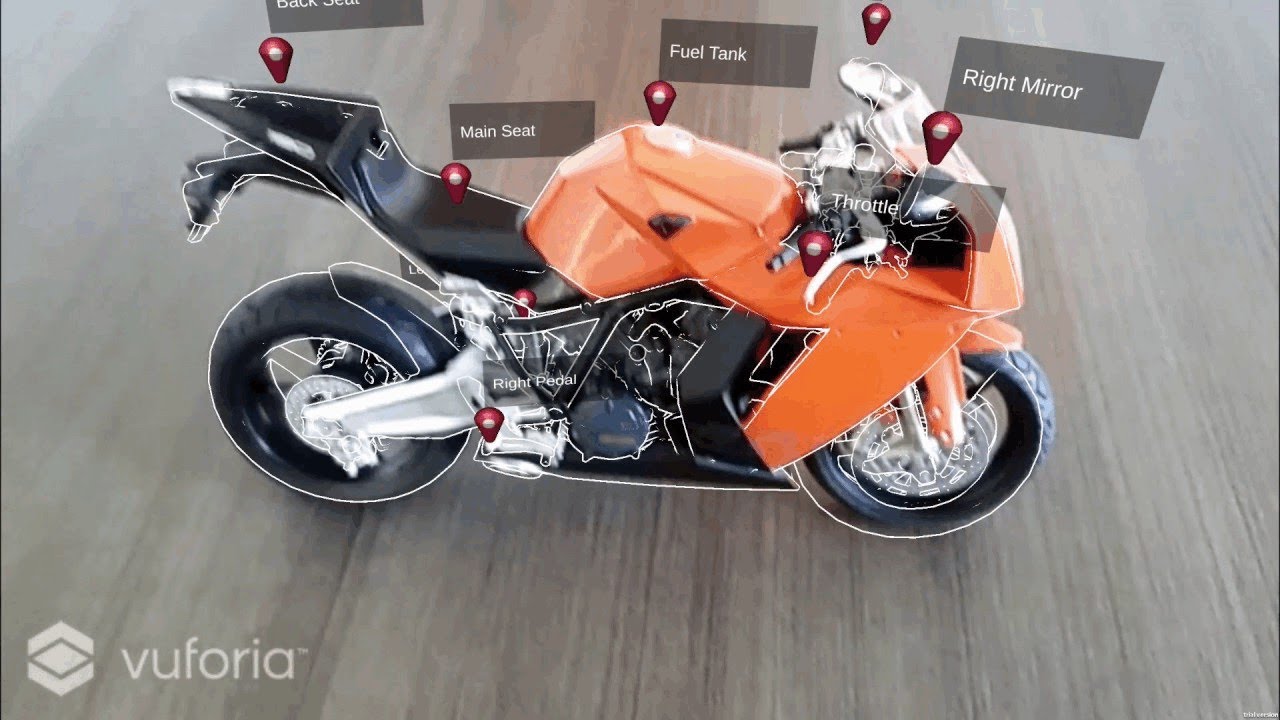
Model Targets represent the most recent advancement in Vuforia object recognition technology, allowing for the detection and tracking of objects from 3D mode...
I'm using this code
woven rivet
if anyone knows some solution i'll be grateful, thanks guys
wide steeple
@woven rivet try zeroing out euler angles Z
 atomic badge
How many people here use project North Star? 🤔
 merry aurora

We go hands-on with the latest prototype of Tilt Five, the augmented reality glasses made for tabletop gaming! We take a deep dive into the technology that m...

Link to our Kickstarter - https://www.kickstarter.com/projects/tiltfive/holographic-tabletop-gaming/ A quick update and show how to build your first project ...
hi @wide steeple
wide steeple
Hi @merry aurora !
merry aurora
😄
 chrome crescent
Heyo! So, Preview 3 of ARFoundation 3 came out recently. We're trying to get an AR-project out the door here. Need IL2CPP to be able to publish for Android, so we needed the IL2CPP-support that came with Preview 3. Great stuff.
Buuuut... the ImageTracking seems to be borked now? The ARTrackedImage instance pops into existance at the cameras position now, not the tracked image position.
 lament whale
waaa waaaa
turns out it was just physical size not matching the marker
move along developer, nothing to see here
dawn moat
Playing with idea to identify surroundings 🙂 https://streamable.com/orfu5
 hybrid perch
Pretty cool @dawn moat! Do you have the meshes loaded and identify them based on the camera input? Or is there something else going on>
dawn moat
Pretty much... Basing it on localisation parameters returned to me.The precision of geo location is key. I am using Scape Technologies VPS ( visual positioning system) and open street map data meshes... Once localisation has taken place i.e gives me correct position in terms of lat/long allowing me to load correct chunk. Then I align the meshes based on returned heading and then just raycast out which returns the names.
hybrid perch
Cool :) We've done some tests but we struggled with the precision of the GPS, especially when you get up close
dawn moat
@hybrid perch Yeah Gps is big issue thats why I rely on VPS gives me precision of 0.5 - 1m for AR content and also returns me with 2 degree accuracy North location. Its very awesome.
Lot of things that were not possible before can now be done no more seeing object sort of in vicinity now it stays in exact location!
Now just brainstorming of good use-cases ^^
hybrid perch
Very interesting indeed! How was it to work with in Unity @dawn moat?
dawn moat
Straight forward in all honesty ARFoundation is now supported
so makes things even more easier. SDK its self is very simple in general it give you lat and long heading ect.. what you do with those params is up to you pretty much
hybrid perch
Awesome, thanks for sharing :) I'll be sure to look more into it
dawn moat
the localisation you looking around 3-4 seconds on 3g , 4g
and there is mocking capability too
have a peak see what you think and let me know
👍
hybrid perch
Deffo. Only issue I see here in Norway is the ground being covered in snow for a few months of the year. Not sure what that does with the VPS
dawn moat
It really is dependant on features around you need to localise against buildings so as long as they not covered in snow should work in theory

Here is localisation working in extreme weather.. Computer vision struggles usually with reflection, rain, lights ect...
but its been solid... You can see GPS being way off but VPS is pretty much spot on
For your case you will have little more difficulty in Norway as the service not available right now so mocking is only one way to work with it for now but you can always request availability if you got big project..
Unless you visit London 😉
hybrid perch
Yeah I'm very jelly of you Londoners :(
lament whale
is there a way to help image tracking find smaller (on screen) images?
currently it needs to take up about 40% of the width (in portrait) on both iPhoneX and Galaxy S5
with a 5m x 5m marker it seems to be roughly 20m max distance :/
hybrid perch
I doubt it, maybe check out Vuforia though
lament whale
too bad, I'll check out vuforia though, thanks! ^^
 lucid ember
I am trying to get a simple ARFoundation app to run on a Pixel phone. How ever the screen is black and nothing shows. Using ARFoundation 2.1.1 and Unity 2019.3.04b. I can build and install and I see the Unity splash screen when the app starts. I say "ok" when asked for camera permissions.
I see that there are many early references to this issue but I have tried several tips to fix this. Still not working. Does anyone have an idea they can share?
copper socket
If you're using LWRP, you need to create a custom background material I believe.
We just wrapped a small project up, but we didn't use LWRP. But we did try at the start, and that was what we determined after facing the same issue.
hybrid perch
What version of ARFoundation are you on @lucid ember? Have you looked at this? https://forum.unity.com/threads/arfoundation-now-supports-lightweight-renderpipeline.564526/
Unity Forum
We have recently added support for using LWRP with ARFoundation Preview 18. This means that you can now create shaders in the new shader graph and...
half basin
Hey! Has anyone here tried to get Android AR working with the new Unity as a Library?
lucid ember
@hybrid perch Thanks I will look
wooden atlas
Hello. Is there someone here?
 tiny hornet
Filled out the application and still haven’t heard anything back from project mars. Would be nice to be apart of the growth of the tool 🥽
 tranquil light
Hey guys!
I am currently having difficulties developing an AR application with Vuforia in Unity.
Everything works pretty much fine but I am not able for the live of me to get the 'spatial' sound to work.
I want to attach audio sources to my tracked targets so that moving/facing the phone away from the target would make the audio more quiet.
One thing I have found so far is that in my audio settings I do not have. Spatializer. But apparently that is only needed for VR projects and not Vuforia?
If someone could help me out our share their experience with that I'd greatly appreciate it!
Currently I am just decreasing and increasing volume based on the distance of the camera - but this is not at all my preferred solution. I would have thought just using a Spatal Blend 3D Audio would work, but it is either way too quiet and does not seem to get more or less quiet despite trying out different rolloffs.
wooden atlas
Hi Andre, This youtube tutorial was quite useful for me. Hope it helps.

Learn how to add sound to your game! ● Download Audio Manager: http://brackeys.com/wp-content/FilesForDownload/AudioManager.zip ● Audio Import Settings: http...
tranquil light
@wooden atlas
Hey man, thanks for trying to help me out here!
Thing is I do know how to get sounds to work in general, just in this specific case it does not seem to work. This case being:
- I have a Vuforia Tracker on the floor.
- I have an audiosource on one gameobject, pretty much on top of the tracker with 3d spatial blend and rolloff etc.
- I move my phone closer or further away from the Vuforia tracker
-> Expected outcome: The source gets louder or quieter
-> Actual outcome: Sound stays the same and is way too quiet.
This seems to be pretty independant of the rolloff as well.
wooden atlas
Hmmm I was going trough some tutorials the other day and there was definitely mention that unity has the doppler effect. Im not currently at the sound part of my project yet but perhaps search for the "Doppler effect" in unity\
tranquil light
Hey! The doppler effect as far as I know it, would just "warp" the sound when moved, you are right though, I might check it out and see if that works at all, but my guess it does not.
wooden atlas
i'll quickly go through my history and see if i can find where they make reference of that. Its quite relevant to my project too
have you change your spacial blend in the audio settings from 2s to 3d?
2d*
Hey Andre so I found what I was refering to. In your audio source there is a 3d Sound settings drop down and within it that you can change the doppler settings\
but you have to change the spacial blend form 2D to 3D
tranquil light
Hey man, I did change it to 3d :)
My theory was that I might need a spatializer? Do you have one of those?
wooden atlas
Sorry Andre I still need to learn about a spatializer. lol One other thing i heard was if your audi listener is on your ar camera and your sound source on your objects.
tranquil light
That is correct, AudioListener is on the ARCamera provided by Vuforia and the sound source is on the objects :) Anything wrong about that?
Also dude no need to apologize, you are trying to help :] I appreciate that
wooden atlas
Thats how I understood it. I've change to ARfoundation to weeks ago and having alot more success with my AR. Especially with the scaling dilemma. Cool no apologies
tranquil light
You did? I tried out Arfoundation and for my usecase (Mainly printed 2d images with overlaid animations) the tracking was just awful!
it was all wobbly and shaky and I for the life of me did not get it to be stable. Vuforia on the other hand was super stable from the get go ~
wooden atlas
Vuforia's image tracking is good but ground plane detection I feel ARfoundation that uses ARcore is superior
tranquil light
That could very well be, I do not need ground plane detection though.
Also just fyi you can connect the two of them, as I found out recently in the VR configuration
wooden atlas
ah yes i saw that
The main thing for me is I have anitmations and baked lighting and you cant scale objets or objects with animation in Unity to small otherwise it wont work. Same goes for the physics in unity
Things start to go very wrong. So i needed a solution. And vuforia has one but its quite abit of coding. Whereas ARFoundation worked a charmed in this regard.
crystal dawn
@lucid ember
I am trying to get a simple ARFoundation app to run on a Pixel phone. How ever the screen is black and nothing shows. Using ARFoundation 2.1.1 and Unity 2019.3.04b. I can build and install and I see the Unity splash screen when the app starts. I say "ok" when asked for camera permissions.
If you are just trying to get something simple up and running, I suggest using the latest released version of Unity and not an early beta. Unity 2019.2 and ARFoundation 2.1.1 is a good start. You also need ARCore support (the package is called "ARCore XR Plugin" and the latest stable release is 2.1.2). You mentioned getting camera permissions, so it sounds like you probably have that already, but make sure it's the latest verified release. If that still doesn't work, check the logcat output (cmd lineadb logcat) and see if there are any relevant-looking warnings or errors.
@chrome crescent
Heyo! So, Preview 3 of ARFoundation 3 came out recently. We're trying to get an AR-project out the door here. Need IL2CPP to be able to publish for Android, so we needed the IL2CPP-support that came with Preview 3. Great stuff.
Buuuut... the ImageTracking seems to be borked now? The ARTrackedImage instance pops into existance at the cameras position now, not the tracked image position.
Image tracking on Android with IL2CPP was fixed in 3.0.0-preview.3. However, I wouldn't recommend using a preview package for a production app. The latest stable release is 2.1. Is there something specific you need in the 3.0 preview?
wooden atlas
Hello does anybody here know coding quite well?
lucid ember
@crystal dawn Thanks for the response. I ended up with removing the Universal Render Pipeline and was able to clear the black screen issue. I am uding the latest ARFoundation and ARCore XR Plugin. Seems to be working now.
I am having a little issue with relating to the Pose results I get from a Input.Touch.Begin event. The Vector3 for Pose.position is giving me a spot -3 on the Y and -6 on the Z. But, the point that I am looking at is a -.25 Y and -.2 Z. Basically a spot on the table infront of me.
Trying to find out why this is.
crystal dawn
Input.Touch doesn't deal in poses, so I'm not sure what you're referring to. Could you post some code?
lucid ember
Sorry for the confusion. I am using a target to indcate the position that I am looking at. Using RaycastManager I and getting a hit pose as the target for where I instanciate my GameObject.:
var screenCenter = Camera.current.ViewportToScreenPoint(new Vector3(0.5f, 0.5f)).normalized;
var hits = new List<ARRaycastHit>();
raycaster.Raycast(screenCenter, hits, TrackableType.Planes);
        placementPoseIsValid = hits.Count > 0;
        if (placementPoseIsValid)
        {
            placementPose = hits[0].pose;

            var cameraForward = Camera.current.transform.forward;
            var cameraBering = new Vector3(cameraForward.x, 0f, cameraForward.z).normalized;
            placementPose.rotation = Quaternion.LookRotation(cameraBering);
        }
From the placementPose I get the position and rotation. This is the information that I do nto clearly understand. Is +Z UP or Forward?
lucid ember
Thanks for the clarification.
wooden atlas
Hi guys, I dunno why I cant get this to work it seems to be a simple thing to do. Can someone just check where I'm going wrong with this. I just want the sound to sart with the spawned object.
[RequireComponent(typeof(AudioSource))]
public class ARTapToPlaceObject : MonoBehaviour
{
public GameObject objectToPlace;
public GameObject IndicatorHolder;
public AudioSource Audio;
public AudioClip NatureSound;
private ARRaycastManager arOrigin;
private Pose placementPose;
private ARPlaneManager planeManager;
private bool placementPoseIsValid = false;
private GameObject spawnedObject;

void Start()
{


    IndicatorHolder = GameObject.Find("IndicatorHolder");
    arOrigin = FindObjectOfType<ARRaycastManager>();
    Audio = GetComponent<AudioSource>();
    spawnedObject = GetComponent<GameObject>();
  }

// Update is called once per frame
void Update()
{


    if (spawnedObject == null && placementPoseIsValid && Input.touchCount > 0 && Input.GetTouch(0).phase == TouchPhase.Began)
    {
        PlaceObject();
    }
    if (spawnedObject == null && placementPoseIsValid && Input.touchCount > 0 && Input.GetTouch(0).phase == TouchPhase.Began)
    {
        Audio.Play();
If you are spawning the spawnedObject in PlaceObject then the if surounding the Audio will be false and not call the play.
put the Audio.Play() in the same if clause as the PlaceObject call.
Has anyone been able to get the scaling of the ARSessionOrigin to work with two finger touch and scale with the pinching gesture?
 autumn hare
What version of unity and render pipeline would y'all recommend for doing AR stuff for ios or android phones? I'm just diving into researching and seem like there's a lot of different suggestions/recs/etc
hybrid perch
i've been having various issues with LWRP and ARFoundations @autumn hare. So I would be hesitant about using it in production. But ARFoundation 3.0 mostly works so if you wanna get into it that's what I would recomment. Think you need 2019.1 for it at least
 wise sun
Hello There,I'm new to this and having 2 question. First is I would like to know how to put effects on Mask Filter.Second is I need some guide to make face deformation for my AR software (Face Morphing Filter on Snap chat).Thanks
Morph face — change face shape making it slimmer, wider, changing eye size, the shape of the nose and head proportions.
autumn hare
Thanks @hybrid perch - this is super helpful info
hybrid perch
No worries. The only major issue I've had with it is image tracking, so be aware of that if you plan on using it
 fair estuary
Hi guys, has anyone been creating instances of RuntimeReferenceImageLibrary in ARFoundation 3 preview?
In short, I want to be able to download an assetbundle of trackable images to be used at runtime with the app having no prior knowledge of them. Is it possible to do this by bundling an XR reference image library? At the moment it seems that (on Android) it still depends on the .imgdb file that the arcoreimg tool outputs, but this is written into the StreamingAssets folder. I would also require it to work on iOS too.
On the other hand I noticed an API call that can add images dynamically with a mutable reference library. I haven't tried it as of yet, but I was under the impression this might not be practical for a database with hundreds, maybe thousands of images. Is this correct?
lucid ember
@crystal dawn What Happened to the ARSessionOrigin.Scale property? I do not see it in the current ARFoundation 3.0.0-preview3
crystal dawn
@lucid ember That was removed over a year ago in a very early release. All it did was uniformly set the scale of the GameObject's transform, and it's weird to have 2 ways to do the same thing.
crystal dawn
@fair estuary All XRReferenceImageLibraries must be built into the app; they can't be downloaded later. However, as you noted, you can construct new reference image libraries at runtime.
but I was under the impression this might not be practical for a database with hundreds, maybe thousands of images. Is this correct?
I don't think that would be practical with aXRReferenceImageLibraryeither; neither ARCore nor ARKit would accept that many. It's expected to be a dozen or two, not hundreds.
lucid ember
@crystal dawn Thank you for that explanation. I have only been looking into implementing in the past few weeks. I am would really like to get into the MARS project. From what I am doing and what I want to do, MARS looks like a great solution.
My biggest point of irritation is the need to build and Run on my Androids.
fair estuary
@crystal dawn alright, thanks for clarifying that. We could actually consider just building that image library into the app as normal. I don't actually have hundreds of image targets haha, I was looking towards a worst case scenario as it is research for a production app to replace one that currently uses Vuforia's Cloud Reco for image targets. The majority of the content will be based on plane tracking now, I was just hoping for a (scalable) way of replicating the ability to use downloaded image targets
But obviously, wouldn't want to have it struggle if the size of the library grows!
lucid ember
Does anyone know if the ARFoundation will work on the Windows Surface Pro 4 device? Is there a Plug-in for that or could I use the Windows Mixed Reality plugin?
half basin
Can AddressableAssets handle files accessed during runtime from a different location than the project directory?
sonic jungle
What's the difference between Normal AR and Military AR?
 mighty lagoon
I guess glasses and hardware that is produced for the public verses hardware developed for military
 unreal kettle
@half basin for my university project we actually got the hololens 2 reserved but I've heard that even Microsoft Netherlands doesn't have it yet (since my university is in the Netherlands). We played a bit around with the first one and was pretty cool just the actual display you can interact with is a bit small
hybrid perch
You guys got any info on when you will get it @unreal kettle? We're waiting too, I'm excited
unreal kettle
We were supposed to get it in June but we haven't heard since
half basin
I didn't even know it'd gone into production yet.
Also, wow, that conversation was a while ago xD
unreal kettle
Yup I was trying to look to see if there were other people who were working with the hololens and Unity
Unforunately the Holo lens 1 that was reserved for our team for testing has gone missing so I can't do testing 😅
dawn moat
I am absolutely proud to show this what was achieved with Scape Technologies AR- Cloud
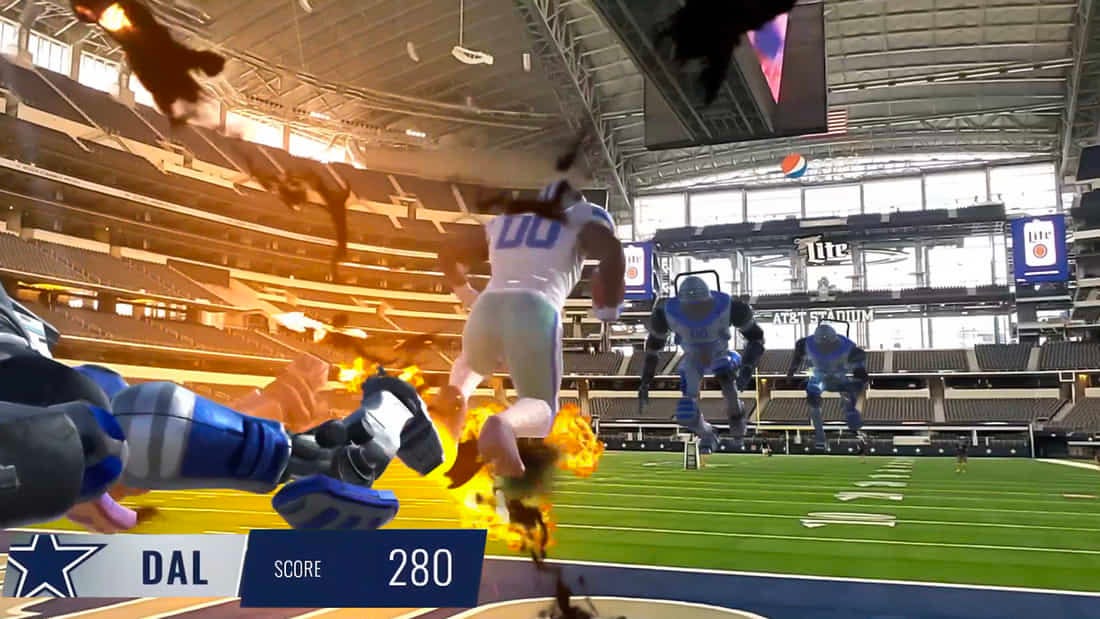
Medium
How Scape Technologies transforms ordinary venues into 5G-enabled digital playgrounds.
 hexed locust
This looks really cool!
 mossy marlin
That's really incredible at that scale, and on Mobile. Excellent work!
 quaint flint
Hey guys so I am doing this school project and I have a couple questions because I am completely new to ar here is what I am trying to do basically I am trying to detect a color and play a video any suggestions on how to do this I am struggling to find an answer
wide steeple
@quaint flint see this tutorial https://sleepingpenguinz.com/post/2018/04/25/making-a-game-with-webcam-controls.html
quaint flint
thx
 normal osprey
Hey guys, I'm new to this discord. I have made a couple of AR-applications in the past, but it's the first time that I have a problem that keeps on persisting. Would one of you guys be interested in a quick videochat to resolve the problem. It's stuck at the creation of the pipeline state. (Or do you have any advice?) Greetings, Maarten from Belgium 🤔
 strange fossil
I am using Unity ARfoundation and ARKit. How can I enable feature points?
The little yellow dots that show where 3D objects are
crystal dawn
strange fossil
Thank you
crystal dawn
yw 🙂
strange fossil
Would I add this script to the camera? I’m not going to be doing anything special with them right now, I just need them to show.
@crystal dawn
I’m guessing the way this works is, the prefab that I input will be created for each and every point?
If so that’s perfect
crystal dawn
No, you must put it on the ARSessionOrigin.
strange fossil
Ok
crystal dawn
It creates one instance of your prefab for each point cloud (not each point in the point cloud). ARKit and ARCore will only ever produce exactly one point cloud.
strange fossil
Also what is the AR Point visualizer
Ok
What I’m trying to do is, take all those dots made by the points and make them never disappear
So they always stay
Is that possible?
crystal dawn
The ARPointCloudParticleVisualizer visualizes a point cloud using a particle system. The ARPointCloudMeshVisualizer visualizes a point cloud using a single mesh with MeshTopology.Points.
strange fossil
See these dots?
crystal dawn
Both visualizers will only draw the current set of feature points
crystal dawn
if you want them all to persist, you'd have to do that yourself. Each point in the point cloud has a unique id.
strange fossil
Oh I see
A point cloud is all the dots
A single point is one
To explain this better, there is a game called Scanner Sombre were you map out a cave with only these little dots
ARKit does this automatically
So if the dots never go away
As in save them
crystal dawn
What do you mean
ARKit does this automatically
strange fossil
Then you could (in theory) scan your room and have a 3D map of a room made out of dots
It’s a built in debugging feature
crystal dawn
Does what automatically?
strange fossil
Creates feature points from the camera to sort of map out it’s nearby environment
Like how the dots are making an outline of the blanked
You can hide and Unhide the dots
crystal dawn
ARFoundation uses ARKit for its backend on iOS. I'm not really sure what is being done "automatically" that is different.
strange fossil
Nothing is different
crystal dawn
So is your goal to save all the feature points over every frame?
strange fossil
Yes
Exactly
I was thinking each point could have an object attached to it on creation, that will not vanish
crystal dawn
Right, so each feature point (point in the point cloud) has a unique id. By looking at the list of feature points each frame, you can build up a map.
crystal dawn
The docs I linked above provides 3 parallel arrays: the positions, confidence values, and identifiers. You could have a map of identifier to 3d point and update it each frame from those arrays.
Would this lag out the device after too many were generated?
Depends on what you do with them. But each frame, you typically don't get a huge set of new points; it updates existing points.
strange fossil
So the identity of each point stores it’s location?
Ok
That might be a problem
Thank you for your help by the way I’m new to AR stuff and only slightly used to Unity
crystal dawn
So it's like this:
Frame 0
Identifiers [0, 1, 2, 3, 4, ...]
Positions (x0, y0, z0), (x1, y1, z1), (x2, y2, z2), ...
Frame 1
Identifiers [5, 0, 1, 7, ...]
Positions (x5, y5, z5), (x0, y0, z0), (x1, y1, z1), (x7, y7, z7), ...
and so on. Over time, if you map a room you might get a few thousand points total. It really depends on a lot of factors though.
strange fossil
Maybe a script that attaches a game object to each point when it shows up, and lets the point disappear but the game object stays
crystal dawn
If you try to create a different gameobject for each point, that isn't going to scale well.
crystal dawn
I don't think it would be hard to store a Dictionary<ulong, Vector3>, update it each frame, and visualize it using a particle system.
That should scale pretty well
strange fossil
Ok. So now I need a bit more basic help like, I make a script that does this right? I then.... attach it to a random game object in the scene so it runs?
I really need to take programming courses or something
crystal dawn
You'll have to write a bit of code to do this. We don't provide scripts that do exactly this, but you can do it using ARFoundation's API.
crystal dawn
@strange fossil if you create an "AR Default Point Cloud" and replace its point cloud visualizer with this one, I think it should do what you want.
Seemed to work pretty well even with lots of points
strange fossil
I can't thank you enough, I will try it asap!
does the AR point cloud need to be a child of the AR Session Origin?
crystal dawn
It needs to be on the same gameobject as the ARSessionOrigin
strange fossil
OK
Also it is worth mentioning that I am going off this:
This tutorial will teach you the important basics you need to know to start building augmented reality experiences which will run on both iOS and Android. NO...
and my scene is set up as:
I simply imported the code you got me and it says this:
I havn't applied it to anything yet
'NativeArray<ulong>' does not contain a definition for 'HasValue' and no accessible extension method 'HasValue' accepting a first argument of type 'NativeArray<ulong>' could be found (are you missing a using directive or an assembly reference?)
Am I missing an AR library or module?
I put it on the AR default point cloud visualizer (replaced what you said) and it still says the same thing
@crystal dawn
What does your scene look like I probably messed mine up
You still there?
crystal dawn
@strange fossil sounds like you're using an old version of ARFoundation. What version are you using?
crystal dawn
Just remove .HasValue and .Value.
crystal dawn
So like pointCloud.positions[i] instead of pointCloud.positions.Value[i]
crystal dawn
Just get rid of those checks
crystal dawn
In later versions, I made those properties nullable since they might not exist on all platforms. But they should both exist on ARKit.
strange fossil
ok
I'm removing them now
Ok. I removed those and put it in the assets folder
no errors yet
crystal dawn
In the picture you posted of "my scene is set up as:" -- you don't want the "AR Default Point Cloud" in the scene. You need to make it a prefab and assign it to the point cloud manager.
It's the same pattern as in the description for creating an AR Default Plane prefab described under the "Visualizing Trackables" section of https://docs.unity3d.com/Packages/com.unity.xr.arfoundation@2.0/manual/index.html#basic-setup
crystal dawn
you have two session origins
your ARPointCloudManager should be on the GameObject named "AR Session Origin" (which also should have an ARSessionOrigin component on it)
crystal dawn
Now you've lost your ARSession 🙂 Just re-add it from the GameObject > XR menu
crystal dawn
And you also need to assign your Point Cloud Prefab
crystal dawn
Oh right you said that
cool
Make sure the "AR Default Point Cloud" is the one you just created, and not the one included in the samples (if that's how you started)
strange fossil
I have to borrow a family members Mac to use xcode and upload this to my phone
I think it is
it's a prefab with custom script on it
crystal dawn
If you have an Android device it will work there without any modifications
crystal dawn
Alright then I guess you'll have to hunt down that Mac
strange fossil
yeah
crystal dawn
FWIW I tried it on my Pixel 1 and it worked pretty well. I don't know how many points exactly but it looked like hundreds
strange fossil
can you post a screenshot?
I can't get the mac right now but I have a virtual mac in virtualbox
the problem is my Iphone won't passthru to the virtual machine
crystal dawn
A static screenshot just looks messy. It's more compelling when you look around and see all the points. Probably even more so if you turn off the pass through camera and just seen the points.
strange fossil
EXACTLY
thats exactly what I am doing
you have been soooo helpful
google scanner sombre and look at images
this is the goal
then I will make it google cardboard
so VR, dots
@crystal dawn you don't have a mac do you?
strange fossil
It's probably not possible for me to send you my .xcodeproj file and you send me the .ipa file it creates?
it normally sends the app to a phone plugged into it but it can also output a ipa
I'm gonna try the virtual machine again
crystal dawn
I guess it's technically feasible, but I think you should try to get ahold of a Mac or an Android device 🙂
strange fossil
yeah
I have a macbook here but it's not got any OS on it
I'm trying to make a bootable usb installer
crystal dawn
I'm going to step out for a bit. Good luck; lemme know how it goes 🙂
quaint flint
hey so I finished my game and I want test it on my phone but i need the camera to work on my phone not webcam does anybody have any solutions
dawn moat
@quaint flint Dont quite understand what is your question
Are you asking how to enable permissions on your phone to use camera?
strange fossil
@crystal dawn Update: I finally got a mac and I imported it into Xcode, and it went sorta smoothly. The problem is The app opens, I can see the camera but there are no feature points visible!
strange fossil
@crystal dawn you there?
crystal dawn
@strange fossil It's hard to debug your problem directly, so I can't be sure what's going on. I'll add a sample to https://github.com/Unity-Technologies/arfoundation-samples that shows how to do this.

GitHub
Example content for Unity projects based on AR Foundation - Unity-Technologies/arfoundation-samples
 neat grotto
Does anyone has any luck with azure spatial anchors with ios? I can't get the samples built with xcode 11. I have installed pods and everything, but there's 100 errors like this: Undefined symbol: ssc[different_function_name]
strange fossil
@crystal dawn thanks!
What’s the name of the sample?
I see stuff like eye laser visualizer and stuff
strange fossil
@neat grotto probably won’t fix your problem but try running the .xcodeworkspace file instead of the .xcodeproj
I just read about that
I’m having a linked command error
strange fossil
@crystal dawn It says the last commit was 8 days ago
neat grotto
@strange fossil yes, I tried to run with that workspace file. I'm somewhat familiar with those things, but couldn't get it working. In the examples they mention xcode10, but I've Xcode 11, so it might be that..
strange fossil
@crystal dawn can you help?
strange fossil
most people that come here don't end up getting help
strange fossil
@crystal dawn
crystal dawn
@strange fossil Slow down; I haven't added it yet 🙂
strange fossil
@crystal dawn are you availably right now?
crystal dawn
@strange fossil I'm currently preparing the next release of ARFoundation, which will also include some new samples in the samples repo. I'll add a sample showing how to visualize all the feature points either with or shortly after the release.
strange fossil
OK thank you
also quick question
I enabled unity vr mode and it's keeping my AR camera from moving
I tried attatching the camera to a parent object and giving the parent the tracking script
didnt work
crystal dawn
Are you trying to VR and AR at the same time?
strange fossil
@crystal dawn yes
Apparently VR disabled camera movement
And putting the camera as a child of an object doesn’t make it work
So what ends up happening is the feature points move wrongly and the dots don’t line up with the camera view
because the dots are moving around the scene but the camera is not
@crystal dawn I'm gonna try without the AR, then try and have the feature points added later.
crystal dawn
Okay, ARFoundation does not support VR, so that would not be expected to work.
strange fossil
Is there any possible way to make the AR Camera render in 3D sidebyside?
@crystal dawn
also, I know this is possible because I have an app (ARMix) that does this
crystal dawn
Side by side what?
strange fossil
it has VR(the camera moves) and you can see the dots
I mean like this
this
I need the app to render like this
It is possible
If you have time, get ARMix and see what happens when you go in VR mode
crystal dawn
Not with ARFoundation, no. It blits the camera image to the screen to provide pass through video for handheld experiences. Your screen shot looks like an entirely virtual scene rendered with careful perspective corrections and is probably meant to be placed behind a lens.
strange fossil
See
This was made in unity
It shows when you start the app
The camera doesn’t need to pass though
Only the feature points
The skybox in this scene has been replaced with a 360 panorama of a room
crystal dawn
Right, but it takes into account perspective correction for the lens (I assume Cardboard or similar)
strange fossil
yeah
crystal dawn
It can be done in Unity but that's not what ARFoundation is for.
strange fossil
I only need AR foundation for it's feature points and 6dof capabilities
not the camera
crystal dawn
I think there's a bit more to it than that 🙂 You still need to map the feature points to the screen with the correct distortion applied.
 nocturne breach
Can anyone help me in 2d?
strange fossil
Nah nah I don't need distortion
that's optional
I want
screen is black
if you move phone around
feature points show up
the view is google cardboard
I've got the black screen with feature points
crystal dawn
Remind me again what isn't working? Is it the camera's position?
strange fossil
ok
when I enable VR support in unity, when the app is built and runs, objects do not move around. They stay still relative to the camera's location.
so if I walk towards a cube
it will move away from me at the same speed
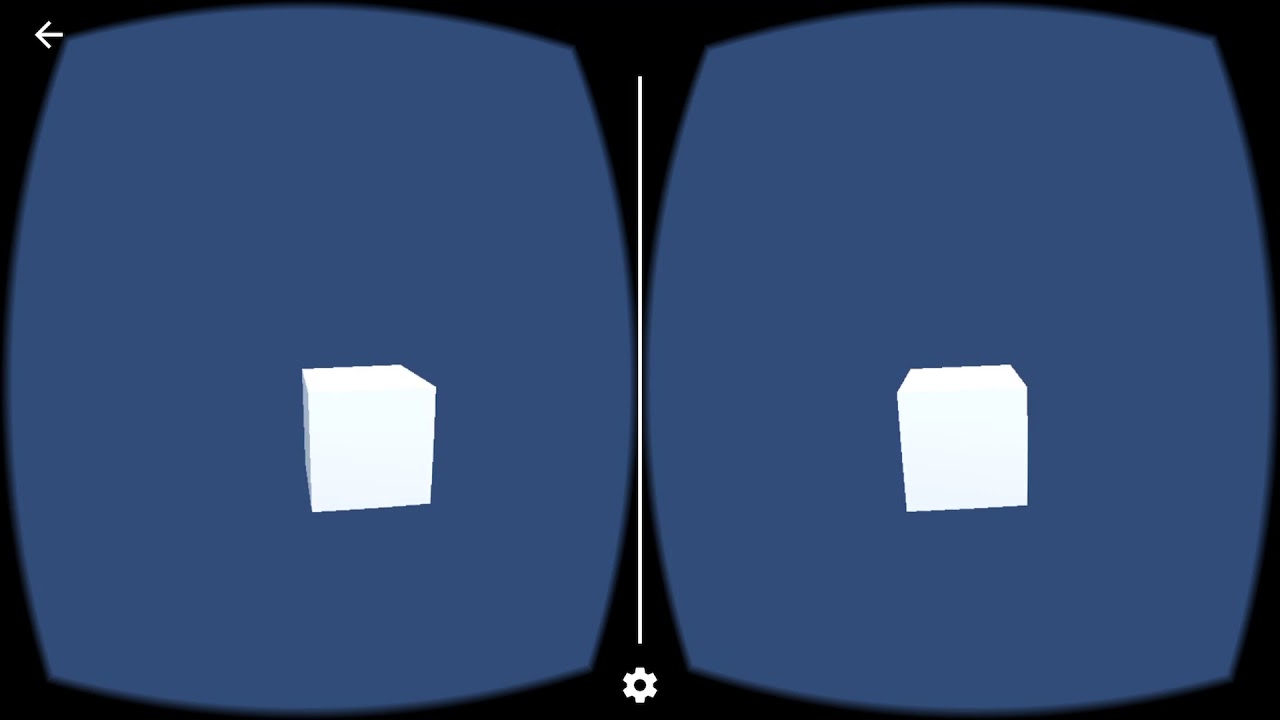
This is a resource for my Medium Tutorial at https://medium.com/@coloradolego/how-to-use-arkit-and-unity-to-create-6dof-mobile-vr-f03de54e2edd?source=friends...
this is the desired result
crystal dawn
How is your camera setup? What controls its movement?
strange fossil
XR's tracked pose driver
crystal dawn
And what is the input source?
crystal dawn
"Pose Source"
crystal dawn
Tracked Pose Driver
crystal dawn
"Color Camera" is selected?
crystal dawn
Cardboard VR is typically a 3dof experience, so that isn't surprising.
strange fossil
but it's stopping the Tracked pose driver from moving the camera
Without VR enabled: Cube will hold it's real world position(like any AR app)
crystal dawn
Sounds like two systems are fighting
crystal dawn
That's not something I've tried, so I can't say what the problem is.
strange fossil
also I tried doing what you said with the replacing the cloud Particle visualizer with the "ARMapVisualizer"
and that just makes the points invisible
but it worked for you
with the screenshot you posted
crystal dawn
Could you log a bug about the VR/AR issue? https://unity3d.com/unity/qa/bug-reporting and send me the report id

Unity
Unity is the ultimate game development platform. Use Unity to build high-quality 3D and 2D games, deploy them across mobile, desktop, VR/AR, consoles or the Web, and connect with loyal and enthusiastic players and customers.
strange fossil
This is the result
Feature points, and cube
you can move towards the cube
it all works
@crystal dawn
but when I add vr is messes it all up
can't move camera
can't look around cube
crystal dawn
Great thanks. I'll take a look.
strange fossil
Do you know if you can replace the “AR Camera” with another camera and just add the same components to it? Will it still work the same?
crystal dawn
Sure; there's nothing special about it
strange fossil
I know you can remove it from being a child and just have it in the scene
Ok
What if
The stereoscopic camera was two cameras
Side by side
Could one be a parent camera and the second a child
And render side by side
And still work with AR?
crystal dawn
If your goal is to get the results of the AR camera and VR camera overlayed, no that wouldn't do it
strange fossil
Ok
Gah
It seems like an easy enough idea
Idk why it’s so hard
Results I want are this
No live camera feed
Only feature points
Black background
And then the feature points to never go away
atomic badge
Hey all, I’m doing some AR stuff with leap motion and I’m trying to solve a problem that I don’t really know how to solve: I’m trying to be able to grab a knob (like a volume knob in your car) and be able to twist it left/right. You can get the direction/normal of your hands at all times, and somebody suggested projecting the direction onto a plane, then getting the delta between that plane and the normals of the knob I’m grabbing in order to translate the rotation of my hand to the rotation of the knob around its local z axis
The question boils down to: how would you Project a quaternion rotation onto a plane so that can then be applied to the knob I’m grabbing?
Also yes I already tried constraining it’s rotation along the X & Y axes in the rigidbody component, but those are world axes and I can’t figure out how I’d change that to local, which is why I have to write this from scratch.
This was my attempt at constraining its rotation to Z only via the rigidbody component (the knob is tilted, so I can’t use world axes) https://gfycat.com/BronzeSaltyKrill
 strange fossil
That’s really cool
I wish I could help
@crystal dawn what if I put the point cloud particle visualizer on the camera?
That way the camera could be frozen in the scene but the particles wouldn’t move away
strange fossil
How can I use arkit's 6dof functions with VR?
Can I simply attach a Tracked Pose Driver to the camera?
or the camera's parent?
wide steeple
@strange fossil check this out https://twitter.com/SergeShack/status/1114269684600274944

Needed a corrected stereo effect for ARCore + Cardboard (using just GVR plugin comes with an awful fisheye), so, here it is - my first shader lol https://t.co/WKWRjRjfLy https://t.co/r7bIffcaKV https://t.co/U5Lyf2pqjq
 Twitter
strange fossil
Twitter
strange fossil
That did not help
does anyone have any clue how to render an ar camera in Google Cardboard format- WITHOUT using the google cardboard built in feature?
strange fossil
@crystal dawn So what could be preventing your ARMapVisualizer script from working?
You sent the screenshot, so It worked for you.
Can you send a pic of your unity editor and setup?
 cedar geyser
@atomic badge rigidbody rotation constraints are in local space so I'd start with making sure the knob itself is properly constrained. From there the problem becomes a bit simpler - the hand is applying an amount of angular velocity each frame, which can be just a float (as rotation is around a single axis).
atomic badge
@cedar geyser that’s where my problem lies, actually. If I constrain it’s rotation to the z axis only, it rotates as if the Z axis is straight upward, but when I select the object in unity the blue arrow is pointing in the direction the top of the button is facing (something like 30 or so degrees positive on the x axis)
Which means somehow somewhere unity is interpreting my object as not rotated but it’s also noting that it is rotated because that’s how it points the arrows for moving it in the scene editor
 outer pewter
Greetings, im new to AR and im trying to make different things in order to learn more about it.The issue is at vuforia because i m trying to have a target and i cant solve the problem "Invalid file format.Only 8 bit gray scale or 24 bit RGB of file type JPG or PNG are allowed"
wide steeple
@strange fossil that shader will work with legacy/builtin renderer only
you just need to create a material from shader, then add the script to your camera and select the material in it
strange fossil
I think I figured it out
strange fossil
@wide steeple Thank you so much- this worked!
@crystal dawn Now I just gotta get the code that makes feature points never go away working.
right now it does not work for me
cedar geyser
Anyone had an positive or negative experience from updating to iOS 13 with ARKit-based app? Wondering whether I should update or not. I'm not encouraged by bug reports with iOS 13 so far.
strange fossil
What’s wrong exactly?
I’ve updated and use ar apps, haven’t had any problems and iOS 13 is the best operating system yet.
cedar geyser
Nothing wrong, just don't want to risk updating if there's a chance it will reduce AR performance with AR Foundation. It's not clear if updating makes apps use ARKit 3 instead of 2 and what that might mean.
strange fossil
@cedar geyser Apps use ARKit on their own, iOS won't make the app use newer ARkit. That's up to the devs of whatever app. iOS 13 has worked perfectly for me and the new ARKit 3 has some awesome features!
hybrid perch
Not any trouble so far @cedar geyser. Also you get access to human segmentation which is super fun
crystal dawn
@strange fossil I added the sample which shows all point clouds over time. See https://github.com/Unity-Technologies/arfoundation-samples/tree/master/Assets/Scenes/PointCloud
GitHub
Example content for Unity projects based on AR Foundation - Unity-Technologies/arfoundation-samples
strange fossil
Thank you!!
@crystal dawn can I just import the .unity files into my preexisting project?
crystal dawn
You'd need the entire directory for that sample. And your preexisting project would need to be on the same version of ARFoundation, 3.0.0-preview.4
strange fossil
So I need to create a new project and use the AR Foundation and ARKit plugin 3.0.0-preview 4 and do everything I would normally do to recreate my app, then what?
I want to keep everything as clean as possible
I think I know what to do.
crystal dawn
I would suggest cloning the samples repo into a new directory and build it to see if it does what you want.
If you're happy with it, then the only component you need is the ARAllPointCloudPointsParticleVisualizer and you should be able to adapt it to your specific needs.
crystal dawn
Depends. You can probably safely downgrade if you're at least on 2019.2.0
strange fossil
@crystal dawn Well my app is done! I could not have done it without your help. I'll post a video in a minute.
crystal dawn
Great! Glad I could help.
 zealous bloom
So guys, I am trying to create an app that takes full body measurements with AR, if you have done something like this, or have an idea, please feel free to share, I'm blank😄
 rough swallow
Hi! Does anybody of you know, if the ios remote works? It is marked as depricated in the app store.
I use Unity 2018.4.x with ar foundation and I must build a iOS App for tablets.
https://blogs.unity3d.com/2017/08/03/introducing-the-unity-arkit-remote/

Unity Technologies Blog
When Apple announced at WWDC that ARKit framework was going to be part of iOS11, there was great excitement in the development community, as most people sa...
hybrid perch
I believe the remotes have been put on hold until Unity is deploying MARS @rough swallow
rough swallow
hmm ok, that could be, thank you. @hybrid perch
hybrid perch
I might be wrong, but that's the impression I have at this time
rough swallow
it's a cumbersome task, to build the app on the target device every time. But i don't know a other way to debug ar kit in the editor.
But MARS is comming with 2019.3, so i hope it comes fast 🙂
hybrid perch
Agreed. I've been building with development build checked lately, which speeds things up. Especially if you can check scripts only build as well
rough swallow
that sounds good.
dawn moat
@rough swallow I suggest catching the process of build targets so if you developing android / ios at least it saves time to switch between build targets
rough swallow
@dawn moat thanks, I work on a windows machine and the build target is ios. I build the app on windows, copy the xCode project to mac and build it to the tablet. I'm in the end of the project and play with litte variations of numbers or 3d changes, but the whole build process for just 2 second check how it look on an ipad annoys me 🙂
latent thunder
Need to revisit an AR app created half a year ago and wanted to update both ARFoundation and LWRP.
Without spending half a day browsing this thread
https://forum.unity.com/threads/arfoundation-v3-0.736148/
Can anyone tell me what the current (as of Oct 24, 2019) compatible and latest versions of
Unity
ARFoundation
and
LWRP
are?
Thanks!

Unity Forum
2019-10-22
ARFoundation 3.0.0-preview.4 is now available. Notable improvements:
Fixed an issue with the ARSessionOrigin which could produce incorrect...
 misty berry
Does anyone know how to get Unity to add the Vuforia configuration asset into a new project? I've switched Platform to Android, I've enabled Vuforia AR Support in Project Settings>Player>XR settings. I know I'm supposed to get a Resources folder with VuforiaConfiguration.asset where I can put my license key but it's just not showing up and I'm so confused.
misty berry
Nevermind, I think I've sussed it.
Turns out in order to get it, you have to first try and use one of the game objects, then it'll give you the bloody resources folder with the config tool

 unreal slate
@dawn moat what is your marker? Or do you place virtual objects based on GPS?
dawn moat
@unreal slate I dont use any markers. I use VPS service provided by Scape technologies. Problem with gps this would never be possible due to inprecisions. Using VPS I capture one image frame and that image gets sent to AR point cloud where features of image gets compared to surrounding data that sits on cloud and orientation and heading gets returned. In short it works like gps but with higher degree of precision and accuracy. Check it out here www.scape.io
Everything is ancored oto geo lat and long which means content will always appear in this exact location 😀
Super exciting stuff! Allowing me to have real city building occlusion! Note how car goes behind building!
I use osm data and then align world with returned north and able to occlude evey building in my area
Here is link to original post https://twitter.com/TweetEdMiller/status/1189255383879208960?s=19


The 'AR-Cloud' will change the way we view the physical environment.
Check out this world-scale AR scene, powered by @Scape https://t.co/78qR35GNEE
Retweets
119
Likes
433
Twitter
unreal slate
Sounds beautiful but I am not in London and as I understand it is only available in London? Is there a way to scan/take pictures of the street myself and then use it as an input perhaps in a developer mode?
dawn moat
Not currently sadly.. There are some areas in Berlin available more cities on the way
unreal slate
I think they should allow people to scan their streets and add it to the package. They would grow their consumer base dramatically
 floral summit
From what I understand, they may be going through a specific pipeline. They may need to create an entire interface to allow for user entered data
hybrid perch
Looking online and trying to find a way to just remove all planes found in an AR Foundations session. The ARSession Reset() does the job but it's very disruptive - I just want to clear away excessive planes. Anyone got something for this?
 thin condor
Hello everyone, i am currently building out an indoor navigation AR app for my university, and i am here to seek some council. So i know about SDK's like ARCore & ARKit, and i also found something that is called placenote that allows for some pretty swear indoor navigation. However.. Placenote is only supporting IOS, so that is ruled out in my equation. Do we have anyone here experienced with indoor AR nav, that can council me? How can i achieve this now?
 glacial frost
I recommend you read about cloud anchors in arcore documentation
btw. Cloud anchors last only 24 hours
thin condor
Ye i did play around with that yesterday, the only thing i dont like about the arcore anchor cloud is that it requires a host. So i want to be able to use the anchor cloud, to save predetermined routes as maps, and whenever i select a map on my phone, all the anchor data for that map should load, not be waiting for a host etc..
But i believe the problem with the 24 hour period can be solved using firebase cloud storage. I saw a github and get started page for that
glacial frost
Do you use augmented images in your project to specify the position of the device in space?
@thin condor
thin condor
So i have not come to that stage yet. I have simply built out my app that will be connected with the AR now. That is one thing i am uncertain about how i will get it to work. I need something to track the virtual image (an arrow) in real world space, so whenever i get to that real world space, the virtual image will appear. I do not know how to do that.
I will have a determined route map for every destination i will allow in my app, so whenever i choose a destionation, information with all the nodes in AR will be loaded for that route, if that make sense?
glacial frost
I found an interesting approach on SO, which I intend to use in the current project. https://stackoverflow.com/questions/51026662/is-it-possible-to-develop-indoor-navigation-by-using-arcore
Stack Overflow
I tried to achieve using google's cloud Anchors, but it has a limitation of 24hrs (after that the cloud anchors become invalid).
And another way is creating the replica of Unity, but that would be ...
second post
thin condor
hmm gotcha, thanks
Damn, that will be a very unconvinient way for indoor navigation, and i can not assure that placed out "waypoints (like images)" will be there.
I need something that can differentiate postitions in real world to virtual world
glacial frost
In that case, only cloud anchors come to my mind
thin condor
Yep i agree. Must be a way to distract that feature out of the cloud anchor system, without hosting and all that
glacial frost
you could place simple qr codes
Well, unless the university authorities do not allow it
thin condor
mhm ye
I found this example: https://www.youtube.com/watch?v=Gf-Qu29RLUo So when he is creating a sphere, it takes a (x,y,z) position. But that position seems only relative to the camera unfortunately
In this video, I will explain new possibilities like ARCore. ARCore is a library for Augmented Reality made by Google. ARKit tutorial - https://youtu.be/aHgz...
Oh, that's from ARKit toh: https://gyazo.com/7dc5e349a2512f84dc6085b564aff336
 thin condor
ye im so tilted by that xd
Ye if i could use placenote, i would been on a good way
COME ON GOOGLE
glacial frost
I have the impression that Google deals with a lot of less important things when it comes to ar
thin condor
Yep i agree. More like dummy content than real world solutions. Indoor nav for example
I honestly dont like how ARKit keeps it bound to a specific architecture like IOS. ARCore works atleast for both IOS and Android
I will just have to go with ARCore anchor
glacial frost
Good luck, I still don't know how to configure it correctly in my project
thin condor
Thanks! What's your project about?
glacial frost
and the documentation for unity is much worse than that for native android
Scanning planes and drawing a map of rooms
thin condor
Oh cool 👍 I got the unity version with ARCore to get up and running with their sample app atleast
But that is nothing done from my side that is 😛
glacial frost
Is it possible to delete all trackables in the current session without having to reset the session (delete and add ARCoreSession object again)?
thin condor
I believe that works yes
thin condor
Delete all trackables in the current session
Check the ARCore documentation about trackables and ARSession. I believe something was in there if i remember
glacial frost
I can't find it, if you know something, please give an example
 sacred idol
I don't think there is a way @glacial frost
I mean, you can delete manually using Destroy but they recommend against it in the docs
I had to end up resetting as well, wich came with its own set of problems
(I am using ARFoundation/ARKit tho)
glacial frost
destroying trackables doesnt work
glacial frost
you can hide them/stop rendering but thats all
sacred idol
I struggled with the same
glacial frost
but it really sucks .when it resets sessions all vertices of the detected planes become useless
sacred idol
tell me about it, if you are doing object tracking you risk a Crash if you reset while looking at an object sometimes
I am not sure it is on Unity's hands, maybe internally ARkit/Core are like that
glacial frost
I am worried that arcore developers have not added the basic functions and using opencv along with this is tragic
sacred idol
or it would have been a no-brainer to put a "delete"
sacred idol
to be honest, even image tracking is a bit shitty compared with tech from 5 years ago that even works in all phones (vuforia etc)
so yeah, exciting about merging it all but still not done
glacial frost
I think it would be better to stay in VR for now and come back in a while
ok, I think that's enough complaining, gotta go back to the project xD
 livid dust
Hi newbie here. Just want to know, if I want to develop a huge complicated game with 4-5 person, how do I share the development environment together in order for us to build the game in the same environment?
glacial frost
I am not in any way an authority in this field but have you considered unity pro or enterprise plan?
livid dust
I prefer free things to try out before heading to paid thing. As some of us are just try to create it as hobby.
hybrid perch
Have you looked at Unity Collab @livid dust?
livid dust
Not yet. Not familiar, but will look at it.
hybrid perch
The free version only includes three seats I believe. But it does make it quite painless
unreal kettle
@livid dust You use a version control like git
livid dust
@hybrid perch @unreal kettle Thanks for the advised!
 radiant quiver
strange fossil
radiant quiver
strange fossil
@Ligma Deekum#2439 well you are going to have to provide a lot more details other then just “I need help”
outer pewter
Greetings,
I'm not very familiar with vuforia and AR.For that reason i have some issues.
- how can i make the app to recognise(dynamically) a text in a picture and turn it into a TTS?
2.I have some pages with speech balloons and i want to show a button above it so the user can press from his/her screen(Not irl).How can i do that?
wide steeple
@outer pewter for text recognition you'd need to use something like Tesseract
for 2. easiest would be snapping GVR plugin into the project and then using GvrReticlePointer - see how its done in HelloVR sample
outer pewter
@wide steeple 1. Is it really necesary the tesseract for the text recognition? Isnt the camera from the phone enough?
- I see VR instead of AR. will they be okay for my AR project?
wide steeple
🙂 Tesseract not as in Marvel lol
re 2 - yeah should work, i.e. you can switch to 2d mode and still have the reticle pointer
the pointer also works with screen tap out of the box, which is what you need
@outer pewter
half basin
Hello everyone I am trying to create my first unity project that I have created following the Donald Trump Ar tutorial. The build succeeds in unity however as soon as I try to build it in Xcode it always fails. It has four errors that come up and hundreds of orange warnings. Can someone point me in the right direction: here is a link to the unity project if it helps: https://drive.google.com/drive/folders/1FUwLHDkx0yc4fQTEC4rRR-dwfYHXFWV5?usp=sharing
strange fossil
What are the errors
half basin
Here are the main ones- I think:
Undefined symbols for architecture arm64:
"Vuforia::ViewerParametersList::getListForAuthoringTools()", referenced from:
_viewerParametersList_GetListForAuthoringTools in libVuforiaWrapper.a(ViewerParametersList.o)
"Vuforia::RotationalDeviceTracker::getClassType()", referenced from:
_checkPredictiveAndUpdateStateHolderMode in libVuforiaWrapper.a(Tracker.o)
_rotationalDeviceTracker_Recenter in libVuforiaWrapper.a(DeviceTracker.o)
_rotationalDeviceTracker_SetPosePrediction in libVuforiaWrapper.a(DeviceTracker.o)
_rotationalDeviceTracker_GetPosePrediction in libVuforiaWrapper.a(DeviceTracker.o)
_rotationalDeviceTracker_SetModelCorrectionMode in libVuforiaWrapper.a(DeviceTracker.o)
_rotationalDeviceTracker_GetModelCorrectionMode in libVuforiaWrapper.a(DeviceTracker.o)
_rotationalDeviceTracker_SetModelCorrectionModeWithTransform in libVuforiaWrapper.a(DeviceTracker.o)
...
"Vuforia::CustomViewerParameters::CustomViewerParameters(float, char const*, char const*)", referenced from:
_customViewerParameters_new in libVuforiaWrapper.a(ViewerParameters.o)
"Vuforia::ViewerParameters::ViewerParameters(Vuforia::ViewerParameters const&)", referenced from:
_viewerParameters_copy in libVuforiaWrapper.a(ViewerParameters.o)
_viewerParametersList_GetByIndex in libVuforiaWrapper.a(ViewerParametersList.o)
_viewerParametersList_GetByNameManufacturer in libVuforiaWrapper.a(ViewerParametersList.o)
ld: symbol(s) not found for architecture arm64
clang: error: linker command failed with exit code 1 (use -v to see invocation)
@strange fossil
strange fossil
Well all I can think of is to make sure you have “requires ARkit support” checked and make sure the architecture is set to “ARM64” instead of universal in the unity project settings
And also that the minimum iOS version is set to 11.0
@half basin
half basin
Thanks could u send a screen shot of where the requires ar kit support is @strange fossil
 drowsy solar
Is the "Unity AR Remote" shown in the keynote, currently available? I'm having trouble finding it.
https://www.youtube.com/watch?v=DUUthDpiGiA
Enjoy the videos and music you love, upload original content, and share it all with friends, family, and the world on YouTube.
hybrid perch
I don't believe it is @drowsy solar while they're close to publishing MARS
drowsy solar
Gotcha! Looking forward to that. I saw some other "ar remote" like solutions floating around, is any particular one popular?
strange fossil
@half basin
To get here go to file>build settings at the bottom there is a “player settings” button
Hope this helps
half basin
@strange fossil thanks will try it today 😊
 glossy geode
Hi there, hopefully this is a simple one where I’m just being a tool. Is there a way to limit the amount of points the pointcloud visualiser displays? I’ve tried limiting the max amount of particles but that doesn’t work - I’m using ARFoundation
half basin
@strange fossil still no hope ☹️
strange fossil
@glossy geode when I did a project involving point cloud visualization I made it so the points would show all the points ever made
Try contacting @crystal dawn @glossy geode
glossy geode
@strange fossil cheers! Will do
strange fossil
He helped me a ton
half basin
Has anyone worked with MapBox's AR yet?
I've got it working and I like it but there's a test scene called "WorldScaleAR - Manual Allignment" but when panning/rotating the sensitivity is too much - but I can't figure out where that functionality is set. Hoping someone knows their way around better than I do
A single movement on my Screen is like 500m in real life and I'd tone it down for fine adjustments and not major ones
half basin
Hi everyone I have an error when building from unity (using Vuforia for ar) into Xcode (latest): the week says that there are undefined symbols in Xcode when I try to build. It works perfectly in unity.
 frozen socket
Hello
I have three identical targets but only one target is detected even though I set "Max Simultaneous Tracked Image" to four in the Vuforia configuration. Does anyone have a solution for that?
fierce nova
Guys I was testing facial recognition with AR core sample template. But I can't see the canvas in the view port but it appears while exported to an app. Could somebody tell me where to find it?
especially the next button in the app didn't find anywhere in the hierarchy
fierce nova

GitHub
Augmented Face Example. Contribute to jbyu/arcore_face development by creating an account on GitHub.
 grave basalt
anyone using ar foundation with latest version of the lwrp in unity 2019.2 ?
 spark elbow
Hi, I was wondering if anyone has used AR Foundation and Wikitude? Right now I'm using Wikitude for image tracking, but I was wondering if AR Foundation is better at image tracking?
hybrid perch
No @grave basalt I reverted back to the standard pipeline, too many issues with LWRP and that version.
glossy geode
@grave basalt yeah I am, 2.10f1 with ARF preview.4 3.0.0 - you having issues?
grave basalt
@glossy geode are you using it with new lwrp?and shadergraph?
glossy geode
yeah
outer pewter
Hello, i am trying to deal an issue but i am stuck.I have 3 virtual buttons in an image target with that specific code that i will send.For some reason when i run my game, all 3 audio sounds are activated automatically and i dont know why.
wide steeple
@outer pewter you may have better luck posting the question and more code to the #💻┃code-beginner
outer pewter
the code doesnt have smth wrong.I would like possible solutions why my virtual buttons are triggered automatically
wide steeple
do you change "P1_S1" in each of the buttons' scripts?
also usually public refs allow you just to drag and drop components in Editor, so its not needed in this case to do the Find as well @outer pewter
outer pewter
yes i do change the "P1_S1".
all 3 virtual buttons have the same script but the only thing that changes are the "P1_S1" and the "Audio_test.PlaySound("speech1")".
I didnt know that "Find" was unecessary, but i still cant understand why they are triggered
wide steeple
post more code then @outer pewter if you want somebody to help you
outer pewter
hmmm okay okay sorry for the incomplete question
 glossy abyss
Question fo the AR developers. What is your workflow for creating an AR app for Android AND ios without using Vuforia
hybrid perch
AR Foundations @glossy abyss
glossy abyss
Can you use AR Core Instant Preview if you are working with AR Foundation?
glossy abyss
How else would you debug your scene?
hybrid perch
Currently you can't. But Unity are working on a new thing called MARS which will include a remote app to do live debugging. It's a bit of a hassle at the moment
glossy abyss
So what would be the way to do it atm? In arcore I can debug with instant preview
But if I want to deploy it to ios
I got to make a new project? And build a test everytime I've changed something?
hybrid perch
Currently yes I believe so
atomic badge
Hey all, enjoy some inspiration! https://vimeo.com/335636059
Gonna look into getting this into my AR scene, just gotta pray that someone else’s HDRP port of the AR system works for me >.>
 jade turret
I am a noob in AR, may need help.
modern sparrow

The new ARCore Depth API allows you to create a depth map with our depth-from-motion algorithms and a single camera. Unlock capabilities like occlusion, real...
@crystal dawn ARFoundation when 😂
latent thunder
Hi
Currently tasked with updating a 3 year old Unity 5.6 Vuforia based project to make use of latest version of Unity and ARFoundation.
Really don't know how to tackle this.
Whats the best way to approach this?
drowsy solar
I'm looking into ARFoundation right now, besides the Unity github with the foundation samples- are there any other good sample projects to look at?
wide steeple

GitHub
Mixed Reality Toolkit (MRTK) provides a set of components and features to accelerate cross-platform MR app development in Unity. - microsoft/MixedRealityToolkit-Unity
atomic badge

Intel® RealSense™ Depth and Tracking Cameras
World's smallest high-resolution LiDAR camera from Intel®. Low power and low weight, open-source SDK.
That's some beautiful looking depth tracking right there
cedar geyser
@latent thunder stick with Vuforia for a while if you're using image tracking. ARFoundation is not as good yet.
latent thunder
@cedar geyser thanks... now if I could just get Vuforia working properly with 2017.4 LTS 🙂
hybrid perch
I'm trying to make it possible to restart my AR Foundations scene, but reloading a scene just makes it black. This is a known issue but I can't get a workaround up and running. Anyone got this sorted? I'm on ARFoundations 2.2.0 preview 6
drowsy solar
Thanks for the link!
I'm using ARFoundation, basing my work on the samples. I see the sample 'planes' that are detected are always convex, does anyone know if that is a limitation, or just an issue with the samples?
I would love concave shapes but It's not clear if that's a limitation or just a bug
This seems to imply the generator will only spit out convex:
https://docs.unity3d.com/Packages/com.unity.xr.arfoundation@1.0-preview.8/api/UnityEngine.XR.ARFoundation.ARPlaneMeshVisualizer.html
drowsy solar
When spawning an object that ought to be on a plane, is it best to spawn that object in world space or parented to the plane it's being spawned on? It seems planes can move / rotate.
glossy abyss
Im having problems with stable image tracking in AR Foundation for iOS. I notice that when I have tracked the image the object spawns and stays perfect in position as long as I keep the tracker out of the camera view. When the image is in the view it looks like it constantly tries to RE-track the image which causes my model to jump around. Is there a way to stop the RE-tracking process?
hybrid perch
Which ARFoundations version are you on @glossy abyss?
hybrid perch
I haven't had good results with image tracking with v3 yet. I'm still on v2
glossy abyss
tried to move back to v2 but that caused a lot of error for me with all the other packages
hybrid perch
The issues I had were different than the ones you describe though. More like it tracked the image but always spawned at 0,0,0 rotation
glossy abyss
I think its just something in the code that can be added or changed
hybrid perch
You need all the packages to be v2
glossy abyss
yes I have fixed that problem
hybrid perch
But maybe. I havent tried
glossy abyss
with the rotation
hybrid perch
Oh nice
glossy abyss
your model should be positioned this way (look at the axis on the right top corner).
unfortunately im not a scripter so the thing I would like to change can't be done by me 😦
hybrid perch
It's not so simple. Especially not with how often you get new updates to arfoundation
glossy abyss
yea true
 arctic geyser
any good object (for example car) tracking alternatives to Vuforia? (their licensing is too complicated)
glossy abyss
i would suggest AR Foundation. its a perfect alternative
hybrid perch
Worth trying AR Foundation, don't know about how big an object can be. There's also wikitude
wide steeple
Can ARF do object tracking though?
hybrid perch
It was in development last year, I can't remember actually
Edit: yes, here https://docs.unity3d.com/Packages/com.unity.xr.arfoundation@2.2/manual/tracked-object-manager.html
 shut summit
Hey all I'm new here I've been trying to work on Geo located AR lately but I'm kinda struggling finding some extra precise way to do it any clue?
hybrid perch
How precise do you need it to be @shut summit?
 grim glen
for AR foundation, how can i prompt the user for camera permissions somewhere later in the application?
instead of on start of the application?
 quartz lichen
https://docs.unity3d.com/Manual/android-RequestingPermissions.html
You can do it like this,here is the example of taking microphone permission
hybrid perch
Man I can not wait to start working with MARS. It seems like a totally new way of approaching AR
atomic badge
Yeah project mars looks really rad
I feel like being able to simulate environments that would be tracked by your device is a great system for unit and integration tests
 bleak lotus
someone knows how to get started with AR in a short time ?
hybrid perch
This is a good starting point @bleak lotus. But AR can be a lot of work depending on the complexity you need
This tutorial will teach you the important basics you need to know to start building augmented reality experiences which will run on both iOS and Android.
NOTE TO ANDROID USERS: I've discovered the steps shown in the video don't fully support Android, but never fear! @Convil...
atomic badge
And depending on the product you’re working with!
I’m using a device that, afaik, doesn’t support ARKit or ARCore at all xD
bleak lotus
bruh I did all for nothing cuz my phone can't even run it
rip 2 hours working on my app 😂
atomic badge
Exactly!
 small lance
anyone know the best way to geolocate objects for AR? I don't need it for large scale GPS stuff but for localized positioning in a single building, need something reliable
small lance
the positioning can't be based on the planes made by the phone, though, the object has to be partially visible when the phone's not looking directly at it
hybrid perch
How precise does it need to be @small lance? We've used an asset store plugin called AR + GPS Location, which does what it says, but it's only accurate down to a few meters
small lance
Yeah, it's gotta be pretty precise, a few meters is too much error
I saw that plugin too, also tried writing my own solution using location services, but was wondering if anyone had done anything like this / if there's a way that doesn't involve GPS
there might be a much simpler solution to this problem -- like I can potentially capture the location the object should be manually on the device, but then it has to persist when I look away or can only partially see the (very large) object, etc
(I'm a noob to this so maybe that just involves saving generated plane data or something?)
hybrid perch
If you need something more precise the options you have is 1: waiting for 5G GPS which is way more precise or 2: Visual Positioning Systems like the one from Google which locates you based on what the camera sees around you
We recently developed an app where this was a question early in development. We ended up using markers to ground the objects to a physical location, but detaching the objects from the marker after they're spawned. This means they will be instatiated in the right position, but once that's done they are treated like a regular world placed object, which means you don't need the marker to be in view, and like you need only parts of the object can be visible
For an earlier research project we were placing buildings in AR based on GPS, and we used the plugin I mentioned for that. But to correct for the inaccurate GPS we also added some controls to 'nudge' the building in different directions so you could manually get the position exact
 astral cloak
Hi have someone tried to implement azure spatial anchors for indoor navigation?
 distant condor
Hello guys
I have a school project to create in Unity for HoloLens and i need some help, is here a right place to ask this ?
 narrow venture
what do you need to ask
narrow venture
is it ar or vr or pc
distant condor
i am developing it on pc in unity for hololens ar
narrow venture
ok
 lilac torrent
I am doing a math AR app for mobile, i have 3 cards for example 6,7 and a + sign, what's the best way to find if + if placed on the middle of 6 and 7?
distant condor
So im pretty new to unity, and i have created Canvas and added Viewport-> content-> EntryContainer-> EntryTemplate. In my c# script i am cloning those EntryTemplates using Instantiate and filling them with data (currently static later on i will try to get data from sqlite database). It will be a list of news with pictures, and a user has to select 2 of them to compare them with some external algorithms i will use
As you can see on upper image i uploaded here, i have toggle in my entry template, and i don't know how to seperate them by id or something so i know which two news have user selected
i have added function to OnValueChanged, which only gives me the value (false,true) of an instance of the Toggle object, but i need something like Toggle.InstanceID
Any idea how to know exactly which Toggle has been ToggledON/OFF ?
astral cloak
you can save the instance in a variable and then change the TAG
distant condor
when i create those toggles, can i assign them a name or a tag ?
with index, so later i can acces them and check if they are toggled on ?
astral cloak
yup just create a game object variable then gO = instance(....)
after that you can change almost anything in the gO
after that if think game object is to generic change the variable to a Toggle instead of GameObject
distant condor
i can't seem to assign a tag value to a toggle object, it says Tag: value is not defined.
UnityEngine.Component:set_tag(String)
nevermind, fixed it, thanks a lot ! 🙂
small lance
Thank you @hybrid perch ! :)
 errant stump
has anyone ran into issues with AR Foundation / AR Kit detecting the wrong image target? I have 7 image targets and 5 of them are kind of similar but have different images, color and text.
so for example, I am scanning imageTarget1 but AR Kit is detecting imageTarget2.
drowsy solar
I'm noticing my camera view is lagging behind substantially (over 100ms). Is this a common issue with AR? Do some features contribute to this lag and does anyone have tips on how to manage it?
hybrid perch
I have not experienced anything like that @drowsy solar. What device is this?
 calm solar
We're developing a markerless vuforia app, we have a ground plane object, then we spawn an animation prefab and parent it to the ground plane. For some reason, even though the ground plane is stable in tracking, the animation keeps "vibrating"/jittering in movement. We've never seen this behaviour before in the app, and haven't actually changed anything, any ideas what could cause this?
half basin
hi guys, im building an ar app and have some trouble with coding. someone here who could help me with 2 lines of code? i want to do a quiz with 3 toggles. if the first two are activated there should appear a continue button, if the third one gets selected, there should appear a quit button. do someone know how to code that?
drowsy solar
@hybrid perch I've noted it on several newer model iPhones, so I assume it's my project or configuration introducing the latency. I'm using URP.
 tawdry pivot
@drowsy solar did you happen to do any CPU/GPU profiling on device to see if something is causing the display to lag? Render/CPU heavy projects will definitely have an effect on camera rendering for AR projects.
drowsy solar
I'll double check that! This happens on non-development builds, built as release for phone. But It's possible I have something debugging related.
I was kind of worried about all the "detection" behaviours causing the lag, like having too many features in use
E.g. does face detection slow things down more etc
tawdry pivot
XCode Instruments has some great GPU profiling tools
drowsy solar
I'll give that a whirl, makes sense.
tawdry pivot
And yes, your assumption is correct, the more pressure you put on the device, the more likely it will be for the camera to lag
If it's easy enough for you to turn off features to test, you could try to see (by process of elimination) which ones are the biggest users of resources. That coupled with xcode's profile tools should help you out on iOS at least.
drowsy solar
I'll give that a try, thanks for the info
 solemn oasis
Anyone know of any good body tracking solutions for AR Core?
Well android generally
 earnest mirage
I'm having issues importing Vuforia into my unity project, It won't even show up under XR settings
hybrid perch
Did you install if with the editor @earnest mirage?
earnest mirage
i was pretty sure i did
although ive updated my unity to 19.3.3 now, will that have changed it?
ive downloaded and imported the newest package fron the vuforia website too
like it shows up in packages under Vuforia Engine AR but doesnt show up in player or project settings
hybrid perch
Open the launcher and look at your installed modules. Pretty sure you need it for each version, considering it’s integrated
earnest mirage
It's not showing as a module, I thought it was just automatically integrated with the newer versions of Unity? 2018.4 has the option to add it as a module, but 2019.2 doesn't, nor does my current release of 19.3
hybrid perch
Oh really, hmmmm in that case I’m not sure
It’s listed here for 2019.2, I don’t have my computer so I can’t look into it https://docs.unity3d.com/Manual/vuforia_get_started_project_setup.html
earnest mirage
its alright!
ive followed the guide, Vuforia still doesnt show up in the player settings but all the functionality works so im taking it as a win
 halcyon saffron
⭐ AR Masks (AR Face Filters) — New Unity Asset
Unity Asset Store: https://makaka.org/o/ar-masks
It's Photo/Video App Template for Mobile Platforms with Augmented Reality (AR Foundation), Face Recognition (AR Face Tracking) & Mask Creating with Photo & Video Textures, which can be loaded natively from Phone Gallery to Your Face.

AR Masks (AR Face Filters) — Photo/Video App Template for Mobile Platforms with Augmented Reality, Face Recognition (AR Face Tracking) & Mask Creating with Photo & Video Textures, which can be loaded natively from Phone Gallery to Your Face.
Let's make some Instagram &...
glossy abyss
AR Foundation question. Is it possible to combine plane detection with image targets? I would like the user to scan the floor (for a stable track) and then aim the camera at a painting to get information about the painting on the screen or maybe even a 3d character telling about the painting while standing on the floor plane
hybrid perch
Yes @glossy abyss you just attach both scripts to the AR Session
glossy abyss
follow up question on my AR Plane detection and image targets. Lets say I have scanned the floor. And when I scan an image I would like to show a 3D Model of a human standing on the scanned floor. So 1 way to do that is to meassure the distance from the image target to the floor in the real environment. However if the image targets sometimes change from position I have to re meassure everything. Is it possible to place it on the scanned floor without meassuring the distance from the image target?
wide steeple
@glossy abyss could you elaborate? What do you mean by "image change from position"? What are you measuring?
solemn oasis
At that point I would raycast from the image position downwards then instantiate the model there.
@glossy abyss
hybrid perch
Agreed. We do the same thing in our app but the markers are static and never move. If they change around you need to rely more on the AR planes
glossy abyss
guys thanks. guess Im living in a different time zone. Sorry for the late response.
@wide steeple well let's say I'm building an app for a school which uses paintings as image targets. They want to use the app for special occasions. However the paintings are placed by the students on tables or on the wall depending on the location. So there is not a static distance to the floor meassured from the image targets.
@solemn oasis thank you that sounds like what I need. Can you point me in a direction where I can start? Are there tutorials about this matter?
solemn oasis
Does your plane have a collider?
If so you can put a raycast downward in the imageTracked method
On startTrack instantiate the model. On updateTrack reposition it
wide steeple
@glossy abyss I'd try to 1) define which plane is the floor first (maybe ask user to scan it), anchor it 2) place the narrator on the floor near the image when you detect it - if you have the floor plane you'll already know it's Y coordinates, so you could place the NPC say to the right of the picture, on the floor
glossy abyss
@wide steeple and @solemn oasis thanks they both sound as good methods. wish I knew more about programming instead of being the 3D guy. Are there any samples available containing this solution?
wide steeple
@glossy abyss I can recommend looking at 8thwall samples
They are for JS but the principle is similar
glossy abyss
thanks will take a look! 😄
solemn oasis
@wide steeple Great points I was trying to make a one size fits all solution
How does AR handle sloped floor? Because in that case you could raycast downward and place it according to the normal.
wide steeple
Don't recall when I saw a sloped floor last time)
Will not the NPC look like he is glued to the floor in that case? :D
solemn oasis
Yeah I suppose it depends on the angle. Might have to go with some crazy procedural animation in that case ha
wide steeple
IK lol
halcyon saffron

AR Masks (AR Face Filters) — Unity Asset — Photo/Video App Template with AR Foundation (ARKit, ARCore). ⭐ https://makaka.org/o/ar-masks
Augmented Reality for Mobile Platforms with Face Recognition (HQ AR Face Tracking) & Mask Creating through Photo & Video Textures, wh...
glossy abyss
question about AR object tracking. With ar kit you can scan the object and it creates some point cloud data which you can save to import later in your unity project. With 3d laser scanners you have available these days wouldnt it be possible to scan it with that and import that data in unity? would reduce time if you have a lot of objects you want to interact with.
hybrid perch
You can do that with ARKit as well @glossy abyss
There was a dedicated app for scanning objects and storing the point cloud
You can see it here https://www.youtube.com/watch?v=5uyqOX3nSyI
I see your point about laser scanners but they create extremely high density point clouds, which would not work on a mobile devices. In addition, the algorithms for generating points will mean the output from scanning the same object might not be the same
glossy abyss
@hybrid perch thanks that makes sense. ill stick to manually tracking then
 tame drift
I'm completely naive as far as AR goes. Can I use just Unity and my android phone to create an AR button that I can actually "touch" and make it do something like change it's color ?
Or will I be limited to just seeing things that I can control with my actual touchscreen on my phone.
wide steeple
@tame drift you can "touch" it with Manomotion or just tap on the screen and use a raycast
 marble fossil
Question about motion capture, is it possible to use ARKit 3 to record motion capture animation, i have a project where we have looked into using motion capture and was thinking of using ARKit + Unity.
tame drift
@wide steeple So I need to use external tools that appear quite pricey too 😦
and yeah the tap on screen is always an option I suppose.
wide steeple
Yeah, tap should be enough in case you are not making a headset-only app