#archived-dots
1 messages · Page 110 of 1
 stable fog
 mint iron
And the UI for the builder looks very well done UX wise, they must have aquired some serious talent on that team.
stable fog
I've built a package I call VisualTemplates** which establishes DataTemplates
errr
and its compatible, kinda, with UI Builder, which was easy and awesome
mint iron
sounds like you've looked into it in some depth
did you catch the tech talk about how they made it fast from unite? https://www.youtube.com/watch?v=zeCdVmfGUN0
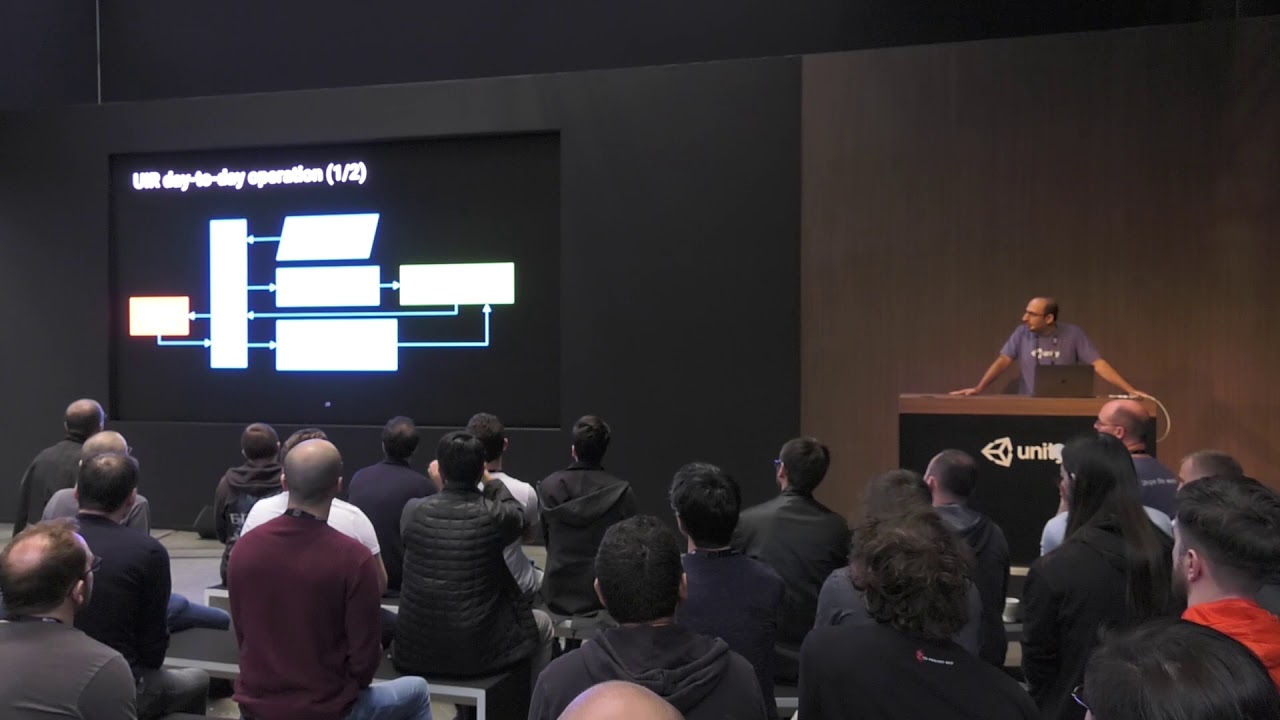
In this technical talk, Wessam describes the science behind the UIElements rendering system, built from the ground up for retained-mode UI. The system uses every CPU/GPU trick in the book to render thousands of different elements onscreen in a fraction of a millisecond, all on...
 coarse turtle
ah I'd love to give this a try soon - does the runtime use a gameobject kind of workflow?
stable fog
its possible, I've watched most of these videos to some degree
 amber flicker
ooh I'll check that video out. I wish I was doing less unconventional/pita things with it then I could enjoy it a bit more but I also like it
 opaque ledge
Yes Psuong
stable fog
no?
no it definitely doesn't use a gameobject workflow
the runtime version lets you connect to GameObjects, but its not a gameobject based workflow like Unity.UI
opaque ledge
oh i mean.. you put a PanelRenderer to a gameobject to be able to render it
coarse turtle
ah
opaque ledge
but yeah.. UI elements themselves arent gameobjects
stable fog
Think of it like this
opaque ledge
i thought he asked if it 'works' with ECS 😄
stable fog
its like Attaching a Web Page to a game object and displaying it on a camera
its not truly accurate, but its a good rough statement
opaque ledge
i am actually working on creating UI right now, and i tell you, its not exciting as ECS 😂
stable fog
I love UI work, I find UIElements to be super exciting, its a whole new world when UI just works and doesn't stand in your way
when you are like "I want this over here, and that over there, and these to collect in this spot" and it all just kinda happens because the system is actually logical
its so good
coarse turtle
ah interesting - I think I'll take some time to play around with it soon
stable fog
Also, Shameless plug: Http://www.github.com/PassivePicasso/VisualTemplates
coarse turtle
https://forum.unity.com/threads/rmgui-high-performance-code-based-gui.611884/ I've been following this thread since I wanted to find a ugui replacement a while back lol
stable fog
Code based UI is bad bad bad bad
bad
bad bad bad bad bad bad bad bad bad bad
the iteration time is always way to slow for you to make important adjustments
when you're trying to figure out whether to move this panel 1 pixel to the left or right, increase the border by a pixel, etc. etc. you really need to be able to do that in real time
and that wasn't a thing for WPF for a long long time
and when it cam eout, I couldn't use it for my software for a variety of reasons, and eventually I figured out how to solve those problems, and the quality of my UI went from, passable to actually good almost instantly
mint iron
we just need a good view/viewmodel decoupling so designers can make it awesome, and it can just be wired up and changed as needed.
stable fog
Well Runtime UIElements has a concept of DataBinding, I'm not fond of the way they did it... but its there
I follow View/ViewModel design in UIElements though
thats what VisualTemplates is about
mint iron
awesome, ill have to check it out; UIElements has been on my todo list to revisit for a while.
stable fog
my UIElements implementations now are completely built off binding-papth
coarse turtle
ah btw let's put this in the ui/ux channel before we derail this from dots haha 🙂
stable fog
yes yes
I mostly talk about ui elements in Editor extensions ebcause I do editor stuff mostly
 azure saffron
Do you have any favorite sample projects that demonstrate how, within the ECS paradigm, to use raycasting to detect which object was clicked on?
opaque ledge
public struct RayCastJob : IJob
    {
        [ReadOnly]
        public PhysicsWorld physicsWorld;

        [ReadOnly]
        public UnityEngine.Ray ray;

        [ReadOnly]
        public Entity playerEntity;

        [ReadOnly]
        public ComponentDataFromEntity<GroundTag> groundTag;

        public ComponentDataFromEntity<PlayerMovementData> movementDatas;

        public void Execute()
        {
            uint layer = 1 << 1;

            var input = new RaycastInput
            {
                Start = ray.origin,
                End = ray.direction*300 +  ray.origin,
                Filter = new CollisionFilter
                {
                    BelongsTo = ~0u,
                    CollidesWith = layer,
                }
            };
            NativeList<RaycastHit> allhits = new NativeList<RaycastHit>(3, Allocator.Temp);
            if (physicsWorld.CollisionWorld.CastRay(input, ref allhits))
            {
                for (int i = 0; i < allhits.Length; i++)
                {
                    var hit = allhits[i];
                    var hitEntity = physicsWorld.Bodies[hit.RigidBodyIndex].Entity;
                    if (groundTag.HasComponent(hitEntity))
                    {
                        var playerMovementData = movementDatas[playerEntity];
                        playerMovementData.targetPos = hit.Position;
                        movementDatas[playerEntity] = playerMovementData;
                        break;
                    }
                }
            }
        }
This is my player movement input, if the ray hits ground (which has ground tag) it updates playerMovementData
hope it helps 😄
and this is my system's update
protected override JobHandle OnUpdate(JobHandle inputDependencies)
    {

        if (clicked)
        {
            clicked = false;

            var physicsWorldLocal = physicsWorld.PhysicsWorld;

            var playerMovementDatas = GetComponentDataFromEntity<PlayerMovementData>();

            var playerEntity = GetSingletonEntity<PlayerMovementData>();

            var groundTags = GetComponentDataFromEntity<GroundTag>(true);

            var ray = UnityEngine.Camera.main.ScreenPointToRay(pointerPos);

            var job = new RayCastJob
            {
                physicsWorld = physicsWorldLocal,
                movementDatas = playerMovementDatas,
                playerEntity = playerEntity,
                groundTag = groundTags,
                ray = ray
            }.Schedule(inputDependencies);

            return job;
        }

        return inputDependencies;
    }
also i dont know why but i have to disable JobDebugger, otherwise my raycast systems gets errors, probably a bug, hope they fix it soon
azure saffron
strange. yeah, this is very helpful. Thank you very much!
 dull copper
@azure saffron you probably only refer to the pong tutorial and that user made roll a ball tutorial that just mimicked concept from the first mentioned but also took the worst of it
I never really understood why people want to stuff singletons to absolutely every second MB in regular unity
mint iron
Here's my raycast version: https://gist.github.com/jeffvella/e470a0bd7b1127e040e5b89c3cf13d96

Gist
RaycastUnderPointerSystem. GitHub Gist: instantly share code, notes, and snippets.
coarse turtle
singletons are easy and convenient so it's like the go to solution - i know my friends end up doing that when building games
 pliant pike
Is math.clamp(returnval, 0f, 1f) the same as Mathf.Clamp01(returnval)
dull copper
Easy, yes. But they become pain quickly :)
coarse turtle
I believe so, but you may want to use math.saturate
as that is equivalent to mathf.clamp01
pliant pike
I seem to be getting a jump at the start by using math.clamp()
coarse turtle
public static float saturate(float x) { return clamp(x, 0.0f, 1.0f); }
I see yeah that's great thanks
azure saffron
thanks xzjv!
 split nacelle
What should I be using instead of World.DefaultGameObjectInjectionWorld. I'm getting an error that burst doesn't support it
the full code is ```csharp
SpriteSheetData spriteSheetData = World.DefaultGameObjectInjectionWorld.EntityManager.GetSharedComponentData<SpriteSheetData>(e);
Are you doing this in a job?
split nacelle
Yes
 zenith wyvern
You can't access the entity manager in burst
split nacelle
mmmmm
zenith wyvern
Or a world or shared component data for that matter
split nacelle
  public new struct Job : IJobForEachWithEntity<UniqueAnimationData,Translation>
        {
            public float deltaTime;

            public void Execute(Entity e, int index, ref UniqueAnimationData uniqueAnimationData, ref Translation translation) {
                SpriteSheetData spriteSheetData = World.DefaultGameObjectInjectionWorld.EntityManager.GetSharedComponentData<SpriteSheetData>(e);
Any workaround for something like this then? I have a reference to the actual entity
zenith wyvern
You get your sprite sheet data on the main thread and pass it into the job
coarse turtle
grab the data first on the main thread and pass it to the job
split nacelle
Thanks 🙂
Update, is it possible to grab the current entity from within an OnUpdate of a job? e.g something like this
  protected override JobHandle OnUpdate(JobHandle inputDeps) {
            BufferFromEntity<AnimationClip> animationClips = GetBufferFromEntity<AnimationClip>();
            Job job = new Job() {
                    deltaTime = Time.DeltaTime,
                    ssd = World.DefaultGameObjectInjectionWorld.EntityManager.GetSharedComponentData<SpriteSheetData>(this);
            };
                return job.Schedule(this, inputDeps);
            }
hmm I'm not sure what you're asking? grab which entity?
split nacelle
so in my OnUpdate of this job, I run ```csharp
protected override JobHandle OnUpdate(JobHandle inputDeps) {
BufferFromEntity<AnimationClip> animationClips =
GetBufferFromEntity<AnimationClip>();
Been a while since I looked at this but I assume this is grabbing data for that entity before passing it into to the scheduled job
mint iron
thats a method from a system not a job
opaque ledge
there is no "current entity" in OnUpdate, OnUpdate belongs to a system not to an entity.
split nacelle
Hmm okay
coarse turtle
GetBufferFromEntity allows a lookup in which you can grab a dynamic buffer for an entity
var bufferData = GetBufferFromEntity<SomeType>();

var entityDataBuffer = bufferData[some_entity];

for (int i = 0; i < entityDataBuffer.Length; i++) {
  // Do something with the looped dynamicbufferdata
}
so something like this
in OnUpdate:
 BufferFromEntity<AnimationClip> animationClips =
    GetBufferFromEntity<AnimationClip>();
in job
BufferFromEntity<AnimationClip> animationClips;
void Execute(Entity entity, other stuff){
  var currentAnimationClips = animationClips[entity];
}
Ah that sounds perfect, thanks
Okay, I understand what's going on better now so let me rephrase this question a bit
I have shared ComponentData SpriteSheetData that I need access to for each entity inside a job's Execute. Currently I'm grabbing the data from inside the job:
SpriteSheetData spriteSheetData = World.DefaultGameObjectInjectionWorld.EntityManager.GetSharedComponentData<SpriteSheetData>(e);
but doing that disables burst. I guess I need to pass in a reference to the SpriteSheetData, and then get data from it per entity in this job. I can't get a buffer from it.
The relevant code bits
//Notice currently no way to grab the SSD here
  protected override JobHandle OnUpdate(JobHandle inputDeps) {
            BufferFromEntity<AnimationClip> animationClips = GetBufferFromEntity<AnimationClip>();
            Job job = new Job() {
                    deltaTime = Time.DeltaTime,
            };
                return job.Schedule(this, inputDeps);
            }
 public void Execute(Entity e, int index, ref UniqueAnimationData uniqueAnimationData, ref Translation translation) {
                //no good, disables burst
                SpriteSheetData spriteSheetData = World.DefaultGameObjectInjectionWorld.EntityManager.GetSharedComponentData<SpriteSheetData>(e);
Is your sprite sheet data a reference type?
split nacelle
yes ```csharp
public struct SpriteSheetData : ISharedComponentData
But what is inside it
split nacelle
2 ints and a vector2
coarse turtle
🤔 you might not need it to be an ISharedComponentData
zenith wyvern
Then yeah, is there a specific reason it's a scd?
split nacelle
I know when I wrote this it was early Dots so potentially not.
zenith wyvern
SCD is when you explicitly want to control how your entities are distributed across chunks
coarse turtle
Yes so it's one shared data per chunk - so data isn't duplicated across multiple chunks
zenith wyvern
Or when you want to distribute a reference type inside component data on your entities
split nacelle
Ah it's basically shared between various entities at once
zenith wyvern
Yes, it's shared by value, so any two SCD of the same value are referring back to the same SCD
split nacelle
Yeah, that sounds like the intended use of what I was trying to do
zenith wyvern
So if you have a lot of different values - that's a lot of different chunks
coarse turtle
Hmm well if you need shared data per chunk - and it stores 2 ints and a vector2
You might want to consider ChunkComponentData
those can be accessed inside the job
zenith wyvern
Essentially if you're using SCD that means you would be running a single job for every different value of SCD
So you would get your SCD on the main thread then execute your job with those values. Then repeat it with the next set of SCD values
And so on
 warped trail
or use IJobChunk🤔
split nacelle
Looking at this now it's actually static unchanging data for every entity
Well actually
not true
warped trail
then you can use BlobAssetReference😏
split nacelle
There would maybe be 2-5 different value ranges across 6000 entities
it's info about sprite sheet sizes and things
so I suppose shared may be valid?
zenith wyvern
It can be yes, you just need to think about how it's affecting your entity archetypes. A job is meant to run in a single archetype. Any SCD value will cause your entity to have a different archetype
split nacelle
Hmm, in this case the archetype is essentially a spritesheet animated character
zenith wyvern
split nacelle
a few 100 copies of the same character's animation data
zenith wyvern
That's how you're meant to use SCD
split nacelle
Gotcha
The difference here then really is it's read only from the entity point of view
warped trail
maybe creating some sort of table with values and storing index to that table on your entities would be a better idea?🤔
split nacelle
May be worth having some dictionary or table lookup for them
Yeah
Thanks 🙂 given me some good ways forward
coarse turtle
Well you can always grab the index of the ISCD and use that for later look up too 😉
warped trail
look into BlobAssetReference👍
coarse turtle
that too ^ - it sounds like it can fit your needs
warped trail
I think very good overview of Unity's ECS https://www.youtube.com/watch?v=q1_b--k3fQ8&list=PLIbUZ3URbL0Eqk2o5rMyiLPtCoWuLAZwg&index=6👍
split nacelle
Appreciate it!
zenith wyvern
That video is like the only good explanation of blob assets that I've found
Very thorough
warped trail
haven't seen any videos about blobs except that one🤔
zenith wyvern
I hope he does subscenes at some point
split nacelle
For now though, it works: https://i.gyazo.com/5ea7d994dce33200e912d8f4932fbf0e.mp4
I did upgrade all the dots stack and it seems to have tanked the FPS so that's the next look 😅
pliant pike
Whats the best way to get time.deltatime inside a job? I seem to be getting haywire results
testvalue += timedeelta / 3;
thats what I'm using but it doesn't seem to return the correct results
opaque ledge
Time.deltaTime in OnUpdate and send it to your job
warped trail
use system's Time.DeltaTime. It is direct reference to World's time🧐
opaque ledge
Tho i heard its not %100 stable because a job can take more than 1 frame.
pliant pike
it shouldn't be taking more than one frame I have one entity that its searching through
warped trail
if your job is taking more than 1 frame, then there is nothing you can do🤔
warped trail
but job is taking more than one frame only than you specifically want it to do so🤔
or am i wrong?
pliant pike
I dont get it, if I use the above code outside the job it increases like it should but inside it jumps from 0.0 to 0.77 and down and every value above and in between with no consistency
opaque ledge
hmm no idea. But i never saw an example that waits 1 frame in a job, or anyone wanting to do so.
warped trail
float dt= Time.DeltaTime;
var jh = new MyJob
{
  timedeelta = dt
}.Schedule(...)``` are you doing like this?🤔yep
ok sorted it I put
timedeelta += Time.DeltaTime / 3;
outside the job and then passed that whole thing in
I dont understand why it gives crazy results in the job though
 fiery sinew
Is there a way to trigger an IJob once instead of using the OnUpdate function?
warped trail
@pliant pike how are you checking what values are inside job?
opaque ledge
yeah you just create the job and run it
pliant pike
debug.log also I can see the object jumping around like crazy
warped trail
maybe you are doing something wrong in the job😅
opaque ledge
maybe its an int instead of float ? 👀
pliant pike
probably everything wrong in the job its a hell scape of commented out code and stuff I dont understand 😆
zenith wyvern
The true indie dev experience
warped trail
are you expecting a pure sine wave?😅
pliant pike
well a spline
opaque ledge
there is an unity recorder package btw, you can use that to record your gameplay
warped trail
you are passing delta time to a job by value, so it can't be changed, unless you change it yourself🤔
pliant pike
oh really anyway wrong result for comparison
zenith wyvern
Huh. It almost looks like there's multiple jobs overlapping eachother
pliant pike
I'm using Run()
opaque ledge
i think thats actually semi working, but object doesnt move 'linearly' it jumps to other points of the spline
zenith wyvern
It does look like it results in the same curve though. Impossible to know what's up without the full context though
warped trail
without the code we can only guess😏
pliant pike
I will release it on github or wherever when I'm finished, half the code or more is borrowed from others after all
warped trail
if you run this job enough times you will get good approximation of your spline, just use good denoiser in the end😂
mint iron
ugh, i must be missing something obvious with this ForEach, why would i be getting InvalidOperationException: The previously scheduled job TriggerRestartOnKeyPress:<>c__DisplayClass_OnUpdate_LambdaJob0 writes to the NativeArray <>c__DisplayClass_OnUpdate_LambdaJob0.Data._lambdaParameterValueProviders.forParameter_inputSource._type. You must call JobHandle.Complete() on the job TriggerRestartOnKeyPress:<>c__DisplayClass_OnUpdate_LambdaJob0, before you can read from the NativeArray safely.
public unsafe class TriggerRestartOnKeyPress : JobComponentSystem
{
    public const int LocalPlayerId = 0;
    public const KeyCode RestartKey = KeyCode.Space;
    protected override JobHandle OnUpdate(JobHandle inputDeps)
    {
        return Entities.ForEach((Entity entity, ref PlayerInputSource inputSource, ref DynamicBuffer<PlayerInput> inputBuffer) =>
        {
            if(inputSource.Id == LocalPlayerId)
            {
                for (int i = 0; i < inputBuffer.Length; i++)
                {
                    if(inputBuffer[i].Key == RestartKey)
                    {
                        // do stuff
                    }
                }
            }

        }).Schedule(inputDeps);
    }
}```tried adding AlwaysSync attribute, didn't help. tried setting In and [ReadOnly] on inputSource and that didnt compile.
amber flicker
once you've set inputsource to in, move it to after the ref - might sort the compile issue
i.e. return Entities.ForEach((Entity entity, ref DynamicBuffer<PlayerInput> inputBuffer, in PlayerInputSource inputSource )
mint iron
ahh yes, that was it, thank you
 safe lintel
is using in the same as setting readonly?
zenith wyvern
Yes
safe lintel
sorry to elaborate, the codegencompiler will recognize that component query as readonly as well?
zenith wyvern
Yes, for the purposes of the safety system when you mark your lambda parameter with in you're telling it you're not going to write to it so the query will mark it as readonly
safe lintel
cool, thanks!
mint iron
i've sort of stayed away from the new magic ForEach until now because when it first came out i wasn't able to debug their contents at all.
zenith wyvern
I don't remember how but I thought there was a way to literally see the code it ended up generating
safe lintel
i dont feel compelled to reformat everything to use it but im coming around to using it for new stuff over the old explicit job code. though the rider hint slowdown is painful
zenith wyvern
I love it. Can't wait until we get more options. It's just so readable
dull copper
new Burst drops (1.2.3 and 1.3.0-preview.3)
## [Burst 1.3.0-preview.3] - 2020-02-12

### Changed
- Changed how the inliner chooses to inline functions to give the compiler much more say over inlining decisions based on heuristics.
- Updated AOT requirements to be clearer about cross platform support

### Added
- 1.3.0-preview.1 added support for desktop cross compilation, but the changelog forgot to mention it.

### Fixed
- Documentation for the command line options to unity contained extra -
- Burst now exclusively uses the `<project>/Temp/Burst` folder for any temporary files it requires during compilation.
- Fix a regression that could break usage of native plugins.
@zenith wyvern yeah they show up in the BurstInspector under the system name
zenith wyvern
How can I get the OrderBy().ThenBy() equivalent when sorting a NativeArray? I want to sort one way first then sort that again while maintaining the original sort
opaque ledge
in a job ?
zenith wyvern
Nope, just in general
I'm just going to sort two separate lists and merge them
I have a list of entities. I want to sort so players are first then sort by speed, so players would be ordered by speed then everything else ordered by speed
I'm too basic to figure out how to do that in an icomparer so two lists seems like it will do it
opaque ledge
I never tried but.. just do it with List then write the result to native array ?
zenith wyvern
I guess I could do that too, I'd like to avoid the allocations from relying on linq though
This is something that could be running once per frame
opaque ledge
sounds like you need to write your own methods.
tho tbh you should be able to do it with a comparer tho, like.. if player and non-player is being compared then you could return -1, non-player to player you could return 1, non-player to non-player you compare speeds, player to player you compare speeds.
not sure about -1 and 1s tho, i never tried to implement comparer i am not sure which one means 'bigger' or 'smaller' 😄
but thats the idea
zenith wyvern
Yeah I'm not too familiar with it either, but I think it's meant to compare relative distance within the entire collection so I don't think -1 would work if I'm also comparing large differences in speed
Just sorting the two separate lists by speed seems like it should be fine
coarse turtle
You could try to model how Array.Sort works where you pass in keys too - I believe it does insertion sort on smaller collections/quick sort on larger collections if you want to implement your own
zenith wyvern
Huh, interesting. Doing it that way would save me from having to do a ComponentDataFromEntity lookup in every compare, but I would still need to figure out how to write a proper sort for the keys representing the players and speeds.
My arrays should be pretty small in this case so I'd like to keep it as simple as possible but that could be a good idea if I need to scale it up
opaque ledge
So i just did this:
    public struct TestCompareUnit
    {
        public bool isPlayer;
        public float speed;

        public override string ToString()
        {
            return isPlayer + " " + speed;
        }
    }

    public struct TestComparer : IComparer<TestCompareUnit>
    {
        public int Compare(TestCompareUnit x, TestCompareUnit y)
        {
            if (x.isPlayer && !y.isPlayer) return -1;
            if (!x.isPlayer && y.isPlayer) return 1;
            if (x.speed > y.speed) return -1;
            if (x.speed < y.speed) return 1;
            return 0;
        }
    }
And created 1000 of this struct and compared, debug log:
http://prntscr.com/r1xr0r

So it seems it does work 😄
This is my generation:
        NativeArray<TestCompareUnit> testArray = new NativeArray<TestCompareUnit>(1000, Allocator.Temp);
        for (int i = 0; i < testArray.Length; i++)
        {
            TestCompareUnit item;
            item.isPlayer = System.Convert.ToBoolean(UnityEngine.Random.Range(0, 2));
            item.speed = UnityEngine.Random.Range(0, 100f);
            testArray[i] = item;
        }
        testArray.Sort(new TestComparer());

        System.Text.StringBuilder sb = new System.Text.StringBuilder();

        for (int i = 0; i < testArray.Length; i++)
        {
            TestCompareUnit item = testArray[i];
            sb.AppendLine(item.ToString());
        }

Debug.Log(sb.ToString());```Hah, good to know! Apparently I was overthinking it! Thanks Curly
opaque ledge
I helped a person 👀 👀
😄 enjoy^^
and its pretty fast, so it should be fine if you do it on every frame
probably faster if you do math.select i suppose in compare struct
zenith wyvern
I'm more worried about keeping it readable than making it super fast at this point
Good to know though
 vast veldt
Hi guys,
I've just completed my first iteration on ear clipping triangulator made with the Unity Job system.
Currently is pretty basic and only supports polygons without holes and it doesn't support the Burst Compiler.
https://github.com/dosisimone/Ear-Clipping-Triangulation-Jobs
I'm planning to introduce the support for the holes but is complicated without the possibility to allocate and use LinkedLists inside the Job.
If anyone has any hint about this problem I'm open to DMs.

GitHub
Implementation of the Triangulation by Ear Clipping with the Unity Job System - dosisimone/Ear-Clipping-Triangulation-Jobs
zenith wyvern
vast veldt
@zenith wyvern thanks! Have u ever use it?
 vagrant surge
@zenith wyvern absolute heresy
zenith wyvern
I haven't used it no but the guy who wrote it has an entire blog series about his collections and it seems like he knows what he's doing
vast veldt
@vagrant surge is a linked list implemented with the use of arrays to store the prev and next index of the elements i suppose
vagrant surge
i dont think thats a good idea
thats not a good case to make structure-of-array
usually when you are using a linked list you are going next->next->next
so being array of strsuctures makes more sense
zenith wyvern
He wrote about it here, there's a few parts on linked list specifically https://jacksondunstan.com/articles/4865
vast veldt
@zenith wyvern the only "problem" is that it needs to enable unsafe code execution
zenith wyvern
It's necessary for any custom NativeContainer. If you really want to you can use asmdefs to isolate it in it's own assembly or even create a package for it
There is a pull reuest on the repo to make it into a package but it seems like the maintainer may have moved on
vast veldt
If that linked list implementation will work out i will start working on the triangulation with holes and maybe to implement some 2d boolean operations algoritm with the job system.
vagrant surge
ah so the idea of the SoA layout is that he wants the iteration
but in said case then you lose one of the main points of the LL which is pointer stability 🤔
could be useful in some cases
also @vast veldt , why do you need linked lists? Blender mesh data is 100% nested linked lists, but houdini isnt (for example)
dull copper
testing dots IL2CPP build again with new 2020 alpha and latest burst preview but it's still stuck in building, this time I did VS solution so I can see more what happens there, it's basically taking literally forever to compile Unity.Physics.Hybrid1.cpp and Unity.Mathematics
also the VS solution generation is still doing bloody VS2015 solutions be default 😄
I reported this as an issue year or two ago on VS2017, Unity's response was that they couldn't repro (but I think their QA only looked at generated project solution, not the IL2CPP build solution despite I listed them all the steps to repro)
this is a new install with VS2019 only and it still does that nonsense
vast veldt
@vagrant surge the Linked List are requested to process the points in the ear clipping algorithm
safe lintel
hmm just tried il2cpp and my project builds, and doesnt take long but it crashes upon trying to load
The referenced script on this Behaviour (Game Object '__SceneView__POV__') is missing! (Filename: C:\buildslave\unity\build\Runtime/Mono/ManagedMonoBehaviourRef.cpp Line: 334)
always something
safe lintel
i think im still on vs 2017 though, i dont dare to change any of that stuff for now
dull copper
2019.3 works just fine too with either
safe lintel
personally given up on 2019.3 and its laggy editor
dull copper
no OpenVR on 2020.1 either :p
 lusty otter
@zenith wyvern Continuing with your idea of using parallel jobs to generating mesh and render it in one go
For my application I have a lot of entities, which jobs will go over them in parallel, and each can generate any amount of triangles that needed to be added to the mesh and rendered.
Initial thought was to use NativeList but then I read that you can't add in parallel.
Second thought was to use NativeQueue, when they are all done then dequeue one by one. I feel like the dequeue process is pretty costly.
A third thought is to impose a limit on how many triangles one entity can generate, allocate a NativeArray with size of upper limit, and each job just writes to its index. The resulting array will have a lot of useless elements, but they are fine to use for mesh because they won't render (though it would still be costly for GPU?).
I'm wondering if you have any thoughts on this.
coarse turtle
why not have the mesh vertex data and indices live as buffer elements?
lusty otter
What do you mean by that?
coarse turtle
Well I'm not sure how you want to build your meshes - but the way I've represented mesh data on entities was they were DynamicBuffer<MeshVertexData> - which would be built as I generated the "structure" of the mesh
and then would be set to the actual mesh class via SetVertexBufferData api
lusty otter
Right, but wouldn't that mean you still need to bring all the DynamicBuffers together, in a single threaded way?
coarse turtle
yes - but not every single frame, only when I need to
lusty otter
Ahh, I'm doing it every frame so I need to make it as performant as possible.
If I'm understanding it correctly, your solution seems to be the same as my NativeQueue solution?
coarse turtle
the mesh api + burst should be able to compensate
typically for larger scaled mesh manipulations on the vertices, you'd defer it to the shader
since my scope is around batching meshes, i end up building meshes + submeshes and only building the mesh when I need to so I can push it to the graphics command buffer
dunno if it's really similar to a native queue since im not dequeuing anything 🤔
lusty otter
Hmm, you have all the mesh data scattered in each entity, you need to string them together into an array before you can feed it to mesh API, no?
coarse turtle
well the last step would be: I generate all the mesh data onto the root entity (in parallel), so my end result would be - a bunch of compact entities with all the mesh data I need.
So a batching system (on the main thread) would iterate on the chunks needed and set the mesh vertices and indices
 hollow sorrel
this might be a dumb question but is it possible for dynamicbuffers to have different sizes per entity?
and also still be stored in the chunk
e.g. one has 4 bufferelements, the other 8
coarse turtle
should be possible, but it depends on the size of the element per dynamic buffer (determined by its element size too)
hollow sorrel
as long as it fits, it should still be in the chunk right?
coarse turtle
yea
hollow sorrel
so i could for example say my tilemap chunk (= 1 entity) only has 4 unique tiles so use 2 bits for storing that, and another tilemap chunk has 16 unique tiles so use 4 bits per tile
and they'd still be in the same entity chunk assuming it fits
coarse turtle
yes
coarse turtle
I have a similar set up regarding mesh data and they're matched into 1 chunk
coarse turtle
Building out my UI system 🙂
I still need to clean it up - since I'm still exploring possible solutions
hollow sorrel
ecs UI? noice
coarse turtle
I might want to go w/ blob assets since I end up doing static analysis on the ui to determine the batches as a potentially better solution 🤔
hollow sorrel
what would you use the blobs for
lusty otter
😅 I guess I'm still too new to grasp your solution.
coarse turtle
Hmm - let's say you build a static hud - one that doesn't change, I was thinking that possibly I could build a blob asset of all children entities that are batched together for a single draw call (it could hold effectively the vertex/index format - no idea kind of have to play around with it and rethink the solution since the 'canvas' entity archetype ended up scaling larger than i imagined)
submeshes might take a while to get used to - I never really used them till now 🤔
but the idea was effectively to batch different entity mesh data into a single mesh using submeshes as separate batches
so you can imagine
* canvas <- has mesh with all the batches
  * image with material A     - batched into submesh 0
     * image with material A  - batched into submesh 0
  * image with material B     - batched into submesh 1
damn that's clever
blobs seem like a good fit for completely static ui
btw sidenote, if dynamicbuffers are resizable is there anything stopping me from making it as small as possible? e.g. if i had 10 unique tiles, couldn't i just use a dynamicbuffer sized 10 to hold the types and have most efficient memory layout
coarse turtle
hmm wdym by making it as small as possible?
hollow sorrel
so rather than preallocating an array of 4 and raising it to 8 when there's 5, i could just resize it to 5?
and then 6, etc
coarse turtle
Ah - yeah you can do that
hollow sorrel
and if i were to delete one, reduce it back to 5
coarse turtle
There's also a capacity field - so you can tell how much to reserve initially so you dont need to have a grow operation on the dynamic buffer if you fill it out
hollow sorrel
yea but i dunno how big it's gonna be beforehand
this is for a tilemap editor tool
resizing buffers would prob be slower but since it's editor that's less of an issue compared to memory use i think
could just resize when baking for runtime
coarse turtle
yeah - resizing when baking would be a good idea
hollow sorrel
another sidenote i wonder what these in Unity.Collections are for
coarse turtle
i imagine it would be good for storing some small raw texture data - I haven't tried it out yet
hollow sorrel
ah
coarse turtle
I haven't tried out the FixedList collection yet either 🤔
hollow sorrel
An unmanaged, resizable list of float that does not allocate memory.
what does that mean
no allocation for the list itself?
It is x bytes in size, and contains all the memory it needs.
coarse turtle
Yeah i think the wording is a bit confusing but I imagine it is a bunch of byte fields (depending on the numeration value) so FixedList32 would mean it has 32 bytes
so you could store an integer represented as bytes into it
or 8 integers - max
coarse turtle
Might be an index that keeps track of the last known byte free and adding just increments the index to the next byte field offset
Id have to look at the source code and im just guessing from the top of my head lol
hollow sorrel
oic
zenith wyvern
@lusty otter I can't think of an immediate solution off the top of my head, I think the best you could do is to try and subdivide your entity processing as much as possible so you can insert into separate lists in parallel jobs, then merge them. Merging should be very fast since you can just use NativeArray.Copy which can do a memcopy into a section of another array (or just directly use unsafe api).
But yeah as you said, avoid nativequeue, it's HORRIBLY slow
You might also look into nativestream, I haven't used it but it's supposed to be very fast and basically lets you read or write arbitrary data in parallel to a stream
coarse turtle
Hmm that could be worth looking into forgot those existed 👀
Thanks @zenith wyvern
zenith wyvern
Yeah I always forget about them too because they're kinda new and not really documented
Look for NativeStreamTests in the collection package for usage examples
coarse turtle
Yea - usually the tests are my go-to to see what's new lol
zenith wyvern
And yeah regarding dynamic buffers - I would only get into using entities to store your data if you're creating a whole api that will be used throughout your game. If your data is only being processed and used by the renderer then I think it's better to just stick with internal nativecontainers, getting into ECS will probably overcomplicate it in my opinion
There's also the new "MeshData" api in 2020 that I guess gives you direct access to the mesh from inside jobs https://github.com/Unity-Technologies/MeshApiExamples-2020.1/blob/master/Assets/CreateMeshFromAllSceneMeshes/CreateMeshFromWholeScene.cs
It's in alpha and I'm not sure if it might have compatability issues with older hardware
dull copper
man, more things to go for 2020 that's otherwise half broken for me 😄
better start filing those bug reports I suppose
as a side note, latest alpha got this awesome thing:
every processesing dialog has a timer now
zenith wyvern
Ooo shiny
dull copper
you get that on project load, builds etc
zenith wyvern
I wonder if that would apply to using the built in Editor loading bar
dull copper
what you mean by that?
dull copper
Editor: EditorUtility.DisplayProgressBar now only shows the progress dialog after 0.3 seconds. The progress bar UI update happens only every 0.1 seconds (fixes performance issue if script is calling DisplayProgressBar way too often).
so, I guess so
zenith wyvern
Nice
dull copper
hmmm, that doesn't really tell about the "busy for" timer but it got added on the same version as that change got added
zenith wyvern
I wonder if we'll have to switch to 2020 for the next entities update
dull copper
Editor: Windows Editor pops up a progress indicator automatically, whenever the editor is not responsive for longer than a second (this is not done on Mac/Linux yet for native UI threading limitations)
nothing else on the changelog for this type of things
2020 has some job system improvements + you can call debug stuff inside jobs (without burst enabled)
I dunno if there's other major advantages
zenith wyvern
Oh you can do drawline and stuff in jobs then?
dull copper
yes
zenith wyvern
Interesting
dull copper
Kernel: Reduce number of scheduled jobs by merging cleanup jobs into complete tasks where possible.```hmmm, 2020.1 has these on changelog 😄 IL2CPP: Improved performance compiling projects with large number of assemblies. IL2CPP: Use precompiled headers to improve performance of generated C++ compilation.
I wouldn't be surprised at all if these changes were the root cause of 20x slower IL2CPP for me on 2020.1
 low tangle
Bytes510 etc are for the fixed strings @hollow sorrel
dull copper
sent finally an issue report on that dots il2cpp thing
dull copper
heh, this dialog pops up now when entering playmode as well
 covert raven
Anyone here managed to run CreateClientWorld and CreateClientWorld outside of the bootstrap script? Seems like running it after the bootstrap doesn't include all the entities.
Actually I think that answered my own question. Probably initializing the world after the game object conversions. Might want to create the worlds then inject the game objects for converting to server entities? I’ll give that a try tomorrow :x
opaque ledge
Hmmm, so i created a 2nd scene additevly to my 'main scene' this is scene lives at position of 10000,10000,10000. Anyway, i created a 2nd camera, created player etc. but for some reason my camera doesnt render the player, it renders the game object if conversation is inject mode but it still doesnt render. but i can see player object in scene view, but not in game view 🤔 and i am sure player object is in camera's sight 🤔
I thought it was about having multiple scene or multiple cams but doesnt seem to like that, only dissapears when i convert them to entities
warped trail
maybe 10k units is a culprit😏
opaque ledge
Hmm, you are right but.. why 🤔
well i will go with 0,10000,0 then, doesnt really matter, i guess there is a distance to origin limit
fiery sinew
if (collisionGroup.HasComponent(collisionEvent.Entities.EntityA))
is this checking if the collided object has to the component collisionGroup?
warped trail
yes you are checking if EntityA has component collisionGroup
fiery sinew
I am having an issue with NonUniformScale.
    {
        dstManager.AddComponentData(entity, new CollisionComponent());
        dstManager.AddComponentData(entity, new NonUniformScale());
}```I am adding these two components to my objects. When I check the Entity debugger, I can see that the CollisionComponent has been added, but NonUniformScale hasnt
warped trail
I recall, someone said that Unity physics does not support non uniform scale at runtime🤔
warped trail
There is some examples of doing that in UnityPhysicsSamples
fiery sinew
cheers!
warped trail
you have to make your colliders unique if you want to use that approach
fiery sinew
well I am trying to learn all this stuff. And I thought that changing the scale of the object would be a good visual indicator that things are working how I expect!
Maybe I'll try different behaviour instead. Like rotation or something
warped trail
and if you instantiate Entity with collider it will use same collider pointer, so that example kinda will change scale of every collider at once 😅
warped trail
Kinda straightforward, if you are instantiating entity you get copy of that entity and copy of a pointer is pointing to the same collider😏
 sudden comet
hello guys, I have a small issue, I instantiate a GameObject with multiple children each containing a MeshRenderer.
In another system that is supposed to be update afterward, I add the "Disable" component.
It works flawlessly but during one frame, it renders all my children.
Any idea on how to fix that.
warped trail
are you using command buffer?
sudden comet
Only for the "add Disable component" part, because I am in an children DynamicBuffer
warped trail
in which system group your system updates and which system's commandbuffer you are using?
sudden comet
SimulationGroup for both system and PostUpdateCommands
warped trail
have you tried EntityManager instead of PosUpdateCommands?🤔
sudden comet
yes but it deallocates the child buffer 😕 while iterating 😦
I can try to store it .. did’nt think of it .. will try at once
it behaves the same
even when adding a IConvertGameObjectToEntity to add the Disabled component it behaves the same way 😕
opaque ledge
What is the problem exactly ? your children's mesh renderer only renders first frame ?
also if you are using PostUpdateCommands that means you are using ComponentSystem, try to convert to JobComponentSystem instead.
amber flicker
This definitely sounds like a system update order issue.. though I wonder if it might be easier in your case just to add a Disabled component to your prefab instead - that way it will already be present whenever instantiated and you won't need the initial disable system - just a thought
sudden comet
@amber flicker how would you do that ?
    [RequireComponent(typeof(ConvertToEntity))]
    public class DisableComponentProxy : MonoBehaviour, IConvertGameObjectToEntity//, IDeclareReferencedPrefabs
    {
        public void Convert(Entity entity, EntityManager dstManager, GameObjectConversionSystem conversionSystem)
        {
            dstManager.AddComponentData(entity, new Disabled());
        }
}```this does not do the trick
warped trail
you are not using subscene?🤔
sudden comet
not yet 😕
warped trail
try to place this in subscene
amber flicker
hmm I would expect that to work I think... if you press pause before you press play (so the scene pauses on the first frame), the entity debugger shows the disabled component present but also it appearing visually?
sudden comet
@warped trail looks hacky 😦
warped trail
no it is not hacky😅
it your IConvertGameObjectToEntity not in subscene it is converting your gameobject at start
sudden comet
I wanted to try avoiding Jobs and subscene at first .. will look more deeply in that 🙂
warped trail
if it is in subscene it kinda converts it offline and stores to the disk
sudden comet
will try that 🙂
seems great 🙂
sorry for the "hacky" remark
@opaque ledge children's mesh renderer render one frame where I’d like them not to 🙂
 worldly vector
hi, sry for interrupting your conversation. Can I ask Entitas questions here? Or is there any other ECS text channel about Entitas in Unity?
opaque ledge
oh i see, yeah i have problems with rendering 1 frame where it shouldnt 😄 , i think it has something to do with update order system but couldnt figure it out yet
i believe you can ask about Entitas here, there were some convos about it before so it should be fine i think.
worldly vector
Oh, thank you. It's nice to hear. My friend programmer just got ill. So I can't ask him questions about Entitas.
sudden comet
@warped trail any advice on how to load a prefab from a subscene 😛
warped trail
what do you mean by load?🤔
sudden comet
I meant "instantiate"
warped trail
have you watched this?https://www.youtube.com/watch?v=TdlhTrq1oYk&t=1811s
warped trail
it seems like if you add Disabled component, entity will be disable only in the next frame🤔
sudden comet
It is kinda strange, isn’t it?
                    {
                        GameComponentProxy gameResources = EntityManager.GetComponentObject<GameComponentProxy>(gameEntity);
                        float3 cellPosition = GridUtilities.GetCellPosition(currentPlantSeedActionComponent._plantedCell, Config.GRID_SIZE);
                        GameObject.Instantiate(gameResources._seedPrefab, cellPosition, quaternion.identity);
});```this is my instanting code .. it could be the problem
sudden comet
the "problem" seems to be that the adding/removing of the Disabled component cannot do not modify the execution of system that apply to it during the same frame of the modification
the initial problem is that I have a prefab with multiple state as children and I’d like to enable them depending on a state. But if I make then inactive in unity there not registered in the Entity world. If I don’t do it, there are shown one frame 😕
 stiff urchin
With DOTS is there a 3D text/UI package yet?
mint iron
i don't think there is an official one, there was an opensource DOTS UI system floating around the forums for a while last year but i haven't been following it. I think most people are still using UGUI and just writing adapters to send data updates where needed, and route click events etc back.
coarse turtle
yea dots ui is floating around - but I haven't seen it updated in the past few months:
https://github.com/supron54321/DotsUI

GitHub
Unity engine DOTS UI solution. Contribute to supron54321/DotsUI development by creating an account on GitHub.
If you're up to implementing text yourself, you can follow a similar method done in other graphics api and translate it to unity: https://learnopengl.com/In-Practice/Text-Rendering
Learn OpenGL . com provides good and clear modern 3.3+ OpenGL tutorials with clear examples. A great resource to learn modern OpenGL aimed at beginners.
pliant pike
I dont suppose anyone knows if there's an DOTS equivalent for Transform.TransformPoint?
coarse turtle
not directly, the closest would be to string matrix operations together math.mul(...)
pliant pike
 well that's not good
coarse turtle
well generally I think it's taking the inverse of the local space and multiplying it with a representation of the position
pliant pike
I have no clue about maths and matrix's, I just know it needs to involve scale
mint iron
thats a fun rabbithole
pliant pike
transform.TransformPoint(Bezier.GetFirstDerivative(points[0], points[1], points[2], t)) - transform.position;```that's what I need to convert to a dots equivalent
mint iron
i think i can dig you up some snippets
coarse turtle
hmm anyone have thoughts on upgrading to 2020.1 alpha? 👀
coarse turtle
hmm 🤔 did you have any issues with burst failing to compile a managed function pointer?
pliant pike
will upgrade to a23 and see how that is
yeah I did actually
I figured it was just me doing something wrong
safe lintel
A22 is good for me personally, I found the recent versions of 19.3 super laggy so 🤷
coarse turtle
`--is-for-function-pointer --managed-function-pointer=0x0000012F4333C660`
  at Burst.Compiler.IL.Jit.JitCompilerService.Compile (Burst.Compiler.IL.Jit.JitCompilerService+CompileJob job) [0x0012a] in <3179d4839c86430ca331f2949f40ede5>:
0
Wondering what's causing this 🤔
pliant pike
that's not the error I got, I got a boxing error
coarse turtle
I figure - I'll see if I can reproduce it in a new project - I'm pretty sure I'm doing something silly in my project
mint iron
        float3 offsetPosition = new float3(3, 3, 3);
        quaternion offsetRotation = quaternion.EulerYXZ(50, 25, 100);
        RigidTransform transform = new RigidTransform(offsetRotation, offsetPosition);
        float3 someLocalPosition = new float3(1, 1, 1);
        float3 worldPosition = math.transform(transform, someLocalPosition);
but you can probably also do something like this, math.transform(LocalToWorld, myPoint); since it has a float4x4 overload.
 hollow oasis
Why do we canb the job system C# Job System, while it was developed by Unity itself?
pliant pike
that's awesome @mint iron thanks
coarse turtle
https://forum.unity.com/threads/burst-error.787553/ ah found the issue - cool that worked

Unity Forum
I was getting these errors on play in an empty scene with all my jobs [BurstCompile] commented out. Started copying code over to a new project to...
pliant pike
I'm not sure where I would plug the float3 though obtained from the bezeir @mint iron
warped trail
transformpoint is just matrix multiplication🤔
pliant pike
that's way beyond my stupid brain
warped trail
var yourTRS = float4x4.TRS();
float4 resultPoint = math.mul(yourTRS ,(BezierResult.xyz,1))```I'll try that out later thanks
warped trail
you can use Matrix4x4 from tranforms, if im not mistaken🧐
coarse turtle
you can
and sweet successfully upgraded to 2020.1 alpha23 🙂
https://github.com/microsoft/Microsoft.Unity.Analyzers also saw this on github
if anyone wants some static analysis tools - no idea if it takes into account unsafe code tho
opaque ledge
i know its out of topic but i never saw alpha build coming up to 23, shouldnt they already convert it to beta ? or does it something to do with tech releases reduced to 2 from 3 ?
lusty otter
Should I use IJobForEach or Entities.ForEach?
hollow sorrel
in a jobcomponentsystem it doesn't matter i think, but entities.foreach is shorter since you don't have to make a seperate job struct
lusty otter
Thanks.
Hmm, if I want the JobComponentSystem to go over all entities and output some data, then use the output to do something else, how would I go about that?
zenith wyvern
You pass in a native container to the processing job and fill the buffer with your data inside the job
lusty otter
Where do I handle the data of the job, doesn't OnUpdate just done after you schedule it like return Entities.ForEach(...).Schedule(inputDeps);
Sorry if these questions are really noob, really new to this whole thing.
warped trail
var container = new NativeArray<T>();

var jobHandleA = Entities.ForEach(()=>
{
  do your thing with conainter;
}).Schedule(inputDeps);

var jobHandleB = Entities
  .WithDeallocateOnJobCompletion(container)
  .ForEach(()=>
{
  do your thing with conainter;
}).Schedule(jobHandleA);

return jobhandleB;```You assign the result of the ForEach to your inputDeps. Then you return your inputDeps at the end of OnUpdate
Yeah like that. Then between scheduling and returning your jobhandle you can schedule another job to process your buffer
zenith wyvern
container.Dispose(inputDeps);
lusty otter
I thought you can't allocate/dispose in jobs?
zenith wyvern
That will schedule it to be disposed automatically when the job is done
lusty otter
TIL.
zenith wyvern
WithDeallocateOnJobCompletion(container ) doesn't work with most containers so you should stick with passing in the jobhandle to dispose, that works with any container as far as I know
 odd ridge
I want to display user score that is stored inside a component on my UI. what is the recommended way to set UI object values from component data?
zenith wyvern
There's no recommended way. I think the easiest right now would be to inject your ui monobehaviour and update it via queries
As far as I know Unity has done zero work to make it easier for us to bridge the gap between ECS and UI so we have to do everything ourselves right now
odd ridge
what do you mean by inject
odd ridge
do you mean I should convert my UI game objects to entities?
zenith wyvern
With a ConvertToEntity component on your ui you set it to ConvertAndInject, and you can query your monobehaviour from non-bursted main thread jobs
There's really no simple way to do it right now. You either inject your gameobjects or create your own UI solution in ECS
lusty otter
public class RenderingSystem : JobComponentSystem {
    struct LogJob : IJob {
        public NativeArray<float> input;

        public void Execute() {
            Debug.Log(input[0]);
            Debug.Log(input[1]);
        }
    }

    protected override JobHandle OnUpdate(JobHandle inputDeps) {
        NativeArray<float> sum = new NativeArray<float>(2, Allocator.TempJob);

        JobHandle jobHandleSum = Entities.ForEach((in PositionData positionData) => {
            sum[0] += positionData.x;
            sum[1] += positionData.y;
        }).Schedule(inputDeps);

        JobHandle jobHandleLog = new LogJob() {
            input = sum
        }.Schedule(jobHandleSum);

        sum.Dispose(jobHandleLog);

        return jobHandleLog;
    }
}
It works but just to make sure, does this look good or does it violate any conventions/best practices?
zenith wyvern
Looks right to me. I prefer to always assign back to inputDeps to make it a bit more readable:
        inputDeps = Entities.ForEach((in PositionData positionData) => {
            sum[0] += positionData.x;
            sum[1] += positionData.y;
        }).Schedule(inputDeps);

        inputDeps = new LogJob() {
            input = sum
        }.Schedule(inputDeps);

        sum.Dispose(inputDeps);

        return inputDeps;
But yeah that's just nitpicky, it's fine
lusty otter
👍
zenith wyvern
Also you can do Job.WithCode instead of making a job struct
 gusty comet
Can systems be generic where one of the type parameters is a non-component type? so for example abstract class MyBaseSystem<T, U> where T : SomeClass where U : struct, IComponentData
zenith wyvern
Equivalent in your case would be
inputDeps = Job
  .WithReadOnly(sum)
  .WithoutBurst()
  .WithCode(()=>
{
  Debug.Log(sum[0]);
  Debug.Log(sum[1]);
}).Schedule(inputDeps);
It compiles, but (when running) throws an argument exception that all types need to be known at compile time and I should use the RegisterGenericComponentType attribute. Which doesn't really seem to make a lot of sense, considering it doesn't use a generic component...
mint iron
@odd ridge the approach i took is to have some UI monobehaviors that can update whatever they're supposed to present, organize them so that you end up with a list within an ECS System implementing an interface. eg.
public interface IUpdatablePresenter
{
    void OnWorldCreated(World world);
    void OnPanelActivated();
    void OnInterfaceUpdate();
    void OnPanelDeactivated();
    void OnWorldDestroyed(World world);
}
Systems can then call OnInterfaceUpdate() and each presenter can use the world EntityManager to retrieve whatever they need.
zenith wyvern
@gusty comet where U : struct, IComponentData If you're using this generic parameter anywhere I think it needs you to explicitly register the concrete type that you're using
odd ridge
@mint iron I suppose the systems call the presenters from the main thread?
and not from within a job
in the OnUpdate method?
mint iron
yeah pretty much, its not ideal but a quick stopgap
zenith wyvern
@gusty comet Generic component data types must now be registered in advance. Use [RegisterGenericComponentType] attribute to register each concrete use. e.g. [assembly: RegisterGenericComponentType(typeof(TypeManagerTests.GenericComponent<int>))]
From the changelog
mint iron
all you really get there is the ability to time when and how often the UI updates, so that its not going on during your simulation loop and causing sync points that would interrupt your jobs for example.
the next step further would be to store the InstanceID with a Role enum or something so that the ECS side can request say a panel to be activated, without having to know where/what the panel is.
odd ridge
@mint iron I'm trying to do that right now by putting the wanted values into the public struct of the job, but reading them back after the job was Run() doens't seem to work
I assign the struct members from within the job, but the data doesn't seem to persist outside the job
mint iron
could you paste that job if its not too big, its probably because the structs are copied, you'd have to pass it by reference with pointer or some container.
gusty comet
@zenith wyvern Thanks! However, turns out, the error was completely unrelated to either that generic system nor any generic components: long story short, I mixed up types when creating archetypes. So that error is thrown when it's any type unity ECS doesn't know about at compile time. Even if it's a random class (as it was in my case.)
I suppose that kinda qualifies as a bug... I guess I should try reporting that.
odd ridge
@mint iron okay, I'm back. I thought I couldn't use any reference type from within job struct, I can do that?
mint iron
ahh sorry didn't see that msg, i PM'd you.
lusty otter
Is it bad to allocate native containers in a job?
zenith wyvern
Not as far as I know. I remember a post from someone at Unity saying it was extremely fast and that basically we shouldn't worry about the performance cost unless you're doing massive allocations
You can always profile it to see if it's causing any issues as your job scales up
lusty otter
Nice
There are so much conflicting information online but I guess this is to be expected for a preview package that's constantly changing.
mint iron
Some of their own containers like NativeStream even have helper jobs to allocate them faster
lusty otter
I now have 3 jobs, first 2 jobs go through each entity and generate two native containers of vertices and indexes, so the 3rd job can use them for Mesh.SetVertexBufferData and Mesh.SetIndexBufferData.
But now it's throwing UnityException: get_canAccess can only be called from the main thread. on the 3rd job at exactly those methods, how could I fix it?
coarse turtle
are you on 2019.3?
lusty otter
Yeah I am
coarse turtle
The mesh api in 2019.3 isnt fitted yet to be able to set the mesh data on a different thread
Mesh.ApplyAndDisposeWritableMeshData looks like the api you're looking for
which is in 2020.1 alpha
lusty otter
I read about them earlier, I don't think I want to upgrade though.
Is there a way for JobComponentSystem to let worker threads to generate the mesh, and then when they are done let main thread to set them?
coarse turtle
yea - you can fill in temporary data buffers
and when the jobs are finished, read those temporary data buffers and call yourMesh.SetVertexBufferParam(...) and yourMesh.SetVertexBufferData(...)
lusty otter
Hmm I don't quite get the temporary data buffers, are there examples?
coarse turtle
well they can be something like dynamic buffers since you can reinterpret them as nativearrays and pass them to the mesh
or just pointers reinterpretted as nativearrays when the jobs are finished - whichever you fancy
lusty otter
How do I make a piece of code execute on the main thread but after certain jobs are done?
coarse turtle
Hmm typically - you'd do something along the lines of inputDeps.Complete()
so the jobs execute and then you can read the data
idk about certain jobs tho 🤔
unless there was a way to hook a 'promise' to jobs - but idk if that exists in the current job system
mint iron
you could schedule another job to run with the first job as an input dependency
lusty otter
Hmm but if I do that, the other component systems won't be executing because the main thread is blocked and waiting on those to complete?
opaque ledge
Why is everyone so interested in drawing meshes in ECS ?
i saw like.. 5-6 different people doing it
opaque ledge
but why tho 😄 like mesh manipulation in runtime ? like lets say car crash or something
it sounds like people want to challange themselves, which is great i think 😄
coarse turtle
sure - that could be one - also ppl may not want to delve into shaders
opaque ledge
oooh i dont want to delve into shaders either, but i dont want to delve into meshes as well 😂
lusty otter
So in OnUpdate of a JobComponentSystem, I schedule jobs and do inputDeps.Complete() then do my mesh setting stuffs, and then return default?
coarse turtle
hmm - i usually return inputDeps, interested to see if default would work since the prior operations would be completed
opaque ledge
you can do WithoutBurst().Run() as well i think if you want to run on main thread
you have to put AlwaysSync attribute to your system and return default
if you want to do something on main thread i mean
opaque ledge
So, when you run stuff on main thread you cant depend on InputDep, so there is a chance that main thread might be using resources that a job is currently using therefore creating races or deadlock, so what AlwaysSync does is, it forces every job to finish that is running at that time.
or not forces, rather 'waits'
lusty otter
Well the previous 2 jobs are Entities.ForEach and I want them to run in parallel.
It's just the final part that needs to be on the main thread, while also needing the previous 2 to be completed first.
hollow sorrel
Why is everyone so interested in drawing meshes in ECS ?
@opaque ledge
imo it's because hybrid renderer is not very efficient atm and doesn't support a lot of use cases (like materialpropertyblocks, and 2d requires a bunch of fiddling)
so rolling your own seems the natural progression if you don't want any gameobjects in your game
coarse turtle
ah - that's pretty neat might be worth using on my side
yea - i'm with @hollow sorrel on that since I'm working on a 2D game too 👀
opaque ledge
Oh i see, well i am too noob for that
i just put cubes here and there
and sometimes spheres
Burrito you could seperate those in 2 systems, in first system create your jobs and write to a data component, and in your 2nd system read that data and do stuff in main thread and use UpdateAfter(1st System) and AlwaysSync.
That does seem to be the way to go
but there are more pros here, but thats probably what i would do
lusty otter
Oh hmm
I need all of the entity meshes be combined into one, so where should I store it after the first system is done?
opaque ledge
You could make a singleton DynamicBuffer to hold your data
Tbh, you could also run the whole thing in 1 system on main thread, and see how is the performance
lusty otter
I need to write to the native container and Burst doesn't support writing to static fields 😓
mint iron
lol - broke my project hard Unloading broken assembly Library/ScriptAssemblies/Assembly-CSharp.dll, this assembly can cause crashes in the runtime
lusty otter
How costly is it for GPU to draw completely useless triangles? Like one with all 3 of the same vertex.
If it isn't very costly then it might just be better to do that instead of having CPU do the heavy lifting.
vagrant surge
if all 3 is the same vertex that triangle will get culled by the gpu
its a very common thing to set indices to 0,0,0 as a way of "culling" triangles
lusty otter
TIL
vagrant surge
it does run some fixed hardware stuff, but it should be alright
faster than rendering them properly for sure
lusty otter
I should just limit the amount of triangles each entity can have, and have them in a parallel job write directly into a native array without caring about empty slots, and feed the whole thing to GPU and let culling deal with it.
lusty otter
How do I get the total entity count before going into Entities.ForEach? Also can I know which index while in it?
pliant pike
EntityManager.GetComponentCount()?
warped trail
int count = yourEntityQuery.CalculateEntityCount();
var jobHandle = Entities
  .WithStoreEntityQueryInField(ref yourEntityQuery)
  .ForEach(()=>
{

}).Schedule(inputdeps);```yourFieldQuery is EntityQuery field in your JobComponentSystem
as far as i understand, it stores resulting entity query of your ForEach at compile time🤔
lusty otter
What about the index?
warped trail
index?
lusty otter
While inside Entities.ForEach, say there are 10 entities being operated on and I'm on the 3rd one, is there a way to get the index 2?
warped trail
index of previous entity or what?🤔
or you mean index like jobIndex in IJobParallelFor?
pliant pike
you'd have to get that in an Entityquery and use a for loop if you wanted to do that wouldn't you?
lusty otter
Yeah similar to IJobParallelFor
warped trail
.ForEach((Entity entity, int entityInQueryIndex)=>
{

})``` int entityInQueryIndex is reserved name and it is jobIndex🤔I thought the index was just for the chunks
lusty otter
Nice that's what I needed, thanks!
pliant pike
oh that's cool I guess its a new thing
warped trail
i think this entityInQueryIndex was from the start of ForEach jobs😏
pliant pike
fine, its not my fault I don't read the docs 
warped trail
@lusty otter by the way read the documentation https://docs.unity3d.com/Packages/com.unity.entities@0.5/manual/entities_job_foreach.html 😅
lusty otter
Oh I completely missed it 😰
zenith wyvern
@lusty otter If you want to do something on the main thread after a job completes you usually do if( jobHandle.IsComplete() in the main thread in every frame. But since you're rendering you will want to force it to complete just before rendering like psuong said
If the job becomes a bottleneck you could look into scheduling it earlier in the frame and force completing it just before rendering
lusty otter
Yeah, right now I'm doing
inputDeps = Entities.ForEach( ... ).Schedule(inputDeps);
inputDeps = Job.WithCode( ... ).Schedule(inputDeps);
inputDeps.Complete();
MeshManager.mesh.SetVertexBufferData( ... ); // And other mesh operations
return default;
Not sure if it's the best thing to do in JobComponentSystem.OnUpdate
zenith wyvern
That should be fine. Since your mesh data depends on the state of your entities you dont really have a choice other then deferring the complete call to later in the frame. But I wouldn't worry about it unless you notice a bottleneck
Also it might be faster to just call .Run and force it to run bursted on the main thread if you're immediately calling complete anyways.
I assume theres a bit of overhead just for scheduling the job
lusty otter
You mean for the second job?
zenith wyvern
For both. Since you're immediately completing the job after scheduling theres no real benefit to scheduling a job
Entities.ForEach().Run() uses Burst so you get the same effect but without the scheduling overhead
lusty otter
Does it still utilize worker threads for the entities?
zenith wyvern
Well no that's a good point, it wouldn't run parallel
lusty otter
Ahh okay.
zenith wyvern
I guess if you have a lot of entities - enough to cross chunk boundaries specifically - you're better off scheduling
lusty otter
I guess I could do
inputDeps = Entities.ForEach( ... ).Schedule(inputDeps);
inputDeps.Complete();
Job.WithCode( ... ).Run();
MeshManager.mesh.SetVertexBufferData( ... ); // And other mesh operations
return default;
To get rid off the second scheduling?
zenith wyvern
Yup
lusty otter
Does Run return only after the job is done or do I need another Complete?
zenith wyvern
It runs on the main thread so theres no job handle to call complete on
lusty otter
Oh right derp.
Wow I didn't know scheduling overhead is a pretty big deal, I gained a respectable amount of FPS just by doing that.
coarse turtle
hmm might not be the right channel - but anyone tried BatchRendererGroups? Ik the new hybrid mesh renderer does this but I'm wondering how it works 🤔
zenith wyvern
@coarse turtle I could have sworn I saw a really great explanation of BatchRendererGroup either in this channel or on the forum but I can't figure out where it was. There this japanese blog post that gives a good explanation, google can auto translate it
Other than that there seems to be like no information out there
Oh there's also https://www.youtube.com/watch?v=k_ORJXmPu9M

How we used ECS to display a large environment in the Unite LA MegaCity streaming demo.
Slides: https://www.slideshare.net/unity3d/lod-and-culling-systems-that-scale-unite-la
Speaker: Mike Acton (Unity Technologies)
coarse turtle
Cool I'll check it out
 mystic mountain
How are peoples thought process when considering placing data in blob vs dynamic buffer?
 remote coyote
I use blobs for read-only at runtime, and mostly write to them from scriptable object assets right now. I guess they can also be viable for write-only at runtime, to persist certain things (save/load).
Dynamic buffers I use more for gameplay logic state changes, blobs for game configuration.

✅ Get the Project files and Utilities at https://unitycodemonkey.com/video.php?v=91kJtsDLTyE
Let's check out Subscenes in Unity, what they are and how we can use them to make Massive Worlds!
Subscenes use Unity DOTS / ECS in order to be insanely performant with nearly instant ...
Didnt realize how simple it is to use subscenes via code until I watched this
 formal scaffold
Hey I wanted to make a movement System but when I move my character it stutters. Im new to DOTS, doest any1 know why that is?
public class MovePlayerSystem : ComponentSystem {
    protected override void OnUpdate() {
        float deltaTime = Time.DeltaTime;
        Entities.ForEach((ref Translation translation) => {
            Debug.Log(Input.GetAxis("Horizontal"));
            translation.Value.x += Input.GetAxis("Horizontal") * deltaTime;
            translation.Value.z += Input.GetAxis("Vertical") * deltaTime;
        });
    }
}
@remote coyote Yeah hmm. How would you deal with local spawn points to an object? Lets say you have 20 spawn points as children of an entitiy (i.e. the spawned stuff gets parented later), the main entity is prefab as well, so more of it will exist?
remote coyote
I'm not sure yet tbh Jaws, I've not got that far yet.
But wouldn't spawn point data components that spawn with the loading of a subscene just trigger execution in a system that looks for them?
Ah I see, it's not a subscene problem, but more something like an equipment problem?
mystic mountain
I'm talking about a prefab-entity, which will be instantiated and spawn X other things at it's local spawn points, maybe like 20 of them. So if another entity is spawned from the prefab-entity it will have the same local spawn points. Sure you could keep the spawn points as their individual entities, but in the parenting structure it would trigger transform system.
And it would still be duplication of unnecessary data.
remote coyote
Isn't this just a data and systems problem though? Just write a system/foreachloop that looks for a specific combination of components on the prefab entity, and that has special logic for dealing with the sub entities/data?
I've not started dealing with these types of issues just yet, so I wouldn't be the best to throw advice around on the subject
opaque ledge
@formal scaffold Are you using inject or destroy mode ? Is there a camera following the player ?
formal scaffold
@opaque ledge I am using the destory mode and no camea is following the player. I just walk from left to right across the camera and sometimes it stutters. Using jobs on the main thread helped a bit but it is still there
opaque ledge
perhaps get Input.GetAxis() functions in OnUpdate, and send it to ForEach just like you did with Time.DeltaTime
formal scaffold
Hmm sadly no. I added Burst Compilation and it feels like it's better but it's still there.
formal scaffold
No, doesn't change anything. I have read that it might be because of the renderer? https://forum.unity.com/threads/unity-job-system-unit-movement-stutter.691933/
This is what the Profiler shows when it stutters :
Unity Forum
I am currently moving all my units in an rts style game with the job system. profiler shows 1000fps (profiler doesnt show job performance yet). The...
opaque ledge
Well i dont have any problems with movement, you might want to convert your system to JobComponentSystem instead of ComponentSystem.
ComponentSystem is deprecated and generally not used since it gives no parallelism or job pefromance i believe.
1st link is JobComponentSystem, 2nd link is ComponentSystem
formal scaffold
I did already, here is the Code
[AlwaysSynchronizeSystem]
public class MovePlayerSystem : JobComponentSystem {

    protected override JobHandle OnUpdate(JobHandle inputDeps) {
        float deltaTime = Time.DeltaTime;
        float inputX = Input.GetAxis("Horizontal");
        float inputY = Input.GetAxis("Vertical");

        Entities.ForEach((ref Translation translation, ref PlayerMovementSpeed movementSpeed) => {
            translation.Value.x += inputX * movementSpeed.value * Time.DeltaTime;
            translation.Value.z += inputY * movementSpeed.value * Time.DeltaTime;
        }).WithoutBurst().Run();

        return default;
    }
}
But I noticed that the EditorLoop takes 50m when the stuttering occures and has nothing to do with me moving the object. Must be a different problem but thanks for your help 🙂
opaque ledge
ah cool 😄
btw extra tip, if you are only reading a component and wont be writing to it you can use "in" instead of "ref", so that way Unity's Job Scheduler can optimize your jobs better, tho i guess it doesnt really matter in this specific example 😄
formal scaffold
Oh I must have mixed them up then. Ups 😄 thanks
Small Update, it must be the Editor Loop because all other Systems take about sub 1ms while on the stuttering the Editor Loop sits at 50ms. This seems to be overhead that is removed in build and can be ignored I guess.
pliant pike
I get stuttering as well when moving stuff I figured its maybe buggy alpha's
warped trail
maybe this will help you with stuttering motion 🤔 https://www.kinematicsoup.com/news/2016/8/9/rrypp5tkubynjwxhxjzd42s3o034o8?utm_type=SMVideo
pliant pike
its going to be a whole new world of working that stuff out surely, especially when you have jobs running you don't know how long, and no access to fixedupdate
warped trail
nah, it is easy to implement, just follow my naïve dumb implementation here https://forum.unity.com/threads/unity-physics-runs-at-diffrent-speeds-depending-on-editor-game-window-size-and-if-its-a-build.804171/#post-5364423😅
or you can make one method public in ComponentSystemGroup.cs and make SimulationSystemGroup update in fixed timestep without Unity's builtin updateloop🧐
pliant pike
I understood some of those words
dull copper
@warped trail oh that was yours?
there was something I wanted to ask about it
I dunno which values Unity Physics uses, but that code sets interpolated pos + rot to localToWorld, this made me wonder why doesn't this screw up next physics update, shouldn't the physics get noninterpolated value back on next time you simulate it?
did I miss something?
warped trail
physics don't use localToWorld
translation for linearVelocity, and rotation for angular velocity
DynamicEntityGroup = GetEntityQuery(new EntityQueryDesc
{
  All = new ComponentType[]
  {
    typeof(PhysicsVelocity),
    typeof(Translation),
    typeof(Rotation)
  }
})```from BuildPhysicsWorld
dull copper
so localToWorld is only used by rendering?
warped trail
i guess so. If you are using LocalToWorld before TRSSystem you are using transform from last frame🤔
 naive parrot
i have been scratching my head for days now trying VSCode to detect Unity.Mathematics namespace
all other dots namespaces import all fine
anybody got any clue whats going on with Mathematics not showing up in any IDE?
lusty otter
I couldn't get VSCode to work with a lot of stuffs so I caved and went to Visual Studio 😔
warped trail
i had similar problem a couple of times, visual studio 2019 refused to see mathematics🤔
naive parrot
this is the first for me with VSCode. never ever had any issues for anything else
actually it used to be all fine with 2018.4 , i am facing this with 2019.3 project
warped trail
i created asmdef file and then deleted it and the problem has gone
naive parrot
just creating and deleting a new asmdef?
warped trail
yes
 plush portal
What does subscene loading/unloading at runtime imply? (Can I put entities in a subscene at runtime so I can set when new entities are loaded or not?)
 crystal helm
anyone figured out how the LocalToWorld and LocalToParent Component Values are useable to calculate world position to local position to parent local position within a Job?
naive parrot
going to Preference > External Tools > Toggle On 'generate .csproj files' did it for me. mathematics namespace is read correctly in vsCode now @warped trail @lusty otter just in case , it comes in handy for you guys.
crystal helm
Ive tried:
Matrix4x4 m4x4ltw = localToWorld.Value;
Matrix4x4 m4x4ltp = localToParent.Value;Vector3 targetToLocal = m4x4ltw.inverse.MultiplyPoint3x4(ewp.position);
Vector3 groupLocalPos = m4x4ltp.MultiplyPoint3x4(targetToLocal);
Debug.Log("world: " + ewp.position + " local: " + targetToLocal + " toParent: " + groupLocalPos);
but all i get is:
world: float3(10f, 0f, 0f) local: (100.0, 0.0, 0.0) toParent: (0.0, 0.0, 0.0)
(local is fine -> it has a scale of 0.1)
plush portal
Also, I'm using a hybrid approach by sending "events" from monobehaviours to systems.
I have to create an entity using an addressable mesh.
Should my monobehaviour handle getting the addressable and passing an entity to my system, or should my monobehaviour just pass a string for the system to get the addressable himself. Is thare any big difference?
warped trail
@crystal helm 😅
var tmp = math.mul(LocalToWorld,LocalToParent);
var result = math.mul(tmp, LocalToWorldFromParentEntity);```🤔yea, seen that, this docupage becomes more and more my nemesis :<
warped trail
and use float4 with w=1 for positions and with w=0 for directions👍
crystal helm
i dont get the syntax of = math.mul(tmp, LocalToWorld[Parent]); :/
what part of parent is needed?
warped trail
this is parent's LocalToWorld
maybe i messed up with order in which matrices are multiplied 😅
var result = math.mul(LocalToWorldFromParentEntity, tmp);``` maybe like this🤔hate that this shit is non-commutative😭
crystal helm
hate that unity.math has no methods for this 😭
warped trail
probably last example is the right one😅
i think you don't need local LocalToWorld, cause your position from begining is in local space, then cs var resultLocalToWorld = math.mul(LocalToWorld, LocalToParent) // LocalToWorld is from parentEntity
opaque ledge
cant you just do child.pos - parent.pos to find local position to a parent? 🤔
i never worked with LocalToParent tho, and my vector math is not.. great..
warped trail
this will give you direction from parent to child 😏
but child position is in local space, basically it is near world origin😆
crystal helm
the background is: within a job i iterate through a nativeArray of worldpositions
for each i need to calculate the localposition in the parent of the "Ijobforeach" entity from that worldposition.
warped trail
do you need to calculate child's position in world?
opaque ledge
so wait.. if child is at 0, 10, 0 and parent is at 0, 4, 0, this would give you 0,6,0 yeah ? which is the relative pos of child to parent ? 🤔
warped trail
no😅
opaque ledge
damn 😄
crystal helm
the position of the child is irrelevant, all i want is the worldpos in local from the parent, i just thought i can calculate it to local and then to paren via localtoparent f4x4
warped trail
if child at 0,10,0(local space) and parent is at 0,4,0, then child's position in world space will be 0,14,0
opaque ledge
no i meant world space
warped trail
then you are right
opaque ledge
if child is at 0,10,0 world space, and parent is at 0,4,0 world space then in local child will be 0,6,0 ?
so.. if i add child's local space to parent's world space, i can get child's world space
warped trail
what about rotation? 😏
opaque ledge
no idea \o/
crystal helm
🤣
opaque ledge
😄
crystal helm
but basically youre right, i dont need the localtoworld of the entity the job runs on, i need the localtoworld of the parententity. i figue out how to get them within a burstjob, ill tell you if it works when iam done
crystal helm
it sounds so easy, but it does not work x.X
error CS0120: An object reference is required for the non-static field, method, or property 'ComponentSystemBase.GetComponentDataFromEntity<LocalToWorld>(bool)'
ComponentDataFromEntity<LocalToWorld> myTypeFromEntity = GetComponentDataFromEntity<LocalToWorld>(true)[parent.Value];
opaque ledge
you have to use it in outside of the job, so you have to do ComponentDataFromEntity in OnUpdate, and send it to your job
crystal helm
firstoff, the documentation really needs examples 🤮
got the parent localToWorld now, and if i use it to calculate directly, everything works as expected. thank you very much. :3
opaque ledge
So i wanted to create shot spawned from my ship, when my ship has dynamic body things become weird but not when its kinematic
Like.. i have no idea why 😄
glad you worked it out Krieg^^
safe lintel
are you mixing the dir the bullets are going with both the camera and the ship?
 valid haven
is it possible to dynamically map seperate Unity Physics worlds to SubScenes? i.e. each subScene has its own physics world, as the player(s)/dynamic entities move about the world the directly adjacent physics worlds merge/split in alignment with subscene loading/unloading?
opaque ledge
camera only follows the ship, bullet is spawned at ship.Pos + ship.Forward, ship also set bullet's rotation to ship's rotation, bullet movement system is: direction(which is got from a component data which is always 0,0,1) multiplied by bullet's rotation, so bullets move forward.
The weird thing on Dynamic video is.. first bullet is correct no matter what is ship's rotation, but other bullets fired always follow first bullet's direction, while rotation is correct
but yeah i dont want to try to understand why this happened
plush portal
@valid haven I can't help you directly, since I also have a lot of questions on subscenes, but this might help https://forum.unity.com/threads/load-a-subscene-to-a-specific-world.751265/
Unity Forum
Hello,
How can I load a subscene into a world that is not the default one?
valid haven
thanks, finding info on subscenes and Unity Physics multi-world capabilities (besides the fact it exists) has been a challenge.
plush portal
Yeah, I also am having a hard time finding that kind of info.
Since I originally thought subscenes weren't a runtime thing, now I wonder if it's possible to put a new entity in a specific subscene at runtime, so I can disable it.
Loading/unloading subscenes seems so much simpler than having to create and manage new worlds, but I fear subscenes might be very limited.
valid haven
I am interested in doing a large scale world using clustering, where subscenes are dynamically loaded/unloaded as dynamic entities approach them. But it would require a seperate physics world per subscene and the ability to merge multiple adjacent subscenes as entities approach 1 or more boundaries. Avoiding some of the complexity when mapping unities 32bit floats to a custom 64bit world positioncomp.
plush portal
This is more a code design question, but I don't really want to put it in #💻┃code-beginner since it involves DOTS.
I have a spawning system that involves using addressables for getting the mesh.
I am using a controller monobehaviour that creates an entity "event" that contains info about the entity to spawn, and a system that does the spawning.
I wondering if I should make my system handle getting the addressable and my monobehaviour send a string to the system, at the expense of making my spawning system less flexible, or if I should make the mono controller do getting and make it send a partially created entity?
opaque ledge
Your current system sounds fine imo, but why dont you create(spawn) the entity in monobehaviour ?
lusty otter
Is there a way to make Entities.ForEach( ... ).Run() loop through entities in a certain order?
zenith wyvern
No, it will run through whatever order they're in in their chunks and we have no reasonable amount of control over that.
lusty otter
😔
zenith wyvern
You can always get your entities from a query with ToEntityArray, then sort and iterate it in a bursted job
lusty otter
I'll need to write my own sorting in a bursted job then?
zenith wyvern
Yeah, NativeArray does have a sort method but of course you need to provide a Comparer to sort it by some criteria
hollow sorrel
if you don't call your sorting method BurritoSort i'm gonna be disappointed
zenith wyvern
I was just doing this in my project, my speedsort for reference:
        struct SpeedSort : IComparer<Entity>
        {
            ComponentDataFromEntity<Speed> speedFromEntity;

            public SpeedSort(ComponentDataFromEntity<Speed> speedFromEntity)
            {
                this.speedFromEntity = speedFromEntity;
            }

            public int Compare(Entity a, Entity b) => -speedFromEntity[a].value.CompareTo(speedFromEntity[b].value);
        }
Nice I'll give it a shot later.
 craggy orbit
does entityManager.Instantiate(prefabEntity) not give the new entity a new guid? i don't recall getting and error last time i dealt with instantiation like this.
DuplicateEntityGuidException: Found 3 EntityGuid components that are shared by more than one Entity
here's the code i'm using that likely causes the chain of events that causes my errors.
Entity prefabEntity = conversionSystem.GetPrimaryEntity(key.prefab);
#if UNITY_EDITOR
entityManager.SetName(prefabEntity, $"Prefab_{key.identifier}");
#endif
int instanceCount = source.Count;
NativeArray<Entity> instances = entityManager.Instantiate(prefabEntity, instanceCount, Allocator.Temp);
for(int i = 0; i < instanceCount; i++)
{
  PerEntitySetup(instances[i], entityManager, source[i]);
}
instances.Dispose();
any ideas where i'm going wrong?
also, this is in an authoring component script on an object in a subscene, if that matters
opaque ledge
i never worked with EntityGuid but entity index are recycled, afaik the only thing that changes when an entity is recycled is 'versioning' of the Entity.
craggy orbit
if im understanding you correctly, i possibly need to increase the version number for each instance?
wait no
opaque ledge
i think that is done internally, i am using Instantiate as well i never had this problem.
craggy orbit
i didn't understand correctly
huh. i'll try something else and report back
thanks for the clarification!
opaque ledge
i think i misunderstood your question actually 😅 I just added EntityGuid to my bullet prefab when i instantiate them and they all have EntityGuid of 0
So i guess you have to manage those on your own. Or perhaps there is a method in World that 'retrieves' next guid
goes to get some more coffee
It says that it is attached to converted Entities, so since you already converted your gameobject to entity and you instantiate that entity they wont have different guids i suppose
Insantiated entities dont have entity guid on them anyway.
craggy orbit
that explains it, thanks! i have another working solution that i can use. i was trying to do it "the right way" with authoring, but it seems like more trouble than it's worth at 1 in the morning 😅
opaque ledge
gl 😄
you can use shared statics for unique numbering your entities, you just increase it by 1 everytime you instantiate your entity, its burst friendly.
craggy orbit
almost started freaking out because my old solution "wasn't working" (the entities were there, but weren't appearing on-screen). turns out i forgot to assign scales to the instantiated entities, leaving them all at 0 😅 all good now
 agile pond
Hey guys, I was wondering if any of you knew a good starting point to learn more about new Unity NetCode with DOTS ? thanks
warped trail
agile pond
oh thanks 😅
formal scaffold
@warped trail I have looked at your Interpolation System for DOTS to make sure movementy of any kind is stutter free. I wanted to ask you about the WorldBootStrap class. Why do you add to FixedUpdate:
SimulationSystemGroup
To PreLateUpdate:
PresentationSystemGroup
And to the Initialization:
InitializationSystemGroup
Is there somewhere a documentation I can read where these SystemGroup's are explained? Why is the normal PlayerLoop not good enough as it is to make sure Movement of any kind is framerate independend. That is the main goal of interpolation is it not?
warped trail
odd ridge
I have seen the use of NativeArray many times in DOTS context, but google can't find any tutorial on NativeArray, except for the poorly documented official docs. am I missing something?
plush portal
@opaque ledge I don't know how to create a physics shape/physics body inside a mono, that's why.
And I only know how to do it in a game object conversion system
opaque ledge
you can just convert it once and use that to insantiate
for example lets say you have Main monobehaviour, when you convert your gameobject to entity you can put that to Main then you can instantiate from there using EntityManager
@odd ridge what kind of problem you are having ? There are some DOTS related tutorial videos out there.
https://www.youtube.com/watch?v=ILfUuBLfzGI&list=PLzDRvYVwl53s40yP5RQXitbT--IRcHqba
https://www.youtube.com/watch?v=KwwHvH3GZsQ
https://www.youtube.com/watch?v=a9AUXNFBWt4&t=1s
Are good start.
odd ridge
@opaque ledge just trying to use a nativearray within a system's job, but I wanted to find docs about the nativearray to userstand it fully
but there seems to be no such thing
except for the official docs which is very short and not very comprehensive
plush portal
But the only way I found to convert to entity is in a game object conversion system. Should I make an event w/ response and wait for the system to give me the converted entity?
Yeah I have watched those a while ago. I know the basics, that's not a problem.
But ECS is so badly documented, it takes me hours to find that little command I need that even nobody knows
Like AddHybridComponent for example lol
opaque ledge
Well this is how its generally done:
var newArray = new NativeArray<SomeStruct>(5, Allocator.TempJob);
and you send "newArray" to your job, or use it inside ForEach lambda
odd ridge
thanks
opaque ledge
the thing with NativeCollections is that you have to dispose them when you are done, so before you return jobHandle you have to do newArray.Dispose()
these NativeCollections are generally used for information exchange between Jobs
Jirushi, when you start play mode everything is converted to Entity
dull copper
@plush portal that was the worst example as thats experimental and deliberately undocumented thing :)
odd ridge
@opaque ledge yes, I'm trying to retrieve information from the job back to the main thread to update my UI and was told to use native stuff
opaque ledge
you might want to use AddComponentObject to update your UI
which lets you control your monobehaviours that is attached to entities in ForEach or JobStruct
plush portal
I guess I could've said GameObjectConversionUtility, since it follows the topic of my original question, but I can't figure out how to make it work in my monobehaviour
@odd ridge I usually use an event/response system for updating UI
opaque ledge
yeah i never could figure that out, so i just use authoring to convert my prefabs lol
odd ridge
@plush portal do you have an example? I'm trying to figure out how and where to retrieve my entities data to give it to my UI
@opaque ledge I'll check it out thanks
opaque ledge
            Entities.ForEach((Entity entity, in TradeFleetData data) =>
            {
                var worldUI = mainGameObject.AddComponent<TradeFleetWorldUIMono>();
                TradeFleetWorldUIMono.AddToDict(entity, worldUI);
                worldUI.MainText = "Trade Fleet";
                worldUI.SetCooperation(data.owner);
                EntityManager.AddComponentObject(entity, worldUI);
            })
            .Run();
This is my system that creates monobehaviour that handles World UI for my trade fleets, TradeFleetWorldUIMono is a class.
        Entities.ForEach(
            (Entity entity, TradeFleetWorldUIMono testMono, in Translation translation) =>
            {
                var entityPosition = translation.Value;
            })
            .WithoutBurst()
            .Run();
This is my system to update my UI's position according to entity's position, as you can see i could use TradeFleetWorldUIMono in ForEach, but since this is a referenced type you have to run the job with .WithoutBurst().Run();
I removed some stuff inside my jobs since it was releated to logic
But this is basically how it is
plush portal
In a mono, I create an entity on awake, then in my update, I set a component that acts as an event, then a system retrieves that component and returns a response in that same entity for the mono to retrieve on the next update.
I could give a more in-detail explanation if you're not too sure on how to do that.
I'll also publish a package for ecs events really soon, if you're interested in that.
But I guess ComponentObjects could work
opaque ledge
@plush portal
[DisallowMultipleComponent]
[RequiresEntityConversion]
public class EncounterMasterPrefabAuthoring : MonoBehaviour, IConvertGameObjectToEntity, IDeclareReferencedPrefabs
{
    public GameObject ShotPrefab;

    public void Convert(Entity entity, EntityManager dstManager, GameObjectConversionSystem conversionSystem)
    {
        Shared_ShotBasicPrefab.Prefab.Data = conversionSystem.GetPrimaryEntity(ShotPrefab);
    }

    public void DeclareReferencedPrefabs(List<GameObject> referencedPrefabs)
    {
        referencedPrefabs.Add(ShotPrefab);
    }
}
This is my authoring to convert my prefabs to entity and i set them to shared statics,
        if (clicked)
        {
            clicked = false;
            var commBuffer = endSim.CreateCommandBuffer().ToConcurrent();

            var spawnJob = Entities.WithAll<PlayerEncounterTag>().ForEach((int entityInQueryIndex, in LocalToWorld translation, in Rotation rotation)=> {
                var e = commBuffer.Instantiate(entityInQueryIndex, Shared_ShotBasicPrefab.Prefab.Data);
                commBuffer.AddComponent(entityInQueryIndex, e, new Translation { Value = translation.Position + translation.Forward});
                commBuffer.AddComponent(entityInQueryIndex, e, new Rotation { Value = rotation.Value });
                commBuffer.AddComponent(entityInQueryIndex, e, new ShotData { direction = new float3(0,0,1), speed = 10});
            })

            .Schedule(inputDependencies);
            endSim.AddJobHandleForProducer(spawnJob);
            return spawnJob;

        }
And this is my spawn system
ofc you dont need to put your prefab entity to shared statics, you can simply put into a component Data and access that in your job, easier if its a singleton
I mean this is how i do it, not sure what is the best practice
plush portal
Yeah, I guess I have no choice doing the spawning in a job.
Although, I can't use prefabs, since I would have to make a different prefab for every mesh.
Though I'm still not sure if my mono should handle retrieving the addressable and adding the mesh to a half-created entity(and maybe also spawning the entity after it is converted), or if I should have the system retrieving the addressable and doing all the job.
In other words, I don't know if my system and mono should be called
ConvertGameObjectSystem and EntitySpawning*(FromAddressable)Controller,
SpawnGameObjectSystem and EntityCreation(FromAddressable)*Controller or
SpawnGameObjectFromAddressableSystem and EntityAddingController respectively
if that's a simpler way to put it.
*Names subject to change 😋
I know how to do it for each, but I just don't know the implications of using addressables in systems, or the implication of putting an entity inside a component, or the implication of having a more specific system(and potentially have multiple systems doing similar jobs).
Or if I'm overthinking and all my options are equally fine.
That's why I said at the beginning it's more a code design question, it's mostly nitpicking
opaque ledge
Well, i dont know how to use entity conversation system but.. i would just get prefab from addressables, on complete i would convert that to entity and use entity manager to instantiate. But thats just on paper 😄
i am sure someone with experience know more than me, and tbh i would like to know how to properly handle that kind of situation as well.
crystal helm
anyone know why
new Rotation{Value = localToWorld.Rotation}
does not set the localrotation as worldrotation? <.<
mint iron
I have a setup to download all the addressables upfront, and anything that is labelled with ''Instantiate' gets instantiated in the scene. Once things are instantiated they get found and automatically processed by the conversion system. Its pretty easy, you can just make any GO prefab addressable, set the label and hit play and its taken care of. After conversion you're just dealing with entity prefabs in ECS world.
If your prefabs reference other prefabs by "AssetReference" then you can look them up by their RunTime key in order to declare referenced prefabs in conversion.
vast veldt
Is correct to use a struct to encapsulate native arrays?
Right now i'm working on a Ear Clipping triangulator with the job system and I want to create something like this:
    public struct PolygonJobData : IDisposable
    {
        [ReadOnly]
        public NativeArray<float2> Vertices;
        [ReadOnly]
        public int NumContournPoints;
        [ReadOnly]
        public NativeArray<int> StartPointsHoles;
        [ReadOnly]
        public NativeArray<int> NumPointsPerHole;

        public PolygonJobData (Vector2[] contourn, Vector2[][]holes, Allocator allocator)
        {
            ...
        }

        public void Dispose()
        {
            ...
        }
    }
Fantastic
 runic kernel
oh ok i just googled it thx @zenith wyvern (i thought it was a inside thing for this server)
zenith wyvern
Though you can't use managed arrays inside a job without using unsafe code, so for that specific case you would need to construct it outside of a job
crystal helm
oke, if anyone else has this problem -> if you need the worldrotation of a childobject:
new Rotation {Value = Quaternion.LookRotation(localToWorld.Forward,localToWorld.Up)} makes it happen, i have no idea why but it works
 willow creek
Hey, is there anywhere info/discussion on the future of using burst without jobs? Similar to the Entities.ForEach() syntax.
zenith wyvern
That's what Job.WithCode is https://docs.unity3d.com/Packages/com.unity.entities@0.5/manual/entities_job_foreach.html
Unless you mean entirely outside of JobComponentSystems then you can still do it by building a normal job struct and calling it with run so it runs on the main thread
willow creek
right, thanks! I forgot that was the name. Last time I saw that I thought it was Entities only?
right
there's still overhead on .Run() on a job, though. It would be interesting to figure out what that overhead actually consists of
warped trail
there is function pointers 🤔
willow creek
Hm, but that's for once you're in burst compiled code already, no?
warped trail
no🤔
warped trail
Note that you can also use these function pointers from regular C# as well 😏
willow creek
very cool! Too bad, though:
error: The struct `Unity.Collections.NativeArray`1<System.Single>` cannot be passed by value to an external function in burst. The workaround is to pass it by reference or pointer. This restriction will be removed in a future version of burst
passing around as refs works fine though, nice!
willow creek
ok, function pointers seem to be ~10% faster in my quick test case: https://gist.github.com/marijnz/a8b611331a1ff068b230183674780879
zenith wyvern
Nice, I never thought of using FunctionPointer as an alternative to job structs, good to know
 urban remnant
Anybody using ECS in production?
 gritty grail
Is it possible to spawn Entities using a prefab?
vast veldt
@zenith wyvern thanks to your hint about nativelinked lists now i've implemented the ear clipping triangulation with holes inside a job (with the support of burst) Thanks! 💪
opaque ledge
@gritty grail
[DisallowMultipleComponent]
[RequiresEntityConversion]
public class EncounterMasterPrefabAuthoring : MonoBehaviour, IConvertGameObjectToEntity, IDeclareReferencedPrefabs
{
    public GameObject ShotPrefab;

    public void Convert(Entity entity, EntityManager dstManager, GameObjectConversionSystem conversionSystem)
    {
        Shared_ShotBasicPrefab.Prefab.Data = conversionSystem.GetPrimaryEntity(ShotPrefab);
    }

    public void DeclareReferencedPrefabs(List<GameObject> referencedPrefabs)
    {
        referencedPrefabs.Add(ShotPrefab);
    }
}```in Convert i assign it to shared statics, but you can assign it to a component data or smth
gritty grail
Hold on, I need to get my head wrapped around this
brb
So in the code, are entities considered GameObjects still?
Cause I would like to keep reference to the entities to make a graph of objects.
public struct GraphComponent : IComponentData
{
    public Entity North;
    public Entity NorthEast;
    public Entity East;
    public Entity SouthEast;
    public Entity South;
    public Entity SouthWest;
    public Entity West;
    public Entity NorthWest;
}```Kinda like this
opaque ledge
Right now there is no way to create entity from editor except subscene, IConvertGameObjectToEntity is an interface to convert your gameobjects to entities, IDeclareReferencedPrefabs, is a 'helper' interface to convert your prefab, so simply put an Authoring(a monobehaviour that implements IConvertGameObjectToEntity) monobehaviour to a game object and put your prefab.
In this example, entity returning from conversionSystem.GetPrimaryEntity(ShotPrefab) will be prefab's entity, so you can store it where ever you like
gritty grail
[GenerateAuthoringComponent]
crystal helm
@gritty grail @opaque ledge i did it like this: https://pastebin.com/CzUmtFHY to access the "buffered" entity from any system
 gritty grail
For putting components on a prefab
opaque ledge
yep you can, so perhaps like:
[DisallowMultipleComponent]
[RequiresEntityConversion]
public class GraphAuthoring : MonoBehaviour, IConvertGameObjectToEntity, IDeclareReferencedPrefabs
{
    public GameObject North;
    public GameObject NorthEast;

    public void Convert(Entity entity, EntityManager dstManager, GameObjectConversionSystem conversionSystem)
    {
        var northEntity = conversionSystem.GetPrimaryEntity(North);
        var northEastEntity = conversionSystem.GetPrimaryEntity(NorthEast);
        entity.AddComponent(entity, new GraphComponent{North = northEntity,
        NorthEast = northEastEntity});
    }

    public void DeclareReferencedPrefabs(List<GameObject> referencedPrefabs)
    {
        referencedPrefabs.Add(North);
        referencedPrefabs.Add(NorthEast);
    }
}
Well I'd like to assign them after the fact
but I can use Entity to describe them right?
opaque ledge
i am not sure what that means
gritty grail
That's fine, I'm going to just try to figure stuff out.
urban remnant
@crystal helm hmm.. ok, tnx for the info
low tangle
I am @urban remnant
crystal helm
is that a pun? <.<
opaque ledge
😂
urban remnant
@low tangle and, everything's fine? Pure or Hybrid approach?
low tangle
Both
urban remnant
@low tangle and, everything's fine?
low tangle
Yes
You are going to have to do more work this way
You should really play around with the samples and read if you're thinking about switching
vagrant surge
@low tangle is an absolute madlad
safe lintel
there are differing opinions on the suitability of dots in production 😄
crystal helm
iam switchin one of my combat modules to dots, the gain in performance is golden.
its not about framerate its about battery consumption in my case... also systems are much more easier to write.
gritty grail
Can I use IJobParallelFor to change the Translations of a lot of entities once?
It doesn't seem very possible because I don't have access to entitymanager in it.
    [BurstCompile]
    public struct GenerateSquarePattern : IJobParallelFor
    {
        [ReadOnly] public EntityManager em;
        public NativeArray<Entity> entities;
        [WriteOnly] public NativeHashMap<float3, Entity> hashMap;
        [ReadOnly] public int length, width;
        public void Execute(int i)
        {
            Translation trans = em.GetComponentData<Translation>(entities[i]);

            trans.Value = new float3(2.1f * i % length, 0, 2.1f * (i / width));

            em.SetComponentData(entities[i], trans);
        }
    }

    protected void SquarePattern(int length, int width)
    {
        NativeArray<Entity> entities = new NativeArray<Entity>(length * width, Allocator.Temp);

        NativeHashMap<float3, Entity> hashMap = new NativeHashMap<float3, Entity>();

        em.Instantiate(entity, entities);

        var job = new GenerateSquarePattern
        {
            em = em,
            entities = entities,
            length = length,
            hashMap = hashMap,
            width = width
        };

        JobHandle handle = job.Schedule(entities.Length, 64);

        handle.Complete();

        hashMap.Dispose();
        entities.Dispose();
}```That's what I have right now, and maybe I'm not doing it correctly, but yeah o.o;
The HashMap is useless at the moment, it's for later.
opaque ledge
@gritty grail you can use "GetComponentDataFromEntity<ComponentType>" in your OnUpdate and send it to your job
crystal helm
gritty grail
How do I set the component data
opaque ledge
command buffer is more for creating/destroying entities and adding/removing components
GetComponentDataFromEntity gives you an array, which you can then use like ComponentDataFromEntity[yourEntity]
so something like```cs
var translations = GetComponentDataFromEntity<Translation>();
var myJobHandle = new MyJob{
entities = entities,
translations = translations
}
in your job:
  NativeArray<Entity> entities;
  ComponentDataFromEntity<Translation> translations;
  [ReadOnly] public int length, width;
  Execute(int index){
    var currentEntity = entities[index];
    var entityTranslation = translations[currentEntity];
    entityTranslation.Value = new float3(2.1f * i % length, 0, 2.1f * (i /       width));
    translations[currentEntity] = entityTranslation;
  }
Where do I get GetComponentDataFromEntity
opaque ledge
in OnUpdate of your system
opaque ledge
oh hmm 🤔
Then you cannot use that i believe, or you can run it on OnCreate method 🤔
gritty grail
Like the example above?
opaque ledge
yeah, tho i never tried it
opaque ledge
no i mean in your system's OnCreate
i mean if you are not using a system at all, then you should probably go with your example
gritty grail
I don't want to use a system lol.
opaque ledge
😄
gritty grail
I mean I will if I have to but I feel like that would be super hacky.
Actually
It probably wouldn't work in a system
👀
opaque ledge
Well, generally speaking there is a concept of "tag" component, which you can use to drive your behaviour, so what you could do is, make a "StartTag" component and add to your entities, then do Entities.WithAll<StartTag>().ForEach, then process their translation and remove StartTag and there you go, 1 frame only system.
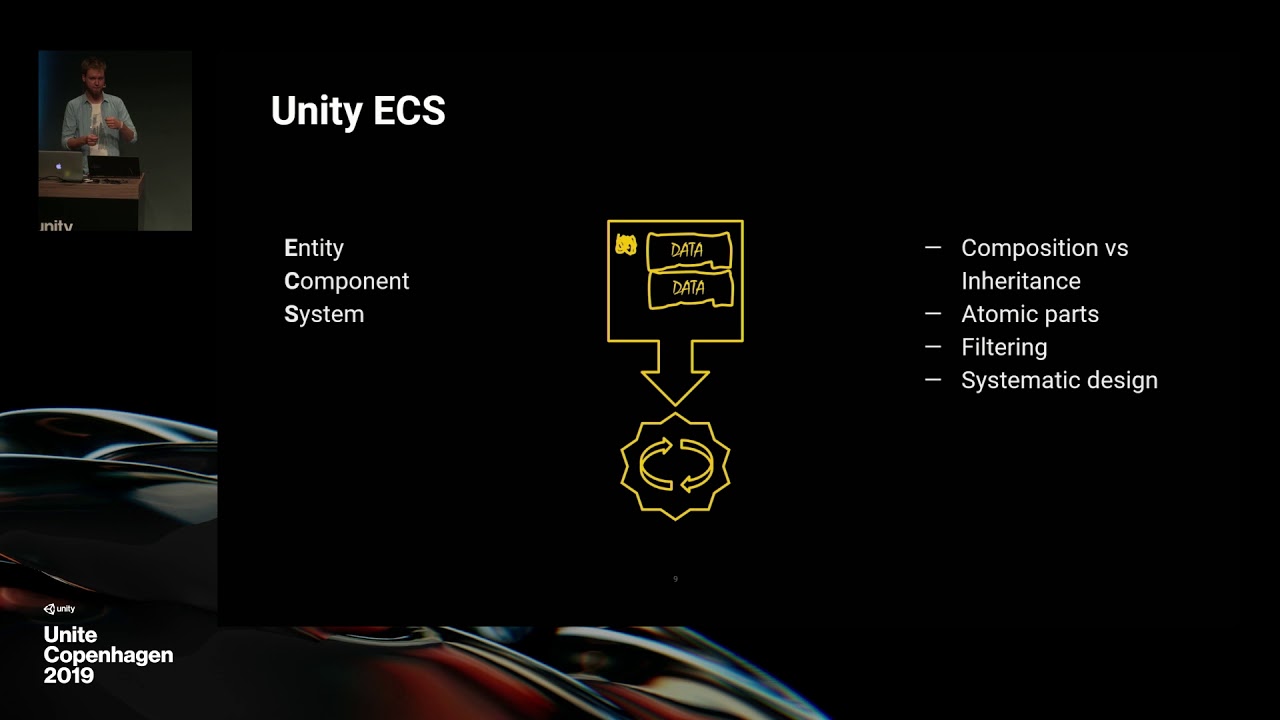
Get a high-level overview of the Entity Component System (ECS) and turn-based game loops, and see a proof of concept built using ECS. The session covers some of the pitfalls and also shows concepts of ECS in a slightly exotic context.
Speaker: Florian Uhde - Three Eyed Games
...
This can help
gritty grail
Well I'd like to add all of the entities I make into a hashmap so I can easily graph the objects together how I need to 🤔
I know about that method already
I just really don't like it..
lol
opaque ledge
Yeah it does feel hacky, but.. thats how it is going to work, i do the same with my interaction system.
gritty grail
Well if it's too difficult I can just use Parallel.For instead
opaque ledge
otherwise your code seem to sufficie
i mean you dont need to use a job if you want it to be done immediately
gritty grail
Right
opaque ledge
or you could run EntityManager to get all translation you need from entities to NativeList<Translation>, and send that to paralleljob, process it after its done set them back to entities using EntityManager
gritty grail
It'd probably be easier just to use C#'s parallel for loop to be honest at that point
so it's not a big deal 😛
So what was the way to add Translation component to gameobjects again?
opaque ledge
you cant, you can add Translation component to entities
or do you mean data to be converting ? Authoring ?
gritty grail
I have a gameobject that is being instantiated
em.Instantiate(entity, entities);
entity is a gameobject
how do I make it's entity counterpart have a translation
opaque ledge
it will already have when its converterted i believe
Transform will be converted into Translation, Rotation and Scale(if not identitiy)
gritty grail
Translation trans = em.GetComponentData<Translation>(entities[0]);
ArgumentException: A component with type:Translation has not been added to the entity.
opaque ledge
Sorry, i never tried to instantiate gameobjects directly, i always converted them into entities first and then instantiate those entities
does that game object have a ConvertToEntity script ?
gritty grail
Yeah
dull copper
@gritty grail what do you really want to do here, sync entity to gameobject transform?
or vise versa?
gritty grail
I'd like to be able to convert a gameobject prefab to an entity, clone it, and move all of them into their correct position.
zenith wyvern
Why do you not want to use a system exactly?
plush portal
@mint iron, but do you instantiate at runtime?
plush portal
@opaque ledge Actually, command buffers also gives you an array.
@gritty grail You can convert at runtime(after the fact) using a GameObjectConversionSystem
gritty grail
I don't want to use a System because I already have an array of entities as it is
and I only want to do the process once
Then I want to hash them so I can do further logic with them afterwards
Doing it in a system would be extremely hackish
formal scaffold
Hey, anything out there on how I can animate Entities? I know Animation for pure Entities is not out yet but is there any information on how to achieve animation with ECS?
I tried adding an Animator and the Convert To Entity script with the Options "Convert and Inject GameObject" This lets me use the Animator stuff. But controlling the Translation Component from a System doesn't change the actual position of my injected GameObject.
mint iron
@plush portal Yes, instantiate at run time, they're not in a subscene or anything; But, having said that im only instantiating the one game object after the initial load, which in its conversion script does a lot of heavy lifting to pull in referenced prefabs. The rest are just using addressables "LoadAsset" which so far as i can tell doesn't actually instantiate them. But its enough info to pass a prefab into GetPrimaryEntity to make an entity prefab out of it.
here's the script, might be easier than trying to explain. https://gist.github.com/jeffvella/d41835d045902cc863228bbc32e9c4a3
the point of the cache being that its syncronous, during a conversion when you're calling GetPrimaryEntity you can't have it going out and async grabbing the addressable.
var rewardAsset = AssetCache.GetAsset<GameObject>(Something.Embedded.RewardEffectPrefab.RuntimeKey);
var rewardEntity = conversionSystem.GetPrimaryEntity(rewardAsset);
that makes me wonder when Unity will officially support DOTS for addressables
I used to poke their staff about it every now and then but haven't done that anymore
I kept asking for ECS support + support / example on how to create your own asset provider so you could encrypt your game assets (ability to do this was mentioned on very first addressables talks)
I haven't really followed what happened to either topic recently but I'd assume nothing has changed
gritty grail
Okay
so instantiating my prefab, my entities have no components attached at all
Why do entity variables not show up in the inspector?
This is killing me lul
Alright I remember now
 magic frigate
You have me in suspense
gritty grail
Me?
I'm just struggling lol
I did this all back in the day and now it just doesn't want to work for me anymore 😦
Perfect, got it working now
crap that took too long
Wish I could burst compile move their translations
urban remnant
Hi! Is there some tutorial how to use animator / animations with pure ECS? I mean if you can't use game object, the typical pipeline doesn't count.
opaque ledge

GitHub
Repository of projects that showcase the new DOTS animation package (com.unity.animation). - Unity-Technologies/Unity.Animation.Samples
zenith wyvern
There's no tutorial, there's no "official" animation system for ECS yet
If you need animated 3d models you're probably better off sticking with the old way for now, and using hybrid to reference your gameobjects in ECS where needed
urban remnant
@opaque ledge meh, that doesn't seem production ready at all. And kind of hard to read and understand how to apply
@zenith wyvern yeah
opaque ledge
isnt Unity.Animation is official animation system for DOTS ?