#⚛️┃physics
1 messages · Page 57 of 1
 foggy rapids
 stuck bay
I tried something similar by setting a bool to true when calling destroy and then checking that one, but it did not work
I fixed my issue by working around the problem with layers, but I still think it's strange behaviour
 dark scarab
In Unity (and many other engines) every object fall at the same speed no matter the mass; just like in a vacuum... Is there a way to apply a more... real-world(?)... solution to the physics in Unity?
 fossil dragon
through coding. mass only affect how much an object is able to push another one (lighter objects push heavier objects much less than vice versa)
you can, however, slow down the fall (and overall velocity) by using the drag property
 royal walrus
Yeah
 civic shadow
I'm quite new to Unity, and I'm trying to get familiar with the engine by making a simple 2D physics sandbox. From playing around with Unity, I noticed that 'continuous dynamic', 'continuous speculative', etc. are all only available for 3D rigidbodies. This confused me; is having only 'continuous' checked for a 2D rigidbody good enough for all potential collision scenarios (I.E two fast 2D rigidbodies colliding with each other), or are 2D rigidbodies simply less developed than 3D ones?
 viral ginkgo
@civic shadow
continuious speculative makes difference for rotating bodies only
you use that on the pin in pinball game for example
civic shadow
Hm, maybe I worded my question a bit weirdly. I know what continuous speculative, continuous dynamic do. The thing is, 2D rigidbodies don't have continuous speculative, or continuous dynamic--they have only discrete and continuous. My question is if 'continuous' for 2D rigidbodies already does everything continuous speculative and continuous dynamic do for 3D rigidbodies--thus making implementing something similar for 2D unnecessary--or if 2D rigibodies are comparatively underdeveloped, and simply don't have their own 'continuous dynamic' and 'continuous speculative' equivalents.
foggy rapids
they are two different physics engines
civic shadow
TL;DR, does 'continuous' for 2D rigidbodies allow for collisions between, say, 2 fast moving objects?
foggy rapids
no, it doesnt
foggy rapids
there might be some settings you can tweak...
otherwise use a bullet implementation (probably one on the asset store)
or make your own solution using raycasts
you might also just switch to 3d physics in two dimensions.
civic shadow
Huh you can do that?
foggy rapids
nothing says you have to use all 3 axis 😄
foggy rapids
👍
 zealous tree
hi, im trying to set up the rotation of my player object around the Z axis rotation using q and e keys without altering any other part of the player. im trying with transform.Rotate(-Vector3.up * RotateSpeed * Time.deltaTime); but this is rotating more than just the Z axis - can someone please point me in the right direction?
 graceful meadow
transform.rotation = Quaternion.AngleAxis(Vector3.forward, RotateSpeed * Time.deltaTime); give that a go?
swap Vector3.forward with .up or .right if you wanna change the axis etc etc
zealous tree
RotateSpeed is a float and im getting this error: cannot convert from 'UnityEngine.Vector3' to 'float'
ill try change RotateSpeed to Vector3?
graceful meadow
wait rotatespeed should be a float, that's right
OH IM BAD
swap the arguments heh
transform.rotation = Quaternion.AngleAxis(RotateSpeed * Time.deltaTime, Vector3.forward);
there we go
zealous tree
thanks, its doing some funky rotations though
graceful meadow
funky?
zealous tree
its only rotating forward it seems no matter which .up or .right i use. im trying right since that is what im hoping for (Z-axis)
but when i try it is first moving the player position
then its only rotating forward still
hmm i think its changing my start position
graceful meadow
you're using Vector3.axis and not transform.axis right?
zealous tree
im using Vector3.right
graceful meadow
and the fact that rotation's affecting position makes me think it might have something to do with the mesh offset
zealous tree
maybe because the object does not start at 0 0 0
graceful meadow
yep thatd be a factor
zealous tree
im basically trying to do this transform
so that the payer can rotate to go sideways
i suppose i need to be a little more clever about this
graceful meadow
ooooo
zealous tree
so ive tried to Freeze the Y position in Rigidbody but now the rotation doesnt seem to work at all
 regal parcel
hi someone knows how to get ellipse orbit when using physic formula , I all time gate circle
i using this to planet gravity simualtion
 coral mango
Is there a way to make particles react to 2d physics effectors?
 loud moon
Should Configurable Joint target rotation have an affect on torque direction if I apply a force. IE i'm applying a straight up force which should cause a rotation about only one axis, but with target rotation on it sways over and then back.
royal walrus
Can someone help me with a buoyancy problem?
Nvm, I set the water density to 1 kg per cubic metre when it should be 1 kg per litre
Quite light water.
civic shadow
Right, so in the 2d game I'm making, I'm using 3d rigidbodies (with z set to 0) because I need continuous dynamic mode on my physics objects. Are there any disadvantages to doing this? Are there any better alternatives?
 halcyon ruin
can someone please help me with Vector3.Reflect?
the result is in an incorrect direction
public Transform original;
    public LayerMask mask;
    void Update()
    {
        RaycastHit hit;
        Ray ray = new Ray(transform.position, transform.forward);
        if (Physics.Raycast(ray, out hit, 5,mask ))
        {
            Vector3 position = Vector3.Reflect((hit.point-original.position), hit.normal);
            Debug.DrawLine(transform.position, hit.point,Color.green);
            Debug.DrawLine(hit.point, position, Color.red);
        }
    }
it just kinda returns
halcyon ruin
foggy rapids
lol, show the collider? maybe it's not actually at the angle we think it is
it might also help to draw the normal
halcyon ruin
ok, so i returned the (hit.point-original.position).normalized
and it just returns(i think) the inNormal
RaycastHit hit;
        Ray ray = new Ray(transform.position, transform.forward);
        if (Physics.Raycast(ray, out hit, 10,mask ))
        {
            Vector3 position = Vector3.Reflect((hit.point- original.position).normalized, hit.normal);
            Debug.DrawLine(transform.position, hit.point,Color.green);
            Debug.DrawLine(hit.point, position, Color.red);
        }
interesting, that shouldn't affect the result at all
i can only guess that original.position is not transform.position
halcyon ruin
its the transform of the object
This is when i change to (original.position- hit.point).normalized
i changed original.position to transform.position, since i wouldnt need it anyways, still the same result
 livid halo
say I'm building a crane in Unity, a simple arm that I can control via an applied velocity
and I have a load on it, attached via a rope or something similar
How best could I read back a force that it applies on the crane arm?
almost like a loading
viral ginkgo
@livid halo Reading back the force?
To do what with it?
Adjust counter force to keep it in place?
If so you might wanna take a look ad PID control
 nova ice
just started experimenting with tilemaps for my terrain instead of lots of gameobjects.... maybe someone can give me a tip. I swapped out my terrain for a tilemap... My vehicle/player object is a rigidbody2d, and anytime i try to move the screen just shakes but never moves... I don't think this really has to much to do with tilemaps as somethign else, as I can do deactivate my tilemap and something happens. Anyone know what I'm missing to make my player moveable?
nova ice
lol.. Found issue.. I had a network sync component on when I was trying to test this without networking
nova ice
in the 2d-techdemos.. its isometric world shows an "outline" like collider inside of one of the layers.. but how does it lay the outlines, it doesn't seem like the item is any of the tile map packages
 unreal elbow
hi can I ask for some help implementing a rotate around functionality using rigid bodies? I have this code and it can successfully rotate around a target object the question I have is how do change the distance from the object while its still rotating?
public class Orbitters : MonoBehaviour
{
     public Vector3 v = Vector3.forward * 1.5f;
     public Vector3 axis = Vector3.up;
     float orbitSpeed = 180.0f;

     public Transform target;
     public Rigidbody rigidbody;

     void Start () {

     }

     void FixedUpdate () { Quaternion q = Quaternion.AngleAxis (orbitSpeed * Time.fixedDeltaTime, axis);
        v = q * v;
        target.position = target.position;
        rigidbody.MovePosition (target.position + v);
        rigidbody.MoveRotation (q * transform.rotation);
     }
}
 verbal thorn
hi guys, i have a little question . It's just to confirm my suspicion
this box collider is more efficient than about 10 raycasts (taking into account that the range of the ray is the thickness of the box collider), right?
graceful meadow
theres so many factors that affect performance that the best answer you'd get is by using the profiler
prioritizing colliders over raycast spam is a good move tho
verbal thorn
ok
just another thing, if you know
can i trust this fps counter?
or someone who knows
i'm asking this because my afterburn says a diferent value
foggy rapids
you can trust the fps counter, but it does hide spikes
like if you're at 1000 fps then you have a 3 fps spike and go back to 1000 fps you're gonna miss it
the box collider is a good idea but you might want to a/b test it with a boxcast implementation
verbal thorn
Ok, ty :D
 umbral jackal
How do I see how much force to apply to an object to get it from one position to another? I can't remember from physics what is the best way to do that, mass of 1 and I am adding 1,000 to the y, now I just need it to land in a certain spot
foggy rapids
if you didnt already know that, you're going to have a bad time making it land in a certain spot using physics.
it will be more reliable to calculate a trajectory and then follow it
umbral jackal
alright thanks for the help
cant you just determine the time the object will be in the air, using deltaY=1/2(a)(t^2) (assuming starting velocity is 0) and now that you have time you can figure out the range of x and z and limit them to certain values?
foggy rapids
probably, but it's not reality. You will encounter situations where it doesn't quite work when it should and getting around it wont be easy. Try it and see :)
If you require determinism: try to avoid using forces.
umbral jackal
ok probably for the best haha, I've been trying to find a good way to move the player (he jumps from spot to spot) but non of them feel good except for rigidbodies
its a board game so he jumps from one vector3 to another basically
foggy rapids
the best character controllers are a blend of physics/clever mechanics and animations
umbral jackal
that is not a bad idea, I somehow forgot about character controllers, I'll see what I can do with that thanks!
unreal elbow
hi can I ask for some help implementing a rotate around functionality using rigid bodies? I have this code and it can successfully rotate around a target object the question I have is how do change the distance from the object while its still rotating?
public class Orbitters : MonoBehaviour
{
     public Vector3 v = Vector3.forward * 1.5f;
     public Vector3 axis = Vector3.up;
     float orbitSpeed = 180.0f;

     public Transform target;
     public Rigidbody rigidbody;

     void Start () {

     }

     void FixedUpdate () { Quaternion q = Quaternion.AngleAxis (orbitSpeed * Time.fixedDeltaTime, axis);
        v = q * v;
        target.position = target.position;
        rigidbody.MovePosition (target.position + v);
        rigidbody.MoveRotation (q * transform.rotation);
     }
}
 mighty sluice

^so beautiful... an atmos simulation (very crude, but existent) is generating wind forces...
the fins of the missile are 4 rigidbodies attatched to a larger capsulr rigidbody via fixed joints
and the nose of the capsule is attatched to a point in space by a spring joint
the twisting of the missile is entirely due to the wind forces and the angles of the fins
 fading flare
thats cool
 unreal elbow
hi can anyone help me implement a rotate around function using rigidbody?
mighty sluice
unless you constrain the rigidbody in a clever way, or unless you make it kinematic, or unless you use configurable joints (or a hinge joint) it's not easy
unreal elbow
yeah I figured but this is what im trying to accomplish
the gray spheres are supposed to be players. Im trying to make them move closer or farther away from the yellow sphere if I press the A or D keys
could you take a look at my code and tell me where I could possibly add the offset part?
public class Orbitters : MonoBehaviour
{
     //public Vector3 v = Vector3.forward * 1.5f;
     public Vector3 v;
     public Vector3 axis = Vector3.up;
     float orbitSpeed = 180.0f;

     public Transform target;
     public Rigidbody rigidbody;

     void Start () {
         v = transform.position;
     }

     void FixedUpdate () {
        Quaternion q = Quaternion.AngleAxis (orbitSpeed * Time.fixedDeltaTime, axis);
        v = q * v;
        target.position = target.position;
        rigidbody.MovePosition (target.position + v);
        rigidbody.MoveRotation (q * transform.rotation);
     }
}
@mighty sluice you think you could help me? 😦
mighty sluice
pretty sure you just need to move the target.position.x/y/or z
target.position = target.position; does nothing
make another vector3 called default position
and then set target.position = default.position * somefactor
@unreal elbow make sense?
depending on what is what, you might instead need to do that with the v transform
mighty sluice
confused about what?
unreal elbow
I tried doing this rigidbody.MovePosition (target.position + (v * (Input.GetAxis("Horizontal") * 1.5f))); but the sphere just moves when I press the A or D keys
I want the gray sphere to maintain the offset or something
mighty sluice
I don't know what target is supposed to be
unreal elbow
target is the yellow sphere from the gif I sent
mighty sluice
{
     //public Vector3 v = Vector3.forward * 1.5f;
     public Vector3 v;
     public Vector3 axis = Vector3.up;
     float orbitSpeed = 180.0f;

     public Transform target;
     public Rigidbody rigidbody;
     public Vector3 defaultV;
     public float offset;

     void Start () {
         defaultV = transform.position;
     }

     void FixedUpdate () {
        v = defaultV;
        v.x += offset;
        Quaternion q = Quaternion.AngleAxis (orbitSpeed * Time.fixedDeltaTime, axis);
        v = q * v;
        target.position = target.position;
        rigidbody.MovePosition (target.position + v);
        rigidbody.MoveRotation (q * transform.rotation);
     }
}```it might be v.z or even v.y
unreal elbow
I found a way of adjusting the distance of the gray sphere from the yellow sphere now Im having another problem. whenever the sphere collides with something it kinda snaps infront of the object that its colliding with
mighty sluice
because the move position script carries on applying new forces meant to bring it to the target position
getting the behavior i assume you want isn't exactly trivial...
unreal elbow
im really having trouble with this right now there's not alot of reference for what im trying to do. . .
can you help me out?
mighty sluice
if you make the script read its current location and then apply a relative force meant to carry it on through the circle, it would stop
i dont have the time at the moment, sorry
unreal elbow
@mighty sluice can you tell me how I could reverse the direction of the rotation to counterclockwise?
mighty sluice
probably by making orbit speed negative
unreal elbow
there we go thanks alot I'll have to make due with the way it snaps infront of objects it collides with
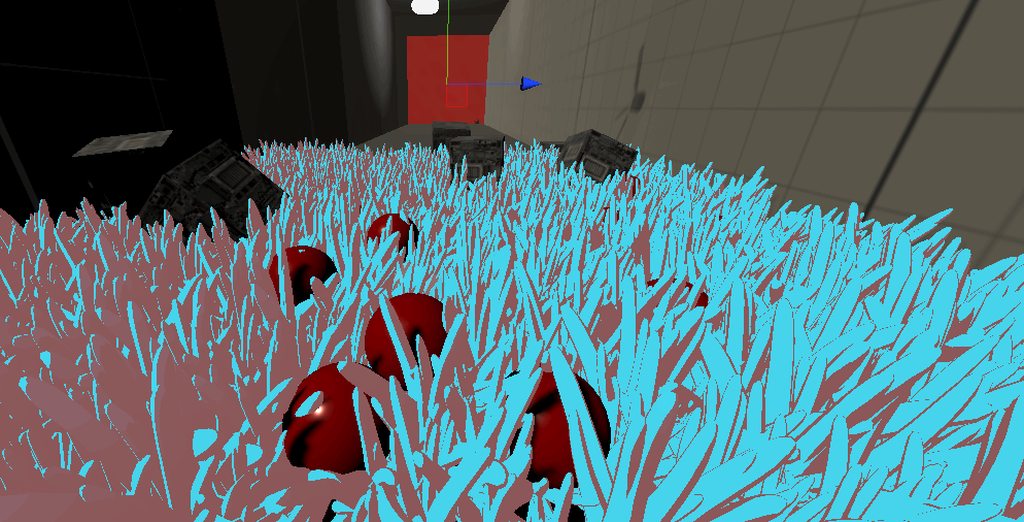
 torpid prism
anyone knows why does the returned angle seems to be off ?
var A = pointA_red.position;
var B = pointB_blue.position;
var O = point_origin.position;

var r1 = Quaternion.LookRotation( A - O );
var r2 = Quaternion.LookRotation( B - O );
var angle1 = Quaternion.Angle( r1, r2 );
From the docs :
Think of two GameObjects (A and B) moving around a third GameObject (C). Lines from C to A and C to B create a triangle which can change over time. The angle between CA and CB is the value Quaternion.Angle provides.
idk why the returned angle is way off ...
 uneven mountain
Does Vector3.Angle return a correct one?
torpid prism
yep this one does
var angle2 = Vector3.Angle( A - O , B - O );
Here's my assumption: Quaternion.LookRotation only guarantees that Z is aligned with the direction; the rotation around Z is not well defined (but can be made stable if you use a second argument and if you can make a consistent direction). Because of that, LookRotation can yield very different Euler angles depending on where your blue sphere is (esp. around the place where Vector3.up is located). You can see that by drawing local axes of a blue sphere if you rotate it using LookRotation. With regards to the angle you're getting, it probably just doesn't return the shortest possible angle for that reason.
torpid prism
yea looks like it gets all messed up ... when i pull it up
for comparison
so i assume look rotation 2nd argument is vector up by default
yep, used Vector.forward as the 2nd arg, now the same behavior appears when moving the blue flat on the ground , while moving it above / below the origin it seems to be quite accurate
torpid prism
computing against the normal , that seems to give identical results in both angles :
var arc_normal = Vector3.Cross( A - O, B - O );
var r1 = Quaternion.LookRotation( A - O, arc_normal );
var r2 = Quaternion.LookRotation( B - O, arc_normal );
 shut wind
Is it possible to update a mesh collider asynchronously? Deforming the mesh itself doesn't cause any issues but when updating the mesh collider it causes freezing
viral ginkgo
@shut wind maybe chunk your mesh and update one chunk at a time?
so you dont have to update a big mesh
whats this for anyway?
shut wind
I tried chunking it up but then had issues with stitching the chunks together. Its for excavating dirt. I create a plane mesh with a ton of verticies for detail
@viral ginkgo
viral ginkgo
Yes but are you ever going to have an overhang on the terrain (or anything as such)
I mean can your terrain be defined as y = f(x,z), like a heightmap
If thats not the case, you will need some voxel tech
shut wind
ahh okay I see, no I wont need any overhangs/caves
viral ginkgo
Okay
You have lod?
High resolution mesh closer to player,
Low res mesh away from the player i mean
@shut wind
Or all same resolution everywhere?
shut wind
I dont have a LOD system at the moment, I dont think i'll need one since its isolated areas that are pretty small that can be dug in.
So right now its the same resolution everywhere
viral ginkgo
Then, you shouldn't really have stitching issues
Oh wait
Stitching is an issue when you modify terrain no?
because you do the modification chunk-based
and you cant have shared* verts with chunks
is that the case?
@shut wind
shut wind
Stitching issue only occurs when modifying the terrain
Just the intersection points of the different chunks
I tried a few different methods such as transforming the local point of the chunk that is currently being deformed to the neighbor and making sure the overlapping verticies had the same world y coordinate but that didnt work out
viral ginkgo
Heres what you do, if you modify an edge vertex, you update multiple chunks
shut wind
So I'd take the local vertex position and based on its position from the center i'd return a list of neighbors
if it was on a corner it returned 3 neighbors
and if it was just an edge it returned 1 neighbor
viral ginkgo
chunk0.edit(worldPos);
chunk1.edit(worldPos);
like so i mean
chunk will figure the localpos in mesh
and it will correspond to same spot in world coordinates
shut wind
Exactly
For some reason I just couldn't get them to line up
I debugged it a ton and the vertecies were being found on both the current chunk and the neighbor chunk
it just wouldn't match their height
viral ginkgo
you wanna edit like vertices in a radius no?
Use the Debug.DrawLine
In world pos and local pos
(If you haven't)
Sounds like you just need some debugging to do
shut wind
Ill grab a few screenshots and code snippets
shut wind
Yes
viral ginkgo
but why do you need to match?
shut wind
It leaves holes in the ground
viral ginkgo
chunk0.edit(worldPos);
chunk1.edit(worldPos);
this should already treat overlapping verts the same way
and they will never seperate
whatever operation you are doing
if its affected by vert world pos, it will be the same result
shut wind
viral ginkgo
deterministically i mean
shut wind
This is what ended up being the result
viral ginkgo
yes, you shouldn't ever have that issue
void Dig(Vector3 worldPos, float radius){
  for(int i = 0; i < verts.length; i++){
    Vector3 vertWorldPos = verts[i] + chunk.transform.position;
    if(Vector3.distance(vertWorldPos, worldPos) < radius){
      verts[i] -= Vector3.up * 0.1f;
    }
  }
}
chunk0.Dig(somePos, 3);
chunk1.Dig(somePos, 3);
@shut wind
See what i mean?
That simple
shut wind
Right
Inside the dig function it should call the neighbors dig function, right? And maybe set a boolean to prevent them going back and forth telling eachother to update the position?
viral ginkgo
Just find which chunk the given position corresponds to
Call Dig for that chunk and 8 neighbours
@shut wind
shut wind
Okay
 random apex
Is there an effective way to prevent a circular object from rotating when sliding against a flat wall, without constraining rigidbody rotations?
graceful meadow
maybe give it a physics material with zero friction
viral ginkgo
@random apex why do you want that and why without rb constraints?
random apex
@viral ginkgo object rotates with camera, and zero friction would mean the object doesnt ever stop moving forward
graceful meadow
you could use linear drag to prevent the latter
viral ginkgo
@random apex you should be fine doing rotation constraints
stuck bay
https://streamable.com/8jfxqw Would there be a way of doing this in Unity VR? I have tried hinge joints but I can't seem to get it to work? Should I try with VRTK
 stuck bay
i have this complex map mesh here, and i want the walls to have collision, however, the mesh collider doesn't accept this mesh, and the box collider is very buggy
so what do i do?
walking towards an object with a box collider causes my character to shake weirdly
 frigid pier
Complex mesh colliders work fine on static objects. If it is getting rejected then it is probably malformed in some way and unable to resolve facing of some flipped normals. You can fix it in any 3d editor.
walking towards an object with a box collider causes my character to shake weirdly
@stuck bay That's not collider's problem, it's controller probably trying to update physics in Update or trying to move physics object with transform
stuck bay
so how do i fix that
im not doing anything like that in transform
im just moving the object
the player i mean
which has a capsule collider
frigid pier
Create a controller that utilizes physics properly https://learn.unity.com/tutorial/3d-physics
 frozen gorge
Hi! I have no idea if this is the right place to put this or not. Please don't judge, I'm very new to programing and Unity. I was trying to make a 2D platformer and for some reason when I hit play my player falls through the floor. I have a rigidbody on both the floor and the player and a collider on the player. Any suggestions?
foggy rapids
collider on the floor
foggy rapids
floor collider will work. if it doesnt then your collision layers are set to ignore it or your object is moving so fast it passed through the whole collider in one frame
frozen gorge
I set colliders on my floor but now when my player falls it pushes the blocks down
foggy rapids
set floor to isKinematic
 frank juniper
Is there a way to adjust the angle of capsule colliders?
viral ginkgo
@frank juniper just rotate them?
Rigidbody GO
CapsuleColliderGO
Set up your object like this
And rotate/move/scale collider however you like
Your collision callbacks will land on rigidbody
frank juniper
So the collider object has to be a child of the rigidbody?
frank juniper
I'm trying to make a capsule collider match an angled rope so it can be grabbed
viral ginkgo
If this is for rope swinging characters, i'd just rotate the characters model instead, temploraryly
@stuck bay maybe you have 3d and 2d colliders mixed in, just a guess
@stuck bay Looks like your dark wizard over here is a trigger collider
 restive hedge
Hi, i'm just starting with game development and i'm trying to build an Arkanoid like game. What can i use to detect in which part of the paddle the ball collided?
restive hedge
nvm i found out, using ContactPoint
 clever veldt
imma go for it: is there a way to make 3D colliders and 2D colliders interact? or to put a 2D collider on an object with a 3D rigidbody?
@stuck bay unfortunately you need to hack it. 2D and 3D use completely different physics systems and they don't interact. What is it that you are trying to do? In many cases, you can do with one system, for instance:
- if your gameplay is 2D (i.e. objects only move on a plane) but the objects are 3D, just put 2D colliders and rigidbodies on the 3D objects and it will just work
- if your objects are 2D but for some reason can move on the Z axis, you could potentially have all the physics in 3D. Think for instance of something like the game Don't Starve, where objects are in a 3D space even though they are using 2D drawings (in Unity, Sprites) as graphics.
royal walrus
I'm trying to make my player's rigidbody stay motionless relative to the vehicle it is in. I'm using a script that simple adds a force to my player equivalent to the velocity of the vehicle objectRB.AddForce(vehicleRB.velocity, ForceMode.Acceleration).
For some reason, it won't move at all. I've set the fields to the appropriate rigidbodies and I know that the vehicle's velocity is non-zero. Any help?
 unkempt vale
Hi, how does Unity decide default hinge joint Anchor when adding the component editor time? I always observe some Y axis offset. No idea where Unity takes that value from and why
 violet tiger
I'm having trouble with polygon2D colliders that I am assigning the path for in code not causing OnTrigger2D events. Both are triggers and kinematic rigidbodies. I think it might be because I am assigning the path for the collider inside code, but I am not sure
foggy rapids
many ways. you have to find one that fits your control strategy
the quick answer is to set your character's position to the same level as the ground every frame
but that just leads to more quesitons right
what you apparently already tried.
Use a trigger or raycast or something to figure out where the ground is, then decide whether you're touching it or not and how to move your character in that case
most people tag their ground as "Ground"
then put a box collider at their character's feet.
then in an OnTriggerEnter2D they check if what they hit is the ground. If it is, they set a boolean to true.
Do the opposite in OnTriggerExit2D.
Then in your movement code you check that boolean,
but before that, try putting a collider around your character, and one on the ground. So long as your collision matrix (project settings -> physics2d) says they can collide they will
 dense token
Is anyone able to get code instantiated hinge joints to break and disappear correctly?

Unity Forum
I have created a rope bridge which consists of GameObjects with rigidbodies connected together with joints. Looks and works well. I have the joints’...
viral ginkgo
@stuck bay Looks like you are doing something like a motorbike and you might want to use joints instead of trying to parent the bodies
 mighty crescent
I have 3d collider on my player and terrain yet it still sometimes phases through. I have rigid body on only the pkayer since i dont want the terrain to be floating about
Player* not pkayer
viral ginkgo
@mighty crescent are you moving player via transform/rb.position/rb.Move() ?
mighty crescent
Rb.addforce and natural gravity
viral ginkgo
@mighty crescent moving too fast?
mighty crescent
Dont thinks so because sometimes the player does a small bounce then falls through it
viral ginkgo
do you have any direct position sets?
mighty crescent
What do u mean?
viral ginkgo
transform
mighty crescent
Nvm i relook theough my code for it
viral ginkgo
transform.position += vectorStuff?
viral ginkgo
issue might be occuring there
mighty crescent
How so?
viral ginkgo
if you edit position via Tr.pos, thats basicly teleporting
ignoring physics and collisions
mighty crescent
My tr.pos is used for when the player falls too far so they are put back on a platform and for moving a door like object
viral ginkgo
your character could perhaps be trying to go through the terrain when you walk againts an uphill climb
So thats not when the issue occurs
mighty crescent
Dont think so
viral ginkgo
If so then its most likely not related
Does switching player rb to continious collision detection solve the issue?
mighty crescent
No, tried that
viral ginkgo
no idea then, i'd look deeper into the code to make sure if there are any other direct position sets
i'd try to comment them out and test if possible like that
mighty crescent
Ok, thanks
viral ginkgo
np
violet tiger
Hey, do colliders screw up and not trigger OnTrigger event if I assign the polygon2D collider path through code?
viral ginkgo
@mighty crescent you might wanna see if terrain's collider not marked "convex"
mighty crescent
?
mighty crescent
It doesnt
violet tiger
As in OnTriggerEnter2D?
Nope, those are there
Similar code worked with edge colliders, but since edge colliders don't trigger other edge colliders I had to switch to poly
violet tiger
So the problem seems to be with PolygonCollider2D.SetPath
If I edit the path from the editor it starts triggering OnTriggerEnter2D events
Other object only start colliding/triggering with said polygon colliders after editing from the editor as well
It seems like the problem is with the colliders not updating, but I don't know how to make them update through code either
viral ginkgo
@violet tiger maybe try enable/disable the gameobject
just after you edit in runtime via code
gameObject.SetActive()
violet tiger
I am enabling it currently, the gameobjects start off disabled
viral ginkgo
edit shape
disable
enable
like that
violet tiger
Okay
Does nothing
It feels like something wrong with SetPath()
I tried to edit points directly, that also ddn't work
violet tiger
I am
violet tiger
TriggerStay also doesn't get called
viral ginkgo
call it and see if it works?
works properly
if so you will make your own ontriggerenter via ontriggerstate
violet tiger
Yes, Have tried that, doesn't work either
viral ginkgo
triggerstay is also broken?
viral ginkgo
wow
thats awkward
oh wait
you seen this?
@violet tiger
https://stackoverflow.com/questions/39059274/is-there-a-way-to-recalculate-the-polygon-collider-at-runtime-and-possibly-with

Stack Overflow
so I have this game in which I have destructible terrain. my setup is that when terrain is destroyed a part of the terrain texture is made transparent, to act as a crater. after any kind of change ...
violet tiger
Gimme a sec
viral ginkgo
Looks like polygon collider needs to be recalculated?
i guess editor does that
but in code, its different as i get it
violet tiger
Well, I wonder if there is a way to do it in code. If this is correct it just makes PolygonCollider2D.SetPath() Useless
Since if you use it, the polygon will stop being a collider since no calculations take place
viral ginkgo
@violet tiger
you arent doing destructable terrain no?
violet tiger
No
violet tiger
Nope, simple lines that are drawable with linerenderer and need colliders to detect if they hit anything.
viral ginkgo
make box colliders in segments?
violet tiger
Seems like a bad fix since I would be using a lot of box colliders and also box colliders can not be rotated I am pretty sure
viral ginkgo
rigidbody
col0
col1
col2
if you have this hierarchy, all callbacks will land at parent gameobject
you rotate the child obkect
which has collider
violet tiger
While I guess it would work, it seems like a bandaid fix
viral ginkgo
¯\_(ツ)_/¯
violet tiger
Now that I have written a new solution using only a single box collider, I actually like this a lot more
 lean willow
does anyone know if hinge joints are intense on processing power if there's a lot of them? I'm trying to do a large scale physics simulation project that will have lots and lots of them so I would like to get a rough idea
i basically made this thing of 20x20 rigidbody2d circles connected by hinge joints to stress test and that was about as big as I could go, but I would like to get a lot more
so that was about 700-750 hinge joints
 keen crane
Physics vs Animation clips: which is generally more resource heavy? (mainly for mobile 3D games similar to Tony Hawk Pro Skater where the board has to flip different ways).
 swift tinsel
Hey folks, I'm trying to make a line I'm generating using LineRenderer collidable by a RidgidBody ship. However, it seems like the ship I'm controlling gets temperamental and only sometimes collides with the line. Anyone seen something like this before?
frank juniper
So I have ship that is a mesh collider and when I add force to it all the objects that are inside the ship go to the very back. How can I fix this?
unreal elbow
hi can somebody help me implement a rotate around feature using rigidbody.add force?
Im not really good with the physics system or how to handle with the rotations to implement this
mighty crescent
How do i change the size of the box collider of an object without changing its overall size?
fading flare
@mighty crescent
mighty crescent
How do i do it through script. My charecter changes from standing up right to on 4 legs because of animations.
 civic field
@mighty crescent
@unreal elbow you need to be more precise with what you want your end result to be as there are many things that correspond to rotate around
 crisp jay
Hi, I just upgraded to unity 2020.1.6f1 from 2019.4.1f1 and my player now passes through walls for some reason
2019 ver
2020 ver
foggy rapids
check to make sure your project settings and unity settings are the same as before
for me unity decided that maximum high quality should clearly be the default on this 2015 macbook 🥴
 heavy burrow
does physX in unity 2018.3 utilize multiple threads?
frank juniper
Question: if a Character controller is parented to a kinematic rigid body and that is parented to a non kinematic rigid body will the player act like the kinematic Rb or the non kinematic RB?
crisp jay
check to make sure your project settings and unity settings are the same as before
@foggy rapids Thanks!! So the settings are the same as befor BUT in 2020.1 they added a new parameter in the physics tab called "Default max depenetration velocity". Was set at 10, changed it to 20 and now it works perfectly!
 cinder sparrow
Hello.
How can I calculate line normal vector for Vector3.Reflect() method?
Currently, I'm checking if an object is off the screen bounds with Camera.main.WorldToViewportPoint(object.Position) and if so Reflecting it:
Vector3.Reflect(object.position, screenPoint.x >= 1 ? Vector3.left : Vector3.right);
p.s. i'm not using physics
mighty crescent
How do i chsnge whther
how do i change wether or not gravity is activated through script*
 split vapor
I've had a couple of people who have played my game tell me they where able to go through walls at very high speeds, but I cant replicate this on my end at all even with as thin of a collider as possible. Can anybody point me in the right direction for debugging this issue
graceful meadow
@mighty crescent https://docs.unity3d.com/ScriptReference/Rigidbody2D-gravityScale.html for 2d and https://docs.unity3d.com/ScriptReference/Rigidbody-useGravity.html for 3d
@ the clipping bug, maybe run your game with lower specs
if any physics are performed during update instead of fixedupdate then fps would impact the engine's accuracy
or just add trigger colliders to detect when players leave expected bounds and generate a log for them to send to you
mighty sluice
does anyone know if there is an effective difference between using ForceMode.Force and ForceMode.Impulse, assuming you are applying the impulse each fixed update?
ForceMode.Force claims to "apply a force gradually", but does it actually? Or is it just factoring the force amount by the fixedDeltaTime?
I have mostly favored using impulse because it's unambiguous what it is doing re: the physics sim
anyone happen to know?
some sources seem to indicate that ForceMode.Force applies the partial force many times over 1 second in order to make things smoother...
getting conflicting explanations though
mighty sluice
I can only assume that forcemode.force is simply used to include a fidedDeltatime discount (making it into newtons per second)
 grizzled jacinth
does physX in unity 2018.3 utilize multiple threads?
@heavy burrow I don't believe Unity's PhysX implementation is or has ever been multi-threaded. (EDIT: since 2014, Unity 5.0, PhysX 3.3 added multi-core multithreading for simulation tasks. thanks k0fe) The upcoming DOTS based Unity Physics engine will be multi-threaded. But its not ready to use.
cinder sparrow
It is multicore and multithreaded since Unity 5.0
heavy burrow
Alright time to make a test scene with a load of blocks falling and watch cpu I guess
mighty sluice
somehow i managed to make physics integrated lightning with literally two lines of code
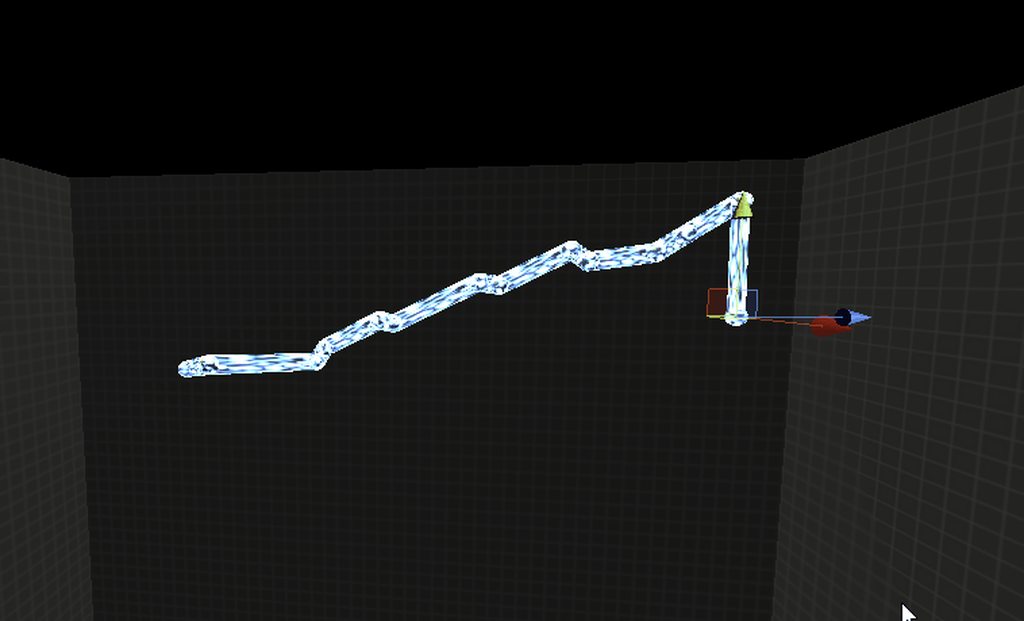
    {
        positions[1] = transform.InverseTransformPoint(thisJoint.connectedBody.position);
        lineRend.SetPositions(positions);
}```it's just a string of configurable joints that are stretched far beyond their stable limits
the rb's and colliders they have therefore flail wildly with some patterns emerging out of the physics
and they also therefore cause explosion like forces to things they strike
so it's that plus line renderers lol
i think this is a really elegant way to turn a bug into a feature
even with zero work done to make it look nice, it is still aesthetically functional from the get go lol
making the nodes non-spheres, having the start of the bolt be larger (or width modulation of the lines), some kind of actual lightning texture and some intrinsic light sources from the lightning would make it probably quite convincing
 vague raven
Hi everyone… I am curious if anyone has experience with Final IK VR Body asset that I bought for my project. if so would you be open to chat about how to set it up? https://assetstore.unity.com/packages/tools/animation/final-ik-14290
I am new to VR dev and simply need a helping hand to get it going.

Use the Final IK tool from RootMotion on your next project. Find this & more animation tools on the Unity Asset Store.
 unborn narwhal
Hello, does anyone know if there's a faster way to get a triangle's normal than the cross product of 2 vectors which are formed out of triangles 3 points? I'm only looking to calculate the y value of the normal, not x or z.
viral ginkgo
@unborn narwhal If your vertices are generated from a noise function, you could use the gradient of the noise function as normals
 tired drift
so i followed Brackey's tutorial on gravity where he made a bunch of planets gravitate towards each other. I want to create a planet that a player can walk around on and stuff. How would i go about doing this? I know how to make a player walk on a flat surface but not on a spherical rigid body.
 viral heath
How do I give my airplane grip with the wheels? With the car the wheels turning gives them grip as they are pulling. But with an airplane the wheels need to roll while also guiding the plane. Im having an issue getting the wheels to have any grip because of this. Does anyone have any ideas I can use?
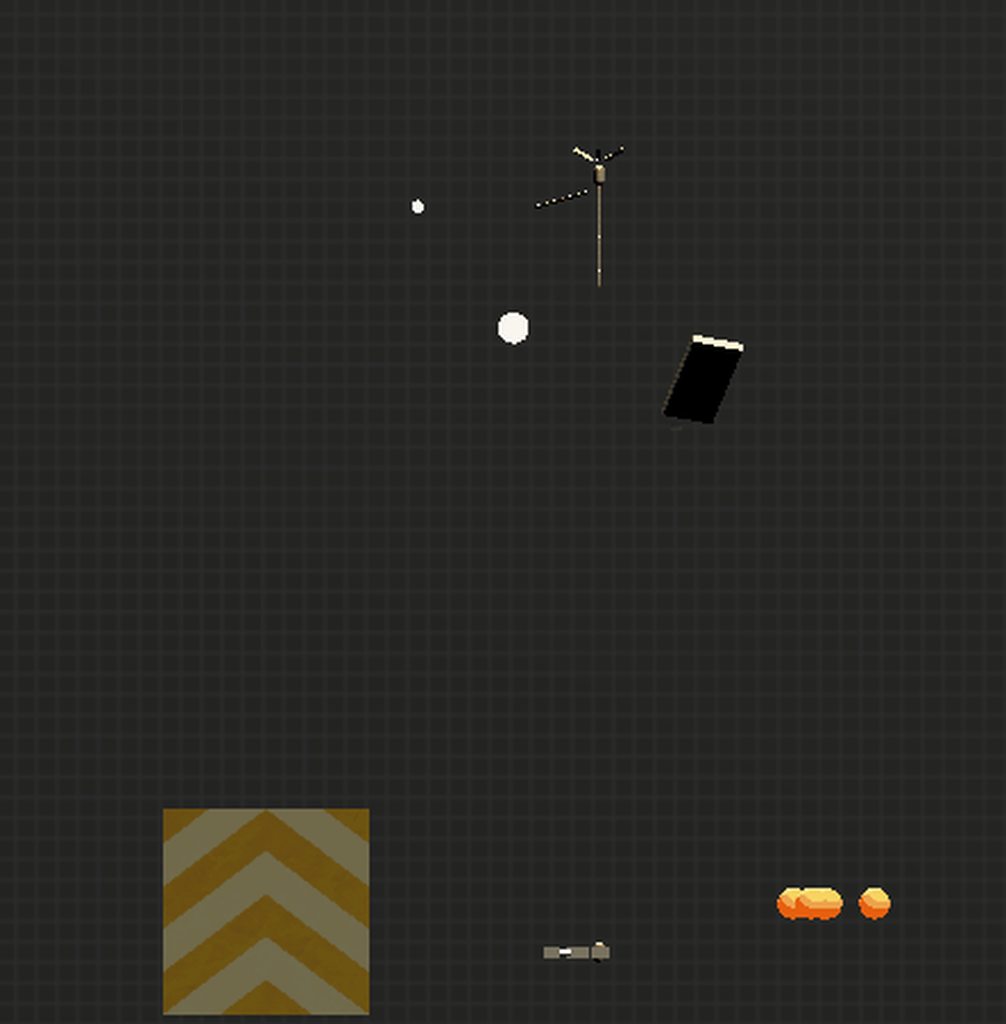 mighty sluice
i need to make a 3 or 9 point weighted local wind calculation to make the particles actually swirl around
otherwise they all experience the same wind inside each grid space
 zinc night
Im doing a rigidbody controller and when falling down the gravity is so weak and slow. i checked how strong the gravity is and it says its -9.81. i cant figure out what the problem is
 formal trout
The problem is that the gravity is -9.81 then, I'd say
I have my gravity positive, and when going higher, it pulls harder. Maybe I'm also missing something if what you meant though
zinc night
nah you were right
but isnt 9.81 the same as earth the one on earth? why does it feels different then
formal trout
Maybe because it's not m/s^2, or maybe the mass of your player is too low, but with real life physics and without air drag that shouldn't even matter
I don't know how unity'a gravity works, so yeah
mighty sluice
scale
grizzled jacinth
It is multicore and multithreaded since Unity 5.0
@cinder sparrow @heavy burrow Thanks k0fe i was having trouble finding information on this but when i searched for PhysX Unity 5.0 sure enough that's when multi-core multithreading was implemented, in 2014. The scaling isn't perfect but that's to be expected. https://forum.unity.com/threads/unity-5-and-physx-3-3-0-details.235119/#post-1603093
https://youtu.be/ZtcAOQv9GWs

Anthony Yakovlev of Unity Technologies shares details on the update to the physics engine in Unity 5.
Help us caption & translate this video!

Unity Forum
Hi, all, great News and a lot of fine features announced regarding Unity 5.
But the most important one for me is the physx update to Version 3.3.0....
 river shuttle
I have been recently trying to make a gravity reverser, and here is the code I have so far:
switchGravity.cs
using UnityEngine;

public class switchGravity : MonoBehaviour
{
    public Rigidbody rb;

    public bool gravity = true;

    public void Switch()
    {
        if (Input.GetMouseButtonDown(0))
        {
            if(gravity == true)
            {
                rb.useGravity = false;
                rb.velocity = new Vector3(rb.velocity.x, 15f, rb.velocity.z);
                gravity = false;
            }
            else if(gravity == false)
            {
                rb.useGravity = true;
                rb.velocity = new Vector3(rb.velocity.x, 0f, rb.velocity.z);
                gravity = true;
            }

        }
    }
}
RaycastManager.cs
using UnityEngine;
public class RaycastManager : MonoBehaviour
{
public LayerMask reverseLayer;
public switchGravity switchGravity;
public GameObject cam;
void FixedUpdate()
{
Debug.DrawRay(cam.transform.position, cam.transform.TransformDirection(Vector3.forward));
if (Physics.Raycast(cam.transform.position, cam.transform.TransformDirection(Vector3.forward), Mathf.Infinity, reverseLayer))
{
switchGravity.Switch();
}
}
}```
This code sort of works, but the raycasts do not work well, it can be triggered through walls (which I don't want), and whenever I reverse the gravity, it will hit the ceiling and then just slowly come back down, even though I want it to stay up unless I left click to reverse the gravity again. Are there ways I can fix these problems? split raptor
I think this goes here. My box collider isn't colliding like a rectangle. Instead, the object that it's attached to makes it look like the collider is a circle collider.
 pastel belfry
@river shuttle like, you could try to actually apply reversed gravity to the object and not a one-time force that you are doing
 deep warren
Hey guys! I have an extremely noob question but i am trying to find simplest solution. I am building a cube wall with rigidbody component on each cubes. But on play mode my wall falls apart. Is there any way to make it stick together? The first thing i can think of is making a script to make first 2-3 seconds of the game cubes kinematic, and then turn the function off. Is there any simpler way?
pastel belfry
stick together for how long? you could add fixed joints to them to connect them together and I think they have a break threshold if you want to make them break
you could also place the cubes with a script to make them align more accurately
deep warren
@pastel belfry Hi.Yes, they fall apart when i click play button. How can i glue them? I need to make simple wall from cubes, which i can destroy with some addforce power abilities for example
 celest cypress
You can add hingejoint2Ds to the rigidbodies and destroy them when you need to
or just any joint really
river shuttle
@pastel belfry I understand the gravity part, but I’m still confused on why the raycast is acting so horribly
 icy epoch
so does anybody understand cloth physics
grizzled jacinth
@icy epoch in the general sense? or Unity's implementation?
icy epoch
the latter
I want a net with cloth physics to stretch but it stretchs so little
I'm wondering if I'm doing it wrong
 rigid reef
I guess this question goes here, I have a level with Mesh Collider on it, and I'm trying to hit it with a raycast, but the raycast isn't hitting the mesh collider at all, its going right through it, I drew line and debugged hit name, its not colliding at all, how do I fix this?
foggy rapids
Make sure the layers are set to collide
 night ore
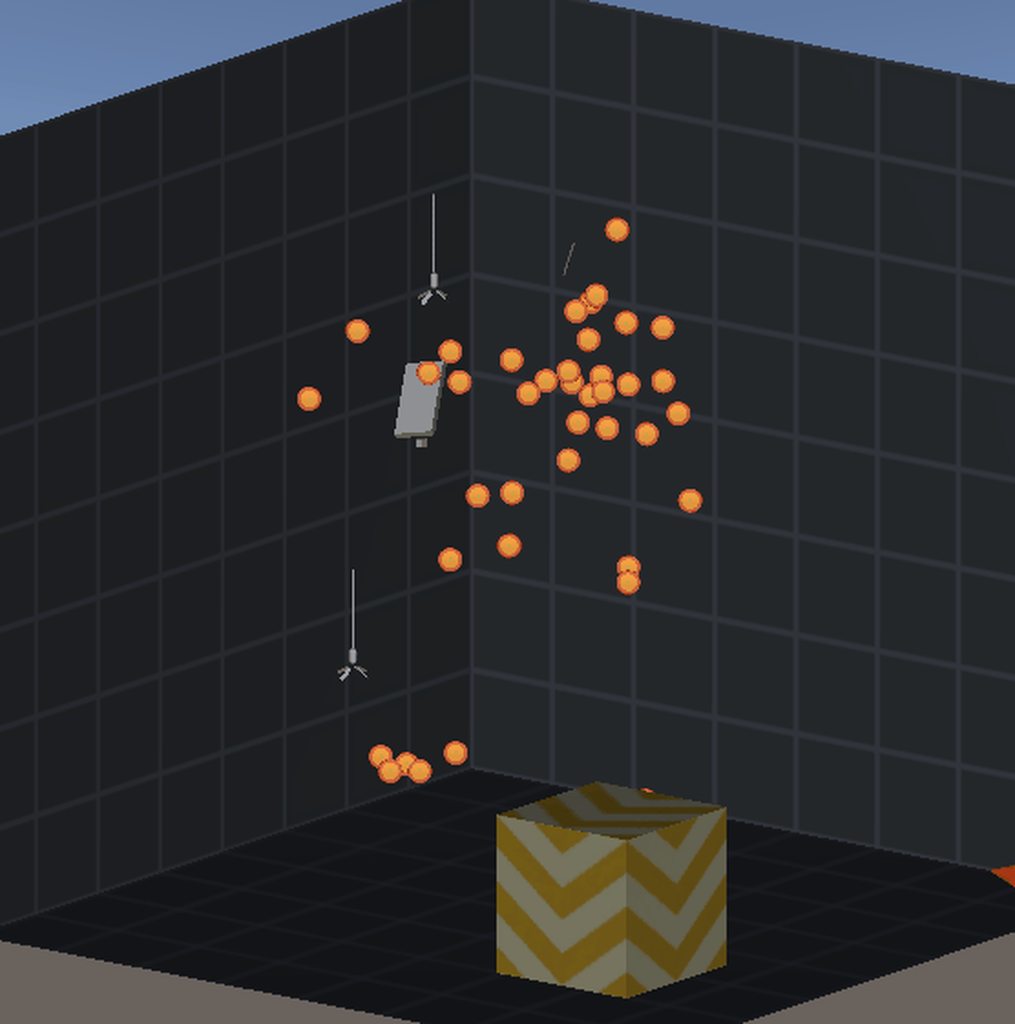
stupid question but how do i change precision of the mesh collider

 dry grotto
does anyone know how to reverse the affects of a quaternion on a vector3?
what i mean is, basically do quaternion * vector3 and then vector3 / quaternion
but ofc, that second part doesn't work
dry grotto
i tried that but it doesn't work
dry grotto
//change moverotation here
velocity = Quaternion.Inverse(previousMoveRotation) * velocity;
previousMoveRotation = moveRotation;
//change velocity here
velocity = moveRotation * velocity;```moverotation is based on the camera, and for some stuff i want to negate it's affects on the direction of the velocity
this just locks the player to the z axis for some reason
mighty sluice
i still cant see where you are getting move rotation from
dry grotto
moveRotation = Quaternion.LookRotation(Quaternion.Euler(0, cameraRotation.eulerAngles.y, 0) * new Vector3(input.moveDirection.x, 0, input.moveDirection.y));
mighty sluice
you might have better luck with FromToRotation
whatever your forward is, call that quaternion.identity, and then use the fromtorotation() command to build quaternions that when applied to vector3.forward (or whatever your identity/origin is) will bring them to the desired place
and you can just use the inverse of that quaternion
mighty sluice
good luck!
dry grotto
oh
it was working
but i was just being stupid
so i casted a vector2 into a vector3 completely forgetting that i need to set the y axis to the z axis
mighty sluice
lol
heavy burrow
Been there done that
 pine warren
I'm trying to figure out a join/rigidbody setup, and I need some help (I blame it being monday). I'm trying to create a system where two parts are involved. Part 1 is a ball, that can move freely. The other part is a box, connected to the sphere, but should not follow anything but position. The box should hovever be able to collide with other boxes, and when it does, it should affect the ball. I'm at a loss how to set it up.
Ascii art of imagined setup: [(])
viral ginkgo
@dry grotto maybe you can try not to lose the initial vector instead
if this is for first person look or something, thats better option
@pine warren sounds like you might wanna use different collision layers for ball and box
and connect the ball to the box via a physics joint
pine warren
@viral ginkgo yeah that's been my approach. But all joint types I tried so far causes the box to rotate instead of only following. Guess what I'm after is a kind of "look at" joint that can also affect the sphere if a collision occurs.
viral ginkgo
@pine warren then put a rotation constaint on the box
pine warren
But I want the box to rotate if it collides with another box :/
viral ginkgo
Then you will use a joint that allows rotation but doesnt allow movement
Something like a wheel you know
or a 360 degree hinge, however you can do it
 sharp ruin
Why would oncollisionenter gets triggered twice
I found out why I just realized that I forgot to move an object that I duplicated so they were overlapping each other so this was why it triggers oncollisionenter twice
 glacial jolt
this is a bit niche, but does anyone know if it's possible to set Time.timeScale and have it immediately take effect? Apparently it actually takes effect in the next Update loop, so if your timescale is set to 100x, and you want to stop on tick 101, it will run the extra 99 ticks before it can actually stop (this is for a replay system, if you're wondering the use case)
night ore
really dumb question but is there an optimal amount of box/capsule collisions?
foggy rapids
yeah, 0 😄
mighty sluice
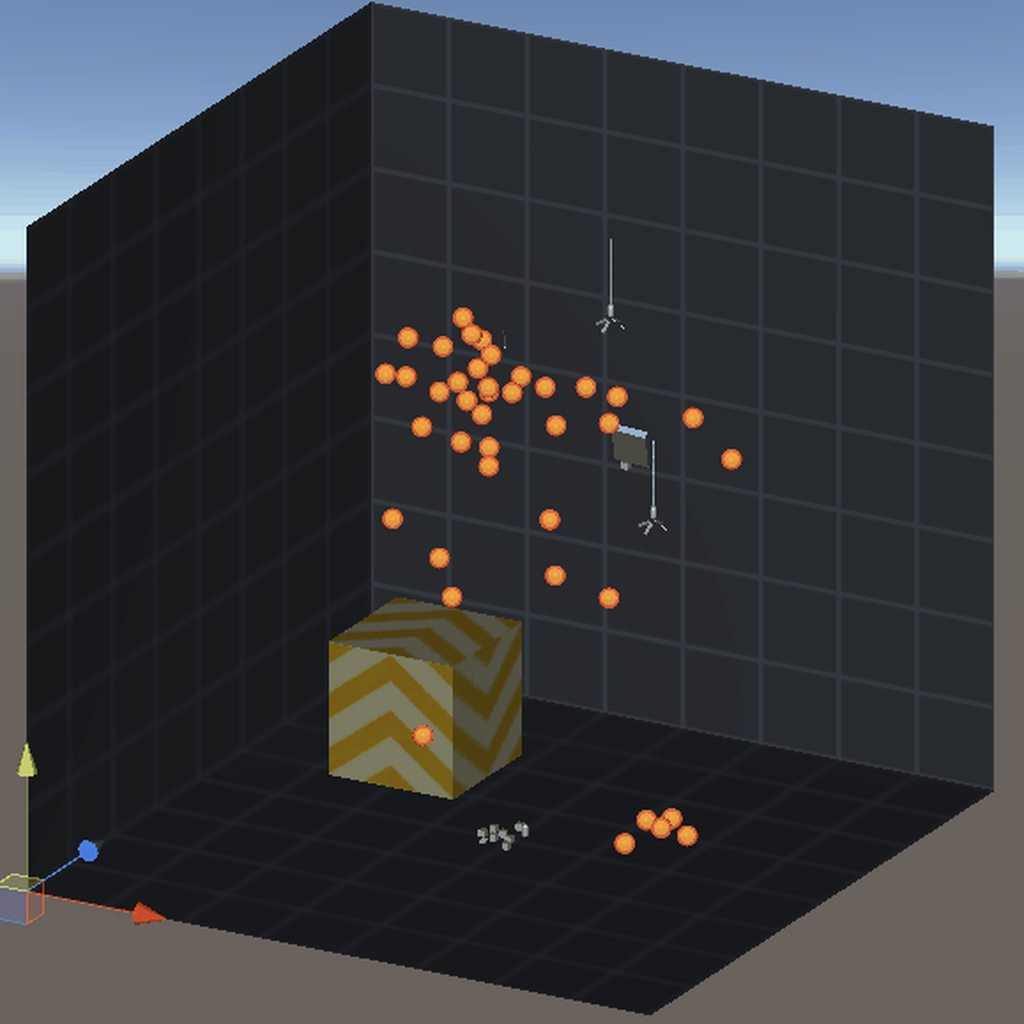
still working on the visualization, but im really pleased to finally tackled thermodynamic atmosphere!
 night ore
yeah, 0 😄
@foggy rapids for something in vr... that needs to be decently accurate
 verbal karma
why not convex mesh collider or something?
grizzled jacinth
really dumb question but is there an optimal amount of box/capsule collisions?
for something in vr... that needs to be decently accurate
@night ore There are countless factors to consider in your performance budget to ever make this sort of generalization. That said, these physics collisions are computed on the CPU so the make/model of CPU you are targeting and what else that CPU is already busy computing is going to determine how much time it has left to compute physics. I would recommend using and learning about the performance profiler to gain insight here.
night ore
why not convex mesh collider or something?
@verbal karma already tried. super inaccurate and wouldnt work
verbal karma
oh
 fierce phoenix
@stuck bay looks like you have objects in a hierarchy with non-uniform scale. that's why they are getting distorted when they rotate.
viral ginkgo
@stuck bay you seem to have a scaling parents on your rigidbodies
I assume you parented many rigidbodies to eachother to make a rope
And you scale rope parts, for elasticity maybe
Either way, you shouldn't scale rigidbodies parent objects
 plush grotto
Can I ask simple questions here? I'm having an issue with a rigidbody drifting even though I'm not passing it a movement value
float h = Input.GetAxisRaw("Horizontal");
float v = Input.GetAxisRaw("Vertical");
Vector3 tempVect = new Vector3(h, 0, v);
tempVect = tempVect.normalized * maxSpeed * Time.deltaTime;
velocity = tempVect; // velocity is a readout, which shows 0,0,0
rigidBody.MovePosition(transform.position + tempVect); // slowly drifting towards 0,0
physics is rarely simple :D
when you release the axis control it drifts back to the center based on the gravity setting in input settings
plush grotto
0,0 as in the global position
foggy rapids
then it may be actual gravity
plush grotto
I haven't touched gravity, I'm using default settings for physics. I'm also on flat terrain, and it has no problems pulling me up shallow inclines to reach 0,0
foggy rapids
🤷 sorry then, it isn't simple.
possibly there is something else in your scene causing it to move
plush grotto
Okay, it's not 0,0, it's just pulling me in a random direction very slowly
foggy rapids
Debug.Log the input values.
Debug.Log everything and you will find clues
plush grotto
Oh- it seems that because I didn't lock the rigidbody rotation, my camera movement script was causing me to micro-move because I was forcing transform.rotation
 vague vale
I have a question I want to scale down the player 1 size down with the "Q" key but when I hold it down they continuously scale down what should I do.
fierce phoenix
@plush grotto you should only be normalizing tempVect if tempVect.magnitude > 1.0f
plush grotto
you should only be normalizing tempVect if tempVect.magnitude > 1.0f
@fierce phoenix ohhhhh
See, I had no idea what that did, it was just in a code snip I copied
 teal valley
I have a question, why won't my character jump?
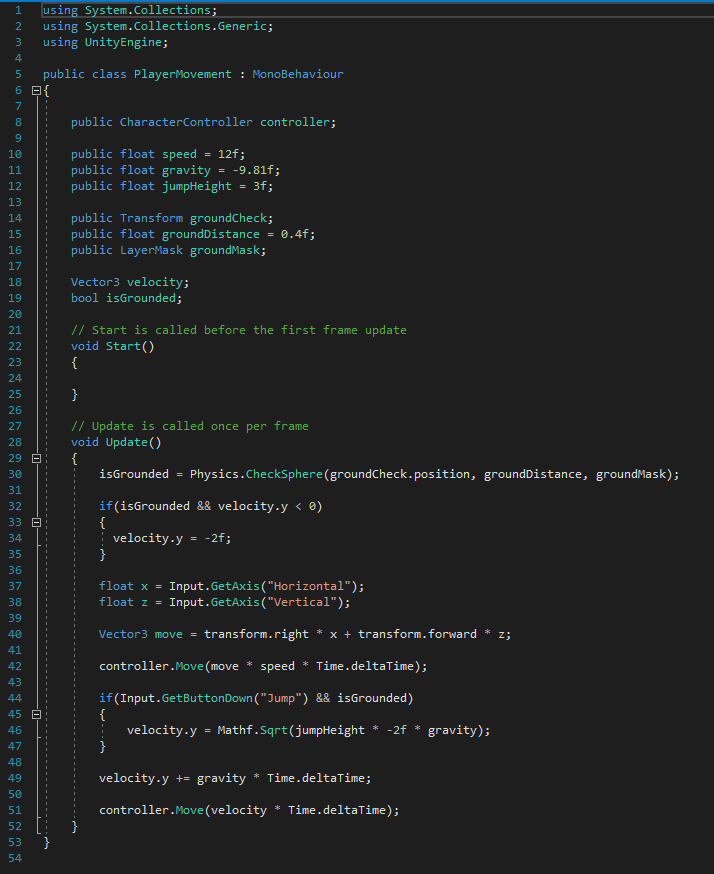
I am using this script and I also followed a youtube tutorial
@ me if you answer 🙂
foggy rapids
this is like the fourth person i've seen come here with that exact script
 toxic olive
would this be the correct channel for a navmesh question?
 twilit storm
@teal valley i think your mistake is the space in (" Jump")
 random vale
guys iam searching for a nice free difting car controller any idea
 cunning ocean
Hey guys, I'm using Physics.Simulate() To create a trajectory, Everything seems to be working, except the "scale" of the physics; I have to multiply the Simulation result by roughly 0,4f to get the same effect in my active scene.
I'm using the same mass drag and all on both bodies, the same force is being applied, the results are the same in code, but when I run the game, every event seems scaled up, and I need to do TrajectoryPoint * 0,4f to get a close match to what actually happens. Anyone know where I could have gone wrong ?
Nothing in my game has a scale different than 1 on all axes, so I don't think that's it either
I use the native gravity feature
I obviously am doing all of this in FixedUpdate() in both scenes
verbal karma
i do not know but i'm curious as to how you're using physics.simulate for that
oh i see nvm
still dunno tho sorry man
cunning ocean
I found something else weird, currently I use a StepQuantity which creates a StepSize = 1f / StepQuantity, which I pass to _physicsScene.Simulate(StepSize). I think everything looks normal atm.
But, what is weird is that Simulating a total of 1f as 10 steps does not give the same results as 1f in 20 steps or any amount of steps for that matter, I don't seem to get reliable results
cunning ocean
Okay, so idk, I must have had buggy code in the Past and it didn't work, but now I use Time.fixedDeltaTime as StepSize and loop for StepQuantity everything is working as expected.
Found my solution.
 kind plover
@cunning ocean Gotta ask is this the koala from HXH you have on your profile pic ?
 thick owl
Hey, I need some help with my platformer movement script.
I'm trying to use horizontal boost pads, but it doesn't work because I assign rb velocity each frame.
I've been trying to find a solution for hours now, but Recursion makes this a huge pain..
 gloomy nymph
Hey guys! I'm trying to make a 2d character for a platformer. My character has a 2d skeleton and I'm doing the animation of the movement with it. I want to add a little backpack to the back of the character and I want it to have a little Jiggle as the character runs. I added a Spring joint 2d for the jiggle and a distance joint 2d for the distance between the rigidbodies of the main bone and bone of the backpack. I move tha character's rigidbody with a kinematic script character controller and left the backpack's rigidbody on dynamic. While my character is stationary everything seems fine, but when I start to move with the character the distance joint simply stops working and it just drags the backpack with a lot bigger distance than specified beforehand (set to 0.2 dist but it reaches 2-3) what causes this? how can I make it stay within the originally set distance?
cunning ocean
@kind plover No, don't think so, it's Dough the Koala from https://www.imdb.com/title/tt1621748/ , don't know what HXH is, and let's leave it at that sorry, not unity, PM me if you need ^^
 eternal crypt
help! my rigidbody and collider are colliding with eachother.... i thought we were supposed to have both?!
gloomy nymph
your rigidbody dosn't have a collider it isn't present in the physics scene it can have colliders but it cant be one
stuck bay
How do i stop my 2d character from jumping on the slide of a platform? every time i miss the top and hit the side i fly up
Its like it goes through the platform a little
i think whats causing it is the code for jumping/moving
foggy rapids
probably. most people start by making their controller with a "grounded" state which governs their ability to jump.
The behavior you describe is one of the flaws in this technique. You either have to re-evaluate your jumping code or add new code to handle the cases of hitting the side or bottoms of a platform
stuck bay
is there a tutorial for that? because i do have a grounded state @foggy rapids
foggy rapids
no this is real programming you have to come up with a solution that fits your particular game
stuck bay
well i just started 2 days ago so..
foggy rapids
what do you want to happen when they hit the side?
stuck bay
i want them to fall to the ground, my first solution was to make a 0 friction material
foggy rapids
what if they are travelling upwards? like if they jump, hit the wall, then make it over the top?
0 friction material is a good start
stuck bay
i just want it to act like a sideways surface, if you touch you shouldnt launch into the sky
foggy rapids
first step is to find the code that sets isGrounded
It should be in some kind of OnTriggerEnter or OnCollision function
stuck bay
is grounded is mentioned 3 times
public bool IsGrounded;
void Start()
{
IsGrounded = true;
}
stuck bay
foggy rapids
    void OnCollisionEnter2D(Collision2D other)
    {

        if (other.collider.tag == "Ground")
        {
            IsGrounded = true;
        }
    }
that's the code you'll want to change.
ContactPoint2D point = other.GetContact(0);
bool groundTag = other.collider.tag == "Ground";
bool groundNormal = point.normal == Vector3.up
if (groundTag && groundNormal) {
  IsGrounded = true;
}
first get the contact point of the collision. this is precisely where they touched.
then make a boolean to say whether it has the ground tag
a normal is the direction perpendicular to an edge. So in order to tell if we hit the top of the ground we check if it points up.
now your IsGrounded should only be true when you hit the top of a platform
stuck bay
alright will do, unity crashed so im waiting for it to start
@foggy rapids Its throwing up this error
Assets\Vectormovement.cs(53,25): error CS0034: Operator '==' is ambiguous on operands of type 'Vector2' and 'Vector3'
foggy rapids
oops, sorry i meant Vector2.up
stuck bay
@foggy rapids At what point in the code does it change what can be jumped on directly?
foggy rapids
it doesnt
 flint olive
smol problem with this raycastall thingy, can someone tell me why it's not returning anything? even tho it's clearly hitting stuff in the appropriate layer? I checked with a drawline
    {
        RaycastHit[] hits;
        hits = Physics.RaycastAll(transform.position, -(transform.up) , 1.1f, 9);

        for (int i = 0; i < hits.Length; i++) // temporal for logging
        {
            RaycastHit hit = hits[i];
            Debug.Log(hit);
        }

        if(hits.Length > 0)
        {

            rb.AddForce(Vector2.up * jumpForce * 1.5f, ForceMode.VelocityChange);
            readyToJump = false;
        }

        if(grounded) Invoke(nameof(ResetJump), jumpCooldown);

}``` man I'm just tryna jump
viral ginkgo
@flint olive are your colliders 2d colliders?
viral ginkgo
you sure jump is called?
flint olive
yeah, I did a log outside the if statement to check if it got fired. it does.
viral ginkgo
make raycast longer?
 viral ginkgo
@flint olive you sure your transform.up is pointing up?
flint olive
lemme check
yea, it's doing the thing
-transform.up is pointing down, as expected
viral ginkgo
🤔
flint olive
Debug.DrawLine(transform.position, transform.position + 1.1f * -(transform.up), Color.red);this is the code I'm using for the line, did I go derp and it's doing something different than the raycast?
viral ginkgo
looks good
whats with the 4th param in raycast?
you are doing some layer stuff
you sure that part is right?
flint olive
that's the layer
viral ginkgo
what happens if you remove the 4th param
flint olive
lemme see
 what the absolute fuck
it works now
I even changed it to LayerMask.NameToLayer("Ground") instead of just saying 9
I-

flint olive
pfffft it's supposed to be in binary or what
 flint olive
hmmm
viral ginkgo
I believe LayerMask.NameToLayer("Ground") should return the correct number
If you wanna have like 2 layers you can just sum them up
it works like this
1000000 //ground
0010000 //water
0001000 //walls
sum
1011000 // ground water and walls
think of like 8 flipswitches
flint olive
ah yeah, that makes sense
viral ginkgo
its easy in binary
 viral ginkgo
int checksum = 0x1011000; // can also work
@flint olive what does this return?
LayerMask.NameToLayer("Ground")
 viral ginkgo
i might be wrong
flint olive
yeah I don't think unity expects binary values for layers
still appreciate the quick tutorial
viral ginkgo
single layer returning 9 doesnt make any sense with the context i gave you
i would expect power of 2
I am sure thats binary numbers though but i dont know how single layer can return a non power of 2 number like that
flint olive
have you always been using binary for layers?
viral ginkgo
I actually mostly iterated all returned raycasts until i found what i was looking for
flint olive
yeah I just did that, checking for the layer after getting ALL objects hit, and it somehow works
        hits = Physics.RaycastAll(transform.position, -(transform.up) , 1.1f);

        for (int i = 0; i < hits.Length; i++) // temporal for logging
        {
            RaycastHit hit = hits[i];
            if (hit.transform.gameObject.layer == 9)
            {
                rb.AddForce(Vector2.up * jumpForce * 1.5f, ForceMode.VelocityChange);
                readyToJump = false;
            }
}``` this is the end messBetter do it right after some research
flint olive
okay, I figured it out
I'm using
now
1 << 9 for the layer
@viral ginkgo is that what you meant I should do
flint olive
oh, what that is doing is to just shift the 1 9 times to the left
viral ginkgo
ah, that would make sense
flint olive
hell yeah it does, thank you very much for the help
viral ginkgo
no probs
split raptor
So, would the Distance Joint work kinda like a rope if I enable the max only function? Like, would the connected object only be limited in it's maximum distance, and still be affected by gravity/swing with momentum?
 eager kindle
Scenario: I have 10 moving game objects. No colliders. They are moving towards the "Player". I originally tried using colliders, but the moving game objects ( A cube 1 unit by 1 unit) gain speed, and at a certain rate of speed the physics system simply did not detect the collision with the "Player". So I removed the colliders from the "Player" and the moving game object cubes. I then implemented using Vector3.Distance to do a simple distance check instead of using the physics system. It does work better, however, it as well doesn't work correctly at a high rate of speed on the moving game object cubes.
My Question: Is there a better way to do this that I am not aware of currently? The only other option I know of would be to use the colliders again and use them as triggers, but I am concerned that I will just experience the same problem. Any suggestions? I can supply the simple code that I have written for the logic if need be.
 frosty socket
Hey, I'm trying to set up a shooting system in VR and I'm trying to use collision for when it hits the enemies. On the enemies there's a rigidbody and a box collider (with is trigger unchecked) and on the bullet theres a box collider as well and a rigidbody but when I try to detect it with this script no collision is detected:
{
void OnCollisionEnter(Collision collision)
{
Destroy(this);
}
}```
The script is attached to the enemy and the enemies are also spawned when the game starts. strange raven
Destroying "this" will only destroy the instance of the script
So, it will destroy the "Enemy" component only
put "this.gameObject" or just "gameObject" in the destroy parameter instead
@frosty socket
frosty socket
Thanks it works now!
Didn't show up in the log before when I wrote Debug.Log("Collision") instead of destroy
But ig thats another issue
strange raven
if you wrote the debug.log after the destroy, it would destroy the script before it finished running through the code
frosty socket
It was instead of the destroy
 fiery elbow
if I set a object in 'ignore raycasts', should collisions still work?
nvm forgot to add the correct rigidbody for 2d 🙂
 quick citrus
Hello boiz, does anyone know anything bout bike physics ? or balancing a bike ? or anything like that
 gusty pagoda
anyone know how to rotate an object around a point but still keep it's physics stuff working? Sometimes it rotates through, atm I'm just using .Rotate() on a parent object
Tag me if you have a solution, thanks ;b
 spare wraith
Anyone have any sources where i can read up on fluid simulation and how i can apply it in unity?
viral ginkgo
@gusty pagoda You will have to use torque
Use torque to accelerate towards target rotation
Then do angularVelocity*=0.95f; every fixed update
So it doesn't overshoot
About "accelarating towards target rotation", i have no idea whats the best way to that
gusty pagoda
how would I do that when the parent I'm rotating doesn't have a rigidbody?
viral ginkgo
What i did was using addforceatposition to add force on an imaginary handle on the object to make the transform.forward match where i need it to be
@gusty pagoda you will not rotate parents
no transform.rotation setting
or you break the physics
@gusty pagoda I can see what you are trying to archieve here,
I think your best bet is seperate the little white sphere from parent
@gusty pagoda
`
Rotator(you rotate this)
kinematic handle
dynamic handle
`
this will be your hierarchy
dynamic handle and kinematic handle will me connected with fixed joint or any joint you want
gusty pagoda
basically how it looks now
viral ginkgo
@gusty pagoda You can just try attaching a new rigidbody collider to the white sphere with joint
just try it
and disable the current one's collider
gusty pagoda
k I'll give it a go thanks
 last stump
OK so I am moving my object with a rigidbody.velocity. So, if, for example, me moving speed is:
float moveSpeed = 50f; (this number is just an example)
and its rigidbody2d component is:
RigidBody2D rb = GetComponent<Rigidbody2D>();
the object moves with the following..
rb.velocity = new Vector2(movespeed * time.Deltatime, 0);
(or -moveSpeed to move to the left)
When I increase the moveSpeed value, however, the speed doesn't change. Any idea why?
viral ginkgo
@last stump maybe you set moveSpeed public
and you are adjusting the value in code
either way, try printing "movespeed" just before setting it to velocity
last stump
Technically, my moveSpeed IS public, since its value is set in a special script where I store values for each gameobject (just a weird way to organize my scripts idk).
I will, let me check
viral ginkgo
see if its changing in the same function you set it to velocity
last stump
Cool, let me check I'll let you know in a bit
Oh, so I tested it out by setting the moveSpeed value to 100f, but in Debug-mode Inspector & Console it's in 30.
I am trying to see if I am setting it to 30f somewhere
viral ginkgo
if you set it like this, it wont work:
public float speed = 100f;
or maybe you are changing it from another script after setting in inspector
i wouldnt know
flint olive
if you are just setting it in the script when declaring it, and then never changing it anywhere else, with it being public, it'll only read the value in the inspector
and not on script
@last stump
though you must have figured it out by now
last stump
@flint olive I did figure it out, thanks however mate
flint olive
I'm glad
 frank socket
So im making a driving game and for some reason my wheels freak out and start shaking up and down if you go too fast, can some one give an explanation or solution to what's going on? cause I have no idea https://youtu.be/dAgkjbb396A
 mighty sluice
does anyone know of any hidden implications of using kinematic rigidbodies /w colliders as terrain VS using static colliders only?
wondering specifically if rigidbody-having colliders handle collisions differently in general
I have a peculiar case where creating a joint between two objects on collision doesn't eliminate the ramifications of the original collision which was used to trigger the joint creation
even when the "enable collision" of the joint is set to false, they will continue colliding until one of the colliders is pulled away momentarily, or until the layer or object tag is updated (or live updating the collision detection type)
there is some kind of re-used collision cache that im not at all aware of
 dusty hollow
is there any way i can make my player walk through objects that have physics?
cant seem to make my player walk through an object that is simulated but can be picked up
dusty hollow
got it
last stump
If my object moves with rigidbody velocity, then to check if it's not moving, I can use the following right? :
(rb.velocity.x == 0) // the movement is only on the X axis.
// rb is the rigidbody2d component of the object
verbal karma
@last stump correct, but as it is a float, i would not use == 0, i would use Mathf.Approximately, as it is a float and it will most likely never equal exactly 0
last stump
I get your point. Thanks!
So, something like this?
Mathf.Approximately(RigidBody2D.velocity.x, 0f)
last stump
Yes I understand. Thanks mate
verbal karma
np
gusty pagoda
is there some way to keep a hinge joint from rotating when using gravity? With what I'm trying to do I almost want it to have a fixed joint but when I try to add torque to the fixed joint it won't move at all
split raptor
So, I'm using a SpringJoint2D component, but I don't want the player to fall over. How do I stop this?
 vivid smelt
I keep forgetting, but Rigidbody.AddForce handles delta time for you, right? Like I just have to call AddForce(force) and not AddForce(force*dt) right?
mighty sluice
AddForce(force, ForceMode.Impulse) @vivid smelt
forcemode.force is the one that accounts for delta time
(so you give it the force in units per second)
impulse is an instant one time straight force addition
 rugged needle
im having trouble with my characters gravity
 misty ore
I believe this would be a problem for the physics channel: I am trying to draw a ray from one moving object to another moving object, though I'm not quite sure how to correctly go about it
rugged needle
my characters falling speed wont increase at all and i cant figure it out here is my code https://hatebin.com/fgioqrbvqs
 boreal stream
I have a tunnel which rotates downwards as the player traverses it. Eventually the player is able to clip through the ceiling by jumping. Increasing the timestep frequency seems to help but is already very high. Is there anything I can do to make the collision between player and environment better here?
you can see its catching on the ceiling at first but eventually I guess theyre moving in opposing directions fast enough that it gets through
@ me if you have any suggestions 😘
strange raven
It probably has to do with your movement method
if the tunnel is not moving with physics (such as angular velocity or AddTorque) then the tunnel's movement will naturally not be part of the physics simulation
Same goes for your player
It might also be worth checking if your rigidbody's collision detection is set to continuous instead of discrete. (which it should, continuous is better for fast moving objects)
@boreal stream
boreal stream
So my tunnel is not moving with physics. The player is though. Is there any way to get an interpolated physics representation of the tunnel without moving it via physics? I had read similar things online but I think it would be difficult to get the effect I want via physics.
Well, the player is mostly moving with physics. Theres currently some fudging I do to get it to stay grounded on moving and rotating platforms
When jumping though like in that example the player movement is full physics
I don't really want the tunnel or various other moving things to react to the player or other physics object (other than to only act upon them), a problem I had when trying to use a rigidbody on the tunnel
https://www.reddit.com/r/Unity3D/comments/1ee65w/having_wonky_collisions_rigidbodies_being_weird/?utm_source=amp&utm_medium=&utm_content=post_body hm this seems to have some good suggestions. I'll try the MoveRotation option and come back
reddit
56 votes and 36 comments so far on Reddit
 undone lynx
@misty ore to draw a ray u need to first get the direction from object A to object B
var dir = b.position - a.position;
 torn nymph
I have a hand skinned mesh game object that has an individual capsule collider and rigidbody (kinematic) pair for each bone of each finger. Is there a benefit for the physics engine to do it this way instead of having a singular base rigidbody that contains all the capsule colliders?
foggy rapids
the physics engine doesn't rig your models
torn nymph
Sorry, I don't understand. Can you elaborate?
foggy rapids
I don't understand either.
 queen dawn
foggy rapids
queen dawn
foggy rapids
ask nicely
 hard patrol
anyone facing issues on physics maths/geometry problem, i can help as consultant just DM me 🙂
viral ginkgo
How do you guys handle rotating towards target quaternion via torque i wonder? (rotation pid control)
Not that i'm making anything now but i had issues with that before.
.
.
@queen dawn https://tenor.com/view/marionette-puppet-gif-15220684
Thats one way

pull libs via addforce towards where they are supposed to be
 vivid hull
Can someone help me I need to rotate a active ragdolls arm to the mouse @ me if you can help
 hoary mason
I'm having an issue where when I deactivate a gameobject with a ton of moving parts the physics behavior on other objects is changed and also certain some keyboard inputs don't register as well. But everything works fine when I have the big gameobject active. Anyone know what might be causing this?
hoary mason
nevermind
i was using fixedupdate for input and relying on overlapping colliders for randomness
 icy shard
My ragdolls collapse in on themselves and flip out. I really have no idea what's causing this. I feel like I've tried everything
ugh
 neon oriole
what is the difference between angular drag and drag?
 tender socket
hey my ball(player) sinks into the top tile and not in the left tile..However i don't want it to sink and it should just move over the surface..Can someone help in resolving the issue?
hey...anyone????!
tender socket
hey @brave mica thanks for help but it still sinks
 brave mica
Does both the floor and ball have colliders?
tender socket
the problem actually is that it does not sink on left tile but sinks on top tile though both of them have everything same
brave mica
Hmm weird
sharp ruin
I have a raycast in OnCollisionEnter and it doesnt return true. I put it in fixedUpdate there it return true when collision occurs but doesnt return true in oncollisionenter. Why would this happen?
viral ginkgo
@sharp ruin maybe your ray origin is starts inside the colldier or something
sharp ruin
origin starts inside the collider but its length is enough to go outside, does it still matter?
viral ginkgo
@sharp ruin theres actually an option as such:
queries hit backfaces
so yes
by default, your raycast will ignore backfaces
and ignore volume as raycast only cares about triangles
@sharp ruin i mean, its fine if the collider origin starts is not the collider you actually wanna raycast
sharp ruin
Yes thats my situation
viral ginkgo
what this for exactly?
sticking projectiles?
character controller grounded check stuff?
sharp ruin
It's for ground check
I only want my player to jump when it collides to the top side of the platform
viral ginkgo
if you start the raycast from tip of the toes of your character
origin might actually be in the ground
viral ginkgo
np
 wheat glacier
Hi guys 🙂 simple question: What happened to PhysicsRaycaster? (I'm using 2020.2) and how then would I disable all interaction with colliders without going through all of them? it's not like there is an equivalent to canvas group for raycast is it? Thanks!
halcyon ruin
Quick Question: Does this look like reflect and refract for bullets?
 peak topaz
Hi folks, question about cloth physics. Im making some rigging for a ship (vr project). The constraints are moving from their place. is there any way to make sure they dont?
vivid hull
Does anyone know how to make a ragdolls arm move toward the mouse
viral ginkgo
@vivid hull pull the hand towards mouse pos,
and pull the shoulder in opposite direction
 sterile coral
what is the difference between aabb tree and bvh tree
 tender heart
I am trying to have many AI at once, they all have a ragdoll setup with joints but I've noticed in the profiler that the ragdoll rigidbodies are counted as "Active Kinematics" and causing physics cpu usage/lower fps even when isKinetmatic=true and the rigidbody is asleep and when the Animator is disabled and/or set to Normal (not Animate Physics).
Is there anyway to fix this?
 gleaming locust
so I have a problem. on the default scene, my character can walk around just fine. However on the second scene, he just falls through the floor.
shut wind
what would be the best way to calculate the amount of work and power that a joint is doing/consuming to move?
Originally I planned on using P = tau * omega, but I was having issues when using the currentTorque from the joint and dotting it with the rigidbodies angular velocity
 stark pier
viral ginkgo
stark pier
viral ginkgo
I wanna see if i can make a upwards pendulum balancer in a unity simulation
What sort of math do i need to do to come up with a motor input signal to archieve such a thing with the control theory way?
I learnt a little of differential equations, state spaces and dynamic control systems but go easy on me
It's probably advanced for this channel but maybe somebody tried such things here
 novel palm
Helo, somebody can help me?
I have problem with raycast shooting, when I shooting without zooming with the weapon, the shooting is work perfectly, but when I am aiming with the weapon, its always miss the target.
I know this is because the weapon is rotating differently from the camera (the weapon not facing the cursor).
I tried to shoot from the iron sight's 'cross', but that's rotating too.
viral ginkgo
@novel palm You should shoot from barrel of the gun not caring if player is aiming or not
novel palm
If I'd shoot from the barrel, then the iron sight would be not showing the real target
viral ginkgo
if you aim, it will show you real target
if you shoot from hip, it will be off by a little margin
@novel palm
novel palm
The iron sight is not pointing towards the cursor
in the first image u can see the cursor (red square)
 proud trellis
fire!
 viral ginkgo
@novel palm dont change where you are shooting the bullet from
you are changing that?
thats a small distance tho i think
maybe because you lifted the weapon a little bit
maybe that rock is small and your character is tall
moving gun from shoulder to your face is like moving is 20 cm above
where your bullet lands will change that much
novel palm
this only happens when the object and the player has height difference
I am on a mountain, and I need to aim down to hit the stone
viral ginkgo
@novel palm you have two red rays why?
you arent switching which one you are using to shoot are you?
novel palm
Vector3 shootFrom = endPoint.transform.position; //Weapon's barrel
RaycastHit hit;
Physics.Raycast(shootFrom, endPoint.transform.right, out hit, 100f)
@novel palm whats the dubug ray?
viral ginkgo
i think you have a + Vector3.up on it and its misleading you
whatever that is
you probably meants transform.up or something there
if what i say is the case
novel palm
if (Physics.Raycast(shootFrom, endPoint.transform.right, out hit, 100f))
{
  laserLine.SetPosition(1, hit.point);
}
else
{
  laserLine.SetPosition(1, shootFrom + (endPoint.transform.right * 100f))
}
Pastebin
Pastebin.com is the number one paste tool since 2002. Pastebin is a website where you can store text online for a set period of time.
laserLine.SetPosition(0, shootFrom);
viral ginkgo
i mean the second laserline
novel palm
There are no second laserline
viral ginkgo
 novel palm
The red square is a UI
viral ginkgo
?
novel palm
Thats only a template
viral ginkgo
either way, if i am correct, not relying on that laser will improve aim
if you are shooting with iron sights, its probably going to be correct
novel palm
I did that for first
But what i really want to ask
or show
The top line is where the iron sight aiming
the bottom is where the barrel pointing
but when i shooting from iron sight's end, not from the barrel, then the aim pointing is not correct
viral ginkgo
but still parallel to barrel direction no?
its not?
oh wait
its because how you tilt the gun up and down
novel palm
The top arrow is the cursor (weapon not pointing on it)
The bottom one is the iron sight
The cursor is an image on the UI
viral ginkgo
eye -> ironsights -> target
barrelStart -> barrelDirection
These are not parallel anymore
@novel palm
Weapon should always point the cursor
novel palm
yeah
thats what i dont know how
because camera and weapon (camera's child) rotating differently
viral ginkgo
You should make head align itself
or rotate the whole upper body
gun and head not changing their relative positions
novel palm
i know
but thats sound terribly hard
because I also need to make sure I look at the iron sight
viral ginkgo
or rotate the gun where head is looking at first
then figure out hands (need ik probably)
@novel palm
i'd go for number 2
1- orbit gun around shoulder
2- point the gun where head is looking at
3- do the iks and figureout hands(elbows
novel palm
the problem is, i cant rotate only the weapon
viral ginkgo
why
novel palm
because that would need to rotate the camera also
viral ginkgo
you should change that design then
viral ginkgo
seperate gun from head completely
then make gun rotate and position like i said
g2g
novel palm
idk, there is no easier way? xd
viral ginkgo
well you kinda need ik for holding guns @novel palm
or your character will need alot of core strength training
Check out FaskIK, its easy and free if its IK you are worrying about
novel palm
Yeah i know about inversive kinematics
but currently i want to solve this problem
In this tutorial we set up the basic functionality of our pistol and get it to distinguish between hitting an enemy or something else.
BECOME A PATREON: https://www.patreon.com/user?u=15805541
DONATIONS:
I currently don't make any revenue for making these tutorials.
You can...
Hmm, he is using the same method
and later on he makes iron sight
and working perfectly
idk why mine is not working
viral ginkgo
cant you just rotate the gun after doing all your updates
like a post process
@novel palm
gusty pagoda
Is there some way to almost copy the rotation of another rigidbody but still use it's physics so it doesn't rotate through?
I almost want the behavior of being a child but still want the physics to work
I tried setting it with ringRB.angularVelocity = rb.angularVelocity; but it behaves like it's trying to catch up with that rotation instead
I also tried putting both a fixed joint with a hinge joint because I want it to behave like a fixed joint when I'm not rotating ringRB but a hinge joint when I am
to toggle between the joints I was switching the connected body to null but gave me weird results
this is how it's behaving atm
I'm also making it sleep and wake back up when when horizontal input is 0
both of their mass is the same so shouldn't setting their angularVelocity make them rotate at the same speed?
ah it might be because I was doing rb.AddForceAtPosition(Vector3.down*20f,com.position,ForceMode.Force); and that force is only on rb not ringRB
need some way to simulate gravity at that position but not have it rotate the ringRB independent of the rb
I feel like what I'm trying to do is so simple but don't know why it feels so complicated
 ocean atlas
Hello everyone I am trying to solve rigidbody physics but I can't figure out it for 2 hours so Can you guys please help me how to make a rocket physics
rb screen
viral ginkgo
@ocean atlas What exactly do you need on top of this?
 fast basin
guys how is it possible that I get OnTriggerEnter2D with a collider which is set to a layer that has no collisions? I must be missing something obvious, but I've checked with so many objects and I'm printing the object and it is indeed this one that's causing the trigger
OH LOL, I'm editing Physics and not Physics2D
😄
ocean atlas
@viral ginkgo ı just want a bit challenging rocket physics using rb
Mass,Linear DragiAngular Drag and scale
viral ginkgo
@ocean atlas in a more realistic rocket, i guess you wouldnt rotate the rocket like that
you rotate it with torque
ocean atlas
@viral ginkgo THANKS for information any ideas for rigidbody physics to
viral ginkgo
is that a question?
ocean atlas
@viral ginkgo its hard to write something with phone tbh yes its a question 🙂
viral ginkgo
i dont understand
 late kernel
Anyone know a bit about 2d jump physics? Just trying to make my jump more snappier, and I feel likes its about Mass and such. Gravity.
 ember zodiac

An update to the Better Jumping in 4 Lines of Code, including fixes to the Physics Update, along with some alternate methods of applying force and gravity to the player.
Support Board to Bits on Patreon:
http://patreon.com/boardtobits
Check out Board To Bits on Facebook: http...
 lime nacelle
This would probably fit here better, so I'll put it here. I've been having problems with some movement code. Nothing too complicated. And I was wondering how I could make is so there wasn't any acceleration. Any and all help is welcomed. Thanks! https://hatebin.com/qqqcbdqpgb
mighty sluice
anyone know why collisions might stop happening beyond a certain distance?
culprit was multi-box pruning broadphase collision type in physics settings
 gaunt heath
@late kernel I'm in the exact position as you. Have you come up with something? I feel i have to add so much gravity and so much jump force to make it snappy. But then the jump arch gets to steep while running and jumping.
foggy rapids
@lime nacelle https://hatebin.com/pimlmfnvnh
something like this?
 ivory void
can someone tell me how to stop my player controller from moving faster diagonally?
graceful meadow
add a .normalized to the vector before using it as velocity or force
and @ micken doesnt that script make moving left and downwards impossible? and it's still force based so there's still acceleration
ivory void
where do i add that to it? im a beginner to unity coding. i watched a brackeys tutorial for the script i have
graceful meadow
link your code?
ivory void
...how do i do that? xD
graceful meadow
ivory void
graceful meadow
try adding move = move.normalized; as line 34
ivory void
that worked! thanks!
graceful meadow
np!
ivory void
oof. a new problem has arisen. when moving with that added to the code, there's no easing between moving and stopping. it continues moving for a split second, and then stop abruptly.
graceful meadow
move = Vector3.ClampMagnitude(move, 1f); should fix it
- replaces the .normalized line
graceful meadow
ay nicee
 late kettle
Is there a way to make Unity physics deterministic for a speedrun-friendly 3D platformer?


