#⚛️┃physics
1 messages · Page 50 of 1
 proper herald
yeah i see youve got a thousand faces on that lmfao
 queen berry
Yeah, it was a model I found online. I'm just putting together a game demo.
I don't want to spend a ton of time on this 
 drifting sleet
you can create a copy of the model and reduce it, then use that as the mesh collider. however many features do not work with concave geometry, and unfortunately the interior of a tube is always concave no matter how you cut it. most games fake situations like that
 wraith crown
jesus @queen berry
that's got more poly's than I've got beard hairs
and I have a huge beard
queen berry
lol
wraith crown
send me a screen grab and I'll make you a low-poly one in 5 mins
queen berry
I decimated it
wraith crown
seriously, I have Modo sitting here if you want
that's a really simple curve-lathe-extrude op
queen berry
I'm gonna be honest. I didn't need anything fancy. I just needed a glass jar with a working collider
Like, literally anything jar shaped, but apparently colliders are too complex for my tiny brain
wraith crown
so you just want a mesh of a glass jar?
screenshot the shape you've got
side one preferavly
*side on.
wraith crown
you wannt it open or closed?
queen berry
Open, I need to chuck coins into it
queen berry
Thanks a lot!
wraith crown
a high poly and a low poly yah?
queen berry
Yes?
wraith crown
OK
the pic you took isn't actually side on
it's from an angle
is the bottom of this jar flat?
queen berry
yea
Fuck, I need to sit down and actually figure out Blender one of these days
I can write code, but the models are black magic to me
wraith crown
how low poly would you like?
I don't use Blender
it's just too "open-source bullshit" for me
queen berry
lol
wraith crown
(I like open source, don'tget me wrong but Blender seems to have that "we don't do that like every other applicaiton in teh world, we do it like this because OpenSource")
queen berry
Ummm, It's doesn't need to be a crazy high poly count
Like enough that it holds a basic shape without looking at it and saying "wow that's a shitty model"
queen berry
That's fine
wraith crown
you defo don't want to use this visually
queen berry
Oh yeah, that's fine
wraith crown
sorry for the wait
no matter what the mesh
anytime you try and do something fast
some wee problem
wraith crown
the automatic retopo tool killed a single point
queen berry
No worries, my guy. You're doing something nice for me, I appreciate it
wraith crown
queen berry
"That's not an important face" -Your modeling software, probably.
wraith crown
that should just import to Unity as 2 meshes - it has the low poly on one layer and the high poly on another
but I haven't done multi-layered object importing into unity yet
queen berry
Alright, lemme launch Unity and take a peek
wraith crown
i know unity supports lxo files
oh, I didn't assing materials or anything, srry
I can do that now if you need
queen berry
Oh, um. It's like Maya. It does support the files. But Modo has to be installed
queen berry
I have a glass material.
wraith crown
one OBJ file coming
queen berry
dope-ass
queen berry
lol
wraith crown
i couldnt' remmebr your ID when I was hitting save
one is 250+ or so tris
the other is about 20,000
so v high poly
and v low poly
in exchange, i don't suppose you have any tips about simulating drag?
(i decided since I'm a good 3d modeller, and i have a litle coding skills, I might as well dive into Unity and finally actually make my own stuff sintead of just doing the models)
queen berry
Apologies, I really don't, This demo I'm putting together is my first experiences with Unity.
wraith crown
fair enough lol
queen berry
Like, what are you trying to do?
wraith crown
simulate drag for vehicles
I'm trying my hand a t a block building game - so player makes vehicles from premade blocks...
I was thinking of faking drag by just assigning each "block" piece a mass/density..
queen berry
So... what little I do know...
The rigidbody component controls how the environment interacts with an object
And you can adjust the drag and angular drag with that. But I don't know if that'll do what you want.
wraith crown
and then make an array of all the points of the mesh and compare that vertex normal (ie where the thing is facing) with the current velocity (ie where it's going), and then apply a drag-like force to it based on how close teh facing angle is to the velocity...
queen berry
That sounds like not a good time to code, tbh
wraith crown
yeah, probably not the funnest thing to do when I'm new to C#, have done some C++ and Obj-C
but not a great deal
and physics makes my ears make this funny popping blood-dripping-down-my-face feeling
i usually just make the pwitty-pickchurs
queen berry
Also, it would seem that the 2 meshes merged together in Unity.
wraith crown
Le Sigh
2 secs
but yeah, I figure if I just take an Array of all the points on the mesh, and compare the angle of the point's normal with the angle of the current velocity, then apply a force directly opposite to the current movement, scaled by what the difference is, it would roughly simulate drag
queen berry
I'm trying to upload an image, but either Discord or my internet just isn't having any of it
There we go
LOOK AT THOSE COINS
IN
THE
JAR
@wraith crown Thanks a lot, man. That's a huge help. Even if this is a dumb feature nobody but me will find cool. And honestly. I think from seeing how those models get used, I think I understand how to do it now. I may take a crack at making the jar on my own (still gonna use yours because mine will suck visually) to see if I can figure out the collider stuff.
Would a simple approach be to take the model of whatever (like the jar I was originally using), decimate it down to a low tris count, and use it as the collider?
wraith crown
hey well done man
yeah that's not a bad approach
always use a low poly model for anything like that
tho decimation routines tend to be a bit shit
better if you model or find a model that has a low-poly and high poly version
wraith crown
i used the curve extruder
so I made the curve shape, based on the jar you sent
then extruded it radially
so it made a jar shape
it's why jars, wine-glasses etc are so quick and easy to make
I can make a coke bottle in about 20 seconds
draw the points of the cruve
make sure the start and end are at zero on the x
extude around x
queen berry
I really don't understand natural shapes. I've done models in Fusion 360 for my 3D printer, but measurement based square designs are all I can wrap my head around.
queen berry
cola**
wraith crown
(i want a 3d printer)
heh
i just got paid for a website job
and i wanted to buy a 3D printer with the cash
Wife said no
wraith crown
I was all "but I can make visors for the health workers and stuff"
queen berry
nonono, you appeal to her
queen berry
Look at all the things I can make for around the house
wraith crown
worst is, I'm a 3D modeller. with 10 years experience modelling hard surface models
like I'm shit at character modelling, cos anything organic and i'm a bit meh..
and don't ask me to animate shit. Like my degree is oficially "3d animation". Passed my degree without doing really any hahah
queen berry
lol
wraith crown
but 3d objects? Hard surface? Need nicely modelled accurately, like they're gonna be made into a 3d print
queen berry
I have a degree in computer engineering. Doesn't mean I know what the fuck's going on
wraith crown
I am fucking there
no 3d printer 😦
i mean I was tlling her "I can make the kid (daughter/demonic summoning, age 3) toys"
"we've got enough toys for her"
queen berry
You can make holders for the yarn that keep it untangled
 hardy tulip
how could I make a script that allows 2D rigid bodies to be drag and flung with the mouse
 novel pasture
Hey, I've got a script on a physical object that makes it stick to surfaces it hits (in the OnCollisionEnter I make it a child of the element hit and remove the rigidbody & collider from the element).
However in various occasions it seems the OnCollisionEnter triggers too early, as can be seen on this screenshot :
The left two arrows are properly stuck in the target, but the bottom one (that I fired in diagonal towards the ground) stops in mid-air and becomes a child of the ground. The ground is just a long box (built with probuilder) with a convers mesh collider on it (that properly bounds the box). I don't understand why it's doing that :/
It's also doing it with this target prop (which has a convex meshcollider as well, bounds are correct) for example :
 slim pine
https://www.youtube.com/watch?v=pG-el81viLk How would I go about fixing thse physics? The box seems to clip through the extended hitbox the darker box has.

 fresh terrace
Hello!
I want to detect particle collisions, by this video:
https://youtu.be/zMgSq3O8FE0
I do the steps, but when I add a RigidBody 2D to my "wall" object, the particle collisions are not simulated anymore.
How can I solve this?

In this tutorial i will show you how to add and use collision to your particle system.
Twitter: https://twitter.com/JohnApolo17
Games that you can play now: https://play.google.com/store/apps/dev?id=4712677237821359521&hl
Like and Subscribe.
#unity #unitytutorial #gamedev
 stark forum
am i allowed to send a picture of 882 ragdolls stacked?
or is there another channel i have to send it in
 stuck bay
@slim pine Would you like this rotation when your block is falling? because you can really easily prevent it from rotating
@fresh terrace May you send a video of your problem?
@stark forum If it's too big, it's going to flood the channel so I don't think you can
fresh terrace
@stuck bay I solve the problem. I don't know why, but when I enable the "IsTrigger" option of Collider component the particle collisions with the object is not working.
stuck bay
oh, IsTrigger means that the collider doesn't have any collisions, it's used mainly to detect when something enter a zone
 grave laurel
can i please get some assistance with some 2d physics. I have been trying for hours to do something simple but i can seem to figure it out
 lunar urchin
Hello Community. I'm learning to creating a videogame in 2D. I'm creating a videogame that a Ball can bounced in the walls, but my ball is bounced infinity in the Top a Down, I need that the ball change the direction when bounced in the Top or Down. Do you know how can change the direction?. Thanks for your help.
 round kernel
hi there
I got a problem with my raycast, I made a layer that should be ignored whenever I do raycast but it doesn't ignore the layer, am I doing something wrong?
 hollow echo
Yes, the overload you are using is interpreting the mask as the distance
public static bool Raycast(Ray ray, out RaycastHit hitInfo, float maxDistance = Mathf.Infinity, int layerMask = DefaultRaycastLayers, ...
round kernel
ahh, thank you
now it works fine, but the ball stopped colliding with other objects, it just goes through them
I though it only works with the raycast
hollow echo
Check your physics layers, the mask here is not relevant to that
round kernel
everything seems fine
hollow echo
Hrm, no idea then, sorry
stuck bay
My character can go through objects with colliders if I force on it, if i walk in it slowly, it acts like a collider but when i hold the key down, I will clip through
Here are the components of my object
Here is the grid of collisions
And here the physics
Anyone can help?
 rare ivy
Have you tried changing the rigidbody detection mode to continous dynamic?
stuck bay
Anyone?
 frigid pier
@stuck bay Make sure you are using physics to move inside FixedUpdate and not teleporting transforms inside colliders.
stuck bay
can someone teach me how to program? xD i lear stuff rly fast and im rly good at math xD
stuck bay
You can look on youtube for some tutorial
or purchase a course
Anyone knows why is there this gap in between? (The collider in the middle is a trigger)
 edgy aurora
https://cdn.discordapp.com/attachments/493511468134694912/703253261909753867/unknown.png
how do i get the real normal of a surface
in this example when i use a sphere cast for my ground detector for a character controller, i get the green arrow as the normal when it should be the purple

it ried using a second box cast but it didnt work as expected
 autumn jetty
 hollow sinew
In my game I'm shooting a bullet at the player and detecting the collision but the bullet is also moving the target which is not good.
So here's my question: Can I detect if in the next FixedUpdate the bullet will hit something? That way I can stop/destroy the bullet before it hits the thing and then also be able to act upon the collision
Oh wait just got an idea to set the bullet's mass to really low I'll try that
Edit: Yep, set the bullet's mass to 1e-07 and that fixed it nvm
 upbeat lantern
Y0, how can I get collision normal with Physics.OverlaySphere?
autumn jetty
@hollow sinew If the bullet never should move something you should set it as trigger instead (will require some code change from collisionEnter=>triggerEnter etc )
autumn jetty
@upbeat lantern What would the normal be in an overlap?
@hollow sinew doesn't matter if bullet move fast or not?
hollow sinew
No but it is moving and also I still need the bullet to collide with stuff, just not move them
Which I already found a solution for
@upbeat lantern Since it's a sphere, cant you just get the angle from the center of the sphere to the hit location and that would be the normal?
autumn jetty
@hollow sinew Triggers can also move, and "collide" but doesn't give produce motions.
hollow sinew
wait wut
Didnt know that, I thought triggers just go through everything
Hold on Imma create a new scene and try this
upbeat lantern
@hollow sinew how do I get the hit location from OverlaySphere? its returns colliders..
autumn jetty
Yeah ok not out of the box if you want it to bounce, but you can just reflect velocity on trigger enter.
hollow sinew
Ohhhh
And can triggers fire events when touching non-trigger stuff?
So if a trigger touches a non-trigger does that count?
autumn jetty
Yes
hollow sinew
Cool
hollow sinew
@upbeat lantern Got confused with raycasting 😛 But just off the top of my head you could like get the object that is overlapping the sphere (once u detected that it does), get the direction from the sphere to the object, normalize it, then times it by the radius of the sphere
autumn jetty
But yeah, understanding what you want to do, your way of doing it might be better for your problem
@upbeat lantern If I think I understand what you want to have as "normal", you would do the overlap, and then do closest point.
upbeat lantern
ye I'm gonna do smth like that, tnx lads
 sweet dove
I'm not sure if it's related to physics or not, I've a kinematic rigidbody and a camera that follow it, and I'm trying to remove the jittering effect : https://www.youtube.com/watch?v=yE5WAIYBjSs&feature=youtu.be

I tried many update, fixedupdate, lateupdate, lerp, everything I've found, but nothing removes it
I'm running out of idea after spending the day looking for a solution :/ If someone has an idea on what could have an effect, please share 😄
 dusty hollow
try to use an empty game object that follows it and gets smoothed out, then have the camera follow that
?
 naive remnant
sweet dove
naive remnant
sweet dove
@naive remnant yeah I've spend a few hours on that one, but still it's jiggering, so I wonder if that's not something else that is causing the issue
 foggy rapids
check out your performance in a profiler
you'll probably find spikes of something that line up with those jiggers
if the kinematicsoup article didn't help, it's probably rendering inefficiency or garbage collection
(use object pools to combat GC, try combining meshes for rendering)
sweet dove
it's lagging with just a capsule moving in the scene
sweet dove
it's in the editor, but I also tried a build and even a windows build on an other machine
I tried a simpler version
that one is 87k triangles
but even if I remove the house it's 35k triangles and not fluid
foggy rapids
in any case, this is the strategy i use:
camera is child of player, only player moves.
Update()
  lerp towards target position using proximity to next
FixedUpdate as third parameter
  collect input
FixedUpdate()
  set position to previous frame's target
  apply any collected input and produce new target position
I'll try to set the camera as child
is unity supposed to take 200% CPU when running a simple scene like that in the editor ?
foggy rapids
it does use a lot if it's in the editor
(which is why producing a release build usually makes the jitter go away)
sweet dove
just tried a build with the camera as a child, so I only move the player
that's jittering 😦
@foggy rapids which version of Unity are you using ?
foggy rapids
2018.4.11f1
sweet dove
I just tried the 2017 I have installed, no jittering...
I'm using the 2019.3 for my project
foggy rapids
interesting...
sweet dove
yeah that's it
I made the simple scene in unity 2017, no jitter
upgraded the project to 2019.3
jitter
😦
 fair marsh
Is there any way to rotate a box cast? Noticed no matter what I do, it stays with the original rotation of the box (Which has a rotation of 0,0,0)
Physics.BoxCast(m_Collider.bounds.center, m_Collider.bounds.extents, this.velocity, out m_Hit, transform.rotation, Mathf.Clamp(this.velocity.magnitude, 0f, 1f));
well that jitter also in 2018.4
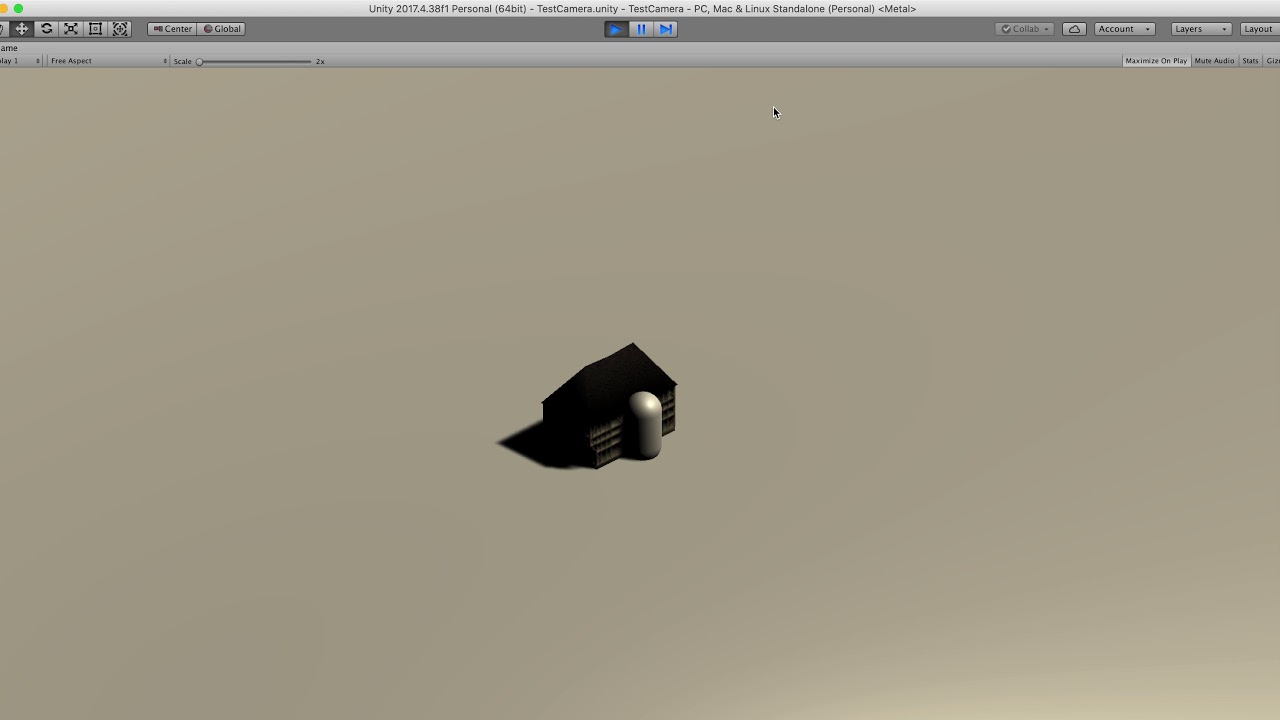
I'll have to downgrade from 2019 to 2017 to get rid of it 😄
lunar urchin
Hello. Do you know how the object velocity can is continuous I use that rbBall.velocity = new Vector2 (rbBall.velocity.x + randomDirection, rbBall.velocity.y + randomDirection); but the velocity change suddenly
autumn jetty
@lunar urchin If you don't have any drag or collisions you can set velocity only once. The problem you're experience is maybe because the "randomDirection" is random each frame?
stuck bay
@sweet dove Use the cinemachine package manager, that will make you able to have a way better camera movement, you can set a target that the camera will follow, and make the camera move only if the player get to close to be outside of the zone (Not sure if it's clear)
tl;dr: It doesn't follow the player at it's EXACT location, it follows the zone you set around the player
It's smooth and really clean, I'm pretty sure that's what you need :p

Let’s put a camera on our character!
● Check out Skillshare: http://skl.sh/brackeys9
● Instagram: https://instagram.com/brackeysteam/
● Watch Player Animation: https://youtu.be/hkaysu1Z-N8
● Download the Project: https://github.com/Brackeys/2D-Camera
● Get the 2D Sprites: ...
(Dont worry you can also set it for top down view games)
sweet dove
yeah but I want it to follow the player at the exact location @stuck bay, I dont want a "loose follow"
because gameplay wise, it's horrible
stuck bay
Oh you can do it with cinemachine
just make the zone super super super close to the player
it will follow the exact location
without the jittering
sweet dove
ok I'll give it a try then 🙂
well even with the virtual camera following the player, that's jittering a lot
I wonder if it's not an issue with unity on mac os tbh
 little lagoon
dunno if this is the right channel for this but i have trouble with walls where if im walking into them the character sticks to it for a bit https://gyazo.com/8544361589c7b0d3ec3eecc34093bce6

i tried turning down the friction all the way but as a result my character just ends up slipping and sliding all over the place
sweet dove
ah, I tried a build in 800x600 instead of a full screen => no jitter at all
issue might also be with my new macbook pro 16" which has bad performances...
also works fine for other resolutions, even HD, the issue appear when I activate the "Default is Native Resolution" on the build
well, at least I've a workaround !
even using the 3072x1920 resolution for the build, which is the native resolution, do not produce jitter if the "default is native reso" is not checked when making the build.
frigid pier
@little lagoon You can try turning off friction when the character is in the air. (on jump initiation and until official landing)
little lagoon
interesting
seems to fix the problem
another one is when im walking towards a wall and try to jump i cant because of the friction
stuck bay
Cool little physics thing I did https://youtu.be/_7TWf5wV7q8

Unity Physics With Plawius' Non Convex Mesh Collider Asset And PhysX
frigid pier
@little lagoon If you turn it off right away when pressing jump button, this should not be as issue
stuck bay
@little lagoon Try going into Edit > project setting > physics > Default offset contact
And change the value to 0.02, you character won't clip in
little lagoon
mmm tried that and didnt see much of a difference
 proud nova
Might be improper movement method
proud nova
Yea that ignores physics, effectively teleporting
proud nova
I would probably buy one of the character controllers from the asset store 😄
Alternatively use CharacterController and its methods or Rigidbody and its forces
proud nova
Yea, or manipulate velocity directly
little lagoon
ooh that sounds promising
its nice not having it constantly trying to make itself one with the wall
but it also introduced some new problems
but overall its an improvement!
in fact i can leave it with a frictionless surface 100% of the time if i just set velocity to 0 when im not moving. so now everything feels butter smooth
 shy mango
when working with rigidbodies, are we allowed to set the velocity directly?
nevermind, I got it working. I guess we just cant directly edit the components of the velocity vector
Heres another question. Im making a 2d platformer, and I have a bunch of tiles as the floor (not a tilemap), when I move my character it seems to catch the corners of tiles that are inline with the floor, is there any easy way of preventing this?
now that I say that, I guess I could just use large single chunks for the floors
 rustic gulch
why does my character shake and move when on the ground?
 hearty cairn
hi there. I m working on a project with unity. I want make a elastic rubber band. I want throw object with this rubber band. Which joint is good for this?
project will be 3d
hearty cairn
hearty cairn
I created two cube and one of them has spring joint. I used line renderer also.
is it possible to detect collision for line renderer?
frigid pier
There's all kinds of casts you can use instead of a collider. https://docs.unity3d.com/ScriptReference/Physics.html
upbeat lantern
Y0, My rigidbody falling through the terrain (with collider) but works with a simple plane with a mesh collider, ideas?
Non kinematic
hearty cairn
I want create rope system like this video
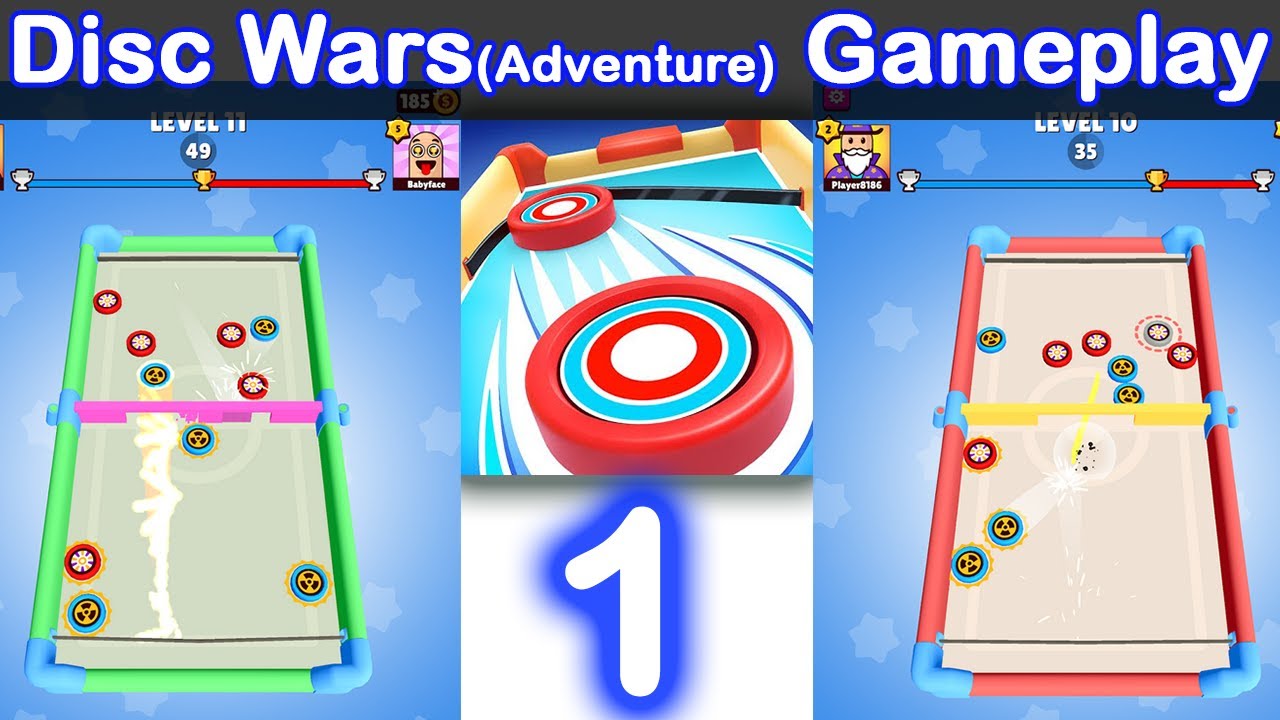
Disc Wars :
The best simulation game by OVIVO Games.
Adventurous game .
Use the Rubber band (sling) to shoot all your discs onto the rival’s side.
But be quick about it…
He will try to do the same!
This is the first time you’ll see a sling puck game like this on mobile and ...
do you have any suggestion?
 sharp vessel
Does anyone know how to make my enemy move from top to bottom? Because I know how to make it from left to right, but from top to bottom the script does not know how it is ...
 worthy saddle
My squares are both murderous and suicidal for no reason, help!
frigid pier
@stuck bay Please don't cross-post and redirect to your issue.
stuck bay
I don't know where to post it so i post it in both Sorry for the inconvenience
I won't do it again
Do you have an idea why anyways ?
 glass parrot
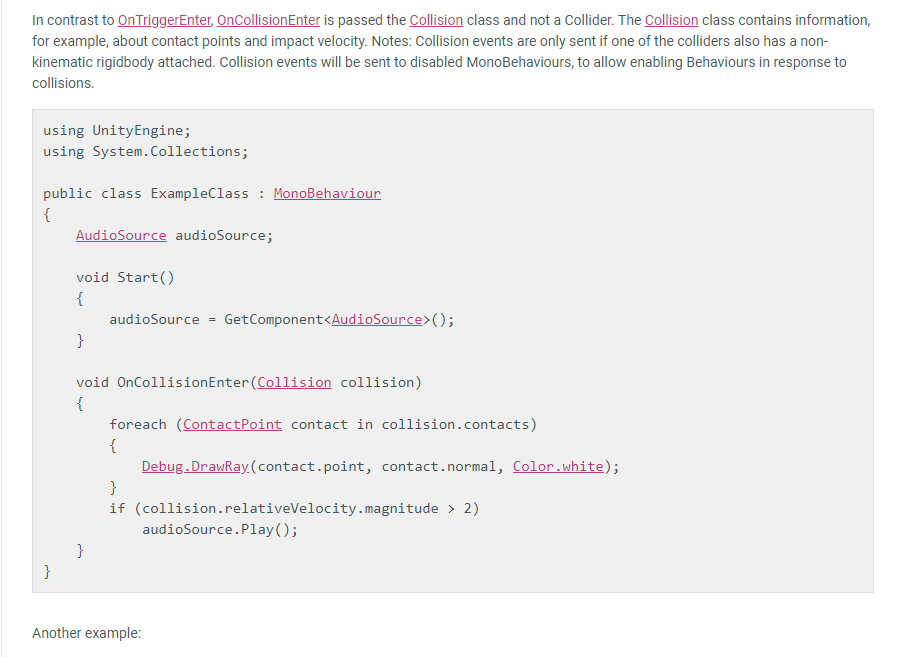
so this is in the docs for collision events
what would be the best way to filter the collisions so your event only happens on the object types you care about?
or
objects with tags you care about
foggy rapids
in the project physics settings there's a layer collision matrix
glass parrot
oh so physics objects in each layer only collide with other objects in that layer I'm presuming?
foggy rapids
the layer collision matrix lets you specify which layers may collide with each other
by default everything collide with everything
glass parrot
yeah that's perfect thanks
 hollow edge
I'm having some trouble using the 2D layer collision matrix.
When my player rolls, I set to a different layer ("dodge") that's supposed ignore collision with the enemy layer. If I set the player layer to "dodge" before starting the game, there's no issue (but this isn't what I want). If I set it to the layer to "dodge" at run time when the player is rolling, sometimes the player gets stuck when hitting the enemy layer.
foggy rapids
that's pretty tricky cause you'd have to be absolutely sure no collisions are going on before reactivating the collisions between those layers
in your case it might be better to use tags
hollow edge
I'm not resetting the layer until the animation has finished
and I'm not toying with the matrix at that point, just changing the layer.
the matrix is set already
hollow edge
I'm wondering if it's a bug in my version of unity or if something weird is just happening since it works when it's set before runtime
i'm 2019.1.6f1
 old leaf
i am so confused, no matter what i try i cant stop my player from sinking into the ground. i have tried resizing the collider, changing collider, etc. (in the photo i made the player extra tall to make it so u can clearly see what is happening)
any ideas?
nvm, i found out a fix, i made the ground convex. i have no clue why this worked tho
foggy rapids
convex connects all the vertices
 manic zealot
Hey need some help with the gravity and physics with my game DM me and i will try to get back to you.
lunar urchin
@autumn jetty my randomDirection is update in OnCollisionEnter2D
stuck bay
Character getting stuck just at the bottom corners of my tiles, and nowhere else in the tiles.
Anyone has an idea? I've been looking for a solution for a week...
stuck bay
I need help with a kind hard to explain problem so lets see if I can explain it.
I'm trying to make a shotgun for my first person game. Basically, 8 bullets are instantiated at the front of the shotgun, then they are rotated to a random direction, then rays are cast from each bullet to check if it hits an enemy and if it does then it will do damage for that bullet. The bullets are then launched towards the impact/hit point of the ray to make it appear as though the bullet is going from the gun and hitting the enemy instead of coming out of the crosshair and not the gun.
The only problem with this is that I want the shotgun to be accurate. Using the method above, the bullets come out of the shotgun which is rotated to look nice since there is no aiming yet: its all hip fire. I think I have a solution but I dont know how to go about doing this.
What I would do is calculate the distance from each bullet to the firing point on the shotgun, and then draw the rays (that do the damage) from the crosshair but offset the rays by the distance from the bullet to the firing point of the shotgun so that the ray goes to the right spot.
TLDR: How do I get object A to move to a point relative to point A that is in the same position as point B is relative to object B?
if you need me to explain any better since its kinda confusing, just let me know
 rotund delta
Hey, I'm creating a cylinder that I want to use as ground for my arena. I make this cylinder to be like 100x100 in width and only 1 in height for example. And I want to shrink it over time so the arena keeps getting smaller and smaller.
I place players equally spaced around the edge and all face to center. I have the player model with a box collider - works fine - I tested with a square terrain object.
Now I want to make players collide with the cylinder and stay on it - how can I apply a collider for this through script?
public class ArenaManager : MonoBehaviour
{
    public GameObject playerModel;
    public int playerCount;
    public float shrinkStep;

    private GameObject arena;

    void Awake()
    {
        float arenaRadius = 15.0f + (0.5f * playerCount);
        arena = GameObject.CreatePrimitive(PrimitiveType.Cylinder);
        arena.transform.position = new Vector3(0, 0, 0);
        arena.transform.localScale = new Vector3(arenaRadius * 2, 0.1f, arenaRadius * 2);

        for (int i = 0; i < playerCount; i++)
        {
            double angle = i * (System.Math.PI / playerCount) * 2;
            var x = (arenaRadius - 1) * System.Math.Cos(angle);
            var z = (arenaRadius - 1) * System.Math.Sin(angle);

            var player = Instantiate(playerModel, new Vector3((float)x, 5, (float)z), Quaternion.identity);
            player.transform.LookAt(new Vector3(0, player.transform.position.y, 0));
        }
    }

    void Update()
    {
        arena.transform.localScale = new Vector3(arena.transform.localScale.x - shrinkStep, 0.1f, arena.transform.localScale.z - shrinkStep);
    }
}
As I see the arena cylinder is created with a capsule collider on it - I can see this when I run the scene
but I would need a cylinder collider that does not exist
how do you guys tackle this?
I managed to set it up manually by creating a cylinder and adding a mesh collider to it and then the players normally stay on it, but I need to create this on the fly with script
stuck bay
@rotund delta I personally would make a prefab with a collider on it, then instantiate that prefab instead of a cylinder
stuck bay
no problem
rotund delta
totally works
stuck bay
My problem got ignored again :/
foggy rapids
you didnt provide much information
the best advice is to debug.log everything. Then you'll see a difference between what is printed when it works and when it doesnt
 candid badger
Hey i have a question about adding a paper airplane into unity.
will that require a rig to work correctly to have the plane effected by wind and such
as well as an animation set? or what
candid badger
Nvm
 toxic blade
some next level vr hand physics on the quest

reddit
2,450 votes and 105 comments so far on Reddit
 placid anvil
When applying downforce to a vehicle to prevent flipping, do I rather literally just push down on the rigidbody from the top center (or perhaps above center of mass?) based on velocity
 unkempt vale
Does anybody here have any idea how to fix this https://forum.unity.com/threads/configurable-joint-angular-limit-is-not-relative-to-target-rotation.877849/ ? Sorry for posting a link instead of writing it all here.
 silent mural
im having a AI controlled spaceship dock to a docking point. What do you recommend for handling the ship after successful docking?
Do i child the docked ship to the station so its "glued" to it?
or is there a better way that i dont know of for attaching it to the station?
 opaque ledge
@unkempt vale not sure if this will help, but I had an issue like this before and actually just ended up manually setting the axis and second axis every fixed update to the connected bodies forward and up (you would set to whatever you set the axis to). And it worked for me.
unkempt vale
@opaque ledge Sounds very plausible, I will give it a try! Thanks
 olive canyon
does someone know a good fps controller that uses rigidbody and is easily expandable to do things like dashing
?
 steel sapphire
Is there a pattern to avoid collision events firing when a character walks up or down a slope? I can think of several potential solutions:
- A timeout that cancels is an Enter event is received.
- A mid-state in the animator state machine that rolls back it there isn't a subsequent confirmation of the state change.
- A test for the closest point.
- A second collider that must also be clear of the ground to constitute a state change.
 obsidian warren
Hi, im spawning my enemy at x, 0, z. But somehow the enemy spawns with x, 0.2, z
stuck bay
Hi, im spawning my enemy at x, 0, z. But somehow the enemy spawns with x, 0.2, z
@obsidian warren spawn the enemy on y-0.2 or use reset by right clicking on transform
silent mural
@obsidian warren is your models center off? do you have any colliders that might push the enemy upwards?
@steel sapphire maybe a collider for the feet that adjusts to the grounds normal=
?*
steel sapphire
@silent mural that's an idea worth trying. I assumed this would be a solved problem though.
silent mural
oh i have no idea. i have only done 1 month of work in a spacegame, thats just how i would approach it 🙂
steel sapphire
Haha. It's a good idea, one of the few I haven't tried. I think I'll give them all a go and compare there graces.
foggy rapids
i hope we're not makign the same game ironsight
silent mural
im only doing mine for fun but whats yours about?
foggy rapids
multiplayer asteroids
silent mural
well thats not very specific lol do you have a showcase or website etc?
im just playing around with (semi) realistic flight mechanics and how combat with that would take place
foggy rapids
nah, im at similar stage. I've got the movement down pat, and yesterday i got my server/client to be deterministic
soon i will work on collisions and combat
silent mural
multiplayer is something i want to have but have 0 knowledge about
obsidian warren
I used an offset
stuck bay
Hey guys, i have a weird problem hard to describe, i'm using character controller and i don't really know how to fix it, what happens is the character controller's "skin" gets kind of pulled into the wall
Different angle
Skin width is set to 10% as official doc says
So it makes 2 weird behaviours first, pulling character into the wall and second, the character kind of jumps back on to the floor, i'm sure it's not my code i saw about 5 people having the same problem but there are no answers
 royal walrus
can anyone help me with a moving-platforms problem?
foggy rapids
the basicrigidbodyplatformer example here might help:
http://angryarugula.com/unity/teaching/Physics/
royal walrus
Thanks a bunch! I'll give it a try and see if it works
@foggy rapids This is certainly close to what I want to achive but my problem is this:
I have a boat and a player and I wish the player to be able to drive said boat but also walk around the deck, conserving momentum and changes in speed.
Would this work?
foggy rapids
that will be tricky, i'd try to move him around the boat without physics because the boat is already affected by physics.
depends how rough the boat motion is
in the example the platform moves in a predictable and smooth manner so it's easy
royal walrus
I'm not sure if this would help but perhaps in a similar way to Sea of Thieves?
I'll be frank, I'm trying to mimic said mechanics.
foggy rapids
ok, i watched some gameplay.
the boat is probably not moving very fast at all and just rocking, which makes moving a character around easier to handle
the character is probably a child of the boat (so he rock with the boat)
 strange raven
@royal walrus I've played quite a bit of sea of thieves, it seems like as long as a character is touching the boat they are a child of the boat, then when they jump off they inherit the parent velocity and are no longer a child
the child object retains its rotation though
it does not rotate with the parent around Z or X axis
it only rotates around the Y axis
royal walrus
Yes, I've tried using a Rigidbody based controller but that didn't work well since I had to take into account the parent's velocity, if the user decided to move, if the user decided to move and jump, etc. etc.
I'm trying out currently the parenting method with a CharacterController based controller
royal walrus
Update: I'm having success with using the CC based controller for both player and boat. The movement is so smooth!
royal walrus
I'm missing something but it's almost there.
Acceleration/Deceleration is working like a charm. The problem is when rotating; the player doesn't retain the localPosition, i.e., he slides to the opposite direction the boat is turning.
Perhaps I could upload my code somewhere if anyone is interested? I really think it's very close from ready.
foggy rapids
that's gonna be tough. you'll have to somehow incorporate the rotation of the parent into your player movement.
hearty cairn
hi guys. since last two week I tried to make nervous rope system. but I couldnt.
I want something like this
I used character joint with many 3d sphere.
I am not sure what the used in this gif
I tried with spring joint also
I added rendered spring joint with line renderer
but I cant detect collision
 ivory jetty
im trying to make objects brabbable with spring joint, but it does this:
hearty cairn
I almost done with character joint
but the thing is it is not tense
is anybody know How can I add tense to character joint?
it's very quiet here
foggy rapids
joints are so difficult >_< have you tried tweaking the connected mass scale or swing limit settings?
silent mural
For that "shoot coin with rubber band thing", is there a reason to use so many small joints? Dont you need just 2 strings that resize and meet where the coin sits?
foggy rapids
it's pretty cool, looks like water
hearty cairn
@silent mural maybe you right but how I will render thaht joint?
silent mural
Oh i have no idea, just wondering :)
 tidal linden
anyone know how i might be able to have a platform that can only be collided with from the top, and ignored from the sides and bottom?
working with 3d mesh colliders btw
i tried a plane that faces up, but collisions still seem to happen from the sides
foggy rapids
check the normal of the collision and ignore it when it's not the face u want
tidal linden
thanks that works! I'm using a trigger to detect it cos just using the rigidbody collider was causing the moving object to slow down for a few physics frames
 kindred aspen
Quick question: Physics materials with bounciness don't seem to bounce until I reassign its bounciness value during runtime. Is there a way to fix that?
Alright... Changing the bounce threshold has no effect. Changing the bounciness during runtime fixes it until I re-run.
rebooting unity fixed it. turn it off and on again i suppose
sort of
I'm still encountering some form of the problem every now and then
hearty cairn
ok guys I am tired with making rubber band effect. tried to use character joint but .... the last situation is
I dunno what to do ...
wraith crown
has anyone here had to work out teh centre of mass of a rigidbody based on a bunch of child objects that are colldiers with a mass unit assigned to each ?
I've got lots of child objects that only have colldiers (so I don't need more than one rigidbody, which is on the root)
I've got all those child objects assigned a float, Mass.
some are heavier than others - their density is differnet..
so if I let tthe rigidbody calcualte it's own centre of mass it will be wrong..
player could build a plane with a massive engine on the very front and it won't weight it down, it will just make the whole vehicle heavier..
silent mural
Cant you add all masses together to a overall Center of mass?
Im quite sure thats a rather basic calculazion for celestial bodies
https://www.khanacademy.org/science/physics/linear-momentum/center-of-mass/v/center-of-mass-equation

Khan Academy
The center of mass is a point in a system that responds to external forces as if the total mass of the system were concentrated at this point. The center of mass can be calculated by taking the masses you are trying to find the center of mass between and multiplying them by th...
foggy rapids
logically, wouldnt you be able to find it out by first getting the point in the center of all the masses (vector3), then creating vectors pointing from there towards every mass with a magnitude of the mass value (normalized direction * mass of object), and adding them all together?
wraith crown
that seems like a very long routine etc
silent mural
Its like 5 lines of code
Get all rigidbody components, foreach of them multiplay by offset and add to Center of mass
(Theoretically, never done it before)
 lilac vapor
Can I make it so I shoot the thing foward (as in the way the object is facing)?
and rotation
 tribal onyx
Hi, I made a car, but when i turn right or left, while it is in high speed, it turns around, what is the problem?
 marble fiber
when i create a ragdoll, the enemy model doesn't move with the bones. Can somebody please help?
 errant gazelle
I am making a top down 2D game. In the game there is a player that can moves in all directions.
I don't want to move him using Transform because he would break physics.
I have seen a lot of people changing directly the velocity (body.velocity = direction * speed), the problem with this is that if for example there is a black hole near him that his attracting him, if the player moves he would cancel the effect of the black hole (because the velocity is directly modified).
I thought the solution was adding force, the problem is that I can't control the speed, if I constantly add force after a while he will be too fast
Solutions?
(Sorry for my bad English)
silent mural
@lilac vapor if you want to accelerate a body in the direction its facing use rigidbody.addforce(transform.forward,_accValue,Forcemode.Acceleration);
@errant gazelle if (playerRigidbody.velocity.magnitue <=maxVelAllowed) {//addforce}
Will only add force if velocity is below maximum allowed
Not sure if thats what you want tho. Why is the player not allowed to move away fron the blackhole?
marble fiber
anyone?
errant gazelle
@silent mural the problem with body.Velocity = AVelocityValue is that I am overwriting the velocity, I am overwriting the effects of the black hole.. I want the player to move away from the blackhole but I don't want him to override blackhole effects
foggy rapids
Why is the player not allowed to move away from the blackhole?
LOL it's a black hole
foggy rapids
If nobody answered you it probably means you didn't provide enough information
marble fiber
ok
So, today i made an enemy model, and i used capsules to make bones for them, then i removed the mesh render etc and i have now attached each bone to the player and it is childed. I have also attached each bone to the ragdoll so it should be working, but whenever i play the game the enemy model doesn't change at all and the actual bones do move into a ragdoll position.
foggy rapids
When it's time to ragdoll, disable the enemy model
silent mural
@errant gazelle yeah dont overwrite velocity thats cheaty and dirty. Just use addforce. I dont understand the problem with that.
Just give the player some drag value so he doesnt reach infitne speed
errant gazelle
@silent mural if I constantly add force (in the Update()) he will keep accelerating, I don't want him to accelerate too much.
I want to give a "maximum velocity", the problem is that I can't check the body.Velocity to see if I should apply other force, because other objects could attract the player and modify his velocity. I don't want the player to be unable to move if a black hole is attracting him (making the body.Velocity go over the maximum velocity)
foggy rapids
if (rigidBody.velocity.sqrMagnitude > maxSpeed * maxSpeed)
{
  rigidBody.velocity = Vector3.ClampMagnitude(rigidBody.velocity, maxSpeed);
}
if you put that in LateUpdate your body wont exceed maxSpeed. I assume your blackhole adds force in the direction from the body to the hole. As long as this force is less than the player can apply himself in the opposite direction he wont get stuck and still have a max speed.
silent mural
Get the velocity in the direction the player is tryi g to move in with dot product.
And use that to decide if he can accelerate or not.
Vector.Dot(playerTransform.forward,PlayerRigidbody.velocity) returns the velocity magnitude in direction he s facing
 stark edge
Hey guys, I'm trying to make a FPS Controller with a Rigidbody (because it need to be able to interact with physics) with a camera inside of it. My first prototype was to make the camera move inside the player's body which was fine but when I had to rotate the player's body (the camera is always facing forward and moves up and down and the body is moving left or right), I have this constant stuttering when moving and looking at something, like it's vibrating or stuttering. I did my research and it's cause by having code inside the Update function and some in the FixedUpdate. All my code dealing with the rigidbody is in FixedUpdate using fixedDeltaTime and my camera is in Update with deltaTime. I've tried moving everything to either Fixed or Update and it doesn't fixes the issue. I've tried using LateUpdate and it does not fix the issue. The standard asset FPS controller also has this issue. I've also checked out this article https://www.kinematicsoup.com/news/2016/8/9/rrypp5tkubynjwxhxjzd42s3o034o8 which doesn't fix my problem since I use velocity instead of translate. Is there a easier way to get a fluid working FPS controller that also rotates the rigidbody's player body.

KinematicSoup Technologies Inc.
One of the most intensely debated topics in the Unity community is how to go about removing jerky movement from games, and rightfully so. The issue is universal to all engines, and is directly derived from what timesteps your engine uses. There is no single solution that works...
 vapid agate
Uh, hey! So, very new to Unity, I'm following a tutorial by Brackeys, I've set up a cube with physics and a ground.
For some reason, the cube keeps falling through the ground.
 sly dew
The ground needs a collider. Did you put it @vapid agate ?
vapid agate
Yeah, the ground has a box collider.
vapid agate
Same with the player. But the cube has a rigidbody and everything, and it keeps falling through.
errant gazelle
@vapid agate Make sure the colliders are not triggers
vapid agate
Oh. It uh, worked. Heh. Thanks!
marble fiber
i made an enemy model, and i used capsules to make bones for them, then i removed the mesh render etc and i have now attached each bone to the player and it is childed. I have also attached each bone to the ragdoll so it should be working, but whenever i play the game the enemy model doesn't change at all and the actual bones do move into a ragdoll position.
silent mural
@stark edge is the wobbling character near 0.0.0 or far away?
stark edge
@silent mural Far away
proud nova
What do you mean by translate?
Make sure you are moving your rigidbodies in a way that actually behaves well with physics
silent mural
@stark edge if you go further than 6000 units from 0.0.0. You will experience wobbling caused by floating point problem. Its not something you can easily fix, so try to stay within 6km from spawn
A possible fix is floating origin, but thats rather advnced shit
The whole thing is an engine limitation and not a bug, or your fault.
stark edge
@silent mural Well this sucks :/
 radiant pumice
hey, I imagine this gets asked quite a bit, but I can't find a good solution to it. How do I fix the problem with a player walking over tiles (like when you get stuck at a point where two tiles connect or slightly jump up), I've tried putting a circle collider at the bottom of my character, and I figured that would be good enough for what I'm doing, but every few tiles my character slightly jumps up over the connection of two tiles. There isn't a simple solution I can think of to fix this, the only thing that comes to my mind is setting up raycasts, and controlling the character kinematically (if that's even a word) but that's a little to complicated for me right now.
silent mural
@stark edge is it necessary for you to have more than 12km diameter of playing area?
foggy rapids
the general solution to that problem is to combine the colliders of the tiles, and setting collision mode to continuous may help
 mild parrot
Good afternoon. I am trying to import an animated dog from the asset store to use as a main character in my project. How do you go about putting colliders on the skeleton? Or does anyone know where i can find a good lesson on the whole process from import to collision and animation?
stark edge
@silent mural The problem isn't because it's far away I've checked to be sure
foggy rapids
@stark edge nope, no easier way. that kinematicsoup article is the key you have to apply the concepts to your own situation.
stark edge
@foggy rapids Have you used the kinematicsoup article previously?
foggy rapids
yes it helped me. I couldnt use the code they supplied though.
Update()
- lerp towards target based on deltaTime
- collect input
FixedUpdate()
- set transform directly to target
- apply input to produce new target transform
if your camera is a child of the object you are controlling the motion should be smooth
foggy rapids
oh, physics
stark edge
I have something like this
    private void Move(float deltaTime)
    {
        Vector3 movementVector = new Vector3();
        movementVector += transform.right * moveX;
        movementVector += transform.forward * moveZ;
        movementVector *= deltaTime;
        movementVector.y = playerBody.velocity.y; // We keep the y velocity for jumping/falling
        playerBody.velocity = movementVector;
    }

    private void Look(float deltaTime)
    {
        cameraRotationAroundX -= lookY * deltaTime;
        cameraRotationAroundX = Mathf.Clamp(cameraRotationAroundX, -90f, 90f);
        camera.transform.localEulerAngles = new Vector3(cameraRotationAroundX, 0f, 0f);
        transform.Rotate(Vector3.up * lookX * deltaTime);
    }
is the object(s) you're looking at moving as well?
stark edge
No, they are static
This only happens because of the transform.Rotate
I want my player body to actually rotate, but I get this issue
Movement on the XZ plane is fine no stutter
It's when I move while tracking something in circle
foggy rapids
camera.transform.localEulerAngles will get changed by transform.Rotate
if it's a child
stark edge
I'll try to make it not a child 1 sec
foggy rapids
another thing i'd try is to take camera out of the picture, just leave it in one place looking at the same direction until your movement is smooth, then adding back that code until you spot the issue
stark edge
    // This code is in FixedUpdate
    private void Move(float deltaTime)
    {
        Vector3 movementVector = new Vector3();
        movementVector += camera.transform.right * moveX;
        movementVector += camera.transform.forward * moveZ;
        movementVector *= deltaTime;
        movementVector.y = playerBody.velocity.y; // We keep the y velocity for jumping/falling
        playerBody.velocity = movementVector;
    }

    // This code is in Update
    private void Look(float deltaTime)
    {
        cameraRotationAroundX -= lookY * deltaTime;
        cameraRotationAroundX = Mathf.Clamp(cameraRotationAroundX, -90f, 90f);
        cameraRotationAroundY += lookX * deltaTime;
        camera.transform.localEulerAngles = new Vector3(cameraRotationAroundX, cameraRotationAroundY, 0f);
        transform.Rotate(Vector3.up * lookX * deltaTime); // <-------- This line is ruining my life, karen left me
    }
I'm still getting the same vibrating stutter, the camera is no longer child of the player's rigidbody
Quick shitty paint to illustrate what I'm experiencing
foggy rapids
i still dont get it
do it all in fixedupdate
only do interpolation in update
and input collection
since you're using physics and your bodies have interpolation on, you shouldnt have to do anything in update
stark edge
FixedUpdate makes the camera lag 🙄
With higher refreshrate
My left monitor has a 144hz refresh rate and it lags like hell but my right monitor at 60hz seems fine
foggy rapids
if it's not a child of a rigidbody then you have to interpolate it yourself in Update()
stark edge
This is so frustrating haha
foggy rapids
you canprobably change your player settings to fix that (vsync?)
stark edge
I'll check that
stuck bay
Anyone here done orbital mechanics? Would like to pm, just got keplers solved through Runge-Kutta, but when I make orbits elliptical I'm losing accuracy significantly. Maybe my physics is wrong, the approximation code is correct.
Looking to resolve 2-body problem and precompute the orbits for later faster referencing.
silent mural
@stuck bay what kinda game are you building?
Im playing around with realistic flight space shooter but got rid of orbital mechanics bc not gameplay friendly enough
marble fiber
how do you rig a character model
stuck bay
@silent mural I've been writing a space civilization sim.
mostly newtonian, mostly physically bounded, so getting resources out of gravity wells is expensive etc.
But I'm working on approximating ships transferring orbits currently, to do it faster enough, I need to precompute the planet positions wrt time, to do the interception calcs. Doing interception calcs with explicit solving of Kepler Equation is really slow. So instead I'm using keplers 3rd law, and centripetal gravity and numerically propogating the orbit.
I could as an option do Keplers eqn 200 times for every planet, then interpolate, but it's pretty slow vs. just propagating the orbit with RK4.
Resolving RK4 so far is not noticeable. Keplers x 200 is a second. Generating 5000 some planets is a significant delay during galaxy generation.
 lyric flower
Question about handling colliders. I'm using capsule colliders for the collision of my two player objects, but the issue comes in where I only want to allow collision to push the objects along the z-axis. I can't freeze y position on the rigidbodies because I have to use it for player movement. Basically I need to make sure the objects don't affect each other's y-position, without freezing that axis. Is there a way to do this?
foggy rapids
I'd make a base class just for objects with these colliders, then in OnCollision callbacks check the normal of the collision and ignore it if it's in the Y axis
lyric flower
Hmm. Any tips on how one would do that?
I don't want to necessarily ignore any collisions, but I want to forcibly limit them to resolving on one axis.
Actually, I may have come up with an alternative solution too by unfreezing and re-freezing the y-axis at certain times, but I'm still interested to look into this method too.
 earnest basalt
is there a way to make rigidbodies affected by wind?
 tiny wedge
@earnest basalt wind is not a class, pls precise what you want
foggy rapids
there is wind zone component
tiny wedge
you can add forces to the rigidbody for it to look like it's affected by wind
wind zone is for foliage and trees right ?
foggy rapids
i have no idea. im guessing he's asking if u can apply wind zone to rigidbody or doesnt know about wind zone
tiny wedge

that's what the doc stands for
"The main use of wind is to animate trees, but it can also affect particles in a Particle System if that Particle System uses the External Forces module module. See the Particle System
reference page for further details."
earnest basalt
yeah, i know that, there is probably some way i could apply force to them
tiny wedge
you want them to be bent by wind or to fly with wind ?
earnest basalt
fly with wind
tiny wedge
wind zone won't be of any help then
earnest basalt
aight
tiny wedge
usually when you do that if it's only for aesthetic you make a particle system
which can be affected by wind zones as said in the docs
otherwise you've got to add forces by script
you can even make your own rigidbody wind zone applying constant force to any object inside of it
 fringe hull
hi, i want to make an object fall from the sky
should i use a Collider with Gravity or a Rigibody?
foggy rapids
rigidbody
 winter kayak
Hi guys, I've been trying remove the stuttering from the 3d controller... but I'm NOT having much luck... Anyone around who could point me in the right direction?
winter kayak
Have you tried that approach?
foggy rapids
yeah, works great for me
winter kayak
I was hoping to tweak what I had...
foggy rapids
you can apply it. the important thing is to use Update() to interpolate, and FixedUpdate() to determine actual positions/velocities
winter kayak
What about the camera?
foggy rapids
that's where it gets more complicated, never had to solve that myself
i just use a camera childed to my player pointing at it
 wheat cloak
Can anyone help me with an active ragdoll
 severe anchor
hi im trying to puzzle about how to organize some collisions (in Physics 2D).
in an Attack method, stripped down is basically this:
    public void Attack()
    {
        // See if we hit anything
        ContactFilter2D filter = new ContactFilter2D();
        filter.useTriggers = true;
        Collider2D[] results = new Collider2D[maxAttackTargets];
        Physics2D.OverlapCollider(attackCollider, filter, results);

        foreach (Collider2D result in results) {
            if (result == null) {
                continue;
            }

            // Filter for type of target
            if (result.gameObject.layer != LayerMask.NameToLayer("Hittable")) {
                continue;
            }

            // If we hit a Hittable, let it know.
            Hittable hittable = result.GetComponent<Hittable>();
            if (hittable != null) {
                hittable.Hit(weapon);
            }
        }
    }
in my game you can attack enemies and some types of destructible blocks, so i put both of these types of things in the Hittable layer so they can be attacked.
but i want to make it so that you can walk through enemies and not destructible blocks. in the Layer Collision Matrix i can uncheck Player/Hittable and now im walking through enemies but also walking through walls.
it's like i wish i could assign multiple layers to objects, one to describe whether it's hittable and another to ignore physics collision.
 sturdy dagger
Hey guys, any ideas how to prevent this?
https://www.loom.com/share/1cd593c9b72f40b8b156e31657cc6a0f
I'm really new to game development in general, so I'm not sure what could be causing this

Check out a video I made via Loom
For some reason, wiggling against two walls like this allows for the player to ascend upwards
My movement code:
// Moves the object based on the W and S keys
public void KeyMove(Vector3 direction, float speed)
{
    if (Input.GetKey(KeyCode.W))
        Move(-direction, speed, true);

    if (Input.GetKey(KeyCode.S))
        Move(-direction, speed, false);
}

// Moves the object based on the current direction, the speed, and whether or not it's going forwards
public void Move(Vector3 direction, float speed, bool forwards)
{
    if (forwards)
        rb.MovePosition(gameObject.transform.position + direction * speed * Time.deltaTime);

    else
        rb.MovePosition(gameObject.transform.position - direction * speed * Time.deltaTime);
}```How do I make a active ragdoll
 potent scarab
For some reason, wiggling against two walls like this allows for the player to ascend upwards
@sturdy dagger are u using rigidbody or character controller?
 half mica
Hi fellows, can someone help me with this strange stuff please?
I've been stuck on it since 3 days ago. :(
https://www.reddit.com/r/Unity2D/comments/gegfy6/how_to_stop_my_characters_from_sliding_on_the/
reddit
0 votes and 0 comments so far on Reddit
frigid pier
@half mica Do not use reaction gifs on this server.
half mica
Sorry @frigid pier
 frozen ruin
hey for some reason unity dont let me add a ridibody to one of my "items"
frigid pier
Does it have another type or Rigidbody already?
foggy rapids
@severe anchor you can use tags as well. If they are hittable AND tagged as an enemy: pass through
severe anchor
@foggy rapids i see, yes i think that could work. i have to do it the other way, since the collision matrix only deals in Layers. basically an Enemy layer and a Hittable tag.
what does unity intend by having the two systems, tags and layers? why not one system that allows multiple assignments. also weird that one is a string compare the other is an int (but a lookup map by string).
it feels very clunky that when i make a new enemy i have to do this assignment in two places
foggy rapids
it solves the same problem from two angles.
layers have objects
objects have tags
you're not even limited to those options, you can make your own solution to the problem
severe anchor
yeah i see. layers feel very first class in unity though. i need to use that mechanism in physics, raycasting, rendering, ...
 calm marlin
Is there any way to make MeshCollider generate the collision data faster? I need to set a procedurally generated mesh as the collider so I can't use primitive colliders
I can definitely live with mesh colliders but I'm just asking out of curiosity
foggy rapids
one strategy is to generate a separate low-poly model specifically for the collider
otherwise the best you can do is organize the vertices more efficiently (i dont know anything about that though)
chances are if it generates collision mesh slow, it's also rendering it slow
calm marlin
I wouldn't say slow as it takes ~1.6ms per mesh with deep profiling enabled
And I need to do a few meshes per frame maximum
foggy rapids
1.6ms is pretty fast
calm marlin
Yeah, it definitely is 😄 I was just wondering because it is one of the biggest bottlenecks currently
sturdy dagger
@potent scarab I am using a rigidbody. Is that an issue?
potent scarab
nop it shouldnt be
maybe try using forces instead of a transform to change the position
see if its any better
sturdy dagger
I tried that initially but it didn’t work how I intended. Maybe I used it in the wrong way. Could I see some example code?
potent scarab
create a variable for the rigidbody and try rb.AddLocalForce(x yz coords of the movement);
using UnityEngine;
public class playermove : MonoBehaviour
{
public Rigidbody rb;
public float speed = 100;
public void moveright()
{
    rb.AddForce(speed, 0, 0);
}
public void moveleft()
{
    rb.AddForce(-speed, 0, 0);
}
public void movefront()
{
    rb.AddForce(0, 0, speed);

}
public void moveback()
{
    rb.AddForce(0, 0, -speed);
}
}
this is the program I'm using for a small game I'm developing
sturdy dagger
Thank you! I'll try that out
sturdy dagger
@potent scarab That doesn't seem to work for me. The tank doesn't move at all, using this code:
// Moves the object based on the W and S keys
public void KeyMove(Vector3 direction, float speed)
{
    if (Input.GetKey(KeyCode.W))
        Move(-direction, speed, true);

    if (Input.GetKey(KeyCode.S))
        Move(-direction, speed, false);
}

// Moves the object based on the current direction, the speed, and whether or not it's going forwards
public void Move(Vector3 direction, float speed, bool forwards)
{
    if (forwards)
        rb.AddForce(direction * speed * Time.deltaTime);

    else
        rb.AddForce(-direction * speed * Time.deltaTime);
}```Good afternoon. Is there any way to add linear force? As it I mean: a way to add force to a rigidbody that the force is constant.
When I add force to my Rigibody and I check its velocity on the Game.Log, it keeps increasing and increasing.
I would like to do it some way that, if I add let's say: 40 force each second, the RigBody velocity would be 40. No more, no less.
In a constant and linear way.
 torpid plinth
can someone tell me how to use collaberate with unity personal edition
stuck bay
I already took a look at it, but I'm going to check it again. Thanks!
sturdy dagger
Realized my issue and fixed it, but now it still has a slow startup and now hops around like a bunny, oddly enough! https://www.loom.com/share/76e3b5670f234f96ae769d91ffd33fc4

This is the code:
// Moves the object based on the current direction, the speed, and whether or not it's going forwards
public void Move(Vector3 direction, float speed, bool forwards)
{
    if (forwards)
        rb.AddForce(direction * speed, 0);

    else
        rb.AddForce(-direction * speed, 0);
}```Can u show me the vector of direction?
Maybe you're applying force upwards instead of forward
potent scarab
I don't know what could be wrong...
sturdy dagger
// Calculates the direction the object is facing
public Vector3 CalcDirection()
{
    return new Vector3((float)Math.Sin(angle), 0, -(float)Math.Cos(angle));
}

// Calculates the direction the object is facing
public Vector3 CalcDirection(float angle)
{
    return new Vector3((float)Math.Sin(angle), 0, -(float)Math.Cos(angle));
}```That's how I calculate direction
potent scarab
You can get rid of all this if you apply Local force on the movement
ApplyLocalForce(XY coords and speed)
For the movement
sturdy dagger
AddForce didn't work for me in the first place, hence why I added that for transform, and I think I also tried ApplyLocalForce
Let me try it again in a bit
sturdy dagger
@potent scarab Did you mean AddRelativeForce?
potent scarab
Yea that was it😅
Srry I'm not good at remember the name of the function itself
😅😅
sturdy dagger
Yeah it doesn't work
and it's alright! 🙂
Same bunny hopping, but now it also tilts the chassis when it lands
sturdy dagger
Fixed it with this:
// Moves the object based on the current direction, the speed, and whether or not it's going forwards
public void Move(Vector3 direction, float speed, bool forwards)
{
    UnityEngine.Debug.Log(direction);
    if (forwards)
        rb.velocity = direction * speed;

    else
        rb.velocity = -direction * speed;
}```glad you fixed it, srry for not being much help
sturdy dagger
It’s ok Iggy! 🙂
sturdy dagger
Any tips on how to prevent this spazziness with the tank attempting to move into a corner like this?
https://www.loom.com/share/22cc2fa3697148e28b3fa09e63ef92d8
 foggy rapids
stop driving it at the corner?
If that corner has two colliders, the spazziness may be your tank getting pushed out of both colliders. you want corners to be a single collider.
sturdy dagger
Lmao, but I do want to solve the issue in the case a player attempts to drive into a corner
So should I add a third collider at corners?
One that juts out to cover both intersecting colliders? Or is there another, better way to solve this?
wheat cloak
Can anyone help me with an active ragdoll
 outer ocean
@sturdy dagger try:
1)setting tank rigidbody collision detection to continuous (or continuous dynamic)
2)merging your 2 colliders into one
3)adding a third collider between the gap blocking the player from getting there
lunar urchin
Hello Community. I have a question. This value rbBall.velocity.x when start the game is = 0. In the print(rbBall.velocity.x) I can see (0, 1). But when enter of the validation print(rbBall.velocity.x) is 1.170751E-06 and I don't why. I don't change this value never. Can you help me with this?. Thanks
hollow echo
1.170751E-06 is approximately 0
lunar urchin
@hollow echo thanks for your answer. My problem is that the validation is true because Unity undestand that this is greater that 0 and this is a problem because with this I change the rigibody.velocity.x = -1 * speed.
hollow echo
you should compare it against a small number or use https://docs.unity3d.com/ScriptReference/Mathf.Approximately.html if you want to handle the zero condition
severe anchor
i'm trying to give an enemy the ability to jump up ledges when it hits a wall and can't move any more. so i check for RigidBody2D.velocity.x < .001f and then jump. but when the enemy is trying to walk into a wall velocity.x is all over the place, noisy spikes between 0.0 to 3.0. is that normal because of the collision resolution? the sprite is perfectly still in the game. how do i sample this correctly to see that it's not moving?
frigid pier
@stuck bay You should do your research first before posting tutorials. It depends on the style of controller you want to create. And yes, AddForce is the preferred way to manipulate physics as it is working with physics system accounting for many factors.
If you want to use velocity directly you must account for everything yourself.
silent mural
Directly manipulating velocity brings a lot of Problems that moving by transform.positiob has, like glitching into colliders
strange raven
@stuck bay ForceMode.Impulse as second parameter of addforce
stuck bay
Thanks!
I just put a velocity limiter, like in this pseudocode:
if (obj.velocity >= 5) { obj.velocity = 5; }
But i'm going to check the forceMode impulse, for sure
outer ocean
@severe anchor its because its still trying to move and the wall is still pushing the enemy backwards so it keeps moving.
Suggestions:
1)Try setting collision detection to continuous.
2)Instead of using a velocity threshold use raycasts towards the move direction,it will work way better
 still turret
hey
I need some help
I am trying to make a physical enemy using rigid bodies and inverse kinematics
it somewhat works
but it is horrible at ballencing let alone walking to a destination

Pastebin
Here is the code for the walking
it uses the FastIK fabric for the legs
wheat cloak
how do i make a active ragdoll
 frosty shoal
Hey guys, for a pendulum of length r and object with velocity v, if the length is shortened to r2 by an obstacle, how is v affected? I know it gets faster and slower, but relative to gravity, where in the arc the length is changed? Assuming the mass on the end of the pendulum remains constant. Could anybody point me to any resources about this?
I'm currently moving the anchor of a hinge joint and i don't think the change in length is affecting the velocity in the way it should
I have a feeling that gravity can be ignored because the mass doesn't affect the period of the pendulum's swing, so it's likely just proportional to r
severe anchor
@outer ocean it is set to continuous. there appears to be no problem with the collision detection, no jitter on display, it's just the Velocity values that are freaking out. but i did find a solution to this, i set my Animator's Update Mode to Animate Physics. this code is in a StateMachineBehaviour, that was probably a critical piece of info. even though it's working now im a little dubious about this StateMachineBehaviour business. i don't like that im not in a MonoBehaviour. is this OnStateUpdate() synced with the FixedUpdate()? i guess it is now.
that's a good idea about measuring the length of raycast to see if i'm stopped. though it is a bit redundant because that's what the collision detection itself is doing.
stuck bay
I just put a velocity limiter, like in this pseudocode:
if (obj.velocity >= 5) { obj.velocity = 5; }
@stuck bay
upbeat lantern
I have a question, if its not a good practice to use more than one mesh collider, how will I make my rigidbody + mesh to not fall through the terrain?
Should I use the hitboxes instead (not very precise..) ?
outer ocean
@severe anchor yea maybe that was the issue
 pale crystal
has anyone tried dots physics?
 warm flower
Is this the place to ask questions surrounding more general mathematics as well?
Since I have a projection problem I need to solve, but I am really unsure about how to do it
Basically, the ProjectOnPlane function has proven quite handy, but I am looking at a problem now that I seem to be unable to solve with it
The ProjectOnPlane function sort of seems to do the projection orthogonally to the plane you are projecting on.
My question is I suppose: can . you do this projection along another axis, rather than the plane normal?
In my specific example, the problem is approximately this: I have a line, and I want to project it straight 'down' ('down' depends on the orientation, but it is a normalized vector I have)
 plush cairn
does any know if particle collisions happen offscreen?
like if i was relying on particle collisions for a damage system, could the player get hit in the back if his camera isn't facing it?
foggy rapids
it should work if the particle system culling mode is always simulate
wheat cloak
Can anyone give me some advice about active ragdolls
 craggy grove
Has anyone used Physics.Linecast on line renderers? Can't seem to make this collision logic work for the grappler line - kinda frustrating lol
 turbid harbor
Hey Guys.
I've got a problem.
Can someone help?
I have a character controller on the player and when I jump walking toward a ledge, he gets stuck on it.
Have anyone seen this or know how to solve it?
stuck bay
@turbid harbor Hi thiago!,
it could be an issue with your collider
from what i can tell your character is running into the wall and getting pushed into it
an easy solution would be to increase eithr the walls hitbox or the characters hitbox
(the collider)
it may not be as pretty because it may look as if the character is floating against the wall
but that is a very basic solution
 hardy sun
Hello guyz i've got a RigidBody/animation problem, can i share my screen to someone for a faster explanation?
 copper dragon
Is it possible to prevent two dynamic rigidbodies from pushing each other (but not ignore)?
frigid pier
@worldly saffron Do not cross-post, pick a channel
 worldly saffron
@worldly saffron Do not cross-post, pick a channel
@frigid pier I'm sorry. I didn't got an answer so I fiured out that this channel would be better then
frigid pier
It's fine to repost after certain period of time
foggy rapids
@copper dragon make them heavy and use sticky material
copper dragon
@foggy rapids i dont really want to change the weight...
foggy rapids
detect the collision and set velocities to 0
 fading nova
 topaz schooner
my projectile only shoots in one direction , how can i make it change with player direction ?
fading nova
@topaz schooner #💻┃code-beginner
topaz schooner
@fading nova Thank you
fading nova
hi im need some help with collision detection
im trying to add physical melee weapon to animacions but is is not worth to collide with other object
https://discordapp.com/channels/489222168727519232/497874196274348032/709051742024892536
Weapon Components
foggy rapids
collision detection is a balance between raycasting and actual collision. If objects are moving too fast it's better to use raycasts to predict the collision
so instead of meshcollider, shoot rays along the blade path
another strategy would be to instantiate a mesh collider before the swing that covers the whole path of the blade
if u can use a primitive shape even better
 hollow briar
feels insane to me how hard it apparently is to do this: is it possible to get access to the generated convex mesh of a meshcollider?
I'm trying to create a debug view that lets me see which areas in the scene are walkable, but that requires rendering colliders -- easy enough for boxes, spheres, and capsules, but so far I've only been able to get access to the source mesh for the meshcollider and not the actual one used by the physics engine
foggy rapids
sharedMesh is the source mesh?
i'd say the simplest is to make the mesh collider convex to begin with
 brazen spire
How to implement momentum conservation for a rigidbody that I manually set the velocity in the movement script?
 viral ginkgo
rigidbody.velocity = rigidbody.velocity.normalized * mySpeed;
every FixedUpdate
@brazen spire
speed will remain the same
brazen spire
sorry my english is not very good, i mean if player is on moving platform how will i get it to keep that momentum when jumps off
 south token
Ok, can someone explain to me how PhysicsVelocity works in the new DOTs package. From what I can tell is the linear velocity is applied every second. But adding impulse adds on a per frame basis, but I keep doing tests and getting widely inconsistent results.
plush cairn
what do you think is more performant... instantiating and moving a rigidbody projectile with particle effects on it, or just using particle collision events?
foggy rapids
rigidbody
plush cairn
why so though? assuming all things equal (ie firing one rigidbody projectile at a time, emitting one particle at a time, at the same frequency)
particle collisions is just raycasting under the hood yeah?
foggy rapids
yeah but more moving bodies
i thought you meant like one rigidbody with particle effects on it, or a particle system
but if ur particle system only shoots one particle then they're basically the same, though you'll have more control over a rigidbody
 vale sail
hi guys anyone can help me for particle? so i want to make waterfall but circular. what the best way to achieve it?
red one is direction i try , blue is what i want to achieve.
the problem with my current try is:
- the particle come straight so it's like water come from flat shower. instead abit of rotated like water overflow from bathtub.
- the bounce straight instead a bit curved like blue one.
 shell night
@vale sail constrain the initial velocity to a small range and constrain the initial direction to the edge of a circle above
but are you sure you need a dynamic simulation? you could get far better quality if you used a mesh and baked a particle system into a texture animation
 fervent wolf
Having some trouble with Hinge Joints and limits.
I've got code that should "deadbolt" the doors. Set their max and min limits to where they are now.
What actually happens is the max takes effect - you can't open it any wider, but you can still push it closed.
Am I misunderstanding how min can be used?
Code is here: https://hatebin.com/mjkvopzqqa
vale sail
@vale sail constrain the initial velocity to a small range and constrain the initial direction to the edge of a circle above
@shell night wanna try other method already know how to texture animate..
thanks for the help
 short axle
Is there anyone that can help me with wheel colliders in my scene?
 fading hollow
is there a way to have two different effectors on two different rigidbodies on the same game object?
 urban geyser
Hi, The problem I have is very common, but every solution I found didn't worked for me. Here's the problem: I have a very fast objects in my game, and when it collide on others objects it just pass through them. I tried to change the collision detection mode to continuous and continuous dynamic, and I tried a script that is supposed to prevent this but nothing work.
 graceful geode
Did the objects in question both have colliders on them?
urban geyser
yes
At lower speed they collide well
Anyway I just realised this will not be a problem in my game because when the player will hit the object the game will pause
 acoustic abyss
Hey! I'm currently using OnTriggerEnter2D however it's reandomly triggering 2 or 3 times every second or so and i don't understand why
nevermind i think i realized why...
foggy rapids
if objects are moving too fast use raycast/spherecast to detect collision
 distant patrol
does anyone know why i cant move?
using System.Collections.Generic;
using UnityEngine;

public class PlayerMovement : MonoBehaviour
{
    public CharacterController2D controller;

    public float runSpeed = 40f;

    float horizontalMove = 0f;

    // Update is called once per frame
    void Update()
    {
        horizontalMove = Input.GetAxisRaw("Horizontal") * runSpeed;
    }

    void fixedupdate()
    {
        controller.Move(horizontalMove * Time.fixedDeltaTime, false, false);
    }


}```i don't know but first if you have no rigidbody you should apply gravity to your character (except if you don't want to). Give a look at this for a working moving character : https://docs.unity3d.com/ScriptReference/CharacterController.Move.html
@distant patrol
distant patrol
ye wassup
tiny wedge
also why doing this in fixedupdate ?
i also don't get what are all the false in move function for
fervent wolf
Having an issue with my hinge joints. I want, on a trigger, them to not be able to move. I thought I could do this by taking the current angle, then setting the max and the min limit to that angle.
That works for max, as the door can't swing any further open, but it can still swing closed.
 quick crown
Hey why my char is moving in same place?
 hasty galleon
does the particle system use a mini-physics engine?
or how does it handle so many rigidbodies
it's not using the default physics engine from what I realized
---- asking just in case this channel is not dead lol
 river quarry
(2019.3.6f1) does anyone know why I'm having to apply about 100x the force to the x value than the y in order for my object to move the same in each direction?
 quartz tartan
any idea how to prevent rigidbodies "fighting"?
i have my hands, and in order to make them rigidbodies, i move a rigidbody with colliders and no gravity to where the hands should be.
i have gotten this to be... alright... for what i want to do. but when i move the two hands against each other they both try to move to the same position, and end up jittering all over the place.
i got around this by decreasing the force applied to the hands, but then the movement wasn't as "snappy" as i wanted, so i was forced to up the force, but now I'm left with them fighting again!
so my question is how would i get the hands to move quickly, but not fight
 jade comet
does anybody know a good 2D platformer character controller that is not hard to implement and maybe does not throw out all the stuff I learned about unity and its pyhsics (so basically not like this one from unity themselves https://learn.unity.com/tutorial/live-session-2d-platformer-character-controller#5c7f8528edbc2a002053b68e)
river quarry
Try changing the rigidbody type @quartz tartan take a look at the differences between dynamic, static, and kinematic
 shut wind
Hey guys, I am currently working on implementing buoyancy physics in my project. I've got everything programmed and it works for basic things, but I am trying to calculate the volume of displaced water more accurately
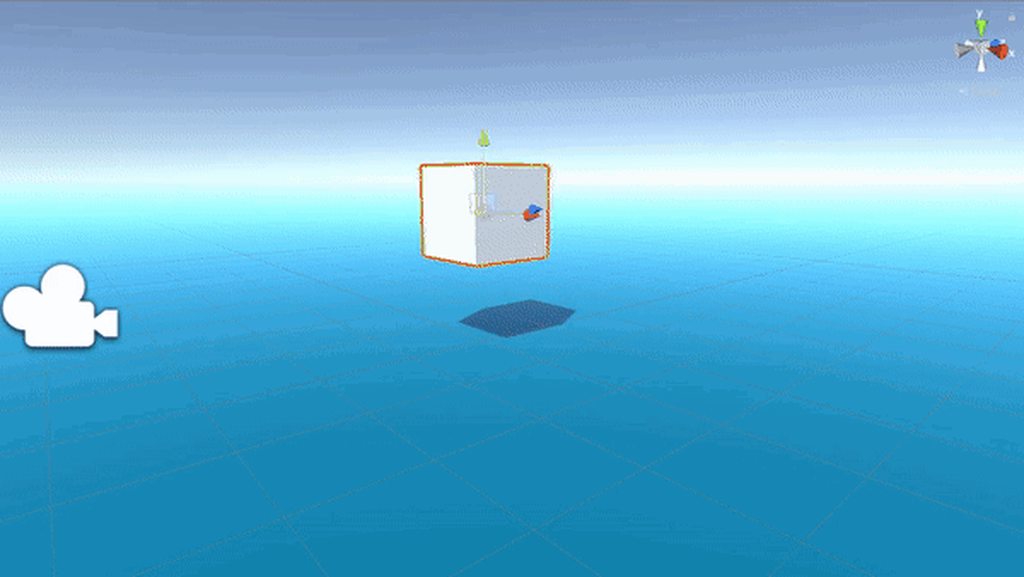


Currently I came up with a kind of bad way of taking the bounding box and dividing it up 10 times on each axis and checking if each of those points were underwater
This works, but is inaccurate and leads to issues when calculating my center of buoyancy
you can see that above
My main question is how can I calculate the volume of the intersection of the mesh that represents the object and the ocean? I eventually plan to write up some more water code so it would need to work for that as well
I came across constructive solid geometry, and specifically the interference portion of that, but it seems that is too harsh to run real time
Any ideas?
 glacial sparrow
add a physics material to it with 0 friction, i guess?
 strange fox
Drag
make it 0
and frictionless material
u also have to choose "minimum" on the material
 misty cairn
how do i make an active ragdoll??
 granite nymph
shut wind
granite nymph
shut wind
Thank you @granite nymph
granite nymph
No problem man!
 lofty void
Dono where exactly to post this. But i will try here. So i'm currently working on some stuff. And i have added a riggid body and a collider to my character. And when i try to crouch with my player for some reason the character starts floating, but once i relese the crouch button it falls down to the grouind agein. Anyone who knows what might be the problem?
unkempt vale
Any way to find out mesh collider to capsule collider distance? Unfortunately I need it 😄 Physics.ComputePenetration is only helpful when the two already collide, which is not my case. And Collider.ClosestPoint takes only one parameter, which is a single point. I can call it multiple time for my capsule, but I would like to avoid that. Is there a better way?
foggy rapids
i suppose if you shot a ray with both colliders on the layermask from inside the mesh you might get both contact points (though separately)
oh, you can still use Collider.ClosestPoint.
on the capsule, get the closest point to the mesh position, and on the mesh get the closest point to the capsule position
though ray might be more accurate
unkempt vale
I will have more intricate, large meshes. Raycast would not do 😦
foggy rapids
@lofty void perhaps the animation is lifting the feet off the ground. A crouch should bring the body down, not the feet up
unkempt vale
Let me think about calling ClosestPoint for both though.
lofty void
I just fugured out what causes it. It's my riggid body. But i don't know why it does it. The pic is how i have the riggid body set up (I'm kinda new to riggid bodys. so don't realy know what everything does yet thoe)
Is there a way to maby make the collider shrink when i crouch withing the walking script? (witch is where the crouch code is)
foggy rapids
ugh, i hate charactercontroller. everybody uses it and nobody understands how it works
lofty void
Oh it's not the character controller component. It's a script i made. Witch dosn't use the character controller at all
 azure cobalt
Is there a reason for my cube falls through my ground? I have Rigidbody on the cube and box collider on the ground, still it goes through.
 jade cypress
I have the same problem with my character
I have a character controller not a rigidbody tho i thought I wasnt supposed to have both
 tough geyser
anybody knows what are some expected values for collision.relativeVelocity.magnitude ?
Or how is that calculated?
 golden star
I have a projectile which I want to point in the direction of it's motion, is there a way to do this if it has gravity for example?
 velvet geyser
Hey all, I think I am not understanding collisions too well. I have two kinematic rigidbodies and a box collider on both of them. However when using the Rigidbody.MovePosition, they seem to go through one another. Is this how that is suppose to work? Am I suppose to write the logic dealing with the collisions?
@golden star - projectile.transform.rotation = Quaternion.LookRotation(velocity)
float angle = Mathf.Atan2(velocity.y, velocity.x) * Mathf.Rad2Deg;
Quaternion q = Quaternion.AngleAxis(angle, Vector3.forward);
projectile.transform.rotation = Quaternion.RotateTowards(projectile.transform.rotation, q, speed * Time.deltaTime);
@golden star have you tried that?
golden star
I tried it but it kept rotating my 2d objects to be flat
looks like you edited it
I'll try that
velvet geyser
Ah, then you probably want to change the angle axis, Vector3.right as a guess since it is turning it flat?
golden star
I want to rotate around the Z Axis
velvet geyser
Try that and if that doesn't work, then process of elimination would be Vector3.up :p
golden star
I'm tweaking it a bit and it seems to be working, I used Vector3.forward and need to fix the angle a bit
oh right i just add 90 to the first line
velvet geyser
Ah cool, glad you were able to get that to work
golden star
What value should I put for speed though, the magnitude of the vector?
velvet geyser
yea, probably magnitude of velocity
strange fox
I'm trying to clamp the Roll of a hoverboard (the Z axis), however when I do so and set the eulerAngles, I lose all velocity if the hoverboard was turning. Is there a way to reliably clamp the roll but keep the velocity going?
silent mural
I just had a random thought after reading about time dilatation online, if there was a way to instantly accelerate to near lightspeed, it would be very close to star wars hyperspeed jumps.
For most distances at least in our known space, say a jump to jupiter.
Still need a clear route, exist in real space just move very fast
silent mural
Press a button, get to lightspeed and earth to jupiter travel will be 45 minutes
 coral mango
Not really; in Star Wars time passes roughly the same for observers on and off the ship. In real life that wouldn't be the case.
silent mural
True
Gotta decide if i implement this as a fast travel system if i wanna annoy the player and make all his movements super slow while in time dilatation :D
 mighty geyser
I just started playing around with unity on a premade 2d project. I want to change some of the motion and add a jetpack mechanic. I wasn't sure what the right phrase was to google for creating smooth movement arcs. This is the best I found. Can anyone recommend other useful resources?

Easing functions specify the speed of animation to make the movement more natural. Real objects don’t just move at a constant speed, and do not start and stop in an instant. This page helps you choose the right easing function.
mighty geyser
It is. Yes. It's all I could find. I lack the vocabulary.
I understand how to add forces and velocity. I'm looking for useful math functions to create nice movement. This was close to that.
quartz tartan
right, i have two rigidbodies, that at any given moment may want to move into each other, when this happens they should neatly move next to each other, not pushing the other all that much, but due to the high amount of force i need to give due to high drag (need movement to be snappy) they move each other out of the way, some times even spazzing out in the process. how would i be able to keep drag low but still get the dampening effect?
tl;dr: how do i get drag-like dampening without having to use ridiculously high force to move the rb?
foggy rapids
when they collide, combine them
quartz tartan
what?
foggy rapids
instead of allowing collision to take place lock them together somehow (like magnets?)
quartz tartan
i'll explain a bit more because that definitely wont work.
the rb's want to go to one specific point(separate for each rb), which can move at any time, by any amount. if i use low drag and medium force, the rb's kind of orbit around the point. not what i want. but an upside to this is that they don't have strange collision.
if i use high drag and high force, the rb's still move at an appropriate speed, but they dont orbit. so far so good, right? no, this is when they have strange behaviour. not so good either.
foggy rapids
ah, i'd put a trigger surrounding the point so when they get close enough you can change their behavior
quartz tartan
hmm, sounds like it should work! i'll give it a shot! thanks @foggy rapids!
stuck bay
idk if this belongs here, but nobody helped me in general code so
private GameObject waypoint;

void Start()
{
  waypoint = GameObject.Find("Waypoint");
}

void Update()
{
  Vector3 pos = new Vector3(waypoint.transform.position.x,     waypoint.transform.position.x, waypoint.transform.position.x);
  transform.position = Vector3.MoveTowards(transform.position, pos, speed * Time.deltaTime);
}``` i have this script, the waypoint is located inside the player and the enemies are supposed to follow the player but they flip out, some of them fly, others descend into the ground, all the enemies constraints are: frozen x and z rotation and frozen y positionyou are setting all 3 values of pos to waypoint.transform.position.x
is that your intention?
 silent garden
Hello,
We are having an issue with the trigger collisions in our game. They all work perfectly, but suddenly, every 2D trigger stops working. As far as we know, it happens randomly. We are using Unity 2019.1.10f1.
When it happened, we paused the editor and checked these things:
- All the objects have 2D rigidbody (all marked as kinematic) and 2D trigger collider.
- All colliders are marked as trigger.
- The physics collision matrix is correctly set up.
"Use full kinematic contacts" option does not seems to be relevant. We thought that was going to be the issue because it was disabled, but it was also disabled when everything was working fine. Enabling it does nothing.
Do you have any idea of what might be happening?
Does anybody know if this is a known issue?
Thanks in advance 🙂
Also, we restarted the scene through our ingame pause menu, and the bug was still there, which to me is the weirdest thing
 dire breach
im simulating a rope using rectangles and hinge joints but the hinge joints stretch apart when too much force is put it instead of just stopping the object attached to the rope
foggy rapids
what happens when you try with other unity versions?
 worldly lynx
Hey guys i have a basic flying script on a ship, if it gets anywhere near a collission with the floor "plane" it throws off the physics of the ship
like if i try and pull up near the ground, it just keeps pulling up slowly even when i release
is this a physics issue or a code issue?
hmm i think it's however it interacts with bouncing the object off the plane
quartz tartan
hi, how would i make a rigidbody only rotate if it can? i.e. if the rigidbody is trying to slam itself into the wall then it shouldnt be able to rotate in a way that it physically couldn't while doing that, so that position is more important than rotation?
proper herald
you can always lock rotation in the rigidbody component
 quasi sluice
Is there a way to use the same animation on multiple objects, but have it affect one object moreso? Ie a rotating animator that spins 360 in the time, but one of the objects rotates 720 with the same animation and a tweak? I assume the only way is through script
Maybe even a way to reverse the animation, to save having to create a separate one
quartz tartan
@proper herald nah that dont work, i want it to actually be able to rotate, how would locking rotation help?
 proud geyser
Hello, is it possible to attach a cloth to a sphere collider so that the cloth doesn't fall if the sphere is moved?
foggy rapids
@quasi sluice the animator might be able to help you with that. The transitions are pretty flexible and i know you can play animations backwards. If each instance had it's own animator you could supply different values via scripts
@quartz tartan you can apply torque and use physics materials to tweak how the rotation behaves
golden star
If an object is a child of another in the hierarchy, will the child object move with the parent?
foggy rapids
yes, unless it is affected by local forces
craggy grove
Hey there - has anyone here ever used a Physics joint between an object with a rigidbody and say, terrain?
 mighty sluice
yes
just give the terrain some larger mass than the jointed object and make it kinematic
craggy grove
@mighty sluice interesting suggestion - I was ready to create an empty game object that pull my vehicle towards it when the grappling hook touched the terrain. I suppose that's not necessary, tho
mighty sluice
no promises lol, but it can work in many situations
just spawn the joint with an anchor at the contact point
technically you don't need a connected mass
or at least in some cases you dont
no promises!
fervent wolf
I'm having difficulties designing a modular tank.
Currently I have a root GO with Rigidbody on it, and X/Z rotation locked. All parts have box colliders.
This works fine for moving, until you hit something. Then you're permanently tilted at a wonky angle on X/Z.
Not locking rotation immediately causes it to faceplant when you try and move (which is done by giving the Rigidbody velocity)
 odd pike
hi everyone, I have a question about how to calculate the final position of a flying rigidybody when it drops.
https://forum.unity.com/threads/how-to-calculate-the-rigidbody-finial-position-with-shooting-velocity.892147/

Unity Forum
I have a rigidbody on the floor and I add velocity to rigibody and my gravity is 2000.
I want to find the final position(x & y) when the rigidbody to...
My method is inaccurate but I don't know what I've missed.
- find the flying time of rigidbody
zSpeed = Mathf.Abs(rigibody.velocity.z);
flyingTime = zSpeed / Physics.gravity.z * 2;
2.find the final position by velocity multiple flyingTime
finalPos = (Vector2)transform.position + ((Vector2)volocity * airTime);
Do someone know what's the problem? Many thanks
silent mural
@fervent wolf set transform.up to vector3.up from time to time to cancle tilt?
@odd pike you want to get the impact position of a falling object?
first thing i notice is that you try and calculate it in one go, afaik you need to split it in 2 movements tho. one horizontal (continous) and one vertical (accelerated). calculate time needed for falling, use that time in the horizontal movement to get impact pos
assuming all movement is on a plane
hm wait looks like you do that
flyingTime = zSpeed / Physics.gravity.z * 2;
might need to be
flyingTime = (zSpeed / Physics.gravity.z) * 2;
if you are getting the wrong x/z pos than probably the airtime was calculated wrongly.
odd pike
@silent mural Many thanks, it helps a lot. I still get the wrong position though but it's quite close. I am thinking maybe there is another factor causes the result position to slightly change.
silent mural
air drag?
odd pike
silent mural
ah
odd pike
I set it to zero
foggy rapids
@unkempt vale https://github.com/NVIDIAGameWorks/PhysX
maybe you can find something in here
silent mural
but did my bracket suggestions improve the result?
odd pike
@silent mural yes I believe it the right way.
@silent mural I am thinking maybe just set the rigidbody to the position of what I calculateed when it reach the floor. Because it really close. So just make it easy.
silent mural
generally i would not teleport at any time, but if i see correctly, your game doesnt really rely on hitboxes etc. since its more like a board game? if so then you could do that
it does not fix the issue of either wrong calculation or unknow force/pos error tho
odd pike
@silent mural ok I will still try more. Anyway, thank you very much.
craggy grove
@mighty sluice would I still have to add a force to the rigidbody to pull it towards the joint if it was a grappling hook thing?
Trying to avoid that, but I'm not so familiar with how these joints work, so maybe there's no other way to do it
unkempt vale
@foggy rapids Thanks for the link. In Unity 2019.3.4 the PhysX version is, I believe, 3.4. So this https://github.com/NVIDIAGameWorks/PhysX-3.4 repository should me more relevant? I tried looking there already, but I have no knowledge of C++ and were unable to find the code to reverse engineer at least the basic drive force calculation 😦
unkempt vale
So it seems I was wrong, Unity 2019.3 is using PhysX 4.1, as seen here https://blogs.unity3d.com/2019/10/22/physics-updates-in-unity-2019-3/
Still, I can't locate the D6 joint (configurable joint) force calculation code 😦
 serene cosmos
How do you build bullet physics as a native plugin for unity? I've tried adding -DUSE_MSVC_RUNTIME_LIBRARY_DLL=ON -DBUILD_SHARED_LIBS=ON to cmake, but I get linking errors (e.g. LNK1181 cannot open input file '..\..\lib\Release\LinearMath.lib')
mighty sluice
@craggy grove it all depends on how you make the effect. you can use joint forces by setting the drives
craggy grove
@mighty sluice I've been wondering how the drives exactly work and how I can leverage those. Do you have links to those? If not, I can try to dig
mighty sluice
the drives use the formula you already have access to
best reccomendation is set up a simple experiment in an empty scene
craggy grove
Well, the thing is, it seems the drives do it in an angular/rotation fashion
I was hoping to pull the object TOWARDS the joint?
mighty sluice
@craggy grove there are angular joint drives, and then there are linear joint drives
also target position
and target velocity
they're like the angular versions except they displace the object instead of rotating it
craggy grove
@mighty sluice maybe I'm blind as a bat, but looking at the docs I don't see a linear drive and an explanation on how it's supposed to work? Unless the understanding is that I'm just adjusting the strength of the spring on a given axis
 steep valley
hello, I need to use Physics.RaycastAll but the API says the results are not sorted by order of layer. Any idea how I can fix that on my own?
stuck bay
@steep valley you could just pass a sorting algorithm passing the layer comparison as the deprecate
steep valley
what algorithm do you have in mind?
I know C++ well so I see what you're saying, but in C# I have no idea how to handle that
steep valley
I need the sort order to know which sprite is clicked by the user
edgy aurora


how do i rotate the vector (in red)
in the direction of blue
i want the vector to rotate up and down in the direction its facing
 lapis berry
that drawing is so good tho 😄
 lethal wyvern
is there a way to make a ray cast rotate with the an object like how a child rotates with its parent
worthy saddle
Wow
If this doesn't blow your mind, I don't know what will.
Part 2: https://youtu.be/jsYwFizhncE
Part 3: https://youtu.be/brU5yLm9DZM
Brought to you by you: http://3b1b.co/clacks-thanks
New to this channel? It's all about teaching math visually. Take a look and see if there's a...
steep valley
RaycastHit2D[] hits = Physics2D.RaycastAll(mousePos2D, Vector2.zero);
Array.Sort(hits, delegate(RaycastHit2D r1, RaycastHit2D r2)
{
    return r1.collider.gameObject.GetComponent<SpriteRenderer>().sortingOrder - r2.collider.gameObject.GetComponent<SpriteRenderer>().sortingOrder;
});
so that's how I get the sprites the user clicks on, in the order of sorting... performance is very bad I suppose
silent mural
Unity is the ultimate game development platform. Use Unity to build high-quality 3D and 2D games, deploy them across mobile, desktop, VR/AR, consoles or the Web, and connect with loyal and enthusiastic players and customers.
 torpid egret
I am scratching my head over this issue I have with collision. I have a tilemap and a player that moves around in it. I need the player to die when he touches tiles from one map, and not die when he touches tiles from another. Spikes and walls. Everything works, except if a player lines up on a wall and walks along it PAST a spike, it will still kill the player. I know this is how the physics system is supposed to work, but is there any way to stop generating collision events after the first one?
 vocal sparrow
hi! I am having a problem with my colliders. I try to get 2d trigger colliders to react to my player. But for some reason the OnCollisionEnter2d is not called.
I have tried rigidbody on both sides (players and trigger). I would usually think of some layer issue, but when i make the trigger solid, i get the method call. Anybody have any idea what could cause that? (using unity 2019.3.0f6)
foggy rapids
you would use OnTriggerEnter2d
severe anchor
hi im confused about how to combine physics and Animator. in a 2d game i have sprite animation being controlled by Animator. and then I also want to call RigidBody2D.AddForce() on this guy. but when i do he pops forward and then immediately stops. when i disable Animator it works as expected (force is applied and he drifts in space).
i've tried the different Animator Update Modes and Apply Root Motion.
my RigidBody2D is Dynamic.
not sure what else to try to get these to play together.
i bet i could do something where i put the Animator on a gameobject that is a child of the physics gameobject. but most of my scripts make assumptions about being able to GetComponent() to find a collider, or an animator, etc. i could replace all those assumptions with explicit references, but i do love that convenience ... there must be a way to combine Animator and physics right?
foggy rapids
when physics are in the equation, rigidbody has authority over the transform's position and rotation. The key is to avoid animating those values
viral ginkgo
@severe anchor your google keyword is "active ragdolls"
A way to create active ragdoll is to have two copies of your armature
One as a ragdoll/no animator
One with animator
And you will somehow make the ragdoll one imitate the animated one with force and torque
.
The force stuff can be done via figuring out rotation differences and applying toque to close them somehow
Or make the animated bodies kinematic, connect each animated-ragdoll pair with a joint
Or set configurable joints on your limbs and update their joint targets so they follow the animated pairs rotation
 mint epoch
I'm currently working on a Mario Galaxy like physic game. I'm currently using rigidbody with a custom gravity that is applied with addForce. My player is rotating using the normal of the mesh he walk on. For some reason the movement is jagged due to the fact (I think) that the rigid body box collider is constantly draging on the floor. Is there a way to make the rigid body float a little bit above while still using addForce for jumping and gravity.
Here's a picture of what i'm saying. for now I just moved down the collision box for the effect.
foggy rapids
seeing as the floor is round, it might make sense to move using torque on a sphere.
or if you're ambitious, a wheel collider
mint epoch
Note also tried with a custom collision detection for the floor using distance and all but I can't interact with position directly without messing the rigid body (due to AddForce)
It don't seem like torque could be a viable option, the floor is round here, but the player can climp wall (with a smooth slope leading to)
foggy rapids
the easy solution that unity promotes is to have a isGrounded flag and turn off ground collision after detecting it until the next event takes you off the ground
mint epoch
Here's climbing wall (not enough smooth but whatever for now)
foggy rapids
Also instead of using normals, you could orient your player using a vector starting from the center of the 'planet' and extending towards the player