#⚛️┃physics
1 messages · Page 48 of 1
 mighty sluice
during training, the frame rate is somehow tied to the physics step
slowing the frame rate also slows physics at training time
but this is not true for inferencing
so basically, there is some configuration in the trainer API that is probably meant to get more performance during training
since training only requires physics ticks, and only needs to technically render when agents need observations...
 charred marten
from what i can see training skips every other frame while inferencing seems to be skipping every 8 frames or so which is rpetty much accurate
hmm
mighty sluice
its off by a factor of 2
give or take
at least i understand what is happening now
well at elast i know a critical cause of it
this must be somekind of training thing
if i put the fps to 1, then 1 physics tick happens per second
if i put it to -1, then it basically renders as the highest fps that it can
with roughly a 1:1 ratio between rendering and physics ticks
(because thats all agents need)
training environments need to be really well optimized insomecases
im99%sure this is an optimization measure
 thin heron
so I'm coding a snake-like creature with hinge joints, but from what I read there's no way to have Unity hinges not have some sort of "stretching" effect so I started coding my own physics alternative and came to somewhat decent alternative but I'm still wondering if there could be better ways to my approach
first thing I made sure is that all the snake segment positions updated in a single frame so everything is in sync and not stretching
and then for my dubious physics alternative... I pretty much just rotate the segment to be facing towards where the parent segment's "joint hinge" is positioned and then move the segment's corresponding "hinge anchor" on top of the parent's hinge point, and repeat until all segments are moved
slight problem with that is that it makes some segments look like they're drifting sideways sometimes, and when loops are too small, they still kinda keep looping, so I had to add a 95% lerp on the rotation
and it kinda all sounds like a cheap hack alternative to simulate cheap looking physics, any ideas I could make it look and perform better?
 drifting sleet
so
were you showing me a centipede earlier?
@thin heron you have to think about how a snake actually works
go to wikipedia and read how a snake moves, it will help you understand how to translate that into unity physics
and watch a youtube video of a snake actually moving
the physics are really complicated
if you want an aesthetic effect, you're better off trying something on the ground, with a string or a ribbon, or try to find an example online of what that looks like
like to just understand the physics you know?
mighty sluice
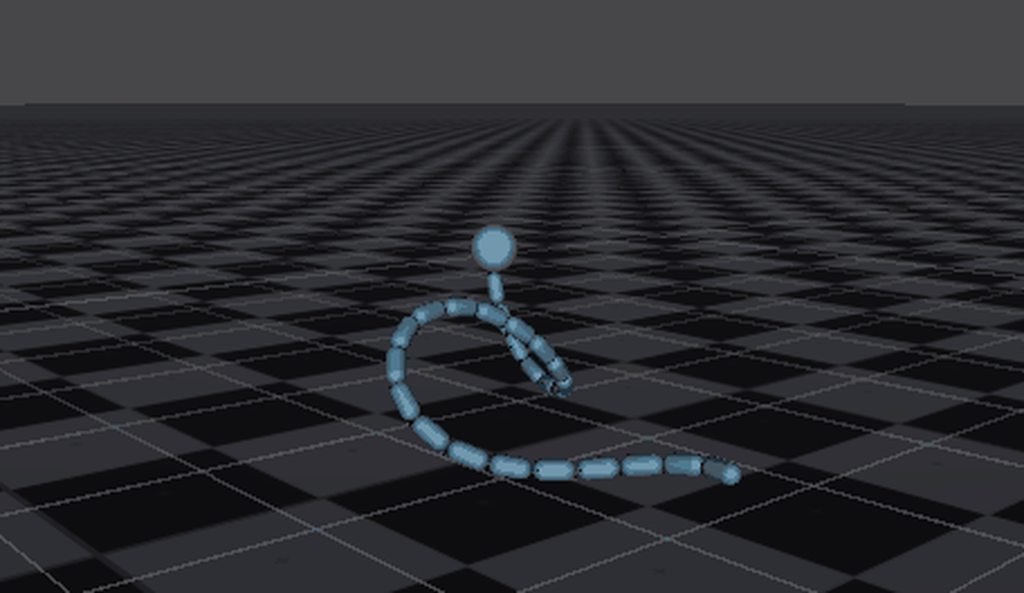
i have lots of experience with joints
are you makinga 2d snake?
@thin heron
Fun fact: the shape of colliders (when too oblong) fucks soo heavily on the inertia tensors of masses that many many things will break
especially joints
solution: manually set the inertiaTensor (and the rotation inertia quaternion if necessary)
inertiaTensor = Vector3.one * 0.1f * mass is usually a good ballpark
quoting myself from a few days ago
not many people have experience with configurable joints (or other joints except character joints) because they're notoriously fickle and often unstable
getting them to work right for your use case may involve jumping through complicated hoops
the inertia tensor is the best starting place for something like a snake
it may be less realistic in terms of leverage effects, but it will be 1000% more stable
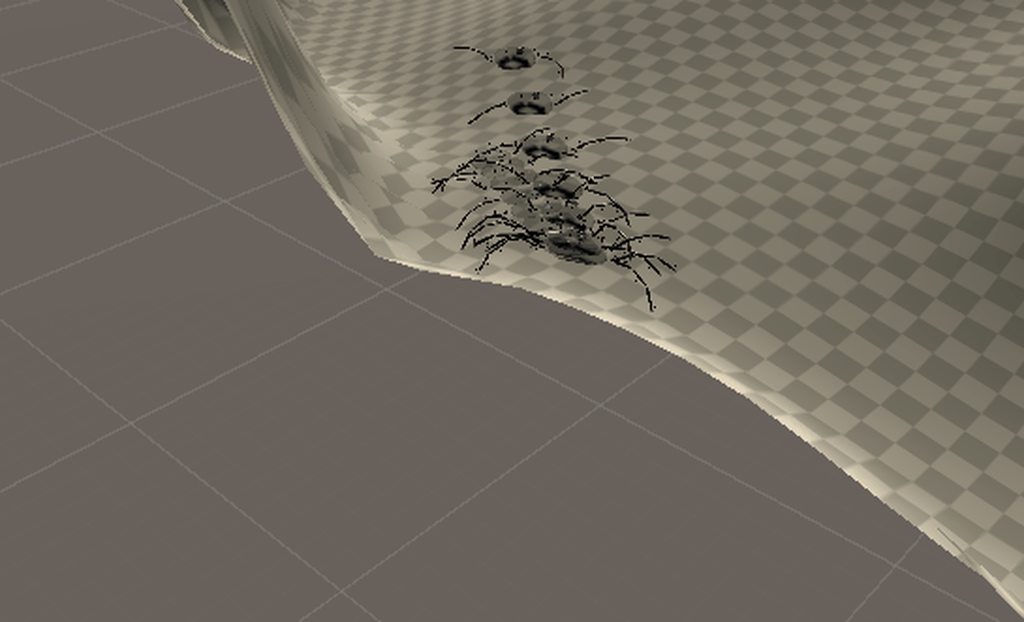


not quite snakes... https://cdn.discordapp.com/attachments/653202134850076683/669862766059716618/leeches1.gif
 charred marten
ok thats freaky
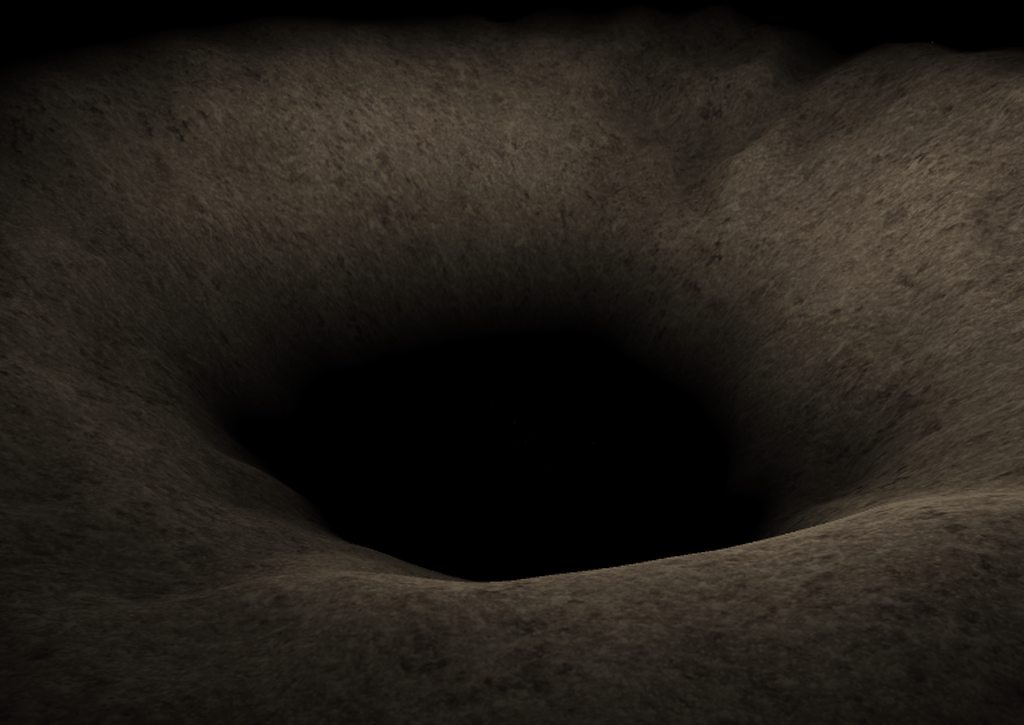 mighty sluice
LOOK
lol
🤣
but yea, snake locomotion being done with real physics is no trivial task
it involves directional friction on the underbelly, and a very complicated pattern of contractions and elevations/depressions
the first gif i posted actually demonstrates a good approximation of "side-winder" movement, which isaparticular kindof snake
a kind of rattler ibelieve
but that is a specific case that i accidentally stumbled into while building complex neural circuitry, and is much simpler than regular snake locomotion to simulate because it relies on pointfriction
my advice is animate the snake for looks only, and come up with your own specifically designed force driver
 silent mural
dude that last thing is like playing subnautica on a horrortrip
it looks absolutely stunning
mighty sluice
thanks! Horror was what i went for with that rendition
hoping to deploy this sort of thing and more into a cheap thrills horror VR game
the neat thing is that they have neural networks and senses
they're trained to seek food
and since they're 100% physics, they're fully dynamic
you could strike one, its body would respond realistically, and so would its brain
silent mural
a horror aquarium simulator
silent mural
you should make that. i remember my father had a windows screensave of an aquarium where you could feed the fish n stuff and it was awesome
do that with your horrorsnakes
 wooden hound
What is best way to handle platformer physics in Unity? Should I use the built-in physics engine or write something myself?
mighty sluice
workingon piranha for the aquarium
they're derpy asfuck still though
idiots beached themselves...
@wooden hound depends entirely on your use case
silent mural
how useful is neural networks for stuff like this? i feel like in most cases its more cool than useful and just writing a tiny AI would be for easier?
wooden hound
Yeah, It's a very vague question as I don't really know what I want to make. I was just wondering if it's possible to create a physics system based on using Rigidbodies, but setting most of them to being kinematic rather than dynamic
mighty sluice
great question. the answer is mixed. in most cases its too hard to get competent and efficient AI, especially for broad behavior. Aside from making Vr games (which is for funding) imactually trying to make advancements in this area
these fish have like 50 muscles, which is super hard for networks toorganize
but ialso gave them complicated neural circuitry to simulate a spine
so im copying nature
charred marten
I like this approach for platformers https://roystan.net/articles/character-controller-2d.html
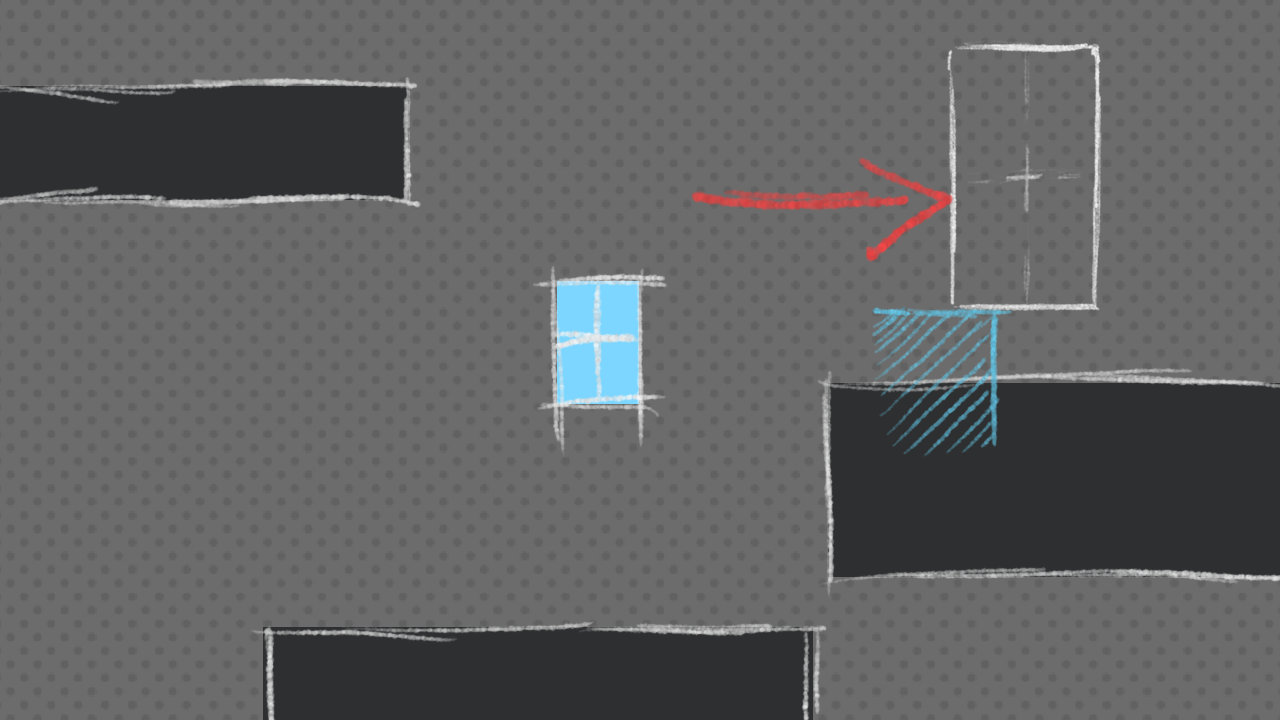
Learn to build a simple 2D platformer controller with tight controls that can run and jump.
mighty sluice

these fish are seeking food based on sight, smell, and a slew of other senses
they school together because their noses arent perfect
these aprticular fish have like 80 muscles each
so getting this result is already basically SOTA
state of teh art
wooden hound
@charred marten That looks brilliant mate, thanks for sharing. Does it work with shapes that aren't rectangular as well?
charred marten
hmm it should be able to detect them but it might not be quite as accurate in resolving
not entirely sure tho
youd have to test it
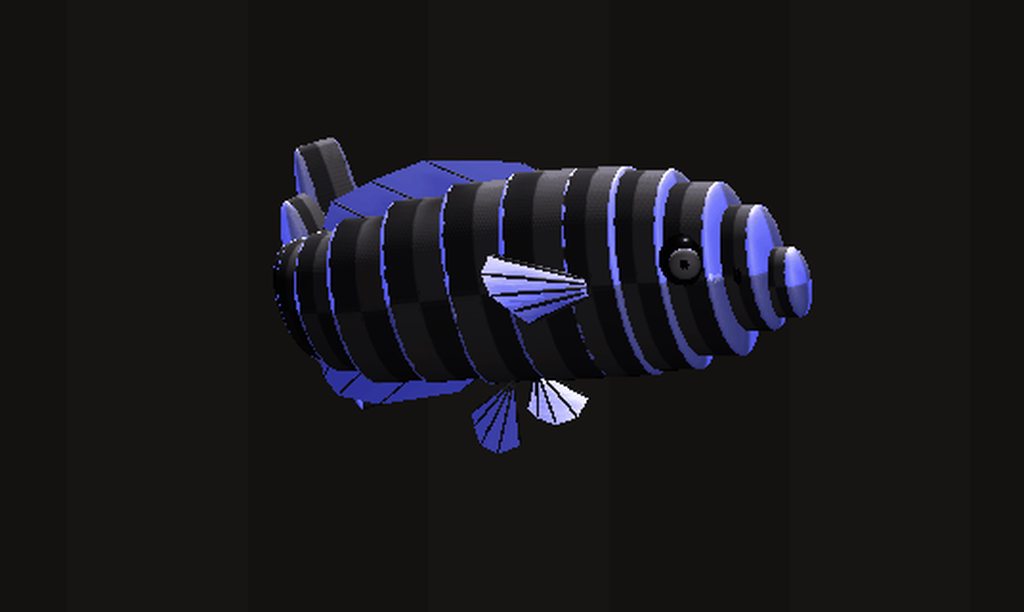 charred marten
oh thats really cool
mighty sluice
made entirely from primitives too lol
charred marten
lots of cilinders? xD
charred marten
n the fins?
charred marten
ah
mighty sluice
works pretty well though
if i had given it good textures and reduced alpha on the fins, would look halfrealistic
each spoke in each fin is an individual configurable joint
along with 12 spine joints or so
wooden hound
Do you think doing your own physics would work well for 2D space-ship stuff?
charred marten
nah i think for spaceships ur better off with standard physics
 fossil storm
How would you go about checking which side of 3d box collider was hit on collision?
charred marten
@fossil storm you can use collision contacts https://docs.unity3d.com/ScriptReference/Collision-contacts.html

which you can then simply compare to the center of the box collider to figure out on which side of it you are
fossil storm
Sounds right, thanks a lot!
thin heron
fancy snakes and fishies
I opted for a 2D approach instead though
I like the looks of it, but it's kinda finicky in some cases
like how the entire body happens to twitch like this sometimes
@mighty sluice
mighty sluice
looks pretty good!
 finite glade
Any ideas of how can i implement that?
I need it to function similar to a pole vault
The yellow stick must be able to rotate freely on the green axis when the blue end isnt on ground
 lofty lake
im controlling my character with a ridigbody and velocity. i now have a jump that uses addForce. sometimes when i jump he just makes a little jump. why is that and how can i find out how it happens?
 viral ginkgo
@finite glade add torque
ball.rb.AddTorque(greenAxis * 10)
like this
oh wait
nwm
don't know about vaulting
 formal trail
NullReferenceException: Object reference not set to an instance of an object BulletScript.OnTriggerEnter (UnityEngine.Collider other) I get this from a collider sometimes
dont know how to reproduce it
it doesnt break the game but im curious how the hell can it be null
the fact that OnTriggerEnter function is called means that there was collision with something
how can it be null when it clearly caused a collision
viral ginkgo
@formal trail Try-catch where this occurs.
In the catch block, place brakepoint.
Start debugger, start unity.
In debugger you will see what's causing the issue
.
@lofty lake Do the jump in Update, don't use deltatime
Do it in GetKeyDown
 sour gazelle
Can someone help me out? I randomly collide with object that I cannot see at random times and I have no clue how to fix it
I'm new to this and for a project that is about speed this bug really does not make it easy
Nevermind I am stupid I fixed it
Ok now to figure out how to make crosshairs
 stuck bay
👏
sour gazelle
Anyone know how to make a thingy so whenever I fall off the map or I get stuck I can restart the level without having to stop and start the game again?
stuck bay
Is this the correct place to ask about raycast or should I ask in #💻┃code-beginner ?
 fickle prism
Can someone share links to some good physics related videos
Like a game Physics based ??
I wanna clear some concepts
 lapis plaza
@fickle prism https://youtu.be/NwPIoVW65pE

In this 2015 GDC talk, QWOP creator Bennett Foddy explains how to make your game feel solid without writing your own physics engine or breaking your entire game.
GDC talks cover a range of developmental topics including game design, programming, audio, visual arts, business ...
 unreal whale
could anyone explain why my player (rigidbody2d attached) is not falling on the floor completely? Making it to where he cant fit through gaps exactly his size
 astral ingot
(don't know the terms for 2d so this may sound weird) Is your hitbox bigger then the area you are colouring?
unreal whale
no, same size
astral ingot
ok
You realize you have to play the game before the gravity will affect it right (just making sure, not saying you don't)
unreal whale
ik lol
astral ingot
does it fall at all?
unreal whale
yeh, works fine exept it dont, yeh
dont fall down ompletely
give ground a rigid nbody?
astral ingot
I'm not sure.... I think I'm doing more harm than help, I'm not good with 2D
unreal whale
thats the components of player
astral ingot
try changing a few things (i.e. change the rigidbody2d material)
see what affects it
do you have anything in constraints?
unreal whale
free z rotation
astral ingot
idk, again, I'm not good with 2d
lapis plaza
@unreal whale I'd guess the gap is from Default Contact Offset (in 2D physics in player settings)
unreal whale
thank you very much, i would have never been able to find that, it worked btw
finite glade
How can i replicate this behaviour programmatically?
If i use transform.Rotate thing get weird
Using transform.Rotate:
unreal whale
@finite glade something like this:
Vector3 rotation;
oops
not done yet
Vector3 rotation;
gameObject.transform.localRotation = rotation;
set rotation var to what ever, f you want it to rotate over time do:
void Update
{
rotation += 30; for example
}
@finite glade hfyedgbdtiecbvgydeufcvk
if you dont want to bounce and weird stuff, check if the white stick thing has a collider or not, and get rid of it
viral ginkgo
@finite glade Rotate with torque (or motors)
And enable specutative funky collision detection in rigidbody
 autumn jetty
Trying to implement some physics, and doing some drag formula with experimental drag coefficients and area, and at some point it gets larger than the forward velocity. I guess this is an inherent problem of stepping the phyiscs? And I should just cap it to 0 at that point I guess.
 hallow aspen
I am using The character controller component. how do i add limited air control
 arctic totem
after many years of learning 😂 https://www.youtube.com/watch?v=7XeCKKPL8Lo

Solving Kepler's equation by Newton's iteration with inspiration from Kerbal Space Program. These orbits are created from sets of orbital elements and a time variable. The second side of the 'on-rails / off-rails' coin.
some resources on the math:
http://www.braeunig.us/space...
 sharp swan
So there's a monitor in Russel's lab in HL:A with what looks like actual code for the Gravity Gloves:
I've transcribed as much as I could:
Vector vecTarget = GetAbsOrigin() + Vector( 0, 0, 0 );
Vector vecPullAxis = ( vecTarget - vecStart );
float f1TravelDistance = vecPullAxis.NormalizeInPlace();

// Calculate initial velocities so the object arrives at the hand at the correct time and orientation
matrix3x4_t vObjectToWorld = ConcatTransforms( nCatchTransform, n_nCarryTargetToObjectSpace.InverseTR() );
Quaternion qDesiredOrientation = nObjectToWorld.ToQuaternion();
Quaternion qRotation = qDesiredRotation * QuaternionConjugater( qPulledObject.????????().ToQuaternion() );

Vector vecAxis;
float f1Angle;
QuaternionAxisAngle( qRotation, vecAxis, f1Angle );
return vecAxis * DEG2RAD( f1Angle ) / f1TimeOfFlight;

Vector vecLaunchVelocity = ( vecTarget - vecStart ) / f1TimeofFlight ????????;
vecLaunchVelocity.z += sv_gravity * f1TimeOfFlight * 0.5f;
Vector vecLaunchDir = vecLaunchVelocity.Normalized();

// Flip downward gestures
vecGestureDir.z = fabs( vecGestureDir.z );

Quaternion qGesture = QuaternionLookAtFLV( vecGestureDir, vecPullAxis );
Quaternion qLaunch = QuaternionLookAtFLV( vecLaunchDir, vecPullAxis );

// Rotate the object's launch velocity around the axis of travel until it's aligned with the pull gesture direction
Quaternion qGestureClamped;
QuaternionSlerp( qLaunch, qGesture, f1PullAngleLimit, qGestureClamped );
QuaternionNormalize( qGestureClamped );
Quaternion qDiff = qGestureClamped * QuaternionConjugate( qLaunch );

// After rotating, reapply the vertical portion of the anti-gravity force that was lost to rotation.
vecLaunchVelocity = qDiff.ToMatrix().RotateVector( vecLaunchVelocity );
float f1GravScaled = RemapValClamped( vecLaunchVelocity.Dot( Vector( 0, 0, 1 ) ), 0.f, 1.f, 1.f, 0.f );
vecLaunchVelocity.z += ( sv_gravity * f1TimeOfFlight * 0.5f ) * f1GravScalar;
someone should definitely try remaking this in Unity
arctic totem
use this one final final v2 .... oO yeah!
astral ingot
this only starts at line 355 tho
 opal nacelle
Hello, I'm making a character with controllable arms that rotate. And this arm is a child object of the player object.
Does this arm require a joint to the parent object?
The arm has a rigidbody and so does the parent player object.
I want the arm to interact with the game's physics as well.
 grand whale
is there a resource for making soft body collisions in 2d specifically? Everything I can find is either 3D or outdated, and I'm not skilled enough to convert them.
 spark schooner
Does anyone have any suggestions for the best way to program a Super Smash Bros style character controller?
I have looked into Rigidbody, and Kinematic Rigidbody, wondering if there were any more options
 random cobalt
Hello i was wondering if someone could help a beginner out in trying to impletment a grappling hook 2d
 pallid meadow
ok you mean coding the whole thing?
or u are having problem with a script?
@random cobalt
@spark schooner you could always create your own sort of physics with raycasts.... :/
random cobalt
i meant coding the whole thing but i found a video after a while
pallid meadow
ok 👌 🆗
 torpid prism
 hollow echo
lapis plaza
hollow echo
lapis plaza
*four major physics engines
they totally neglected Box2D
and actually there's new 2D physics for Tiny too
spark schooner
@pallid meadow I ended up doing that anyway. The results were much better than Rigidbody of Kinebody so
lapis plaza
but I guess that can't be counted as major atm
 lyric flower
Hi, I was wondering if there was a routine way to solve something with collision that I'm working on -
I'm working on a fighting game an issue I'm having right now is handling collision when a player is coming down from a jump. Due to the nature of the game, I'm disabling and enabling box colliders to accurately represent the player size for pushboxes. For the most part this works, but on occasion you're able to land in such a way that the standing colliders intersect the opponent's when the active colliders are swapped.
What I'm looking for is a way to force the player out of the opponent in the span of 1 or 2 display frames (60fps). While I'm sure I can puzzle out a solution on my own, I figured it would be best to ask if there was a normal way to do this.
tl;dr: Is there a way to easily force an object to be pushed away from a collider's origin instantaneously?
It's fine if the colliders remain in intersection for a frame or two but I want to get them out of each other as expediently as possible.
 tender marten
Hello,
In 2D, is there anything cheaper for me to check nearby enemies in an area than doing an Physics2D.OverlapCircleAll or Physics2D.OverlapCircleNonAlloc?
viral ginkgo
@tender marten I believe trigger colliders will be more efficient
If you are doing this regularly
tender marten
Hmm, well do you mean something like keeping track for each unit which enemy entered/left its range?
Basically my AI "acts" each like 1s and at the start if its turn, it checks for nearby enemies to make a decision on what to do
so it is a dynamic environment
thin heron
is there a way to force all the joints in a chain to update in a certain order during a single frame?
viral ginkgo
@thin heron Forces should all be applying all at the same time after your FixedUpdate code ends and physics simulate calls itself
thin heron
I tried switching to using AddForce() but it's still doing the same thing
frame 0: chain head is at pos 0, all other segments are fixed and on the correct positions
frame 1: head moves x1 units, rest of segments don't move
frame 2: head moves x2 units, segment #1 moves x1 units, rest doesn't move
frame 3: head moves x3 units, segment #1 moves x2 units, segment #2 moves x1 units, rest doesn't move
and so on
or visual example:
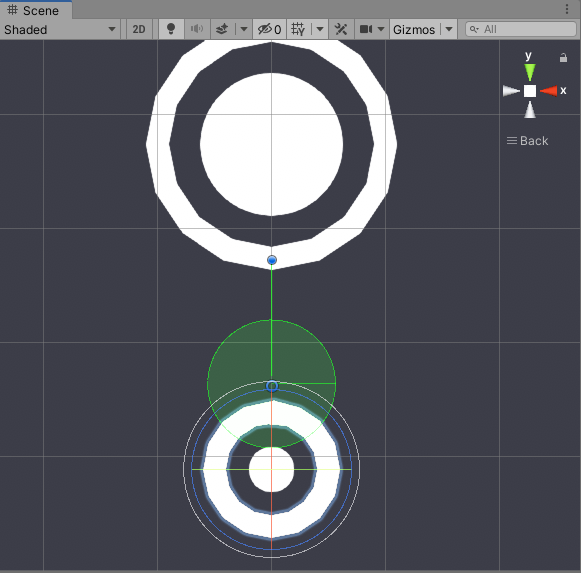
green line should be distance of 0, so next frame the anchor moves up, but the joint has already moved away
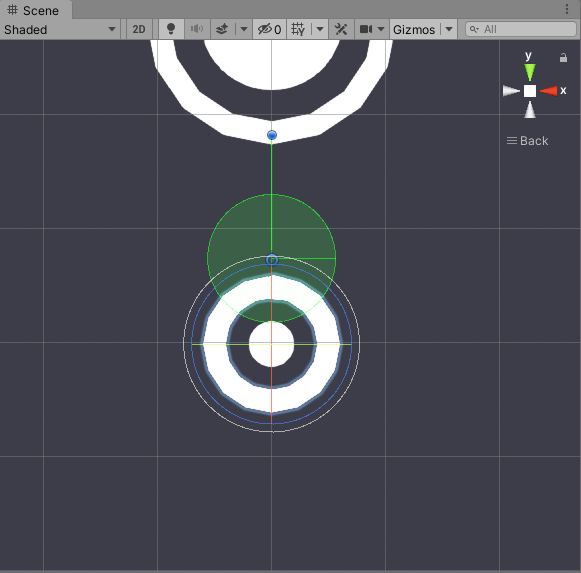
so how can I tell the engine that all segments should all be updated on the same frame that the head moves, and in the correct order?
 ancient reef
Hey, hopefully a quick question. Is there any performance difference between applying a force with a time limit or an impulse over the corresponding frames?
 gritty niche
*public float gravity = (9.81f/deltaTime)2; is this gramatically correct?
or a i missing a step here?
ancient reef
Pretty sure you need a 2f, but otherwise looks good to me.
gritty niche
thank you now i just have to figure out how to apply it when a character reaches the top of a jump lol
ancient reef
Hmm, what do you mean the top? If you want wait until the character stops moving to apply gravity then they will never slow down.
Gravity should affect the character the entire time they are jumping
gritty niche
i'm trying to see what types of effects i can have on a character with jumping
like fast jumps, slow jumps, fsat inclines, slow inclines
wanted to make it so pressing the space bar for a short time and a long time give diffrent jumps and stuff based off it if i could
if not I wanted to give the character a memorable jump lol
figured diffrent effects of gravity would do it
ancient reef
Got it, in that case you can check whether you're at the top of the jump based on the signs of the previous and current velocity y-component. If the last frame had a positive y and the current frame has a negative y then you just passed the top of your arc
gritty niche
oh thats clever
and ive been sitting here buring my last brain cells trying to come up with a way to do it
thank you man
ancient reef
Not a problem, good luck with it
gritty niche
thank you thank you
so i've been using a rigid body for movement but have been seeing a lot of people using raycasting is there a reason for one thing over another
gritty niche
Not sure what I might have done wrong here. I'm working on the wall jump ability of my character and for some reason I can't figure out its only half working.
https://pastebin.com/8JLYaUNa - Script for Wall Jump
So this is what happens. When I jump and land on a wall I hold onto the wall for as long as I hold down the movement button that corresponds to the walls position relative to the player. When I jump it does a small hop up and then immediately downwards. Finally and this is the oddest bug of all but when you jump at a wall to the right and double tap the right movement button as you hit jump the player does an actual wall jump but is completely flipped around and the controls are backwards. Not sure why that is happening.
so in order the issues are
1 - i don't want to have to hold onto the movement button to stick to a wall I want to hold onto the wall for a second and have the ability to wall jump in that second other wise I want the player to fall
2 - The jump off the wall should come out at a 45* angle but is coming out at more of a 60* maybe 75* would be more accurate
3 - Not sure why it stays stuck in a flipped rotation when you do that specific motion

Pastebin
 bright edge
is there any free alternative to destructible 2d?
gritty niche
anyone know a different way to do this?
transform.localScale = transform.localScale.x == 1 ? new Vector2 (1, -1) : Vector2.one;
im trying to flip my character from which every way they are facing
mighty sluice
just multiply by -1
gritty niche
yeah im a dumbass i figure to do that so long ago i almost jumped out my windos from embarrassment
thank you tho dude
mighty sluice
lol, np
gritty niche
is there any way to wait in unity other then WaitForSeconds?
 proud nova
You can see at least few others here https://docs.unity3d.com/Manual/ExecutionOrder.html
gritty niche
Thank you but it looks like that will not solve my issue, guess i'm loading something in the wrong order
maybe
 languid basalt
Can someone explain to me why the normal of the collision point between a sphere collider (on a projectile) and a box collider (on a character) sometimes has a negative z and sometimes a positive ? The box collider is a bone that is rotated but that should not matter right ?
stuck bay
z is one of the horizontal directions, it depends on how your target is rotated, how fast your projectile is moving, etc.
it can easily flip signs if it's normally somewhere around 0
if your projectile has an easy movement path (like going completely straight) you might be able to get better results with sphere casts
(basically check a capsule shape in every frame that stretches between your previous and your current position, catching everything in between like if you were moving at infinite FPS)
languid basalt
so what info should I get to push the target back based on the collision point ? Cause right now it moves forward sometimes depending on the z sign
stuck bay
check your collision point, you might see that it's not exactly where you expect it to be
especially if your projectile is fast
use Debug.DrawRay or something to draw something pointing at it
 marsh trench
hey, would this be a good place to ask a question about colliders and how to have certain game objects (static and dynamic) only apply collisions to certain others?
 foggy rapids
Project settings -> physics here you can configure a layer collision matrix
marsh trench
hmmm, thanks @foggy rapids - Would this work, if say i had a red room with red objects and a blue room existing at the same time and physical space in game, but only red object could collide with red and blue with blue?
the only way i can see this working is if i regester all the objects like so
Physics.IgnoreCollision(collision.collider, ThisCollider);
but if i want to change something, from blue to red, i would need to unregister it
foggy rapids
Physics.IgnoreCollision is more for on-the-fly ignoring between specific objects.
If you put all your red objects in a layer called 'red' and your blue ones in a layer called 'blue' you can set those layers to not collide with each other in project settings
marsh trench
i see, thanks and can i still do this on the fly?
at runtime if things need to change from red to blue
or visaversa
foggy rapids
you can move the gameobjects between layers
marsh trench
i see, so the collision matrix would always apply to the layer
foggy rapids
you can still do it that way but with layers it's a little easier to organize
marsh trench
can i use tags?
foggy rapids
that can work too 🙂 this is one of the reasons i enjoy unity so much
marsh trench
not important, but i haven't used that before, i am using layers for some other fnctionality, but i think it will still workl
me too - Unity is better than unreal, crytech and source 🙂 IMO
foggy rapids
if you're already using layers then breaking up the gameobject into smaller objects can help you get around conflicts
marsh trench
i'll have a fiddle, but this seems much better than Physics.IgnoreCollision(collision.collider, ThisCollider, true/false); option
appreciate the help ❤️
foggy rapids
np
marsh trench
i just had a play with it, was simple to set up 🙂
if i set the player to blue, they only collide with blue and not red, then if i switch (while runtime) the player doesn't collide with either
foggy rapids
how are you changing the layer?
and is your collider on the object with the layer or a child?
marsh trench
i am just alt tabbing out and changing it in the inspector (for the moment to test)
if i set back to blue, then they collide with blut and not red (correctly) but when switching it doesn;t work, it might be something my end, lemme investigate further
ahh, it might be my code, thinkign about it, left over from before
(facepalm)
foggy rapids
oof
marsh trench
i still had the void OnCollisionExit(Collision collision) and Physics.IgnoreCollision(collision.collider, ThisCollider); in lol
now it works perfectly. only thing, i can only have one layer assigned per object and i kinda had things setup for the player layer. So is there a way of setting a collision matrix for tags or even a variable on a script?
foggy rapids
If this is just for collisions you can make your player a child of another object who has the right collision layers
because as you describe your gameobject is responsible for some player things and some collision things it's prudent to separate these concerns
marsh trench
good idea, the controller i am using is tempary as it covers all my needs for now, but i will write my own in the future. i can make this work for the prototype though
 wild lion
Hello All,
Does someone know when isTrigger on 2Dcolliders are updated? When is the collider checking for a trigger?
I am thinking of doing a tilemap with a isTrigger,but since the map would be quite big, I am not sure if I want every tile to check for a Trigger if the player is still far away
thank you
foggy rapids
have you tried it yet?
Unity should be fine, but if it does perform poorly you might put a script somewhere that enable/disable triggers around the player as he moves
bright edge
any destructible 2d free alternatives?
wild lion
@foggy rapids Not yet, I am learning Unity and wanted to make sure that I don't bark up the wrong tree.
But if your gut feeling is that unity should be fine, I will go ahead. I really liked the idea with the script though
gritty niche
Hi i'm at my wits end and am hoping someone is hear and can help me
I'm trying to make a wall jump mechanic in my game and I've got it working mostly, but for some reason after jumping off the walls the controls stay reversed. I've tried everything to fix it and have come up with a horrible bandage solution. I tried reverse the control back but it happens to quickly and the player loses momenum in the air and reverse their course unless they have god like reflexes and gods PC. I used WaitForSeconds to wait a few frames and then change the controls back to ensure the player keeps the momentum but it gives me the same issue but with a delay. I've tried using ground and wall check with conditional statements and even still same problem.
This is the code I have so far
https://pastebin.com/ZYKkk8n0 - Player Movement Script 2D
If anyone could help me that would be amazing I've been stuck on this issue for hours
 real kayak
How do I change my physicsmaterial2d through script? I've already tried a few different things but none of them worked
gritty niche
Is there anyone who could look into my issue? or could guy me on where to look? i've checked everywhere i can think to
foggy rapids
im not sure
a brief look i only see that your code in FixedUpdate setting velocity would overwrite what you did in Update
gritty niche
oh i didnt realize that
I mean i knew it did that but it didnt occur to me that is happening
foggy rapids
err, they would conflict and result in weird behavior
it can be tricky to do input for physics because you want to gather the input in Update but apply it in FixedUpdate. I like to use ring buffers for this
foggy rapids
google can tell you better than me, but here's a gist https://gist.github.com/ezmicken/5690f6d293d31bd9b864f21249115d95
 hasty vortex
I am writing a character controller sprite so for Collison I use ridgid body 2D
But when the character jumps(animation)
The ridgid body of the idle character remains
So as a result my jump animation (which is smaller than the idle character) have a ghost ridgid body below it
Any idea how to fix this ??
foggy rapids
is the jump part of the animation?
You need to apply force to the rigidbody for it to move
hasty vortex
Yea...
No I mean that in the jump animation my character contracts a bit...
So how do I change the rigid body so that it matches the contracted one in that frame
foggy rapids
the rigidbody should not be part of the animation
oh i see, so your character gets smaller but his box doesnt
hasty vortex
yea exactly
foggy rapids
you can change the size of the BoxCollider2d
in fact i think you could even animate that property...
silent mural
just gonna drop this here before i go to sleep, please tag me if you know an answer :)
Is there an easy way to tell which one of my RCS transform vectors (blue) are in line with the rotation?
I need that to figure out which ones particle systems to fire when the spaceship rotates 🙂
seems like my overtired brain fart out the solution just now 🙂 its purely theoretical but i think it checks out:
foggy rapids
I'm sure there's a mathematical way, but I'd explore a simpler solution tied to input.
but yeah using a triangle with the center of the ship as one point and the two rcs as the others would be the trigonometry way
silent mural
you can calculate the vector of movement for any point of a rotating object if you know the center of rotation. build the connection vector from center to point, get vector orthogonal to the connection v3. that you can compare to the RCS output, if its in line, fire away
time to sleep now, that used up my remaining 3 braincells 😄
 queen marsh
Hey all! I'm making a game where players build their own mechanical "things" out of a variety of block, i.e chassis, joints, motors, etc.
Right now i'm having an issue where the unity joints are not as solid as I need them. they bend out of their constraints, even when they should only rotate in one angle!
I've tried everything from changing solver iterations, creating a configurable joint as a way to "strengthen" the hinge joint, messing with weights, etc. But I still get weird behavior from joints. A good example is if I try to make a simple vehicle out of hinges + motor + wheel, they bounce all over the place
my setup used in that video was like this
the physics iterations for that video are also set at 255, which i'd rather not have it that high, i've heard it causes performance issues
is there any way I can make my joints strong or is this something i need to work around?
also i'm probably going to be asleep soon, so i'd appreciate a mention if someone has any ideas for my issue
thanks in advance! i've been trying to fix this for weeks so fixing this will be a huge relief :)
gritty niche
Hey I'm trying to make a wall jump but its not working and im not sure why
https://pastebin.com/rmkftT2x - PlayerController
Pastebin
this is what i have so far and it only works maybe 1/3 of the time for some reason
gritty niche
help me Unity discord you're my only hope
viral ginkgo
@queen marsh maybe wheels are crazyfast or something
try limiting rotation speed on wheels?
.
@silent mural Cross torque and the point, you get angularVelocity on the point
maybe this will help?
so you can compare some stuff, maybe to some Vector3.dot's?
arctic totem
@silent mural The amount the thruster would fire is proportional to the angle the thruster is off the desired axis... so if the thruster direction is greater 180 degrees it will not fire because it cannot add thrust in the correct direction.. this may be able to inform which thruster should fire depending on direction and the magnitude of the thruster exhaust jet... .... I can defintely get into the math details if you like
@queen marsh I have had some serious issues with joints + compound joints as well... make sure your constraint settings are correct first I think
stuck bay
i hope this is the correct place to ask buut, im trying to make a game where an object (or car) can deform with cloth physics. How can i achieve this?
silent mural
Yeah, that what i have so far for linear rcs movement. Compare the angle of the thruster output and the wanted direction for every rcs thruster and then if the angle is below 60° i fire it. Theoretically anything below 90 would work, but i tested and it looks a bit overfiring.
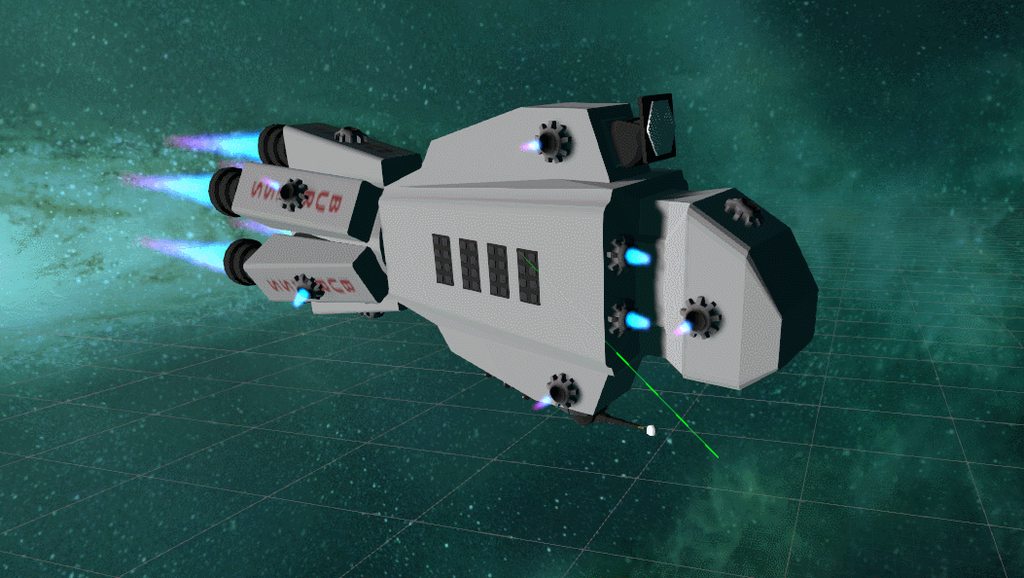
Tbh i plan to cheat and just make the ship move in the wanted direction and fire the effects instead of adding a force at each rcs point. It just gets too complicated otherwise
lapis plaza
@queen marsh traditional joints are not that stable, articulations would help but I dunno if you can use them on that kind of scenario
one thing that you can do to stabilize it more is to just step the whole physics engine faster (basically lower your fixed timestep time)
of course this will increase all physics workload and can get expensive as well
in your use case, you could also just limit the true physics joints to parts that really need it and handle the rest with code
like, if you just have a hinge, you could just drive that with your own rotation code unless it really needs to be true physical joint
queen marsh
agh alright, I was hoping to be able to use true physics joints so I could configure spring/damper depending on the scenario
by my own rotation code do you mean directly setting transform.rotation, or adding a torque to the rigidbody (in the case of a wheel)
also @viral ginkgo, lowering wheel speed works, but having the motors go at around the speed in the video is what i'm aiming for. I guess I could have an effect of going "fast" by increasing the game speed but that seems like a dirty fix so I don't want to resort to that
hasty vortex
When I try animating my 2D polygon collider, I click records and then edit collider in each frame
But this doesn't work it changes the collirler for all frames
Any help to fix this ??
silent mural
@queen marsh are you sure you want stuff like wheels to have their own hinges etc? In my experience the gameplay tends to get a bit annoying bc stuff like that always breaks first. I think it could be Better to just use a scripted axis which just uses transform rotation and only breaks on your conditions.
(Im thinking of how awful rover wheels in kerbal space program are)
Their joints always seem so über fragile
Also joints that break on physics conditions are prone to physic bugs. If for some reason the engine decides that the rock you touched gives a big impact, it rips apart your wheels
Or sends your car flying like arma 3 :D
queen marsh
hmm yeah, KSP joints are annoying lol
unfortunate that the physics engine has issues like this, would have loved to use realistic ish joints
I've heard even "fixed" joints can be weak
silent mural
I think its not to hard to compromise. I mean, you can get the force bending the joint, so you could just put in your own value when the joint breaks but not allow it to bend
Bc bending stuff always looks wierd i think
queen marsh
For now I'm not as concerned with handling breaking as much, I just want it to be rigid/stable like for example joints in besiege are
I do know of another game that achieved stable joints like I want but the developer has gone off the radar so I can't really ask how they did it
 rocky ether
Hello folks, I'm trying to make an object carrying system with the waiter. I just want objects to fall over in sudden movements. But I couldn't do what I wanted. I think it has to do with the inertia law.
I tried changing the friction values. The tray is attached to the character's hand with Configurable Joint. But still it is less affected by physics.
foggy rapids
You could lock them in position with another joint that breaks under enough pressure
rocky ether
thanks, which joint do you suggest?
foggy rapids
or keep tweaking the friction values until it's perfect
i dunno too much about joints
the friction route might yield better gameplay though, cause then you could have more difficult trays and objects
 woeful aurora
Guys can you help me about that subject please. Yes i added sphere collider to ball.
foggy rapids
what's the problem?
woeful aurora
I'm moving platform with keys.
And Ball/Cube is jumping. Problem, im forcing to move ball right so i am moving platform little fast to right but ball not forcing
i wish i explained it
foggy rapids
i still dont understand, but you might figure it out by messing with the physics material of each object
you can affect the friction and bounceyness and stuff
 distant coyote
make sure you only move the platform in FixedUpdate, and using Rigidbody.MovePosition
woeful aurora
I'm jumping ball like that.
'''
rig.AddForce(Vector3.up * force_value, ForceMode.Impulse);
'''
The ball bounces but imagine pulling the platform to the right quickly, a force must be applied at the same speed on the ball, right?
How can i do it?
foggy rapids
Using the materials.
If the platform and ball have a decent amount of friction you'll get the desired effect.
platform friction >ball friction: ball bounces less
woeful aurora
Physics materials?
woeful aurora
Okay, i did it
I don't need bounciness then i set it 0 because already i'm doing it with force method.
@foggy rapids
foggy rapids
muniverse that's cool. try both ways and see what you like better. (bouncing the ball urself or making the ball bouncey). either way tweaking the materials will eventually get you where you want to be.
viral ginkgo
@queen marsh try having the wheets at same speed somehow and prevent instant acceleration
stuck bay
I'm currently trying to make the legs of my active ragdoll move using https://www.youtube.com/watch?v=gNE2bq5RaCQ Is it possible to make this compatible with character joints, if so how would I do that? Can someone please help me I'm not sure what to do? From the tutorials I have watched and read they always use either hinge/configurable joints.

neste tutorial faremos o ragdoll andar a partir de um comando bem simples e fácil!
Script utilizado: https://drive.google.com/open?id=13YbXWqYHnO_v-dwrDcMdGvPQzO5_ZWJe
no proximo tutorial, ensinarei a como controlar para aonde ele anda.
Active Ragdoll Control
Qualquer duvid...
thin heron
are child gameobject transforms not updated right after the parent FixedUpdate and before unity physics update?
from what I'm seeing they only update after the physics update, which doesn't make much sense to me
viral ginkgo
@thin heron parenting rigidbodies and modifying transforms may not go well together (if that's what you are doing)
foggy rapids
thin heron
actually I think it's because the hingejoint is using the velocity of the body it's connected to, and since the child doesn't have a velocity, it lags behind
so not execution order like I thought
viral ginkgo
@thin heron i think regular parent-child transform sync dont apply when you have rigidbody in both
but if you set transform values in code on parent or something, i think child is affected
But i am not very sure about this
I wouldn't edit transforms directly if i had parented rigidbodies
thin heron
oh woops, I meant transform just for the position updating, since rb are based on transforms
viral ginkgo
you dont do any transform.rot = ?
thin heron
but the child rb is set to kinematic, since dynamic wouldn't be moving at all because 0 velocity
viral ginkgo
hmm sounds funky
i'd try making the child dynamic
and making akinematic object follow child with rb.pos, rb.rot
@thin heron
viral ginkgo
your kinematic object will be not parented i mean
a seperate obj
that will follow the tip of the hinge joint
via setting rb.position
@thin heron Is this for circular moving platform?
thin heron
no idea what that is xD
thin heron
nah it's just some snake looking thing with hingejoints
thin heron
when I change it to be using kinematic bodies, the segments stop following the head
what would you use instead of hingejoints?
viral ginkgo
i'd have like a points array
update each points position looking at next points position
or something like that
thin heron
like the traditional snake game, but that's not the effect I'm after
foggy rapids
lol platypus i've actually done something like this before
viral ginkgo
if this is like any other io games, you can just save the head's position every fixed update.
And i'd look at the buffer and update childs so that they are like 10 frames apart from eachother.
@thin heron
this might require snake velocity to be somewhat constant tho
(small changes can be dealt with)
foggy rapids
i made a chinese dancing dragon and the first thing i tried was joints
in the end i just made a new monobehavior for each part of the snake (head, body pieces, tail) and had them all follow each other
thin heron
but wouldn't it look better for following segments to kinda "lose speed" so curves smooth out?
viral ginkgo
then you wanna do the first thing i say
following next segment does that
looking at head position buffer means, all segments will follow head's footsteps
moving towards next segment should be more natural
foggy rapids
you can accomplish the curve with lerp and slerp
thin heron
even just 1 frame difference in the buffer makes it too big
distance between segments should be a fixed distance, not the distance the head travelled during a frame
 urban geyser
Hi, Why does small objects just fall through the terrain ?
foggy rapids
the terrain could be missing a collider
the object could be moving so fast it never actually intersects the terrain
urban geyser
The terrain have a collider, when I drop the object on a mesh collider it work well but when I drop it over a terrain it doesn't work
Sorry for the bad quality
foggy rapids
perhaps the collision matrix in your project settings is not detecting collisions between those layers?
thin heron
is the rb collision set to continuous or is it discrete?
urban geyser
Discrete
arctic totem
ahh need to physics vent!! too much tidal force!!!!! I am working on Oort cloud distances in lightseconds
 gritty rivet
Hi guys, i'm making this hookshot script throwing a raycast at a rigidbody and replacing the point of contact with a Distancejoint2D. How can i make it so that i can shoot it at a 45 degree constantly using the current character local position as a point of reference?
basically i'm looking for a way to make the shootDirection vector into a player local vector of 45 degrees. so that the hookshot is fired always in that angle, instead of with a mouse input like in the commented section.
public class Hookshot : MonoBehaviour
{
    public LineRenderer line;
    private DistanceJoint2D joint;
    private Vector3 shootDirection;
    private RaycastHit2D hit;
    public float distance=10f;
    public LayerMask mask;

    // Start is called before the first frame update
    void Start()
    {
        shootDirection = new Vector3 (5,5,0);
        joint = GetComponent<DistanceJoint2D>();
        joint.enabled = false;
        line.enabled = false;
    }

    // Update is called once per frame
    void Update()
    {
        if (Input.GetKeyDown(KeyCode.C))
        {

            //shootDirection= Camera.main.ScreenToWorldPoint(Input.mousePosition);
            //shootDirection .z=0;

            hit = Physics2D.Raycast(transform.position,shootDirection-transform.position,distance,mask);
            Debug.DrawRay (transform.position,shootDirection-transform.position,Color.white,1.0f);

            if(hit.collider != null && hit.collider.gameObject.GetComponent<Rigidbody2D>() != null)
            {
                Debug.Log ("Hooked");
                joint.enabled = true;
                joint.connectedBody = hit.collider.gameObject.GetComponent<Rigidbody2D>();
                joint.connectedAnchor = hit.point - new Vector2(hit.collider.transform.position.x, hit.collider.transform.position.y);
                joint.distance = Vector2.Distance(transform.position, hit.point);

                line.enabled = true;
                line.SetPosition(0, transform.position);
                line.SetPosition(1, joint.connectedAnchor);
            }
        }

        if(Input.GetKey(KeyCode.C))
        {
            line.SetPosition(0,transform.position);
        }

        if (Input.GetKeyUp(KeyCode.C) )
        {
            joint.enabled=false;
            line.enabled = false;
        }
    }
}
45 degrees relative to what? on what axis? using a vector, a quaternion or a float?
(1, 1) is a 2d vector with 45 degree angle
gritty rivet
hi platypus, relative to the player transform.position. I want the character to throw the hookshot(raycast & distancejoint2D ) at a 45 degree angle (1,1) like you said and right or left of the player. But right now as i have it (5,5) throws the raycast at the world position (5,5) instead of just a 45 degree angle.
i originally had the hook shot direction controlled by mouse input as seen here (//shootDirection= Camera.main.ScreenToWorldPoint(Input.mousePosition);) , but decided against mouse input in the end so trying to adapt it to a simple diagonal throw.
thin heron
if you're doing (5,5) - transform position
the direction will be from your transform pointing towards coord (5,5)
if you know the target position, use targetPosition - transform.position
that will give you a vector pointing towards your target
gritty rivet
correct me if i'm wrong, but the 45 degree angle raycast im trying to do would give me the target position when it collides with the rigidbody2D of the ceiling.
thin heron
if you want a 45° relative to global space you can just have the same 2 values on any 2 axis (i.e. 1, 1, 0)
if you want a 45° relative to your character up vector use Quaternion.AngleAxis(45, Vector3.up) * transform.up;
if you want to collide with ceiling then you want a rotation around either x or z axis, so you can use the .forward instead of .up
gritty rivet
thanks platypus! gonna try that.
foggy rapids
another way you could put an empty gameobject at 45 degrees on either side and have your ray use LookAt for the direction
if you dont like math, you can solve most problems like that with empty gameobjects and lookAt
thin heron
oh I just noticed it's a 2D raycast
if you don't care about the local rotation, then you can just use a (1, 1) vector as direction param, simple as that
gritty rivet
yeah i tried (1,1) but the raycast doesnt get thrown with 1,1 acting as a 45 degree angle, but instead just a fixed position where the hookshot is thrown.
maybe because of my inexperience i'm not being clear enough.
thin heron
your code shows shootDirection-transform.position as param, you need to replace that all with (1,1) not just shootDirection
gritty rivet
what i need is the raycast to always be thrown at 45 so that when it collides it gets the hit point that would act as the fixed position where i want to have the joint.
ohh just realized i left the -transform position there
you are right
i think the problem is something else.
the raycast is being thrown at 45 degrees but the anchor is not aligned with it.
so the pivot is wrong
thin heron
it's hard to tell from that picture, but you're saying the origin of the raycast doesn't match the center of your transform?
gritty rivet
the origin is perfect. the target is off and not being defined by the raycast and the rigidbody collision
what you are seeing is the ceiling of hte level, the pink is the line renderer on top of the raycast and the other is the distancejoint2d that has the character pivot like a grappling hook
really weird, i dont know why its happening.
thin heron
@gritty rivet this line
joint.connectedAnchor = hit.point - new Vector2(hit.collider.transform.position.x, hit.collider.transform.position.y);
you're placing the joint anchor at the vector pointing from the center of the collider the raycast hit to the point where it hit?
it should just be joint.connectedAnchor = hit.point ?
wait no, sorry
gritty rivet
im subtracting so that the joint is placed not at the center of the collider but the edge of the object.
but what im realizing is that that might be the problem
because i'm using a tilemap
thin heron
I personally have never used it this way so I got confused
but wouldn't it be easier to use the anchor property instead of connectedanchor?
then anchor would be transform.position + hit.point
gritty rivet
the thing is anchor is the origin, the player. the connected anchor is the placement of hte joint.
that acts as the pivot for the grapple hook
thin heron
anchor is the position of the joint relative to source
connectedanchor is the position of the joint relative to the connectedbody
you can check the "Auto Configure Connected Anchor" and that should find the connectedanchor based on the given anchor I believe
gritty rivet
yes you are right. but whats happening is that the connectedanchor is not hitting the target where the raycast and the tilemap hit.
its offset like in the pic i sent
subtracting the rigidbody center from the hit.point should give me that position right?
so the line renderer in the pic should be aligned with the distancejoint2D
thin heron
is the tilemap moving?
gritty rivet
nope
thin heron
is the character moving?
gritty rivet
it moves yeah, but right there he is standing still.
press key and it throws the raycast towards 1,1
it has to be something wrong here: joint.connectedAnchor = hit.point - new Vector2(hit.collider.transform.position.x, hit.collider.transform.position.y);
but whats strange is that i have this too: line.SetPosition(1, joint.connectedAnchor);
and that one renders the line at the right place
using the previous code as position.
thin heron
what's the anchor pos at though?
thin heron
line.SetPosition(1, joint.connectedAnchor); shouldn't work since connectedAnchor is local-space based on the collider
thin heron
ah
there you go
that means new Vector2(hit.collider.transform.position.x, hit.collider.transform.position.y); = 0
gritty rivet
but if that the case then why isn't hit.point = to connected anchor?
thin heron
I thought you just said it was?
gritty rivet
it is based on that logic, but the connected anchor in the game doesn't align with the hit.point.
thin heron
@gritty rivet okay, I just tested it on my side and there's a few things wrong with the connectedAnchor
gritty rivet
thank you for taking the time to test it! appreciate all the help.
thin heron
I don't know the exact specifics of how connectedAnchor is calculated on tilemaps with scales, but you can just avoid all that altogether
using joint.anchor = hit.point + (Vector2) transform.position; as mentioned earlier
instead of setting the connectedAnchor
I don't know why, but when I try your code, this is what I get
connectedAnchor is set to be (5, -10)... which is the correct vector from the center of the square to the collision point, but clearly not where the anchor is set

but if you set the anchor instead, and set Auto Configure Connected Anchor on, then it works just fine
^ here the correct answer would be
anchor = (5, 5)
connectedAnchor = (1, -2)
thin heron

I'm curious how connectedAnchor works now
alternatively, you don't even need to connect your joint to anything, in that case anchor is set to world space so just use anchor = hit.point
ancient reef
Hey, hopefully quick question. Is there a performance difference between applying a single force that lasts multiple frames and splitting it out over several impulses?
thin heron
well idk which is better, but I'm sure many other things will crap out before you reach a point where using either type of force will crap out the app
just go with whichever is simplest for you
gritty rivet
@thin heron It doesn't seem to work for me. could you show me everything you changed in the code i sent, maybe i'm missing something.
thin heron
I changed 2 things
- set Auto Configure Connected Joint to True
- replace
joint.connectedAnchor = ...tojoint.anchor = transform.position + hit.point;
if, for some reason that doesn't work, you can also try:
- set Auto Configure Connected Joint to True
- replace
joint.connectedAnchor = ...tojoint.anchor = hit.point; - remove
joint.connectedBody = ...
and don't forget to change line.SetPosition(1, joint.connectedAnchor); to line.SetPosition(1, hit.point);
thin heron
can I see your script now?
gritty rivet
public class Hookshot : MonoBehaviour
{
    public LineRenderer line;
    private DistanceJoint2D joint;
    private Vector3 shootDirection;
    private RaycastHit2D hit;
    public float distance=10f;
    public LayerMask mask;

    // Start is called before the first frame update
    void Start()
    {
        shootDirection = new Vector3 (1,1,0);
        joint = GetComponent<DistanceJoint2D>();
        joint.enabled = false;
        line.enabled = false;
    }

    // Update is called once per frame
    void Update()
    {
        if (Input.GetKeyDown(KeyCode.C))
        {

            //shootDirection= Camera.main.ScreenToWorldPoint(Input.mousePosition);
            //shootDirection .z=0;

            //-transform.position

            hit = Physics2D.Raycast(transform.position,shootDirection,distance,mask);
            Debug.DrawRay (transform.position,shootDirection,Color.white,1.0f);

            if(hit.collider != null && hit.collider.gameObject.GetComponent<Rigidbody2D>() != null)
            {
                Debug.Log ("Hooked");
                Debug.Log (hit.point);
                //Debug.Log (joint.connectedAnchor);
                joint.enabled = true;

                joint.anchor = hit.point;
                joint.distance = Vector2.Distance(transform.position, hit.point);

                line.enabled = true;
                line.SetPosition(0, transform.position);
                line.SetPosition(1, hit.point);
            }
        }

        if(Input.GetKey(KeyCode.C))
        {
            line.SetPosition(0,transform.position);
        }

        if (Input.GetKeyUp(KeyCode.C) )
        {
            joint.enabled=false;
            line.enabled = false;
        }
    }
}
ohh got it fixed.
joint.connectedanchor = hit.point
and turn off auto configure connected did the trick
which makes sense cause the anchor is the offset of the player joint
the connected is the one of the hookshot
but its weird cause i tried something similar before with no luck
thin heron
hmm in my setup it doesn't matter whether it's on anchor or connectedAnchor
and since connectedAnchor is in world space without a connected body, they should both be the same value
 atomic sentinel
if you create a chain of joints the joints slouch under gravity even if their rotation allowance is set to 0
is it possible to actually make them not rotate?
even a drive with infinite force doesn't do it, since it seems it's reaching it's target of 0 rotation
even though it's very rotated
 echo ember


 stuck bay
Thanks
rocky ether
https://www.reddit.com/r/PS4Dreams/comments/f78vao/mm_played_a_lot_on_your_plate_our_game_using/
Hi everybody. How can I make a physics of carrying goods like here? The physics I do is constantly slipping. When it increases the friction value, it falls down by rolling over.

reddit
350 votes and 43 comments so far on Reddit
my physics
proud nova
Your video is broken for me, but note that the dreams version has pretty steep edges
 frigid pier
@rocky ether Besides adding enough mass to the objects not to slip or tumble, If the motion extreme enough this is quite natural, you may want to cheat by making them kinematic
proud nova
In this case it might be worthwhile to make slight adjustments to center of mass depending on the object
rocky ether
Thanks everybody,
@proud nova What did you mean steep edges? There are cubes in my video
viral ginkgo
@rocky ether Looks like you move the plate kinematically
If you want to keep it that way, you'll need to parent the stuff to plate or something
Or you can figure out an velocity-on-point function
To calculate any points velocity on the plate depending on character movement and rotation
And Lerp the cube velocity looking at its velocity-on-point vector
silent mural
make the glasses kinematic RB, childed to the plate, get the force that impacts them and if (force > limitYouSet) unchild them so they fall over, move around etc? like a joint that breakes under a certain pressure
viral ginkgo
yeah thats the full kinematic option ^
foggy rapids
that's what i recommended yesterday xD
 marsh agate
Hey, I joined this Discord in the hopes of getting some assistance with my physics script for Unity 2D. Is this the right place? I've made a topic on Reddit earlier but I figured I might get a faster response using this Discord.
foggy rapids
much faster 😄
foggy rapids
ya post a link to ur code
marsh agate
So this is the script I'm talking about: https://pastebin.com/bvYKChca
I have a couple crates and if they collide with eachother, they start to float up, I think its trying to resolve collision but it should not do anything at all.
line 67 is where ( i think ) it detects for collisions, and the variable ShellRadius is used as a kind of padding so stuff doesnt start floating up (which still happens now)
This is the crate's rigidbody and collider
foggy rapids
what's the desired behavior?
marsh agate
that they dont float up and instead remain stacked. the problem: https://i.gyazo.com/27f933c754f8936ca2ed8417a3a4ea28.mp4
foggy rapids
try using constant collision detection
marsh agate
in the rigidbody component?
foggy rapids
yeah, they might float differently and give you a better idea
marsh agate
I can make it continuous or discrete
foggy rapids
I can think of two ways around it though.
- use a rough material on the crates so they dont move after they touch
- attach them when they collide using a fixed joint that breaks
marsh agate
is this a problem of the script or expected behavior?
foggy rapids
your script doesnt appear to be applying any actual movement so it must be unity causing them to float
marsh agate
_rb2d.position += move.normalized * distance; it does this though?
interesting, ive set the shellradius in the script to 005 instead of 001 and they no longer float
foggy rapids
oh i see. changing position of rigidbodies is generally a bad idea it's better to apply force
marsh agate
ive made this script by following along with unity's 2D platformer character controller tutorial from 2017
Id rather use unity's collision detection and MovePosition on the rigidbody but ive got no clue on how to implement that. Nor can i find any guides about it.
foggy rapids
that sounds pretty simple.
marsh agate
lol actually, the crates are vibrating
foggy rapids
why not just use gravity?
marsh agate
how?
Velocity += Physics2D.gravity * (gravityModifier * Time.deltaTime); its being used here if thats what you mean?
foggy rapids
if you removed that script and placed the object in the scene and played it, the object would fall
based on the gravity scale of the object and project settings for physics2d
foggy rapids
oof
marsh agate
and for the player, i assume for things like jump i should use MovePosition?
foggy rapids
I'd still try to use addforce, but MovePosition would be ideal if you're concerned about precision
marsh agate
you know what, im going to delete all scripts i have and start fresh without influence from some outdated tutorial
foggy rapids
lol yeah tutorials are great for learning but throw them out as soon as you're done
especially with unity cause there's a million different ways to do each thing
marsh agate
yea im beginning to realise that now
Okay! thanks for the assist. Ive got some work to do.
 steel pewter
Good morning everyone. Anyone know of a way to include rigidbodies on all parts of a IK character?
I just want my character to be able to push themselves around, but you can't put RB2Ds on children of a RB2D
forgot to mention: it is animated
silent mural
how do i get a vector that is pointing to the right of a plane i define?
say i have these 2 vectors and i want to get the one pointing to the "right".
steel pewter
it would be it's local vector
viral ginkgo
@silent mural Check out vector3.cross
steel pewter
oh
silent mural
i dont have a transform, just the vectors.
I know how to get vectors that are orthogonal, but not how to check if its left or right
foggy rapids
@steel pewter you've got conflicting relationship. Parent should always move the child
if you want to push yourself around then the pusher has to be the parent or another object
silent mural
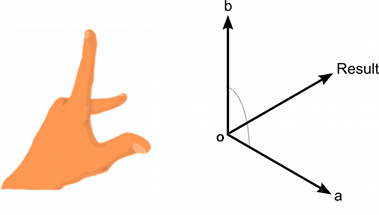
@viral ginkgo is the cross product always in line with the left hand rule?
viral ginkgo
@silent mural Cross will give you the direction info
silent mural
like here in the wiki
https://docs.unity3d.com/StaticFiles/ScriptRefImages/LeftHandRuleDiagram.png

 steel pewter
but what if I want to push myself away with my arm? It's a child object of the parent (the root of the character)
viral ginkgo
@silent mural yes, or right hand rule, i never needed to find out
silent mural
so Vector3.Cross(a,b) gives the left looking vector
viral ginkgo
cross is consistant with a hand rule
silent mural
very nice. literally what i need
foggy rapids
i dunno, animated characters + physics always has complicated problems
maybe attach the hand with a fixed joint and pull the character away
silent mural
is addRelativeTorque adding clockwise or counterclockwise rotation?
steel pewter
thank you micken
silent mural
but i want to be lazy 😠
viral ginkgo
i never worry about flipped vector directions when i'm fiddling with my vectors
at the end it's usually just a *= -1 in the end result
silent mural
trying to compare my rcs output direction with the direction i need thrust in for spaceship rotation.
viral ginkgo
@silent mural if you compare directions, Vector3.dot is best way oftenly
silent mural
will need to look into dotproduct info more then
viral ginkgo
But you wanna have all your directions normalized first
vector3.cross doesnt output normalized direction
silent mural
tbh i dont even know what kinda info i can get from dotproduct except if its in parallel or orthogonal
viral ginkgo
dot product is
lenght of the projection of vector A on vector B
can be negative too
silent mural
ahhh and if its 0 its orthogonal
viral ginkgo
yes
silent mural
makes sense
silent mural
thats helpful
viral ginkgo
cos(Vector3.angle in degrees) is dot
(given vectors are normalized)
silent mural
@marsh agate you might get a better answer in #archived-art-asset-showcase
marsh agate
thanks 🙂
gritty rivet
and since connectedAnchor is in world space without a connected body, they should both be the same value
@thin heron yeah thats what i thought but my setup reacts differently, i dont know why.
marsh agate
@foggy rapids Im fiddling around with add force but this is really tough. It seemed so simple but my character is a brick wall and I can't seem to move him. >.<
foggy rapids
welcome to physics programming :/
marsh agate
var xForce = horizontalInput * moveSpeed * Time.deltaTime;
Character.Body.AddForce(new Vector2(xForce, 0));
I find that you either spent a crapload of time tweaking to perfection, or inventing an unrealistic solution that meets your needs the same
marsh agate
yea...ive tried so many things, tutorials, different scripts by different people, and now add force, i just want physics and 2D movement for a platform game.
add force makes no sense in my opinion for a platform game unless the player controls a race car. 😛
foggy rapids
it handles all the easing and such. If you're fine with things just moving instantly then by all means use MovePosition
marsh agate
yea, ill try that then
foggy rapids
you tried, that's the important part 😄
marsh agate
do i need to put this in update or fixedupdate?
foggy rapids
that's always a tricky question
use fixedupdate, but if you want any smoothing between fixedupdates you can apply some interpolation in Update
thats what the "interpolate" setting on rigidbodies actually does
foggy rapids
lol
marsh agate
foggy rapids
Here's a good article about Update/FixedUpdate and some issues you might encounter
https://www.kinematicsoup.com/news/2016/8/9/rrypp5tkubynjwxhxjzd42s3o034o8

KinematicSoup Technologies Inc.
One of the most intensely debated topics in the Unity community is how to go about removing jerky movement from games, and rightfully so. The issue is universal to all engines, and is directly derived from what timesteps your engine uses. There is no single solution that works...
marsh agate
thanks reading it now
gritty rivet
@thin heron @foggy rapids Maybe you can help me with this, how would i go on about limiting the swing to a certain swing angle. The character would hook at a 45 degree angle and then do a full swing of 135 degrees and then I would disable the grapple with the player retaining the velocity momentum. I want to force the player to have to keep on jumping and grappling constantly. I'm trying to wrap my head around as to how to approach this.
thin heron
you can probably achieve what you want using a Customizable Joint instead of Distance Joint, you can configure it to work only on 2D, to use distance with it, and to limit the angles
also please don't ping members unless they are actively helping you at the time
foggy rapids
joint is a good idea
otherwise use trigonometry each frame.
make a right angle between the player and the hooked spot, use atan on the distances to get the angle
gritty rivet
thank you platypus, i'll look into that. sorry i didn't know about the ping rules. Won't happen again.
foggy rapids
good 'ol sohcahtoa
or if you're really good at trig, use an obtuse triangle instead of right
thin heron
I don't think it's a rule on this server specifically, but just a general rule to use anywhere I think
gritty rivet
thanks micken. im definitely not good at trig haha. but i'll look into it for this case.
yeah didn't mean to bother, just thought it would be easier to ping you guys since you both helped me yesterday on the same problem.
wow i didn't know about the configurable joint, looks perfect for this case.
stuck bay
anyone know how to make rain in a scene in unity?
like in the whoole scene
foggy rapids
a common strategy is to put the rain on it's own layer than have a camera that only renders that layer on top of all the others
the camera properties you'll use are Culling Mask and Depth
viral ginkgo
@stuck bay
have the rain particle system follow the player and simulate in world space
(simulating in world space is just a tickbox paramater in particle system)
marsh agate
@foggy rapids what causes my character to flip over and start spinning when using moveposition on the rigidbody? is it the speed and mass?
stuck bay
@foggy rapids thanks is there a police asset that has ai preloaded that will chase the main car
i cant find any
marsh agate
I see. so given a mass of 1 and move speed of 5f, how would I adjust it so that the speed is adjusted for the current mass?
i really really suck at mathmetics
foggy rapids
i dunno pcmaster, look into NavMeshAgent
try even values first. what does mass of 1 and move speed of 1 yield?
marsh agate
player trips after a few seconds
foggy rapids
it could also be bouncing off of something. If you dont want it to rotate at all you can freeze the rotation of the rigidbody
foggy rapids
i'd have to see a video then :/
marsh agate
im only colliding with a tilemap collider 2D
Ok i can do that I think
my video turned into a turd -.-
heres a direct link https://i.gyazo.com/e06649f508f064971a157276918560b9.mp4
marsh agate
yea the sword is part of the character itself, and i use a box collider
foggy rapids
Try putting a material on the floor with 0 friction
foggy rapids
good question. looks like you can only have one material on a tilemap
it's prettyeasy. Assets -> Create -> Physics Material 2D
marsh agate
Ok lets do it!
foggy rapids
tweak it, then add it as the material to the tilemap collider 2d
the same material can be applied to the character's collider too and that's how we manage the behavior of collisions
marsh agate
huh i somehow manage dto add a VR shader to my tilemap collider, oops.
works but im sliding backwards now
foggy rapids
since you're using MovePosition, if you set velocity to 0 each frame he wont slide 😄
but if you went back to AddForce, you'd need to tweak the materials so he cant slide forever
also: you can freeze the rotation of character's rigidbody so he wont fall over in any case
marsh agate
Yea i could but that seems like a bandaid
foggy rapids
non-bandaid would be to move his center of mass closer to the floor
but that part is grayed out for me... 😦
foggy rapids
is there an offset in your tilemap collider?
foggy rapids
is the character affected by gravity?
marsh agate
yea, gravity is 1
foggy rapids
stop pooping at me 😦
marsh agate
its not me! its discord 😛
foggy rapids
lol all i can suggest now is make him heavier or try to figure out how to move the center of mass
marsh agate
i could use auto mass, it makes his mass 1.6 instead of 1
but the higher the mass...cant move now so i need to fix my calculation
i still trip because i have to increase move speed due to the mass
i give up
i think this is why people use custom physics code, to stop this from happening?
for 2D platformers atleast*
foggy rapids
yeah, thats what i do
there's a lot of crap going on in a physics engine and when you think really hard about your own requirements you'll usually find most of the features useless
marsh agate
this is so frustrating though, im a beginner and the tutorials available have you implement physics that dont even work.
plus alot of it is outdated
foggy rapids
in your situation you only need to move left, right, up, down, and collide with other boxes. Instead of letting unity physics move and detect collisions you could do it yourself in a FixedUpdate loop. Then you only have your own code to blame for problems
marsh agate
yup im going to try this now
foggy rapids
but then that requires that you understand physics and math
marsh agate
should i detect input in the update loop?
its what the article says that you linked earlier, and to keep all movement in fixedupdate
foggy rapids
yeah. I like to gather the input into a cache in Update(), then apply it in FixedUpdate()
marsh agate
why in a cache? does that not incurr a delay or something?
foggy rapids
I'm also doing networking so i need a history of it to replay/send to the server
marsh agate
ah
foggy rapids
a simple queue should work for you
it doesn't incurr a real delay, it just makes sure you don't miss inputs that happen in between fixedupdates
here's some pseudocode of what i mean
update:
  if left button down: enqueue timestamp to left queue
  if left button up: enqueue timestamp to left queue
fixedupdate:
  loop until empty
    dequeue left queue. left button went down at timestamp.
    dequeue left queue. left button came up at timestamp
    apply movement over timestamp difference
thanks, saved that for later. im currently trying to get gravity working on the Y axis
        var gravity = Physics2D.gravity * (moveSpeed * Time.fixedDeltaTime);
        _body.velocity = gravity;
how does this look? am i off to a good start?
foggy rapids
yep
marsh agate
Figured out that i had to add to the velocity instead of always set it to the same value so Id get acceleration when falling down. but i seem to always fall down at the same speed regardless of moveSpeed.
var velocityY = Physics2D.gravity.y * (moveSpeed * Time.fixedDeltaTime);
i cheated...i pulled up that tutorial from 2017
foggy rapids
acceleration vector = orientation(quaternion) * (direction(vector) * movespeed(float))
then velocity = velocity + acceleration
marsh agate
https://i.gyazo.com/70fd1253c243d02e6f98d49dedeb6e44.png
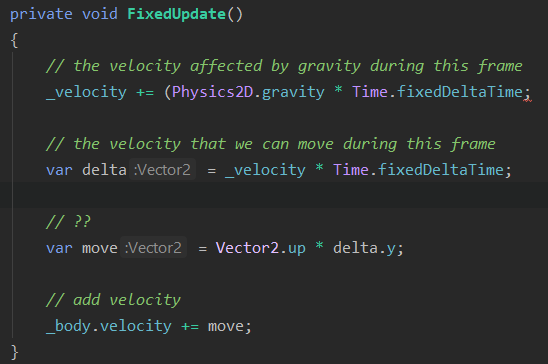
ive got this now but i dont understand all of it, and your example also makes me feel short in math knowledge
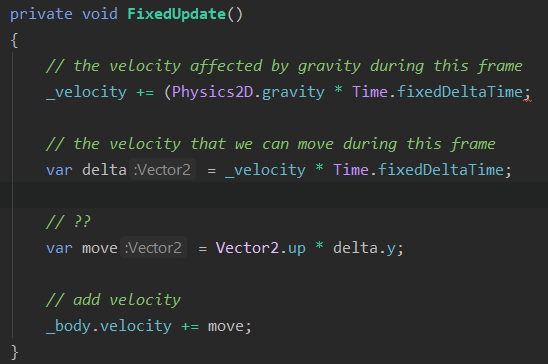
https://i.gyazo.com/20e450d210f1b186a142a97849482f5d.png
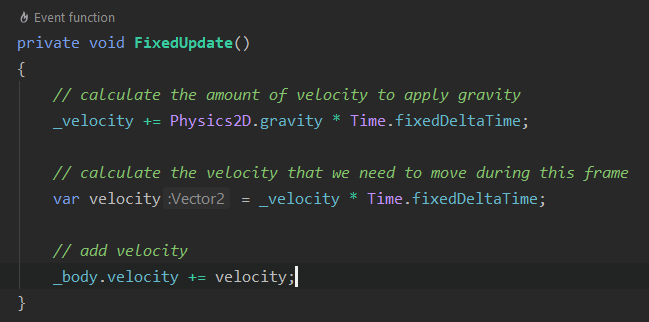
improved version
 foggy rapids
if you just want to apply gravity it would be:
_body.velocity += Physics2D.gravity
but if you want to apply more you'd do
_body.velocity += (Physics2D.gravity * moveSpeed)
marsh agate
_velocity += Physics2D.gravity * (moveSpeed * (mass * Time.fixedDeltaTime));
this good?
foggy rapids
oh,woops i made mistake.
_body.velocity = Physics2D.gravity would be applying just gravity.
_body.velocity = Physics2D.gravity * (however you want to calculate move speed)
i dont know why you need mass or fixedDeltaTime
but yeah i guess _velocity = Physics2D.gravity * (moveSpeed*(mass * Time.fixedDeltaTime)) would work
marsh agate
doesnt seem to work but i admit i dont fully understand the calculation yet..
marsh agate
Ok so gravity starts at -0.2 and then -0.4 -0.6 and so on per frame.
then i take that value and multiple it by delta time, which equals to 0.19 and the result is a vector of 0, 0. Im adding an empty vector to the bodies velocity and it falls down still
ah wait, its now -0.1
foggy rapids
gravity stays at (0, -9.81) and as long as your body's velocity is (0, -9.81) it will fall 9.81 units per second
marsh agate
im debugging the values
I see so i think the multiplication with deltatime is there so we dont gain full gravity at the beginning
but just the right amount for the current frame
which makes sense cause this would slowly accelerate the player while falling down
foggy rapids
If you're doing gravity this way, make sure you uncheck "use gravity" in the rigidbody
marsh agate
i set the body to kinematic so unity doesnt handle that anymore 😛
marsh agate
@foggy rapids do you have time to quickly skim over my code and tell me if im on the right track? I think i have it now and probably going to stop with unity for the evening and do something else!
foggy rapids
sure
marsh agate
Thanks, this is the base class that implements physics: https://pastebin.com/dRBMA7VL
And this is the player controller: https://pastebin.com/S2JPFxqB
foggy rapids
KinematicObject
_velocity is never initialized.
you will run into problem when _body.velocity gets too big but that's a problem for tomorrow
should work 👍
marsh agate
thanks for your time. much appreciated!
marsh agate
need some help, i'm trying to implement a dodge roll but i get weird behavior...I can provide code if someone here is willing and available to help me out.
 fair swift
Hello all, beginner question.
I have a simple character (Rigidbody 2d) with a capsule collider 2d. My issue is, something it falls through the tilemap. Particularly when it gets stuck on walls, then unstack, then it just shoots through the tilemap, completely ignoring its collider. I know this is very little information, but maybe someone call tell what might be wrong.
foggy rapids
2 things you can try:
first is changing the collision mode of those two things to continuous instead of discrete
second is to wait until they touch and glue them together until they meet conditions to part.
 torn birch
Hi guys, I'm learning how to make ragdolls and this one mostly works but I feel I could improve the positions of the colliders, is there a way to rotate the colliders on each joint?
The issue is particularly noticeable on the fins.
 dusk prairie
The player in my game can teleport like noctis from ffxv.
I'm using raycast to calculate the weapon position after thrown.
However, I need to check if the weapon is stuck in an unteleportable position after being thrown.
Like sandwiched between two walls that is narrow enough for the weapon to pass through but not tall enough for the player to stand.
I want to somehow check for a nearby valid position for after teleporting in that situation.
I could do a bunch of overlapBox checks within a radius distance from the teleport point but that doesn't seem efficient.
stuck bay
how do i make an object with a rigidbody not be affected by non trigger colliders
foggy rapids
@stuck bay put them on different layeres and modify the collision matrix in project settings
@dusk prairie you could teleport the player there, check for collisions, and teleport him back all in the same frame without rendering anything. You could also use Physics.SphereCast
@torn birch that's a good question... I don't know how joints fit into ragdolls but a joint that rotated would work. You might also decrease the size of the collider so it's mostly inside the model
dusk prairie
@foggy rapids I cannot spherecast from the player because the teleport can be delayed
fair swift
2 things you can try:
first is changing the collision mode of those two things to continuous instead of discrete
second is to wait until they touch and glue them together until they meet conditions to part.
@foggy rapids thanks! How would I glue them together exactly?
dusk prairie
It might be possible for a moving platform to block the teleport after some time passes
foggy rapids
using a joint or setting the position values directly each frame
dusk prairie
In which I case I still want the teleport to succeed.
torn birch
yeahh it mostly works as is, I think being cleaner with the joints on my next ragdoll would work as there seems to be some sort of native rotation based on the joints
foggy rapids
@dusk prairie then i'd go with my first suggestion: just teleport him, check collision, and teleport back if necessary in the same frame
marsh agate
Question, i hate physics and I found a tutorial to implement a 2D character controller from Brackeys (2018), should I go with this? https://www.youtube.com/watch?v=dwcT-Dch0bA&t=2s

Let’s give our player some moves!
● Check out Skillshare: https://skl.sh/brackeys7
● Character Controller: https://bit.ly/2MQAkmu
● Download the Project: https://bit.ly/2KPx7pX
● Get the Assets: https://bit.ly/2KOkwjt
♥ Support Brackeys on Patreon: http://patreon.com/bracke...
foggy rapids
cant say, dont know your requirements
marsh agate
movement, jump, roll, climb up slopes, 2d platformer, his controller actually uses unity's physics i think.
foggy rapids
You could use it, but chances are you'll still encounter physics problems
drifting sleet
@marsh agate
"i hate physics"
an asset store package might be more your speed
i think the corgi 2.5D platformer package is good
@dusk prairie
However, I need to check if the weapon is stuck in an unteleportable position after being thrown
queries like this are not possible to solve, in the general case, with unity physics. however, you may be able to achieve what you want using navmesh, which lets you do queries about valid / not valid regions of geometry, to solve your problem.
foggy rapids
lol yeah i failed to consider that. You could litter your environment with special colliders in the places you can't teleport
marsh agate
i hate this so much! i implemented brackeys controller and now my char gets stuck somehow lol
@drifting sleet I might do that yeah..
tell me how this is possible..im literally going mad
drifting sleet
@marsh agate maybe start with an existing package and scene and study it
marsh agate
im buying corgi rn
marsh agate
cause im so tired of this...days of messing around with dozens of scripts on the web
drifting sleet
yeah
marsh agate
and i tried myself as well to no avail..
marsh agate
yeah i do...
foggy rapids
well nullbyte, i've been holding this one back for a while cause i thought tilemap collider would be smarter
but if you change your character's collider to a circle you wont have that problem
it's getting stuck where the colliders meet
marsh agate
yea but friction is 0 aswell, why does it do this? and not on every position
foggy rapids
because of where the colliders meet
marsh agate
brackeys says to use two colliders, box for the upper part and circle for the feet
marsh agate
oh you are referring to the sides of the colliders on the tilemap?
foggy rapids
yeah
when it's doing collision detection, your collider is actually overlapping two tiles. it stops your rightward motion because it happened to check that direction before the bottom
instead of detecting your bottom collision and pushing you back up so you dont hit the next tile
the circle collider solves it because only 1 point will be overlapping the floor instead of the whole bottom
marsh agate
Ok lets see..
well i cant cover both feet then and i have to keep the colliders x offset at 0 for the movement direction
but its fine, ill purchase corgi's because i suspect ill face many more physics issues in the future..
foggy rapids
while on the subject i just noticed your tilemap2d collider can be set to "used by composite" which you could tweak to give your tilemap a single collider.
marsh agate
i see.
well i got corgi now 😛
i usually have a mindset to code and make everything myself. before i installed unity i was working on my game in C++ but i quickly realized that it would be an near impossible feat to make something like a game from scratch so i moved to Unity.
foggy rapids
yeah me too
I usually find a package that does what i want, open it up to see how it works, then apply that to my situation without all the crap i dont need
I'm making a physics game without any of unity's physics features because i dont need 90% of them
marsh agate
i see. you must love physics to an extent
foggy rapids
I do
i think it has to do with making things "realistically unrealistic"
i also failed highschool physics
marsh agate
i failed maths so...i wish i was smarter lol
foggy rapids
doing this is probably teaching you a lot though, in a context that actually matters to you
that's the problem with highschool
marsh agate
yea, i already learned alot but im just so tired of it. you know. i just want to make a game now
corgi is looking very good
atomic sentinel
Is it possible to make a jointed chain of rigidbodies actually respect their rotational limits instead of slouching under gravity regardless?
foggy rapids
remove gravity?
atomic sentinel
even with rotational limits set to 0 it behaves like a pool noodle rather than a rigid chain
I do need gravity sadly
foggy rapids
I dunno i've never been able to solve that prolem
atomic sentinel
it's very frustrating
foggy rapids
i would throw physics out and make my rigid chain manually
so that only the head is real physics and the rest just follow it staying within their rotational limits
atomic sentinel
I considered that but it means the middle joints can't be influenced by collission
foggy rapids
what kind of joint you using?
atomic sentinel
configurable in this case but same result with all of them
foggy rapids
have you fiddled with the drive settings?
atomic sentinel
yup, but because the physics system thinks the rotation between the joints is already 0 the drives don't go anywhere since they've already reached their destination
foggy rapids
damn, i dont think i can help then
atomic sentinel
the most luck I've had is with mass scale, it makes the rotation between the joints properly 0, but makes the whole thing basically immovable
yeah no worries, thanks for trying
foggy rapids
but yeah as with most physics thing the answer is probably in mass and force values
mighty sluice
VIPER: Volume Invariant Position-based Elastic Rods
Baptiste Angles, Daniel Rebain, Miles Macklin, Brian Wyvill, Loic Barthe, JP Lewis, Javier von der Pahlen, Shahram Izadi, Julien Valentin, Sofien Bouaziz, Andrea Tagliasacchi
To be presented at the Symposium on Computer Anim...
we need this in unity
foggy rapids
wow that's cool
mighty sluice
keep watching lol, it only gets better
foggy rapids
i hope no octopi were hurt during the making of that video
thin heron
how can I fix the joint's anchor never reaching the connected anchor because the connected body is constantly moving?
thin heron
hmm... increasing the mass to 10 made it stable when going at a velocity of 20, but then when I accelerate, segments go flying everywhere
 vague ore
I feel I am having an issue that must be pretty common for someone new to making a ground vehicle. Vehicle is using Unity Wheel Colliders.
Problem: Vehicle occasionally sticks to terrain, rocking back and forth with any attempt to move forward or reverse.
Intended Function: Vehicle is supposed to go forward when W is pressed, and backwards when A is pressed. This function works normally any time except occasionally on scene play.
Anyone run into the problem before know the solution?
Trouble Shooting Attempts with result:
- Adding more force to the vehicle prevents the vehicle from sticking, or allows vehicle to unstick, however moves vehicle at undesired speed within the scene.
- Picking it up and redropping it doesn't help.
- Sometimes pressing and holding W will mitigate sticking.
- Vehicle body collider is NOT getting stuck or high centered on ground as there is plenty of clearance from ground.
vague ore
For anyone in the future I was able to fix this by lowering the Force App Point Distance further down.
Unfortunately this causes balance issues, and adjusting center of mass down through script will resolving the balance while returning the sticking bug.
mighty sluice
condensed like 70 lines of code involving pain-staking rotations nonsense into 2 lines, and it works better in the end
    {
        thisArticulation.AddForceAtPosition( Vector3.up, transform.TransformPoint(liftPoints));
        thisArticulation.AddForceAtPosition( -Vector3.up, transform.TransformPoint(weightPoints));
}```@mighty sluice I like the part where it takes 16ms to simulate one arm 😛
mighty sluice
yea lol, they do say that it's gonna be faster in the future
but that's with a fiber dense simulation
having tested out similar shit, more fibers helps with stability
it is an elegant way to automatically avoid things like spring osscilations
lyric flower
I think this is a "physics" question since it's dealing with colliders and updating - is there a good way to force my colliders to update at the same rate as an animator? I'm not sure if there's something I'm doing wrong but you can see how the colliders are exactly one frame behind the animation which means during fast moves they're actually trailing and won't collide when they should.
mighty sluice
try decreasing fixedDeltaTime
this can get expensive though...
depending on he rig you're using, you might be able to increase the force values which move the colliders
lyric flower
Are you talking about "Fixed Timestep" here? Is that equivalent?
lyric flower
The problem with decreasing that is it speeds up the animation and my whole game runs around FixedUpdate relying on it being 60fps
Not to mention if it's speeding up the animation too I assume they're still pulling away. I didn't look too closely.
lyric flower
I animated it in Unity's animation editor
mighty sluice
i see
lyric flower
I dunno what the exact "source" of the rig is, it's UMA stuff I'm using from the asset store as a placeholder
The colliders I've just attached to the bones myself
Which is why it seems weird to me that they should end up detaching, I would think they would just keep following the bones 1:1 but I guess that assumption is wrong.
mighty sluice
are you using configurable joints?
lyric flower
I don't think so? I'm still iffy on Unity-specific stuff but I don't see any attached to this by default
mighty sluice
rigidbodies?
lyric flower
The root object of the model has a rigidbody, but not individual bones or anything.
mighty sluice
you could incrasefixed time step and slow the animation
other than that i got no clue
lyric flower
Like I said the issue with that is that my whole game runs in FixedUpdate basically and uses frame timings so it won't mesh well with a different timing
Thanks for trying though, I'll keep looking or maybe someone else will know
Hmm, might have found a potential solution someone posted on the issuetracker for this exact issue, going to try and replicate it and see if that works.
@mighty sluice in case you ever see this question again, the solution was literally just tossing this in LateUpdate()
Now they stick like glue
I don't understand why this of all things is the fix, but problem solved
mighty sluice
oh i see... they were just updating before the animator
so you must have been seeing one tick's worth of deviations
lyric flower
Yeah, I mentioned in my original question it was one frame behind
mighty sluice
another solution would be found in hierarchy (and therfore execution order afaik)
lyric flower
Oh?
mighty sluice
things higher in the hierarchy get executed first i think
may or may not be applicable
lyric flower
Right but all of these are children of the object the animator is a component of
I'm not sure how I could adjust the hierarchy there
mighty sluice
may or may not be applicable...
lyric flower
Haha, fair enough.
mighty sluice
there must be a reason why the bones are behind the animation
it's a physics issue
if the colliders are children of bones, they should be moved with it
lyric flower
There's still people posting about it here this year
https://issuetracker.unity3d.com/issues/colliders-are-not-updating-to-match-attached-gameobject-location
Colliders are not updating to match attached gameObject location. After their object is stored and returned from a pool (reparenting...
So I'm not the only one who's encountered it
4tzer's comment is what I tried and it does seem to work
mighty sluice
whatever animator rig you are using is doing weird things to the game object
it's the only explanation
lyric flower
Yo you know what it actually is? I'm blind as a bat.
Animator > Update Mode has an option for "Animate Physics"
Derp
That puts it in the physics loop
mighty sluice
there you go lol
lyric flower
That fixes the issue after removing the other code haha
One of those things I had no idea existed lol
Thanks for your time
Actually, there's still an issue there
That fixed player 1, but player 2 (identical model, identical animations) still trails with that turned on
 ivory jetty
I have two cubes with a rigidbody and a collider (2D) im moving them with rb.velocity when they collide they start sliding and I cant controll them anymore
Why is that and how can I solve it?
mighty sluice
try adding force instead of setting velocity
foggy rapids
what are they supposed to do when they collide?
ivory jetty
@foggy rapids dont flow and just push each other