#⚛️┃physics
1 messages · Page 44 of 1
 meager ledge
 pseudo laurel
hi guys, i'm new here. I'm trying to learn unity so i started to create a platform controller to understand movements etc. i started by taking the character controller of Lost Cypt (the new demo that use the new features of unity) and I started to tweak it. Unfortunately i can't find a way to fix the physic of my character. I used sprite shape to create the world but if the player stands on a slope it start to slide down and it keeps moving for a while. I created a physic 2d material with friction 0 bounce 0 and i applied it to both the player collider and spriteshape collider but it didn't help. Anyone can point me to the right direction if you faced already the same issue?
 sly violet
I am using wheel colliders that make my forklift move
But i am guessing that all the parts are separate objects, might interfere with the physics
Hmm. That really should be fine in itself; the wheels normally move the whole based on joints, which work entirely within the physics engine. Something else going on.
 strong leaf
I just implemented a constant distance jump, while the x velocity is increasing
The problem is, giving a lower y velocity will result in a lower max height too
Is there any workaround to keep constant distance and height while increasing the x velocity?
I'm really curious how endless runners achieve this
 peak panther
Anyone have experience writing a 2D Kinematic Character Controller?
 charred vault
What's your question Igotlazy?
peak panther
@charred vault How exactly would you code a pushing behaviour? When an object calculates it's move would it preform a GetComponent on hit colliders and see if they're pushable? Wouldn't so many GetComponents be taxing?
charred vault
well you collide then you would check if its 'pushable' but that wouldn't necessarily have to be done with GetComponents
peak panther
Also what method of collision detection should I even use? I've seen a lot of raycasts based ones be pretty inaccurate. A tutorial that Unity put out uses Rigidbody2D.Cast. Should I use that?
What other methods are there for detecting if its pushable, other than a tag or something?
 sturdy ibex
Id say void OnCollisionEnter or OnCollisionStay generally gets the job done
peak panther
This is for a Kinematic controller though
peak panther
Kinematic Rigidbodies are not under the influence of forces or collisions by default.
Doesn't matter if it has a collider, it won't collide by nature.
The point of them is to define your own movement code.
While still being able to interact with most other things in the physics simulation (like triggers).
 ocean horizon
@peak panther One method is to use a Layer to indicate a pushable. That way you can include that layer in the filter when you perform physics either exclusively that layer so all results are only "Pushables" or as part of many layers. Then you only have to check the layers on the results which is very quick.
 twilit fable
Does the triangleIndex of a RayCast hit always refer to the MeshCollider's mesh? Can't that be different to the actual mesh of the object?
 jovial creek
I'm using a raycast to allow my character to interact with the world (pickup objects/drop them etc.) on one scene everything works perfectly but when I do it on another scene the raycast doesn't hit the object it picks up (I debugged with a draw ray it looks like it should be hitting the object) I've also put a "focusedobject" in the inspector to get info on what it's looking at and it doesn't show the object once it's picked up, any ideas?
it's the exact same scripts and prefabs in between the scenes
sly violet
@strong leaf
Is there any workaround to keep constant distance and height while increasing the x velocity?
Yup - increase gravity. It might look dumb, though.
I'm really curious how endless runners achieve this
Every Endless Runner I've ever played - and I've played a lot - simply let you jump further as you go faster.
 vivid arch
RaycastHit hit = new RaycastHit(); RaycastHit[] wheelHits = Physics.RaycastAll(tr.position, -upDir, hoverDistance, GlobalControl.wheelCastMaskStatic);
how do i make it detect collisions with something other than Default layer?
strong leaf
@sly violet thanks, i've found a workaround tho
 glad heart
@vivid arch you can give a layer just after all of your parameters 😉 Just add , Layer.NameToLayer("Enemy")); for example 😉
strong leaf
@sly violet instead of using gravity while jumping, I've designed my own parabola and just teleporting the ball in different points based on timePassed since jumped
glad heart
Did you created your layer previously ?
glad heart
Just open your project with Unity, create an empty GameObject (or select an already existing GO) and under Layer select Add Layer then add the name of your layer (here it will be Map I suppose) . Now the Layer is created and known by Unity. After that, all you need to do is to set gameObject.layer of all the objects that are considered to be your Map and you'll be good to go 😉
vivid arch
removing this fixed it
i have many objects with map layer.
the hover car thing didnt detect Map layer colliders so it just fell on the ground instead of hover.
now it does hover
glad heart
Great !
strong leaf
I got a really strange movement behavior
when I'm jumping while the character moves on x axis it will glitch out and teleport a small number of units on the z axis
which doesnt really make sense, cuz I'm using the same position, the one I'm changing is the y position, trying to move it along a parabola, so I'm interpolating positions based on time since player pressed jumo
jump*
peak panther
So I've got 2 colliders here. One is a box (blue) and the other (black) is a tilemap collider 2d that uses a composite collider so all the tiles fuse together. In a script I use Rigidbody2D.GetContacts and check if the normal of a contact is (0, -1), if so it makes the collider start to fall. For some reason I am getting this behaviour in this situation, where the collider is simply rubbing against the wall. This does not happen against every wall, and for some reason there IS a contact that is reporting a value of (0, -1). Why?
https://i.gyazo.com/015cf97d08cc0575de57530f3665d74a.mp4
Here is the code, called in FixedUpdate
Colstates is just a struct that contains 4 bools that represent whether it collided against a side.
Either Rigidbody2D.GetContacts isn't giving back the correct contacts or I'm doing something fundamentally wrong.
Is my collider sorta pushing into the tilemap collider, causing a bad reading?
If so how do I prevent it?
sly violet
Sure looks like you're hitting your head on the halfway point of that wall.
Tilemap colliders are supposed to smooth those out.
Maybe post the settings of your tilemap collider and composite collider.
sly violet
Hey, here's something that might fix it right up for you: Go give a small Edge Radius to Box Collider 2d of the player. That makes it have rounded corners, making it impossible to hit the top on the edge of a corner.
strong leaf
@sly violet I just reverted my project, and managed to add a variable gravity and jump seed, with constant height and distance traveled. I wanted to thank you so much for all the help you're offering, you're doing a great job explaining! :))
sly violet
You're welcome, glad I could help!
peak panther
@sly violet I’ve done that and unfortunately it still happens occasionally.
 golden eagle
i recall doing this a while ago but forgot: how can i make a game object ignore physics collisions with another object?
i still want them to trigger collisions, but not collide with physics, like pushing each other
sly violet
You can set Colliders to Trigger, and they won't have physics interactions.
Triggers still generate OnTrigger events.
golden eagle
oh cool thanks
 gilded sparrow
But why?
I'm only using the CompositeCollider2D for Cinemachine purposes, so i won't need rigidbody. I guess i can set it kinematic. But still, why is it mandatory to have RB for CompositeCollider?
sly violet
Colliders have to be attached to the same rigidbody to use a composite. No rigidbody to group them with, no composite.
BTW, if you're moving a collider (or group of colliders) it's always more efficient to assign them to a rigidbody and move that.
The physics system expects that static colliders (ones without a rigidbody) aren't going to move, and bakes in a bunch of stuff that has to be recalculated if you do. Same thing happens if you move colliders around within a rigidbody.
ocean horizon
@gilded sparrow What @sly violet says is spot on. Also, set the Rigidbody2D body-type to Static. This is identical to not adding a Rigidbody2D as the collider will get added to a static Rigidbody2D behind the scenes. It's not any overhead.
This is actually the core problem I had when I created the CompositeCollider2D. The problem was that colliders that don't have a Rigidbody2D are added to the static ground-body that is created behind the scenes. This means all such colliders are attached to this body that never moves. If you were to tell such a collider to use a composite then there's a few problems. The first is that we have no place for you to define the CompositeCollider2D for this behind-the-scenes body (it's not even a Rigidbody2D but a physics body). The other problem, assuming we could define a composite, was that all colliders like this would go to the same composite making them more and more expensive as you added more of them. When shapes are created in the physics system, they are created and attached to a body otherwise they don't work.
So the composite needs a body and it allows you to set that to static so you get identical behaviour and it allows you to control the scope of what gets blended with what. It also ensures that the colliders that are merged together are on the same rigidbody so they cannot move relative to each other which is how the physics wants to work as it moves bodies, not colliders. Moving colliders relative to the body is expensive. Moving bodies isn't because that's what the physics system is all about; moving bodies and updating transforms.
Adding a Rigidbody2D and setting to Static isn't an overhead. Go ahead and create as many as you like. They're, for the most part, ignored by the physics system. It's colliders, contacts and joints and solving them that costs.
Anyway, hope that info helps.
gilded sparrow
Super detailed! Cheers
I didn't expect the CinemachineConfiner would ask for a Composite now (maybe that's new)?
And i thought any child colliders under a parent RB used to be considered a Composite. Is the Composite now the way to explicitly declare that, and now child colliders has no connection with the parent RB otherwise?
ocean horizon
So I had to look-up CinemachineConfiner as I don't work with it. Yes, I can see it uses a 2D/3D collider as the bounding area. I can only assume though that all it really does is look at the AABB bounds and nothing else. It would operate on the base type of Collider2D presumably and wouldn't have to know about individual colliders if it's just AABB bounds. Probably uses: https://docs.unity3d.com/ScriptReference/Collider2D-bounds.html

And i thought any child colliders under a parent RB used to be considered a Composite. Is the Composite now the way to explicitly declare that, and now child colliders has no connection with the parent RB otherwise?
Those are different things. The CompositeCollider2D is merging the geometry and acts as a single collider. That is different than having multiple individual colliders all attached to a single Rigidbody2D which is typically known as a Compound collider set-up.
gilded sparrow
Ah right. So basically child colliders without their "Used by Composite" checked, won't be optimized as a single collider. But as a rigidbody, it's still referring to the (closest) parent RB
ocean horizon
To be clear, the composite has nothing to do with compound colliders. At a more basic level, when you check "Used by Composite" on a Collider2D, it's as if the collider doesn't exist anymore. Only its geometry is used by the composite to build a single composite. If you look at the Inspector on any Collider you'll see "Info -> Shape Count". This is the number of primitive shapes the collider produces and it's these that are attached to the Rigidbody2D. When you use a composite, you'll notice that the Shape Count for that Collider goes to zero because it doesn't exist in the physics system anymore.
The compound set-up you're referring to isn't a special feature, it's just that you can have multiple primitive shapes at different poses attached to the rigidbody.
When you add any Collider2D into the hierarchy we simply create the collider primitive shapes at the appropriate position relative to the Rigidbody2D.
Shapes live in Rigidbody2D space so you move the body and the shapes "move" with it.
Again, nothing to do with a composite which is the act of looking at all the shapes on colliders with the composite option on, merging the geometry together which can produce different numbers of shapes covering the same area. If you use the outline mode then they are even completely different shapes (they are edges rather than polygons).
Hope that explains it and doesn't make it more confusing. The two are different concepts.
gilded sparrow
Yep. Got it.
I guess it's just from the "Composite needs RB" that i assumed it's related. But they're not. Cheers
 glacial jolt
got an issue with calculating velocities when joints are involved, drinks are on me (forever) if anyone knows the solution: https://forum.unity.com/threads/precisely-controlling-velocity-of-rigidbodies-that-are-using-joints.808308/
Unity Forum
I am working on a VR project where the player has physical hands that directly interact with the world. Previously, the hands were a single rigidbody...
 native plover
So im making an FPS character controller. I haven't added anything to do with gravity, but my player is falling anyway. What can be causing this?
 tight leaf
So you didn't add a RigidBody to your Player?
 tardy sapphire
I have a boxcollider2d set as is trigger that detects if my player runs through it but if I go to fast I just go right through it and it doesn't detect anything I need some help
 marsh portal
I've had the same problem both in 2D and 3D. I think it's something behind the scenes in Unity (my most plausible theory is that if something is going fast enough it "slips in between" of the times that Unity checks for a collision, although if all calculations are done each frame, that wouldn't be the case)
tardy sapphire
I'm doing this in 2d and I wish I could find a fix as it's needed for my game
sly violet
IIRC, the various things you can do to prevent the time step from skipping collisions - e.g. continuous collision detection - don't work for triggers. So it's possible for fast moving objects to just skip over the trigger collider if they're going fast enough, and there's not a simple fundamental solution.
You can make the trigger larger.
You can use some type of raycast or sweepcast in code.
You can even reduce the time step.
tardy sapphire
I think a better solution is for me to limit speed currently you can build up infinity speed so yeah that will probably fix it as building infinite speed isn't necessary
And I already know how I'm gonna limit speed so no worries about that
sly violet
There's a Max Translation Speed (and Max Rotation Speed) in the Physics 2D Project Settings.
tardy sapphire
I use addforce so I'm not sure if that applies to that
 rugged mulch
Would anyone have an idea of how to deal with this challenge. I would like the camera to go the direction of its z-axis local reference but not following it. That is to say, staying in a constant y-axis value.
rugged mulch
Thank you! That seems to be exactly what I might need
sly violet
@tardy sapphire I use addforce so I'm not sure if that applies to that
Of course it does, it's simply setting new positions that it wouldn't apply to.
glacial jolt
anyone here used Unity Physics at all? Kind of confused whether DOTS is actually required or not, since there's stuff like:
Modular
Core algorithms are deliberately decoupled from jobs and ECS to encourage their reuse and to free you from the underlying framework and stepping strategy. As an example of this see the immediate mode sample which steps a physical simulation multiple times in a single frame, independent of the job system or ECS, to show future predictions.
My project doesn't currently use DOTS, but I'm interested in Unity Physics for stateless/determ/open source
 lapis plaza
@glacial jolt you need entities package
but if you look at unity physics samples from dots sample repo, they use it from monobehaviours
lapis plaza
that being said, there are some basic things missing atm
like, being able to simulate on fixed timesteps out of the box, having interpolated RB's etc
that is, unless you couple it with dots netcode
out of the box, unity physics just steps the physics world on each update, using fixed timestep value for sim, making the physics sim faster and slower depending on your framerate
glacial jolt
ahh, that's kinda too bad. I haven't dabbled in DOTS, but I find it a tough sell for a project where performance isn't really a major issue (at the moment, anyways)
 split current
@lapis plaza I mean for consoles where you can sort of guarantee the framerate (if you optimise it), it doesn't sound so bad
lapis plaza
there isn't even way to set the physics timestep out of the box
Unity acknowledges all this, but they are still figuring out the proper way to handle it
I'm still surprised they haven't done some workaround from day one tho
because, you can mod it to do both interpolation + fixed timesteps in day or two
instead they just keep it broken, waiting for official solution for soon full year
it's kinda situation where everyone just raises hands up and lets the task sit at the end of backlog because it's not the right time for them
for physics team, I got impression it's not their responsibility but more of regular DOTS framework thing
and for latter, there's a lot going on with netcode and other stuff where you need to be able to step physics differently from single player games
glacial jolt
at least it's open source :S
lapis plaza
that's the main reason I'm looking at it myself 🙂
I got stuck with Unity's physx implementation due to lack of sources and not getting the feats I need exposed
glacial jolt
I was hoping to upgrade to something open source, since I'm pretty comfy editing physics stuff, but this seems really early
lapis plaza
Unity actually planned to ship this Q3 last year
nobody really thought it would happen tho
(talking about Unity Physics, not DOTS itself)
glacial jolt
yeah, pretty sure the InputSystem was due in August
glacial jolt
👍
 jade comet
hey
I want to make a physics based game
where you have to block the path of enemy waves with obstacles. the enemies have to push their way trough those to get to your base and kill you.
is the standard unity physics stuff enough or do I have to download somethign from the store or make my own solution. i have not dealt with more complex/fancier physics stuff yet.
 south plover
Anyone know why these entities clipping in builds but not in the editor?
lapis plaza
@south plover yes
You probably didnt create/bring link.xml over to prevent ecs stuff from getting stripped in build
Just copy one from dots sample repos physics examples
south plover
that was suppose to be fixed in 19.3 ... implementing now to test
 orchid pelican
@jade comet you could just give the enemies and the obetacles rigebodys and colliders make one obestacles a triger and push it when triggerd
lapis plaza
@south plover I thought so as well but definitely needed that myself still
@south plover also if you use the recent entities package, you probably need to use the new build system for it
south plover
hmmm I switched to the built in render pipeline and things work.. so this is renderer problem not a physics problem.
 south pilot
this was an interesting article from a year back – does anyone know if it'll come into production any release soon? (or what it's status is?) https://connect.unity.com/p/unified-physically-based-audio-rendering-and-the-future-of-audio-in-games
Unity Connect
Approaching game audio from a different angle
thought I'd ask in this thread as it might get a wider response than just #🔊┃audio
 weary wind
I'm moving my player around with rigidbody.MovePosition() - I move on to a platform that is rotating 360 degrees - I have a script set up to child my player to the platform - however the player can no longer move. If I stop the rotation of the platform however, the player can move. Any ideas?
I'm not a huge fan of childing the player to each platform anyway, so if I can figure out a solution to not have to do that - that would also be great
Though at the moment if I don't do that, the player will not move along with the rotation
 craggy grove
Hi everyone, I've been working with the Unity Wheel Colliders in 2019.2.17f1. So far, when using them in this game I'm developing, most of the physics behavior is OK, but two things: 1.) When colliding into a hill, I can't climb up it evenly - the car "jitters" back and forth, bounces, etc 2.) When I collide into something like a wall head on at a fast speed, or maybe even fall off a cliff, the car kinda "spirals" clockwise in the air as it falls down. My car has all of the parts like tires, axles, body chassis containing convex mesh colliders to help calculate a more accurate center of mass. Perhaps, however, this isn't accurate enough? Anyone have other thoughts/recommendations? I'm also trying to use things like the "Easy Suspension" script by Anthony Yakovlev, and still have mostly these same issues
sly violet
@weary wind I would avoid reparenting rigidbodies. What you could do is put an empty "ghost" GameObject that becomes a child of the platform. Then, when you move via MovePosition, take into account any movement that's been done by the ghost object, and finally reposition the ghost object (in world space) to the same place your player now is.
weary wind
Yeah, I've actually ended up setting the platform as rigibody, unparented, and rotated the platform with rb.MoveRotation - which works as far as I can tell for positioning
sly violet
If you don't want to do that, technically all the tools needed to accomplish that effect are in the Transform script. In this case, you'd be looking at creating a "RotateAround" call that mimicked the platform.
weary wind
The issue with this now though is the Player's rotation doesn't reflect the rotation of the platform
 fair marsh
Are there any optimizations to do in terms of the unity character controller?
Seeing each update for 1 player taking 1-2 ms 😅
In a 1k terrain scene with only few colliders
 hybrid beacon
you can make your own if you don't need all of the functionality the charController has to offer
I am getting some super odd behavior using Physics.BoxCastAll(). I am casting down from my player to check for grounded. However when I test on an angled plane, it returns the hit at the origin and with a normal of (0,1,0) as I move across the plane. Any ideas why?
sly violet
Huhhh. Odd. Is the initial position of the box intersecting the plane? Maybe it doesn't like that.
What kind of collider is the angled plane? I want to replicate.
hybrid beacon
box collider on my player and on the plane (its a stretched cube)
i move the player to the plane during the run
sly violet
...Are you absolutely sure you're not just picking up the player?
hybrid beacon
yeah i debugged the name of the objects
sly violet
Just checking. 🙂
hybrid beacon
i can provide code/screenshots if you would like
i can also let you clone my repo if you would like to get the exact conditions 🙂
i found the issue
for some reason if i cast down with a distance of 0.01 it doesn't work, but 1 does... My thought was to test the player being barely above the ground
 lyric storm
Any advice for how to calculate the physics for objects being pulled along a route like a spline
I have a good spline solution in, one simple enough where I tell it a speed and it'll move an object appropriately along it
But I'm trying to figure out how I can have something "pull" other things along the same spline realistically
other things that are on the same spline
Obviously probably can't use Unity's own physics engine for this
I may have to end up pretty much writing my own physics around this, just not sure how to even get started figuring this out
lapis plaza
why can't you use built-in physics for that?
lyric storm
I don't really see a way to use physics on a spline like that
Everything I've seen has suggested otherwise because of all the quirks of the engine in how it interacts with things and how I'd have to constrain objects to it.
Unless I constrain objects to the spline, ignore collisions, and only use raw forces to push items?
lapis plaza
so you mean you have to contrain the objects strictly along the spline?
if that's the case, then calculating your own physics might not be that hard
if you just need the objects get attracted to the spline location, that's doable with any physics engine
lyric storm
I need them to be constrained to the spline, including orientation
I can imagine very abstractly how to do my own physics on it but am having trouble figuring how how to even get started on it, how to write physics for that
Or I wonder if I can grab and outside forces but apply them only along the tangent of the spline
I also keep imagining doing just 2D physics where the two axis to solve for are X and Y along the spline
This is suggesting they got this kind of solution with a Configurable Joint
craggy grove
Hi everyone, I've been working with the Unity Wheel Colliders in 2019.2.17f1. So far, when using them in this game I'm developing, most of the physics behavior is OK, but two things: 1.) When colliding into a hill, I can't climb up it evenly - the car "jitters" back and forth, bounces, etc 2.) When I collide into something like a wall head on at a fast speed, or maybe even fall off a cliff, the car kinda "spirals" clockwise in the air as it falls down. My car has all of the parts like tires, axles, body chassis containing convex mesh colliders to help calculate a more accurate center of mass. Perhaps, however, this isn't accurate enough? Anyone have other thoughts/recommendations? I'm also trying to use things like the "Easy Suspension" script by Anthony Yakovlev, and still have mostly these same issues
Hey guys, any further thoughts on this?
sly violet
@lyric storm Do you have a good way to detect the closest point of the spline? Have a kinematic "ghost" object that always exists at the closest point and rotation of the spline and then make a "slider" joint out of a configurable joint between the ghost object and the, uh, train object.
 drifting ridge
Anyone have any good tutorials for active rag doll physics and animating them?
 mighty sluice
Anyone tried articulations yet?
im looking for some resources about best practices when making big complex articulation trees
(e.g: if i want to affix four articulation bodies into a rigid square with 4 corners, what should the parent/child structure look like for best results?)
the options are like:
-one central articulationBody with 4 children
- one corner as the root, and the others extending around vertices as children/grandchildren
i realize merely making a fixed square is something that doesn't require joints or articulations, but for more complex articulation trees, knowing the best approach is relevant
mighty sluice
Also, should I be centering the colliders, or should I move the pivot point over to the anchor point?
and what of collisions between parent and child colliders?
mighty sluice
(collisions seem to not be a thing between parent and child articulation bodies, which is good
 autumn jetty
My physics object I convert get rotated it seems 90 degrees 😂 Anyone have any clue to what could cause this?
(fixed) How about use the EntityQuery when scheduling job x)
 craggy pivot
Some help please
My player dont detect colision with the terrain
What i need to do?
 marsh shuttle
Hello guys, any way to disable gravity in a PhysicsBody in the Ecs physics? I looked at pyshics body while keeping all the other things on the object like in the normal RigidBody
Nevermind me guys, anyone interested look at PhysicsGravityFactor component
 polar citrus
@craggy pivot box collider?
 cobalt crest
hey there, I'm having some weird trouble where it's really difficult (very jittery movement) to move around in this hallway mesh I've made and I'm not sure what to do
Currently I have the floor and walls be one mesh. Should they be instead seperate meshes?
cobalt crest
ah, I found my problem. I was colliding with the ceiling
 hazy fiber
how can i fix this
 dapper wigeon
Hey forum! ^^
How can I make a landed "rocket" move with a constantly rotatiing planet? I realized I have to use .AddTorque() and not just rotation, but this keeps adding rotational speed to the planet.
Wow, I actually figured it out, using .MoveRotation() instead
 stuck bay
When I add a polygon collider 2D component to an attack sprite my game freezes. When I remove the component it moves forward like it should but will not hit the enemy.
Is there any way to fix this?
 azure ruin
hey
i am really new to unity and i need to program with c sharp or something. i have microsoft visuals but i dont own the c sharp script or something. it doesnt get the thing that i wanna type like xRotation = Mathf.Clamp(xRotation, -90f, 90f)
like the colors
 unkempt totem
Hi, can anyone help me keep my ragdoll in 2d bounds? using 3d physics but want to keep my ragdoll frozen in the x and y rotation and the z position. If I just freeze those on the rigidbody component it spazzes out so that doesnt help, any suggestions? (Using config joints) https://i.imgur.com/u0v8uKf.png
 mighty sluice
is there any way to set the inertia tensor of an articulation body?
ah found it
it has tis own set metho
method*
marsh shuttle
https://hastebin.com/ihekivajuv.cs
The issue is that i set the lifetime to be based on a maxAttackRange/Speed after debugging it the initial lienar speed for PhysicsBody is set to the correct values on creation, but the bullet always goes further than what maxAttackRange says it shoud be, like for about a half
And here it is how I'm creating the bullet https://hastebin.com/ovaciqesoq.cs ```
I wrote a simple move by speed and acceleration, and it indeed works as expected with the timings. I'm unsure what I'm doing wrong with PhysicsVelocity component as I'm setting the Linear speed here but the object moves faster than It should be.
I have as well debugged in the Entity Debugger and the magnitude of LinearVelocity matches the desired speed but the object still moves faster than what it should.
Any help with this? crisp island
@marsh shuttle did you try logging the float3 speed (which you should probably rename to vel) to ensure it's what you expect
I'm not sure what you mean by "faster than it should be"
marsh shuttle
@crisp island yes I tried logging it, about the naming speed VS velocity I usually go with speed because less characters but never thought of vel.
What I mean by moving faster than it should is that I instantiate the entity give it a position and a velocity and by that velocity the object should reach certain point in certain time, but it does get past the object by 50% of the expected travel distance by that time, I have set a gravity factor of 0 and a linear damping of 0 too
crisp island
what velocity did it log and what travelled distance did you measure after what duration
marsh shuttle
I have it set to travel 10 units in 2 seconds so the float3 gave a velocity in the range of (4.999983,0,-0.000027) in other words the magnitude was 5, this meant that that the speed was 5 units/second but after two seconds the object finishes by the mark of 15 units
Sorry if answer late, I'm away of my pc right now I can provide the unity project so you can look at it if you are interested in it.
I have a cube in scene that is controlled by the keyboard and its moves speed is of 5 units/second (I have set it to kinematic Physics Body) and by adding to Translation.Value += vel * deltaTime it moves as it should.
While the PhysicsBody from Unity.Physics that handles the movement of the bullet(I even debugged the bullet in the Entity Debugger and the Linear Velocity component of it had a magnitude of 5), then I cannot think of why the bullet ends at 15 units after 2 seconds, I tried to find how the pyshics system to see how the linear velocity adds up(yet haven't found the actual job that does it) so I have no luck with this
marsh shuttle
I've actually created a thread on the forums with better information and explanation for anyone interested https://forum.unity.com/threads/unity-physics-physicsvelocity-does-not-reflect-the-current-velocity-of-the-physics-body.813036/
Unity Forum
Hello.
I have been playing with ECS and now I'm transfering that to Unity.Physics. I tried to ask this in the discord server but didn't got much help...
 naive remnant
@marsh shuttle Unity Physics uses 'UnityEngine.Time.fixedDeltaTime' to step simulation, but the system itself updates every frame. I bet this is the problem.
marsh shuttle
@naive remnant I'm using the preview package, and the default physics systems so I have not defined which delta does the simulation uses, nor if its running every frame
naive remnant
force physics system to update in fixed steps or at at least at normal delta time
marsh shuttle
So I should get the system inside a MonoBehaviour and Call its Update() method manually?
naive remnant
you can move SimulationSystemGroup(SSG) to Unity's internal FixedUpate, or you can edit some files in entities package and make SSG update at regular intervals internally
or you can make physics package use normal delta time, but it will be kinda unstable
marsh shuttle
Reading this it looks like it already runs in FixedUpdate https://forum.unity.com/threads/why-is-simulation-the-default-system-group.639058/
Unity Forum
In regular Unity you use Update for the game logic while FixedUpdate is recommended for physics-related things. Is this different in ECS? Why?
ups, this link https://forum.unity.com/threads/why-is-simulation-the-default-system-group.639058/#post-4289911
Unity Forum
In regular Unity you use Update for the game logic while FixedUpdate is recommended for physics-related things. Is this different in ECS? Why?
naive remnant
no it is not, it is in regular update loop but uses fixedDeltaTime to step simulation
so every frame it advances simulation by 0.02s
no matter the framerate
faster framerate = faster movement
marsh shuttle
Okay then I should work on my lecture comprehension skill, I though it said it was on fixed update
naive remnant
it was some time ago
marsh shuttle
Point me towards the correct method in the api to do this: you can move SimulationSystemGroup(SSG) to Unity's internal FixedUpate and I will work it out
naive remnant
i have to make your custom 'ICustomBootstrap' 😅
easiest and fastest way for you is just edit 'StepPhysicsWorld.cs'
#if !UNITY_DOTSPLAYER
            float timeStep = UnityEngine.Time.fixedDeltaTime;
#else
            float timeStep = Time.DeltaTime;
#endif```into this cs ///#if !UNITY_DOTSPLAYER /// float timeStep = UnityEngine.Time.fixedDeltaTime; ///#else float timeStep = Time.DeltaTime; ///#endif
marsh shuttle
I found it, Wouldn't it be easier to change the update group in RunTime if possible? like for example at the Convert phase of some IConvertGameObjectToEntity
rather than make a ICustomBootstrap
naive remnant
maybe, but i don't know how
and if you make physics system update in fixed steps, you will need some sort of interpolation system
marsh shuttle
I will go with the change to Time.DeltaTime for the time being, then if they did change this to be updated each frame to not create an intepolation system(yet or maybe never) Why was left it so UnityEngine.Time.fixedDeltaTime in use?
naive remnant
in the link you posted,engineer who worked on this explained why they moved simulation systems to regular Update
marsh shuttle
I did read that comment, but did not find why they are still using fixedDeltaTime
Other thing I changed StepPhysicsWorld.cs to use Time.DeltaTime but does not seem to have an effect do i need to take any extra step?
marsh shuttle
Yes, I put the cube there as a measure of the 10 units so I knew i was just not being crazy, As well i reviewed my inspector and for some reason the values of the object in the scene where resetted to 20 now it looks to work but goes a bit further than the cube it may be that the cube is not at 10
10 units from the spawn
but in your video it does inded stop inside the cube where the 10 units mark from the spawn is
naive remnant
and you will need to edit StepPhysicsWorld.cs every time you open you project
or make Unity.Physics package local
marsh shuttle
gotcha, sometimes it goes a bit further and sometimes it doesn't I guess it's because of it being unstable due to a variable timeStep?
how would I make the package local? deleting the reference from Packages.json and copying the folder to the assests folder?
naive remnant
you can just copy you package from 'YourProject\Library\PackageCache' to '\Packages'
marsh shuttle
I see
I just realized that it goes a bit further because for some reason after shoting the bullet the physics body in the player goes a bit further which is weird as I have set IsTrigger to true on the bullet prefab
and the player physics body is set to kinematic
nevermind me It was resetted to dynamic for some reason too
and it works perfectly now, thank you
Do you mind posting your answer into the unity forums? it may be helpful for someone else aswell
Night and thank you again
crisp island
how does one create a PhysicsCollider component (ecs) via code?
I'm trying to create a simple box collider for each tile in my 2d tilemap, since no ecs tilemap collider seems to exist yet
nvm, according to https://docs.unity3d.com/Packages/com.unity.physics@0.2/manual/core_components.html it seems that Unity.Physics.BoxCollider.Create() is what I'm looking for
crisp island
where/how do I see the ecs physics debug display?
naive remnant
Add Physics Debug Display component to some entity
crisp island
I did, nothing appeared to happen
@naive remnant
checked all the draw boxes, and the GO has the Convert to Entity script set to "convert and destroy", and a Physics Shape and Physics Body
also tried creating an entity through scripting and using AddComponentData() to add a PhysicsDebugDisplayData component to it, still nothing
naive remnant
maybe try without Physics Shape and Physics Body 🤔
crisp island
like replace them with a box collider and rigidbody?
no difference
the debug display component sounds useful but apparently is quite mysterious
naive remnant
empty entity with PhysicsDebugDisplay
crisp island
nothing
it's unfortunate because it would be nice to visually see the PhysicsColliders for my tilemap I'm creating in code
I wonder if they put the authoring component in the package but it's just currently unused by any system
naive remnant
But it kinda works in my projects
crisp island
how on earth
the debug graphics show up in the scene view? and you don't need any other windows open?
just one single empty gameobject in your scene with the component?
naive remnant
PhysicsDebugDisplay and ConvertToEntity on a single empty gameobject
crisp island
oh, it worked
I apparently had another one on a different GO that I forgot about which had nothing checked
I'm guessing the system just uses the first one it finds and ignores all the rest
thanks for your help
jovial creek
I'm not quite sure if this qualifies as a physics specific question but it involves collisions etc. I'm trying to populate a list with all the objects a building block is in contact with when placed but it only ever does the first object, I've tried a foreach (ContactPoint contacts in collision.contacts) etc. but it just does it for each contact point on the collision with the first object
jovial creek
I kind of found a workaround (rather than have the building block being placed populate it's list I have the building blocks it touches do it)
crisp island
what's a clean way to make a system that "2D-ifies" the new unity physics? (prevents translation along the z-axis and rotation along the x- or y-axes)
i.e. something like the Constraints checkboxes of the classic rigidbodies
I feel like just zeroing those values out each frame isn't going to be ideal since it doesn't properly deal with correcting angular and linear velocity
 open blade
Hi, does anyone have ideas on how to create a more accurate mesh for PolygonCollider2D using SpriteShape?
 placid mortar
Hi ppl... I'm trying to add a Wheel Collider to a car 3d model, but the circle is in a different rotation. How can I fix it?
jovial creek
whenever I have a problem with rotation not matching I just make the object a child of an empty game object (but I still have problems from time to time) like I would suggest your car model and wheel be children of an empty game object
@placid mortar forgot to tag ya
placid mortar
Thank you 😉
 proud condor
Not sure if it's a right channel to ask but anyone here worked with flowfield pathfinding?
 mild adder
Hi, I'm a beginner trying to create a simple fps controller with a sense of momentum, so I am using a rigidbody with addforce. The controller feels weird on the ground when trying to change directions, though, because the player has to slow down and then accelerate the other direction. Is there a simple fix for this?
naive remnant
@crisp island look at Physics samples, in the joint section there is Limit DOF join. It is doing exactly the thing you want
crisp island
@naive remnant thank you, I hadn't noticed it
sly violet
@mild adder I mean, that's what "a sense of momentum" means, if you can just turn on a dime that's the opposite of momentum.
That being said, you might try cranking up the drag and/or friction. (You'll have to up the force to compensate.) This presents a bias towards being able to stop quickly, which is both realistic and might help it "feel" better.
 hushed oasis
Guys , Is there a way to change position of center of mass of an object in Unity
 waxen edge
hey people, i have a question
i want to be able to throw objects to the point i clicked with my mouse, but how do i know the power i need to let the thrown object travel exactly the needed distance?
ocean horizon
@hushed oasis Docs: https://docs.unity3d.com/ScriptReference/30_search.html?q=center+of+mass
naive remnant
This video introduces the 5 kinematic/suvat equations, and shows an example of their usage in the context of video game development. It also covers how the equations can be derived.
If you'd like to support these videos, you can make a recurring monthly donation (cancellable...
waxen edge
@naive remnant great thank you very very much
 royal stag
How can i make my player slide down this ramp, i have a slippy material on the ramp and fcource gravity on the player
mild adder
@sly violet Thank you for the advice. I guess I'm trying to achieve a controller that feels like a typical FPS controller where it's very responsive on the ground, but when you jump or take some other action in the air, you have a sense of momentum. I'll try messing with drag and friction though, thanks.
mild adder
I'm trying to shoot a projectile that stops when it hits an object. It works just fine, except for the fact that when the object is instantiated, it stays still unless my player touches it, then it shoots forward. What's a possible reason for this? It has a rigidbody and it's non kinematic (bc I want it to collide with the environment and then stop when it hits)
naive remnant
@mild adder https://catlikecoding.com/unity/tutorials/movement/physics/ maybe this will help you with your controller🤔
A Unity Movement tutorial about controlling a rigidbody sphere.
mild adder
@naive remnant Ty, I'll take a look at it!
sly violet
It works just fine, except for the fact that when the object is instantiated, it stays still unless my player touches it, then it shoots forward. What's a possible reason for this?
Umm... Are you adding a velocity or force to it upon instantiation, or not until your player touches it?
 lapis orchid
Hi, I have a very weird issue. I'm trying to make a small online kart game, and when I preview everything works fine
However, when I build the game and hit play, my player and every other phsyics object fall through the floor
I don't think it's linked to Photon (it would make no sense)
 viral swallow
Hey all, is there a way to stop a rigidbody child from inheriting parent movement?
trying to make a 1st person fishing setup, where the rod and lure are parented to the camera, but I want the lure to just be hanging connected by a joint
 hollow echo
It might make more sense to not have the lure under the camera and to just use a position constraint to form the relationship with the end of the rod
Or a fixed joint
viral swallow
mmm had issues with having it separate
because the player gets teleported around
(presumably)
I'm not sure exactly, but prob should try another solution
hollow echo
If you do do teleporting you probably would need to do something like rigidbody.position += relativeMovement; to avoid things freaking out
autumn jetty
For the new physics system, anyone know what would be more performant. Having different layered (non touching) in the same place (i.e. they will overlap but never collider), or same layered spaced apart?
 bleak coral
guys, i have this setup
Spaceship
Spaceman inside Spaceship
I want them to move inside the spaceship as it was a fixed frame, spaceship movement "doesnt" affect them in any other way, than translating them in world position in the same rate as the spaceship.
my spaceship is rigidbody kinematic i change its position with the velocity prop
the spaceman are children of the spaceship and are rigidbody dynamic, their velocity is movement velocity * move speed + spaceship velocity
but if i turn the ship around it goes weird (understandable)
Whats the correct way for that approach?
pls ping me so i can see the answer
autumn jetty
@bleak coral If you work in localspace and not worldspace for your player movement it should work fine
bleak coral
@autumn jetty how should that work fine if rigidbodys are calculated in world space?
like, if i only add velocity to the rigidbody, it "falls behind" while movin the ship
autumn jetty
I see, if you're using rigidbody for the character it is a bit more problematic
I have kind of same thing with spaceship and player on it, but I have spaceship as rigidbody and player as kinematic character controller.
My current solution is in DOTS and don't think it translates well back. But in the old system what I came up with was to have a local phyiscs representation that has a separate layer but no graphics, and then a visual one that is parented to the moving spaceship.
You might also be able to store the previous frames velocities and current frame, and recalculate the state of the rigidbody of the characters before you do any movement.
 final oak
hello! im working on a topdown 2d rpg and started running into this problem where my character's movement would be really jerky, its smooth at first but then it only seems to happen after I let the game idle for some time. initially i thought it was because i ran the movement through fixedupdate and multiplied the speed by time.fixeddeltatime, but regular update is resulting in the same jerky motion.
here's a condensed version of my player controller and a vid
using UnityEngine;

public class PlayerController : MonoBehaviour
{
    Rigidbody2D body;

    float horizontal;
    float vertical;

    public float walkSpeed = 250f;
    public float runSpeed = 500f;
    private float speed;

    void Start()
    {
        speed = walkSpeed;
        body = GetComponent<Rigidbody2D>();
    }

    void Update()
    {
        horizontal = Input.GetAxisRaw("Horizontal");
        vertical = Input.GetAxisRaw("Vertical");

        if (Input.GetButton("Fire3"))
        {
            speed = runSpeed;
        }
        else
        {
            speed = walkSpeed;
        }

        body.velocity = new Vector2(horizontal * speed * Time.deltaTime, vertical * speed * Time.deltaTime);
    }
}
@final oak Because the physics system doesn't run per-frame unless you're setting it to do that. Update is called per frame render. Physics only updates per fixed-update which by default is 50hz. Also, you're setting velocity but scaling that by the frame-delta which makes no sense as the physics system will integrate velocity into changes in position.
final oak
Gotcha, thanks!
ocean horizon
If you want to keep the physics updating during the fixed update then you need to Set the Rigidbody2D to use interpolation. Then in a FixedUpdate callback you can set the velocity directly if you like.
Note that setting the velocity directly will stomp over any body velocity changes the physics system might make such as linear drag, gravity (probably not used here) or more importantly, changes due to collisions.
In the FixedUpdate you can calculate a position to move using body.MovePosition(body.position + new Vector2(horizontal, vertical) * speed * Time.fixedDeltaTime)
The way you do this depends on decisions on when you want the physics system to run.
final oak
thanks so much! the moveposition method seems to feel a lot better so i dig it
ocean horizon
It'll only be smooth though if you turn on Rigidbody2D interpolation. If you call MovePosition from Update then note it won't be actioned until the next fixed-update happens and there can be several frames before that happens. It'll only use the last one.
 nova hatch
Hey does anyone has a tutorial to make something like this https://youtu.be/Sfrdb2tZQJY

3C on flight behaviour for Unity.
More here: http://kevind-portfolio.blogspot.fr/2015/10/unity-flight-camera-character-controller.html
 crisp monolith
@royal stag You can use rigidbody and the player would automatically slide if i'm not wrong
 worthy grotto
Good morning. Is there anyone online that I can speak with today?
nova hatch
Ye
worthy grotto
Great. So, I'm looking for a recommendation for a code/script that can handle real time, direct volume rendering. Kind of like the tech that is being used to generate medical scans for patients, but it doesn't have to produce see-through slices of the interior of a piece of geometry. In your opinion, would this be something that Unity could handle working with?
 worthy grotto
Would an example of what I'm shooting for help @nova hatch ?
ocean horizon
@worthy grotto I used to work in the medical, security and industrial inspection industry doing non-destructive inspection and producing 3D models from various data-sets. Unity is capable of using 3D volumetric textures and shaders used to present them in various ways so the answer would have to be yes. There's also the DOTS stuff which would enable you to write pretty efficient parallel CPU code but it also has compute shader capability too to get access to even more processing power. Please note that this isn't a physics simulation question which this channel is focused on and you're more likely to get an answer in #archived-shaders or #💻┃code-beginner as it's more of a graphics/presentation question, assuming I've followed your question.
worthy grotto
@ocean horizon I'd say you're following it quite well. I came here as per the suggestion of someone that I was speaking to yesterday evening in the #💻┃code-beginner discussion area. So with this in mind, could we continue this discussion in #archived-shaders ? I would really like to get some more of your input on the matter.
 stiff topaz
Does anyone know how to set my PPU in the editor and my sprites so that physics works right?
so the physics are proportional to my sprites
ocean horizon
@worthy grotto Honestly, I'm a physics guy and my knowledge about compute shaders etc inside Unity is very limited. I would suggest asking specific questions and seeing who knows.
worthy grotto
@ocean horizon I see. Then I take my questions over to the shaders discussion. Thank you for replying back to me, though. That was real nice of you, and I appreciate it.
stuck bay
How should I go about making this https://github.com/LiquidStudioGames/AREA/blob/master/Area Game Files/Assets/Scripts/Core/Player/PlayerMovementFixed.cs a rigidbody based movement using Addforce only?

GitHub
AREA - A futuristic fast-paced FPS. Contribute to LiquidStudioGames/AREA development by creating an account on GitHub.
 onyx cave
i have player and grass set up like this, one is rigidbody collider another is static trigger collider, i have my logic written in OnTriggerEnter2D aswell as in OnColliderEnter2D and tried both, neither detects collision, what could be the problem?
nvm i forgot to attach script to grass
😩
 hearty timber
does anyone have any thoughts why I cannot get smooth movement for my character? I'm trying to move a 2D sprite on a 3D plane and it keeps getting blurred when i move
I'm moving in fixedupdate etc
 stable shadow
have you changed up the friction on the physics material?
oh for a sprite.. have you tried different texture filtering?
stuck bay
Is there a way i can increase the power or Weight/Mass of my sword that when i hit an enemy he fly away?
like he get blown away
any1 can help? and t hanks ❤️
 rough basin
Why do i get this with convex mesh colliders on some fbx that i export from blender?
sly violet
Looks like they're really small?
Physics are not scale invariant, and when it makes the colliders, it tries to minimize the complexity, particularly of small details. So when you get really small objects, you see stuff like that, where it's badly oversimplified because the vertices are just too close together.
You might try importing them as something larger, and then shrinking the scale in Unity after the collider is generated. I think that works.
rough basin
ah.. that might be the problem. i didn't think that mattered
sly violet
Might ping melv to see if there's a way to change how they're generated. I know a lot of the scale variance in Unity is actually exposed and modifiable, but I'm not sure if that will change how the colliders are generated.
rough basin
ill just make it larger on import, that seems to fix it. Thank you
waxen edge
Hey people, I have a question..
I recently found a video series by Sebastian Lague, it's about Kinematic Equations. I could solve a problem I was having by following one of the videos, but I'd like to learn more about Kinematic Equations, does anybody know good resources for that?
 jagged marlin
I am trying to make a flappy bird type game where when I die I get sent back to the menu. But when I click start again the player keeps the downward velocity from the round before making it impossible to regain control of the bird because it falls out of the scene almost immediately. help?
sly violet
You can stop this by setting Rigidbody.velocity to Vector3.zero upon restart.
 loud rune
Hi everyone! There is a lot of debate on the internet about the Pixel Per Unit affecting the Unity 2D Physics. So my question is, if I set my PPU to 1 for all my assets, will this cause me trouble using Unity Physic Engine?
 tardy depot
Hello I'm having some issues with my movement code using rigedbody2D. For moving I use a Vector2 .MovePosition code, but for Jumping I use a .AddForce code. Both codes work as intended separetly but when they're together the .MovePosition code makes the other one not work at all, while the move one works fine.
I think that the Vector2 Y-axis is the one causing this problem (It's set to 0), I just don't know how to fix it.
Edit: I can send you the code I a private message to avoid spamming.
 dull cove
Has anyone here every worked with 2D pathfinding on platformers?
sly violet
@loud rune Physics is scale-variant and, by default in Unity, tuned around the notion of man-interactable objects at 1-unit=1-meter. So when you set PPU to 1, you're basically telling Unity that your 32x32 sprite is roughly the size of a medium building. Some of the tuning irrelevant depending on your project, some can be fixed in Unity Physics 2d settings, but others can be harder to work around. By my reckoning, PPU=1 is more trouble than it's worth.
ocean horizon
@tardy depot When you continuously ask the body to go to a position (and NOT let it determine how to move via gravity/forces) then it should be obvious why it's ignoring your forces. This is why typically it's used on Kinematic bodies however in 2D it can be used on dynamic ones. You should also notice that on dynamics where you get gravity, it isn't able to affect a dynamic body if its continuously being asked to move to a specific position so (at least in kinematics) it's why the gravity term is added to the movement position for instance.
@loud rune As @sly violet stated well, it's not recommended to use 1=pixel as a meter scale. 2D physics uses Box2D and to quote from the Box2D manual, "Box2D works with floating point numbers and tolerances have to be used to make Box2D perform well. These tolerances have been tuned to work well with meters-kilogram-second (MKS) units. In particular, Box2D has been tuned to work well with moving shapes between 0.1 and 10 meters. So this means objects between soup cans and buses in size should work well. Static shapes may be up to 50 meters long without trouble. Being a 2D physics engine, it is tempting to use pixels as your units. Unfortunately this will lead to a poor simulation and possibly weird behavior. An object of length 200 pixels would be seen by Box2D as the size of a 45 story building." You can go beyond this but then you'll find that everything else has to scale up with it resulting in very large forces. You'll also find that gravity seems to cause things to move slowly but that's your scale so you end up massively increasing gravity etc and things start to get out of hand. Often small at first but then you find joints are struggling, you get weird reactions during stacking etc.
tardy depot
@ocean horizon thank you for your reply! In order to mantain gravity I just need to find a way to ask the body to only go somewhere in the X-axis,right? Is there any way to do that?
ocean horizon
Not really. MovePosition doesn't work as a delta position.
You can calculate the new position including a gravity calculation but know that on a dynamic body, this is just treating it like a kinematic body
gravity added like this won't affect its inherent velocity
tardy depot
I will try changing it to .velocity instead.
ocean horizon
That won't make any difference as its velocity isn't used if you're continuously using MovePosition.
MovePosition on a dynamic body means you're taking control of movement so you need to be careful. It's not really that much different than setting velocity directly really.
There are few golden rules on movement though. In the end, you just need to know what forces you want to affect your body and ensure that whatever you do, you don't stomp over them i.e. gravity, contacts with colliders in the scene etc. MovePosition just does a calc to enable you to move to a specific position but the price is that it has to override velocity for that frame.
The reason we don't allow gravity to affect a dynamic body using MovePosition is that using it continuously means its velocity gets bigger and bigger forever and a long time ago, when 2D first came in, this was reported (correctly) as a bug.
tardy depot
Thanks a lot! I will check the Unity reference guides to see what fits best what I am looking for, then trial and error.
loud rune
@sly violet @ocean horizon thanks for the information I will most probably go back to 100 PPU and multiply everything by a Constant
stuck bay
future of physics is more like https://www.youtube.com/watch?v=atcKO15YVD8

❤️ Check out Weights & Biases here and sign up for a free demo: https://www.wandb.com/papers
Their blog post and their CodeSearchNet system are available here:
https://www.wandb.com/articles/codesearchnet
https://app.wandb.ai/github/CodeSearchNet/benchmark
📝 The pape...
autumn jetty
Comparing results to 2 fps simulation xD
stuck bay
any physics gurus out there? I'm having troubles with making sinusoidal movement
glacial jolt
@stuck bay like having an object move along a sine wave?
stuck bay
yes, for some reason it doesn't move right, it looks like this
(instantiated 2 with opposite signed amplitudes so it's more visible)
my script looks lke this private void FixedUpdate() { time += Time.fixedDeltaTime; sideVelocity = wave * Mathf.Cos(time * frequency) * amplitude; rb.velocity = forwardVelocity + sideVelocity; }
where forwardVelocity is where it was originally fired to, and wave is perpendicular to it
Sin for some reason has correct wave (shape-wise), but not the one im trying to achieve
glacial jolt
looks legit
    {
        time += Time.fixedDeltaTime;
        Vector3 sideVelocity = transform.up * Mathf.Cos(time * freq) * amplitude;
        GetComponent<Rigidbody>().velocity = Vector3.right + sideVelocity;
}```modified a couple things so I could test in isolation
stuck bay
hm, thats really weird then. on my picture as you couldve seen the amplitude is getting bigger and thinner each time it reaches the 0 point
I reset time to 0f on Start(), because this is a bullet instantiation
does it matter somehow?
@glacial jolt can I see the settings of your rigidbody in inspector? That might be an issue
glacial jolt
I deleted the scene, but it was default, except with gravity disabled
@stuck bay
try just updated the transform's position directly, will show you if the issue is w/ the rigidbody or the equation
stuck bay
but doesnt moveposition nullify the velocity?
oh wait you meant actually to change transform.position
weary wind
Hello physics people. I have some questions. I have this beautiful shopper and his shopping cart. (Fig1 https://i.imgur.com/Vjt1jYo.png) I'm moving him around my level with addforce - so he needs a rigidbody, and I want to be able to have items in the cart. Unfortunately, none of the primitives allow for this, and you can't use non-convex mesh colliders with a rigidbody. As a result, I've set up 5 box colliders around my cart on separate game objects for each side and the floor. (Fig2 https://i.imgur.com/uXY6TGo.png). So, with that context, some questions:
- If I drop some primitive shapes with rigibodies into my cart, they work as expected, until I start moving around the level. It would be fine if they escape out of the cart through the open top, but they often fall through the walls of the cart itself
- The movement when I had a single box collider for both the player and the cart was much better, but now I have a bunch of colliders as child gameobjects, it barely moves around anymore with rb.AddForce.
- Essentially I want the cart to move around the level, and to be able to contain items that also move around the level

Really struggling to get Unity physics to behave here so open to any suggestions or better ways of achieving this.
 torpid basin
Hey guys. I'm trying to use Fixed Joint to attach objects together. However my objects keep going crazy, shaking violently and then throwing themselves off into the distance. I feel like this would be a common problem for beginners; anyone know where I can find some information on how to correctly use Fixed Joints?
 exotic coyote
Greetings how does one go about creating realistic collision in unity,what i have here doesent seem right
 coral mango
Probably need to place the center of mass somewhere other than the center
Because unity doesn't calculate it based on anything but the centroid of the rigidbody
So it is almost always wrong for any asymmetrical shape
 whole sequoia
Hello, I'm trying to make an object reflect off the surface of another object, but I want to compute the reflection parameters myself.
I'm trying to find the plane/normal at the collision point between the two objects. Is there a function that can help me do this?
As of now, I have the world space point of collision. Can I use this to calculate the normal vector?
exotic coyote
@coral mango I tried doing that but then it wont move at all
coral mango
Huh.
 strange harness
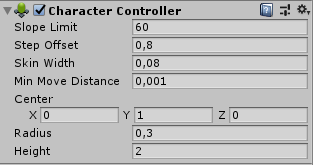
So I'm running into an issue with the Character Controller component. The issue comes, at least in my scenario, when jumping at a wall / side of stairs. The controller will simply "jerk" or "snap" down slightly instead of continuing with the jump. The best thing I've found for how to repeat this behavior is with ProBuilder stairs. Using a simple FPS controller (such as in Brackey's recent video) should yield the same results. Attached is the only resource I've found so far that explains the issue I'm facing (albeit with no leads). (Issue that I'm facing is specifically the first GIF in the thread, where the controller snaps down when moving into a wall or obstacle)
https://forum.unity.com/threads/character-controller-unexpected-step-offset-behaviour.640828/
Wondering if anyone else has encountered this at all, and if there's a way to potentially fix this issue?
Unity Forum
I have a Character Controller component attached to the same Game Object as a script that moves the Character Controller on the XZ plane without...
 glacial burrow
Hi. I don't know if it's the good topic to speak about this.
I want to set a balance of this Ringing Bell (2D object). The issue is that when I add Torque to rotate it, it takes at rotation reference point the center of the Sprite (the cross point), however I would like to use the position of the GameObject "Rotation" (the non texture one) as center of the rotation.
stable shadow
@glacial burrow Have you tried changing the bells center of mass?
glacial burrow
@stable shadow Yes I achieve to do that in 3D but I didn't manage to do it in 2D. And also am not sure to fully understand how Center of Mass works. Because I tried it on just Cube, and it had occur some strange behavior.
ocean horizon
@glacial burrow The method to change it is identical in both 2D and 3D. Just set the "centerOfMass" property.
It'll rotate around the center of mass.
Open the "Info" properties, it'll show you the current local/world center-of-mass.
glacial burrow
Where is the "Info" proprieties ? I am new to Unity from 3 weeks ago.
ocean horizon
It's in your image above at the bottom of the Rigidbody2D component in the inspector
That shows you a bunch of info.
You can see this on the Rigidbody2D and any 2D collider.
glacial burrow
Oh I see.
Then, how can I know where I need to put the center of Mass ?
Because I have no tools to see it. I will also try how to use these positions proprely.
ocean horizon
There's no gizmo in the scene to change it.
It's auto calculated so it rotates around the center of mass of the colliders. To change it, you need to set the property: https://docs.unity3d.com/ScriptReference/Rigidbody2D-centerOfMass.html
As soon as you change it though, the automatic one that is calculated is ignored.
You can also read the world center of mass with: https://docs.unity3d.com/ScriptReference/Rigidbody2D-worldCenterOfMass.html
You could create a simple script that lets you edit it.
ocean horizon
Note that you can make it easier for yourself by having the Rigidbody2D on the parent and at start set its center-of-mass to zero. Have your bell as a child with the sprite and collider and just use the Transform to position it where you like. Everything will rotate around the parent Rigidbody2D center-of-mass. If you don't set the center-of-mass to zero then it'll rotate around the child.
Alternately, you can use a HingeJoint2D and have it rotate around any point in the world you like.
@surreal wind I have maintain a GitHub repo that demonstrates a bunch of 2D physics features here: https://github.com/MelvMay-Unity/UnityPhysics2D

GitHub
Examples of various Unity 2D Physics components and features. - MelvMay-Unity/UnityPhysics2D
I just added a Rigidbody2D center-of-mass scene because I realised it was missing. Take a look at it for help: https://github.com/MelvMay-Unity/UnityPhysics2D/blob/master/Assets/Scenes/Rigidbody/Rigidbody2D_CenterOfMass.unity
GitHub
Examples of various Unity 2D Physics components and features. - MelvMay-Unity/UnityPhysics2D
Note that the master branch is Unity 2020 as I always add new stuff with the latest Unity. There are however branches for previous versions but the above scene is only in 2020 for now.
glacial burrow
Oh thanks you. I will take a look at it.
ocean horizon
Np. When you get it up and running you should see something like this: https://gyazo.com/ba7bd5409b527b9b2d34f9ebd5e09a15

You can change the center-of-mass interactively on the Red GO via the CenterOfMass script.
 errant gazelle
How can I make a ragdoll stand up? I am using forces to try to keep each body part in his "relax position"
Is there a guide on this topic?
 gaunt fable
Hey Guys! My partner and I are working on a fellowship that combines Engineering and Art by means of collaboration between Engineering students and an established artist. As a result we've been working a lot in the Unity space and while we have some familiarity, it's been mostly a learning process. So my ask is this. We are currently working with motion capture data and training ML models that can emulate mocap information and we can successfully make a humanoid transforms move and emulate / interpolate different mocap animation clips. That being said we are trying to now move to a more physics based emulation using the different transform data by using Configurable Joints. This however has been quite troublesome and difficult as the documentation on Configurable Joints are pretty poor IMO. Does anyone here have any advice or can potentially help us figure out some of this? Would anyone be open to chatting with my team? Would really appreciate any advice or guidance 🙏
weary wind
Hey team, working through some fun physics things! https://forum.unity.com/threads/shopping-cart.817194/#post-5423289 Wondering if any of you have some ideas

Unity Forum
Hello physics people. I have some questions. I have this beautiful shopper and his shopping cart. (Fig1 https://i.imgur.com/Vjt1jYo.png) I'm moving him...
Should I just be rolling my own at this point?
 dense sky
Hello how to disable wasd movements but keep velocity when you jump with rigid body?
glacial burrow
Hello.
First, thanks melv for the HingeJoint2D. It seems to be the best solution for me now.
However. The sprite rotate well around the Anchor point.
But even if I link the RigidBody to my "Rotation SPrite Point". It doesn't move dynamically around the "Rotation SPrite Point" if I move it during the Play Manually
hollow echo
You should really be in Pivot mode and not Center whenever you're talking about pivot points
glacial burrow
What do you mean ?
hollow echo
it's hard to know what's what when you're in this mode
Perhaps it's okay with the 2D gizmos 😛
glacial burrow
Oh okay. It doesn't change anything for this screen so, I thinked it wasn't matter. ^^'
hollow echo
When you say move it manually do you mean yanking the transform in the scene view?
Or do you mean driving the torque via code
glacial burrow
I mean : using the Move Tool in the Scene.
ocean horizon
@glacial burrow It's not clear but I think you're potentially making stuff harder for yourself. Whatever GO is your pivot (Rotation Sprite Point?), I would suggest that be the parent and be the one with the RB and hinge on it. Children can have sprites/colliders on it. This is pretty much how my example project above worked (without the hinge). Let me hierarchy work for you by doing this.
glacial burrow
@ocean horizon It's working !
Just if I move it manually it ... uhm ... going crazy.
But I don't think I will need to move it during the scene, so it's okay. =)
hollow echo
You really can't yank things in the scene view and expect it to go okay ;P
glacial burrow
X'D Ok
hollow echo
Physics things want physics input, and dragging a joint away in the scene avoids the physics and puts it in a state where it has to do a lot of unrealistic behaviour to get it back, and game engine physics isn't great at that sort of thing
ocean horizon
Yes, it's not "moving" through space at all. It's teleporting from one position (pose) to another instantly. The physics system just sees stuff disappear from one position and instantly pop up in another. The joints then have to try to deal with this horrible discontinuous situation and then you keep on dragging and it finds it impossible to create a solution for you. This is no different than you setting the Transform position/rotation.
Use the physics API to move stuff i.e. velocity, forces, MovePosition, MoveRotation.
Only move stuff when you're authoring outside of play mode.
If you need to interact with it then you can create an editor only script that can drag stuff etc.
In the same repo as I posted yesterday you'll find how to do dragging like this: https://youtu.be/4NSKN3L0fvE
 hollow echo
That repo is really nice btw, it's really fresh to have a lot of good examples across the whole spectrum of the systems
ocean horizon
Thanks. It's a personal project I've maintained and I find it a useful way to communicate stuff so I don't need to do my usual verbose explanations. 😉
stuck bay
https://youtu.be/6ZS5JLdjZbg this is my new project, (note: this is just a test of the physics for ideas I have, not a real thing. I'm also using this to test how objects will work.)

Introducing PHYS1CS, a physics simulation game! I might make this into a bigger game later but I just wanted to shove this out right now to let people know about it. I have some ideas that I might experiment with later on in development...so stay tuned!
 narrow harness
I need help with this vehicle, or you could say bus. As much as i try, it refuses to go forward, it only goes to the side. Tried changing the scripts, didnt help. I tried everything in my skill which is not much since im a beginner kinda and been trying to fix it for hours and im losing hope. Can anyone help me please? https://cdn.discordapp.com/attachments/492048394890510356/672482016083574786/bus_test.mp4
https://cdn.discordapp.com/attachments/492048394890510356/672493616874258483/unknown.png

I tested multiple scripts and none of them are working so im thinking its related to physics but honestly, no idea
 drifting wind
@narrow harness Could you please post your entire script on somewhere like hastebin?
Will make it easier to read and should allow everyone to get a better look.
hollow echo
When you select the bus the forward vector points to the left. In your UpdateWheelPose function it sets the rotation to that. I suspect you're just rotating the wheels weirdly.
narrow harness
sure
@hollow echo well yea, the wheels are turning weird and i know how to stop them but then they dont turn at all
and the result is the same
it wont go forward
 onyx cypress
Hey everyone :)
This is a bit of a combination of #archived-dots and #⚛️┃physics , but I think this is a better spot.
I am wondering about the following, help on any of them would be greatly appreciated :)
Some info first though: I am currently using PhysX, components, and game objects. I am transitioning an existing project over to Unity Physics / DOTS. My knowledge is enough for me to understand from a high level how things work, but I don't know the fine details of how to get things to work.
Physics Mass
- Am I right to assume the transform field of PhysicsMass is the center of mass? And if so, is it safe to set rotation to
quaternion.identity? - For the
InverseInertiaof PhysicsMass, is this simplyfloat3(6, 6, 6) * inverseMass? If so, is6a magic number or is it another detail I need to know? - For the
AngularExpansionFactorof PhysicsMass, what is this, how can I calculate it, and what does it do?
Physics Simulation
- Is simply just having an entity with
PhysicsStepenough to get it to be used? - Is there a way to manually handle running a physics update? I have a custom update system (main thread) which needs to run it.
Worlds
- What systems need to be in a world in order for physics simulation to work?
- Tied to simulation is calling a world update manually something I can do in order to run a physics update?
Interaction
- What is the proper way to raycast? And am I able to detect the exact collider in a compound collider that I hit with said raycast?
- Are there any helper methods for applying forces? Specifically add force at position (impulse).
Misc
- When I am accessing
World.DefaultGameObjectInjectionWorldin an existing project, it is null, but in a new project, it is not. Is this a bug when adding DOTS and such to an existing project that was previously in 2019.2, something weird with packages, or otherwise?
Thanks in advance!
 untold sand
is jiggle physics in unity?
something like this: https://twitter.com/CloudyHasAPie/status/1222964340120150016


WHOOSH WHOOSH
#BatDR #Bendy #BatIM
#Bendy_and_the_Dark_Revival
#Bendy_and_the_Ink_Machine
#gamedev https://t.co/lh8ccqFdzl
 Twitter
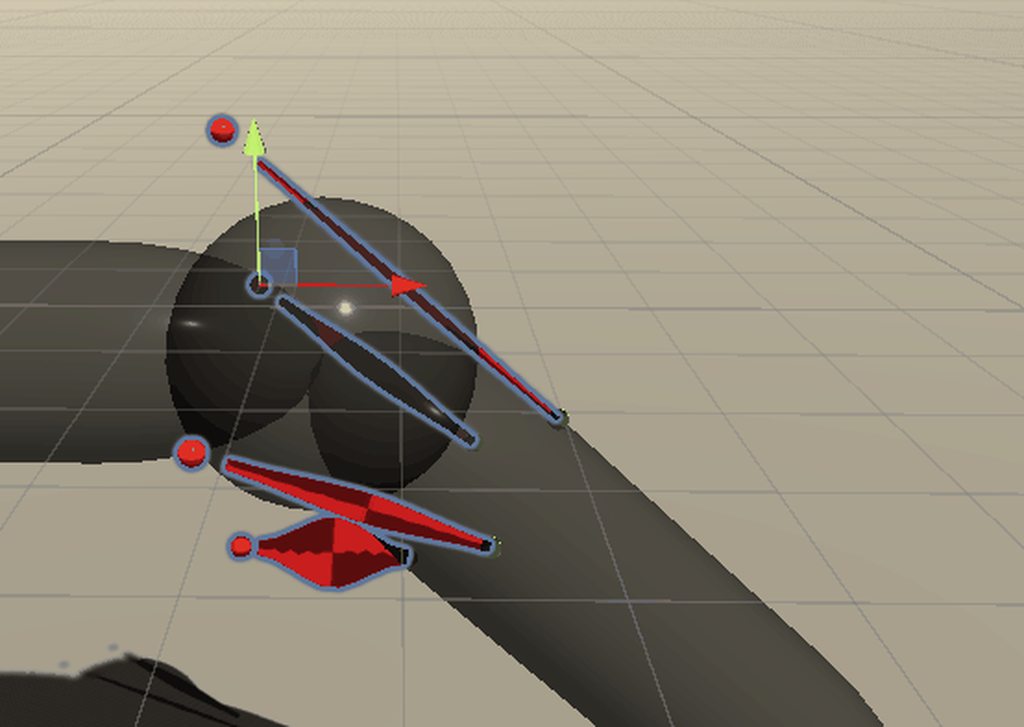 untold sand
what muscle is that?
onyx cypress
Still searching for the answers to these questions, any help is greatly appreciated :)
https://discordapp.com/channels/489222168727519232/497874196274348032/672674730389667863
lapis plaza
@onyx cypress see https://docs.unity3d.com/Packages/com.unity.physics@latest and https://github.com/Unity-Technologies/EntityComponentSystemSamples/tree/master/UnityPhysicsSamples

GitHub
Contribute to Unity-Technologies/EntityComponentSystemSamples development by creating an account on GitHub.
I mean they do show or describe many thing you listed there
especially the manual is good read
onyx cypress
The parts about PhysicsMass, PhysicsSimulation, Worlds, and Misc I have found little to no information on using those sources. Considering I am doing this all in code, instead of using the authoring components, it is making it much more difficult to find information. I am trying to do this without having to use those since I want to have full control of everything, considering that I actually need that control. In the case of Physics mass, I would leave it alone, but I have a custom mass system in place, so I need to calculate everything. For Simulation, I need to be able to directly control when and how simulation is done. For Worlds, I need to be able to create 1-3 worlds on the client from scratch. (Local world visualization, local world simulation, server simulation)
For Misc, it seems that it is an issue that I can't find any information on.
For interaction, it seems the RaycastCar example has the information I am looking for.
Kind of why I asked here, since those resources haven't exactly gotten me too far, unless I missed something while digging through it.
The manual especially hasn't been of much help, especially because of the whole setting up from scratch and all in code part. It is all done doing authoring components, which just is hiding everything in massive files which aren't really commented, making it very hard to tell how it actually works.
onyx cypress
Literally an authoring component...
I want to know how it actually works, how I can set this thing up on my own.
lapis plaza
so open the DOTS scripts for it 🙂
onyx cypress
...
lapis plaza
also you don't need to add that manually
only if you need to alter it
look, I'm not trying to be a smartass here, it's just at this stage, they haven't explained all dots bits as these things keep evolving a lot. if you go dots now, you have to be willing to dig deep down that rabbit hole :/
as for raycasts / queries, that same manual has sample snippets for it too
basically your source of information are
- that manual
- unity physics samples (altho they mainly use this from monobehavours)
- actual Unity Physics source code
- DOTS physics forum
onyx cypress
Do I just need to have an entity with PhysicsStep on it in my world? Are default values used if one doesn't exist? How does it handle multiple, does it use the first one? How does it work.
Going through DLL files and uncommented code to figure that out isn't exactly why I am building a game in Unity.
lapis plaza
Unity only gives support for the authoring component setup atm, so if you want to do something different and learn how it's setup, see what these built-in components do
but I really don't recommend going to Unity Physics at all at this stage unless you really want to figure out most things the hard way
you have to handcraft a lot atm
like the whole fixedupdate/interpolation which doesn't exist on the base package
onyx cypress
I would stick with PhysX if it wasn't complete garbage for what I am trying to do, hence why I am here. I need compound colliders, more control over physics, actually damn deterministic physics, performance increases, all of that stuff.
I quite honestly don't care if I need to build things myself, I am just trying to figure out the basics so I can do that. I am just trying to find something, anything, which actually has some information on this crap, since it seems like a black market secret.
Sorry if I am coming across as rude, I am just pissed off since I can't just find the information I need to get this to work.
lapis plaza
do note that unity physics doesn't have cache so it could be even slower than built-in physics on your open world scenario
naive remnant
but have you looked at Physics code and examples? I think everything is there, there is only 3 main systems and 3 authoring components 🤔
lapis plaza
havok physics could help there tho
onyx cypress
Performance wise it is collider count that is killing me, compound colliders should solve this issue since they are treated more like 1 big collider than 500 separate ones which need to be updated independently.
My world is simple in ways, the terrain is just basic Unity terrain. The problem is that you drive vehicles which are fully customizable, and are entirely physics based.
The code examples are based around the authoring components, and using those as a means to interact with everything. Considering that I am trying to have decent amounts of control over this system, it is difficult to get anything relating to how it actually works. The code that comes with the package is entirely undocumented, and is a mess. It is almost like trying to figure out what the hell is going on in an obfuscated DLL.
naive remnant
but it is not in dll it is in c# code🤔
onyx cypress
It is almost like trying to figure out what the hell is going on in an obfuscated DLL.
lapis plaza
authoring components are just helpers for setting the things on ECS side, they really are there to help you
I dunno why you wouldn't use them if you need to use this today
onyx cypress
Try and create a compound collider using the authoring components, it straight up isn't possible.
lapis plaza
what?
you just stuff the extra colliders as child GO's
done
just have authoring component on the parent
onyx cypress
My vehicles are generated at runtime, they aren't prefabs.
lapis plaza
ah, well, then you have to do it the hard way
onyx cypress

lapis plaza
which means you open those authoring components source code and figure out how to do it on code at runtime
and then after DOTS updates, be prepared to redo that work
onyx cypress
Ah, yes. The source code. https://hastebin.com/ehiqenizup.m
The 1k lines of code which I need to now document myself to figure out what the hell is actually happening
lapis plaza
well, you want to do this
😄
it's not a finished system, DOTS is nowhere near finished
so you'll get half baked solutions that change all the time and don't have official docs
 hexed horizon
I am kinda bummed that Unity Physics seems content to leave all physics caching/sleeping optimizations to havok, which has a signifcant per seat cost. Seems like a middle ground should have been possible, at least as an opt in for scenerios where u dont need network replay for that entity.
lapis plaza
Unity Physics doesn't even have sleeping
it computes everything again each time you step it
onyx cypress
Would it kill them to comment the damn code though?
Havok is technically a 3rd party solution, so 
lapis plaza
I dunno, to me that code is quite human readable
hexed horizon
Olento understood, my question tho is was that hard line a good design choice.
lapis plaza
try reading physx source 😄
or most physics engines for that matter
they kept Unity Physics codebase relatively simple by design
also, you wouldn't read 1k line classes just one row after another. Use IDE, navigate to the functions / classes through it so you can follow the code paths
hexed horizon
I am just concerned that the "default unitty physics" will greatly limit the types of games that can use it.. moving a lot of games to havok.
lapis plaza
current state of Havok plugin isn't going to make that fast 😄
also I feel that many dislike physx for all wrong reasons
most physics engines have similar basic simulations
some give you more means to fix things manually
hexed horizon
well, given that physx wont support dots we are between a rock and a hard place here.... lol
lapis plaza
sure, my main grief is that Unity can't expose physx contact modifications for us
if it did, I'd not even look at DOTS physics atm
on c++ side, it's super simple to use that physx API
I implemented and wrapped that physx feat on ue4 in one or two days
hexed horizon
if someone is starting a new game today where performance, world size, or scalability is a primary concern they would be insane not to start with dots, which for many games is going to push them into Havok.
lapis plaza
I'm sure Havok will be a good alternative in the future
right now it's quite broken but it's super early too
hexed horizon
no doubt, havok IS a good physics engine, no doubt. However its going to be pricy
lapis plaza
it's free for Unity Personal/Plus and ~20 bucks month/seat on pro
depending on your physics needs and team size, that's not that bad
hexed horizon
also, from my understanding the big problem with Havok is u will have no network replay, which is a bit of a deadend for open world games where u want to have predictable fast paced combat, with anything but fairly basic projectiles (e.g. hit scan).
onyx cypress
Considering I know a game which has used both Unity Physics, and is now transitioning to Havok, they are building a deterministic, networkable simulation of much greater scale and complexity than me, or most games for that matter. It is called GameCraft for those interested.
So I would say network replay isn't going to be much of a problem.
hexed horizon
well its not that simple tho. There are different kinds of network problems.
If I shoot a homing projectile that accelerates from a particular position at a target that is also accelreating away, I need to not only be able to hit that target, but make it looks good from the clients perspective.
and not only for the target that shoot it, or the target that was hit, but for all others within view as well, and in many cases the non-homing version can be more of a problem as at least the homing ones can do some tricks on the client side to guess.
onyx cypress
That is more of a problem for the person working on that feature, not the physics engine.
In my case, my entire simulation is based around resim. Simulate the client ahead of the server, try and figure out where everything should be, and if the client was wrong, put them back on track and get back ahead of the server.
hexed horizon
Unity Physics Network Replay is designed specifically to solve the above problem.
onyx cypress
I do all of that on my own though, even in PhysX.
I basically built an Overwatch / Rocket League like setup, at least for multiplayer, from scratch. Considering how much I am doing, ya, I am rolling my own setup for that.
hexed horizon
Hmm its not clear to me how great of a solution that would be in the dots/havok case... seems like u would be keeping entities awake and constantly shuttling data between various subsystems?
onyx cypress
Here is a general breakdown of how it works:
- A message is received for the newest state the server has simulated
- The game's current state is set to that state, which is all ID based. All of the entities that are needed can be found by grabbing everything which has, in my case, a Creation component
- Run the normal simulation X times, where X is the amount of frames back you went to set that state
The game has things like time dilation to increase or decrease simulation rate to deal with networking and stuff, but it is pretty simple.
You aren't really shuffling much data around, and systems don't really need to tell each other about what is happening. Simulation runs as normal every frame, with extra simulation being ran when needed, which doesn't talk to anything except the creation components, perhaps sending a network message out.
Setting the game state is pretty simple, considering we are talking like 1-16 entities here.
hexed horizon
but in dots a lot of the interesting entity states have been atomized, so to simulate them back with their entiteis u are going to lose much of the performance u were trying to gain with dots?
well its not just the players, its the npc entities u are intereacting with as well. It would be one thing if it was a simple FPS player vs player game and if you have destructiable env then u must consider that as well, even tho its not moving the player and proejctiles are in unpredictable ways.
onyx cypress
I don't have NPCs, I don't have shops, I don't have anything like that. This isn't some open world adventure game, this is basically a 3rd person FPS with a really customizable character which has some complex physics.
hexed horizon
k, which is fair. My goals are obviously a bit different 🙂
onyx cypress
I have an entire setup which handles everything outside of Unity, outside of DOTs, ECS, everything. Most of my code is already doing ECS practices, and is doing pretty well on its own. Hell, the physics engine raycasts are taking longer than the rest of my code combined. I am not using Unity ECS for the advantages it brings, I am using Unity ECS so I can use Unity Physics, which should be a solution for the problem I am solving.
 thick widget
Is there any way to make "one-way collisions" in Unity?
I don't mean platforms.
What I mean is having object A push aside object B, without object B pushing object A
I'm working in 2D
mighty sluice
@thick widget just get the force of the impact (impulse i think?) while the colllision is happening, and apply the inverse of it to the body you want to be in god mode
@untold sand it's a 2 degree of freedom ball joint style, but prototype
untold sand
A what?
onyx cypress
@thick widget You can use the Layer Collision Matrix, which you can find in Project Settings -> Physics 2D -> Scroll down
It allows certain objects to interact with others. This should allow you to have certain objects which don't interact with others, but others can interact with it.
thick widget
@onyx cypress I know about the Layer Collision Matrix, but that can't toggle specific directions to my knowledge. For example, you can't turn off A ➡️ B or B ➡️ A. I don't think that would even be possible since collisions aren't dealt with like that I don't think
onyx cypress
It is a Matrix, so you get to decide what X can interact with, and you can specify (separately), what Y can interact with.
So it should be possible.
thick widget
@onyx cypress See?
I can't do Bullet > Tank or Tank > Bullet specifically
The matrix doesn't care about that
I want object A to affect object B's velocity etc in a collision but not the other way around
onyx cypress
Well right now your bullet doesn't interact with Tank or Bullet.
onyx cypress
Actually your right, you can't specify one way collisions there...
thick widget
Yeah... I don't think Unity even registers that kind of data on a collision event
I'll try @mighty sluice's suggestion and see if that works
Thanks for your help though! I really appreciate it
Sorry that I wasn't more clear 😝
onyx cypress
👍
Let me know how it goes! Interested to hear what your final solution will be.
thick widget
I will!
@onyx cypress For some context, what I want to do is make it when the tank crashes into crates the tank pushes the crates aside, but the crates don't affect the tank's rigidbody in any way during the collision
Maybe there's an easier way to do this that I'm overlooking 😅
onyx cypress
Well.. Could make the tank really heavy and the boxes really light, although it might not work in your setup.
thick widget
Wait a sec
My tank's rigidbody is currently set up as kinematic
So would any of this matter?
onyx cypress
thick widget
Because the thing is that occasionally the collisions affect the rigidbody despite the fact that it is kinematic
I probably should do some more testing
ocean horizon
@thick widget As you already hinted at, the reason you can't do directional collisions is because they don't exist. It's like arguing who walked into who when two people don't see each other then hit. A contact is when two colliders meet, they can either meet or they can't. To say A can't hit B but B can hit A doesn't really make sense. Maybe I'm misunderstanding what you want though but thought this important to point out.
 pallid pawn
in my 2d unity game my collision script is not working, can anyone help?
 stuck musk
I'm attempting to make a rope out of 2d objects strung together and running into an issue where they overcome the limiter and go further anyway the further it goes down the rope.
Any idea? When a single box is alone it doesn't go past the angular limits, but when stringing them together I figured it would be additively 3+3+3+3+3 angles for a total swing of something like 15 degrees in both directions for 5 links
I'm assuming it has something to do with exactly how I attach the anchors but I'm having trouble finding a configuration that works.
ocean horizon
Only things that come to mind are to be careful that you're not linking bodies with high mass ratios (mass 1 connected to a mass 500 for instance). All bodies should be moved with forces, don't modify the transform. You can turn up the solver iterations.
It's not clear if you're only describing the angle limits or the bodies separating. One common thing to do is to add a DistanceJoint2D from the start to the end of the "rope" with its "MaxDistanceOnly" checked.
For an example of this, you can load-up this scene in my GitHub examples project. It also uses angle limits too: https://github.com/MelvMay-Unity/UnityPhysics2D/blob/master/Assets/Scenes/Joints/DistanceJoint2D_MaxDistanceOnly_Chain.unity
GitHub
Examples of various Unity 2D Physics components and features. - MelvMay-Unity/UnityPhysics2D
(Note that the "master" branch is the current 2020.1 alpha but there are other branches for earlier versions of Unity)
stuck musk
Their masses were all 1, and I used a distance joint to attach the platform at the bottom to the rope. After turning the collision of the "rope" boxes to trigger, it bent only as far as I had set it to and worked as intended, however there was a consistent +2 degrees to whatever I set the limiter to which is still unsolved. Even with a single rotating object with a rotation of 0. Upon moving it with a 3 and -3 limiter it would go 5 to -5, and this was consistent regardless of the limiter. It would always be + - 2 higher angle than intended.
The previous tests were all done using collision with the player character which also has only 1 mass. I'm not modifying their transform directly. Though I'll keep that in mind when scripting the platforms to swing by updating their velocity. Thanks melv
Are you suggesting to use a DistanceJoint2D on every link in the rope to the top?
ocean horizon
Are you suggesting to use a DistanceJoint2D on every link in the rope to the top?
No, one for the whole length as in the scene above.
stuck musk
I'm relatively new so sorry I may not be understanding. In this picture, what object to what object would have a distancejoint added?
It's 5 boxes with 3 degrees of rotation each
and the platform, and the above anchor
ocean horizon
I cannot be more clear than the explanations and an example scene above that you can load.up
stuck musk
I'll try it out, haven't tried 3D before.
ocean horizon
3D?
stuck musk
oh my bad, thought chris' picture was your own
ocean horizon
No, my GitHub project that demonstrates a lot of 2D physics features including all the joints and their settings
stuck musk
I'm downloading it now, thanks for your time.
ocean horizon
You should see this: https://youtu.be/EH9nj3zcfFQ

A simple example of using a DistanceJoint2D with MaxDistanceOnly checked to ensure that chains of bodies connected together do not separate.
https://github.com/MelvMay-Unity/UnityPhysics2D
Scene: DistanceJoint2D_MaxDistanceOnly_Chain
stuck musk
perfect
stuck bay
It's a long shot but is there some obscure resource eli5ing arcade plane physics for games? I'm tired of trying to figure out how to fake torque from NASA's info about aerodynamics equations and all Github repos with plane physics are either winging it with random equations or half applied real ones.
stuck bay
...aand as soon as I posted this I found a book called Physics for Game Developers. Man I looove the rubber ducky effect.
 fiery lion
Is this place a good place to ask heavy math questions even though they may not specifically be considered physics?
autumn jetty
Anyone know if the only way to get rigidbody index for an entity is throught the physicsWorld extension function?
glacial jolt
@fiery lion it's prolly the most fitting channel for it
fiery lion
Now I gotta wait until I’m home to be able to ask though 😆 trying to copy/paste or even look at code from mobile is a bit difficult
stuck bay
does exists an method to using Physics.Raycast and Physics.OverlapSphere as Jobs?
autumn jetty
@stuck bay As in that you can use it in jobs if referring of using the DOTS Physics - yes.
stuck bay
so, how? can you take code sample?
lapis plaza
this is getting silly
you crosspost to different channels and now in #archived-dots people respond to you about physx jobifying and in here about dots jobifying
(would be better to keep the discussion on one place)
autumn jetty
@stuck bay You can check the physics sample within the ECS sample, you use it from PhysicsWorld which you can get from BuildPhysicsWorld which is a system. https://docs.unity3d.com/Packages/com.unity.physics@0.0/api/Unity.Physics.PhysicsWorld.html
 prime flower
Anyone have any advice on Maximum Allowed Timestep settings? I have a networked game that runs on a fixed physics timestep and very often physics states are rolled back and resimulated on the Client. This results in about 20 calls to Physics.Simulate in a single tick.
Should I set Maximum Allowed Timestep to a very low value since I can be confident that my network updates will fix any desync that happens anyways?
lapis plaza
@prime flower if you do manual physics.simulate's, that value doesn't limit them afaik in any way. that value is mainly there to limit how often FixedUpdate can run in case you run it on low end cpu and it's sole purpose is to prevent the cpu from getting starved (if the cpu can't keep up with physics and fixedupdate keeps chugging more updates for it, it'll starve itself, entering the spiral of doom)
so if you set that max allowed timestep to say 0.1, the client will stop running additional fixedupdate loops once framerate drops to 10fps
prime flower
@lapis plaza okay well then maybe it makes even more sense for me to use after that explanation. I have a Game.cs script that all my game logic flows through. Game.FixedUpdate() runs the main game loop that receives network input, processes it, does the rollback and corrections, increments the tick number, and repeats
And my goal is that Game.FixedUpdate runs as consistent as possible regardless of performance
 tough valley
Hi! I recently switched to Blender (and Im no rigger anyway), and I'm wondering about mechanical rigs is it better to rig my assets in Unity with the differents joints it offers or am I good doing it in Blender ? Everything will be imported, all my contraints etc ? Also the goal after that is to have my pieces under physics
 modest frigate
Hi i'm new to Unity and I created one of my first games, the racing game. I tried to add a ramp that goes up but it didn't have car collision so I just went through it. After some time I fixed it and added collision(a pink ramp thing) but my car would just slide off instead of riding on the ramp. Anyone knows how to fix it? If you know please DM me.
onyx cypress
Hey everyone :)
I am still trying to figure out Unity Physics, and stumbled into 3 things I am hoping I can get some help with:
- Is there a way to prevent a physics object from rotating due to physics interactions? Don't exactly want my player rolling around when I try and move them XD
- What is angular expansion factor? And how would I calculate it? Considering this relates to physics mass, and I am manually calculating the center of mass, mass, ect. for a game mechanic, it would be nice to know how to get this value, or at least understand what it actually is doing.
- What systems are required to get Unity Physics up and running in a world? I am creating some worlds from scratch and need to figure out what is required to get it up and running.
Thanks in advance!
@prime flower I build a custom update loop on top of a very fast FixedUpdate for this, since I wanted to convert my game to a more frame based one.
So my FixedUpdate is running at about 200hz, and my custom update loop, which runs on top of it, can run 50 / 100hz nicely. It use DateTime (marks last frame time) and a double to keep track of the time that elapsed, and time which still needs to be simulated. Combined it allows me to guarantee the game is running at that frames rate, so long as performance is not a problem. It however will enter a death spiral if not managed properly, since it tries to always run the amount of frames that need to be ran.
The version I am using in my game: https://hastebin.com/ayabuyazaj.cs
I have another which is used for network simulation, which dilates the amount of frames which typically would be simulated, while otherwise acting the same.
hexed horizon
Looking for any infromation on how to rig up Unity Physics + DOTs to dynmaically assign and spin up multiple physics instances (as dynamic entiteis enter their range) in a grid like pattern. Rather than origin shifting I want to expore the option of building large worlds with good floating point percision by transitioning entities between physics instances. Obviously ill have some challenges integrating this with the 32bit render, but ill worry about that later =).
onyx cypress
You are going to be looking at treating the world like an MMO, having multiple regions, switching between them, transitioning, and other such things. So looking up how MMOs handle switching between different zones might be a good place to start to get the general idea of what you will be working on @hexed horizon
hexed horizon
I am hoping for seamless transitioning.
my understanding is unity physics added this feature recently, to be able to spawn multiples any info on this? ideally I would not just say spawn 100 at start.
 pine stirrup
Hey I'm wondering how can I make an object like that in which red things are pivot and green things are just stick
 flint glade
Hey guys, using Blender for modelling and wanted to ask if the physics are imported from Blender into Unity or they're made in Unity?
tough valley
@flint glade unity
flint glade
ok thanks
ocean horizon
@pine stirrup The following test scene might help you. Look in the description for repo/scene details: https://youtu.be/t8B5gYslpIM

A basic example of a softbody. In this case using hinges but you can also use DistanceJoint2D to produce a softer joint although you may find that you require more of them.
Also demonstrating the use of break force.
pine stirrup
Thx
It's something like that but with stick linking the balls and letting the stick rotating around the balls
Idk if I'm clear or not x)
ocean horizon
The stick is just rendering, they don't physically link the balls so you just need to dynamically render them at the positions between the pivots. I took the fact that you posted in the physics group to mean you're more interested in the physics of connecting them. You can use hinge joints or distance joints (although you'll need more distance joints but they'd give you more control over how soft).
the position would be the mid-point of both pivots and the angle would be easy to calculate.
(or draw the lines if you have access to a vector drawing asset)
pine stirrup
Oh ok
ocean horizon
If you try the demo scene I did, I had rotational limits on each HingeJoint2D but if I turn them off then they all rotate around each other and it essentially collapses.
I assume you want it like this: https://gyazo.com/7ed8eb787066c1fc2ddb01218b15c572


 pine stirrup
@ocean horizon yes that was exactly what I wanted 
So I just have to download your scene with GitHub to see how exactly you did that?
ocean horizon
Yes, it's all there and free to use for whatever you wish although the scene on there doesn't have lines drawn although I can add that if you like but TBH, all I did was add a test script to draw a line from one pivot transform position to the connected one.
If you have any questions then just ping me.
 rain marten
guys , for platformer game, charactercontroller or rigidbody?
for gamename1 i dont think i will be using forces and gravity for levels, like push or pull, etc
so i believe i am okay with Character Controller?
lapis plaza
my vote would always go for custom char controller
not meaning anything that's based on built-in char controller
rain marten
im flipping a little with player movement and rigid bodys xD
lapis plaza
issue with rigidbodies is that you are not in control
mighty sluice
Anyone know why this is happening and how to avoid it? Iam merely altering the positions and rotations of each segment in these worms (resetting them to a starting pose and position)
I am zeroing out the velocity and angular velocity when i do so, but the segments just love to explode for one or two frames when i do so
something is causing the speed or velocity or center of mass to become fubard (NaN)
should i be making them kinematic while I reset their position and rotation?
mighty sluice
there are joints on these segments so possibly they are involved
lapis plaza
just added to 2020.1.0a22: ```md
- Physics: Added: Expose ArticulationBody.jointPosition, ArticulationBody.jointVelocity, ArticulationBody.jointAcceleration and ArticulationBody.jointForce to access the corresponding values in reduced coordinate space.```
 viral ginkgo
@mighty sluice you probably shouldn't need to alter positions
if all segments are parented to eachother
just set the position of root segment
and then reset all rotations of segments
if all segments are parented to next segment
 pulsar oracle
Hey there!
I would like to build a good and realistic bus physics, including a slide suspension to move the bus up or down to let passengers get onto. Also, a gear transmition to change its torque depending on its velocity.
Anyone know tutorials or references that I can study and build it? Actually I already did it, but it's too simple! Soon I'll send a video to show my work. Thank you so much
lapis plaza
same vehicle basics apply to a bus, just like in a car
 acoustic lynx
is there any way to read the velocity of a Rigidbody right after using AddForce()?
it seems it's not updated instantly (engine probably waiting for physics update)
viral ginkgo
@acoustic lynx
acoustic lynx
i guess that means it's updated one physics frame later
viral ginkgo
yes
acoustic lynx
any workaround there?
viral ginkgo
velocity +=
acoustic lynx
+= what?
viral ginkgo
your force
acoustic lynx
wow xD
viral ginkgo
its still acceleration
viral ginkgo
acceleration is change in speed
 stark bolt
lol you moved here
acoustic lynx
velocity unit is meter / second, isn't it?
viral ginkgo
both that and addfoce does that
acoustic lynx
while force is newton
from a physical point of view you can't just add them up. that's what i mean
stark bolt
acceleration is just adding to the velocity
viral ginkgo
yes accelarion is meter/second per second
acoustic lynx
so you guys
viral ginkgo
force causes acceleration
stark bolt
also I got a D in highschool physics but I feel like this was well covered
acoustic lynx
are talking of adding acceleration * fixed_delta_t (don't know what the time variable is)
?
viral ginkgo
F=m.a
a = F/m
stark bolt
acceleration == force * mass * timedelta bargos got it
viral ginkgo
if you did addforce(F)
now you do
rb.velocity += F/rb.mass
time delta is inside the F
viral ginkgo
i made that meme now, what do you think
acoustic lynx
oh yours?
viral ginkgo
just did it now
acoustic lynx
it fits well
viral ginkgo
i had a nasty bug related to that
that i solved yesterday
wanting to make that meme since
acoustic lynx
i'm not happy that there's no way to compute the current velocity with the functions of engine tbh
viral ginkgo
you know what i think that is for @acoustic lynx
If velocity was changed immidently as you apply force, your simulation would depend on the execution order
acoustic lynx
true
acoustic lynx
Tront I would guess you can just apply forces immediately and manage the collision afterwards - from the physics engine perspective
stark bolt
in a perfect world we'd have pre-and post physics hooks
most game engines do
not sure why unity said nope
viral ginkgo
you read the state of the scene from previous frame when calculating what happens on a given rigidbody
because next scene is not complete yet
acoustic lynx
perhaps for performance reasons
viral ginkgo
because order of execution shouldn't matter
acoustic lynx
(to what you and Tront said)
so back to my problem. I definitely have to compute the current velocity myself?
acoustic lynx
the time delta i need is
fixedDeltaTime?
just out of interest: is unity doing it the same way internally? - applying the last fixedDeltaTime for physics computation?
(I would be happy if the function I make for this was consistent with the overall physics system :P)
stark bolt
fixedDeltaTime, and deltaTime checked in FixedUpdate return the same value
by default its 50hz
0.02
configurable in the Time panel in project settings
acoustic lynx
wait
I'm not entirely sure if that is right (I also said some bs up there)
fixedDeltaTime The interval in seconds at which physics and other fixed frame rate updates (like MonoBehaviour's FixedUpdate) are performed.
acoustic lynx
thx i just opened it
but what i wonder rn is
will Update and FixedUpdate always run at the same speed?
stark bolt
whoa my messsage got deleted lol
no they dont
Update runs at the maxfps of the device if vsync is disabled
FixedUpdate runs at a fixed rate
acoustic lynx
what about that variable fixedDeltaTime
they say in the docs (like i cited above) "interval in seconds at which the physics [..] updates"
so this applies for FixedUpdate()? but not for Update()?
stark bolt
yes exactly
viral ginkgo
@acoustic lynx if you are doing this in update, Time.deltaTime
if doing this in fixedUpdate Time.fixedDeltaTime
acoustic lynx
alright
viral ginkgo
This wont make you game any smoother though
if you are moving with acceleration this doesn't matter at all visually
but you want your game to be framerate independent
and frametimes change
even in fixed update
its not completely fixed
acoustic lynx
yeah so i wonder why fixedDeltaTime seems to be a constant then
viral ginkgo
fixed delta time isnt always 0.02
viral ginkgo
when your game lags, unity will space out fixed frames
it will increase so unity may catch up
stark bolt
thats the entire point of FixedUpdate
stark bolt
no it just slows things down it doesnt increase it thats what the max allowed timestep is for
viral ginkgo
@acoustic lynx
acoustic lynx
(assuming they mention it somewhere but when i look those variables up it seems misleading)
viral ginkgo
by default settings, it may take 0.3333 at max to complete a fixed update
but you can complety lock it if you put 0.2 there
acoustic lynx
stark bolt
Maximum Allowed Timestep
Fixed time stepping ensures stable physics simulation. However it can cause negative impact on performance if game is heavy on physics and is already running slow or occasionally dips to low frame rate. Longer the frame takes to process - more fixed update steps will have to be executed for the next frame. This results in performance degradation. To prevent such scenario Unity iOS introduced Maximum Allowed Timestep which ensures that physics calculations will not run longer than specified threshold.
If frame takes longer to process than time specified in Maximum Allowed Timestep, then physics will "pretend" that frame took only Maximum Allowed Timestep seconds. In other words if frame rate drops below some threshold, then rigid bodies will slow down a bit allowing CPU to catch up.
Maximum Allowed Timestep affects both physics calculation and FixedUpdate() events.
Maximum Allowed Timestep is specified in seconds as Fixed Timestep. Therefore setting 0.1 will make physics and FixedUpdate() events to slow down, if frame rate dips below 1 / 0.1 = 10 frames per second.
zzzzzz
basically unity will drop the framerate independence
if you're lagging so bad it cant catch up
it does NOT change the freakin timestep
acoustic lynx
hm k. having a maximum allowed timestamp makes sense
viral ginkgo
It is okay to not use these time deltas in fixedupdate though
acoustic lynx
that avoids things glitching through walls etc
viral ginkgo
it doesnt change much
acoustic lynx
well
as i said earlier. I'd like to keep my physics computations consistent with unity's physics
if unity computes the new velocity with 0.333 s and I do with 0.02 cause i put it in the code with that number instead of using the Time.fixedDeltaTime varibale my calculations will be wrong
viral ginkgo
oh wait wait sorry 0.333 is alot
acoustic lynx
ya xD
acoustic lynx
honestly i just noticed rn too haha
(but i already would have compained at 0.0333)
viral ginkgo
but
maybe you want the forces to stop if your game lags like that
acoustic lynx
to be clear the fixedDeltaTime?
viral ginkgo
how long it took to complete last fixed update
acoustic lynx
i mean you make games so they run on average computers ig, but you still want people with bad computers to be able to play it
so fixedDeltaTime seems to be like deltaTime just for the FixedUpdate() instead of Update()
stark bolt
yes
viral ginkgo
yeah
acoustic lynx
I kinda wished the docs made that relation more clear, nvm though
viral ginkgo
i never had any issues with weird forces because of this stuff
and i didnt use deltatimes often
stark bolt
yeah in fixedupdate you dont actually ever need to apply the time because its always assumed that the time is unchanging between fixed frames
viral ginkgo
most important place you need this deltatime is
in void Update()
when you are dealing with camera
stark bolt
^ complete trooth
camera is the one thing where I need deltatime for my slerpy lerpy movement
smoothdeltatime
because I dont like hiccups
viral ginkgo
or if you move your character in update but thats not a very good idea
stark bolt
🤢
viral ginkgo
works both ways
but second will make you look cooler
acoustic lynx
(just a parody of when both of you said something like: add the force to the mass :P)
stark bolt
lmao
acoustic lynx
na first won't work. i'm pretty sure 🤔
viral ginkgo
mass is just a constant number
acoustic lynx
the direction will be right. but the magnitude is wrong
viral ginkgo
just adjust the magnitude and you'll be fine
acoustic lynx
yeah thanks. sadly i couldn't solve that problem i came here with with those. but they're pretty helpful
viral ginkgo
they are all the same as addforce but force is multiplied by deltatime/mass or not for each
acoustic lynx
with forcemodes "adding a force works" if that's what you mean
viral ginkgo
they are the same force but multiplied with different constant numbers
acoustic lynx
yeah
stark bolt
all I know is that my favorite is impulse
acoustic lynx
still don't see a good solution from unity for just reading the resulting velocity, because of that problem you mentioned
viral ginkgo
you cant get resulting velocity because it is not calculated yet
acoustic lynx
I think it gets even more complicated when working with torque
viral ginkgo
maybe another object is going to touch that object until the end of the frame
acoustic lynx
i would be fine with a function like: GetPredictedVelocity() : )
viral ginkgo
what do you need
viral ginkgo
say it in more higher level if you still need a workaround
viral ginkgo
in general you don't want functions that are doing these at the same time:
- changing something in your scene, code, class variables or anything
- returning a value
@acoustic lynx
Read that in "clean code"
acoustic lynx
perhaps i will
My thoughts on this right now are: If a developer wants this kinda functions he probably should just write them themselves
for example a function like i mentioned: GetPredictedVelocity() - would it include gravity or not? might get pretty specific at one point
stark bolt
yeah I mean thats always what it ends up being
if you want something good
you gotta do it yourself
acoustic lynx
: )
viral ginkgo
why do you want such a function though i'm wondering
stark bolt
golf
acoustic lynx
probably there are better solutions for this
acoustic lynx
I wanted to decelerate my Rigidbody and at the point the resulting velocity goes in opposite direction of the velocity before the AddForce()
I would knew I would have to stop the Rigidbody (So in a nutshell: slowing down and then not overshooting)
therefore my original question about comparing velocities - before and after AddForce
I'm open for alternative solutions
viral ginkgo
that function doesn't predict the velocity without altering it though
acoustic lynx
AddForce()?
viral ginkgo
ComputeResultingVelocity()
viral ginkgo
just remove += with +
Thats why i said you are doing the two things you shouldn't be doing at the same time
Always will lead to bugs
acoustic lynx
honestly the main problem was probably i was writing code and chatting at the same time 😉
I check out clean code though

GitHub
Quick guide to help Unity developers create more robust, maintainable, and cleaner C# code. - sampaiodias/unity-clean-code
viral ginkgo
Clean Code: A Handbook of Agile Software Craftsmanship
not unity related
I haven't read all of it
acoustic lynx
oh
viral ginkgo
but it's quite good
stark bolt
thats the bob martin book right?
I found some other ones to be a bit easier to digest
viral ginkgo
it talks about importance in naming,
why small functions are good (even less then 5 lines)
that thing i said about 2 things at the same time
and other such stuff
at least in the beginning
acoustic lynx
Tront feel free to link some here
viral ginkgo
i haven't went far into hard to digest parts
stark bolt
well I didnt finish the book I switched from clean code to uhhh
head first programming patterns
acoustic lynx
for digesting you need to do some work related
that's why it's good to have a book that also serves for looking up thinks quickly
stark bolt
i found the head first book way easier but I'll give clean code another try
everyone recommends it which is why I found it
acoustic lynx
perhaps i'll check out the clean code one
viral ginkgo
@stark bolt don't take my recommendation on it though, i didn't read 1/4th of it probably
design patterns would be good to learn
stark bolt
yeah there are a lot of em
 left sierra
Ok, I'm really going crazy here^^ Is there any way to achieve deterministic 2d physics across different machines with the normal system, packages, external github projects whatever to use in a deterministic lockstep multiplayer game?
viral ginkgo
@left sierra
this could be what you are looking for

GitHub
Framework for lockstep RTS, TD, and MOBA games. Contribute to SnpM/LockstepFramework development by creating an account on GitHub.
left sierra
Ah I just found the RTS engine version of that one in my google search. But this one still feels really "heavy". It has a lot of extra stuff around it, not really a physics engine but rather a full framework for a lockstep game.
I'll take a look at it and see if i can simplify it, thanks B.A.R.G.O.S
pulsar oracle
Thanks for the help!!! 😶
 drowsy idol
If I apply force to a rigidbody, will the parent object also recieve the force?
autumn jetty
@drowsy idol I've yet to meet a system that supports parented rigidbodies
viral ginkgo
@autumn jetty if you want to parent rigidbodies
only have rigidbody on root
and you can have colliders in children
those colliders in the children will be a part of the parents rigidbody
ocean horizon
@drowsy idol Kinematic bodies as children is the only hierarchy of bodies you really ever set-up. In that case they have special logic to defer to the relative position of the parent. but that's a non-physical link. It's just a hard link that the transform system imposes. For physical links you obviously use joint constraints if you want to constrain them i.e. add a force to a body and when it moves, it's physically constrained by the other. Don't use the Transform system (which isn't part of the physics solver) to drive physics like that.
mighty sluice
regular joints are best used without parent-child relationships between rigidbodies. 'Articulation joints' (available in unity 2020 a17) depend entirely on the hierarchy relationships though
for joints, each "joint" requires its own rigidbody, and articulations simulate mass with a built in setting
 silk sky
Hi im making somekind of circular gravity with 2 object, one represent a planet, and the other "the player" . The thing is that the script is continously being executed, and the player keeps quakening. the only way to fix in live, is to freeze the z axis when the player collides the planet... any idea of how implement this?