#⚛️┃physics
1 messages · Page 40 of 1
 coral mango
 strange raven
@coral mango He is applying force to the main RB, which is always enabled, not any of the children
coral mango
Yeah, but until ragdoll is enabled it is still controlled by the animator, right?
 lime iron
@coral mango I tried it both ways (before and after) but both didint work
@strange raven ill try that, thanks
coral mango
https://i.imgur.com/PU7f37D.mp4 Totally normal physics

https://i.imgur.com/w7asNzM.mp4 Nothing to see here
 lime iron
@strange raven I tried it, The ragdoll now floats in the air but its still not moving up. The parent object though, is moving up
So i guess the childs just dont move with the parent
 sly violet
@lime iron : So i guess the childs just dont move with the parent
Correct; rigidbodies do not, as a general rule, move with their parent. The physics calculations override the effects of the parent transform.
I'm guessing what we're seeing in your video is that the ragdoll ignores the parent while it's actively ragdolling and then follows the parent when it settles down and its components go into "Sleep" mode.
lime iron
ohh
Is there any way to make the ragdoll fly away from for example an explosion
while still ragdolling
sly violet
Typically you just use AddForce for that sort of thing. There's even an AddExplosionForce method in Rigidbody you can use.
lime iron
Yes but as shown before that does not work with ragdolls 😛
at least
Not by applying it to the parent
sly violet
Yeah, you need to apply it to one or more of the rigidbodies comprising the ragdoll, not the parent.
lime iron
That worked 😄
Thanks @sly violet
1 more hting
Someone stated above that disabling gravity is necessary for the force to work on the ragdoll, but is it possible to still have some kind of gravity?
When i keep the gravity enabled, the ragdoll just falls to the ground without any force
sly violet
Hmm. Apparently you're supposed to keep gravity off until you go into ragdoll mode, and then turn it on. Otherwise the effects of gravity accumulate until they're super strong and override anything else that gets applied. At least, that's what some people are saying, I don't have experience with that personally.
lime iron
Okay
so
now gravity is off until i click on the model and it applies a force to the part of the model i clicked at
but the force doesn't work until i click a second time 😮
oh wait
im dumb i think
I disable the collider from the ragdoll but im still trying to raycast it -_-
@sly violet Got it working by adding the Ignore Raycast layer to the parent collider
 zinc furnace
Anyone able to help me figure out the best math calculation to use?
I need to take a force which is applied to an object and split it into a tangential component, and a non-tangential component
sly violet
@zinc furnace : You'll need the "normal" of the plane you want to be tangential to. Once you've got that, you can use "ProjectOnPlane" to get the component of your force vector that's tangential to the plane, and then you can just subtract that from the force vector to get the rest of it.
zinc furnace
the short answer is apprrently F - R(F.R) where F is the force vector and R is a vector describing the direction between the point of contact and the centre of gravity.
thanks @sly violet
Oh, and F.R is dot product
(R is the normal of the plane, in this case.)
 sterile flicker
Hey guys I might need a bit of help I have this character that is suppose to collide against some scene elements, when it's collide with it he is suppose to bounce back and the scene elements get destroy but sometimes the character would just go right through it and destroying the element without bouncing, since I handle all the element destroy things in OnCollisionEnter is that the problem ? and how should I go around that pls ?
sly violet
@sterile flicker : It's a good practice to never destroy/deactivate a collider during an Event. (Mostly because the order in which Events methods are called for a single event is arbitrary and may cause inconsistent behavior.) Just set a flag and destroy it in FixedUpdate instead.
private bool destroyMe = false;

void OnCollisionEnter(Collider other) {
    destroyMe = true;
}

void FixedUpdate() {
    if (destroyMe) Destroy(gameObject);
}```OK thanks a lot
 torpid prism
How do i move an object forward based on its rotation ? I got a capsule and its rotated on the X axis, i want to move its local position based on the Y position, similar to how you would use the unity in editor arrows but when local transform is enabled so the drag arrows will also rotate on the X axis
 dawn venture
If it's to move them through scripting, each object transform has a forward, right, and up variable which is local to that object. so to move the object through script you can use x.transform.up
torpid prism
i tried transform.up but its using the global rotation
dawn venture
if it's just transform.up that's the global one, it's essentially the same as Vector3.up. refer to the gameobject transform first
so if your gameobject was declared as g it would require g.transform.up
torpid prism
but in my case its the same object, basically i want to know how to rotate a vector based on local rotation
ok nvm i figure it out
didn't know it was possible to multiple quaternion with a vector3
this is what i got:
transform.localPosition = transform.localRotation * new Vector3( 0, startDistance, 0 );
@dawn venture thanks anyway
dawn venture
np, thought you were trying to move rather than rotate
torpid prism
but i am moving
similar to how the in editor arrows move the object
in "local" mode
dawn venture
ahhh, get you now.
 prisma surge
I'm trying to debug a problem in our game where we occasionally get large lag spikes - The lag spikes seem to be caused by something running in FixedUpdate, but it looks like FixedUpdate is getting called like 7 times at once causing a freeze
is this caused by the FixedUpdate lasting longer than the physics timestep?
torpid prism
what is your default solver iterations value ?
torpid prism
Have you used the profiler* to see what might be causing it ?
There is also the Physics Debugger
prisma surge
ive been profiling it and ive found a method thats doing something kinda slow, but the thing that is confusing me is that instead of it being called in one FixedUpdate when i look at it, i see like 7 FixedUpdate calls
erm i looked at the physics part in the profiler and the physics part where it lists stuff like collision counts, it shows normal values
torpid prism
Correct me if im wrong but the fixed update function will be called multiple times per single frame based on how the event in unity works, should be normal. In regarding what causing the spike it might be the actual code inside the fixed update that needs to be optimized
could it be the case that the lag spike will cause the FixedUpdate to be called exactly 7 times , but when there is no lag there are less calls of the same function ?
prisma surge
@torpid prism looking at it further there doesnt seem to be one specific thing thats actually causing it
do you think that just having too much shit in fixedupdate can cause the execution time of the fixed update to exceed the actual physics timestep time, so the engine has to run several frames in a row
so its kind of like a feedback loop in a sense
torpid prism
@prisma surge I wouldn't know
I would try and isolate the code that might cause the lag / freeze and see if it is what actually causing it.
If so optimizing would be my first choice, besides that I can't help without seeing the actual code
prisma surge
im trying to isolate it by just straight up disabling things but something always takes its place
yeah im pretty convinced its more about the fact that theres so much stuff being done in fixedupdate
i doubled the rate of the timestep and it started lagging like shit, halved it and now it doesnt seem to be spiking like that
 ocean horizon
If you're spending too much time so that fixed-update is being called multiple times then increasing the frequency of the timestep will just mean it'll be called more times.
torpid prism
@ocean horizon is the time step is 1 : 1 ratio ? ( when using 0.02 will it result in 20 updates per second ? )
ocean horizon
The time-step is specified in seconds so it's 1 / timestep so 0.02 = 1 / 0.02 = 50
On average the frequency will be this but in reality it just means it'll try to ensure that 50 calls per second happen. You can see the pseudo code for what happens here in the code example: https://docs.unity3d.com/ScriptReference/Physics.Simulate.html

So for instance, if the time elapsed from the previous fixed-update cycle is twice the fixed-update time then it'll be called twice. This might happen if the frame-rendering took a long time or scripts in Update callbacks did the same.
It can lead to a spiral of doom though where the system is taking too long so it runs multiple fixed-update which in turn takes a long time and you can get a negative feedback loop. If not death, it can lead to severe hiccups.
sly violet
Yeah, getting multiple FixedUpdates per frame might be caused by something in FixedUpdate, but it can also be caused by something that's not in FixedUpdate at all.
ocean horizon
Also, the choice of 50hz for the default in Unity is kind of bonkers. It should be a more sensible 60hz or an approximation of it. 50Hz is pretty much going to cause aliasing of fixed-update/update.
torpid prism
do you mean rendering aliasing ?
 lapis plaza
yeah, I agree it's a silly default
it pretty much guarantees that your physics will always jitter whatever you do if you don't use interpolation or extrapolation
torpid prism
would it be recommended to match the game fps then ?
for example a vr game running at 90/80 Hz
lapis plaza
that makes physics sim less predictable
but if you don't care about determinism and can vsync, it's not that bad
in general, more physics steps you do, less such impact this has
in VR the responsiveness is key
so that's a good argument on running physics steps on regular update for it when you can guarantee 90fps or more
running physics at 90Hz is more taxing on physics heavy scenes than running it with 60Hz but you don't have to do interpolation for smooth movement so you win little back there
torpid prism
what about something like networked VR game at 90fps, would 50Hz will be enough ?
lapis plaza
networked physics is going to be super difficult always
unless you just do it on client side and workaround the edge cases
but what I meant before was that you could just tie the physics steps to rendering update speed in VR apps
like, literally call physics.simulate manually on update once if >90Hz and twice if you drop below etc
ocean horizon
One thing to consider that the most probable reason why 50hz was chosen wasn't based upon any prevalence of 50hz monitors back in the day but more that 1/50 gives a nice value whereas 1/60 doesn't. Yep, it was probably that weak of a reason so best thing is to not consider 50hz special because it's the default but consider what the lowest frequency you can get away with in your particular physics simulation so you're not spending too much time simulating physics that you could spend on other more useful stuff.
torpid prism
@lapis plaza sorry to bug you but
>90
did you mean if the update is greater then 90Hz or less then 90 ?
lapis plaza
oh I meant that if you can guarantee you can render at target refresh rate
be it 90, 120 Hz or whatever that specific VR headset supports
basically in such case, you could do basic substepping setup which would add more physics steps if the max deltatime for physics would grow too big but otherwise just use the VR refresh rate
this is pretty much how UE4's physics substepping works out of the box (they don't even have fixed timesteps there on stock engine)
for VR, this is great as you get as responsive physics as possible
for most other physics simulations, you'd prefer fixed timesepped updates for physics as it's just more robust in general, less surprises on the results and more similar simulation conditions for all
prisma surge
the reason i lowered the timestep is because if this code is doing too much stuff in fixed update, then it will probably be calling fixed update even more because it will be so far behind
and doubling it should show that the code has enough time to execute within each step
torpid prism
@lapis plaza i see, thank you for the info
prisma surge
and it seemed to fix it, so i think we just need to remove a bunch of shit
lapis plaza
in any case, I'd always make prototypes and test on your actual target use case
theory is one thing, and other is making it work like you want
sometimes the less ideal setup can still be good enough
torpid prism
I have a nested collider as my characters weapon that he is holding
using code to scale the collider game object it will make the weapon longer
right now when scaling the collider against a wall or another object it will push the player back
also doing so against the floor will lift the player up
but when i aim 45 degrees towards the floor i don't get the expected result
( getting pushed 45 degrees away from the floor )
instead the player just gets lift up
how can i fix this ?
My current fix is to create holes in the floor that the weapon can get stuck inside and will allow the player to control his position in mid air via the weapon freely
 frigid pier
You can use collision matrix to exclude weapon from colliding with walls, you could also draw weapon using shader on top of them so it won't go inside walls visually.
frigid pier
I'm not sure what you are trying to do then
torpid prism
@frigid pier
the collider will only push me upwards from the floor or sideways from the wall
i want to aim 45 degrees and let it push me diagonally like in the clip ( but i used additional colliders to lock the player weapon )
sterile flicker
hey @sly violet I just used what you told me earlier that I should use a flag and destroy in FixedUpdate and that's what I did but I still get this inconsistent part where the player just go through the object instead of bouncing. Is there any other thing that I should check ? because I'm a bit lost there.
 autumn jetty
If you create a PhysicsBody without an entity, i.e. within a script, it won't make it collideable by the dynamics/raycasts right?
torpid prism
I think i know how to solve that, will attach another collider via a join at the ends of the weapon with great amount of friction
 wanton crater
how to detect particle collision with itself ("you cant" is not an option)?
coral mango
void IsParticleCollidingWithItself(){Return(True);}
wanton crater
coral mango
...If that's the only problem you have with that joke
Seriously though, I'm guessing you mean particles in the same particle system colliding with each other?
wanton crater
yes
coral mango
I don't think unity supports it out of the box, you can't even get the index of particles that create a collision event
But you could probably write your own using the array of particle motion vectors?
wanton crater
how to even kill single particle?
m_Particles[i].remainingLifetime = 0;
doesnt work
torpid prism
is it possible to create a 3 body bidirectional spring joint ?
so the main body with the largest mass will be almost static , while the 2 other bodies will use a spring joint.
Now i want for the smaller bodies to be pushed against the floor or something for it to move the main body
Can this effect be archived with simple unity joints ?
sly violet
I kind of have no idea what you're talking about, but I don't see any red flags there. 3 bodies, two/three joints, one large mass and two smaller masses, should be a relatively stable configuration.
 frank moon
Is it possible to have a parent object that moves using forces (dynamic body type) with a child object that moves using MovePosition() (kinematic body type)?
I put a script that constantly moves on the kinematic child and another that occasionally applies a force to the dynamic parent, and while it does work, whenever the parent gets its force, the child motion stops for a short while (presumably until the parent body stops moving) before continuing.
For context, I'm trying to make a fly-like UI image sprite that flies randomly around a certain point and gets pushed away when you run the mouse cursor over it.
So I made the fly itself move locally towards a random point in a circle around (0, 0), and put it under a parent that gets pushed when you move the mouse over it.
torpid prism
@sly violet i am looking for a way to use stilts in VR, so the player got a capsule and each hand can be tracked via position.
what combination of joints would be best to make the it walkable ?
there is a clip i uploaded above : there i simply copy the stilts position over and all it does is pushes the player away from the walls & floor only in a horizontal / vertical direction, i want to use them stilts with something like friction like the real deal to be able to walk. Right now it gets stuck between two static cubes those allowing me to move
sly violet
Maybe ask this guy, he's friendly and working on a new version:
https://www.youtube.com/watch?v=Hn1x33Lf68I

Stilt Fella is out now! Download it for free at: http://henke.itch.io/stilt-fella
torpid prism
thanks will try
 nimble ether
Hey guys
could anyone help me ? I'm wondering how to make those physic ish animated characters : https://twitter.com/sokpopco/status/1151486558693974016


Ollie & Bollie: Outdoor Estate - out now!
https://t.co/uS3tDgGocc https://t.co/3g9Pw4fiTx
Retweets
137
Likes
822
 Twitter
I don't know if that's the right place to ask
coral mango
@nimble ether It looks like they probably cheat a lot, with a lot of the physics going into visuals
Like, they probably drive the main body like a normal character
But then use physics for the head and limbs just to make it look plausible
that's how I've been doing stuff like https://i.imgur.com/gWouCwl.mp4

Where the feet are physical but they don't move the character, the character moves the feet
Based on the speed and direction of the torso's movement
In that game you linked, it almost looks like the legs are actually just using raycasts to find 'the next footstep' and drawing a line to it
nimble ether
ow yeah I see
what's raycasts tho ?
I'm a total noob, maybe that's too ambitious to begin with
coral mango
Basically, it is telling the program to draw a line from one place to another and tell you if it hits anything
In this case, it is pointing a line down from the character to tell it where it hits the ground
So for feet moving like in the video you linked, maybe it saves the foot position until the character gets too far away, and then finds a new place to put the foot
so you get that 'jumping' from one place to another
torpid prism
how to convert relative position between two game objects ?
containerA
-- containerB
-- -- targetObject
How do i know the local position of targetObject in the containerB coordinate system ?
using the target local position -> i would like to know where it sits on containerB
coral mango
@torpid prism Transform.localPosition
torpid prism
yes but its only relative to the transforms coordinates
coral mango
It is relative to containerB
Because containerB is its parent
Not sure exactly what you're trying to do
coral mango
Oh. Just subtract the position of one from the position of the other
nimble ether
ok, thx Pindballkitty !
coral mango
Hope it helps Momo!
Also, @nimble ether
, this tutorial covers the basics of raycasts https://learn.unity.com/tutorial/3d-physics

Unity Learn
Explore the most important topics related to the Unity 3D Physics engine, from Colliders to Raycasting.
Sadly, I can't draw a mammoth for you right now 😄
nimble ether
I'm checking it out
torpid prism
@coral mango so would something like this would be correct ?
( using only localPosition in each nested container ) *
so this is what i am trying to do
where the camera is attach to a VR headset position
ok nvm i found what i was looking for:
Transform.InverseTransformPoint
torpid prism
i ended up with the following:
void MoveCollider()
{
    // Move inner container inverse to the head horizontal position to match body collider position
    Vector3 head = deviceHead.transform.localPosition;
    containerInner.transform.localPosition = new Vector3( - head.x, 0, - head.z );

    // Adjust collder size and Y position
    float h = height + head.y;
    bodyCollider.height = h;
    bodyCollider.center = new Vector3( 0, head.y - h / 2, 0 );

    // Move outer container towards the head those making the body collider "follow" the headset
    float outer_y = containerOuter.transform.localPosition.y;
    Quaternion yRotation = Quaternion.Euler( 0, bodyCollider.transform.rotation.eulerAngles.y, 0 );
    Vector3 headOuter = yRotation * deviceHead.transform.localPosition;
    containerOuter.transform.localPosition = new Vector3( headOuter.x, outer_y, headOuter.z );
}
seems to work well
 flint tendon
Hi, in physics 2D, my background scrolling depend of the velocity of his rigidbody2D. When I increase velocity, speed of my background stay the same !! is it normal ?
 uneven shore
I have a 2d ball (circle) character, and I want to move him by rolling. I'm currently setting the velocity on the rigidbody, which works, but it doesn't roll. I tried using addforce and even angularvelocity (without velocity), but none of them make it look good enough. Anyway to do that without faking it? (faking it being animation based)
@flint tendon "his rigidbody2D" ? From what I have, the camera follows the character,with some lerp speed. That it, it will lerp from the current target position to the new one; so the faster the character moves, the faster the camera moves. If that helps
sly violet
@uneven shore : First... Have you tried AddTorque? That probably should've been your first go-to. When you say the force approach doesn't look good enough, what about it doesn't look right?
Typically you might want a high torque, high friction, and either a high angular drag or a function to reduce the amount of torque based on the current angular momentum (depending on whether you want it to keep rolling when you stop applying force or not).
uneven shore
@sly violet my force approach was using addForce alone, and I stitched the rotation by animation, but it might be worth revisiting.
I just quickly played with addTorque and I like the way it looks, just not sure how to tweak what I'm seeing. Currently it looks like a wheel of an engine; It starts rotating slow, then speed up over time. Physically speaking I just want the ball to move based on input, no more no less; more precise control for the user.
To be honest as I'm trying to write this sentence it feels more and more like I should just "fake" it; set the rigidbody.velocity explicitly and use animations to mimic the rolling, probably set the animator value from the current rigidbody velocity. What do you think?
flint tendon
@uneven shore Hi, I've fixed my problem. My variable was serialized. Then I must put it internal than public. Or use System.NonSerialized before declaring my variable 🙂
 ruby scarab
Could someone please expain in a really basic sentence to a non natively english speaking Simon what a Contraint is?
is it just a non-basic polygon physic shape?
 bleak wedge
@ruby scarab a Constraint is like the hinges on a door. Without the hinges, the door would fall over on its side. But the hinges make it only rotate along the y-axis, so instead of falling it swings open
ruby scarab
ah thanks
bleak wedge
Constraints limit in what ways an object can move
 neon hamlet
Any idea why rotation keeps accumulating when the RB does a 360 degree flip?
torpid prism
@neon hamlet Its normal, that way you can use tweens and interpolation without any tricks. I used to lock at -180 to 180 degrees for specific scenarios like so
while( angle < -180 ) angle += 360;
while( angle > 180 ) angle -= 360;
@torpid prism the thing is that the more it accumulates the more there's weird velocity problems when the transform is scaled from 1 to -1 or vice versa.
torpid prism
@neon hamlet strange, maybe the math under the hood is using matrix transforms, but that's just my guess. iirc the new approach to physics with DOTS using the open source mathematics package so it shouldn't be a problem to dive deep into the code if you choose to use that
neon hamlet
@torpid prism do you know if there's a way to reset it by chance?
torpid prism
@neon hamlet reset what exactly ?
neon hamlet
@torpid prism that stat on the RB. The only way it goes down is if the transform is scaled to -1 on X and the object flips 360 degrees again. The velocity problems also subside the closer it gets to 0.
torpid prism
i don't know
i mean you could always override the actual rotation in the RB inside a LateUpdate() or something
neon hamlet
@torpid prism ok thank you 🙂 I'll keep trying things. It's so bizarre because even when the object is stationary for a long time, when it's scaled to -1 it acts as if there's some momentum velocity applied to it, which doesn't happen if the rotation in the "info" section is at 0.
torpid prism
@neon hamlet This is very strange, maybe you are placing the rigid body on an angled surface or maybe you got some other forces moving it, it shouldn't react in the way you just described. Maybe I'm wrong and somebody with deeper knowledge could figure it out. glhf with trying to solve it.
neon hamlet
@torpid prism it's stranger than that. I just manually rotated the object on Z and the rotation in the info section resets when it reaches 180, it doesn't do that when the game is running. I'm only doing AddForce(new Vector2(0.0f, 1.0f + verticalForce), ForceMode2D.Impulse); shrug
torpid prism
@neon hamlet can you share a gif of when it happens ? ( sharex / ScreenToGif are 2 tools i use for gifs )
neon hamlet
sure one moment
neon hamlet
@torpid prism first I scale it left and right, nothing strange happens, then do two flips and rotation accumulates, then scale it left right again and it behaves strangely. This is only with two flips, when rotation is 6k+ it shakes like crazy.
torpid prism
@neon hamlet looks cool, i never actually touched 2d physics in unity ( although your first screenshot is clearly showing that it is 2D 😐 ) but the thing i would try and do on each turn is to reset all the forces and zero out the velocity of this rigid body
neon hamlet
@torpid prism yes it's 2D, I'll try it and share results if useful 🙂
coral mango
Can you reset the rotation to zero at the end of the flip?
 grizzled jacinth
gpu rigid body test with physx 4 plugin
torpid prism
@grizzled jacinth What is physx 4 ? is that Havok Physics for DOTS nvm i found it
neon hamlet
@coral mango that appears to reset the accumulation, just need to figure out how to implement it correctly, since the body can land on rotated objects.
coral mango
@marble marten Divide the rotation by 360 and set it to the modulo?
er, sorry
@neon hamlet I meant
neon hamlet
@coral mango I'll try that thank you. The thing I don't understand is why when manually rotating the object, the rotation accumulation goes from say -180 to +180 and starts decreasing, but when I flip the object while the game is running it just keeps adding and goes beyond +-180.
I feel that if I don't fix that from happening everything else will be a bug waiting to happen in unexpected situation .
torpid prism
@neon hamlet isn't that when doing so in edit mode it clamps the values ( the editor script ) ?
use the script i added above to get the same result both in editor & play mode ?
neon hamlet
@torpid prism in the editor when rotating the object Z it goes beyond +-180, but the "info" section rotation is clamped to 180, in game mode the object Z is clamped to +-180, but the "info" section rotation is not huh.....
Edit mode game object Z not clamped, info section clamped, Game mode object Z clamped, info section not.
coral mango
They don't automatically clamp it in runtime scripts because if they did then lerps would act all weird
neon hamlet
@coral mango is there any way to access the "info" section rotation during runtime and act on it, since the transform.rotation.z will not exceed +-180?
I'm just not sure how to implement this. The body is in motion, it can collide with other objects, when to reset the rotation to 0 so it doesn't produce weird physics results.
What a headache 😅
coral mango
Using the modulo of rotation(in degrees)/360 doesn't do it?
torpid prism
isn't rotation info is just the body rotation ?

GitHub
Unity C# reference source code. Contribute to Unity-Technologies/UnityCsReference development by creating an account on GitHub.
neon hamlet
@coral mango not sure how to implement it. The issue occurs when rotation exceeds +-180, but this never occurs for transform.rotation.z at runtime, how to detect it so I can reset it?
I thought about doing it in OnTriggerEnter, so the body can freely rotate in the air, but get its rotation reset when it touches ground, so it doesn't move in weird ways when changing direction, but that trigger has proven unreliable and inconsistent.
neon hamlet
Frankly, I don't know what's going on. In the console I'm printing the transform.rotation.z, the editor shows a different value and the "info" section shows a different value too.
Guess the console is in degrees?
torpid prism
the info value is the physics rigidBody2D.rotation, while the transform value is the global rotation Quaternion
rigidBody2D.rotation is in degrees
Quaternions have 4 values ( x,y,z,w ) compared to Euler angles which have 3 values (x,y,z)
So ...
the editor shows you transform in Euler angles,
you are logging Quaternion angles,
editor info shows you rigidBody2D physics rotation
@neon hamlet
// 3D
            m_rigidBody3D.rotation = Quaternion.Euler( 0, 0, 0 );
// 2D
            m_rigidBody2D.rotation = 0f;
            m_rigidBody2D.transform.rotation = Quaternion.Euler( 0, 0, 0 );
but i might be wrong, again i never touched 2D physics 😛
neon hamlet
@torpid prism you're a life savior 🙂
    {
        if(characterRB.rotation > 360f)
        {
            character.transform.eulerAngles= Vector3.zero;
        } else if(characterRB.rotation < -360f)
        {
            character.transform.eulerAngles = Vector3.zero;
        }
}```@torpid prism when the transform.scale.x is -1 the RB rotation goes to negative 🙂 Yep works like a charm and there's no strange jitter when it's applied on every FixedUpdate() ^^
torpid prism
yeet
neon hamlet
@torpid prism thank you so much! 🙂 It was my mistake, didn't realize the "info" section is showing the RB rotation not the transform rotation 😦
Either way this is strange stuff...
Yey I can make my game now ^_^
torpid prism
congradz
neon hamlet
@coral mango thank you for your help as well 🙂 hope I can return the favor for you guys 🙂
 ripe ibex
so I'm trying to make player movement
if the player's rigidbody is dynamic, the player will be affected by physic from other dynamic bodies, which is undesirable
if the player's rb is kinematic, it will not collide with static objects
so i wonder what do people usually do to make a player that collides with static objects but isn't affected by forces
coral mango
Have you looked at https://answers.unity.com/questions/209656/having-a-kinematic-rigidbody-detect-collision-with.html
Unity is the ultimate game development platform. Use Unity to build high-quality 3D and 2D games, deploy them across mobile, desktop, VR/AR, consoles or the Web, and connect with loyal and enthusiastic players and customers.
ripe ibex
Thanks, I think I know what I oughtta do now
sly violet
That's really old. You might consider a CharacterController.
coral mango
Ah, I didn't even think of that; I haven't used 3d much
torpid prism
How does timeScale relates to **fixedDeltaTime **when using in fixedUpdate ?
im puzzled why fixedUnscaledDeltaTime exists
from the docs:
"If you lower timeScale it is recommended to also lower Time.fixedDeltaTime by the same amount."
and they show an example where deltaTime is multiplied by timeScale, so how is fixedUnscaledDeltaTime is different ?
torpid prism
ok i ran some tests and the results are strange:
when changing timeScale the following will change:
- deltaTime
- fixedUnscaledDeltaTime
- smoothDeltaTime

the following will not change:
- fixedDeltaTime
- unscaledDeltaTime
why fixedDeltaTime does not change ?
here is my code, if anyone got a minute please check:
https://gist.github.com/nukadelic/c59c09aec4f709e4f4d1b4176c455bdb

Gist
Test Unity time scale and physics rigidbody jitter - TestTimeScale.cs
 manic heron
if i have multiple scripts on a single object that do an OnTriggerEnter event is there a way to control the order they execute?
ocean horizon
@manic heron These kinds of events are sent via an internal "SendMessage" call. This call when sent to a GameObject iterates all the components on the GameObject checking if it has the appropriate method and calls it if it does. Therefore, it seems that the order is controlled by the order of the scripts on the GameObject which is something you can control by moving them up/down with the ones closest to the top being called earlier.
ocean horizon
I was just indicating how the order was determined and not so much a solution on how to control it. It's not safe/recommended to rely on the order of callbacks for sure.
 wintry void
How do i make my character jump?
torpid prism
if you are using a rigid body use AddForce and Vector3.up
wintry void
i have no clue how to write code and i dont know what im supposed to do here
torpid prism
learn c# join the force
u could also check if there any assets on the store for jumping but i doubt something like that would be usable
wintry void
i cant seem to find anything
if there was already a preset in the oculus folder what would it be called
torpid prism
Unity is the ultimate game development platform. Use Unity to build high-quality 3D and 2D games, deploy them across mobile, desktop, VR/AR, consoles or the Web, and connect with loyal and enthusiastic players and customers.
wintry void
these scripts have like 16 errors each
bleak wedge
@wintry void Discord is great for asking for help for specific questions, but it's a terrible place to learn how to code. Look up some beginner C# tutorials (Brackeys is a great place to start) and work your way up from there
torpid prism
@wintry void yea man youtube is your friend for rapid introduction into any field in general 👌
 stone palm
Is there a way to ignore colliders within child objects when using OnCollisionStay on the root object?
Or at the very least get both Colliders on collision so I can filter out the one I dont want to detect?
Without using extra layers I should add
torpid prism
@stone palm what do you mean both colliders ? isn't this is one and the input argument Collision is the second one ?
stone palm
I have a player object which has its own collider at the root, and a child object within that object. The child object has its own box collider which I am using for soft targeting ect. The issue is that I have a script on the root of the player that detects collisions, and I only want to detect the collider on the root, not the child object collider which is being used for something else. Since my player has a rigidbody, that means when I use OnCollision methods, all colliders are considered, even the ones in child objects.
I want to be able to filter out that child collider without needing to use extra layers
torpid prism
u can filter via collision.gameObject.tag
 drowsy idol
I'm trying to create an environment where a 2D ball can be ricocheted around a screen. I'm having some issues though and it's been bouncing weirdly as shown here:

Here is my code:
using UnityEngine;

public class RicochetScript : MonoBehaviour
{
    private Vector3 mousePosition;
    private Rigidbody2D rb;
    private Vector2 direction;
    private float moveSpeed = 60f;
    private float xDirection;
    private float yDirection;


    void Start()
    {
        rb = GetComponent<Rigidbody2D>();
    }

    void Update()
    {
        if (Input.GetMouseButton(0))
        {
            mousePosition = Camera.main.ScreenToWorldPoint(Input.mousePosition);
            direction = (mousePosition - transform.position).normalized;
            xDirection = direction.x;
            yDirection = direction.y;
            rb.velocity = new Vector2(xDirection * moveSpeed, yDirection * moveSpeed);
        }
    }

    private void OnCollisionEnter2D(Collision2D collision)
    {

        if(collision.gameObject.tag == "VerticalEnvironment")
        {
            rb.velocity = new Vector2((xDirection * -1) * moveSpeed, yDirection * moveSpeed);
            Debug.Log("Vertical Collision");
        } else if (collision.gameObject.tag == "HorizontalEnvironment")
        {
            rb.velocity = new Vector2(xDirection * moveSpeed, (yDirection * -1) * moveSpeed);
            Debug.Log("Horizontal Collision");
        }

    }
}
Basically, I'm just flipping the x and y directions between positive and negative by multiplying the direction by -1 but I'm pretty new to Unity, so I'm not sure if this is a scripting error, or a problem with the colliders I have set up on the walls and the ball.
Anyone have any ideas for other approaches I could take?
strange raven
@drowsy idol Are you just doing it for the challenge? Or are you actually just trying to have a sphere bounce. If you just want it to bounce, slap a physicsmaterial2D on the ball RB with a bounce factor of 1 and a friction of 0
drowsy idol
Oh, no I'm very new to unity, not aware of everything available to me yet!
I'm coming out of a c# background so I figured I could code something that would be semi-predictable from a gameplay standpoint but if there's something easier I'll give that a go
strange raven
You can keep everything in the update function, but you don't need to check for the collision anymore if you do that.
To make a physics material just right-click in your assets folder and there will be something about physics materials like halfway down maybe. Pick the 2D one and then click on it to edit the bounce and friction
Drag it onto the ball in the scene view and it should work
You should also go into the ball rigidbody settings and turn on interpolation if it isn't already.
Also change the collision detection to continuous, it will prevent it from sometime's teleporting through the wall if it goes too fast
drowsy idol
Thanks! Working perfectly now!
strange raven
👍
 dusky sedge
I know this is such a tired and overasked question, but I feel like if I got a good fix it'll save me much trouble in the future, but what is the best way to prevent your character from falling through the floor or object when jumping from too high?
stone palm
@torpid prism I'm not trying to filter the other object, i'm trying to filter which collider is colliding with the other object
dusky sedge
I've contemplated using raycasts to basically stop the downward velocity.
 cinder hill
i mean i'm super new to unity in general, but like i guess it would depend on what you're going for
but like my instinct is to figure out what costs less resources to do and find a solution tht fits the game first
dusky sedge
You talking to me?
cinder hill
yes
torpid prism
@stone palm show code
dusky sedge
ok. Well, the issue here is my character collider falls just below my platform/ground collider and it is just enough to make it fall almost straight through.
cinder hill
oh, lol. isn't there a field that you can set that prevents too much inbuilt clipping
also like, you could just set a limit on jump height and decending speed if you wanna be lazy. or make clipping a mechanic or something
dusky sedge
hm. Good point. I haven't check tbh
Could my character controller possibly interfere with how the clipping works?
cinder hill
probably. you might find your answer in the documentation tho
 stuck bay
im working on a car wheel and i want to make the cars wheels move. I have it rotate and i want to use friction to move it as it woul IRL
 raven prawn
hello all, I'm having a physics issue and was looking for some insight.
So, My player had a box collider and the tiles making up the ground also had box colliders but that rendered the player floating about half a pixel or so above the ground which I can't have when 32 pixels make up one unit. So I read up on the problem and switched colliders to edge colliders on everything which caused the player to fall right through the ground, until I added a capsule collider to the player which caused the player to bounce around a lot while moving. I then switched the ground collider to a Polygon collider which for some unexplained reason fixed the bobbing but put the player about an eighth of a pixel in the ground, which I could deal with, if not for the fact that when I applied the camera as a child of the player I realized that the bumps and tremors were not really gone, just near impossible to see unless you're strapped to the player. Which leads me here. What's the best collision type for a tile based pixel art game so as to allow for as close to pixel-perfect collision as possible while still maintaining a steady camera that doesn't make it look like the player's steps cause mini earthquakes?
And before you ask, yes the tiles are lined up absolutely perfectly, they are not the issue. It happens even on elongated tiles stretched on the X axis for testing purposes.
 quick tusk
anybody have a good way to make 2d soft bodies?
coral mango
Spring joints, I suppose?
What is a good way to make a 2d physics object face the direction of its velocity(in the manner of an arrow)?
@quick tusk A lot would depend on the specific sort of softbody you wanted, but a rigged 2d object can use all sorts of joints, IK, etc on the bones
quick tusk
i mean like
blob physics
im messing with springs right now
i got a pretty ok blob cube
with 4 points
and a square of springs with an x inbetween them
but the amount of springs would go up exponentially with more points
sly violet
Uhhh... Usually you just put springs between adjacent nodes.
That being said, the physics solver tends to have difficulty as the number of connected nodes increases, especially if they're similar in mass.
One approach you could use is to have a heavy central rigidbody and light outer rigidbodies that each have a spring to the center.
quick tusk
the adjacent node method ended with a pile of nodes
sly violet
That acts like a squishy ball.
sly violet
@coral mango : If I need a physics object to look like it's facing the direction of its velocity, I usually make it incapable of rotation, and then put its sprite/mesh on a child object. Then you can just assign the sprite's transform.up (or left or whatever) to the velocity vector.
coral mango
@sly violet It still needs to collide properly, so the actual physics body needs to at least somewhat aimed. Or at least its collider does
sly violet
@coral mango : What do you expect it to do if something hits it in such a way that it should be sent spinning?
coral mango
I expect it to go kinematic and become a child of whatever it hit, because that is what it already does
sly violet
So what's moving it in the first place? Anyway, you can always set its rotation directly in the rigidbody (which can cause weird collisions but apparently that doesn't matter), or use AddTorque if you find you do need proper physics (but that's hard to tune).
coral mango
looks a bit silly
without facing the direction. I could set initial direction, of course, but then it would look stupid when falling
I should mention that the actual collision shape is a circle, on the arrowhead
the shaft collider is activated upon going kinematic, to sere as a platform
 simple pond
Just aim/rotate the arrow as it changes direction in flight...
coral mango
...yes, that was the idea. I was asking about the best way to do exactly that.
sly violet
🤦 After all that, it's just a circle collider anyway? It's rotation doesn't matter. Just lock the rotation of the rigidbody and set the sprite rotation by setting it's transform.right equal to the velocity. Of course, that'll only work if the sprite and circle collider have the same center, although you can fake that by adding objects in the hierarchy. Then, when you switch to the kinematic shaft, align the shaft with the sprite.
coral mango
I ended up doing basically that.
simple pond
@coral mango I see no question... so if you were asking anything it was not apparent to me.
coral mango
@simple pond the question was asked and answered before your post 😛
simple pond
😄
coral mango
Now I just have to completely redo the jumping
now that I have shooting working well
Maybe the entire movement for that matter
Anyone have some good solid feeling examples of 2d physics platformer controls?
 versed pike
heyo, does anyone know how to make a bouncy ball that doesn't gain KE each time it hits the ground?
i already did some research and I found that the way to do it is to set the collision collider detection to continuous, but it doesn't work for me
what am i doing wrong?
coral mango
Well, there is no way to do it without ANY cheating, because unity's physics aren't precise enough to perfectly conserve energy
You'll need to either add or remove velocity at some point if you need it to maintain it perfectly.
versed pike
that's sad :(. i was hoping the physics in unity would be realistic.
sly violet
The physics will never be perfect, but, uhhh... Just set the bounciness to less than 1. After all, there's no such thing as perfect bounciness in real life.
 cunning pond
I am trying to get a rigidbody to stay on the surface of a moving and rotating platform. How can I achieve this?
coral mango
a rigidbody or a charactercontroller?
charactercontrollers will 'stick' to moving platforms, normal rigidbodies you'd need to either parent the object to it or add it's movement to the other rigidbodies with MovePosition or something
sly violet
@cunning pond : First, make sure you have some friction. Second, make sure the platform is moving and not teleporting - lots of people mistake lots of small teleports for movement, but it's not the same thing.
Basically if the platform is kinematic, you need to be using MovePosition and MoveRotation.
If the platform isn't kinematic, that won't work and it needs to move with AddForce/AddTorque (or a joint/engine, or velocity, or some other physics-compliant movement rather than just setting position).
cunning pond
It is a player on a boat in the ocean. Both the player and the boat are not kinematic.
lapis plaza
@versed pike what is KE?
cunning pond
How would I measure the change in position each update?
sly violet
@cunning pond That sounds like a case for just having a decent amount of friction.
If neither object is kinematic and they're both just being moved by forces (are they?) then there's no particular reason the player should fall off - aside from the normal forces of a pitching boat, perhaps.
cunning pond
@sly violet that works but I would like to walk around the boat.
sly violet
As I said, if it's moving by forces, that should just work.
Otherwise, well, then you have to decide exactly how much physics you want to replicate and how to replicate it. How are you moving the player now? If you're currently setting the player position in world space, one trick you might use is to simply move the player in the boat's space instead of world space. You can do this by making it a child and using it's "local" parameters, or by using the Transform.*Transform* commands, particularly Transform.TransformVector.
cunning pond
I can't make it a child for network reasons.
sly violet
Transform.TransformVector
cunning pond
Sorry, my brain is just a bit hazy today. How would i move the player from world to boat space?
I'm currently using a character controller with root motion.
sly violet
Now you finally mention it's a CharacterController - literally the first thing anybody asked.
Kinda outside my expertise, but I thought those are supposed to stick automatically.
cunning pond
I misspoke, it is NOT using a CharacterController™. Rather the script and animator that controls my character uses root motion.
It is actually the old standard assets 3rd person character setup.
coral mango
Anyone know a fairly simple way of faking damped motion on an object? wanna do some very basic 'jiggle' on a 2d bone without a full physics object, etc.
coral mango
So attaching a kinematic rigidbody to another rigidbody via parenting seems to be kinda bad. Is there a better alternative?
 last hound
best way to handle terrain collision testing in a large open world procedural game? I couldn't even get rigidbody to work right, so I've just defaulted to using ECS to store all x, y, z data and building my walls really steep (but I have the rooms to spend some resources on Terrain Collider if I could just get it working (would I have to control the character with AddForce() ?
last hound
kind of a mix of built in colliders and hardcoded collision data?
relatively flat most places, but mountains just aren't happening w/o terrain collider
uneven shore
Up until now I've been using rigidbody2d.velocity = inputX * Speed * Time.fixedDeltaTime to move the character.
I now want to add a charge, where the player can hold a button, charge for a few seconds, then release. I was thinking on using it with .AddForce(), but my velocity code above will overwrite it. Any ideas how I can implement it together with the velocity code?
coral mango
Anyone familiar with the 2D CCD/fabrik IK solvers? I'm having a weird issue.
@uneven shore might be best to not set the character's velocity that way
That will stop them from being accelerated by other things like gravity and being hit by things
So at that point it might as well be kinematic
simple pond
@uneven shore and @coral mango the thing about that type of physics manipulation is that it will force Unity to recompute things on collision, which can be quite expensive. you can achieve the same with AddForce(magnitude * direction, ForceMode.VelocityChange); this will use the engine more readily
coral mango
Yeah, that was kinda what I was getting at. My point was that the same problem they had with jumping would apply to ALL physics if they keep setting the velocity that way.
Which is generally bad 😄
simple pond
^ 😄
ocean horizon
To note, setting velocity directly has no impact on performance whatsoever. The forces you add just get accumulated until the simulation step at which point they are added to the velocity anyway then the solvers run. Whether you do this or the physics system sums up forces and then does it for you makes no difference.
coral mango
Performance aside, at the end of the day he asked why his character couldn't jump and the answer is because every step where he did so he then immediately set the velocity to erase the force he added 😄
Good to have that clarification though; I had kinda wondered about that.
ocean horizon
Well another clarification may help too then; if you add a force then set velocity, the accumulated force will still adjust that velocity when the simulation runs so won't be cleared. Of course, this won't be the case if you add an impulse which immediately modifies the velocity there and then.
I agree though, this is the inherent "danger" of modifying velocity. You have to be aware of what you're potentially overriding. The most common one I see is setting velocity each update and wiping out any velocity created via gravity and also add a force then setting velocity to zero and wondering why the force is still added.
Maybe exposing the "totalForce" on a Rigidbody2D via a get/set would help too. Minor thing that never got added but potentially useful.
coral mango
That sounds like it would be really handy. It would have helped a LOT when I was trying to make moving platforms move stuff resting on them
(since the 2d doesn't have a charactercontroller)
ocean horizon
There's also a feature in Box2D that controls whether this "force sum" is reset each simulation step. That could be turned on/off too.
coral mango
That sounds useful.
Speaking of things with inscrutable controls, I was having an odd problem with the 2D IK chains.
Specifically this setup, where the braids are children of the head but not 'attached' to it.
ocean horizon
This isn't something I'd know, it's not the 2D physics system.
Although any questions I can direct to the 2D devs that deal with this.
coral mango
That would be appreciated!
For some reason, when adding either CCD or Fabrik solvers to the chains, they wouldn't activate until I added enough links that the head was affected.
Eventually, after several re-edits of the sprite mesh, it was suddenly possible to add them properly. So I'm not sure if there is some condition that isn't listed that I might've run afoul of.
Oh, actually, I do have a 2d physics system question that's been nagging at me.
Is there a 'correct' way to parent a kinematic rigidbody to another rigidbody so that it will stick to it without slipping off?
In this case, I've had two types of trouble with that- the big one being physically simulated arrows that, upon hitting an object, go kinematic and child themself to whatever they hit. This works really well, except that sometimes(usually with rotating objects) this makes the physics go wonky.
And in a similar but smaller way trying to attach joints to an animated kinematic rigidbody caused the connected body to kinda... 'slide off' over a shirt time. Not quite the same issue, but in the same neighborhood it seems?
...Sorry for the bombardment there >.>
ocean horizon
The actual physics system doesn't understand hierarchy. The way it works is that when the simulation step has run, the positions of the bodies are written back to the transform system. Importantly, this is done in order of their transform depth so root first, then children (by depth).
Let's say you have a dynamic body on the root transform and the child has nothing but its child has another dynamic body. When the simulation ends, the dynamic body on the root will write to the root transform naturally respositioning the child transform too but the child transform of that child will be positioned a the position of the other dynamic body. This means the hierarchy is effectively split by the dynamic bodies.
For kinematic bodies the rules are similar but subtly different. A kinematic body not at the root will not write its position to the transform. This means that if any parent rb writes to the transform then the position is maintained
So if you add a kinematic body in a hierarchy it will follow any parents
Again, this is purely an artifact of the transform write-back and not physics
only joints can create constraints like that.
So to actually answer your question directly.....
torpid prism
Hi i have created a physics based character controller in VR, now i want to add a rope that will behave something similar to how spider man swings between buildings. Is it necessary to attach rigid bodies to the hands controllers or is there a way around it ?
ocean horizon
You should just be able to add a kinematic body in the child hierarchy and it should just work with the parent i.e. its position is submissive to any parent
coral mango
Yeah, normally I can- except that sometimes it freaks out.
Usually when the parent rotates.
ocean horizon
well you'd need to submit a reproduction case because rotation of the parent isn't any different than position; it's just a pose and the kinematic child doesn't write to the hierarchy at all
The problem though is that Unity has a Transform hierarchy which isn't represented in the physics system
coral mango
I can try to get a screenshot or the like but it is hard to reliably reproduce so I'm not sure quite what triggers it. It might just be more noticeable with rotation.
ocean horizon
so if you end up mixing real physics constructs like joints with inferred hierarchy which is just a rule saying if/when it should write its pose then you can get into trouble
coral mango
The actual effect I see is that the child object(which is kinematic) ends up sort of sliding out of position relative to the parent. It is still clearly a child, since it follows along with it, just not in the correct position.
ocean horizon
Why does the kinematic body move? I mean it cannot react to forces in any way so the only way is that the transform is being animated or something directly is being done to the body
ocean horizon
It's just Unity in many ways is a mix of things, all of which need to work together and sometimes they are actually opposing things so it can be easy to shoot yourself in the foot.
What version of Unity is this?
coral mango
2019.3.0a4
ocean horizon
If you can produce a simple reproduction case and send me the case number I'd be happy to take a look at it. Alternately just dump the project here: https://oc.unity3d.com/index.php/s/Rn0HjdiLtYoXZCs
You should try turning off the simulation for that child Kinematic body to see if the child transform pose still changes. If so then it's something else modifying the child transform (https://docs.unity3d.com/ScriptReference/Rigidbody2D-simulated.html)
coral mango
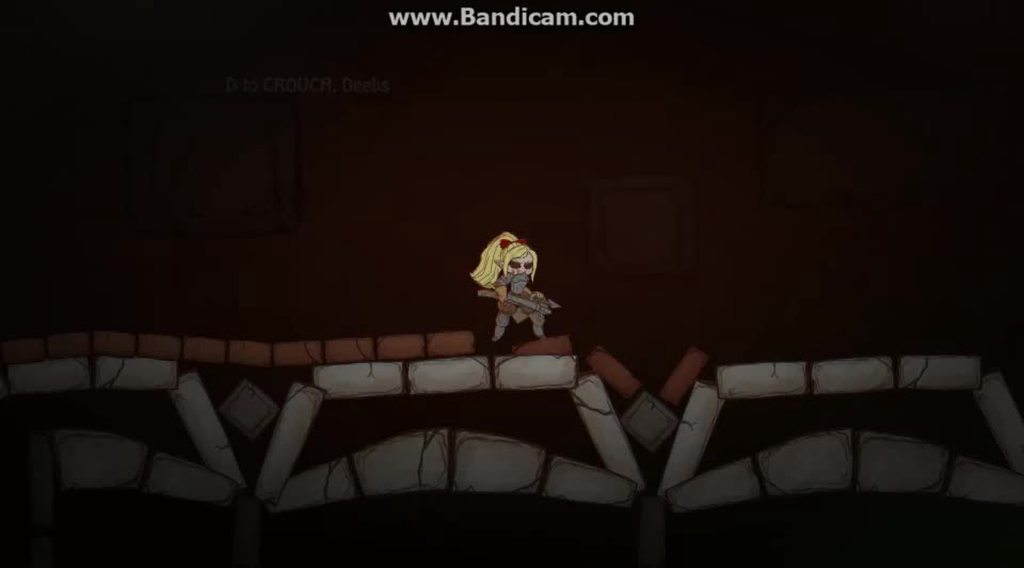 ocean horizon
Yeah, I don't doubt you're experiencing something but without a repro it's hard to help further.
coral mango
Yeah, that was just to explain what I meant
I'll need to figure out how to make an example
without mailing off the whole game:D
ocean horizon
Try isolating it. turn off animation, the simulated prop above etc
coral mango
Or I could send you the script being used?
ocean horizon
It's going to be hard to see what's going on from just a script. Need a simpler reproduction case really
coral mango
gotcha
ocean horizon
Doesn't look like it'd be that hard to reproduce. Reparent something with respect to another and have both bodies impact stuff. Not sure.
When it happens, have you paused it and inspected everything to ensure that the hierarchy is what you expect etc?
coral mango
Yes.
And that video is actually more dramatic of an example than I usually see.
And all I actually do in the script is rb.isKinematic = true; GetComponent<Collider2D>().enabled=false; transform.SetParent(hit.gameObject.transform);
Is that the correct way to do it, or is there something else I should be doing there?
I'll try to put together a proper example scene
ocean horizon
Note: rb.isKinematic is obsolete, you should use rb.bodyType
not sure why the collider is disabled or what collider that actually is attached to.
This is why you need a reproduction case; too many questions and unknowns
Can spend hours typing when a reproduction case makes it clear.
Understand that can be difficult sometimes though. 😦
coral mango
Right. The disabled collider is the one on the arrowhead. I disable the arrowhead collider so that built up arrows don't block other things from colliding before the arrow despawns.
And I totally understand that!
So rb.bodyType = kinematic would be the correct way to do that?
ocean horizon
Is there a reason why you need to have a kinematic body at all on the child?
Why can't it just be visual? I presume this is the arrow?
coral mango
It falls off before it despawns, as a normal physics object
ocean horizon
you could just turn off the simulation for it which is super quick; far quicker than changing the body type
then turn it back on when you want it to react again
again, there's a bunch of mechanics I'm probably missing so..
coral mango
That sounds completely reasonable.
I've only spent about a month and a half on learning unity and I am very open to learning 'the right way' to do this stuff.
ocean horizon
it's actually very quick to do it too. all physics objects are left in-place; they just go dormant (joints, bodies, colliders etc)
far faster than enabling/disabling the whole GO etc
coral mango
A lot of this is literally throwing stuff together and(in this case literally) seeing what sticks.
Have an example of how to do it correctly?
ocean horizon
Understand. We're all learning something sir.
Okay so I have a GitHub test project that demonstrates a lot of things in Unity 2D physics: https://github.com/MelvMay-Unity/UnityPhysics2D

GitHub
Examples of various Unity 2D Physics components and features. - MelvMay-Unity/UnityPhysics2D
Load-up this scene: https://github.com/MelvMay-Unity/UnityPhysics2D/blob/master/Assets/Scenes/Rigidbody/Rigidbody2D_Simulated.unity
GitHub
Examples of various Unity 2D Physics components and features. - MelvMay-Unity/UnityPhysics2D
coral mango
cool, I'll check that out.
ocean horizon
But it's just setting that property above to true/false. Nothing else is required.
You don't get any movement from the body, the colliders don't contact anything and joints stop working.
coral mango
So when you say turn off simulation, you mean Rigidbody2D.simulated?
ocean horizon
Yes
coral mango
I'll try that.
ocean horizon
You can do it via script and it's also in the inspector on the Rigidbody2D
coral mango
Most importantly, I can presumably do it from the animator?
(It is always slightly distressing when I find a property that can't be animated, like the scale of a orthographic camera)
ocean horizon
You can animated it AFAIK but like anything physics, don't animate it too frequently. When you turn it on it has practically no performance impact. When you turn it off, it has a little overhead but that's only destroying any contacts on any attached colliders. It is a very small impact so not something to worry about but just be aware off.
I'd need to check if it's excluded in the source. 1 sec
Yep, it's animatable.
coral mango
I'm more of an animator than a programmer, so I've been increasingly using the animator to drive behavior. Which USUALLY works, until it suddenly doesn't 😄
ocean horizon
btw: regarding your IK question above; can you post that on the 2D forums and I'll direct the 2D devs to it.
coral mango
Sure
Ah, so one problem. It seems that setting the physics to not be simulated also causes the colliders attached to the arrow to not function
I'm strongly considering just making the arrows not stick to dynamic rigidbodies
ocean horizon
Yes, as I said that's what it's for.
coral mango
Is there a way to stop simulating the rigidbody but still have its colliders act as colliders(like any non-rigidbody with a collider)?
ocean horizon
That doesn't really make sense. What should the colliders actually do if the body stops simulating?
If the block is rhe parent and the arrows are the children then when you make them children you can always just remove the rigidbody on the arrow. Then the arrow collider(s) attach to the parent "block" rigidbody
colliders always attached to a rigidbody on the same GO but if one's not there then they connect to the nearest one in the parent hierarchy
coral mango
Though I think that biggest thing I've learned from all this: next time use bullets. 😄
All hitscan all the time
Thanks for all the help!
ocean horizon
You're welcome. Post me that link on 2D IK when you get a chance and I'll ask a 2D dev to reply.
torpid prism
Hi i have created a physics based character controller in VR, now i want to add a rope that will behave something similar to how spider man swings between buildings. Is it necessary to attach rigid bodies to the hands controllers or is there a way around it ?
flint tendon
Hi, does Gimbal Lock exist in 2D or it's just for 3D ?
 hollow echo
If your rotations are in 2D then it's represented by one number and you cannot get gimbal lock
hollow echo
Documentation
Physics Manual: https://docs.unity3d.com/Manual/PhysicsSection.html
Unity Physics (ECS): https://docs.unity3d.com/Packages/com.unity.physics@latest/index.html
Havok Physics (ECS): https://docs.unity3d.com/Packages/com.havok.physics@latest
Github
Physics 2D Examples: https://github.com/MelvMay-Unity/UnityPhysics2D
Youtube
Overview Of Havok Physics: https://www.youtube.com/watch?v=Uv7DWq6KFbk
Debugging Physics Messages
https://help.vertx.xyz/?page=programming/physics-messages
Collision Action Matrix
https://help.vertx.xyz/?page=info/collision-matrix
flint tendon
@hollow echo thanks a lot 🙂
 karmic parrot
Hi, guys, not sure if im writing into a correct channel, but hopefully someone will be able to help me out. Is there any way to get mesh colliders to work with ontriggerenter function? problem is that it hits multiple times on trigger enter and on trigger exit, even though im moving the mesh collider object inside of a trigger area. If i change the collider to box collider, there is no issue.
the hack of setting bool to true when entered and false when left didn't work
flint tendon
@karmic parrot Hi, perhaps add rigidbody and change "collision detection" option
karmic parrot
the mesh collider object already has a rigidbody
and as i was saying, if I change the collider from mesh to box, it works just fine
 drifting wind
@karmic parrot You should simply be able to add the MeshCollider, toggle the isTrigger option to true, and add a Rigidbody. Then attach your script to the MeshCollider and you should be able to use those OnTriggerEnter / OnTriggerExit methods.
If you're still having some trouble, take a screenshot showing the inspector of your object with the MeshCollider.
karmic parrot
I don't want that object to be a trigger. I want it to do something when I enter into a box collider, which is a trigger, area
Unity is the ultimate game development platform. Use Unity to build high-quality 3D and 2D games, deploy them across mobile, desktop, VR/AR, consoles or the Web, and connect with loyal and enthusiastic players and customers.
here, this question sums up my problem perfectly
and that hacky way of a response did not fix it for me
and as this question is from 2016, i thought that maybe there is a better solution in 2019?
sly violet
@karmic parrot : That's weird. Can you describe what you're doing and the behavior you're experiencing in more detail? Things I want to know:
Is the trigger moving? If so, by what API calls?
What API calls are moving the mesh's rigidbody?
What exactly is the sequence of Event method calls you're receiving, by frame?
...
Checking over the "hacks" you linked to, they're not very robust. You might try having an "inTrigger/triggerDetected" flag set if we can't work out anything else:
void FixedUpdate() {
    inTrigger = triggerDetected;
    triggerDetected = false;
}
void CheckInTrigger() {
    triggerDetected = true;
    if (!inTrigger) {
        inTrigger = true;
        DoSomething();
    }
}
void OnTriggerEnter() { CheckInTrigger(); }
void OnTriggerStay() { CheckInTrigger(); }```
This works by not assuming anything beyond the notion that at least one Enter or Stay will happen every frame that you're in the trigger.An entire FixedTimestep would have to pass without any call to OnTriggerEnter or OnTriggerStay before "DoSomething" could be called again.
flint tendon
Hi, I'm using Quaternion.LookRotation in 2D. I want red form track to my character rotating along Z axis (in an x,y plane) . But I've an unespected rotation as you can see on the second image with a 3D view when I launch game. So what the matter please ? thanks
sly violet
I wouldn't bother with LookRotation in 2d. Try
transform.up = direction;```
Or transform.left, or whichever direction the sprite is supposed to be facing.@sly violet thanks. I'm try it
@sly violet I don't understand very well your answer, so I can't apply it well 😦
sly violet
@flint tendon : Just replace "transform.rotation={Quaternion}" with "transform.{direction}={vector}"
A Sprite's "forward" direction is straight towards the screen, so the various "look" functions don't work well with them (as they point "forward").
But you can point their up, down, left, or right in 2d space by simply setting transform.up = MyVector2 (for example).
flint tendon
@sly violet Ok thanks a lot, that's works very well. Going to study and understand this code now ^^
flint tendon
@sly violet I can understand an expression like this : m_Rigidbody.velocity = transform.right * m_Speed; (in Unity manual exemple). But in transform.up = direction, my brain sucks .. can you explain me please ?
sly violet
So, transform.up returns a normalized vector that points "up" from the position of its GameObject. That's how you use it when you're reading it. But you can also set it, in which case it rotates the GameObject such that the direction "up" from that GameObject is in the direction of the vector you provided to it. (Note that the vector you provide doesn't have to be normalized - which BTW means having a length of 1.)
So if you have a vector, and you want a GameObject to point a given direction along the length of that vector, setting transform.up (or .down or .left or .right or .forward or .back) is really the shortest way to do it.
flint tendon
@sly violet perfect, thank you very much 🙂
 winter bluff
Can someone help me with making my character jump?
winter bluff
3d I'm new to Unity I'll explain in more detail
I want to make some kind of parkore game where in you are a ball. I have it right now so the ball can move around and the camera follows it.
sly violet
What API calls are you using to move the ball? AddForce, AddTorque, position=, MovePosition, CharacterController, something else?
Also, are you playing a hamster? Sounds cool. 😎
winter bluff
Add force to move forward/back add velocety to move left/right. Add torque to rotate the ball left/right. I have a jump function but it just adds a force and you can just hold the space bar and go for ever.
Is there a way that I can say after the ball leaves the ground that the jump force is disabled?
I'm in C#
Also I guess it could be a hamster that would be funny
sly violet
Yeah, there's a few different approaches that will work.
Perhaps the easiest is to just use a raycast down and see if there's a collider directly beneath the player a short distance.
sly violet
Something like
if (Physics.Raycast(MyBall.position, Vector3.down, BallRadius + 0.1f) Jump();```In this case you probably just need a short raycast that merely determines if there's anything there at all. There's a pile of tools if you need them, though; you can specify exactly what Layers are detected, whether triggers count, you can collect one or more hits to find out what's there, and so on.
winter bluff
Thank you. I will try it out
flint tendon
@sly violet BTW == by the way ?
no no, it's in your answer. I'm not anglophone. What BTW does it mean ?
== was a syntaxic joke
sly violet
Ohhhh sorry. Yeah BTW is short for "by the way".
flint tendon
ahahah 🙂 thx
sly violet
...I deleted my dumb response, lol.
flint tendon
too late, I've screeshoted it !!
winter bluff
Pyrian thank you so much that was a lot easier than I thought and it works really well.
stuck bay
everyone, hi!
I have some strange problem with hingejoint`s2d:
https://media.giphy.com/media/UUtpSZjYy61YZsddNb/giphy.gif
How you can see object rotate outside of the preferred area... and i dunno what i did wrong. Can somebody help me pls?
 hollow echo
@stuck bay as I said in #💻┃unity-talk
Never mess with physics via the transform inspector
Is this actually a problem when you rotate via physics forces?
stuck bay
@hollow echo I have the same problem, when i leave body of my character as ragdoll... so there is problem
My character fall on the ground and behave wrong
but in this moment only colliders, rigidbody`s and hingejoints work on it
ocean horizon
Modifying the Transform in the inspector is just instantly changing the pose, it cannot be constrained by physics. Outside of doing this, if you're seeing it go out of constraint limits and you're sure you're not directly setting positions/rotations on transform then it might be the gizmo issue on HingeJoint2D. This was fixed here: https://issuetracker.unity3d.com/issues/hingejoint2d-angle-limits-are-not-respected-when-connected-objects-rotation-is-not-0
How to reproduce: 1. Open the attached project ("HingeJointBug") 2. Enter the Play Mode Expected result: both Hinge Joints move in t...
stuck bay
@ocean horizon I using unity 2018.4.9f1 do this means i have no chance to work with it?
ocean horizon
The gizmo is being drawn wrong in that version, There's only so many backports we do and are allowed depending on severity.
Might want to try using the later version to verify this is indeed the issue
stuck bay
Okay... i`ll try! Thanks. In my gif its looks really like wrong gizmo drawning
ocean horizon
I can investigate the possibility of backporting to LTS but the rules are much stricter there.
Although this fix is trivial.
stuck bay
This looks too critical from my point like for LTS...
ocean horizon
@stuck bay Good news, I can backport this to 2018.4. I've got a PR up and running on the build farm and QA will test it on Monday. No idea which 2018.4 as it depends when it lands.
stuck bay
@ocean horizon Looks like it really fixed my problem, after i migrated to unity 2019.2.5f1!
You are life saver! However we always need all fixes in LTS version, cause we waiting rock stability from it, when we using it besides last versions. Thanks again!
ocean horizon
This isn't a stability issue though, it doesn't affect the joint. If all bug-fixes were always pushed back to LTS then it wouldn't be stable. Many factors determine whether it's allowed or not.
This fix however is so trivial and is completely isolated from everything else so it was deemed safe enough but needs a QA pass to check
LTS is taken very seriously so it must pass the measure. 🙂
stuck bay
Also i think configuring limits on joint`s will be much easier, if we will see how actually object will be rotated or looked on edge of position... hm-m
 full heron
Does anybody know how I could go about simulating cloth physics? It doesn't need to be too realistic, but I need it to respond to colliders other than sphere and capsule colliders, unlike the built-in cloth component
 last fulcrum
I am having... the most difficulty. With the simplest physics equations.
It is genuinely stunning what I have managed to fail into.
Here's the sitch: I'm playing ping pong. I want my enemy to intercept the ball.
Along the X axis, sliding along their side of the table.
So you think, okay, this'll take me five seconds.
- Calculate the distance along the z axis (forward to the table) from the paddle to the ball.
- Divide that by the ball's z velocity (
distance/speed = time) to get the length of time the ball will take to travel to the paddle. - Multiply the time value by the ball's (unchanging) x velocity, add the ball's current x position(
x0 + vt + at = x1, no acceleration along this axis)), and you have where, on the x axis, the ball will be by the time it hits the paddle
Awesome. So you have your game plan, and you feel a little confident. Nay, cocky even. And you get your enemy position, ball position, and ball velocity relative to the table, and you verify that all the values are correct, and you're going this is gonna be easy peasy.
Little do you know, you're in for the most nightmarishly boring two hours of your life.
This is literally all the code you write, and it doesn't work:
Vector3 targetPos = Vector3.zero;
...
// NOTE: This gameObject has no rotation, its x and y local positions are zeroed out, and its parent is the table.
void UpdatePaddlePosition(Vector3 globalBallPos, Vector3 ballVel)
{
    Vector3 localizedBallPos = table.InverseTransformPoint(globalBallPos);
    Vector3 localizedBallVel = table.InverseTransformDirection(ballVel);

    if (localizedBallVel.z > 0 && localizedBallPos.z < transform.localPosition.z) // The ball's coming towards us and hasn't passed us
    {
        float zDist = transform.localPosition.z - localizedBallPos.z;
        float t = zDist / localizedBallVel.z;
        targetPos.x = localizedBallPos.x + (localizedBallVel.x * t);
        targetPos.y = 1.1f;
        paddle.localPosition = targetPos;
    }
}
...
Okay, and this is where it gets real good
You write an entire discord post in the OFFICIAL unity server, in the second person, no less, only to realize while typing it, that in your code, you left a stray "minus" sign which flipped the ball's velocity to be negative, ruining the entire computation!
It was just a typo, the entire time.
warning: this is now a cautionary tale about hubris, and you don't have to read all of the above
sly violet
Heh. I took one look at how you set the zDist and got the heebie jeebies.
last fulcrum
Yep. That's where it was.
I'll only be computing this while the ball is traveling a certain direction, so I figured "I can hack it!"
I could not.
 gilded sparrow
Hi guys. I'm not really sure what's the deal with Unity PhysX, UnityPhysics, and HavokPhysics.
They're 3 different things, right?
Is UnityPhysics reliable enough?
I'm making a 2D sidescroller networked, thinking how best to organize the net data, which Physics to use or even just use custom
hollow echo
If you're not using ECS you only have PhysX (edit: 2D has Box2D)
if you're using ECS you only have Unity Physics right now
Havok will be out at some point "later this summer"
Whatever that means. I'm gonna start saying that and people will just have to figure out which hemisphere I'm talking about
gilded sparrow
Hmm ok. For 2D sidescroller, neither of the 3 applies?
Im considering making custom physics for this 2D, just utilize Raycast2D and they're all kinematics kinda thing
torpid prism
Hi, have anyone else seen abnormal disconnects for configurable joints ? All the spring values are disabled (0) , but it will sometimes appear as if its disconnecting. Also the centre of mass of the rigid body was manually changed.
sly violet
What do spring values have to do with disconnects?
Anyway, "hard" joints aren't that hard, especially strong forces in general and kinematics/animations in particular can force them apart, in much the same way that a kinematic or animated collider can potentially push a rigidbody right through another collider.
lapis plaza
Limited License. Subject to the terms and conditions of this Agreement, and payment of the appropriate license fees (if any), Microsoft hereby grants to Licensee a nonexclusive, non-transferable, internal, limited license to evaluate the Product at Licensee's premises only. The Product is provided for internal evaluation, demonstration, prototyping, testing, and/or proof of concept purposes only; no commercial product development work is authorized under this Agreement, whether such developed software is used internally or distributed to end users.
hollow echo
Do you have time to have a play?
lapis plaza
yes
so, it's going to remain free for Unity Personal and Unity Plus apparently
wonder what kind of price point they have for Unity Pro on asset store sub
also, they are putting asset subs on asset store??
I guess it's a thing now then
hollow echo
apparently so
lapis plaza
it's curious tho that if it's going to stay free for Personal/Plus, why don't they let us use it commercially yet
could be just a limitation on early versions I guess
hollow echo
Speculating at this point probably doesn't have much of a point 😛
lapis plaza
# Havok Physics for Unity

Havok Physics offers the fastest, most robust collision detection and physical simulation technology available, which is why it has become the gold standard within the games industry and has been used by more than half of the top selling titles this console generation.

This package brings the power of Havok Physics to Unity's DOTS framework. It builds on top of the [Unity.Physics](https://docs.unity3d.com/Packages/com.unity.physics@latest) package, the C# physics engine written for DOTS by Unity and Havok.```## Features
This package provides a closed source physics simulation backend, using the same Havok Physics engine that powers many industry leading AAA games. This implemention shares the same input and output data formats as Unity.Physics, which means that you can simply swap the simulation backend at any time, without needing to change any of your existing physics assets or code.
Compared to the standard Unity.Physics simulation, Havok.Physics offers:
* Higher **simulation performance** : Havok Physics is a stateful engine, which makes it more performant than Unity.Physics for scenes with significant numbers of rigid bodies, due to automatic sleeping of inactive rigid bodies and other advanced caching techniques (typically 2x or more faster).
* Higher **simulation quality** : Havok Physics is a mature engine which is robust to many use cases. In particular, it offers stable stacking and a solution for smoothing out contact points when rigid bodies slide quickly over each other (known as "welding").
* Deep **profiling and debugging** of physics simulations using the Havok "Visual Debugger" standalone application (available on Windows only).
Note that the simulation behavior will be similiar but not be identical to that of Unity.Physics, so if you have finely tuned your simulation you may need to re-tune it.
You can also opt into or out of additional features specific to this implementation to fine tune it further.```@hollow echo well, will definitely know more after Unite, trying to meet the Havok people there while I'm at there but they also got few physics sessions there
and they'll definitely promote this at keynote
## Roadmap

This first release is focused on ensuring the core simulation and interoperability with Unity.Physics works well.

What to expect in future versions:

* Optimizations to the per-frame synchronization of Havok Physics with the Unity.Physics world. This is currently a single threaded job which could become a bottleneck in some use cases. We expect to multithread and optimize it further.

* More options for trading rigid body quality vs performance. In particular we expect to add a super fast, low quality, type of rigid body designed for secondary effects with large numbers of dynamic objects - such as particle or debris systems that need to interact with the physics world.

* More options for trading joint quality vs performance. For example, an option to solve long chains of joints using a dedicated solver.

* Tools for creating physics assets. For example, a convex decomposition tool designed for producing optimized colliders from arbitrary meshes.```that low resolution brute force thing is interesting
I've thought about running these on sepearate scene at lesser solver frequency
 placid jewel
hey guys, I'm rather new to unity and I am having a bit of a problem with rigidbodies. I want to throw X objects into another one and have them sit there once they got their final position. I done the coding for that but the issue is that the bodies never stop moving and jittering
I tried iterating over the rigidbodies at hand and set their velocity and angularvelocity to zero when velocity magnitude is under 0.01
tried destroying the rigidbodies, tried sleeping them but the jitter doesn't stop
any suggestions?
put the check in a fixedupdate method but am not sure why the bodies keep moving
placid jewel
my solution for now is just to wait a bit and then destroy the rigidbody of the lower layers, helps a tad.
stuck bay
So you throw two objects into each other and once they collide they stop moving and nothing can change their position
or
you throw two objects into each other, they collide and after some time you set it so that they position remains stationary and nothing can change their position?
Or something else?
placid jewel
I kinda have one static object and I throw 500 objects into it and expect them to stop moving at some point
not keep jittering
I guess it's some sort of precision issue somewhere
think of coins falling into a box
stuck bay
You can give these objects a higher drag and they will stop moving faster
placid jewel
even with an angular and normal drag of 10 they keep jittering
hmm
this seemed to have worked somewhat
flint tendon
Hi, I'm using transform.right = direction to target the cube with the tank. But it rotate in one frame. How can I smooth it ? with quaternion.slerp ? Is there an other way ? thanks (2D)
stuck bay
@ocean horizon Hi again! Lets continue to speak about joints problem:
After i migrated my project from unity 2018.4.9f1 to 2019.2.5f1 i detected that now joints really trying to be in limited angle BUT: angle can be outside of this limited range and THEN slowly trying to return to limited range... so its looks like:
https://media.giphy.com/media/WQ0Fd6GLxNUcKc0Lon/giphy.gif

and problem is what ragdoll character falling on ground starting with normal angles... but in process some of body parts can take wrong angle and then slowly return, which looks really wrong. Is it our configuration fault or what?
Looks like joints have some rotation power...
uneven shore
I have a 2d circle character with rigidbody2d component. When I move and jump, sometimes the character(circle) can rotate, and that's fine.
I created a script so that when the character is on the ground and idle, it will rotate back over time.
However, it seems I'm sometimes "stuck" in a rotation; stuck as in I can't seem to rotate the character back.
When that stuck state is happening, I can't rotate the character back no matter what. I even tried disabling the script, pausing the game, rotating the character (which works), and then resuming play, which then makes the character rotate back.
I think it has something to do with the rigidbody2d. Anyone has any idea?
 fallow gorge
@lapis plaza is that on regular staging now?
ocean horizon
@stuck bay It's impossible to tell you what's wrong from any image. In the end, if you think it's a bug, submit a bug case and send it to me or just send me a test repro and I can look at it. In the end, all Box2D joints are soft and can break constraints depending on the forces involved. You are free to increase the number of solver iterations and not just use the defaults to give more time to the solver to produce a solution. This is much more important as the complexity of the simulation goes up.
lapis plaza
@fallow gorge regular
havent seen new packages on staging registry in a long time
I guess they got too popular and now they do private testing instead
@fallow gorge just to be clear, it doesnt automatically show on PM, you have to add the package name and version manually to your manifest
sly violet
@placid jewel "I kinda have one static object and I throw 500 objects into it and expect them to stop moving at some point"
Once you get more than a few objects stacked on one another, the physics system has issues resolving them.
placid jewel
yeah I figured that. have a few workarounds by removing the collider from the bottom objects since I don't expect them to move anymore
flint tendon
Hi, does someone know how to find alpha angle red in Quaternion format please ?
frigid pier
@flint tendon Always look at the helper functions first in type classes in docs https://docs.unity3d.com/ScriptReference/Quaternion.FromToRotation.html
flint tendon
@frigid pier thanks a lot, I've searched all my afternoon ^^
fallow gorge
oh i was a fool and using com.unity.havok.physics instead of com.havok.physics
Unity Pro : Havok Physics subscription required, available from the Unity Asset Store for $20 per seat per month @lapis plaza seems very reasonable to me, from the havok package docs
fallow gorge
hohum my main camera stops rendering when i install the havok package
lapis plaza
@fallow gorge yes, that was on the package description as well
edit: oh wait there's a price there
also, you mean you don't get rendering in editor or in the build?
I noticed that you get just white screen on the actual build if you have havok-package installed
I dunno if it's some protection for current trial or something else
what is interesting is that they said the sub will be on asset store itself
there hasn't been subscription services on the asset store before
and I'm afraid if they make it public service for all, more asset devs will go for it, which I'd totally hate to see myself
it only makes sense if we talk about really high cost things, but soon we might see regular $50 assets selling $5/mo subs instead
also wonder what kind of terms will they put there for min sub period :p
coral mango
Not many people have the bargaining position that microsoft has
lapis plaza
because I could imagine that if you ship a game using Unity Plus terms initially and then need to update it while on Pro, you wouldn't really need it for more than one month at a time
surely they can't expect you to keep the sub running as long as the game is on sale etc
usually these tools pricing only applies while you dev
coral mango
can't? eh?
lapis plaza
if it's a sub
well, I guess they can but it would be silly
even Unity doesn't do that
if your revenues are over 200k and you don't need to use editor anymore, you don't have to go for Unity Pro
coral mango
I mean, look at what just happened with Adobe's licensing for some technonolgies running out and suddenly they're freaking out and sending letters at people still using software with it in.
lapis plaza
that's quite different
and Adobe's stuff was totally bonkers
threatening users who actaully paid for the tool access
they totally screwed that one up
they should have just patched the offending audio license out from the old version and everyone would have been happy
nobody even used that part
@fallow gorge in addition to white screen in build, if you read my earlier comments, they also don't allow use in commercial applications yet
fallow gorge
seems more like a bug, just editor usage now but the sky is the only thing that renders either game or scene view
lapis plaza
could be totally intentional as I could imagine they don't want bad press for Havok in published game when the integration is in early preview
fallow gorge
well the ui renders over it
lapis plaza
oh, so you don't get issues on the build itself but also on editor?
yeah, I didn't get issues on editor but I also didn't actually use the package either, only imported it and build was outputting white screen 😄
fallow gorge
i havent tested build yet, working from a feeble surface pro, i also get other dots errors on doing a build so i havent tried that in a while
lapis plaza
I've actually been able to build somewhat recent Unity Physics with Entities just fine on IL2CPP even
I noticed that some people are having issues with that combo
so I guess it depends a lot on what you do with it, my usage is pretty plain and simple
fallow gorge
not physics per se but with rendering on a build rendermeshes get placed at 0,0,0 - reproduced by the bug report team so im thankful its not just me
lapis plaza
hmmmm, not sure if I saw that either
I recently removed all hybrid rendering but pretty sure it worked on build before it
hybrid just breaks with DXR and is pain to maintain with HDRP so just took it out for the time being
I somehow doubt they'll even sort the dxr support any time soon for it as it's developed in parallel and is totally experimental thing atm
will try to see if I find DOTS people at Unite to give some answers if that's on the table for 2019 LTS
fallow gorge
i believe it was 19.3b2 or b3 that had the position bug, wasnt present in 19.2
weird i get a missing namespace or type when using havok via package manager, prior i downloaded the package from bintray and plopped into the packages folder
Library\PackageCache\com.havok.physics@0.1.1-preview\Havok.Physics\HavokCollisionEventsJob.cs(48,43): error CS0246: The type or namespace name 'Velocity' could not be found (are you missing a using directive or an assembly reference?)
lapis plaza
@fallow gorge make sure you have matching Unity Physics package
it requires the very latest one
fallow gorge
ah thanks, had rolled it back
lapis plaza
unityphysics
there's only one package for havok, no?
as a side note, can only imagine the pain Havok has while trying to maintain these two package APIs together
you'd think there would be some feats that straight up suffer for being tied to same mold
fallow gorge
my only issue was i tried it earlier and the camera was messed up but this was via pasting the archive directly into the packages folder from bintray. i guess it shouldnt make a difference but i was getting an hdrp warning about something but maybe it was significant as the camera wasnt properly rendering any gameobjects, only unity ui objects, even when making a new empty scene
yeah camera still not working but ui shows. did you have it working in editor run mode?
with the gameview?
lapis plaza
ah, I didn't really enable it from the physics manager even when I tried, so can't tell anymore
I just had it listed on packages and it was enough to ruin the build itself
or it built fine but didn't render in build anymore
didn't have time to investigate it further
fallow gorge
it doesnt even render from the mini scene view gizmo you get if you have the camera component expanded
fallow gorge
i hope that if this isnt a bug, that its just some precursor package thing for unite, that the real thing isnt locked down in this way
 unborn narwhal
hello, has anyone used the new Unity.Physics libraries? I'm trying to just make a cube fall, yet can't even do that. 😭 I've put just about every new physics componant there is on the thing.
lapis plaza
@unborn narwhal you need to use the conversion scripts for it
just grab https://github.com/Unity-Technologies/EntityComponentSystemSamples and run the UnityPhysicsSamples -project from it
it has plenty of examples
unborn narwhal
thanks
lapis plaza
but in the nutshell, you need to use ConvertToEntity for physics objects and also if you want to control the physics parameters, you need to have Physics Step component on the scene
@fallow gorge btw, I just tried Havok with those physics samples (just swapped it to use havok instead), it does render for me on the build so no idea what was going on with HDRP (I tested physics sample with 2019.3 and URP now)
unborn narwhal
Finaly ended up working with Hybrid Renderer installed. How come it isn't part of the Unity.Physics package dependancy? Or am i missing another way of rendering the entities objects?
 brave hamlet
Is there any way I can make stuff collide with the inside of a collider? I'm trying to recreate electrons running through electrical wires. I'm using the particle system and a polygon collider for the wire.
 tiny wedge
wouldn't it be easier to use a collider around the wire instead ?
sly violet
The simple answer is "no, you can't do that", not directly, anyway. Polygon collider? So it's 2D? I think you'll need to make Edge colliders along the outsides of the wire.
brave hamlet
alright thanks
ocean horizon
@brave hamlet Creating your wires using EdgeCollider2D would seem best as indicated above. You could potentially do that procedurally by having verts for the wire then at runtime generating the edge collider edges at a certain radius away from that. Alternately you could continue using PolygonCollider2D but add a CompositeCollider2D set to Outline mode. Composites are generally use to "merge" multiple colliders together but you can use it here as Outline mode will uses edges identical to what's produced using the EdgeCollider2D. Edges don't have any inside and provide double-sided collisions.
coral mango
I noticed that sprite shape's automatic colliders are kinda terrible when used with open shapes; I've pretty much needed to draw them manually any time I didn't use a closed shape. Is there any way to make it not assume that it is supposed to be a closed shape?
unborn narwhal
is there any way to freeze rotation of an object with the new physics? I've tried to just SetComponentData() on update with a constant rotation, but that doesn't work.
lapis plaza
@unborn narwhal you can use Unity Physics without rendering, hence hybrid not needed
This is actually what I do myself atm
Do note that conversion workflow exists also beyond hybrid renderer
 granite vapor
Yo guys very new to unity and I think this is the best place to ask this, basically im using a raycast2d to register the max Y and min Y, right now the ray hits a static object but in the future these colliders will be moved based on the difficulty. This way i can change the limits on the fly by a simple func call. Anyway the problem is that it's used on a tilemap collider and the hit.point.y returns the y at the center of the tile. This can be worked around by adding or subtracting the scale of the tile but i was wondering if there was a better way to get edge coordinate of a tile
torpid prism
can i ask here questions about the new ECS physics or is better suited for #archived-dots ?
torpid prism
is Havok physics a sperate thing ?
so there is the classic unity physics that is based on mono behaviours
then there is the new DOTS / ECS (?) physics
does it mean Havok is something else ?
fallow gorge
Unity physics for dots and havok physics are a collaboration between unity and havok
its a replacement for unity physics which is highernperf and has a stateful simulation
it also has a subscription price depending on if your unity license/revenue as an organization, if you are on free its free(this is just info ive gleaned from the docs so far)
torpid prism
so as long as i keep the unity splash screen i have to pay them 0 dollars ?
( im ok with that )
fallow gorge
you can find a little more info in the docs but ithink its tied to the same restriction unity personal is, ie the revenue being under a certain number rather than the splash screen specifically
im sure there will be an official anouncement very soon
torpid prism
i understand, thanks for the info
lapis plaza
@fallow gorge @torpid prism unity petsonal and plus get free havok physics
Pro users pay 20/seat per month
It was also verified on todays havok session at unite
Here is a really unsharp shot
Also one from unity physics session
torpid prism
@lapis plaza is that all already available on github ?
lapis plaza
No unless you mean the sample project
But both havok and dots physics packages are available as package manager packages
torpid prism
so havok is not dots physics after all ?
( still going thought ecs, gonna just into dots physics after )
lapis plaza
It uses same api
I mean the integration is using dots, but havok solvers use closed source proprietary tech
I'd expect that to be manual simd c++ stuff under the hood
 fiery lion
Does a lightning bolt require a nearly 1:1 ratio between the amount of protons in the object it hits and the amount of electrons in the bolt itself?
Or is there a certain relative amount of protons to electrons that is required before an object could be considered a target for a bolt?
coral mango
Technically, it is the ground it is hitting. Whatever other objects it contacts along the way are just a shortcut for it.
fiery lion
After doing a bit more research and thought I’ve realized I’ll probably change that part up. Lightning isn’t attracted directly to any one object, i believe it’s just searching around until it’s lucky enough to come into contact with a positively charged object or something along those lines
Citation needed lol
sly violet
I don't even know where to start with this.
A negative charge is basically just a bunch of electrons hanging out, but a positive charge isn't just a bunch of protons hanging out. Most of the protons will be in larger nuclei, and there's plenty of electrons still there (if you actually manage to strip all the electrons, then there's no molecular bonds, and the substance would explode as plasma), just fewer than the total number of protons.
fiery lion
Ooh, I didn’t know that
I also just read that most of the electrons in a lightning bolt are expended in the process of ionizing the air to begin with, and that by the time the bolt makes contact with a cluster of protons there’s not much left
coral mango
@fiery lion Basically, think of lightning like it casting out raycasts to try and find the best path. The first step is to send out lots of little ionized paths through the air, trying to find the ground or a path to the ground. Then, when one of those paths finds a quick path to the ground(that is, something sticking out of the ground) all of the remaining feelers go away and everything is pumped down that path.
fiery lion
Yeah I knew that
What governs the direction the leaders move when they are emitted from the clouds to begin with?
sly violet
Some combination of relative charge and turbulence/chaos. Last I checked, we didn't yet have a really good model for how they work.
fiery lion
Oh, that changes everything. What’s relative charge?
 serene jolt
Just re-posting this here, so basically my issue is when making the player jump by hitting space he only jumps sometimes. It's probably an issue with resetting the y vector too 0 when touching the ground but I'd like some help to see if anyone knows a possible fix
https://pastebin.com/261ueuqG
As a note, it only affects the player when they're not moving, if they move the jumping is fine

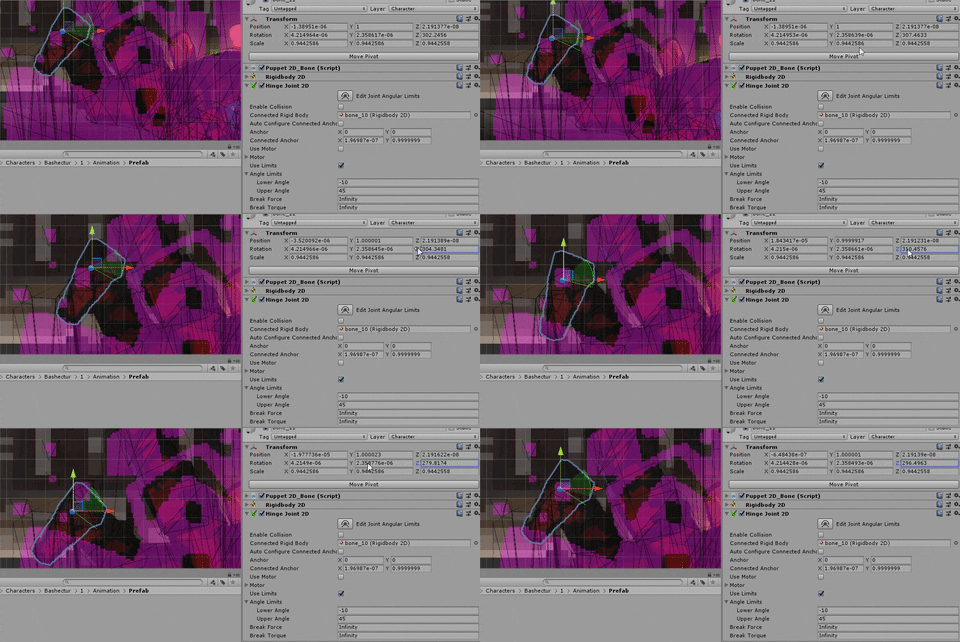
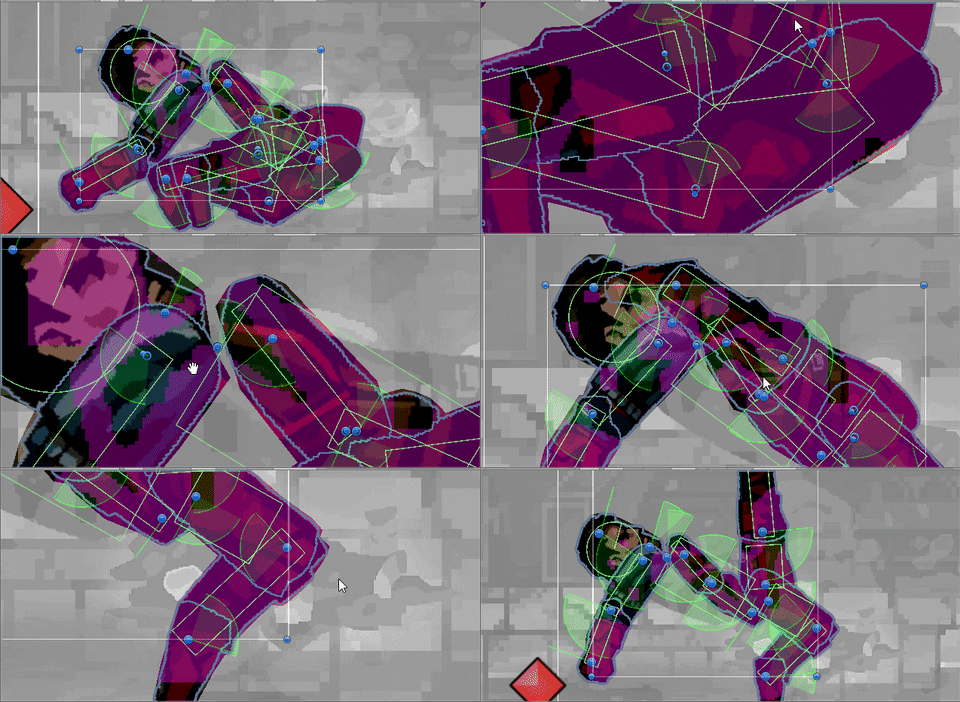 stuck bay
Hello, does anyone know what I can do to calculate the needed angle I need to fire at in order to hit a specific vector3 location? I am making a spear throwing type thing for context (Preferably the method would be hilly terrain compatible)
fiery lion
I’m not sure how to actually calculate this, but if you wanted it to be compatible with hilly terrain you could probably make it essentially say “abstract a 2D circle at the center point between me and my target, where one edge is touching me and the opposite edge is touching the target”
Then have it start with an extremely short circle (not width, height) and check to see if it intersects with terrain, constantly increasing the height until it no longer intersects, then finally throw the spear along the upper half of that circle
I’m pretty new to a lot of this physics programming stuff, so I’m not exactly sure if that’s the correct way to go about that. Sound good to me though
 random basin
@fiery lion If I understood correctly what you are saying, this means that you deform the circle (keep witdth so it always go through player and target) by increasing height. But wouldn't doing so always have the same angle to throw the spear (Vector up I guess) ?
stuck bay
@stuck bay
I'm guessing that the spear has Rigidbody, and gravity affects it?
fiery lion
@random basin no? The spear would follow the circle, so if the circle gets taller then the spear would go higher, therefore different angle
coral mango
Detailed explanation of 3d math needed to solve video game ballistic trajectories.
stuck bay
Yes @stuck bay
Then you can quite happily use equations for diagonal throw(trajectory formulas)
You know the starting position, end positon, mass, gravity
That way you can change the velocity so that the angle would change with it too
Higher velocity would mean lower angle
If that's what you want
 blissful shore
@serene jolt - It looks like you're constantly moving the player down, even when grounded, the old CharacterController is notorious for getting stuck at weird velocities.
I suggest you try not applying gravity when grounded. That's how I and a lot of others have solved this sort of issue with platformers in the past
coral mango
Is there a good/correct/not insane way to apply physics2d joints to an animated object, to have wobbly bits and the like?
serene jolt
Any suggestions on how to do that? Sorry I’m still learning allot of unity’s coding featuresp
stuck bay
I may be misunderstanding, @stuck bay but my velocity when I throw is always going to be the same
And that's fine, I was just saying that if you want to change it then you could do it
 mint dock
So I've combed through the Unity docs and still need more info.
I'm making a hockey game and am trying to sort how to set up the player.
Using a capsul w/ rigidbody 3d and moving with addforce and torque.
How would I add a stick to the player? one that I want to be able to move for shots?
It seems to throw the whole physics of the player off if I make is a child object.
Also, I'm trying to sort puck physics. I'd like it to simulate a real puck, flying, spinning, sliding, and flipping.
I've tried a custom mesh, multiple boxes etc. But it still glitches through any stick I try to make.
Anybody have a great source on 'best practices' when it comes to a more complex physics character etc?
blissful shore
@serene jolt - What I recommend trying is this:
Make the gravity/y-motion calculation only on the else branch of your ground check, because this line: moveDirection.y = moveDirection.y + (gravityScale * Physics.gravity.y * Time.deltaTime); is still applying gravity every update, even if moveDirection.y is zeroed from being grounded.
 chrome sandal
Hello, how can i detect collision at dots physics package?
I found ray cast on google , ok i can do it with ray cast but is there any other way?
coral mango
So I had a kinda weird idea. I've seen people use colors as motion vectors for various stuff, would I be able to, say, sample a color image and apply whatever vector color at a given point to whatever 2d rigidbody is there as a force?
gilded sparrow
Yes can
It can be used like, a "atmosphere grid" determining their particle air flow. Then each pixel coordinate will affect world coords rb2d with that value
But i would try 2d of that first bcoz 3d means u gotta have a 3d texture and thats kinda heavy(like to update realtime) and harder to see
coral mango
It would be a 2d texture, yes.
gilded sparrow
Its an effort i had long time ago and i did use rb2ds as each air/water vapor particle but looking back, i would use cpu particles with callbacks.
stuck bay
@stuck bay Do you have any other resources? This is a bit above my mathematical skill level
random basin
@stuck bay I'm affraid that you still need some ground mathematical skill if you want a balistic behavior. But i'm sure that if you read it carefully and do some googling for other tutorial about balistic, you would successfully implement it in your game
chrome sandal
Guys, do you have any idea about collision?
coral mango
Lots of ideas, but unless you have a specific question...?
chrome sandal
@coral mango me?
chrome sandal
how can i detect collision at dots physics package?
Or trigger enter
Nice i think this typing notification is my answer
coral mango
Ah, ok. Dots is something I haven't even looked at, but good luck!
stuck bay
@stuck bay
The distance that the projectile is going to travel equals [ (initial speed * initial speed) / gravity ] * sin(2 α)
Where α is the angle between velocity vector and the ground
What you want to do is convert the distance between vectors into a float, calculate the angle from that equation, rotate the projectile by that angle and change the local velocity of the projectile
random basin
@chrome sandal Try to ask in the entity-component-system topic
stuck bay
How would I be able to know the distance it will travel if I don't know the angle I am going to fire at?
random basin
@stuck bay From you question, you wanted to know how to compute the angle for a given point in space. So you can easily compute the distance between this point in space and your player
stuck bay
Yes but how? I am pretty sure the equation he posted would only help once I actually have the angle I need to fire
coral mango
@stuck bay did you look at the thing I linked earlier? it had the full sourcecode and stuff
stuck bay
Yeah I tried but I couldn't get it to work with what I am using it for
coral mango
ah well
stuck bay
@stuck bay
But you have to calculate the angle from that equation
That's the only thing in it that you don't know
I may be misunderstanding but the equation you posted calculates the distance the spear will travel right?
Yes
And from it you can get the angle
But the equation needs the angle to calculate the distance in the first place right?
What? No, you know the start point and end point which are Vectors 3
From them you calculate the distance
But you said [ (initial speed * initial speed) / gravity ] * sin(2 α) Where α is the angle between velocity vector and the ground
Yes, and?
You have the start point and end point, from them you calculate the distance
Then you put that value into that equation
You also know the speed
And the gravity
Therefore the only thing you don't know is the angle
But the equation I need to calculate the angle needs the angle?
stuck bay
No? Why would it
It's basically like 5 = 2 *x but more complex
I think we may be confusing eachother, what is the equation you are saying calculates the angle I need?
I didn't give you the equation that calculates the angle
I gave you the equation from which you can calculate the angle
fiery lion
I’m back with a lightning question because I feel like I’m reading/understanding two opposite things from different articles that can’t both be happening lol
When an electric field is charged with enough electricity (I.e. clouds for a lightning strike) do they generate stepped leaders that travel in every direction
Or does the electric field somehow know the general direction of an oppositely-charged field and all of its leaders attempt to go in that direction?
I understand how air ionization and stuff works and what role it plays in the seemingly-random shape of a bolt/leader. I just don’t understand if the leaders are all traveling in all directions out from the field, or if they’re already automatically drawn toward a possible target the moment they are formed
sly violet
My understanding is that it's a mix. They trend towards the opposite charge, but it's messy and chaotic.
coral mango
watch a high speed video of lightning- you can see the leaders in all directions
fiery lion
What makes the leaders inherently know to “trend” toward the opposite charge 🤔
@coral mango I’ve seen a few high speed videos and as far as I’ve seen they appear to all go relatively down to some extent
 lyric storm
I'm looking at my options for how to best do realistic physics for a wheeled vehicle along a predefined path, like a spline. I have a spline solution but I'm having trouble figuring out how to best do the realistic physics for the wheeled vehicles themselves. Any suggestions to try?
I'm not sure whether I should try writing my own physics for how it behaves when you accelerate and decelerate and when it collides or pulls things along the spline or if there's a good way to work WheelCollider or even DOTS physics into it. I'm also super new to any kind of physics so my mind kind of fries when I try to think of trying to roll my own.
 pliant niche
@fiery lion imagine a vector field... each successive point biasing the charge in that direction
if the air is your vector field then each point in the air is a particle with a charge.. the change in value of the charge from any one point to any other point becomes a direction vector with magnitude. Don't mistaken the real world with simulations.. leaders don't know to "trend" anywhere.. they just move where they need to... the trend is us as humans viewing and analyzing the result in someway that helps us simplify it for our minds.
Imagine a glass jar. Inside it is a vacuum. If you open it up, the gasses outside of the jar will fill it, that "trend" is just each particle reacting to every other particle (we can simplify that to each particle reacting to every other NEARBY particle). They move into the jar because the particles/gas outside of the jar is compressed moreso than that of what's inside of the jar (which is nothing)... the ones near the opening basically get pushed inside by the ones behind it.. and the ones behind those push on them and so on.. until it fills with the gas and the entire space is now UBER slightly lowered in pressure since a tiny part of it has filled the void that was once the jar.
Same goes for your lightning... but now imagine it with charge... aka electron affinity/flow. Rather than a jar being opened.. its more like the jar's lid getting thinner and thinner... until its so thin the gas wanting to get inside the jar just breaks through the lid because its pressure/force on said lid is stronger than the lid itself... Your force is the difference in charge... and the lid breaking is that electron jump (aka spark) add each spark to another and you get a "trend" of a leader... which naturally goes downward.. toward ground.
lyric storm
The self-rolled physics would probably be a sort of abstraction of calculating "real" physics, i.e. some formula to figure out with how much torque does it start to add speed to its movement along the spline given the mass that has to be moved or pulled.
coral mango
@fiery lion It is worth noting that the tip of the stepped leader does not sense the actual charges on the ground as it emerges from the cloud. Rather, as it moves out of the cloud, the stepped leader only senses charges within about 50 meters of the leader tip. As a result, the stepped leader and surges ahead in 50 meter segments based solely on the charges in the air immediate surrounding the tip. Each surge of the leader produces a small flash of light which can be detected by high speed cameras.
From NOAA.
fiery lion
I wonder if those 50 meters also match the size of the EMP (I think it’s an emp?) that ionizes the air 🤔
My god this website quantifies so much. You’ve just made my weekend @coral mango!
 mighty sluice
is there a way to get the linear and rotational force vectors that are acting on a rigid body at a given moment?
sly violet
I don't think so. You can derive the net from the change in velocities. That's not exactly the same thing, though - for instance, a rigidbody being squashed could be the same as one with no forces acting on it.
mighty sluice
aye
that's precisely the thing lol
i did find something very lucrative though: configurable joints measure some of these forces to determine when and if they break
coral mango
@mighty sluice oh? So can you read that?
mighty sluice
yep. it's currentForce and currentTorque
it even gives you the vector3 format so you can get axonal magnitude and direction
coral mango
neat
mighty sluice
#DeamComeTrue
im making complicated "senses" for a machine learning agent
and this works a treat
next up is equilibrioception
balance and g force type stuff....
mighty sluice
Here's the project im working on. Getting the body to behave with approximate 'spider physics' has been an unending adventure
mostly the unity physics is decent though
the major comprises made are over-writing the inertia and rotational tensors of the limbs
because configurable joints strung together create massive instabilities
making this spider's stability nothing short of miraculous
 analog leaf
looks realistic indeed
mighty sluice
the actual movements are still being "machine learned", and overall it is still very much a W.I.P, but im pretty happy with the actual physics aspect of the ragdoll
coral mango
Coool
flint tendon
Hi, I'm experiment Vector2.dot(). WOrking well, but I don't understand why result is 0.70 when I've got a 45° angle between my two vector2. For me it must be 0.5 no ? Thanks (my two vector are normalized with normalise(); )
hollow echo
@flint tendon Dot is not the normalised percentage between two directions, it's the length of the projection of one onto another.
flint tendon
@hollow echo thanks 🙂
quick tusk
so i was told i could create a 2d softbody like this
black are points with small coliders and rigidbodies
and red are springs
but id just end up with a flat pile
and no messing with values fixed it
This however, did work.
Now if i want to get more complex than a cube, i run into a bit of a problem.
this is a lot of springs
and it takes a hell of a long time to set up
now think about how many springs youd need for this
 mild hull
how should i approach creating a path for a boomerang where its origin (the players position) is dynamic? I've looked into bezier curves and updating position each frame with a parabolas. Should I consider unity physics? This is in a 2d space.
chrome sandal
hello, how can i simulate explosion force at dots physic, i need formula to calculate velocity of each entity.
ok i found that
lapis plaza
you can stick to triangle patterns
@quick tusk
but 4+ verts will never work for that type of thing
for the circle shape, you'd just have wedges from the middle to the outer side
quick tusk
I got something actually that works well
lapis plaza
this is how rigs of rods, beamng etc do it on 3D: https://imag.malavida.com/mvimgbig/download-fs/rigs-of-rods-6709-3.jpg

basically you'd have to first figure out which parts are mean to flex and what not, on the tire example, the center of the wheel is solid, so if you need that, you have to do the springs to the middle (as there the other side doesn't directly affect the opposing side), you can do them across the whole diameter too if you don't need the solid part in the middle
 timber prawn
I'm trying to make my spaceship hover at a set distance of 1m. Kind of bobs around when hovering, and flies upwards to begin with unless I disable the code until it touches the ground. Also behaves strangely at edge of the ground (flies off). How can I fix this? https://pastebin.com/jQSqajtX
lapis plaza
you need damping if you want to stabilize that
you can use regular spring equation for your force
this doesn't let you specifically set the hoverheight but you can tune it to be in the ballpark you want, right now you just use HoverHeight to limit the max range, not to set the actual hovering height
timber prawn
@lapis plaza sorry I'm new to Unity, what is the spring equation?
lapis plaza
that's not something unity specific but how physics work
you can read more about this on this archived page: http://vodacek.zvb.cz/archiv/683.html
but in the nutshell, just this part is fine: ```spring-damper system can be modeled as follows:
F = - kx - bv
Where x is the vector displacement of the end of the spring from it’s equilibrium position, and k is a constant describing the tightness of the spring. Larger values of k mean that the spring is tighter and will therefore stretch less per unit of force, smaller values mean the spring is looser and will stretch further.
Where b is the coefficient of damping and v is the relative velocity between the two points connected by the spring. Larger values for b increase the amount of damping so the object will come to rest more quickly.```
timber prawn
Is this like some sort of PID controller?
timber prawn
Okay thanks. Do you know of a way to fix the other issues too?
lapis plaza
no idea what issues you are referring to
timber prawn
If I don't disable my hover script at game start, the ship flies upwards for some reason
lapis plaza
is it overlapping some geometry at the beginning?
or is there other scripts giving forces to it?
timber prawn
only one with forces and no overlaps
lapis plaza
well, then look at the script that does do the forces
timber prawn
I sent it on the pastebin thing but I can't tell why it does it
 vital rover
Why is this tiny cube still being triggered both during OnMouseDown() (which is not in the script but was before) and with a manual raycast from screen at mouse position etc, even though its layer is ignoring raycasts and is clearly tinier than the blue cubes, the blues cubes are parented to the tiny cube and have colliders, and the tiny cube has a rigid body, is the rigid body adding a collider to children too?


dont mind my ugly color scheme, wip
Im trying to make these cubes collide (which they do) whilst attached to a parent that has the rigidbody to make it fall etc, I am then trying to find out when I have clicked the children object so I can do something with them, but every way ive tried i cannot get the result i need. I either am able to click them but no physics, or physics but cant click them I end up just clicking the tiny cube
im stumped beyond belief I have tried everything :/
Im off to bed ive been at this all night, if you know whats wrong or have a decent way of getting around this, DM me as ill most likely not find the ping in here lol
drifting wind
Hi everyone, can someone just confirm something for me? I'm currently calculating the velocity of an object in my scene. csharp var velocity = (oldPos - transform.position) / Time.deltaTime; Then I get the magnitude of that vector. Would that magnitude be the speed in m/s?
random basin
@drifting wind Unit in Unity is meter for world vector position, and Time.deltaTime is in second, so you have ([m] - [m])/[s] , so yes it is in m/s
drifting wind
@random basin Perfect, thank you very much. :)
 light temple
Hi, I have a character (rigidbody) you can move. It has an item attached to it, which you can move independently (rigidbody). Both need to be rigidbodies to correctly interact with physics. Parenting rigidbodies is a no-no, and joints are not the intended behaviour. Are there any other approaches to this?
I'll happily PayPal $10 to the person that leads me to a solution (if that's allowed)
 wheat verge
@light temple Solution for what problem exactly?