#⚛️┃physics
1 messages · Page 38 of 1
 ocean horizon
well, you can technically move physics bodies or some query purpose only duplicates temporarily in interpolated places for queries on Update in some cases
I don't follow.
 lapis plaza
I mean, you can temporarily have some colliders you trace against on regular Update that use the interpolated transform
to match the gameplay visuals
there was some specific use case for this but I haven't really been in situation where I'd really need it myself
ocean horizon
I still don't follow what you mean and why you're tell me that based upon what I said but it don't matter. 😃
lapis plaza
I mean, if player queries things on screen, assuming they are where they render and you use interpolation, your traces etc will not always hit where the player thinks they would
same with extrapolation too
imagine a 90Hz VR game with default 50Hz physics update rate for example (I wouldn't make VR game with lower physics update rate tho)
ocean horizon
Yes, that's really just stating what I said that transform != physics-pose-state when interpolation/extrapolation is used. Exactly.
If that's required then manually stepping per-frame can be done assuming that's acceptable.
Most of the time however, the difference is trivial unless you've got fast moving objects.
lapis plaza
sure, agree on that 😃
ocean horizon
The biggest issues I see in projects are when devs use transform.pos to base rb movement on
when it should obvs be rigidbody.pos when inter/extrapolation is used.
 tropic hamlet
Does anyone actually use extrapolate really? I mean, has it ever been useful?
ocean horizon
You'd need to do a poll. 😃
tropic hamlet
I'd need to do a poll but you can just leaf through editor analytics :D
lapis plaza
It has it's places
Interpolation will always lag one frame behind
Extrapolation tries to show the thing where it should be at that given time
ocean horizon
Note that Interpolation can be an arbitrary number of frames behind the actual physics pose.
lapis plaza
I mean rendered frame now, as interpolation technically shows the position in past
ocean horizon
Yes, that's what I mean too.
If there were 10 rendered frames between each fixed-update then each one would be "behind" the actual physics pose.
I'd need to do a poll but you can just leaf through editor analytics
There are no detailed analytics for that kind of stuff AFAIK
tropic hamlet
a shame I think
ocean horizon
Maybe so. I think a lot of internal devs went crazy when analytics came out but then budgets on what we can/should be looking at came in.
lapis plaza
ah, I guess you can view it that way too
ocean horizon
Maybe we break stuff occasionally just to see if it's being used.
tropic hamlet
was hilarious when sales started looking at what people were doing in editor and pushing emails to people offering advice with it, freaked a whole lot of people out :)
ocean horizon
That is (of course) a joke. 😉
lapis plaza
I always draw these on paper when I do interpolation math myself
the example on https://gafferongames.com/game-physics/fix-your-timestep isn't correct either
(well, that site seem to be down now but most physics programmers probably know what was there)
ocean horizon
In Unity it's quite simple. Each fixed-update (actually when the physics simulate is called) we copy the current pose and make it the previous pose then run the sim which means of course that we have a from->to (current) pose to work with. Then during update (per-frame) we simply set the pose to be between from->to according to the time-elapsed. Then a new fixed-update happens at some time interval in the future and it starts all over again.
Unfortunately, this is based upon the player-loop that is beyond our control so has a few issues.
lapis plaza
yeah, I've done it like that too as it's simpler
ocean horizon
One is that fixed-update can be called multiple times back to back.
lapis plaza
technically you'd get more accurate results if you stored each fixedupdate transforms and lerped only between the two states that are closest to the point you want
ocean horizon
That's what we do unless I'm misunderstanding what "closest to the point you want" is.
lapis plaza
I understood that you lerp between previous runs state and current runs final physics states
there could be x states in between, depending how many times physics ran there
ocean horizon
Yes, that's what I was trying to explain above with multiple steps
lapis plaza
and sometimes you don't run any steps at all
ocean horizon
and sometimes you don't run any steps at all
?
lapis plaza
depending on your framerate and how much time you got left from previous pass, you may not have enough time to run any fixedupdate on the game loop
ocean horizon
Well it isn't limited like that.
None of this is realtime anyway, it's based upon game-time
multiple fixed-updates are called to "catch-up" to game-time
lapis plaza
I think we talk about different things now 😃
ocean horizon
Maybe so. My point is to highlight how it's done in Unity.
That multiple-fixed-update issue is stupid and tbh, could be sorted.
Interpolation also shouldn't be something that is done by physics. It should be part of the transform system.
This is likely how we'll see it in dots.
lapis plaza
I'd just wish they do the whole fixedupdate fully in dots
ocean horizon
The playerloop is exposed and more of that is coming.
lapis plaza
right now that part of the implementation is open
 inner cloud
originaly i did this
rb.velocity = (rotor.forward * 40) * Time.fixedDeltaTime;
```which gave me de results i wanted but by setting the velocity it also meant that if i ran into a wall i would always keep the same velocity thus not resetting and making the player shoot out once it doesn't run into the wallSo i figured that i'll do this instead
rb.velocity += (rotor.forward * 40) * Time.fixedDeltaTime;
``` but now my player is sliding like on ice because it keeps also the previous velocity and adding onto it sly violet
If you want the physics to work, you must work with the physics instead of against it. The easiest way to maintain relatively constant velocity is to use AddForce with a decently high drag. This will keep you from going too fast, give you nice acceleration and deceleration curves, and respect walls and other colliders.
inner cloud
but with AddForce i will still slide because of the velocity right ?
i would like sharp turns
sly violet
You can mitigate that by cranking the drag, but yes. A character controller might be what you need. Those operate by detecting colliders in front of them as they move.
inner cloud
Unfortunatly i need a full rotation for the player and the character controller can't rotate
tropic hamlet
@ocean horizon agreed with the transform thing, it's really not physics job to do anything except simulate the world in steps. the visuals aren't physical, and even cause people to write bad physics code because they're so confused about if they should use rb.position or transfom.position, and I've had to fix many people's code like that (for example rigidbody controllers)
inner cloud
i'll see if i can adjust the drag but i i think i am gonna have to do it from scratch
tropic hamlet
@inner cloud check https://docs.unity3d.com/Manual/ExecutionOrder.html when working with velocity to ensure your work enters the system at the right time

The order is: fixedupdate (your code) -> unity's physics update -> callbacks (ontrigger etc)
so usually you're reacting to things frame late
and you need to bear in mind that your changes hit just before the simulation step and your changes are based on the previous simulation step
this is not complex to work with just know that the velocity can change right after you set it
sliding is something that could definately happen but maybe not why you think it's happening
inner cloud
Sorry but i don't understand the sliding is a normal behavior by doing CS rb.velocity += (rotor.forward * 40) * Time.fixedDeltaTime;
im just adding this velocity onto the last one
right ?
doing CS rb.velocity = (rotor.forward * 40) * Time.fixedDeltaTime;
was good because i was only modifying the velocity on a single axis but at the price of the "world awareness"
like running into a wall makes my player stops because of the the physic calculation under the hood but as soon as it doesn't faceplant on the wall it shoots out at the velocity i set wich is high
maybe i could add a flag that says "if im running into a wall eg. rigidbody.velocity.magnitude <= 0, decelerate or return
sly violet
Just remember if you crank the drag you have to crank the force, too, but you can get almost arbitrarily small sliding and frankly I think that a little bit makes it look more realistic and feel better.
inner cloud
what about the angular drag isn't this a drag for the rotation ?
it look like something i could use
sly violet
Yeah, angular drag is for angular momentum and is "opposed" by torque (AddTorque).
inner cloud
Ok i'll give it a try then, at least until i find a way to not use a rigidbody
 strong plaza
you could draw the line of the raycast, for example in OnDrawGizmos to check if the ray goes into the right direction, for example: have you made sure that the z+ direction of the aim transform points forward?
this runs on a headless instance of unity?
I mean you could debug in text but,
okay
next is that raycasts have an interaction parameter: include triggers too or only colliders, but I guess the enemy has a regular collider so it should be fine,
next is the collision mask, if you have certain layers, make sure this is covered (well not really an issue either I suppose, because if you don't provide a layermask, it should check against all layers),
what could also be is that you hit something before the ray even hits the enemy
maybe it is hitting something that is on your character then
there is raycastall too
or you could put enemies on a separate layer
raycastall will report all hits along the passed ray
with the distance
you haven't worked with layers?
they are used to make physic queries more efficient
or to instruct cameras to only render specific layers
called culling mask
ah okay
that is really all the input I can give I think
you could try, or you define a separate layermask for the raycast and make sure that the objects on your player and environment are not on it
maybe you can just go with raycastall
a 500m ray could be a little expensive for that though, depending on how many colliders you have in the scene
maybe take a look into a documentation
you get an array of hits
you iterate over it and check if one is the enemy
but that also means that if there is an obstacle between the enemy and you, you still have the enemy
so you could check the distances between your player and the hit point of the hit
if you want to make sure
btw, the current approach will only ever work for 1 enemy
you have an equality comparison with Enemy.NativePlayer
maybe you can just give the special enemies a specific component and query for that
or something
or hold them in an array
seems complicated
well
enemy can only ever be one person?
okay, then it should work like any of the approaches above I think
strong plaza
you could try to use more console outputs at places you expect to be executed
yeah, that is not fancy, but if it works for now, you can probably change it later,
I don't really get where the problem is to compare the direct references, but 🤷
if you instead of comparing the positions you compare the transform reference?
odd, maybe the collider that is hit is just a child object of the player transform
could be a lot of things, don't really know
sly violet
FixedUpdate should execute 20+ times per second so long as the fixed time step is 0.05 or less. The default value is 0.02, which is 50 times per second.
I would be worried about calling serverSendMessage every fixed update.
Raycasts can get expensive if you use a lot of them.
I would be worried about calling serverSendMessage every fixed update.
lapis plaza
Why would one send any networking related on fixedupdate?
You can have multiple fixedupdates executed one after another, there is no real delay between them in real time so you could just sent the state from last one after fixedupdates are done
 zinc furnace
Has anyone here created their own physics system from scratch? @me if you reply :)
Im trying to figure out how i want to model constraints. Should i make drag consistent, unrelated to weight, in regards to movement and rotation? In my case friction doesnt much matter as its in space, and all movement is through empty void. So, drag coefficients based on speed of movement only, and the application of forces calculates the final speed change considering the weight. Sound good?
 shell isle
using com.unity.physics, Am i able to apply acceleration by using ApplyLinearImpulse, since it requires the entity mass (i assume for the acceleration formula)?
Ps.: i'm using pure ECS.
inner cloud
can i restrict rigidbody velocity to a axis ?
like a car who will go down a hill if facing downward but doing nothing if perpendicular to it
 hollow echo
You can use functions like Vector3.Project to find the component of the slope that you want to apply to your vehicle
 desert pecan
any idea how I could make an arrow with a 2d raycast to check for collision instead of OnTriggerEnter2D
lapis plaza
@stuck bay that's a seriously old entities you have there
blob assets don't exist on it
physics package wants preview 30
you don't have to add all these manually on your manifest tho
just add the things you want to use and they will sort out the dependencies
yeah but they are not the latest
if you look at your package manager, it will show up arrow next to entities etc
by installing them like that is manually messing up the dependencies
just open the manifest.json manually and swap the lines you pasted here to this:```json
"com.unity.physics": "0.0.2-preview.1",
"com.unity.entities": "0.0.12-preview.30",
preview 31 could work too, preview.32 does have issues with Unity Physics package (Unity is working on physics package upgrade)
yeah, you didn't list you used hybrid
😃
oh right
unity physics wants it
I dunno why
probably because of the conversion tools in it etc
you have to put one extra package there
I think json "com.unity.rendering.hybrid": "0.0.1-preview.10", is compatible with that entities version
yay 😃
normally I'd advice to use the latest versions but like mentioned, there are some issues with entities.preview.32 right now
p31 could be fine too but p30 is what definitely works with the current physics package
as for the package manager, it tends to want to install some ancient versions first
I don't know why
you can use the drop down menu per package to pick the newer versions before you even install it
inner cloud
@hollow echo I dont get it i dont want to align the rotation of the car to the normals of a surface, i want to kind of restrict the rigidbody velocity to a axis
lets say that i have made a car with rigidbody in mind, if i drop my car on a hill it should go down the hill even if i dont break or accelerate like a real car and if i turn while going down still without the engine on and without breaks i should go toward the direction i am stearing with the speed i have built up by going down the hill
hollow echo
I'm pretty sure wheel colliders would handle all this, but I don't do vehicles, but when I've worked with characters along similar lines (redirecting velocity) you just need to find the slope vector and the direction of travel (the steering vector) and project one onto the other, which gives you the amount the slope vector is contributing in relation to the steering vector. Then you use that to calculate the force it should be adding to the vehicle.
You can also find the contribution the current velocity has on the vector perpendicular to the steering vector, and add force to counteract that (ie. the traction force), more complex models would figure out the amount of down-force based on the slope or how much downward velocity the vehicle also has.
Basically it's all a bunch of messing around with cross products and projections
But I can't really help beyond this, perhaps someone else would have the maths on hand, or a nice tutorial, I'd just be doing the work for you 😛
inner cloud
Its ok i kind of understand how i should do this thanks 😄
 pseudo flame
Hello people. I have a question. What do I do to make enemy units rigidbody kinematic towards player units rigidbody but not kinematic towards other enemy units rigidbody?
desert pecan
@pseudo flame layers
pseudo flame
@desert pecan I did split them into two separate layers, but how do I make one layer kinematic towards the other?
desert pecan
go into your project settings
and change the layer matrix
so enemy doesn't collide with enemy
pseudo flame
I want them to collide. I do not want one layer to affect the other
Means enemy should push away player, but NOT vice versa
desert pecan
so everything collides but the player can't push the enemy away?
pseudo flame
Yeah
desert pecan
how are the enemies pushing the player
pseudo flame
Both player and enemies are moved by code via rigidbody.MovePosition
desert pecan
check if the player is colliding with the enemy, if it does stop the movement
you can do this with raycasting a line in the direction you're walking
pseudo flame
The issue here is I have a little swarm of player units. Even 30 units raycasting each update on mobile device would be a little bit of FPS trouble
And not simply raycasting but also trying to find out how close can they get to the enemy they're raycasting against as well
desert pecan
a simple raycast wouldn't be too much on the performance?
pseudo flame
I'll give it a try. Thanks @desert pecan
desert pecan
np
sly violet
@pseudo flame : You can do exactly what you're asking by having the Players and Enemies on separate Layers, and then making a kinematic Rigidbody for each Enemy that follows its movement on the Players Layer.
pseudo flame
@sly violet In this case two adjacent kinematic enemies can move through each other
kinematic is not interacting with kinematic in any way
sly violet
No, there's an Enemy Layer where they interact with each other normally. The kinematic bodies on the Player layer don't interact with that, they're just there to push the Player.
pseudo flame
Aaaaaah
But that means that I have to join them with a fixed joint
Good point. Thanks @sly violet
sly violet
Don't use a joint! You don't want the kinematic "ghost" bodies pushing the regular physics bodies. Just have the kinematic bodies follow in code.
pseudo flame
@sly violet That's exactly what I want them to do
sly violet
You want the kinematic body, which by nature does not move under its own power, to utterly prevent the Fixed-Joint-Connected Enemy bodies from moving?
Clearly I misunderstood your proposition. 😉
Look, maybe you should just make the Enemies have a much larger mass than the Players. You don't seem to be grasping the Layers stuff.
inner cloud
I have this for a car to be able to gain speed while going down a hill and also by accelerating
rb.velocity = Vector3.Project(rb.velocity, wheel.forward) * Force * Time.fixedDeltaTime;  ```
but when i use this code it teleports me out of the reality because it has to be normalizedbut i dont know how i could add the Force var the axis velocity
sly violet
I think you can just take out the Force and delta time parameters and get something sort of close.
rb.velocity = Vector3.Project(rb.velocity, wheel.forward);```
That should extract the forward velocity from the total velocity and apply it back to the current velocity.Yes i know this works but i also want to add force to this
the Force would be the acceleration but i dont know to add this float to the this projected velocity
sly violet
Maybe just use AddForce. Can't you find an asset that'll do what you need without spending days puttering around with the physics?
inner cloud
Well no this would miss the point of trying to learn
sly violet
Okay. The reason your code didn't work is that you're multiplying the force instead of adding it.
You were right that you need to have a normalized vector.
I think you'll need to split that into two operations, because you need the projection twice.
First, you get the projection as a Vector. This is your current velocity, in the forward (or backwards) direction.
Then you get the normal of that Vector - which is just Vector3.normalized - and multiply that times your force and your delta time. This gives you your acceleration in the forward direction.
Finally, you add those two vectors together to get your new velocity.
Vector3 projection = Vector3.Project(rb.velocity, wheel.forward);
Vector3 acceleration = projection.normalized * Force * Time.deltaTime;
rb.velocity = projection + acceleration;```BTW, I used just "Time.deltaTime" because that's equivalent to Time.fixedDeltaTime inside FixedUpdate.
This means code can be transported between Update and FixedUpdate without breaking. Not really important in this case, but a good practice in general.
Hope that helps. Sorry I snarked earlier.
Wait, that's dumb.
projection.normalized is just wheel.forward.
inner cloud
Its ok i got used to it when i did network 😄
sly violet
Let me try that again.
sly violet
So all you need is:
rb.velocity = Vector3.Project(rb.velocity, wheel.forward) + (wheel.forward * Force * Time.deltaTime);```Yeah, it should work, it's equivalent, but "normalized" requires a square root and is relatively expensive, so no point in doing an extra one.
Normalizing a vector is really just dividing it by its magnitude, giving it a magnitude of 1. And getting a magnitude takes a square root.
inner cloud
It seems to be working aswell thanks a lot ! 😃
im just going through some walls but i think thats because i need to put the Time.fixedDeltaTime back
sly violet
I think any time you hard-set velocity you put yourself in danger of going through walls. I had hoped that since you were just using a projection with an acceleration, it wouldn't have that effect (because collisions can still push you back out), but I guess apparently not?
Are you going through walls slowly, or skipping through them at high speed?
inner cloud
i had the Force set too high and i just got frozen stuck in the wall
fully inside but at the start
its ok though i'll remove the rigidbody at some point thats why i hard code the velocity so i dont have to change too much when i'll remove it
sly violet
BTW strictly speaking that's being used as an acceleration factor and not a force. If it was a force, it would need to be divided by mass to get the equivalent acceleration.
inner cloud
ahh ok thats why i kind of slowly accelerate
It makes sense yeah
should i divide the whole thing by the mass ?
i tried it but it doesn't look like it changed much
sly violet
Well, if the mass is 1, it won't actually change anything... You can just play with the acceleration factor until it works about how you want.
 gilded sparrow
I have a prefab with Collider and Rigidbody set to Collision Detection: Continuous
Clicking on another and back to this prefab, the Collision Detection switches back to Continuous Speculative.
Why is this happening?
It only respects the change if it's set to Discrete or Continous Speculative. If changed to the other 2 options, it always reverts back to the Speculative, after selecting other object..
K nvm, it doesnt work on kinematic i guess..
 stuck bay
Im new and i have problem with my code
I cant jump
using System.Collections.Generic;
using UnityEngine;

public class Moving2D : MonoBehaviour
{
    public float moveSpeed;
    public float jumpHeight;
    public Rigidbody2D rb;
    public bool isGrounded;
    void Update()
    {

            Jump();

        if (Input.GetKey(KeyCode.D))
        {
            rb.velocity = new Vector2(moveSpeed, rb.velocity.y);
        }

        if (Input.GetKey(KeyCode.A))
        {
            rb.velocity = new Vector2(-moveSpeed, rb.velocity.y);
        }
    }

    void Jump()
    {
        if (Input.GetKeyDown(KeyCode.Space) && isGrounded)
        {
            rb.velocity = new Vector2(rb.velocity.x, jumpHeight);
            isGrounded = false;
        }
    }
    void OnCollisionStay()
    {
        isGrounded = true;
    }
}
I tried 3 other codes for jump but all of theme didnt work at me
So can anybody help me with that?
 frigid pier
@stuck bay OnCollisionStay has to have a parameter to be recognized as a reserved method and be triggered https://docs.unity3d.com/ScriptReference/MonoBehaviour.OnCollisionStay.html
stuck bay
I think im too new becouse i copied this jump script from internet and i dont know whats wrong and what to do with this now even after help of others
frigid pier
Look up examples, make use of Debug.Log() to listen what its doing.
stuck bay
ok
 quartz wyvern
say i have a RB of 1 unit mass and i want it to jump 4 units up . how do i know how many units my impulse force should be ?
i put 4 but it only jumped 1 meter
doesn't quite make much sense
sly violet
If you apply 4 impulse to mass of 1, you get a velocity of 4. That's not the same thing as the height you'll reach. Standard gravity is 9.8/s/s, which means that in a single second your velocity goes from 4 all the way to -5.8!
For an actual answer based on real-world physics, maybe try something like this:
https://www.quora.com/How-do-I-find-max-height-when-only-given-an-initial-velocity
This question can be solved in many different ways. Lets solve it by applying energy conservation principle. Let us assume “u “is the initial velocity. Let us also assume that Potential energy at the point of projection to be 0. Then.. Total energ...
However, note that in-game physics will be a bit off from real-world physics, and any drag will make things extra wonky.
...Experimenting may be more efficient.
quartz wyvern
I think I'll use animation for jump with physics on since I can't easily control how quickly to jump with the height of the jump from just forces
sly violet
Report a bug is the standard, though you might consider posting on the Unity forums in Physics, I know some of the devs frequent there, at least more than here. BTW, what's the problem? I avoid non-basic colliders whenever possible, but sometimes it just seems more efficient.
 kindred aspen
I'm using springs for the wheels and locking them in place with basic code, but it seems to have somehow "disabled" the friction... Is there a different way to simply lock the wheels so they don't move (except for up and down ofc)?
I'm just using this as the code to keep the wheels in place in Update:
transform.localPosition = new Vector3(startCoords.x, startCoords.y, transform.localPosition.z);
transform.localRotation = Quaternion.Euler(transform.localRotation.eulerAngles.x, 0, 0);
ignore the horrible compression, its not a shader i swear
hollow echo
@kindred aspen Is there a reason to not use a wheel collider?
I'm fairly certain that by avoiding using forces you are avoiding using the physics system entirely
kindred aspen
I already know the answer - go look at the documentation - but I have no idea how they work... I guess I'll have to look into it?
have any tips for understanding it?
hollow echo
Nope, I don't do vehicle stuff, sorry!
Doesn't seem too hard though, it even handles suspension for you
kindred aspen
alright - thanks anyways. I just needed something to look at.
sly violet
...One second you're evaluating the C# backing code, the next second you don't know anything about the timing basics? That's covered in the basic documentation.
lapis plaza
@stuck bay it's a side effect from entities simulation group change right before unity shipped unity physics package
They'll sort it out eventually
There is some fixed timestep spawner example on the repo, I dunno if that could be used to temp fix physics too
There was also few line hack to fix the simulationgroup on p30 but I think it broke on p31+
 muted rivet
Hello guys,
I'm trying to write a code for double jumping in a FPS game, but the problem is it does both jumps at the same time when I hit space. I tried to delay two jump with a "StartCoroutine" but it didn't work
This is the code:
        if (characterController.isGrounded)
        {
            jumpCount = 0;
        }
        if (jumpCount == 0 && Input.GetButton("Jump") && characterController.isGrounded)
        {
            verticalVelocity = jumpStrenght;
            jumpCount = 1;
            Debug.Log("Jumpcount: " + jumpCount);
        }
        if (jumpCount == 1 && Input.GetButton("Jump"))
        {
            verticalVelocity = jumpStrenght * 2;
            jumpCount = 2;
            Debug.Log("Jumpcount: " + jumpCount);
}```@stuck bay It worked, Thanks a lot
gilded sparrow
Hi guys. I'm trying to animate a sword, and when hit the target collider, it stops right on the OnTriggerEnter. Is this possible?
Or does it have to be collider (not trigger)?
I'm taking Time.time upon point of OnTriggerEnter, and use it with Time.time of start of the animation to "re set" the animator normalizedTime to it. The Enter triggers, but it's still passing through..
 tardy tendon
Animation is seperate from physics
you'd need to detect an on collision enter and interrupt the animation mid swing
theoretically possible but if the animation is not at one of the keyframe points or at least close near one you might see some popping
the point of an animation is to interpolate from keypoint a to keypoint b and if you stop it mid way.. it doesn't really retain that data for long
 glacial tendon
(holding objects in VR) Is there a reason for a non kinematic rigidbody gameobject to lose all friction when MoveRotation is being applied? I'm trying to use MovePosition and MoveRotation with a non kinematic rigidbody so that the object will collide with static objects, but I cannot hold stacked objects because the object being held loses all friction.
sly violet
Move methods on non-kinematic rbs act as teleports rather than moves. Don't ask me why... That's why it acts frictionless.
glacial tendon
Thanks @sly violet . looks like ill be making my own solution then.
glacial tendon
I'm trying to hold the rotation of the rigidbody with force. For some reason it only rotates at a maximum speed, unlike with its position which does not 'lag' behind with the object. Is there something I'm missing to make sure it rotates with the grab rotation at any speed?
Quaternion grabbableRotation = rot * m_grabbedObjectRotOff;
        Quaternion rotDelta = grabbableRotation * Quaternion.Inverse(grabbedObject.transform.rotation);

        float angle;
        Vector3 axis;
        rotDelta.ToAngleAxis(out angle, out axis);
        Vector3 angleTarget = angle * axis;
        grabbedObject.rb.angularVelocity = Vector3.MoveTowards(grabbedObject.rb.angularVelocity, angleTarget, 10000f * Time.deltaTime);
I fixed my issue. Turns out I needed to change the rigidbody maxAngularVelocity .
lapis plaza
new PhysX 4.1 editor build: https://forum.unity.com/threads/physx-4-1-in-unity-experimental-builds.634960/page-2#post-4599571

Unity Forum
That said, why would some be unhappy.
Yeah, i don't want to sound too negative here. The new physics engine looks amazing! There is a bunch of stuff...
now based on 2019.2
quartz wyvern
can rigidbodies inherit other rigidbodies
eg if an object is moving on a platform thats also moving
how do allow it to inherit the platform movement so any forces added to the rb will compound with the movement of the platform
 gleaming shell
Making it a child should work if I understand your question correctly
quartz wyvern
maybe
ill try it to find out
its kinda annoying since i need to use transform rotations but there is no method for it in rigidbodies
gleaming shell
angularVelocity?
quartz wyvern
i need to use RotateAround()
kinda tricky to work out with just angular velocity
plus i need to control the motion more like an animation than actual physics - whilst still having collisions work
so not sure the correct way to do it
this is in Update so by the time it hits fixed update its not kinematic. would this still allow collisions to work correctly
never mind my approach wont work anyway
gleaming shell
2d or 3d?
quartz wyvern
3d
i cant make the object a child of the moving platform because it inherits the rotations and scales
so i dunno how to get this to work
this is the problem
it needs to go with it but not inherit rotation or scales
suggestions ?
 gusty sleet
Add the platform movement vector to your players movement vector
gusty sleet
Why would it be kinematic if you're moving it..?
gleaming shell
Your moving the platform using animation?
quartz wyvern
it follows a spline
so its just lerping along the spline
but still need collisions to work
gleaming shell
Maybe try adding the position difference from the base to the sphere in fixed update
quartz wyvern
this is the problem with setting it a child. it inherits the animation rotations and the like which i don't want
gleaming shell
Well, I'm on my phone rn, but maybe you could set the spheres velocity to the distance between the last frames position and this frames position, divided by time, and multiplied by the direction the platform is going in
Like the classic velocity=distance/time
Though my worry is you won't get enough precision between frames
quartz wyvern
yeh
gleaming shell
Another solution, is having the scale and rotation on a separate sub-object, and then do just the movement on a parent object, and then attach the sphere to the parent
quartz wyvern
hm true
 naive summit
I've seen this question asked a million times and every time I feel like the best answer is always to just add the offet from the platforms last position to that of the object sitting on it. @quartz wyvern
Player on platform, begin tracking offsets.
Platform moved 1f Y over a frame, move player 1f Y
 blissful shore
tracking offsets with the collision checks is how I do it
 still quail
@quartz wyvern make the platform stationary, animate the whole world around it :)
 brave niche
Unity Forum
I realized that sometimes my Rigidbody is not being moved along with my transform's position. This is with a trigger collider and kinematic rigidbody....
anyone recognize this issue? I think the update to physX 3.4 stopped kinematic rigidbodies from following rigidbody parents.
 drifting skiff
Hello i need some help im newbie on programing i want make a mobile game but i have a weird bug i don't believe this is a mistake i need some help
Is it from rigidbody2D?
quartz wyvern
@naive summit late reply but isn't that the same as making it a child ?
since child RBs inherit parent RBs ?
ohh
forgot about that
so i need something like public Vector3 Delta => _lastFrame-_platformRB.position;
and
_objectRB.MovePosition(transform.position + platform.Delta); ?
the Delta is on the platform class
with _rb being the object on the platform
ah ok same thing i probably should have used better variable names there
shouldnt it be in fixed update ?
hm i could increase physics tick rate
my scenes ain't too complicated in reality
well the platform is kinematic
ill try it see how it goes
the object on the platform is not kinematic since it uses forces
 hoary crane
Is there a way to set force of a specific axes?
Using Rigidbody 2D and the problem is, I add force to Y when they jump and use MovePosition for X axis but it completely screws the Y force
I fixed it by creating a new vector2 for the velocity. At the start of the update I set x to 0 and y to the current y velocity
If they press a key it sets the x velocity to either -2 or 2. when they jump it sets velocity to 5 and it works nicely now
No longer overriding velocities when moving
gilded sparrow
Hi guys. Is it possible to have 2 colliders detect OnCollisionEnter, but ignore the resulting knockback (so i can do it in code instead) ?
2 kinematics doesn't detect collision, it seems...
frigid pier
You probably need to exclude them from interaction in physics and use dedicated trigger collider to handle collision event instead.
gilded sparrow
Yeah that'd be the simpler way, but just wondering if i can use collider so i get the collision point + normals
But anyways i just googled and found u can have non kinematic + freeze everything (position, rotation). So i'm trying that now
lapis plaza
@gilded sparrow yeah, you can't have two kinematics to create a collision
you need something that's physics simulated for that
as it's a thing fired by physics sim
you can have to kinematics to use overlaps tho
gilded sparrow
FreezeAll-ing + non kinematic seems to work. But im not done trying it.
It's for networked and i wanna override the push value too
 uncut glacier
why can I not select Continuous Dynamic on my rigidbody in 2019 while I'm perfectly capable of doing so in 2017? (I'm in the middle of porting to 2019)
It automatically swaps to Continouos Speculative
but it makes my physic objects kinda "stick" to another. If I say move a platform from underneath another physic objects it follows the platform rather then fall downwards...
lapis plaza
@uncut glacier 2018.3 and newer use PhysX 3.4.2
so it's probably related to that change
Unity 5, 2017 and 2018.1 - 2018.2 used PhysX 3.3
uncut glacier
@lapis plaza Quick question, idk if you know but tagging you anyway :p
A static collider object (so an object with a collider and no rigidbody) is put into an "optimization" list for pure static colliders. Because you're basically never supposed to move these. however you can move them but if you do it's a performance hit. Is this performance hit still there and present if this pure static collider is turned into a trigger only? Will the object still be part of this "optimization" list and have a performance hit when it is moved?
lapis plaza
you shouldn't move static objects in general, regardless if it's a trigger or collider
uncut glacier
I have this "Touchreceiver" object on one of my gameobject that is basically used to trigger interaction. now it's static in relation to the object, but the object itself might move around in the world
Should I add a kinematic rigidbody to this, locally, static collider?
basiclaly this is the entire touchreceiver object...
lapis plaza
just add kinematic rb and don't mark it static
uncut glacier
so a trigger that moves in the world, wether it is static relative to it's parent, should always contain a kinematic rb ?
so my setup (screenshot) will result in performance hits?
sly violet
"Static relative to its parent" is not really a thing for colliders, except insofar as that parent has a rigidbody and the child doesn't (in which case the collider is associated with that parent rigidbody).
 royal briar
Does anyone know how to prevent two rigidbodies from pushing each other? (Enemy and player) I've tried looking for an answer for hours and haven't had any luck.
 tropic hamlet
With code?
On collision use Vector3.ProjectOnPlane to nullify the movement vector against a plane which is defined by subtracting one object against the other (similar to wall sliding).
In 2D this is significantly easier, just check the velocities and act accordingly. I suggest damping the x velocity rather than setting to 0 to prevent jitter
If you want this to be automatic or have one be authoritative or never push player ever but stop you can consider making player kinematic or a way higher mass as a quick hack
if its just enemies you don't want to push player then this is just OnCollisionEnter2D
royal briar
Alright, thanks @tropic hamlet
gilded sparrow
@uncut glacier
RB's shouldn't be able to be set to be COntinuous if they're kinematic.
Continuous speculative is a new thing that allows even kinematics to be set to a.. well, some kind of a Continuous
And @royal briar
My (most recent) case is a bit different than yours but, i thought the only way to "disregard" an RB from the reactiveness of physics is to set it kinematic.
But keeping it dynamic and FreezeAll constraints also works.
Although i'm not sure if the "push-ness" of another RB can be "nullified" this way too. The pushing RB has to be FreezeAll'd too.
And i'm assuming all the RB's are moved via code.
Really, the only reason why i chose to do this is because i want collider's OnCollisionX stuff but without it to actually result in physics movement.
The only real way are:
- Use triggers. No collision whatsoever
- Kinematics. But kinematics don't trigger OnCollision with each other
- Keep at dynamic, then hippocoder's way of nullifying each OnCollision
- The FreezeAll way, but as i only recently found this too, i'm not sure how many cases this can be applied to. I mainly use this to still get OnCollision's collision point, nullify the physics result, override the resulting collisions if needed, and have full control of those values to be sync'd in network
And now my own question, hopefully someone knows something about PhysicsScene.Simulate(time)
I've been using it for my replay system and it works great, even for fraction times for slow-mo. But simulating in different speed, i'm noticing the collision values are different. Anyone know why and how to avoid it?
I'm checking the value not in FixedUpdate (just reading in the docs that it's independent than Simulate time rate),
but in OnCollisionEnter.
Is it possible that making Simulate slow-mo calls the OnCollision earlier/later, diverging the physics story slightly differently?
quartz wyvern
ok so my RB has zero velocity (0,0,0) and zero angular velocity (0,0,0) yet is Sleeping is still false . is this because i am using MovePosition ?
so confused how it defines what sleeping means here
sly violet
It certainly won't sleep if you're moving it.
quartz wyvern
@sly violet right so it also includes move position even if no forces are used
i assumed it was relative to velocity and angular velocity
quartz wyvern
any one know how to smooth the movement out for displacements ? i have tried interpolate and extrapolate but they still jitter
uncut glacier

manually moving a box by like 5 - 10 units it sometimes goes straight through the ball. How do I fix this??
uncut glacier
@gusty sleet It's a kinematic so it should move
gusty sleet
Nah, kinematic rigidbodies shouldn't move
And moving in the scene view always teleports the object without caring about physics
uncut glacier
I have a hand (in VR) that I obviously move around and want to be physic enabled and I'm having the same issue as my little setup where my hand with kinematic rb's moves through objects sometimes
gusty sleet
You can probably improve it by using the interpolation setting on the rigidbody
And using Rigidbody.MovePosition
uncut glacier
Rigidbody is attached to the hands so it automatically moves even wthout doing it in code (again, VR) and I also have an issue where sometimes my hand and objects kinda "stick" togheter
I'm baffled by these physics and just trying to understand it. starting with my little test scene...
sly violet
That's unfortunate; means you don't know what kind of movement it's doing. Teleportation versus movement. You might just have to not attach it to the hands and instead place it in code. You'll need a kinematic rigidbody with continuous collision detection moved with Rigidbody.MovePosition.
uncut glacier
what is the differencce between rigidbodies not using gravity but one has kinematic enabled and one has kinematic disabled, how do they handle differently? I must admit I'm so confused with these physics >.<
@sly violet you sound knowledgeable, you think you can shed some light?
Also what happens if a child , who has a collider, is attached to a parent with it's own collider and rigidbody and you attach a rigidbody to that child? How will they behave? Would you even advice doing this? or no? I'm hella confused as you can tell about what happens with all these possible combinations...
sly violet
@uncut glacier : Kinematic objects don't move based on physics. You have to move them in code/animation/whatever. Consequently they aren't moved by forces, velocity, collisions, and so on.
If you give a child a Rigidbody, it becomes independent of its parent's Rigidbody, moving with its own Rigidbody/physics and not those of its parent. Note that in the Scene Editor it moves like a normal child instead, but in-game, not so much. Generally speaking I would avoid using parent-child relationships between Rigidbodies, but sometimes they're handy to organize prefabs.
If you need to connect two Rigidbodies with something that acts similar to a parent/child transform relationship, you typically use a FixedJoint (assuming you can't just have multiple colliders on the same Rigidbody to get the desired effect).
uncut glacier
That actually helped a ton! Thank you @sly violet
quartz wyvern
we can use MoveRotation for non kinematic objects right ?
or will that cause issues
sly violet
Well, you can, but it can cause issues because it'll teleport instead of move.
quartz wyvern
its hard to figure it out from torques tho
sly violet
There's always trial and error. 😉
quartz wyvern
@sly violet if you're pushing a sphere, for it to spin do you use torque or just normal pushing force
whats more correct by physX's standards
sly violet
If you want it to roll by friction on the ground, just give it a push.
 gusty hazel
Hi I downloaded one of those asset packs where things are modular, I put it all together in the shape I wanted and thats all fine, I added mesh convex colliders to everything that needs collision, except I have these things that hold up a bar, and the holders are supposed to be fixed to the wall to hold the bar up, but when I added collision / rigidbodys now the holders just fall to the floor, any idea how I can make them become part of another asset basically? I have tried parenting the wall to the holder but it doesn't seem to have an affect
Think I got it by freezing rotation / position as long as its under the parent
sly violet
The holders aren't static?
You could affix them with a FixedJoint.
gusty hazel
Is there a collider that will actually take the shape of something]
I'm using Mesh convex but its laying a flat top on something that should be a crescent shape
Shouldn't have that top to it
so that something cylindrical can recede in it
gusty hazel
Any idea why my object might be falling through terrain, it is spawned above it, it has a mesh collider with convex checked, it has a rigidbody, mass of 2, gravity checked, collision detection discrete
quartz wyvern
@gusty hazel don't make it convex
or use lots of smaller convex shapes to make the overall shape
possibly lots of box colliders
gusty hazel
it is a bunch of smalls just not sure why it falls through floor
Seems like it only falls through terrain when an external force acts on it, if i bump it in game, or try to move it in the scene when the game is running thats when it falls, but it will spawn and stay in place just fine
even with just a box collider still falls through the earth
Ok narrowed it down to being caused by the RigidBody component
the collider alone works fine
But rigidbody is causing it to act weirdf
inner cloud
Why are these grenades going through the floor but only some times ?
The rigidbody is set to continous speculative and the colider to convex so what is wrong ?
 mystic pawn
Why aren't you using a capsule collider? It'll be way more efficient.
The physics guidelines I remember are mesh colliders should be used for large static objects and primitives (box, sphere, capsule) should be used on rigid body objects.
quartz wyvern
@inner cloud why such a complex collider shape lol
inner cloud
i didn't do it Unity did it but yeah i went back on a a primitive colider anyway
 chilly crag
I have a bike model (not made by me) and when i add torque to the wheel the tyre comes out of the position and then moves ahead due to torque and friction....
And the bike remains there
How do i deal with this?
How can joint tyres with the bike
So that when i rotate tyre the bike would move ahead....
chilly crag
????
uncut glacier

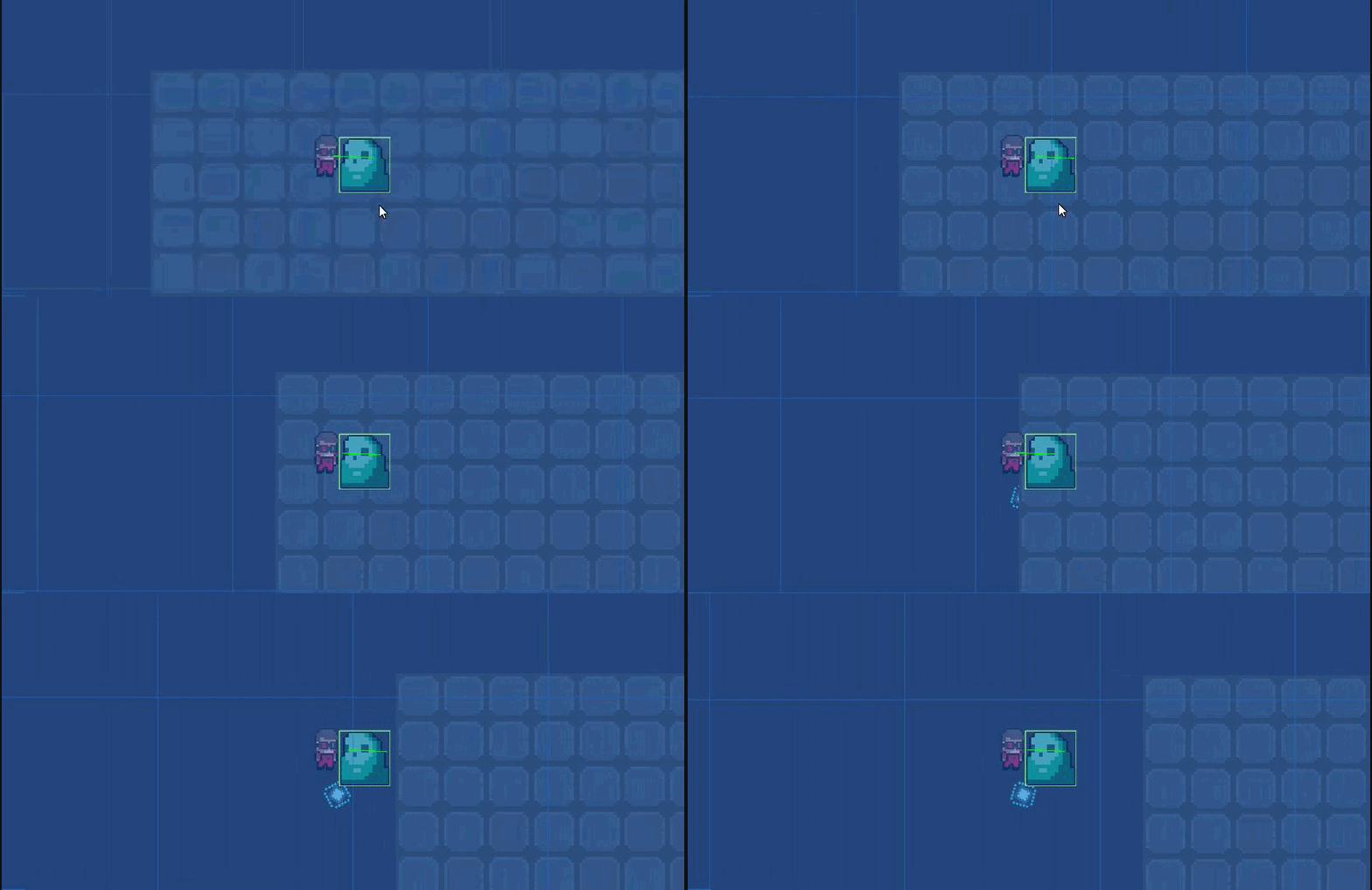
Both view windows use the same objects, same drag, same rigidbody settings, same script, same everything, the only difference is left is 2019.1 and right is 2017.1
I know the physics has changed between these 2 versions but what exactly might be causing the huge difference in reactiveness (right seems to have more drag than left (both set to 5))
lapis plaza
@uncut glacier hard to tell from that gif but visually it looks like the drag is exactly same on that
what looks different is the part with collision response instead
uncut glacier
yea that's what I meant. why the left one get shot off into oblivion while right is nudged upwards ever so slightly
lapis plaza
I'd check the collision settings
uncut glacier
both left and right are Interpolate: None and Collision Detection: Discrete
lapis plaza
also is that the same speed?
it looks like the left is running faster
(the paddle)
uncut glacier
no "standard" settings have been altered and both are recorded in realtime
if you look at the cube going up and down you can see they're the same speed
it's the same script
lapis plaza
they don't move the same speed on that gif
also same script doesn't mean they can't move different speed, it depends on how you move them there
uncut glacier
        int frequency = 20;
        Vector3 change = new Vector3(0, Mathf.Sin(Time.time * frequency), 0);
        rb.MovePosition(gameObject.transform.position + change);
inside Update()
and they move the same speed to me... the right one is a slight bit behind because 2019 still continues playing when Window isn't active whereas 2017 needs to be active before antyhing happens
so there might be a slight offset on right but they move in sync
lapis plaza
they start more in sync, then further the clip goes, more they drift
at one point they are in sync
anyway, to get 1:1 same situation on both, you'd have to lock the rendering/update interval too
but for the actual issue
I'd check if there's some depenetration value you can tweak
I think Unity has one - at least now
uncut glacier
where would I find this setting?
lapis plaza
so if it's exploding for that reason, that could be the case
would expect it to be on the rigidbody
might be only available through API / script
downside of putting small velocity to that is that then you can risk the object not bouncing from the target and just going through the paddle there
but you could still play with that and see if it helps
also
you really shouldn't move rigidbodies in Update at all
even kinematic ones
do it on FixedUpdate
when you put it on FixedUpdate, it will make physics consistent
altho I dunno if that Time.time will work there
ah "When called from inside MonoBehaviour's FixedUpdate, returns fixedTime property."
uncut glacier
ugh, you're saying the complete opposite of someone on answers.unity >.<
who to believe...
uncut glacier
Here's his explanation
and uh, somewhat?
I've got the printed main loop right in front of me
lapis plaza
ah, you are now mixing concepts
if you read that response, he specifically says you need fixedupdate if you need interactions with normal rigidbodies
uncut glacier
this answer is on a thread called "How to move a kinematic rigidbody smoothly" Which is what I'm doing
oh I interpretted that complete wrong then. I interpretted it as... That if you're forced to use FixedUpdate but still wanna interact with normal rb's you have to increase the rate
lapis plaza
let me do bit longer explanation. the idea is that when the main loop runs, it first checks how big deltatime was between this and previous time the loop ran (practically time between your Update's)
uncut glacier
Time.deltaTime, yes?
lapis plaza
from this time, Unity calculates how many time physics simulation can be run using fixedDeltaTime and what was left from previous frame. so at this point FixedUpdate runs and it can vary how many times based on how long deltaTime you have (yes, Time.deltaTime)
only after it has run all physics iterations, it moves to Update
but if you move your kinematic rigidbodies only on Update, those previous iterations have to use the values you set to it on your PREVIOUS update (which also is framerate dependent)
meaning your dynamic rigidbodies colliding with things that only update on Update get same value many times instead of getting actually true and updated positions on each FixedUpdate
so while you still take deltaTime or time into account in Update, it still makes your game play differently at different framerates if you have dynamic rigidbodies in the mix
then... the reason why Bunny said to do movement regular Update is because it's practically in sync with the rendering, if you don't have physics interactions, you just want things to be in sync and move smoothly
FixedUpdates are NOT in sync with the rendering
this is why rigidbodies have that interpolation and extrapolation options so you can render them smoothly despite the actual simulation doesn't run at the same pace as your frames update
you can think of fixedupdates as steps that run at virtually fixed intervals (they still don't run at fixed time between them in real time) and updates as variable time steps synced to your frame update speed
this probably confused more than helped tho 😄
as for the main loop. there's a nice chart at the end of this page: https://docs.unity3d.com/Manual/ExecutionOrder.html
uncut glacier
fixed update will bascially output the same behaviour no matter what the actual framerate is?
lapis plaza
as far as physics simulation go, yes
it's not 100% deterministic but it's close enough
uncut glacier
And yeah thats the piece I've got printed in front of me. It confused me alot actually, what you wrote, but I've read it 3 times now and I think i'm starting to understand it.
It's better to understand the bigger picture anyway so I thank you for this explanation
lapis plaza
so basically if you rely on physics interactions to work the same always, you handle all code that can alter physics on FixedUpdate
uncut glacier
I changed my script to fixedUpdate though... and now I'm getting even weirder results... :p
lapis plaza
basically that's also only reason why you even want to use FixedUpdate at all
uncut glacier
gimme a sec for a gif....
lapis plaza
put everything else on Update or LateUpdate
uncut glacier

Only thing changed is Update to FixedUpdate...
now my paddles aren't even in sync :p
lapis plaza
the way you move it isn't all that accurate either
I'm frankly surprised if it doesn't drift up or down as the time goes by
uncut glacier
the thing that bothers me most is wether I'm doing it wrong or right...
It results in completely different results in 2 different version. You'd think that the result, however right or wrong, would result in similar enough results >.<
Like why are the results so different, yet scenes and code are the same...
lapis plaza
well, your code in fixedupdate can run different amount of times from Update
uncut glacier
right sure but nothing is being done in Update so that shouldn't be a question.?
FPS's are similar aswell. both at around 70 consistently
 safe flare
Anyone know what my particles sink through the floor after coming to a stop unless high quality collisions is on? They're just boxes, but they fall through the floor after bouncing once or twice.
quartz wyvern
i can't get smooth movement on platforms 😢
ive tried displacement updates and child transform
it still jitters
any suggestions on how i can figure out how to solve it
 idle rock
Hello, Pretty new to unity, doing a 2D top down project. Does Raycast fall under physics? I'm doing a Debug.DrawRay to show where it is pointing but it seems to point in often random directions, not related to my objects. I have a Ray2D with transform.position and player.transform.position and then Debug.DrawRay is ray.origin and ray.direction * ray.Distance .. (also first time asking a question, not sure if there are specific things I am missing from the question)
 languid comet
if you're using 2D colliders, the raycast would be Physics2D.Raycast() rather than Physics.Raycast2D (i've ran into this confusion as well, hope this helps)
idle rock
I am using Physics2D.Raycast, though not because I know to do that, but because the code i copied/tutorial i followed used it.. lol
languid comet
so what is the problem exactly?
idle rock
As my player object approaches the "portal" object in this case, the ray actually moves away from the player object, at about the same rate I approach. It starts out pointing up/off in a random direction, and as I approach, goes in a clockwise direction, if I move away, goes anti clockwise.
I will see if i can do a gif or something.
idle rock
kk
@languid comet https://gfycat.com/jovialaccuratebirdofparadise - let me know if that is not helping, or if you need to see something else., - also this is the code associated with the "portal". Basically I want the portal to be invisible unless you are within line of sight, and within a certain distance (5f in this case), touching the portal generate a new "random" level. https://pastebin.com/a5QQcX3Z

 idle rock
yeah, it should point to my player all the time, but it never seems to. I have considered redoing the raycasting and having the player cast to the portal and set the portal to visible if they hit it, but there could eventually be a lot of items (enemies etc) that it needs to do this with, it'll kind of be a fog of war.. so unsure if that will cause performance issues later. But I can't even get this simple one to work.
languid comet
so what is the point of the raycast exactly
do you want a line to appear in the game between the player and the portal?
idle rock
to tell if the portal and player are in line of sight and within a specific distance, if so, make the portal visible.
idle rock
check the distance and los. the map/walls are procedurally generated so it needs to not show it if the walls block los.
languid comet
you should be going for Vector3.Distance() rather than telling the length of a ray
have a variable something like
float minPortalDist = 1
and say in update
oh fuck
shit ok
never mind i'm a dumbass
hold up
hollow echo
@idle rock can you just post the code behind your raycast?
(surround it in three backticks to get code formatting, with the first line being cs to get C# formatting)
hollow echo
sure, but I don't really think you need to send that much code 😛
hastebin is also a much nicer website 😄
hollow echo
player.transform.position is not a direction
When you construct the ray, it takes a position, and a direction
the direction you would want is:
(player.transform.position - transform.position).normalized```ahh ok, so maybe that thing that Copper showed me above, the Vector3.Direction() is what I need ?
ok sweet, i will try that. I thought it might be something like that.. i also thought maybe it would magically work that out as unity magically seems to most everything else sometimes. lol.
would Vector3.Distance() do the same thing? (given the 2 positions) ?
oh nice, it's spot on.
hollow echo
No, it's entirely unrelated
It gets the distance between two points, the logic above gets a normalised direction vector from point A to B:
(B - A).normalized```The Ray2D constructor actually normalises the vector already so you can even skip that step and just write B - A
Here's the docs page talking about this sort of thing https://docs.unity3d.com/Manual/DirectionDistanceFromOneObjectToAnother.html
idle rock
nice, yep it makes sense. and now, I see the raycast, but even if I am within the 5f and there is a wall in the way, the portal doesnt show up... when i pop around the wall, boom.. shows up. so question on the concept I am doing. Is it better to have the player object raycast to all the things it's keep ing track of, enemies, loot, portals etc, or to have each of them raycast to the player and just show themselves once they can see the player or are inside the view range? Is there a better way to do this kind of fog of war ?
Especially if I could have 40 or 50 or more objects on screen in a really busy part of the dungeon. I kind of want to "turn off" some things that are outside of view range. Eventually the enemies will have a flocking type AI and want to follow/approach the player, so it could get busy.
quartz wyvern
is it 100% certain that you can move rigidbodies by its transform if its kinematic ?
because i cant understand why im getting problems with my scene
 frigid lake
What problems are you getting
quartz wyvern
ive fixed some of the issues
but its still detecting a collision where two colliders touch
ive adjusted the contact value in settings to like 1 and 0.0000001
both extremes still do the same thing
im trying to roll a ball over the colliders but edge where the ground colliders are adjoining its colliding =/
see here
its acting like its hitting an invisible object where the two floor tiles are touching
frigid lake
Can you select the floor colliders too, and post ? Hard to tell which colliders you are talking about
strong plaza
sure you can move them with the transform, the transform change will force the rigidbody to be updated too, even if kinematic
but a direct transform change behaves like "teleportation" of the body, so keep that in mind
meaning, teleporting a too long distance might mean you miss collisions, I don't know if the interpolation setting would account for position changes made by the transform itself, but I doubt it
muted rivet
Hello everyone,
I'm trying to write a script for my character to "dash forward" when player hits "E"
This code works ok, but the problem is my character teleports to the destination. How can I make it a bit slower? Something like Genji in Overwatch
Thank you
moveDirection = new Vector3(0f, 0f, 20f);
moveDirection *= dashDistance;
if (Input.GetKeyDown(KeyCode.E))
{
characterController.Move(transform.rotation * moveDirection * Time.deltaTime);
}``` vale dagger
Any idea how to stop a NavMeshAgent from getting pushed by my character? (not sure if #⚛️┃physics related but it looks appropriate)
frigid pier
you can increase its mass
vale dagger
It doesn't have any mass. He doesn't have a rigidbody, just a navmesh boi doing navmesh things 😦
Unless I'm missing something and NavMeshActors inherit some kind of mass... Doesn't have any gravity effects too, when he's near my NavMesh he snaps on it and when I move him in the air (away from the mesh) he just hovers
frigid pier
They can have rigidbodies, IIRC mass will only be used in interactions with other objects, won't affect their settings. So you can make them heavy enough not to be pushed around.
vale dagger
Turns out my character has a Rigidbody 🤔
Well at least that's what prototypes are for! To use the wrong stuff and then toss them away to start from scratch! Right guys? ... No? Oh well 😛
 manic stream
Hello everyone. I have a question. I have a fractured cube (done in C4D) in Unity. Each fracture part has a rigid body and mesh collider (with convex) enabled. When I hit Play the entire object falls apart. How can I stop it from collapsing and only react to collisions of other objects? Thanks!
frigid pier
Convex will make some parts intersect. So they will try to push themselves out.
manic stream
When I disabled Convex and try to play I get an error saying "non convex mesh collider with non-kinematic rigidbody is no longer supported"
frigid pier
You can try cutting it in a way that doesn't create parts with hollows
manic stream
It doesn't have hollows
frigid pier
yea, dynamic object can't be non-convex
manic stream
It's a voronoi fracture
frigid pier
You can try using slightly scaled down collider if they don't intersect
manic stream
OK. I will try that
hollow echo
could also just have a cube with the fractured sub objects disabled, and swap when you have the collision you need
manic stream
Yes, I know what you mean vertx, but I wanted to have the effect of "shooting at the wall" where parts of the wall fall off
If you know what I mean
hollow echo
You could make all your objects kinematic, and then disable that property on the pieces you find relevant when the collision occurs
That is, if your object isn't moving until the collision events
manic stream
I guess that would work. I will give it a go. Thanks for the tips guys
sly violet
@manic stream If it's just falling apart and not exploding apart, you could try connecting them with FixedJoints that have relatively low Break Force and Break Torque. That would be a more realistic way of modeling it.
manic stream
Hey Pyrian. Yes, it's just falling apart. I will try FixedJoints. Thanks a lot
 placid stirrup
Hello, anyone had any luck detecting collision between 2 balls in unity physics (ECS)?? I have been struggling with that for a while, I am just trying to get a callback whenever 2 balls collide, any pointers/references would be very much appreciated :). I have been reading this doc https://docs.unity3d.com/Packages/com.unity.physics@0.1/manual/collision_queries.html multiple times but I can't achieve simple 2 body collision detection
 marble rose
@placid stirrup For me collisions are not working when both bodies are kinematic. Maybe that's the cause
placid stirrup
@marble rose only one of my objects is kinematic
if only there was an equivalency tutorial like the equivalent of OnTriggerEnter, or OnCollissionEnter, it's so confusing since I just recently started exploring ECS
marble rose
@placid stirrup All right, you should be able to get it with ICollisionEventsJob
placid stirrup
thanks for the pointer, I will go through the demo project, and see if I can get the callback I want
 cosmic mica
Why is most of physics work done in the frame containing fixedupdate instead of spreading over frames? In our case we have fixedupdate set at 10hz, but in practice the peaks are the same as the default 50hz, just less frequent.
lapis plaza
You sure about that?
Wait, are you talking about DOTS physics package @cosmic mica ?
I ask because it's physics stepping is faulty atm
For regular physics, if that happens there is something funky going on
I wouldnt expect Unity to have a bug on such simple logic
Basically how the thing works is that each time in the main loop Unity adds deltatime to physics counter, timebank whatever you want to call it, and then checks how many fixed timesteps fits to that timebank, it then removes physics step*fixedDeltaTime from it and then runs fixedupdates as many time it thought it could fit in available time
Running physx at 10Hz is not a good idea though, you'd need at least 20-30 Hz to keep it stable, depending on your gameplay
cosmic mica
@lapis plaza I meant regular unity physics
Well for our game 10 hz works well enough, though we may increase it to 15
It's in space so mostly for debris and crashing into various things
 oak axle
Hey guys, does anyone know if there "stylized" vehicle packages out there (mario kart-esque handling loops, heavily tilted roads)? preferably working in 2019.1.4. I found randomation which looks perfect, but its only supported with up to Unity 5.6. Any suggestions would be super appreciated. Thanks guys
lapis plaza
should be somewhat trivial to port it to 2018 or 2019
also since it's open source an on github now, chances are that some have already done that and shared it
hmmmm, actually it doesn't have
but still, shouldn't be too hard to make it work
uncut glacier
is it better to call rb.MovePosition/Rotation in Update or FixedUpdate?
quartz wyvern
fixed
physics sim only runs on the fixed rate so if you update in update method i believe it might overstep collisions
uncut glacier
got it, thanks!
I got into a new issue though, when I throw a character with joints and colliders on these joint to the same character, half the time they bug out and go flying into infinity. I already set all of their rigidbodies' max depenetrationvelocity to like 10. but it doesn't seem to work... What's the cause of this and how do I fix it?
uncut glacier
every joint also has a Rigidbody
 wraith minnow
guys how to do 2D physics 😄 does someone have an script for that?
lapis plaza
you keep asking for people to send you scripts for thing x and y.
this is not what gamedev is about
wraith minnow
yeah but i wanna to do different things than coping script for 40 mins.... when icant get it and im not in the right mood for it... @lapis plaza
for example level design
wraith minnow
And yeah.... im completly beginner dude....
 vale valve
trying to get a simple jump sorted but on play my player character immediately starts hovering upwards instead on button down like intended
 void Update()
    {
        print(Input.GetAxis("Horizontal"));
        inputVector = new Vector3(Input.GetAxisRaw("Horizontal") * 10f, 0, 0);

        if (Input.GetButton("Jump")) ;

        {

            //playerBody.AddForce(new Vector3(0, 1, 0), ForceMode.Impulse);
            Physics.gravity = new Vector3(0, -5.0F, 0);

        }


    }
@vale valve You are changing physics for the whole universe. You want to collect all input in Update() and apply it and everything physics related in FixedUpdate() , using https://docs.unity3d.com/ScriptReference/Rigidbody2D.AddForce.html for the jump and side movement.
Using physical model you also want to have friction on surface and when in the air to apply additional drag on the character (switching from friction to drag to slow down player) and adding additional downforce to compensate vertical drag
Also setting at least double gravity works well for platformers
https://docs.unity3d.com/ScriptReference/MonoBehaviour.OnCollisionStay2D.html to detect if you are in the air
vale valve
oh, okay. thanks. I already have playerBody.velocity = inputVector; in fixedupdate for the horizontal but I'll move the other stuff there, thanks
frigid pier
changing velocity directly wipes out any previous object interaction
If you want to work with physics use forces
vale valve
hmm, alright. good to know
 obsidian willow
Hey guys, how are you? I got a question..do you guys use the GameObject Scale based on real life or use it as a property to literally only change the size of the object? I mean, Unity uses Scale to apply phisics proccess and recomends to use the Scale unit as meters (if I'm not wrong), but I don't usually see devs using this approach.
 maiden grove
I think its fine to generally look at world space as meters and have your models imported to reflect that
generally speaking - we rarely modify transform.scale aside from special effects, and try and keep things 1:1 with how the model was exported
obsidian willow
@maiden grove And in case of sprites?
maiden grove
same I think - you'll generally want to try and keep it pixel perfect
sly violet
Generally speaking you only want to use the Unity Transform Scale for rapid prototyping/iteration and for things that will dynamically change their scale in game. In all but a handful of other scenarios, you're just better off scaling the asset in some other way, usually outside of Unity altogether.
obsidian willow
By consequence, all the objects in scene will have the same scale (0,0,0) and if i need to make some object behave different of other I will handle mass, drag and force values right?
sly violet
I recommend scale (1,1,1). You won't like the results of scale (0,0,0). 😄
But otherwise, yes, that's about right.
obsidian willow
@sly violet (1,1,1), that was what I mean XDDD
stuck bay
hi I have qestion about baouncing ball
obsidian willow
Thanks for the help o/
stuck bay
I've made a ball moving by addforce function and for each step script create new ground for the character but after some time ball start bounce without any reason. I've made physics material with 0,0,0 for ground but it's doesn't help with this issue maybe anyone has similar problem?
sly violet
Could be an issue with ground creation. "T"-shaped collider intersections are flat in theory but in physics-engines objects moving across them will almost always hit the corner.
stuck bay
So I have a 2d collision circle and a ridgid body 2d component on a "bullet"... this bullet can go through projectiles of certain types (destroying the other projectile in the process). However, I notice that when a collision happens, the bullet just... stops moving... unless I call my Start(); function again which sets the velocity again.
er i guess how can i have rb2d and collider2d objects pass thru each other
sly violet
Sounds like you're having a regular collision with zero bounciness? Look, if you have a non-trigger collider and destroy another projectile in the OnCollisionEnter events, it's going to impact that projectile THEN destroy it and not vice-versa. If you want it to be unaffected by the other projectile, you'll need it to be a trigger-collider. If you don't want it to be a trigger collider (perhaps because you want it to impart force to other targets) you can give it a child GameObject with a trigger collider and leverage Layers such that the child interacts with the "don't affect me" projectiles. Either way, you'll need to detect the event with an OnTriggerEnter.
stuck bay
gee thanks @sly violet i'll try checking "is trigger" under my collision component and rename OnCollisionEnter to OnTriggerEnter
working great thanks ❤
 inland birch
I’m having an issue with the animator
It’s making my player stop whenever it transitions to the walk animation
If anyone knows which aspects of the animator can affect the actual movement (not the animation but like speed)
Please let me know how I can fix this
 desert lichen
@inland birch is your animator's root motion property checked in the inspector?
inland birch
Yes it is
desert lichen
Generally its better controlling characters without root motion, it is easier to control and adds a gamey feel to it
desert lichen
Oh
inland birch
So all I really need is simple left right up down
Whenever it transitions to walking animation the speed turns into 0
And I have no idea why
 autumn jetty
Anyone know in the new ECS system if you can raycast vs a single collider? Similar as you can do with the old one with collider.Raycast() ?
(edit) Seems like it was similar to the old way of doing it, not on the assetBlob but on the colliding class : ) Not sure if you need to create an assetBlob however.
autumn jetty
Again at it, anyone know what the "Physics.ComputePenetration" answer is in the new Physics system?
autumn jetty
Hmm, so maybe anyone know if the "SurfaceNormal" in queries the normal of the point hit on a collider, or the inverse "ray" from the hit poisition of the collider to the query starting position? I really don't know if my parsing of the doc correct x)
SurfaceNormal : The normal to the surface at the point of intersection, in world space.
 mighty sluice
Does the Unity Physics "Drag" property take into account object dimensions?
Surely it uses some form of surface area, but does it actually take a silhouette in the direction of travel?
in other words, would a thin object have lower drag if traveling along its thin dimension?
i guess i could find out
and the answer is : no
it does not
I was thinking that if it did, then it would be possible to make physics based flapping flyers
but more practically, it would also work for swimming
lapis plaza
@mighty sluice first of all
it's not actually drag
it's linear damping
at least the new DOTS physics package calls it with it's real name
lapis plaza
it basically does is velocity *= 1 - clamp( 0, 1, drag)
in pseudocode
yes, it's super simple
if you want actual drag, you have to build it yourself with custom forces
this is kinda issue I have with Unity's naming conventions
they've tried to oversimplify things by calling them with terms that most people know from somewhere
but calling damping drag is fundamentally wrong if you know any physics
engine is full of similar things
vale valve
okay, I have an ultra basic barebones jump implemented in my 2d game but I want to make it actually usable. https://www.youtube.com/watch?v=7KiK0Aqtmzc I like the ideas this has for jumping but remember reading that directly manipulating gravity isn't a good idea so I'm unsure how to implement it

Eliminate the low-gravity feeling of a physics based jump with four lines of code. Actually, just two lines. The other two give you the ability to control ju...
lapis plaza
jump tweaks with direct gravity manipulation? 😄
who came up with that
I guess it can work if you only have one dynamic rigidbody in total in your scene
but most games are not like that
you'd be better off just not applying any gravity to that rigidbody in that case and just implement it yourself then
just use AddForce for it on FixedUpdate
F = ma, where m is mass and a is acceleration, in this case your gravity value
or just use AddForce with acceleration mode directly and you don't even have to take mass into account
@vale valve
vale valve
Okay, I'll look into that, thank you!
autumn jetty
Anyone knows if there's anything like "Physics.ComputePenetration" in the new system?
 craggy peak
Hi People, im developing a Tennis Game. I already do the ball colision with racket, and the shot manager for top spin/slice, etc. But the ball movement feels strange. Also i dont know how to do the service..
I want to emulate a Physics like this https://www.youtube.com/watch?v=c-yP206YjXc

I got drowsy and couldn't keep up with the AI. It was a fun match and I played it till the end and walked out a proud loser. If only Top Spin 4 was ported to...
I read this post but i didnt understand, literally, anything https://www.physicsforums.com/threads/trajectory-of-a-projectile-that-must-clear-an-obstruction.938077/

Physics Forums | Science Articles, Homework Help, Discussion
I am trying to solve for Vy with given Vx. I know how to do this for the BLUE trajectory line, but I do not know how to solve this if there is an obstruction in the way (like the gray wall).
My givens are:
X1
X2
Y1
Y2
Vx
Gravity
Do I need to solve for the blue trajectory t...
Its the Magnus Force the correct answer ? Im feel so lose with this
autumn jetty
@craggy peak Usually when it comes to sport, there is a lot of already done calculations in terms of physics. What forces act on it etc, what different constants exists with more. If you want to learn the basics I would go look in some book like "physics for game programmers".
Usually you can just do a quick google to get the constants and forces right.
craggy peak
Trully, i speak spanish, so is very difficult to learn because there is no much tutorials and guide about physics. Hopefully i speak and read english good, or i think so haha
Yeh bro, i did a quick google search for tennis ball physics but i didnt find anything that i can use to emulate the ball like in that game
autumn jetty
@craggy peak Some basic things what happens to the ball http://ffden-2.phys.uaf.edu/webproj/211_fall_2014/Max_Hesser-Knoll/max_hesserknoll/Intro.htm.
craggy peak
Thanks @autumn jetty , i will take a look and try to implement in my code. Only with see the text Im start to feeling a headche haha
autumn jetty
Don't think it gives any specific code, or force equations in it, but check its sources. I saw some friction coefficients. But I would recommend reading a book about the force equations if you don't already know them. Ball physics in general^^
craggy peak
And how i can do the serve ? Like bounce ball, throw up and then hit, is like a forehand and backhand detecting the collide and then move the ball with forces, right ?
The problem is that i want to do more than one character, but i need to do the base then implement a general function to the other chars, right?
Yes, im reading, it explain how the ball forces are applied, so i need to understand that to apply in my code
autumn jetty
Depends on how much simulation you want I guess? x)
craggy peak
The most possible for my brain
autumn jetty
VR? Or controllers? What input do you have? What parameters are most interesting for a serve?
craggy peak
Controllers, keyboard.. bounce the ball its a detail, i dont need it. only i need the ball in hand of player, and throw up so i can hit with an animation, and then collide
But again, the problems are the physics when i hit the ball
mighty sluice
Does anyone know anything about JointMotor.targetVelocity?
i understand that it "uses a force to achieve the target velocity"
but why?
is it just a way of limiting the maximum speed?
I'm trying to create a limb that uses two opposing joint forces (one motor and one spring), but the way velocity interacts with them is disturbingly unpredictable
is there a way to disable the targetVelocity parameter so that the motor applies a linear force?
or alternatively, is it possible to use a JointDrive instead of a JointMotor (hingeJoint vs CongifurableJoint) to achieve a linear force output?
as far as i can tell both the X andYZ and Slerp drives use position springs (which increase force applied with distance from the target angle or position
lapis plaza
from https://forum.unity.com/threads/nvidia-physx-plugin-preview.645004/#post-4684205:
We're ready to share a different approach to exposing NVIDIA PhysX 4.1 inside Unity: we now have a low-level C# interface directly to the PhysX 4.1 API.
this is physx 4.1 plugin from nvidia, not the experimental physx 4 unity integration from Unity
this is clearly being limited by unity's rendering at this point
16k rigidbodies simulated on gpu
autumn jetty
Anyone know what structure holds the labels of Physics Category Names? I basically want to have them in inspector at some SO so I don't have to type it manually in code...
 fringe locust
Hey, quick question: if two gameobjects have a rigidbody with the isKinematic property set to false, will OnCollisionEnter ever be called?
 gleaming lily
 stone palm
So i'm building a character controller for my action spell casting game, I have it working really well with double jumps, dashes, slides sprinting and variable run speeds depending on the build up. I'm not using root motion tho and theres a slight sliding that bothers me. Is there a way to fix that without root motion?
autumn jetty
@stone palm Explain what you mean with sliding, have you checked your inputs vs some simpler controller to see that they sampled correctly? If so post some code so we can see what you got going.
stone palm
My issue is that I'm not using root motion for animations, I'm doing everything using various velocity in code so that I can later do net play easier. Because I'm using in place animations the steps dont always line up or looks like feet are sliding. Is there a way to fix that without using root motion and still using my physics based controller
autumn jetty
@stone palm If your root motion is synced and driven by inputs I don't see why it shouldn't be possible to be done with net code. You're asking if there is a way to fix sliding which is a artefact dependent on animations to be in sync with physics without looking at animations to drive physics? In that case look at physics to drive animations?
 fathom ledge
Are there any good resources to learn more about the new Havoc physics?
lapis plaza
you mean DOTS Unity Physics package or the actual Havok physics that is yet to arrive this summer?
@fathom ledge
fathom ledge

Unity Technologies Blog
During our GDC Keynote, we announced our partnership with Havok to build a next-generation physics system for Unity. Today, we want to give you more detail...
lapis plaza
that doesn't answer to my question
that blog post talks about both things I mentioned
fathom ledge
I still haven't finished talking xD
fathom ledge
Oh yeah I didn't know they are 2
lapis plaza
well, if you read that blog post, it should be obvious 😄
anyway
(DOTS) Unity Physics package is available already, it's in preview
Havok integration hasn't arrived yet
Havok will come with some cost
nobody knows what it will be
but I'd suspect they do some revenue share or subscription
lapis plaza
nah, it's too early for that
they don't even have fixed timestepping working right now
so their current version has physics that are directly tied to your framerate
I'm evaluating the package though, but it's nowhere near production ready
also while Unity Physics is designed to be deterministic, it'll not be that in crossplatform setup as burst doesn't support it yet
Burst is supposedly deterministic on same platform already but haven't seen anyone actually confirm that in practical testing
determinism itself bring new opportunities on the netcode side
fathom ledge
Right but I've not seen anything deterministic so far
lapis plaza
for example if you have a game server, you can just have clients send their player inputs to the server and let the server sim it from that
fathom ledge
I thought DOTS would bring something to the table
lapis plaza
well, you'd do that anyway in such setup but in this case, you don't have to send constantly the correct data back to the client as the sims will not drift
well, that's Unity Physics for you
it's technically there already, but like mentioned, it's still very early
there could have been some things on the Unity Physics that they still need to fix for full determinism but the ultimate goal is that it'll be able to do that
actual Havok integration will never support crossplatform determinism
only this new Unity Physics package will
but even that will happen somewhere next winter at earliest
fathom ledge
Aha I see
 inland grail
Hi everyone, any masters of Unity #⚛️┃physics interested in doing some paid work? Send me a DM thanks.
 bleak folio
Some more details about the kind of work required would be great
 wispy wharf
Hi! In the joint drive, what is the unit for the maximum force? is it in newton?
sly violet
Neither distance nor mass have units in Unity, but if you think of them as meters and kilograms then force is in newtons, yes.
wispy wharf
Ah, I see... because I find it kinda weird that in the WalkerAgent example from ml-agents the maximum force limit is set to 25000, which seems way too high if it is in Newton...
 scenic dock
anyone been using simulated physics on a character controller?
quartz wyvern
any one buoyancy physics before?
i cant get mine to look right it goes up and down too fast
frigid pier
@quartz wyvern Stress test I made some time ago on my old PC using ideas from this talk https://youtu.be/OOeA0pJ8Y2s?t=360. There are 500 objects, each raycasting individually for buoyancy.
 kind marsh
Does anyone know what space HingeJoint.angle is expressed in? When rotating the parent of a hinge joint (it's connected body), its angle changes, even though the local rotation stays put... I don't understand how that angle is calculated. I need it to dynamically set the hinge's spring.targetPosition.
 unborn narwhal
@quartz wyvern https://www.youtube.com/watch?v=_Ij24zRI9J0

In this tutorial we will create a beautiful water scene. The tutorial is divided into 4 chapters. Every chapter will explain how a specific step to create th...
wispy wharf
Does anyone know why using joint.targetRotation is not doing anything for me?
I set the configurable joint drive to slerp and the X rotation is limited with limits from -60 to 120. I do joint.targetRotation = Quaternion.Euler(120, 0, 0);
no matter what values I put in there, I don't see it updating..
wispy wharf
ok I figured out it was because I set the position damper to 0 in the slerp drive....
can someone explain to me what position and spring damper do and why they are important for setting a target rotation?
wispy wharf
also why is it that the angular limit drops back to 177 when I enter something bigger than that as soon as a I press start_
 plain swift
I'm trying to make the player collide with a tilemap, but when I add the tilemap collider 2d the player ignores it, and if I try a box collider it creates collision, but it make the whole area of the tiles and the spaces in between a collider
 frank forge
@plain swift dm’d you
quartz wyvern
@frigid pier @unborn narwhal thanks for the links i will check them out
 tender gulch
Hello, anyone can help with setting up a ragdoll on an npc?
I have a problem that the parent gameobject( that contains colliders and logic) doesn't move together with the ragdoll...

that's the structure of the npc. The ragdoll components are assigned to the bones in armature.
wispy wharf
You have to move the parent and not the childs to move everything together. Moving only a child will only move that child and its children
 obsidian geode
id like to use two mesh colliders of the same mesh, one convex for simple collisions with the gameworld and so on and one concave for higher precision projectile collisions
not sure how to separate the two
wispy wharf
Can someone explain to me how joint.targetRotation is implemented? It only seems to work when setting the position spring value in the joint to something like 5000, when it should also work when it's set to 0 if the force can be big enough to overcome gravity. The problem with setting the position spring to a high value like this is that gravity is ignored, i.e. holding a pose requires no force whatsoever for the agent, just going to that position requires some.
@obsidian geode here they say you can't have 2 colliders of the same type on an object: https://answers.unity.com/questions/529918/is-it-possible-to-have-multiple-mesh-colliders-on.html
Unity is the ultimate game development platform. Use Unity to build high-quality 3D and 2D games, deploy them across mobile, desktop, VR/AR, consoles or the Web, and connect with loyal and enthusiastic players and customers.
obsidian geode
oh. dang
wispy wharf
So you could have one mesh collider and maybe one other collider
Maybe sphere or capsule or something
For the less detailed one
If anyone has the answer about my joint.targetRotation problem please let me know
sly violet
@obsidian geode Non-convex mesh colliders are only supported on GameObjects without a rigidbody. Sometimes you can divide your mesh into separate convex colliders on child objects. Another thing you could try is having a non-convex collider on a separate GameObject, and detect when a projectile triggers against your normal convex collider, then teleport in your non-convex collider and see if it triggers, too.
@wispy wharf I'm confused by your question. "...it should also work when it's set to 0 if the force can be big..." How are you expecting that to ever work with a zero? Here's one example (in the manual) of how the engines work (rotation functions on torque, but the basics apply):
force = PositionSpring * (target position - position) + PositionDamper * (targetVelocity - velocity)
So if spring and damper are zero, no force applies.
" The problem with setting the position spring to a high value like this is that gravity is ignored, i.e. holding a pose requires no force whatsoever for the agent, just going to that position requires some."
I can't make much sense of this. If the anchor is null or otherwise fixed and the force is high, then yeah, gravity becomes minor. Holding a pose with a strong spring IS applying a lot of force against any change to that pose.
obsidian geode
@sly violet teleporting in the concave version is a good idea, thanks!
actually, how fast does a collision trigger? is it on every fixedupdate presumably, or will it check immediately when a collider is enabled? if so i could probably have both colliders on the same object and just switch which one is enabled to check the collision
wispy wharf
@sly violet oh thanks, but when I check how much force is applied to a rigid body when it's holding a pose, then the function only gives me the value for gravity*mass but not the force to hold the pose
Also why does position spring need to be something like 5000 for it to work?
Can you also send me the reference to the manual?
sly violet
@obsidian geode : You can't have a non-convex mesh collider on a rigidbody. Collisions are normally checked one per FixedUpdate, but you can get around that with casts - maybe place the collider, run Physics.SyncTransforms, and then run a raycast or spherecast from the projectile.
obsidian geode
you can if its kinematic, i believe it will still trigger collisions, just not update the parent transform
sly violet
@wispy wharf "when I check how much force is applied" What are you using to do this?
Spring values tend to be high-ish because they're multiplied by the distance, so if you want a spring to still be applying significant force when you're near the target position, it's getting multiplied by a small number. You can set a lower max so it doesn't go crazy when pulled apart.
Here's the manual page. The section I'm referencing is "Drive forces" near the bottom.
https://docs.unity3d.com/Manual/class-ConfigurableJoint.html
@obsidian geode
https://docs.unity3d.com/Manual/class-MeshCollider.html
obsidian geode
huh, weird, thats not what the editor tells me
it says non-convex are deprecated for use with non-kinematic rigidbodies since version whatever
sly violet
What version are you using?
obsidian geode
2019 1.8f
sly violet
Seems like it's been this way since at least v2017.1.
obsidian geode
the documentation must be wrong then, because it definitely does work with a kinematic rigidbody
the description as per this page https://docs.unity3d.com/ScriptReference/Rigidbody-isKinematic.html seems to be correct
not that it helps me 😃
sly violet
I don't see anything on that page about mesh colliders, convex or otherwise.
obsidian geode
fair enough, i meant that the behaviour im getting is consistent with that description of a kinematic rigidbody so as far as that goes it seems right
wispy wharf
Yes, I'm using joint.currentForce
obsidian geode
but i also definitely do get correct collisions between non-kinematic convex mesh colliders and a kinematic concave mesh collider
wispy wharf
And if I use joint.currentTorque it's just 0,0,0
obsidian geode
and the editor leads me to believe thats the expected behaviour, so, the documentation is wrong as far as i can tell
sly violet
Well, "not supported" isn't always the same thing as "doesn't work". 😉
@wispy wharf Two possibilities I can think of: (1), the force required to hold the position is just falling below what's being reported or (2) the "spring" engine isn't actually part of the "solver" at all., and isn't factored into those values. I'm not clear on how those functions work. Are they reporting high values when you're out of position?
obsidian geode
agreed. the editor is specifically saying that its not supported with a non-kinematic rigidbody though
well, it doesnt matter for my use case anyway. just a sidenote
wispy wharf
@sly violet they're high when I'm moving towards the position but as soon as I reach it they become close to zero and only the force of gravity is printed out
I.e. physics.gravity * object.mass
Could it maybe be because I'm using slerp drive?
The currentTorque also only changes when it moves towards the position but when it's there and holding it it's 0,0,0
sly violet
Wait... It's holding position, against gravity, using an equivalent force to gravity? That makes perfect sense, doesn't it? If it were using any more or less, it would no longer remain in the target position, right? @wispy wharf
obsidian geode
in case anyone is keen to know; i 'solved' it by raycasting in front of the projectiles, disabling their collision checking when theyre about to hit a low res collider and then manually tracking the projectiles, toggling low/high res colliders and raycasting toward the high res colliders on fixedupdates
it.. works. i wouldnt exactly call it elegant
thought about doing it with triggers but it seemed like a chore to set up different layers for props and real colliders etc. whatever else this is, at least its drop-in
wispy wharf
@sly violet well, to me that would only make sense if the arm was held in the opposite direction of gravity, i.e. when holding the 180deg from the ground. but the force vector is always (0, -gravity*mass, 0), even when I am holding the target position down or to the front... note that the number at the Y position in the vector is positive.. so it is the opposite direction of gravity but it doesnt make sense when you hold the arm down
if I want the arm just to hang down it shouldn't need any force then... and if the currentForce vector is supposed to be gravity + whatever other force to get to a position, then the force for holding your arm up should be higher
sly violet
It's the total force the joint is exerting. If the object isn't moving, and it's not resting on or jointed to another body holding it up, then it absolutely must be negative gravity no matter how it's arranged.
Otherwise, it would move.
wispy wharf
Well, it is jointed to another body (a fixed rigidbody which is supposed to be the shoulder) which is holding it up
@sly violet
wispy wharf
Do you actually know how the maximum force is calculated into this? Because when I set it to 0, it cannot hold it's position anymore but the currentForce vector stays the same
sly violet
If you set maximum force to zero, the "spring" doesn't do anything, but the joint will still hold. currentForce and currentTorque apparently include all forces applied by the joint.
Keep in mind that the basic constraints of the joint are enforced through forces.
wispy wharf
Ok but my problem with this is that I want the agent to have an incentive to use as little force/torque as possible, e.g. for it being able to rest and hold its arm down when there is nothing to do. If I get the same force for holding the arm up and letting the arm hang, then there is no incentive for the agent to let it hang when it can just keep it up and wait for the next pointing task..... and joint.currentTorque also just returns (0, 0, 0) all the time, which is not right, is it?
sly violet
I think the fundamental problem there is that you're trying to use the current* functions to get at what the spring is doing but they actually return what the entire joint is doing.
Maybe just write your own spring function. It's not a particularly complicated equation, and you can tune it to get the exact results you want and query any part of it you want.
autumn jetty
I'm using the new physics system, and trying to combine it with the networking system. For statics it works fine. But for dynamics it seems that the translation I get from ExportPhysics world is NaN, but it seems the one added on BuildPhysicsWorld is valid. Anyone who could take a guess what is going on?
There doesn't seem to be anything running in between that shouldn't...
autumn jetty
It's weird cause "world.DynamicBodies[i].WorldFromBody.pos" provides the correct position after ExportPhysicsWorld, but not the translation of the entity that represents it.
Solved: I hadn't set the rotation when spawning it on server, so a quaternion with 0, 0, 0, 0 was used and caused NaN values
unborn narwhal
Anyone uses wolfram alpha? Having trouble understanding what the hashtag symbol is supposed to mean, can't find any info online. https://i.imgur.com/m3RoCW8.png
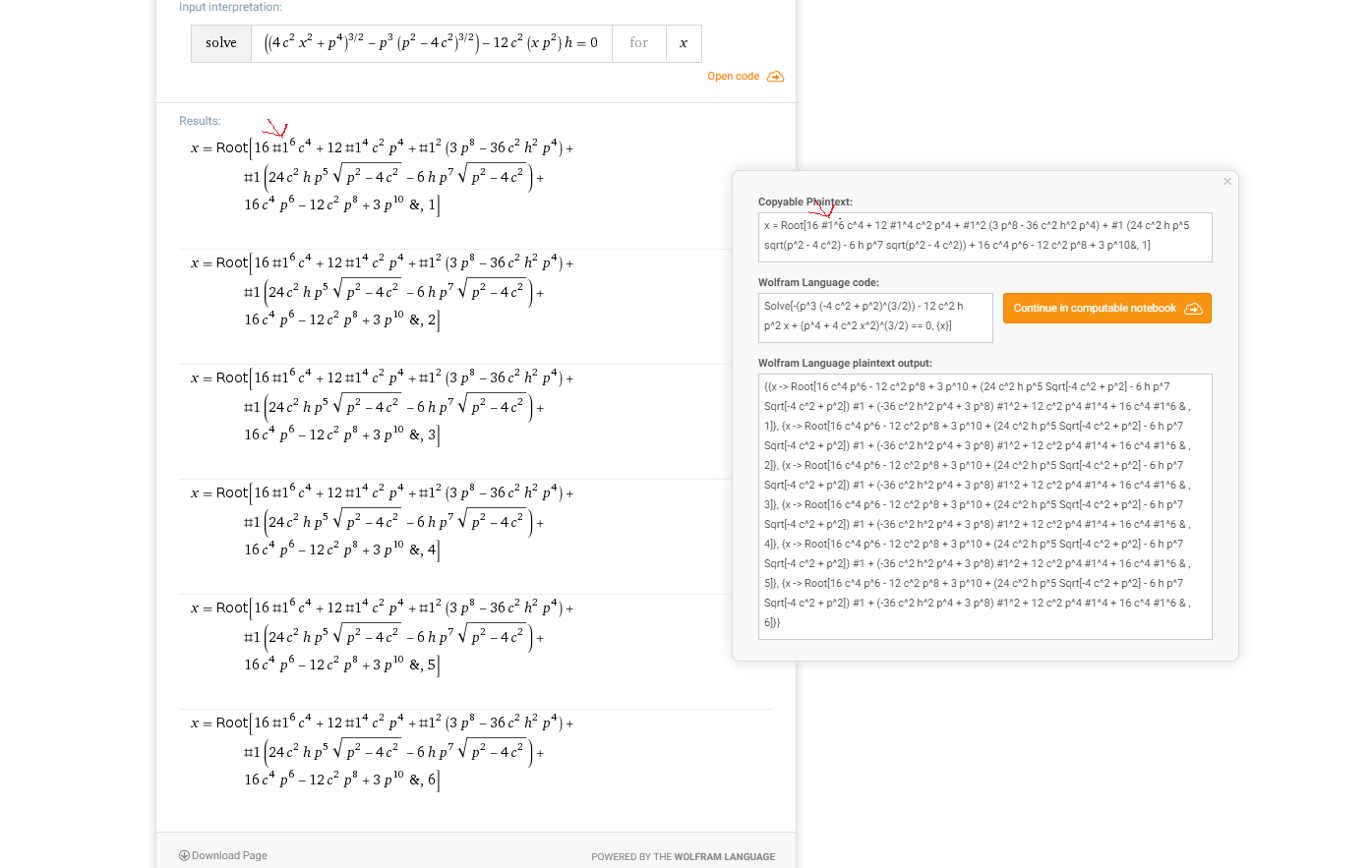 stuck bay
So I have a problem I know is solved in Unity somehow, I have an object going in the way of a sliding door, the object doesn't actually have collision and is move purely by setting the position, how can I move the object out of the path of the door and prevent clipping?
 cursive drum
 left obsidian
Hey everyone, can someone help me with a collider question? Right now I have a player object, which is a simple box collider, and some box GameObjects. On the box object, I have a collider and a rigidbody, and the boxes have a child with a collider, that is a trigger. So what I expect to happen, is that the player can collide with the object, and move it as it would be able to normally, however, what actually happens, is that it seems to use the non-trigger, and the trigger interchangeably, causing this: https://gyazo.com/7f1c19f3842d7ee89b77d0c1308a22b2 to happen... Anyone who might have an idea why, or is able to tell me if it should be done another way?


 frigid pier
For collisions to properly work you need to move rigidbody using AddForce or MovePosition. The last one may have unexpected effect on other objects you interact with.
left obsidian
Hmm, since the player doesn't have a rigidbody, would moving the player with transform.Translate be sufficient? (Right now I am moving it just by saying transform.position += moveVector, which, seen in hindsight, probably cause a lot of issues)
frigid pier
If you don't use build in physics components, you'll have to create your own physics.
left obsidian
Hmm.. Seems like it's still only working 50% of the time
Well, I just didn't want to move the player with force necessarily.. But do I have to do that, to ensure that the physics match up properly?
(By the way, thanks a lot for answering me!)
frigid pier
You can use MovePosition instead, it is close to what you are doing now, sets rigidbody position no matter what interferes. Then physics resolve overlapping colliders pushing them away. In small scale it may work ok. But if object you are pushing gets jammed, for example, between some static collider, it can shoot away unexpectedly in any direction it can.
Forces behave much more naturally.
left obsidian
Guess I'll rewrite my player with a rigidbody then! Thanks a lot! 😃
frigid pier
You can set very high drag and/or friction, and use strong force to push the player it will move and stop almost instantaneously. You may have to adjust them for corner cases, if you are jumping, etc.
left obsidian
Right now it's only for movement on the xz plane, so should be fairly simple
 undone iris
I think this might fit in the physics channel, but I'm not sure, I am having a bit of trouble with the rigidbody, basically, I know you can add velocity, by using this piece of code transform.GetComponent<Rigidbody>().velocity += new Vector3(0,0,-speed); and also, I want it to hop up a bit when it moves, so I put transform.GetComponent<Rigidbody>().velocity += new Vector3(0,upSpeed,-speed);, however, I have a problem, I don't know how to make it precise, for example, if i put the upSpeed to be 1, and speed to be 5, and then when I calculate the distance of how much the object moved, it's something like 0.8948889 and the worst part is, it's not always 100% consistent! so in conclusion I was wondering if it's possible to set a value, like 3 for example, and then, based on that value, somehow calculate how much velocity I would need to apply in order for the rigidbody to move that distance.
craggy peak
Hi People !! Can anyone help me with my tennis ball physics ? I have the code and It works, but I want to upgrade so it looks better
 plain obsidian
So im having a problem with the jumping of my character... Basically he teleports up and glides down instead of jumping normally
Does anyone know whats the possible cause for this behaviour?
 narrow quiver
@undone iris quite possibly you have a linear drag coefficient, gravity and such set for the rigidbody. Without drag you should be able to calculate height with:
h,max = upspeed*upspeed/(2*Physics.gravity.magnitude)
e.g if you want to achieve h,max = h, you can calculate it as:
upspeed = Mathf.sqrt(2 * h * Physics.gravity.magnitude)
is there a way to have a collider collide into another without applying the force upon impact
but they will still collide
i cant use kinematic because they still use general physics
but i dont want them to recieve impact forces
narrow quiver
you could cast rays every tick from last position to new position, and translate the object to the impact point of the ray whenever it reports collision
@quartz wyvern
that's assuming you want neither of them moving
sly violet
@quartz wyvern : You may need to elaborate, because as stated the request doesn't make any sense - if there's no impact force, then there's no collision (and they'll go right through each other). If you don't want them to go through each other, but you don't want normal collision behavior, there's a number options, but it'll depend heavily on what you're really trying to achieve.
Examples:
- Just set the bounciness to zero. Then, they won't bounce off each other.
- One of them should be totally unaffected by the collision, but the other is affected normally. The easiest way to do this is just have the heavier object be much heavier, but if you need a more absolute solution, you can have a kinematic object following the "heavy" object, and the "light" object only interacts with this kinematic shadow.
- You can run a sweep from each object each frame and just stop them outright when they're about to collide, so they never collide as far as the physics are concerned.
quartz wyvern
@sly violet basically 2 is the ideal one but i can't change their masses because it will effect how they work in water simulations
sly violet
So maybe try the "kinematic shadow" solution: create another kinematic Rigidbody in the same position as the heavy object (updated every FixedUpdate). Use Layers and/or specific ignore to make sure the kinematic body collides with the smaller body, not the heavy body, and others as desired.
 iron pagoda
on collision enter set the rb kinematic on then off, it'll reset the forces
well, zero out the forces
sly violet
You can do that just by setting rb.velocity=0f, but it's rarely an ideal solution; for example, it won't work in this case, because the smaller object will have already impacted the larger object, and Sir wants the larger object to be unaffected.
stuck bay
Hey guys, i have a sphere with a costant velocity and want to boost it sometimes but addforce just transports it higher without interpolation
sly violet
If you want to accelerate it over a period of time, you call AddForce every FixedUpdate during that period of time.
mighty sluice
So I need to make some meshes for unity to make sure they are at correct scale, any suggestions with regard to which third party program to use?
or otherwise, is there any way that i can reshape existing meshes and ensure that they are exactly the scale I need?
hollow echo
1 unit is 1m in unity. If you do the same in your modelling program then if the import is scaled incorrectly you can always change the import scale setting with a simple value
mighty sluice
so do i need to worry about how i rescale primitive shapes like spheres and capsules?
in other words, does rescaling the primitive collider correctly rescale it for the physics engine?
mighty sluice
I guess im wondering if the primitive colliders are like,dynamically sized meshes
because apparently the mesh scale on import will affect physics stuff, but the primitive collider isn't even really a mesh,s o im not sure if I should notworry about it and just set material properties
mighty sluice
i'm basically looking to get really good rigidity in a joint connected body
, where projection mode wont suffice
(too many connected parts)
trouble is no matter the scale, there always seems to be some wobbliness in the joints, which creates undesirable ramifications for the body (instability)
so far the best solution i have found is to make a wireframe of game objects and joints that have very high mass but no gravity
and then to attatch "weight" objects to them via fixed joints
if anyone has ideas for a more appropriate solution, I would very much appreciate it
stuck bay
I try to make a sphere move with rb.moveposition() and jump with addforce() but when i move it on air it jitters
mighty sluice
@stuck bay that might be vibrations caused by "drag" setting on the rigidbody
you can make it very small, or zero, but be aware that this might cause an infinite "terminal velocity" when the object is falling
i think having a very small setting as opposed to zero helps with stability in come conditions, but im not experienced enough to give you a definitive answer
stuck bay
@mighty sluice i fixed it Chris, i should put the code in FixedUpdate
mighty sluice
ah, yea that makes sense
narrow quiver
Attach an empty named gameobject as child to part of the cloth (if its kinda stationary) or have an empty named element in the prefab and set the object parent, position and rotation to that of the named element.
mighty sluice
So I think my issues might be in part caused by unrealistic inertia tensors (not Unity's fault)
I'm trying to simulate a spider, and their legs are extremely tiny, but also extremely robust for their mass
A part of the problem i'm having comes from momentum forces,which im hoping is sanely modeled via the inertia tensors
mighty sluice
after some initial testing of the inertia tensor, it looks like most of my issues did result from wonky shaped tensors
im using capsule colliders that are massively stretched so the inertia tensor was like 15, 0.1, 15
mighty sluice
for whatever reason, i can find almost no resources about intertia tensor
is it just really specific and complex? trade secrets ? 😄
glancing at the math, it's definitely super complex to calculate yourself, but it doesnt seem too crazy to think about the tensor itself...
sly violet
Basically it tells the physics system the relation between torque and angular velocity at various, um, vectors of turning. It's normal for an elongated object to be "easy" (low torque for a given angular velocity) to spin across it's long axis and "hard" to spin it lengthwise. So that tensor looks about right - low in one axis, high in the other two.
mighty sluice
ah yes, but the ratio then can lead to issues
when you have 4 long connected segments, for example, and alltheir tensors are wacky like that
the result is the side to side motion of the end piece has so much momentum that it breaks the joint limits completely
it's like trying to hold up a long heavy pole from one end instead of the middle
i do understand the concept, but more information about how it relates to unity physics would be useful
for example, somehow both the mass and inertia tensor work together to affect joint rigidity
i would like to know exactly how,
quartz wyvern
define breaking
lapis plaza
by not moving the rigidbody manually
use forces to move it
if your code manually moves rigidbody to be inside other rigidbody, things can break
so that's on you 😃
 mossy mirage
Howdy guys, I’m curious if any of you guys know if Scenes in unity run in the same 3D space and/or have the same physics processor? I’m looking at possibly moving to Unity and it’s relevant to network instancing. Please @ me back. Thx.
lapis plaza
@mossy mirage there's no separate physics scene in normal Unity physics if you ask about that
well, kinda
but each additively loaded scene can have their own 3d physics scene which you can simulate separately
it's relatively little known feat Unity added in 2018.3
mossy mirage
that is fantastic
lapis plaza
if you need more indepth explanation in finnish, you can DM me as this group is for english only
mossy mirage
when you say "additively loaded" is that something peculiar to Unity.. not just a separate scene?
lapis plaza
it's a separate scene alright 😃