#archived-shaders
1 messages · Page 178 of 1
 amber saffron
 undone brook
@amber saffron Alright. Thanks again 🙂
 fiery hatch
Can shaders be displayed on top of 3D objects as like an effect. I wanted to make a dissolve effect on a coin. How could I achieve this?
 hearty stump
@fiery hatch you can make you custom shader that will have all the dissolve code and a default texture for the coin if you want and then assign the material to the coin. You your PC interacts with coin you change the disolve value from 0 . 1 over time
 glass yoke
how does the indexing work in a compute shader?
  void runShader()
    {
        int kernelHandle = shader.FindKernel("CSMain");

        RenderTexture tex = GetComponent<RenderTexture>();
        tex.enableRandomWrite = true;
        tex.Create();

        shader.SetTexture(kernelHandle, "Result", tex);
        shader.Dispatch(kernelHandle, 256 / 8, 256 / 8, 0);
}```[numthreads(8,8,1)]
void CSMain (uint3 id : SV_DispatchThreadID)
{
// TODO: insert actual code here!
Result[id.xy] = float4(id.x & id.y, (id.x & 15)/15.0, (id.y & 15)/15.0, 0.0);
}
i have this code and i know that Result is a 2d array?
but how hoes the indexing work with the dimensions in shader.Dispatch and the numthreads
what does the & in id.x & id.y even mean?
 grand jolt
is there a way to get the total light intensity as a value 0 to 1 for a 2d shader graph. Id like to be able to do something like that so i can use it to desaturate stuff thats not in light
 sonic bear
Hey so just for reference i am using unity 2017.1
what do i do about the following error?
"unrecognized identifier 'SHADOW_COORDS'"
grand jolt
anyone know if theres a tutorial / if it's possible to generate a bent normal map using a standard one using nodes in Shader Graph?
 thick fulcrum
@grand jolt I'm curious what do you mean by "bent normal" distorted / vertex displaced?
grand jolt
on a HDRP Lit shader, was just wondering if i can generate one via nodes
thick fulcrum
hmm I'm gonna have to google, I've no idea what one is 😄
ahh so it's to do with ambient occlusion, extra info 🤔
grand jolt
I wonder if there's a way to integrate box projection for reflection probes into URP, before the official release?
(maybe this isn't the right channel for this XD)
@thick fulcrum yeah sorry, i'm not very experienced with shaders yet so not sure about the requirements etc XD
thick fulcrum
was just searching, a lot of info for another engine... which suggests they are baked for characters. So generating on the fly might yield different results, for static objects maybe doable
@grand jolt I think it's doable, but you would need to save the resulting texture. If I understand it's a calculation from ambient light, which to do on the fly would defeat the objective (saving processing). So while it's probably doable, it maybe just easier to use your regular modelling package to generate them.
grand jolt
@thick fulcrum thanks, i'll hook up a standard normal texture input then as the only option.
so does the shader use the bent automatically then if you have both equipped? or should you just have one or the other generally
thick fulcrum
this is interesting, someone has made a baker for the editor https://github.com/Fewes/BNAO

as for one or both, I'd imagine both but try and see is only advice I can give as I'm not using hdrp afraid
 dense thunder
Spent most of yesterday learning shader graph.
 civic jolt
Heya, anyone found a proper way to get vertex id in shader graph shaders? I am fine with compiling it and fixing it later in code
The only way I found at this time is to bake vertex ids to vertex colors, which is not a very nice workaround since I need to modify original models
Technically I can also bake vertex ids to a texture, but I can't figure out how to do it efficiently in terms of lookup in shader
 low lichen
@civic jolt You would add a uint id: SV_VertexID either to the struct that's passed to the vertex shader or as a second parameter in the vertex shader function.
civic jolt
Would that work in shader graph generated shaders?
They seem to be using a different setup all together
I have seen the uint id: SV_VertexID thingie but I haven't figured out how to use that in those
Anyways, I found a more-or-less reasonable way of baking vertex ids to uv2
Now I need to understand how to pass variables to the shader at runtime, or in other words modify material property block of Hybrid renderer entities
If anyone hasn't figured out yet I am trying to recreate a gpu animation renderer system because out of all the solutions none worked for me. So I am making a frankenstein out of the open source ones on github
This one is the best solution that I have found so far, just need to pass the info of the current frame to the shader instead of just looping it......
https://github.com/sugi-cho/Animation-Texture-Baker
Has a simple solution in shader graph which I am really happy about
GitHub
頂点の位置と法線を、Texture2Dに保存しておく。ARGBFloatとか、HDR Textureを使用したバージョン - sugi-cho/Animation-Texture-Baker
low lichen
All shaders have to follow the same rules, Shader Graph is no different
civic jolt
Rules or not all the function names and the general structure is different for the generated script
Different from before URP at least
 regal stag
I haven't used it, but I'm also aware of this mecanim animation -> texture tool : https://github.com/ryanslikesocool/Mecanim2Texture

GitHub
Bake skinned mesh animations to 2D textures. Contribute to ryanslikesocool/Mecanim2Texture development by creating an account on GitHub.
civic jolt
Thanks for the link! Will check that out
low lichen
@civic jolt Can you give me an example of the vertex function in the generated shader?
The the structs might have different names, but it should still be using semantics to say which variables are which attributes
like float4 something : POSITION;
Wherever that is, whatever struct is getting passed to whatever function looks like a vertex function which has semantics like that in the struct variables, that's where you would want to add uint id: SV_VertexID
low lichen
You would add the SV_VertexID variable in this struct:
struct Attributes
{
    float3 positionOS : POSITION;
    float3 normalOS : NORMAL;
    float4 tangentOS : TANGENT;
    float4 uv0 : TEXCOORD0;
    float4 uv1 : TEXCOORD1;
    #if UNITY_ANY_INSTANCING_ENABLED
    uint instanceID : INSTANCEID_SEMANTIC;
    #endif
};
I assume you want to be able to use this vertex ID in the fragment shader?
civic jolt
I would want to use it in this function I believe
That's where it seems to assign all the normals-tangents
eg. replace the 160 there with it
low lichen
Then check what is assigning the VertexDescriptionInputs IN variable
It probably ultimately gets its data from Attributes somewhere
VertexDescriptionInputs BuildVertexDescriptionInputs(Attributes input)
{
    VertexDescriptionInputs output;
    ZERO_INITIALIZE(VertexDescriptionInputs, output);

    output.ObjectSpaceNormal = input.normalOS;
    output.ObjectSpaceTangent = input.tangentOS;
    output.ObjectSpaceBiTangent = normalize(cross(input.normalOS, input.tangentOS) * (input.tangentOS.w > 0.0f ? 1.0f : -1.0f) * GetOddNegativeScale());
    output.ObjectSpacePosition = input.positionOS;

    return output;
}
So, you just need to add a new variable in the VertexDescriptionInputs struct to represent the vertex ID and set it to the vertex ID from the Attributes input struct.
civic jolt
Thanks a lot for the help, I will try to unpack this info into something reasonable, the prospect of modifying the shader after each shader graph adjustment still sounds quite painful, but it might be useful as a final solution
The problem with UV2 baking vertices is that sometimes vertices share the same uvs, so that won't work in the very end
low lichen
Maybe an easier way to do it would be to keep a copy of this modified shader, then when you make modification, you probably only need to copy the two main vertex and fragment shaders and make fewer modification.
civic jolt
The problem is that it has like 7 passes that all have basically the same code, and I'd need to modify all the passes
Since I don't actually know which passes are used when
I know it's just copy and paste, but it's still quite painful
Any idea on the most efficient way to pass keyframe data to the shader for things rendered with hybridrenderer entities?
Basically need to pass a single int to each of the entities. Not sure if it's currently possible using RenderMesh, but I don't really want to write a whole DrawMeshInstanced just for this
low lichen
I don't know anything about the hybrid renderer or RenderMesh
It's not using an instanced drawcall itself?
civic jolt
It might be, but I'd need to deconstruct the process and repeat it myself, I am not sure I can inject the needed info along the way, which is why I am asking
low lichen
Are you passing an array of these RenderMesh structs somewhere?
Anyway you can see to define the order of the RenderMesh structs?
If so and it is doing an instanced draw call, then you can use SV_InstanceID
civic jolt
Hm perhaps, I'll have to understand how it works in general first though
civic jolt
I think I found how it's done
TLDR this, each entity can have component with custom material property value
https://docs.unity3d.com/Packages/com.unity.rendering.hybrid@0.4/manual/index.html#custom-shadergraph-material-property-overrides
 vapid cedar
Hi guys,
I was wondering if it was possible in the shader graph to pan a texture created procedurally in Unity and not import.
I would like in a way instead of adding a texture in a Sample Texture 2D, add a vector and use the UV input for panning.
 toxic flume
Hey, can you give me some resources for weapon skins?
I have seen weapon skin in games like fortnite.
Some of them are only an animated texture on the weapon body(left and right side) and some of them covers the entire weapon completely
grand jolt
Is there a way to apply a shader to an entire scene, so you dont have to add it to every single object individually
Like, if you were making a cell shader and you wanted the entire scene to have it
 full sail
@grand jolt post process
grand jolt
Thats a bit vague, where is that section in Unity
full sail
@grand jolt I'm in the process of adding post processing myself so I'm still working out how to set the up for unity (I'm from a UE4 background)
But post processes are essentially special shaders that run on the entire screen, you have access to various buffers and camera properties which you can use to create your effects
I believe you have to load them from a c# script but I may be mistaken
seems the respective render pipelines also have their own systems in place for creating shaders with the graph editor if that's more your flavour
for post processing that is
Universal Render Pipeline (URP) helps us achieve amazing Graphics in Unity 2019 and Unity 2020 by adding post processing to our games! In this tutorial, we'll see how we can add post processing!
Get the free E-book from Xsolla! http://xsolla.pro/sykoo_sub
Sign up at Xsolla r...
this has a very step by step for setting it up with URP
I believe the "image effect shader"
is the boiler plate for a post process too
civic jolt
Anyone has an example shader graph shader with custom lighting? The "Lit" graph material is too buggy to be using it atm
full sail

In this episode, we go over the very basics of Image Effects, and implement a screen displacement filter and a box blur.
Code and Resources:
http://danjohnmoran.com/Shaders/102/
Unity Image Effect Reference:
http://docs.unity3d.com/Manual/comp-ImageEffects.html
Kenney Asset...
watch that
full sail
no prob
 timber carbon
is it possible, in shader graph to generate vfx spawns at a pixel location from a texture.. say a 10x10 texture, if pixel 4,6 is not alpha, vfx will spawn from here, and 6,8 too, etc?
if so, is there a name for that I can find out about
 stone night
Hey everyone :)
I am having some trouble getting a shadow caster setup. I have a custom shader which already supports some degree of lighting, and I have been trying to add a pass for shadow casting. In all tutorials it seems to assume your vertex data is standard, while mine is all squashed together into uints which need to be parsed. Attempting to add the required "vertex" and "normal" properties to my appdata results in completely butchering my other pass.
Any ideas on how I can get a shadow caster to work?
Code (line 100): https://hatebin.com/sdqvtypkic
toxic flume
Do we have any example to add some effects and define weapon skin like fortnite?
How should we make generic uvs?
 mortal kiln
sup guys
thick fulcrum
@civic jolt if you haven't found it already, I've used this in the past https://github.com/Unity-Technologies/ShaderGraph-Custom-Lighting

GitHub
A sample project showcasing a simple method to calculate custom lighting inside of Shader Graph for the Lightweight Render Pipeline. Includes a sample toon shaded scene and example assets. Built fo...
civic jolt
I haven't! Thanks for the link
Seems like it's a little too simplistic :/
Doesn't have any ambient light
EDIT: Found the ambient node, can probably work with that
https://github.com/PauloPatez/ShaderGraph_LightNodes
this one seems interesting but it's very old.... I'll still check it out though

GitHub
Custom Unity Shader Graph nodes for retrieval of light information as well as Lambert and Specular Blinn-Phong with support for additional lights. - PauloPatez/ShaderGraph_LightNodes
thick fulcrum
isn't there the Ambient Node for that part though
civic jolt
Yeah I found it
thick fulcrum
sry didn't read everything, too early on a Sunday 😄
 lyric spade
I made a pixel shader from a tutorial and I'm wondering how to make the pixels adjust based on the size of the game, as to not squash the pixels if the window size is changed, here is the code for the Shader in question. https://hastebin.com/mosavogite.properties if there is any way to also make a consistent and adjustable ratio that'd be cool too
here is what it looks like ingame
I can try to explain better if needed
thick fulcrum
if you use the global variable for screen size _ScreenParams you could then use the x and y value to divide your pixel size to keep it in scale
built in variables can be found here if you need more https://docs.unity3d.com/Manual/SL-UnityShaderVariables.html
 lyric spade
how would you format that in the code? Just wondering
I'll give it a shot myself to see if I can wing it
I'm new to making shaders btw
thick fulcrum
🤔 well currently your setting pixels by row and column, but to keep them a more regular shape you need to take screen size into account and this will need a bit of a re-write. rather then having a fixed number of rows / columns it would be better to specify a pixel size which your aiming at.
Which comes down to some basic maths
lyric spade
Yeah, that's why I was saying I wanted to adjust it based on the window size
to keep it consistent
So any tips on how I should change the code to do that?
thick fulcrum
so where your code currently references _Columns you would need to replace that with something which takes screen width into account _ScreenParams.x
thick fulcrum
yea screen width / pixelsize at a rough guess
so _ScreenParams.x / 64
or make a parameter to use
lyric spade
so the first usage of _Columns can stay?
thick fulcrum
_Columns("PixelColumns", Float) = 64 _Rows("PixelRows", Float) = 64
these are effectively redundant, I'd just delete one and rename the other to "_PixelSize" or what you feel makes sense 😉
then use that to divide the screen width and height
lyric spade
should I keep _Rows?
thick fulcrum
but I've probably being lazy and missing some maths as that might not be square 😆
need to find a ratio
thick fulcrum
ignore the shader aspect, and do the maths... when you have the maths then you can alter the shader
lyric spade
The code is a bit complicated too
this code here I'm also not sure what to do with fixed4 frag(v2f i) : SV_Target { float2 uv = i.uv; uv.x *= _Columns; uv.y *= _Rows; uv.x = round(uv.x); uv.y = round(uv.y); uv.x /= _Columns; uv.y /= _Rows; fixed4 col = tex2D(_MainTex, uv); return col; }
Like do I remove all instances of _Columns or do math for each?
thick fulcrum
is this just for PC? i.e. will it only ever be used on a landscape display
lyric spade
landscape yes
thick fulcrum
you don't remove them in that section, replace with maths
lyric spade
it occured to me though that some screens may alter the effect
thick fulcrum
so you can use width as the biggest side and get the correct ratio to apply to height.
lyric spade
this might just be overkill for screen resolution though
Figured it might be worth it however
Well I'm about to sound dumb but I don't really know how to do ratio calculations
let alone in code
thick fulcrum
think percent's... but I'm still sleepy so I'm probably lost 😄
lyric spade
me to I am using like 10% brain power
but I feel like I can do this tonight
ah
I think I got it
I'll just throw code at this until it works
I wrote this though, and it broke everything xD _Rows("PixelSize", Float) = _ScreenParams.x / 64
thick fulcrum
best way to learn sometimes, as you can see what's changing 😉
lyric spade
I'm not even sure what to do from here lol
thick fulcrum
            {
                float2 uv = i.uv;
                uv.x *= _Columns;
                uv.y *= _Rows;
                uv.x = round(uv.x);
                uv.y = round(uv.y);
                uv.x /= _Columns;
                uv.y /= _Rows;
                fixed4 col = tex2D(_MainTex, uv);
                return col;
}``` focus on this sectionAlright, not sure how to do this with unity tbh
conceptually I just need to know screen resolution ratios and use that to adjust the pixel sizes
thick fulcrum
leave top as it is and change the code with "_Columns" and "_rows" gets mentioned with screenparams and maths
lyric spade
Oh boy
thick fulcrum
uv.x being width and uv.y is the height dimensions
lyric spade
I'd hate to ask someone to do the code for me
but right now I feel like I'd rather that xD
I can barely wrap my head around c# let alone shaders
thick fulcrum
it's mostly maths ^^
lyric spade
Alrighty
thick fulcrum
but then you have to learn the api specific stuff, which is where it gets messy
thick fulcrum
never learn unless you try 😄
lyric spade
because going through debugging something like this is going to be impossible
since this is entirely alien to me in all the areas
thick fulcrum
so long as you leave the rest alone and just focus on that bottom area, it will makes sense
this is a very simple shader
thick fulcrum
yup
lyric spade
rip you guys
for doing more complex ones lol
okay so how do you do ratio math in code? Lets start there
thick fulcrum
well it's just %'s essentially.. but am I'm a noob so does it distort when you adjust screen dimensions in editor?
lyric spade
yeah it does
I guess what's stumping me is what part of the bottom code to change
but it sounds like I need to scrap all of it
thick fulcrum
not really, you just need to know correct number of rows, which depends on the screen width
thick fulcrum
ugh I need to dig out my brain, this should be simple.. wrong day XD
lyric spade
yeah
I know it has to be easy, I just don't know how to do math right now for some reason xD
wow
okay
I did it but it works in reverse
The more pixels the lower the resolution
so if I set the pixel size to 8 it looks like this
but 128 looks like this
thick fulcrum
ratio should be _ScreenParams.x / _ScreenParams.y then multiply by pixel size??
thick fulcrum
or divide 🤔 I'm lost
thick fulcrum
lol
lyric spade
welcome to the world of 1 bit games...
thick fulcrum
maybe it was divide
lyric spade
This means if I don't like the pixel definition I can adjust it whenever
Nah I'm just messing with you
thick fulcrum
😄
thick fulcrum
and you have learned a new shader skill level 😉
grand jolt
You have 1 skill point. Spend it on something.
lyric spade
I will spend it on interactable items xD
grand jolt
Maybe spend it on health?
lyric spade
nah
grand jolt
Mind if i'll borrow the idea that you'll need to buy skills to interact with spesific items?
grand jolt
Thanks, thats just what i needed. Interacting with items is a really important part of my game.
 grand jolt

civic jolt
SOOOOOOO
after quite a long time debugging why my lit shaders in URP 10 and HRV2 appear black I found out that with SRP batcher on, the normalWS (I presume normal world space) isn't being supplied for HRV2 spawned objects
Tbh I am not sure what to do about this info
Try to supply it with my own normals?
civic jolt
Another bug is that it fails to get light distance attenuation for some reason
Managed to make it work by supplying my own normals and distance attenuation of 1
Whew
 rapid rivet
i had that issue too
and my fault was forgetting to add "LightMode" = "whateverlightning" tag
hope that helps
probably its too obvious to be that
civic jolt
I am using lit shader graph, so it's a generated shader
And it only fails in hybrid renderer
rapid rivet
probably screen coordinates are not being sent from one shader to another
i mean normals depth world coordinates and that stuff
civic jolt
I literally had to copy over and modify Lighting.hlsl from URP to make it work
At least to supply Main light attenuation
Normals I could pass from the shader itself
rapid rivet
i cant really help you more
my knowledge about shaders is probably from average to low
civic jolt
I mean, technically I made it work, although I am not happy with the solution
rapid rivet
i see
civic jolt
My shader language knowledge is rudimentary at best, this is just lots of crawling through code and trying to debug by assigning color to different values, and see which ones are different in hybrid rendered and normal ones 😄
civic jolt
Well if I don't do it HRV2 just doesn't work with everything being black
so yeah it is worth
rapid rivet
i usually accept any solution if it's performance friendly
civic jolt
Since I need HRV2 for instanced properties
But now my gpu animation system works and I couldn't be happier
civic jolt
I just hope they fix the bug in the next beta so I don't have to patch this every time I modify my shaders
o/
rapid rivet
i hope somebody can help me with this because i literally googled everything and found 0 results
i wrote some unlit replacement shaders and they worked fine
they are simple unlit colors
then i tried to make a vertex lit version of one of these
when writting it's replacement shader of the lit shader it stopped showing when replaced after adding the line
"LightMode" = "Vertex"
it does not show any errors. It just does not render
the shader works shows fine without lights but when the lights tag is set it just stops rendering
any idea of where i could be wrong?
civic jolt
You should probably first tell what you are using, eg. URP/HDRP/Builtin/HRV1/HRV2 etc.
and which version
Anyone can help me find these in the package source?
I really want to create a custom Graph material instead of modifying my shader every time
rapid rivet
You should probably first tell what you are using, eg. URP/HDRP/Builtin/HRV1/HRV2 etc.
@civic jolt im using 100% vanilla 2019.4.6f1 unity version
so i gess builtin?
 royal bramble
is it possible to swap the uv coordinates with the projected result in a vertex shader? trying to do a spraycan and i'd like to use a circle texture and use a camera with a narrow fov as the nossle
so basically i need to do a "reverse render" translating the circle back onto the uv map of the geometry i'm targeting
undone brook
I'm trying to squeeze a sphere with vertex displacement. I've got it to work, somewhat, but it looks weird when passed negative values(to simulate the bounce back as if the sphere was elastic). Hoping someone can point me in the right direction if it's actually doable. I'd like the bounce back to look like a capsule, sort of, instead of what's below.
Looks fine with a positive value within a certain range
And looks like this when it bounces back
grand jolt
I take it you cant do Planar / Triplanar mapping with Enums like this? was working when I used bools but breaks the shader entirely when I do it this way, it doesnt even show it's name anymore lol, was trying to cut out the need for those bools but if necessary i can re-implement them...
full sail
can you render using a different shader for a different camera?
Object shaders that is, not a camera shader
I'm not sure I fully understand the documentation
"It works like this: the camera
renders the scene as it normally would. the objects still use their materials, but the actual shader that ends up being used is changed:"
does this mean only 1 replacement shader can be used across all objects in the scene?
and effect shader is used for all object materials which are being rendered?
rapid rivet
@full sail replacement shaders can replace any shader by the use of tags
that means in example that you can replace 3 shaders to another different 3 for each one
full sail
@rapid rivet I'm using the URP so I've actually moved further away from this set up to the render objects render features.
Looks to be almost what I want however the parameters I was setting on the original shaders are clearly being lost when this replacement shader is used
how would I set parameters on a replacement shader on a per object basis?
rapid rivet
i dont really know
im learning shaders
but they should work fine
aparently atributes are automatically shared when replacing shaders
it worked that simple for me
probably variables names must match
my issue is that ligting does not work on my replacement shaders
full sail
hah and I have the other way round
regal stag
Replacement shaders will only work in the built-in pipeline afaik.
URP has the overrideMaterial like on the RenderObjects feature, but sadly it works differently as it replaces the material entirely, not just the shader. The material values won't carry over. The only way I can think of is using Material Property Blocks, on the renderer. However, the SRP Batcher won't work with that
full sail
my replacement shaders have lighting
damn
made the mistake of moving to the urp because it seemed like the proper way to go but it's been nothing but problems
rapid rivet
any idea why "lightmode" = "vertex" tag can disable a replacement subshader? @regal stag
regal stag
I think you'd need to change the Rendering Path on the camera to Vertex Lit in order to use shaders with that tag. It's a legacy thing apparently.
full sail
Time to remove the URP, this is going to get messy
regal stag
Not sure then sorry
If you haven't already, I'd double check the shader works without the replacement shader thing, just to make sure that's the problem
regal stag
They are part of URP's 2D renderer yeah
rapid rivet
If you haven't already, I'd double check the shader works without the replacement shader thing, just to make sure that's the problem
@regal stag yes, the shader works fine without the replacement : /
thats the issue im struggling on
im being afraid of the possibility that vertex lighting is not supported on replacement shaders
 solar sinew
Small question - I've been working on a cross section shader using a sphere for a bit now and I'm stuck on the simple depth test to clip the wall with the sphere coords I am passing into the graph (the wall object's material uses this shader) .
Everything else seems to be working but I can't be certain until I can get this simple culling behavior right.
I have a lot of test depth operations in this graph that aren't being used - but the dot product operation in the photo was the original set-up.
(Additionally I'm not sure what to set the alpha clip threshold to)
I am passing this subgraph's Mask output directly into the master node's Alpha input
I've tried out different node layouts using Scene Depth, Screen Position, Camera Far plane, and others but it's been confusing
regal stag
I'm not sure I understand the question here. You shouldn't need any depth information for the sphere clipping
solar sinew
That's a relief - I had tried using different properties of the sphere to determine the clipping but assumed I needed scene depth information for that
It makes sense that I wouldn't need it
regal stag
You just need to check/test if the fragment position is inside or outside of the sphere's radius. Get the Distance from the Position (World) to the Sphere Pos. Think you can then just Step with the Radius of the sphere (I assume it's the w/a of the vector4 sent in). That'll give you 0 or 1 based on if the position is inside/outside. The alpha clip threshold then just needs to be something like 0.5, so that it'll clip values of 0 away.
solar sinew
That makes sense - I'll give it a shot
Thanks
I had been using this node layout in a previous iteration of the cross section shader. Haha I kept having a feeling it would be useful
going to replace Camera Pos with Position (World)^
regal stag
Since it's already subtracting the radius, can then Step with 0 and it should work. Or remove the subtract and step with the radius, same thing.
solar sinew
Interesting
So if I subtract the radius and step with 0 then the entire object is transparent
but if I step with the radius I get some clipping (but not along the sphere's surface)
I'll post a gif
The wall seems to be clipped at the sphere's edge but not along the curved surface of the sphere
the gizmo in the Game view shows the orbit the sphere's center is bound by
I'm going to try one or two things
If that graph setup is correct then I need to check that I'm passing the normals of the sphere into the _Sphere_Normal property correctly
regal stag
You shouldn't really need a sphere normal property
I assume that's just something kinda left-over from the clipping plane
solar sinew
I've mainly been using the _Sphere_Normal property to generate the cross section's normals and the section UVs.
Up until now I have been finding the dot product of this _Sphere_Position operation and the _Sphere_Normal property as my mask output for the wall.
I was passing in the sphere mesh's normals as a vector3 because I had thought using the radius, w, of _Sphere_Position wouldn't work with World Space to Mesh coordinate matrix.
I'm going to try out using only the radius, w, for clipping the wall. If I can use the radius, w, instead of passing in the normals to be used for the mesh matrix - then that would be ideal.
regal stag
Hm, anyone know why using "SPECULAR_ON" as a Boolean Keyword in shader graph causes the shader to error? Is that keyword reserved for something special?
(I've put a _ before it to fix it, but I'm still kinda curious why it breaks)
grand jolt
Does anyone know why the Planar and TriPlanar Enums dont show in the inspector? i've had these outputs working perfectly using bools...if I can get it working this way I can eliminate the need for them...
@regal stag i'm 95% sure i've seen SPECULAR_ON as a keyword on standard HDRP shaders, so it's probably reserved for some sort of backend stuff..
regal stag
I've had some glitchy behaviour with enums in the past. I'm not sure that the inspector updates properly when new entries are added. Don't know if restarting unity will fix that?
grand jolt
i'll give it a shot
royal bramble
@regal stag as long as you never reorder the values and only insert at the end, the inspector handles it correctly
grand jolt
@regal stag omfg it works now.....im SURE I restarted earlier and it didn't work....i'm not crazy! THE VOICES TOLD ME OTHERWISE!
regal stag
I dunno, I've definitely had the inspector not update when adding entires, even to the end
Might have been fixed in newer versions, haven't tried using enums in the v10+ versions yet
solar sinew
I've had times where old keywords that were deleted hours before were still listed under the materials keywords in the inspector debug mode
Even upon resetting or manually clearing them
grand jolt
I had that with a texture field once.....it haunted me for some time.....I had to hire a Witcher.
solar sinew
I think the last time it happened to me was a few months ago - since then it's been fine.
I've also had situations where connections to an enum keyword would remain in graph even if the keyword node had been deleted or reassigned. Sometimes I'd have connections terminating into nothing - just ending with no node attached
I remember plugging in some properties into a new enum keyword and discovering that the property nodes were still connected to where the prev enum keyword node had been (the lines connecting them were invisible). I haven't had this happen with bool keywords
grand jolt
@solar sinew yeah me too with those connections, I THINK the nodes connect to the backend in the same way we connect the graph ones, like theres an invisible node underneath the graph
solar sinew
I've been trying to find a list of all built-in shader keywords but I haven't found anything in Shader Lab documentation
Also, this tool looks promising: https://assetstore.unity.com/packages/vfx/shaders/shader-control-74817

Add depth to your next project with Shader Control from Kronnect. Find this & more VFX Shaders on the Unity Asset Store.
Shader Control is a powerful editor extension that gives you full control of shader compilation and keywords usage and their impact in your game.
grand jolt
there was a link being thrown about a while back that listed them all...cant seem to locate the source...
regal stag
Just put the custom lighting functions I use in shadergraph on github, if anyone's interested. (Main Light Shadows one works in the unlit graph)! 🙂
https://github.com/Cyanilux/URP_ShaderGraphCustomLighting
 eager folio
Nice!
 whole citrus
Does anyone know how i can get the objects forward vector in a vertex shader? Using URP, but not shadergraph
Kinda lost in all the include files
You'd think it was this, but it doesnt look correct output.forward = mul((float3x3)UNITY_MATRIX_M, input.positionOS);
regal stag
@whole citrus I think it would be (0,0,1) converted from object to world space, (also normalised after since scaling might not be 1)
whole citrus
Oh yeah... that makes a ton of sense. Thanks, i will try!
Works like a charm, thank you so much. I should have thought of that 😉
 drifting gyro
I think this question goes here, I'm trying to make the portal from brakey's video, but I'm getting weird camera distortions
Should I post the recording here?
Google Drive
Here is the recording
The perspective kinda changes when I walk in and out
I fixed it
there was a little tilt in one of my portals
 supple apex
Hello everyone ! I have a question, is it possible to make a wireframe shader for a WebGL projet ? Because I have a solution that only work with DirectX and I don't know how to make it work for the web... 😅
amber saffron
It's hard to tell based on only this screenshot, but it seems ok to me
Well, it could be expected
 crisp trellis
I mean you have all the inputs to the lerp @amber saffron
regal stag
Not too sure what result you expect. But your blue circles and orange ones overlap perfectly with the mask (T) input so the orange ones aren't going to be visible
crisp trellis
so I wanna point out
the blue and the white previews basically "match"
so what I expect is the orange and the blue to be lerped
amber saffron
But the mask is full black or full white, not grey, so it's not mixed
it's either input A, or input B
That's expected
crisp trellis
lol
regal stag
T=0, outputs A. T=1 outputs B
crisp trellis
I think you misunderstood waht I want to do
amber saffron
Probably
crisp trellis
look at the right side the final preview
the red dots should basically be the orange ones from the left
I just wanna put the orange and the blue pattern on top of each other with that technique
amber saffron
That's what Cyan said, and what I also interpret from the result, the orange dots are perfectly alligned with the blue ones, or the white from the mask
crisp trellis
no
the orange dots are not alligned with the blue ones
but the blue is alligned with white
@amber saffron yes you're right
regal stag
They are aligned
crisp trellis
the orange ones "referring to the whole texture" weren't alligned
but the orange ones "referring to only the orange dots" were
thanks
grand jolt
do sub-graphs get around the sample node cap? hoping so.
and whats the benefits of sub-graphs? are they more performant as all the material shaders are drawing from one set of code rather than doing the calculations per-instance or something?
thick fulcrum
I can't imagine them being more performant, a sample texture is a sample tex at end of day. no getting around it
regal stag
I think subgraphs are just for organising and reusing the content in multiple graphs.
Also what do we mean by sample node cap? Are you referring to the maximum number of samplers per shader? (I'd assume a SampleState node would help with that)
grand jolt
yeah the cap, and I have no idea how to use SS nodes, from what I can see it's supposed to eliminate the need for sampling something more than once? problem is I dont have any duplicate samplers
regal stag
Right. I haven't really used more than like 3 textures per graph, but am aware of the sampler cap from regular shader code. Every Texture2D in the graph has a SamplerState attached to it. It basically stores the texture's filtering and wrap modes (e.g. Point/Bilinear, Clamp/Repeat). You can have quite a few textures defined (128 I think), but only a maximum of 16 samplers per shader.
The SampleState node doesn't eliminate the need for sampling, it just allows you to override what sampler the Sample Texture 2D node uses (otherwise it'll default to the texture's one, and using more than 16 textures would then push it over the cap causing an error).
Technically in shader code it's possible to reuse a sampler from a specific texture as many times as you want, even for other textures. In Shader Graph though you can't really get a sampler from a texture, (unless you hardcode stuff in custom functions). But there's also "inline" samplers, which I think is what the SampleState node uses. There's some more info about samplers here : https://docs.unity3d.com/Manual/SL-SamplerStates.html
I think Texture2DArrays might also be another option for avoiding the sampler cap. I guess it's a single sampler for all the textures in the array?
grand jolt
yeah it is, and AFAIK you cant do Texture2D Arrays in SG (I hear shaderforge does, but apparently graph doesnt...) so i'll have to try and see if SamplerStates work, if not and sub-graphs arent a workaround i guess i'll just have to sacrifice some functionality
regal stag
That's my understanding of the node at least. As I said I've never really been near the cap so haven't had to worry about it.
I'm sure shader graph has a Texture2D Array property + Sample Texture2D Array node?
grand jolt
i'll give it a look, I was possibly reading an old thread
toxic flume
Do we have some videos about weapon skins like weapons in fortnite?
and to create this effect (glow border line) with pure shader and without any animation, can I achieve it?
hearty stump
@toxic flume yes you can achieve it but you can make it easy on yourself and just design it with the UI. I see some CODM there
full sail
@regal stag Sorry to @ you so long after the question.
I was talking to you yesterday about replacement shaders in the URP. You informed me that they replace an entire material, not just the shader and passing parameters per object wouldn't be feasible.
Would it be possible to set a parameter on the shared material? i.e. a parameter which might be updated at runtime, but just once, not per object.
Or is this not likely to work?
I've realised that I can create the effect I want without needing a per object parameter, but I would still need that single param across all the objects using the replacement shader
regal stag
Yeah you can likely still change the materials properties or use global shader properties.
full sail
hmmm that's exciting - I'll give that a go, thanks
regal stag
Just to clarify though, in URP the "replacement shaders" that you'd use in built-in wont work afaik. It instead has a "overrideMaterial" option through a forward renderer feature (e.g. RenderObjects or a custom one).
full sail
Yessir, a custom renderer and RenderObjects is what I'm using - thanks! @regal stag
Out of interest do you prefer working with the default render pipeline or do you use the URP/HDRP at all?
I only ask because I've seen a lot of your work on twitter and you seem to use the shader graph and raw hlsl quite a bit
grand jolt
any idea how to fix that???? some exporting error
 real topaz
Hey guys, i need to code a shader for my procedural terrain. it needs to apply different textures on my terrain based on height on start, i need someone to guide me toward any tutorial that does that
solar sinew
@amber saffron what did you mean by origin vector in this message?
#archived-shaders message
Origin is used in so many different ways that I want to make sure I'm using the right vector
real topaz
oh hello ping
@brisk copper hey jeff
welcome to the downtown
there is only one thing left in my game now
and i have no idea how to do it
 brisk copper
lmfao
did you try my overly complex idea?
you could split the textures into different files, and apply them according to the hieght
brisk copper
its a bit much
brisk copper
what p e r m i s s i o n s
real topaz
s t o r a g e
brisk copper
o h
real topaz
to save and read files
real topaz
looking into it, but i gotta keep a couple of decals entire game, that is cruel for the fps
png
real topaz
the best option is just do the math with shader
brisk copper
I came here for navmesh
the best option is just do the math with shader
@real topaz ohno
not math
real topaz
whats the navmesh problem u got
brisk copper
I have trees, and I cant mark them as an obstacle
real topaz
just add collider to tree and make your nav mesh agent's nav mesh cylinder big
they automatically mark them as obstacle
brisk copper
my red enemy bean just noclipped through my tree
real topaz
i have another big problem as well, my game freezes on my phone
amber saffron
@solar sinew Oh boy, I had to remember the context of what I said one week ago.
In that case, I had in mind the origin vector as "the direction vector that would represent the 0;0 uv on the sphere".
Imagine earth with the longitude and latitude lines, the origin vector would be the line going from the center of the earth to the intersection of the equator and greenwich meridian.
Then you calculate the u and v coordinate/angle starting from this
Doesn't work if you're a flat earther
brisk copper
oop I just added the navmesh obstacle component thats fixed that
brisk copper
Doesn't work if you're a flat earther
@amber saffron flat earthers cant do 3D code, as they think the whole world is 2D
solar sinew
@amber saffron whoo that's a relief. when looking at a sphere I assumed that's what you meant but I had to make sure. I've seen some write ups refer to the sphere's origin, the camera origin, the object origin, the world origin etc.
I've definitely improved my ability to draw sphere diagrams in MS paint over this last week (to break-down my shader graph operations)

 vague barn
What are tangent, view and absolute world space?
regal stag
In URP, Absolute World & World spaces are the same thing (currently at least). It's there because HDRP has an option for "camera relative rendering", where the world positions are offset by the camera's position. It keeps values closer to 0 to help prevent z-fighting due to float precision issues. Absolute World gives you access to the non-offset position.
(https://docs.unity3d.com/Packages/com.unity.render-pipelines.high-definition@8.2/manual/Camera-Relative-Rendering.html)
View is a position relative to the camera (in terms of rotation as well as position offset). So (0,0,0) is at the camera pos and the camera looks down the -Z axis. Objects with smaller z values are further away.
Tangent space uses vectors from the model to stay relative to the mesh's surface. The "normal" vector you might be familiar with, points out from each vertex - It's the Z axis of tangent space. The X and Y axis use the tangent vector and a bitangent vector (usually calculated from the tangent and normal, using a cross product). Those vectors follow the direction of the UV's X and Y axis. The space is needed so tangent space normal maps can be converted back to world space to produce the correct lighting. It's also used to produce parallax effects (tangent space view dir).
For other spaces, these are quite useful :
https://learnopengl.com/Getting-started/Coordinate-Systems
http://www.codinglabs.net/article_world_view_projection_matrix.aspx
 crystal light
seems like adding many keywords to shader graph causes massive re-compilation lags. is it possible to somehow disable auto-recompilation?
vague barn
Thx
regal stag
You can handle your own lighting calculations with normal maps in unlit yeah
In URP at least, you can get light info (e.g. direction) from a custom function
 rustic talon
yeah i have the lighting calculation yet, now i suposed i have to see how to apply this to a normal map
regal stag
The lighting calculation will likely be a dot product with the normal vector and light direction. I think you'll want to sample the normal map (with Sample Texture 2D Normal mode), Transform it from Tangent to World space and replace the normal vector in the lighting calculation with that result.
rustic talon
@regal stag something like this u mean?
regal stag
Type on the Transform node should probably be Direction. But I think that's right?
You might want to assign a normal map texture in the blackboard so the previews are more useful too
rustic talon
but now i should multiply the dot product node with what? With the difusse map? ( sorry im a bit noob on this..)
regal stag
I think usually you would Saturate the dot product result (clamp between 0 and 1, so it removes negatives), multiply by the light's colour, and multiply again by the object's colour / texture.
rustic talon
Final Result
i think this happens because i dont have applied any normal map
maybe i have to do some if statement?
regal stag
Oh right, you should change the "Mode" of the texture in the blackboard to... "Bump"?
That way it's a default normal/bump map colour, rather than white
rustic talon
nice! now can apply tyhe normal but the shadows looks smooth and darker, from this point i thing i know what i have to do to have a look like the right one
mmm i thing my method to solution this is a bit dirty
im litteraly coping the logic for the main shadow calculation and aplying to the normal
but this is like calculate 2 times the same shadow and adding one on top of the other
regal stag
Ideally you don't copy the lighting calculation. You'd replace the normal vector with the new one from the normal map.
rustic talon
U mean Replace N Dot L for normal Map??
regal stag
I mean replace the Normal Vector node in the N Dot L, with the result of the Transform node from the Normal map calculation.
rustic talon
Oookay!!! omg absolutly thanku
 next ruin
Can someone help me I’m a noob with unity, i just imported my turtle dudes I made from blender and I don’t want them to be affected by the directional light I want them to be lit up as if they were lit up from every angle, I tinkered around with their shaders but I can’t find anything that just simply makes both sides lit up and not one side extremely dark and the other side lit up please help thank you
rustic talon
Just to learn and to know what im doing, this nodes convert the normal map into the object no a Normal Vector??
regal stag
It converts the direction stored in the normal map into a world space normal vector. You can think of the Normal Vector node as the flat/smooth one straight from the mesh, and this as the normal vector with the normal map applied.
@next ruin You'd want to use an Unlit shader instead of the Standard one if you don't want lighting. Check if there's one in the shaders list on the material. If not you can create a new Unlit Shader in your project and the default template will likely give you what you want.
 solar hawk
Hi everyone, soo my buddy created this youtube channel ( reallly stupid and funny contant ) and he has 57 subs. today is his birthday and i would be so happy if we can get him to 100 subs ❤️ thank uvery much to everone here. have a good day ❤️ https://www.youtube.com/channel/UCJkZVFN4sgZPePMW6WwTXZA

YouTube
Welcome to Our channel, this is our safe place to share our dumb stuff and more. so stick around gamers cuz we r cool bois Created By - xXGamersXx
 sharp basin
I'm trying to create a shader that would allow me to control and alpha in object space so I can wipe away an object and I'm having trouble doing that and finding some examples to help me achieve it. I've created and found a few examples that allow it to be done by the UV, but I need it to work on a variety of different models that won't have their UVs setup to work that way.
 digital venture
Hello, guys. If anyone could help me it would be fantastic. I am having a problem making foil effect with shadergraph. I am using tangent view direction and twirl for that. The problem is that I can only see effect just like in preview when my object's scale is 100;100;100. When it's 1;1;1 effect is almost not existant. Is there a way to scale the view direction so I could have strong effect with a small object?
this is what I am doing for the foiling
I tried normalizing the view direction, but it didnt work
 warm wasp
Quick question, can I add Metallic/Smoothness/Alpha maps to a vertex/fragment shader or is it only possible with surface shaders?
 opaque sorrel
probably a dumb question but
Anyone know why I'm missing 2d Renderer options/Graph etc?
regal stag
You don't have any graph options there, so probably don't have URP installed
opaque sorrel
This is my first time ever touching shaders, and I just want to create a basic method to highlight the enemy Image/sprite when you button.select them
ahhh kk
so just go to package manager and add it
regal stag
@warm wasp You can definitely sample textures like that in a vert/frag shader, but you'd have to handle all the PBR lighting/shading calculations yourself. It's best to stick to surface shaders so it handles it for you, assuming you are in the built-in render pipeline.
@opaque sorrel Yeah, if you're looking to use URP's 2D renderer & shader graph you'll need to install URP. Can find info here about that : https://docs.unity3d.com/Packages/com.unity.render-pipelines.universal@8.2/manual/InstallURPIntoAProject.html
warm wasp
ok, thanks Cyan, I'll stick to surface shaders then 🙂
opaque sorrel
Thanks @regal stag ! It's importing right now. Also you have any tips for doing like an image/sprite outline for this? I just dunno how dynamic the 2d shaders are
Like my sprites are similar to this, only when you select them it'll have an outline (and they're animated slightly so the outline will follow). I'm just wondering if the shader applies to any sprite I place on the object at runtime or -only- on the one sprite.
regal stag
There's a couple ways to do sprite outlines. The "easiest" way is to sample the sprite texture multiple times and offset in each direction. Pretty sure there's some tutorials that go through that.
opaque sorrel
That sounds like it wouldn't work well with animation tho. I guess you just apply the animator to each but
regal stag
Depends what type of animation we are referring to, is it like a sprite-sheet animation?
opaque sorrel
Nah, alteast I don't believe? It's just a few frames of the sprite undulating, each image it's own
Like, Comment and Subscribe!
Enjoy!
Channel Membership:
https://www.youtube.com/channel/UCFVEr9by15m28zsEhQZETXQ/join
If you would like to support the channel by Donating, use this link:
https://twitch.streamlabs.com/Om...
Similar to how something like this moves. I already have the animation done through another program.
 olive delta
Hey folks, I'm converting a shader with
Blend SrcAlpha One
to a URP Shader Graph in Unity. How... how do I tell the graph to blend that way?
grand jolt
Hello. got a complicate question: Is it computationally convenient to code an edge detector in object space (material/shader for single obj), as a post process effect (using culling to target only certan objs/2 cams), or in some other ways?
objects are icosaedron like polygon autogenerated, no texture approach
opaque sorrel
I was following a tutorial, but I have 0 clue how to "enable" the HDR color picker. Can anybody help?
solar sinew
it should just pop out when you click in the color bar next to Default..? Try restarting Unity maybe
I'm assuming this snip you took of the blackboard is from your project and not the tutorial
otherwise just make sure that the color property's Mode is set to HDR like it is in the image you shared
@opaque sorrel
opaque sorrel
yeah it's from the blackboard
Color Property Mode? So the Mode : HDR? ya I had that set, but it still didn't do anything :/
Maybe it's the version I'm using, I'm trying to do it in a new Unity project to see if it works
Yeah, huh, it works in a dif project
solar sinew
Also make sure to enable HDR under the Quality section on your renderer asset
opaque sorrel
It should be, I think the version of URP I have on the project I was trying to work on may be bugged/bad.
solar sinew
hmmmm
solar sinew
make sure you have the correct URP Asset set in your project settings maybe?
opaque sorrel
I believe I do but I'll check again. I'm just going to follow the tutorial 1:1 in a new Unity project that's 2D and see if it works
I just can't imagine why I wouldn't get it, the guy in the video is starting a fresh project and doing 2 things so it's kinda weird.
solar sinew
I'm a bit confused because the HDR color picker is in the last image you shared
and even then the previous image's color bar says HDR within it
opaque sorrel
ya, but that's in a different project using HDR Pipeline
 sage ingot
I have problem with animating one of Crash's materials:
All other material references change material except one. Even if keyframed
opaque sorrel
okay I figured it out I think
It's unity vers. 2019.4.13f1. For some reason it just doesn't display the color picker.
YUP new unity version, the HDR color picker is just not there.
 shrewd grail
ive been trying to create this transparent (or gel like shader effect with refraction) but for some reason my player model gets these bugs, I've no idea what's causing this noise like thing... you can see the box character on the left doesnt have the noise like thing even though both have the same shader and material on them
here's what the shader graph looks like right now
this is what the noise looks like in closeup
 fading pumice
i upgraded to LWRP and a shader isnt working
its unitys standard asset toon shader (lit)
anyone know a fix
regal stag
@fading pumice Most custom shaders from the built-in pipeline won't work with LWRP/URP, especially lit surface shaders. They would need rewriting. Might be able to find some toon shadergraph tutorials online, or stick with built-in instead of LWRP/URP.
regal stag
@shrewd grail Not too sure what would cause that.. I'm thinking maybe an issue with the tangent space conversion. Is the model UV mapped? (I think it relies on the uvs to generate the tangent vector)
fading pumice
@regal stag
or is there a way i can use shadergraph without using a render pipeline
regal stag
No, shader graph is only available in URP (aka LWRP), or HDRP. I would look up some toon shader graph tutorials rather than editing the shader code as converting the unlit one and adding shadows is possible but kinda complicated.
shrewd grail
hey sorry im a bit new to this stuff but i dont think my model is UV mapped
but i dont think that's necessary since my model isnt using any textures?
if you still think it might be the UV mapping, could you link me some video or something on how i would UV map my character? :O
regal stag
Don't know if that for sure, but I'd try uv mapping and see if it fixes it. You'll have to google it and find a video yourself though.
shrewd grail
wait so i should be uv mapping my character even if it isnt using textures? i thought uv mapping was only for textures
regal stag
I think the Floor & Subtract nodes before the Scene Color is a bit weird too, so that could be causing it.
UV mapping is mainly for textures, but you are transforming a vector into Tangent space and I think that somewhat relies on the UVs. It's made from the normal, tangent and bitangent vectors. The tangent vector is supposed to follow the horizontal direction of the uvs on the model (and bitangent follows vertical uv axis). It might not be able to generate those vectors & tangent space properly without uvs.
shrewd grail
hmm i feel like its something related to my model and not shader, because you can see it doesnt do that stuff on the other character model on the left
but i guess ill see on how i should uv map it
thanks
fading pumice
how do i make a custom function in shader graph @regal stag
shrewd grail
@fading pumice
regal stag
There's a Custom Function node : https://docs.unity3d.com/Packages/com.unity.shadergraph@8.2/manual/Custom-Function-Node.html
regal stag
Then you are likely using a version which is too old
Yeah, 2018 versions had an older C# method (https://docs.unity3d.com/Packages/com.unity.shadergraph@4.9/manual/Custom-Nodes-With-CodeFunctionNode.html).
Though I would recommend updating to 2019 (or even 2020), assuming you aren't relying on other packages that won't work in those versions. Then you should be able to upgrade LWRP/URP too.
 spice plinth
Hey all! I have this strange bug with single-pass instanced VR and a custom shader. I have some clouds which I compute (all working fine), and then they render onto a hemisphere. So it's as dead-simple as a shader can get, just sample the texture with the UVs. Except, it doesn't work so well. It only works for one eye:
What's interesting is, it works if I switch the clear flags to anything, except for skybox:
This is not using URP or HDRP, and it is using DX11. I've checked with renderdoc, and the depth/stencil values are the same for the the open-sky for the left and right eye when it renders a skybox, so honestly I don't even know anymore what's going on. Any single-stage VR shader experts? 🙂 Thanks so much!
Please don't hesitate to @ me too, I respond instantly with notifications 🙂
fading pumice
@spice plinth nice clouds!!!!
also
i am making some too
how can i make them 3d
(shader graph)
spice plinth
Ah, not sure about shadergraph. These clouds are volumetric, and integrated over about 16 frames into a 4k texture. Based on the camera position, it's rendered into a hemisphere, They only work when the clouds are above you, but with modification you could in theory fly through them,
fading pumice
k
spice plinth
but it's rendered using some optimized raymarching techniques, maybe you could look into Shader-graph raymarching if you want to get started? 🙂
 finite stirrup
thoughts on my toon shader?
finite stirrup
also does URP support grab pass yet?
solar sinew
very shiny
 empty bridge
My shader looks like this in the preview:
but is completely white in-game
Is there something I'm missing?
 simple violet
textures?
mortal kiln
oi
cannot map expression to cs_5_0 instruction set at kernel CSMain at I keep getting this error on my computeShader for various different way I try to sample textures
originally i had a extra float at the end of my tex3D but it didnt like that and said it only wants 2
low lichen
Don't you have to sample texture with sampler states and texture.Sample?
In compute shaders
mortal kiln
Im not sure im very new to this. I read the docs but I couldnt quite grasp what it meant
I did see that line though
it just keeps going over my head sadly
low lichen
You would do something like this:
Texture3D<float4> _MyTexture;
SamplerState sampler_MyTexture;

... // in your kernel
float4 color = _MyTexture.SampleLevel(sampler_MyTexture, uv.xyz, 0);
You have to use SampleLevel, because Sample assumes you want to automatically pick a mip level based on the the fragment, which doesn't make sense in the context of a compute shader
So you have to say specifically what mip level you want, 0 being the original full res texture
tex3D also assumes you want to automatically pick a mip level, so you'd at least have to use tex3Dlod, but I don't know if that can be used in a compute shader.
mortal kiln
I see ok thanks for that input ill give that a go now
 west fulcrum
Why is the add node not adding to the main texture? I want bright spots of HDR color on top..?
low lichen
Is it possible that those black parts are actually negative values instead of 0?
Might want to clamp the values before adding it
rapid rivet
do anybody know if replacement shaders are compatible with vertex lit shaders?
i can not make them work with legacy vertex lit rendering path
low lichen
There is some chance that they aren't supported there. I don't know exactly how the old rendering paths work/how much rendering functionality they override
 wary horizon
can i post my vfx issue here? vfx seems inactive :/
low lichen
I can answer your question there
grand jolt
Hello. got a complicate question: Is it computationally convenient to code an edge detector in object space (material/shader for single obj), as a post process effect (using culling to target only certan objs/2 cams), or in some other ways?
objects are icosaedron like polygon autogenerated, no texture approach
low lichen
@grand jolt Could you give some more context on why you need an edge detector?
hearty stump
@grand jolt if you don't want that effect to be a global effect to go in all over your game world then it is better to make just for one object and don't make a PP shader since you are not going to use that for other objects in your scene
grand jolt
@low lichen I have a polygon generator.. producing icosaedron objects, it is a 3d game. Trying to improve the estetic of such objects. On the other hand other models I'm using with higher surface density look better without the edge detector so I'm trying to apply a different shader on the two subsets
@hearty stump problem is that all the edge detection shaders I have found need depthnormals... this is only available in PP or ..I'm wrong? Can you suggest a shader that works on a single obj material and does good edge detection?
hearty stump
i can't really recommend any article or a tutorial to do that but one thing is that you can calculate that manually with using any PP shaders
grand jolt
@hearty stump calculate what manually? In PP I loose information on which object is rendered so I guess I can only affect all the scene, unless I use two camers and do culling
hearty stump
i am not saying that it is an easy thing to do, actually you should the most thing that will make you comfortable and do some progress in your game
grand jolt
Yeah. Doind that. Any other advice on edge detection for subjset of objects?
rapid rivet
@low lichen thanks for your answer. ¿Does exist any place to read about replacementshaders incompatibilities?
low lichen
Unity doesn't seem to have documented that very well
rapid rivet
that's exactly where im pretty stuck
maybe does it work on an older unity version?
i was trying to do vertex lit shaders to get really improvements performance on mobile
but i think im gonna need to retwrite them in forwardbase
low lichen
That's definitely what I would do, just use custom shaders in the default forward rendering path
For any project. That renderer seems to be the most stable right now
rapid rivet
i'm not very experienced in mobile development
do you think forward will cause bad performance for mobiles that cost about 100$ to 200$ dollars?
low lichen
That depends what you're doing in it
rapid rivet
textured and lighted difuse only
low lichen
How complex the shaders are
rapid rivet
vertex lighting
i think it would be pretty fine for that price range
i just dont want to miserably fail on this stage of development and get 12 fps on cellphone
low lichen
I don't know much about the legacy render paths. I assume they might be able to squeeze some more optimization on the CPU side by skipping certain things
But GPU performance will almost be completely under your control, based on what you're drawing.
 summer shoal
Im really bad at coding shaders, and have nearly zero experience and my shader doesnt work as expected
https://pastebin.com/uCbsX19D
Im using this for my terrain but the ground is grey instead of the expected texture
Pastebin
Pastebin.com is the number one paste tool since 2002. Pastebin is a website where you can store text online for a set period of time.
here's a picture of it... the blue one is working perfectly fine, but the cliffs texture doesnt work
amber saffron
You've put the wrong property name for the cliff texture
regal stag
Haven't checked the rest of the code, but your "CliffTexture" in the Properties in the top doesn't match the "_CliffTexture" later on
summer shoal
wow such an easy fix, im so dumb xD thanks, appreciate the help of both of you! :)
 limber lichen
Looks like they changed how Shader Graph properties are exposed in the 2020.2 beta?
Anyone know how to set defaults n whatnot in it now? I can't really see any previews cuz I can't change any of the properties while editing the graph.
 cosmic prairie
I think it's in the inspector thingy on the right in shader graph
if you select a property
limber lichen
Oh it's in the Node Settings. 😩 I feel like such an idiot.
Thanks for the help. Idk why I didn't check there
cosmic prairie
I also had trouble finding it don't worry :D
limber lichen
Oh nice. Are enum properties new? Been a while since I used shadergraph. It's so incredibly responsive now, damn
thick fulcrum
I'm recreating my vertex deformation script in c# so I can sample points, which is copy and paste with the exception of TIME. I seem to be out of sync, am I correct in assuming Shader.GetGlobalVector("_Time")[1] is the equivalent to shader graph time.time node?
Or is there a better way to keep time synched between shader and c#?
low lichen
@thick fulcrum I think you can assume Time.time is the same as that value.
thick fulcrum
I'd like to but the simulation appears to be completely out of sync, I will do more poking and checking
grand jolt
you might need to Normalize it all somehow?
low lichen
@thick fulcrum You can always make your own Time global based on whatever time you want
thick fulcrum
perhaps, I think I will try creating a mesh with same deformation to see how bad it is... when just sampling a few points it's hard to tell. Could be some other figure is translated. Although it is all done in world space, I'd hope it would match
*in c# for comparison
regal stag
Could pass your own time variable into the shader, rather than using the built-in time one
grand jolt
just trying to add a detail fade but it's acting a bit strangely, currently when the distance is set at 0 the detail disappears, I need it to keep the detail perfect until it reaches the Fade Distance, THEN begin saturating out...anyone know how I would accomplish that?
whole citrus
@thick fulcrum I think that value is tied to Time.TimeSinceLevelLoad
amber saffron
@grand jolt As 0 is the B input of the inverse lerp, when T is close to 0 the output is 1
So, invert 0 and the fade distance inputs
Also, if you're in HDRP, you can use the position node in "world" space, and not "absolute world", with a length node.
As the world position is camera relative, the output is the vector from position to camera. Doesn't change a lot, but saves one node 🙂
grand jolt
oh whoops, so i just add a couple of invert nodes, one for the B input on the inverse lerp and one for the output of the distance node right?
Also, there may be a chance i'll want to reacreate this on other pipelines so i'm guessing leaving it as-is would be better? otherwise yeah thats a good tip
amber saffron
Just switching the A and B inputs should be enough
Or should it .... sorry, I'm multitasking and self confused myself
grand jolt
yeah that means when it's 0 it's opaque, anything above it completely disappears lol
amber saffron
Oh, sorry, got it
You need an other input
basically, "fade start" and "fade end"
for input of the invert lerp
grand jolt
ahh gotcha
amber saffron
So
if distance < fade start => 0
if fade start < distance < fade end => 0<x<1
if distance > fade end => 1
Of the opposite values, depending on what you do with the output of the invert lerp node
grand jolt
it gets multiplied with the detail albedo / normal / mask
amber saffron
Then probably the other way arround to have output = 1 at fade start, but you got the idea
grand jolt
yeah ill give it a shot, thanks
thick fulcrum
@whole citrus thanks, that get's me the closest match. I will probably have to explore the other suggestions to improve on that, but as it's just for water buoyancy.. can probably get away with it as is. Will evaluate and adapt later I guess, thanks! 👍
whole citrus
No problem, i spent a ton of time looking myself as well. The docs just say Time, not what type of time
sharp basin
In Shader Graph, is it possible to hide properties in the inspector for branches?
thick fulcrum
you can hide properties or write a custom inspector and just not make them editable that way
sharp basin
I know I can not expose them, I just want to be able to toggle the visibility of certain properties if I have a branch enabled or disabled with a boolean. I'd be surprised if this isn't an option. I know Unreal in it's materials will automatically hide properties behind branch toggles.
regal stag
I think you'd need a custom Shader GUI to handle that currently. I know the master node has an override for it but haven't tried making one so not sure how difficult it is.
https://docs.unity3d.com/ScriptReference/ShaderGUI.html
@fading pumice This is using Scene Depth (without any distortions) and vertex displacement right? If you're still using an old LWRP/URP version this issue was fixed in v7.1.1 so update if you can (may need to update unity version in order to have access to it).
(You can also manually fix it by editing the generated shader code, but then you aren't using shader graph anymore unless you switch back and go through this fix every time you need to edit it. I have that fix mentioned at the very bottom of this breakdown I did : https://cyangamedev.wordpress.com/2019/09/25/cloud-shader-breakdown/)
fading pumice
@regal stag thx
 wanton dune
Id love to make an impact distortion effect for a 2d game im throwing together, and ive been having trouble figuring out how i can get that done
 pulsar kindle
hi, anyone know how to set stencil property in shader graph?
grand jolt
Is anyone here familiar with terrain mesh blending shaders?
Like this
I have some general questions about them if that's okay
 fervent tinsel
you should just ask the question than ask if you someone might know what you are going to ask
grand jolt
Fair lol
Okay well I see A LOT of these types of shaders that blend textures between the mesh and terrain, but I almost never see a shader that would blend textures between separate meshes together in a similar way.
I can only think of signed dist shaders as an alternative
I'm doing a little bit of experimentation, and I am wondering if it's possible to blend two separate meshes together just like in that picture up there
fervent tinsel
how this usually works with terrain is that you have the terrain material in world space so you can then also map the blending to mesh using same world space coordinates
being able to blend multiple meshes is going to be harder as the mesh texturing isn't typically something you can just push using triplanar or just plain world space setup
grand jolt
I could also extend the question by asking
fervent tinsel
I'd guess you'd probably need to generate some extra mesh for the overlapping parts unless you just do naive pixel depth offset blend between these
grand jolt
Would there be other techniques that could achieve a similar effect?
One thought I had is have some sort of alpha blending at the edge of the mesh that's blending into the other mesh
fervent tinsel
this is what you basically do with the pixel depth offset
grand jolt
but I feel like that might step into alpha sorting issues
Also this would probably add another layer of complexity; I only want the ability to blend two specific meshes together, and I don't want any external meshes having any influence
 tribal ruin
how would i make a series of shaders such that
yellow renders on top of purple (when purple isnt on green)
purple renders on top of green
green renders on top of purple
red renders on top of all
"purple" is a disc with the radius of "red"
"yellow" is a flat plane, can be assumed infinite
"green" are objects on the the plane
essentially moving purple creates a window into a world where all green is replaced with purple, but yellow stays the same
i managed to get this much working, but yellow isnt on top of purple and i cant figure out how to make it work without green going behind yellow
regal stag
@pulsar kindle You can't do stencil operations in shader graph currently. If you're in URP, you can use the RenderObjects feature on the Forward Renderer to override stencil values though. Or copy the generated code from the shader graph and add the stencil operations in.
@tribal ruin I'm not too sure if I understand the concept here, but it sounds like stencils would help here. (Or if it's 2D/sprites, maybe the Sprite Mask stuff, which I think basically uses stencils anyway) https://docs.unity3d.com/Manual/SL-Stencil.html
This is also a pretty good tutorial on stencils. They are used quite a lot to create windows into different worlds. https://www.ronja-tutorials.com/2018/08/18/stencil-buffers.html
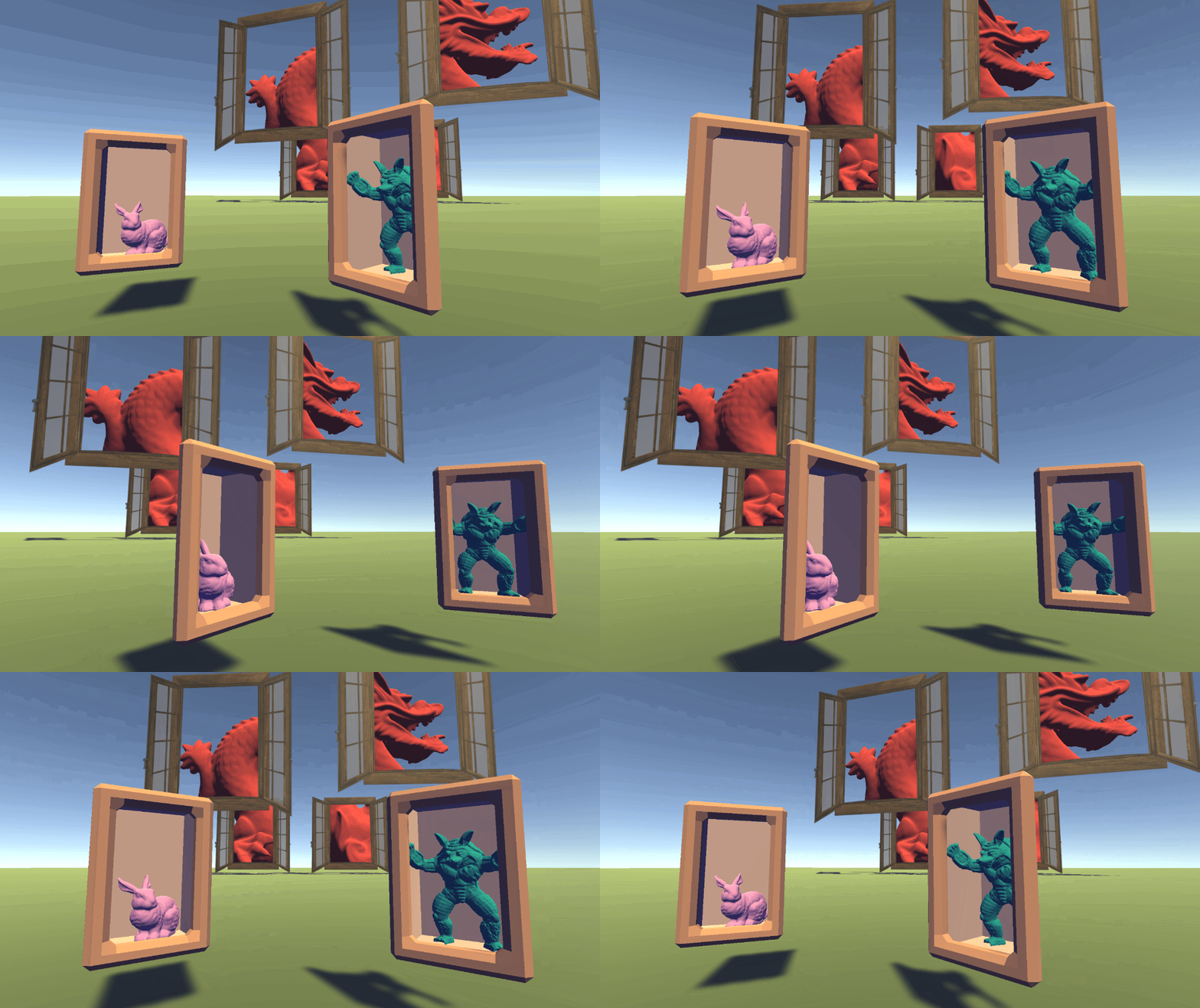 tribal ruin
as the colors im using are solid i might be able to do a shader graph with replace color
will try stencils if it doesnt work
grand jolt
@grand jolt try looking into TriPlanar mapping, thats pretty good for terrain blending
as well as what your after, I would think, it should be able to blend in the way you need
I don't want terrain blending
Does tri planar work for non terrain blending?
yep
works on meshes
so I can triplanar map between two specific meshes?
if I understand it's capabilities, yeah
YouTube it, theres a few tutorials
fervent tinsel
you can use triplanar in world space and it would do the trick
but the main issue here is that you can't just use triplanar for meshes that require textures specifically mapped for them
and Hens asked about blending two meshes
grand jolt
i've seen some heightmap blending shaders about which people use to blend puddles into cobbles and stuff (which are other meshes), i imagine that might be what he needs
fervent tinsel
hens specifically asked between blending two meshes, not about doing height blending on single mesh
but anyway, it's not my place to tell what he/she needs 😄
tribal ruin
i found this which should replace the colors but it doesnt seem to work
fading pumice
@regal stag i have a issue with this https://discordapp.com/channels/489222168727519232/497874081329184799/773980219169832971
i dont know what code i am supposed to look at
grand jolt
@fervent tinsel
fading pumice
nvm
 vague pike
Hmm anyone know if theres a tutorial on how you'd make a metaball shader with shader graph?
(if thats even possible)
tribal ruin
how do i change one color to another if its behind a mesh
the materials im using are unlit so there doesnt need to be an error margin
i want specific colors behind the gray object on the right (obviously the object would be invisible) to be changed to an arbitary other color
(i think this is the simplest way of doing what i need)
 fiery fox
Hey, can someone help me? I'm having trouble with the render order of unlit objects. Even though the object is clearly in front of the other, it still renders behind, depending on the camera angle.
They're all using the Unlit/Transparent shader
 vocal narwhal
Transparency sorting is done via the pivot
if you use a cutout material then it will not render like that as it can render to depth
but then there are no actual transparent pixels
The alternative is to use sprites and set their sorting order
fiery fox
The pivot seems to be fine (for example, the bed pivot is clearly in front of the bg pivot)
Oh, using the transparent/cutout seem to work
In this case the transparency is either 0 or 1, so it works
Thanks @vocal narwhal
 honest bison
I am writing a custom vertex fragment program and would like to include the GGX specular. I have always used Phng in the past. Can someone help me out writing the code for GGX?
 runic wyvern
On Shader Graph, I’m working on a Time Stop effect sphere that grows huge for a second. The problem is that when a camera enters the sphere, the shader disappears.
Does anyone have a way to still render shaders while inside an object?
amber saffron
Disable back face culling on the shader (aka: double side rendering)
runic wyvern
How would I do that in Shader Graph?
runic wyvern
amber saffron
In the master node setting (cogwheel), you can set this
fervent tinsel
(unless it's HDRP/URP 9.x+ where you set it per target on Graph Settings on Graph Inspector)
sharp basin
I'm getting these weird shadows from my normal map inputs in my HDRP Lit shader graph and I don't know why.
Any help would be appreciated because I am at a loss
amber saffron
You shouldn't have to unpack the normal, as it's already samples as a normal
Also check that the map is inported as type normal in the import texture settings
If you want to invert the Y axis of a unpacked normal, just multiply by 1,-1,1
 pine bluff
hello, im having some trouble with a water shader I made...
it shows up in the editor but not in game. any thoughts?

 sharp basin
@amber saffron The unpack I put in after having the issue already so that's not it. The texture I am using is set as a normal map, but the normal issues are present even without a texture as seen in the preview. (I did realize that I had to set the texture input as Bump to get it to show blue in the preview but that didn't fix it)
amber saffron
Well, my suggestion is to diminish the number of connection to identify the issue.
Is it still shading incorectly if the base normal texture sample is connected directly to the normal input of the master node ?
sharp basin
Yes it is, I tried that first I should have mentioned
I think I figured out what might be it, I think the Unity default sphere assets are just garbage as the cube doesn't have the issue
fervent tinsel
that would be a first
I mean, if you just talk about the sphere preview now, then if that had mismatching normals, it would affect everyone's material previews and it would have been noticed by thousands of users already
I'm going to go and assume that box shape (flat planes) just hides the issue with your normal setup
sharp basin
That's what I thought and I was surprised I didn't find any Google results
The only other thing that it might be is the version I'm on, I'm on 2019.4.3 for a work assignment and haven't tried on a more up to date version
vague pike
So from what I google, you can't make geometry shaders in Shadergraph?
sharp basin
I'm not trying to make a geometry shader though, just trying to apply a normal map to the shader
vague pike
Nah, just want to make a grass shader and apparently you use geometry ones for that
sharp basin
oh year, that's an issue with the shader graph that I'm surprised they haven't added yet. I wanted to use a geometry shader to create a wireframe and wasn't able to use the shader graph for it.
grand jolt
i would settle for Vector 2's showing as Vector 2's in the inspector, instead of Vector 4's.
fervent tinsel
@vague pike if you want to make grass meshes sway, yes, you can do that via SG
vague pike
I want to generate grass (blades/meshes/whatever)
fervent tinsel
ah, that you can't do in SG
vague pike
Okay, time to learn shader coding I guess
honest bison
When I raise my Blinn_Phong exponent it gets brighter. Something is wrong
 median gull
Hey, a question. I'm trying to create a compute shader that accesses a RWTexture2D with numthreads(8,8,1).
However, that texture is not necessarily a factor of 8 on either of its dimensions.
So I want to include a check at the very start of the shader to determine if it's out of bounds, given by a simple
  return;```
However, this does generate a if_nz divergence in the shader.
Given that the divergent path is straight to a return, does the cost of using an if even matter or, if it does, how do I minimize it?Also, how do I declare a "local" or private function inside a shader?
median gull
Ah, to answer my last question, I need to define the function before the use.
grand jolt
Hi, I created hammer hitting game and I don't why my hierarchy of objects changed. In the game you have to hit Monkey that comes out the door, and swap door. However, the monkey swaps the door but is behind them does not appear in front of why?
 rugged verge
Why do I get this error for this shader code? I tried incrementing the loops by insanely large numbers (so it'd only loop once) but I still get this error. It's puzzling me o_O.
Shader error in 'Custom/GlassMaskShader': unable to unroll loop, loop does not appear to terminate in a timely manner (825 iterations) or unrolled loop is too large, use the [unroll(n)] attribute to force an exact higher number at line 107 (on metal)

Compiling Fragment program
Platform defines: UNITY_ENABLE_REFLECTION_BUFFERS UNITY_USE_DITHER_MASK_FOR_ALPHABLENDED_SHADOWS UNITY_PBS_USE_BRDF1 UNITY_SPECCUBE_BOX_PROJECTION UNITY_SPECCUBE_BLENDING UNITY_ENABLE_DETAIL_NORMALMAP SHADER_API_DESKTOP UNITY_COLORSPACE_GAMMA UNITY_LIGHT_PROBE_PROXY_VOLUME UNITY_LIGHTMAP_FULL_HDR
            #define GRABXYPIXEL(kernelx, kernely) tex2Dproj(_GrabTexture, UNITY_PROJ_COORD(float4(IN.uvBuffer.x + _GrabTexture_TexelSize.x * (kernelx + _Displacement), IN.uvBuffer.y + _GrabTexture_TexelSize.y * (kernely + _Displacement), IN.uvBuffer.z, IN.uvBuffer.w)))

            for (; range <= 10; range += 6000000) { // Line 107 references here.
                for (float i = 0.06; i <= 0.18; i+= 3000000){
                    float minus = (0.21-i);
                    sum += GRABXYPIXEL(-range*i, range*minus);
                    sum += GRABXYPIXEL(range*i, -range*minus);
                    sum += GRABXYPIXEL(-range*minus, -range*i);
                    sum += GRABXYPIXEL(range*minus, range*i);
                }
            }
But if I comment out GRABXYPIXEL it works. Hmmm.
And if I do this, it also fails. So it's something to do with text2Dproj... which I need for blurring.
            for (; range <= 10; range += 6000000) {
                float i = 0.06;
                //for (float i = 0.06; i <= 0.18; i+= 3000000){
                    float minus = (0.21-i);
                    sum += GRABXYPIXEL(-range*i, range*minus);
                    sum += GRABXYPIXEL(range*i, -range*minus);
                    sum += GRABXYPIXEL(-range*minus, -range*i);
                    sum += GRABXYPIXEL(range*minus, range*i);
                //}
            }
anyone know if using sample texture 2D nodes in sub-graphs adds to a main shaders max sample node count? i'm hoping they dont as sub-graphs can be accessed via any shader graph so makes me think sub-graphs might have their own count...but not sure
rugged verge
what a puzzling bug,
float range = 6;
    //for (; range <= 10; range += 6000) {
                float i = 6;
                //for (float i = 0.06; i <= 0.18; i+= 3000000){

                    float minus = (0.21-i);
                    sum += GRABXYPIXEL(-range*i, range*minus);
                    sum += GRABXYPIXEL(range*i, -range*minus);
                    sum += GRABXYPIXEL(-range*minus, -range*i);
                    sum += GRABXYPIXEL(range*minus, range*i);

                //}
            //}
If I comment out the for loop incrementing range, it doesn't error, but if I uncomment, it does have an error
The comment out vs uncomment shouldn't make a difference IMO but it gave a unable to unroll loop... error if I comment out
regal stag
@grand jolt Samplers used in Sub-graphs would still count towards the sampler cap. Sub-graphs are mainly just for organisation purposes and allow reusing the graphs, but the generated code still contains all of it.
You can easily avoid the sampler cap though, by attaching a SamplerState node to the Sample Texture 2D node, instead of relying on the texture's sampler.
grand jolt
ok thanks, i'll check them out
regal stag
@rugged verge I'm no expert when it comes to loops in shaders, but I think you can force it to not unroll by adding "[loop]" before the loop. That might help prevent the error here, though I can't say if it's the correct or most performant thing.
rugged verge
what does unrolling mean
it should iterate only once, if I change range += 6000 to range = 6000 it doesn't error
it should iterate once regardless so i don't know why i got that error
adding [loop] fixed it
what does it do, i am gonna try search it
regal stag
It's possible the compiler doesn't like unrolling nested loops
rugged verge
: unable to unroll loop, loop does not appear to terminate in a timely manner (825 iterations) or unrolled loop is too large, use the [unroll(n)] attribute to force an exact higher number at line 107 (on metal)
It loops 1 time, not 825 as it says in the error so I was very confused
I unnested the loop and still got the error strangely
I apologise for the messy code and comments, if I remove [loop] it errors
but if it works I'll survive with it, it baffles me why it errors
I naively guess/assume unroll means the compiler "unpacks" the loop for efficiency or something, IDK what unroll actually means though as I never seen that word before in a programming context
probably something to do with tex2Dproj maybe (GRABXYPIXEL definition)
regal stag
Yeah that might be it, I'm also seeing errors related to that
rugged verge
mhm I'll keep that in mind, it works for now with [loop] so I will leave it there
regal stag
I think it might be related to the usage of the _BlurStep property in the loop. It doesn't know its value so the compiler doesn't know if can unroll?
(Yeah, think that's it. Technically the value of _BlurStep could be a very large negative value. Since the compiler doesn't know what value it'll be I think it's trying to unroll it as much as possible, but stops when it reaches the shaders max instruction count, at 825 unrolls, (and I also had 898 while testing). Removing one or more of the GRABXYPIXEL lines puts it up to 1024 though, which is the actual maximum it seems).
rugged verge
hmm it still didn't work if I replace _BlurStep with hardcoded 4f
It doesn't seem to lag with [loop] so I'm pretty happy now, but I suspect it's something to do with tex2dproj or use of definition
thanks for the help Cyan!
regal stag
Hm, I've tried hardcoding and it warns about "Shader warning in 'Custom/GlassMaskShader': loop only executes for 1 iteration(s), forcing loop to unroll at line 110 (on d3d11)", so it's unrolling fine then
I think if you know how many times the loop is going to run, you can also use "[unroll(n)]" before the loop btw
rugged verge
Ah yes its fine if I also hardcode BlurRadius (not just step)
interesting, I need to learn this, learning/writing shaders is so fun
rugged verge
ah when I reduce the step size so much that Unity freezes for a minute and jumbles up my game objects lol
pine bluff
https://media.discordapp.net/attachments/740730093835649094/774658961772773386/unknown.png
https://media.discordapp.net/attachments/740730093835649094/774659066005028884/unknown.png
anyone know how to fix this?


I made a water shader but its only overlaying over the floor...
it doesnt work on planes, only cubes
thick fulcrum
@honest bison you mentioned GGX specular the other day which was first I'd heard of it, finally got around to testing it myself and I'm impressed it certainly makes metallic parts of my objects look good and gives some extra pop to the model 😄
unfortunately, I've done it in shader graph so I'm having issues with shadow cascades. the shadows seem fixed on a low resolution, has anyone got smooth shadows working with unlit shader graph? I'm using some code from one of Cyan's tweets at moment
regal stag
@thick fulcrum I have some updated shadergraph URP light functions/subgraphs here. Split into MainLight and MainLight Shadows. Works properly with shadow cascades and soft shadows by defining the keywords in the subgraph : https://github.com/Cyanilux/URP_ShaderGraphCustomLighting
thick fulcrum
ty taking a look
grand jolt
@thick fulcrum not sure if this is related, but you could try adding the Material Quality keyword to the inspector, perhaps then itll inherit the resolution settings for the shadows also, thats pure guess though:
thick fulcrum
Thanks @regal stag that helped me sort it, your an absolute star!
rugged verge
+1 Yeah Cyan is an absolute beast, he helped me learn a lot about shaders in the past in this channel
grand jolt
@sharp basin Heya, did you figure out what the problem was with those wierd shadows on your normals? i'm getting the same behavior
 tranquil fern
@rugged verge Send in a bug report about the letter thing. I did the same and they're having a hard time reproducing it. Maybe more data (bug reports) will help.
regal stag
@sharp basin Looking back at your graph, shouldn't need the Normal Unpack nodes (Remy mentioned that too). I also notice that while both Sample Texture 2D nodes are set to Normal mode, one is set to Object space, when both likely should be in Tangent space assuming both are tangent space normal maps (the blue-ish ones). Whether that's the actual issue idk, I'm not hugely familiar with HDRP.
(Maybe this'll also help you too @grand jolt)
rugged verge
@tranquil fern the issue was when I caused an infinite loop in my shader, which was why it happened. It fixed when I restarted it
I'll report it through the Unity program
grand jolt
i think i nailed it @regal stag , there needs to be a bool to omit the normal map from the blend if none is equipped, usually materials can detect if the map is equipped by default but Shader Graph cant do that, so need to use a bunch of bools
regal stag
@grand jolt You should set the mode of the Texture2D property to "Bump" in the blackboard so it uses the correct values for "no (tangent-space) normal map". You can also use boolean keywords if you want to be able to toggle it on/off though - might help with performance if it's not needed. Pretty sure the default standard/lit shaders do that too.
thick fulcrum
I believe the editor inspector handles this, a shader is just a shader after all
so custom editor script could do it
grand jolt
@regal stag so using a keyword instead of a property boolean is more performant?
regal stag
Eh, I'm not sure. I think using a regular boolean would rely on the shader branching. It tends to be avoided, though probably isn't that bad (I think it's a static branch in this case at least, since it relies on a shader property that'll be the same for every pixel).
Keywords instead produce multiple variants of the shader. Can increase build time, but would ensure the code isn't included in the shader when the keyword is off.
grand jolt
oh nice....i think ill convert them all to keywords then, at least then they can get added to my ShaderVariantCollections
thanks!
regal stag
Can find some more info on keywords / shader variants here :
https://docs.unity3d.com/Packages/com.unity.shadergraph@10.1/manual/Keywords.html
https://docs.unity3d.com/Manual/SL-MultipleProgramVariants.html
grand jolt
also, is there any way I could take the outputs of the normal and have the graph generate a Bent Normal version of it via nodes? I hear Bent Normals help lighting computations so would be excellent if I could auto-generate them
thick fulcrum
from what I read you need to pre-bake them to get the speed benefits, otherwise your just doing extra lighting calculations for the sake of it. which kinda defeats the point of them I think. but what do I know 🤷♂️
tranquil fern
Is there a way to fall back to a color in a graph? I have a texture property, but I want to replace it by a color if none was set.
grand jolt
not sure myself, i imagine it would depend if the backend does the calculations at runtime or is it pre-saving those calculations and then just using them when required.....I'm going to have a guess here and say they need to pre-bake, so i'll keep it as-is I suppose
regal stag
@tranquil fern Can only really fallback to white (1,1,1,1), black (0,0,0,0), (possibly also grey? (0.5,0.5,0.5,0.5), and bump (0.5,0.5,1,0.5) but that's for bump/normal maps), as the Texture2D mode in the blackboard. I think technically there's a red fallback too (1,0,0,0), but I don't think that one is in shader graph.
If you want other colours, just use the white mode and multiply the texture result with a Color property. When there's a texture you can set that color property to white so it uses the texture normally, but it also gives you the ability to tint it.
tranquil fern
Hey, cool... What's white mode? 😄
Also I'm starting to feel guilty for all the help I've been getting from you
regal stag
Referring to the "mode" (at least I think it's called that) of the Texture2D in the blackboard (or inspector settings thing if in v9+). I think white is the default mode anyway.
tranquil fern
Oh damn, yep!
I keep forgetting I have to make a material for each model.
So sometimes I change parameters on 1 object's material and everything changes. And I don't find out until I am in play mode because they're prefabs.
 gaunt pawn
Hello i have a problem with my terrain tree leafs, they dont cast shadow to the terrain. Maybe someone here can help me.👀
grand jolt
I take it theres no way to show these in the inspector? so the only way to toggle them is through code?
keyword bools I mean.
in Shader Graph.
median gull
In HLSL, does clamp work component-wise or by maximum value of a vector? Say the following
float2 output = clamp(value, float2(0, 0), float2(50, 50));```
What does Output return: (50, 0) or (50, 50) since the X component would exceed the max value and proc the entire maximum vector?it'd be per-component
median gull
50,0?
vocal narwhal
I'd expect so, yes
median gull
Okay, thanks. Debugging compute shaders is so difficult without knowing what these functions do.
 young flicker
Does emission dramatically effect performance? Im makin a mobile game
regal stag
@grand jolt If the keyword reference ends with "_ON" it'll show in the inspector. Not really sure why we can't expose others tbh.
low lichen
@young flicker It depends what you need to do to calculate the emission color
It's just an addition at the end, but if you need to sample an emission texture, that will affect performance
If it's just a color, it's pretty cheap
rapid rivet
im trying to implement stencil shadows in unity do anyone know a tutorial or a starting point to do this?
low lichen
What do you need help with? Do you know how stencil shadows are usually implemented but not sure how to do it in Unity?
@rapid rivet
rapid rivet
i know how stencil buffer work but i dont really know the details about making those shadows
in example i dont know how to do the extrusion for the shadow etc
low lichen
Have you tried looking for articles about it?
rapid rivet
im in that phase
but or the article is not good enough or the article is too hard to comprehend for me
thick fulcrum
do you just want hard edged shadows or specifically the over 20 year old technique?
thick fulcrum
I'm not knocking the technique per say as what we use has evolved from it, but it has evolved 😉
grand jolt
@regal stag awesome, thanks Cyan, thats a bit odd XD
rapid rivet
do you just want hard edged shadows or specifically the over 20 year old technique?
@thick fulcrum the most perperformance friendly one
i thought that probably the 20 year old technique is the most performance friendly
since my voodoo 3 could handle it
low lichen
Not necessarily. GPU hardware has been optimized for rendering shadow maps
rapid rivet
aparently not on mobile devices
thick fulcrum
it's more about dynamic shadows and number of lights, on mobile it's not really good for dynamic shadows. Baked shadow maps is better if doable
rapid rivet
but anyway i really want that hard looking shadows
because of learning purposes and because i like how they look
low lichen
I think stencil shadows will run even slower on mobile
rapid rivet
the reason i really want those shadows is because im making a retro looking game
thick fulcrum
🤔 so long as it's single light source at a time, we used to limit them based on range from each light even when hacking around with ID's first Quake engine. Maybe it could run fast enough.
tranquil fern
I somehow managed to create a shader that looks different for each eye on the Quest2
Is that a shader quirk? Or a unity quirk?
real topaz
hello, i need to blend 4 textures based on height using lerp but lerp has only 2 inputs, any help would be appreciated
thick fulcrum
@real topaz lerp them in order of importance, the output of one lerp feeds into next with the proceeding texture etc.
you will need to do about 3 lerps I think
 lilac lava
so I have a shader that I set properties of, but every time I play the scene the properties reset, what am I doing wrong?
after play
 slow bear
Does alpha clipping affect the stencil buffer? More specifically, do the clipped/discarded parts of a shader still output a stencil value?
regal stag
@slow bear Alpha clipped/discarded parts won't write stencil values no
slow bear
@regal stag ok, thanks
vague pike
Is there any good way to debug shaders? Like, can I somehow print the values of something to the screen as text or so
Specifically shader graph I guess
 meager pelican
Depending on your hardware, you can run an actual debugger on them even. Unity has some info in their docs:
https://docs.unity3d.com/Manual/DebuggingShadersWithPIX.html
https://docs.unity3d.com/Manual/SL-DebuggingD3D11ShadersWithVS.html
Or you can output values into a color.
Anything else requires you to write your own debug library to output things.
Or find one somewhere.
low lichen
@vague pike One way to "print" values is to output them as the color
vague pike
Hmm I see, will have to look into that, thanks
@meager pelican Will look at that too
Thanks too
tranquil fern
I have a what I think is a pretty basic shader. It just adds a bit of a twirl (like portals). The weird thing is that in VR it's rendering differently for each eye. I don't know where to look or what channel to ask this in.
Did I find a bug?
low lichen
Differently how?
tranquil fern
It's hard to explain
It's a sphere. On the right eye it's transparent, slightly black. On the left eye it's the desired result (as I see it on my laptop) which is wobbly (like a portal)
It messes with my head when I look at it. It's kind of cool, but entirely unintended.
low lichen
Are you using Single Pass or Single Pass Instanced?
low lichen
If you're using instanced, you need to add instancing support to your shader


 low lichen
Which one do you not have?
low lichen
Then you're using the new XR plugin system
low lichen
That's strange. Multi pass is the brute force option, render a camera for each eye, one after the other. That method usually never requires custom shader stuff to work
If you're making a Quest game, you absolutely should be using Single Pass
low lichen
No?
tranquil fern
So why does it even exist?
I don't have single pass btw
I have multi pass and multiview
low lichen
Multiview is Android's equivalent to single pass
Different name, slightly different approach
tranquil fern
Ah I see
low lichen
Say if you have 3 objects, A, B and C. With multi pass, your render loop looks like this:
Start Render (Left)
Prepare Material A
Draw Mesh A
Prepare Material B
Draw Mesh B
Prepare Material C
Draw Mesh B
End Render (Left)

Start Render (Right)
Prepare Material A
Draw Mesh A
Prepare Material B
Draw Mesh B
Prepare Material C
Draw Mesh C
End Render (Right)
That's the part I understood from the gifs in the docs
low lichen
In single pass/multi view, it looks like this:
Start Render (Both)
Prepare Material A
Draw Mesh A (Left)
Draw Mesh A (Right)
Prepare Material B
Draw Mesh B (Left)
Draw Mesh B (Right)
Prepare Material C
Draw Mesh C (Left)
Draw Mesh C (Right)
End Render (Both)
(had to finish it since I started it)
Preparing the material is the most costly part on the CPU
tranquil fern
😄 And I appreciate it because I understood it wrong
But what I don't understand is why multi pass exists if it doesn't change quality