#archived-shaders
1 messages · Page 174 of 1
 tranquil fern
tranquil fern
tranquil fern
Is there a way to make my quad visible from both sides using a shader graph?
It's nice and transparent now, and the effect looks super cool, but I can only see it from one side because it's a quad. Rendering it twice is an option but not a very good one
 regal stag
There should be a "Two Sided" option on the cog on the master node
 hearty wasp
is there a way to do water caustics in shader graph? or would you always need some scripting for it
regal stag
I usually do caustics by reconstructing a position from the scene depth. That can then be used for sampling a texture (e.g. https://www.alanzucconi.com/2019/09/13/believable-caustics-reflections/) or animating the Voronoi node angle over time makes a fairly convincing caustics effect.
Got a breakdown of a water shader that uses that here : https://cyangamedev.wordpress.com/2019/06/10/water-shader-breakdown/
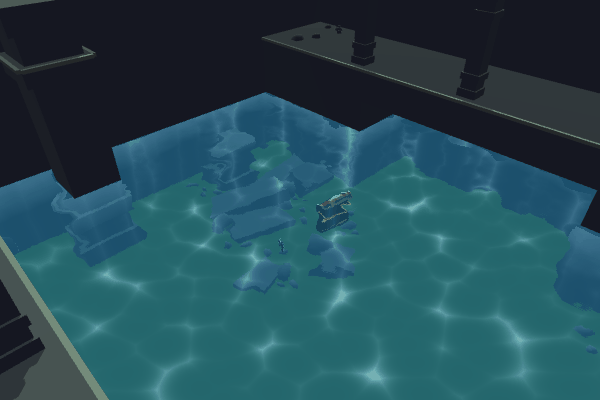
Intro This water shader is based on using the camera’s colour and depth textures to create transparent water with distortions/refraction. It also samples Voronoi using UVs of world space coordinate…
That one just uses the X and Z coord of the scene position so it's always directly downwards. I've also done something similar but with the directional light's transformation matrix passed in too, allowing it to rotate but haven't got a write-up on that.
(can't go through the water plane with this kind of thing though)
tranquil fern
@regal stag That was simple... And it makes a huge difference, thanks!
hearty wasp
ah so if you do want something that's actually projected onto the surface below the water (kinda like an animated decal I guess?), and actually base it off lighting (caustics under light / no caustics under shadow), you'd definitely have to step beyond just shadergraph?
regal stag
It's definitely possible in shadergraph, but a bit complex. My tutorial above is projected onto the surfaces below the water using scene depth - (maybe a bit difficult to see from the image but you can see it animated in the tweet at the top of the post).
If you want to base it off the actual light direction you need a C# script to pass in the transform matrix (transform.localToWorldMatrix I think?) and multiply it with the position in the shader. I always forget the exact order they need to go in though.
As for caustics not in shadowed areas you'd need to get the shadowAttenuation from a custom function in order to handle that. (This might only be possible in URP, not HDRP) : https://blogs.unity3d.com/2019/07/31/custom-lighting-in-shader-graph-expanding-your-graphs-in-2019/ (if using PBR master the methods in that post will work fine. If using Unlit master, needs tweaking : https://cyangamedev.wordpress.com/2020/09/22/custom-lighting/)
 jolly adder
Hey eveyone,
How I should implement AlphaClipThresholder to have smooth cutout ?
https://cdn.discordapp.com/attachments/257884326639697921/761219411536773130/unknown.png
Also Surface is Opaque and Blend is alpha

 meager pelican
There is no "smooth cutout". It's a simple binary result at some threshold. So you have to get the alpha values correct for whatever you're doing.
It's < the threshold and thus discarded, or it isn't.
jolly adder
I didn't get it. Then how I can make that part transparent with that mask ?
@meager pelican
meager pelican
So you want the black part of the mask to be cut out?
jolly adder
Yup, mask out that part of the mesh
meager pelican
I'd multiply the ALPHA component of the color by the mask value.
then clip by some threshold > 0...like .01.
Right now you're putting the red component into the alpha, which works when you multiply the whole thing by 0 but I'd just use the alpha.
So you need to split the vector out and grab the alpha.
jolly adder
Thanks. It is same as what I do but the result is not that much smooth when I put the threshold value on 0.5.
https://cdn.discordapp.com/attachments/257884326639697921/761231744648085554/unknown.png
 meager pelican
It's close to what you did.
But what do you mean by "smooth"?
See my first answer to you.
It's a binary, pass/fail. There's no "smooth" to it. This is alpha cutoff, not alpha blending/transparency.
If you want transparency, you have to use the transparent, not opaque, queue
jolly adder
Yup, you are right I guess. Let me complete my shader and see how it looks. Thanks man.
 amber saffron
But transparent might lead to other issues
 hybrid forge
I'm currently trying to do a field of view / fog of war area reveal. I have a mesh that is drawing the area the player can see and want to use that to reveal the background below it. can anyone point me in the right direction of someone who's done something similar already? I'm googling but I feel like I'm lacking the knowledge about shaders to find what exactly I'm looking for.
 wary horizon
Overlay UI doesnt work with Materials
you need screen / world space
@simple violet
if you use Overlay, it will just be black
 simple violet
Damn
 mortal sage
Hello, anyone has an idea how I could achieve world tiling with UV mapping, or a sort of worldspace planar mapping but with the direction locked in object space?
I need to have the same tiling between different objects of different sizes (not scale). But I also need to rotate the objects without affecting the mapping on them so standard triplanar won't do.
(in shader graph) thanks
meager pelican
Triplanar mapping in object space?
But how would that relate to the x,z worldspace?
Maybe x,z worldspace location offsets?
hearty wasp
I'm having some issues with adding a branch with a boolean, I basically wanna be able to switch between a texture or a voronoi with this
it looks fine in the graph but for some reason it doesn't work at all in the actual scene view
mortal sage
@hearty wasp try insert a clamp or a saturate node to your voronoi just before the branching
I think actually the object space triplanar solves my issue, as long as the objects are not rescaled
hearty wasp
as in, you think the white value isn't bright enough for it to be picked up?
 rotund ingot
Hi, I'm trying to create a shader that ignores fog.
I followed a tutorial and got it to work, but the result doesn't support an alpha channel. How do I add alpha?
(This if for clouds so I need alpha, and I don't want fog on my fluffy clouds)
Here's my shader right now:
Shader " SimpleNoFog" {
    Properties {
        _Color ("Main Color", Color) = (1,1,1,1)
        _SpecColor ("Spec Color", Color) = (1,1,1,1)
        _Emission ("Emmisive Color", Color) = (0,0,0,0)
        _Shininess ("Shininess", Range (0.01, 1)) = 0.7
        _MainTex ("Base (RGB)", 2D) = "white" {}
    }

    SubShader {
        Pass {
            Fog {Mode Off}
            Material {
                Shininess [_Shininess]
                Specular [_SpecColor]
                Emission [_Emission]
            }
            ColorMaterial AmbientAndDiffuse
            Lighting On
            SeparateSpecular On
            SetTexture [_MainTex] {
                Combine texture * primary, texture * primary
            }
            SetTexture [_MainTex] {
                constantColor [_Color]
                Combine previous * constant DOUBLE, previous * constant
            }
        }
    }

    Fallback " VertexLit", 1
}
@hearty wasp I don't know but it's usually good to bring values back to decent ranges, especially after multiply operations. Because indeed sometimes it doesn't render what you see in the preview otherwise.
hearty wasp
@mortal sage I had tried it but still it did not work, thanks for the suggestion though
rotund ingot
Someone please help me 3:
hearty wasp
I'd help but I only have experience with shadergraph :c
rotund ingot
I tried getting shader graphs to work so I could create my own shader, but switching to LWRP breaks all of my existing shaders
regal stag
I'm not really familiar with those legacy fixed-functions/material/lighting etc in that shader. I'd personally look into surface shaders if you're in the built-in pipeline. There's a "nofog" that can be added to the surface directive to disable fog.
rotund ingot
I just figured it out. I just used the code from the Standard shader but ripped out all the fog
 final hollow
does anyone happen to know the nitty gritty of Texture2D.GetRawTextureData() and Texture2D.Apply() ?
specifically, the GetRawTextureData documentation says that uploads will cause that array to become invalid,
and Apply has an option regarding the disposal of that memory
is there any way to cause that array to not be invalid? to keep it around and continually upload from the same array?
second question, is there a way to defer "apply" calls until, say, the end of a frame, and not call it at the current execution point
 kind torrent
ParticleSystem / CustomVertexStreams question:
Is it possible to get the custom data of just ONE particle? I want to change the data of just the last (youngest) one.
It seems super redundant to fetch (and then send) a list of 10,000+ Vector4s just to change one particle's single float.
meager pelican
How do you identify "The Last Particle"?
kind torrent
the youngest one. If you emit a particle manually, and call GetCustomParticleData() right after, it will be the last on in the list.
Basically, I want to manually emit a particle and populate it with custom data, while ignoring the thousands of already-alive particles.
meager pelican
So set a uniform value on the material that you pass into the shader. One for the age, and whatever else you need to set it to some custom thing.
There's no requirement that you have to use the custom-data stream for that.
It's an "if" type of thing in the shader.
"If I'm on the last particle {do this stuff} else {don't}
Pass whatever you need into it.
kind torrent
If I set it in the material, won't it affect ALL particles instantiated with this material? I assume ParticleSystem uses one renderer for all its particles, so not sure if even [PerRenderer] data would work.
meager pelican
It won't remember it, but you can, say, turn the "last particle" blue.
The if logic makes it just that one.
If that's REALLY what you want
kind torrent
oh, like that... Not sure I can access particle ID in the vertex itself. I mean, I could with CustomData, but then we make a full circle.
one sec, there was a similar thread
 shrewd grail
Im not sure why its reflecting my old skybox (using reflection probe node) https://cdn.discordapp.com/attachments/438387938947235840/761376951158964234/unknown.png

here's what the graph looks like
https://cdn.discordapp.com/attachments/438387938947235840/761377077130690560/unknown.png
 meager pelican
@kind torrent That thread looks like per-particle data at first glance.
kind torrent
Yep
However, in that case, anim frame isn't exposed so it needs to be sent via custom stream.
To only ONE CHOSEN particle.
But you know what, I'm reading through official examples as we speak, and the officials also fetch ALL PARTICLES data, change one, then send them back again.
Guess that's the way for now.
meager pelican
Custom data applies to all. It's basically an array, index for each, as you more or less mentioned.
kind torrent
https://docs.unity3d.com/ScriptReference/ParticleSystem.SetCustomParticleData.html
I'm referring to this one.
meager pelican
Yeah, probably, unless you can ID that particle.
kind torrent
Alright, that will do for now, thanks!
meager pelican
One thing you could do...
kind torrent
Yeah?
meager pelican
If you set some custom ID # as the custom data, and IF IF IF your C# code can ID that particle, then you could just set a float or int for "what ID you want to be special" somehow.
So you only have to set that up once.
Then you just tell the shader to "Treat ID # 37 as special"
kind torrent
mhm, I get the idea, buuut
we'd need to set the ID in custom data for each newborn particle
and that's where we make the circle 😛
because when there are already 1kk particles in the system
meager pelican
Do you? Because custom vertex data is set on the mesh, isn't it?
kind torrent
No idea
I'm no shader expert, but lemme show you how Unity exposes custom vertex streams:
basically, in the shader, I'm using v.texcoord.z as a placeholder for whatever-it-is-that-I-want
I've just started tinkering with it today
Don't sweat it too much, it's not a bottleneck YET 😅
meager pelican
Well, this is off the cuff for me, been a while since I played with custom data.
But IIRC it keeps a pool of them based on max particles.
They round-robin as they expire and are reborn.
But it all depends on how you can identify that particle, and that I don't know.
 deft topaz
I see everything in the preview, but nothing in the game window. How to fix it?
I use HDRP
In URP everything works.
My shader
 leaden anvil
How does this shader change the colors based on the brightness? I'm trying to recreate this effect but im not sure how to do this part
meager pelican
What pipeline are you in?
deft topaz
@meager pelican me?
meager pelican
Sorry, no. IDK what your deal is and why it isn't showing up.
I mean @leaden anvil
meager pelican
One way to calc the greyscale is
float gs = dot(color.rgb, float3(0.2126729, 0.7151522, 0.0721750));
You'll get a value from 0 to 1.
Then use that to lookup into a gradient and map that gradient to any set of values you want, in however many steps you want.
So three green colors in 3 "steps"...0-.333, .333 - .6666, .6666 - 1.0 values in however you set it up. Then your C# code can set that gradient and not worry about it in the shader, easier to update c#. That's one way.
The UV.x would be set to the value of gs.
The greyscale calc/result might vary some depending on the color space in use. So google it.
amber saffron
@leaden anvil In HDRP, base light and sky intensity a quite high compared to URP or Build-in.
In you case, the emission intensity is just not enough to make it shine, and only the diffuse light is visible.
I will also copy this in your forum thread : https://forum.unity.com/threads/hdrp-trouble-with-shader-visibility-in-the-game-and-viewport-windows.981066/

Unity Forum
I see everything in the preview, but nothing in the game window. How to fix it?
[IMG]
I use HDRP.
In URP everything works.
My shader. I tried PBR...
 astral pecan
I need help trying to render an object above everything else on screen
Using HDRP
Any ways to do it with Shader Graph?
amber saffron
Not directly with ShaderGraph, but you can do it by using custom passes in HDRP.
jolly adder
When my shader normal map is none, why it looks like this ?
https://cdn.discordapp.com/attachments/257884326639697921/761510829711425536/unknown.png
 astral pecan
Not directly with ShaderGraph, but you can do it by using custom passes in HDRP.
@amber saffron How do I set this up?
amber saffron
@jolly adder By none, do you mean, no map assigned ?
Try to change the default map type of the property to "bump"
jolly adder
@jolly adder By none, do you mean, no map assigned ?
Try to change the default map type of the property to "bump"
@amber saffron Yup
Awesome. Thanks
Also my textures are dark 😄 and I think it is related to metallic part and because of that slider next to metallic map (Lit shader). Any ideas how I can add it ? 😄
amber saffron
Similarly to what you did with smoothness, you can multiply the metallic value by a slider
jolly adder
Thanks
 scarlet pulsar
where can i set in shader graph 10 DOTS instance for property?
 fervent tinsel
@scarlet pulsar it's on the other dialog now
it has two tabs, other is for the graph setting, other is for the properties etc
 thick fulcrum
Looking for advice / help, I'm wanting to get equivalent of _CameraDepthTexture for a second camera in URP. I've searched around but not found a working solution, is it doable or am I just bashing my head against a brick wall?
 azure geyser
I'm having an issue where exposed keywords from a PBR Shader Graph are not updating in the inspector when I change the keywords values through script. Has anyone seen this before?
Is there a way to set an exposed Enum keyword's float value? When I use enableKeyword() on one of the elements the other element still remains enabled.
Or do I have to disable the other elements in the Enum every time I want to enable an element?
 low lichen
@azure geyser You need to disable the other enum keywords
leaden anvil
@meager pelican URP and I'm using Shader Graph
 hexed field
Hey i want to use the URP for my new project but im not sure how to setup it in right way.
How i remove the howl sample scen and the related folders without getting striked by errors
thick fulcrum
you will need to setup RP assets related to urp and assign them in correct places, removing the sample assets removes these. There are quite a few vids on youtube which explain how to set these up if you need more information.
 grand jolt
@thick fulcrum you'll have to make your own Render Objects feature that renders to a texture.
Then it'll be a matter of drawing renderers with DepthOnly pass.
I do have this feature written but I haven't published it anywhere.
 red rivet
hello. im tying to make noise for instanced objects. it should basically be one giant noise texture that all the instance objects use. so lets say you had two planes with the noise texture, there should not be a seam. the noise should just continue onto the second plane. can someone please tell me how to tackle this?
this is what im trying to avoid
amber saffron
Don't use UVs for the noise coordinates, but the absolute world position
red rivet
i tried that. for some reason the whole mesh just vanished whenever i tried it?
amber saffron
yep, had shadergraph in mind, if this is what you're using
 rugged verge
I added a shader material to Sprite 1, and the same material to 30 other sprites.
How I make it so that when I adjust its parameters, it only affects one sprite, and not the other 30 sprites? Is there some code that allows me to do that.
amber saffron
Not directly in shader.
You either need to get the parameters you want from the sprite, or use an additional script that sets a MaterialPropertyBlock
rugged verge
Okay I need to use the MaterialPropertyBlock (will search it up)
found a good article http://thomasmountainborn.com/2016/05/25/materialpropertyblocks/
public class SphereWithMaterialPropertyBlock : MonoBehaviour
{
    public Color Color1, Color2;
    public float Speed = 1, Offset;

    private Renderer _renderer;
    private MaterialPropertyBlock _propBlock;

    void Awake()
    {
        _propBlock = new MaterialPropertyBlock();
        _renderer = GetComponent<Renderer>();
    }

    void Update()
    {
        // Get the current value of the material properties in the renderer.
        _renderer.GetPropertyBlock(_propBlock);
        // Assign our new value.
        _propBlock.SetColor("_Color", Color.Lerp(Color1, Color2, (Mathf.Sin(Time.time * Speed + Offset) + 1) / 2f));
        // Apply the edited values to the renderer.
        _renderer.SetPropertyBlock(_propBlock);
    }
}
I will use this codfe
 soft jacinth
how would one clear unity's memory of a previous shader?
I've deleted one but it appears to remember the setup error I made previous, and it's not compiling or something I'm not quite sure, it's from the asset store just a dissolve
thick fulcrum
@grand jolt thanks, I considered this and have some example code from alexander ameye's outline shader. My only concern is that would add in the feature to all camera's? and therefore unnecessary load.
It's something I can work around tbh and is not essential, I just naively thought it would be easier to access 😆
grand jolt
No, you can assign a separate renderer to you camera.
Features are set per ForwardRenderer asset if you remember.
thick fulcrum
ah ofc 🤦♂️
I should have a closer look at that, as I'm just running some tests for now might be quicker just using my workaround. Will probably swap if it all seems feasible
meager pelican
@meager pelican URP and I'm using Shader Graph
@leaden anvil See that post above about the formula for greyscale if I read you properly.
Then it's either an assignment with "ifs"/conditionals, or it's a lookup into a lookup texture with the 3 colors in it. Easily doable in SG.
There's also some nodes for converting to HSV IIRC, and the V part might be obtainable, but I haven't played with it.
regal stag
Yea, there's a Colorspace Conversion node. If you convert to HSV you can then Split it like any other Vector3, V would be the third component (so labelled B in the split node).
I think in this case they already have a greyscale noise though and want to convert it to colours, as I think I've seen that from a gif on twitter. Putting the greyscale into the T on a Lerp with two colours for A and B can do that. Or Sample Gradient node for up to 8 colours. Or Sample Texture 2D for even more, and be able to swap it out per material. (I think Carpe also briefly mentioned the texture lookup option earlier too)
 snow vale
Is anybody familiar with what would cause a transparent shader to appear invisible in a WebGL build? I received an Amplify shader from my artist and it works fine in-editor, but not in the build. Trying to get it working inside the next hour for a release so I'm looking for a quick hack
it's like a really complicated "everything" shader so I'm just looking for like a list of features that aren't supported in WebGL
so I can pare it down
google is not helping much unfortunately
actually I think I mostly have it. Sounds like shader target 4.5 doesn't 100% support webgl
simple violet
how do I change a material value without it affecting other objects with that material?
regal stag
Duplicate the material. Or if you are changing values at runtime, call GetComponent<Renderer>().material.SetFloat(...) or whatever (rather than using a public material variable, or renderer.sharedMaterial). The first time it'll automatically create a new material instance and assign it. Just be sure to clean it up in OnDestroy (Destroy(GetComponent<Renderer>().material)). Maybe also cache the renderer.
Alternatively look into Material Property Blocks. But if you are using URP/HDRP they don't play nice with the SRP Batcher so the material instance method is usually better for those pipelines.
 ornate pendant
How would I modify the UV coords in a pass? I can't seem to wrap my head around it.
fixed4 _Color;
sampler2D _MainTex;
sampler2D _Fur01;
sampler2D _Fur02;

uniform float _FurLength;

uniform fixed3 _Gravity;
uniform fixed _GravityStrength;

struct Input
{
    float2 uv_MainTex;

    float3 viewDir;
    float3 worldNormal;
};

void vert (inout appdata_full v)
{
    fixed3 direction = lerp(v.normal, _Gravity *
       _GravityStrength + v.normal * (1-_GravityStrength),
       FUR_MULTIPLIER);
    v.vertex.xyz += direction * _FurLength * FUR_MULTIPLIER
       * v.color.a;
}

void surf (Input IN, inout SurfaceOutputStandard o)
{
    fixed4 a = tex2D (FURLEVEL_INPUT, IN.uv_MainTex) *
       _Color;
    fixed4 b = tex2D (_MainTex, IN.uv_MainTex) * _Color;
    o.Albedo = b.rgb;
    o.Alpha = a.a;
}```
I've added a couple of sliders to the base shader.
```_FurS("Fur tiling", Range(-10,10)) = 1
   _FurT("Fur offset", Range(-100,100)) = 0```
It's just sending that data to the pass that I'm hung up onuv_MainTex has the UV's in it.
You can modify them however you want. But you'd have to be specific so we can explain.
if you wan to send OTHER data, you can set it as uniform properties, or you can modify the mesh in C# or whatever. Again, we don't know what you want to do.
Oh, tiling and offset?
There's a macro for that, sec.
But you can also get them from an _ST property from the inspector.
I think it's a float4 <texturename>_ST.
Lemme find you an example.
Plus the macro.
ornate pendant
I've looked at loads of examples, the macro you speak of is TRANSFORM_TEX, no?
meager pelican
Yes.
Here:

Unity is the ultimate game development platform. Use Unity to build high-quality 3D and 2D games, deploy them across mobile, desktop, VR/AR, consoles or the Web, and connect with loyal and enthusiastic players and customers.
So you've got _MainTex already.
You declare another variable and unity will fill in the tiling/offset from the inspector/property that you set on the material.
Then you use the TRANSFORM_TEX to do the math for you on the UV.
If you've see this, what is the question?
ornate pendant
I think the question I'm asking is more so, how do I do this in a (not sure what the name actually is) pass file?
I've got my base shader, then a separate file that handles the pass
meager pelican
float4 _MainTex_ST;
ornate pendant
furShader.shader, furPass.cginc
meager pelican
will give you the tiling and offset values, for x and y.
So x,y is tiling, and zw is offset, or something.
Then to use it you'd say:
simple violet
public IEnumerator BeginEffect()
    {
        print("routine started");
        //IncreaseOpacity();
        DOTween.To(() => opacity, x => opacity = x, 1, 7);
        if (RightSide)
        {
            transform.DOMove(transform.position + new Vector3(0, -650, 0), 2).SetEase(Ease.InQuint);
            mat.SetFloat("_SideFloat", .50f);
            transform.DORotate(new Vector3(0, 0, -70), 2.7f).SetEase(Ease.InQuad);
        }
        else
        {
            transform.DOMove(transform.position + new Vector3(0, -650, 0), 2).SetEase(Ease.InQuint);
            mat.SetFloat("_SideFloat", .49f);
            transform.DORotate(new Vector3(0, 0, 70), 2.7f).SetEase(Ease.InQuad);

        }
        yield return null;
}```so this is affecting materials on other game objects
is there another way to write this to not affect other game object's material?
meager pelican
blah = tex2D (_MainTex, TRANSFORM_TEX( IN.uv_MainTex, _MainTex))...
I don't care what file you put the code in, but put in in the right place where you're doing the tex2D call.
ornate pendant
Ah, I might understand, one sec
Shader error in 'Custom/FurShader': invalid subscript 'zw' at Assets/Scenes/Shell Rendering Shader/Shaders/FurPass.cginc(46)
meager pelican
If you can put it in a custom vertex stage that's even better.
ornate pendant
Dang, thought I had it
ornate pendant
Good point, leads to another error
meager pelican
<music> Anticipation......is making me wait....
ornate pendant
Shader error in 'Custom/FurShader': redefinition of '_MainTex_ST' at line 98
That's the first, it does it for all the passes after that, BUT not the first 2
Which is weird, first 1 I would get
meager pelican
Did you put it in both files by mistake
regal stag
I could be wrong, but I think surface shaders already handle the tiling and offset for you
meager pelican
Not that I remember, but that would be some cool magic.
ornate pendant
Only play I can see anything remotely like it is: struct Input { float2 uv_MainTex; };
But I need that for the base texture, unless I'm missing some basic method to do that
regal stag
You just need to make sure the uv_MainTex in the Input matches the texture name of which tiling/offset is used. If you have multiple textures that need different tiling/offset values, you'd need multiple uv_(texture)s
So if you have another texture, say called _Texture, I think using uv_Texture in the Input struct works
meager pelican
I think he's missing the tiling/offset, not the uv's.
ornate pendant
Of the .shader or .cginc?
meager pelican
They're all the same thing. The compiler just pastes one into the other.
then compiles
That's what the #include directive does
regal stag
Yeah cginc is just a way to store the shader code somewhere else. So it can be reused for multiple shader passes/files
ornate pendant
Ahh gotcha, aside from the obvious data that needs to be different per pass I wasn't sure what needed to be in both files, and what couldn't be in both
So for example, is stuff inside of struct Input shared?
meager pelican
Just imagine highlighting the cginc file and doing a Ctrl-Paste operation each time you see it #include'd.
regal stag
I think the only thing that can't be inside a cg include file is like #pragma stuff.
meager pelican
Yeah, there's limits.
Anyway, let's figure out what's going on and get this fixed up, eh?
meager pelican
So now, where are we? Are you still getting an error?
regal stag
I'm not sure. It might need to be in the shader. If it's in the include file it might just be ignored
ornate pendant
Yup, same as before
meager pelican
Shader error in 'Custom/FurShader': redefinition of '_MainTex_ST' at line 98
@ornate pendant
This?
ornate pendant
Yep
There's 16 total passes, here's the first 2 (they're all pretty much the same theme:
        CGPROGRAM
        #pragma surface surf Standard fullforwardshadows alpha:blend vertex:vert
        #define FUR_MULTIPLIER 0.05
        #define FURLEVEL_INPUT _Fur01
        #include "FurPass.cginc"
        ENDCG
        CGPROGRAM
        #pragma surface surf Standard fullforwardshadows alpha:blend vertex:vert
        #define FUR_MULTIPLIER 0.10
        #define FURLEVEL_INPUT _Fur02
        #include "FurPass.cginc"
ENDCG```Oh, you have a vertex function! Good. Set the UV's in that.
ornate pendant
Forgive me (so sorry), you mean the one in the main shader?
meager pelican
Well, I'm hoping there's only one....
Where is Vert() defined? in the include file, or the main file?
ornate pendant
Uhh both, they're empty though (there is some commented directional stuff that I gave up on in the include
ornate pendant
Gotcha
meager pelican
You'd have
v2f o;
o.uv = TRANSFORM_TEX(IN.uv_MainTex, _MainTex);
}```
I think.The idea is to set them in the ver() function, not for each pixel.
So you only have to do it for 3 verts per triangle, no matter how big it is on screen.
BUT
You have to see if it will work in vert()
It should, I think it's just a math macro.
IIRC
regal stag
Yeah, it's basically just uv * tiling + offset so should work fine in vert
But
I've just checked a surface shader and it does already handle the texture's tiling/offset for you, based on the values set in the inspector. So this shouldn't really be needed
meager pelican
Well then it should have worked for him already!
Odd.
meager pelican
I believed you the first time. 😉
ornate pendant
I mean I got it to work like that perfectly for the base (main) texture ^
meager pelican
I just assumed it didn't work, or he wouldn't have needed to ask.
I must have confused it with vert/frag
ornate pendant
But it was also affecting the other textures
regal stag
Yeah, so basically, inside the Input struct you should set up a uv variable for each texture that needs a different tiling/offset
So keep uv_MainTex, use that for your main texture. If you have another texture that needs a different tiling/offset, use a separate uv_WhateverTextureNameIs
ornate pendant
If I wanted to have 1 unified UV for all the other textures, would I just do float2 _custom_uv in the properties?
meager pelican
lol
What are you trying to do?
I thought you wanted 1 uv set and multiple textures.
Or maybe not?
Your code has one
ornate pendant
xD
I think I've mixed myself up now
meager pelican
Cyan is correct in what he said, but IDK what you wanted.
regal stag
Okay here's an example :
_MainTex ("Albedo (RGB)", 2D) = "white" {}
_OtherTex ("Albedo (RGB)", 2D) = "white" {}
...
sampler2D _MainTex;
sampler2D _OtherTex;

struct Input {
    float2 uv_MainTex;
    float2 uv_OtherTex;
};

void surf (Input IN, inout SurfaceOutputStandard o) {
    fixed main = tex2D (_MainTex, IN.uv_MainTex);
    fixed other = tex2D (_OtherTex, IN.uv_OtherTex);

    o.Albedo = float4(main, other, 0, 1);
}
...
It's basically just that. If you have multiple "_OtherTex" verisons, but want them all to have the same tiling/offset values, you could just use one of them. So you've got like _MainTex, _Fur01 and _Fur02, possibly more.
You'd probably just want
struct Input {
    float2 uv_MainTex;
    float2 uv_Fur01;
};
And use the tiling/offset values for that texture in the inspector. The other _Fur02 etc ones can then be ignored as they aren't actually being used by the shader
Hopefully that makes sense, and I hope it does fit your use case.
meager pelican
There's an attribute that can hide them if you want, IIRC.
So it doesn't confuse artists when you're not using them.
regal stag
Ah cool, that would be useful
ornate pendant
[HideScaleOffset] iirc
regal stag
[NoScaleOffset] according to a quick google
meager pelican
[NoScaleOffset]
ornate pendant
Damn, so close
regal stag
So you could use that on all your other textures, but keep the MainTex and Fur01 one's with their tiling and offset values
Just make sure in your surf you switch out the uvs :
fixed4 a = tex2D (FURLEVEL_INPUT, IN.uv_Fur01) * _Color;
fixed4 b = tex2D (_MainTex, IN.uv_MainTex) * _Color;
Sorry, I've broken it by removing the vert() earlier. Trying to add it back
regal stag
Also @simple violet, not sure if you saw earlier as I forgot to ping/mention, but I answered your question before here : #archived-shaders message
meager pelican
Sorry, I've broken it by removing the vert() earlier. Trying to add it back
@ornate pendant
If it's handling it for you, you MAY not need it.
ornate pendant
Everything looks right, but it's throwing an error at a like that is blank
regal stag
@simple violet Might have to duplicate the material manually then. Maybe something like :
using UnityEngine.UI; or whatever it is
...
private Material material;

void Start(){
  RawImage img = GetComponent<RawImage>();
  material = new Material(img.material);
  img.material = material;
}

void OnDestroy(){
  if (material != null){
    Destroy(material);
  }
}```
Haven't really tried it with UI before. There might be better options I'm not aware of.I'm so lost, I get what you've told me is going on, just not what is wrong with this
simple violet
@regal stag Isn't that what I'm doing here without the ondestroy?
regal stag
There you are just grabbing the material from img.material. I'm saying to duplicate it by doing new Material(img.material); then reassign it.
simple violet
so like this?
img = GetComponent<RawImage>();
mat = new Material(img.material);```Would also need to update the material on the image. so add img.material = mat; after that, like in the code I posted above.
And you really should cache the material and destroy it later, otherwise it'll stick around
regal stag
Happy to help. Now I should probably get some sleep... 😴
ornate pendant
Before you go, thank you for the help! I may have done something to mess up the layers, but i can see that the UVs are working as intended now!
@meager pelican You as well, much appreciated 😄
regal stag
Glad to hear it's working 🙂
ornate pendant
I think I shot myself in the foot when it came to the include file. Should have typed more to avoid confusion, rather than taking the shortcut
regal stag
And yeah, Carpe's solution of using the macro might have also worked if you wanted to pass in two floats / vector property instead of relying on a specific texture's values. It just gets really messy with surface shaders as they try to handle it for you. You'd have to handle passing your own custom uv value through the vert to frag, but you also can't start the name in the Input with "uv" or I think it would break.
meager pelican
Bah, I just forget that Surface shaders did that for you. My bad. I assumed they didn't or you wouldn't have asked what you did....
Haven't been messing with them that much lately.
regal stag
I get why others like surface shaders for the features they handle for you (like lighting/shadows, even tessellation). But things like this can get confusing. Personally I'm not a huge fan of them, I prefer the vert/frag ones, much more control over how things work. Maybe I've been in URP too long though. 😉
ornate pendant
Yea, Carpe's solution is what I'll probably end up with, this has been great to help me understand what the hell the structure of these things is
Using Fur_01's coords is working great though
meager pelican
It's mostly the lighting that's fantastic with Surface shaders. Auto gen all those lighting/shadow passes and pbr calcs. Maps. Reflections...
I think a lot of what they learned over the years from that goes into things like SG.
So now you use a tiling/offset node directly. 😉
ornate pendant
Hell yes, I got it done:
Before
After
Still needs shadows, but Imma take a break now
Thank you so much again
regal stag
Night 😴
meager pelican
Goodnight all.
 calm lynx
is there an easy way to add a smooth shader to an object?
thick fulcrum
@calm lynx care to be more specific, are we talking vertex manipulation (tessellation) / post processing effect?
 heavy pebble
Is setting up camera output to a render texture different in SRP vs URP?
 safe gate
how is it in SRP cause i know how it works in URP pretty sure
wait no im bad at reading you wanna know how it works in SRP
i think
thick fulcrum
there's no difference, just assign the render texture as targettexture in camera.
heavy pebble
I followed SebLagues tutorial, and it seems
that it works different 🤔
In his tutorial he did it in SRP, and when I run those project files in URP, they do not want to work
Neither did it want to work when I tried to replicate whatever he did in the shader editing
Tut link ^
well technically most of it works, but I can't seem to get it to turn into screenspace co-ods, which he does here:
https://youtu.be/cWpFZbjtSQg?t=200

Experimenting with portals, for science.
The project is available here: https://github.com/SebLague/Portals/tree/master
If you'd like to get early access to new projects, or simply want to support me in creating more videos, please visit https://www.patreon.com/SebastianLague...
(timestamped) ^
thick fulcrum
not sure why it's not working tbh glancing at the code, I see no reason it shouldn't run in URP it's certainly something you can do, even with shadergraph.
hmm the portal code isn't running at all 😆
@heavy pebble using the code from his supplied git repository, file MainCamera.cs makes a call to void OnPreCull() which does not seem to run in URP. As a quick hack swap this to void LateUpdate() for example and the code then runs creating the portals.
heavy pebble
Will try it in a couple of mins. If it works, ILYYY
meager pelican
Is setting up camera output to a render texture different in SRP vs URP?
@heavy pebble
Just to help for future posts, not to be picky, SRP does NOT mean the standard (built in) pipeline. SRP is scriptable pipeline. URP and HDRP are both SRP variants.
Built-in/Standard is a different thing. 🙂
heavy pebble
Oh I see. I always assumed that the SRP was built-in. Thanks for clearing it up!
meager pelican
Yeah, you want to think it means "Standard Render Pipeline". But it doesn't.
thick fulcrum
@heavy pebble just double checked myself and it does work, the why is basically OnPreCull() is depreciated: All the camera events have been deprecated in SRP so if you're using Universal / HDRP your code won't be called if you try to use them.
Should probably be using a "Render feature" to pass the render texture info over to the shader etc.
but the hack works in short term.
heavy pebble
I'm looking for hacks :P. Game Jam thing
Funny, the RenderTexture setup in the manual doesn't say anything about this
thick fulcrum
it's not so much as how it's being used but the when it was being used. There was probably a good reason he used OnPreCull() event, but I'm just a noob so that's beyond me at moment 😉
It maybe performance related / just good practice, perhaps someone more sage can chime in
heavy pebble
@thick fulcrum :(
atleast the screens started rendering, the RTs still don't :|
@thick fulcrum If you actually tried it in URP on your system, could you package it up and send it?
thick fulcrum
@heavy pebble sure, didn't delete it yet 😉
heavy pebble
furiously waiting
 fair sleet
Does anyone have a urp-compatible shader that renders models flat and with a wireframe? It would be pretty useful for debugging my mesh generator
 civic whale
Hello! Making an Android game, URP 2D (Experimental) Using Lit sprites.
I need a bloom effect: constant on one type of objects like projectiles or fire, and flashing on anothers (like an object flashing being hit).
Currently I did it with postprocessing (bloom+HDR) (on the picture), but I d like to check if there are more performant solutions? How to do my bloom flashing correctly?
regal stag
Yeah it's intended. In shaders (code) there isn't actually a Vector2/3 property, it's just "Vector" which has 4 components.
safe gate
huh
thick fulcrum
@heavy pebble hopefully you got the file ok, The main thing is change is mentioned earlier and in the URP asset settings you MUST enable Depth Texture also to make it work.
meager pelican
@fair sleet There's a few ways to do "flat" shading along with wireframes, but most involve mesh prep. That said, you're generating the mesh anyway, so you can do it yourself.
The "flat" part comes about by not sharing vert on your triangles, and setting normals for each polygon to be "flat" in the normals array. Otherwise it will get rounded off.
Wireframe is a challenge too, but one "cheat" is to stash barycentric coordinates in the vertex colors, so you know how "close" to an edge you are for each triangle. Google it.
I have such a shader somewhere, but it's not for URP. And I don't feel like trying to make one just to answer a discord question.
Google is your friend when you know what to look for now. 🙂
tranquil fern
I'm trying to have strips that emit light, but unfortunately I can't use emissive sources that aren't static as it requires baking. So I tried faking it using point lights but... as you can see that doesn't look very good, plus shadows don't work. Is there a way to use shaders somehow to fake this light emitting behaviour? The walls will be moving and the player will be fixed (on the Z axis).
thick fulcrum
you could perhaps do some sort of fake volumetric, assuming it's mobile you will be limited somewhat.
completely fake just use a texture over the craft which moves at same pace as tunnel / linked.
for lighting calcs the fact it's strips makes it awkward... some sort of volumetric might be way to go
tranquil fern
@low lichen The player and other objects coming towards the player
The walls move so it looks like the player is moving. Other objects will be moving faster than the wall to make it look like they're moving towards the player
These lights will change patterns indicating "levels"
low lichen
Could the light from the strips be estimated as an overall increase in brightness on the objects as they pass?
Or do you have some longer objects that need the proper falloff?
tranquil fern
I don't think I understand the question. But, the wall is a "box" and I'm spawning them at the end (you can see it in the screenshot). Already I'm noticing lines where the walls meet when I set the range on spotlights at a value that's too high
So, I change the walls to be lighter so the lights can be dimmer, but then I don't have shadows (because they're not supported unless baked)
It's in contact with the wall but there's nothing there showing that because it's all based on point lights
Sorry for the many screenshots... I want to be thorough but just realised it's quite a lot
heavy pebble
@thick fulcrum The package/assets didn't work for me sadly. I managed to fake it some other way. I'll have a go at it again tomorrow. Thanks again :)
 safe iron
I keep getting this error
I have a #pragma kernel CSMain
and I'm just calling shader.Dispatch(0, x, y, z)
 calm hollow
How can I have a shader graph shader, that works with the unity particle system, and also has emision that i can change from the particle system.
 fossil cedar
I keep getting this error
@safe iron i think that error means you haven't set the property that exists in your shader/kernel named "Source" from your C# script via SetBuffer, SetTexture, SetVector, etc
How can I have a shader graph shader, that works with the unity particle system, and also has emision that i can change from the particle system.
@calm hollow if you are using HDRP, there is a Shader Graph for ParticleSystem example package within HDRP version 7.1+. for URP and more info on using built-in ParticleSystem with Shader Graph in general, Cyan has a very useful blog post about it https://cyangamedev.wordpress.com/2020/07/19/custom-vertex-streams/
Intro This post provides information on how to use the Custom Vertex Streams option on the Particle System component (also called Shuriken) to pass per-particle data into the shader. Note that it w…
calm hollow
thanks @fossil cedar i was using urp
fossil cedar
The walls will be moving and the player will be fixed (on the Z axis).
@tranquil fern If your entire scene and/or project works like this I would highly recommend refactoring it so that player and the camera move, (instead of everything else in the scene moving, as that leads to countless performance issues and limitations.)
fossil cedar
@tranquil fern having said that, whether or not you ultimately use baked lighting with probes or fully real-time lighting, aside from Emissive Materials, I recommend you also look into using Area Lights for the light strips:
Built-In RP: https://learn.unity.com/tutorial/introduction-to-lighting-and-rendering#5c7f8528edbc2a002053b530
URP: https://learn.unity.com/tutorial/editing-lighting-in-the-lightweight-render-pipeline#5c7f8528edbc2a002053b3e8
HDRP: https://learn.unity.com/tutorial/hdrp-area-lights-2019-3#5e29bd22edbc2a41b8f1836f

Unity Learn
In this tutorial we will give you an overview of how lighting works with Unity's real-time Global Illumination engine. We will walk you through the different lighting techniques available, explain how to setup your project for lighting and then explore the various tools at you...

Unity Learn
Learn how to create optimized and realistic lighting using the Universal Render Pipeline (URP) through use of baking, Light Probes, and Reflection Probes and learn the key lighting features of the Universal Render Pipeline that contribute to better performance on VR devices.

Unity Learn
Introduced in Unity 2018.1, the High Definition Render Pipeline (HDRP) was developed to fulfill the needs of industries that require high-fidelity visuals. Area Lights in the HDRP are rendered in real time and, unlike previous pipelines, there’s no baking required. Area Lights...
fair sleet
So I have a compute shader that needs to process some data and return it . Won't the main thread wait for the compute shader to finish processing when using GetData? Should I run GetData on a separate thread so I don't waste time on the main thread?
Also can I set some value that is shared by all the gpu threads, like materials properties for a standard shader?
fossil cedar
So I have a compute shader that needs to process some data and return it . Won't the main thread wait for the compute shader to finish processing when using GetData? Should I run GetData on a separate thread so I don't waste time on the main thread?
@fair sleet I think that would generally be more preferable to execute the GetData on a separate thread via jobs or something and read back asynchronously at the cost of added latency. that GPU back to CPU memory copy is something you want to avoid completely however if at all possible. either by keeping all data in GPU memory and rendering from that buffer directly, or by just using CPU multithreading (Jobs, ECS, DOTS, etc) when you need to do parallel work on the CPU that is headed for CPU memory and other work via C# scripts
fair sleet
The operation this compute shader is using is not important and it's not a problem if it takes multiple frames to complete.
fossil cedar
@fair sleet CPU -> GPU -> CPU ... that round trip can mean two costly memory copy operations between disparate physical memory for many platforms. Though mobile and integrated GPU platforms often have shared memory architecture that are not subject to the same architectural limitations as the CPU and GPU access the same physical RAM directly
The operation this compute shader is using is not important and it's not a problem if it takes multiple frames to complete.
@fair sleet great then that gives you some flexibility here :)
Also can I set some value that is shared by all the gpu threads, like materials properties for a standard shader?
@fair sleet yes, see the Set___ functions here. These all set properties on a compute shader https://docs.unity3d.com/ScriptReference/ComputeShader.html
@fair sleet typically for general purpose GPU compute work, you would use SetBuffer to set what Unity calls a ComputeBuffer or GraphicsBuffer, but in DirectX / HLSL terms would typically be a StructuredBuffer (Read only) or RWStructuredBuffer (Read/Write) which is just a buffer / array that you declare a struct for in your compute shader HLSL that matches the struct you use in C#
fossil cedar
But of course if you only need a value to be uniform / the same across all threads you would just use SetFloat, SetInt SetVector, etc to set those properties. Which in DirectX / HLSL terms i think those end up being constant buffers / CBUFFER because they are constant across threads for that execution, even though they can can be changed over time by the CPU via C# methods, they are merely "constant" read only properties as far as the GPU is concerned. If you can fit your data into constant buffers (the basic typed properties in Unity) it should be more performant than a structured buffer which should be reserved for large amounts of data that can vary greatly between threads.
Same goes for textures.. and typically you want to avoid using textures for GPU compute on arbitrary data structures that are not texture like, as, in addition to not being able to declare a struct, there is a performance overhead, which you can avoid by skipping the texture processing hardware on the GPU (that can perform hardware interpolation and mipmapping, etc) when you don't need it.
fair sleet
Thank for this insightful information!
fossil cedar
@fair sleet you're welcome! i'm sure you had figured some of that already, i just kinda went into my spiel / primer on the main points i wish i had known up front. happy travels! 🚀
meager pelican
You can google "shader global" if you want it to apply across many materials. In general, it's best to avoid globals like that though as there's a limit to the # of them.
And with compute shaders you can just pass a buffer shared by them for constants or whatever.
Oh, I should have read ahead. 😉
@tranquil fern If your entire scene and/or project works like this I would highly recommend refactoring it so that player and the camera move, (instead of everything else in the scene moving, as that leads to countless performance issues and limitations.)
@fossil cedar
There's a potential problem with that, if it's a very long "run".
Say for "infinite runner" type games, or games that end up with a large worldspace pos values.
Unity is going to use floats to store the worldspace positions. So as the position of the player/camera continues to grow, you run into floating point precision issues, since there's only so many bits of "resolution" and large-valued positions start introducing small errors in the fractional digits, and you get "popping" type of movement in the object locations due to inaccuracy.
One thing that's done is to do what he already did, and keep the camera/player pos set, and move the rest of the scene relative to that OR you can "reset" them all back to zero at the same time and start over after a certain distance.
But it all depends on what they're doing.
:2c:
fossil cedar
OR you can "reset" them all back to zero at the same time and start over after a certain distance.
But it all depends on what they're doing.
@meager pelican yeah, definitely depends on the scale the project. but indulge me on this rant id why i typically prefer this path. I'd much rather deal with solving the problem of a continuous dynamic scene loading system as you mention here to keep the floating point values in a reasonably accurate range by resetting the world origin at a fixed maximum distance. Maybe by putting the segments of the levels in coincident layers in the same scene . Then we just get baked lighting and GI and all the other the optimizations available that depend on static objects. rather than dealing with some backwards player relative transform approach that doesn't scale well or fit within "the most common use case" paradigms of the engine / framework you're using so you end up having to implement a ton of custom components to scale that may never reach the same level of performance and/or quality as more conventional methods, digging yourself into a deeper hole with a sunk cost bias fallacy of having built the project in this backwards way. Which likely led @tranquil fern here for a solution via some kind of shader magic. Not that there aren't projects with small scope it can make sense for, you just have to fully accept where the ceiling is and you are 100% sure there won't be a major change of scope in future, and also sure you won't want to re-use the player relative transform parts of this project in a future, larger scale project that uses conventional world relative transform etc.
 vestal stream
Hi, I'm having problems figuring out blend modes. I have two transparent textures and want to overlay one on top of the other. I'm either having the second image only exist inside the first, or have the first's edges get mangled.
meager pelican
It's possible to expose the blend modes (easy in the standard pipeline) so you can "play" with them in the material settings. But since you didn't mention what pipeline you're using, I'll hold off posting that.
Suffice it to say the normal blending for transparent objects is
Blend SrcAlpha OneMinusSrcAlpha
so the "top" pixel uses its source-alpha, and the "bottom" pixel uses 1-source-alpha.
Then, in some blending situations, it's pre-multiplied. In that case
Blend One OneMinusSrcAlpha
That syntax is just telling it what to multiply each color with. If pre-multiplied, you'd multiply it by one (unchanged).
More here: https://docs.unity3d.com/Manual/SL-Blend.html
As to the rest, you'd have to post example pics.
rugged verge
Graphics.Blit(save, save1, _concat);

 Graphics.Blit(save1, save, _concat);
Is this a good way to combine two different shaders? https://stackoverflow.com/a/39574170

Stack Overflow
I'm trying to concatenate/add a texture into a bigger one but I fail to keep the result of the bigger texture.
I have a shader that takes some variables like a position for the smaller texture wit...
meager pelican
But if you need a "custom combine" you can write your own.
But IDK what you mean by "combine two different shaders"
regal stag
@vestal stream If we're talking about actual shader transparent "Blend" modes then see Carpe's answer above. But in case you are referring to the Blend node in shader graph :
You should handle combining the alpha separately. You can combine the two texture's alpha by using a Maximum node on the A outputs from the Sample Texture 2D nodes.
For the colour (RGB parts) you've likely already got that part given your description, but just in case : either use a Lerp, or the Blend node (Overwrite mode), using one of the texture's alpha channels as the T/Opacity input (depending on which one should be on top), and have A/Base and B/Blend as the two texture RGBA outputs.
Then you just need to recombine it together with a Combine or Vector4 node if you are using a Sprite Master node. If you are using a Master node where the colour and alpha inputs are separate (e.g. PBR or Unlit), just connect them up.
rugged verge
I have two scripts (I don't know much about shaders) that call:
Graphics.Blit(source, destination, _material);
and if I add those two scripts to the same camera, one of them "stops" the other one
so I want to overlay both of them
and the two scripts use different shaders
regal stag
@rugged verge Are they both using _MainTex as the input to the shader?
rugged verge
I'm not sure. I couldn't find the word _MainTex in one, but for the other it did have the MainTex mentioned _MainTex ("Base (RGB)", 2D) = "white" {}.
In the C# code they both use void OnRenderImage(RenderTexture source, RenderTexture destination) {
@regal stag
regal stag
What are the blits doing? Applying image effects (like post processing) to the camera?
rugged verge
I think so, post processing
They both do Graphics.Blit(source, destination, _material);
inside OnRenderImage method
regal stag
Usually _MainTex is used to input the source part of the blit. So if one shader isn't using it, that would be why it's overriding what the other did
rugged verge
ah okay makes sense, then I probably need to make my own "Combiner" class and refactor it a bit
Graphics.Blit(save, save1, _concat);

 Graphics.Blit(save1, save, _concat);
like something like that ^
I mean
Graphics.Blit(src, dst, mat);
Graphics.Blit(dst, dst2, mat2);
src = _MainTex, and dst2 is the final texture
regal stag
Wait is both blits/materials in the same OnRenderImage, or separate ones?
rugged verge
there's two different materials
and two different OnRenderImage
    void OnRenderImage(RenderTexture source, RenderTexture destination) {
        _material.SetFloat("_GlitchChanger", glitchChanger);
        _material.SetFloat("_GlitchAmount", glitchAmount);
        _material.SetTexture("_GlitchTex", glitchTex);
        _material.SetColor("GlitchColor1", color1);
        _material.SetColor("GlitchColor2", color2);
        _material.SetColor("GlitchColor3", color3);
        _material.SetFloat("_GlitchCutAmountX", glitchCutAmountX);
        _material.SetFloat("_GlitchCutAmountY", glitchCutAmountY);

        Graphics.Blit(source, destination, _material);
    }
I have this in one class
and a similar one in another class (but does something different)
each MonoBehaviour class has its own Material it creates (and its own shader)
So maybe I should do something like this?
Graphics.Blit(source, temp, mat);
Graphics.Blit(temp, destination, mat2);
Then yeah the blits are probably working fine. If you use two OnRenderImage's I think it already passes the destination of the previous into the next
regal stag
Yeah, they need to use _MainTex
rugged verge
    _MainTex ("Base (RGB)", 2D) = "white" {}
    _DispTex ("Base (RGB)", 2D) = "bump" {}
    _Intensity ("Glitch Intensity", Range(0.1, 1.0)) = 1
    _ColorIntensity("Color Bleed Intensity", Range(0.1, 1.0)) = 0.2
}
both of them need to use MainTex? got it
The other one is
  //_GlitchChanger("GlitchChanger", Range(0, 1)) = 0
  _GlitchAmount("GlitchAmount", Range(0, 1)) = 1
  [NoScaleOffset]_GlitchTex("GlitchTex", 2D) = "white" {}
  _GlitchColor1("GlitchColor1", Color) = (1, 1, 1, 1)
  _GlitchColor2("GlitchColor2", Color) = (1, 1, 1, 1)
  _GlitchColor3("GlitchColor3", Color) = (1, 1, 1, 1)

  _GlitchCutAmountX("GlitchCutAmountX", Range(0.1, 10)) = 1 //글리치 잘리는 양.
  _GlitchCutAmountY("GlitchCutAmountY", Range(0.1, 10)) = 1 //글리치 잘리는 양.
 }
I need to learn more shaders, all I've done is modified existing shaders
  struct Input {
   half4 screenPos;
   half2 uv_GlitchTex;
  };

It doesn't have MainTex so I have to rename GlitchTex to MainTex (sorry I have no idea)
ill research
regal stag
Riiigght it's using a GrabPass
rugged verge
Oh
I have to remove GrabPass and learn how to put MainTex in
the GlitchTex is osmething else (my bad ignore what i said about renaming)
I'll also learn what this does: uniform sampler2D _MainTex;
regal stag
I assume in that case, they are applying the shader to a quad infront of the camera instead of a blit. But a blit would work too, the shader would need editing to take in _MainTex instead of using the GrabPass
rugged verge
Ok thanks for the pointers, this saved me time in not going to the wrong direction
regal stag
sampler2D is basically how you define the texture in the code
At least in DX9. I see it most common in surface shaders & built in pipeline shaders. (DX11 syntax has separate texture + samplers, More info here : https://docs.unity3d.com/Manual/SL-SamplerStates.html)
meager pelican
<walks out of room, whistling gently, glances back, keeps going>
rugged verge
so TL;DR: I remove grabpass{}, and I am guessing _GrabTexture is from grabpass, then I just rename GrabTexture to MainTex and I'm done?
i'm a super guesser, I should probably learn it properly
regal stag
I think so yeah
rugged verge
ok thanks I'll try guess a bit and fiddle around and look for tuts, thanks for the quick good pointers Cyan!
vestal stream
@meager pelican I'm using the standard pipeline and not shader graph. Those don't work for me though. Blend SrcAlhpa OneMinusSrcAlpha is resulting in this. So the second image is only showing where there's no alpha on the first. Pretty much any other blend I've tried results in a mess and no others have actually shown the whole second image.
rugged verge
@regal stag Thanks changing from grabpass/tex to MainTex worked! 😄 You rock
meager pelican
@vestal stream Just checking, did you make sure to use the transparent render queue and not do depth writes?
What should I be seeing in that image?
vestal stream
The queue and rendertype are transparent. Here's the two images it's made up of @meager pelican The main image is on the right (ignore the middle file)
meager pelican
So the grey areas are alpha = 0?
and you want to combine the two, and write it out, blended on the blue background?
Looks like you're getting "just white".
vestal stream
That blue background is just the prefab background area

A simple website for pasting text, mainly code snippets.
Here's the script.
I've been cutting it down to just trying to get the second image to display right because I don't understand this properly and only last night figured out it was the blend mode.
meager pelican
Hmmm.
You have an alpha mask texture?
vestal stream
Ye. It's a circle going from black to white. The idea is the more damage the rock takes, the more I move the threshold and the more cracks show. Need to have cracks showing at all before I do that though.
meager pelican
Right now, you're only outputting the one "cracktex" pixel.
vestal stream
Yes
vestal stream
The crackTex is that left image
meager pelican
Yeah, figured that. ;)
Change this line:
fixed4 crackTex = tex2D(_CrackTex, i.cracktexcoord);
To this to test:
fixed4 crackTex = float4(tex2D(_Cracktex, i.cracktexcoord).aaa, 1.);
vestal stream
...not quite
This is what's been happening on most other blend modes
Here's what happens when I just render out mainTex by the way
meager pelican
I'm not sure why you have TWO things going on there, unless you're drawing two objects.
vestal stream
Its edges get screwed with blend modes for some reason.
meager pelican
Stop with the blend modes for a sec.
🙂
look at that texture above after you changed the code.
See the black areas? That's where that texture is alpha = 0. What it's doing after that change is showing you the incoming alpha by color. Black = 0, white = 1, grey in between.
vestal stream
I understand. What I don't get though is the other transparent parts. I have no idea why it's in that pattern.
meager pelican
For some reason, there's more going on than what I know about...e.g. you may not be telling me something somehow (not a slam).
Yeah.
IDK either, those white bits? What's that?
And I'd have expected to see the "crack" pattern.
vestal stream
In the changed code image? They're the crack texture
meager pelican
Do you have TWO objects with this shader on them?
Don't use the prefabe editing mode, show gamescreen result.
vestal stream
Same result
meager pelican
What I would be doing, is passing both textures in, maybe or-ing them if they're black/white and outputting the result in one pass. With standard blend (src-a, 1-src-a).
But IDK why I'm seeing aseteroid when you're saying your testing crack.
vestal stream
This shader is on a sprite rendered with the asteroid as it's sprite.
meager pelican
Oh, it's those blessed sprites renderers.
I jUsT lOvE tHoSe! (Sarcasm)
vestal stream
I spent a whole day trying to find a standard shader that wouldn't screw with the sprites transparency and only found one by pure chance. Fun.
meager pelican
OK, are you willing to be patient and try something?
vestal stream
Sure
meager pelican
Let's use a quad for texting purposes.
Make a new object of a quad (is this 2d or 3d? Are you 2d?)
vestal stream
2d. That's 3d but doesn't matter
meager pelican
Well, I always get myself into these things, I'll have to do some 2D stuff someday.
Anyway, not a 2D expert.
But I was hoping to use a 'regular' renderer and not a sprite renderer.
Just for fun and testing.
vestal stream
mesh renderer?
meager pelican
Yeah, like a quad. But ...sec...let me fire up Unity and make a 2D project so I don't waste your time. (Although you've spent a day already...)
vestal stream
(Also I thought of the worst work around that would totally work. Screw the blending, black is gonna be alpha anyways so make the sprites alpha black and now there's no blending issues)
meager pelican
Yeah, you could just make it all black and white and use an additive blend. 😉
vestal stream
Let's try leave that as a last resort. This definately feels like a problem worth knowing the solution to.
meager pelican
OK, I made a 2D project, and a sprite.
I'm going to create a material with your shader on it.
Give me those two textures individually please, not a screen grab.
meager pelican
OK Got em.
Sec
regal stag
Sprite Renderers tend to have their own mesh that's created from the sprite texture, which is probably the problem here. I'm pretty sure there's a way to override it on the sprite to a "full quad" though
meager pelican
Yeah, I was wondering that.
regal stag
Basically that's what you are seeing here : #archived-shaders message
vestal stream
I imagined the shape was some optimisation but I didn't put it down to the spirte renderer. Huh.
regal stag
I think it's purpose is to reduce overdraw
meager pelican
He wants to combine the two textures though. And there's a 3rd mask texture in his example shader.
I have to AFK for about 2 minutes...BRB
regal stag
On the sprite there should be this Mesh Type option
If you change it to Full Rect, it'll be a full quad so you should then be able to combine them properly
vestal stream
Thank you! That fixed it! 😄
meager pelican
And now you need to combine?
vestal stream
Yes. Hopefully this should be pretty simple from here.
First get them to combine. Then get the second image to be clipped before combining based on the mask.
meager pelican
Well, the alpha is good on those two textures, and you could just add them up with a saturate operation if you want.
vestal stream
saturate option?
meager pelican
Shader keyword/operation.
Clips it to between 0 and 1.
Dumbest name for a function evah!
float4 result = saturate(color1 + color2);
vestal stream
Ayyy!
vestal stream
I want to call this the tricky bit now but that feels wrong after the last day or so 😅 Now to read the black and white image of the alpha mask and use that as an alpha threshold for the crack image
meager pelican
IDK why you'd need a 3rd alpha mask, but maybe for something we haven't discussed....
OH!
YOu wan the crack to "grow"?
vestal stream
discard?
regal stag
Doesn't really need to be a clip/discard. It could just change the alpha to 0
vestal stream
Oh. Ye I feel like I should probably set it to alpha 0 but ¯_(ツ)_/¯
meager pelican
That's what alpha clipping really does. (a discard)
vestal stream
Easy change
Honestly I just grasped to clip because it was the only progress I made at first 😅
meager pelican
Discards suck on some tile-based mobile
So
result = (mask.r < threshold) ? 0 : result;
regal stag
To be fair you could probably pack all 3 images into each colour channel of a single sprite texture
meager pelican
Yeah that would be faster too, only one texture sample needed.
vestal stream
Probably. That's something for later though. This is meant to be something quick and sloppy for course work and I'm already spending too long trying to learn shaders when it's not needed 😅
Plus I like the freedom of changing the textures later potentially :P
meager pelican
Oh man! What you said!
Shaders are always needed! Always!
vestal stream
....huh
fixed4 mainTex = tex2D(_MainTex, i.maintexcoord);
                    fixed4 crackTex = tex2D(_CrackTex, i.cracktexcoord);
                    fixed4 alphaTex = tex2D(_AlphaTex, i.alphatexcoord);
                    mainTex = saturate(mainTex + (alphaTex.r < 0.5) ? 0 : crackTex);
                    return mainTex;
Not really sure why that's making it black and cropping the mainTex
@meager pelican Any idea? 😅
regal stag
Is the mainTex + part maybe going in with the ternary statement (the ? 0 : 1 thing)
maybe try mainTex = saturate(mainTex + ((alphaTex.r < 0.5) ? 0 : crackTex));
meager pelican
You combined too much here!
regal stag
or separate it into variables
meager pelican
separate out the ternary, that's acting like clip()
And IDK why you need three UV values either.
That that you can't....
vestal stream
I don't know what's needed I just know those commands gimme textures so I do em 😅
regal stag
Yeah, should be able to just use the same uv/texcoord for all 3
vestal stream
There we go. Seperating the line worked 👌
Yup. Removed the extra textcoords
A simple website for pasting text, mainly code snippets.
Is this all good then or do I still have some pointless stuff?
(Also yes it's hardcoded at .5 for now. Going to swap it out for the threshold value next)
regal stag
Can probably remove float4 _CrackTex_ST; and float4 _AlphaTex_ST; since they aren't being used now.
vestal stream
Right. Kinda forgot what they're for honestly.
regal stag
They pass the Tiling & Offset values for a texture from the inspector. Basically used in the TRANSFORM_TEX function.
vestal stream
Ah, right.
regal stag
_ST for.. scale.. and translate.. I think
vestal stream
I remember reading something about standard [something] but don't remember ¯_(ツ)_/¯
So now I just need to set the alpha property with a C# script which I've messed with before (although forgot). Should be good 👍
meager pelican
You'd need a TRANSFORM_TEX macro for them to be used too. And THIS TIME 😉 it's in a vert/frag shader, so you need it of you want to do that.
Wait! You already have it in the vert(). So you're good. But you only need the one for maintex
Like cyan already said.
😉
vestal stream
Ok. Thanks guys. Glad I've done this so making sprite shaders is a lot easier in future.
meager pelican
Just put your _AlphaThresh in instead of .5.
IDK why you want to hide that in the inspector either, you can remove that attribute to test it.
vestal stream
Ye. It's tied to a damage value so going to set it through that.
meager pelican
Yeah, you can still do that if it's visible. ;)
Sometimes you don't want artists to have to get confused by variables that they don't need to see.
But for this, they could use it to test. Make it a slider even.
vestal stream
Unhid it just to see that yup it works properly.
meager pelican
@vestal stream The other thing, is you can avoid creating maskedCrackTex or whatever it's called. One less variable. But it won't change anything.
But for ref you can do
crackTex = (alphaTex.r < 0.5) ? 0 : crackTex;
And then fix the saturate/add line to use crackTex.
vestal stream
Ah, good shout.
meager pelican
Most decent shader compilers would likely optimize that out, but you never know.
hearty wasp
hey I'm still having some issues with adding a branch with a boolean, I basically wanna be able to switch between a texture or a voronoi with this: https://cdn.discordapp.com/attachments/497874081329184799/761332596448952320/unknown.png


it looks fine in the graph but in scene view it doesn't seem to work at all
so I'm pretty confused about it
regal stag
If you ignore the branch and put the voronoi output into the blend does it still not show?
hearty wasp
I don't remember if I've tried, let me try it out right now
regal stag
I would assume it still doesn't show, but it would prove the branch isn't the problem
Might be something to do with the voronoi uvs, or perhaps the posterize after voronoi - I've had some really strange behaviour with the voronoi node previews not showing what they do ingame
hearty wasp
hm
regal stag
Might be better to replace the posterize with a step or something
hearty wasp
I just tried bypassing the branch and yeah, doesn't work in game still
I'll give that a try
it sorta works now? but not exactly in the way I expected
if you look closely, the voronoi pattern is there except it's almost completely transparent and I have no idea why
it shouldn't be transparent at all, the ripple texture I use isn't transparent either
and the voronoi and texture get passed through the same nodes
oh wait I might've figured it out
yep!
 safe tide
Does anyone still have this test scene somewhere and could share it? It's not on the asset store anymore.
 solar sinew
does anyone know how to expose a gradient property in shader graph to the inspector?
Based on everything I've read it seems that Unity isn't allowing gradient properties to be exposed to inspector because it would be complicated shader code or something but I have zero clue
regal stag
Yeah, gradients can't be exposed. The easiest way around it is to store the gradient as a texture instead, you can then use the Sample Texture 2D node, where the UV's would be the same as the Time used to sample the gradient.
Can then either create the gradient texture manually in photoshop / whatever image editing program. Or create a script to create a texture from a Gradient in C# (e.g. something like this tool : https://gist.github.com/mattatz/a8c697e212b653ca9ce966797bb93a3c)
 ionic hollow
does anyone know why I can't see my shader's effect on my object? I've assigned the material to my game object. and in shader graph it shows a preview. but on my material it doesn't show anything...
regal stag
Have you saved the graph? (Save Asset, top left corner)
solar sinew
I'm going to try out that tool. In a previous iteration I had been using a texture for the ramp and was hoping there was a tool like this
It was a hassle to reexport from photoshop each time
and I knew that there were ways to just generate the texture within unity
regal stag
Yeah, I haven't used that tool specifically (just found it after searching "unity gradient to texture". There is likely a few others that would work too, if that one doesn't work that well.
solar sinew
for any of these tools I just drop them into an Editor folder within Assets right? I have limited experience with tools
regal stag
I think so yeah
solar sinew
I just found an article from Harry Alisavakis on it
https://halisavakis.com/my-take-on-shaders-gradient-mapper/
regal stag
I think if you wanted to be able to use that GradientTexGen.Create function at runtime, you'd have to separate it into a different file. Otherwise, you can create the texture in editor and save that somewhere in assets
solar sinew
I was thinking the latter suggestion - have the gradient editor exposed in the inspector with a create texture button (essentially serving the purpose of creating presets)
solar sinew
The gradient texture generation tool Harry wrote is made to work with a sprite shader. The write-up says it can be easily modified to work for other effects (his example is a recreation of Firewatch's fog).
Do I need to change anything to get this tool working for a 3D game? I'm guessing it would start with changing SpriteRenderer to MeshRenderer throughout the script
or maybe SpriteRenderer is referring to the gradient itself?
no idea
for reference I plan to use this in a PBR shader
regal stag
Yeah, changing it to MeshRenderer would probably work. It's purpose is to obtain the material (via .sharedMaterial) to update it on the shader (with material.SetTexture)
solar sinew
I guess I also need to create a property in the hlsl code called _GradientMap
regal stag
@solar sinew Yea, it'll be the "reference" of the texture property in the shader graph blackboard.
solar sinew
ah gotcha
hmmm what changes do I need to make if I have two different gradients? - one is for harder shading and the other for softer shading
I have a keyword boolean for Hard Shading
regal stag
Hmm, well I guess the tool is more just for visualising the gradient before saving it as a proper texture asset. I'd probably make it so instead of hardcoding "_GradientMap" in the C# script, allow it to be changed by making a public string gradientPropertyName; or something.
Probably easier than changing it in the shader when you want to change the one being visualised
solar sinew
that makes a lot of sense. Would I need to declare that string in my custom lighting shader and the tool?
I just noticed that _GradientMap is redeclared before a fragment function in his example sprite shader
sampler2D _GradientMap;

fixed4 frag(v2f IN) : SV_Target
{
        fixed4 c = SampleSpriteTexture (IN.texcoord) * IN.color;
        float grayscale = dot(c.rgb, float3(0.3, 0.59, 0.11));
        fixed4 gradientCol = tex2D(_GradientMap, float2(grayscale, 0));
        return gradientCol * c.a * IN.color;
}
Since the texture is in the shadergraph blackboard it'll already be declaring it like that.
solar sinew
Where should I be declaring the public string gradientPropertyName;?
regal stag
Oh wait, you are still using Gradients in the blackboard
solar sinew
oh good catch
regal stag
You need to change them to Texture2D's and use Sample Texture 2D nodes instead of the Sample Gradient ones
The public string would go somewhere in the top of the GradientMapper class, along with all the other parameters there
Then on lines 49/50 you'd want to swap "_GradientMap" out for the gradientPropertyName variable
solar sinew
should I replace the public Gradient gradient; variable on line 15 with the gradientPropertyName variable?
regal stag
No keep that as is
Just add the line public string gradientPropertyName = "_GradientMap"; after it
solar sinew
and then in the blackboard I should set the references for both gradient textures to _GradientMap, right?
regal stag
They need to be different but you can change them to whatever you want now
When you add the GradientMapper component to the object, it should have a string field where you can put the reference that you want to visualise/edit
solar sinew
I'll be losing the Time port on the Sample Gradients since I am replacing those nodes with Sample Texture 2Ds. What port on the Sample Texture 2Ds should I use in replacement of the Sample Gradient Time port?
regal stag
Use the UV port
It's basically the same thing. The Time is a coordinate between 0-1 used to sample along the gradient. UV is the same, but has two dimensions. In this case, the y can be pretty much ignored since the texture is the same along the y axis anyway.
meager pelican
Way back when, seems like I just made a function on a script with a bool check box (could do a custom inspector with button, or maybe OnValidete) that took a texture and gradient as parameters and just filled the texture with the gradient according to its width. Was really simple and not-fancy. But works really well, then you can use inspector gradients in shaders.
The only thing about that method is you incur a sampler cost as compared to a math-cost.
solar sinew
With this setup I should be able to fill those texture 2Ds with the inspector gradient editor, right?
regal stag
Yea
solar sinew
right now I just get the expected exposed texture 2Ds
hmmm
Let me check if I missed anything
will MeshRenderer also account for SkinnedMeshRenderer?
regal stag
I don't think so. You could change it to just Renderer though, that way it should support them all
solar sinew
my end result should replace the None (Texture) box in the inspector with the gradient editor right?
Oh do I need to replace all references to "_GradientMap" with "gradientPropertyName"?
Also I just changed it to Renderer
regal stag
No, that's not what Harry's script does. It's a component that can be added to a gameobject, it allows you to change the gradient there and updates the material so you can view what it looks like on the shader in realtime. That's expensive though as it's creating a new texture every frame (and tbh doesn't seem to be destroying them..)
Once you are happy with how it looks, there should be a button to then save the gradient texture as a .png asset, which you can then set on the material.
solar sinew
ah okay
regal stag
And yes, if the script still contains "_GradientMap" change it to gradientPropertyName (without quotes since we want the variable, not a string).
solar sinew
I guess I need to move this script out of my Editor folder in that case
regal stag
Yeah, I don't think this one needs to be in the editor folder
Ideally you only use it in the editor though. You wouldn't want to constantly create textures like that in the actual game.
solar sinew
yeah that was the plan
I must have simple error I haven't fixed
Wait
that's just saying to change the script name

regal stag
The script should be named the same as the MonoBehaviour, so GradientMapper
solar sinew
Nice! I got it working. It would be a nice quality of life change if, in the inspector, Gradient Property Name had a dropdown menu rather than a field. I imagine the dropdown menu would list all current gradient references I have set in the blackboard
It's just a little annoying having to retype a reference name every time I want to generate a new gradient map
but it works!
regal stag
Something like that could probably be added if you edited the script further. You might have to ask in #↕️┃editor-extensions or #💻┃code-beginner if you want help with that though.
solar sinew
thanks so much for your help! I've been wanting to clean up my lighting ramp/gradients in this shader graph for a while now.
 cyan phoenix
I'm not great at shaders, wondering if someone can help with a shadergraph question?
I'm trying to get the normal map to show up on the edges of a sphere, where the fresnel effect is. I tried to use the Add node to combine the Normal map with the Fresnel effect before plugging it into the Normal node. What I get is the inverse - normal map is showing up everywhere BUT where the fresnel effect is. Is there some way to invert this?
regal stag
I think for using a normal map with the Fresnel Effect node you just need to do this :
cyan phoenix
sorry I dont think I explained it well. I want the fresnel on only the outer parts of the sphere, like this. but I only want the normals to appear on that part too, so the inner part of the sphere is almost completely transparent
right now it's doing the opposite
so trying to find a way to maybe invert the fresnel effect before adding it with the normals? or something like that?
regal stag
Oh, so you want to control the strength of the normal map based on the fresnel. There's a Normal Strength node to help with that :
Is this what you are looking to do?
cyan phoenix
ohh perfect thanks! that's exactly what I needed!
and one last question in case you know, Ive got a transparent sphere inside of a transparent sphere - is there something I can do in shader graph to resolve the depth/z-writing issues so the inner one doesnt "disappear" at certain angles?
regal stag
Sorting transparents is always a bit annoying. It's usually just done by distance to the origin as they don't usually write to the depth buffer (so there's no information about which one should be infront).
That said, I assume the outer sphere here is always going to be on top of the inner one. So you could provide two materials and set their Render Queue to different values to ensure they always render in a specific order.
cyan phoenix
Ahh yeah the render queue is what I'm looking for. is that something I can set through shader graph? or do I have to go into the code for that?
regal stag
There's a option in the material inspector to change it
In this case I think you would want to change the inner sphere to 2999, and keep the outer one at 3000.
cyan phoenix
it's so weird, I swear I used to be able to see that option in the inspector but I dont anymore (in 2019.2) - thanks though, I'll go figure out why it's not showing up!
solar sinew
What syntax would be used to refer to a property reference on a given shader?
regal stag
@solar sinew I'm not sure what you mean
Oh I see you're in #↕️┃editor-extensions too. Are you trying to get a list of all the properties in a shader so you can check for the "Gradient" ones?
solar sinew
yes 
I think I was getting confused on whether I would be getting a list of the properties or just the properties' references
regal stag
Right okay, I've never actually tried it but there's Shader.GetPropertyCount, so you know how many properties there are. Then you can loop through and use Shader.GetPropertyName(i) to get the reference
regal stag
And to actually get the shader you can get the material and use .shader
solar sinew
I think I've got the documentation
https://docs.unity3d.com/ScriptReference/ShaderUtil.html
oh okay
it would probably be best to check the shader on the material rather than always check one shader haha
thanks
so the property name is really the property reference I type into the Reference field in blackboard, right? The other property naming I give something in the blackboard is just read only?
regal stag
Yeah. It's just called reference in shader graph. In normal shaders it's usually referred to as a name instead.
fair sleet
I found on the internet that you can use Instantiate() to create another instance of a compute shader that has it's own buffers and constants
Is this a good idea/intended?
solar sinew
@regal stag Sorry, how would I get the material for the object the component is currently on?
In reference to your suggestion on how to use.shader
I found mainly GetRenderer.material or Material material; but I'm not sure those work in this context
is it just Material.shader?
regal stag
@solar sinew You should be able to look at Harry's code as an example as it already gets the material. Would be something like gameObject.GetComponent<Renderer>().sharedMaterial.shader
vestal stream
I'm having some trouble adding GPU instancing. I've added the code from the manual but when I enable it I get Shader error in 'Custom/AsteroidCracks': invalid subscript 'instanceID' 'UnitySetupInstanceID': no matching 1 parameter function at line 48 (on d3d11), which matches to UNITY_SETUP_INSTANCE_ID(v);. I see people saying they get this issue online but not much on fixing it and I have no idea where to start with it.
vestal stream
Nevermind I forgot to add UNITY_VERTEX_INPUT_INSTANCE_ID 
grand jolt
Not sure if it's too late, but is there anyone awake that could help me with a shader question?
It's mostly theoretical
 vocal narwhal
There's people all over the world, just ask your question
grand jolt
So I have a sphere mesh and I want a scrolling effect inside of that sphere
kind of like caustics
and I want this effect to always face the player/camera
my question is, how do I create an effect like that where the shader essentially billboards towards the camera
I tried using a screen-space effect but there is an issue: when you get really far from the mesh the caustic texture gets relatively massive, and when you get really close it gets relatively small
These pictures kind of explain what I mean better
the caustics should retain it's size relative to the camera's distance from the position of the sphere
while also always facing the camera
I was thinking maybe I could try multiplying the UV scale
by a scalar based on the distance from the camera pos and the object pos
grand jolt
I figured it out
grand jolt
tl;dr I solved my issue by billboarding the spherical mesh
👏


Simple but cool effect imo
 dreamy kernel
Couldn't you just divide your screenspace UV by one of the UNITY_MATRIX_MV components?
grand jolt
I dunno
cause I got stuck on it
my idea back then (which obviously didnt work)
was to scale my texture by a scalar based on the distance between my worldspace cam pos and the object's position
I'm not seeing any issues with the current solution I have though
Is there anything wrong with billboarding the sphere mesh?
dreamy kernel
Well, it requires your mesh to be high-poly, so you can't see how the sphere is being rotated, if I understand billboarding correctly
grand jolt
You don't see it
dreamy kernel
But yeah, I'm myself a beginner
grand jolt
the sphere always faces the camera
that's what billboarding is
The sphere is very low poly
You can actually see the edges of it if you look closely
dreamy kernel
Doesn't look low poly. It's contours are smooth all around
Well, anyway, I don't think there's anything wrong with this approach, although it's a bit hacky
 odd oriole
I’m trying to make waves on a plane for water in shader graph. I use vertex position to manipulate the vertices. That works fine but I dont get any shadows, the waves look totally unlit and flat. Any idea what I’m missing?
amber saffron
If you want the waves to correctly catch lighting, you also need to modify the vertex normal.
odd oriole
@amber saffron ah thanks for pointing me in the right direction. I'm trying to google how to recalc the normals from the vertex positions... Is that err complicated?
 devout quarry
@odd oriole do you offset using noise?
If you use a set function to offset the vertices, you can recalculate the normals analytically.
odd oriole
@devout quarry I'm offseting with a sine node.
devout quarry
yeah then it's not that hard
you can use this tutorial
A Unity Flow tutorial about moving vertices to create waves.
he starts with a simple sine wave as well and explains how to calculate the normal vector
odd oriole
@devout quarry Ah, I've never done any shader programming, just using the shader graph editor. But I'm a programmer, so maybe I can learn this. 😬 He seems to be doing the exact thing I want, so thank you for the link!
devout quarry
Yeah it'll definitely be useful!
 lavish ermine
Question for you shader experts: I'm using a compute buffer to compute verices of a deformed mesh. To apply these vertices, I need to read the buffer on CPU side, give it to the mesh filter so it can send it back to the GPU... far from perfect!
I could use a custom shader and read a structured buffer in the vert function, but I need my code to work with any shader.
is there a way to ask the meshfilter to use a GPU buffer directly for vertices?
amber saffron
Not without a custom shader iirc
lavish ermine
@amber saffron this is sad
there must be a way
I know that Unity does not provide too much low level GPU witchcrafting, but it seems like a common use case
thick fulcrum
to avoid the swapping from gpu to cpu buffer one could argue using jobs system might work out better keeping it all on the cpu side, just a thought.
lavish ermine
@thick fulcrum oh but my computation would run much much slower in a job system than in a compute shader unfortunatly
even considering the time required for the data to go uselessly back and forth
amber saffron
Well, there is this API maybe ? https://docs.unity3d.com/ScriptReference/Graphics.DrawProcedural.html
lavish ermine
@amber saffron drawprocedural is great indeed, but It would still require a structured buffer in the shader, hence a custom shader
azure geyser
Does Shader Graph work with the Built-In Render pipeline?
regal stag
Nope, only URP and HDRP
azure geyser
That's what I thought, thanks!
 compact jasper
Hey guys, I'm pretty new to unity and have been following some tutorials, but I wanted to ask if I'm looking into the right thing before I continue down this path. I am teaching myself a bit to make a multiplayer game that has some stealth-type elements. It will basically be a twin stick shooter.
I am trying to accomplish a "masking" effect like in this example here (GIF to show): https://github.com/joscanper/unity_coneofsightfx
What I am trying to figure out is, how do I use that "shadow" to project onto an object - for example, if another player was behind the barrels on the top right, how would I make it look like that soldier would only see their head and shoulders? Is this a Shader thing? Should I dive deep into shaders at this moment? or is there something else I should be looking into?

GitHub
Commandos cone of sight implemented in Unity3D. Contribute to joscanper/unity_coneofsightfx development by creating an account on GitHub.
hearty wasp
does anyone know how I could generate 3dtextures for use in density volumes? I looked around a lot and there also just seems to be a lot of confusion around the terminology of 3dtextures
amber saffron
@hearty wasp My bit old forum thread about density textures : https://forum.unity.com/threads/using-the-new-volumetric-fog-features-in-2018-2-hdrp.541085/#post-3567940

Unity Forum
Hey all,
I was wondering if someone had some ways to get started with using the Volumetric Fog support that was added in HDRP. Using the "Volume"...
Current limitation is that a density texture is 32x32x32 greyscale pixels.
To create those, you can do a sliced version of the texture, by using a 1024x32 texture where each slice of 32x32 is layed out horizontally.
In most recent unity version you can directly import it as a 3D texture in the texture importer settings, or use the dedicated tool in HDRP if older.
If you have a substance designer license, it's not very hard to create a "position map" for those slices, and use it as input for a 3D noise for example.
hearty wasp
@amber saffron thank you! I have Substance Designer, I'll attempt using that and see how I'll manage
amber saffron
I can send you the pixel processor needed if you don't figure out how to do it yourself
 jovial onyx
Hi! I'm looking into getting the current scale for a model, for adding it into a shader (shadergraph), is there a Shader Variable? Or i have to get it from the model projection matrix? Does anyone knows how to get a scale from a matrix ?
If someone knows some code i could use a code graph to add it
regal stag
There's an Object node which has a Scale output. (I think it handles getting it from the model matrix)
jovial onyx
Oh cool! Thanks @regal stag! Also, i wanted to thank you for the URP Stencil cut tutorial
I used it on a test https://lofi-milk-21rweh2sa.vercel.app/ if you want to check it out
 stable ravine
does anyone know of a custom function node in shader graph that can get data from vertex attributes?
regal stag
What exactly do you mean by "data from vertex attributes"? There's already a few nodes that obtain per-vertex data such as Position, Normals, Tangents, UV and Vertex Colors.
stable ravine
I am using a mesh drawn in quill, which should have a per vertex data of time. want to use it to reveal a paint stroke essentially
regal stag
@stable ravine This seems to suggest that the time attribute is only exported with an Alembic file (under Export Extra Attrs) : https://quill.fb.com/developers/how-to-export-models
I imagine you'd need to find a way to import that into unity (there's an Alembic package apparently). You'd then likely need to find a way to obtain that time variable in C# and bake it into a UV channel or something in order to send it to the shader.
Though that's with curves, Idk maybe that's just for animation? I'm not really familiar with Quill.
hearty wasp
I can send you the pixel processor needed if you don't figure out how to do it yourself
@amber saffron I'm still pretty confused about texture3ds in general, it's hard to find stuff online as well; and if I do find stuff it's often even conflicting
I've been on this for about a week but I've not yet really figured it out
stable ravine
@regal stag so the time attributes aren't actually per vertex, hmm
I guess I need a seperate program to bake them into the mesh I send to unity?
regal stag
That's assuming this time attribute is even what you need. I'm not familiar with Quill or Alembic files at all. A shader can't really take in custom data like that though, it would usually be baked into the mesh UVs or something.
(Well, there are arrays/buffers that you can send in too and you could use the vertex id as the index to obtain a value from it. But I don't think it's possible to obtain that in shadergraph. You'd still need a way to export and obtain that data in C# though).
stable ravine
from what I understand re: time, it's an arbitrary number of each vertex of astroke as they are created. from 0 upwards.
so an idea Is I could keyframe up a number over time that then reveals each vertex, to appear that it's being drawn live
regal stag
Yeah I get the concept, just wouldn't know how to get that data into the shader
It doesn't seem to be an automatic process sadly
stable ravine
can I use a custom function to call up vertex data besides color?
regal stag
As far as I'm aware a custom function cannot access the vertex data directly. But there are already other nodes that handle obtaining per vertex data such as UVs which have up to 4 channels of float4s. (technically up to 8 channels, but only 4 in shadergraph currently). The UV0 and UV1 channels are apparently already used by the Quill export. If you could bake the time into one of the other channels you can obtain it through the UV node.
It might also be a good idea to check the UV0 and UV1 channels, in case the time is already somehow baked into those. I get the feeling it isn't from the description on the export page though.
stable ravine
got in touch with an oculus engineer, seems the time attribute is only written to the curve data, not the mesh data
amber saffron
@hearty wasp The easiest I can say is that if you imagine a regular texture being a 2d grid of X by Y pixels, a 3d texture is a 3d grid of X by Y by Z pixels
It's not heavily used in rendering compared to the other types of textures, but it use very useful in specifics cases.
There is no authoring tool for them, as it heavilly depends on the usage of the texture.
final hollow
when sampling textures, is the UV coordinate supposed to be values from -1 to 1?
regal stag
Typically 0-1, where (0,0) is the bottom left corner of the texture, and (1,1) is the top right.
UVs can be in any range they want though, and the texture will clamp or repeat based on the sampler's wrap mode.
final hollow
oh interesing, that might explain what's going on here...
 shell cradle
could i get some help converting shader graph to GLSL? I have an image of the graph, and can also reproduce it to generate some HLSL, but my project is platform specific so GLSL is a necessity unfortunately, so I can't use unity for it.
this was the graph:
if youre willing to help, please dm me! if youd like
hearty wasp
@amber saffron Is there no solution from Unity that let's you render a texture3d?
amber saffron
No.
You can however use custom render textures and write a shader to output in the pixels of it, in 3d texture mode
rugged verge
I have a Shader, and in the Shader I skew the image by multiplying it against a matrix (so it increases the Sprite's height).
When the sprite reaches the edge of my camera, it disappears too early.
This is because by shader "increased" the height of my sprite beyond the actual height, so it's "clipped" off by the camera too early.
I tried increasing (type) SpriteRenderer.bounds.Expand(1000f) but it didn't work (I assume it's read only).
Is there a way to fix this? Thanks! It's a bit similar to this guy's problem: https://answers.unity.com/questions/1759569/sprites-clipping-at-the-edge-of-the-camera-2d.html
Unity is the ultimate game development platform. Use Unity to build high-quality 3D and 2D games, deploy them across mobile, desktop, VR/AR, consoles or the Web, and connect with loyal and enthusiastic players and customers.
 icy osprey
what is this thing? the docs doesnt mention it and its not a part of visual effects graph
it creates a shader with only color and alpha that i cant put on anything
regal stag
@rugged verge Maybe try editing the Sprite.bounds instead? That one doesn't seem to be read only, but unsure if it'll work or not
@icy osprey It is used in the Visual Effect / VFX Graph, on some of the Particle Output Blocks. I think some older versions of VFX graph might need to enable experimental features or something like that for the option to appear though.
rugged verge
@rugged verge Maybe try editing the Sprite.bounds instead? That one doesn't seem to be read only, but unsure if it'll work or not
@regal stag
Debug.Log("Before: " + GetComponent<SpriteRenderer>().bounds);
GetComponent<SpriteRenderer>().bounds.Expand(10f);
Debug.Log("After: " + GetComponent<SpriteRenderer>().bounds);
the Expand doesn't seem to affect it. And I don't have a "Sprite" component
only a SpriteRenderer
oops maybe it's the sprite property
regal stag
The Sprite is what the SpriteRenderer.. renders. 😛
rugged verge
haha yea
regal stag
Should be able to get it from SpriteRenderer.sprite
rugged verge
Should be able to get it from SpriteRenderer.sprite
@regal stag
In Awake():
        Debug.Log("Before .sprite: " + GetComponent<SpriteRenderer>().sprite.bounds);
        GetComponent<SpriteRenderer>().sprite.bounds.Expand(1000f);
        Debug.Log("After .sprite: " + GetComponent<SpriteRenderer>().sprite.bounds);
not sure why it didn't work hmm
The only hack I can think of, is just increasing the canvas size of my sprite
regal stag
Hmm, might be able to try setting the sprite.bounds to something rather than using the Expand function.
It's possible that it doesn't let you edit a sprite asset though
Might need to like, clone it or something first? :\
Maybe with Instantiate()
rugged verge
Thanks I'll take a look hmm
ornate pendant
Big dumb dumb question, as I probably should have checked this first. Can you use custom shaders with HDRP? The info I can find is either old or confusing
regal stag
Yes, it's probably easiest using shader graph to create shaders for HDRP.
ornate pendant
Oh hey Cyan 🙂
regal stag
While I think you can use shader code it's different from the built-in pipeline.
ornate pendant
Afaik you can't do passes with SG, no?
This is for the shader you helped with with the other day
Sorry, still not so great with the terminology
regal stag
Yeah, shader graph can't do multi-pass for a fur shader like that.
ornate pendant
Darn, so would you say it's better to stick with the default pipeline if I'm not super fussed over the overall look? Or would you say it's worth it to try and get my shader working with HDRP?
regal stag
Not sure really.
ornate pendant
Fair enough, I can always upgrade later if I get that far I guess
For now it looks pretty good as standard
regal stag
I'm not that familiar with HDRP, I find it a bit complicated (and not a huge fan of the realistic graphics style tbh). I prefer URP. But with either, I wouldn't really know how to handle something like fur in shadergraph. It's not really something I've experimented with yet.
I guess instead of rendering a single mesh with multiple passes, it could be a mesh that already contains each fur layer/"shell" and bake values into vertex colours to handle the different alphas per layer. Perhaps that's a little less flexible though. Also not sure if the layers would sort correctly or not if it's transparent.
(Might also be able to do something with a custom renderer feature in URP.. Hmm)
ornate pendant
Yee, I integrated it a few months back, thought "ooh pretty!", then realized that I didn't have a clue what did what
I'll stick with SRP for now, at least I know that it works well there
Thank you again! 😄
icy osprey
i want to make a glowing bullet tracer using vfx graph particlestrip quad and i have a problem - glow is too low even if i set the intensity of the color very high
any ideas on what am i doing wrong?
 sweet berry
Where is a good place to start with shaders? Im a programmer and have never bothered with visual stuff before but Ive been looking around and want to learn about shaders now
icy osprey
nevermind
they are way larger in the game than in the editor
idk why
Where is a good place to start with shaders? Im a programmer and have never bothered with visual stuff before but Ive been looking around and want to learn about shaders now
@sweet berry Brackeys
and the docs
that is if you want to use shadergraph
 heavy ermine
@ornate pendant I'd say stick with built-in if that's an option, HDRP is a total pain. If you want SG then URP is better for now until both srp reach feature parity with built-in
the only real reason to use HDRP is if you're pushing for high end graphics, otherwise it's not worth the trouble, coming from experience of fighting against it for the last year
ornate pendant
I wanted SG at first because the nodes looked familiar compared to Blender's. Only after that did I learn that multi-passes weren't really a thing. Now that I've worked with shader code a bit I feel a little better using that instead
Just finished reverting all my mats back to UDP, am I free to just delete the HDRP folder? I think I've set all the project settings back to normal
Doesn't seem to be a lot of docs for doing this, more so "revert to a backup" (which I did not make because.....lazy)
heavy ermine
I'm not sure, I haven't reverted a project's pipeline but you can make a backup now and try it
ornate pendant
Looks good, no scary error messages or anything
rugged verge
UnityEngine's URP Chromatic Aberration looks different to the old Chromatic Abberation (doesn't have the "blurring" anymore, it's more sharp/clean now). Is there a way to get the old Chromatic Abberation from the old one (or do I have to make my own blurring)?
 formal brook
Hi all, general transparent shader question. (I'm using the older 3D pipeline for this, not URP or HDRP).
When using any transparent shader in Unity (I've tried transparent Standard shader, and the legacy transparent diffuse shader) there's some weird blending that takes place even when the alpha is set to full opaque.
Here's an example: This sword is set to transparent but the alpha channel is completely opaque. You can see the orange object underneath is not showing through at all, but the brown pixels of the handle are blending with the pixels of the blade creating the weird overlap area where both are visible.
Why is this? How do I stop it?
I know that transparent shaders have an issue where the triangles may not sort correctly but if that was the problem I'd expect to see either the blade triangle or the handle triangle, not a blending of both.
Any ideas why this is happening?
formal brook
Nevermind, found the answer
rugged verge
What does Canvas Renderer do by itself? Is it useful?
I am looking for a way to apply multiple "Shader"/material effect on a group of multiple Canvas elements (UI images).
The best way I found so far is to use a Camera that renders to a texture and then I use a Raw Image, and I use graphics.Blit() on that camera.
Is there a more efficient way or is this the right direction?
I only have experience modifying basic shaders, and would like to find a good way to apply multiple shaders. I know there's ShaderGraph, but I am unable to use it yet (maybe I should force myself to use it).
 kind juniper
Afaik it's basically like a mesh renderer for the ui objects. A big mesh of all the ui objects is generated and then rendered by the canvas renderer. Not sure how many functions of this process that component performs, but it's definitely related.
Or maybe I'm wrong. Gotta peek at the docs...
Yeah, so it seems like I'm partially right. The only difference is that each individual ui object that needs to be rendered, has to have that component.
rugged verge
so I add this CanvasRenderer component as a parent to multiple UI images, then maybe I could try to see if it's possible to control the shader I want to apply for this group of UI images via that canvasRenderer? Or maybe i understand it wrong
stable ravine
back to my oculus quill shader non-sense. It seems that I can export the brush strokes with a uv map across their stroke length. what setup in the shader graph can I use to effect the vertex color along the uv map, say reveal along the u of the map?
basically I want a slider between 0-1 that I can keyframe in timeline to reveal/lerp the strokes from black into their vertex color
wondering how I can scroll a color effect across the vertices
stable ravine
this is my hacked together solution
thing is this is revealing towards white, were I think it may make more sense to to do this the other way. I have two uv choices from quill, either the V is 0-1 along the length of each brush stroke (UV0 set), or the v is a over world length (UV1). So I can't actually know how long a brush might be, so maybe makes sense to do this backwards
 sick pawn
I'm trying to create a shader that takes the Camera Opaque Texture and use it as a reflection.
For the most part, it kinda works. I managed to vertically flip the UVs (Screen Position Y - 1) so it looks like a reflection. However, I need to warp or project the UVs in such a way that it acts as a reflection.
How can I achieve this? I've been looking into a billboarding technique, but how do I achieve that with UVs, and not a texture and quad?
thick fulcrum
@sick pawn There's an example in the "boat attack" demo which shows you how to do planar reflections in shader graph with a script attached to camera getting the image to be reflected. It's probably simplest starting point 😉
sick pawn
Is that only accessible through GitHub? The version that’s currently available is 2019 URP. How can I get the version for 2018 LWRP? Can I use a URP Shader Graph in LWRP?
grand jolt
Hey I have a math question
I am doing some UV scrolling with a clamped (not repeating) texture and I need to remap the UV offset to scroll between X -0.5 to X 3.0
How do you remap Time to be between a controlled range?
In my instance, between -0.5 and 3.0
sick pawn
Lerp
 teal breach
There's also the remap node https://docs.unity3d.com/Packages/com.unity.shadergraph@8.2/manual/Remap-Node.html
you will need to also clamp it to be same @grand jolt
 cerulean mesa
I'm currently writing a water shader, and I have grabbed the Framebuffer with everything below the surface using GrabPass.
Now I'm trying to blur the resulting _GrabTexture, with the blur strength depending on the water depth. My plan was to use Mipmaps and Tex2DLod to get the data needed to do this, but Unity doesn't generate Mipmaps for grab textures, so I'm kind of running into a dead end.
Is there a way to force Mipmap generation for the _GrabTexture, or can I somehow get around this issue by using a custom render texture instead of the GrabPass?
shell cradle
Lol @regal stag I see your 👀
 flint gulch
Anybody here know a good solution to have a blender-like cavity shader in unity? I'm pretty new to the shader business lol
Like this
cerulean mesa
What do you mean with "cavity", exactly?
flint gulch
Well like the little white lines on the edges
it's a shading option in blender called "cavity" that highlights the edges
cerulean mesa
Honestly I'd recommend you to use a texture/normal map to do it instead of a custom-built shader.
I have written several edge detection shaders in the past, but I think that method is over the top here.
Basically, most of them worked by making a shader pass that returns the true (not interpolated) normal vector of each pixel. Then I used a GrabPass to write that data into a texture. In the next shader pass, that texture was sampled several times for each pixel; at its location, and above, below, left, right, etc. of it. This allows to run a "normal" edge detection operator based on the normal vectors. (Sobel is a good start, but I made a more efficient variant later on). This will give you a value for each pixel that indicates "how much of an edge" there is in it, which you can then use to highlight these pixels.
But like I said, this shader would probably be overkill in a scenario like this
It also has the issue it would highlight all edges that are sharp enough, with no real way to further select which ones you want it to be applied to (apart from using a texture)
If you want, I could still send you the code though
flint gulch
Yeah actually that'd be awesome man
 coral mountain
Hey everyone! So I have an FPS game with 2 cameras, one that renders the main scene and a second that renders just the weapon + hands. I have an issue where my weapon and hands are not affected by light probes in shadows when using the standard shader. However, switching all materials to a mobile bumped shader lets them get affected by the light probes I baked. Why is this and what shader(s) should I be using?
thick fulcrum
@sick pawn there is also https://github.com/UnityTechnologies/LWRPScriptableRenderPass_ExampleLibrary however that too has been upgraded to newer version of Unity. It may downgrade correctly, but 2018-2019 lwrp/urp had many changes.
If you have the space you could install 2019 unity version to look at the project and see if it's re-creatable in your version.

GitHub
Contribute to UnityTechnologies/LWRPScriptableRenderPass_ExampleLibrary development by creating an account on GitHub.
sick pawn
Thank you!!
jolly adder
Hey everyone,
Any ideas about creating this effect in URP ?
https://www.youtube.com/watch?v=SMLbbi8oaO8&feature=youtu.be

Support me on Patreon ➜ https://www.patreon.com/DanMoran
Follow me on the Twittersphere ➜ https://twitter.com/DanielJMoran
Get the Assets for this Video here ➜ https://goo.gl/LJQRFl
 sly breach
why is my alpha is blend is off ?
Shader "Custom/InstancedIndirectColor" {
    SubShader {
        Tags { "RenderType" = "Opaque" }
        Blend SrcAlpha OneMinusSrcAlpha
all cubes above are black with different alpha value
low lichen
@sly breach Is ZWrite Off?
sly breach
adding ZWrite Off results in pink
Shader "Custom/InstancedIndirectColor" {
    SubShader {
        Tags { "RenderType" = "Opaque" }
        Blend SrcAlpha OneMinusSrcAlpha
        Pass {
            CGPROGRAM
            #pragma vertex vert
            #pragma fragment frag
            #include "UnityCG.cginc"
            ZWrite Off
It's not CG code
It's ShaderLab syntax, same as the Blend keyword
So it would go in that same section
low lichen
CG is the actual shader. ShaderLab is a Unity thing to define metadata around the shader.
sly breach
and CG is written in HLSL in contrast to GLSL ?
amber saffron
CG is very close to HLSL https://en.wikipedia.org/wiki/Cg_(programming_language)
Cg (short for C for Graphics) is a high-level shading language developed by Nvidia for programming vertex and pixel shaders. Cg is based on the C programming language and although they share the same syntax, some features of C were modified and new data types were added to mak...
If you look at the new render pipelines shader code, it's now writen in HLSL
sly breach
ah ...
amber saffron
But in the end, unity's shader compiler will cross compile your shaders for every possible platform
sly breach
is there a beginner guide to URP for shaders ?
something along those lines : https://gist.github.com/Split82/d1651403ffb05e912d9c3786f11d6a44
amber saffron
I highly recommand shadergraph for making shaders for URP/HDRP
amber saffron
Than my suggestion is to make a barebone shader in shadergraph with the settings you're targeting (transparent/opaque, culling ...) on the master node, open the generated shader code, save it as a .shader file, and add your modifications to it
It's also possible to add code to a shadergraph through the use of the custom function node
sly breach
so the days of manual shader coding are over ?
i mean is it still common to hand write shaders for URP / HDRP
amber saffron
Technically, you still can, but it got way more complicated with the render piperlines, as there is no surface shader abstraction like in built-in renderer
sly breach
sounds like a very steep learning curve
amber saffron
If you try the route of "exporting" a barebone shader from shadergraph, you'll find that it generates a function that is very similar to the surface function.
That's the closest match I can give you
amber saffron
Oh, you never do that
You never write compute in display shaders
Compute shader are an other thing
sly breach
trying to figure out how to run sim code ( physics ) with compute shader and regular stuff
also with the attempt to get depth data in some how to make them particles collide with the surface
amber saffron
That's some fancy stuff you want to do 😄
Not impossible, but you'll have to call your compute shader during the rendering loop to access that depth buffer
amber saffron
IDK exactly. Probably worth looking at the source code, to find which .hlsl to include in you compute to get the depth buffer.
Might still need to bind it somehow :/
It's easier in display shaders
sly breach
iirc there is a way to render depth to a texture form a camera
is it the same thing we are talking about ?
amber saffron
There was an easy way to access to the camera depth in built-in, but it's a bit more tricky now in SRPs
But easy when using shadergraph
 haughty moat
Quick, maybe trivial question. Does anyone here know of a good source that explains what exactly the different "blend" options do in the unlit master node of shader graph (and the concept in general, as I expect it's a general graphics concept)
amber saffron
I don't have a source now, but it's not hard to understand : it's how the pixel outputed from your shader will mix with what is behind
alpha blend : interpolate based on alpha value
additive : prev + current (will lighten)
mutliplicative : prev * current (mostly darkens / tint)
 sonic iris
Anyone know how to get depth for post processing effects? Graphics.Blit doesnt copy the depth texture
haughty moat
Thanks, I think I understand on principle. Is alpha is used as a weight in the alpha blend ? to get a the weighted average of the color and the previous blend ?
amber saffron
Yep, it is
haughty moat
Okay, that clears it up. Thank you