#archived-shaders
1 messages · Page 171 of 1
 regal stag
It really doesn't like doing this in the alpha input, I have no idea what that error is about
 teal breach
should that be 1.0 or 0.0?
 umbral oasis
I'm moving from 2019.x to 2020.x and there are differences in the Shader Graph. I'm not clear on whether these are intentional changes or if they're bugs. Does anyone have any reference to what's going on there?
 acoustic idol
@meager pelican They overlap in density yes
teal breach
@umbral oasis what kind of differences, you mean in the reimported/converted assets?
regal stag
@teal breach Tried changing it to 1.0 and 0.0, even other values, same error.
teal breach
funky, it doesn't give me an error in the shader graph (8.2.0)
but it clearly doesn't work 😛
umbral oasis
Yeah, if I migrate my project from 2019, I'm finding some things don't work right. Lit vs Unlit is one example... An Unlit texture before, I now have to mark as lit for it to show up.
regal stag
Oh wait, I'm dumb. I used #if instead of #ifdef
teal breach
did it work after Cyan?
 warm knoll
how do i get better graphics at my game?
regal stag
@teal breach Shadows still seem to show up fine
teal breach
thanks Cyan, I'll keep poking. at least it must work in principle
umbral oasis
@warm knoll Lighting is often overlooked. Something badly lit can look horrible compared to the same assets lit well.
teal breach
@regal stag incase you are interested, the vert and frag were defined in an include: https://github.com/Unity-Technologies/Graphics/blob/master/com.unity.render-pipelines.universal/Editor/ShaderGraph/Includes/ShadowCasterPass.hlsl

GitHub
Unity Graphics - Including Scriptable Render Pipeline - Unity-Technologies/Graphics
regal stag
Yeah, thought that would be the case
 iron reef
I'm unsure on what value I should put the center for rotation in order to make it just rotate upwards
the rotation value is sin time
 low lichen
@iron reef I'm not sure what you mean by rotate upwards
iron reef
It's hard to see in the still image but I'm rotating that checkerboard
and right now it's going up in top left to bottom right
regal stag
You probably want to negate the direction of the rotation
low lichen
So instead of rotating clockwise, you want it to rotate counter-clockwise?
iron reef
I think actually what I'm looking for, scratch that question. How can I make it constantly rotate
because with time it goes from 0-1 ect.
regal stag
Time increases past 1, you might be using sine time instead?
iron reef
oh yeah but with time, it goes up forever doesnt it
so it'll get faster over time instead of staying at a steady speed
regal stag
It goes up by a constant rate, so won't get faster
Unless you're like, multiplying time by itself
 meager pelican
@teal breach Does it work in the opaque queue? (You're using 1.0 alpha for now anyway, right?) It's shadow CASTING that isn't working, right? Shadow receiving is pretty iffy for transparents.
Maybe I didn't follow it all.
Is it only this material?
teal breach
yeah its Opaque queue, shadow casting is the problem, it's definitely related to the alpha
I'm just slowly picking through trying to find why it doesn't work
meager pelican
https://docs.unity3d.com/Manual/ShadowPerformance.html
See the very end.

I guess casting can be a problem too for transparents, but that would be the transparent queue I'd assume.
Never heard of opaque objects not casting shadows unless there's no shadowcaster pass.
teal breach
well, it depends what you do in the shadowcaster pass 😄
for instance, if you have a sprite you might alpha clip it
meager pelican
Sure but if you clip it the same in both the color and the shadowcaster passes, it should be fine.
teal breach
I'm still scratching my head on it though, I'm using a function in a util file I defined and I'm wondering if the includes are somehow getting messed up
yes, but it isnt!
meager pelican
Hmm.
You're still doing depth writes, yes?
teal breach
and I really haven't got an answer why yet, I'm dithering in the color pass
so I would expect to see the shadowcaster pass dithered
meager pelican
I've had dithered shadows.
teal breach
but I'm actually seeing nothing whatsoever
meager pelican
on dithered materials.
meager pelican
Wanna publish the shadowcaster pass section?
OK
teal breach
It all comes down to trying to define different behaviour for color and shadow for a ShaderGraph shader
I want the color dithered but the shadow solid
It works if I use custom function nodes with a string, as @regal stag showed above
but my problem (so far) is that it doesn't work when I use my custom function inside a Utils.hlsl I defined
and that's basically as far as I've got, my current suspicion is that it's some include/define messing something up
meager pelican
Oh.
Put your include up higher?
regal stag
Hm, is the fact it's in an include file the problem? I'll test it too
teal breach
no 🙂
it seems a bare bones include works
a file like this works fine:
alphaOut = 1.0;
}``` cobalt bolt
Anybody knows how to get rid of this error:
RENDER WARNING: there is no texture bound to the unit 1
?
teal breach
so now I gotta keep adding things back in and find when it breaks 😄
ok, found it
this breaks it:
#include "HLSLSUPPORT.cginc" // needed for cross platform defines
#endif

inline void test_float(float4x4 unity_MatrixVP, float3 objectCentreWS, float4 _ScreenParams, float4 posCS, float macroPixelSize, float alphaIn, out float alphaOut) {
    alphaOut = 1.0;
}```adding the includes at the top causes the shadowcaster pass to fail
if this is the custom function
@cobalt bolt sorry, I have never seen your error before
regal stag
Uh, yeah you probably shouldn't be including that. Isn't that a built-in pipeline thing?
teal breach
yeah you are right, I must have missed it when converting from built-in to URP
I'm only using it for UNITY_UV_STARTS_AT_TOP
regal stag
Right, I think URP has it's own version
teal breach
this article was great: https://teofilobd.github.io/unity/shaders/urp/graphics/2020/05/18/From-Built-in-to-URP.html
Unity’s Scriptable Render Pipeline represents a great advance on the way that unity deals with graphics, giving more power to the users to customize the pipe...
but I can't find the macro there
I'll dig through the includes
regal stag
The core API things define UNITY_UV_STARTS_AT_TOP : https://github.com/Unity-Technologies/Graphics/blob/master/com.unity.render-pipelines.core/ShaderLibrary/API/D3D11.hlsl
regal stag
That's where all of the defines for each platform are
It should already be included, so should be able to use it without needing anything
Though IDK if the shadergraph preview has access to those sorts of includes. It miiight need something like
#define UNITY_UV_STARTS_AT_TOP 1
#endif
at the top of the file, Just to stop the preview from erroring.
Assuming it errors when using the macro normally
teal breach
hmm, seems I do have to use an include though, I'm missing DeclareDepthTexture.hlsl (that used to be in the cginc, but isn't in core.hlsl)
is there a URP equivalent of UNITY_DECLARE_DEPTH_TEXTURE?
regal stag
Don't think there's an exact macro for URP like that. You should be able to include the DeclareDepthTexture.hlsl file and use it's SampleSceneDepth function though
It already declares it using TEXTURE2D_X_FLOAT(_CameraDepthTexture); SAMPLER(sampler_CameraDepthTexture);
Should be #include "Packages/com.unity.render-pipelines.universal/ShaderLibrary/DeclareDepthTexture.hlsl" in case that's not obvious
teal breach
thanks Cyan
It's slightly sad they removed the ability to specify the depth texture
I understand most people are always going to sample _CameraDepthTexture, but there are cases where you want to compare to another depth target
there used to be SAMPLE_RAW_DEPTH_TEXTURE
regal stag
Well you can still declare your own texture and sample it, like any other texture
teal breach
yeah, but it means essentially replicating the file in the URP include
regal stag
I guess, it's not really that long though 😛
teal breach
it isnt, but its a shame if something changes down the line and now all your shaders have bugs 🙂
regal stag
Surely relying on your own code rather than macros makes it better then?
teal breach
I'm not complaining too much about the changes they made to the functions going from built-in to SRP, overall it seems much clearer
maybe I misunderstood the intention of the macros, but I thought using them was supposed to ensure you were safe against any platform/engine changes in the future (as much as is reasonably possible)
regal stag
Ah okay, I guess that makes sense
In URP I think that sort of moved to the TEXTURE2D() / SAMPLER() and SAMPLE_TEXTURE2D() kinda macros
Rather than having separate ones specifically for a depth texture
teal breach
is there documentation on TEXTURE2D_X_FLOAT? I can't seem to find it, I had only seem Texture2D beforehand
regal stag
Or I guess TEXTURE2D_X_FLOAT and SAMPLE_TEXTURE2D_X in the case of the ones that the DeclareDepthTexture uses, because I think those deal with some VR stuff
It came up a couple of days ago, I could only really find a single mention of what it did on the unity forums somewhere.
"The TEXTURE2D_X is use to be compatible with single instancing VR path. All our render target texture are texture array to deal with multiple eye and the _X is a macro to expand to an array if the platform support VR. In practice, if you want to have your postprocess compatible with VR you must use these macro."
teal breach
I expect VR adds a whole new headache!
Regarding UNITY_UV_STARTS_AT_TOP - it seems that it gets defined automatically for ShaderGraph shaders, but not for ShaderLab shaders written in URP
regal stag
If you are writing shader code for URP you should include the Core.hlsl file
I think that should end up including all the other commonly needed functions and macros
teal breach
I have #include "Packages/com.unity.render-pipelines.universal/ShaderLibrary/Core.hlsl" in my ShaderLab
regal stag
Oh :<
teal breach
but it doesn't define the macro on DX11
I'm just going to sneak a peek at the generated code and see if it uses another include
regal stag
Hmm strange. Core.hlsl should include pipeline-core's Common.hlsl, which then includes the API ones.
teal breach
let me knock up a really quick test to make sure I'm not being daft
This draws as red for DX11:
{
    #ifdef UNITY_UV_STARTS_AT_TOP
    color = float4(1, 0, 0, 1);
    #else
    color = float4(0, 1, 0, 1);
    #endif
}```So it must be defined then
teal breach
yeah
I am still not sure why the macro isn't defined in my other ShaderLab shader then, but as I said I expected a long night.
Got it, appeared to be caused by ordering of import statements
I was importing my custom Util.hlsl, then importing the Core.hlsl, so the define wasn't set when the first import was made
I was slightly surprised but I guess it's obvious in retrospect
swapping the order fixed it
teal breach
Does anyone happen to know if MainLightRealtimeShadow in URP is used for the PBR ShaderGraph shaders? From searching the repo it looks like it is only used for the Terrain shader, so I assume there must be some other function for calculating main light shadows
The function is defined in ShaderLibrary/Shadows.hlsl, but it doesn't seem to work on webGL (it defines a shadow sampler, but curiously the webGL shadowmaps on URP are not actually shadow textures - so it fails)
I found the function originally by following the blog post on cel shading in ShaderGraph, which has come up a few times recently: https://blogs.unity3d.com/2019/07/31/custom-lighting-in-shader-graph-expanding-your-graphs-in-2019/
 nimble cloud
so, I'm experimenting with the stencil buffer and have implemented carmack reverse testing for shadow volumes. with one object it works flawlessly, but with more than one, there's issues no matter what I set the stencil comparison to - the objects are not intersecting and it only happens sometimes, from some positions.
the second image is what it should look like from any angle, the top image is the fail state with Comp Equal
this one is the fail state with Comp LEqual
and the shader code: ```Shader "StencilShadows/Shadow"
{
SubShader
{
    Tags {
        "RenderType" = "Opaque"
        "Queue" = "Geometry+100"
    }
    ZWrite off

    Pass{
        ColorMask 0
        Cull Front
        Stencil{
        Ref 1
        Comp Always
        ZFail IncrSat
        }
    }
    Pass{
        ColorMask 0
        Cull Back
        Stencil{
        Ref 1
        Comp Always
        ZFail DecrSat
        }
    }

    Pass {
        Stencil
        {
            Ref 1
            Comp Equal
        }
        CGPROGRAM
        #pragma vertex vert
        #pragma fragment frag

        struct appdata {
            float4 vertex : POSITION;
        };

        struct v2f {
            float4 pos : SV_POSITION;
        };

        v2f vert(appdata v) {
            v2f o;
            o.pos = UnityObjectToClipPos(v.vertex);
            return o;
        }

        half4 frag(v2f i) : COLOR {
            return half4(0, 0, 0, 1);
        }

        ENDCG
    }
}
}```
nimble cloud
it seems like I'm missing something here, but I don't really know what.
if it happened all the time I'd at least have a lead, but it changes from very tiny angles which is really frustrating
nimble cloud
I'm going to bed, if anyone has any thoughts please ping me!
regal stag
@teal breach If you haven't found it already, I'm pretty sure GetMainLight in Lighting.hlsl calls it, which should be used in whatever the big lighting functions are called at the bottom. So it should be called for all, not just terrain
teal breach
yeah that's what I expected, but it's the GetMainLight function which isn't working for me on webGL
To be very specific: I implemented the custom cel shading given in the previous tutorial, but only on some materials. Those don't receive shadows in webGL, and throws the following error
GL_INVALID_OPERATION: Mismatch between texture format and sampler type (signed/unsigned/float/shadow).
However, standard shadergraph materials using PBR without the custom lighting do receive shadows in webGL
so I was wondering if they used a different method
(it is the pixelised objects here which don't receive shadow, but only in webGL: https://elliotb256.itch.io/propixelizer)
regal stag
Do you mean these coloured dot things? Because they seem to be receiving shadows for me lol
regal stag
Ah right. Strangely the wheels of the vehicle also receive shadows fine, just not the main part
teal breach
that is really weird, they use the same material as the vehicle
but I believe they do use a different permutation
(basically the vehicle and components are all setup to align to the same screen pixel grid, but the wheels are aligned to their own grids)
seems like the front wheels do but not the back
mmm
meager pelican
@nimble cloud IDK, my head hurts already and it's not even 9 am here yet.
But have you seen this interesting discussion with some reasons why Carmack's method might fail?
http://archive.gamedev.net/archive/columns/hardcore/shadowvolume/default.html
 wary horizon
So, i dont know if this is a shader issue. But my trees are rendering infront of anything i have that has transparency (i think, not too sure). currently, the trees are rendering infront of particle based fog. particlebased fire (fire shader material) and particle based fire too.
its a basic lit material so im confused
@ me if you know please
teal breach
(obligatory: is it opaque or transparent?)
 ornate blade
Hey all, trying to make a basic dissolve shader. Im missing a step that i usually do, but I cant remember it for the life of me. Its causing my noise to stretch, instead of tiling evenly.
Here are screenshots of implementation and result. The graph feeds into alpha, the cut off nodes at the top are just texture * colour feeding into albedo.
Any ideas on my missing step?
(ignore worldspace = object, the screenshot is of world, I was just testing object.)
regal stag
The world position is a Vector3, while uvs are Vector2. If you want it to "stretch" through a different axis, you need to Split and combine two axis into a Vector2. If you use X and Z, it'll stretch through the Y axis.
meager pelican
Put UV into tiling and offset
regal stag
Otherwise use regular UVs yeah
ornate blade
Ahh yeh, I see where im cutting off that Z. The reason I was using worldspace was that regular UV's scale with the transform. I was hoping to create an even pattern over the surface of the object.
Its not too large of an issue, later down the track I'll be using actual models instead of stretched cubes, so it should be fine
Also, seams 😛
Thanks for advice anyway, I'll see where I can run with the new info
meager pelican
The other thing you MIGHT try is using the tiling inputs to offset the scale...so 1/scale of some sort. Or maybe it's just scale. I'd have to try it.
And find a seamless noise texture somewhere
Kind of depends on if it has uniform scaling.
regal stag
One method that I use instead of uvs is the view-space position, that way there isn't any seams, but it rotates around based on view. If it dissolves pretty quickly it might not really be noticeable though. https://cyangamedev.wordpress.com/dissolve-shader-breakdown/#view-pos-uvs
If you use a seamless noise texture instead you could also use Triplanar mapping with the world position.
ornate blade
Low dissolve unfortunately, its a build effect. The triplanar mapping has good possibilities!
do you guys know of any examples of the triplanar node being used? Im seeing lots of custom implementations, not many example usages
regal stag
The position and normal inputs should already have default values, so you just need to connect a texture up to it and adjust the tiling and blend values.
ornate blade
ahhh missed you saying seamless noise 'texture', i was trying to figure out how to convert my noise node into a texture in the graph 😛
Probably more efficient to do it this way anyway
 still field
Question for you fine folks. Just gonna post my screencap from when I posted it by accident in Programming
For the love of god someone please have a solution lol
regal stag
How are you calculating the rim? And how are you combining it with the sprite? Just adding?
still field
I'm adding
Thank you for trying to help me by the way!
I really do appreciate it
regal stag
So yeah, don't add them. Use a lerp with the black/white rim part in T, and A as the sprite texture colour, and B as the rim/edge colour
still field
Okay, I'll try that and let you know.
I'll brb as I have to tend to something
apologies I can't try this right away
Thank you though!
Any more info on that by the way is very welcome and appreciated!
nimble cloud
I hadn't seen i yet, @meager pelican, I'll take a peek and try again now that it's actually morning :P
meager pelican
😉
@still field Cyan may have one.
Brackeys did one too, for 2D a while back.
Basically there's a bizzillion videos on dissolve shaders with various effects and methods. But here's one that has "edges"
https://www.youtube.com/watch?v=5dzGj9k8Qy8

Create your own 2D Shaders with Shader Graph!
► Check out Zenva's RPG Academy: https://academy.zenva.com/product/rpg-academy/?zva_src=partner-brackeys-rpg-2020-02
● Project Files: https://github.com/Brackeys/2D-Shader-Graph
Free assets used:
● Pixel Adventure 1:
https://ass...
regal stag
I think they are already using that tutorial looking at it & the graph they posted. The problem is by adding the edges directly onto the texture result it's not visible when the texture is already white.
meager pelican
He's got two "reads" (scaling of the texture), so it should just be some color math and a lerp or something. I just quick-skimmed it, but I remember viewing it.
regal stag
Yeah a lerp would be the way to go, the tutorial uses add instead
With HDR + Bloom it might not be too bad, but if you're working in LDR, where the texture is already white it's not going to show that edge.
nimble cloud
I did go ahead and check if it was just a problem with the capsule primitive and, no, even the basic cube has problems.
meager pelican
With HDR + Bloom it might not be too bad, but if you're working in LDR, where the texture is already white it's not going to show that edge.
@regal stag I thought it was a multiplicand, so white would be original color, black = gone, and an alpha clip between the grey, with color added in the multiply around the edges for tint. Or something. :p
Expanding the 2nd "edge" one out a bit so that it's an "outline" of the first one. With a new color.
nimble cloud
like, if only it was consistently wrong, then I'd know that something specific was up
but it's not!
even when there should be an intersection issue, nothing happens.
gonna try recreating this in a new project to see if that does anything,.
still happening 😫
but, I think I've had a realization on why it only happens sometimes
the weird part is that distance matters? which is really really bizarre.
 naive mural
hello, is it possible to create regions in the Shader Graph? All i can find are the stick notes.
regal stag
What do you mean by regions? You can group nodes together by highlighting them, right-clicking and select group nodes from the menu. Is that what you mean?
 keen galleon
I think the OP means regions as in Substance Designer where you can create a rectangle with a label and it will move all the nodes that lie within its area when you move it. Correct?
(if so, I haven't found a way either 😦 )
naive mural
@regal stag like in this video at 3:30. @keen galleon pretty much summed it up. The stick notes kinda work in the same way, but they get in the way a lot when trying to create new nodes. Also they only have 2 colors. https://www.youtube.com/watch?v=YlOHGyZhvC8&ab_channel=TheDiNustyEmpire

Quick Look: Amplify Shader Breakdown
Don't forget to ► Like ► Comment ► Subscribe
►14m
If you'd like to Donate to help support for my time and efforts, you can do so at: https://twitchalerts.com/donate/dinusty
►Live Monday and Friday 7pm GMT+1
Watch live at https://ww...
 safe gate
just select all nodes you want in the group, right click, click create group from selection or whatever
if thats what u want
regal stag
keen galleon
To be fair, the whole node/graph UX is not ideal atm. I do realize they have a lot of catching up to do (esp. when prioritizing features over UX)
regal stag
Can't colour them, but you can group sections like that, Ctrl+G is the shortcut
naive mural
yeah, that's exactly what i was looking for. I didn't realize that's what they did. The stick note was actually completly occluding the group. 😩
keen galleon
@regal stag yep, that works — as long as your region remains over the same number of nodes. It's just a bit of effort to add/remove to it whereas with "regions" (like in SD) you could just resize it and moving nodes you select dynamically adds/removes them.
regal stag
If you drag a node into a group it'll add it to that group too
keen galleon
Oh. I might have to try that. Thanks! Last time I checked (few months ago?) I had to "convince" it 🙂
still field
@regal stag
Yo, so I tried your suggestion
Although I'm not going to lie, I do fail to see how a Lerp is going to solve and issue regarding a colour not showing.
also
No luck unfortunatley
regal stag
Put the black & white one into the T instead of the multiplied one
still field
Mkay
Let's see if this works
So...
weirdly
despite the preview being okay
No effect
regal stag
Check the material settings, make sure the rim colour on the material isn't set to white
regal stag
It might be red by default in the shadergraph blackboard, but the actual material overrides that
regal stag
Nice
still field
Thank you for that, I really appreciate it.
Question though
I really do want to understand shader graph more.
Why did your idea work? I am only used to lerp being for interpolation between values
regal stag
Yeah, so lerp outputs A when T=0 and B when T=1.
Since the t input was the black & white "mask" for the rim/edge, it outputs the regular sprite texture for the black (aka 0) parts, and the rim colour for the white (aka 1) parts
It would also handle an interpolation of the colours for grey values inbetween black and white, but there wasn't any for that particular input
regal stag
When HDR is enabled on the pipeline asset, it allows the shader to output colour values higher than 1. If HDR is disabled it clamps to (1,1,1).
It was less a concern and more, if the colours were added like they were before, the edge value would actually produce a higher value. e.g. The texture is white (1,1,1) and edge red (1,0,0) so would output (2,1,1).
And I think if you were using a bloom post processing like in the Brackey's video/tutorial linked above, that might still show something
Though less red than the (1,0,0) output you have now.
I still prefer the lerp method, as then the edge colour isn't affected by the texture at all
And if you wanted the edge to glow you could still switch the rim colour to HDR mode, give it some intensity and set up HDR + bloom in the project.
nimble cloud
@meager pelican solved the issue - all I had to do was change the render type to 'transparent' and the queue to 2501
glad it was a really minor thing that just needed a bit of distance to figure out
 long ore
In universal render pipeline, how do I add support for vertex lighting after my pixel lights run out?
what is the api to get access to the vertex lights in shader code?
regal stag
Hmm, I'm unsure but it kinda feels like it's per-vertex lights OR per-pixel lights. Like you can switch it in the URP asset, in order to get cheaper lighting. Looking at the Lighting.hlsl in the ShaderLibrary, they both use the same additional lights count so you probably can't go over the maximum even if you wanted to enable both.
regal stag
It's possible that's only for the built-in pipeline (not familiar with how it works there)
long ore
that would make sense, thank you for the input
I want to add meta-data to the lights, for instance I'm interested in adding a negative light.
I want to be able to mark lights as negative, so I can use subtraction instead of addition in my shader code.
I'm interested to stick with the URP render pipeline without modification
teal breach
I love Unity, but sometimes I want to scream so hard
I just spent two evenings trying to find out why one set of materials received shadows, and the others didn't
spot the difference: the material on the left receives shadows, the material on the right does not (they are the same shader)
It's a trick question - they are absolutely identical
however, they are serialized differently
one serialized with m_ShaderKeywords: COLOR_GRADING_ON RECEIVE_SHADOWS_ON USE_OBJECT_POSITION_ON
the other with m_ShaderKeywords: COLOR_GRADING_ON USE_OBJECT_POSITION_ON
and I have no idea why both appear to have the box ticked in inspector. Reimporting the asset did not fix this either
The 'solution' to fix shadows in my build was to go through my materials and manually untick and retick the shader keyword toggle
I guess I'm sharing it because its been a really long trip 😅
regal stag
Oh wow, glad you found the issue at least
teal breach
when you click the toggle, it seems to add the keyword to m_ShaderKeywords
but it also creates a float under m_Floats with the toggle name
the inspector tickbox checks whether the float is set, but not whether the keyword is
if you want to ruin your day, you can cause the bug easily by opening up a .mat file and clearing out one of your custom keywords - even if you reimport it, the float is still set and so the tickbox is ticked
but when you use the shader, the keyword is absent
regal stag
I think the tickbox should also set the keyword though, no?
teal breach
yes, if you untick and retick it will set the keyword
I have no idea why mine desynced, I do remember renaming that shader keyword at some point
regal stag
Ah i see, that probably did it
teal breach
yeah
I guess a fix would be to have the keywords set when reimporting? The reason the bug was particularly pernicious is that whenever I looked at the materials in inspector, it was telling me that thing was set to true 😄
regal stag
I know you can also change the keywords manually by switching to the debug mode of the inspector
teal breach
ahh I have never used that before, I assume it isn't recommended?
regal stag
Idk really. It mainly just gives you access to stuff thats usually hidden in the inspector
teal breach
eurgh, really nasty, but actually unticking and reticking doesn't always redefine the shader keyword for me - it did before, but it doesn't now on my test case.
here is the keyword in SG:
It definitely seems a bug. I can actually toggle/untoggle the checkbox, observe the rendering behaviour change, and see that it doesn't save/reserialize the .mat asset
No errors in console, completely silent
regal stag
Maybe it's not marking the material as dirty or whatever so it doesn't trigger the serialisation
teal breach
yeah
switching other properties doesn't do it either though
It did eventually reserialize when closing/restarting editor, so maybe it was actually just caching the changes
regal stag
Ah maybe
teal breach
(the bug is definitely still there, but I just mean the last bit about whether unticking/reticking would always fix it)
good night!
wary horizon
So, i dont know if this is a shader issue. But my trees are rendering infront of anything i have that has transparency (i think, not too sure). currently, the trees are rendering infront of particle based fog. particlebased fire (fire shader material) and particle based fire too.
@wary horizon @teal breach isxwhat transparent?
 honest bison
I've got a strange problem.
I'm using the built in probes.
Reflection probes.
I am using box projection.
Up close it loos and works great.
As I back away it breaks.
I have turned off Blend Probes and am using Simple...
any ideas???
 young rampart
What do I need for tessellation to work on vulcan?
teal breach
@wary horizonthe trees
wary horizon
Er idk
Opaque
i actually just changed my order in layer on the PS to 1
and its fixed
 unique oar
What's up with my normal map?
I can't connect it to the vertex normal input of the PBR master node
regal stag
Which normal input are you trying to connect it to, note that there is "Vertex Normal" and "Normal" (tangent space). That second one is the one for normal maps
unique oar
oh
Well that was it, I was connecting it to the wrong input
Lmao I have so much to learn. Thanks!
wary horizon
Does this look realistic enough for fire?
 amber saffron
What is the question here ?
 prisma linden
Does anyone happen to have a shader on hand that allows the use of "vertex colors"
I'd like to borrow
amber saffron

Unity Forum
Hello, everyone!
I needed to use vertex colors in materials for my current project, with flexibility of Unity 5 standard shader.
So here it is in...
Or for SRPs ?
wary horizon
@amber saffron basically he wants a PBR graph, or some resources in order to make his line renderer be able to cast shadows etc etc.
prisma linden
Like that, without the errors
thats the exact one i tried to use
Its from 2010
or
2015
idfk
Tried it, gave me errors
Unless I wasnt using it correctly. In which case, please teach. You'll earn a spot in my credits scene
all of this for a simple line coloring
amber saffron
Tried this one (apparently for 2017.1.1, but more up to date) https://www.reddit.com/r/Unity3D/comments/6z7709/unity_standard_shader_with_vertex_colors_for/ ?
reddit
6 votes and 4 comments so far on Reddit
prisma linden
Isnt that the same one?
amber saffron
Updated apparently, when the other one is for 5.6
prisma linden
hold the phone
Apparently ProBuilder has a standard vertex color shader
This is 2 hours of my life i will never get back
for something i had already
hmm... I receive no errors, but the line color isnt updating now
wary horizon
Wait till you spend 2 months on something my friend. 2 hours is nothing in the grand scheme of things
prisma linden
I'm in college for Game Design, so I wont be doing all of this in my day to day career life hopefully
It's supposed to be a big range of colors depending on which type of venom is supposed to be sprayed, which you can see in the bottom left of the screen in the gif
wary horizon
Hm, i reckon a particle system would of been better than a line renderer
so its actually a "spray"
prisma linden
I'll make particles appear when the venom hitboxes hit something
A line accomplishes the look Im going for, its a stream of venom that splashes on the enemy
Its just this goddamn thing doesnt want to be colored
This should work, should it not?
Standard Vertex Color
regal stag
The fact the material is already red makes me think not. It should be white so that the colours from the vertex can actually tint it.
prisma linden
I havent had the definition of "vertex coloring" explained to me yet
So that ignorance of mine is probably why I cant figure this out
regal stag
It's a colour that is assigned to each vertex in the mesh. I'd assume the "Standard Vertex Color" shader obtains that information from the mesh in order to tint the colour it's already outputting.
If the material is already red though, a vertex color of white won't change it to white. It'll output red. It can only darken the red colour.
prisma linden
If I want to change the color of each line being drawn to each bullet as they're shot, how would I go about doing it with vertex coloring?
I cant find a youtube video that does what I want it to do. Every single person I've seen apply materials to a line does so so trivially
Literally drag and drop a default material
I have a white material. It also comes out solid black
regal stag
How are you rendering the line, is a line renderer? I think there might be a setting on it to generate normals. Without those it won't know which direction it's facing in order to apply the correct shading. That might be why it comes out as black, idk
prisma linden
I thought that was why too
Until unlit shaders worked just fine on it
or, unlit materials*
the catch is they don't produce shadows
I'd like to keep the shadows
I applied a solid white vertex color shaded material to the line and changed the "color" value of it to solid yellow, hoping that might have some different effect. Still solid black
Im running out of hope that line renderers are not bugged in 2019.4 Unity
regal stag
On the line renderer component is there a "generate light info" tickbox or something like that?
I'm sure there is one but can't remember what it's called exactly
prisma linden
regal stag
Try ticking the Generate Lighting Data one
prisma linden
still solid black
The stream should match the color of the word in the bottom left
It does when unlit shaders are applied
So I know my code logic isnt faulty
regal stag
Hm, I have no idea then sorry. Maybe someone else will know what's wrong
prisma linden
I got curious about something
So I attached point lights to my bullet hitboxes
It's not the normals, but something about this shader stops the color from showing unless a light is pointing directly at it
the shade scaling or whatever you'd call the effect is too strong
meager pelican
@prisma linden What pipeline did you say you were using. Standard/built-in pipeline?
prisma linden
@meager pelican My Unity project is as vanilla as I am in bed
low lichen
@prisma linden It looks like your scene could use some ambient light.
meager pelican
When you wake up, publish your shader
low lichen
Shadows shouldn't be 100% black unless you're in space with no ambient light
prisma linden
That is absolutely not what my joke meant
@low lichen Lighting and particle systems are the two areas of Unity I've never touched before
low lichen
Go into Window > Rendering > Lighting Settings
meager pelican
Yeah, OK, ha. But I'm assuming built-in since the links about have built-in shaders.
low lichen
Change this to Color and pick a color for your ambient light
meager pelican
Vertex color should come through unless you have a shader bug.
So publish the shader. Maybe pastebin, hatebin, whatever.
prisma linden
Im using ProBuilder's vertex color shader
meager pelican
And.....does it work? 😉
 meager pelican
OK, it's not black, it has colors. Looks like a gradient maybe too.
And shadows.
If you want more lighting beyond that, we have to talk about surface normals.
And types of lighting.
prisma linden
im in fall guys rn. I'll go back to the project soon and review whats what
if Mental's idea works i'll let you know
if it doesnt...
i'll let you know
Using the ambient light makes the colors visible in the stream, but my scene is stupidly bright now, even with turning down the directional light to compensate
Is there a simple way to make the ambient light only affect the stream?
 dull niche
can anyone explain what I did wrong here? The game view renders the shaders completely differently from the editor
low lichen
@prisma linden Add emission to the material
So instead of changing color, set the color in emission
It'll look like the unlit shader, but you'll also have casted shadows
prisma linden
The unlit shaders pop out of the background too much
They look too cartoony
I'd very much prefer having it look like a standard texture if at all possible
Which its looking like its not
Doesnt seem like I can add emission with this shader @low lichen
dull niche
anyone can help me? 😬
low lichen
@prisma linden The issue here is that the lines aren't capsules. They are flat and by default they will try to face towards the camera. This means they probably aren't facing the sun and so they aren't getting any light on them
prisma linden
This was exactly the problem
and I did edit the ends of the lines
I spent a good while trying to figure out if I could make the line face permanently face the sun
the ideal behavior I envision for the stream is it casts shadows, it has real-time lighting, and it's always lit up so that it doesnt darken by so much when facing away from the sun
I'd be ok with unlit if it didnt look so cartoony
meager pelican
If you'd write your own Surface shader you can do what you want, as it is you're depending on the Probuilder shader and that might not do what you want.
Surface shaders do lighting automatically.
You'll need a surface normals texture too.
regal stag
@dull niche If you are using URP, you might not have the depth texture enabled. Since it looks like your effect relies on depth
prisma linden
Yeah I know what I want is probably out of my skill range
dull niche
@regal stag I am using URP! where do I enable that?
prisma linden
Just wanted to see how much i could get out of it
regal stag
@dull niche On the URP asset
prisma linden
I'll keep it as it is for now though. Thanks for the help
dull niche
Oh I found it
meager pelican
Dude, it's not that hard, you can get help here for that part.
You just have to add vert colors to it.
dull niche
Thanks so much @regal stag !
 pastel cape
@regal stag hey can you help me at #archived-lighting ?
regal stag
@pastel cape Sorry, I'm not familiar with baked lighting, no idea what would be causing that
meager pelican
If not, you can inspect things with the frame debugger and see what's what at various stages.
keen galleon
Hiya 👋 Is it possible to specify per-instance properties in URP shader graph? (I'm using DrawMeshInstanced with MaterialPropertyBlock)
low lichen
Unfortunately, no.
keen galleon
😭 — but thanks for answering 🙇♂️
Ok, then... is it possible to write a shader by hand that will support it and be URP-compatible? (actually, for that matter, how do I make a shader URP-compatible?)
low lichen
Yes, it's possible to write URP compatible shaders by hand. Shader Graph ultimately just spits out a regular shader.
I think there's a template shader somewhere on gist.github.com

Gist
Template shader to use as guide to create Universal Pipeline ready shaders. This shader works with Universal Render Pipeline 7.1.x and above. - UniversalPipelineTemplateShader.shader
keen galleon
Thank you @low lichen !
amber saffron
You could also make a base of your shader with shadergraph, use "show generated code" on the master node and save it as a regular .shader file 🙂
From there you will easilly find the function where shadergraph actually writes the surface data
keen galleon
Yup, thanks for the suggestion @amber saffron! Unfortunately either solution requires tracking own changes and dancing with updating the generated shader every time I change something in the graph. Oh well 🤷♂️
amber saffron
Or, put all your code in single function in a hlsl file, and use it in a custom function node in shadergraph, that is connected to the master node
keen galleon
Hm, is it possible to do so for declaring instanced properties? I think UNITY_INSTANCING_BUFFER_START block should be outside of functions, on declaration level 🤔
Come to think, shader graph probably just inlines those hlsl files. So I might try and do that. Many thanks for the suggestions 🙇♂️ 🙇♂️ 🙇♂️
amber saffron
Indeed, shadergraph inlines the files 🙂
 signal lance
Hey guys, I’m trying to read back the vertex colour of some geometry in a screen-space shader (to be Graphics.Blit o to the camera). The usual declaring of : COLOR, reading it back and outputting it doesn’t seem to work as it does on normal shaders. I’m guessing I’m not transforming the vertices in their place correctly? -any tips?
regal stag
A screenspace shader can't access the vertex colours of geometry in the scene as everything has already been rendered to the camera's texture. A blit just draws a quad with that texture to the screen.
You'd probably need something like a second camera & replacement shaders to re-render everything with a vertex-color only shader. That texture could then be input into the blit shader too.
signal lance
That sounds like a good plan. So I could tell a camera to re-render a pass with another specific shader but for the geometry instead? As long as I have my (already a ‘second’ camera) seeing the vertex colours I’m happy. I’ll research this replacement shader idea. Thank you. Please let me know if you can point to any resources on the matter 🙂
 grand jolt
@signal lance what render pipeline?
I've come here with a similar q before and I've also been suggested MRTs.
meager pelican
@signal lance You might want to describe WHY you're trying to do that.
The Vert Colors come, of course as I'm sure you know, from the mesh. And you can "know" the screenspace location of the pixel in the frag().
And for a post processing effect, you already have the resulting color buffer with the results in it per frag.
So what is your "2nd pass" doing that you couldn't already do the first time? And there's probably 50 good answers to that, but we just don't know what answer is driving your quest.
 onyx cargo
is anyone familiar with blending reflection probes in a frag shader?
im trying to simulate fake lighting by sampling a low lod version of the nearest reflection probe and applying it to the texture map and it works pretty good actually but using unity_SpecCube0 only uses the nearest reflection probe, and when you switch between probe volumes in snaps to the new one instead of blending
i'm wondering if its possible to write the blending into the shader and if its even going to work on Android
but it doesn't seem like unity_SpecCube1 is even a thing so i have no clue how to do it
regal stag
This tutorial suggests that unity_SpecCube1 is a thing. https://catlikecoding.com/unity/tutorials/rendering/part-8/
onyx cargo
i found that page but there's soooo much more going on there than i need its overwhelming
meager pelican
@onyx cargo Also, forward and differed might handle it differently, as in deferred everything is per-pixel and that can play games with probes and blending. That catlikecoding series Cyan referenced has example probe blending code and also discusses the details in their deferred section.
https://catlikecoding.com/unity/tutorials/rendering/part-13/
See last section.
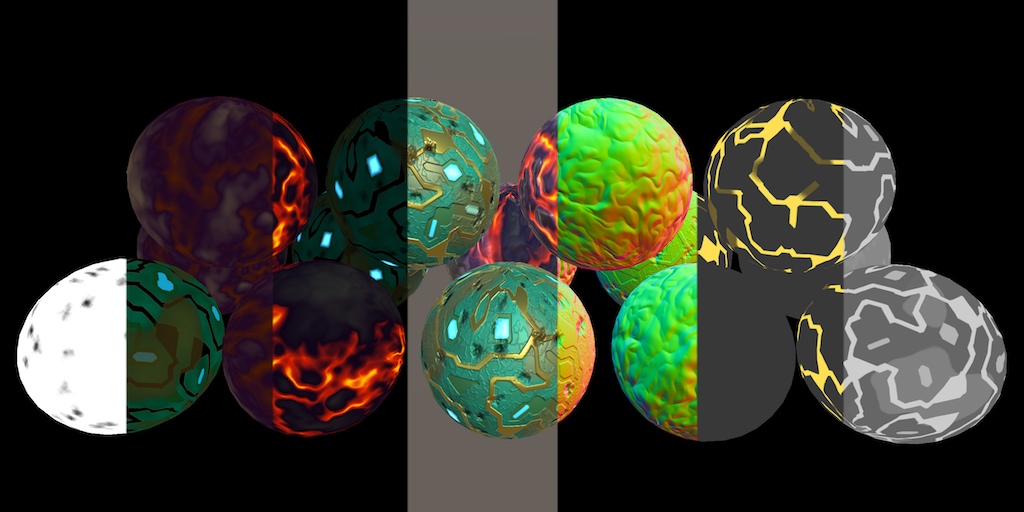
A Unity Rendering tutorial about adding support for deferred shading. Part 13 of 20.
low lichen
I'd recommend light probes for quick, good looking lighting
onyx cargo
no light probes bc its a procedurally generated environment
low lichen
It should be much faster than sampling two cubemaps and blending them together
So you're capturing a cubemap on runtime?
low lichen
Funny, I had to solve a similar problem just a few weeks ago
I went the route of making my own light probe query system, so I can use baked light probes in a procedural dungeon crawler with pre-baked modules
onyx cargo
oh man, yeah i started to investigate that route and it seemed way out of my league
the fact that you cant just include light probe networks in your bakery baked prefabs suuuucks 😦
low lichen
The idea there is to bake the light probes as you would normally, then save that data into your own format with the module prefab. Then load it at runtime and shove it all into a data structure that lets you quickly query nearest neighbors, I used a KTree implementation I found on GitHub.
The worst thing about it is that you need to manually pass the light probe data to every renderer you want affected by it
Which means having references to every renderer somehow. I just made a script that I put on every renderer.
onyx cargo
my super low-res cubemaps per room actually do a pretty admirable job of faking lighting, i just wish it didn't snap when you switched rooms 😦
low lichen
That catlikecoding tutorial should explain how to do reflection probe blending
I wonder if you could encode the cubemap into a single light probe. I assume it would be faster to apply than sampling a cubemap.
Oh, would you look at that
https://github.com/pieroaccardi/Unity_SphericalHarmonics_Tools

GitHub
Two tools for Unity to deal with spherical harmonics - pieroaccardi/Unity_SphericalHarmonics_Tools
onyx cargo
 patent stag
@onyx cargo I don't have context on your cubemap, but can't you do something to see how close you are to the edge?
I'm just asking out of curioisity
onyx cargo
i could but im not assigning cubemaps or anything in the material, just using unity_SpecCube0 in the shader which is the nearest reflection probe's cubemap
@low lichen i downloaded that project to poke around but honestly don't even understand the project description on github 😅
low lichen
@onyx cargo It converts a cubemap into spherical harmonics, the data format used by light probes. So it converts a cube map into a light probe.
grand jolt
Anybody familiar with the Boat Attack Project?
I don't understand why they render like 20 meshes for water
Like this one.
Why not use 1 plane.
Since it always sets the mesh TRS matrix to be centered around the camera, I suspect that all the meshes combined form a plane with something resembling a tesselated circle where the closer the ring is, the more tri density it has.
Is this common though?
 smoky bridge
How can i simply have some frag shader code in a standart surface shader?
If that makes sense, i just want to do some color transitions without dealing with uvs and textures.
meager pelican
You just put it in there. So when you calc stuff before you assign o.Albedo.
meager pelican
o.Albedo = myalbedo;```
Gets put into the frag.Thanks alot @meager pelican
 thick fulcrum
@grand jolt multiple meshes with different lod's / tri density is common for water / ocean simulation. but have to work around the joins / edges to make it look right. It allows for more efficient culling I imagine. But there are different ways to approach this..
I keep meaning to look into how the boat attack demo did theirs... just time is mine enemy 😉
grand jolt
There is no culling cs foreach (var mesh in resources.defaultWaterMeshes) { Graphics.DrawMesh(mesh, matrix, resources.defaultSeaMaterial, gameObject.layer, cam, 0, null, ShadowCastingMode.Off, true, null, LightProbeUsage.Off, null); }
I see.
So you think I shouldn't write a custom ocean system for a gamejam?
I can slap a couple Gerstner waves I think but if I can't use a plane...
thick fulcrum
depends how complex your aims are, the common approaches which spring to my mind are pyramid mesh system or frustum based mesh that basically moves with camera. Using jobs system I'm sure the speed is there, bit you can keep it simple and still have enough realism.
grand jolt
This?
thick fulcrum
yea
grand jolt
Isn't generating such a mesh the hardest part?
thick fulcrum
not really... it's just a subdivided plane. probably one of the simplest meshes about...
grand jolt
Well, I'm reading the Crest rendering presentation and apparently you need overlaps or something to avoid artifacts without stitching.
thick fulcrum
yea edges will be the pain in ass and time consuming part of the system.
Have you looked at Ceto's work aswell?
thick fulcrum
🤔 keeping it simple is best though, work with what you know for a gamejam. Perhaps just use a mesh which has enough vertices to "look good"
if your using a pipeline which supports tessellation at shader stage, perhaps that could give you added realism
grand jolt
It's URP so I"d have to write tesselation myself 😄
But okay, thanks for a realistic outlook.
nimble cloud
okay, maybe a weird one.
when writing to the stencil buffer, is there a way to check if the number of depth passes is odd or even?
like, if there's an even number of faces, I want to pass a 0, and if there's an odd number, I want to pass a 1.
there's invert, but that inverts all the bits
nimble cloud
if there's a way to do this it'll fix so many issues
onyx cargo
@low lichen managed to extract what i needed from that catlike coding tut to blend how i needed to
feeling like a god rn 💪
here's the tasty bits:
fixed4 lighting;
fixed4 probe0 = UNITY_SAMPLE_TEXCUBE_LOD(unity_SpecCube0, i.normal, 3) * 2.5;
#if UNITY_SPECCUBE_BLENDING
    float interpolator = unity_SpecCube0_BoxMin.w;
    UNITY_BRANCH
    if (interpolator < 0.99999) {
        fixed4 probe1 = UNITY_SAMPLE_TEXCUBE_SAMPLER_LOD(unity_SpecCube1, unity_SpecCube0, i.normal, 3) * 2.5;
        lighting = lerp(probe1, probe0, interpolator);
    }
    else {
        lighting = probe0;
    }
#else
    lighting = probe0;
#endif
col.rgb *= lighting.rgb;```How should i pass a buffer/array into a standard surface shader?
Looks like structured buffers can't be used with standard surface shaders
low lichen
@smoky bridge I think you can, you just need to wrap them in #if DX11 something
But that assumes you only care about DX11
smoky bridge
can it be done without constraining it into DX11?
i mean without structured buffers perhaps
nimble cloud
okay, I've sorta found what I need to do
does anyone have experience with the writemask mask in stencil programs?
meager pelican
@nimble cloud MAYBE (Have NOT tried this). But it also has mask bits. So you can mask all off except for ONE bit, and then do the flipping or just increment wrapping around, and you'll come out with a 1 or 0.
Total SWAG here.
Oh, guess I should have read ahead. :p
meager pelican
Fingers crossed
nimble cloud
            ColorMask 0

            Cull Front
            Stencil{
            Ref 0
            WriteMask 1 //look into this!
            Comp Always
            Pass Invert
            }
}```Sec
nimble cloud
essentially this is a test to see if I'm inside the object on a given pixel
if I am, I want a 1 to be returned
if I'm not, I want a 0.
so, to determine that, I'm checking the back faces and if there's an even number, I get a 0, and an odd number, I get a 1.
meager pelican
Maybe try readmask too.
regal stag
What if you change the reference to 1? Surely it can't invert if it doesn't know what bit it's referring to?
Unless I'm misunderstanding it
meager pelican
But IDK that it will tell if you're "inside" or not.
you can try IncrWrap MAYBE. I like invert though.
nimble cloud
the reference is just a variable, it actually doesn't need oto be here.
meager pelican
Well, it's for comparison
regal stag
Ah okay, invert does it to all the bits anyway
nimble cloud
I'm trying to only do it to the rightmost bit, which is what the writemask is for
meager pelican
You may need READmask too. Or you can get random bits back out.
grand jolt
@thick fulcrum maybe I'll try to generate a static clipmap like here since the Crest presentation references an article that references this article lol.
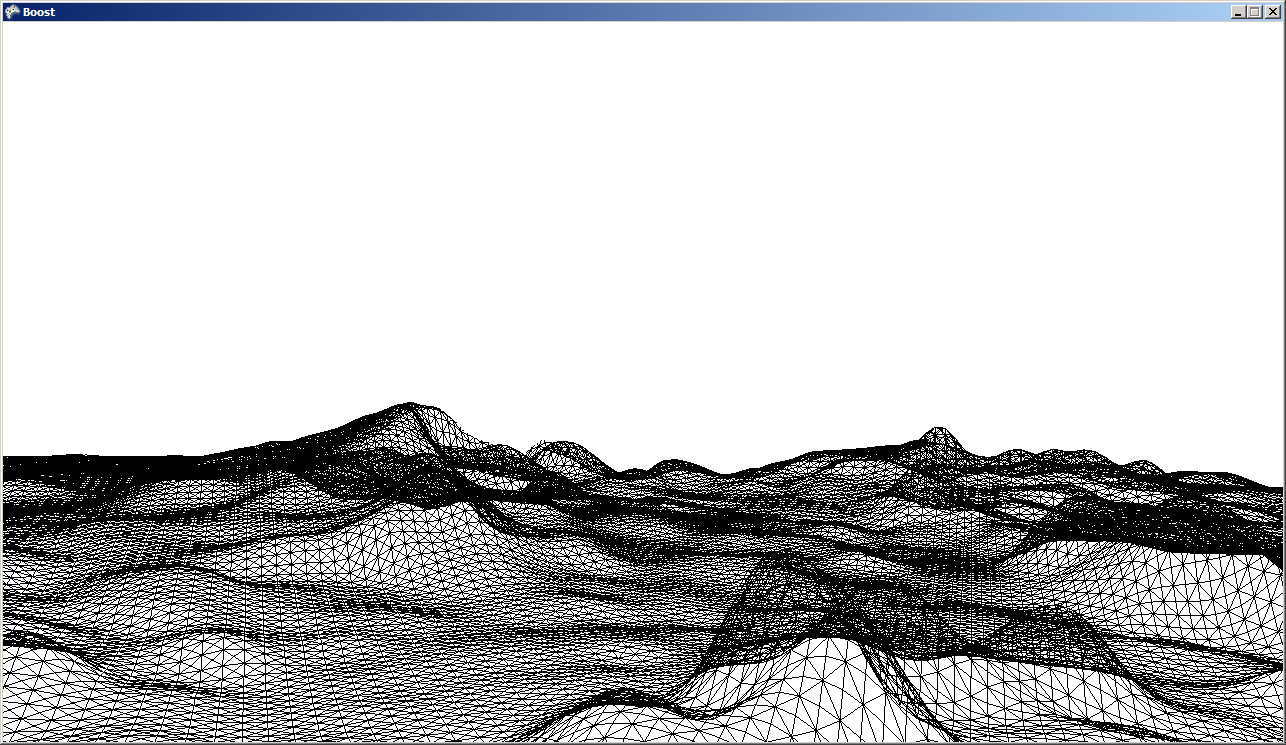
This is my technique for rendering large scale terrain using XNA (also applies to DX9 with SM3.0) Quick Recipe At startup create or load two triangle shaped planar meshes (pizza slices) Each frame …
nimble cloud
            ColorMask 0

            Cull Front
            Stencil{
            ReadMask 1
            WriteMask 1 //look into this!
            Comp Always
            Pass Invert
            }
}```this is what I have RN
I'm gonna come back to it tomorrow, hopefully I can make some progress.
maybe I should make it not work on ZFail
same result
meager pelican
It depends because backfaces would fail I'd think. unless you write all those first, and what if they're clipped and overlapping other meshes?
So thinking about two spheres overlapping each other.
The way you can normally tell if your pixel is "inside" an object is because you see the backface. There's a VFACE thing in shader that tells you if you're rendering a backface or not.
So maybe stencil the backfaces only.
nimble cloud
that's already what I'm doing
            ColorMask 0

            Cull Front
            Stencil{
            ReadMask 1
            WriteMask 1 //look into this!
            Comp Always
            Pass Invert
            }
}```here's the full pass
meager pelican
Don't invert. Just put a 1 in the stencil buffer for backfaces. But render front faces first in an earlier pass, and clip to depth buffer, so the backface would be clipped if the front is visible.
For front-faces, just use keep.
Now you know what pixels show backfaces.
I'm thinking would work.
nimble cloud
hmmm
meager pelican
This is like if it's clipped by the near plane? Or meshes with holes?
nimble cloud
hmmmm
meager pelican
Not even sure you need a stencil, but IDK what you're up to.
If you render front faces first, the only pixels that will pass an early z test will be the backface ones that show through a hole or have their front faces clipped by the near-plane
nimble cloud
okay so
I think I've figured it out
I've turned culling off
so I'm getting every face
pass always
pass invert
the goal here is shadows
I'm planning on using this shader on shadow volumes
meager pelican
There's a VFACE semantic...
nimble cloud
right now it works fine unless the camera is inside the object
meager pelican
Or you can run multiple passes.
nimble cloud
but if I add a 1 to the buffer while I'm inside, it will render correctly.
I have multiple passes already
this pass only needs to return 1 if I'm inside the object
meager pelican
Yeah, but one pass would cull front.
Another would cull back.
And you just said you're not culling now.
meager pelican
Not necessarily in the same pass (but if you can, great. VFACE or something).
nimble cloud
since I want to invert on any face that gets rendered
meager pelican
There was some "robot" example in the unity docs with maybe-surface-shaders, or it was vert-frag, with arm hols and backface rendering, with shadow inside.
I think it was shader examples, but IDK for shure. Could have been docs on backface or whatever.
nimble cloud
I gutted the other passes that mess with the stencil buffer
so, Ideally, if I'm outside the object nothing should render.
and if I'm inside, the walls should render.
as it is, inside the back faces render, but outside, the intersection with the ground renders?
it's
weird
 digital vector
https://i.gyazo.com/a6cadbbacc3dc902caeb46d3ad370480.mp4 @regal stag Finished it! Thanks so much for the help again!
regal stag
Nice! 👍
meager pelican
@nimble cloud OK, surface shader, right?
 novel summit
meager pelican
novel summit
meager pelican
@nimble cloud Here he renders both sides, but can tell inside from out and flips normals too. See about 25% down.
https://catlikecoding.com/unity/tutorials/scriptable-render-pipeline/transparency/

A Unity Scriptable Render Pipeline tutorial about supporting transparency with a single-pass forward renderer.
nimble cloud
alright, I'll take a peek
nimble cloud
I can't really tell if what i'm trying to do is in there
basically, I'm using the depth pass method for shadow volumes
the goal of the first pass is to start in shadow if the camera is inside a volume, correcting for the inversion that happens with that method.
so, there are a total of four passes
the first one is the one I'm writing now, the second one culls the back faces and increments on depth pass, the third culls front faces and decrements on depth pass
patent stag
Anyone got any cool shadergraph shaders they want to showcase? I love see what people create
meager pelican
OK, inside a VOLUME is different than inside a mesh object. IDK that volumes even have backfaces, but maybe they render them with cubes and you could do that with the stencil.
So you'd render the cube with culling front faces setting the stencil, and then render it again and cull backfaces resetting the stencil. So any stencil left over is camera inside the cube.
How's that sound?
And the other way around with depth testing might be even faster.
Guessing.
 timber ember
Hey guys. I'm starting to mess with the jobs system and gettingreally into manipulating meshes. I assume this is a basic question, but just wanted to confirm: Does Shader Graph/normal Shaders give as much control over vertex positioning as doing it via C#?
Wnat to know if it's worth pursuing this endeavor in C# or if I should start learning shaders to do it.
meager pelican
You can manipulate the verts in a shader, but it won't remember them so you have to do it every pass. You can even generate them with compute shaders and buffers. That will survive frames.
But really, if it's not completely dynamic per frame, you're mostly always better off doing it in C#, particularly if you're not a shader guru.
timber ember
Thanks Carpe
OIne more follow up if you don't mind (or really anyone). If I want to "supplement" the vertices on an existing mesh by adding to them at runtime (let's say, sort of like subdividing the mesh), is shader best or C# or either way?
meager pelican
Water, for example, is often done in shaders, changes every frame.
What you just asked about is Tessellation. Google is your friend on that. 😉
timber ember
Thanks! I'll look that up now.
Honestly the biggest struggle these last few months is howt o phrase what I'm asking. So I really appreciate that tip.
meager pelican
Then there's LOD, where you make hi poly, medium poly, and low-poly versions in the mesh-editing tool of choice and use LOD (level of detail) that's generally distance based. Unity has an LOD system. Google that too.
still field
Does anyone have any resources on creating a ripple effect using Shader Graph?
I want the ripple to be singular, not many, like raindrops.
That being said, it will sort of look like a raindrop in how it'll ripple outwards in a ring shape.
I want to use it when the player dies, basically exactly like this:
https://www.youtube.com/watch?v=pmSAG51BybY&feature=youtu.be&t=18m17s

Talking at GDC Europe 2015, indie dev Nicolae Berbece talks in depth on game feel - the thing that makes you say "This game feels awesome but I don't know why!" This interactive death animation walkthrough goes from the first lines of code, to asset animations and sound effect...
meager pelican
He basically tells you how to do it in the video.
It's a post processing effect with the "doughnut" changing size over time (that can be set in C# if you want) and then displacing pixels.
So you'll want to research Shader Graph, Post processing, and try for something simple like tinting everything red to see if it's working.
Then you can add your doughnut and grow it over time (maybe just math from the screen center, or maybe texture and changing scale/offset).
Offsetting the UV lookup using values from the doughnut texture.
timber ember
Carpe in case it brings up any other ideas, hwere's the kind of effect I'm starting to work on. This example is me tring to do a swirly-particle beam (not very well yet), and the project started with tring to do a "flock" of particles that eventually resolve into a shape: https://www.youtube.com/watch?v=EF7zxjL2Eh4&ab_channel=DudeSoftGames
By ideas I mean tips/guidance 🙂
nimble cloud
don't let the fact they're called volumes trip you up, @meager pelican, they work just like normal meshes do.
the concept predates realtime volumetric rendering by several decades and is mainly meant to differentiate it from shadow maps, since it uses 3D models which have a 'volume' that is in shadow
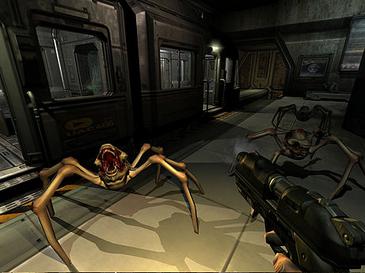
Shadow volume is a technique used in 3D computer graphics to add shadows to a rendered scene. They were first proposed by Frank Crow in 1977 as the geometry describing the 3D shape of the region occluded from a light source. A shadow volume divides the virtual world in two: ar...
meager pelican
OK, my bad.
So you're just masochistic. ;)
I get it.
nimble cloud
Heh, not how I'd put it but I guess so :P
I might have found a solution but I'm at work right now and can't test it until tomorrow
meager pelican
Yeah, I found this too. It's a tad old, but might give you some ideas on how one version did it.
https://github.com/addie-lombardo/shadow-volumes-toolkit
GitHub
Dynamic, pixel-perfect shadows based on the Shadow Volume algorithm - addie-lombardo/shadow-volumes-toolkit
 unique talon
Perhaps you're using HDR rendering? In linear color space this would use floating point buffers that aren't clamped 0-1.
cc @astral finch
See "Linear color space and HDR". https://docs.unity3d.com/Manual/LinearRendering-GammaTextures.html
 shell cradle
hi, does anyone have a shader graph screenshot of the Unity boat attack water? it doesn't work for me but all i need is a screenshot of the whole thing
meager pelican
@astral finch You didn't specific the source, if it's a texture, make sure you have the proper sRGB setting on it so it gets converted to linear on import if it's authored in gamma (good bet), and the renderer settings set to linear. But yeah, you'd think linear would "invert" properly. So something's up, and it's probably a mismatch in settings.
Note that some hardware (mobile for example) you use gamma rendering, not linear. Linear is supported on PC, XBox, Playstation IIRC, maybe smattering of other newer devices depending on device. Otherwise, it's going to be gamma. And Unity defaults to gamma.
Unity assumes gamma and defaults to it due to many lower-end hardware devices or even older gen consoles. BUT, if you know you're using something that supports linear, it SHOULD work. What happens is unity converts gamma to linear...the shaders always calc in linear as I understand it, but what gets stored into the frame buffer varies by setting.
https://docs.unity3d.com/Manual/LinearRendering-LinearOrGammaWorkflow.html
https://docs.unity3d.com/Manual/LinearRendering-GammaTextures.html
At least for colors.
My best (current) understanding and 2 cents.
wary horizon
This might be abit grotesque. but does anyone know how or any resources i can look at for pulsating shaders? for flesh. Primitive shapes only
meager pelican
Try looking up vertex offsets for shaders.
meager pelican
(Vertex displacement)
ornate blade
Hey all, is there any way to output a value from a shader to be used in C# code?
I have a water shader with vertex displacement, and I want objects to be able to match water height and 'float' on it.
Im kind of thinking I could output the height to a texture, and then sample the texture? Not at all sure how to do that, and dont want to go through the long process of doing so if it wont work 😛
 devout quarry
@ornate blade just do the same displacement code but in C#
No communication needed between C# and shader
ornate blade
Hmm I'll have to change the noise to use a tex but that's probs more efficienct anyway
devout quarry
The waves in the vertex shader, you use a noise function for that?
Just use the same noise function in c# then
ornate blade
Yeh but it would give me different values
devout quarry
Will it?
 urban fulcrum
Hi, I'm trying to have my 2d sprites get affected by fog, I read online that I just need to copy the shader and turn on Z-Write but this still hasn't changed anything I can see the sprite through fog.. Is there a different way to solve this?
ornate blade
I mean, I think so? Its "random"
devout quarry
If you give the same input to a noise function, it should give the same output no?
Do you use shadergraph for your noise?
ornate blade
Not a good one, no. It will change hash between calls to ensure differentiation.
Yeh "Simple Noise" node
devout quarry
Personally I use Gerstner waves in my vertex shader and then just use the same Gerstner waves equations in C# and it matches up perfectly for buoyancy effects etc
ornate blade
Hmm must be going off ms
devout quarry
So yeah that noise might give issue, I have no experience with it so can't help you further
ornate blade
I can give a custom noise shader a go too. Thanks for your input :)
devout quarry
You can find the implementation of the simple noise node online btw I think
ornate blade
Yeh, I've even made my own perlin node before already
nimble cloud
@meager pelican I got it working - I just needed to disable ZTest on the final render pass
silly me 😅
meager pelican
You'll have to show us an example of your volumentric shadows if you get the chance. Should be pixel perfect!
regal stag
The Blend is replacing the alpha component of the output with the alpha from the Color property, which is probably set to 0.
So is fully transparent
(This isn't shown in the other previews as they don't visualise alpha)
nimble cloud
nooo it's doing the thing again
 polar coral
@regal stag aight thx ill try working around it
nimble cloud
and the pixel perfect hard shadows are exactly why I'm doing this in the first place
the game in question is intended to be stylized after 2D animation so hard edges on shadows won't stand out too much and shadow maps just don't fulfill my needs
 sly breach
how to change the standard shader to allow it to render in both sides ?
nimble cloud
pretty sure adding Cull off to the pass or subshader will do that.
regal stag
@polar coral You could just change the alpha of the colour in the blackboard (+ material inspector if you've already created one).
If you alter the colour with more calculations you may need to do the whole split->combine thing anyway though, to ensure the alpha stays correct.
meager pelican
Prolly depends on the texture format that's coming in. In other words, most color textures you use are already in gamma format. BUT, it's possible to produce them in linear format. That's what the sRGB on the texture importer is all about. If I understand it properly.
grand jolt
@ornate blade both Boat Attack demo and the Crest ocean rendering system just duplicate the noise function on the CPU.
Do you all think it'd be crazy to try writing something that works like Nanite but on a smaller scale for my master thesis?
Just figure out some way to do runtime vertex optimization without using mesh shaders(the ones from Turing).
 finite stirrup
does anyone know if there are any tutorials for how to make like a wavy bubble using Shader Graph?
I want to make a speech bubble in my game
that's ilke wavy
grand jolt
@finite stirrup add sine/cosine noise to vertex positions.
finite stirrup
thanks
grand jolt
periodic value = sin(Time * speed)
finite stirrup
thank you
regal stag
You'd need a lot of vertices to make the bubble smooth though. I'd probably do it on a quad and alter the UVs (for sampling a texture or something like rounded rectangle node) rather than relying on vertices. It's a similar process though, adding sine or noise still.
grand jolt
Oh, my mind went to 3d objects automatically 😄
finite stirrup
ok thanks!
could someone like explain the process in detail?
I don't exactly undestand
would following Unity's flag tutorial help?
regal stag
Possibly something like this
 rustic talon
Hi, i'm making my first toon shader i have found a trouble. I want other objects to cast shadow on the model that have the toon shader (Unlit Master). I got it, but the shadows where very hard shadows. i've make a research and when I put this keywords on my blackboard, the shadows turns soft shadows, but i dont know what i've done with this keywords
thanks if someone could help me 😄
regal stag
@finite stirrup Above with noise, or if you just wanted it to be wavy on the y axis, you could use sine like so:
With both, you could replace the Rounded Rectangle with a Sample Texture 2D instead, if you wanted a different shape. I prefer generating the shapes as they stay super smooth at any resolution though.
regal stag
@rustic talon If you want to know what calculations are added by using those keywords you'd have to look at the Shadows.hlsl file in the URP Shader Library : https://github.com/Unity-Technologies/Graphics/blob/master/com.unity.render-pipelines.universal/ShaderLibrary/Shadows.hlsl
In short, _SHADOWS_SOFT uses SampleShadowmapFiltered to sample the shadowmap texture. Rather than doing it once, it samples it 4 times (on switch and mobile) or 9 times for other platforms, each with slight offsets and blends them together.
This still should only occur if Soft Shadows is enabled on the URP asset though. The keywords generate multiple variants of the shader each with and without that code included, and uses a specific variant based on what is enabled.
nimble cloud
it's not working againnn
I don't know what I'm doing wrong
{

    SubShader
    {
        Tags {
            "RenderType" = "Transparent"
            "Queue" = "Geometry+100"
        }
        ZWrite off

        Pass{
            ColorMask 0
            Cull Front
            Stencil{
            Comp Always
            ZFail IncrSat
            }
        }
        Pass{
            ColorMask 0
            Cull Back
            Stencil{
            Comp Always
            ZFail DecrSat
            }
        }

        Pass {
            ZTest off
            Stencil
            {
                Ref 1
                Comp LEqual
            }
            CGPROGRAM
            #pragma vertex vert
            #pragma fragment frag

            struct appdata {
                float4 vertex : POSITION;
            };

            struct v2f {
                float4 pos : SV_POSITION;
            };

            v2f vert(appdata v) {
                v2f o;
                o.pos = UnityObjectToClipPos(v.vertex);
                return o;
            }

            half4 frag(v2f i) : COLOR {
                return half4(0, 0, 0, 1);
            }

            ENDCG
        }
    }
}```it's like
I changed one line and it works when you're inside but now the outside is broken when there's multiple shadows in the same pixel
finite stirrup
I hate to keep asking this cause I know nothing about shaders but what do I plug the roudned rectangle into to get it to actually display?
nimble cloud
ah, well, looks like they're going to answer ya
regal stag
@finite stirrup Probably alpha, unlit master.
finite stirrup
right alpha
regal stag
Then you can control the colour through the Color input
finite stirrup
that makes sense
yeah I have a Texture inputing there
thanks
it works prefectly now thanks
regal stag
Also there's a small cog on the master node to switch it to Transparent if you want partial transparency / blending. OR you can keep it Opaque and use the Alpha Clip Threshold to clip it.
rustic talon
@regal stag thanks for the help!
regal stag
@nimble cloud Try moving it to the Transparent queue, maybe Transparent-50 or something. And you need Cull Off in the last pass, or it won't render anything when you are inside the mesh.
I've just made those changes, and I think it's working
nimble cloud
oh, I had changed it back to Geometry+100 as a test because it wasn't working under transparent either
yep, still not working.
regal stag
Yeah, in the Geometry it was glitching out based on distance. When I moved it to Transparent that stopped though
nimble cloud
meaning it wasn't glitching out based on distance anymore?
and was just always wrong?
because for me it's still glitching on distance
regal stag
Have you overriden the queue on the material maybe?
nimble cloud
how do you mean?
regal stag
I mean on the material, there's a Render Queue box. Make sure it's using the one from the shader
Unless this is only in newer versions idk
nimble cloud
AAAAAA
IT WORKED
and
now for the moment of truth
does it still work when you're inside it?
regal stag
It does
regal stag
No problem, for the record I didn't really know what I was doing so I'm glad I could help
Stencils always confusing to debug
nimble cloud
this has happened multiple times now, where unity keeps something wrong in the editor even while I'm changing things in code
all my issues were like
really quite silly errors
sly breach
why are the back faces are black ?
its a new standard shader with Cull Off , ZWrite Off , Lighting Off and clip(c.a - _AlphaClip ); on the surf, any ideas ?
meager pelican
The surface normals are backwards because they're backfaces.
You have to "flip" the normals but only for backfaces.
There's a way to tell backfaces from frontfaces, but try googling these things first:
VFACE
Backface normal flip flipping.
nimble cloud
thanks to you for all your help too, @meager pelican, it's been really helpful!
grand jolt
Is there a way to generate uv coords for use with detail maps so I'm not using uv maps from the target geometry? Using uv maps causes seam issues and I'm aware that, at least when making shaders in blender, you can create on the fly uv coords for tileable textures.
grand jolt
Aparrently this might be triplanar mapping so I'll check that out
 ocean bison
@grand jolt not sure if I understand exactly what you mea, but yes you can generate UV to be used for a texture lookup directly in a shader. Also, you can assign more than one set of UV's to each vertex of a mesh
grand jolt
I just meant generating a new set of uvs instead of using ones made in eg. Blender. I'm trying to figure out how to apply detail maps to a mesh and i cant use my diffuse or lightmap uvs because they're not setup in a way that would be seamless for tiling
 sturdy iron
is there documentation to show me what external functions are available when i have a custom function hlsl? seems like some functions (GetMainLight()) are included - where can i find an api for this?
 shadow kraken
Triplanar is probably the way to go yes @grand jolt
You can create a new UV set and rearrange the UVs but i don't think you get any tools to make something better
 mint meteor
Anyone tried using normal maps in shadergraph much?
I have a complex problem which i am having trouble working out how to fix.
It basically is a shader which is set up to use triplanar mapping to apply the texture and normal map, but... it doesnt seem to be working right.
I have a set of textures which include an emission map, normal map, smoothness/metallic map, and the albedo.
I am attempting to apply said textures to a complex geometry created from a marching cubes script, but... it is not a terrain, and therefore the usual planar mapping wont work, as it would have the texture seeming to scroll when the object moves, and this... is undesirable. The need is to be able to project a texture, and a normal map, to apply it, and to preserve the information from all the maps correctly whilst not using any uvs. Unlike most other methods for triplanar mapping, however, i do not need to blend between the different directions, a sudden change between them is acceptable due to the shape being textured having a kind of flat shaded effect.
@me if you reply - ill keep checking back tho 🙂
(I am using shadergraph because it is fun, i do however have some experience in actual shader code, so... any comments about manipulation of normals or such would be helpful, whether the person suggesting is doing so for shadergraph or shader code doesnt matter. 🙂 )
mint meteor
Can you define better what you mean by, "Like this"?
mint meteor
Yes, but the picture contains at least the potential for around 5 shaders.
 willow fox
ITs a begginers tutorial so that would be wierd but ok
Its a bit old but other stuff still owkrs
mint meteor
Ok, well shadows dont need shaders to work, its the lighting system that manages that, the best plan would be to treat shadows as a topic for research, and attempt to find out more that way,.
Shadows do need the shaders to be capable of working with the lighting system tho, which means pbr shaders.
mint meteor
It looks like you have soft shadows on, but i am unsure,
It might be worth looking in the settings for the shadow options and finding out what they do.
mint meteor
Ah this looks a little more ... strange. Can you take a screenshot of the shadow settings?
regal stag
Probably need to adjust shadow resolution / cascades
mint meteor
Also, shadow settings exist on the meshrenderer, the camera, and in the project settings.
willow fox
This?
mint meteor
Yes, thats exactly what i was thinking @regal stag
mint meteor
Well, that shows a fourth place to look for the shadows settings hehe but you will want to look at them all.
mint meteor
A good start is to create a new object with the component that you want to edit to see what the defaults are then work from there, to see if you have changed things before. Then, vary the settings slightly one at a time until you can see what is changing with it,.
regal stag
It looks like the original scene also has some ambient lighting as the shadows are tinted slightly more blue than yours. That can be edited in the Lighting window
willow fox
hmm
regal stag
They are probably using post processing based anti-aliasing, which affects the entire screen.
mint meteor
I dont think it would help on here, the shape is too distinct to be removed through anti aliasing, and resorting to AA unnecesarily is costly on the gpu
(Listen to cyan's suggestion :))
mint meteor
Go to the realtime lighting tab and do the same again
regal stag
Yeah, so I think either Baking the lighting will produce the ambient lighting for the current Skybox, or you can change it from Skybox to a specific Colour.
regal stag
Nah, it's the Environmental Lighting bit isn't it?
willow fox
'
mint meteor
I think so i was just asking for the other tab for the sake of completeness
regal stag
Yea, either try baking the lighting with the button at the bottom, or change Skybox to a Colour instead
mint meteor
I tend to use block colour blackgrounds and black for shadow colours, but... most of my stuff is in space, with background star fields and such
regal stag
Should also look at Edit -> Project Settings -> Quality Settings at the shadows settings there.
willow fox
They dont seem to make such a diffrence
regal stag
@mint meteor I'm not super sure I understand your issue, and I'm not really good with PBR stuff. Are you using the Triplanar node for applying the triplanar normals? I know that has a Normal mode to it.
mint meteor
Yes
Atm the biggest problem is that when the object is not rotated, ie, its orientation matches the orientation of world space, then it looks ok, nice bit of shine, but when you start to rotate the object, the light highlight also rotates, but, it rotates in the opposite direction to the rotation.
regal stag
Are those using triplanar or just planar uvs, the cube and cylinder looks stretched on some faces?
mint meteor
(Yes, the light is too bright, but this is to illustrate the angles not being right.)
I have turned it 90 degrees here, at 180 degrees the highlight faces completely the wrong direction, exactly 180 degrees
mint meteor
(I could fix it manually but the frigging shadertoy doesnt have a node to read the object's orientation in worldspace.)
willow fox
This shows that the camera wasnt the whole issue
mint meteor
The second one looks ok
willow fox
The first one is hwo its supose to look
willow fox
Its 2 diffrent porjects
Something wierd is that it dosent seem to render shadows at high enoug hwuality
mint meteor
Thats likely to be either the camera or more likely the project settings
Edit -> Project Settings -> Quality
As cyan mentioned before.
regal stag
Yeah maybe compare the two and see which is different. Or just move everything to the other project I guess
willow fox
Quality settings its not
mint meteor
Did you find the soft shadows setting, and try toggling that?
mint meteor
Take note of what you changed 😛
regal stag
@mint meteor Could you show the graph?
mint meteor
Just a mo
willow fox
I changed in quality Shadow distance and quality
I lowerd quality and lowerd distance
And turned down antialising
Shadow quality i changed back t very high
mint meteor
Just thought i would show what the shader is for.
Getting a shot of the graph now
regal stag
Okay I see the problem
regal stag
The Normal inputs for the Triplanar nodes needs to be in World space - but you currently are inputting Tangent space. If you leave the Position and Normal inputs blank it will actually default to the correct inputs for you.
Same with Position actually. It needs Absolute World but you are inputting Object
Just leave them blank and it'll fix it
mint meteor
Ah, yes, but thats a point i need...
amber saffron
^ World or Object space, depends if you wand the mapping to be bound to the object, or the world
mint meteor
The world inputs result in a texture which scrolls, i need the object space
As Remy mentinos
regal stag
Ah okay, that's fine then
mint meteor
This is for a space station, eventually.
amber saffron
So set the normal node to object space also
amber saffron
"this" like above screenshot ?
regal stag
Maybe you should stick with World space, but offset it with the Object's position instead
amber saffron
iirc, you can also set the normal space on the master node, what are you using there ?
mint meteor
When i set the normals to object space, i get this, with tangent space at least it makes it look like a proper highlight, it just points in the wrong direction
looks at master node
It says "fragment normal space" set to object
amber saffron
set it to tangent
From what I see, you're using a tangent space normal map (expected for triplanar mapping) but the master node expects object space
mint meteor
i just tried it doesnt seem to help, im gonna double check
amber saffron
Don't forget to save the asset to recompile the shader of course 🙂
mint meteor
hehe yeah i been caught by that a few times 😛
regal stag
Are you also sampling the Metallic+Smoothness map with Normal mode? Probably should keep that on Default.
mint meteor
So, now its object/object/tangent, with the last being the setting on the master node
but the light highlight is still locked to one position, and as i rotate the object the light hightlight stays where it is
Like, with relation to the object, not the light, so the highlight literally doesnt change when you rotate the object to reflect the now different light direction
amber saffron
Is maybe the normal mode of triplanar broken ? ....
mint meteor
Maybe... I am also capable of writing normal shader code if necesary.#
regal stag
I think the normal mode of the triplanar expects World space, and converts it to Tangent. That's what the code on the docs page mentions
mint meteor
Its just a case of figuring out the problem, so i can move towards a solution.
Maybe if i converted through that process manually?
Holy donkey batman!!!
You answered it without meaning to, i think...
amber saffron
You could also try to import the texture as a default texture, sample it as default in the triplanar, and after triplanar, remap from 0:1 to -1:1, then normalize
mint meteor
I have now set the position to objct space, the noprmal input to world space, and the master node to tangent space... Et voila.
At least... for the light hightlight anyways
amber saffron
okay .... weird, but why not
regal stag
@amber saffron Wouldn't that produce the wrong results for each face though?
amber saffron
No, as it's would sample and blend as a regular texture, than convert those color values to tangent space normals
amber saffron
Oh, you were talking about normal inversion ... yes, possibly
mint meteor
@amber saffron, that was a yes to @regal stag?
amber saffron
Seems ok yes @mint meteor
regal stag
Was referring to the stuff as explained here, I'm not too familiar with it though : https://medium.com/@bgolus/normal-mapping-for-a-triplanar-shader-10bf39dca05a
mint meteor
Ok, if you wouldnt mind hanging around for a moment, i also have another problem
Turns out it seems that other problem was being caused by the same thing, or it seems so at least. The result with the changes is now as should be
So ... its just a question. If a smoothness/metallic map is set to use alpha for the metallic value, are the remaining rgb values all the same? Does it appear as a greyscale image, and therefore sampling a single channel for the smoothness is appropriate? Or do the threee channels have independent values?
(Also, a VERY big thanks to @regal stag and @amber saffron - this problem has been driving me nuts 🙂 )
regal stag
If it's a greyscale image then any RGB channel would basically be the same
mint meteor
Im not saying it is a greyscale, im asking if thats the usual "standard"
It appears to be, but, i would need to do a much deeper look to be sure of if the rgb values vary between the channels
regal stag
Smoothness is usually stored in the metallic map's alpha
amber saffron
There is no real standard here.
Unity uses by default R for metallic, G for occlusion and A for smoothness
mint meteor
but i am correctly interpreting this? Ie, this option means the texture is using the alpha for metallic instead?
amber saffron
no