#archived-shaders
1 messages · Page 165 of 1
 lilac forge
 amber saffron
No
lilac forge
But changing the blend mode of the material/shader in general via script is possible, right?
lilac forge
This topic claims it's possible: https://answers.unity.com/questions/161945/is-it-possible-to-change-blend-mode-in-shader-at-r.html

Unity is the ultimate game development platform. Use Unity to build high-quality 3D and 2D games, deploy them across mobile, desktop, VR/AR, consoles or the Web, and connect with loyal and enthusiastic players and customers.
Now this works apparently with a handwritten shader.
amber saffron
So, as you see, he is changing the material
I tought you wanted to change the setting in the shadergraph master node
lilac forge
Well that would be the best case solution.
If that's not possible I have to go through the material instead
When I look at the Shader generated by ShaderGraph I do not see anything called _BlendMode or SrcMode or DstMode
amber saffron
material : yes
Shadergraph master node : no
lilac forge
I only have this line of code in the generated shader: Blend SrcAlpha OneMinusSrcAlpha, One OneMinusSrcAlpha
And I can't figure out which property I have to specifiy with the material.SetInt() Method
amber saffron
I'm looking at some generated code, and it seems that the blending values are generated as hard coded by shadergraph, and not exposed as variables, so I guess you won't be able to do it for the moment
Or, you have to modify the generated code to inject your needed ints here.
lilac forge
Ah, I see!
 tranquil bronze
How do i make my object cast shadows in urp for a written shader
lilac forge
@amber saffron Is it already possible to modify the generated ShaderGraph code? I thought the code is kinda compiled "inside" Unity and we cant edit the actual shader code
amber saffron
You can open the generated code in visual studio, and save it as a .shader file
But then, it's no more bound to the .shadergraph asset
 solid ravine
Any opinion on the best way to remove or attenuate stitch due to transparency ?
 grand jolt

reddit
0 votes and 0 comments so far on Reddit
 copper verge
This is what it looks like in the editor
And this is what I looks like in iOS build
anyone knows why it’s different?
Im a newbie, I downloaded the shader from the internet, I don’t know how it works :(
 empty bridge
Do you have your graphics settings turned all the way up when you build for iOS? @copper verge
copper verge
The tier settings?
The “Use Defaults” checkboxes are ticked
On iOS tab the defaults seem to be lower than pc stand-alone
ok so I tried setting pc stand-alone tier 3 to be the same as iOS tier 3, the editor still looks fine
oh but
Do you have your graphics settings turned all the way up when you build for iOS?
when I try this, it now works in iOS build
Thank you so much!
grand jolt
I have a problem with some compile errors in Shader Graph if anyone has any insight, posted it on the forums:
https://forum.unity.com/threads/shader-graph-compile-errors.941585/
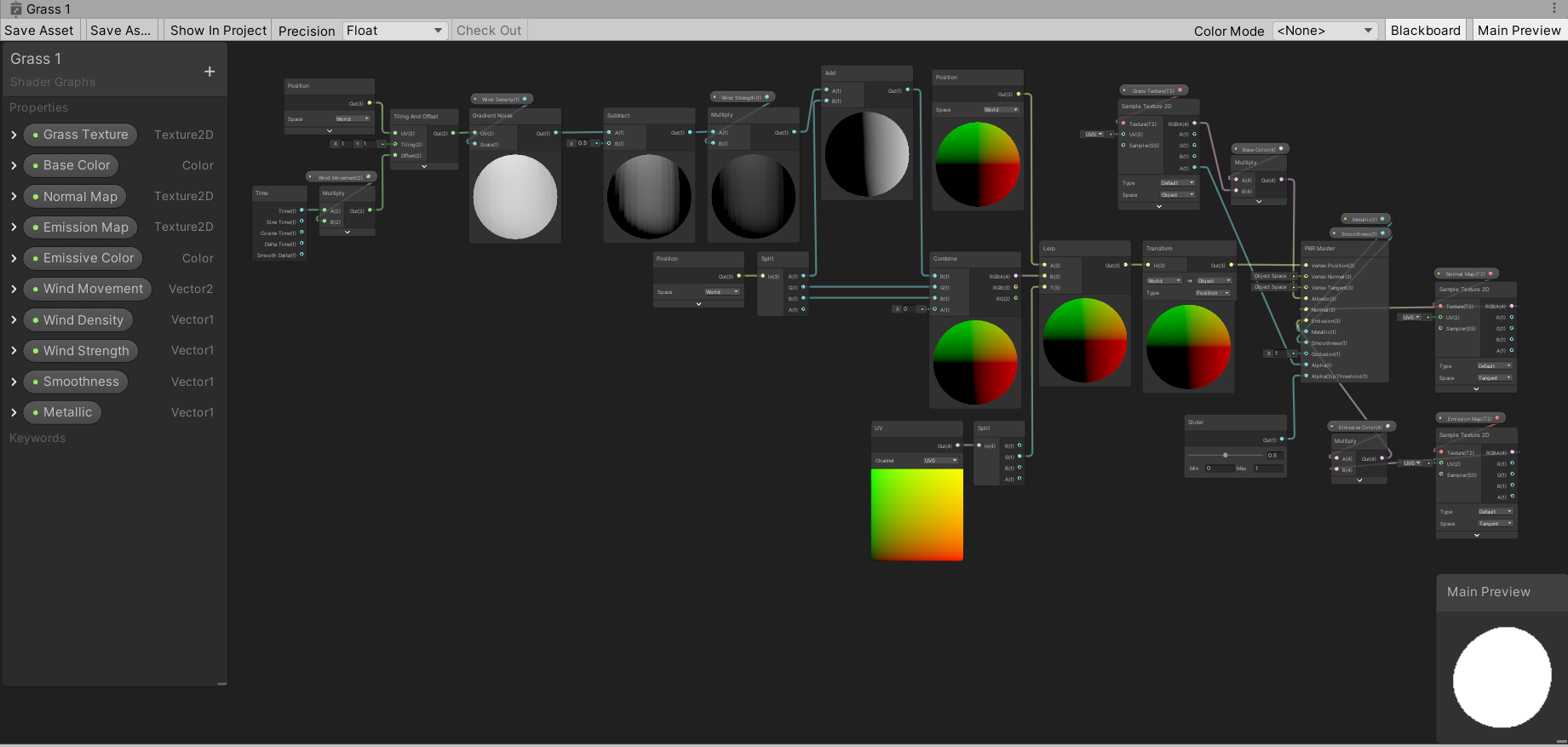
Unity Forum
Hi all!
I got a wind shader graph for grass in my asset pack, but it keeps giving compile errors and i'm fairly new to shader graph so i'm not sure...
 untold ruin
With the standard shader, how do I get my secondary maps properly use UV1 instead of Unity's generated lightmap UV (which should be UV2)?
It seems like I can't use detail UVs and lightmap UVs at the same time. The lightmapper appears to use UV1, forcing either secondary maps to use the generated lightmap UVs or the lightmap to use the secondary map's manual UVs.
 prisma fox
Hi all 🙂 I have a greyscale texture that I am sampling. I also have a color ramp that I would like to use to apply a given color to that greyscale texture based on the value of that pixel in greyscale texture. For example, suppose my color ramp has 2 colors: Green and Blue. My greyscale texture has an value range from 0.0 - 1.0. For each pixel in the greyscale texture with a value in the range [0.0, 0.5), I want to apply the Green color from the color ramp. For each pixel in the greyscale texture with a value in the range [0.5, 1.0], I want to apply the Blue color from the color ramp. I managed to get this done with a sort of convoluted Step node setup to generate versions of the greyscale image. For example, for my Green color application I pull values from [0.0, 0.5), set to 1, set the color. For Blue, I pull all values > 0, set to 1, subtract out the greyscale generated for the range [0.0,0.5), then set the color. Frankly, this approach is unwieldy and I can't imagine this is the best way to do it. Any ideas?
 regal stag
An easier way would probably to use a Sample Gradient node. (While editing the gradient you can switch to Fixed mode if you want solid colour-transitions rather than an actual gradient).
The Gradient however cannot be exposed as a material property. If you need it to be exposed, you could use a colour ramp texture instead and sample it with it's UV input as the greyscale 0-1 output.
prisma fox
I set up a Color Ramp texture and am sampling it using the UV Input with the Greyscale texture. However, values of 0 in the input greyscale texture are not consistently sampling as the leftmost column of the color ramp. I'm really not sure why. Maybe something about the UV sampling I don't understand?
regal stag
Try setting the texture import Wrap mode to Clamp, rather than Repeat
prisma fox
Yep fixed it
regal stag
The texture doesn't really need to be 1024x1024, it could just be a few pixels in a line. Would likely also then need the Filter Mode set to Point. Though point is a bit pixelated, maybe a 16x1 texture or something would work better.
 crude canyon
Good morning everyone, I need some assistance. I'm getting an issue when I compile a custom geometry shader. Everything has been fine for the last few days, but I added a custom function and now I get an unexpected token error related to commas in the parameter list. I can't see why I would be getting this, but it's been a while since I've done hlsl dev. Any help is appreciated.
Function
Use
Error
crude canyon
NVM, I'm an idiot. v2g is my struct name, not my variable. Been staring too long I guess
 noble tree
i've got a shader graph that samples 14 textures every frame, but i only use the results of maybe only 6 textures at a time. would it likely be cheaper to sample all 14 textures or use conditionals for if the result weight > 0 and sample only the necessary textures?
 devout quarry
what are you sampling 14 textures for?
noble tree
baked vertex animation
i say "sample" but really im getting the pixels for a certain part of the texture
devout quarry
and with '6 textures at a time' you mean that once you press play, only 6 textures will actually be sampled?
or will it change on runtime which textures get sampled
noble tree
yeah it changes at runtime
i give the material a weight for each of the textures, and it adds to the vertex position based on the texture results multiplied by the weight
here's the custom node im using to sample the texture
https://github.com/ryanslikesocool/Mecanim2Texture/blob/master/Mecanim2TexShaderGraphNodes.hlsl
and here's how im using it
 distant narwhal
Trying to highlight the intersection between a plane and the terrain around it. In scene view it works fine
but when I go to play it becomes this
 oak dagger
hi i am using URP Shader, are there any tutorials for grass sway?
 narrow flint
@oak dagger There are a ton. Brackeys did one about a year ago using shader graph:

Let's learn how to make realistic grass with Unity Shader Graph!
This video is sponsored by Unity
● Download grass assets: https://ole.unity.com/grasssway
● Art That Moves: https://bit.ly/2VW85He
● More realistic vegetation: https://bit.ly/2EAxC5d
● Mesh Generation: https...
regal stag
@distant narwhal If this is URP, Check the Depth Texture option is enabled on the URP asset. Also might need the Post Processing option on the Camera enabled.
@brisk sable The RenderObjects feature is the only one that URP provides currently. You can create your own but that requires some coding & knowledge of how the renderer stuff works. If you are looking for the "blit" or "fullscreen-quad" features that might be included in some tutorials/videos, they are here : https://github.com/Unity-Technologies/UniversalRenderingExamples/tree/master/Assets/Scripts/Runtime/RenderPasses
 brisk sable
any guide on how to install these
regal stag
Copy the scripts into your project assets, they will then show in the list
 quaint meteor
Hello. Is there any shader that supports multiple UV maps?
regal stag
The outline is likely reliant on the depth, so you need to enable the Depth Texture option on the URP asset. Also might need the Post Processing option on the Camera enabled, I know it sometimes doesn't work properly without it.
brisk sable
with those options it looks all blurry
brisk sable
i ended up switching to just using flipped normals
grand jolt
still having trouble with this, if anyone has any insight:
https://forum.unity.com/threads/shader-graph-compile-errors.941585/
Unity Forum
Hi all!
I got a wind shader graph for grass in my asset pack, but it keeps giving compile errors and i'm fairly new to shader graph so i'm not sure...
 remote mauve
Does the value I pass in with VertexAttribute.Color get clipped?
I want to use its alpha as a generic data since I'm not using color's alpha in my shader anyways.
Also how do the vertex data semantics affect things?
Say if instead of passing POSITION and NORMAL normally, CPU passes them in reverse (so normal data goes into position while position data goes into normal), and then on the shader vertex program it also reverses them back. Are there any side effects?
I'm asking because my shader needs a lot of different data from CPU side and I've just been assigning them to things like NORMAL TEXCOORD0 regardless of their semantics.
 simple frost
@grand jolt could you right click on the master node and show generated code?
 tranquil cipher
https://twitter.com/spikebor_comic/status/1289240196869808133?s=20
Every time she blink her eyes, the shading gone flickering 😂 I guess because her body shader has
involved calculation of dot Normal, lightDir for self shadow, so each time the mesh change ( blink? ) it flicker ?


🌼Look at my catgirl animation 🌼
Ignore the shit skinning on her cloth and the rigid hair
#blender3d #madewithunity https://t.co/2JqOukRMTR
 Twitter
damn i found out that this setting made the blend shape and normal has different normals
The import blend shape normals looks like sheat, so i have to use Calculate, and then to make them the same, had to set Calculate for Normals too, but this workaround just ignore the artist normals editing effort in the 3d program
grand jolt
@simple frost (sorry for late reply) sure:
 frank steppe
on the regular urp/lit shader what does the color do to the base map? in terms of shader graph? like does it add to the albedo or multiply or something else ?
how do you turn something black? doesnt adding black not do anything since it adds no color ?
but i know the color does turn it black so it must not be doing addition, probably something else
grand jolt
it multiplies the albedo by the color selected, even to black, white is basically the maps default color
frank steppe
oh ok i see thanks
 high kiln
does someone know what I'd have to do to create my own custom fog shader? I know I could edit every single shader and add a fog function but that would be way too much work. I am looking for something more convenient, like a replacement shader
regal stag
Could probably achieve fog via a custom post processing / image effect, using the depth texture.
simple frost
on the master node settings, is double sided enabled? @grand jolt
grand jolt
@simple frost
simple frost
if you disable that, do you still get the error? The entire shader is not in that hastebin from the looks of it, so just a guess here
disable and save
grand jolt
sure ill give it a shot, and i clicked compile code, then just ctrl+a and pasted it in there, was I missing something?
it gave me this in the console after disabling two sided and saving the shader:
simple frost
no not compiled code, right clicking on the master node and in the context menu selecting "show generated code"
simple frost
does the shader have errors though?
cool yeah
does your code cut off at line 910?
grand jolt
the sway does work and renders the mesh fine, the problem is, I have a script that modifies localScale and other stuff, and anything uses this shader just spazzes out, everything else works fine, so I thought fixing these vector errors would solve the issue
simple frost
I dont see anything in the material that would go weird with local scale. Also, this only works so long as the uvs create a gradient in the green channel from 0 to 1, ground to tip
grand jolt
ah....damn :(
I suppose i'll have to figure out some other way to do grass sway....or make sure i'm not dealing with scale with anything that uses the shader, that shouldn't be too difficult i guess
but thanks for your input, at least I know now 🙂
simple frost
if the pivot of the mesh is at the "bottom", could use localPosition.y to determine sway amount
grand jolt
cool, i'll check it out!
 slow herald
man i love shaders
https://twitter.com/HustlaMasi/status/1289266457507794944


okey, is this a sonic?🤔
#indiegame #indiegames #gamedev #indiedev #IndieDevWorldOrder #madewithunity #bug https://t.co/2lJ4Qaxu3h
Twitter
 deft shell
 hollow seal
Hello ! I'm trying to use a custom shader with the Tilemap Renderer in URP 2D (7.3.1). Using the stencil buffer, I'm able to mask things outside of the renderer bounds, but it doesn't care about the alpha inside of the renderer. Any idea about how to proceed ?
Code here : https://forum.unity.com/threads/tilemaprenderer-custom-shader-witg-2d-renderer-in-urp-7-3-1.943236/
(Left : Tilemap ; Right : Blood)
 storm rain
https://cdn.discordapp.com/attachments/438387938947235840/738915231320768572/unknown.png
Using the Shader editor, I have 6 "implicit truncation of vector type" errors and I was wondering how I could Identify these errors within the editor so I could fix them. Can I have some aid with this?

 meager pelican
@grand jolt @storm rain
IDK, Cynical, I can't even read that.
But the error message means that you're using, say, a float2 and it only takes a float1 as a param somewhere, so it's truncating the remainder of the vector type. Once you figure out where you're doing that type of thing, the WARNING will go away if you "split" it off and "cast" it to the proper type.
Look at the code and variable names maybe and see what node it could be from.
storm rain
Thanks
grand jolt
@meager pelican thanks for the insight, I had a feeling it might have been that, i have a Hatebin here of the code it generates if you can help at all, also heres a link to the forum post which has the screenshots:
https://hatebin.com/isjqcqjvca
https://forum.unity.com/threads/shader-graph-compile-errors.941585/
Unity Forum
Hi all!
I got a wind shader graph for grass in my asset pack, but it keeps giving compile errors and i'm fairly new to shader graph so i'm not sure...
i've been staring at it for a while, and theres definately an issue with it, I just tested my scale bulge script on 2 identical items, one with that shader, the other with a standard one, and the sway shader is just messing up the scaling completely, it's almost as if it scales downwards instead of upwards
 ebon shale
Hey guys! Is is possible to displace vertices in URP shader graph, but only affect those that are in my blender vertex group?
regal stag
@ebon shale Vertex groups wouldn't be available in the shader. You'd have to store a value for those vertices, either using an additional uv map, where some vertices are at x=0 and the grouped ones at x=1, or probably easier assign vertex colours, e.g. red (1,0,0) to the grouped vertices and black (0,0,0) to anything else. (And you could use the blue and green channels too for other vertex groups).
In the shader you can then multiply the displacement with this value (with the UV / Vertex Color node -> Split -> R). Multiplying by 0 will result in a displacement of 0, while multiplying by 1 won't affect it.
ebon shale
Thats smart! Thanks for the tip. ❤️
 odd oriole
i’m trying to implement buoyancy on ocean waves generated by the shader graph. from what i understand creating a c# script with a list of what should float is a good way. is it possible to get access to the data from the vertex deformation in the shader to get height of the ocean at a particular x,z cord? otherwise if i need to recreate the wave code in the script can I find the source code for the shader nodes so I have a starting point?
 ocean spade
is this a known bug?
adding zero makes it work in the colorspace conversion preview, but not the fraction preview or the final output
regal stag
I had a similar strange issue with the Voronoi node a while back. Tried to use a Posterize node on the result (the Out one, not cells) and while the preview worked fine, it didn't in-game/scene and looked the same as the un-posterized voronoi output, unless I used 4.01 as the steps rather than 4.
meager pelican
@grand jolt I'm not sure the line numbers correspond to the errors, so it looks like a tough one!
The first thing that jumped out at me is that you're talking a world-space position and using it as a UV lookup on the top-left-start of the graph, so that might be one truncation. See how you have an out(3) going to UV input(2)? Maybe several of them happen since it might be done a few times (like for shadow passes or other lighting).
But the line numbers don't look like they correspond to something that makes sense for that error as far as I can see, it looks like internal code for mapping input struct to output struct.
grand jolt
@meager pelican ahh I see!, so do I use something like a split node? any idea how I would do that?
So on a basic level, try and make sure all the () numbers are matching?
meager pelican
Yes and yes, basically. A vector operation to make sure you end up with a shader float2 (vector2 in C#, float2 in shaders).
right now you're getting the .r and .g (.x and .y) values, and .b /.z are truncated. That's the warning. The cullface...if you don't have one, make sure it's not a double-sided issue, or maybe try to add a vface node or something (guessing). That sounds like backface stuff. But that's an error so the shader won't compile with that happening.
grand jolt
i think that was double sided, it hasnt given me the red error since i removed that
like this?
grand jolt
i'm getting:
are these up-to-date? or do they include previous ones and need to be cleared like the console?
actually....is it these you think?
but now i just clicked save assetagain and those errors have gone.....ummmmm
just going to restart unity and see if they appear again
they arent....i'm hoping it's fixed then, thanks for your help @meager pelican
 mystic vapor
Hi everybody! =)
So out of a blue, this error popped up:
WARNING: Shader Unsupported: 'HDRP/Lit' - All passes removed
WARNING: Shader Did you use #pragma only_renderers and omit this platform?
... and some other shaders ...
It only on standalone builds, everything is perfectly fine in the editor.
There seems to be a lot of these errors recently and no real fix to it. Anyone got any ideas?
Edit: I am on 2020.1, HDRP 8.1.0
 winter sinew
I'm trying to create this kind of thing procedurally using shader graph. I'd like to get something a little different each time.
I've tried a lot of different things using various noise patterns and this is the closest I've been able to get. Nowhere near as good. Does anyone know of any good tutorials that might help me? Or anyone have any ideas for how to do this kind of thing?
meager pelican
@winter sinew Some "easy" ways to distort images using various noise patterns. There's other procedural ways too, but these are pretty fun. Combine that with flipping and/or rotation and maybe layers, swapping around a few different "stock" images and you can probably get a lot of variation without too much in custom code nodes if any. Anyway, the video is well worth viewing.
There's a few others using similar techniques for how Nintendo often does things like water, with layers of noise and distortion on tileable patterns.
But here's the first one that came to mind:
https://www.gdcvault.com/play/1017660/Technical-Artist-Bootcamp-The-VFX
Technical art is evolving rapidly. In many studios TAs play key roles in developing efficient tools pipelines, and ensuring art content is visually striking and optimized for performance. TAs bridge content and engineering, helping make both more...
The shader stuff starts about 20 min in, but the whole thing is pretty cool.
winter sinew
@meager pelican thanks very much, I will take a look. I've tried to follow this tutorial as well many times before. It's not using Shader Graph but have been trying to use the same principals. I'll keep trying different things until I get something I'm happy with. Will not be defeated, lol. https://www.codementor.io/@tlhm/procedural-generation-visual-rendering-unity3d-du107jjmr
 crystal prairie
I'm learning shaders and would like to know how does the GPU knows which variables to use for what purpose (frag colour, position, etc). This is not really related to unity specifically, it's just generically about shaders and how they work alongside the CPU.
I have used a few shadertoy sites, and they always seem to name variables differently, so that's quite confusing. There is clearly no naming pattern, and I know the CPU sends values to the GPU but I don't know how that happens so that the shader side knows which values are which. I also don't understand much of how the CPU talks to the shader so that might be way I'm confused about this.
mystic vapor
@crystal prairie I only know OpenGL & Shader Graph/Unity. But in Unity, there are methods like "Material.SetFloat(string, float)" which lets you pass values to the shader.
In Shader Graph (or the usual Unity Shaders) you make a variable and pass the string-name into this method.
You can do this whenever you want to, even in coroutines to make things animate for example (in theory, there might be better options).
Hope that helps! =)
Oh and have a look at the MaterialPropertyBlock class, you can set it to a Renderer, quite handy and performant. =)
crystal prairie
@mystic vapor thanks, that did help 🙂
 distant pawn
IK tessellation isn't suppprted in shader graph yet, but is it possoble to have 1 regular tessellation shader tessellate the mesh, while a shader graph does everything else?
 carmine lake
@crystal prairie very valid questions. From my understanding the variables you send via material.SetFloat(myFloat) they sit in the video memory (vram). Whereas the data used by the cpu sits in the Ram or cache, depending of the... Scope? (I don't fully get cache, so don't quote me on that).
Now, the shaders we make in unity use all the basic passes and functions that unity already implemented in the standard shader (unless you program otherwise), and these expect a very specific set of names. Some of these names may change in major releases, and are often poorly documented.
One of the places that you'll find these functions and macros are in the engine's cginc files. That's only for reference, though. You shouldn't change the engine's cgincludes unless you have real good reason to do so (you can add your own to the project, though).
 lunar tree
Hello, I'm having problem passing buffer data to my custom shader. No matter what I do, the shader reads my data as 0. C#: https://pastebin.com/m3gZry7X, Shader Code: https://pastebin.com/djcjxx7J. I temporary deleted all lines that weren't needed in this for your ease of read. Can anyone help?
meager pelican
@crystal prairie It's a compiler that's compiling the shaders. So the variable names are symbolic and defined in individual declarations and/or structures, just like in C#. Eventually, it all compiles down to addresses (similar to c#, but c#/dot-net uses a dynamically changing managed memory pool).
There's a few specifics for shaders. The cpu/gpu interface is largely taken care of for you, by Unity, but you can find c++ tutorials with specific API calls if you want to see how that side works. But one of the main reasons we use an engine like Unity is so we don't have to do that!
There are some GPU specific, hardware/standards, related things in shader though. Google "shader semantics" and you'll see more about them. The GPU wants to know what variable holds, say, a position (VS_POSITION), and what holds a color (COLOR). Then there's interpolation after rasterization, (TEXCOORDx). Unity has some docs on the semantics it understands. Those bind variables to specific functions in the GPU.
As I understand it, Unity, in the deep recesses of its process, scans your shader file and parses it, it has special names it recognizes and "binds" on it's parsing too, so it "knows" what "worldpos" means in certain structures. And they parse their ShaderLab or whatever syntax and spit out whatever they really need to pass to the shader compiler, that you seldom see unless you look at generated code.
During that parsing, Unity builds a list of variables and how to map to them. That's what all that "PropertyToID()" stuff is all about, and why you should use it for speed. Also why you should reuse variable names where you can so you don't run out.
devout quarry
Are there any good workarounds for getting around the shader variant limit in shadergraph?
I find that I'm reaching the limit of 128 too fast
and changing the limit in the preferences is not ideal since I'm working on a project that's meant to be used by others
Could this setting be changed so the variant limit is set per shader, as an extra option on the master node?
crystal prairie
@carmine lake @meager pelican thanks guys. I got 3 great different answers, amazing 😄
 heady jewel
Hey, is it possible to get more detailed noise? I'm trying to make clouds, but the resolution of the noise is too low and they look very bad. In blender there is an option in the noise node to change the details
winter sinew
Getting a little further with my procedural nebula, but need a little help with this issue. I know I'm doing something simple wrong 🤨 Any advice?
 nimble cloud
Hello! I'm trying to author a shader that adds stripes to a given mesh (think soccer jersey); this works "okay" using object position + square wave and masking, but when the object animates (e.g. a humanoid running) the stripes do not stay "in place" - I think I need to adjust output based off of the current vertex deformation vs it's "base" (original) position - but no idea how to do this - also I might be taking the wrong approach - any help appreciated
prisma fox
@winter sinew , I think you're in this sort of situation:
I think what you want is like this:
winter sinew
@prisma fox Thanks for this. I think I see what I need to do now. Instead of apply the distorted noise effect after generating my blended noise, I need to apply the distortion at the beginning before blending the noise patterns I have generated. It seems to be giving me the effect I am looking for.
prisma fox
Any way to sample this texture more efficiently?
 thick fulcrum
assuming they have different scale / offset, I don't believe you can do it more efficiently.
just perhaps use a subgraph for readability.
prisma fox
Gotcha, thanks.
Is it more efficient to sample a texture like this or to sample the built-in noise nodes? I've compressed the texture to 128x128px in case that's relevant.
 marsh trench
I'm new to custom shaders so sorry if I'm doing something wrong or am wording this poorly but I outputted voronoi cells to a step node to cull a bunch of them so I have really spaced out cells, how would I then take that output which is just values of either 0 or 1 and smear the values together so there is a steady ramping from 0 to 1?
Something like a Gaussian blur in image manipulation software.
 cosmic prairie
Any way to sample this texture more efficiently?
@prisma fox If it fits your case you could bake the rgb channels into the texture with the scale and offset applied and then only sample once
Is it more efficient to sample a texture like this or to sample the built-in noise nodes? I've compressed the texture to 128x128px in case that's relevant.
@prisma fox I'm pretty sure sampling textures is better
@prisma fox If it fits your case you could bake the rgb channels into the texture with the scale and offset applied and then only sample once
(if the uv you are using has "time" in it it won't work and you need to sample 3 textures)
 dapper solstice
Is there a solution to shadows not totally wiping out my subsurface scattering in HDRP?
An object in my game is completely blacking out the SSS wherever it's receiving a shadow, most notably from it's own shadows.
dapper solstice
Figured it out, had to mess with the world scale setting in my diffusion profile. NVM!!
grand jolt
greetings shader wizards, im a complete novice when it comes to shaders, and most things in general. im using a custom shader i found online to do an outline silhoutte. the image on the left is using the custom shader and losing some detail shown in the standard shader on the right. the googles says something about needing to add emission but i cant quite figure out how to do that
this is the shader in question:
https://pastebin.com/DnuQXx1B
 tidal rover
@grand jolt if you open up the original shader you used, you should be able to find how its added to that one. Should be copyable to your new shader afaik
in terms of your question in general, the location should not matter as long as its in the same location as the other shader properties @grand jolt
the order doesnt matter*
grand jolt
how do i open the standard shader? where's the file located?
tidal rover
oh uh, damn thats a good question. im actually not quite sure where those files are.
thick fulcrum
you can download them from Unity website, however they are not exactly beginner friendly. I would advise searching for a relevant tutorial / simpler emission shader which you can look at.
something like https://catlikecoding.com/unity/tutorials/rendering/part-9/
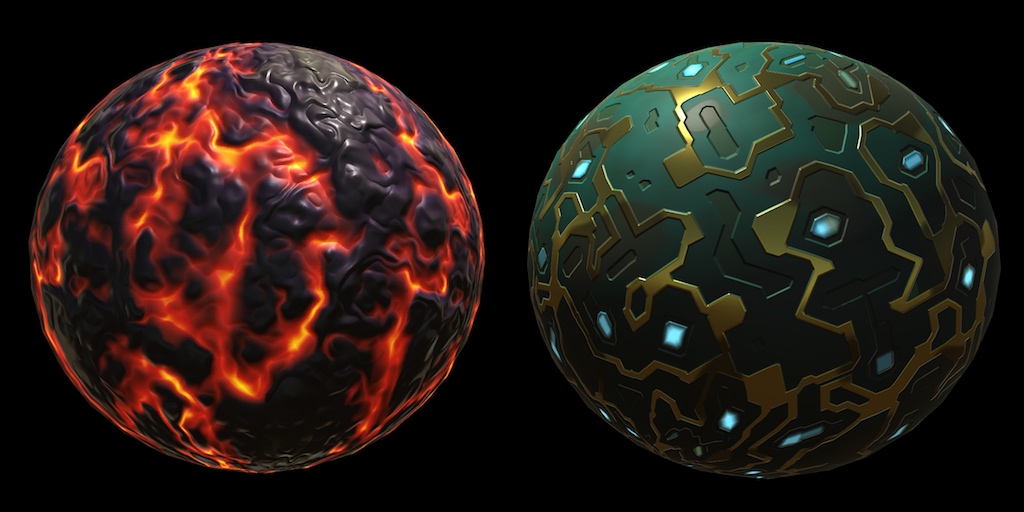
A Unity Rendering tutorial about creating complex materials. Part 9 of 20.
 fathom vault
Hi guys,
I'm looking for a little help to modify a shader graph!
I'm optmizing a project and i would like to replace interiors by fake interiors parallax (with cubemaps)! I've found a perfect graph made by *@mertkirimgeri *(twitter acc.), but I don't find out how to rotate the cubemap in the shader! My goal is to see from the place that I see in front of me, just rotating to 180°
I can send the graph if needed
 urban sand
Hey guys i dont understand from shaders
i plan to learn them soon but
i am trying to do a basic thing rigth now
ill be happy if i could make it work without knowin gall the render stuffs 😄
Shader "Instanced/InstancedIndirect" {
    Properties
    {
        _MainTex ("Texture", 2D) = "white" {}
        _doubleSided ("Double Sided", int) = 0
    }
    SubShader {
        Tags { "RenderType" = "Opaque" }
        LOD 100

        Pass {
            Cull [_doubleSided]
            Tags {"LightMode" = "ForwardBase"}

            CGPROGRAM
            #pragma vertex vert
            #pragma fragment frag
            #pragma multi_compile_fwdbase

            #include "UnityCG.cginc"
            #include "AutoLight.cginc"

            struct appdata
            {
                float4 vertex : POSITION;
                float2 uv : TEXCOORD0;
            };

            struct v2f
            {
                float2 uv : TEXCOORD0;
                float4 pos : SV_POSITION;
                LIGHTING_COORDS(1, 2)
            };

            struct MeshProperties {
                float4x4 mat;
            };

            StructuredBuffer<MeshProperties> _Properties;
            sampler2D _MainTex;
            float4 _MainTex_ST;

            v2f vert(appdata v, uint instanceID: SV_InstanceID)
            {
                v2f o;

                float4 pos = mul(_Properties[instanceID].mat, v.vertex);
                o.pos = UnityObjectToClipPos(pos);

                o.uv = TRANSFORM_TEX(v.uv, _MainTex);
                TRANSFER_VERTEX_TO_FRAGMENT(o);

                return o;
            }

            fixed4 frag(v2f i) : SV_Target {
                fixed4 col = tex2D(_MainTex, i.uv);
                fixed atten = LIGHT_ATTENUATION(i);
                col *= atten;
                return col;
            }

            ENDCG
        }
    }
}
there is a unlity shader that draws texture to mesh and iam trying to merge it with yhe shader that iam using for gpu instancing on meshes
result is, it does not render any color
 wind condor
I downloaded a simple shader for unity standard, but I prefer working in unity URP. how much afford would it be to convert such a shader?
This one: https://github.com/IronWarrior/UnityToonShader/blob/master/Assets/Demo/Shaders/ToonComplete.shader

GitHub
Source code for Toon Shader tutorial for Unity. Has specular, rim lighting, and can cast and receive shadows. - IronWarrior/UnityToonShader
 deep hemlock
Hi Guys ! I'm would like to use the distortion parameter but he's missing in my HDRP Lit Shader. Did they remove it ?
 naive mural
Hello, is the Position node bugged on HDRP? In SRP, the world Position relates to the actual world position inside game space, however, in HDRP, the world position is added to the camera position, or in other words, the camera position is regarded as the center of world space.
thick fulcrum
@naive mural I believe you need to use absolute world position in HDRP
grand jolt
@meager pelican I kinda hate that your explanation was all about surface shaders 😄
naive mural
@thick fulcrum thanks
grand jolt
Cause you don't need any special parsing at all for passing uniforms to raw vert frag shaders if my experience with rendering cubes with raw DirectX taught me something.
grand jolt
Tho it looks like using shader reflection to set up all buffers without hardcoding them is a pain in the ass so I'll stop yapping.
 patent lodge
Has any of you guys gotten the problem where you get a square around a point light, it's basically the size of the attenuation. I'm using amplify, and if I just use a color in the custom lighting input, I get this. Any idea how I get a flat ambient? Just adding the color does not seem to work with point lights.
meager pelican
Cause you don't need any special parsing at all for passing uniforms to raw vert frag shaders if my experience with rendering cubes with raw DirectX taught me something.
@grand jolt
That may be. PropertyToID() might only be for formal properties. But somehow it has to map between CPU and GPU, which was the original question. IDK how, say, setfloat() does it internally.
In OpenGL there's an API call to get a "handle" or "address" to set it at. Thus:
if (loc != -1)
{
   glUniform1f(loc, 0.432);
}```
In unity we use SetFloat(). So something maps somewhere. 😉 Maybe it just passes that name into an API.@meager pelican basically, you allocate a constant buffer and put your struct in it. Then when you change it, you update the buffer. I deleted my renderer repo lol so I think that's how it goes.
prisma fox
Hi y'all! I'm using ShaderGraph to run a Vertex Shader for Grass. Basically copied Brackey's tutorial, here: https://youtu.be/L_Bzcw9tqTc. In his tutorial, you can see the grass moving in Scene view while the game is not playing. On my machine, the grass only moves when the game is playing. Does anyone have any idea as to why the grass only moves when my game is playing on my machine, but on his machine the grass moves even when the game is not playing?
Let's learn how to make realistic grass with Unity Shader Graph!
This video is sponsored by Unity
● Download grass assets: https://ole.unity.com/grasssway
● Art That Moves: https://bit.ly/2VW85He
● More realistic vegetation: https://bit.ly/2EAxC5d
● Mesh Generation: https...
 stone sandal
do you have animated materials enabled in your scene view?
prisma fox
Heheh that worked, thank you
grand jolt
greetings shader wizards, im a complete novice when it comes to shaders, and most things in general. im using a custom shader i found online to do an outline silhoutte. the image on the left is using the custom shader and losing some detail shown in the standard shader on the right. the googles says something about needing to add emission but i cant quite figure out how to do that
this is the shader in question:
https://pastebin.com/DnuQXx1B
is there some way i can fix this or should i just shop around for a different custom shader written by someone?
Pastebin
Pastebin.com is the number one paste tool since 2002. Pastebin is a website where you can store text online for a set period of time.
dapper solstice
Does anyone know of a crt shader that works with HDRP?
 lime viper
Is there a way to make triplanar blending happen prior to altering the geometry normals in shader graph?
 cedar cairn
Hi everyone. I'm trying to write a shader for spriterenderer that reads the variable "Color" from the inspectorof the sprite renderer. I think this should be easy but I can't find the soluzione (or the real name of the variable that is passed in the shader.
regal stag
@cedar cairn It uses Vertex Colors
cedar cairn
let's try
@regal stag if youhave time and it's not too hard can you help me? https://pastebin.com/FGz5Fuy3 I will also try to do it myself xD
Pastebin
Pastebin.com is the number one paste tool since 2002. Pastebin is a website where you can store text online for a set period of time.
regal stag
In your Input struct try adding float4 color : COLOR; you should then be able to multiply your Albedo or c variable with IN.color
 rocky helm
hey guys, does anyone know how to get an albedo/emission map in shader graph? im new to it and trying to make a custom effect
 solemn moth
An Albedo and Emission are only Textures 2D (Correct me if I'm wrong). In the case of the Emission to this you would only have to Multiply it with a Vector1
rocky helm
cool that works! also, how would i tile it? i tried the tiling and offset node, but that doesn't seem to work how i expected
rocky helm
works perfectly! thank you so much!
regal stag
There's not really a specific node, but you can use the Time node to offset the UVs
solemn moth
I'll see. Thanks!
regal stag
e.g.
 grim abyss
anyone knows how you can make a nice outline shader like the one hearthstone uses on Cards?
solemn moth
Maybe this can help you, it's in russian, but it has subtitles in english

Урок по созданию UI эффекта с помощью спрайтовой анимации на игровом движке Unity с использованием Photoshop и After Effects. Game effect tutorial.
Если вы подписаны на мою страницу Patreon, то готовый эффект вы можете скачать здесь: https://www.patreon.com/posts/32915443
---...
grim abyss
yes, the only problem with this one is that its specific for those skill images
i want it to work on any image i apply it to if you know what i mean
@solemn moth
meager pelican
@lime viper What you can try is to keep a copy of the un-altered position somehow. And use those for the triplanar lookups, and let it "smear"/interpolate across the polygon. So you'd have two vertex Pos inputs, one you altered and shoved into vertex on the master node, and another that you didn't, that you'd use for the planar calcs. IDK if it will work, haven't tried it.
regal stag
I think the problem is that once you edit one of the "Vertex" inputs on a Master node, the Position or Normal Vector nodes will use that altered position/normal. There currently isn't a way to pass the un-altered versions to the fragment shader afaik (but it is on the roadmap, Custom interpolators).
meager pelican
He wants the position and normal to use the altered ones. He "just" wants the original UV's as I understood it. But yeah, if he cant find a way to stuff the planar UV results into something before altering the vertex then he'd have to resort to editing the generated code. :(
I envisioned the mesh "stretching" what would otherwise be the TP regular texture results, as the mesh was deformed. But if he can't save it, he can't save it.
The way SG parses stuff, it generates its own internal variables and a logic tree I think, so IDK how he has his own stuff if it doesn't generate it for the interpolation structure. IDK how it decides "this is a vert->frag interpolated value". Like you say, maybe they're fixed ATM.
meager pelican
Maybe he could stuff the UV results into, say, emission, and fork it off for albedo, then zero it out before it hits the master node. Or something. IDK if SG will put it all in the proper stages or not.
Or if it can get the proper order in the vertex stage so it uses the before-altered vertex.
Or just saves off the former worldspace pos.
meager pelican
Can't get it to isolate a variable in the vert stage. Grrr.
meager pelican
- Make sure you've saved the shader by pressing the save. 2) Play with metallic smoothness values for fun. 3) Make sure the texture and material are properly assigned.
Guesses.
 orchid kettle
- did
- i wanna get it working first
is this it?
because its how its been since i started
meager pelican
Yeah, and that material (Test) is assigned to the sphere right? (Obvious I know).
You can try adding the emission to the albedo too.
orchid kettle
i plugged it into albedo, and it does work as albedo
so smth must be with the emission
regal stag
Is this in HDRP? Because I think it deals with different values for emission, so while it's being output it's probably very very faint.
regal stag
I think there's an Emission node, which you might be able to put the value through to convert it, or multiply with a large value might work too.
orchid kettle
i multiplied it with like 1000
seems to work
damn you hdrp with your realistic lighting or whatever
anyways thank you so much
i thought its only using this weird big number thing for actual lights
meager pelican
Emission is more about the lighting than it is the color. In the standard pipeline, it's not uncommon to add the emission to the albedo if you want to impact the albedo color itself.
They use a Pow function too, IIRC, for emission.
 light epoch
how can i convert a custom shader to urp?
i just needed 2d lighting and now my shader isnt working
i cant really recreate my shader in the shader graph because i have no clue how it works i got it from a public project on github
lime viper
@meager pelican Thanks I ended up being ok with the limited smearing I was getting, I'm thinking I may explore pushing the normal altering I'm doing to the fragment stage so that I don't have to roll my own triplanar setup
 low skiff
anyway to make a non tiling shader with shadergraph ????
simple frost
@low skiff what do you mean by non tiling? A sampler state thing, or something more specific? If you just want non-tiling you can set that on the texture itself. Otherwise, you can set it in the sampler state with the texture sample node
low skiff
sampler doesnt change anything @simple frost
simple frost
how are you using it?
low skiff
simple frost
your sampler state there is set to repeat tho
low skiff
if i put it on clamp it becomes a solid color
simple frost
outside of the uv bounds thats expected
low skiff
how do i get it into the uv bounds
simple frost
what are you trying to achieve might be the better question
simple frost
thats a very different problem
low skiff
whats the solution then ?
simple frost
sorry, was writing 🙂
low skiff
dont worry
simple frost
There are a number of ways to work around this problem, but its not something you very easily solve, exactly
Procedural Stochastic Texturing is one way to try and make the repeating less obvious, but its a bit more expensive
you can warp the UV by some noise a bit to at least break up the pattern, though that will distort textures
you can try and remove the pattern - parts of the texture, which should make the effect less
using foliage/terrain assets to try and hide the tiling aspects is also common, though not always great depending on target platform
otherwise, making the texture entirely procedural
thats all I can think of off the top of my head
low skiff
I saw a method that rotates each tile randomly , is that not possible
simple frost
that would be more along the lines of the procedural stochastic texturing, but there are simpler forms you might be able to get away with
hash the tile world space position to a number between 1 and 4 and rotate based on that hash
if the texture isnt repeating on all sides though will make noticeable seams
low skiff
Is that significantly more expensive ?
simple frost
wouldnt be too bad
low skiff
How does "hashing" work?
simple frost
just a function that takes in a value and outputs a pseudo random value specific to the input
low skiff
Wait a second , how do i rotate the individual tiles
simple frost
this is getting a bit outside the realm of shadergraph and more into general shader practices, of which the internet is far better at teaching 😄
low skiff
So it isnt possible inside shader graph ?
simple frost
oh no it is, theres a node for it
I just meant I can help with specific bugs/hangups but I cant really teach you everything to do with writing shaders in any speedy amount of time
low skiff
You dont have to , u can just show a picture of a few nodes xD
I dont need to understand how it works , just how to get it to work
simple frost
low skiff
I was up to that , not entirely sure wich node to use for accesing individual tiles /uvs
simple frost
Unity Forum
Hi all,
I'm trying to recreate the Random Tiling Mask effect from Unreal engine (as described here) in a shader.
I was able to manage to rotate the...
that has the code, you can just convert to shadergraph nodes is you need to
low skiff
Okay , thanks for the help
 thick roost
Am I able to create custom master nodes in shader graph?
It appears the things I need access to are internal which is a shame
I've made my own srp and I thought it'd be super neat to hook it up to shader graph
 short marlin
Hi, Can anyone tell me how to expose the SSR option in my shader just like HD Lit shader ?
 quaint coyote
I made a cctv cam shader for beginners
https://youtu.be/KtjiYjAkAcI
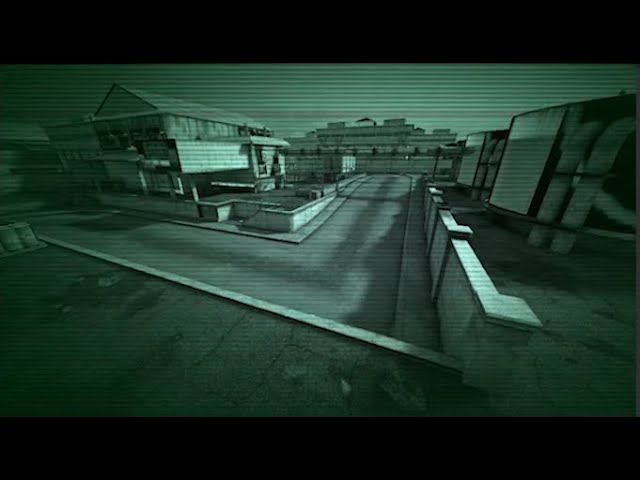
This is a series of short shader creation. Usually about 5-10 mins.
Follow along and create quick shaders for your games/apps. Learn by doing :)
How this helps?
I am starting off with specifically simpler concepts like "post-processing", which will allow you yo understand bet...
 signal rapids
Hey! I have lag issues with the Shader Graph editor. Yesterday it was working without issues at all, but after booting back up today, any node changes like switching blend modes in the Blend node will give me a freeze of 10 seconds or so. Anyone recognize this? I'm in HDRP
Oh, after running and stopping Play mode, it's running much better
Not sure why
 fervent tinsel
@short marlin surface options are exposed on newest HDRPs but I dunno if there's like released package on Package Manager that has that change yet
for older HDRP/SG, that's not an option
it's actually super new thing
so would only expect to see this on 10.x (and possibly on 9.x)

GitHub
Purpose of this PR
build on top of #952 - Reviewer please use the original PR for review, this one include udpated of Material which make it impossible to review.
Purpose of this PR
Unify surface o...
short marlin
@fervent tinsel Thanks for the info. I checked it in Unity 2020.1 but still not available.
 real gorge
hey guys
does anyone know what kind of specular highlighting does unitys standard shader use?
 whole osprey
Compute shader newb question, if I have a structured buffer that I never really want to get back on the CPU, I want it to only exist on GPU, but persist between dispatches, how do I do that?
I want to make a kernel that does stuff to that struct, and then other kernels that'll return only a field of it when I need to.
carmine lake
Variables when they get set to the compute shader they persist, but structured buffers I never tried. Anyhow, setting data to the compute shader is not a heavy operation. You can just make a const in the cpu of your data and send every frame. Would that work?
Sure, that's the initial buffer. Now, to use it in both kernels you need to make it a RWStructuredBuffer, then one kernel writes to it, then the other reads from it and does something else. Depending on how you use it, you may run into problems with two kernels reading and writing to the same buffer. To avoid that you can use interlock, or make two identical buffers and swap data at the end of computation.
Then in the cpu code you dispatch one after another without getting data back only get whatever you need at the end.
To really do what you suggest, the only pipeline to do that I heard of (without getting data back to cpu) is the grabpass. But then how to feed the next compute shader with the content from the grabpass I don't know. https://docs.unity3d.com/Manual/SL-GrabPass.html
What I'd recommend instead is, do the GetData() in an async task so you won't notice any bump in the gameplay.
Sorry I'm not able to solve it, don't even have my pc here, but hope it sheds some light to you.
What is it you're trying to achieve @whole osprey ?
Another common technique you can blit your structured buffer to a render texture https://docs.unity3d.com/ScriptReference/Graphics.Blit.html
whole osprey
I'm making a simulation, the struct i'm buffering has a ton of fields that are needed for the simulation, but not needed for rendering (directly) I was trying to save some CPU <-> GPU bandwidth.
I suspect over time the number of fields of the struct that could totally live 100% on the GPU is going to increase, just wondered if it were possible
my buffer is [1024*1024] elements, so it wont take too many untransferred fields before benefits start being had, if it were a thing I could do, lol
carmine lake
No, you can't resize structured buffers. You can set it with maximum length and set initially unused values to -1
whole osprey
well, I didn't really want to even resize it, I just wanted it to persist on the GPU, use a second kernel that could have access to it, and have the second kernel ALWAYS return a different struct that was a subset of fields
carmine lake
Cool. I made a few workflow stuff with signed distance fields and compute shaders. I'd recommend blit all the fields to textures. Render textures live in the gpu, so there's no get data back
It's a pain to deal with the indexing, but seems to be the best choice. Give it a try with get data in an async task, though. It won't take you more than a few moments to implement, and saves you some headache
whole osprey
i'll give that approach a try. My dream is to be able to do something like this:
{
    float water;
    float soil;
    float rock;
    float enthusiasm;
    float3 curl;
    float3 chutzpah;
    float3 moxy;
};

RWStructuredBuffer<cell> cells;


[numthreads(32, 32, 1)]
void Simulate(uint3 id : SV_DispatchThreadID, uint threadIdx : SV_GroupIndex)
{
    cells[threadIdx].water = //something
    cells[threadIdx].soil = //something
    cells[threadIdx].rock = //something
    cells[threadIdx].enthusiasm = //something
    cells[threadIdx].curl = //something
    cells[threadIdx].chutzpah = //something
    cells[threadIdx].moxy = //something
}
[numthreads(32, 32, 1)]
void GetMoodHeightMap(uint3 id : SV_DispatchThreadID, uint threadIdx : SV_GroupIndex)
{
    float3 mood = cells[threadIdx].enthusiasm + cells[threadIdx].chutzpah + cells[threadIdx].moxy

    MoodMap[id.xy] = float4(mood.xyz, 1);
}
I don't ever need cells back on the cpu, Moodmap though, yeah sure give me that. If the intention makes sense that is.
Of course the above code is invalid for lots of reasons (have to set cells for the GetMoodHeightMap kernel.. I was hoping I could pipeline it)
I'm interested to know how you went about making SDF's in a compute. My approach for that is hobo as hell. I use a vfx graph and the ol' gradient cone trick 😛
carmine lake
I made it before shader graph was a thing hahaha. I can have a look Sunday when I'm back home, if you remind me here
But your struct Cell is nothing more than 4 textures: Cell_WSRE, where RGBA values are water, soil, rock and enthusiasm. (Rgba32 format)
 real basin
I believe as long as you aren't changing or reading the buffer from the CPU it should automatically persist on the GPU. after a buffer is created when you do things like assigning a buffer to a material or compute shader the script side is just pointing to the buffer on the GPU
 fossil torrent
Hi guys, I was wondering if it's possible to make arrays in shader graph just like in cgprogram ?
meager pelican
@whole osprey The data should persist as long as you don't release it. You have to make sure it's bound to your compute shader, and just call the kernels. This is really common for procedural computing. Watch out for stomping on stuff if you can't isolate indexes, so you'd have to use some kind of atomic operation or other multi-processing locking technique.
But if you can guarantee that each core is running on one index (like instanceID) then fine.
whole osprey
What makes data bound? the SetType(); methods on the C# side?
whole osprey
Gotcha. If you have the same buffer set to two different kernels, does it make a round trip through CPU to get to the second kernel?
Trying to get a better understanding of the memory lifecycles for these things.
meager pelican
I don't think so, that's the beauty of it. 🙂
whole osprey
That's pretty cool! That fixes a lot of my concerns then. When does the data come back then? Lol
meager pelican
Well, lol, that is that hard part. There's routines to read data back, but you want to avoid it if at all possible. Slow too.
What I don't know is how it works if context is lost and the GPU resets and does a brain-fart. But other than some GPU crash/recovery/reset, you'll be good.
whole osprey
Huh, kind of looks like it never comes back when it's a structy structured buffer, if I'm understanding the "must be a blittable type" restriction on the getData method. Works for me!
Good to know I did all this handwringing to try and get behavior that's basically just the way things always are, lol
it's really freaky to me that this works
        ComputeBuffer buffer = new ComputeBuffer(cells.Length, 12);
        int kernelHandle = shader.FindKernel("Init");
        shader.SetBuffer(kernelHandle, "cellBuffer", buffer);
        buffer.SetData(cells);
Since I'm not initializing any of those elements in that array of structs.
 fossil oyster
Hi shader beginner here, trying to fill a texture with a simple noise in a compute shader and I got this working so far:
#pragma kernel overworld

RWTexture2D<float4> res;

[numthreads(16,16,1)]
void overworld(uint3 dtid : SV_DispatchThreadID) {
    res[dtid.xy] = float4(1,0,0,1);
}
But when I try to use a noise function like so:
#pragma kernel overworld

RWTexture2D<float4> res;


float sample(float2 pos) {
    return 1 + noise(pos)*0.5;
};


[numthreads(16,16,1)]
void overworld(uint3 dtid : SV_DispatchThreadID) {
    float h = sample(dtid.xy);
    res[dtid.xy] = float4(h,0,0,1);
}
I get this in unity 😬
and while i'm usually able to understand error messages this one is completely flying over my head 
so i'd be grateful if anyone could enlighten me on this seemingly simple use case 
 low lichen
That's an error message that I recognize and I think it can occur in many cases
Where are you defining the noise and sample functions?
Oh, the sample function is there
fossil oyster
I believe noise is an "intrisic function" in HLSL
but i'm most likely using it wrong ?
low lichen
Try removing it and see if it compiles
fossil oyster
yeah it computes now
low lichen
I've never heard of that function, so maybe it's something new and not available to Unity
fossil oyster
oh damn
and is there any intrisic function i could use in unity to generate perlin noise ? (or any fractal noise)
low lichen
Or it looks like that function can only be used in specific contexts or something
I've only ever seen user-defined noise functions in shaders
fossil oyster
oh interesting thanks, so maybe i should grab an implementation of this noise and copy paste it in my file i guess
thank you 👍
oh i just tried something
i just tried to write "cnoise" instead of noise
and i got this error
low lichen
So it recognizes noise as something, but doesn't like it
fossil oyster
exactly
i don't know what im gonna do with this info but i guess worst case scenario i just copy paste a noise function lol
low lichen
Scroll to the bottom of the page you linked
https://docs.microsoft.com/en-us/windows/win32/direct3dhlsl/dx-graphics-hlsl-noise

Generates a random value using the Perlin-noise algorithm.
Shader Model 2 (DirectX HLSL) and higher shader models | no
low lichen
Depends on your hardware. A modern GPU is around 5, I think
fossil oyster
oh ok very intersting thanks
i'm going to see if there's any universal function that could replace it
yeah 5 would make sense
low lichen
Some functions here
https://gist.github.com/fadookie/25adf86ae7e2753d717c

Gist
Slightly more optimized simplex noise cg lib based off this one: http://forum.unity3d.com/threads/2d-3d-4d-optimised-perlin-noise-cg-hlsl-library-cginc.218372/ - noiseSimplex.cginc
Also some here
https://github.com/keijiro/NoiseShader

GitHub
Noise shader library for Unity. Contribute to keijiro/NoiseShader development by creating an account on GitHub.
fossil oyster
thanks !
case solved i suppose 
yep i think this threads pretty much confirms that noise function have to be done by hand (or copy pasted) https://forum.unity.com/threads/why-is-noise-x-not-supported.205582/
Unity Forum
why did Unity skip this instruction? its a useful good feature of cg!
👌
 wary horizon
Anyone know of any shader graph tutorials for getting water on the camera effect? so if you turn on a shower or something your screen gets wet
Idk if ive explained this properly. lol
fossil oyster
Ok so I found out how to pass structured buffer to the compute shader, but is there a way to pass only a single struct variable ?
same question as here basically https://gamedev.stackexchange.com/questions/180184/unity-direct-compute-setting-a-struct-of-arrays
 shy wigeon
hey guys, I just installed the shadergraph package for the first time and it's always blank. I've reloaded. on Unity 2018.4.25f
I also installed the lightweight render package just in case
wary horizon
How does one make the background black and just keep the white?
Heres the graph, please @ me if you know! thank you
(my alpha node doesnt work btw. it just sets the whole thing transparent and not just the black part)
cosmic prairie
@wary horizon
if you have a transparent texture use the ones I circled red
if not use the ones in blue
the "Alpha Node" you are trying to use is the vertex color.a I think
wary horizon
Yea, setting them both to the alpha channel displays nothing now
cosmic prairie
thats not what I meant
 tame topaz
You have to mask it @wary horizon .
cosmic prairie
don't use them as colors, put them back in Albedo and that other one
tame topaz
Also, if you want to remove it completely, use the alpha clip.
cosmic prairie
wary horizon
So like this?
cosmic prairie
yes, is anything showing up?
if not you have no alpha in your texture you are trying to use
wary horizon
Nothing
cosmic prairie
you could also use R instead of A
wary horizon
in the top sample tex?
wary horizon
Yea that works, but its meant to look like water, and it just doesnt 😛
cosmic prairie
well yes it does look like a substance I shouldnt mention here, try making a Vector3 node with Z set to 1
then multiply that with R from sample tex
then hook that into Albedo instead of RGB
that snould make it blue
or you could just multiply it with a color
oh wait you already have Tint
wary horizon
Not sure i follow, Still pretty new to shaders
cosmic prairie
didnt your "Tint" color it?
cosmic prairie
oh
then forget what I said and hook it back lol sorry
so hmm making it look like water... I did actually make a shader like this a week or two ago
I can show it, just have to turn my laptop on
wary horizon
its meant to be a screen effect, i have a camera off somewhere looking at some particles
and thats applied to a render texture
then that render texture is trhe texture ytou see in this shader graph. if that makes sense.
cosmic prairie
hmm so do you want to apply this to your screen? or wrap it onto objects?
wary horizon
i have it applied to a plane at the moment, and im just going to put that infront of the camera
i wouldnt know how else to do it :p
https://www.youtube.com/watch?v=9JkG-orTQO8 I was following this

If you liked this tutorial and want to see more, and also have a say on what comes next, maybe you should subscribe.
In this week's tutorial we're going back to rain again, only this time it's water drops running down the surface of an object, pretty cool effect for windows, ...
I mean ideally having it be a screen effect is ideal, but i dont know how to do that, so if thats not a possibility the way ive done would be the next best thing
@cosmic prairie you still there?
cosmic prairie
yep, so you want to replace Normal Create from the tutorial with Normal From Texture
 rigid ether
@wary horizon i have a working example of this however with a different flipbook with one i made on after effects. If you want a demo feel free to pm i can send u the project files!
Google Docs
fossil torrent
Hi guys, i'm new in shaders, but cg shader work with the built-in pipeline but not with the HDRP. In this case we have to use shader graph or hlsl scripts right ?
amber saffron
Yes
Technically, nothing prevents you to use CG in HDRP, but all the HDRP internal shading functions are written in HLSL
But it's pretty similar anyway
fossil torrent
thanks !
meager pelican
@wary horizon If you're trying to emulate water you might want to try:
- very slightly darkening the droplet area like multiply RGB by 0.95 for something (slider?)
- do specular calculation to get the "light bouncing/shiny" parts.
- Think about some refraction even if you fake it. Or blurring with nearby pixels. I'd skip reflection for this.
Or just use some kind of long transparent texture and scroll it.
P.S.
Sorry I didn't really analyze your examples, just throwing out some ideas. But a normal map or calcs would go a long way.
:2cents:
oak dagger
Hi any idea why i cant paint vertex color with PBR URP shader?
trying to paint with polybrush
fossil oyster
Is there an example on how to pass a struct to a compute shader and use it ?
i thought my code was correct but i'm getting this obscure error 💀
basically i'm doing something like this
In the shader
struct RegNoise {
  float min;
  float max;
  float roughness;
  float freq;
  float offset;
  int details;
};

RegNoise temperature;

float param_noise(RegNoise this, float2 pos) {
  float amplitude = this.max-this.min;
  float h = this.min;
  for (int i = 0; i < this.details; i++) {
    h += amplitude*pow(this.roughness, i)*snoise(this.offset+pos*this.freq*pow(4, i));
  }
  return h;
}

[numthreads(16,16,1)]
void overworld(uint3 dtid : SV_DispatchThreadID) {
  float temp = param_noise(temperature, dtid.xy);
  res[dtid.xy] = float4(temp, 0, 0, 1);
}```in unity (after initializing the shader properly)
shader.SetFloat("temperature.min", -20);
shader.SetFloat("temperature.max", 30);
shader.SetFloat("temperature.roughness", .1f);
shader.SetFloat("temperature.freq", .0005f);
shader.SetFloat("temperature.offset", Random.value);
shader.SetInt("temperature.details", 2);
@fossil oyster I've never seen shader variables set in this way
 low lichen
somevariable.somemember I mean
fossil oyster
oh yeah me neither
a friend told me that it could work but i don't know if it would work in unity
low lichen
The only way I've seen structs being passed to a shader is through buffers, but a buffer with one element might be going overboard
fossil oyster
yeah i saw that too
humm
but i have 4 of these structs 
it would annoy me so much to duplicate all the variables
low lichen
You're already setting each member individually in script

 wary horizon
@meager pelican yea those sound good, but I wouldn't know how to implement. Shader graph is hard. :(
wary horizon
Can someone help me and guide me on how to make light refraction and to make this look like water please?
its been 12 hours 😅
This is the graph
😭
tranquil bronze
How do i get the world position and the uv coords in an unlit urp shader
Pastebin
Pastebin.com is the number one paste tool since 2002. Pastebin is a website where you can store text online for a set period of time.
This is what i have so far
odd oriole
I'm new to shaders, just using shader graph for now, and having trouble debugging. Does anyone have an idea why 0.1 in a property can be rounded/truncated to 0.199?
Right now I use some custom script from github to output values when I debug. Are there no built in nodes for doing that?
wary horizon
anyone? Haha
odd oriole
seems to be a lot more questions than answers on this server 🙂
 frank ferry
@tranquil bronze in the vertex shader do o.pos = mul(UNITY_MATRIX_VP, worldPos);
UV you just have to mark TEXCOORD and it will be interpolated.
@odd oriole you dont debug numbers ... as numbers in shaders. You have to be creative. Use colors, positions, etc.
odd oriole
why not use numbers? I do it like this:
i just give it a static vector as a starting point so I get one specific number
frank ferry
@wary horizon read on the PBR, this is a good book - http://www.pbr-book.org/
I dont have any quick solutions for your question
odd oriole
maybe I'll learn to "read" the position as a color gradient some day, but it just seems easier with an actual number, no?
frank ferry
@odd oriole its perversion, thats like burning trees down to see how many animals were in the forest.
odd oriole
haha alright 🙂 that does not sound good!
 gleaming moss
direct readback of values from GPUs aren't particularly fast nor meaningful when thinking about shading pixels
for example if you have two terms that you're multiplying that change across a model
how do you map that to a single number
it's nonsense
frank ferry
your question indicated that either you are using it wrong or the feature doesnt work.
GPU debugging involves a lot of creativity and the reason why people dont use numbers is because you cant outpu a number for each vertex or worse - each fragment/pixel. While visual debugging will help you see any information you desire.
yup InvalidPointer, same thing came to my mind
odd oriole
hmm, alright, so say this problem I'm having with properties being truncated to an incorrect value (a multipler/strength thingie that should have been 0.1 but was 0.199 for some reason). what would you have used to find it quickly if not outputting in it as a number? seems like it would be a lot of guessing in the dark connecting and disconnecting nodes? sorry for not getting this, I'm a programmer but am very new to graphic and game programming.
can I set a breakpoint or something?
gleaming moss
set it in C# land, shaders generally do nothing with input constants by design
(as the name indicates)
odd oriole
Hmm...
tranquil bronze
@frank ferry how do i get both? I dont want the uv to be interpolated
gleaming moss
@tranquil bronze if you're running in the vertex shader, it won't/can't be
tranquil bronze
so i just leave the uv coords blank im confused?
Pastebin
Pastebin.com is the number one paste tool since 2002. Pastebin is a website where you can store text online for a set period of time.
this is what i have for my varyings and attributes
how do i get both the world position and the uv coord without interpolation
gleaming moss
as stated, if you're running the vertex shader you're going to get whatever's in the model directly with no interpolation
model UV is the unmodified texture coordinate for that particular vertex
the world-space position can be obtained by multiplying the model position, which is again the attribute, by the model matrix
interpolation only has meaning if you're talking about code in a pixel shader
wary horizon
@frank ferry idk what you mean, this book is just the equations
tranquil bronze
so interpolation happens in the frag shader? how do i not have interpolation because im not storing uv data in the uv, im using it as an index for a texture array
so i dont want any interpolation
wary horizon
i jsut want to know what nodes to put where
gleaming moss
@tranquil bronze partial credit. It actually happens in between the vertex and fragment/pixel shader via some special magic, since you can of course interpolate a unique value for every frag invocation
you can think of it as happening in the FS if you want, though. That's usually how graphics cards actually implement things, though there are complex spec documents that say "legally" it's doing its own thing
it would take place just before your written FS code starts running
tranquil bronze
oh
in that case i guess i can find another way around the interpolation but im still getting errors when trying to access the uv data
Shader error in 'Unlit/Terrain': Duplicated input semantics can't change type, size, or layout ('TEXCOORD0'). at line 42 (on d3d11)
gleaming moss
yeah indexing arrays with a continuous value like that is a bit of a code smell
tranquil bronze
Shader error in 'Unlit/Terrain': output TEXCOORD0 used more than once at line 42 (on d3d11)
Any idea how to fix this?
gleaming moss
it tells you exactly what's wrong-- you have two varyings with the same semantic
at line 42, likely
if you want two texture coordinates, make the second one TEXCOORD1
then TEXCOORD2, etc.
frank ferry
Take some other shaders as examples and work from there
gleaming moss
you can also tack interpolation modifiers on to varyings, but keep in mind this won't always work the way you need
tranquil bronze
do you know if there is any documentation on urp written shaders?
i cand really find andy
gleaming moss
Struct Type
tranquil bronze
thankyou
wary horizon
Anyone can help me with my problem?
gleaming moss
there are refraction nodes in shader graph @wary horizon
wary horizon
@gleaming moss can i pm you to help me?
gleaming moss
I prefer to answer questions in here since other people can see the answer
if they had a similar question and didn't ask
for starters it's worth asking what kind of art style you're going for
wary horizon
This is how it currently looks
just "realistic" water dripping on the screen
anything is better than this lol
gleaming moss
it's not as bad as you think. Do you need this to layer over other materials or just putting something on the screen
wary horizon
just putting it like it is now, so when you walk into the rain or a shower for instance, your screen gets wet
if that makes sense
gleaming moss
sure. So a good first step for any sort of VFX work is collecting reference
wary horizon
Im using a camera looking at some particle effects somewhere in the scene, and rendering what the camera sees to a render texture
then using that render texture as the albedo texture for the graph
^
gleaming moss
you might not even need to do that, I think there's a way for the built-in SRP's to make that copy
oh, I see, you're using that for drops
wary horizon
Im all ears, it look me like 5 hours to get this far
gleaming moss
that's URP?
wary horizon
Yea
gleaming moss
https://docs.unity3d.com/Packages/com.unity.shadergraph@10.0/manual/Scene-Color-Node.html is gonna be pretty important
since that's mostly how the refraction works
reflection isn't going to be super interesting for things sitting on the lens
wary horizon
Could you run me through how to set it up? I know pretty much nothing about shader graph
gleaming moss
it's a node
wary horizon
i think i tried this last night too
with screenPosition etc etc
couldnt get it to work
gleaming moss
yep
that might still be a bug with URP right now
I remember that was officially acknowleged as broken a few versions ago
gleaming moss
yep, like 90% certain that's affected
it's not your fault, at least, but you might want to update to a newer Unity since that will let you install URPs newer than v7
wary horizon
would upgrading my unity break anything?
the games pretty big and 3 months of work into it
gleaming moss
it's not guaranteed to, but depending on your scripting complexity it's possible
wary horizon
I guess what i want will never happen 😦
wary horizon
Bois, we gucci
shy wigeon
my shadergraph is devoid of UI, anyone know what causes this?
 spice tinsel
Hi I'm new to shaders in Unity 2D and I was wondering could someone recomend me some tutorials?(I just want to make a simple shader that can aplha out a colour from spritesheets)
oak dagger
anyone here use mesh combiner?
thick roost
@spice tinsel catlikecoding has a seemingly endless supply of good info
from super noob to higher level
 simple rivet
anyone got any suggestions what is causing those spikes?
it's fine right up until I run that compute shader
 warped field
anyone convert ani instancing for URP? is it hard to convert to URP?
or has anyone figured out making a custom skinned mesh for URP?
grand jolt
does anyone happen to know of an outline silhoutte shader that has emission as well? im using this one i found online atm but there's no emission and im losing detail (left image is custom shader, right is standard) https://pastebin.com/1wm4nt0z
i know very little about shaders so I don't know how to add emission to my existing custom shader if that's a possibility
Pastebin
Pastebin.com is the number one paste tool since 2002. Pastebin is a website where you can store text online for a set period of time.
im using built in pipeline if that's a factor
 sturdy bloom
is it possible to do Z test in shader graph?
rigid ether
@grand jolt fresnel + hdr color on emisson on shadergraph
with built in pipe? i suggest use amplify
instead you can use and emission map?
thick fulcrum
@grand jolt there are lots of tutorials out there to help you achieve this for free. If you feel unable to understand shader code (it's not easy).. the simplest alternative is to buy one from asset store or hire a coder to make one. I doubt you will find anyone wanting to spend their own time for free when assets already exist for this.
meager pelican
@sturdy bloom Manually, or early-z testing?
If manually, you can do logic followed by a conditional discard. Or use clip()
If hardware, then sure. Usually automagic, at least in the opaque queue.
gleaming moss
that sounds like an incomplete question. What are you really doing
lilac forge
Hey folks. I'm trying to create a specific effect using ShaderGraph. I have a simple triangle sprite and I want it to "spread" depending on some values.
This is how the simple sprite looks. Nothing fancy. And this is how I would like it to look:
I can control the offset/tiling of the sprite, but I do not know how I can make it spread/scatter multiple times in the shader via ShaderGraph. Ideas? Hints?
amber saffron
So basically, you have this triangle shape, and in the shader you want to dupplicate it multiple times, stretched and rotated ?
lilac forge
Yes, exactly.
amber saffron
Well, you have to sample the triangle on a bigger quad, multiple times, and each time you rotate/stretch the UVs
lilac forge
And how can I sample the texture multiple times on a bigger quad in Shadergraph?
amber saffron
With multiple texture sample nodes
but imho, if you want this to be parametrable, you'll have to code it in a loop with a custom function node
tranquil bronze
I want to pass in some data into a mesh and use it into a shader. The data is an index for a texture 2d array for a terrain shader
i tried using uv coords and color but the issue is there is interpolation when the vertex info gets converted into fragents
how do i pass in info that does not get interpolated?
is there something else i can use or a way to stop the interpolation?
im using a written unlit shader using urp
amber saffron
Compensate for the interpolation by flooring the value to integers ?
tranquil bronze
that wouldnt work because lets say i have 5 textures and one vertex is texture1 and the other is textur5, the interpolation will still take place
@amber saffron
amber saffron
oh, ok
I'm not sure if this easilly feasible without, let say, using difference sources of data for encoding the index value :/
tranquil bronze
i could assing the uv.x to an int in the varyings
but it needs a semantic
is there a way of using an empty semantic?
ok i found a way
 keen sand
I asked a question somewhere else but haven't gotten any replies, so I'll post it here
Is there a way without projecting through a render rexture to have a graphic and all its children be made transparent and preserve transparency so there isn't an undesired blend between layers underneath previously opaque graphics?
I've been looking for shaders that can do this but all I can find are ones that don't work or ones that work but don't support masking
The reason I don't do the render texture approach is because I'd need a layer for every graphic with children that fades individually, and I have a lot of those
At least without making it more complicated than it already is
To illustrate, this is the normal behaviour


The black underneath blends with the white, darkening it


This is the effect I want
In a perfect world, I'd have a component that I can put on a graphic, and it causes that graphic and everything inside it to render flat, and adjusting the canvas group alpha will affect that group as a whole
Clearly that doesn't exist, but I'd like to find the closest thing to that
 nimble cloud
Hello there 😁
I'm working on adding stencil buffer shadows to my project, and I understand the principle of how to generate shadow volumes and how to use those to modify the stencil buffer
however, I'd like to use compute shaders to create the shadow volumes as it seems like it will dramatically speed up the process
the issue is, I don't know how to even start looking for resources on working with mesh data in a compute shader; has anyone done this, or does anyone know of a resource that explains how to do this?
every google search I've tried has led to dead ends.
I'm working in default render pipeline, if that makes a difference
untold ruin
How do you stop Unity from using my standard shader's secondary maps UV set as the lightmap UV when I've supplied my own lightmap UV?
sturdy bloom
I want to draw an character silhouette when my character is behind the building, my game is on 2D and I need to add the silhoutte from Sprite-Lit.shader
@meager pelican need the early z-testing, yesterday I ald generate the shader graph code n add my own z-testing
just wonder if there is the way to do it directly from shader graph
meager pelican
Early-z clips the pixel before the fragment stage is even called, so you can't clip it and still get a "silhouette" for behind-stuff in one pass. That's why silhouettes are usually done in two passes, one "normal" and one "behind". Maybe check for tutorials and also "custom render pass/features" of the new SRP's. Google is your friend, I think there's several tutorials on such.
IDK enough about 2D but the concept of "behind a building" in 2D is problematic to begin with. HDRP has custom passes and such, but that's going to be 3D. URP 3D there's ways. But 2D, IDK, you'll have to google around. Sorry can't help more.
@nimble cloud Things that will help your searching: computational or procedural geometry, and unity's https://docs.unity3d.com/2020.1/Documentation/ScriptReference/Graphics.DrawProcedural.html documentation. Remember the 80/20 rule. IDK how much your mesh/volume creation will benefit from parallelization, all depends on your use case. YMMV
gleaming moss
shadow volumes also have two stages-- silhouette vertex identification and volume extrusion. The latter is trivial to do on GPUs, the former is... not
from memory I think the implementation in Doom 3 BFG is pretty much state of the art (at least on volume generation side) and does not use compute shaders at all
CPU identifies silhouette verts and builds an index buffer, which is then fed along with the original model vertex buffer to something like DrawProcedural above
naive mural
Hello, is there a way to write to a Texture2DArray directly in a compute shader?
gleaming moss
yes, attach to an RWTexture2D resource
and ensure appropriate settings were used (enableRandomWrite) when the texture was created
naive mural
that's the setting i can't find on a Texture2DArray, only on a RenderTexture.
naive mural
RenderTextures have a limit to depth of 32 which is stifling me. Perhaps, it's been removed? Haven't checked it in a long time. 🤔
gleaming moss
surprised it's hard-capped like that unless you're dealing with weird crappy mobile/Intel GPUs
most APIs don't care or the cap is so big you'd probably run out of VRAM backing it
naive mural
Welp, looks like it's not even 32, it's 24.
 final hollow
anyone used singletons much? I want to increment a count of entities in the system on creation and read it in a system to avoid having to finish an entity query before I can alot an array
do I have to like, get a reference to the system in the conversion system or something?
nimble cloud
thank you both! I'm gonna get back at it today to see what I can find. Shaders in general are still pretty new to me so I don't know a lot of the particular terms
final hollow
jebus this singleton nonesense is ridiculous
final hollow
dude what in the world with this singleton sh**
wow, this is straight up enfuriating
regal stag
@final hollow You should probably ask for help in #💻┃code-beginner, this channel is for shaders
 summer valley
here with a very basic question bc my experience with shaders is minimal: if im trying to create a "flashing" effect for my 2d player sprite based on altering specific color values (think the charge shot from classic mega man games), would a shader be the best way to approach that??
meager pelican
You can swap materials, or do it in the shader.
One usually doesn't want to make shaders too "smart", it's best to drive things like this from C# and let the shader do simple things, but YMMV depending on use-case.
You could, for example, pass a parameter (instanced maybe) on whether the shader should use color #1 or color #2, just to keep it simple.
Or you can make the shader "smarter" and give it some params for IsFlashing and Colors and some countdown value and total duration. And update the countdown value each frame in C#.
I'd handle it in C# if I wasn't familiar with shaders, and just pass an instanced color. Blend with whatever it is otherwise as you wish. There are conditionals in shaders, and they aren't too awful if the value is uniform (same for whole object).
That avoids having to swap materials all the time.
summer valley
ok, this is super helpful. the need for the desired effect is a lil ways off but it's great to have something to go on now.
thanks!!
 zinc cloud
Anyone know of any shaders specifically for 2D tilemaps?
I'm looking up how to manipulate a specific set of tiles in a tilemap
zinc cloud
Okay, I figured it out... basically, the vertices can be used to compute the tile index
From that, you can know what tile you're working on...
lunar tree
How do I set value in binary in compute shader?
normally I would do this: boid.maskX = 0b_0000_0000_0000_0000_0000_0000_0000_0000;
but it throws unexpected token when used in shader
 last veldt
@lunar tree I don't think you can:
https://docs.microsoft.com/en-us/windows/win32/direct3dhlsl/dx-graphics-hlsl-appendix-grammar
HLSL statements are constructed using the following rules for grammar.
U can do hex though.
I'm having trouble packing 2 floats into a single float on the CPU and unpacking them on the GPU from a RGBAFloat texture. Can anyone notice anything wrong here?:
HLSL
void UnpackFloatIntoTwoFloats (float value, out half a, out half b)
{
    uint uintInput = asuint(value);
    a = ((uintInput >> 16) / 65535.0) * 2.0 - 1.0;
    b = ((uintInput & 0xFFFF) / 65535.0) * 2.0 - 1.0;
}
C#
private byte[] PackTwoFloatsIntoFloat (float a, float b)
{
  uint aScaled = (uint)(Mathf.Abs(a * 0.5f + 0.5f) * 65535);
  uint bScaled = (uint)(Mathf.Abs(b * 0.5f + 0.5f) * 65535);
  uint packed = (aScaled << 16) | (bScaled & 0xFFFF);
  return BitConverter.GetBytes(packed);
}
 dire delta
Hello - I am looking for a grass shader that works on mobile with URP. Either a tutorial or a purchased shader. Can anyone help?
wary horizon
is there a way to plug a vector1 called strength into a normal map texture? to give it more definition?
 rustic dragon
yes, but it's best to do that in the texture instead, more performant
marsh trench
How do you properly tile 2D textures and 2D noise using world UVs in 3D space?
regal stag
@marsh trench You can tile "flat" 3D objects with worlds UVs by taking two of the axis, essentially projecting the texture through that world space axis. For actual 3D meshes, you need to use something like Triplanar Mapping, which samples the texture 3 times and projects it from each axis, blending by the mesh normals. https://cyangamedev.wordpress.com/2020/01/28/worldspace-uvs-triplanar-mapping/
As for noise, it's likely better to use a 3D noise function. If you are using shadergraph, Remy's node library has some I believe : https://github.com/RemyUnity/sg-node-library
marsh trench
The gradient worked. Now to figure out this triplanar thing.
 harsh radish
Is there any way to set the compute shader numthreads through script?
Also does Rider have any autocomplete/formatting support for shaders?
low lichen
@harsh radish The Rider Unity plugin should do syntax highlighting for shaders, but no autocomplete or formatting.
And the numthreads can't be dynamic as far as I know
harsh radish
It does the highlighting. Guess I'll just live with having to press tab manually. And (oh, the horror) type every brace
What does numthreads affect exactly? Right now I just set it to 8,8,8
low lichen
You'll get better answers on Google than from me.
You have to get a better understanding of the GPU architecture to understand it
naive mural
Hello, does anyone know how to request a boolean buffer from a compute shader? I've tried to create a ComputeBuffer with the length of the buffer and a stride of bool(1), however, ComputeBuffers don't allow strides which are not multiple of 4. I've also tried to just divide the length of the buffer by 4 since the length of my buffer is a multiple of 4 and provide the stride as 4. This, however, changed the data recalled.
low lichen
@naive mural In C#, booleans are actually 4 bytes instead of 1.
Marshal.SizeOf<bool>() returns 4. I'm not sure if that's also the case in HLSL.
Yeah, it should also be 4 bytes in HLSL
naive mural
sizeof(bool) returns 1. -_O
 zenith summit
Hi! Can't find it in google, how to get Weight value from post processing stack v2 in my post processing shader?
last veldt
For anyone having issues dealing with RGBAFloat textures. By default Unity's TextureImporter will interpret RGBAFloat Textures as RGBAHalf which is really frustrating. So what you have to do is access the TextureImporter and force it to use RGBAFloat via:
TextureImporter textureImporter = AssetImporter.GetAtPath(sharpieSpaceAssetDatabasePath) as TextureImporter;
TextureImporterPlatformSettings settings = textureImporter.GetDefaultPlatformTextureSettings();
settings.format = TextureImporterFormat.RGBAFloat;
textureImporter.SetPlatformTextureSettings(settings);
I've been banging my head on this for a couple days. 😤
Here is a reference to the settings:
naive mural
hello, does anyone know how to declare Unity's built in shader global variables in a compute shader to use them? I'm looking to use the "_Time" to animate.
meager pelican
I'm not 100% about this, but since YOU call YOUR compute shader, not Unity doing it automagically, there might not be a cbuffer to bind to, so just passing the time in yourself would be the surest thing.
This is a bit old, but confirms the above:
https://forum.unity.com/threads/global-shader-variables-in-compute-shaders.471211/
Unity Forum
Hi there,
I'm trying to access a global variable (set from C# with Shader.SetGlobal) from inside a Compute Shader.
Is there any reason this might not...
 honest bison
My decal shader is casting shadows. I have set "ForceNoShadowCasting" = "True", but that doesn't seem to be doing anything.
honest bison
How can I adjust the way the baked lightmap is applied?
 mortal kiln
anyone else having issues with compute shaders and custom shaders in the URP ? i posted a link in the general unity chat dont want to spam to much wonder if theres a way to send that message in here
doesnt seem like it. i posted a video link I wont spam that but ill just quote the issue. II found a workaround and reported it just figured maybe others have experienced it. basically when I use custom shaders and compute shaders attached to a script. a little window pops up in the scene view instead of it rendering to the game view. [1:51 AM] when I maximize everything goes black, and when I rotate the camera the window that pops up actually moves and I can see my shader render its just being controlled via scene rotation and displaying on that small window. kind of funny [1:51 AM] when I use a render texture it works on game view but is still controlled via the Scene view. only happens in URP in non urp this doesnt happen
low lichen
@honest bison Your shader just has to not define a shadow pass. Maybe you've added fallback shader that has a shadow pass?
 thorn atlas
Can someone explain to me what is Switch [forcecase]?
low lichen
@mortal kiln What is the expected result from your shaders?
@thorn atlas A switch can be compiled as if statements if the compiler deems it as more performant in the context it's in. forcecase will force the compiler to compile it as a regular switch.
Transfer control to a different statement block within the switch body depending on the value of a selector.
mortal kiln
@low lichen theyre rayMarchers they work in a non URP project. however when I add URP I experience the bug where a small window gets rendered to the scene view which display what my shaders normally would.

Google Drive
this is a video i sent to unity about the bug
distant pawn
I am trying to make a texture offset as the camera moves in shader graph. It's an image effect so it's a bit different to a regular texture I think. Let's say the texture just displays a dot in the middle of the screen. What I want, instead of the dot moving with the camera as it turns (and thus staying in the center of the screen), is for the dot's texture to offset with the camera's rotation. This way it looks like the texture is moving with the screen position. I tried just plugging the Screen Position into the Offset input of the Tilling and Offset Node, but it didn't work. What do I need to do?
naive mural
Hello, does anyone know if the inspector supports rendering Texture2DArray data for R16/R8 formats? All I'm getting is fully red images for each index, even though when I'm recalling data from the GPU from the Texture2DArray via AsyncGPUReadback, it's correct and not just all red.
untold ruin
Does anyone who knows about shaders here know how to modify the standard shader's secondary maps to use a UV set beyond UV1?
meager pelican
Hello, does anyone know if the inspector supports rendering Texture2DArray data for R16/R8 formats? All I'm getting is fully red images for each index, even though when I'm recalling data from the GPU from the Texture2DArray via AsyncGPUReadback, it's correct and not just all red.
@naive mural
R16 and R8 are red textures (red channel only).
Does anyone who knows about shaders here know how to modify the standard shader's secondary maps to use a UV set beyond UV1?
@untold ruin
Clone the standard shader, rename it, change the UV set used? You'll have to change the vertex input structure to have the UVs you want, and pass them interpolated. As to what you do with it, YMMV. Unity publishes shader source, go to the release you want, and download "built-in shaders". It's an extra download.
naive mural
@meager pelican yes, but the values nearing 0 should still be darker, not fully red. I've tested this a few minutes ago and i concluded that the inspector is indeed bugged when visualizing Texture2DArrays at least for R16/R8 formats. I simply put the array into a shader and rendered it onto a cube. It projected fine on the cube, but not in the inspector.
untold ruin
@meager pelican When I look at the Standard.shader source, I don't see any Input struct...?
low lichen
The Standard.shader mostly includes other files, which include other files, which include other files
To make modifications, you either have to copy paste all the stuff it includes or do some tricks with macros to redefine existing things
untold ruin
🥺
low lichen
What modification did you want to make?
untold ruin
Make standard shader use UV2 for detail maps
low lichen
Ok, that shouldn't be too difficult. First thing is to find where it's referencing UV1 in one of the include files.
You can find all of them here
https://github.com/TwoTailsGames/Unity-Built-in-Shaders/tree/master/CGIncludes

GitHub
Unity Built in Shaders. Contribute to TwoTailsGames/Unity-Built-in-Shaders development by creating an account on GitHub.
It'll likely be defined in UnityStandardInput.cginc
struct VertexInput
{
    float4 vertex   : POSITION;
    half3 normal    : NORMAL;
    float2 uv0      : TEXCOORD0;
    float2 uv1      : TEXCOORD1;
#if defined(DYNAMICLIGHTMAP_ON) || defined(UNITY_PASS_META)
    float2 uv2      : TEXCOORD2;
#endif
#ifdef _TANGENT_TO_WORLD
    half4 tangent   : TANGENT;
#endif
    UNITY_VERTEX_INPUT_INSTANCE_ID
};
Ohhhh thank you
low lichen
You could try redefining TEXCOORD1 as something else, but that might mess with other places where it's being used
So you'd do:
#define TEXCOORD1 TEXCOORD3
before the Standard shader starts including stuff
I've also managed to add stuff to the VertexInput struct by redefining the UNITY_VERTEX_INPUT_INSTANCE_ID macro it uses at the end to add new attributes.
untold ruin
Could I change
texcoord.zw = TRANSFORM_TEX(((_UVSec == 0) ? v.uv0 : v.uv1), _DetailAlbedoMap);
to
texcoord.zw = TRANSFORM_TEX(((_UVSec == 0) ? v.uv0 : v.uv2), _DetailAlbedoMap);?
low lichen
You could redefine the whole TexCoords function to your own modified version
I would do something like this:
struct VertexInputCustom
{
    float4 vertex   : POSITION;
    half3 normal    : NORMAL;
    float2 uv0      : TEXCOORD0;
    float2 uv1      : TEXCOORD1;
#if defined(DYNAMICLIGHTMAP_ON) || defined(UNITY_PASS_META)
    float2 uv2      : TEXCOORD2;
#endif
#ifdef _TANGENT_TO_WORLD
    half4 tangent   : TANGENT;
#endif
    UNITY_VERTEX_INPUT_INSTANCE_ID
};

float4 TexCoordsCustom(VertexInputCustom v)
{
    float4 texcoord;
    texcoord.xy = TRANSFORM_TEX(v.uv0, _MainTex); // Always source from uv0
    texcoord.zw = TRANSFORM_TEX(((_UVSec == 0) ? v.uv0 : v.uv2), _DetailAlbedoMap);
    return texcoord;
}

#define TexCoords TexCoordsCustom
Am i interupting something ifi post my Question
low lichen
So that would go into your duplicated Standard.shader, should be in every pass, but if you're doing forward rendering you only need it in the ForwardBase and ForwardAdd passes.
And it should be before it #includes anything
untold ruin
🙏 I will do my best to make this work
wary horizon
I have this shader, with a main texture and a secondary texture. i want the main texture to overlay the secondary texture, but the way ive done it, they are just combining, anyone know how to fix?
Heres the graph
low lichen
@untold ruin Actually, this might work too:
#include "UnityStandardInput.cginc"

float4 TexCoordsCustom(VertexInput v)
{
    float4 texcoord;
    texcoord.xy = TRANSFORM_TEX(v.uv0, _MainTex); // Always source from uv0
    texcoord.zw = TRANSFORM_TEX(((_UVSec == 0) ? v.uv0 : v.uv2), _DetailAlbedoMap);
    return texcoord;
}

#define TexCoords TexCoordsCustom
this is whats currently happening
low lichen
You should sample the secondary texture, sample the main texture, then lerp between them using the alpha of the main texture as the T value.
wary horizon
i want this
untold ruin
In standard.shader, I see
CGINCLUDE
#define UNITY_SETUP_BRDF_INPUT MetallicSetup
ENDCG
and nothing about UnityStandardInput.cginc. What does this mean?
harsh radish
Does anyone know a free library I can use for fast perlin noise?
For my purpose I can't sample textures. Also, I need to use it in a compute shader
low lichen
@untold ruin The Standard.shader probably doesn't include the Input cginc file directly. It includes something else that includes the input file.
@harsh radish https://github.com/keijiro/NoiseShader
GitHub
Noise shader library for Unity. Contribute to keijiro/NoiseShader development by creating an account on GitHub.
untold ruin
I guess I just have to put the custom code before that #define right?
low lichen
You'd want to add it before #include "UnityStandardCoreForward.cginc" or whatever pass you're overriding
Different passes include different files
harsh radish
Thanks @low lichen
untold ruin
Okay, it's going to be a long day 😅
low lichen
@untold ruin This might work. I modified the ForwardBase pass. You'll want to make the same modification in the ForwardAdd pass, otherwise it will look weird when you shine a light on it.
https://hatebin.com/sqrnrgqicm
untold ruin
Wow!
low lichen
Had to override the VertexInput because it was only including uv2 if there was a lightmap present, so I removed that check
untold ruin
Thank you very much! You are a wizard!
 trim dome
I'm trying to make a particle system using one sprite. I created a material using the sprite, but to make it show I used the Legacy Shaders/Particles. But all of the options adjust the transparency of the sprite. Is there way that lets me make a particle system with the sprite without changing the transparency of the sprite?
honest bison
What is the best way to approach decals for forward rendering mobile?
 lament karma
So, the only way to make textures tile on their own is to use this triplanar thingy?
it feels really unintuitive not having a "tile automatically" checkbox on a texture...
honest bison
You can just use planar projection if its on a flat plane.
Textures do tile automatically
 late rock
Hi, how do i make a modified copy of urp lit shader? Copying .shader file to assets throws .hlsl files missing error.
low lichen
@honest bison I think the most performant way would be to do it in the shader of the object that has the decal on it. But that might not be so easy if you want to work very dynamically with any number of decals.
 drowsy stirrup
hey guys, i have a decompilate in form of a shaderlab shader that im trying to fix right now, i was wondering what some things mean in this file, here is a short mock of the structure
Shader "<name>" {
  Properties { ... }
  Subshader {
    Tags { ... }
    Pass {
      Tags { ... }
      ...
      Program "vp" {
        SubProgram "d3d11 " {
          "!!vs_4_0

          ...
        }
      }
      Program "fp" {
        SubProgram "d3d11 " {
          "!!ps_4_0

          ...
        }
      }
    }
  }
now, its throwing some errors here and there, which is normal for a decompilate
but what are Program "vp" and Program "fp" supposed to do? One is probably the vertex shader and one is the fragment shader but how do i make this functional because unity cant work with Program "vp"
also what are "!!vs_4_0 and "!!ps_4_0 supposed to accomplish, googling any of this does not really bring helpful results
closest i found to anything i can use is http://www.alanzucconi.com/2015/06/10/a-gentle-introduction-to-shaders-in-unity3d/ but it doesn't explain any of these
 rain fjord
hello. completely new to shaders here but I was wondering if there was a way to setup a shader which I can use to dissolve text on the screen. I was following a brackeyes tutorial but one of the things I'm running into is that I can't change the color of the bitmap font I'm using once I start setting up a shader graph
would anyone be able to help? thank you!
mortal kiln
hey anyone have links to some raytracing tutorials you'd recommend? I followed all 3 of these and well he never finished it. http://three-eyed-games.com/2018/05/03/gpu-ray-tracing-in-unity-part-1/
I have to add a recursive way to sample , and ambient occlusion i more or less have an idea on how to do it as I made a raymarcher few days ago.
sort of just wrapping my head around shaders and compute shaders etc
honest bison
How can I change the way the baked shadowmask is being applied in the lighting GI function?
harsh radish
Is there any way I can stop my main thread from waiting around for a compute shader to end?
Since calling dispatch and then immediately trying to get buffer data has a pretty big penalty
harsh radish
I imported https://github.com/keijiro/NoiseShader using the manifest.json, but how do I actually use it? Its appeared in my Packages, but I can't figure out how to actually use the noise functions
GitHub
Noise shader library for Unity. Contribute to keijiro/NoiseShader development by creating an account on GitHub.
The files seem to have ```#ifndef _INCLUDE_XXX_HLSL
#define _INCLUDE_XXX_HLSL
//stuff
#endif
i really dont know whats going on, why is the shader doing this? its like warping and breaking to the center of the screen
 regal niche
hi ! how can i use a shader as a terrain ? thanks :
amber saffron
@deft mango I think the compilation issue is because you didn't add the inputs and outputs to the custom function node.
Also, I'd recommand to avoid using Inand Out as variable names.
 deft mango
hi, thank you.
You're right!
it ended up being just that I didn't have enough variables on the node
as it tries to match the parameters of the function
amber saffron
@regal niche
- Create a new material
- Assign the shader you want to use on the material, using the shader dropdown
- Assign the material to the terrain in the terrain settings
harsh radish
Can I set compute shader #defines through script?
amber saffron
I don't think so
harsh radish
Ah well. I wanted to be able to toggle between different types of noise and only include the necessary file
Instead of having to change shader code every time I wanted something new
amber saffron
Or, maybe I'm wrong : https://docs.unity3d.com/2020.1/Documentation/ScriptReference/ComputeShader.EnableKeyword.html
It's a pretty new feature iirc
harsh radish
Well I'm on 2020.1 so yay
#if SNOISE
#include "Packages/jp.keijiro.noiseshader/Shader/SimplexNoise3D.hlsl"
#define noise(t) snoise(t)
#endif
#if PNOISE
#include "Packages/jp.keijiro.noiseshader/Shader/ClassicNoise3D.hlsl"
#define noise(t) cnoise(t)
#endif``` Any reason why this is always t.x even if I set PNOISE or SNOISENvm got it. They need to be ifdef, and there needs to exist #pragma multi_compile SNOISE PNOISE. No need for the #define noise(t) t.x
wary horizon
Someone must know why my shader is doing this weird warping thing 😭
amber saffron
Show your nodes
regal niche
@amber saffron thanks but it says use shaders in terrain / nature instead..
amber saffron
That's just a warning. It's because the terrain mesh doesn't have tangents and it throws a warning if you try to apply a shader that needs tangent to it, bit it will still render.
wary horizon
@amber saffron sorry for the late reply:
This shader is applied to a canvas image, in the material slot. The canvas is screen Space - Camera
deft mango
what exactly is the Ellipse node? anyone knows the code behind it?
deft mango
oho!
 shadow kraken
Thomas what exactly is the issue
deft mango
I would like to get the distance of the UV compared to the Ellipse (sec, gonna post pic)
wary horizon
let me try recover an old video, that showcases it better @shadow kraken
shadow kraken
It would help if you couldexplain what you want before you show the issue
shadow kraken
I do not
deft mango
that looks cool 🙂
wary horizon
i dont want that. i want it to just not be broken xD
shadow kraken
It's not like that in the last video?
wary horizon
it is, at the start
deft mango
I want to get the distance in UVs between P and the closest point on the Ellipse 😛
preferably in a [0,1] scale 😛
shadow kraken
This?
wary horizon
Yes
you can see its like warping or something to the center, i just want it to display normally across the whole screen
Like a normal... moving texure
I dont know the technical names for things, im not great with shadergraph
mortal kiln
Lycraxis signed distanced might help with that
low lichen
@wary horizon Is it an unlit shader?
@wary horizon Looks like it's being lit by the sun
wary horizon
If i plug it into the emission instead, its the same thing
so its something to do with the graph (i think)
low lichen
You shouldn't be using a PBR shader for a post processing effect
wary horizon
its not a post processing effect
if you walk into lava. its just like a lava effect when you die
This is day 2 on trying to fix it
And no one seems to understand 😭
low lichen
Using a canvas for anything other than UI is not a great idea.
wary horizon
its set to camera, not overlay
since overlay just doesnt work
i have other shaders for canvas' and they all work fine, i dont know whats wrong with this one
wary horizon
😦
 alpine prism
Hi All I am using unity 2020.1.1f1 and URP 9.0.0-preview.35 and shader graph 9.0.0-preview.34.
Trying to follow a simple tutorial where the go Create -> Shaders -> PBR Graph
But I dont see PBR Graph anywhere??
nvm found it by rolling back to previous versions of URP and shader graph. They copy pasted the how to guide in the 9.0.0 preview which is no longer correct.
thorn atlas
Can someone tell me if dynamic indexing into local float4 is a bad idea. I know you can do "float A=IamFloat4[dynamic]", it will work, but what I also read is that compiler will move it into a buffer and will result in memory access when reading to or from instead of just using only registers. Is my understanding correct? You have to use IamFloat4[3] or .xyzw?
I want to do "float array[16]" and then "float B=array[myDynamcIndex % 16].
I know that you can do it with buffers but I want to have the functionality using only registers. I have seen some examples and some people just use for loop or IfElse trees. I have read some material that says that shaders can't index registers so you can't give arrays indexes that can't be determined on compile time, I mean you can cleary but that is just it. I don't understant the cost of it. I don't know what the compiler does exactly.
And I am curious if there is a difference between if you index a vector4 with a dynamic index vs array that has more than 4 elements in it.
 wraith wing
hi all, so i want to make chromatic aberration effect shader, how to achieve that?,
i think it can be by blend negative and positive R poistion to make it like "separate". and then overlay it to the diffuse R for positive and B for negative. but it's not work.
wary horizon
So, Anyone know how to fix my problem?
 hearty ledge
Trying to adapt the blood Shader for HDRP, I come across a problem that when combining two textures, the final result does not replace the color but only adds it with an incomprehensible alpha, help.
shadow kraken
That's because you're adding @hearty ledge, you if you want the same colour as in the blood texture then you should use a lerp instead
hearty ledge
@shadow kraken Thank you , I've already tried Lerp, so I'll try again
tranquil bronze
How do I get the raw camera depth buffer in a written unlit shader in urp
not shader graph
i want to get the same info as the screen position node's x channel set to raw
but in a written shader
amber saffron
@wary horizon To convert from lit to unlit shader, change the master node (create a new unlit master node, right click/set active, and reconnect the outputs)
wary horizon
oh that simple?
amber saffron
And you are doing a weird things with the UVs to make your distortion .... it doesn't really make sense to blend a B&W texture with UV coordinates
wary horizon
I got this far to try and hide it
do you think because its a lit shader, thats whats causing it?
amber saffron
It may be a cause yes, as you are actually displaying a quad in front of the camera, but that is affected by the scene lighting
wary horizon
i assume, instead of plugging into emission, i plug into colour instead? on the unlit master?
amber saffron
exact
wary horizon
Seems the master node isnt the problem, so it must be the UV things im doing
tranquil bronze
can someone help me please
How do I get the raw camera depth buffer in a written unlit shader in urp
amber saffron
Still doing the "pie" thing Thomas ?
@tranquil bronze Apparently, you can do it like this : SampleSceneDepth(uv);
Looking at the source code, ShaderGraphFunctions.hlsl, line 21 :
{
#if defined(REQUIRE_DEPTH_TEXTURE)
    return SampleSceneDepth(uv);
#else
    return 0;
#endif
}```thankyou ill try that
 fathom wharf
Hey guys, i am looking for tip or method name of this effect here https://www.youtube.com/watch?v=K1r37Smf6iA&t=651s . I am working 3d platformer and need some effect like this, when u get on next platform, the platform change color

MATTER is an abstract, experimental platformer game that reacts to your every move! Although it never made it to XBOX, it's still available for PC via STEAM (►https://bit.ly/2JrXwse).
▼Want more previews? Please take a minute to LIKE and SUBSCRIBE and FOLLOW us below!▼
Steam ...
wary horizon
@amber saffron sorry once again, didnt see the message, yes still doing the pie
amber saffron
I can only think that it's something with the UVs. Is it displayed correctly if you remove your UV distortion logic ?
amber saffron
May I ask again a screenshot with the current result ?
wary horizon
Ill get a video, easier
amber saffron
Oh, you still have the PBR master, didn't try switching to unlit ?
amber saffron
I would still stick to unlit master node, as it is more performant for the same effect
Hard to see only in this video, but am I wrong if I say that it looks like the "pie" effect is bound to the camera rotation ?
And when trying unlit, you DID set the unlit master as the active one, right ?
wary horizon
This is what it looks like with an unlit master
amber saffron
I see you issue, but I don't get how it can happen by just looking at the video and graph screenshot :/
wary horizon
is there anything you need?
amber saffron
Well, if you could send your project or a subset of it where the issue is visible, I would be able to check by myself and help you identify the issue
wary horizon
I could package up my shader? its just the shader applied to a material on a UI image. with the canvas set to Screen Space - Camera
@amber saffron
you can stick any texture on it. it happens on any. 😛
amber saffron
You can send the .shadergraph file directly
amber saffron
Sooo, I suspect that the mesh generated to render the canvas image doesn't have proper tangent/normals (as it's not intended to be lit), and it reacts werdly to lights.
If instead of the canvas you place a dumb quad in front of the camera with the shader, it works better
@wary horizon
wary horizon
i have tried that before, but with that when i rotate my camera, the quad / plane behaves weirdly
amber saffron
And if I use the unlit master node, the "pie" issue is no more here, but I don't have the weird darkening that happens in your video.
And I still think that lerping with white is not the best way to do your distortion 🙂
wary horizon
Shaders are hard 😅
 lusty badger
Hi I'm using the GPU Crowd Instancer asset from the store and I'm having problems with making an outline for the instances (soldiers in my case).
My project is HDRP. The instancer disables the skinned mesh renderers and renders the instances in more optimized way.
I got the shadergraph working with it so I can do some effects like getting burned by fire.
Now the problem is, as it is a graph and not a normal shader, I can't use stencil right in the graph.
So I tried getting the generated code and adding a pass that would write (or read) to the stencil buffer a little bit expanded mesh by adding the normals to the vertex position in the ApplyMeshModification function. I did it by taking one of the existing passes (tried it with multiple actually, I don't have much experience with shaders and especially with the HDRP shaders that aren't even documented ) and modifying the Stencil part (using one of the two free stencil bits) and then adding the pass to the end of the subshader.
I can get it render the stuff I want if I comment out the other passes but not with them.
Is there a proper/working way to do this?
I also tried using the DrawRenderers custom pass but that uses layers and the GPU Instancer doesn't.
wary horizon
thank you @amber saffron i shall use a quad instead
wary horizon
O,o what is this sourcery. let me cross ref
@amber saffron i added the changes you screenshotted, but with the unlit master, how do i make it not so dull
like i cant see any fire i guess you'd call it
amber saffron
Idk, that's what I have with unlit, set to transparent and multiply mode, similarly to the PBR one 😄
wary horizon
Let me change it from a canvas to a quad, will a plane work or just a quad?
amber saffron
plane is also ok. This screenshot is made with a canvas image
wary horizon
Oh
idk what ive done wrong then lol
Lemme quickly try a quad anyway
With a quad... and unlit its just like pitch black
amber saffron
Are you sure you want to use the multiply blend mode ?
As it's basically darkening everything behind it
wary horizon
im using whatever is default for the unlit
amber saffron
might be a bug somewhere maybe ...
can you try this :
- Create a new material by rightclicking on the shadergraph asset -> create -> material
- Assign this new material to the image
wary horizon
still just black ::/
amber saffron
Is there an image assigned in the image component of the object in the canvas ?
amber saffron
Well, it should work also with the canvas
But I don't get why it's rendering so dark :/
wary horizon
Same deal, dark on the canvas too
amber saffron
could it be the post processing that is breaking it ? Tried disabling post processes ?
wary horizon
without pp, its even darker xD
amber saffron
ok, well, sorry, I have no idea what is broken, if you want me to investigate a bit further I will need the project itself to be able to reproduce your issue 😅
wary horizon
the project is very large, sorry. Ill try going with Lit again see what happens
wraith wing
hi all, so i want to make chromatic aberration effect shader, how to achieve that?,
i think it can be by blend negative and positive R poistion to make it like "separate". and then overlay it to the diffuse Red diffuse for positive and B diffuse for negative. but it's not work.
wary horizon
@amber saffron with lit, its not longer looking like a corporate pie chart, and its not black 😛
So i guess.. Success?
amber saffron
if you consider it like a success, then yes
wary horizon
that was inspirational
amber saffron
@wraith wing it's impossible to undersand what you are doing with your nodes here, in a so much zoomed out view
wary horizon
Thank you for helping and fixing. took 2 days 😛 ❤️
wraith wing
@amber saffron in short want to make this effect on shader
devout quarry
Indeed you split into rgb then offset those differently, then combine back
I think I have an example shader of this, let me check
wraith wing
yes the principle same as 2d chromatic abberation splitting R and G or B
but i don't know how to adjust the offset, use position and combine it, it doesn't work
amber saffron
So, you want this to be an effect on objects ?
wraith wing
So, you want this to be an effect on objects ?
@amber saffron yes only specific object.
I did this
@devout quarry thanks i'll try it... and take understand the theory behind it.
devout quarry
Aha, I have no idea how to do that in the shader of that object :/
What I did is add chromatic abberration effect to a render texture, by sampling R, G and B with different UVs
wraith wing
maybe not correct, but looks decent
@devout quarry this what i want to achieve (only 2 channel tho not 3) thanks alot i will try it
wary horizon
@wraith wing you can make this effect with post proccessing Chromatic abbraison