#archived-shaders
1 messages · Page 164 of 1
 fair sleet
 worldly steppe
Hi everyone, how do you modify Cull, ZTest, & ZWrite with ShaderGraph? I tried to right click, show generated code, and modified the code and somehow it doesn't save my modified code
 regal stag
Modifying the generated code won't update the graph at all, it would have to saved as a .shader file. This means every time you want to make changes to the graph you'd need to generate the code and modify it again though.
Shadergraph doesn't really have full access to changing Cull ZTest and ZWrite, although there is a "Two Sided" option on the Master node (which would be Cull Off), sadly no way to set Cull to Front specifically as far as I'm aware.
As for ZWrite, The Opaque surface mode always write depth, while Transparent surface mode has this Off. If you are using URP and want access to ZTest and ZWrite, you can try using the RenderObjects feature on the Forward Renderer to override them.
worldly steppe
@regal stag Ah I see, thanks! I already got the Cull Off and currently using URP, how do you access RenderObjects/ Forward Renderer?
regal stag
The Forward Renderer would be somewhere in your project assets. It would have been created when you created the URP asset. It has a list of Renderer Features, including the RenderObjects one which you can add.
It's not great if you just want to override a single object, as it filters on a per-layer basis. It can be used to re-render objects on a given layer with a given material (or left blank to use it's current material), and can override depth write/test and stencils. e.g.
And if you don't want the object to be rendered twice, you can remove the layer from the Default Layer Mask.
worldly steppe
@regal stag I see, so suppose I have 3 objects: Player (sprite), Ground(3d model), & Wall(3d model). I want the Player sprite's feet to be seen that is currently subsumed to the Ground to make sure the Player sprite's feet are seen and the shadow is casted accurately but I want the Player sprite to be still hidden behind the Wall. Any suggestions for this?
regal stag
I'm not too sure if I understood that. Are you looking to make a similar effect to this?
This is from the Universal Rendering examples (https://github.com/Unity-Technologies/UniversalRenderingExamples), and was achieved using the forward renderer feature.
worldly steppe
@regal stag Oh okay I'll try to look into that, thanks!
worldly steppe
@regal stag It seems like the example doesn't have sprites for example, I want to make sure that the sprite is always rendered on top of the 3d model that is subsumed, any suggestions?
regal stag
Hmm, maybe overriding the Depth Test as "Always"? (for the layer the player is on, and probably transparent queue filter since sprites are usually transparent)
 acoustic idol
I always liked Blender's geometry shader, it adds all this crazy detail. Anyone ever seen that?
 robust heath
Hello everyone!
I'm working on a shader that uses vertex colors to mask some parts of the models (it will be a color changing system). I'm aware of how to do it with the RGBA channels but I would like to use a mix of the as well (in order to achieve more "categories"). I'm thinking about using the color mask node in Shadergraph, but I'm also thinking it would be too expensive for the target platform (mobile).
Does anyone knows if there is a better/more performant way to get the same result?
 orchid frigate
are there any beginner tutorials on writing shaders (without shadergraph) for urp, or should i stick with the built-in pipeline for learning purposes?
regal stag
@orchid frigate I have a tutorial for writing shader code in URP, although I still prefer shadergraph personally : https://cyangamedev.wordpress.com/2020/06/05/urp-shader-code/
Writing code shaders in URP is alright for unlit shaders, but if you want a lit shader it's a bit of a pain as "surface shaders" from the built-in pipeline (which handled lighting all for you) are not supported (currently, at least). URP's shader library has some functions to handle lighting but it's still quite a bit of setup.
I'd also bare in mind for learning purposes, there is no other code-based tutorials for URP as far as I'm aware as the focus is very much on using shadergraph. While some shader code intended for built-in might be able to be adapted, it indeed might be easier to stick with built in, or use shadergraph.
orchid frigate
@orchid frigate I have a tutorial for writing shader code in URP, although I still prefer shadergraph personally : https://cyangamedev.wordpress.com/2020/06/05/urp-shader-code/
Writing code shaders in URP is alright for unlit shaders, but if you want a lit shader it's a bit of a pain as "surface shaders" from the built-in pipeline (which handled lighting all for you) are not supported (currently, at least). URP's shader library has some functions to handle lighting but it's still quite a bit of setup.
@regal stag thanks a lot, your post has a good overview of technical and practical differences.
do you mind if i ask a few more questions?
my goal is learning how to write procedural shaders e.g. rocks and grass. am i correct when i assume that those need features which aren't implemented in urp yet, like tesselation?
furthermore, is writing lit shaders more of a hassle using shadergraph compard to surface shaders?
finally, does using shader graph differ fundamentally from the written workflow? would you think that a beginner can easily pick up writing shaders for others platforms if they used shadergraph for their learning process?
sorry if i asked too much questions 😅 i tried my best to look up answers online but i have trouble finding up to date resources.
Intro A lot of shader code tutorials you’ll see online are written for Unity’s built-in pipeline and won’t really work in the Universal Render Pipeline – They’ll either produce magenta …
regal stag
I'm not sure if rocks or grass would require features like tessellation. There are likely a few different ways to go about making those sorts of shaders. I know there are some tutorials for geometry shader based grass for built-in, that wouldn't be supported in shadergraph. But you could probably also do grass using quads or 3d meshes and using a shader which adds some vertex displacement to simulate swaying in the wind instead.
While stuff like geometry shaders & tessellation isn't supported in shadergraph currently though, I believe you can write code shaders that use the same techniques as built-in. Adapting that code from the built-in pipeline might not be easy though for beginners.
If you use shadergraph, then a lit shader isn't too difficult. URP provides a PBR Master node for the graph which handles lighting for you and takes inputs like the surface shader did (Albedo, Normal, Smoothness, Metallic, etc).
I would say that for beginners, learning how to use shadergraph is likely easier than code, though perhaps it depends on whether you are used to coding in general. It's hard to say.
orchid frigate
thanks again 🙂
i'm an experienced programmer, if i say so myself, but shaders are still quite intimidating. i have looked around on your blog and i must agree that the graph workflow is intuitive. i think i'm going to experiment with both workflows to see what works for mee; there are plenty of tutorials around for either option.
worldly steppe
@regal stag Okay, is the Depth Test a part of the shader or it's in the renderer in URP? Sorry I'm not sure if I can find the Depth Test 😅
regal stag
@worldly steppe It's on the forward renderer RenderObjects feature, when you tick the "Depth" override.
worldly steppe
@regal stag Alright, Does it has to be a specific material and is it possible if I can override a tag instead of a specific material?
regal stag
The material can be left blank and it'll use the current material assigned to the renderers. You need to set the Filters though as currently the Layer Mask is set to Nothing, so the feature won't be rendering any objects. You'll want to set up a layer for the sprites/player to be on and have that layer mask assigned to it. Queue might also need to be Transparent (as I assume the sprite is using a transparent material).
I haven't really used depth test with sprites before so unsure if it'll actually work the way I think it will or not. You'll also have the sprites being rendered twice as that's what the RenderObjects does. I think if you remove the layer from the default layer mask you'll lose the shadows too though..
I guess an alternative might be to use a 2 camera setup if this doesn't work.
worldly steppe
@regal stag Okay after selecting the layer mask to sprite it works! However when I move behind walls, the sprite is still rendered, is there a way to make a secondary renderer feature so that it's not rendered when a 3D model is blocking the sprite?
regal stag
Hmm, I see, so you want the sprite to always be ontop of the floor but not walls too.
worldly steppe
@regal stag Yes
@regal stag I made a secondary renderobjects for the wall with this settings and it works!
@regal stag Now the sprite is passing through the ground but is blocked by the wall, thanks! 👍
regal stag
Ah nice, you should probably also make sure the Wall layer is removed from the Default Layer Mask, otherwise it'll render the walls twice
 meager pelican
@orchid frigate This walks you through most of an entire customized render pipeline, with code you can cut and paste. I patreon'ed him for this (I should have anyway, I refer people to his site sometimes). It won't answer all your questions, but it's SRP specific and a good tut.
A collection of tutorials that cover creating a custom scriptable render pipeline in Unity.
I wouldn't use that for anything other than learning, then I'd go over to the URP github and grab all the code and check it out, including SRP examples.
 distant pawn
How can I split the Red Green and Blue of a texture into vertical stripes like in the picture below in shader graph?
with a procedural method, not just a red green and blue texture
orchid frigate
@orchid frigate This walks you through most of an entire customized render pipeline, with code you can cut and paste. I patreon'ed him for this (I should have anyway, I refer people to his site sometimes). It won't answer all your questions, but it's SRP specific and a good tut.
https://catlikecoding.com/unity/tutorials/custom-srp/
@meager pelican saved, glad that catlikecoding has a tutorial about the topic 🙂
A collection of tutorials that cover creating a custom scriptable render pipeline in Unity.
distant pawn
wow. that's awesome thanks. I tried to do the same thing with branches and it absolutely sucked. That is so much better
 knotty juniper
i look if i can get a branchless version running
distant pawn
no that's fine. the original shader I was copying used if statements and stuff and I think the only way to recreate it was with branch nodes
 chrome sphinx
okay... so the vid above is my problem.
increasing the depth of the water shader.
causes it to overlap to the hexagon grid that's way above it.
here's the graph for the depth.
does it have something to do with the camera node?
 fossil minnow
Anyone know some good baked light resources for shader graph
Or any info on how to bake shader information into textures with shader graph or hlsl?
knotty juniper
@fossil minnow you could use a rendertexture and blit to render the result of a material / shader into a texture
fossil minnow
@knotty juniper interesting, ill try that out. ty ty
 opaque crown
@Anyone ... Not sure if this is the correct place but ... does anyone have any suggestions on how I would go about visualizing a perlin noise map overlaid on a terrain (editor only)? I'm trying to visualize where the dark/light parches will fall on the terrain while adjusting the scale & offset of the noise so that I can place scene object in/out of these areas (without regard to the terrain and/or terrain objects).
 fervent tinsel
take distance from camera
normalize it by multiply / divide to get it into range you need it, clamp it, use this value to drive lerp between two colors
etc whatever you need it to do
 silver stratus
I'm trying to render some alpha blended particles in front of volumetric fog, but setting the render queue on the particle material above 3000 doesn't seem to work. Any other ideas on what I can try?
meager pelican
@silver stratus Need more specifics. "In front of" meaning on top, regardless of distance? What pipeline? Vol-fog is post processing now?
silver stratus
The main issue is that I can set the fog to render before the transparency, which makes the particles look correct, but this causes issues with windows, water, etc. So, I need to render the fog after transparency, but before the particles. I'm using built-in renderer. The fog is a full-screen image effect.
meager pelican
So particles last?
Then render them in another camera, overlaid on top?
Or you can always resort to rending them to a render texture, and then blitting/combine as your own "post process".
Image effects are after your normal transparency rendering, but could be before the others as above.
silver stratus
Thanks for the suggestions, I'll give those a try!
The second camera does exactly what I want. Thanks, I appreciate it!
chrome sphinx
okay... so... Am I doing this right?
I want it to change color from red when the camera is near. to blue when the camera is far.
knotty juniper
@chrome sphinx from clamp into the T value of the lerp
 fading summit
I made a lava shader but whenever I put it on a material it’s pink (how do I fix this)
 forest hazel
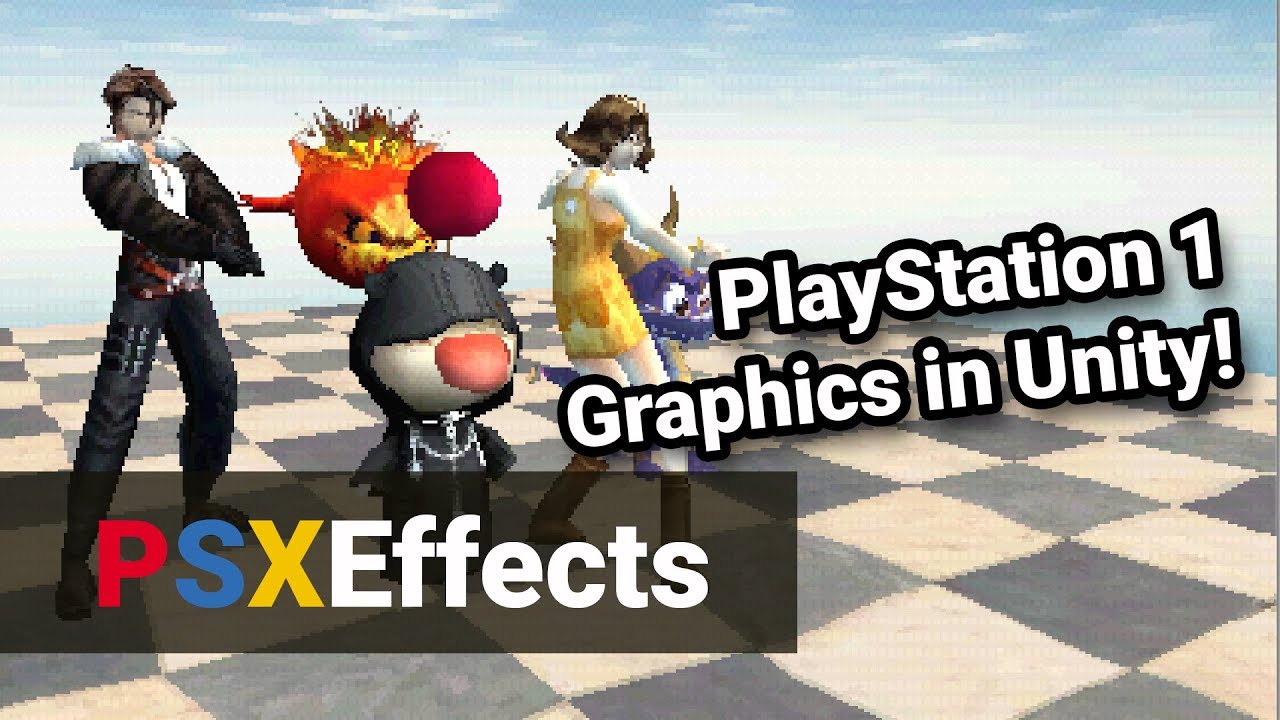
Welcome to my latest Unity asset package, PSXEffects! PSXEffects is a shader pack designed to make games look like they are being played on an original PlayStation console. PSXEffects supports many aspects of the PS1 such as vertex inaccuracy, affine texture mapping, screen-...
seriously I would love to see someone make an N64 shader pack
 hollow tree
@grand jolt when you add output from fresnel to alpha in PBR, it will take black color as transparency input. also set alpha threshold to 1 and it should work
 indigo frost
As a vector3?
 devout quarry
the position node gives the position of the 'fragment' or 'vertex'
indigo frost
Just like in the inspector?
devout quarry
yeah
but so in a shader you have the 'fragment' part and the 'vertex' part
and the position node will give the position of the fragment or vertex, depending on which stage the node is in
devout quarry
if the node is used in the vertex stage yes
indigo frost
What is a fragment?
devout quarry
I'm not an expert on this but it's like this
Another video/tutorial thing. This time about shaders. Still trying to find my voice and my style for future videos. Let me know what you guys think.
Get the shader code used in this video here:
http://danjohnmoran.com/Shaders/
Unity Documentation on Providing data to Vertex...
indigo frost
And what about the normal vector?
devout quarry
this video explains it well
normal vector is also for the fragment and it gives a direction
but you know what a normal vector is?
and so that node returns the normal vector for the fragment or vertex
so for the position and normal vector nodes, everything is looked at on a per-fragment basis
that's why the object will have this type of shading
indigo frost
The normal is just at where the face is looking at, right?
devout quarry
yeah it's a vector perpendicular to the surface
like this
you see, all the fragments on the top are facing the same direction
so they all output the same normal vector
which is (0,1,0) or up with r = 0, g = 1 and b = 0
indigo frost
Oh I see
regal stag
That assumes flat shading. For smooth shading the normal vectors won't be perpendicular.
It depends how the mesh was modelled
devout quarry
and so @indigo frost this is for a sphere
you recognize the same red on the left, blue on the right and green on top
devout quarry
@regal stag does this show what you are saying?
the normal vectors for those vertices in the middle are not perpendicular
regal stag
Yeah
indigo frost
But is it calculated based on the formed triangles or the vertices?
devout quarry
depends on which shader stage the node is being used in
regal stag
It is not calculated. The normals are stored in the mesh.
indigo frost
Alright, final question
Let's suppose I want to move the vertices of an object with the input of some scrolling noise plugged in tiling and off set and then in time. How do I combine the rest?
Take the position node and add it to the noise output?
indigo frost
It kind of looks like my idea
devout quarry
yup
indigo frost
So was I kind of correct?
devout quarry
Yeah I think what I showed is what you said!
indigo frost
Would you care to explain about the mode of 4th position node
devout quarry
the alpha channel?
indigo frost
What is the difference between object and world?
devout quarry
ah
object space and world space, the difference is your origin
world space is relative to the world origin and object space is relative to the center of the object (I think)
but so in this case you want object space
indigo frost
So in both ceases we get the same results unless the object is rotated?
I want object space? But isn't it the same if the object isn't rotated?
The object y and world y would match? No?
regal stag
If the object's position is at the world's origin (0,0,0), not rotated and scale (1,1,1), then the two spaces would produce the same results.
indigo frost
I see
 remote mauve
I'm currently trying to create a flexible particle system of my own, here's what I'm thinking so far:
For example if we want a particle going from (0, 0) to (1, 1) in 2 second, x coordinate use one type of easing, and y coordinate use another type of easing.
- Create a square mesh, feed those data into vertex buffer array.
- On each frame, give vertices another float t (from 0 to 1) which indicates the progress.
- Shader then can use these information along with t to position the mesh correctly and renders it.
- At the end of this particle's life time, destroy the mesh.
Obviously all particles can be batched together as one single mesh and use only one draw call, and rather than destroying mesh it can just be removing the vertices and triangles.
On CPU side each frame each particle just needs to calculate t (which is just a quick Unlerp) and be done with it, and most of the computation is on GPU side.
What do you guys think, or is there a better way to do this?
 raw hemlock
Hi, I've a quick question about compute shaders. I'm writing a marching cubes implementation and I'm adding mesh vertices and triangles to two AppendStructuredBuffers, however I need to get the size of the vertices buffer so that I can write the correct value to the triangles buffer. Is there any way of doing this?
or alternatively, is there a way of having a global int counter that will help me do this in my own way.
meager pelican
@remote mauve What pipeline are you in? Is VFX graph out of the question? Avoids all that CPU->GPU stuff.
@raw hemlock https://answers.unity.com/questions/834482/can-i-receive-values-from-compute-shader.html

Unity is the ultimate game development platform. Use Unity to build high-quality 3D and 2D games, deploy them across mobile, desktop, VR/AR, consoles or the Web, and connect with loyal and enthusiastic players and customers.
raw hemlock
I'm not trying to recieve values, I'm trying to determine the current size of the append buffer within the compute shader
of course, without using GetDimensions because Metal doesn't support it 🤦
meager pelican
Oh, sorry.
You can do it from the C# side before you invoke the next kernel with
https://docs.unity3d.com/ScriptReference/ComputeBuffer.CopyCount.html
Still looking at AppendBuffer.Count() sec.
An example of CopyCount: https://sites.google.com/site/aliadevlog/counting-buffers-in-directcompute
raw hemlock
I'm running my compute shader like this (I'm new to them, so I'm not quite up to scratch on my knowledge)
Here's what I want to do (without using GetDimensions)
meager pelican
IIRC GetDimensions is going to give you what you already know on the C# side and can pass in....the size of the ASB...Size of stride, and max # of elements. You created it with that information, so you can pass that much in as an int and access it via indexing.
But that's not what you want, if I understand you. What you seem to be asking is "How many elements have I already appended" not "how many max".
And I'm not sure what that code is doing.
Maybe someone else will chime in.
If you need to A) Make the appends, and then B) use them, that's two kernel invocations to me. In between, you can get the used-size of the append buffer and pass it in to step B.
raw hemlock
Basically, I'm adding the triangles to the buffer, then storing their indices in the triangle buffer. This information comes from lookup table information
Could I use a buffer holding a single int to store the count?
or would that have cross-thread issues
meager pelican
It's all massively parallel processing, so it has cross-thread issues. But you can do that. Check out atomic adds. Google around "Shader atomic add".
raw hemlock
Alright, I shall have a look. Also, do you have any idea of ways I can debug a compute shader with renderdoc. I'm having some other problems alonside this one
meager pelican
It's been a while since I've used renderDoc for messing with debugging, I usually use the vendor supplied tools for that. But IIRC there's at min a pragma you use for debug information. Then when it captures a frame you can look at the shader invodation event and even edit the shader. I don't recall about looking at variables off the top of my head.
Unity has some "debugging shaders" docs that MIGHT help you, but IDK about Metal.
raw hemlock
hmmm... the capture frame thing could be an issue, my compute shader doesn't run inline with a frame, it is run once then forgotten about really
meager pelican
I don't do Metal.
But this MIGHT help you (from the description): https://developer.apple.com/videos/play/wwdc2018/608/

Apple Developer
Metal provides powerful tools for analyzing shader behavior and optimizing performance. Dive into troubleshooting vertex-stage problems...
raw hemlock
Ah, sorry. I am writing cross platform code. I am still working primarily on windows. I have however come up with a potential fix for what I'm trying to achieve by simplifying the algorithm (in exchange for a little less efficiency when the mesh is rendered)
remote mauve
@meager pelican I'm using URP and haven't looked into VFX graph.
How much freedom does it offer? I guess to give some context, I'm making a scriptable system to allow external scripts to create particle effects, so parameters are only available at runtime.
forest hazel
oaky quick question how would one go about creating an N64 style shader
meager pelican
Ah, sorry. I am writing cross platform code. I am still working primarily on windows. I have however come up with a potential fix for what I'm trying to achieve by simplifying the algorithm (in exchange for a little less efficiency when the mesh is rendered)
@raw hemlock Fine, but in that case, you can use the ATI or NVIDIA tools with debugging capability. And there's visual studio integration too depending on what you're doing. All of it is a bit of a PITA to get ramped up, but it's worth it to be able to debug shaders.
meager pelican
Your normals are facing the wrong way I suppose, so it's a backface instead of a frontface.
That's OK, it's kind of a shader question too. 😉
raw hemlock
lol
I don't think its normals, I believe its the triangles themselves because it isnt exacly perfect on the bottom either
meager pelican
Well, the frame debugger can tell you if a backface is culled or not. Other than that, you're missing triangles or they're invalid for some reason.
meager pelican
lol
raw hemlock
 whats going on...
meager pelican
Spin around and look at the other side for a sec.
raw hemlock
meager pelican
Are they both gone or does the other one show up?
raw hemlock
its the other shape on the bottom
meager pelican
You want to follow a standard winding order for your verts, and IDK how you're generating vert normals.
raw hemlock
I'm just using unity's RecalculateNormals
 queen valley
when writing a vertex shader in Unity do you need to use Unlit? If I want my shader to have things like specular highlights, do I need to use Surface Shader?
raw hemlock
all i pass are vertices and triangles
meager pelican
.@queen valley Surface shaders generate lighting code for you.
queen valley
so with Unlit I'd need to write my own code to react to lighting?
meager pelican
Yep. And then if you want shadows, there's that too. And there's differences between realtime and baked.
Seriously, try a surface shader.
all i pass are vertices and triangles
@raw hemlock Do you try to calc normals in the mesh? Do you follow a consistent winding order for vert indiex use?
raw hemlock
Thats what Im tryna find out. My CPU and GPU implementations have to be different unfortunately
the CPU implementation works fine, the GPU one should also
queen valley
so surface shader still affects vertices but the lighting is done for you?
meager pelican
Yes
queen valley
oh great, thanks
meager pelican
the CPU implementation works fine, the GPU one should also
@raw hemlock 😉
raw hemlock
The CPU generates this shape
meager pelican
The engine might optimize and emit the verts in the mesh differently somehow. You're not using geometry shaders by chance are you?
raw hemlock
But compute wants the other one
I'd be able to do it the same as the CPU if C# would just let me setup a compatible struct 😭
oh!!1
This got me the last time I wrote this
my cube corners need to be in a specific order
mine are random
In C# i use this
but i skipped that
yusss
Thanks for all your help! The terrain system now works on the GPU (its soooooo much faster)
meager pelican
Cool. Order (like winding order) matters.
raw hemlock
yup
meager pelican
Cool 🙂
queen valley
I'm trying to get the vertex extrusion shader working in Unity (surface shader reference : https://docs.unity3d.com/Manual/SL-SurfaceShaderExamples.html) but I see no effect when I change the displacement value
any idea why?
queen valley
just found out URP doesnt support them anymore... how to get around this?
meager pelican
@queen valley When you said "working with vertex shaders" I thought you were in standard pipeline.
You can do it in URP too, but use a lit node (PBR) if you want specular and shadows and stuff.
queen valley
PBR nodes are in shader graph? sorry, I think I've been reading old documentation
meager pelican
queen valley
cheers
 fossil cedar
just found out URP doesnt support them anymore... how to get around this?
@queen valley URP does in fact support vertex displacement as @meager pelican mentioned. Here is a tutorial on Unity Learn as well "Shader Graph: Vertex Displacement" https://learn.unity.com/tutorial/shader-graph-vertex-displacement

Unity Learn
In this tutorial, we’ll create a Shader Graph to displace the vertices of a mesh along their normals by an amount controlled with procedural noise.
queen valley
I guess I wanted to be able to write code rather than use the shader graph nodes.
remote mauve
I'm trying to do different types of easing depending on an input:
float m1 = float(input == 0.);
float m2 = float(input == 1.);
float m3 = float(input == 2.);
float output = m1 * easing1(t) + m2 * easing2(t) + m3 * easing3(t);
It's done to prevent branching, but the obvious downside is that all 3 easings are evaluated always.
If I'm looking to add more types of easings, is this still okay or should I just use if or switch and let it branch?
 thick fulcrum
@queen valley you can still write code, but documentation is sparse. Catlikecoding has some good tutorials which can be used as a guide to help you understand the changes SRP brings etc.
 solid ravine
I have a custom shader that allow to define colors for the character. As I want to have several characters with differents colors, I wonder what is the best approach. Is it to duplicate the shader one time per character ? What will be the impact on performance ?
meager pelican
@solid ravine What pipeline?
If URP, there's issues with Material property blocks and shader graph. You MIGHT get instancing to work for _BaseColor, but I can't vouch for reliability. If you can edit the code manually, URP/HDRP support instancing and per-object-colors.
If you're in the standard pipeline, just use Material Property Blocks for this, solved! No need to duplicate materials.
Back to URP, it batches by shader, not material-instance, so if you have, say, 10 colors, you can assigned them with 10 material instances and it will still batch, but that sucks and is slower. If you have 100 or 10000 instances, you'll want to find another way.
 shell walrus
Question, combining substance with shadergraph. Am I right in thinking a) If you export as .sbsar you can't use within a shadergraph b) however you can export texture maps and use them in shadergraph. Just means that if you want to make a change to the texture you'll have to edit in substance and re-export rather than adjusting parameters in Unity?
solid ravine
@meager pelican Material Property Blocks seems to be the best option in my case, but it seems that it will prevent dynamic batching. I'll experiment with it, thanks 🙂
meager pelican
Use GPU instancing, not dynamic batching. 🙂
 strange sonnet
I'm a bit confused with #pragma multi_compile
What makes it different from just #ifdef KEYWORD?
(and why doesn't it work within a conditional)
URP in general confuses me, but here's what I want to do
#ifdef MY_SHADER_HAS_SHADOWS
    #pragma multi_compile _ _MAIN_LIGHT_SHADOWS
    #pragma multi_compile _ _MAIN_LIGHT_SHADOWS_CASCADE
    #pragma multi_compile _ADDITIONAL_LIGHTS_VERTEX _ADDITIONAL_LIGHTS _ADDITIONAL_OFF
    #pragma multi_compile _ _ADDITIONAL_LIGHT_SHADOWS
    #pragma multi_compile _ _SHADOWS_SOFT
    #pragma multi_compile _ _MIXED_LIGHTING_SUBTRACTIVE
#endif
but it seems that the code within this conditional executes no matter what
meager pelican
@strange sonnet The #ifdef is the conditional (for compilation). However, the shader compiler system (unity) has to know to generate multiple variants for the shader. Say one with MY_SHADER_HAS_SHADOWS defined and one without it defined. So the multi_compile pragma tells it to do that, two variants are generated. The code that gets produced by each variant is determined by the ifdef directives later on in the file.
IDK what picks off the pragmas first, so maybe the pragmas get scanned before the conditional compilation happens. As far as actual code generation, your ifdefs can include ands and ors to make sure both are true.
 terse peak
Hi. I have the issue, that I can not change the PBR Master node of even a new Shader Graph, the gear icon is simply not working hiding all options like workflow. Any1 else experienced such a behaviour yet? Using URP 8.1.0 in 2020.1.0.
 sly breach
using untiy vector framework and trying to make the sprite rendered tiled , but doesn't seem to work , any ideas ?
 vast trail
Whats the HLSLPROGRAM equivalent to TEXCOORD0 in a CGPROGRAM?
regal stag
@vast trail Still TEXCOORD0. Both CGPROGRAM and HLSLPROGRAM are basically the same, it's just CGPROGRAM automatically includes HLSLSupport.cginc and UnityShaderVariables.cginc.
vast trail
Oh right
I read somewhere that I need to use hlsl program for SRP support
is that correct
regal stag
Yeah, if you use CGPROGRAM it would cause conflicts with the SRP Shader library
acoustic idol
Can you make postprocess shaders in shader graph (HDRP)?
 naive pier
hi all need a bit of help here.
created simple ToonShader - all is working smooth except of receiving shadow on gameObject
Error in console:
"Shader error in 'Unlit Master': invalid subscript 'shadowCoord' at /Unity/. . . /Library/PackageCache/com.unity.render-pipelines.universal@7.3.1/Editor/ShaderGraph/Includes/Varyings.hlsl"
Any ideas ?
 grand jolt
@acoustic idol in URP yes, but you'll have to use the Blit pass Render Feature on your Forward Renderer asset cause postprocessing framework only supports builtin effects.
 ruby blade
yo guys
whenever i import assets, their materials are always pink
ALWAYS
theyre definitely not depricated
so... why?
even the 2019 and 2020 ones are pink
help
remote mauve
Does GPU optimize away bad triangles (three vertices all the same point) so they don't get passed on to fragment shader and I don't need to worry about them?
 pine lily
how do I replace an imported models (fbx) shader?
I've tried remapping it but somehow the color is white not green as I've chosen in the material
ahh ok the problem is because I have both a map and a color
pine lily
How can I color backfaces when culling is turned off??
 amber saffron
@pine lily Shadergraph or Shader code ?
 tranquil bronze
https://pastebin.com/UeupFZpg Can someone please tell me whats wrong with this shader?
the color is supposed to be the index of what texture to use from the texture array
however its just one texture
i assign the index in another script which creates the mesh, everything works properly on that script
amber saffron
The vertex color is as values that goes from 0 to 1.
Using this as the array index, it gets truncated to always 0
Or at least, this is my guess here.
 silk sky
does unity 2020b have issues with 2D unlit shaders??
I did a simple seamless scrolling shader for a background but when I put it on UI element it's just transparent
this is the graph
amber saffron
_MainTex is replaced by the sprite assigned of the UI image.
Did you properly assign one ?
pine lily
@amber saffron code
some suggested I flip the normal and draw the colors seperately but I have no idea how to do that: https://pastebin.com/DZgw0Ggp
amber saffron
If you want to do it in two passes, just chnage the culling for each one
Cull Front to display the back faces, and Cull Back to display the front faces
pine lily
Doesn't have to be in 2 passes but I basically am just hacking this together
it's not working anyway: Shader error in 'CullOff_Sha 2': Parse error: syntax error, unexpected TOK_PASS, expecting TOK_SETTEXTURE or '}' at line 24
only goes away if I remove the 2nd pass or remove both passes and just keep the 2 as CGPROGRAM
amber saffron
No sure, but maybe because you didn't use the proper case for Pass ?
regal stag
Might be that the second pass has the texture _backFaceTex, but is using uv_MainTex2 rather than defining it as uv_backFaceTex?
amber saffron
After some research, if you want to do this in one pass, using surface shader syntax, here is how you should be able to do it : https://github.com/przemyslawzaworski/Unity3D-CG-programming/blob/master/surface_shaders/vface.shader

GitHub
Various shaders. . Contribute to przemyslawzaworski/Unity3D-CG-programming development by creating an account on GitHub.
Adding a variable to the input, bound to VFACE and testing it in the surface function
silk sky
@amber saffron so do I need to put the sprite in the texture slot of the material or in the one of the UI image?
pine lily
@amber saffron that looks like what I'm looking for but I have trouble adding the textures
been able to add the textures but everything is white: https://pastebin.com/LRpfBsd4
I think the problem is the Input i
regal stag
You need to put the float2 uv_MainTex; and float2 uv_backFaceTex; in the Input struct, and currently both your tex2D samples are sampling _MainTex
pine lily
oh is this correct?: struct Input { float IsFacing:VFACE; float2 uv_MainTex; float2 uv_backFaceTex; };
regal stag
I think so
pine lily
changed it to: https://pastebin.com/Mbxb1gmM
but it's still white
do I have to use void SurfaceShader( Input i , inout SurfaceOutputStandard o ) differently?
regal stag
Have you assigned the shader to a material and assigned textures in the inspector correctly?
silk sky
ok seemslike the 2D unlint doesnt workin with UI elements, what else could I use???
as plan Z I can use a 2D plane and snap it to the camera
pine lily
ahh got an error now: Shader error in 'Single Plane Shader': cannot implicitly convert from 'const float3' to 'half4' at line 30 (on d3d11)
regal stag
Ah right, try removing the .rgb parts
pine lily
got it working
but only with emission
when I use o.Albedo the backface is grey/black
regal stag
Is there a light in the scene?
regal stag
Nice 👍
pine lily
and I learned a bunch about shader coding ^-^
regal stag
@silk sky Have you tried with the Unlit Master maybe (set to Transparent surface mode)? I'm sure I've used and had it working with the Sprite Unlit Master too, but maybe things changed in 2020b.
Also out of curiousity, does the shader work correctly if put on a Sprite / SpriteRenderer? Just not on UI?
silk sky
theres no transparecy option in the master
im using a 2d plane for not and works fine
but its a bit messy to put that plane as background instead of using an actual UI component
(also in the 2020 version the graph changed a bit)
regal stag
It's possible that the other master nodes don't work for UI anymore then. Shadergraph doesn't have any proper support for UI yet so I guess a 2D plane might be the only option.
silk sky
sad
regal stag
Had a quick look in the latest 2020 version and yeah, it seems like the Unlit Sprite Master only works while using the 2D Renderer.
It's possible the regular Unlit Master could work for the UI but it's showing a black square. I wanted to try the Transparent surface type but clicking the cog on the master node is doing nothing so I guess that's bugged.
grand jolt
Hello I am migrating a shader from HLSL to Shader GRaph. I have a custom fog calculation and i need to replicate it in SG. What is the equivalent of UNITY_CALC_FOG_FACTOR_RAW in SG?
tranquil bronze
@amber saffron i tried to divide the index by 4 (the number of textures in the array) and pass into the color part of the mesh and then in the shader multiply it by 4 to get the index but it still doesnt work ?
amber saffron
Well, this indeed should work ...
Have you checked if by outputing the vertex color directly in the fragment shader you indeed see variation ?
meager pelican
Does GPU optimize away bad triangles (three vertices all the same point) so they don't get passed on to fragment shader and I don't need to worry about them?
@remote mauve Might be implementation specific. I've seen situations where they put triangles out of the frustum in the vertex shader so they don't get processed (they're clipped). Maybe setting all verts to ouside of -1 to 1 would work too since vert stage outputs clip space, if you're flagging triangles for rejection or something. You'll probably want to set .w to 1 for the divide too. Anyway, clipped stuff doesn't hit the frag.
tranquil bronze
@amber saffron yeah by just outputting the color everything works fine, its only when i try to get the color from the array
this is the shader part
this is what i have in the script where the mesh is created
amber saffron
You're building a color with the color 32 constructor, meaning you want to input data in the 0-255 range, that is converted to color (0-1 range)
while in the shader, the data is always 0-1
To be sure and safe, just set the index in the color32, and in the shader, multiply by 255
So you know you have a max of 255 index at your disposition. Or more if you use the 4 channels 🙂
tranquil bronze
it works thankyou
 atomic glade
Anyone know how I can get more options in my graphics tier settings while using URP? It says that some of the options will be missing since I'm using a scriptable renderer, but I'd like to still be able to define low/med/high specs
Only option I have available is HDR settings
regal stag
Check the Quality tab, there's settings that you can change there, and it's also possible to assign a separate URP asset per quality level.
atomic glade
Ah, cool. Is there a way I can create custom settings for a quality level?
Also, there are some options missing from the render pipeline asset or the quality options, such as fog. Is there a way to set fog based on the quality level?
regal stag
Hmm, maybe using C#, QualitySettings.GetQualityLevel. Looks like there's some fog controls in RenderSettings : https://docs.unity3d.com/ScriptReference/RenderSettings.html
naive pier
yo guys
whenever i import assets, their materials are always pink
ALWAYS
theyre definitely not depricated
so... why?
even the 2019 and 2020 ones are pink
help
@ruby blade I had a similar issue, If you are using URP you need to Upgrade all materials under the option Edit > Universal Render > Upgrade...
 unkempt merlin
i am changing the positions of the vertices with the shadergraph, i was wondering if it is possible to get the values from the modified vertices?
meager pelican
"get them"?
unkempt merlin
I am trying to make water with big waves. I want my character to move with the waves. I did some waves on a plane with shader graph. I wanted to know if there is a way to find the position of the vertices so i can move the character according to the waves?
 sweet berry
Hi, is it possible to update a mesh collider with a shader? I found a shader online that deforms a mesh when something of a specific material comes in contact with it and I'd like to expand it to also update the mesh collider of the mesh that was touched. I also wanted to apply conditions to it based on a component I created on the object that is coming in contact with the mesh. I've never worked with shaders before so I am not sure where to start. Any ideas?
grand jolt
Hi guys, trying my hand at creating a water shader, I could use some advice, I would like the ripples to move with the noise but unsure which node to use where, I tried multiplying the tile and offset by the output of the ripple thickness but that produces a wierd result, is it a multiply I need to use? and where should I place the node? any suggestions would be appreciated (it obviously needs to happen before it splits into normal and color) 🙂
 stoic stratus
Hey all, does anyone know how to combine two textures using a shader (think union not blend) ?
Something like in the image below:
grand jolt
NVM got it, for those interested I plugged the tiling and offset into the tiling and offset of the Radial Shear and it works like a charm!
Let's say the apple is sampledColor1 and the cross is sampledColor2. Would this work? float4 finalColor = lerp(sampledColor2, sampledColor1, sampledColor2.a);@stoic stratus This'll only work for cutout style transparency tho, I think copying multipliers from ShaderLab docs about blending might work for true alpha.
stoic stratus
@grand jolt I had gotten to a similar point earlier, but there still seems to be some odd masking effect on the second texture (I assume by the first texture). It's more evident with the cherry and pear as the apple only clips the very edges.
here the cherry is the main texture and the pear is the second texture. Do you think it has something to do with the vertices?
I'll take a look at ShaderLab thanks!
grand jolt
@stoic stratus yes, clipping transparency produces cut edges.
I found the answer how alpha blending works https://en.wikipedia.org/wiki/Alpha_compositing#Alpha_blending

In computer graphics, alpha compositing is the process of combining one image with a background to create the appearance of partial or full transparency. It is often useful to render picture elements (pixels) in separate passes or layers and then combine the resulting 2D image...
stoic stratus
@grand jolt thanks I'll give that a read now 🙂
grand jolt
This should be enough to implement.
So DST is you background and SRC is your foreground.
I actually failed to solve this problem recently, so it's good that I found this formula now lol.
stoic stratus
I'm almost there, I think I need to make sure these are premultiplied alpha. ;-; I wish I took more math, but this is manageable, thanks for all your help 😄
 wary horizon
Why does the normal map look like that? Im so confused
i changed the main texture and now everytghing is all like this, weird lines on it ect, Do i have to do the whole shader again? O.o
stoic stratus
sorry @grand jolt, I still seem to be getting clipping on the second texture (which should be a large X).
Do you happen to notice any basic mistake I'm making?
I've calculated the pre-multiplied alpha and am using the A over B alpha blending equation mentioned in the wikipedia article. Thanks for your time 🙂
🙂 The issue is with the vertices being sent to the shader.
grand jolt
EPIC
grand jolt
So im having a problem with Unity Shader Graph.
I can't save the shader. I can click the "Save Asset" but it don't save when I close it..
 unique oar
Hey y'all, I'm having an issue with my emission. I thought it would work additively, like black areas on the emission have no effect. But that's not what's happening. It's like the emission is just being overlayed upon the albedo. So if I want a certain part to glow, how do I do that?
I'm trying to input a texture2d
forest hazel
just curious but do you think this could be replicated in Unity to help emulate the N64's unique bi linear filtering?
forest hazel
do you think it would be possible via shader graph
thick fulcrum
@grand jolt if you put time node into your radial shear UV offset does that not achieve what your after or does that just spiral it?
tranquil bronze
Anyone know why my scene depth shader only works with the quad but not my terrain mesh?

i think its something to do with the material, when i put the terrain material on the quat it doesnt work
https://pastebin.com/sxfDBSQR this is the shader code for the terrain
grand jolt
@stoic stratus I don't see any issues.
stoic stratus
The issue is that the second texture is being clipped somehow by the first one.
Thanks for having taken a look @grand jolt I appreciate your help, it's gotten me much closer to my endgoal.
I'll go do some more reading up on the topic 🙂
grand jolt
What do you mean clipped?
meager pelican
@stoic stratus If both are opaque (not fading alpha) and you have either 0 or 1 in each items's alpha per pixel, all you need to do is make sure alpha is a 1 if EITHER of them are a one, otherwise you want it to be a zero or to clip the pixel.
So alpha could be an expression of
float newa = (ob1.a + ob2.a) > 0 ? 1.: 0;
or some such.
As far as colors, you can blend with simple multiplies or do other blending like in the article or Unity's blending docs.
Or you can clip it and set alpha for non-clipped parts to 1.
clip (ob1.a + ob2.a-.001);
regal stag
If this is on a sprite / spriterenderer, I think it creates a mesh based on the sprite, which might be where that clipping is coming from?
Looks like there's a way to override that with custom geometry though : https://docs.unity3d.com/ScriptReference/Sprite.OverrideGeometry.html
stoic stratus
@grand jolt the middle image is the result I'm getting from the shader. The 'X' is not being fully drawn, it's clipped by this polygonal shape from the first texture. To illustrate what that shape looks like I coloured it orange in the third image.
It's a bit of a mystery to me why what orange polygon exists, but if you set the fragment shader to produce a solid colour you'd end up with a solid filled polygon (which roughly follows the shape of the object depicted). I've tested this with other sprites, and I've tried to use flood-filling on the original sprite so the purely transparent sections are not leaking any RGB information (so I don't think alpha premult is the culprit). This is why I'm assuming that it has something to do with the vertices being provided by the base sprite itself.
As another example, If we look at the polygon produced by just the 'X' shape, it's a square that follows the size of the 'X'. If I made the 'X' smaller, and swap the main and secondary textures, you'd see a small square cutout of the apple texture. @_@ mindboggling, there must be something about the rendering process I'm not understanding.
grand jolt
@stoic stratus are you running this shader on a 2d sprite?
stoic stratus
yes, as a regular vert/frag shader
stoic stratus
@grand jolt you are a godsend that seems to have fixed it 🙏 thank you!
@meager pelican unfortunately one of the sprites will have a fading alpha, but thank you! Beatrate seems to have found the solution I'm looking for but I'll take a look at what you posted so I can learn more about this 🙂
meager pelican
If the X fades out, for example, you can just set alpha to max(a1 + a2, 1.) or saturate(a1+a2).
 cursive girder
Hi everyone, I'm trying to find a shadow catcher/receiver shader which will work with a spotlight. I have one which works with the main directional light in the scene (I found this on the forums: https://forum.unity.com/threads/water-shader-graph-transparency-and-shadows-universal-render-pipeline-order.748142/#post-5518747), but I need it to work with a spotlight. I've tried tinkering with that shader, but haven't got too far as I know absolutely squat about shaders! I'm using URP 7.3.1.

Unity Forum
Hi,
I could use some help with a shadow+transparency related problem.
I'm working on a water shader graph with the universal render pipeline in unity...
regal stag
@cursive girder This article has some info about how to get lighting/shadow data, see the "Working with multiple lights" section. It's written for shadergraph custom nodes, but should still help.

Unity Technologies Blog
With the release of Unity Editor 2019.1, the Shader Graph package officially came out of preview! Now, in 2019.2, we’re bringing even more features and fun...
cursive girder
Thanks @regal stag! I'll have a read through this, might even learn something!
regal stag
I think you'll probably also need
#pragma multi_compile _ _ADDITIONAL_LIGHT_SHADOWS``` unreal cosmos
hi how to use opengl es3 instead of 4.5 in the editor i tried alot but its not working
cursive girder
@regal stag I tried just adding that to the shader code I linked, but it didn't work...
tranquil bronze
Anyone know why my scene depth shader only works with the quad but not my terrain mesh?
https://gyazo.com/e53625acac39bd35204ef0a28bd911bc
after doing some testing it seems that its something to do with the terrain shader
maybe im missing a tag im not sure
this is my terrain shader
regal stag
I think you might need a ShadowCaster pass in order for it to show on the depth texture.
regal stag
Easiest way is to use the shadow caster from another shader, which involves adding something like this into the Subshader block :
UsePass "Legacy Shaders/VertexLit/SHADOWCASTER"
Or you can add a shadow caster pass manually, there's an example here (Implementing shadow casting section, kinda near the bottom) : https://docs.unity3d.com/Manual/SL-VertexFragmentShaderExamples.html
regal stag
Inside the subshader block, usually after the main pass
regal stag
Then I'm not sure, sorry
@cursive girder This should work for additional light shadows : https://pastebin.com/sB5rN9qs

Pastebin
tranquil bronze
ok thankyou for the help
 rich tiger
I followed this tutorial: https://www.youtube.com/watch?v=atPTr29vXUk
The tutorial shows how to create a distortion effect using the Scene Color node. My shader turned out well, however I am getting some vertical bars and I'm not sure why.
I am using URP 7.4.1 and Unity 2019.3.7f1

In this video, we are creating a Distortion Shader using Shader Graph in Unity 2019!
Download the project here: https://ole.unity.com/DistortionShaderProject
Shader Graph in Unity 2019 lets you easily create shaders by building them visually and see the results in real time...
cursive girder
Thanks for that @regal stag, unfortunately it isn't working 😦 It's working with the directional light, but when I change the light to a spotlight the shadow disappears 😦
regal stag
@cursive girder Do spotlights cast shadows on other lit materials? Maybe additional lights is disabled in the URP asset?
cursive girder
Sorry it was a layering thing (I have some quite intricate layering going on), it's working! Thank you so much!
rich tiger
I am guessing the issue is the the distortion is so strong parts of the scene not in view of the camera are trying to be shown, but because there is no pixel information for those parts (since they are not in view), the pixel information is being "guessed"
Anyone know how to work around this issue?
 simple frost
@rich tiger usually those sort of effects get faded out near screen borders. Otherwise, youd need to render a larger scene view and clip whats actually "seen" to a smaller space
rich tiger
@simple frost thank you! Fading out near screen borders seems like a good solution; can you offer any advice (as far as nodes) or a link to somewhere with more info on this?
 quartz pumice
Im trying to build an outline shader in shader graph for sprites, using the shifting UV technique.
I have a texture with a new larger alpha, I have a subtraction with the outline...but Im not sure how to apply dark colors. Add only tints with bright colors.
simple frost
@rich tiger are a number of ways to do this. Easiest way might be to just use a texture and multiply the distortion strength against it (can google vignette for some ideas). Otherwise, figuring out the math would be more performant, depending on how your math skills are (dont worry, its a pretty easy case to do this sort of fade).
@quartz pumice I suspect you might want to use one of the blend nodes, probably an overlay or a darken
quartz pumice
@simple frost Thx! Ill play with those nodes a bit and see what I can get
rich tiger
@simple frost Ok, great, I will look into this, I think I have an idea of how to approach the problem thanks to you. Thank you!
 dusty pivot
why does changing the y component in the offset input of a tiling and offset node, not repeat the texture?
nvm figured it out
dusty pivot
umm the blackboard is missing in shadergraph?
regal stag
Should be a button in the top right of the graph to show/hide the blackboard
knotty juniper
@dusty pivot it does if the texture does support tiling, you may have to set it in the import settings of th texture
 neat bridge
Is there a way to exclude some properties in the Properties block in certain shader variants? e.g. if i enable a keyword MY_FEATURE and the shader property _MyFeatureValue only relates to MY_FEATURE, can i exclude _MyFeatureValue in shader variants where MY_FEATURE is off?
Seems you can't use #ifdef in the properties block
Alternatively, if i can't exclude those variant-specific properties.. Is there any processing cost to those properties existing but being excluded in the Subshader block? Because in the subshader i can do:
#ifdef MY_FEATURE
uniform float _MyFeatureValue;
#endif
Nevermind, i just implemented as above and viewed the compiled shader. theres no mention of _MyFeatureValue in the variants without MY_FETAURE defined 🙂
 olive raven
so guys i have been working on a scene change shader with shader graph, i have applied a render texture to a quad and followed brackeys disssolve shader tutorial for the effect, the problem is that it show the edge color in the graph editor window but not in the game view.
thick fulcrum
@olive raven have you saved it and adjusted the variables in the material (not in shader graph)?
 spring plaza
ok smart shader people

my shader looks like this in unity, which is what i want.

but it looks like this when i build
the orange bits are due to the transparency being additive
how can i mess with the shader code to get it looking like the first pic?
dusty pivot
@knotty juniper ah thanks that wouldve worked too. I fixed it within the shader currently
@regal stag yeah, but the problem was that it was hidden behind the preview window for some unknown reason
 uneven geyser
@spring plaza That looks like a depth buffer issue. You might want to turn off the zwriting
ZWrite Off
Or
Some ZTest setting might work too
spring plaza
Zwrite is off
 hoary acorn
On a selected hardware my game is causing very strange rendering issues. You can see on the picture that the UI elements are doing OK but everything that is rendered by the camera like the scene etc. is not working at all. This is what I found in the player logs:
WARNING: Shader Unsupported: 'Hidden/Universal Render Pipeline/BokehDepthOfField' - Pass 'Bokeh Depth Of Field CoC' has no vertex shader
Can someone please point me in the right direction?
cursive girder
Hi @regal stag, the shader is working great! Thanks so much for that, shader code is still a complete mystery to me 🙂 I'm trying to delete any reference to the main light in the code itself, as I only want it to receive shadows from a spotlight and not the directional light in the scene. I've tried removing all references to the main light but that doesn't seem to work. Sorry to ask but do you think you might be able to point me in the right direction?
regal stag
@cursive girder Should just need to comment out the multi_compile lines with _MAIN_LIGHT_SHADOWS and _MAIN_LIGHT_SHADOWS_CASCADE (lines 31 and 32), and the block in the fragment shader with #ifdef _MAIN_LIGHT_SHADOWS to #endif. (lines 78-84)
 proven river
Do you guys know how to include a shader library into my own shader? Trying to use a noise library
 slate patrol
I've been reading this little article about buffers in HLSL
https://developer.nvidia.com/content/how-about-constant-buffers

NVIDIA Developer
Continuing along from my previous two posts in the series, this post talks about how constant buffers offer a way to avoid pitfalls that you can encounter with structured buffers.
And I have a question regarding those particular lines
#define MAX_LIGHTS 1024

cbuffer LightCBuf
{
    LightBase LightBufBase[MAX_LIGHTS];
};
This doesn't work in Unity, tried declaring in both a compute shader and a fragment shader.
No structure can be declared as an array buffer. It only yields a "Unknown parameter type (0) for struct_name" error upon compilation.
Am I correct in this regard that it's not possible to do in Unity with HLSL?
cursive girder
@regal stag That worked! Thanks 🙂
dusty pivot
How can I change the _Emission texture of my shader through script?
For some reason doing spriteRenderer.material.SetTexture("_Emissiom, texture); does not work (
It lets the thing glow, but it looks differently than having the same texture linked via sprite editor)
grand jolt
hello
Can you access the fragment output of a shader graph?
I want to apply a custom fog on the result.
remote mauve
Any improvement/suggestion for this piece of code?
It's an easing function to ease from data.x to data.y based on easing type (data.z) and current progress t
To avoid branching it evaluates all possible easing types, which works but I feel is a bit expensive.
float Ease(float3 data, float t) {
    return lerp(data.x, data.y,
        float(data.z == 0.) * t +
        float(data.z == 1.) * (1. - cos((t * 3.14159) / 2.)) +
        float(data.z == 2.) * sin((t * 3.14159) / 2.) +
        float(data.z == 3.) * t * t * t * t * t +
        float(data.z == 4.) * (1. - (1. - t) * (1. - t) * (1. - t) * (1. - t) * (1. - t)) +
        float(data.z == 5.) * (2.70158 * t * t * t - 1.70158 * t * t) +
        float(data.z == 6.) * (1. + 2.70158 * (t - 1.) * (t - 1.) * (t - 1.) + 1.70158 * (t - 1.) * (t - 1.))
    );
}
I wonder if branching wouldn't be better here :/
It also depend how much data.z changes per pixel on screen.
meager pelican
Remy is right. You might want to look at the generated code and see what the shader compiler did for optimizations too. Many of those expressions are redundant, but the shader compiler might detect that and pull out, say t cubed or t squared into its own thing and substitute it back in where applicable. Or compute (t-1.) and (1. - t) once.
amber saffron
Also, depending how much things are animated on the screen using those easings, it might just be better to have a simple lerp, and do the easing per object on cpu ?
meager pelican
And there's the MAD rule (also probably obsolete on modern shader compilers) where you multiply first and add second so no (1 + multiply) expressions, use (multiply + 1). Like I say, the newer compilers probably check for that, so they can substitute a MAD instruction (multiply add).
meager pelican
@slate patrol Unity uses them, they have a CBUFFER_START( cbname) and CBUFFER_END macros. But maybe the array must be a native type.
maybe try a structuredBuffer instead.
slate patrol
StructuredBuffers are exactly what I'm trying to get away from due to latencies and being TEX bound in my shaders. That's why I turned to that article in the first place, which used a structure array that doesn't need the involvement of TEX units for sampling.
@meager pelican
 open quarry
can someone who knows shadergraph help me figure out how to invert this circle? i want it on the other side of the center of the face.
 tranquil cipher
Is this tutorial still relevant ? I can't get any shadow from this
https://blogs.unity3d.com/2019/07/31/custom-lighting-in-shader-graph-expanding-your-graphs-in-2019/
Unity Technologies Blog
With the release of Unity Editor 2019.1, the Shader Graph package officially came out of preview! Now, in 2019.2, we’re bringing even more features and fun...
remote mauve
@amber saffron @meager pelican Didn't get to reply until just now.
This is in vertex program not fragment, not sure if that makes a difference.
I'm expecting a decent amount of them on screen (maybe 50 triangles?) since it's a particle system after all.
I initially wanted to do easing on the CPU side but that means I'll need to change data for every vertex every frame and pass to GPU, which is probably bad hence I'm doing it like this. So CPU only needs to touch data when a particle is spawning or despawning, not every frame. Is that a good approach?
Is storing the result of squares and cubes of t and t - 1. something worth doing?
regal stag
@tranquil cipher Sort of. It is a little outdated but for the most part is correct to handle lighting, but the Unlit Master node doesn't have the shader variants to receive shadows. So GetMainLight(shadowCoord); doesn't calculate the shadows even if passing the shadowCoord in. You can bypass the keywords needed by copying out the shader library functions though, like the MainLight function here : https://github.com/ciro-unity/BotW-ToonShader/blob/master/Assets/Shaders/CustomLighting.hlsl
(Alternatively, I figured out a way of handling the keywords in the graph but it's a bit hackish and might not work anymore / might break in the future, idk : https://twitter.com/Cyanilux/status/1240636241252679681)
tranquil cipher
@regal stag After pasting the file i works
thank you
so maybe what i did is wrong somewhere in code
amber saffron
@remote mauve So each particle is doing it's own interpolation method ?
Well, if this is really what you want, the code you showed is a pretty good solution, even if branching would maybe still be better (as you are evaluating everything anyway).
But I can't not think that maybe you are over engineering something here. What are you trying to achieve ?
remote mauve
The game I'm working on is a scriptable game, and part of it is that users can create their own particle effects.
They can specify starting value, ending value, and easing method of position, size, rotation, and alpha.
amber saffron
So, it's more an easing method that is on the whole particle system, not individual to each particle ?
remote mauve
Each individual particle.
open quarry
does anyone in here know how to use shadergraph?
remote mauve
Actually each individual property (x position can have a different easing than y position) of particles.
Isn't branching generally considered bad for performance?
Also I'm targeting mobile platform.
amber saffron
Don't want to say it's not possible, but how do you set a different easing method for each of this parameters for each particle in a single system, with a human readable UI ? Oo
The branching/non branching debate is a bit more complicated than "branching is bad".
remote mauve
It's scriptable but not dummy proof, I do expect users that are scripting to be capable of programming knowledge so UI isn't much of a concern (and they will be editing a code file anyways)
amber saffron
@open quarry yes
open quarry
can you help me understand what im doing wrong with my tiling and offset node?
amber saffron
@remote mauve Well, if this is what you want, I would still go with branching, as if the value doesn't vary too much on screen, the GPU will still profit of only evaluating a few branches instead of all the possibilities.
Worst case, I'd say : profile and adapt
Show us you noodles Chewbacca
open quarry
ok, so im trying to make a sniper scope
and those circles you see?
thats the viewport of the scope
i want them on the other side of the center of the face

ACOG on the M16A4
Advanced Combat Optical Gunsight
telescopic sight
Trijicon
nighttime reticle illuminated by an internal phosphor
radioactive decay of tritium
tritium illumination
or daytime reticle passive external fiber optic light pipe
or LED-illuminated scope
bullet drop ...
kinda like this video
but rn, the circle goes with the camera, rather than opposite of it
amber saffron
In a silly way, I'd say you just have a vector inversion to do somewhere.
Like, tried to invert the vector just before connecting to the "offset" input of you tiling node ?
amber saffron
yes
remote mauve
If I'm going to branch, just do a bunch of if/else, or use switch?
amber saffron
I'm not 100% sure here, but I think at the end it's the same
remote mauve
Also a more general question, how would I go about profiling mobile targets, especially if you don't own the potentially problematic device?
Initially I decided against branching so I limit the easing types to just those few, I wonder if I'm going to branch anyways might as well add more easing types.
amber saffron
Also, I just come up with a "dumb" idea that would avoid branching, and only need a single code evaluation : Precompute easing animation.
It will be less mathematically correct, but if for example you save the easing animation in a texture, where the U axis is time and Y the method, you just have to sample the texture at the proper pixel to have the easing method you want.
@open quarry I'm not sure, but I think that playing with the view direction is not enough, and you might need to also toke the surface/object normal into account
open quarry
im so confused
remote mauve
Ahh I read about that solution before, I kind of glanced over it because I assumed texture sampling is more expensive.
amber saffron
Once again, test and see.
It can be expansive on mobile as they are limited by fill rate, but since it's per vertex and not per pixel, it might be okay
Or you can store those values in arrays
@open quarry Your shader effect is only based on the view direction. This basically gives you a UV centered on the screen, and you add a constant offset.
As a result, the circle, I guess, is always at the same place on screen, right ?
open quarry
yea
so wait
i need to find a way to make the circles position relative to the object itself
remote mauve
Oh you can store an array?
amber saffron
Well, if I look at the video you've send, the green dot seems to kind of always be at the same place on screen
remote mauve
I think that would be the best.
amber saffron
remote mauve
Thanks.
Do I have to call this at runtime or can I somehow do it during compile time?
open quarry
whats the difference between uv1 and uv0
amber saffron
A mesh can store multiple uv layout, up to 8 on recent versions
remote mauve
Is there a maximum size to the float array I can pass?
open quarry
ok so the circle is always in the center of the screen, how do i move the circle on the screen
amber saffron
@remote mauve Probably. But I don't know how much.
@open quarry Blind guess : offset with the face normal in viewspace ?
open quarry
face normal?
amber saffron
"Normal Vector"
 gleaming moss
are you actually trying to do an ACOG-style aim dot? Why not just use the clip position directly
amber saffron
I'm making you a quick example
gleaming moss
if you're trying to make an ACOG sight thing for an FPS there's a significantly easier/more player- and designer-friendly way to have a dot stick to the center of the screen
open quarry
i got a red dot shader to work just fine, it works differently than a scope with magnification
gleaming moss
disadvantages are that it only really works properly if the aim point is at a fixed position of the screen (and ideally that position is at the center)
amber saffron
To confirm, this is basically what you want, right ? https://i.gyazo.com/79c86b099be9d18caf5a4ac5091e931e.mp4
open quarry
no, i can get something similar to that, i need the white part to be on the opposite end of the black part
so if your eye was looking thru the scope from the left side, the white circle would be on the right side of the scope
if you were centered, it would be centered
remote mauve
Hmm, it seems that arrays can have a maximum 64KB in size, which is 16384 floats.
If I'm doing 8 easing types, each type can have 1/2048 resolution.
It's probably good enough but I do kind of want more easing types though.
amber saffron
If you do some simple lerp between the values, I don't think it would be noticable, unless the animation if very long
open quarry
@amber saffron this is a perfect example, but its not made for hdrp in shadergraph

Add depth to your project with Realistic Scope Effect asset from Luke Pindsle. Find this & more VFX options on the Unity Asset Store.
 proper ermine
hello, i would like to ask how can i pass and accelerated structure in standard surface shader ?
remote mauve
Property (_Easings) exceeds maximum allowed array size (1800). Cap to (1023). UnityEngine.Shader:SetGlobalFloatArray(String, Single[])
Welp 😔
amber saffron
Texture ? 😄
remote mauve
Seems like that's the way to go.
amber saffron
Like I said, it's one solution amongst others, you'll need to check perf to decide
remote mauve
How should I prepare the texture if I'm only using one channel?
amber saffron
Example : each row of pixels is the ease value along the time
remote mauve
Right, but it has RGBA while I only need one, isn't that kind of a waste?
amber saffron
You can use a single channel texture
remote mauve
I think it makes sense to generate texture at runtime so I'm doing a Alpha8 format texture.
I think it's better to have the texture to be large enough and just use point filtering?
Rather than having a smaller texture then use bilinear filtering which slows things down, however little.
amber saffron
I think point filtering is ok
open quarry
@amber saffron do u have any other ideas for what i could do to accomplish this effect?
amber saffron
I'm doodling some nodes whiile doing oher things, but can't get a convincing result
open quarry
so do you think it just might not be possible?
amber saffron
It's possible, I just can't figure ou the vectors math to do
open quarry
if i were to buy that shader on the market, would i be able to read that and figure out what to do with the shadergraph nodes?
amber saffron
I'd say yes
open quarry
ok ill have to do that as a last resort
for now im gonna keep playing with shadergraph and try to get it to work
amber saffron
I found out that simply using the object view position (multiplied with an intensity) as offset would have a similar, although incorrect effect
remote mauve
Why do I have to use tex2Dlod in vertex program rather than tex2D? What's the difference?
amber saffron
The difference is that tex2D automatically handles mip level, but deciding wich mip to use is based on the uv difference per pixel, and thus, can only be done in fragment shader
Whereas, tex2Dlod, you input the mip level to sample, and can be used at vertex stage
open quarry
remy what does ur shadergraph look like? the one with the similar effect
remote mauve
Ahh that makes sense, thanks.
amber saffron
Messy Chewbacca, messy
amber saffron
after some cleaning :
open quarry
that node hooked up to the view direction, is that a split node?
amber saffron
yes
open quarry
how come my split node is rgba
amber saffron
you should be able to read it if you display at 100%
you can collapse it using the arrow on the top right of the node
open quarry
oh got it
i see, its similar to what i have but way way cleaner
is there a guide somewhere on how to translate classic shaders to hdrp shadergraphs?
i dont wanna spent 10 bucks on something i wont be able to use
amber saffron
No guide.
It's basically interpreting the code operations into nodes
if it's "simple" surface shaders
it if it complex multipass shaders, it gets more tricky
amber saffron
I don't know if it makes any sense visually, but here is what I got :
Now, I quit :p
open quarry
thats a way better start than i had, thank you so much
got it to work by multiplying by -1!
right before the subtract
your a legend
 fading orchid
Hello everyone, I want help with a lil broad topic. So i have started to learn unity's shader graph and taking an interest in graphics programming mostly but I am still a beginner. I am fascinated by zelda's botw visual style and would like experiment with it. I have looked into cell shading for character and have got a grasp on it, but I am wondering about the environment they have set-up. Is there a common shader or effect that would help me set the base for things that constitute the environment and if common assets which we get can be converted to achieve that kind of style? Any help or a direction to similar discussions would be really helpful. Thanks!
 dreamy kernel
Can I somehow use HLSL for lit shaders in URP?
Nodes don't seem powerful enough.
I may be wrong on that though, didn't research them properly - just wrangled them about.
gleaming moss
there is no additional technical barrier to writing HLSL in URP vs. built-in or HDRP
works the same way
you can also write custom nodes in HLSL in URP the same way you can in HDRP
dreamy kernel
Oh, neat.
Thanks
Jeez, I remember googling stuff on this topic couple months ago and not finding anything except "no" answers
And now, right away, I found an article describing how you write URP shaders.
gleaming moss
custom nodes aren't quite the same thing as custom master nodes which you typically would want for things like nonphotorealistic rendering
Unity does a poor job with that overall right now
regal stag
The HLSL syntax is the same for the most part, but there are a few differences with the built-in pipeline. I've got a post about this kind of thing : https://cyangamedev.wordpress.com/2020/06/05/urp-shader-code/
Writing vert/frag lit shaders is kinda long though and surface shaders aren't supported. I believe there are plans to support them or something similar in the future, but I'd stick to the PBR Graph if possible and let it handle all the lighting stuff for you.
gleaming moss
the answers in research right now also don't seem particularly promising either, but they're at least acknowledging the design problem
dreamy kernel
I would love to make a physically-based atmospheric shader for planets in near future for URP. I could do that, right?
gleaming moss
HDRP presently comes with one out of the box
dreamy kernel
Wait, does it?
gleaming moss
I'm not sure about porting plans, but it can at least guide you
yes, HDRP has a pretty comprehensive physical sky
dreamy kernel
Nah, I'm talking about shader for planets
I want to make one based off this tutorial series https://www.alanzucconi.com/2017/10/10/atmospheric-scattering-1/
It involves a lot of things, that can't be done via nodes.
gleaming moss
p sure the Bruneton model HDRP uses can deal with completely external viewpoints
I don't know if they make any simplifying assumptions about perspective
dreamy kernel
I'm not quite sure what Bruneton model is
Is it different from the one described above?
gleaming moss
it's a particular framework for volumetric scattering that lets you precompute and simplify a lot of terms

This is the video submitted with our EGSR paper, "Precomputed Atmospheric Scattering", Eric Bruneton and Fabrice Neyret, EGSR 2008 (http://hal.inria.fr/inria-00288758 and http://www-evasion.imag.fr/Membres/Eric.Bruneton/). Demo and source code available at http://www-evasion.i...
dreamy kernel
Oh right, I did see this video at some point
gleaming moss
it might be a question of whether or not you need to enter/exit atmosphere for your particular game needs
I'm fairly sure Unity assumes you don't transition with the HDRP shader (it's a fullscreen pass, etc.)
dreamy kernel
At first I'm planning only to have maybe stratosphere-level flights or above. After that - maybe even descending to the ground level, but that is too far into the future.
Could you clarify what you mean by transitions? I'm only beginning to learn all the shader stuff.
I'm quick learner though
gleaming moss
it isn't really a shader term per se
the Unity solution just assumes there is exactly one 'atmosphere' onscreen at all times. This isn't really suitable for a "space game" where you want to have little planet balls
dreamy kernel
You're talking about that physically-based HDRP skybox, right?
gleaming moss
since that means there are (for example) two onscreen atmospheres with independent areas of influence
dreamy kernel
The one, where you can move planet center away from you and stuff.
gleaming moss
yes
dreamy kernel
Well, it wouldn't suit my project at all
Is there a way I could implement an actual atmosphere, that is placeable in the scene, that you could suggest?
gleaming moss
Alan's conceptual approach is fine and would generalize to URP
the only real HLSL change for URP has to do with how light information and object transforms are sent to shaders and that's a comparatively small part of the effect
reading depth also changes slightly but that doesn't really change the raymarch concepts and all that
dreamy kernel
I will probably have light direction within shader set via C# script
gleaming moss
custom constants work identically if you want to do that specifically
dreamy kernel
I'll think about it
Oh, and finally. How do I approach writing URP HLSL shaders in the first place? Do I have to somehow create my own node, or should I make an unlit custom shader, or is there a way I could even make a lit custom shader?
gleaming moss
it looks like you're confusing the node system with URP
dreamy kernel
I thought it was a huge portion of it
gleaming moss
creating an actual shader (i.e. a standalone .shader) did not undergo any changes from an asset creation perspective; it's still shaderlab and you can do all the same things
the headers you include and some of the standard library is a little different in URP/HDRP
you do need to add some tags now so Unity figures out which passes you want to use for rendering but that's again pretty minor
you can optionally also use the node graph system to create shader code and that's a separate can of worms
generally if you want to write your own HLSL the node system won't be very interesting for you since it's aimed more at artists that don't really care to learn the physics of lighting
that replaces something like surface shaders in old Unity
color tweaks, that kind of thing
dreamy kernel
I see, then all is good. I'll go read some examples of how URP shaders are written then, that I finally managed to find.
Thanks a lot for spending your time explaining these things to me
gleaming moss
If you want some templates for the actual, handwritten lit shaders in URP you actually get full source now
they're in the packages folder, the *Lit.shader variations are what you want to look for. Not the neatest, unfortunately, but you can figure out the important ShaderLab passes just reading those
 sick pawn
This one is kinda weird and specific, but please hear me out
First, watch this video
https://www.youtube.com/watch?v=T3T5PTYlv8M

かわかこ?!
http://www.youtube.com/pizagametw
https://twitter.com/Piza_ch
クレジット
「Music」Otome Dissection DECO*27
https://www.youtube.com/watch?v=26W-hc5Dq7c
「Motion」yy
「Choreography」ぽるし
「Camera & Facial」piza
「Stage」ムムム,とりそば,パートリッジ
「Effect」rui,ビームマンP,舞力介入P,そぼろ,針金P,ikeno,ましまし
「Mode...
While this animation was made in a completley different program, I want to mimic it's look in Unity
First off, I can get the image effects just by looking at them; depth of field, bloom, god's rays, and in other videos by this same person screen space reflections
However, I'm more interested in the Model
She looks cell shaded, but I doubt the standard toon shader would have the hard reflection when an intense light is hitting the model
Plus, certain parts (like her hair and dress) has its own shading and specularity
(And I guess certain parts of her gloves have emission)
How would it be possible for me recreate this look in Unity?
Specifically, can I make a PBR-based cel shader that uses its own height, bump, and specular maps?
gleaming moss
that doesn't really look cel shaded at all, looks like it's just using stylized/"painterly" mesh and texture assets
gleaming moss
right, meaning I think it uses standard PBR lighting, but the artist just does particular things when making the mesh or painting textures for effect
removing any specular effects on the face, as an example
sick pawn
Ah
gleaming moss
most of the edge lighting looks like it has regular smooth falloffs and there's lots of little subtle environment reflection that I feel would just disappear under stylized lighting
sick pawn
Oooh ok
Well note that if she were to turn around, that edgelighting would light up her entire face and everything
gleaming moss
there's definitely a lot of smooth gradients and large shapes in the model, though, and that's probably where the anime superflat look is coming from
grand jolt
(i dont know if this belongs here but ill try)
hey there, i am currently trying baking light, ive always used realtime lighting but i am currently working on bigger project, and the problem is: i can see the baked lightmaps in, they are working in the scene windor, but if im going into playmode there is no light :/ (i am using urp with unity 2020.1)
gleaming moss
right, and I suspect the artist just blacked out a specular map on the face area to compensate
gleaming moss
@sick pawn a lot of MMD assets are usually downloadable/viewable so you might also want to see if the model files are available anywhere
 mild coral
Has anyone seen this? Shader properties can't be added to this global property sheet. Trying to add _HBlur_HDR (type 1 count 1) UnityEngine.GUIUtility:ProcessEvent(Int32, IntPtr)
I imported some shaders and they work fine, but this keeps spamming the console in different variations
Going to try to update HDRP materials to latest see if that helps
 ionic brook
Hey guys, quick question.
I want to set my ZTest in my shader from the material inspector. I thought about something like this:
//Determine CoverMaskMode
//0:Covered only, 1:uncovered only, 2: always
            if(_CoverMaskMode==2){
                ZTest Off
            } else if(_CoverMaskMode==1){
                ZTest LEqual
            }
            else{
                ZTest Greater
            }
but i am not even sure if you can write if statements at that point. Anyone got an idea?
sick pawn
(Thank you! I'll look into it!)
regal stag
@ionic brook I think you can set up a property like so : [Enum(UnityEngine.Rendering.CompareFunction)] _ZTest("ZTest", Float) = 4, then use that later in the subshader/pass : ZTest [_ZTest]
ionic brook
@regal stag Oh Dayum! That looks super nice with a dropdown an everything. Works perfectly. Thank you very much 😁
sick pawn
// Lightweight Pipeline tag is required. If Lightweight render pipeline is not set in the graphics settings
// this Subshader will fail. One can add a subshader below or fallback to Standard built-in to make this
// material work with both Lightweight Render Pipeline and Builtin Unity Pipeline
How can make the LWRP Lit shader work with the Standard RP? It says I can add a subshader, but alas, I dont know how to 😔
fossil minnow
Does know how I can use point light information in Baked GI node (shader graph URP) to control a toon shader?
fading orchid
Hello everyone, I want help with a lil broad topic. So i have started to learn unity's shader graph and taking an interest in graphics programming mostly but I am still a beginner. I am fascinated by zelda's botw visual style and would like experiment with it. I have looked into cell shading for character and have got a grasp on it, but I am wondering about the environment they have set-up. Is there a common shader or effect that would help me set the base for things that constitute the environment and if common assets which we get can be converted to achieve that kind of style? Any help or a direction to similar discussions would be really helpful. Thanks!
Reposting if anyone active can help out. Thanks!
tranquil cipher
static half4 purple_shadow = half4(0.811, 0.823, 0.9, 1);
Hello, i got this global shadow color in the CustomLighting.hlsl file, how can i access this value in shader graph ?
The case is if i wanna made lots of shader using this shadow color, i don't want to type this everytime, instead i want to use a global value,
is this possible ?
The current solution i think of is using a custom function to just return this value, but seems like it's too much for just a value
or, subgraph
i may go with sub graph
proper ermine
hello everyone, does anyone know how can i pass in standard surface shader an accelerated structure for ray tracing purposes
meager pelican
"accelerated structure"??
sick pawn
@fading orchid start off by experimenting with Unity's standard Toon Shader first. Plus, there are plenty of videos on YouTube that'll teach you how to mimic BoTW in Shader Graph
 uncut robin
Hello, I was playing around with particle systems and I was wondering, how can I change the default particle? I notice it's a shader that's why I'm asking here
thick fulcrum
it's also a material, which you can create a new one and apply to your particles 😉
uncut robin
@thick fulcrum I'm looking into it thanks 🙂
I guess I've got one problem tho, when I select as shader Particle -> StandardUnlit, I just have a pink square
grand jolt
When i create a new unlit shader
Is all the stuff thats in it necessary?
yup it is
🤣
regal stag
Depends what you mean by necessary. The syntax it uses is important, but it could be simplified further, as it doesn't need the Fog stuff or _MainTex texture, unless you need to sample a texture.
thick fulcrum
@uncut robin if you are using urp / hdrp you need to select a relevant shader to fit that pipeline. They should reside under the relevant heirachy for given pipeline. But it's not always easy to spot 🙂
uncut robin
@thick fulcrum Yes they're not T_T thanks a lot for the advice 🙂
grand jolt
Ok noob question: when i add my material to my object it turns into W H I T E C U B E
how can i fix that? I basically edited nothing in my unlit shader
simple frost
while I love the imagery of "W H I T E C U B E", could you be more specific?
grand jolt
White cube is amazing
it changed my life
Sprite default ^
The unlit thing
i looked up the code of the normal sprites default
and im trying to import the important stuff into my code
but i cant figure out what exactly it is
simple frost
looks like an alpha problem, assuming the texture is getting passed correctly
actually, what does the original texture look like?
simple frost
right, but is that a black and white texture, or a white texture with alpha
black background makes me uncertain
regal stag
In order to handle alpha, you need to make sure the shader is in the Transparent queue "Queue"="Transparent" in the Tags, has a blend mode e.g. Blend One OneMinusSrcAlpha for traditional transparency, and the fragment shader needs to output the alpha (If you're just sampling the texture it's probably already doing this).
I'd recommend maybe going over some basic tutorials, like the ones here, part 6 includes some transparency stuff : https://learn.unity.com/tutorial/writing-your-first-shader-in-unity
There's also some stuff in the pinned messages. You could also switch to the Universal RP and use the node-based Shader Graph if you don't want to learn shader code.
grand jolt
Yeah im using the queue transparent
in my tags
and heck yes i should use tutorials i suck at writing shaders
actually is suck at everything
grand jolt
What am i doing wrong? I did everything as in the tutorial but its not transparent at all
Nooow it does
 brazen plank
Does anyone know how I could setup a fisheye shader in URP?
It's connected to my earlier post about a realistic scope in #💻┃code-beginner

Another short demo of Realistic Scope Effect.
Reflection, refraction, and blur are simulated in the shader.
Get it on the Unity Asset Store: http://u3d.as/WHp
I want to make something similar to that. I know I can use fisheye for that and make it relative to the camera pos, but how do I do that? I'm very inexperienced with shaders.
Just to make it clear, I already have a render texture being fed a scope camera's view
 hidden iron
Hello, i am using a water shader which amongst other things adds foam at intersecting objects. I was wondering if there is a way i could make the foam not appear near certain objects (player - shark). Oh the shader is made using Shader Graph.
 naive mural
Hello, I've been writing compute shader code for a while and noticed that some code examples use registers on field declarations. E.g. "RWStructuredBuffer<half> heights_buffer : register(u4)". My code thus far has worked fine without registering a single variable. What's the use of them?
 marsh fern
where can i find a good geomtry shader tutorial?
or how do I use a compute shader to generate mesh data?
grand jolt
@grand jolt you'll have to abandon Shader Graph and write a regular shader that uses stencils I think.
Or you could write sort of an emulation of decals where your hole mesh renders into a texture and your object's shader samples that texture and returns 0 alpha where the mask for hole is non 0.
But that assumes no depth for the hole. Otherwise it's back to stencils again.
Hello Carpe.
I'm gonna get burned so hard any second now..
meager pelican
@naive mural In most, if not all cases, you won't need them with Unity. I seem to remember having to use one though for some damn reason, but cannot remember why. But those registers bind resources for the shader side to the PC side. Unity seems to track all that pretty well. Maybe I only needed it for writing in certain situations or with certain C# api calls.
u# are the UAV declarations, b# is a constant buffer and t# are shader resources.
Hiya Beatrate. 🙂
meager pelican
@marsh fern Maybe tell people more about what you're trying to do.
but you can research https://docs.unity3d.com/ScriptReference/Graphics.DrawProceduralIndirect.html and variants.
marsh fern
@meager pelican that’s perfect! My goal is quite arbitrary. I dont want to generate data and bring it back to the cpu only to be transferred back to the gpu via the meshfilter. What you linked sounds exactly what i need!
gleaming moss
keep in mind that depending on the exact geometry generation method you might still be better served with CPU -> GPU upload
most of the cost involved has to do with syncing the memory regions. If the actual generation is complex and branchy or involves more complex data structures then the CPU really is a better computational fit
time saved by skipping the sync/barrier can be lost just trashing GPU memory or with poor occupancy/redundant work
devout quarry
@hidden iron make the shark not write to depth buffer
hidden iron
@devout quarry thanks, i tried googling how to do that but i didn't find how to do that. Should i make a custom shader to change that somehow ?
devout quarry
I think you can do that with a hand-written shader, not sure how
hidden iron
@devout quarry ok thanks
gleaming moss
it's a shaderlab property, 95% certain it's called ZWrite or similar
you do very much want to keep z testing enabled
aha
also keep in mind disabling depth writes will cause transparency to behave weirdly with the shark
so you're going to need to use another method if you want transparent sprites or similar to intersect properly
hidden iron
@gleaming moss thank you very much will try it right away. hmm ok sounds like i have a long way to go, thanks for the pointers
gleaming moss
worst case you might be able to paint something like a 'foam map' and ditch the depth comparisons
regal stag
If this is URP, You should be able to use the RenderObjects feature on the Forward Renderer, to render the objects after the depth texture is created (so in the Before Skybox event). That way you can still do ZWrite too, as if you turn that off I think you'll get sorting issues.
hidden iron
thank you both for your guiadance 🙂 I see i have a lot to learn when it comes to rendering.
wary horizon
BOIS
how do i make the jojo muda muda muda lines?
Poor taste i know, only way i could of phrased it. lol
grand jolt
Hi guys, I recently added this shader graph to my project and i'm getting some errors, i'm fairly new to Shader Graph so not sure which nodes are causing the problem and what to replace with etc, heres screenshots of the errors and the shader graph, any help would be appreciated!. I'm using HDRP 2020.1f
 tardy spire
Can a shader property id be any integer or are certain numbers like 0 or -1 never used? I want to be able to detect if a property id is uninitialized by setting it to a special value (for editor gui stuff), but I want to make sure the special value isn't a valid property id
 magic rose
Hi everyone. Does anyone know how to make / where to get an outline shader for LWRP? Unless there is a tutorial for outlines specifically I'd prefer avoiding to learn everything shader related, as the outline is the only thing I'd need.
 vocal narwhal
@magic rose https://www.youtube.com/watch?v=szsWx9IQVDI
the shader you use for the background just pushes the normals out a bit
This is the tutorial I was looking for, sorry https://www.youtube.com/watch?v=joG_tmXUX4M
magic rose
@vocal narwhal That's a silhouette not an outline though, how to use them with the renderer I know, it's just the outline shader that I can't do
Ah
This is the tutorial I was looking for, sorry https://www.youtube.com/watch?v=joG_tmXUX4M
@vocal narwhal Followed that, doesn't work, this is the result:
It fills the cube instead of the sides
vocal narwhal
Well, they have the outline tutorial on Learn as well https://learn.unity.com/tutorial/custom-render-passes-with-urp#5ddc3c17edbc2a001e29e40f with an example project
I can't really tell what the screenshot is doing
magic rose
That's the same thing though
Maybe to specific: I'm not looking to apply the outline via the renderer but via hover, although most shaders don't work with LWRP anymore
vocal narwhal
It's extremely simple, there's literally one line of logic doing all the work
which expands the mesh by its normals
and then the second pass re-renders the object over the top of that at normal size
magic rose
I just don't understand anything shader related, and I'll not need anything except this that's why I didn't look into it yet
Maybe I'll have to after all
 proven cedar
Does anyone know why i cant change the shaders of a material so i can upload it?
magic rose
Is it impossible to make an outline shader with URP or what, whatever I try it just doesn't work
If anyone has one please share it I don't know what to google anymore
wary horizon
Is there any tutorials in making a wispy / ghost type shader?
 twin rose
Has anyone every made an inversion post processing effect with HDRP? I can't figure it out for the life of me...
I just got the custom post process from Unity's guide, then instead of doing luminosity stuff just got the sampled color and did 1-color, but the colors are off.
 safe iron
If I want to define a float, I use 123f. If I want to define a fixed, do i need some letter after the number?
 hybrid galleon
can someone help me debug why my depth texture is not rendered?
i feel totally lost
.. nvm, was the far clipping plane
 honest bison
Is anyone familiar with SetGlobalVectorArray
 soft hollow
Hello, I'm trying to create a realistic burnt shader for a project but I'm having some difficulty creating this shader. Will anyone know of an article or tutorial to help me create this because I'm lost? Thank you in advance for your help
tranquil bronze
How do i get the shadow information for an unlit shader in universal render pipeline?
amber saffron
iirc, it's not possible yet, you need to hack it by using a pbr master and put all you custom shading in the emission output
naive mural
Hello, does anyone know how to extend interlocked min/max for floats in hlsl?
regal stag
@tranquil bronze I think you can get shadow attenuation for the main light with some changes to the custom function, see this answer I posted last week : #archived-shaders message
 trail gale
Hi anybody knows the shader graph equivalent node to the function tex2Dgrad
amber saffron
There isn't a node for that, but it's easy to make one yourselft encapsulating a custom function node in a subgraph
trail gale
thank you @amber saffron , any idea where to start
amber saffron
Like I said : Create a custom function node, put the tex2Dgrad function in there, and then bundle it in a subgraph for easy reuse
trail gale
didnt know you could simply put old functions like that , let me try
amber saffron
amber saffron
Don't use special characters in the name.
I also don't recommend using input/ouput names that could be considered as modifiers.
like "out"
And you forgot to rename the output in the list 🙂
But yes, you got the idea
Also : you neet as input a texture object, and a sample state
trail gale
ok let me try to fix the errors
got it working this will come really handy for my conversions to lightweight render pipeline
for the reference
amber saffron
now the texture input is missing, you'll need to find a way to add it, or else, what are you sampling ? :p
trail gale
lol just realised
amber saffron
Hint : you can create a copy of the sampler state here and assign a texture object to it, or use directly the SampleGrad function https://docs.microsoft.com/en-us/windows/win32/direct3dhlsl/dx-graphics-hlsl-to-samplegrad

Samples a texture using a gradient to influence the way the sample location is calculated.
trail gale
no idea how to do that
amber saffron
Add a texture object input
trail gale
got it
amber saffron
And the code would be Out = myTexObject.SampleGrad(s, t, ddx, ddy);
trail gale
and then do samplegrad to it?
amber saffron
yep, as simple as that
trail gale
let me try
got it I think
Oh man , shaders still a mystery gonna have to do that udemy course
thank you so much I am loving this shader graph
tranquil bronze
@regal stag im not using shader graph though, doesnt the custom function only work for shadergraph?
its a written shader using urp
regal stag
@tranquil bronze The custom function code is still HLSL and will work for a written shader too. It'll actually probably be easier, as GetMainLight(shadowCoord); can handle the shadow calculations for you, as long as you also define the multi_compile variants / keywords :
#pragma multi_compile _ _MAIN_LIGHT_SHADOWS_CASCADE
#pragma multi_compile _ _SHADOWS_SOFT```or if you just need shadows and not light info, MainLightRealtimeShadow(shadowCoord);
 near basalt
Anyone knows what's going with Shader Graph ?
I have exposed property "Show Modified", whenever I click it switches between textures "Mask Texture Modified" and "Mask Texture Source", it works fine, until I call (Texture2D)rend.material.GetTexture in the script, after that it no longer switches between them for whatever reason...
regal stag
@near basalt If you call renderer.material it'll be creating an instance of the material. So changes to the original material won't affect the new instance. If that's not what you want, use renderer.sharedMaterial instead.
near basalt
@regal stag makes sense I guess
@regal stag I think that was the thing, I messed up and used both of these in the same script causing all kind of weird side effects
Thanks !
Also, if anyone knows, is there a way to get a boolean value whenever texture has data or exists using shader graph. I want to create a new texture on the fly and if it exists I want to use Branch node to show it instead of default one. Right now I managed to get it to work, by setting boolean property, but if I can I would rather do this without it:
regal stag
Couldn't you just override the "source" texture (material via material.SetTexture) rather than setting a separate one?
near basalt
I think I could, that would be easier to do... why i didn't think of that 😛
thank you for the suggestion
regal stag
No problem 😄
tranquil bronze
@regal stag it still doesnt work for me :( I just keep getting a lot of errors
https://pastebin.com/2BrPyLdc this is what i have so far
i get the error undeclared identifier 'TransformWorldToShadowCoord' at line 59 (on d3d11)
Pastebin
Pastebin.com is the number one paste tool since 2002. Pastebin is a website where you can store text online for a set period of time.
regal stag
@tranquil bronze Shader code in URP is a bit different from the built-in pipeline, so there's quite a few things here that will need changing in order to get this working. TransformWorldToShadowCoord is a part of the ShaderLibrary that the scriptable render pipelines use, they don't use UnityCG.cginc or UnityLightingCommon.cginc. You are supposed to include the ShaderLibrary via : #include "Packages/com.unity.render-pipelines.universal/ShaderLibrary/Core.hlsl", and for lighting (& shadows) you would also need to include #include "Packages/com.unity.render-pipelines.universal/ShaderLibrary/Lighting.hlsl". If you include these you'll probably get some redefinition errors as you also need to use HLSLPROGRAM and ENDHLSL rather than CGPROGRAM and ENDCG though.
I've got a blog post going over writing shader code for URP : https://cyangamedev.wordpress.com/2020/06/05/urp-shader-code/
Even if you don't want to read it all, the last page has the main differences if you are familiar with built-in, and there's some pastebin links on the first page containing the shaders that I wrote as examples in the post.
Alternatively you could also look at the shaders that URP uses : https://github.com/Unity-Technologies/Graphics/tree/master/com.unity.render-pipelines.universal/Shaders
tranquil bronze
is there a documentation for all the stuff for urp
im finding it really difficult to find documentation for it
@regal stag
regal stag
URP has a docs page : https://docs.unity3d.com/Packages/com.unity.render-pipelines.universal@8.2/manual/index.html
But that's more about URP in general, not specifically shader code. It looks like they do have a few small examples of that too now : https://docs.unity3d.com/Packages/com.unity.render-pipelines.universal@8.2/manual/writing-custom-shaders-urp.html
As for documentation about what the ShaderLibrary contains, there's nothing that I'm aware of, usually just have to search the github : https://github.com/Unity-Technologies/Graphics/tree/master/com.unity.render-pipelines.universal/ShaderLibrary

GitHub
Unity Graphics - Including Scriptable Render Pipeline - Unity-Technologies/Graphics
tranquil bronze
ok thankyou
tranquil bronze
sorry one more question, i can no longer use texture2d arrays now?
regal stag
I think the macros have just changed a bit, should be something like :
TEXTURE2D_ARRAY(_TexArray) (and I guess a sampler is needed too, so SAMPLER(sampler_TexArray))
and SAMPLE_TEXTURE2D_ARRAY(_TexArray, sampler_TexArray, uv, index)
@tranquil bronze
 tardy warren
Hi !
I'm facing a very strange issue, does somebody knows how to solve it?
I made a custom Lighting Model to display the color only in specific area, else it will be draw in black and white. The shader need D3D11 enable to work (usage of StructuredBuffer). Everything is working great, but when it comes to override de Terrain Shader, I discovered that inputs are not initialized when the value is used in #ifdef SHADER_API_D3D11, so I get my worldPos initialized with a default value of (1, 0, 0).
In the terrain shader, I managed it to work by changing the name of the input (renaming worldPos to WorldPos is working, and calculate the worldPos manually). But in my Grass shader, I I'm facing the same issue, but renaming variables to avoid built in name is not working.
If I move my worldpos debug out of the #ifdef D3D11, the world pos is good.
Does somebody knows what happen and how to fix it? I could share my code if needed
Thank you
PS : I'm using the Built-In renderer
tranquil bronze
ive converted most of my code to urp but i still cant seem to sample the texture array, its really jhard without proper documentation
are you supposed to define them like this???
Pastebin
Pastebin.com is the number one paste tool since 2002. Pastebin is a website where you can store text online for a set period of time.
@regal stag sorry if im asking so much
regal stag
@tranquil bronze The sampler should use the same reference as the texture but with sampler as the prefix, so SAMPLER(sampler_TextureArray);
grand jolt
can anyone here recommend me a good moving additive shader? I want something for transparent rain being through a window onto the floor in front of it - I've found moving shaders but non-transparent and additive shaders but non-moving. Any help?
meager pelican
@tardy warren It might be easier to just do that whole greyscale thing in post processing. So then if you know what areas are masked off ahead of time (IDK what your SB/data-model looks like) you won't even have to worry about fixing any of the shaders, terrain included. Just a thought.
tardy warren
@meager pelican Hi, my first version was a Post Processing, but I had to change it because I need to much exceptions in my system : some objects are all the time render in color, some others all the time in black and white. I changed my StructuredBuffer to multiples Array and it works great.
 prisma fox
Hey folks! This question may be better suited for Blender discord or 3d modeling Unity discord. I am trying to use a noise map to alpha clip out this mesh I created in Blender. From left to right, we have a unity sphere primitive, my Blender mesh 1, and my Blender mesh 2. The unity sphere primitive clips out in a way that I expect - smoothly around the surface of the sphere. Ideally, the meshes that I made would undergo a similar clipping pattern. However, the meshes from Blender are clipping out in artifacted patterns, presumably split up along the polys that make up the mesh. I don't understand what changes I may need to make to the model in Blender so that the alpha clip pattern more closely matches that of the unity sphere primitive. What concept might I have missed here?
(Here's a static screenshot example)
amber saffron
The noise is by default based on UVs. Did you make proper texture coordinates for your objects ?
regal stag
To add to what Remy said, the concept you are looking for is UV Mapping/Unwrapping, if you want searchable terms to look into it. The noise is using the UV0 channel, which is from the mesh.
Alternately, it's possible to base the noise off other things, maybe the view space position instead. (Position node, View space, put into the UV input on the Gradient Noise node).
 crimson vortex
I think it's possible to generate a UV straight from Unity and put it into any UV slot, then you can use that one instead, for a quick solution
prisma fox
Ok, thanks.
@amber saffron - Got it. I did not make texture coordinates, and I'm not sure how to do so, but I'll look into it.
@regal stag - UV Mapping/Unwrapping takes place in the modeling software itself, correct?
@crimson vortex - Is this why generating Lightmap UVs on the model import?
meager pelican
I'd just use the viewspace UV's possibly scaled by depth.
regal stag
Yes, you'd do UV mapping in Blender.
crimson vortex
Possibly, I would generate uv lightmap to keep the texel density uniform across all models
 high kiln
I've just learnt that Unity removed support for multiple passes in their .shader-files with the introduction of URP.
Can someone please tell me how achieve the same results now? Or how to "share" a texture?
prisma fox
Ok, thanks for your help. Viewspace UVs got me to this Youtube video, from which I found Position / Object UV as an adequate solution for meshes that I imported without applying Lightmap UVs through the Unity importer. When I used Viewspace UVs, the "Dissolve" effect moved along with the camera (as in the Youtube video). From left to right, we have the Sphere, my Blender mesh 1, my Blender mesh 2, and my Blender mesh 3 (with Lightmap UVs applied through the model importer). https://www.youtube.com/watch?v=TayHOX5M4EI. Looking good for now 🙂. Perhaps I applied the model importer Lightmap UVs incorrectly.

unity shader graph, shader, shader graph, how to use unity shader graph, shader graph tutorial, shader graph 2018, shader graph unity free, unity shader tutorial, unity shadergraph, shadergraph, 2018.1, 2018, live session, shadergraph tutorial, light weight pipeline, lightweig...
regal stag
@high kiln Use two separate shaders & materials. Either apply both materials on the Renderer, or use the RenderObjects feature on the Forward Renderer to re-render objects on a specific Layer with an overrideMaterial. (I guess sharing textures would just be make sure both materials use the same textures? Unless I'm misunderstanding what you are referring to, as I'm not too familiar with the built-in pipeline)
prisma fox
Actually, the Lightmap UVs work fine once I've scaled up the noise to ~100. Not sure why. Thanks for the tip @crimson vortex.
meager pelican
@high kiln Depending on your use-case, there's an opaque color pass that generates a screen-gab testure if enabled. It happens before transparency pass. See the Scene Color node.
crimson vortex
@prisma fox not sure if you re using the lightmap uv there. if you're going to use lightmap uv, you might need uv node, then select uv1 if I'm not mistaken? depends on your import setting I suppose. I wouldn't normally use lightmap uv for this kind of stuff
actually its uv2, not uv1
regal stag
Its uv2 in terms of Mesh.uv2, but that is the TEXCOORD1/UV1 channel in terms of shaders
crimson vortex
@regal stag thanks for that. I couldnt remember shader graph on top of my head 
prisma fox
Hmm, I see. I corrected the model that I pulled in and replaced the UV node with UV1 (aka Mesh.uv2). Assuming that I imported and applied Lightmap UV correctly, it doesn't seem to result in a significant change to how the Shader is applied. But I'm fairly out of my element here so it's possible that I made a mistake when importing the model, applying the UV, and adding it to the scene. Anyway, the Object Position UV approach is working fine. Attached screenshot of the UV1 approach with a set of models with Lightmap UVs applied and not applied.
amber saffron
Doing my own advertisment here again, but if it can help :
Using the object position as uv input for the node indeed remove the "breaks" in the effect, but you than basically have a 2D planar mapping (that will look stretched when viewing at certain angles).
In my node library package I've added additional noises, including 3D and 4D noise : https://github.com/RemyUnity/sg-node-library/blob/master/Documentation~/images/nodes/noise/noises.png
Using 3D noise, you can just input the position value and have a clean noise result, at the cost of a bit more complex computation.

GitHub
Node library for ShaderGraph. Contribute to RemyUnity/sg-node-library development by creating an account on GitHub.
high kiln
@high kiln Depending on your use-case, there's an opaque color pass that generates a screen-gab testure if enabled. It happens before transparency pass. See the Scene Color node.
@meager pelican Thanks for helping, but what scene color node? I am writing this in code
prisma fox
@amber saffron - am I doing this right? Is it possible to modify the scale of the noise?
amber saffron
You're doing it right !
Tips :
- To change the scale, simply multiply the position by a vector1 value :)
- Use world position to have the noise independant of you object scale and rotation, so it is uniformly sized in the world 😄
Last but not least :
If you have only a few objects using this effect and are strugling with performance, if might be worth it to bake the blender noise to a texture, and sample this texture instead of using the noise node in shadergraph. But this will definitively make it bound to the object and not parametrable (have to change in blender and rebake)
prisma fox
Thanks - was able to modify the scale! Do you have any documentation on 3D/4D noise compared to 2D noise? How does it work, and why is it preferred in certain situations? Thanks for the tip on baking the noise as well 🙂
amber saffron
I don't have any doc about this.
But generally speaking, the more dimensions to the noise you want, the more heavy it is.
The ones I have in the library are purely arithmetic, and this is the worst, where some implementation can use noise textures to generate the result.
2D noise as it states is good for 2D or properly UVed objects with a few visible uv seams, where 3D can be UV agnostic, and 4D is basically 3D + animation (3D can also be 2D + animation)
prisma fox
Ohh, interesting. Thanks for the information.
 frigid delta
what happened to shader property names
can't change em in shadergraph 9
where they go, i need to access a texture via code with material.GetTexture("_makMap");
 stone sandal
they're in the graph inspector node settings tab
regal stag
I think you need to select a property in the blackboard
frigid delta
ah ty
also what are all the standard shader porperty names
specificially stuff like the color picker, you can go material.GetTexturePropertyNames but i need all the slider properties
regal stag
This is the Standard shader from the built-in pipeline, you can see the property names listed : https://github.com/TwoTailsGames/Unity-Built-in-Shaders/blob/master/DefaultResourcesExtra/Standard.shader
frigid delta
❤️
fossil minnow
Anyone have tips on how I can pull off a toon shading but still have soft lights, similar to what you see in NSR?

 gilded portal
Hi ! Anyone got a setup to share for POM+PDO+Shadows ? The shadow output is what interest me most :p I dont see where they input the vector3 for light angle or where they mix it with the albedo tho so im curious ^^
it reads like if they had shared it but I dont see it ? maybe Im one version too early :/
regal stag
@gilded portal Not too familiar with it, but I think it's a HDRP node : https://docs.unity3d.com/Packages/com.unity.render-pipelines.high-definition@7.1/manual/SGNode-Parallax-Occlusion-Mapping.html
Looking at the documentation, It mentions the Depth Offset output going into the Master might be related to the shadows, rather than it being handled in the node.
gilded portal
Hi ! thanks for your time 🙂 so yeah I got confused on this page at: . Connect to depth offset on the Master node to enable effects relying on depth buffer such as shadows and SSAO.
Like it reads like there's a setup available
Oh if its HDRP content maybe thats why !
 weak crystal
hey !
that's my first time asking something here so.. yeah, hello :)
does anyone have any idea on how to fix this ?
the placed object have a standard (specular setup) material and the "ghost" one have a custom shader
here is the "ghost" shader https://paste.myst.rs/4nf

A simple website for pasting text, mainly code snippets.
i don't know how to name it cuz i don't know the words.. but i guess the issue is kinda obvious 😅
 empty bridge
I made a dissolve effect using shader graph for my tiles: https://i.imgur.com/BX4vx2v.gifv Each tile is an indiviual game object. Is there a way I can make it so the shader has some variety to it for each object or will that not work in my case, for the same shader is shared globally with each tile?


 weak crystal
if someone have any idea can you send a dm ?
cuz i have to go :/
btw don't worry i'm not going to spam u or anything lol
or maybe answer here and send me message link by dm 🤔
 deft thorn
blender went ahead and added my scratches texture to the background of all of my UV Maps, and removed all the painting I had just done on my blade. Pretty neat program
prisma fox
Hey y'all, learning about stylized grass shaders 🙂 Did some research and the results from this approach most closely align with the visual results that I would like to attempt to achieve with this practice. That being said, I have a few questions on the approach described in the blog post.
https://www.bruteforce-games.com/post/grass-shader-devblog-04
- What is the shape of his mesh? It looks like a triangle with two quadrilateral wings. Why is it shaped like that? Is there any reason not to just use rectangles (i.e. quads) instead?
- He used a Python script to incrementally assign the vertex color for each mesh. If there's only 16 layers and one mesh, why would you need to write an entire script for this? You could just do it by hand. Did I miss something?
- He said, "You can already understand the problem with this method in a 3D platformer, you would need a lot of grass placed manually on each prefab, it will take time, memory and process power. So the only way to make this work and be performant, would be to use shader." How does using this shader prevent us from placing it manually on each prefab? Don't we still need to place a grass mesh with the shader material applied to it above the surface of the terrain?

Crumble
The grass shader we made for Crumble contribute in the unique aspect of the game. You can roll through it and the grass will bend giving an illusion of dynamism. The idea First of all, I want to show you what was my intents before doing a grass shader for Crumble: I wanted the...
 distant narwhal
Yo, I followed Brackeys tutorial on Simple cartoon water and I appear to be getting artifacting(?). Not sure if my version of unity, something wrong with my video card, etc.
Unity version 2020.1.0f1, Universal Render Pipeline project. RTX 2070 Super.
You can see in the image there are stripes running along some of the triangles.
prisma fox
@distant narwhal reminds me of shadow bias issues I had run into a while back, try tweaking lighting settings and see if that helps?
regal stag
@empty bridge If the noise is the Simple/Gradient Noise node, then this could be quite easy to fix. Instead of using the UV0 channel as the noise input, you can use the Position node in World space to determine the location of the sampled noise. It's a Vector3 though, and you need 2 axis as the UV is a Vector2 input, so you may need a Split node, take two outputs and put them into a Vector2 node, then into the UV input on the noise.
Some more info + example here : https://cyangamedev.wordpress.com/worldspace-uvs-triplanar-mapping/
regal stag
@prisma fox 1. It probably doesn't matter. It looks hard to see what the mesh is in that image, it might just be an shaped platform rather than a flat plane. What probably matters more is that each part is UV mapped correctly so the texture can be applied, unless you intend to use the worldspace position as UVs - which might also work, but won't have that grass bending along the mesh surface.
2. It probably could be done manually but having to assign vertex colors to each layer sounds tedious, especially if you have many models to apply it to. Honestly I'd go even further and find a way to generate the layers with the appropriate spacing, rather than duplicating them manually too :P
3. This was referring to the mesh-based grass blades, which if you wanted to cover a large area of the map would likely be expensive and placing each individual grass mesh would be time consuming (could likely be sped up with prefabs, but still). There's a lot of layers with this fur-like approach but I imagine it's still less geometry than the mesh blades, and could be handled along with the platform meshes maybe as a sub-mesh & multiple materials applied to the renderer.
Not sure how expensive the shader would be, I know on mobile, alpha clipping can be more expensive than the overdraw from alpha blending, but then you'd also get the "render queue conflict and headaches" as brute force put it.
prisma fox
Thanks @regal stag 🙂 I'll look into how I can generate the layers, space them, and vertex paint them automatically. Nice to see that the challenges I am facing are coming more with UVs and Blender than with ShaderGraph or Unity now. I didn't know that alpha clipping is more expensive is relatively more expensive than overdraw on mobile. I'm avoiding mobile for now since it seems to come with its own set of challenges, but that's good to know for the future. I think one more thing I don't understand is how the grass could bend along with the surface of the underlying mesh. I mean, the grass layers are themselves a mesh. How could the grass shader get the information about the underlying normals so that it can bend the mesh appropriately?
grand jolt
CyanLaser???
regal stag
The grass shader wouldn't really need information about the normals, unless each layer is being generated in the shader itself or something (e.g. using multiple shader passes with a single layer mesh, though that's probably more expensive - and not really viable for URP if that's what pipeline you are using, as it breaks the SRP batcher).
For the technique that brute force used, those layers were hand made in Blender so they already conform to the base terrain/platform mesh, and then imported. The grass shader is actually just applying a noise texture and "dissolves" it based on the vertex colour (well, that's the simplest form of the shader, it adds some uv movement to simulate wind and trail stuff too). Any bending produced is due to the positions of those vertices imported and their UVs.
grand jolt
I was wondering if I could apply a normal map to an object that isn't uv unwrapped? What would happen? Is it possible?
regal stag
I think if you sample a texture using a UV map that's unwrapped, it'll probably just be sampling (0,0) for every pixel, so while you can sample it, that's not really applying the normal map. You need some form of coordinates to sample the texture, whether it be UV mapped - or there are techniques such as Triplanar mapping which you could look into.
grand jolt
so it wouldn't work unless the object is uv unwrapped?
I just want some indentations on the object without having to edit the blender file because I don't want to rig the model in unity again
regal stag
Correct, it would need to be unwrapped. UVs are coordinates which tell you want part of the texture goes where on the model, without it you cannot apply a texture, unless you use other techniques such as Triplanar mapping as I mentioned.
I usually try to rig & animate within Blender, so it's easier to edit the model. I'm not sure if there's a way to edit the model without breaking the rigging in unity.
grand jolt
well that sucks... Alright thanks I'll consider other ways then
 ornate pendant
Does the Amplify Shader Editor asset support multiple passes? the only thing I can really see on the Asset Store page is "NEW! Multi-Pass on Templates", and I'm not sure if that's what I'm after or not
I'm mainly looking to make fur and grass shaders (Using shells and fins)
Ah, yes, got my answer from the Amplify docs
Neat!