#archived-shaders
1 messages · Page 163 of 1
 meager pelican
 midnight lily
nice, I will try that
meager pelican
IDK how people do fancy grass like that, but good luck.
I suspect there's optimizations you can do for side-by-side-is-the-same to reduce the mesh count.
midnight lily
well, for instance, the further away the grass is, the less dense it is
I draw only 1/16 of each block at the furtherst LOD level, but each blade is 6x (some fine tuning was needed) as wide
 next kelp
Hi guys! Are there any new API for creating custom master nodes (HDRP)?
If no, maybe you know any articles/tutorials for doing it by modifying the HDRP package? I can learn it from the package source code but having a reference would be nice 🙂
 tardy spire
im trying to cutout shapes from an object by discarding fragments.
the shapes i want to cutout are simple primitives. i store all the world to local matrices for the primitives in a global shader array so i can get each fragments world position relative to the primitive. i loop through all the matrices and if the local fragment position meets some criteria (within unit sphere or unit cube) the fragment gets discarded.
im running into an issue where having more than one primitive of a type causes every fragment to be discarded.
here's the part of the shader that discards the fragments
for (int i = 0; i < _CubeCount; i++)
{
    float4x4 worldToLocal = _Cubes[i];
    float3 p = mul(worldToLocal, float4(IN.positionWS.xyz, 1.0)).xyz;
    p = abs(p);
    if (p.x < .5 && p.y < .5 && p.z < .5)
    {
        discard;
    }
}

for (int i = 0; i < _SphereCount; i++)
{
    float4x4 worldToLocal = _Spheres[i];
    float3 p = mul(worldToLocal, float4(IN.positionWS.xyz, 1.0)).xyz;
    if (length(p) < .5)
    {
        discard;
    }
}
does anything looks off? any sanity checks i should do?
meager pelican
Wow.
Huh.
Not seeing it right off. I'd do one type at a time (like sphere) and output length(p) as a color or something.
@tardy spire
 rugged verge
Anyone who uses 2DXFX, do you know how to use multiple shaders for a single UI image, or is it not possible? (edit: I guess the question could apply to shaders in general, how do I have multiple shaders on a single UI image)
 sage ginkgo
I have an already compiled shader. How can I import and use it in my project?
 fervent tinsel
every platform uses pbr rendering with Unity since Unity 5.0
 amber saffron
Buuut, on mobile legacy shaders might still be faster :p
amber saffron
Maybe I'm using the wrong name. Might be "Mobile/* * * *"
To much used to work in HDRP world
fervent tinsel
hmmm, saw this: https://github.com/Unity-Technologies/Graphics/pull/1234

GitHub
Please read;
PR Workflow for the Graphics repository:
All PRs must be opened as draft initially
Reviewers can be added while the PR is still in draft
The PR can be marked as “Ready for Review” onc...
I'm curious what's the logic in giving URP PM and HDRP POM and not just stuff both in core/sg package?
I guess if you can't feed depth offset to URP master node, I get it's an issue for POM
but even PM would be beneficial option for HDRP
it's lower cost than POM and can still be usable for many things
amber saffron
Well, you can do POM without depth offest
Indeed, the POM node should be moved directly to the SG library :/
fervent tinsel
you can but you can't fix the intersections without it 🙂
I'm kinda used to seeing SRP specific feats in past but I thought Unity was moving to more unified setup in the future, hence surprised to see PM only for URP 🙂
amber saffron
I'll forward this to the team, as indeed it doesn't make a lot of sense to me either, and I didn't see that comming.
fervent tinsel
re: POM.. actual pom shader code is currently on core package already: https://github.com/Unity-Technologies/Graphics/blob/master/com.unity.render-pipelines.core/ShaderLibrary/PerPixelDisplacement.hlsl
it's only the node that lives on HDRP package: https://github.com/Unity-Technologies/Graphics/blob/master/com.unity.render-pipelines.high-definition/Editor/Material/ShaderGraph/Nodes/ParallaxOcclusionMappingNode.cs
on the URP's parallax PR, they put everything on URP package:
https://github.com/Unity-Technologies/Graphics/blob/3b1bd9420ccde08836bc75eb946670d08005455a/com.unity.render-pipelines.universal/Shaders/LitDisplacement.hlsl
https://github.com/Unity-Technologies/Graphics/blob/3b1bd9420ccde08836bc75eb946670d08005455a/com.unity.render-pipelines.universal/Editor/ShaderGraph/Nodes/ParallaxMappingNode.cs
 shell walrus
Question! In ShaderGraph is it possible to identify the shadows in a scene and make a black/white mask to use as part of ShaderGraph? My goal is to find a way of adjusting the saturation of shadows in my game.
 bitter needle
has anybody attempted making some templates for custom shaders in HDRP? Like trying to extract functions etc, etc, to minimaze having to code same stuff each pass? Generated code is huge
@shell walrus Attenuation node I guess
returns light attenuation in 0-1 range as far as I remember
fervent tinsel
@shell walrus is this URP or HDRP?
I don't think attenuation works on hdrp, but pretty sure HDRP has separate controls for shadows anyway
meager pelican
Isn't there already a shadow strength/intensity setting? Might be per-light. Or am I misremembering?
fervent tinsel
there is at least on hdrp
I don't really know much about urp as I don't use it actively
but if the aim is to adjust like, color saturation on shadowed areas, that will not help
shell walrus
Yeah I'm looking to effect only saturation. I'm using URP. If can do it via post but this effects ALL shadows.
 vocal narwhal

Rider 2020.2 EAP6 is here with the long-awaited support for Shaders in Unity, data breakpoints in the debugger, a Localization Manager, and a variety of other improvements. Check it out: https://t.co/Hrxf5I1kA9

 Twitter
 grand jolt
Hello!I have a problem with PBR shader graphs.The "Patterns" option doesn't appear when I want to add a new node.Do I hve to install anything? (In another project it works)
meager pelican
Yeah I'm looking to effect only saturation. I'm using URP. If can do it via post but this effects ALL shadows.
@shell walrus Yeah, IDK if you could do a screen-grab blit of the color buffer before shadow processing, and maybe use the shadow map as your mask in a later post-processing fix-up routine...or not.
 atomic glade
I'm trying to reduce tiling with my material in Shader Graph. What can I do to apply some offset to the textures? Every time I try to use Random range, either it just offsets the entire object (so it's still tiled but in a different position), or the texture becomes like tv static
How can I apply a proper anti-tiling pattern to a material?
meager pelican
@atomic glade There's a node for that. Sec.
 thick fulcrum
@atomic glade you need to resample each offset. blending method is important, you may need to mask parts based on a random noise texture.
If it's for terrain / water resample your pattern at a different offset, I also use distance mask and scale it up blending results.
there's a node for it?
meager pelican
tiling and offset node, sounds like what he's asking.
atomic glade
I'm using that node to actually apply the tiling
but how do I actually get the value to pass to it?
meager pelican
math... I mean, IDK what to tell you. Maybe give a more concrete example.
atomic glade
How do I apply a random offset that applies to a tile but not the entire thing?
Is my main question I think
thick fulcrum
your using an atlas?
meager pelican
There's a flipbook node too
atomic glade
I've got several texture images for different channels, but I think I'll be able to work with just randomly shuffling the metallic channel
thick fulcrum
to have two copies offset you need to have the texture sampled twice, i.e. 2texture 2d nodes with same texture and you feed in different UV offset to each
atomic glade
I've got this so far. The output of the branch goes to the offset input of a tiling and offset node I have for the metallic layer
I've used various values for the seed, including just hard-coding some
Would I need two copies of the texture?
thick fulcrum
yea I believe so, nice idea though ^^
atomic glade
What would I do with two copies?
thick fulcrum
you can adjust the offset or even scale independently on each, then blend together
perhaps use a random noise generated as a mask to add more interest to the pattern
atomic glade
So, I'd basically be keeping the tiled metallic, then multiplying it by an offset one?
thick fulcrum
not sure the metallic is best channel to do this on, but give it a try 😉
atomic glade
For this specific texture it probably is
The diffuse and normal are very simple
and most of the "texture" comes from it's metallic channel
For other shaders I'd apply this to diffuse
thick fulcrum
then yea see how it works out, at least should be heading in right direction
thick fulcrum
just in general pbr metallic isn't a channel I'd normally want to use for such a thing... but depends on texture
fervent tinsel
There are ways to break the tiling effect but I dont think there are builtn nodes for it
atomic glade
I tried multiplying it by an offset but it didn't really make a difference. Tried it on the other channels too and it still didn't seem to do anything. This is the texture I'm working with if it helps:
I just want to make the material not as repetitive
fervent tinsel
Yeah I know what you mean
atomic glade
The diffuse is pretty much solid gray, the normal makes the divots so it's actually sheet metal
and the metallic channel is the thing responsible for that sort of oval bubble shape in it
which is why I figured that'd be the channel to shuffle
fervent tinsel
Unity labs did stochastic texturing to mix patterns like that but they never landed it on stock SG
I have updated their version to newer srp versions but it is quite tedious to use in general
atomic glade

GitHub
Modified Shader Graph package implementing Procedural Stochastic Texturing - UnityLabs/procedural-stochastic-texturing
Maybe I should try that?
Looks like a custom node
I didn't know there was a term for it, so either way now I know what to look for
fervent tinsel
You need custom sg package for it
If you look up the forum thread about it, I have a fork with 6.9, 7.4.1, 8.10 and 10.x SG that has that stochastic thing
There are paid packages that break the tiling too
Technically you try some things manually but it is pretty hit and miss, depending on your material
meager pelican
There are other ways. You can apply some randomness to the tiling and offset, and maybe scale it differently. But maybe you'd only apply the randomness to the color, not the normals. Maybe pick values for randomness out of another texture, and use worldspace or object-space UV calcs or something.
fervent tinsel
Like by sampling the same textures twice but with uv offset and use some randomization/noise on shader graph to lerp between them
atomic glade
@meager pelican That's exactly what I did before I even asked the question, applying randomness to the offset applies it to the entire texture
fervent tinsel
There are also other algos like texture bombing on unreal but I dunno if anyone has implemented it on unity
atomic glade
So it's still tiled, but just tiled differently
fervent tinsel
Yes
meager pelican
It's a per-pixel randomness.
atomic glade
I was trying something similar to the two texture samples, but I was multiplying
fervent tinsel
If you do that with constant that happens
meager pelican
Too big
You basically "scroll" a uv offset "noise" texture, at a different rate than what you apply to the main ones.
atomic glade
Okay, so, two texture samplers, one with a random offset like in the graph I posted above. Then I use a noise texture and lerp between the two?
meager pelican
Add the noise to the UV offset per pixel.
The noise is a UV offset value.
but how you sample the noise matters.
fervent tinsel
Or that lerp driving value :p
Anyway, I'm sure there are tutorials on doing things like this
atomic glade
Yeah, I've found some stuff to look at now that I know what this sort of technique is called
meager pelican
With lerp you need two values. I'm not saying there's two values, I'm saying there's randomness in the UV calc.
But whatever, like Olento is saying, there's probably a lot of ways to do this.
atomic glade
I'm looking through a few
fervent tinsel
It will also help if you can do heightblending when combining mixed stuff
(You will need height texture)
meager pelican
Are your colors dependent upon the normals/height/geometry?
Like the board seams....are there black seams in the texture?
Or is that lighting from the normal mapping?
atomic glade
The lighting is from normal map. The diffuse texture is basically just solid gray.
 lone stream
Tutorials and articles of Inigo Quilez on computer graphics, fractals, demoscene, shaders and more.
atomic glade
Yeah, I've found some articles and things about how to achieve this but I'm not very good at understanding shader code so I'm just gonna have to mess with them until I can figure them out enough to recreate in Shader Graph
I've got some resources to look at and it might be too much brainpower for a Friday afternoon
lone stream
oh wait is tex2Dgrad available in SG?
 simple frost
@lone stream should be possible with a custom function node
lone stream
ah then it should be possible to try those technique
really curious though as why stochastic texturing are not included in SG
 polar relic
Is there a way to make a HDRP ShaderGraph multi-pass ?
Asking for fur effects, putting 5-10 time nearly the same material inside one mesh is really inconvenient.
amber saffron
no
polar relic
... wait really ? Multi-pass is kind of a basic shader technique. Is there an ETA ?
simple frost
@polar relic Its been discussed internally, no ETA
fervent tinsel
wonder how it would be implemented if it ever was done
node graph shader editors don't usually implement multipass
I think ASE may have some support for additional passes but not 100% sure
simple frost
yeah even workflow wise its a tricky one
what does that graph even look like?
polar relic
As a workaround, is there a way for the graph to extract its current "submesh" number (or whatever its named when you put several materials on a mono-submesh mesh) ?
'cause if I could at least make a custom node automatically changing the parameters for each "passe" on the same mesh, it would at least cut down on how many different materials I need to setup. Right now I need to declare 10 time the same thing, for each element that need this effect, just with slightly different numbers for one or two values.
fervent tinsel
@simple frost http://amplify.pt/TemplateFiles/MultiPass/General/OutlineCanvas.jpg
https://wiki.amplify.pt/index.php?title=Unity_Products:Amplify_Shader_Editor/Templates#Multi_Pass_Example

 brazen plank
Does anyone know how to make a vertex shader compatible with Unity 2019 URP?
fervent tinsel
when I tried this like a year or so ago, I don't think it was anywhere as trivial as that wiki made it sound like
I still can't remember what I was trying to do with it because it for sure wasn't regular multipass effect, so maybe me trying to abuse their setup was what made it tricky
I think you still need like custom template even on ASE for multipass, so you are not really getting full benefit of the node graph
can't like assemble it trivially in the editor like regular shaders
@brazen plank your question is kinda vague, what kind of shader?
simple frost
right, and supporting an arbitrary number of passes (or even a limit of like 3 or 4) just explodes in complexity, not even to mention support in calling each pass
fervent tinsel
there's vertex color node in SG
brazen plank
SG?
fervent tinsel
shader graph
simple frost
I think we have a landing page one sec
fervent tinsel
first result from quick google search : https://www.youtube.com/watch?v=bA9BXvYfaB0

Hello hello,
In this tutorial we're building our very own 5-Channel vertex painting shader with Unity's new Shader Graph node editor. We also take a look at a built-in (sort of) vertex painter tool to use with our brand new shader. It' all good and simple, I promise.
So whet...
simple frost
or that haha
fervent tinsel
there's a doc page for the node itself but I somehow feel that there would be a ton of follow up questions if one hasn't used SG before 😄
simple frost
oh I just meant for SG in general as a starting point 😄
fervent tinsel
ah yes
simple frost
but that is fair, more tutorials are always needed imo
fervent tinsel
I'm not huge fan of video tutorials but they serve their purpose when introducing to a subject, people tend to understand the general concepts better from videos
biggest issue on these are that they easily get outdated and you can't just text edit video to make it relevant again
that + you can't really estimate the quality of the tutorial if you don't know how the thing is done yet
simple frost
valid points, and for more technical things i usually go for the text/math proofs anyways, but for learning things I absolutely prefer videos
 warm gust
Hello all, I'm trying to program a compute shader and I'm running into a strange bug. When I use computeShader.SetFloats to put an array into the compute shader, it copies the first value successfully, but any additional values are simply set to 0. The function that renders the objects is fine, and so is the array in the C# script.
Here's the relevant portion of the C# script:
private void GetGameObjects()
    {
        List<float> typeList = new List<float>();
        List<float> XList = new List<float>();
        List<float> YList = new List<float>();
        List<float> ZList = new List<float>();
        GameObject[] tempAllObjects = GameObject.FindGameObjectsWithTag("Renderable");
        foreach (GameObject game in tempAllObjects)
        {
            informationScript info = game.GetComponent(typeof(informationScript)) as informationScript;
            if (info != null)
            {
                typeList.Add((float)info.objectType);
                //Debug.Log((float)info.objectType);
            }
            Transform transform = game.GetComponent(typeof(Transform)) as Transform;
            if (transform != null)
            {
                XList.Add(transform.position.x);
                YList.Add(transform.position.y);
                ZList.Add(transform.position.z);
            }
        }
        computeShader.SetFloat(numOfObjectsID, typeList.Count);
        float[] typeListArray = typeList.ToArray();
        computeShader.SetFloats(objectTypesID, typeListArray);
        computeShader.SetFloats(objectXID, XList.ToArray());
        computeShader.SetFloats(objectYID, YList.ToArray());
        computeShader.SetFloats(objectZID, ZList.ToArray());
    }
FYI, informationScript is how I'm recording what type of object is in the scene so I don't need to look for things like BoxCollider vs CapsuleColider
In the compute shader, these are the variables I'm working with:
float numOfObjects;
float objectTypes[256];
float objectX[256];
float objectY[256];
float objectZ[256];
And since I'm currently debugging, here's how I'm outputting the colors in order to "read" what's in the objectTypes array:
int numtest = floor(testVal);
    switch (objectTypes[numtest])
    {
        default:
            float oneTo256 = objectTypes[numtest] * 256.0f;
            Result[id.xy] = float4((oneTo256 % 256.0f) / 256.0f, (floor(oneTo256 / 256.0f) % 256.0f) / 256.0f, (floor((floor(oneTo256 / 256.0f) % 256.0f) / 256.0f))/256.0f, 1.0f);
            break;
    }
I should mention my Unity version is 2020.2.0a16.2180
meager pelican
First glance: id.xy looks suspect. How did you declare the function? Maybe it's always getting the 0th element.
warm gust
For the framework of my code, I borrowed from an old Unity raytracing tutorial
I didn't program the Result[id.xy] part or anything associated with it
Well, to clarify, Result[id.xy] is what draws to the screen
So I use it but the problem would not be there
This is the full compute shader file
meager pelican
Yeah, my bad. That's the output.
so numtest?
Hows that calced? You sure it's incrementing through your array (I'll look at your code)
warm gust
testVal is a value I control from Unity's inspector so that testing is easier
I don't have to keep stopping the program then setting a variable
The only thing I do with it in the C# file is pass it into the ComputeShader
meager pelican
Are all your setfloats failing? or which one is the problem?
warm gust
All of them seem to be failing
Oh yeah, a unique thing happens where if I put testVal as being bigger than the array, garbage data is sent to the screen
It doesn't break anything, I just think its neat
meager pelican
testVal is set to 0 as a default. Aren't you always going to get the 0th element, or are you setting it in C#?
    switch (objectTypes[numtest])```
So you know it's working?
I suppose you can output testVal / 256 or something to make sure.This is in the C# script
public float testVal = 0.01f;
So its default is 0, yes, so its always grabbing the 0th element, but only when I leave the value alone
meager pelican
YOu said it's in the inpsector, but you have to be sure to set it. (I know, obvious)
OK
warm gust
I constantly update testVal through an update loop, so I can set it while the game is running
It's purely for debug, don't worry
warm gust
Yes
meager pelican
Well, if you're sure it's incrementing/set. I'd use renderdoc and look at the buffer
warm gust
Let me walk you though how I know what the problem is
In my informationscript, I have an enum where the cube type is 1
There are 3 different objects in my scene, all of different types
None of the enums, except for Blank, are 0
The game starts by grabbing all objects in the scene with the Renderable tag, and I have tagged all objects as renderables
All of them appear in the C# list for objectTypes (I know this because they appear when I log foreach)
But, when I render the scene, if I don't set the value to 0, I get a completely black screen
I know the first value is read correctly since the G channel corresponds to the correct object type (1)
If I set the value to 1, 2, or any other, I get this
So when the array is set in the C# script, for some reason, all elements except for the 0th element become just 0
That's what the error at least appears to be
Also thanks for the help with this btw
meager pelican
Don't thank me yet, haven't helped.
Your float4() expression has alpha of 1 though, you're showing 0's here.
warm gust
I'm taking the eyedropper of the color output
It's not directly feeding back into the C# script
So yeah, alpha is gonna be 0
meager pelican
AFK, BRB
Sorry, back
I'd still look at the buffer in renderdoc if it was me.
you'd think They'd know if setfloats() wasn't working right.
And you've confirmed that the array values are ok in C#, with debug.logs and there's a conversion from list to float[] I think, so that should be OK
warm gust
Sorry was afk
I'd still look at the buffer in renderdoc if it was me.
I'm inexperienced with unity in general, what do you mean by this
meager pelican
It basically captures the whole frame, and then you can look at various calls, and you should see one with your buffers attached as resources, and you can look at the buffer. Pretty sure, even for compute shaders. I haven't tried that lately though. But it's a buffer resource you should be able to look at.
https://docs.unity3d.com/Manual/RenderDocIntegration.html
 warm gust
Alright, thank you. I'll se what I cna find
RenderDoc doesn't seem to be working for me (Unity is not launching RenderDoc nor is anything changed when I click Load RenderDoc)
Perhaps I'm misinterpreting instructions
 warm gust
I installed it
lookie here
Does it need to be running in order for Unity to interact with it?
meager pelican
Unity should launch it per that doco page, there's an icon on the top of a window. But you may have to restart unity after installing it so it can detect it.
warm gust
Alright I'll try it out
meager pelican
gameview load renderdoc
warm gust
Thanks
OKAY I GET IT
This is a neat tool, I wonder how to use it
no seriously how do i use it
meager pelican
Once it is loaded, you should get a little renderDoc icon and can click it to capture a frame.
meager pelican
So you captured a frame! Good!
warm gust
Time for the ruination
warm gust
I did, it gave me the stuff on the top and left
meager pelican
OK, good. That's your frame. All the actions taken.
sec
OK so somewhere between event ID 28 and event ID 1082 is your call you're looking for.
😄
warm gust
Well I found color 0 in one of them, I suppose that's referring to Color ID and not value?
meager pelican
So we need to find it. Look through. See if you can see a dispatch call for a compute shader.
Another thing you can do is look at the output texture and look at a pixel history. But I'm not running this right now, so it's hard for me to remember the exact steps. You click on a pixel if you can find one, and see what changed it, it will list the EID's that hit it.
It's in the texture viewer tab. There's other tabs for the pipeline and shader stages.
It helps to have debug info in the shaders. but for now....meh
warm gust
Alright, thanks. I'll see what I can find
meager pelican
Note the unity docs, they give you the debug prama to use.
But IDK if I've used it in compute shaders or not, don't remember. I'd think it would work.
#pragma enable_d3d11_debug_symbols
warm gust
I added that, no worries
A day ago when I was tearing my hair out trying to solve this problemo
meager pelican
😉
warm gust
But I found that a PID 1002, the screen turns black, which means that some action is done there from the compute shader
And yep, its dispatch
Also its actually PID 1004
meager pelican
OK
So this is a capture file with all the events and as much data as it can grab. So you can go back and forth to your heart's content. There's even a way to edit shaders and inspect variables.
But right now, we'll look at the event.
warm gust
Worrying
meager pelican
I'm not used to seeing it in that format. But OK. That's event ID 997.
warm gust
I'm sending this image as well just in case I'm looking at something other than what I think it is
meager pelican
I thought you wanted 1004
warm gust
I mean more as in it could be a coincidence that a bunch of No Resources values have been set for some reason
But I saw computeShaderScript so I think this is it
meager pelican
Right but above you have 997 highlighted.
OK stay there
Look at the right side now.
warm gust
Right side? There are multiple tabs and things to see
meager pelican
pipeline state
warm gust
Oh kk
meager pelican
It says UAV's are empty. But there's one bound, might be your output.
If so you should have two.
That constant buffer, that's not your buffer, that's unity, right? (on the bottom)?
Crap. So we can't see the float array, since it's not a UAV I guess.
Brain cramp.
P.S.
Why are you braking your float arrays into 4 arrays?
You can use float4's.
But anyway....
There's a little arrow to the right of the shader kernel name CSMain.
warm gust
Wait hold on
Why are you braking your float arrays into 4 arrays?
I never did
Oh
It's because there are 4 different arrays
meager pelican
Well it looks like you have float arrays for x, y, z and w
rather than float4[256]
warm gust
Yeah that's the reason, I don't want them to be float4 because I want to have more than just 4 variables in the future
meager pelican
but never mind that now I guess
warm gust
As in rotation and scale numbers
yeah
If I click the arrow I'm brought back to the texture view
Hmm
meager pelican
Well, if we accomplished anything, you have a new toy to play with.
warm gust
Yeah that's a good thing
meager pelican
It's hard to do this remotely. I'm going to request you play around a bit and see what you come up with. Also that you look at the "shader debugging" section in the manual, but also cross check for how that works in a compute shader.
warm gust
Thanks for the help though man, you have been great to work with
meager pelican
I'm sorry I just didn't spot it right off. Maybe someone else will pop in and say "Hey! It's ____"
In renderdoc you should be able to view the shader, but compute shaders are a bit....different...for many things.
Ideally you should be able to look at variables and debug stuff. Been a while for me. Sometimes I use vendor tools for that too. And DX12.
It's a good skill to develop if you're doing this level of programming. But shader debugging is always a PITA.
meager pelican
And it looks like it has values! That makes sense! Good work. 🙂
So it's something about how that expression in the switch statement is working, not that the array doesn't have values, right? Did you check the other arrays?
Although some are nans.....:( that's not a valid float!
Hmmm. Could be garbage?
the only good one is the 0th. Like you said.
Hmmm....
So let's try the C# side for a sec.
in your routine where you set the values, you have a list<> right?
and you set it to a float[]
And then call computeshader.setfloats().
so you KNOW that those values are good, right?
You debug.logged the float[]?
warm gust
sorry was afk
Yep
Well more like I have Debug.Log constantly printing the values every frame
And its printing all values correctly
You wanna hear something stranger? ObjectX, Y, and Z all also have their beginning values correct
meager pelican
It's like setfloats (plural) is doing a setfloat instead.
warm gust
meager pelican
Weird. And IDK what's causing it.
warm gust
Looking at the relevant code, it says setFloats
meager pelican
Yeah, you posted it above. I looked for that too.
warm gust
Hmm, if I do SetFloat instead and take the 0th value, I wonder if it results in the same output
meager pelican
Or use the 10th value, and see if it changes. 😉
warm gust
I only have 3 objects, but I get what you mean
meager pelican
Or just hard code a value.
Maybe check unity bug list.
IDK weird.
Wonder if there's some kind of updateBuffer you have to call.
sec
not seeing anything.
IDK
meager pelican
I usually use StructuredBuffers in compute shaders, so IDK how many setfloats I've even done. Set float, sure.
warm gust
I tried to do structuredBuffers but I couldn't get them to work
meager pelican
No, one is the array type like you're trying to do.
warm gust
I just kept getting black screens
warm gust
Windows
I have another script which attempts to use buffers instead of arrays, but it just wasn't working for some reason
meager pelican
OK, that's weird. Two for two weirds.
meager pelican
You have to bind the compute stuff correctly.
meager pelican
Let's pick one of the two, I don't want to do both. 😉
warm gust
Let's pick NewComputeShaderBuffer, since thats probably where the error lies
meager pelican
In that one, you released the buffer right after setting the data.
You need to hang onto it.
warm gust
wait
is that seriously the reason
hold on
I gotta reprogram some stuff first gimme a sec
meager pelican
Think of that release as a destroy()
warm gust
If I set the buffer before I release then that shouldn't be a problem?
Cause I make the buffer, set the data, then release
meager pelican
Uh, don't do that.
Make the buffer in Awake() or Start() or something. And set the data in getData(). And then in onDestroy or something, release the buffer.
warm gust
OH
Jesus I'm dumb, why didn't I think of that
then I don't keep having to remake the variable
meager pelican
Or you can do it per frame, but you have to make sure the dispatch call finished before you release it (I think), IIRC.
warm gust
Hold on
meager pelican
Maybe you can pull that off with command buffers and fences or something. But...just hang onto it.
warm gust
My computeBuffer size requires knowing how large the objecttypes array is
So if I want this to be dynamically sized, I have to do it in the update loop
meager pelican
You can do that too. Just don't blow it away. So...
You can check if it is null, or check that it is the wrong size from last time (keep a variable). And if you need to remake it, if it's not null, release it, and then make a new one. BUT DON'T RELEASE IT as it has to hold your data and stick around.
warm gust
Wait what?
meager pelican
But release it in onDestroy or whatever, game termination, whenever you know it's not needed. And set the variable back to null, so if you go back into the routine, it will rebuild it.
warm gust
Okay that's what you mean
YAY
Results!
The little debug code is telling me that, yes, the debug DOES have stuff
I'm gonna look in RenderDoc and see if the buffer has what I want in it
meager pelican
Winner!
warm gust
Actually problem
More like its gonna hurt me in the long run but its not a problem right now
I release the buffer immediately after the graphics have been drawn, so when I open the debugger, it records the buffer as being completely blank
I'll see if I can rearrange things so that it doesn't happen
meager pelican
It takes time and resources to make that buffer. If you're using it every frame, you want to hang onto it, generally.
Particularly for one that small.
warm gust
How do I hold onto it and still have it be of variable size?
meager pelican
I thought I mentioned that.....lemme see if I can psuedo code it.
int lastCount = -1;
ComputeBuffer cb;

void SomeFunction() {
  if (cb == null || thisCount != lastCount) {  // or thisCount > lastCount
    if (sb != null) { cb.release(); }
    cb = new computeBuffer(whatever size n stuff);
    lastcount = thisCount;
  }
  cb.setdatastuff();
}```Ah, I see. Thanks
You actually did meantion it, I just wasn't sure what exactly you were talking about
Lets see if Unity like it
meager pelican
I have syntax errors in there, but yeah
meager pelican
Somewhere you'll still want to release it if it's not null before you close the game.
meager pelican
This way, you only remake it if you have to. IDK why you have to. Since you have your arrays at 256 hard coded.
but whatever.
warm gust
I plan on not having them be hard coded
meager pelican
If you need to remake them, that's how you do it. You can just hard code the StructuredBuffer to 256 if you want.
OK.
This way then, you only remake them if it changes.
Another way is to only remake it if you want to grow it, since you pass in a # objects anyway.
It all depends on use case.
warm gust
IT FUCKING WORKS FINALLY
meager pelican
lol
warm gust
EVERYTHING IN THE BUFFER IS EXACTLY WHAT I WANT IT TO BE
Thanks for the great help Carpe
meager pelican
np
warm gust
You've been quite patient with me
warm gust
"other one"?
meager pelican
And you have a new renderdoc toy!
warm gust
Yep
meager pelican
The float array vs structuredbuffer
warm gust
Oh, likely a bug
meager pelican
IDK why setfloats didn't work
warm gust
I'll report it to unity bugfixing
meager pelican
Try to pare it down to a very small example case, maybe in clean project. See if you can recreate it.
warm gust
I'll see. If it's recreated, I'll report it
 honest bison
I'm trying to create a snow shader using "half snow = step(.7,dot(half3(0, 1, 0), WorldNormalVector(IN, norm)));"
I'm not getting the Y axis...
Snow is on the sides of the mountain
 tender tusk
Hi :D
I have a material. I want all the GameObjects to use the same material but with different UVs (with an offset). So I'll make a shader graph to do that.
Now the problem is: if a script, sets the UV offset to a certain value for a GameObject (mesh), Unity will create a new material instance. If the script also changes the UV offset of another GameObject to the same value as the first one, will Unity create another material instance, or will it use the same?
I want it to be the same, I don't want 100 material instances with the same values
And also, how can I achieve a lit shader graph? I don't want to use PBR
thick fulcrum
@tender tusk if you want custom lighting, use the unlit shader graph and custom node feature to add in the lighting. There is a unity blog on custom lighting which will help with this.
tender tusk
Ok thanks
grand jolt
idk if this is related to shaders but i wrote a shader to reconstruct normals from depth and I don't know if this is a view-space normals
some surface becomes black depending on angle when i move camera
ah yeah i know stupid question but just want to confirm
meager pelican
@tender tusk What you're looking for is mesh-instanced information...in this case offsets.
you'd use a sharedMaterial, but have material property blocks. Since you mentioned SG, you're assumed to be in the new pipeline, and the SRP batcher has some issues with MPB's for some weird reason, but if depending on what batcher you use it will probably work out. So set some instanced UV offsets in material property blocks and follow the yellow brick road, find the wizard (google around for SG and MPB's), and you'll be good.
Watch your batch counts.
 regal stag
@placid sigil Is this in URP? Is Depth Texture in the URP asset enabled?
regal stag
It's on the URP settings asset. It'll be somewhere in your Assets
Might have multiple, for each quality setting
 placid sigil
omg thank you
regal stag
No problem 👍
 fringe sigil
Is there any way I could use multiple different emission maps in a shader so I can change the colours for each of them?
Maybe by using a 2D texture array?
regal stag
How many different emission maps? You could store each in a separate RGBA channel so it's still only one texture, assuming each just needs to be greyscale.
fringe sigil
2 for now, but I'd like to make it scalable if possible
tender tusk
@meager pelican ok thanks!
fringe sigil
@regal stag Is there any way I could apply the normal process (shown in Brackey's 2D glow video) to each of the textures in a texture array (assuming that's how texture arrays work), like a foreach loop but in the shader graph?
regal stag
You'd have to use a custom function to loop through a texture array. That might be quite a few texture samples though, and could be done much cheaper if they are just greyscale then multiplied by a colour like in Brackey's tutorial.
Storing the emission in each RGBA channel would be better, which would give you 4 emission maps. If for some reason you need more you can then use another texture with the same process to double it to 8, but still only 2 texture samples.
regal stag
Instead of the emission maps being white, you'd have one as red (1,0,0,0), the next as green (0,1,0,0), etc.
I think the alpha channel can also be used, although I know other colours sometimes stretch in the shadergraph preview when the alpha is 0.
fringe sigil
What node would I use to add the individual RGBA channels together? Can’t seem to find one.
regal stag
There's an Add node. Though to control the actual colours, You'd want to take each individual channel, Multiply each by a Color property and then Add those results together.
fringe sigil
Can I add more than 2 RGBA channels together? The add node only has 2 input slots by default
I mean, unless I’m supposed to have multiple of those nodes
regal stag
You have to stack multiple add nodes
fringe sigil
Ah, okay, thanks.
 dawn crescent
I am trying to make a fog of war using shaders. I have a mesh generated to indicate field of view for the character. How do I use a shader to draw everything out side the fov to almost black while inside the fov have its original color? From google Im guessing it has something to do with masking but I have had no luck so far.
atomic glade
I've got the most dead simple shader graph and it's still giving me a compiler error. I'm not sure what I need to do differently on this one or what the error means. Why does this node not accept a color?
The project was created with URP and as such already has the render pipeline created and set in project settings
regal stag
Hmm, perhaps it doesn't like the reference "Color"?
atomic glade
That might be it, I just deleted the shader and recreated it with no issues
 violet jetty
how do I get the blur effect cone tap shader in unity 2019.4?
 vocal oxide
what is the reason that orb edge looks so jagged? And how could this be fixed?
amber saffron
Check for anti-aliasing
regal stag
Unless I'm mistaken, the Post Processing option needs to be enabled for the screen based Anti-aliasing to work.
grand jolt
hello all
I use DrawMeshInstanced to render the vast amounts of meshes need in my project.
there has been a request to support shader graph materials on these objects.
and all be able to be built for webgl
is there a way?
meager pelican
GPU instancing works for SG as far as I know, but Material Property Blocks are a problem, you can manually edit the generated code if you need them. Last I knew.
@grand jolt
I think it's on the list to support them (I sure hope so).
The down side is that if someone else (artists) change the graph, you have to re-edit the code so maybe use an #include.
There might be an "experimental" instanced blackboard property somewhere. I missed it if so in my google search, but IIRC they're working on it.
meager pelican
EDIT: MPB's are still on their "under consideration" list. https://portal.productboard.com/unity/1-unity-graphics/tabs/7-shader-graph
Product roadmap and feature requests. Welcome to our product portal.
meager pelican
Hey @grand jolt
Try it with MPB's if you need them.
I think I have it working with a custom color and MPB's. So I'm confused as to what Unity's website says vs what SG is doing.
I have 3 spheres with a MPB and custom colors, instanced. Pretty sure. But it might mess up some batcher types on URP.
Are you in HDRP or URP? Anyway I tried it for URP. Make sure to check GPU Instancing on the material. Use the same name as the blackboard property in your MPB settings.
So you may need game objects to pull it off.
Anyway, IDK what "I'll keep looking" means., and you didn't provide more info.
It supports instancing now.
In any case
grand jolt
Sorry @meager pelican it's kind of late here in Greece right now and I'm on mobile right now so I can't test.
Gamobjects are probably a no-go because I need to instantiate thousands of spheres (in the tens of thousands scale) and the gameobject puts a lot of overhead for creating destroying even with pools
I want to implement URP however
And I do not only use MPBs for instantiating but also for custom work on the material.
So in he end I want the shaderlab material to be translated to hlsl
Which from what I've read is doable
But will need to recompile to hlsl with every change to shaderlab
meager pelican
Yeah, since shaderlab is not SRP.
But since DrawMeshInstanced accepts a param for MPB, have you tried it?
With an SG material?
So you don't have to create game objects?
regal stag
I think shadergraph only partly supports GPU Instancing. I think it works fine for built-in variables, but not for properties. Unless it's changed in newer versions.
 alpine karma
Hi. I've come to understand that the Standard UI shader multiplies the color changed through Image.CrossFadeColor() with the original color of the image, reflected in the shader line OUT.color =v.color* _Color;
How do I make the shader just replace the original color with a new one? Changing the previous line to OUT.color = _Color; seems intuitive, but it results in the image being unchangeably white.
regal stag
@alpine karma Image.CrossFadeColor (and the Color on the Image UI component) uses the vertex colours (v.color). I'm not really sure why the _Color property is there, I guess in case you want to create a UI material with a tint. Changing it to OUT.color = _Color just removes the ability to change the colour via those methods. Removing the _Color part instead also won't really change anything.
alpine karma
@regal stag Do you have an idea how I can avoid the multiplication when I want to change the color of an image through Image.CrossFadeColor?
meager pelican
I think shadergraph only partly supports GPU Instancing. I think it works fine for built-in variables, but not for properties. Unless it's changed in newer versions.
@regal stag Yeah, I got it to work with the positions (well, mat4x4) but can't get _BaseColor to work with drawMeshInstanced and a MPB. The docs for drawMeshInstanced say you can pass in an array, but I get the 0th element color on every instance with this:
public class CustomColorDrawMeshInstanced : MonoBehaviour
{
    public Mesh theMesh;
    public Material theMaterial;
    public Color[] customColors;
    public Transform [] positions;

    private Matrix4x4[] mats;
    private MaterialPropertyBlock mpb;

    void Start()
    {
        if (customColors.Length != positions.Length) {
            Debug.LogError("Colors and positions must have the same number of elements and more than zero.");
        }
        else {
            mats = new Matrix4x4[positions.Length];
            mpb = new MaterialPropertyBlock();
            Vector4[] colors = new Vector4[customColors.Length];
            for (int i = 0; i<customColors.Length; i++) {
                mats[i] = positions[i].localToWorldMatrix;
                colors[i] = new Vector4(customColors[i].r, customColors[i].g, customColors[i].b, customColors[i].a);
            }
            mpb.SetVectorArray("_BaseColor", colors);
        }
    }
    void Update() {
        Graphics.DrawMeshInstanced(theMesh, 0, theMaterial, mats, mats.Length, mpb);
    }
}
 ebon island
Hello I created a material from a new custom surface shader in the Universal render pipeline and it is pink from default? Dunno if this is normal?
regal stag
URP doesn't support surface shaders, It's easiest to use shadergraph to write shaders for URP.
ebon island
Thanks for the fast reply! Do you know why it doesn't support urp?
I just find it weird that the editor lets you create one but it isn't supported
regal stag
The way lighting/shadows is handled in URP is different from the built-in pipeline. Surface shaders generate vert/frag shaders handling those lighting calculations for you, but I'd assume it generates with the built-in pipeline in mind.
ebon island
Sounds logical yes
regal stag
URP probably handles other stuff differently too, but lighting is what jumps out as the main one, since that's what surface shaders are usually for.
ebon island
Great, good to know 🙂
Is there an alternative for this instead of using the graph or unlit (where you need to apply your own lighting..)?
regal stag
@meager pelican I mainly just tested it with GameObjects, with multiple mesh renderers and scripts setting MPBs for each and saw they weren't batching properly in the Frame Debugger. I've never really used DrawMeshInstanced / set multiple instanced data on the same MPB.
I assume that method works in the built-in pipeline though, and it's just SG that doesn't have the support for it.
@ebon island The PBR Graph handles lighting for you. If you want to handle lighting yourself, you can use the the Unlit Graph and do it yourself : https://blogs.unity3d.com/2019/07/31/custom-lighting-in-shader-graph-expanding-your-graphs-in-2019/
Using the Unlit Graph has some problems though, as it doesn't have the correct keywords to receive shadows, so while that article helps you may need to go into the ShaderLibrary and copy the contents of functions out to bypass those keywords in order to get shadows. e.g. I think the MainLight function here should recieve shadows, (but it doesn't support shadow cascades) : https://github.com/ciro-unity/BotW-ToonShader/blob/master/Assets/Shaders/CustomLighting.hlsl
meager pelican
@regal stag What's interesting is that the game object method works with _BaseColor and SG for instancing. 😄 But drawMeshInstanced doesn't seem to. Which seems odd, unless I just did it wrongly.
I got them to batch somehow, as the draw count went up if I removed "allow instancing" from the material checkbox.
IDK about any additional properties, like some misc float or whatnot. I should try it.
regal stag
Hmm strange
I seem to be able to get them to batch using GPU Instancing if I don't use MPBs. But as soon as they come into play they just draw separately or sometimes be batched with another renderer using the same color property, but it's kinda glitchy/weird behaviour and doesn't batch all using the same colour - I'm not really surprised at that though, since SG shouldn't support it anyway afaik.
 knotty elm
Still no one knows a foliage shader for urp?.
regal stag
Never really tried making a foliage shader. An alpha cutout shader would probably be a good start though, no idea if that helps at all.
Looks like the URP Lit shader has an Alpha Clipping setting, so maybe that would work.
knotty elm
It looks like crap.
thats the problem
And porting my shaders to urp are a pain in the ass.
Lit shader
SpeedTree8 shader
they both look like crap
Crysis 1 foliage (A game from 2007 compare to unity in 2020)
 vital nacelle
Hey I have a pixelart game, is it possible to make each resolution upscale the pixelart I made? My original size is 320x180 and I want to double the resolution by doubling pixels on screen
 strange pecan
Hey guys I am using shader graph and I want to change the color of my texture2d to make everything another color (White for example) I have the color in a parameter. I dont know how to make only the shape of my sprite turn white. Can anybody help me?
regal stag
@strange pecan So you don't want to tint a sprite with a colour, but replace it entirely with the colour right? You could take the alpha (A) output from the Sample Texture 2D node, and multiply it with your colour, assuming it has alpha that is.
strange pecan
Yes that's exactly what I want, I will try it now!
regal stag
Also if it's for a SpriteRenderer, you should use a Texture2D property with the reference _MainTex, to obtain the sprite from the renderer. You could also use the Vertex Color node instead of a colour property, which would allow you to use the Color option on the SpriteRenderer.
strange pecan
I am usign the color property and when I put it to HDR I can change the intensity! Thank you a lot it's working now 😉
Multiplying the alpha with a Vector 3 also works
regal stag
Actually thinking about it, it might also darken the colour of partially transparent parts. It might be better to put the alpha into the w component of a Vector4 node with the other values set to 1, so (1,1,1,alpha), before multiplying. That way the xyz/rgb components won't be affected.
grand jolt
made a screen space ambient occlusion shader for fun and for learning shaders. this is the worst implementation i had (my intensity had to be above 1 because it's too dark and bias had to be below 0)
 molten halo
I'm trying to replicate an image mask like these, but in Shader Graph. My images will be fully B&W so I want it to change the alpha value based on the white or black parts of the image.
Currently I got this, but I have no idea where to go from here. On top of that, I'd also like to assign some kind of rolling noise to the image so the edges will fade in/out randomly (but not the center), so that it's not just a static mask.
lone stream
@knotty elm speedtree shader are still a wip i believe
 kind juniper
@knotty elm I mean, that comparison is not even fair to be honest. Crysis was a commercial project with many professionals that are being paid working on it. And you compare it to the default tool that a free engine is providing you with. There's no question whether you CAN reach that level of detail in unity(have a look at the book of the dead demo). The question is whether you are capable of doing it.
That being said, you'll probably have more luck reaching crysis graphics with hdrp, rather than urp.
thick fulcrum
@knotty elm quality of the asset goes a long way, grab something from Quixel and see how it looks / compares.
tender tusk
@tender tusk What you're looking for is mesh-instanced information...in this case offsets.
you'd use a sharedMaterial, but have material property blocks. Since you mentioned SG, you're assumed to be in the new pipeline, and the SRP batcher has some issues with MPB's for some weird reason, but if depending on what batcher you use it will probably work out. So set some instanced UV offsets in material property blocks and follow the yellow brick road, find the wizard (google around for SG and MPB's), and you'll be good.
@meager pelican I am trying to use MaterialPropertyBlock, but it doesn't work as expected, my draw calls went from 5 (every GameObject with the same UV offset) to 860 (every GameObject has the same UV offset except for one that has a different offset)..
From another script I call ColorPaletteSetter.SetOffset(value) (https://pastebin.com/LKjSzKmg) for each GameObject, but the draw calls are really high (I am not using ColorPaletteSetter.SetTexture())
I am using Shader Graph to create my shader
knotty elm
@kind juniper Dude Unreal Engine is free also and has better shaders.
@thick fulcrum Same problem with those , no shader to take advantage of them in urp (also not helping with the problem ty)
@lone stream I guess so..... .
tender tusk
My shader is not SRP Batcher compatible, but without the property block it batched all my meshes in 3 batches (I have hundreds of GameObjects with the same mesh)
The problem is that I can't change the color for half of the meshes (for example), or it would create hundreds of material instances
kind juniper
@knotty elm as has been pointed, it's assets quality too. If you want hight quality graphics go for hdrp.
I've no clue about unreal, but if you really think so, why are you still using unity?
regal stag
@tender tusk Why isn't the shader SRP Batcher compatible? I thought all shaders made in shader graph are compatible, unless you've copied + edited the generated code?
knotty elm
@kind juniper Thanks for the help man, big time.... .(very useful)😒
tender tusk
@regal stag I haven't edited the shader code, I don't know why it is not compatible
kind juniper
@knotty elm I mean, you were basically crying and complaining about the engine.😅 Not asking for help.
tender tusk
It says "Mayerial property is found in another cbuffer than "UnityPerMaterial" (_Texture_TexelSize)"
regal stag
Oh interesting
knotty elm
Well ofc I may be complaining because I am short on time and not able to invest time relearning an entire pipeline of shaders over again but getting more people like you would make it even shorter to be honest!. So yeah Thanks.
kind juniper
I bet there are plenty of assets available on the asset store that provide a foliage shader. Other than that you can create your own. Shader graph makes it easy even for people that don't understand shaders like me. Heck even a quick google search reveals several related tutorials. You might need to adjust them to you use case of course, but that's the whole point of gamedev.
knotty elm
- Shader Graph is totally garbage... .(Coming from a nonprogrammer)
2.Writing my custom shader was the only option for me atm
-Perhaps the shader graph will get better in the future but I may not be a unity user by that time.
 tall oyster
Hey, anyone here know how'd you go about making 2d lighting/shadows like this in unity? #archived-lighting message
thick fulcrum
@knotty elm why not use the standard renderer if that is what you are used to, there is more support via existing assets on store and elsewhere. Especially if you are short on time, go with what you have experience in.
knotty elm
@thick fulcrum Is going to get deprecated and I will end up not getting any update done to my game in the future because I will be stuck with a unity version that support it.
kind juniper
@knotty elm built in render pipeline is already a robust implementation. Even if they're gonna stop supporting it(probably not sooner than in 2-3 years if not more), doesn't mean you won't be able to use it. If you're planning on releasing your project in 10 years, then how can you say that you don't have time?
tender tusk
I can't understand what MaterialPropertyBlock should do, it creates for every GameObject a new instance of the material in the background (it creates new instances also if there is already an instance of the material with the same values), because my draw calls increase. Can't I just use renderer.material instead of the property block?
What's the purpose of MaterialPropertyBlock?
50 draw calls to draw multiple meshes that have 1 of the 2 color values, all the blue meshes could be batched together, but it doesn't work
meager pelican
@tender tusk In our discussions and tests above, we've already determined that MPB's don't function well (yet?) with Shader Graph and URP. You may be able to edit the generated code.
You can use the new pipeline and get instancing (so all your 50 meshes in one draw call) but you can't get MPB's associated with them very reliably. And sometimes you can if you have game objects, but you've also said you don't want game objects due to the large # of things you're drawing. (and if you're doing voxelized stuff, you really need to research how to do that and optimize it).
Anyway, there's no way to associate instanced values to the mesh instances since passing an array in an MPB, or whatever in the MPB doesn't work. You MIGHT try the new DOTS system, as there's an experimental "hybrid instanced" attribute you can activate on a blackboard property in SG.
But other than that, it's just not there yet. You should get batched GPU instanced calls though, just crap values for your custom colors or whatever.
tender tusk
Ok, can I implement a system that checks the instances of the materials that already exists and instead of creating everytime a new instance, it checks if another instance with the same UV already exists, if yes it assign that instance to the GameObject, otherwise it creates the new instance.
The only problem is how can I assign a material instance to a mesh renderer without creating a new one? With renderer.material = ...?
meager pelican
Renderer.sharedMaterial.
if you even reference the .Material property, you'll get it cloning instances of the material. It's a "thing" that everyone hits.
Mostly, you want to always use .sharedMaterial unless you're intentionally duplicating the material.
tender tusk
Ok ty
meager pelican
If you only have "a few" unique materials and can build a list of them, and assign them as appropriate in groups, that should work in batches and with SG since there's no MPB's to worry about. You'd have to do your DrawMeshInstanced calls in sorted groups. They're limited to ?1023? instances per call.
In which case you may not even need game objects. If you're referencing renderers, sounds like you're back to using game objects. But you're maybe creating your own batcher, of sorts.
You don't really need game objects or renderers, but I'm not saying you shouldn't use them, they're really an integral part of the engine's features. But before you didn't want them....
Just note there's a number of ways of implementing voxels more efficiently so you don't have 100,000 cubes on the screen, but it will take some research.
And you'll want to do your own frustum culling too.
@tender tusk
lone stream
anyone ever packed normal maps to 3d texture or render texture? what texture format did you use? and how to sample them in shader?
because i can't sample them as normal map, the normal output are shifted
tender tusk
@meager pelican yeah thanks, I've basically made a system that creates the material if it doesn't already exist, now the draw calls are really low :)
 terse nexus
how do I apply a gradient from left to right onto an object using shader graph
What do I need to input for the time though
regal stag
@terse nexus Could use the Position node in Object space -> Split and take the R output (x axis).
Depends what exactly you mean by "left to right". Whether it's in terms of the object space, world space, view/screen coords.
terse nexus
hm doesnt seem to work out to good
do I have to normalize the value or smth like that @regal stag
regal stag
Oh right, you might want to Remap the values into the 0-1 range. The object Position depends on the mesh, but try remapping with in min max (-0.5, 0.5) to out min max (0, 1)
terse nexus
ok thanks a lot. it seems to be working with spheres and cubes. I am having issues with custom meshes though. although that might just be the mesh thats casuing this:
regal stag
Yeah, it depends on the mesh. You'd need to know the coordinates of the vertices and use the appropriate min/max in the Remap. (If the material needs to work for multiple meshes, could provide that min max as a Vector2 property for more control)
regal stag
Or you could apply UVs to the mesh, projecting the UVs from a side view would probably work, and use the UVs instead of Position.
Yeah object space position is relative to the pivot
terse nexus
How would I do that?
meager pelican
Hint: if you go this route, meshes have bounding boxes.
atomic glade
My PBR brick material has this weird shading pattern on it. Anyone know what might be the problem?
 vast saddle
how do you fill in a cross section using the shader graph? I am using alphaclipthreshold to cut it
I would like to fill in the gap?
 knotty juniper
@atomic glade that us the shadow
you might need to adjust the min distance / bias
atomic glade
Yeah, but I'm not sure why it's so... angular
And why there's strips of unshaded bricks
thick fulcrum
bad normals?
amber saffron
@vast saddle I have an example here to make a cross section in shadergraph, and generating proper UVs for the slice : https://github.com/Remy-Maetz/ShaderGraph_Doodles

GitHub
Contribute to Remy-Maetz/ShaderGraph_Doodles development by creating an account on GitHub.
Looks like this : https://i.gyazo.com/c651eb8a56fa0b47329a3ce6debe730d.mp4
The trick is to render the backfaces of the object as unlit (using the "isFrontFace" node to distinguish front/back), and compute uvs from the plane matrix.
simple frost
@amber saffron ooo hadn't seen a solution like that, clever! Love it
amber saffron
Thanks ! Now, if/when URP implements depth offset, it will also be possible to lit properly this surface.
Or, it's already possible, but I was kind of to lazy to add a custom lighting there 😅
 supple nexus
Hello everyone.
I have prefab and made it into asset bundle.
*picture 1
but when I load that asset bundle, I get the result like it's grey. It like it have no lighting in it.
*picture 2
Is there something that I miss?
Thanks in advance.
 spring bobcat
Anyone interested in doing some shader graph co-learning? Just play around with it and share screens. I guess the knowledge about the possibilities in shader graph are quite spread out, so getting together and share different knowledge might help a lot.
 hybrid salmon
I am trying to understand shader components a little. Is that what they are called?
Things like o.TEXCOORD0 and i.TEXCOORD0, I can't find much documentation on these things, I am not even sure that I have the right name for them
meager pelican
@hybrid salmon See the stick pin at the top of this forum for more. Shaders have inputs. They're bound to certain things with SEMANTICS. It ties hardware features to software settings. Things like COLOR or TEXCOORD0. Things get interpolated between stages.
Here, for a start: https://gamedevelopment.tutsplus.com/tutorials/a-beginners-guide-to-coding-graphics-shaders--cms-23313

Game Development Envato Tuts+
Learning to write graphics shaders is learning to leverage the power of the GPU, with its thousands of cores all running in parallel. It's a kind of programming that requires a different mindset,...
I don't suggest you spend too much time on shadertoy right now, but it's a fun place to start and see some results.
Unity has documentation for the standard pipeline that is more complete, but less "graphical" than Shader Graph. It's text based, with text editors. It's a good way to learn IMO, but many will forego that and go with the newer pipeline and SG. That's OK too, but it hides things like passes and the semantics you asked about.
Google around, there's tons of videos and tutorials.
 echo badger
I am trying to setup a shader for IndirectInstancing. I have a position as a float3, but I am not sure how to convert that to be used with ObjectToWorld.
 marble wasp
hey i want to learn shadergraph is their any course for beginners
& can shader used in mobile games ?
???
 forest folio
Generally, without a shader you would not have any image on screen. So, every time a pixel is rendered there's also some form of shader rendering that pixel. So yes, you can use shaders on mobile, mobile just can't do as many things as desktop or console can with shaders as there is less processing power. As for tutorials, I sadly don't know of a shader graph tutorial series but it'd be interesting if someone else knows. As for shaders in general I highly recommend "the book of shaders", just to understand the basics. It's code based but it makes sense to check that out as it will give you an understanding what a shader is and how it works. It's an interactive and very fun entry point. https://thebookofshaders.com/

The Book of Shaders
Gentle step-by-step guide through the abstract and complex universe of Fragment Shaders.
marble wasp
Thank you 🙂
 fluid pollen
I'd recommend this for understanding nodes
https://youtu.be/9aOtie1DKCc'd

I like to make videos, i would like to see out there. But there is no video out there yet, that gives a brief overview over ALL shader graph nodes and how to use them. This is the tl:dl episode for everyone who's got their first tutorial behind them and have already set up the...
a bunch of YouTube videos are out there on how to make certain stuff and learn on the way, ranging from super basic like Brackeys, even one by Dapper Dino, uGuruz, to PolyToots for Vertex painting and blending
grand jolt
Hi all, I'm enquiring about a video which displays certain light behaviour from a medical slit lamp simulator used to train optometrists.
Video: https://www.youtube.com/watch?v=BZAfnGwOSpw
As you can see in the following clip, there is an eye which is positioned infront of a camera with a visible slit of light projected upon the surface of the eyeball. The notable behaviour here is the curvature of the beam of light when it meets the surface of the eyeball. I am wondering if any of you could give me some links, or insight in to how I would go about replicating the physics of the light when it comes in contact with the eye.
I can get the light itself to move fine, it is just the behaviour of the light when it refracts off of the surface of the eyeball. If any of you have made anything similar, or have seen something similar which is open - sourced, guidance in any shape or form would be much appreciated.
May I also ask, is this lighting making use of real time ray tracing? If so, are there methods to replicate this behaviour without real time ray tracing?
Thanks for any help given.

Eyesi Slit Lamp is a new virtual reality simulator from VRmagic for training of eye examinations.
The slit lamp is a key tool in detecting eye diseases. A complex mechanical and optical system allows for a high resolution visualization of different parts of the eye.
The Eye...
 wooden vortex
I have exposed 3 variables from the shader but I can't see them in the inspector. Runing a URP project with a PBR Master material.
Can it be that URP does not support my shader, but how do I know that?
 devout quarry
@wooden vortex did you make the shader in shadergraph? What do the properties look like in the blackboard?
wooden vortex
made it straight in the shader graph editor (had to import the shader graph package first)
@devout quarry and this is in the inspector
devout quarry
And you clicked 'save asset' in the top left of the shadergraph window?
wooden vortex
omg, thanks!
I pressed ctr+s . Thought "save asset" was for when creating asset packs.
a side note, do all shaders work for URP or do I have too look out for something? More than some of them being performance heavy. Going to scavange www for more cool shaders
wooden vortex
I have a time(sine) node that animates my shader. Was is the best way to "activate" the animation? I want to start the transition on a certain event from script?
devout quarry
all shaders made with shadergraph in URP will work for URP
meager pelican
@wooden vortex Instead of using Unity's _Time variable, pass in your own. Then you can scale it to whatever "speed" or just set it to a constant value if it's not animating. Saves you a multiply in the shader too, since you scale it at the C# side
wooden vortex
thanks, Ill try that
@meager pelican thanks that works. The only problem I have is that the value seem to persist even after exiting the play loop. Setting the value in an update:
mat.SetFloat("Vector1_732BD58D", destroyAnimationAlpha);
(and after a set amount of time I destroy the object). But after I exit the game the material float value seem to be stuck on the new one.
"fixed" it by using ondestroy method, weird but well it works
forest folio
OMG the save issue is the exact same thing that happened to me today
wooden vortex
did you have a better solution than mine perhaps?
grand jolt
How do I make this stronger?
Particle shader used on mesh renderer, sorting layers also used on the mesh renderer. I need it to be much, much harder to render over this.
Upping render queue doesn't work
wooden vortex
@meager pelican is it possible to set the value for the material of one instance of an object and not all?
hmm, fetching materialpropertyblock from the current renderer and then setting the shader propert on that, and reset the materialpropertyblock on the renderer and it seem to work.
I only have at max 2 boxes with these effects so I guess performance won't be an issue
shell walrus
All I want is to be able to apply vertex colors to a mesh and the same colors appear in Unity URP. I can make this in shadergraph it's super easy BUT it requires a unlit shader to 100% get the same vertex color values. HOWEVER, doing so means these meshes no longer cast shadows.
simple frost
@wooden vortex thats because youre modifying the actual asset which doesnt get reset after play. If you want it to only be on a single renderer, use a MaterialPropertyBlock. If you want it on all renderers that use that material, either create a copy of the material on start and replace it ondestroy, or use a static ref to a copied instance
wooden vortex
I want to control / object so MaterialPropertyBlock it is then
simple frost
other option is to have a script create a new instance of the material on play, but MPB is better
you dont need to fetch the current, just assign a new one
and only send it on modification
shell walrus
Even more simplistic question to my above question, How do I make an unlt shader receive shadows in Shadergraph?
simple frost
@shell walrus by definition, an unlit material cannot receive shadows. If the color values are not showing through on a lit shader, you could try applying the color to the emissive channel instead
wooden vortex
@simple frost thanks
meager pelican
is it possible to set the value for the material of one instance of an object and not all?
@wooden vortex
Like @simple frost said, in the standard/regular pipeline, you can use MPB's. In the newer pipelines, YMMV, as shader graph doesn't yet support MPB's, or does so kind of variably, for some strange reason(s). It's on their "we're thinking about it maybe" list for I'm sure even more strange reasons, when last I checked.
Make sure to reference .sharedMaterial and not .material when working with the renderer unless you want to clone the material.
simple frost
MPBs should still work AFAIK, just dont get the proper instancing support from it. I can verify in a sec
 long hinge
Anyone have issues with the time node in shader graph not doing anything?
simple frost
actually I know they worked in 19 (or our version of it) unless it changed
long hinge
it was working, then when i reopened the shader, its no longer doing anything
simple frost
@long hinge in the preview or in the game view?
long hinge
Preview
Haven't tried applying it to an ingame object yet. Was still working on it 😕
its just odd, it was just fine a second ago 😦
simple frost
yeah that is odd
long hinge
maybe its a sign i should call it for the day -_-
meager pelican
MPBs should still work AFAIK, just dont get the proper instancing support from it. I can verify in a sec
@simple frost
I'm not sure what that means, as I only use them with instancing.
long hinge
@simple frost So yeah its not working in game either
simple frost
as in they should still modify each renderer's material, I just dont think they actually set the material properties as PerMaterial
regal stag
Material property blocks will also break batching with the SRP Batcher though. Using material instances might be better if you have that enabled
 prisma fox
Hey folks, I'm practicing VFX and Shader skills, so I am attempting to re-create one of the Visual Effects that was highlighted in the VFX of Diablo GDC talk. (See here: https://youtu.be/YPy2hytwDLM?t=1914, timestamp 31:54).
I have created a Shader that UV scrolls several textures. It looks fine. However, I'd now like to stack several quads each rendering the Shader. Unfortunately, the Shader references the Time node, which is the same for each of the quads. As a result, all the quads scrolls the UVs at the same offset, so each quad is identical to another. I have considered using material instances and sending an offset through code, but I suspect that is not the easiest approach. Is there a simple way to cause the UVs of each quad to scroll at different rates? Here's a screenshot of the Shader in Shadergraph.
In this 2013 GDC session, Blizzard Entertainment's Julian Love discusses the implementation of visual effects in Blizzard's Diablo franchise.
Register for GDC: http://ubm.io/2gk5KTU
Join the GDC mailing list: http://www.gdconf.com/subscribe
Follow GDC on Twitter: https://t...
Also, here's a gif. You can see the smoke clouds are "pulsing" simultaneously. Ideally, I could decouple them.
meager pelican
That IS probably the simplest, most direct way. However, here we get back to instancing problems again. You can make multiple copies of materials like Cyan said above.
OR you could maybe base some calculated/procedural offset (maybe via some noise function) off some ID if you can get one, or off some permutation of WS position.
prisma fox
Ok, good to know that the initial approach I considered is not an unnecessary workaround. I'll pursue that for now. Interesting idea to use the procedural offset based on ID/WS position. I tried splitting the WS Position UV, but I must misunderstand how this function set works. My assumption is that the WS Position UV R component is equivalent to vertex or fragment's transform.position.x relative to worldspace. When I add it as an offset to the time node, it results in changes to my Tiling and Offset node that I don't understand.
Before:
After:
 forest hazel

Anyone else trying to do this in Unity needs to give this a look too! It'll do the texture warping for you and more. https://t.co/Mbms5fnyYA
 Twitter
just curious but do you think there is anything on the asset store for replicating N64 shaders?
spring bobcat
Is it possible to get data from a different sprite in the scene? E.g. I have a sprite with a shader that turns it white if the sprite is over a dark background, and vice versa. Can I extract that info from the camera or are there other ways?
regal stag
@prisma fox You are correct in your assumption, but you would need to offset the UVs by a constant amount for every pixel, or some parts will be offset more and cause the texture to be stretched, (and you don't usually need the Absolute node). I would usually suggest using the Position output from the Object node which would give you the world space origin of the mesh - however for a particle system I believe this is always 0,0,0 and the same for every quad anyway.
You could use the position as UVs instead. Maybe the XY of the view space position as the UVs, instead of using the mesh UV0 channel. (That would be the Position node set to View, put into the UV input on the Tiling and Offset node).
Alternatively, since this is a particle system you can also pass in data such as the particle's lifetime which could be used as the offset. To do that, you can use the Custom Vertex Streams option under the Renderer tab on the particle system component and add the Lifetime->AgePercent. It'll probably be added to the UV0.z which is where you can access it in the shader. (UV node, UV0 channel, Split -> B/Z value).
meager pelican
IDK if you can get at it with SG, but particle systems have a random value that is associated, and/or, can be passed in the custom vertex streams.
https://docs.unity3d.com/ScriptReference/ParticleSystem.Particle-randomSeed.html
vast saddle
@amber saffron I am having an issue with cross sectioning a model with the shader graph in AR Foundation. In the editor, it slices perfectly fine.. but on the phone, it slices exactly halfway no matter where I place the plane. have you had this before?
amber saffron
@vast saddle To be honest, I didn't test those effects in standalone :/
But I don't see why it wouldn't work.
Have you checked that the plane data is correctly sent to the renderer ?
 junior sinew
Shader gurus!
I have a procedural shader that is writing to a render texture.
the black part in the image should be transparent. I have altered every variable on the RT, with no transparency, changing the alpha is an all or none situation. What am I missing here. I started with a custom render texture, but the image was not fully coming through.
When I put this shader on a material and add it to a quad it looks perfect. but I need it in 2dtexture format to feed to another shader. Any pointers?
amber saffron
Is the RT in the wrong format ? (no alpha channel)
polar relic
In ShaderGraph, how do you access the stuff you set with "Shader.SetGlobalArray" ?
I can get simple values via a non-exposed property set to the appropriate reference, but I don't see a FloatArray entry to do the same with non-single-value data.
 stone sandal
arrays are not currently supported in shader graph
polar relic
... any ETA ?
regal stag
You should be able to use a custom function node to handle arrays
polar relic
I already have one, but the problem is getting the data in.
Simply declaring the global array in the HLSL like in non-shadergraph doesn't seem to work for some reason, and regular in/out for the node don't have arrays.
regal stag
You can't pass the array itself out from the custom function, and even if you could there's nothing else you can do with it in shadergraph. But you can access the array and pass out a single value, or loop through it and pass out a float/color/etc value.
Maybe not the best example, but this would add up all the values in an array and pass the result out :
void Test_float(out float Out){
    float total = 0;
    for (int i = 0; i < 6*4; i ++){
        total += _Array[i];
    }
    Out = total;
}```Yes, that's the problem.
It doesn't work.
_Array is somehow empty even if I set it every goddamn frame.
regal stag
Hmm, are you using the file mode on the custom function?
polar relic
Yep.
regal stag
When you set the array, do you set it only with the correct length?
I know that setting the array to a smaller size to begin with can mess with it
stone sandal
what cyan is proposing should totally work, there's nothing on shader graph side that would get in the way of it
it's just straight hlsl as an include to the final shader file
polar relic
I use a constant size buffer at 64, and pass the actual current size in another variable.
regal stag
Hmm, could you show the custom function, and maybe the C# code setting it? (If it's long probably better to use pastebin/hastebin/etc).
polar relic
In the script :
Shader.SetGlobalFloat("MyNumber", Cursor);
In the custom node :
`float _MyNumber;
Count = MyNumber;
if (Count < 0)
{
    NewColor = float3(1, 1, 1);
}
else if (Count < 1)
{
    NewColor = float3(1, 0, 0);
}
else if (Count < 2)
{
    NewColor = float3(0, 1, 0);
}
else if (Count < 3)
{
    NewColor = float3(0, 0, 1);
}
else
{
    NewColor = float3(0, 0, 0);
}`
That one is a simplified version, just to pass one value and have a color change to acknowledge it.
regal stag
I think this is your problem : Shader.SetGlobalFloat("MyNumber", Cursor);
"MyNumber" should be "_MyNumber"
polar relic
Yeah, I changed it between two copypaste.
regal stag
Wait that's also not an array, it's just a float
polar relic
Trying to get it to work with something simpler first.
regal stag
Right I see, is it working with the float?
polar relic
As I said, right now I'm trying to understand why it's not working, while it should >_<
stone sandal
is "Count" already declared somewhere?
polar relic
No, that's just a local variable.
Wait nevermind.
I rebooted Unity and now it's working.
-_-
regal stag
😅
stone sandal
it probably just needed a reimport, had you been saving the shader graph asset itself when you made changed to the include file?
you shouldn't have to, but that might be a weird import thing
devout quarry
I'm using several local shader features in shader graph and I get this warning
Is there any harm in using this many local shader features other than increased compile times?
stone sandal
that's the only one
if you're fine with the added compile times, you can bump the variant limit in your prefs
regal stag
Won't some of the keywords also not work?
stone sandal
only if you're passing the explicit limit afaik
i could be wrong though, i'm still warming up the work brain
regal stag
Oh, is that not what that warning is about
stone sandal
the warning is, but by default we set an arbitrary limit in the preferences that's on the lower end so that by default it warns you when you're surpassing what would be supported by something like mobile devices
if you know what you're doing and what you're targeting, you can raise that limit all you want
and the error will go away
devout quarry
ah so there could be issues other than increase compile times?
stone sandal
depending on your target device sure, but in theory the shader compiler should tell you when something like that happens
regal stag
Ah right, I see it says 128 in my project shadergraph preferences, while the max keyword limit is 256. Unity uses a bunch of those of course.
devout quarry
hm, but if they are shader features, only a single 'final' version will be included in the build right?
regal stag
All shader features that are used would be included.
junior sinew
Is the RT in the wrong format ? (no alpha channel)
@amber saffron how do i check that?
regal stag
Hey, I'm curious why this custom function seems to compile fine
void Test2_float(out float3 Out){
    if (_Count > 1){
        Out = float3(1,1,0);
    }
}```
If this was a `#ifdef` I'm sure it would break because Out isn't initialised in all code paths. But that doesn't happen in the if statement? It seems like regardless of whether the statement is true or not, the function outputs yellow. Is this just a weird quirk of how hlsl is compiled or something?

Seems to be the case. It also acts differently (and a bit glitchy though that's not surprising, like it's picking a colour that was previously cached) depending on if the if statement is forced to branch instead of flatten.@junior sinew https://docs.unity3d.com/Manual/class-RenderTexture.html
Look the "Color Format", and check that it contains an "A" value for alpha
junior sinew
@amber saffron oh, if that's the case I literally went through the whole list.
amber saffron
Well, if this is setup correcly and that the shader you use to write to the RT outputs alpha, I don't see why it wouldn't work.
Maybe share your shader code, and a screen of the RT settings ?
meager pelican
@regal stag Might be hardware/implementation specific behavior. Could fail on D3D/HLSL but not on some others. Guessing. What are you compiling on?
Normally of course you'd use UNITY_INITIALIZE_OUTPUT(float3, Out);
or set it to 0;
But in this case, undefined.
regal stag
D3D11 I think. Was just curious because shadergraph didn't mention any errors with it, I'd usually always make sure it is initialised.
 crimson stone
i need some help here: how do i replace a brightness range using shader graph? color mask and replace color all don't seem to work for this
so i'd have a value between 1000 and 8000, which i'd derive the brightness value from, and then i need to replace everything from 0 to that brightness value in a specific color
any ideas?
regal stag
I think you want a lerp?
Or if you just want to replace the white part a Multiply would do
stone sandal
there is currently nothing inside of the graph to explicitly only modify a brightness value of a color, so you'd have to either write it into a custom function or do what cyan proposed with two colors scaling from your min and max brightness with a lerp
regal stag
Hmm, something like this?
crimson stone
hmm
i just tried out something like that, problem is that the values don't align
the values i'm putting in don't match the scale from 1000 to 8000
stone sandal
are you trying to remap the values?
crimson stone
i'm getting the right values (1000 gives me 0, 8000 gives me 1, etc) but i don't know how to use that
effectively i'd need everything from black to whatever grey value i'm getting to be black
stone sandal
so you want to clamp?
sounds like you want to clamp with the min value being whatever grey value threshold
so everything below that threshold is 0
crimson stone
hmm
regal stag
If you do a Step, you shouldn't really need to remap the values
crimson stone
1000 -> 0;
4500 -> 0.5;
8000 = 1;
that's the values i'm working with
i guess i'd need to use the replace color node, only i don't understand the range input
stone sandal
out of curiosity, is this something that you've already done in code that you're trying to recreate in nodes? or do you have examples? i might be able to better help, i just don't think i know what the output is you're wanting so it's hard to get the middle process
regal stag
I assume you are also passing a threshold value in, somewhere around 3000 like in the image you provided above?
I'm not really sure I understand the purpose of this though
crimson stone
something like a digital tachometer, the 0-8000 resemble the engine rpm
sounded so easy to do in theory, but i've been trying to figure this out for too long now
stone sandal
well sure, 0-8k is the range of rpm
but how are you getting the "current" rpm value?
 timid minnow
Anyone have a good grasp on the HDRP custom passes? I'm trying to apply a shader to an occluded object, and changing it's depth to be visible through objects:
But I'm not sure how to handle the non-occluded part without resorting to the forward renderer in a second custom pass
(and the fog no longer is rendered)
Here's what my custom pass looks like:
prisma fox
@regal stag , @meager pelican - great recommendations on randomizing the smoke. I used a Custom Vertex Stream in the Renderer tab to add the Lifetime->AgePercent to the mesh UV0.z value. I also used the same tab to add the Random->Stable.x to the mesh UV0.w value. Both approaches worked perfectly.
( @regal stag - your suspicion that the Object Pos node was the same for every quad was correct, I tried it earlier and found no variation between particles).
Results below.
No randomness
StableRandom.x approach
Lifetime->Agepercent approach
 broken swallow
whats UV?
or a UV Map?
trying to understand how this ^ creates ->
or does that mean he has a texture or something? I'm very confused
regal stag
They are basically two coordinates assigned to each vertex, (separate from the vertex positions though which determine the position of the vertex). The UVs are usually used for sampling textures, but directly outputting the UV coordinates will produce colours like that. The black in the bottom left is (0,0), red on the bottom right (1,0), green in the top left (0,1) and yellow in the top right (1,1).
This video is a good place to start, and goes over this briefly : https://www.youtube.com/watch?v=T-HXmQAMhG0
Another video/tutorial thing. This time about shaders. Still trying to find my voice and my style for future videos. Let me know what you guys think.
Get the shader code used in this video here:
http://danjohnmoran.com/Shaders/
Unity Documentation on Providing data to Vertex...
broken swallow
oddly enough
this is where I got it from
(4:24)
ahh so by default the UV will just be RGB?
regal stag
I mean, anything can be output as an RGBA colour, that's what the final fragment shader outputs. UVs are usually a float2 (two floating point numbers, hence uv.r and uv.g).
broken swallow
why are they only 2 points? if they're a texture shouldn't there be some array?
or are the r and g the position of the pixel on the rendered plane? (sorry I am a complete beginner in rendering and everything to do in materials this is all very very confusing)
regal stag
The UV itself isn't the texture. A texture can be sampled using the UV coordinate. It's like the position of the pixel on the texture, but rather than say 0-100 pixels, it's normalised to a 0-1 range.
junior sinew
@amber saffron I will try to make a simplified version of the shader and post it.
broken swallow
ahh, okay that makes more sense
then if so, what's the vertex? (float4 vertex : SV_POSITION)
position implies it to be the position of the pixel on the plane no?
regal stag
That's the position of the vertex of the mesh in 3D space. For a simple plane, it's usually made up of 2 triangles and 4 vertices.
prisma fox
Anyone have a good grasp on the HDRP custom passes? I'm trying to apply a shader to an occluded object, and changing it's depth to be visible through objects:
@timid minnow Try looking through this tutorial on Custom Passes in the LWRP. They specifically address special handling for occluding objects in Section 4. Layer Masks and multipass rendering. It might give you some ideas about how to approach this in HDRP.
https://learn.unity.com/tutorial/custom-render-passes-with-lwrp#5ddd55d4edbc2a0dc86ff108

Unity Learn
The Lightweight Render Pipeline (LWRP) is a legacy subset of Unity’s new Scriptable Render Pipeline implemented in version 2018.3. It enables users to extend Unity’s graphics pipeline with customized graphical effects, lending itself to artistically driven projects. Unlike ord...
timid minnow
@prisma fox I think HDRP lacks custom renderers, to my dismay 🙃
prisma fox
@timid minnow I think you're referring to Custom Pass Renderers. If so, it has it. See here: https://docs.unity3d.com/Packages/com.unity.render-pipelines.high-definition@8.1/manual/Custom-Pass.html. It offers both DrawRenderers Custom Pass and Fullscreen Custom Pass. Shadergraph is compatible with DrawRenderers but not Fullscreen. In particle reference the section titled "Gitch Effect (without code)"
junior sinew
@amber saffron I seemed to have resolved it. oddly every time I close unity and come back to these shaders, they seem to be closer to the functionality I am looking for. It's really odd, but happy to see it working. I did make the alpha clip a slider on the shader, I did see along the way that the alpha clip was having an effect.
junior sinew
Thanks for helping me take a different look at it!
 distant pawn
How can I make a shader graph that does this red green and blue effect?
just to any texture I mean
I was told it was something to do with the modulo node, but I am bad at shaders and don't understand math very well
 swift kraken
Hey all, I'm trying to figure out if what I'm trying to do is even possible. I have an opaque object and a transparent object. I want the opaque object to become transparent where the two intersect. I had some luck using a stencil shader, but it never worked quite the way I wanted it, and now that I've updated my project to URP I need to re-write it anyway. Here's a graphic of what I'm hoping to achieve and what I had working in the past:
fringe sigil
How do I change the brightness of a texture in the shader graph?
amber saffron
@fringe sigil Convert the color to HSV, change the V value, convert back to RGB
fringe sigil
How would I go about converting the RGBA channels to HSV?
amber saffron
Using the color conversion node 🙂
@swift kraken I don't see a simple solution that isn't costly, the first that comes to my mind is to render two dedicated depth maps with the back and front faces, and discard the pixels of the object depending if it's between those.
Or, if the transparent object is a simple shape like a cube, you could rely on SDF functions to make the intersection, that would be wayyyyy faster.
fringe sigil
@amber saffron After converting to HSV, all of the channel manipulating (for lack of a better term) nodes seem to still be set to RGBA.
Which node should I use to change the V value?
amber saffron
I don't get what you are saying.
Once the color value is converted to HSV (Hue, Saturation, Value), you can treat the individual values (using a split node).
To edit the V value, change the output of the split Z, by any operation you want.
And then recombine the different channels using a Vector3 node
swift kraken
@amber saffron Thanks! That's a great help. The transparent object could be a simple as a cube, so I'm off to learn about SDF functions!
amber saffron
You'll want to look at this page then : https://www.iquilezles.org/www/articles/distfunctions/distfunctions.htm
Tutorials and articles of Inigo Quilez on computer graphics, fractals, demoscene, shaders and more.
A box SDF is very easy to do with nodes 🙂
fringe sigil
@amber saffron Sorry, I'm really new to making shaders :/
How do I fit the RGBA channels into 2 X and Y nodes?
swift kraken
Thanks again!
amber saffron
"2 X and Y nodes" ?
fringe sigil
As in, there are only 2 inputs (X, Y) available (since the 3rd one, Z will be used to input the V value, if I understood you right) but 4 values (RGBA)
amber saffron
If you want to keep the alpha, you will need to use a Vector4 node, and route the alpha value you had before conversion
fringe sigil
Okay. If I only want to keep the RGB though (so no alpha), it's still 3 values and 2 inputs, right?
fringe sigil
@amber saffron Thanks!
amber saffron
I hope you got the logic behind this node setup 🙂
swift kraken
@amber saffron Wow, SDFs & Raymarching are pretty nifty. And Inigo's explanations are really enjoyable. I'm finding lots of tutorials on working with them in general (non-Unity specific) and several for writing code. Can you recommend a tutorial on integrating SDF in Unity's Shader Graph?
timid minnow
Try looking through this tutorial on Custom Passes in the LWRP. They specifically address special handling for occluding objects in Section 4. Layer Masks and multipass rendering. It might give you some ideas about how to approach this in HDRP.
https://learn.unity.com/tutorial/custom-render-passes-with-lwrp#5ddd55d4edbc2a0dc86ff108
I think you're referring to Custom Pass Renderers. If so, it has it. See here: https://docs.unity3d.com/Packages/com.unity.render-pipelines.high-definition@8.1/manual/Custom-Pass.html. It offers both DrawRenderers Custom Pass and Fullscreen Custom Pass. Shadergraph is compatible with DrawRenderers but not Fullscreen. In particle reference the section titled "Gitch Effect (without code)"
@prisma fox but without the custom renderers, very little in the first link is applicable. The glitch effect in the second link is neat, but does not solve my issue of wanting a shader effect that renders only when the gameobject is occluded.
amber saffron
@swift kraken I don't any tutorial for SDFs in shadergraph on top of my head, but your case would be simply : get distance to the cube of the current pixel, if <1 (inside cube), alpha = 0 (for opaque material with a alpha cutoff value of 0.5 by default), and if >1, alpha is 0 for the transparent material
 mild shard
I see this in my scene view https://i.imgur.com/vSImrts.png
But I see this in my game view https://i.imgur.com/uzaQCVk.png
Anyone know what is causing that?
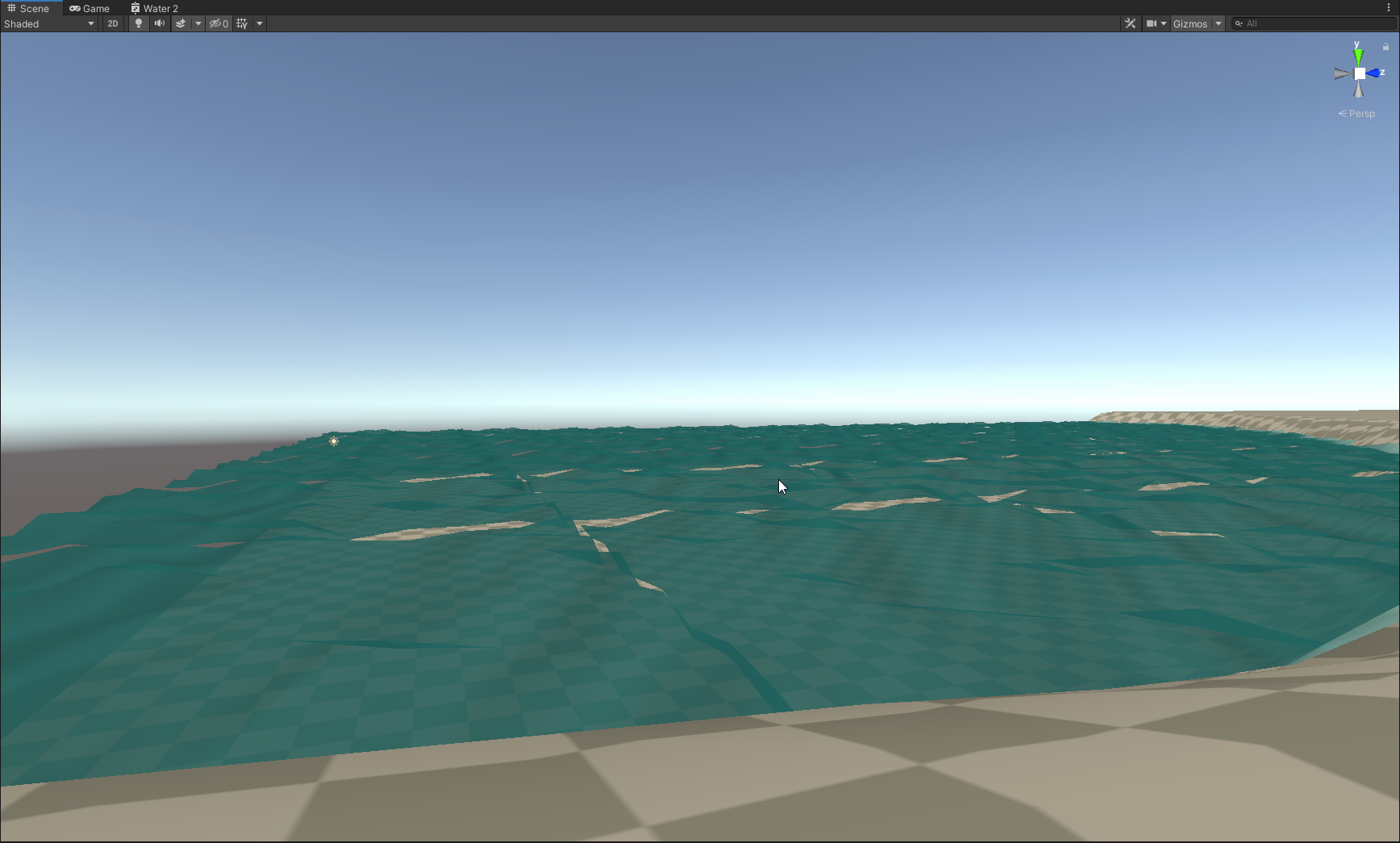
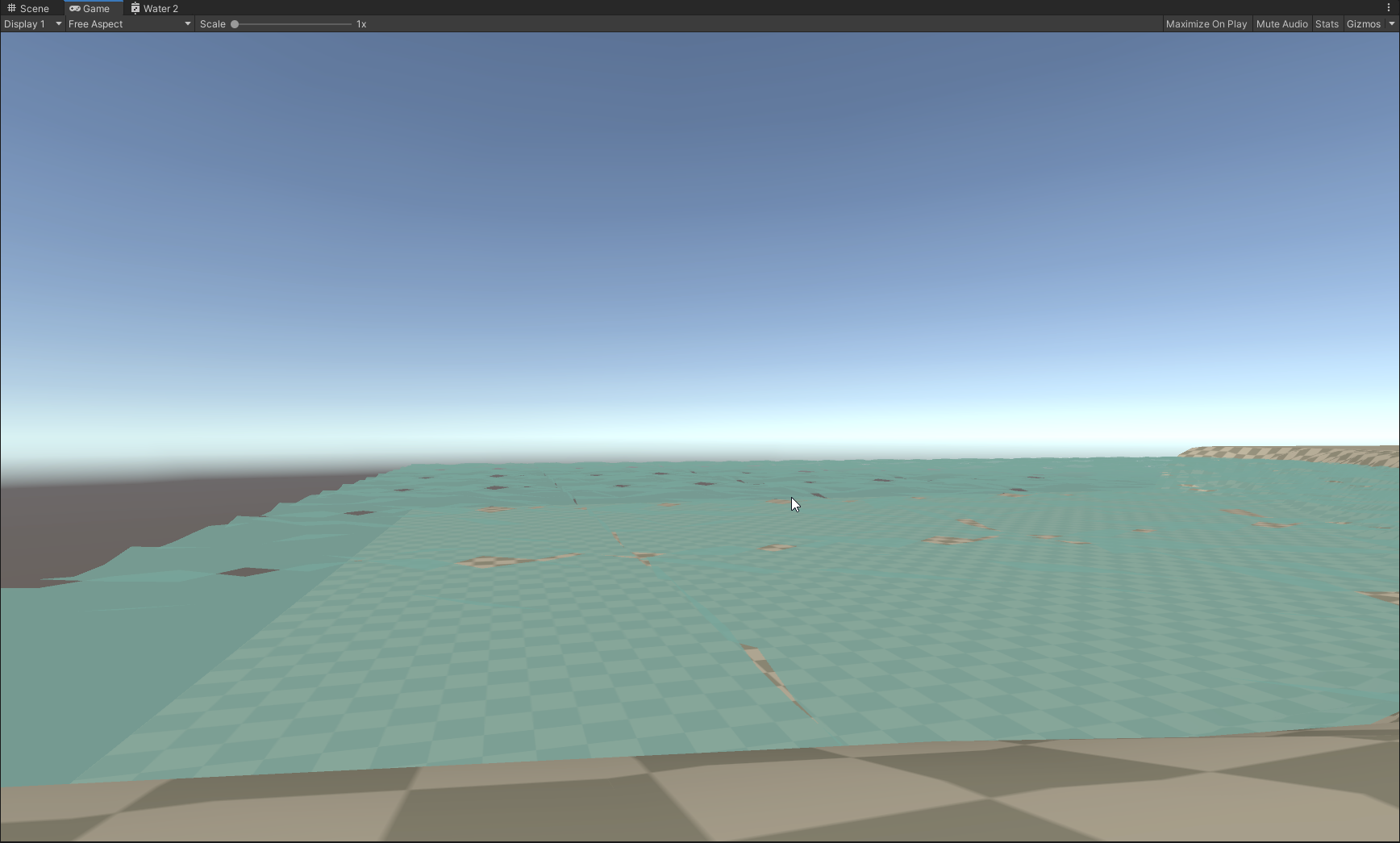


 timid minnow
I'm pretty new to shaders, playing around with the shader graph, making some cool stuff.
Is there a way within a shader graph to check if the player is being occluded by geometry, and use that as a trigger point for shader effects?
The effect shown in this video is just 'distance from the camera' based
amber saffron
@timid minnow It is possible, but probably not purely with shaders.
You will need a way to pass some informations about the player to the shader, it could be as simple as a position+radius to represent the player as a sphere to check if the current drawn pixel is in front or behind, or a custom depth map where the player only is rendered to have a very precise information.
timid minnow
@amber saffron Interesting, what seems like the most performant solution in your eyes? This is a split-screen multiplayer game, not sure if that matters for your answer at all.
I would assume sphere and radius would be simpler, for a noobie like me. This is literally my first day dabling in shader graph.
swift kraken
@amber saffron Still working on this intersection thing... you mentioned creating a box SDF is easy with nodes... could you point me to an example? Thanks again and in advance...
devout quarry
Any shadergraph devs here?
I have this very basic shader graph
The "Water UV" node is a subgraph that sets the output to world space or mesh uvs based on a keyword
In C#, I enable/disable the keywords using material.EnableKeyword("")
The graph above works fine, but when I put the 'Water UV' subgraph in another subgraph (so nested subgraphs), the keyword doesn't change anymore
is there any known issue with nested subgraphs + keywords? Or is this just a limitation
simple frost
@devout quarry o/
not a known issue I am aware of, but should be easy to debug. Could you copy and paste the graph generated code?
devout quarry
Like this?

Pastebin
The above one is when nesting the subgraph
This one is when just putting 'Water UV' straight into the master node without nesting it in a subgraph
for the non-nested one I see
#pragma shader_feature_local WATER_UV_WORLD WATER_UV_LOCAL
for the nested one I see
// GraphKeywords: <None>
so it seems that when nesting the subgraph into another subgraph, the keywords are no longer generated?
It says here "Unity defines all keywords in that sub graph in the shader graph as well, so that the sub graph works as intended"
but that's not happening when the sub graph is a nested sub graph
simple frost
The keyword is still in the nested graph
            {
                half _Split_3DD2F3B5_R_1 = IN.WorldSpacePosition[0];
                half _Split_3DD2F3B5_G_2 = IN.WorldSpacePosition[1];
                half _Split_3DD2F3B5_B_3 = IN.WorldSpacePosition[2];
                half _Split_3DD2F3B5_A_4 = 0;
                half2 _Vector2_86EC3A21_Out_0 = half2(_Split_3DD2F3B5_R_1, _Split_3DD2F3B5_B_3);
                half4 _UV_92A2FCB6_Out_0 = IN.uv0;
                #if defined(WATER_UV_WORLD)
                half2 _WaterUV_69A8E52D_Out_0 = _Vector2_86EC3A21_Out_0;
                #else
                half2 _WaterUV_69A8E52D_Out_0 = (_UV_92A2FCB6_Out_0.xy);
                #endif
                Out_1 = _WaterUV_69A8E52D_Out_0;
}```yeah but if #pragma shader_feature_local WATER_UV_WORLD WATER_UV_LOCAL is no longer there at the top, I can not set the keyword using material.EnableKeyword right?
simple frost
ah yeah no missed that part 😛
yeah I would classify that as a bug
at first glance; would need to sit down and look further to confirm
okay yeah this is part of a known bug
devout quarry
Alright, thanks for letting me know
simple frost
you could get around it by redefining the keyword in the parent subgraph, but issue is that
- subgraphs dont auto-populate inputs of the graph they are contained in
- subgraphs cache their code and so functions are written assuming the keyword does exist
hence why the define is there but not the pragma
grand jolt
How do i tile only 1 objects material at a time?
devout quarry
Aha, thanks for that advice! It's useful
simple frost
@devout quarry ping me if that doesnt work/you have trouble
devout quarry
cool I'll try it right now
grand jolt
??
devout quarry
@grand jolt you have multiple objects using the same material but only want to change the parameters for 1 object?
grand jolt
yeah
devout quarry
Zobash, that worked perfectly! Thanks
It does increase the number of keywords I'm using though and I'm already very close to the limited number of variants, so I hope the bug fix will be backported 🙂
Thanks again for the help
@grand jolt look into this
"Use it in situations where you want to draw multiple objects with the same material, but slightly different properties." Sounds like what you need
simple frost
of course, will def want to fix and backport, glad it works tho!
grand jolt
I dont know what to do honestly
Do i really have to code to make the tilling individual
devout quarry
Or use multiple materials
grand jolt
its just annoying to have 20 of the same materials
because the objects are different size
devout quarry
you could try modulating the tiling variable by object scale then
so the object size will influence the tiling
grand jolt
but how
devout quarry
do you use shadergraph?
devout quarry
but you have access to the shader?
You could create a parameter in the shader called _ObjectScale or something, then with C# you set the value of that variable by getting the scale values from the transform
then you do whatever you want with the _ObjectScale variable in your shader, could be just as simple as multiplying it with your tiling variable, depends on what you want
but other than just creating a bunch of materials, I don't know a way to get what you wanted without modifying the shader or doing some coding
grand jolt
This is so stupid
why isnt it just per object
when in the hell would i ever use it on more than one
grand jolt
How would i even code this?
timid minnow
Does anyone know what antoinel_unity is talking about here with "ZTest Always" https://forum.unity.com/threads/how-can-i-make-certain-meshes-be-rendered-through-walls-in-hdrp.683962/#post-4584118

Unity Forum
I have an object in my scene that I would like to be rendered with an outline/an effect when behind walls, similar to this: [MEDIA] . How can I create...
Supposedly there's a material setting for this? It was mentioned to not yet be available for HDRP... I wonder if that is still the case?
 civic lily
Hello! I use custom shaders in my project. The question is, could I change the default shader for new materials, so I wouldn't have to change for the every new created material?
amber saffron
@swift kraken The box SDF function is easilly convertible to node, you just have to redo the same math.
distant pawn
How do you set a value in to a int (whole number) in shader graph?
I am trying to convert a SL to SG and part of the calculation involves doing this
fervent tinsel
how long have those subgraph keywords been there?
lone stream
@amber saffron found it https://www.klemenlozar.com/frame-blending-with-motion-vectors/ :p
amber saffron
@distant pawn Use the truncate node https://docs.unity3d.com/Packages/com.unity.shadergraph@7.1/manual/Truncate-Node.html
@lone stream What ? I lost the context of you mentioning me here ? 😅
lone stream
spritesheet/flipbook frame blending with motion vector
we were trying to find this tutorial last week (i think)
amber saffron
Oh yeah, remember now. Glad that you found it :)
Indeed that's exactly what I had in mind at the moment.
lone stream
so just substract the uv with the motion vector? 🤔
if i want to make it work with 3dTexture?
no wait sorry substract the motion vector with uv
amber saffron
For each frame, distord the UVs with the motion vector (remaped from 0;1 to -1;1).
But when frameN is distorded at maximum, frameN+1 is distorded at minimum.
And lerp in sync between those.
amber saffron
How did you generate the frames of your waves ?
distant pawn
would the example bellow be the exact same as doing "Density *= 2" in SL?
polar relic
How do you define const in custom node codes for shadergraph ?
static const float PI = 3.14159265f;
Throw a shader compilation error.
 jovial onyx
@distant pawn Yes
distant pawn
k. cool. just making sure. my shader graph was giving weird results to the oppose of my SL shader
amber saffron
@polar relic is this by typing the code direction in the node, or in a dedicated include file ?
jovial onyx
@polar relic I think it's already defined, otherwise try to define it locally float myPi = 3.141592653589793238462;
 mental canopy
can anyone point me in the correct direction for something like this effect? https://old.reddit.com/r/Unity3D/comments/ghc56r/massive_destruction_using_shader_graph/
 polar relic
@amber saffron In the HLSL file that feed the node.
@jovial onyx Yeah right now I have it locally but it's not super clean.
mental canopy
a few keywords are all i need, all i can guess is a some kind of vertex displacement
jovial onyx
@polar relic you can always add an input pi to your code, and use a constant node with PI connexcted to your code node
That will for sure ressolve the problem but would be not asthetic
meager pelican
@mental canopy I'd consider particles and VFX graph for that.
mental canopy
@meager pelican my goal is educating myself so i was hoping to learn how to do it with a shader
meager pelican
You can do vertex displacement with "regular" shaders, it's just not going to draw mesh-particle cubes, unless you get into real advanced stuff like geometry-shaders.
But start simply. There's a number of tuts that will do vert displacement, often of a plane in a terrain. Google around, there's literally 100's of em.
amber saffron
Keywords ?
Vertex displacement
precomputed pivot point
polar relic
Second question : is tessellation even possible to achieve in ShaderGraph ? I know the Unity team doesn't intend to make a node for it, but even looking on the net I can't find anyone who made a custom one. Does shader graph's inner working prevent it completely ?
amber saffron
Not possible.
When it will get implemented, if would probably be in the form of min/max tesselation values on the master stack, not as a node.
polar relic
Crap. Any ETA or I'm better buying Amplify Shader if I really need tess in my custom shaders ?
amber saffron
Tesselation isn't just an operation you can do on the current setup, it a (in fact, two) whole new shader stage that needs to be implemented.
amber saffron
Does amplify provide tesselation with URP & HDRP ?
If yes, you can go this route if you can't wait.
devout quarry
I believe it does
amber saffron
Oh, yes indeed.
fervent tinsel
I can confirm it does
I've been using it myself
even ported their HDRP template for 10.x / hdrp/staging
I'd really love to get the SG to support it though :p
re tessellation, that’s a cross team effort so we have to align between many people in graphics on prioritizing that
and it’s possible we may not implement tessellation at all but rather newer techniques to achieve similar results etc it’s a bigger ask than it feels like
^ comment from sparajoy from last week when asked about tess support on SG
I bet doing separate SG template for Lit Tessellation would be simplest to achieve
it feels like the biggest complexity right now on this is by making it play nice with all the optional things
actual Lit and LitTessellation on HDRP are very similar in general, there's like few initial pragmas more, two includes and two pragmas you include for each pass to put it simply
but yeah, doing it that way would make it essentially a duplicate of Lit SG for most parts which isn't ideal, just like having LitTessellation now mirroring Lit feels bit dirty
but if they had tessellation on SG they could ditch the standard shader for it (to minimize the extra effort on maintenance)
 terse peak
Heyho World. I'm looking for a shader graph that recreates the effect I have in Blender when enabling Cavity in the view port. Searched the net and tried to combine several findings on myself, but nothing worked ... Maybe the crowd intelligence can help or push me in a direction.
The effect I'm referring to
Ofc, I eventually would multiply it with a colormap 😉
grand jolt
@terse peak looks like you want to create two coefficients to begin with.. One that is a higher value close to edges (take a look at barycentric coordinates). Then one that is the dot product of the view vector and the surface normal. Then combine those two coefficients. youll probably need to do a lot of tweaking to get it looking just right. Looks like it also exaggerates the effect on steep normal changes/hard edges.
terse peak
@grand jolt Thx, will do some research on this.
amber saffron
Look at in shader can make you creepy stuffs : https://i.gyazo.com/f50278ab192ae737e102fc789d87cbf4.mp4