#archived-shaders
1 messages · Page 162 of 1
 spiral agate
 regal stag
@spiral agate Might be because the float2 constructor only has a single value. Maybe try (minit*.1).xx instead, (or store it in a float on the line before and float2(f,f) I guess).
spiral agate
yeah, worked 🤦♂️ thank you
 brisk bison
I made a terrain shader that below a certain height renders everything invisible,
It looks fine in the editor
But in the actual
But in the actual game view, terrain under it is rendered. Also, there's this strange "blurriness" when I move around
Any clue what I may be doing wrong?
 meager pelican
IDK, but try using clip.
brisk bison
Thank you, routing the values through clip and to albedo worked
 grand jolt
Hello I use DrawMesHInstanced instancing to draw thousand of objects on screen which used to work fine on all platforms.
some months ago after a chrome update the instancing on chrome is meshed up while on firefox/windows build everything is ok
any ideas?
 next kelp
Hi, I'm trying to use shader graphs for UI and looks like it's not possible to disable depth test without exporting shader code and fixing it manually (which is a shame and 10 minutes fix for unity devs).
Do you guys know if it was fixed in preview versions or if there another workarounds?
brisk bison
Is it possible to get 8 splatmaps working in one shader?
 thick fulcrum
@brisk bison you could use 2 textures, 4 channels per texture = 8 splats potentially.
brisk bison
Would it theoretically be possible to get 8 splatmaps, for a terrain shader, without using addpass (8 splatmaps in one terrain shader essentially)?
I'm wondering if it'd be compatible with the unity default terrain. Like how you can paint textures on it
The addpass shaders are really frustrating because you can't change the properties on them easily
meager pelican
Some of that may depend on hardware. If your (probably really old) target hardware is limited to 4 textures, that's the way it is. So you have to check specifics. The GLSL/HLSL isn't limited to less than 8, for sure.
Now, how many you can use in the new pipeline without resorting to hand-coding, IDK.
As far as compatibility and duplicating the terrain shader functionality, IDK, I'd google it. But I don't use Unity terrain for anything other than prototyping, I produce actual meshes and textures. So...maybe someone else will know. I'd google it I know I've seen "terrain in shader graph" videos and posts.
thick fulcrum
I think most of the terrain examples in shader graph deal with objects rather than unity terrain from what I saw. I think Cyan / someone has experimented and you can access most of the unity terrain splats. If you delve into the existing unity shader you can get the names to access in shader graph.
 dim sequoia
that ) after shape seems misplaced to me, not sure
oh, you are just multiplying the result?
for lerp it looks right then - maybe it's the expression on the right?
does float3 take a single argument? not 3?
regal stag
Maybe try (0.15).xxx or float3(.15,.15,.15) instead of the float3(.15)
meager pelican
Swizzle power FTW!
spiral agate
i think this is the last issue:
mod is from glsl, so i defined a function for it
 low lichen
You're missing return
spiral agate
i dont understand, i have return float4(colo, 1.0) at the end
low lichen
If you want a function to return something, you need the return keyword
regal stag
They have the return type of float so should return one, otherwise you'd probably use void and inout/out parameters.
spiral agate
i am still learning, how would the line look like?
regal stag
return x-y*floor(x/y);
}```i tried that, but then it cannot find mod
regal stag
Maybe hlsl already has a mod function
spiral agate
fmod yes, but its signed, i cannot use that
regal stag
I don't see how adding return would prevent it being able to find the function
spiral agate
at line 65, maybe its something wrong with the structure?
regal stag
Unless there's errors elsewhere too maybe?
spiral agate
low lichen
If you add a few spaces in there, it might be a little easier to read
 last robin
I would try #define mod(x,y) (x-y*floor(x/y)) so that you don't have to write a different mod for each type like float, float2, float3...
it might just be an overload issue?
low lichen
Also, HLSL doesn't require you to type 2. to define a float. 2 is fine. It's just GLSL that has that.
spiral agate
@low lichen well, since its there, i am not going to change it, its converted after all
oh damn, it finally compiled
thank you, all
 timid minnow
Anyone know a lot about the sorting priority? I'm getting weird results with my VFX graph... the VFX are supposed to appear behind a powerup billboard. The strange thing, is it was working perfectly up until recently... and is still working on some powerups that are different variant prefabs not sure what changed, or if it's a bug.
This is kind of the desired effect, a smoke-like ethereal glow around the powerup.
The billboard mesh has a sorting priority of 26
Which layers it on top of the effect
However, with no discernible difference, some of the powerup billboards are suddenly not rendering on top of the effect.
NEVERMIND, turns out the rendering pass was mixed up on several of them
was "Before Refraction", needed to be default
 gritty ibex
I'm doing a billboard shader in shadergraph and I'm running into some wierd perspective distortion I don't understand. I've tried (I think I've tried) both the LookAt and Camera.Forward style ones, but I'm still getting distortion in the corners when the camera looks down. https://imgur.com/a/1wACcyr

As you can see, it's kind of oblique
Does anyone have a reasonable shadergraph/hlsl billboard that doesn't do this? The one on the wiki does this and so does all the ones I can find
timid minnow
@gritty ibex I copied this guy's homework and had amazing results: https://www.youtube.com/watch?v=jYRdm9ebL70
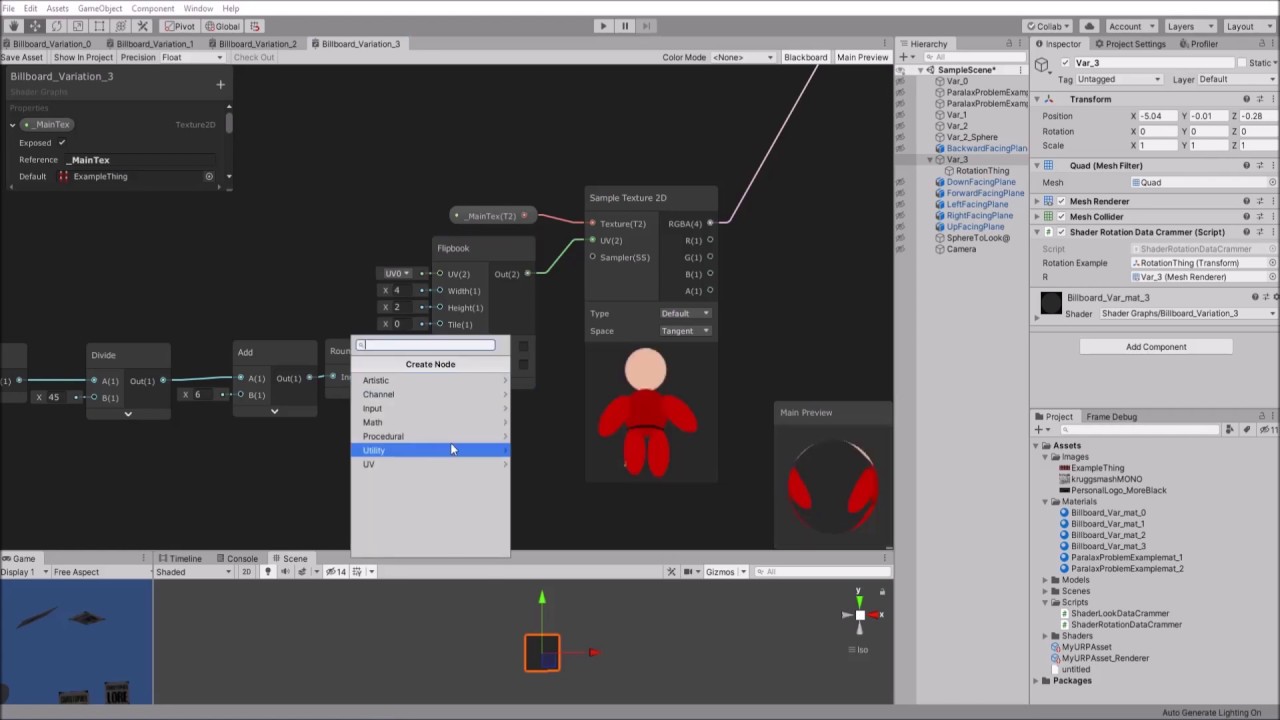
I have revisited my Unity Shader Graph Billboard Shader video to account for problems you might encounter in XR as well as those you find in 2.5D
Timestamps should be:
@00:25 - Variation 0
@02:32 - Problems with Variation 0
@03:28 - Variation 1
@04:33 - Problems with Variatio...
That's what I ended up with
gritty ibex
Thank you!
brisk bison
I think most of the terrain examples in shader graph deal with objects rather than unity terrain from what I saw. I think Cyan / someone has experimented and you can access most of the unity terrain splats. If you delve into the existing unity shader you can get the names to access in shader graph.
I actually have my shader already duplicating the exact current terrain shader functionality, as it is. It works, but I'm unsure that there's any way to expand it without using addpass
The variables look like this
If I just decided to go _Splat4, _Splat5, etc, I highly doubt it would actually work properly in the terrain shader
grand jolt
Hey! Fairly new shader graph user here.
How would I create a shader which creates a dot on the center of the screen, and then expands it seemingly infinitely?
Is there a way to go even further as in: Creating a dot at a certain point in the world from which it expends into a bigger and bigger sphere seemingly indefinitely?
low lichen
@grand jolt If you want to draw some pixels somewhere on screen, you need to make sure there's a triangle from a mesh behind it. You can't just draw wherever on the screen in the shader.
So if you want something to appear to be extending infinitely, you need a mesh that extends seemingly infinitely.
gritty ibex
lolxd what do you mean infinitely? Do you mean until it fills the camera?
grand jolt
yeah pretty much
gritty ibex
Well you could the billboard shader a few posts up, apply it to a quad, and combine that with modifying the scale of the shader based on the time. Use a texure mapped sphere, or run a sphere equation in every fragment
grand jolt
Ok, I'll give you guys an update tomorrow, thanks! 😀
meager pelican
Yeah and you can just put a sphere in the middle of the screen, flat shade it with whatever color, and expand its scale over time.
 hushed cove
Is it possible to remove HDRP terrain visualization shader from your project or disable it?
it's installed inside the Terrain Tools package. I'm not using any scriptable render pipelines and it seems to be taking 24 keywords
likewise, there is a similar shader called Universal_TerrainVisualization
and LRWP_TerrainVisualization
none of these are needed in a legacy pipeline project
I'm not working alone so deleting them from a package folder doesn't work as other team members get unmodified package pulled on their machines
meager pelican
Since nobody yet had an answer, I'll ask some questions that might spur some thoughts. Like are you using standard forward, standard deferred, SRP (URP or HDRP)?
Have you checked all variations on lighting settings (baked vs realtime)?
What unity version?
What version of ios?
 pseudo cove
shader scripting noob here, I have a simple shader that replaces certain colors in a sprite with other colors. The colors I want to replace are stored in ColorsToChange and the colors I replace them with are in DesiredColors: https://pastebin.com/w9g3zDMj
But now I have a problem where sprites with this shader aren't affected by the color field in the SpriteRenderer. How could I modify the shader to apply the SpriteRenderer color changes after the colors are swapped by the shader?

 lone pasture
whats the fastest shader in URP for mobile devices?
meager pelican
@pseudo cove If the color is a tint, multiply by that tint after the swapping.
I think it's in vertex color for sprite shaders.
@lone pasture Unlit shaders will be fastest. Lighting is expensive, shadows even more. As to what type, well, just keep the # of operations as low as possible. 1 texture if you need one at all. They often don't even have a tint color applied to the texture. And "mobile devices" spans a large range of capabilities. I think there's info in the docs.
lone pasture
Are there any flat toon shaders that are faster than URP unlit? I downloaded a simple one from online and it slowed everything way down. Shouldn't it be faster?

GitHub
A very simple toon lit shader example, for you to learn writing custom lit shader in Unity URP - ColinLeung-NiloCat/UnityURPToonLitShaderExample
meager pelican
Well, toon shaders ARE lit. It's just a different way of deciding on the shadow. So it's doing mostly the same calcs, just with more....flat...stepping of shadows. And then if it's doing outlines, that's even more work.
There are different types of lighting though. The simplest is just an N dot L calc. Want specular hightlights, then you add in view direction and do Blinn Phong calcs. Want to add toon? The shade based on some gradient or stepping or something. Then we get into more expensive lighting like PBR.
And if you do shadows at all, that's painful, as it basically re-renders the scene with a flat "color" and no light calcs from the light's veiw and projects shadows. So no lighting calcs, shadow calcs.
Then there's # of passes for each light/object.
It all gets expensive. You have to figure some of this stuff out with some research so you can make decisions that work for you. I'm just rambling at this point. But the Unity docs scratch the surface, and you can google for much more.
That particular shader looks like it's doing some pretty good (and probably expensive) lighting calcs. I didn't dig in, just looked at the sample pics.
Did you try Unity's toon shader?
brisk bison
Anyone know how to make one terrain shader support 8 splatmaps without doing an addpass shader? Seems this is my only option for solving my issue
meager pelican
Didn't we answer that already? What happened when you tried it? Did you get an error message of some kind? Is it a hardware limitation?
brisk bison
Turning it into one shader?
I tried that
I don't know enough to do it successfully without guidance
After all, this is literally my first shader. Never even touched this before. Pretty impressed I even got as far as making one that supports 4, with no knowledge at all
8 hours of googling didn't help in the end xD
meager pelican
That is pretty good, so don't give up. But I'm sorry I can't help more as I don't do Unity Terrain shaders, I use meshes.
Like I said before, there's not a GLSL or HLSL limitation of 8.
So the rest...well....
brisk bison
For anyone reading this. I'm thinking that 2 passes would work right? One pass 4 splatmaps, 2nd pass for another 4. Even if it theoretically works, I'm at a disadvantage of knowing how to set it up properly though. Technically speaking, I have all the code for both sides of the splatmaps, I just need to know how to package it together in the right way
lone pasture
@meager pelican ive heard of the Unity Toon Shader, but don't know where i would find it. Is it part of URP?
meager pelican
Nah. You'd have to try a timing run with standard. Make a bunch of similar poly count to what you have now models (not the whole game) in some test project, and try their standard pipeline toon shader, do timings. Then upgrade it to URP, and try your other URP toon shader.
You know, some bench mock-up testing. For "fun" and learning.
Just 2 cents.
Or just google "unity urp toon" and pic one you like the looks of if not the one you're using and see if it's different
lone pasture
interesting I'll check that out. thanks for the help
Are there any tricks to baking extra information in the basemap when using the urp unlit shader? i can generate all sorts of maps like normal, ao, roughness, etc and I feel like I should be baking some of that information onto the base map texture.
im going from a high poly model to a low poly model
something like this
brisk bison
My own custom terrain shader appears washed out compared to a regular terrain shader. How would I correct the color?
(I'm using Amplify shader editor btw)
 waxen canopy
anyone know how to modify the terrain grass shader? i cant find it anywhere
brisk bison
In your project?
You have to get the source code for it and modify that
It's not able to be modified from your project
Find your version, click the dropdown, and click "Build in shaders"
You can get the source code for the shaders there
waxen canopy
using the same shader worked with buildin pipeline but its not working with URP .
looks like unity its accessing the grass shader directly from the packages folder ,
meager pelican
My own custom terrain shader appears washed out compared to a regular terrain shader. How would I correct the color?
@brisk bison Did you remember to add in ambient light?
Are there any tricks to baking extra information in the basemap when using the urp unlit shader? i can generate all sorts of maps like normal, ao, roughness, etc and I feel like I should be baking some of that information onto the base map texture.
@lone pasture I'm not sure what this means exactly, but there's any number of logical "tricks" that can be done. I mean, you can do what you want, but there's standards that you should follow if you want to play nice with the engine and use the existing macros and such. So a normal map is a normal map, another texture. See unity's standard shader for the "slots" and read the docs for the formats. Their existing macros and things are designed to work in that format, and it's probably best to follow that format unless you need to do something different, eyes-wide-open and fully aware of what you're getting into.
 open leaf
Hi! Is it possible to use CommandBuffer to render to MRT (of custom RenderTextures)? I'm currently using:
   commands.SetRenderTarget(new RenderTargetIdentifier[] { surface.Color.Target, surface.Mask.Target }, surface.Color.Target);
   commands.DrawMesh(filter.sharedMesh, filter.transform.localToWorldMatrix, PaintingResources.Brush);
but it ignores the second texture
 signal rapids
Hey, can someone point me in the right direction for this: I want to make a kind of lens or just a transparent plane that shows invisible props. So when you look through it, you should see things that you can't see otherwise, like the lens of truth in Ocarina of Time. So if a prop is partially outside the lens, it's partially hidden.
regal stag
@signal rapids You'll want to look into Stencil : https://docs.unity3d.com/Manual/SL-Stencil.html
Basic idea is to render the "lens" and have it write a value into the stencil buffer, and then render objects testing against that value (using Comp Equal). If they fail, the pixel is discarded so will be invisible.
signal rapids
@regal stag Thanks friend! I'll dive into this!
meager pelican
@open leaf I haven't tried it, but that first line looks suspect. I'm guessing here. I'd try:
Set your RT buffer array outside the call, for the frame and set the values of each element to create the RT's first. The 2nd parameter should be a depth buffer per https://docs.unity3d.com/ScriptReference/Rendering.CommandBuffer.SetRenderTarget.html
 open leaf
- It shoudn't really matter where i create the buffer array (?) but i'll try
- it's a typo, i was using surface.Color.Target.depthBuffer, (i don't use any depth data anyway)
 modern tangle
Is it possible to change the textute from something, by script or by event. And when yes, how?
meager pelican
- It shoudn't really matter where i create the buffer array (?) but i'll try
@open leaf
Creating the array doesn't necessarily initialize the elements to what you want. I was suggesting you create it, and initialize each element to RT's.
And then pass it to the set render target call.
Maybe never mind, it looks like you're passing existing render targets in the new call. IDK either.
 willow remnant
I'm new to using the shader graph, is there a way to take the output of one shader and use it in another?
 low skiff
does anyone know why the farcliplane is different on different graphic APIs? on Opengle 3 its normal , but on vulkan it is closer
how do i change this
and it seems that transparent textures arent affected by this clipplane some shaders dont get affected and some do
 vast moss

GitHub
Shadow matte shader for Unity. Contribute to keijiro/ShadowDrawer development by creating an account on GitHub.
i really need this for URP
I have not had any luck finding anything online. Is it possible with shader graph?
 slow bear
Heat distorsion effects: for a desktop VR game is it better to do it per-material or as a layer of post-process?
brisk bison
Are there any transparent terrain shaders that work (I mean ones where you can paint a transparent texture to it and it will make terrain transparent)?
The only ones I can find are like Unity 3.x and don't work properly
meager pelican
Did you check out the new "Terrain Holes"?
That's harder to do than you might think.
Because of 3D volume, and "sides".
If you just want to see through it, you can stencil, and customize the terrain shader to honor the stencil
brisk bison
I'm on 2018, so I don't have access to Terrain Holes
If you just want to see through it, you can stencil, and customize the terrain shader to honor the stencil
Would this be easier than making/fixing a transparent shader?
Right now my "solution" involves this "hack"
if(splat_control.a > 0.05) discard;
Works, although I need it to work on the base terrain shader now too
meager pelican
So you want to have the terrain shader in the transparent queue, and discard pixels? Seems like somebody just did that a day or two ago, but with a custom terrain.
brisk bison
That was probably me. I had to abandon that solution due to issues
Stencils sounds like an intriguing idea
meager pelican
Or you can discard on alpha < threshold like you're doing, but IDK about how the painting works with 0 alpha in the terrain system off the top of my head. Basically you're talking about an alpha cutoff terrain shader.
brisk bison
It "worked", but then it started affecting the addpass textures, so I threw my arms up and was like, "I'll just discard texture 4 instead, good enough"
I think you'd be right that a stencil would be the most elegant and probably proper solution
 versed smelt
how do i start a shader without having to download URP or HDRP
cz when i do some assests turn pink
 amber saffron
@versed smelt https://docs.unity3d.com/Manual/SL-SurfaceShaderExamples.html
or https://docs.unity3d.com/Manual/SL-VertexFragmentShaderExamples.html
signal rapids
Hey! How can I set the stencil ref for a Lit Graph?
 mortal sage
Hi, can I access the surface mode (opaque, transparent) of a PBR shadergraph in the material inspector? If not, can I change its value for one material using C# or anything?
I would simply need to set, in editor, a transparent version of my opaque shadergraph
meager pelican
@mortal sage Huh.
Maybe you can just make 2 instances of a material with different render queues, and then use the keywords to change code logic.
thick fulcrum
two master nodes and branch logic?
meager pelican
I didn't know you could do two master nodes!?!! Cool if so.
thick fulcrum
just a thought, might be worth a test
regal stag
I think only one can be "active" at a time
meager pelican
Last I knew, the material inspector had render queue separate from shader.
I'd have to fire up unity to check.
regal stag
Afaik there's no way to switch between Opaque and Transparent, other than the render queue thing - but I think it also does ZWrite Off for transparent right, and that wouldn't change?
thick fulcrum
that would makes sense
meager pelican
Yeah, I deleted a longer post but IDK how to set "non code" stuff with keywords, if you can.
You could do it with enums and such in the old pipeline, and have a drop-down list in the inspector and use [variableName] syntax.
regal stag
The URP lit shader has a way to switch it in the inspector right? I wonder how they do it
meager pelican
Yeah, maybe they could look up that code in the sources.
regal stag
Ah, it looks like they pass it in using properties, that would be set using the custom material inspector/editor.
[HideInInspector] _Blend("__blend", Float) = 0.0
[HideInInspector] _AlphaClip("__clip", Float) = 0.0
[HideInInspector] _SrcBlend("__src", Float) = 1.0
[HideInInspector] _DstBlend("__dst", Float) = 0.0
[HideInInspector] _ZWrite("__zw", Float) = 1.0
[HideInInspector] _Cull("__cull", Float) = 2.0
...
Blend[_SrcBlend][_DstBlend]
ZWrite[_ZWrite]
Cull[_Cull]```
That's not going to be possible using shadergraph though, you'd have to edit the generated code or I guess have two separate versions of the graph for opaque vs transparent.Yeah, and later on there's a use of that.
But they can use a shared subgraph for the code part, so only one subgraph to edit.
Just swap out the master node setting I guess.
regal stag
Yea that makes sense
vast moss
https://github.com/keijiro/ShadowDrawer
Does anyone know how to get this effect working on URP?
I have not had any luck finding anything online. Is it possible with shader graph?
GitHub
Shadow matte shader for Unity. Contribute to keijiro/ShadowDrawer development by creating an account on GitHub.
mortal sage
Thank you @meager pelican and @regal stag. I see this is not so easy. I'll see what workaround I go for, then
meager pelican
I'm not convinced yet that it isn't a material property you can set somehow, from C#. Maybe Remy or others would know.
Or the Q&A forums may have something.
I mean, SG is still just a code generator, and the SRP materials have properties that you can set. Like for render queue.
Worse case is that you could pass some variable to indicate how the logic should calc color, transparent or not. Assuming you can set the render queue.
@mortal sage
amber saffron
The team is working to slowly expose more and more settings from the master node to the material (avoiding you to make a lot of shadergraph dupplicates), but expect this to come in the 10.x cycle with the new "master stack" of shadergraph
grand jolt
I created a material from a shader.The material appears pink while in the shader graph preview it looks ok.My materials are upgraded to urp.How can I fix this?
 simple frost
@grand jolt are you getting any errors in the console?
grand jolt
Yes,"There's no upgrader to convert ... shader to selected pipeline".
 fringe night
Hello I have an error when using Toony Colors Shader do someone know how to fix that ?
I checked and the files are in my Unity folder idk why it can't be opened
simple frost
@grand jolt what master node are you using currently? And what SRP?
ah urp, so just need master node
 tardy spire
Is it possible to set part of a render textures alpha to zero by blitting? i've got drawing working by blitting this material, but i can't think of a way to erase with blitting. My understanding is that blitting with a transparent material would have no effect on the texture, right?
grand jolt
pbr master
simple frost
can I see the graph?
simple frost
yeah no it looks fine, coul I see your graphics settings too?
@tardy spire I believe a blit should write everything as normal, so long as the rendertarget has an alpha channel to write to
grand jolt
these?
regal stag
You have a pink colour in the Albedo, so it's going to look pink
grand jolt
it actually looks different in the shader preview so i don't think it's that
it has shadows
regal stag
Well if you set it to a different colour and save it, is it still magenta/pink?
simple frost
shader preview will look a bit different, since the preview and game views render differently
but otherwise I would guess material settings are different
grand jolt
😳 it is working now that I change colour
simple frost
@regal stag good call haha
grand jolt
I am so embarrased😅
regal stag
@tardy spire Shouldn't a blit usually involve the _MainTex to pass in the source texture?
grand jolt
Thank you both!😃
regal stag
No problem!
tardy spire
hmm you're probably right. i was blitting like this
Graphics.Blit(null, texture, brush, 0);
cuz i thought i didn't have a source texture, but if i passed texture as the source and destination would there be an issue?
regal stag
I think usually you have to set up a temporary target, I don't think you can blit using the same texture as source & destination
But if you don't need a source texture maybe null works? Idk
simple frost
Yeah, you can use https://docs.unity3d.com/ScriptReference/RenderTexture.GetTemporary.html
tardy spire
hmm ok so make temp target, render to it, and copy back to original
thanks!
would it be faster to just allocate two textures and alternate between which is source vs target?
idk if swapping textures on a renderer has some overhead, but i'll mess around and see what i find
simple frost
actually wait no it should be fine to render to the dest
with no source texture
what behavior are you getting?
tardy spire
i think i need to reference the original pixels cuz it just wipes the whole texture
here's the erase shader
@simple frost
whoops wrong vid lol
heres one with the eraser
simple frost
is your alpha inverted? Also do you want to write white to the buffer?
tardy spire
to be clear, i don't want the eraser to clear the whole thing, just set the alpha to zero where i place the eraser on the paper. the alpha is 0 on that dot cuz the dot will move to where the eraser is touching the paper
regal stag
At the same time it's setting the entire paper to white + full alpha though, I think that's the problem
tardy spire
right. gonna try sending a source texture so i can ref the original color and just multiply the alpha by the ellipse
brisk bison
If multiple shaders use the stencil buffer, can it conflict, or can multiple shaders use the stencil shader separately? I don't know exactly how it works,
tardy spire
ya it works!
don't even need separate shaders for marker vs brush cuz i can just lerp from the source color to a target color based on the ellipse mask
regal stag
Nice 👍
brisk bison
Very nice
simple frost
awesome!
 wary horizon
When you put all textures a model uses onto One singular texture sheet, what is that called? it it just a texture sheet? Texture atlas?
brisk bison
atlas
regal stag
Texture atlas makes sense to me
wary horizon
Thank you
Since the model i commissioned from someone, it has 100 different texture files. I need them all in one atlas... lol
regal stag
@brisk bison All shaders use the same stencil buffer (per render texture/camera). They test against the value in the buffer with the stencil comparison operation, and can write/override (or increment/decrement) the value in the buffer based on the Pass/Fail/ZFail.
So yeah, if you write a value of 1 into the buffer with one shader, any shaders after that test equal to 1, will pass, assuming one doesn't override the value for those pixels. I guess if you didn't want that, there's probably ways to clear the stencil values. Maybe rendering an invisible quad to the screen with Stencil, Comp Always, Pass Zero, or something. (or if you are just using the Equal operation, just use a different Stencil reference integer)
brisk bison
So from the sounds of it, unless you're using complex shaders, you probably won't get any / much conflicts even if others use it too (as long as you're not using the same value to compare against)
and they'd have to be in close proximity too then in order to conflict?
regal stag
I'm not too sure what you mean by "conflict" really
brisk bison
Well, let's just say 2 unrelated shaders testing against the same value for example
regal stag
I think you mainly just have to be careful with the Render Queue of the shaders, to ensure that they are rendered in the correct order
tardy spire
interesting... after adding this call RenderTexture.ReleaseTemporary(target); after the blit and copy the marker still works, but the eraser only seems to erase on the first frame it touches the paper.
both the eraser and marker are blitting with the same shader, the markers color is (0,0,0,1) and the eraser color is (1,1,1,0)
var target = RenderTexture.GetTemporary(new RenderTextureDescriptor(texture.width, texture.height, texture.format));
if (!target.IsCreated())
    target.Create();
Graphics.Blit(texture, target, brush, 0);
Graphics.CopyTexture(target, texture);
RenderTexture.ReleaseTemporary(target); //after adding this line, eraser is weird
notice how when i change the eraser material color to not be transparent it starts working. any idea why releasing the temp texture isn't playing nice with transparency? i have no idea how the two could be correlated
here is the shader
regal stag
@tardy spire My knowledge of this sort of stuff is lacking, but going off other examples I've seen... what if you replace the CopyTexture with Blit(target, texture) instead?
tardy spire
Hmm, it seems to have the same effect. Perhaps CopyTexture is just blitting internally?
regal stag
Maybe, I was just curious if it had a difference
tardy spire
i'm curious if swapping between two permanent render textures will work now
regal stag
@tardy spire Is it maybe related to the Alpha Clip Threshold? You weren't using that in the earlier example so I wonder if that's why it stops working. It seems strange to me that just releasing the temporary texture would affect it.
tardy spire
weeeeeird. that is it
why would it still work on the first frame and why would not releasing fix it 
regal stag
Well if you are discarding pixels I assume it won't be writing the color/alpha to the texture
Yeah still not sure why it would work for a single frame lol
Maybe just leave the alpha clip at 0 and set the shader to transparent
tardy spire
it only seems to work with alpha clip 0 and opaque surface
here's opaque with 0.5 ac
regal stag
Uh huh, that is weird
Oh, do you think the alpha is maybe going outside the 0-1 range?
Does saturating the alpha fix anything
regal stag
Super weird how the anti-aliased part of the Ellipse is erasing, but not the center part
Oh, I guess that could just be the colour part lerping though, not alpha related
 willow summit
im having a problem with a shader
the cube on the back is rendering on front.
the shader is transparent and it was made on the URP visual shader graph
its a unlit shader
regal stag
Could you show a screenshot?
brisk bison
Is it possible to use a stencil to render an object "see-through" but ONLY the parts that are behind it?
For example, I made this stencil which sees through this cube
You can see the cube is behind the sphere
But, if I place the cube in front of the sphere, I would like it to be rendered opaque
 devout quarry
Why is the fog density for linear/exponential inverted?
 kind pelican
Hey all, i'm trying to modify this shader to make the world curved. It doesnt seem to change the amount of curvature no matter what i do. https://alastaira.wordpress.com/2013/10/25/animal-crossing-curved-world-shader/
I thought it would be changed by this line, but it seems ineffective.
_Curvature("Curvature", Float) = 10.001
Any help is much appreciated.
 simple frost
@kind pelican if this is already on a material youll need to modify the property on the material itself, or recreate the material from the shader
kind pelican
that makes sense as to why its not changing. Thanks! @simple frost
 molten halo
I have a gradient property in my shader, which I'm trying to set to a gradient at runtime. How do?
Gradients aren't supported in MaterialPropertyBlock, and I don't see any Material documentation for SetGradient.
 low lichen
@molten halo Gradients aren't really a thing in shaders. They are usually converted into textures or if they are very simple, they can be done with lerps
simple frost
@molten halo if you mean a gradient in ShaderGraph then unfortunately those get hard coded into the shader, youre better off just lerping between colors that you pass in if you need it to change at runtime
wary horizon
https://hatebin.com/hjyooutwhr i am getting all renderer children of the object, But its just not working :/
Its only activating on the hood. And not the entire model
low lichen
If you're having trouble with your script, you should ask in #💻┃code-beginner
wary horizon
Its not the script
since the script works on other objects
the mesh renderer has all of the materials, it should do it. Im confused
brisk bison
To access materials, is it not Renderer.materials?
wary horizon
    {

        thisRenderer = GetComponentsInChildren<Renderer>();
        for (int i = 0; i < thisRenderer.Length; i++)
        {
            thisRenderer[i].material.SetFloat("_dissolveAmount", 0.0f);
}``` i believe thats what im doingRenderer.material will only return the first instantiated material
brisk bison
This should be a code thing, You should ask in #💻┃code-beginner
If it works with other objects using the same shader, it can't be the shaders fault
simple frost
also that code is still only getting the first material on each renderer
as @brisk bison said
will not get all materials on a renderer
brisk bison
so it should get all material(s)
.material always refers to the first instantiated Material. All you're doing is retrieving the same value x number of times
simple frost
also, .material.setFloat creates a new instance to set the value on, so even if all of the materials are the same, only the original will get modified
versed smelt
how can i convert custom shaders into URP? it is pink even tho i upgraded the whole project
devout quarry
You need to convert them manually
This might help you out @versed smelt
Intro A lot of shader code tutorials you’ll see online are written for Unity’s built-in pipeline and won’t really work in the Universal Render Pipeline – They’ll either produce magenta …
regal stag
That'll help if you want to stick to hlsl code - Unlit shaders in URP isn't too bad with code, but lit gets a lot more complicated. Easiest way is to recreate shaders using shadergraph.
 finite wren
is there a way that i can remove these shadows from Shade Smooth?
versed smelt
@devout quarry thanks will try that
 kindred granite
Hello! I'm having problems with a simple shader.
I created a new Unlit Shader and changed the frag function to:
{
float3 dir = mul((float3x3)unity_WorldToObject, float3(1, 0, 0));
return fixed4(dir, 1);
}```
It works fine (the object changes color as I rotate it) until I add a second object with the same Material. Then it stays always as red until I take the second object out of view from the camera. What is happening? Maybe something about Instancing paired with unity_WorldToObject? thorn ore
I made a simple screen shader but it doesn't work with post processing stack, in other word post processing stack doesn't apply to it what should I do to fix this?
meager pelican
What's the shader for material doing? What do you mean "it doesn't work"?
If you want to do your own full screen thing, you can always just render a full-screen quad or triangle, then process it with DrawMeshNow() probably from within OnRenderObject() but wherever , just put the render queue for that layer/material after the other stuff. You'll need to do material.setpass() call(s) first.
thorn ore
What's the shader for material doing? What do you mean "it doesn't work"?
@meager pelican I mentioned Post processing stack stuff doesn't apply to it
it's a simple fog
It works and appears in my render but when I add color grading for example color grade affect objects not image effect I made
meager pelican
I see. So it's rendered AFTER post processing completes. Change the queue?
OnRenderImage is called basically last
after pp
You're in the standard pipeline, right? using Post Processing V2 I assume?
If so, then see here:
https://docs.unity3d.com/Packages/com.unity.postprocessing@2.3/manual/Writing-Custom-Effects.html
you can just write your own postprocessing, and add it before the color grading or whatever
Not "must", but you can do it that way, and there's a nice example for greyscale.
Or you can do it like I said above, by drawing a full screen quad/triangle and using DrawMeshNow, then set the queue/layers on the object/material.
brisk bison
Are there any good books / tutorials which describe depth buffers and stencil buffers really well? I'm finding it extremely difficult to find good information on it
 cedar raptor
The game view's "Scale" zoom in, I want a shader that does that to the entire screen, aliasing included.
amber saffron
@cedar raptor Can be done in a custom post process effect easilly.
You just have to scale in the UV when sampling the rendered image
cedar raptor
Using the new render pipeline? I'm still working in 2018.3
cedar raptor
What are some technical terms for the effect I'm wanting?
amber saffron
I don't see any specific term here, it's a "zoom" 😄
If you're using the post processing stack v2, this is a good start to make your effect : https://docs.unity3d.com/Packages/com.unity.postprocessing@2.3/manual/Writing-Custom-Effects.html
 pure flume
anyone know why simple fresnel effect wouldn't work out of the box in HDRP? I'm used to just mutliplying it with some color and connecting it to the shader base color to get that rim highlighting effect.
but the "black" part of the fresnel node is overlaid as just straight black color instead of being transparent. I can't find any shader setting that influences this and google has not been helpful.
low lichen
You're connecting the fresnel directly to the base color output? You don't want to add it in top of some texture or something?
pure flume
ultimate yes, but I'm just trying out things at the moment
I seem to remember that this used to work
or maybe I'm just confused
low lichen
So you're expecting it to be transparent wherever the fresnel is black?
Is the shader output set to transparent?
pure flume
I tried that , but that alone doesnt change anything
I tried a few other settings but that was basically just guessing
it doesnt seem to recompile when I change it to transparent as far as I can tell, so maybe thats the issue
low lichen
And you're setting the Alpha output to the alpha component of the base color?
Don't know if HDRP also has an Alpha output like URP, maybe it doesn't
low lichen
Yes, using the Split node
pure flume
eh
I guess the way I'm doing it right now is just wrong. I was trying to play around so I set up this weird branch so I can toggle between base color property and base color multiplied with fresnel
think of color as a potential texture I guess
low lichen
Yeah, you don't have anything connected to the alpha component, so it's always going to be fully opaque
What you should do is use the fresnel just to control alpha, not color, and then set the emission color to solid yellow or whatever color you want
Otherwise, the yellow will get darker as it fades out
pure flume
Ok, thanks, I guess that makes sense.
Does emission necessarily mean its a light source then?
because I really just want it to be an unlit highlight on top of the objects normal color
not to glow, exactly
Oh wait, I'm a bit slow 😄
low lichen
It depends if you have some tech that uses the emission to control lighting. Like light baking can optionally use emission as a light source. And I guess realtime raytracing will use it too.
pure flume
I literally just need to plug the fresnel into the alpha aswell as doing everything else
I had the alpha information the entire time and just didnt use it
low lichen
But you should make the emission a solid color. Otherwise the yellow will get darker, almost completely black right before it fades out completely.
pure flume
ok
well it seems I have been misled anyway. preview looked great but it behaves differently when I run it
Ill do the emission thing first
meager pelican
because I really just want it to be an unlit highlight on top of the objects normal color
@pure flume
If you don't want emissive, think additive or multiplicative colors. Multiply the fresnel value by the highlight color and either add or multiply that by the base color.
If you want emissive, then it's additive basically on top of the color, but it can contribute to lighting. You may also have to add it to the base color anyway, IIRC.
In this case you're using the fresnel value as an intensity of the HIGHLIGHT COLOR, so you have to have that too. Base color and highlight color. And then blend them however you wish.
The multiply operation will give you the black results, since any color multiplied by 0 is 0.
kind pelican
Is there a way to disable shaders in the editor view?
amber saffron
Weird question ... What would you display then ?
kind pelican
I have a shader that curves everything, but it makes it hard to select and move things in the editor. Just didn't want the curve during editing. @amber saffron
amber saffron
That's not how it works. You can't "disable shaders", as everything is displayed with shaders
 hollow fern
Hi, did someone solve the problem with Speedtree in unity 2019 HDRP?
thorn ore
Omg this was so simple and everybody told me this is complex and gave me very weird solution!
**SOLUTION -> **ImageEffectOpaque
meager pelican
We pointed you to a simple image effect shader in the manual. Neither weird, nor complex.
meager pelican
@grand jolt Probably because you're writing to depth and everything else that depth-checks get clipped if you're writing this close/at the near-plane. Try "rendering over" it with something that doesn't check depth like something set to transparent queue. See if that's it. Or use RenderDoc to check what happens to writes at a pixel you select. There's a pixel history. Or perhaps use the frame debugger.
 supple heron
Does anyone here make use of Keijiro's Noise Shader?
supple heron
Or alternately; I see noise() no longer works in shader 2.0+, so is Keijiro's the preferred way to get some simplex/opensimplex noise in a shader now?
grand jolt
Is there a way to apply a shader or material to a "Group of images" e.g. a Canvas Group? The only way I can think of is to have a separate camera for each group...
 eager field
anyone know if it's possible to make a shader that stretches only the outline of a sprite outwards?
specifically horizontally outwards
basically, i wanna make a coin animation through code, but with just rotation it becomes flat when it reaches smaller numbers
i want it to stretch the outline to compensate and make it always at least let's say 2 pixels wide
eager field
never mind
devout quarry
In a shader for a surface like this
You probably have a base color and a normal map
And the light interacts with the surface and you get those lighting effects based on the normal map
But in the picture on the left and right corners, you see these more purple tints right? And they are in the shape of the normal map
What parameter controls the color of those spots?
So these purple regions
meager pelican
@devout quarry It's going to depend on the specific shader and light settings. "a shader for a surface like this" isn't specific enough. And generally with water shaders there's vert manipulation and normal recalcs.
devout quarry
Alright yeah I get that
Put if you have like a PBR shader
You add an albedo let's say in blue
Then you add a normal map
What you'll get is those 'glitters' because of the sun rays
But in other spots of the object, you still 'see' the normal map effect because you see color variations that 'follow' the same pattern as the normal map
Is that color defined by a mix between the albedo color and the color of the light?
 abstract silo
im trying to just do a basic color replace with shadergraph, no luck. im just exporting png's from aseprite. tried with sRGB checked and unchecked, doesnt make a difference
any ideas?
it works if i do from: white, but if i do from: any other color from the color picker, doesnt work
regal stag
@devout quarry Is it a fresnel/rim effect that causes that colour variation maybe?
thick fulcrum
@abstract silo anything less than 0.1 and it does nothing?
abstract silo
yea
thick fulcrum
damn
regal stag
What colour are you trying to replace? Both the blue parts or just one?
abstract silo
im actually trying to replace a diff image, just testing my own sanity with this one with basic colors
lol
doesnt matter what image i use
i found this issue
Unity Forum
Hi people!
I just started working with this node to replace a very specific color but it doesn't seem to be working properly and I would like to ask...
which seems to be very similar
but i tried checking/unchecking sRGB and tried the HDR color picker, no dice
meager pelican
@devout quarry Like, for PBR, it's a "whole thing"....there's glossiness and there's metallic and light blending and intensity of one type of another, and there's ambient light, skybox reflection, and shadows.
Then if it's a water shader, they often have something that's on the "bottom" with water being transparent, special reflections, and then there's caustics added.
So water basically isn't PBR, it's more ...water. Sorry. I mean, there's about a bazzillian water shader examples, and you can roll your own or buy one. Not trying to be flip, but IDK how anyone can answer, too many variables unless you can give us all the specifics, including shader code.
Is this YOUR shader, or some random example on the net?
meager pelican
If you want semi-complex water, with caustics and ripples and such, check out the unity demo with the boat races. They just did a blog post about it.
Boat attack. It was youtube. Here: https://www.youtube.com/watch?v=eYRid0DuGu0

In this video, we're going to take a look at the Boat Attack Demo that's made with Unity using the Universal Render Pipeline, URP for short. URP has allowed us to design the demo to work on a wide variety of platforms, including mobile devices and current consoles.
We'll tak...
That's a URP demo
devout quarry
Cool thanks
meager pelican
It's not exactly simple though. So google around. 🙂
 hollow grove
there is demo project on that
 little seal
How do I fix this?
i'm using this tutorial: https://catlikecoding.com/unity/tutorials/hex-map/part-20/
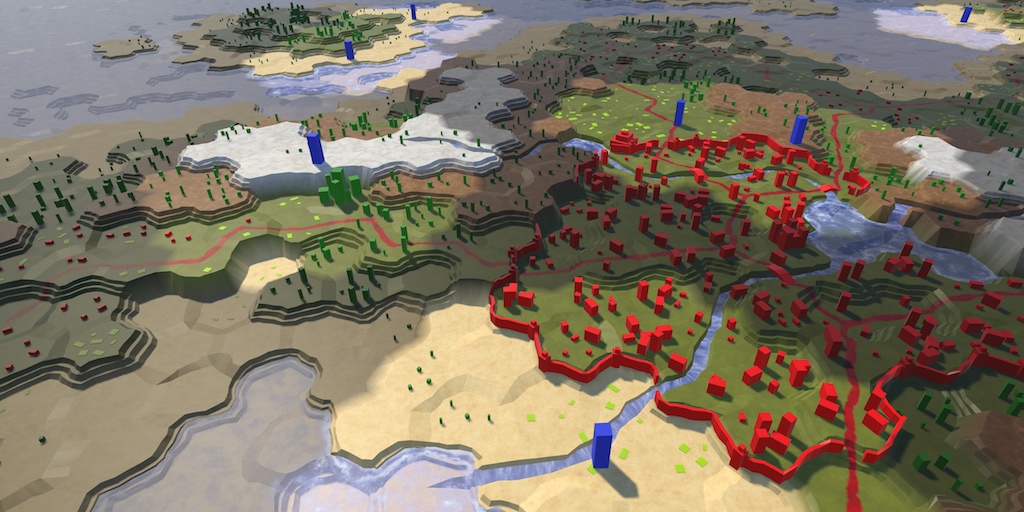
A Unity Hex Map tutorial about adding support for fog of war. Part 20 of 27.
and the example has the same error: https://catlikecoding.com/unity/tutorials/hex-map/part-20/cell-shader-data/cell-shader-data.unitypackage
oh boy, fixed it. "v.texcoord2.[index]," removed the period to make it "v.texcoord2[index]"
 desert orbit
@little seal If you encounter more problems with it, there could be some breaking changes in examples. Finished project was kept up-to-date last time I tried it, so should be able to compare how it was made to work in the end.
little seal
awesome, thank you!
brisk bison
Probably in your MeshRenderer
 sacred ether
Hi, I'm trying to recreate a noisy gradient shader but am having trouble with the resolution of the sampled noise texture. Any help would be appreciated, thanks! https://answers.unity.com/questions/1748470/sampling-a-noise-texture-in-a-shader-results-in-a.html
Unity is the ultimate game development platform. Use Unity to build high-quality 3D and 2D games, deploy them across mobile, desktop, VR/AR, consoles or the Web, and connect with loyal and enthusiastic players and customers.
 mild loom
why is the outline is damn hard to get
gritty ibex
@Chance I'm by no means an expert, but I think you're running into the fact that unity doesn't have 3d noise- I think - think - that if you sample in 3 dimensions in object space and sum you might get there
sacred ether
that is a good idea! i'll explore that, thanks
thick fulcrum
@sacred ether if you search this channel, I think Remy has a library of shader graph utils on github which if I remember includes some different noise methods.
 simple violet
how hard would it be to make a shader like this?
where the sprites of characters are lit pixel perfectly
desert orbit
Not hard. You can create one using Shadergraph with additional overlay texture which will take additional tint when near light source.
simple violet
k thanks
sacred ether
@gritty ibex @thick fulcrum thanks again btw! getting closer to a good final product
 still socket
Hey folks, I have some parented objects with triplanar mapping, world space, is there a way to make this mapping static, in other words, make the bundled objects move and the texture remaining static, maybe using the coordinates of one of them?
Local space is not an option since I need the mapping going thru all of them. Thanks guys!
amber saffron
@still socket As you said, I think your best bet is to pass a position information to serve a reference for the triplanar mapping for you group of objects
still socket
its doable using shader graph?
amber saffron
yes
still socket
Thanks @amber saffron, would you mind giving some directions, since I´m far from being expert
amber saffron
Add a vector 3 property in the blackboard
still socket
setting the position as a property maybe
amber saffron
And subtract this value from the worldposition before connecting in the position input of the triplanar node.
still socket
great!!
I´ll let you know if it worked
I´ll feed this vector 3 with a custom script, right?
amber saffron
yes
still socket
ty
amber saffron
still socket
ok ty man
amber saffron
You could also use MaterialPropertyBlock, but it doesn't work well with the SRP batcher.
still socket
I´m thinking on a way of making it static when the object was instantiated, so I wouldnt need to update every frame
I´m using URP
this block thing looks like an option
amber saffron
You don't have to update every frame, once the value is set on the material, it stays there
still socket
but if the object keeps moving...
it worked, I´ll just duplicate the material, because I have two objects like this, and this solution works for only one group of objects per material
 brittle owl
does anyone know how to make a simple rimlight shader in shadergraph
im too dumb for shaders 
 upbeat topaz
Is it possible to get/set the HDR intensity value through shader graph?
 vocal oxide
Hello, i am new to shaders, and i was wondering how to make my shader for the lines, look like the actual material i have created 🙂
 acoustic tulip
Hi, I switched over to the HDRP for my new project and everything has been going smoothly. The only problem I seem to be having is that the Base/albedo map does not appear unless I crank up the metallic map all the way. And it isn't a texture problem, because even if I set it to a solid color it will stay just a flat gray. This is what it looks like with the metallic at 0:
And this is at metallic 1
meager pelican
Couldn't ya show .5 ? ;)
one of them is full environment reflections, the other is little/no reflection so your texture shows. Then there's smoothness, which will give you the specular highlights.
Notice his hands are near-white so in metallic 0 he's like the silver surfer! :D
Is this a custom shader?
acoustic tulip
nah, im just using the lit shader that HDRP comes with. Lemme go fetch 0.5
the smoothness slider functions exactly as i expect it to though
Also set the base color of the planes to red, and had the metallic set to 0.5 on those.
Is this how it should be functioning, and it's just a bit unorthodox compared to the stuff im used to?
Also, is there anything I can do about how strong the environmental light bouncing is? The skybox I'm using has green grass on the bottom so it seems to be bouncing really heavily on the character
Oh, hm, I think setting the Ambient Mode to Dynamic in the Global Volume settings actually fixed it
The metallic issue, I mean. I still think I'm getting too much light bounce onto the objects.
 timber ember
Hey guys. I've started messing around with URP ShaderGraph for a VR project I'm working on. I noticed that when using effects based on ScreenPosition, the reflections/distortions appear odd - like a different image is being SSR'd for each eye. Unfortunately, I'm pretty new to this and am not quite clear on this - can anyone confirm if screenspace/screenposition effects in ShaderGraph should work in VR natively?
I've tried Single Pass/SinglePass Instanced/Multipass with varying degrees of failure.
 strange sonnet
Is there a way to create a custom Master Node in shadergraph?
meager pelican
like a different image is being SSR'd for each eye.
@timber ember
that's what VR does, one render for each eye, basically two frames, with optimizations. And IDK much about it other than that. But sure, ScreenPos stuff might flake out depending on what it is. If you're just, say, converting everything to greyscale, that wouldn't matter.
I think there's a multi-pass
timber ember
@meager pelican thanks yeah I know it's two images. I'd read an article https://docs.unity3d.com/Manual/SinglePassStereoRendering.html about it, and there's a section for screenspace effects that had some ideas on addressing it for shaders, and furthermore had read some comments on random threads saying Shader Graph should automatically implement the suggested changes, but again my knowledge of this stuff isn't up to par to really parse whether I'm interpreting it right.
Anyway thanks again for chiming in. I'll leave that info above in case anyone else is interested.
 clever dust
Why this is happening?
sacred ether
does the name of the function in the node match its name in the string / referenced file
 distant pawn
how do I make mesh transparent if it isn't visible by the camera with shader graph?
is their any specific nodes or node arrangement to check whether it is or isn't visible?
amber saffron
@distant pawn What ? You want a mesh that is off screen to be transparent ? Why ?
meager pelican
@clever dust Probably that your code is messed up you have 3 outputs named "new". Maybe show your custom-node code. Could be some interesting declaration, IDK what the multiple output ()() means in SG, but the whole thing looks weird. Particularly since you usually set those in a dialog box. You should publish the dialog/UI for it too. And the code.
distant pawn
@amber saffron I don't understand why I need to justify why I need a specific feature. A no answer would sefice if there is no such solution, or even better, just a solution if it is possible. But if you really must know, I have made mesh transparent when the camera draws near and to stop the player from seeing yucky inside artifacts such as a scene asset that is cliping into the transparent object, I want to make those surfaces semi transparent as well. So in other words, I don't mean if it is offscreen, but if the object is not directly visible to the player, excluding transparency.
sorry that first part was rude. I shouldn't have stated it like that
amber saffron
This is way more explanatory than what you said before and now I understand the use case.
Saying "I want to make transparent something that is already not visible" didn't have any sense to me.
To basically do what you want, you'll have to check the distance of the pixel to the camera near clip plane.
This could be done by transforming the position from world to view space (transform node), and subtracting the camera near plane value (camera node).
You can then test this distance to affect the alpha of the material.
distant pawn
ok. thanks. I'll have to look into the camera near and far plane components because I am not very familiar with them, and it would be helpful to understand them.
amber saffron
It's a direct refence to the value you can see here : https://docs.unity3d.com/Manual/class-Camera.html
The near and far clipping planes
vast moss
I'll pay $35 to whoever can make me something similar to this shader that is functional on URP. Bonus points if it can accept a unlit albedo. https://github.com/keijiro/ShadowDrawer
GitHub
Shadow matte shader for Unity. Contribute to keijiro/ShadowDrawer development by creating an account on GitHub.
timber ember
I'll pay someone $45 not to.
vast moss
50
timber ember
Damn, you got me!
In all seriousness, good luck. I'm struggling with getting a heat swirl to work right in VR and am considering doingthe same.
vast moss
lol, it's weird to ask. But I dont have the skills to do it right now and it needs to get done for this project. If someone does have the technical skills to make it happen. Reach out to me 🙂
timber ember
I dig it. I started 4 months ago and have been laser focused on what I'd call spell-mechanics, but haven't done a deep dive on shader programming.
low lichen
@vast moss I'm a little confused what this is for exactly. What does this shader accomplish that can't be done with regular shadows?
vast moss
Transparent object with shadows. a "shadow catcher" its often used for AR applications to put shadows under 3d objects on the plane they're being projected onto
That's not the use for this, but it's the same idea
low lichen
So you don't have a need for being able to control the color of the shadow?
vast moss
Nope
low lichen
@vast moss Found this
https://forum.unity.com/threads/water-shader-graph-transparency-and-shadows-universal-render-pipeline-order.748142/#post-5518747

Unity Forum
Hi,
I could use some help with a shadow+transparency related problem.
I'm working on a water shader graph with the universal render pipeline in unity...
vast moss
Nice work, I will give this a try in a moment! it's a shame, took me a while of searching and I couldnt find anything 🙂
low lichen
I Googled "unity urp shadows shader" and found a link to that thread post in the first result
vast moss
🤷♂️ I believe you. I kept using the wrong words.
timber ember
@vast moss I consider myself quite accomplished at searching, but it's been tough getting the right combo of words sometimes due to my lack of programming/game dev experience, so I'm with you.
 fervent tinsel
how do you use displacement textures with SG?
this should be stupidly simple thing but SG doesn't accept any form of node chain where I've connected texture sampler into
on ASE, this is trivial three node operation
regal stag
This is for offsetting the vertex position yes? The Sample Texture 2D node can't be used in the vertex stage, you need to use the Sample Texture 2D LOD instead.
fervent tinsel
yes
ah, I wish they would have put some note about this
why you need to use different node? 😄
yeah that definitely connects now, thanks
regal stag
It's something to do with how it calculates the mipmap level, but if it just did it automatically with the regular node it would be cool
regal stag
I imagine they make it so if it's in the vertex stage they just default it to mipmap 0.
It would kinda be cool if shader graph did that too, instead of not allowing it to be connected
fervent tinsel
I just got virtual texturing sampler to do this as well
they have a dropdown for the VT sampler node that lets you change the mode it's at
there's separate LOD mode
 high kiln
I tried implementing fog in my lava shader and now it looks like this. does someone know how to fix this shading / fog issue? is it possibly mesh- or ambient occlusion-related?
the camera rotation seems to affect the fog distance somehow,...
when flying over the mesh and having wireframes on, it looks like this
 sturdy phoenix
I don't really know what I'm doing with Shaders so I'm struggling to create a grid that interpolates between two colors based on a flattened array that is passed to the shader.
If someone could take a look at my code and let me know what could be going on/how to fix it/how I might go about fixing it, it would be much appreciated as I don't know how to debug. The shader is currently all black. I tried commenting out code and replacing it with constants to no avail.
spiral agate
unity_StereoEyeIndex returns only 0 for both eyes
i am trying to expose that variable in my shader to render things differently for each eye
am I missing something?
timber ember
Totally guessing here, but maybe you need to have the headset on multi-pass?
@soft lakevi
@spiral agate
spiral agate
apparently it should work for single pass stereo rendering
spiral agate
never mind, works in builds but not in the editor, a unitybug?
sturdy phoenix
My shader keeps breaking and turning black for seemingly no reason. When this happens I just undo what I did, but it's not turning back from the black broken shader.
sturdy phoenix
Property (_values) exceeds maximum allowed array size (1024). Cap to (1023).
UnityEngine.Material:SetFloatArray(String, Single[])
GridController:Update() (at Assets/Scripts/GridController.cs:35)
```? array is declared like `float _values[1023];` and the array be loaded in should only be `32 * 32 = 1024`Why's the cap at 1023 anyways? very low
 mild karma
Hi all! I just switched from default to URP. I'm porting a vertex shader I had built on top of the default diffuse shader onto the URP SimpleLit shader and having difficulty (probably with the switch from CGPROGRAM to HLSLPROGRAM). Could someone help me figure out the syntax for a vertex shader in HLSL / URP? Or just point me to where the existing vertex shader I am overriding is defined (LitPassVertexSimple)? I can't find this defined anywhere and InteliSense doesn't know either.
low lichen
@sturdy phoenix You could use a ComputeBuffer instead, which is a fancy GPU array.
It should have much higher limits
sturdy phoenix
Do you have any resources or examples I can look at?
low lichen
I don't, but I can give you a simple example. It's not too complicated.
var buffer = new ComputeBuffer(2048, 4);
buffer.SetData(someFloatArray);
someMaterial.SetBuffer("_SomeName", buffer);
new ComputeBuffer(2048, 4) means length of 2048 and stride of 4, meaning each element takes 4 bytes. Float is 32-bit, 4 bytes.
That's for the script. The shader would look like this:
StructuredBuffer<float> _SomeName;
Then you can access elements in the StructuredBuffer the same way you would with an array.
Let me know if any of that doesn't compile or work, I'm just writing from memory.
And remember to call buffer.Release() whenever you're done using it.
sturdy phoenix
What would access to the buffer look like?
low lichen
Like a regular array
float someValue = _SomeName[0];
Also nice that you don't have to sync the buffer size in both the shader and script
sturdy phoenix
Weird, the shader is all white now.
low lichen
I don't know what your shader is doing. In what case could it output white?
sturdy phoenix
There should not be any cases, really.
Shader error in 'PDT Shaders/TestGrid': Unexpected identifier "StructuredBuffer". Expected one of: typedef const void inline uniform nointerpolation extern shared static volatile row_major column_major struct or a user-defined type at line 46 ok now it's complaining all of a sudden. Unity and Rider acting very erratically today
low lichen
Hmm, I guess you could try adding uniform in front of it, but that hasn't ever been necessary that I know of
Oh, actually looks like StructuredBuffer requires DX11
So you have to wrap it around a ifdef block:
#ifdef SHADER_API_D3D11
     StructuredBuffer<float> _MyBuffer;
#endif
Are you targeting mobile platforms by any chance?
sturdy phoenix
No, this is just a little Desktop test/simulation project.
low lichen
Also might help to add
#pragma target 4.5
or 5.0
4.5 is the minimum for StructuredBuffer it looks like
Actually might not need the ifdef blocks if you have that target set high enough
sturdy phoenix
I changed the target, it was at 3.0, but still no change in that one error.
low lichen
And you've tried the #ifdef block?
sturdy phoenix
Yeah, but then it complained about no definition
is it possible that dx11 is somehow disabled?
low lichen
I guess you'll also have to wrap any code where you access the buffer in the same ifdef
It's probably compiling a variant of the shader where DX11 isn't available
You can just have it always output 0 if it isn't DX11 if you're expecting to use that always.
sturdy phoenix
Okay, that fixed it and it's letting me run and compile but the values are seemingly not being read correctly. Hmmm
        var buffer = new ComputeBuffer(2048, 4);
        buffer.SetData(_values);
        gridMaterial.SetBuffer("_values", buffer);
        buffer.Release(); // Release or Dispose does not change
You should only release after you no longer need it in the shader.
Usually only when the app closes
It's like deleting it from GPU memory
sturdy phoenix
Awesome. Looks like I got it working. Loads 4096 values.
low lichen
Yeah, that seems to be the limit. Thought it would be higher than that
But curiously it's an element limit rather than a memory limit
Because you don't have to use floats
You can use structs
Which themselves can have any number of floats
sturdy phoenix
I'm still bumping it up a little bit. Currently at 65536 values.
low lichen
Or you can just use Vector4 to package 4 floats into one element
Actually, maybe that's wrong then.
The limit is probably dependent on the hardware its running on
sturdy phoenix
got to 4096^2 values before performance severely degraded
Though, it is quite literally sending all those items every. single. update.
low lichen
And it sounds like it's probably the CPU that's causing the delay there, or the upload to the GPU
ComputeBuffer.SetData supports NativeArray, so you can use C# Jobs and Burst to make the array quicker potentially.
sturdy phoenix
This is all it was btw. Thank you very much, I never would have figured any of that out.
low lichen
Cool, no worries. If it's a 2D grid, a RenderTexture can also make sense
Textures are just 2D buffers
sturdy phoenix
I kinda just wanted to experiment with Shaders tbh. They're not all bad, but it's very difficult to find decent documentation explaining anything. And they don't have any debugging available. And they break in the worst ways.
meager pelican
There's a section in the docs on debugging and see also frame debugger and renderdoc (integrated). You can use vendor tools to debug (again, see docs). It's a PITA but basically that's because its basically it's own system on a card. Like an embedded system.
 vagrant reef
Why is there a disparity between Scene and Game view when making shaders with Vertex Displacement?
I've reimported my model to be exact with Unity's rotations. My shader says Object everywhere using Position, but... Still in Game View it's just borked. :/
 acoustic idol
What do the AxF shaders do? is it some special shader like the substance ones?
vagrant reef
Here is my banner at Runtime
VERY displaced from where it should be.
I am out of ideas on this and giving up for now.
I just can't figure this out. I've isolated every property I could. Seems some disparity between world and object space that I just can't figure. I'm not using World anywhere in the graph.
Seems, per shader, I can "Disable Batching". Not finding where to do that.
vagrant reef
Never ran into this before, but seems checking it un Static or not Makes a huge difference. I'd like it to be static though, as it's not moving SO much that I need it to have dynamic shadows.
vagrant reef
Under the "Static" checkbox, I found "Static Batching" and was able to uncheck it. Seems I should be able to bakeLights now.
 mighty elm
Has anyone else seen a big performance degradation in compiling shaders on 2019.4? Before I’d edit a shader and it would recompile nearly instantly and update in the editor. Now I get a importing (iteration 2) progress bar and it takes like 20 seconds to refresh after changing a single shader. Completely ruins the workflow!
 elder wagon
Hey, I have a probably stupid question.
I'm transfering some RBGA32(uint) colors to a shader, and then decompressing them into float4's.
Do I need to care about GPU vs CPU endianess somehow, or can I simply do this?
inline float4 DecompressRGBA32(uint c)
{
    return float4((c >> 0) & 0xFF, (c >> 8) & 0xFF, (c >> 16) & 0xFF, (c >> 24) & 0xFF) / 255.0f;
}
 mental canopy
I am trying to get into shaders but i lack a foundatin in computer graphics
anyone can recommend me a course/book/video series that i can follow?
for computer graphics
amber saffron

The Book of Shaders
Gentle step-by-step guide through the abstract and complex universe of Fragment Shaders.
A collection of tutorials that cover how to write your own shaders in Unity.
 simple zealot
guys i hope i'm writing in the correct section😅 : if i would like to make a gameobject (like a sphere or a cube) borders "glow" i found this online http://wiki.unity3d.com/index.php?title=Silhouette-Outlined_Diffuse&_ga=2.129533129.470603125.1594111575-1868839193.1593856399 but it feels very overwhelming and not really understand what parts and where to use them. any suggestion? My idea was to make an object glow like when is "selected" in a videogame
low lichen
Because those materials are probably using shaders that don't support HDRP
 polar relic
Is this channel also for ComputeShaders ?
I'm trying to do some image processing and it work perfectly on the first processing, slower on the second, and everything freeze on the third.
Before I updated my drivers Unity was outputting a message about D3D11 having some GPU timeout or something.
So I guess I'm overloading the ram ? I tried cutting my buffer in 3 and do 3 dispatches, but it make it worse so I really have no idea what's the proper thing to do when sending fat arrays to a compute shader.
meager pelican
@elder wagon Nice question! I'm thinking the card driver's complier will know for uint bit-math expressions like that.
See the 4th post here for a test, you could always run and do some conditional branch or maybe even test once at program startup and do shader variants.
https://forums.developer.nvidia.com/t/endian-mode-of-the-device/293/4
P.S. the c>>0 isn't necessary.

NVIDIA Developer Forums
In general, endianess test is easy with code like this shared unsigned int* value; *value = 0x03020100; unsigned char TestByte = ((unsigned char) value); After execution if TestByte contains 0 then it is little endian else if it contains 3 it is big endian. The fact that b...
low lichen
@polar relic Are you creating new buffers every time and not releasing them after using them?
polar relic
I release the computebuffer at the beginning of each processing, before recreating a new one with the next batch of values.
if(buffer != null) buffer.release
buffer = new computebuffer
buffer.setdata
computeshader.setbuffer
computeshader.dispatch
Roughly.
elder wagon
@meager pelican Thanks for the response, I also got another answer elsewhere, saying that since I'm doing bitshifting like that, endianess wouldn't be an issue. Yes, you're correct, the c >> 0 isn't necessary :)
amber saffron
You can't
low lichen
No, you can't
amber saffron
You can do this
right click on the master node of the graph and "copy code"
both will do "the same", one copies to clipboard, the other directly opens a temporary file
Note that you can use the stencil with the custom render passes of URP : https://learn.unity.com/tutorial/custom-render-passes-with-urp

Unity Learn
In this tutorial, you will learn how to use custom render passes to render a toon outline post processing effect on selected objects
low lichen
@amber saffron Has there been a reason specified why Shader Graph doesn't support stencil? Is it because HDRP doesn't support it?
amber saffron
No, it copies the whole graph
@low lichen I don't have the full answer to this.
It's not that HDRP doesn't support it, but as the pipeline by itself already uses almost all the bits of stencil (iirc, there is like 3 remaining), we decided to not expose it to the user, as it's sensible to maybe future shader api change.
iirc, there is plans to add an additional stencil buffer, but it will come at a cost
@rare breach yes, you found it 🙂
 atomic glade
Okay, so, I'm having some troubles with lighting on some meshes that I'm pretty sure are caused by the normals. I've set up a custom shader that shows the world normal as a color tint on these walls, and I'm now certain that there's something fucky about the normals on these meshes. They're completely flat and completely straight, so each side should have the same normal, right? Every plane of this is showing this sort of gradient effect. I've double-checked the code that generates these meshes, and the normals are all facing the same way on each vertex of these rectangles. I've tried with and without RecalculateNormals() and there's still a gradient either way. Is there something I'm missing? Is there some sort of normal smoothing I can try to turn off somewhere?
I've even used an editor script to draw a ray of the normal at each vertex and they all match up to what I'd expect to see
amber saffron
So, maybe a shader issue ?
atomic glade
When I'm not using this debug shader I'm using a bog standard PBR shader
amber saffron
But you're maybe doing something wrong with the normal to output ?
atomic glade
I'm just feeding the normal map into the normal node, it shouldn't affect the world space normals at all
And even then, in the debug shader I'm just taking the world normals out as Albedo and there's clearly something wrong with the world normals, they should be a solid color per side
atomic glade
Nope
 lone stream
anyone ever use texture array to store animation frame?
how do you smoothly blend each frame if you slowdown the playback speed?
i'm trying to do blend animation like in particle shader
but using texture array
amber saffron
@atomic glade (sorry for delay, was afk 😄 ) then that meens that your mesh normal are wrong and not facing the same direction.
atomic glade
Yeah, I think I'm starting to figure out where I went wrong
I've taken a look at my mesh generation code and it looks like I'm not duplicating corner vertices, I'm changing the normals they already have
so anything that turns a corner is wrong
amber saffron
@lone stream You can't blend between textures or a texture array.
But if it's a 3D texture, you can.
Or you do a manual blend with the array (lerp between two samples of the array)
Yes, to split normals between the faces, you need to dupplicate the vertices.
lone stream
@amber saffron lerp between two samples is what i'm trying to do, getting them to loop are what's troubled me
amber saffron
Why ?
lone stream
at the end of the loop there's always a split second lag
edit : not lag, but a freeze
i assume due the samples are currently at the same index
amber saffron
probably 😄
lone stream
that's what i'm trying to figure it out 😄
amber saffron
Show you graph noodles ?
amber saffron
Issue is that you're making your loop (frac) at the wrong place
Also, subtracting 1 then doing frac doesn't change the end result (normally ?)
as fract will always return the fractional part of a number, subtracting or adding and integer value to the number doesn't change it.
lone stream
so how should i loop them?
amber saffron
suggestions:
- index1 = frac(time - 1/FrameCount) x FrameCount
- index2 = frac(time) x Framecount (this one is right)
Might as well be easier to use modulo operation 😄
lone stream
fmod?
amber saffron
- index1 = fmod(time-1, FrameCount)
- index2 = fmod(time, FrameCount)
lone stream
any advice?
amber saffron
Yeah : take one of the index value. It's already a floating point number, just Fract it, and you have the blend value :p
When you use them as array indices, they are clamped to integers, profit of the fractional part to have the blend value of it
amber saffron
This is ... unexpected
Are you sure the textures are in the right order ?
Imho, if you're only looping through the whole array like this ... would be way easier (shader code wise) to use a 3D texture
Only one sample, and auto lerp/loop
amber saffron
nope
Don't forget order of priority of writen operations when converting to nodes
divide 1 by frame count THEN subtract if from the time value
 half herald
@grand jolt go to edit render pipeline and upgrade materials
lone stream
uhh this?
sometime nodes are even more confused me 😅
hold up
frac(time - 1/FrameCount) x FrameCount
🤔
amber saffron
1/framecount I said !
lone stream
oohh
amber saffron
not time/framecount
lone stream
i missread that part
my bad
hmm it's still jittering
index1 and index2 cycle are match now but the blending time are still weird
amber saffron
My brain doing math think it should be working, but I'm probably missing something
lone stream
if i use this, it blend properly but there's a stutter on random time
amber saffron
Again, why not texture 3D ? 😄
lone stream
i just have no idea how to pack texture frame to texture3D 😄
never touch them before
amber saffron
Some editor tools exist for this, unless you have a recent alpha that has it built in
amber saffron
have your tried again the easy fract method now that the index is corrected ?
lone stream
on easy fract?
amber saffron
yes
amber saffron
let's try one thing after the other, just to be sure.
If you don't connect the blend factor to the lerp node you're using for blending, and set the value to either 1 or 0, it does loop correctly, right ?
lone stream
yep
amber saffron
I'm wondering if the values used by the array are actually truncated ...
could you add trunc nodes before the array index input of the sample nodes to try ?
and reconnect the blending
lone stream
this is on timeBlending part right?
amber saffron
no, in you general graph I guess, where you sample the texture array
amber saffron
yes, this is what I had in mind
lone stream
and keep the blendtime using easy frac?
amber saffron
yep
lone stream
amber saffron
grah
lone stream
😄
amber saffron
Let me try that out
lone stream
now i'm considering to find a 3dTexture packer 😄
amber saffron
Well, it would save you a sample anyway
lone stream
what is the file size difference between array and texture3d though?
amber saffron
if there is the same number of "slices", then same size
lone stream
hmm 🤔
amber saffron
You could use this to make a 3D texture : https://github.com/Unity-Technologies/Graphics/blob/master/com.unity.render-pipelines.high-definition/Editor/Lighting/VolumetricLighting/DensityVolumeTextureTool.cs

GitHub
Unity Graphics - Including Scriptable Render Pipeline - Unity-Technologies/Graphics
Or, did you notice that amplify's texture array tool had a "3D texture" option ? :p
lone stream
wait what?
amber saffron
lone stream
oh ffs, i use that tool to create the array. I literally missed that little checkbox 😅
well in case you are wondering what i'm trying to do
amber saffron
I kind of guessed it
lone stream
right now it's using 60 frames, i'm trying to find a way to reduce the frame but keep the smooth transition
amber saffron
less frames, but add velocity textures
lone stream
hmm surprisingly using VDM i don't need velocity texture
i've did a test just using 2 frame pingponging them and it still blend smoothly
amber saffron
It's not for that, but if you have velocity texture, you can use less frames in total by deforming at the same time when interpolating
lone stream
ah i see
hmm need to find a way how to bake them
@amber saffron do you have any article or sample shader on how to use velocity texture for that?
i remember i've read about that but i think it was for UE
amber saffron
First i have in mind is indeed from a UE demo
lone stream
then it's time for unity to have one i guess 😉 😛
amber saffron
Well, in UE there is nothing particular to do that, take the material editor, doodle noodle magic nodes, and voilà
lone stream
that doodle noodle magic nodes sometimes confused me 😄
dangit i totally forgot what was the link for that article, i think it was a blog post? 🤔
ah well i'll try the texture3d tomorrow
thanks for the help @amber saffron
amber saffron
I got the tex array thing to work
lone stream
how?
amber saffron
amber saffron
With an explosion texture : https://i.gyazo.com/2b3e3fc91035c80155920da96b206dd7.mp4
I probably did some errorw while ordering the frames in the UI 😄
lone stream
sweet it works!!!
amber saffron
And now, watch out, the exact same result, but with a texture 3D :
I could even remove the fract node if I wanted
lone stream
then how you going to loop them?
lone stream
huh interesting
amber saffron
lone stream
i never use them really
amber saffron
Anyway, I'm hungry now, happy that I helped
atomic glade
Okay, I'm trying to make world space UVs in Shader Graph, here's the part of the graph that I've got so far:
Problem is, not every wall needs to use the XY position. Sometimes it uses XZ or YZ.
How can I use the normals to know which axes of position I should use for the UVs?
atomic glade
I have a feeling that there's some sort of dot/cross product shennanigannery I can do but I'm terrible at vector math
 uneven geyser
In which case would u use XZ or YZ?
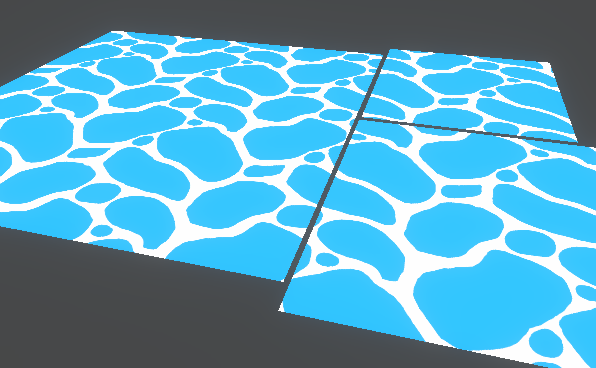
This post includes an introduction to using the Position node to sample textures rather than using mesh UV channels, which is also the basis of Triplanar mapping. It won’t be super in-depth but wil…
Perhaps this might help you a little bit
Further down the website is for 3D
amber saffron
@atomic glade I have some triplanar helper nodes that might help you do what you want in my library : https://github.com/RemyUnity/sg-node-library/blob/master/Documentation~/images/nodes/triplanar/sample.png
Aside from this, selecting the uv to use could be as simple as doing a normal value check :
uv = if ( n.x > 0.5 ) ZY else if ( n.y > 0.5) XZ else XY
(using absolute value of the normal for n)

GitHub
Node library for ShaderGraph. Contribute to RemyUnity/sg-node-library development by creating an account on GitHub.
atomic glade
Oh, perfect. I'm about at the end of my day so I'll try this tomorrow morning
 prisma fox
Hi folks! I am using ShaderGraph. I have a Texture2D that I sample (using the Sample Texture 2D node) at an offset (using the Tiling and Offset node) and then combine (using Add and Divide nodes) in order to blur the Texture. I'd like to re-sample the output of those operations as a "second pass" on the blurred output's "first pass". However, I'm struggling to understand how to re-sample the output of these operations - I'm left with an RGBA output pin. How might I convert this back into a texture2d (for example) so that I can re-sample it?
For additional context, here is what I'm looking at:
meager pelican
You don't. Not in the same shader pass. That would be dependent on stuff you haven't output yet.
What you can do is output to a texture, and then run it again, double blur.
@prisma fox
You basically have to store the results somewhere
Run it 4 times if you want. Run it on different MIP levels.
So that RGBA output is your result you're outputting if I understand you.
 soft jacinth
what do you guys think? Is this a shader or post effect?
my platformer camera is frequently in close proximity to walls cliffs etc, generally the way I have it I don't want the camera hitting the wall and zooming in like most would have it so I've opted to cut away the walls to reveal the player- the problem with this is I don't want the player seeing beneath the terrain/walls etc giving certain hidden things away.. essentially I've got an xray camera whenever I hit a wall or terrain bump so the player is always visible
my first thought was I could layer a plane under the terrain or whatever might be xray'd, and have a second camera render.. maybe a blackout or something?
so the player has a nice cutout but the rest is still hidden
lol sorry for the wall of text, question being how can I do this
I've considered the player layer giving a silhouette but that looks too cheap and I'd prefer the actual clipping that happens, only without so much being revealed
 wanton verge
Are you able to flat-shade terrains using shaders yet? Is it even going to be possible in the future?
prisma fox
@soft jacinth I don't think this solves your exact problem, but try watching through some elements of this GDC talk on camera handling and it may give you some ideas about how to approach it: https://youtu.be/C7307qRmlMI?t=991

In this GDC 2014 talk, John Nesky, the dynamic camera designer for thatgamecompany's award-winning PSN title Journey, takes attendees on a tour of all the poor camera choices that he and other game developers have made, and most importantly, how to fix them.
GDC talks cover a ...
 prisma fox
@meager pelican Thanks for the advice, I understand the problem now. I don't know how to approach outputting to a texture, but I will continue digging there. If you have any resources / ideas on hand, would definitely appreciate it. No worries if not.
 honest bison
I want to run an expensive POM raymarching shader on a terrain, is there any way to limit the distance that this effect from the player distance?
amber saffron
@honest bison You can alter the number of raymarch steps by the distance to the rendered pixel, until it reaches 0, resulting in no raymarching at all
meager pelican
@prisma fox It depends on how you're calling the shader. One common way is camera stacking where you tell the camera to output to a texture.
Or you can do things "manually" depending on your use case. Graphics.Blits are a good thing to research as are OnRenderImage or DrawMeshNow.
One "easy" way to blur is to sample a different MIP LOD if MIP maps are defined for the texture; you can specify a level with Tex2DLOD. Maybe that's enough to do it in your one pass with additional blurring.
Otherwise, you're looking at maybe some stencil work, and post-process pass(s). There's a bunch of ways. Maybe others will chime in.
 shy sleet
Just to double check, any way to use wave intrinsics (or the vulkan alternative) in compute shaders yet?
fervent tinsel
@acoustic idol ASE supports tessellation for HDRP
I have no idea why there's no built-in support despite so many have asked years for it
looking at the stock TessellationLit shader, it doesn't seem like it would be that difficult to add to SG even
(if you know how SG works underneath that is)
I've fiddled with this stuff recently but it's tricky to manually add tess to SG generated shaders as the SG vs stock shader structures are different
SG basically includes and defines all again per each pass
amber saffron
I don't have the full story, but the big priority for SG was to implement the maser stack.
After this, because it's more modular, I guess that it should be easier to implement stuff like tesselation, and maybe have it cross pipeline from the start ?
fervent tinsel
I sure hope so
but knowing it's been at the end of backlog year(s) before stack thing was even in anyones mind, I'm not getting truly my hopes up
I hope ASE implementing this does give some additional pressure to unity for this
I already mentioned this before but I also hope SG will sort out the property thing 😄
I can only imagine the pain you guys have internally when trying to add any new type there
for one virtualtexture property addition, I checked that few guys worked on this for two weeks based on the commits alone
and there were tons of commits and fixes
I tried to do this myself and kinda got to a half way after adding things to 16 different files (for just adding single new property type)
if the new stacks setup is planned to really also allow users to expand things with it (eventually), stuff like this would need to be simplified and by big factor
amber saffron
@stone sandal is one of the person who could answer you more in depth about this
fervent tinsel
I discussed about this briefly with @simple frost earlier, apparently it's a known painpoint
amber saffron
I also wanted to mention her, but could remind of her discord nickname 😅
simple zealot
guys sorry for the question: i want make that a gameobject's material is changed after a button click. i don't know what code use to change the material in the script, any help please?
fervent tinsel
@simple zealot you can access materials (and swap them) from Mesh Menderer: https://docs.unity3d.com/ScriptReference/Renderer-material.html
simple zealot
@simple zealot you can access materials (and swap them) from Mesh Menderer: https://docs.unity3d.com/ScriptReference/Renderer-material.html
@fervent tinsel tyvm!
 balmy thicket
If you wanted some cool glowy effects on a texture, would you keep it as a separate material or just have a mask for it on the original material?
 stone sandal
@fervent tinsel we are not close to a fully public api haha
We are laying groundwork for it but it’s not ready
fervent tinsel
I'm assuming as much, hence put (eventually) there 😄
stone sandal
re tessellation, that’s a cross team effort so we have to align between many people in graphics on prioritizing that
and it’s possible we may not implement tessellation at all but rather newer techniques to achieve similar results etc it’s a bigger ask than it feels like
fervent tinsel
that really sounds like I'm better off just by manually patching the files for the time being
I'm curious though, what other techniques you can use for similar effect?
I know PM and POM but they are even older techs 🙂
stone sandal
I’m not actually “at work” just yet so I don’t have any notes handy
Just working off the top of my head atm haha
fervent tinsel
ah no worries, just curious
balmy thicket
Any thoughts on the combined vs separate material?
prisma fox
Thanks @meager pelican , really appreciate it! Will try out those approaches.
Unrelated question on Custom Passes:
Referencing this documentation: https://docs.unity3d.com/Packages/com.unity.render-pipelines.high-definition@8.1/manual/Custom-Pass.html
My goal is to apply a fullscreen custom pass. To simplify this example, I am trying to apply a single uniform color to the entire screen.
I would like to use ShaderGraph to create a Shader, then apply the Shader to a Material, and then apply the Material to the FullScreen Material input in the FullScreenCustomPass component.
I set up an HDRP Unlit master taking in a single color, and applied this Shader to a material - FlatColorMaterial. I set up the CustomPass gameobject + component and applied the material to the component. Nothing happens.
I replace the FullScreen Custom Pass with a DrawRenderersCustomPass. All rendered objects are now replaced with the color set in the Shader.
I don't understand why the FullScreen Custom Pass has no result, but the DrawRenderers Custom Pass does. I assume I misunderstand something about how the FullScreen Custom Pass works?
Any thoughts on the combined vs separate material?
@balmy thicket Do you have an example of what you are trying to achieve?
 indigo frost
Does anyone know how to create a shader that gives out a glow effect on edges between vertices ?
prisma fox
@balmy thicket Sorry, I meant a visual example.
meager pelican
Unrelated question on Custom Passes:
Referencing this documentation: https://docs.unity3d.com/Packages/com.unity.render-pipelines.high-definition@8.1/manual/Custom-Pass.html
I would like to use ShaderGraph to create a Shader, then apply the Shader to a Material, and then apply the Material to the FullScreen Material input in the FullScreenCustomPass component.
I set up an HDRP Unlit master taking in a single color, and applied this Shader to a material - FlatColorMaterial. I set up the CustomPass gameobject + component and applied the material to the component. Nothing happens.
@prisma fox
IDK. But their example shows a custom edited shader (and they give you code). So IDK if that's exactly intended for SG or not....you know?
prisma fox
Yep, I was wondering the same. I did use their custom edited shader to produce the intended result, see here:
meager pelican
Most of you folks doing glow questions....have you tried using the bloom effect and HDR if your target platforms support it? Pretty stock and pretty easy to implement.
fervent tinsel
@prisma fox I've only seen examples of using SG's on draw mesh variant, never on fullscreen pass
so I'd assume it simply doesn't support SGs atm
there was fullscreen pass SG feature in the works half a year ago but it never got merged
it also never was fully functional to begin with when I tried it
prisma fox
Got it, thanks! Good to know it's not a problem with my configuration but just an unsupported feature. Thought I was going crazy 🙂
fervent tinsel
I think there may have been PR for it even but it would have been on the old repo
hmmm, wonder if this is one wip branch for it https://github.com/Unity-Technologies/Graphics/tree/custom-pass-sg/master
balmy thicket
Yup, I know how glow works :) This was more of a meta question of single advanced vs multiple simple shaders
prisma fox
@fervent tinsel yeah, wonder if this is a planned feature or off the roadmap. I see my misunderstanding in the manual itself - the author only refers to SG in the DrawRenderers section with no mention of SG in Fullscreen section. "By default, the objects are displayed with their material, you can override the material of everything in this custom pass by assigning a material in the Material slot. There are a bunch of choices here, both unlit ShaderGraph and unlit HDRP shader works and additionally there is a custom unlit shader that you can create using Create/Shader/HDRP/Custom Renderers Pass."
 raw marten
Hey all, not entirely sure where this belongs, here or the render pipelines channel. Basically, I was to desaturate part of the screen, where an object is. in legacy, I know grabpass isn't great, but it was super easy to do this exact thing. Just grab pass, desaturate, and output. Job done. In SRP this seems near impossible? The best idea I can come up with is a custom render pass that renders all objects that need to desaturate whats behind them as a solid colour mask to a shader global texture, then fetch that texture in the actual shader on the objects and do it that way.
There is the SceneColor node in shader graph which I can then desaturate, but this isn't comparable to an old-school grab pass. It's done before any transparent objects are renders, which makes it pretty useless. Any pointers in the right direction if anyone has any ideas would be super helpful! I'm still getting to grips with HDRP and the scriptable pipelines in general so it may be possible in a much easier way I just haven't found yet?
 vague yacht
Hi, I have a shader that's being used for webcam texture preview (displayed on RawImage), which depending on the camera device has to be rotated or scaled to display properly (I have Scale and Rotate properties for this).
I want my camera preview object to have rounded corners so I have to add masking support to the shader. I've found this snippets on forums, which do the trick. However, they somehow block or override the Scale and Rotation properties for the texture which results in wrongly rotated or flipped camera texture (with nice corners though!).
         _StencilComp ("Stencil Comparison", Float) = 8
         _Stencil ("Stencil ID", Float) = 0
         _StencilOp ("Stencil Operation", Float) = 0
         _StencilWriteMask ("Stencil Write Mask", Float) = 255
         _StencilReadMask ("Stencil Read Mask", Float) = 255
         _ColorMask ("Color Mask", Float) = 15```
    // required for UI.Mask
     Stencil
     {
         Ref [_Stencil]
         Comp [_StencilComp]
         Pass [_StencilOp]
         ReadMask [_StencilReadMask]
         WriteMask [_StencilWriteMask]
     }
      ColorMask [_ColorMask]```
Any ideas why would that happen?
This is how the tex is being rotated
            v2f vert (appdata v) {
                v2f o;
                o.vertex = UnityObjectToClipPos(v.vertex);
                // Rotate and mirror UV
                o.uv = v.uv - float2(0.5, 0.5);
                float s, c;
                sincos(_Rotation, s, c);
                float2x2 transform = mul(float2x2(
                    float2(c, -s),
                    float2(s, c)
                ), float2x2(
                    float2(_Scale, 0.0),
                    float2(0.0, 1.0)
                ));
                o.uv = mul(transform, o.uv) + float2(0.5, 0.5);
                return o;
}```@raw marten You could just make a desaturation post processing effect, but then don't draw it over the whole screen. Instead of using mesh UVs in the post processing shader, use the screen position node. Then you can put this post processing shader on any mesh and place it anywhere you want.
But I've never used HDRP, so I'm making some assumptions
raw marten
hmm good thinking @low lichen. thanks! Will look into something like that. I did briefly try something like that but it would only apply the effect when the camera is inside the object, I'm guessing I was incorrectly using a post processing volume instead of just applying the effect to the object when viewed from outside.
 ornate pendant
Heya,
I am attempting to make a grass shader, though I could use a little advice on the best method to use.
What I'm aiming for is something akin to the Crumble grass, see here: https://www.bruteforce-games.com/post/grass-shader-devblog-04
However, I was hoping to avoid duplicating my terrain (as seen in that link). Is this something I can achieve by only using shaders? This is because my game has deformable terrain, and I'm not sure if I have the skills (or performance) to be manipulating dozens of layers of terrain. I was under the impression that things that use the shell method normally generate the shells at runtime.
Any input? Thank you 🙂

Crumble
The grass shader we made for Crumble contribute in the unique aspect of the game. You can roll through it and the grass will bend giving an illusion of dynamism. The idea First of all, I want to show you what was my intents before doing a grass shader for Crumble: I wanted the...
 heady violet
 acoustic idol
@heady violet Yes and yes.
acoustic idol
Oh no he's right.
 jade root
How can I blend multiple render textures in order to make a composite final image, currently using URP?
Im trying to replicate something like this effect, https://ncase.me/sight-and-light/, where there are different "vision modes" depending on the type of light
My initial idea was to have a number of cameras with different post processing and layer masks all pointing at the same scene, then have a shader which takes in each of their render textures and creates a final image based on a black/white mask texture, but whats the best way to get this to the screen? The only thing I can think of is assigning that as a material on a screen sized quad, and pointing the main camera at that quad
Is there a more reccomended or standard way or is that fairly robust already?
 midnight lily
So I want to compress the amount of data I send to my video card every frame for my shader.
Currently it sends 1,500,000 uints every frame, which I think it's quite a whole lot
It is for a Graphics.DrawInstancedIndirect call, 500,000 instances, each needs 3 uints
This (3 uint) data hardly ever changes, what changes is which instances will be drawn (occluded in blocks of about 55~ each), so I calculate which blocks are to be drawn, and send all the 3 uint for each instance of each block every frame, totalling about 1,500,000 uints per frame.
My idea is to upload to 3x ComputBuffers of 500,000 uints each containing all of the instance data, and instead, each frame, write a 18,000 (hereafter called new_data) sized int buffer containing two ints per entry(hereafter referred as value_1 and value_2), the total of instances before this, and the 'index of the block'.
So when my unity_InstanceID is 130,495. I will do about 12 random accesses to new_data to find out the biggest entry that is smaller than the current unity_InstanceID, on the same index, will be the block index for the current instance, so to access this instance data, I will take the difference of value_1 which gives the current instance index, the second number is the block index which is used to read the block wide data for the instance
The questions are, do 12 random access to a huge array can cause too-many-for-a-shader cache misses? Is there an easier solution? Is it better to split new_data in two arrays instead? Instead of making a huge data array serializing all blocks with empty entries, can I make an array of array? if so, how?
Example of what the first 16 indexes of new_data would look like
[0, 0, 55, 1, 120, 2, 193, 3, 270, 4, 275, 5, 280, 6, 351, 7, (...)]
unity_InstanceID 140 will have a center_index of 2 and is the 20th instance of the 2nd block. It's instance_data_index is (center_index * 64)+20 (the maximum amount of instances in a block is 64)
meager pelican
@midnight lily So that's compute buffer compatible?
Just ship the delta changes to a compute shader to update your RWStructuredBuffer you store all this stuff in. So you only have to process the deltas.
if you can guarantee that you don't update the same data by more than 1 compute unit so they can't trash each other, you don't even need interlocks.
you just need a 2nd buffer to ship up the changes.
memory access (like cache) will be as ordered as it can be if you sort the data you're shipping up.
But it sounds like it will depend on what changes where.
midnight lily
Yes, that's the idea, only ever sending the deltas. But that can only be done for the huge ass RWStructuredBuffer that contains the instance data that hardly changes. I still need to send 'which instances will be rendered this frame' every frame. The way I do this is what I am asking help with. I am unsure my idea makes any sense
meager pelican
With a 2nd buffer that just holds the deltas. That's kind of what you're saying already, but my head started to hurt. You've got questions for "empty" slots, and multiple buffers all over, and whatnot. IDK.
I'd benchmark 2 buffers: Your main-one, and the changes-one.
Call a compute kernel to apply the changes in the change buffer to the main buffer.
midnight lily
I don't follow what you are talking about. Updating the instance data is not the issue, is the 'how to associate the current unity_InstanceID with the instance data it should refer to' part that I am unsure how to do correctly
meager pelican
The changes buffer is a diff format that has the index # in it.
midnight lily
Then I will need a 500,000 int big buffer
better than a 1,500,000 big one I have now, but hardly different
meager pelican
But you said "It hardly ever changes"???
midnight lily
no, the instance data hardly ever changes
which instance is being rendered is based on the camera frustrum, so it changes a lot every frame
meager pelican
But what are the CHANGES?
midnight lily
which instances are being rendered
meager pelican
So this is all computational or something? No meshes?
midnight lily
all instances use the same mesh, the 3 int instance data dictates what changes are to be done to it in the vertex shader, which texture UV to use, etc. it's a 2 triangles mesh
each instance is a blade of grass, for instance, those yellow and orange circles in the background are instances whose 3 int data dictates they should be of those colors
meager pelican
Can't you just assign the instance number to, say, a UV slot and call it a day?
If the instance data doesn't change much
Unity already knows what it is drawing.
You just need to fetch the right data from your buffer, right?
midnight lily
Unity does not know what it is drawing, I have to tell it every frame, hence the 500,000 blades of grass consisting of 3 uint of data each currently
meager pelican
What pipeline?
midnight lily
the 3 uint that refer to instance #100452 do not change, but whenever I am drawing instance #100452 or not this frame changes frequenty
using default pipeline
midnight lily
for each one of the 500,000 instances every frame? I think that will be even worse than the current solution
those blades of grass are neither entities nor game objects
I am doing the frustrum culling each frame
meager pelican
So it IS all procedural!
midnight lily
seems I don't really get what procedural means in this context
meager pelican
OK, what unity does for MPB's is they basically create a constant buffer for the frame, decide what data to put in it per instance, and ship it up to the GPU. In a big buffer.
midnight lily
the call is Graphics.DrawInstancedMeshIndirect rather than DrawInstancedMeshProcedural, which probably bred the confusion
meager pelican
You'd have to have game objects though. Not saying you should....
Yeah, OK.
So if you were doing this the "unity way" with game objects and meshes, it would be making a big azz buffer with instance data. It would actually break it into batches, but...
So basically what THEY do is they frustum cull, and then they ship up big buffers, in batches.
Sound familiar?
midnight lily
exactly what I am doing?
meager pelican
Basically. You're using an engine to write your own (grass) engine. 😉
But OK.
IDK how you get around creating a buffer for your instances if you want instances.
midnight lily
Technically I don't, it is there, but I replace the whole content every frame
using those new BeginWrite/EndWrite
meager pelican
Well, you end up creating instance #'s
Basically, something somewhere has to decide what to draw. I suppose you could do it in a compute shader and an append buffer. Partition off your main buffer, and pass in some frustum bounds, and build an append buffer for anything in bounds, and then process the append buffer's list of in-frustum objects. If you want to move it all to the GPU, but I've never tried that.
midnight lily
actually... I might be able to build the instance buffer in the GPU using a compute shader
send which blocks are being drawn, and the compute shader fills the instances indexes for it...
meager pelican
Yeah