#archived-shaders
1 messages · Page 156 of 1
 soft harness
Yeah, i put it into i different shader, which is assigned on "OnMouseOver"
But back to the normals, if i remove the "v.normal *= dot(viewDir, worldNorm) > 0 ? -1 : 1;" it becomes this:
 meager pelican
And if you don't remove it?
soft harness
meager pelican
So you're saying it's not lit properly, right?
meager pelican
OK
Why is it in the transparent queue?
soft harness
Is it?
meager pelican
Sorry misread transparent cutout
It's geometry
(opaque)
OK, sec
I got rid of the Vert() function, and did this in the Surf()
o.Normal *= dot(IN.viewDir, IN.worldNormal) > 0 ? float3(1., -1., 1.) : 1.;
I also had to modify the input struct to have:
struct Input
{
  float2 uv_MainTex;
  float3 worldNormal;
  float3 viewDir;
};```
But I have zero idea if that will work for you, or solve the problem even.Also, that highlight MAY not be doing what you want, depending.
It's going to add that float value to all 4 components of the color.
soft harness
meager pelican
huh. I don't get that. Did you comment out the vert() and remote the pragma ref?
soft harness
Yes
meager pelican
Well, add INTERNAL_DATA to the Input struct at the end.
But IDK why I don't get that.
soft harness
meager pelican
OK, I added INTERNAL_DATA to mine.
Adding a quad with mat on it.
And I can see the mat on both sides.
But lighting looks messed up.
meager pelican
I added a point light on one side, but it is wonky on the other, so that may not be the best way to do it. Let me see for a sec.
This trying to flip normals thing is always a pain.
you're better off making two sided meshes
soft harness
How?
meager pelican
You make another set of triangles in the model back-to-back but facing the other direction.
soft harness
oh, i should just do that
meager pelican
sec
OK, new input struct:
struct Input
{
  float2 uv_MainTex;
  fixed facing : VFACE;
};```So what do i do with that?
meager pelican
New method to flip the normal:
o.Normal.z *= saturate(IN.facing) * 2.0 - 1.0;
Make that the input struct in your shader.
Change the "flip" logic in the Surf() function to that new line.
This is courtesy Bgolus here
https://forum.unity.com/threads/standard-shader-modified-to-be-double-sided-is-very-shiny-on-the-underside.393068/
Unity Forum
Hello!
I have zero experience in shaders aside from using a forum post to modify the Standard Shader to make it double sided.
However, the "back...
meager pelican
Well, we have multiple things at once. But at least you don't have to do all that extra stuff in a vert() now. (It can come in automatically).
soft harness
So the AO is the problem,So maybe i should do it myself?
meager pelican
You could just plug a value into o.Occlusion if you want. It says the default is 1 so IDK what the deal is with how it's assigned. You're writing to depth.
Maybe plug in 0 to turn it off for this mat.
soft harness
Code example?
meager pelican
You mean like o.Occlusion = 0;
meager pelican
IDK, our setups aren't identical either.
but lol
I tested on 2019.3.14
But I don't have AO pp
meager pelican
Don't forget that highlight line.
Unless you want it to set that same value for RGB
🙂
soft harness
The what?
meager pelican
This:
                    o.Emission = _Highlight;
                }
That's going to set o.emission's r, g and b values all to the same float value (the _Highlight), so it's a gray color gradient. Maybe that's what you want, IDK.
soft harness
It's just a white glow, but it gets color corrected so i don't mind
meager pelican
cool
soft harness
 night quiver
o.Emission = _Highlight * step(c.r, _HighlightCutoff);
 reef delta
is this the correct channel for pbr graph questions?
 waxen gorge
Is there a way to easily access the final color of a pixel so that I can limit its brightness?
Basically the goal is make sure certain sprites never become darker than X or brighter than Y.
 devout quarry
@reef delta yes
 astral pelican
Hi, I am using the Universal Pipeline and Shader graph and would like to have the current screen position distance in unity units. I could calculate it using the camera position and the world position I guess but I think that it should be available using the screen position. Since the screen position most likely use something like 1/distance or something with w component, I am looking for transforming the screen position's distance (is it the second component?).
Thx
The goal is to apply a certain effect only within a given distance and fade it out. Like between 0 and 100m (units) apply this with 100%, over 100 to 150m lerp it with the original color and from 150m to infinity just take the normal pixel color.
 grand jolt
heya, does anyone know about UI>canvas>image? im using a material as an image but it doesnt show up in game veiw, only scene veiw
waxen gorge
@grand jolt wrong channel 😅
grand jolt
it might be a shader issue :\ i have no idea
devout quarry
Are there any transparency/alpha settings maybe?
grand jolt
it makes no differene whether i set the image to alpha or opaque 😦
astral pelican
Btw I am currently calculating the distance between the camera and the position. Since this is needlessly expensive I would like to calculate the distance in world space by using the Z component of the screen pos and w but it appears that the screenpos third component is zero or something small (even after multiplying with w) dividing it by w fails
meager pelican
@astral pelican What pipeline are you using? Are you asking about shader graph or built-in shaders? (Answers are a bit different)
@meager pelican
Never mind, URP
meager pelican
The scene depth node has an eye space output, will that not work for him?
devout quarry
Probably yeah
but that wouldn't work for transparent objects
I use the above subgraph for some basic depth fade effects
but yeah I guess it depends on the use case
meager pelican
Yeah, I guess it depends on if he needs depth-buffer or frag-depth.
There's always 01 depth * (far-plane - near-plane) I suppose.
Btw I am currently calculating the distance between the camera and the position. Since this is needlessly expensive I would like to calculate the distance in world space by using the Z component of the screen pos and w but it appears that the screenpos third component is zero or something small (even after multiplying with w) dividing it by w fails
@astral pelican
The reason that happens is that by the time you get to the frag shader, the perspective divide by W has already happened. And the values stored for the z depth are encoded in the float, in a non-linear way. There's macros to covert, or the nodes do that for you. If you want to calc it in a vert() function (if SG has that in the future) that's different. Then you can pass an interpolated depth.
There's macros for all this in the standard pipeline, and SG deals with that in the nodes too.
BUT there's z depth and then there's spherical depth. If you want actual spherical depth (distance), you have to do that camera-pos to worlds-pace frag pos math that you're doing somehow.

Unity Forum
Hi. I do not know accurately input and output of these functions and how they relate to each other. Thank you
DecodeDepthNormal
DECODE_EYEDEPTH...
 red swallow
Hello, shader beginner here. I am looking for help with my (I think) simple problem but I can't seem to find the answer (or even name the problem correctly).
Let's say we have a simple texture as seen on the image 1. Now when I use the step() function such as: step(0.5, i.uv) image 2. is what I get (as expected).
Now let's say we have two of the same textures overlapping as seen on the image 3. Using the step function will (as expected) get me the result as seen on the image 4.
What do I need to do in order to get result that I tried to draw on the image 5? Could someone point me to the right direction please ? 🙂
The problem is that I need those to be separate textures, but at the same time I need my step function to take both of the textures into the account.
Only thing that comes to my mind is using grabpass to achieve this result but that does not seem like a correct approach to me.
devout quarry
@red swallow This seems like signed distance functions or metaballs to me
Check this out, he does something like that in the video

Download NordLocker free at https://nordlocker.net/bwdev and encrypt up to 2GB! Use code 'bwdev' for 32% off!
I've finished my Cyber Security game project at last, and this is the process over the final few weeks of development!
Patreon: https://www.patreon.com/bwdev
Wishli...
start at 4:32
here's a tutorial on them
are you using shadergraph by any chance?
because you could get picture 5 by using 2 sdf circles and then just blending them
red swallow
Yes, this seems exactly like a thing I need. Thank you! 🙏 I don't think I would ever stumble upon this by myself 😄
devout quarry
if you need a good resource for 2D sdfs, you can use this resource
Tutorials and articles of Inigo Quilez on computer graphics, fractals, demoscene, shaders and more.
these shapes were all made with sdfs so you can do a lot with them
red swallow
I'm writing shaders manually, I can't use shadergraph because the procejt does not use LWRP and last time I tried to convert it all of my shaders wen pink and I don't think I would be able to fix them.
devout quarry
I've never used metaballs but I watched that devlog video and it seems like the thing you want
good luck! I'd love to see the result you get
red swallow
Thank you!
 junior dock
Hey, Any idea why the preview turn pink when I add a node ?

Unity 2019.3.0f6 URP
(first time using shader graph)
my bad im just retarded
👍
 lavish sierra
why does my camera preview differ from what I see in-game?

basically I'm trying to do a screen space image effect in URP but it only affects the scene (if I'm lucky) and the preview

doesn't seem to make any sense
lavish sierra
f it, I'm going to use this flowchart to debug https://pbs.twimg.com/media/EY2FfxEX0AADKhq?format=jpg&name=medium
 plain sentinel
Is there an easy way to make a material that looks like glossy reflective glass - there's nothing behind it so basically just a mirror I guess?
lavish sierra
you mean like this? https://www.youtube.com/watch?v=943P0dGR4rQ
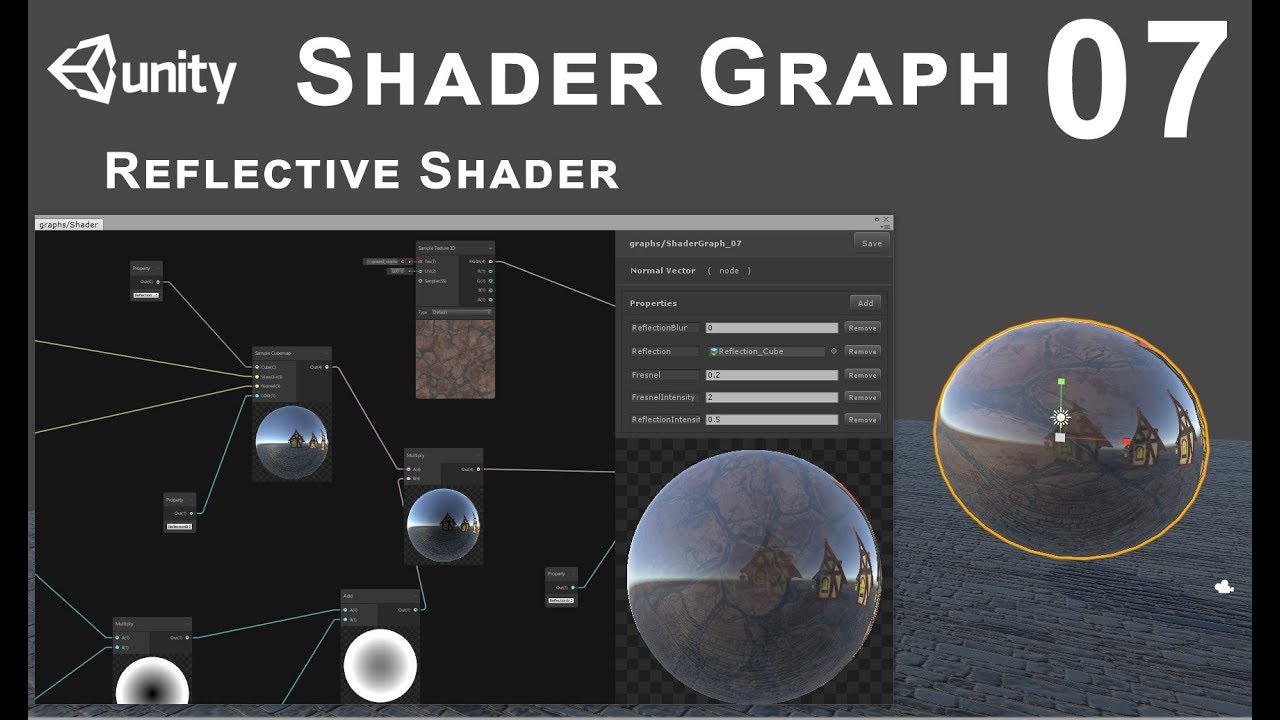
In this tutorial we'll see how to make reflective shader for static objects
anyway as for my problem I think it's that my shader on the mesh is Cg and URP does not like that one bit
 vale forum
anyone in here able to help convert a shader from thebookofshaders to a shader graph, @desert knoll please, already have the entire code in the graph, but not getting the same results :)
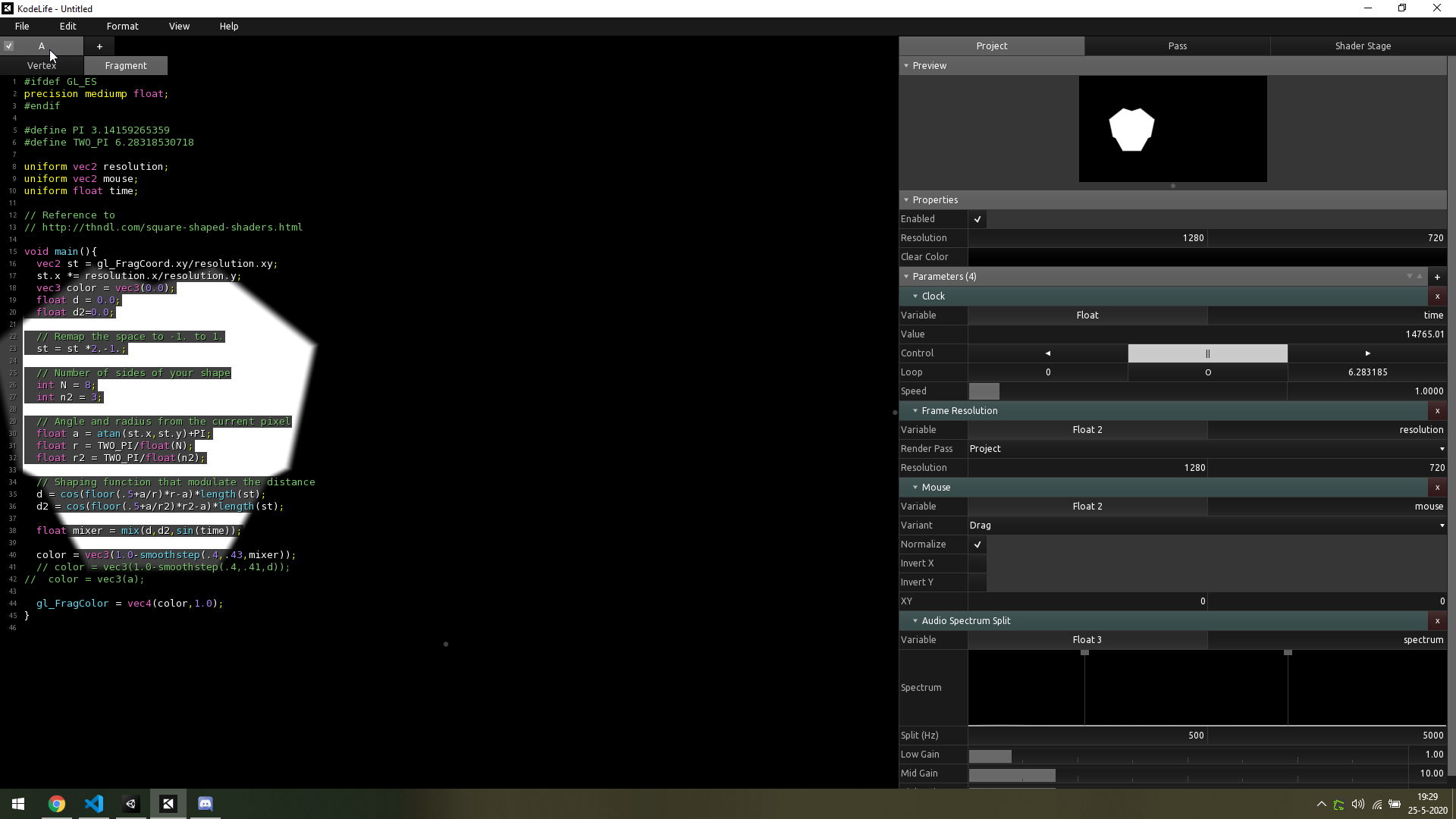
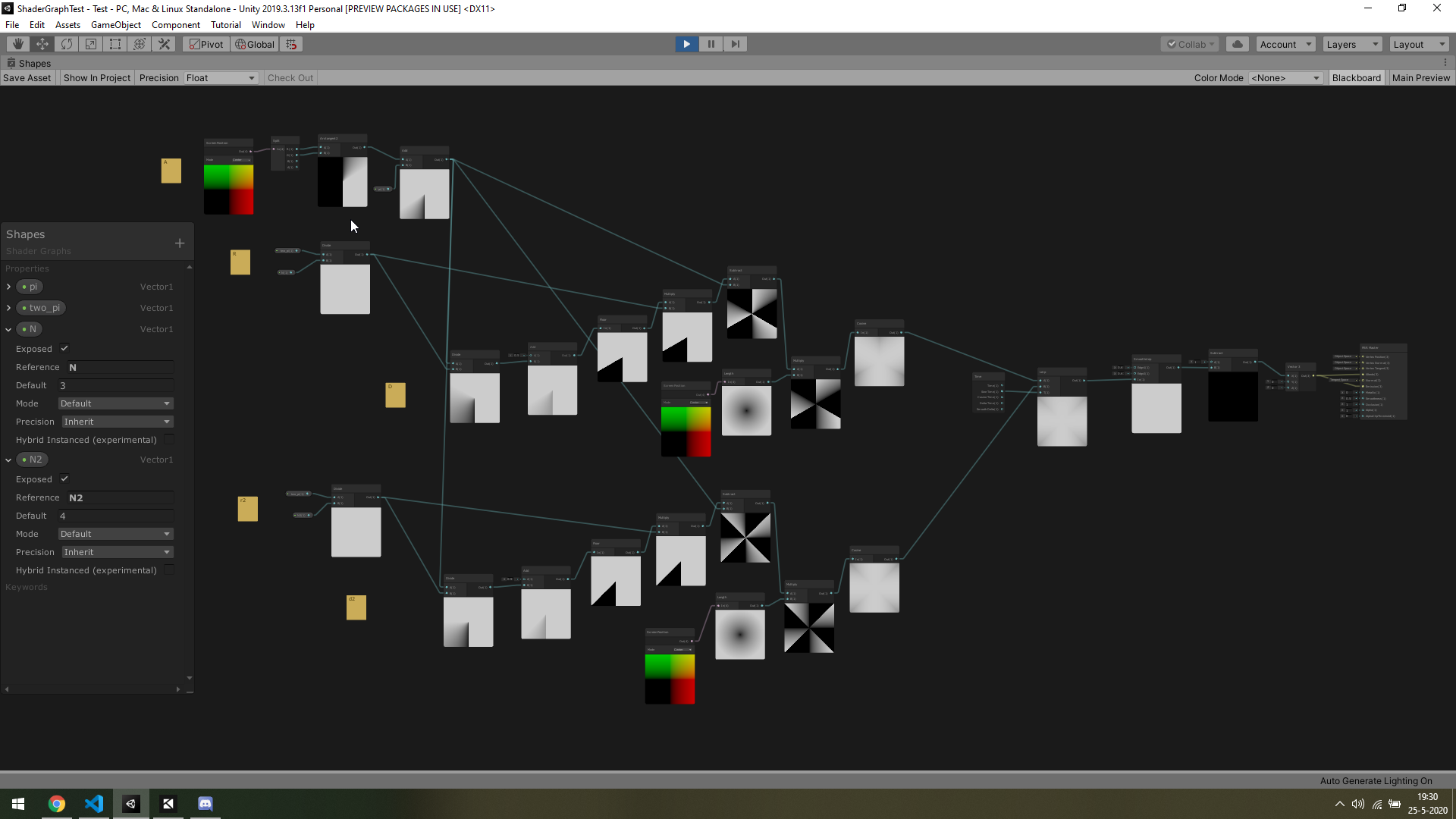
what im trying to achieve is a graph that generates different shapes (triangle & hexagon) and lerp these two over time
 autumn adder
Im trying to convert my custom cartoony Lit shaders to URP, they basically have diffuse, ramp, outline; anybody knows what order I should put them in or have any useful tips? Thanks, I am a total noob with Shader Graph
lavish sierra
I'm trying to convert to URP today and my perf has dropped into the sub 1 FPS range
lavish sierra
hm...restarting unity made it better somehow
autumn adder
@devout quarry thank you very much
will check it asap
@lavish sierra sorry to hear you are having a hard time with the upgrade too
lavish sierra
yeah it turns out part of the problem is I tried to use a global texture but didn't set the sample
*sampler - now shadergraph craps out every time
just gotta remake the whole shader now
autumn adder
is unity offering some more free shaders for us to play with ?
lavish sierra
I think this is my last attempt, this crap is making me angry
the worst part is that I work for Unity and my friend is the PM of graphics
autumn adder
it's been a very difficult day for me too so I know what you mean, haven't been this frustrated and helpless in years 😄
but we have no choice but to make it work
lavish sierra
I can just go back to my legacy pipeline branch
red swallow
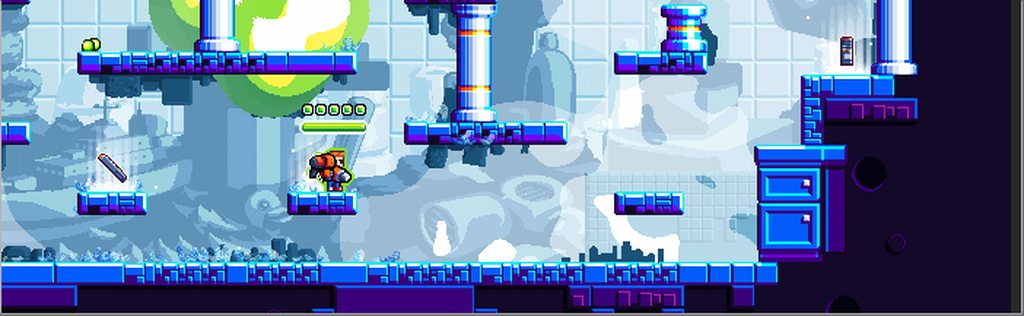
@devout quarry Hey, thanks again for your help. Here is my first take on that shader. Needs a bit of polish and some hacking to support my existing system for color palettes but hey, it's a start!
 autumn adder
looks great
any idea how i make the outline (top part of the graph) be outside the mesh, it currently appears inside
lavish sierra
@autumn adder my game is 2d so all that doesn't really matter that much
devout quarry
@autumn adder you can't make pixels black that are not part of the object
so it can't be 'outside of the mesh'
unless you extrude the mesh first a tiny bit
or if you do a post processing pass, then you could do an outline that colors the pixels outside of the mesh black
@red swallow looks cool!
autumn adder
but i only wish to have the outline on some meshes, characters and interactables, and the outline color needs to changeable as well
so it is impossible to do it with Shader Graph?
@lavish sierra you are lucky
I wouldnt bother either
devout quarry
you could do an 'inverted hull' outline, then the lines would be outside of the mesh
lavish sierra
finally got everything working in URP, including my outlines
@autumn adder ok now I can help you
you can just use this kind of thing: https://alexanderameye.github.io/outlineshader
look at the 'per object outline'
devout quarry
yeah but the outline is still 'part of the mesh'
only pixels that are part of the object can get colored black
lavish sierra
in that image it isn't, it's a screen space effect
devout quarry
yeah but in the per-object-outline
which he wants
he wants to be able to turn it off per object I think
but you're right the picture is a bad example
lavish sierra
well in any case you can get any kind of outline in shader graph anyhow
autumn adder
ok thank you!
it's more difficult than expected making all these work together
i wonder is it possible in URP to create a shader that is Lit but also has a lightning toon ramp?
 scenic furnace
URP doesn't support custom lighting shaders? since if it does you should be able to :o
at least with ASE or manually writing it if not shader graph
lavish sierra
@autumn adder seems like what you want is a "fake" light
scenic furnace
what about multiple light sources?
lavish sierra
i.e. just a position in space you use to light your ramps and your ramps only
autumn adder
i can show you the SRP version of the shader basically
that i am currently using
but you probably are too fed up with all this shader stuff too 😄
scenic furnace
does this help? https://www.youtube.com/watch?v=DOLE4nrK97g
Learn how to write a custom lighting shader for a stylized look that can easily be shared across multiple assets.
Speaker:
Ciro Continisio - Unity
More about Shader Graph: https://on.unity.com/2oDQCbi
Slides available here: https://www.slideshare.net/unity3d/learn-how-to-d...
autumn adder
Thank you! it does
 rugged verge
I'm new at writing shaders. I recently did a few tutorials and written my own refraction and blur shader in C.
I was wondering if it's possible to apply my own shader to an entire "Canvas Group" without having an extra camera just for that canvas group?
The other solution is to have a shader for each camera and render the canvas group to that camera, but it'd be easier if I can apply it to an entire Canvas Group consisting of several images that could be animated and move a lot. And I'm worried about having wayyyy too many cameras (performance issues maybe).
Thanks for the help! I really love Unity and want to continue improving
lavish sierra
Canvas groups don't really have anything to do with shaders
rugged verge
@lavish sierra Oh. I want a way to apply a shader to several UI images at once (but not the entire scene). Is there a standard way of doing this? Or is the only way is to introduce a new camera for that shader. E.g. I want to apply a wobble shader, or any kind of shader, to my UI characters, but nothing else.
 regal stag
@autumn adder The "Name" box should match the name of the function inside the source file. It probably uses "OutlineObject_float", so the name should be "OutlineObject".
autumn adder
@regal stag thank you, that worked!
lavish sierra
@rugged verge you could use the same material on them
rugged verge
Oh I see, thanks @lavish sierra, I'll research it, sounds like a good suggestion. It's cause my avatar might have a separate hair Image, and I want to slightly wobble the entire character (via a shader) to make it look a bit animated.
devout quarry
@autumn adder that's the question I get asked the most about that tutorial
I updated it just now with a small sentence mentioning it!
autumn adder
btw excelletn tutorial
i also mixed what you gave me earlier today
with this part
and with a texture
but no outline appears
this is my frankenstein
this is how it looks on a character
autumn adder
yes, I just checked
but when i zoom in on the mesh, some lines do appear, not sure if they are the outline
autumn adder
ah
devout quarry
since you sample the depth/normals texture using the screenposition as your uv's
autumn adder
you are a genius
devout quarry
that bear looks goood
autumn adder
give Alexander a medal please
thanks so much, now I almost have everything I need
he looks perfect now
but
is it possible to move this
on the LIT version
so that darkness, different lights etc will impact him? (the game also has a dynamic sun system)
devout quarry
right now, you don't incorporate light direction in your toon shader?
autumn adder
hmmm it is actually the toon shader you sent me earlier today
with added outline and texture
😄
devout quarry
so if you move the directional light, the colors move right?
autumn adder
yes
but point lights dont impact him at all
like different colors for instance, fire, different spells etc
devout quarry
uh yeah
in one of my projects I do something like this
so some custom hlsl code to get the additional lights
Unity has this blog post about lighting though, with more info and examples

Unity Technologies Blog
With the release of Unity Editor 2019.1, the Shader Graph package officially came out of preview! Now, in 2019.2, we’re bringing even more features and fun...
there is a section 'working with multiple lights'
lavish sierra
Well the only difference b/w unlit and lit is that someone coded the lit one to account for lighting
whether that someone was you or not
autumn adder
but If I add the current structure of the shader to a lit shader it doesn't have a color field to work
regal stag
Yea, the Unlit master/graph just doesn't have lighting built into it
That doesn't mean you can't handle the lighting yourself though
autumn adder
so what do you guys advise, trying to apply the current unlit shader functions to a Lit empty shader or modify this current Unlit one
regal stag
If you want to do toon lighting, you kinda need to use the Unlit graph and handle the lighting yourself. You don't have access to change how the lighting in the PBR graph works.
autumn adder
ah that makes a lot of sense
thanks for your patience and for making me understand a bigger piece of the picture now
btw the color works too @devout quarry
I really needed this for selection
I am really happy with the result thanks to all you guys, If only I can make that red light affect him next
lavish sierra
that red light isn't toon lighting
do you want the red light on the bear to be ramped?
autumn adder
yes I want the red light to affect him
lavish sierra
but do you want it to affect him as if it was a "real" light, or a toon light?
autumn adder
hmmm probably as if it was a toon light
devout quarry
The lit/shaded colors you have, just add the colors of the additional lights to those
autumn adder
yes I think that's what is needed
lavish sierra
the video that was linked earlier goes over a lot of custom lighting
Learn how to write a custom lighting shader for a stylized look that can easily be shared across multiple assets.
Speaker:
Ciro Continisio - Unity
More about Shader Graph: https://on.unity.com/2oDQCbi
Slides available here: https://www.slideshare.net/unity3d/learn-how-to-d...
autumn adder
ok, it didnt have the outline though 😄 I will check it next and try to apply the lights as you guys told me to, will come back with results
lavish sierra
yeah it doesn't have a point light either
autumn adder
so I take it it is not an easy task to add it
lavish sierra
I don't know what the recommended way to grab point lights is
but you could just set them as a global shader variable (or an instanced shader variable)
you could also drop the color in similarly (using a vector array, not sure if shader graph supports that but a custom node can handle it)
will need intensity too
regal stag
The article Alexander linked above has some info about it. Basically just use a custom node that loops through using GetAdditionalLight, from the URP ShaderLibrary, Lighting.hlsl
lavish sierra
^ if GetAdditionalLight works you're all set
autumn adder
thanks to you guys, I am now saving your ideas in notepad to start tomorrow fresh and try to understand evertything
I think they managed to achieve what I need in the article from Alexander, on their trees and ground meshes, however they don't blend the color of the point light on the trees material
meager pelican
Have they fixed custom resource binding in SG yet? Without manual editing?
 trail dragon
Hello, folks! How do i get exact pixel of the texture?
 desert orbit
Texture2D has a method
trail dragon
I've found only sample texture 2d, but this method requires UV
trail dragon
but this will not work in shader = (
desert orbit
Oh yea, sorry I didn't see the channel. Are you using default pipeline?
trail dragon
nope, i'm using URP and node graph.
i ended up with custom function:
float2 f2=float2(pixel.x,pixel.y);
color=tex2D(sampler2d,f2);
but I have no idea how to get proper sampler2D
desert orbit
trail dragon
thank you, that did the trick 🙂
meager pelican
Like with a custom function node?
@devout quarry
Sure. Last I knew you couldn't bind, say, a StructuredBuffer. You can declare it in the code, but Unity doesn't bind it on the material. Of course you can set values on other variables like floats or whatever because they're "exposed" in the graph or at least declared on the blackboard. And temp variables can be declared in a custom node, if it initializes them.
But AFAIK, you can't fill a compute buffer in C# and have it bound to an SG resource. I think it's on the roadmap, but I was wondering if anyone found a workaround.
 fervent tinsel
tried quickly port stochastic texturing SG nodes for 8.x:
there's so many internal (and therefore undocumented) API changes so it's not easy to track them all
error messages suggest it's related to the precision inheriting
that part is handled by AbstractMaterialNode which the procedural texture nodes inherit
fervent tinsel
I don't think you can read mainlight properties like that in HDRP
nor do I know any workaround
 valid flax
How can I get an object to still show itself even when behind other geometry? I know of a way to do this using multiple passes. but Idk how to do multiple passes in Shader Graph
devout quarry
nor do I know any workaround
@fervent tinsel I would get them by script and write them into shader properties
How can I get an object to still show itself even when behind other geometry? I know of a way to do this using multiple passes. but Idk how to do multiple passes in Shader Graph
@valid flax shader graph doesn't support multipass shaders
valid flax
@devout quarry yea I just realized that
We create a sweet little 2 pass shader to make our object always visible!
The water shader used:
https://www.assetstore.unity3d.com/en/#!/content/79255?aid=1011lK8L
►-------------------------------------------------------◄
Join the community, keep on learning.
► Come hang ...
I want to basically achieve an effect similar to this
devout quarry
You can always write shaders by hand
valid flax
but in Shadergraph. I toyed around with the idea of instead of having multiple passes. just have multiple rendered objects. but that can get quite expensive
quite fast
@devout quarry true - just like to do it in shader graph. Any ideas?
devout quarry
What I do is 'fake' a multipass shader by enabling/disabling a keyword during the render procesd
And so based on that keyword, the output of my shadergraph shader changes
valid flax
interesting. Any reading you can point me to to get a similar result?
devout quarry
Check this though

Let's learn how to render characters behind other objects using Scriptable Render Passes!
This video is sponsored by Unity
● Download Project: https://ole.unity.com/occlusiondemo
● More on Lightweight: https://ole.unity.com/lightweight
·····································...
Seems like the thing you want to do
fervent tinsel
@devout quarry ah if it's just light direction etc, that you can do like that
I thought that project used some lighting data from LWRP
but I've never even opened it
valid flax
@devout quarry the video uses LWRP and also custom render features. I am using HDRP and I can't seem to find anything relating to that?
Almost none of the things he says in term of "Go here and swap this out" doesn't even exist in the HDRP
 midnight fiber
Hey how can I move texture in shader graph? I tried following some tutorial but he used Amplify shader but I couldnt find in in unity so I used PBR shader graph and there isnt panner nor texture coordinates node. I dont know what to do
grand jolt
can i invert bool button?
if the toggle button is on, script is off, kinda way
By default its if toggle is on, script it on
regal stag
@midnight fiber You can use the Tiling And Offset node into the UV input on the sample texture node. The "UV" is the texture coords.
Can also use the UV node & Add/Subtract instead
midnight fiber
thank you
whould you happen to know how to take variable from script and adjust the speed by that variable?
I have it like this and I need to vary the speed
its actually moving down the texture
its just temporary texture for conveyor belt
regal stag
Where you have that Multiply is where you'd adjust the speed. In order to get the value from a script, you need to use a Vector1 property in the shadergraph blackboard, set it's "Reference" to something like "_Speed". Then in C# you can set it via something like material.SetFloat("_Speed", speed);
midnight fiber
ok and what exposed means? does it mean that its visible from outside if checked?
and what precision should I set?
"inherit" "float" "half"
regal stag
Exposed means it'll show on the material inspector.
I don't usually change the precision of stuff, but half uses a 16bit floating point number while float uses a 32bit. Half is probably faster on mobile, I think on other platforms it doesn't really matter.
midnight fiber
oh ok
also I found another problem. I will have multiple instances of the conveyors with different speeds but I only have one material. Is there any way to edit the shader for each object individualy?
regal stag
You could make multiple materials for each speed, or if you call GetComponent<MeshRenderer>().material to get the material reference, it'll automatically create an instance of the material and assign it. (You'll also need to destroy it manually in the OnDestroy function). If you have a lot of conveyors and the SRP batcher is enabled I think it should take care of batching all those instances for better performance. If you aren't using the SRP Batcher for some reason, you could also look into Material Property Blocks.
scenic furnace
oo that is very useful :o
midnight fiber
once again thank you now everythings perfect 😄
 frank steppe
in shader graph is there a way to check if a texture is null ?
devout quarry
Don't think so
But you could check the outputs of the sampler node
Check if they're zero
Something like that
 stone sandal
if you're trying to replicate the behavior of hand written shaders, where if the property in the material inspector doesn't have a texture fall back to a color value, it will be a bit finicky
stone sandal
you won't be able to change the properties in the material inspector dynamically at all, so you'll need both the color and the texture property at all times
and then yeah you could branch on if the sampler node outputs 0 or not
it's not the most performant though because you still have to try to sample the texture
frank steppe
oh yea in the case of the color you were talking about alexander is right, its in shader graph
stone sandal
well yeah you can do the default black, white, or grey fallback
i was more talking about if you wanted a custom color value
frank steppe
yea seems only these presets are available
stone sandal
to prevent null errors on an empty texture
so that if you try to sample a texture property that doesn't have a texture, it will still compile and "sample" that flat color
devout quarry
So the fallback color, like the actual color that is used is just a preference thing?
Like white or grey
stone sandal
yeah
sometimes i'll use it for debugging something, like figuring out which texture is doing something weird by making the values uniform out to black, white, or grey
etc
devout quarry
That makes sense, cool thanks
devout quarry
In shadergraph what's the correct way to add fog?
Can you not just do this?
so lerp between fog color and your regular color based on density?
I'm asking because of this PR

which states "This will allow developer/designer to mix fog color using Lerp Node."
so what I'm doing currently is somehow wrong?
It looks fine
stone sandal
i think that the URP team made changes to underlying lighting functions
and so needed to update the node
 supple stratus
@upper kite Thank you for the link!
 dusk ravine
heyo! is it possible to access the lightmap index of the mesh in a shader?
 echo sonnet
Hello. I have GOs with mesh renderers. I want to set their textures to a tile from texture atlas (or separate tile texture). The shader and all other parameters would be the same. What would be the most performant option?
Whole atlas as texture with offsets, different tiles as material textures? Also, should i create a material for each possible tile variant (when using offsets and different textures) or maybe set it by code using renderer.material?
Or maybe any other ideas I am not aware of
 amber saffron
Are you using 3D objects or sprites ? As the sprite renderer is made for this kind of behaviour
If it's 3D objects I would recommand :
- For the built in RP : Using MaterialPropertyBlock ( https://docs.unity3d.com/ScriptReference/MaterialPropertyBlock.html ) to change the texture and UV offset per object without having to create copies of the material.
- For HDRP or URP : use renderer.material to change the values
 tidal rover
how should I approach making a character visible at all times for a 3rd person bird eye view game?
I have a few options that I can think of but im not sure which is the best:
- Shader that renders the player on top of the obscuring wall (or renders an outline / solid color of it)
- Shader that removes the part of the wall in a circle around the player, making them visible at all time
- Hide and show parts of the meshes in my modular level with a script
Its not strictly related to shaders, but it still seems like this would be the most appropriate channel for a question like this
Im looking more towards a general-purpose solution with a stencil mask to mask out parts of my meshes, but am unsure on how to achieve such an effect, which has led me towards scripting and enabling/disabling elements of the world...
 thick fulcrum
@tidal rover many ways to approach this, it depends on your game and what you feel fits the situation. General camera approach, there are some examples in the cinimachine package which handle wall collision with 3rd person cam.
You could use a collider trigger mechanism, i.e. if camera enters an objects bounding box, switch off rendering and re-enable when leaving.
Or via shaders, Remy has a great example of a culling / clipping shader.
Outline is probably easiest via shaders to implement and a few examples around to do that.
Circle around the player, that maybe harder to do.
 silk sky
where can I find shaders like these?
 low lichen
Which part?
silk sky
the one that make a net on block to calculate meters
I've see that on many tutorials and its pretty cool for being that simple
tidal rover
@thick fulcrum best case scenario I wanted to have a shader with a clipped shape that allows the player to be visible. Worst case would be a player outline. I think the script route would be tedious and performance would suck pretty bad
silk sky
found that
its called "gridbox"
Elevate your workflow with the Gridbox Prototype Materials asset from Ciathyza. Find this & more Textures & Materials on the Unity Asset Store.
tidal rover
I know I can raycast from the camera and collision check the walls and player. But I need to find a way to "mask" out a shape rendering only the walls and floor that are not in front
thick fulcrum
and then get it to draw the data behind which is often culled ^^
scenic furnace
I wonder if setting something 99% opaque but 1% transparent would stop culling xD
tidal rover
@thick fulcrum where would I be able to find that shader you talk about that Remy made?
regal stag
@tidal rover You probably want to look into Stencil shaders. You can render a sphere around the player, write a value into the stencil buffer, and in the wall's shader test against it and discard the pixels. Something like this : https://twitter.com/danielsantalla/status/1211425334228336642


Since many of you asked, here is a tutorial on how to see through walls #under60sec
Hope this helps! :)
#madewithunity #gamedev #tutorial #VFX #b3d #shaders #indiedev #IndieGameDev #lowpoly #unitytips #unity https://t.co/hvvhwmwP8c
Retweets
1182
Likes
4722
 Twitter
regal stag
Twitter
regal stag
It's just the format they use for their tutorials 😛
tidal rover
fair enough, i'll give it a l;ook and try what it does 🙂
silk sky
Doest exist any guide to make a gridbox shader for urp?
tidal rover
@regal stag is that about the way thats usually done? it feels weird using a sphere around my player to achieve that effect
echo sonnet
@amber saffron 3d objects. What you say made my doubts go away 😄
autumn adder
small update I managed to give the unlit toon shader the color of the main light so far, to look even better in the current daylight cycle, all that remains now is put the red light on the texture too
regal stag
@tidal rover It's a fairly common way yeah, the stencil needs something to write to the buffer so it can test against it to discard. It doesn't have to be a sphere, it could be a flat quad that's billboarded to the camera & alpha cutout to a specific shape or something, but a sphere means it'll be a circle from all angles without having to align it to the camera.
tidal rover
oh, I assumed I could just use a screen space circle generated inside the shader
that does add unnecessary complexity to the shader doesnt it?
regal stag
You could probably also do something like that, and alpha clip the parts of the wall away.
tidal rover
gotta admit i have too little knowledge to make that work im afraid
on shaders at least
regal stag
Is this in built-in/code or URP/shadergraph?
tidal rover
im working with urp atm. If it matters I have both shadergraph and ASE
regal stag
Hmm, well shadergraph has a Screen Position node to get the position of the pixel on the screen, and a Sphere Mask (or Ellipse) node to get a circle, I assume you'd have to pass a screen position into the shader to use as it's center but I think you could then just use that (or maybe One Minus that) as the alpha, and something like 0.5 on the AlphaClipThreshold. I imagine ASE has something similar too.
tidal rover
i can make a script on my player that converts it to screen space, that shouldnt be an issue
I COULD technically even use a texture mask and animate it with a bit of a noise map to stylize the effect, instead of using a sphere that would constrain me
i would make it work with circle first ofc
regal stag
Yeah, or use a circle/sphere and offset it with a noise texture to add some variation
tidal rover
yeah, that could work, probably better to have it procedural inside the shader
autumn adder
@regal stag you told me to "Basically just use a custom node that loops through using GetAdditionalLight, from the URP ShaderLibrary, Lighting.hlsl" but how do I make it loop? also when I do use the Lighting.hlsl I get an error telling me "redefinition of _Time"
regal stag
@autumn adder Take a look at the "Working with Multiple Lights" section (AdditionalLights function) here : https://blogs.unity3d.com/2019/07/31/custom-lighting-in-shader-graph-expanding-your-graphs-in-2019/
Unity Technologies Blog
With the release of Unity Editor 2019.1, the Shader Graph package officially came out of preview! Now, in 2019.2, we’re bringing even more features and fun...
tidal rover
@regal stag there seems to also be a shader node for world to camera matrix, is that what I would use to manually convert the world space coordinate? or have you not rly used ASE?
regal stag
I assume that's for converting between the world and view spaces.
tidal rover
the documentation on it is kinda sparse, whihc is why I need to ask xD
all it saids is this lol
Inverse of current camera to world matrix
regal stag
@tidal rover I know you are probably using ASE, but this might be of some help
tidal rover
@regal stag the logic is the same, if I were using ASE, shadergraph or actually just writing the shader in code 🙂 thx for that! ima check that out
 lofty ice
Hey 👋 i can't find any working blur shader for UI in HDRP
I understand that i need to pass to the shader the whole frame which it blurs and then uses as its own color.
HDRP removes grab pass, a way how to get the current frame ... and here is exactly where i end with my knowledge, anyone did the blur on HDRP?
regal stag
@lofty ice I'm not very familiar with HDRP but I know there's a HD Scene Color node in shadergraph which is basically the replacement for a grab pass. It actually has multiple LODs/mipmaps too which could be used for a blur effect. When I looked into it last the node used the _ColorPyramidTexture or something.
Shadergraph doesn't really properly support UI shaders yet, but might be something to look into.
 sonic plinth
Is there a way to generate shadows on textures? To explain further: My world is split into chunks, each chunk has a texture for "buildings" which is generated through code. But I want to add a shadow around those "buildings" on the texture with a shader. Is it possible?
lofty ice
All right, thanks for the hints, i checked the node before, but i only got pitch black or pure white :/ so let's revisit them 😛
autumn adder
@regal stag I used this as you recommended but it has no effect
regal stag
Does it have any affect in the actual scene? The previews likely won't show anything as the function needs to be inside #ifndef SHADERGRAPH_PREVIEW to prevent errors inside shadergraph, so it's only outputting 0 for the preview.
autumn adder
oh it had 0 effect in the scene, even when I was moving the point light
regal stag
😦 Lemme test it myself quickly
autumn adder
you are so kind!
regal stag
Well, it works on the PBR graph but not Unlit. I assume there's some keyword stuff in the ShaderLibrary functions messing with it.
 strange sonnet
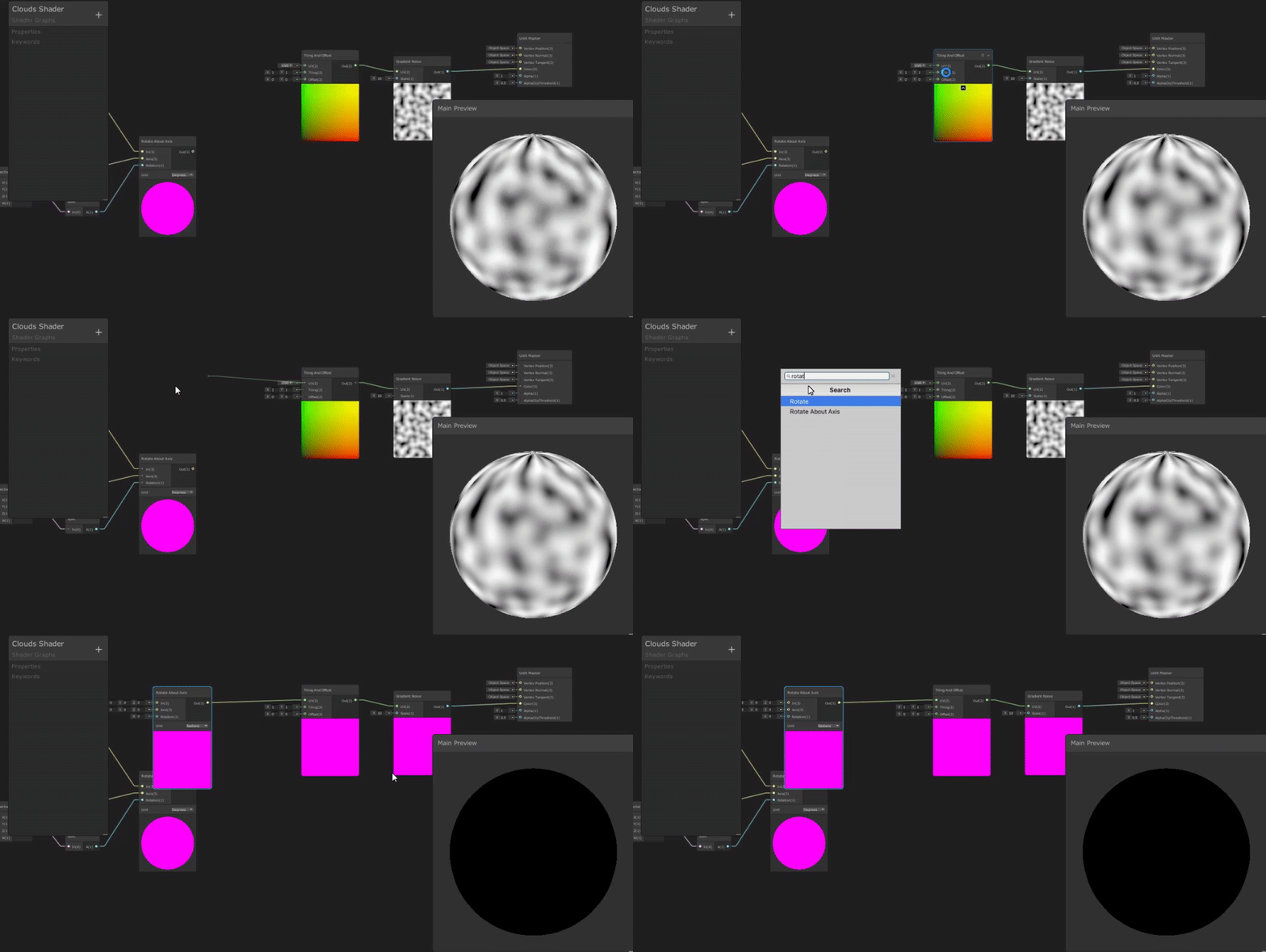


 mossy junco
Is there some way I can draw a fully procedural mesh?
regal stag
@autumn adder Wait no, it does work with the Unlit, I just forgot to actually put the world inputs in.
mossy junco
Right now, I'm passing in a mesh with all the vertices set to (0,0,0) and a valid triangle layout, then I generate the positions for all the vertices in the vertex shader
I draw the mesh using Graphics.DrawMesh
autumn adder
@regal stag do you mean it works with the point lights inside the scene?
mossy junco
Is there some way to just ditch the mesh altogether and still use the vertex shader to generate it? All I am really using the mesh for at the moment is triangle layout and vertex indices.
regal stag
@strange sonnet That's usually called a "wireframe" shader, might be something to google. I think it usually requires getting the barycentric coordinates in order to detect the edges, which might involve a geometry shader or editing the mesh to pass that data in through uvs/vertex colours.
sonic plinth
Anyone?
regal stag
@mossy junco I don't think there's anything necessarily wrong with that method. There's also geometry shaders which can create new vertices inside the shader, unlike the vertex shader which requires the vertices to already be there. (I think they might be more expensive though, so the method you have currently might even be better tbh).
mossy junco
Yeah, I've been asking around about geometry shaders and the general feeling I get is that geometry shaders are a bit nope
Well, fortunately I can reuse a single mesh for each instance with the same number of triangles so hey
It's not like I'm bleeding memory
regal stag
@autumn adder Yeah, the light at the top of my image is a point light.
autumn adder
@regal stag which script did you place on your Custom Function? Lighting.hlsl ?
regal stag
It doesn't really matter what the source file is called, as long as it ends in .hlsl and contains the AdditionalLights_half function from the article I linked earlier.
Settings for the node looks like that
You'll probably also want to make sure additional lights are enabled in the pipeline asset, but if the point light is working on other materials it's probably already enabled.
autumn adder
thank you for everything!
tidal rover
@regal stag thx for that graph, it works rly well! I do have one question tho. Should I be feeding the (screen-space) position of my player into the shader instead of the screen position node?
regal stag
@tidal rover Nah, I think you'd have to offset the screen position with the player's screen position. So ScreenPosition -> Add/Subtract position -> UV on TilingAndOffset.
It might be a bit strange though, as the Screen Position is centered with 0,0 in the center of the screen, and I think an offset of 1 reaches to the edge of the screen in each direction.
autumn adder
@regal stag you're a god!
tidal rover
screen position is centered onto the screen ye, I assume the world to screen conversion would be in NDC
or even in pixels, which I would need to convert to the center based and offset appropriately
regal stag
Yeah, the Screen Position node does have a Default mode where the 0,0 origin is in the bottom left corner like NDC instead, I couldn't really figure out how to get the circle centered properly so just used center mode.
valid flax
Is it possible to use multiple passes in a custom code written shader even if you're using a HD Render pipeline? or does it then auto ignore all other passes??
tidal rover
@regal stag well, you got the logic in there and it functions for its purpose, its just a little extra thing I want for my specific usecase. if it was centered on my screen at all time, which is not a guarantee with my game, it would have been perfect 🙂
sonic plinth
does no one here know how to do what I talked about ?
tidal rover
oh uh damn... this is an unlit shader. oops
regal stag
@tidal rover Ah yeah, doing this is probably better then - I don't know why I struggled to get this working earlier. (I think the Vector2 can then be switched out for the NDC position of the player on the screen?)
Probably because I was trying to do the offset after the tiling 🙃
thick fulcrum
@sonic plinth you might need to explain a bit more, is it 2D / 3D etc?
regal stag
@tidal rover It should work fine in a PBR shader too btw. You can easily add the PBR Master node, right-click and make it the active master node to switch over.
sonic plinth
Yeah 2D
autumn adder
used Posterize to make the light match the existing cell shade, thanks a lot @regal stag and @devout quarry you guys are awesome and if we ever meet, the first beers are on me! 🍻
tidal rover
fair enough @regal stag, I was just trying to find where that was supposed to be changed xD now I need to feed in the player position and get taht right. thx!
thick fulcrum
@sonic plinth if it's all generated via code, then you will need to generate the shadows that way too. usually this sort of thing is custom hand drawn as you are trying to create the illusion of a shadow from information which a flat drawing does not have.
if they are mostly cuboid then a simple drop shadow type of approach may work.
tidal rover
I dont rly know what I did but my viewport suddenly looks like this xD
my skybox is black but showing not rly as it should lol
sonic plinth
Ah I thought it was possible to generate it through a shader but alright. and yeah they are cuboid, the world is like a tilemap.
tidal rover
i think I broke smt in the shader
 fair sleet
I can't find a Vector2.Angle node. Is it not implemented yet or am I missing something?
amber saffron
I guess it's because it doesn't exist in HLSL. You'll have to do you own math here, but it's not very hard
thick fulcrum
@sonic plinth then you could probably try to fake it by deciding on a direction and offset your cube by 3 pixels (or something suitable), applying a transparent grey colour. ideally this wants to be done before the building is placed. Depends how everything is generated and what information you have where. just a thought
sonic plinth
Ah. Thought there was some sort of easier way to do it. That method would get complicated considering each texture has multiple "buildings" on it.
tidal rover
@regal stag I accidentally clicked through the hole onto my test cube in edit mode and realised it was clickable.
turns out putting the screen position on default and subtracting the players position does exactly what I had hoped would happen :)
        var position = Camera.main.WorldToScreenPoint(transform.position);
        if (affectedMaterial)
        {
            position.x /= Screen.width;
            position.y /= Screen.height;
            affectedMaterial.SetVector(PlayerPosition, position);
        }
is it any difference if I do that in my script before sending it to the shader or after? cuz I coulld use the Screen node in the shader to get the same effect
regal stag
Probably doesn't matter
tidal rover
it probably doesnt, its just 2 lines of code. if they are on cpu or gpu either wont rly affect anything
regal stag
If I'm not mistaken there's also a WorldToViewportPoint, which likely does the same thing as that
tidal rover
i dunno if it matters at all tbh. I would need the script to pass the position anyway and since its one calculation when an update is called I dont think its that expensive.
regal stag
Nice. Now that I think about it, it's going to cutout if the player is infront of the wall as well
tidal rover
oh y it does xD
hmm. raycast to the player and set the scale of the circle as well if the wall or player is hit first?
sounds simple enough
or could I depthfilter from inside the shader 🤔
regal stag
Yeah, I don't know which would be better
tidal rover
both sound like they should work, but idk
regal stag
You could probably send in the world position of the player, and have it converted to NDC in the shader rather than using WorldToScreenPoint, and compare depth/distance against the object.
tidal rover
that would require generating a depth texture for this shader wouldnt it? thats probably worse than just doing a raycast
low lichen
You have realtime shadows, so you're already doing a depth-prepass
If you can avoid a depth-prepass, then yeah, it's better
regal stag
I mean just comparing the depth or distance values to the world position passed in and the fragment's depth. That can be done without the Depth Texture that URP can create.
low lichen
The depth of the sphere?
tidal rover
there is no sphere, its a screen spaced mask that is placed above the player
regal stag
There's not really a sphere, it's just a circle in screen space
low lichen
Oh, so you're not using stencils?
regal stag
Nah, I linked a stencil solution before. I don't really know why we went with this method instead.
tidal rover
I kinda asked if there was a different approach, I didnt evven question if it was the proper approach to be honest
regal stag
Possibly because it could be mixed with noise to change the shape easier
tidal rover
oh y that was the reason xD
low lichen
I don't see an issue with this method. You reduce draw calls and overdraw by not using stencils.
It's just a custom shader on the wall with the player's position fed into it, right?
regal stag
Yeah, they are currently passing the player's position in screen space.
tidal rover
gonna need to divert the chat slightly cuz im getting an error when i click on any of the nodes
when I try to unselect a node it throws a null reference
regal stag
That doesn't seem good. Might have to close and reopen it?
regal stag
Eh, yeah I have no idea what that means. If you are on an older version of URP/shadergraph it might be a good idea to update to a newer version as if it's a bug it might have been fixed in newer versions?
tidal rover
I just checked my version, package manager saids I ve got latest im afraid
regal stag
What version?
tidal rover
8.0.1
regal stag
Oh wow okay, I'm still on 7.3.1 lol
regal stag
Might have to report it as a bug
tidal rover
certainly doesnt look like smt I did. I probably should
it looks kinda as if the method invocation for mouseUp failed or smt
lavish sierra
@tidal rover I know that error
Turn on your preview
Shader graph does not like it when you disable the preview thingie
regal stag
The main preview?
sonic plinth
@thick fulcrum I've also heard that others have used shaders to draw the tiles onto a texture instead of doing it through code. Not sure how it really works or if it would be faster. My code that sets all the colors onto the texture is multithreaded so yeah, not sure how much faster it would be
lavish sierra
I spent like 30 minutes tearing my hair out over the same error yesterday lol
Probably should see if it's being tracked for a fix @ work
tidal rover
oh what the heck kind of bug is that lol
lavish sierra
A really dumb one
regal stag
Rohit to the rescue 🙌
lavish sierra
Since you literally cannot do anything in the graph while that is happening
tidal rover
its like you can click stuff, but the mouseUp event never gets called and it just locks your mouser onto the thing xD
regal stag
Good to know if I ever get that error, I hardly ever have the main preview open.
tidal rover
its been fine for a while tho, thats supr weird
@regal stag so uh I ve got this doing the math now and input changed to the players world position. But im not sure how to convert the world to screenspace.
regal stag
It might just be easier to also pass the screen pos into the shader.
tidal rover
good point actually.
regal stag
You can do the conversion, with something like this, but this would run per fragment/pixel.
tidal rover
from what I understand from that that sounds not optimal for this
regal stag
I feel like if it was possible to do it in the vertex shader (so per vertex) it would be a bit better, but that's not something shadergraph can really do yet.
tidal rover
inputting the 2 variables seems like it would be the best case tbh
regal stag
I don't think there's any way to get the lighting information in HDRP. You'd probably have to pass the light's position, intensity, range, etc in using shader properties from a C# script. (I could be wrong though, I'm not that familiar with HDRP)
tidal rover
what the heck is going on with the shadows here? xD
regal stag
Hmm.. well I think when using the alpha clip it also does the clipping in the shadow caster pass... But it'll be from the light's perspective not the cameras 😦
 soft hollow
@regal stag thx for your answer
fair sleet
can someone tell me how to get the angle between two vectors in shader graph?
tidal rover
that sounds like you want dotproduct?
amber saffron
I told you, you will have to do you own math
fair sleet
i've tried this but it doesn't seem to be working
amber saffron
On top of my head : angle (in radian) = acos( dot( normalize(v1), normalize(v2) )
tidal rover
you can normalize once after the dotproduct too right?
amber saffron
dot product is a float, you can not normalize that 😄
tidal rover
wait fuck, im thinking about cross
hmm, so I now have 2 issues with the shader im working on
- The shadow is also being clipped together with the geometry.
- The clipping also happens when the player is in front of the wall and should only happen standing behind it.
amber saffron
@fair sleet Why do you think the solution you posted doesn't work ?
regal stag
I'm not sure you'll be able to fix the first issue without editing the code generated by shadergraph.
tidal rover
im pretty sure thats above my paygrade...
fair sleet
I found the issue
arccos returns the value in radians
for some reason I thought it would return a number between 0 and 1
amber saffron
🙂
amber saffron
@tidal rover you could do a funny conditional switch using a custom function node, based on some define.
fair sleet
Returns the arccosine of each component of the input In as a vector of the same dimension and equal length. Each component should be within the range of -1 to 1.
amber saffron
I'm pretty sure that the shadowpass has a nice define to identify it
regal stag
Oh nice, I didn't think about that
amber saffron
@fair sleet Well, as most of thing it trigonometry, it's in radians.
regal stag
Yeah, the define is SHADERPASS_SHADOWCASTER
tidal rover
im uh, very confused as to hwo that works
regal stag
So, if you make a Custom Function node that does something like:
Out = 0;
#else
Out = 0.5;
#endif```
For the AlphaClipThreshold value, it should disable it for the shadowcaster.what does that do in relation to the graph tho? wont I need to edit that all the time
idk how that code generation works
amber saffron
You put that in a custom function node
tidal rover
ooooh
amber saffron
and the content of the node gets included in the final code
tidal rover
right, I interpreted it as editing the code text file
smoll brain mb
werent custom nodes removed tho?
regal stag
Yeah sorry, I thought you'd have to edit the generated code, completely forgot there was defines for different passes. 😛
Making custom nodes with a C# side thing was removed. But a Custom Function node built into shadergraph was added.
tidal rover
does that node need an input and output (im completely in the dark here, is that just a float in/out?)
@regal stag
regal stag
One Vector1 output, named "Out"
Could also have an input if you don't want the 0.5 hardcoded in the function
I don't think you'll really need to change it though, if the alpha value is always 0 or 1
sonic plinth
Does anyone else have any ideas on how you could generate shadows on transparent textures? Or should I just do it through code like how the rest of the texture is done? Or not at all :p
lavish sierra
@sonic plinth I think what Cyan is talking about right now can apply to your case as well
tidal rover
oh, I think i just got it. its checking which state of the rendering its doing right? so depending on the state of the shader the value will differ for the purpose @regal stag
lavish sierra
NVM, that's for casting shadow, not receiving
sonic plinth
Yeah. I want to cast a shadow within a texture, not really sure if its possible
regal stag
Yeah it's different, we are working in 3D too, and I think they want shadows in 2D?
sonic plinth
Mhm 2D
tidal rover
that fixed it!
lavish sierra
There is a monobehaviour you can add
Sec
Unless you're talking about something like what spritelamp does
In which case you just need normal maps
sonic plinth
Yeah thats not really what I'm looking for; it doesn't really have to use light either, just some little shadow around it
lavish sierra
Is there an image/example?
sonic plinth
I know a game that does a similar thing or well what I want it to look like, one moment
regal stag
@tidal rover Yeah that's right. In the shadow caster pass it's setting the alpha clip to 0 which means it won't do any clipping.
tidal rover
aha, I see. now the last thing I need to do is filter the alpha based on if the player or the wall is closer to the camera
regal stag
Now all you need is to fix the part where the player is infront of the wall, which tbh might be easier on the C# side and pass the scale of the circle into the shader.
sonic plinth
as you can see here, there's a little shadow behind the object, I'm not sure how this game does it but in my case all my objects are on a texture and not as separate gameobjects.
regal stag
Ah, it's like a soft drop shadow.
sonic plinth
mhm
tidal rover
@regal stag I was thinking I could calculate the distance from the camera to the wall and to the object. should I just calculate the vectors and compare their lenght or use a raycast tho?
sonic plinth
didn't really know what they were called. or if they had a name
regal stag
@tidal rover It's probably possible in shader too, although I can't quite figure out the maths myself right now. I can get it to harshly go from 0 to 1 using distances and a step function if one is bigger than the other, but Idk about making it smoother. There's probably something simple I'm missing.
I just feel it might be simpler doing it on the C# side, and you could lerp the scale of the circle for the transition between being behind and infront of the object.
The stencil version that I linked earlier also used C# side stuff to handle that part.
tidal rover
yeah I saw the raycasting part to scale the sphere. it would be the same principle, only in 2d
lavish sierra
@sonic plinth what do you mean by "all on a texture"? Are you talking about a render texture, or is everything in your game part of the same raster image?
Or is this a texture atlas
regal stag
You are welcome to try doing it in the shader of course. Just because I can't figure it out right now doesn't mean it's not possible.
sonic plinth
@lavish sierra the world in my game is split up into chunks and each chunk has two textures, one for terrain tiles and one for building tiles (both are combined into one in a shader), I want to add some sort of soft drop shadow on the building one.
tidal rover
getting the distance check to work sounds like it should be fine and I could try it on the shader. the animation part isnt rly a thing on the shader to my knowledge @regal stag
regal stag
Yeah, I tried a distance check with a step function but it didn't look great because it jumped from 0 to 1. You'd probably have to make the function calculate an appropriate circle scale based on the distance between the player and fragment position instead to have a transition.
Actually, it doesn't work great using the fragment position anyway, as parts of the wall can be closer to the camera even with the player infront of the wall from certain camera angles.
mossy junco
Ah, looks like the answer to my earlier question about drawing stuff without a mesh is to use DrawProcedural: https://docs.unity3d.com/ScriptReference/Graphics.DrawProcedural.html
tidal rover
@regal stag im actually not sure what I should be comparing, depending on camera position it could be different, hope raycasting works tbh
 twin sage
I'm completely new to shaders. Like - have no fucking clue abt anything.
Where do i start?
low lichen
@twin sage What are your goals?
twin sage
I want to be able to confidentially write shaders for whatever i need.
which is big
but itll come
i just wanna be able to write shaders myself without having to go through a tutorial for everything
low lichen
I assume you have some experience with programming in general?
twin sage
yeah
low lichen
@twin sage Then it shouldn't be too difficult. I've seen catlikecoding's shader tutorial series recommended before.
https://catlikecoding.com/unity/tutorials/rendering/part-2/
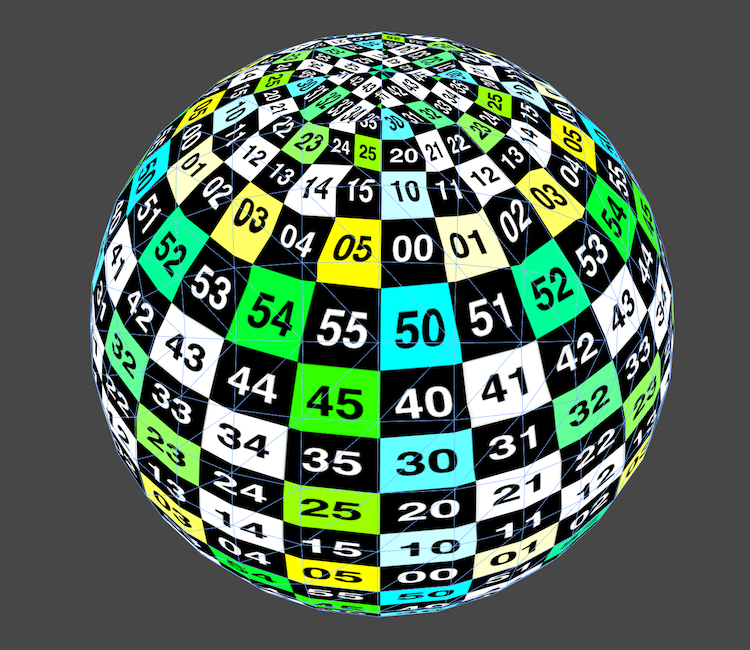
A Unity Rendering tutorial about shader fundamentals. Part 2 of 20.
I personally started my shader journey with Makin' Stuff Look Good
https://www.youtube.com/watch?v=T-HXmQAMhG0
Another video/tutorial thing. This time about shaders. Still trying to find my voice and my style for future videos. Let me know what you guys think.
Get the shader code used in this video here:
http://danjohnmoran.com/Shaders/
Unity Documentation on Providing data to Vertex...
And don't hesitate to use a node-based shader editor at first. It can really help with getting a grasp at how certain things are done in shaders without needing to learn a bunch of syntax with it.
twin sage
ok
thanks
also, do you know hot to get the language to work well with visual studio?
regal stag
I think Makin' Stuff Look Good is probably where I started too. There's also : http://www.alanzucconi.com/2015/06/10/a-gentle-introduction-to-shaders-in-unity3d/

Learn how to wrirte shaders in Unity. Free shader tutorial with examples and source code ready to download.
twin sage
it completely fucks up my intellisense
low lichen
There's probably an extension for it. I don't use Visual Studio.
sonic plinth
So.. @lavish sierra you know if its possible? (I did explain your question earlier)
autumn adder
any clue as to why this outline is only visible in the scene, but not through the camera?
regal stag
Depth Texture enabled on camera/pipeline asset?
autumn adder
yes it is set to use pipeline settings on the camera and inside the pipeline it is checked on
lavish sierra
@sonic plinth definitely possible
basically you just want to generate a third "texture" and sandwich it between the other 2
sonic plinth
alright, seems like a good idea though I have really no idea on how to generate that texture
lavish sierra
sorry, I don't have much experience with shader graph so I can't tell you exactly which nodes to use
but basically you just want to have a path where the building texture gets scaled up and blurred out and then gets put b/w the other textures
sonic plinth
Yeah.. I don't have much experience with shader graph either :P
lavish sierra
seems like you can use this node to get a blur effect https://docs.unity3d.com/Packages/com.unity.shadergraph@6.9/manual/Sample-Texture-2D-LOD-Node.html
sonic plinth
yeah that works to blur it, not sure what you mean by b/w
stone sandal
b/w = between , i imagine
autumn adder
@regal stag I noticed that If I duplicate the main camera, the outline appears 😐 (but then i have 2 cameras at the same time), does that make any sense?
 fickle crypt
Where can I find example of fragment shader in HDRP?
 drifting stone
I need help with a shader that will face the camera like this and not overlap with its self
regal stag
@autumn adder Strange, I'm not sure why that would happen 😦
autumn adder
does it help to know that it is a top down perspective camera? changing it to orthographic doesn't fix it either
sonic plinth
..yeah this is pretty hard
its.. kinda working I guess? but not the correct colors and weird transparency going on
(that sprite is just so I can see what is happening, buildings don't look like that :p)
@lavish sierra Not really sure what to do from here. :p
stone sandal
what part of that graph is incorrect? i guess, what's the behavior you're looking for
sonic plinth
a soft drop shadow behind the texture, you can see that the background is no longer transparent and the shadow is white, not black. I'm quite new to shader graph so I don't really know how to do things :)
 twilit elbow
hi everyone. i'm pretty new to shader making and wanted a simple grass wind shader. i followed the steps in brackeys grass sway tutorial (https://www.youtube.com/watch?v=L_Bzcw9tqTc) and it worked fine. however: he only uses one grass bundle while i have multiple over each other. he used the green channel of the uv to keep the grass base from swinging around (at around 14:45 in the vid) so i thought i just have to kinda tile that so it fits my atlas. but it doesn't and i simply don't understand why and slowly get headaches 😦

Let's learn how to make realistic grass with Unity Shader Graph!
This video is sponsored by Unity
● Download grass assets: https://ole.unity.com/grasssway
● Art That Moves: https://bit.ly/2VW85He
● More realistic vegetation: https://bit.ly/2EAxC5d
● Mesh Generation: https...
this is my graph
regal stag
You should be able to get the tiling result easier by using the Fraction node after the multiply by 2.
sonic plinth
anyone?
regal stag
I'm also not too sure why the subtract with the camera position is needed?
twilit elbow
brackey said you have to do that or the shader wouldn't work in hdrp. i also don't get it and got rid of it which simply resulted in everything turning invisible
regal stag
Oh right. You would have to do that with the "World" space positions, but not with the "Absolute World" positions.
Since you are already using absolute world it shouldn't be needed
twilit elbow
hm i tried using that fraction note you mentioned but now nothing moves anymore...
lavish sierra
@sonic plinth you can do a lot of things
I think there is a grayscale node
an invert node
you can also just make a black color and use just the alpha of your texture to sample from it
probably the easiest is to use invert
actually in your replace color you can just switch the from/to, no?
sonic plinth
No, it reverses the direction of the shadow
sonic plinth
tried that too, there is a transparency issue, since the invert makes the background white instead of transparent
regal stag
I think the output of that Replace Color would be equal to a One Minus node right?
regal stag
It's disabled because that's a Vector3 value, it doesn't have an alpha component
sonic plinth
yeah
regal stag
It's a bit weird to take an alpha (Vector1) into the Replace Color node anyway
lavish sierra
it looks like it was already no longer transparent when you did replace color
sonic plinth
Yeah, I just sticked with Replace Color because it's the one one that kinda worked
there might be a better way to do it
sonic plinth
I'm not sure what you mean by sample in this case
lavish sierra
basically what you want is just black, but using alpha from that LOD node
regal stag
I think what you want is this
lavish sierra
yes
regal stag
That Vector4 will be (0,0,0), so black, but the alpha is based on the alpha channel from the sampled texture.
autumn adder
noob question: "Material doesn't have a color property '_OutlineColor'" with Shader Graph we can't use "GetComponent<Renderer>().materials[i].GetColor("_OutlineColor");" anymore ?
lavish sierra
means "exposed in inspector" I guess
regal stag
Wait why does exposed need to be off?
sonic plinth
Alright. and where would I put the Vector4 into?
lavish sierra
that vector4 is your shadow
regal stag
You'd probably want to take the alpha from the original texture (non-blurred) as the T input of a Lerp, and lerp between the shadow Vector4 (A) and original texture output (B).
sonic plinth
well the shadow is gone :p
regal stag
It won't appear in the previews because it's black on a black background that doesn't show alpha
sonic plinth
oh right 
regal stag
But it might show on the Main preview / scene once it's connected to the master node
twilit elbow
@autumn adder i might be wrong but i think i rememeber that you now access the Reference. so instead of looking for "_OutlineColor" and stuff you need for example "Texture2D_BB3A7C3E"
autumn adder
@twilit elbow thanks I will try right now, cause unchecking Exposed did not work
regal stag
Yeah it's reference instead of the property name. You can change the reference to something more readable instead of using the generated one.
I think the generated one might even change between HDRP/LWRP/URP versions so it's probably a good idea to change it
twilit elbow
what means urp?
sonic plinth
alright here it is ingame, I will say that it is quite short and there seems to be a little gap between the tile itself and the shadow
regal stag
Yeah, always use the reference for C# side stuff
twilit elbow
so friction moves nothing and my tiling abomination still moves everything. in the preview the look like the smae pic. i don't get it 🙈
i just want swaying grass x)
regal stag
Where did you use the Fraction node? It should have basically produced the same as what you had already
regal stag
That's kinda strange, I thought it would be the same. Unless the UVs are outside of the 0-1 range maybe.
twilit elbow
nope uv's are inside 0-1
at least i think. how could i check that inside the shader?
regal stag
Hmm well, you still have that part with the subtracting camera position. Since you are using Absolute World you should remove that
twilit elbow
now my grass is gone^^
regal stag
Is the transform node also set to absolute world?
regal stag
Okay, I take it this is applied to a mesh with a bunch of intersecting quads or something?
twilit elbow
yes
regal stag
If the origin of the mesh is at the bottom, you could also use the Position.y (object space) instead of the UVs so you don't need the tiling part.
Assuming the mesh is also orientated with y as up I guess
twilit elbow
the Position.y would be the green channel right?
regal stag
Yeah sorry
stone sandal
@regal stag did anyone tell you why exposed needs to be off for properties to work with setfloat yet? i only skimmed the convo
twilit elbow
it works cyan ._.
regal stag
They were talking about GetFloat, but no, nobody replied. Does it actually need to not be exposed? @stone sandal
twilit elbow
i wasted so much time and all i needed was position in object space, a split node and the green channel >.<
thank you @regal stag ❤️
lavish sierra
I don't know whether it needs to be or not, it's just what I read somewhere
stone sandal
if the property is exposed then it's written as a property and initialized with a default value for the material inspector, which makes it incompatible with the material.set/get[x] functions.
if it's unexposed then it's just declared as a property with no default value which allows it to be overridden via the scripts
regal stag
I see, I'm sure I've used SetFloat on exposed stuff too though 🤔
stone sandal
i should say, it's not supposed to work, or it didn't work last i checked
twilit elbow
i uhm.. have a 2nd problem if you guys are bored x)
stone sandal
something in the material system may have changed under my nose /shrug
regal stag
Maybe I'm just going mad. Thanks I'll definitely keep that in mind in the future.
stone sandal
i mostly remember that because the way that works also collides with instancing and batching, so we've got some requests floating around to change it to support srp batcher and MPB type stuff
twilit elbow
i use the hdrp and my shader is on double sided but all backfaces are somewhat shiny and silver. (the shiny is barely visible in the sunlight but when in shadows it becomes more noticable and annoying especially with foliage)
i already researched a bit about that and found this thread (https://forum.unity.com/threads/standard-shader-modified-to-be-double-sided-is-very-shiny-on-the-underside.393068/) and bgolus said:
"The problem is the normals for the back side are still pointing the same way, which is away from you. Most PBR calculations (Unity's Standard shader included) don't really handle this case because in the real world it's not possible for a surface to not be pointing toward the viewer and still be seen.
The fix is testing if the normals are facing towards the camera or not and flip the Z if they're facing away. There's some examples on the forum if you search for them. The correct way to do this is using the VFACE semantic, but most people just use a dot product of the normal and the view direction. "
but i have no idea if that actually is the problem/ solution and also how do i do that in shader graph O_O
sonic plinth
@regal stag Hey uh is it possible to fix the other texture from showing between the shadow and the building? it looks sort of weird.
regal stag
You'd probably have to change how you are combining the textures.
mossy junco
@stone sandal Think the exposed property stuff has changed, because I just used Material.SetFloat to set an exposed variable
sonic plinth
It's currently done with a Lerp
mossy junco
(@stone sandal Why would I use Material.SetFloat? Well, it was on an image component so no MaterialPropertyBlocks 🐽)
regal stag
@twilit elbow I know there's a Is Front Face node + Branch node, but Idk if it's possible to invert the normal using that or not.
twilit elbow
is it even possible to acess the values of the "double sided faces"? o can activate the feature in the Lit Master but i don't see a way to alter that?
stone sandal
def possible to invert normals that way
it's done in the surface gradient demo from Morten
twilit elbow
hm seems like i "fixed" the problem by increasing the roughness a bit :I
 late notch
Hello guys!
Can anyone shed me a light on how to apply vertex displacement to half of a sprite?
I followed a "Grass Sway - shader graph" 3D tutorial (dont't know if I can say from who it is here). I applied the shader to a sprite and it worked like a charm.
The problem is that I want to control the "height" on wich the vertices can sway (I dont want them to sway in the Y direction by the way).
In the tutorial he showed how to prevent the bottom of the object to sway with the uv node + split node + lerp function. Still, it only locks the bottom vertices of the object on the ground, what if I want to make so more vertices until half of the object are stopped aswell.
I tried modifying the bottom part (attached image) to increase the black part of the uv.
So, I added a subtract node before the lerp. It didn't work. I tried with the add and the multiply nodes aswell. I'm running out of ideas, I just started learning about it, sorry.
Maybe I need to modify something after the lerp node and before sending these values to the transform node. I'm trying more things but still no success.
I can provide more info if needed.
Thanks for any help!
regal stag
@late notch You have the right idea with the subtract node, but beyond the black will actually be negative values which will still affect the offset (but in the opposite direction). You could Saturate (clamp between 0 or 1, could also use a Clamp node instead), or Maximum with a value of 0.
That said, this runs per-vertex, and when applied to a sprite there might not be any vertices in the center where you want the offset to stop, so it might not make any difference. I'm not too sure, as I don't usually work with sprites but if it's just a quad for example, the two vertices at the bottom will choose values of -0.3 let's say, clamped to 0. While the two vertices at the top would be offsetting at a strength of 0.7. Basically the same as what you had before. I don't know if there's a way to render a sprite with a specific mesh to fix that, maybe a mesh renderer & unlit shader instead? Or might have to split the trunk and leaves up into separate sprites maybe.
lavish sierra
for a sprite I would just change the UV rather than mess with verts
red swallow
@late notch Do I understand it correctly that you would like to have 2D sprite have "wobbly" effect, like say in Ori and the blind forest? (Like in this video for instance? https://www.youtube.com/watch?v=aJm951n1hHQ)
regal stag
Yeah offsetting the UVs into the texture sample instead would be a per-pixel based offset so wouldn't have that problem. You need to be careful that you don't offset the texture outside the bounds of the mesh though.
red swallow
If so I don't think displacing vertices would help you achieve that effect since there is not enough vertices on 2D sprite to achieve such distortion.
What I would suggest to do is simple distortion shader. Check out this video https://www.youtube.com/watch?v=aKzUsxLJ4SU. With this approach you would be able to use that part you added in your shader graph as a mask for displacement/distortion effect
EDIT: As @regal stag pointed out this video does indeed use vertex offseting, but I believe it will help you achieve desired effect you want.
regal stag
That video is also using vertex offsetting
late notch
@regal stag ty ! I didnt know that beyong the black the values would go to negative, it makes sense, thats why the tree trunk started swaying in the opposite direction then lol.
Ye, I thought about spliting the sprite but you know, wanted to try this challenge with one sprite only =p. I'll try it with the tips you gave! I'll check back with the results haha.
@lavish sierra thats what I'm doing? or you mean a different way?
@red swallow yes, exactly, its working already. Look at the image I attached before, its one sprite, I'm just wondering how to make the hole trunk still while only swaying the leaves =p. I'll check your video aswell!
I'll have class rn, so I'll probably try your guys tips later tonight or tomorrow, ty in advance, you guys rock! ❤️
midnight fiber
Hey Im trying to blur the edges of green parts but I cant find the solution could somebody help me?
Id like to fade green into gray in the dents
lavish sierra
midnight fiber
why LOD node?
I dont know how to use it 😦 and on the page isnt anything about blur
 lime viper
assuming that you are using a texture you can choose a lower mip it will appear more blurry
lime viper
textures take the base texture and then make a series of copies but at a smaller resolution
midnight fiber
and how do I access them?
lime viper
the LOD texture 2D node
regal stag
@late notch This is something similar to what @lavish sierra was suggesting. By offsetting the UVs instead of the vertex positions, it's a per-pixel based thing. You have to be careful not to offset the texture outside the bounds of the mesh though, or it'll be cut off, which might be a problem, idk. Might be something to look into as another alternative though. 🙂
lime viper
by setting the LOD up I believe it will select a lower mip (yeah I know backwards) if you want to see how it works expose the value that drives the LOD on a texture and toggle it around
lavish sierra
@regal stag why is time multiplied by 1 in scrolling noise?
I guess it's just to make it easy to change
lime viper
that said you may just be better off creating a blurred copy of the texture
regal stag
In case you want to adjust to make the noise scroll slower/faster
midnight fiber
it made it blurry only around the arrow not the small bumps
stone sandal
it will only apply to sampled textures
so if that grid pattern isn't a texture it won't help you that much
 simple frost
and just tiled?
regal stag
Is there a reason why you can't just make a texture that looks like that already blurred? Does it need to be dynamic/move or something?
lavish sierra
@midnight fiber looks like you want the opposite
midnight fiber
wdym
lavish sierra
you want to use the chevron as a mask on the sampled mip
wherein the blur is masked out where the chevron is transparent
late notch
@regal stag ohh I see, interesting, k, I'll remember this aswell, taking notes =p, going to try with all these you guys recomended. that mask right there is like the same for making glowing effects right? Like an emission map?
midnight fiber
whats chevron? google wont help
lavish sierra
it's just a name for your green shape
regal stag
@late notch You mean the grass texture I'm using? It's just as an example, it's intended to be white in the texture so I can multiply it with any colour to make the grass that colour, possibly even colour based on the UV.y too for a gradient.
midnight fiber
I need to plug the black'n'white to the LOD node right?
lavish sierra
plug your bump map into the LOD node
regal stag
The LOD version of the node just allows you to sample a different mip map of the texture, which results in a blurrier result at higher LOD values. So instead of the regular Sample Texture 2D's it might be possible to use the LOD one in it's place, or use a combination of them.
lavish sierra
lerp your original bump map and the downsampled map using the chevron as T
midnight fiber
lavish sierra
yes
midnight fiber
now I get it
late notch
@regal stag ye the white and black texture, my bad I looked fast at the image, thought it was actually being used with the nodes haha
regal stag
@late notch Yea it's just an example. I just didn't have a tree texture like you had 🙂
late notch
@regal stag haha all good
midnight fiber
I have it blurred in the lerp but step makes it again sharp how can I achieve the same effect without step?
lime viper
smoothstep
midnight fiber
I tried
lime viper
you can just throw a saturate on it too if you prefer
midnight fiber
this happens when I put as Edge 2 alpha of the chevron
how to make it solid white? I dont know whats going on with it
actually it doesnt matter
regal stag
I think you might want to take the alpha of the chevron texture as the T of a lerp node, with A as a white Color node and B as the blurry part
lavish sierra
@midnight fiber post your full graph
midnight fiber
thats what im doing
ok
the UV is just moving animation
FYI its shader for conveyor belt
im really lost here
but I think now its perfect
lavish sierra
in the first lerp at the top
drop in a vector4 with all values set to 1, instead of the sample texture 2D
for A
anyway it could probably be done a lot more efficiently
if you keep it as it is
lavish sierra
and just multiply the 2 colors before putting them in the lerp
lavish sierra
well, don't bother w/ it if you're happy
midnight fiber
yeah pretty much
ill try to add the blur for the whole shape
now its blurred only for the bumps
lavish sierra
yeah just do what you did here as well #archived-shaders message
midnight fiber
yeah thats what im trying to figure out... I forgot 🤦♂️
 oak latch
If I give a standard shader a structured buffer with some data, do I need to give it the next frame as well or will it get stored in the gpu's memory?
midnight fiber
got it after 1h
 zinc cloud
For creating render textures, shouldn't the default be
// Flip sampling of the Texture:
// The main Texture
// texel size will have negative Y).

#if UNITY_UV_STARTS_AT_TOP
if (_MainTex_TexelSize.y < 0)
        uv.y = 1-uv.y;
#endif
The documentation says to add this to your shader
But why wouldn't Unity already do this in the default shader? I have a RenderTexture to RawImage (UGUI)
 rough aurora
Hey guys I need help with something
I don't know if this has to do specifically with shaders, but I'm making a simple game in which there is a title screen (a separated scene), and I programmed a Play button to start the first scene. When I click the button, the scene is loaded, bu the lighting is very yellow and the shadows are pitch black. does anyone have a fix?
meager pelican
@zinc cloud
- That's not creating render textures, it's dealing with the render pipeline (and Direct-X).
- It does do that in the default shaders, when it's required. I think you'll find it in the post-processing stack for example. IIRC. But the "standard shader" either already does it, or it just doesn't need to for normal shading.
Anyway, it doesn't hurt (much) to include it in shaders.
- Your last sentence doesn't explain much, but see the last post here: https://forum.unity.com/threads/rendertexture-upside-down.460825/ So if you're getting an inverted texture, re-invert it somehow, or flip the uv's.
Did you see this? https://docs.unity3d.com/Manual/SL-PlatformDifferences.html
Unity Forum
I mapped a RenderTexture onto a quad and it appears flipped vertically.
Should be kind of expected since I'm using DX:...
meager pelican
You can always reinstall Unity over top of itself. That might help.
 hardy laurel
So I have a shader that is moving grass (Brackey's one) but it seem to work only to move along world axis. Problem is I'm placing grass all around a sphere, witch make the grass buggy. Anyone know how to rotate shader from object position ?
amber saffron
I don't have the graph of brackey's shader in mind, but if you do your modifications in object position instead of world, it should do the trick
 soft jacinth
Hey guys, I'm wanting to have my material effects only visible in darker areas of a shadow for example, is that at all possible in a shader or should I be looking in post processing
low lichen
@soft jacinth Realtime shadows? Realtime shadows can't really be darker or lighter, either the pixel is in shadow or it isn't.
soft jacinth
using light values as a mask I guess you could say
so probably post processing now that I think of it right?
regal stag
It might help if you mention which render pipeline this is for (built-in, URP/HDRP?) as getting light information in a shader is different for each.
And also whether this needs to support just the main light shadows, or additional lights too.
 stray kiln
Hi guys anyone use shader graph?
regal stag
@stray kiln Uh.. yes. If you have a question it's probably better to just ask it.
stray kiln
I need to make a shader like this in sjader graph
shadewr
dammm. shader lol
@regal stag think you can help me buddy?
its for HDRP I have all the textures made
regal stag
You'll probably have to see if there's any tutorials if you aren't that familiar with shadergraph. For the glowing edges you'll want to look at the Fresnel Effect node, I assume the actual planet would just be some textures wrapped around the sphere.
stray kiln
yeah I have been searching dude. But struggling to find anything for HDRP
So I can do some basic stuff in shader graph mate, just thinking how to make the atmosphere a separate object
regal stag
Does it need to be a separate object?
regal stag
This thread might be a place to start, there's a bunch of people with different planet examples. Some might be LWRP/URP, but it should work similarly for HDRP. The only problem you'll find it with getting the light info as HDRP can't do that, you'd have to pass in the light's direction as a property instead : https://forum.unity.com/threads/migrating-planet-shader-to-shader-graph.544799/
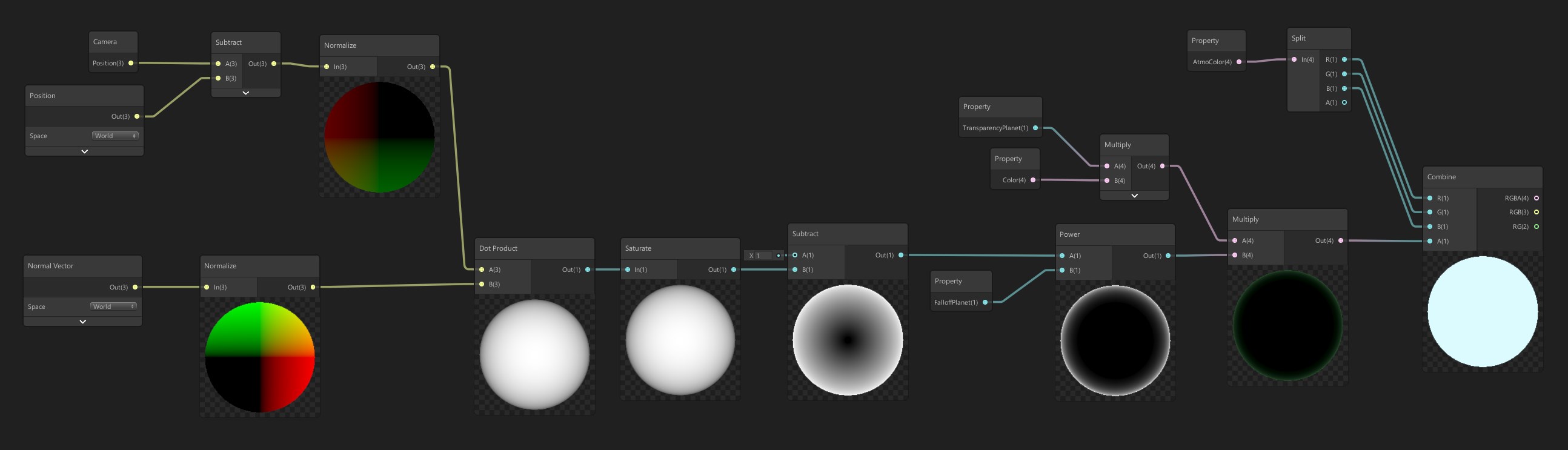
Unity Forum
I had a nice shader made up based on Nils Daumann's excellent Plant Shader as described in the Unify Wiki. Unfortunately my attempts to make it...
stray kiln
@regal stag ahh lovely man, ill try that
soft jacinth
@regal stag honestly I hand't thought of a specific pipeline needing to be used, either way it's only necessary for one directional light, but if possible all as an option would be great
grand jolt
Can I somehow apply a dissolve effect to sibling and/or child objects?
Using shader graph that is. Appears I have to do something with Scene Depth node.
 gleaming moss
a considerably easier approach would just be to reassign materials to the objects you're interested in
I'm not sure why the scene depth would be useful in a dissolve context
grand jolt
So, my unity was saved on 2019.3.0.6f or something simmilar. When i entered play model, unity crashed. My GPU died, so now im using DX10 integrated GPU.
On the top unity says (DX11 on DX10 GPU)
To fix the crash, i uninstalled unity completely and installed Unity 2019.3.14f1, launched the project and entering play mode it crashes.
I made new empty project and im moving files to that project. Will that work?
@gleaming moss I'm out of my depth on anything shader related, just trying to get a couple effects on UI images. I want to dissolve a card which consists of multiple images and TMP objects but I guess I can apply the dissolve on all of them.
gleaming moss
@grand jolt there's a pretty hard separation between objects in this realm. If there are a few parts in your card model/whatever you pretty much have to consider all of them
hardware deals with it pretty well, so don't feel like this is "inefficient"
grand jolt
kk, thank you for the help.
gleaming moss
this is a pretty good use case for https://docs.unity3d.com/ScriptReference/Material.EnableKeyword.html
and make a variant with a dissolve
meager pelican
@grand jolt If reinstalling doesn't work, you'll have to ask on the unity forums, as it doesn't sound like it's a shader specific question. IMO. Good luck to you.
@grand jolt IDK if you're in UI or not. But if you TMP is "normal text" on "normal objects" (not UI), you can have an object, drawn 1st, that does a stencil.
This would be in a later pass (like transparent stage). You can grab the opaque stage stuff with SceneColor node and "overwrite" the composited card with its background at will in a later (like post-processing) pass. Or use grabpass if standard pipeline.
Anyway, you're likely not going to re-write the TMP shaders so you need a different solution, like in a post processing stage or whatever. Or give up on the TMP useage or something. Maybe render text to another off-screen render texture and merge it in. Or render the whole card into a RT and then "merge" it in with a special pass with a dissolve effect.
grand jolt
URP and UI. I'll likely have to rethink my card setup and bring it out of UI so I can do more with it, especially effects wise.
meager pelican
Yeah, IDK much about UI shaders. So I'm not saying you HAVE to move it out of UI.
But regardless, TMP won't be <insert-your-custom-effect-here> aware. If you can write ALL of your own materials, then you can pull it off during their write process by modifying the materials and flagging them for dissolve or not. But if you can't "fix up" all the material shaders, then you move to stencils and later-passes...or something.
grand jolt
No one knows much about UI shaders in general it seems, there are like 2 or 3 vids on Youtube that cover the basics but that's about it. There's a bit more on sprites though. Perhaps I can package the sprites into an atlas at runtime and apply the effect on that.
meager pelican
How would you deal with TMP? If you can composite TMP onto a sprite, great, Then you can just use that sprite. But if you can do that, you can probably manage to generate them manually too at design time, unless they're dynamic text that varies (like with a player's custom name or whatever).
grand jolt
There's nothing custom on them. I guess balancing would get a bit more complex, but I can export the number sprites and do a dictionary so the right ones get grabbed automatically.
meager pelican
IDK if this will help at all, but apparently UI objects honor a mask at least. I don't imagine you'll have much control over the effect though.
https://docs.unity3d.com/Packages/com.unity.ugui@1.0/manual/script-Mask.html
Yeah, if you can bitmap them at design time, you're gold. Should be faster too.
 ancient mason
Hi....how to export shader graph from one project to another....in normal standard way when I try to export shader graph some of the subgraph node and custom function are not exporting.....
I download toon shader graph from unity official it is a project when I try to export shader some.dependemcies file are not included when exporting
Any help will be greatful friends
stone sandal
there was a bug that they would not track correctly, we've fixed it in newer versions but it hasn't released yet
 swift fiber
anyone know how i could make a ripple shader pleasE?
im trying to make something like this any help would be really appreciated
 knotty juniper
@swift fiber you mean the waves or the distortion?
swift fiber
i have this rn but i want this to work on a plane
or a circle plane*
im trying to recreate that effect essentially
knotty juniper
ok let me try somting
swift fiber
alrighty
knotty juniper
it seems wired that are trying to do it with modification of the normals
swift fiber
i had it on the vertex before
positions
then i changed it as i was playing about with it
knotty juniper
for some waves
you can try to modify the normal input of the PBR shader that should give better results
@swift fiber
swift fiber
ah
omg thanks so much
is there a way to get the distortion too?
or is that too much?
knotty juniper
you mean noise added to the waves?
or That objects behind the one you have are destorted, in your image this could just be reflections
knotty juniper
you could use the time node with tiline and offset to uv node
swift fiber
i applied the shader to a sphere and then streched it out and now it looks like this any reason why?
is there not enough vertices? @knotty juniper
knotty juniper
you can modifi the normals per pixel and not per vertex, then the resolution of the mesh does not matter
knotty juniper
u are some kind of god
@swift fiber no just avoiding real work^^
if you are using the URP render pipline you need to enable Opaque texture in the renderpipline asset
swift fiber
im using hdrp
knotty juniper
test if if its not working you there is as simular setting the in the hdrp settings
swift fiber
knotty juniper
🙂