#archived-shaders
1 messages · Page 138 of 1
 low lichen
@wide gulch Do you still want to be able to see the floor through the transparent parts of the cube?
Or do you want the transparent parts to not cast shadow?
 wide gulch
yea i want to see the floor
but i dont want to see shadow through transparent sections
low lichen
Only thing I can think of to do that would be to somehow discard certain sections of the cube during the shadow pass.
But I don't think Shader Graph lets you do that.
Otherwise, you'd have to have a custom shader on the floor to make sure the shadow doesn't get drawn where the cube is, possibly using stencils. Again, something not supported by Shader Graph.
 meager pelican
@wide gulch Are you discarding pixels to get the holes?
Tried alpha clip?
I can't tell from the pic, but the shadows look correct (but the box doesn't). I mean...
You probably want the box to be composed with double-sided polygons. Or maybe using double-sided drawing (don't cull backfaces).
However the shadows are ray-cast based on the light position. So the box as showing would cast a shadow inside the box on the floor.
low lichen
It didn't sound like they wanted anything that made sense physically. Just an artistic choice, I think.
I would have suggested double-sided drawing, but they said they wanted to be able to see the floor through the cube.
meager pelican
Yeah, I don't understand I guess.
I mean, IDK how you can do it both ways.
Maybe they want the shadowcaster pass to pretend the cube is NOT transparent? IDK if the shadow cast would skip the inside of a non-transparent box due to depth clipping...right? Or does it draw the shadow into the map, but the shadow is "behind" the outside of the box so it never shows having a further depth?
So the shadow pass would have to think the box is solid...then it wouldn't draw the shadow there. And IDK if you can do that in SG.
low lichen
Isn't the shadow in the screenshot already without holes?
meager pelican
Their problem is that that the shadow shows through the holes. Right?
So the shadow caster pass has to think there's no holes, thus no shadow there. That's what I was wondering though about the depth clipping thing.
low lichen
I interpreted it as they didn't want to see any of the cube's shadow on the floor through the cube's holes.
meager pelican
Right. Like where there isn't a hole...no shadow (on the box...so not in the map).
The raycast for the shadow hits the box, not the hole...because from the shadow cast perspective there is no hole.
Not sure.
low lichen
Now that I look at the screenshot again, it looks like there's some shadow that is being drawn on top of the cube, on the opaque part.
meager pelican
Oh. lol
You beat me to it.
Yeah, IDK what they're doing to calc that. It wouldn't normally have shadows at all.
And then we have the holes problem
 gritty timber
Well, I think that has to do with render queues.
As it is not the shadow that is being drawn on top of the cube, but the cube under the plane 😉
Tho, this is weird and I'm probably wrong.
meager pelican
You mean the plane under the cube?
Yeah, that's what it's doing. But the cube casts the shadow. So it can "See" the cube in the shadow caster pass.
It's probably a transparency thing and depth writes. Maybe.
gritty timber
The light sees all the objects, as it makes depth map out of these.
And it's up to the shader, how you really want to reproject that texture.
meager pelican
They should try solid cube, with alpha clipping, so they get depth writes.
Can SG give control of how the shadowmap is projected onto the scene?
gritty timber
Huh, I don't really know.
But well, OP should try to render that in Geometry queue.
And if pixel has to be 'transparent', then discard; or clip().
gritty timber
@wide gulch Try that ^ later 😉
meager pelican
Where did your comment go (I hate that, they should disable the delete.... 😉 )
meager pelican
OK, my turn. Let's see:
Surface shader with emissive light. Lightmapping active. Static objects. (I'm doing a custom lighting model, but that doesn't matter right now).
Standard shader produces a different lightmap and intensity than does a surface shader.
The surface shader generates a default meta-pass.
I've got a toggle for "_EMISSION" defined, and a shader-feature multi-compile for it.
I set the albedo to be albedo + emissive.
I set the emissive to the emissive value (and it's multiplied by an intensity, I also tried HDR colors, and HDR on or off on the graphics settings).
The intensity of the light is low...it casts some on the plane below an emissive sphere, but the standard shader casts a large wide "globe". I suspect it's an intensity thing, but I can find out what to do.
I've done a day worth of googling to no avail, trying everything from custom meta passes to multiplying the emissive value by 3000.
It's something stupid, and IDK what is wrong.
Any ideas?
 magic wadi
I'm trying to port my ray tracer over to somethign compute shader based, how do i get a camera object to get a ray to cast inside of the shader?
meager pelican
You don't. You get a shader to cast the rays....
Draw a full screen triangle or quad, however you want to do that. Then in the frag function, have at it. You could be overlaying an existing image, or not.
You can use Graphics.DrawMesh calls from c# using that tri/quad and material.
The ray being cast is based on screen coordinates or maybe clip-space.
The pixel shader for each pixel will be called for its own ray.
@magic wadi
magic wadi
You don't. You get a shader to cast the rays....
meager pelican
Now if you want to have a compute shader in the middle of that, you can call that before the final output.
magic wadi
meaning the c# script does color math while the compute shader does ray math?
meager pelican
Well, IDK what part is compute shader, what part is ray tracing.
Usually, you just cast the ray with a pixel shader. But if you want a compute stage somewhere you can. Ray tracing is casting rays from the pixel to the eye anyway.
BUT...I suppose you can do it all in compute shaders and then just output to a quad.
Then you have to call the compute shader and it will pass over the data buffer that you create (presumably screen sized).
magic wadi
my main point is a realtime display from the camera
this but realtime and without the lighting for a start
i'm trying to get it to work with a compute shader because it's faster than the CPU or something
low lichen
You won't be able to raytrace any mesh renderer in the scene. You have to describe everything in the scene to the shader.
magic wadi
sounds like hell
meager pelican
OK, yeah, GPU will be faster than CPU.
But it doesn't HAVE to be a compute shader.
In your existing logic, somewhere at the high-level you have an
for (x = 0; x < screenWidth; x++) {
   for (y=0; y < screenHeight; y++) {
<do stuff for a ray>
  }
}```
right?do you want a pastebin format of the old code (kinda mixed with compute testing code)?
i basically did that yes
the algorithm wasn't very perfect
6 hours to make this...
meager pelican
OK, so the x, y is just a screen-location. Passed to a frag shader. See?
Have you written a shader before?
magic wadi
the original code was in literally roblox studio
i ported it to unity with the same logic
and now i'm trying to port it to a shader
low lichen
You'll have to understand that the shader won't have access to the scene the same way a script does.
meager pelican
It's usally all math, @low lichen No meshes. But there's variation.
low lichen
You can't just raycast into the scene and see what it hits, like Physics.Raycast
magic wadi
@low lichen i heard about that in a stackoverflow post
if it's way beyond my current knowledge i will probably give up for the moment
magic wadi
it's a unity scene
low lichen
GPUs have a completely different architecture to CPUs. You won't be able to port the code over without major changes.
magic wadi
yes i figured
meager pelican
What are you raycasting? Lighting? That question is not as dumb as it sounds.
magic wadi
raycasting to get a pure scene image
and with that for each pixel
uhh
it bounces around to find light sources i guess
without the code i don't really remember
meager pelican
I saw that the first time.
But are those meshes, or maths?
low lichen
You are using Physics.Raycast?
magic wadi
yes
meager pelican
Even RTX cards don't raycast ALL lighting, if you want realtime stuff. Just FYI.
magic wadi
what do they not raycast?
meager pelican
Probably basic albedo, stuff like that. Then they either light and/or cast reflections with raytracing. So the G buffer and basic colors are probably set "normally" and then lit (I'm kind of guessing here).
But it won't be 6 hours, for most scenes for you to port to GPU. 😉
magic wadi
ah
meager pelican
OK, so do you want to play with maths based raytracing for fun?
magic wadi
if i have to write ray casting math into the shader i'd rather kill myself
i may try other more basic projects at the moment
low lichen
Well, that's what you'd have to do.
meager pelican
lol Too extreme. But that scene you did can be done with math.
magic wadi
dunno what though, i have no idea what shaders can actually achieve
low lichen
There's no built-in raycasting method in shaders.
I think what Carpe is describing is SDF, signed distance functions.
meager pelican
Yeah, that's one form. There are other ways to ray trace things though. But given the image he showed (sphere and plane, or even the 'gun' one...I think it was...) I thought he had math based stuff (SDF).
I haven't played with this in a while, so let me dig up a basic function/setup. Sec.
Have to upgrade the old project .....to new unity.
 stiff flower
Are there any built-in nodes for Shader Graph to do more color adjustment before lighting calculations? i see contrast and saturation nodes, but i'm looking for a way to pull up mids, reduce darks, etc
meager pelican
Yeah, the math ones. 😉
stiff flower
Yeah, the math ones. 😉
@meager pelican haha... maybe someday i will do it myself, but i need a solution in a pinch 😛
meager pelican
@magic wadi You mean ray tracing, right? Not much, it's not a "production" thing for me, it's just fun. I did some online stuff in a "course" for 5 bucks for fun and weekend wasting.
magic wadi
any shaders
meager pelican
@stiff flower You want maybe tone mapping, or color grading. You could search for those examples. Or search for a LUT too.
URP and HDRP have that for post processing already.
magic wadi
my fun thing for the past few months has been writing ray tracers in an increasingly shitty engine
low lichen
@magic wadi Shaders are most commonly used to shade objects, hence the name.
magic wadi
almost seems to me like they weren't
low lichen
How so?
magic wadi

YouTube
I create videos about programming challenges that I think are interesting, as well as tutorials on a variety of game development topics. Please note that if ...
portals, clouds, marching, and all the other cool stuff
low lichen
@magic wadi But look at all the other objects in there that are being lit by a light
That's all done by shaders
stiff flower
@stiff flower You want maybe tone mapping, or color grading. You could search for those examples. Or search for a LUT too.
@meager pelican thanks... that's prob the right path
magic wadi
yeah makes sense
stiff flower
a shader doesn't necessarily have anything to do with a light. a fragment shader is just a little program that runs on the GPU to determine what color is output to the screen for one fragment (which may be a pixel, but could be occluded or blended with another frag)
meager pelican
@stiff flower Did you see that I added the post-processing exists in URP/HDRP already?
stiff flower
@stiff flower Did you see that I added the post-processing exists in URP/HDRP already?
@meager pelican yea... its not really something i'd want to use post-processing for. its point cloud data I render with VFX graph and the color data is kinda bad, so i wanted to try performing some adjustments in shader graph, but i don't want to change the overall scene color w a post process
meager pelican
Oh, then you're back to maths again. ;)
So I'd google-fu AES color correction, or just color-correction and see what you come up with. There's examples in unity doc for shaders on tone-mapping. And color LUTS are a lookup table, you might be able to do that natively or with a custom-node.
Lemme find the tone-mapping maths for you if you need a quick answer.
In Unity's lighting examples, the have a sample tone-mapping:
            half _Gain;
            half _Knee;
            half _Compress;
            sampler2D _MainTex;

            inline half3 TonemapLight(half3 i) {
                i *= _Gain;
                return (i > _Knee) ? (((i - _Knee)*_Compress) + _Knee) : i;
            }```
here:
https://docs.unity3d.com/Manual/SL-SurfaceShaderLightingExamples.htmlhttps://docs.unity3d.com/Manual/SL-SurfaceShaderLightingExamples.html@stiff flower
magic wadi
since ray tracing involves the stuff i don't really want to deal with at the moment i will move on
there's gotta be something i can actually do with my skill 😅
 fresh spire
is there a way to fix that blurriness on this?
here the shader i managed to get:
my other solution was to use a texture instead of checkerboard
meager pelican
You could research Unity's pixel-perfect stuff.
I see you're already using point samples, so that's not it. Upscaling and downscaling though....
fresh spire
i did it on purpose to point out the blurriness of the cheker
otherwise, it would look like this fine with a different resolution:
low lichen
I don't have much experience with pixel perfect. Are you using any anti-aliasing?
fresh spire
nope
oh wait, is there anti-aliasing as a node in shader graph?
i removed the background to show it better:
low lichen
No, it's usually a setting on the camera and Quality settings
fresh spire
hum
low lichen
Are you using URP?
meager pelican
Or the OS/Drivers... (make sure they use application settings)
fresh spire
everything is fine, i verified that otherwise, it would have been solved long ago.... the problem is from the way i did the shader...
humm
let me verify one thing
meh, i just realise one thing, apparently it have a slight smoothness in the tilling and offset
you see the slight blur in it?
low lichen
I don't see that node in the original screenshot
fresh spire
that is because i was going to show you the other solution i use for texture instead of checkerboard
here the other solution:
the result:
meager pelican
OK, so 2D?
meager pelican
Did you read this? (I uses a specific camera)
https://docs.unity3d.com/Packages/com.unity.2d.pixel-perfect@1.0/manual/index.html
fresh spire
already done
oh
now i see this again, i will try to fix it...
hum apparently that didn't change...
 uncut karma
Try a Step node after your checkerboard node
fresh spire
hum it work now all i need is set them with the right number
 regal stag
If you don't actually want the checkboard and just want a vertical stripe pattern, you could use something like this instead
fresh spire
oh interesting
i use checkerboard for to mimic the old trick used for snes and nes game about making them "transparent"
and the lines are just to show how bad it looked
i will test that method by the way
regal stag
@fresh spire Similar idea can be applied if you need multiple axis. This could be used as an alternative to the checkerboard node into a step.I believe your problem is that the checkerboard node is based on screen derivatives which results in an anti-aliased checkerboard pattern.
fresh spire
nice
i almost got that same result:
but your solution is more interesting
i will take a break from it
working on it all day is just tiring for sure...
meager pelican
OK, my turn. Let's see:
Surface shader with emissive light. Lightmapping active. Static objects. (I'm doing a custom lighting model, but that doesn't matter right now).Standard shader produces a different lightmap and intensity than does a surface shader.
The surface shader generates a default meta-pass.
I've got a toggle for "_EMISSION" defined, and a shader-feature multi-compile for it.
I set the albedo to be albedo + emissive.
I set the emissive to the emissive value (and it's multiplied by an intensity, I also tried HDR colors, and HDR on or off on the graphics settings).The intensity of the light is low...it casts some on the plane below an emissive sphere, but the standard shader casts a large wide "globe". I suspect it's an intensity thing, but I can find out what to do.
I've done a day worth of googling to no avail, trying everything from custom meta passes to multiplying the emissive value by 3000.
It's something stupid, and IDK what is wrong.
Any ideas?
So anyone get surface shader emission in lightmaps to work the same as in the standard shader?
 last veldt
Does anyone know how to get Bilinear texture filtering working for Texture3D on iOS? I've noticed iOS seems to ignore texture filtering for Texture3D and uses point filtering instead of what is set in the Texture's settings.
meager pelican
@last veldt I'm guessing here since you didn't otherwise get an answer yet. What data format is your Texture3D? Some formats don't support filtering, as I read it.
last veldt
Single float channel 256x256x32
Declaration:
Texture3D texture3d = new Texture3D(width, height, frameCount, TextureFormat.RFloat, false)
Setting data:
texture3d.SetPixelData<float>(colors, 0);
meager pelican
OK! I should guess lottery ticket numbers! ;)
See the table here, and look at the "filter" feature:
https://developer.apple.com/metal/Metal-Feature-Set-Tables.pdf
Starts on page 6
last veldt
@meager pelican Oh awesome, I'll take a close look and try another format.
You may have just saved me big time.
meager pelican
🙂
 shell walrus
Can anyone explain the issue I'm having? In the material I can see my normals quite well but in the scene it looks flat?
meager pelican
You're using an invert color node...do you want to negate the green component instead? What happens if you don't use the invert and just use the regular normal output?
meager pelican

Medium
In January 2016, Peter Shirley released the e-book Ray Tracing in One Weekend, which is a quick and gratifying introduction to ray tracing…
^^ Compute shaders, and written by a unity guy
uncut karma
@shell walrus is that baked lighting in scene view?
 wraith wing
hi guys, new to unity here try to make change color shader.
- how to make the "scaling point" from bottom not center?
let's say my object already have UV, is there's anyway to make the change based on object z axis from top to bottom without change the UV pattern?
uncut karma
If you can get the vertex position in object space u can
I forget what the node is called
Or if you can get the object to world matrix, I'm not sure what shader graph gives to use
wraith wing
ok, thanks for the answer.
 carmine skiff
Using shadergraph unlit master with surface: Transparent is causing this geometry issue... Any ideas how to fix?
 vocal narwhal
you don't want to use transparent
you probably want to dither with alpha clip in an opaque shader, or just solidly clip without dithering. (knowing that you're doing distance-fade, dither is appropriate)
carmine skiff
oh yea, that worked perfect 😄 Cheers @vocal narwhal
 proud axle
ooo can we see?
carmine skiff
I'll give ya a sneaky peak... sec
From our game Ring of Pain - there's some UI that's usually over the bottom where it clips, but basically used this shader to stop the environment objects from blocking the camera (they get alpha clipped when at the front)
 dapper pollen
is calculating the distance in a shader expensive?
carmine skiff
that's a question from someone more technical than I haha
magic wadi
if he doesn't show any code i have no hope of learning lmao @meager pelican
nevermind he does
 orchid peak
@dapper pollen depends a lot on context, but as far as fun shader effects go, calculating the distance between two things is pretty quick
 olive raven
i am working on a vr game in unity where i want a scene where the room gets slowly filled with pouring blood untill the player is completely submerged and then blacks out. How do i achieve this? new to shaders and VR
 amber saffron
@olive raven I think you should look at some some tutorials on how to do shaders first.
Basically you'll want :
- a plane that goes up in the room (the blood level) with something similar to a water shader
- flowing liquid on the walls and surfaces
- particles ?
meager pelican
@dapper pollen It's a "native instruction"...theoretically optimized as much as possible on the target platform. That said, having to do the equivalent of a square root isn't cheap. That's why the C# unity side has "squared distance" as an option if you're comparing two distances. So it all depends on what you're doing, but using "distance" isn't uncommon in shaders. Try it, and if it dogs, try another option if you have one.
wraith wing
hi guys, new to unity here try to make change color shader.
- how to make the "scaling point" from bottom not center?
- let's say my object already have UV, is there's anyway to make the change based on object z axis from top to bottom without change the UV pattern?
still not find the way anyone online now can help maybe?
meager pelican
@wraith wing
XRA answered you here:
@uncut karma
If you can get the vertex position in object space u can
@uncut karma
So the incoming object relative y position should tell you. Can you change the model's origin so it's bottom relative? (At the bottom) Then, all your vertex positions will be +Y with the model at 0 Y. Interpolating the Y pos across the triangles will give you the model-relative Y position. You may have to play with some vector math if you rotate it around.
Let me see what nodes are available.
amber saffron
You want the color to change depending on the Y world coordinate of the pixel, exact ?
wraith wing
the tl;dr i want to change it from top to bottom
meager pelican
I'm thinking they want it model-relative, not world-relative.
wraith wing
if world relative can be achieved, model UV relative is ok i guess, just change the UV accordingly...
amber saffron
Well : **position **node in object space => **split **and connect Y => **step **to control the value where it changes => connect to opacity of blend
wraith wing
sorry i'm still really new, maybe there's some misunderstanding..., lemme try what @amber saffron suggest, thanks alot guys!
meager pelican
Yeah, you're welcome!
wraith wing
anyway split and connect Y is something like this right?, how to show the Y in the object node?
amber saffron
Edited the message to highlight the node names
Connect output of position in input of split
wraith wing
ah Y is green right?
amber saffron
Split node is to separate the different coordinates of a vector
Oh yes :)
R = X
G = Y
B = Z
A = W
meager pelican
It won't work unless you fix up the model like I said though...or know the offset.
wraith wing
thanks guys it works...
anyway is there's displacement in PBR?, or must use different package?
 bitter needle
are there any standard solutions for sunshafts right now?
there were these image effects, but they're now deprecated iirc
meager pelican
What pipleline?
bitter needle
standard
HDRP probably has it
it would make sense because of the volumetric lights and so on
meager pelican
Anything that supprts "volumetrics". Yes, HDRP does. Also there was a sun-shaft special effect in standard, maybe post processing. That's depreciated now?
amber saffron
@wraith wing Displacement is simply made by transforming the vertex position in the position input of the master node 🙂
bitter needle
yep, it is
meager pelican
lol, figures.
facepalm
@wraith wing if your verts in the model are bottom relative it will work. Or just pass in an offset and add that to the Y.
wraith wing
ah i see thanks alot @amber saffron
@wraith wing if your verts in the model are bottom relative it will work. Or just pass in an offset and add that to the Y.
anyway is there's any software tweak to make the anim more smooth since in the preview it's very laggy
 tight forge
Question for any who know about vertex displacement
i'm following along with this tutorial (https://www.youtube.com/watch?v=Y7r5n5TsX_E&t=369s) and their mesh when he adds vertex disp is nice and smooth

Sign up via my link will get two FREE months of Skillshare Premium https://skl.sh/romanpapush
—————
#Update: Blender 2.8 is out! https://www.blender.org/
—————
Heyo my dudes!
I really hope you will enjoy this advanced tutorial for complete beginners!
By the end of this video ...
i'm following along with the same values and mesh but it comes out very spikey
is there something i'm obviously doing wrong i can't figure it out because i've copied along step by step 🤔
meager pelican
You need to change the tiling and offset values of the sampler that's sampling the noise texture (Didn't watch the video, but that's what it looks like).
And you can scale the height by multiplying with a scaler (float) value.
tight forge
thanks for replying! his offset is plugged into time and the tiling is left at 1 to 1. i did the same and still got this result but i'll give it a look,thanks!
meager pelican
Yeah, or check how the noise is generated, maybe you have a diff noise result.
Then there's the mesh resolution (# of verts)
tight forge
ok ty. i checked with tiling and vert disp set to the same as his and get the same result.
the noise gen is the gradient noise node same as his.
his vert count is more 50K
perhaps that's why
regal stag
The mesh scale probably doesn't match the one used in the video. It might be easier to adjust the values until you get the effect you want, instead of using the same exact values as the video, like Carpe suggested.
Ignoring the offset and just looking at the colour produced by the noise, It looks like the scaling is higher than the video's example.
tight forge
the scaling of the blender import or the game object scaling in the inspector? i can play around with both, thanks cyan
regal stag
Both would affect it, if sampling the noise in world space which I think the video is.
tight forge
You're spot on as usual!!! thank you! changing both the import scale back to 1 from 2k, and changing the object scale to 10 worked perfectly
really appreciate both your help 🙂 glad it was an easy fix
 warped pike
I want to render my mesh double sided, and I want to distinguish between the winding order (in the shader) so I can flip the normals appropriately, does anyone know if I can do that?
For example, I try to render a t-shirt and I want to render the inside of the sleeve
bitter needle
two passes with opposite culling (back/front) and swapping the normals for the front cull pass
should do the trick
imo
low lichen
It'll result in 2 draw calls, though
bitter needle
true, I just popped whatever came into my head first
low lichen

Unity is the ultimate game development platform. Use Unity to build high-quality 3D and 2D games, deploy them across mobile, desktop, VR/AR, consoles or the Web, and connect with loyal and enthusiastic players and customers.
bitter needle
checking the angle could work if you want a single pass
checking the condition for backface culling and then swapping normals if true
oh, it's pretty much what that post says
warped pike
Thanks everyone!
 tardy spire
Is there a way to get motion vectors in shader graph in hdrp? I tried making a custom function
sampler2D_half _CameraMotionVectorsTexture;

void GetMotionVector_float(in float2 UV, out float2 Vector)
{
    Vector = tex2D(_CameraMotionVectorsTexture, UV);
}
but I get this error
Shader error in 'Unlit Master': unrecognized identifier 'sampler2D_half' at Functions/GetMotionVector.hlsl(1) (on d3d11)
regal stag
@tardy spire I think you want texture2D (_half?) instead of the sampler.
(I'm also not 100% sure if that will work. I think it might be better to use TEXTURE2D(_Tex), SAMPLER(sampler_Tex) and SAMPLE_TEXTURE2D(_Tex, sampler_Tex, uv). (hopefully I've got those all right, bit of a rush, can't double check). I believe they are defined in the Core RP/ShaderLibrary/API for each platform.
 blissful pebble
Is it possible to use a compiled unity shader in a unity project without the original?
low lichen
@blissful pebble Don't think so.
 naive mural
hello, does anyone know how to use a heightmap via shader graph? If i add the position and the sampled texture value together it doesn't allow to apply to the vertex position.
regal stag
@naive mural Use a Sample Texture 2D LOD node, not the other one. The Sample Texture 2D one can only be used in the fragment stage.
naive mural
@regal stag thanks
 fallen osprey
just tried to build the game and launched it into this
https://cdn.discordapp.com/attachments/497872424281440267/679772300014256161/unknown.png
https://cdn.discordapp.com/attachments/497872424281440267/679772414925996085/unknown.png

 dapper pollen
thanks for the answers @orchid peak && @meager pelican
blissful pebble
Is it feasible to make a tri-planar texture blend shader that also supports vertex coloring that modifies the albedo?
regal stag
@blissful pebble As in the vertex colour tinting the triplanar texturing? Yeah, that would be possible, just multiply the triplanar result with the vertex colour.
blissful pebble
oh, I'm stupid, I'm not thinking this through am I
You don't texture blend in addition to tri-planar because the tri-planar texturing is doing its own blending
 wide quarry
I'm trying to make a render texture that smears (i.e does not clear between frames)
I have my camera set to not clear, but the render texture still clears after every frame
The background type is set to Don't Care, and the clear flags are set to None
How can I make the render texture not blank on every frame and instead accumulate?
please tag me
meager pelican
@wide quarry First off, what pipeline are you using?
Second, how did you create the RT? (There's actually I reason I asked this...)
wide quarry
pipeline: LWRP
my co-programmer created the texture so i'll ask him
is there a correct way to create the texture that I need to do?
meager pelican
It's common for people to use/see code that makes a temporary render texture each frame....;)
I'm pretty sure he didn't do that, but I'm just asking to make sure it is persistent.
I'll have to try it in URP to recreate it, but I can't right now. Maybe someone will beat me to it. You may also want to let people/us know the versions you're using. (Unity, LWRP).
wide quarry
Unity version: 2019.2.19f
LWRP version: 6.9.2
the render texture is just an asset he placed in the materials folder which a shader reads and places on an object in the scene
It's a 2D 1K square R8G8B8A8_UNORM Texture with no depth buffer
meager pelican
But it's assigned to a camera....
wide quarry
yes
regal stag
If I'm not mistaken, LWRP/URP cameras always clear the rendering per frame, the Don't Care option / clear flags won't work. It was part of the reason why camera stacking wasn't available.
wide quarry
Is it possible to do this manually?
regal stag
I think it might work if you render the RT to itself.
wide quarry
would this be the process?
- create temporary render texture of camera's view
- combine this texture with long-lived texture
meager pelican
If you have the memory and GPU headroom, you can always copy it off after it is rendered, and copy it back before you add to it.
PITA workaround.
 lavish stream
generally speaking, what are the limitations of shader graph? like what can shader code do that shader graph can't?
regal stag
Might be possible to use a lwrp/urp custom forward renderer pass to blit the RT before rendering other stuff.
wide quarry
Also I noticed that alpha doesn't seem to work in the camera's options for Background Type
regal stag
@lavish stream There are probably quite a few limitations. One's that jump out is there's currently no way to do geometry shaders, e.g. tessellation, and no access to Stencil operations. (Although the custom forward renderer has stencil overrides)
lavish stream
oh okay
thanks : )
wait whats the difference between tesselation and vertex displacement ?
regal stag
Tessellation adds new vertices. Vertex displacement just offsets what's already there.
lavish stream
oh i see
meager pelican
Also I noticed that alpha doesn't seem to work in the camera's options for Background Type
@wide quarry
I think it won't. Cameras don't have transparent backgrounds...I mean, eventually it all ends up a "1" opaque. Otherwise what would it output to the pixels on your screen? Although there's probably tech for dealing with transparent screens and/or XR, but that's kind of different.
lavish stream
guess i better take the jump from shader graph to code
meager pelican
If I'm not mistaken, LWRP/URP cameras always clear the rendering per frame, the Don't Care option / clear flags won't work. It was part of the reason why camera stacking wasn't available.
@regal stag I think you're right. Looks like it still isn't working in 2019.3.1 (although I guess there's a newer version today). I get a "blue" preview background, IDK if that's zeros or what, but it gets written each frame for some reason. Thus can't stack.
regal stag
The blue is likely the default background colour
wide quarry
Is it possible to write to a texture in a shadergraph shader? or is it only possible in handwritten shaders? or not at all?
meager pelican
If you mean THEIR default, sure. I have it set to "uninitialized". So I guess it just picks up whatever was last set.
EDIT: Confirmed you can change it, but can't get rid of it.
wide quarry
I think i could do it by having one texture that I accumulate onto and the other that is used to get data from the camera
meager pelican
It's too bad you have to use a workaround...
meager pelican
@wide quarry @regal stag
IDK if this will work or not, but they've added a "camera stacking" feature. Maybe you can accumulate something in your RT and "stack" it on top of the main camera. But IDK your use case. If you're generating the data for an overlayed texture.....might work. Might still have to blit the results, since the camera might still clear the texture.
https://docs.unity3d.com/Packages/com.unity.render-pipelines.universal@7.2/manual/camera-stacking.html
wide quarry
to make sure i'm not wasting my time:
can you write to a texture from a shader in Unity?
i'm trying to combine two textures and also save the result to another texture during the Blit call
this way one of the textures will accumulate data over time since it's continually re-used in the Blit calls
uncut karma
@wide quarry yea you'd target the rendertexture then blit via command buffer or draw a procedural triangle
wide quarry
can I do this within the shader itself?
uncut karma
Shader + c#
Maybe a hacky way using multiple cameras and a rendertexture asset, not sure on that approach
Graphics.Blit() is what you'd want to look at as a start, can just be called in Update
wide quarry
Ok
I'm getting Shader error in 'Custom/AccumulateTextureShader': undeclared identifier '_AccumulateTex' at line 47 even though I declared it as a property
Properties
    {
        _MainTex ("Texture", 2D) = "white" {}
        _AccumulateTex ("Accumulation Texture",2D) = "white" {}
    }
  //some code cut out for brevity ...
 fixed4 frag (v2f i) : SV_Target
  {
    fixed4 cam = tex2D(_MainTex, i.uv);
    fixed4 accumulate = tex2D(_AccumulateTex, i.uv);
  }
It needs a Texture2D _AccumulateTex; somewhere inside your HLSLPROGRAM block, the properties at the top control what is visible in inspector
There's also unity macros so u can use TEXTURE2D(_Accumulate Tex) ; if I remember right
But those would need the Unity hlsl include files
I'd start by doing it as unlit shadergraph
wide quarry
I don't have a HLSLPROGRAM block because i'm writing a shadergraph shader
uncut karma
Then view the generated code
uncut karma
Ah ok
You might be able to still use the texture2D macro
Inside the CGPROGRAM block
wide quarry
is this what I need to do?
sorry i'm very new to writing shaders
uncut karma
Create a new unlit shader by right clicking in project view
And look at its format, shaderlab was a bad idea imo and will only confuse you
(unity bad idea)
wide quarry
that's what I had done initially to make this shader
I'm just filling out the frag part because all I want to do is blend 2 textures together
and capture the output
so that I can do it again on the next frame and smear onto one of the textures
uncut karma
Oo OK, yea, it's already non shaderlab if you did unlit
wide quarry
this is for rendering footprints that last forever since having 1 footprint or 1000 footprints over a long time doesn't have any additional cost if they're just part of a texture rather than use particles
uncut karma
There's a _maintex declared outside properties so u can put others near it
wide quarry
that is what I did, but the compiler is stating that it is not defined when I try to use it
the MainTex was already there
uncut karma
Nice idea w the footprints
It will be declared further down too
Sampler2D _MainTex
wide quarry
ah yes I see it, should i create one for _accumulatetex as well?
wide quarry
it's working, thank you!
uncut karma
Nice!
 woeful crypt
Is there an equivalent for
UnityObjectToClipPos(v.vertex);
in a surface shader? I've tried:
IN.screenPos,
IN.screenPos.xy / IN.screenPos.w, and
AlignWithGrabTexel(IN.screenPos.xy / IN.screenPos.w);
but none of these give me the same value
Kinda my first time working with a surface shader instead of a vert/frag shader
 finite yew
Hello there! So actually my first question here:
I learned how to make a mesh myself in runtime out of vertices, but the problem is when I adjust their height with a heightmap it all looks blurry and badly smoothed. Is there a way I could set the normals' smoothing angle to 0 in code? I'm trying to go for a low-poly look
 last robin
@woeful crypt try return mul(UNITY_MATRIX_VP, mul(unity_ObjectToWorld, float4(v.vertex.xyz, 1.0)));
that's what it's defined as in the cginc file
woeful crypt
I don't think that works because you don't have the vertex information in the surf shader, and you can't seem to pass additional info between the vert and surf functions other than what's on the documentation: https://docs.unity3d.com/Manual/SL-SurfaceShaders.html (Surface Shader input structure)
The only input information I have that's even close to being useful for getting to the value I want is screenPos and worldPos
 soft jacinth
https://designnewb.wordpress.com/2016/07/05/halo-multipurpose-maps-shader/
anyone know why this shader shouldn't work? I mean I've tried with no luck
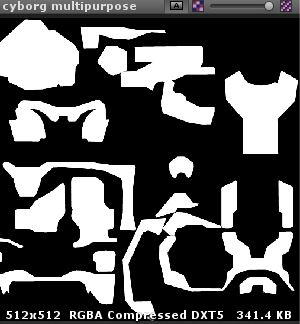
So after I got the Master Chief model in Unity, I decided it was time to make him look like he does in Halo CE. Unfortunately, Unity doesn’t provide many “advanced” shaders, so I …
 proper raptor
Hi everyone!
I'm pretty new to shader programming and I have a ton of questions!
I've done two shaders;
- One mask the other, during the time they are not aligned.
- The other just display the object when he is behind the first shader,
My question is, can I mask a texture instead of an object?
Let me show you what I mean:
(So I can use just a plane with texture, instead of a crosshair by mesh, which save a ton of poly.)
amber saffron
You're using stencil for this I guess ?
You should be able to do what you want by using alpha clip on the masking object
and a crosshair texture as alpha input
proper raptor
Ok!
But I'm not sure how to add this in my shader. 😬
amber saffron
Are you using surface shaders or regular vertex/frag ?
proper raptor
Regular one.
amber saffron
Ok.
So, in fragment stage, you're wanting to use "clip" or "discard" methods
amber saffron
I'll throw you some docs to learn and try 🙂
proper raptor
Ho thank you!
amber saffron
Look here how to sample a texture https://docs.unity3d.com/Manual/SL-VertexFragmentShaderExamples.html
Simple unlit shader part
And like I said, either clip ( https://docs.microsoft.com/en-us/windows/win32/direct3dhlsl/dx-graphics-hlsl-clip ) or discard (https://docs.microsoft.com/en-us/windows/win32/direct3dhlsl/dx-graphics-hlsl-discard)

Discards the current pixel if the specified value is less than zero.
This is used after you have sampled the texture to stop the rendering of the shader for the current pixel and not write any data, effectively writing the stencil only for the pixels you want, and not the whole mesh
proper raptor
👍
 left pivot
Hey I was wondering if anyone can point me to top down waters? I seem to cannot find any. Been searching for hours.
Any resources or anything convertible maybe?
proper raptor
I get something!
But I can't find the correct blending mode to have something opaque.
proper raptor
When I do Opaque + One Zero :
And nothing change when I go to Transparent to Opaque without changing Blend mode.
amber saffron
kind of expected 🙂
proper raptor
😅
amber saffron
But I guess that the mask is also in transparent render queue ?
amber saffron
You want to be sure that the mask is drawn before the other object.
To do this, they need to be in the same Queue, but offset. You can simply use "Queue"="Opaque+1" to do this
proper raptor
In the mask shader right?
amber saffron
Oh, and I just realized that the Queue value is not "Opaque" but "Geometry"
mask shader = Geometry
"rendering" shader = Geometry+1
proper raptor
So this is right?
amber saffron
Well, if you're sure that you want a transparent object, I guess it better to put them both in transparent group
Because here you have a transparent type rendering in opaque queue
proper raptor
So the render type need to be in "opaque" too?
amber saffron
If it's an opaque object, that's better yes 🙂
proper raptor
In fact it's just a simple dote with an alpha channel.
Hmmm I just delete the dot, and still have a "semi opaque" render, any reason? (the texture input is empty)
amber saffron
There is always a default texture
It's the "white" value you put at the property declaration
low lichen
The default texture is a white texture, all pixels set to (1, 1, 1, 1), unless you specify a different one in the shader for that property
"black" is transparent clear, so (0, 0, 0, 0).
amber saffron
Sure ? Isn't it (0,0,0,1) ?
low lichen
I'm pretty sure...
amber saffron
okay
low lichen
(0,0,0,1) would make more sense, so I must have had this issue before if I have this in my memory.
Yep, it says "black" is (0,0,0,0) in the documentation
https://docs.unity3d.com/Manual/SL-Properties.html
amber saffron
Ok, my bad 🙂
low lichen
I don't blame you for making this mistake. Why would anyone want a half transparent gray as a default texture?
I would expect all those to be fully opaque and another "clear" for (0,0,0,0)
"red" is transparent!
amber saffron
For the red one, I guess it's to match a single channel texture
proper raptor
So I need to Input "Red"?
low lichen
This is just a discussion unrelated to your issue.
amber saffron
Not me, I'm a bit buzy right now 😅
proper raptor
No pressure haha!
 terse nexus
Does this render all objects with the shader i specified? Cause it doesnt work. Or does this not work with 2d? (using the URP its an unlit sprite shader btw)
    public Shader shader;
    private Camera _camera;

    void Start()
    {
        _camera = GetComponent<Camera>();
        _camera.SetReplacementShader(shader, null);
    }
Replacement shaders don't work in URP
You can do something similar with custom render passes, but it's a lot more work.
regal stag
The render objects pass on the URP forward renderer can override materials per layer... (but since you mentioned 2d, I'm assuming you are using the 2D renderer which I don't think has access to custom passes?)
fresh spire
alright, after a few days of break, i finally got back on my shader problem... turn out that unity just posted an fix update related to shader graph and it's no longer blurred when i change the resolution!
now that is how it's done:
and here the result:
i'm quite happy with the result so far
terse nexus
I could work with render features though...
fresh spire
now it's time to figure how how to use it when the character is behind the curtain for example...
proper raptor
😃
fresh spire
hah nice!
almost what i was looking, what i'm trying to achieve is something like this: https://forum.unity.com/attachments/screenshot-2018-05-06-03-09-06-png.277513/

but in 2D
terse nexus
@fresh spire what renderpipeline are you using?
fresh spire
URP
terse nexus
you need lighting/ a 2d renderer?
fresh spire
no lighting
terse nexus
than you can just use a renderer feature from the forward renderer
fresh spire
i see
terse nexus
brackeys did a 3d tutorial on that, but it should be applicable to 2d
fresh spire
i tried following it but doesn't seem to work 😐
no mention that there is a lack of subtitles which it's frustrating to no end
terse nexus
what exactly doesnt work?
fresh spire
i have no idea what is not working
that is the problem
especially since i followed the step carefully but nope, not working
there might have clues about it since he was speaking but the problem is i'm deaf
so far, that is what it look as result:
terse nexus
hm so you exluded the object at from the default rendering?
fresh spire
here the information:
terse nexus
try mjoving the red curtain on the z axis
fresh spire
the red box will be a curtains which it can be seen with the shader i created
terse nexus
maybe it needs to be "infront"
terse nexus
yeah but the renderer is not made for 2d so it might not check if its on a different 2d layer
maybe moving the object on the z axis changes that
fresh spire
could check again the information from pipeline_renderer
fresh spire
also, another problem is that i don't see the same thing than him
this is from the video:
this is mine:
meh
stupid dyslexia...
 silk sky
I'm triying to make a shader with glowing arrow and transparent background
how can I get the transparent background via shadergraph?
this is my mask
terse nexus
take the alpha component
silk sky
I want to create a line a of arrows that slide in toward a direction
terse nexus
from a 2D Texture node
proper raptor
silk sky
from a 2D Texture node
@terse nexus i need to convert this black in alpha
terse nexus
if you feed it into a texture node you can extract the alpha value from the image
you can also just multiply rgpba tpgether if its not alpha based
low lichen
@proper raptor Super cool!
If you want to get fancy, you could skip the stencil step by sampling the reticle texture in the scope shader and project it as if it's at a certain distance.
amber saffron
^ Of from what I understand the wanted effect is, simply sample the reticle texture in screen space 🙂
low lichen
Different scopes will have the reticle at different apparent distances, some even allowing you to change it with a knob.
amber saffron
okay
naive mural
hello, is there any reason why one would use RenderTextures instead of Texture2D? I'm currently migrating from Unity's terrain into custom mesh based terrain and Shader graph doesn't support RenderTextures so i will be converting the heightmaps to Texture2D.
low lichen
@naive mural RenderTextures are only stored in GPU memory and can be written to on the GPU without needing an upload.
So if you had a texture that was being modified by a shader or something, you'd have to use a RenderTexture for that.
And I doubt ShaderGraph doesn't support RenderTextures
naive mural
oh, you're right. thanks
 grizzled oriole
A post-processing effect runs much better on my older phone (smaller resolution) than on my newer tablet (bigger resolution). Am I correct to assume that the bottleneck is the pixel shader?
...actually, wait, I might have my facts wrong
Never mind, my phone actually has the bigger resolution. However, it's also a high-end phone for its time, and my tablet is a budget-level device from the same year
 lime viper
Yes the number of pixels will increase post processing cost
meager pelican
The platform/chip can make a difference too, depending on its design and what you're doing in the shader. For example, pixel discards can suck on some platforms and slow them down.
 smoky rose
how add emission map to the Mobile Unlit shader?
woeful crypt
I have a very simple Unlit shader that basically consists of just:
            {
                v2f o;
                o.vertex = UnityObjectToClipPos(v.vertex);
                UNITY_TRANSFER_FOG(o,o.vertex);
                return o;
            }

            fixed4 frag (v2f i) : SV_Target
            {
                // sample the texture
                fixed4 col = _Color;
                // apply fog
                col += _EmissionColor;
                UNITY_APPLY_FOG(i.fogCoord, col);
                return col;
            }```
However, without having `Fallback "Diffuse" ` tacked on to the end of the shader, any object with this unlit shader doesn't appear behind a transparent water texture (which does a GrabPass in its calculations).

The documentation on Fallbacks says "After all Subshaders a Fallback can be defined. It basically says “if none of subshaders can run on this hardware, try using the ones from another shader”."

Can someone help me understand why the fallback is being used when rendered behind my water texture? Why can't my existing subshader run in this case?Basically I don't understand what situations causes a Fallback to be required
low lichen
@woeful crypt Does the water shader in some way rely on the camera's depth map?
You will inherit any other passes from the fallback shader, which includes the shadow pass which is used for rendering the depth map.
If you're shader doesn't have that, it won't appear on the depth map.
woeful crypt
It does use depth values to do some fog calculations, yes. So I need to add a shadow pass to my Unlit shader in order to make it work?
low lichen
I think that's most likely the part you're getting from the fallback shader that is making it work
woeful crypt
Also, another question: Is the Fallback being used or not determined per-pixel? Or for the whole object? I.e. if part of the Unlit object with a Fallback "Diffuse" defined is submerged in my water texture, will it use Diffuse for the whole object?
Or just for the pixels which are submerged?
low lichen
The shader is compiled with all the passes of the Fallback shader, as if you wrote those passes directly into the shader.
Here you can see an example of a ShadowCaster pass in a built-in Unity shader
https://github.com/cheeseburgames/unity-builtin_shaders/blob/master/Shaders/DefaultResourcesExtra/Mobile/Mobile-VertexLit.shader

GitHub
A comprehensive archive for Unity's built-in shaders code - cheeseburgames/unity-builtin_shaders
The bottom of the shader has the pass defined
woeful crypt
Thanks, I'll look into adding a shadow pass to see if that gives me the result I want
wide quarry
I have a ShaderLab shader which is flagged to render with transparency, however when I set all the channels to 0, the material renders black instead of transparent
how can I make it render with transparency?
I solved it a different way
 grim forge
(Task failed successfully)
 faint tartan
How can i get a vertices pos out of a shader so i can get the mesh vert pos with a blendshape offset in realtime?
Iv been working on a 2d game for years, 3d shaders are fairly new to me
 crystal oak
How about using Text Mesh Pro?
I'm not sure but there is material field on ugui text so maybe that might help
 sharp void
hi, sorry for being impolite but is there any shader similar Sprite/Default with Z sorting
shell walrus
@uncut karma sorry for delay but you asked earlier in the week if my scene had baked lighting, yes it does. Am I missing something in my setup?
 quaint trellis
Anyone else noticed how broken the Speedtree shaders are in UniversalRP?
https://youtu.be/DCeS1nEcP-w

Demonstration of the issues with Speedtree7/Speedtree8 shaders in URP against the default lit shader that comes with URP
meager pelican
Unity is the ultimate game development platform. Use Unity to build high-quality 3D and 2D games, deploy them across mobile, desktop, VR/AR, consoles or the Web, and connect with loyal and enthusiastic players and customers.
And assuming the sample2D set as normal unpacks it, you can try negating the green channel, not color inverting it, since it would output a -1 to +1 value.
 supple ledge
Hey
I'm working on some stylized shaders
What methods are there to approximate curvature?
I want to use it to lighten up edges, depending on the sharpness
Basically like the curvature maps you also use in substance

In blender there's an option to enable screenspace curvature
I'd imagine there's a way to do something similar in unity aswell
I can't use uvs though and bake maps for every single object
that's why I want to do it with shaders/ post processing
uncut karma
@shell walrus hard to say, looks like the shadergraph is setup correctly, i would check that you are using the Progressive lightmapper and it is set to lighting mode: baked indirect, and directional mode: directional then also check the lightmap texel resolution by going to sceneview -> shaded dropdown -> baked lightmap
in general progressive's directional mode wont look like your sphere material preview
shell walrus
@meager pelican Here I've tried to negate the green channel by combining Red and Blue channels of the normal and then run it through a normal unpack. I didn't quite know what to do with the negate node. Is this what you were suggestion or have I misunderstood?
@uncut karma I'm using progressive GPU; subtract lighting mode and am in non-directional mode. Here is what my texel resolution looks like
meager pelican
I think that the Sample Texture 2D node, when set to type "normal" will decide how to unpack it based on the platform and storage method for normal maps. So by the time the values exit that node, they're in the -1 to +1 range already. You'd have to examine them. So rather than taking the green value and using invert color you could just multiply the output by (1, -1, 1) or something and then take that and give it to the master node.
OR you can use that unpack normal node but you'd have to change the sampler to "object".
I'm working blind here since I don't have your input data and I"m not sure what you're doing. It looks like you're trying to flip a normal. And I suspect that's why your lighting is mess up too.
But maybe you're after something else...
lime viper
what does occlusion do in the Unity PBR shader in URP?
or I should say what is the expected behavior for it
low lichen
@lime viper Assuming it's for the same purpose as the Standard shader's Occlusion map, it allows you to add ambient occlusion shadows as a texture on the object, which is only visible on the parts of the object that aren't lit.
So it's like if you baked ambient occlusion into the Albedo map, but wanted it to not show up on the parts of the object that are being lit, so it's more physically accurate.
lime viper
that's not how I would expect ambient occlusion to work, in particular at a per pixel level
low lichen
The fact that it wouldn't be present under light?
lime viper
yeah it should be a term that modulates the light, so yeah in direct/bright enough light it should not be present but it should still appear on generally lit surfaces
low lichen
I'm just describing my limited experience with using this occlusion map. It might be doing something smarter than what I described.
lime viper
oh sorry yeah I phrased that poorly, I'm looking for the specific implementation in unity using the URP, e.g. does it saturate the value before applying, does it apply only to the lambert lighting or does it include specular, stuff like that
What shader features need to be turned on for it to work
uncut karma
@shell walrus if you need to convert from directX normals to openGL (in a tangent space normal map) you just need to do 1.0-greenChannel and this would occur before the normal unpack
non-directional lightmaps wont take into account the normal maps
so if you're in mixed mode you would need a light set to mixed in order to get specular & normalmap details
(or a realtime light)
proud axle
yes
 true elbow
How so?
proud axle
using shaderforge/graph/ASE? Or just writing up old fashioned shadercode?
proud axle

GitHub
Surface shaders with flipbook / spritesheet animation functionality - thnewlands/unity-surfaceshader-flipbook
this one?
true elbow
yes
true elbow
Just... do I switch it to o.emission?
proud axle
yeah I barely know it I mostly do drag-n-drop shaders with visual editors
proud axle
ill look
 vernal spire
hey, i have been trying to use call SceneColor's function in customFunction but can not get it working. any ideas how should i properly do it? (please mention me if you reply)
 fervent tinsel
just a quick check, shader_feature_local isn't allowed on compute shaders?
multi_compile_local works fine
HDRP doesn't seem to use it at all in compute either so I guess it's out of the question
reason I ask this is because I'd want to make some debugging feat for compute postprocessing shader where debug mode only runs in editor
according to docs with multi_compile_local I will still include the all variants of the shader in the final build where shader_feature_local would strip the variant if not used
that being said, the doc page is for traditional unity shaders, not for SRPs which have their own shader stripping logic
fresh spire
alright, i recently created a project to test out what is wrong with the shader problem i'm been facing for a while.... i still couldn't figure out 😦
fresh spire
my goal would be to get this kind of result:
of course, i used photoshop to get this mockup
shell walrus
@meager pelican @uncut karma Yeah I'm looking to just invert the green channel of the normal. How does this look?
Also I've now switched my lighting settings to directional. My one and only (directional) light is set to baked.
fresh spire
this is the shader i created for the checkboard:
regal stag
@shell walrus Multiplying by 1 won't do anything, perhaps you meant -1 instead (which could also be done using the Negate node). By what XRA said though, you want to use a One Minus node instead. (or Subtract, with A as 1 and B as your Y input).
shell walrus
regal stag
Also I think the A input needs to be set to 1 when using the tangent on the normal unpack, or drag the A from the texture which will probably be set to 1 anyway.
shell walrus
hmm, normals look to be incorrect now so I might undo that invert
yeah...
Still looks flat though
Oh this is interesting, if I take out the roughness I see nothing...
regal stag
Is the roughness being sampled using UVs too?
shell walrus
but if I take out the metalness too I see something :/
I'm working with a particular mindset of black = no metal , white = metal but perhaps it's different in unity?
@regal stag not sure what you mean? All meshes have their own uvs, auto lightmaps (uv2s)
so UV1 is manual UVs and UV2 is auto generated
regal stag
I'm not super familiar with PBR shaders, but metallic usually increases the reflectivity of the material, based on the environment skybox
shell walrus
my probe
regal stag
I was just thought maybe the mesh wasn't UV mapped, hence it wouldn't be able to sample the normals correctly. But if it was sampling the roughness texture it must have been UV mapped unless you were using worldspace based UVs or something.
fresh spire
@shell walrus you might be able to find some clue from this list of shader graph tricks: https://cyangamedev.wordpress.com/contents/
 regal stag
I haven't really got any PBR stuff there
regal stag
No problem, I appreciate you sharing the link though 🙂
fresh spire
you're welcome!
i checked your link to see if there is a clue for my own problem but no luck XD;
regal stag
You probably do need to use the stencil options on the LWRP/URP Custom Renderer, but I'm not super familiar with 2D / SpriteRenderers so not sure if it works the same way
fresh spire
stencil? i will test it out
regal stag
Yeah, the general idea is : Sprites infront of the player would be on a different unity Layer, exclude it from the Default Mask and have a Render Objects feature, where you override the Stencil value and have them write a value (e.g. 1) into the buffer (operation : Always, pass : set to Replace I think?).
Then render the checkboard sprite, which you'd have to put on another Layer, exclude from Default Mask, use a Render Objects to render it, override Stencil and this time test against the value of 1 using the Equal operation.
There might be a better way, but that's probably how I'd do it.
fresh spire
hummm i will try
regal stag
I believe since they are sprites they need the Transparent filter too
fresh spire
i tried to follow that video which brackey explained how to do: https://www.youtube.com/watch?v=szsWx9IQVDI

Let's learn how to render characters behind other objects using Scriptable Render Passes!
This video is sponsored by Unity
● Download Project: https://ole.unity.com/occlusiondemo
● More on Lightweight: https://ole.unity.com/lightweight
·····································...
regal stag
Yeah, he uses depth rather than stencils, which works for 3D, but I'm not sure if sprites write to depth or not.
fresh spire
that is what i'm trying to figure out
so fart, that is what i get:
errr i mean so far...
low lichen
Sprites are normally transparent, so no they wouldn't write to depth
regal stag
The stencil technique I mentioned briefly above should still work
fresh spire
indeed, like i shared here, the stencil is active but apparently not working, it might be the setting
shell walrus
Ah, finally fixed this. I was trying to fix it in the moment, but when I did another bake things seemed to do just correct themselves.
the only thing now is that something looks off, like the shadow/light are the wrong way around vertically? Do I need to rotate the UVs? or invert a channel?
meager pelican
@shell walrus Uh, that's not what I said to do, and you'd need the -1, not +1 on the multiply. But anyway...
If you're looking to flip a normal in SG, you can multiply the result of the sample Texture 2D set as type normal with a vector3 of (1, -1, 1) to flip the green component.
You've got so much other stuff going on I can't tell what you've ended up with.
The sample 2D type Normal node will output a -1 to 1 value in the components. You don't want to mess with unpacked normals unless you're 100% sure of the storage format, since Unity uses two different methods depending on the target platform. Let it figure out the unpack itself.
Now, that's what you asked for, but it might not be what you wanted.... ;)
Lemme rig up a sample shader and double check for ya.
shell walrus
Yeah all I needed was this for my normal setup. Now I'm going to play with the multiply node .
Current setup
regal stag
@fresh spire This should be what you want
regal stag
Using two layers, SpritesPlayer and SpritesInfront
fresh spire
i was doing a grude hack trick with sprite mask XD;
but i see this could work!
i will test it out
regal stag
The sprite mask might also work as it uses stencils too I believe, but this would likely be an easier setup
(well, easier in the sense that once it's setup, you can just add an object to the layer to get the overlay to appear, instead of having to set up a new sprite mask per object)
meager pelican
@shell walrus Right. The output of that sampler is where you multiply:
Unflipped normals:
Flipped Normals:
low lichen
@grand jolt I'm going to move the conversation here
 grand jolt
okay
low lichen
Here's a handy repository of all the built-in shaders in Unity
https://github.com/cheeseburgames/unity-builtin_shaders/tree/master/Shaders/DefaultResourcesExtra
GitHub
A comprehensive archive for Unity's built-in shaders code - cheeseburgames/unity-builtin_shaders
low lichen
Sprites-Default.shader is likely the one you're using
grand jolt
i hope i can get some information and somehow compress this into a working mass
low lichen
I can help you through it. I don't expect someone with no shader experience to be able to do it.
meager pelican
@shell walrus With this
grand jolt
i once copied and pasted one
that means im a pro now (would be nice if you can help me :P)
low lichen
I'll start by giving you a shader that does exactly the same thing as the default sprite shader, but is easily editable. The one in this repository is using #include, which kinda hides that process. You don't have to worry about that right now.
fresh spire
i use layer mask which it's "foreground" and "player" in your example, i'm not sure if i followed well XD;
low lichen
@grand jolt Here's a shader that is just a duplicate of the default sprite shader, but can by edited easily
https://hatebin.com/ovylqmnuwh
I've named it Sprites/Custom, but you can choose a different path/name if you'd like
regal stag
@fresh spire The exact layer names aren't important, as long as the rest of the settings are the same it should work
grand jolt
thanks
low lichen
@grand jolt You say you've copy pasted a shader before, so do that for this as well. Then change your player's material to this shader by selecting Sprites/Custom or whatever name you chose.
regal stag
@fresh spire Hmm, it looks like the settings are correct. Have you assigned the sprites to the correct layers? Also, the renderer is set on the PipelineAsset right?
regal stag
@fresh spire Is the sprite renderer assigned to that object? I see a "sprite" object under "momoo"
low lichen
@grand jolt Let me know if you want me to continue to help you
regal stag
@fresh spire You have the renderer set under the PipelineAsset?
regal stag
Ah, you are using the 2D one
grand jolt
I have to learn shaders but thanks
regal stag
Yay! 😀
grand jolt
@low lichen might askin you l8er
fresh spire
no wonder it took me one month to figure it out XD
i once again blaming my dyslexia XD
low lichen
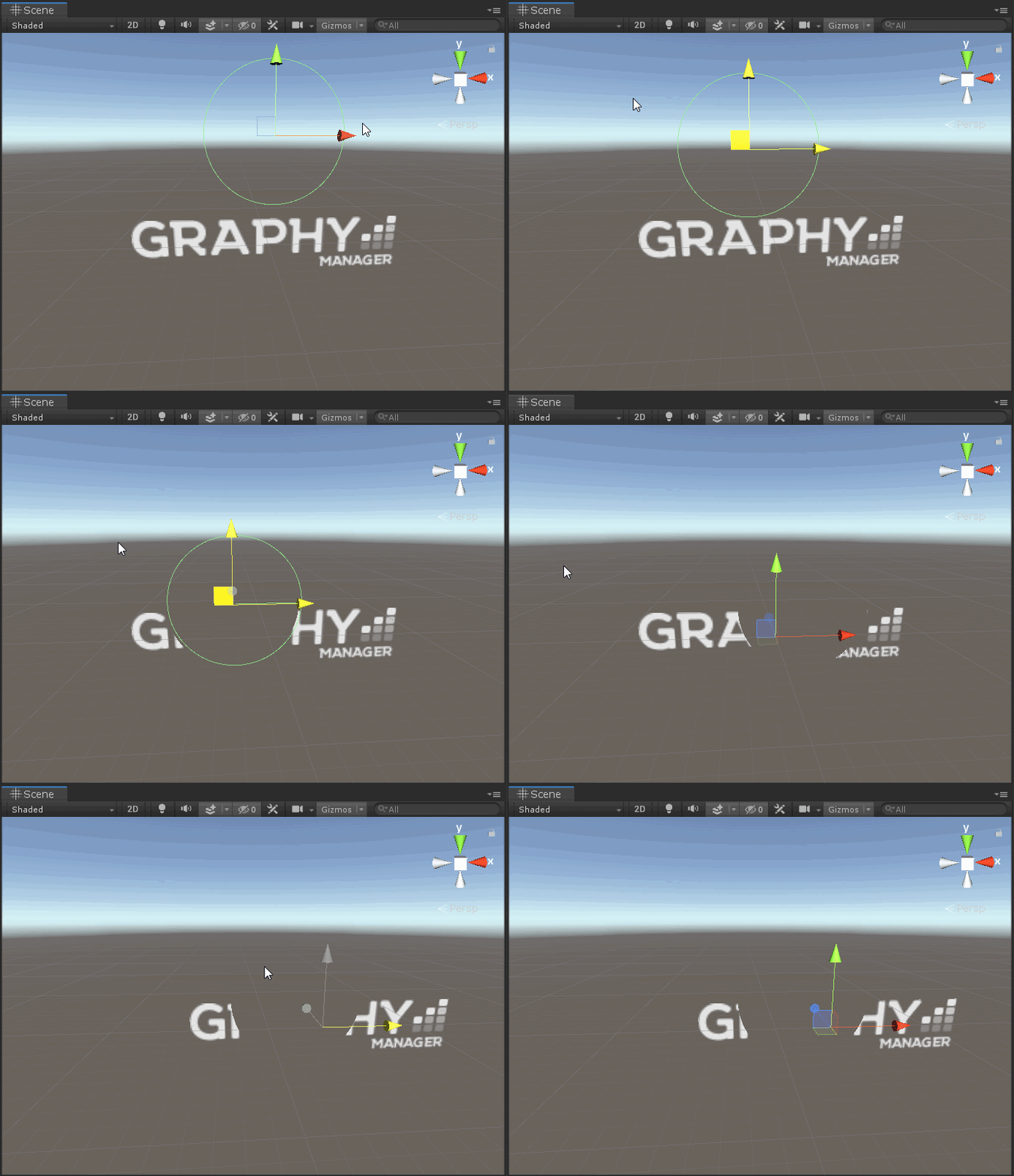
@grand jolt Here's my result, at least
https://i.imgur.com/mCIKHJ9.gifv


 fresh spire
also, i had an hard time understanding what the dude explained in the video so... XD;
since i'm deaf lol...
thx for the help cyan!
low lichen
@grand jolt Sure, I'm adding comments to the shader to better explain what I'm doing
low lichen
It'll look complex, but that's just because I'm duplicating the existing shader. I'm only adding a couple of simple lines, so I'm pointing out which ones those are in comments.
regal stag
@fresh spire No problem, glad to help! 👍
I might look into writing up this stencil process on my blog, now that I've figured it out, it can help others out too. Wanted to do it for 3D objects for a while, but been putting it off in the hope that stencil operation access will be added to shadergraph. Might as well just write it up for the custom renderer though as it is useful too.
fresh spire
nods
i also noticed something curious, when i hit "play" the trick is gone
i was baffled by it
regal stag
The current solution or an older attempt?
regal stag
Hmm, it's still working in play mode for me. Maybe the renderer isn't assigned to the camera properly?
low lichen
@grand jolt Here's the shader
https://hatebin.com/kjfvikqsyp
regal stag
Check this setting maybe? @fresh spire
low lichen
And then there is also a script required to pass the information about the circle collider into the shader.
fresh spire
where is this? project settings?
regal stag
On the camera, sorry
grand jolt
thansk
fresh spire
low lichen
@grand jolt The script might look more complicated than it has to be, it only needs to pass the world position and the radius, but the world position of the collider also has to take the offset of the collider into account, which is what transform.TransformPoint(_circleCollider.offset) does.
And the actual radius of the collider is always the radius multiplied by whatever is the largest scale of the transform
Actually, it ignores Z scale, since it's 2D. So you can remove that from the Mathf.Max line.
regal stag
@fresh spire Hmm, guess that's not the reason it's disappearing then. 🤔
grand jolt
ah but
fresh spire
indeed
grand jolt
i have a background image
fresh spire
i wonder if...
grand jolt
this will blank it out too right?
low lichen
Just use the default sprite shader on the background instead of this custom one
This will only affect objects using this custom shader
grand jolt
nice
regal stag
@fresh spire Have you got anything changing the layers of objects at runtime maybe?
fresh spire
runtine?
regal stag
Like a script, which changes the layer the player is on. If it's not on the Player layer still, the effect would disappear. Just an idea. (Runtime, as in, during play mode).
low lichen
@grand jolt This setup also expects everything to be at the same Z depth
Otherwise the distance calculated isn't correct.
grand jolt
okay
fresh spire
ah
grand jolt
everything is at -1 so that works out correct?
fresh spire
i see, i will check that
low lichen
@grand jolt Sure. You could also change the shader so it sets the Z of both the pixel's world position and the collider's position to zero before calculating the distance. That way, Z is ignored.
Then it would be best to do that in the vertex shader and in the script, because those aren't run as frequently as the fragment shader, so it's more optimized.
grand jolt
would it be possible that basically lower Z's look like they are behind my object and also invisible?
low lichen
What I was just describing would do that
So in the vertex function, you'd set OUT.worldPos.z = 0; just after setting it.
And in the script, you'd set the Z to 0 before setting the _ColliderPos shader variable.
So, for example, replace the line in the script with:
var worldPos = transform.TransformPoint(_circleCollider.offset);
Shader.SetGlobalVector(PosNameID, new Vector2(worldPos.x, worldPos.y));
i think i figured out, it was the shader itself
low lichen
Is the radius too big?
Doesn't look like it matches
This will only work for one circle collider. You can't have multiple with this setup.
grand jolt
i only have one
fresh spire
as i though, it was from the shader, it got an error XD
grand jolt
the problem is just that if i make the radius to 1 the hitbox is too small
low lichen
@grand jolt I don't understand
I can't think of why the radius wouldn't match if you're using the shader and script I gave you.
fresh spire
meh... didn't fixed...
grand jolt
i have no idea either
the radius is usually 1.92
but if i have that the radius is too big
and also one is always invisible
low lichen
What do you mean one is always invisible?
grand jolt
as you see in the picture
low lichen
There's another sprite with the same shader that is never visible?
grand jolt
yeah
it doesnt care how many i place
its always the last one which is invisible
also the others dont make the others invisible
so only the only that is invisible makes the other ones invisible too
grand jolt
Yeah its a prefab thats the reason but i need more of them sadly
low lichen
I've said multiple times that this will only work with one
grand jolt
i know
low lichen
I asked you before and you said you only needed one
grand jolt
i said its a prefab at the beginning too
low lichen
That doesn't tell me there will be multiple of them
low lichen
Sure. Most of the objects in my scenes are prefabs so that if there are multiple people working on the same scene, they can make changes to the prefab instead of the scene.
Also, those objects respawn if destroyed and require a prefab
low lichen
Sure, but I'm bummed out because it doesn't actually help you
low lichen
It's not impossible
grand jolt
if i learn shaders im gonna help you one day xD
low lichen
You can just make _ColliderPos1, _ColliderPos2 and however many colliders you want and calculate the distance for every single one of those.
But that doesn't scale well
grand jolt
yeah at some point it will totally break
low lichen
Like I mentioned before, you can use stencils for this as well
fresh spire
huuuh that is certainly one of the WEIRDEST bug i encountered...
low lichen
@grand jolt I mean using the stencil buffer
fresh spire
it's indeed from the shader that caused it, it's set as "object" since it work, on a clean unity project while on my current project, it didn't work... so apparently it seem that it happen only when it's on animation
low lichen
@grand jolt You can find tutorials on it that explain it better than I could.
fresh spire
so, i will check the animator component
oh and when i set the position from shader to "world" it fixed
fresh spire
alright, i will try to delete that library and see if it solved the problem...
grand jolt
So you know how you can have custom lighting functions in surface shaders. And it can take float atten for light attenuation. I plugged it to assign to albedo red channel to debug an issue and for some reason attenuation is always 1? What's up with that?
Even when there are no lights enabled it's 1.
There's no ambient and no skybox.
grand jolt
@meager pelican thoughts?
fresh spire
@regal stag alright, i fond what is wrong and THAT is interesting
apparently, the layer mask i use has caused some weird bug related to the order of render
and it need some more adjustment about it
here what is the problem
as you can see, the "curtain" is visible on all render
regal stag
Hmm I see
fresh spire
which it actually override all the render pass
fresh spire
i will continue to investigate about it
regal stag
I think the main reason why it occurs is because the RenderObjects is set to render after all other transparent materials, so renders on top, regardless of it's layer/order on the Sprite/TileRenderer.
fresh spire
that make sense
regal stag
Not sure if there's a way to really fix that, it's just how the RenderObjects feature works :\
fresh spire
yup
regal stag
I suppose you could disable the GameObject / SpriteRenderer when the game over screen appears
fresh spire
i never expect to get this kind of bug
yup
that is what i though as temporary solution
regal stag
Might get annoying to manage if there's going to be a lot of objects infront to disable though.
fresh spire
yep
fortunately, it's only for the dressing room
so, it will not affect much
but yes, it need a different solution for this problem
regal stag
It might be possible to swap the renderer on the camera out for a different one, temporarily / just during the game over screen. Never done that before so don't know if that has any downsides to performance, or whether it's even possible at runtime.
fresh spire
nods
regal stag
There's a component on the camera, called UniversalAdditionalCameraData, it has a SetRenderer(int index) function to change the renderer.
regal stag
Then under the pipeline asset, you could assign another forward renderer without those features, and hopefully use SetRenderer(1) during the game over, and SetRenderer(0) to return to the normal one.
regal stag
Yeah, the component gets added automatically when changing settings on the Camera component.
fresh spire
though, i'm using cinemachine
regal stag
I'm not familiar with cinemachine, surely it doesn't replace the camera entirely though
Oh, I suppose you could also use an additional layer & RenderObjects feature to render the game over screen after the other features
 brave sable
So i just made a black hole effect with the image effect shader. it works, it bends things behind it. but the problem is that it also bends things infront of it. is there a way to prevent this?
regal stag
@brave sable What exactly do you mean by image effect shader? Is it applied to the camera or an object in scene?
brave sable
its applied to the camera
regal stag
Do you send in the world position for the effect then? If so, you might be able to use depth to determine whether something is infront of that point.
fresh spire
ah! i think i found a possible solution
brave sable
yeah it sends a position of an empty to the shader to determine where the black hole is
does the camera store depth?
regal stag
Are you using the Built-in pipeline or URP, HDRP?
brave sable
built in
regal stag
In that case, you can make the camera provide a depth texture by doing Camera.depthTextureMode = DepthTextureMode.Depth in a script, and access it in a shader by sampling "_CameraDepthTexture".
https://docs.unity3d.com/Manual/SL-CameraDepthTexture.html
brave sable
okido, ill look into it
regal stag
@brave sable This tutorial is for a water shader, but it uses the depth texture to remove refraction from objects infront of the effect. There's not really a way to determine what the pixel would have been behind the object, so it uses the un-refracted pixel. It's also not an image effect shader, so you'll have to calculate the depth to the point to get the surfaceDepth, but it might help.
https://catlikecoding.com/unity/tutorials/flow/looking-through-water/ (see the 3.3 Only Refract Underwater part).
brave sable
thanks!
meager pelican
@grand jolt Guessing here: See these functions (not the code examples):
https://docs.unity3d.com/Manual/SL-SurfaceShaderLighting.html
See how the calling format is different? Are you using the atten value from UnityGIInput struct for GI lighting? Which function are you checking in?
grand jolt
@meager pelican I used a different signature like one of the code examples.
They take an output, lightdir and atten.
meager pelican
Yeah....and I'm wondering/guessing if they're out of date when the other examples are more ...uh...modern. ;)
Wanted to see if you still get the same result.
So what did you end up doing? Are you using point lights and are they baked or real-time GI?
grand jolt
I just finished the bird physics controller so I'm returning to rendering only now 😄
Wanted to test if I can be lazy and switch over to builtin lights so here I am with this problem.
meager pelican
OK. If I remember properly, when I mocked it up after shooting my mouth off, I didn't even use real lights (other than a main directional one for the scene shadows). I just fliped to B/W if not in range of an active light. So YMMV.
There is a macro to manually compute light attenuation and stuff. But over all, if you want to cheat, you might not need a custom light model, just a custom albedo with shadows. Maybe. Kind of. 😉 😄
If I remember properly you have either black-and-white or color per pixel depending on if it is lit or not.
grand jolt
Yeh, don't worry about it. Ugh this project's taking so long, not sure if I can handle an island's worth of assets anymore 😄
meager pelican
It's always the large amount of custom artwork that kills me.
But anyway, see what the other format functions return to you. Just for starters. I'm curious as to what you get.
grand jolt
I need an adult, why is there only some dir and no position in UnityLight passed inside UnityGI?
inline fixed4 UnityLambertLight (SurfaceOutput s, UnityLight light)
{
    fixed diff = max (0, dot (s.Normal, light.dir));

    fixed4 c;
    c.rgb = s.Albedo * light.color * diff;
    c.a = s.Alpha;
    return c;
}```Here's an excerpt from some builtin lighting includes.
Point lights don't even have a direction.
As in, where's the bloody attenuation?
meager pelican
UnityGIInput has the worldPos of the light.
It's defined in UnityLightingCommon.cginc
meager pelican
Huh. It's documented as part of custom GI here:
https://docs.unity3d.com/Manual/SL-SurfaceShaderLighting.html
that's part of why I was getting you to use those signatures.
It appears Unity's examples and their doco don't jive right now.
grand jolt
That one is only for lightmaps
meager pelican
Uh...and you're doing realtime no lightmaps?
OK.
Realtime lighting uses lightprobes....
As I understand it. But you have a good question.
grand jolt
Tried to compare length(gi.light.dir) to cutoff value to check if inside a light but no dice. So ugh how does this work?
Alright, this is a dead end. Heck surface shaders, they can burn in hell.
meager pelican
light.dir is going to be a normalized light direction vector.
Did you mean distance to the light worldPos for the pixel's worldPos?
Anyway, what you want to change is the albedo, right? To make it greyscale?
You have to do that in the Surf() function....
Where you set the albedo...
grand jolt
I wanted to test if we're inside the light somehow cause that decides which color to show from the palette.
meager pelican
Well, maybe you could have a stencil mask of some sort to "mark" the pixel as lit. But I just checked in the Surf() function, and let unity light itself, so IDK on the custom lighting rig.
And I cheated...I precomputed the nearest 8 light locations to each model (stuffed the indexes into 4 UINTS)...allowing 8 out of 64K lights. But that was me screwing around.
grand jolt
It's cool, I just wondered if I could use Unity's light sorting instead of mine without moving to URP.
Anyway, maybe a more standard lighting would look better. Ambient occlusion makes everything pretty after all.
meager pelican
Yeah, and you won't have to pull your hair out and throw crap at your monitor while figuring out custom lighting models.
I'm sorry I'm not helping more, but I'd basically have to go write it all up and make it work.
I can only tell you what I did in the mock-up. And you may not want that approach.
grand jolt
Oh, I can totally do this with manual vert/frag. No worries.
meager pelican
I think it would be good to review the realtime precomputed GI documentation (and the function, since it passes the light's worldPos) and see how unity uses it. You get bounced lighting that way too. I think.
See here:
https://docs.unity3d.com/Manual/LightingInUnity.html
Maybe you could greyscale the albedo there. Have you tried it?
grand jolt
I don't need GI. It's realtime point lights I'm after.
meager pelican
I think what happens is that there's basically always a light map, even for "realtime" lights. The bounced lighting are precomputed somehow. That explains why you don't get worldPos of the light passed to those other functions because they're for baked, not realtime, lighting. And maybe only really applies to directional type of lights. Or attenuation is handled separately somehow.
Realtime lights are computed "between frames" more or less in a realtime lightmap....maybe...groan.
Someone else with more lighting experience should chime in here any time now...
<popcorn> 😉
grand jolt
I think you can acess everything if you write ForwardBase and ForwardAdd passes yourself. It's just that custom lighting functions don't get the same info.
Oh yeah, I'd get a pass per each light, that'd suck. No forward+ in legacy. Custom is the best after all.
meager pelican
I think it takes the light radius into account though, so objects with a bounding box outside of the range don't get called in the add pass.
Unless it's directional. Of course.
You could just use a stencil then.
And there's ways to call Unity's standard functions from those custom ones if you want too. Then just add in the stencil set if it's lit (if you can tell).
Or do the customization in the forwardbase and add.
Then a final post-process to set to B&W anything that didn't get flagged as lit.
grand jolt
We've been through this 😄 Stencils don't have depth, if you were inside one, you'd see the whole world lit.
low lichen
No, realtime lights aren't computed into any lightmap.
In standard forward rendering, it's done in the ForwardAdd pass, which literally just renders the mesh of the object again on top with additive blending and color based on the properties of the light.
ForwardBase does directional light + vertex lights + ambient/GI
@grand jolt Can you remind me what the problem is?
grand jolt
It was meh custom lighting function API where you don't get the light's attenuation.
Which is weird, and all the builtin lighting models never reference attenuation either.
meager pelican
@low lichen the GI is a lightmap or light probe.
But yeah, the add pass is part of that too. The GI is what gives bounced lighting as I understand it. Too intense to do in real time.
We've been through this 😄 Stencils don't have depth, if you were inside one, you'd see the whole world lit.
@grand jolt That doesn't make sense to me.
Stencil is per pixel bit flags.
low lichen
Well, if you're inside one, you wouldn't see it unless it had backface culling disabled
@grand jolt Have you looked at this?
https://en.wikibooks.org/wiki/Cg_Programming/Unity/Light_Attenuation
The attenuation is done with a texture apparently.
meager pelican
There's a macro for it at any rate.
Inside what? Backface what?
low lichen
I assume they were talking about if they had a hemisphere writing to stencil to show the area that is lit, if you go inside that hemisphere, everything would appear to be lit.
And everything through the mesh, not necessarily inside it, would be considered lit.
grand jolt
I have. I'm just pissed that I don't understand how Unity generates the correct passes that multiply by attenuation when the lighting function only accesses direction.
meager pelican
screen space stencil in his custom lighting and/or forward base and add passes that could "mark" his pixel as being lit by one of his special lights.
If not lit by them, it should be black and white, otherwise color. ATM he's trying custom lighting. If he does a stencil, then a post process for B&W conversion.
low lichen
What about deferred?
Then you already have all the information you need in the G-Buffers to add this effect.
grand jolt
Carpe, friend, it's alright. If I'm going to keep using this shading model, I'll either copypaste your code you posted or just improve the CPU light sorting of my current method of yeeting a vector array inside with Jobs or something.
meager pelican
I think he has a main directional light too, @low lichen So he wouldn't want that. And then there's ambient that gets added in.
grand jolt
There isn't wtf.
low lichen
Even if there was, why would that make deferred not possible for this?
meager pelican
There isn't? I thought you had one to light the B*W stuff to give it basic shading.
Well, it would confuse the buffers I'd think. Maybe you'd have to explain how the deferred buffers could seperate it all out, because they accumulate geometry/depth and as I understand it color.
grand jolt
I said it was a possibility. I've been wasting all my time on the NASA aerodynamics site to get bird controller running since then.
meager pelican
Deferred is possible, but I don't know from the buffers alone, unless...now I see he doesn't have a main directional light, so IDK.
grand jolt
I have a q tho.
Storing a last frame vertex velocity for stretching the mesh along it. Possible? Doable?
How would I prevent stretching from impacting the next frame velocity?
grand jolt
Yes,but in world soace instead of screen space.
meager pelican
I'd suggest you focus on one thing...IDK that answer. But @low lichen usually gives good advice and I want to find out how the deferred buffers could solve your problem...like if you already have the lighting data you need in them. But he hasn't responded.
grand jolt
I just have this very fat bird model. It's like an oversized 2 meter high kolibri on a strict pie diet, an absolute chungus. So I'm still looking to make it somehow flow with speed to cover its enormous size 😄
But yeah, I guess I could do deferred if it allows replacing overlapping light data instead of mixing.
low lichen
I haven't used deferred rendering much, so maybe there's something I'm missing. But from my understanding of it, I don't see why it wouldn't be possible.
fresh spire
going to bed now
meager pelican
I haven't used deferred rendering much, so maybe there's something I'm missing. But from my understanding of it, I don't see why it wouldn't be possible.
@low lichen
I don't see where lighting model will make a diff...but I suppose it depends on his design and if he wants other types of non-special lights. But either way, you need to know if a pixel is lit by a special-light as compared to...not special light. Unless it's pitch black, by design. But then what would be black and white?
fresh spire
ok! so i think i found a solution and it's that simple: https://answers.unity.com/questions/11594/how-do-i-specify-the-render-order-of-gameobjects.html
Unity is the ultimate game development platform. Use Unity to build high-quality 3D and 2D games, deploy them across mobile, desktop, VR/AR, consoles or the Web, and connect with loyal and enthusiastic players and customers.
for the render pass
@regal stag that will give you some hint about it
regal stag
@fresh spire While the render queue can sort objects, I don't think it would work with the RenderObjects features, but there's a Render Queue box on the material if you want to test it out. It may be easier to set up an additional layer & RenderObjects to render objects on top of the other effects.
 urban oxide
hello