#archived-shaders
1 messages · Page 128 of 1
 devout quarry
 sly breach
will the shader _Time variable be in sync with c# Time.time ?
 blissful atlas
Not sure where to post this, but, for those of you who are using/have used Shader Forge - I just updated it, and it's now live on github! with Unity 2019 support and GPU instancing~ 
https://twitter.com/FreyaHolmer/status/1195122979539243008?s=20

Shader Forge 1.40 is now out~💖
• Unity 2019.x support
• GPU Instancing support
• new nodes: Blend Over & Simple Inverse Lerp
• misc fixes~
it's up on my github!
enjoy~💗
Retweets
164
Likes
570

 Twitter
 gilded lichen
Wow, thanks @blissful atlas , didn't know you're still developing for it! Well appreciated. I assume it's still "built-in only", right, no URP / HDRP support?
blissful atlas
yep! still only default pipeline. I also don't really support it anymore, it's just that I was updating for personal use, and, well, why not make that an official release you know?
gilded lichen
Understood, that's what I meant anyways 😉
devout quarry
great work, lovely
 ocean geyser
how can I mark a shader variable as runtime only / transient ?
 slate patrol
I have some really miserable time implementing instancing into one of my shaders
Instancing works fine as it is, until light probes are introduced.
I can't get my shader to work with light probes and instancing and I can't really figure out why. Isn't UnityInstancing.cginc supposed to override all the aspects of instancing to hot-plug it into the usual methods?
Here's my CGINCLUDE block
    #pragma multi_compile UNITY_HDR_OFF UNITY_HDR_ON
    #pragma multi_compile_instancing
    #define UNITY_INSTANCED_SH
    #define UNITY_INSTANCED_LIGHTMAPSTS

    #include "UnityInstancing.cginc"
    #include "UnityCG.cginc"
    #include "UnityShaderVariables.cginc"
    #include "UnityShaderUtilities.cginc"
    #include "Lighting.cginc"
And later I just use the ShadeSH9 function to sample the ambient lighting in my vertex shader
I can't really get what I'm doing wrong
 ocean bison
@slate patrol no actual idea, just a shot in the dark... I know in c order of declaration matters... perhaps you need the one that is supposed to override other stuff, at the bottom of the includes? Other troubleshooting options: take a look at the complied shader for each version, with and without probes- perhaps the differences will clue you in?
slate patrol
Yeah, already tried that but it didn't happen. I had it at the bottom at first and then tried to move it upwards in desperation (the snippit of which you see there)
ocean bison
I meant this button for checking out the "compiled" code.
slate patrol
You suggest to take a look at the assembly?
ocean bison
well, thats would be tuff.. I meant look at the differences between the two variant (with and without probes)
slate patrol
I'll try doing just that then
ocean bison
perhaps a section is present in one and not the other?
slate patrol
The CGINCLUDE block is guaranteed to be included into every SubShader, so that's out of the question
ocean bison
Not sure what your using to do the comparison.. I love this tool, it is amazing for showing the diff between text files: https://www.devart.com/codecompare/

Devart Software
so I'm animating a UV in my shader..
uv.xy += velocoty.xy * _Time.x;
This works fine, untill I change the velocity, then the whole UV "jumps" to the new position. I see WHY this is happeneing, but I can't think of a way to work around it. (normally I would store a "current UV" and increment that, but that wont work in a shader since I cannot store a "current uv" for each fragment.)
slate patrol
Control the final UV value from script and update it each frame
ocean bison
Like store a uv offset in the shader parameters- and use that for velocity? (hmmm.. I don't think I'll be able to use that option, because different verticies in the mesh, are animated with different velocities. The velocity is "looked up" from a texture. OH! store the offset, rather than the velocity, in that texture...hmm, that migt just do it)
slate patrol
Yep, you just store the offset, the final value that should be used for sampling the texture
ocean bison
I like it, nice and simple. I'll give that a go, thanks!
hmm.. thinking about it a bit more, I forsee a problem: that texture is NOT updated every single frame (takes too long).
I apply changes to it, over multiple frames, then when all done, apply the changes to the texture, and assign it to the shader.
guess I'll need to do some kinda "combo"
slate patrol
Why would you need to apply modifications to a texture?
Can't you just use uniforms?
ocean bison
so the speed of the "water" on each tile changes based upon the c# water-flow simulation. I put that speed into a texture for lookup in the shader. Does that ACTUALLY answer your question?
slate patrol
So, you say that the speed is not uniform across different tiles, yes?
In that case: why not use material property blocks to set the speed on an individual basis per-tile?
ocean bison
correct. and a mesh "chunk" consists of multiple tiles.
" why not use material property blocks to set the speed on an individual basis per-tile?" I don't see the advantage to this over passing the velocity via a texture.
slate patrol
-You don't need to generate a new texture and constantly upload new data to the GPU
-You don't need to have another texture fetch in your shader
-Simpler to implement
-Not constrained to the texture's resolution
-No need to assign UV sampling values to meshes or materials
ocean bison
Good points, I'll consider changing it. But either way I do it.. shader properties/material blocks, or texture lookup, I still have that same jumping when velocity changes issue. My c# code is simply not fast enough to update the UV every frame. While I can certainly store and pass the "last update" uv position/velocity I'm not seeing how this will eliminate the "jumping".
 uncut karma
@slate patrol what is the issue with probes and instancing, is it a drawMesh instanced indirect call? With that one unity only gives a probe for the whole batch of instances which sucks
slate patrol
No, it's bona-fide rendering in via meshRenderers
Surface shaders and the standard shader deal with it nicely, but for some reason my shader gives out "the objects do not share the light probes" error in the Frame Debugger, even though I'm quite sure I've made no grave mistakes
God, even if I remove light probe sampling from my shader ENTIRELY I STILL get that issue! What gives?
uncut karma
Have u looked through the builtin shader source, probes are per object so I'm guessing unity may pass that through as one of the instanced cbufers
slate patrol
Of course I did, that's what UnityInstancing.cginc is supposed to do.
The defines are all there
uncut karma
Does ShadeSH9 already contain ifdefs in its function to handle instancing, it's been a while
slate patrol
No it doesn't, but other shaders use it and have instancing on them, so I think that's not the issue here
slate patrol
Shader "Unlit/USH_InstancedLightProbesTest"
{
    Properties
    {

    }
    SubShader
    {
        Tags { "RenderType"="Opaque" "LightMode" = "ForwardBase" }
        LOD 100

        Pass
        {
            CGPROGRAM
            #pragma vertex vert
            #pragma fragment frag

            #pragma multi_compile_instancing
            #define UNITY_INSTANCED_SH
            #define UNITY_INSTANCED_LIGHTMAPSTS
            #include "UnityInstancing.cginc"
            #include "UnityCG.cginc"

            struct appdata
            {
                float4 vertex : POSITION;
                float3 normal : NORMAL;
                UNITY_VERTEX_INPUT_INSTANCE_ID
            };

            struct v2f
            {
                float4 vertex : SV_POSITION;
                float3 worldNormal : NORMAL;
                UNITY_VERTEX_INPUT_INSTANCE_ID
            };

            sampler2D _MainTex;
            float4 _MainTex_ST;

            v2f vert (appdata v)
            {
                v2f o;

                UNITY_SETUP_INSTANCE_ID(v);
                UNITY_TRANSFER_INSTANCE_ID(v, o);

                o.vertex = UnityObjectToClipPos(v.vertex);
                o.worldNormal = UnityObjectToWorldNormal(v.normal);
                UNITY_TRANSFER_FOG(o,o.vertex);
                return o;
            }

            fixed4 frag (v2f i) : SV_Target
            {
                UNITY_SETUP_INSTANCE_ID(i);

                half3 unitySH = ShadeSH9(half4(i.worldNormal, 0));
                return half4(unitySH, 1);
            }
            ENDCG
        }
    }
}
Here's the very minimum of a shader that should sample light probes and it doesn't work. What did I do wrong?
slate patrol
no one then I guess
ocean bison
No idea what I'm talking about here.. but I DO see this on the sample page.. but not in your script UNITY_INSTANCING_BUFFER_START(Props) UNITY_DEFINE_INSTANCED_PROP(float4, _Color) UNITY_INSTANCING_BUFFER_END(Props) or is that stuff only for using materialPropertyblocks?
slate patrol
This is for the per-instance data, which I don't use, so I do not define it
 meager pelican
@ocean bison Maybe if water speed is per-triangle/vertex, you can stuff the speed into a UV of the mesh. There's a bunch of them for misc purposes.
No custom texture update required, it becomes an attribute of the triangle (you may have to double up vertices). Just 2 cents.
Then speed can be computed and the resulting interpolated UV's passed in the vertex shader! (faster than computing per pixel, even though you have to do a slow lookup anyway).
I'm not seeing how this will eliminate the "jumping".
Yeah, that's a 2nd issue. You can't unless your shader saves the UV or time offset or whatever and you lerp toward the "new" value next time around or something. You'd have to advance faster than the "new" speed. If you can support compute shaders, you can use a RW structured buffer, that the shader CAN write to. Otherwise, you'll have to manage some kind of integration of the hypothetical path and delta time thing....oy. You're basically getting into gpu particle systems here. Ish. I mean you want a "point" (of water) to "move" along a path at variable rates without jumping.
 dark flare
Let's say you're rendering in deferred, have some stuff in the transparent queue (which renders in the forward rendering pipeline) and later have a post process effect that wants to know the depth at a pixel... it seems that the depth is "deferred depth," which doesn't include the forward pipeline's transparent queue's depth information (seems to be a separate texture), is there a way to access the forward rendering depth texture in a post process effect like that?
@ me if you know
meager pelican
@dark flare Transparency doesn't usually update the depth texture. I.E. ZWrite is off, unless you specify otherwise.
 glossy swallow
I'm trying to use the scene colour node in 2D lwrp, and getting a black texture. Does that mean that I've set up this node wrong, or that 2D lwrp doesn't support the scene colour node?
If it is broken, is there an alternative that I can use?
slate patrol
Alright, returning here with the previous instanced light probes issue
And I hope you'll help me, this is honestly driving me insane
Here's a shader, nothing major
Shader "Unlit/USH_InstancedLightProbesTest"
{
    Properties
    {

    }
    SubShader
    {
        Tags { "RenderType" = "Opaque" "Queue" = "Geometry" "IgnoreProjector" = "True"}

        Pass
        {
            Tags {"LightMode" = "ForwardBase" }
            CGPROGRAM
            #pragma multi_compile_instancing
            #pragma vertex vert
            #pragma fragment frag

            #include "UnityCG.cginc"

            struct appdata
            {
                UNITY_VERTEX_INPUT_INSTANCE_ID
                float4 vertex : POSITION;
            };

            struct v2f
            {
                UNITY_VERTEX_INPUT_INSTANCE_ID
                float4 vertex : SV_POSITION;
            };

            sampler2D _MainTex;
            float4 _MainTex_ST;

            v2f vert(appdata v)
            {
                v2f o;
                UNITY_SETUP_INSTANCE_ID(v);
                UNITY_TRANSFER_INSTANCE_ID(v, o);
                o.vertex = UnityObjectToClipPos(v.vertex);
                return o;
            }

            fixed4 frag(v2f i) : SV_Target
            {
                UNITY_SETUP_INSTANCE_ID(i);

                fixed4 col = 1;
                return col;
            }
            ENDCG
        }
    }
}
This shader does not work with light probes and isntancing. If a mesh renderer has light probes enabled it will not have instancing
However, if I change
Tags {"LightMode" = "ForwardBase" }
to
Tags {"LightMode" = "Always" }
or remove it, THEN it has instancing enabled
how and why does this happen? Why isn't it documented anywhere?
And my problem is as it was before: how can I make my shader work with instancing and light probes, a-la Standard shader and surface shaders?
Basically, this is the issue, even despite the fact that I use nothing but UnityCG.cginc and it should already provide all the necessary stuff for proper instancing functionality (since it also manages the UnityInstancing.cginc)
meager pelican
So are you not getting the proper light data, or just not getting it instanced? Or both?
The last line there tells you why it's not combined in the previous draw call. (different light probes). This implies adjusting light probe locations will impact batching. But if it's by probe-location, it's by probe-location. Nothing you can do about that in and of itself.
And lighting usually has a forward-add pass. IDK, That just doesn't look like a fully lit vert/frag shader sample to me (and do you want shadow pass too?)
I'd get a fully working vert/frag shader, with light probes. THEN add instancing support to it.
sly breach
anyone knows if this video is using something like the v2f vert function ?
https://www.youtube.com/watch?v=-lcLwmprJu8
 meager pelican
He says in the comments that it's a compute shader. So basically GPU particles. With some flow math (convection, advection, whatever-ection) stages. Think VFX graph, but without the graph tool part.
sly breach
@meager pelican what should i look up for reading material if i want to reproduce this ?
meager pelican
- Compute shaders or just use VFX graph.
- "Computational Fluid Dynamics" might help too. Don't get scared off, be patient, research, and there's a lot of variety.
- Maybe (only maybe) looking at asset store stuff for fluid dynamics (often it's c# side, with some shader tricks).
sly breach
1 & 2 sounds about right, thanks, can i add you ?
meager pelican
Sure.
EDIT:
Accepted. But I'm not an expert in this fluid dynamics stuff.
 uneven geyser
Hello everyone
I have a shader that creates a edge where one object intersects with another object. Now I would like to slowly fade the object starting at the intersection line (color(1,1,1,1)) and going to the top of the object (color(1,1,1,0)). How do I go about doing this?
Small illustration
 gray osprey
Hi, how do i set muzzle flash (particle system) to play after every shoot in full auto (GetButton)?
when i use "muzzleFlash.Play();" in void Shoot () it appears only when i release the button
gray osprey
wait wrong channel;
 obtuse lion
Hi - I'm getting a very annoying shader compile error, was hoping someone might be able to take a peek and see what stupid thing I've done
Shader error in 'TriPlanarBumpArray': No ENDCG tag found after CGPROGRAM tag
Shader error in 'TriPlanarBumpArray': Parse error: syntax error, unexpected TVAL_ID at line 23
However, there IS a ENDCG tag, right at the end.
Nevermind, found it. Unity doesn't like //*/ comment delimeters.
meager pelican
@uneven geyser Do you know the y coordinate of that intersection line somehow? Because that's what you need to do the gradient-fade over that distance. And you may need WS coords of the model, or maybe it's just a quad and you could use UV's. I can't tell. But you have to compute the % faded over that distance, so you need to know that distance. Right?
 low lichen
@round prawn Understanding how the stencil buffer works will probably help you figure out this problem. The stencil buffer is like an extra channel on your render target. Normally you have red, green, blue and optionally depth and stencil. The stencil buffer is usually 8 bit, which means it can be any number between 0-255. So you can set the stencil value of any pixel to any value between 0-255. You can then setup shaders to, for example, only draw on pixels where the stencil value is equal to 1, or greater than 50 or less than 3, whatever. You can also make shaders write to the stencil buffer onto all the pixels the shader draws on. You can make the shader always write a specific value, or only write if the current value is less than/greater than the writing value, or increment/decrement the value.
According to the Unity documentation:
The first Mask element writes a 1 to the stencil buffer All elements below the mask check when rendering, and only render to areas where there is a 1 in the stencil buffer *Nested Masks will write incremental bit masks into the buffer, this means that renderable children need to have the logical & of the stencil values to be rendered.
So if you're also writing the value 1 into the stencil buffer, it will merge with the Mask component.
 crimson stone
so i made a hdrp shader using shader graph, but it never updates in the game although it seems to work just fine in the little material preview window and even asset icons
any idea how i can fix this?
obtuse lion
OK, another quick one - does anyone know the GLSL/HLSL Sampler type for a 2D array?
uneven geyser
@meager pelican Alright, I think I can get on with that. Helps me put some things in perspective. Thanks 🙂
 dim ridge
Hi, i'm trying to override built-in terrain shader, like here : https://answers.unity.com/questions/1173078/is-it-possible-to-change-shader-of-terrain-details.html but nothing changed for me. I also tried to add the shader to the list in : Project Settings > Graphics > Always included shaders. Thanks for your help! (im on version : 2019.2.11f1)

Unity is the ultimate game development platform. Use Unity to build high-quality 3D and 2D games, deploy them across mobile, desktop, VR/AR, consoles or the Web, and connect with loyal and enthusiastic players and customers.
 upper kite
@dim ridge This is a known bug in 2019 versions, supposedly it's being fixed in 2019.3 https://issuetracker.unity3d.com/issues/custom-shader-doesnt-override-built-in-terrain-shader
How to reproduce: 1. Open the VM -> Bug Attachments -> project -> '1193781-shaders-Override-issue.zip' project 2. Open 'Sam...
dim ridge
ok thx ill download other version
 vast saddle
In the past I have used shaders for matte objects. Where they don't allow anything to be rendered underneath (which is great for cutting out holes/windows in AR)
I've recently switched to using the shader graph.. does anyone know how to produce the same effect with that?
 night tiger
Hello, does anyone know of a way to use [PerRendererData] or any of the attributes in Shader Graph?
low lichen
@night tiger Not possible, as far as I know and [PerRendererData] does nothing but hide the property from the inspector.
night tiger
@low lichen It actually does a lot when used with MaterialPropertyBlocks. You prevent the renderer from instantiating a new copy of the material when you're changing that property through a MaterialPropertyBlock , essentially saving resources.
low lichen
Right, but you don't need the attribute to be able to set those properties with a property block.

You don't need the [PerRendererData] attribute on Color and Float shader properties to be able to set them per renderer. #unity3d #unitytips #gamedev #indiedev
 Twitter
night tiger
Twitter
night tiger
Of course you don't, but setting them per renderer without that attribute makes a new copy of the material instead, which is like getting renderer.material and setting that material.
low lichen
You mean when you call SetPropertyBlock with a property block that modifies properties without the PerRendererData attribute, Unity will create a new instance of your material, just like when you use Renderer.material?
night tiger
Yes, that's what I've noticed when playing through these things. Am I wrong?
low lichen
Seems like an easy thing to test, but I'm pretty sure it doesn't create a new instance.
According to the Unity documentation:
[PerRendererData]- indicates that a texture property will be coming from per-renderer data in the form of a MaterialPropertyBlock. Material inspector changes the texture slot UI for these properties.
So it's just changing how the property is shown in the inspector.
night tiger
It even says that it's specifically for textures.. Oh well, I tested it now, and it seems to only be affecting the property that was set and not instantiating a new copy. Well, guess I was worried over nothing.. Thanks a lot!
 robust spade
Hey all. I feel like this is a dumb question but is there a way to get a render texture to feed into a sprite renderer? Nothing I do seems to allow it to render
But more generally I want to take image data from a camera looking at a 3d model and render it to a sprite renderer in real time
I know you can do this on a canvas with RawImage, but the rest of my gameplay sprites are using sprite renderers, not uGUI canvas. Mainly I want to be able to sort layers properly. Using a quad or uGUI sprite means they always draw on top no matter the sorting layer
Any way to approach this with shader-fu? My google is failing me I haven't seen this done
low lichen
@robust spade The way Sprite Renderer works is it will set the _MainTex property of the material as the sprite texture selected on the component. Unfortunately, sprites can only use Texture2D, not RenderTexture. But, you could probably make an empty sprite and then make a shader that ignores or doesn't have a _MainTex property and instead has another texture property which it draws and you set that to be the render texture.
@robust spade This shader seems to do the job. I just duplicated the built-in Sprite/Default shader and renamed the _MainTex property to _Texture, so the Sprite Renderer doesn't override it with the empty sprite texture.
https://hatebin.com/brkvukbwfj
robust spade
awesome!
I'd found something from the other direction and found a script to make mesh filters respect sort order, which works if they are set to standard shader/fade (I assume due to render queue) , but this seems like a more clean solution
thank you
hmm maybe im missing something but it doesnt seem to work, noting the warning there
oh wait, empty sprite
low lichen
@robust spade You have to set the sprite to an empty square shape one
robust spade
showing promise!
@low lichen Thank you so much , I got both methods working side by side, only a small difference in the lighting. The Sprite Renderer is still throwing that warning but it doesn't seem to affect anything
low lichen
You could hide it by adding the _MainTex property to the shader without needing to actually use it in the shader code
robust spade
yup worked like a charm! Glad I joined this chat
using 3d models and converting them to sprites for a 2d pixel art game for animation fidelity and just easier to animate 3d characters sometimes. only doing crude pixelation right now but being able to put it as a sprite is a big step
dark flare
are you baking in editor, or baking at runtime?
 wide quarry
this isn't quite a shader but I think this is the closest channel
I'm trying to render holes on my floor plane using an occlusion mesh
I got this to work using Depth but it has side effects like the holes rendering on top of everything and the occlusion mesh is visible
I'm using the custom forward renderer asset because all I need is stencil but I can't get stencil to do what I want
what am I doing wrong? please tag me
robust spade
@dark flare im currently exploring runtime
using multiple rendertexture/camera combos
one for each entity
untested on multiple though. I switched back to artist hat to build a pixel art playspace for my dude to run around 😄
 kind juniper
Anyone has an idea how something like this can be implemented?

This is a proof of concept for a fur real-time rendering algorithm that I have come up with. It runs in constant complexity of O(1) using a precalculated dat...
 shell wadi
That looks very impressive and although out of what I could create, I would say your actual best chance of implementing it is to ask the guy to implement it for you, otherwise the closest thing I know of that seems "somewhat" similar is NNAO (Neural Network AO), that I am using in my upcoming PRISM Post Processing update.
NNAO basically does a similar thing, you give the algorithm 4 precomputed textures that contain all the "learning" data from a prebaked offline scene, and the algorithm knows what AO to apply to any "shape" it sees based off that data, without having to crunch the numbers (to put it very broadly)
shell wadi

GitHub
Neural Network Ambient Occlusion for Unity. Contribute to keijiro/NNAOTest development by creating an account on GitHub.
kind juniper
@plucky bone do you have a good source of where I can read more about it?
specifically texture thing WITH raymarching.
 plucky bone
The hard part to figure out is what data you need to cache and how to generate it
shell wadi
How experienced are you with shaders already @kind juniper?
plucky bone
It's similar to this http://www.iquilezles.org/www/articles/dynclouds/dynclouds.htm
Tutorials and articles of Inigo Quilez on computer graphics, fractals, demoscene, shaders and more.
With probably a lot more complex data
kind juniper
@shell wadi almost not experienced at all. Aside from basic knowledge of how render pipelines and shaders work...
shell wadi
not to be a negative nancy, but writing something like that from scratch with no base implementation requires a very high level of understanding, both in hlsl and math
kind juniper
I do plan on getting into it more intensely though
plucky bone
I'd suggest that you should start with writing simpler shaders
Some simple ray marching experiments
kind juniper
@shell wadi Yeah I get that. While learning hlsl might not be a problem, math probably will. ><
plucky bone
Moving data from Compute shaders to fragment/vertex shaders
kind juniper
Yeah, I didn't plan on writing that thing right away. lol
Was just curious as to how it works
Also that
is it raymarching or raytracing
I thought these were 2 separate terms
Wasn't raymarching - rendering a mesh from a function(formula) or something?
plucky bone
This is what quora says
Ray marching is a specific algorithm, a variant on ray casting where samples are taken down a line to test for intersections or other criteria. This is easier to implement and allows for speed optimizations via number of samples, but is not as precise even when large numbers of samples are used.

Ray tracing is a more complex series of tasks which uses ray casting and/or ray marching to compute not only the point of intersection between origin and object surface (or voxel cell etc) but which iteratively computes secondary and tertiary rays, which can be used to collect data used typically (but not exclusively) for calculation of reflected or refracted light.```It's often used interchangeably though
 rain prism
Anybody here been using Unity for Projection Mapping? I am trying to create a system for rendering the perspective view of a camera distorted correctly by geometry the view will be rendered on to, then output in the correctly distored UV space for projection mapping in a media server such as D3
 violet pier
Hello ! Do we have a way (or a pluggin) to see and edit the Global shader values ? (theses : https://docs.unity3d.com/ScriptReference/Shader.SetGlobalVector.html)
low lichen
@violet pier You mean a list of all the "active" global shader variables?
violet pier
yep. of even a list of the one i defined myself for my shaders @low lichen
low lichen
No, there's nothing like that. You have to know the variable names to get their value.
If it's just your own variables you're interested in, you could wrap the Shader.SetGlobalX API with your own and save the values yourself
 digital venture
hi guys, can anyone explain to me what is raw screen position?
i can see that people are using w for some things regarding distance
but i can't figure out what does W stand for exactly
low lichen
@digital venture Can you show an example of that?
digital venture
this makes an object fade to color black as it comes closer to the camera
it starts at 1 meter away (or DistanceToFade)
woops i mean it becomes fully black at distance to fade
meager pelican
The GPU does some automagic stuff with coordinates between the vertex shader stage -->rasterization-->fragment stage. One of them is "perspective divide". You output clip-space positions in the vertex shader and then "magic happens" but ?you still have to do a perspective divide in the pixel shader?. (I just use the macros). I assume that node in SG has done that, but the residual W value is still there, and it looks like it represents a depth value of some sort.
More:
https://forum.unity.com/threads/w-component-of-in-screenpos.242314/
With pics and more detail:
https://forum.unity.com/threads/what-is-screenpos-w.616003/
Unity Forum
I understand that the the function ComputeScreenPos takes in a clip space point and converts it to screen space.
For example, if my screen size is...

Unity Forum
I'm a noobie at shader programming and am trying to learn to create intersect highlight effect. but I can't understand some of the concepts and...
uncut karma
@violet pier if you are using SRP the global and per camera variables are all in the code on the CS side and also in Hlsl in the core library if that helps
If using legacy they are in the builtin cgincs
If using Renderdoc you can see what they are set to https://docs.unity3d.com/Manual/RenderDocIntegration.html
violet pier
@uncut karma it is ok, i did myself a little controller to set in on the inspector, thx
digital venture
so basically is it depth from camera?
in this case i mean
ok that image really cleared it up. thanks a lot
for anyone else interesed, w is distance
 mortal sage
Hi there, I am confused when I create a new shadergraph in HDRP, what is de difference between PBR Graph and HDRP > Lit Graph?
Is there any doc that describes each type of graph?
 amber saffron
HDRP/Lit graph has a lot more features
PBR Graph is a common master node compatible with HDRP and URP
 marble lance
https://i.imgur.com/OjkZ45H.png Is it possible to emulate this setting from blender in hdrp? Maybe with custom pass?

 neat hamlet
empty depth pass
I dunno how to do it in HDRP though, staying away from the new render pipelines :V
marble lance
i think transparent depth prepass checkbox is doing what i need
 grand jolt
@marble lance culling off
digital venture
hi guys, is there any way to use shadergraph for image effects?
like a shader i could put on a camera?
i found some experimental plugin used together with post processing, but its not working 2019.1 and up
mortal sage
Remy thanks
amber saffron
I made a fancy cross section shader (with subgraph), available on my shader graph doodling repo : https://github.com/Remy-Maetz/ShaderGraph_Doodles

GitHub
Contribute to Remy-Maetz/ShaderGraph_Doodles development by creating an account on GitHub.
It's very basic here, mustly just uploaded the basic functionality. The eye candy will come later on
grand jolt
i love it
 bleak jasper
hi every one !
I was wondering if there's a way to store camera's rendertarget into an array
I guess it's possible according to the doc but I can't find any example
meager pelican
@bleak jasper Just off the top of my head, google "Unity grabpass" and "Unity Blit". You can also look up "Post processing shaders" or some such. You'll need a custom shader to index into the array of textures, but meh.
devout quarry
are exposed gradient properties on the roadmap for shader graph?
 stone sandal
@devout quarry no, it’s a limitation of the materials in shader lab. we’d have to do a lot of rewriting to enable gradient properties on a material and it’s not planned right now
devout quarry
Fair enough!
Thank you for the response, appreciate a lot that we can have this direct communication with the devs
 ornate blade
Anyone know a reason my shadergraph materials would be rendering pink if the shaders are confirmed working on a different platform, and the project definitely has its lwrp set correctly? I had to reset my IOS platform and now im getting this issue
 frank ferry
Probably some conditional compilation stuff, check ifdefs
@stone sandal hey, any idea when deferred rendering is coming on LWRP / URP?
 simple ridge
Hello, I'm making an action platformer game and would like my particle effects to be pixelated while keeping the rest of the game high res. Is there a way to pixelate a specific layer in Unity?
low lichen
@simple ridge You can as a post processing step. So you'd have to render the particles separately into a render texture and then to the pixelate post processing on that before drawing it on screen with everything else.
simple ridge
Ohh okay.This is gonna be interesting since I am not familiar with render textures.
Thanks though
bleak jasper
"Unity grabpass" and "Unity Blit" wouldn't set my RenderTexture into an array
my goal is to achieve a kind of shadowcascade shader :S
meager pelican
@bleak jasper Grabpass and Blit are used to get the underlying "screen image". YOUR shader sets it into the array, by the code YOU write.
bleak jasper
I've already have the image with camera's rendertarget, that's the part where my shader set it into an array that I don't get
here I've put all my depth textures into an array
but my "splatmap texture" are render through camera's rendertarget and I don't get it how to switch them into 2DArray
so I've managed everything by sending all render texture one by one, but it's not the way it should be :S
my depth texture are TerrainsHeightmap
so I've convert them into Texture2D and set them into TextureArray
but I can't do the same tricks with "Splatmap" textures because they are update each frame
(exactly like shadow cascades)
ocean geyser
Trying again: how can I mark a shader variable as runtime only / transient ?
 tame topaz
Quick math question. I'm converting the Gerstner Wave function into nodes, and just wondering - does the Direction (dot) Position happen before W * D?
In other words, does dot product occur before or after multiplication in the order of operations.
low lichen
@ocean geyser When you say shader variable, do you mean material property?
ocean geyser
sorry yeah. The ones that are inside the "Properties" block of a shader file.
low lichen
So you mean you'd like to change a material property when playing in the editor without it changing the material asset, resetting it when you exit playmode?
ocean geyser
Not really. Specifically I have a variable that is some variation of time, and changing it while in the editor has no effect, it will reset when beginning to play
I want unity to not save the value it self that I'm changing. It keeps changing the file it self, and it's registered on git as a change to a file
low lichen
@ocean geyser You can either instantiate a duplicate of the material at the start and modify that or use Resources.UnloadAsset(asset) at the end of play to unload any changes that are in memory and not yet saved on disk.
ocean geyser
I'm not talking about play time at all but editor only. I am executing a script while in the editor, which keep changing the material property
low lichen
@ocean geyser You mean you're executing a script while not in play mode in the editor?
ocean geyser
yup
low lichen
You can still use Resources.UnloadAsset to unload changes in any asset
Regardless of whether you're in edit and play mode.
ocean geyser
yeah but where?
low lichen
You're modifying an asset, a material. At some point, you want to reset the changes you've made to that asset. That's when you use Resources.UnloadAsset
ocean geyser
I don't have that point in time though. It's just when I want to commit my files.
mm wait I guess it's when I save a scene. Is there perhaps a code I can run when the scene is saved?
low lichen
There's probably a UnityEditor event for that somewhere
ocean geyser
although I feel like this is going towards #💻┃code-beginner code rather than here
well cool thanks. I'll look for that and use the method, and if not I'll ask in there. Thanks!
meager pelican
Maybe just don't serialize it, and also set it in a material property block on the material (and use sharedMaterial). Maybe I didn't understand the question, but, yeah...
Edited due to my stupidity.
tame topaz
Thanks @meager pelican, I'll switch them around (I had it backwards). 🙂
meager pelican
@tame topaz I think I'm wrong. :(
I read the cross-product as multiply because I'm stupid.
See here:
https://math.stackexchange.com/questions/1536619/priority-of-vector-operators
Gee. I should just not have gotten out of bed today.

Mathematics Stack Exchange
What is the precedence order for cross product, dot product and scalar multiplication?
$$x \overrightarrow {A}\cdot \overrightarrow {B} \times \overrightarrow {C} =\quad?$$
I assume the scalar vector multiply times dot isn't any different than a dot result times a scalar. Dot product produces a scalar (float) result.
You can test by checking if (AB) dot C produces the same value as A(B dot C)....I didn't research the function to see which are vectors or scalars, but I'm guessing it produces the same result.
tame topaz
Haha, it's okay, at leas it's Friday.
meager pelican
TGIF!
meager pelican
@tame topaz Now I'm curious. I'm looking it up, is/are both W and D vectors? I was assuming one is a scalar. But now I don't know for sure. I still assume so, since scalar multiply by vector is well defined. The other is ambiguous and that's why they use the cross-product notation. So having W as a vector and doing the dot product first makes sense, because that's a scalar result times a vector...
OR
Having, W as a scalar first makes sense and D and your (x,y) expression as vectors dotted makes sense.
So I think one of them (W or D) is either a scalar or you'd have to do the dot product first to get a scalar, right?
ramble...Friday...caffeine search....
I know that Unity doesn't implement the * operator on Vec3, Vec3 in vector class because it's ambiguous or confusing.
tame topaz
Oh ... off the top of my head (I'm at work), I thought W was a float representing wavelength, but now I'm second guessing myself. I was reading through the GPU Gems articles on Nvidia, as well as through this:
https://80.lv/articles/tutorial-ocean-shader-with-gerstner-waves/
Hailey Williams created a super detailed tutorial for UE4 users, showing how you can create water surfaces with 'Gerstner Waves'.
meager pelican
OK, I'll go with that and check my answer, because I'm stupid today. I really don't want to do the research though so I'll leave the actual function and results/use to you. 🙂
tame topaz
It's okay, most of this is beyond my comprehension anyway lol. That's why I'm converting everything to nodes in ASE. 👼
meager pelican
Nodes are just pretty-paint for code. Or spaghetti depending on your opinion. I'm in the latter camp, I cook it, don't like "programming" with it. But that's me.
Anyway, it's always good as a programmer that you test your assumptions out.
    void Start()
    {
        float w = 1.23f;
        Vector3 D = new Vector3(3, 4, 5);
        Vector3 foo = new Vector3(2, 3, 4);

        float one = w * Vector3.Dot(D, foo);
        float two = Vector3.Dot(w * D, foo);
        Debug.Log(one.ToString() + " "+ two.ToString());
    }```
Result is "46.74 46.74"
I used vector3s but if you're using vector2's meh. S'OK.Oh, thanks for testing that. Yes they're V3s.
So I guess the order didn't matter after all. 😂
meager pelican
lol
 vestal python
Hello! I am using the Shader Graph to make a Portal Material for my project. However, when use a multiply node to add a color to the Shader and plug it into the Emission node, nothing shows up in my preview. Can anyone help me with this?
 upper vine
I’m trying to make a shader that’s make text rotate in a circle and the animation component is not a option so I need a alternative which is a shader I’m not user where to start since I haven’t explored all of unity and can’t find anything online
 umbral moon
@vestal python First of all try to put your output to preview node. If it works then you have to check your alpha and alpha clip threshold. And also you can try to change preview mesh to ensure that is not mesh problem. Maybe you can test emission first, then alpha output. Main thought is just do experiments and you eventually will get to the point
vestal python
@umbral moon Where can I check my alpha and alpha clip threshold? I have checked every mesh and still nothing shows up. I also messed with which color I have it set to and it only shows nothing in the preview with brighter colors (Like the bright blue) but it shows stuff in the preview when it is a color like Red. However, even with it showing in the preview, it doesn't show in the Scene.
vestal python
@umbral moon As shown in the screenshot above, I have the nodes being plugged into both the emission and alpha channels. I also have messed with the alpha clip threshold, which is now set to 0 and is showing the whole effect in the preview and nothing seems to have changed.
umbral moon
@vestal python Can you give me the file? I would prefer to mess around by myself, rather than type too many words
vestal python
Gotcha. What would be the best way to get it to you? @umbral moon
umbral moon
@vestal python telegram is ok, same nickname
vestal python
Do you mean the Shader Graph file or the whole project?
Also, would Google Drive be okay? I would rather not download a whole other program on my computer. @umbral moon
@umbral moon I got some help from another friend of mine. Sorry for taking up your time. It was because I was plugging the red color into the alpha when alpha only recognizes White and Black. It didn't know what to do with it. I re-adjusted to have the red render through the albedo and the mask render through the alpha. Thank you again!
violet pier
So, if i have a cube, and an FX, how can i make the FX render trough the cuube ?
 sterile sigil
hey friends I'm working with a custom renderer for LWRP and I can't get transparent shaders to render in their own pass.
if I change the material to opaque it works as expected, same if I add an override. is there something additional i need to do for transparent objects?
ah, I changed the event to later in the order and it works, cheers
 upbeat topaz
hello, I've been trying to translate one vertical fog shader into shader graph, but I seem to have trouble making it appear more opaque after a certain point
it is based on this shader: https://halisavakis.com/my-take-on-shaders-vertical-fog/

with this being how it looks in-graph
and the file looking like this
any ideas where there could be an error?
meager pelican
What I want to know is why discord claims there's "5 New Messages Since 10:36 PM On November 22" and I only see ONE. (the one above about vertical fog).
low lichen
Because Crystal Clod made 5 messages about their problem. Unless you mean you only see the "any ideas where there could be an error?" message as the new one.
meager pelican
Thank you MS. They all look like one message to me (it merges them I guess). There's only one divisor bar between "his" post and the others. (well one above, one below).
N.M. Thanks for the explanation.
@upbeat topaz What is your interactionThreshold set to?
upbeat topaz
0.42
frank ferry
hey, I've got a bunch of instanced meshes of characters. And I have a set of light sources in two layers "A" and "B". I want to be able to conditionally switch between the light sources for selected few characters. So one shader, multiple instanced characters and two light sources with distinct target layers. I want some of them to sample the lightmap A and some the lightmap B. How can I do that? I already have the buffer for instanced characters, say a boolean A or B, how do I switch the lightsources conditionally?
upbeat topaz
when it reaches 0 the shader becomes pure white, and around 8.5 it becomes pure pink
frank ferry
I currently have a custom surface shader on those characters and deferred lighting, if that makes any diference.
upbeat topaz
it is still not becoming more opaque at the bottom sadly
meager pelican
Yeah, I'm only part way through it so far. Obviously the math results in a different calc. Let me check the fog macros too, I haven't looked them up in quite a while.
I'd suspect the fixed4 col = lerp(fixed4(_Color.rgb, 0.0), _Color, diff * diff * diff * (diff * (6 * diff - 15) + 10)); part isn't node-ized the same
@upbeat topaz OK, I can't read the pic very well, but what two colors are you plugging into that Lerp node? What he did in the shader was Lerp between an alpha 0 and the color's alpha. Is your ??Color2?? the same as color1 but with a zero alpha? or the other way around or what?
The first color to lerp has alpha 0, and the last is just the color passed in. So I'm not sure what you're doing. You may be correct, I just can't tell or I'm stupid.
upbeat topaz
when setting it to the exact colour values as in the example it makes the colour uniform no matter what threshold I set it in, so I must've messed up something with the alpha
when one of the colours is different the intersection is visible, but the transparency does not change
meager pelican
To duplicate his formula, you don't need a 2nd color variable, but you'll have to compute it from the Color var.
Somehow you need to nodeize the color, spit it out into a new thing with a ZERO alpha, and then plug both into the Lerp. The FIRST one is the one that has the zero value, the 2nd is the unaltered Color, and the 3rd of course is your multiply/cube/whatever calc to lerp as "t".
IDK if I rambled or that makes sense. But use Color, split it off and zero the alpha value so you have two vars to play with. Zero first, unaltered 2nd.
upbeat topaz
gonna try that
though for some reason, by setting the first colour to black with 0 alpha and moving the quad a bit higher up it kinda works
meager pelican
Oh, uh, quad?
upbeat topaz
yea, the shader is put on a quad
meager pelican
Yeah, I'm seeing that. I didn't really digest his whole article (and the previous one!) ;)
Is that what you want? An intersection type quad thing? Or a full screen effect? I don't care either way, just ask'n.
upbeat topaz
intersection quad thing for now
as I'm trying to learn some shader stuff by translating regular shaders into nodes, which lets me visualize what is going on better
meager pelican
@upbeat topaz
though for some reason, by setting the first colour to black with 0 alpha and moving the quad a bit higher up it kinda works```
OK, it looks pretty close.  You don't really need the two color variables, but if you use them, the first one should have the alpha 0 or you won't get the fade.

Now, it looks like the fade is too....short... so it's a matter of scaling that last calc to suit your needs, I would think. <optimistic>alright, will try that out
meager pelican
Play with it. Streatching out the value for "t" somehow. You might just scale it by and seeing what happens (multiply by .1 or .01 or whatever to get an idea for the rage you want, just as a test)
upbeat topaz
hmm, I added a multiplier just before the lerp, but nothing changes
it feels like alpha is being ignored, even when I disconnected all the nodes except the colours
meager pelican
The multiplier isn't for "before the lerp" it's for the 3rd value supplied to the lerp() function (I referenced it as 't').
Is this a transparent shader? Alpha isn't ignored in transparency.
upbeat topaz
it is transparent
and I did try multiplying the 3rd value, but there is no visible change between having it at 0.1 or 100
 regal stag
Have you changed the graph since your first post? In the original image you are putting a Color/Vector4 into the alpha, That will input the r component, not alpha. You need to use a Split in order to get the alpha out of it.
meager pelican
OK, this is where you get to have fun, Sherlock.
You need to figure out that value. The Lerp function in shaders works like (you probably already know this, but I'm just being clear):
Lerp (A, B, t), where A and B are in this case colors with alpha. A has a zero alpha. B has the color variable's alpha (probably usually 1).
T is a value from 0 to 1 that identifies how far to go.
meager pelican
Good catch Cyan.
regal stag
No problem. I'm a little confused as to why you are using a PBR master node rather than an Unlit one too. Surely an Unlit one would be better rather than using PBR Emission? Unless there's something I'm missing, I don't know much about the PBR shader.
upbeat topaz
in unlit for some reason if both colours have the same RGB, there is no alpha gradient
though now I have one last issue, which is that if the colours chosen aren't white they become too transparent
regal stag
Surely that's because of the alpha set on the colour?
regal stag
In the inspector your Color2 property has a half-alpha value
upbeat topaz
same as when it is pure white
meager pelican
What if you dump emission and just output albedo?
meager pelican
OK, can you do it the other way around, just emission?
OK
It looks "less" in the background, stronger in the foreground, right?
P.S. you still have the .5 alpha value on the 2nd color that Cyan mentioned. That's probably OK, as it should be the "max" you want to do, but maybe not.
upbeat topaz
even when setting it to max, in any colour that is not white it becomes too transparent
regal stag
I don't think the alpha in the Color properties is even doing anything, due to it being added with the Fog node. I think that's where the problem lies, but I'm not sure how to fix it
upbeat topaz
changing the fog density in lightning settings fixes it
regal stag
What does the UNITY_APPLY_FOG macro actually do?
upbeat topaz
it applies the unity fog's colour to the shader colour
regal stag
Yeah but how
You are just adding them together in your graph, is that what UNITY_APPLY_FOG also does?
upbeat topaz
yes
by changing the actual fog colour I can make it work now, but the colours in the shader become basically irrelevant
meager pelican
There's no way to tell, you have red on everything (assuming you set unity's fog to red too).
The thing with shaders is...if you want to check a variable's value, the easiest way is to output the value as a color in the frag. You may need to scale it to 0..1
So you can output things and see values at various steps if you need to.
upbeat topaz
after messing around a bit more I think I've managed to get it working how it should
regal stag
This might be a better way to use the Fog node, I don't know if this is the intended way though / the result you want.
upbeat topaz
@regal stag yours works too, with the difference being that it gets lighter around the edge
 fallow canopy
Hey guys. I'm trying to make 2d distortion shader for black hole. Only problem is that i have tried a lot of shader but all of them don't work with 2d renderer. Do you have any idea how to fix it or how to make one that works?
fallow canopy
One of many: https://www.youtube.com/watch?v=SWJZcQvTmnw

We will create a black hole shader in this video with refracting the scene, by doing that you will also learn fundemental nodes of shader graph. You can find...
but after some testing i discovered that scene color doesn't work with 2d renderer
 thick umbra
hey guys, can you help me understand cutout rendering mode
low lichen
Anything specific about it?
thick umbra
how can I make a foamed car
I have a foam machine and car, i want to throw foam to car in runtime
and make it look like its foamed
low lichen
Can you post a reference photo of what you mean?
thick umbra
of course
low lichen
I don't see what that has to do with cutout
thick umbra
I thought I can make another car with full of foam just like this
and make its alpha 0, so its invisible
and when my foam machine throws foam particles to car
then I can paint its albedo texture to show foamed car
is there any better/smarter way to do?
I want to be able to foam and wash a car
low lichen
How dynamic does this have to be? Do you want to be able to foam just a specific part of the car or is it fine if it accumulates evenly accross the whole surface?
thick umbra
it is fine if it accumulates evenly accross the whole surface
but if it can show some depth, its big plus
by depth I mean foam should seems like 3D
low lichen
So you already have a texture of the car covered in foam and you'd like to be able to "paint" this textre over the car with a dynamic amount of foam?
thick umbra
oh kind of, yes i have a texture of the car covered in foam, and when my foam particles hit the car I want to show this hidden foamed car
right now this is my solution to realtime car foaming
but if you have any better idea, i would really want to hear
can I just paint its texture to make it look like covered in foam?
if I paint its texture can I wash the car to transform it to the original form
low lichen
No, I don't think you should be modifying the albedo texture of the car.
You can do this with a custom shader that has a texture property for a mask texture that says where the foam should appear first. A gradient, where white pixels means the foam will start appearing there first and black means the last place the foam appears.
Then either reveal a texture within this mask or just white.
thick umbra
by saying white you mean foam right?
so can I make this shader with shader graph?
and with this way, can I make foams look like 3D?
low lichen
This shader should be doable in shader graph
Do you mean foam that reacts to light, so like a normal map?
Or 3D like actual geometry sticking out of the car?
thick umbra
actual geometry
because I can move my camera around car and when I move it I can see it around all axis
so I cant make an illusion with normal map, I guess
low lichen
It wouldn't be simple, especially not in Shader Graph.
low lichen
I can't dedicate time for that right now
thick umbra
oh okay, so I'm sending a video
it has this invisible car layer on top of the original car
and the black areas of the car will be edited to look like foam covered car
low lichen
The black areas are just decals you're spawning?
thick umbra
its not a decals
I'm painting its albedo texture
look bottom right
in start it has 0 alpha texture, with cutout rendering mode, so we cant see the foam covered car, but when my particles hit the car
I look for intersection of the particle collision
then find the texture point of the mesh
then I paint the texture
but here is the problem, sometimes it reacts like its uv map is wrong
when I fire my particles the specific spots of the object it paints another part of the object
Im sure its not about script
and I asked my graphic designer to check uv mapping and it says ok
low lichen
Painting on that texture like that is probably pretty expensive, especially on mobile.
And having 2 cars always rendered, one hidden, is also expensive.
But since it's the only thing in the scene, maybe you can get away with it.
meager pelican
You might want to research snow shaders, it's not all that dissimilar. But you need "runny wet snow". Some of them have depth too. And you'll want to mask it to be wherever your "splat" is. Also research liquid splat methods. Just :2c:
thick umbra
it doesnt matter that much, these two cars are nearly low poly and two of them at the same time isnt problem
@meager pelican can you explain liquid splat methods?
it should be expensive right? this game will run on mobile and water particles dont need to be realistic
meager pelican
It was just a thought. Any "real" fluid dynamics is probably too expensive for mobile. But "mobile" can mean a lot of things, wide range. So...
I'm just trying to give you ideas. Snow, for example, extrudes along the surface normal to give depth. Now, you can do some masking of that, or maybe even vary it with some noise.
You'd start out with full mask, and open it up where the splat hit somehow.
thick umbra
@meager pelican thanks for suggestions, I'll do my best and show you my progress
 rich echo
How do I modify a vertex position in clip space using shader graph ? The Position output only accepts Object space
 mental sentinel
@rich echo can't you convert your point in clip space to object space?
rich echo
I have been trying, but cant
I am trying to project the uv on the whole screen
o.vertex = UnityObjectToClipPos(v.vertex);
float2 uvView = float2((v.uv1.x * 2 - 1), (v.uv1.y * -2 + 1));
o.vertex = float4(uvView, 0, 1);
I am trying to recreate that
meager pelican
Is that for some full screen quad or maybe even better a full screen triangle? Not sure.
rich echo
The code ? it just unwraps the uv to the whole screen, I am using it to paint stuff with shaders. Now I am trying to port it to shader graph
meager pelican
"to the whole screen".
So is it a full screen quad or better yet a full screen triangle? Or what?
rich echo
I don't understand your question. It simply unwraps a meshe's uv to the screen, which is a quad ?
like that
meager pelican
OK, so no?
Alright, the first line of code doesn't do anything. It's ignored and overridden by the last line of code. The last line just makes the return value with the normal w value of a 1, and a z of 0.
So all you need to focus on is the middle line for this question, and you can work on the return value after that, right?
OK, so it's using the UV value and mapping it to clip space. The vertex shader outputs clip space, so you're gold. That's what it's doing.
It's just mapping the 0..1 values to -1..1 values for the UV.
rich echo
yeah.. but in shader graph the Position port accepts Object space only, I need a way to transform from clip space to Object space. I tried using the Transform node, but it is not working
meager pelican
Oh. Sorry. So there's no way to directly set the clip space value in SG? I suppose a custom node.
God I'm starting to hate this SG thing, and I don't want to be negative, but 75% of the questions seem to be about how to work around it or confusion from it. (of course if they didn't have questions, they wouldn't need to ask here either)
I suppose you could use SG to produce the shader then edit it and fix up the vertext function. Otherwise an SG guy will have to help you. Sorry to waste your time, friend.
I think it's a good template/code generator, but you might have to customize it from there, and go "text mode".
rich echo
thanks anyway
fallow canopy
gradients doesn't work in URP?
meager pelican
You're going to have to be more specific.
"gradient" works in C#, it's a C# class. You can call .evaluate and then get the result. THEN you can set a color value on the shader using that result.
OR if you want to do gradients in a shader, make a texture with a color gradient on it, and evaluate it with a UV lookup.
frank ferry
How can I filter lightsources in my shader? I have instanced meshes, and I need for them to receive selective lighting.
meager pelican
@frank ferry I'm hoping you're using the standard pipeline, otherwise IDK. But for that you can do a custom lighting model. See unity docs for shaders.
Somehow you'd denote your "selective lighting" to your shader, you didn't specify what you mean by that. But however you do it, you might try to just use color black and intensity zero for the ones you don't want.
Also, are you using forward or deferred?
With SRP, like I said, IDK.
grand jolt
hey is there a way to render a different texture on the backface of a plane than the frontface?
i'm making a playing card shader, and for my purposes it would really help if each card was just one plane
amber saffron
Instead of making a specific shader for that, it would probably be easier to make a model that does this (with potentially two materials)
grand jolt
yeah, that was my original solution. but thick cards feel weird, and if the planes are too close Z fighting is a problem
amber saffron
If you still want to go for the shader route, check the "is front face" node in shadergraph, or VFACE in shaderlab
grand jolt
thanks! ill google that then
grand jolt
how do you accomplish no thickness and no z fighting?
amber saffron
Do the plane, duplicate it, flip the normals, and done
grand jolt
oh! right duh
if the normals arent the same way they wont care about zfighitng right?
amber saffron
and keep the regular back face culling on the material/shader
grand jolt
thanks! i think ill go with that instead
amber saffron
yep, the triangles will be culled properly and won't zfight if you do that
grand jolt
noice, thank you @amber saffron
grand jolt
okay so the two planes in the same space , one with flipped normals works great
i'd love to have ONE card material and just use one texture sheet, and just change the tiling and offset
but changing these in the inspector changes every instance of that material
is there a way to get around this without having 200 materials?
(this is a mobile VR project so material count is important )
plucky bone
Shift the UVs or use material property blocks
grand jolt
shift the UVs, meaning unwrap each card?
plucky bone
Yeah
They're just a quad though so it's easy to offset with code if you want to do it that way
frank ferry
@meager pelican I am using deferred and yes I am using standard pipeline. Currently I have two problems (in different shaders, but the problems are related).
- In the first case (no instancing, just a regular shader - one material, one mesh) I am calculating the diffuse color in fragment shader (not sure if its a good idea btw) and the problem is that the resulting diffuse color is a combination of multiple lightsources. I have 2 lightsources, but only one casts to the layer of my target gameObject, the other one should have no contribution whatsoever, I was assumign unity takes care of it, but seems like I am missing a step.
                float4 diffuse = nl * _LightColor0;
                diffuse.rgb += ShadeSH9(half4(worldNormal,1));
I'm assuming _WorldSpaceLightPos0.xyz is a global light information with no consideration of layers or layermasks.
- Instanced meshes with the same material, but I want them to receive light from different lightsources. (As I said, I have lightsource A and B). How can I do this selective lighting. This second one is a surface shader, as I said the first one is a fragment shader.
meager pelican
@frank ferry The layer-thing should work! Lights have culling masks that let you select the layers they're applicable to.
Before you go too nuts with shaders, if your challenge is to just select between Light A and B and you already have layers set up, I'd focus on getting layered lighting functioning so you don't have to customize any shaders. I mean, basically, "go with the flow" of the engine.
Check out some layer tutorials or something. I haven't tried your setup, but after digging in, let us (or maybe ask in non-shader forum) know if you continue to have problems. You should be able to do this with "regular" shaders.
frank ferry
@meager pelican thats exactly why I was so surprised when my object of layer A started receiving light from the lightsource that does not have that layer in its layermask...
meager pelican
I suppose you could try different camera layers. Maybe it's a camera/light thing, not exactly an object thing. But cameras will cull objects. Research layers. That culling mask is on the light for a reason.
frank ferry
okay thanks
low lichen
Deferred already has a limit of 4 layers that can be disabled in a light. It's doing the light culling in a different way from forward, because lights aren't done in separate passes.
I assume it's using the stencil buffer for it, but I can't find anything that confirms that.
meager pelican
@grand jolt There's an "is backface" thing too in shaders. You could look up your pixel color in a different texture or flipbook index if it's a backface. Just a thought.
EDIT: for a surface shader the input struct includes
float3 Normal: NORMAL;```
and the surf() function would have
```o.Normal = (IN.facing < 0) ? -IN.Normal : IN.Normal;  //unsure, check normal calc
fixed4 c = (IN.facing < 0) ? _Color2 : tex2D (_MainTex, IN.uv_MainTex) * _Color;```
I just used _Color2 for the backface.  IDK how well it will do with all lighting issues, but it might be worth a shot if you want an alternative.

Or IDK how you're doing the ?52?  faces, but the backface is just #53.... so however you're doing that.

Sounds like it would be a good use of flipbooking index.Hello
just wanna ask i can add brightness to the camera?
i have a sound that makes thunder i just wanna add a brightness when it happens and it gose off again
any thoughts?
meager pelican
Maybe set the scene's main directional light's values higher/lower in code. Not a shader question, maybe try general-code.
Unless you specifically have a need for doing it with a shader.... you probably want it directional if it's a "bolt" and let unity calc it.
 stone crescent
Would anyone happen to know of good resources for learning the concepts behind shaders, preferably for working with the Shader Graph or third-party visual shader editors? I've been attempting to learn CG / HLSL but even though I'm fine with other coding languages, a lot of this is just going right over my head
 main parcel
@stone crescent There's some good case studies on this guy's channel. He breaks down effects and how one would recreate them in Unity. I feel like that's a good way to learn some of the core concepts. He's also got a few videos on fundamentals: https://www.youtube.com/channel/UCEklP9iLcpExB8vp_fWQseg/videos

YouTube
Welcome to Makin' Stuff Look Good in Video Games! This channel is all about techniques for getting the most out of your games. Particles, shaders, image effe...
meager pelican
IDK if you're interested in this or not, but I've taken a few udemy and udacity course when they were on sale and IDK I think I got some for 10 bucks. The thing with them is they're well organized into logical chapter order, and there's usually many hours of content. I won't pay big bucks for em though, so not on sale = no sale. 😉 One was years ago and was in threejs because it's free and easy to load into a browser. Others have been on various shader topics, or even website stuff.
Of course, there's the usual eclectic collection of youtube stuff. I keep up with Unity3DCollege, and Bracky's the most because I enjoy them even if the topic isn't particularly new or relevant to what I'm doing, I enjoy watching. Neither of those two are doing much with shaders, but some SG is in there.
 carmine jolt
Hey there. Does anyone know if there's a debug view to see which textures are being rendered to the scriptable render pipeline?
 vocal narwhal
what, like the Frame Debugger?
It's under Analysis. Also there's the more advanced RenderDoc pinned to the channel
carmine jolt
Thanks. :)
frank ferry
@stone crescent I recommend this resource https://thebookofshaders.com/, its an interactable book that goes from the basics to more complex ideas, defenitely where you wanna start. Also https://catlikecoding.com/unity/tutorials/ is best for unity. Makin' Stuff Look Good is awesome too.
 terse peak
Hi. I'm in the situation to wanna use the new shader graphs in combination with DOTS. As URP is not yet supported and second time tier after HRDP, I was looking for a source to see if shaders "designed" are (mostly) compatible between URP and HRDP, so that I can get started and later "just" change the Render Pipeline. I know everything is more or less still in a non-productive state, anyhow, know more about shader graph compatibility woul dbe very helpful
amber saffron
@terse peak If you use the "PBR" and "Unlit" (not "HDRP/...") master nodes, you will be cross pipeline compatible
terse peak
@amber saffron That is good news, thx.
devout quarry
But you can't modify that code and have it have an effect on the actual shader right?
it's only for 'showing' purposes?
ah but you can copy and then use it as regular shader
okay that's cool
frank ferry
I have some clipped (discarded) fragments in my fragment shader, can I somehow make them STOP casting shadows?
low lichen
@frank ferry You have to also discard fragments in the shadow caster pass
frank ferry
@low lichen oh, makes sense, do you happen to have any example fragment shadow casters?
low lichen
You're using deferred, right?
frank ferry
I dont have shadows at all currently, but when I add "Fallback VertexLit" or "Diffuse" for example it casts the shadow for the whhole mesh
yup
you are a lifesaver btw, I started creating polygons already thinking it wasn't possible
low lichen
@frank ferry This code example comes from here:
https://docs.unity3d.com/540/Documentation/Manual/SL-VertexFragmentShaderExamples.html
// shadow caster rendering pass, implemented manually
// using macros from UnityCG.cginc
Pass
{
    Tags {"LightMode"="ShadowCaster"}

    CGPROGRAM
    #pragma vertex vert
    #pragma fragment frag
    #pragma multi_compile_shadowcaster
    #include "UnityCG.cginc"

    struct v2f {
        V2F_SHADOW_CASTER;
    };

    v2f vert(appdata_base v)
    {
        v2f o;
        TRANSFER_SHADOW_CASTER_NORMALOFFSET(o)
        return o;
    }

    float4 frag(v2f i) : SV_Target
    {
        // Do your clip/discard here.

        SHADOW_CASTER_FRAGMENT(i)
    }
    ENDCG
}
I'm pretty sure the example is using forward though, but I think the shadow caster pass is for both forward and deferred.
low lichen
Nice, no problem 👍
frank ferry
just to make sure, the shadow caster NEEDS another pass right?
its a requirement that it cant be in the same pass
low lichen
Yes, because realtime shadows are done by rendering a camera from the light's perspective to see what the "light" hits. And everything it doesn't see will be in shadow.
frank ferry
and if so can I somehow share information (like uv info) between the passes?
@low lichen also any sources where I can learn more about lighting/shadows in CG?
low lichen
@frank ferry You can add anything you want to the v2f struct, including uv.
frank ferry
I am trying to avoid sampling a texture twice on each pass
which seems stupid, and I do not have any reason to worry about perforamnce (esp since I am using discard) just curious if its possible
low lichen
It's unavoidable, I'm afraid. The light could be looking at the model from a completely different perspective from the camera and sample at completely different UVs.
frank ferry
hmm I see, okay thanks again
low lichen
And I don't have any resources about lighting off the top of my head. But deferred lighting is completely different from forward lighting. This tutorial goes and compares forward and deferred in good detail
https://catlikecoding.com/unity/tutorials/rendering/part-13/
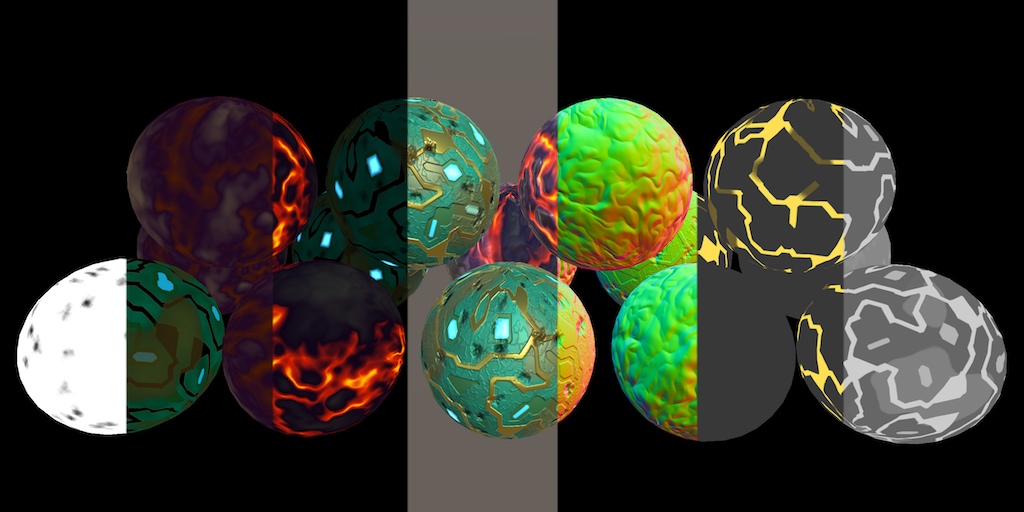
A Unity Rendering tutorial about adding support for deferred shading. Part 13 of 20.
frank ferry
@low lichen Thanks again
meager pelican
@frank ferry
which seems stupid, and I do not have any reason to worry about perforamnce (esp since I am using discard) just curious if its possible```
Why sample in the shadow pass?  Do you need to sample to modify a vertex location or something?  The shadow pass doesn't care what color the object is.  It is projecting shadows into a shadow map.

Sorry for butting in, @low lichen did a great job explaining, but I didn't understand this comment of yours.For the discard I believe. They're discarding based on a texture.
 olive basin
Hello, I hope its alright to ask this here. I just started teaching myself how to write HLSL shaders for a shader-filter plugin for OBS Studio. These shaders are applied to a scene/image in obs studio. I am wondering if someone can point me in the right direction for how I would translate only certain sections of the input using a vertex shader. I am able to translate, stretch and warp the whole input but I"m having a hard time isolating certain sections and applying different transformations to each section to achieve a shattering glass sort of effect. Am I mistaken in thinking this is possible? Thanks for any help.
low lichen
@olive basin Are these sections rectangles, or different sections of broken glass for example?
olive basin
@low lichen I was gonna start by figuring out how to do it with rectangles, and eventually move on to different shapes. My final goal, if its not too difficult, is to randomize the effect so it breaks in different places each time, but I'm trying to just work on baby steps to get there since I"m pretty new to shaders.
low lichen
You won't be able to do something like that in a vertex shader, unless you're talking about generating vertices to make these custom shapes you want.
I assume you just get full screen quad, so you only have 4 vertices to work with
olive basin
Oh, I think I see what you mean.
low lichen
And random isn't something shaders do very well. You'd usually have some script controlling input variables to the shader.
olive basin
Okay.
There is a rand function that is already provided for use in the shader.
I guess I'll look into what it takes to generate vertices. Do you have any tips on where I should start?
low lichen
That very much depends on the API you're working with.
Is there no documentation for what you're using?
olive basin
There is only a bit of documentation for the shader filter plugin.
low lichen
Might want to look at this
https://www.shadertoy.com/view/4llcRr
 olive basin
I haven't taken a look at OBS Studio's documentation to see if that may help as I"m not sure if it matches the plugin docs.
low lichen
This shader is able to generate a pretty convincing shatter pattern and use it to distort a texture
olive basin
I have been teaching myself mostly by playing with the examples provided with the plugin.
low lichen
There's a lot of math that goes into generating a convincing pattern like this
olive basin
Thanks! I'll take a look at it. Would be nice if it was in HLSL. lol. Been trying to find a shadertoy like website for hlsl.
low lichen
It would be a lot easier to just have a couple of different pre-made textures that you use to distort the screen.
olive basin
I'm not only looking to crack it like that, but I also want to animate the pieces falling too.
low lichen
That's a very complicated effect to achieve with just a full screen shader
You're talking about 3D pieces rotating and falling off screen?
olive basin
Just 2d pieces.
I mean 3d could be in the long run but I do understand how complicated that can get.
low lichen
If you're wanting to achieve this using only a single full screen shader, then looking at examples on shadertoy is your best bet.
olive basin
I just figured it would be a cool project to work on and it would allow me to learn lots in the process.
And the effect on stream would be really neat once its done.
low lichen
But it's definitely not standard to achieve these types of effect with just a single shader. You'd want to generate the different pieces as meshes and render those with a simple shader that just samples the video texture.
But it's probably not something you can achieve with the shader filter plugin you're using
olive basin
Yeah that would make more sense. Then it would be easier to apply any transforms on each piece.
With the shader plugin, its just one shader file that's applied to the scene.
But I have seen some examples that use reference images to load in..
low lichen
Is it not possible to get access to the OBS texture and use it in a separate application to do whatever processing you want with it and then feed that back into OBS?
Then, in theory, you could even do this in Unity (but I wouldn't recommend that :P)
olive basin
I hadn't considered that. I'm not sure if it is. I haven't tried outputting a scene from obs to any other software. I feel like there may be latency issues with solution but I'll look into if that is possible. Do you know any software other than unity that would work with that idea?
It seems obs can be used as a virtual camera to be used with other software.
low lichen
For something as basic as generating some meshes and rendering them with a texture on them, you could just make your own application that uses OpenGL or whatever graphics API you want to render your custom output.
The reason I don't recommend Unity is because of the overhead of everything else that comes with Unity.
But maybe you do want to simulate physics or something more advanced
olive basin
Yeah I want simulated physics.
low lichen
Then Unity becomes more attractive versus something custom
olive basin
Maybe blender as well?
low lichen
I don't know enough of about Blender scripting to know if you can do something like this with it
olive basin
Same here.
low lichen
I doubt it, though
Is this just something you want for yourself, so you're okay with having to run a separate application to have it working?
Or is this something you want to share?
low lichen
If it's just for yourself then using Unity, if that's something you're very familiar with, isn't such a crazy idea
olive basin
I have a bit of experience with unity. Lol. But I can usually figure things out as I need them.
low lichen
I found this, which will allow Unity to output as a virtual webcam which can be inputted into OBS
https://github.com/schellingb/UnityCapture

GitHub
Streams Unity rendered output to other Windows applications as virtual capture device - schellingb/UnityCapture
olive basin
Another thing to consider is cpu usage of unity while running a game and obs studio.
Awesome! If using unity like this works with with minimal latency, this may open up a lot more possibilities for neat stream effects.
Thanks @low lichen for all the help. I really appreciate this. 🙂
frank ferry
@meager pelican its a requirement of my shader, Ive got a tilemap (texture) which decides should the fragment be visible or not, hence their shadows should behave the same way
 crystal patrol
Anyone have any experience with writing back some data to an RWStructuredBuffer in a surface shader? I pass in a StructuredBuffer<uint>, do some calculation in the vertex shader, and write the position back to a RWStructuredBuffer<float3>. It works fine in a vertex shader when I pass a <float3> and write a <float3> but not when I pass a <uint> and write back a <float3>
meager pelican
IDK what you mean by that last sentence. You know they're different formats, I assume, so I'm not sure what you're doing. Why aren't you writing a float3 and reading back a float3? (confused)
Oh, PS. Float4 is more efficient from a memory-flow standpoint. It's all really designed for sizeof float4
crystal patrol
I'm doing some calculations on the shader and converting it to a float3
I can change it to a float4 but all I'm getting back are zeros. Even if I just manually set the buffer to a float3(1,1,1) in the vertex phase.
meager pelican
OK, size of UINT is 32 bits. Size of float3 is 32 bits x 3 = 96. Are you accounting for that too?
crystal patrol
Yep I'm doing some bit shifting
meager pelican
Yeah but FP is a special 32 bit format. So you're down with that? You're passing in a UINT, and trying to read it/them as 3 floats in a float3. Right?
I don't mean to be stupid. I'm just checking assumptions.
crystal patrol
Yes. The shader outputs the positions correctly, but just won't write that position back to the RWStructuredBuffer.
meager pelican
What happens if you write it as a UINT and read it as a UINT? How is the SB declared?
I guess what I'm getting to is if you want to twiddle bits, you're better off reading and writing UINTS.
crystal patrol
For a RWSB, do you always need to SetData before GetData?
meager pelican
OH, I think you need min DX10 too for binary math in shaders. you know, I mean bit operations.
crystal patrol
Or can you just SetBuffer? I notice it's writing back data from the previous buffer that set it.
meager pelican
Uh, that's the C# side. I don't suppose you need setdata if you set it in the shader, and read it in C#. Not sure.
crystal patrol
Yes I'm on DX11 and have the correct definitions in the shader. #ifdef SHADER_API_D3D11
It does work when they're the same type, but not if they're different types. Is that because of how it's stored in memory?
meager pelican
Yeah, that's what I was saying about "special formats".
https://en.wikipedia.org/wiki/IEEE_754
The IEEE Standard for Floating-Point Arithmetic (IEEE 754) is a technical standard for floating-point arithmetic established in 1985 by the Institute of Electrical and Electronics Engineers (IEEE). The standard addressed many problems found in the diverse floating-point impl...
You're going to want it to agree. There are times when programmers "pull tricks" and declare things with UINT when they aren't UINTS. But in your case, if you want floats, read and write floats. But you're bit-shifting, and IDK what you're up to. So if you want bits and bit-twiddling, then read and write (and declare) it as UINT. But pretty much you don't want to try and mix it up.
crystal patrol
That's interesting to know. Thanks
meager pelican
And you can "encode" and "decode" a float into a UINT. But since I have no idea of your use-case, I can't really comment much on what you SHOULD do or not.
crystal patrol
Just fyi, I was able to read and write different types on different buffers. There's just different definitions for the Surface shader than pixel/vertex shader, atleast with my Graphics card. Not entirely sure with how UAV works in layman terms but will keep reading up on it.
uncut karma
@crystal patrol you might have to set the buffer as the randomwritetarget, I forget if that is only necessary for RW textures
It may also need a register assigned in the shader
You may also be interested in asfloat asunit etc (Hlsl)
Also the vertex stage cannot write to a structured buffer, only pixel and compute
Dx12 may have loosened that
crystal patrol
Yep @uncut karma that's what I ended up having to do. Adding register(u4) and using Graphics.SetRandomWriteTarget(4, buffer) From what I understand, it just sets exactly where in memory it's being stored? I got it to work with that and #ifdef UNITY_COMPILER_HLSL definition. I'm on DX11 and Vertex phase in a surf shader was able to write to the RWSB.
Thanks for the appropriate response though!
crystal patrol
Hey @uncut karma you might know the answer to this, but is there a way to set and increment your own global index instead of using the vertexID ? I'm trying it the obvious way but seems like it doesn't work that way..
 keen kernel
Hey, maybe a stupid question, but it's right now impossible to create a Wireframe shader to WebGL cause we can't access Geometry shader, am i right ?
Not talking about scripts here, only shaders
low lichen
@keen kernel There seem to be an asset that has a wireframe look that works on WebGL, but it bakes the mesh data somehow, so it's not just a single shader effect.
keen kernel
I saw a free asset using Scripts (I don't want to apply scripts to my objects for performance issues), and I can't buy paid assets, and im not even sure they do it with shaders
low lichen
You don't want to use any scripts in your project?

GitHub
Get a beautiful cross-platform wireframe renderer for your meshes with one click - miguel12345/UnityWireframeRenderer
That's free and works on WebGL
It uses a script to process the mesh before. That's the only way you're going to be able to do a wireframe effect in WebGL.
keen kernel
The wireframes will be applied on objects present 50000 times, and i'm really short in memory usage
In this case, I prefer to wait a potential Geometry shader support in the future
low lichen
Is it all the same mesh or are they all unique?
keen kernel
all unique
low lichen
How are you even rendering that many unique meshes with any acceptable frame rate?
keen kernel
not at the same time ofc
low lichen
Are you generating them or getting them from somewhere?
keen kernel
I could add WireFrameRender component to displayed objects, and delete it when they are hidden...
getting them
low lichen
Hmm, yeah that's tough then. I don't know how fast this asset I linked you is.
How big are these meshes, vertex count wise? Any constraint or it could be anything?
keen kernel
Could be anything
I'll check asset you gave me when I'll get some time for this feature, thanks 😄
 grim abyss
Does anybody know how i can achieve the same result as the moving backgrounds on this video?
https://www.screencast.com/t/S0WxzaWECU
perhaps via a shader? I'm not sure
 keen kernel
I think you can create the background as an image, than display and move it through script
grim abyss
Hmm
How can I move my image through script properly? If I move the main texture offset of the images material, all my images get moved and it bugs out. @keen kernel
meager pelican
@crystal patrol You can look into atomic operations, but it's slow and you don't really want to do what you're doing I don't think. Of course, I can't say for sure, you may NEED to do it. But you should go there kicking and screaming and fighting all the way to find a different solution.
Are you sure you want what you're asking for? What's wrong with vertexID?
@keen kernel Maybe
http://codeflow.org/entries/2012/aug/02/easy-wireframe-display-with-barycentric-coordinates/
will help.
keen kernel
Looks like we cant access Geometry Program in WebGL, so this kind of shaders are not working
low lichen
That doesn't use a geometry shader
keen kernel
oh link has been modified, ok
meager pelican
lol. Sorry. I had two open, and pasted the wrong one. I noticed the 2nd one doesn't use a GS.
low lichen
But if it's that easy, I'm surprised there was seemingly no asset or repo doing this in Unity
meager pelican
Yeah, IDK about hardware level support either. But it might be worth researching.
low lichen
According to this, you can't use this trick with indexed meshes
https://stackoverflow.com/questions/44268429/wireframe-shader-with-barycentric-coordinates-shows-black-triangles

Stack Overflow
I created a mesh viewer using OpenGL and now I'm trying to realize a wireframe shader with barycentric coordinates following the guide found here.
The problem is that my mesh has lots of black tri...
grim abyss
Nobody has any idea?
low lichen
@grim abyss Do you mean you have multiple objects with the same material and changing the texture offset of that material changes it for all the objects, when you only want it to change for one?
grim abyss
Yes
Also, I'm using the lwrp and changing the offset just doesn't work nicely
I want to animate a Image of the new UI like in that video I sent
digital venture
hi, guys, can anyone please help me understand the math behind ComputeGrabScreenPos? I don't understand 2 things: why does the position need to be divided by 2 and why do you need to add w to the xy coordinates?
meager pelican
It's computing UVs (grabpass uv sampling location) from clipspace. Clipspace is -1...1, and uv's are 0...1 so the range of clipspace is 2 units, whereas UV is one unit. So it's divided by two to "shrink" it.
I'm not sure about the w, it's usually a perspective divide thing. They're not just adding .5 so IDK for sure. If it comes in as a 1 and it was multiplied by .5, then it's adding .5 which makes sense. Maybe it's just faster to use the vector register that has a .5 in it than a constant of .5.
meager pelican
@grim abyss IDK about UI, they have kind of different shaders. The image you posted looks like an animated background.
If you need different offsets per instance, you'll have to investigate instancing or stuff some value into the mesh to flag it as not offset or a different rate, or whatever you're doing.
Offsets are used to scroll textures over time. There's a _Time shader variable already available. The .y value is the 'normal' time. Look the others up in the doco. I think _Time.x is time/20. Time is total elapsed seconds.
So normally you just use a wrapping texture, and multiply the x offset or whatever by some time value that's scaled by a scalar rate.
uv = float2(myUV.x + _Time.x * rate, myUV.y);
to scroll the x direction with postitive offsets. So look up instancing and make sure you're using a texture that's set to wrap around (maybe called repeat or duplicate...I don't want to look it up now).
digital venture
ooooh i got it!! it adds 0.5 to each axis so that you can do the conversion. lets say the pixel is in the left side middle of the clip space (-1,0). if you were to just divide by 2, you would get (-0.5, 0). Adding that 0.5 from the w perspective turns it into a correct (0,0.5). THANK YOU SO MUCH @meager pelican
meager pelican
Yep. It's just not obvious that the .w component comes in as a 1 and the previous vectorized multiply by .5 set it to a .5.
They could have just coded "+.5" but like I said, it might generate faster code to use the register for some reason.
digital venture
while we are at it, can you help me out with one more thing? i want to tint waving water more if its height is bigger and less if its smaller
o.vertColor does the thing
but for some reason, i get the opposite result
the higher my y is, the less prominant tint
the texture is just black and white random splatter
however, if i multiply the waveheight first, it shows correct results
meager pelican
You multiply by 5 in the 2nd example but not the first, but IDK what your _Amp value was.
Maybe you want to separate the amplitude scaling from the tinting. So do the v.vertex.y += waveHeight * _Amp; so you don't mess up the waveHeight value. And fix up your normal calc too.
Then you won't have to scale it by 5 again later. Like I said, IDK what it was set to.
It helps to see the results a bit more directly. You can often output values in the shader and scale them into rage so you can "see" the resulting height. You'll just basically have to do the math.
Negative colors will be black.
And your surface normal calc may not be correct and lighting will look weird.
digital venture
yeah, good call on separating the amplitude
thats all it took for it to start working well
i really appreciate the help man..
main parcel
Not sure if this the right place to ask, but there's no Rendering room. I'm working on an Android VR project, and I get frame drops every other frame on a super simple scene. Gfx.ProcessCommands is taking a really long time to return after rendering everything, and that seems to be the source of the frame drops. Why would it be taking so long?
low lichen
@main parcel Looks like you're using multi-pass. Single-pass is recommended.
Whether that's related to this issue, I don't know
Are you running this on Oculus Quest?
main parcel
Vive Focus Plus
low lichen
Hmm, I don't know anything about that device. Is it always exactly every other frame that is dropped?
Never 2 frames or more in a row?
main parcel
And yeah, you're right, it does look like that. I'm not though. 🤔
I wonder if the WaveSDK is doing something weird.
Never 2 frames or more in a row?
It spikes 2 out of every 3 frames if I switch to the standard shaders. This sample is taken from a version where I had just mobile shaders
meager pelican
Are you uploading or modifying a lot of texture or mesh stuff on the C# side?
main parcel
Nope. I have a couple of Render Textures that get assigned to different materials, but that only happens once and the textures aren't even being updated anymore.
meager pelican
you're going to have to look at the detail view, and the rendering and memory sections and see what's up. No way to tell from here.
One thing that helps is if you change the resolution to something small and it goes away, you're probably fill-rate bound. Also run maximized so the editor update (scene, editor gui, etc) doesn't mess you up.
If it's VR device/api specific, IDK.
crystal patrol
@meager pelican Thanks for the tip. I was looking into atomic operations and IncrementCounters but then found something much more useful while reading up. Append Buffers is probably what I need instead so will give that a go.
 mellow fox
Hey guys, this might not belong here as it's about shader graph, not shader script, but I have a weird graphical issue in LWRP using render overrides. https://imgur.com/a/2LTk3Kk

There's more info in this reddit post - https://www.reddit.com/r/Unity3D/comments/e2q9oi/shader_graph_lwrp_render_override_bug_anyone_seen/

It's the shadow on the floor that you can see through the body of the cat on the left (which is in an override layer) but not the cat on the right (which is in the default layer).
meager pelican
this is going to sound stupid, but....
just to verify.
The left-cat shadow is cast on himself, right?
So he gets cast into the standard layer's shadow map, and it is stamping him with his own shadow. Yes?
mellow fox
@meager pelican That doesn't sound stupid - it would make sense of what we're seeing I guess? (why the shadow appears stronger on camera-facing polygons, less so as the cat's body curves away at the edges)
Question is, where is that decided? The CharacterInfront render override is rendering after transparents. I've tried changing the order of when it renders, but there isn't an event order that shows the cat without shadows on it.
meager pelican
You've got a screen-space dither (Screen door) in what I assume is a custom shader. So what map are you picking up?
Yeah, I get ya. I don't know. lololol.
mellow fox
Here's the render order stuff, fyi
meager pelican
Well, one thing...
The thing with transparents is they usually don't write to the depth buffer, and that could fubar your shadow calc.
Did you try opaque?
mellow fox
It's all opaque - the shader, the render override layers - because it's using that screendoor dither.
The shader graph is... a bit of a mess. There's a link to a download for it in that unity post, if you're curious.
Unless there's some transparency aspect to this that I'm missing...
meager pelican
I eat spaghetti but I don't code well with it...
meager pelican
right click on the master node and say "show code" or whatever it says. Look to see if it is writing to depth in he pass that does the cat draw in screen-space.
Might be a wild goose chase though. I'm totally guessing.
Wait. Do you render the cat twice?
Once in the normal layer, and then a second time with the SD effect for the wall/tail see through?
mellow fox
So I'm doing this according to the approach shown in that Brackeys video - which is, there's a CharacterBehind render override to draw the cat with the screendoor effect when it's behind objects. There's an equivalent CharacterInfront render override which means that the CharacterBehind render doesn't happen on the cat itself (so its paws aren't screendoor through its body).
The cat doesn't actually render in the Default layer at all. Which might be what's the problem here. I set this up a while ago, let me refresh my memory of that Brackeys video...
meager pelican
IIRC he had two renderers somehow.
mellow fox
Seems to be from 8:22 in this video https://www.youtube.com/watch?v=szsWx9IQVDI watching now

Let's learn how to render characters behind other objects using Scriptable Render Passes! This video is sponsored by Unity ● Download Project: https://ole.un...
Yeah, so it seems I'm doing the same set up as he's doing. I guess there could be an issue with the screendoor stuff on the 'normal' shader being used in an override layer, as opposed to what I'm guessing is a standard Lit shader that he's using for the CharacterInfront stuff.
FYI, not wanting to splurge code, but the only mention of Depth in the generated code from the shadergraph master node was this : https://pastebin.com/uWp4kk6s
 meager pelican
Could be. The SDE is just a discard against a dither pattern though.
If you can get fancy-cat to work his way, you should be able to add the dither to it. IDR if he had shadows but it looks like it from the video.
mellow fox
Sorry, what does SDE mean?
meager pelican
Sorry.
SDE = Screen Door Effect.
Depth ref = ZWrite On or Off
mellow fox
Gotcha.
One interesting thing is that the Lit shader has a 'receive shadows' tick box. I can't see a way of adding that simply to a shader graph shader - how is that controlled usually? This might just be a distraction on solving this issue (which looks very much like a sorting problem to do with SDE depth writing stuff...)
meager pelican
Yeah, IDK. Not an SG guy (yet?).
You sure you can't do this in the geometry queue? I'll have to watch his vid again (but later).
mellow fox
Welp, I just saw this comment on that Brackey's video - "Nice effect but something must have broked since then, character seems to be rendered behind any shadow" - so... I guess that wraps it up.
Thanks for your help! Looks like I need to sit tight for a fix.
meager pelican
<Optimistic feels here>
mellow fox

 radiant rain
I've got a quick question about dealing with rotation in Shader Graph
I've got a sprite shader, and I don't want the sprite texture to rotate with the sprite
Any way of doing this? I can't figure out a way of accessing the object's transform's Euler angles from the Shader Graph... the Object node only gives my position and scale
Thanks in advance! I really appreciate it
devout quarry
somebody here recently recommended this

The Book of Shaders
Gentle step-by-step guide through the abstract and complex universe of Fragment Shaders.
I haven't really read it yet but at a first glance it looks amazing
@grand jolt
and for learning shaders
I found that for me shader graph was a nice intro as a beginner
and then I found myself writing some hand written shaders as well
but I prefer shader graph
yes!
using 'compile and show code'
However the code you will see there is just for information and debugging, it is not a valid shader
inside of the graph editor though, by right clicking the master node you can show generated code
which is a valid shader file
devout quarry
in shader graph, how would I lerp between 3 colors?
I have an input between 0-1
and I want to be able to lerp between 3 colors AND control where the middle color located between 0-1
maybe I should just use a gradient...
devout quarry
I've seen some people use a method where they have a gradient field in inspector and then convert it to a texture to use in the shader, that could be cool
amber saffron
If you can interpret my pseudocode to graph :
colorA;
colorB;
colorC;

inValue;
middleValue;

output = lerp( lerp( colorA, colorB, saturate( inValue / middleValue ) ), colorC, Saturate ( (inValue - middleValue) / (1-middleValue) ) );
The idea is basically to lerp between A and B in the [0, middle] interval, and then lerp the result with C in the [middle, 1] interval
Well, wanted to be sure, did this while something else was loading :
devout quarry
Okay yeah that seems to work wonderfully
Thank you for taking your time to do this, really nice of you
And learned something new today 🙂
amber saffron
And for "general knowledge", this is exactly what the sample gradient node is doing, but with up to 8 color and alpha in code with a loop 🙂
 hasty hare
how to use textures with the custom functions in the shadergraph? tried using sampler2d as parameter to function but complains "cannot implicitly convert from Texture2D<float> to sampler2d"
 green zephyr
It seems the unity_LODFade shader variable behavior has changed in 2019, without notice, broke our blue noise crossfade ;_;
Also, shaders are no longer auto-compiled when changed, it was very useful to see the changes immediately, is this normal?
amber saffron
@hasty hare You'll need to use HLSL Texture2D.Sample method (https://docs.microsoft.com/en-us/windows/win32/direct3dhlsl/dx-graphics-hlsl-to-sample)
You will for this need to also expose a sampler in your node
 echo badger
I am starting to learn how to manually write shaders, specifically compute shaders. I got an HLSL plugin for VS, and it is like night and day! Oh my gosh this is amazing! It is sooo much easier to learn!
That is all, just excited, and happy and wanted to share 😛
low lichen
Learning shaders is a lot of fun
devout quarry
in SG using keywords
why is this not working?
ahn nvm
had to use enable keyword and disable keyword
echo badger
So, I was considering using compute shaders for some core functionality, but it isn't clear to me if this would be a bad idea, and make my game not run on some computers that otherwise could run it.
(sorry if this is not the proper channel)
 cinder chasm
Anyone have any idea as to why #include "Packages/com.unity.render-pipelines.high-definition/Runtime/Lighting/LightDefinition.cs.hlsl" is an invalid include?
All packages/<package> includes are invalid, despite all sources I can find saying otherwise
 rough stump
Check out my work with shader graphs! https://www.youtube.com/watch?v=UuQOU9HkIXU

 vocal narwhal
@rough stump please keep anything related to asset store advertising in #502171717544968212
 viral shadow
So if I want to pass a Vector2 to a shader, is it better to pass two floats, or one Vector4, wasting the unused zw values?
cinder chasm
Why not just pass a vector2?
They exist as Vector2 in shadergraph, and float2 in both HLSL and shaderlab
viral shadow
Can you? The manual says vectors are 4 floats, and SetVector only takes a Vector4
cinder chasm
Ah, from a C# script, I'm not sure.
vocal narwhal
You just send a Vector4 and it'll interpret it to whatever it is on the other end I think
viral shadow
Ah, that would make sense
cinder chasm
Aye, values are auto truncated by shadergraph, so it makes sense
viral shadow
This got me thinking, if eg. I have four float values to pass to a shader, would there be some advantage to packing them into a single vector, instead of setting them individually?
cinder chasm
If you're calling the function four times, I would think so. Negligible I would say though.
If you're calling the function once, I would assume a struct has more overhead than four primitives
vast saddle
I am using the shader graph and clipping my model is half using the AlphaClipThreshold. I would like to cap the resulting hole with a simple colour. How would I go about doing that?
low lichen
@vast saddle You can't use AlphaClipThreshold then, because that will discard those pixels. You'll have to use step and lerp between the regular albedo and the hole color.
vast saddle
oh man.
it looks like this is going to be more complicated than I thought haha
thanks
low lichen
Not very complicated. Instead of connecting your alpha clip threshold to the Alpha Clip Threshold, you connect it to a Step node along with the alpha value. Then you get 0 if the alpha is below the threshold or 1 if it's above it. Then you use that to lerp between the regular albedo color and the hole color.
regal stag
You can use AlphaClipThreshold if the hole you want to fill is going to be unlit, by having the shader Two Sided and using the back faces as a solid colour.
@vast saddle
vast saddle
thank you to you both. Ill try both and see how it goes 🙂
amber saffron
@vast saddle : i'm shamelessly sharing my github, but I made a subgraph for a clipping plane if this is what you need : https://github.com/Remy-Maetz/ShaderGraph_Doodles
GitHub
Contribute to Remy-Maetz/ShaderGraph_Doodles development by creating an account on GitHub.
Looks like this :
vast saddle
Oh wow, thanks Remy! I'll have a look
 mystic geyser
does anyone else find the shadergraph/vfxgraph's blackboard for declaring public variables inconvenient! ASE does it lot better with inline Nodes. if anything shader graph GUI should take that one step further and let us define the locality of declared varibles from graph canvas's nodes itself.
blackboard should be simply be overview of declared variables across the graph and provide global override/control on the variable nodes.
meager pelican
@viral shadow Sure. Particularly if you want to do some vector operation on all of them at once. They can end up being in a vector register. And with shaders, remember, vectorize operations where possible. It's SIMD vector register/instruction speedup.
But if they're unrelated values, maybe not much advantage at all. Sometimes things are "grouped" like Unity's _Time shader variable. .x is _Time/20, .y is time, etc. but they're all diff values of time, in one vector.
I have four float values to pass to a shader, would there be some advantage to packing them into a single vector, instead of setting them individually?
viral shadow
Oh cool thanks
echo badger
Would using compute shaders for plant generation be a bad idea, and/or limit what systems a game could run on?
If there is some sources to read about the cons of using them or something I would be happy to read them of course. Just can't find anything.
viral shadow
The manual lists platforms that support compute shaders: https://docs.unity3d.com/Manual/class-ComputeShader.html
echo badger
Thanks @viral shadow, I saw that. 2 things I was unsure of is if something like the Switch would be capable of running it. And how prevalent computers without DX11+ support are.
viral shadow
A quick search says that the switch supports OpenGL 4.5, Vulkan 1.0, and OpenGL ES 3.2
So seems like it can
low lichen
@echo badger It would be difficult to find a desktop PC without DX11 support. In fact, Unity already deprecated DX9, so AFAIK all newly released Unity PC builds require DX11+ anyway.
You'd run into problems on mobile though. Some new devices will support compute shaders, but many older devices will not.
viral shadow
No clue about support, but I can say my card is getting on 6 years now I think and it supports DX11
echo badger
Alrighty, thanks guys for the help! 😄
 obsidian gorge
Hi brothers!!! Anyone around there ? I need some help with my post processing bloom and renderer texture
So I have a camera which targets a Renderer Texture
And It looks like this when Im running the game
That Camera is viewing a 3D Model.. and I want to add some bloom to that
But I dont know why is showing me the black thing
Well I supuse maybe the problem is because my render texture material needs transparency to hide the black background
But I dont know how to solve it
mystic geyser
@obsidian gorge a cutout shader based material for RT should do the trick but i doubt if the mesh use for dispalying RT is not quad and not as outlined by the silhouettes above.
in that case the black portion is part of render , seems like the bloom scatter to me. try lowering that perhaps
low lichen
It's probably because bloom is writing to alpha for some reason. Not normally a problem until you try to use that texture as a transparent texture.
@obsidian gorge What are you using to do the bloom effect?
obtuse lion
@obsidian gorge that's not easily fixable I'm afraid - the issue is a flaw in logic; you need to render the Bloom on the overall camera (i.e. including the UI), because blending the bloom is going to result in a black halo.
You could maybe hack it by having a shader on the UI element which does additive transparency on areas where alpha < 1.0 and normal blending on areas where alpha == 1.0
but I have a feeling that might lead to the opposite problem - you get a whiter halo
obsidian gorge
@low lichen the postProcessing in the package manager
@mystic geyser tried with cutout but is the same problem with hard borders
@obtuse lion Tried that hack, I get a white halo
Its a hard thing. Maybe I can try another method to dísplay the 3d character? Like put the 3d character over the UI and delete the Render Texture?
obsidian gorge
But this is not a good practice.Any ideas ?
low lichen
@obsidian gorge I'm not able to recreate this weird black border. I've put a post processing layer on a camera with a target render texture and if I render that texture with a transparent material, it looks correct.
obsidian gorge
@low lichen Did you put the Bloom Effect ? And Tried to display a 3D Model in the Render Texture ?
obsidian gorge
Yes, going
Sorry, was trying some things and time pass out
@low lichen
The Image GameObject with the Material
low lichen
@obsidian gorge And can you screenshot the camera that is rendering the character?
low lichen
Thanks, I'll try to recreate this and see if I see the same thing
obsidian gorge
Thanks you so much for your time. I will be here waiting
low lichen
@obsidian gorge Looks like the problem is that your camera is set to not clear. That means all slightly transparent pixels will accumulate over multiple frames until it becomes completely opaque
Set it to Solid Color and make that color 100% transparent
The actual color doesn't matter, because it will be transparent
obsidian gorge
That was the problem ? IT WORKED
Are you kidding meeeeee
The most stupid thing in the world
Thanks you so much @low lichen
low lichen
No problem! Better get used to these kinds of problems, they happen all the time :P
devout quarry
in shader graph for my water I'm doing colors based on depth
but you can see that when I zoom in
the colors change
like within this kind of circle pattern
how can I adjust my shader for this?
I'm using this setup to read depth
should I get my depth from a secondary camera maybe?
like when a player would be standing on the shore
he'd see this
this circle around him
low lichen
Instead of using the distance between the sea floor and the camera, you should use the distance from the sea floor and the surface of the water
You could do that by converting the depth value to a world position (maybe there's some node that does that in Shader Graph) and compare the Y of that with the global ocean height.
Or more realistically, you would get the distance it would take light to go from the sea floor to the camera, instead of directly up. There's probably some standard way of doing this, but I haven't looked that up
devout quarry
um like this?
isn't really working..
but I get what you mea
mean
that's giving me these results
so there is some kind of gradient going on
low lichen
@devout quarry Have you tried using Linear instead of Eye sampling?
devout quarry
yeah
low lichen
I don't think Transform can be used in that way
devout quarry
maybe not
cinder chasm
Scene depth returns a float value, in Eye mode it returns it in whatever the weird eye unit is
Transform is for converting a point in x space to a point in y space
Technically 'vector1' value by ShaderGraph I guess
low lichen
Looks like there's no node for converting depth to world position
cinder chasm
Er, I'm not particularly versed in shaders, still a novice. You could jerry rig it to work by using a raycast in a custom function node (HLSL or C#)
I'm almost certain there's a cleaner shadergraph solution though
low lichen
The idea of converting depth to world position is pretty simple. First you need the direction from the camera to the pixel and then just multiply that by the depth, as long as the depth is linear and in world units, and then add that vector to the world position of the camera
cinder chasm
Camera direction can probably be ascertained fairly easily
low lichen
Getting the direction from camera to pixel should just be negative View Direction, which is already a node
cinder chasm
Aye
low lichen
@devout quarry You got that?
devout quarry
direction from camera to pixel is not equal to view direction?
low lichen
https://docs.unity3d.com/Packages/com.unity.shadergraph@6.9/manual/View-Direction-Node.html
This is the vector from the vertex or fragment to the camera
So it's the opposite
devout quarry
ah right
weird, if I hear view direction I think camera to vertex
what do you think of this
low lichen
@devout quarry The Object node doesn't make sense there. That's gonna give you the position of the object's center, not the world position of the water surface fragment.
devout quarry
switched for position node
low lichen
And you probably just need the distance between the position of the sea floor fragment and the surface fragment and use that distance to control your gradient
Instead of subtracting and dividing
low lichen
Replace the Subtract node with a Distance node
If that doesn't look right, try connecting the Add node to the Unlit Master, to visualize what world position you are getting out of the depth
Maybe it's not correct
Ah, wait. Scene Depth linear will only give you a value from 0-1, when you want a value in meters/world units
So you have to multiply that value with the camera's far plane - near plane
low lichen
I think that looks right. It's not going to be a gradient because the position goes past 1 meter very quickly at large scale
You could zoom into the center to see if you see any gradient
low lichen
Is this after connecting everything back?
devout quarry
so this effect
is with these set of nodes
connecting it to my water shader :/
but tbh I'm very confused
almost all of the water shader tutorials online subtract w component of screen position from scene depth in eye coordinates
and use that difference as depth
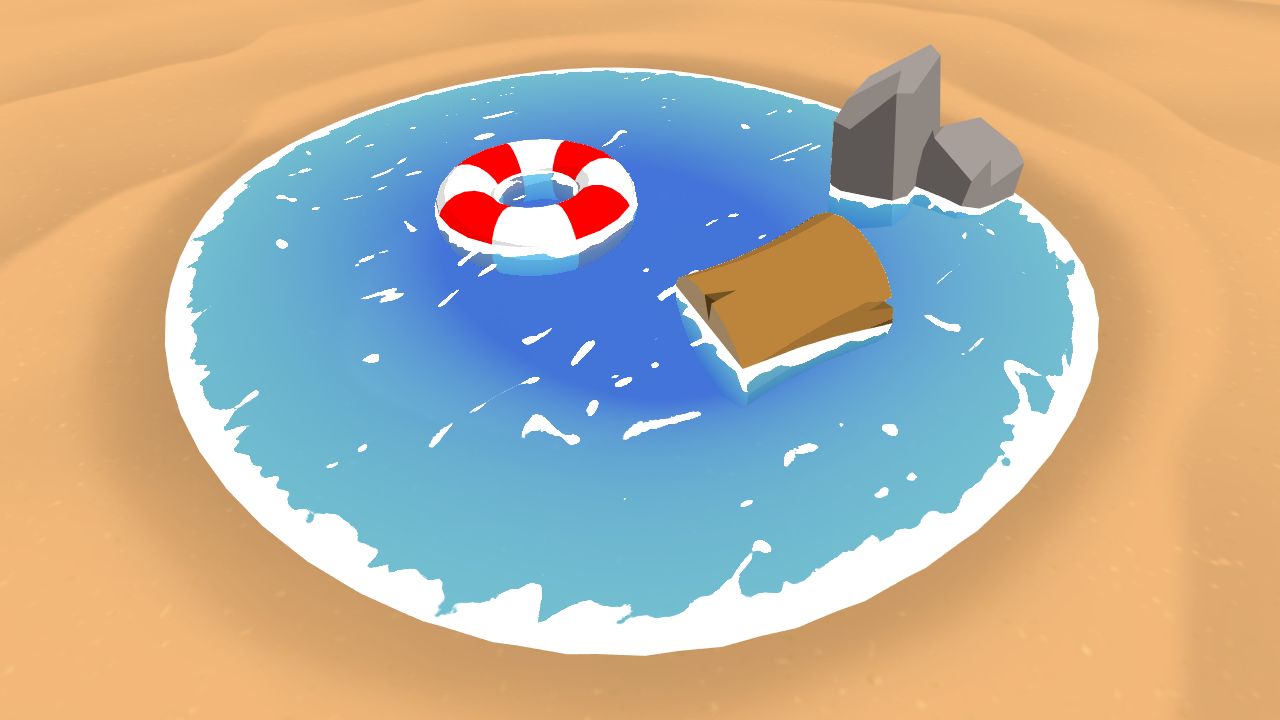
Learn to write a toon style water shader for Unity engine, complete with waves and shoreline foam.
this for example
low lichen
I guess that's a much simpler way of doing what we're doing 😅
You haven't found any shader graph water tutorials that are doing something like this?
devout quarry
this is from a video
and about the marked line he says
we also need the depth of the fragment itself
@low lichen I think I'm going to leave it for now
the effect looks fine when I use a gradient without hard 'steps'
so it's not a huge issue
I want to thank you for the effort of helping me 🙂
regal stag
@devout quarry Something like this might fix those issues. I think this is close to what @low lichen was trying to achieve.
devout quarry
@regal stag I'm speechless, this works perfectly
I can't thank you enough
I'm going to take a close look at the nodes themselves tomorrow because it's quite late here
regal stag
No problem, glad to help 👍
devout quarry
a perfect end to my day 🙂
terse peak
Still a bit new to Shaders and the Shader Graph: I have a working graph part for the surface of my object, now I want to add a glow, that lives a bit outside of the object. I can have a second object, which is just slightly larger, with a second material (the glow). I was wondering, if I can't determine the surface position and add a distance on the normal to scale my effect in the objects material shader. Is this description understandable?
sly breach
Is there a list of build in shaders ?
i would like to find the names to be used with Shader.Find
viral shadow
You could look through the source files to find available shaders

GitHub
Unity Built in Shaders. Contribute to TwoTailsGames/Unity-Built-in-Shaders development by creating an account on GitHub.
devout quarry
In Shader graph
do you think the amount of properties has a big effect on performance?
if we assume the complexity of the operations stays the same
but just more properties
not really right?
I read that there was going to be some performance analysis tools for SG in the form of node colors, that would be very useful
 sonic hazel
using unity Unlit transparent shader, anyone know how to fix this render glitch
low lichen
@sonic hazel The order in which you draw transparent objects matter a lot, because transparent objects don't write to the z buffer
You have to draw them back to front
So those black glass blocks should be drawn before the glass blocks in the front, but it isn't
sonic hazel
its all one mesh tho
devout quarry
Off topic but that clone looking pretty good! You recreating the whole game?
devout quarry
Nice! Hope you learn a lot
low lichen
Mm, so not all the glass blocks are the same mesh, they are split in 2 chunks?
sonic hazel
yeah
 sweet swift
Anyone can help me? I'm beginner in programming
sonic hazel
is there like a different shader that takes into acoount distance?
devout quarry
@sweet swift ask your question
 left torrent
Hey guys, new to Unity here and working through a tutorial but wanting to customize the finished game a bit, and as part of this I want to implement a custom shader I found online
I have the shader code and "blit" code but I'm not sure what to do with them. I created an unlit shader and replaced all the code with the shader code
but what do I do with the blit code, and how do I implement the shader?
*and apply it to the camera
low lichen
@left torrent You mean you want to implement an image effect?
left torrent
I guess? I'm not sure, I'm new to this. I managed to create a new shader & apply it to a material and I attached a script to the game camera with the other code which seems to be working, I suppose
this is where I found it https://www.youtube.com/watch?v=0Xc5k3fUbl0
Since I finished the project I did 2 weeks ago I've been wanting to expand my knowledge on the new unity Tilemap features. So I figured out how the custom ti...
so my shader has applied to the camera but it doesn't look like this, it just turned everything blue
ok nvm Im mucking around with the shader settings and it's starting to look alright, but I'm not sure how he got that glowing effect
ok nvm got it. sorry, sometimes I ask in help channels cause typing out the problems helps me to solve it for myself
sonic hazel
can anyone help with trying to make a shader to work like this glass
keeping in mind that each "chunk" will all be one mesh
sonic hazel
fixed
 hidden knot
is anyone experiencing difficulties in making shaders work in webgl chrome?
For some reason my shaders work well in microsoft edge but not in chrome and its really frustrating as i have no idea why chrome is not allowing my shaders to work in the game : (
amber saffron
@sweet swift What's that project ? It looks familiar
devout quarry
are any of these nodes platform dependent?
before when I was getting depth for my water by getting distance between camera and pixel below surface it was working fine on mobile
but now when I get depth by getting distance between surface of water and pixel below surface it's a bit wonky
is this because the generated depth texture is different on mobile platforms?
regal stag
@devout quarry I was under the impression that the Scene Depth node handles any platform differences with depth, but I could be wrong. What's the UV property input on the Scene Depth node though?
devout quarry
to be honest I don't think the new nodes are related. I used the old method of reading depth and it's also weird. The UV input is used for refraction
I removed the refraction and still weird so I'm thinking maybe it's some other settings?
I also upgraded Unity versions + SRP versions between these 2 tests so maybe that's it..
regal stag
Hmm, is the UV input just a constant Vector4 though? When you say you "removed the refraction", did you just set it to 0,0,0,0? Or disconnect the node entirely?
devout quarry
disconnect entirely so the input of the scene depth node is just the default one
regal stag
Okay, I only asked as if it is a constant, you'll be sampling that same coordinate for every pixel which might have been causing the issues. The default input for the Scene Depth is equal to the Screen Position node, so if you want to add refraction you should have Screen Position -> Add/Subtact with the UV property, into the Scene Depth.
If it looks weird even with that disconnected though, it must be something else. I'm not sure what though.
devout quarry
yeah I was getting good refraction before using the method you described, but removed it entirely just to be sure