#archived-shaders
1 messages · Page 118 of 1
 keen kernel
 valid flax
is it possible to have a transparent shader that react to lighting? I'm trying to create a water that needs to be transparent obviously, but I can't get light to work with it
eg. when it's darker I want my water to also be darker and on a sunlit day I want it to be bright blue and transparent.
I'm pretty new to shader , and love to learn so point me in the right directions and i'll be forever grateful
What i've tried:
Forward rendering : ForwardBase as a shader tag and using unity_LightColor to multiply with my bade refraction color. Altough.
For whatever reason, even though I only have 1 directional light in my scene and a color set to white-ish. this value, unity_LightColor, seems to be entirely black.
 near nest
why am I getting this noise distortion in the dots? the shader node previews look fine
nvm, it was an error in the input to modulo
 lime viper
Minor optimization I believe you can drop that clamp, the smoothstep will force values to be within the two edge values so you don't need to clamp it
near nest
good to know, thanks
 uncut karma
does shader graph have full stencil buffer functionality?
n/m, looks like not currently but maybe in future (from this thread https://forum.unity.com/threads/features-i-would-want-to-see.658090/#post-4406374 )

Unity Forum
This is based off of using the LWRP version 5.10
Show Generated Shader Code
Older versions of Shader Graph had the option for looking at the generated...
uncut karma
& actually I see that with LWRP it isn't really too important, since the Render Objects feature is great for working with the stencil buffer 👍
 carmine prawn
I'm trying to use a simple displacement shader (from youtube) but it only works for quads/sphere, i want it on a box with the seams staying together
this works
this doesnst
do i need a completly different approach or is there an easy fix?
 tidal nova
is it possible to reasonably pack multiple bytes/values into floats of the texture?
currently I'm using texture format RGBAFloat, and I'm trying to pack more values into splatmap to be able to blend more than 4 textures at once with 1 splatmap
I tried multiple approaches so far, but result is always the same, here is the simplest approach packing just 2 bytes into the float:
and result looks like this:
(100% green texture mapped to lower heights, 100% red to higher heights, and linear interpolation in between)
it worked well without packing floats, so I'm sure the issue is in packing/unpacking process, texture format or something similar
 tribal plume
do we have to pass the length of a structuredbuffer?
or is there something like buffer.GetCount()
nvm got it
 broken field
hey @ unity staff - little bit of feedback: I would like shader graph to not update the graph unless I want to - its really painful on HDRP to swap nodes for example.
in addition how about being able to swap input order. it's really common to have 2 wires in then drag one into the other slot without having to scroll to restore the missing input
it would be nice to swap input order with a click
perhaps just right clicking a node and "swap a/b" pops up....
save a lot of time - especially on HDRP where it takes around 8 seconds for me to swap a node.
I can't even prevent it from compiling and I spend most of my time sitting around. I can only imagine how shitty this is for someone new to shaders who need to experiment a lot
I would love to say "stop compiling please so I can work quickly then update when I am ready"
it would not be an issue if it was 1 second or something but it's typically up to 8 seconds now per change.
uncut karma
@carmine prawn it depends on the mesh vertices, there are edge splits on the cube for the hard edges & to keep each of the 6 side's having their own correct normals. ( 12 triangles and 24 vertices, so there are 4 vertices per side)
It would need to be 8 shared vertices total and 12 triangles to work.
But then the issue you would run into is the normals of those 8 vertices would be shared between sides, so the box would appear smoothed and not with flat sides.
usually for a displacement there would be tessellation involved (if displacing via a texture) but the same issue would occur, depending on the 3D modeling program you could use smooth groups or similar to prevent the hard edge splits on a mesh (this is also a consideration when baking normal maps)
or in the displacement texture the pixels near edge splits could fade to black for no displacement
 rotund tusk
@broken field is this happening even with async?
broken field
yeah i'll check its still on in 19.1.1
also it doesn't reflect changes in scene as it can't be effectively previewed so there is even more time lost (around the same) from pressing "save asset" otherwise i can't test my changes
(this is all in deferred because apparently fwd is worse)
forgot to mention @rotund tusk yes async is ticked on in Settings/Editor
 zenith meteor
hey guys im in a brick wall right here,does any of you guys achive a parallax interior or any kind of interior shader in shader graph ?
broken field
anyone got a crosshatching shadergraph they want to share? otherwise i'll just cobble one together, figured i'd save time asking
 echo badger
When using SG 5.7.2 in 2019.1.1f1 and HDRP 5.13.0. I get quite a few errors most are some variation of SurfaceMaterialOptions does not contain definition for AlphaSrcBlend. All of them are in HDSubShaderUtilities Any ideas how to fix these?
 fervent tinsel
@rotund tusk it's super painful even with async SG compilation if you use HDRP on forward only mode
single wire connection can take 5-6 seconds and whole graph is frozen while it does that
if you use deferred only, it's like half a second delay
I find forward delay totally unacceptable
no other visual shader editor does that
for example I can use ASE on HDRP forward only just fine, it's butter smooth
@broken field I think he meant just if you used new enough SG/HDRP combo that has async shader compilation on shader graphs
looking at the SG changelog, I think the change is on 5.10 / 6.6.0 and newer: Preview shaders now compile in the background, and only redraw when necessary.
you can tell if the async support is in also simply by using the shader graph
fi you see the shader compilation box on top after change when it processes it, it's still using the old setup
broken field
I'm just saying shader graph change takes around 8 seconds before the editor becomes responsive again, and that kind of sucks. I'm on 2019.1.1 using 5.13 HDRP. Async is enabled
fervent tinsel
@broken field it's the forward only thing
I bet it's all snappy again if you try it with HDRP asset set to deferred
fervent tinsel
really?
broken field
yep.
fervent tinsel
you sure you don't have "Both" on the HDRP asset?
broken field
I'm 100% sure yeah
fervent tinsel
that's weird
broken field
yeah I thought it was remarkable too
fervent tinsel
and you are certain you actually have that HDRP asset assigned on your project and not something else? 😄
broken field
Yeah I don't really have time for bug reports but I'm pretty sure it's a massive issue.
 grand jolt
Is there no other way to create foam in the ocean without depth?
 devout quarry
edge foam/intersection foam?
grand jolt
But that is also achieved with depth, right?What I want is that the foam does not stick so much to the contour of the intersected mesh, that it is something more random.
broken field
it's no problem to have a texture that represents where foam would be
 tardy hazel
A lot of games will also use extra meshes sitting over the top of the water with the foam texture
The more random foam along like procedurally-generated waves I think you'd have to do dynamically
Like in whatever simulation you're doing for the waves, using a vertex color channel to define 'foamyness' or something, and use that in your shader to blend a foam texture in and out
grand jolt
@tardy hazel I have something similar for the foam on the beach, but the problem is that I do not want to spend with drawcalls since I do not know much about performance.but I could go for these 2 options.1: Create a foam material and many different meshes for the edges of objects in the ocean.2: create a single mesh with different foam materials.What would be the best option for performance?
tardy hazel
Usually the multiple different meshes all with the same material will be better
Not just for the possibility of batching but also because even without batching there will be fewer shader state changes for the video card to render them
grand jolt
thanks, I will do it right now. 
 ivory niche
Has anyone found a inside the box way to do outline shader in the latest HDRP?
valid flax
How would I be able to get the normal inside the pixel/fragment shader? I pass my vertex normal along to the pixel/frag shader
 amber saffron
Pass the vertex normal from the vertex to the pixel stage.
broken field
btw with shadergraph I struggle to work out what is vertex and what is pixel. In hand coded shaders it's trivial to optimise a lot of stuff at vertex and pass through, I can't with SG as far as I can tell.
So the performance of shadergraph, will this become something Unity optimises or can we assume it should just be used with a very light touch - it's all fragment.
valid flax
How can I get my object normals from object space to world space? I am trying to make a shader where the flow speed is dependant on how the object is oriented in the world. and would like to use the normals in world space but I only get them in local space. how do I calculate this? Google searches didn't deliver.
 ornate blade
Hi guys. In LWRP, getting transparency ordering/depth issues. Have seen this before, and was able to work with an animator to fix it (we made it so any object only had one transparent sub object in maya). It is just me this time however, and so am stuck 😛 Anyone had any luck fixing this?
for context, that collar is actually around the cows neck
And that ear should probs be on the other side of the head 😛
valid flax
are they seperate objects? if so. have you checked their rendering queue?
ornate blade
Same object unfortunately
which is where the problem comes in 😛 Unity does okay at depth inter-object, but once you have subobjects within a mesh, you run into walls
order independent transparency would be a go, but i havent gotten it to work in LWRP
valid flax
not too familiar with lwrp 😅 Sorry can't help ya man
ornate blade
thanks for the effort 😃
echo badger
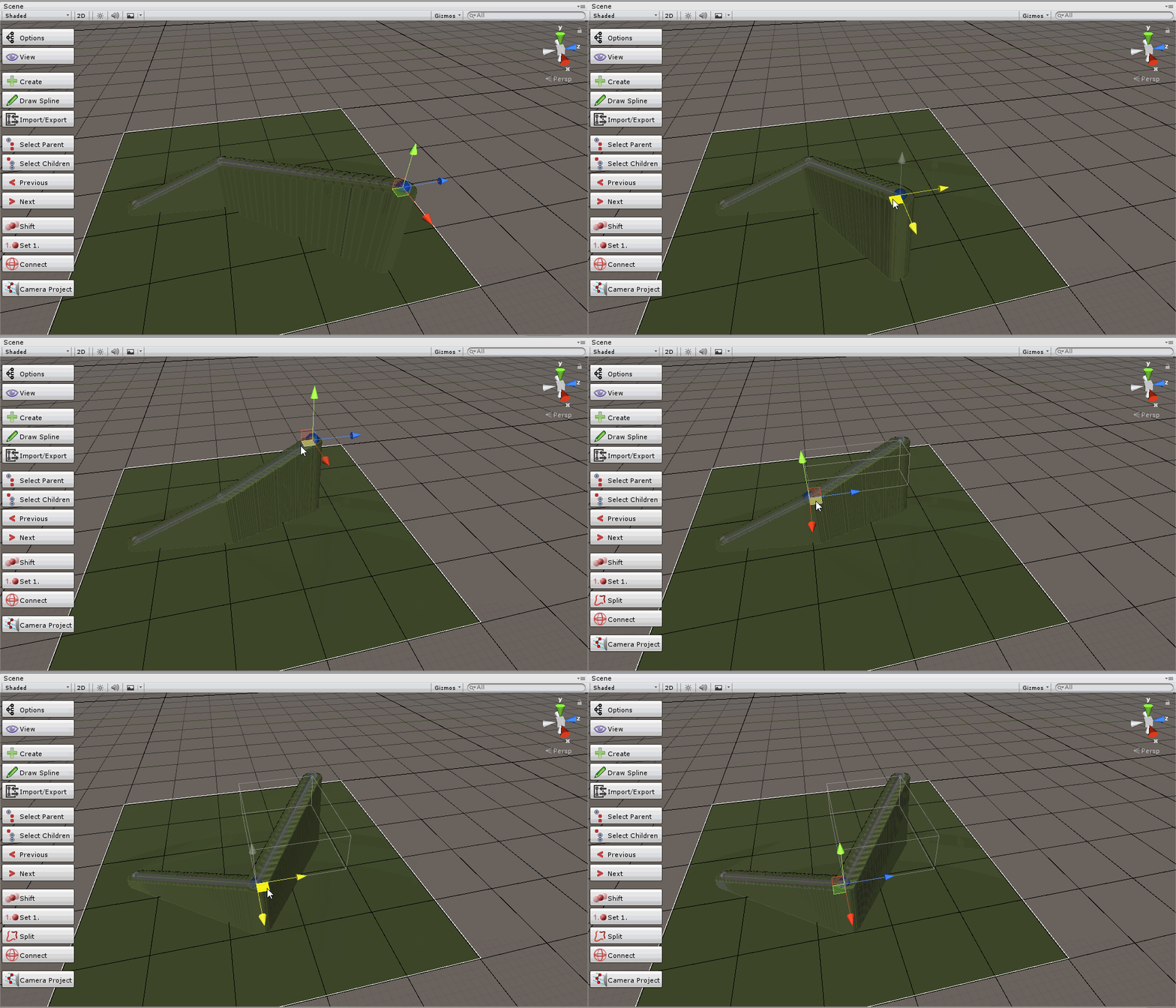
Any ideas why my vertex displacement shader causes my mesh's vertices to be 'disconnected' like this? I have come across this before but can't figure out why
SG graph for the shader
 plucky bone
It's because the way meshes work with hard edges
An hard edge is pretty much duplicated vertices with normal facing different ways
A smooth edge is just one vertex that has an average normal direction
What you're seeing your image is that the hard edges are being moved and since they're disconnected from their neighbors you get gaps
echo badger
Oh, got it. Thank you for the explanation. Any ideas how to fix them?
plucky bone
Easiest way is to just smooth your mesh in a 3d modeling application
Or calculate normals on import with a low angle
echo badger
Ah, got it figured out. Thank you for your help! 😄
fervent tinsel
looking at recent SRP PR list makes one wonder if SG was really ready to release for 2019.1
19 out of 25 PRs on the first page are bug fixes for SG
broken field
SG is ready in the sense that you can use it for production, but it has a bunch of known and under investigation issues so I say it does more good than harm being shipped right now.
I am rather taken with it and we've danced for a while together now
I hold SG's hips and SG makes me wait 8 seconds until unity becomes responsive again before nibbling my earlobe gently.
5.14 HDRP drops soon which I suspect... fixes a couple of things.
fervent tinsel
well, I know many of those SG issues first hand
they aren't all minor glitches
then again, in the bigger picture, I'd treat 2019.1 as beta for 2019 LTS anyway 😃
I mean, it's not going to get support anymore in the summer
and same goes for 2019.2 once 2019.3 is out
broken field
That's just giving Unity way too much slack :P
That said they've been punished by GDC
Imagine a programmer's dream: a world without public events and deadlines, a world just pressing keys then fretting over the inevitable donut stain.
 desert pumice
@broken field many assumptions about moving things to the vertex shader are wrong in modern desktop GPUs. It’s heavily situational dependent, but doing something like computing uv offsets in the vertex shader can be much slower than doing it in the fragment shader because that extra data in the v2f strict can bottleneck.
Basically that data chews up slots in a wavefront, so less vertices get processed at once, which can cause the pixel shaders have to wait before they can start working.
So thin vertex definitions are often a win.
Especially as vertex count or density in screen space increased. Ie; on edges or on micro triangles, more stalls.
broken field
interesting
thanks for that. I kind of stopped hand rolling shaders with mobile hardware up to around es2 I guess
interesting
desert pumice
Low poly stuff you get more advantage with that..
I still prefer hand rolling shaders because graphs are super limiting in terms of what you can do; but if not writing a shader system or super performance critical, graphs can be really fun.
broken field
I guess the ECS concepts regarding keeping data well packed would also apply to vertex shaders if you were to replace the vertex shader with a compute shader for example
per triangle culling etc
desert pumice
Jobs are not dissimilar to shaders.
Basically shaders got there first because they had to; but the more like a shader your code is structured the more performance it’s going to be. Packed data in arrays, batch transformations going wide.
broken field
full circle
desert pumice
I hope one day burst can compile to compute because it’s totally possible and would allow for HPC# like workflow and language semantics, which would be really comfortable.
Plus structure sharing between GPU/CPU..
Unified pipeline, language, spread performance across processors without changing code.
broken field
When things like that were hinted on forums, staff did go quite quiet on the matter
it's probably got some sort of weird greek codename nobody's allowed to whisper
desert pumice
There was some experimentation with it a while back, but my sense is that it’s not being worked on right now. Who knows though..
Personally I just want a surface shader replacement so I don’t have to go insane supporting SRPs.
fervent tinsel
That was one of the reasons they wanted to keep math lib naming conventions as they are now tho
Alao afaik, it hasnt been secret that they'd want burst to do gpu compute in future but it also doesnt seem to be a priority atm
I do second that it would be awesome as it would make compute more feasible to use for avg programmer (less new things to learn)
 tranquil zephyr
Is there any way to "inherit" a shader?
For example, if I want to use Unity's "Sprites/Default" shader and just create a variant of it that assigns a Stencil Buffer value , the only thing I want to do different about it from the original shader is to add the Stencil block, and then fallback to the original shader.
Is this possible?
tranquil zephyr
Or alternatively, is it possible to call a fallback shader from within a subshader?
Fallbacks are usually only called when no subshader can be used, but is it possible to call the fallback even if a matching subshader was found?
desert pumice
Nope
broken field
For AAA middleware, the burdon of integration falls on the developer mostly, so with SRP even if you had a shaderlab like syntax instead of nodes, the customers will have fully been trained to want to node-ify the result at that point so there's no situation with SRP that ends with customers being happy unless SRP is sufficiently opened enough that you could supply your own node for sale, basically.
So the path of least resistence here appears to be working with Unity to open up function node access to the point where you wouldn't need lower level access to provide the product in a way customers are clearly being groomed to prefer.
In your case, Jason I think it's more of a perf issue, so Unity should totally be working with you every step to ensure there's no difference in perf for a func node
I suppose really, they'd want you to do all the extra work like making the output node too which is basically coding an entire shader... for an SRP and that's just too far
 shy cradle
I grabbed this from github https://github.com/UnityTechnologies/LWRPScriptableRenderPass_ExampleLibrary and wanted to open in in 2019.1 . Now i get those errors everywhere

GitHub
Contribute to UnityTechnologies/LWRPScriptableRenderPass_ExampleLibrary development by creating an account on GitHub.
lime viper
so I'm using a procedurally generated checkerboard 3D texture, and at the pixel boundary the sampling causes this sort of zfighting esque error, is that just the nature of my texture, or is there something else I can do to fix that?
uncut karma
@lime viper 3d textures can be tiled and sample cleanly across the borders, it might depend how the coordinates are being generated to sample from it as they could introduce artifacts
rotund tusk
@lime viper you have a video of it?
valid flax
I'm creating a flow shader or atleast trying it. and I currently have it where it only scrolls the texture based on a predefined flowrate. It works. but the next step is where I'm having troubles. I add the absolute value of my normal's y value to this rate, hoping that it would increase/decrease speed based on the normal. However when I do that it completey fucks up my UVS and looks like trash. Any idea what is going on and where I'm going wrong?
                v2f vert (appdata v)
            {
                v2f o;

                o.vertex = UnityObjectToClipPos(v.vertex);
                float3 worldNormal = mul(unity_ObjectToWorld, float4(v.normal, 0.0)).xyz;
                o.normal = normalize(worldNormal);
                o.uv = v.uv;

                return o;
            }

            float4 frag(v2f i) : SV_Target
            {
                float4 color = float4(1,1,1,1);

                _Dir.x = -5;
                _Dir.y = 0;

                i.uv += _Dir *_Time.x;
                color = tex2D(_MainTex, i.uv);
                return color;
            }
this produces this image....
and just changing line
_Dir.x = -5;
to
_Dir.x = -5 + i.normal.y;
now it looks like this... and I am confused
 last robin
try returning return float(isnan(i.normal.y)); maybe that can narrow down the issue
or isinf
valid flax
instead of returning color?
last robin
yea
valid flax
return value should be a float4 though
last robin
if it's white then you've got some NaNs going around somehow
it will expand to a float4 if you just give it a float
valid flax
still black
last robin
interesting
valid flax
I even tried setting it up where if worldX is >0 then _Dir.x = 5 and else it's -5, to check wether or not a single mesh can actually have different flowing UVs (just for checking) and that worked fine
and just using a static flowrate also works fine. but when adding normal to it, or multiplying with it to change it's flowrate depending on orientation (think rivers going downhill or something) it fucks up
last robin
uh maybe it has something to do with how you've got your structs defined?
valid flax
            struct appdata
            {
                float4 vertex : POSITION;
                float3 normal : NORMAL;
                float2 uv : TEXCOORD0;
            };

            struct v2f
            {
                float4 vertex : SV_POSITION;
                float3 normal : NORMAL;
                float2 uv : TEXCOORD0;
            };
I'm not sure if my logic behind this is sound and looking at the results I think it might not be. but idk why it's messing up the UVs so much >.< basically I'm only changing the flowrate by a value between -1 and 1, right?
so idk
last robin
i mean it should work
valid flax
maybe someone else can shine some light on this? 🤔
last robin
using your code on a default plane seems to work for me
are you sure the object you are using actually has normals?
Can you try return float4(i.normal, 1); and rotate it around? you should see the color change
valid flax
try use it on a sphere, because on a regular plane it also works for me
but end use case will not be a plane
last robin
i think it might be an issue with the model not actually having any normals
valid flax
and yes. I use a normal visualizer and they're there.
last robin
or somethin weird like that
valid flax
whites are normals, yellows are tangents. they're there
Using it on a default sphere has the same effect as it has on my custom meshes
last robin
ok i'm seeing that too
ok changing this
float3 worldNormal = mul(unity_ObjectToWorld, float4(v.normal,0));
o.normal = normalize(worldNormal);
and
float3 normal = normalize(i.normal);
_Dir.x = -5 + normal.y;
it works
but i'm not sure why it's causing such a problem though
like i know there's a bit of an error when you don't renormalize normals you get from the vertex shader, because you are linearly interpolating instead of slerping, and renormalizing fixes that, but this it's like an absurdly large error for some reason
what i'm talking about is section 1.4 of this https://catlikecoding.com/unity/tutorials/rendering/part-4/

A Unity Rendering tutorial about performing PBS lighting. Part 4 of 20.
valid flax
you're a godsend. thank you!
last robin
glad i could help
valid flax
for those following this conversation, unfortunately Toocanzs solution ended up being a placebo one. so let me be clear on what I'm trying to do....
imagine a river yea, based on it's slope, it should flow faster/slower. that's basically what I am trying to do. based on it's world normal setting that pixel's flowrate. since the normal, (as I understand it) interpolates between the corresponding vector normals it SHOULD look okay'ish with some stretching going on, but that'll be fine since it'll be a water shader anyway and you won't notice it too much in the end (I think)
this is basically what I'm trying to do, if anyone has any ideas on how to proceed. I'm all ears! 😅
lime viper
@rotund tusk can't grab video at the moment, but here is what I get
As soon as I move the cube to not be directly on the border it resolves fine (using world position for UV's)
this is the result with point sampling for the 3D texture, similar results for bilnear, trilinear results in a neutral gray
lime viper
@valid flax so as a simple river solution if you have the base river mapped so that it's base flow is along one axis then just compress along that axis based on the dot value of a vertical normal and the given normal
oops was going to delete that until I had a chance to check it locally
but that would be the way I'd probably start approaching it
valid flax
the thing is the river will very rarely only flow along one axis.
lime viper
Think of it like the UV's you get creating a spline, even if the spline goes all over the place there is still a single UV dimension that defines it's direction
if you want to have a more free flowing setup you can use world normals
but that gets much more complicated
valid flax
I am using world normals already. or trying to atleast >.<
uncut karma
what if you frac() the world position for the 3D texture UVs? (maybe already are)
lime viper
er sorry meant that as world space coordinates, different problem there
so here is what I mocked up
 hot olive
Maybe this is just because I'm on v 5.13 of shadergraph, but is the Unlit Master alpha broken below 0.5 or is it something I'm doing?
rotund tusk
@lime viper what's the sampling code?
float3 uvw = IN.worldPos.xyz;
float4 s = tex3D(_Texture, uvw);
and it's only on unit boundaries?
lime viper
not sure just using shader graph, and feeding in world position
lemme double check that it is on tiling boundaries
ok so it's actually on the checker borders not tiling borders
rotund tusk
what does the graph look like?
lime viper
valid flax
hey @lime viper that looks good, I've never worked with this shader graph before though. have only been doing it by code. Would this quite literaly be ablke to translate into code?
something I also notice is that it follows the curves pretty well because you unwrap it in a straight line, hence it following the curve. how is the shader responsible for that? Eventually my models will not use their uv unwraps but rather world coordinates (so that I can connect multiple rivers togheter dynamically) so again this brings forward another issue. However I do appreciate you taking the time to help me so far
lime viper
ah ok so world coordinates definitely get a little rougher, are you restricting it to a top down projection?
valid flax
Yes exactly, only top down
grand jolt
How would I create my own shader?
 stone eagle

 honest scroll
Have you installed the LWRP/HDRP And the Core Render Pipeline? You'll need those.
honest scroll
Well THAT might be your problem.... If anything.
rotund tusk
If you install LWRP or HDRP it will come with ShaderGraph installed
 zealous vigil
Yo, anyone here still using ShaderForge?
 vocal narwhal
I think most people moved to Shader Graph and Amplify SE
Do you need a tastier toast shader? 🍞
zealous vigil
So the selected cookie is using ShaderForge's version of the Standard shader, while the rest are the built-in standard shader. It appears black because it doesn't appear to be receiving lighting from the light probes, even tho All the settings are the same, and "Light Probe Support" is enabled
vocal narwhal
Default pipeline I assume?
zealous vigil
Yesss
vocal narwhal
If you're running deferred you should be able to see whether it's the probes being the problem using the frame debugger
I haven't been in legacy pipeline for so long now 😛 I'm just used to the black meaning the shaders haven't imported properly in a RP
zealous vigil
hahaha I haven't gotten to play around in the new pipeline yet!
And I am using deferred so Ill take a look! anything specific i should look for?
vocal narwhal
Well, you can look and see what contributions it's having to any of your buffers, if it's rendering albedo at all for example
because if it's just putting black into albedo you know that there's bigger problems
Though I expect the issue is that Shaderforge is no longer being supported - I suppose that depends on what version of Unity you're using
zealous vigil
ahh could be that too, I'm using 2018.3.4 so its entirely a possibility
vocal narwhal
I just used this fork https://github.com/roguesleipnir/ShaderForge in 2018.3.14f1 and it seems to blend lightprobes correctly with the PBR shader
though if I used the deferred version it doesn't seem to work
also really funny how shaderforge seems to look in Linear colour mode for me 😛
vocal narwhal
I'd probably give Amplify a shot to be honest, it's not worth the effort trying to figure out SF's issues as there'll be no support anyway. Seeing as I'm also seeing the issue, and ASE is $30 and (I've just checked) works fine with the light probes, and has ongoing support
zealous vigil
Thank you for your help! yeah, as I'm looking through the page, Amplify isn't looking bad at all, might have to pick it up!
 wanton vine
Compiling a project is taking 1.5 hours for us after we started doing shader stripping (Used to take 12 minutes for unity to do its thing, then 3 minutes for fastlane to create the app via xcode).
We just found out that unchecking "optimize mesh data" in player settings makes it takes 5 minutes instead (with 2-3 minutes of fastlane after). Just figured I'd write about my findings here in case someone else is struggling with long build times as well
broken field
Yeah I recall that being an issue staff advised on so they have run into it
wanton vine
How to reproduce: 1. Open attached Unity project "gunspinningvr" 2. Build project Expected result: Project is built successfully on ...
 noble cradle
Does anyone have any examples of Shader.SetGlobalFloatArray actually being used? I can't seem to get it working, and there doesn't seem to be any examples of it (or any other "SetGlobal" functions) being used. I normally don't like to work with global things like this but tilemaps are terrible and I kind of have no other choice at this point
Baring that, I at least need some kind of way to access a float array that my main game logic can interact with somehow.
And I don't have access to the instance of the material doing the rendering
(Also, if there is a way to work with Color arrays, that would be lovely. However, is no SetGlobalColorArray, so I've been reduced to using parallel arrays.)
(Actually after snooping around I think I could get by if I used Set[Global]VectorArray, since shader colors are technically just vector4s)
 sharp delta
is it possible to make custom rampings in the shader graph?
Like something you have in sound design, you can control how the sound fades in or out,
by drawing a custom curve, so then the fading out will follow that curve.
I don't even know what to look for in terms of shaders. Ty!
rotund tusk
@sharp delta you may be able to accomplish that with the gradient nodes
i dont know if there are curve nodes but those would accomplish essentially the same thing that a gradient does
sharp delta
oh! ty!
 silver briar
Hello all,
I'm trying to sample a Texture2DArray but it's always returning the pixels of index zero even though I'm passing higher indexes.
I know the index is increasing because if I create a colour from it rather than sampling the array it slowly turns from black to white as the value increases.
I've tried passing the value as a fixed4 and float3/4 but it doesn't seem to make a difference. Unity version is 2019.1.0f1
It feels like a bug but as I've only just started playing around with shaders it's probably user error.
Anyone had a similar issue? Or know of a working example I can use as a reference?
rotund tusk
@silver briar can you share the graph / code?
silver briar
@rotund tusk you mean the shader code? Sure. I tried passing the index through the Rotation3D property of the particle parameter and then tried through the start colour B value. That's the current configuration for the shader
tribal plume
hey guys
how do i generate g-buffer with unity's deferred pass and how to send it to compute shader?
 naive cipher
I jusht switched my project to HDRP, those magenta ones still have the Legacy Default shader. How do i switch them to HDRP, if the selection is not selectable?
honest scroll
I would guess converting all to HDRP... I think
naive cipher
Already upgraded all materials.
honest scroll
Then perhaps HDRP's "standard."
Or a custom shader via shadergraph.
Just get rid of that
I wouldn't be alone if I say "MY EYES ARE BURNING!"
naive cipher
I would like to change it but i am not allowed to due to it not being selectable.
The selection Shader "Standard" is disabled.
 still orbit
Looks like its using the default material. You cant edit that. Either make a new material for it, or I believe HDRP comes with its own default material.
fervent tinsel
@naive cipher the material option is grayed out if you import a mesh with materials embedded and do not export them (in unity) out of the mesh file
you can still override the material but you can't edit it
if you have all materials in the hierarchy, the conversion tool should be able to convert that to HD default material
silver briar
@rotund tusk Thanks for taking a look but I think I've figured it out - I need to multiply the value before trying to use it as the layer index [code] int layer = round(IN.color.r * 255.0); [/code]
naive cipher
@Olento Somehow this even affected already created Terrains and Unity-Cubes, Spheres and other Unity legacy mesh.
fervent tinsel
@naive cipher terrains aren't using unity's standard material, they got their own shader
default cubes should get converted by the automated conversion tool tho
naive cipher
They didn't
fervent tinsel
I do know the default cubes have the default material grayed out, that's just how unity works when you use materials embedded to meshes
what HDRP version you are using and what editor version?
naive cipher
Since HDRP isn't available in the package manager yet, only LWRP i downloaded the latest 2019.1 release branch
fervent tinsel
@naive cipher I thought you were using HDRP already
but it is available
it's just like any other preview package - hidden by default
just see the advanced dropdown in the top bar of the package manager
there's option to show preview packages, after that you see also HDRP
uncut karma
@tribal plume is that the standard built-in deferred? you should be able to use the BuiltInRenderTextureType ( https://docs.unity3d.com/ScriptReference/Rendering.BuiltinRenderTextureType.html ) and then you would just use SetComputeTextureParam (or SetTexture directly on the compute shader reference) https://docs.unity3d.com/ScriptReference/Rendering.CommandBuffer.SetComputeTextureParam.html
cmd.SetComputeTextureParam(compute,kernel,"GBuffer0",BuiltinRenderTextureType.GBuffer0); something like that
valid flax
can someone explain to me the difference between the 2 helper functions ComputeScreenPos(float4 clipPos) and ComputeGrabScreenPos(float4 clipPos)
I looked on the documentation but I don't understand their explanation, so maybe someone can explain it in a ELI5 fashion?
tribal plume
@uncut karma thanks, that was exactly what I needed!
uncut karma
they both do the same thing 😄 Just use ComputeScreenPos
well there is one slight difference but I dont think it would matter, ComputeGrabScreenPos checks UNITY_UV_STARTS_AT_TOP to flip the uv.y coordinate, while ComputeScreenPos uses _ProjectionParams.x to flip the uv.y coordinate
ComputeGrabScreenPos is intended to be used with grabpass, so maybe the UNITY_UV_STARTS_AT_TOP is only set when writing to render textures
if you're curious of the code they are in the install folder Hub\Editor\2019.1.1f1\Editor\Data\CGIncludes\UnityCG.cginc
 slate patrol
I wonder how expensive LPPVs are...
It's just a 3D texture baker under the hood afaik.
But I wonder about the actual performance of sampling the GI through that 3D texture, especially with regarding its size
Don't modern AAA games also use 3D textures to store their lighting data in order to interpolate it across large objects without lightmaps?
honest scroll
3d textures?
slate patrol
Well, yeah
fervent tinsel
@slate patrol that's basically what this branch has https://github.com/Unity-Technologies/ScriptableRenderPipeline/commits/vxsm/master
(voxelized shadowmaps)
Unity hasn't mentioned them at all at Unite's or GDCs so I dunno if it's some tech for their internal R&D or something they plan to merge to main releases
honest scroll
Also, anyone want to know how to make your custom skybox shader work in Unity's render pipelines?
Because, fair warning, my trick's dirty.
fervent tinsel
I think LWRP still supports the old way(?)
HDRP requires different setup, there's a wiki page for it
honest scroll
Well.... Via shader graph. Becuase that's more what I was talking about... But THAT could work, as well.
fervent tinsel
only way to use SG for sky is to make a custom unlit shader graph and assign it to your own cube/sphere mesh that has inverted faces
it won't contribute to the ambient lighting tho (unless you do capture for it)
honest scroll
How I did it, and from what I got from someone else online, was to graph it, copy it, paste in another shader, sparing the subshader tags.
fervent tinsel
ah, well you can manually hack the shader I suppose
but it's not going to be easy to maintain
honest scroll
For sure... And rewriting it for efficiency's sake is a challenge I'm willing to take.
 torpid solstice
From my current tests, it seems that HDRP planar reflection works only with lit shaders using the builtin metallic reflection support. Anyone knows how I could use it so it also takes unlit shaders?
uncut karma
@slate patrol unreal uses light probe volume textures storing SH and has the advantage of better sampling, i think it can also contribute as static volumetric shadows
 jaunty stone
Hi
We are working with shadergraph
That is the normal outline of unity in scene, but we didn't found how to generate the same outline for game
 sharp nimbus
Hey all, I'm working on upgrading my project to the HDRP and am attempting to convert older shaders to using ShaderGraph so they work with the new HDRP. Does anyone know of quick conversion guides out there of equivalent shader nodes for basic functions from previous .shaders? I haven't been able to find any searching.
The main function I'm interested in is how to disable fog on a shader (as you could previously do in a .shader by excluding the fog application in the fragment function)
Or if there's a better way to upgrade old .shader files to the new HDRP I haven't been able to find one yet
broken field
@jaunty stone it's covered with a few shadergraph examples, and failing that you can always just render the mesh with inflated verts first with depth but in outline colour, then just render the main model on top without reading or writing depth
This should be OK providing the model is opaque
even if not it's fixable :)
 hoary sonnet
guys... im desperate. could you point me towards toon shading in HDRP? I am bound to this pipeline by some things and I am trying to wrap my head around it. Is there any decent way to access light data as direction and attenuation? I would really appreciate any help
sharp nimbus
@hoary sonnet I am looking into the same thing. So far I have been unable to find how to get light direction and atten in HDRP. Let me know if you find anything on it, I'll post if I discover anything
lime viper
This might be a good jumping off point: https://connect.unity.com/p/zelda-inspired-toon-shading-in-shadergraph

Unity Connect
Tips on how to recreate the iconic look in Unity's node-based shader editor
it is LWRP but you should be able to plug it into the HDRP shader graph relatively easily
echo badger
The problem with getting toon shading in HDRP is getting the light attenuation. Which is vastly different than LWRP.
sharp nimbus
Yeah that is the problem I have ran into, I can't figure out getting the light attenuation in HDRP since there don't appear to be any underlying variables storing that value in any of the HLSL files I've looked through
Could you potentially get the position of the light via a C# script and set a global shader vector with that value, then create a shadergraph node for the current world position, and calculate the attenuation as 1 / (worldPos - LightPos)^2?
lime viper
I mean you can always encode the information to be passed to the shader graph as a series of properties
sharp nimbus
How would you calculate shadow at a given vertex then? I am attempting to upgrade a shader which only displayed shadows on the object. It was essentially a cutout shader that used the shadow attenuation at a given vertex to cutout anything that didn't have a shadow on it currently
 strange totem
SHADOW_ATTENUATION(i); is the right way to calculate that afaik
in the frag shader
note in the vert shader you need to compute it -
TRANSFER_SHADOW(o)
sharp nimbus
Yeah this is with ShaderGraph though. I'm upgrading my project to the HDRP and trying to convert custom shaders
And upgrading the .shader files themselves doesn't seem to work (due to the changes in lighting for Unity)
sharp nimbus
I'm able to pass information on the light source to my shadergraph, but I'm having trouble replicating Unity's shadow attenuation calculation using the light position & direction
sharp nimbus
My current plan of action is to split out some of the shadow sampling functions from Unity's HLSLSupport.cginc and AutoLight.cginc into .hlsl files to use as custom code nodes in the graph. Hopefully that is successful, if anyone else has any input or ideas it would be greatly appreciated!
echo badger
Yeah, I looked at how it was done in the LWRP light attenuation nodes that are floating around. And the closest I could find to doing it the same was a method in a HLSL file called something like CalculateShadows. But I don't know enough about HLSL to be able to even try doing much of anything.
zealous vigil
Just an update: I was able to fix my problem with shaderforge and light probes on deferred shaders thanks to this
forum post: https://shaderforge.userecho.com/communities/1/topics/1556-light-probes-and-ambient-light-is-broken-in-default-pbrdeferred-shader
Since a recent unity update all my custom shaders are way too dark with a bit of research I figured out the issue is that dynamic objects that use a shaderforge shader that is set to deferred ( camera is set to deferred too obviously) no longer receive ambient light or bounce...
hoary sonnet
@devout quarry I bet everyone that needs to get light info in hdrp knows that in LWRP it is relatively simple 😃
devout quarry
Just trying to help
hoary sonnet
yeah I get it. thanks 😃 but it's need to be said that lighting differences between pipelines are rather big
hoary sonnet
maybe I'll be more lucky with another question - does anyone used stencil buffer in hdrp? I'am trying to way to access it in post processing
 open steeple
Anyone sitting on some good examples on how to add support for GPU instancing with Light Probes in a custom shader?
amber saffron
@hoary sonnet AFAIK, you can't user the stencil in HDRP, because HDRP already heavilly uses it and leaves nothing for the users 😃
hoary sonnet
@amber saffron well that's unfortunate. Do you know is it even possible to achieve something similar what stencil brings us? Like masking of some effects
fervent tinsel
well, technically you CAN use stencil in HDRP but not from shader graph
it's also super risky to use it as each HDRP version moves items around it so the free slot you have there today may not exist tomorrow 😄
hoary sonnet
@fervent tinsel i don't care about shader graph. I need it in post processing
fervent tinsel
well, today you also need to write some custom code for it but it's doable 😄
hoary sonnet
which was fucked up already with 2019.1 so for now I am stuck with 2018.3
fervent tinsel
I did this when I added stencil buffer info for TAA so I could mark things I didn't want to use TAA
(did it for 2019.2/6.x.x)
tranquil zephyr
Wait, HDRP Shader Graph doesn't support Stencil? ._.
fervent tinsel
does LWRP support it?
tranquil zephyr
No idea
fervent tinsel
I kinda doubt it
would be fancy to have optional stencil pass for users shaders tho
amber saffron
I neither does.
But in LWRP you can use the renderpass stuff to work with stencil.
fervent tinsel
in HDRP, this is the mask for the stock stencil: https://github.com/Unity-Technologies/ScriptableRenderPipeline/blob/5.15.0-preview/com.unity.render-pipelines.high-definition/Runtime/RenderPipeline/HDRenderPipeline.cs#L157

GitHub
Scriptable Render Pipeline. Contribute to Unity-Technologies/ScriptableRenderPipeline development by creating an account on GitHub.
there's one free slot and you can reuse some of the others if you know they are not used simultaneously with what you need them for
amber saffron
I was talking about that for LWRP : https://www.youtube.com/watch?v=szsWx9IQVDI

Let's learn how to render characters behind other objects using Scriptable Render Passes! This video is sponsored by Unity ● Download Project: https://ole.un...
fervent tinsel
yeah, I know 😃
vocal narwhal
Isn't there a nice GDC video, or is that not on Youtube yet?
fervent tinsel
original question was for HDRP so I continued for it 😃
amber saffron
Was for the others 😃 You know everything 0lento
fervent tinsel
lol, sorry
that's a nice intro to the custom renderer on LWRP btw
(watched the video quickly when it got out)
hoary sonnet
@fervent tinsel thanks for the info 😃 I see that there is one slot available for users. Risky, but still worth trying. Could you point me in direction how to access it from shader/post processing? I am new to this kind of stuff and trying to wrap my head around it.
fervent tinsel
@hoary sonnet oh, it's definitely not reserved for users
it's just free for the time being
they may or may not use it in the future for some different feat
it's not long ago that they didn't have any free slots left
hoary sonnet
yeah, i know
fervent tinsel
you could also reuse SMAA's slot if you don't need SMAA
it's doing nothing if the feat is not enabled
hoary sonnet
as i said before i am kinda stuck to particular version of unity/hdrp
fervent tinsel
2018.3 and 4.x HDRP?
hoary sonnet
yeah
fervent tinsel
they had bit different setup there, I'm not sure if there's any free slots there
hoary sonnet
at least for now, until pps3 will allow custom effects
fervent tinsel
ah, you wait for that too
it's a bummer there's no public api for it yet
and it doesn't look like 2019.2 is getting one at this point either
so, probably happening for 2019.3
vocal narwhal
There's a more detailed version of the brackeys video https://www.gdcvault.com/browse/gdc-19#page-6
Under Empowering Creators with the New Unity Render Pipeline at roughly 26:30+
hoary sonnet
hopefully 😃
fervent tinsel
HDRP PP's codebase isn't super intimidating though
it's reasonably easy to follow if you are a programmer
hoary sonnet
for me, for now - it is, but i belive I will give it a go someday
fervent tinsel
as for old setup, I have zero clue how you get stencils there, it's possible PP stack v2 has some mechanism for it
I wouldn't know as I've never touched PPv2 codebase for my own things
I'd just recommend looking for effects that you know to use the stencil buffer and see how they've implemented it
(SMAA needs stencil for example)
hoary sonnet
I belive there wasn't smaa in hdrp compatible PPv2, but i'll take a look. thanks so much for your help
fervent tinsel
there isn't officially SMAA support for HDRP and PPv2 but it always worked for me
but I think I did annoy Seb on the forums by claiming it worked so he always corrected me it shouldn't 😄
(but it really worked on scenes I tested)
that being said, I don't know if the stencil pass specifically worked with with HDRP when using it
sharp nimbus
@devout quarry Thanks for the advice, but I have already ran across that for the LWRP. Sadly the HDRP lighting is significantly different, and doesn't have the same methods for accessing the attenuation of the main light.
I haven't been able to find a way to access main light data in either custom shader HLSL or ShaderGraph. I'm not sure if Unity plans to add this support, but it seems quite important. I'm hoping I can come up with something, as my project will be unable to use the HDRP without this one shader function, but we have a number of things we would benefit from with the HDRP
I'll let you know if I come up with anything stripping some of Unity's HLSL. Does anyone know a good way to access the scene shadowmap from C# or HLSL?
@echo badger I've been unable to find that CalculateShadows file, do you have anymore info on this? I could take a stab at accessing it with HLSL
sharp nimbus
Does anyone know if Mesh.Colors works in HDRP? I'm trying to think of other ways I could mask the color on a shader so only the shadow shows. I can't find anything on Mesh.Colors in HDRP though and it isn't populating even with a vertex color shader
fervent tinsel
I know they changed the LWRP shader wording recently, I dunno if HDRP keyword has been different for longer time already
you can set the color by providing it the right shader property though
@sharp nimbus see https://docs.unity3d.com/ScriptReference/Material.SetColor.html
echo badger
@sharp nimbus this is what I had found. I know so little about shaders. I am not really sure if or how it would be usable. But here it is. https://github.com/Unity-Technologies/ScriptableRenderPipeline/blob/master/com.unity.render-pipelines.high-definition/Runtime/Lighting/LightLoop/HDShadow.hlsl
GitHub
Scriptable Render Pipeline. Contribute to Unity-Technologies/ScriptableRenderPipeline development by creating an account on GitHub.
sharp nimbus
@fervent tinsel I'm aware of the setcolor function, what I'm looking for is to set the color on a per-vertex basis
@echo badger Thanks for linking that, if I get anything useful from it I'll be sure to post!
fervent tinsel
you need custom shader for that but you can make such in shader graph
like, if you want to use vertex colors to color the mesh?
I don't quite understand what you are after with the shadows tho
echo badger
Yeah, good luck!
sharp nimbus
I am attempting to create a transparent plane which only shows shadows. Because the HDRP does not give you access to the main scene light data my next idea would be to key it like with a green screen. Have the default vertex color be green, then key out any vertices which are still green at the end of the frame after rendering shadows
Prior to HDRP and my shadow masking technique, I was able to achieve the same effect by keying vertex colors (I moved away from that approach as shadow masking was much faster to calculate)
fervent tinsel
you get scene color node but I dunno if it could be abused for this
sharp nimbus
Scene color only has the ambient light sadly
I'm looking at how Unity calculates shadow attenuation in their HLSL files to see if I can get access to that from my own code. Doesn't seem like my vertex color idea would work in HDRP
 lofty lagoon
apologies in advance if this is question was already discussed but does anyone know if shadergraph will get interpolators at some point? e.g. pass data from vertex shader to fragment shader. i couldnt easily tell from googling.
tribal plume
hey guys
when I use a command buffer to set the built in render texture depth to a compute shader, it says that that texture type wasn't found
        commandBuffer = new CommandBuffer();
        commandBuffer.name = "Ray March pass";
        commandBuffer.SetComputeTextureParam(_raymarchComputeShader, 0, "Result", _finalScene);
        commandBuffer.SetComputeTextureParam(_raymarchComputeShader, 0, "depthMap", BuiltinRenderTextureType.Depth);
        commandBuffer.DispatchCompute(_raymarchComputeShader, 0, Screen.width / 8, Screen.height / 8, 1);

        _camera.AddCommandBuffer(CameraEvent.BeforeFinalPass, commandBuffer);
any ideas?
uncut karma
Cant check but is it possible as DepthNormals ?
tribal plume
@uncut karma same error
CommandBuffer: built-in render texture type 4 not found while executing Ray March pass (SetComputeTextureParam)
uncut karma
It might be a case where depth must be copied to another RT, i can check in a bit
Or camera depth texture mode maybe
tribal plume
not able to find a solution using commandbuffer
just gonna use graphics.blit with custom mat that reads from _CameraDepthTexture
uncut karma
i checked one of my compute shaders, I'm reading the _CameraDepthTexture in there, it is set globally earlier in the pipeline once
sorry about the diversion with SetComputeTextureParam a few days back, seems it doesnt work 😄
tribal plume
@uncut karma how are you setting it? I'm using computeshader.SetTextureFromGlobal
and it's not getting set when i dispatch with commandbuffer
    private void OnPreRender()
    {
        commandBuffer = new CommandBuffer();
        commandBuffer.name = "Ray March pass";
        commandBuffer.SetComputeTextureParam(_raymarchComputeShader, 0, "Result", _finalScene);
        _raymarchComputeShader.SetTextureFromGlobal(0, "_DepthTexture", "_CameraDepthTexture");
        commandBuffer.DispatchCompute(_raymarchComputeShader, 0, Screen.width / 8, Screen.height / 8, 1);
        _camera.AddCommandBuffer(CameraEvent.AfterEverything, commandBuffer);
    }
nvm got it
thanks!
lofty lagoon
I have no idea if its possible but it would be really nice if there was a Interpolator node which you could pass values through and it would create gpu interpolators. i want to convert a shader to shader graph but it currently does a lot of the shading work in the vertex shader and moving all this to the fragment shader may hit perf.
amber saffron
I don't know how the shadergraph teams plans to implement it, but in unreal they have "custom vertex data" input son the final node that basically are the interpolators. You do vertex calculations and store it there, then in the pixels input you can read those values back.
But it would be nice to better differenciate the vertex vs pixels inputs in the master node.
lofty lagoon
But it would be nice to better differenciate the vertex vs pixels inputs in the master node.
i was thinking the same thing this morning
it would be really cool if there could be a slighltly different outline or etc for vertex domain nodes, if this is possible. this is something that always bends my mind in ue4, the fact that vertex/fragment stuff sits together in the same graph!
 errant lily
Hello,
does anyone know how to achieve snow and cracks on icerink as in image ?
amber saffron
I think that a good texture work would be enough.
Maybe using detail textures as uv2 to add those ?
torpid solstice
@amber saffron Any news on my question regarding the rendering of UGUI in a World canvas with a planar reflection probe? thanks 😉
amber saffron
@torpid solstice Oh, sorry, forgot to transmit the dev answer. He's not sure.
We have some suspitions about what is happening, so I'm going to test.
amber saffron
So, we inspected a bit : for the moment, no idea why the canvas isn't visible in the reflection, sorry.
fervent tinsel
you could also put some small parallax effect on the line inside ice if you can even view it that close
give it illusion of depth, you don't even need stuff like pom as there's no occlusion needed
torpid solstice
thx @amber saffron
 worthy ridge
anyone know how to make textmeshpro text use HDR?
lime viper
So I want to create a new .shadergraph using C# script, is that even possible?
lime viper
I want to create an editor extension that copies the existing properties of a shader to the properties of a shadergraph
In theory I could just write the JSON output as a plain file but I was hoping there was some C# code that would let me avoid that
 blissful pebble
Hey, I'm digging into shader graph to work on a shader that would modify a simple height map to fill in some pixels bassed upon their distance to other pixels, and I'm having trouble getting started and was hoping someone could help me get started
I did this in C# initially, but obviously its fairly slow and I figured I may be able to do the same thing using shader graph much more efficiently
basically, for each pixel in a texture, I want to get the average distance to all pixels in another texture where they have an alpha value equal to 1
and then I want to output that result
grand jolt
can you make parts of one mesh receive shadows and another does not, using the RGBA channels as a filter? Can this be achieved with the shaders?
lime viper
@blissful pebble I'm afraid you'll have to further define the terms, or maybe be more explicit in the result you're looking for. But the main thing to think about with a shader is it is meant to produce a single pixel on the screen with the smallest amount of information possible, so say comparing all pixels in two images is very costly
blissful pebble
so, I don't necessarily need to compare two textures
I want to take this input
and turn it into this output
there might be more than 1 white line, and it isn't necessarily going to be white, so I want to blend out the colors
uncut karma
@blissful pebble i think shader graph would be tedius to do this, it's more straight forward to write a shader or compute shader to do it
it would work in both cases as long as for the fragment shader version you are reading from a texture that isn't concurrently being written into
the compute shader might be even a bit more friendlier to write but there are the thread groups to deal with
also don't bother sampling the texture in either, just use Texture2D.Load to load the X Y pixel coordinate
if i understand right, any pixel would have to read all the pixels in the input texture (to check if filled and average distance to filled)
So in the compute version you may get additional performance since the thread groups are sort of tiles or blocks operating in parallel
 still carbon
It kind of sounds like there might be a better approach to whatever feature you're developing though, it would be interesting to hear what the use case for this is content/function wise @blissful pebble
blissful pebble
Generating heightmaps from splines
still carbon
Perhaps it would be simpler/faster to process each pixel and simply have the pixels do a closest point on curve check? You can feed curves into your shader as array data, or are you for some reason restricted to curves that have been rasterized?
lofty lagoon
@blissful pebble can you just blur the texture a few times :)
 silver pebble
Hi, I have a problem with MainTex_ST and material property block. When I set this property instancing is not used. Is it possible to use it with instancing?
sharp delta
Is it possible to make an interactive indent in unity’s terrain? Like, have a terrain with a shader material, that also has a relatively small sized displacement texture node with a shifting UV coordinates parameter, so that it could be controlled by a script? Or in other words, is it possible to make a call from another object to terrain, telling it to drive an indent displacement texture to a specific spot?
plucky bone
In theory you can however it is very expensive to do so
sharp delta
Is there a cheaper way?
honest scroll
Though, baking it works, too.
blissful pebble
@still carbon are you suggesting that I feed the splines interpolated vector3 data into the shader to compare against?
if so, one thing I'm not clear on with shader graph is how to even iterate over such data
still carbon
Nah was suggesting feeding a few arrays of data containing your curve points and tangents so a given pixel can use that data to test where it would be closest to on the spline, just like you'd do in C# code. The pixel wouldn't have to look at every other pixel, just a spline test.
As for doing it in shader graph not sure, haven't touched it in a while so not sure what the state of vector arrays is but I do recall they have code nodes now so that would get you most of the way there
blissful pebble
yeah, unfortunately I'm trapped in 2018.3 for the project I'm working on, ti does look like things owuld be much simpler in 2019.x
that said, not transforming the spline data into a texture before passing it into the shader is a good point, It in theory could make things simpler
still carbon
how complex are the splines, are they cubic Bezier?
blissful pebble
I'm using Curvy Splines, so they can be as simple or complex as I want really
ideally thats not a defining factor, I'm curious why you ask?
still carbon
Well just thinking about the computation complexity of finding closest point on a curve, the more complex the curve type the less performant it can become to the point that a progressive mipmap search could be better. But if utmost performance isn't important, just quality result and simplicity then sending the curve data probably would be best
blissful pebble
oh so Curvy handles the process of breaking down the spline, so Im generally only working with a collection of Vector3's
if you have never used it, imo its the best spline engine for unity, because generally its quite fast and efficient
anyways, calculating the spline data is a non-issue as far as I'm concerned, and so getting interpolated data into the shader should be easy enough. With shadergraph, I just don't know how to get the coordinates of the current pixel being worked on in its texture, and I don't know how to iterate over an array of data, but I think I know how to do a distance check? I guess I just need better documentation
I think I'm going to end up going down the compute shader road, mainly because there seems to be good documentation around for it
still carbon
The position of the pixel in texture space is UV space, so the UV value from the UV channel that texture is being used on, usually the first uv channel. But yeah compute is a nice option
blissful pebble
hmm, so how does Graphics.Blit work with that
does it
anyways, thanks for the input
blissful pebble
oh for anyone you may have further input, this is an example of what I'm trying to accomplish in the end, which I'm achieving through a heightmap, in this example I'm using a C#/cpu based calculation which is applied to a texture, then transfered into a 2d heights array for the terrain and applied using SetHeights, which is obviously all very bad for performance
amber saffron
This ca probably be achieved with blits or compute shaders to be way faster
blissful pebble
thats the idea, I just have a lot of learning to do with shaders, I was originally trying to use the TerrainPaintUtility and Blit, but building the texutre is the slow power really
so I figure building the texture in a shader would be the way to go, but I just have a lot to learn on that front
amber saffron
You might (if not already done) also have a look at the scriptable GPU tools for terrain, mentioned here : https://blogs.unity3d.com/2018/10/10/2018-3-terrain-update-getting-started/

Unity Technologies Blog
We now have a team dedicated to terrain, and our initial efforts will soon be publicly available! Unity 2018.3 will ship with an update to the terrain syst...
blissful pebble
the TerrainTools is edit time only unfortunately
I was trying to do a more painty style setup where I use the spline as a data source to apply paint operations, which is fast, but I can't figure out how to get the results I want (which is a near perfect conformance to the spline)
my "best" approaches are slower than just doing it the way I have it working now on the cpu
because I have to build a brush over and over again in order to get the component values correct
uncut karma
@blissful pebble look into StructuredBuffers
aka ComputeBuffers in unity
it will be flexible for the spline data
array could work too but i think those have a max length in a shader
 wicked stream
Hi, i'm makeing a particle system effect and i'm having some trouble...
as you can see in the pictures below i have a fire beam thing hitting a shield and splitting.
all is good with that but as you can see the particle system renders above the shield and doesn't seem to use the depth buffer.
i'm unsure of where the issue lies and as such i don't know what beyond the shield shader itself could be the culprit so just ask if more information is needed 😃
blissful pebble
can anyone point me at the best computer shader getting started article?
 river plover
@blissful pebble https://thebookofshaders.com/

The Book of Shaders
Gentle step-by-step guide through the abstract and complex universe of Fragment Shaders.
still carbon
@wicked stream the shield doesn't write to the depth buffer, otherwise other transparent objects/effects that intersect it would be culled when inside the bubble. You could try making the bubble render on a later render queue I guess
wicked stream
in that case, from where do i set the render queue order?
still carbon
click on the material using the shader and there should be a queue option near the bottom (maybe not, I can't remember if SG generates an option there or not but I believe so)
the issue though is that it will just make the bubble render on top of those particles at all times... so it's just shifting the issue. Transparency sorting is a complicated problem
wicked stream
@still carbon do you have any ideas for a acceptable solution to the problem?
still carbon
not with shader graph alone no, it would require a custom written shader or compute shader to do "order independent transparency" or depth peeling.
do your particles have semi-transparency? if not another workaround would just be to have them use a depth buffer writing shader
wicked stream
yes, the particles are set to transparent
i'll see about looking in to what you suggested before. if there's nothing more, i thank you for your time and help 😃
blissful pebble
how do you debug compute shaders...
broken field
I find chanting to be a good method
 broken field
oh fancy
blissful pebble
the method of drawing could be better, but its a good first step
dbh, i donno how to draw this better
I suppose If I passed in the 2d direction vector from the spline then I could just draw on positions that are perpendicular to the position
but that will still be less than perfect
broken field
so long as progress forward
blissful pebble
Alright, now I'm cooking with gasoline, thanks everyone for the tips and pushes
need to handle blending and such, but its all iterative improvement from here
uncut karma
nice! for debuggin compute you cna add #pragma enable_d3d11_debug_symbols at the top (under kernel definitions) and then if using renderdoc.org you can edit the compute code and step through it
(using unity's renderdoc integration) https://docs.unity3d.com/Manual/RenderDocIntegration.html
blissful pebble
man, everything is on the next version
uncut karma
which unity are you on? renderdoc support has been in for a while, maybe since 2017
blissful pebble
ah okay, the documentation page just doesn't show up for anything under 2018.4
blissful pebble
Oh man, thanks everyone, now all I gotta do is improve the algorithm so that it blends things so that I don't have the crazy cut offs, and smooth out the results
 frosty zenith
Hey everyone
After quite some searching I finally found this article https://forums.tigsource.com/index.php?topic=46634.msg1118285#msg1118285
Questica -- Another Gosh Darn Pixel Game
But I still don't fully get how it works
Can someone help me figure out how to make this effect in unity?
I get the idea of using those height maps
But how would I process them in a shader for light?
blissful pebble
Can you do multidimensional structuredbuffers?
frosty zenith
Hey @blissful pebble was that for me? If so: no I don't think I know what those are
blissful pebble
no, i was asking for myself, but went another direction
still carbon
@blissful pebble even though you don't need it now, multi-dimensional would be a RWTexture2D or 3D or RWTexture2DArray. You can also make an actual Struct that maybe has arrays of arrays in it or w/e and be like RWStructuredBuffer<SomeStruct>
blissful pebble
I ended up just labeling the elements
so I added an uint id to my struct
and shoved their source index into that value
but I actually basically abandoned that line of thinking, I'll be coming back to it, but not yet
 sharp tendon
Not sure if this is considered shaders or not, but can I make a post processing effect not apply to a certain object?
SSAO looks really wonky on my main character when she's moving.
zenith meteor
does anyone know why shader graph is so laggy all the time even with a pretty good rig?
its so laggy and slow that is almost unusable
is there any fix for that?
 mental helm
Is it possible to sample a tightly packed sprite atlas and draw a small part of it to the center of a quad without including sprites around it?
last robin
yes, offset the UVs so that the bottom left corner of the sprite you want from the atlas is at 0,0. Then multiply those offset UVs by float2(numXTiles, numYTiles)
tardy hazel
@sharp tendon https://www.patreon.com/posts/fun-with-stencil-26211104 It requires some doing but maybe this will work for you?

Patreon
Official Post from Minions Art: Edit: Calico Game shared a method on twitter that doesn't need a second camera!Just needs an edit to the shaders here to turn the _MainTex in the effect shaders into a uniform sampler2D, and comment out the _MainTex property for this to work :)...
@mental helm Using just a quad I’m not sure you can get to just one sprite too easily; that’s part of the reason Sprites get a mesh made for them that fits their shape
blissful pebble
is there a reason why I can't put multiple for loops in a shader?
rotund tusk
you should be able to
grand jolt
I'd like to know, is it possible for a toggle / #ifdef set to use TWO toggles. like a sort of #ifdef USE_SPECULAR and USE_AO?
 sturdy iron
does anyone know if there is a guide to upgrading custom written shaders from normal 3d env to lwrp? i have a geometry grass shader and there are no errors in the log, only pink lol. not entirely sure what i need to change =/
fervent tinsel
@sturdy iron there is no surface shader support on lwrp or hdrp. You cant just change few lines, it needs a complete rewrite
You could just redo the logic with shader graph
It also has custom function node where you can feed existing shader code to be called from your shader graph
sturdy iron
its not a surface shader its a geom + vert + frag shader
@fervent tinsel i assume vert,frag and geom shaders are still valid to write yourself?
fervent tinsel
afaik you'd still need to use the concepts of LWRP for those but I'm no expert on this topic
here's old 4.x template https://gist.github.com/phi-lira/225cd7c5e8545be602dca4eb5ed111ba but it's outdated by now
ah, there's a note on the bottom for 5.7.2
sturdy iron
yep, im pretty certain the structure of shaders is different for lwrp, but there doesnt seem to be clear documentation on the equivalent concepts / notation of stuff
thanks for the template
ill have a look through and give that a go
 grim abyss
anyone here has any experience with writing a shader for texturing a procedural terrain with 3d noise through shaders?
grand jolt
Hi, um, so I solved my earlier problem with the #ifdefs. But now I get a weird shader error I can't pin down.
Shader error in 'Custom/Smash Bros. Feud - Common Fighter Shader': Unexpected token . Expected one of: '+' '-' '!' '~' '--' '++' '[' '(' ';' typedef const identifier uniform nointerpolation extern or a user-defined type at line 44
All line 44 has is "CGPROGRAM" 😦 In case anyone wants to see it DM me.
Never mind,. I got it lol, Stupid error: Forgot to finish my #ifdef lol I had an else without an if.
sharp nimbus
Does anyone know a way in ShaderGraph to disable AO/Self shadowing? I have shadow casting on my renderer turned off, but the object still casts shadows on itself. I've tried turning off AO in the scene, and setting AO to 0 in my shadergraph, but neither worked.
sharp tendon
Heyo! I'm having an issue after I built out my game's scene. (I wanted to see how it played standalone.)
https://streamable.com/rn3f6
I'm not sure why this is happening, but changing the rimlight in the material of any of the objects in my scene fixes it temporarily, but recompiling the shader, or restarting unity makes it reoccur. I really need help. 😭
Oh, and here's my nodes.
 sharp nimbus
So I'm trying to fix my above shadowing issue by setting the normal to always face the main light direction, so that the only shadows the object will show are from other objects. Is there an easy way to convert a world space normal to tangent space? I have the direction of the main light in my shader, but am having trouble converting it to something ShaderGraph can use
 timid tartan
Can anyone help me refine my shader i have been modifying?
I can't seem to make it blur/smooth out the bottom surfaces
It is a surface shader used from a tutorial on youtube combined with a 3d generated terrain with 3d perlin noise.

 cursive grail
I read that Shadergraph is supported for use with the High Definition Render Pipeline as of Unity 2018.3, can anyone confirm?
fervent tinsel
@cursive grail it definitely works with HDRP on 2018.3
cursive grail
Thanks a bunch
uncut karma
@sturdy iron main thing to note for LWRP compatibility is using the same "LightMode"= Tag so that the SRP render context puts your shader into the cull results, if the lightmode tag is missing or not recognized by the render pipeline it wont render, or in the case of LWRP it renders pink as unsupported
it also is nice to convert to HLSL (ex CGProgram becomes HLSLProgram) but isn't required, you can actually mix and match CG + HLSL includes
also it is worth using the CoreRP HLSL library and doing away with UnityCG.cginc, ex #include "Packages/com.unity.render-pipelines.core/ShaderLibrary/SpaceTransforms.hlsl" is a great one
@sturdy iron it isn't required to match the structure of LWRP shaders, but they are structured in a way that makes sense that you can build off of. For example #include "Packages/com.unity.render-pipelines.lightweight/Shaders/LitForwardPass.hlsl" contains the vertex and fragment shader for the lit forward pass + the vertex attribute struct and vertex to fragment varyings.
sharp nimbus
Is there a way in HLSL to access Unity shader macros like _World2Object? I want to convert a vector from world space to tangent space in a shader
uncut karma
in that forward pass there are some helper methods which are defined in #include "Packages/com.unity.render-pipelines.lightweight/ShaderLibrary/Core.hlsl" for accessing frequently used stuff, which you dont need to use at all, but can save time writing it all, ex: VertexPositionInputs vertexInput = GetVertexPositionInputs(input.positionOS.xyz); is just calling VertexPositionInputs GetVertexPositionInputs(float3 positionOS) { VertexPositionInputs input; input.positionWS = TransformObjectToWorld(positionOS); input.positionVS = TransformWorldToView(input.positionWS); input.positionCS = TransformWorldToHClip(input.positionWS); return input; } And those Transform methods exist in the SpaceTransforms.hlsl library
@sharp nimbus you can call TransformWorldToObject(float3 positionWS)
assuming using HDRP or LWRP and #include "Packages/com.unity.render-pipelines.core/ShaderLibrary/SpaceTransforms.hlsl" is defined somewhere
there are also CreateWorldToTangent(real3 normal, real3 tangent, real flipSign) etc in SpaceTransforms
so it should have all you need for converting to tangent space
world2object is accessed by GetWorldToObjectMatrix() now which maps to a macro UNITY_MATRIX_I_M
depending on the renderpipeline, the RP remaps that macro
sharp nimbus
Thanks I'll give that a try! I'm trying to make the normals on an object always face the main light. I have the world space direction of the light, but was having trouble converting it to something that could be used as the normal for the shader
Nevermind, it appears Unity has removed the Custom Code node from the latest release of ShaderGraph...
uncut karma
@sturdy iron it would probably be a good exercise to get your Geometry shader function added into a custom Unlit shader (based on LWRP unlit). I'm assuming this is just in code-land and not shader graph. You'll notice in LWRP's unlit shader they dont bother with too many includes, and the bulk of the code is within the shader file. So getting the geometry stage working with any functionality converted to reference the CoreRP library as needed would be a good start, since the vertex attributes that it needs to pass through to the fragment stage are right there in the file to look at.
is this how custom code is intended to be done in SG? 😦 https://docs.unity3d.com/Packages/com.unity.shadergraph@6.5/manual/Custom-Nodes-With-CodeFunctionNode.html
i thought there was a way to just use a HLSL include
@sharp tendon not sure what exactly is causing the flickering, but since changing a material in-scene fixes it, it mmight be shader-property related, Unity's Frame Debugger (Window -> Analysis -> Frame Debugger ) might be able to help see what is changing between frames. You would have to pause playback and find the mesh drawcall in view, look at the ShaderProperties list, step the frame forward, compare etc..
if the meshes are being auto-instanced maybe that could cause it too
sharp nimbus
@uncut karma They actually hid the CustomFunctionNode so you can no longer inherit from it. There was a "Custom Function" node in SG itself until 2019.1.2 but they removed it for some reason
And I'm unsure how to do an HLSL shader which can use the HDRP Lit as a base, so I may just have to revert
Either that or figure out the underlying math used by TransformWorldToObject and replicate it myself in SG
Does anyone know how I could access "UNITY_MATRIX_I_M" in shadergraph?
 stone sandal
@sharp nimbus @uncut karma the official documentation page needs updating, but this is how you can add custom HLSL now: https://github.com/Unity-Technologies/ScriptableRenderPipeline/blob/release/6.7.x/com.unity.shadergraph/Documentation~/Custom-Function-Node.md
GitHub
Scriptable Render Pipeline. Contribute to Unity-Technologies/ScriptableRenderPipeline development by creating an account on GitHub.
sharp nimbus
@stone sandal The docs are a bit confusing, but the "Custom Function" node has been removed from ShaderGraph as of 2019.1.2, and you can no longer create your own custom nodes for ShaderGraph
fervent tinsel
@sharp nimbus this is different thing
sharp nimbus
I thought they had done a new way to create custom function nodes, but that seems to be missing as well
stone sandal
This is the new way to create custom functions in the graph
sharp nimbus
If you right click in ShaderGraph, and hit "Create Node", there is no "Custom Function Node" option
stone sandal
Double check your package manager that you're using the most up to date version of the package for every project, because it should not be missing
The default package loaded in the templates is out of date right now
sharp nimbus
Yeah that was the first thing I did, all my packages are using the latest version and I'm on Unity 2019.1.3
fervent tinsel
Try typing custom on the new node list
Also "latest" doesnt tell what version you are using really
5.13 definitely has it tho
sharp nimbus
@fervent tinsel I had tried searching, this is what it shows
stone sandal
5.13 for 2019.1 definitely has it, I can't repro it being missing
fervent tinsel
I think it was added for 5.7 or around that ballpark
sharp nimbus
My HDRP version is 6.5.3, and I am using whatever ShaderGraph comes with that. There is no "ShaderGraph" package in my package manager (with preview packages checked)
stone sandal
in which case you need to be in 6.6.x or higher for custom function node, iirc
fervent tinsel
Also I think you need 6.6 min for custom function node on 2019.2
Exactly
It is not on regular registry tho
sharp nimbus
Strange, I'll double check my installs, it may be a Windows issue then if it's showing my install as 2019.1.3 in the editor
fervent tinsel
Github and Staging has 6.7.1
sharp nimbus
I'll do a registry clean and clean install
fervent tinsel
I doubt that changes anything
sharp nimbus
Maybe it's Unity showing the wrong version then for either HDRP or the editor
fervent tinsel
Just double check your editor version, you shouldnt even be able to install 6.5 on 2019.1
sharp nimbus
Yeah it says the editor version at the top bar of the project
fervent tinsel
You might be able to force it tho but it would throw errors
I cant zoom that far in on mobile :)
sharp nimbus
Hahaha, I meant on my machine sorry, not the picture itself
Anyways I'll figure out the issue, it's definitely a version issue it sounds
stone sandal
no, 2019.1.3f1 is a valid version of the editor
you just shouldn't be able to use 6.x of HDRP on it
fervent tinsel
5.13 is latest it should show atm I think
stone sandal
really 5.12 is the safest for 2019.1, until a shader graph bug fix lands for the custom function node in 5.16
sharp nimbus
Yeah that's what I meant. My 2019.1.3f1 project is showing an HDRP version of 6.5.3, so something has been installed incorrectly or there is a bug on my machine which has an invalid version of the HDRP installed
fervent tinsel
5.16 is actually latest version but it is not been cleared out yet
sharp nimbus
Or it's just displaying the wrong version number somewhere
fervent tinsel
Did you import or downgrade the project?
package managers cache does sometimes get messed up
You can verify your versions by opening packages/manifest.json
You can also manually edit that file if needed
sharp nimbus
I think that may be the issue, I'm going to download a version of the project I know was created for 2019.1.3 and see if it works then
Either way I think it's my machine that's wonky, not ShaderGraph
Thanks 0lento and Spara for helping!
uncut karma
also @sharp nimbus i noticed shader graph has a Transform node which has different space conversions so that might work
the type Position or Direction refers to how the vector should be treated when converting, so for normals Direction would be good
sharp nimbus
Oh thanks, I didn't see that one!
Also I think my Unity install is seriously messed up, "Package Manager" doesn't even show up under the Window toolbar now hahaha
stone sandal
do you have compile errors in your console?
the UI for the package manager is itself a package, so it won't show up if you have compiling errors (sometimes)
sharp nimbus
There are compiling errors for the package manager itself, it seems to have realized that HDRP 6.5.3 is not valid with Unity 2019.1.3 and is now throwing errors about incompatibility
stone sandal
you can try getting around that by changing the manifest.json directly, and hard coding in a version like 5.12.0 or 5.13.0
sharp nimbus
Yeah that's what I'm trying now
Uninstalling and Reinstalling the Unity editor along with adjusting the manifest seems to have made Unity happy
 dark laurel
Hey guys. Using Shader Graph. If I wanted to add a texture on top of another texture what kind of node would I be looking for to combine them?
stone sandal
add, blend, multiply would all do what you want in different ways
dark laurel
kk I'll take a look. Thanks!
sturdy iron
@uncut karma awesome - thanks for the tips, yeah i'll write in the geom shader into an unlit shader
sharp tendon
@uncut karma Should I still do that if it's happening in the editor, and not just in-game?
uncut karma
oh does it only happen in Editor (until changing the rim light?)
i think it would still be helpful either way (to see if u can get more insight from Frame Debugger) but it might be difficult to capture if it flickers
also do you have both Game and Scene view visible when it occrs? @sharp tendon I've seen other bugs where having both open causes flickering with rendering
sharp tendon
I do have them both opened. It happens in both, and I'll try to capture it if I can.
I just reset all of the materials, and pasted their values so we'll see if it happens again.
If it doesn't I'll just make a backup of my scene before I try building the game again.
Oh yup. Still happening. lol I'll give debugging a try now.
uncut karma
is this in one of the new render pipelines or standard unity?
sharp tendon
Standard Unity.
I created the shader using amplify shader.
The issue only started occurring after building out the game.
Also here's another video of it. https://streamable.com/1n524

I'm really not sure when I'm lookin' for in the frame debugger tbh.
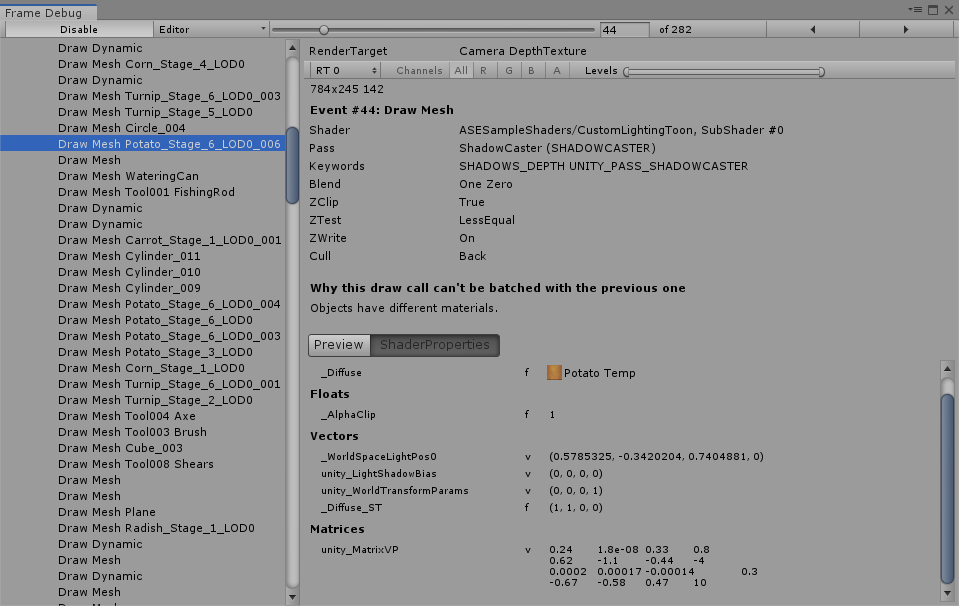

 tidal nova
are there any good alternatives to Texture2DArrays for splatmapping? Filling them from CPU is veeery slow
I have lots of meshes I want to splatmap, so multiple materials are out and I'm using Texture2DArray assigned to material + property block containing z-index per each mesh
tidal nova
it works, but updating slices of this texture array is a bit too slow to be done in real-time
uncut karma
@sharp tendon one thing to try is in Edit > Project Settings > Player Settings try disabling Dynamic Batching (if it is checked)
sharp tendon
@uncut karma It's not checked. I also tried running the project in 2019.1.3 instead of 2019.1.1 just to see if rebuilding everything would help, and unfortunately it didn't.
Clearing the cache also didn't help, and turning on/off the directional light, and also turning off automatic generic lightmapping didn't help either.
I'm gonna try porting everything over to a new project to see what happens.
uncut karma
i wonder if it is somehow related to this, i noticed its the custom toon shader http://amplify.pt/forum/viewtopic.php?p=4427#p4427
sharp tendon
@uncut karma Alright well now I'm really confused. lol
I made a new project on a new version of unity, and the only thing I moved over was the shader itself and it's still happening v~v
AHHHHHHH!!!!! FIXED IT!!!
The Shader Model was the issue. For some reason it was conflicting with the way I did my rimlight. Changing it from 5.0 to 3.0 solved it.
frosty zenith
Hi
could someone help me... show me where to even search for how to implement something like this?
https://www.indiedb.com/games/questica/features/how-to-make-dynamic-2d-shadows

Indie DB
I recently implemented some nice-looking dynamic 2d shadows, here's how I did it!
it looks really good
but i don't know how to start making that shadow map
i got this so far
Questica -- Another Gosh Darn Pixel Game
this is the first part of the article
like what should i even search for...
what would even the shadow map be?
a render texture? how would i render to it
mental helm
@frosty zenith thanks for posting this link, I'd followed that game a while back and forgotten the name of it. It has the best pixel art grass and shadow/lighting I'd seen
I have no idea how they are doing those shadows despite the decently detailed dev logs they post though.
frosty zenith
yeah it looks unreal what they managed to do...
frosty zenith
Well maybe someone here knows enough about shaders to help me
i think i should find a way to generate a shadow map
but i don't really know how
 somber bolt
Anyone aware of any smoke effects that don't look like cartoons?
slate patrol
I wonder how much more expensive Trilinear filtering is compared to Bilinear
I do know that it's not that big of a deal on modern GPUs, but I would've liked to know about older or integrated GPUs.
Couldn't really find any performance comparisons on the net, don't have any low-end GPUs either.
 sinful salmon
Hello guys,
i want to make a game like this. Is this color change thing made with shader ? where should i look first ? https://www.youtube.com/watch?v=1jAiuJjWWjw

Ball Paint | iOS / Android Mobile Gameplay Ball Paint is a new addictive 3D game, featuring tons of levels, zen gameplay, and hypnotic colors! How to play: -...
strange totem
yep, most likely
those look simple enough that they will probably dynamically batch
sinful salmon
@strange totem how to make this ? where should i look ?
 swift fiber
Hi ^^ i need help with making a shader that adds an emmisive texture onto the angled parts of this model
im not sure how i could go about do this with shader graph
i made a sample texture in blender and im trying to get the same effect as this...
torpid solstice
@swift fiber Not sure it'll have the exact same result but I would compare the normal of the surface to the UP vector in the mesh space and if they differ, I would put a higher intensity value to the color used for the emission of the shader used.
This coupled with some bloom post processing should give you the expected result and should be doable in shader forge
uncut karma
@swift fiber honestly i think its faster to just apply another material to those faces in thr modeling program
swift fiber
how would i do that in blender?
actually ill have a look around for different things thanks
 young thicket
Hey guys, in shader graph, does anyone have any tips on masking a shader with self occluding transparent geometry?
*making
I'm attempting to replicate a shader smilar to Oculus' Avatar hands
This is a sample of the hands
slate patrol
What is the "environment samples" for? It wasn't there in 2018.3
And on that note, now I can't really get the quality and speed of lightmapping in 2019.1 compared to 2018.3. Raising Environment Samples to match the indirect lighting samples increases bake time substantially, but reducing it gives very low-quality lightmaps. Same vice-versa, when reducing Indirect Samples.
broken field
Hi everyone, what's the best way in shader graph, to project uvs for a a "decal" texture, say on shields or for snow directionality etc, you know what I mean .... before I started tinkering, I wondered if there was existing wisdom ? thanks :)
lime viper
For something generic that is tileable(e.g. snow or dirt) I'd probably just use the triplanar node. If that was too expensive then just using tiling and offset on the original UV's would probably work. If you want to mask that you can use a couple of different things, a dot operation on a normal direction (usually for things covering the tops of objects) you can do this with just the geometry normals or you could process in the normal map or use another map to further detail the blending. You could also use vertex color information, or even UV sets.For something like an emblem, it depends on how flexible you want the system to be, lowest effort way would be to just float geometry and use a separate material. Next I'd say do an alpha blend in the shader and clamp the decal texture, then using offsets of the decals UV's to position it where you want.
lime viper
Can you only assign material properties in C# based on type, not by their name?
rotund tusk
you do specify a name or ID
are you talking about mat.SetTexture("_SomeTexture", someTexture);?
 analog remnant
Does anyone know a lot about using Camera Opaque Texture for refraction in LWRP?
I’ve come across a problem that I could use some help solving
lime viper
I was hoping since the name should be unique regardless of the type that it wouldn't need the type as the method, or that there would be a generic method using polymorphism to handle the different data types
e.g. mat.setproperty(name, float)
I ended up using a switch statement, not the end of the world just forces a tighter coupling in my code than I like
analog remnant
Hm, well it seems I’ve found a solution for my problem. If I lower the amount of shadow cascades to none. The rendering behind refraction goes away. So I’m assuming the cascades are rendering outside of the opaque texture causing them to be where the object was originally... I’m not sure if this is solvable now without losing extreme shadow quality. Unless I can manually set the cascade amount with script and check when the camera is below the water, but even then I’m not sure it would be worth loosing the shadow quality while under water
grand jolt
hello guys, How do I generate the alpha cut that the "Tree Creator leaves" shader of unity has?
My shader does not get cut and it causes me problems because my leaf are receiving the ambient occlusion wrongly.
rotund tusk
@@grand jolt Try discarding the pixels with alpha clip
grand jolt
"o.Alpha = c.a;"
with this ?
@rotund tusk
or alphatest:_Cutoff
Sorry I use shader forge and I do not know much about writing shaders.
rotund tusk
Ah gotcha. I don't know what the shaderforge equivalent is. In code it would be the clip function
You'd do
clip( c.a - _AlphaClipThreshold );
If anyone can give me ideas on how to generate a smooth heightmap from a spline that ensures that doesn't also modify the height of the points directly "under" the spline, it would be greatly appreciated
I've tried using a variety of interpolation techniques but none of them really seem to do what I need. I have a set of points at arbitrary positions, but mostly generated from splines. those points are computed into pixel space, and fed into a compute buffer.
I tried finding the nearest point from the input data and setting height relative to that, it works fairly well for the positions that are just at the points height value, but when the nearest point changes rapidly in a portion of the map where there is overlap, you end up with sharp transitions (like pixel[0,0] having a height value of 0.2, with pixel[1,0] having .8)
I looked at bicubic interpolation which seems to be the suggestion, but I am either not understanding it or it doesn't work (I'm inclined to belief the former)
oh actually maybe I just wante to use IDW
somber bolt
Calling all shadergraph experts.
Trying to create a simple LWRP reflective chrome like material with decals.
Please see attached.
I have 2 texture maps. A normal map and my decals (png with alpha)
Am I on the right track?
lime viper
Sort of, with regards to some of the settings for PBR here is a good guide: https://docs.unity3d.com/Manual/StandardShaderMaterialCharts.html
It looks like maybe the normal map texture is not set to import as a normal, so you will want to change that by selecting the source and setting it that way
so basically to start with a chrome material you are going to likely want a pure white albedo, metalness to 1, and then smoothness to near 1
as far as the decals I'm not sure how you are trying to use them so it's hard to judge
and though it isn't required generally the way to keep your shadergraph flexible is to instead of having the textures or color values directly on your graph you put them on the "blackboard" on the upper right
then add them to your graph through that
Sorry I realized that there are a bunch of steps there not well covered, but here is what I'd probably start with based on your description, figure it would be easier than trying to walk through all the different bits. There are a few youtube videos that might fill in some of the gaps as well.
 viral shadow
So is it possible to use the render texture that you're currently rendering to as input for a shader?
 woeful crypt
If you have a reference to the RenderTexture, you can do something like:
Shader.SetGlobalTexture("_NameOfTexture", renderTextureReference);
to make it accessible in any shader by just including a line like
sampler2D _NameOfTexture; in your shader (where the names are the same, obviously)
viral shadow
And it won't be a problem that I'm reading and writing to that texture at the same time?
woeful crypt
Depends on how you're writing to it.
not much in Unity truly happens "at the same time" i.e. in parallel. there's usually an order to things
viral shadow
I guess I wasn't too clear maybe, what I mean be "reading and writing," is that I'm currently rendering to that texture, eg. RenderTexture.active = texture;
And I want to use that texture in a shader that's used while rendering to it, eg. copyMat.SetTexture("MyTexture", texture);
woeful crypt
Do you want all rendering to go to that texture? Or just one source (like one Camera, or one CommandBuffer)?
viral shadow
I'm rendering directly with GL and Graphics commands
woeful crypt
Hmm, haven't worked too much with that myself. You can always try it and see
I'd imagine if you have a good understanding of the order in which you are writing and reading to/from the RenderTexture, the result will make sense
viral shadow
ok
Another question: why prefix property names with underscores, what's the convention?
woeful crypt
Not necessary, I just happened to copy Unity's convention for their depth normals texture
woeful crypt
Don't know. If I had to guess I'd say so that the built-in texture name doesn't clash with a name that a user might come up with and provide
viral shadow
Makes sense. Just strange that they seem to encourage users to also do it in the docs.
woeful crypt
Well then I'm probably wrong :)
viral shadow
Ok looks like I probably can't render/sample a texture at the same time. I could be doing something wrong, but it seems like it just returns 0,0,0,0
Found this too now: https://answers.unity.com/questions/1112658/is-rendertexture-simultaneous-writing-and-sampling.html
Unity is the ultimate game development platform. Use Unity to build high-quality 3D and 2D games, deploy them across mobile, desktop, VR/AR, consoles or the Web, and connect with loyal and enthusiastic players and customers.
rotund tusk
The behavior for it is undefined and dependent on your GPU. You might be safe doing it and might work or it might not
viral shadow
That's unfortunate. Seems like it could be useful
woeful crypt
Ah. I guess why it works for me is that I use last frame's information
somber bolt
@lime viper Hey,... thanks a million
lime viper
no problem hope that helps you out
somber bolt
Hi. Expereincing flicker of material created using Shadergraph when an object rotates. Shadergraph attached. Is there perhaps something I am missing in my material that is causing the flicker to happen?
somber bolt
Could anyone possible share an example of using the camera depth texture in a material? I see this setting in my LWRP settings but unsure how to take advantage of it.
rotund tusk
For shader graph you can use the scene depth node
vocal narwhal
@somber bolt there is also a pinned comment that uses depth comparison
(for Shader Graph)
blissful pebble
man this surface crap is a killer, but I'm loving doing compute shaders
 snow thicket
How can we write HLSL shaders in LWRP?
I know there's supposed to be documentation at some point but isn't there now, so
anyone tried to poke around with this?
tardy hazel
The workflow and docs for it are pretty non-existent, but I've had some success making a shadergraph shader then having Unity show the compiled result and picking that apart
There's some shenanigans with the include paths and stuff, but I was able to get something basic working
rotund tusk
ya. best thing to do would be to look at some of the shadergraph generated code along with hlsl source that's available on github or your local package directory
valid flax
How would I pass the result of a shader pass to the next pass as it's MainTex?
lofty lagoon
In 2019.2/HDRP 6.7.1 , the "Transparent Depth Prepass" option does not seem to work when enabled from a shadergraph (but works fine when creating a material of type HDRP/Lit directly). Just submitted a bug.
amber saffron
@lofty lagoon Thanks for reporting 👍
 proven vigil
Has anyone ever had:
Negative saved by batching?
rotund tusk
Only you. You are the chosen one
vocal narwhal
I'm not sure if that's a positive thing, we're un-saving things. It's like you static batched and then it was like, I'm going to unbatch 84 things 🤣
 vocal hull
Hi everyone. I am new to shaders and just get familiar with shader graph. I am trying to animate a tint color of a particular tile of a tilemap. I imagine the color changing effect would be a simple lerp. However, in which direction should I look up to apply the shader to a single tile, since there is only tilemap-wide renderer?
analog remnant
Would anyone be interested in a shader graph grass interaction/wind blown shader? I know I searched for a couple days trying to find the solution and would like to spread the knowledge to someone if they need it.
valid flax
I've got a semi transparent water shader but I'm having an issue where 2 planes , applied with this shader, combine the effects twice. I would rather have it only applied once and the "portion" of the 2nd plane that is behind the primary plane to be culled. How would I go about doing this?
the planes cross there and you can see the combined shaders
valid flax
Anyonne?
amber saffron
either : avoid overlapping the planes, or use z test / stencil to only render it "once"
Cleaning the mesh is probably the best solution.
valid flax
I'm not too familiar with the z testing / stencil things. @amber saffron
Do you have some high level explanation on these? I've been trying to do some of it but I don't understand it
I've tried to add "Zwrite On/Off" but neither seem to do anything
amber saffron
Z testing is to determine if a pixels is drawn or not depending if the depth that will be drawn is nearer/further/equal to the depth stored in the depth buffer.
Stencil is an other buffer you can use to also determine if a pixel will be drawn or not.
What is happening in your current setup is :
- Both objects are transparent
- So they are drawn after the opaque objects
- From back to front (furtest to nearest from camera)
- but transparent objects don't write to depth, so they don't care if an other one has already been drawn
Default for transparent is ZWrite OFF and ZTest LEqual (don't writte to Z, and draw only if the object if nearer than other opaque pixels)
You could add a write to the stencil and test. Like : Draw only if stencil value = 0, and then set value to 1 (so other ones won't draw afterwards)
But like I said, it's probably better to just fix you meshes and avoid overlap 😃
valid flax
thing is these meshes are generated in editor so going through the hassle of perfecting it's location to not overlap with any other meshes will be a pain in the ass and non-scalable
so I'd rather go with this approach you're describing. What tags do I have to add to my shader for this to work? Like I said, I tried adding ZWrite On before my pass but that doesn't seem to do anything... :/
amber saffron
Check here : https://docs.unity3d.com/Manual/SL-Stencil.html
Something like
Ref 2 (or any value you'd like)
Comp NotEqual
Pass Replace
ZFail Keep
valid flax
and I'd have to add that before my pass or in my pass?
amber saffron
in the pass, in a Stencil{} block (see the doc's example)
amber saffron
My explanation was before :)
Try to render a pixel.
Does it pass the ZTest ?
If yes, is the stencil = 2 ? Else do nothing
If yes, set the stencil to 2, render the pixel. Else, do nothing.
Next object will not render the pixel (and overlay) because the stencil is already at 2.
valid flax
but what is the ZTest
that's where I'm a bit unfamiliar with but I'm googling as I go. trying to understand at what point any pixel "passes the ZTest" but obviously feel free to add your explanation as you seem pretty good at it 😅
vocal narwhal
The depth of the triangle is compared to the depth of the same place in the Z-Buffer. Usually it passes if that depth is less than or equal
(if the depth of the triangle is closer or the same as the already written pixel)
valid flax
is this where z fighting occurs from? Where the "test" subsequently passes for both triangles alternatingly?
vocal narwhal
Yup
valid flax
Oh okay... starting to make sense now more
this Ztesting happens automatically though and is not driven by the shader itself?
It's basically what the Render Queue would be? where you can decide what renders when and in front of what. only the ZTest only uses the Z value in the ZBuffer to make that decision?
Am I correct in understanding this?
vocal narwhal
You can turn Ztesting on or off in the shader and do offsets based on angle, and more complex stuff
render queue isn't what renders in front of what, it just ensures that things that are fundamentally different rendering concepts don't interfere with each other, as far as I understand
it's just the order of the blocks of rendering for Unity
valid flax
So i've been struggling with my shader issue for a bit longer now and still haven't found a solution.
I tried stenciling which did help some with planes overlapping on a flat surface, but my shader (which is a water shader) happens to often pour out into an ocean.
So with stenceling applied to it it looks pretty bad. (don't worry the obvious seam, it'll be covered up with a particle effect eventually)
No stencil
Stencil. so obviously not ideal.
Next I tried fickering with using Depth writing instead to fix it but I'm running in a , what I think, is a bug
So I added the tags
ZWrite On
ZTest Less
Which I would assume would cull away my transparent plane if any other transparent plane is in front of it...
And it does! except for some view angles. where all of a sudden it doesn't anymore....
Why? and how do I fix it? Also you might notice some bleeding going on between the planes on my "refraction" effect which I Think come from my grabpass, is there any way to exclude every object with my shader from this grabpass?
but my main problem is why it culls away any transparent shader effect behind the plane in some viewing angles and it doesn't in others.
Hoping someone can help with that primarily
vocal narwhal
Yeah this is slightly above my knowledge to properly debug. All I can is that perhaps you need to make the ocean not conflict with your river, by making it a different shader slightly earlier in the render queue. (I'm not certain that that would fix it, but it's what I would try personally).
Also that transparent objects are sorted based on the distance of their center point to the camera, which causes a ton of pain that I can't help with 😛
transparency is a nightmare I mostly avoid 😛
valid flax
the "ocean" shader and the "river" shader are the exact same shader but I change the render queue for each material applied to them. so I already have that part working. I'm not that bothered with the seam of the river colliding with the ocean because like I said, I'll cover that up with a particle effect eventually.
Main issue is the depth writing of the transparent river planes seems to not be working as I hoped. And I truly hope someone can help me with this.
Thank you for you time though @vocal narwhal
broken field
for waterfalls
and transparent vs transparent
AAA actually do it the hard way
render in front if above, render behind if below but if intersecting, render behind AND in front
this is taken from last-gen PS3 notes from last of us and other titles
so its something of an enduring problem I think
You have to check what touches water and render it twice
waterfalls should not acually go past water though
fervent tinsel
https://github.com/UnityLabs/procedural-stochastic-texturing (now with custom shader graph version)

GitHub
Modified Shader Graph package implementing Procedural Stochastic Texturing - UnityLabs/procedural-stochastic-texturing
broken field
I remember another dev had to render car glass windows twice, for when in water partially
vocal narwhal
the real way to solve the problem is to never have transparency in a game. Transparency should be a rendering crime. Maybe when we have raytracing it can be decriminalised but before then the pixel police take you to dev jail
broken field
:D
on mobile and vita I did exactly that. I rendered everything as opaque but in passes, so opaque on opaque with transparency really faked by reading the existing backbuffer as texture in the "transparent" shader
obviously it wasn't possible for layering but it was ok for 2.5D and 2d
:P
vocal narwhal
that's what's good about doing it for film/TV, you just hack it for the camera angle
valid flax
the problem is @broken field that the water shaders overlap when on a flat plane thus doing the shader twice. I wanna fix that it never applies the same shader twice when overlapping transparent planes are present. I thought I could fix it by writing the transparent planes to the depth buffer by ZWrite On and ZWrite Less. and altough it gives the expected solution, it only does so for certain veiwing angles. thus not solving my problem
Hoping that maybe you know how to do it? I'm also writing the shader by code so any node based anything won't help me much
broken field
Well there's no magic bullet, you need to detect when the transparent surface is intersecting and set it to draw before, after and both.
valid flax
well I was hoping to be able to detect this by writing to the depth buffer and follow standard forward based culling
but it doesn't work.
broken field
as for it popping in front or behind this is because transparent is sorted along it's origin by default
it won't work
it's transparent, it does not write depth ever
but in HDRP if you use it, there is a dept prepass that can help, but still not quite fix it
object A (transparent) renders on screen. it does not write depth
object B (transparent) renders on screen and cannot intersect with A because A did not write depth either.
valid flax
There is a section in this artcle called "Transparent shader with depth writes"
According to this you should be able to write to the depth buffer with shaders
broken field
transparent cannot follow the same rules as opaque because transparent cannot write depth. if you do that, you're really writing opaque first
or depth that is
valid flax
so Unity's doc is wrong? o_O
vocal narwhal
You can definitely turn on depth writing for transparent shaders
broken field
no its just a different thing
its not wrong but its for solving rendering itself
sorry wasnt clear
valid flax
so it solves rendering but doesn't work with shaders? o_O
I'm hella confused now
as for it popping in front or behind this is because transparent is sorted along it's origin by default
Also -> Is there a way to change this behaviour?
valid flax
slide?
valid flax
yea. I have it opened, but it;s 195 pages : p what page is this ? :p
broken field
game dev in a nutshell when unity doesnt want to tackle it until everythng is raytraced?
page 28 currently
valid flax
ty
broken field
but if your problem is sorting on axis that's something else and i misunderstood
sorry I will dissapear now :)
(honestly though that PDF sums up why water assets in unity have so many problems)
valid flax
Basically here is how my project is currently layed out.
The water shader is on Render Queue Transparent-1
Basically, the desired effect is this...
everythign Opaque get's rendered first and then water is rendered during the Transparent-1 Queue
Basically every plane that is rendered during this time (so whicever object has this shader) I only want to take into account the already rendered Opaque stuff
So if 2 water planes were to intersect or overlap, I don't want them to take eachother into consideration for eventual refraction effects. ripple effects etc.
Basically mimicking opaque rendering technique. 2 planes overlap? Cull the one behind and only render what you see and apply the water shader on it
@broken field maybe a bit clearer to what I want?
The problem I have now is. that 2 planes that overlap show a clear double up effect from the shader. and I don't want it.
vocal narwhal
The problem is is that transparency sorting is happening to draw one plane before the other if it's closer from one camera angle, and the opposite from another.
Drawing to depth solves one of these (the case where the one that is actually closer draws first) because the second plane fails the depth test.
Stenciling should work, because it draws to the stencil when either writes, and either fail if the stencil has been written to. (I'm not great with the stencil buffer so I can't help writing one)
But you're having problems with the waterfall because you need the waterfall to draw over (ie. first) the sea
valid flax
Yea the stencil worked. but caused issues like I said with the river also stenceling it's flow into the ocean (both of these water bodies use the same shader)
exactly
vocal narwhal
But - I'm unsure whether that's the way around
You should be able to just make the river's render queue +1 or -1 in relation to the sea and it'll swap the draw order
You're saying that's not working?
valid flax
It doesn't because it also stencils the back side of it then
but your comment did make me think. I copied the shader but removed the stenciling part. Decreased the ocean render queue (ocean has no stenciling now, because realistically the ocean will always be 1 giant plane anyway and never overlap with anythign else)
and that actually solves it all. so thanks for helping me brainstorm! 😄
broken field
great :D
valid flax
overlapping planes look seamless now when they have the river shader (except for some refraction bleeding but I think I can solve that) and river shader is drawn above ocean shader
seam there that I can work on, but it's minor. pretty seamless to me
and river flows over ocean! 👌 😄