#archived-shaders
1 messages · Page 116 of 1
 still carbon
 stark hornet
@still carbon thanks, seems better to just stick with what HLSL provides
also, better readability 😛
 rotund tusk
better performance would be comparing the distance^2 instead of doing the sqrt or distance
 atomic echo
Like, skip the sqrt
rotund tusk
ya. so you'd do
float3 v = pt2 - pt1;
float distSquared = dot( v, v );
clip( _ThresholdDistance * _ThresholdDistance - distSquared );
oh! interesting
atomic echo
Instead of storing the radius of the sphere... store the squared radius of the sphere. It saves one instruction
rotund tusk
ya
clip( _ThresholdDistance * _ThresholdDistance - distSquared );
could be
clip( _ThresholdDistanceSquared - distSquared );
and you set _ThresholdDistanceSquared once on CPU
 broken field
You should whip yourself with the red book until you understand the lord Khronos and only then will you atone for your shader sins
stark hornet
Amen 🙏🏽
 echo badger
I am been trying to make a shader where you can see things like 'particles' inside it. This is a good example of what I am thinking of. But I can't figure how to achieve the look using shader graph. Any ideas?
 frigid zinc
use a noise function to randomly create values to vary the brightness is the direction i'd probably take
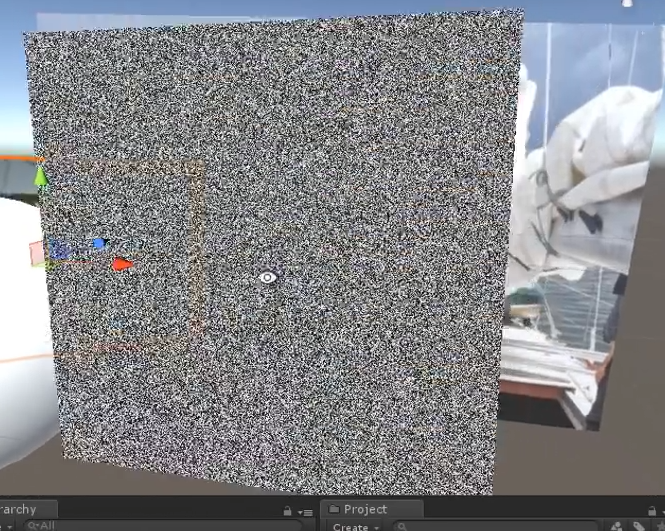
you can make all kinds of noise, but something like that to vary the bright would be nice maybe
echo badger
How, if it is possible would you make it looks more 3Dy. So like when you move the particles you see move/change?
frigid zinc
you want the particles to move inside the object?
or on the surface i should say
or you want the particles to react to the object being moved?
echo badger
Like react how you would expect when the view angle changes. So some would obscure others and the like
like if there were actual particles there
frigid zinc
so you want it to appear 3d
that's probably above my pay grade lol
id probably just make it transparent and put a particle system inside it 😛
but yeah what you're asking is possible, just complicated
echo badger
lol, yeah. I have seen the effect done a couple of times. Just have no idea how to do it 😛
frigid zinc
you'd have to generate a 3d matrix of 'points' and then project those onto the surface based on view angle
lot of math
echo badger
Sounds like it is out of scope of SG 😦
frigid zinc
no i think SG could do it
still carbon
Yeah
echo badger
Really?
frigid zinc
i'm just saying it would take me a couple days to figure it all out 😛
and i'm not getting paid to put that much time into it (wait, i'm not getting paid at all lol)
echo badger
lol, and I would ask you too. I appreciate the help you do give!
frigid zinc
so in such cases i urge people to put the work in themselves.
i can only point you in the right direction
echo badger
Yeah I wasn't asking you to solve the problem. Just a point in the right direction. Which you have given!
still carbon
You could start by looking up some star cloud shaders on shadertoy and adapting the code to sg
frigid zinc
if you think about it, it's not much different than how 3d objects in the scene (particles) get projected onto the screen you view (object surface)
still carbon
 echo badger
Thanks for the link to the star nest.
frigid zinc
yeah that's probably the best example you'll find
echo badger
It is a pretty short file
frigid zinc
anytime i search shaders and particles, i get particle shaders for the particle system
which isn't anywhere near what i want
echo badger
Oh, yeah...
This may be above my paygrade as well... I can't figure out where it gets/makes the starts 😛
Will do the good old copy, then delete parts to figure out what does what
still carbon
the main work will be changing it from using screenspace UV and mouse direction to using an object orientation, position and scale adjusted value
also can SG do loops yet? it has a 20 deep loop
frigid zinc
yeah I actually found a tool that will auto-convert shadertoy to unity
(not the old bad one)
still carbon
I imagine the shader would still be screen space though, but that's definitely a helpful step, which is it?
frigid zinc

GitHub
Convert ShaderToy to Unity HLSL/CG. Contribute to smkplus/ShaderMan development by creating an account on GitHub.
it will play on a plane/quad after convert
they include several examples
still carbon
niiice
frigid zinc
I've done it before by hand so I was glad to find this, it's tedious
still carbon
manually converting shaderytoy shaders was a good intro to learning shader language for me back in the day when there weren't many great tutorials like we have now
frigid zinc
true
the example scene can be slow to load, since the shaders are a bit heavy
it's not always perfect. I see it choked on this star one heh
 neat bridge
Could you just spawn an actual particle system in there and then have your objects shader use refraction so that your object warps the view of the particles inside?
I mean, you definitely could do that, but does that suit your use case?
frigid zinc
yeah I suggested that but it's not as cool as it being in the shader ;p
echo badger
The reason I am not doing just a particle system besides it not being as cool. Is because I want to have it like a liquid level that goes up and down. but thinking of it. I am not actually sure if I can.. I should look in to that...
frigid zinc
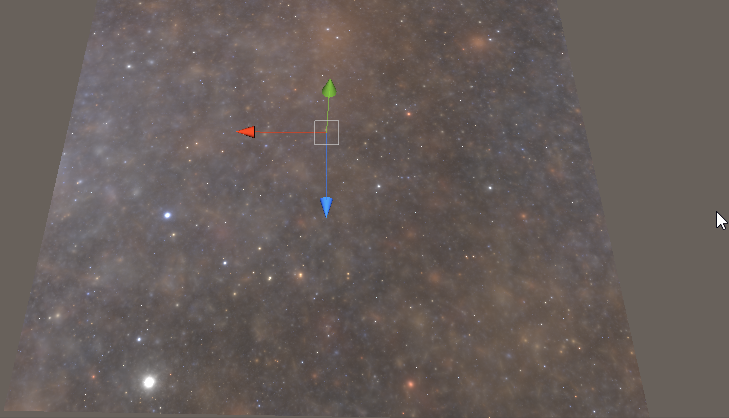
got it working but had to ditch the rotation
for some reason it doesn't like multiplying a float3 by a fixed2x2
still carbon
You could definitely clip the effect using some sine wave affected by a height value @echo badger
echo badger
Yeah. Right now what I am doing is getting the position in object space. And feeding the Y in to a step node then putting that in to the alpha.
@still carbon
What I am not sure how to do is to changethe fill level from a script on a per instance bases.
still carbon
well don't think you can do per-instance values yet with SG so would just have to access .material on an object to get it a unique material instance and set fill level float
echo badger
So like meshRenderer.material.SetFloat("fillLevel", 0.5f);. Right?
still carbon
yeah
 woven narwhal
@fervent tinsel Until a fix lands for multiple nodes including the same file, you can workaround it by putting an include guard in your include file :) Like this
#ifndef OCCLUSION_PROBES_CGINC
#define OCCLUSION_PROBES_CGINC
// code here
#endif
 fervent tinsel
Ah, thats nice
 devout quarry
I got loops to work 😃
man this is nice
I'm saving so much space
like 40+ nodes
I drawing ice cracks in parallax effect
any guesses on what might cause this error?
devout quarry
it's preventing me from applying the material /
echo badger
Some one on the forums had the problem and it was because they had \\ in there
devout quarry
\ where?
echo badger
Oh, it is because you are using a variable before declaring it. (According to google)
Also apparently having \\ tells the compiler to ignore the next line.
echo badger
No problem.
What are the chances you could tell me how to do a for loop in a custom node? 😛
echo badger
Cool! Thanks.
Sure thing.
devout quarry
@echo badger


@unity3d shadergraph now allows you to define custom function nodes! This opens up a lot of possibilities, but my favorite one is loops, they allow us to drastically reduce graph size. Let's dive in! #shadergraph #unity3d https://t.co/yVj7AgJpB3
 Twitter
tweets should be self explaining pretty much but if you have questions, please ask
echo badger
Cool, thanks man!
devout quarry
You're welcome
stark hornet
I a question about shader compile times, specifically about for loops in shaders
I have a for loop in my shader, when the loop is set to do 10 iterations, compiles in less than a second, with 100 iterations it compiles in about 4 seconds, and with 1000 iterations it takes almost 2 full minutes to compile
why does the compile time skyrockets so high with 1000 loop iterations?
(I'm not compiling the shader for a build, I'm taking about the auto Unity compile whenever I edit the shader)
 amber saffron
Maybe (not sure here), the compiler is unrolling the loop ?
devout quarry
might just have to do with the time complexity of your loop?
stark hornet
I'm also getting this warning for that loop
Shader warning in 'Custom/FinalDiscardShader': array reference cannot be used as an l-value; not natively addressable, forcing loop to unroll at line 88 (on d3d11)
devout quarry
unrolling, what Remy said
stark hornet
I see
so unrolling means that the compiler is generating extra lines of code to replace that loop?
amber saffron
Yep
I'm not sure about what are the condition that cause the compiler to do this, but I think that if all the variables in the loop are uniform or can be "baked", then it tries to do it.
stark hornet
If I comment out all the code in the shader, the compiling time is almost 0
amber saffron
That seems logic 😃
stark hornet
I have a distance() calculation, then an if statement and then an else statement
with the distance and if compiles in almost 0 seconds
if I put the else there it takes 2 minutes
what's the difference there between having only and if() and having and if() and and else statement?
amber saffron
If you don't share us some code here, it's going to be hard to understand what's happening.
stark hornet
sure, one sec
 stone sandal
yeah.. i think at that point it has to do whatever calculation you're actually putting in that else
stark hornet
                {
                    _Distances[i] = distance(_IntersectorsWorldPositions[i], input.worldPos);

                    if(_Distances[i] > _IntersectorsRadiuses[i])
                    {
                        continue;
                    }
                    else
                    {
                        return col;
                    }
                }
doing this instead of the if/else seems to compile in just a couple seconds:
{
        continue;
}
if(_Distances[i] < _IntersectorsRadiuses[i])
{
        return col;
}```and doing if() and then if else() compiles slower than if/if, but only just a bit slower
I've seen sometimes people speaking about how GPUs don't like this type of code because of the way they compute code in a paralel way, and stuff like loops and conditionals can cause them to stop computation until the conditionals have been checked 1 by 1
stone sandal
honestly if you're checking for a lower/higher value i wouldn't do an if statement block at all
you could do a step() instead
stark hornet
@stone sandal doesn't step just returns a value thats either 0 or 1 based on a condition?
amber saffron
Yes
stone sandal
it does, but it should still compile a bit faster than a bespoke if statement
stark hornet
Maybe I'm wrong here (because I'm a complete beginner with shader code) but the way my shader works even if I use a Step function I would still need to make a conditional check to see if the value returned is either 0 or 1, and then do what I do in my shader based on that
which is either continuing the loop or returning the color
amber saffron
Why do you need the "continue" btw ?
stark hornet
after the loop I have a discard
amber saffron
In the case you showed, you could either return the color value, or "do nothing", that continues the loop
stark hornet
let me try that, one second
one question about discard and return
both of those stop the execution of the shader for that fragment right?
so any code after that won't be executed?
amber saffron
yes
stark hornet
oh yeah, the "continue" if statement is useless xD
I needed it for the previous way my shader worked, but not anymore
 distant chasm
Hey guys quick question , In the last few weeks I've been messing around with shader coding to the point that I get the basic structure of a shader and messed around with some blend modes (been working mostly with 2D shaders) , Im now wondering if to start with shaders , ShaderGraph would be better as its visual or I should keep going the code path as it probably has way more resources , any opinion?
devout quarry
Without having tried shader coding I know that I prefer shader graph
it's just personal preference
If you like the visual element that it has, go for shader graph
but if you learn shader code, you won't have much issues with getting into shader graph later either
so if you want to learn shader code, and you're motivated to do it, go for that is what I would say
amber saffron
@stark hornet You might try a "loop" or "fastopt" attribute to your loop to avoir unrolling, to save compile times ? : https://docs.microsoft.com/en-us/windows/desktop/direct3dhlsl/dx-graphics-hlsl-for

Iteratively executes a series of statements, based on the evaluation of the conditional expression.
stark hornet
@devout quarry that's why I decided on manually coding my shaders to learn, most people say that the knowledge translates well to node-base editors like Shadergraph and other similars
@amber saffron thanks for the link, I'll give it a read now 😃
stone sandal
I'd like to add a flip side, as I started learning shader code from a visual editor and used that to transition into writing raw hlsl and it served me pretty well
visual editors are great to understanding the concepts without needing to memorize commands or functions to the letter yet, and then when you're comfortable the code comes easy
it goes both ways, i think
stark hornet
I remember that learning shader code at the very beginning was very agonizing, specially people like me who come from an artistic background not related to computer science at all
stone sandal
whether a visual or text based tool is best for learning is entirely up to you, we can't tell you definitively one way or another
distant chasm
Hm... I see thanks for the Input guys , in the end its pretty much about personal preferences I see , honestly the parts where I've been having more problems with are remembering what the semantics do ,tags to use , when to use stuff , im pretty much just messing around and trying to understand what stuff does
stone sandal
if that's the main hitch in your step then a visual editor would serve you well
semantics of the code are handled under the hood while you teach yourself the core concepts of the data flow and logic
stark hornet
question about shader node editors: Do they restrict in any way or have less functionality than handcoding shaders?
stone sandal
it fully depends on the scope of the editor
distant chasm
Alright thanks for the huge help  , you've convinced me im gonna be working with ShaderGraph for the time to come , honestly when I started out I went into code because I tought Visual editors would seriously restrict , but I now realize its not something I should be worried about as a begginer and unity is advacing shader graph quickly
stone sandal
right now shader graph has limitations compared to hand coding because of some fun API hooks into shaderlab etc that still need to be written out
distant chasm
shouldnt*
stone sandal
but for the majority (I'd like to say probably 80%) of use cases, there shouldn't be any issues
devout quarry
btw unity staff, should the view direction node behave differently in LWRP/HDRP
because I'm getting different results when using the node in both RP's
I only seem to get a view direction to work in LWRP by manually subtracting the object position from the camera position
and not through the node
stark hornet
@stone sandal I see, so except for some weird cases, Shadergraph seems to be a good tool overall 🙃
 sick lodge
Is it possible that the tesselate subshader is only working on hdrp?
Can't see it in shader graph in lwrp project
fervent tinsel
@devout quarry HDRP is using camera relative rendering, so there will be differences between HDRP and LWRP for this reason
LWRP should work like old unity rendering in this regard
frigid zinc
well that's a bug then IMHO
any difference in the renderers should be abstracted away. the nodes should behave the same.
stark hornet
so following the recommendation from @stone sandal to reduce compile time instead of an if() statement I used a clip() based on a step()```for(int i = 1; i < 1000; i++)
{
_Distances[i] = distance(_IntersectorsWorldPositions[i], input.worldPos);
    clip(step(_IntersectorsRadiuses[i], _Distances[i]) - 1);
    //clip(step(_Distances[i], _IntersectorsRadiuses[i]) - 1);
}
return col;```
which definitely reduces compiling time by A LOT
but I can only use that for the opposite of what I want
works for carving holes, but I want to clip whatever is outside of the areas of those spheres
If i use the commented code I get all the surface getting clipped
because I'm looping multiple times. With only one iteration it works fine, because it clips whatever it is outisde the given area
but for multiple iterations it just clips everything, because every clip() discards whatever is outside the area of a sphere, and at the end that ends up being all the surface of the object
Seems I'm stuck with my current code, that works as intended, but takes around 2 minutes to compile with a loop of 1000 iterations:```for(int i = 0; i < 1000; i++)
{
_Distances[i] = distance(_IntersectorsWorldPositions[i], input.worldPos);
if(_Distances[i] < _IntersectorsRadiuses[i])
{
return col;
}
}
discard;```
also, adding the for attributes like [fastopt], [unroll] or [loop] don't seem to make any difference in compiling time
frigid zinc
can't you just use the new way and invert the clip?
stark hornet
@frigid zinc i've tried that, but doesn't work
because subsequent clips discard the pixels that where not clipped by the previous clip()
frigid zinc
clip(!step(_IntersectorsRadiuses[i], _Distances[i]) - 1); doesn't work?
stark hornet
one sec I'll try
stark hornet
nope
frigid zinc
ah well :\
stark hornet
1 - step does the opposite, but that's just the opposite of clipping everything, which makes it clip nothing
the issue is that multiple clip() functions one after another are not compatible (for my intended use)
frigid zinc
well i thought it clipped the opposite of what you wanted
stark hornet
so for example:
frigid zinc
not everything
stark hornet
on 1st iteration I clip whatever is outisde the 1st circle, all good there. On the 2nd iteration I clip whatever is outside of the 2nd circle
so as you can imagine, the second iteration doesn't care about the first one
it just clips whatever is outisde the 2nd circle (and that includes the area of 1st circle)
I don't know If I'm explaining myself xD
as opposed to my other code that does this: 1st iteration returns color when inside the 1st circle, the 2nd does the same for 2nd circle
after the loop I just discard whatever didn't fall inside those circles
but that compiles horribly slow
 untold niche
hey so i'm trying to make a sprite be visible only inside a specific mesh and i dont know how to do that
stark hornet
@untold niche I'm experimenting with shaders that do things similar to what you want. Maybe I can help
untold niche
asked in general and was told a shader could do what i wanted
stark hornet
do you have an image or drawing explaining what you want?
stark hornet
@untold niche do you want to do that only in 2D? or also in 3D?
untold niche
2D
stark hornet
you can use stencil operations for that
it's easy to implement, it takes a bit of time to learn to use correctly tho
untold niche
what are those and how do they work (sorry i have no clue lol)
stark hornet

It's a way of "masking" pixels by giving them values and testing those values
so for example you can take all the pixels of a circle, give them a value of 1 in the Stencil Buffer, then with a square you can test what pixels of the previous circle are inside the square and have a value equal to 1
then you render the pixels that have the value of 1, and the rest doesn't get rendered
to use this you need to be familiar with Render Queue order, and possibly Depth Buffer writing/testing
Stencil Buffer operations work great in 2D because they let you use any shape you want as a mask
also, you will probably need to know how to use ColorMask
maybe some ShaderGraph users know if you can do Stencill stuff with it
may be easier to implement
I don't know anything about ShaderGraph, so I can't help you on that one 😶
stark hornet
if you don't know anything about shaders maybe you can use some asset store solutions
a quick search and found these 2

Sprite Mask allows you to mask objects of type Sprite (SpriteRenderer) and any other whose material support Stencil buffer. Masking is based on the Stencil buffer , therefore it is very "cheap" and versatile.
Features:
- Very fast. Each mask "costs" only one draw call...

- Non Stencil Mask: Simple Rect Mask , Soft Rect Mask, Mask By Texture.
- mask rotate
- Stencil Mask
Demo and document include.
distant chasm
Not sure if that is enough for what you want but there you go @untold niche

Welcome back to BlackthornProd ! In this quick and easy Unity tutorial I will show you how to use an awesome feature called the SPRITE MASK ! This tool lets ...
stark hornet
Oh that's neat, probably way easier to use compared to the stuff I recommended 😅
stark hornet
I fixed the long compile time issue! It had to do with using uniform arrays in the for loop. Specifically an uniform array in which I modified the values inside the for loop. I guess that was causing an issue with the compiler when reaching the return statement and exiting the loop, seems that caused a forced "unroll" that gave me this warning
Shader warning in 'Custom/FinalDiscardShader': array reference cannot be used as an l-value; not natively addressable, forcing loop to unroll at line 131 (on d3d11)
So I just ditched that uniform array and used a variable created on the fragment shader to store distances instead of storing the distances in an array and then accessing each item on the iterations of the for loop
{
        float dist = distance(_IntersectorsWorldPositions[i], input.worldPos);

        if(step(_IntersectorsRadiuses[i], dist) == 0)
        {
            return col;
        }
}```@stone sandal thanks again for bearing with me and recommending me to use step(), it took me a while to get it. Works like a charm! 😊 compiles instantly.Also thanks @amber saffron for taking the time and trying to help me understand the loop and why it was being forced to unroll
I don't know why I became so obsessed with storing the distances in an array when I can just use a float 😶
stone sandal
No problem, I’m glad it worked! Looking at your code it seemed like that would do what you wanted
stark hornet
Yeah but I overlooked your advice because it was yielding the same compiling time results. But that was the fault of the uniform arrays being modified inside the for loop and thus causing the compiler to force the unrolling of the loop (i think)
 main blade
Hello All. Anyone available for some help with a shader
I am trying to use graphics blit to combine textures
The logic is: 1 Setup temp RT
2 blit one texture into the RT - only use its r channel
3 blit another texture into the Rt and use its g channel
4 blit another texture and use its b channel
Use the output
I had this working great with GetPixels and SetPixels, but I was running into some memory issues
Any tips?
 vocal narwhal
use a single blit, put one of the textures into the source, and the rest as material parameters
main blade
problem is i am already discarding each texture after the operation to clear memoru
vocal narwhal
so you never have them all in memory at once?
main blade
no, each texture is written to disk after the blit op
at the moment
I ran into issues having all textures in memory at the same time
4k textures
mobile issues
vocal narwhal
So, for a start I'd modify the ImageEffectShader, and just do something like this: return lerp(tex2D(_Original, i.uv), tex2D(_Addition, i.uv), interpolant);
With interpolant being a float4
you set interpolant to equal the channel you wish to write into
eg. for red 1,0,0,0
I'm not sure if this is the best way of doing it but it should hopefully get you started and perhaps someone else will drop in who's smarter than me 😛
main blade
Got it.
I ended up with three passes in the blit shader and following my logic. using Blend One One
to add them together
looks like I was passing empty texture somewhere.
Thanks for the ear @vocal narwhal
I should just set up an empty channel. sometimes it just helps just typing out psudo code
 grand jolt
Hi,
I wanted to know if the last version of ShaderGraph will be available with Unity 2018 or only with 2019 ?
fervent tinsel
You need to be more specific
Each SRP release bundles with SG relevant to those SRPs
There are currently SRP releases for 4.x.x (2018.3), 5.x.x (2019.1) and 6.x.x (2019.2)
4.x.x mainly get bugfixes at this stage
Bleeding edge stuff go to 6.x.x
5.x.x still gets most of 6.x.x fixes
 desert timber
Hey guys, does anyone have a shader by hand which would convert an image to a fake-stereo one?
I.e. for simply appending image to itself to achieve side-by-side effect
vocal narwhal
How do you mean? Like, the same image on left and right of the screen?
vocal narwhal
Like if you literally want
you can modify a default shader by modifying the uv.x coordinates like: uv.x = frac(uv.x * 2.0);
desert timber
Oh, thanks a lot ! Will try that
amber saffron
Wouldn't it be enough to have an unlit material with a texture tiling set to (2,1) ?
vocal narwhal
hahaha this is true
desert timber
well, I'll also need IPD adjustment and texture scaling, so a shader will still be needed most likely
stark hornet
I'm experimenting with nested for loops in shaders to see how they behave and I'm getting this on the CPU profiler. What does it mean?
gfx.waitforpresent
I've read this on the forums, is that correct? GFX.WaitForPresent that means the GPU is taking so long to render that Unity is stalling the CPU to wait for the GPU to finish.
this is the GPU profiler
and here the code I'm using in the shader
{
              for(int i = 0; i < 1000; i++)
              {
                        float dist = distance(_IntersectorsWorldPositions[i], input.worldPos);

                        if(step(_IntersectorsRadiuses[i], dist) == 0){
                            return col;
                        }
              }
}```(this is just a dummy code I put there to test nested loops)
So I guess what's happening is with those nested loops I'm potentially making the shader do 1 million conditional checks which is causing the rendering to be so slow that the CPU has to wait for the GPU to render, and that's why the CPU profiler tells me gfx.waitforpresent ?
still carbon
@stark hornet yes
stark hornet
ok thanks!
 timid shell
If you want to use the GPU for complex calculations outside of rendering, then you might want to look into Compute Shaders, although they're not supported on all platforms: https://docs.unity3d.com/Manual/class-ComputeShader.html
desert timber
https://www.shadertoy.com/view/wsBSR3 my first shader lol 😃
 stark hornet
@timid shell thx for the link. I'll take a look at them
desert timber
heh, https://github.com/smkplus/ShaderMan fails to convert and compile it with Shader error in 'MyShader': Parse error: syntax error, unexpected TVAL_ID, expecting TOK_SHADER at line 2
does it work nowadays?
GitHub
Convert ShaderToy to Unity HLSL/CG. Contribute to smkplus/ShaderMan development by creating an account on GitHub.
timid shell
Can you paste the ShaderToy shader here?
desert timber
float scale=0.375;
void mainImage (out vec4 fragColor, in vec2 fragCoord )
{
float dx = (0.5 - scale) / 2.0;
float dy = (1.0 - scale) / 2.0;
// Normalized pixel coordinates (from 0 to 1)
vec2 uv = fragCoord/iResolution.xy;

vec3 col;
if (uv.x < dx  || uv.y < dy
   || uv.x > 1.0 - dx || uv.y > 1.0 - dy
   || (uv.x > dx + scale && uv.x < dx + scale + 2.0*dx) ) {
    col = vec3(0.0, 0.0, 0.0);
    fragColor = vec4(col,1.0);
    return;
}

if (uv.x < 0.5)
    uv.x = (uv.x - dx) * 1.0/scale;
else
    uv.x = (uv.x - 0.5 - dx) * 1.0/scale;

uv.y = (uv.y - dy) * 1.0/scale;

col = vec3(cos(uv.x), sin(uv.y), - cos(uv.x));

// Output to screen
fragColor = vec4(col,1.0);
}
fervent tinsel
Join Technical Artist Matt Dean at this informative session to learn about Shader Graph, which as a verified package in Unity 2019.1 will be ready for production work. Via various demos, Matt will spotlight the new features and recommended...
grand jolt
Hi,
I have a question regarding dot product. I have an object acting like a light, I want to compute the angle between the light and the current processed pixel according to a normal map. Ho, I need to specify that my game is a 2D game. So what i do is the following:
- compute difference between the current pixel position and the light position in order to have the direction.
- normalize the direction
- normalize the normal vector of the pixel (according to the normal map)
- dot product
This should returns values between -1 and 1 but I'm not sure that is the case. I use this value to offset a ramp texture, but the results are weird. I'm not sure that the normal map use the same "axis" than Unity. I tried to inverse x and z axis and to multiply y by -1 and the results are better. But honestly I'm kind of lost here.
Does that make sense ? Is it possible to debug/output values computed in the shader ? I find very hard to understand what is happening without debug.
desert timber
@timid shell ^
timid shell
@desert timber First point of failure is in CodeGenerator.cs on line 100. The regex does not expect white space between mainImage and (
desert timber
Yeah, it looks like shadertoy editing from mobile introduced some formatting issues...
float scale = 0.375;
void mainImage(out vec4 fragColor, in vec2 fragCoord) {
    float dx = (0.5 - scale) / 2.0;
    float dy = (1.0 - scale) / 2.0;
    // Normalized pixel coordinates (from 0 to 1)
    vec2 uv = fragCoord/iResolution.xy;
    vec3 col;
    if (uv.x < dx || uv.y < dy || uv.x > 1.0 - dx || uv.y > 1.0 - dy || (uv.x > dx + scale && uv.x < dx + scale + 2.0 * dx)) {
        col = vec3(0.0, 0.0, 0.0);
        fragColor = vec4(col, 1.0);
        return;
    }
    if (uv.x < 0.5)
      uv.x = (uv.x - dx) * 1.0 / scale;
    else
      uv.x = (uv.x - 0.5 - dx) * 1.0 / scale;
    uv.y = (uv.y - dy) * 1.0 / scale;
    col = vec3(cos(uv.x), sin(uv.y), -cos(uv.x));
    // Output to screen
    fragColor = vec4(col,1.0);
}
Shader error in 'ShaderMan/MyShader': 'frag': function must return a value at line 64 (on d3d11)
timid shell
Yes, it includes the return; line from ShaderToy in the fragment shader.
desert timber
    fixed4 frag(VertexOutput i) : SV_Target
    {

    fixed dx = (0.5 - scale) / 2.0;
    fixed dy = (1.0 - scale) / 2.0;
    // Normalized pixel coordinates (from 0 to 1)
    fixed2 uv = i.uv/1;
    fixed3 col;
    if (uv.x < dx || uv.y < dy || uv.x > 1.0 - dx || uv.y > 1.0 - dy || (uv.x > dx + scale && uv.x < dx + scale + 2.0 * dx)) {
        col = fixed3(0.0, 0.0, 0.0);
        return fixed4(col, 1.0);
        return;

    }
    ENDCG
    }
commenting out the blank return leads to another one Shader error in 'ShaderMan/MyShader': syntax error: unexpected end of file at line 67 (on d3d11) on ENDCG
timid shell
Just debug the CodeGenerator.Convert part and see where it makes the mistakes. Either change the regex patterns or adjust the ShaderToy script.
That's because it captures the brackets for mainImage function too early. Adjust the regex pattern for that case. It doesn't expect nested blocks.
desert timber
ok, thanks
desert timber
Thanks @timid shell ! 😃 it works now
devout quarry
Is there any working custom node API?
at the moment
so not custom function node
but actual C# code
devout quarry
or like any way to get lighting information..
rotund tusk
no public C# API in recent versions of shadergraph
rotund tusk
you might be able to get the GI info if you include the proper hlsl file in your custom function node though and call a magic function. i am not familiar with that portion of our shader code so i will have to double check how GI info is gathered
devout quarry
Yeah I'm checking the lighting.hlsl file in lwrp atm
is there an ETA on a public API?
I've seen some people on the forums mention at the beginning of March that it'll be '1 month max'
stone sandal
there isn't going to be a C# public API for a while, what they're referencing is the custom function node and nested subgraph functionality
fervent tinsel
which is in 5.10 already
fervent tinsel
I think they had some in the SRP repo like year ago etc but they chose to not include them
HDRP got Baked GI input and Baked GI node
on HD Lit Master node only
no idea what's the deal with LWRP now
devout quarry
Hmm gonna try to make something custom then in the meantime
fervent tinsel

GitHub
Purpose of this PR
This PR builds on the previous pipeline specific node PR by:
Adding various lighting nodes for both pipelines
Fixing nodes that failed to compile when using HDRP by making them ...
well, last fall
close enough 😄
GitHub
Purpose of this PR
Why is this PR needed, what hard problem is it solving/fixing?
Fixes the following issues by making their node's return values render pipeline specific. This is the replaceme...
hmmm,that's mered
also that's the Baked GI
also "LWRP specific light nodes will be added in a separate PR."
so, did that happen?
there probably is some way older PR somewhere that I remember
devout quarry
In my project, the node source codes are included under packages folder
Couldn't I just add nodes that way?
Custom ones
With a name that I myself pick
fervent tinsel
you have some place you can feed them in in the master node?
(I know nothing about LWRP really)
oh wait, you use LWRP or HDRP?
I just remember faintly that you used LWRP in past
devout quarry
Well I just see under packages some folder that holds c# scripts for all the nodes
I do use LWRP yes
So I could just add my own node in there
See how the other nodes are made
fervent tinsel
well, you can't do that c# approach in 5.x anymore
it's removed like mentioned earlier
devout quarry
I don't get that, the built in nodes are in my project files, as c# scripts
fervent tinsel
yes
fervent tinsel
c# node api only works inside the SG codebase now
you can't use it externally anymore
you can copy the shader code from those scripts and use it with new custom function node tho
I may miss the point here
stone sandal
the folder you're referring to will be set to read-only by default, as well
it is really not recommended to mess around with your package cache source for packages
devout quarry
Okay I get that
The custom function node is cool and all but I still hope a C# api is coming eventually, I'll be patient
fervent tinsel
why do you want that?
the beauty of the current setup is that you don't have to write mixed format c# code for custom shader code you want to run
just drop a node, either paste code there or ref a file with a function that contains the shader code
no need to remember the c# node syntax
devout quarry
Yeah that's true
fervent tinsel
want something you can reuse on the graph? put the custom node inside subgraph, with 5.10+ you can have nested subgraphs so that's not an issue anymore
devout quarry
Mostly I would like to add a custom name to the node
fervent tinsel
you can do that with the subgraph
devout quarry
Yeah I can't not agree with you haha
fervent tinsel
this is proven setup on ue4, they do it like this (altho their custom node only has string input, the SG one has string input OR the file input)
so it's actually more flexible
they enclose their custom nodes even in the stock engine for some material functions
their material functions are equivalent to SG's subgraphs
stone sandal
but if we start shipping internal subgraphs to the package you can bet ours will have groups and comments, unlike unreal :p
rotund tusk
@fervent tinsel how are you getting 7 s stalls with async?
fervent tinsel
@rotund tusk HDRP's HD Lit Master node with forward only HDRP asset
it's like 0.5s stalls on deferred only
but forward only kills it
rotund tusk
ah lol. i can see that happening with HD Lit but not 7s
fervent tinsel
I discussed about this with Kink3d before, he didn't sound surprised 😄
apparently the forward setup is way heavier to compute
well, I dunno about 7s, I haven't clocked it
but it's slow enough to get annoyed at it 😄
rotund tusk
right haha
rotund tusk
async comp is for all the preview shaders. i think all the construction of the shader string is still serial
hang up would be the actual compilation though and not the string construction
fervent tinsel
I guess it's more like 3-4 seconds on that video
rotund tusk
still rather slow
rotund tusk
in forward too?
fervent tinsel
yes
I've mainly used it in HDRP forward
and now with HD Lit master template (but it's not 1:1 same with SG's template, same feats tho)
can't demo it right now on 2019.x as I haven't updated it to latest changes
been trying to get used to using SG more
I did have ASE running on earlier 5.x.x on 2019.1 tho
that stall is probably the biggest issue right now on SG
there are always small annoyances but that's real workflow killer
then again, I'm guessing most people use the default deferred only setup on HDRP and never notice this
broken field
my brother's noticing insane lag with default deferred setup from time to time, that he says is curable by closing sg, it might actually be some resource chugging away just rendering the graph...
rotund tusk
is there something specific that he's doing that leads to this lag happening? if it's memory allocations, what does the profiler say?
broken field
nothing, it's just the HDRP template scene. I had him make it so he could avoid our main project's weight. He develops shaders there
in this case some basic crack-depth shader thing
will dig for details if needed
broken field
you seem unstoppable now Alex
devout quarry
😃
devout quarry
mutiply/add etc nodes with 3+ input slots planned?
devout quarry
another question
vectors like view direction and normal vector
are they normalized?
I'm spamming a bit but I really like the effect
gonna post small tutorial next week
broken field
spamming on topic is never spam :)
stone sandal
Those kinds of improvements for mul and add nodes are known, but there’s a lot of underlying things that need go in for those to get added, so there’s no timeline on them
devout quarry
As long as you guys know they are wanted, that's fine for me!
echo badger
Please keep spamming. I enjoy it 😛
What I really want is to be able to get the light attenuation in the HDRP
But so far it seems know one really is sure how to get it in the HD pipeline 😦
echo badger
Yeah, I did. I didn't see anything that I thought might be related. Though I could be checking the wrong files. I also don't know a lot about the technical graphics side of game dev
But it would be a .hlsl file?
broken field
Yeah I have been watching so that I can steal maybe a few things Alex does.
echo badger
I ended up not going the volumetric rout (Though thank you guys so much for your help figuring out where to start on that!). But I think my gel shader turned out pretty well.
echo badger
So, I am on a quest to get light attenuation in the HDRP so I can make a toon shader.
So far, any method I have found requires a number of input parameters. Like this one.
float GetDirectionalShadowAttenuation(HDShadowContext shadowContext, float3 positionWS, float3 normalWS, int shadowDataIndex, float3 L, float2 positionSS)
{
    return GetDirectionalShadowAttenuation(shadowContext, positionSS, positionWS, normalWS, shadowDataIndex, L);
}
I feel like may not be right. Also, not sure how to fill in the parameters. If anyone feels like helping enlighten me on where to look, or how to fill stuff in. I would very much like it.
Not looking for someone to do the work for me mind you. 😃
devout quarry
@echo badger
when you go into a hdrp project and go into the packages directory
search for 'lighting.hlsl'
hmm the file is much different in LWRP
in the LWRP file there is a 'GetMainLight' function
I basically made a custom node that refers to a file that holds the following function
1 issue I'm having is that the previews in SG are not working
and that I'm getting some errors
but I'm able to read the light's data correctly
see, the preview shader has some errors
someone online used this function
            Color = 1;
            Direction = float3(-0.5, -.5, 0.5);
            Attenuation = 1;
}";```to 'trick' the shader graph into showing a preview
maybe I can use the same one
 upper kite
Shader Graph doesn't seem to support global variables, I believe unless inserted through a custom node, is that correct?
I also read 2019.1 jack support for it, so what now? 🙃
 primal eagle
shaders are really something i haven't touched at all so far
devout quarry
go for it!
primal eagle
ok why do shaders have to use this strange language
devout quarry
I'm no professional, but shaders use HLSL (high level shader language)
and it's 'strange' because it has to talk to the GPU
that's what I think
but I mean, it's strange but in many ways it's similar to what you know
fervent tinsel
@upper kite you can use global variables with SG
there are two ways
either just make properties from the main graph and rename the actual variable names on the properties panel for them, these are the values you can set from c# script globally
other way is to use new custom function node and include a shader file that introduces these variables and then read the values from some custom function you put in the same file, this will work on both main graph and subgraphs
it's kinda bummer that you can't do the first approach nicely from the subgraph like you can with the main graph, so the custom node is needed there
and I mean NEW 2019.1 custom function node with the file include thing now, not the old custom node api
the new thing is already there on 5.8.0 and newer SG versions
upper kite
@fervent tinsel Very helpful (and hopeful) information, appreciate it!
fervent tinsel
@upper kite np, just to make it more clear, this is the field in main graph you can set for global vars:
the expose boolean above it just marks if the property is visible in the material, global value still works regardless if it's exposed to material or not
well, technically it's also local var, there's no difference to that afaik on the scripting side
like, you can set that value globally on all shaders or just get a ref to a specific material that has that shader and can also set it locally there, it's up to you which way you do it
and this is example how you can set the vars in your custom include file: https://github.com/0lento/OcclusionProbes/blob/package.hd/Include/OcclusionProbes.cginc#L1 (4 first lines of this in this case)
in SG, I then just use custom function node, point it to that file and tell it to use that SampleOcclusionProbes function from it
I set the 4 variables at the start from c# script using the global shader variable setters
upper kite
For me it regarded two parameters declared in the main graph (fed into a sub-graph). Using ShaderSetGlobal seems to work, though I had to uncheck the "exposed" box.
Thankfully it's that's easy, thanks! ✌
fervent tinsel
np
yeah, I still wish we could do this directly from subgraph
you can with custom function node route, but it's kinda ugly if that's all you need it for
but so is the routing from subgraph to main as well
in ASE, you do this from their subgraph equivalent directly
echo badger
When making a custom node. In the shader string. Can you access a method from any old
HDRP hlsl file just by calling it's name. Or do you need to do some sort of 'import' or something?
fervent tinsel
if you mean the new custom function node, then you have to use the file method for it, I still think you need to have some function to call from that file for that to work
so you can't just ref any random file and use it, you have to modify it to at least contain the function you call from the custom function node
would be nice if you could just link shader files in general too, but that's not an option right now
echo badger
Not sure if it is new. But the CodeFunctionNode.
Yeah, I was figuring that you need to get the hlsl file. I'm just not sure how.
devout quarry
@broken field
With some more info from Unity staff
I got the lighting to work for real, I no longer get issues with preview not showing
the main light node is fully custom, but looks legit now
I did have to change the read-only status from the shadergraph folder in the packages directory, so it's hacky for sure
@echo badger you were looking into lighting too
Alexander Ameye
here is more info, something I wrote quickly
stone sandal
@echo badger the CodeFunction api is being deprecated and no longer accessible from 2019.1 and forward. If you want to ever port your project up from 2018.3 I wouldn’t recommend using that API
devout quarry
Can the post from the unity blog about the codefunction API be removed then?
or edited
like mention that it's not longer supported in later versions
stone sandal
It’s on our list of things to do yeah but sadly blog post fixing isn’t high on dev priority 😅
I’ll look into it
devout quarry
yeah makes sense tbh, retroactively editing blog posts to match the latest changes in Unity is kind of silly
it could keep you busy forever :p
stone sandal
Yeah that becomes as much work as make the product in the first place :p
echo badger
Oh, thanks @stone sandal. Yeah I was just going off of the blog post.
Trying to figure out how to get lighting in HDRP shader is kicking my butt. I think it's above my paygrade for right now. I think I will just have to wait for either Unity to make it easier. Or for someone to knows more of the technical side and shaders to.
 wraith magnet
Hey, i'm using depth blended shader as water surface shader (for the edge blending), and i'm trying to render it as reflection (using second camera and code based on Unity MirrorReflection4 script, basically doing inverted culling and custom projection matrix). It works fine in main camera, however no matter what i do - the depth blending fails in reflected space/texture. I'm using shader replacements for other camera, and i'm feeding custom depth buffer sampler to the surface shader (instead of using _CameraDepthBuffer), but it still doesn't work. Do i need to multiply some matrices? Feed custom clipping space position? Any help would be appreciated, spent 4 days trying to tackle it myself and google, and i need help of someone who understands the maths behind that
devout quarry
@echo badger no luck by looking at the lighting.hlsl file?
echo badger
@devout quarry sadly no. All it has is some #includes in it. So I looked at the files which it includes. One of the hlsl files has a method called GetDirectionalShadowAttenuation which I feel like is close to what I want. But it also has a number of parameters which I don't know how to fill. I tried looking through some of the other files to get a idea of how it works. But to no luck.
I also don't know a lot on how to write shaders. So it is hard for me to try and experiment and see if I can get it to work. :/
devout quarry
hmm weird, the lighting files in hdrp and lwrp are totally different then
broken field
once you go HD you never go back or something
devout quarry
Lit Wow RP vs How Dull RP?
Easy choice
Couldn't come up with something better, it's late haha
fervent tinsel
lol what vs hyper dynamite 😄
 rapid summit
Hey quick question - is there Shadergraph support for 2D shaders for UI Elements like Images? I haven't been able to find much information online about it.
 foggy falcon
seconded
fervent tinsel
I'd guess if everything else fails, you could always use custom render texture where you render your SG material
and use that in UI
rotund tusk
not sure if this was mentioned here already, but we have a new forum for Shader Graph: https://forum.unity.com/forums/shader-graph.346/
Unity Forum
Discuss and share the shaders you're building with Shader Graph! For more information on the tool: Go here.
 heavy idol
Hello there! I don't know if this sounds silly, but, on a fast search, I couldn't find anything about it.
Is ShaderGraph available for Unity 2017.4/can you use it in there?
I think I remember trying it while it was in Beta, but I can't seem to find anything about it anymore
vocal narwhal
Resources
Shaders and Materials
https://learn.unity.com/project/creative-core-shaders-and-materials
External Resources
Builtin to URP: https://teodutra.com/unity/shaders/urp/graphics/2020/05/18/From-Built-in-to-URP/
Writing Shader Code for URP: https://www.cyanilux.com/tutorials/urp-shader-code/
Intro to Shader Graph: https://www.cyanilux.com/tutorials/intro-to-shader-graph/
Custom lighting in URP: https://nedmakesgames.medium.com/creating-custom-lighting-in-unitys-shader-graph-with-universal-render-pipeline-5ad442c27276
The Book of Shaders: https://thebookofshaders.com/01/
Beginners Guide to Coding Shaders: https://gamedevelopment.tutsplus.com/tutorials/a-beginners-guide-to-coding-graphics-shaders--cms-23313
You can try some shader coding outside Unity (with some live compilation and preview) with:
https://www.shadertoy.com/ (online) or https://hexler.net/products/kodelife
fervent tinsel
👌
devout quarry
new forum nice 😃
 tight zodiac
Hey! Is there any way to give _MainTex from Raw Image (like it works on renderers) to Shader Graph shader other than via Script? Also seems like Unlit Graph shaders doesn't have an ability to define _MainTex (it prints an error, there is a thread about it on forum).
stone sandal
@heavy idol Shader Graph is only available in versions 2018 and higher as far as I'm aware
heavy idol
@stone sandal thanks for your answer...!
Yeah, I found the same written around the Internet! It could be just me recalling it in a wrong way, I guess...
I'll try doing what I need by generating the code via ShaderGraph and then trying to "port it" to Unity 2017.x...!
broken field
Why isnt shader graph top to bottom like visual scripting and VFX graphs? I think it should be consistent. We don't have to follow unreal.
broken field
vertical because there is parity with how we read from top to bottom plus less scrolling
with a horizontal graph you're forced to have more subgraphs as it gets tangled faster
because the nature of the work is you're doing local jobs then moving along but sometimes you need a result from a previous local job again
it's easier to use gravity to organise (your earlier stuff is up there)
I think it's just epic made it super fashionable
I was doing a dialogue system a while back and found going from left to right didn't organise right in my mind either but it all clicked top to bottom
I think left to right was very important in an age of monitors with limited height
broken field
but even so there will always be limited width because people can and will want it on the same typical monitor, which forces much more scrolling than otherwise
if you have a spare monitor... sure... go horizontal
broken field
yeah most have one tho big guy :P
fervent tinsel
I keep SG in one whole screen when I work with it
broken field
I rest my case :P
fervent tinsel
for me it is the most important thing
fervent tinsel
they can plug in extra monitor on their desk
stone sandal
I've worked with a lot of different node editors and whenever I'm making any changes in the nodes I always fullscreen my editor, even when I only have one monitor (or when I work on my laptop, which is frequently :p)
fervent tinsel
most people I know that use laptops still use it on the same desk :p
stone sandal
it's a workflow preference for sure but I think both data flow directions are fine for single monitor work imo
broken field
What's the rationale behind vfx and vs being vertical setups? (my dialogue is also vertical fyi, probably just used to the natural reading direction)
I can cope with any but I think overall having flow consistency at unity will be a better thing to do
stone sandal
i honestly can't answer that since I don't work on either of those tools
fervent tinsel
top to bottom enforces the execution order easier as you tend to have specific structure for the graph there
nothing stops for having similar thing on left to right setup but in general we setup such node graphs differently
stone sandal
yeah, what 0lento said is along my same lines of thought
fervent tinsel
so, I guess it's easier for people who haven't coded much too
as it's easier to follow probably
think of scratch here
broken field
I was thinking that really it's not a hard job for unity to supply a toggle for vertical node connections instead of horizontal node connections so what's the downside of adding an option like that?
it doesn't seem engineering heavy and as long as the default matches the docs, there's no bad to having it?
fervent tinsel
I'm also not saying top to bottom couldn't be as efficient, my preference comes from having used the other kind of setup on all tools that use node graphs
my brain already works nicely with the other setup
stone sandal
personally I don't think that shader editors benefit more or less from either direction of data flow. given how you manipulate the data, I think that the graphs will be build and read in the same way whether vertical or horizontal, but a lot of the choice was because most other shader editors in other tools use the horizontal flow which can ease transition for users
fervent tinsel
having to adjust to different setup is like me trying to use blender... people who have used it as first 3D modeler are fine with how it works
me... I constantly try to make it do things it doesn't do as it doesn't do almost anything like other industry tools do 😄 (newest blender isn't all that bad in this front anymore tho)
stone sandal
@broken field if only were it so easy to have a connection mode toggle 😅 think of the halo from that though
now we need two different draw states for each node (vertical and horizontal), we need to make sure the scope of the window handles that, and what happens if someone has a graph that's horizontal and then toggles it to vertical?
also, personally, i think that having two different data flow directions for shaders vs game scripting makes sense, because then it's very clear from the editor what scope you're working within
broken field
Yep but I did this with my own dialogue graph a while back, I had less halo due to the fact my nodes were consistently sized
I can see the problems you're saying though
We then ask: why is VFX vertical?
isn't the same really?
stone sandal
to which i respond, i don't know c:
broken field
(it's not)
the reason it's not the same is because a shader will act on pixel result or vertex result and mix, while vfx or vs is expected to have much more reasoning, in fact with VS would we be going back up again even?
 desert cove
Shadergraph is not following unreal, the horizontal layout is the standard layout used by all node editors in the market... (not only shaders) I think it's created to be an easy to use tool and with a learning curve very small... If you change the layout can be very difficult for new people to be comfortable using it... btw horizontal layout works better for representing graphs and vertical layout for representing trees
fervent tinsel
yeah, every node graph that I use in any tool, uses the horizontal setup
broken field
VFX has precious little logic so it would probably be best designed horizontally
however visual scripting does have logic
fervent tinsel
substance designer, world machine, I think gaea as well, modo, unreal, shader forge, amplify shader editor, shader graph
btw
Unreals cascade was very vertical setup ;D
so maybe they did try to mimic it
I haven't checked how UE4's niagara works (which is their vfx graph equivalent)
broken field
while it's early I think the discussions for VFX and VS having a horizontal bias are actually important. It's still preview but it may be these tools function better horizontally than vertically.
Have these things been tested before it gets too late in the day to change stuff @ unity? if not then you risk having a less efficient product
Before launch is best (tm)
fervent tinsel
fairly certain they've had comparisons on both ways initially
broken field
I'll have to ask you why you're fairly certain.
I'm not really seeing the rationale behind it with VFX graph in fact it was very alien for me to use
fervent tinsel
because nobody does different approach without testing the design first
unless you are open source tool and people do that just to be different
but it doesn't happen on commercial tools
if it does, your project lead should be fired 😄
broken field
Unity's structure is that the left hand can be doing things the right hand doesn't agree with, you know that, right?
It's important to help unity themselves be a bit more united at times
just by talking about things not blaming, just saying "has anyone actually talked about this thing..."
people are busy. a lot does not get talked about. that's how they remain busy
fervent tinsel
of course there can be strong preference from the team that does and designs the tool
broken field
(meetings can be real producitivity killers)
stone sandal
alright, guys, this is getting outside the scope of the chat very quickly
stone sandal
could you please go to a DM?
broken field
i'm done it was just a discussion about graph flow.
fervent tinsel
nah, I got other things to do 😃
stone sandal
thanks guys 👍 I appreciate the convo but don't want it to get too off topic in the public channels here c:
broken field
Now if you could help me make a little graph in HDRP that let me "dither fade" it so I can partially fade the main character when too close to the camera like in breath of the wild I will love you like an on-topic seagull loves a puffin.
(any tips for that I'd be grateful for, I do need to solve this in my game)
devout quarry
getting distance between camera and player shouldn't be too hard
stone sandal
hmm, that I might be able to help with :p do you need the output to actually look like a dither? because we do have the dither node which will apply that affect to your desired spot
devout quarry
isn't dither just noise?
stone sandal
iirc it is on a grid
broken field
well it can't be transparent so that's what I meant with dither. The problem is the character has a lot of props like teeth, eyes, etc and is opaque...
so I would be just rendering it normally but sub alpha for a screen door fade is what i meant
this way sorting and all that is preserved if I'm not mistaken
Perhaps near dof will blur it nicely as well
Where is sample for hippo :'(
clings to sparajoy's leg
stone sandal
going into all day meetings, you'll have to go on without me for now~
broken field
damn!
fervent tinsel
I can immediately think one very hacky and very uncontrollable way to do that (unless there's some safety checks that prevent that)
just have LOD transitions enabled on HDRP and put the LOD 0 (main thing empty object - if it's possible somehow)
then dial the transition for that to super close to camera 😄
broken field
hehe I tried that a while ago it was broken because lodbias needed changing
I figure it's probably best to screen door inside graph
fervent tinsel
to do it right, just make distance check to the pixel/vertex you are rendering and fade it with the effect
broken field
yeah I guess to clip
fervent tinsel
what's funny is when you google the dithering fade shader, your forum post comes up first :p
could just check how they did it on HDRP as well
but it's actually broken atm, at least on my project
should find time to make proper repro project and file a bug report for it
broken field
Yeah I generally make sure I solve things a few months before I really need them.
from multiple angles if possible
If I can't get progress with pure nodes I'll use a custom function I suppose! :)
(I wanted it pure nodes for artists to meddle with)
 little lake
Shader Graph can't be used by the built-in unity renderer, right?
Or rather, you can't create shaders for the built in renderer
foggy falcon
does SG support ComputeBuffers as input for regular Vertex/Pixel Shaders like hand-written shaders yet?
devout quarry
@little lake pretty sure it's only for lwrp/hdrp
grand jolt
does anyone know how to manipulate the stencil buffer in LWRP? or where to get info how to do so
broken field
Shader graph will work with anything made in SRP (your own SRP would provide the needed nodes)
 vestal radish
Heyho, I suppose there's no simple way of sampling the color of a 6-sided skybox to use as fog color in UNITY_FOG_LERP_COLOR?
broken field
I would suggest using spherical harmonics if its a simple approach for getting an approximation of lighting
Otherwise I think there's https://github.com/keijiro/FadeToSkybox

GitHub
Fade-to-skybox fog effect for Unity. Contribute to keijiro/FadeToSkybox development by creating an account on GitHub.
(for ref)
 strange totem
can someone rewrite this so it doesn't have a branch statement? will paypal $10 to charity of your choice :P
float overlay( float s, float d )
{
    return (d < 0.5) ? 2.0*s*d : 1.0 - 2.0*(1.0 - s)*(1.0 - d);
}```it's some combination of sign and saturates
:p
broken field
step might do it
foggy falcon
perhaps I should clarify my question:
Is there currently support in LWRP or HDRP for passing/setting a structured buffer into a shadergraph shader as a compute buffer via the material and using its values?
broken field
is this the photoshop overlay blend?
rotund tusk
@strange totem
float overlay( float s, float d )
{
    return lerp( 1.0 - 2.0 * ( 1.0 - s ) * ( 1.0 - d ), 2.0 * s * d, max( 0, sign( .5 - d ) ) );
}
@broken field Thanks for looking into it. Looks like I'm bound to doing it via post processing then. I need it to work on all kinds of objects, especially on static lightmapped ones, so SH is out of the equation I think (it's also not accurate enough). 😃 Well, I'll do that at a later point then. The atmosphere is suffering a bit from the objects in the fog standing out against the skyboxes, but it's not that big of a deal for now.
 rain scaffold
Hello there, i was wondering if i could do a specific thing in water, i want to make my character surrounded with a bubble so that when it goes underwater it still can breath and walk normally even it is underwater
strange totem
@rotund tusk 🔥 🔥 - that worked with one small tweak (flipped d - .5) - Gimme the charity you want a donation to or its going to women who code ❤
Boom - thanks again 😄
rotund tusk
you right. i failed ☹
broken field
What on earth is all this goodwill going on <3
grand jolt
Hi guys, I'm working on a multiple-layered eye shader: one that has the white on the first UV channel and the irises on the second UV channel. Works great, almost, but what I can't figure out is how do I enable the iris' alpha without it affecting the alpha of the white? I'd show my code but I don't remember how to use the code tag?
rotund tusk
` x 3 followed by another
grand jolt
I'll have to copy that, I have no access to that character on my system 🤷
Ah, F, it's too big 😛 I'll try the .txt approach
Here's my code.
 plucky bone
Is there a way to project a worldspace position onto a texture coordinate?
Outside of shaders without raycasts preferably
amber saffron
@plucky bone
I think that the easiest way to do that is to have a "position texture", that stores the object space position for a specific UV ...
plucky bone
Yeah I figurd out something else to solve it
devout quarry
in my old comics the colors are never super clean but always like with white dots in them
should I just do this with noise?
like lighten/darken the color a bit
devout quarry
are skybox shaders even possible with shader graph?
amber saffron
Only if you do your own master node.
fervent tinsel
or if you treat the sky as your own custom world object with unlit SG material etc
wouldn't work like skybox with the lighting tho
(if you need that)
devout quarry
so like a skydome?
I just want to create a 2D sky effect like in the image
but in a 3D world
fervent tinsel
yeah, could be just sphere or cube with faces inversed or simply a plane depending how you treat it
fervent tinsel
well, you don't really need to have the rendering on the other side 😃
devout quarry
true
fervent tinsel
I mean, if it's your games sky object, it's quick to swap the faces in any 3D tool
also make sure to disable all shadow casting 😄
for that mesh
devout quarry
obviously this has to do with UV's, but how do I make it not distorted in shader graph?
currently I'm not doing anything to my UV's, just albedo color with an alpha texture added on top of it
fervent tinsel
depending on the end target, you could also just subdivide a cube few times until it's nice and round
have no idea if any of this is really smart to do, just throwing ideas
devout quarry
I'm gonna look around a bit on google and see what kind of solutions people actually use for skies
fervent tinsel
this is basically happens when you subdiv cube http://modo.docs.thefoundry.co.uk/modo/601/help/images/tools/SDS_Example.png

hmmm, actually that final topo is still kinda wonky for this purpose
so I don't think it'll help you
 worn smelt
does this have a similar node in shadergraph? if not how can I make it?
TwoSidedSign will output 1 for frontfaces and -1 for backfaces. This means frontfaces will be visible and backfaces will be invisible.
stone sandal
@worn smelt IsFrontFace node
worn smelt
ohh ty
devout quarry
can I think of a material as 'an instance of a shader'?
devout quarry
how is it coded in the engine?
what's the relationship between material and shader
strange totem
Unity takes the material and issues the appropriate GL/Graphics Lib calls (i.e. https://www.khronos.org/registry/OpenGL-Refpages/es2.0/xhtml/glUniform.xml for a simple float) for each variable prior to drawing the mesh. The shader specifies which variables it can take and the material is a set of values to provide to the shader
devout quarry
thank you
main blade
I have been following these tutorials : http://blog.three-eyed-games.com/2019/03/18/gpu-path-tracing-in-unity-part-3/
They have been very helpful with understanding compute shaders
I can highly recommend working through them if you want to up your shader knowledge.
main blade
Couple of things I did : I sample the gbuffer for color and normals so I don't need to send textures to the gpu. implemented transparency and refraction. added a raymarched skybox shader.
 dry island
Cube can be fine. As the material we use for sky is emitting light, there are no shadows to reveal the off shape. In some 3D software (like 3dsmax and Maya) there are tools like "Spherify" which will turn your subdivided box to a proper sphere but usually it is not necessary.

In this video I show the simple steps to creating a quadsphere in 3ds Max using the subdivision modifier and spherify modifier from a cube to start with. Fee...
 cobalt jewel
Hi. I posted this in #💻┃code-beginner earlier but I didn't get a reply and I think this might be a better channel for my question since it's graphics-related.
I have a concept I would like to do, but I am having trouble figuring out how to do it. I have textures loaded via URL to the PNG images. I would like to compress these textures using the system's recommended texture compression algorithm (such as DXT5 on Windows, ETC2 on Android, etc), and them upload them to the graphics card's VRAM. After that, I would like to discard them from main memory and still be able to use the VRAM copy in my shaders. The reason I would like to do this is that all of my textures easily fit in the amount of graphics memory needed in my minimum system requirements, but along with large amounts of data I am using more RAM than I want to store the uncompressed RGBA32 copies in main memory. Is this possible in Unity? If so, could someone kindly point me in the right direction? Thanks for reading.
fervent tinsel

Production-ready in 2019.1 release, Shader Graph is a node-based visual interface for building shaders. In this talk, Technical Evangelist Liz Mercuri introd...
devout quarry


this guy is making some beautiful stuff with shader graph
not sure if he's in the discord
I don't know if he's using the nodes results somewhere but the final result just looks nice
vocal narwhal
just remaking beesandbombs gifs 😛
devout quarry
never heard of that account, his work looks amazing thank you for mentioning him haha
stone sandal
@devout quarry where did you see those?
devout quarry
the screenshot?
it's in the video that 0lento posted
Production-ready in 2019.1 release, Shader Graph is a node-based visual interface for building shaders. In this talk, Technical Evangelist Liz Mercuri introd...
at around 27:28
seems weird to me to link to a blog post that will give errors in the latest version of Unity
it's from gdc 2019
@stone sandal
even in the video description they link to the CodeFunctionNode API
 lone stream
Combining rough refraction and depth surprisingly creating a nice effect
Yeah i don't know what's with me and water 😅
broken field
It's fine we all have our kinky obsessions in rendering :P
lone stream
well 😁
broken field
Is there a terrain shader node for HDRP? I failed to find one on 5.10
I fancy multiplying in an overall AO map
Since the terrain looks slightly too glossy and cheap at present
fervent tinsel
there is not
not on master either
its something they have planned but there's no work in SRP repo for it yet (unless you count their terrain shader refactoring to allow the terrain graph later on)
devout quarry
@lone stream that in shader graph?
lone stream
yep
devout quarry
😮 mind sharing?
lone stream
broken field
Color api corrects for gamma by default, why is this?
 severe crown
so i have next to no experience making shaders so trying to follow a tutorial, but what's happening doesn't match the tutorial
in particular, the preview on the Dot Product is black whereas on the tutorial its a shaded sphere
any suggestions?
vocal narwhal
Is the default value the same as the tutorial? dot with 0,0,0,0 may be zero.
severe crown
i tried changing it but nothing happened
vocal narwhal
Also the previews are often just black for some reason
connect it to the colour output and see what that gives
severe crown
ok
vocal narwhal
(emission or albedo, emission is probably clearer)
severe crown
ok i see something now
thanks
i really wish the preview boxes worked so i could see what was happening
devout quarry
What tutorial you following? @severe crown
 agile arrow
I did some research but i wanna ask to make sure
the scene depth in 2018.3 version doesnt work quite well right ?
devout quarry
does it not?
severe crown

Unity Connect
Tips on how to recreate the iconic look in Unity's node-based shader editor
devout quarry
ah nice
what shader graph version you on?
Because the method will not work in the latest versions (lighting node)
I don't like to advertise but here is a free tutorial that'll work for the latest version of SG https://alexanderameye.github.io/toon-shading/index.html
Alexander Ameye
it doesn't cover the brush-like effect though
severe crown
i'll check out your tut, i'm using the one in 2019.1 rc1
devout quarry
and you're using the custom node C# api?
severe crown
i haven't gotten that far yet
i'm trying to avoid using a custom node if possible, but will do so if i can't avoid it
like for instance, you can use the built-in shader variables instead of needing to use a custom node in some cases
_WorldSpaceLightPos0 for instance
devout quarry
weird, I never got those variables to work
severe crown
i just created a Vector4 property for that and set it as the reference name
devout quarry
hmm, I always got errors when trying that
maybe the issue was that I set them to exposed
severe crown
maybe, not sure, but it's working for me
the main thing im not sure how to do without a custom node is the attenuation
tbh im not too well versed in shaders/graphics programming so i'm just guessing with some of this stuff
devout quarry
well if you can't figure it out, I get the attenuation using custom node in my article
severe crown
right, i'll fallback to that if i can't figure it out
 craggy ledge
guys i follow the tutorial to add custom node in shader graph
but it has inaccessible due to due to its protection level
i cant inherit CodeFunctionNode from UnityEditor.ShaderGraph;
what should i do to fix it ?
devout quarry
codefunction node is outdated api
in shader graph 5.10 (maybe 5.7 too) you have a 'custom function node'
use that one
craggy ledge
still inaccessible
devout quarry
what?
the C# API is no longer working in later version of shader graph
you can no longer create custom nodes that way
the new workflow is to add a 'custom function' node to your graph
just like you would add any other node
it's a pre-made node, where you can put a reference to some hlsl code
craggy ledge
is there a tutorial elsewhere for that ?
how can i make hlsl code or how to reference to it ?
stone sandal
we haven't been able to write new tutorials for it yet no. we did a showcase at GDC but the video hasn't gone live yet on youtube
craggy ledge
thanks
ill check it out later
also please put a notice note on the manual page at least
devout quarry
@craggy ledge
basically you create an empty file with a name that you choose
and then you put a function in it
like this one

Pastebin
and then you reference the file in the custom function node
fervent tinsel
@stone sandal tbh, it's confusing that even 5.10 docs tell you can use the old approach, which you can't on 5.10
devout quarry
the parameters in the function will show up in the node in your graph
I have a tutorial here that uses custom nodes https://alexanderameye.github.io/toon-shading/index.html and a tweet here https://twitter.com/alexanderameye/status/1113825908492840961 that goes into using custom function nodes
Alexander Ameye


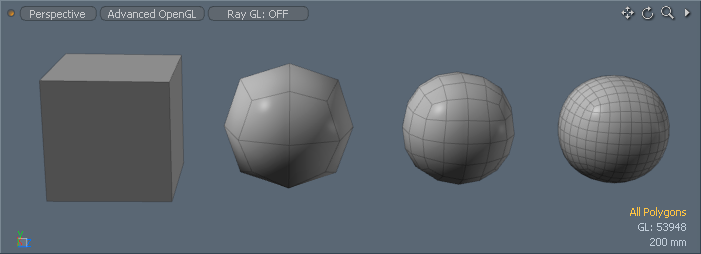
@unity3d shadergraph now allows you to define custom function nodes! This opens up a lot of possibilities, but my favorite one is loops, they allow us to drastically reduce graph size. Let's dive in! #shadergraph #unity3d https://t.co/yVj7AgJpB3
Twitter
here is another example of such a custom hlsl function
the parameters with 'out' in front of them will appear as outputs on the nodes
stone sandal
yes, @fervent tinsel , we know, but writing new docs can only happen so fast
trust me, we're working on it
broken field
And what is more, the docs can change, it would be terrifying tying to document ECS right now :)
craggy ledge
@devout quarry can you help me on the https://pastebin.com/cP42bskG
Pastebin
if i understand correctly it collects the light data
i try to plug it in but it doesnt work
it yields the 'Shader error in 'hidden/preview': unrecognized identifier 'Light'
devout quarry
yeah, uhm if you want to try out that light node and fix the error, follow this tutorial https://alexanderameye.github.io/preview-lighting/index.html
Alexander Ameye
but if you just wanna learn about custom function nodes and hlsl I would just try a simpler function
something like add_float(float A, float B, out float C)
and then just C = A + B;
to make a simple add node
and then build on that
lighting nodes are tricky since support for them is not built-in
craggy ledge
i coded a few shaders before. its just that the undocumented stuff on shader graph is confusing atm
thanks for your help
devout quarry
good luck
 keen bluff
There is that crest ocean renderer and it has just shaders for the built-in unity pipeline. I want to get the ocean run with the HDRP, so I have t create a new shader for it. Can I add some code or change anything in the existing shadercode to make it work with the HDRP?
Here's the shadercode
 timber socket
I wrote a simple vertex shader and for some reason it's only applying in scene view, but not in camera
https://cdn.discordapp.com/attachments/85593628650504192/566364303091957782/2019-04-12_16-46-31.mp4
anyone know why this might be happening?
strange totem
shader code would be helpful
timber socket
k
should I do a hastebin?
ugh hastebin is so fidgety
it only works for me like half the time
so there's a hatebin
I'll admit I don't understand most of the shader code, since I'm pretty new to shader programming
it's mostly copied from unity's default alpha cutout unlit shader
but then I made some modifications to the vertex shader and added a property
strange totem
UNITY_VERTEX_OUTPUT_STEREO seems potentially relevant
timber socket
Sounds like something for 3d rendering?
I assumed nothing would happen if I wasn't trying to do stereo rendering
I'll try removing it though
doesn't seem to change anything /:
broken field
It's best to stick with amplify shader editor if using builtin or the shader editors (graphs) available to LWRP or HDRP
coding your own shaders is a commitment
and will generally lock you into using builtin renderer as it's (almost) pointless to code shaders in SRP
timber socket
I did not know shader editors were a thing..
thanks @broken field
I don't suppose there's a free version I could try out before buying?
broken field
yeah make a new project, use LWRP template and copy your project into it
piece by piece
shader graph will be built in by default
you can then control everything
upgrade it via package manager
look for ^ up arrows in it
lone stream
anyone have a simple hashed alpha shader graph sample?
for some reason my brain doesn't want to work for me today 😒
 tidal nova
in surface shaders, is it possible to use float3 uv's?
got something like this currently, it complains about not being able to convert float2 into float3
vocal narwhal
Surely you need to add the third index to your texarray sample manually - UVs won't have that coordinate as they come from the mesh
tidal nova
hmm... for example, use 2nd set of uv's to get the 3rd value?
as they will always be 2d even if I set them to be 3d in mesh via mesh.setUVs()?
vocal narwhal
Hrm, I'm honestly not sure in that case actually, but you may have some luck with the Custom data computed per-vertex part of this page https://docs.unity3d.com/Manual/SL-SurfaceShaderExamples.html
perhaps someone else may be of more assistance
tight zodiac
What happened to "Copy Shader" option for master node? Don't see it on LWRP.
 snow thorn
Anyone offhand know the name of the shader variable the lighting system pipes in as the sun source?
I am having a beast of a time trying to google it
Nevermind! Found it. _WorldSpaceLightPos0.xyz works great
 glacial shadow
is anybody able to get the sprite shadergraph examples from https://github.com/UnityTechnologies/ShaderGraph_ExampleLibrary to work?

GitHub
A library of Shaders created using Unity's Shader Graph. - UnityTechnologies/ShaderGraph_ExampleLibrary
Sprite-BasicSimple is fine, once I rename the texture reference to _MainTex
but the rest of them use Unlit masternodes (which I would prefer to use!) but you can't rename their texture to _MainTex
if you do, you end up with this:
Shader error in 'Graphs/Sprite/Sprite-Glowing': redefinition of '_MainTex' at line 73 (on d3d11)
research seems conflicting whether or not sprites are supported in shadergraph :/ thanks for your help!
devout quarry
I get those redefinition errors too sometime
glacial shadow
I only get them when using Unlit
if you find a way to fix it -- please let me know 😃
severe crown
Is there a way to receive shadows in shadergraph using an unlit master?
devout quarry
You can fake it with a light direction node
main blade
Hello All. Wondering if anyone can help me.
I have a normal map that I want to overlay over world space normals
like so
two normal
How can I overlay the one on top of the other and keep the general world space as the predominant vector
I have tried multiplying the two, but it offsets the world normal too much to be useful
I then tried blending by a factor and still the world normal is off
any ideas
this is the closest I can get, but its still not perfect
main blade
ended up using this:
return min(float4(normal.x, normal.y, normal.z, 1) (2 _Gbuffer1[_Pixel]), _Gbuffer1[_Pixel]);
severe crown
I'm getting this error: Output value 'ShadowPassVertex' is not completely initialized with my unlit shadergraph, any ideas? is it harmless to ignore this?
 quaint grotto
any way to make property of a shader only take integer for range?
Range(0,10) always allows floats which i dont need
vocal narwhal
fairly certain there is an [IntRange] attribute
see attributes in here for an example of using attributes https://docs.unity3d.com/ScriptReference/MaterialPropertyDrawer.html
Yeah, [IntRange] is listed there @quaint grotto
quaint grotto
ah thanks
hm this is odd
i have this :
v.vertex.y += 2; in vert shader
and my mesh just vanished
unless its adding 2 every frame which i doubt
then i am confused why that happens
+= 0 it re-appears. but any number that isn't 0 it disappears
wireframe shows nothing too
       void vert (inout appdata_full v) {
          v.vertex.y +=  2; // works for += 0
      }
this is what i did =/
any ideas?
neat bridge
Have you tried 0.001? Could be that the scale is much larger than you're expecting