#archived-shaders
1 messages · Page 112 of 1
 tame topaz
Hmm ...
 frigid zinc
and i can't figure out why
tame topaz
I'm going to catch up my node tree first
frigid zinc
i'm going to try a different model
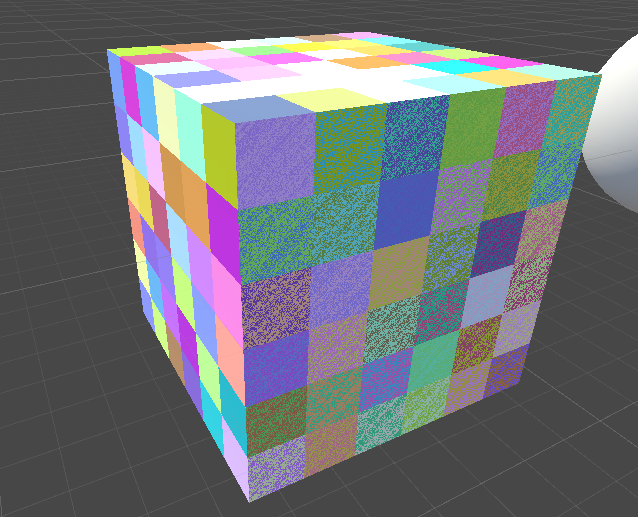
maybe Unity has strange UV mapping on their cube
i don't like things i don't have control over heh
tame topaz
Try grabbing their calibration inkpot
frigid zinc
just going to UV map a blender cube real fast
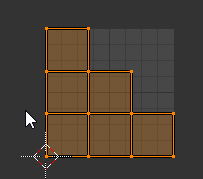
this way i know no overlapping faces
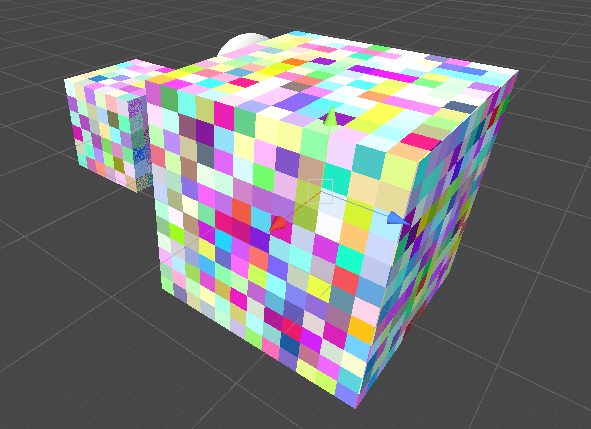
yeah i don't see the problem on that cube, except briefly when i first hit play
but then it clears up
tame topaz
That's beautiful
frigid zinc
it's funny because i got to the conclusion to use the world to object node from a completely different thread
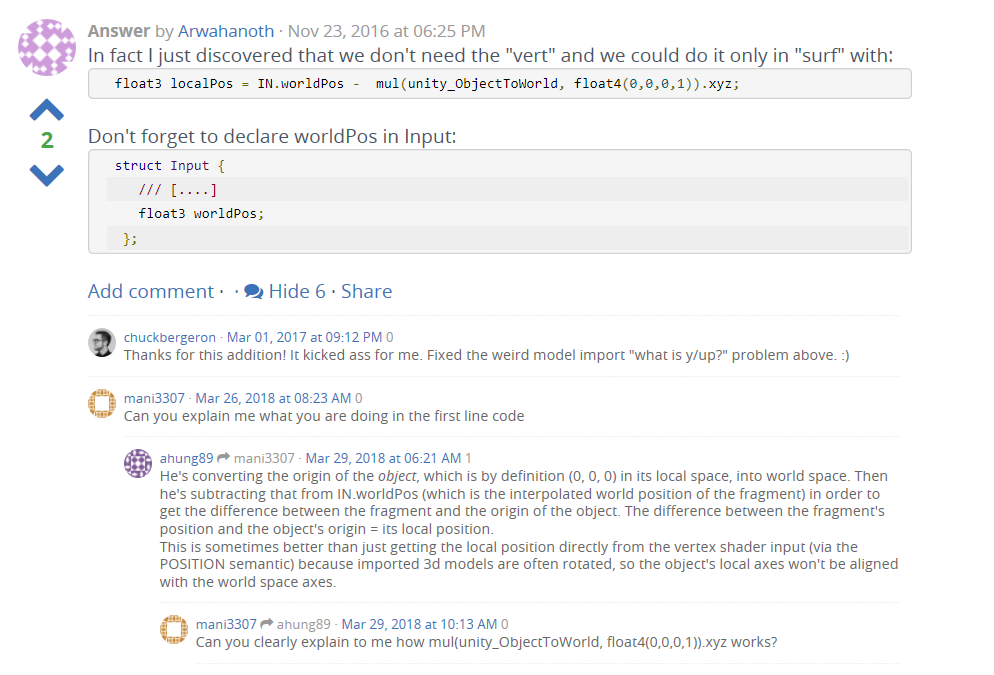
this answer basically said the same thing, and then i realized that's the same thing world to object node does when there's no input
tame topaz
Lol. Well at least we learned something tonight.
frigid zinc
yeah I would never have guessed you could use that node that way
tame topaz
Mine's still coming out dark. Do you mind sending your graph so I can compare? I'm probably doing something stupid (It's 1AM >.>)
I can see the usefulness though. Make any shader useable on any model on any of the local axis'. Which, I suppose is what this graph is trying to do (it's from a teleport/glitch shader)
frigid zinc
yeah I know i went to the base URL you linked to saw all the shader tutorials 😃
I've converted a few from Unreal to Unity, it's challenging but usually works out pretty well
gonna export unity's cube, i''m really curious what the UVs look like that would make it do that
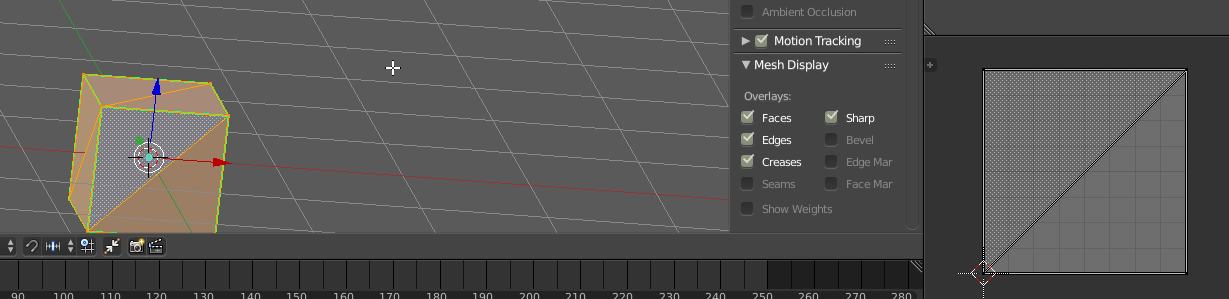
yeah no wonder
all 6 sides are overlaid on top of each other
i'm surprised all 6 didn't glitch
shader doesn't handle that kind of thing well
tame topaz
It probably did glitch, if you viewed it at the perfect angle lol
Anyway, thanks again for helping figuring this out. I'll keep plugging away at this shader tomorrow. Goodnight!
 ornate blade
Hey guys, Im just looking for some help converting the first shader in (https://www.patreon.com/posts/groundcrack-25105036). I have done this before, but for the life of me, i cant figure it out now.
It seems to be a depth mask shader
But my version is straight up not working
 still carbon
what does yours look like?
 dry island
I am using the Triplanar node in Shader Graph but I can't understand how I can alter the XY position of the map on the object. (like we can do with standard materials) i.e. to scale and accurately position a grunge map on top of my main Texture.
Any help would be greatly appreciated. Thank you.
still carbon
triplanar doesn't use the UVs, it's based on fragment position, so to adjust the position of the map, you have to adjust position being fed into the node I believe
dry island
I am trying this solution. But it doesn't seem to be working so I am obviously doing somethingn wrong 😄
dry island
Does anyone know if there is something like that available for Unity?
NVIDIA Developer
still carbon
I believe you'd have to Add not Multiply to offset the texture, multiply would increase tiling
And depends what part of the tech you mean. There is a skin shader in HDRP, and you make a bunch of blend shapes for various facial changes and animate them to get a realistic look, combined with some fine tuned bones to aid in the deformation (especially now that unity allows >4 bone weights)
dry island
I will give it a try
Yeah that skin shader while very nice, better than the one we didn't have 😃 is not really the same thing. I have tried a bit. Not very happy in the close ups.
Perhaps there was something I did wrong.
still carbon
it is important to have all the right maps baked for it, especially transmission/thickness map
frigid zinc
@dry island Depends on the chosen pipeline, HDRP has a skin shader I hear, I haven't looked into it. But for Standard Pipeline there are several SSS based skin shaders on the asset store, as well as a couple nice eye shaders.
personally I use this eye shader: https://www.assetstore.unity3d.com/en/?stay#!/content/30762 and the skin shader out of this package https://www.assetstore.unity3d.com/en/?stay#!/content/16000 (however I bought the paid version which has a better deferred version of the skin shader)
frigid zinc
that wouldn't be in baked lighting. lights only have one color.
you could try having two lights with different colors
or have the light mix with the object's color.
also this should really be in Lighting, not Shaders
 honest scroll
 somber bolt
Hi.
Trying to convert some materials to use in the LWRP. Can anyone tell me what the 'equivalent' would be to the non-scriptable pipeline Standard shader in the LWRP?
And also, what is the difference between the Lit, SimpleLit and Unlit shaders in the LWRP?
frigid zinc
Standard already has lit and unlit
lit is standard, it gets lighting and shadows
unlit is same and legacy pipeline unlit, it gets no lighting or shadows
(what i call fullbright or self lit, similar to emissive in nature)
simpleLit is just a lightweight version with less features
somber bolt
Thanks...so will use the LWRP Lit shader as a template
frigid zinc
yes, best bet
 still carbon
So, where's the part here that you're attempting to write custom value to depth?
ornate blade
... that would be the part i dont know how to do haha. I have tried a stencil, but i cant get the to work with a non-empty pass for some reason
or, I could get it to work, but not within the lines of my 'chasm', rather just over an entire masking object
still carbon
assuming things haven't changed too much in the renderpipelines in regards to depth buffer, you can put in your frag() parameters, out float depth : SV_Depth and then write to depth in your frag
ornate blade
right! I will have a go at that now, thanks 😃
(how was that not ANYWHERE?!? I went through so many depth examples!)
 boreal apex
Hi everyone. I'm not too familiar with shaders, but I want to add a CRT monitor shader to this in game screen. Is there a way to add a shader to a panel?
 carmine idol
Yes, I'm not personally knowledgeable at writing shader code, but I know that Amplify Shader (what I use) has the functionality to write shaders for UI components.
Example: https://youtu.be/7kQWWKTTTYc?t=18
With Shader Templates you can finally break free from standard surface shaders. Use the included templates or create your own! Learn more here: https://forum...
@boreal apex sorry, forgot to tag you ^
boreal apex
Thanks. but is there a way to use shaders on panels with default unity. Don't have it in the budget as all.
 marble lance
material layering in shader graph when
 amber saffron
You can already. But you need a bunch of nodes.
 desert mural
@boreal apex you can check the source code for the default ui shader and combine a CRT effect with that...

GitHub
A collection of scripts that I use with Unity. Contribute to demonixis/Unity-toolbox development by creating an account on GitHub.
@boreal apex If you give me some time I could potentially knock something up for you
boreal apex
Sure thing, Thanks @desert mural
 rich echo
Hey guys lemme ask something, how would I create a seamless underwater effect ?
I thought about using post processing but I don't know if it would be the most correct way...
I'm almost sure I would have to raymarch, but anyway, any ideas ?
frigid zinc
i know of a couple water solutions that just use PP
seems to work pretty well
but of course there's other ways to do it
frigid zinc
Post Processing
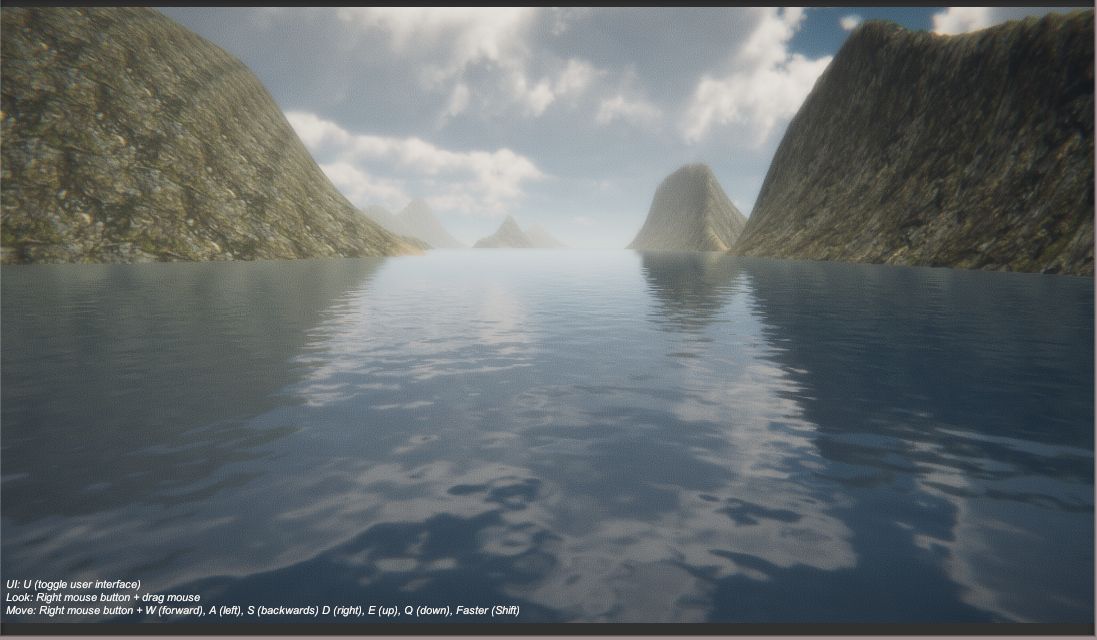
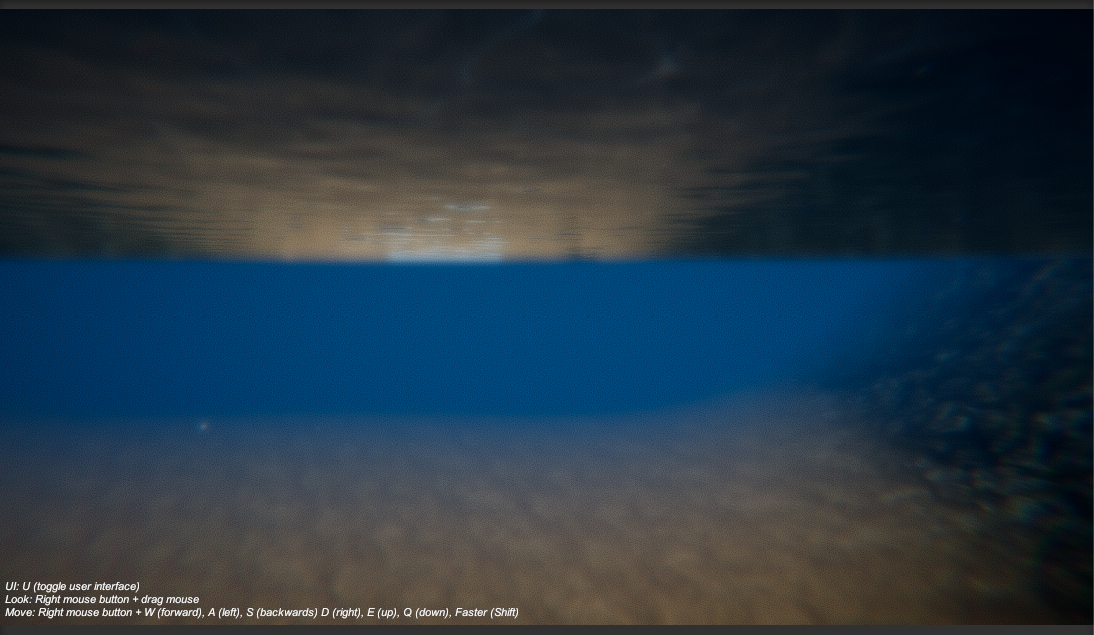
this underwater is pure PostProcessing stack
(plus undersurface shader on the water plane)
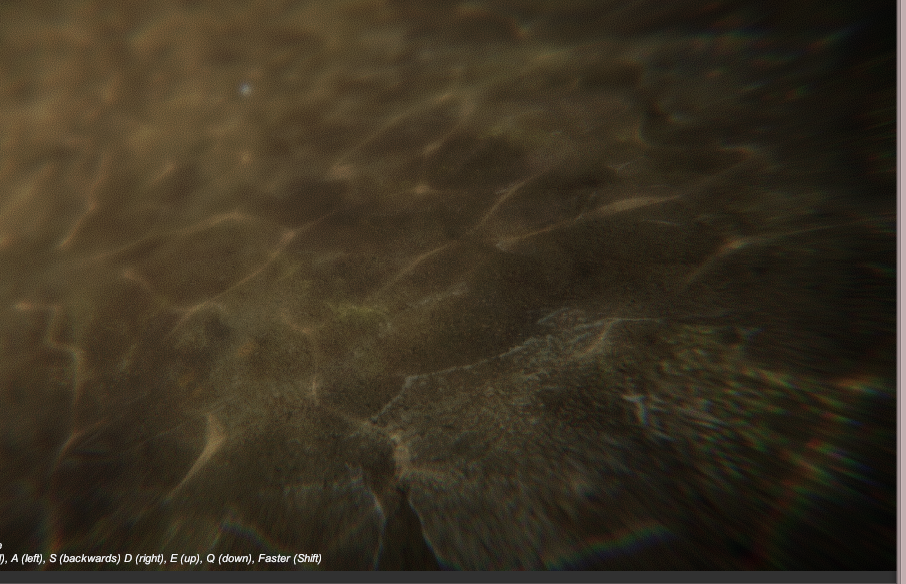
the caustics seem to be a special terrain shader
rich echo
pretty cool
frigid zinc
or possibly a projection, i'm not sure
it's decent if you're targeting lower to mid range graphical fidelity
for higher end, I just say use Crest as it's pretty nice looking and free (but best for oceans,not lakes)

GitHub
An advanced ocean system implemented in Unity3D. Contribute to huwb/crest-oceanrender development by creating an account on GitHub.
it uses a custom system for handling underwater that looks fantastic, even supports split rendering (half of screen underwater, half above)
it doesn't yet support HDRP/LWRP yet. but little does
(it's coming hehe)
frigid zinc
np
rich echo
wow MIT license
 fervent tinsel
wonder when we start seeing HDRP water systems :p
I did some basic gerstner waves on pure SG graph before 😄
but that's kinda silly
frigid zinc
hehe
well the Crest guy just finished a major refactor, so I hope that means LWRP is next
or HDRP would be better
not sure which he will do first
frigid zinc
opne a CPU utilization view :p
fervent tinsel
would be fancy to get some more descriptive indicator for the compilation
frigid zinc
then you'll know 😛
fervent tinsel
there's that small progressbar on the bottom
but I'd like to get some percentage for the whole queue
frigid zinc
yeah would be spiffy
fervent tinsel
@still orbit not exactly changed on the master branch version but I think text fields not fitting in the node itself could be handled more gracefully
also the input / output name space is super tiny when the property type selector is huge with just wasted space on it
 still orbit
Oh <___< yea., in my haste for GDC I forgot. lame.
fervent tinsel
even the longest field you can put on property only fills like third of that dropdown bar
still orbit
its because there was initially up to 3 fields there
still orbit
ill fix these, thanks for the reminder
fervent tinsel
np
still orbit
but if thats the worst you find then im happy 😛
still orbit
ah, master?
fervent tinsel
yes
fervent tinsel
noticed these some time ago but I try to not nag too much about WIP stuff, figured you must know most of these already
 stone sandal
yeah, it's on the docket in our bug tracker
fervent tinsel
nothing seems more broken than it was tho, but then again I was previously testing almost the same version (I've updated the changes from custom function node branch)
there's one thing that kinda bugs me in the UX
it's that I'd want to create new nodes with single click and the only option for that I've found out so far has been to hit spacebar, on mouse alone it's two clicks for a task that you do a lot
and I do make a lot of nodes without dragging the wires (there you get kinda intuitive setup)
also would love some one letter shortcuts on the node list
like + for add, - for sub etc
for most common things
if there's a way to do that already, please tell 😃
stone sandal
no, those don't exist already
they're kind of on the radar for us but not in any short term sense
fervent tinsel
right now the biggest productivity killer is the compilations after each operation
I hope that sg async thing helps there
still orbit
🤞
 broken field
i care much more that you upped it kink, much better than nothing :)
ui problems don't matter much to me
rich echo
@frigid zinc I was surfing github unity projects and I found this water project: https://github.com/Scrawk/Ceto
really cool
 echo badger
Okay, so after looking in to it. It seems that no one has figured how to get the Light Attenuation data for HDRP yet. Not even the Amplify guys :/
frigid zinc
strange, I thought Ceto got canned.
it used to be a paid water on the asset store back in the day.
I guess he finally decided to open source it. interesting.
it was considered the best water available back in it's day
rich echo
Wow I was testing Crest, and my dude how is this even free ? This is one of the most beautiful water shaders I have seen
frigid zinc
yeah Crest is amazing
rich echo
It even has waves sims omg
frigid zinc
I've been watching it for about a year now and it keeps getting better
the underwater stuff is fairly new, before it didn't even have that
rich echo
Amazing
If I were to nitpick, it fails to not render specular highlights in shadowed areas, but then I'm just b*tching
frigid zinc
I haven't noticed but you could always file an issue on the project
Ceto doesn't look bad, I think I like it's foam better than Crest
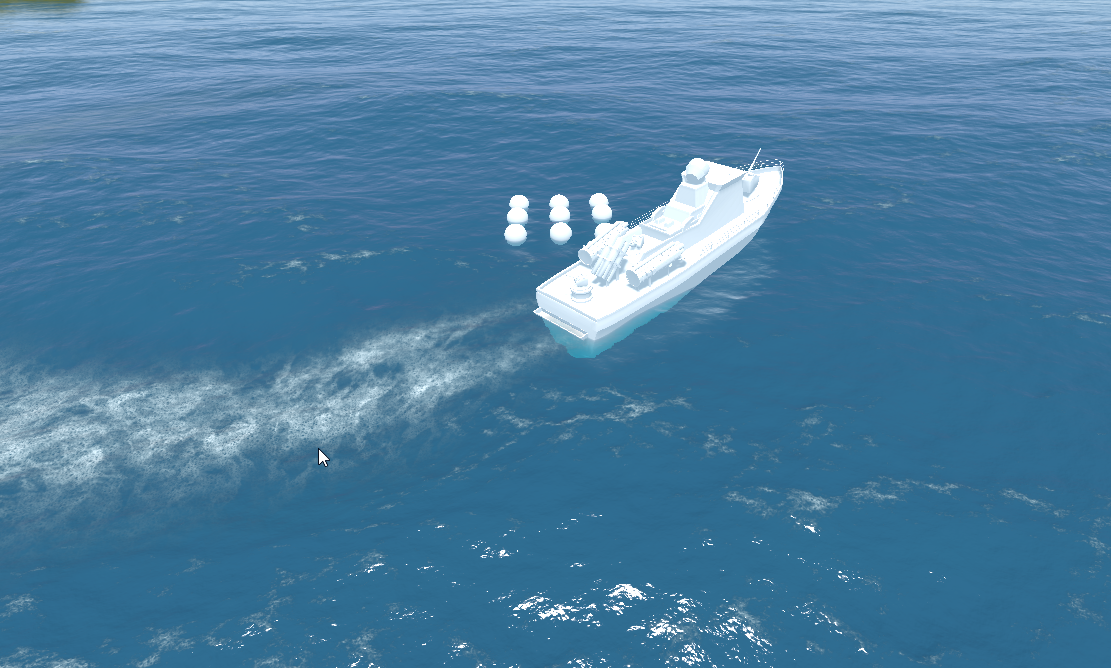

but it's underwater seems a bit flat
rich echo
I tested both too, and yeah, the underwater really is rather flat
Crest is waaay better overall
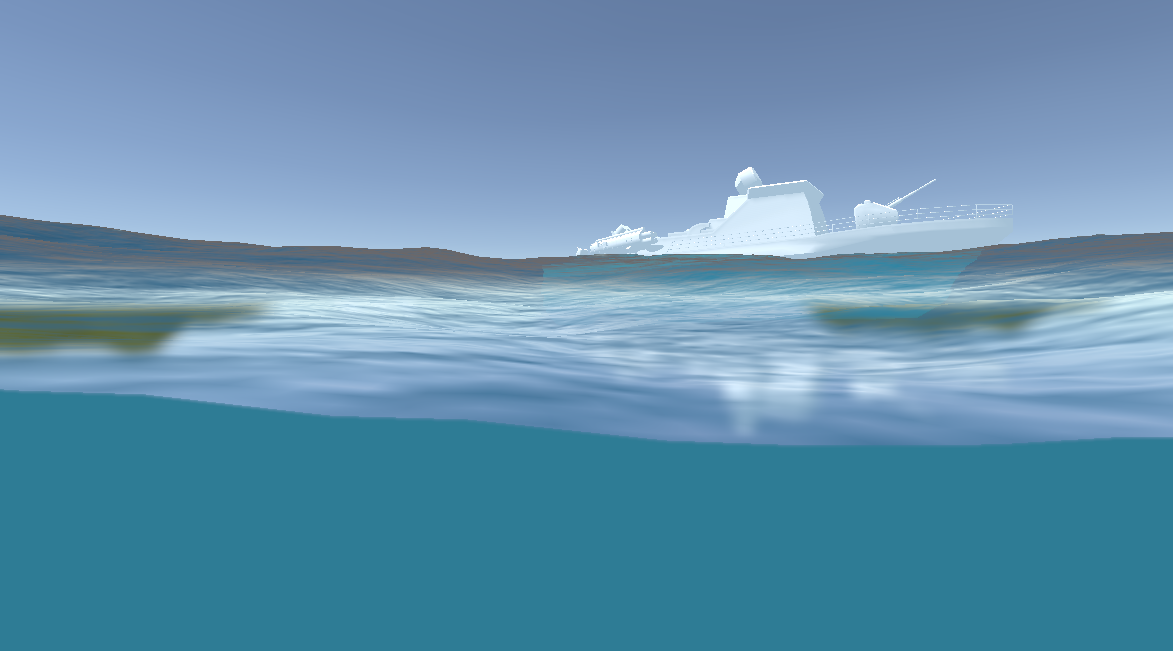 rich echo
That was the first thing I tested 😂 dunno why I care so much about it
I'm not even making a water game
frigid zinc
well it's one of the first things I noticed on aquas
you could kind of halfway move underwater and the fog doesn't kick in
it's very immersion breaking
rich echo
really bad
still orbit
keep the player out of the water if you can 😛
otherwise you gotta pay to render all that xD
frigid zinc
yeah yeah, dad ;p
 vocal narwhal
keep the player in a dark box to avoid rendering if you can
rich echo
eheheh
still orbit
making open world experiences where you can swim and fly is really hard :/
vocal narwhal
People are not as afraid as us who have experience
I feel like I wouldn't scope for such things until I had a rendering engineer onboard 😛
vocal narwhal
hahaha are we related
still orbit
you jump off the cliff if you want 😛
frigid zinc
i just set 6 year goals, then as i get closer keep expanding the deadline out ;p
still orbit
lol 6 years?
im pretty sure ill have gone mad and just be living in a cave as a hermit shouting trig by then
vocal narwhal
At least you can plan for what seems sensible now and then get 6 years worth of performance at the end of it 😛
frigid zinc
it sounds better than "there is no deadline" lol
still orbit
lol
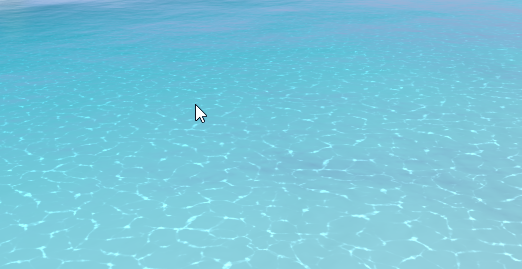 vocal narwhal
how do the renderpipes and shadergraph go for naming and refactoring? I feel like that's what truly drives me insane in (tool) dev
frigid zinc
wonder if that's a bug
rich echo
they "move" through distortion I guess
frigid zinc
oh they do move, but in time with the water so it looked like the distortion was the water only hmm
is that true to RL?
vocal narwhal
IRL the peaks and troughs create the refractions
frigid zinc
i think water refraction would cause some offset
still orbit
a LOT of offset
vocal narwhal
what I mean is that the caustics are the refractions of those peaks
still orbit
yea its based on the wave shape, but its hard to see the relationship in reality
vocal narwhal
I wonder how different an ocean's caustics look from the classic pool example
frigid zinc
yeah i get what they are
vocal narwhal
I can't google it without getting CG
still orbit
very
rich echo
I found this project that really manages to get the appropriate look https://github.com/AsehesL/UnityWaveEquation
GitHub
unity实现二维波方程交互水面与实时焦散. Contribute to AsehesL/UnityWaveEquation development by creating an account on GitHub.
frigid zinc
sadly googling caustics only brings up computer renders for the most part
hehe yeah that is doing a physically accurate simulation. i can only imagine how expensive that is
though i have some nice 'ripple' shaders that work reasonably well
but they don't generate caustics usually
neat find
hide it from Kink3d, he will have a stroke 😛
rich echo
haha
It has no licence though
About the caustics, he is probably using the already calculated waves to calculate it so I dont think it would be much more expensive
frigid zinc
depends how he's doing it
old project, 5.6.3
15ms CPU just for this water
he's doing most of the calcs in C#
would be a lot better as a compute shader
rich echo
I think the scattering is really expensive
frigid zinc
yeah and he's using a second camera with a RT
to render the caustics
nice show off thing, but not game ready
still orbit
LWRP water uses a second target for the caustics
but it calculates them in screen space in a post effect
its a nice solution
frigid zinc
yeah that sounds better
still orbit
in my old water i did them in world space, I would do screen space in the future...
frigid zinc
mostly i just don't like he uses C# to do the calcs
still orbit
yea should be compute
but hes doing a proper sim right? not really game ready either way
rich echo
something I noted is that his water surface shader handles specular highlights more correctly
shadowed areas dont get them
I dont know why I nitpick about this little details no normal person sees
frigid zinc
yeah it looks pretty accurate
and it's actually very reactive, no delay or hesitation, it really acts like you're messing with water
it's nice overall
it just doesn't leave a lot of room to do anything else 😛
rich echo
ever seen that WebGL pool water demo ? it looks pretty similiar, bet he was inspired by it
 raw summit
Does Unity support sampler2D (texture) arrays, ie for instances of materials with different textures?
frigid zinc
I've seen a lot of demos over the years, it's a popular subject hah

limited hardware support it seems
raw summit
Actually, I'm not sure if I need texture array. What I want is to use a shader with this code:
later in surface call: tex2D(UNITY_ACCESS_INSTANCED_PROP(Props, _MaskTex), IN.uv_MainTex)
just instance the texture mask
raw summit
What I've done is exactly the same as the example except I am using texture (sampler2D) instead of color
frigid zinc
yeah i was just wondering to myself i you can instance a texture
i'm not 100% sure you can
but maybe @still orbit can give a definitive answer.
raw summit
🙏
frigid zinc
Unity is the ultimate game development platform. Use Unity to build high-quality 3D and 2D games, deploy them across mobile, desktop, VR/AR, consoles or the Web, and connect with loyal and enthusiastic players and customers.
yeah this pretty much confirms you can't
raw summit
throws the error: Shader error in 'Custom/TileTextureBlend': sampler array index must be a literal expression at line 76 (on d3d11)
frigid zinc
they suggest using texture2D arrays heh
seems instancing can only be numerical data
colors/values, etc
i thought it was something like that
raw summit
goshdarnit
ornate blade
So, i have a goal, some idea of how I want to get to it, but if I can, I would like to get peoples theories on how it would be possible:
I want to make a procedural cracking shader. Not in one spot, like a decal, but instead just a series of random cracks that go all over the object.
For context, i am working in HDRP (normally LWRP, but this is a pet project), and I have a crystal I am working on, trying to make multiple crystals with variable detail (multiple materials, one shader probably).
Ideas?
raw summit
"the z component of the coordinate is an array element index" wouldn't a uv z coordinate be clamped between 0 and 1?
vocal narwhal
well it's not really a UV is it, it's an index into one of the Texture2Ds in the array
if you wanted a UV z that would be a Texture3D
raw summit
What does "serialize as assets" mean? they are assets that appear in the asset browser?
vocal narwhal
Yes
frigid zinc
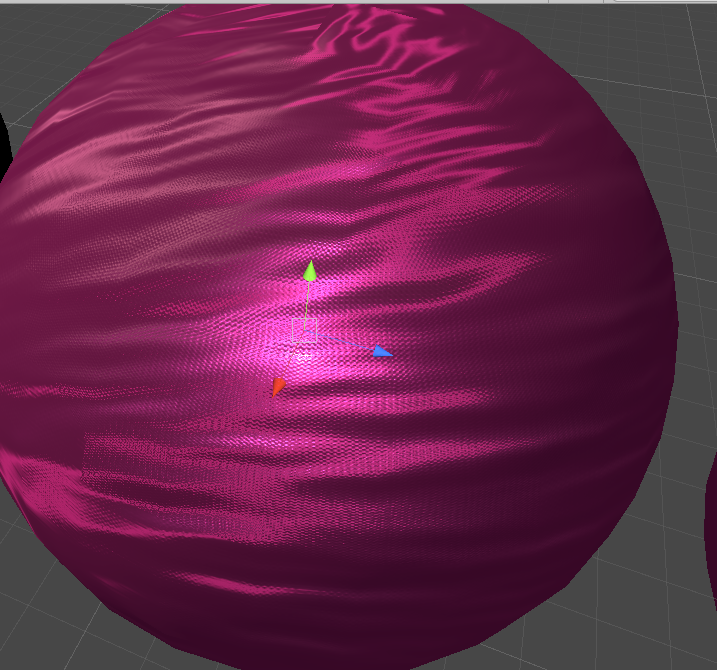
ok finally got my aniso and satiny stuff together, but combining them is either too bright or too dark
this should be burgundy, not pink
raw summit
That's an amazing material
frigid zinc
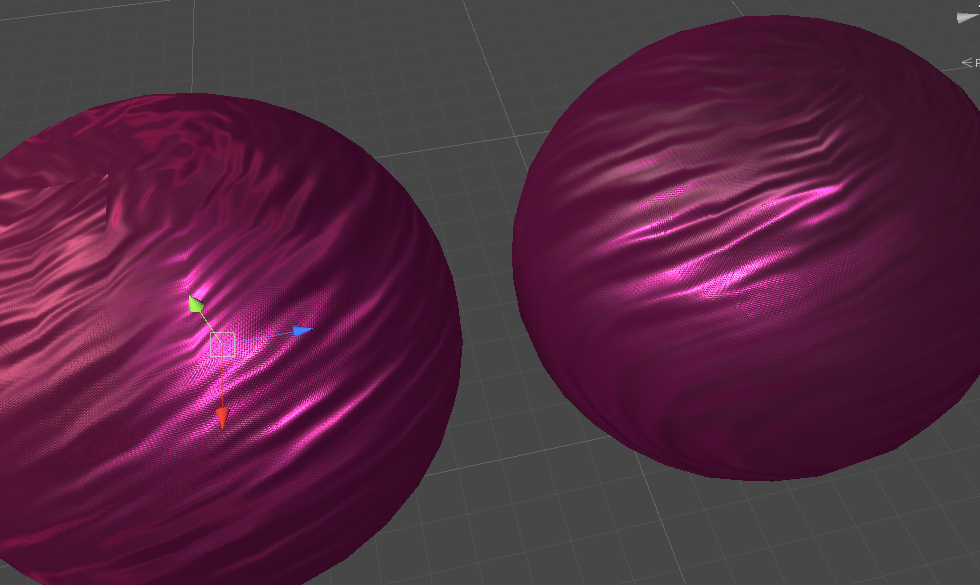
i guess it's not far from the pre-aniso
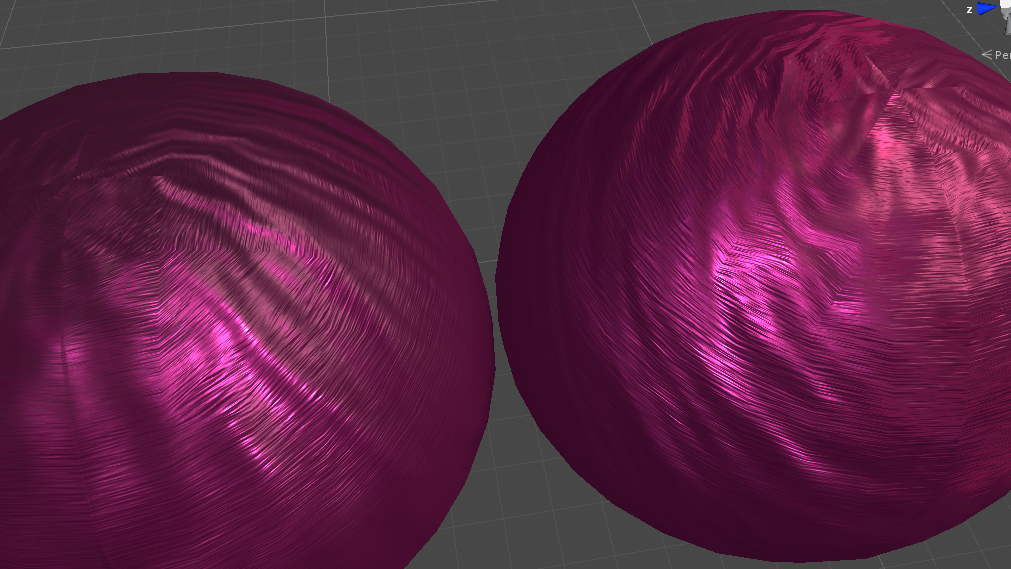
not sure the aniso really does much for it
but some
especially if you brighten up the spec color
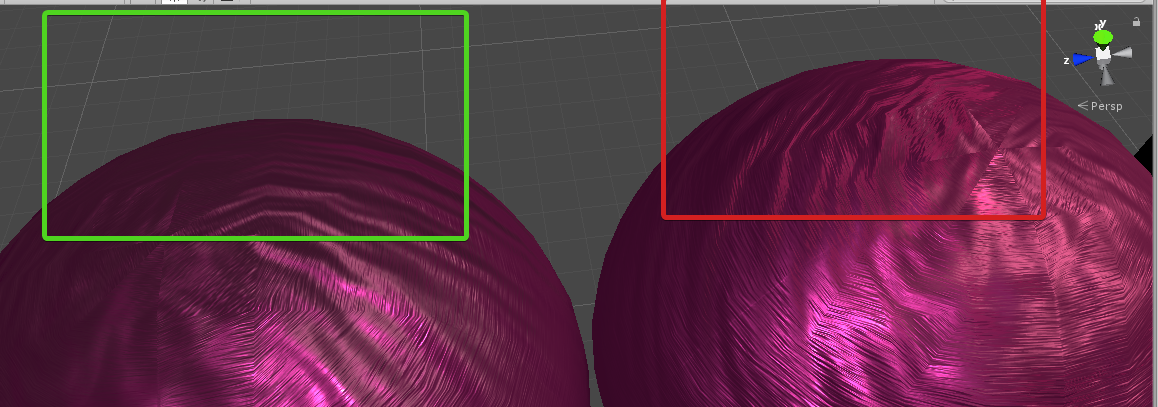
you get highlights in the red area, whereas none without it in the green area
in motion it looks good though
i'm satisfied
just need to clean it up and add some handy features like metallic map instead of sliders
and some AO
raw summit
Looks like the highlights are purely lightened, maybe they need to be more pink/reddish
frigid zinc
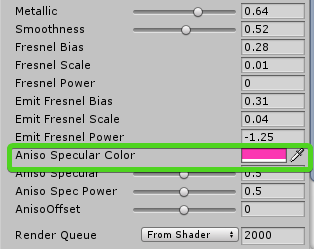 raw summit
pardon my super imprecise language
frigid zinc
yeah it's adjustable, i cranked it up to see better
still orbit
thats a lot of parameters 😛
ornate blade
Is it just me, or are there no procedural crack shaders for unity ... at all? I have been looking for hours, and ive come up with a dozen blender graphs and a guy using parralax to make his -already existing- cracks better. BAH!
ornate blade
does anyone know where i can find the displacement mode in HRP shadergraph?
amber saffron
That doesn't exist in the graph
It's either the position master input for vertex displacement
Or in a near future version, we'll provide a parallax occlusion mapping node, with a depth offset master input, to make pixel displacement
And technicaly, you can have both at the same time.
 proven sundial
Trying to learn shadergraph by making a RGB mask shader. I guess I must be doing something wrong already. Any tips to making the Red channel mask the multiply, so where it isn't effecting is not black.
amber saffron
first : if the red channel is the mask, just use the red output of the texture sample, no need for a channel mask here.
And you're trying to channel mask the alpha channel of your texture ... that seems wrong.
Second, if you want to mask a multiply by tint, you have different solutions :
- Take your base texture / Multiply by the tint / lerp the base and the result of the multiplay with the mask.
- Since multiplying by 1 is "do nothing" you can do this : invert the tint (one minus), multiply with the mask, invert the result, multiply with the base color.
Hope it's clear enough
ornate blade
thanks for my advice @amber saffron There goes my plan for procedural cracks using displacement 😃 Maybe normal from texture...
somber bolt
Trying to improve the realism of placed objects in an AR application.
In addition to drop shadows I'd like my placed objects to also be reflected off the 'ground' or plane surface they are placed on.
My shader chops are limited so would appreciate any help or feedback in creating a LWRP shader that is both fully transparent AND reflective. My idea is to create a material with this shader that would then be applied to an actual ground plane attached to each placed object.
2 other requirements is that both reflection intensity and reflection roughness would have to be exposed so that they could be changed in the editor.
 tough oxide
Hello!
I would like to update my project to HDRP, any good way to upgrade old shaders(some of them from asset store without hdrp support)?
ornate blade
@tough oxide when our team went from LWRP, we actually found that with a bit of time spent in ShaderGraph, we could replace 99% of our shaders. Complex work gets a whole lot easier. For the ones that cant be done easily, I think you're going to need a shader guy, or to perhaps contact the people on the asset team
tough oxide
@ornate blade alright, but as i know somethings like GrabPass and some other are not existing anymore in HDRP so how to replace them? i searched for documentation about it but i can't find
ornate blade
It depends what you want to use it for. If you are looking at refraction, frosting or distortion, this (https://forum.unity.com/threads/hdrp-shader-grabpass.568585/) seems to be a good thread
tough oxide
@ornate blade okay, i will check this, thank you!
ornate blade
all g 😃
frigid zinc
@still orbit Yeah I put just about everything out as a parameter while working so I don't have to recompile every time I want to try something different. In the final I'll probably remove the ones that don't need to be there 😛
 woven swift
How can I make this kind of waypoint marker using ASE?
tame topaz
@woven swift From the other chat
You have to set your render type to transparent
Basic implementation which you can start tweaking.
still orbit
use object space position as UVs
saves dealing with UVs or any cap geometry
GTAVs markers are also Unlit remember (not poking your minimal example, but reminding)
tame topaz
Lol, good point. Ignore everything I've posted. 😫
woven swift
Now I realized just how stupid I am 😛
still orbit
hold on ill do something fun and make it from a cylinder using only a shader 😛
woven swift
wdym?
still orbit
well its a cone right
but i cant be bothered to make a cone
so ill do it in a shader
woven swift
Sounds...... intuitive i guess?
woven swift
So now that the gradient works, how do I remove the gradient from top and bottom side of the mesh?
still orbit
thats what im about to show you 😛
woven swift

still orbit
that model is a cylinder
if you want it to actually be a cylinder just ignore the top 3 nodes
stone sandal
i'm gonna make sure this gets secretly added to his gdc slides
woven swift
ASE setup?
still orbit
idk, probably the same?
woven swift
Some nodes are different tho, ima try and see if I can port it
still orbit
only thing im not sure on is colorspace conversion
its probably just an RGB to Linear node
woven swift
Yea ASE and SG are totally different
fervent tinsel
most of the nodes work same way, naming conventions differ
fervent tinsel
 rotund tusk
all those edges... 😱
broken field
I've seen mecanim graphs that boggle reason
 proven hound
 foggy falcon
@broken field - My project is an action game with beat em' elements.
I look back at the old (4.6/7) version of my project in abject terror of the forsaken mecanim graphs of pretty much all of the (partially)-implemented characters.
I wish ECS or playables was a thing back then.
since that time, I've used mecanim as a pure state machine for various things than an animation tool 😦
broken field
I knew you were a savage as soon as I laid eyes on you
unity's finally bringing us DOTS-visual scripting and I'm intrigued
ornate blade
Hey guys, has anyone found a way to smooth jagged normals generated from NormalFromHeightMap in SG?
fervent tinsel
don't feed in so rough height?
still carbon
make sure your height map isn't being point sampled?
woven swift
Any way to improve the waypoint marker?
Maybe I should use a hollowed out cylinder mesh
ornate blade
The height is actually very smooth, its parsed noise thats been stepped, so its nice and curvy. What do you mean about the point sampling @still carbon , i havent come across that before?
@woven swift I had the exact same thing, and i found that doing the gradient by object height got rd of that annoying top bit. You can also use a gradient node, and compress it however you want if you dont want a linear raise. E.g, I ended up with a fairly sudden falloff around 1/4 the way up, which gave it more of a ground effect kind of thing
still carbon
on your height map import settings, check the filtering
but if it looks smooth applied normally as color then that's not the issue
woven swift
idk how to do it on ase
but I think the world space normal would do it 🤷
ok im lost
ornate blade
Colour seems smoothly applied
you can see a fairly serious degradation of quality post conversion
woven swift
Yeah I think the world space sh_t doesnt work. Any idea how to get rid of the top part?
ornate blade
@woven swift does ASE have an "object position" node?
like world pos but in object space?
woven swift
theres vertex potision
ornate blade
might work? if you get the y value of the vertex position, it will create a gradient (which in object space, means the bottom of you object is 0, and the top is 1). You can invert that, and feed it to colour and alpha for the effect
If its world space it will be rather annoying to use
fervent tinsel
your heightmap is pretty extreme and narrow for the pattern shape
can you dial down the intensity?
woven swift
The vert position have XYZ, X, Y and Z output
fervent tinsel
before feeding to normal from height?
woven swift
ok i nailed it using the Y output
and it somehow make the thing glows, i'll count that as a feature i guess
ornate blade
@woven swift nice 😃 I think you are feeding it into emission
@fervent tinsel just to clarify, when you say intensity, are you referring to the amount of noise/pattern shape, or to the amount of white?
woven swift
@ornate blade what no im feeding it into opacity
I only feed color into the emission
ornate blade
your colour is in emission, thats the glowy node. If you wanted to get rid of the glow, you would feed it to albedo.
woven swift
Im ok with a slight glow :P
ornate blade
yeh, looks pretty good 😃
fervent tinsel
@ornate blade amount of white, just try to put multiply there and use property to dial it down, see if it smooths down on some value
ornate blade
ahh, gotcha, 2 secs
ornate blade
nope, just a less intense but still jagged map
@woven swift If you multiply that by the colour -then- feed it into emission, you will see that emission gets less as it fades away, almost like a double fade. Can help with the falloff
cant remember how, but you can also do something to that to make the gradients height chang
ornate blade
looks cool though XD Where are you controlling your emission intensity?
ornate blade
haha im not sure how in ASE, but make the colour HDR, and you wont have to have a separate slider
woven swift
Think I get the idea
Y pos of Vert Pos > One Minus > Multiply by marker color and a float value feed into emission
fervent tinsel
@ornate blade you probably just don't have enough resolution for such dramatic height differences on such few pixels width
also
you do check it on actual model?
and not on that preview ?
ornate blade
yup. Its so close to being exactly what I want haha. Maybe I will try with less noise, see how that goes
(that picture looks fine until you look closer haha)
woven swift
@ornate blade your intensity setup still makes the marker looks too solid. I think it would be distracting so I just went back to the primitive version
ornate blade
@woven swift you can multiply your result by a final float into the opacity so that you get a less distracting view 😃
woven swift
Guess that'll be for later
ornate blade
good luck 😃 look forward to seeing the result!
ornate blade
double sided will be in shader settings, mesh shadow ... mesh renderer i think
woven swift
Disabling the culling feature really did some weird shit to the look os the marker lol. its a must see
 random meadow
Hey folks! I'm back with more orthographic depth issues!
Would anyone be able to test the following for me on windows: Using the latest Post Processing stack (v2.1.4), SSAO does not work when using an orthographic camera?
I can provide a sample project if that helps
vocal narwhal
Orthographic cameras will have issues with many things - I wonder if there's a list of what doesn't work with them
vocal narwhal
Could be a bug in that case 🤷 we'll see when someone in the know gets on 😛
random meadow
yeah, it's super weird
I saw the issue in my game in the wild, but don't have a good windows machine to test one (just a really slow old dual boot mac)
 quaint grotto
doesn't SSAO depent on depth buffer? curious how that works for ortho - not sure how it deals with depth
random meadow
it should work fine
I had an issue getting depth working for a custom shader the other week, so it definitely can work. and as mentioned, it works fine on Mac

see! 😄
 manic mantle
@random meadow 1. your game looks awesome. 2. excuse my ignorance, but which part of this screen shot is affected by shaders?
marble lance
Sample Texture2D node freezing editor in hdrp 5.8 when added to subgraph
random meadow
@manic mantle thanks! It’s easiest to see the ssao on the building wall where the boxes are
That’s without ssao
manic mantle
where its adding the shading around the boxes?
random meadow
Yeah
manic mantle
is hte shader applied to the box prefab?
random meadow
It’s a post processing effect
It takes the depth of the scene, and where stuff is close to each other adds “shadow”
manic mantle
do you define depth just via the z axis?
i dont know much about shaders so sorry again for silly questions hehe
random meadow

GitHub
Post Processing Stack. Contribute to Unity-Technologies/PostProcessing development by creating an account on GitHub.
Yeah, z-axis, my game is 3D, but an orthograohic camera and forced perspective make it look flat
manic mantle
is SSAO built into unity?
or part of that postprocessing package at least
does your player also have a shader on it to add that light glow ?
random meadow
Yeah, it’s part of the post processing package
manic mantle
nice
random meadow
That also includes the bloom effect
manic mantle
is it applied to the entire scene?
random meadow
Yes
manic mantle
interesting
random meadow
It’s a post effect, so the full game gets rendered, then that effect is applied to that image
manic mantle
ive been working on a 2d game for awhile and wanted to use shaders, but you always see these elaborate shaders that i feel dot really fit with a pixel art game.
random meadow
Well, it’s taken a long time to perfect
manic mantle
so im guessing you didnt just go into unity , say 'add this shader' and then it was magically perfect? hehe
man sometimes i hate unitys docs
hehe
still carbon
Maybe only sometimes, just be thankful it's not like Unreal docs 
manic mantle
@random meadow is there anything you could give me a heads up on in terms of issues you ran into while trying to perfect it?
random meadow
Ummm
I wrote a lot of custom shaders, so it’s good to start understand how those work
Other than that, stick to the pixel grid if you want your game to look good (imho). I hate when a games ui is a different resolution from the sprites
Also, the docs team work really hard, so if you have a problem then it’s really helpful for them to leave some feedback 👍
manic mantle
sure. my biggest gripe i just saw was that some effects have images and others dont. or if they had before /after images like you showed, that would be helpful too
like this https://github.com/Unity-Technologies/PostProcessing/wiki/Color-Grading
it just shows 3 images and says something about instagram.
GitHub
Post Processing Stack. Contribute to Unity-Technologies/PostProcessing development by creating an account on GitHub.
i mean, i could draw a conclusion of whats happening, but id like it if i could see what it looked like before processing took place
still carbon
I believe the first is the original and then the other 2 show different grading applied
Just download the package and test out all the different post processing modules it provides to see what they do 😛
manic mantle
well of course... but thats why docs also exist 😛
 tawdry hearth
As a docs writer, can confirm: yes, please leave us feedback. It’s golden for us to know what you magical users think is missing from the docs.
vocal narwhal
I find docs feedback one of the least satisfying channels of communication
but I wish I could do it more often
tawdry hearth
The rating system at the bottom of Manual pages?
vocal narwhal
Yeah
tawdry hearth
How come?
vocal narwhal
I don't even remember if it sends you an email
At least with bug reports you have something that is tracked
I think the way I tend to get them noticed is actually having a bug report where I append that the docs could use improving
I just use the disqus notes https://mvi.sh/notes/ @sabresarus made to augment docs instantly for the few who use it
But I've never seen a note from it become a part of the page even though apparently quite a few people internal know about it
tawdry hearth
Hmm, yeah, I get that it’s really one-way, which would be unsatisfactory for the person reporting.
vocal narwhal
thinking of any mechanism of reporting a good "hey we implemented your change" even months down the track is a satisfying conclusion
"hey we banned this person" yaaaaaay
tawdry hearth
The system truly does help the docs team, though - we use the page ratings+view counts+feedback+change requests to make tickets for updating individual pages, based on priority, and then assign them to relevant writers.
So for Shaders, it’d get pinged to me or my colleague in Seattle.
vocal narwhal
I'll try to use it more often then because I think I've only touched it once or twice
tawdry hearth
But this is a very good point.
We’ve got DocsWeek coming in April - I’ll bring this up for a discussion; see if we can implement a feedback mechanism like for bugs with our new tools, when they get implemented :)
And yes, please do!
The more constructive criticisms you can give, the more we can implement - both on specific pages and in future writing :)
vocal narwhal
Even something as simple as actually making the feedback buttons have an animation - as corny as that sounds might actually make clicking them more appealing
you click "This page needs code samples" and it's as if the page just eats it locally
I may go back through my notes if I have time and create reports for them though 😃
tawdry hearth
<3
I might just be a glutton for punishment and extra work, but goddamn you being willing to do that gives me a happy.
vocal narwhal
Unity docs are one of the things that truly makes being a Unity dev that much easier, so it's really the other way around :P
When you've used other tools with awful docs you really come to appreciate how good Unity's are
tawdry hearth
Also, FYI, we’re also working on how to include feedback on the packages docs. It’s a real hassle that when I send lwrp docs our into the ether, I can only just really cross my fingers and hope they’re good. We have New Tools™ coming, so I hope we can get a good solution for this!
And aww shucks - I’ll screenshot that and share with the team :)
random meadow
👍👍👍👍
@tawdry hearth where are you based?
Also, anyone any ideas about my post processing ssao + orthographic issue yet?
random meadow
here's the PP issue btw https://github.com/Unity-Technologies/PostProcessing/issues/774

GitHub
What happened? Scalable AO does not work on Windows when using an orthographic camera. The effect just isn't present, with no indication in the logs as to why. The effect works fine on OSX, so ...
tawdry hearth
@random meadow
Me: I’m in the Copenhagen office, sat with the Graphics team doing lwrp (and other cool stuff).
There’s another Graphics writer sat with the Shader Graph team in Seattle.
There are some writers in Montreal and SF. One in Singapore. And the bulk of the docs team is in Brighton, UK.
random meadow
@tawdry hearth ah cool! I'm from Brighton (just moved to Taipei), so I know a couple of those guys. Siobhan and Paul 😃
tawdry hearth
Woo! They’re good eggs ^^ I’m going for two weeks in April to sync up and discuss tool and processes. And to have lunch with them at Milk No Sugar :p
random meadow
ah nice!
quaint grotto
so shader wizards.. is there a way to use post processing to make only specific gameobjects go black and white on the screen but the rest remain as normal ?
fervent tinsel
does it need to be post processing effect to begin with?
you could do that on regular shaders
quaint grotto
well id have to go around modifying surface shaders then
was hoping i could just do it overlayed with post process
fervent tinsel
depending on the use case, one could mask the objects in stencil buffer and use it for PP
but you'd then need to write the objects that you want to control + also geometry that can occlude it on top of it
quaint grotto
so i can push all child GOs to the stencil then change the colour of those specific pixels
fervent tinsel
quaint grotto
hm okay ill try it out - thanks
 lone stream
not sure if this should goes to shaders but, is anybody have a guide about using gpu instancing and culling (distance and fustrum)?
quaint grotto
not sure culling is related to shaders but gpu instancing is in the documentation for unity
the engine already does frustrum, and you can optionally add occlusion culling too
if you want to cull by distance you'd be better off doing this engine side not shader side
lone stream
oh i should explain it clearer, when doing gpu instancing via drawmesh indirect instancing
still carbon
well the docs have examples of using the method, otherwise there's a bunch of tuts you can find on youtube when you search unity gpu instancing
lone stream
in the documentation stated that it doesn't use culling
"Use this function in situations where you want to draw the same mesh for a particular amount of times using an instanced shader. Meshes are not further culled by the view frustum or baked occluders, nor sorted for transparency or z efficiency"
still carbon
Yeah, so you'd have to manually do some frustum culling of the positions you're feeding in to be instanced at. A good case for learning a bit of ECS/Job code to do that very efficiently, or in the least splitting up your draw instanced calls into radial chunks so you can easily cull chunks without any real overhead.
can do GPU based culling in computer shader supported platforms
 foggy agate
Hey, I was hoping someone could help me. I know nothing about shaders but was looking for something that would let me see one object through another in 2D, using sorting layers.
kind of what I mean
 uncut karma
@lone stream u can use culling groups and bounding spheres which get culled internally in unitys culling step
The groups have distance bands which can be queried to build your drawmesh instanced/indirect calls
 paper raft
How can I alpha test beforing writting to StencilBuffer? I have the following shader and I want it to reveal whats behind it, but considering the alpha from the texture I'm using.
Shader "Skydome/ConstructionSystem/GridRangeRevealer"
{
    Properties
    {
        _MainTex("MainTex)", 2D) = "black" {}
    }

    SubShader
    {
        Tags{ "Queue" = "Geometry-1" }

        ZWrite off
        ColorMask 0
        Lighting Off
        Cull Off

        AlphaTest Greater 0.5

        Stencil
        {
            Ref 1
            Comp Always
            Pass Replace
        }

        CGPROGRAM
        #pragma surface surf Lambert

        sampler2D _MainTex;

        struct Input
        {
            float2 uv_MainTex;
        };

        void surf(Input IN, inout SurfaceOutput o)
        {
            float4 c = tex2D(_MainTex, IN.uv_MainTex);
            o.Albedo = c.rgb;
            o.Albedo = c.a;
        }
        ENDCG
    }
}
@uncut karma ooohh. . . that interesting, i never thought Culling group can be used with Drawmesh
was trying to learn about Hi-Z culling
paper raft
Can anyone help me? I need to create a mask(plane/quad) that reveals an object behind it(another plane/quad).
The background one has a grid texture and the mask should only reveal that according to the texture mask on the mask object
this is what I got so far writting on the Stencil Buffer
 tribal plume
hey guys, can I do a two pass blur in a single shader using "Pass{}" or do I need two materials and call Graphics.Blit twice
paper raft
the problem is that it uses the mesh shape, and I need it to apply the texture alpha into the background color
frigid zinc
looking at one of the many gaussian blurs out there, it looks like multi-pass is fine
GitHub
Screen and UI gaussian blur for Unity. Contribute to PavelDoGreat/Super-Blur development by creating an account on GitHub.
in fact this guy does a 5-tap, 9-tap, and 13-tap all in one shader
tribal plume
thanks @frigid zinc
raw summit
does viewDir point from the camera to the pixel or from the pixel to the camera?
ornate blade
cam to pix i think
raw summit

Stack Overflow
Can someone please point me to the explanation behind computing world space view direction using following equation:
float3 worldSpaceViewDir = _WorldSpaceCameraPos.xyz - worldPos;
Why do we subt...
this suggests it's the other way
😦

Learn to implement Subsurface Scattering in Unity. This technique is fast and allows to render even more realistic materials such as skin, wax and marble.
this guy's shader works even though he got the vector diagram wrong because of this
frigid zinc
well he's trying to describe half-vector
he did that for illustrative purposes

i think Shaderforge was smarter about it and just didn't put arrows on the light and view vectors as to not make it confusing
if you draw the arrows going in as they really are, it looks strange to have the half going out
like it's a reflection
but it's not
but then again, they may be going out
it would make sense for it to be a vector from the pixel to the camera
let me see if i can find a definitive defintion
for using it which way it goes really doesn't matter
it's all about angles
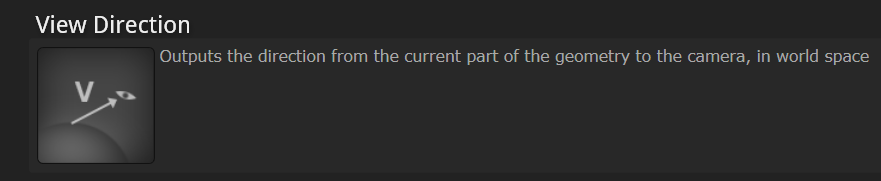
yeah Shaderforge says it's from the pixel to the camera
i think that is correct
direction can be flipped at any time anyway by scaling it by -1
raw summit
no, I take it back, his diagram is correct, I just didn't quite get why he put the minus sign in his actual code when he takes dot(V, -H) but now I get it, he wants a subsurface scattering that is strongest on the edges.
ok, I made a little foliage shader
frigid zinc
sweet
 toxic meteor
Hello guys, do you know how to render a PPSv2 image effect behind the deferred fog?
i wanted to render this image effect behind the fog because it kinda looks weird being rendered on top of the fog.
https://github.com/jean-moreno/EdgeDetect-PostProcessingUnity
I kinda have a theory for the work around about my problem though, like making the edge's color the same as the fog color's depth

GitHub
Unity legacy Edge Detect image effect ported to Post Processing Stack v2 - jean-moreno/EdgeDetect-PostProcessingUnity
quaint grotto
unity's compute shader page leaves a lot unanswered ... it uses this:
// test.compute

#pragma kernel FillWithRed

RWTexture2D<float4> res;

[numthreads(1,1,1)]
void FillWithRed (uint3 dtid : SV_DispatchThreadID)
{
    res[dtid.xy] = float4(1,0,0,1);
}
but if you had more than one function how does it know which to call ?
i can't imagine FillWithRed is a built in function it seeks out, doesn't explain what dtid : SV_DispatchThreadID is either =/
any one dabbled with these things
 plucky bone
There used to be a great resource but it was taken offline
I build shaders, renderers, games, and other stuff that's fun to stare at.
This should answer some of your questions
 neat bridge
aw noice. been meaning to learn compute shaders
 valid flax
Hi there people!
Quick question.
If I have a shader with 2 passes, and in Pass #1 I create some extra vertices in the geometry shader
will Pass #2's vertex shader have knowledge of these created vertices?
My understanding says yes, but the results say no, some clarification would be wonders.
 last robin
No pass 2 won't have the new verts
you'll probably notice that if you do something in a geometry shader which is quite different from the default mesh the shadows won't match. You'd have to write a shadow caster pass with the same geometry shader to get them to match. Same problem there
valid flax
@last robin is there a way to have these new verts in pass #2? Kinda need em :/ I need to translate the vertices of the original mesh according to the ones I created in pass #1
So I don't see any other way? :/
last robin
Not that I know of
i think your options would be doing it on the cpu or maybe there's some sort of solution with compute shaders, not too sure
valid flax
I just need the new verts in pass #2 ya know
ye im doing it on the cpu right now, but wanted to move it to a shade to increase performance :/
shader*
also why wouldn't newly created geometry persist between passes inside the same shader?? that's so dumb
are you absolutely sure?
last robin
i'm positive, yes
valid flax
what's the use of newly created verts though if we can't even access them in subsequent vertex shaders in different passes? makes no sense
last robin
doing a quick google search it looks like you can use a compute shader for what you want https://stackoverflow.com/questions/48243084/unity-compute-shader-to-generate-mesh-data-failing-to-calculate-all-triangle-ind
This guy has a link to a CPU implementation and the same thing but with compute shaders, so maybe this helps. Just make sure to fix what the solution reply said was wrong
Stack Overflow
I have recently been working with generating mesh data for a spherical planet made from 6 subdivided planes in Unity3d (like this). I created an algorithm in C# that lets me make the meshes on the ...
with non-compute shaders pretty much nothing will persist
valid flax
but withing the same shader but in different passes i feel like vertex data should defintely persist
fervent tinsel
Unless you use them to render to rt and use it as feedback loop..
last robin
i'd guess it's done that way because it's faster to not have stuff persist
i don't know really
but if you want things to persist compute shaders are the way to go
or some complicated render texture loop as olento mentioned
but that's basically what compute shaders do but hacked together with non-compute shaders
valid flax
i've never worked with compute shaders before so i'll read up unto it ig. thanks for the help.
@fervent tinsel care to elaborate a bit how that works?
fervent tinsel
@valid flax ah that wasnt really for your use case but to the comment about noncompute shaders data persistency
You could use that kind of stuff for trivial water responces, snow tracks etc
 errant rampart
Does anyone know how to sample a Texture in a custom shadergraph node (CustomFunctionNode)? I want my custom function to be something like
static string Func(
    [Slot(0, Binding.None)] Texture2D Texture,
    [Slot(1, Binding.None)] out Vector4 Out) {
...
}
This does correctly display an input node of the texture type in the shader gaph editor, but I cannot find documentation or a example that actually samples this texture.
All of Unity's own nodes use a different API, which is undocumented.
Anyone know how I can get the name and the sampler name for the input texture?
proven sundial
Why is my transparent texture being repeated like this in shadergraph?
Nothing going into that UV(2) slot btw
vocal narwhal
it's working exactly as expected
clamp will extend the edge pixels
it's likely the colour channels are encoded like that
and so it's repeating the edge pixels of the colour channels
in fact, in your case it's not even repeating the edge pixels
it's just entirely how the colour channels have been encoded
I am assuming shadergraph just doesn't display the alpha channel
If you do for some reason want to control what is encoded in those channels for Photoshop you can use something like SuperPNG, and also it's fairly common to bleed the alpha using something like Flaming Pear's Solidify
proven sundial
I've used transparent png's many times straight from photoshop.
vocal narwhal
There is no issue here, everything's working as expected, ShaderGraph is just not displaying the alpha channel information
proven sundial
Never had to use any plugins before, and to be honest.. im a bit reluctant to..
amber saffron
SuperPNG is a must have for photoshop to control the alpha channel.
It's basically TGA alpha channels for PNG files
vocal narwhal
Yeah, it's a great plugin.
(Example showing how the alpha channel is still there, just not displayed: https://i.snag.gy/bdcoq7.jpg )
 amber saffron
^You could have just used a preview node here 😃
vocal narwhal
I could have also not 😛 (I was testing some other stuff first and this was quicker at the time :D)
proven sundial
Come to think of it, I have struggled with a hard coded HSL shader in the past. Maybe that was the reason. Just to progress, I sorted my issue now by using a channel mask, as I'll lbe trying to split RGB into user defined colors on this shader. But I'll check out the plugin once I hit a creative stop.
fervent tinsel
nested SG subgraphs now in SRP master 😃
proven sundial
Ok. I'm going to need some suggestions on how to do a color replace RGB split .."thing". Meanwhile, I'll go grab that plugin. 😏
I'm just trying out semi-random nodes at this point.
My goal is similar to this shader on the store.
Replace R,G,B values of a map (with alpha) and lay that on top of the albedo map.
vocal narwhal
this probably has some awful blending something or other but 🤷 https://i.snag.gy/bAYfkl.jpg

it's where I would start personally
proven sundial
Cheers man. That looks pretty spot on in my oppinion.
vocal narwhal
something always crops up when you start getting complicated - colour blending is a deep topic that needs some expert hands sometimes, so hopefully that does the whole job 😛
proven sundial
Yeah, I might just screenshot your solution and stick to a simple alpha mask for now. And return to complicate things once I start to get the specular where I want it.
Getting there though! dynamic dust, damage and now design 😉
frigid zinc
@amber saffron which is why I only use TGA. PNG is for suckers 😛
amber saffron
PNG is lightweight on your repositories 😃
frigid zinc
Not a problem I have to worry about 😃
 edgy star
Hello! I'm struggling to properly use the CommandBuffer.DrawRenderer function in a Post Processing Stack custom effect. I'm trying to use it to create a mask using given renderers, but rendering this scene like this..
.. creates this result:
As far as I can see, this is caused by wrong vertex function being used. In this case I used the VertDefault included from the Unity hlsl library, which goes like this:
VaryingsDefault VertDefault(AttributesDefault v)
{
    VaryingsDefault o;
    o.vertex = float4(v.vertex.xy, 0.0, 1.0);
    o.texcoord = TransformTriangleVertexToUV(v.vertex.xy);

#if UNITY_UV_STARTS_AT_TOP
    o.texcoord = o.texcoord * float2(1.0, -1.0) + float2(0.0, 1.0);
#endif

    o.texcoordStereo = TransformStereoScreenSpaceTex(o.texcoord, 1.0);

    return o;
}
it might help to explain what result you're expecting or trying to achieve.
edgy star
Before I tried a vertex function I found online (this one work with Cg as it requires the UnityCG.cginc include):
    float4 simple_vert(float4 v:POSITION) : POSITION{
        return UnityObjectToClipPos(v);
    }
.. and it worked (created the mask exactly where the mesh is) but the result was shaking due to temporal AA.
frigid zinc
ok so you want the mask where the camera sees the object?
edgy star
@frigid zinc I'm expecting to get the same thing as on the first image, but with a solid color drawn on some meshes and a uniform background.
Like the second image, but with the ball in the correct place and size.
frigid zinc
I think you want to use DrawMesh instead of DrawRenderer
edgy star
I'm completely new to shader programming, but I kind of know what's going on and why it renders like this now (since I'm using a vertex function that is meant to process a Render Texture, not meshes in 3d space).
I would mostly like to know if I can somehow render it properly, but without the shakiness from the TAA.
frigid zinc
it has an argument for the object's transform
to place it correctly
something like DrawMesh (m_SphereMesh, Sphere.transform.localToWorldMatrix,Sphere.m_Material);
takes the mesh, it's transform, and it's material as arguments
did that work for you, @edgy star ?
edgy star
I haven't tested yet - I first wanted to look into that simple_vert function again. I'll let you know when I try DrawMesh. 😃
frigid zinc
ah ok 😃
edgy star
@frigid zinc Tried that - nothing changed. Most likely the problem lies in the vertex program. As far as I understand, the VertDefault function from HLSL libraries puts the geometry inside screen's UV space. If I change the screen resolution to 1:1, the red part becomes a perfect circle.
frigid zinc
hmm
            {
                float4 pos : SV_POSITION;
                half2 uv : TEXCOORD0;
                float4 screenUV : TEXCOORD1;
                float3 ray : TEXCOORD2;
                half3 orientation : TEXCOORD3;
            };

            v2f vert (float3 v : POSITION)
            {
                v2f o;
                o.pos = mul (UNITY_MATRIX_MVP, float4(v,1));
                o.uv = v.xz+0.5;
                o.screenUV = ComputeScreenPos (o.pos);
                o.ray = mul (UNITY_MATRIX_MV, float4(v,1)).xyz * float3(-1,-1,1);
                o.orientation = mul ((float3x3)_Object2World, float3(0,1,0));
                return o;
            }
this is taken from a command buffer shader using DrawMesh
it calculates some things you probably don't need like ray and orientation
edgy star
And the aforementioned simple_vert function from UnityCG.cginc seems to work properly, but it's all shaky (it gets displaced by TAA every frame, but the results are not blended into and antialiased image). So my main concern now is whether it is posible to either:
- Render this mask utilizing TAA (get an antialiased mask)
or.. - Render a sharp, not antialiased mask, but without it being displaced every frame.
edgy star
Hmm.. I'll look into it. I've got a question though, since I'm a beginner. That vert function is of type v2f. Does it mean I'm expected to pass a v2f argument into the fragment function?
frigid zinc
v2f is the same as VaryingsDefault in your example
it's just an arbitrary struct name
edgy star
I know, but as far as I understand, vertex function gets executed and then its result gets passed into fragment function argument, right?
So the return type of vertex function must match the type of argument in the fragment shader? Is that correct?
edgy star
So it's a strict rule in shader programming or just a convention? It seems pretty tough to understand what is really going on under the hood.
frigid zinc
vertex function lets you do vertex operations
fragment function then lets you color the surfaces of those vertex
so generally, yes you want the output of vert to be the input to frag
i suppose you could ignore all the changes you just made
but then it wouldn't make a lot of sense to change anything hehe
if you're just starting out, i really recommend this shader tutorial series
A collection of tutorials that cover how to write your own shaders in Unity.
edgy star
Yeah, but those changes could be saved in a different form and still be accessible even if fragment function was initialized with a different struct.
frigid zinc
it starts from the very basic up to the very advanced
and i think it even has a section on command buffers
edgy star
If cg/hlsl were built that way.
frigid zinc
(or maybe not, i might be thinking of another tutorial)
edgy star
Thanks!
Might come in handy.
And you may also be thinking of this:
http://www.alanzucconi.com/2015/06/10/a-gentle-introduction-to-shaders-in-unity3d/

Learn how to wrirte shaders in Unity. Free shader tutorial with examples and source code ready to download.
frigid zinc
yeah could be, he's got some nice tutorials. but it's nowhere near as comprehensive as Catlike
(IMHO at least)
edgy star
Got another question (related to the code provided by @frigid zinc ). That code clearly uses stuff from UnityCG.cginc, but I'm now using HLSL (Unity itself recommends switching to HLSL when writing post processing effects for the PP Stack). There is a lot of stuff in UnityCG.cginc (and others that are included inside it) that doesn't seem to be present in StdLib.hlsl. Am I missing something?
Stuff like ComputeScreenPos (float4 pos), UNITY_MATRIX_MVP, UNITY_MATRIX_MV, etc.
edgy star
GitHub
Post Processing Stack. Contribute to Unity-Technologies/PostProcessing development by creating an account on GitHub.
It's in the manual too.
(the exact same document)
frigid zinc
i think they mean in reference to making effects for SRP
edgy star
First thing to note: we don't use CG blocks anymore. If future compatibility with Scriptable Render Pipelines is important to you, do not use them as they'll break the shader when switching over because CG blocks add hidden code you don't want to the shader. Instead, use HLSL blocks.
frigid zinc
but if you're targeting legacy, you'll need to use the older stuff
note the words 'any more'
sadly everyone around here acts like standard pipeline no longer exists
edgy star
I doubt "need" is the right word. I guess HLSL is good for both legacy and SRP, while CG works only in legacy.
frigid zinc
unity included 😛
edgy star
That's how I understand it.
edgy star
But StdLib.hlsl works only with HLSL and UnityCG.cginc works only with CG, right?
frigid zinc
like I said, i think it's more about which pipeline you're targeting
rotund tusk
you can mix and match but dont
frigid zinc
more than likely the old macros won't work in SRP
rotund tusk
rather, it's advised that you don't haha
frigid zinc
actually how does Unity handle that
for things like PP v2, that work on Legacy and SRP?
edgy star
PP v2 is in HLSL.
frigid zinc
separate shader for each pipeline?
it doesn't matter if it's HLSL or not, i'm talking about the fact each pipeline is incompatible with each other
edgy star
No, because according to that manual, HLSL seems to be fine for both legacy and SRP.
frigid zinc
right as I said, CG and HLSL are 99.999% identical
but the pipelines are not identical in any way
so they must have a separate shader per effect for each pipeline.
edgy star
Maybe you're right. You can check in the package.
edgy star
I'm on the GitHub version at work and not sure if fully up to date. The project I work on here is on Unity 2017.4
rotund tusk
you shall get no answers out of me
frigid zinc
lol
rotund tusk
postprocessing doesnt need the stuff that gets generated with CGPROGRAM/ENDCG wrappers
that typically handled generating meta data passes, shadows, etc
frigid zinc
yeah I get your point, so it's pipeline agnostic
to an extent
it's like i was showing 0lento yesterday
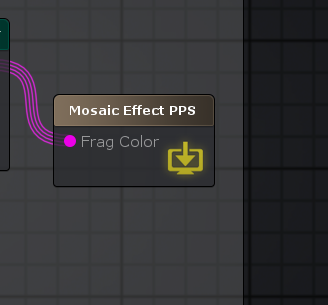
Amplify added the ability to make PP effects
edgy star
Anyways, you got me convinced to switch back to Cg. Will make some things easier. Seems quicker to optionally copy-paste some macros from StdLib.hlsl than from Cg libraries.
frigid zinc
and all it outputs is color
doesn't care about anything else
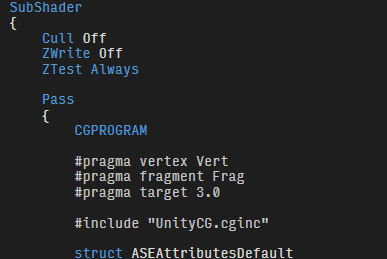
their PP effects still use CG though 😛
shame on them 😛
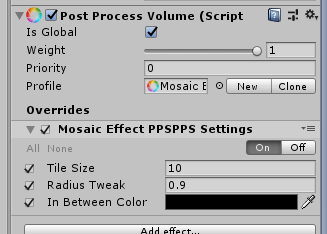
they autogenerate the editor stuff for you too, it's handy
edgy star
That update in ASE is what made me wanna pick that ambitious Post Processing effect task lying around. But I ended up learning Cg/HLSL because without those basics I couldn't do crap even in ASE when it came down to post effects. It will surely be a useful skill though, since noone here has experience with shaders, and I'm the tech-arty guy anyway.
edgy star
In that doc they stated that Cg generates some ugly stuff underneath, so for performance reasons it's better to use HLSL (it will get compiled for different platforms too anyway).
frigid zinc
makes sense i guess then.
it's probably better if they migrate to something industry standard anyway
edgy star
In practice there's an obvious difference in macros found in .hlsl libraries vs .cginc libraries.
edgy star
There are different functions, structs and stuff across those libraries. If you use ones from Cg it's not so straightforward to switch to HLSL ones. I guess they're built with different things in mind.
frigid zinc
perhaps
i thought you mean structure in some way
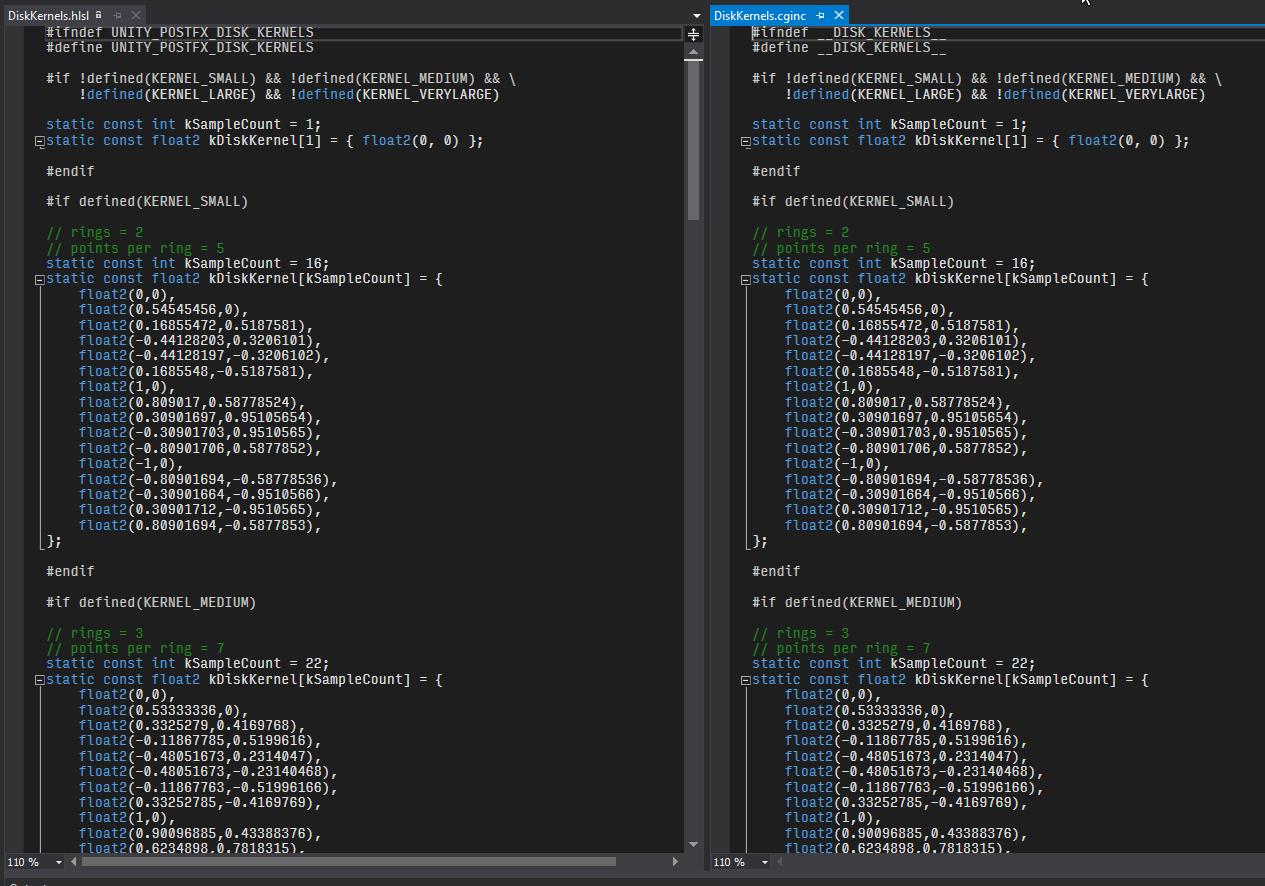
because when i compare hlsl vs cginc, they look identical
(from PPv1 and PPv2)
only define is different
but no doubt they took the opportunity to rewrite and refine their macros.
i notice V2 uses a lot more compute shaders
might be a factor in that also
tame topaz
Hey @frigid zinc ,
So you remember how we were a little stumped on the translation of this setup from the example?
Turns out we might have misinterpreted what the article was saying. At least, I certainly did. You still have to feed in a position into the WorldToObject node, which is typically (in his examples) the world pivot of the object.
This basically fixed everything. Lol.
edgy star
@frigid zinc The vertex function you provided doesn't do the trick either, but it's just a matter of doing proper maths on the data. It is however rendering it 3d space (as desired), because it gets affected by TAA shaking.
(the gif is slowed down, but it shakes every frame)
Is there a way to actually get an antialiased image using DrawRenderer?
I need Temporal AA - can't drop it in this project. But how to actually make proper use of it inside of a custom shader?
Or how to at least capture a raw image without AA, but without temporal shakiness as well?
Anyone worked with Temporal AA?
frigid zinc
I see @tame topaz I'm still not 100% sure on that since it was working for me. but I will give that a shot. I was kind of thinking that's what one might have to do until i found the pages about using worldPosition node with no input.
but maybe it is required after all.
@edgy star i'm not sure how you would execute a command buffer but not have it affected by TAA
hopefully someone else will happen along that knows the answer to that question.
tame topaz
Yeah, I'm a little confused about it too. But if you pump the objects world pivot as a value, it works perfect. Basically, you can define where the shader origin. By default, it uses 000, which is why it would break if the object wasn't at the world origin (which is in all cases, of course).
frigid zinc
yeah makes sense, i mean i saw the effect scaled with object movment, but i figured that was what they were after.
but maybe it made less sense the farther into the effect you go. I never did take it any farther.
@edgy star only advice i can give is to maybe try executing your command buffer at different points in the render process.
http://resetoter.cn/UnityDoc/ScriptReference/Rendering.CameraEvent.html if you can do it before PP does, maybe you can avoid it's effects.
there's one called "BeforeImageEffects"
might do the trick
or maybe even earlier
edgy star
@frigid zinc That's exactly what I thought when I was leaving work. Great minds think alike, I guess. 😄
I even left a note for myself to check if moving it before PP does what I need, just in case I forget until Monday. If it works, I could keep my mask inside a temporary RT and then execute the script that actually uses the mask (this one has to go after the stack, because it can't be affected by color grading - I need a UI-like overlay effect).
frigid zinc
sounds like a plan.
 dapper pollen
is there a way to get a vertex position relative to its skinned mesh position in shadergraph?
frigid zinc
i'd assume vertex position would return the current skinned mesh position for a skinned mesh. but someone correct me if i'm wrong.
or are you asking for the difference between it's current skinned mesh position, and it's resting position?
dapper pollen
i guess im asking for the vertex relative to its animation or pose?
like in that example the position isnt relative to the skinning, so any movement by that character will result in different portions of the texture being clipped
https://gfycat.com/eminenthonorableairedaleterrier ok gif, like uh how would I keep the slice effect not be affected by the characters movement?
 still carbon
@dapper pollen is your Position node set to "object" in the graph?
it seems like you're doing your effect based on world space values
though I think the way skinning is done, the vertex shader isn't going to know about the orientation of joints, it's just a mesh that's been warped into a given position
dapper pollen
yeah it is object, was wondering if there was a node that could pass that joint info in but i guess not
frigid zinc
yeah I think it's using world position
but you should be able to just look at that graph and see
 delicate badger
Hi there 😃 Why the transparency of my png is not taken into account in my shader graph?
frigid zinc
someone mentioned node previews don't show alpha
but don't worry it's still there
as long as a goes into the opacity of the master node
and the shader is set to use transparency
delicate badger
oki thx 😃
quaint grotto
is there any performance tips for sending data to and from gpu
still carbon
main one is packing data into vectors and if possible arrays or textures
foggy agate
Hey, I'm new to shaders... anyone knows a good tutorial/example to create a "see through" shader?
still carbon
or from the GPU, uhh, basically just computer shader and render targets pretty sure, don't think there's any way to change performance of that
@foggy agate see through? like, you place an object with the shader in front of some other object, and you can see through the other object?


 still carbon
uhh well it depends what kind of control you want over the effect. I think for 2D you might be able to utilize the masking stencil for that but don't know of any direct tutorials about that. Another option is making a shader that outputs depth with ZWrite on but doesn't write to color buffers by setting ColorMask 0
and have it be a lower render queue
quaint grotto
when using unity's tessellation feature is there a way to know the total vertices post tessellation, i need it for my fourier transform equation
frigid zinc
if you use tessFixed, it's calculable.
depending how you write your shader you can calculate the result from the input
they have an example of a shader that multiples the vertex count by 4
distance based probably can't be calculated
as it's a variable amount based on camera distance
edge based and phong probably can't be calculated either
quaint grotto
right so :
float4 tessFixed()
 {
      return _Tess;
 }
is basically meshVerts count * _Tess = total verts?
frigid zinc
as i understand it yes
quaint grotto
ok thanks thats perfect 😃
frigid zinc
In the example above, the tessFixed tessellation function returns four tessellation factors as a single float4 value: three factors for each edge of the triangle, and one factor for the inside of the triangle.
hmm
might not be 4 then
it's taking one triangle
3 verts
and adding a vertex on each edge and the center
so 7 verts result
but each face shares vertices with it's neighbors
so it's not a pure 4 added per face
as i'm sure some of the added ones will be shared also
i'm not sure how you would calculate that
Stack Overflow
I have implemented a triangle tessellation shader as shown in the example on this website.
How can I determine the total number of faces that would be output for defined inter and outer tessellat...
math to the rescue
quaint grotto
doesnt that depend on which tessellation algorithm is used
frigid zinc
yes i still think it requires TessFixed
quaint grotto
maybe if i make a quad and tessellate it i can work it out
ill manually count the sequence 😛
frigid zinc
hehe
quaint grotto
theres something not right with specular for water
makes the water look too ... odd
i can't quite explain it
frigid zinc
I don't know if tessellation recalculates normal or not
if not you may need to recalculate the normal so it looks better
catlike coding says:
Because we're using tessellation, the normal vectors of new vertices have been created via interpolation.
I guess they are made then
quaint grotto
well - doesnt he use his own algorithm
frigid zinc
no he's using unity's tess.
quaint grotto
oh
frigid zinc
Tessellation is really a GPU function
unity or any engine just provides an interface to use it
quaint grotto
im just thinking though since i need physics buoyancy i would need to raycast the mesh
not sure if tessellation will screw that up
tribal plume
hey guys, how do I convert gamma to linear color?
still carbon
use a power function with the appropriate value, like linear to gamma would be pow(color, 0.454545) and gamma to linear would be pow(color, 2.2) @tribal plume
tame topaz
Oh nevermind, you mean in shader (deleted screenshot, lol)
tribal plume
yeah, I know how to do the converstion, but isn't doing pow 0.4545 expensive?
still orbit
Thats just how you do it
or in SRP we prefer:
real3 SRGBToLinear(real3 c)
{
    real3 linearRGBLo  = c / 12.92;
    real3 linearRGBHi  = PositivePow((c + 0.055) / 1.055, real3(2.4, 2.4, 2.4));
    real3 linearRGB    = (c <= 0.04045) ? linearRGBLo : linearRGBHi;
    return linearRGB;
}
and fast version:
real3 FastSRGBToLinear(real3 c)
{
    return c * (c * (c * 0.305306011 + 0.682171111) + 0.012522878);
}
if you want to avoid the pow
cant avoid the pow going the other way though imo
its worth noting its common on mobile to just do linear = srgb * srgb
as pow 2 is considered "close enough" to avoid doing the complex math/pow
bearing in mind this is normally used to give a "linear" lighting pipeline on mobile without the pow, and requires factoring in the missing .2 in the assets
frigid zinc
now what's a simple math formula for doing volumetric lighting on mobile?
asking for a friend ;p
still orbit
thats easy
dont 😛
oh sorry you asked for a math formula
dont = really dont ^ its not worth it
quaint grotto
any one know what the f this means in a compute shader:
layout (std430 , binding = 1) buffer indices { int j [ ] ; } bit_reversed ;
 sleek granite
The first line specifies the memory layout, the second & third line I haven’t seen yet.
 atomic apex
Hi, does anyone know how can I programatically create HDR colors? In a shader I created I have a Texture 2D input already linked to "emission" output but I don't know how to make HDR colors programatically so I can set them to the texture using GetRawTextureData().
sleek granite
oh sorry, it looked like 3 separate lines on my phone
std430 is the specified memory layout for this buffer, binding = 1 associates this buffer with a resource with the same binding index.
I can't find anything about buffer, there's cbuffer as well as tbufferin HLSL, but I've never seen the first one. I guess it's some fundamental buffer type.
Can't find anything about bit_reversed but I assume it makes sense once you know what buffer is
Is that perhabs GLSL rather than HLSL ?
quaint grotto
Depends I'm not yet sure I get what the buffer is? Just a chunk of memory allocated?
Let me check if it is glsl
sleek granite
ahhhh
looks like GLSL
SSBOs are declared as interface blocks, using the buffer keyword
sleek granite
Well you're declaring a buffer, so pretty much an object that usually has some data written to it by the host(CPU) & is read/written to by the device(GPU)
So in more simple words, you're passing data between CPU & GPU
quaint grotto
Okay so it sets an array of ints for me to pass in from c#
But that bit_reverse I can't find anything on it
sleek granite
Yes, I read it wrong. You're basically declaring a structure called indices and then define an instance of indices called bit_reversed
quaint grotto
Right but it's used like this bit_reversed. j[int(x)]
To my knowledge its not populated cpu side according to the paper
So I have no idea what it is doing
sleek granite
Correct, bit_reversed is an instance of your struct, and j is a member of that struct, so it makes sense to access j that way.
I assume it's then written to somewhere in the compute shader & perhabs later read by the host
quaint grotto
None of the computer shader code they have showed any assignment to it =/ unless I'm missing some understanding on it
sleek granite
What's that shader supposed to do ?
quaint grotto
Create a butterfly texture for fft
@sleek granite https://github.com/fynnfluegge/oreon-engine/blob/master/oreonengine/oe-vk-components/src/main/resources/shaders/fft/twiddleFactors.comp this is the code I was reading

GitHub
OpenGL/Vulkan Java 3D Engine. Contribute to fynnfluegge/oreon-engine development by creating an account on GitHub.
sleek granite
I'm not sure how that works, I'd assume there is a implicit conversion happening, but google tells me there are no implicit conversions for array's in GLSL
quaint grotto
im still confused on it lol
tried to contact the guy but looks like hes not replying
 timber minnow
GLSL link error: L0010 Uniform '_WorldSpaceLightPos0' differ on precision
what does this error mean?
this error only happens on my 4.2 device
i searched for worldspacelightpos n my whole project but i dont see it used anywhere
i only found one usage of _WorldSpaceCameraPos
sleek granite
What do you mean by 4.2 device ?
valid flax
I need to be able to save a single float4 value between different shader passes, but still the same shader. How would I go about this?
still carbon
@valid flax you can't with regular GPU shader pipeline, data is sent in to the pass and forgotton about. You'd have to make your pass render the value out to a render texture and the second pass sample from that texture. What is the float value for? what kind of effect are you trying to achieve? there might be a better approach
valid flax
right so basically I'm making a slice and cap shader, and in order to create the cap I need the average location of all the current intersections. The way I'm currently doing ti is that all vertices behind my intersection plane get collapsed according to their projections of the object center. this is somewhat a good solution but I run into some weird edge cases. I'd obviously rather have my cap be contained inside the mesh...
works fine if my camera, (with the intersection plane) is not rotated, but on a flat piece of geometry
We obvioulsy get some not so desired results. If I have a way to add up all intersection points in pass #1 and divide by number of points, and then save this "middle position" then I can use that value to translate all my outlying vertices to to create a nice cap, no matter what the orientation is of my clipping plane.
so that's why I need to save a single vector. (float4)
still carbon
you could avoid dealing with mesh points (other than the intersection plane) at all and utilize stencil buffer and custom depth writing to cap it without messing with trying to merge vertices
this is how other mesh slicing systems on the store generally work
valid flax
the thing is I need geometry to be created, I need to apply a different effect on that planeso that whatever is inside the mesh still has the effect too. so can't really do it using stencil buffer
cause there might be other game elements inside the objects that are being clipped
still carbon
Clipped in what sense, clipped by the clipped geometry, or by the plane clipping both of them?
like, here's a system that exists using such a method https://i.gyazo.com/be8b3f8fa7f9165bf8e362b1f81889ea.mp4
valid flax
Basically like this, there will be other objects inside the mesh that's being clipped. So I need to create a plane on the mesh so i can apply a pixel shader on it
you can't do that if you're stenciling and depth writing....
right?
still carbon
you can output custom depth while also outputting color at the same time
valid flax
you can apply a pixel shader ( fragment shader) on a cust depth as if it was just a plane in front of your camera to which you applied the same pixel shader???
still carbon
yeah, for a given fragment pixel, you calculate the plane surface point at that pixel and write that value to the depth buffer and whatever color you want there
valid flax
so basically everything behind your plane will be affected by that aswell? Cause i'm using a Grab Pass aswell to affect everythign behind the geometry I am trying to create
still carbon
if the depth of the fragment is greater than the plane point in the direction of the plane normal of course
valid flax
I'll be honest I'm not too familiar with depth buffers so this is quite some good news. Do you have some reading for me to familiarize myself with all of these ideas?
where did you get the video from for example?
still carbon
it's my own from an asset a user was having issues with that I tweaked for them
also dunno about any resources directly on this subject, mostly just general math stuff, look up how to get depth of the fragment, and you can output depth in your frag program by adding another parameter like frag(v2f in, out float depth : SV_Depth)
valid flax
geometry shader math and logic has always been the most understandable for me so obviously I went that route first. I'll look into this depth buffer and stencil buffer
thank you for helping, but for future references, there is absolutely no way to save data between passes?
still carbon
no, you have to write that data somewhere and sample it unfortunately.
valid flax
and how would I do that? because if I can save it somewhere, it would fix my issue and still increase performance since I was doing this entire thing on CPU first.... so care to guide me through it?
still carbon
actually I might be wrong on that as I've never resorted to trying to transfer data that way, I don't think the data is accessible in the RT until that frame is rendered and the buffer is pushed to the texture. I utilized that to get around the sm3.0 14 sampler limit on my character customizer shader a while back, but that only worked because it was rendering the maps in UV space and then another shader used them applied to the character, so that wouldn't work for this situation
valid flax
I could potentially subdivide in 2 shaders aswell, first one to figure out all intersections points, 2nd to push all the vertices the way i need them to
I was looking into trying to save this information using compute shaders, but I have 0.0 knowledge on ti and tried looking at some documentation but tbh I didn't understand any of it. especially how communication between cpu and gpu was being handled and even moreso how writing and reading occured inside a shader pass
still carbon
yeah i havn't delved too much into the compute shader side yet, but the possibilities seem pretty great with it.
I know you can use command buffer to render stuff to a texture that can then be used by other shaders in the main render pass though, but i'm not sure that would be any better than just dealing with stencil and depth in the shader passes themselves in terms of control
valid flax
i've been trying this for a week now so obviously changing my entire approach, i'm somewhat hessitant, but if it's better it's better. just gotta swallow my pride and probably have to realize this work will be somewhat for nothing. (except knowledge and experience) but thanks again for helping 😃
appreciate it
still carbon
Np, this was that asset I showed in the video btw https://forum.unity.com/threads/released-crosssection-tool.223790/
tribal plume
does iphone X / apple Metal support vertex fragment shaders, and does it support geometry shaders?
still carbon
yes basically anything you could possibly get unity to run graphics on supports vertex/fragment shaders
I don't believe metal supports geometry shaders though?
have to replace the behaviour with compute shaders
tribal plume
@still carbon thanks
 mossy smelt
I had better performance and graphical quality with gamma and no dedicated pipeline. Maybe, lwrp and hdrp just arent suitable for space gamesatm
tame topaz
Hey guys, can someone ELI5 me why opacity (specifically in ASE, though I don't think it matters?) works differently when the render queue is set to Transparent vs Alpha Test. Just a bit confused.
mossy smelt
woulden't alpha test be more selective?
tame topaz
Well, I guess I just don't know what it's doing. For example, if I plug in 0.5 into Opacity when Render Queue = Transparent, the material looks as I'd expect: 50% opaque. When I do the same when Render Queue = Alpha Test, it comes out as black. Just wondering what is happening and what would be usecases for why I would choose one or the other.
frigid zinc
it's a different type of alpha
transparent has 256 levels of transparency, what some call 'soft transparency'
alpha test is cutoff type
still orbit
alpha test isnt transparent
frigid zinc
there's a cutoff value, and every value below is transparent, and every value above is opaque
still orbit
that queue is just the geometry queue
its rendered front to back and does ztest/zwrite by default
frigid zinc
isnt' alpha test the same as cutoff?
mossy smelt
yea, alpha test is selective of alpha values
still orbit
it is yes, but alpa test/cutoff isnt transparent
frigid zinc
well, true I guess
still orbit
its opaque, but with discarding pixels
frigid zinc
technically 😛
still orbit
the alpha test queue is not real