#🔀┃art-asset-workflow
1 messages · Page 40 of 1
 junior stone
 raw sedge
yeah righto
so really what you'll want to do in order of, first manually doing this, and then scripting to do this...
junior stone
i rly just need to figure out what the api calls are for the various functions I ve put in the list xD
raw sedge
- import fbx
- apply materials/textures as needed
- origin to center
- rotate if needed (assuming ALL models need to be rotated, e.g. 180 around Z)
- position camera in the one fixed location it'll be for all of these renders
- scale the object so it fits into frame (super huge things get scaled down, super small things scaled up)
- render
- delete, repeat
so the fbx import script is just the same as the obj one, so that other link I threw should cover that
junior stone
oh yeah scaling seems easier than moving the camera back and forth lol
raw sedge
^saves perspective calcs
get bounds of object, scale so longest axis is < some hardcoded limit
junior stone
aha so it ll be faster as well nice nice
raw sedge
nah not really, just simpler :P
junior stone
fair xD
raw sedge
anyway
texture/materials may be piss or a little tricker, try doing it manually to see if the materials are all setup already
FBX should hopefully import them straight but ya never know
junior stone
the fun thing is, I used a material palette
so they all have the same material, with different uvs
its just colored areas in the uv
raw sedge
neat, I wonder if the importer will re-use the material node then
junior stone
raw sedge
if not you can choose to speed things up and do the re-use in your script
(and just disable texture import on the fbx importer)
anyway
go to Preferences > Interface and enable python tooltips
now when you hover shit it tells you the class and function name that the GUI button triggers
e.g.
junior stone
they rly thought about the devs wth
raw sedge
mate, if the program has a built in python console and text editor with syntax highlighting, you know they aren't fucking around
anyway, combine hovering to get names for things to google
junior stone
where is that preferences window?
junior stone
rip just found it
can i copy the python command from the tooltip?
or do I need to type it manually?
raw sedge

Blender Stack Exchange
I want to get the tooltip value of a property when the mouse is over it (after pressing a shortcut), like the X location of an object or another value that can be animated in the scene.
In specifi...
(ctrl+c just copies the value itself, i.e. 1.2m or whatever you are aiming at, so copying the python stuff is ctrl+shift+c and ctrl+alt+shift+c)
hah the bounding box of an object is also just there on the "N" panel; "dimensions"
junior stone
hmm it doesnt seem to be copying it, weird
raw sedge
bpy.data.objects["Cube"].scale[0]
ctrl+alt+shift+c while hovering over something that displays a python tip?
the tooltip needs to be showing, it should vanish when you copy
junior stone
doesnt seem to be doing much
does it not work in the f3 menu?
huh it doesnt
interesting
raw sedge
is there a python tooltip?
junior stone
it was the center mass one
junior stone
raw sedge
just tried it there
junior stone
i ll need to find it in the menus xD
raw sedge
oh
ctlr+c
just ctrl+shift+c worked for me
bpy.ops.object.origin_set(type='ORIGIN_CENTER_OF_VOLUME')
must be because it isn't a "value" field
junior stone
oh y got it
junior stone
pressing alt broke it i think
raw sedge
anyway yeah I'd suggest just searching for people doing similar things, guarantee someone has done each of those tasks (scripted).
junior stone
yeah, its just a matter of combining the script calls and going afk when I know it works xD
raw sedge
if you keep the camera fixed, position it manually after sorting out the "import, texture, center" part of the script
oh and ", scale", can't forget that
then you don't have to bother about changing the camera at all in script
ezpz
ditto for lights
junior stone
you mean position the camera manually right?
raw sedge
yep
junior stone
ah I read it backwards
junior stone
where are you?
junior stone
oh fuck isnt that like 4 am?
junior stone
eh close
raw sedge
well,
junior stone
im in europe
junior stone
8 pm here
i ll get the script up and running. if I get some progress by tomorrow I ll let you know. I might share it for people that would like to use it
raw sedge
yeah i'm sure it'd have some use as a "thumbnailing" script or similar
junior stone
yeah for me its for my connecter app
junior stone
asset management and previewing tool. its nice, but I need thumbnails
raw sedge
since I'm sure prior work exists for this you can reference

Blender Artists Community
Hello all! I’m putting together this OBJ Thumbnail Render Script Latest Version: v.0.4 (download the attached .zip) Usage (Windows, Mac, Linux): Open ThumbnailMaker.PY into a text editor and define the Blender path location (Default: C:\Program Files\Blender Fo...
junior stone
holy damn
raw sedge

Blender Artists Community
Hey all, Because of the quite horrid way I’ve come to naming and organising my blend files I though I’d see if there was a way to have a preview of each file without me having to go into each one to remember what it was. After doing some snooping on google I found a pos...
junior stone
that first one looks promising, I can just exchange obj for fbx probably
raw sedge
yeah
whether or not he intended it for bulk use
at least some concepts will be similar
raw sedge
I didn't click either, those were just the top two google results for "blender thumbnail generator"
yeah yeah, best of luck
junior stone
i ll do some googling of my own as well. ty for the help!
 dense blaze
I want to make a material in Krita which resolution do I need (height and width)
 limber field
you mean the textures?
for textures anything you want, just make sure they are a power of 2 in resolution so they compress and mip well
dense blaze
thanks
limber field
just really don't go that high, like 2k is a good max depending on your asset, I'd author at as high as you want, then in unity set the max resolution
dense blaze
I cant draw anything in krita!
Why??
it says "It cannot use this tool with this selected layer type"
junior stone
there's your reason
 dull lotus
so ive got a strange issue. Made a blender shape key- works fine. Import FBX to Unity- shape key appears. Then I change the value and it does nothing. any ideas on why?
 eager mist
Guys i am playing around with 3d a bit
find it kinda hard to see how to move this lol
anyways i added a 3d model and now it has some weird lines
like there
on her legs
is there a way to fix this?
tbh i had to scale her up really hard that might be the reason
80x80x80
limber field
what do you see when you get closer to the legs?
 tepid anchor
How am I supposed to specify my own unity materials in materials I've assigned in Blender?
 sullen plank
@tepid anchor After importing the model you have to copy models materials to be able to change their properties.
tepid anchor
I just had to change the "materials" section on the renderer
 rapid echo
I made a new 3d art in Blender. Thanks for viewing :)
https://twitter.com/FarrukhAbdur/status/1215917648644595712?s=20


I made a new #drawthisinyourstyle artwork based on a nice concept by @Weiliepew 🔹 I hope you like it :) #b3d
Artstation: https://t.co/MicvP0ThKw
#blender #gamedev #indiedev #eevee #dtiys #sculpting #blender3d #realtime #polycount https://t.co/uMjU3la7Mu
 Twitter
eager mist
Twitter
eager mist
Thoughts?
Not done by any mean with the textures, but i think the wood is in a decent place
 vagrant snow
It's pretty good looking ! The only problem is that we can see the seam of the flipped texture on all drawers but besides that it's very good !
eager mist
Yeah that’s due to me mirroring from the model, which increases the texture quality but gives that kinda mirrored texture affect, I can kinda mess with it and make it look more subtle but thanks !!
 glacial vector
Considering the drawers are the focus element of that piece of furniture, I don’t think mirroring is the best solution there. Instead you could have two and two drawers on top of each other but one of them rotated 180 degrees so they don’t look identical
 tawdry glen
fmproductionsToday at 14:38
Has anyone tried to make a 3d character customizer so far? I'm not an artist, but I'm just curious how to go about it,
now I assume it would be useful to have one base model, with rigging for multiple possible clothes, and a lot of blend meshes? And to model everything else (clothes, hair - also including the bones) - should all be based on the one base mesh model bones or even be in the same file?
but aside from that, I plan to use UMA (Unity multipurpose avatar) and vroid studio for anime-esque models. They seem to have blend meshes, but I only tested the app itself, no exported models of it so far.
Does anyone have experience with any of those tools?
I'll try to export a vroid model and get it to work in unity today
junior stone
yay its working, this is great
@eager mist are you asking for feedback or just sharing? Ima bit confused why you posted a pic without context 😄
eager mist
for opinions
eager mist
its just a 3d model it have no use
 potent tinsel
Ok so like, in my opinion the "sides" look too flat
eager mist
let say to train my 3d modeling skills
potent tinsel
Also what programm are you using?
eager mist
its a low poly gun
potent tinsel
Blender?
potent tinsel
Ah lol, I would have said to smooth it but I didnt know it was low poly
junior stone
have you heard of sketchfab?
potent tinsel
3k is a lot in my opinion
eager mist
not triangles verticles
junior stone
Sketchfab
Use Sketchfab to publish, share and embed interactive 3D files. Discover and download thousands of 3D models from games, cultural heritage, architecture, design and more.
eager mist
1000 triangles
potent tinsel
I mean.. I would make it smoother add more details etc. and then retopologize to get it under 500 triangles
But
It is a low poly so
🤷♂️
junior stone
you could, in theory do pbr... so bake a high poly. but that might be a little too much time consuming
eager mist
thx
junior stone
as a standalone model yes, given the polycount
eager mist
will make arms i think
rapid echo
Thank you very much! @eager mist 😊
 wary eagle
Reworked textures. 😃 https://www.artstation.com/artwork/k46xLl

ArtStation
Game Ready FN P90.
Main texture set it 4K.
Magazine texture set is 2K.
15768 Triangles
potent tinsel
Very nice altough 15k tris is a lot
I would retopologize it to get it to a lower tri count
limber field
for a view weapon, it's not too bad for AA or AAA
for a world or prop weapon, yeah, way too high
wary eagle
In fact 15K is really low for a FPV gun.
 wooden stirrup
how would i get stairs out of a cube
 amber walrus
Just create it out of bunch of cubes and replace it later
Probuilder does have stair generator though
wooden stirrup
make a stair case out of cubes?
amber walrus
Gonna have hard time modelling if you can't build stairs out of cubes 😄
 cosmic schooner
Although this is 3d, if you're unsure of what to do you could make pong in 3d. But I'd guess that isn't the direction your game is taking. (Just ignore the ranting)
(Suggestion was to inspire possible 3d objects to make)
wooden stirrup
is there a way to make a working gun unity itself?
usually just see blender videos
amber walrus
@wooden stirrup Your blender version is old. Might be a bit early to start making custom models for your game
cosmic schooner
I'm pretty sure when we said make a stair we mean just stack cubes in Unity Editor 😄 That's what I thought at least 🤔
 tidal temple
Gave my Demon Warrior i made in Blender and Substance painter an attack animation 😄 https://twitter.com/TheWorm48642111/status/1216230320468480000


Gave my Demon Warrior an Attack Animation :D
#3D #3dartwork #3dart #3dmodeling #3dmodel #modeling #Blender3d #SubstancePainter https://t.co/n7oo3lXM7P
Twitter
 sacred grotto
@tawdry glen I also plan to use UMA. I dont mind making 3d models and animate, but rigging is a pain especially with different body proportions.
I've made my own character equipment system before but it seems UMA (with further customization) can handle it all. But who knows, i never used it yet. Let me know how u go
tawdry glen
Hi!
alright, but I think I put this feature or idea back for now, since I haven't done any modelling or rigging yet, so this would be a pretty lengthy process.
but from what I have seen with uma, I think if I had the customizable base model, it is exactly what I want to use, it really looks powerful in terms of features.
I tried exporting models from vroid studio yesterday - they have one base model for every sex that comes with all blend shapes necessary, but only internally in their app. If you export it, they still have many facial blend shapes in order to make convincing expressions and lipsyncing, but the body doesn't have the blendshapes.
I could imagine testing uma with one of the already available base models, just to prepare and integration for my game. a custom character could came (way) later maybe
 rigid storm
Why does sculpting in Blender do absolutely, completely nothing?
It says that the object has 'no uniform scale', I tried applying the scale but still get the error
rigid storm
nvm, it's just kinda wonky
apparently I cannot 'remove' material from a default mesh
I have to first 'add' stuff and then remove it
tawdry glen
maybe with a subdivision surface modifier? to get more vertices?
or just manually place new vertices as you see fit?
wary eagle
New renders online. https://www.artstation.com/artwork/4brQ2L

 pallid fractal
@rigid storm you can turn on dyntopo
in sculpt mode
or you can subdivide the cube a lot in edit mode before going to sculpting
pallid fractal
don't go overboard with it, tho - it'll add up to a lot of geometry really fast 🙂
 obtuse berry
can someone help me with fps controller script?
eager mist
"Gonna have hard time modelling if you can't build stairs out of cubes"
🤣
@obtuse berry
You are going to have a lot of fun...
Brace yourselves, the pain is coming
It's not particularly difficult to write code.
But it is quite a challenge to code in such a way that doesn't cause any jittery, vibrating issues
And it's not the kind of issue that is easy to ''show off'' with Gifs or Videos.
You need to play and see it for yourself
It's a subtle issue
It's some kind of Ghosting
obtuse berry
uhh aare you ok?
eager mist
Why
 iron flare
Chris is right
eager mist
You asked if someone could help you with a FPS Controller
obtuse berry
sshit my bad forgot
obtuse berry
you tryna help me?
obtuse berry
ok
obtuse berry
yea
 gritty grotto
Isn't this channel about 3d modelling/art?
eager mist
Yes
But what good is art if the camera isn't right?
🤫
''Look at my vibrating world''
🤣
gritty grotto
heh, fair enough 😛
eager mist
@obtuse berry move to #💻┃code-beginner
eager mist
I just asked you to move there so I can look at the code and see if this is something I can help you with
you kidding me>
XD
🤣
 frosty glen
Greetings. I'm looking for some help with ragdolls, I'm not sure if this is the right place to post. Is this the right place?
I'm hoping this is ok. But this is what's going on;
At the moment I'm trying to get a ragdoll on my character in Unity. When I assign all the parts, it seems to calculate and work. BUT, the head on my character is M A S S I V E . The model is the right size, but the actual ragdoll caclulated head is just G I G A N T I C . Is there a fix for this?
The video I'm watching doesn't address any of this.
 tepid blade
i've made a smoke particle system, but how do i get it to follow the player around without it looking too static?
junior stone
Do you guys have any tips on getting better at level design?
gritty grotto
make a bunch of levels 🙂
I'm assuming you mean actual level design, "not make stuff look good" level design.
The skillset varies a lot between different game genres
junior stone
so its a case of practice makes perfect. i am currently using my assets to make some dioramas
learning compositions
trying to make my environment tell a story, but its quite hard to do
 charred crypt
@frosty glen I haven't touched ragdolls in a bit but in ragdoll there is a weight/mass option, just increase/decrease its number or Reimport the model and downlaod Ragdoll Copier(https://assetstore.unity.com/packages/tools/utilities/ragdoll-copier-114351) and try implementing it. Should do the work. Tag me if you reply to me here after if it works or doesnt please im new to discord and i get lost in convois very easily.
junior stone
I'll have to let it rest for now. A bit tired, will show some pics here if i get the time tomorrow
hopefully I can get some feedback on worldbuilding 😄
junior stone
I have about 2700 assets to use, so I can basically kinda ram them together to make scenes xD
synty studios has some proper nice assets 😄
gritty grotto
Using the asset store when you're working with other people is a nightmare though.
gritty grotto
yeah
You need to keep track of everything you use, because if you don't work on the same location with other people, everyone else needs to buy the assets as well.
junior stone
The assets I have are partially synty studios, partially self created. BUt i cant find any license files on their website or in the packs
Found it, as long as the project is under my direct control. I haev a full license to use them. not restricted to a single user
gritty grotto
If you bought directly from them then sure, I'm just talking about the Asset Store.
junior stone
yeah, I am aware. I am using Odin inspector, which requires one license per seat
which might be more in term with what you are referring to
gritty grotto
(sure, but "Site" license means on the same physical location, so for remote teams, it's the same as "per seat" licenses)
(in any case, I think I'm putting the channel off topic 😛 )
junior stone
not if you make everyone work together on a local network right 😄
Did I find a loophole? xD
gritty grotto
Not really, it says physical location, not local network 😛
frosty glen
@charred crypt The only weight option I see in Unity when making a ragdoll is Total Mass when you Create Ragdoll.
I'll download the ragdoll copier. How would I implement that?
tepid blade
i made a smoke particle system. what's a way to have it follow the player without it looking static?
junior stone
@tepid blade try asking that in #💻┃code-beginner. Particles have nothing to do with this channel.
frosty glen
When the Ragdoll is alsking for Left Arm or Right Arm what part of the rig is it referring to?
junior stone
And it is a scripting thing as well.
junior stone
Oh yeah u right I suppose they can be 3d as well.
Still. Scripting it is what you need, so try asking where the coders are for more success. Or ask Google. It will know
tepid blade
i'll ask after i'm done with my current dilemma
junior stone
https://forum.unity.com/threads/how-do-you-make-particle-system-follow-a-game-object.324273/ top result on google

Unity Forum
I'm currently making a space invaders clone and I want to make it so that when my player's laser collides with one of my enemies, that enemy will begin...
tepid blade
not what i meant but thanks
frosty glen
I'm getting so frustrated just trying to learn Unity. :c
gritty grotto
there there
frosty glen
I just wish I was more adept at learning. I'm certain the things I'm trying to do are easily explained, but I just have a hard time finding these resources, or understanding if I come across something that might help me.
gritty grotto
I mean, finding the information you need is a skill in itself. You get better at it eventually.
In the meantime, I'm sure people can point you in the right direction, either here or on the forums.
frosty glen
I hope I do get better, one day.
I should probably slow down a bit, since it's very late for me anyway.
I'll probably ask more questions around here starting tomorrow.
eager mist
The best thing you can do is to change your environment to increase the speed to which you are learning
3D modeling, Unity, game dev in general, etc
It's complicated.
Not in the sense that it is hard to do, just that there is a lot to know and it takes time to get better at certain specific things
So, the best thing you can do right now... is to surround yourself with people that have done it. People you admire, people you aspire to be like or people who can and want to help you during your journey.
And often, there comes a time when you are the one giving back and helping the ones you once admired so much
frosty glen
It's pretty impossible to surround myself with people that have made games. At least in real life, this town has nothing like that. As for online, I've atleast come to communities like this to try to learn.
But it's still tough, limited responses, and differing approaches clash. It's still informative, but it just sort of gets in the way sometimes.
gritty grotto
It's okay, people learn in different ways
eager mist
It's 2020. By surrounding yourself with game devs, I meant online. Unless you happen to live in a place like... I don't know.
Montreal? 😛
There are game artists out there that have worked on many games and are available online.
They are quite active online.
Warren Marshall, Tor Frick, several Polycount users, etc.
And there are others who arent really into game dev, but can help such as William Vaughan who made tons and tons of tutorials for MODO.
There are like 600+ videos on youtube.
I speak to those guys weekly. It's a small industry. They hang out online in the same Discord servers.
Or Facebook.
Like I said... you need to learn how to use your social skills. It is a skill...
Networking.
eager mist
have I stated any opinion? 🤨
gritty grotto
you have, yes
eager mist
where
 oak spire
hey there can anyone help m with a little problem i have? i just started out in unity
gritty grotto
@oak spire ask away
oak spire
All g think I figured it out ty tho
tepid blade
you know the game bendy and the ink machine?
 thorny wasp
Does anyone know where i can get a lowpoly / cartoony Humanoid arm with basic finger / wrist armature?
or any relative research i can look at to do it myself?
 dire ermine
🤔
 gritty reef
@eager mist Looks pretty solid. My only complaint are no chamber/ejection opening and the ironsights aren't lined up so it'd be pretty hard to aim.
Barrel could probably be a little bit lower, but I think that's more artistic opinion than functionality related.
@thorny wasp Check out the asset store, they've probably got what you're looking for, and probably free, too. If not there, check other engine's asset stores like Unreal.
@dire ermine Hella cool little tomb/crypt thing 😄
dire ermine
@gritty reef Thanks 🙂
thorny wasp
@gritty reef theres nothing free on the unity asset store 😦
gritty reef
Rip. Check unreal and maybe see if cry has their own asset store?
I'm not sure who else to try...
Beyond that, ask someone here super nicely and see if they can give you something
I'm sure someone here has a file sitting on their hd that has what you're after. It's just finding that person.
thorny wasp
yea, ill do abit of research and cant find anything, ill have a go at doing it myself
charred crypt
@frosty glen there's a easy tutorial with it
eager mist
the ironsights are lined up
 twin nebula
hey there. ive been a little out of the loop with the latest tools from quixel and allegorithmic. can anyone explain why would we need something like Alchemist or Mixer?
Would this replace the workflow in substance designer?
gritty reef
Must just be the perspective, then. The back sights look way lower than the forward sight.
 neon wedge
Can I stretch the Capsule prefab without distortions to the rounded tops?
thorny wasp
Just make a long boi in blender or something and import
 elder patrol
how do you increase the size of a shirt from an UMA Avatar?
 pine trellis
are UVs related to this channel?
tepid blade
how would you do something like the seeing glass from bendy and the ink machine?
tepid blade
oof
elder patrol
I don't know how to stop holes from appearing in the shirt
elder patrol
no, I don't think it can
tepid blade


Anybody want to have its own ?
#madewithunity #gamedev https://t.co/C37MRgkOWi
Retweets
971
Likes
4460
Twitter
how would you do the tenticle things?
 drowsy crescent
Looks like procedural Ik animation- intro here https://www.alanzucconi.com/2017/04/17/procedural-animations/ Can make it easier to do by using Final Ik

This discussion introduces the concept of procedural animations, and how they can be used in your game. This post is part of a series on Inverse Kinematics.
 fluid oak
@dire ermine That looks great, though the separated bricks around the doorway look kinda weird with that style
 random dirge
Maybe because your mesh isnt stiched together? That looks like the same white as on the bottom right
glacial vector
The UVs are not aligned properly. Can you show the UVs?
glacial vector
So that won't tile perfectly of course. But the white line should be simple to remove, just give some more padding to your grass texture. It's bleeding into white at the moment it seems
pine trellis
wym by padding? more UV space?
glacial vector
No, make your texture cover a bit outside of your UV shell
pine trellis
so I will create another UV space right?
 willow nebula
no, use this : https://www.youtube.com/watch?v=r9l8RfTvqyI

I wanted to help out those who are having problems with seams! This can be used by old and new mesh and texture makers! Really simple and a great time saver and headacher killer for all of us struggling with seams on our meah no matter how pretty our maps. Download here: htt...
"bleed" the texture pixels outside of the uv islands
The white that you see is due to the texture linear interpolation (pixel smoothing) between the colored pixels and the white background.
pine trellis
I'm using a blending mask (white and black) made on substance so I will try to solidify that
this is one of them
pine trellis
fixed
it was due to the mask color approximation, I had to manually extend the white space of the mask by a bunch of pixels
willow nebula
Did you fix the displacement issue you had ?
gritty grotto
Looks a bit on the low poly side if it's intended to be used in first person (especially the back of it)
 whole fog
so I did end up getting blender 2.8 beginnerts guide for chirstmas
it will come in handy as a reference
whole fog
since I have desired to do an N64 based platformer I have been checking out various N64 platformers like Banjo Tooie as a reference for art style
 novel plank
I tried exporting some assets using the FBX exporter
but it results in a mess like this
I guess this is a shader issue is there a way I can fix this?
 hoary bone
Hello 👋
Not sure if this is the right place to ask, but, is there anyone who could answer a few simple questions about the process of creating a 3D model (either in Blender or Unity) from a DWG (or DFX) file?
limber field
@novel plank are you using LWRP or one of the other Render Pipelines, you most likely have to upgrade your older materials to that, there is an automatic way under like Edit, but it doesn't fix them all, if not just check the shader for errors
eager mist
@hoary bone ask away I’m sure someone can help
hoary bone
I didn't want to just put a huge wall of text, but here goes anyway. (Disclaimer: I have no clue about how Blender works, let alone AutoCAD.)
I have some AutoCAD files of some facility that I want to recreate in 3D. I assume these files contain some sort of data that can be used to automatically create walls in some software, like Blender. That's what I aim to do, and after that, export it to Unity.
The first question is, is there any specific steps I have to take in order to "correctly" make it a Unity object (e.g do UV stuff, or delete unnecessary faces)?
The second question is, since I have no clue if these files are even correctly designed, how would I know if they are? Is there a metric in Blender that tells me that?
The last question is, what are the steps of creating the walls? I've searched a bit and managed to do something with Geometry -> Extrude and Modifiers -> Solidify, but I honestly don't know if that's the correct way.
gritty grotto
The first question is, is there any specific steps I have to take in order to "correctly" make it a Unity object (e.g do UV stuff, or delete unnecessary faces)?
Yes, if you want to use textures (UV) and it to perform well (delete extra faces)
 charred lantern
I am designing a building system similar to what you may know from The Sims. However I am not sure about how to deal with it. Should I spawn a wall GameObject on each tile? Creating one and expanding its scale? (knowing that walls can be diagonal)
I just need your opinion
sullen plank
Creating procedural shapes would be the most optimal way to go.
charred lantern
Thanks, I started with this!
Is there any way of changing the origin reference on a prefab? Because when instantiating, the prefab gets spawned from the middle as on the screen, which is unwanted as I want it relative to the bottom of it.
I know we can make it child of a GameObject that has the desired reference but this adds complexity in something very trivial...
sullen plank
@charred lantern To move the anchor you will have to move all vertices in the opposite direction. ProBuilder can also "probuilderize" any mesh in order to be able to edit and you can move anchor with it.
eager mist
@eager mist Looks very clean.
eager mist
Perhaps someone can help me understand what's going on with speedtrees in standard render pipeline... Speedtree image looks nice and green thick leaves... But in Unity they all disappear after just getting a few feet from them (Still in LOD0). This is the tree inside speedtree
Here it is in Unity
If I go a few more feet, the leaves just disappear completely
(while still in LOD0)
glacial vector
Try adjusting the alpha clip value on your branch material @eager mist
eager mist
@glacial vector None of the materials inside unity have an alpha clip values. That's one thing I did read earlier, but can't find it so figured that option was removed or something.
I click on the albdeo and the alpha is already up inside the Color and subsurface textures... (the image was the wrong material sorry), found the proper 2-sided one... But yeah, alphas are already all the way up.
glacial vector
"On the texture, make sure "mip maps preserve coverage" is enabled, and play with the cutoff value there. This will help the mipped opacity not go grey.!" try this
 sharp valley
 glacial elm
nice
gritty reef
@steep radish Make sure you're in Edit Mode and have Face Select active, then click the little Show X-Ray button
The dots should show up on faces
 steep radish
I may need to factory reset as it doesnt show
Awesome, I got it
Thanks so much haha
gritty reef
👍
steep radish
Do you know how to access specials? I'm in edit and pressing w but nothing
@gritty reef
gritty reef
Mine is bound to space. I don't know if that's the default bind or if I've changed it at some point.
steep radish
darn. Blender is so hard. Following a tutorial and the blender part takes him 1 minute and me 1 hour
gritty reef
It's a learning process. Once you're accustomed to it you'll fly through it
steep radish
@gritty reef They changed it to Merge Vertices -> By Distance
gritty reef
Ahh so that's what you were trying to do
steep radish
Haha yeah. Maybe I should said how to delete duplicate vertices
Appreciate your help anyway 😛
gritty reef
No problem! I'm by no means a pro with Blender, but I'll try to offer help where I can 🙂
 prisma portal
where can i ask rigging question
 untold edge
Right here @prisma portal
prisma portal
about maya , how u guys do rig for weapon in a character , which also can do animation to the weapon
prisma portal
@untold edge
untold edge
Have you looked up tutorials because they will be far better for explaining
gritty reef
Dang Simon, those are fantastic!
untold edge
^^it's true
prisma portal
@untold edge cant find a specific tutorial in youtube btw
wary eagle
Thank you haha. ☺️
eager mist
Anybody know when Snaps HD will be updated for 2019?
 limber temple
Can someone explain to me why the capsule isn't walking on the bridge
glacial vector
Does your bridge have a mesh collider and is it marked at static?
limber temple
I just added a mesh collider and marked it as a static this happend https://prnt.sc/qo8n66

I'm getting pushed by the bridge
Also I'm flying when I almost get half to the bridge https://prnt.sc/qo8ogx
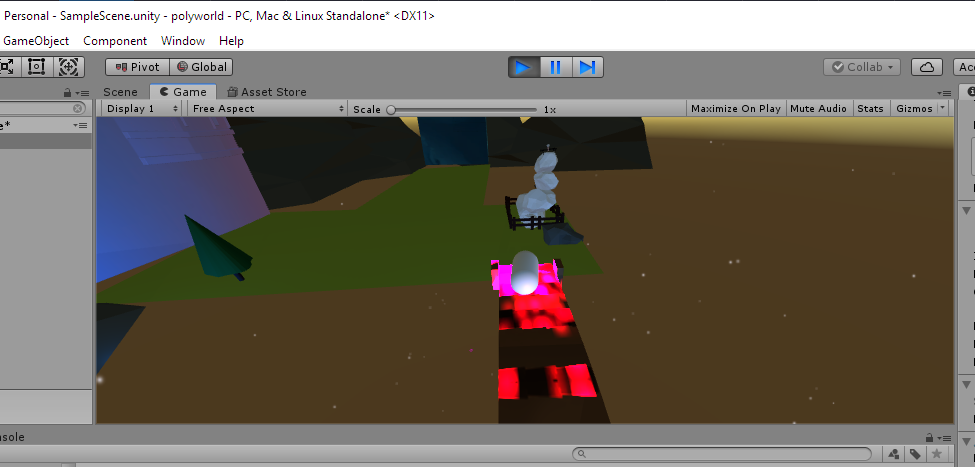
I'm flying up and the scene is shaking when I walk on half of the bridge and I lose control
 viral ginkgo
Hi all, I have a question regarding rendering. I'm making a platformer and to help myself I've tried to make a "ghost" gameObject to show me where a platform would move to. The problem is, I can't seem to figure out to stop this "ghost" platform from actually rendering during runtime. I just want to be able to see that specific gameObject in Scene.
Basically, I want the gameobject to not render during runtime. Anyone got any idea?
 marsh tapir
@viral ginkgo EditorOnly tag
tidal temple
Creating a Real Life KING SLIME! https://youtube.com/watch?v=MP_Y1S041d0&t=10s

Kings Slime in 3D, which shows how horrifying Terraria would be in Real Life.
Skip to 4:00 if you don't want to watch me make it
🡆 New? Subscribe: https://www.youtube.com/channel/UCv07KD2HKHRKD80hcsu9LOA?sub_confirmation=1
🔔 Enable Notifications So You Don't Miss a V...
 silent slate
How can I best attach 1 object to another, if they're originally 2 separate objects? Like placing a brick on a rotating disc, and make the brick rotate when on top of the disc?
Actually, that wouldn't solve my problem. How can I increase the rate at which a collider checks the OnTrigger functions?
steep radish
Hi guys
Im trying to use photoshop and im trying to get a stroke to look like this:
However using my tablet I cant reliably get those smaller ends everytime I make a stroke. Is there any way?
https://www.youtube.com/watch?v=xenW67bXTgM 25:10 if anyone can help me achieve this

Unity 2018 - Game VFX - Projectile Muzzle Impact Raycast Tutorial
This video shows you how to create a Projectile, Muzzle Flash and a Impact effect in Unity. We use Photoshop and Blender to create our elements and create some code, with raycasts, for the projectiles to move ...
eager mist
@glacial vector oh wow thanks I never ticked that preserve value before. Thanks!
fluid oak
@steep radish you need to set the brush dynamics to use tablet pressure
Depending on your version there should be presets for that
steep radish
@fluid oak I did select that but the brush strokes were not as defined as the picture above. Maybe I'm just not very good at using the tablet :p
fluid oak
You might need to switch brush shape, spacing, and feathering. Have you tried different presets or fiddled with the settings?
untold edge
Hey guys, I'm new to bledner (all I've done is make a rigged human model) but how hard/long would it take to make a decent looking texture (like quite realistic but obviously nothing like those 4K videos online)
I'm wanting to make a tesla coil (and much more eventually) with a little control pannel at the bottom that has a lever on it. Trying to figure out if I should go for Unturned graphics (very simple block colours, or more advanced materials with like a good metal or something)
Thanks for any and all help, please @ me if you can 🙂
eager mist
Just keep practicing until you can produce the quality you desire.
eager mist
You won't know until you try.
untold edge
I guess so, mind if I ask you another question?
eager mist
Sure.
untold edge
Let's say I wanna make a building, do I make all the walls seperately and parts of the roof seperate (since it might be quite large and I'm guessing loading in a large model into unity as one may harm performance)
So for example I wanted a house, would I make all the walls and everything seperate?
eager mist
I wouldn't want to play lego with assets. So I wouldn't but it depends on whats easier for you.
untold edge
Well I'd rather not but should I then make every part of the house in blender all in one? Then play lego with the colliders?
eager mist
I'm not experienced myself with asset creation I don't wanna give bad advice. Whenever I'm stuck I'd normally search youtube before coming to the discord.
This place to me is like a last resort.
untold edge
Yeah I usually do, thanks for the help though, that's fair
eager mist
Sorry I couldn't help.
untold edge
nah it's cool man
eager mist
Nice tutorial (VFX)
 wide maple
Hi everyone, i need a little help with something regarding blender to unity fbx export. In my game all units are on a hexagonal grid, I've been trying to align the blender sizes to be the same as unity sizes so i can have an easier time with animations. But for some reason, different models seem to import to unity at different scales. Even when i export them together.
When i export these two models together, their sizes are different in unity.
This is a single fbx, so the fact they have different scales in unity seems extremely weird to me.
Also, in this example i'm only exporting the mesh of the character. No armature
I'd appreciate any help, i've had no luck figuring this out
Note: Even when i completely separated the mesh from the armature, this happened
scales are all applied in blender as well
willow nebula
Can it be that the pose you have in blender has a scale applied to the root bone?
That would explain the size difference when you export the char mesh without armature.
wide maple
yeah, i did that when i was trying to scale the model without breaking the armature
i thought applying it would be fine
turns out animation don't carry over either.
Could it be a problem with rigify?
i mean they do carry over they just dont work
thats probably because i didnt bake them tho
willow nebula
Can't be sure here, sorry, as I'm not used to rigify
wide maple
np thanks anyway
pallid fractal
@wide maple Exporting Rigify rigs to Unity hasn't really worked since Blender 2.78
this addon claims to do it, tho: https://blendermarket.com/products/better-fbx-importer--exporter
 pallid fractal
(not free)
this seems like a big limitation:
Does not support exporting multiple animation actions, but supports importing multiple animation actions.
 static mortar
hey can i ask a question about blender here, i would go to the blender server but no one is responding to me
static mortar
ok thanks
so im trying to have my inset face to change scale in my animation but every time i try it just keeps it at the same scale
ive tried to look online for answers but i cant find anything
any answers @eager mist
eager mist
I'm a little bit amused that you are trying to move vertices.
static mortar
lol
eager mist
Blender Stack Exchange
I would like to animate a mesh's geometry without using shape keys. Is this possible?
Most animations are done either with Bones/Joints.
In games
Films, from what I understand, use deformers.
static mortar
ok thank you
eager mist
It seems that there are ways to do what you are trying to do.
But it's not something I ever tried to do
And Im new to Blender, as much as the new guy
🤫
But I did use 3ds max and Modo for a long time
eager mist
eager mist
So you can use matcaps in Unity... good to know
My frame rate likes it.
Gives me maybe... a 40fps boost
eager mist
cool 3d model :d
 sacred root
I decided to create a higher poly model than what I normally create
eager mist
waw super cool house
 lunar cradle
yo
eager mist
nice
gritty reef
dang, that's pretty sweet
 visual locust
Hey quick question; I just started learning blender and was wondering if it is possible to copy render properties from one .blend file to another
untold edge
Does that work @visual locust
visual locust
that works with objects, but not with render properties i think
untold edge
Also if anyone knows blender, I put a question in general-off-topic unity I could use some help with
visual locust
at least i don't know how to do that with render properties
untold edge
Ah not sure I just started myself
gritty reef
These two trees look a little too symmetrical for the theme when compared to the rest of the assets
Besides that hella cool. I love the brick wall things
gritty reef
😄 awesome
wary eagle
☺️
Working on the demo scene, (it's a screenshot from my phone remoting my PC sorry)
dire ermine
🤔
 past plank
Yum, that's a tasty looking tree. Better than anything I can do at this point, that's for sure.
dire ermine
@past plank 😋
 wind ice
looks like a willow tree from runescape :p
untold edge
^^^^
dense blaze
How do I put color in blender on a cube?
If i put color in Texture paint and than go to object mode the color goes away
dense blaze
Does this look like a Speed camera? Im new to blender btw.
 solar moon
😄
eager mist
All I want to know is how you made the black outline
is it just a hull shader?
duplicating the mesh
and scaling it up a bit?
solar moon
Probably this technique https://www.youtube.com/watch?v=D4T1cDJryOI
 north parrot
nope
@eager mist @solar moon
well part of it, but thats not what makes everyone ask me how i did it
if u wanna know how, made this character for a course just write me privat
and its ue4 bcs i implement it into ue4 with fully dynamic cel shading light
normal 3d lights with cel shading sss and everything else
fluid oak
...how does that help unity users?
north parrot
it doestn but they asked
 worn echo
untold edge
worn echo
untold edge
what do you need help with?
untold edge
Anyone here that can help me with Unity/Blender gun animations? Please @ me, thanks! 😄
 calm drift
nhnkrnedjnf
i dont know who to make animations but i know how to make a cube rotate
on its side
 shrewd mortar
Hi guys, I have a question regarding LOD. so i am making a game with buildings that can be upgraded to different levels. Each building level needs to be in the same position as the previous building level. I was thinking of using LOD to bake them all in the same position and just turn on and off the correct level of building when upgrade is done. My question is can i use LOD for that matter and if the answer is yes, will it work even if the sizes of the buildings are different (when baking)?
glacial elm
@shrewd mortar do you need why LOD's are used
cause i have a strong feeling you dont
shrewd mortar
I haven't used LOD, currently i'm placing the different levels of the buildings in a different scene and loading it in additive mode to my current scene but the problem is that the loading time is really slow
glacial elm
LOD:s are basically for optimization purposes. You dont use them for buildings. Now. It's very easy to make your idea possible. One script is all that's needed.
well that's because you are using a workflow that is completly not understandable and very very bad as far as i understand. Learn a bit about instantiating objects in unity. I think that will help you understand what you gotta do better
shrewd mortar
@glacial elm so would you bake the different levels in different scenes, making a prefab and instantiate them when necessary?
glacial elm
no what. why xD. you just one to have a building where you could use a sort of variable to say how many levels it should have
if the levels are just one piece. then litulary just instantiate that
 fast grove
who can help me with making my first game ( i dont know anything i tried watching tutorials but i just dont understand them (DM me if you want to help me ? )
eager mist
Hi! I've been looking into making an effect like those old windows xp error window drags https://www.youtube.com/watch?v=wX2mbCo3LGk but I dont know where to start exactly. Could anyone give me a few pointers?
 eager mist
Experimenting with 3D at the moment!
Although it's kinda un-noticable in the clip, you can do SL0W-M0 by pressing the shift keys.
glacial elm
@eager mist its much easier than you think. use a raycast being sent from your cursor or find the cursors positions on screen if your in a 2d project. And just instantiate that one sprite object on that position
very easy. great result i would say if i understand what you want correctly
 loud kite
Good day everyone! has anyone tried or have experience with multiple UV sets on alembic imports?
 cerulean timber
@dense blaze yes it's look like a speed camera, but you can add some details
i have juste finish to model a speed camera too

Un cinémomètre fixe de type Mesta 210d - Radar Mesta 210d - 3D model by dsimplex62 (@dsimplex62) [85f9b77]
cerulean timber
Try to post your message in the "programming" section 😉
eager mist
Try to get answers
dense blaze
@cerulean timber your speed camera looks good. I cant model good. I am a beginner in blender and dont even know how to use it 😄
cerulean timber
yes, but you can add some details with simples geometries to looks your speed camera more realistic
 tardy pagoda
wary eagle
tardy pagoda
wary eagle
Uploading to the Asset Store!
wary eagle

Low Poly Landscapes - Level Design
Music: Getting Lost - Veritas - Veritas
Unity Asset Store : https://www.assetstore.unity3d.com/en/#!/search/page=1/sortby=popularity/query=publisher:30263
Twitter : https://twitter.com/SimonMczt
ArtStation : https://www.artstation.com/s...
untold edge
Hey guys, just wondering if anyone has experience making their own 3D materials with semi realistic textures. Idk whether I should learn to do them myself or buy them online or hire someone to make custom ones
untold edge
Think you need to use Unity Connect server for that @high quarry
 maiden tangle
I'm just getting into semi-realistic (at least not painterly like usual) textures myself and I think it's a fantastic time to get into it, Substance Painter is an incredible asset for quickly creating high quality assets, It's definitely an industry standard for most if not all modern studios I would think as it's that much of a time saver.
That being said, If you are looking to create a specific style I would definitely recommend learning the workflow yourself.
Substance Designer + Substance Painter are gems, maybe some photoshop mixed in somewhere for custom masks, but honestly you can get away with just using SP and their great collection of custom materials to play with to your liking (No I do not work for them haha..) @untold edge
If you are going for a more generic interpretation hiring an artist has it's perks as well though of course 🙂
untold edge
Woah that does sound great I'll make a note of Substance Painter rn, would you mind showing me some assets you've created? Not to copy obviously but just so I can guage what it would look like in a game
If not it's cool man
maiden tangle
Definitely, I'm by no means an artist just getting into myself as I said but what I've been able to learn in just a week coming over from blender has been great, this is more stylized than realistic but that's just my thing 🙂
and this one below is what a hired artist came up with, so the previous one I was able to do in about a day or so? roughly
style direction was early source games.. but anyway you can see ArtStation what people are doing with it, super inspiring stuff
untold edge
woah that's amazing
maiden tangle
it's exciting for sure, great time to be alive
untold edge
I'll likely pay someone to go the character models however since I have about a week of experience in 3D modelling software total
but I wanna be able to make the walls and enviroment materials/textures
Which it just seems like you need to make a 2D tile of the texture and then do some special stuff with greyscale lmao
maiden tangle
yeah exactly, that's what I've come to as well- models are done by the pro's and the actual textures themselves are a lot of fun to do
there are some "masks" for details but generally it's all included yeah
untold edge
I've just never been great at art and I'm not sure where to start with say a brick texture (seems like the easiest one to do)
that or like bathroom tiles I guess
maiden tangle
You can definitely get some ready-made materials you could then customize to your liking, but if you've got the suite you've also got designer at your disposal to make custom materials, brick/tile was my first one actually! Lot's of tutorials on youtube on the topic, once you get used to working with nodes it becomes a breeze honestly

Twitch Stream: 6/15/2016
In this stream, we looked at the process for creating a procedural brick material.
untold edge
my god 2 hours xD Guess I'll save that too lmao
maiden tangle
Didn't even notice haha of course shorter ones out there but you can get pretty intensive with the detail
untold edge
yeah exactly
Though I need to make sure I don't go over the top and make my game unplayable
maiden tangle
Another great thing about sp is you can scale up/down the res and you won't have to go back and redo anything, very time efficient when optimizing for lower end users.
Speaking of time, as you mentioned just wanting to do a simple wall or prop like that, they've included an auto-UV unwrap that's much better than blenders smart UV, great results just takes all the heavy lifting out
ofc manual is better but yeah, great resource probably wouldn't be into texturing without being able to do it as quickly as I am able to in substance honestly haha.
maiden tangle
cheers bro good luck! 🙂
untold edge
thanks xD Still a while from making textures though, good luck with your projects!
 quiet fjord
I made a 3d Character with a rig in blender, but if i move any of the bones it scales the character and makes it look real weird
Anybody understand whats going on?
maiden tangle
could be a number of things, I think with low poly stuff like this it will usually be the vertices in the "hotspot" areas like an elbow for example, if you've got a 4 vert box and you try to bend it in half without any support in the middle it won't turn out great.
Also like weight painting, I would find a detailed tutorial on it from start to finish so you don't pick up any bad habits and have to unlearn like I did haha :p
quiet fjord
ok thanks
glacial vector
That scaling sounds wrong. If you’re modeling in Meyer scale that’s the same as in unity
glacial elm
you mean meter?@glacial vector
glacial vector
Haha yes
glacial elm
xD
dire ermine
working on a character 🤔
 dapper rain
it has 10000+ polygons than any of my models
dire ermine
@dapper rain It have subdivision on it. Will bake a Normal map and make it low poly
quiet fjord
I have a question for anybody who makes low poly characters
how do you manage to make it so when you move the arms with a rig, it doesnt scale the entire body
?
(I've been working on a model all day and it keeps moving the entire body when i scale the arms)
dapper rain
i was going to say weight painting but im not sure
dire ermine
@quiet fjord wight painting
dapper rain
@dire ermine my last game had like 20 models, if you added all the poligons of each individual model , its probably under 300
quiet fjord
@dire ermine what does weight painting do
dapper rain
alot
quiet fjord
like what specifically
dire ermine
@quiet fjord Try to find in youtube fore some tutorials its hard to explane
quiet fjord
but you're absoloutely sure that it would help me make it so it doesnt look weird like before?
i need to be sure because ive wasted my time a lot on this today
quiet fjord
the messing up of it isnt the problem
wasting my time is
i just wanna be sure this will work
dapper rain
get used to it
quiet fjord
lol
dapper rain
Wasting time is a thing u will do alot when modeling lmao
thats why i do simple stuff i can redo in less than 5 mins
dire ermine
@dapper rain it depends on the game, i think for a main character with clothes weapons its not bad to have 10k-13k polygons
dapper rain
i like to do a voxel ish style
@dire ermine
https://firebob137.itch.io/humanity-a-new-beginning like this(all modeled by me)
 quiet fjord
weight... (pun intended) so if i use more weight on a part of the model, it wont move as much?
dapper rain
the more weight it has the more it will move / deform
if its blue it wont move at all
if its red it will completly deform
quiet fjord
sorry for so many questions, but how do i activate the weight paint
dapper rain
what version of blender are u on
dapper rain
in the corner where object mode is
dapper rain
did u select the mesh
dapper rain
yeah
quiet fjord
ok
dapper rain
it affects the bone so yeah
quiet fjord
oh
weird
when i move the arm it still moves the torso and neck
im messing with it
 fluid quiver
Does anyone know if the PBR validator is supposed to work with URP? I can't get it to display more than a wireframe
quiet fjord
^ Read This ^
(But I wanna say thanks, ive been wasting all day doing this and you guys helped me out a lot, have a good day.)
fluid quiver
The comparison page between the built-in and URP does not seem to mention the PBR material validator, and there are no posts in the URP forum about it.
quiet fjord
Hey @dapper rain or @dire ermine
the weight paint isnt working on the legs
they are still deforming
dapper rain
make sure u dont have a random ass bone deforming it
quiet fjord
as in..?
dapper rain
sometimes weight painting is weird and if u miss by an inch the bone starts deforming parts it shouldnt
quiet fjord
r there any tips u got for painting?
cuz it keeps painting a lot around where im clicking
and the radius is low
dapper rain
I dont usualy weight paint , because its always awful to weight paint
but it usualy tries to stick to vertices and edges
quiet fjord
lmao
quiet fjord
wow
now the torso is moving bruh
the torso is pure blue so idk wtf is going on
B R U H
i made the entire body blue and the torso still moves
NVM
it works
 tender lintel
Есть русские, мне помощь нужна)))
dapper rain
Wut
 livid steeple
Anyone have an idea of why, cloth can cause the mesh to flip out?
https://gyazo.com/51a3a482a8cf80751def79b094e343c6
steep radish
Does anyone know how to use blender?
I have made two cubes in blender, applied mirror to both, but when I transform a vertex to one cube, it affects the other
when I add a new cube to the scene it morphs the other cubes when moved
Fixed it: if anyone has the same problem, turn off Proportional editing, by pressing "O"
eager mist

eager mist
thank you thank you xd
 next kindle
boing
 steep radish
@eager mist I've just started using blender, female proportions are so hard to make natural
steep radish
oh what do you use?
eager mist
I did, I bought a base model (I’ll send in a second.) but I redid the textures, shader colors, I changed the hair in unity as well, added a ribbon, glasses
Original looks as so~
Then turned it into thus
steep radish
Oh sick I love it
steep radish
haha, I'm building a pc some time in the next few months, will then be able to play vrchat
want to experience what I saw in the golden ages of VRChat of ugandan nuckles
eager mist
Played around with this
Oh I wish ahah
It’s just toxic little teenagers and people like me who drink and dance
Have FullBody Tracking 
steep radish
So you have a vr room?
eager mist
Nope
I’m in college
Lmfao
Have a tiny space in my dorm
My day consists of classes, design a model, then vrchat till sleep lmfao
steep radish
When I finish my character, can I get constructive criticism from you?
its my first one so I need direction :p
eager mist
If you wish to do so you may 
steep radish
😀
thorny wasp
When importing 3D models ive made in blender into unity it crashes every time, What do i do? xD
thorny wasp
Oh, it only freezes perminantly on FBX. takes a while to import a single .obj file though
Maybe not. i think its dead.
eager mist
new feature
I dont know
I was a bit surprised too when I realized how long it could take to import new models
thorny wasp
its normally instant
 restive lance
Hello guys, I want to make fps game with possibility of third person view. Also want to see legs in first person view.
I have some ideas about it:
- FPV - model without hands and head, hands attached to camera
- FPV - actual model, but without head
If you have experience in doing FPS games, can you say how did you make it?
eager mist
🍿
restive lance
Kinda like in Minecraft(not cubic, but view like this)
restive lance
Or pubg
eager mist
Im still working on building a proper FPS controller
henlo i have problem
(why am i saying henlo everytime)
restive lance
@eager mist I also want to do procedural animations

I was inspired by this video https://www.youtube.com/watch?v=lQWfWiSsaCA

Combat system inspired by games like DarkSouls/Witcher
Marketplace: https://www.unrealengine.com/marketplace/dynamic-combat-system-magic
Dynamic Combat System implementation video
https://youtu.be/ZXpCA1smAu8
Dynamic Targeting (included in Dynamic Combat System)
https://www...
thorny wasp
Ooooo it only took 15 mins to import successfully (Yay)
Ive done proceedural content generation
but not proceedural animation
restive lance
I know how to generate procedural maps
eager mist
@restive lancegood luck
thorny wasp
 restive lance
https://youtu.be/Tc3vo3Yc_W0
@thorny wasp Is that your video?
thorny wasp
Yush
restive lance
Add checking of placing possibility and i think it will looks better
thorny wasp
i have done that, it was for my 3rd year uni assignment. proceedural things are funky and i dont like them. i got 78/100 on it so im alright with that.
i can do it with raycasts, they never work for me so i never attempted. i used rigidbody / physics for placing and proximity detection
restive lance
Okay
eager mist
hello
untold edge
@eager mist Do you have special mechanics for your First person controller or something?
 olive skiff
@thorny wasp Hi, How do u morth 2 models. lyk huk transformation.
olive skiff
@thorny wasp Hi, How do u morth 2 models. lyk huk transformation.
@olive skiff
thorny wasp
i asked because i dont know what you said the first time 😅
eager mist
@untold edge
basic stuff
cam and rigid bodies dont mix well
that is all
olive skiff
@thorny wasp 😄
untold edge

Let's see how to get an FPS Character Controller up and running in no time!
REGISTER with APPTUTTI: https://www.apptutti.com/partners/registration.php?utm_source=brackeys&utm_medium=social&utm_campaign=brackeyssponsor1
LEARN MORE: https://www.apptutti.com/corporate/?utm_sou...
@eager mist what's wrong with this?
eager mist
it is just a capsule?
🤡
try using a fps cam and a rigid body and a character model

A proper FPS controller
without getting jittery cam issues
glacial elm
well it could be that the camera rotation is fully dependent on the actuall characters head and not just hypothetically manipulated in 3d space. So instead of rotating the camera, you're rotating the head which the camera is snaped to
which means when you look down. you have a bit of a mommentum going forwards than just rotating into its self downwards
Could also be achieved by having a offset on the camera in script and controling a empty object which the camera is snaped to
btw: by snaped to i mean a child of
@eager mist
@untold edge
eager mist
The jittery cam issues comes from objects moving at a different time frame
the cam running in update moves as fast as the hardware can do it
rigidbodies run in fixed update and are all synced to run together
like a physics simulation
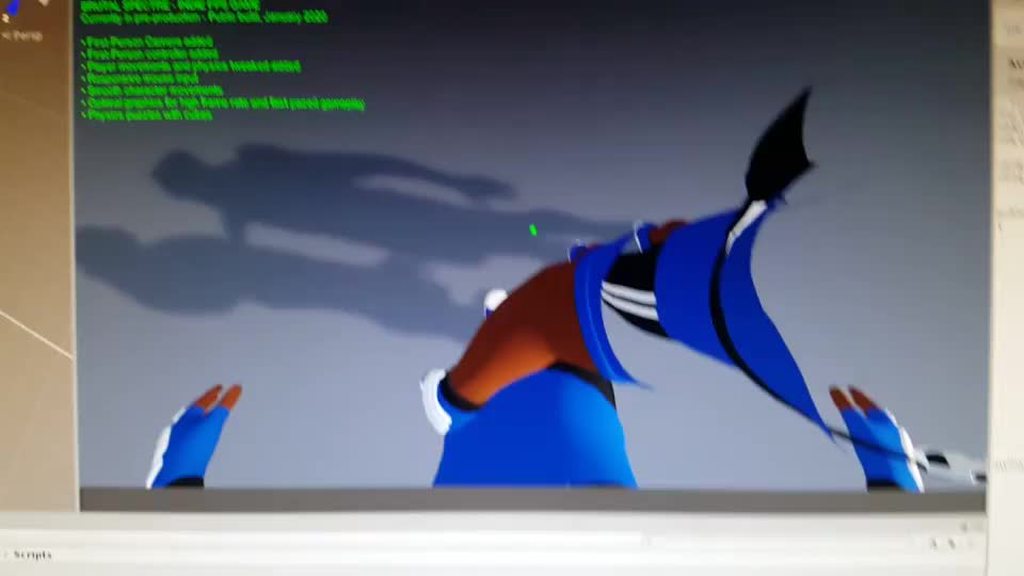
if you run the rigidbody in fixedupdate it jitters. you check interpolate and it is fine
but the character model doesnt have that option
 near lotus

 fallow gate
I imported this model
into unity but it looks like this once it's in
any idea why?
near lotus
Flipped normals. Recalculate your normals.
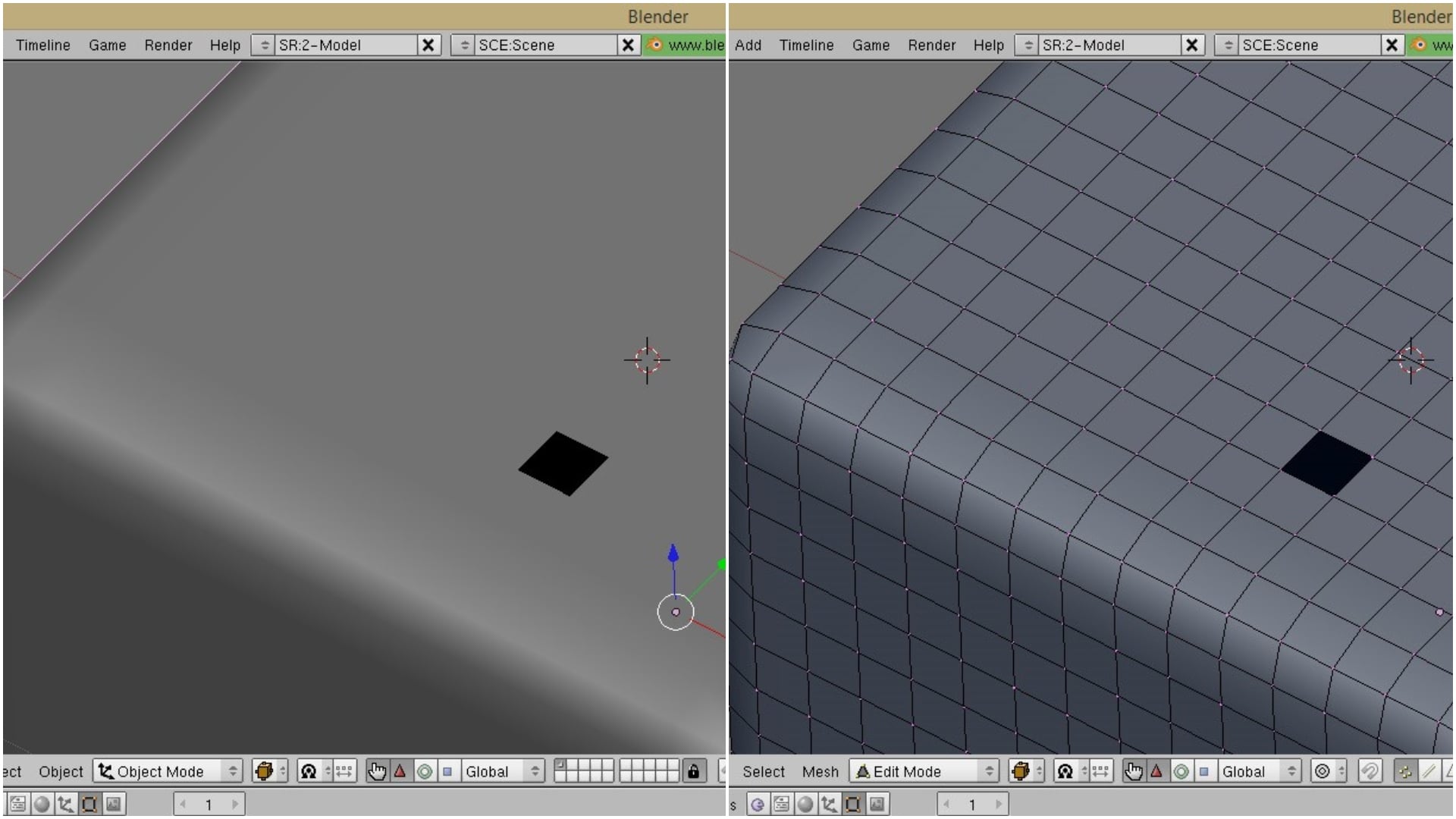
All3DP
Normals are a small but important part of your Blender model. They define what's "outside" and what's "inside" your model. So how do you recalculate normals that are facing the wrong way? Read on to learn more.
eager mist
vertex normals also sefine the smoothness of the mesh
there are techniques that allows you to use a bit more edge loops and use a mid poly instead of high poly to low poly and baking
for game assets
 violet nest
eager mist
violet nest
eager mist
I answered this not too long ago
In Blender, by default, I dont know why...
You can see polygons from both sides, even if normally... only 1 side would be visible
And you actually dont know and cannot see that actually... your polygons are on the wrong side and will appear as Invisible after you export
You need to check/uncheck the Backface Culling option
steep radish
Does anybody know how to make the mirror modifier affect only one cube and not other cubes
in blender
dw found it out ):
fallow gate
I tried both with and without backface culling, still the exact same result. I'm going to take a break now.
I appreciate the help though
steep radish
When I'm creating a model in character, is it ok today some parts of the character not connected together, eg. hair and legs? Will they stay in their relative positions when rigged?
model character in blender**
anyone?
 bright crest
if you have a skeleton system in place to keep them in place relative to their parent, then it should be fine
cerulean timber
@fallow gate could you show us your import setting for your sword?
 elder pecan
anyone know how to fix gravity in 3d so i dont fall through the floor
next kindle
does your floor have a collider and make sure its not flagges as 'is trigger' ?
eager mist
lol
Backface culling allows you to see flipped polygons. it wont magically fix anything
@fallow gate you still need to flip those polys
 pine path
Hello, I am a programmer and have no idea how to do 3d properly but I hacked together in blender a skeletal animation and I am trying now to change the mesh in unity to have different characters use the same skeletal anim.
The problem is that one mesh is taller so instead of reaccomodating the bones as I did in blender unity makes my character super lanky.
The animations work, but proportions are messed up.
What am I doing wrong?
(In the screenshot, Left is the dummy mesh that has my skeletal anims, middle is what happens when I apply the model on the Right to the skeletal anims)
(side question: How do I keep my skeletal animations in a different file from my models and have a skinning system?)
fallow gate
@eager mist I recalculated both inside and outside normals, but maybe I didn't try both backface culling options at the time, I'll have to double check later.
fluid oak
@pine path If you import an animated object with the fbx importer and use the format charactername@animationname.fbx Unity will import just the skeleton using the avatar of the base object(the one that is just charactername.fbx)
And will add that animation to the original character
And to retarget the animations to differently proportioned characters, they need to both be properly set up mecanim humanoids
eager mist
@fallow gate
what?
what I said is.. when you mode
polygons appear on 1 side OR the other.
for some weird reasons
blender 2.81 by default shows polygons on both sides.
it is wrong
if in unity some polygons are flipped
uncheck or check backface culling
select those poly and flip them so they appear on the right side
fallow gate
Oooh myyy gaaawd, I added the .blend to unity and it worked.
I thought Unity only needs the .fbx
Btw the polys already seem to be facing out as I showed earlier https://cdn.discordapp.com/attachments/497873833043296277/669365631090425863/unknown.png

I feel like unity doesn't need the .blend though.
near lotus
Check your scaling. It should be 1,1,1
fallow gate
I just stuck with the default
near lotus
Check Selected Objects
fallow gate
near lotus
Also change Apply Scalings to FBX All
Make sure you have your sword selected in the viewport
Then export
It should be totally fine
fallow gate
Yeah man, you're right
No .blend
Dude what a beast
@cerulean timber I should've done that a long time ago lol
What??? So even when i go back to the original export settings and drag drop into unity, it still works in unity. Oh well, i don't care anymore.
dire ermine
Finished my Anime Druid game character today 🤔
fluid oak
neat
dense blaze
how do I know that if I import a blend file in unity that it has the correct size?
 dense terrace
I was just wondering if anyone here that uses Maya for model knew any good tutorial videos or courses that are free to learn Maya im new to it and would like so help getting started
fallow gate
@dense blaze scale should be 1
You can do CTRL+A and type 1.
@dense terrace just search "Maya 3d tutorial"
Pick a beginner tutorial series.
I'd say Google for a Maya discord server as well.
near lotus


 native kindle
3D Modeling/Rigging question (I am a coder and not a rigger/modeler; I wanted to ask how conceptually to do something like this, so I can talk with our 3D modeler about the topic):
Say I have a rigged 3D humanoid character, set up in Unity using normal rigging setup. Now, say I want to add an attachable complex structure to the character's body; Such as a pair of animated angel wings, or a cape; How would our team go about doing this?
From my understanding, we need to rig our humanoid avatar, and also create an additional rig for the wings/cape animations, right? How would this work/be implemented from the start of the modeling process, to getting it animating properly in the unity editor (general overview-wise)? Would the wings/cape be attached to one of the avatar's bones, and it would apply its animations to its own rig?
Sorry if I'm not the most knowledgeable about this stuff, I just want to understand the general process our team should go through to do something as complex as giving certain characters aesthetic wings(They could have the option of having the wings present or not present)!
drowsy crescent
You can have "Slots" as empty transforms you place in the joint hierachy to hold any additional objects- for example you could add a "BackItem" empty transform to one of the spine joints and then spawn the wings inside of that transform- you work out the position/rotation so the new object works perfectly at vector3.zero/Quaternion.identity to keeps things simple- As for the wings- just have the animators model/rig them as a separate object/hierarchy with its own animator/animations- spawn them inside the correct slot- add a script/class to them that controls the animations etc- when its spawned grab that script using getComponent from the spawned wings etc to control- them- just how I do things- hope its useful
native kindle
@drowsy crescent That was very helpful, thank you!! 😄
drowsy crescent
Glad to help ^_^
fluid oak
Unity is the ultimate game development platform. Use Unity to build high-quality 3D and 2D games, deploy them across mobile, desktop, VR/AR, consoles or the Web, and connect with loyal and enthusiastic players and customers.
native kindle
@fluid oak Thanks!!
dense blaze
thanks @fallow gate
 cursive sail
Anyone here recommend any series/courses for someone who has never modeled/touched a modeling software (for blender)
Im trying to find a series but so lost on the first episode
junior stone
I mean @cursive sail its called practice xD
do you want to learn a modeling software, or pointers on how to model? characters? props? level design?
cursive sail
I want to learn how to make characters but also would like to do the other stuff so I guess specialize in characters but be a generalist in everything esle
@junior stone
next kindle
i would start and looking at basic getting started guides for the actual application you want to use (blender in this case)
im sure there are some on the blender website
once you know like basic stuff, you can try to follow like a specific 'character tutorial' or something
junior stone
For starters, characters are really hard... you need an understanding of general modeling as well as anatomical knowledge
cursive sail
Thats fine
next kindle
just start with like cubes and boxes, rectangles and stuff
junior stone
starting with characters is a bad idea, try getting some hard surface knowledge first and move on from there
cursive sail
What would you suggest I start with?
junior stone
hard to say, something that interests you for sure. look around for something interesting IRL you can use for reference
next kindle
maybe like objects you use in your levels?
next kindle
could be a decent start, you can start out with like a super basic sword thats just a bunch of rectangles, then try to refine it further every time
cursive sail
Not really, im starting at a really bad place since I have never really drawn. Im a programmer from the start but taken interest in drawing/modeling
next kindle
most important is just doing a lot, dont try to make your first model really high quality, just start out with a bunch of smaller low quality models and then try to learn as you go
cursive sail
Im probably really far behind since I can’t draw either
junior stone
I could give you smt to do tbh
cursive sail
Awesome
junior stone
was my first 3d assignment in school
cursive sail
Thanks 🙂