#🔀┃art-asset-workflow
1 messages · Page 38 of 1
 limber field
 pseudo jungle
...I see
I know this is wrong, can you explain me why please?
the "Base" material is the plain white texture I mentioned
@limber field sorry for the bother.
limber field
so this Variant script is on the thing you want to change the material proeprties on?
pseudo jungle
correct.
the Variant script's final purpose in particular is to make the end texture lighter or darker
limber field
so I imagine in that public Material variable you are putting the actual material in the project
pseudo jungle
the entire game use plain colors, and staring at endless tiles with the same exact color is annoying
yes.
limber field
so what you need to do is assign the material variable to the material that is on that particular object
just make that variable private, then in Start() get the material
limber field
should be like GetComponent<Renderer>().material
limber field
then when you do the color push with SetColor on that material, it only should change that one instance
 pseudo jungle
a few moments. I need to add some RNG for the variance and I'll return with my results
limber field
you just then need to find the parameter in the shader you want to change
limber field
cool
pseudo jungle
thank you
pseudo jungle
After a brief reminder that script colors are 0 to 1 and not 0 to 255 I have made the Variant script to work
Now looking at this map is not painful
limber field
so there is Color and Color32, Color is 0 to 1 float, Color32 is a 0 to 255 byte
 glacial elm
255 would ne the one that runs on rgb and makes most sene
sense*
cause i think it even includes alpha
pseudo jungle
in which I tried to use 255s and got eye gouging white for all of my tiles
limber field
they are both rgb, both should have alpha
glacial elm
0 is black 255 is white. all you gota do is make a random num generator
and plunge that in as a value
limber field
for Color32 that is
glacial elm
yea
and for color shouldnt be much different. a float instead of a int and a range from 0 to 1.
limber field
just more fidelity in Color, but Color32 is cheaper


 gritty reef
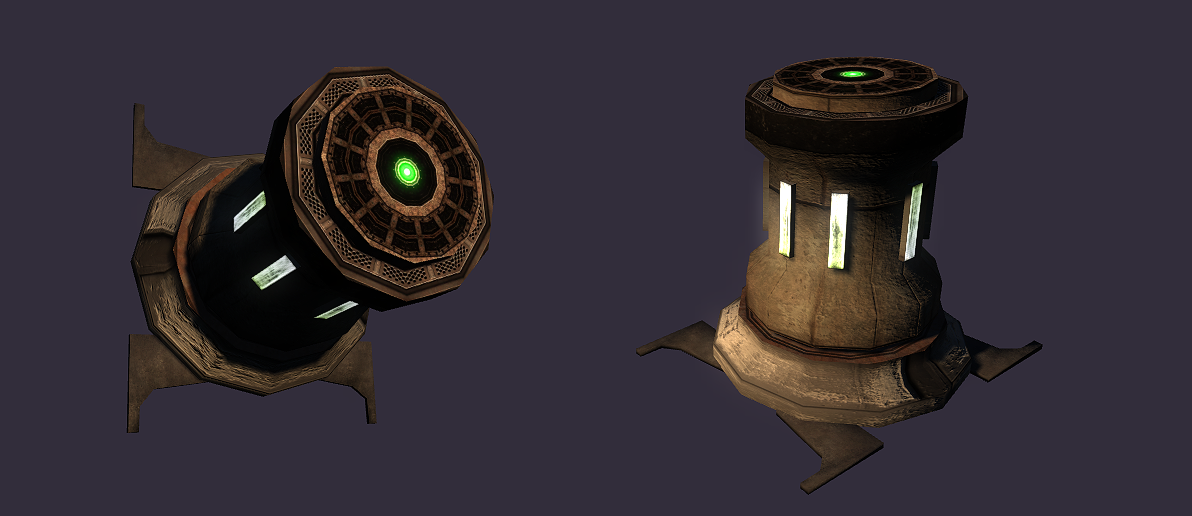
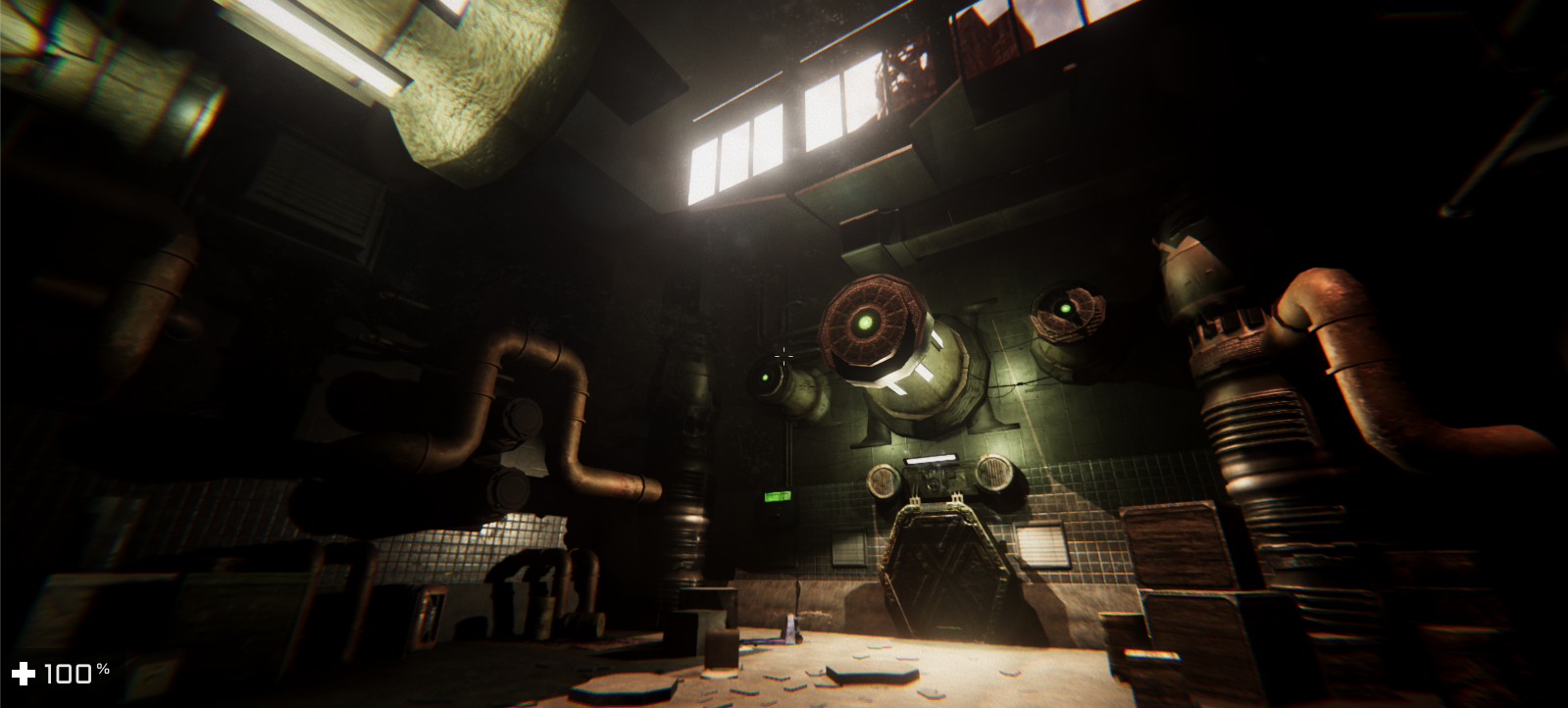
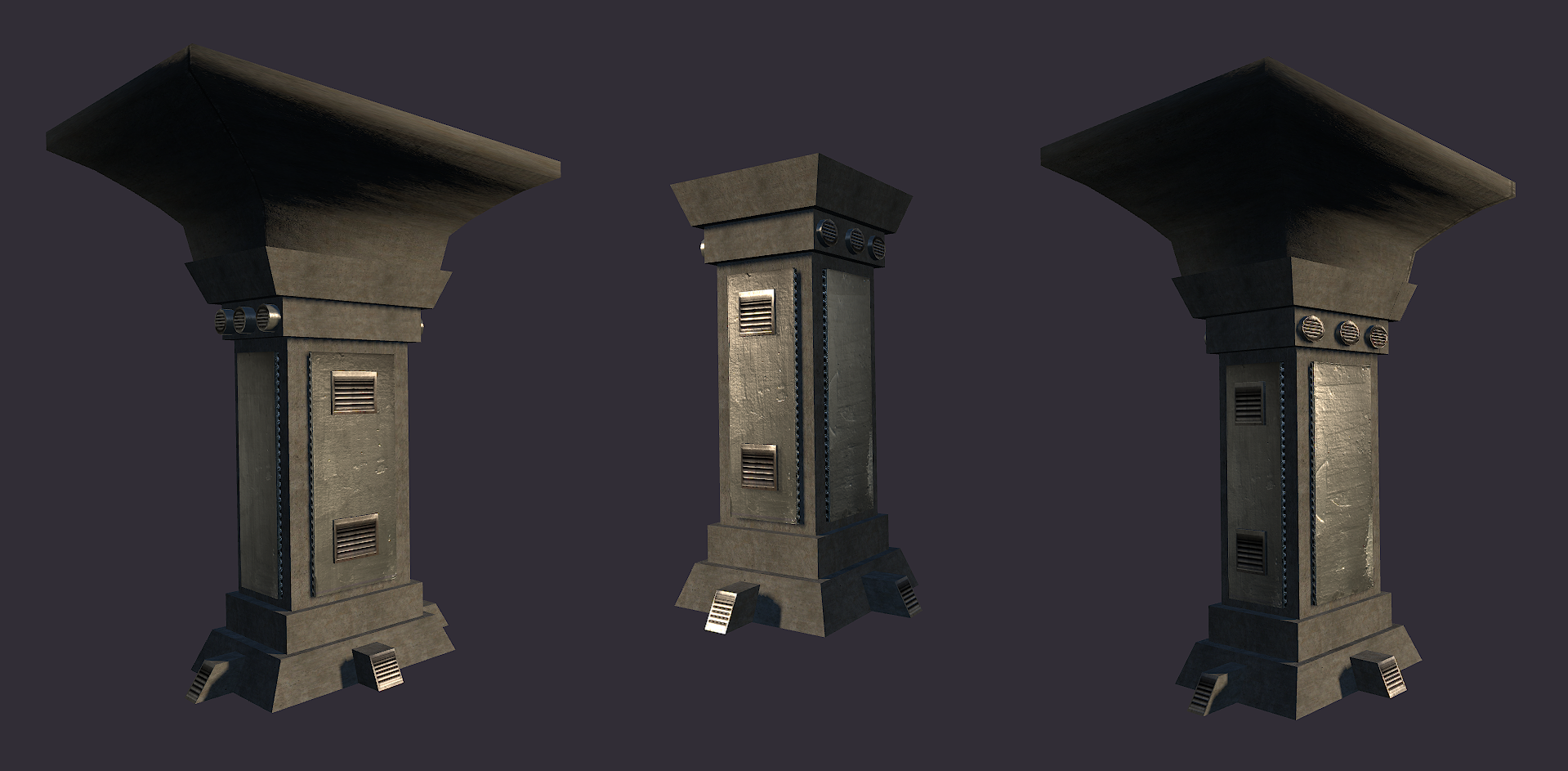
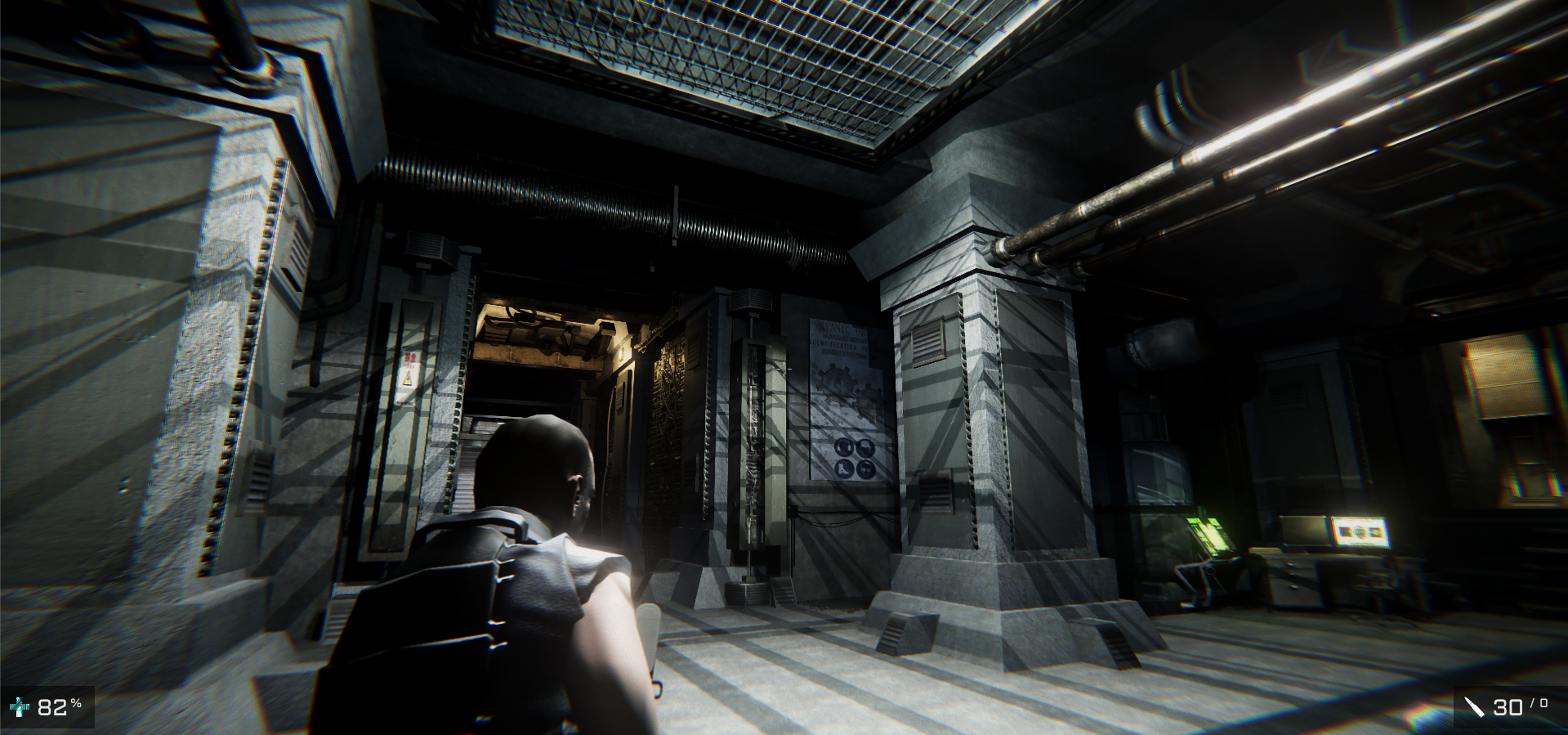
That's some awesome stuff!
 ruby scarab
Thanks Raccoon! Unity's rendering helps hiding how simple some of it is 🙂
gritty reef
Yeah, the reactor looks fantastic ingame
 celest steppe
umm the upper one is from skechtfab ( no post processing) the second one in unity rendered ..
idk why but the rendered model from the website is far more realistic than unity any clue ? ( This has nothing to fo with pbr because the website doesn't has one ) thought could be the import settings or perhaps might be due to light settings..?
I signed the texture to albedo channel twice ( albedo detail )
how to archive the sams visual fidelity shown on the website ..?
glacial elm
xD
@celest steppe
yea. its unity lighting engine and baking. with unity, nothing is out of the box really. for realisim you have to spend days if not weeks and months to achieve proper realisim.
first id suggest a proper hdri. proper post procesing
and then making the object static. and then baking
that should give you some GI
making it look better. after that its mostly lighting and other tweaks to make it better. when hdrp is done the results should be a bit better since the lighting engine was rebuilt from scratch for HDRP
but yea. do what i said and it should work out
celest steppe
@glacial elm thanks for your advice
unfortunately nothing has change even with hdrp workflow
The graphics atmosphere feels like 2010's games
glacial elm
@celest steppe can i have the asset. Il try somestuff
Oh yea man. Thats mostly unity for you. But its possible to achieve better with photoscaning,etc....
celest steppe
I think unity team should do some shader specially for photogrammetry scaned assets
I will share the link as soon as I find it
glacial elm
Well there is a free one on the market. Its by quixel but it sucks
celest steppe
yes but why tho ? , Wasn't photogrammetry ment to be the most accurate textures
glacial elm
Not really. Photogrammetry is more for realistic foliage,etc.... it depends on whos doing it and how much experience you have with photoscaning to get the best results
celest steppe
maybe due to the software they using but still anyg game I can till its game engine rendering from gameplay footage
glacial elm
well. as i said. with unity you just need to spend a lot of time to achieve stuff that are out of the box in ue4 for example
celest steppe
yes I have had done , even though I'm noob I got good acceptesble results fir the first try
glacial elm
this is as good as ive managed to make it look in my studios game before adding any proper foliage,assets, or even lighting on normal RP not even HDRP
so acceptable results are definatly possible
celest steppe
Can't I visite the downloaded models from skechtfab
glacial elm
not really. if you got that asset from sketchfab then there is your problem
its not game ready. specially the textures are probably not ready for unity
btw. heres another example. these are my results for the studio game in hdrp before adding any proper foliage or assets
so as i said. depends on how much work you put in to it
celest steppe

 😥😩 I thought photogrammetry going to be the big bang for my workflow easy & good results not have to model things by myself
glacial elm
no where near true unless you bought quixel assets
and dude. dont be one of those guys who just want to make a game with out learning anything. just install a shit ton of assets and call it a game and think they did something great
celest steppe
agisoft is the one I used , technically its the best one for generating accurate model & textures ( the best one as said by professionals) & me
glacial elm
no
just no xD
substance designer is for procedural generation of textures
thats the best
celest steppe
I know
glacial elm
now for just quick b2m then you could try alchemist
celest steppe
we talking about photogrammetry here not textures or pbr maps
glacial elm
ok. if we're talking about photogrametry then i would advise meshroom
its quick and easy, out of the box, and gives you great results
all you gotta do is retopo
celest steppe
and I know game development isn't easy even if you got tools you have to learn workflows and many things , even if these tools are good enough you have to have artistic skills & work hard for implementation & optimization
celest steppe
I never tried that but I know tge most accurate & reliable high quality texture ( in photogrammetry manner, agisoft is the best so far)
😥Unity should do something
glacial elm
well..... the thing is you're not wrong. but still i feel like its more for architecture
and what should unity do. thats not a problem. the real problems they got are HDRP being in preview, not having wind, tesselation in general,etc....
celest steppe
yes but benefits both gaming industry and other artists like movies
they develop something similar throughout book of the dead demo
glacial elm
yea the book of the dead basically just used quixel
celest steppe
Still Unity should have Plugin & play photogrammetry ready workflow
maybe shaders ? I don't know much tbh but I hope this come easier & more fixable
glacial elm
to each his own. i was actually going out today to do some photoscaning for the game im working on with the studio. And i feel like before doing something like that, then they should fix there main issues with the engine. more out of the box for the main aspects needed. photogrametry out of the box can come later when they achieve the main aspects. cause every one will be making terrains,etc.... not every one will do photogrametry

ArtStation
I used photogrammetry to great this rock. I removed the lighting information from the textures using the Unity Delighing tool. I put two gifs in here to should the difference of before and after the lighting was removed!
Photos Taken: 107
Camera: Canon EOS 60D
Photo Size: 51...
this isnt too bad and its in unity
glacial elm
i think so yea
celest steppe
lol yes I can see that
glacial elm

Almost more of a Twitch stream than a proper tutorial, here's a full run down of me creating my second ever photogrammetry model. Bit long winded but I'm really pleased with the result.
Covers everything from the initial scan in Meshroom to basic clean up in Meshlab, texture...
yea this guy for example got some good results
celest steppe
yo I did this before
glacial elm

Download the Unity beta: https://ole.unity.com/photogrammetrybeta
In this video we will explore the process of utilizing assets created using a photogrammetry workflow in Unity. This includes using Unity's De-lighting tool to remove naturally occurring lighting to allow you ...
celest steppe
I read thier documents book about their workflow
not sure if this was before hdrp but they has used de lighting tool
I read once about something like lit material but it still in preview
I think I should give agisoft another try since I haven't used it in hdrp , pbr nor delighting
meh , anyway I hope they got something quickly & not frustrated to close the gap between other engines
glacial elm
true
 fluid oak
Damn, @glacial elm everything you show is so inspiring 😄
glacial elm
@fluid oak my work?
fluid oak
Yes.
glacial elm
im not sure if your ironic cause im very not proud of those. but thanks man
and merry christmas every one btw
fluid oak
Merry christmas, and not irony at all- I have pretty much worked entirely in 2d and your work is really cool.
I've done a few experiments with 2d,but very rudimentary stuff
glacial elm
apreciate it. thanks
 viscid sedge
I just finished my boneworks inspired skybox shader! still could use some polish tho
glacial elm
nice. good job man
viscid sedge
thanks :)
 hoary zephyr
Hey 3D designers - Merry Christmas btw. I'm currently working on a project and I'm designing my map right now, and I'm experiencing light leaks even tho I have snapped the vertices together properly (Using Blender and I've tried the probuilder aswell) Does anybody recognize this problem and did ye' fix it. Happy mapping 🙂
 eager mist
 hoary zephyr
Is this the only way, and thx for the suggestion 😄 @eager mist
eager mist
@hoary zephyr
I'm not an expert in lighting at all, but this is a bit common in multiple apps.
https://forum.unity.com/threads/indirect-light-leaking-through-walls.439169/
I think the only way to fix it is to increase the resolution to 4-6 or so, and fiddle with custom "Default Parameters".
Thanks for the tip about the Light Parameters. I found that adjusting 'Modelling Tolerance' to about .3 prevents the indirect light from leaking through the walls.
Unity Forum
I'm using 'Precomputed Realtime GI' only. I'm getting indirect light leaking through walls. I've done everything I can to prevent light leaks, and...
The answer was setting the Directional light Bias all to 0 OR selecting "Two sided" in a prefab's cast shadow setti0ngs.
I set Normal Bias on the light to zero (it was at 0.4 by default) and the cracks disappeared.
Different hints on what might cause the issue.
hoary zephyr
I Think that my problem is not about how the light setting is, but How my things snaps together. I think it is 2 different issues, where mine is that my builds is not perfectly alligned, even tho the transform section has the same values entered - for example. I Think it is caused by how the vertices interract with each other. May best guess would be how Unity handles when to object has blend, when they are right next to each other. But i really do appreaciate your help, pal.
eager mist
👍
 split gale
can blender have different lighting using cubemaps from unity
like does it support cubemaps
or no
 teal owl
A little shot from our customizer, merry christmas everyone 😄
 sharp shoal
is there any way to make unity not scroll so far in

do i just need to get one of those smooth scrolling mice?
viscid sedge
i highly improved my screen shader thing
 quiet tiger
@sharp shoal You could scale the object temporarily to look at what you need to look at and then scale it down again 🙂
quiet tiger
Not that I can find or know of 🤷♀️
 obtuse oyster
@sharp shoal hold alt and right-mouse drag
fluid oak
@sharp shoal use alt+right mouse to zoom?
ah, nevermind, vertx was on that
I was scrolled up >.>
 grand plinth
starting car for my racing game
glacial elm
very intresting
good job
@grand plinth
but tip. for the headlights. dont use a point light. doesnt look good. try some sort of high level emmision. or maybe a area light
glacial elm
sure but id really encourage you to fix it now since the scene has a very intresting style of art. havent seen a art style like this in a while. so definatly would want to fix that only problem
damn
now thats lighting. awesome man
 latent dome
@glacial elm what is yout pack that you use to make terrain ?
glacial elm
Pack? @latent dome i make my own assets man
Heres the latest thing i tried out in our game just to have something to look at while i program the directional combat system
latent dome
Beautiful realy @glacial elm
glacial elm
thanks man.
 onyx bobcat
glacial elm
onyx bobcat
glacial elm
@onyx bobcat it lacks a shit ton of stuff. this is just my cript testing map xD
 vivid granite
XD
 nimble igloo
@grand plinth i had same Hotwheels car when im 6 years old 😄
grand plinth
cool, but I based it more on the movie
 true knot
I'm returning to blender after several years of having used it, and this is my first time actually using it for gamedev, if I'm making a mesh of something, I've got the rough shape out, if I just keep a copy of this shape as it is can I use it as a collision mesh in Unity before I go adding detail? anything special I have to do?
limber field
you can just make a convex mesh in unity too based on the main model no matter it's resolution, but if you want to be really optimized, you try to use primitive colliders when you can, and if needed more you can model your own convex simple shapes in blender and import them as a mesh
 sacred root
Far from finished, but opinions?
limber field
looks solid, might help with some different color on it compared to the background though for us to see it better
fluid oak
Hard to give an opinion without knowing what it should look like, though the low windows are a bit odd looking.
Not bad at all, but could use more scale cues, I guess?
limber field
looks like a 2 story building and that is not a door but a stairway to an inset door, so it looks like there are short windows, @sacred root I would always have a dummy body in there to represent scale
sacred root
@fluid oak I'm trying to create a coffee shop. The low windows on the side are suppose to be windows that reach the floor, but I might make them a bit taller and/or make them fill the side more.
@limber field Its suppose to be a single story building that set up higher than the street.
I did use a dummy cube that represents the height of someone I suppose around 5'6
fluid oak
nodnods
viscid sedge
so i upgraded to unity 2019.3 and, help...
(HDRP 7.1.6)
its a small project so i dont mind rewriting it but i would like if i dont have too
upgrading hdrp did not work
i will just rewtite
viscid sedge
nvm the new unity version switched lumancy with lux
eager mist
So.. about Substance Designer and Substance Painter.
Those software will help you a lot. @tawny bison
 tawny bison
What are they?
eager mist
Substance Designer allows you to use a Nodal Workflow to create procedural textures
Then you can save those procedural textures as ''Substance''.
That means you can change 1 node, it changes everything else from A to Z (output)
tawny bison
yeah... i hate nodes. Those images didnt use nodes
eager mist
What Im saying is you can setup materials with parameters
tawny bison
i know
eager mist
Anyway, Im not going to sell you SD. Im just saying it's the new Standard
And you should know Nodal workflows
It's a must
tawny bison
blender is better than autodesk in most cases, but big companies still use autodesk even if its expensive, the workers dont have to learn new software
eager mist
That said... Substance Painter is a 3D painting software. It allows you to use already existing substances and apply them directly in 3D with Photoshop- like layers
tawny bison
as i mentioned in #💻┃code-beginner , im bad at texturing. XD my models use some random metallic looking texture on my pc which i changed color of.
eager mist
Well you are bad at texturing because you..
- Arent using the right tools for the job
- Desperately think Blender will get the job done
- You indeed need to practice more 😛
It's oky, we all been there
😛
Substance Designer and Substance Painter are NOW standard for BOTH games and films.
📝 write that down
For reasons
tawny bison
nope... by bad i mean i cant beat a regular 5 year old at drawing cars on Gimp
eager mist
Compared to any other paid 3D software, they are some of the cheapest ones
You could texture all your stuff in blender, modo, 3ds max, maya, Material Editor in Game Engine ,etc
But SD and SP are specialized tools for games
Designed to help you save time
a lot of time
tawny bison
im not doing this as money-making thing or whatever. Someone asks me if i can help him, i do it and move on. So buying a license for aditional tools which wont pay back for themselves is kinda meh.
eager mist
My next question is... why do you want to get better at texturing?
Are you making games solo?
tawny bison
the project im making now will most likely have 4 total users, me included.
im not rly trying to get better at texturing. XD
eager mist
I know how to model, UV, bake, texturing, do high poly to low poly
And for my game Im not doing any of that
tawny bison
in the code chat i mentioned that im bad at texturing, thats all
eager mist
You dont need textures to have good looking game
tawny bison
yup.
eager mist
So my question to you is do you need to learn and spend time texturing?
is that really worth your time?
tawny bison
umm... im not spending time texturing...
eager mist
I have ZERO textures here
tawny bison
the time i spend on textures to use in blender is literaly to open google, search metallic texture and download the first which comes up
yes, but so smooth and freshish look for a battle tank wouldnt fit... Tank needs some damage.
eager mist
Well you can definitely mix things up
and add textures where it is required
or add decals
Would be weird to look at a tree that is just flat brown
tawny bison
xd
im so good at texturing i dont even know what decals are...
i just change roughness of the texture so it doesnt look like applle tank which cant be used in battle...
eager mist
Decals are just a mesh or a plane that you slap on top of your object
with Alpha (transparancy)
When you shoot a wall
That's a decal showing up
tawny bison
ohh.
where do i get that easy decal? i need that... XD
i tried to make bullet impacts by googling Bullet impacts, didnt find much use
eager mist
There are several modeling techniques as well
http://skilljutsu.com/views/gamedev-art-3d-modeling-techniques.html
One of them requires you to use Floating Geometry to enhance the normal map
so when you bake... you benefit from that extra geometry
In MODO you have a Tack Tool for this. Just select the object you want to stick to the geo, click on one of its poly... click click boom then click on your mesh.
eager mist
It's just a tool that has its usage
If it doesnt fit for your tank, use else
You said you suck at texturing
When you work in Substance Designer or Painter
You can use your normal map, curvature, etc
To quickly create masks
Such masks will then help you to quickly texture your object
procedurally
Texturing is.. just adding layers
of details
Start from the biggest to the finest
tawny bison
yeahm but i really dont have a need to texture. atm what i have to do is just scripting.
tawny bison
xd not rly XD
eager mist
I'll be doing everything 😛 ...
tawny bison
well, i use assets from a game, so i dont really need to.
eager mist
I wont be doing that
😛
Doing my first game solo to break the ice
with Unity and as an indie dev
tawny bison
im solo too, but its a tool basically
a bit more than a tool, its almost a remake of that game
with tiny bit better lighting
eager mist
The end goal is to..?
tawny bison
is to edit some maps and play in them
atm it has functional tank and map builder, gui is also working, i just need to put it all together.
and make it online
basically, u can make a room with a friend or something, make/load map, play on it, save if u want to keep the map, kill some bots on it etc.
 high silo
hey, how do I add a image onto a object?
limber field
@high silo in general as a concept, or are you talking specifically how to apply a texture and material to a mesh in unity?
high silo
Thanks
eager mist

ArtStation
This was model was modeled off of a concept piece Sheng Lam made. My brother was in town and he has a lot of knowledge on the AAA standards so I asked him to guide be through this piece, I really like how it came out. This was my first time using Marmoset Toolbag 3 to bake an...
limber field
looks good, I'd play more with your roughness/smoothness values, what do your maps look like?
glacial elm
nah looks fine. just lighting thats needed
eager mist
How do textures work on a let's say cube? Is it applied on it as a whole or can you just apply to sides for example? I've never had contact with textures before
eager mist
Check out the classic workflow then
http://skilljutsu.com/views/gamedev-art-intro-to-3D-modeling-for-games.html
The classic way of doing things is to create a High Poly Model. Such high poly model might have millions of polygons.
Can be modeled in Sub-D Modeling or 3D sculpting
And then you create a Low Poly model. You will have to create UV map.
And then bake down the details of the High Poly to the Low Poly with a Normal Map
It's something like a topdown projection of the details, it creates an illusion of depth
High poly
Low poly
UVs
Smoothing groups or vertex normals of the low poly model
Baking the normal map, projecting the details of high poly -> low poly
And then you texture...
@eager mist
Does that answer your question?
hm, seems complicated
glad im just going with cubes
You still have to UV that cube
eager mist
@eager mist if u want to texture a cube its may seem complex but its nothing of the sort
https://i.imgur.com/kW6m0j1.png select all the points that need to be unwrapped, and or just smart UV unwrap ur props, its easier for beginners
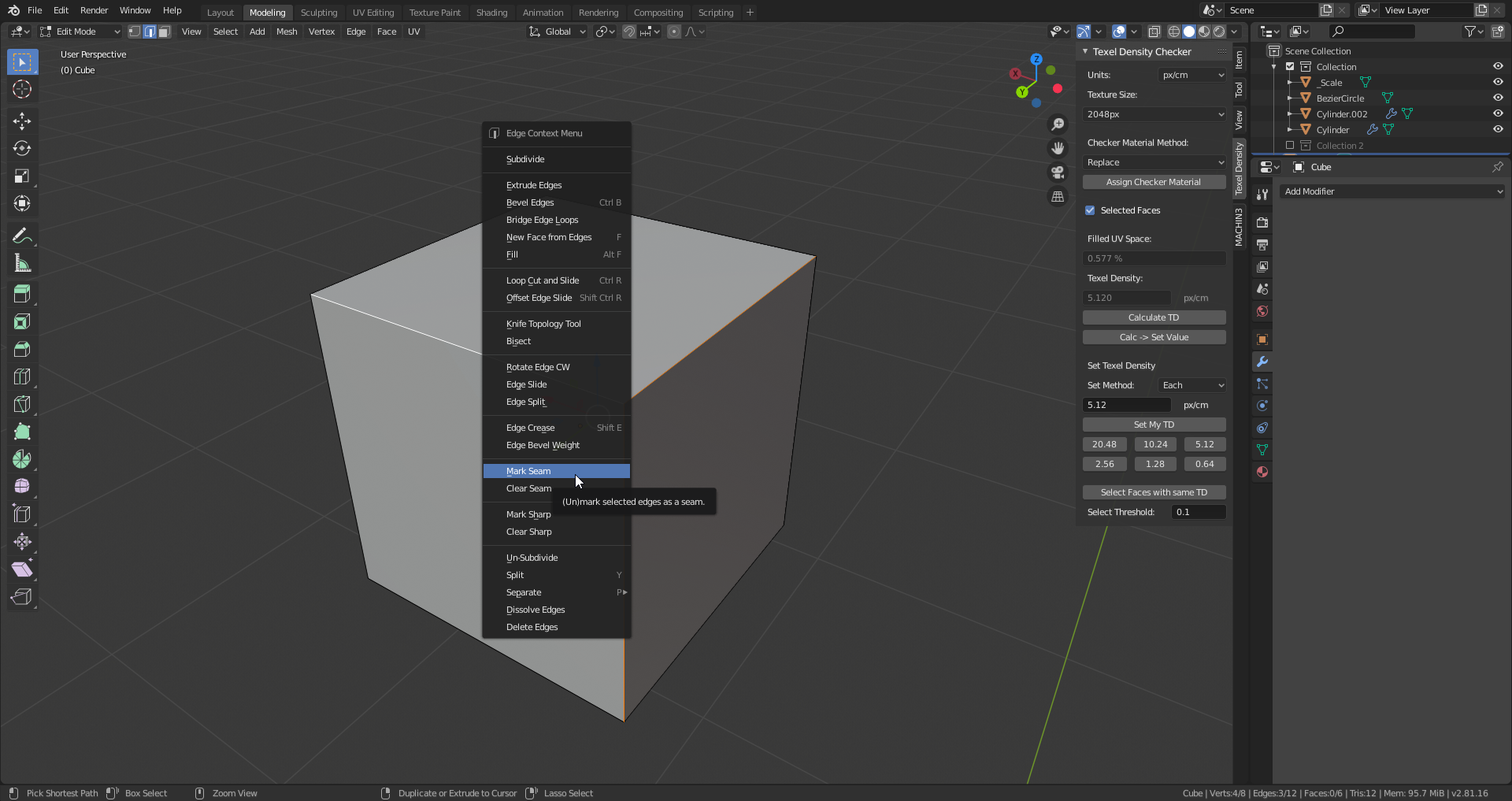
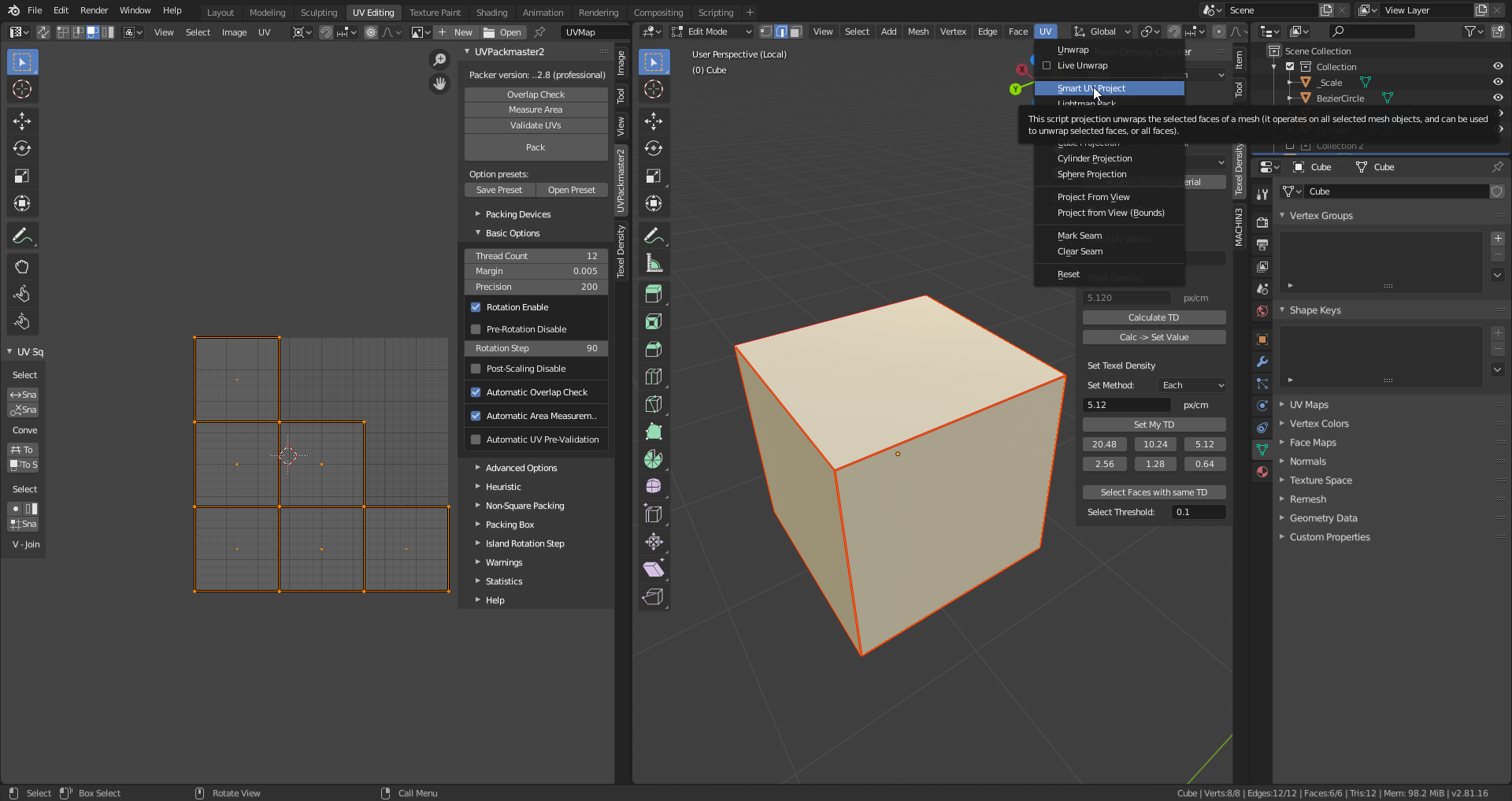
this will make it so ur ready to texture 🙂
https://i.imgur.com/pA3fPDD.jpg with good quality textures
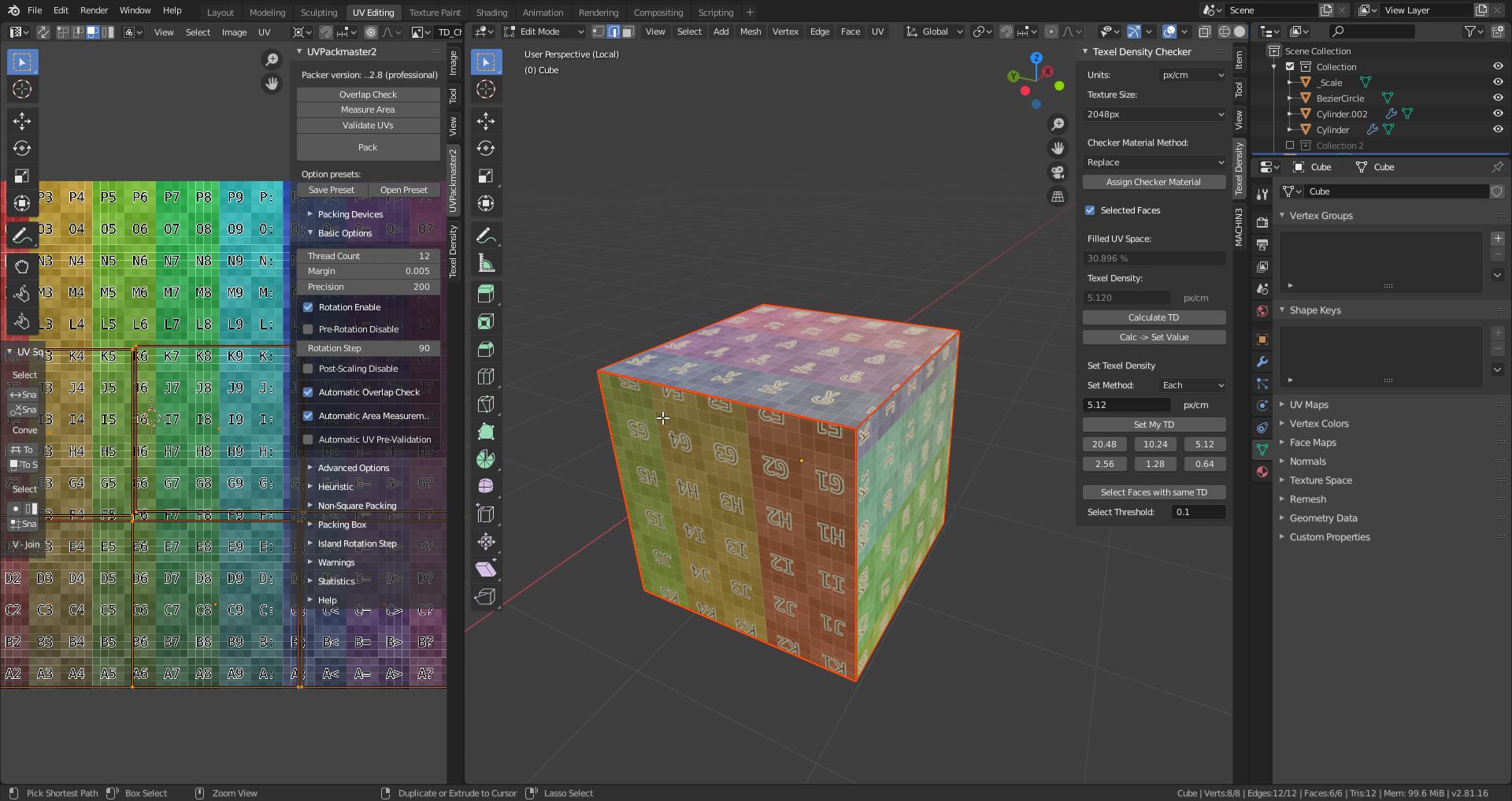 eager mist
Hey, I'm using Blender 2019.2 and trying to use FBX Exporter to export prefabs as an FBX for Blender, but in Blender, the shape keys aren't showing up. What should I do?
 sacred merlin
Hey all wondering if anyone cant help me out... when i try to subtract the cylinder from the sphere shape using the ProBuilders Experimental Boolean tool I get an error. The Error has been included in the screenshot. Any help would be much appreciated. Totally new to unity. Please let me know if this is normal or if there is a fix that I can try applying. Thank you in advance.
 deep siren
Hello everyone. Im not sure if this is the appropriate place to post this, but I am looking for someone who might be interested in some 3D level design contract work. I have most/all of the 3D assets already acquired, and am looking for someone who is talented at arranging them in aesthetically pleasing and functional scenes. The project is in Unity and the assets are primarily low-poly. This would be paid work, probably not revenue share. Send me a dm if you are interested. Thanks!
 nocturne field
looking for an experienced artist/leveldesigner to partner with. If you're looking for a project write me a dm
glacial elm
@nocturne field as a quick visual colab project for art station or something. or as in a game?
nocturne field
a game
@glacial elm
I have a project I'd like to complete, but from the artistic aspect I don't have the skills
anyone who thinks he/she can do the job let me know : )
glacial elm
the thing is i do. but i dont like to add side projects that are games
only visual environment renders
nocturne field
@glacial elm can you add me as friend to discuss it?
glacial elm
im litulary saying i dont have time to work for full new environment art for a game
nocturne field
alright got it
glacial elm

ArtStation
Breakdown: https://80.lv/articles/complex-interior-environment-design/
Allegorithmic Interview: https://www.allegorithmic.com/blog/substance-art-sungwoo-lee
This is a project(For Action Game) that I started last year and stopped for some reason.I just reopened today and too...
so if you where a 3d artist
i would recreate something like this with you xD. but wont work for game models,etc...
nocturne field
: )
Also I don't have a deadline. The project could be done with little time effort over a long time period
eager mist
Big time saver if you have a tool like this in your 3D app
https://youtu.be/bwMmHJpOOhE

This video takes a quick look at the Fill Quads command in MODO, which attempts to fill any open holes within a mesh with only quad polygons.
glacial elm
called bridge edge loops in blender
eager mist
It's not a bridge. It's a patch
Close hole
as long as the topology around it works
It will fill the hole with Quads
There is a Grid Fill in Blender
Left Ctrl + F -> Grid Fill
glacial elm
@eager mist just f. but yea i know what your on about
nocturne field
anyone here with decent artist skills interested in a partnership (doing level design and some art) ?
glacial elm
😂 "and down to earth people" goes ahead and links his email "CEO@...."
no offense just kinda funny
eager mist
That video is legit the F tool but u just have to connect verts from each side with J
 gentle folio
I am using the cycles renderer in blender 2.81 and in a transmissive sphere I am getting these weird shadow artifacts. How would I go about solving this?https://cdn.discordapp.com/attachments/438388342976151570/661651647637749780/unknown.png https://cdn.discordapp.com/attachments/438388342976151570/661652064266616863/unknown.png


 lethal obsidian
hey guys... how do I export a prefab file to fbx and keep all the textures properly mapped to the model (or obj format?)
I used fbx exporter but what happens is it gets exported without the uv map I think
 tidal temple
What would a Real Life Brain of Cthulu look like? B.O.C 3D Model!
Any Subs are appreciated :)
https://www.youtube.com/watch?v=MdsSFN_u9lE

What do you see when you imagine a 3D Brain of Cthulu? Does it look like this?
Skip to 7:31 if you don't want to watch me make it
🡆 New? Subscribe: https://www.youtube.com/channel/UCv07...
🔔 Enable Notifications So You Don't Miss a Video!
🎵 MUSIC 🎵
Guardian of...
 iron holly
Is an empty scene endless? i made an object increase its x position and made the camera follow it and it seems to go on forever, does this actually go forever or is there a limit?
nocturne field
Looking for someone(experience artist/level designer) who wants to partner concerning a project
limber field
@iron holly there are limits, floating point precision gets wonky and you'll start to see some bad tings like vert warping and flickering, it'll usually say under the transform whether a gameobject is far enough away for that to happen
 rich torrent
Hi! Does anyone here know how to use a height map in shadergraph? Ive googled it but found nothing. Thanks in advance
 stuck charm
guys any one here know how to make ghraphics like tabs or any easy stuff like this and what software should i use for this
rich torrent
@limber field tesselation. I know how to do it on standard materials, but I can't find where to connect my map within shadergraph
fluid oak
@stuck charm Can you be... more specific?
limber field
@rich torrent not sure if it exists yet as a node in shader graph, probably need to go the custom node route
rich torrent
Alright thanks!
limber field
@rich torrent but if you just want to push the verts around using a height map, you can do that
but you'd need the verts enough to support it
limber field

GitHub
Scriptable Render Pipeline. Contribute to Unity-Technologies/ScriptableRenderPipeline development by creating an account on GitHub.
experimental stuff
rich torrent
Thank you!
 proud spindle
Hello guys, today I downloaded unity and want to start learn do 3d environment, from what should I start?
I dont want to do mistakes or somethin later and thinking with what should I start :I
limber field
well if you just want to learn the design and art aspect of making a 3D environment, it's a bit different, you don't directly need coding experience or anything for that, just experience with the editor, how to import stuff, set up materials, textures, lighting, prefabs, etc
proud spindle
Yea, Im not here for coding etp. I want to learn C# but not now, Im fully 3d graphic designer and want to try create some enviro, But not sure what to do in 3d software and what to do in unity, I saw unity have some options etp. I turned it on but I just dont get whats goin on tbh. Do you know any tutorials that might help? Im gonna check this roll a ball
limber field
@proud spindle do you know or have any 3D software?
glacial elm
@proud spindle im a 3d environment artist. whats up
 vagrant socket
quick question, what do you guys consider a decent poly count for a tree?
limber field
depends on the platform
vagrant socket
well say PC
glacial elm
@vagrant socket 6000
vagrant socket
oh yikes I went way over lmao
glacial elm
for first LOD if its realistic
vagrant socket
gotcha
limber field
5k to 15k and up to 20k, but it's very relative to the type of tree and it's use in the world
glacial elm
cause if you are. ima go ahead and asume you created twigs out of 3d branches,etc... instead of using a plane image
rocinante. you can get a perfectly realistic tree with a average of 6000
anything higher than 10 on a insanely complex tree is bs
vagrant socket
no I'm using the sapling tree gen in Blender
vagrant socket
just as a test run of the plugin as I've never used it before
limber field
saying it's bs is bs
limber field
@vagrant socket depends too on the style, depends on how dense your foliage is, depends on how much you cull based on distance, depends on how agressive you are with LODs, imposters, etc
I am a tech artist, I know optimation
vagrant socket
gotcha, I'm going for a low poly pixel texture look https://cdn.discordapp.com/attachments/561000843600723999/662469184797802506/e11ab79868b8756ec548c46d56ca99ca.png I know that screenshot is a bit far but hopefully you can tell
 limber field
depends on the type of tree too, bushy trees are harder to do than things like douglas firs, etc
glacial elm
ok. then you can agree that if you're going for realisim. you can definatly achieve a perfect tree with about 6k. if you use planes as twigs,etc.... and you make use of the noise textures. that is if you're using speed tree which i advise
limber field
planes for branches and even some of the smaller ends is not that acceptable in AA or AAA anymore
so it's really relative
limber field
if you are talking everything but the trunk being cards, that falls apart close up very fast
vagrant socket
in my screenshot the tree is around 20K faces, but leaves make up 6K faces and the branches are all 3D modeled
glacial elm
no no
vagrant socket
as I said though, just a test run to see what kind of trees I can get quickly, but due to my game not being realistic I'll probably just do twigs and leaves as planes
reduce amount of planes for the leaves
limber field
@vagrant socket yeah, that tree is pretty sparse too, if you want this type of tree especially if you want to look up into and through it, drop good shadows, it'd be higher
glacial elm
thats definatly nothing id do. but use a trunk add branches,etc.... and then use planes for twigs and smaller branches. and then images for leaves on those planes
limber field
it's a constant fight basically to how high these should go, if you want a sparse forest with trees with dense dense foliage, you are kind of doomed as you won't get too much culling from it, lots of overdraw, etc
limber field
the trick is to mix and match differently authored trees, hide things with terrain and other blockers, if you have a dense forest you can fog it and cull faster, LOD like a mofo, etc
 odd loom
Man you guys are getting so detailed with trees
limber field
I am a tech artist, I optimize trees not make them
odd loom
I just stick an ico sphere on a cylinder and call it a day
glacial elm
oh tech artist
limber field
the last game I shipped is The Outer Worlds, and we struggled with foliage
limber field
getting it to hold up at close up for the art directors and money people, but having the game run well on the xbox
vagrant socket
I hate ico spheres as leaves for trees
odd loom
You worked on Outer Worlds? That's pretty cool
limber field
foliage is one of the worst optimization tasks, next to things like lighting
glacial elm
ikr
limber field
@odd loom yeah, the last 3 years
@glacial elm I am not saying you are wrong with 6k, I know a lot of trees I see come down the pipe that are way higher than that and CAN be 6k for sure
but trees like this can sometimes be a nightmare with it's canopy density
I hated trees like this 🙂
the pines and stuff were easy
glacial elm
this goes against all the main laws of foliage
there are no below leaves on te tree. the entire thing is just very bushy
limber field
one trick I experimented with was parallax bump offset in unreal
but you can see through it, and it can cast shadows through it
glacial elm
that does wonders I've heard though
limber field
it can for sure
one trick I did, or found out after the project 😮 was to thicken up the alpha IN the shader
so the leaves that are sparse or tiny don't mip away
that in my experiments allowed for way more aggressive LODs
limber field
one thing that can also add to vert count is vert painting to get some effects 😦
and with speed tree, they use 8 UV channels on the trees, really bloats the vert count
to get decent vert painting effects you need a decent density of verts/tris
glacial elm
one of the foliages we're making at our game is redwood tree
but honestly. the material is very complex. so making it in substance designer wont give as realistic results as photoscaning
glacial elm
i cant photoscan it since it mostly grows in northern california
limber field
check out how they did it with Battlefront 2
odd loom
Hey I'm in norcal
limber field
I am socal
glacial elm
nice
limber field
I think it was battlefront 2, were they had endor
limber field
they did some good stuff with detail maps to get close up detail
and those are good trees for opt honestly as they aren't as dense and the leaves are so high up you can really keep them simple
glacial elm
but redwood trees btw have very special and complex "leaves" so i have to photoscan it there is just about no other way cause there isnt enough refrence
limber field
I preach to the art design team, to design things that are easy to render 🙂
more aspens, less oaks
that is my advice, don't design yourself into a corner as far as optimization, be pragmatic about it all because gameplay is the king
sounds like you are good with the pragmatic part, we need more of that at my office 🙂
glacial elm
thanks.
limber field
artists can be fussy and jealous of other studios that have either better engines, better tech or just more time to really iron it all out
glacial elm
well its understandable. but i dont think its anything to be jealouse about. more so a subject to be a bit tidiouse about since you have to do double the work to get similare results (cough: unity)
so its more so knowing what to do then naging about why you dont want to do it
limber field
yeah, we use unreal too, but unreal is really kind of weird as if you aren't building exactly what they build, for instance Fortnite, you need tech people to iron out the tools and issues if you want gameplay or mechanics they don't do out of the box
so don't think it's THAT much better in unreal land!
glacial elm
well you guys have good teselation
yet alone tesselation that works
lighting engine is 10 times better
quixel is now fully free
xD
limber field
tessellation is kind of an odd thing too, it's not that well supported on things like the xbox
glacial elm
the node system in unreal allows for more insane aproaches for complex designs and or textures
limber field
so the trouble is you have to shoot for your lowest platform, as you don't want any of them to look bad, so you have to limit some tech in that way
yeah, the shader editor is sweet, as is the shader graph in unity now
limber field
lwrp too, or urp as they will call it soon
glacial elm
im talking realisim atm xD
hdrp doesnt have support for grass or wind. so any sort of grass has to be 3d but t doesnt react to any sort of wind unless you create a entire shader for it that i find isnt as effecient.
speedtree doesnt support hdrp yet
so useless
limber field
yeah, third party stuff is rough to work with
always update issues, etc
we find though, the shader cost is not that important in the long run
glacial elm
half of my job is third party. i got the team to finaly switch back to unity standard than HDRP even though hdrp has a way better lighting system
 subtle zealot
socal represent!
limber field
I mean you don't want 500 instructions all the time
@subtle zealot where are you?
@glacial elm but the big issues are draw calls, overdraw, triangle count, etc
glacial elm
yes
limber field
shadows too
glacial elm
shadows can be adjusted
lower res,etc..... post procesing microshadows,etc... kinda is easy to work around
limber field
yeah, over time it'll get good for sure
glacial elm
i personaly really wish unity will support tesselation soon
limber field
memory is usually a big issue too, especially for overworlds with streaming
glacial elm
that too yea
limber field
thought it did, but you have to make a special custom node
I spend most of my time organizing streaming parts to not ever go over budget, texture pools are static, meaning you can't go over it, when you are close it'll just stream/mip down your textures make things look bad
glacial elm
i use it very often to lower my poly count. i make a material in substance designer,etc..... and then use it to teselate my model. less polycount. but unity just ignores all sort of sense and makes the colors go crazy and roughness make no sense,etc......
limber field
but actual memory for models, sounds, animations, etc, CAN be breached and crash 😮
limber field
that is if you count shadow and lightmaps
meshes (especially skeletal meshes, character), sounds, animations, collision memory, HLODs, terrain, it adds up so fast
we generally didn't have to baby the texture resolutions too much, the textures that we had to clamp down on were the UI honestly
limber field
yeah, we'd have a full screen image of some splash loading screen, it wouldn't be a power of 2, and set to not compress at all
not where I am, I am in orange county, boring
glacial elm
ahhhh
limber field
up north is where all the pretty stuff is
though we have good beaches
where is 'the arctic' you said you were
glacial elm
scandanavia
limber field
ah cool, which part?
glacial elm
its complicated
kinda sweden kinda norway
bit complex depends on the person
xD
its a scandanavian thing
limber field
I have like 12 bands that are swedish that are in my main rotation
glacial elm
is opeth one of them
limber field
yep
glacial elm
sabaton
limber field
not that one, I should check them out
the rest is mainly progressive rock
the only other 'metal' one is Dream Evil
glacial elm
i knew it xD
limber field
you know them?
limber field
Porcupine Tree?
glacial elm
kinda
limber field
you ever hear Pomegranate Tiger? they are kind of djent and math metal
glacial elm
i love djent and math metal. but no idea who they are
limber field

BOUNDLESS & ENTITIES are Available Now!
https://www.pomegranatetiger.com
iTunes: https://music.apple.com/us/album/entities/1463743196
bandcamp: http://pomegranatetiger.bandcamp.com
Digipak CD's: http://pomegranatetiger.bigcartel.com
Follow us on:
https://www.inst...
glacial elm
in djent i like periphery, erra, etc.... and in math i like architects
limber field
we are going to get in trouble talking general in 3D 🙂
limber field
the Tiger one?
glacial elm
yes
limber field
it's like one guy, it's wild
limber field
I will
 white karma
hey guys can anyone help me on shadow settings on mobile because ı have only 10 cubes on my scene when ı turn on shadows fps decresing 60 to 50 immadiatly how can fix that ?
proud spindle
@limber field I use Blender 3d
@glacial elm Hello, I downloaded unity and trying to get into my first impact with software, want to create some maps, some terrains and thinking what should I learn, What tutorials are confirmed, ya know
glacial elm
Well 3d envieonment art is the most demanding job in 3d
So you have to master blender completly. Be able to do anything in it. With good typology. And optimized models
Later you need to learn substancr painter and substance designer. And then also learn zbrush so you can learn how to bake high poly models on to your low poly models
@proud spindle
proud spindle
Actually I working in blender 3 years and Im feeling good with it, I tried to learn painter but its ehh, very non intuitive software. I also know Zbrush but trying to sculpt in blender, 2.82 update with sculpting is cool
@glacial elm
glacial elm
Nah screw sculpting in blender
Tick to zbrush
Stick*
But try to force your self to use substance painter.
There's really no better way tbh
 glacial vector
Painter you need to learn, but depending on what you need I'd say ZBrush isn't critical. At work we only do a sculpting occasionally but all the modellers use blender for that purpose
proud spindle
ok, I try again with painter, I hope they give tutorials for new version of soft. Thanks for advies 🙂
Anyway, in only unity I should learn somethin except importing exporting, placing objects on scene? Sorry for retarded questions 😦 I feel like Im standing near cross to 30 roads and thinking which one is good
glacial elm
Well
stuck charm
guys i fix blender opengl problem but its soo laggy and its run in 10 fps how i can increase it
gritty reef
Sorry Billal, I haven't the faintest.
What's everyone been working on lately? I've been messing with code so I haven't had much time to do any 3d stuff :/
 pastel owl
Hi guys, just wanted to share my latest 3D game model. Most of the work was made in Blender 2.8. HP details in Zbrush, texturing in Substance Painter and rendering in Marmoset. C&C are welcome 🙂 https://www.artstation.com/artwork/rRVx1G?commentId=3174143

ArtStation
"Dark Castle Warrior" was based on the amazing concept by https://www.artstation.com/ludongjun
I have created the HP Sculpt inside Zbrush. I have used Blender 2.8 for the modeling part, retopology, UV unwrap, rigging, skinning and posing.
Substance Painter for baking and tex...
gritty reef
That's an awesome character!
Imagine trying to Dark Souls roll with those candles on your back.
pastel owl
Thank you 🙂 Yeah, I was creating this guy based on this concept https://www.artstation.com/artwork/gJRovZ I`ve been kind of wondering how he handles those candles in a real battle but maybe he is just so bulky that he does not move around too much 😅

ArtStation
Merry Christmas guys!
Here is one Character Design for this holiday.
www.ludongjun.com
artstation.com/ludongjun
gumroad.com/ludongjun
facebook.com/lu.dongjun
instagram.com/russell_dongjun
dongjunlu.deviantart.com
eager mist
@glacial elm
lol..
Blender sculpting is great.
glacial elm
@eager mist ik but zbrush iis industry standard
limber field
mudbox is life
eager mist
sure
but the sculpting tools in blender are excellent
limber field
3D Coat!
eager mist
I used to sculpt in modo and had to retopo by hand.
blender with dynamic topo is gold
limber field
what is wild, is Unreal actually added sculpting abilities in the editor 😮
yeah, Blender is great
eager mist
The UI in zbrush 🤢
and navigation
...
not mine but this guy stuck with blender
and that is done with blender sculpting tools
from big to finer details
it does it well
limber field
yeah, this idea of industry standard being important only goes as far as what tools you are familiar with, not the final output really
you'll get hired as a zBrush sculpter even if you are only a blender sculpter, if your work is good enough
latent dome
anyone know why on unity i don't have all the faces of my model? I used blender.
limber field
looks like your vert normals are split, can you visualize your vert normals in blender?
or add a light in your blender file to see the split vert normals?
oh wait, what do you mean 'I don't have all the faces of my model'?
latent dome
I mean that I just have certain faces and sometimes that the edges
limber field
you mean in blender they look 'smooth' and in unity they have facets?
latent dome
yes in blender they look here but not in unity
photo with light
Yes you true in blender they look smooth
limber field
are you exporting bitangents and normals? I know in FBX that can help
latent dome
currently I export my project on unity (format .blend)
limber field
yeah, do you have any options with the export from blender?
latent dome
no
limber field
I don't use blender, so I don't know, but in fbx there are settings
limber field
yeah, that would be interesting
latent dome
I think I made something wrong : I have nothing now on unity
limber field
scale is probably off
limber field
maybe you need these checked in the fbx export settings
that is from maya, so it'll look different
also, show your model import settings
latent dome
limber field
and what I would do as a test to make sure your settings are good, is to make a smooth sphere in blender and import that
latent dome
I make the test and that make a smooth sphere; so .. my problem is my model, I think
limber field
yeah, I don't see the ability to see vert normals in blender 😦
they allow for face normals to be seen under mesh display, see what that looks like
glacial elm
i use blender too sometimes. but i taught my self to get used to zbrush and now im fine with using it. only reason i dont use it is it keeps on crashing on me xD
limber field
can you show that model without the wireframe drawn?
limber field
I don't 'see' any facets, you could have unity compute the normals or smoothing groups
mess with these 😮
latent dome
I am going to try
limber field
if you have any more trouble and you want an outside test, you could send the fbx my way
glacial elm
@limber field
i just came back from taking photogrametry photos
and i pumped one into meshroom. the results are almost perfect
i was a idiot and forgot to turn off auto exposure,etc.... so they wheren't the best but they're fine
limber field
ah nice
what type of textures does that have, like does it have spec/roughness, etc?
glacial elm
yes
bump,etc....
the only thing im thinking about now though. is how can i extract the birch texture from the model and make it into a material?
i was thinking maybe baking on to a plane or something. maybe unwraping the trunk. not sure
got any ideas?
@limber field
limber field
blender right?
transfer maps or something like that, if you have your 'game' mesh with it's proper UV's, you could transfer the albedo from one to the other
glacial elm
well i dont mind any other third party software
i just want to extract a tilable texture and use it as a material on to any object
limber field

reddit
I used several nodes (mixRGB, etc.) to generate the albedo texture for my model. Is there a way to export it as a single image to use it in my...
something like that
glacial elm
il look into it. ty
latent dome
doesn't work @eager mist
limber field
yeah, it's a vert normal/smoothing issue
did changing the values in unity import for the mesh do anything?
latent dome
whitout succes 😦
limber field
dang, if you want you can send the fbx and I can look at it, if not I would maybe try re-importing your export into a fresh blender scene, look at it as a test to see if the normals get jacked
latent dome
limber field
actually can you send me the fbx, I don't use blender
latent dome
eager mist
blender should be common 3d app to all game dev now
limber field
definitely faceted in the fbx
this is the vert normal display in maya, so I don't know if this is in your blender file, or just in the export
to really see the facets, up the glossiness/specular in the material on the model in blender, it should show what I see in the first image
latent dome
But did you see all the face in the first image ?
limber field
in game, yes
you also have triangles facing the wrong way, but again I don't know if that's just the export
latent dome
oh ok
limber field
try this on your model in blender
and also put a more shiny material on the skier, see what you see
see you can see some of your faces are pointing in instead of out, that'll cause shading issues, separate thing, but worth noting
latent dome
and maybe we will find the problem
limber field
yeah, you have a few honestly
latent dome
My blender is like this. Where I can find mesh display ?
yes it is true I have a lot
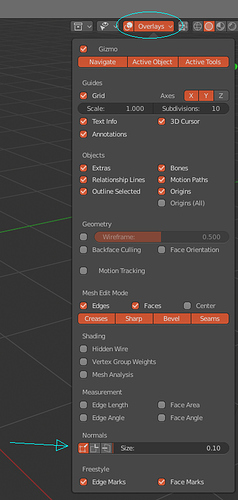 limber field
yeah, so your normals are all split
faces inverted, etc, can you see that model with backfaces culled?
you generally want this enabled
latent dome
I don't have backface culling
limber field
you mean it's not on? If that box is unchecked, check it
latent dome
no I don't have the option backface culling
limber field
maybe you have to be in edit mode, or maybe out of it, and it's under Overlays
limber field
yeah, you'll need to find that
to know the true issues of your mesh and fixing them
latent dome
I redownload blender
limber field
check this when you get back up
https://www.katsbits.com/codex/backface-culling/ heh, seems like every version is different 😮
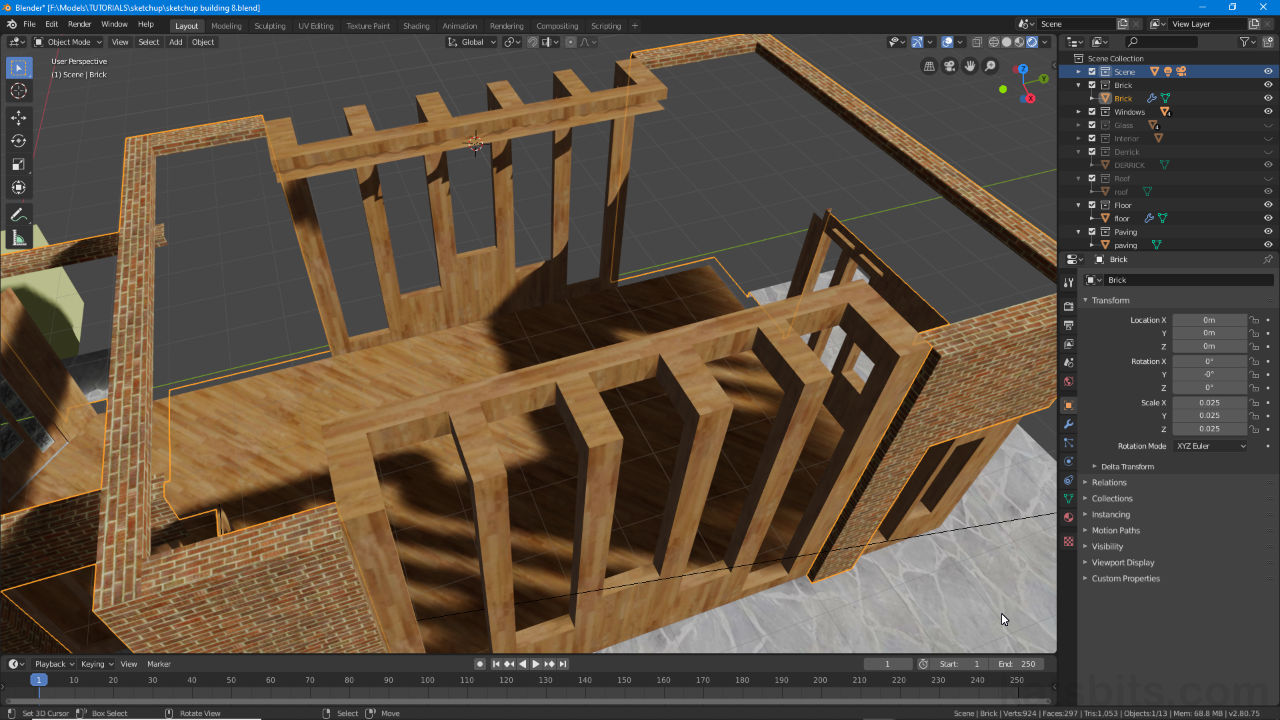 latent dome
I redownload but i don't have backface culling 😦
limber field
which version did you dload?
limber field
@latent dome
limber field
noo
latent dome
so now I have to find why some faces miss
ohh ok it is the orientation of the face
limber field
yeah, you need to flip the faces
latent dome
like you say
you never use blender but you find my problem with it . You are the best
limber field
been at this a long time 🙂
latent dome
@limber field for 3 hours you answered my messages to help me and now it works. so thank you very much! and thank you for your patience!
eager mist
https://www.artstation.com/artwork/N5ve0D just changed some screenshots but idk if i ever showed the homies this

ArtStation
This was model was modeled off of a concept piece Sheng Lam made. My brother was in town and he has a lot of knowledge on the AAA standards so I asked him to guide be through this piece, I really like how it came out. This was my first time using Marmoset Toolbag 3 to bake an...
🙂
tidal temple
What would a Real Life Brain of Cthulu look like? B.O.C 3D Model!
Any Subs are appreciated :)
https://www.youtube.com/watch?v=MdsSFN_u9lE
What do you see when you imagine a 3D Brain of Cthulu? Does it look like this?
Skip to 7:31 if you don't want to watch me make it
🡆 New? Subscribe: https://www.youtube.com/channel/UCv07...
🔔 Enable Notifications So You Don't Miss a Video!
🎵 MUSIC 🎵
Guardian of...
eager mist
If you are using BLENDER 2.81
I dont know who thought it was a great default setting to have it off
isnt backface culling off by default on 2.8 too??
yeah
like I could see the faces I shouldnt see
as if it was two sided
so misleading
glacial elm
@tidal temple stop spamming that video please
 formal kayak
Spam or not, you did pretty good dude.
 last isle
Here my last work! 😅

ArtStation
I'm at this level of 3D design work that I started on January 1, 2019. The most exciting part is, I feel like I'm just at the beginning of the road, and I have a lot of things to learn! İf we're going to talk about design, yes, I'm aware that there are a few mechanical and l...
 atomic mesa
can any one help me a bit
limber field
@atomic mesa what is the problem?
atomic mesa
See
i added a script after adding dat one
when i start me game
the hierarchy bugs (not loaded) and its blinking like
 sullen plank
@atomic mesa Please clearly state your problem and use an appropriate channel #🔎┃find-a-channel
eager mist
my first humanoid 3d model & my first time rigging a 3d model
glacial elm
good start man
eager mist
thanks 😄
fluid oak
Nice!
glacial elm
btw. What do you guys think of leaving standard animations. and switching animations in game to bicubic procedural animations. basically integrating code and animations to one.
i would like to start this discusion with focus on performance, 3d aspects, fit to the environment,etc......
fluid oak
I dunno what you mean specifically by 'bicubic' since usually I see that as a form of easing/interpolation
But I really like procedural animation; I've done some experiments with it.

 dire ermine
eager mist
dire ermine
eager mist
I finished making a model of a man and imported it into unity and it came out like this, its inside out, does anyone know how to fix this?
This is a blender model
limber field
@eager mist in blender make sure you are backface culling on your model, your normals are probably inverted
eager mist
Where do i modify @limber field?
limber field
https://www.katsbits.com/codex/backface-culling/ @eager mist
https://www.katsbits.com/codex/flip-normals/ @eager mist
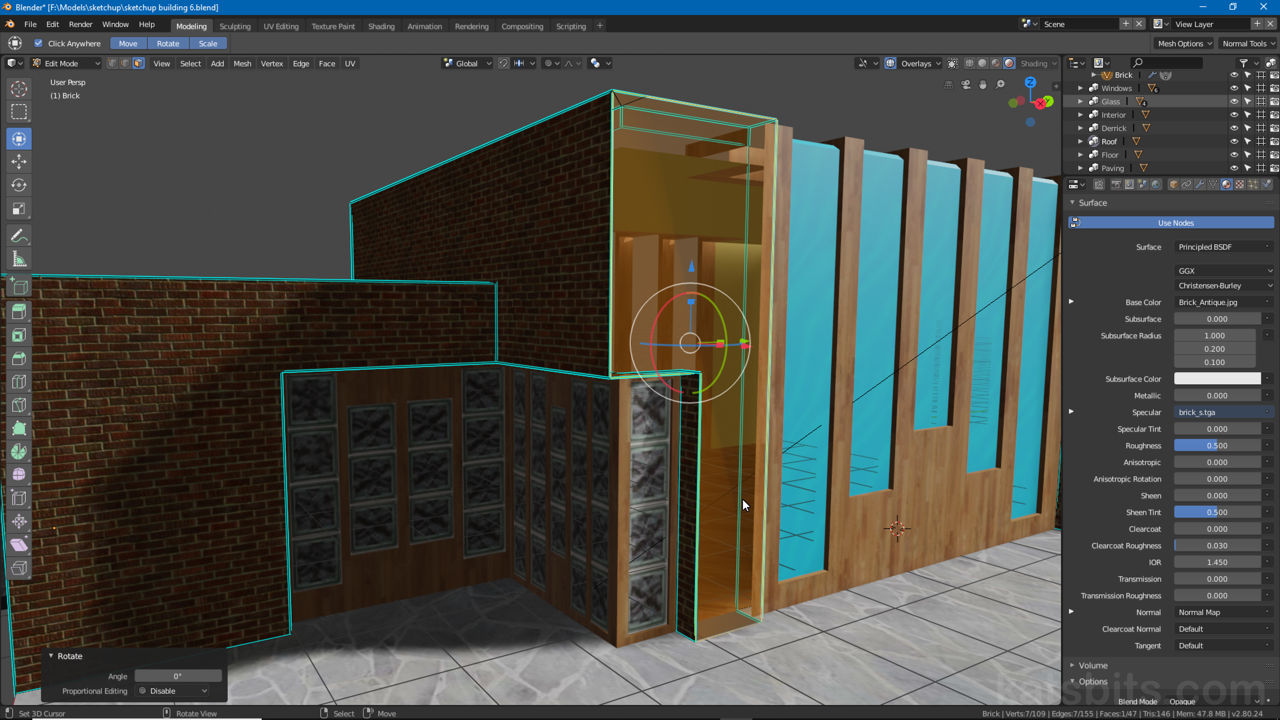 limber field
🙂
eager mist
But now i have another problem, the model got in well its just that the rig didn't come in with it
So when i try to modify its movement it doesn't move just stays still
limber field
I imagine your mesh is rigged in blender?
eager mist
Yes
limber field
not sure then, I haven't used blender in that way, does it 'try' to come in as a mesh with animations and stuff?
does it include the bones/rig in unity at all?
eager mist
Yes
limber field
so you are saying the joints are there, they are in a hierarchy, but if you go into the prefab and try and rotate a joint the mesh doesn't follow?
eager mist
Nope
It doesn't have the Rig system in it
Wait ill screen shor
Shot*
@limber field
limber field
there are your bones
not sure about your hierarchy though
if you select neck and rotate, what do you see?
limber field
so back in blender, when you move the neck you see it bend?
eager mist
not anymore
it used to
but thats before i made it cull
now that its cull nothing happens
limber field
I don't know what you mean by cull, but if it doesn't move in blender it's not going to move in unity
eager mist
backface culling
limber field
that should not have messed with the rigging/skinning
 eager mist
very odd
glacial elm
this is the result i got from a bad photoscan i made quickly
im playing around with a work flow to see if i could recreate textures from a photoscan
the tree i modeled. but the texture
limber field
ah nice @glacial elm
I'd say to try and really pump up the normals to get that really flakey deep surface
glacial elm
yea its fairly ok results for a badly taken photoscan image. i managed to edit it in photoshop to make into a tilable image and later made maps for it
thats the thing. i wanted more detail. so i tried unity tesselation.
heres teselation test. this is why i hate unity tesselation. never works properly
limber field
@eager mist so I imagine when you flipped the normals you killed the history on the object, removing the skinning
eager mist
is there a way to fix that?
limber field
@eager mist not as familiar with blender, so I don't know how it handles history or stacks
modifier stacks, it could be that if there is a history or stack,the flip normals part is messing with the export
eager mist
Are games these days really using tesselation???
limber field
not as much as you think
limber field
@eager mist try re-skinning one part and reexport/repimort and see if that part works
eager mist
yes
eager mist
tesselation is good to use in substance designer to create normal maps, but in game... I dont think it is used much
glacial elm
my game is shipping steam so pc. im good if i use tesselation usually. but i need a engine that supports it properly
yes i want to use it on terrain.
it does wonders usually. just not in unity
eager mist
At the moment, tessleation looks like a cool thing for rendering
maybe not for real-time games
glacial elm
hmmm
well displacement in general is something i support and wish we could use more off.
eager mist
@limber field its fine i just needed to weight it again
limber field
there are two types really, parallax bump and pure tesselation
eager mist
it reset it so that i can modify with ease
All Im saying is you can make cool looking games... totally without that
thanks anyways : D
so why not?
limber field
@eager mist ok, check to see why changing something like the normals would ruin your skinning
glacial elm
paralax is ok to use on most platforms
well chris p im not denying that you can. but actually im kinda intrested. how would you replace tesselation and displacement
glacial elm
i dont need it
xD
i think we got a misunderstanding
i just feel safe knowing it exsists
lol
eager mist
@limber field uhh, well i have the culling active and i imported and im back to where i started
glacial elm
but i do how ever support tesselation with terrain materials in some small cases
limber field
@eager mist don't know what I am seeing there
limber field
did you revert to some older file?
glacial elm
like if you want a near lake ground where there is a lot of small pebbles. then having a tesselation map does help @eager mist
eager mist
no
limber field
do you have backface culling off in blender?
limber field
@eager mist so all of your faces are pointing out in blender? Export the model without any joints (just dupe and kill the skinning, etc) and import as another model but just a mesh, see what that looks like
eager mist
ok
glacial elm
@eager mist are you really refrencing andreas rodriguez the legend of naughty dog
i never said i disagree. but i just like knowing that tesselation exsits xD
eager mist
I just wanted to post a 3D scene with bigger shapes to finer shapes that didnt involve tesselation just to show that if you have good scene composition, you won't really need tesselation / displacement, etc
Not saying Uncharted 4 didnt use any
They probably did
tidal temple
Made the Stardust Pillar from terraria in 3D https://twitter.com/TheWorm48642111/status/1213546907512922112

3D Stardust Pillar from Terraria!
Modeled in Blender, textured in substance painter
#3D #3dartwork #3dart #3dmodeling #3dmodel #modeling #Blender3d #SubstancePainter #terraria

 Twitter
eager mist
Twitter
eager mist
@limber field how do i move the rig into the other model in unity?
limber field
@eager mist what other model?
eager mist
the model without the rig
limber field
that was just a test to see if the model is ok, you can't outright transfer rigging/skinning info from one to another
is the model without the rig ok visually?
eager mist
yes
the one with the rig is not
or wait
the model without the rig has a mesh render
the one with the rig does not
this is probably the problem
limber field
rigged assets are set up differently, there should be a gameobject in the rigged one that has something called a SkinnedMeshRenderer
probably not the parent of the hierarchy
eager mist
o
eager mist
I was messing around with the 3d sculpting tools in blender
Definitely possible to create a character with a 3D sculpting tools as long as you are using multiple meshes.
This one is getting heavy to work with
@limber field i think i found the solution, im using unity 2019.2 but the download didn't finish, cause i turned off my PC before the update finshed
So it could be that because of errors
Trying to load the model but not succeeding
 nimble flower




 barren crypt
Somebody would like to help us on a project called Eternal Adventure? It will be a sandbox game DM me
 hidden whale
So i need to make a house for my game would it be best to make the entire house in blender or just make the floors / walls and put everything together in unity?
limber field
@hidden whale you could go the tileset method, where you make pieces and join them together in unity, that way you can build different types of structures out of the same limited pieces, it's better for memory that way, though if you do A LOT of those individual actors and aren't utilizing batching that well, it can be a draw call problem
hidden whale
@limber field Thanks 🙂
limber field
tileset usage can be better for framerate too as the frustrum culling has smaller pieces to decide not to draw 🙂
hidden whale
I thought it would be bad to put all the pieces together in unity 😄
Me dumb 🙂 @limber field
limber field
nah, that's a valid technique, you could make cool prefabs of different buildings, have lights and scripts for doors in it, props, etc
limber field
np!
 neon wedge
Has anyone got any tips on checking the quality of a mesh? I have a tetrahedron mesh that looks OK.
I've added some rays showing the normals to the vertices and normals to each face and that looks OK too. Can anyone think of anything else?
limber field
@neon wedge what do you see wrong with it?
glacial elm
well send a screenshot
and it might be typology. usually is one of the biggest factors
neon wedge
@limber field @glacial elm Nothing, it looks good. Just wondered if there was anything else you guys would check.
glacial elm
well we never got a image to check but kk xD
neon wedge
SS
limber field
@neon wedge are you talking in general in the source package (blender, maya, etc), or the quality of it imported into unity
what do you want it to look like?
glacial elm
i see some normal issues
limber field
that shading is due to the vert normals being smoothed, do you want a hard edge?
glacial elm
xD. beat you to it xD
neon wedge
@limber field Like that. I assume the off colouring is due to the material.
limber field
not the mat
glacial elm
no thats smoothing normals
limber field
do you want it to be flat shaded on all faces?
neon wedge
@limber field @glacial elm Ah. There is a thing then :).
neon wedge
@glacial elm No, scripted in Unity.
neon wedge
Here's the normals, blue are normal to each face, yellow normal to each vertex (Mesh.normals).
neon wedge
I don't anything about shaders/materials/pretty much the rest of Unity.
Here're the normal helper scripts: https://gist.github.com/BanksySan/529b9a99256055f7a1d18504637a0002
 limber field
we'd need to know what you 'want' it to look like, most likely you want a faceted mesh, like this?
neon wedge
@limber field Yes, exactly that. Like the default of the other 3D shapes when you add them.