#🔀┃art-asset-workflow
1 messages · Page 35 of 1
 frozen juniper
 grand plank
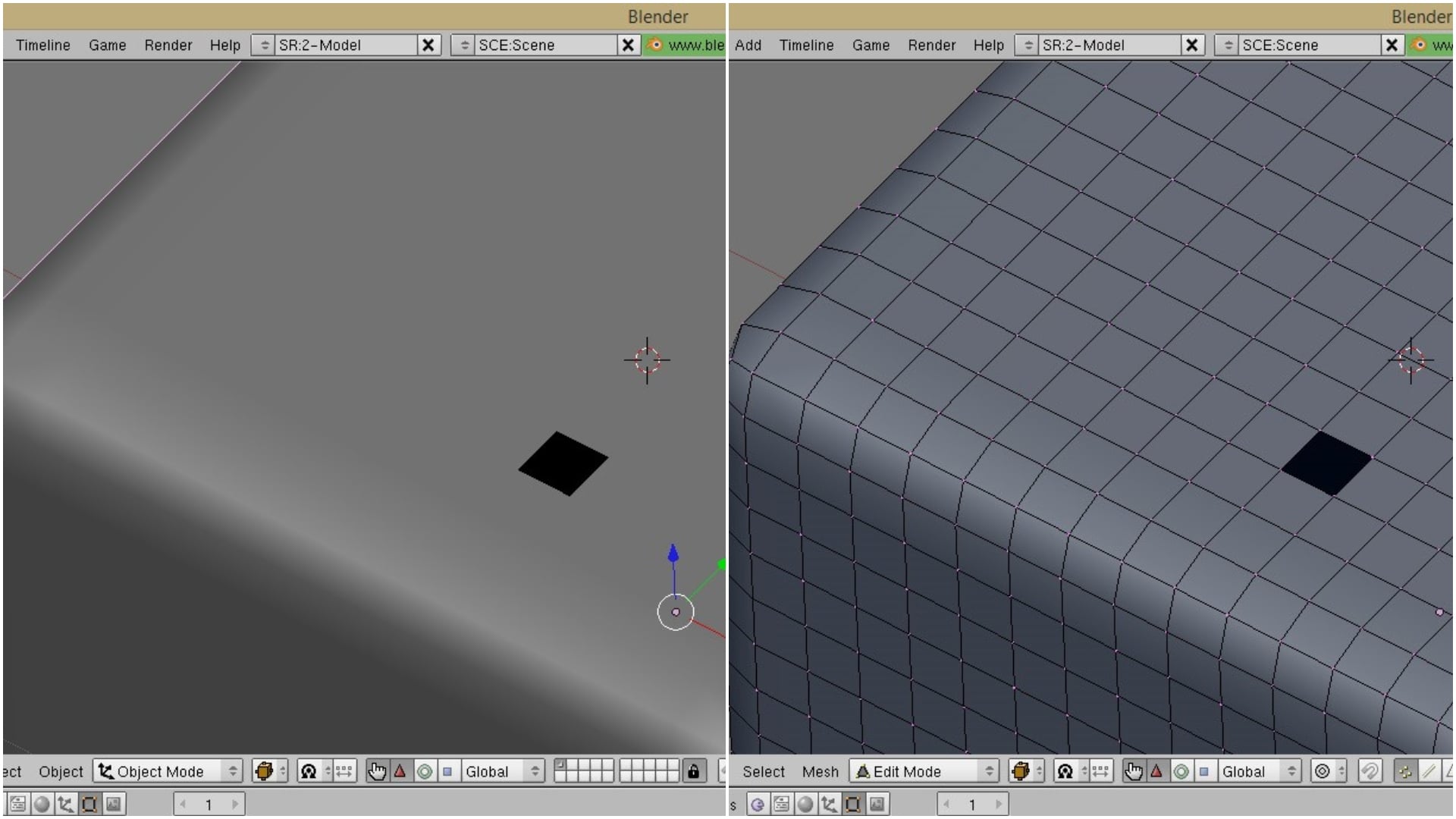
having an issue with probuilder and the latest version of Unity. When detatching the face the entire inside of the cube is transparent. Can't apply a material to it to make it not transparent.
 night socket
How can I "project" the vertices of one model onto another in Blender? In this image I have to models, the floor (top) and the building (below) I want to project the vertices of the interior walls of the building onto the floor so I can easily apply different floor materials to each room
 rapid granite
some one knows if the 3D models by Mixamo are free to use, also in purchased games?
night socket
I doubt the 3D models are, but I think the animations are.
Find answers to common questions about Mixamo features and services.
https://community.adobe.com/t5/Fuse-Beta/Licensing-Royalties-Ownership-EULA-and-TOS-Q-A/td-p/7676380
Adobe Fuse CC and Mixamo online animation services are currently in a limited duration technology preview, and during that preview they are available for free, with no licensing or royalty fees, for unlimited commercial or non commercial use. You can use Fuse, the auto-rigg...
 tidal temple
Sparky from Clash Royale!!! xD https://twitter.com/TheWorm48642111/status/1183478573765513216

Sparky from @ClashRoyale !!!
Textured in #Blender3d
#ClashRoyale #Legendary #3DModel #3dmodelling #3D #rendering #texture #VFX #screenshotsunday

 Twitter
 oblique stump
sparky looks great 🙂
tidal temple
Thanks! 😄
**WIP Clash Royale Fan Art!!! 😄 ** https://twitter.com/TheWorm48642111/status/1183558705368858624/photo/1
Some WIP @ClashRoyale Fan Art!!! :D
Mini Pekka, furnace, and the not powerful Sparky
Adding a pekka and more soon. What else should i add?
#ClashRoyale #ClashOfClans #Blender3d #FANART #Fanarts #3dmodeling #3DModel #animation #3Dtober #VFX #screenshotsunday
 Twitter
 heady meadow
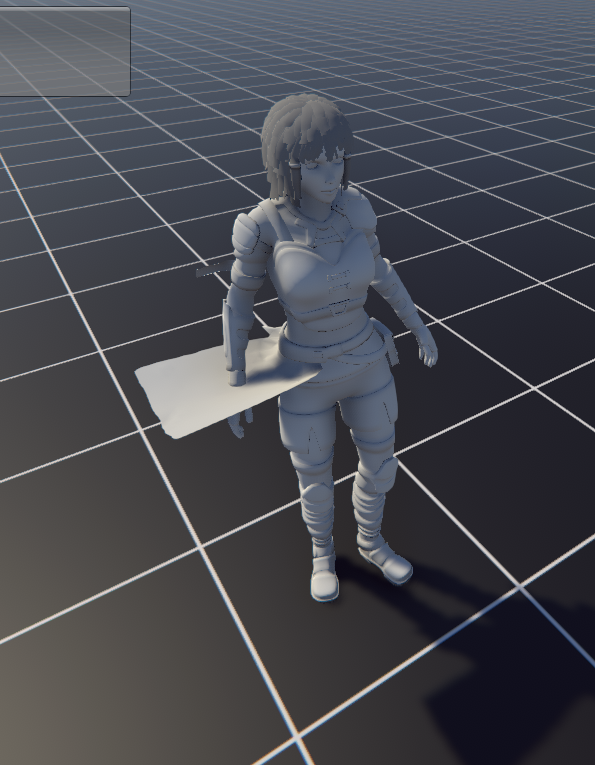
How would you work on a character with a sword on his back - is sword a different object ingame, or should I model it with the character?
Like I want to take out this sword, maybe by changing model to sword-less and instantiating sword inhand
 real inlet

Fast travel ship for the RebelZ faction - ShipZ : Widow - 3D model by Warsoul (@Warsoul)
 eager mist
@heady meadow
I'm pretty sure that the corect way to do it is by having an additional bone in the character rig which controls the movement of the weapon
That way while running it can be on character's back or whatever
And while fighting it would be near the hand
heady meadow
I wonder how it should look tbh. Im mostly making environments, but wanted to go on a little off-side project
ill try tho
 upper ferry
Is there a bug with the latest unity version that causes the cloth component to move constraints?

Does anyone know if there is a way to fix this?
upper ferry
Just tested the model in the last version of unity and it does not show up. So it is an issue with the current version of unity.
Ok so this appears to be the error: https://forum.unity.com/threads/2019-2-0f1-bug-cloth-component-seems-to-not-work-properly-in-some-situations.725912/
Unity Forum
i am creating content for an upcoming game and i have made a custom humanoid model in blender, that i exported as an FBX and imported into unity then....
 acoustic rivet
So I have an object in Blender, with several UV maps in Object Data. Is there a way to choose which one gets exported when I export as FBX?
or to choose the correct one in Unity, if they all get exported in the file? (though I think only one is)
acoustic rivet
or rearrange in Blender which UV layout is first, so this one gets exported?
acoustic rivet
nvm, found a plugin to rearrange the maps
but this functionality should be there by default imo. Both Shape Keys and Vertex Groups right above the UV Maps have arrows to rearrange them.
tidal temple
EMPEROR PALPATINE IS RIGGED AND USING A LIGHTSABER https://twitter.com/TheWorm48642111/status/1184120186099490821

THE EMPEROR IS RIGGED
did some rushed animation with it (obv needs improvement)
Added the lightsaber blur again thou xD
#StarWars #3D #3danimation #3DModel #3dart #3Dtober #Blender3d https://t.co/hhjg0FTXkb
Twitter
 fluid oak
@night socket if that is the ground floor, I'd expect to see offices
night socket
the schools ive been to (atleast in the UK), the classrooms were 'offices' for the teachers, if that's what you're saying.
having to start coding now to do the window holes lol
there's like 30 windows on each floor and it's gonna be hell to manually place cubes for the boolean op
so I wrote a python script to auto place cubes at the windows

 sacred root
Made this for a project. I already know the logo is a bit too big, but I want to know how it looks
fluid oak
Cute!
eager mist
Maximo
Giving me the character without colors
is that normal?
 somber pasture
 maiden tangle
You'll still have the ability to use your characters material/texture after you've exported, it's just the mesh that needs animating.
 delicate girder
just a friendly reminder that https://texturehaven.com/ exists

 still lintel
For someone that still learns about meshes and UV maps. If i would cut up an existing finished 3d model that already has textures and meshes, would the model keep those textures, meshes and UV maps?
 jovial folio
hello @all!! does anyone know the best way to adjust bone roll fingers in humanoid rig in unity? I am having some issues
still lintel
like for example if you have a house model without an interior, and i cut all its walls etc into its own pieces
 potent wraith
@still lintel yes, you can do it. Each new mesh will still have it's own UVs, so you can still use the same texture for all of the new meshes.
still lintel
Ah great thanks! 🙂
 untold adder
what do you think ?
 coarse knoll
I have a 3d model with animations and I want to hide parts of the model (it's a dragon that has a flying animation, but I want to only keep the wings and hide the body of the dragon). How would I go about doing this? Does anyone have a resource that could explain how to hide parts of a mesh? Thank you so much. 🙂
coarse knoll
I figured out how to do it on one of the models I have where I can go into "Editable Poly" > "Visibility" > "Hide Selected". However, this model doesn't have "Editable Poly".
eager mist
Well, you could animate its size changing it from 100 to 0 in the duration of one frame pretty much making it "dissapear"
At frame 45 its size changes from 100 to 0
(I'm guessing that there's a better way to do it but hey, whatever works)
coarse knoll
That would hide the entire model though? I only want to hide the body and not the wings, so that I can put the wings (and keep their animations) overlapped on another model
eager mist
Ah, right
That's the problem if your wings are the same object as the body
Uh
I guess you could have a material which makes the body transparent
And swap the materials when you want the body to be invisible
fluid oak
Is there any reason you can't just delete those polys?
eager mist
Uh, you can't animate deleting polys, can you?
coarse knoll
I can't click on them
There are circles around the model that I can select and they're "Editable Spline"
but I can't interact with the model at all
I tried on another model that I can select the poly and just hide the polys
eager mist
What's the last modifier on the main model?
coarse knoll
Model was "frozen", if I "unfreeze all" I can work on it.
This was a very basic pebkac
lol
 wooden quiver
anyone know if its possible to get a render preview of the camera whenever I change somethign in the scene in blender?
For instance, here I've got a preview open with the actual scene. I moved the character model and I'd like to have the render preview update accordingly
eager mist
Have both windows be 3d views, for the one which you want for your render preview press 0 on the num pad to enter camera view. Then press z - rendered. This should update when anything is changed in the scene.
 jade raft
good voxelers needed (DM)
wooden quiver
@eager mist But the camera view is higher res than the actual render, so it’s not accurate to how scene looks when rendered
wooden quiver
as an example, the right view is rendered and looking through the camera
If it looked like the left view I'd be set
 serene girder
I need help
All of my track model is rendering nothing
There's materials applied and everything
Incase you need a reference
DS / DSi - Mario Kart DS - SNES Mario Circuit 1 - The #1 source for video game models on the internet!
this is the model i am using
 green tusk
Any good tutorials on UV tiling?
 cerulean solar
hey i'm having a problem with Blender's IKs where the bone doesn't bend properly and turns into a helicopter. i haven't had this problem 2 weeks ago. anyone who uses blender have any ideas?
i tried putting IK's on regular bones and i get the exact same result.
i couldn't find any help googling this issue
eager mist
Is the bone on which you are using IK a main one? (Is it a parent for all of the other ones?)
 glacial vector
@green tusk this is a great resource https://www.youtube.com/watch?v=IziIY674NAw

Get the example texture and mesh files from this tutorial: https://gumroad.com/polygonacademy 4 Part Tutorial Series on making trim sheets: Part 1 - https://...
 grizzled grove
How much does an artist expect to make for a 3d model? I'm no artist so for future projects I kinda want a feel for what I should expect to invest into different variables of art.
Just for reference I'm looking for character models of about Diablo 3 esque.
cerulean solar
@eager mist it's the main IK i use
there was also a case where everytime i moved the arm bone. the leg bone also moves randomly at the same time
eager mist
Well, using IK on the main bone doesn't make much sense
IK tries to move all "parent" objects so that the IK bone is at the correct place
And since the main bone doesn't have "parents" it doesn't know what to do
That's my guess at least
cerulean solar
no the leg bone does have a parent @eager mist
 raven citrus
 abstract maple
I need help somebody fast contact me
this doesnt work
transform.position += new Vector3(0, 0, (float)z);
i setted double z = 0.1;
and it doesny work
eager mist
My best guess would be to ask the question in proper channel
aka #💻┃code-beginner
abstract maple
ok sry
 alpine mural
I am super happy with how these turned out! First time properly baking normal maps onto lower res models. Any advice?
untold adder
more details ? Vine ? rust ?
cerulean solar
@eager mist i changed the origin point of the skeleton and i'm getting better results from the Arms. the legs are still spinning like helicopters if i moved the ankle an inch
 plain cedar
Does anyone know a good and free survival game pack for unity? And a good software to create 3D game assets ?
cerulean solar
I figured out my problem
i still had the foot connected to the leg so i disconnected it and it is working as intended
 rapid echo
I made this scene in Blender with Eevee. (It is a draw in your style from art of Owakita). Thank you for viewing!
https://twitter.com/FarrukhAbdur/status/1186339658088800257?s=20


I did a #drawthisyourstyle challenge artwork based on wonderful art of @Owakita_
#Owakita30k #blender3d #b3d #eevee #realtime #polycount #indiedev #gamedev #japan #b280 #blender https://t.co/lpq3TZ3cO0
Retweets
152
Likes
654
Twitter
 lapis flower
just came here to say that isometric view creeps me out
 indigo crag
Assassins Creed Unity flashbacks 
 late sphinx
hi guys. is anyone managed to get to work cloth on skinned mesh renderers in unity 2019.3 ? For me it is as broken as I cannot imagine someone releases any system (not) working like this
I turned off any mesh optimization options, compression and so on. No matter what it isnt working. Even if I somehow manage to paint weights it all get stretched or worse when I enter play mode
 jovial basin
I am new to unity and trying to make a VR chat model, but it is telling my I am missing bones. when I checked it over I am missing the upper chest and both shoulders, i have looked but i can't find how to add bones and then publish the skin. can i get some help adding the bones and connecting then so I can complete the model. if anyone can msg me and help that would be great thanks.
 stray lagoon
you guys are so talented, and I thank you all for helping me find inspiration for game making again. ❤
lapis flower
How diverse are the visual effect graphs? I've been putting off learning how to make a grass compute shader and I wonder If I could do it in the graph.
potent wraith
@lapis flower you probably mean shader graph? The improve it constantly adding new features, but coding a shader by hand is always gonna be more flexible.
 sullen plank
And how it looks if you just flip the normals?
I'm assuming this is a default shader material
 dim ravine
yes default
 half wave
I'm following this over from general because I'm frustrated by these normals
dim ravine
so want me to flip all the normals in blender again?
sullen plank
Usially automatic recalculation in Blender resolves it unless mesh has abnormalities
Try making a simple primitive and compare its topology how it suppose to look
dim ravine
one sec
okay with the pic i just sent i flipped all the normals and it actually looked better and couldnt see through it but it still looked weird
i was just trying that to see what it would do. i reflipped the normals and it gave me the problem ive been having again
 vivid sinew
did you remove doubles ? make sure to backup though
sullen plank
It is probably connected with vertices which have drastically different normals facing.
dim ravine
sorry was putting kid to bed for nap
sullen plank
try separating it to basic parts, removing orphaned vertices, fusing doubles, and recalculating those parts separately
dim ravine
how do i fuse doubles?
sullen plank
Merge vertices by distance
sullen plank
Just keep experimenting
dim ravine
about to give up tbh lol
fluid oak
Are you importing normals or calculating them
 placid kindle
@alpine mural
maiden tangle
It's easy to know what normal is facing the wrong way in blender if you enable backface culling :<> or is this not the issue here
fluid oak
Well, if they have normals set to calculate on import it won't matter what they set them as in blender
And that could fuck things up 😛
maiden tangle
I don't remember the last time changing import settings was needed for the mesh to work but it's probably just me lol
placid kindle
😂 😂
 reef sundial
LOL
maiden tangle
@eager mist In blender if you merge the vertices it should go away in unity
yep no worries, unity is trying to access the faces inside is what's going on
 jovial hound
I’m trying to make a main menu, is anyone able to jump on a voice chat and help me?
 obtuse loom
This game's aesthetic looks really appealing. I know it's just bloom but it just looks pleasant https://sanjeev.itch.io/powercore

 glacial elm
intresting models @placid kindle
eager mist
A question to 3Ds Max users, is it possible to make it so that after clicking the arrow key on the numpad the animation's timeline current frame would be changed to the next one or the current frame+10'th one?
eager mist
Also, is is possible to "reset transform" in Unity?
The way it works in 3Ds Max is that it changes all the rotation angles to 0 without actually rotating the object
Is there something like this in Unity?
 whole fog
for some reason the texture I chose isnt showing
recently I downloaded a thing for a wood floor texture and maps
placid kindle
@whole fog
check this (https://youtu.be/fZSD7pVIUkY)
oclusion node (https://youtu.be/tidhK0C8t1c)
whole fog
how does this setup look?
what I am trying to make is something melting under a heatlamp
also trying to figure out where the material should go
should I put it between the base color and the overlay node?
whole fog
Okay I think I got it good
hows it look
Like how you would make something look like it had melted
like I am not trying to do an accurate fluid sim. what I am trying to do is to make a puddle on the ground
maybe I could just take something like a sphere and sculpt it
whole fog
Hows this look for a melted blob?
I basically just took a UV sphere sculpted it a bit then went and adjusted the vertices
can anyone explain why it turned purple
whole fog
can anyone give me anytips how I can make it show black white and red simultaneously? The color ramp doesnt seem to be working
fluid oak
Not sure what you are trying to do, but the way you have it set won't do anything; you have no input on the gradient so it will always return black, and then you run it into a blend from black to white so even if it ever output red it wouldn't do anything.
whole fog
@fluid oak Okay so what it is is this 3D Cartoon I am making depicting President Trump having melted into a puddle from all the impeachment inquiries and revelations
the black is his suit while the red is is tie
I wanted the colors to all meld together
fluid oak
. . .
whole fog
you know like how ice cream melts
whole fog
Okay trying something a bit different
okay I think I will just drop the multiple colors in favor of just one
hows it look
placid kindle
@whole fog much better
placid kindle
simply animation with physics
glacial elm
why are you in orthographic view?
it just looks wierd when you are. tip: stay in prespective unless your modeling and want specific snaping
maiden tangle
He's in ortho to show the animation.. 😐
placid kindle
maiden tangle
For the simulation you are showing, Ortho is indeed better lol Idk why some people feel the need to be like that.
Looks cool though 🙂
 rustic garden
Is there a way to get my scene exported to maya in any way?
I set up a very basic layout for a house in unity, and now i want to model the walls in Maya, so that i can have windows etc, for the character to look outside of the house. I don't know the exact dimensions. Or do i, if i just go for the same x,y,z values and then up/downscale accordingly in unity?
placid kindle
@maiden tangle I like to work in ortho, you have more control, and in the end I leave the camera in perspective for the game's cinematics
maiden tangle
Yeah to each their own, he was giving you "hints" on changing perspective which would be fine but when you're doing a gravity simulation like that it's better to be able to see from a larger fov which iso does nicely- which you did initially lol
placid kindle
Thanks a lot, i just playing to learn control physics in the game engine
maiden tangle
Have fun!
rapid echo
Made this in Blender. Now trying new things in Sketchfab for model presentation.
https://twitter.com/FarrukhAbdur/status/1188776816795947009?s=20

Nice and fun to use @Sketchfab for this one. This is going to be my entry for the #sketchfab contest. Keeping it simple. Honk! :)
Sketchfab: https://t.co/vKU0OWAJU3
#gamedev #indiedev #b3d #blender3d #b280 #SketchfabHalloween2019 #halloween #3d https://t.co/R6YUlXQQsl
Twitter
 vague dawn
Using Pro Builder, what is the best way to create a shape like an S shape for example. I wanted to create like a curved road shape.
rapid echo
Hi @vague dawn ,There is a bezier curves option in it. You can check that. It allows shapes to curve. Maybe you can find it useful.
vague dawn
Hey @rapid echo Thanks for that. Do you know if its possible to have a flat shape rather than a pipe?
rapid echo
Hi @vague dawn, I think it is limited to pipe shapes. Have you checked Path Creator asset? Bézier Path Creator on asset store. It is free and more flexible to road building.
This one I am referring to.
https://youtu.be/saAQNRSYU9k
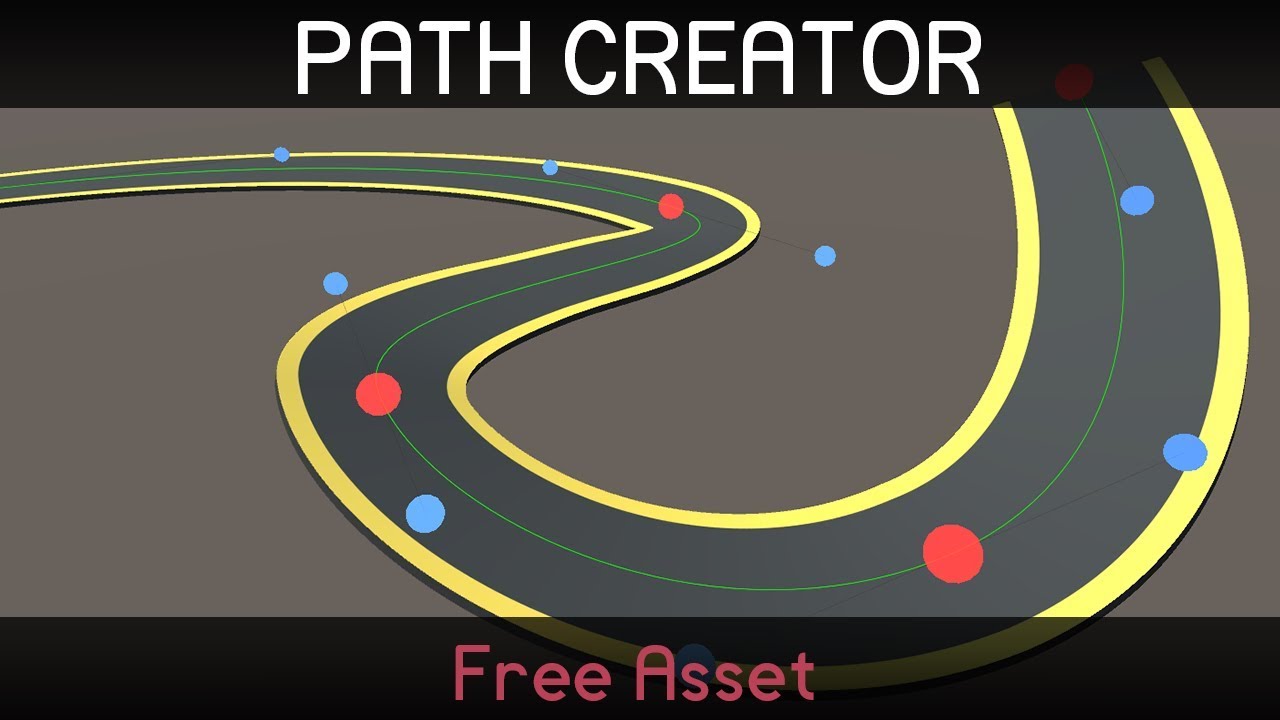
This is a little tool I made to help with creating paths in Unity. You can get it from the asset store: https://assetstore.unity.com/packages/tools/utilities...
 lament sparrow
That moment when you dont have a 3d modeling software so you just throw stuff together in unity and it works
tidal temple
CONCEPT: Emperor Palestine in Episode 9 https://twitter.com/TheWorm48642111/status/1189016224098746370
@SWTheory66 Made a EPISODE 9 Emperor Palpatine Concept Art
Do you like it? 😃
#StarWarsTheRiseOfSkywalker #StarWars #StarWarsween #StarWarsFanArt #Episode9 #EpisodeIX #3dart #starwarsriseofskywalker
 Twitter
 final garden
Grab yours!
https://artstn.co/m/3aN5

ArtStation
Male basemesh zbrush tool with anatomy details, clean uvs and animatable topology.Ideal model to save you alot of time. Included:
ZTL Tool 1-6 Subdivision levels
OBJ of Lowpoly model
FBX of Lowpoly model
Polygrouped
UV Unwrapped (1 Uv tile)
Upcoming upd...
 bronze kite
Why did everything I set get cleared?
Man everything's just breaking on my project idk whats going on
sullen plank
did you delete any .meta files?
or rename those fields
or trying to reference scene objects in the asset (prefab or Scriptable Object)
maiden tangle
Saw a shirt pin of a mac-10 on twitter that had this cool white outline i wanted to try in 3D! (1.5hr WIP)
maiden tangle
Lol really not getting the readability i wanted for the details.. it'll only be seen from first person but still.. i should give myself more time for these 😋
grizzled grove
how hard is it to learn 3d modeling?
I can't really draw but I like to think I have a creative mind, any video series I should watch?
maiden tangle
@grizzled grove I would recommend Blender Guru for a quick start, flipped normals is great too for things like sculpting and rules of the trade overall
I would say its hard if you're expectations are too high early on, low poly is usually a place people start and work their way to higher detailed models, which is best i think because its important to learn good mesh topology as a foundation
But if you're having fun learning it can grow on you quickly :)
rapid echo
New updated scene I made in Blender with realtime Eevee! Honk! 👻
https://twitter.com/FarrukhAbdur/status/1189746350071668737?s=20

New HD update. I wanted to add more improvements to the original #sketchfab scene. Realtime in #blender3d with Eevee. Honk! :) ✨
#b3d #gamedev #indiedev #b280 #polycount #3d #eevee #Halloween #3dart #blender https://t.co/dUjDJ62ao2
Twitter
.
@grizzled grove You can start with simple objects to model in 3d. Please remember don't expect to get results right away. Give daily some time to make and learn.
Start with basic fundamentals. Don't worry if you don't understand at first, just learn at your pace you feel comfortable. There are lot of good beginner friendly tutorials on Youtube (Free also) You can check Cgboost, Blender Guru, CGgeek, Grant Abiet and many more. Good luck! 🙂
grizzled grove
thanks for the resources guys, and yeah i dont expect much haha. i expect to be getting stick man level of art rn.
if i plan to make an isometric game, 3D is the art style I should learn yeah?
rapid echo
Isometric can be both 2d or 3d. Unity also added support for Isometric game view. You should check it out. 2d art tiles are placed in Isometric mode. It is pretty nice feature.
maiden tangle
totally depends what kind of game you're going for, sprites get used a lot in iso games but 2.5d is definitely an option too
grizzled grove
@maiden tangle right david im confused what exactly is that? so for reference is a game like diablo 3d or 2.5d?
maiden tangle
diablo 3 used 3d models, a 2.5d is for example using sprites to represent a illusionary 3d environment
@grizzled grove
grizzled grove
I see is there a benefit for one over the other? aside from art preference?
maiden tangle
Clash of clans for example, looks like 3d models (nice little details), but it's actually just sprites, so you get this quality that your platform or other might not support, these days it's usually made for aesthetic- but "back in the day" they used it for games like RTS, age of empires etc
grizzled grove
oh I see, wow yeah I wouldn't be able to tell CoC is 2d.
eager mist
@grizzled grove
I wouldn't recommend Blender as your first 3d tool, 3Ds Max is easier to work with
And if you choose 3Ds Max over Blender then I recommend watching Arrimus 3D tutorials
maiden tangle
It's definitely a cool way to go 🙂
grizzled grove
im watching a blender Guru video rn about blender 2.8, he's saying blender has improved alot interface wise.
maiden tangle
I would have to disagree a little, i don't know 3Ds max (i'm sure ive tried it throughout the years) But with the massive 2.8 update blender has, and the recent tutorials going up on youtube to match the growing interest, the interface updating etc it's a great way to learn the generals of 3d software, and if you learn blender other software is a breeze.. at least imo to each their own
grizzled grove
Not sure I think I'd rather work with the tool that I will ultimately use even if it's hard at first. Unless you think 3ds max is BETTER overall not just for a beginner?
eager mist
I can't say it's better overall
maiden tangle
Mind you we're speaking a free generalist software vs a $150/monthly, i'd google around a bit
eager mist
3Ds Max is 3 years free software
eager mist
No, no
Blender is free for ever
3Ds Max is free for 3 years
grizzled grove
oh i see, 3 years is a long time hah
maiden tangle
Also just as a general note to add, i'm not sure why you're learning but sometimes it's in good interest for your future self to consider learning the software of the industry as a standard, Blender is dipping its toes in AAA use cases but other software is definitely a plus on a resume from what i've seen.. they don't want to have to pay you for you to learn their preferred
rapid echo
I switched from 3ds Max to Blender. It has been great switch. Sure 3ds Max is still used in studios and it is good also. But it is not free. The subscription is simply not affordable in long run especially for independent artists.
New Blender 2.8 is now very solid and has improved 100 times in every way. Add-ons and community is very big. It just feels better. That is just my view.
 gritty reef
I'm considering swapping to blender from 3dsmax. I'm on the student edition currently, but once that runs out there's no way I'll be able to afford the cost.
Does anyone know how close to the 3dsmax experience you can get with setting up the Blender interface/controls? I really like the split windows for swapping between views and the selection/movement controls are very nice (Plus I'm just so used to them after using them for so long).
 broken edge
@gritty reef when I was switching from Cinema 4D to Blender, I had to customise many keybinds. There is a keybinds option that should enable you to have similiar shortcuts as in Maya / 3D Max, but I found it not being really reliable. The best thing you can do is use the standard shortcuts and customise them so that they are similiar to 3DS Max.
Split windows? I'm not really sure if it is what you're asking about, but you can customise Windows in Blender as much as you want - you can divide windows and then divide them again, have multiple windows etc.
And yeah the pricing of Autodesk product is too high for a student so Blender is a great option
gritty reef
Excellent, just what i needed to know. Thank you @broken edge
broken edge
Don't worry about the key shortcuts, you can freely set them up
And there are many window options so there shouldn't be a problem
gritty reef
Is there a way to export my layout and settings to use on other computers, so i don't have to reconfigure on every device i install it on? I've got a home pc and a laptop as well as a work laptop I'd like to install it on.
gritty reef
Okay, so in Blender, I've got my windows set up how I like:
In 3ds you can hit ALT+W to maximize a the selected viewport, and then hit it again to switch back to the split view. How would I replicate that functionality through Blender? I've poked around in all the view settings and can't find anything of that nature.
 willow nebula
I didn't knew that, thanks 🙂 Pretty close to Shift+Space in Unity 🙂
gritty reef
👍
I've got it mapped out pretty similarly to 3ds. I really like the Space menu to select tools, though.
Crappy wip models incoming
broken edge
Is there a way to export my layout and settings to use on other computers, so i don't have to reconfigure on every device i install it on? I've got a home pc and a laptop as well as a work laptop I'd like to install it on.
Yes, you can
You can export the Key Shortcuts in the Preferences Window:
The Window Layout is saved automatically within the project
That means that if you open that project on a different computer, the layout will be kept the same
Thus you don't have to export anything, other than the Keyboard Shortcuts
@gritty reef
gritty reef
That's fantastic! Thanks for all the help!
bronze kite
If my project has models imported from Blender, and I bring the project on a usb to a computer that doesn't have blender installed, will the models still show properly?
 tranquil yoke
Total 3d noob here, I've started a basic basic shape meant to be a basic building. Just made a big cube, inset the top edges, and deleted the inner face. should look like 4 walls and floor. looks fine in blender 2.8, but when I exported the fbx into unity, the face culling/shadows are wrong.
just in case here's what the same model looks like when rendered in blender
broken edge
If my project has models imported from Blender, and I bring the project on a usb to a computer that doesn't have blender installed, will the models still show properly?
By the "models" you mean exported objects or normal blender projects?
I'm not sure how it is with Blender, but when I was importing Cinema 4D projects into the Unity Project, Unity required Cinema 4D to be installed in order to get proper integration between these two programmes.
I think this could be the same case with Blender
But if your models are exported into the obj or other formats, it will definitely work
Other than that, you have to try or search the internet
@bronze kite
bronze kite
Ok I'll consider making the models objs just incase
 loud helm
@tranquil yoke blender displays the backs of faces, but Unity doesn't render backfaces (unless you change the cull mode in the shader) which is why you can see through your walls
tranquil yoke
ya I found that with a google, and saw the same issue when I turned on culling in blender. then I realized I didn't actually have inside faces
 cinder mist
Hey folks, I'm trying to figure out how to use my roughness map on my character with the HDRP/Lit shader? And how do I throw in my subsurface scattering map?
 indigo timber
Is there any discord server for fusion 360. I checked on their website, but the link was expired. I am having some trobule in it.
 young roost
I'm using WebGL and Addressables. I have SD textures on a model by default and when the game first loads, it loads HD textures and applies them to the model. Here's by bug. When the Addressable Asset is first loaded, it applies black textures to the model. Any thoughts as to why the texture from an AssetBundle is black?
eager mist
I...uh
Got kinda bored and made this in just over one week
I'm not sure how to paint it yet though
fluid oak
Very impressive, @eager mist
eager mist
Thanks 🐱
 marble ingot
Anyone have knowledge about creating a particle system such as this one in Devil Daggers? The gibs can be ignored, as those are just instantiated gameobjects with a child particle system.
But more specifically, how could I create particles leave permanent procedural decals (like blood)?
And how would I go about creating that velocity influenced blood explosion? (Would the unity particle system even support something like this? Maybe with ribboned trails?)
 broken edge
It seems like a really complex system, I cannot really imagine how procedural particles could be done. But you could definitely do that the gibs have blood trails (just like in the footage), and you could also create an on collision event - when a blood particle hits ground, it leaves a blood decal that has the same visual specifications as the blood particle.
velocity influenced blood explosion
I think it won't be a problem, as there are many settings, e.g. velocity over time, which should enable you to reach this effect.
@marble ingot
vivid sinew
given that the game has a flat plane only, it could be just a simple plane decal, or a big render texture used for drawing blood dynamically
marble ingot
I'm mainly curious about leaving permanent decals from Unity's particles
broken edge
Couldn't you just spawn a decal on the ground that would represent the blood particle? (set the size, texture, rotation and color in order to look similiar) on collision
Also it seems to me that the main blood explosion particles could consist of animated sprites, and that the gibs has real particles
 obtuse wadi
Dear developers, I come to you at a time of great need.
I'm currently at a hackathon(just started) and I'm in a contest for FIRE SAFETY IN 3D(goal is AR but not for this hackathon). The goal is to Incentivizing Homeowners to Create Pre-Incident Plans for Firefighters. I want to use unity to let user(house owner) to plot out their home and upload it to a secure cloud for firefighter to use during a fire. I talked with a firefighter captain in the hackathon, he said the current equipment he and his colleagues are using is outdate and dangerous, e.g. heavy heat cams which must be held with a hand. He wants an Ironman like goggle with AR ability to see through the heavy smoke and fire, as well as any human signal behind walls. I'm thinking of an implementation of a software, very efficient in memory size and runtime, using point pinning to draw out the internal structure of a house: with 3 pins form a triangle, 4 pin forms a rectangle. They can be stored using only x and y axis, which further optimize data size. Pins can be easily calibrated using a mobile app(camera or actual position of the phone). User can pin fire hazardous items such as stove, water heater, and gas tanks etc. The main reason why firefighters havent start to use eye wear gadgets with AR is cuz its not efficient with cost and weight. My goal of this contest is to optimize the cost of runtime and still have a functional software(not at AR stage)Things i need help with. 1. unity, i dont have much c#/3d unity experience, ive done some amount of 2d unity with c#. 2. mobile calibration app.
broken edge
Seems like a LOT of work
Also, I don't know to what extent it is possible to shrink the base Unity application in order to get the lowest file size possible
But sounds interesting, so good luck
obtuse wadi
i just need to show the judge these criterias
im thinking of makeing a plane maker first
for unity side
give it 3 pins, forms a triangle, give it 4, a rectangle
the size of those pings takes an xy position's size, i guess 2 floats aka 8 bytes
the thing is: judge won't expect you to have the full thing completed as a product. You just need to show them a basic concept of why this technique of home planning can fit inside very cheap equipments (limited memory) by showing the process of drawing the map and updating locations
using unity
glacial elm
isnt that a bit of your job to figure out man
broken edge
Well it sounds to me that you're looking to hire someone to do this for you
And if you don't have any experience in Unity, this is probably going to be a bit hard to figure out by yourself
I'm not saying it isn't doable
fluid oak
@sterile pulsaron if the projectile particles only collide with the enemies, you could have a child emitter that inherits the velocity of the projectile, and can be scaled up and set to stretch?
 main obsidian
Anyone know any places where I could commission a 3d modeler? (Edit: No longer needed)
glacial elm
@main obsidian wassup
main obsidian
Lemmie see your work
 main obsidian
Wow what beautiful work
But I am looking for a 3d modeler who could make 3d models for characters
Are you able to do that?
glacial elm
depends. what sort of character models
main obsidian
A human model,
a humanoid model,
and a humanoid creature like thing (Still deciding what we want this character to look like)
glacial elm
thats more of a character artist. im a env artist. a tip would be. mention that you want some one who's experienced with zbrush
main obsidian
What's zbrush? A 3d modeling software?
glacial elm
a sculpting software used by character designers
main obsidian
Alright I'll keep that in mind next time I ask. Appreciate you taking the time
glacial elm
np
 nimble igloo
https://cdn.discordapp.com/attachments/408342041815285771/640676851995639810/unknown.png
Im very proud of this

 teal owl
Did some graphics improvements for our game Amplify
 glad goblet
Not sure where to ask, but this seems right; Do you see your gun in a first person shooter as a 2d thing like a kinda UI, or do you see an actual model that's in the world?
How is it made basically
teal owl
well
These are the arms in my game
None of it is UI
that would be weird
Unless ur trying to remake the old doom
then I guess u could
glad goblet
well ok
 last isle
Hello guys!
i m new member! :3
here my last work!

ArtStation
Where were we ?
Concept artist :
https://www.artstation.com/jordangrimmer
last isle
@glacial elm Thanks ! :3
 chilly oracle
@last isle Basically how I imagine the pub from It's Sunny in Philladelphia looks like.
last isle
my old map 😦

ArtStation
I will continue to develop myself by choosing concept designs that will challenge me.
Hope you will enjoy it ^^
 wispy ermine
Created some character models, they're rigged and work perfectly in Unity also with 3rd party animations! There's a free sample available, would love feedback or ideas for more skins! https://kenney.itch.io/kenney-character-assets
 glacial elm
@last isle now thats what i call a scene. would be terrible for a game cause i can see how highpoly it is. but its great
eager mist
Well, a lot of these details from the scene could be baked into a normal map but it would take quite a lot of time to make lowpolys for it
 calm arrow
how do I turn off occlusion culling?My mesh renders badly and half of it simply doesn't render in Unity
glacial elm
@eager mist i relise that. but check the art station. its in 3ds max. i didnt see any engine. chances are its all in studio. meaning he probably didnt give a single crap about optimization. at least usually is what it means
@calm arrow doesnt sound right
calm arrow
I made it a bit weird I don't really know what I am talking about, my mesh just doesn't go well in Unity
I made some planes face the wrong direction in blender, and now you see through and no collisions happen until you come in from the other side
I don't know how to fix it without having to redo the whole mesh 😅
eager mist
@calm arrow
I don't know how it works in Blender but in 3Ds Max you can flip normals for certain part of the mesh
You should try to do that
calm arrow
Hmm I don't know how to do it
eager mist
All3DP
Normals are a small but important part of your Blender model. They define what's "outside" and what's "inside" your model. So how do you recalculate normals that are facing the wrong way? Read on to learn more.
calm arrow
Thx
glacial elm
@calm arrow easy. go into edit mode. choose them all. and when u press T a menu pops out. go to uv and recalculate
fixes them automatically
fluid oak
@last isle that modeling is awesome, though I'd have serious engineering concerns 😄
last isle
@fluid oak shhhhh 😛
 brittle tinsel
calm arrow
brittle tinsel
calm arrow
@glacial elm thx
eager mist
So say I have this model. I'm brand new to the cloth component, but I want to add a wispiness to the the little bottom cut up pieces for when it moves, the bottom kinda moves like a cloth. How do I pull that off. I really don't understand the paint tool for the cloth component. Also when I use it, it all collides. Could anyone help me out?
broken edge
Is the bottom a separate object?
eager mist
no
glacial elm
@calm arrow np
 west crypt
Does anyone know how I would go about "draping" a jpg over a large 3D mesh?
Kinda like Render Image on Blender, but since the mesh is so big I can't UV unwrap it to get the textured mesh into Unity
fluid oak
Not being a blender user, can you describe what exactly you're trying to do?
west crypt
So basically in there's a Blender plugin that lets me import a specific 3D mesh
The source website, along with the mesh, also has a jpg. Blender has a few settings that lets me sort of drape the jpg over the mesh to texture it
But I can't import this mesh w/ the texture because it needs to be "uv unwrapped" in Blender, which is not possible due to the amount of faces the mesh has
In short, I am trying to texture a mesh using just this image:
teal owl
Does anyone know how to fix this flickering??
west crypt
@teal owl Could be z-fighting: https://www.unity3dtips.com/unity-z-fighting-solutions/
Z-Fighting in Unity can have a lot of reasons, this guide explains the different causes and explains the fixes you can try! Z-Fighting examples also shown!
west crypt
Like pretty much every object in the scene?
teal owl
Not every
but like
Moost
most*
Is it because my far clipping plane is like 1 million?
(Its to render that giant star
west crypt
Yeah that def could be it too
west crypt
What's ur near clipping plane at?
teal owl
0.01
west crypt
Bump it up with your old far clipping maybe
west crypt
Glad to hear! 🙂
fluid oak
@west crypt If it is THAT heavy that blender can't handle it, maybe it needs poly reduction for unity? Or maybe converting to a terrain heightmap, with the texture turned into a splatmap?
west crypt
Yeah I might try splatmap, otherwise I might divide up the mesh for less polys per unwrap
fluid oak
I didn't imagine there was a poly limit for it, but if there is then it might be too many polys for unity to handle too
west crypt
Well it's not that blender itself can't handle the poly count lol
It's the uv unwrap that can't do it
Like I can import the model just fine and interact with it on Unity, it just isn't textured
fluid oak
with that many points, can you just bake the texture to vertex colors? Or use a shader that uses object space coordinates instead of uvs?
 lone bough
Hey everyone, so I'm looking for a high quality city asset pack. I've seen some allyway ones, like this https://assetstore.unity.com/packages/3d/environments/urban/the-alleyway-hdrp-asset-pack-153779

This project is a collection of assets to create an alleyway scene built upon the HD Renderpipline. The project includes 26 props, 7 structure pieces, 2 VFX, and 3 tiled materials.
These assets will not only look great in your game, but I'm sure there is plenty to learn abo...
Which is nice and detailed, but I'm looking for something more along the lines of Central Business District
Sky scrapers and malls and the like
glacial vector
@west crypt In Unreal you can achieve this by using called world aligned textures. I'm not sure how you would do this in Unity
Maybe look at this hee https://catlikecoding.com/unity/tutorials/advanced-rendering/triplanar-mapping/
A Unity Advanced Rendering rendering tutorial about triplanar texture mapping.
 near meadow
Hey guys, can you help recommend a multiplayer tool I can use for a simple FPS game? Just two players who shoot each other.
I guess my priorities are that the network allows for fluid movement/actions and then second priority would be ease of use
Leaning towards Photon 2 but would love to know what you guys think
 mint acorn
My goal is to have a grid of displays that showcase my scene from different angles. The solution I have in mind currently is to simply station cameras wherever I want and have them render to render textures that I would apply to cubes and have the actual main camera look at this. I tried this out and one problem was that the resolution looked a little weird and blurry.
Is this the only/best way to accomplish this or is there something else I can do?
sacred root
@near meadow Personally, I only used Proton, but i think its a good point to start. After building a quick prototype myself, i was pretty proud of what i made. Even if its a simple deathmatch gamemode
 lusty flint
We tried everything, and decide that if we want support 256 players on one screen - we need do own netcode...
fluid oak
Where will you even find 256 players to test it
lusty flint
@fluid oak easy when you have 8k community in my discord 🙂
so we create netcode for half-year and polish it for next almost year
fluid oak
Ah, neat!
When I made my old game multiplayer I had trouble getting like three people to test at a time
stupid time zones
heady meadow
Hey guys, I am not sure if thats the right section.
I am doing a stylized low-poly piece in blender, I assign the materials and then export fbx to Unity. Is it the right way to do for flat-shaded pieces? Like the render seems so fake and bad that I am not sure if I shouldnt unwrap and create a flat-colored texture first. Whats the "right" workflow for actions like this
eager mist
You can't export materials from Blender to Unity
You have to make textures
cerulean solar
quick question can you make 2 armatures (one for the Face, other for the body) and export them into Unity?
gritty reef
@noble mural cool car!
 noble mural
Thank you! :) @gritty reef
maiden tangle
anyone here using ArmorPaint? Uses blend nodes to do materials i think it's pretty cool- not quite substance painter but it's also not subscription based :
broken edge
@lusty flint did you consider using Mirror? it should handle 256+ players pretty well
lusty flint
@broken edge Mirror can do physic on server side? vehicle movement? bullet balistic? Simple-Anti cheat stuff and ofc handle 256 palyers?
broken edge
I'm just asking..
lusty flint
im just stop watching other netcodes when we was happy with own
broken edge
Was it hard for you to create your own from scratch? @lusty flint
 proper shoal
if anyone know any guides/tutorials or something about creating procedural animations for character, where hands have to follow gun and head and torso should rotate up when player looks up, mention me if you reply, thanks
 fiery star
How to change the resolution but using slider within percent
night socket
Is there a way to fix Blender's different rotation matrix/whatever
with a .blend file?
I'm using a single .blend file to have all my models in one place (its annoying to individually export them since there's a lot)
unlike when exporting an fbx, I can't change stuff like which axis is forward etc
glacial elm
@night socket .....? why are you using .blend. and what exactly is the problem?
what you said doesnt add up really
 simple sonnet
@night socket You can export a single fbx file which includes multiple separate meshes. I assume Blender has some sort of "export selected" option as well?
 night vault
I’m wondering if there’s something like lattice in unity?
eager mist
Does anyone know how to lock an axis on blender?
 abstract quiver
@eager mist lock when? You can usually use the desired axis key you want. E.g. move (press g key) then lock to axis x (press x key)
eager mist
Nevermind I just fixed it, but thank you
 acoustic slate
Hey guys, I had made a fairly simple, low-poly 3D model in Maya - Then I imported it into Unity
And when I added lighting to it, as you can see. There are some strange artifacts.
This is probably the most prominent.
I think it's because the lighting maps for a single face are being used for multiple faces?
But I can't tell how to negate it.
If anyone knows what weird thing is going on here, I'd really appreciate it. Thanks!
fluid oak
Did you generate lightmap UVs when importing?
acoustic slate
That wasn't an option I saw - I had just dragged the mb into Unity
Should I import it within Maya instead?
 rain tundra
who can help me, it's a 2Dgame, but my problem is in a script...
fluid oak
In the mesh import in unity it should be an option
Then why are you asking in here, @rain tundra ?
acoustic slate
Okay, let me see if I find it.
fluid oak
There is a #archived-art-asset-showcase and a #💻┃code-beginner channel
rain tundra
nobody answer me
fluid oak
So spamming won't help.
rain tundra
sorry
fluid oak
Also, your questions are very hard to understand, and you insulted the person who tried helping you in the other channel
fluid oak
when you select the asset in the project pane
fluid oak
Did it work?
acoustic slate
Once it renders, I'll tell you.
Thank you though!
Sorry if that sounded rude, it wasn't meant to.
fluid oak
Sounded fine to me:D
fluid oak
yay
heady meadow
Hey! Does any1 use Substance Painter from steam?
fluid oak
Hi! Sadly not, my computer is nowhere near good enough 😦
heady meadow
Theres a sale on steam rn, wanted to ask a few questions the owners 😄
final garden

ArtStation
Main character clothing for Black Binder.
Concept done by: www.artstation.com/pellowconcepts
eager mist
ХАЙ
bronze kite
Are reflection probes very intensive?
bronze kite
Ah ok thank you
fluid oak
Um. REAL TIME reflection probes are intensive. Baked ones are just environment maps.
 fathom merlin
Hi, I’ve uploaded my most complex workpiece to day. Thumb up if you like it 🙂 . https://www.artstation.com/artwork/58lm4w . Also check out the breakdown for this model. https://www.artstation.com/artwork/EVGwen

ArtStation
In-Engine View. See breakdown / making of: https://www.artstation.com/artwork/EVGwen
I was responsible for making a game-ready 3D model of an early pre-prototype unit of the Leclerc main battle tank program for the Armored Warfare game by My.Games. My task was to create a hi...

ArtStation
This is breakdown part 1. See part 2 here: https://www.artstation.com/artwork/nQX164.
See many more beauty shots gathered here: https://www.artstation.com/artwork/58lm4w
I was responsible for making a game-ready 3D model of an early pre-prototype unit of the Leclerc main ba...
eager mist
@fathom merlin
Just out of curiosity, what's the vertex / triangle count on the low poly?
fathom merlin
Around 100k triangles. It's pretty well-detailed 🙂
gritty reef
That's really cool dude, awesome work!
eager mist
Guys, can you see any differences between these two models and if so then which one has more polys and by how much?
simple sonnet
Bottom one lower poly? Dunno by how much though. Hard to tell
simple sonnet
Hard to say by how much as it might be overly dense in the top version. Resolution has some diminishing returns :p
Ah ok. nice
eager mist
I mean, both could technically low polys but I can't decide which one
lower one should be good enough
simple sonnet
Yeah. I could barely tell. Its "claws" are what gave it away to me. Slightly more jagged along the curve. I didn't open the pic 1:1 scale though. But should definitely be good enough 🙂
 wary eagle
 gritty reef
Very cool scene!
wary eagle
Soon on the asset store (I hope haha)
nimble igloo
Hay, i have one question
How two UV's works on mobile device?
I have idea how to get good resolution textures, but i need method, to make something like detail map(?)
And i dunno how it will work with mobile's performance
rapid echo
New flower work that I made in Blender using eevee. Thank you for viewing :)
https://twitter.com/FarrukhAbdur/status/1195182228755628032?s=20

I made a new flower art in #Blender3d 🌸🌿
It is based on silent princess from #botw
#b3d #blender #b280 #eevee #polycount #gamedev #indiedev #realtime #botw2 #gameart https://t.co/RnUHHMgCiZ
Twitter
fluid oak
Very nice!
chilly oracle
Why does it have the hashtags of "eevee" and "botw2" for example though...?
 long narwhal
Hi, i done something in blender and need the face to be rendered from both sides, do i "change" this in unity or blender ?
simple sonnet
@long narwhal You can find double sided shaders on the asset store. Maybe look into that?
long narwhal
@simple sonnet thx, i will try but first quest this in blender discord, maybe i can enable this easier in blender
simple sonnet
There's no way of doing it outside of Unity to make it render both sides in Unity afterwards. Do keep in mind, most of the time you want to just extrude the mesh to actually give it an extra dimension. This way, lighting in your scene affects it correctly. Unless you're doing unlit scenes that is.
long narwhal
@simple sonnet Double sided Shader is the way i go, thx
simple sonnet
Np
broken edge
Really nice!
eager mist
Hi everyone I have an error when building from unity (using Vuforia for ar) into Xcode (latest): the week says that there are undefined symbols in Xcode when I try to build. It works perfectly in unity.
whole fog
I am curious if it would be possible to build the general layout for an area or level in blender then import to Unity and work from there
simple sonnet
@whole fog You can build entire scenes in blender, mesh by mesh, mix and match. Up to you
 misty valve
somewhat of a nighmare haha
wooden quiver
if there are any blender gurus in the audience
so I'm making a model for animation, and I wanted it to have some clothes that are all flowy. I modeled the body and one piece of clothing so far, and it looks fine barring one glaring issue, this happens
I've tried increasing quality steps and the thickness of the collider
increasing quality has no effect outside slowing the program down and increasing the thickness of the body just makes it worse
I've tried smoothing the collider, smoothing the body, doing both and adding more verts and smoothing them again
no matter what, the cloth wants to get eaten by the body
I've also tried to use another 3rd party cloth solution and it behaves the same way so I figure I must be doing something terribly wrong
fluid oak
@young parrot If you're planning to export it to unity, blender cloth won't work anyway; unity has its own cloth
wooden quiver
Assuming you meant to tag me, I’m not exporting this as models for use in a 3d game
Might not even use this for gameplay, its an experiment of sorts
I’ll be rendering images out of the animations from this
simple sonnet
@wooden quiver Probably better to ask this in Blender discord tbh
wooden quiver
I have, I asked here as well to be thorough
broken edge
@simple sonnet can you send me an invite to the Blender Discord?
simple sonnet
@broken edge Oh, I personally don't know. I meant more of a general Blender discord server. Like a community server. As far as I know, there isn't an official one. (I don't use Blender myself)
broken edge
Oh okay, thanks for replying, but is there anyone that could send me an invite link to some kind of Blender Related Discord Server?
@wooden quiver
fluid oak
You'd probably have better luck just googling it
glacial elm
@broken edge i can send you one
just tell me when your on and il send a friend req and link you a invite
broken edge
Sorry guys for the spam, I found what I was looking for.
eager mist
Undefined symbols for architecture arm64:
"Vuforia::ViewerParametersList::getListForAuthoringTools()", referenced from:
_viewerParametersList_GetListForAuthoringTools in libVuforiaWrapper.a(ViewerParametersList.o)
"Vuforia::RotationalDeviceTracker::getClassType()", referenced from:
_checkPredictiveAndUpdateStateHolderMode in libVuforiaWrapper.a(Tracker.o)
_rotationalDeviceTracker_Recenter in libVuforiaWrapper.a(DeviceTracker.o)
_rotationalDeviceTracker_SetPosePrediction in libVuforiaWrapper.a(DeviceTracker.o)
_rotationalDeviceTracker_GetPosePrediction in libVuforiaWrapper.a(DeviceTracker.o)
_rotationalDeviceTracker_SetModelCorrectionMode in libVuforiaWrapper.a(DeviceTracker.o)
_rotationalDeviceTracker_GetModelCorrectionMode in libVuforiaWrapper.a(DeviceTracker.o)
_rotationalDeviceTracker_SetModelCorrectionModeWithTransform in libVuforiaWrapper.a(DeviceTracker.o)
...
"Vuforia::CustomViewerParameters::CustomViewerParameters(float, char const*, char const*)", referenced from:
_customViewerParameters_new in libVuforiaWrapper.a(ViewerParameters.o)
"Vuforia::ViewerParameters::ViewerParameters(Vuforia::ViewerParameters const&)", referenced from:
_viewerParameters_copy in libVuforiaWrapper.a(ViewerParameters.o)
_viewerParametersList_GetByIndex in libVuforiaWrapper.a(ViewerParametersList.o)
_viewerParametersList_GetByNameManufacturer in libVuforiaWrapper.a(ViewerParametersList.o)
ld: symbol(s) not found for architecture arm64
clang: error: linker command failed with exit code 1 (use -v to see invocation)
This happens when I build my app in Xcode
Found no solutions 😦
sullen plank
@eager mist This seems more relevant to #🤯┃augmented-reality , not here.
 craggy cargo
Im making an indoor scene for my game, the player will never see the house from the outside so it's only the inside I want to create. How would you guys create that scene. Right now im making it in blender, unwrap it and will texture it through a UV map. Is that a good way to go about creating the scene or would you guys use some other method?
simple sonnet
@craggy cargo That's the basics of it I guess..
craggy cargo
Ok thanks, then ill continue doing it this way
 native kindle
So, our team is developing a 3D game with in-game avatar customization. We currently have a male avatar base model, and soon we will begin creating a female avatar model.
I wanted to ask; What considerations are there if we give female avatars the choice to have long hair? I've heard in the past that long hair traditionally causes clipping issues in games. Specifically, what are these issues? How do we manage/handle them to keep the avatar looking good in game? What do we need to be careful of when designing an avatar model with long hair?
As a note, our game has animations cutscenes, et cetera, so all situations are fair game for the model to be in.
fluid oak
@native kindle This might be just me, but as a player I'd prefer the option of having clipping over not being able to use pieces together. I know a lot of games are very strict about that and can take it too far the other way(secret world comes to mind)
I think a lot depends on the type of hair you're doing, how dynamic it is, etc. And how you're handling the animation/rendering of it.
native kindle
Okay, thanks @fluid oak !
fluid oak
Especially if you let players change their hair, don't be AS afraid of bad combos. Because for me at least I'd rather go 'this combo sucks' and change it than not be allowed to try it.
Of course, the worst is when you can't change it AND it doesn't work.
native kindle
@fluid oak What kinds of options do you like to have in a avatar customization?
fluid oak
And make sure to have some nice short styles https://i.pinimg.com/originals/4f/05/1c/4f051ca780baf377637f016cd20c1268.png

Um, I like having the option of making distinct faces. One problem I have with a lot of character creators is that all the faces end up looking the same.
I dunno how your setup works, if it is distinct meshes or deformations, but is nice to be able to have at least a little distinct ethnic features.
A lot depends on how detailed the system is; obviously I can't ask too much of a relatively simple 'swapping models/textures' system
(Though you can do a lot with that sometimes)
Oh. And let players be ugly if they want to. I see games all the time that completely miss that some players wanna play an ugly character. (not like bethesda ugly with bad models, just 'not a sexy supermodel')
native kindle
Those are all really good points; I'll make sure to do some work with the system to try that out! We plan on using Blendshapes to customize, so it gives us a lot to work with!
(Also, the Bethesda comment was hilarious XD )
 left canyon
i just started and i cant channge my background colour in game
i went to main camera and set a colour but it doesnt apply
native kindle
There is another setting in the camera near the color that is like "Use background color" or "use something else" @left canyon !
You need to make sure it is the one that uses the camera's background color!
(I think it may be the Skybox droppdown)
broken edge
How does it work with 3D Shading in Unity?
Let's say I set a model to be Flat - Shaded. Will it look the same in Unity?
Also, will Unity show Smooth - Shaded Models correctly?
@Blender Users
simple sonnet
Not quite sure what you mean. But the only thing you can make use of in terms of changing the appearance of an object from outside of Unity which will have an effect in Unity afterwards, is by its 'Normals'. But that can also be set in Unity afterwards if needed.
When it comes to how a model is shaded, you have to use and add shaders ("materials") in unity. Not in Blender.
 echo oak
@broken edge Setting faces as flat or smooth imports into Unity correctly, you should be good to go
broken edge
@echo oak Thanks 👍
By the way, the shading simply changes the normals?
the appearance of an object from outside of Unity which will have an effect in Unity afterwards, is by its 'Normals'
Oh I think I got an answer @simple sonnet thanks
simple sonnet
@broken edge It might be what they call it in Blender. I use Maya, and there it's just called Smooth or Hard Normals. Sounds like "flat shading" is the same as hard normals. Strange naming convention though
broken edge
Yeah sounds like it may be the same function
simple sonnet
Yeah.
 pallid fractal
"smooth shading" and "flat shading" makes a lot more intuitive sense than "smooth normals" and "hard normals"
fluid oak
In the old days, you didn't have per vertex normals so the hardness was based on angles. Blender is emulating that but with the mechanics of explicit normals.
simple sonnet
I personally input angles myself for more control over end product.
@pallid fractal Perhaps. I just feel it's a bit misleading to call it shading. Goes to show it's mostly about what we're used to calling things I guess.
 wanton wind
why does Unity decide to import two models with the same export settings and rotations differently. One model loads in facing the correct direction without any rotation applied, but another has a 90 degree rotation transform applied when imported
fluid oak
Did one of them have frozen transforms and the other not?
wanton wind
neither was frozen I think, both had all transforms at 0/default. Exporting the 2nd model with the experimental transform apply option seemed to work
native kindle
I am a skilled Coder and I have been using Unity for a 3D game for a while, but I am not as familiar with 3D Modeling / animations;
Our team's 3D Modeler has been working on improving the 3D Model for our game, and has created several different Drivers that should be able to control different parts of the model (For example, one is made to turn the head).
I am able to get the model into Unity and animate it using the rig's bones, but I am unsure how to access/control the drivers he made for it in Maya; Is anyone familiar with how I can use these in Unity?
Thanks!
fluid oak
Maya rigging stuff doesn't do anything in unity unless you code an importer that will do something with them, and basically re-implement them inside unity.
@native kindle
native kindle
@fluid oak Okay, thanks for letting me know! So I can only really use the bones then, right?
fluid oak
iirc object transforms, bones, and blend shapes are supported without any extra work
Anything else would need more implementation
native kindle
Okay, thanks @fluid oak !
 wanton cradle
How to rotate a child Transform parallel to ground? Now it's parent will rotate severely. Thank you.
fluid oak
@wanton cradle can you rephrase that?
wanton cradle
Please give me a moment. I will write it better @fluid oak
simple sonnet
Hm, trying to rotate the child but the parent rotates as well?
wanton cradle
I have made a document here to be very detailed as possible. Hope I am clear : https://docs.google.com/document/d/1WH3Wp537NDSD5yZo4wfM6rzf2WfZsdGn2IhD_ZIw2wA/edit?usp=sharing

Google Docs
Scenario There are two meshes. One is a parent & another is its child. Let’s call them Parent Child Now, this “PARENT” is dynamic in rotation. At any point in time, the PARENT will rotate. When it rotates I have to make sure that the “CHILD” is always paral...
@fluid oak @simple sonnet
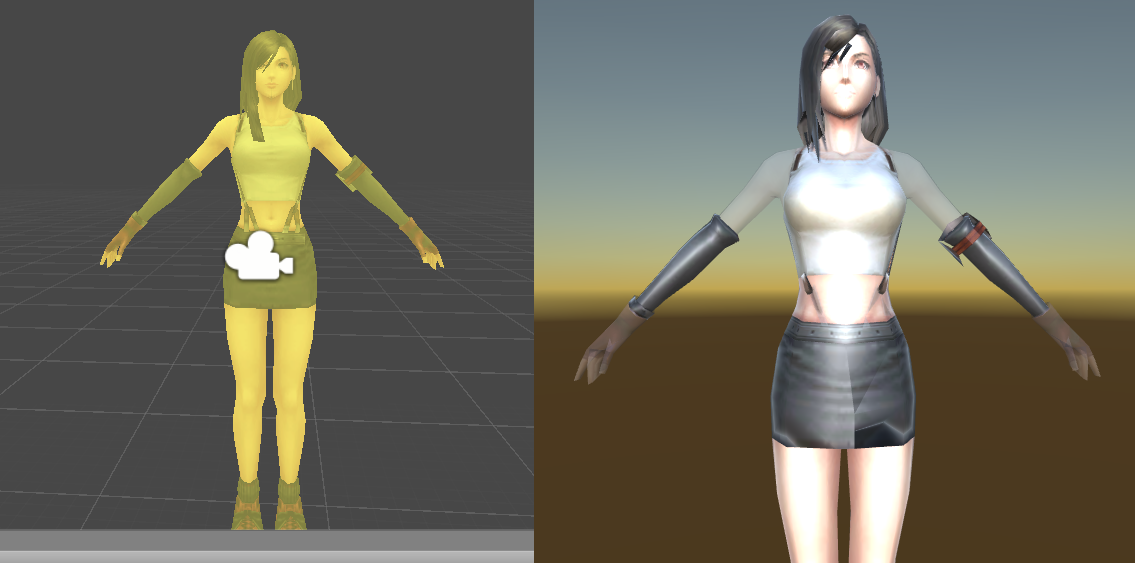
 little linden
can anyone tell me why this model is yellow in the scene editor, and why her arms and hads are transparent in the game view? https://i.imgur.com/OB2vcYe.png
 fluid oak
@little linden I'm guessing probably a combination of multiple overlapping sets of polygons and incorrect materials.
little linden
how does it display properly in scene view if the materials are wrong?
fluid oak
Does that look proper to you?
@wanton cradle you can just set the transform.rotation of the child in world space
little linden
it's at least not transparent
fiery star
i'm using raycast physics to onGround detection...but the isTrigger collider is detected...how to disable onGround when hitting the isTriggered Collider?
glacial elm
@fiery star y. you can litulary just give the ground a tag and make a if(collider,nametag,etc....)
 raw pecan
How to fix this?
eager mist
I would start by not making a photo but by pressing windows key + PrtSc and then pasting the screenshot so that people can easier see what you meant
glacial elm
or. windowskey + shift + s
glacial elm
dont ask to ask. just ask
glacial elm
are you using a normal?
 gaunt flax
the sand texture on the left wont render with the color on the right over by the brish
should be
glacial elm
did you remember to turn the image you imported to a normal in unity?
glacial elm
bingo
glacial elm
kk
gaunt flax
where do i find where to make it normal?
glacial elm
click on the image thats being used as a normal. on the right a menu should be visible
on the top where it sais standard or something like that. just click on the drop down and make it a normal
glacial elm
screenshot
gaunt flax
glacial elm
correct
gaunt flax
i made it normal map
gaunt flax
i imported it from the assets menu. i didnt make it
glacial elm
still
gaunt flax
ok
gaunt flax
the one that says diffuse is the one im trying to use
also I added a terrain layer idk if that effects anything tho
glacial elm
show me the menu that pops up when you click that material
glacial elm
yes
gaunt flax
ok
glacial elm
how about we call in 1 min. il help you then
glacial elm
just that im recording something quickly. so about a minute while i mix the guitars quickly. accept my friend req meanwhile
gaunt flax
ok
wooden quiver
If there's any blenderheads out here,
I'm trying to have it so I can render out low-rez, pixel-art-y images from my models in blender. I got all that fine and dandy, but now I want to play with extracting the normal map of my model in the same way in order to play with lighting in the game engine I'm exporting to
this is as far as I've gotten
I expected the entire model to look like the skirt does, but for some reason most of it is coming out as a solid color
For reference if anybody has an idea, this is what the model and render looks with my shaded mats applied
glacial elm
i dont get it. you want a 3d model to act as a 2d sprite?
wooden quiver
Well my ultimate goal is to render it as a 2d sprite
but my current problem is just getting the normal map of a snapshot exported
glacial elm
thats definatly not your issue man
place a camera on the side of the character. how ever you want the sprite to look like
then change the cameras settings from prespective to orthographic
add a plane with a plane color that you can cut out later. or if you're in blender render just set the world to transparent. then render.
wooden quiver
That's how I'mgetting the bottom-left render preview
glacial elm
boom you got a 2d sprite
if you want a normal then dont use blender. go to https://cpetry.github.io/NormalMap-Online/
Online NormalMap Generator FREE! Create a Normalmap directly inside your browser! No Uploads required, completely client-based
native kindle
@fluid oak (Sorry for the delayed ping, I had a question about something you said the other day), You mentioned that 3D avatar customizes should have a way to make distinct faces, so not all character faces look the same;
What are good customization options to ensure that players can make unique-looking faces? I was thinking that eye size/position/rotation is a good start, but what other customization options are a good idea?
fluid oak
@native kindle cheekbones, chin, mouth are all good. nose shape.
native kindle
@fluid oak Thanks!
fluid oak
And, like, I've played some games where there were only one or two non-hideous faces, so everyone looked the same because all the other options just sucked.
fluid oak
Also, if you do different skin colors, don't make them all basically the same color! I've played games where the skin colors went from 'tan to slightly more tan' with no pale or dark shades at all, which makes you wonder why bother having a slider.
native kindle
Good point, I'll make sure to include a wider spectrum!
fluid oak
Also, if you have a 'very pale' skin option make sure that there are still facial features that are still visible. 😛 I've played a few games where the lightest option was just 'turn up brightness slider in photoshop' so all the details were lost.
Same with very dark skin, though that has its own difficulties. 😄
Ideally you want to avoid, well...
gaunt flax
hey does anyone know how to get a world box?
I dont see any in the asset store that are free
simple sonnet
@gaunt flax You mean a skybox?
gaunt flax
yeah, I have one but it does t look correct when I drag it into place
it has a weird blue film
gaunt flax
ok
also now for some reason the water I have is rendering black not blue. When I first put it in it was blue. Any ideas?
half wave
I'm importing a multi object .fbx from Blender to Unity and for some reason it's not importing 2 of the objects. anyone know why that would happen?
it's like the 2 meshes are just missing from the fbx
glacial elm
Wierd.
half wave
ikr, I've been exporting this same rig for many updates now
all of a sudden blender is skipping 2 leg meshes
the animations are still fine, if I put a different mesh in the slot it still works.
for now I'm just using a replacement object but I'd appreciate any insight! thanks
 gentle folio
Is there a way to change the snap increment size in blender?
fiery star
ok, sharku(late reply)
heady meadow
is there any1 that moved his/hers whole workflow only to tablet?
 lethal phoenix
Im trying to do 3D Models
and Im using Blockbench if someone knows it
my question: How do I color it now? Because I dont know where to put the .png
lethal phoenix
Can anyone help me please: I cant get my texture working
eager mist
Firstly you have to make a UV map for the model
Then make textures for it, import into Unity, create material, assign textures into material and apply material to object
 violet owl
Problem with importing the scene to Unity, in 3ds Max scene look like this
But in Unity it look like this
Can't extract textures, option is greyed out. Any way to fix this without manually remaking all the materials in Unity?
 carmine scaffold
@violet owl make sure export settings for the mesh in 3ds max has "embed media" checked. Though as far as I know, it'll only export the diffuse/albedo so you may have to manually import other maps such as PBR into unity.
violet owl
@carmine scaffold Thanks, it worked, exported textures as well
gritty reef
That's a really cool scene 😄
wary eagle

ArtStation
Game Ready Akimbo,
1K texture set,
800 Triangles,
Includes a 75 Rounds magazine, a bipod and a x4 scope.
 teal bloom
Hi, is the performance cost of normal maps on mobile end devices high?
Or should you avoid using normal maps altogether
willow nebula
Yes, it's costly
 odd crypt
Sorry if this is a stupid question, but i've generated a terrain mesh using Blender (well, exported a unity terrain and modified it) but it's huge (2048x2048x128) and Im pretty sure i'll need to split that into smaller "chunks" but I've not been able to work out how best to do it, I've tried a number of python scripts on the blender forums but they all either fail or crash blender. Is there a better way of doing this?
fluid oak
Can you render out a raw heightmap texture back to the same resolution as the terrain you want?
 dry python
Thanks, I found an asset with what I needed, I didn't know the name by which to start looking for that effect. :D
carmine scaffold
@odd crypt generate a height map of the mesh in blender then use the height map to generate the terrain in unity.
 split hound
since the blender discord is slow to answer i figured i would ask here, is there a way to be able to sculpt two meshes at once, getting tired of having to go between object mode and sculpt mode
fluid oak
Not a blender user, but can you just combine them into one object?
split hound
@fluid oak yea but I would like to keep some parts seperate for easier resizing and re posing if need be
Maybe if I leave the boolean modifier on without applying it but I'm not sure and about to go to sleep so I would need to test that later if I remember
maiden tangle
I know zbrush has this but blender i believe you're restricted to sculpting inside a single object @split hound
odd crypt
@carmine scaffold Sorry i didn't reply i had headed to bed at that point. I couldn't do as you suggested because i'm using blender to make low poly terrain, and unity terrain doesn't allow that kind of effect. However i solved the issue, turns out the scripts i was using failed because I didn't have the latest version of Blender. The grid is split nicely now.
carmine scaffold
 odd crypt
Yeah but from my understanding, you can not accurately represent a low poly terrain style in a hightmap
wary eagle
A small 3D live. 😃 https://www.twitch.tv/titoonet_arts

 regal prism
GoGetFunding
 rapid echo
Started checking new features for sculpting in Blender 2.81 update that was just released. Seems pretty nice to use :)
https://twitter.com/FarrukhAbdur/status/1197727079640502273?s=20

Started using the new #Blender 2.81 update sculpt tools. The pose brush for deformation and the dynamic mesh preview for topology level edits. Works Great and fast! :)✨
#b3d #sculpting #blender3d #gamedev #indiedev #3d #b281 #eevee https://t.co/yhJIT8M37O
Twitter
wary eagle
low poly modeling. 😉 https://www.twitch.tv/titoonet_arts
gritty reef
Hella cool
gritty reef
Quick Blender question. Is there a way to convert a curve into a n-gon mesh instead of having it automatically insert tris across it? I'm having a fit trying to fix my mesh after converting it from a curve.
In 3ds when I converted from a curve to a poly it would just form one big n-gon with all the vertices in place and I could cut it up the way I wanted, but I'm not finding a similar option in blender.
gritty reef
Even when I delete the inner edges and section it the way I want with quads, when I fill the edges it coverts to tris
Found it. I just need to create New Face From Edges instead of filling. Still not sure how to get it to convert to an n-gon when converting from curve to mesh though.
gritty reef
Done. Just practice with Blender, not very happy with the spikes around the hilt but I ran out of time hahah
fluid oak
That is one uncomfortable looking speculum.
gritty reef
Most definitely
fluid oak
Hope they warm it up at least.
gritty reef
lol
carmine scaffold
@gritty reef use the surface modifier instead of convert to poly for splines in 3ds max. It'll help a lot.
Also if there are any unusual triangulation going on after doing that then I'd probably refine the segments and connect new lines before adding the surface modifier.
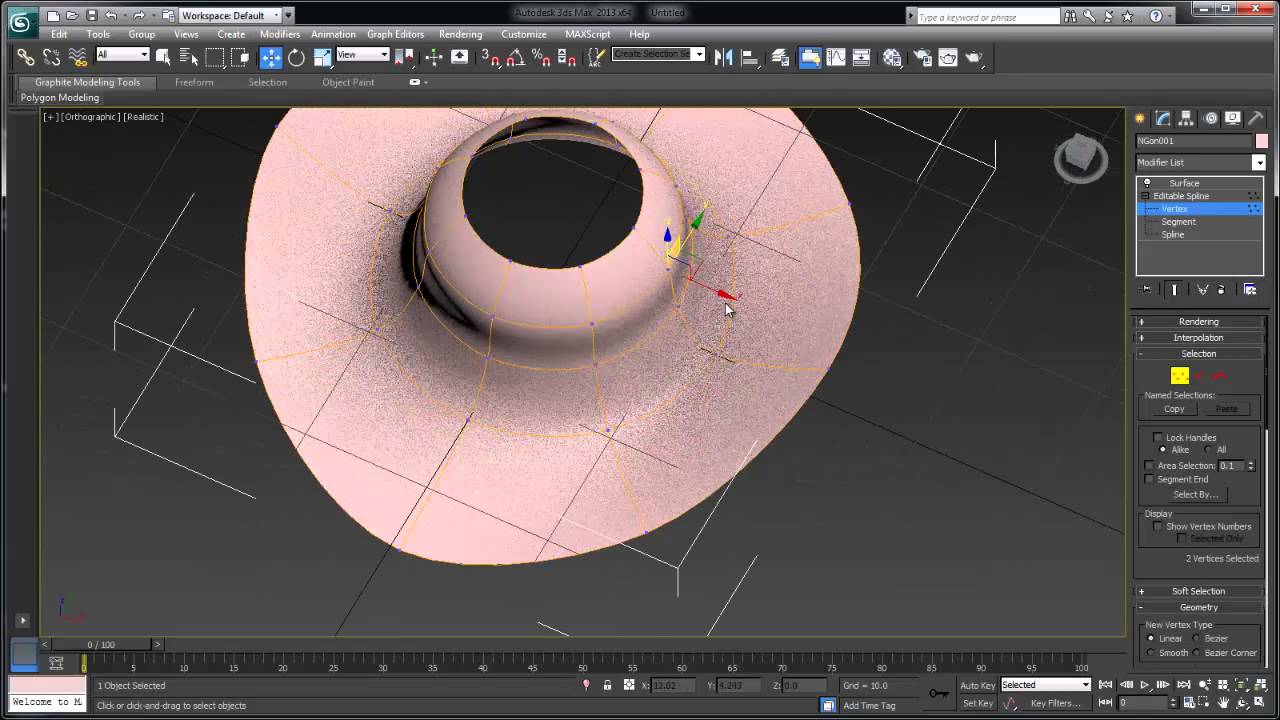
This video explores the applied technique of modeling 3D topology with a 2D spline method called "surface modeling." In this second of two videos, Autodesk's...
whole fog
went back to finishing Meltdown right now trying to model the lamp
any suggestion on how to make the map look a bit smoother?
I tried subdivision surface but it distorted it a bit too much for my liking
simple sonnet
I think it's set to flat shaded. Apply smooth shading instead.
I don't use Blender, but I think that's what it's called there
It might be "smooth edges"
whole fog
oh right I forgot bout that
gritty reef
Thanks for the tip @carmine scaffold, but I've swapped from 3ds to blender. Student license is running out and there's no way I can afford the license, so I figured I better learn blender if I want to keep making 3d stuff.
whole fog
I am trying to get the text to curve round the lamp but when I assign it to the curve this happens
broken edge
@gritty reef How's your experience with Blender been so far?
 teal wind
hej. i am looking for a solution to use / convert 3d models in unity with the "yft" and "ydt" suffix. i have tried to convert the files using blender, 3dmax and others ... no result ... thx in advance ...
broken edge
Hey everyone, what is the optimal vertices count of a model for game development?
For example, let's say I have a gun - should I keep it under 2000 verts?
Or a barrel - should it be under 1000 verts?
 low pebble

ArtStation
Concept belongs to Sean Evans (@studio.evans)
Sword Of The Defeated
This weapon requires Attunement. To attune to this weapon, you must have 10 hit points or less and speak the name on the blade, “Vailorn”. Once Attuned, you then gain the following:
- Hero’s Heart: Y...
Fun saturday project, I miss doing real artist work
simple sonnet
@broken edge This all depends on your game. What platform it is for. How big it is... Total count on screen at a time. There's no set answer that fits all really.
broken edge
@simple sonnet Do you mind if I send you a PM?
simple sonnet
I'm in no means an experienced game developer myself, so I doubt I can help much. I just try to keep my assets as low as I can get away with for my own liking. Basically, get an idea for how dense you want your average asset to be, and keep it consistent between all is my best tip.
broken edge
Okay, that's a reasonable tip 👍 I'll try to see how different LOD's perform too
simple sonnet
Yeah. Testing is the best way to get a feel for it really.
 obsidian shard
I could use some help with exporting clothing with blender. I have this character completed compatible with mechanim in the market. Finally. I am trying to create custom clothing, armor, body to change in and out of the rig in Unity. Nothing works. I started with shorts. I applied the transforms, armetuer, it's weighted, I applied the clothing modifier in unity. There seems to be nothing good on how to make interchangeable clothing for characters.
You can see the clothes don't move with the character.
Anyone know how this is done?
fluid oak
Did you set it to use the same animator as the character?
 idle citrus
Does anyone have any suggestions for learning Computational Geometry? Or should I just re-do linear algebra as well as calculus and vectors?
I think I passed linear algebra with a 60 last run so I should probably just go on khan academy or something and relearn it
thanks
np
carmine scaffold
For CAD?
idle citrus
no, just in general. trying to become better at game programming
gritty reef
@broken edge So far I'm enjoying Blender quite a bit. The UI is considerably more user-friendly than 3ds max was and it offers several features built-in that I had to install addons for in 3ds. I changed some of my navigation keybindings to match 3ds just to make the transition a little easier, but I'm still working on learning all the binds and how to use them with how Blender handles its tools.
broken edge
working on learning all the binds
Yeah definitely learn them, they can really speed up your workflow
pallid fractal
@obsidian shard the root bone on the SMR of the shorts is set to none?
should be the same as for the body mesh
obsidian shard
I've done that to
@pallid fractal I've set the root bone to the root of the main mesh.
@pallid fractal I've done cloth physics. The shorts were duplicated off the main mesh, weighted in Blender to the spine and thighs. The shorts were exported. Also, another problem is, the arms, body and head are separate. When exported with the Armatuere the body works perfect, however when you add them to the Armatuer you can get them working with the Armature but they don't move smoothly to together and break aparty in the Animations.
@pallid fractal Very frustrating. It's a 8000 vertice model for PC, and I want to get all the armor done, clothing, then get the tabletop part done since this model also will feature a tabletop at 8/32 scale for tabletop development, include the prefab and make it all interchangeable. That's the goal. Then you can change hair, armor, clothing, apply any animation in the market, I have some animations, then I will do other Fantasy pieces like elves, half-orcs, dwarves, dragons, but I can't seem to get past this part at all.
@pallid fractal Frustrating when you want to get this on Patreon, Unity Market and get money coming in for the work and your paying for substance and your stuck on a problem for a week.
Beginning to think I should have stuck with Unreal Engine especially with Unity not having the networking done and I run a dedicated hosting business with GPU at 200 a month. Plus I pay for adobe, substance, and speed tree. Anything from anyone on this issue would be appreciated
Maybe I should just go to my Unreal Ship models and get them on Unreal Market and Unity Markets and come back to this Tabletop Fantasy Character project later.
 bright field
anyone know how to set the faces of a cube to be a picture
like each face a picture
chilly oracle
well, the easy way is to add sprite renderers to each side of the cube and position them correctly ^^;
bright field
whats a sprite renderer?
 sly goblet
Do you want each face to have the same picture, or a different picture?
eager mist
@bright field
Create a UV map for that cube and then just do textures for it
bright field
how do i get that image to be a texture
eager mist
Do you know what unwraping an object means?
eager mist
Yes, it has to be a texture
Well, let's start with that
Unwrapping an object means creating like a "blueprint" for textures so that when you apply textures to an object it will know which pixel from the texture should correspond to which point on that object
eager mist
In what app are you making your 3d models?
eager mist

Blender tutorial about how to UV unwrap in Blender, so that you can texture your model. Download the model: https://drive.google.com/open?id=0B8PFSrI9B3iwanN...
Unwrapping a cube is really easy and should you take less than a minute once you know how basic things work
eager mist
You don't "set faces to be textures"
You create a texture for unwrapped object and then apply that texture to the object
 worn gust
just watch the video, you will understand
sly goblet
Are these cubes the Unity's primitive shapes, or are you creating them in Blender?
bright field
rn im using unity primitive shape
thanks for all the help btw
i really appreciate it
sly goblet
Just create a material, assign your picture to the basemap field and then assign the material to the cube.
bright field
aight
eager mist
What? No, don't do that
It will set the texture of each face to be exactly the same, no?
And that's not what you want
sly goblet
I'm assuming that's what he wants.
bright field
yeees
sly goblet
Is it just one picture, or more than one picture?
bright field
nah i phrased it wrong
its the same picture
but each side has that picture as texture
sly goblet
Ok. The material technique will work.
eager mist
Yeah, create a material, assign the image to the base color and apply that material to cube
eager mist
Yes
eager mist
Click the image so that the import settings on the right side are visible, make a screenshot and send it here
bright field
it changes the color
bright field
does it set it to be the image then"?
eager mist
Now drag that material onto the cube
eager mist
Send a screenshot of what you see in Unity with material panel opened
bright field
eager mist
You haven't assigned the image to the material
bright field
how do i do that
eager mist
Either drag it into that empty square near "Albedo" or click that square (or that circle thing next to it) and pick a texture from the list
bright field
ahhhh
i put it in the wrong box
tysm for ur patience with me
how would i turn a cube into a png?
nvm gottem
worn gust
you dont. You apply the png over the cube
 lofty sleet
how can i turn cubes into walls where my character cant go through
worn gust
you need to add colliders to both the walls and your player
broken edge
hmm both look interesting, but the right one would look better without that separated hair on top (that curvy / jagged line)
btw is that all done in zBrush? @solar merlin


 broken edge
Oh I like this a lot more 😅
 solar merlin
Interesting.
I don't have the other characters on me rn to show u, But other character have the same thing.
solar merlin
Something like that see this character is supposed to control lightning that's why her hair is like that.
broken edge
I mean if I look at it again it's okay, providing that the rest of the game is done in a similar style
Yeah it makes sense with context
Are you going to texture the character?
solar merlin
Yeah they will be hand painted but i'm not the one painting them.
I suck at painting

We have a really nice cell shader tho.
broken edge
Okay 😅
Would you mind sharing the character here after it's finished?
I would really gladly see the result if possible
solar merlin
Yeah definitely.
broken edge
Okay, cool
solar merlin
I'll see if i can share the other ones too, Even tho im not sure if i can leak all the stuff.
broken edge
BTW the haircut on the left makes the character look more 'shy' and 'intellectual', whereas the haircut on the right makes the character look more 'adventurous' and a bit 'determined'. I can imagine the character on the left being a shy person in a school environment, or just a character from a cutscene, but the character on the right seems to me like a main character that you would play in a more 'energetic' or 'adventurous' game.
But colors and textures will make a huge difference too, so right now I'm just looking at clay 😄
solar merlin
The left hair is just a place holder i made it fast it will probably look better if i try but i liked the right one better.
They is why it's a good idea to concept on paper first.

 sullen narwhal
Is using 3 texture set 4096 x 4096 on one model bad?
fluid oak
Depends on the model, and your target platform?
 potent mica
Hello everybody, I'm searching for a 3d Model artist that can create me some simple models matching Dungeon Keeper 2 Characters. In first instance I need a model for the gold imp goblin. For more informations, feel free to contact me!
 rustic swan
Hi, I'm a 25 years old French Canadian, me and a friend are developing a space game called SinFinity, it's a pvp mobile game, my friend has 10 years in netcoding and I'm a pro musician/sfx/gfx artist.
We are in need of 3D modelers for spaceships and structures (buildings of the bases)
DM Me.
gritty reef
Hey guys, I'm trying to come up with a somewhat unique art style that I can work on refining a bit. I'm thinking of trying a cross between Colonial era America mixed with Medieval fantasy. Thoughts/suggestions?
chilly oracle
@gritty reef That sounds like settings and not art style ^^;
Can you give some examples so that we could understand it better?
gritty reef
Like a mix between the architecture/clothing style is what I meant, sorry
Like they're already blurred a bit because the time periods are relatively close
chilly oracle
Ah, I think I've read some manga that have done a similar thing.
gritty reef
But I think something cool could be done by mixing them a bit more heavily
chilly oracle
oh for sure.
Like mixing muskets with full on fantasy and such, a lot can be made with that. :D
It's like a era of fantasy that progressed a part of history faster than other areas.
For example, maybe they got insanely advanced in electricity but hardly ever progressed explosions or vice versa.
the opposite would probably be cooler, no electricity by highly advanced steampunk/explosive stuff
gritty reef
Yeah, that's kind of what I was thinking. Keep the things that make the era unique and then infuse it with fantasy aspects
Enchantments and magic and things mixed with the limited technology of the era
chilly oracle
I also read a manga that opened up a portal to a fantasy world from current time, so they went into the portal with full on military troops and helicopters fighting dragons, that shit is amazing ^^;
gritty reef
lmao that's awesome
chilly oracle
Yeah, I really enjoy Asian comic books for this reason, they are produced so quickly and by every personality imaginable, so it's a lot of random stories being made. A lot of inspiration can be taken from them.
gritty reef
It makes it hard for everyone else in the creative industry, because whatever cool thing you've come up with, an anime or manga probably did it 10 years ago hahah
chilly oracle
it's a shame, but probably true. There are some insane genres out there and the most popular one right now is probably one called "isekai" where a modern person from todays world gets sucked into another world, often a fantasy one.
So he brings with him the knowledge of an office worker or mechanic into this new fantasy world that is less developed.
But be sure to make some 3D art with it and bring it here ;D
gritty reef
That's a really cool concept. Even more so if it happens accidentally and they have to survive in the other time period rather than the generic time traveler trope in a lot of western media
chilly oracle
exactly what happens :p
usually they get snatched up by god before they die or when they die they get reborn
gritty reef
Sounds like a video game hahah
But yeah, I think I'm going to start working on some models and scenes for it
got a nice long weekend coming up to put the fingers to the keys 😄
chilly oracle
Perfect way to spend the thanksgiving holiday, alone in a room with your thoughts and the computer.
If only.
 hollow acorn
If I import a .blend file containing an IK rig to unity, what is the expected behaviour? Should the IK work or no? Google isn't giving me a clear answer
eager mist
Imported IK won't work in Unity
hollow acorn
I see, thanks for the answer!
broken edge
Left
chilly oracle
What is that even supposed to be...
 austere falcon
Hey guys! anyone with the knowledge of uvs and procedural meshes? I have a trouble texturizing a procedurally generated object
The shape
Looks like this when I apply the texture

The disc is made of segments
 surreal silo
@austere falcon Share original texture
austere falcon
its a simple checkerboard just like this one
@surreal silo might be not the exact same, but you get the idea
surreal silo
Not totally sure, but instead of:
uvs[j] = new Vector2(Mathf.Repeat(vertices[j].x, 1), Mathf.Repeat(vertices[j].y, 1));
You gotta map the UVS from normalized min:max of the vertices
so like, if the disc is 4 meters across, then the bottom right point in vertices is (4,4) and (1,1) in UV space
so divide the vertices x and y by the max size to get the UVs
austere falcon
ok will try that
surreal silo
I think I get what you were trying to do with the repeat, but I don't think that's the solution
If you get stuck @ me in code since this isn't really a 3d art problem
austere falcon
Okie! the guys just suggested to come here
 exotic dune
If I have two imported characters in unity
Exactly with the same rig etc.
but one has glasses and the other one doesn't
is there a way to move the glasses from one to the other
inside unity, or do I need to do that in blender/maya?
glacial vector
You can't do it directly in the mesh but if you drag your characters into a scene and move the glasses into the right hierarchy, then you can make a prefab with glasses
glacial vector
They would need to be skinned and exported with the mesh @exotic dune
exotic dune
Can you recommend me a site where I can find people to pay for doing this?
glacial vector
Don't know one sorry
 last cipher
I've had this happen twice now and I want to understand what it happening and not just rollback my settings. While my image in scene view looks great (left) the game view (left) is all pixelated.