#archived-lighting
1 messages · Page 49 of 1
 sharp inlet
 modest pilot

 tame delta
is there a way to up the brightness of the skybox without messing with exposure in HDRP?
 gilded zephyr
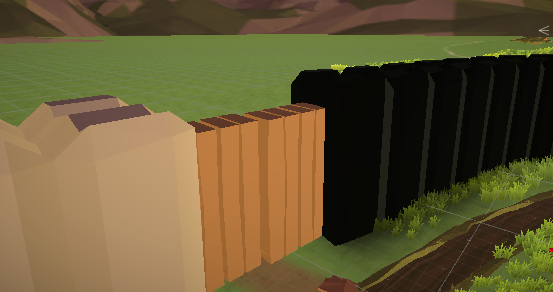
I was having this same issue yesterday, and I'm not sure how to fix it. this is part of a room that was originally made out of planes, meaning it had no thickness at all.
Now, I have added thickness to the room, and as can be seen in the screenshot, I'm still getting the same lighting artifacts around the edges of this room. I'm not sure if this is caused by HDRP or if I'm doing something wrong here, but this is the 3rd or 4th version of this model that I've tried to import from Blender, all of them seem to have this same strange lighting artifact.
Please ping me if you have any ideas ;-;
Just to note, it happens in both the editor window and playmode.
I found the issue.
My shadows were set to the lowest quality, which for some reason allows light to seep through
Unfortunately, I have to set the shadow quality to high or ultra for it to work, which I'm not too fussed about, but I would think that the lower-end systems (that still run HDRP) would have lighting issues due to this.
 compact remnant
@gilded zephyr You could solve that using a shadow box. Meaning creating a model that encapsulates your interior room (with holes for windows), and setting it to "Shadows Only" in the mesh renderer
gilded zephyr
Ok, so that would not be visible in-game, but it would prevent the artifacts?
compact remnant
exactly
I've used the method before
@gilded zephyr https://youtu.be/HVChO6VIw_Q?t=164 at 2:44, here's where I got the method from

Let's light an Architectural Interior scene using High Definition Render Pipeline(HDRP) in Unity2018.3
In this video we will cover both real time and baked lighting techniques to achieve photo realistic look in your scene.
We will also use Unity's new GPU Lightmapper to quic...
gilded zephyr
ahh okay, I'll check that out, thanks! @compact remnant
 velvet bay
fixed ! is my lightning good ? i have no post processing
 timber lichen
Anyone know how to add a skybox to HDRP?
 versed ember
@timber lichen yessir, you have to right click on the hierarchy, Volume -> Sky and fog volume, then select the kind of sky you want (procedural, physical, hdri, gradient), add the corresponding override and then slap the profile you created in the lighting window.
versed ember
https://youtu.be/hXASvMn9OdU made a video about it since it's not the first time I see it being confusing :D

Hey guy, this week video is definitely bite sized! I've seen a few people, myself included, getting slightly confused with how to setup a sky when converting to HDRP so I made this small video to show how.
00:07 intro
00:18 Tutorial start
Intro song by: https://soundcloud.c...
compact remnant
does anybody have a solution for animated light cookies?
 bronze trench
Hmm... just to be clear, is there a way to add variable ambient light in HDRP or URP? Closest I can get is multiple plane lights, but it's kind of heavy and has some nasty edge effects.
You can adjust the exposure... but that would affect the whole world.
Doesn't help if you want to have a room with a light that can turn on and off, but have everywhere else be lit by ambient.
versed ember
@bronze trench in HDRP you have an override for that
bronze trench
In the volume?
versed ember
yeap
bronze trench
Oh nice. When was that added?
versed ember
not sure I only started using HDRP 2 days ago really :D
bronze trench
Ah.
versed ember
quite a lot to dig through
bronze trench
I will need to see if it behaves exactly as I mean... like if you are looking into the space does it correctly light outside and inside separately.
versed ember
you mean keep the sky at the correct brightness?
instead of overexposing everything
I guess if you push it slightly yeah, but it seems to have an effect on sky if you crank the value really up
but I think a combo of this and reflection probe and you might be alright
bronze trench
Cool thanks @versed ember Hopefully it will work out.
versed ember
no prob :D
bronze trench
@versed ember Nope. Doesn't do what I want at all.

What I'd want is for the right cave thing to be darker inside regardless whether you're inside it or not.
versed ember
why does it brightens up tho
bronze trench
What?
versed ember
or darkens
like when you exit it's bright
when you go in it's dark
did you made like a cube volume surrounding it?
bronze trench
As you said, there's a cube volume in the right one. That volume has indirect lighting set lower.
versed ember
ah yeah unfortunately volumes work like that :\ you have to step in to see the effect
hmm
bronze trench
Yeah I figured.
Like I said though. The effect I'd want is to have an individual room lighten/darken based on a switch.
The only way I figured out how to do it is two rectangle lights, and those had nasty edge effects (and were quite slow).
versed ember
if the room is enclosed, couldn't you turn on/of the volume?
or am I misunderstanding?
bronze trench
It's very much not enclosed. That's the point.
bronze trench
You can stand outside and look in the room.
When I investigated this last year (~Feb 2019) the only thing I could think of was forking HDRP and adding a new light type.
versed ember
it's an interesting problem but it sounds like it should be a fairly common thing
to be needed, I mean
bronze trench
Yeah. The main suggestion would probably be "set up all the lights inside the room" but it's a toon art style so it's expected to be flat.
bronze trench
I think I'd rather fork HDRP at that point lol
versed ember
ah actually it came back to me that this is quite a huge issue in general
versed ember
we ran into a similar issue with a game we were making
bronze trench
Ah okay.
versed ember
and the issue was that ambient light hits everything
no matter the surroundings
which is absolute bs
bronze trench
It'd be super simple if we'd have extra types of lights.
versed ember
unless you bake, but we needed everything to be realtime
bronze trench
Yup. And baking wouldn't help me either, because it needs to be flat.
bronze trench
Here's actually a clip from an anime, "Tari Tari", that has similar lighting to what I'm expecting. Everything's super flat except for the directional light (and its bloom). Problem is if you want to transition between outside vs inside, or inside lights on vs inside lights off.

HDRP can do basically everything as long as everywhere has the same level of ambient. :x
That doesn't work if one room has lights on and one doesn't. You'd need to set the ambient to the lowest value (because negative lights are also not allowed) then add in the rest... except that there's not really any tools to add in a flat light except rectangle lights.
versed ember
yeah. What do you mean exactly by flat light though?
I have a feeling I've seen tari tari btw o.o but I don't remember
bronze trench
Flat as in everywhere affected by the light has the same value.
No attenuation like a point light.
versed ember
ah I see, so cell shaded basically
bronze trench
Not really no.
bronze trench
Cell shaded is about the sharp changes in lighting values. I'm talking about the base value.
An example would be the indirect lighting component of HDRP in a place where no direct light occurs.
There is still SOME light... but it's a single "indirect lighting" value no matter where you are.
(There is some angle dependence... surfaces facing down and surfaces facing up have different values... but the position of the object doesn't matter.)
Like the red arrow areas. Not like the blue x areas.
versed ember
ah ok I see
bronze trench
I'd want to be able to control that base independently for certain parts of the scene.
And not only when I'm inside that part. I could be in one part looking out into another part.
Global illumination would have a lot of weird variation in the light.
versed ember
you could probably do something akin to that with SEGI maybe but I'm not sure if that is usable anymore
versed ember
sounds like a though nut to crack :\
bronze trench
Yeah really the only thing I can think of is forking HDRP and adding a new light type. :x
timber lichen
@bronze trench I've seen someone on Twitter just add AO from shader to make caves darker.
They sent the antilight positions to the shader somehow.
 covert stirrup
have you baked lights?
 strong mica
Yes, I can rebake again
covert stirrup
If so then I would see if the PP makes a difference yeah
strong mica
Ok
 grand basin
velvet bay
grand basin
velvet bay
It could be the strengh of the shadows in thé lighting gameobject menu @strong mica
 winged pelican
Hello, I have something of a noob question!
I'm learning how lighting systems work, and I've got a sort of top-down, indoors, room-based scene that I'm working on (picture hopefully attached below).
How could I light it so that I change individual rooms between fully lit, low light, and no light?
- Realtime/direct spot lights seem to bleed through walls and objects, and I don't think unity would be very happy with the number of lights needed to properly light the scene. I think part of getting this right is tuning the values carefully, and possibly creating some kind of artificial shadow-casting object where necessary?
- Baked lighting obviously looks nice, and it's easier to get an evenly lit scene with the indirect light. But, I gather that I'd have to bake a new lightmap for every possible lighting permutation? Which is infeasible with a lot of rooms. Is there a way to toggle between lightmap textures on individual objects, possibly?
- Pre-computed Realtime Lighting sounded like the answer, but - aside from it being deprecated for now - I couldn't get the hang of it. It just seemed to bake lightmaps with much the same end-result!
In any case, I'm starting to realise that there are a hundred different ways of achieving a particular effect, but any brief advice would be much appreciated 🙂
strong mica

Huge flickering issues, not using TSA, tried with both Antialiasing disabled and SMAA
Post Processing V2, rebaked with a very small lightmap
 fluid epoch
im trying to find a way
to save lightning probe data and load it
basically i cant find a way to load it
LightmapSettings.lightProbes.bakedProbes[index_i]= probeInfo.probe;
probeinfo.probe is simply a harmonics sphere l2 which has data copied from another scene
(basically trying to move baked data for light probes across scenes)
but i cant find a way to make the lightmapsettings take in my probe data
fluid epoch
i fixed the loading part but for some reason im not really noticing any change in shading and etc
 strange roost
Hi. Is there a difference in performance if I mark my lights as static when using mixed mode?
 graceful magnet
@winged pelican that seems like a very small number of lights. As a topdown game, you can likely get away with realtime lights.
I assume you are doing some sort of distance check against the player to change brightness? If you do, only have one update manager to loop over all lights in an array or use ECS.
 old falcon
oh it works..with volumetrics! i think its the enable compatible thing on the texture
@pallid osprey Hey, I'm working on the live cookie again and I'm now seeing that you've managed it to work. Is it also working with directional light and rendertextures?
 pallid osprey
i think so
i kinda threw everything at it a few days ago and it was making more sense
i ended up finding a volumetric fog but too so feels like its something they are heavily working on
im still on 2020.1.0b3 so can't say what it is like currently
animated cookies through volumes looks pretty funky
old falcon
Ye that was my initial goal. But I also wanted to lerp between the frames, so I had to use rendertextures and compute shaders.
pallid osprey
oh yeah i recall now
if it stops working try creating a new texture and assigning it
i think theres something to do with the auto color or something
i tried to investigate but was kinda tired
you are on the latest 2019 ?
old falcon
Kinda, 2019.3.9
pallid osprey
loaded up the project with the mix of all sorts of cookies and textures
works like before.. the render textures stop working after project reload
custom RT works fine
toggling Enable Compatible Color Format makes them work
old falcon
OK FOUND A SOLUTION! sorry for caps lock
old falcon
My problem was that I'm updating the Texture on the GPU side. The directional light somehow doesn't know this, thus, doesn't update the cookie. So the only thing I have to add is to update the Texture also on the CPU side with the function IncrementUpdateCount(). Now I have animated cookies with only one RenderTexture over time, interpolated smoothly between my cloud frames so 8 frames is also enough. And combined with the volumetric fog, I got animated god rays boiii 😄 Thanks for the help @pallid osprey
pallid osprey
is this non HDRP?
old falcon
This is HDRP
pallid osprey
hmm wonder if thats the reason for the glitch here
im just updating it with the KlakSpout script
weird that custom RT doesnt glitch out
fluid epoch
anyone
that is up to help me a bit?
pretty please im getting desperate after a week of not finding any form of help
4 servers, 6 days, unity forums, none answers..
@ me if you are willing to help me with some questions regarding light probes, or realtime illumination
pretty pretty pretty please
timber lichen
so i have made a school enviroment and want to have it lit with baked lighting. I have ceiling lights positioned across the entirety of the roof, set all of the mesh renderers to allow for baked lighting, set the lights to baked and let it bake. When i returned, the objects were miss lit with large black areas. i have adjusted some of the lights propreties and am letting it bake again. once it finishes i will share if it is messed up again
please ping me if you have any ideas
covert stirrup
Have you made lightmap UVs for your objects @timber lichen?
timber lichen
no, im using SNAPS. i cant find the import settings to allow for light map uvs
@covert stirrup
covert stirrup
I don't know about snaps sorry
But I would assume lightmap UVs are the problem, so you might wanna look into that
 ivory barn
hope its the correct place to ask, i'm using hdrp with an alembic animation, when trying to assign the material to the mesh, it starts to black flickering, Only when i assign material to this part of the mesh, any idea what could be happening?
gilded zephyr
Sorry to add to the list of help requests, I have a single directional light in my HDRP scene and it's shadows are set to Ultra quality, and yet in play mode the shadows still have some kind of aliasing issue... Any ideas how to fix please?
 little salmon
Hello guys, my game has a really big city map, with a lot of exterior and interior areas. I have a couple of directional lights. My question is, in performance terms, should I bake a lightmap of the entire map (all lightmap parameters set to minimum still takes like hundreds of hours) or just go with realtime lighting?
 spice salmon
anyone having an issue when they start a lightbake with gpu and if it fails it switched to cpu. On cancel it stops the lightbake in editor but the cpu usage is still 100% ?
Its on HDRP 2019.3.12f1.
pallid osprey
heh im trying to bake right now before the Unity stream
makes no sense to me. I guess the estimate and percent readout is totally false for GPU
forcestop also doesnt work..you have to turn off baked lighting and delete whatever maps were created
🔥 🖥️ 🔥
uhh i think it worked
turned off Progressive Updates when using GPU baking
😮
timber lichen
i have a scene made up of tiles and i have lights set to realtime. For some reason, they have these weird shadows on them
 wind portal
does anyone know how to fix overlapping uv's
just baked a lightmap and idk whats going on
i tried changing pack margin to 40
strong mica
@wind portal you familiar with flickering lightmaps at all? my project has been giving me a massive headache with shadows flickering. No one could find an answer 😦
its more severe in the editor
wind portal
im a noob sry haha
strong mica
rip Lol np thank you anyway @wind portal
oh this isnt GDL
just tried giving you karma
lolol
wind portal
haha
 silk venture
About light sources in HDRP : is there some parameter that put a hard limit on point light's range ?
I'm trying to set up some space scene, and any point light simply fade after 9k units of distance from the camera (both actual camera and the scene one).
Tweaking camera's clipping plane, light range and light intensity doesn't change anything.
It's a perfectly smooth reduction in intensity between 9k and 10k, so it really look like something the engine is doing on purpose and not just some float32 accuracy problem.
I know there are workarounds like scaling down the entire scene, but I'm more interested in what/why its happening. Especially since a quick test in a non-HDRP project doesn't show the same behavior.
winged pelican
@graceful magnet Yeah, I'm starting to figure that out to some degree! Deferred rendering, realtime lights, and really fiddling with the parameters and object placement to stop shadow leakage, and get the rooms evenly lit. Struggling a lot with weird shadow effects and flickering, though, which is kind of why the baked lighting was tempting 🙂 I figure there's quite a lot to learn in perfecting it.
Would the distance check be aiming to reduce the processor load, by switching off unnecessary lights? I didn't think it'd make a huge difference with deferred rendering though?
graceful magnet
@winged pelican it depends. Turning off lights can help if they are affecting objects in view (not culled), especially with large radius lights, but there's a point where the cost to distance check for each light takes more CPU time than just calculating the extra setpass calls.
Baking is a fiddly awful terrible thing but when it works it's fantastic for performance. Keep in mind that baking will have indirect lighting which brightens the scene....then those same lights if used as mixed mode for dynamic lights will light the dynamic objects darker than the surroundings. Basically, baking is broken if you plan to use mixed lights. Unity assumes you will use light probes instead. If you do manage to get good bake results and still want the nice realtime lighting and specular on dynamic objects, you'll want separate realtime only lights that are brighter to match the bake result.
Ya if anyone knows a way to bake direct lighting only...that'd be great. Of course doing a bake externally is possible in Blender or the like or manually painting on textures but that adds more work than it's worth on a large project.
If you do use realtime lights, keep the radius small. The fewer objects each light affects the better.
 hard igloo
Hello guys im stuck with a lightning problem, only in the Android build in the editor and the windows build everything is working fine.
Its a simple directional light which is moving abov the player and in the android build it look like that the light is not moving (statsic at the start from the player) so that the level is getting quick darker and darker .
If you need more informations just ask 😂
graceful magnet
@hard igloo does the directional light's gameobject have a rigidbody? Is it not marked static in the inspector (top right corner)?
Is the light mode set to realtime?
 latent urchin
Can someone help me out with using a custom skybox with URP? Im transferring my project from built-in pipeline over to URP and when doing so, my custom skybox disappears. The default Unity skybox works, but the one that I made does not. I can't figure out how to set this up for URP?
timber lichen
been working on lighting and particle systems for the first time, lamp post thing was made in blender, added a simple texture, I think its pretty good but the light doesn't seem natural, any tips or tricks?
the thing inside the lamp is just a cube with gloom, tried to use a point light but didnt like the outcome
latent urchin
does URP have the option for GI with emissive materials?
 last cairn
Does anyone know how to make shadows darker? https://gyazo.com/4972e20c7ecd5221d14602553f2794e5
timber lichen
Do you guys know how to fix this lighting to make it smooth ???? im new to unity lighting
hard igloo
@hard igloo does the directional light's gameobject have a rigidbody? Is it not marked static in the inspector (top right corner)?
Is the light mode set to realtime?
@graceful magnet the ridgitbody was missing, but with it the error os still there. Its not static and the lightmode is of course set to realtime. I dont have any other ideas
 valid otter
I baked the lightmap, and the lightmap has color, but nothing is showing in the sceneView, this wierd 😦
why i the light map not 'using' in my rendering
it's obviously baked
but nothing is showing up
timber lichen
I hate programming sometimes im litterly going to bang my head on the wall
valid otter
ok, it is 'indeed' baked but the tint is light as crap
I'm not sure how to 'control' the emission value
I think i can only experiment
timber lichen
Yea im trying to change the emission
timber lichen
anyone know anything about WebGL? having real issues getting my lighting to work properly in it. Baked lighting works fine, but I have a few things that need realtime lighting to cast any kind of shadows, and they don't show up when I'm running it in the browser
(But it works just fine in the editor?)
 austere canopy
@valid otter does your shader support backed light maps?
timber lichen
hey guys is there a way to get a point light that absorbs light instead of emit light? as if it darkens the area instead of lightens it.
timber lichen
@valid otter Ok i think to control the emmision you got the colour picker then change the intensity
valid otter
@austere canopy thanks bro, I just found out the problem is the "exposure" volume hidden inside the ProjectSetting/Graphics
The auto exposure is killing my scene
valid otter
@timber lichen yes
 astral edge
Hey all, I have a scene with a "house" 4 walls 1 roof just regular unity cubes, and only one directional light. How would I make it dark inside but still bright outside? Why is it the same lighting inside and outside?
 timber flume
hi guys,
ok, so there are 2 rooms with baked lighting and there is only 1 difference where on the left is window with glass material ((dithering)<- material also on screenshot) and my question is: it is possible to achieve the look like on the right with that window? Because when I will add more windows there bakings will be darker and darker :c
winged pelican
@graceful magnet Right, I see what you mean! Better to have more lights affecting fewer objects each.
The baking is interesting, it seemed really quick to develop an adequately lit scene, because of the indirect lighting. But yes very fiddly if trying to do anything at all dynamic! In any case, cheers for the advice!
hard igloo
Does anyone have ideas why the ground is getting black ?
Its only in the Android Build
graceful magnet
@hard igloo what's the material? Try changing from Standard to Standard Specular
hard igloo
@graceful magnet The Material is mostly standart, im now in building with the Specular Shader
Nope the problem still exists
This is the Material
graceful magnet
@hard igloo So it's supposed to be really dark gray? not sure but perhaps you could do an unlit material with a gradient texture applied in your case to get the look you want
hard igloo
At the start I just picked a dark gray but it doesn't have to be. So I never worked with light and gradients before in Unity.
My goal is to fix it getting black . It doesn't need to have a gradient, one color would be enough
@graceful magnet
graceful magnet
@hard igloo try unlit color then
hard igloo
@graceful magnet sorry still the same : (
 lavish rock
Hi, I have this simple Scene and I'm trying to get the Light probes to show when moving the Cube.
In the Sample Construction Scene It works but not in this freshly created one ... what am I missing?
 warm nimbus
Anyone got a clue to why these objects doesn't get affected by light? URP
lavish rock
I Found my error, had to enable this option 👏
 thick heron
how to remove this line
 fickle wind
I baked the lighting in one of my scenes, and my road ramp got a weird blue color on it. I dropped a non baked copy side by side so you can see what happened. Any ideas why its showing blue? I even tried doubling my bake resolution, and I still get the blue.
 small barn
Hello, I'm curious to get your advice.
How would you set your lightning in a huge open world stylized game considering that baking is out of the question (World are procedurally generated when the game start). This is a 3d project.
 wispy skiff
@fickle wind Did you solve it? Does that object have lightmap UV's?
fickle wind
@wispy skiff I haven't solved it yet. It's a Synty Studios Asset, and haven't had any issues with any of the other pieces. Someone from synty replied to me on their discord, but I think they are trying to reproduce it themself now 🤷
wispy skiff
Ah okay, maybe they can provide some solution. But I would guess it's missing lightmap UV's, or have overlapping UV's. You can solve this by checking "Generate Lightmap UV's" in the inspector tab for the model
@fickle wind
fickle wind
@wispy skiff thanks. i will try that. it was unchecked, so I checked it and applied it. If this works, I'm a bit scare that maybe i missed some issues with the other models 😬
fickle wind
@wispy skiff that fixed it! thanks!
wispy skiff
Great!
graceful magnet
@small barn realtime is fine if targetting PC. Mobile can handle a few realtime lights too. If open sky, realtime directional plus realtime point lights, limit point lights by distance to player. Light probes can work too possibly. You might be able to get away with post processing screenspace lighting but that could be harder to program in.
 bronze tulip
my 2d lights are not working?
 humble coral
@bronze tulip if you just got the universal pipeline working, did you get the sprite renderers updated?
bronze tulip
yeah that's why there all blacked out
its like my first time ever using lighting so I'm watching Brackleys

Let's learn how to make 2D lights using the new 2D Renderer in Unity!
● Check out Zenva Academy’s curriculums: https://academy.zenva.com?zva_src=sponsored-brackeys
● Sign up for the free boot camp: https://academy.zenva.com/brackeys
● Project Files: https://github.com/Bracke...
this is the method to the madness
got it had to target all objects
had it on default
bronze tulip
thanks for coming to my aid though
humble coral
@bronze tulip i literally just learned about 2d lighting like 3 days ago lol.
humble coral
always wanted to play with that but didnt want to create my own. recently started a new project and learned a few new things and yay for unity's 2d lighting >.<
lol xD im obviously a master of 2d lighting now 3 days is a lot you know :P
humble coral
its so much simpler then the crazy shader writing mess i would have gone through if i were to do this before x.x
bronze tulip
ooofff, must of been hell
humble coral
it was, so i didnt do it xP
other option was to buy assets for it but eh, they were messy.
praise unity for saving us now uwu
bronze tulip
yeah making this is such a stress relief I bet
 rain veldt
Hi everyone! Is it possible to bake a lightmap and use it in a different project (or even in a different session)?
small barn
@small barn realtime is fine if targetting PC. Mobile can handle a few realtime lights too. If open sky, realtime directional plus realtime point lights, limit point lights by distance to player. Light probes can work too possibly. You might be able to get away with post processing screenspace lighting but that could be harder to program in.
@graceful magnet
Thank this is mostly what I was doing but GI will not be supported so that worry me a bit. And yes this is for PC :)
 old kite
Hi everyone! Did anyone have a problem with shadow seams for tiling / modular wall pieces?
E.g.
I checked the lightmap UVs, there are no overlaps here, at least that's what Unity says.
I generated lightmap UVs in Unity though, didn't do that manually.
timber lichen
Is there any reason for my lightmaps to have random bright patches?
This same mesh is used in several other places in the room at the exact same scale/orientation
but it only happens on this one
fluid epoch
do pardon, but im trying to add probes manually on the baked probes aka LightmapSettings.lightProbes.bakedProbes
as well as adding their respective positions since its gonna be needed
how should i go about this ?
im doing this cause im trying to add probes on runtime, prebaked to avoid baking each time
unless i can probe a specific probe group or something
timber lichen
i baked all of my lights in my scene and when i build and run the .exe, the lightmaps are all screwed up
before
after
timber lichen
@timber lichen
what are you building to?
I had an issue with WebGL and things loading from the cache
windows
and macos
windows has that problem @timber lichen
Hmm I'm not sure I'm afraid :/
I'm pretty new to Unity
ok np
what did you do to solve it in Webgl?
ah I just had to clear my browser cache to force it to reload everything
tbh, sounds stupid but
most other issues I've had with baking have been solved just by relaunching Unity
gonna be honest, I can't wait to get back to UE4 😂
 acoustic hare
is there a way to make the lightmapper automatically give higher resolution in the lightmaps to models near a certain location in the scene and lower resolution to more background scenery/
would like to avoid having to do it manually
 hollow tundra
You should be able to modify the lightmap resolution on objects as a group, by selecting them together
I ding think there's a way to have it determined automatically by distance from x
austere canopy
@acoustic hare you could have a script that runds over all mehsrender in the scene , checks the statick flag and if lightmap static set the resolution based on the distance to a give point / other formular
acoustic hare
yea i ended up swallowing my pride and doing it manually... wasn't a big deal after all 😛
 lone wyvern
Sorry, don't know where to put it, I get this wierd lighting issue when inserting a block.
 deft musk
@lone wyvern Bake your scene light or enable auto baking
 pseudo tartan
Is there a way to set shape of ShadowCaster2D through code?
lone wyvern
How @deft musk ?
deft musk
Open the lighting settings, scroll down and press bake
lone wyvern
How can I enable auto baking? @deft musk
 sturdy crane
Is there a way I can easily set up good lighting for an outdoor scene?
Right now I have one directional light and it kind of works but a lot of the scene is really dark
 grizzled veldt
Heyo, anyone know why unity is ignoring like... half of my light probes?
I've baked it quite a few times and I have an addon telling me this
oops one sec
this
those are the settings i'm using though so maybe that's helpful too lol
 neat night
I am having issues with lightmapping. Anyone has some tips? http://prntscr.com/sogz3l (left is similar to what it's supposed to be, right is what lightmapping does)
basically a lot of my lightmaps end up being black
 spice willow
Why am I losing normal map information on my meshes when I bake with fully baked lighting in URP even when I have Directional set?
bronze trench
Btw: How does Unity prevent self-shadowing using Cascaded Shadow Maps? Some sort of grace distance? If so, how much?
 pseudo oracle
Anyone know why this:
Looks like this when I port it to unity?
sorry if it's a dumb question or the wrong place
timber lichen
Could be your normals perhaps?
Does anyone know what might be causing this?
affects all objects in that area
column is the same mesh all the way down the front of the building - only does it in that particular spot
 fiery mist
is there a way to have more explicit control over light probes? overriding the anchor isn't really a solution. Aren't objects supposed to grab the nearest probes?
 stark temple
@fiery mist it uses the probes that it's inside the tetrahedral volume of
fiery mist
I see... so I just have to be very careful with my probe placement
stark temple
Yup
timber lichen
i'm inside a building and theres ambient light everywhere (because cubemaps generate their own lighting data I think), but I set the cubemap to none to try and get rid of the lighting and now it's causing problems with reflections I think, it errors when I try to bake them, because I think it's trying to bake the reflections from the cubemap....but I dont want a cubemap as players shouldnt be seeing outside the building anyway and I actually need darkness inside the building, any ideas what I should be replacing HDRI Sky volume with?
 supple bluff
Could someone help me with my lightning. It is bleeding, light levels are glitching
 sweet ravine
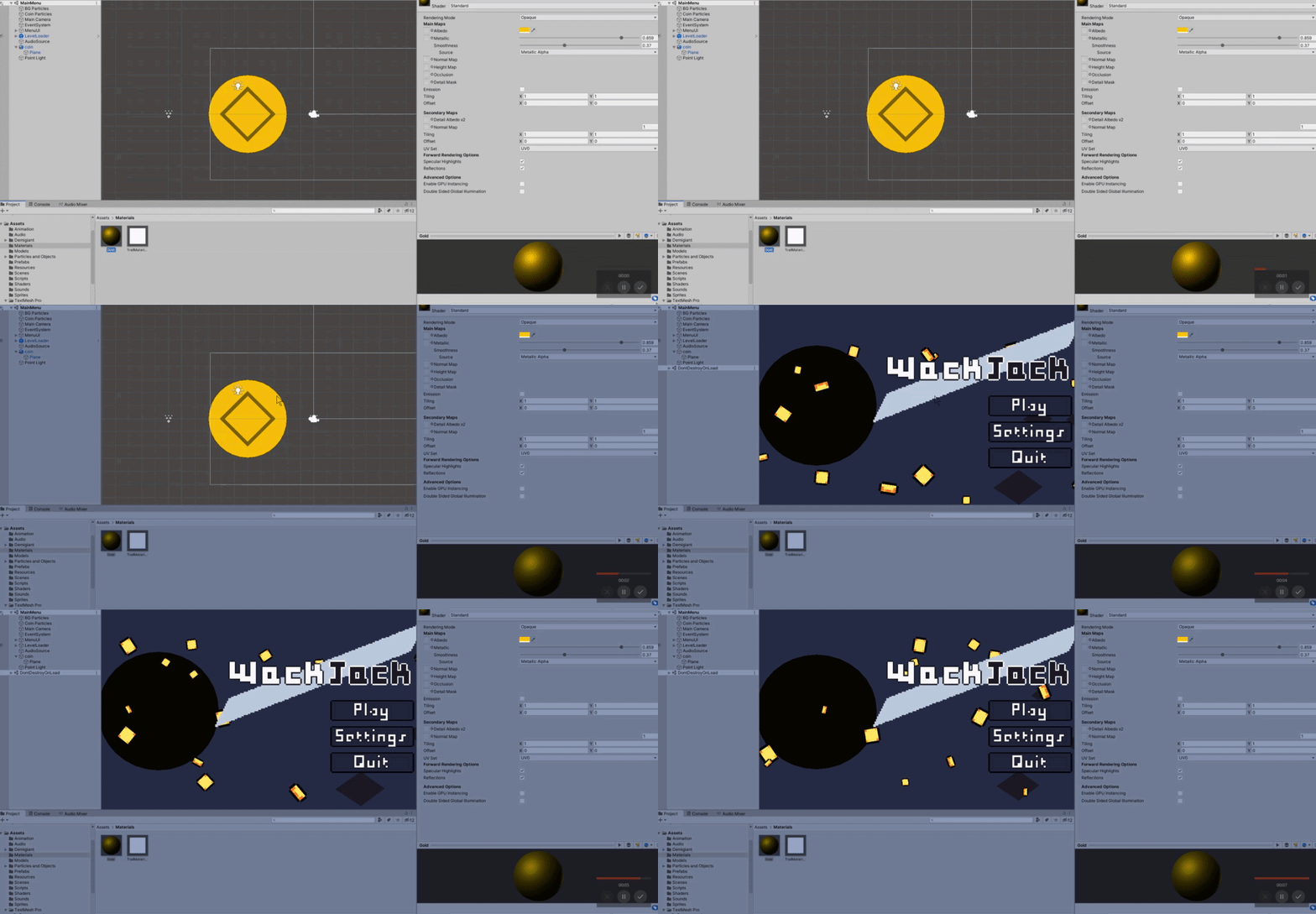
Any idea why the lighting goes all flat/weird when I start the game?
I'm just trying to make a gold-looking coin that rotates and I'm already having trouble lmao
https://i.gyazo.com/6e5365095d65945990309dfed3fdfeb2.gif
 runic anchor
is the second one the same as the first
runic anchor
with one light enabled, my baked lighting looks like this
and it's mixed so it will update automatically as well
but when i add a secondary light, and bake it
the illumination from the first light disappears and neither light seems to do anything
ok i think i forgot to mark my scenery as static
and jesus christ this bake is taking a while
 heady rivet
torch at night in fog- how to remove square edges around flames?
 twin river
what are some resources on making good looking lighting in unity?
 smoky orchid
am trash aat ligh
 sleek sail
is that particle effect surrounding the fire @heady rivet
heady rivet
i think so, it only happens with fog, is really bad at night but also day
@sleek sail
sleek sail
if its a particle effect that u implemented, u can change the shape of the particles
im assuming 2d and 3d particle system is the same
heady rivet
ahh ic, ty will look at this
 round ivy
how do i make shadows that draw at 20 units without looking like a blocky mess?
when i turn it down to like 5 it all looks good but 20 and things turn noticeably blocky
round ivy
Mostly fixed now
lavish rock
Hello everyone I need your help ..
I created a new 3D Project, did not change anything apart from adding this cube and the background of the scene view is black?
How can I fix this?
ok I found it - for some reason this option was not checked:
pallid osprey
anyone have an opinion on the RTX functionality in the beta hdrp?
 olive aurora
Not beta, but the one in 2019.3.5f1 and it gets stuck sometimes
olive aurora
Not at runtime, but when I re open the project the settings are all messed up and RTX doesn't work. Also it depends on drivers as well. Choose your driver well. I downloaded and tested 10 drivers before it worked.
pallid osprey
ugh
olive aurora
Yes RTX is supported on non RTX cards too. Nvidia themselves said so
pallid osprey
you mean older nvidias?
i meant more of a different tech for GI, i heard some rumor that they are working on something like the ue stuff
pallid osprey
aha, read about that. it does work just kinda slow.
omniverse... thats some nvidia workflow toolchain?
for multiple people working on a project?
olive aurora
I guess its for real-time rendering
pallid osprey
ok thank you videep
olive aurora
👍
pallid osprey
😆
 shadow horizon
Does anyone know why this is happening to my rocks? Ive tried 4 different rock packs from the asset store, all with the same issue???
 gentle niche
Running into a odd issue with HDRP - I start a Progressive GPU bake and after a few seconds it flips back to CPU bake. This is 2019.2.21f1 - Edit I had my warnings disabled - turned them back on and it's full of crap about CL_MEM_OBJECT_ALLOCATION_FAILURE error executing CL_COMMAND_NDRANGE_KERNEL on GeForce GTX 1080 (Device 0). - closed some apss and updated my Nvidia drivers. - problem disappeared
 high elk
Hey, I get this is probably a noob question but I'm having no luck with answers online. I've got more than four point lights in my game, and so it's only rendering the light from four of the lights at a time. I'm very new to things like RP and baking so I don't have much understanding of them. Could someone help me?
 teal stratus
@gentle niche check texture size,progressive gpu lightmapper requires a lot of vram. i think that in newer versions (2020 alpha/beta) it requires a bit of less vram but im not sure. I hope when it gets out of preview,it has less vram requirements.
@high elk Are you using Universal Render Pipeline? I remember URP limits lights per object to 4
high elk
I mean, is that the default? I haven't messed with the RP at all
 cosmic bolt
Hi! I just started using 2d lights. Is there a way to place that cone light behind the monster?
 icy spindle
I'm positive that this has been asked before:
I'm randomizing my props on Awake() and I'd like to get baked quality lighting. My scenes can potentially have a couple real-time point lights in addition to the sun light. What's the best way to go about this? (URP deploying to mobile)
 twilit flume
Don't think you can get baked quality lighting
The best you can do is try to get close with light probes
Or wait a few years for new lightmapper
 idle crane
Hi all, anyone know if there's a way to set a material to ignore reflection probes and use a custom environment for reflection in HDRP?
I've tried using custom reflection probes with a HDR but it would be way easier to set it up via material.
My guess is a custom shader will be needed but I'm happy to be corrected if this isn't necessary!
Also I wasn't sure where to ask this as it's possibly more of a HDRP question than general lighting but there is no HDRP channel
And now I see renderpipelines woops
silk venture
Anyone know a source of light cookie for Point lights ?
Even on the Asset Store there is only cookies for Spot lights, but I can make those myself.
Point light cookies on the other hand are kinda hard to improvise.
I'm guessing any spherical texture could be used for that, but I can only find skybox in that format, no abstract / pattern ones to do special effects with.
 slim vector
can somebody tell me why I see these shadow stripes one the character?
 subtle rock
How can I make the dark spots brighter in my scene?
Currently, the spots in shadow are #000000 black
nvm, figured it out
 rare iron
Hello everyone, I am building a forest survival game and I have really bad performance issues when i am adding trees to the scene, I have searched over the internet but I didn t found any 100% sollution, if anyone has any idea how to help me pls dm me, I have a lot of questions about possible sollutions
subtle rock
How do I use lens flare? It doesn't do anything
rare iron
You create a game object and add the lens flare component to it, if it's not directional you have to look at the object, if it 's directional it work like directional light, you can see it from everywhere on the map if you look at that angle and there is no layer that is also in the ignore layers property @subtle rock
subtle rock
It still doesn't do anything
rare iron
And in lighting for example there is bake option that also works for static objects, for example my terrain is static but my light is moving, is there a difference if I put the terrain static, when exactly does baking the light increase performance, when the enlighted object is static, when the light is static or when both? I really want to understand this baking and static concept it may have a huge impact for my game
 paper gorge
Found out I asked it in the wrong channel. hope this is the best one to ask this. First problem:
Does anyone know how to fix this weird colour issue? the texture has only one skin tone.
second: this object looks shiny while neither the mask map nor the inputs and options of the texture are making it shiny
subtle rock
Why does neither post-processing, nor flare work at all? I've tried everything
 misty grove
Is it bug or regular?
absolute green material not receive light from absolute red directional light?
 glossy hemlock
I'm not sure if this is a lighting question or a shaders question, but how could I remove that seam between these two meshes? They're loaded in at runtime so I can't manually configure them to line them up. I'm using URP and shadergraph with a PBR node on each of them.
 clever nebula
How would I set up some relatively good looking baked outdoor lighting? The default settings are quite eye burning
timber lichen
Anyone know why this area light isnt working? i'm trying to cover the entire area in the light, but increasing the range seems to do nothing?

 tropic sable
@subtle rock what render pipeline are you using?
URP,HDRP and URP does not support lens flares yet
@subtle rock if you are not using the legacy render pipeline, the old postprocessing system will not work, use the render pipeline posprocessing instead
round ivy
what is the cheapest way to light a scene? i just want it not to be black, minimal lighting
doesn't have to be real time
timber lichen
directional light is good, just decrease the intensity @round ivy
round ivy
By cheapest I mean least performance cost @timber lichen
Would making a light less intense like that help FPS?
timber lichen
@round ivy not that i'm aware of, you can turn down the shadow quality that it generates which would help, but the light itself wont be heavy on performance, one directional light is probably better than point lights
round ivy
Ok thank you
 turbid portal
is there a way to increase the maximum local lights in urp to above 8?
 unborn sorrel
I'm not very knowledgeable on the topic but I don't think you can change the maximum lights per object right now, you'd have to wait for deferred rendering in URP which is coming... sometime xD
compact remnant
How would I solve light bleeding like this? I tried everything so far and there's no UV overlap either, plus the lightmap scale should be high enough
round ivy
i have this scene and the shadows look great when realtime high resolution but when i try to bake things (due to the 580~ over lapping objects) things look bad. how do i just save how this simple realtime lighting looks as a light map vs having to use the normal baking process?
gilded zephyr
I've had issues with the light bleeding like that before Suggo, I was recommended by someone to make a shadow mesh (a mesh encasing the outside of the room, with gaps for doors, windows etc) and it worked, but it's fiddly to make the mesh. Haven't found a better way of fixing it yet :/
 frozen crypt
Are those separate meshes? @compact remnant
compact remnant
They are not, no
@gilded zephyr I've tried that as well, modeled a whole shadow box encasing it but it also didn't work
austere canopy
@round ivy for making you have to have a propper UV2 set , you can let unity generate them based on the normal uvs in the import dialog of the model.
round ivy
I'll look into what that means, thank you
 paper quiver
hey, so I have an issue - I need to implement some form of light-falloff for underwater scenes...I'm using URP
Ideally, a check for any surface that's below the current water surface, with light sources that affect it being decreased based on their distance
scattering effects would be nice too but really i'd just be happy with being able to say "hey, is the light source underwater too? change the falloff of it based on the distance to objects...and if it's above water, change the falloff based on the distance to the surface"
 gaunt lava
Hi, I've run into an issue in Unity where the light cast from emmisive objects does not appear on certain surfaces. I've had the issue occur in two separate 3D demo scenes I got from the Asset Store. I set all models/objects to "Static", bake the lighting, and the black/unlit areas persist. I've tried both Unity 2018.4.19 & 2019.3.5, with no improvement. I would greatly appreciate some help in resolving this as I am eager to learn Lighting in Unity, & this has halted my progress.
I've also ticked "Generate Lightmap UV's for all models, & rebaked.
Settings - "Generate Lightmap UVs" checked
wispy skiff
@gaunt lava Hey, did you find an answer yet? Is the second shot lit with a point light and the first with an emissive material?
 proven steppe
hi guys
I want to do a light bake but it gives me this error: OpenCL Error. Falling back to CPU lightmapper. Callback from context error: CL_INVALID_PROGRAM
my gpu is rx 5700xt ... i dont know i can change opencl for bake with my gpu
someone can help?
xD
gaunt lava
@wispy skiff No, I haven't found an answer yet (I've been trying to solve this for a month). Both shots are lit with an emissive material, the second one is just in Baked Lightmap view mode.
wispy skiff
@gaunt lava Ah so the light information is actually there, but not showing up in the render. I've only seen this once before, and it was because I was using some form of custom shader instead of the standard Unity shader. Do those black pieces use a special shader or have some shader effect layered on?
gaunt lava
@wispy skiff Hm, I don't know, that's a good question. I will try to figure that out. I do know that they light properly under different kinds of lights, like point lights, & are part of Prefabs that came with the Asset pack...so I'm not entirely sure how to go about finding & fixing the Shaders or Shader Effects, but I will try.
wispy skiff
@gaunt lava Which lights work: realtime point lights or baked point lights?
gaunt lava
@wispy skiff Both work, I think. I'm baking now to double check, but I'm pretty sure both RT & baked worked.
wispy skiff
@gaunt lava Alright, let me know if the baked works!
gaunt lava
@wispy skiff Sure thing! Yep, baked worked.
wispy skiff
@gaunt lava Oh, that's very confusing. The final lightmaps shouldn't be able to tell if it was baked by an indirect light (emissive surface) or a direct one (regular lights) except for during the baking process. I don't have any great advice for this one, sorry
Or wait, are you using some kind of shadow masks?
gaunt lava
@wispy skiff No worries, thanks for trying...shadow masks? Uh, hmmm...I don't know. I'll try to figure that out.
wispy skiff
Should be a setting in the lighting tab for shadow masks. Try setting it to "baked indirect". After that, I don't have anything.
gaunt lava
@wispy skiff Ah, it's already set to "Baked Indirect". I really appreciate the effort. The search continues...
wispy skiff
Dang. Good luck!
 glass sierra
I'm sorry if this is in the wrong area. But is there a way to adjust the general ambient light for a closed off interior with the HDRP (Using 2019.3) ? I'm trying to make a dungeon cave thing with no access to the sky.. but I can't figure out how to just increase the general ambient light with out either adding a ton of lights every where or removing the roof for the sky or direction lights to come in.
subtle rock
Some of the URP post processing effects don't seem to do anything: motion blur, vignette, panini projection, depth of field
why?
 steel verge
@glass sierra you should check out the Lighting tab, where you set your Static Ambient source. Your Ambient source is typically the Sky but you may want to alter it for creative purposes.
These are set via the Sky and Fog, and then the Lighting menu.
subtle rock
I also downloaded a lens flare shader, which again didn't work
steel verge
I have a problem with some of the lights in the scene. i.e. those on the obelisks. They are all set as and they are all based on the same prefab, however some are not properly lighting the obelisk, while others do.
There are some others that behave in a similar way.
@subtle rock make sure you have set up your volume properly with the camera.
subtle rock
I thought that global volumes automatically affect all cameras?
How do I assign a volume to a camera?
ok got it, thanks
glass sierra
@steel verge That's happened to me on my dungeon thing. While trying to light up the place, I would get bands of darkness even though the lights over lapped each other. Maybe it has something to do with over lapping? Or the amount of lights in the scene?
Also... Is there no way to simply make the world brighter? Cause in side a cave has no light, and in real life would be pitch black dark with out a light source. But i'm not trying to go for realistic lighting in a cave.. not much fun if you can't see where you're going lmao
The only thing I've found was exposure which doesn't really do what I need >_>
steel verge
@glass sierra this is my cave. done pretty much the same way.
you just need a few lights in the scene (i used point lights with a decent range) and to fix the lighting in post. then bake it and adjust the GI intensity accordingly. Your directional light should also be there. but won't do much but cast shadows inside the cave. (The exterior of the cave is set with double sided shadows).
Maybe it has something to do with over lapping? Or the amount of lights in the scene?
@glass sierra
I have made sure the lights do not overlap exactly for that, since in many engines it is an issue. The amount of lights in the scene are within limits. Since these lights are fully baked it should not matter though. afaik these numbers are only for "live" lights. (i.e. realtime and mixed) not baked ones.
glass sierra
How would I bake lights from objects instanced in by script? My whole game is basically procedurally generated 🙂
steel verge
hmmm depends on the size and complexity of your levels. The new light mapper is actually super fast. You could theoretically bake your lighting after generation in seconds. many games do that. Provided that you include a light proxy object on each module of your level.
Other games prebake the assets. then spawn the modules with the baking. I was reading the other day how the Elder Scrolls mobile team resolved such an issue.
glass sierra
ah
I'll probably find a youtube video on how to bake after generation >_>
To many random variables for pre bake the modules lol
steel verge
there you go
https://youtu.be/KbxiGH6igBk

The Elder Scrolls Blades strove to produce high-quality visuals on modern mobile devices. This talk will describe the challenges of achieving that level of quality in procedurally generated 3D environments.
Speakers:
Simon-Pierre Thibault - Bethesda Game Studios
Sergei Savch...
steel verge
no problemo. things can be prebaked either in Unity or in your 3d software. but have a look at this video it will probably give you some ideas.
subtle rock
How can I set up lens flare for URP?
timber lichen
i am ready for selling the game or?
 swift notch
how would one generate lighting via a script?
is it possible?
i'm making a horror game that goes from day, to sunset, to night, I can switch the skybox, but the lighting from the others still remains
 mystic dew
@swift notch you have to generate 3 lightmaps. day,sunset,night and then switch those in lightmap settings
swift notch
thanks
bronze trench
Is it possible to bake subsurface scattering with the Progressive CPU lightmapper and URP? Or am I going to need to fake it? I'm thinking a bright light shining through deep-colored curtains.
 plain vault
My project crashed,
Now I can't see fog on anything but the tree-billboards in my scene. But it's FINE at runtime. Any idea how I can fix this?
SOLVED: Just because they are Checked, doesn't mean the button is pushed
 untold hill
Hello folks,
i have question regarding unity's HDRP Volumetric Fog.
The Global Fog is awesome, but i have problem with Volume Component, whereas i wan to add a local fog.
the fog is working fine when in near distance, but it disappear when far away like 100 meters, which is not okay for my game.
i know, this is maybe because the optimization and limitation.
but if there's any way i can hack that?
i wanted the fog to always visible even in far away
thanks BTW
mystic dew
@untold hill https://www.youtube.com/watch?v=hnGA5WRLhRU

Made with unity
Music: Hidden Orchestra - Overture
The main problem is bigger fog draw distance = less FPS
Here a video example of fog rendering for big distance
You can do that by increase fog rendering in fog render volume components
that settings is hidden, because it not a good idea for performance in game
and bigger fog render distance = less quality of fog rendering = more artifacts
and to avoid that you have to use Hign quality volumetric light that kill your performance 2x time more.
SO if you have 120 FPS, after making bigger render distance your FPS will down to 40, and if you will use hing quality fog - your FPS will down to 10-20
untold hill
@mystic dew thank you for the answer.
is there's a hack to replace it, like if we in far away, then display a mesh with specific shader instead of redering the fog. i mean of course we can, but is it a good idea?
or use particle system instead, but with large and few particle.
mystic dew
yea, on video there was fog rendering for 250 Units(meters) and after that was rendering a clouds/fog planes that was turning to camera view]
VFX Graph allow you to spawn big amount of primitive particles that will spawn around player camera and begin rendering from 250 to 500 units
to fake distance fog
mystic dew
yea, those particles run on GPU
untold hill
i mean instancing or whatever
mystic dew
yea, its cheap for rendering, but those particles not able to interact with world
but fine for fake something
untold hill
allright i will start experimenting.
thanks by the way
mystic dew
np, but keep in mind, volumetric fog is pretty expansive in rendering.
So better to wait for HDRP 9.0 / Unity 2020.2 when they will added more control over Volumetric fog (aka control render volume scale)
Because right now you have or low quality fog (by default) or hing quality fog (can be enabled in HDRP asset settings), but nothing at middle.
untold hill
yeah, all in HDRP is still in preview, i just need for learning rn, by the time HDRP is verified, i will good at it.
mystic dew
for me HDRP ready for production as well as URP.
untold hill
sort of, that's why i am so excited 😃
 hollow tundra
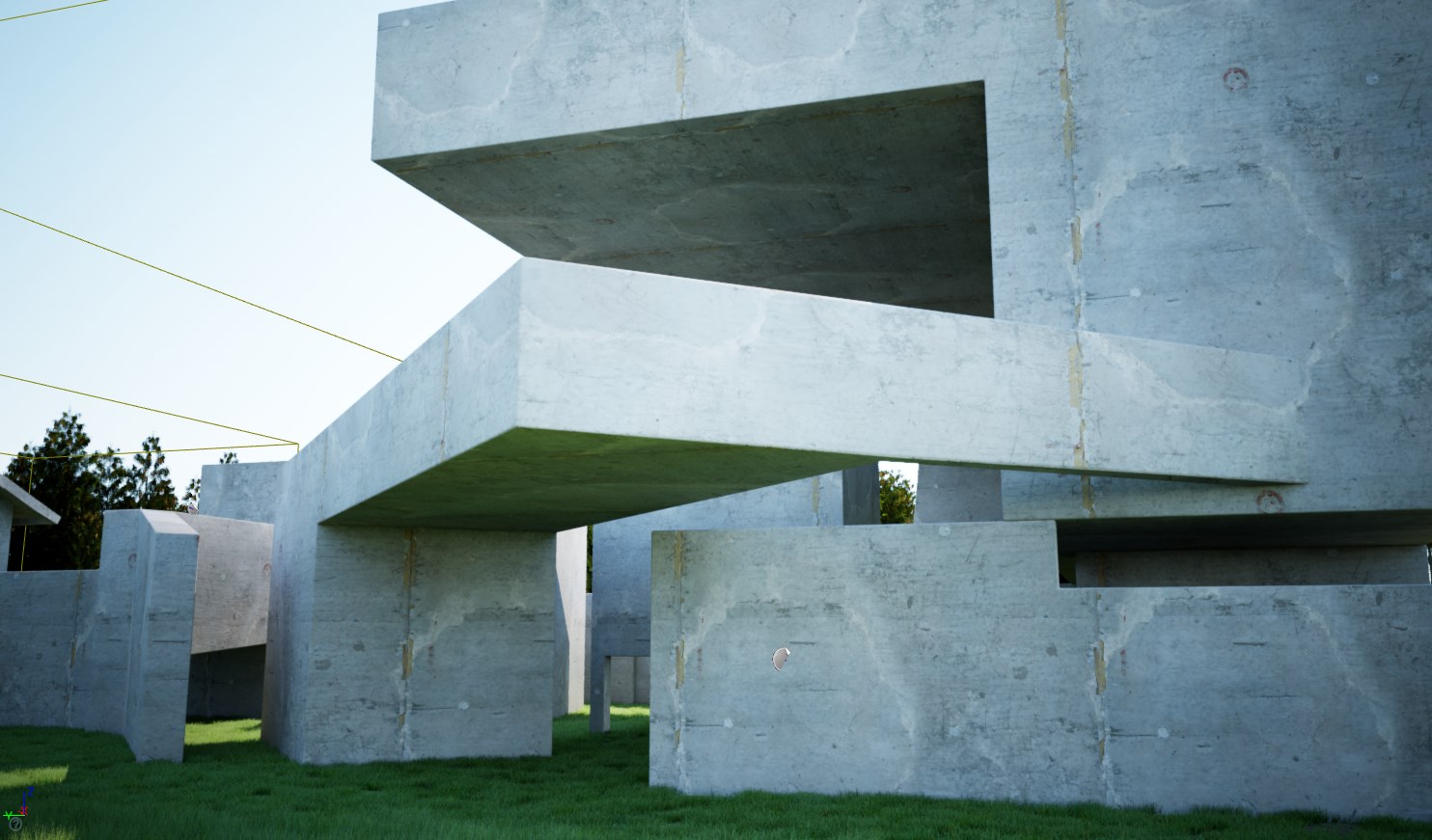
I may just be a lighting nerd, but I am really happy with how this lighting turned out:
 lost vine
Hi everyone, I want to optimise my game by baking lights for the first time but I'm struggling... (Unity 2018.14 LTS)
Here are my lights in real time
And here is the result when I'm baking the exact same lights (lights baked, and every object as static)
What am I doing wrong? 😢
hollow tundra
@lost vine what does it look like in texel view?
hollow tundra
So you can see that the lightmaps for some of these objects have really big texels, that's going to impact how it shows up
lost vine
I'm pretty new to lightning. How do I fix this?
hollow tundra
I take that back, it looks like they have super detailed texels. Which could be fine, but it looks like you have a lot of solid textures.
As for the floor turning black, that's a good question. What's the light source that is supposed to be hitting it?
lost vine
I've got 6 Point lights that you can see (gizmos) in my previous screen shot. Purple and blue
hollow tundra
What mode are they in? Baked, Mixed, or realtime
hollow tundra
are you still having the issue?
lost vine
yeah :S
hollow tundra
Do you have any light probes?
lost vine
 stray eagle
thats sick
lost vine
I don't for the moment
hollow tundra
Can you try changing the mixed light mode to something other than shadowmask? It might not help but without light probes it's possible that's cuasing the problem
Ooh, also, change the directional mode to non-directional. That can sometimes cause black textures after baking
lost vine
While it's baking. May it happens because of UV ? I'm using a Synty Studio package that is using a single texture for every object
This is the UV map read by Blender
Looks like Non-Directional and Lightning "Baked Indirect" aren't changing anything 😦
hollow tundra
It could be that. I could also be the shader.
Have you reached out to the asset creator? They may have more specialized advice on this particular issue
I highly suspect a UV issue
lost vine
You're right!
I've tried to Generate Lightmap UV's on my VR Booth and it's correctly baking them!!
Well... it increased my baking time up to 30minutes even though not every object UV were generated. How could I reduce it? 😬
hollow tundra
Oooh, that's a good question. Honestly, I don't use the built in bakery anymore
If you have an Nvidia GPU 6xx or newer card, I highly reccomend: https://assetstore.unity.com/packages/tools/level-design/bakery-gpu-lightmapper-122218

Get the Bakery - GPU Lightmapper package from Mr F and speed up your game development process. Find this & other Level Design options on the Unity Asset Store.
 half gate
So I have a mesh where there are no outer faces since the room will never be visible from the outside
problem is that there is lightleak coming from the edges of the mesh
My temporary solution was to add some cubes on the side set to "Shadow Only" to solve the problem
Is there a better way around this or a better permanent solution?
after I added the cubes with "Shadows Only"
Also the main room's mesh is set to Two Sided shadows
 hexed sundial
Can someone walk me through how to do basic lighting? I'm making a closed hallway and the default directional light that comes with the project is making the ceiling pitch black since none of the light is hitting it. I'd like to remove lighting overall so that everything is just lit without needing a source; is this easy to do? I'm a complete beginner at Unity with only a basic background in programming
This is for a VR project for my University, and is using Unity3D 2019 edition
Here is an example of the ceiling being pitch black
 reef sky
probably use an unlit shader.
hexed sundial
How would I go about doing that?
reef sky
by changing your materials to use an unlit shader
hexed sundial
Thanks!
 idle bramble
Trying to learn about LUTS in Unity but all tutorials seem to be from 3-4 years around involving the lookup texture, and Unity now doesn't have the same menus seen in these videos. How do people do LUTS these days (in URP), can anyone point in the right direction?
idle bramble
All I see is this, but nowhere to post my LUT image?
idle bramble
ah got it but I keep getting warnings even though I'm doing what it's asking
When I look at documentation/videos it says to change format to true color but there is no such thing. So I'm just setting it to RGB 16bit
timber lichen
i dont know much about lighting in unity. does anyone know how i would get an all area light. like the scene just has a low level of light, without using directional lights or point lights?
idle bramble
Only area light I know of is one created from a standard light by changing type
 gray pendant
Q: I've got an issue in Unity. I've got prefabs for the ground tiles and for objects with emissive properties. I'm instantiating both the ground tiles and the emissive objects at runtime. When I spawn these items, the emissive items glow like they're emitting light, but the light doesn't shine onto the ground tiles and tint the tiles as one would expect. The behavior is the same in the editor as on mobile. When I drop a ground tile and an emissive object into the scene (without instantiating them), then the ground shows the expected glow from the emissive object, however when I move the ground, the glow is baked onto the object and even though the ground tile is moved, the glow stays with the ground tile instead of re-calculating the emissive glow for it's new position.
Clear as mud? 🙂
This is what I'm talking about
The orange tile and longer "light stick" were added in the editor. The other ground tiles and "light sticks" were added through code via instantiation. Only the hand-created ground tile has the "glow" effect from the emitter object. None of the other ground tiles have it, yet they're all the same objects, just one's done by hand and the rest are instantiated.
subtle rock
How can I create lens flare for URP?
timber lichen
When will 2d lights get shadows and stuff
idle bramble
Is there a reason there is no documentation or video at all regarding setting up LUTS in URP? I've been looking everywhere for the last 2 days, just nothing at all.
 valid moat
Hi guys, need some Unity baking advice - what seems to be the problem here with these gray splotches on this flat color suface?
My mesh has import settings for Lightmap UV settings -Pack Margin = 2, and my Lighting>scene settings have Lightmap Resolution = 300, Lightmap Padding = 2, and Lightmap size = 256
frozen crypt
Can I see the mesh of that model. @valid moat
valid moat
@frozen crypt Here you go, its a blender file with a small png texture, was this what u were looking for?
 warped quail
want ask urgent . why my view look like this ?? so dark and blur .. i already setting directional light and skybox anyone can help 😦
 full kestrel
Hi! I'm working on VR Oculus Quest, and when switching to ASTC Texture compression, Bakery lightmaps end up very ugly (artifacts/big pixels/squares) any clue or work around would be appreciated 🙂 thanks
full kestrel
Also I was looking for a way to render light probes only ?
@warped quail check that your search box in Hierarchy is empty
warped quail
nvm i remake already
 final estuary
hey fellas, looking for a way to make the whole scene of city with buildings a bit more cozier, the lighting at the moment doesn't feel great. I was thinking upping the contrast but can't find a way to do it
final estuary
anyone know why HDRI Sky is not taking any effect
I'm trying it on existing scene with a skybox already present
tried removing it, didn't help
 cyan mortar
unity says it will take 35 minutes (and increasing) to bake. i can't even work on anything else because it's taking up 90% of my cpu. any suggestions?
 karmic grail
anyone got any ideas why this jank ass light is leaking through the ceiling?
mystic dew
@karmic grail upscale shadow quality, place a big invisible cube that cast shadows only on top of the floor
full kestrel
@final estuary Make sure you have a sky material using your HDR map plugged into sky lighting settings.
@stark harness show where you're at we can see from there 😉
Is this actually a thing ? Whatever lights you bake in Unity will not be reflected unless you leave a dynamic one too ? https://polycount.com/discussion/208597/static-lighting-in-unity-2018-3

Im horribly discovering this 😦
 stable patio
To see some reflection, make a 3D light/lamp/bulb model with emissive material, then bake reflection probe and after that you will also have baked reflections of the source of the light
 plucky gale
anyone know how to fix these types of shadows?
timber lichen
hey guys, quick question, toying with light probes and wondered if I should just wrap each moving object with light probes, as opposed to scattering thousands of probes throughout the scene.
Is one preferable to the other? or should I be doing both?
 crude lintel
@timber lichen not sure, but I think probes are only used during light baking.
timber lichen
@crude lintel Yeah, trying to figure out which method would be best before I start building stuff en-masse, but I suppose i'll flood the area in probes, I'm fairly sure they are quite performant and they are using probes for their Realtime GI solution, so might be better to set things up so it "just works" (copyright Todd Howard - Bethesda Game Studio's)
crude lintel
since your moving objects are not gonna move during the light baking, there's really no difference.
The only difference is the density of the probes in your scene.
tame delta
in order to make the skybox bright enough I have to make the fixed exposure very low, which makes everything extremely bright and hard to see
what am I doing wrong?
for example:
 gritty ore
So I have been having a strange issue with the directional light recently... In one of my scenes, the light is brighter. In another scene, the light is darker. Does anybody know why?
I have copied and pasted the component values, and dragged it from another scene into the one I want it on, but nothing works.
 blazing cedar
I can't seem to get lights to show up after baking if they are set to baked. Any tips? objects I want to bake onto are set to static
tame delta
@gritty ore maybe its your ambient lighting?
 winged hazel
does anyone know how to fix this
unborn sorrel
try generating lightmap UVs?
karmic grail
anyone any ideas why, in play mode, when I look in certain directions everything is black?
 sinful anvil
Very weird...is there a script atached to something? @karmic grail
karmic grail
I mean, there's a script attached to a lot of things, none of which would be causing it
but what gets me is that it isn't even consistant throughout the scene, its literally only in that bloody room
 worthy pawn
It could have something to do with your reflection probe, maybe try disabling it and re-enabling?
karmic grail
ohh true, I'll give that a go in the morning and let you know, thanks 🙂
cyan mortar
is it normal for unity to take about 25 minutes to generate lighting?
mystic dew
@cyan mortar it can take 5 mins or 4 hours depends of your light bake settings quality.
cyan mortar
@mystic dew thanks. what are some of the settings which impact baking time?
mystic dew
bounce count, lightmap resolution, texels resolution and more
low-quality lightmap baking faster but quality of that bake if horrible
so better to do not change settings and wait 25 mins 🙂
cyan mortar
ah i see. if i wait the 25 minutes for it to bake and don't change anything, then come back tomorrow, will i have to wait 25 minutes again?
mystic dew
every baking light will take time
so you bake light, do changes on static level geometry? then you have to bake light again
cyan mortar
yeah, but if i don't change anything? like if it finished baking, close down unity, and then come back later?
covert stirrup
No you don't need to rebake then
cyan mortar
thanks 🙂
high elk
Hey, my lightmap gets all jacked up every time I try to bake it, can someone help me?
Sorry if it's all a little messy, but here's what it looks like. Gizmos are off
I have two reflection probes and a point light, as well as some post-processing. The glowy thing is an emissive material
Also, I'm not using HDRP or URP, because whenever I try to make a project with them, it gives an error and the project is corrupted
It's always those two spots on the cover of the book. I can fix other lighting issues by adding more probes, but those two spots are always all funky.
frozen crypt
Check the normals are equally sized.
You might also want to turn your lightmap resolution down to 2 or 4 texels. @high elk
covert stirrup
Do you have generate lightmap UVs checked @high elk?
high elk
Hey y'all, sorry I didn't respond earlier; Even loading discord can be a pain with my internet
I'll load up the project in a sec
So decreasing the texels fixed it. Thanks!
I'm not sure where the option to generate lightmap UVs is though
 timber plank
Hi there.
I want to switch from 1 camera with Canvas Overlay to 2 cameras, one from GUI, the other for 3D but when i do that, my GUI come darker. Could you help me?
We are using HDRP
https://cdn.discordapp.com/attachments/497874004401586176/722100466976030750/unknown.png
I think it's a parameter in the camera but I don't find which one ...

 sleek steeple
Hey, I was wondering if there were any infos on when will shadowmask lighting be implemented into the URP? I'd love to use shader graph but I can't switch to URP yet because of this...
mystic dew
@sleek steeple URP team want to implement ShadowMask support later after AO
sleek steeple
Ok thanks, any idea of when to expect it to be supported?
mystic dew
no idea 😦
full kestrel
Hi everyone ! When using Bakery lights only, I noticed materials to come out flat. But I'm in VR Mobile so adding a dynamic unity light really isn't doing well on my performance.... Is there a way I can edit my baked reflection probe ? Like open an HDR in photoshop ?I wanna try cheating in there.
astral edge
Hey, does anyone know how to change the fog attenuation distance via script? I can't seem to find which variable to override.
 clear hollow
full kestrel
clear hollow
full kestrel
why what is like what ?
timber lichen
hey, i built a box with an emissive sphere in it, but the light is bleeding through the intersecting edges between the box walls and the ground plane... tried a few things and increasing the lightmap resolution reduces the amount of bleed but doesn't get rid of it, and it also drastically increases the bake time which is annoying... is there something i'm missing?
it looks like this at 512 lightmap size, much worse at lower sizes
i suppose it would be reduced even more if i increased the size, but at 512 it already takes several minutes of waiting before i can see the results
timber lichen
yeah setting it to 1024 works, but it takes a very long time to bake
is this the only way to do it?
timber lichen
yeah, it's a box made of cubes
not quads
the walls are 0.4 units thick
at 1024 the bleeding is gone
so is this the correct way of fixing light bleed? cause it does take ages
frozen crypt
Push the model through the floor or ignore it or put other things around to distract from it.
timber lichen
i already tried that
frozen crypt
There are some shadow settings you can adjust. I forget the names but there are three sliders under the soft/hard shadow drop down. Adjust those
timber lichen
this one?
i tried putting two sided on the floor, all the sides of the box, and the light, but it didnt fix it
@frozen crypt
frozen crypt
It should be on your scene light if I remember correctly.
Opening Unity now
On your directional light. Change Bias to Custom. Then adjust the Depth Normal and Near Plane. That should be enough. You can do this in real time, in the scene view.
timber lichen
hm, i didnt think to check my sun light
bias is a slider, not a drop down of choices?
those settings dont seem to do anythign about the light bleed
inside the box is a sphere with an emissive texture, not a light object
is this bad practice?
replacing it with a point light still results in light bleed with lightmap size below 1024
frozen crypt
So you are trying to bake light into a room with an emission from a texture??
 weary wedge
Wasnt sure if I should stick this question in here or 2D but.... Does unity's sprite atlas' work with normal maps? It seems to throw the normal maps off position for me (which I assume is because the atlas needs to match the normal map. Is there a way to get the atlas to do this?
 rain bone
My lighting is being baked however it is not being rendered or being shown in the game or scene unless i changed it to baked lightmapping
Baked view
Shaded view
rain bone
i think i found the issue something to do with the materials
 alpine blaze
frozen crypt
alpine blaze
frozen crypt
Probably bad UV layout. Inconsistent scaling. Or bad/excessive geometry.
timber lichen
is Lux better / worse than Lumen in any way?
 fluid epoch
Is there any way to preview lighting before I bake it?
Ping me if anyone has an answer 
 languid cove
@fluid epoch No. But you can lower the bake settings (eg: texel density) to have a faster bake as a "preview"
@timber lichen Not really. Both a physical light unity to describe intensity of a light source, but in different way. Lumen is the unit of emited light whereas lux is more a measurment of recieved light. That's why in HDRP punctual light source can be set with "Lux at distance"
 teal stratus
@alpine blaze also check normals. go to your mesh asset and change Normals from import to calculate
full kestrel
What have I done that my reflection probes cannot be edited anymore even new ones? thx
the handles wont show up
 void spindle
Moved message to shaders
 icy frost
Is there anyway to have the same amount of lighting everywhere!
timber flume
hi, why still I can not use Screen Space Reflection?
mystic dew
@timber flume make sure you enable it in Graphic > HDRP Asset Pipeline too
timber flume
oh, thank you, it's working now 😄
high elk
Hello, I've got this chunk-based procedural mesh-generation, right? I'm having some issues with the lighting. Both directional and point lights cause this.
At the edge of each chunk, it gets sort of cut off. Is it possible to fix this?
 solar meteor
So I'm loading scenes additively.
Every scene has its own light source and they combine together to make the game too bright.
What's the recommended lighting setup for additive scenes?
I'm a noob when it comes to lighting in unity and I've mostly been getting by with directional lights so far.
 quaint gate
Im new to unity, and I want to make a light to my indoor scene, what type of light do you recomend me?
recommend*
weary wedge
Hi all, is it possible to use normal maps with unity's sprite atlas feature?
 sage vortex
Is it possible to make object unable to cast shadow of a specific light?
 smoky thicket
FU baked lighting
 keen pagoda
I can bake 2048 fine, but when I switch to 4096 it gets caught in an endless loop
 waxen marlin
Hey is there anybody who can help me with 2D light masking ?
 velvet nebula
 gilded fern
is there a way to make the light smoother when using URP's 2D point light?
weary wedge
@gilded fern see if there's a dithering check box on your camera. Might be it.
gilded fern
@weary wedge thanks for the tip but it doesnt seem to make a difference whether checked or unchecked
 dull ember
Anyone in here know about 2d lighting
weary wedge
@gilded fern ah bummer. I had same issue with banding and that fixed it for me. The only other settings worth playing with that I could find was the URP options (click on renderer asset) or the ones in project settings. That’s all I have otherwise! Soz
weary wedge
On my own quest to find out, is it possible to use normal maps with unity's sprite atlas on 2D renderer? Been across the internet trying to figure a yes or no to this 😄
frozen crypt
Your cascade range is probably low.
keen pagoda
Do cascade settings affect baked lightmaps?
frozen crypt
Oh its baked? No time of day and the trees dont move?
keen pagoda
correct
wispy skiff
@keen pagoda Hey, did you get your lightmap solved? Looks like Unity's way of unprioritizing bounces on backfaces. There are threshold sliders to get around this in the lightmap parameter settings.
wispy skiff
It's "Lightmap parameters" at the bottom of the Lighting tab
Set it to a high quality one, or create a custom one. In the custom, you can adjust "pushoff" and maybe "modelling tolerance", if I remember correctly
@keen pagoda
Actually just Pushoff. Modeling tolerance is for realtime.
And backface tolerance!
I rarely have to touch these, so I had to go check what they were
mystic dew
@keen pagoda do not bake light from foliage
that cause artifacts
you can place a primitive cubes that follow shape of pine and mark then cast shadow only +GI static for bake kinda shadows from pine
keen pagoda
@wispy skiff Thanks so much! That has been bugging me for weeks now. @mystic dew This solution works.
mystic dew
no problem
 uncut spade
Anyone know how to fix light bleed with volumetric lighting in hdrp?
My interior is just a normal mesh with a double sided material
whenever double sided is enabled, the corners of my interior meshes bleed the directional light
wispy skiff
Try messing with the hidden settings in the shadows section of your light @uncut spade
It's the tiny cog wheel symbol to the right of the headline "Shadows"
I try to always have some form of thickness or outer layer to this type of situation though
uncut spade
what setting in particular would I be looking for?
I already had those settings expanded, and nothing is really changing it
the slope-scale depth bias reduces the thickness of the bleed, but is still visible even on the lowest setting
I'll probably just go ahead and add thickness to my mesh
just wasn't sure whether I had something misconfigured
wispy skiff
@uncut spade Hey sorry, I didn't see your message. Yeah, those settings are a bit finicky, especially with huge lights like a directional light. The best is indeed to add thickness. Just out of curiosity, is that the inside of a welded cube, or individual planes/quads?
uncut spade
It's a cube
no disconnected edges along the ceiling
adding a small thickness solved the issue
just kind of an annoying solution when dealing with a large intricate interior, because adding a thickness is non reversible lol. So makes management a bit of a pain
timber lichen
Hello guys i use probuilder models and baked light for them. I have some bots as well but bots are instantiated when the game starts so how do i do light for dynamic objects like them?
they are currently just in shadow and are dark
 brittle trench
Why is the light bleeding out of the structure?
The three lights are identical spotlights set to Baked.
The walls etc. are from the Unity Standard Assets package.
wispy skiff
@timber lichen Hey! If you don't want any direct lights at all, you can use light probes. They are dots in space that store the baked light, and will give light to any dynamic objects that are near
@brittle trench Are those lights casting shadows?
timber lichen
thank you @wispy skiff
brittle trench
@wispy skiff They are, the walls weren't receiving shadows but I've corrected that now, I've also checked that the material on the ground can receive shadows (as well as all the other components). Still the same behaviour though.
wispy skiff
@brittle trench Which render pipe is this? Do the wall meshes cast shadows?
brittle trench
@wispy skiff The URP. All the components have Cast Shadows set to On. I get the same behaviour if I move one of the other walls in, I can see the light bleeding out the bottom.
I've uploaded the prefab here: https://drive.google.com/file/d/1InR_finFSb5JMkz3yHwfGDCAPUDqbxfY
Google Docs
The behaviour is the same with primitive cubes instead of the Standard Asset pack's prefabs.
wispy skiff
@brittle trench Ah nice, I will try it in a bit. I know URP does not have shadows for pointlights, but your spotlights should have them
wispy skiff
@brittle trench Alright, it is actually a combination of various things. These spotlights have an 180 degree angle, which makes it tough for the shadows to work correctly. I pulled them down to 120 degrees, and they work, but only individually! When two or more lights are on, the bleed comes back. This is due to the URP Render pipe asset shadow settings. It has a kind of scene-total shadow resolution. It sits at 512, but I put it to 1024, and that made the shadows work for all three lights. It might break again if you add more than that. There's also a maximum-lights-per-object setting which may affect some stuff. Worth noting is that these walls have no "sides", which makes them not have thickness. That might cause some shadowing issues here and there.
Search for these assets to find the settings:
My scene was using the High Quality asset, so I changed it on that one. I don't know which one your scene uses.
brittle trench
Thank you @wispy skiff. I'll try that. If it works then you are officially a genius!
Is that image you posted of the project settings?
wispy skiff
That's right - but these are only some of the settings. Click the URP render asset there and look at it in the inspector
Then you should get this:
brittle trench
That's it!
Thank you so much! Lights are now behaving like lights should do.
I would buy you a pint if I could.
wispy skiff
Awesome! I'm already having a drink, but I'll have it in your name
 agile surge
the leaf materials/textures are not properly illuminating and are extremely sensitive to light, which makes them fully illuminated when a light source hits it. Any fix?
if you can help me just make sure to ping me here
 gleaming lodge
question is there any cloud asstes that i could find that could give the effect of my setting taking place very high in the sky
wispy skiff
@agile surge Hey! It looks a little bit like the four-lights-per-mesh limit in forward rendering. Is this forward or deferred rendering?
agile surge
@agile surge Hey! It looks a little bit like the four-lights-per-mesh limit in forward rendering. Is this forward or deferred rendering?
@wispy skiff Hey thanks for the reply! I will check
timber lichen
Do light probes work only with directional lighting ? or with light material as well?
so i figured it should work
but do i need to rebake for them to work?
wispy skiff
@timber lichen It should work with any baked light, including emissive materials. Yeah, gotta rebake.
wispy skiff
No, that's fine, but if you're doing like multiple rooms/walls, try and have the probes close to the walls in a way where the character or objects will never snap to probes in the next room
timber lichen
alright thank you for the information
paper gorge
okay so, i'm trying to use this tree as png. but the shadow wont go through the transparent part of the png
 dense dirge
hey guys,my material is transparent but still the light isn't passing through it,it would be great if u guys could help me out
 potent glen
this happened after i changed the project to lightweight rp, how can i fix the purple back to original texture?
covert stirrup
There are tutorials on how to upgrade your project from standard to URP
mystic dew
@dense dirge atm there no way to disable cast shadows by materials from my experience, so you can select glass mesh and disable casting shadows
dense dirge
@mystic dew the mesh renderer is grayed out so i'm not able to disable the shadows
mystic dew
show photos
dense dirge
mystic dew
@dense dirge you have to create prefab for unlock inspector control
 white radish
I'm having some problems with ambient lighting. When lowering it to 0, my objects turn a dark blueish green.
Any tips?
dense dirge
@mystic dew can you pls teach me how to create a prefab, i'm new to unity
 placid karma
Is it possible to have different lighting in one area of the same scene than the other without any additional scripts?
Like for example, when the player enters a cave the ambient lighting and fog are different
wispy skiff
@placid karma You can use volumes to have different post effects in different areas, but they're only available in URP and HDRP
placid karma
I do use urp, but I don't think I can really change the lighting with post processing
wispy skiff
@placid karma Yeah, not in the direct sense, but you can change the fog at least
placid karma
actually that should be enough if I make it dark and dense
oh tho I can't seem to add fog with overrides
wispy skiff
Ahh, hm, I'm too used to HDRP at this point.
placid karma
Alright, maybe I'll do something with particles idk
wispy skiff
Are you looking to change the lighting profile in the the lighting tab? Or just turn on/off groups of lights? @placid karma
placid karma
in the lighting tab, I want to have darker ambient lighting in various areas
wispy skiff
Ah okay, that's more difficult, but I'm pretty sure they added something recently to be able to change that
Like very recently
placid karma
I probably don't have it then, I'm using 2019.3
oh I think it's the latest one actually
well the latest full release atleast
 maiden vault
has anyone had any issues using 2d lighting with android? I can't get my light using the multiply blend mode to work...
timber lichen
does anybody know how to make lighting not a huge pain in the neck!? baking lightmaps takes a prohibitively long time on my computer; and it has to be re-done everytime i change literally anything at all in my scenes.
i'd be happier with everything just being realtime lighting other than the fact it doesnt look as good and its performance-heavy
i would like to potentially make bigger game projects in the future but tbh the lighting bakes taking literally hours every time i change so much as a single pebble on a mountain......it makes it very hard to want to work on anything.
even the experemental gpu thing just fails and reverts back to non-gpu pretty often due to my gtx970 being a small-memory-sized card
covert stirrup
Get bakery @timber lichen. Its better and faster, and the dev recently shipped a realtime preview as well
timber lichen
i might; but does it support HDRP and/or URP?
 lavish stone
Seems ray tracing isn't supported on gtx 1060 ?!
timber lichen
@covert stirrup i bought it and tried it on 2 nearly identicaal projects; but one is HDRP and the other is the standard RP...and guess what? it takes just as long as the built-in mappers do on the standard RP, and on HDRP it doesnt shadow things correctly for transparent materials
and to boot; it requires you use its own built-in light types instead of unity's, and the developer got the brightness values all wrong so its not easy to just convert from unity to bakery
im gonna try it for a little while longer but if it doesnt show some serious signs of being usable; im refunding.
covert stirrup
Huh well for me it was just plug and play, and took half the time to bake with far better results, on standard pipeline. But if it’s not working for you then get a refund yeah
timber lichen
yeah...idk how or why it went differently for you; i wish it was plug-n-play for me, but maybe im just missing something...
in either case; im gonna do more experementing and see, and if not i'll refund... thanks for the recommendation, anyways. i've actually had my eye on bakery for some time now anyways tbh; justhesitated til now
i might get in contact with the dev and see what im doing wrong. lol
covert stirrup
They have a discord server but can take a day or two to get a reply
white radish
Anyone know why turning ambient light to black makes the rest green?
white radish
For reference, here is when I set the ambient light color to white
wispy skiff
@white radish It's reflecting some probe or skybox. If you want it truly black, you need to use an unlit shader or surround everything with a black reflection probe
white radish
@wispy skiff After prodding around, I found that it was the directional light that was set to that greenish colour. Thank you!
 dreamy rune
Hey guys. I am VERY new to Unity and require some help in my scene. I am finally onto the bake lighting part and am having a few issues with lighting, specifically black blotches. I have already enabled lightmap generation, made sure the shader I am using is fine (Standard Specular setup), rebaked, cleared cache, etc. If anyone has pointers I would highly appreciate it <3
https://i.imgur.com/ukSc1mk.png
https://i.imgur.com/aWTxRbl.png
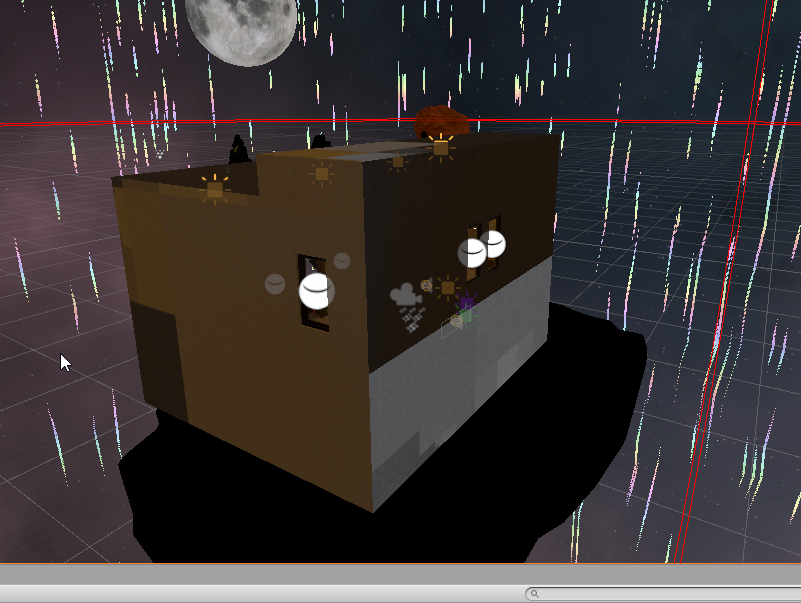
 arctic isle
@dreamy rune if you're looking to light these objects from both sides, you should have the 'Enable Double-sided GI' enabled on the material settings. Is that on?
dreamy rune
@arctic isle I will go ahead and try that out right now and get back to you 🙂
arctic isle
Alternatively, you could try remodelling your building using cubes (making the walls (slightly) thicker) but that may take more time
dreamy rune
I might have to do that honestly. I'm new to the whole 3D side of things in general. I am re-baking now with double sided GI enabled and will get back to you 🙂
https://i.imgur.com/nsdsZQM.png
I am still getting this weird blotchy effect on the outside of the building sadly. Any other suggestions?
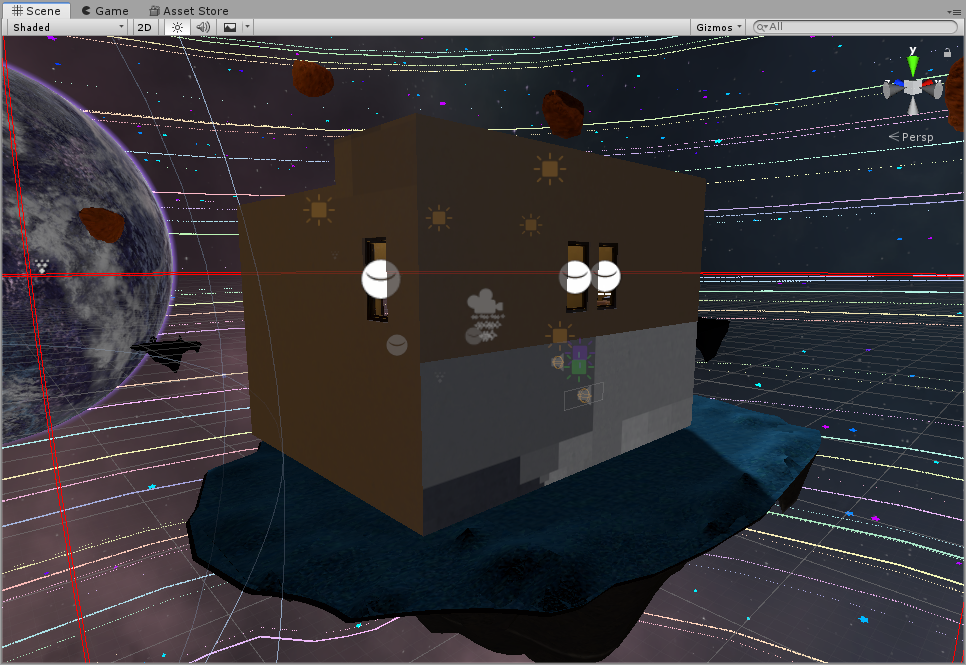 arctic isle
can you show me the invalid texel view? (on the drop-down menu where is says 'shaded')
rebake if things look orange haha
dreamy rune
https://i.imgur.com/RLyifLB.png
This, yes?
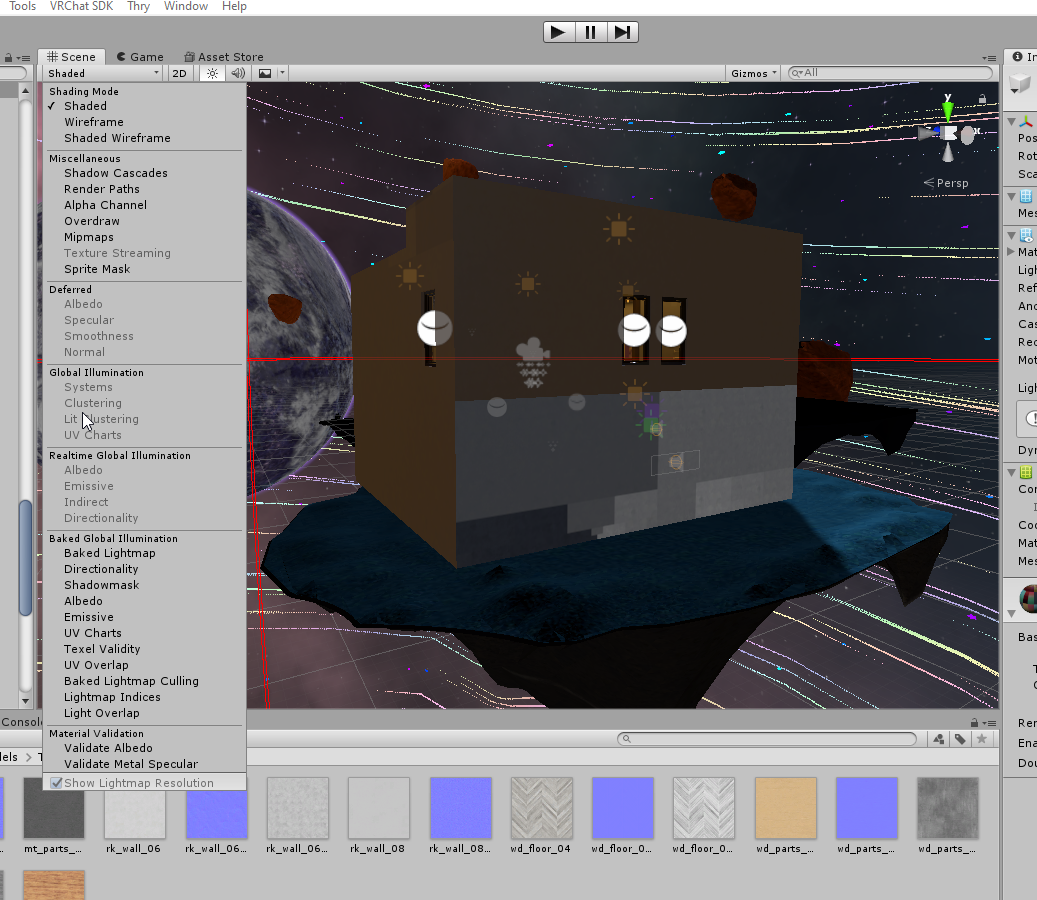 arctic isle
Yes 'Texel Validity'
dreamy rune
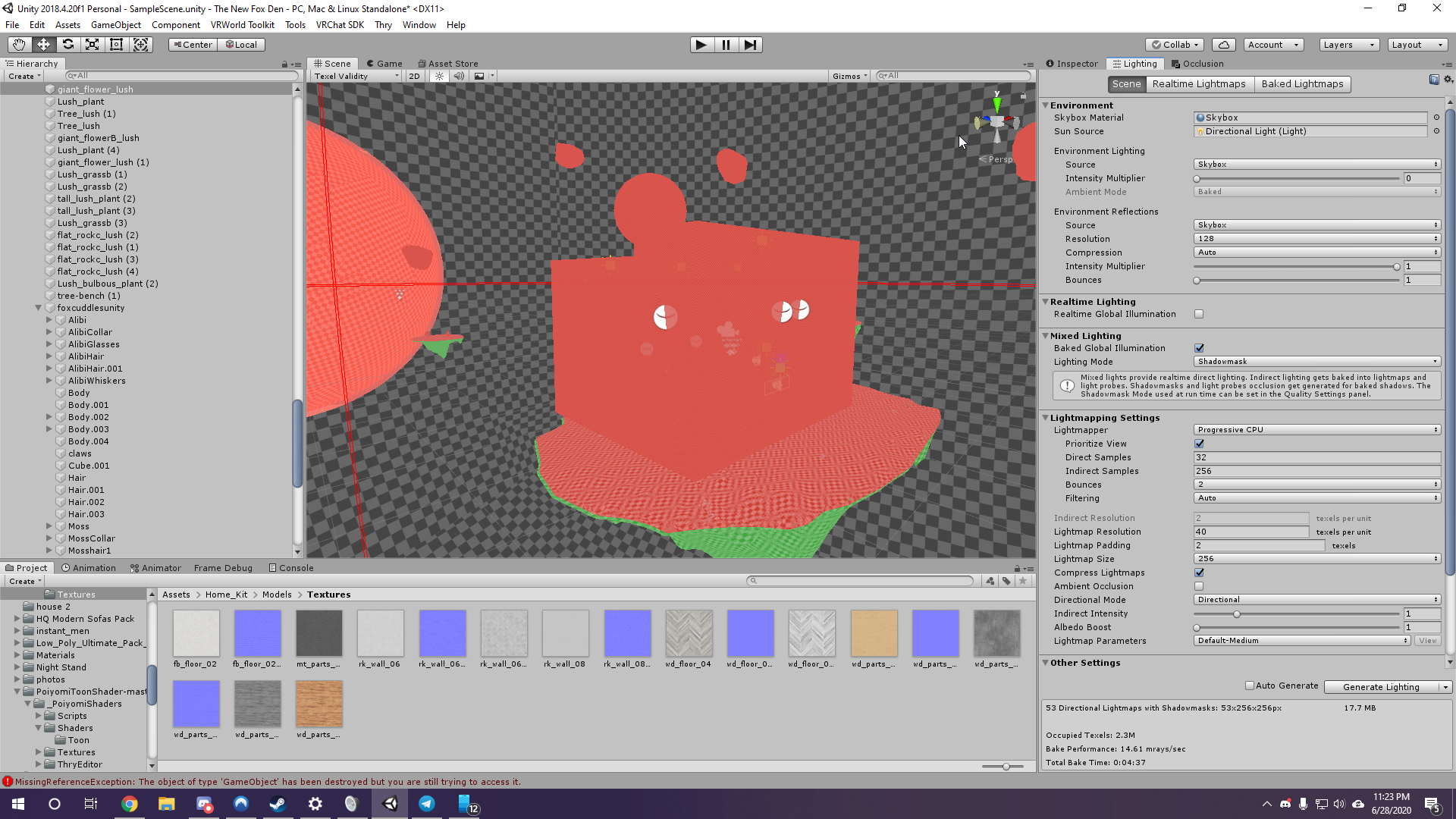 arctic isle
So what's happening is that the rays shot from the lights are seeing the 'back-side' of that object and not lighting it at all. I would suggest making the walls thicker so you only have the 'front-faces' facing outward. Does that make sense?
Everything that's red are pixels/texels discarded by the lightmapper as back-faces
dreamy rune
Interesting. So the way these walls are set up is with planes.
here is what I mean by that
https://i.imgur.com/w02uHk6.png
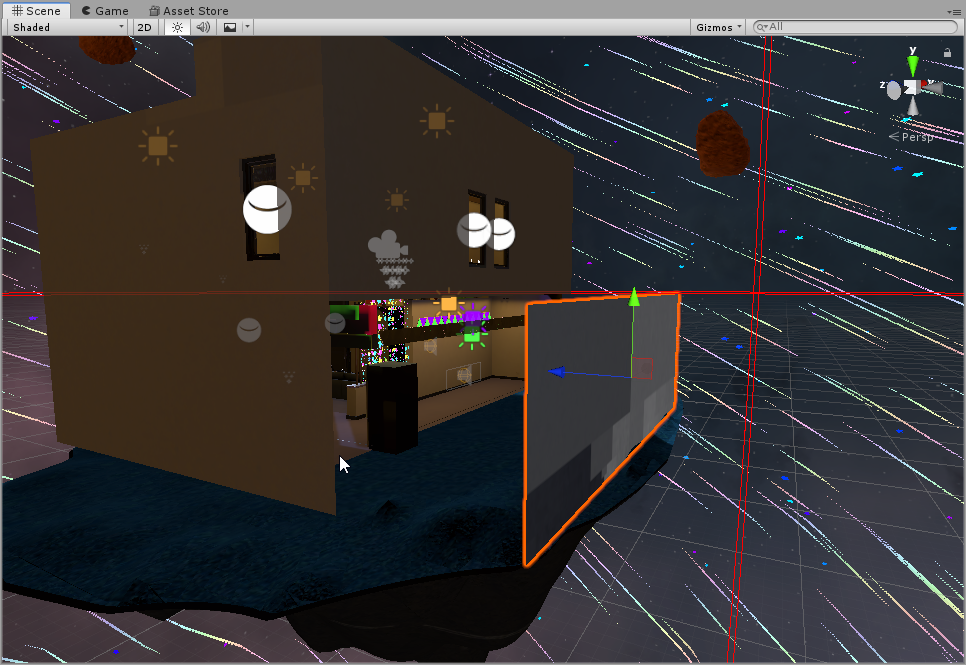
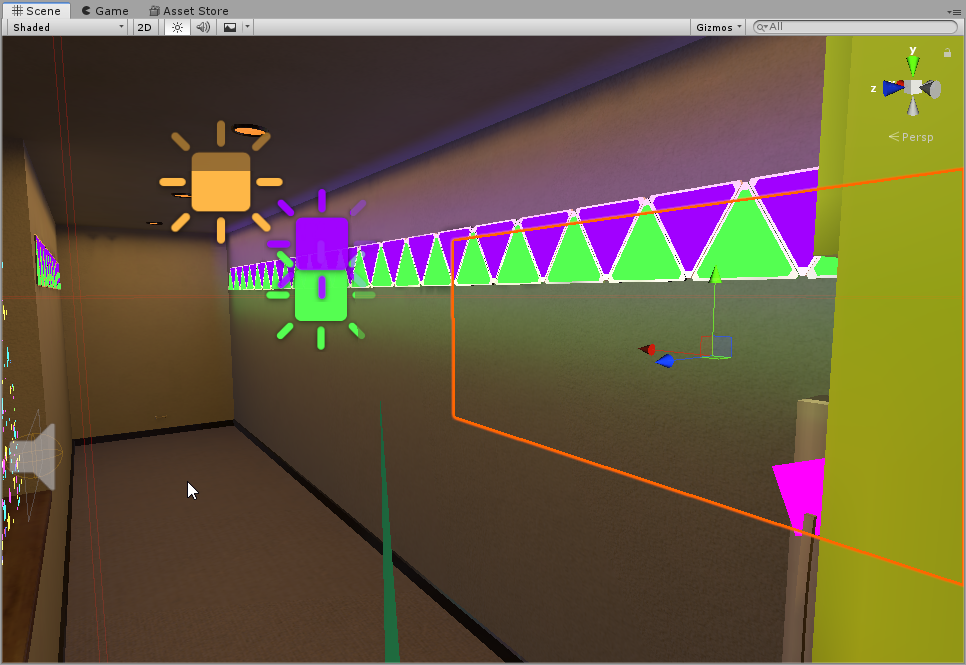
So we got an interior plane and an exterior plane. With only one side showing per.
arctic isle
is the material on that outside wall set to double-sided?
dreamy rune
No it is not. Just single
arctic isle
Hm... I would still recommend redoing the walls with cubes instead of planes, it's much friendlier to the lightmapper especially for more complex lighting
dreamy rune
I will go ahead and do that!
Would a better solution for the meantime be just exclude it from the lightmapper or nah?
arctic isle
If that works for you, sure but there's little guarantee it will be 'lit' the same way as the top part of that wall
dreamy rune
Heck. I will do some playing around with it and hope for the best till I can get time and work on this more. I did manage to fix something though with this chat so I do appreciate that a lot! 🙂
arctic isle
Happy to help. Good luck!
paper gorge
okay so, i'm trying to use this tree as png. but the shadow wont go through the transparent part of the png
 civic forge
i have tried enviro but i cant seem to figure out how it does lighting, and i have tried youtube but it makes it even more confusing
timber lichen
anybody know why i cant....this?
https://docs.unity3d.com/2019.3/Documentation/ScriptReference/MeshRenderer-scaleInLightmap.html it should be there

but its not apparently.....?
using System.Collections;
using System.Collections.Generic;
using UnityEngine;
using UnityEditor;

public class autolightmapscale:Editor
{
    [MenuItem("Tools/automatic lightmap scaling per mesh renderer (NO UNDO!!)")]
    public static void AutoScaleLightMaps()
    {
        foreach(MeshRenderer renderer in GameObject.FindObjectsOfType<MeshRenderer>())
        {
            if(renderer.gameObject.isStatic == true)
            {
                var size = Vector3.Distance(renderer.transform.TransformPoint(renderer.bounds.max),renderer.transform.TransformPoint(renderer.bounds.min));

                float lightmapscale = size / 4;

                renderer.scaleInLightmap = lightmapscale;
            }
        }
    }
}```it doesnt let me type this: renderer.scaleInLightmap
civic forge
how do i set render type to custom?
 eternal pewter
So I'm having this wierd issue after baking all lights and reflection probes, in my scene some things are totally black, including the character. Any idea what could be causing it?
astral edge
Hey all, I'm using Physically Based Sky, it seems like the sky light goes through my objects, how can I solve this?
 wanton valley
Hello.Can anybody tell me how to fix this grass shadows glitch.I dont wanna this flickering around when i move forward and backwards

 signal pilot
Hey all, I'm using Physically Based Sky, it seems like the sky light goes through my objects, how can I solve this?
@astral edge Can you show us a screenshot/video of this bug?
wanton valley
Can u please help me? Every time i left click on "Paint terrain" my objects start to clip? https://gyazo.com/206a814affc72f0a2acfe72cf243cf6f
I already restarted unity and cleaning cache, the problem still occurs
gaunt lava
Seeking some constructive criticism for a scene I'm working on to submit as part of a portfolio for a Junior Lighting Artist position at a game company. They primarily do sci-fi, so that's what I'm focusing on. Thanks in advance.
white radish
I'm trying to make the lighting of the skybox go down with camera height but the objects aren't doing so; they have the same light value
astral edge
@signal pilot Following the Natural light levels from HDRP Documentation. I have my directional light set at 120 000 LUX, I have a house with a door and a window. But It seems like lighting is not right, I don't understand where it's coming from. On a very bright day I feel the house(room) shouldn't be lit up like this? Anyone have any ideas for me? Thanks.
 mortal nest
Any idea what could be causing this?
I've recently started building with pro-builder and these glitchy reflection lines appeared.
idle bramble
I'm trying to just do some simple mobile graphics but getting confused. I'm aiming for something like that that has vibrant colors but has shadows.
This is what I currently have
I'm using UNLIT, I should be using LIT but then I get this:
 glad jolt
maybe try doing something with emission
signal pilot
@signal pilot Following the Natural light levels from HDRP Documentation. I have my directional light set at 120 000 LUX, I have a house with a door and a window. But It seems like lighting is not right, I don't understand where it's coming from. On a very bright day I feel the house(room) shouldn't be lit up like this? Anyone have any ideas for me? Thanks.
@astral edge That to me looks like a bug with the lighting system. I'd make a bug report at the issue tracker (https://issuetracker.unity3d.com/)
teal stratus
@signal pilot Following the Natural light levels from HDRP Documentation. I have my directional light set at 120 000 LUX, I have a house with a door and a window. But It seems like lighting is not right, I don't understand where it's coming from. On a very bright day I feel the house(room) shouldn't be lit up like this? Anyone have any ideas for me? Thanks.
@astral edge also check GI
 signal rover
Hey guys, I have 3 point lights in my scene, but only 2 of them appear at a time. what's wrong?
as soon as i setactive the third light, the first light gets disabled 😦
astral edge
@signal pilot I'm not sure it's a bug yet, I wanna make sure theres nothing I'm doing wrong first. Any other ideas firstly?
@teal stratus I'm on Unity 2020.2.0a13, I think GI was removed until some new solution their working on, no? Any ideas you have I may check?
 south kite
anyone know how to fix this area not being in shade?
sorry if its a really obvious fix, i havent been using unity for that long yet :I
teal stratus
@signal pilot I'm not sure it's a bug yet, I wanna make sure theres nothing I'm doing wrong first. Any other ideas firstly?
@teal stratus I'm on Unity 2020.2.0a13, I think GI was removed until some new solution their working on, no? Any ideas you have I may check?
@astral edge nope,they removed Precomputed Realtime GI,but baked modes are still therre
try using a mode like shadowmask or baked indirect
 wicked dagger

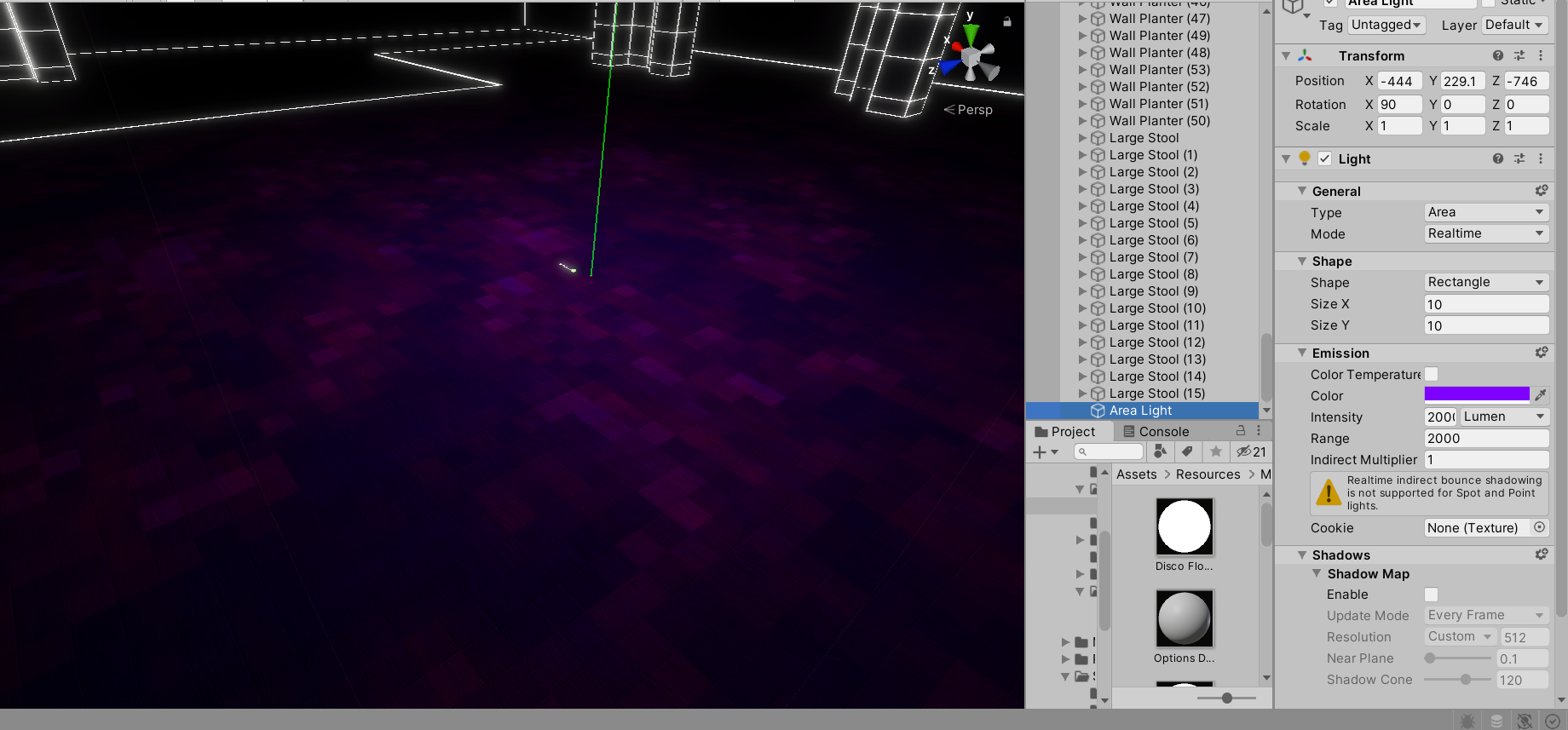


 wispy skiff
@wicked dagger Can be many reasons. Your skybox may be dark, and that affects the scene. If you have Physical Sky, then that low sun will give you a dark sky also. May also just be the exposure on your camera. This is all adjusted in the post processing profile or sky & fog profile.
@south kite Need a bit more context on that light. Is that a realtime directional light coming through the wall?
@idle bramble Very slow reply here, but you want to look into toon shaders, in your case. You can get some off the asset store, or experiment with your own in the shader graph (if you're in URP or HDRP)
@astral edge Hey, did you get that lit-up room solved? Just looks to me like the scene isn't baked, and the skybox is lighting up the room through the walls.
@gaunt lava Two day late reply here, but try and get some speculars and reflections in there. Highlights on metal corners and such. The bake is good, but everything is a bit plastic-y due to high and very even roughness.
 tiny trellis
Hey guys, question
I have created a custom skybox, I want to implement a sun that gives off a decent amount of light, but not too sure how
wispy skiff
@tiny trellis You want a visible sun in the skybox? Then you should have the skybox in 32-bit and just dot in something above the 0-255 value in the HDR range. Sounds like a clunky thing, but it's easy with Photoshop.
astral edge
@wispy skiff Hey, no I didn't get it solved yet. Oh, do I need to bake it? When I bake it, it looks strange, more like white-blue sort of, why is that?
wispy skiff
@astral edge Yeah, by baking the skylight onto that building, it won't include it in the realtime skylight anymore. Can you send me a screenshot of what it looks like with the bake? And how much do you know about baking?
astral edge
@wispy skiff Ok, here's a screenshot. I don't have a lot of experience with baking, do I need to bake objects even though I want to have realtime lighting only?
@wispy skiff Everything becomes so white, I just don't understand.
wispy skiff
Things that are not meant to move away or change their lighting drastically do well with baking. Otherwise, there may be some SSGI solution in the asset store or on github, but I haven't tried anything like that.
The white may also be from a reflection probe. Do you have a reflection probe in that room? If not, try putting one in there, with all the walls included in the bounding box, and bake that probe.
@astral edge
astral edge
@wispy skiff So, baking everything that is static, like houses that will always sit in a certain location is the way to go?
wispy skiff
@astral edge For the skylight, and other large and diffuse lights, yeah
@astral edge Keep in mind that there are some other requirements for a good bake, like lightmap UV's on the models
timber lichen
i dont know why my interior walls are lit
ive tried everything i could find
seems like turning the indirect intensity to 0 fixes it but that makes everything outside look disgusting
timber lichen
Unity Forum
I'm using 'Precomputed Realtime GI' only. I'm getting indirect light leaking through walls. I've done everything I can to prevent light leaks, and...
found this but theres no answer
 eager dove
How do I fix this? The unlit side of an object looks really bad... I'm using unity 2019.3 with the URP
 zealous saffron
Maxb01beep What lighting are you using? realtime or baked? either way, have you rendered the lighting in the lighting window?
eager dove
@zealous saffron its realtime, and I don't know (im sorta new)
zealous saffron
if its a new project and you dont remember generating it you probably haven't, so at the top of the unity editor click Window, Lighting, Lighting Settings. In the lighting window under the realtime lighting tab make sure the realtime lighting is checked, and uncheck baked lighting. Then, at the bottom, hit generate lighting. This should fix your problem.