#archived-lighting
1 messages · Page 48 of 1
 modest bone
OOOOOOO

now if I move my directional light around, it doesnt change the lighting of the scene
 covert stirrup
Is it set to realtime?
modest bone
I looked at every option since yesterday but I can't find that option anymore
this?
covert stirrup
no, your directional light
modest bone
covert stirrup
When you select your light, you see its properties in the inspector
modest bone
oh right yeah sorry, getting a bit tired, yes its on realtime
but it still doesnt do anything
covert stirrup
Did you rotate it or just move it?
covert stirrup
The position of a directional light does not matter, as it has no real position - the rays only have a direction
Try rotating it instead
modest bone
once again you are a hero
 tired horizon
its now all one object, but i still get some ugly parts here.
@timber lichen it looks like you need to correct the surface normals of your polygons, and unstress some uvs. and maybe there are even overlapping polygons
 upbeat fern
@timid oracle you need custom shader, that will lerp parameters
 timber lichen
@tired horizon yeah, i figured it out by not using bools but removing polys manually. Looks pretty clean now. Thanks.
tired horizon
glad to hear
 versed ember
@cold pasture get Bakery on the assetstore while it's on sale if you can
it's way better than unity lightmapper
 cold pasture
@timber lichen all my objects are static and any the lighthouse is set, @timber lichen it looks fine when I play test it without exporting it but ill give it a try. And ill check it out @versed ember thanks
 native robin
Hey guys. Anybody got any luck replacing the LightmapSettings.lightProbes (https://docs.unity3d.com/ScriptReference/LightmapSettings-lightProbes.html) object at runtime? I'm dynamically switching between sets of lightmaps including light probes, but in 2019.3 the light probes remain null after I set the object. Not sure if it's intended behavior, probably a bug. Just wanted to ask whether I'm alone and should change my implementation.
Saving the LightProbes object was way easier to implement than to rip it apart, store all the coefficients and then put it all back together when needed. But I even tried that to no avail. The lightProbes variable in LightmapSettings doesn't want to be set, but it also doesn't drop an error.
The project won't break from remaining on 2019.2 where it's working without a hitch, but the quality of life improvements in the editor would be nice to have. 🙂
 craggy jolt
Hey, does anyone else has the problem that in the urp in 2019.3 the environment lighting is not working?
cold pasture
@versed ember does bakery work if i dont have a NVIDIA GPU? It keeps giving me an error abotu it
versed ember
@cold pasture says in the description of the assets that requires Nvidia x_x
 left chasm
Have you guys got any quick pointers for how to do interior lighting (room without windows, think office bathroom) for the URP/LWRP? I'm looking for a solution that uses at least some real time lights (or clever uses of light probes etc.) as I'm working on a VR game and things not casting shadows believably is kind of a no-go... Everything I try either results in rooms with very dark corners or the use of lights that do not support real-time shadows. Any workflow tips?
I have seen the pinned post, but I was just wondering if anyone had some tips more specific to my situation
 edgy geode
ive read aobut the types of lighting and the mixed and baked and realtime, but what is realtime vs baked in "static emissives" under "global illumination" in the lighting tab?
if you set it to baked does that mean going nearby an emmisive won't emit that light onto the dynamic object? whereas realtime means it will? does setting these to baked have as much impact on performance as setting actual light sources to baked ?
modest bone
I just can't get anything to look nice no matter what asset I download, graphics are maxed, searched every youtube video to get better visual quality and still no positive effects
and on top of that now my window fog effect (enabled or disabled) creates this abstract eyesore
the sun rays are absolutely pixelated, everything is pixelated 😂
I just wanna sleep but I'm the type to stay up until everything is fixed, its driving me insane😂
what a view 😂 😂
 mystic dew
@modest bone what is your targeting PC?
timber lichen
I'm trying to make somewhat convincing dust particles, does anyone know of a way to make a standard particle system to respond to light hitting it? Right now I have these white dust particles that look like snow in dark areas or just when something black is behind them
 granite musk
how to make that face not so dark?
 stark temple
turn up the ambient lighting in the Lighting Settings (window/rendering/lighting). Environment Lighting.
versed ember
usually when it's black like that it means you haven't done the first bake of light in the level
granite musk
ok 😄
modest bone
@mystic dew hey, my targeting PC? Never heard that term before and google didnt seem to find adequate info for me either, in fact it gives me multiple different info all from the same wording
versed ember
I think he probably meant what would be recommended system specs you are targeting. That defines how much you can push certain aspects of rendering
but I don't think that would help you with the specific issues you're having
modest bone
@versed ember oh thx man, well I don't mind getting 10 fps, it's more for scenic pictures and stop motion
I got a 1080ti with an i5 9600k
32gb of ram
so I need it to look as good as possible
versed ember
getting good lighting is quite tricky honestly
modest bone
yeah, Ive seen😂
versed ember
I can see if I can give you some pointers, but probably later today 😄
I think I got a decent grasp on it
versed ember
I did yeah, I use Aura aswell 😄
modest bone
sweet, cause when I disable aura, all seems to be stable for my windows again, but it just doesn't look as good unfortunately
versed ember
ah yeah I see
timber lichen
@modest bone if it is for scenic pictures use and learn a 3d modelling program, blender is for free. A game engine is not really for your purpose.
In a 3d prog you don't have all the overhead from a game engine and way better results with lightning
modest bone
@timber lichen If I can just get my windows to not have such contrast I have everything I need with unity, I have the aesthetics I require, everything else would be extra bacon

Once the windows are fixed, I require nothing else, I am so close yet so far to completion
timber lichen
Did you use reflection probes and set them to static?
You can place them in front of the window as cubics and play around with the intensity.
Also just double check if the windows are set to static and if there is a check mark on UV light maps in the model.
versed ember
the problem is most likely that the shader isn't working with Aura
this is especially true if being window they have any kind of transparency
I had the same issue at some point
versed ember
https://cdn.discordapp.com/attachments/656146890223648811/701505051474001920/unknown.png some lighting for a new scene I started working on
 modest bone
how do you make it look so good on unity, what are your assets??
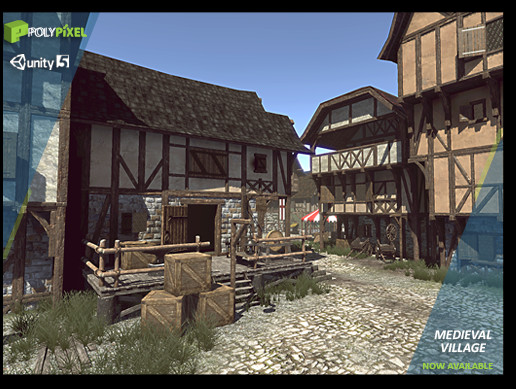
Elevate your workflow with the Medieval Village asset from PolyPixel. Find this & other Historic options on the Unity Asset Store.
thats my asset I try to create my scene with
@timber lichen So I looked at the reflection probes and I cant seem to put them on static. I even tried deleting them and it had no effect on the windows even though they reflect
in the search I cant even find the word window 😂
versed ember
the assets themselves are from the Polygon fantasy kingdom pack. For lighting I use Aura2, post processing is done with Beautify 2 and light is baked with Bakery
if I remove aura I only lose the atmosphere depth in this particular instance
but if I remove the post processing I lose 80% of the look
 river fractal
can there be more than 1 global light in a 2d scene?
I want different lighting for my background as compared to my enemies. Every time i set up 2, one stops working
timber lichen
heya guys, regarding reflection probes, when I bake it it just reflects the sky instead of the room it's in, this could be because I havent set the environment elements as reflection static, but what if the environment is completely destructable and has a chance to fall apart? will that mess things up? I tried using real-time (which gives me the correct reflections) but I get spammed in the console with the error below while I have the probe selected:
NullReferenceException: Object reference not set to an instance of an object
UnityEditor.Rendering.HighDefinition.HDCubemapInspector.GetInfoString ()
using HDRP by the way
 rain veldt
Hi everyone. I've just started to learn Unity. I have a huge scene and I use baked GI. It takes some 40 minutes to bake. The problem is that every time I start a new session, Unity bakes the GI from the beginning and this takes 40 minutes every time. Is that normal? Shouldn't there be an already loaded Baked Lightmap somewhere which Unity could just 'load'?
covert stirrup
Shouldn't update unless you change something, however this shouldn't happen if you untick "automatic bake" under lighting settings
rain veldt
Thanks
versed ember
@rain veldt also if you have an Nvidia card I recommend getting Bakery
covert stirrup
Yeah I just got it today and holy moly!!
versed ember
right? It's phenomenal
takes me one minute to bake a scene that unity default lightmapper would need an hour to bake at the same quality
 obtuse warren
Moving here, SpotLight in 2D doesn't seem to work(?)
spotlight is a child to player since it's going to function as a field of view
but the cube doesn't seem to light up, this works with other lights such as directional light
the cube itself is in the spotlight as well
nevermind it's working, it was only lighting up one side of the cube i'm just dumb
although bumping up the intensity a bit does help
 trying to get a sort of flashlight system for a 2d isometric game and this doesn't really seem to work
the way i'm supposing this would work is if the lighting originates from "up above" in a sense, instead of from the player itself
apparently, positioning the light like so gives the general impression of what i'm going after but i dont know if it's the best way to handle this
 charred dune
Im having an Issue in with lighting using URP and wondering if anyone here could guide me in the right direction.
The lighting when building to android just get completely destroyed
tired horizon
is this realtime lights or bake?
charred dune
mixed
tired horizon
1 directional?
charred dune
yup
tired horizon
but you did hit the render button not automatic lightbake
charred dune
i press it my self
tired horizon
and you did use the right gamma space for your android?
charred dune
where can i check that?
tired horizon
settings player
tired horizon
can it be that the missing light comes from ambient light?
maybe you must trial and error turn of each light and test wich one gets turned of
either some of your light get turned off, or a post effect is not working, or your lightmap ist not stored correctly.
also check the renderer settings mabye you forgot something there
rain veldt
@versed ember what is Bakery? I do have an Nvidia card
versed ember

Get the Bakery - GPU Lightmapper package from Mr F and speed up your game development process. Find this & other Level Design options on the Unity Asset Store.
rain veldt
@versed ember I don't know if I'm truly doing right when my scene start bake every time I open Unity
Wow tx @versed ember
versed ember
yeah you should disable that in the lighting window.
rain veldt
Tx!
versed ember
no problem!
 zinc nexus
Why i'm getting this lighting result in 2019.3 URP?😦
As soon as i increase the range it goes ok
versed ember
is that realtime?
zinc nexus
Yep, mixed
But for now the lightmap is empty
looks like the falloff is hard clamped and just cuts off the light
versed ember
that's pretty weird, have you tried the same thing in a new scene with just some cubes?
just to see if you can replicate the issue consistently
zinc nexus
Not really, i'll try soon and let you know!
I saw upwards that you are using the Synty Kingdom Pack, i'm using the dungeon one over there 🙂
Well done with the scene!
 fiery berry
Hi, I made car in Blender, then i exported it as .FBX, in Unity it is too bright when it is close to Directional light, and if I move it a bit it is too dark. What is problem?
This is car in Blender
 summer aspen
@fiery berry You want to use directional light with some ambient lighting to simulate some daylight scatter.
versed ember
@zinc nexus thanks 😄
 velvet flare
is there any way add lens flares to URP?
 dusk fern
What's the best way to get "decent" lighting while editing the terrain in real time? Right now I'm getting pretty terrible results lol
 dim bluff
 versed ember
@dusk fern seems likle you haven't done the first light bake in the scene
dusk fern
@versed ember I've clicked the "Generate Lighting" button a couple of times and it's run all the jobs.. If that is what you mean.
timber lichen
Can anyody point me in a directoin why the top of my terrain like the top of hills /mountains render dark basically black? Using Gaia 2, CTS 2019
 vagrant lagoon
Will this prevent the object from being affected by lightning?
(If I always want it to stay white)
covert stirrup
If you want it to not be affected by lighting you should change it to one of the unlit shaders @vagrant lagoon
vagrant lagoon
Thanks, another thing:
Should the light source be white and ambient darker, or opposite?
covert stirrup
Yes you probably want your light to be more intense than the ambient light
vagrant lagoon
How can I make the other cubes immune to other light than the flashlight?
And how can I generally improove the lightning here?
Im totally new to this
timber lichen
@vagrant lagoon You might have a directional light still active, disable it just to check it's not that
 cinder siren
Does anyone know if it is possible to make the camera capture a GameObject's shadow but not capture the GameObject's mesh?
Oh nvm
vagrant lagoon
@timber lichen no its not
timber lichen
@vagrant lagoon it could be previously baked light, go to Window - Lighting, then select the arrow next to Generate Lighting and click "clear baked data"
vagrant lagoon
The green lights are spot lights above the green cubes
I just generally want to improve the lighting.
To make it look even better, maybe have a little gloom, but I don't know how to add gloom to the camera...
versed ember
if you mean bloom, you need to add post processing effects. Ether PP Stacks v2 if you're not using urp, or whatever URP replaced that with
versed ember
those are not it
URP is just the new universal rendering pipeline
which unless you have enabled
you shouldn't have active
if you go into the package manager you can find Post Processing Stack v2 to download
versed ember
@vagrant lagoon Window -> Package manager. In the top bar
versed ember
yep!
versed ember
it's a bit much yeah, don't beat yourself too hard though, Lighting is really hard to get looking nice
 supple fulcrum
If I'm making a top down/isometric game where dynamic/real-time lighting and shadows plays a major role, would I be better off using 3D objects and renderer with a "2D view" or a 2D one using sprites?
I have a 2D project so far and while the shadows do look just like I want them, they don't really take direction into account so I always illuminate the full sprites regardless if I stand in front of or behind them
Using the new/experimental 2D lighting renderer atm
vagrant lagoon
What can I do to make the lighting look amazing ?
modest bone
alright so I put another type of window from the asset store
and it's still doing that reflection glitch, any way to just disable them all?
Yes I've tried disabling reflection probes and it did nothing it's driving me insane
 pallid osprey
hi all
is proper light emission from textures only possible with RTX cards?
realtime shadows generated by emissive textures i mean
 oak torrent
yeah, that is only possible with raytracing
baked shadows are possible, and you can also fake it by using an area light with a cookie
mystic dew
@modest bone its a problem between aura and your glass shader
if you want nice looking graphic, where are graphic features won't conflict between each others - use HDRP render
pallid osprey
i ended up faking it with directional light and some scripts to randomize the intensity @oak torrent - fake enough but will check what a cookie is. Would be sweet to assign some pixel or area of a an animated texture to drive values of a light
ah the cutout thing! will check it again..didn't have good results before but should revisit...or get an RTX card...
trying to remember the issue..was something like it didn't affect diffuse lighting anymore or something weird
zinc nexus
@versed ember regarding the lighting issue, it went away alone 😅 guess it was just an artifact coming from Unity scene viewer.
I wan't to ask you something else tho, how better is bakery compared to GPU lightmapper of Unity?
Wanna buy it coz it got 50% discount
versed ember
If you have a nvidia gpu I'd recommend it, it's probably worth it even without the discount
better quality and a lot faster
zinc nexus
Got an 1060 ye
versed ember
honestly for the default unity one I didn't find the gpu to be any better than the cpu
maybe cause it's still wip
zinc nexus
It's just that if i bake low quality i get artifacts and if i don't it take SOOO LONG
versed ember
yeah exactly
zinc nexus
I'll definitely give it a try, the price looks honest
pallid osprey
beautiful
versed ember
4k lightmaps, 5 bounces
zinc nexus
1 minute?
versed ember
ye
zinc nexus
GPU used?
versed ember
RTX 2080ti
zinc nexus
well that's an hell of a cannon
versed ember
haha yeah, but it should still be pretty fast even with a 1060
and ofc you can tweak the parameters
pallid osprey
i only do live stuff and the new rtx features are super nice
zinc nexus
I will for sure, still learning bout lighting, i'm a pure programmer
pallid osprey
i assume there is no way to adjust specular and diffuse strength of a light right?
or do you just use 2 lights and some grouping tricks..
oak torrent
if you're using hdrp you can go on indirect lighting controller and do it
versed ember
I'm the reverse 😄 I'm a 2D artist mostly, altho at work I learned a lot about many other subjects
pallid osprey
i keep getting blown away by unity..wish i started like 10 years ago
zinc nexus
Creation of aesthetics in games always intrigued me somehow, I like to put my hands in the jam so I'm giving it a try with Synty assets
@pallid osprey same, they keep on providing new features with lot of old stuff that is still not working as expected..
pallid osprey
thank you @oak torrent will research now. Trying it with simply disabling specular and emissive mesh..and the light has to be cranked up to insane intensity to get the diffuse i want on the objects..and the fall off is weird.. doesn't seem like the route
i only started because i saw keijiro's stuff..and in retrospect it was a pretty terrible time to join in...during the whole hdrp pipeline introduction 2018-2019..whew.. and i sucked at github too
but pretty hardened now
lately went into webgl and thats a whole different unity even
pallid osprey
@oak torrent checking it out now. might be a bit different in HDRP 8.0.1 that I have loaded up now. Maybe it def needs a trigger gameobject. Didn't work by simply throwing it onto a hdrp profile
oak torrent
i think your lighting needs to be baked for it to work, though idrk
pallid osprey
description does say realtime also
fighting with it now.. should test it on a blank project or something
sheesh... these HDRP settings are a whole universe
also a bunch in the project settings aaa
pallid osprey
works in a new HDRP template..so must have exploded something in this old Keijiro project. Will try to recover it for science and report
thanks for the tip @oak torrent - nice intro to expand on whats possible with hdrp
pallid osprey
very difficult..
pallid osprey
i was defeated by it
versed ember
https://gyazo.com/91cb480457b17dfaa26397f40965bb0f messing around with "Enviro weather and sky" plugin
 pallid osprey
looks great
 vague rivet
For some reason these couches arent having light baked on them
I cleared my bake cache, the room is full of light probes
they are static
and they look lit up in unity
pallid osprey
trying to wrap my mind around this stuff right now too. Was messing around with the HDRP template and couldn't get it to remove all past light info..insane
now cant figure out why Area Lights are missing the render emissive mesh option
pallid osprey
what the...are rgb cookies a new thing
mystic dew
@next plume render queue?
 next plume
where's that?
mystic dew
so if trees will has 2000 and ocean 2100, the trees will be rendered first, then ocean
next plume
I see
pallid osprey
pretty cool, cookie thing works with live video texture
still no idea how to get the indirect override to work correctly though
 high jackal
Hi I'm developing my first game in Unity and for some reason the light from the light points doesn't spread to other objects, does anyone know how to fix this ?
next plume
@mystic dew where are the material settings?
mystic dew
you must watch youtube tutorials
unity for beginers 😄
click on material
and you will see that in inspector
pallid osprey
dont forget to make a new material too, because you can't edit the defaults
next plume
ah
found it
doesn't work
I set the water's rendering queue to 5000 and it still doesn't draw the trees over it
pallid osprey
woah crazy
versed ember
those are some slick reflections!
pallid osprey
cant believe it works. had shadow map at wrong settings but this is with live video on the texture getting fed from KodeLife. pretty sweet. And those are Clayxels which somehow also work
thought i needed RTX..
vague rivet
Is there a way to make it so my cube walls dont glow?
like that
I want them completely matte
pallid osprey
is it a single object?
 fathom yoke
is there a reason in the mesh renderer that "recieve shadows" is greyed out. And how can I make that not greyed out
pallid osprey
what version of unity is that. im looking at 2020 and its Receive Global Illumination now
and looks like it needs a light probe
pallid osprey
really confusing how to fight the editor vs built player. As if reflection probes are auto generated in editor game play vs player building
can get area light with animated livevideo cookie and reflections in editor on play. and pretty much nothing in built player
pallid osprey
oh man i got it to work
was so random
had to use Custom Render texture and not render texture..ffs
 old falcon
Hi i need help in cookies on box lights. I want to use it as a projector where the image is animated and movable.
So far I've got a seperate compute shader that does the moving. A C# script then passes the shader the current frame, dispatches it, and applies the result render as the light cookie:
shader.SetTexture(kernelID, "Result", render); shader.SetTexture(kernelID, "Pattern", currentFrame); shader.SetVector("Offset", offset); shader.SetFloat("Size", textureSize); shader.SetInt("PatternResolution", currentFrame.width); shader.Dispatch(kernelID, resolution/8, resolution/8, 1); projector.cookie = render;
This part is in Update().
So what happens however, is:
- in the first frame, the compute shader creates the offsetted image which is then applied to the light component
- in the game, I can see the cookie being projected by the light
- as the game continues, nothing else happens to the light cookie. No animation, no offset
- when I double click the cookie rendertexture from the light's inspector, I can see the image animating in the rendertexture inspector
Am I missing something? btw I'm using Unity 2019.3.9 HDRP 7.3.1
 drifting cedar
Can I tell a mixed light at runtime to become realtime only?
versed ember
Don't think you can, from the API it states it's not exposed in play mode https://docs.unity3d.com/ScriptReference/Light-lightmapBakeType.html

why would you do that anyway?
zinc nexus
@versed ember playing with Bakery, the result is worth every penny
It's faster and most important gets insanely better results
 cosmic breach
This is more of a design question I suppose, but should cloud shadows be the same intensity as “regular” shadows, or less intense since they’re not necessarily solid objects?
All of my google searches are bringing up computing cloud products or assets that “give” cloud shadows with a slider.
zinc nexus
I think the shadow should be more "rounded" but for the distance light-object-shadow projection not for the transparency
versed ember
@zinc nexus glad to hear that 😄 yeah it's really good
@cosmic breach that depends on many things, mostly on distance from plane where the shadows are projected. In real life, light travels through the atmosphere, hits the clouds and some gets scattered (how much depending on the density of the cloud) making the cloud project the shadow, the fact is that the further away the object is, the softer the shadows will be, allowing for more of the environment light to influence and brighten them
obviously if you had a tiny clouds and a solid object under a lamp, the shadow of the cloud would still be lighter, cause being translucent things they allow light to travel through them
you can see that effect with stuff like gems
where the shadow is fairly bright, partially because of ambient lighting but also because the object itself lets more light through it
cosmic breach
I appreciate it, I think I know what I’m after now. conveniently I had clouds cover the sun outside and could actually see it.
timber lichen
Hi guys, just started adding emissive materials in my project, seeing as Unity is working on a realtime GI replacement, should I be checking the "emission" box on these materials in case that will still be necessary when the new solution drops?
assuming I need the material so actually cast light, that is.
versed ember
I mean, you can wait and see? Unless you have tons of materials, but even then
 pale walrus
Hello guys. I have a problem. https://youtu.be/Jhkw_a9WSsc
Any ideas on how to fix the lighting? I know of a few like ambient lighting but that is not where the problem lies... When I added buildings the light that came from the skylight became weaker what makes sense but what is the best way to go around it? My post processing is not helping a lot either 👀
Any ideas?
I have added a few new changes to the game. Hopefully, you'll like them!
Link for download: https://www.mediafire.com/file/ltri387p9yqs308/OVER-EDGE.zip/file
versed ember
uh pretty hard without knowing the setup. Do you even have a lightsource though?
cause that looks like there's only light from the skybox
timber lichen
if your using a directional light just increase the intensity slightly
if not, you can increase the exposure of the skybox cubemap?
or add a directional light on top?
pale walrus
cause that looks like there's only light from the skybox
@versed ember That's precisely it! Is there a way of making it clearer without having do make lampposts with emissive materials?
or add a directional light on top?
@timber lichen Do you mean having 2 skyboxes ?
timber lichen
no, create - light - directional light
pale walrus
versed ember
have you baked your light?
pale walrus
I tried baking it so I could get reflections but then I closed unity and It didnt save
I thought If I had reflections my lighting would fix itself xd
versed ember
well yeah, you need to have your light baked there so you can control ambient light intensity
pale walrus
ok should I choose what objects to make static first?
ty for you help and patience btw
versed ember
yep! Also make sure to reduce scale in lightmap and tweak some settings in your lightmapper
like texels per unit
and size of lightmap
otherwise it will take ages to bake
pale walrus
I got some of what you said... Do you know of a, form the top of your head, video tutorial on this topic?
versed ember
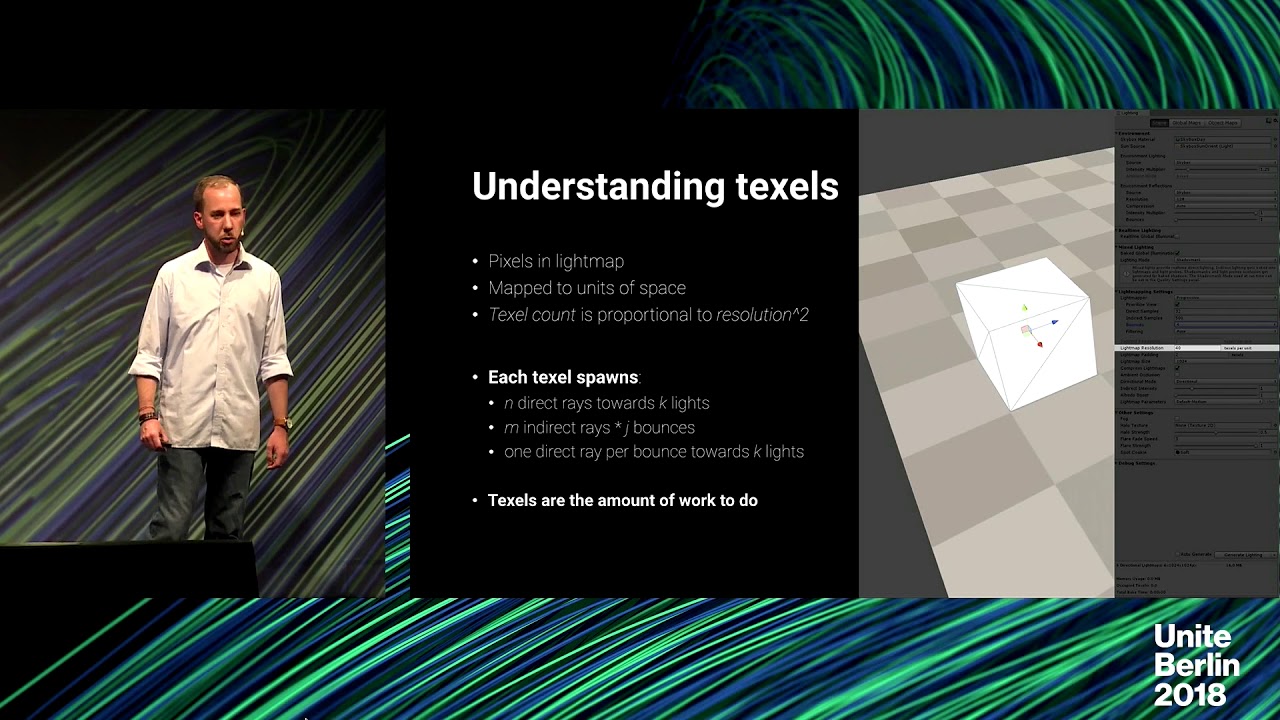
Slides: https://www.slideshare.net/unity3d/progressive-lightmapper-an-introduction-to-lightmapping-in-unity
Get an intro to the basics of lightmapping and the Progressive Lightmapper, and learn how to address and solve the most common issues our users experience. We also dig ...
versed ember
no problem 🙂
vague rivet
What should I set reflections to so I have reflections but so the skybox stars and stuff doesnt reflect off everything?
vague rivet
welp unity keeps crashing every time I try to bake my lighting. lovely.
versed ember
@vague rivet try to switch from Enlighten to progressive CPU
stark temple
It doesn't look like you're using reflection probes
That should fix a bunch of issues
 smoky river
Hi
timber lichen
Anyone know how to make a light flicker, like a candle?
vague rivet
im trying to use bakery and when I render the scene I get an ftrace error
unknown error 5510
smoky river
Hi
 trim elk
hi what is the correct light intensity/range ratio in normal conditions?
versed ember
@trim elk it's a bit hard to answer your question. What kind of light? What do you mean with "normal conditions"? Cause for one, directional lights have no range (since it represents the sun)
trim elk
i mean clean air and light like ralistic light that gets stronger by the amount of distance ^2
weaker not stronger
in blender you have only intensity, becouse the range is a result of intensity and air conditions
versed ember
yeah, the inverse square law of light, so i assume you're talking about point Light. Tbh it's pretty hard to establish what would be "correct" I'm pretty sure unity light already abide by that rule, intensity and range are more artistic controls that allows you to get the look you want. Especially as in real life you get different types of lamps so it depends which one you're trying to mimick
trim elk
but all lamps follow this rule
even the sunlight
sun is just very far away so the falloff does not matter
versed ember
yeah ofc
what I meant is
a candle flame is a point light too
a light bulb is the same
a photographer lamp is a light too
trim elk
spot light the same all the same
trim elk
no all the same setting just different power and size
trim elk
how to convert size to range?
i do not think that intensity and range are like power and size, the first both makes sense to me in a phisical world
range could be some sort of mix of size and airdensity
versed ember
well yeah, it's not like unity simulates air scattering of light
but I think you'd have better luck playing around with the parameters rather than trying to come up with any kind of measure conversion. Not even sure that would be possible
trim elk
hmm this does not sound reliable
unitypeople must have a table how to convert size to range at zero air pollution at least
after looking closer to the effects of changing intensity and range setting in unity, there is no way to set up the setting to get realistic light, the light seem to decrease linear and the range just cuts off the light after a distance, which in both parts looks shit
tired horizon
in HDRP you have the air scatter effect and there are a few Assets from Assetstore that can do it on their own way to in most renderer integrations of most unity versions.
If you know how this stuff work in theory you could do it yourself also.
 rain meadow
How could I get this kind of noise effect on the shadows and highlights in 3D space?
Thought about just normal mapping noise on plain textures but I think that would add the noise to everything rather than just the edges of shadows/highlights
trim elk
but missing air scatter is not the problem if the light without air looks wrong
air scatter is just cosmetics
versed ember
@rain meadow you need a custom shader to deal with that
rain meadow
Like a shader graph or?
versed ember
well, that's one tool 😄 you can also just code them
there are some interesting articles online about it, mostly dealing with code though
but I'm sure you can find something already made you can buy
I wanted to make something like that as a post process effect but absolutely failed at it lol
and the guys from Amplify suggested to try and use per object shaders rather than image effect shaders
 tranquil roost
Is there a way to change a mesh's shadow to a different mesh's shadow?
for example, I want to change this bomb to a donut's shadow
 austere canopy
@tranquil roost You can turn shadow casting off for the visable object and have a shadow casting only object for the shadow
tranquil roost
thanks a lot 🙂 ill look into that
 hollow tundra
Whenever I bake my lighting, it comes out like this: is this because the building is a single mesh?
 tranquil rose
what's your goal? is it supposed to be dark? and is that the actual wall texture or is that the part that's glitching out
i don't think it's a mesh issue but i'm not super knowledgeable about lighting
send a screenshot of your lightmap settings too
austere canopy
Whenever I bake my lighting, it comes out like this: is this because the building is a single mesh?
@hollow tundra
looks like you do not have working Light map UVS in UV2 you can author them yourself in your 3D modeling software or let unity generate them on import
hollow tundra
Okay
 gaunt vector
i was working on my project and then my colors changed to this how do i fix it
rain veldt
Hello everyone!
Do you think it's possible in Unity to achieve the 'hiding walls from camera' effects? I mean walls that hide when the camera is facing them.
Just look at this clip from Xenogears at 10:24 look at the wall on the left
https://youtu.be/39DnK6_cfcY

Let's play the seminal PS1 RPG classic "Xenogears"!
We find the adrift Ethos ship, now turned into a creepy horrific ghost ship full of blood-drinking Wels.
austere canopy
@rain veldt Thats basicly the default behaviro unless you make backface culling off in the shader or have extra faces that point to the outside
rain veldt
Tx @austere canopy !
summer aspen
must use transparent material or texture has the wrong transparency type.
summer aspen
The trunk material here has higher draw order as well
timber lichen
Wait am i supposed to put rendering type on transparent?
because now when walking around the tree it looke like its rotating with me lolol probably fixing the tribe fixs this too
 hazy falcon
The problem with your tree is the lighting I think.
you should put your material with cutout.
and if you generate the lightmap, the render should be ok
timber lichen
literally no idea how to generate the lightmap
im new to 3D
2D luckily doesnt have all this
versed ember
Set the object static, or turn on "Contribute GI" and then go into window-render-lighting and click generate lighting
timber lichen
where is all that?
versed ember
timber lichen
checked them all
versed ember
then open the lighting tab and hit generate
timber lichen
doesnt exist
the tab
got it
how long does this take?
doesnt seem to be working
versed ember
I recommend checking tutorial on how to optimize it, cause otherwise it can take a long time
 wet yoke
okay, so i've moved over to the HDRP, but i cant use my old skyboxes, how would i not have to use a physically based sky and go back to the old lighting setup
timber lichen
the transparency does it good
just i dont want the tribe to be visible in front of the leaves
mystic dew
@wet yoke with sky you used before?
wet yoke
@mystic dew?
tired horizon
@timber lichen use google.com search for unity lightbaking you will find alot https://www.youtube.com/watch?v=tN33YqhfVtI
Slides: https://www.slideshare.net/unity3d/progressive-lightmapper-an-introduction-to-lightmapping-in-unity
Get an intro to the basics of lightmapping and the Progressive Lightmapper, and learn how to address and solve the most common issues our users experience. We also dig ...
every unity Inspector palette has a help icon that in most cases goes to the manual
in the manual you find terminology about what you want
then you can search in the internet
😉
mystic dew
@wet yoke oh atm busy, but you can find a physical based sky in HDRP package manager
timber lichen
I dont even want to make 3d anymore
wet yoke
no, i know about the physically based sky, but i dont want to use that
i just want the regular unity skybox
austere canopy
@wet yoke in hdrp you can use a hdri skybox that will accept normal Qubemaps
wet yoke
no, i wanted to use a procedural sky
i've just removed the HDRP package from my project as it had barely any materials
austere canopy
waht renderpipline are you using?
mystic dew
welp you need read guide about HDRP
or use Unity Live Service where are expert will explain to you how to work with HDRP
https://livehelp.unity.com/lesson/5e677f5aedbc2a001fdf0fe6

Unity Connect
The first talent marketplace dedicated to the full spectrum of Unity creators — game developers, artists, programmers, VR/AR developers, and more. Find game dev jobs, source Unity talent, and post tasks to get help on your Unity projects.
hollow tundra
Is there a way to generate UV for things already in the scene?
austere canopy
you could edit the UV's with pro builder or by code
if the model is commoing from a Modleing softer you have its probably easeyer to do it there
tired horizon
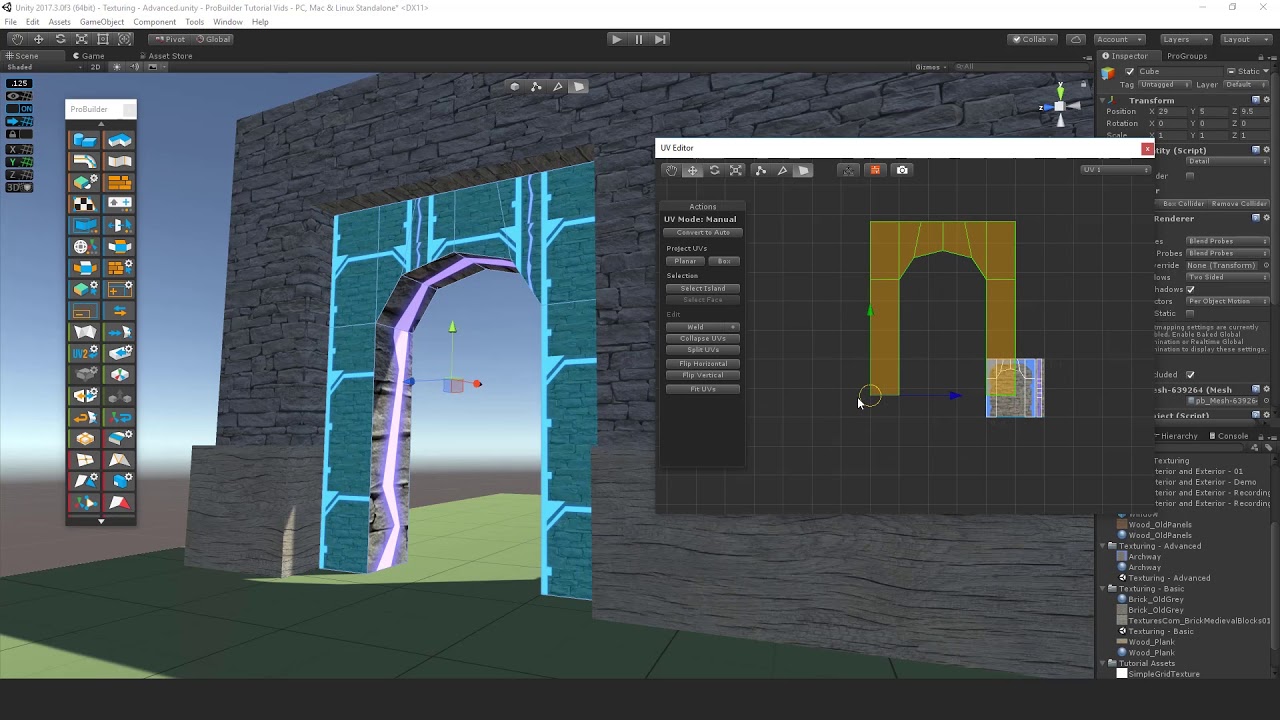
@hollow tundra https://www.youtube.com/watch?v=d3_2h4cN4cY
 hollow tundra
@tired horizon You're my hero today
tired horizon
glad it helped! @hollow tundra
btw you find ProBuilder in the packet manager and then in the tool menu in editor
dont forget once you have done the uvs there is a command to make the modell free from probuilder script. *strip pro builder script from slection or *all
if you want to use the asset external you use the FBX exporter an it makes you a 3d asset
the only bad thing is FBX exporter triangulates, not sure why
if you have troubles with Edge normals "creasing there is a palette for that to, it saves you a vertex normal map
like in other 3d dcc
hollow tundra
That's awesome
Also: TFW you change your lighting priorities and decrease your bake time from seven hours to just a few minutes
timber lichen
Why does Bakery break Unity's lighting process completely?
 hasty yoke
Hey guys. The white square in this image is an emmissive material set to baked, and the lighting of the scene is all baked lighting. However, I still need some objects to get realtime lighting. How can I get realtime lighting for the objects that aren't static, while baking the static ones?
mystic dew
@hasty yoke use group light probes
tired horizon
Why does Bakery break Unity's lighting process completely?
@timber lichen its all a matter of the right configuration, its not braking things it's most likely just that the integration you use must play with unity's renderer, therefore most likely its config matter. maybe you can contact the developer of the integration
old falcon
Has anyone worked with HDRP's box light? Is there a way to tile the cookie and make the light intensity have a falloff like traditional spot lights?
hasty yoke
@mystic dew looks like exactly what i need, thanks :)
 celest onyx
Anyone who know why does these 2D sprites not interact with the light?
 idle schooner
Is there any way to get fog to show up in reflection probes?
 teal stratus
@celest onyx is the light right at the foot of the player? try to put it a little bit higher.
also why do you need specifically a sprites shader for that?
you can replace those sprite renderers with quads with a legacy diffuse shader
@idle schooner as far as i know,real fog cant be used in reflection probes but setting a sphere children of the reflection probe with this setup,with the particle unlit shader with this material properties should be able to emulate fog,be aware,it will block the skybox as well.
color can be any color you want
i tested it and it worked,but note that if you have the sphere to be sized 0.3 your reflection probe must have a near plane lower than that or the sphere wont draw.
idle schooner
Thanks a ton, @teal stratus . I'll try it out :D
hasty yoke
any idea why the baked lighting on this table is all weird?
I can link settings by request, but i don't want to spam the discord with all of my lighting settings for everything
rain veldt
Hi! Anyone knows how to get rid of this strange behaviour of area lights? Area lights' reflections seem not to be aware of any objects in front of the area lights itself.
So the area light is well behind the wall. But its reflection is still visible on the floor
teal stratus
does that table have right uv maps? @hasty yoke
@rain veldt does that area light have shadows? maybe the reflection is not blocked by any shadow
rain veldt
@teal stratus no HDRP Area Lights don't have shadows. Or at least this is what they said in Unity doc. There's the shadow option in the Area Light's Inspector but when you turn it on or off nothing happens
timber lichen
I have never used area lights before.
 river bridge
So I’m making a scene with hdrp and baked lights but light seems to be leaking. Any help would be nice (I’ll post a photo)
Don’t mind the clipping textures XD (WIP)
teal stratus
did you enable baked shadows for the area light? @river bridge
celest onyx
@teal stratus thanks! the Quad method worked! After making the quads I put the shader to mobile vertex shaders!
 upbeat ember
hi, i have a problem with my light on unity, i don't any shadows and if I move my directional light nothing is happening
covert stirrup
Nothing should happen if you move a direction light, only if you rotate it
Make sure you have lights enabled in the editor
upbeat ember
yeah sure i rotate the light and nothing is happening
all is enabled
Could it be because of the different scene
covert stirrup
Should still affect it
Looks like it's coming from below though. Does it look the same when coming from above?
covert stirrup
Is it set to realtime?
upbeat ember
my problem is fix
left chasm
How do I make this small but wide plane not use an equally squashed lightmap? Right now the seem where 2 different planes meet is very obvious because of their difference in size.
This is what the plane looks like (about 8 times wider than it is tall)
teal stratus
increase its lightmap size or use more narrower planes instead of one wide
supple fulcrum
Is there any way to render the lights on top/behind other sprites based on the y-axis similar to how one can render sprites in a similar way using transparency sort axis?
Just like the character is "behind" the house, so would I like to have the light not visible through the sprite either
Using the Unity 2DRenderer
 meager hare
Not sure if this is the correct text chat but does anyone know how I could fix this issue with my ceiling lights?
covert stirrup
Are your lights behind those planes?
covert stirrup
Easies solution is to just turn off 'Cast shadows' on them
covert stirrup
On the planes
meager hare
Alright, ima try that
Better now!
But I still get those little show effects at the other part...
mystic dew
there multiple lights?
meager hare
even tho not even the planes around it have cast shadows :l
Yep, have 4 light probes
mystic dew
use one single spot light with light cookie
meager hare
Alright, Ill try that
mystic dew
what you doint atm its horrible idea for performance wise
mystic dew
or use Area light in HDRP that can cast shadows in real-time
meager hare
Well it has ran perfectly on my pc tbh
Im using realtime
Im attempting to make a private office of some sorts
Thought it would be ok to do it like that
Btw, what did you mean by using cookies? @mystic dew
mystic dew
you need to learn documentation about light 🙂
meager hare
Never used cookies, first time actually starting to play more with lights
I have played around with lights before
well enough to do this
But never to make ceiling lights...
Do you still recommend me to check out the documentation and see what the cookies do?
mystic dew
yea, you can simulate very nice soft light for any case with that
like with cookies those shadows will be soft blended and look alot better
meager hare
Oh my
It does take effort into doing cookies
would this mean that I can sort of blend shadows with other shadows?
cause Ill have 4 sets of ceiling lights...
mystic dew
4 point light will have sharp ugly shadows
one light with cookie will make it look realistic
look, just point light
meager hare
So, I can have 4 cookie lights will look more realistic
That looks very nice tbh
is that using a cookie?
meager hare
oh my
mystic dew
you can buy it on asset store probably or make own
meager hare
Got any tips on how I can make my own?
I already got paint opened up
just dont know how I can get that soft shadow touch that you mentioned...
mystic dew

Elevate your workflow with the ArchVizPRO Interior Vol.7 asset from ArchVizPRO. Find this & other Urban options on the Unity Asset Store.
this one pack has nice amount of cookies
and its atm on sale 50% price off
meager hare
I cant really spend money at all...
I guess ill have to make my own
Just dont know where I can learn how to make them...
Just found this link

Unity Technologies Blog
We’ve just published a comprehensive expert guide (PDF) on advanced techniques to create high-quality light fixtures for real-time applications. Read it an...
This looks so god damn nice
mystic dew
 harsh spruce
bro just use the free ones that come with unity standard assets package
@meager hare
meager hare
WHOT?
Tf
Alright, let me try that one out!
Im trying to put a cookie on the light
It doesn't apply for some reason...
Thats the video
It wont apply the cookie to the light...
mystic dew
@meager hare show us your light cookies import settings
meager hare
The
Its set to spotlight
look what happened I set it to point
Any tips?
Somehow these guys made it work...
I sort of got it hahahahah
 thick silo
How do I fix this.
thick silo
nvm
 astral edge
What do I have to look into to get lighting difference between indoor and outdoor?
thick silo
Post Processing Volume?
astral edge
I've tried exposure, but I do not seem to get the results I am looking for..
meager hare
I attempted to make my own type of Point COokie
it ended up like this
That is the cookie
I feel like its the same, someone had told me it would look smoother but does not really seem like it
anyone got any tips?
@mystic dew THANK YOU!
My Ceiling lights ended up lookin like this after playing around with the cookies!
Not the best result but its definitely better
I ended finding out that you dont need shadows once you have a cookie
mystic dew
Nice progress
meager hare
@mystic dew Do you have any idea of how I can prob get a better effect?
\
I got that which I like a lot tbh, but I get that wierd flat effect..
timber lichen
tu vas faire quoi?@meager hare
meager hare
Eh?
mystic dew
@meager hare only by make more focused cookies
meager hare
je ne connai moui french
mystic dew
and change color of light from white to yellow/orange for match colors
meager hare
I have several cookies
Ima send a cap real quick
I made that one
But it gives this effect
Its literally not apart
and it still gave a big gap...
Would this be alright? @mystic dew
or less range for the shadings outside
mystic dew
kinda yes
meager hare
All right, ima try it out
mystic dew
maybe you doing something wrong hmmm
meager hare
So confused tbh...
All of them seem to give the flat effect
Could it be the fact that I have to rotate the light to make it show like this?
Oh my god
🤦
Got it now
timber lichen
@mystic dew how did u made that
meager hare
Alright got it so perfect
just ran into another issue now
Im attempting to put this on another lamp
Light shadows does not show up in the other wall
mystic dew
that strange
try place light in center between 4 cubes
maybe you reach real-time light limit per object
meager hare
I dont know, sort of got it working I guess
I got that effect
its better than before tho
Honestly, if it wasnt because you talked to me about this type of effect it would be looking very differently, I really appreciate it!
mystic dew
no problem 🙂
meager hare
Next project is to work on the ceiling lights
It would be better off If I did a cookie that just has the bottom part of the light right?
mystic dew
yep
meager hare
Light looks beautiful!
Got this issue tho
Is there any way that I can probably fix the shadow issue?
Fixed it more
There we go
Got them brighter and everything, but now my issue is that I have those type of shadows
Notices this only happened on that wall
Ill send all of the walls here
The room looks so beautiful tbh
but I want to see if I can fix the shadows
tired horizon
have you tried double sided shadows?
i think if the walls are one piece and have a little bevel it could look much better to. @meager hare
also try to intersect the walls so that the edges overlap more
 fiery mist
Hello! I have a question about blend probes (this is 2019.3 URP) Why do some objects grab probes from so far away? Here you can see this cabinet door grabbing a probe in another dark room, when there are other probes closer to it. Is there a way to prevent this?
 deft sapphire

For some reason lighting seems to be coming from nowhere, it only happens when I add two spotlights near eachother at the end of the hallway
deft sapphire
I figured it out!
 clever hemlock
Hey all, having a bit of an issue with shadows... They look sharp and fine until there is movement somewhere else in the camera view, where they become fuzzy and appear to 'vibrate'.
Any help would be appreciated.
 strong mica
Heyyoo
Weird problem wi htl
with * lighting
Lighting emit from outside
is only controlled via the directional light nothing else
gets affected
nvm fixed it
 minor ingot
i wonder if anyone have solutions for multiple room lightbaking.
I mean i wish i can use additive scene where i can bake each room individually
It is not exterior, but interior probably with tons of lights
although i dunno if i should bake or real time lights atm.
Just wanted some information if anyone have ideas
This is for ArchViz, so i assume i might need to bake for hours.
 lusty crown
@clever hemlock check out shadow cascades maybe thats it ?
it could be that you're going further away
try reducing the shadow distance and setting the cascades to 4 just as a test
it will cost you performance though
 strong ivy
How to fix those white lines
hollow tundra
I think this falls under lighting, so I'm postin' here...
I have a problem. I have a first person camera, which is right at eye level, and it sometimes gets in the way. Imagine floating jaws and the like.:
But anything I do that hides the head also hides the head in shadow. Like here, I have put the head on a different layer, and removed that layer with the culling mask:
stark temple
Check the light's culling mask contains the head layer in that case
hollow tundra
Yeah, all the lights are set to "everything"
The head does show up in realtime reflective probes, though. Just not realtime lights.
stark temple
Odd, try toggling the layers to make sure something's not weirdly serialized perhaps
You can also set the mesh renderer to Shadows Only
hollow tundra
If I do that, then it doesn't show up in realtime reflection probes.
Which, I don't have many of, and I can easily not use them. But I was hoping there might be another solution
stark temple
the solution is layers, so it's annoying that's not working
hollow tundra
Checked all the layers on and off here, no fix unfortunately
I also checked the postprocessing volumes to see if something was wonky with them. Also nada.
Are realtime shadows calculated from the camera, and if so can they be forced to be calculated separately?
stark temple
shadows from lights are calculated seperately. Post effects that do shadows are handled differently though, but that's not relevant here
Though, perhaps I'm wrong about that, I'm seeing the same thing in a test project
You could either have a duplicated mesh that didn't cast shadows and was only used for reflection probes, or you could make a shader that does some special clipping. Perhaps by distance to the camera
hollow tundra
Oooh. Oooh. A shader. That's brilliant'
I was just screwing with shaders in a test project yesterday. That is probably exactly what I need
Thank you
Out of curiosity...how do most FPS games get around the "head" issue? Or do they just not worry about it
ANyways, have a good night. If I figure out a good shader I'll let ya know
 azure lichen
Does anyone know a good place where I can get a model with every type of map to practice with?
 winged tapir
Why does this look so bright? I tried tweaking a bunch of things but it's still TOO bright
teal stratus
@winged tapir how high is the directional light intensity? btw nice project name
 polar river
@scarlet quail is just setting the color to something bright enough or si there other things i can tweak to make it more neon like?
 scarlet quail
Describe "neon like"
What does it look like now? How do you want it to look different?
scarlet quail
Increase the intensity of the emission color and reduce the bloom threshold
polar river
Increase the intensity of the emission color and reduce the bloom threshold
@scarlet quail so make the emission color brigther thats all?
but when i lower the bloom threshhold it applies this overall white filter on everything kind of fog thing
scarlet quail
It's a balance
 solemn quiver
hey this might seem dumb but im trying to implement a cookie to a spotlight but when i change the texture of the flashlight (cookie) the light emits a square of white color
can someone help?
this supposed to be the cookie
what settings should i use
scarlet quail
@solemn quiver Set the Texture Type to Cookie
 stable venture
Hi! I'm trying to bake lighting for my level, but something is going wrong. The baked lighting on my floor keeps repeating.
The left light contributes to lighting on the plane, but that baked lighting somehow gets repeated in all directions. Any idea what could be wrong?
It seems like those parts of the plane all have the same UV coordinates on the lightmap, but how do I fix that?
austere canopy
@stable venture lightmapping needs non repeading and non overlapping uvs in UV chanel 2
You can let unity genereate some if you import the model or you can setup them in the modeling too your model comes from
stable venture
All the models have "Generate UVs" enabled. But I think I found the problem. We use polybrush to vertex paint on the floor, and there was a setting "Override mesh" that was enabled on the floor. Disabling that fixed the issue. Thanks anyway!
 desert crystal
Something happened to my map, seems like a lighting problem
I got this error and I tried regenerating but it still doesn't change
Anyone have any idea? :c
Or maybe it's something with the terrain? Because both the terrain and the grass look weird, everything else's fine
actually nevermind, it's more than just the terrain
Nevermind, I selected the terrain and painted a bit and after doing ctrl + z it all went back to normal, strange though, maybe it just had to update
cinder siren
Hi, I'm new to 3D + lighting and I have a problem with shadows. Right now I want two GameObjects to be "connected" like in this picture.
I found out that changing the bias to 0 will "connect" the shadows but in return I get this weird wavy lines
Any other way to make the shadows look good?
timber lichen
how would I make my scene look like this
strong ivy
Who is using Aura ? My main component cut offed 😦
 neat yacht
is there a way to set shadow resolution higher than 4096 in URP?
I want to try to get it to 8192, just to see how much of an improvement that would be.
mystic dew
@neat yacht why? 1024 soft shadows for 50 meters draw distance is look good
neat yacht
because high-quality sharp shadows is pretty much the only graphically intensive thing I plan on doing with this project, and I want them to look stellar, even up close
I think I've found a way around it, though
so 4096 should be okay :)
 alpine relic
Hey guys, I hope you can help me! I am loosing batched draw calls due to objects being lightmapped because they are in separate lightmap files - However if i create custom lighting parameters and force it to be in one atlas, the quality drops significantly.
I am developing for Mobile primarily and help on this will be really appreciated!
supple fulcrum
Hello! Using the 2D render pipeline, is there any way to "limit" the distance of shadows cast? The preferable solution would be to make them based on the distance from the shadowcasting object but maybe just a mask could be enough to at least limit them?
 fringe palm
Can anyone tell me how to apply such lighting and colors to scene?
hasty yoke
How can I make the dark side of this sphere significantly less dark? I'd like it to just be a tad darker than the light side, without having the bright side be any brighter.
scarlet quail
@hasty yoke Add more ambient light. If you're not baking the light, change "Environment Reflections > Source" from Skybox to Color or Gradient and pick a color for the ambient light
The brighter the color, the brighter the shaded side of the sphere.
velvet flare
https://gyazo.com/d13161c3b4e82b261ef5d54c4cab6b29 Why this light flickering happening?
hasty yoke
@scarlet quail that was it! thanks a bunch!
 manic scroll
my view
barackey's view
why it looks better than mine, his graphics is more interesting than mine
teal stratus
my view
1)Brackeys has unity plus/pro which allows you to set a dark theme,which looks cool
2)Look at your player settings and set your color space to Linear
3)Im not sure,but he may have added post processing
@. Starlk#3366
 slender rain


 mystic dew
@slender rain upscale resolution of shadows
 glass flume
Hey,
I have a question on Reflection Probes on large terrains.
Should I make one massive static reflection probe, lots of smaller static ones, or one realtime probe that follows the player?
 hoary pendant
hey guys! I have a question about light baking in URP
i'm trying to follow the light baking process, I put all the objects and directional light as static, and then I put the directional light on "mixed" mode
for some reason the light aren't baking, it's still running on the realtime mode
also, I tried under the lighting setting menu to tick the "Auto generate", but the box and the text are greyed out and cannot be ticked on. attempts in generating lighting maps results with very very bad light maps.
what could be the reason it doesn't work? is URP not supporting light baking?
 oak veldt
Have u checked ur settings? U may have to enable baked first... windows- light ...there u can enable baked/mixed mode if I remember right
 potent fjord
hello. I'm having a problem with light. It started when I start changing the sunlight rotation, I don't know what can be happening but in the editor, there is light and it musnt be there. The light scene icon is activated (it must see as the definitive version). Which is more weird is that running the game it looks OK (also in scene and game window), but when stopping the debug mode that light appears again. I remove all lights from the scene and it keeps there what can be happening?
1: scene with game stopped with the unknow light source -2: scene without sun light and light is still there -3: scene running, unknow light dissapear and everything looks right (only when running)
hoary pendant
Have u checked ur settings? U may have to enable baked first... windows- light ...there u can enable baked/mixed mode if I remember right
@oak veldt ok I found the solution, thank you! I was playing around with the lighting window since you said there's an on/off toggle option, what I found is that I needed to press "New Lighting Settings" and tada.. it works now lol
potent fjord
I kind of fix it. In lighting settings the intensity multiplier is 1 and setting it to 0 removes that ambient light in the editor
teal stratus
@glass flume depends.
If you want to keep memory and performance as good as possible,just use 1,but reflections may look out of place in some places.
You can use a large static reflection for outdoors and smaller static ones for indoor places or special areas with more detailed objects and where reflection flaws could be noticed.
But if you just want raw quality you can use realtime reflection,at the cost of a very high performance cost
timber lichen
hey guys im having an issue with lighting. there is a line along the ground that shouldnt be there. i cant remove it no matter the rotation of the light, type of light. if i move the light to a different location the line moves with it. it will not cast light beyond this line
the only light that doesnt have the line is directional
fixed it. it was the normal map slider too high on the texture
timber lichen
actually if the normal map is more than 0 it causes the issue. great..
covert stirrup
Probably means your normal map is bugged
This happens if the flat value of normal maps isn't 0.5, 0.5, 1.0 exactly
tired horizon
@neat yacht maybe you ask the develper if this product has already URP suport https://assetstore.unity.com/packages/vfx/shaders/next-gen-soft-shadows-137380
neat yacht
I've already found a solution that results in quality hard shadows, but thank you :)
 spark fractal
Is there any decent light map/Light probe switcher out there that works in unity 2019?
@pale walrus your post processing is disabled
Or you lost your light map
I can't tell which
pale walrus
@spark fractal Thank you for the help.. I forgot to add the layer on the camera ahah
spark fractal
Lmao no prob
spark fractal
heavy?
 stable patio
@pale walrus , you are using 3 cameras and a ton of lights
Wait 5 cameras enabled? Am I seeing good?
pale walrus
No ? 😇
Sorted that but for future reference if I wan to create a room with access to cameras positioned in different places other than turning on and off cameras I would have to fake the effect ?
Also, if you have another moment I have a few chandeliers on that house from the picture ... how would I implement those lights without creating a problem ?
spark fractal
ok so somehow i was tyring a light map switching asset and i completely broke lightmap baking :<
nevermind the asset just set the light map scale to every object in the scene to zero
 alpine cypress
@pale walrus for camera's in different places, if it's using main camera to view. You could just use an empty game object to store position and rotation info to move camera to with a little code.
Otherwise if doing like security can on a monitor, render texture etc.
clever hemlock
Wondering if anyone will be able to assist... I have a moving platform but i do not wish to use Realtime lights. I want baked lights as it is for Android and provides better visuals. Please see below videos (first is desired look, second is desired function)
DW i have figured it out! adding the bake light to the prefab, and making all gam objects static only for 'Contribute GI' in dropdown
 opaque walrus
hi all, not entirely sure how to word this problem for search engines, so i figured i should come here and ask since i'm sure this must be a common issue.
i'm playing around with probuilder and now that my map is finished (after rebuilding shared index caches, selecting all vertices and welding them etc.), my lighting still looks like it is being affected by some kind of weird geometry.
here are the vertices (there seem to be none misplaced or in any excess, if that matters in this case at all)
the materials also use the standard shader
 loud gyro
Does anybody have a good solution to bake repeating objects without duplicating a lot of lightmapdata? Posted the full question in the forum: https://forum.unity.com/threads/lightmapping-a-lung-tunnel-lightmap-duplication.887977/
Unity Forum
I am trying to lightmap a long tunnel with repeating segments.
Baking the complete tunnel would result lightmaps being duplicated a lot.
Is there any...
 warm salmon
Anyone know why this is happening when I bake? the shadows are so blocky
mystic dew
@warm salmon probably cuz you tried to bake foliage
warm salmon
is there a way to do so?
 shadow saddle
whats going on here
mystic dew
@warm salmon try to do a primitive from planes that follow palm leaves shape, make then cast shadows only and static
 heavy dirge
when i got to add a 2D light Unity acts like nothing happened
 valid igloo
Got my first level finally uv-mapped and textured sorta properly (except the pool). Anyone knows how to get so better looking lighting using URP?
 graceful magnet
@shadow saddle you're rotating a pink cube in front of a purple background lit by a realtime light in a 2D scene? Is this a trick question? 🤨 Not sure what you are asking.
@valid igloo
Way too generic a question. Depends on the look you want. Currently it's kind of flat, I'd add color grading in the post processing using filmic to make the sunlight brighter and the shadows darker. Maybe add some inside lights. Sky is very blue, I'd make the sunlight color a pale blue similar to the cloudy sky and contrast that with orange tinted interior lights. But most of this is up to you. Also you need trim. Lots of trim and bullnose tile. 😉
timber lichen
Hey, I'm usually using URP (LWRP before that), but I decided to change to HDRP. I created a project using the HDRP template and and a new scene, I put the default post-processing settings, but the problem is that if for example, one side of a cube isn't lighted it is completely dark, the applied materials aren't showing up. What should I do? Add a reflection probe?
stark temple
@timber lichen please do not cross-post. Choose 1 channel and post to it.
timber lichen
ok
stark temple
You should generate your scene's lighting, and add a reflection probe and light probes too. Without probes you're relying solely on the ambient setup in the lighting settings (or pipeline/volume, I forget how HRDP works)
timber lichen
Thank you, I'll try it
 tame delta
I have a few lighting problems/questions
if anyone has a bit of time to assist it would help a lot
im using HDRP fyi
 hoary dawn
Baby's first project question (because it is). What causes the diamonds of lighting to appear like this? Light sources: Spotlight on the purple capsule's face, spotlight from the camera, one spotlight in each corner of the map.
 reef snow
how do i add a glow effect to any gameObject without post proccessing
pallid osprey
hiya - anyone play with the Heretic Head asset yet?
wondering why the setup is in ForwardOnly LitShader mode instead of Deferred - is it more efficient?
shadow saddle
@reef snow emission value on materials
reef snow
@shadow saddle will the glow of mats emit on everything else like light points?
valid igloo
@graceful magnet got much better results using your suggestions, so thanks a lot!
Maybe the point lights are a bit too bright atm
pallid osprey
back to exploring the Unity Heretic Face demo - anyone checked it out? Wondering what the purpose of the custom Spot Angle on the Spot Lights - in the compiled player and in the editor they cause light bleeds, but with custom off it seems correct - i can't find the artistic/technical decision
with the custom angle on from the demo scene
custom spot off
on
off
old falcon
Is it possible to use a RenderTexture as a light cookie? I want to have an animated cloud shadow projected by the sun. But the cookie doesn't update eventhough I see the RenderTexture animating in the inspector.
old falcon
Thanks for the suggestion. Didn't know this exists lol. But still the same behaviour like the normal RenderTexture :/ . I tried another approach by converting the RenderTexture into a Texture2D first. The cookie is updating now but I'm constantly creating a new Texture2D every frame :(.
pallid osprey
i do live video into unity and use this a lot..hmm
is the area light realtime?
oh i remember
is this hdrp?
old falcon
Oh yes forgot to mention
old falcon
Ok will look for it. Thanks!
pallid osprey
ill try to find it now so i dont forget
is your scene lighting using baked lights?
pretty sure this has to be off
cant find the cookie setting anymore..maybe its no longer in 2020 and they are just on by default
Project Settings - Editor - has some cookie option that was changed
i might have had to change that in 2019 or something
looks different in 2020.1
with this ticked my cookies still work hah so i dunno.. its a bit of a twilight zone moment
ah thats for GI baking i think
anyway for live cookies you gotta make sure they aren't getting baked at runtime.
pallid osprey
no volumes for area lights right?
old falcon
I haven't touched the Lighting Settings, so Baked Global Illumination is on. Will see if it makes a difference. I'm not using Area Lights. Just one Directional Light
Hm no still no difference
Ahh! I got it!
The RenderTexture isn't allowed to have a Depth Buffer
Hm no. I created the RenderTexture with a Depth Buffer again. But it's still working... I mean.. I'm not mad or anything. But I'd like to know why haha 😄
Ok I realized that it's working after I've changed something in the inspector of the RenderTexture. But doesn't work again when I recreate it. Weird...
old falcon
Yeah but it's so random I've decided to convert it to a Texture2D and set this to the cookie
pallid osprey
i dont think i ever got animated textures to work with anything but area 😐
gonna dive into it because i wanted to try volumetrics with live input
just assigned the texture to a spot cookie and it seems it broke the texture for the area
oh it works..with volumetrics! i think its the enable compatible thing on the texture
so once you assign it to whatever it might change
woah cool
live input into volumetrics haha
 floral marsh
I'm trying to create an interior level for my VR game but for some reason the lighting get so intense when close to objects that they become very bright to the point it just becomes the color of the light. The color space is set to linear and the point light in the screenshot is set to 100 lumens, range of 10, and with a radius of 0. Even with adding the ACES tonemapping (second image) the light still becomes intense.
pallid osprey
possibly might have to use volumes and switch with proximity, but seems odd. is the player the light source?
floral marsh
The player isn't the light source but this seems to only be the case when using point lights and area lights, spots lights look fine even when at higher light values.
From it seems, I need to change the radius or size to adjust the light concentration then raise or lower the light intensity accordingly. But when I look at the physical light values and try to use them as the value of the light source it looks way too bright.
pallid osprey
is this hdrp?
floral marsh
Yes, I set up my project so that it uses HDRP
floral marsh
I don’t understand why the light is emitting so much even though the value are low like less than 100 lumens.
 thin zealot
anyone knows why Aura 2 Camera makes everything look pink?
pallid osprey
some issue with the material
versed ember
@thin zealot are you on URP or HDRP by chance?
 neat moss
does anyone know what causes these sub-1px lines between the shadows and the mesh?
neat moss
ok got it, it was caused by the AA and removing the AA actually reduced the jaggies and removed the sub-1px lines
 warm nimbus
How can I get a smoother edge on my shadows?
Very obvious on the shadow from the sign here
hollow tundra
I just wanna say that I wish I had the skill at lighting that the folks at Valve have. This is a about from one of my favorite lighting environments in Half Life Alyx. With two lights (one light source), they change a mood, impact the player's pace, and instill a sense of threat the moment you see it.
 gilded zephyr
Having a bit of an issue with a room model I've imported into unity, I'm in a HDRP project and the scene is a default HD scene.
The room model doesn't have any thickness but I'm not sure if it needs any to be able to block the directional light from outside the room.
Currently, from inside the room (which has four walls, a ceiling and floor) it appears as bright as day on the floor, as if the light is coming through the walls, so I think my question here is:
Do I need to have a thickness to the interior walls to block light from outside the room?
(inside the room)
mystic dew
@gilded zephyr select mesh and in cast shadows make double side
gilded zephyr
will try that, thanks!
mostly worked, but where the ground meets the walls there is now a line of light all the way around
still not sure why, have reimported, recalculated uvs etc
;-; If anyone has an idea as to why double-sided shadows are causing the above lighting artifacts, pls ping me
covert stirrup
You either want thickness to your walls or a shadow casting mesh wrapping around the scene
gilded zephyr
Thank you for responding, i think i'm going to increase the walls' thickness cuz at the moment they are just planes.
covert stirrup
you can play with the bias of the light as well but most likely there will still be a leak
 compact remnant
anybody have any solutions for animating light cookies?
is it possible to use a shadergraph shader somehow?
 thorn hill
Has anyone tried adding baked spot lights on URP? It seems like it doesn't show up
 sharp inlet
It's likely an issue caused by lack of thickness
 modest pilot
does anyone here know how to achieve source-engine-like lighting?
i feel like unity doesnt let you change much as for lighting
or maybe im misunderstanding lighting in unity
sharp inlet
Source engine doesn't have particularly advanced lighting, even source 2, it's simply how the artist who detailed that level design the lighting setup