#archived-lighting
1 messages · Page 47 of 1
 near bison
You can see in the second shot when I disable reflections entirely, the wall looks as it should, for the most part.
So in searching for the reason why I'm getting that weird reflection, I found this in the Unity docs, which may explain why my reflection probes were picking up that blue color:
I didn't even think to click on the probes themselves because why the hell would they just ignore my skybox settings when I set the skybox to none and clear to a random blue color which happens to resemble sky instead of some color to make it obvious an error is occurring and which I could actually google and potentially get a hit on, like "why the hell is everything pink?"
 fair remnant
Hey Lighting Experts,
I have a question about the lighting in the Boat attack Example scene from de URP. How did they manage to do Realtime lighting with out creating one shadow caster? i thought that when u have realtime shadows u have shadowcaster. what kind of magic did they use?
Would love to know more about the approach, but the information is lacking.
near bison
Is it a property of cube maps that when reflected in a plane like a window the reflection won't change as you go from looking straight on at it to an oblique angle? My reflections seem stamped onto the window more than like real reflections.
 compact remnant
I have this weird pixelation on some surfaces, does anyone know anything about this?
I'm using real time lighting
the worst part is, it moves as well, almost like a censoring shader effect lol
 stark temple
That's just how rasterisers work. You'll need to work around it with anti-aliasing. There's also changes to geometry that can be made to improve the situation, but it's just how it works
compact remnant
what kind of changes to geometry would that be?
stark temple
Removing anything unnecessary and baking maps over using geo. Textures can mip and filter at distance and so have less aliasing. If you still want that much geo up close you can LOD it. It depends on experience and what your creation pipeline looks like as to what route makes the most sense.
Getting appropriate AA up and running is the first step to improving it
compact remnant
sure, any tips on how to get the proper AA done?
stark temple
Use one of the various options that come with the Post Processing Stack. All are workable and each have optimal situations and drawbacks
compact remnant
alright, will check it out, thank you
stark temple
@compact remnant Hey, sorry, I think I misunderstood what you were talking about.
(Someone pinged me, but I don't see their message)
It could be a number of issues and I would make sure you've narrowed it down by enabling and disabling different objects and probes, and taking a peek at the frame debugger (Window/Analysis)
Because it could be some odd post processing artifact, strange blending of reflection probes, some weird thing to do with tiled lighting (is this HDRP?)
compact remnant
@stark temple Hey, thanks for looking into this again
We were still scratching our heads about it yeah lol
This is HDRP 2019.3, but we've had this issue before with 2019.2
It only seems to happen in HDRP as well
We've looked at if it's caused by the reflection probes, and it's not, the artifacts remain when we disable those
It only goes away when we disable the area lights on the ceilings and even then it's still slightly visible
stark temple

Unity Forum
I encountered a problem while testing out the HDRP today. It seems that lighting starts becoming all buggy and pixelated in sections of the level with...
It's interesting that because HDRP lights in tiles it's prioritising lights in this manner
But this sounds like your issue
compact remnant
Aha
That looks exactly like it
But how would we get around it? And what is a "tile" exactly?
stark temple
You'd have to reduce the number of lights affecting your surfaces.
Lowering the distance of your lights where appropriate is a good place to start

HDRP comes with a new lighting architecture: It uses a hybrid Deferred / Forward – Tile / Cluster renderer. These words mean that it scales way better than built-in Unity rendering with the number of lights in the scene. This new lighting architecture is focused on performance.
There's a debug mode you can enable to see the world like that ^
compact remnant
Thanks a lot for the help understanding this, we've been looking around for solutions for a while and just couldn't find anything
Now we at least know what causes it and we can hopefully work around it properly
stark temple
All good, sorry I went to sleep thinking you were talking about something else entirely 😄
compact remnant
It's okay! Thanks for coming back to lend help haha, I appreciate it
I genuinely don't know who pinged you though lol
stark temple
@near bison cheers for the ping, I too thought it was just gif compression
(I checked the mod logs :D)
near bison
@stark temple Ah, yeah I deleted it because once I saw it was a gif, I assumed it was the compression and he just didn't do a good job circling the actual issue. I haven't used the latest versions of Unity cause VRChat is stuck on 2017 (soon 2018), so I had no idea the HDRP pipeline renders in blocks and those artifacts made no sense to me if it was being rendered with the older pipeline I'm on.
 hot wharf
Hi. Are reflection probes usually rendering the fog in a scene when baking? Because my don't and i'm wondering why..
I use 2019.3.0f1 URP with Enviro Sky&Weather and R.A.M by Nature Manufacture. I would like to bake my probes for some little lakes.
 tight moss
Hey ya'll, I'm using 2017 LTS and when I change my skybox intensity multiplier in the lighting window for my scene, it 1) doesn't do anything, 2) reverts to 1 when i load the scene
 shrewd flame
All objects are static
After baking I got this. Does anybody know what is happening?
 full kestrel
Hi! Is it possible to process the lightmaps through some edits? Like in the shadergraph ?
full kestrel
Anything like this in Unity? https://docs.unrealengine.com/en-US/Engine/Rendering/LightingAndShadows/LightmassPortals/index.html
Help increase the quality of baked interior lighting.
 pure totem
( left - baked , right - real time )
full kestrel
enable shadows
pure totem
@full kestrel on the point lights or on the mesh renderer ?
( just starting to learn about lighting )
full kestrel
It's on your geometry if I remember correctly
Oh. Now you say it.
Let me open Unity 🙂
pure totem
lol nw
full kestrel
But basically look around for a dropdown list
between None, Hard Shadows and Soft Shadows
full kestrel
Okay so prolly on the lights 🙂
pure totem
kk
full kestrel
Yes actually...That cant be on the mesh
On the mesh you just choose if it will cast shadow, eventually if shadows will render from double sided geo (can be usefull for instance if your wall is just a plane!)
Oh you want to enable Cast Shadows tho on your mesh!
pure totem
yep i see it
oh right
was wondering why the result is funny
hmmm
same results
i chose hard shadows for the lights
baked mode
that's what i get
compared to
...
now im puzzled
its different from the fist screen shot above
full kestrel
You might want to run some tests, smooth shadows, close the room, increase lightmap res, (i wouldnt think for simple pieces like this its necessary but if its super low maybe) you can pop a Light Probe as well (in fact i would do this first)
full kestrel
any better ?
pure totem
eh ( similar results in soft & hard shadows )
^ baked
not baked ⬇️
something to do with no skybox and black light source ( environment )
im guessing the baked result is the better one since it will let light bounce off more often
but im after the metallic look on the none baked screen-shot
i think im getting there ...
full kestrel
give it a metal material 🙂
thats some super strong ambient occlusion also, did you boost any of that?
pure totem
yes , trying all the settings one by one , from what u said sounds like its the only way to go
couldn't reproduce it
i wonder why it looks so metal without baking
going to try materials now 🙂
strange , metal seems to be very dim ...
Specular Highlight is what i am after
seems like unity doesn't support it in baked mode
compact remnant
hey guys, I've been trying to bake lighting for our scene to increase performance
the performance is better, but the scene itself looks way dimmer or even just "dirtier"
any advice would be great
for reference, here's what it looked like before the bake:
and here's after:
pure totem
just baked a level, lots of artefacts, what causes the UV's to do that ?
 timber lichen
Nice Lighting
pure totem
i solved my issue by removing compression
pure totem
correction : i had two different planes - distanced at 0.01 unit apart from each other - the idea was to bake multiple planes at the same time and toggle their visibility by the level - seems like the underlying planes will get this artefact regardless
 wise lichen
I am remaking some assets because the original have too high polycount. But as you can see the materials on the left don't look as good as the ones on the right.
The one on the right is lighted even from the back where the left tree is completely black. How do I fix this? Also, why does the one on the right look way more saturated and has more contrast? I use the same materials although messed with the alpha since that one didn't work in my shader.
The tree on the right uses a Hidden/Nature/Tree Creator Optimised shader. I can't even access this one so I can't use it in my remake. The tree on the left therefore uses a standard shader
 acoustic hare
is there a control on the spotlight for either how far from the origin the volumetric cone (in HDRP) starts? Or the radius of where it begins? not sure how that circle got there or what settings control it... i tried messing with all of the settings in the inspecotr..
 fathom hazel
I have a terrain lighting issue;
So, normally the game I'm working on is supposed to have cheery and bright looking terrain (Like in the first picture). On my menu scene, I got tired of it always baking and making it all dark and weird (Second picture), so I turned off Auto Generate, and did "Clear Bake Data".
Now however, it had the opposite effect; Instead of turning off baking, it broke baking for me; Now in that scene, my terrain is forever stuck with a dark and dreary look to it, even when I clear bake data! I tried turning baking back on to fix it, but now it spends 4~ minutes to bake, then gets stuck at the very last step, saying "6/11 Visibility | 1 jobs", and the baking loading bar never completes, forcing my terrain to stay stuck in this weird dark mode.
How do I get my terrain looking bright and normal again, and how do I disable the bake process without breaking everything? 😅
(Update, I somehow got the terrain looking normally bright again... but I still don't know how to turn off auto baking without breaking it 😅
 safe star
Could someone help me please? I'm trying to make high quality realtime directional shadows in URP 2019.3
The problem is that I often get light bleeding
Setting cast shadows Two-side is not an option due to performance
I've changed bias and normal bias to zero, and it looks great now. But now I get a shadow acne on all surfaces
Looks like buggy shadow lines
Is there a way to make it work well completely?
 limber patrol
Hey everyone, just wanted to ask, with the new Universal RP lighting for 2D what kind of terrain/landscape can we have that accepts light?
 rapid tree
anyone know how to fix this issue?
https://i.imgur.com/ElYnCTI.png
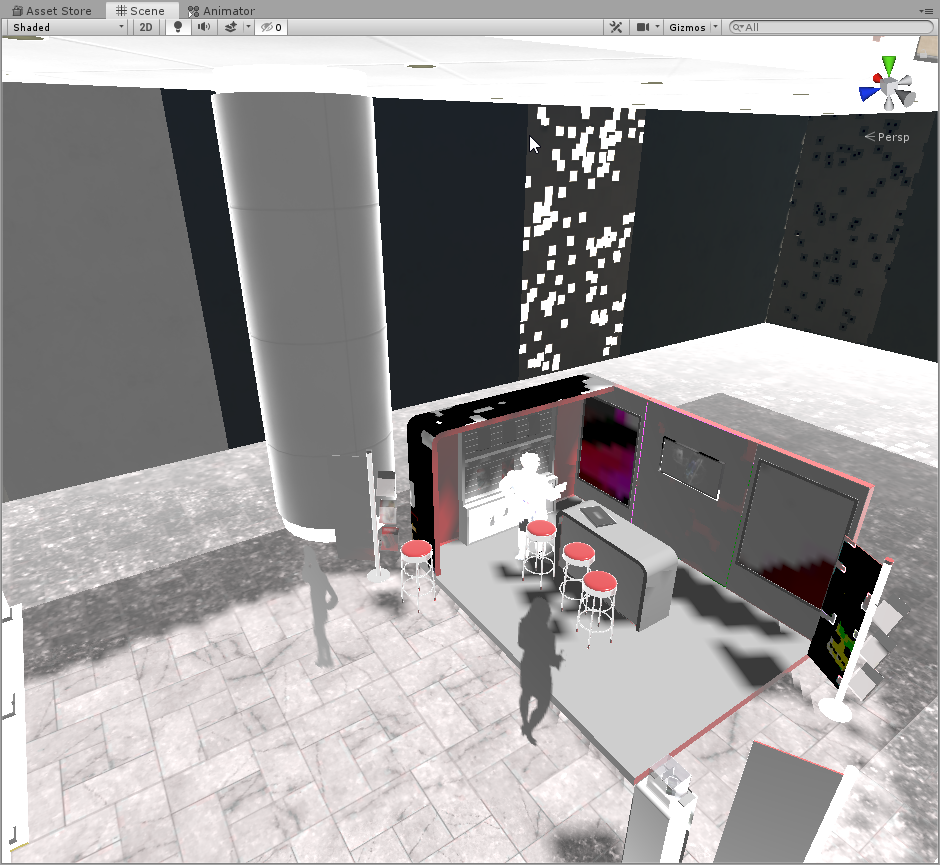
all of a sudden this started happening 😦
restarted PC to see if it would resolve.
rapid tree
i have zero idea how this occured.. but completing deleting the scene lightmap folder worked after the pc restart.
 stable patio
Hello, is there a way to overwrite the anchor position for trees on terrain, same as you can do with ex. prefab where you choose the anchor, it does not work with terrain tho, so is there a way?
I'm asking as I have a forest, everything looks pretty good, I have nice gradient between open field and the forest, only thing is that as the trees have their anchor somewhere in middle or on top of them, they are highly lit, looks like someone set emission on them, Would send the image but im in school rn so I can get one later today...
 wispy skiff
Hi! What is the right workflow for using the ACES tonemapping in HDRP? Should I just turn it on in the post processing and all is good, or should I be converting or treating my srgb textures somehow beforehand?
near bison
Does anyone know what's causing my materials to look like this? I suspect it has something to do with reflection probes, or the skybox:
 mortal nest
Any reason why this point light is flickering?
Id like for it to remain visible while the player is around
Oh wow i probably need to turn the light count up
 cyan garden
I'm looking to reproduce that kind of 2D lighting in my 3D scene : https://www.youtube.com/watch?v=kMtSt5VkmXE&feature=youtu.be which so far is not looking great : https://www.youtube.com/watch?v=vmlPA7KY0Yw&feature=youtu.be , any advices or directions I should explore to get that kind of lighting ? Thanks !


my current version is with a spotlight attached to the player
 flat lantern
Volumetric lighting/godray tests, done with Aura 2.
 warm minnow
Hi everyone! We are currently using the new 2d Lighting Pipeline (Unity 2019.3.2f1) and I was wondering if you had any recommendations on how we can optimize them. We have 4 lights in our scene at the moment and adding them makes our FPS drop from 100 to 40 or so.
cyan garden
why does the wall not stop the light ?
I mean why is the floor on the other side of the wall illuminated by the light
 young vale
Can anyone help with a problem I'm having? it goes like this, when I'm baking the lights and have set the thing a want light to be baked on then when i bake it, it says this to one of the objects: Object's size in lightmap has reached the max atlas size.
Ill be so happy if anyone could tell me how to fix it.
timber lichen
@cyan garden Off the top of my head, make sure the wall is marked as static (top right of inspector), also try making the wall material double sided, if that doesnt work make sure shadows are enabled for the light?
Hi all, new developer here,
Having trouble with my lighting, anyone know how to increase the distance the camera renders volumetric lights at? also cant remember the setting to make them softer so they dont look spotty if anyone can remember?
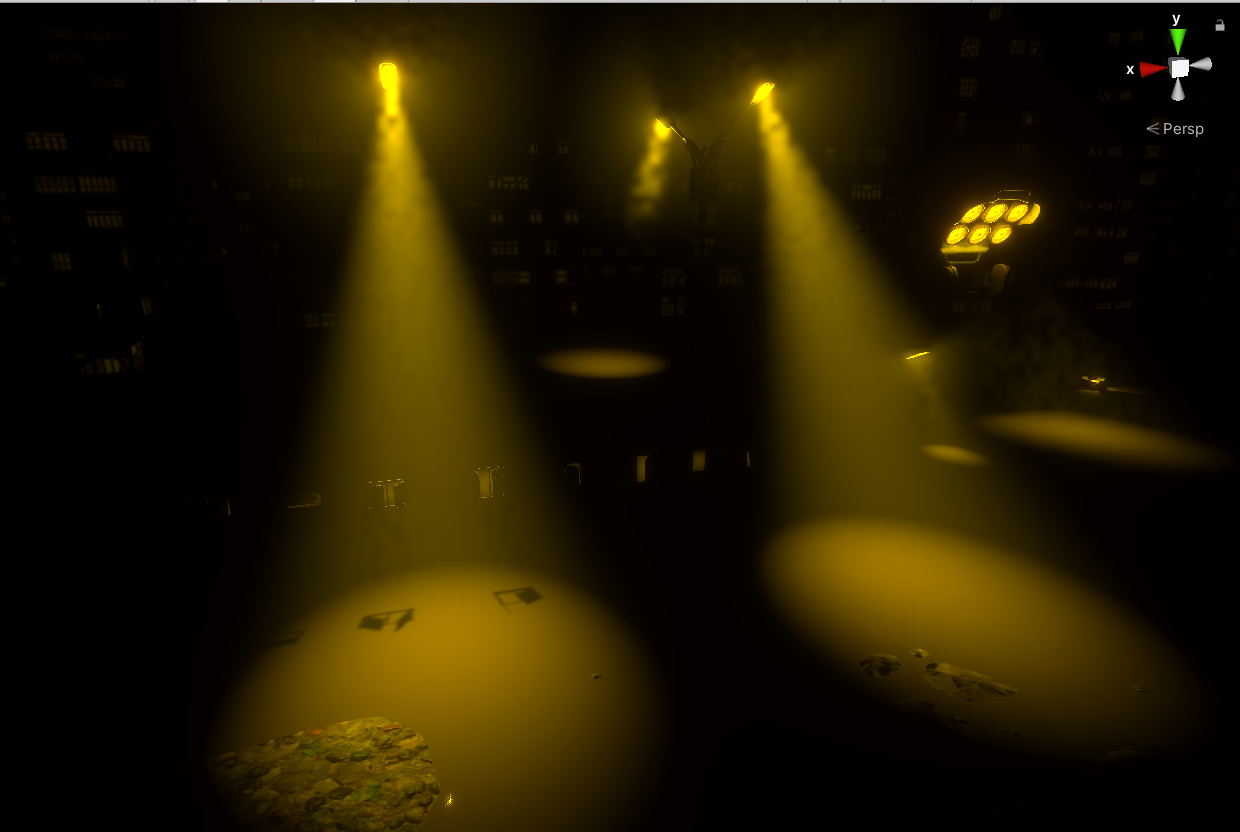 cyan garden
@timber lichen Thanks you that worked 🙂
timber lichen
hi guys i have very interestng issue. Lightmap errors after committing to git.
samething as here https://forum.unity.com/threads/lightmap-errors-after-committing-to-source-control.374657/#post-2429381
did somebody solve that?

Unity Forum
So I am having an extremely frustrating issue with Lightmaps not appearing correctly on different machines. After I build the Lighting for a scene I...
timber lichen
@young vale Try this: find the model the error is referring to (should tell you hopefully in the error which model it is), click the model and inside the inspector in the "Model" tab at the bottom should be the "Generate Lightmap UV's" setting, check that box, then expand the "Advanced" arrow beneath it, you will see a setting called "Pack Margin", try putting that up to 10 or 20 (dont worry, if it's too high Unity will automatically scale it down for you). See if increasing the pack margin helps you :). @cyan garden No problem, glad I could help 🙂
young vale
@timber lichen thx ill try it out ^^
timber lichen
@young vale If that doesnt work, try finding the "Scale in Lightmap" setting, it used to be under the lighting section of the Mesh Renderer of the object in the inspector but it's disappeared for me on HDRP so they may have removed it somehow, you'll have to ask someone a bit more experienced where they moved it to unless it's a HDRP thing 🙂
timber lichen
@young vale That, on the right hand side: "Scale in Lightmap". Thats what your looking for
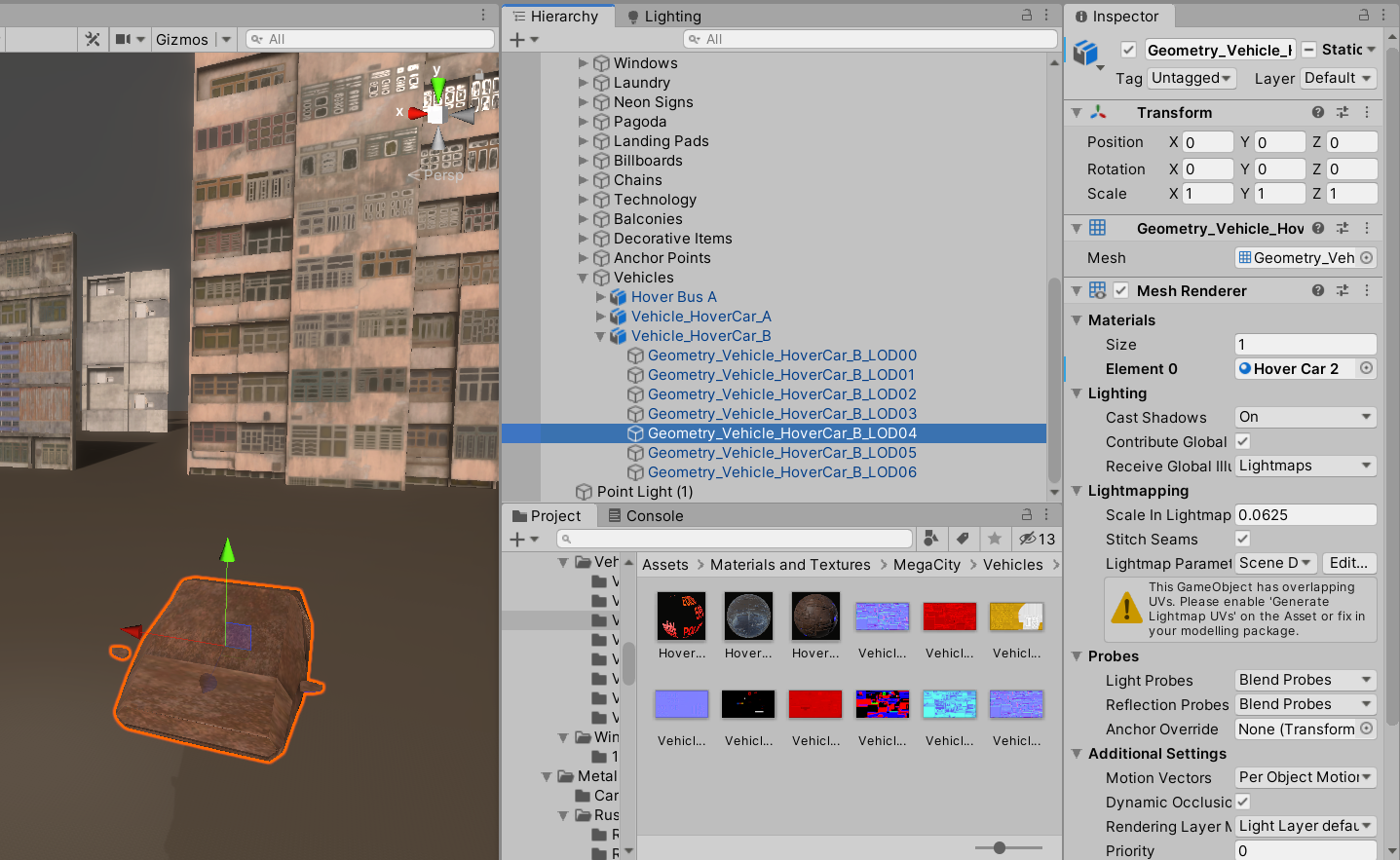 young vale
I have one question to that, what version are you using cause i don't have that 😅
timber lichen
oh, im on 2019.3.3f1
HDRP
Make sure your clicking on the Geometry INSIDE the model, not the model itself, for example in my screenshoit Vehicle_HoverCar_B is the model, and im highlighting the geometry inside it
if your looking at the model in the project tab, then click the little arrow next to the model, and it will expand to show you all the geometry inside
 maiden gazelle
not sure if this is the right channel, but im using the physically based sky and my normals all reflect this ugly tan color instead of the proper tint. Does anyone know how to fix them?
 runic gale
is there a way to predefine ambient lighting as an asset so i can swap between them? i want one for night and day but i do not wanna use 2 separate scenes
 atomic jackal
can someone tell me about why there's no shadow cast on the floor...?
 steel verge
too many questions, too little answers. 🙂
I suppose you can switch ambient via script?
I would not touch the ambient color.
I would do that through post.
E.L. I can see shadows in your scene.
 bitter peak
Hey can someone point me in the right direction for making a flash effect? like a tiny explosion when a bullet hits something, but i dont really need particles, i just it to flash for half a second 🙂
just tell me what system to use so i know what to google 🙂
bitter peak
right now im using a particle effect that spawns a couple of bright standard particles in a circle, is that the normal way to go?
 knotty mural
How would I fully lighten a gameobject with no dark sides on it
Im trying to do this for my cloud
 summer aspen
You can use Unlit shader variant to ignore lighting
knotty mural
thanks!
 placid swallow
Hey everyone :)
I am working on a game, and I want to have it so the enemies, player, and walls of the levels (generated at runtime) glow and illuminate the dark parts of the level. So for instance: The player emits a blue light, and the floor and walls near them now have blue light on them. How would I do that?
I am using the URP at the moment, and it seems emissive materials don't illuminate the level, at least in real time on non static objects.
atomic jackal
@steel verge right I'm rebaking the ao map and I'm bosting the light I'v use in scene
this is my first ever scene project, and I think that's good enough for earn me a grade for an intro class project, it's due Monday, and that's the best I can do in 2 weeks.
 dry abyss
Does anyone know why my static objects flicker as my camera moves around? It is also the shadows it puts off that flicker and vibrate
I read somewhere that it has to do with clipping planes, but maybe someone here will know for sure
 foggy quail
Hello! Noobie question here
When creating a new project using the 3D preset, when I put a cube into my scene the shading on the objects is way too bright/dark
And certainly it doesn't look like the examples found online
is it because of the render pipeline I'm using?
I have a directional light
(which is the one that comes by default ofc)
It seems like my directional light is different to Brackeys'
I don't have the "baking: realtime" property
 upper saddle
If you bake the scene the shadows will turn lighter, non baked scenes are super dark by default @foggy quail
pure totem
made a prefab baker into an editor
maybe you will find this useful
GitHub
Unity Light Map Prefab Baker. Contribute to nukadelic/Unity-Lightmap-Prefab-Baker development by creating an account on GitHub.
timber lichen
if im getting Object Size in Lightmap has reached Max Atlas Size on all my meshes, do I go through them all and adjust the scale in Lightmap paramiters or is there a setting I can tweak to eliminate the problem without dropping the scale in lightmap?
 minor ingot
anyone have tips for lighting + probuilder mesh?
- i have original fbx (which i assume have issue)
- a probuilder object with component (i call this dynamic probuilder)
- then i save it as probuilder prefab and replace the one in scene (so it is no longer dynamic)
i have issue where it look like the lightmap UV is overlapped (weird lighting) but i already fixed the UVs (using probuilder UV editor while im in step 2)
but the lighting problem still persist
do i need to start again from step 1 (it is kinda big fbx model)
because the one that needed probuilderize was just small subset of the big mesh
timber lichen
So I have a lot of meshes that are giving me the "Max atlas size reached" message, before I go through them all and tweak the Scale in Lightmap settings (as suggested in other posts) should I be changing all these meshes or can I increase the Atlas size so I dont have to change the meshes? Is it even worth doing considering they are reworking Realtime GI?
 hot mist
I hope this is the right channel, I'm pretty new to Unity and I'm having trouble with basic lighting. Every beginner tutorial I've looked at has a skybox and basic lighting without having anything in the hierarchy, like as soon as they open a new project. I've enabled the skybox but to get similar lighting I have to put in a point light and even then I end up with no shadows. One tutorial I saw generates a directional light automatically once they make the first 3D object like a plane or sphere. This is probably really simple but I'm still getting familiar
hot mist
Did some more searching, my quality settings all say Disable Shadows, is there a reason this is the default setting for me?
Also it didn't make a difference, I still have no shadows. I really have no idea what I've done wrong, I haven't changed anything since installing 😦
hot mist
Ok so for some reason I had 2018.4.f1 installed and it was telling me there was no updates, but I redownloaded unity hub and installed 2019, which has fixed some of the issues but it still looks nothing like the default scenes in many tutorials, like that sort of soft blue lighting here
 trail pelican
You need to bake lights, even if you don't use lightmapping
cyan garden
I'm using an Area Light attached to my player to get that darkness/shadow effect, but that prevent him to have an actual regular body shadow. Any idea how I can have one on top of the Area Light effect ?
 minor bobcat
Hello,
I'm using the URP in 2019.3
and I'm trying to bake the lightmap to use mixed lighting.
Using Progressive (CPU and GPU) I keep getting this kind of black holes artefacts. I didn't find a way to remove them, i tried the number of samples, the denoising, using higher or lower lighmaps resolution (I sticked to 8, the scene being quite large).
I also tried toggling the compression on and off. And I'm still getting this issue.
I tried using enlighten and didn't got these kind of artefact, but its way to slow for a small part of our game.
I looked around on the forum but no one seems to have a solution for this.
Any idea or suggestion ?
 mystic dew
@minor bobcat did you tried disable filtering and denoisers?
minor bobcat
i tried without denoiser and it did the same result but sharper. I will try without filtering.
mystic dew
@minor bobcat try bake light with smaller amount of texels?
if your current texels set at 40, try bake with 20 or 10
minor bobcat
its set at 8 right now, i baked them at 4 aswell , (and 40 before)
it doesnt make a single difference
mystic dew
your objects has enabled UV ligthmap generation?
mystic dew
@minor bobcat are you use GTX card? I just remember that lates Nvidia drivers broke a bit GPU baking
but you get same result on CPU baking too
minor bobcat
Without denoising
its looking way better
noisy but no artefact
hum
(denoising / filtering)
i use RTX 2080
After some test it seem related to Nvidia Optix, using openImageDenoiser doesnt give me the issue.
Thank you.
🙂
mystic dew
no, probelm @minor bobcat
 meager thistle
Anyone here able to comment on whether using mip mapping for light maps is good or bad?
Reason I am asking is that I currently have a brushed metal surface baked in a scene using Bakery (which allows me to setup baked normals into the light map). It does a great job baking an all, but the default for lightmaps is no mips. This causes this surface to look noisy and broken at a distance.
If I enable mips it goes away as one would expect. I've never done this with a light map though so I'm curious whether anyone can say yes or no to this idea and why. Like maybe some seams somewhere else will get messed up or something?
^up close versus distant with no mips
 velvet flare
https://gyazo.com/4bebe079c7a0d149a3c7513702cf7247 anyone know why shadows acting weird like this?
 sour blaze
Hello, I am new to lighting in Unity. I am using the Universal Render Pipeline(URP) and would like this results
What I want, MagicaVoxel:
What I have, Unity:
 runic sparrow
easy enough, make sure you're in linear color mode. Add some post and do some color correction and add a plane under the main base 🙂
 steel crescent
Good evening,
I do not know why he does this to me, but after bake lights, all the lights go out and nothing can be done with them, just to clear the baked lightmap. Anyone know what I'm doing wrong? I've tried to solve it several times, but I've never been able to, but now it's really necessary to start solving and we are still stuck on this problem. Can anyone advise me what I'm doing wrong? Or if I have something wrong set up or something? I using HDRP
thank you very much
1st pic before bake
2nd pic after bake
 earnest silo
I’m new to making stuff in unity so I’m sorry for my stupid question.. perhaps you guys can help me out.
I’m currently tryna make a small living room box and I want it to have light inside.. like a general light no spotlight or anything.. just normal light. But when I was testing out the scene, the light was bleeding out the walls. Like I can see the light coming through the walls.. But how I want was to keep the light contained within the living room. And also when I was walking away from the living room, I can physically SEE the light and I don’t want to see a white ball of light in the distance.
Perhaps somebody here can help a person out? I’ll deeply appreciate it.
acoustic hare
i've got a directional light with shadows enabled that is creating these weird artifacts where the ceiling meets walls... anyone have any idea how to make this go away? i'm using HDRP btw
acoustic hare
hmmm changing the shadow resolution to High fixes it, but i wonder if there is another setting i could use... like shadow distance or something?
 latent scroll
Hello, anyone would know how to prevent the light from going past the "walls" ?
The floor and walls are tilemap
I added SpriteDiffuse on them
latent scroll
Ok I'm now trying to do it with a 3D object to cast a shadow
But still stuck, the objet is not casting a shadow on the tile map while the tile map has the "receive shadows" checked
latent scroll
Ok it's all good, I had the quality settings set on "no shadows" 😄
meager thistle
hmmm changing the shadow resolution to High fixes it, but i wonder if there is another setting i could use... like shadow distance or something?
@acoustic hare changing some of the parameters of the light like bias, etc. can help. Is the geometry there just planes? Those are typically bad for light leaks. You can try extending the ceiling a little past the wall geometry
timber lichen
Can somebody help me? So I put a point light on the white box and everything around the box is lit but the box is not so it's black now ...
Sorry about my english
meager thistle
@timber lichen are the boxed marked as lightmap / static? (depending on editor version)
timber lichen
I don't really know... How can i check if it is?
meager thistle
Click on one of them to make them active in the inspector, then check the little dropdown in the top-right corner
When you click it, it will roll out with various static flags, one being lightmap / GI static
timber lichen
Ohh thanks so much!!!
meager thistle
👍
timber lichen
Also what skin are you using?
meager thistle
no worries. Let me know if that helps (might need a rebake
timber lichen
its different than the default one
timber lichen
oh i use pro
meager thistle
If you have Pro you should have that
timber lichen
thats why its different
meager thistle
but my UI may look different bvecause they overhauled it in 2019.3
steel crescent
@meager thistle Hi, please help me to? I wrote problem in 3 days ago, thanks
timber lichen
oof bake time is 10 minutes
meager thistle
Good evening,
I do not know why he does this to me, but after bake lights, all the lights go out and nothing can be done with them, just to clear the baked lightmap. Anyone know what I'm doing wrong? I've tried to solve it several times, but I've never been able to, but now it's really necessary to start solving and we are still stuck on this problem. Can anyone advise me what I'm doing wrong? Or if I have something wrong set up or something? I using HDRP
thank you very much1st pic before bake
2nd pic after bake
@steel crescent is any of the geometry surrounding the lights set to lightmap static?
oof bake time is 10 minutes
@timber lichen Check out Bakery:
https://assetstore.unity.com/packages/tools/level-design/bakery-gpu-lightmapper-122218

Bakery is a high-end, production-ready, hassle-free GPU lightmapper, designed as an alternative to Enlighten and Progressive.
NOTE: Requires modern Nvidia GPU (6xx or newer) and 64-bit Windows (7 or higher).
Doesn't support AMD cards for baking.
Doesn't support Macs....
far better than Unity stock baking and crazy fast (especially if you have RTX card)
Although 10 minutes isn't bad for a bake. Before Bakery, or even the GPU version of their lightmapping, scenes could take like hours to days to bake 😛
steel crescent
@meager thistle You think this??
meager thistle
Were those static flags already on before the bake?
steel crescent
Yes
meager thistle
Is that geometry custom on not Unity primitives?
steel crescent
What do you exactly mean Unity primitives?
meager thistle
Like just basic cubes and stuff when you ight-click and create 3D > (shape)
i.e.) did you make the geometry outside of Unity in an external modeling app?
timber lichen
@timber lichen Check out Bakery:
https://assetstore.unity.com/packages/tools/level-design/bakery-gpu-lightmapper-122218
@meager thistle Yeah 55 euros... I'll rather wait 1 hour

Bakery is a high-end, production-ready, hassle-free GPU lightmapper, designed as an alternative to Enlighten and Progressive.
NOTE: Requires modern Nvidia GPU (6xx or newer) and 64-bit Windows (7 or higher).
Doesn't support AMD cards for baking.
Doesn't support Macs....
steel crescent
I don't know, I modeled it as my first model ... But there's UVMap over blender and other models too
meager thistle
@steel crescent did you make a UV2 for the models? If not, check the model file from Unity and in the import dialogue window, enable generate lightmaps
@timber lichen if you're going to be doing a lot of a baking, it's totally worth it. Results are way better than stock Unity as well. Scenes that would probably take 1 to 2 days (if they would even bake in Unity) take me 30 minutes on a RTX 2080 card
steel crescent
@meager thistle I think that UV2 not created, I in blender totallly noob ... You think this option?
steel crescent
Okay thanks as soon as I try and give feedback. I also hope it helps because I have been dealing with it for at least 3-4 months and we have never found a solution.
meager thistle
I'm assuming it should. If you bake something without UV2, it ends up being black typically.
If not, ping me again and I'll see what else we can maybe try 😛
steel crescent
Thank you very much, I will definitely let you know even if it works fine 🙂
meager thistle
👍
steel crescent
@meager thistle So it helped, but only a small part ... it creates me just a lightmap of directional light (from additional light due to debug) and the other (lights from the torches) it does not take at all
before all scenes was black
meager thistle
Can you confirm that all of the lights are set to baked?
Easily done going from the menu bar Window > Rendering > Light Explorer. Check the mode of all of the lights showin in the Lights tab whether they are baked vs realtime
meager thistle
Hmm, because looking at the image you posted a while back (first one I posted above) has a source there, but in the second image from your recent bake it's not illuminating anything
Where the lightmap flags enable for that geometry, or maybe not all of the models had their generate UV2 enabled from the import dialogue?
steel crescent
Yes before it did not take any light, after checking to generate UV lightmaps it takes but only from directional light, but these point light on torch does not take
And yes, all the models I have currently used in the scene have been set to generate UVlightmaps
meager thistle
@steel crescent what layer is the geometry on? I noticed that in one screen, the selected light item is set to Items
Your UI looks a little different, but if you open up the Shadows panel in the light inspector, can you confirm that the culling is set to either everything or at least the same layer as the geometry?
steel crescent
You think that setting? and Rendereing Layer Mask?
meager thistle
^ can you double check in the static drop down that the lightmap flag is enable? That dash in the static box means there are mixed flags
(top-right again)
meager thistle
Lights don't necessarily need to be set to any flags since the baked enum in the component will handled it. Can you grab a screenshot of a piece of geometry that isn't lit with it's inspector window from the editor?
steel crescent
This?
meager thistle
could you click on this wall item here?
Then show me the screenshot of the inspector window on the right
meager thistle
Can you go down a level in the hierarcher until there is mesh filter component
like through the child object
steel crescent
meager thistle
And that is for the wall geometry? Can you expand the material at the bottom of that last view? Looks highly reflective and possible metallic
steel crescent
meager thistle
Hmm, I'm a little unfamiliar with HDRP for the time being. But this is what is applied to the wall geometry?
meager thistle
Oh, there, that's the right one
I was a little confused since the material in the last window was m_torch
^ this may be why it's black since it's reading the wrong light data
steel crescent
But I checked Generate lightmaps
meager thistle
^ click on this item to jump to the mesh item for this one, then go to the parent and confirm
the auto generated UVs shouldn't be overlapping (not intentionally)
steel crescent
Checked
meager thistle
Hmm
Anyway you could eport this scene in a UnityPackage. Might be easier to view for me
you can leave out the texture files to save on package size
steel crescent
And how to make a package? I have never done that
And can't there be a mistake in setting up the lights? Or its all right?
meager thistle
The lights looks fine as they are set to baked which is rendering them in the lightbake. To me it seems like alightmap static flag for something isn't being enabled for some of the geometry. and taht one error for the overlapping UVs is making me suspicious of something
to export, you will need to locate the scene file from the Project window. then right click > export package
should find the dependencies for it
steel crescent
If I choose a prefab, will the scripts come with it?
meager thistle
You'll need to double check that in the export window. I probably don't need the scripts since I'm not running any of the game. I'll just be looking at the config of the scene and models
steel crescent
I checked items which I think you need
meager thistle
👍
steel crescent
@meager thistle PM
wispy skiff
Hey! I can't seem to find the "Reprojection for volumetrics" checkbox in the HDRP asset. I've found and unchecked it for many projects before. Unity documentation shows that it's under "Default Frame Settings" now, but I just can't see that in my HDRP asset. Is it moved?
EDIT: I found the option in the HDRP Default settings in Project Settings. Still would like to be able to check it in the actual HDRP asset in the inspector, though.
 sinful goblet
Guys, i need help
i have problem with Progressive GPU Lightmap baking
when i start baking lightmaps by my GPU
after a while, it shall be switched to the CPU
after that, i got 100% usage of CPU and i can't turn off Unity
any idea what can i do whit that?
ping me plox
 woeful prism
hey gang, simple question
in 2019, with URP...is there any other way to "exclude" objects from lights besides Culling Masks / Layers?
 teal stratus
@sinful goblet can you send a screenshot of your console? it is sometimes related to the vram of your graphics card and the lightmap resolution you set
if its too high it cant allocate too much vram usage so it switches to cpu automatically
and that is waaay slower than gpu,and slows down your pc
sinful goblet
so... what should i do?
teal stratus
reduce the lightmap resolution in the lighting panel.... or get a better graphics card
 carmine oyster
hey everyone, sorry to sound complete noobish, but is there a good tutorial / video / article i can read that kinda goes step - by - step in detail and explains the different kind of lightings.
I am trying to play around and create some scenes based on some photos i took, and im kinda having problems with some objects.
Problems like they dont seem to really light up properly according to the scene, or they dont really cast a shadow properly.
😕 The unity lighting one is not really sufficient enough imo
meager thistle
Looking for recommendations as to what people decide to do for UV2s when an object is slightly larger than your target texel density + atlas size will allow.
^ I'm working on a fairly large scene so I'm aiming for a modest texel density of 5.12 px / cm.
Would you just bite the bullet and crush it down to fit and disregard aiming to be uniform across all UV2s?
Like worst case I could lop off a few rows to tuck beside it and split the mesh + UVs across two submeshes
 velvet cradle
are there any good resources for learning about how the lightmap system works under the hood? like, for example, how are lightmaps divided into textures, how do models know which texture to access, how are lightmap UVs stored, stuff like that?
I'd also really like to have a more complete understanding about that kind of thing for shadowmaps
timber lichen
hello,
i've gone and baked the lightmap for this room (probuilder) and this is the result.. what's going on?
 sweet arch
Does anyone know how to get high quality lighting
sweet arch
Nevermind
 astral idol
I get OpenCL error when using Progressive GPU lightmapper. I saw this answer my gpu has 2 gb vram. Can i force Unity to work on even lower Vram?
 fair moth
is there an under-the-hood method of determining how much light is striking a given shader?
 opal tiger
Hi everyone, when I open a scene, the Editor becomes unbearably slow. Profiler says it's GISceneManager. When I google about this, the supposed solution is to turn off Auto Generate, but it was never turned on in the first place. I checked and then unchecked it to be sure, but that didn't work. Any ideas?
summer aspen
shader material has to support shadows
summer aspen
Weren't you installing HDRP?
timber lichen
Yeah, I did but just for taking a look at it
Its not what I need
Now Im trying to change from the basic renderer to this one since I readed that this one will be the standard in a future
Btw, I found it now, in the mesh renderer there is a cast shadow option. It is on by default but not on this models (I guess because upgrading)
 thick haven
Could anyone help me with lighting for a level? The entire level I built is made out of entirely prefabs and im stuck.
First time making something on Unity.
 tame marten
what do you need help with? Are you asking someone about lights? or how to build a level?
thick haven
I'm following a tutorial on lighting. Setting a material with emission. I selected all of the models to be baked for the light but they ended up all splotchy. I looked up how to fix it and it said to use Generate UVs but prefabs don't let me access the models tab.
I basically made the entire level out of Prefabs and using the predefined lights are terrible.
I just want to know if there's a way i can get lighting without having to redo the entire level
 rose hamlet
Hey. I am trying to get reflective puddles for my scene so i made a reflection probe. I followed a youtube tutorial and did everything the same but now my scene looks like this. The puddles work but everything else is just bright yellow can anybody help me with this please?
wispy skiff
@thick haven You should be able to access the model tab if you go into the prefab by double clicking it
Otherwise, you can make custom lightmaps in the second uv set
@rose hamlet Are you sure you didn't accidentally apply that yellow emissive material in the project window to those meshes?
rose hamlet
no, because when i move the projection probe away it all becomes normal again @wispy skiff
wispy skiff
Hmm, can I see the reflection probe tab for that probe? And also the material tab for one of those meshes
Or their inspector tabs, I mean
@rose hamlet
rose hamlet
ok i'll send the pictures its gonna take some time im new to unity
rose hamlet
this is the reflection probe tab
and i dont know how to show the meshes with their mats
but here you can see that the reflection probe is causing this
wispy skiff
What is the intensity of those windows? It might be that it's in the HDR range (above 255 in color), and that the reflection probe has caught those high values
And also, your house material probably has a high smoothness, so try lowering that
wispy skiff
You don't have to get rid of it, but you have to use it with care. Try and set the color to no higher than 1, and stay within the color box to start
rose hamlet
you mean i should stay under an intensity of 1?
wispy skiff
There's also a bar under the color box which increases the intensity to outside of the color box, so make sure that one is 0 unless you're sure that you're going to go above 1
Oh yeah, are you using the intensity checkbox instead of just color for emissive?
wispy skiff
Try setting that to 0 actually. But it's not as high as I thought. It may be fine with those values if the material on the building has a lower smoothness
rose hamlet
ITS THE LIGHTNING
ok
the yellow is gone now
but its blue because of the other emission mats
wispy skiff
Sounds like you got it!
rose hamlet
Thank you!!
wispy skiff
What was it exactly? The lighting?
rose hamlet
i think the high intensity of the emission mats were the problem
im setting them all to 0.6 and then ill bake again
wispy skiff
Nice!
wispy skiff
No prob!
rose hamlet
can you help me make my puddles look more puddely? @wispy skiff
wispy skiff
Look alright to me, for a stylized environment. But how much 3D do you know? Some kind of animated normal map might be what you're looking for
rose hamlet
i am kinda good with blender so i could try animating some water
wispy skiff
Maybe you want them to also show a bit of the surface underneath, otherwise they appear very deep like a lake
rose hamlet
yeah how do i make them translucent
wispy skiff
Which render pipe are you using?
For transparency, there should be a "surface type" option in the material tab. Set it to transparent, then adjust the alpha in the color
Oh "rendering mode", not "surface type"
rose hamlet
where can i see my render pipeline?
wispy skiff
You picked it at the start, when creating the project: Standard, Universal or HDRP.
Otherwise, you can see it under Edit > Project Settings > Graphics
wispy skiff
That probably means you're using standard pipeline. And it also means you can't use shader graph, in which you could create some simple water. But I think you can use shaderforge for it, although I'm unfamiliar with that. A discussion better had in the shader group
rose hamlet
cant i change the pipe anymore?
i have no knowledge about how shaders work in unity whatsoever
wispy skiff
Hm, maybe you can. You can download any of the pipes via Package Manager. I would recommend Universal for your project. Once you have the render pipe asset down, you pop it in there. I'm unsure if that's all there is to it
You'll need to run a conversion on your materials too
But backup your project before any of that
rose hamlet
ok well im part of a team wotking on something so we all have to do that together
so i wont do that now
thank you a lot tho. thats all i need for now
wispy skiff
Yeah, then definitely stay in the current pipe. Still, shader forge should be available for some simple shader production in the standard pipe. Good luck!
rose hamlet
thank you!
thick haven
I asked around on Reddit and found that prefabs have nothing to do with Generating UVs, and that the meshes on them is what I should be looking for.
It seems that the asset pack i was using had the raw mesh data as .asset files.
 fluid sapphire
Is safe to ignore LightingData and ReflectionProbe files from git?
 fiery mist
Hello! I didn't do enough research before switching to URP for the first time and didn't realize point lights would be unable to cast shadows. The solution I found from Googling is out of date, is there a cheap shortcut for enabling point light shadows in the URP?
 cosmic breach
Does anyone by chance know what might be causing these white lighting artifacts? URP 7.3.1 and baked lighting
wispy skiff
@cosmic breach Did the bake finish, or is that mid-bake? Does the mesh have custom lightmap uv's, or generated in Unity?
 obtuse sapphire
Hey all. I have several 'levels' in one scene. (a few static objects and a single light)
Is there a way to bake each of these lights only for its corresponding 'level' ?
e.g. by using something like the light radius?
wispy skiff
@obtuse sapphire You can try light layers or render layers. It's handled a little bit differently depending on which pipe you're using. I'm unsure if baked light pays attention to light layers or not, though
obtuse sapphire
I will give that a try, thank you!
(currently using the built-in forward renderer)
carmine oyster
hmm after latest update i opened my project again and none of the HDRI settings are working :/ there is no light no shadows no nothing all is just default, trying to change skybox material or light source , delete lightmap nothing works
project has no errors :/ tried to reimport everything generate new lightdata and autogenerate closed and reopened project, changed the version
nothing
just poof 😄
cosmic breach
@wispy skiff It did finish baking, and the UV's were generated by Unity. I increased the Direct Samples, Lightmap Resolution and Size and let it bake overnight and that seemed to have removed the issue
 sterile oxide
Hello! I've been having this issue when I bake lighting in this one scene for days now. No idea what's causing it. Does this look familiar to anyone?
wispy skiff
It looks like the raycasts are being negated due to backfaces
The engine validates which rays to keep and which to discard depending on what kind of surface it hits, and it it's in a place it thinks doesn't matter, it'll go through it fast and make something like this. Either you can go and check these settings in a Lightmap Parameters profile, or make sure your planes are not being treated as backfaces
@sterile oxide
ALSO, since those wall pieces look like they all have the exact same bake on them, I assume that structure is all one combined mesh with overlapping UV's. So you want to generate light map UV's in Unity, that are not based on the texture UV's, or make custom ones in the second uv set
sterile oxide
Thanks for the response, I'll look into it. Everything has generated lightmap UVs, but even meshes that aren't combined or stretched are affected.
wispy skiff
It's a bit hard to tell what the meshes actually look like, but are you baking double sided planes there? I think even a UV generated in Unity still makes only a single UV for a double sided, so that may be part of it as well @sterile oxide
sterile oxide
They're not planes, they've got depth.
 swift ingot
Hi guys, I'm new on unity, this is my frist game ever, in my project I used 2d lights and everything was fine. Then I create a simple menu, with canvas, panel and some texts. How can I apply a 2d point light on mouse cursor to light up just a part of my menu?
carmine oyster
hmm after update 🙂 wondering what has happened
i took the newest version of HDRP via package manager 😮 but stuff still so broken
full kestrel
Evening everyone ! How can I change an asset Lightmap resolution / size directly in the library so it applies everywhere I'll use it rather than doing it asset - per - asset ? thanks
 leaden stump
Does anyone know how i can fix these really dark shadows?
summer aspen
Having some ambient lighting will soften them up
compact remnant
any way I can make these lines on the shadows less obvious? they mostly appear on flat surfaces like this puddle (which is flat on the normal map)
it's the heightmap causing it, I just noticed
timber lichen
is there a way to make my 2d scene dark and have like a point light at the player or smth without rendering pipeline? because rendering pipeline seems to disable post processing which is extremely important especially for my particular game
 edgy geode
if you are not seeing anything affected by a light source, is there any reason to explicitly disable them, or does unity automatically not process them ?
 stone mango
@weak plume here ya go, bud!
timber lichen
No. I have 2019.2 :'(
 pallid osprey
everything was fun and cool but past 3 hours have been twilight zone because lights dont work like they did
unity is cruel
pallid osprey
is it me or do cookies disable diffuse lighting?
its as if an area light turns into an emissive mesh once a Cookie texture is applied
pallid osprey
ill just bloom everything until the whole screen is one color
timber lichen
Nice
pallid osprey
argh
and emissive color is unlinked from color.. why
oh thats because area light has a mesh with a shader.. ok
still feels broken..you change the area light color and it overwrites the emissive color of the shader..yet the emissive map remains
emissive map has no effect on diffuse..
hopefully an emissive map can be averaged to set the diffuse color
 hard hemlock
Is there any way to make the dark side of my objects not look so flat?
earnest silo
Im new to Unity..
so my environment is all blue cosmos kind of theme but I have a room inside where its lit up.
But when I added markers into the room, the markers are darken by the outside environment. But I added a light inside the room so it should be hitting the markers.
Is there anything I can do ?
obtuse sapphire
@hard hemlock No lighting expert here, but you could try ambient occlusion.
@earnest silo Do you mean they are just rendered completely black? I'm assuming the markers aren't static?
earnest silo
they are not static. and they are just darkened by the environment. BUt i added lights in the room to make it look lit up.
but....~
the markers are in the outside's environment light
sort of thing.
obtuse sapphire
do you have any ambient light set up?
is the light that is supposed to illuminate the markers a realtime/mixed/baked?
hard hemlock
Yeah AO helps a little but I think I might need a secondary directional light or something. No sure if that's a good thing to do though.
earnest silo
i feel like adding another light will make it unoptimized.
@obtuse sapphire Im sorry i dont really know where to find if its Ambient Light.
Im still really new to unity LOL idk shit
obtuse sapphire
that's alright. Check the lighting window (window - rendering - lighting settings) and check the scene tab. try adjusting the Environment Lighting variables, in particular the intensity multiplier
@hard hemlock I think you'll get much better results once you start applying different materials to the blade and handle
 fervent turret
Hi, I don't understand how 2D lights blend mode work in URP... I set it to Multiplicative, thinking that the behaviour of 2 light sources with an intensity of 1 would result in an intensity of 1 but instead my sprites are burned
and this is the setting in the URPAsset
fervent turret
nevermind, I think I understand my bias. I'm thinking "multiply lights" where it actually means "multiply colours".
However my question becomes this: how can I prevent lights from ever burning my sprites?
I guess one answer could be to use a custom shader, but I was wondering if there's a solution without changing all my models who are currently using URP/2D/Sprite-Lit-Default
 turbid plank
Does anyone know what i am doing wrong here, the object is in obj format and having some weird lightmap baking issue i dont know how to fix (im relatively new to unity) but other objects which were created in unity and blender seem to be fine.
timber lichen
how can i get rid of skybox lighting going through meshes?
 hazy oxide
Hi. In terms of saving the engine from doing extensive work, what is the best method of lighting a large interior scene for VR?
 mossy mesa
Hi. In terms of saving the engine from doing extensive work, what is the best method of lighting a large interior scene for VR?
@hazy oxide I would like to know that too 😄
Does anyone know what i am doing wrong here, the object is in obj format and having some weird lightmap baking issue i dont know how to fix (im relatively new to unity) but other objects which were created in unity and blender seem to be fine.
@turbid plank
Try enabling Generate Lightmap uvs in model import settings and check lightmap size in lightmap view and play with that value if first thign doesn't work.
hazy oxide
@mossy mesa Check recent conversation in VR chat further down the chatlist. Got some feefback on it there.
 meager hare
Can anyone help me out?
My walls are bleeding sunlight after several methods of blocking sun
meager hare
Sort of got it workin
but I got confused again
out of all the wall
why would it show that little part at the top?
turbid plank
How doni generate a lightmap uv?
meager hare
I tried finding that my self and I couldnt man
mossy mesa
Hello,
I am on 2019.1.2f1, using stereo VR forward rendering. My lights is disabled when moving my head in some locations when OC is turned on. When I delete baked data its working normally. I have 2 lights in scene and they are not occluder or ocludee static. My oclusion area is a volume Any help with this ? Video is showing the problem.
wispy skiff
Hey, I'm trying to bake in some sky light to my terrain, with a big shadow in a certain place. But the shadow is not visible in the shaded version. On the right, you can see the lightmap, and on the left is the shaded. That shadow is nowhere to be seen. It's very much in effect on the light probes though.
 novel slate
wispy skiff
novel slate
wispy skiff
@novel slate Is it like a sun or moon or some skylight reflection?
In that case, pull the material smoothness down low
 thick silo
How do I fix the noise on the volumetric lighting through the window
wispy skiff
There's a little cog wheel icon in the top right corner of the fog settings. There you can tweak some stuff, but in my experience, it's hard to get completely clean fog unless you enable the filter checkbox there
@thick silo
thick silo
@wispy skiff Thank you this is the most helpful server I've been in.
 tired horizon
I have a question for Unity Rendering Professionals.
im using URP RP 7.2.1 and Subtractive Mixed Lightning.
i have one directional light for my nature environment.
- What i not fully understand is what is actually happening when i lightbake the environment with my directional light set to Realtime only.
- is it wrong or right to add my directional light to the sun source input on the lightning tab?
and what is the actual purpose of that input - i have the directional light on Realtime because i use it for day and night cycle.
- is there some trick or thing i need to do that the terrain looks fine when its dark?
- I does look weird and sometimes when i animate the light into darkness the scene is freezing for second, everything get cyan (blue) and the shader compile does something
Any ideas?
wispy skiff
@tired horizon Hey! Having your light at realtime will not bake the light at all, so no bounced light from that light source. But if you're doing day and night cycles, you don't want to bake any daylight GI into the scene anyway.
For the sun source, this is what Unity documentation says:
"These settings affect the main Directional Light in your Scene. You can select this by assigning it as a Sun Source in the Lighting Inspector. If you don’t assign a sun source, the URP treats the brightest directional light in the Scene as the main light. You can choose between Pixel Lighting and None. If you choose None, URP doesn’t render a main light, even if you’ve set a sun source."
For night lighting, you need to set Environment Lighting, which right now is a solid color of gray for you. Also moonlight (directional light) if you want. The day/night cycle aspect makes you unable to bake any permanent lighting into the scene. I guess you can try baking the night sky light into the scene, and then have realtime sun and sky for the daylight, as it will drown out the night light bake anyway.
The cyan blue means indeed that the shader is compiling, and that Unity wants to make that clear. It shouldn't show up during playmode or recording.
tired horizon
@wispy skiff thank you for this!
fair moth
need some advice for underwater lighting...
light not only disperses in water, it is quickly absorbed, so over a distance things always become darker
 dim spoke
Any idea how to get rid of the lines where meshes meet? I've tried going up/down in resolution/lightmap scale, I've checked generate UV lightmaps, and played with a ton of other settings but nothing seems to get rid of this. 2018.4.0f1
fair moth
so i want to have lighting which is brighter on the surface of the water, and i need secondary lighting, or some kind of filter perhaps, which causes darkening over a distance from any given point within the water (the camera's location)
rather than trying to achieve this with lighting, could i use a depth based fog effect?
looks like your texture doesnt tile correctly
it should have symmetrical edges right?
dim spoke
I replaced the material with a newly created standard material, but I still see the unaligned shadow/lines between game objects/meshes. I also get this same or similar problem if i make a few cubes line them up and bake a light, I get slight shadow/lines(not ambient occlusion) were the cubes are connected. Any other advice? thanks.
thick silo
What is happening with my lighting? Using HDRI
tired horizon
is this the editor or the game view? @thick silo
i have question about shadows and antialiasing
still using URP rp 7.2.1 and i have moving foilage. ON the PC most of the time on hires screen the shadowing is nearly ok. But i get this flickering in the movement of the shadows.
it looks a but like moire on curtains and like the shadow itself is either pixeled or its volume it moving like it has noise in it.
how can i deal with this issue, where do i have have to look at to find the cause?
what kind of Antialiasing can you recommend to use in VR vs on hires PC screen?
 cobalt wraith
i actually searched for it but where do i find a good tutorial on how to make things glow in 3d ? xD
 hollow lantern
Hi,
I have a scene with completely baked lighting (okay, my player isn't baked, but that's all the dynamic stuff), but my profiler shows that shadows/depth takes about 95 percent of GPU usage. How should I resolve it? Or is it normal? If so, please, could someone explain me how does shadow computing work? Thank you
hollow lantern
@cobalt wraith In Unity?
cobalt wraith
yeah 😮
hollow lantern
There is an option called Emission on the Materials
just check it
And it will glow
@cobalt wraith Or sorry, I forgot something to mention. Emission works only in case of static objects.
cobalt wraith
@hollow lantern yeah i found it and fucking yeah i got it thank you very much 😮
 crisp cave
I've got a really weird issue with normal mapping in URP 2D. It seems to be working fine in the editor but as soon as I enter play mode the effect disappears. If anyone has any advice it would be greatly appreciated. I've been tearing my hair out all day.
In the editor
vs in play mode...
 unkempt silo
I have a problem with objects in scenes looking darker on a Windows build than in the builds for iOS, Android or the Unity Editor. It's like some lights are turned off. I've tried changing the lighting settings, auto generate and manually generate lightmapping and I've messed around with almost every setting in the lighting section and every other suggestions I could find on forums but with no luck so far. If any of you guys can give me a pointer on where and what else to look for it would be much appreciated. Thanks!
 daring gyro
why does it look so bad with weird pixel artifacts?
 night gazelle
How do I turn off all shadows in Unity? I created empty scene with light source and a cube. On Light I selected Shadow type: No shadows and on cube Receive shadows removed tickbox, but still cube is receiveing shadow from light source
tired horizon
Hi,
I have a scene with completely baked lighting (okay, my player isn't baked, but that's all the dynamic stuff), but my profiler shows that shadows/depth takes about 95 percent of GPU usage. How should I resolve it? Or is it normal? If so, please, could someone explain me how does shadow computing work? Thank you
@hollow lantern shadows are expensive, setup the shadow distance to setting that only the really seen shadows get rendered from your game players view-
small object you could give some ambient occlusion instead.
if all your objects are batched and instanced well it should be fine with a few shadow casters.
 fickle wind
❓ I'm having a really hard time getting light to bake.
Manually baking lighting, always resulted in a black lightmap. I randomly tried using 'autobake', and it worked. I have no idea why. But, its super annoying, because It makes before build, during build, and after build. Plus, I don't want to bake every time I hope the scene.
My best guess, is for some reason, auto-bake doesn't actually save the lightmap anywhere, but manually baking does? But, maybe my unity isn't able to save the bake files properly, so they are turning black?
Rather than fill chat with pictures, I have them here on a google doc.
https://docs.google.com/document/d/1POEV9fpYw_80YQE2CwrVvTnfkfW8SwqdHHxAQFsek4k/edit?usp=sharing

Google Docs
Using Unity 2019.2.13f1 Issue 1: Manually Baking never worked. Always got black meshes. Auto-baking did work, but it never saved any of the bakes. So it had to rebake on build, and after build. Issue 2: Overnight, it broke itself again (all I did was open the scene, and afte...
hollow lantern
@tired horizon So shadows do nothing with baked lighting? Why can't I bake shadows as well?
 wispy hatch
hollow lantern
wispy hatch
hollow lantern
Where?
I have baked lighting
Hmm, now the huge GPU usage because of Shadows turned into Others, witthout any meaningful change...
daring gyro
why does it look so bad with weird pixel artifacts?
tired horizon
@hollow lantern lights have the option, baked Realtime and mixed.
hollow lantern
@hollow lantern lights have the option, baked Realtime and mixed.
@tired horizon Yes, I know, they are set to mixed
Basically everything is baked fine
 coral drum
Why its pitch black?
I am new to unity and I can't find how to fix this
some says to use doublesided shader but idk what that is some say to change ambient lighting but in 2019.3.7f isnt such option under scene lighting tab
so I'm lost
 hazy phoenix
You are using Baked Global Illumination, but it looks like you don't have any lightmap generated
What you can do is either use:
a) No Global Illumination, but enable Ambient Lighting
a) Realtime GI
b) Baked GI
Also, you need to change then a setting in your light sources
I think what would help you the most is to look up and learn how Global Illumination works, there are plenty of good resources available on the internet @coral drum
for example Brackeys has covered this topic too
coral drum
I got my answer on stackoverflow jsut few minutes ago. I disabled Baked global illumination (whatever that means) and changed source to color instead of skybox
and what baked means
and thanks
hazy phoenix
Okay, so you did the a) option
coral drum
and which is the best option
hazy phoenix
it depends on your project
coral drum
So if I want to make a FPS game which option should I use 😄
hazy phoenix
Sorry but I can't really answer that question since I haven't tried Global Illumination yet
But probably the way to go atm is to use Baked Global Illumination with Light Probes
 narrow bear
Hallo
I have kind of fixed this already, but JW if I'm missing something
With "Contribute to GI" on, my low poly rocks are covered in poop (left);
 I turn it off for them and they look fine, but what gives? No GI baking for them?
 viscid oar
I have problems with my normal map

With normal map

Without normal map
Its sending light a direction even tho its not supposed to
and i compared it to other normal maps and it seems fine?
It seems too white
How do i fix this
viscid oar
I made the map myself and idk how to make it better
cause this is what other maps look like
Very blue
 covert stirrup
That's just how Unity displays the texture. As long as it's set to normal map as texture type that's fine
covert stirrup
Yes I can see
viscid oar
When i remove my normal map it acts normal again
and when i add just any other map its normal too
covert stirrup
Are you using the standard shader?
viscid oar
Yea
covert stirrup
Standard pipeline or SRP?
 sudden pelican
Did you mark your texture as a normal?
covert stirrup
Yeah it should generate a warning otherwise
Pretty weird to me. But youre using an old version of 2018 LTS. So it might be worth considering upgrading. But I'm not confident this is a bug
covert stirrup
There's a version dropdown next to the new project button in Hub. Probably had the wrong one by default
viscid oar
hmm
Alright
@covert stirrup This is what happens when i tweak the thing
you can see the light shifting
covert stirrup
Well that's to be expected, does it look right if it's just at 1?
This is exactly what normal maps are meant for, manipulating how an object interacts with light
covert stirrup
Does it look correct if you set the intensity of 1?
It might be your normal map is bugged too, and the background isn't completely flat. That would reflect the light at an angle
viscid oar

Random normal map i grabbed does what its supposed to
Thats what my normal map is made out of
covert stirrup
Can you share the texture?
viscid oar
This also shows
how the light gets shifted
I made allthe things myself
and im really new to this
so
yea
I actually came from Roblox, Which doesn't even have any normal maps
or support for it
at all
viscid oar
Yes
I already thought
cause its very light
compared to all others
And idk what i did wrong when making the normal map
covert stirrup
How did you make it?
covert stirrup
To the left is the correct flat normal colour
viscid oar
but it has some steps
yeah
See
Idk what i did wrong then
and how i get that color
covert stirrup
But this is why I asked, because the inspector preview of a normal map gets lightened to look like that
covert stirrup
Generate the normal map correctly
If you're a student then Substance Designer is free, which is great for creating patterns like that
viscid oar
Im still in highschool so i guess no
covert stirrup
It's free for anyone in school, including high school
covert stirrup
Nice one
covert stirrup
Looks more like it yeah

 flat kestrel
 ashen comet
how do i fix the lighting when I switch between scenes in play mode?
ashen comet
so no one knows?
 midnight osprey
Hey, I'm making a dark horror game for my uni project and I've ran into some problems with the lighting. My directional lights are working fine, however my spot, area and point lights don't seem to effect my game objects. As you can see above, the light will pass through the object and hit the ground, and not have any effect on the objects themselves. Does anyone know how to get the lights to effect the objects? Hope someone can help will appreciate a lot!
ashen comet
try deleteing the object and adding again
midnight osprey
Okayy
so its got do with the shader apparently XD
thanks for your help!! ill probably go ask on the Shader channel!
ashen comet
k! good luck with the game
midnight osprey
thanks XD
 old depot
left: unity 2018, right: unity 2019
What happen to my lighting? I did set my lighting setting same with my 2019 version. Still didn't seem have same result.
 vital totem
Hi, does anyone have an idea how to create a Sun (or general) lensflare in HDRP?
mossy mesa
Hello,
Can someone explain this huge spike in my project?
It only happens when I enable or disable light with 1m diameter max.
tired horizon
** Lightmapper question - baked AO **
I'm a bit stuck with the AO part of the lightmap but i may have an idea what's the problem, just not sure.
I used non-directional for a outdoor scene in URP, i have one directional Light Realtime and one Directional on only bake.
on the lightmap i clearly see the Ambient occlusion but on static the Objects i don see any. As if the lightmap is not added at all and just being rendered.
it's clerly visible the small stones are black dots as AO in the lightmap but not on seen in the view nor camera
tired horizon
Since i use day night cycle as explained earlier in chat by a kind member i can't bake light. i have this main Realtime light aka. no bake.
however i tried to cause AO baked... by using another directional light very low in brightness and cause AO shadows, but the AO don't appear at all because it use Subtractive lightning mode?
is there then no other way to produce AO in URP with my situation. except HBAO as postprocessing?
https://www.youtube.com/watch?v=aSW8kfR80uM&feature=emb_logo
 static latch
Don't suppose someone could help me figure this out, but Im having a lightmap issue
I assume this has something to do with with the fact that the baker is picking up all the planes I used for the hedges, which are alpha clipped but the baker isn't taking it into account
static latch
it appears to have fixed it self
 viscid steeple
So today i figured that light probs proxy does not work on 2020 latest beta ,also on mesh rendered the "light probs " options does not exist anymore. So now dynamic objects have really but lighting
static latch
Anyone know why generated lightmap uv's turn out like this?
 balmy cloak
I have some questions about the 2D lighting engine and the 2D shadow casters
Is there a way to shorten the length of the shadows so they aren't infinite
 shell totem
so i let a lightmap bake for about 2 hours and now my game runs even worse than it did before????
i went from 300-500 fps to an unstable 0.8-100fps curve
and now i have a big startup time
help
 versed ember
Can anyone think of games with awesome night-time lighting? Looking for some references
timber lichen
Haven't touched Unity in awhile (since about 2017) there's a lot of things that feel very different. Whenever I make any rendering change, all of my assets turn teal briefly - what exactly is going on with this?
and is there a way to fix the really nasty shadow banding effect that goes on in the URP template?
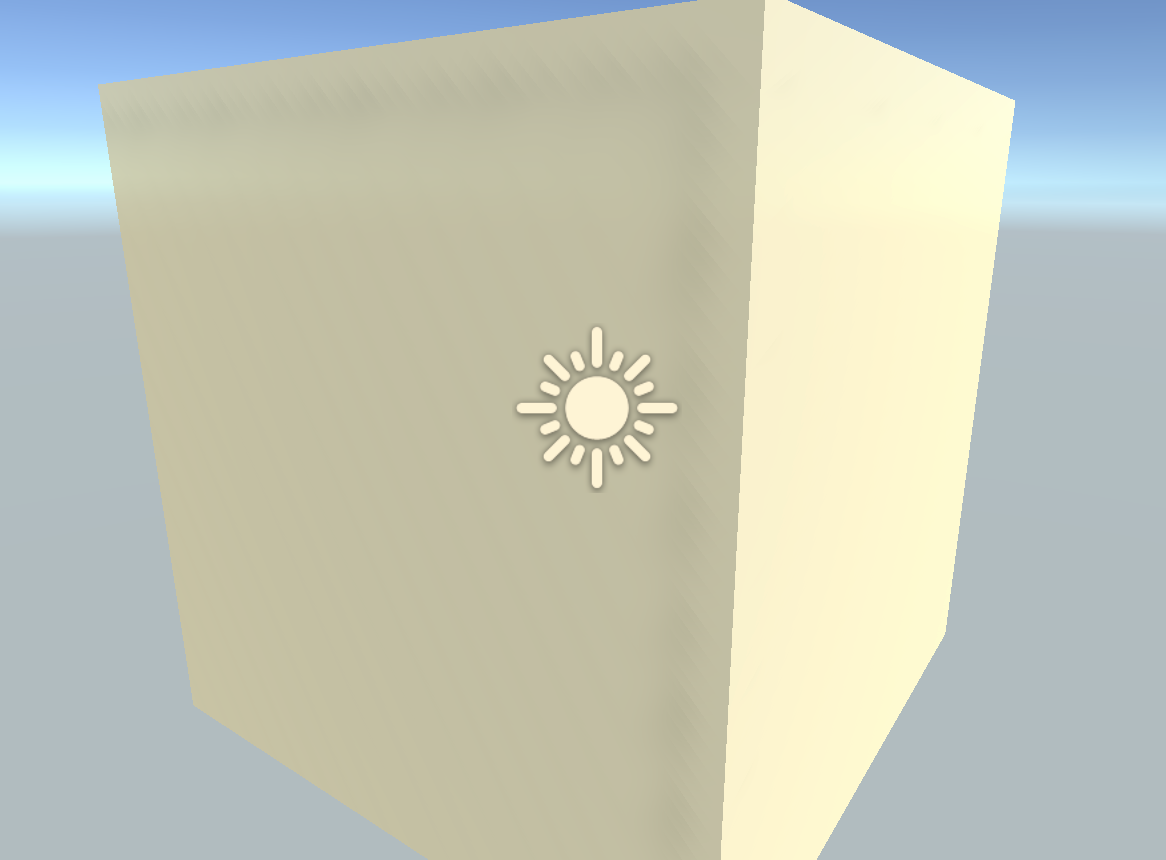

As seen in both of those images
Thanks.
 hexed dock
Could someone explain to me why does the lightmapper behave like this? This happens when I place anything (in this case - top row of 5 tiles) above given object(s) (bottom row). I created Lightmap UV set (in the second UV index) in Maya, there is no overlap, everything works just fine while the bottom row of tiles has nothing above them.
I use baked GI (obviously) with shadowmask. Lightmapper is set to work with 16 texels resolution and 2 texels of padding, increasing the number does not change anything. Is Unity incapable of baking objects that are placed above each other? I'm getting desperate with this, any tip or advice would be appreciated
tired horizon
look like the resolution is to small, either the size in lightmap to small or and the res is to small. also disable importance sampling
artifact mean in most cases you need to tweak the lightbaking. Unity is capable of almost any kind of bake but the user need to figure it out. and that is the hardest part in my opinion. Documentation is worst and differs from version to version and in some cases its not existing
when you select a object that is contributing to GI you can open the lightmap and see the result on it
hexed dock
Yeah, I get that. I've been trying to make it work literally for months, abandoning it and getting back to it every once in a while, going through the docs and forums again and again. I fixed many issues along the way (for example - the top row used to have just the same issues as the bottom one before, that was due to overlapping UV's), but this one still persists.
Anyway, checking through the lightmapper settings, importance sampling is disabled. I've tried all kinds or resolutions before, default 32, 40, 60, none of which gave me any different results than 16 or 12, the bleeds were just shifted differently each time around
tired horizon
also did you try double sided shadows on the intersecting object.
the lower object is z fighting with the floor obviously
this can help when light leaks tru thin walls$
and also if you have no solid form with double walls its a problem
there are many things you can try
when i render walls they have always two sides
if not i put black objects to isolate it
works also
hexed dock
Yes, I use double sided shadows, it's actually necessary is my case. The light leak you see is not a big deal, when all the tiles combine together (with corners and stuff), they create closed loop so there is no room for the light to leak through. This is just because the wall tile itself is not connected to anything in this particular case, I just placed 5 tiles together to show what the lightmapper does with it
This is the tile mesh, you can see there is no geometry on the sides so that's why the light leaks through
Btw, is there any particular reason why you use lightmap scale of 2 on your objects?
tired horizon
yes its in relation to the other objects on the lightmap
1 was to small therefore i made it larger to lit the light better
i have combines parts of the wall in the room into largest possible parts and scaled them best possible to each other on the lightmap
actually if you select an element and use low setting. start with autobake you can see very fast how large the object is on the light map
then you stop and make scale better
aa outdoor terrain of 500x500 meters for example would be size 0.01
just an example
btw be carefull if you show email account on screenshots 😉
i always blur them
maybe i overcast this but its your maya account 😉
hexed dock
Yeah, thanks for warning, didn't even notice I was signed in in Maya 😄 So I guess then it might be worth playing with the object scale in lightmap. I only knew that setting it to 0 disables the object from being lightmapped entirely, while still contributing to lighting, never really played with other numbers
tired horizon
use more object together with larger and see how it turns out
good luck!
start with low setting (and autobake) and dial up. once the sizes are fin use the bake button not automatic anymore. unity generates your lightdata then in a folder where your scene files are.
will take time but the result will be worth
also look to go up with the lightmap size and res during the progress when more and more object come to the lightmap
for small object you might use bake lightprobes instead, https://blogs.unity3d.com/2019/08/28/static-lighting-with-light-probes/
i use latest unity some things might be different but the way is the same
the link show what i tried to explain @hexed dock
hexed dock
Yeah I'm just reading it through and it actually gave an idea
narrow bear
Any lighting experts know what might be up here? ;
Lighting on door is fine until door opens/closes
versed ember
@narrow bear are you sure there isn't anything Zfighting? Cause it looks like that rather than a lighting issue
 willow matrix
how might I make interiors darker?
summer aspen
reduce ambient light
willow matrix
thank you
 crude chasm
Hi quick question. Is there a way for me to put the point light behind a tilemap?
I'm trying to make the light appear as if it's coming from the window
or do I just have to play with the settings?
 native moon
I'm trying to create a basic lamp for my game. I added this light property to the prefab, but there is no light emitted from my lamp, either in the scene view or in-game. Is this due to something I'm overlooking? Online tutorials that I have watched never had this problem.
I even tried with an exterior point light.
 umbral musk
why am I getting full black parts, using the universal render pipeline?
I set the shadows to soft, but this isnt a problem with the shadows, its with enviroment/ambient lightning
static latch
does anyone know what could be causing these AO splotches on the light maps?
versed ember
@crude chasm that's not what you need exactly. You probably need a lit window tile and a cookie on your light to mimick the shadow of the window frame
@native moon have you tried adding some default 3D objects in the scene? Or make a new scene? That shouldn't be an issue
@umbral musk you need to generate the lighting
 clever abyss
Hi. I got a really unusual quistion
You lightin guys are definetely aware of the top area light that makes every horror movie, dark. If not, let me explain :
imagine a cube,being the room, and we are shooting inside that room/cube, and the whole ceiling surface of the cube is a soft area light to make everything so soft and darken
That in mind, ,, how can we do such a soft area light in Unity?
Is it even possible to have some area light to affect every pixel of a room, every frame ?
And is it optimized enough for a mid-rated PC ?
Would kinda be like this ( no spoilin,feel safe )
versed ember
that doesn't really look like an area light to me, it's more like a soft spotlight and the rest is just ambient light
you can definitely achieve this
if the rooms doesn't have dynamic elements it's also pretty performance light
clever abyss
@versed ember in the image i sent, there is an area light right bellow the ceiling, so soft we cant easily track it down with first sight,,, i found that out in the behind the scene
Its used in most of horror movies , and i guess some games lime re7 use it too
versed ember
well you do have area lights in unity but I'm not sure they'd help with that effect
it's worth a shot though
clever abyss
Reply : if the room doesnt have dynamic elements its also pretty performance light
I need it dynamics as well as non dynamics,,, do u think it could be achieved with light probe, maybe?
versed ember
yeah light probes would solve the issue there
static latch
is there any documentation out there about lightmapping and vegetation? alot of my vegetation is a bunch of planes stuck together with alpha transparency, and the lightmap doesn't know what to do
versed ember
@static latch what specific issue are you having? Does your vegetation move?
static latch
Nah, but that'd be cool as heck, but I've made like a hedge out of planes, and all of the planes are going through each other, and as a result the AO bakes it really dark
not the best screenshot but the hedges be here
versed ember
yeah they look really dark. So you're baking the AO? I would then recommend to make a lightmap settingprofile that ovverrides scene setting for the hedges

you see here inside the object that Lightmap parameters use scene default, but you can specify a new preset
you could either remove the AO for the hedges or tweak it's parameter to reduce intensity
personally I never bake the AO, I prefer to have it as a screen effect
static latch
Ah, I'll give it a go, I think it'd be best for me to bake it, I'm just making a mod for a game which I don't think has ambient occlusion
Turns out with VR is that you can get games to look photo realistic and perform really well at the same time, just gotta bake everything lol
versed ember
hehe yeah that's fair then. Specific settings should help ya
static latch
I see some options regarding the AO but it's greyed out
nothing about disabling AO on the object
versed ember
is your filtering set to advanced?
static latch
don't think so?
versed ember
hm yeah it's weird :\
try to tick off is Transparent
and see if that helps with the darkness
static latch
It didn't =(
versed ember
dang
if you remove it altogether in the general lightmap setting, does the darkness go away completely?
static latch
Yeah but then it stands out a bit much
versed ember
the only other solution I can think of is to bake the AO in an external 3D software inside the albedo
ah no nvm
you can't exclude it either way
unless you bake it for every single item
which is annoying
interesting issue :\
static latch
It's probably something real simple, because any game with lightmap baking and vegetation would have ran into this issue lol
versed ember
https://gyazo.com/79276f5cc05e1d163002b58e6c2a6cc1 can you try to disable contribute GI?

and then rebake
static latch
I've tried that, it just prevents it from affecting other objects on the lightmap
maybe i've gone about modelling the hedge wrong
versed ember
sorry completely out of ideas here 😄
static latch
but I tried it with some random vegetation from the asset store, still kinda does with things with light mappin
versed ember
yeah seems like baked ao is just bad
 static bridge
i have these pixel thin gaps between my model and the shadow it casts. any idea what could be causing it? its not bias settings on the light and it happens in both hard and soft shadow modes
static bridge
nvm figured it out. forgot a very specific thing was being done in the shader that causes this
dim spoke
I'm using a dynamic day/night cycle, but trying avoid other real time lights in the scene. For the nighttime part I have the environment lighting baked (with the daytime directional light off), basically it has lamps and windows and such baked and I'm using light probes to light the characters at night. Problem is when the daytime light is on(so now there are light probes from nighttime bake and Realtime directional light) the characters are heavily shadowed from the darker light probes. Any ideas about how to lessen the shadows from the light probes during the daytime lighting? I've tried light probe volumes to try to even out the shadows, but it doesn't help much. Only other thing I can think of is to somehow toggle the mesh renderer light probe settings on/off on the characters, but I would rather find a different solution if it exists. Thanks.
static latch
@versed ember I turned off AO baking and I get the same look, so maybe it's something else
timber lichen
Hi, I was following the brackeys lightning tutorial and installed Unity 2019.2 but uh...
The version of LightweightRP I have is way lower than the one in the video
I have 5.7.2 when I need 6.7.1
What am I supposed to do?
covert stirrup
It's been renamed to URP @timber lichen
covert stirrup
It's still called URP in 2019
timber lichen
I'm pretty confused
I got lightning working on my character
but there's a little dot line that behaves exactly like one of my scripts
Like, an infinite irregular dotted line that is emitted from my character's "-transform.up" (down) direction
and rotates according to the right joystick
That's exactly what I want
But, IDK how to make it bigger
see? I was holding the joystick at a down-right position there
 naive edge
Has anyone had issues with reflection probes in Unity 2019.2, using HDRP? It shows the reflection probe has baked, but every time I make a build I need to rebake it, and everytime I switch the quality, it resets back to black. This means the user can't change the quality :S
the reflection probe is set to baked, and at this point I'm really lost on what I'm supposed to do...
 fossil elk
i don't know how to fix the lighting, it has 2 sides just pitch black
 maiden pier
hi there Developers and designers. I wanted to ask that does static batching work after light baking??
covert stirrup
It does @maiden pier but only for objects sharing the same lightmaps
maiden pier
okay What can i do make the objects bake the same light map? clearly 17 lightmaps are being baked and its decreasing the performance. somone said about bake index somewhere or lightmap assets. I have too many trees, decals, and wirefences in one of my scene.
Without lightmap 100 batches and 850 saved by batching
With 17 lightmaps 750 batches and 200 saved by batching
covert stirrup
How big are your lightmaps? Upping the size to have fewer lightmaps helps. Then you can also create LightmapData assets and assign groups, so that you can control which objects are baked to which lightmaps
maiden pier
2048.... so basically i have do do 4k?? do any other bake settings results in fewer lightmaps?
covert stirrup
Reducing the 'Scale in lightmap' parameter will make you need fewer lightmaps
You can see the resolution of your lightmaps in the 'baked lightmap' debug view
maiden pier
ok thanks
 hardy spoke
Henlo! New to working with lighting inside viddy games. Im trying to get a neat ambient effect in my sports arena. The players start inside small tunnels, and the doors open up to let the players in. Right now my lighting is set up so outside it looks pretty ok! However, the tunnels aren't dark at all. I play with some of the environmental lighting and I can get the caves dark how I want! But then the whole rest of the arena is dark as well :P
Can anyone point me to any resources that can help me out, or @/DM me with some solutions?
I was thinking of setting it up where at the start of the game the lighting is really dark, but then as the doors open the lighting would get brighter. I feel thats a bit complicated, so I was wondering if there is some sort of setting or shader I can use instead
covert stirrup
I would probably try to do this with exposure in the post processing instead of modifying the lighting itself
 polar sage
Are there any general tips on how to make lighting a little nicer to weaker machines? I recently made some updates to my game's lighting that make it a lot nicer, but some of the people who are testing stuff for me are using pretty poor computers. Is lighting at least partially to be a likely source of performance issues? I want to make my game as playable as possible on their machine.
 topaz hill
why isn't the far terrain lit? https://cdn.discordapp.com/attachments/423250187855593472/700376032917586010/unknown.png

you can see the mountains in the back completely dark, I want it normally lit
timber lichen
hi. maybe (i hope) a trivial question: I have a simple scene with baked lights (no rt). I am using this scene multiple times in the game with slight changes. when i duplicate the scene can i also duplicate the lightmap (settings) and rebake it with the changes i made in the scene without overwriting the lightmap from the scene i duplicated?
second question (probably less trivial, could not find a solution online): I have simple objects (cubes) with standard sizes that are aligned to each other (snapped, its exact). It looks good as soon as I build the light. I get shadow artifacts where they are "attached" to each other. I have very high lightmap resolution and shadow settings. i also checked the lightmap resolution on the objects and its fine. I pretty much tried everything but always get these ugly artifacts...
 upbeat fern
@topaz hill looks like it foggy, try to set up fog lower (light settings -> fog)
@timber lichen 1) yes, you can. just duplicate scene, rename it and bake light. unity create new separate lightmaps and lighting data. 2) any screenshot?
timber lichen
- yeah, i know that. but i mean can it use the already baked lightmap and just rebake the "changes" so it doesnt take so long? (i guess not...)
also getting this warning, but lightmapping uvs is activated
covert stirrup
Generating lightmap UVs is not a guarantee for problem free UVs
timber lichen
my settings are so high it takes quite a while for a VERY basic scene with gpu lightmapper and a 1080 gtx
covert stirrup
You can play around with the parameters and see if it solves it. I usually just make them myself
covert stirrup
I meant the lightmap UV generation parameters btw
timber lichen
lighting in unity (which i use since about 4 years) is so frustrating i thought about switching to unreal more than once
but how about unitys standard objects?
where can i change model options?
covert stirrup
they shouldn't have lightmap UV issues
When it comes to baking lights on modular models it's a lot of the same principles as in UE4 actually
Like snapping lightmap UV vertices to a pixel grid
But a lot of the techniques to get good lightmaps in UE4 also apply to unity
timber lichen
well i only use unity sandard objects in the scene
only cubes in different scales, very detailed lightmap settings
I'll just try with even higher settings now.
 dusty parcel
what is happening exactly?
reduce Lightmap resolution, disable filtering, greatly increase rays
timber lichen
see the screens above
shadow artifacts where objects are right next to each other (but without a gap)
(nor overlap)
where to increase rays?
dusty parcel
scratch that
if you want seamless baking
make seamless geometry and not discreet cubes
there's really no way around it
timber lichen
hmm. was afraid thats necessary 🙂
any easy way to combine meshes (only primitives)
dusty parcel
Even then you would want to make sure the UVs are continuous as well, and that doesn't work great with primitives and merging
timber lichen
alright. did some c4d a while ago 🙂
still good enough for those basic objects i hope
thx
 timid oracle
I don't know if this is the right place to put this but I would like to know how to fade between skyboxes. I have a daytime skybox and a nighttime skybox material and I want to be able to blend between the to. The daytime skybox is also the built-in Unity procedural skybox. I have found a lot of links such as this one: https://wiki.unity3d.com/index.php/SkyboxBlended but none of them are helpful as I do not want to blend between textures but rather the skybox materials that I already have. What is the best way to do this?
 brittle edge
Guys I need help
2d lighting
Why is my scene editor rendering light, but not the game view
timber lichen
does anyone have a script for a flashlight?
native moon
I'm using the Universal Render Pipeline, Realtime Lighting, and Shadow in a Global Volume Profile to simulate night time. I have a lamp block that is supposed to emit light. I am using an emissive material, and the source of light is a point light in the center of the block. As you can see in the attachments below, the lamp is really bright and doesn't have a lot of range, even though I increased it in the inspector. I found that it may deal with the lighting dropoff, but I don't know where to start. Basically, I want the light to be less intense and to spread out over a larger range. Thanks to all that help!
 wheat lichen


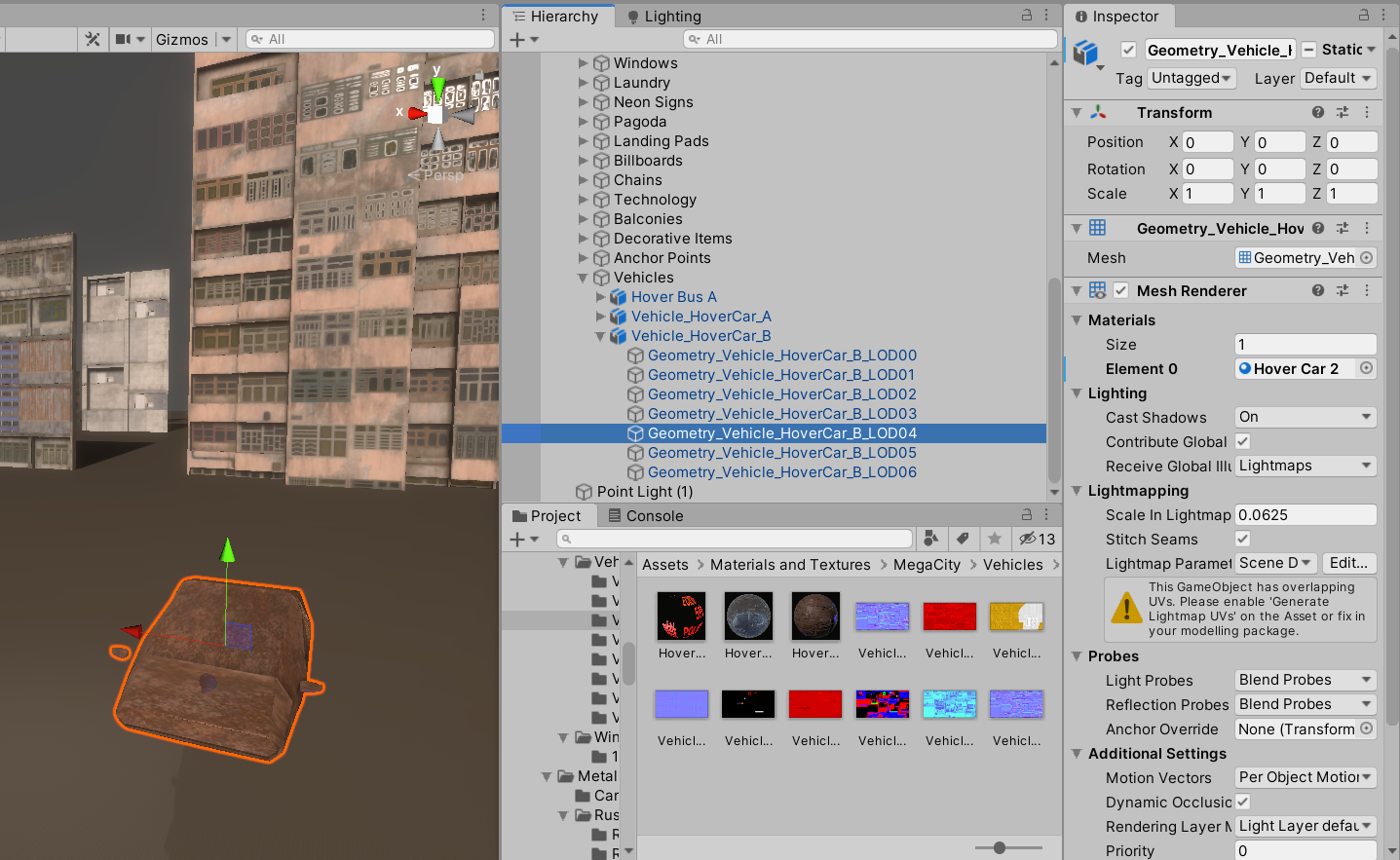


 native moon
I may have narrowed down my problem. How do i change the lighting drop off? I believe it is currently at inverse squared. Is there a way to make it more linear?
 cold pasture
so i am kinda new at the baking lightmaps in unity but i have general knowledge but i tried baking my lighting and it didnt really have any affect instead if just make everything black (inside my house where there are lights)
timber lichen
Set the objects you want to receice the light to static and set the light source to baked or mixed.
timber lichen
Also, I would suggest increasing the light intensity by just a tiny bit. For example, if it's set to 1, set it to 2, as baked lighting is noticeably darker that realtime.
 modest bone
Im in this village, and no matter what I do I can't get my skybox to load
I searched for 2 days on google and cant find anything its driving me insane
covert stirrup
Press the layer button on your toolbar